#animation
1 messages · Page 159 of 1
 devout dagger
just to be clear, Even Graph in my AnimBP is empty
variables in AnimBP are set from elsewhere
that's why I can't just do preview in AnimBP and have montage play
 thorny patio
do you have something like this anywhere?

or do you do an overall blend outside of main state machine?
devout dagger
no.. I have logic in AI Controller that when AI Perception senses player, it fires BPI that triggers Play Montage in AI Character BP


hmm... So right now montage got triggered, torso anim started playing and half-way through it reset. I restarted, triggered montage - played even less and reset. Tried third time - didn't play at all. 4th - played properly.
bizarre
bah, I see the issue.. I am using custom BTT Move To and I have Stop Montage there... WTF... 🤦♂️
thorny patio
the preview have a fixed timeline that loops
devout dagger
so when Move To kicks in, it stops montages.. That's why they play when AI isn't moving.. Ugh
thorny patio
so once it reach the end then it resets the animbp
yeah, so take my advice from AI channel, you create a player controller that can drive this pawn properly
it's much easier to test your pawn animation
all the animation should be driven by the attributes on the pawn itself. the player controller or AI controller just sets those attributes
devout dagger
thanks!
 sturdy agate
hi there
is there i way I can get my AI to have its walk and run animation blend together with the attack animation?
I tried using a blend space but its not the result I'm looking for
 forest aurora
exactly what i needed, thx pal !
 oblique shoal
i need some help
so i created some overlap event
for player hit
ai it*
but sometimes when player dodge the hit and come back to circle it still cast
even tho animation of hit is already finish
any sugguest

 odd sapphire
hey anyone have any tips how to sync random montages in state machine across replication?
like having a seed and a single random stream holder synced between clients? or is there a better way?
 placid ermine
Hi again... i am having some issue about my locomotion i use als with easy swim and superhero flight.. it works okay mostly but i have a problem with my landings.. what i did is in my anim BP i added a blend pose by bool which is connected to a is landing bool and does nothing but plays the landing animation when the bool turns to true. On the landing event i only set this bool to true and set it back to false after the animation is done. as you can see on the video my character keeps its velocity while playing the landing animation i tried to set the speed and the velocity value to zero in my landing event but none of it helped. I wonder if any of you have any suggestion or maybe a solution for my problem ??...
https://www.youtube.com/watch?v=oXY_s3X_fQE&ab_channel=DávidLászló

 misty dagger
Hi, I'm getting this when re-targeting one skeleton with fewer to the target with extra bones (such as the one in the picture). When I then convert a mesh from the old skeleton to the newer one, it's like the bone doesn't even exist (the error in the picture). I've tried looking this up and tinkering with it, but I don't think I understand the issue here. If someone can at least point me in the right direction that'd be fantastic. 🙂 Thanks.

 marble robin
When implementing first and third person, do you guys inherit from a master animation blueprint? Right now I have separate Anim BP's for FPP, TPP, and the master character. What about adding subsequent humanoids? Ideally I would love to have a single master AnimBP with footstep sounds, etc and all character models use the same animations. Sorry if this question doesn't make sense, I'm just looking for guidance:


 chilly igloo
how can make the base model of a cloth change its default starting pose to something else?
 jolly swift
I got it to work, It seems the only problem was that I needed to delete the already imported mesh that was in unreal 😅 since that one was just a mesh, no skeleton, no animations.
I really don't see anything else that I did differently than any other time, so it seems the solution was pretty simple.
Other than that I just refined the animation/rigging workflow and knowledge 😉
 noble dagger
Is there a large performance cost to having an animation montage with multiple copies of the same animation, each just with a different montage section name?
I can refactor my combo system to remove the need for the above, but, it makes it a bit more messy. If there is little/no performance cost, I may keep it the way it is.
 late trail
have some n00b animation questions:
what happens if a morph target were to shrink a skeletal mesh to a lower or taller height than the skeleton itself? (for a character customization system) do the vertices' positions relative to the bone matter at all, or does only the weight setting matter?
from what I know, a morph is just a position offset per vertex, so it seems like it should just work?
 charred summit
how do I make it so that root motion animations stay? So I want this character to walk attack with the rootmotion animation and not loop back to the initial location.
 latent charm
Hey, how would I go about creating a mesh that's rigged to the ue4 mannequin?
 ashen junco
latent charm
Hey, how would I go about creating a mesh that's rigged to the ue4 mannequin?
ashen junco
latent charm
Hey, how would I go about creating a mesh that's rigged to the ue4 mannequin?
You'd create them in your DCC software of choice.
latent charm
Well duh, I mean like can I do it in blender? Or are there options more suited for it?
ashen junco
latent charm
Well duh, I mean like can I do it in blender? Or are there options more suited f...
Again, any DCC software will do, although...
There's few technical things to keep in mind with Blender. For one thing, Blender' rigging system is unorthodox, to say the least. Bones also often disoriented when brought to Unreal. Also, forget bone tails in Blender when exporting to Unreal.
ashen junco
I'd recommend Blender, mainly because it's what I use on daily basis, because it's free.
 whole coyote
Did anyone use transform conversion to world-space (From World and To World nodes) inside Control Rig in conjunction with sequencer? It works fine until I press Play (or use Movie Render Queue), but in play mode it seems to ignore actor transforms driven by sequencer and use the initial transforms of actor in the level.
 delicate junco
@wide hearthWe got some anim stuff ! 😄 https://youtu.be/d1ZnM7CH-v4?t=559
Learn about new features for authoring animation in the editor and controlling animations at runtime.
 coral wave
is it possible to add bone weights to additives similar to blend profiles for state transitions?
 wide hearth
delicate junco
<@!453171455451201536>We got some anim stuff ! 😄 <https://youtu.be/d1ZnM7CH-v4?...
wide hearth
delicate junco
<@!453171455451201536>We got some anim stuff ! 😄 <https://youtu.be/d1ZnM7CH-v4?...
HELL YEAH!
Blendspace 2.0 nodes and their samples are also visible in the AnimGraph tree. Samples are no longer simple animation sequences, but are now their own subgraphs, allowing for broad customization
Also functions and macros in Control rig
and it seems improved FBIK too
delicate junco
Yep ! I'd have downloaded the early access and the project but I'm quite low on disk space for now...
delicate junco
Yeah the project is like 100Gigs I think
wide hearth
oh
 random gate
Where does one start with cloth animation? I am thinking of capes
delicate junco
It will depend on the accuracy/performance you want. You can either use cloth sim https://docs.unrealengine.com/en-US/InteractiveExperiences/Physics/Cloth/Overview/index.html
An overview of Cloth creation using the in-Editor tools with Unreal Engine.
Or bone physics chains using rigid bodies, anim dynamics or the kawaii physics plugin
For example in Lightning Returns all the cloth movement you see here is done by bone chains https://youtu.be/PY_-wKlVE40?list=PLJKEKeMcejOxSCoglDo3Vq5QhH0EsjtTA&t=601
Capcom also use these extensively in DMC V, for hair and cloth https://youtu.be/DQOzMoNaB_U?t=1161
 fallow otter
Does anyone know if UE can do skinning? Since they offer rigging and animation, in case you rig inside the UE4 or UE5, can you properly skin the mesh there as well or do we have to export it to another software and skin it there before bringing it back?
 storm portal
Hey all! So I've got some hair I've animated in Houdini that I've imported as a static alembic just fine. I don't want to sim as I have a looped animation in Houdini. Is there a way I can import the groom alembic as a geometry cache to have the animation?
wide hearth
ue5

 silver jasper
How do you guys organize your animation-graphs?
For me they seem like they turn into a giant monolith
especially cause you can't even subclass them
delicate junco
silver jasper
How do you guys organize your animation-graphs?
Check this it may give you some ideas #animation message
delicate junco
wide hearth
ue5
Motion matching :o
silver jasper
sweet thanks
 lunar current
Any recommendation for quick character animation prototyping in UE4? Should I just make animation from the IK Mannequin or is it better maybe to do it Blender for example using the Mannequin plugin?
 obsidian nexus
Hi guys. I had a newbie question.
My character plays an animation via BT_Tasks -> Play Animation. The issue is, for e.g it's a stun animation that throws the character back. But that animation doesn't update that character's transform. How do I fix that? It's causing my character to zap a little ahead (where the stun animation started) and resume its AI Behavior.
Got it - Had to enable Root Motion.
 jovial panther
did they mess up root motion in UE5 ?
when I preview the exact same animation in UE5 with root motion enabled, it looks like UE5 is treating all Z motion as upwards delta
 ivory bear
what's a good way to handle fps camera animation?
like
I already have the camera animated in blender
jovial panther
we have our camera parented to a camera node on the arm rig, so whatever we play on the arm rig will just use it automatically
ivory bear
parented?
rn Im using sockets
is that the same thing?
like I added a socket to the camera bone on the fps rig, then attach to socket
 jovial panther
yes put the camera under the skeletal mesh with the parent node the camera socket
that's what we are doing anyways
ivory bear
how do you handle looking as well?
like I have the two cameras

look_cam for looking around like normal
and the attached cam is the active one that is parented to the camera socket
jovial panther
looking rotates the whole actor for yaw, and the whole arm rig for pitch
Rootmotion previewed in UE4, working correctly

Root motion previewed in UE5, busted
the exact same animation migrated to ue5
 ivory bear
is it the same fbx?
jovial panther
its a migration so it's the same uasset, but i just tested a reimport from the source fbx and it's still busted
ivory bear
hmm
jovial panther
is there a way to look at the raw curve data on the bones in UE?
pretty significant regression
jovial panther
I posted about it in the forum. If anyone has an idea what's going on please let me know.
https://forums.unrealengine.com/t/ue5-root-motion-regression/231385

Unreal Engine Forums
I migrated a few assets to an empty UE5 project to play with motion warping and before I could even get that far, I noticed that the root motion of the animation is broken in UE5. Here is a couple before and after gifs of the same animation Preview in UE4 Exact same animation in UE5 ...
ivory bear
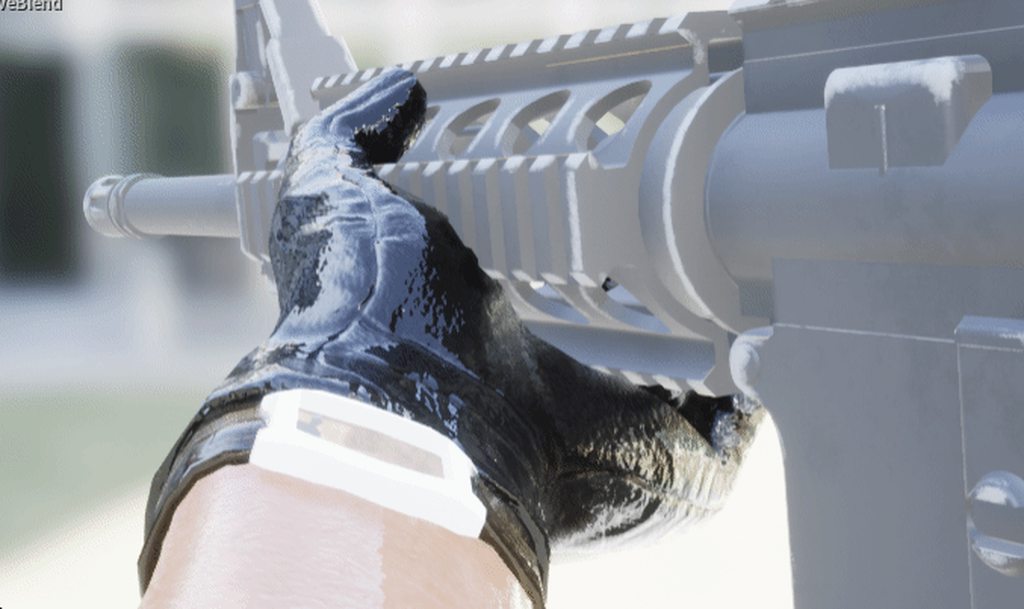
anyone know why this is happening?
the hand is supposed to move with the gun
but only the gun is moving
it's moving correctly in blender
however, if I exagerate the same animation, the hand DOES move correctly
obsidian nexus
Hi guys, one question again. Root Motion halts my character (i.e animation should push character back, RM makes it stay in place while playing that animation) How do I change that?
I want the animation to push the character back and update it's transform in the world.
(which wasn't happening by default). Any help would be appreciated
 humble temple
Hi, where i can find free animations of movements walking and running in all directions? Mixamo page doesn't have all the directions
ashen junco
humble temple
Hi, where i can find free animations of movements walking and running in all dir...
ALS provide everything - and it's free.
humble temple
Advanced Locomotion System V4? Wow i see now, its free, TY
 oblique gale
in animation, the root motion is work correctly

but in animation blueprint don't work

can someone help me ?
delicate junco
Anim preview editor (bottom left) -> edit default -> Root motion for everything
@oblique gale
Btw I'd recommend using an anim montage for actions like rolling instead of a state
oblique gale
thanks!
oblique gale
delicate junco
Btw I'd recommend using an anim montage for actions like rolling instead of a st...
i'm using for dodge
jovial panther
Root motion for everything isn't supported in MP. But root motion for montages is.
ashen junco
jovial panther
Root motion for everything isn't supported in MP. But root motion for montages i...
Well, root motion replication would add things to consider for the replication (net)code.
jovial panther
ashen junco
Well, root motion replication would add things to consider for the replication (...
Right. I understand why it isn't supported, just warning @fundamertal
 full crag
Any users of Atoms Unreal? What has been your expereince with large crowds using existing crowd assets?
wide hearth
jovial panther
did they mess up root motion in UE5 ?
when I preview the exact same animation i...
I just tried some root motions anims and it all works for me
all root motion, working exactly like before
jovial panther
it's only messed up if your character has rotation on the root bone, which is fairly uncommon
 sweet lantern
Hi! Would appreciate any help with aligning the gun with the spot where I'm aiming. Aim space is set up, on medium distances everything works more or less correctly

 tidal mural
I have an animation asset pack where the skeleton is the Epic skeleton but with two bones added to the hands for weapons. However when I want to assign the animations to the default epic skeleton, the engine won't let me do it without adding the bones to the default skeleton as well... it says failed to merge bones should I choose to deselect them. Without doing this, I cannot change the preview mesh for the animations, and thus I cannot use the animations with the default Epic skeleton. The bones themselves don't seem to be attached to any vertices, but is there any way I can retarget the animations without having to modify the base skeleton with extra bones? E: Seems the animation pack was an older one, and I have to do animation retargeting instead of just skeleton retargeting
wide hearth
jovial panther
it's only messed up if your character has rotation on the root bone, which is fa...
i have rotation on root bone
lots of it
the problem in your video, it's like it took z (up) for forward axis
which happens sometimes when you import fbx from other software where y is the up axis
btw, there is a blueprint function read raw tracks, but you can only see it from an anim modifier
delicate junco
wide hearth
btw, there is a blueprint function read raw tracks, but you can only see it from...
@jolly osprey This may be what you were looking for ^
Not sure if you figured it out since then (talking about this message #animation message)
Get Raw Track Data
Since ti's in the anim library I guess it's only accessible through editor utility widgets or something though
jovial panther
wide hearth
i have rotation on root bone
Yea sorry that's what I meant. Import root rotation. I don't mean rotation within animations.
Anyone played with mntion warping much yet?
It looks like you have compensate yourself for offsets between the sync point transform and the character origin, right? Or am I missing some functionality?
Like if you have a traversal with a hand plant, you will motion warp up to the hand plant, but you can't just use the hand plant position as the target position directly.
 shy imp
Hey I just wanted to ask something basic, if I model a character in blender, then can I move his limbs in unreal? Does anyone have a tutorial that talks about that?
 glossy grail
I am trying to adapt to the "send to unreal" tool for blender instead of using an fbx. I can get an fbx to import a simple 2 bone animation from blender, but when using "send to unreal" I am getting separate skeletons and meshes for my mechanical arm. This is what I get on fbx import...

Send to unreal looks like this.....

These are rigid objects parented to the bones.
Any suggestions on what might be wrong? Here is my blender collection setup....

 tawdry cloak
For the anim blueprint animations for different weapons. One solution is to switch on a WeaponType enum and choose which animation or state machine gets run based on WeaponType enum. But this could get messy as a lot of weapon types get added to the game, and the anim BP will need to be updated with every new weapon type that gets added. Does anyone have experience storing all pawn anim sequences in the weapon itself (pawn animations like third person sprint, first person sprint, idle, etc), and then clicking the "Play Animation" nodes in the state machine and binding the Sequence to the pawn animations stored in the current weapon? I think this might be possible but I'm wondering if it's a common solution to avoid the WeaponType enum mess in the anim blueprint.
 jolly osprey
delicate junco
<@!339011895996579840> This may be what you were looking for ^
jolly osprey
delicate junco
<@!339011895996579840> This may be what you were looking for ^
I just want to see the raw tracks on a graph in the anim editor somewhere - I know how to access them programatically
 south dragon

Hello guys. How can I get sail animated like this so I dont have to use the cloth sim?
jovial panther
Looks like motion warping still has some bugs too
https://forums.unrealengine.com/t/motion-warping-inconsistent-results-bug/231749
Unreal Engine Forums
Not sure if I don’t understand something with the motion warping, but this seems like a bug. These 3 actors are playing the exact same animation at the same time, using the same sync point. They are at different locations in the scene. 2 of them have the same rotation. The 3rd one has a different rotation. The end result is that the guy with ro...
 prime wharf
When to use the animation BP and when should I use Control rig?
 ruby ridge
If you're doing any kind of complicated rigging then control rig might be preferable because it's faster, but it also depends on your pipeline
south dragon
south dragon
https://cdn.discordapp.com/attachments/846655602742263819/847515937473036288/eur...
Is anyone able to help with this ? Any idea how to animste cloth physics in blender for example?
Like I basically just animate it and then import it to play in game or ?
prime wharf
@ruby ridge So use the Control rig do calculate the position of elbows, knees and some specific rotations.
But when I want the hands to be at the position where the motion controllers in VR are, then I use the Animation BP?
ruby ridge
On the VR project that I'm working on, I'm still using the anim bp
but that was because Control Rig was still considered a new beta-ish feature, so I didn't feel comfortable using it for the VR Avatar
I might look into using it when UE5 comes out
prime wharf
Same for me, but you still have to use the Animation BP to set the world positions of the motion Controllers or is this also possible in the control rig?
ruby ridge
For me, I used the anim bp for the character's animation
the motion controller is handled in the character's event graph
 noble swan
Hi frens, when animating with Sequencer and Control Rig, do y'all save a separate sequence per animation? What's your workflow?
 sudden sedge
Is there any sort of physical animation simulation for springy things? like radio antennas?
anim dynamics doesn't seem to be what I want
I want the object to be influenced by motion, but try to snap back to its default position
delicate junco
sudden sedge
Is there any sort of physical animation simulation for springy things? like radi...
delicate junco
jolly osprey
I just want to see the raw tracks on a graph in the anim editor somewhere - I kn...
Ah I see, no clue about it then sorry
sudden sedge
@delicate junco does this work with just a singular bone?
noble dagger
Hey there. Anyone have any good online classes, tutorials, sample projects, etc to help go from a basic understanding of animation blueprints and setting up a character to a much more nuanced and deep understanding?
 tender flicker
hey, does anyone have any idea on how to go about fixing my issue?
If I have 2 different sized meshes (medium and large) sharing the same skeleton, and I have an animation of the medium size mesh holding a weapon, and I use retargeting and IK to position to the hands, my large hands would still go through the weapon mesh
so should all my characters have similar size hands?
tender flicker
or is there a way to do this with ik or something that I can't think of
humble temple
Hi, it's possible to migrate ALS animations from original project to my personal project to do Retargeting of them and use those animations on my personal character?
ashen junco
humble temple
Hi, it's possible to migrate ALS animations from original project to my personal...
Yes, it's possible.
Though the IK system relies on virtual bones, and this was before Control Rig, so you need to patch it up yourself.
humble temple
ashen junco
Yes, it's possible.
Though the IK system relies on virtual bones, and this was ...
Sorry for the stupid question but what is IK system? (I am a rookie in ue4 I am learning)
Inverse Kinematics
Is any YouTube video that explain the process?
 hollow moss
hello, is there a way to apply a pose on start to a skeletal mesh? Apparently using "Animation Asset" and set it to the wanted pose does not do that.
 winter trench
When i attach my item to a socked it is 10x bigger than it should and has a massive location offset.. how can i fix that?
hollow moss
hollow moss
hello, is there a way to apply a pose on start to a skeletal mesh? Apparently us...
solved my problem by baking the pose into a static mesh
glossy grail
I asked this question yesterday, but want to revisit it this morning. I am importing a simple robot arm animation from Blender using the "send to blender" functionality. The setup consists of 2 bones each parented to a mesh component. I can successfully export the setup using the fbx exporter, meaning that I get one skeletal mesh, one skeleton and my open and close animations. However, using send to unreal, it breaks it into 2 skeletons and 2 meshes. The animations that are exported only operating on those individual components.

Correct output from fbx export manually.

Incorrect output from "send to unreal" plugin in blender....

It is possible that this process just doesn't support separate mesh children under the skeleton? That doesn't seem likely.
 tight flower
If I import a rigged mesh into ue4, it shows the skeleton slot as empty and there's nothing available for me to select when importing, when I import it creates a new skeleton, is this new skeleton the one I rigged to the model?
glossy grail
tight flower
If I import a rigged mesh into ue4, it shows the skeleton slot as empty and ther...
How are you importing?
tight flower
Vanilla import settings, except I'm importing the normals and tangents from the fbx file
 wide hearth
tight flower
If I import a rigged mesh into ue4, it shows the skeleton slot as empty and ther...
wide hearth
tight flower
If I import a rigged mesh into ue4, it shows the skeleton slot as empty and ther...
if you leave it empty it will create a new skeleton from your fbx. just don't forget, ue skeleton is just a list (more precisely a tree) of names, all other data is stored in the mesh
tight flower
So it will import the armature data from the model, but make a new bone hierarchy within ue4 that corresponds to that?
wide hearth
tight flower
So it will import the armature data from the model, but make a new bone hierarch...
yes, a new "skeleton", then later if you import an animation or another mesh with same bone structure you can choose this skeleton
wide hearth
you can just jump to ue5 then
tight flower
Probably will, reason I'm using ue4 is for modding ue4 games
 vocal ocean
Is using one skeleton only for all meshes a good strategy?
We have tons of AIs with tons of animations, some of them from marketplace so we are trying to use Epic skeleton only if its a humanoid model
 naive garden
Hey guys, I found this in the optimization guides:
If you do not need the animation to update when you can’t see the Skeletal Mesh, consider setting the MeshComponentUpdateFlag property on the Skeletal Mesh component to OnlyTickPoseWhenRendered
I have a long bone chain (a cable), and that is completely physically simulated. I have to use an animation blueprint to give the cable a toggleable pose (a cable roll), but I only need that once at the startup. From there on, the cable will be simulated and the player can move it around freely - so the pose is only primed at startup. Now, I figured through the profiling tools that this ABP takes ~0.8ms every tick which I want to prevent, since I only need the pose once. Any idea how I can disable the tick completely?
misty dagger
a recent animation
 spice galleon
the motion warping in UE5 seems like it is distance matching from Paragon? any thoughts.
i mean it has same concepts to sync the animation to the sync points from that of Paragon.
And epic remove AnimDistanceMatching Plugin in UE5.
tight flower
So I got my character into my game functioning, but he doesn't take any damage, is this related to collision most likely? what would I do to add hitboxes?
tight flower
figured it out, set the physics asset incorrectly
 novel blaze
Spent 2 days making rifle animations just to export my arms and gun into unreal and nothing lines up like in blender. Does anyone have any tips or information on how to get your animations to look like how they do in blender. Mind I am trying to do multiple weapons so the gun mesh is not skinned to the arms. When I do it that way it works but then I lock myself into having 1 gun mesh per arms and that’s not ideal
tight flower
I'm trying to use autorig pro to rig this character to match the ue4 mannequin, it seems to work but when I import he is all balled up, anyone have any ideas?

I followed this guide https://www.youtube.com/watch?v=jyXxI4Mw05E****

Demonstration of FBX export as Mannequin skeleton from Blender to Unreal, with the Auto-Rig Pro addon. Ready for humanoid retargetting.
Similar workflow for Unity.
For best auto-skinning results, use a water-tight geometry.
Get the addon here:
https://gumroad.com/l/auto-rig-pro
https://blendermarket.com/products/auto-rig-pro?ref=46
Feel free...
 frozen sand
My animation montage is not working when I try using it
 leaden flint
Hello, I have a little question. If I have a character with textures, animation and bones, can I create morph targets for this character in ue or do morph targets have to be created directly when creating the character ???
tight flower
Any idea what bone axis orientation this is?

 covert jay
tight flower
I followed this guide https://www.youtube.com/watch?v=jyXxI4Mw05E****
covert jay
tight flower
I followed this guide https://www.youtube.com/watch?v=jyXxI4Mw05E****
I bought ARP a week ago and have yet to get it to work correctly.
Everything looks fine in Blender, but when I import to UE4 I'll get fingers and limbs shooting off into infinity.
Literally bought it just to auto rig a humanoid mesh from artstation then ended up having to rig it manually lmao
leaden flint
someone know something about my question about morph targets?
tight flower
covert jay
Everything looks fine in Blender, but when I import to UE4 I'll get fingers and ...
Yeah it's weird, I think the game I use is using a diff bone axis orientation or something though
 full pumice
Anyone know how to pause the animation in the blueprint viewport?
ashen junco
full pumice
Anyone know how to pause the animation in the blueprint viewport?
Disable Real-time option
full pumice
Where is it? I cant find it...
ashen junco
full pumice
Where is it? I cant find it...
 full pumice
thanks
covert jay
check your vertex weights.
 dull verge
hey can someone help me with that
idk why... its not going left or right, its just go forward and that weird then.
or not going back that good. very shaky
tried many animations thats with every animation
covert jay
dull verge
You might have one animation start on the left foot and another on the right foot. Check out sync groups.
dull verge
i already got it :D it was the problem i didnt used run inplce
but now i have a new problem xd, i have a socket for a katana. and in the idle looks good but when i attack with it, its offset
and then i created a second socket for the attack
but i dont know how to hide the idle socket when i attack
 mortal violet
trying to follow this tutorial to create a control rig sequence but there's no ControlRig sequence in the animation dropdown, only controlrig https://docs.unrealengine.com/4.26/en-US/AnimatingObjects/SkeletalMeshAnimation/ControlRig/Sequences/
Control Rig Sequences can be used to animate properties and drive Control Rig animation through keyframes within the Sequencer tool.
was it moved or something
 pine star
@nimble hatch If the game i'm making wont release until mid next year to late next year is it still a bad idea to move to unreal 5 now?
i'm still in the beginning stages and mostly making assets and such for the game so i wonder how viaable this would be o-o
 nimble hatch
no one should move to UE5 right now unless you already know the answer to that question
pine star
okie just thought id ask you since you seem to have hands on experience with it atm x3
nimble hatch
its just more of theres 26 versions of UE4 right now with fixes and updates and knowledge of use while UE5 has 0 versions so your going to have a much harder time using UE5 unless you know what you are doing
pine star
im watching their stream from yesterday and their talking about migration which made me wonder about that sorry if its a silly question x-x
 limpid isle
Don't think you'll have a slightly harder time even if you know what you're doing? 😈. Kidding, love the tutorials man.
pine star
yush yush :3
limpid isle
Also his channel wtf is, is a huge help for learning.
mortal violet
found how to create a control rig sequence I think
by dragging the control rig into a level
nevermind it creates level sequences
idk if I can save them as assets
nimble hatch
have you checked out the googly eye tutorial on the learn portal for how to do this?
mortal violet
gonna check but idk if that's related to my problem
the option to create a control rig sequence is just straight up missing, and I can't use level sequences in my animation blueprint
nimble hatch
I have a feeling it was since you now export out directly from sequencer your anim sequences

actually yes lol
if you read that doc you linked to and ignore the screenshot "From the Content Browser, click Add New then under Animation, select Level Sequence and give it any name."
even tho the screenshot shows the control rig sequence selected
mortal violet
oh yeah just saw that
thanks
weird workflow but sure
so I can now play the animation directly on my character, but I'm not sure how to have it play on the control rig, and have the control rig control the skeletal mesh
if I try to run it through an evaluate control rig node I just get a tpose
presumably because the animation is baked
mortal violet
also I can't rebake my animation because it's in use, despite not being in use
mortal violet
I just noticed that control rigged dragged into the level can take animation blueprint
for some reason though unreal won't let me drag it into my thirdpersoncharacter
no error, no warning, it just doesn't do anything
made it a blueprint and I can drag & drop it in now
yeah no a bunch of stuff breaks on it
really wish the documentation was more than 3 pages
also for some reason my keyframes are all grey and my character's staying in a tpose now

think I might just animate in blender lol
 steel bloom
mortal violet
trying to follow this tutorial to create a control rig sequence but there's no C...
steel bloom
mortal violet
trying to follow this tutorial to create a control rig sequence but there's no C...
I think you can just use the Level Sequencer
anyone have any luck with using Control Rig on the MetaHumans?
forest aurora
hey guys, so i'm sorry it's probably a very basic tip but it's past midnight, i had an horrible day so i gonna ask. I have this metahuman with and idle animation from mixamo, but i'm not satisfied of the result so i wanted to use a sequence and control rig to modify the animation. I saw a video, a guy did it on UE5, easy peezy but... I'm on unreal 4.26 and even if i add an additive like he did, the next frame my character just goes back to the original and horrible idle pose... So it's actually a very simple question : how can i make one frame for specifics bones stay in this rotation for the entire animation? (and now i go to bed or i gonna throw the computer by the window)
full crag
Any Atoms Unreal users?
Really struggling to understand the breakdown in a Atoms Maya to Atoms Unreal workflow. ie what exactly should be done inside Maya BEFORE exporting as FBX for a crowd of 3-500 agents and 2 states or behaviors?
 opal jackal
How do I fix my animations or character so that my arms are not glitched inside my character? Is there a keyword for what to search for to find a fix for this? It's not just this one animation, it's a lot of them and they all look about the same so it just needs a few tweaks and hopefully it will fix them all. https://i.gyazo.com/85f43fb6ccb61760d09691e466779e70.gif
 novel blaze
I have this animation that I created in the engine, Im trying to activate it dynamically on my guns skeletal mesh but the animation wont play. (A little info) my weapon system is different from the norm. I have one skeletal mesh attached to the player camera thats my gun mesh and when a player swaps weapons it just swaps out the mesh for the skeletal mesh.. Now when I set the animation mode of that skeletal mesh to "Animation Asset" and HARDCODE said animation Im trying to play dynamically with code, it works. However its not Ideal because I cant have a hard reference in this system. Also I didnt want to create an animation blueprint (even though that might be a solution) because its only one animation. Now I thought when you tell a skeletal mesh to play an animation with code its supposed to work however for this mesh it doesnt. Does anyone have an Idea why?
 tight flower
I have a problem, i have enable root motion checked in my animation but the character animation is this non-enable-root behaviour (char rolls, camera not follow, and character slides back to start position)...is there anything else that could be broken ?
tight flower
I have the root bone etc.
 hasty pivot
so ive been following epics tutorial on how to implement a simple aim space into my ue4asp character and my problem is it doesnt work as intendet. When walking sideways the character will aim in the wrong directions and thats because the animations from the locomotion interpolates the aim space again. anyone knows how to fix this?
 mortal violet
anybody here using the Blender to Unreal plugin to import stuff? if I make a model with a single bone rig it imports fine but if I add animations, those don't get imported, I get this instead
rest of the model imports fine tho

also yes they're on NLA tracks
 oblique vortex

so my mesh is fucking up like this if i use ik in the control rig(this has happened to me in older version of ue,it's a issue with the asset),idk what's up exactly as skeleton is correct
xformed the mesh and reskinned it and it did it again
 wise apex
Ive got a character thats modular and plit in parts. Is there any way to preview all the parts together in the animation editor ?
 static falcon
Just wondering why I would use control rig over anim graph for things like IK's during gameplay
Any thoughts?
 muted wadi
I am trying to import a set of simple boat oars into and I'm having some issues. I'm using the Blender plugin for Unreal and it's only sending over the meshes and is ignoring the armature and bones. Not sure how to troubleshoot this as I know almost nothing about animation in blender in the first place, but I have followed a couple tutorials and at least did what was shown.

 static falcon
Did you do a skin bind?
muted wadi
static falcon
Did you do a skin bind?
I did not.
okay I tried it again by parenting the armature to the mesh, but they're coming in as separate pieces.
 static falcon
Hehe
Parenting isn't the same as skin bind
Feel like this needs to be a sticky
@muted wadi
muted wadi
Interesting, because parenting is actually what comes up when you google "skin bind"
static falcon
Parenting is simply attaching an entire object's translation, skinning is weighting individual verts to different bones.
misty dagger
so like are the new animation tools any good
static falcon
Although the effect is the same, that's how you need to do it for ue4
tender flicker
hey, is NativePostEvaluateAnimation called after NativeUpdateAnimation? is the NativePostEvaluateAnimation called after the animations are run?
misty dagger
this engine has too many fuckin shaders
tender flicker
is there a function called after the engine has evaluated all the bones for the animations?
 dark light
Question; if i want to get IK limbs on humanoids and such up and running in short-order, is it worth going through the ik documentation and implimeting their results or just buying Dragon IK for 25 bux and rolling that?
ashen junco
dark light
Question; if i want to get IK limbs on humanoids and such up and running in shor...
Alternatively you can use Power IK for free and mix it with Control Rigs.
 timid horizon
Any idea what approach people would take to the animation of a humanoid swinging on like a rope? Let's say a hookshot that allows you to swing around (like spiderman or worlds adrift).
Would you approach this with a static swing animation, or would it be possible to just let the humanoid be impacted by the speed and direction you are swinging, so the body posture kinda flows nicely with it
south dragon

Unreal Engine
Stunning Horses to use on your Amazing games
Any good tuts for setting up the animations in this pack?
Also im curious to know, if I purchase things on the marketplace am I free to use them in a commercial project or do I need to contact the creator? I'm making it in UE4
hasty pivot
so ive been following epics tutorial on how to implement a simple aim space into my ue4asp character and my problem is it doesnt work as intendet. When walking sideways the character will aim in the wrong directions and thats because the animations from the locomotion interpolates the aim space again. anyone knows how to fix this? https://cdn.discordapp.com/attachments/221798806713401345/848503521120223242/Unbenannt.PNG

 ashen junco
 wise spoke
XD How can I correct this finger?
wise spoke
XD How can I correct this finger?
Kept it as it is
You could modify the bone transforms in the animation assets or with control rigs.
wise spoke
I don't know if it's a bug in UE5, but when I add an additive track in the asset, it doesn't take it into account when I play it in game :/ Or in the sequence. only in the asset view.
 rustic hearth
How can I import new animations from the same character from blender?
I already imported some animations that came with the character, but now I want to add some more.
ashen junco
wise spoke
I don't know if it's a bug in UE5, but when I add an additive track in the asset...
AFAIK it's not specific to UE5, so your best option would be editing it by converting it into control rig sequence. I'm not sure if it works at all though, and you may need to set up a proper control rig for the skeleton that the mesh uses.
wise spoke
I never tried the control rig in unreal, one day i should, and see if it's that efficient compared to the Maya->UE workflow. For now I'll just export it, maya it, and reimport it x)
Thanks for the help though, I didn't know it was an issue in UE4 as well
ashen junco
You have to "communicate" the action from your player pawn to the door first, using either Event Dispatcher or Blueprint Interfaces. The door also needs the function that your player pawn has.
Depends on how accurate you want the animation to be, or the door type. But in most cases, the doors are either physics driven, or using animations that played in forward or reverse.
Physics driven anim are best for traditional hinge doors, but montage based anim are best suited for sliding doors.
ashen junco
I'm currently away from my computer so I can't give a good example, sorry.
There are many tutorials for Blueprint Interfaces on YouTube, and others for door animation, so go check those out by yourself.
 grizzled kite
Guys I need help fast. Im using an animation blueprint in sequencer to render with movie render queue. This was working fine up until today where movie render queue is no longer playing the animation blueprint and now it is just using the frame that sequencer was last set to in the editor. please help.
To be morepreicse my animation blueprint slot node is working in the editor but when i go to render with either sequencer or movie render queue the slot node does not do anything and it just uses the last sequencer frame that was in the editor
odd sapphire
Hey is it possible, that these events are not fired in some cases?

Like if the character is not rendered or something?
Because the state moved from loco to a different one, but the start transition event didn't fire for me
 sinful herald
Hey All, I'm having an issue with a portion of my control rig. It seems that when I create an effector using the Basic IK, all of the bones above the effector change their rotation to zero and none rotate properly. I've shown my issue in the following video. It's probably something super simple but any advice would be great! Thank You!

 autumn venture
Hi all. Anyone had success sharing an Animation Blueprint between skeletons?
I have some core logic (locomotion, common animnotify events) that I want to share among all characters. But using a few different assets (ue4 store, mixamo) whose skeletons don't match. it seems I need to dupe my anim BP, unless I'm missing something?
 neat dock
anyone know of a really good animation pack for basic movements?
forest aurora
autumn venture
I have some core logic (locomotion, common animnotify events) that I want to sha...
retargeting?
autumn venture
that's for animation files, right?
in this case I have separate skeletons and animation files, but trying to share the animation blueprint logic anyway
example: a human and wolf both have run, attack, die animations and the same blueprint logic. but totally different mesh, skeleton, anim files
it seems that anim blueprints are attacked to a specific skeleton
forest aurora
autumn venture
in this case I have separate skeletons and animation files, but trying to share ...
hmm i see, yeah never heard of this kind of sharing :/
autumn venture
ok, cool. i went and duplicated the anim bp to unblock myself anyway
static falcon
I really liked this "match nearest bone" feature in Control Rig in UE4 so I recreated it in Maya with Python. I'm just starting out with programming really.
 sick summit
One of our animators has been working on the Animation Blueprints for our character, and now when we start up the editor we get an exception that says:
AnimationStateMachineGraph /Game/OurGame/OurCharacter/ABP_OurCharacter.ABP_OurCharacter:AnimGraph.AnimGraphNode_StateMachine_0.locomotion has invalid SubGraph array entry at 14```
As you can see, the 15th entry (index 14) in this transitions array is null for some reason. And when we look at the list of transitions in the editor, there are only 14 entries, not a 15th
Anyone know why this happened and how we can fix it? (Without having to redo the work) misty dagger
Hi I'm new here 😄 can any help me with a little problem/bug or something?
(I hope this is the correct channel because the problem is related with animation I think)
So the problem is I want to retarget a skeletal mesh BUT when I try to do it I get this message "UE4 mannequin needs to be saved" and I can't do anything more...

I found this answer BUT I can't find where do this solution

 dusky jacinth
In UE4, is there a way to apply an animation modifier to multiple animations at the same time, using the same settings?
 runic bloom
what's the best way to control the playback position of an animation?
 quiet mist
Question about animating the camera, it seems that the first frames the camera is in a totally diffferent position
Even though when I preview it in the sequencer I cannot see this
But rendering it shows it
runic bloom
runic bloom
what's the best way to control the playback position of an animation?
Figured it out, right click the Blend Space or Animation and Convert To Single Frame Animation
ashen junco
Is there a way to rotate multiple Control Rig controls in one pivot, akin to Blender's Transform Pivot Point? I'm struggling to make weapon poses because of the rotation is using individual pivots and not median point pivot.
wide hearth
dusky jacinth
In UE4, is there a way to apply an animation modifier to multiple animations at ...
in the content browser, select multiple anim assets, ritht click, "add animation modifiers"
 lofty marlin
I'm a bit lost with Anim Retargeting. Tried to watch and read through a few things, but it still sort of escapes me.
I'm basically trying to get Animations from an Epic-Like Skeleton to work on 2 Characters that have each their own Skeleton.
I added Humanoid Rig to them and that's about it. I know I can Retarget an Animation, but that duplicates it and since I have basically 3 Skeletons (original one and one for each character) I would end up with 2 sets of animations, even if I delete the original one.
So that cant really be true. What thing am I missing in this process?
The SKeletons are all more or less exactly the same. As far as I can see, one of them has 4 bones more.
wide hearth
lofty marlin
I'm a bit lost with Anim Retargeting. Tried to watch and read through a few thin...
it's correct. an animation sequence is linked to exactly one skeleton, if you retarget to another skeleton then you will have another sequence
if the structure of your skeletons is the same you can use just one skeleton asset
lofty marlin
Right so what's needed to at least make sure I only duplicate ones
Assign Skeleton to the SkeletalMesh if they have the same bones?
Guess I can merge the two characters
wide hearth
in ue4 the "skeleton" is just a tree of bone names, all other information (bind pose etc) is stored in the skeletal mesh
I actually never used assign skeleton, but it might work. Just make a backup before 🙂
lofty marlin
Yeah source controlled anyway
wide hearth
or you can reimport the meshes and select the skeleton
lofty marlin
Marketplace
wide hearth
ah okay
lofty marlin
Okay I think I found the missing link
So I used one of the two Characters to create a fresh Skeleton (just so I have an asset in my folders, outside the marketplace crap).
Then I assigned that to the other Character.
Now I would only need to regarget the Animations to the new skeleton and both should be able to use them
Thanks for the help!
wide hearth
just don't forget to setup retageting options on your new meshes, also retarget source in the anim seq can be useful
wide hearth
🙂
lofty marlin
Should the Translations be Skeleton or Animations?
Shoulders are a bit "tucked in"
(On the bones in the skeleton)
Okay doesn't change the problem, nvm
wide hearth
lofty marlin
Should the Translations be Skeleton or Animations?
those names are confusing, but it's actually pretty easy
lofty marlin
It's probably not the issue I'm facing. The anim looks correct, it's just a bit narrow for the mesh or so
wide hearth
"animation" = "take rotation and translation from anim"
"skeleton" = "take rotation from anim and translation from the bind pose"
lofty marlin
Yeah, not sure if this is a retarget issue or if the animation just doesn't match the character model :D
wide hearth
it can be retargeting too, shoulders especially are super sensitive to the retarget poses on both characters
the market anims are almost always for the Manny and the manny is not very good
lofty marlin

Left is Animation Base, right is the target

Shoulders look a bit odd
Like that person really pushes their chest out haha
Na I think it's just he character model. If I rotate the arm bone in, it also tucks into the body.
It's probably made to have more "wide arm" anims
wide hearth
you can try to play with the retarget pose of one of the characters, like rotating those shoulders back or forward
lofty marlin
The original one or the target one?
wide hearth
it's the same, just the direction changes, i never remember, but basically you can try to move them like forward in the retargeted anim so it looks correct, then move them by same amount in the retarget pose. i believe it's the target
lofty marlin
Ah, it's good enough for now. I'm just a gameplay progammer :D Someone else can clean that up
Thanks a lot for the info!
wide hearth
you're welcome
lofty marlin
Question about AnimBlueprints: If one has 2 Characters that have the same base moveset, but also their own movement, is there a way to extend from a base class and extend the existing state machine?
Or how does one usually handle that?
I know variables and functions are properly inherited and that you can override assets that are used in the base state machine
But I guess no way to extend those?
Showcases how you can use Sub Animation Blueprint Instances within other Animation Blueprints.
Sounds like something that could be useful
At least to a degree, it's more for plugging stuff in between that should be re-used than extending existing behavior
Hm guess I will make two Anim BPs and make sure they at least have a common parent for Functions and Variables. State Machine will then be partially duplicated
 sly spire
Hi guys, I've been trying to work out this problem with my "render movie" button - I'm new to Unreal and was playing around with Metahumans and the Take Recorder, I can get Unreal to render out my camera angle fine but the animation doesn't play through, it's just a static frame - it works completely fine within the viewport though.
I'm pretty sure I've layered stuff correctly in terms of the Master Sequence etc - if anyone could point me in the right direction that would be great 🙂
 copper sigil
Hey folks, trying to set my player character / pawn anim blueprint at runtime. The pawn at this point is no longer the controlled pawn of the Player Controller, but I'm driving the original pawn with animations while the player controls another pawn. Anyway, using print strings, I've determined that the anim blueprint is being assigned to the correct pawn, but for some reason, the pawn doesn't change it's pose as expected.
I have a simple print string in the "Event Blueprint Update Animation" node in the Anim BP, so I know it's being assigned because that fires correctly (prints the correct enum for "Active Crew Slot"), but the pawn doesn't change to any of the provided animations.


I guess maybe it's the server/client thing
Haha, yep. Had to multicast before the first screenshot
Always the way, you post it and that makes you think of the resolution
 craggy knoll
How do I lock a bone / socket rotation axis? I have a Camera Socket attached to the head, but in some animations the head bone is rotating around the y axis, where I want the Camera Socket to not follow the y rotation.
 heavy ibex
So my character in ue4 is stuck in a tpose and i have a bunch of animations as well as blueprints set up
i dont know how to fix it to where my character during play animation does the animations

its stuck in a tpose out of play and in play animation, even though ive set up animations and blueprints. I don't know whats causing this
 bronze osprey
@lofty marlin if you R mouse a skeleton, not the skeletal mesh you can create rig
and use that as retarget instead of the default humanoid
lofty marlin
I'm currently looking a bit into how people setup their AnimBlueprints in terms of coding. The Marketplace Animation Packs always seem so overloaded and I often see them making use of massive Enums and some additional code related StateMachines.
Watching some Epic LiveStreams atm to get some info on what the usual setup involves if one wants to make some more complex AnimBps.
Are there any other resources that could be shared about this? Some common knowledge that normal Gameplay Programmers would have yet to figure out? :D
bronze osprey
ehm not much i think 😛
lofty marlin
My AnimBP knowledge doesn't go much further than some simple per bone blends and state machines. Nothing more than what the Starter Projects offer
bronze osprey
most of it use just pure math tho
lofty marlin
Yeah more talking about handling the different states a character can be in.
Crouching, Sprinting, Hanging, Falling, etc. I can probably come up with some setup on my own, but maybe someone has some insights of what is a really nice way of setting this up.
The Marketplace asset I'm grabbing my Anims from is pretty complex and I don't trust their code haha
heavy ibex
I really need assistance with my animations because my character is t-posed and i feel like ive set everythng up but i dont know how to check to see whats causing it to remain t-posed
bronze osprey
really its the gameplay part thats the most tricky in anim bps
what the char sends to the anim bp has to be something or something
lofty marlin
heavy ibex
I really need assistance with my animations because my character is t-posed and ...
Keep posting while I'm typing :P don't worry about interrupting
heavy ibex
especially because i know that it was working just fine in terms of animations, no t-posing, now it is t-posing and theres no animations
bronze osprey
just take a look at the epic paragon anim stuff i guess
heavy ibex
and alright i just need help cause i am pretty new to ue4 and was following an instruction for an assignment, i finished half of it, then i come back and everythings t-posed lol
bronze osprey
thats prolly the best and most recent
lofty marlin
bronze osprey
what the char sends to the anim bp has to be something or something
Right, I'll watch the two streams that are pinned and will see if there is any valuable info. I'm fine with just saving the states into booleans and working with those, but it seems a lot of marketplace packs use enums.
And with that AnimStates to handle the transitions, which is a clean way of course, but not sure if it's too complex.
muted wadi
Are there any good videos someone can recommend on Blender IK > Unreal workflow?
bronze osprey
WHAT
Expanding on the content from the Animation Blueprint Setup & Walkthrough livestream, Jay continues work on Shinbi's animation system to show some more advanced animation topics. He'll add a strafe locomotion system and blendspaces, discuss how to use sync markers, make the character turn in place, and demonstrate retargeting animations fro...
some of the paragon stuff
you bake the anims in blender and export em
dunno if the math in blender and unreal is the same for IK
but you can animate in blender using IK and export em not problem
muted wadi
bronze osprey
you bake the anims in blender and export em
My issue is that I need it to be "dynamic" to the extent that another object could push around elements of the skeletal mesh.
bronze osprey
you setup a new IK in unreal, bone constraints cant be exported as far as i know
or modifiers
muted wadi
Cool. I am working with an animator, so basically I can tell him...as long as the IK is correct in Blender, it can theoretically be used in Unreal?
Very new to animation, so that might be a dumb question lol
bronze osprey
the animation can be exported the IK setup from blender cant
muted wadi
Ah, so you set up the IK in Unreal.
bronze osprey
yea or both. if you want to animate in blender you setup IK there, if you want gameplay stuff affect your animations you set it up in unreal
muted wadi
Got it. Thank you very much!
I guess one more thing - so I have the basic animation in blender, export that, then mess with IK in Unreal? Applying IK to the existing animation? Just want to make sure I understand fully
heavy ibex
I still haven't been able to figure out whats causing the animations to not show
even the out of play animation idle pose is t-posed
idk what i did lol
bronze osprey
@muted wadi yea thats pretty much it
muted wadi
bronze osprey
<@108801101762981888> yea thats pretty much it
Cool, thanks again 👍
bronze osprey
heavy ibex
I still haven't been able to figure out whats causing the animations to not show
you provide verry lil info other than its broken and in Tpose
heavy ibex
@bronze osprey i apologize i am new to ue4 so my information giving is lackluster, what do you need to know?
bronze osprey
ehm does it have an anim BP selected, does it still play something if you use anim asset instead
heavy ibex
How do i check to see if it has an anim bp selected, and I don't know what you mean by using anim asset instead. I'm following a guide for an assignment.
Like when I say I'm new I am new new
bronze osprey
hmm if the guide makes u end up with broken TPose its not a good guide 😛
heavy ibex
no the guide works fine
bronze osprey
you mayB didnt save and have to do some more early steps over again
bronze osprey
ow thats weird
unless you have checkboxed true . update animtion in editor it only runs during play or sim
heavy ibex
no animation plays in play animation, and the idle pose that was there yesterday is now t-posed out of play animation
for the character, the rest of the scene plays fine
like I don't know what to show to help ya'll understand how to help me and I don't know what caused it lol
bronze osprey
creenshot of the details panel of ur char
print scrn button on keyboard and ctrl V in chat
prolly need the skeleton selected and that details panel
heavy ibex
bronze osprey
creenshot of the details panel of ur char
what do you mean by this
 worn marlin
anyone used the control rig to make aim offsets for weapons?
 deep token
Is there a way to retarget FPS to TTP? Like if I have a FPs rig with 2 arms and I wanna map it to the Mannequin?
 clever gazelle
hi so there is a frame in my animation where the pose goes back to Tpose but i checked in blender and it works fine anyone had this before?

 trim vigil
Is this the correct place to put the state machine with this code ?

 grim rain
I just created my first rig. I have these dotted lines (which represent parent transform relation I guess). When I export this to ue4, these dotted lines convert into a bone. Any ideas how to fix this?

 grim rain
Solved
deep token
deep token
Is there a way to retarget FPS to TTP? Like if I have a FPs rig with 2 arms and ...
any ideas tho?
 storm turtle
greetings. i have again lost i dont know how many hours trying to make mixamo anims work with synty assets. i tried videos, i tried using my brain, i even tried reusing what i did in another poject. with no luck.
- what i have: a working skeleton with anims from an older project.
- when i tried to take another synty character, and assign the working skeleton, it says that all the bones are missing , except for the head
- i went into the working skeleton and did a humanoid rig mapping and saved
- i still have the problem, when i try to assign the new character to the working skeleton, it still says missing
please, help, nervous breakdown upcoming 😦 😄

 stone flame
@storm turtle You can't assign a skeleton the skeletalmesh doesn't use.
You would have to open blender, or whatever it is you use for rigging. And rig the synty character to the skeleton that has the animations.
You can also retarget the animations to the existing synty skeleton.
I would also advice you to stop using mixamo, but if it works for you it works for you.
 gritty brook
Is there a simple way to merge two animation sequences into one?
I have facial animation and body animation for cutscene and i want to merge them together.
ashen junco
gritty brook
Is there a simple way to merge two animation sequences into one?
I have facial...
You can merge them with Sequencer.
 left tusk
Hi there, I'm trying to make a compass (skeletalmesh) but can't set the needle to follow a world rotation with some spring. In my AnimBP I set the world rotation of the bone with Z rot as a variable, defined on tick unisng a Float Spring Interp node. However either it doesn't have any spring or it turns around randomly, depending on the rotation source. Any advice to give me ?
EDIT : the rotation source has to be the same as the modified target... AND Damping has to be <1 (4 won't spring at all)
 storm turtle
@stone flame i am for stoping using mixamo. do you have another free alternative? 😄
 bold yarrow
imported a running animation from mixamo and its this nightmare fuel

looks fine in mixamo preview, the skeletal mesh seems fine too, any idea what could be the problem?
storm turtle
i have the same problem. to fix it, i remove the skeleton before importing in mixamo, and then rigg with the mixam tool
stone flame
@storm turtle My advice would be, youtube some basic rigging tutorials. https://www.youtube.com/channel/UC2U5mRfclG1Rrr1ztNkpGKA
https://www.youtube.com/c/SebastianLague
You could use mixamo animations in your own animation software like blender, as a guideline, on your own rig.
Stuff like walking,running and climbing isn't all that hard or time consuming.
You could retarget your own rig in ue4 to the mannequin, that way you can use most if not all animations for the mannequin.
You could also retarget your rig to whatever mixamo spat out with its animations, to use those.

YouTube
Welcome to Royal Skies! A place dedicated to teaching you how to create that special feeling we call "fun".
I believe wasting other people's time is a capital sin, and I absolutely believe there's no reason why learning 3D has to be so difficult.
This channel is dedicated to providing you a the simplest, fastest, and quality tutorials you've...

YouTube
Hello, on this channel I explore how to create stuff out of code. Hope you find something interesting!
Note to asset creators: please be aware that there's a scam going around where someone claiming to be me is offering review videos in exchange for keys.
There are also some free mocap libraries
storm turtle
is there a specific reason why you dont advice using mixamo in UE,
ashen junco
storm turtle
is there a specific reason why you dont advice using mixamo in UE,
Long long ago, Mixamo used to support UE/Manny standard skeleton. Not long after, Adobe kills the support for super vague reasons. They refuse to give clearer answer even to this very day.
Mixamo's own rig is vastly different to the UE standard skeleton - for one thing, it doesn't have a dedicated root bone like UE standard has - the pelvis bone is the actual root of the Mixamo rig. This presents several problems:
- you can't extract any root motions without having the hips unnaturally locked in place.
- you can't retarget animations that was made for UE standard skeleton to Mixamo rigs. (commonly from Marketplace)
- retargeting animations using Mixamo rig to UE standard rig is more often miss than actually hit.
storm turtle
i did have my fair bit of tears in the past weeks learning to implement mixamo, synty and other assets, into unreal engine
the issue was a lack of other animations available
so i was forced to shoehorn them in
but, i guess i can try to start clean with the basic mannequin animation starter pack
 karmic rapids
There is also an addon for Blender called Better Fbx Importer & Exporter that you can buy which makes Blender as good as Maya in the FBX department
and then there is the Voxel Heat Diffuse Skinning addon for perfect skinning and the Auto Rig Pro for perfect rigging.
storm turtle
sounds like a lot of money and new tools to learn :p
karmic rapids
Peanuts compared to Maya
storm turtle
i never had the ambition to buy and learn maya :p
karmic rapids
Its only necessary to learn Maya if you want a job in the 3D industry
that will probably change in a few years
then Blender will take over
(wishful thinking)
mortal violet
hi, I'm making a fps weapon and I have a state machine for its animation
what would be the right way to trigger the gunshot state then go back to the idle state when its animation is done, once per shot? I can't find anything like unity's trigger parameters for transition
I already have an event dispatcher in my character blueprint for when my character shoots btw
doing this with a bool rn but I assume it'd break with like, really fast rpm

 barren rune
Does anyone have good locomotion animations for weapons for epic skeleton?
 tall crown
how to import right Blender tree animation? When i exporting- animation not playing
to ue4
using sapling tree addon
 fervent gulch
there are the forward solve and backward solve in control rig, what are the difference?
 kindred saffron
What Is IPC?
 vernal lion
In BP, how might I check if an anim instance is playing any root motion?
Alternately, how can I see if a montage has root motion?
at runtime I mean
I'm playing a root motion montage which is unintentionally adding to my locomotion blendspace via Get Velocity and messing up the blending.
 keen solstice
Hello, can someone give me some advice on how to approach controlling when animations play? Trying to learn from random sources online, but the stuff I see seem kinda... counter intuitive. I don't like how UE4's 3rd person templete is set up so I'm trying to do it differently. I want to have full control over when an animation plays. So for example, for jumping, I have 2 jumps that should both play different animations. How can I communicate what animation to play to the Anim BP?
I have an idea what this looks like in my mind but not sure how to approach it. Idealy, I'd like it to look like this. This is the Character BP though but I know those animations will always play there so idk how to I can make that happen in the anim BP

like, can I override the transition rule and just force the animation to play there and only worry about transitioning out?
trying to keep a clean workflow here so my animation logic doesn't look like a complete mess later on 😂
vernal lion
I would play a montage for distinct actions that have a start and stop, and use idle animations for looping stuff
keen solstice
ahh, So like jump montage at the start of the jump, and then have the anim BP handle the jump loop?
I was hoping I could have some sort of event triggers the transition between idle to jump or something like that.
Maybe montage is what I need. I'm p new to this 😂
I'll try and and see how it works.
 topaz wagon
Hi all, I'm trying to get a 'Play Sound' Anim Notify working but the sound is not playing when I play the game in the editor. The wav file plays fine in the content browser though. My first time working with this so not sure what's going wrong. Thanks!
ashen junco
topaz wagon
Hi all, I'm trying to get a 'Play Sound' Anim Notify working but the sound is no...
Try "Spawn Sound Attached" or "Spawn Sound At Location"
 grim ermine
This is the problem I'm having. Anyone have a solution?
https://forums.unrealengine.com/t/morph-target-issue-from-maya-binary-only-one-morph-target/107873
Unreal Engine Forums
I’m having problems importing morph targets from Maya to UE4. I created a couple of morph targets using the UE4 suggested pipeline (https://docs.unrealengine.com/en-us/Engine/Content/FBX/MorphTargets) and I can see them in my main mesh’s Attributes window. When I export them from Maya into FBX (using the recommended settings) and import them (wi...
 lone wadi
What could be wrong with me?
 wide hearth
lone wadi
What could be wrong with me?
wide hearth
lone wadi
What could be wrong with me?
full body ik plugin is not enabled?
lone wadi
wide hearth
full body ik plugin is not enabled?
switched on..
 wide hearth
lone wadi
switched on..
wide hearth
lone wadi
switched on..
well then i don't know. the errors are for fbik plugin for control rig plugin (it's called pbik in UE5 source code)
lone wadi
wide hearth
well then i don't know. the errors are for fbik plugin for control rig plugin (i...
this happens when I install the FullBodyIK node in my blueprint and re-enter my project. Node disappears.
 quasi remnant
@vernal rain did you find why this is happening. Im facing the same issue
 vernal rain
quasi remnant
<@!286140789304721417> did you find why this is happening. Im facing the same is...
vernal rain
quasi remnant
<@!286140789304721417> did you find why this is happening. Im facing the same is...
Yeah- I was using some bool variables to decide when the transition was valid, and the bool was being set at incorrect times
winter trench
Whenever I attach my actor to something it snaps faaar out of the world like there is some wierd offset, but it's not in the actor and not on the socket.. does someone know this?
wide hearth
winter trench
Whenever I attach my actor to something it snaps faaar out of the world like the...
there is a param, like "keep world" or something
quasi remnant
vernal rain
Yeah- I was using some bool variables to decide when the transition was valid, a...
Im using a relevant anim time ratio 😐
keen solstice
@vernal lion Hey, I used montages for the jump animations like you said and I really like the results, however, I know when I start polishing the animations, I'm gonna when to have a blend space for the jump to have some variation when the player is jumping and moving forward. I want a smooth blend from jumping and not having any speed and jumping with speed. Can I still do this using anim montages?
 sly blade
Heyyy guys was wondering about how to combine a looped animation and an animation transition for that loop together that was both exported as fbx files from Maya. I am new to 3D game engines all around so I am still understanding how things work. I was looking at blendspaces and trying it out but when combining the looped animation and its transition, the looped part doesn’t play for that long. It just goes straight into the transition
misty dagger
How would I set up turn in place animations for a third person shooter?
Right now the character just unrealistically rotates without moving his feet
winter trench
wide hearth
there is a param, like "keep world" or something
thansk 🙂
 magic perch
I'm having a problem with an actor twitching when changing animations
anim graph

event graph

 orchid pulsar
YO
i am trying to make Aim animation with IK but idk how to make it perfect for camera (location)... can any one give me tip how to do it. (on picture i tried to do it with Fabrik but its not how i want it)

 foggy sierra
Newbie here. I added a new character to my file with diff skeleton than default mannequin. Followed the retargeting tutorial and was able to replicate the animations correctly on my new character (I viewed the animation on the new mesh)
However when I change my default to the new character its stuck in T pose, any idea why?
Guessing it has to do with animation blueprint but not sure where to look
ashen junco
foggy sierra
However when I change my default to the new character its stuck in T pose, any i...
Retarget the anim BP as well.
Anim BPs are per-skeleton basis and can't be applied to a different skeleton without retargeting it.
foggy sierra
Will try that thank u!
 hollow latch
hi all, I have frames after this red line but I can't scrub to them

how can I scrub past that line? thanks!
this is in anim sequence viewer btw
sudden sedge
Any ideas how to force an object to use all of its components when deciding whether or not to render?
and also taking into consideration the bounding box of the animation?
I have some animations that move away from the origin causing the object to not render
 edgy token
Does anyone know why when I import animations from maya where the head bone movies to create a camera shake effect, it doesn't work in-game inside of UE4? I know the camera is set up properly because when I set my camera FOV low enough it does show that shake, but I literally have to set it to 1 FOV for it to even slightly effect the viewport. Does anyone know how to turn up the intensity to match what it looks like in Maya?
keen solstice
I'm still trying to find a more intuitive way to have control of my animations. I found this video but it's for Unity https://www.youtube.com/watch?v=nBkiSJ5z-hE&t=64s
I pretty much wanna do the same thing though. I want to avoid this mess. Is there a way I can just directly tell UE4 what Anim I want to play from my Character BP without using transition rules?


► Easily make Platformers using my Unity Asset - http://u3d.as/2eYe
➤ Ultimate 2D CarGame Kit [ON SALE] - http://u3d.as/1HFX
➤ Wishlist my game - https://store.steampowered.com/app/1081830/Blood_And_Mead/
➤ Join the community - https://discord.gg/yeTuU53
➤ Support on Patreon - https://www.patreon.com/lostrelicgames
0:00 Escape Unity Animator ...
I was told Montages, but then I can't use blend spaces and that's gonna be a problem
This looks clean af, there has to be a way to do this in UE4.
 edgy token
you dont need a state for every single animation you have
ashen junco
keen solstice
I'm still trying to find a more intuitive way to have control of my animations. ...
You can nest them in layers tho.
See how ALS v4 handles complex animation states:
 keen solstice
ashen junco
You can nest them in layers tho.
See how ALS v4 handles complex animation states...
keen solstice
ashen junco
You can nest them in layers tho.
See how ALS v4 handles complex animation states...
I just wanna control what animations play in my character BP with the functionality of blend spaces. It doesn't make sense for me to have to set transitions and links when I know I want animations to play when I set them in my BP.
So far what I have looks like this. Ideally I'd like to for that jump animation to play in my BP. Is this possible? Do I really have to set transition links?

 analog copper
Im not sure if this is the right chat for this, but i am a noob to unreal and im trying to make an alien character with physics animations and a tie that flops around. This is what my model looks like right now. How would i do the tie flopping around part? Is there anything i should take into consideration when making the model. For example, should the tie have a lot of geometry so it can bend and flop around better? How does this work?
 ashen junco
analog copper
Im not sure if this is the right chat for this, but i am a noob to unreal and im...
ashen junco
analog copper
Im not sure if this is the right chat for this, but i am a noob to unreal and im...
Use physics bones for the physics driven animations.
Anime models commonly do that technique for stuff like skirts, cloth flairs, hairs, and well, breast jiggle.
analog copper
so could i use that for the tie as well? @ashen junco
 lofty jay
Hey, I have a problem need someone to help . I used the IK-Transform(Modify) Bone node to rotate a character neck. The neck of character rotate is incorrect when he walk back but other direction is correct. For example, character walk back but his head look at left . I found out the reason of incorrect neck direction is because of the Head Transform is not correct. The Head Transform is follow the camera direction(And -90 degrees) so I don't know why the rotation is not correct when he walk back.


First line value is correct when he walk right.
Second line value is incorrect when he walk back.
 wide hearth
keen solstice
I'm still trying to find a more intuitive way to have control of my animations. ...
wide hearth
keen solstice
I'm still trying to find a more intuitive way to have control of my animations. ...
you can embed state machines too, i mean put a new SM into a state of another SM
mortal violet
for peoples who have had to animate characters using hand held objects that each need their own extra bones for animation (ie guns) for use in unreal, how did you go about it? did you just add the rigs for each of your objects to your base character rig?
using blender btw
asking this in regards to both creating/animating rigs and setting them up in unreal btw
also, for peoples using blender to unreal, is there a way to set the plugin's export paths per blender file instead of per installation?
the fortnite animation talk says they have each part of the character copy the pose of a human skeleton but don't say how they're handling the different weapon rigs, if they add them dynamically or just have them in the human skeleton by default
 fresh adder
Is there anyway in ue4 to set animation rate scale over animation? I mean you can set full animation rate scale but I would new to set beginning of animation slower than end. Like animation rate scale curve?
trim vigil
state machine is connected up to animation bp in my commander's animbp but its not responding with my commander in the game. Not sure why. Have I plugged the state machine in the wrong place?

the rest of the code of this anim graph
 karmic rapids
trim vigil
state machine is connected up to animation bp in my commander's animbp but its n...
karmic rapids
trim vigil
state machine is connected up to animation bp in my commander's animbp but its n...
Try cache your state machine then use the cached pose of your state machine with the Layered Blend Per Bone.
trim vigil
cache the state machine? Ok, I'll try that
done that, strange, he stays stuck in his climbing animation pose and cancles out all his other normal walk and run blendspace animation when hes not on the ladder. This happens as soon as I add in a play anim node to his ladder climbing code to play the ladder animation.. So the state machine seems to be is working, but not the way I hoped. So hes not going back to his normal idle/walk/run blendspace again after leaving the ladder but is stuck in the climb pose..
So something has to be done in the anim bp to get him to use his normal blendspace again after leaving the ladder.
ok I did a play animation to his ladder code in his actor bp to get him to climb up the ladder, he does, but facing the wrong way on the ladder, but after that he stays stuck in the climb pose and is not playing his blendspace, how do I reactive his blend space again?.
karmic rapids
trim vigil
ok I did a play animation to his ladder code in his actor bp to get him to clim...
How and where is the climb ladder animation started?
trim vigil
i will get a screenshot hold on

in the ladder actor BP:

and the movement BP involving the ladder

And the State Machine
 karmic rapids
Whats inside the transition from Ladder Climbing to Idle/Run?
See the debug filter at the top? Change the selected bp during playback of the game while you pause it until you see the arrows lighting up.
Then press play again.
trim vigil
Transitions rules for Ladder :
Idle : Right: (On Ladder = True), Left: On Ladder = False
Ladder Climbing to idle/run is set to On Ladder = False
Ladder Climbing Top is set to On Ladder = True AND SpeedForward <= 5.
Ladder Climbing Bottom is set to On Ladder = True AND SpeedForward >= 10
karmic rapids
Then you'll see how the state changes over time
Ladder Climbing Top? I dont see a Ladder Climbing Top
There is only "Ladder Climbing"
trim vigil
its the little round circle transition rule icon at the top of [ladder climbing] going back again into [ladder idle.]
karmic rapids
Show me a screenshot of Ladder Climbing to Idle/Run transition
trim vigil
 karmic rapids
ok looks fine. I would use NOT instead personally
Do the debug thing I mentioned
See all the execution paths firing. It helps figure out whats going on.
trim vigil
My commander is a child of third person character.
karmic rapids
Enable a breakpoint on some key nodes
Your animgraph is strange to me
I would redo it from scratch
Use the more common methods
trim vigil
all I know is when he gets on the ladder he starts climbing, but when he gets off the ladder he goes into pose mode. His blendspace animations stop working.
so he doesn't reeturn back to his blendspace. Is there something in the anim event graph I have to do to get his blendspace working again.
I'm going to get a screenshot of his anim event graph hold on

its right down the bottom where the ladder is being set
karmic rapids
Its too hard to say based only on screenshots. I assume the blendspace (you dont mention which one) is no longer being evaluated due to a change with the int variable connected to your Blend Poses By Int node. I would recommend putting the climbing ladder animations into its own state machine. Also place slots near the end of the animgraph.
trim vigil
hmm i dont' know how to get him to run his normal blendspace again after he gets off that ladder. The Climbing ladder was put into a different state machine to the blendspace that hes playing..
karmic rapids
Does the Normal Blendspace have the arrows coming out of it during play?
trim vigil
i'm not sure if you need to use a blend space by bool or not to try to get hin to active his blendspace after he gets of that ladder so hes not stuck in the climb pose.
yes the normal blendspace is active
karmic rapids
Blend Poses By Bool is the way I would do it
Or Blend Poses By Enum if you have other states than "On Ladder" too
trim vigil
but where do we plug this
karmic rapids
Plug what?
Create a new State Machine
Put your Ladder anims into it
Save new cache from it
Use that saved cache
plug that into a Blend Poses By Enum
trim vigil
i'm using a bool not an enum for the ladder state
trim vigil
now what goes into the false pose since i put the nomal blendspace in the true pose.
karmic rapids
The base pose for it will be the Locomotion state
Like here
Demonstrates how to blend animations together, in this case, a character that can move and fire a weapon at the same time.
Have you followed along with every single video here: https://www.youtube.com/watch?v=hRO82u1phyw&list=PLfQ3pODBwOcaV1TdnqNWLTJ4wiUzEvXis

In this series of videos, Wes Bunn will walk you through the steps to create a third person game.
(00:05) - Intro and Play in UE4
(02:17) - Importing FBX assets
(04:55) - Wrap up
trim vigil
tried blend per bool to try to kickstart again his blendspace to return back to normal blendspace, but it didn't work. Commander is still stick in climb pose when getting off the ladder.
 karmic rapids
trim vigil
tried blend per bool to try to kickstart again his blendspace to return back to ...
karmic rapids
trim vigil
tried blend per bool to try to kickstart again his blendspace to return back to ...
Debug it then
Also go find some other examples of anim graphs and re-evaluate what you are currently doing.
I think this must be your first time using AnimGraph.
keen solstice
wide hearth
you can embed state machines too, i mean put a new SM into a state of another SM
Sorry for the late reply. Will this get me the result I'm looking for? Do you have any guides you can show me? The only options I saw when I right click inside a state machine are "states" and "conduits" so I didn't know you could embed states.
keen solstice
oh! I see what you mean. But I still have to transition into that which means I had to make it play the animation in my anim BP. Is there really no way to just add a Blend space anim in my Character BP and just play that animation when I want and not have to worry about making sure my transition rules are right?
this feels like a terrible work flow
Placing a montage where I want it does exactly what I want to do except for the fact that I can't use a blend space : /
karmic rapids
Have you followed along with every single video here: https://www.youtube.com/watch?v=hRO82u1phyw&list=PLfQ3pODBwOcaV1TdnqNWLTJ4wiUzEvXis
In this series of videos, Wes Bunn will walk you through the steps to create a third person game.
(00:05) - Intro and Play in UE4
(02:17) - Importing FBX assets
(04:55) - Wrap up
I recommend it for everyone
Dont try to run before you can walk
 ivory arrow
Has anyone had any experience using the xSens mocap suit? https://www.xsens.com/news/xsens-motion-capture-pricing
I'm curious if you need to pay an annual subscription fee in order to use the mocap software that comes with the suit.

We have launched our state-of-the-art MotionCloud platform and revamped price model for Xsens Motion Capture system.
Or is there an option to purchase the software on a permanent basis
karmic rapids
ivory arrow
Has anyone had any experience using the xSens mocap suit? https://www.xsens.com/...
No but have you seen this web page before? http://www.mesh-online.net/mocap.html
And this video https://www.youtube.com/watch?v=4x8NyXuXZWI
 ivory arrow
karmic rapids
No but have you seen this web page before? http://www.mesh-online.net/mocap.html
ivory arrow
karmic rapids
No but have you seen this web page before? http://www.mesh-online.net/mocap.html
i'm aware of these markerless mcoap solutions and they do seem promising but the reason I'm looking at the xSens suit is because I want to do mocap outdoors and in places where I can't set up a camera system
plus, I live in a small apartment 😦
karmic rapids
The pricing of xSens is atrocious
keen solstice
@karmic rapids I've followed various tutorials and still have not gotten an answer to my question. At this point, I'm gonna say it's not possible unless you saw something in his series that answers my question, but I'm not really gonna follow every single video that goes over stuff I probably already know
ivory arrow
They have a cheap suit for $6,000 which is within my budget, but I read somewere that they charge an annual subscription
karmic rapids
keen solstice
<@!822801620198490132> I've followed various tutorials and still have not gotten...
Up to you of course but he goes over the fundamentals of animation in UE including what the Anim BP event graph and anim graph are used for.
Something you dont seem to understand yet if I'm reading your posts correctly.
keen solstice
yeah but I'm not really asking how this is done, I'm asking if there's a better way to do it
karmic rapids
ivory arrow
They have a cheap suit for $6,000 which is within my budget, but I read somewer...
Whats wrong with Rokoko? I'd go for that first as its more reasonably priced.
keen solstice
I can sit here and set up transitions and stuff but that feels like a waste of time
ivory arrow
karmic rapids
Whats wrong with Rokoko? I'd go for that first as its more reasonably priced.
oh god, I used the Rokoko.. it's flakey as fuck.. and the sensors are sooo sensitive.. I had trouble in my apartment because of metal interference 😦
keen solstice
don't think really really understood what I was asking but I'm done asking it. doesn't seem like it's possible
karmic rapids
keen solstice
don't think really really understood what I was asking but I'm done asking it. d...
Blend Spaces go inside a state within your State Machine
You want to use Blend Spaces?
keen solstice
lol
yeah you didn't read the question
just forget it. I'll do it the way I know how to do it but it's cumbersome
karmic rapids
ok np
karmic rapids
ivory arrow
oh god, I used the Rokoko.. it's flakey as fuck.. and the sensors are sooo sensi...
How did the metal interference affect the results?
What did the results look like?
ivory arrow
oh, so basically the interference would block my ability to even RECORD .. I couldn't get the suit to connect to my laptop which had the recording software
and when I did manage to get a connection with the rokoko suit, the signal would be weak, so what would happen is that the recording would stutter and I would lose frames in my animation
sometimes making the recording unusable and I had to rerecord
karmic rapids
ivory arrow
oh, so basically the interference would block my ability to even RECORD .. I cou...
Interesting. There seems to be a lot of praise for it out there or am I mistaken?
ivory arrow
karmic rapids
Interesting. There seems to be a lot of praise for it out there or am I mistaken...
I bought mine 2 years ago and I luckily was able to sell it on eBay but from my experience it gave really poor results. Whenever I DID get the system working, it was unable to capture movements such as jumping or anything that involved my feet leaving the ground. Also, it was pretty janky when I did crouching or prone maneouvres
ivory arrow
karmic rapids
Interesting. There seems to be a lot of praise for it out there or am I mistaken...
they did recently add some filters that was meant to solve the jumping stuff but I'm not sure how well they worked as I haven't tested those filters but I can't imagine it improving things too much as filters IMO tend to just mask the poor capture results
This guy does a very good review of the suit
https://www.youtube.com/watch?v=3Zd0yPT8mKE&lc=Ugzoyr5pQhWsC1qHVph4AaABAg
After using the Rokoko for a year or more, many have asked me to do this review...and so I did.
karmic rapids
ivory arrow
This guy does a very good review of the suit
https://www.youtube.com/watch?v=3Z...
thanks. I'm gonna try the 2 x xbox 360 kinect method first because I like to save money 🙂
ashen junco
Or animating by hand 
keen solstice
Animating by hand usually has really nice results for more stylized stuff. I think a suit like that could still be a nice tool to like kinda trace animations.
Like I could act out an action and then use that to help with key poses.
I certainly wouldn't spend over 1,000 just for that though 😅
 rugged tinsel
hey so i wanted to add my own animations and so when i retargeted my animation to my main mesh it broke all my other animation and this is what it's done to them

 ionic dragon
Hey people, I've been trying to get this skeletal mesh into UE4 all night. I have the fbx in blender, its already rigged to the mannequin skeleton. But when I bring it into UE4 and apply the animations, its gets distorted as seen.

For reference, this is what the mannequin looks like and how its supposed to be

I've tried fiddling with a lot of things like rotation of the bones in blender but I honestly don't know what to try next.
ashen junco
ionic dragon
Hey people, I've been trying to get this skeletal mesh into UE4 all night. I hav...
This is precisely a common issue with Blender's way of orienting bone.
ionic dragon
Yea I've seen threads about it being due to bone orientation as well. Is there any way to fix it in blender?
All the forum threads seem to end up with people using maya to export.
 spare otter
Do any of you guys know how reliable Animation Notifies are?
I feel like I should just use timers/delays instead of notifies just in case, if the animation doesn't play fully or properly at least the timer will still tick and call the function.
storm turtle
hello everyone. i am trying to find an explanation/guide on how to merge(blend?) two animation assets togheter.
I have: a locomotion blendspace using a rifle
an idle animation holding a gun, but no locomotion anims holding a gun.
how can i blend both?
 pale sable
ionic dragon
Yea I've seen threads about it being due to bone orientation as well. Is there a...
pale sable
ionic dragon
Yea I've seen threads about it being due to bone orientation as well. Is there a...
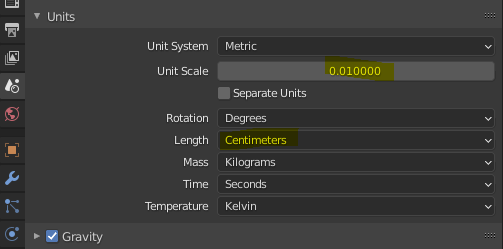
Software:Blender 2.9 | Unreal Engine 4.25 The following is a list of guidelines for preparation and export of 3D content from Blender to Unreal Engine 4 via the FBX file format. Disclaimer:This is …
ashen junco
pale sable
https://odederell3d.blog/2021/01/02/b3d-to-ue4-tips/
The Length part is completely unnecessary btw
rugged tinsel
@spare otter i personally don't know how they work or how to use them but I always see people use them in every project I have had so they must be very useful maybe to gain fps than loose it or maybe it's something else
ionic dragon
I think I've done some of the tips mentioned in that blog but I will go through it fully just in case I missed any steps. Hopefully it works. Thanks!
ionic dragon
I tried all the mentioned settings, still deformed when inside UE4 😦
For reference, the model is this btw https://www.cgtrader.com/free-3d-models/character/fantasy/lowpoly-pbr-knight-armour

CGTrader
Model available for download in # format Visit CGTrader and browse more than 500K 3D models, including 3D print and real-time assets
pine star
Anyone here know their way around the groom system if so please ping me i want to try and get rid of the hair stretching that the groom does in movement
the groom glitches through the body and idk how to solve for that :C
 wooden forum
Hey guys how do I keyframe the movements of my mesh when I hit simulate?
For some more context I have a boat resting above a body of water and when I click simulate it falls and creates some ripples. Im looking to now move the boat in a forward motion but I want to keep all the physics with it
 keen moon
Hello I am a graphic designer of 2D games And I do the best work with the best quality and the lowest price
 safe sun
@keen mooncareful with that, read rules.
keen moon
Ok
 jovial briar
keen moon
Hello I am a graphic designer of 2D games And I do the best work with the best q...
jovial briar
keen moon
Hello I am a graphic designer of 2D games And I do the best work with the best q...
Literally didnt read the rules, who would want to pay for you, when you can't do something that simple.
jovial briar
Anyone have any experience with join twisting issues in UE4?
 hard cedar
replaced the ALS v4 character but now my gun is tied to the root bone. any1 know how to solve this?
 ashen junco
hard cedar
replaced the ALS v4 character but now my gun is tied to the root bone. any1 know...
ashen junco
hard cedar
replaced the ALS v4 character but now my gun is tied to the root bone. any1 know...
Try checking the sockets.
hard cedar
@ashen junco can you elaborate? have you dealt with this same issue?
ashen junco
hard cedar
<@!325627930484932608> can you elaborate? have you dealt with this same issue?
Nah, I'm dealing with entirely different issue with ALS application.
hard cedar
gotcha
 merry crown
if i download the control rig project and if i retarget a mixamo skeleton model to the control rig mannequin skeleton , will the control rig be automatically assigned to that mixamo mesh or do i have to set up the blueprint manually
ashen junco
merry crown
if i download the control rig project and if i retarget a mixamo skeleton model ...
You have to set it up manually.
Mixamo's rigs (and in extent Fuse's) do not adhere to UE4 skeleton standard.
 fleet sluice
Oke so what im trying to do might be against all principles of IK. I attached a weapon actor to my Hand_L socket for example. Now I want to add IK to perform offsetting as not every handle is equal in center grip. But everything flies over the place now. Is this even doable? So a Actor attached to component and IK to that actor
 hidden pivot
I'm new to unreal; does it have a multi bone IK system that works like Houdini's IK Solver VOP, i.e. it solves like a tentacle and not like a spring?
Something that solves like this (NOT spline IK, which requires a spline - this one only requires 3 points).
 ashen junco
hidden pivot
I'm new to unreal; does it have a multi bone IK system that works like Houdini's...
ashen junco
hidden pivot
I'm new to unreal; does it have a multi bone IK system that works like Houdini's...
Also check out Power IK plugin that extends Control Rig capabilities. One of the sample rig is a snake.
hidden pivot
Thanks a lot! 🙂
 compact pebble
Sup guys, need so advice, I need some of first person basic animations, like pressing button, picking up animations. maybe you guys got something from asset store and can recommend?
 orchid parcel
Does anyone have a crash-course to recommend on importing, setting up, mixing and overall handling of animations in unreal? I just need to be able to handle existing animations and their setup/morph etc in engine.
copper sigil
Hey folks, I'm using FABRIK to force the player's head down when they walk under low beams/ceilings. It's a nice effect but it happens instantly. Is there a way to softly transition between the previous and current offset?

I suppose I could finterp the float value I'm passing in, but was just hoping for some sort of transition speed within FABRIK to avoid the extra leg-work
 open grail
So I am trying out this method for true first person interpolating between the cam location of the last tick and the location of the head socket and it works fine.
I have hands aligned to view to hold the weapons. How do I make them align to the camera offset? As in how do I keep the ik target in front of thr camera?

Star Citizens vision stabilization technology explained.
Behind the Scenes segment from Around the Verse.
The Technology Behind Star Citizen is an unofficial channel, which focus lies purely on the technical aspects of Star Citizen.
Because the information on Star Citizen is so enormous nowadays it t...
copper sigil
copper sigil
Hey folks, I'm using FABRIK to force the player's head down when they walk under...
Example of the result, just need to get it smoothly transitioning now.
open grail
copper sigil
Example of the result, just need to get it smoothly transitioning now.
use an animation instead or you could use blend pose by bool which will interpolate ot for you there are interpolation speeds for each transiton
copper sigil
open grail
use an animation instead or you could use blend pose by bool which will interpol...
Thank you, I'll look into this
open grail
copper sigil
Thank you, I'll look into this
should do the trick for you cache the animation before fabrik and use the cache as false and cache with fabrik as true for your beam
karmic rapids
@ionic dragon You need an addon for Blender
Search blendermarket.com for "auto rig pro" and also for "better fbx exporter"
If you dont spend a little money you will have a crap time
Alternatively reimport the mesh from scratch and this time dont select a skeleton. This will generate a skeleton. But then you gotta create your own animations in Blender and cant use the ones on the marketplace
@rugged tinsel Why are you retargeting your animation to your own mesh? No retargeting is needed if you create your own mesh and animations for it in your DCC
Just import your mesh first into ue4, dont select a skeleton on import. It will generate a new skeleton.
Then import your animations and select that newly generated skeleton on import. The anims will then look correct.
rugged tinsel
@karmic rapids i am using this project that is using the default mannequin with custom made animations but i made more animations for more weapons so i had to re-target them new animations to the mannequin so i can use them animations in my game but it broke all the other animations
karmic rapids
rugged tinsel
<@!822801620198490132> i am using this project that is using the default mannequ...
You might have updated the skeleton used by those now broken animations then. This might have occurred during some import.
Updated = broke
= changed
rugged tinsel
any way i can fix it it happened before but i had to get the old save but why is there no easy fix after this happens?
karmic rapids
rugged tinsel
any way i can fix it it happened before but i had to get the old save but why is...
Start again. Reimport stuff to a new folder. Get it to working state again. Then to avoid encountering this annoyance again, install Git and FreeFileSync. Configure your UE project to use Git. Commit the first change to the Git repo. Copy your project to a backup folder with FreeFileSync. Now make your dangerous changes with the knowledge you can easily roll back the change if it goes tits up.
I assume you're still a beginner and haven't spent years on a project.
So nothing to lose except a bit of time.
Now you know how to undo bad stuff quickly.
Sorry I see you're not a beginner. Apologies.
rugged tinsel
@karmic rapids thanks man really appreciate it
 sweet grove
hi, ive got a issue with random people walking down the street because when they are walking they are in idle animation and when they finish to move the walking animation begin
does anyone would help me ?
 young garnet
how do i freeze the anim mp while playing it
dont want to have it play further animaiton
after the first 10 ms
 short narwhal
Animation blueprint question
let's say I have a tank with its own wheel animations and stuff
then i got two bones for two hatches
a driver hatch and a commander hatch
how can I get each of those bones to play their animations separately?
without interfering with each other?
I have no idea why, but whenever i open the commander hatch the driver hatch closes and vice versa
my current code

 worldly yew
when i apply root motion to my character's slide animation it breaks the capsule component by rotating it forward any clue as to why?
 patent knoll
hidden pivot
Something that solves like this (NOT spline IK, which requires a spline - this o...
patent knoll
hidden pivot
Something that solves like this (NOT spline IK, which requires a spline - this o...
Hey Luxalpa, if you find any setting that works would you be so kind to pass some info? I'm currently working on something similar so I'm hunting down the topic as well.🧐
karmic rapids
sweet grove
hi, ive got a issue with random people walking down the street because when they...
Ensure the transition from idle to walk in your AnimGraph is resolving to TRUE at the expected moment. If its using a BlendSpace for Idling and Walking then check the Speed input for the BlendSpace has expected values at the expected time by using Print String to print out the Speed every frame.
karmic rapids
short narwhal
my current code
Check you have the appropriate bones "Blend Depth" set to -1 in the Layered Blend Per Bone properties. A value of -1 means that the bone and its children should not be affected by the animation montage connected to that Blend Pose input pin on the node.
Also cache each slot to a new cached pose. Then Use Cached Pose for each connection pin on the Layered Blend Per Bone.
Like this

 old plinth
Hi people, I have very strange bug, I think it's related with mesh occlusion or something similar. I have spawn animations for my characters (ai enemies) where they spawn from vent (some box on ceil or on wall).
When player stand near to vent and can see start of animations (inside of vent) spawn heppend normal, first Spawn_ceiling -> Spawn _land...but if player standing in angle where can't see inside of vent, mesh is INVISIBLE during spawn animation until Spawn_land finished.
How I can tell them to be visible immediately they start spawn ? Is there some settings for that?
pls help, and sorry if I wrote this in wrong channel, but can't find #rendering
old plinth
case when can't see start of spawn animation
case when can see start of spawn animation because vent box visual is disabled
craggy knoll
The Control rig is just for one Skeletal Mesh and not for every Skeletal Mesh that shares the same Skeleton with which the Control rig was made right?
When I change the Preview Mesh and then try to adjust the control rig gizmos, the other Preview Mesh pose doesn't get modified with the gizmos.
ashen junco
craggy knoll
The Control rig is just for one Skeletal Mesh and not for every Skeletal Mesh th...
Not necessarily for one skelmesh, but if the skelmesh has different scaling, it can mess up the animations
misty dagger
i was trying to understand if it's possible to rig in ui5
ashen junco
misty dagger
i was trying to understand if it's possible to rig in ui5
Control Rig exists in both UE4.26 and UE5.
ashen junco
misty dagger
so i can create a rig from 0
Not necessarily from scratch, though. Of course, the skeleton rigging still had to be done in DCC software, but Control Rig allows you to make controls for your rig, like IK/FK and other additives, and allows you to animate rig in-engine.
In short:
Control Rig is not for making character rigs from scratch/unweighted mesh
craggy knoll
ashen junco
Not necessarily for one skelmesh, but if the skelmesh has different scaling, it ...
So how do I setup my Control rig to work with different preview Skelmeshes? Like I wrote, when adjusting the gizmos, every other mesh doesn't follow along, only the one I setuped the control rig with.
ashen junco
craggy knoll
So how do I setup my Control rig to work with different preview Skelmeshes? Like...
The question is:
Is your skelmeshes have different scale and/or proportions?
craggy knoll
yes
Maybe I don't mind that the scale is messing up animations. Maybe it's not significant.
ashen junco
That's the problem.
To have CR shared with multiple skelmeshes, the scaling has to be the same.
craggy knoll
ahh okay, thanks!
devout dagger
I have shooting montage for my AI that has following setup - small transition from idle anim to weapon ready anim that flows into shooting anim that is looped, then there is reload anim that flows back into shooting anim. Shooting anim has anim notify right on the first frame. It looks like that notify doesn't trigger when reload dile-to-weapon-ready anim flows into shooting anim and when reload anim flows into shooting anim. Why is that ?
 graceful socket
i have a running animation but its floating. some1 help me please
 sturdy heart
Does anyone have any info on using the custom slots in the retarget manager? Have 2 bones that don’t match anything and I’m assuming as a result they’re separated from the body.
 short narwhal
karmic rapids
Check you have the appropriate bones "Blend Depth" set to -1 in the Layered Blen...
short narwhal
karmic rapids
Check you have the appropriate bones "Blend Depth" set to -1 in the Layered Blen...
Thanks! I ended up using a workaround but i'll try that next time I have this issue!
 native spoke
Hi all! Very new to all this, but I'm trying to trigger an event when the angular speed of a bone/joint reaches a threshold. I'm currently using blueprints and FABRIK to drive the poses (this is a VR project, where I only have Loc/Rot of where the hands should be, but I want the velocity of all joints along the way)
Any thoughts on how to do that? I am having trouble even getting a reference to a bone in the Anim Blueprint AnimGraph/Event Graph
 wet glen
any help is greatly appreciated. I'm using art v1 to create the most basic skeletal mesh. When i import this to unreal, right click the skeletal mesh and assign the ue4 mannequin, when i play an idle animation the shoulders roll back like this

any idea whats going on? I'm expecting that the art v1 skeleton should map straight onto mannequin animations
but my clavicles are doing bad things
 civic flame
Can I blend between 2 blendspaces? 😮
keen solstice
civic flame
Can I blend between 2 blendspaces? 😮
Yeah you can haha
civic flame
Incredible. I will have fun with that.
keen solstice
enjoy :D
 plucky geyser
ashen junco
That's the problem.
To have CR shared with multiple skelmeshes, the scaling has ...
plucky geyser
ashen junco
That's the problem.
To have CR shared with multiple skelmeshes, the scaling has ...
@craggy knoll scaling does not have to be the same. You can look at the unreal control rig streams and one of them explains how to share same rig with different proportions and scale characters.
craggy knoll
I'll have a look. Thanks SirKai!
plucky geyser
You're welcome ,Good luck!
ashen junco
The Sequencer.
bronze osprey
timeline should do
 wicked forge
Does someone have experience with using the Motion Symphony plugin with AI?
copper sigil
Is anyone aware of any FABRIK/IK examples of characters bending/leaning/adjusting to fit within the environment more accurately? For example, standing sideways near a wall, and having the character bend their body/arm inwards by their side to avoid it clipping?
devout dagger
Finally making some measurable progress with AI in UE4
my anim montage has first section that goes from holding weapon up to aiming it at target (player) and then second section is looped shooting anim with anim notify at the beginning of it (which makes projectiles spawn when triggered)
blend times are 0
why would anim notify fire when animation is still in the first segment and not yet on the segment with anim notify ?
(talking about NPC shooting into the air first time)
static falcon

Blender vs Maya bones... Blender is weird
Anyone know if you can change the display in Blender somehow to match other 3D apps?
I know you can make them look like sticks, but they're still not oriented right
static falcon
It's not just that though... The Blender bones point to the Y axis, if I swap it to Z it looks better, but bones normally don't point to the axis, they point to the next bone
devout dagger
I gave up on Blender for character animation long time ago. Now I use Akeytsu.
static falcon
as in, the joints axis doesn't always point to the next bone
Well... Blender has been growing a lot and I hear good things. I use Maya but I want to be more helpful to my students that want to learn Blender because it's free
Is Akeytsu free?
devout dagger
static falcon
Is Akeytsu free?
no, but affordable.. Costs a lot less than Maya.
static falcon
Good to know, thank you
Blender has potential... I think it will keep improving... UE4 has been showing support for it with Rigify and things
devout dagger
I am long time Blender user, but I still would recommend Akeytsu over anything else. Akeytsu has a free trial btw. Give it a spin.
static falcon
well I improved it a bit... there's an option on import that says "force connect children" so now they point to the right bone despite their axis

But still weird gaps in some bones that I don't really get
devout dagger
if anyone knows about montages and notifies, can someone please look into this https://forums.unrealengine.com/t/anim-notify-fires-during-montage-segment-to-segment-transition-before-reaching-actual-notify-why/234314 ?
Unreal Engine Forums
My anim montage has first section that goes from holding weapon up to aiming it at target (player) and then second section is looped shooting anim with anim notify at the beginning of it (which makes projectiles spawn when triggered). Blend times are 0. Why would anim notify fire when animation is still in the first segment and not yet on the s...
 untold ginkgo
I have a nut sagging problem
In control rig in UE4 this bone sags to the floor. It's ruining the IK solver. (I am new to skeletons and I only started yesterday)
 devout dagger
maybe because it's your skeleton's root bone ?
untold ginkgo
Oh
See I have no idea what that means I am totally new to this
😛
I r lern
Also it was a good excuse to put in a saggy crotch joke
devout dagger
root < pelvis < spine01
untold ginkgo
Ahhhhhhhhhhhhhhhhhhh I see whats happening
 devout dagger
untold ginkgo
Ahhhhhhhhhhhhhhhhhhh I see whats happening
devout dagger
untold ginkgo
Ahhhhhhhhhhhhhhhhhhh I see whats happening
and usually root bone is on the floor
 devout dagger
no idea, I don't use Control Rig nor Blender (for character animations at least)
untold ginkgo
Roger that

 carmine pecan
ooo bones!
untold ginkgo
boners
Im trying to get my boners to work
Should add bones to butt cheeks so players can pinch a terd
devout dagger
untold ginkgo
Do the axes of the bones have to be oriented a certainn direction for UE
best thing to do is to use that new'ish Blender UE4 tool Epic has been working on
 spare oriole
How would i go about stitching multiple animations together in a sequence. For example - When the player walks up to a door, they first look behind them - then knock on the door - then use the door handle and walk through the door.
devout dagger
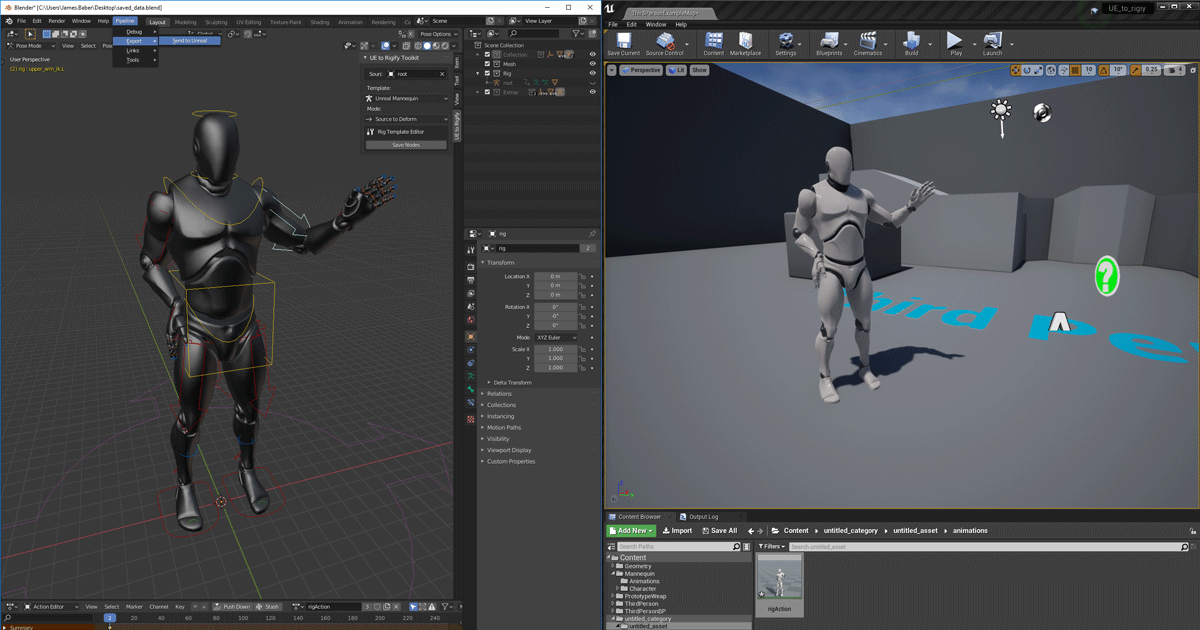
Unreal Engine
We’ve released two new, free addons that greatly streamline the workflow between Blender and Unreal Engine.
spare oriole
if each animation is a separate animation
and i want to be able to blend between them
devout dagger
@untold ginkgo https://github.com/epicgames/blendertools
@spare oriole anim montage ?
spare oriole
but how do i blend between two animations in a montage, it just snaps between them if they dont already link seamlessly
everytime i look up blending sequences i get stuff about aditive animations or blending two animations ontop of eachother
devout dagger
I bet you won't be able to just blend them seamlessly no matter the method
pose in ending of each anim needs to be as close as possible to the pose in the follow up anim
afaik
spare oriole
hmm ok, so blending between animations is only possible in animation blueprints between states
untold ginkgo
devout dagger
<@!725503585080705065> https://github.com/epicgames/blendertools
If I do animations in blender I can blend them together with UE's blend spaces can I?
spare oriole
hmm, ok thanks, i will look into sequencer
see if it will do what i want
@untold ginkgo yeah im pretty sure you can blend any animations together in blend spaces
devout dagger
untold ginkgo
If I do animations in blender I can blend them together with UE's blend spaces c...
blendspaces need input to drive blending
untold ginkgo
yea I know I use blend spaces on asnimations already done
Ive just never animated myself
but I need specific things
devout dagger
I am no anim guru myself 😅
Anim toolset in UE4 is vast and there are a lot of ways to do things..
Epic also hat quite a few training streams about animations
and cinematics
spare oriole
yeah, there's so many tools its confusing to figure out the best way to do something
i think the easiest way is just to have a team of animators make all your animations for you 🥲
untold ginkgo
Unless you have no money at all 🥲
untold ginkgo
So can animation just be done in control rig now then?
isnt that the point of control 'rig' ?
misty dagger
ok so i have been using mixamo for a ton of things for years but i want know how to get the model without the body and only the clothing to be rigged. I have downloaded clothing and tried mapping it to the skeleton of the character but they usually dont work so i was wondering how you get the full model but make the body invisable and put it through mixamos rigging system
karmic rapids
misty dagger
ok so i have been using mixamo for a ton of things for years but i want know how...
The Mixamo rigging/skinning might work better if the model is like a complete egg shell than just a partial egg shell if you get my meaning. In other words you could join the clothing to the body in a DCC and then upload it to Mixamo then download the rigged/skinned Mixamo model and separate it into individual parts at that point.
karmic rapids
untold ginkgo
So can animation just be done in control rig now then?
Yeah but its not production ready. Its still in BETA so its not feature complete.
Is it permitted to download free or purchase non-free mocap animations from Rokoko Mocap Marketplace and then repurpose them for a product on the Unreal Marketplace? The terms on their website does not mention this.
untold ginkgo
karmic rapids
Yeah but its not production ready. Its still in BETA so its not feature complete...
But I can still do ik solvers and such I imagine
misty dagger
i guess i could use blender to take the parts apart 🤷♂️
untold ginkgo
Never realized how easy animation was in blender lol
it looked so scary and now that I am doing it its like oh its not so bad
I think Im gunna get lost when it comes to making interchangeable clothing
If it uses the same skeleton it should just work shouldnt it?
hmm
devout dagger
I still need help with https://forums.unrealengine.com/t/anim-notify-fires-during-montage-segment-to-segment-transition-before-reaching-actual-notify-why/234314 😦
Unreal Engine Forums
My anim montage has first section that goes from holding weapon up to aiming it at target (player) and then second section is looped shooting anim with anim notify at the beginning of it (which makes projectiles spawn when triggered). Blend times are 0. Why would anim notify fire when animation is still in the first segment and not yet on the s...
 flat meteor
Hey guys, I made a custom 3d character in blender. How should i go about rigging with the unreal skeleton in order to use the epic skeleton animations ? i tried exporting the mannequin and integrating the skeleton into my custom mesh but the animations are completely messed up. Any better methods or how to fix that ?
untold ginkgo
 sturdy heart
How do I clear all movement? As far as I can tell I've deleted everything but the movement continues. I retargeted using the ue mannequin, something to do with that maybe?
 untold ginkgo

 dusty river
hey everyone. im working in sequencer and am trying to bake my control rig onto my skeletal mesh so that i can edit an already existing animation sequence. problem is when i go right click on my mesh -> bake to control rig, my control rig is not beeing displayed/ exposed to the context menu meaning i cant select it. Does anyone know if im missing something?
dusty river
Ok for future ref: Ive been missing a backwards solve in my control rig graph. I only had the forward solve which lets me create anims with a control rig but you gonna need a backwards solve to edit existing anims, thats why it didnt show in the context menu 🙂
ashen junco
Well, i thought it's going to be one hero lever.
In that case, you should make the lever a skelmesh and animate the lever "bone" in sequencer (w/ control rig) or in DCC software.
devout dagger
still need some help here https://forums.unrealengine.com/t/anim-notify-fires-during-montage-segment-to-segment-transition-before-reaching-actual-notify-why/234314
Unreal Engine Forums
My anim montage has first section that goes from holding weapon up to aiming it at target (player) and then second section is looped shooting anim with anim notify at the beginning of it (which makes projectiles spawn when triggered). Blend times are 0. Why would anim notify fire when animation is still in the first segment and not yet on the s...
 raven ravine
Can someone tell me the difference between an anim node and a control rig node in the AnimBP?
Like, why use one over the other? They can both achieve the same thing right?
ashen junco
raven ravine
Like, why use one over the other? They can both achieve the same thing right?
Well yes, but actually no.
For starters, Control Rig cannot do State Machines.
raven ravine
hmm. I just don't get the point. y they add the CR node? Like yeah CR node basically only does work on the skeleton right?
ashen junco
 vapid ibex
Or will it just snap?
vapid ibex
Or will it just snap?
It's the latter.
vapid ibex
Thanks! You just saved me quite some time <3
untold ginkgo
Should there be a certain frame rate to bake animations at for ue
ashen junco
untold ginkgo
Should there be a certain frame rate to bake animations at for ue
In Sequencer, yes.
coral wave
hey how do you get the recieved_notifytick override in a notify blueprint? just shows plain old recieved notify and recieved notify name in the add override dropdown, is it hidden in a submenu somewhere?
untold ginkgo
ashen junco
In Sequencer, yes.
What about just for the playable characters
ashen junco
untold ginkgo
What about just for the playable characters
I think you're going for stepped animation a la Arc System Works games - in that case, you can set the in-between interpolation to Step in the animation sequence asset.

 lilac cloud
I'm messing around with animations and haven't really before so excuse my noobyness. Is there a way to "spawn in" my weapon and play the weapon animation so i can adjust the key frames for the character animation within the editor?(edited)



 trail citrus
Hello everyone. I am setting up left hand IK in my character anim BP. I got it all working, but one thing. For the IK to work, in the event graph, I have to get during the update animation event the location of a LeftHAndIK socket from the weapon mesh. And I get the weapon mesh from an exposed variable in the character BP (casted from the pawn owner and cached in the initialize animation event). But her lies the problem, inside the anim BP editor update is skipped as the pawn owner does not exist, so the location is not updated and the IK logic makes the character look bad. How do you solve this kind of situations, so the character looks okay also in Persona? To be clear, all of the above setup works correctly in game.
untold ginkgo
If I create these clothing assets as seperate meshes..as long as they share the same skeleton I dont need to export them as animations? Meaning if they have the same skeleton it should follow the animation by default?
 ashen junco
untold ginkgo
If I create these clothing assets as seperate meshes..as long as they share the ...
ashen junco
untold ginkgo
If I create these clothing assets as seperate meshes..as long as they share the ...
Not necessarily by default, but you can use Set Master Pose Component if the skeleton hierarchy is not subtracted.
untold ginkgo
okay
misty dagger
how can i fix the hair in unreal engine

its working perfect in cc3 but in unreal hair looks weird.
 ashen junco
misty dagger
how can i fix the hair in unreal engine
ashen junco
misty dagger
how can i fix the hair in unreal engine
Keep it that way, looks like a black metal singer 😛
Kidding. But I never used CC3 so I have no idea.
misty dagger
😅
ashen junco
Though I could narrow down to either the cloth sim (if any) or the bones that the hair cards are weighted on.
misty dagger
oki lemme try tht


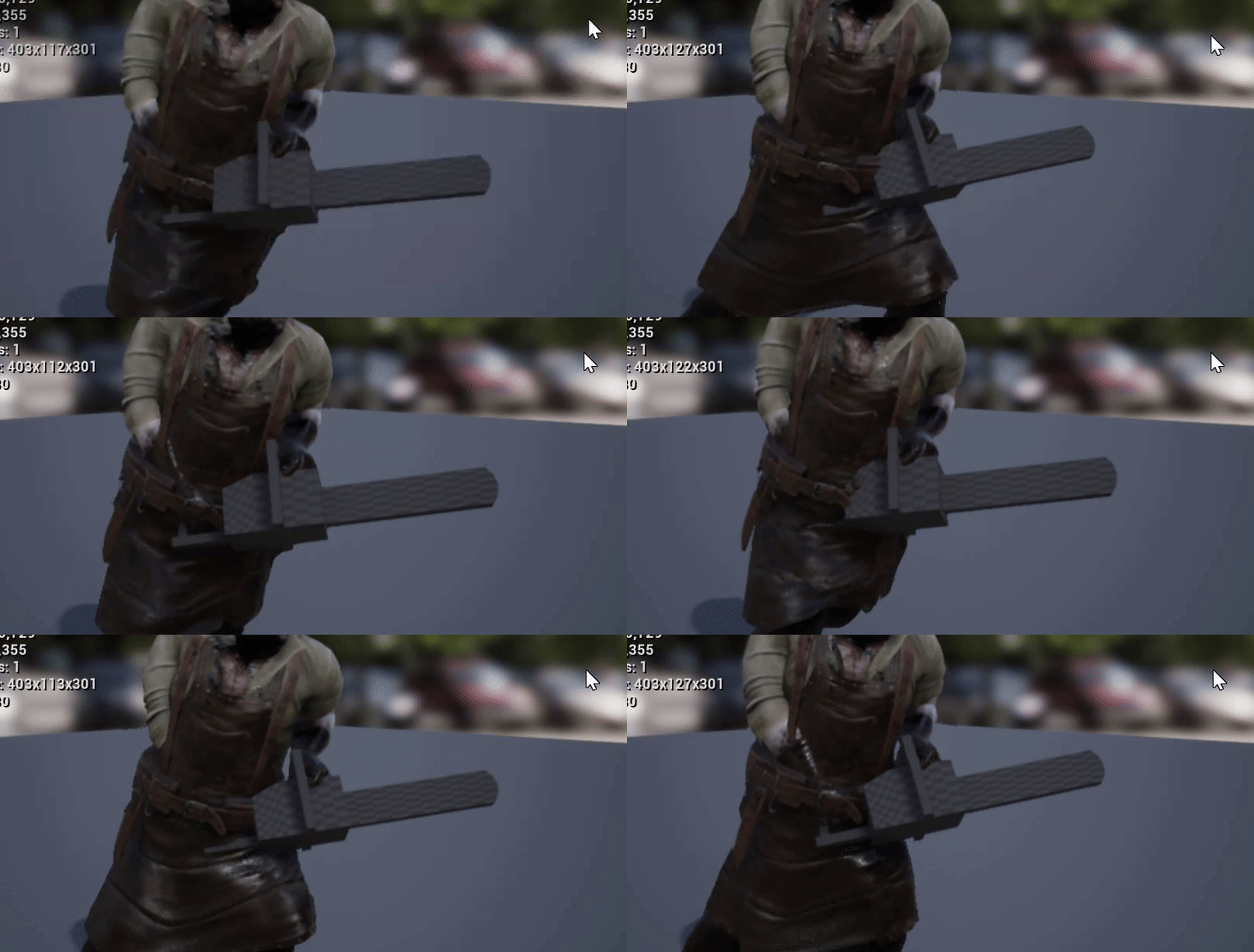
 misty dagger
😅
untold ginkgo
Hm. Any help/tutorials for clothing or other dynamic changing objects that you can add/remove from characters is basically totally non existant..
The only thing you find is 'character creator 3' crap
I am just trying to see how this works but I cant get it to work. I set the pants of the character to use the skeletal mesh. set the master pose in bp but it does not do anything
I have no idea how this works
I got it working!
That's actually surprisingly easy
wahoot
 fossil minnow
Anyone here used Perception Neuron Studio (specifically) with UE?
Trying to decide between that and Rokoko... Rokoko has a lot of buzz but all the reviews say it sucks.
misty dagger
Hiya, I understand the concept of anim notifies but where can I find them in 4.26?
I only have this window

nvm found it
 unreal vortex
hi, learning about ue4 and had a question I couldn't find the answer to. How can I use different animation sets for 1 character? I have 2 animBP and 2 characterBPs setup but I'm not sure how to make it switch between each when I press a key to switch the character's mode. TIA for any insight
the context is that I'm using one set of animations when my character has their sword sheathed and another for when it's out. Would it be better to just merge the BPs?
novel blaze
unreal vortex
hi, learning about ue4 and had a question I couldn't find the answer to. How can...
You can dynamically set the anim instance that your character is using inside of blueprint. Say you have a hurt anim bp and a healthy one. When you’re player takes damage reaches a certain health you set the hurt variable to true which you can use to transfer to another anim instance.
unreal vortex
this is perfect, thank you
misty dagger
untold ginkgo
That's actually surprisingly easy
can u teach me..im stuck
 strong flame
if you have extra bones seperate from the root skeleton, does it interfere with retargeting etc? I was trying to add a custom bone not attached to skeleton, but I was not sure if the camera bone 'needed' to be connected to head bone or such to work with retarget etc.
wicked forge
Does someone have experience exporting MoCap data from Optitrack Motive to UE4? I tried to retarget the skeleton from a recording to the UE4 Mannequin skeleton in Blender and it's all wonky.
We're using Motive 1.8, an older version
misty dagger
my cc character is deformed..while non cc character works perfect..any ideas how to fix it
 bronze osprey
looks like the twist bones are not correct
sturdy agate
Hi there
I have an animation that isnt facing the correct direction and i only want to play it as a montage
how do i edit the montage rotation of the animation?
 stiff ledge
Is there a reason why it is so common to <cast> to "YourCharacter" from TryGetPawnOwner on EventUpdateAnimation?
It just seems inefficient compared to casting only once at EventBlueprintInitializeAnimation.
 plucky glacier
Has anyone attempted to create a skeletal mesh in houdini and exported it to ue4 successfully? Houdini uses bones instead of joints, and I can't really seem to find any houdini functionality to export as joint-based
dusty river
Is it possible to save a pose that has been modified in the retarget manager as a pose asset for future use?
ashen junco
dusty river
Is it possible to save a pose that has been modified in the retarget manager as ...
Yes, there's an option for that.
dusty river
Cool couuld you point me in the right direction? cant seem to find it 🙂
ashen junco
Hold up, my project is compiling for a moment
dusty river
thanks mate!
ashen junco
dusty river
Cool couuld you point me in the right direction? cant seem to find it 🙂
Apologies for using small icons, but here is the option. It's in the persona viewer.

I guess I disable the small icons for the sake of clarity:
 dusty river
Awesome found it! Thank you very much ❤️
untold ginkgo
The skeleton icon is scary 😦
everytime I see the icon I think of this https://www.youtube.com/watch?v=-1dSY6ZuXEY

Original Song "Spooky Scary Skeletons" and Video from Disney 1929
Copyright Disney & Andrew Gold
LIKE & SUBSCRIBE!
----------------------------------------------------------------------------------------------------------------------------------------------------------------Oook, so there's been a kind of a "boom" for this video lately, and i'...
ashen junco
untold ginkgo
The skeleton icon is scary 😦
The spooky skeleton invaded my Unreal Engine 4 as well
(also reminded me of Doom 2's lanky boi Revenant)

 bronze turtle
untold ginkgo
That's actually surprisingly easy
bronze turtle
untold ginkgo
That's actually surprisingly easy
.... Glad you got it working and decided to keep it a secret rather than tell others how....
untold ginkgo
misty dagger
can u teach me..im stuck
Literally all I did was make sure when I parented the skeleton to the clothing ...I just used automatic weights. I was 'transfering' the weight paint from the other vertex groups but that didn't work. Then I just went for 'automatic' weights. So far in UE it works perfectly fine