#animation
1 messages · Page 153 of 1
 sterile wasp
 tender axle
I am attempting to do live link with the metahuman, however when entering my computer's ip, my phone doesn't show up. My computer runs on Ethernet and my phone on wifi. Do they both need to be on wifi? If so, how could I get around that.
 vapid ibex
What is the best practice for doing first person animations for different weapons? Do I load an animation blueprint at runtime whenever I change weapons?
Or do I somehow mash it all in a single animation BP?
 shut kraken
@vapid ibex animations for the character or weapon? Character you can just have different montages for different weapons, just one animbp
shut kraken
Depends. It can be.
 normal vine
hey! Ive just added to a blueprint a new animation what should be visible whenever a boolean is true. It works, but only client sided. Other animations like walking, being idle work fine and server sided. Any ideas what the issue may be? this is my blueprint:
just ask your question
shut kraken
normal vine
hey! Ive just added to a blueprint a new animation what _should_ be visible when...
Replicate whatever is driving aiming.
I'm guessing you're just copying a bool from the character to the animbp?
normal vine
not sure what you mean, but the bool Aiming will be true when i aim and show up for me but not server sided @shut kraken
here i set the IsAiming bool to true when i aim
and here i set the aiming bool to whatever the isaiming bool is
 wet flame
Hey everyone,
New to the discord, and relatively new to animation, I have a background in game design, have dabbled in animation for a bit, but I am in need of some help with an understanding Control Rig and how to apply that to a custom model I am using.
Anyone here who has experience with the control rig system and how to apply that to a custom model?
shut kraken
normal vine
here i set the IsAiming bool to true when i aim
Make the boolean replicated and change that event to a run on server event.
Skip Owner on replication if you want to predict it.
wet flame
I am currently following the most recent tutorial on how to work with it, but as tutorials go, there is no hands on question panel (specially if it was given a couple of days ago) and that is my biggest issue for the system, when I run into a problem there is no way of figuring out how to solve an issue.
So if there is anyone with some experience that can help me out with my rig a bit that would be very much appreciated.
normal vine
shut kraken
Make the boolean replicated and change that event to a run on server event.
that fixed it. thanks!
wet flame
If anyone has any experience PM me, I know it might take some time to help me out, so send me a PM and we can work something out 😉
 misty dagger
does anyone know of a getter node I can use to get a reference to the actor that owns the animation blueprint instance?
I'm using TryGetPawnOwner but it seems to return null?
 remote needle
I seem to be stuck in a loop, anyone able to assist ?
 rocky brook
Has anyone seen URO stop anim montages from playing?
wet flame
I am in need of some help with an understanding Control Rig and how to apply that to a custom model I am using.
Anyone here who has experience with the control rig system and how to apply that to a custom model?
 steady pond
What is the correct way of setting up bone driven morphs? I am adding the nodes, but they do not seem to be executing all all... despite flowing execution in graph:
This is from default AnimGraph
steady pond
How do I set up my AnimGraph to alaways execute a set of nodes, regardless of animation or state?
at wits end here...
Works in non-animated preview. Does not work anywhere else.
 azure wind
hey all, I can't seem to find a happy balance between my camera clipping into the wall in FPS view when looking down (so my character bends over / aimoffset), and being able to fit through pre-modeled static mesh doorways.... I increase the player capsule size it fixes clipping through wall with the camera, but then I get stuck in doorways...
I have the camera as far back as possible without seeing the head, Im using a springarm with 0 length and camera reset to 0,0,0 and have tried so many things... I'm just really frustrated
 analog pollen
cant u just add a box collision on walls
 quick skiff
hey guys quick question Ican't seem to get my anim montage to play
lemme get some shots of it
quick skiff
okay found the issue
for some reason the animation even though I did re-target it to the default mesh and that jazz still isn't like working
 ripe yew
What's the implementation of holding a torch on your left hand and axe on your right? Does it have to be based on a single animation or could be two separate anims? I already have animations for a left hand torch holding anim and right hand axe anim.
 cloud lodge
@ripe yew the easiest way is single animation
the other way is 2 animations but some clever blending
but you can spend hours doing that
or pay someone to make an animation that suits
ripe yew
Pls tell me more about blending anim
cloud lodge
really is not something that can be explained over here
but look at Blend pose by bone
that is what you need to look at
ripe yew
Could I search it on youtube. I haven't found anything yet.
cloud lodge
Layered blend per bone
it will allow you to layer animations over
your torch holding animation would be an additive animation played over the top
not really easy to explain, i learnt by googling and experimenting
ripe yew
If it's about using Layered blend per bone and additive anim then I might be able to find a solution. As long it's possible
cloud lodge
either use layered blend or additive
both are described in this link
but a lot of games just straight up use a single animation
ripe yew
Ok thanks
 sinful lintel
could i get some advice on root motion for animation, i started working on my combat system an im ready to add in new animations, i bought one hand sword animations but im uncertain which animations i should enable root motion on due to lack of knowledge in this dept
which should have root motion and which should not?
 blazing swift
Anyone know how to play a second idle after a few seconds of inactivity ?
Maybe like a yawn or a stretch
quick skiff
hit a hard lump I need a system so that when the player in this case presses Q it'll change their animation set to the fighting stance I've got made
anyone got any ideas?
wait quick question if I create a new animation class and have it set when the player presses q then should that work?
or am I going about this a stupid way
misty dagger
Consider blend By bool. Based on bIsCombat bool. If it's false go to idle explore stance if it's true go to idle combat stance
even better Consider blend by int. Because you may have a situation when your idle combat stance Changes based on the weapon type equipped. Meaning your idle combat stance When using a two handed sword is different than when using a bow, etc.
quick skiff
nope! no weapons it's a hand to hand combat game
always wanted to make a martial arts game since I'm big into it so here I am and I'm lost because I've only worked with blueprints and assets and NOT animations
also any way to blend animations? for example having the upper body follow one animation path while the lower body following another?
never mind figuring that part out slowly
never mind again I LIED
misty dagger
There are tutorials for the kind of blending you're looking for, lower and upper body doing different things, use your search engine of choice, also YouTube 🙂
what I said that the different idle combat stances still applies, Because if your character starts with a idle monkey stands, and the opponent starts with idle Crane Stance, the same logic applies of Blending idle stances by int, with the int driving the combat style
quick skiff
oh cool I can do that with blending thingies that's nifty
alright! that's fair that gives my brain some wrinkles. really adding to my total brain power
quick skiff
you truly are a savior I've broken through one of the walls that I was having trouble getting through thank you!
 oak saffron
Hello, so I need some animation help. This is the blendspace, as you can see hover vehicle tilts when the green is shifted to one side.
But when playing, the green goes to the same place, but it doesn't tilt! The anim graph is sensing I think. But when playing, it is visibly not tilting when I turn. If someone can please help, I would really appreciate it. Thanks!
When I shift one of the tilting points to the idle position, it starts off in tilt, and then never tilts again which is bad:
misty dagger
Can you confirm that your input properly updates Speed right and speed forward? put some print strings on a tick And see if they update properly as expected. Because I think this is the most likely reason, speed right float is not being updated on tick And your animation Blend space doesn't know about it... Or by accident you are using two values, one on your character and one on your animation blueprint, with the same name, but they are actually two different things 🙂 at the first glance Your blend space set up looks fine
oak saffron
Thanks for your response. This is what I have right now in the event graph btw of the animation @misty dagger. But what do you mean on a "tick"?
misty dagger
Looks fine, except I do all my logic in C++, and blueprint logic looks foreign 😄 Also I want to commend you for the Pod racer ! I haven't play one since 20 years ago?
But I don't think there is any other way for you to debug it on as you put some print strings to see with your own eyes that the values you expect are the values displayed
oak saffron
Oh you recognized it! I really did love the game! I will try to test it out with strings the next time I can, hopefully I will find the bug. Thanks @misty dagger
oak saffron
I just realized, when I make it tilt in the idle position, it doesn't stay in the idle position and actually bends back down. Looking further I realize that it is a problem with the tracelines it seems
wet flame
Anyone here have Experience with Control Rig? I have been working with it for a while now and it keeps giving me trouble when I try to use my self made rig as opposed to the one from the Demo. I am currently trying to transfer my mesh to the control rig skeleton, but there are some issues and I could use someone with a bit more knowledge to have a look at my problem.
 restive turtle
do you mean the humanoid rig for retargetting or something else? @wet flame
wet flame
Well that is sort of my problem, I have my custom character and I want to use some imported mixamo animations on my character. Wanted to use control rig to alter those into more fluent animations by putting them together, but every time I try to get my mesh to work with control rig, the rig that I made myself for my character doesn't work and if I try to port my model to the control rig the sample project I either get a model with the controls in all the wrong places because it's a direct port or the mesh is warped and doesn't look right at all.
@restive turtle
restive turtle
yeah it is really tricky sometimes getting animations imported without errors, I have only had success retargeting animations directly from Mixamo onto the UE4 dummy
and the default character creator skeletons
wet flame
well I have had some luck with retargeting the animations, so they are all mapped to the custom character and bonestructure and i've come a pretty long way with setting up the rig myself. The issue now is that I am trying to get that rig into control rig so it corresponds to the useful feature they have for static mesh retargeting and stuff, but everywhere I go I seem to run into issues that they haven't given proper information about which leaves blanks or trouble's with reapplying the knowledge that is inside the example project to the rig i am currently working on.
Any source you can recommend where they are a bit clearer in their explanation about the content and how to do proper ports? @restive turtle
Do you have some experience with it? @restive turtle
restive turtle
My experience is limited to Mixamo / UE4 dummy retargets at this stage
sounds like you know more about 3d animation than I do haha
wet flame
Hahaha, you'd be surprised of my incompetence, I just make it sound like I know a lot cause I have been at this for about 2 weeks. All my info is from tutorials as well as my progress 😛
Oh well, guess it's back to trying everything and seeing what sticks
 weary frost
Hi, Is there anyone who can point me in the right direction of how to match a walking animation to movement please? (More specifically my character basically glides and plays an animation which is made to make him look like he,s walking but is there a way to match his movement to his steps instead of Gliding and pretending to walk, Or is it a case of keeping messing with acceleration until you get a matching speed for the steps of the character)? Hope this makes some sense lol
 strange oasis
Hi, can I blend the end of the animation with the beginning in the animbp? (talking about idle loop animation)
restive turtle
@weary frost I think I would just keep changing the character move speed & also the animation interp speed until something works
on the left there you can see an option called RATE SCALE, that slows or speeds up the animation
weary frost
@restive turtle Thanks!
@Taj Would it be better to use Root Motion or is that really expensive performance wise?
misty dagger
strange oasis
Hi, can I blend the end of the animation with the beginning in the animbp? (talk...
deja vu 😄
#animation message
strange oasis
misty dagger
deja vu 😄
https://discord.com/channels/187217643009212416/221798806713401345/8...
Must be a better way
I found it a pretty nice way:
Create animation montage -> drag the animation twice, in the second one set the rate to be -1 , and you have a loop, now you can just record it to a new looped animation
misty dagger
Hey, all what's an easy way to take a 3D object and animate it in 2D for a flipbook?
misty dagger
Something similar to this https://i.imgur.com/MJnTj9q.gif
 spark otter
Hi...I've come bearing one question... Is there anyone good with control rig, because I have a model that Is peculiar. I've tried to made a control rig for my mii 3d model. I tried using basic IK for my mii's left leg and arm but it will just act up. **If someone can help me fix the problem, I will make a model of their mii, and give it to them **in whatever costume they want (that is available)
DM me for details
misty dagger
What is render queue?
I'm not sure how I can take the 3D object I made in Blender to do that..
There's 3 different sequences, is it camera animation sequence?
I don't see that, sorry I've only been using unreal for a few days
I've used blender for maybe 15 or 20 minutes
lol
So, where is the sequencer in UE?
Skipped over the part with cinematics
spark otter
@misty dagger (sorry for the ping but) do you know alot about control rig in ue4?
misty dagger
spark otter
<@456226577798135808> (sorry for the ping but) do you know alot about control ri...
No man, been using UE4 for like 3 days
spark otter
oh sorry...i mean @misty dagger. I thought you were the one helping him but he was helping you. So um @misty dagger do you know about control rig?
It is not that...do you know someone who is very good at making control rigs
PSA IS ANYONE AN EXPERT IN CONTROL RIG
misty dagger
spark otter
PSA IS ANYONE AN EXPERT IN CONTROL RIG
That's not how you get your question answered man.
spark otter
sorry.
misty dagger
@misty dagger Do you know what this number in the Sequencer is for? https://i.imgur.com/VPpzhzg.png

 ruby flare
Hi!
Does anyone know about a way to use two different skeletons with the same animbp without having to retarget?
I'm using autorigpro for blender, but when I import the characters the skeleton is identical but it gives problems to use the same skeleton, and I don't want to have 150 animations for two characters.
misty dagger
Ok, so it's taken me forever but.. I have the images sequenced.
However I'm still confused how to make the background transparent. Don't quite understand what that document you linked meant.
misty dagger
restive turtle
Once you have retargeting setup you can just batch retarget
Was that for me or for someone else?
restive turtle
Was for @ruby flare
misty dagger
Ah
I had to re-enable the alpha settings in rendering and you were right it was just compiling shaders. I was just impatient.
restive turtle
Yeah it only happens once
misty dagger
Do you know how to fix the transparency issue I'm having with my sequence?
restive turtle
So you have a level sequence? What's the issue?
misty dagger
I made the sequence and then put it in movie render queue like Lorash said to but now it's rendering the background
restive turtle
So you're trying to render out a movie without a background?
misty dagger
Yeah, I think?
I'm still really confused on what Lorash was trying to explain earlier.
Basically I'm trying to replicate this https://i.imgur.com/MJnTj9q.gif
For my HUD widget
restive turtle
So that's an image sequence?
misty dagger
I was told to take my object I made in blender, "animate it", render it and make a flipbook
restive turtle
Yeah I'm only just learning about flipbooks
misty dagger
I'm just surprised there isn't a youtube tutorial on how to do something like this.
restive turtle
Today I learnt how to make a video material though, that was cool for computers etc
misty dagger
Ooh that sounds cool.
restive turtle
Idk if video could be used for his elements
Idk why it couldn't, you could probably opacity mask the video
And it would have a similar effect
misty dagger
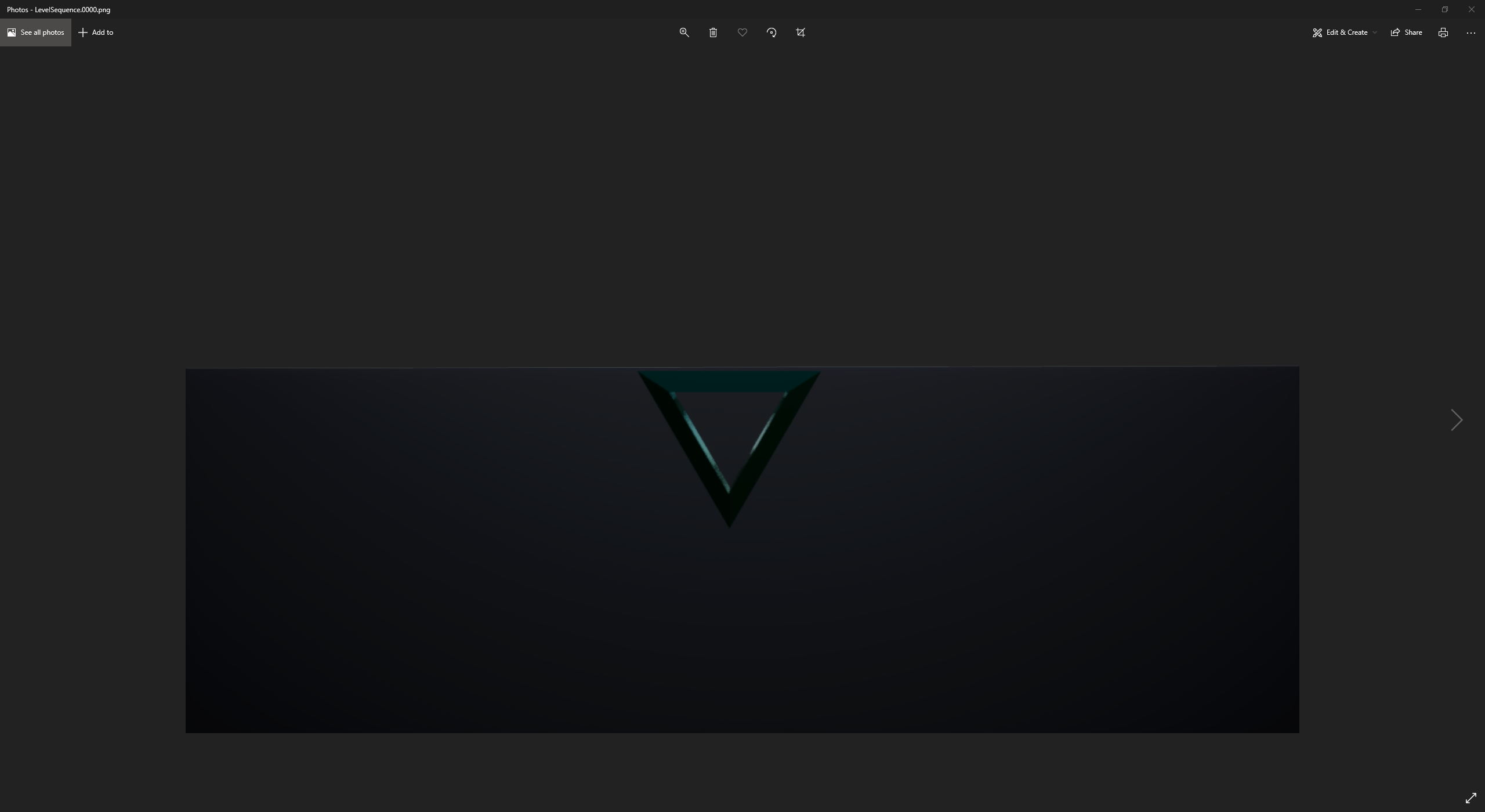
This is what I end up with when I put it in movie queue https://i.imgur.com/mgdcdPl.png
 restive turtle
So you don't want a background right?
misty dagger
Yeah no background
I figured out what's showing, it's the plane. But I have it hidden atm
Deleting it "hid" it finally
restive turtle
Honestly that is outside my experience at the moment, flipbooks and rendering from blender is beyond me
misty dagger
No problem man.
I'm really sorry to bother you @misty dagger I finally was able to make the flipbook of the animated 3D object but how do I add it to my UI widget?
😢 I spent the past like 2 and a half hrs working on this and it might not work. Oof.
Appreciate it, I'll pop in there.
 white galleon
hi everyone i have a question, i currently have 1st person arms animated and rigged for the epic skeleton, im trying to determine whether I should use a seperate 3rd person mesh or true first person
If i go true fps then I would blender the upper and lower body animations with another, but im not sure if that would give me as good results if I were to go with seperate meshes instead
 sinful bison
anyone know any good resources for learning rotation math better?
 orchid pulsar
I need help with blender and mixamo plugin
 night wasp
Hey! I am trying to blend a HitReaction to my player character, and while it works, It overwrrites any other animation that gets played through, like if I get hit during an Attack animation, it blends the hit but then immediately resets back to default without following through with the rest of the attack animation, what am I missing?
 split scarab
Does anyone have experience with control rig animations? I'm trying to blend it into my animation bp, but it speeds up all animations for some reason, even if it's alpha is set to 0
 vernal lion
Is it possible to play two montages at once if they're in different slots?
 random hatch
Tryed like always to import a mesh and retarget it to a ue4 skeleton. Now the ue4 mannequin and the new mesh are broken.... anyone an idea?
 indigo spruce
@random hatch Use the Auto Rig Pro addon for Blender. It can export a UE4 compatible mesh that can be assigned to the UE4 mannequin skeleton UPON IMPORT and requires no retargetting of animations.
random hatch
Thanks, the mesh was already rigged on the ue4 mannequin
Maybe i did something wrong, @indigo spruce i assigned the skeleton to the another ue4skeleton because it is in a blueprint
Its a cc3 character
indigo spruce
Maybe you updated the reference pose of the skeleton on import accidentally. You could try import it into a clean empty project and do not choose a skeleton upon import so that it generates a new one. Then you can inspect it for issues. Then try retarget an anim from that generated skeleton to the UE4 mannequin skeleton. That might be a way to get it to work with all those lovely animations.
Never tried CC3
Sorry I mean retarget an anim from the UE4 mannequin to the generated one.
 iron cove
Hello developers.
Can any one help me I am trying to import a skeletal mesh which is having morph targets but there is no option for "import morph targets" in import settings window.
This yellow highlighted option is missing and ther is no morphs in skeletal mesh also. In 4.23 in 4.24......4.26
Please help
 smoky sail
👋 MetaHumans Example comes with a pose asset which contains a bunch of controls to pose the character face. Is it possible to pick all or a few of this poses and randomize them through the animation blueprint? How? I've never used Pose Assets and i can't seem to find a proper resource to help out so far
^ I assume this https://docs.unrealengine.com/en-US/AnimatingObjects/SkeletalMeshAnimation/AnimPose/PoseBlenderNode/index.html is what i wanted, kinda
 native hare
Is there a way to store animation poses in data like in a blueprint somehow? So that we don't end up with a BlendPoses on an Enum with a dozen entries?
misty dagger
It may have taken me like 10-12 hrs but I finally did it. https://i.imgur.com/stPdTSH.gif
Got a working Spritesheet into a flipbook animation on my UI material.
split scarab
Alright, so I need some help with the Control rig plugin. Specifically when it comes to inputting vectors to control "gizmos". Since I'm having an enemy shoot a gun, I move the gun around an input this location as a vector via the animation after transferring it to local bp:
This variable is then used to control the "hand control"(Ignore the select, this is just used so I can toggle the variable). This normally works in the control rig graph and even in the animation bp, but the location it actually goes to is off for some reason.
Here's what it looks like in gameplay. The animation seems to track the X/Y axis, but it reverses the Z axis(which is why the robot is aiming into the ground instead of up to where the dot I placed is). Manually reversing the input doesn't seem to work either...
shut kraken
Is there any magic export setting for Blender to get a custom skeleton to UE4 without scale and rotation and other BS issues? My scale is fine but I hate the -90 yaw if you force front x axis, I know I found the settings before but I dont remember how they went.
 noble pelican
When creating animation files directly in Unreal it creates curve data for every single curve in the project. Can I make this not happen? Checkbox somewhere?
 nova gazelle
Hi guys,
I'm using the ARTv1 tool in Maya to rig and animate a model. I'm using the basic UE4 Mannequin to practice.
The problem is when I switch leg to FK mode, the model breaks. I have attached a screenshot below. Any help would be appreciated.
 river briar
Does anyone know how to change animation speed in a graph externally?
someone on the internet says to toggle this setting, which I dont have on my animbp
this is what mine looks like. Perhaps its something to do with fastpath?
and if so, does anyone know a good way to achieve this? I'm trying to change attack speed at runtime
oh nvm I found it. I guess they moved it here
 hard fog
Hello, I've just imported a character from mixamo and the skeleton is off (off center/ offset from the model), why has this happened?
in mixamo, it looks fine
remote needle
What actually happens when you retarget one skeleton to another ?
I am basically going the long way around trying to apply a new mesh to an old skeleton because every time I simple give it the old skeleton when I import I get stuck in a loop I cant get out of.
 light garnet
Hello. I don't know a lot about animation; does any one know how can I access to this interface? From the new Unreal Engine video. Thanks.
misty dagger
Hello guys I want to make the character run with left shift, I did it already but the animation is sprinting, I want to do it with walk animation
But idk how I can change this animation
when you make left shift the player to run, he is sprinting with sprint animation, I want to do it with run animation
shut kraken
@misty dagger it depends on your setup.
How are you driving the locomotion animation?
 tough bramble
I have a hammer animation that gets triggered pretty quickly. You can see the 3rd strike get interrupted and start back at the beginning. Ideally it would blend smoothly while still retaining the timing of the animation. Any ideas?
 turbid comet
well this is a new error for me...
every4th frame...
from the new Quixel medieval town project - was doing some tests
misty dagger
shut kraken
How are you driving the locomotion animation?
wdym? I use the default stuff, I wrote what I want to make
shut kraken
misty dagger
wdym? I use the default stuff, I wrote what I want to make
How does sprinting choose the Sprint animation?
 urban obsidian
can anyone share a concrete example of using fanimInstanceProxy to pass data around in an AnimInstance / AnimBP?
indigo spruce
@native hare Have you not seen the Save New Cached Pose node? Its a commonly used node on the anim graph? Check out the youtube videos to see how its used.
native hare
indigo spruce
<@!191356770885697536> Have you not seen the Save New Cached Pose node? Its a co...
I saw the docs on those, but it looked like those were a way of saving an animation at runtime. So like, the character mesh has to have been in that pose at some time before you can make a saved pose, if I understood it correctly.
Ideally, I'd like to be able to just make a pose of some sort strait from an animation asset. That way I could have (for example) a shotgun blueprint class which has a property AssociatedWalkingAnim which would have an animation asset assigned to it. Then when the AnimBP is walking it would make a pose from by fetching CurrentWeapon->AssociatedWalkingAnim
in theory there could be an initialization step which runs through every animation and makes a pose from them and saves them... but that sounds like it'd be really volatile
indigo spruce
@native hare There is a way of saving a pose from blueprint and then applying it in the anim graph. I've managed to use it for enabling ragdoll death then saving the pose and ensuring it stays in that pose and has still got collision. Whats wrong with having a state machine for each type of weapon where each state machine has its own blendspace? There are a finite number of ways to hold a weapon so its not exactly going to be an inefficient or super long way of doing it as far as i can see.
native hare
I suppose there's nothing explicitly wrong about it, it just a matter of organization that I feel would be better handled by putting this information in the relevant weapon rather than in a monolithic animbp
if ever a grip type is added, this anim state graph will need to be traversed manually and amended to include each of its associated animations for each state in the anim state machine
versus just having a list of properties in some grip asset
shut kraken
Does anybody here know what determines which actions get exported from blender? It seems like there's no rhyme or reason to it, if I have only the selected object exported, it'll export its actions but also some random other ones
indigo spruce
@shut kraken https://blender.stackexchange.com/questions/33250/export-selected-actions-with-the-fbx-exporter

Blender Stack Exchange
Is there a way to only export select actions. As every time I export to unreal I have to delete a bunch of animations that are useful in blender but not something I need in unreal.
 naive pollen
hi y'all! i seem to be having an issue where blender is exporting my rig with a new "root" bone which isn't actually the root. this bone is the same name as the armature object in blender, which makes me think blender is exporting the armature as a root bone or something.
the actual root bone isn't named "root", could that have something to do with it? i will attempt to rename it but if anyone has any suggestions let me know
alright renaming did not work
naive pollen
haha sike, so 4.16 apparently made it so if the root bone in an fbx is named "armature," then it will be ignored, so i just renamed the armature to "armature" and that fixed it!
misty dagger
shut kraken
How does sprinting choose the Sprint animation?
I don't know, I just made the code in the chaarcter bp and I did it with the simpest way like set character movement speed and i increased it but it doesn't work like I want but idk how to change the animation
 heady ice
analog pollen
heady ice
analog pollen
when I add a socket to skeletal mesh it's like a pyramid or triangle why
 flint star
hi guys,
i am having a trouble with animation when i put animation his mouth opened like shown in picture.
can anyone help me with this so i can fix the issue.

 silent jetty
is there any way to stop an animation montage from blending out? i want it to end immediately, regardless of its state
shut kraken
misty dagger
I don't know, I just made the code in the chaarcter bp and I did it with the sim...
You need to dig into it and figure out where the animation is being set before getting any more over your head.
misty dagger
I do the simple code that I told you
misty dagger
shut kraken
You need to dig into it and figure out where the animation is being set before g...
I don't setup which animation to run nowhere
shut kraken
misty dagger
I don't setup which animation to run nowhere
Then you're using a template which does that. You have to dig into it and see how it works.
misty dagger
hm
oak saffron
If I want engine flames like this, is it possible in unreal engine? What do I use?

 plain jolt
the scripts necessary for Maya aren't there. Maya animation rigging tool scripts. and artv1 from marketplace wont install since its not compatible with 4.26.
can anyone share anything alternative trusty source where i can get the scripts for Maya animation rigging tool


 eternal pendant
why bones in skeleton rotates not properly? Exported from blender

used extra bones for better animations, maybe problem here idk

 tight flower
I am having this issue after after I import a model, and I'm not sure what is wrong, if I play the animation in blender with the model it works fine, but then the same model and animation in the engine goes all wonky. I think this is a problem with the import into the engine or the export from blender, but probably the engine here are photos. Any body have any idea what is happening to make it all gangly?

 eternal pendant
@tight flower , i noticed, that manequin skeleton looks strange (bones out of body), and some of them rotated to one side, so I suppose, that it made because of rotation problem
I saw turorial about foot IK and in this video guy used component space in animation, but in my case that looks weird
tight flower
thanks I'll check the rotations more 😄
 oblique vortex
the rig was weird as it was happening to make the same error when trying to mirror ik tranforms on the bones,the bones just went crazy
 bitter umbra
Hey guys, I would like to ask for help and guidance here. What I would like to do is the following: I have the model of a car wreck and I would like to enable the player to open the doors one after another and the trunk by going there and pressing a button. The car wreck is a static object. What is the best way to do this and could you recommend any tutorials? Also some buzzwords for knowing what I have to search for would be awesome.
misty dagger
Just a quick and dirty suggestion, may not be the best. Separate the doors and the trunk lid from the main wreck in your 3-D software of choice. Assuming you have 2 car doors, you should end up with 4 static meshes. Create an actor/pawn in unreal, assign the wrecked car as the main mesh and ignore it from now on because it's not needed to interact with 🙂 . Add the other three meshes as well. Implement some simple logic with a mouse, trace hit to detect when the mouse hovers over the doors/trunk, when that happens prompt to open ( with a user widget for example ). If the open action is selected, rotate the doors to simulate they are open. Keep a bool to keep track of open/state of each door and trunk. For example if later you have a over a door that is already opened, the bool should be already enabled, so when initiating an action on the door, this time the action should be to close (because the door is already opened). There should be some tutorials on YouTube about doors at least, not specific to cars, but the same door principles should apply 🙂
 restive vortex
Hey when you have linked animation layers, you can pass inputs defined in the layer interface, which does show up in the target blueprint. But stupid problem, how do I use that variable, it seems accessible only in that interface screen and I can't pass it into a state machine nor access it any other way. Or can you access the parent variables somehow?
misty dagger
@eternal pendant Hi, just a quick tip from what i can see happening in your case:
During the "export as fbx" under "Animations" click "only deform bones" (but first make IK_Controllers deform to false in blender). That way you wont get extra bones in Unreal.
(I'm just assuming that is what you want)
EDIT: (Wronly mentioned the wrong person)
 carmine sluice
hello! does anyone know how to animate something like his in UE without the sequencer? I have absolutely no idea if it just parenting and animating values via blueprints or if there is way to "rig" this for more advanced actions. any ideas are welcome, i've been looking for two days now... 🙂
https://www.youtube.com/watch?v=zCgjzJaFVhA
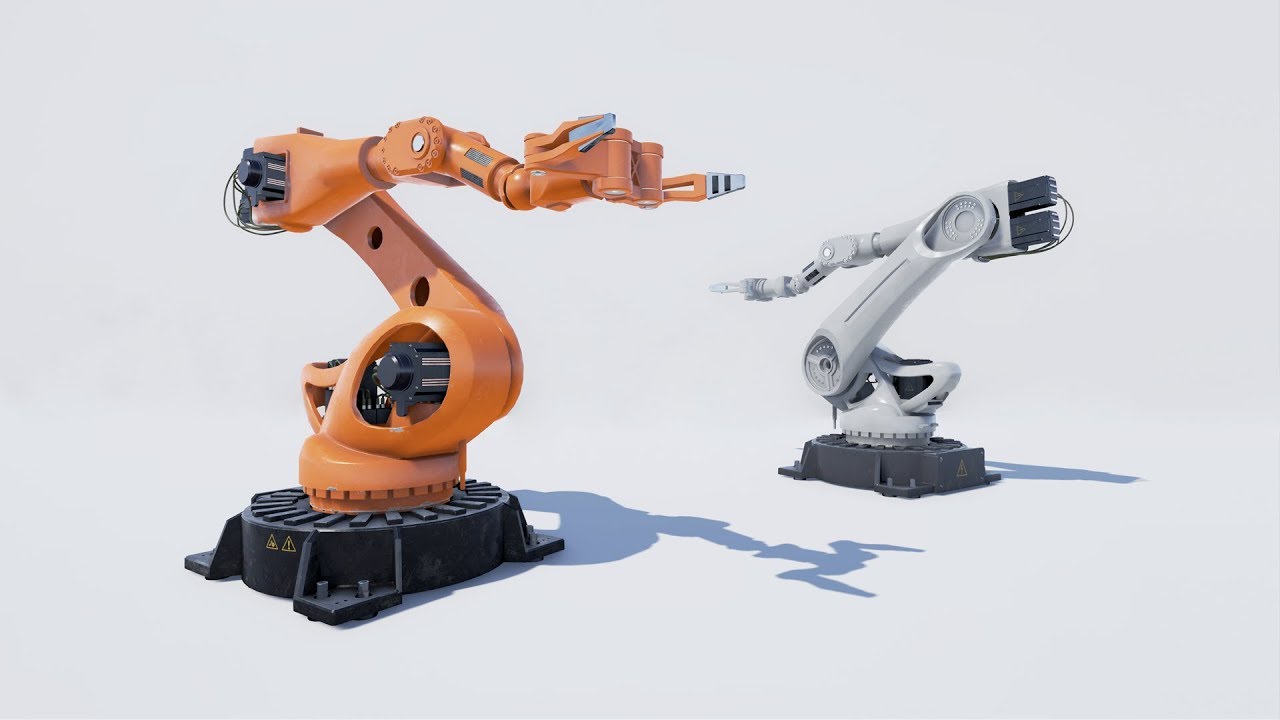
Fully procedural mind and animation. Just specify your cargo and target point. 100% blue print
Marketplace link:
https://www.unrealengine.com/marketplace/manipulator-robot
Recommended sound fx pack:
http://stormwave-audio.eu/shop/swa-sfx-692/
restive vortex
carmine sluice
hello! does anyone know how to animate something like his in UE without the sequ...
Check out Control rig, there's a sample project in the marketplace. Also https://www.youtube.com/watch?v=UyCziUcnqxM&t=3499s

Let's explore the latest animation features available in Control Rig for Unreal Engine 4.26! The team will cover updates to the Control Rig Mannequin Sample that's available on the Marketplace, rig sharing with Control Rig Components and Setup Graphs, attaching multiple Control Rigs for animation authoring, Slope Warping breakdown with post-proc...
 young urchin
Have anyone here made a "turn around" animations?
How you managed the rotation of the capsule and the skeletal mesh?
misty dagger
shut kraken
Then you're using a template which does that. You have to dig into it and see ho...
I don't use a template, oh man, I will try to explain it
I want to make sprinting system, so now in ue 4 is made tis way- you start walking and you sprint, I want to make this when I walk and then I continue walking (this will be running) and when I hit left shift the player to sprint, when he is not hovering left shift to run, as in all games, the player walk or run but when he press left shift he sprints, now by default when I don't touch left shift it sprints
spark otter
Does anyone know how to add pole vectors to ccdik
 austere flower
so im trying to render an animation through a camera i have set up in the world, but the render is coming through a completely seperate camera...i dont know what im doing wrong

the 'CineCameraActor15' is the viewport where i want the render to capture
does anyone know what im doing wrong?
shut kraken
misty dagger
I don't use a template, oh man, I will try to explain it
I want to make sprintin...
What are you using to select the Sprint animation, a blend space? A state machine? Just playing the animation?
misty dagger
I fixed it
the people in #blueprint helped me
I added run animation in blend space
shut kraken
Animation people, what is the approach to making equipment and clothing that can adapt to different size bodies? Do you use bone scale?
oak saffron
oak saffron
If I want engine flames like this, is it possible in unreal engine? What do I us...
Does anybody know how to make engine flames, like say if you have nitrous? Thanks
 short cape
2 questions. 1. If I have a reference to a montage in a blueprint I'm assuming that any particles that play on that montage are also loaded whenever that blueprint is loaded? 2. If that is true, then will making the montage var a soft ref make a difference? I know that is the case usually but I'm not sure if montages are treated the same way
 vagrant shard
quick question, when i import a mesh from blender to ue4 the front faces are deleted, anyone have the same problem?
 hasty tangle
Hey guys I have quick question, hope so you will understand what I mean.
I have around 40 character. I want lut them without rigging add to mixamo to get bones and everything. After this I want take animations and put to blender and convert everything to unreal bones. Now I have a question. Is better to set all of animations and set them to unreal skeleton position or better using just only mixamo animations and try sometimes if need convert animation from skeleton to mixamo animation?
shut kraken
oak saffron
Does anybody know how to make engine flames, like say if you have nitrous? Thank...
That won't be an animation question, that'll be a particle effect.
shut kraken
vagrant shard
quick question, when i import a mesh from blender to ue4 the front faces are del...
Are you sure you don't just have your normals backwards?
 sage tulip
Hello guys! Has anyone glimpsed at the metahuman showcase package? I've followed anim retargeting guidelines by epic here https://docs.unrealengine.com/en-US/Resources/Showcases/MetaHumans/RetargetingAnimationsOntoMetaHumans/index.html but strangely arms animation when retargeted is completely off, has anyone stumbled upon an issue like that?

A guide to walk through the requirements, setup, and process of retargeting exisitng animations onto a MetaHuman
 golden arrow
I'm guessing there is an easy fix or a common occurrence but i'm lost when it asked for one root bone in my import

It messes up the IK and animations

Found the solution - :0
vagrant shard
@shut kraken where do I check
golden arrow
Is it more profitable to animate on blender or unreal?
vagrant shard
Nvm got it thank you
shut kraken
golden arrow
Is it more profitable to animate on blender or unreal?
You make 20% more money animating in blender
short cape
Lol
 merry summit
With control rig, how can I use a select with a bool? EG to select between two floats or two vectors? it seems to be missing for me. All I can do with bools is an if execution branch
nvm found it.. you have to drag from the float/vector itself and do an 'if', doesnt seem possible to create that node any other way, seems like that should be renamed to select when its not an execution path to match regular BPs
 sullen stump
shut kraken
You make 20% more money animating in blender
sullen stump
shut kraken
You make 20% more money animating in blender
Lmao
 cedar whale
hey guys can we simulate clothes on mobiles?
carmine sluice
restive vortex
Check out Control rig, there's a sample project in the marketplace. Also https:/...
Thx, I will check that
restive vortex
cedar whale
hey guys can we simulate clothes on mobiles?
Glass might be a bit slippery
misty dagger
Hello guys I wanted to import swim animation but I can't cus when I imported it, it gave me errors
 frank mortar
Hi, does anyone know how can I export armatures with emptys as sockets from Blender using mr mannequin tools?
misty dagger
Is there no way to select an item in an array by index in control rig?
For a standard TArray I mean.
ruby flare
hi, does anyone know if its possible to play a montage as additive?
 robust dove
I need to export some animations and change the transform location to be high on the Z axis, can I do that in blender
 brazen wharf
how does one animate 4 morphs at the same time? 4 different curves for their value? or is there some better way?
they should be applied simultaneous, but with different values over time
misty dagger
I've got an equip/unequip Play montage in my Character blueprint however, I can spam the input action over and over and it just restarts the montage. How can I make it play the montage all the way through eg (If I'm equipping it and decide to put it back midway through to start the unequip animation)
analog pollen
misty dagger
I've got an equip/unequip Play montage in my Character blueprint however, I can ...
play montage?
 misty dagger
analog pollen
play montage?
misty dagger
analog pollen
play montage?
I think I've run into a separate issue where I can press the attack button but if I press it again it starts the animation over. How do I force it to play out before it starts a new attack?
analog pollen
so if i press R that plays the first animation and once its completed if i press R again then play a different animation?
 limber prism
Hey has anybody here used the Gun Sight Aligner marketplace pack ?
misty dagger
analog pollen
play montage?
That worked, thank you!
Would that work with this? https://i.imgur.com/VFi0rBF.png
 analog pollen
misty dagger
analog pollen
misty dagger
if you want to equip then not be able to interrupt the animation and have it play throughly before having the option to unequip then that can be done using booleans n branches
 sharp wind
How can I create a procedural sword swing system (like one in mordhau or zelda game on wii u), I just want to know which tools or animation features I should look into
ripe yew
My twisted bones appear disconnected. ANy idea? https://gyazo.com/f7d3318a8a9fe51253690e530615aa96
 limber prism
im using the gin sight aligner marketplace pack. it uses virtual bones to align characters hands to the sockets on the weapon. when i use my own animations the virtual bones no longer aligh the arms / hands correctly. any idea how i can troubleshoot this ?
brazen wharf
depends on the rig layout, mine are connected in the chain
which wasn't a smart design choice as i had a hard time dealing with IK with that layout...
did anyone lately encounter crashs when using external curves in control rig? (4.26.1)
 icy zealot
i'm looking for a 3d character with it's anim voice at least 1 or 2 sentences !
does anyone can help me?
 trim osprey
tender axle
I am attempting to do live link with the metahuman, however when entering my com...
trim osprey
tender axle
I am attempting to do live link with the metahuman, however when entering my com...
Trying completely turning off any antivirus you have running, that fixed the issue for me. My system is also ethernet PC and wifi iPad and it worked fine once I killed Bitdefender.
 desert thorn

anyone know how to fix this? I tried everything, also applied scale etc on the armature
random hatch
Hi 👋🏼 quick question: i made blendspaces the normal not 1D... i can’t get the issue of footsliding out of it. Its strong when its from idle to slow walking.... i try all with speed and velocity but its not working
 tender shore
does anyone know how to edit existing animations with control rig?
i want to import to shooting animations and edit them with control rig
thanks alot
 terse cosmos
Hey everyone,
I have an issue with exporting animations from Blender to Unreal.
I created a simple run animation using Inverse Kinematics for the legs.
But when I export the animation it only moves the bones that were not moved using IK.
It seems like the location, rotation and scale is not applied to the bone that is managed by the IK.
Anyone who could help me with this please?
brazen wharf
terse cosmos
Hey everyone,
I have an issue with exporting animations from Blender to Unreal....
you probably only have keyframed the IK bones (wild guess)
terse cosmos
@brazen wharf that is indeed the problem but after keyframing them i noticed they dont even get the rotation
@brazen wharf although they are rotated on screen in blender
brazen wharf
are you sure that you keyframed their rotation? (you can choose in blender what it should keyframe, and it should show in the bone tab in the properties panel by changing the background color of the rotation values)
spark otter
How do I import an fbx as one skeletal mesh with multiple selectable meshes
terse cosmos
@brazen wharf when i add a keyframe for the right leg it thinks the rotation is zero
 terse cosmos
@brazen wharf I found the problem, because we need the blender scene unit to be in meters with unit scale 0.01 i scaled the model and skeleton.
I applied the transforms for the model but not for the skeleton. After applying the transform it works.
misty dagger
hi guys, i have a question, i made a rig in blender that i have been exporting animations to ue4, it has been normal so far but for some reason this animation and other poses got deformed in ue4, only in ue4 but normal on blender, do you guys know any possible reason?(all the animations are for the same rig and are working so far except this one and some poses)

on ue4
 misty dagger
Hey, does anyone have any idle/walk/run/jump anims i can have?
 cinder trail
Any thoughts on why this happens when root motion is enabled for a NPC? The NPC's capsule follows the root during the animation, but it still doesn't look normal🤦♂️
 somber hill
Hello 👋 Any help with this would be greatly appreciated
We're trying to implement the Animation Sharing Plugin (https://docs.unrealengine.com/en-US/AnimatingObjects/SkeletalMeshAnimation/AnimationSharing/index.html#animsharingadditiveinstance)
However, can't seem to get it working. We've followed the guide to the word and still getting only 5 or so FPS.
Has anyone got a good guide / help to setting up animation sharing? Am not sure what the issue is. (Have tried making the LOD 0.02 tris and still issues)
We are also not seeing the PermutationTimeOffset working either, they just seem to all move with the same animation in sync even though it is printing out different PermutationTimeOffset values.

 lavish cipher
has anyone ever gotten a import transform error before when importing a mixamo animation into unreal? The warning says "Imported bone transform is different from original". I exported the ue4 mannequin mesh as an fbx and uploaded it as a character on to mixamo before downloading the animation. The mannequin for some reason is slightly tilted in the animation after importing it into unreal
 steel tree
@lavish cipher try following this tutorial
Hello guys welcome back to another video in the Unreal Engine 4 Complete Beginners guide. In this tutorial we will go over what Mixamo is, how to download animations, and re-target them for any character you have.
Mixamo Retargeting Cheat Sheet:
https://imgur.com/a/5A554mc
works well for me with alsv4 skeleton as well
lavish cipher
ty sir
steel tree
youre welcome
lavish cipher
@steel tree question tho, in this video he modifies the original ue4 mannequin skeleton, if you did this for the als mannequin skeleton, wouldn't this affect the original als animations? i guess that's kinda why I wanted to use the original als mannequin in mixamo so that the original animations wouldn't get affected
steel tree
well what i do if i remember correctly is import the animation using the mixamo skeleton first then do a retarget corresponding with the als skeleton(als skeleton is basicly the same with ue4 skeleton just with ik stuff it shouldnt affect the aniamtion)
i tried import als skeleton and ue4 skeleton before but the result a bit funky thats why i did it that way
 pulsar trellis
I've asked this before, but never got an answer. Is there a way to dynamically change (during runtime or expose pin to use a variable) the "Layer Setup", more specifically the "Bone Name", in a "Layered blend per bone" node?
Or is this an alternative way to accomplish this?
 static falcon
Two layered blend per bone nodes 😄
pulsar trellis
static falcon
Two layered blend per bone nodes 😄
Need to be able to change the bone name, not add more nodes. This is to keep an animation blueprint universal for all skeletons, without knowing what the bone names are beforehand.
static falcon
Ah okay
pulsar trellis
I'm pretty sure this is impossible with current engine versions, but maybe someone knows a different way to go about it.
static falcon
Beats me then sorry.
pulsar trellis
static falcon
Beats me then sorry.
No prob, been asking for a few weeks now, so I'm thinking it just isn't possible at this stage of the engine. Not sure why the Layer Setup array couldn't be exposed as a pin though, haha.
Possibly with a C++ edit.
static falcon
Does seem like an oversight.
pulsar trellis
As of 4.23, they gave the option to switch skeletons of animation blueprints (without retargeting magic), making it possible to make one universal animation blueprint and make children from it for all different skeletons. Seems they still have a few more things to expose to truly make it universal.
 restive lantern
Is there a way of editing these curves in the curve editor? this seems like a really slow way of animating 🙂
 brazen wharf
someone with 4.26 in the mood to crash his engine to check if a bug exists on windows, too? :>
create a control rig, add one curve node, in the details panel expand the curve setting and reference an external float curve (shouldnt matter which one)
pulsar trellis
Is there an easy way to rename a bone of the skeleton, within the editor? Would be amazing if the engine allowed for bones to also have an alternate name or allow you to compare it to a rig mapping when using the "Layered blend per bone" node.
smoky sail
Has anyone tried exporting a skeletal mesh from metahumans successfully? Here's my issue

 tawdry lion
How do you get the ability to select different parts of the rig? How do I get something other than a blank window in the "animation" tab when the editor is set to animation mode? I can't find a tutorial that goes over this. Thanks.

I can't figure out how to select just the controls for the features, instead it selects the entire control.
restive lantern
is there any way to edit Data Table Curves values with the curve editor?

 visual bone
Guys let's say i have a mechanic where character gets better stance as his weapon skill raise, so i created stance blend tree - now my question is

based on where he's at on weapon skill animation blend tree (how good he holds his weapon)
So now that we've estabilished that "stance" isn't a single pose and it can be anywhere from 0 to 100 on "skill with weapon anim" blend tree -is it possible to make that point/pose/stance an entry point for an attack animation? So no matter in how skilled stance he is in - it would normally transition/blend into attack animation and i wouldn't get weird animation jumps .
misty dagger
visual bone
Guys let's say i have a mechanic where character gets better stance as his weapo...
yes, that's how it should work by design 🙂 (I'm sorry, I'm blind, so I inverted the colors)
 visual bone
@misty dagger oh, so it will just blend from the current stance into the start of attack animation (for example axe slash from up to down)?
like, no matter where axe is held at given moment, it will blend to the start of the attack anim and then the anim starts?

i didn't knew it was inherent functionality, wow - that makes things alot easier.
 trim verge
Guys is it possible to use IK in sequencer??
shut kraken
@visual bone please tell me those are your finished graphics, love em lol.
frank mortar
It's working like a charm, but I'm wondering if in fact it's ok to have such a complex animation graph, also, can't we have redirection points like in blueprints nodes?

 lucid knot
I was wondering if someone could help me with this, I am currently making a game that has a rather large roster of characters, but the characters share the same skeleton and animations. But because I cast to the character itself to get the animation boolean, I have to essentially make a new AnimBP for EVERY character I make. Is there a better way to go about this?
 shut kraken
lucid knot
I was wondering if someone could help me with this, I am currently making a game...
shut kraken
lucid knot
I was wondering if someone could help me with this, I am currently making a game...
Make a base character actor
shut kraken
lucid knot
I was wondering if someone could help me with this, I am currently making a game...
Also use enums for action state, not booleans
lucid knot
Sorry, I am rather new to UE4. I don't know much about enums yet so i'll have to look into that and also what do you mean by "base character"? As in there is a way to set up a single character and drive all the animations for my other characters from that one character?
shut kraken
lucid knot
Sorry, I am rather new to UE4. I don't know much about enums yet so i'll have to...
Exactly, a base character class that the specific characters are subclasses of.
 fleet willow
How do ppl handle different kinds of dynamic fighting styles ?
Like say the player can choose between a simple sword, sword and shield, two swords, a bow, a sword and a spell..
I kinda thought about doing smth like
UENUM() enum class EFightStyle : uint8
{
  Sword_LeftHand,
  Sword_RightHand,
  Sword_LeftAndRightHand
};
To somehow switch the animations, but this is total madness
shut kraken
That's not madness at all, that's probably the simplest way to do it.
I mean you can probably recycle animations for a sword in the right hand or a mace in the right hand or flail in the right hand, they could all just play right hand attack
 halcyon thicket
does anyone know how to animate the height (Size Y) of an overlay in a widget?
i cant see it available to Track
 celest raptor
@frank mortar consider nesting state machines in there. to reduce the complexity of a given graph
 wild gate
hello I have a question about animation, I m trying to set up a simple attack animation so I did this :

my problem is when I click the "montage to play" I get no results back
I m using the base manikin character in the 3rd person template
I have several animations into my project but they don't seem to be visible (and it won't let me drag n drop the animation in the montage to play)
(ps - hopefully this is the right place to ask this )
shut kraken
@wild gate make sure your mesh uses the same skeleton the animations are for
wild gate
how can I check that?
 crude marsh
How can I move the fingers at the mannequin (Mr mannequin blender add-on ). Because I wanna move index01 and index 02 individualy
 wooden shoal
does someone know how to create a sway effect for the advanced locomotion system v4?
 sand gull
Hello, quick question, is it ok/a good worflow to just do animations using the unreal mannequin and then trust they will look good when retargeted? Or should I always have a good model first? Any advice on that?
random hatch
Hi Guys, i wonder where to put the Turn 90 or 45 Degree Turn Animation in the Blendspace (not 1D)
misty dagger
misty dagger
hi guys, i have a question, i made a rig in blender that i have been exporting a...
i still wasnt able to make it work, i just dont know how to fix it anymore
 tiny granite
I am having a hell of a time with getting the Animation Montages to play using the Play Montage node with the different executiom paths. I can do this with an AnimBP State machine condition path but i know thats very wrong
how do u setup a basic animBP and Montage to allow it to play. I have spent the last year here and there reading articles to figure it. i have to just be missing something.
 inner crane
Folks may be interested in this 3D head modelling tool. Really cool, requires no modeling skill. https://youtu.be/Pow650SqW_c
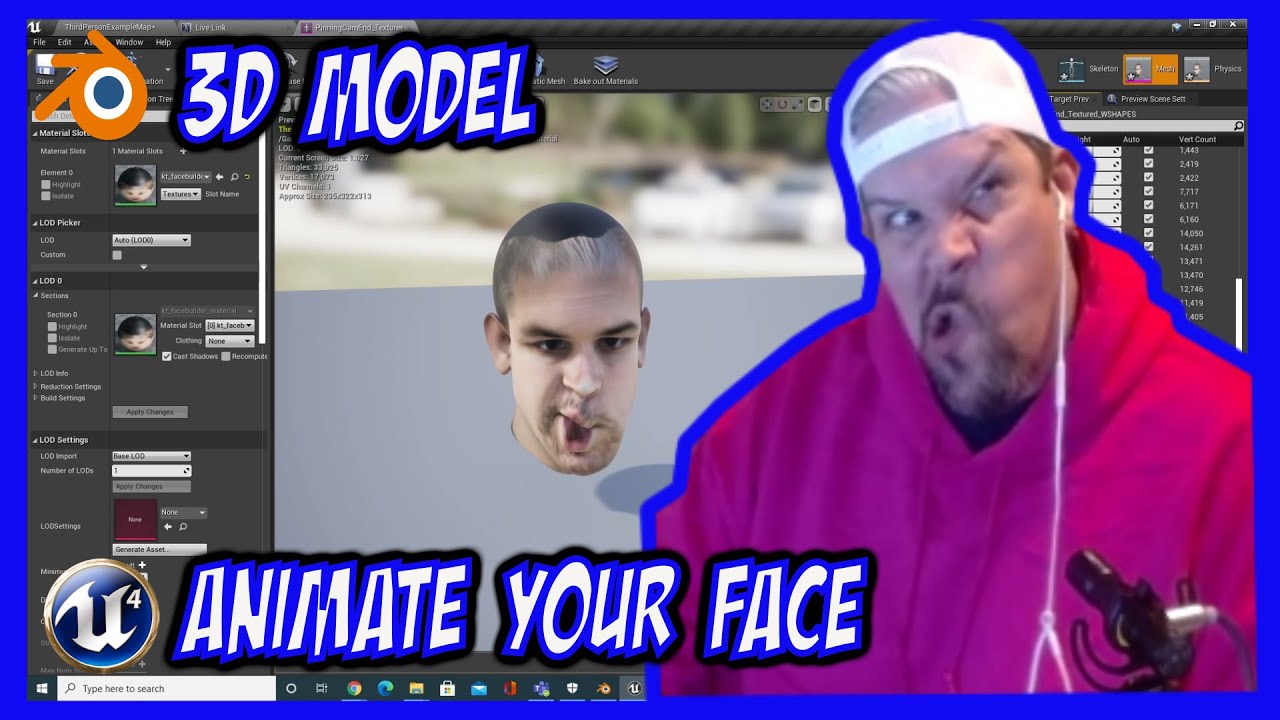
Using the KeenTools Facebuilder plugin in Blender and a handful of photos I was able to generate a great 3D model of my face. The plugin also autogenerates ShapeKeys / Morph targets out of the box. Can't wait to use this with Live Link.
#UnrealEngine #KeenTools #3DModel #LiveLink #Apple #ARKit
Keen Tool: https://keentools.io/
 karmic talon
Guys, how do i get the interpolation value from my anims as variable on the character blueprint?
wild gate
hi, so during an attack animation, my character takes a step forward but after the animation ends, my character snaps back to the original position. I tried enabling root motion (the animation itself is retargeted ) but it didn't seem to do the trick. Any ideas ?
 crude vortex
hi, does anybody tried to animate instance of static mesh in material editor? I have this problem. Animation works with 3dsmax script, however if i change instance rotation (roll and pitch) it seems like the animations ignores it. However if I change yaw, animation works corretly. Can anybody help with this issue please? Thank you
 visual bone
@shut kraken Nah, these take too much time to draw, i'd rather do 3D models. 😆
wet flame
Anyone here that has some spare time and has experience with state machines?
misty dagger
@wet flame I am on voice chat for a bit, I'm not an expert though, but maybe some basic ideas 😄
Forgot to mention, in case you are in need of multiplayer stuff, use montage rather than sequences, I think 🙂
wet flame
So @misty dagger helped me out with some knowledge about state machines and the use of enums, which was very helpful, I am still struggling with setting up the application of the enums from my character blueprint, anyone who has experience with that?
wild gate
hello, I tried enabling root motion on my animation but it doesn't seem t owork - eg my character snaps back to the position before my animation is started. Is there a way to fix this?
 woven solstice
wild gate
hello, I tried enabling root motion on my animation but it doesn't seem t owork ...
woven solstice
wild gate
hello, I tried enabling root motion on my animation but it doesn't seem t owork ...
is your animation blueprint set to receive root motion from everything?
 wild gate
nope was about to just comment that, I had to edit the animation itself to be root motion AND the animation blueprint relevant to the character
woven solstice
how would i use a wheel handler but also play a seperate animation (door opening) at the same time?
 wild gate
thanks a lot!
woven solstice
wild gate
nope was about to just comment that, I had to edit the animation itself to be ro...
ah ok, glad i could help
misty dagger
wet flame
So <@456226577798135808> helped me out with some knowledge about state machines ...
Let's keep it simple with int only for now, although enum eventually can work as well, but for right now, stay with int. In my case, I am a C++er, but abstractly the approach should apply to blueprints as well
//anim STANCE poses
const int32 STANCE_INVALID = 0;
const int32 STANCE_UNARMED = 1;
const int32 STANCE_SINGLE = 2;
const int32 STANCE_DUAL = 3;
const int32 STANCE_BOW = 4;
const int32 STANCE_CROSSBOW = 5;
const int32 STANCE_STAFF = 6;
const int32 STANCE_TWOHANDED = 7;

This is my idle state machine, on the left side, so pretty 😄 It's based on the idle stance and weapon equipped
And then, when I need to perform an attack, I mark it custom true and play custom animation in the default slot. When the custom animation finishes, it switches back from custom true to custom false, so it goes back to idle...
If I set CombatStance = 2 (STANCE_SINGLE), then it switches to pose at index 2, which is idle single weapon stance, and plays on loop mh_c_sw_rdy, but if I set it to 6 (STANCE_STAFF), then it switches to pose at index 6, which is idle staff stance, so it plays on loop mh_c_stf_rdy
 split crescent
So, I'm wanting to animate a big mechanical door opening, with lots of moving parts. Trying to decide the best way to do that:
A. Lots of bones in Blender
B. Keyframe each object in Blender (Can Unreal import animations that don't have a rig?)
C. Animate in Sequencer
Any thoughts on what would be the best way forward?
restive vortex
split crescent
So, I'm wanting to animate a big mechanical door opening, with lots of moving pa...
I saw this tutorial a while back https://www.blendernation.com/2020/01/07/driving-sci-fi-doors/ I dunno, these days you could perhaps make a control rig in unreal instead. The learning curve is a bit steep tho

BlenderNation
Level Pixel Level writes: Hello everybody, this tutorial reviews how to add drivers to a Sci-Fi door. I review a couple of examples to show how this rigging set up can speed up animation.
 steep coyote
Is there any way to use an animation composite in a blendspace? Any time I try to move the composite into my blendspace, it shows up as a red indicator and won't let me add it to the graph
 echo trellis
Can we ask questions here ? 🥺
Anybody know the correct set up for retargetting fps arms from the template to shooter game example or vice versa ?
 frosty sonnet
@echo trellis make sure to have both skeletons use the same initial pose before retargeting, and both are using the Humanoid rig
Hey everyone! What is the best approach to merging 2 separate skeletons and Anim BPs (one Third Person full body and one First Person Arms only) into one “True First Person” skeleton? My main concern is making sure the FP aiming animations stay the same to keep the weapons pointing correctly
 stable reef
Anyone here good with making a char work? I've retargeted 100+ chars and everyone has worked, but I can't for the life of me get this one to work and it's already rigged to UE4 mannequin. it's this character https://unrealengine.com/marketplace/en-US/product/modular-fantasy-stylized-human-female

Unreal Engine
Modular Human Female RPG character with various parts and hue shift node for ultimately wide customization for your RPG, MOBA, or MMO
 iron cradle
once i have recorded a take with live link how do i then apply that to an overlapping series of animations ? any tutorials out there that show the next step after recording the face capture to making smooth cinematic character dialogues ? I would really like two people talking to each other while performing various animations, like walking down a street, in sequencer.
tiny granite
I honestly love how the animation channel is practically one of the few channels that is just straight up questions and no anwsers
xD
 barren linden
if i have bought 2 character models and they share the same rig.
ive brought both models in but one of them refuses to use the rig. and im not sure how to asign it to the rig. can anyone tell me what im missing.

the cube on the right should be a player model
analog pollen
wild gate
montages need an anim bp with a default slot connected to it other than that i dont know
 ivory bear
can anyone help with PowerIK?
whenever I connect the PowerIK Solver node, all the limbs on my skeletal mesh shrink like this

 finite palm
how do you manage multiple weapon animations in real games ?
what's the best way to trigger weapon animations, sounds, vfx from the character ?
misty dagger
You can keep track of your Currently equipped weapon type, and handled the logic accordingly, maybe this gives you an idea #animation message
and then in your animations, add notifies/notify states for sounds, effects, etc.
finite palm
ok so you trigger all animations of held stuff from the character anim bp ?
misty dagger
Not quite, for idle stuff only, I made the decision to hardcode. But for more dynamic staff, definitely hardcoding Is a bad idea, that's why I have bCustom, where I can load animation assets when needed and play them in the default slot on the fly
I do that in C++, but it should have a blueprint equivalent. I run them on my character class
finite palm
ok but how do you set the custom anim in your default slot ?
misty dagger
PlaySlotAnimationAsDynamicMontage
And right before, I set Custom to true. So it gracefully transition from Idle to Custom. And at the end of the custom animation, I set Custom to false, so it transitions back to Idle
finite palm
works for multiplayer ?
all of the anim bp would be played on the character for all clients ?
misty dagger
You may need to try and confirm if it works properly for multiplayer. Montages I think should work fine for multiplayer, but you can double check 🙂
finite palm
ok thanks
 upbeat cosmos
Should i just use the traditional way of locomotion or use rootmotion locomotion? I'm just making a zombie survival game for me and my friends to play
 stark maple
Hi guys, I'm trying to test Advanced Skeleton plugin, but after several attempts, it is still a failure.
Someone can help me ?
upbeat cosmos
lmao my blendspace looks like this i cant tell if its correct or not but its working
 lucid knot
When making a multiplayer game, do I need a separate AnimBP for every player?
 storm dew
lucid knot
storm dew
lucid knot
See, I thought that would be weird, but upon trying to spawn a second player, when I hit attack on my controller, they also did the attack animation.
finite palm
Should I play a weapon anim sequence from a player anim state ?
lucid knot
lucid knot
See, I thought that would be weird, but upon trying to spawn a second player, wh...
I figured this out. I was setting the object to Get Player Character and that was causing every single character in a level who was using this anim BP to animate at the same time as me. I plugged in th Try Get Pawn Owner instead and boom, solved.

 surreal kernel
guys i accidentally broke the third person char how can i fix it?

the animation is playing so wierd
 polar grotto
hi ! i'm trying to export an animation made in blender to unreal, it's just a drill moving, do i need to rig so unreal recognizes it ? thansk
 placid ermine
Hi! I just started to mess around with Apples LiveLink plugin... it works really nice in the editor, but i am wondering is it any way to use it in a packaged game ? Because i couldn't find any tutorial about the topic....
 cosmic delta
I'm still fighting with the retarget thing... Ok, I'll try to explain as clear as possible; retarget animations it's currently very easy. You modify the retarget options to skeleton and some to animation and the animations and / or AnimBP just retarget perfect. The problem it's when I want to assign one skeleton to several skeletal meshes. I have one model specifically with the shoulder bones a little high. If I want to use that skeleton on another mesh, nevermind the retarget options I tried in the source skeleton, the result it's usually broke. Not very broken, just the model usually deformed. I assumed this and in all my BP all the montages are exposed so it's so easy like retarget and change the variables. With that I have a new BP child of the main BP with his own AnimBP. That's correct but there's some situations that I'll just want to share same skeleton and the assign skeleton always brokers my characters, as I said, even retargeting the bones. What's exactly the procedure to assign one skeleton, and his bones, to a skeletal mesh with new bones?? When trying to merge bones the message that "it'll break animations" it's sadly true... Thanks for reading by the way !
random hatch
Hi Guys, i just can use some particles in a animation, some others doesn’t show. What could it be?
 arctic spindle
https://twitter.com/GloriaAnimator/status/1364976040880308228?s=20 me made meme
this vtuber gonna be used in ue4 soon



 light ferry
Hi guys, my anim model is up in the air. My animation is obtained from mixamo and I swear I didn't touch a thing in setup.
 tawdry lion
Hey guys, can anyone tell me how to get the controls for the control rig to show up in the Animation tab? Every tutorial I watch has the controls there from the beginning of the tutorial without showing how to expose them. Thank for anyone that takes the time to drop a line to help.
 misty dagger
So, I wanted to run an animation with a key press. but I dunno how.
tawdry lion
I basically want to be able to select the control for the mouth but nothing selects. It just selects the entire rig. Please help!
oak saffron
 lucid slate
This is great!
lucid slate
Thank you @oak saffron
sand gull
light ferry
Hi guys, my anim model is up in the air. My animation is obtained from mixamo an...
I'm having this exact same issue...
stable reef
After retargeting to the UE4 skeleton, what would make clothes go thru the body, when they didn't before the retarget?
misty dagger
cosmic delta
I'm still fighting with the retarget thing... Ok, I'll try to explain as clear a...
You may need to tinker with Animation scale On your bones. And worse comes to worse, reimport your one off mesh with a new skeleton and re-target it there. But by design animation scale should help, with some trial and error 🙂
 merry summit
in control rig, does anyone know how to get a forward vector from a transform? I'm trying to do a dotproduct with it but can't see a way to get the forward vec
analog pollen
polar grotto
hi ! i'm trying to export an animation made in blender to unreal, it's just a dr...
dont quote me on this but i think ue4 doesnt take animations that are the objects moving with no bones, bones = skeletal mesh, no bones = static mesh right? and static meshes cant have imported animations i think
misty dagger
Timelines/curve Can be used for static meshes animation... There are some tutorials on YouTube, I've seen some before 🙂
analog pollen
yeah rotating the drill or whatever easily to do in bps
 deft forum
tawdry lion
Hey guys, can anyone tell me how to get the controls for the control rig to show...
deft forum
tawdry lion
Hey guys, can anyone tell me how to get the controls for the control rig to show...
Make a level sequence and add blueprint
Has anyone figure out retargeting with metahuman. tried watching videos and following the doc for retargeting but it never comes out right. The hands and shoulders are always broken. I have changed the retargeting options, use the post asset that only works for male and still nothing. Does anyone know why?
light ferry
sand gull
I'm having this exact same issue...
so does anyone knows the reason behind the problem? damn i hope it's just minor problem it won't kill my game
cosmic delta
@misty dagger Thanks for your answer, I'll keep trying
 arctic tapir
I'm very confused why this simulated body is ignoring collision with everything else.. any ideas?
well I changed literally nothing and it started colliding all of a sudden ..?
sand gull
light ferry
so does anyone knows the reason behind the problem? damn i hope it's just minor ...
I reimported the model and told it to generate a new skelleton (by not selecting an existing one). then just retargeted the animations and everything looks correct now. Hope it does it for you.
@light ferry also, maybe take a look at where is the origin/pivot point of your mesh, I think that could cause problems too.
 dapper terrace
hey, how's it going?
I am using poses, to set up my chars before I possess them with HMD and Motion controller. Some of the poses affect palms and fingers, and I'd like to control fingers with the motion controllers. How would you reset the palms in a pose at runtime, to a similar one from A or T poses?
light ferry
sand gull
I reimported the model and told it to generate a new skelleton (by not selecting...
thanks alot mate, if generate a new skeleton does it mean i don't have to download the anim wif the mesh then. is my assumption correct?
 tranquil totem
hi, does anyone know how to export Animation Composite to FBX ?
tranquil totem
I get it 🙂 thanks 🙂
 charred steeple
Hi, guys, could you please help me? I have my Weapon class, where i contain Animation Montage instance. How can i connect Animation Montage to Animation Pose?
 placid ermine
Hi! I just started to mess around with Apples LiveLink plugin... it works really nice in the editor, but i am wondering is it any way to use it in a packaged game ? Because i couldn't find any tutorial about the topic....
charred steeple
How would i use custom animation i have in class in Animation Blueprint?
 feral oak
Hey guys I am using the movement input vector (GetLastMovementInputVector) on APawn to drive a locomotion blendspace that contains root motion animations for walking, running, turning in place etc.
Sometimes I want my pawn to turn in place using the turn in place root motion animations that are in my blendspace but the only function I can find to do this is "AddMovementInput" on APawn which "works" in that the character turns in the right direction but the vectors magnitude is also used to give the character velocity. I just want something to turn my character without giving it any forward velocity at all
What is the best way to do this?
misty dagger

When using additive animation, this happens 😛
Why-
Basicly it's scale is gigantic (bones are normal size) and it has very weirdly rotated bones
charred steeple
What software do you use?
charred steeple
charred steeple
Hi, guys, could you please help me? I have my Weapon class, where i contain Anim...
someone, somehow, please
i searched half of internet, but didn't find an answer
is it even possible or is it right way of doing this?
Cuz just playing animation is out of State Machine, which i don't really want, though i can make some workarounds
But it would be a way easier to make it using State Machine
misty dagger
I'm using blender
charred steeple
misty dagger
I'm using blender
Send your expert settings pls
misty dagger
 cosmic delta
One questions; after a few hours tweaking the pose and the retargeting bones to get a pose that fits perfectly in the retargeting animation (I mean, I retarget one animation and the new animation it's perfect), why when I assign a new skeleton doesn't use that rig information? In other words, how can I assign a new skeleton to a skeletal mesh with a saved rig? Thanks in advance.
charred steeple
misty dagger
i see no problems to be honest. You can try to leave only Armature and disable Add Leaf Bones mayb
 random pine
Hey everyone, I recently moved to 4.26 and curently trying to setup my ragdoll and I can't find the new way to edit my joint axis limit like for elbows and knees.. no mather how I rotate it it always give the same results

This is how I used to do it in previous version but this time... nada.. thanks for you help!
random pine
found the issue. for those having this issue down the road.. holding ALT let you adjust the axis....
 tropic spire
Hello.
I have a question about Maya blend shapes. I've read about exporting blend shapes, and about exporting animation clips. Is it possible to export a blend shape animation along with a skeletal animation in the same clip for synchronous animation in Unreal? Is this only possible if the blend shape is driven by a joint?
Any advice would be appreciated. Cheers.
 sullen aurora
@tropic spire Hi, you can export blend shapes along with animations. but the blend shapes cant be exported with set driven keys, or be driven by joints, or constraints for that matter either.
only standard morph targets, you would have to sync them using set morph target.
google around a bit you should find some solutions, for facial expressions example, there are a few different solutions to achieve the same effect.
tropic spire
I think they can be driven by joints though. Via the pose editor. I've seen some videos on corrective blend shapes driven by joints and exported to Unreal.
And you're saying that in Unreal, I'd have to sync them using code? There's no way to include the blend shape keys in the exported clip?
sullen aurora
nope. the animations cant drive blend shapes.
corrective blend shapes are notoriously dodgy in fbx
but you can do things like anim events, and there are other tricks, no silver bullet im afraid
maybe with the new rigging system too, have not used that before, so maybe worth investigating, but that lives outside of maya
tropic spire
Yeah, it's no biggie to do it manually, I guess. And yeah, Control Rig looks really cool. I'm excited to see it progress.
sullen aurora
also be sure to check the marketplace, always some good stuff there, specially if its on sale..
tropic spire
Thanks for your time. 🙂
 zealous flame
Hi all, was wondering if someone could point me in the right direction for skeletal re-targeting for sharing the default mannequin asset with another 3D model?
I essentially want to re-target this asset to the default Third Person Blueprint but after following the doc (https://docs.unrealengine.com/en-US/AnimatingObjects/SkeletalMeshAnimation/AnimationRetargeting/index.html), this asset's body gets distorted. Not sure what to do next, I can set things to animation relative and things look generally okay but I get the feeling I am missing something

Should mention I am also looking at https://www.youtube.com/watch?v=JkcJ5bjGPsg&t=1139s
Could it be because this 3D asset has a different base pose than the UE Mannequin?
charred steeple
This channel seems dead
 glad plaza
it has always been this way here ;/
misty dagger
charred steeple
Hi, guys, could you please help me? I have my Weapon class, where i contain Anim...
Maybe you can try And look at PlaySlotAnimationAsDynamicMontage but most likely it still requires you to have a default slot attached (Which may be by default, but I'm not sure)...
charred steeple
For future generations... It all was 100x times easier than i expected
I was examining source code of UE4 for all night
and i found something interesting
You can place your already made asset
(It MUST be the same as your variable, AnimMontage for AnimMontages)
Let's pick this blendspace

Engine spawns this thing

It's called UAnimGraphNode_SequencePlayer, and this man standing is returned variable called FPoseLink
It's a node in UE4's Editor source code, that is implicit BP editor only, it can't be created without Factory it is created by BP Graph Editor when you drag UAnimationAsset based class
But it's just a link between UAnimationAsset and FPoseLink parameter
It has interesting parameter, named BlendSpace(For example. Also it can be something like AnimationMontage)
And it can be exposed
Here is this parameter

And there is Expose check

It forces UE4 Editor to expose this field as pin on node

And now you can connect it...
It's 500+ ICQ move, that i never expected...
Please, Epic, make an entry about this on you documentation, i hope this thing will save a lot of hours for a lot of humans
I was too close to write my own Editor Mode Plugin just to make dynamic FPoseLink creation nodes...
Also it's hardened by source code, where FPoseLink is BlueprintInternalUseOnly and have a lot of custom reflection elements, which creates a lot of problems to create this thing dynamically, also it does not support constructor, so you need to specify a lot of params by yourself and all this stuff is not easy to put together
For interested people, you can expose all parameters in these nodes

Now im just interested... Is this the way, Epic would recommend?
I mean, should it even work like this?
Maybe it is not very expected behaviour and you should not do it like this, maybe?
 pulsar cradle
Hey people! I have a character with physical animations (making them feel more fluid). Problem is, I've discovered it's framerate dependent so on lower framerates the character becomes a puddle on the floor :S Anyone know a way to prevent that? :)
Quickly tried enabling substepping but did not seem to work at first glance!
charred steeple
This may help, i guess!
https://avilapa.github.io/post/framerate-independent-physics-in-ue4/

Víctor Ávila
How to achieve physics framerate independence by correctly using UE4 substepping.
You need to setup substepping right
it's not that simple, tho
pulsar cradle
Intresting, will try it! Do you think that will apply to physical animations (ragdoll) as well?
charred steeple
I think it should, because physics system works great with frame rate in mind. Physics system uses delta time for calculations, so all issues with framerate should come from Animations
brazen wharf
is there some way to update ControlRig values in a LevelSequence from BP?
e.g.: level sequence has character with controlrig animated, and i want to set the IK Foot positions for the sequence with BP
 green citrus
I need some help because I'm honestly not sure how to debug / google for this because it's such a specific issue
I recently got the simple modular characters pack from the marketplace, it's a bunch of skeletal meshes rigged to the Epic Skeleton

I'm working with Blender however, which means that the FBX process is a massive pain
I need to make extra anims for these meshes, but importing the animations themselves and trying to map them to the existing SKEL_SMC_Skeleton caused a lot of issues
however when importing animations from Blender onto an also-Blender-imported skeleton, the problems aren't present. So I've gone ahead and downloaded a Blender rig of the Epic Skeleton and plan to animate using it, imported as SKEL_MainSkeleton

In theory the existing skeleton that came from the marketplace should retarget flawlessly onto the newly imported one (as was the case when I tried to retarget a test wave animation from the Blender skeleton to the marketplace one)
However, if I go ahead and change one of the meshes' skeleton from SKEL_SMC_Skeleton (the one from the marketplace) to SKEL_MainSkeleton (the Blender imported one) and then retarget the animations

this is what the retargeted animations look like

any help is appreciated, I really don't know what could be causing htis
my skeleton has the exact same bone names, and the skeletal meshes' bone weighting is obviously the same, so not sure why this is happening
moreover you can see that the retargeting works correctly too, because the animations work on the Blender-imported mesh / skeleton

so yeah literally the only thing I could think of is bone weighting being messed up but it shouldn't be
remote needle
Has anyone here managed to swap the male mannequin with the female mesh ?
I am having lots of trouble and do not know where to start.
Would be very grateful for some advice!
 coral heath
So this is kind of dumb, but sometimes in the model/skeleton/preview tabs, the character model just falls over. How do I disable those physics for the preview?
 pulsar tulip
Please help idk why it transitions side to side so wierdly
stable reef
Guessing retargeting paragon chars to UE4 mannequin isn't as simple as deleting paragon skeleton and replacing with UE4 mannequin when it asks eh?
Or is there a project floating around with them all already retargeted like there is all the mixamo animations?
 narrow glen
Do anyone here know how to add swimming to the ALS v4 by interacting with a water body custom?
(I have tried a few ways, but it will not work.)
zealous flame
Following up here - this video helped me a lot with retargeting animations https://www.youtube.com/watch?v=xy9aLbZLdeA

In this video we take a look at how we can share animations between two Skeletal Meshes that are using different Skeleton assets. We go through the setup and retargeting process and pass an animation between two different Skeleton assets.
(00:05) - Recap
(01:14) - Creating & Animating a Rig
(07:21) - Changing the Character's Pose
I also like this one

Quck tutorial on retargeting animations in UE4.
Uses the third person animations (third person template), Futuristic Soldier from the marketplace, and Animation Starter Pack (free on UE4 marketplace)
 bitter citrus
Easier to write your own retargetting tool than to use the engine's retarget manager. Never could get decent results with it.
misty dagger
What exactly is an additive animation?
green citrus
additive animations basically just apply their transforms (translation, rotation, scale) on top of other animations
as opposed to doing what animations usually do and replacing them
you could use additive animations to do something like have your firing be additive, while walking and jumping animations are normal
misty dagger
Ahh, so the animations used in layer blends?
green citrus
that way for example, if you jumped and fired a gun, the firing would be overlaid on top of the jumping
green citrus
misty dagger
Ahh, so the animations used in layer blends?
not sure what you mean?
additive animations do work kind of like layers on top of other animations, yes
misty dagger
I have made some Anim Montages and then set them up with the Blend Layers node, your definition of additive animations make them seem like layer blending allows for additive animations or vice versa.
green citrus
are you talking about this?
 misty dagger
yes
green citrus
That node will blend between two different poses
it will either be one pose, another pose, or both (weighted at 50% each)
if you use additive animation nodes, the animations will literally be added on top of each other, in full
I don't have UE4 open rn so I can't say the exact node name
misty dagger
Ahh I think I understand, Instead of being a mashup of two, it is both of them happening together.
green citrus
yep
 bronze ingot
Hey yall, I was playing around with mannequin last night and made a monster so I could test out adding new bones to the mannequin for dynamic animations. Check it out! 🙂
https://youtu.be/72BTMcMp8F0

In this video I have put together a character to show you my unreal mannequin skeleton which I have added some custom bones to be driven dynamically. Along the way Ive added a few new additions to the standard 3rd person animation Blueprint and the 3rd person Blue print where Ive added a dust effect for when the character runs. I also show you...
 brazen river
Hey everyone. Does anyone know where to find good basic control rig tutoirals. Especially for IK
brazen river
So I think one the issues I'm having is based on bone joint orientation. They are pretty much all over the place. Could anyone advise on the correct way orient the bones?
 narrow quartz
Is there a way to combine an upper and lower body animation in the sequencer?
brazen river
narrow quartz
Is there a way to combine an upper and lower body animation in the sequencer?
I think it's called layer blend
Or there is some kind of blend
node
Something like this ?

 stone flame
Question, do I need an idle animation to properly test leg IK's?
Without an animation the right leg moves backwards while the other leg moves miles to high. Im a bit confused and I dont want to make an animation 😩

 shadow sierra
@stone flame u saving start location relative to actor and this is a ide ref pose and need u need rotate this with vector with character ,
for ik u can even animate whole character only using scripts
i o most forget u need a ik blend be twine poses "ide" and "walk"
if u need more info about technical stuff dm me
static falcon
stone flame
Question, do I need an idle animation to properly test leg IK's?
Not exactly... You could just put some objects under one foot
sand gull
Hello, does anyone here use blender? I love the software, but I have constant issues with import/export flows and that really makes me sad. Right now I'm struggling with twisty bones when I import, does anyone here knows a way to avoid that? Also, do you think it's a viable alternative to maya at this point in time? I'm just tired of having to do rework or re-learn workflows because things don't work when I import them to the engine.
 plain bay
I'm not sure if I can ask this here but I didn't find an help channel so i'll try.
I have problems with an animation I'm using, the animation works on blender but not at all on UE4.
At first the problem was that I had a 3d model with root bone but the animation didn't have it so I've installed blender and did it myself, added the root bone and everything checks but only on blender. I also looked and tried to export with different settings but nothing works.
stone flame
@plain bay
make sure nothing is named armature in blender
plain bay
there was before, i've renamed every armature but nothing
stone flame
@plain bay I had to solve this by recreating the animation after renaming all the armature stuff, I also had to replace the existing skeleton in ue4 with the new skeleton
plain bay
@stone flame it's a mixamo animation tho so, do I need to re-download it? or do I only need to create a new project, rename the armature and then re-add the root bone?
stone flame
did you parent the hip bone to the root bone?
if the name armature is the problem ue4 tells you the transforms are different
Ive never had any problems with mixamo animations myself
 stone flame
@plain bay maybe you need to add the root bone to all the existing key frames
plain bay
stone flame
<@!436311344430579712> maybe you need to add the root bone to all the existing k...
sorry but it's my first time using blender, how do I do that?
carmine sluice
i am importing some deforming cables via alembic. the animation itself looks okay but the base mesh (left) is completely distored and jumps to the correct animation state once the animation gets assigned...
does anyone know what could be the reason?
 charred steeple
bronze ingot
Hey yall, I was playing around with mannequin last night and made a monster so I...
charred steeple
bronze ingot
Hey yall, I was playing around with mannequin last night and made a monster so I...
This one is awesome! I found some very interesting techniques and nodes in your video, also the work you did is very good!
misty dagger


I've been having a reoccuring issues with my animations im exporting from blender into unreal. they look fine in blender and are in the proper location but when i put them into unreal the mesh transforms up and to the right. i'm not usre if this is because im doing something wrong in blender or unreal, any tips would be nice.
 dawn ridge
Hi guys. How do I create a simple animation in Unreal? I'm frankly disappointed that Unreal took away the Matinee tool, which I worked with in the past to do simple animations.
All I want to do is make a train pass the screen left to right with a delay of 10 seconds into the play of the scene. No need to animate any wheels since you won't see them. Just a simple pass-by from left to right after 10 seconds from starting the scene play.
Shouldn't have to use complex blueprints for that.
blazing swift
I'm having a lot of trouble setting up a blendspace for turn towards camera style movement.
I have Orient to Movement checked, so it turns to face the movement direction.
I put a turn blendspace, but things are just beyond f-ed up lol
I think it has to do with the fwd vector is turned all the time cause issues.
Anyone have a tutorial or tips for doing a turn to face/run towards camera style of movement? (Tomb Raider and Uncharted style movement)
blazing swift
I'm guessing I have to rotate the character mesh independently from the capsule ?
 little mirage
is there a way to loop around a blendspace? the value is an angle so i'd like for it to got from 180 to -180 seemlessly but when id does, it goes trough all the poses in between
 unkempt merlin
Hi Everyone, I wish you are having an amazing time.
I have a question relating to animation 😄
For those of you who have been working in animation, what are the best animation resource you would share for learning animation good practices in Unreal Engine?
sand gull
plain bay
<@!202225160361607169> it's a mixamo animation tho so, do I need to re-download ...
Take a look at this blender add-on. It's free and I used it successfully to fix the root motion problems with mixamo animations in unreal. Follow it's instructions, it's very simple, you can fix those problem in seconds.
https://github.com/enziop/mixamo_converter

GitHub
Blender addon for converting mixamo animations to Unreal 4 rootmotion - enziop/mixamo_converter
plain bay
sand gull
Take a look at this blender add-on. It's free and I used it successfully to fix ...
Thanks! Thanks to @stone flame I managed to do it in another way but I'll definitely check this out just in case!
ruby flare
hi does anyone know how to get the name of all the bones of a skeletal mesh?
like an array
 tight lotus
Does any one have any idea on why this is happening I have been going over my code to see the issue but I dont see anything wrong if I do switch to a standard defult pose this does not happen?
When I do this it does tho but not in proper stands
sand gull
Hello, is it possible to blend between montage sections?
bronze ingot
Here Ive added an ability to "conjure plasma" to my character.
h I will be uploading a breakdown of how its done soon.
https://www.youtube.com/watch?v=rhxHXsAmzfw&feature=youtu.be
In this video I am having a look at a character I've been building for the past couple of days for Unreal Engine. I built the character in Zbrush and Maya then imported it to Unreal where I have continued to evolve the interactions and animations. Here I am testing the plasma conjuring animation which consists of particle effects, animation bl...
sand gull
Cool stuff!
BTW, for some reason, everytime I see the word plasma I think of this
https://www.youtube.com/watch?v=gNrEzQwPX_I
 bronze ingot
sand gull
Cool stuff!
BTW, for some reason, everytime I see the word plasma I think of thi...
bronze ingot
sand gull
Cool stuff!
BTW, for some reason, everytime I see the word plasma I think of thi...
Thanks and, thats awesome! Thanks for sharing!!
little mirage
I'd like to layer animations on top of one another but the scaling goes crazy when i try. My character becomes big but like only certains parts
this is my blueprint

This is how my character looks

this is how he is supposed to look

 ripe gazelle
I hope im not asking in the wrong place but here we go.
Whats the workflow for getting a character animated? Premade anomations only get me so far atm. I need new hand made ones.
misty dagger
More recently control rig is becoming the buzzword 🙂 watch some tutorials on YouTube, see if it's something that meets your criteria. My personal subjective opinion is that control rig is all the rage in unreal engine 5, a.k.a. THE FUTURE 😄

NOTE : Watch the full playlist where I cover everything from basics to creating additional controls on a Custom Character here : https://bit.ly/31PbQ7g
Here's a tutorial on Control Rig Mannequin that was recently launched on UE4 Marketplace by Epic Games which is totally FREE.
I've covered the basics on how to animate with control rig.
Huge sh...
And of course metahuman (focus on facial control rig)
https://www.youtube.com/watch?v=GEpH3o44_58
In this presentation, Cubic Motion’s Adam Walton takes you through using all of the controls in the facial rig included with MetaHumans in Unreal Engine.
Find out more about MetaHuman Creator and download the sample project at: http://www.unrealengine.com/digital-humans.
 drifting karma
Hi, I have made an animation in 3ds max and I have used many linked objects. When Import the animation in unreal, the character is fine but the objects are all over the place
I have tried importing them with alembic
ripe gazelle
Thanks for the answers, i got stuck in a discusion about control rigs with someone else so i couldnt reply. 🙂
drifting karma
but its the linked object that have the problem
is there a way to bake the animation of those liked objects ?
 ebon ore
why isn't "keep state" working in level sequence?
ripe gazelle
I might be too green but does Control Rig allow for key frame animation? I went through the video above but they didnt discuss how to animate from scratch.
So i am still curious about a minimal workflow for basic animations for the manneqin.
 spiral parcel
Not sure if I should ask this here or in Blueprints... but my character behaves differently when playing the game in Standalone as opposed to in New editor window. In standalone game it looks like a ragdoll while it seems to animate fine in editor.
Standalone game

Editor window play

Some extra stuff in Animation Blueprint, if it matters.
 brazen wharf
is there any way to use 2 control rigs on the same actor in level sequencer?
 jovial imp
Rotating the torso independently from the legs means that the legs do not follow the Control Rotation Yaw. How do we manage rotating the legs and hips' Yaw rotation when the Delta becomes too large? We can do it manually, but I'm sure that UE4 has a built-in way of managing this. The Pawn's Collision Rotation also doesn't rotate accordingly, so I'm wondering how to manage these three rotations.
spiral parcel
spiral parcel
Some extra stuff in Animation Blueprint, if it matters.
So apparently setting the "Root bone"solver all the way to "root" on the skeleton screws up the solver in Stand alone player but not in editor player...
 verbal kelp
Anyone know why I can't watch the name pin?
https://i.imgur.com/UlBygpD.png
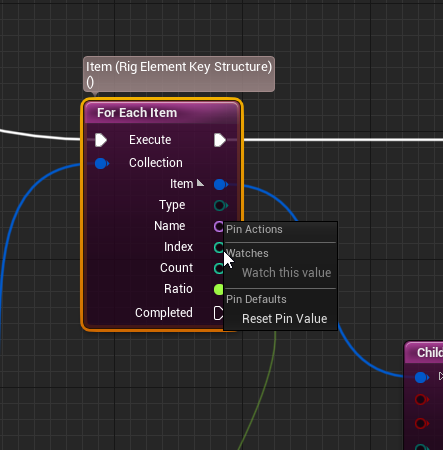
Watching item doesn't give me any info (4.26)
brazen wharf
because that pin gives another index for each item, if you want to know the last value try to store it in a variable and watch that
 severe lantern
Hi, I hope this is right place to ask this question. I am working on a creature that is a human hand for a game and have set up IKs in Maya LT to help animate it, I also need the IKs to work in engine so we can make it walk on uneven ground and climb over things. I have rigged and animated it in Maya LT to import into UE4, however I don't know how to export the IKs, they don't export to the FBX and further more I am unsure how to get them working in UE4 or if this is even a method. Does anyone how to best approach this and how I can do it?
stone flame
@severe lantern
You can try the "Power IK" plug in https://www.unrealengine.com/marketplace/en-US/product/power-ik?sessionInvalidated=true
Or you can follow some quick tutorials on youtube.
https://www.youtube.com/watch?v=dpteQzWMbfQ
https://www.youtube.com/watch?v=kK9rQzbSzio&t=8s
https://www.youtube.com/watch?v=vQja9X1noak
As far as I know you can't import IK's, but they aren't super hard to implement.
severe lantern
Thank you so much! This helps a lot!
 tender flicker
does anyone have a control rig for ue4 setup with finger controls?
the default one in the marketplace doesn't have controls for fingers
 grand swift
Hey, all, can anyone help me out understanding the math behind distance matching? I have been trying to make something similar on my own, but got nowhere near that level of smoothness. To give more context, I am trying to make a smooth character movement based on distance curves and rotation curves(for turn in place), with start stop animations, but they are not smooth at all and character's capsule starts and stops with no delay. Been playing around with some values for acceleration, braking deceleration factor and ground friction, but there is no foot lock and realism into it. I took a look at Unreal's paragon animation, but I still did not get the logic behind the system. I'd be deeply appreciative if someone can help me out with this
 turbid delta
I have a question, would it be better to use the UE4 skeleton to make a rig for a mesh biped or start from scratch. I've got the UE4 skeleton but its got some extra baggage that prevents me from moving things around to match the mesh. Any help would be appreciated.
 low condor
Does UE4 understand anything for bones other than parent > Child relationships? I put an orientation constraint on a bone to mimic another bones' rotation on animation, but it doesn't seem to be working when imported into UE4
 lament drum
Hello All
does anyone know how to export the metahumans - animation from inside unreal engine - sequencer to an fbx which can be read in blender or other DCC
restive vortex
grand swift
Hey, all, can anyone help me out understanding the math behind distance matching...
There's a free distance matching plugin available on the marketplace, have you looked at that?
 grand swift
restive vortex
There's a free distance matching plugin available on the marketplace, have you l...
grand swift
restive vortex
There's a free distance matching plugin available on the marketplace, have you l...
The one from Berkay Tuna? It had a tutorial once for the kubold animations (what I needed) but the tutorial can no longer be found. The documentation only gives details about the content and not how to use it. I sort of wanted to touch this myself and not getting one that there is already there. They also had that anim distance plugin in editor plugins but it is an empty plugin.
grand swift
 icy ocean
Any idea why my character looks like this when i retarget an animation
icy ocean
Any idea why my character looks like this when i retarget an animation
That was caused by the physics capsules from physics assets on my character. Once I modified the physics capsules to not be such a mess, the character was looking better but not as distorted
misty dagger
how can i remove paragon weapon without removing the cloth ?
cosmic delta
There's something wrong with an offset timed animation? Let me explain it; I have several rolls animated with the movement in a timer and an offset vector. This seems to work flawlessly but with the 4.26 it's random the distance, I mean that sometimes the character barely moves and sometimes moves a lot, and I have to tune every time... I didn't use launch because in a ledge the character goes flying, with the offset the movement it's perfect
 junior saffron
Hi guys,
Can someone point me to a doc or a tutorial of how to connect apply custom animation parameter from FBX onto a material's parameter, please?
I wonder if there's a way to do it during the FBX import process because my scene consist of 100+ meshes with animated visibility, so, won't be able to apply each curve manually.
Thanks!
 runic fractal
hello,
im having a bit of trouble with unreal at the moment. I've been using daz to create characters (I'm going to need a variety of fantasy-style creatures and they have that in a pretty cheap pack) and there is a bridge to unreal engine. the problem is I'm using the advanced locomotions special feature you could call it and that is the visual body mesh which basically allows you to place one of your own mesh that follows the ue4 skeleton layout. here https://gyazo.com/eb5951759108968c734d6da2cad156ba is a gif of the effect in action along with what I am trying to do.
in essence, I'm trying to place a daz character along with its skeleton (mainly for the facial rig) onto the UE4 skeletal mesh component and have them basically line up. i have already properly retargeted it to work with the unreal animations, just I don't know how to place it there and have it match up.

 cinder lance
[Control Rig] Hi all. Quick question: Is it possible with Control Rig to import a control rig created in Maya to Unreal or do we have to create it in Unreal within the Control Rig graph?
 serene flax
Hello, I wanna ask where to find the parameters setting in the animation panel. So the first picture is a video I'm watching and the second is my unreal. The versions are different so I wanted to ask if that's a problem as well, as I'm using a later version may not have the same things as the older one.


but if it does have them then where to find it
sinful bison
I am having an issue where if I define the control rig in a blueprint I can no longer get the animation blueprint to work. Is there someway of setting it up this way or do I need to just put it in the animbp
 dawn rose
hello, is it posible in maya or blender to create one morph with multiple in between shapes ? for example make a face that at value 0 of the morph is happy then at 0.2 sad then 0.5 angry then 0.8 scary and 1 neutral ?
vapid ibex
Im trying to have my first person skeletal mesh copy the pose from the third person skeletal mesh (which is set to hide in-game when first person is active), but unfortunately it being hidden means animations aren't updating, so the first person mesh isn't animating
Any way to solve this?
for future looks up fixed by enabling visible based anim tick option to "Always Tick Pose and Refresh Bones" on the third person skeletal mesh in its blueprint details

 lapis sierra
how do you add an skeleton to a mesh in unreal? I'm following this guide but I can't find the menu they are referencing:

 strong obsidian
Anyone knows how to setup a intermitent movement animation blueprint like in this gif? (I faked it with a timeline/set relative location just for show). What would ideally happen is a movement speed greater than zero just in sections of the animation.

 misty dagger
Did you place the bones right?
vagrant shard
Yea this is the side that I symmetrized
strong obsidian
vagrant shard
Anyone know why this foot is stretching like this
Either there are some vertices which have insufficient weight (probably zero) or they have weight in a bone they shouldn't have.
vagrant shard
@strong obsidian how would i be able to check that
 quiet spruce
So i have these animations i have made in blender right now i only want to export one, and when i export it and import it into unreal engine the mesh, skeleton material etc... gets imported apart from the animation why is this happening?
 strong obsidian
vagrant shard
<@!674413920492191745> how would i be able to check that
strong obsidian
vagrant shard
<@!674413920492191745> how would i be able to check that
Go into weight mode, select the vertex group for the foot, if there is a part that is dark blue the weight is zero.

 fickle flame
If anyone is interested I made this easy tutorial that sums up Animation Replication for UE4.
UE4 Animation Replication Tutorial | Multiplayer - Client-Server | Blueprints | UE4.26.1
https://youtu.be/4jXUxn6D24s

In this tutorial I teach you how to replicate animations in Unreal Engine using a simple example of switching the idle animation to a thinking animation when the character is standing still.
The example blueprint code/logic that I show can be copied, and used to replicate virtually any animation.
Feel free to leave us a comment for any questio...
strong obsidian
quiet spruce
So i have these animations i have made in blender right now i only want to expor...
When exporting the fbx select only "armature", that should export only the animation
 vagrant shard
Question, im trying to export a mesh but im getting this error. Anyone know what it means?

 brave island
I need help with animating vr hands to do thumbs up, finger guns, and pointing. I have the animations done but my problem is they wont activate when the certain buttons are pressed. I think the problem is in my state machine and not the event graph but I can't figure it out. (I haven't fully set up the thumbs up yet because I've been trying to tackle the problem.

Opening and closing the hand works fine. I can also go from open to finger guns to closed, but cant go open to point to closed. Pointing only works if I close the hand then release the trigger for the index finger and once I move my thumb it won't go back to pointing unless I close the hand again.
Any and all help is appreciated!
jovial imp
Is the AnimBP State Machine meant only for looping animations? In other words, won't the AnimBP just loop everything?
 nova kettle
Anyone know where Full body IK node for 4.26 is once you enable the plugin? Not sure how to use it and can't find any doc
oh nvm I have to use Control Rig..
 tropic drift
@jovial imp yeah pretty much
 cobalt sable
Hello,
I have a question regarding 3ds max CAT. Is there any "official" UE4 mannequin rig like CAT rig?
 past tusk
@jovial imp you can un-check this box and the animation plays only once. Good for transitional animations
 remote needle
Hi all,
Can anyone point me in the right direction please...
I would like to learn how to blend animations (walk into run, jump, crouch and climb ect...
what should I be studying to learn these aspects ?
river briar
my character had a single triangle sticking out of it. Its like theres a single vertex frozen while the rest animates. Do you know what could be causing this?
 jovial imp
river briar
my character had a single triangle sticking out of it. Its like theres a single ...
jovial imp
river briar
my character had a single triangle sticking out of it. Its like theres a single ...
Weight paint - probably that one vertex does not have any weight painted onto it for some reason
Question - when I flip this boolean on and off and on again, it will not re-start the animation, which I have set to "don't loop" as advised above from my question yesterday here. Instead, it will jump to the final frame of the animation and stay there. How can I ensure that this animation will start over each time the boolean flips?
 river briar
jovial imp
Weight paint - probably that one vertex does not have any weight painted onto it...
river briar
jovial imp
Weight paint - probably that one vertex does not have any weight painted onto it...
Thankyou that was it
ripe gazelle
Is it possible to merge animations with some control? Like merge at spine? I mean the animation files, not programatically.
tiny granite
I am trying to Separate/Blend Upper and Lower animations. Everything here looks to be correct, is there something I am missing

 wooden shoal
does anyone know how to modify the bones of unreal's skeletal mesh into blender? or where can I get the rigging?
 vapid sparrow
wooden shoal
does anyone know how to modify the bones of unreal's skeletal mesh into blender?...
vapid sparrow
wooden shoal
does anyone know how to modify the bones of unreal's skeletal mesh into blender?...
I haven't tried, but I believe you can export the character with armatures from Unreal and import to Blender as FBX
 vast trellis
Face tracking supports devices with Apple Neural Engine in iOS 14 and iPadOS 14 and requires a device with a TrueDepth camera on iOS 13 and iPadOS 13 and earlier.
does anyone know how face tracking compares with only a camera + neural chip vs TrueDepth/face id camera?
is the quality similar? I assume it requires better lighting maybe
tiny granite
@wooden shoal its a plugin for Blender
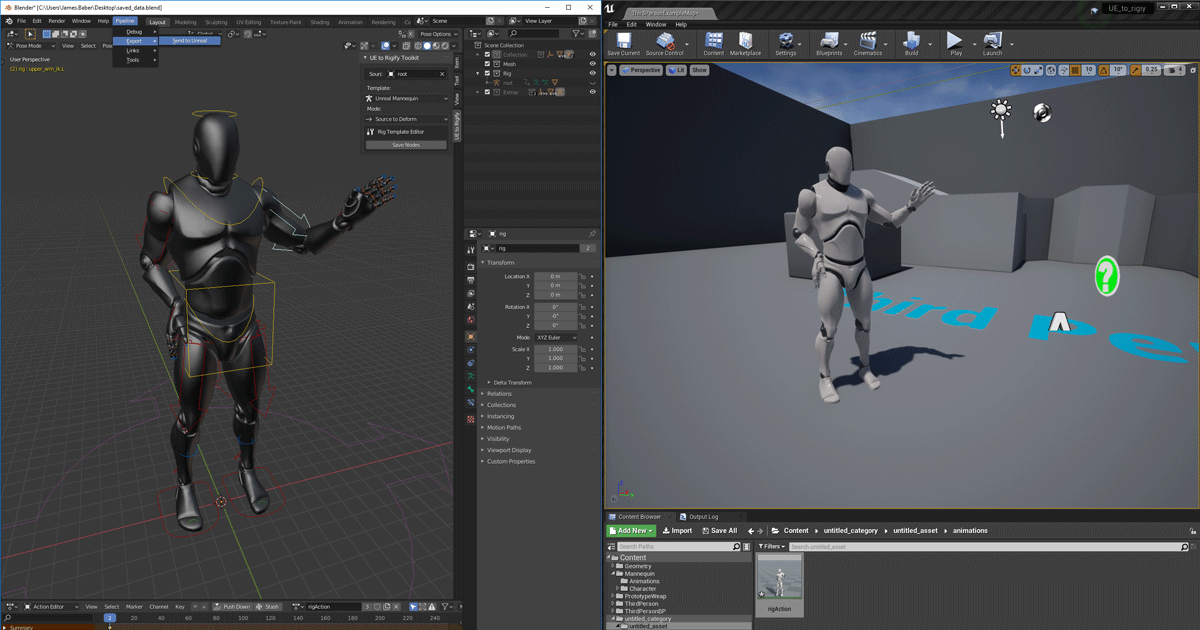
Unreal Engine
We’ve released two new, free addons that greatly streamline the workflow between Blender and Unreal Engine.
 hollow axle
myanimation is facing the wrong was is there anyway to fix it?
 timber perch
Trying to build a raytraced material and I can't find the "M_RTMasterMaterial" node. The output of the "RayTracingQualitySwitchReplace" node plugs into the "M_RTMasterMaterial". Anyone know if this node even exists anymore?
misty dagger
Hey
anyone has made a animation system here? have some questions how they store data. am looking on 2d animations with vector assets animated using keyframes. how is the data stored for this kind of animations?
misty dagger
what object to insert when doing cast to anim notify?
quiet spruce
Hey i am kinda new to animating and ue4 in general. And i am making a fps game. Stupid question but do i have to make a blendspace for every single gun in my game? And if yes how would i change blendspace in-game?
 green edge
Does anyone have an idea of what might be causing this?

 bronze osprey
broken video card
green edge
No I meant the animation itself. The lousy quality was caused by the converting the wmv to gif
bronze osprey
looks like it wants to play 2 things at the same time
or some flow related problem
vapid ibex
Can anyone help me understand how I'm supposed to get my character's hands to sync up with this animation so that it appears as if he's holding onto the magazine? https://tinyurl.com/y79jr57a

This is a weapons prototype market place addon I'm doing some tests with and I have no idea if there's some standard approach I should be practicing here
bronze osprey
that didnt come with a character?
bronze osprey
its not my pack so i dunno
usually you dont fit the character animation to the moving clip but other way around
vapid ibex
I see, and what is the common approach to fit the clip to the character?
Is it just through attaching on anim notifies?
 stone hound
Hi everyone, has anyone found a tool or a quick way to copy or import animations to a new model? My target model is rigged properly as a ue4 mannequin, but from what I have seen in order to import animations that I have bought on the store I need to do them one by one through the retarget process? Maybe I am misunderstanding because I have around 200+ animations I want to put on my model and this would take forever.
bronze osprey
nah its prolly an animation of the gun fired by the reload anim
vapid ibex
Oh, one that was made to be synchronized visually without any attaching or manual in-engine control?
bronze osprey
yea , unless u put physics on it and toss it
than when it grabs the clip.. the clip scales to 0 and a new clip spawns in the hand on location of the old clip and u toss that1
vapid ibex
Gotcha! Thanks for the help, I've been completely lost on how to approach FPS animations for a while now
bronze osprey
a lot of little things on a character can have their own anim BP or statemachine in the main anim bp
some paragon chars might have a reload anim
green edge
@bronze osprey Sorry to bother you directly. I checked and there's only one montage playing at a time. What do you mean by flow related problem?
bronze osprey
ehm like in ur statemachine it uses a bool but when it gets set it directly gets set back
green edge
Oh ok. I'll check my code. Thank you
bronze osprey
try print the stuff that effects ur anim
so u can read the vlues of whats happening
green edge
Ok great thanks for a starting place
 silver jasper
Is there a way in an animation blueprint to ttell if a certain slow is playing an animation?
 raven violet
Hello, Can someone give me a Link or some tips On how to get started with Animation ?
young urchin
Greetings. Where should I ask about Animation Notify Issue?
tropic spire
Hello, I'm looking for some help generating a physics asset.
I've run into the dreaded "Bones too small..." error when trying to create a physics asset for my skeletal mesh. I've checked that my scale isn't minuscule and I've made sure none of my bones are sitting in exactly the same position. Still, the issue persists.
Any advice would be appreciated. Cheers.
jovial imp
Father, what have you done to me

 cursive aspen
Anyone a pro with physics animations? I want to use them for all my hit reactions but I am having a hard time getting them dialed in.
 uncut pawn
Would anyone happen to know of a way I can create a "shaky" animation for a skeletal mesh?
As in, random location and rotation movement.
Similar to what can be done with camera shake blueprints.
 worthy bay
You can do it several ways... like write a BP that does it or use a niagra system to make it seem as if this is happening... Even a material can do it.
What's the use case?
As something instantanious (like response to collision)? Or as a constantly running contineous effect (that needs to not look repetative but be efficient)
drifting karma
Hi! I want to make a drone shot and keep the camera position in order to bring it to unreal. I found a way to truck the video footage using after effect and then importing the .jsx to 3ds max. Now I have the camera movement in 3ds max but can't bring it to unreal. How can I link the camera animation from 3ds max to unreal any ideas ??
Another thing I tried was to make a cube and link it to the camera and then import that using alembic to unreal, but same couldn't link the cube with the unreal camera. plz help
ripe gazelle
How do i get to trigger animations from another animation blueprint in my current one ??
 coral kite
Hello, if I try to export a mesh to FBX, export/import from Blender and then back to Unreal, unchanched, it gets completely messed up
is there a good guide on how to do it without mess up?
 full lily
Hi, I was hoping someone could point me in the right direction.
For an FPS pawn, I wanted to remove the head from the unreal mannequin and import body with arms and legs as it's own mesh. I also want to then import the head/neck with the same skeleton so I can just copy the pose from the body.
I found a short description of how you would achieve this using blender, and despite being terrified of even opening any 3D software, I thought it was about time and tried to get it working.
My models seem great in blender (I'm actually kinda proud XD) but when I I'm port it back into unreal I'm having problems.
First most obvious problem is that all of the LODs seem to be overlapping into 1 mesh. I resolved this by just deleting the LODs above 0. Should I have done this a better way?
Second problem is that if I try to import it with the UE4 Mannequin skeleton I get retargeting errors, but I haven't added bones... I was hoping what I did had left that side of things completely as was?
If anyone is intested in the way I achieved the split, I first exported the mannequin as an FBX and imported it into a new blender scene (I also deleted the other stuff in the default scene). Then I hit tab to enter edit mode, highlighted the LOD group I wanted to work on, p to bring up the separate dialogue and chose "separate by loose parts".
After going through the list and identifying parts I no longer wanted, I went back into object mode andI deleted them from the list and
I then highlighted everything left over and hit ctrl+j to join them back together. then exported using the file menu.
tropic spire
Hello, I'm looking for some help generating a physics asset.
On import and again when I try to manually create the physics asset for any skeletal mesh in my project, I get the error "Bones too small..." In this image, you can see a cube with bones far larger than the standard mannequin, and even those bones are apparently "too small".
I have read that "bones too small" is just the standard error that Unreal throws when anything at all prevents the creation of a physics asset, but I can't see what problem it would have with this test cube.
Any advice would be appreciated. Cheers.
 green edge
Hey does anyone on here have any experience with Ironbelly?
vapid ibex
So I'm going to try doing a first person animation for the first time and I was wondering how I should be deciding where to place the camera

Do I place it at where the head would be? Do I place it at the root 0, 0, 0 location?
What would be most robust for the engine to handle? And how difficult would it be to change my decision after I already started animating?
Ideally I'd be happy to use the same first person animation for the third person variant
But I'm unsure how it'd work if the camera is at 0 0 0
 lilac jetty
Hey I have some issues with anim of shooting, i made simple test anim montage like this

and when i try hook this montage into state machine I got smt like this message "source was visible but ignored"

And character is show in T-pose
Any one can help me, maybe is some other way to switch state after anim is fired. Becasue i what make one fire per action use, and after anim is end ,should return to aim idle
Thanks
 pine star
I have a question and im sorry for the double post but im curious to know if setting up jiggle psyiques and than having an option to toggle it off or on as well as changing sensitivity to said jiggle psyiques would be possible akin to that of dead or alives breast psyiques and sensitivity or off switch toggle? o.o
 untold cosmos
Hi. Any idea why my character animations aren't played, unless I move the camera to it? I can open the anim BP in the editor, select spawned char's instance and literally see the animation is frozen in the viewport, even though anim state machine is shown as running fine.
My movement there is animation-driven, so basically monsters out of screen never come.
Nevermind. Skeletal Mesh -> Visibility Based Anim Tick Option -> Always Tick Pose and Refresh Bones
misty dagger
Anyone know why my animations coming from Blender deform like this? I get no skeleton errors on import and the trot works fine. I also have this problem on other models that came from Blender
I have tried the scaling workaround where you scale everything up and then set the units to .01 but no dice.
 idle garden
How do I make the dialogue appear like a typical 2d game where an animation plays and display the words?
 worldly mica
anyone here? I am so utterly stuck.... (Lack of graphical knowledge. UE4 skeletons)
I've got 2 meshes with the same skeleton, but with a different rotation inside the skeleton. I am trying to change the rotation of the pelvis to match that of the original character, but when I rotate it here it rotates the object along...


cus this is what it currently looks like when I re-assign the model's skeleton through UE4 😦
(nope, no FBX access. EDIT: Figured this one out 😄 )
and this is the original (correct) skeleton
 worldly mica
anyone? pretty please?
 agile herald
Hi, I am playing a "Play Montage" inside a task of my BT, however if I abort this task with some other behaviour the montage still getting fully played. How can I stop the montage if I abort the task? I tried using "Stop anim montage" on the interrupt pin of the montage but it's not working. Thanks
 jaunty aspen
what's the difference between rigging a mesh (an AActor) and using the sequencer to make an animation for the mesh/actor? DO both ouput an animation/animation sequence?
 floral kite
Hi everyone. So I had worked on a project in unity around 2 years ago and my teammate made animations for our characters. I am now trying to remake that project in UE4 and was wondering if I would be able to pull the animations from the old unity project? I'm not really an artistic guy, more of a developer, and I have lost contact with the animator so I cannot get the raw blender animation files from him so I am hoping to be able to pull them from the unity project. Would anyone be able to instruct me on how to do this?
young urchin
Any way to refresh animation in the montage after it was reimported?
 proper jungle
how do i stop previewing an animation to make it just T-Pose?
restive vortex
This might be a crazy idea but hear me out, I know Root Motion is hard to do for multiplayer, and you can kinda convert it by extracting curves. But what if you had a multiplayer with typical not that many other players around and switched to full root motion locally when no one else was around. That should be viable right?
 reef fox
floral kite
Hi everyone. So I had worked on a project in unity around 2 years ago and my tea...
reef fox
floral kite
Hi everyone. So I had worked on a project in unity around 2 years ago and my tea...
Hi. I think it should be possible, since they were probably imported as FBX files anyway. Let me know if you still need help and I can see if I can help you get to the source .FBX or perhaps export the model from Unity.
young urchin
@proper jungle

@restive vortex that means you can abuse animation glitch (many games have this hack)
restive vortex
young urchin
<@!708128504562188378> that means you can abuse animation glitch (many games hav...
Like cheating? it really isn't an issue for me as I'm doing PVE
Still difficult to wrap my head around root motion, most controllers I've tried feels pretty sluggish for locomotion. Better for stuff like climbing tho. Perhaps better to stick with just RM for montages
vagrant shard
I'm having problem exporting my character mesh that i currently made for ue4. the mesh has animations attached to it. how would i be able to export my mesh and animations into ue4?
 young urchin
@vagrant shard it seems more like blender issue
vagrant shard
what would the issue be @young urchin ?
young urchin
no clue, but may be related to mentioned UV
 crude fjord
following a tutorial on IK, and using the two bone node in anim graph but the knees is stuck together. Any help would be appreciated!
vagrant shard
should i make a new project and import this to it?
young urchin
@vagrant shard project? it's not related to ue4, export first
vagrant shard
in blender i was trying to say. it prevents me from exporting it
vagrant shard
is there a blender discord @young urchin
young urchin
called OpenVFX, should be first in google results
proper jungle
what is the Red bone for? is it just for reference or is it an issue?
 proper jungle
yeah, it chould be in the center?
young urchin
it's not a big issue if you're not using root motion
 ripe gazelle
How can i get the socket names of a submesh into a notify?
young urchin
@proper jungle go to "skeleton" tab, select the topmost bone in the tree, look in the details tab
ripe gazelle
These sockets are not on the animation

the blueprint that triggers the animation with a notify, has this skeleton mesh on it
on it, in it, however its said.
ripe gazelle
young urchin
<@!507232357879775263> go to "skeleton" tab, select the topmost bone in the tree...
the topmost bone in the tree has transform, ref transform and bone name.
ops i was confused thought you ment me, my name starts with b
young urchin
for ue4, topmost bone should be called root and it's generally should be at 0, and have 1.0 scale
GetAllSocketNames utility node should give you the array of all socket names
bones are also socket names
ripe gazelle
the socket names are right but the return values are not
i need to scope in the skeleton from whatever is in the blueprint
this for example
 ripe gazelle
Im confused, i assume that Sword is a child, not a parent.
young urchin
you want to get parent of sword, right?
ripe gazelle
I want to get the location of sockets on the sword
the image above works if i call for sockets on the skeleton mesh attached to mesh/animation
young urchin
get all socket names for sword will get you all the sockets of the sword, i've already told that
ripe gazelle
But not the location
young urchin
then you iterate the list
 uneven siren
Does anyone know why my character doesnt do animations in sequencer? Im using my player character, not just a mesh
ripe gazelle
Ok let me rephrase. How can i reference a different skeleton than the one casting a notify? Specifically the skeleton of any mesh attached to Character.
I am new so i barely understand my own question
uneven siren
ripe gazelle
Ok let me rephrase. How can i reference a different skeleton than the one castin...
cast to?
 sonic apex
ripe gazelle
Ok let me rephrase. How can i reference a different skeleton than the one castin...
sonic apex
ripe gazelle
Ok let me rephrase. How can i reference a different skeleton than the one castin...
you have a Character object? and you want skeletal mesh components?
jaunty aspen
can a Level Sequence be used on actors/meshes that are generated during runtime?
ripe gazelle
I want to use socket names and translations from a skeletal mesh that is attached to the Character yes
I only wanted to make debug traces to figure out something else. And i realize i have a problem with UE scopes in general
sonic apex
so what object does the notify give you?
if you can get the actor then you can get components by class etc
find the correct skeletal mesh component
then you can access the sockets, by e.g Find Socket
or Get Socket Location
or just cast the actor to your class that exposes the mesh or whatever else you need
 pure fractal
so I may need help with something but idk if its an animation problem or a blueprint problem lol
So I want to make an input action where when I press a key it performs an attack or something like that but I'm not exactly sure how to set it up under blueprints
right now I have it where when the input action key is pressed the animation plays, and but when its finished I want my character to go back to its idle/walk/run state

 royal tangle
I've got a character with the skeleton retargeted to the humanoid rig so I can retarget Mannequin animations. My character is smaller than the mannequin so I've got the Translation retargeting setup. Everything works correctly EXCEPT all of the steps from the animations are too big. For example if it's a walking animation, the character slides along the ground because the steps are bigger than they should be for the character. Other than that, he's moving correctly and the mesh isn't distorted. Here are my Translation retargeting settings.
 vapid ibex
Does anyone know why UE4 (left) keeps going back to the A pose while it should have been like Blender (right)?
I'm using Mr. Mannequins tools for animation
stone hound
so I have root motion working great with my character, but there are some animations I have that use root motion and certain circumstances when I do a Play Montage, I want it to not move the character, but animate in place... is this possible?
ah, i realized how I can do it, just use Play Animation node, and set Root Motion Mode to Montage only
 unreal basalt
hey i remeber having this issue to on my fps controller and this was the fix

you are welcome 🙂
stone hound
although now I am trying to figure out how to get my AnimGraph working again after playing a one off animation
 stoic zinc
Hey guys, I have made a lizard character in Blender but can't figure out how to get the tail to have physics & just follow through in UE4 when running around. Anyone got any good resources?
 gray pebble
Could someone explain to me how to disable my Y Axis mouse movements on my character's camera from effecting my movement animation direction? As of now, whenever I either look up or down, my character's movement animation stops as its trying to direct it up or down, which I don't want. There is my X and Y camera event graph nodes.

I would still like to be able to control my characters X axis movement with my mouse however, just not the Y axis.
blazing swift


Does this node not work ?
Using Float Curve I get a curve back, but using Vector or Transform, I get nothing.
 lyric cairn
Does anyone have any resources, examples or ideas for a running charge/shield charge animation? When I press a button I want my character to run forward in a line at an increased speed kind of thing.
flint star
how to make UI for mobile interface?
 young pine
Hello guys! I've created a weapon animation in blender and exported to UE4. The weapon barrel is flipped in UE4. I'm doing something wrong?

 bronze osprey
@young pine just drive it with a timeline , set it up in unreal

There's been a robot uprising and it's your job to stop it! What weapon will you choose? Why not make your own?
In this demo, given by Zak Parrish, Sr. DevRel Technical Artist, Epic Games, walk through the process of creating your own custom weapon mods for Epic's latest VR game, Robo Recall. Viewers will see how to easily create custom mods fo...
this sets up a gun anim
ripe gazelle
Whats the difference between an animation and animation montage?
More specificall i want to know if animnotify is picked up with AnimNofity just the same
my character plays an animation from the animgrapgh
and im not sure the notifies i set there are picked up correctly

those should work for these?

 quartz heath
Hey guys, I have the following proble, my anim blueprint works perfect in the anim preview window, with the virtual bones working as effectors, but when going into playmode they don't affect the skeleton anymore. Any ideas why?
 waxen ibex
Does anyone know how I can get the top portion to bounce around all the time like jello? I tried but it always drags along a ways from the rest of the body
 golden arrow
MmM Mmm how I love the scaling :)

 stone estuary
what are the costumes used for creating animations based on real life movement called ?
sonic apex
motion capture suit
 nova stratus
Hi Folks, I'm new to this forum and newish to UE4, I have a troubleshooting question about Aim Offsets. I have my characters AO all set up and it works well... until the attack animation (sword) is applied to it. I looks or seems to me (if we were talking in maya) as if the layered animation is rotating in the wrong coordinates (world vs local) and/ or its not being applied to the whole upper body of the skeleton. When applied with the idle the AO works and looks fine, as soon as I apply the attack the poses don't match. One of the arms rotates the opposite way, the other doesn't rotate but the wrist does, and the spine does not rotate the full area of rotation on the AO. Its like double transforms and the incorrect rotation order in one problem...... I have followed the UE4 documents to a T, even re-created it just incase. I'm just getting the same results. I wonder could the animation itself be an issue? I cant imagine, its matched to the skeleton, but I am really reaching for a solution here. Any help or insight into the mysteries of AO would be of great help. Thank you in advance.
jaunty aspen
How do I run a level sequence on actors that are spawned at run-time?
shut kraken
waxen ibex
Does anyone know how I can get the top portion to bounce around all the time lik...
Soft constraints
spiral parcel
Hello, what's the "modern" equivalent of "camera shake"?
I noticed there's a blueprint SequenceCameraShake that takes a CameraAnimationSequence, but haven't found a way to "play" this on a camera
Most tutorials use "Matinee" style camera shakes, and it seems that feature is deprecated
I've found this, and it seems to work... is this the "right way" to do it?


Replaced it with this, lol
 frosty sonnet
Hey! Any way to copy Virtual Bones or merge 2 skeletons where one has additional bones?
remote needle
Hi guys.
I am trying to learn about animations.
I have started with the basics, I got a third person project and added the anim starter pack as well as the general purpose animations pack.
they all say that they are configured to be used on the base mannequin.
So why cant I drag and drop the animations into the animation BP of the third person character ?
I have done a couple by clicking the animation sequence > then its skeleton > select humanoid rig > then right click on the anim sequence and retargeting to the UE4 Mannequin.
But I am noticing this list is growing each time (see screen grab), I plan to have a bunch of animations working in this third person character.
Is it unavoidable to end up with 20-30 skeletons in this list or is there another way ?
 brazen wharf
remote needle
Hi guys.
I am trying to learn about animations.
I have started with the basics,...
brazen wharf
remote needle
Hi guys.
I am trying to learn about animations.
I have started with the basics,...
theres probably a bunch of skeletons because each animation pack ships with the default mannequin for reference. once you assigned your local mannequin you can delete the one from the animation pack
or, you just delete the one in the animation pack and chose to replace the reference with your local one
that should get you around retargeting, if they are the same
remote needle
Deleting the skeletons and replacing them seems to have worked thank you @brazen wharf !
remote needle
Is it possible to have a situational animation ?
I Have made an actor BP which has a collision box, when the player overlaps it, text appears telling the player to press a button to salute.
Is it possible to make it so the player can only do this animation when interacting with this actor ?
Ideally, any other time that same button could be used for other, more general purposes in the game.
feral oak
Is there a way to easily (i.e. programatically) move notifies from one animation to another?
I have a bunch of skeleton notifies on one animation, maybe 40 or so, and I want to script something that moves them to another animation
quiet spruce
So i have made an animation in blender, and that animation is a chest open, this is hard to explain, and i haven't tested the anim yet but since the chest is both in the animation and in the world won't they just go on top of eachother?
quiet spruce
Or do i have to make two separate animations one for the chest and another for the model / separate the full animation into two animations and just perfect the timing?
 formal basin
Morphtarget expert needed!
In our game we use Morph targets to make character variations as well as for animating facial expressions.
For example:
Whenever i want a character to look slightly annoyed, i can't use the "annoyed" morphtarget in animationcurves anymore, it just does nothing than.
any ideas or solutions?
bronze osprey
@formal basin in material you need to have morp target enabled
bronze osprey
i dont know if timelines import
formal basin
as soon as the morphtargets are set in BP i cant use them in animations anymore
when you have bone animations you can add morph target curves in UE4
when i have a face set to annoyed 0.2 by code, i can not override or change it with animations
ill provide images
bronze osprey
you should prolly use anim curve or bp, not both
formal basin
sad
bronze osprey
well you prolly can but i dunno whats the usecase here


