#animation
1 messages · Page 150 of 1
 stone bolt
 low charm
actually look up Player Hit Detection UE4 on youtube. There are multiple differe...
low charm
actually look up Player Hit Detection UE4 on youtube. There are multiple differe...
Ok, I'll look it up. Thanks!
low charm
@stone bolt Youtube and forums are your friend. FYI if you are going to do YouTube tutorials try and start at the first string of videos and recreate the whole thing because they may have stuff implemented in previous videos that are essential to making it work. Ive spent many a fucking hour trying to recreate something from videos just to realize later it was something simple from a earlier video. Also use print string a LOT its your friend. Just be sure to delete it after you've fixed the problem haha.
stone bolt
low charm
<@432518846159650823> Youtube and forums are your friend. FYI if you are going...
Ok, thanks for the advice!
 marble ridge
Wheres a good tutorial for if i want an animation to affect another characters animation. specifically if say, i want one character to suplex another character?
 tiny flicker
Guys, I have a rotate 180 animation. When animation ends, capsule rotates by 180 and animation switches to next state. But I cannot make animation switch in a same tick as capsule. How do I switch it in a same tick, so I do not have any seams or glitches?
https://imgur.com/a/mDla2pG
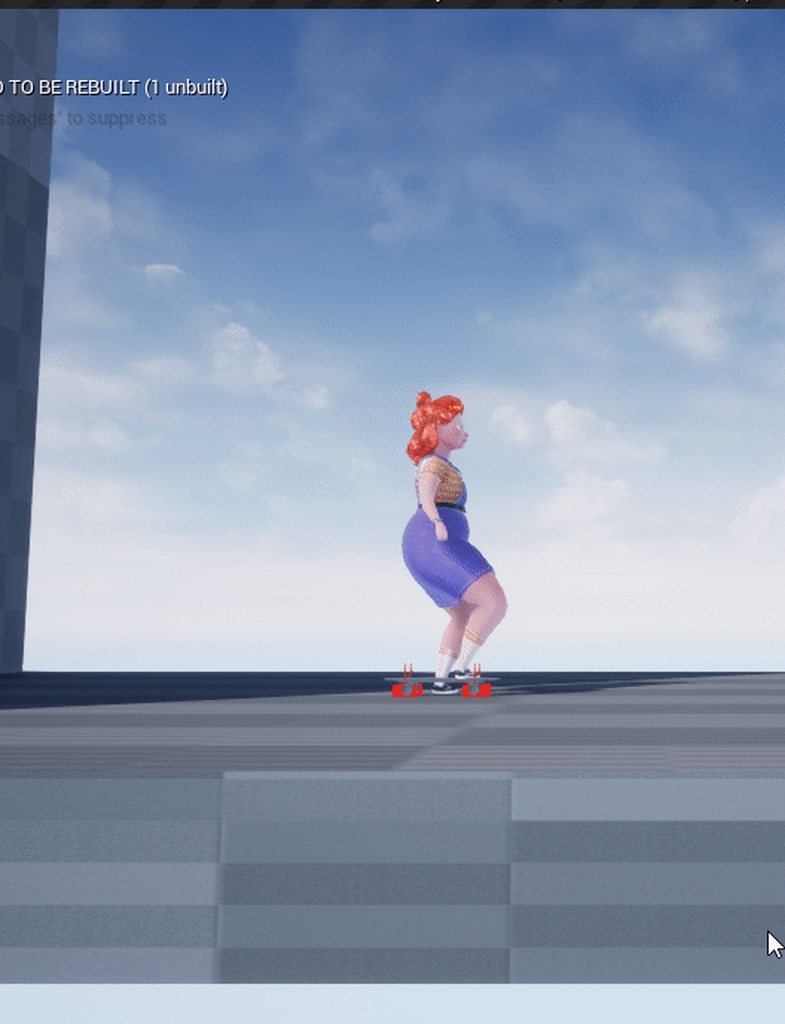
I've tried to play slot animation from event graph, and by state machine
Any ideas?
 random sundial
any ideas why my montage wouldn't fire?
Tested event graph logic runs all the way to it.
 final frigate
my Blender > UE4 doesn't export animations 😦
any clue why?
It EXPORTS some of them
and they just appear blank
random sundial
final frigate
i am doing Blender Sculpt > Mixamo > Blender > UE4
random sundial
didnt resolve my issue but i found that its not associated with the proper bp(or maybe mesh?)
Can't figure out how to resolve that issue
think i just need to put the animation with a different skeletal mesh but cant seem to figure that out to save my life..
Is there a way to reassign skeletal meshes to a specific animation without having to reimport the animation? That would be my questions now.
 acoustic marlin
@final frigate Did you Push your animations down to the "Nonlinear Animations Window (NLA) "?
If not, just do the following:
- Go to Pose Mode of your Skeleton
- Select your Animation in the Dropdown Menu in the Dopecheet (Action Editor)
- Press the "Push Down" Button right next to the dropdown menu
Now your Animation should appear in the NLA.
Now you can export via FBX ( In my scond screenshot you can see what are the right settings.
final frigate
acoustic marlin
<@!453866625565720588> Did you Push your animations down to the "Nonlinear Anima...
yes, all of them are in NLA
they show up in Unreal now
they are BLANK
but they seem to work
i mean, they are totally blank
but I can see the bones
acoustic marlin
what you mean with "blank"? Do you mean that you cannot see the keyframes?
final frigate
and they move correctly
final frigate
acoustic marlin
what you mean with "blank"? Do you mean that you cannot see the keyframes?
let me reimport from Blender and check
acoustic marlin
If you mean not seeing keyframes in unreal that´s how unreal works 😉
In Unreal you do not see the keyframes, you just see the animation playing 😉
final frigate
acoustic marlin
If you mean not seeing keyframes in unreal that´s how unreal works 😉
In Unreal...
i don't see the animation 😉
the screen is blank
but I do see the skeleton dancing around
acoustic marlin
hmmm
final frigate
all the animations do get imported from the NLA lanes
I honestly didn't know about NLA lanes when I first asked
acoustic marlin
are you online tomorrow mornin MEST? In about 16 hrs?
I can help you then via screenshare
acoustic marlin
ok then, just add me to friendlist and contact me tomorrow then i´ll help you out
final frigate
i will probably have fixed it till then though
nice
@acoustic marlin I will try following your screenshots in a bit!
we are just finishing up our game right now, so it will be later
acoustic marlin
no problem 😉
 obsidian verge
Hi all. Guys can you suggest me please what better to use for animation? I consider iclone 7 or autodesk motionbuilder?
 shadow sierra
hi i have a qestion im right now creating animacion for my game and i have 8 direcion for movment using root mocion and i need to creating punch animacion for all direcion to match animacions for my character,
i have netrual,left,right idle and walk punch and is in total 24(im on 8 of all) animacion .
is a way to do this with out repiting too much of the same stuff over end over again
i need precise movment of the head i tray to blend this by bone but is too much of sheking side to side
btw im using blender
 compact pebble
question guys, then i use anim with aimoffset and then blend it by bone, my aim offset is aiming in wrong direction. do i did something wrong.
 glossy brook
Did u add the 9 animations needed to make the aim offset? People frequently forget to add the center aim one
 static zodiac
Is there anything in particular I should do before importing my FBX rigged model and animations into my unreal project?
Also once I do get them into the engine how would I go about linking up the animations to the model? Like how should my blueprint look for that? All I have at the moment is an idle and a run animation.
acoustic marlin
@static zodiac if you´ve exported the animations the right way there´s nothing you have to do before importing, just import the skeletal mesh.
After that you can import the animations and choose the skeleton you´ve just imported in the import menu.
How your blueprint should look like is up to you, it depends on your needs. Youtube has plenty of good tutorials about that topic, just type: UE4 Animation in the searchbar 😉
static zodiac
Cool cool thank you. I just know sometimes I get a message box saying something about smoothing groups not working on imported mesh or something akin to that.
So that might be something I have to adjust in blender then you think?
acoustic marlin
ah ok, just ignore that. The message tells you just that, you don´t have smoothing groups baked onto the mesh, if the mesh looks good, than you´re fine, if not, that you have to go back to your 3D Software and bake the smoothing information to the vertices
static zodiac
Gotcha, thank you!
obsidian verge
Please guys give me advice if I should buy iclone 7? I'm very confused if I even need it
static zodiac
Some tutorials I'm looking up have an image of a dude in a run pose that says "final animation pose" above it in their blueprint. I see no such thing in my animation blueprint when I go into it after following their steps.
 brazen wharf
so i reimported one of my characters, but for some reason some bones are rotated wrong in the animations, it looks fine in the mesh/skeleton preview, tho... any idea what i could've missed?
it uses the same skeleton-asset as before
 late birch
Hi everyone, I have a quick question
I'm basically trying to set a new idle animation on the arms (FPS) depending on the weapon active
so on my weapon data I set a variable of type Anim Montage for the Idle
how would it be best to switch the idle anims? I do have an animation blueprint on the arms
but I'm a bit lost on how I would set the new montage during the idle state
or how would I go on about setting an animation sequence variable in the anim BM, and get that and set it in the idle state
ok, so the answer to that is use this instead of montages https://docs.unrealengine.com/en-US/API/Runtime/Engine/Animation/UAnimSequenceBase/index.html
that will work
stone bolt
Why can't I attach static mesh to dynamic actor (static mesh is sword and dynamic actor is skeletal mesh with animation)?
 radiant glacier
 indigo palm
I am trying to create missing strafing animations for a model I bought online. There are points when the AI character is moving that his feet do this little floating and twirling in circles movement. Is that likely to be an issue with my animation or the blend positional values I set? Or is that not really easy to answer?
 bronze ingot
SO, I have been playing around with the Meerkat demo from WETA studio and, it looks great BUT, the impression I got was that they had used the control rig to create this animation. So, I was trying to use it to make my own animation. WELL, that rig system is a bit buggy. As I look through the files I find the ACTUAL animation file from Weta which is created in Maya. Now, I like the idea of the control rig in Unreal but after spending 2-3hrs trying to have a basic pose to pose animation with it, its just not there yet at all. Often when I would undo a keyframe, 3 random key frames would appear, as one glitchy thing. The feel of it isnt great too, often cant select handles and orientations arent consistent but, that could just be their set up. Also, no ik solvers doesnt help. Maybe its just there for very small refinements in engine to preexisting animations, I dont know but, It was a difficult experience. Also, the hair looks great but, that would be great if there was a way to create the hair entirely in Unreal and not need Maya or Blender, etc to create the follicles in first
 bronze osprey
the handles you can setup urself, i personally really dislike the 3d manipulators in unreal
other than that. blender, maya or unreal, my keyframed animations are gunna look terrible 😛
bronze ingot
haha, fair enough. Ill look into doing my own handles
bronze osprey
disable root motion
 dark idol
Does anyone know why when I play an animation the other als animations are broken
 dreamy dagger
I want to make a couple basic FP arm animations.
Are there any pre setup files I can use for 3Ds max, ie. with arms/camera so I can preview what it actually looks like while working?
It's been a LONG time since I've animated, so anything to make this simpler would be great! 😛
 silk agate
Is there a way I can export this from 3ds max as a static mesh with the pose intact?
Oh I got it
 icy sky
How do I have certain bones simulator physics
 echo portal
How do I play these animations at the same time, they play at different times
 north night
Hey I have a question, I've been following the Devsquad first person tutorial for some episodes, I've finished all the animations for the character and applied them but they don't seem to work in playtest
 crude fjord
hi, i am trying to import a animation but get this error failed to import /.... .failed to create asset
 bleak mural
 dapper terrace
 zealous birch
Are there any gotchas with root motion?
I've been trying but having a lot of issues. I think it's all derived from the notifiers in the anims
 hidden vector
Does anyone have a good tutorial for creating a model in blender to fit the mannequin skeleton? That way I would be able to use the presets for say a platformer for example.
 wraith jacinth
A newbie question here.. Animations seem only to be for skeletal meshes. What is the correct way to animate a static mesh (pos, rot, scale)? I know using timelines is one way to do it, but is it the right way? I read about Matinee but it seems to be deprecated, isn't it ?
 copper skiff
wraith jacinth
A newbie question here.. Animations seem only to be for skeletal meshes. What is...
copper skiff
wraith jacinth
A newbie question here.. Animations seem only to be for skeletal meshes. What is...
Look into Actor Sequence.
copper skiff
wraith jacinth
A newbie question here.. Animations seem only to be for skeletal meshes. What is...
Describes how you can embed Sequences within Actor Blueprints using an Actor Sequence Component.
Can also look into Level Sequence if you only need to "Animate" things in the level instead of per actor. "Sequence" has pretty much replaced "Matinee", which yes has been deprecated.
 molten heron
Does anyone having issues with animation curve values in autonomous proxy characters in 4.26?
Some of my anim curve values stopped getting changing after updating to 4.26. It's fine on client, but autonomous proxy character's curve value is stuck on 0.
Interestingly, If I add a brand new curve, and utilize this instead, everything works fine.
wraith jacinth
copper skiff
Can also look into Level Sequence if you only need to "Animate" things in the le...
Thank you for the answer. I will learn it.
 old grotto
Asking if anyone's got experience with making character heads separate from the body here. I want facial animations and body animations to play separately, but I really don't know where to cut the head from the body.
I want to make the character look seamless, so do I cut at the top of the neck, on top of the collarbones or somewhere in between? Is there any way to connect vertices between 2 meshes in Unreal Engine so the connecting edges of the head/body don't disconnect?
Not really sure how to go about doing this.
bronze osprey
unreal wil automatically rip seams on import i think
you can play animations per slot so u can have a head animation only effect the head
old grotto
Yee I'm a bit concerned about keeping the body n' head as a solid mesh. I wanna have the eyes move where the camera looks, the mouth move based on sound input from a microphone, have blinking be it's own animation unaffected by anything else while having a facerig for facial expressions based on sounds or other control inputs.
All at the same time as having morph targets for character creation on both face and body, automated breathing bones that play separate from the rest of the body in addition to the basic movement animations.
Thought splitting things up would decrease the chance of animations colliding with eachother and/or performance becoming an issue. Or is it fine to play like... 10 animations at the same time, affecting different parts of the same mesh at different individual timings?
bronze osprey
you wil be playing 10 anims at a time either way, both modular and single mesh are valid
old grotto
Well shiiiet, thx then @bronze osprey! I'll try to make the 1 combined mesh take all the information at the same time. Fingers crossed it won't commit seppuku!
 young urchin
Greetings. Is there a way to convert montage to animation asset? Export it?
Maybe Composite?
Oh. It's the record
 dark vortex
I'm trying to figure out how to do simple animation layering, like the walking while reloading - but I want to just make it an asset in itself, not mess with the animation blueprint at all, does someone recommend a video? I found one but it showed using the details of the blueprint, which I don't need/want
Can't figure out how to select a bone to add to the slot I created
**where do you actually set the bones for the slot? **
or maybe i have this wrong
bronze osprey
the animation node
but yea that should totally be placed more obvious
you should prolly look at the docs instead of a video on this
dark vortex
They are....not good
@bronze osprey Why does my base point not save?
sorry I made a pose asset and it keeps reverting even though I saved it
it seems that the weight is zero on it and when I do 1, it returns to the way it should be
Where did you mean animation nodes?
holy shit this is obtuse
bronze osprey
the animation nodes in animation BP
 celest raptor
I would like to learn how to use IK animation with control rig. Any recommended resources? Starting from approximately no knowledge of how this works.
bronze osprey
marketplace the free controll rig
dark vortex
I want to be able to properly animating this guy to put his hand on the window sill - problem is, how to do it like a preview mesh -
tried putting it in the animation and had no idea
you can see the tip of the roof of that "preview mesh" i'm going for @bronze osprey
also, if I put an animation on it's knees, literally, should I move the entire root down?
dark vortex
I'm also trying to make an idle animation and would love some tips about best practices - youtube videos I find are all about switching states, not actually constructing the idle animation from scratch in Unreal
 verbal lynx
How to solve [Warning Imported bone transform is different from original] error?
Google has not helped me
Exporting from blender
dark vortex
Can you actually see a problem or is it just the error worrying you?
verbal lynx
The problem is that my mesh dissapears when I set that animation to play as an animation asset
Via this option in UE
dark vortex
I'm still struggling with animation but did you try retargeting ?
verbal lynx
Retargeting?
dark vortex
yeah, now click skeleton in the upper right
verbal lynx
dark vortex
try hitting update all
you might have to do setup rig and choose humanoid
but if you don't know about retargeting, you'll have to learn about that before you get much further I'm afraid
dark vortex
how do you reduce an animations time, in actual sequence?
 exotic shoal
question: If I have a bunch of characters with the same skeleton, but different proportions, when importing into Unreal, should I use 1 skeleton for all of them? Are there any pros or cons to that? Or should I use the skeleton for each from the fbx I am importing?
dark vortex
look up skeletal mesh retargeting, there's a whole video on it by unreal

In this video we take a look at how we can share animations between two Skeletal Meshes that are using different Skeleton assets. We go through the setup and retargeting process and pass an animation between two different Skeleton assets.
(00:05) - Recap
(01:14) - Creating & Animating a Rig
(07:21) - Changing the Character's Pose
 stoic flume
Soooo is it possible to add a bone to a skeleton without having to retarget everything?
I have a ton of blueprint and animation references already set up and realized I want to add a bone for the weapon for animation
Had to retarget anims once and it was a huge amount of work replacing references in anim graph etc, and since then I've added a ton of stuff
 next pine
@stoic flume - You won't have to retarget if you're just adding a bone.
Add the bone to your skin in your DCC (Max, Maya, Blender etc.), then reimport it in Unreal. Unreal will warn you that you're adding a bone, and it's going to have to add a bone track to all your animations.
Just say yes when it tells you this, it will update all your anims (which will need to be saved and checked in), and you're good.
Not something to do often, but you don't need to make all new animations.
 bronze yacht
i want to used physics-based movement in my game but i dont have a character model just yet, is it possible to use the physics asset made with mannequin or should i wait until i have a character?
dark vortex
@next pine Do you have any idea why the editor crashes when I try to save keyframes on eyelids - it's tied to the epic skeletal mesh and I use a preview mesh (which is parented to the epic skeleton, uses the same ones) i made the edits and when I try to save it crashes - I thought it would discard information when a mesh doesn't have that bone really active but it can still exist on the skeleton, it just doesn't use the keyframe data - what am I missing here?
next pine
dark vortex
<@!159375492930076672> Do you have any idea why the editor crashes when I try to...
Sorry, I'm not entirely sure what you're doing there Blakestr. I haven't played around with animating in unreal much yet.
dark vortex
next pine
Sorry, I'm not entirely sure what you're doing there Blakestr. I haven't played ...
I'll try to send a screencap when I'm back on - it might make more sense then, thanks in any case
 mossy pebble
Does anyone know why I can no longer move spaces around in a 4.26 control rig? There used to be a context menu option for moving them, but I can't find it anymore.
 modern lily
I got this set of animation on the marketplace. It has static and root motion versions of this step-out animation. Is there some way to "bake" the root motion, so that there is no root motion, but the character model steps off the origin?
I'm making a turn based game, and I don't actually want root motion, as the character would fall off a ledge etc. I just want the animation to step off its origin
 simple swift
Is there a way to snap animation notifies to a specific frame without the "right click, type in frame number"?
 sick mortar
how do i create a new animation sequence?
in ue4 like without using maya or blender or w/e
 feral wolf
Good evening.
I have a sound that I would like to add to a glide-animation.
The sound shall be stopped when the player touches the ground and thus switches to tan other animation.
Whats the best way to do this?
 mighty wedge
so noob question, can i resize skeleton bones? IE I have a hand and I want to make extra long fingers and use the same animations? Or does it require a new skeleton?
crude fjord
My thirdperson_animBP doesnt work
I have added the animBP blueprint to the character but the character still doesnt have animations
The animBP got lost during save and i got it imported in again but animations states were missing i added everything back tho, is this the problem if so how to fix?
 whole latch
Can you guys give me an advice? I want to set up my character for a facial animation, but there's a choice - do it with blendshapes, or do it with bones. Which option would be better for UE or for workflow? The character's face is not humanoid, if that's important.
static zodiac
For animating attack animations for a character, is it better to animate the attack from the idle animation or better to just do it as its own thing?
whole latch
@static zodiac
Every animation is best to be started from a pose that the character will hold for the majority of time (Except for cases where the animations only happens in a specific condition, like during running). Most often it's idle.
static zodiac
Okay thank you. Now if it's an animation that moves the character forward (like it charges forward) what's the best way to end that? With it walking back into the starting place or is there another way to go about it?
Or is it not really an issue
whole latch
Depends on the goal and what the game is. For a fps or something like that I'd let it remain where the animation has ended, but then there's a risk of them animating themselves through a wall. Honestly I never tried to make an animation that shifts the actual pawn's world position, so I don't know the nuances of it.
 broken dune
Heya ! Trying to do something I'd have thought trivial but can't find a way. I have an animation with root motion that does something forward and comes back in place. I'd need to modify that to make it go on the left instead of forward. Any way to do that in the animBP ?
 frail ruin
How is the new MacBook Pro m1 chip with 16gb ram for animation on unreal ??
 misty dagger
Advanced Locomotion doesn't use any blend assets. How can I learn this technique
 ripe coral
I made a control rig for my character:
My next step is to create attack animations / drinking anims / etc
In the tutorials I see it says 'Control Rig Sequence but i'm not sure which option i'd pick to make an anim for my character using control rig
 umbral sand
Im so clueless how to tackle animations in combination with blender and unreal.
I want the mannequin skeleton to be the main skeleton since all animations that I will buy are made with this skeleton in goal right?
Guess I need to learn how to use Rigify, how to make everything UE4 compatible..
What was your best video you guys seen on this topic? Appreciate every link! Thanks!
 placid ermine
Hey everybody... I am quite new here so i hope i am writing to the right place. I got a problem which i dont know how to solve. My goal would be to cahnge animation sequences in a blueprint. i got a blueprint with two skeletal mesh playing a default animation... i binded key 1 2 3 to change the animations and using a switch to change between them .. i tried to use the set animation mode and set animation on each cases. Its sort of working .. what i mean is it changes the pose but wont play the animation itself.. does anybody have any suggestion what am i missing. i already did a lot of research but culdnt find any solution ... heres the screenshot of my blueprint function ...
umbral sand
new as well to animations but maybe try trowing a "play animation" in between. So not only setting but also playing @placid ermine
placid ermine
aaa thank you maan you are a lifesaver :)))
 little wyvern
ugh dude my animations are exporting all tiny and sideways from blender, I tried messing with the scales and everything 😦
ripe coral
can i turn my LevelSequence to an animation asset?
umbral sand
https://www.youtube.com/watch?v=8Ad4v7x41RA&list=PL5EVTuZGY1UYjcB1z-pvLXkTk0E0B2FRA&index=2
This was btw answering most of my questions

Use Blender and Uefy 2.0 to quickly rig unreal mannequin for animation and export to the engine with a rigify rig in a few easy steps. Tutorial contains detailed description of how to use a blender rigged mannequin to share animations across characters.
website: https://www.rakiz.com/uefy
UPDATE 3: Make sure you have at least Uefy version 2.1....
jeah they say when you start in blender you have to set the unit scale to 0,01 so its the same as in Unreal. Maybe that is now messing with you @little wyvern
little wyvern
@umbral sand Nah looks like enabling RootMotion fixes everything lol
I wont complain since it totally does
umbral sand
oh okay, you might want to look into that topic tho since root motion from my knowledge is just moving the capsule component of the character with the animation.
umbral sand
which you dont want in a lot of cases but in some cases you do
next pine
Provided your characters skeletons have the same hierarchy and names, you can play animations made for any of them on any of the other characters.
Provided you set the 'Retarget Source' properly in your animation imports - the animations are transferrable.
Kind of.
It's possible to add additional bones, but you have to setup your characters properly, and you'll probably need to import a version of your character mesh that contains only the animation skeleton.
The way a lot of games setup their characters is that you have an invisible animation mesh, and then a display mesh that uses "Copy Pose From Mesh" in it's AnimBP.
Being able to support dynamic uploads like that is well outside my expertise.
I doubt it would work very easily.
You'd probably have to generate dynamic animation instances as well.
Which might be possible, but I have no idea.
obsidian verge
@umbral sand hey, thank you for the video! Can I apply this rig skeleton to any human fbx model with Uefy?
 glacial cedar
So what are the old ways of adding physics to boneless appendages like the gills on this axolotl? It's a reskin for a game character built on an older version of Unreal so I am using an existing rig that doesn't accommodate the gills. It would be amazing if someone could list what I should be looking up or researching just to get me going in the right direction? Sorry I'm just a 3D modeler and I don't usually do stuff engine side. Thanks in advance for any advice.
 snow orchid
obsidian verge
<@!272723076398186496> hey, thank you for the video! Can I apply this rig skelet...
snow orchid
obsidian verge
<@!272723076398186496> hey, thank you for the video! Can I apply this rig skelet...
That metarig is preconfigured for the ue4 mannequin but it is still just a regular metarig. You can make changes and use it for any other character. But the next video in that playlist is the recommended way to begin with a custom character.
broken dune
Anyone here has already been successful at using animations made from deepmotion ? If so I'm looking for a good guide
 fresh cape
Anyone got an idea why UE4 + blender = this? lol i feel violated
bronze osprey
apply rotation location scale
fresh cape
hey buddy, thanks for the help. Do you mind showing me how to do that? 🙂
also im getting a lot of these errors
 vast glen
Hay Everyone... So I have an animation blueprint set up right here but I can't get it to replicate correctly... could someone help me ?
umbral sand
@obsidian verge Hi, mh unfortunately I am the wrong person to ask that, since I also still struggle with the whole understanding of that.
But this video is in a playlist where he also shows how to create a mannequin suited rig for a different character, maybe thats what you are looking for?
bronze osprey
@fresh cape shift A aplly rotation location scale
no smoothing goup is normal cuz blender dont use those
missing influence are verts that are not weighted to any bone
maYB u added some stuff after rigging it
bronze osprey
If i got a $ for every time i told some1 to apply rotation/loc/scale in blender id be rich
its like the cause of 90% of problems
ripe coral
any1 one a basic of animation vid that will teach me how to make a decent anim
this is actually really hard lol
bronze osprey
Blender 2.81 Quick and easy animation tutorial on creating a simple squash and stretch rig for a bouncing ball, and basic animation techniques. Utilizes the Graph Editor and Cycle Modifier. Also explains applying a simple procedural texture.
Contents:
00:00 - Introduction
00:11 - Texturing the Ball
01:22 - Squash & Stretch Rigging
02:23 - A...
ripe coral
oh im usng control rigs lol heres what it looks likehttps://gyazo.com/702786f66418c35aad1d45df0e12d346
lmao
bronze osprey
it looks a lil like that ball tho 😛
fresh cape
@bronze osprey lol thanks man yeah i think rotation and scale was it! as for the influences, i was selecting my objects and assigning bones but for some reason not aplying the weights. awesome! XD
definately learnin these things once i hope lol
bronze osprey
i think there is a way to select all 0 weights, but not sure
owyea they prolly belong to no vert group
@wintry sorrel if some1 mentions blender with a question mark .. the bot should ask him if he applied rotation location scale 😛
fresh cape
haha
so do i have to apply rotation and scale to each object individually? how can i apply it to the whole model
bronze osprey
when u apply... it sets all transforms too 1
fresh cape
yeah that makes sense
bronze osprey
so an object scaled x by 130 wil have the size but 1/1/1
fresh cape
ah fantastic that explains the odd rotations and locations then
but do i need to do that for each of my objects? or is there a way to apply it to the whole model / scene?
bronze osprey
so if u rotate a streetlight in blender 90 its an object rotated by 90, if u apply its an object facin the same way but all rotations 0
you can select all and do em at once
fresh cape
ah nice great thanks
bronze osprey
but
lets say you have a lot of bones in a skel and u do it to seperate bones it wil mess all up
or if ur skel is attached to a mesh and u scale skel up by 50% the mesh wil scale 50% aswell but wil stay 1/1/1
fresh cape
oh right ok
that might be my next problem then well see lol
so its all imported much better / cleaner this time. but i fear my skeleton is miniscule because look at the size of the socket! 😮
fresh cape
so its like everything but the rig came in at the right scale?
i think its the oposite, cause i cant make a phys shape small enough to cover the tank lol
this is default sphere size
seems a little masive lol
i wonder if this is the whole factor of 100 thing people talk about?
where my meshes are correct but the skeletal model is 100 times smaller?
bronze osprey
yea there is a factor 100 goin on here
fresh cape
ok cool, how do i fix that? lol 😄
bronze osprey
i usually try not to get to that point 😛
fresh cape
lol indeed! XD
but do i need to scale it up before the export as FBX or is it something to so with the units?
these are my scene settings
bronze osprey
im not quite sure where it went wrong
bronze osprey
is the scale of ur skel 1/1/1?
fresh cape
the armature in blender or the skel in ue4?
bronze osprey
in blender
fresh cape
lol!
bronze osprey
yep, thats wrong
fresh cape
scale seems ok in blender
so the skel is 100 times bigger than the model or what? lol
very confusing
fresh cape
in the editor? hmm doesnt seem to work :/
bronze osprey
thats not the complete
fresh cape
hmm
aha!
seems legit! 😮
its just the wrong scale?
as in the model and the skel?
bronze osprey
mayB put it on centimeter in blender but im not sure, i usually keep blender units
bronze osprey
anything u attach to a socket thats scale 100 also scales by 100, that might be a harder problem that that phys asset
fresh cape
hmm still seems to be off
this is the SKM
the phys asset is another story lol
its like the skeleton is 100 times to big and the phys asses is 100 times to small lol
bronze osprey
depending on what you want to do this could be totally fine tho
bronze osprey
there is an option on phys generating to skip small bones, turn that off
fresh cape
wasnt sure how well that would work with scales way off?
ah ok 1 sec
so its the minimum bone size?
or the walk past small bones?
ok so if i choose to import at 0.01 scale it makes everything scale to "1" in UE4 now, but its way to small lol
do i need to scale it up in blender then?
ill try making the model 100 times bigger in blender lol
LOL
obsidian verge
@snow orchid Thank you so much for the information!
fresh cape
ah man this is screwed, just cant get the scaling right 😦
the problem im having is it all looks correct in view port etc, but when i simulate physics its like the bones / sockets are tiny and in the wrong place
 sonic roost
Anyone know why root motion doesn't work with Mixamo animations?
I used the marketplace plugin that converts the Mixamo skeleton to Epic, and then retargeted the animations to my skeleton
They work fine, but root motion doesn't
 willow epoch
Does anyone know a good workflow for placing a grip socket in UE4 that matches where you attach a gun to a hand rig in Blender? I can't make what i see in Blender match exactly with what is in UE4. It's driving me crazy.
bronze osprey
@fresh cape i recommend doin an easy rig, like 3 bones with 2 cubes weighted to em and export that til u got the scales right
fresh cape
yeah i may try that
tho this rig isnt exactly crazy
this is literally all it is lol
@bronze osprey
bronze osprey
yea but i cant really see anything here, you might have rigged it B4 apply the scales that might have screwed things up
bronze osprey
like u might have to derig and reweight it, but i wouldnt do that unless u know the scales are right
fresh cape
hmm
bronze osprey
save the blend file, and now detach the mesh from the rig
i think something is gunna jump in size
the mesh prolly gets bigger
willow epoch
Ayuma, what is happening? Is it not sending the sever movement?
vast glen
@willow epoch look at the video when I walk backwards... it's glitching around
willow epoch
ah ok, I wasn't sure if that was it.
it looks like it's swtiching between a run backwards and run sideways, is it a state machine for the animations?
My guess would be you need either a threshold to reach before switching direcitons in the run animations, or more of a blend period.
like if it's a montage, I'd up the blend in value to .5.
but you could calculate a direction and velocity and then a delta, and only change animation state if the delta is beyond a threshold. And use that value in a comparision in the state machine to switch animations.
I've never done it, but I think that would work.
fresh cape
hey guys, i need help! lol
i cant see whats going wrong here?! xD
@bronze osprey if your still here mate im still struggling lol
ive redone the transforms and scale all ok, even let ue4 generate the skeleton itself this time which also looks much better, but still the wheels wont behave
bronze osprey
@fresh cape i know physics and blender scales but i never done wheeled stuff\
fresh cape
hmm ok man no worries,
just still seems to be my bones messing up?
like they are the wrong way round or something? but this time ue4 made the skel. i didnt even have an armature so
i mean if you look here, according to their thicknesses they are the correct way round etc
bronze osprey
looks allright, unreal doesnt make skels tho
somehow that skel view doesnt show socket size tho
if u let it generate a phys asset and dont change default size and skip bones does it look allright
?
like a physics asset making ur tank bounce around is just about default behaviour 😛
like ur tank has no weight and a lot of size
its pretty decent movement, just not for a tank
fresh cape
well the bouncing is purely from the wheels
that are all being placed in the centre for some odd reason
if i remove the wheels the phys asset is fine
just plants itlsef on the ground like a brick ehe
its like no matter what bone i name it sends all the wheels to the root
bronze osprey
just fix it with additional offset 😛
bronze osprey
yea somehow i still think the scale is fudged
fresh cape
probably
i just have no idea how! or better how to make it right lol XD
im still half convinced it thinks the skeleton is tiny, and it may well be putting the wheels in the right place but it appears to be centre cause thats where the tiny skeleton is lol
though when i draw debugs at the socket / bone locations it appears correct hmm
bronze osprey
yea, i dont know everything either, id ask for the blend file but kinda gotta do some other stuff aswell
some stuff i assume is right atm, but might not be if i skim over all settings
but also i never done wheeled
fresh cape
yeha no worries man, no bother 🙂
if your free some other time and im still struggling lol
bronze osprey
if it really take a week u can drop the blend in msg and ill take a look for 20 min 😛
fresh cape
well afaik the wheeled part is the "easy" bit. Cause all it does is use the blueprint component to add invisible cylinders at the bone locations
hah aok
 magic lark
Hey all, anyone have any tips for best way to implement a dynamic sound that is a part of an animation montage, linked via animation notify for "Play Sound"?
Do I need to go a different route? I can't find a way to implement a variable sound for "Play Sound". Basically I have a reload animation that will be used several times but want a different sound to play depending on the equippedweapon variable for the playercharacter.
 reef agate
Has anyone found that Cable component inside your character bp glitches when you move your character?
i'm attaching from an object to a bone on the character
but rly not matter what i attach or don't attach to it glitches
fresh cape
@bronze osprey hey man its just as i thought!
even though it says the scale is 100, the skeleton is clearly tiny and my wheels are getting attached inside the mesh here like this
so now, why the hell is my mesh so huge and my skeleton so small? lol
fresh cape
whats even more confusing is the bones that are visible are going to the correct places, its like its not using them but using a smaller invisible skeleton lol
 crisp dagger
hey need assist i had interact set to E so i press E wen i have 500 points to pick up weapon then i set it to game pad face left so i can use game pad to pick up weapon also now E dosent work any ideas y ?
fresh cape
anyone know why my mesh is stretching and squashing / dissapearing while i rotate the bone? not had this problem before
 cloud lodge
@jade ibex
https://www.thegames.dev/snaps/UE4Editor-Win64-DebugGame_0jZITvJiNn.png this node needs to be added to your animgraph

with the scale set to -1 (important)
make sure you have these properties created https://www.thegames.dev/snaps/UE4Editor_Cu7zj9bXSG.png

there is actually quite a lot
to good a TIP system
cloud lodge
well that will be dependant on what you do, but you want it after your aim offsets
 jade ibex
well everything is working well except for these animation glitches
 boreal ledge
hmm maybe a dumb question, but provided a in-place animation, say like running or climbing, how would i calculate the perfect velocity in engine to render the animation with the correct playback rate? As in, render a full walk/climb cycle animation when actor moved 10 units or something? I don't really know how to phrase that 
 fresh viper
So I've been using UE 4.25 -- and I got lost with the use of the animation notifies.
I looked up a tutorial for this one and I'm not sure how to make it appear on the skeleton either.
fresh viper
Nevermind. I figured it out.
 vapid sparrow
beginner to animation here - is there a Blender equivalent 'pose' mode in UE4 so I can create animations on a rigged skeleton? I can modify existing animations and record new ones, but cant work out how to start from scratch and build one
 hasty pivot
@vapid sparrow you want to create animations in unreal?
Does somebody know why the arm of the mannequin is not always at the exactposition where ccdik told it to be?
 vapid sparrow
hasty pivot
<@!675613310825136128> you want to create animations in unreal?
vapid sparrow
hasty pivot
<@!675613310825136128> you want to create animations in unreal?
Well, if UE4 has an equivalent animation editor - why not. As a beginner to animations, I imagine I will be tweaking and building animations a lot more once the character mesh is sorted and thought it would be easier to not re-import everytime I tweak something. Not a good idea? (as I said - total animation beginner so dont really know what I am talking about)
hasty pivot
vapid sparrow
Well, if UE4 has an equivalent animation editor - why not. As a beginner to anim...
if you want to do it in ue4 then i suggest you use the ControlRigMannequin Project from epic but to use this system it does need some extra work
vapid sparrow
Thanks for the tip - sounds like I probably shouldn't then 🙂
hasty pivot
its ok but learning it inside blender or something is often times better even if the learning curve is steeper
jade ibex
Hello, do you guys know how to do backwards strafing in BlendSpace 2D?
 warped token
How do I make my character walk while attacking? When I press the attack button it plays an Anim Montage and I am also working with C++.
Here's the clip:
boreal ledge
@warped token i think you want a layered animation, so the top part is playing the attack and the bottom is still playing the walk animation
boreal ledge
well i think it's legit called layered animation
layer blend per bone node
i assume you'd put there something above the pelvis, so that all childrern from the back to the arms using the melee swing, and the rest uses the walk. never tested it my self
warped token
Well I'll look into it thanks
 bold barn
hi all why I export third person walk animation to blender, the arm is deformed , I just follow UE4 documentation to import
vast glen
Can some please help me ? I have a really strange problem and don't know what to do about it
My backwards animation causes stuttering/jittering so the character wobbles around
I thougt It's because smth is going wrong with the direction values so I deleted all animations except forward and backwards and it still happens
that's my blendspace...
I've also unplugged the direction entirely to see if it still manipulates smth
(Note that I'm not pressing any additional buttons except S in the video)
 fierce orbit
@vast glen i already had this problem, check out private with me for the possible solve
 coarse igloo
Anyone know how to activate the full body IK solver in control rig fro 4.26?
Its in the feature list for the 4.26 release doc, but, doesn't seem to show up in editor.
 wispy thunder
@coarse igloo it‘s a plugin you have to enable
coarse igloo
@wispy thunder Really I didn't see it? What plugin is it?
Never mind, you are spot on. Not sure how I missed that. Thank you.
 frigid knot
What is the best way to animate the camera for a sprint?
I'm currently trying to run a camera animation but it only plays once and stops afterwards.
 wooden wyvern
Guys, I have an animation blueprint and I blend two animations into one by bone. So I have my animation, but I need it to repeat backwards. How can add the reverted version of the animation into animation blueprint or animation sequence ?
 heavy badger
how can i copy bone transform and then paste it
 kind zinc
How can I make my blenspace parameters apply to an animation while it's playing?
I want to play a fire animation with a blendspace of aim offset while the character is moving
so appearently the AO is applied when the animation starts and is then off when it ends
 crisp bluff
so anyone explain how to fix this issue
these are mixamo animations, and when i enable root motion, why the bone is locked?
 hearty flame
So I'm trying to accomplish vision stabilization via the method Star Citizen described in one of their dev vlogs. Essentially it was 2 parts:
- Create a focus point in the distance so the camera can apply counter rotations to help keep the image aligned with the horizon (done)
- Use a full body IK to stabilize the head
I'm struggling with part 2. It sounds like I just want to use the FABRIK node. What I'm currently trying to do is cancel out the vertical head bob by just modifying the Z axis of the head bone location to be that of the default eye height (which doesn't change) however the result doesn't seem to force the new Z location at all. However, when I pass my new desired head bone location to the Transform (Modify) Bone node, the head respects the new Z location (it just disconnects from the rest of the skeleton when animating). Am I doing something wrong here? I'm not very familiar with animations in UE4, but here is my current setup:
 exotic vapor
Having issues with skeletal mesh. My first attempt has issues with pinching at the shoulder. So for my second attempt, I added a second upper arm joint which helped solve the shoulder pinch, however the upper arm/bicep shrinks as the upper arm twists. Is there a more robust way to deal with UE4’s skinning?
exotic vapor
... I’m having success with three bones. Upper near shoulder, mid arm bicep/tricep, lower near elbow. Upper rotates up/down and forward/back no twisting, lower based on the elbow joint, and the mid is the halfway interpolation of those two.
 dense pond
Hi everyone i have a question about my animation in third person character mode.
So i made an animation in blender and imported in ue4 but when i play the animation in the environment It moves away and then comes back to the characters original place in the world, i tried different things like using force root motion in the animation and enable root motion as well but they didn't work for some reason. So can you guys tell me how i can make the animation play in root motion?
Here are the animation images
 robust geode
Don't know if this would be the best place to ask but.. I'm trying to make a SFV Animation mod the animation works in game with one minor annoying bug I don't know how to tackle
The character I'm using has a weapon and the bone for the weapon is in the model is in the character model, I'm previewing the weapon on the animation in UE4 and it's perfect in engine
In game though
This only happens to this one animation I've made so I know it related to how I setup the animation, but I'm confused because I'd assume they're attached the weapon to the bone that's already on the character but it doesn't seem to be the case?
Is there any other ways to attach something to an animation that I'm missing?
jade ibex
does anyone have some jumping animation (not from mixamo)? I don't like the ue4's default one because it's not smooth
 dusty condor
How do I change the referenced skeleton that an animation uses? The bone names are the same between the old one and the new skeleton I want to use.
robust geode
Gotta retarget sadly, make sure they're both in the same pose for it @dusty condor
 wicked knoll
how to load existing animation to control rig?
 opal laurel
Hey guys, I'm using UE4 v4.25.1, when importing a .fbx file from blender I am unable to generate a physics asset for my characters - it states that the bone size is too small to create the physics asset.
For some reason it generates perfectly fine when imported in a Content Examples project of the same UE4 version. Any idea what we can do? We've copied across the DefaultEngine.ini settings from the ContentExamples project but still have the same issue 😦
 cloud wing
Fellas, it is possible to attach an Alembic to a Skeletal Mesh? I'm planning on Animating the head of a char with Alembic and have the body as FBX, its for offline rendering so performance won't matter
cloud wing
wicked knoll
how to load existing animation to control rig?
You mean the example Control Rig?, because you can build your own Controls for any mesh, for the example Control Rig I did a very rough test, with Uefy from Blender, so basically you have to pair your skeletal mesh with the UE Mannequin and then just switch it, there might be lots of errors due to different bone rotations and stuff that I don't get, but overall I made it work but the Control Rig itself doesn't work very well
 upper wigeon
when it comes to the control rig this is where I'm Brand New to this how do i stop the leg from going through the ground both feet have controls and basic ic node
snow orchid
opal laurel
Hey guys, I'm using UE4 v4.25.1, when importing a .fbx file from blender I am un...
It is a scaling issue. You have to set the world scale to 0.01 in blender before rigging your character to have it import correctly to UE4 at default import values.
opal laurel
It's importing perfectly fine in a different project of the same version though which is what's confusing me @snow orchid
I did set me world scale to 0.01, but after rigging
We dug around the source code and discovered that the error message for "bone size is too small" is the default error message for when a PhysicsAsset fails to generate ... but that doesn't mean the issue isn't related to bone-size, but it is weird that it only fails in 1 project
snow orchid
You can try this to see for yourself that this is a scale issue. Attach a socket to your imported character root and attach SK_Mannequin to the socket. Your character will be a tiny figure between the mannequin's feet. This happen when you import skeletal meshes from blender. You need to make your armature at world scale 0.01 in blender to get the proper result. Changing the scale after the fact does nothing.
opal laurel
@snow orchid
I had messed with scaling in Blender to make sure my character and animations are the correct scale - but the physics asset is still broken 😦
snow orchid
Can you see the floor in that image? Nope .. your scale is broken. Instead of being too small you've got building sized giants.
opal laurel
Hmm in my scene we use 100 as a measure of 1 meter and the units are all under 200 for the purpose of our movement grid
misty dagger
anyone got any direction on how to implement start and stop walking with left and right foot to a locomotion blendspace
 foggy badge
Hello, I am having a little problem with my mixamo animations, I imported my character in Mixamo and selected the animation, it looks fine in Mixamo preview, but when I import it in Unreal the transform is messed up the character is half in air and rotations are also messed up, not only that, some keyframes are also not correct.
 chilly ore
While walking, the character moves without waiting for the next step. so the character seems to be slipping.
how can i fix this?

 mental summit
What best practice to use anim montage ? I have State machine and i want use random or depends on weapon attack animations. Also attack anims not should be blend. Its like separate state with root motion when character should move. Should i create for every attack anim separate state or any another way to do it ?
misty dagger
@mental summit you can use the Play Montage node on the event graph
feed the section name in, also on your anim montage dont forget to go to Montage Sections and clear them out so it wont play all animations at once
in your anim graph you will have to blend the pose in by bool
over your locomotion state machine
for this you can get the slot of that the anim montage uses
a slot (and i think even a group) can only have 1 animation played at a time
so if you want to have multiple things played and blend them by bone or whatever, like attacking when walking, you will need to make different groups
and also what i personally do is feeding a blendspace with an animation that has nothing in it into the slot node so it doesnt play the locomotion beneath it
misty dagger
@ember field i think for differently scaled bones you gotta set the bones to something
but this can also cause trouble with other stuff which i forgot
so at your skeletal mesh at the skeleton tree under the options you can show retargeting options
and I think you gotta set them to skeleton but maybe something else, maybe animation is good though
chilly ore
somebody help me pls
chilly ore
chilly ore
https://youtu.be/rCTEX9JHEy4
While walking, the character moves without waiting...
.
 tranquil forge
okay so im working with blend spaces right? and I need the character to blend between the moving forward, back, left, and right while also adjusting between walking and running between the states and all that of moving forwards. My problem lies here. Can I do all of this with a single blend space?
I'm trying to do things as neatly as possible
 mystic cedar
@tranquil forge you definitely can. if you want it to look real nice you'd need more animations and points.. but it still can all happen in one blend space.. you can also use multiple to make it really complex though.. the Advanced Locomtion asset is a pretty incredible demonstration
it was FreeForTheMonth a while back.. i dont know how much it costs
[Help] are there are any obvious mess ups when trying to get curve data off an anim instance? other than obviously screwing up the string reference.. i have no idea why this isnt working.
mystic cedar
[Answer] SetAllowAnimCurveEvaluation ... i think it got disabled maybe when i switched skeletal meshes at runtime or something
wicked knoll
have you found out a way to use it?
 trim hedge
I have a super silly question about sequencer... I am trying to make some nice HUD animations in UMG using relative transform tracks based on this video https://www.youtube.com/watch?v=kViT8Zd6Pdw&t=3251s BUT I can't seem to get my timeline to expand beyond the start stop flags, if I drag my relative/absolute tracks it also changes the timeline animation length:
how do set my own start/end time animation and have keyframes out of the set play time?
 native epoch
Hi, everybody I bought Twinblades Animset. Now, I'm trying to retarget animations to my character. It works fine except for IK's movement which positions to blade abrupt places. How can I fix it? I tried retargeting skeleton etc. It just doesn't seem to work
Thanks in advance
trim hedge
trim hedge
how do set my own start/end time animation and have keyframes out of the set pla...
If anyone is curious it's set here:
cloud wing
@wicked knoll Nope, I'll just wait till it gets better, rn it's really messy and there ain't much info about it
 rocky pecan
As long as all my characters use the same skeleton, An anim I make for one will work on all of them, correct?
 steady hatch
Anyone know how I would set up different idle animations for different weapons?
I followed this video : https://www.youtube.com/watch?v=5yf8eJWEt6k&list=PLtpNaPTkjdL6jauQ8ZbiB9xe9ay_zfWNE&index=30
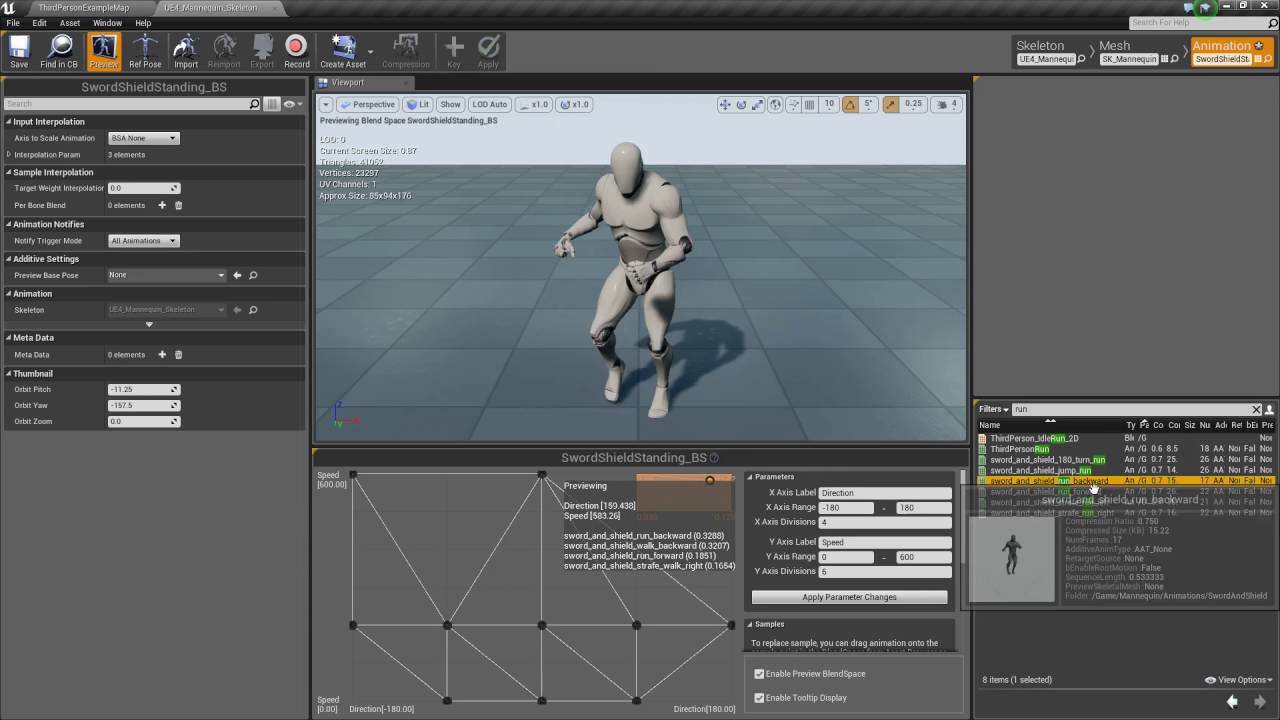
In this video we add the animations and blend spaces for weapons to work with our equipment and inventory system.
If you have any questions or comments please let us know. If you like the video and want to see more, go ahead and subscribe. Or consider supporting us on Patreon https://www.patreon.com/titanicgames for more great tutorials and game...
 rich perch
Not sure this is the right place to ask. I'm having issues with a post process anim BP. If I set the post process anim BP on the skeleton and then set that skeleton on my character it seems to work just fine. However, at runtime I am changing the skeletal mesh by doing a GetMesh()->SetSkeletalMesh(NewMesh); and if I do this, the foot IK for my post process animBP stops working correctly. Is there some specific steps I am missing to make sure it's reenabled with the new mesh?
 rapid prairie
Anyone have scaling issues when using the "anim dynamics" node? I cannot find any documentation on similar issues online. I checked my import scale and export options under blender, but whenever I apply the node to a joint, it scales it way down, and in an odd way that I cannot fix with the "bone scaling" node.
mighty wedge
making a semi spore like game is a pain, lol. Mainly I just want to let the players make their unique and special little eldricth horror for their character. Which means making stuff like adding extra limbs and having it play nice with souls like combat. Im trying the adding and socketing skel mesh comps approach but the animations are very stiff and etc. Im partially venting and partially fishing for ideas, so feel free to ignore this post.
 wide pulsar
What exactly is the difference between local space additive and mesh space additive?
Like when to use which? I am not an animator but this question is bugging me for a while, any help is appreciated!
 raven field
Hey, im making a thirdperson character, i only want them to rotate when camera rotates to a certain point. Ive followed the official tutorial but the entire character just rotates no matter how much im aiming
Ive literally been stuck on this for days
 peak lantern
Hey guys! Is there any way to do this conversion or something similar? I want to play animation that was supplied dynamically from asset variable in anim bp
Solved. Drag any animation in animbp, and look at checkboxes in properties to expose animation pin
 dull thicket
Hi everyone. I am trying to create a specific animation for my game (it is an animation of my character opening a box) I would like to know where and how would you recommend me to create that animation
tranquil forge
Should I handle reloading as a state or is there a better way to do that?
 final monolith
Any animator online?
 remote elm
@tranquil forge use an animation montage
@final monolith im a sucky one but what do you need
mighty wedge
so when planing skeleton layouts should i generally consider the clavicle as a part of the torso or the arm?
as in if your seperating the arm skeleton from the rest of character where would you cut?
rocky pecan
For aim-down-sights on a gun, is that usually an anim, or a camera?
 fresh adder
Any idea what can cause this? 😄
little wyvern
@rocky pecan Both. You want your anim to have an ADS pose, but usually cameras are also set to reduce their FOV to a degree
final monolith
any animator online now?
remote elm
@rocky pecan i use just animation and setup a X directly infront of the camera in blender about 10 meters away and lineup the sights to the blender camera so they are in proper alignment. its probably a good idea to give the firearm a camera and interpolate to it as well so you can position it however and such
dark vortex
- Have mesh using Epic Skeleton
- Use mesh as "preview mesh"
- keyframe some eyelid movement on mesh
- save, and IMMEDIATE CRASH
WHY?
 waxen ibex
I have an animation for reloading, and I went and made it a montage. the animation itself is fine but the montage appears choppy. any reason what would be causing this?
 woeful echo
Hm, is there any mass import option for animations? I have ~200 fbx files and I have to select the same skeleton for every one of them 
Had to double check to see if i'm stupid
But if you mean this
Then it doesn't work, unreal still shows a dialog for every file
standard anim import dialog
Hm, I can't import without a skeleton, it's just grayed out but i already have a valid skeleton
I will try to drag and drops my files into the content browser, maybe it will work 
wow
i had to drag and drop
i thought that this
would work as a 'batch'
why not ?
i'm used to using that import popup to be honest but
turns out it's not that great : D
this was very helpful, thank you 
 past junco
anyone for a quickone?
Wanted to chop long animation into short ones ..
I got a 91sec or something animation I imported.
I was gonna try to record idle walkrun and jump by recording from the animationsequence editor
so, I hit record, then tried to frameforward 1 by 1 clicking next frame
buuut the end result was 30sec long and the characer is in weird spot
 storm pawn
can l add more space for keyframes?using unreal engine?
 dark pawn
Hey, does anyone have experience in animating in blender with props and bringing them into unreal?
I made an aiming animation for a pistol and have trouble attaching the gun in unreal to the exact location I had it in blender
dark pawn
like... i have this in blender
and this result in unreal cause i cant get the gun in exact the right location when attaching it to a hand socket -_-
 fluid imp
Hi guys, does someone have a full tutorial on how to properly import a character into ALSv4? The one that's already out has some flaws and it comes with many problems with the UE4
 sharp tulip
Does unreal have any built in functionality to partially share animation logic between different characters of different skeletons?
I want to copy movement, hitstun and other universal behaviors but each character has unique aspects that would require extending the animation state machine.
 wary tundra
I'm new to UE4 and I'm having an issue where I'm trying to apply an additive animation or blendspace to a skeletal mesh and it makes the mesh invisible. As far as I know everything I have is set up the same way the animation tutorial character is. The mesh was imported from Blender but the animations were made in UE4. The animations work just fine when additive mode is disabled.
Anyone have any idea how this might happen?
 opal heron
past junco
opal heron
past junco
noobie tier rig question:
Can I pull into blender the mannequin, get the rig -> and edit the bones into place on my model, and then autoweight (and maybe fix weights)
- Get it back into ue4 and have it be able to share animations with ue4 mannequin skeleton? OR do the bones have to stay where they are, and then just deal with weights?
(I suppose I'll find out as I progress but if someone could info me up before I get to the possible "nope doesnt work" point, that'd be sweet ;v)
fluid imp
past junco
noobie tier rig question:
Can I pull into blender the mannequin, get the rig -> ...
Yes dude, just need to retarget the animation to skeleton or animation scaled, try and error to see what fits best
Send a video if you managed to retarget it!
past junco
I kinda got it working altho with a bit of funk .. meanwhile, however, I seem to have broken my project's mannequin // its askin me if I wannna restore skeleton cuz some bones are missing
kinda first/second day into actually animating (with my own models), pre-read tons of docs years ago that rusted over tho :D
.. a couple of ways of doing stuff/work flows it seems, fx rigify+uefy script something looks easy
I wanted to try export ue skeleton, rig to my own model, and just have ue animations work after that
almost got it to work, but an IK bone seems to get bound to the streching parts, like just 1 vert.. if I clear that... thinks out loud in pseudospam back to work 😉
past junco
I get this when I import my guy with the edited skeleton I yoinked from the mannequin
- I duplicated the mannequin after import, removed the mesh part so I just had the bones, removed the weird root, and edited the bones into place.
- I did not actually change any of the bones, they have odd rotations I just moved them, and deleted / added none.
Any... words of advice?
(nb yes EDIT WAIT OR IS ITNO..-> breaks the standard mannequin)
tidypic
all I do is assign the ue skeleton to my mesh on import, and it starts this sequence of events ending up in saying the ue mannequin needs stuff the ue skeleton doesnt have.... seems nonsense
my export doesnt have any add leaf or deform only -> should be 1:1 bones
fluid imp
past junco
I get this when I import my guy with the edited skeleton I yoinked from the mann...
are you exporting with autorig pro?
fluid imp
remove bake animation, also put it in unreal and humanoid for export, check all 4 boxes for renaming bones, etc
past junco
also put it in unreal and humanoid for export what do you mean?
past junco
lil weight paint fixing and it's sorta working
On import it still does the dialogs above and semi breaks the mannequin, if I change meshes and regenerate skeleton the mannequins left arm ends up coming off (shoulder+arm offset from chest) .. but yea
mighty wedge
https://80.lv/articles/auto-rig-system-by-xiong-lin/?fbclid=IwAR29z5D8HyXnTqZA68obwWfVmQDxVesixulVAwbZmCurJuriBCcARCDKJNE so would something like these rigs be possible with modular characters? Just wondering if that a thing I should bother exploring? I need Spore espue system of adding limbs or extra heads as a part of character creator?

Xiong Lin has recently shared a look at his stunning procedural auto rig.
 karmic wolf

 simple shuttle
mighty wedge
https://80.lv/articles/auto-rig-system-by-xiong-lin/?fbclid=IwAR29z5D8HyXnTqZA68...
simple shuttle
mighty wedge
https://80.lv/articles/auto-rig-system-by-xiong-lin/?fbclid=IwAR29z5D8HyXnTqZA68...

Working on a mobile title brings a number of technical animation challenges. In this session, Bogdan Diaconu dives into Yager's work on an upcoming mobile title and explain how they were able to overcome those challenges using Unreal Engine's out-of-the-box tools.
He explains how the studio found a way to overcome the issue of low bone-count li...
may be that can help you
wicked knoll
cloud wing
<@!406783959062806540> Nope, I'll just wait till it gets better, rn it's really ...
I got it,you have to add the Backward solver,then you can use bake to control rig
mighty wedge
@simple shuttle why didnt I think to search for robotic arms.......so much more common
yeah i was needing the copy pose from mesh and the overlapping bones. that fixes it all thanks!
 naive ferry
hiii 🙂
 dense tree
Hi, i'm planning to do an Arena FPS movement based (double jumps, wall run, fast paced...) in multiplayer. I'm asking for your knowledge here.
What is the fastest and most easiest way :
-
Starting the project with a True First Person Camera on the mesh of a Third Person Character. Meaning i'll only need to add and edit the animations once, and it will fit for the FPS view, but will probably require much more work to be properly implemented for an fps game.
-
Starting the project with a First Person Camera without Third Person Character, then adding that Third Person Character to follow the animations of the movement and camera externaly from the First Person View.
In both possibilities, i'm considering the True First Person view (view of the body from FPCamera), the animations for all movements, and the assets of customizable guns. Of course, there is the replication too, but I don't know too much about it atm.
Thanks a lot,
Epoqx.
 high musk
I'm beginning to think about animation for a hard surface object. This will have animated buttons that push in and out, objects that move right to left, and objects that are raised and lowered based on the players input.
For example, I have a wheel that will change the angle of a saw blade when the wheel in the screenshot is turned. This won't necessarily be a single animation. The player should be able to rotate the wheel slowly and allow any position within a range of rotation, 0 - 1000°. I also want the selected dial to move along a X axis location. When the wheel is at 0° rotation, the dial will be at "0" and when the wheel is at 1000° rotation, the dial will be at "45".
I'm just not sure how/where to accomplish this. Should I set this up within blender first and export it or should this all be done in UE? Right now I have rotation drivers on the gears so they turn as the wheel turns. The dial is also constrained to a path so it can move on the X axis to 0-45. Its not hooked up to move with the wheel rotation yet though. Should this be setup in UE on a spline instead?
Sorry for the length of the question
 sweet trench
Any idea where I could find UE4 mannequin hands that are already posed to hold a pistol?
(Instead of the rifle pose from the FPS starter kit)
 sacred whale
Hey guys, does the sequencer trigger the level beginplay event?
 coral pebble
How I can resolve problem, my animation(blend 1D) is jerky.
https://youtu.be/lUYaNRT219I
 misty dagger
Hi, how much time do you think a solo dev needs to make all the fps animations(walk,run,crouch,reload, jump...)?
 valid pebble
@misty dagger Depends on a lot of things. Experience (or lack-there-of) in the animation process itself, understanding of how to go about the process in unreal to create blends and events that trigger them, whether the model's already rigged or not, etc etc etc
If you're using a single player first person controller (and just using arms) the time would be significantly less, due to most of that being fake-able. If you're doing it with a full mannequin, or character of your choosing, there's less you can fake. There's so much more than a simple "How long?" that gets factored into the equation.
misty dagger
Let's say that the model is already rigged and game variables to run the correct animation are already set up and I have only to insert keyframes over keyframes, how much do you think it could take? I'm having both arms and mannequin, I'm uncertain if it's better to use some mixamo animations or to make mine
valid pebble
If you don't know what the process looks like, and you need results, your best bet is to take already existing anims.
I don't mean to discourage you, but animation is a healthy chunk of time, even for people who know what they're doing.
misty dagger
valid pebble
If you don't know what the process looks like, and you need results, your best b...
I know that I have to use inverse kinematics to achieve that and do this,I have already used blendspace and so on, it just bores me and as you said it takes a lot, but idk how long, a month? 3 months? A whole year?
valid pebble
I made a video of a tool that lets you use blender to kinda... speed up? the process, and simplify it.

Here we take a look at how to use Mr Mannequins Tools to create animation for an Unreal Character skeleton, with blender 2.8!
https://gumroad.com/l/MrMannequinsTools
Sorry for the video quality, my recording decided it wanted to go low low
If you guys enjoy the video, are interested in the project, or just like supporting indies doing indie t...
valid pebble
I'm not an animator of any type of usable skill, so this would give you an idea of what a dev, not artist, can manage
It took me, with no real clue what I'm doing, about 2 hours to create my own walk cycle, that was "passable" enough to translate.
misty dagger
@valid pebble with a bit of patience everything could be learnt, after all sometimes is just giving attention to small details and do more and more
 warm island
Anyone have any tips for an unreal character with a crap ton of facial bones when retargetting animations?
valid pebble
There's another tool I found out there, called cascadeur, that was wonderful to use as well. But it's not well documented, as it's a standalone tool.
misty dagger
valid pebble
There's another tool I found out there, called cascadeur, that was wonderful to ...
Thank you for all, I'll give a look at this too
 knotty oriole
also the quality of your animations will depend on the style of game you're using and how close a player can actually see them
valid pebble
Thankfully, Blender's documented over a span of a million years, and a billion people make tutorials for absolutely every single thing you could think of, from it. So jumping into a blender workflow will be easier to pick'n'pull knowledge
Just remember: Animation isn't an easy route. And a bad animation is a whole lot easier to identify than badly designed code. Anything visual is immediately judged.
misty dagger
valid pebble
Thankfully, Blender's documented over a span of a million years, and a billion p...
Yeah, blender isn't the issue, I use it from so much time that I don't even remember exactly how and when I've started, unfortunately I haven't done a lot of animations and here I am
misty dagger
valid pebble
Just remember: Animation isn't an easy route. And a bad animation is a whole lot...
I know, but you can call it your own "artstyle"(joking)
valid pebble
There's a really cool tutorial series from the dude who does the 1 minute videos, what goes over animation and rigging
I personally like mr mannequins tools, because I end up with manny rigged toons, and it expedites the process. But if you're doing your own thing, it's an excellent series to check out. And it takes a whole... like 5 or so minutes, to get from start to finish lol

If you're in a hurry to learn how to animate in Blender, this video is for you -
Everything you need to go from 0 to character animation in 3 minutes! Hope it helps :)
Free Female Base Rig Download:
https://www.youtube.com/watch?v=_XfvLpLyulI
If you enjoyed this video, please don't forget to like and subscribe!
You can find my entire Blender ...
You'll have to dig through the videos to find the starting point, but it'll get ya there
misty dagger
warm island
Anyone have any tips for an unreal character with a crap ton of facial bones whe...
Just use a skeleton with a single bone for the whole head?
knotty oriole
Does anyone have much experience using the blender to unreal tool? I'm testing it out to export a whitebox character w/ a rigify rig and keep getting an error, "Imported bone transform is different from the original", but I don't get it when I manually export
not sure if it's because I'm still in 4.25.4
misty dagger
hey I'm just starting trying to learn to implement animation in unreal. I've used the default 3rd person project and imported my character, and an animation idle cycle and run cycle into the project. However I do not know how to map the run cycle to movement forward. I would appreciate any help or resources for this?
mighty wedge
is there a way to connect an existing skeleton to an exisitng anim BP?
valid pebble
@misty dagger You need to set up the anim bp to recognize your controller input, and respond accordingly. There's a process for it, where you'll ID your run and/or walk, and or idle states, blend them, and then throw all that fun stuff into the anim bp. It's a little more complicated than a quick answer. There's plenty of awesome tutorials on yt to get your started though
@mighty wedge Do you mean Manny's skeleton, or one of your own? You'll want to retarget custom skeletons, to share things like anims and anim bps, otherwise you'll more likely want to create a custom anim bp if you don't retarget.
mighty wedge
its a retarget but one has a rig
valid pebble
You'll need to provide more information than a few words, to get a tailored answer.
 raven ravine
Is there a way to animate facial morph targets in the animation of an armature? I know this can be done in engine with the "add metadata" thing, but I would like to be able to do this before exporting the animation to the engine, that way it's in the actual fbx animation file.
 wide hearth
raven ravine
Is there a way to animate facial morph targets in the animation of an armature? ...
wide hearth
raven ravine
Is there a way to animate facial morph targets in the animation of an armature? ...
using curves maybe?
 sage maple
Hello, I've created an auto rigger for Control Rig that create a rig similar to the Mannequin Demo Control Rig. For now it's mostly hard coded values and will not work other skeletal meshes. Any ideas about good free resources with different bone naming convention and structure than the mannequin skeletal mesh?https://twitter.com/Controllanten/status/1343900633603190784?s=20


Dusting off my #Python skills with a fun Christmas holiday coding project, #ControlRig auto rigger in #UnrealEngine https://t.co/Fh2G8rkmVm
 Twitter
·
bronze osprey
Twitter
·
bronze osprey
well unreal has some free animal packs, but for some autorigger you might wunna think more in the line of bonechains
where u can select start and end no matter what the bone name
sage maple
The Paragon assets looks promising. Making it modular is my plan, and for now I will create an editor utility widget for the different options and setup like bone selections.
Control rig projects are also of interest to get idea for different rig setups like fkik switching, hand ctrls, aim head ctrls etc.
sage maple
bronze osprey
well unreal has some free animal packs, but for some autorigger you might wunna ...
I will definitely look for some animal assets.
bronze osprey
if you want to animate in unreal its prolly best to do some custom rotating stuff
make a rotate around pivot just like blender has
blender has better viewport interaction for this kind of stuff
not too hard to setup tho
the 3d cursor plays a big part in blender animating, you might want one of those
dense tree
When my character lands from a jump, the jumping animation needs to end before entering another movement or animation state. Is there a way to fix this ?
kind zinc
Hi!
I'm trying to animate a character and combine locomotion, hit reaction, firing and aim rotation.
https://i.imgur.com/wlJDdIc.png
Base is Locomotion Run/Idle; In Firing, I play the animation Fire and blend it with the aim offset, same with the hit reactions. Is this how it's supposed to be done?
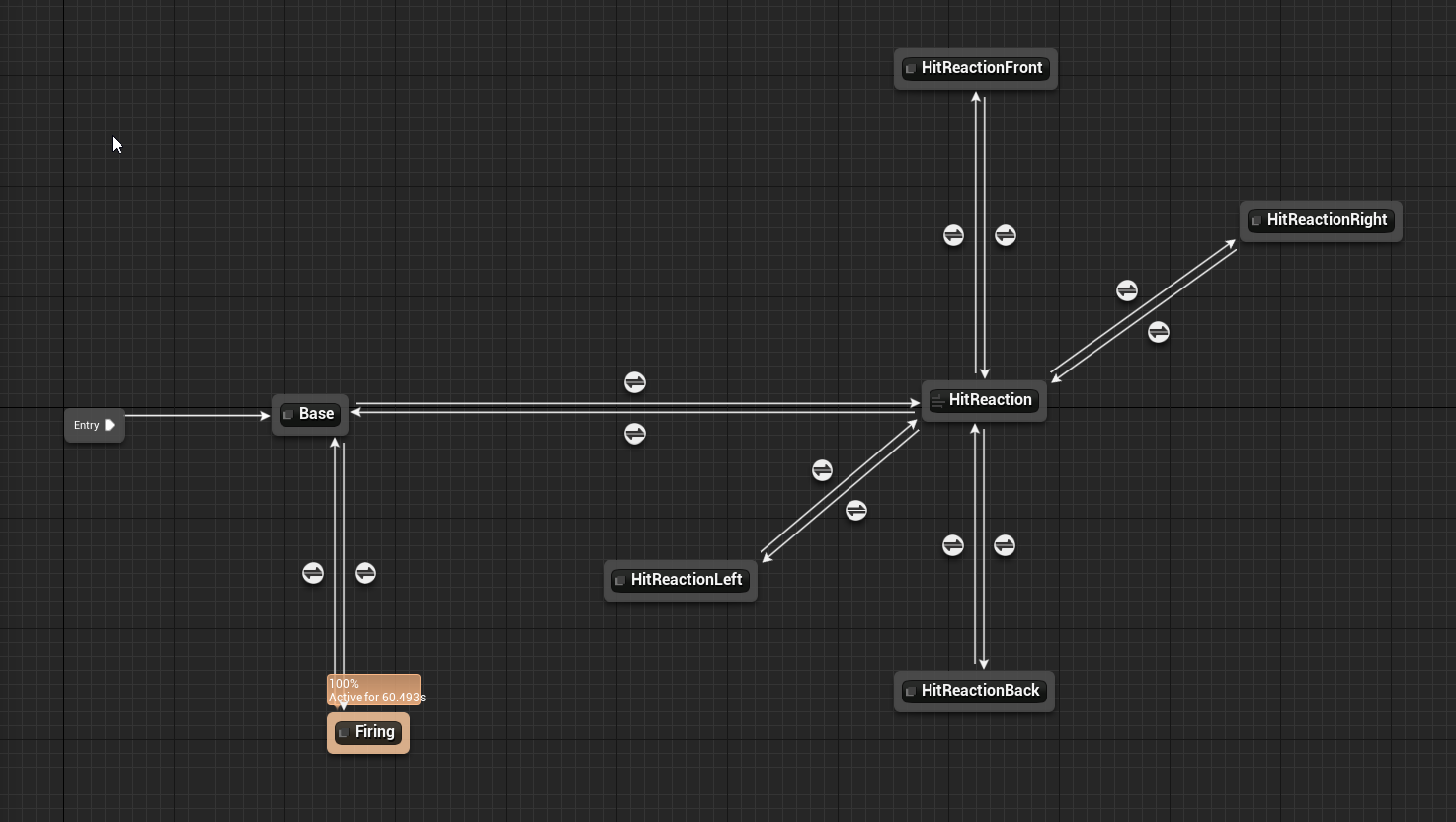 dense tree
This is my idle position, the weapon is properly in place
This is when I rotate on top. Totally get displaced. I'm thinking about the aimoffset that isn't fixed good. Should I edit each animation of the offset to fix perfectly ?
misty dagger
Hello everyone, I am new to unreal engine and I’ve never created an animation but I have a question. If I want to create a reloading animation for a weapon how do I make it affect not only the character but also the magazine?
high musk
If I wanted to do something similar to the first 4 seconds of this clip (turn wheel to move a dial) in unreal, would i do all this all in unreal using static mesh animations or should I setup the animations in blender first? https://www.youtube.com/watch?v=eF2UHJEi-h8

found this while messing around with the radio at the beginning of the game. These sounds were in Half Life 2 with a TV showing the g-man standing while this played in the background, pretty spooky
 wary halo
Hello, I have the same problem as this guy, but no one has answered: https://forums.unrealengine.com/development-discussion/animation/1773186-help-error-retarget-anim-blueprint-didn-t-not-copy-all-animations
Retargeting animation blueprint only works for a few animation. How do I fix this?
Unreal Engine Forums
HELP REQUEST
Error: Animations not copying to new Retarget anim blueprint
Hey, So I'm trying to retarget Anim Starter Pack animations to a Paragon character.
Steps I took:
Ensure that both Skeletons are using the "Humanoid" rig.
Modify the Paragon bones to better match the Mannequin.
Right Click Mannequin Anim
 stone hound
hi everyone, can someone explain to why I cannot retarget animations from the MOCAP basics on the marketplace onto the Female Military Style Mannequin? The skeletons are practically identical, but when I try to retarget the mocap anims, I cannot select the female mannequin
wary halo
@stone hound Try going to the source characters skeleton, click on retarget manager from top bar, then you should see select rig on the left and click on humanoid then save
stone hound
no luck =/
wary halo
Are you sure you did it to the one from which you want to retarget?
stone hound
i followed the mocap videos on youtube for retargeting their animations to existing models
which in this case is an Epic Skeleton
gonna restart UE, maybe its mucking up
no luck atm, the female mannequin isn't showing?
wary halo
You should be able to retarget from here. Does the video not show it?
wary halo
Sorry, IDK then. My only explanation is you didn't select rig humanoid on the right character.
stone hound
I got it!
I wasn't quite understanding the process, was my fault
It's kind of a weird process to retarget for me
ty for essentially setting me straight @wary halo
had to keep poking at it
ya there we go
she is working now 😄
fruits of our labor, she dies now
not sure how I feel about that :p
dark vortex
Figured I'd check here - anyone mess with importing cell fracture animations into unreal? I see stuff on exporting as alembics (no idea as that) and parenting the cells to a null and then Unreal takes the null as the root bone - I got the animation in blender but need to bring it into unreal in a performant manner
wide hearth
wary halo
Hello, I have the same problem as this guy, but no one has answered: https://for...
Maybe that helps: Retargeting the animbp will only retarget the anims referenced by it. If you want retarget all anims, just retarget them directly, like select them all and click on retarget
 spare pulsar
hey guys, has anyone rigged and animated in 3ds max? Need some help
wary halo
@wide hearth It worked, thank you 🥂
 brazen quartz
Hello, Im having an animation issue on unreal. The Dodge Back Montage makes my character glitch out. All other dodges work fine. Any ideas why this is happening?
Heres my BP setup
I have a basic movement input setup.
naive ferry
can anyone help me with a paragon asset? im trying to follow a guide on removing the weapon in blender, but she still has the weapon in the animations after i've done it ?
 dawn rose
hello, how can i set bone rotation limits ? either in animationBlueprint or in control rig ? my goal is to apply rotation limits in bone space so the character cant make weird movements , like rotating the head backwards
 sturdy nest
whats the advantage of sticking a simple animation like a sword attack into the animation graph vs. using a played montage?
bronze osprey
@naive ferry i think you use a dif skeleton for the anim with weapon
wide hearth
you have root motion enabled, if you disable it what it does in the sequence?
so that's it, import problem.
naive ferry
@bronze osprey ohh thats beyond my paygrade lol
bronze osprey
ehm i mean u added a new mesh but animations still use the old
naive ferry
yeah thats how the guide im using did it :S
bronze osprey
than u need to retarget em
naive ferry
ah thats gonna be fun, but okies thankoo, i shall give it a go !
wide hearth
idk 🙂
bronze osprey
just R mouse and retarget the anim bp, should work if u didnt mess with the bones
naive ferry
will do, bones werent nuked, just the model of the weapon, which is on the material layer, no idea why epic did that ?
bronze osprey
could also just have scaled the weapon bone to 0
the guns has its own material u mean
you can put mesh on a material layer, thats not a thing
naive ferry
thats what epic did with all the paragon characters, say for example shinbi's sword, so i go to blender and delete the sword mesh, but when i reimport it to unreal, the sword is still there
bronze osprey
there are multiple LODs on shinbi
naive ferry
nm im an idiot
i wasnt using the exported from blender model for the preview mesh lol
bronze osprey
yea thats what i said 😛
naive ferry
its been a long day lol but you made me loook at it again, so thanks! 😄
bronze osprey
np
naive ferry
so this mesh on material layer, is there a specific reason that is used ?
bronze osprey
you cant put mesh on a material layer, thats not a thing
i misspelled cant last time
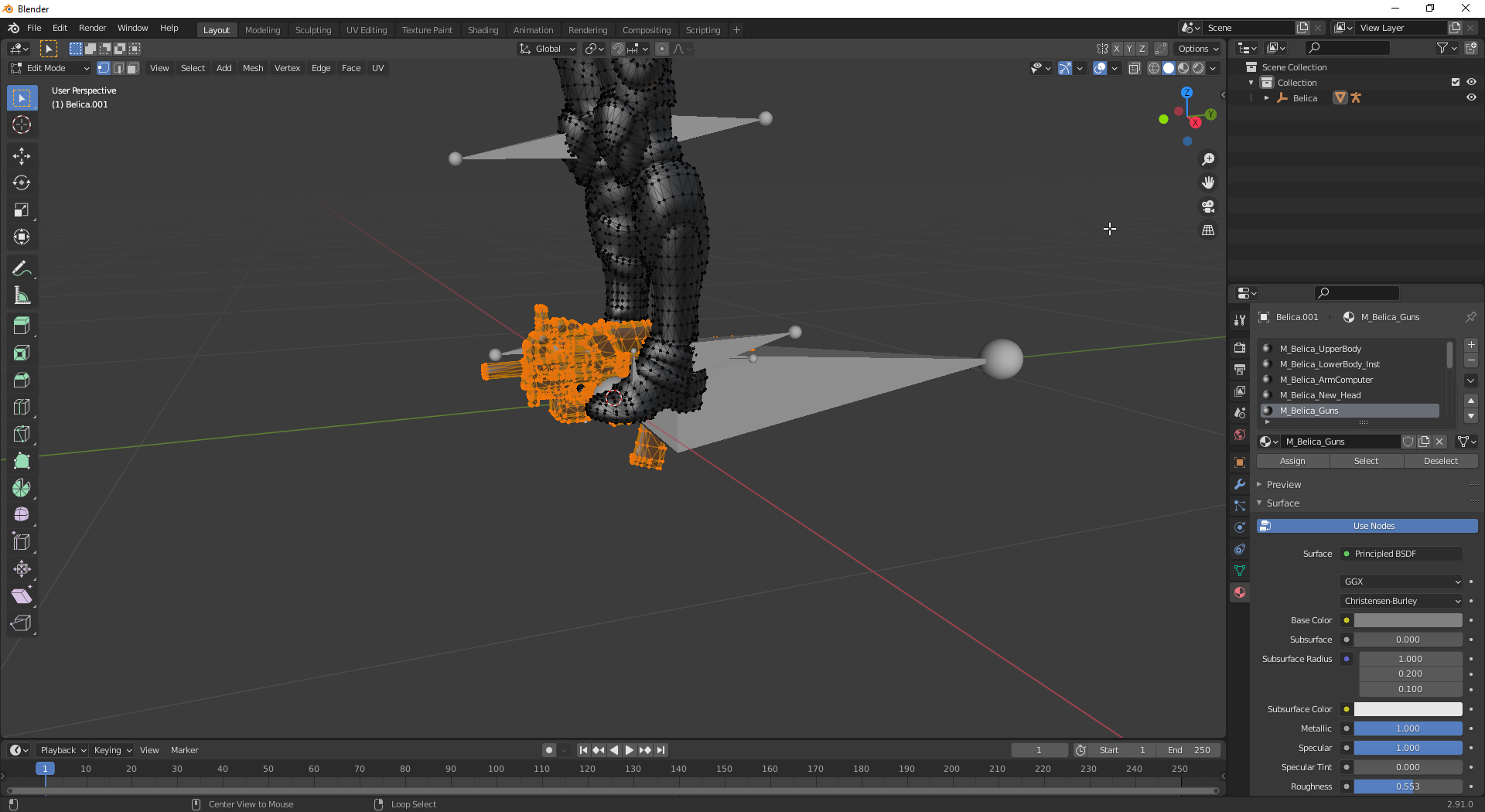 bronze osprey
the gun has its own material slot, makes perfect sense
its not using the skin subsurface shader
also its a prop and might be used w/o the character there
naive ferry
ok yup, makes sense now, thanks for the lesson! i do try lol
bronze osprey
if you delete the verts u can also remove the material slot, saves performance
naive ferry
oh nice
bronze osprey
this might or might not be done automatically on in or export, i dunno
naive ferry
why are some of her bones, massive?
naive ferry
ohh okies, i def didnt delete any hah! well thanks again, appreciate the help, will go for dinner now !
 nova kettle
Hi I'm trying to import an animation into the game, the FBX has two separate skeletons, one for a gun, one for the soldier mesh. I can't figure out how to import them both to two separate base skeletons. Do I need to separate the gun and the soldier when importing?
bronze osprey
i would say yes, but you say its allready 2 seperate skeletons
nova kettle
yeah, the first import works fine, but subsequent animation pairs don't pair right...
I get the second import gun always targeting towards the body skeleton and mesh, and I can't seem to change it to the gun mesh after that
maybe I have to import it twice..the second time with the different skeleton, so weird
 twin tide
hi guys im just learning to use blend spaces, I want to make the transition between animations smoother, is there any way to slow down the transition between animations?
wide hearth
twin tide
hi guys im just learning to use blend spaces, I want to make the transition betw...
in the blendspace? there is target weight interpolation (0= immediate, not zero: bigger is faster), and there is input interpolation speed for each axis
twin tide
wide hearth
in the blendspace? there is target weight interpolation (0= immediate, not zero:...
Thank you I’ll have a look at that :)
high musk
Its not possible to import IK bone constraints from blender to UE right? Should I just setup my bones, connect them to the mesh in blender and then setup IK in UE?
wide hearth
high musk
Its not possible to import IK bone constraints from blender to UE right? Should ...
You can only import mesh, skeleton and morphs, no constraints, driven keys etc.
dense tree
So, i'm having a weird effect whenever I InputAxis MoveRight. The picture is taken while doing left/right fast. My character's hands seem to snap few centimeters on the left when I input left for example. How can I fix this ?
 stoic wedge
whenever i EnableRootMotion on, animation becomes weird. Dont know how to fix
 tiny granite
So upon import of our creature from Maya, the skelmesh looks just fine, however as soon i apply the animation to it, it rotates itself facing upward 90 degrees, what export option am i missing?
 marsh jungle
How can I simulate physics without being a ragdoll?
 magic wedge
Not sure if this is the correct place or not, but does anyone know how I can save the changes made to a model in the skeletal mesh window? I want to change and tweak a few things, but the changes never show outside of this window
wide hearth
stoic wedge
whenever i EnableRootMotion on, animation becomes weird. Dont know how to fix
when you enable root motion it will mute the root bone track, so the char should stay more or less in place all the time. if you want to see it like in game you have to check "process root motion" in character->animation. in your anim seems that slide part don't have root motion
wide hearth
tiny granite
So upon import of our creature from Maya, the skelmesh looks just fine, however ...
it's something related to coordinate conversion (y up->z up). I think there are options in maya export and in ue import, but you also can rotate it back if you specify import rotation in unreal dialog
wide hearth
magic wedge
Not sure if this is the correct place or not, but does anyone know how I can sav...
you cant. you can rotate bones in an anim then save it like "additive layer" if you click on the big plus button on the toolbar.
magic wedge
ah thanks for that
misty dagger
marsh jungle
How can I simulate physics without being a ragdoll?
U mean cloth simulation for characters?
 soft spoke
Hey, Fellas! how many of you are using ALS?
marsh jungle
misty dagger
U mean cloth simulation for characters?
Yes, but in this case ist an armor plate that dangling around. I dont really know how to enable the simulation inside of the game. Just wanted to use physics simulation for the armor plate thats all. Thanks for replying:grinning:
misty dagger
marsh jungle
Yes, but in this case ist an armor plate that dangling around. I dont really kno...
I think there is an option for the intensity. So if it’s metal and you don’t want it to move too much u can set it lower
dense tree
Hi, my character only does the fire animation once when I keep the Input Fire pressed. How can I make it run the fire animation in loop until release ?
marsh jungle
misty dagger
I think there is an option for the intensity. So if it’s metal and you don’t wan...
Thanks but I didn't find any intensity option
 rugged ice
Hey, i'm trying to make the arm stretch to the hands position by using Two Bone IK, however, i can't make it fully stretch without leaving any gaps in between. I would really appreciate the help :D
The problem in action:
https://imgur.com/a/2Rng1aK
These are the settings:
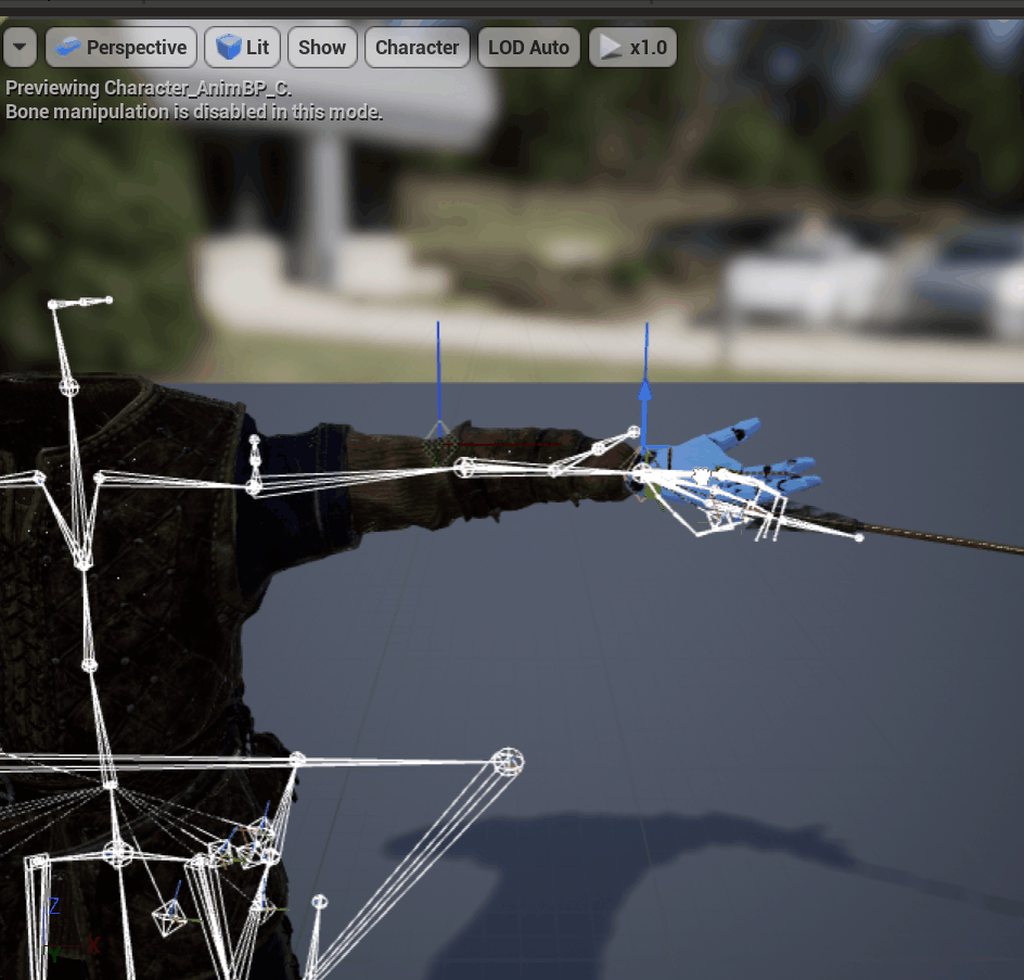 bronze osprey
ur upperarm stretches but ur twist bone does not
get the scale of the upperarms and apply it to the twist bone
 plain drift
Is it possible to render the control rig gizmos on runtime for debugging reasons?
dense tree
On the same crouching state, when my character is idle or moving the aimoffset and alignement of the gun is perfect
When I InputActionFire, (2nd picture) the gun alignement changes position, and even more when crouchwalking
Just added this for the firing animation. Any clues ?
 raven sorrel
I have a replication boolean that indicates whether a player is seated or not; I'm running a listen server set-up.. On clients they can sit down and get up correctly (the server fires events that has the pawn set the boolean on the server's instance of the pawn's animBP) however the pawn controlled by listen server does not work.. it stays standing on clients but seated on the listen server.. Given that the clients show correct operation (i.e. replication is occuring from the server) does anyone know why the listen server's pawn doesn't reflect the boolean (I've verified I'm setting it correctly)
And for some reason on dedicated server's nobody can sit 🤔
raven sorrel
Nm, fixed it.. ended up getting clients to set it via multicast
plain drift
I am currently trying to create a posable character using IK handles. The handles should be manipulated ingame using the mouse cursor. There are a lot of tutorials on how to set up IK effectors, but none on how to manipulate them on runtime. I already have it working to an extend, but I am not satisfied. The main issue i am having, is that the effector does not stick to the bone it is attached to. So the effector disconnects from the bone when the bone can not move to the effectors location. Do you guys have any suggestions on how to solve this?
 hallow vale
I configured my animations to work but I can't seem to get them to work with a modular character, would anyone be willing to help me out?
Here is the animation configured to work with this skeleton (1/2)
(2/2) But when I set the anim class to it, it doesn't play animations. It changes from T pose to the first frame of the Idle animation but it doesnt move at all
 astral nebula
Hey, has anyone retargeted mocap data to the artv1 skeleton control rig in maya successfully? I can bake the mocap to the bones but then the control rig doesnt follow :/ any help on this would be great
Hey, has anyone retargeted mocap data to the artv1 skeleton control rig in maya successfully? I can bake the mocap to the bones but then the control rig doesnt follow :/ any help on this would be great
 fossil tusk
hi all, I'm trying to put together a super simple rig (just three nulls effectively) in Houdini (using KineFX). Though I don't seem to be able to get a rig without a mesh across to Unreal Engine. If I export using the character mode in Houdini, Unreal will fail complaining about a lack of mesh. Exporting using the animation mode ends up with the issue that Unreal doesn't find a skeleton in the fbx. Is it possible to get a rig without geometry into Unreal? (If you're wondering why I want this, it's because I'd like to put sockets on the transforms and attach actors at runtime, incase there's a better approach for that)
fossil tusk
From what I can tell, a skeleton cannot exist without a skeletonmesh in unreal engine. Which I'm taking to mean I can't accomplish what I'm after without putting some kind of mesh in place (hopefully, I can just leave it off at runtime) - is that correct?
I notice the documents say you can create a skeleton from any internal mesh, but that doesn't seem to be true. For instance, static meshes do not provide the context menu referenced
fossil tusk
Another dumb question I'm having trouble with animating in UE4 - is it possible to set a custom repeat range? i.e. I 150 frames of animation, but once it gets to 149, I want it to loop back to 30. Or do I need to split it into multiple animations and setup a state machine?
@misty dagger thanks - jumping in - sorry - was afk checking mail
high musk
happy new year everyone! im wondering what the workflow is for non-character objects which have interactive components on them. Do i just rig the mesh with bones and do all the animation in unreal? I want the player to be able to "scrub" through these animations when they move the wheel on this saw. Currently in blender im using drivers and bone constraints but i understand these won't transfer to UE. I have a lot of different machines to animate like this so I'm just trying to plan ahead.
https://imgur.com/Vv4ezYm
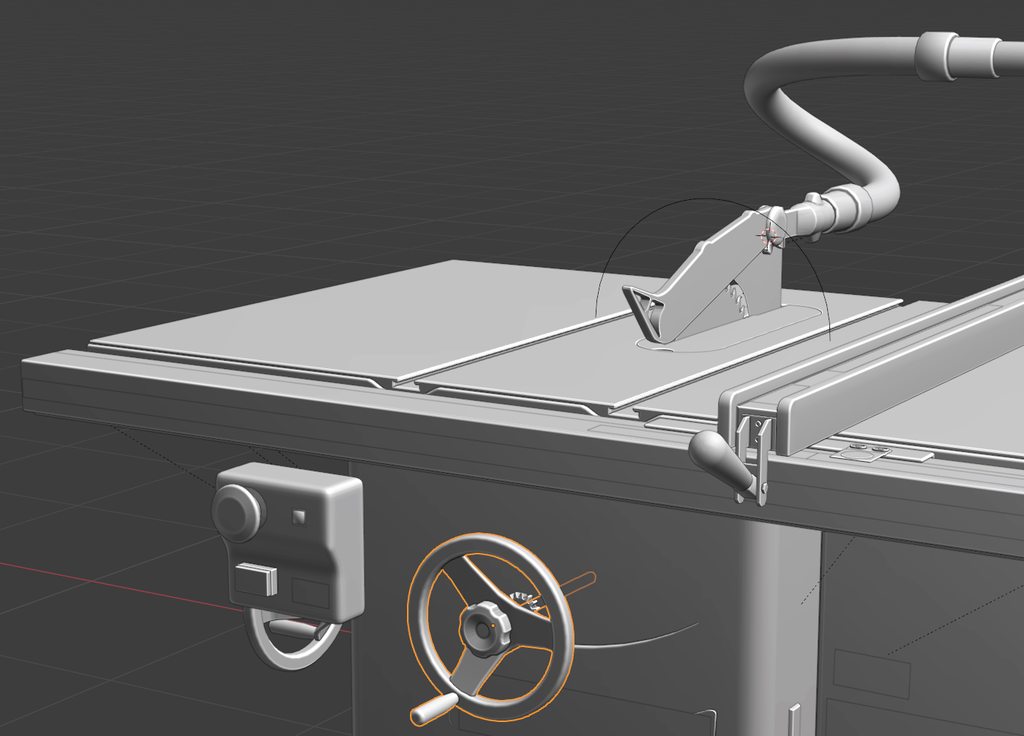 misty dagger
Does anyone have a good tutorial or blueprint/blendspace example of 8 way locomotion? (Forward, Backpedal, Strafe Left/Right, Forward Left/Right, Back Left/Right.) Character turns with the camera
fossil tusk
For anyone curious, the answer is right click on the original animation, choose Create->Create AnimMontage. Then you can add a section where you want the loop to go back to, and from the Montage Sections tab, there is an button after the last section you can use to choose next section, which you just set to the one you want.
hallow vale
How do I test out animations for a modular character? The only anim I can get it to do is idle.
And thats in the Viewport window
hallow vale
God this is driving me insane. The animations SHOULD work! They work in every single window I play them in, but not in-game.
That's it, im begging...lol please for the love of god someone tell me what I have wrog here? My character SHOULD be attacking, right?
higher res pic https://imgur.com/a/XY4qqNt (Right click -> Open Image in New Tab)
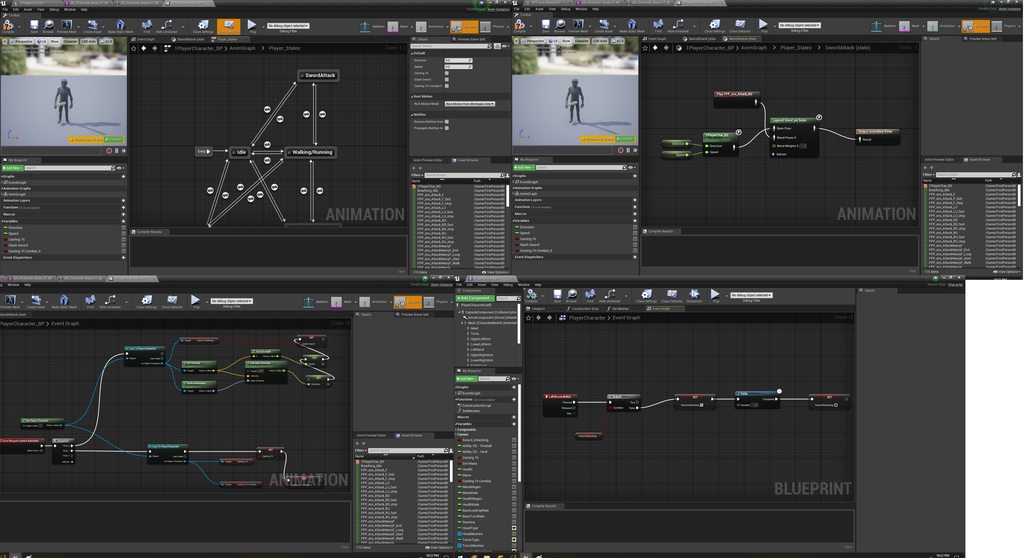


 wanton atlas
@hallow vale i will look into it when i get home, sorry you’re having trouble man i’ll see what i can figure out soon
hallow vale
wanton atlas
<@150691836560801794> i will look into it when i get home, sorry you’re having t...
Alright thank you
misty dagger
My exported animations in UE4 have this weird bug. A limb just goes off course and jitters out of place for a couple of frames. It runs perfectly smooth in Blender.
crisp bluff
is there any alternative to root motion?
wide hearth
hallow vale
That's it, im begging...lol please for the love of god someone tell me what I ha...
I didn't check in detail, but lower left corner pic, "set" nodes are not attached to anything
wide hearth
crisp bluff
is there any alternative to root motion?
what do you mean by alternative?
misty dagger
@misty dagger genius idea
 tranquil lark
Have you been able to figure the plugin out? I tried going through the docs myself, and it doesn't seem like it is doing anything, so I am assuming that I did something wrong, but I'm not sure what.
 tardy crown
Hi, I have a camera hooked up with a simple IK rig in Blender. How would I get this functioning in UE4? My hope is to be able to tell the camera to point at a location and the IK sorts out the rest with constraints etc. I can't find out how to do this though, when I import I seem to lose all my constraints and stuff in UE4. Cheers
misty dagger
HEEELP
heEeLp
when i add animation the the AI, he is repeating the same animation over and over
and i don't want that
how can i fix
if anyone knows how to fix ping me
 agile creek
misty dagger
if anyone knows how to fix ping me
agile creek
misty dagger
if anyone knows how to fix ping me
go watch some YouTube videos
agile creek
misty dagger
I WATCHED ALL TUTORIALS
then rewatch them because setting a static animation isn't what they would be showing lol.
wide hearth
tardy crown
Hi, I have a camera hooked up with a simple IK rig in Blender. How would I get t...
did you tried look at node in anim bp? there is also aim node in control rig if you prefer
tardy crown
wide hearth
did you tried look at node in anim bp? there is also aim node in control rig if ...
Thanks, I think my first issue is getting the rig setup in ue4, I haven't looked at control rig, would that be what I want for this? I'm new to rigging
wide hearth
tardy crown
Thanks, I think my first issue is getting the rig setup in ue4, I haven't looked...
You can start by making an animbp for your skeletal mesh, put a lookat node in there and hook it to the world coordinates of your target.
tranquil lark
So - I have to be doing something incorrectly with the animation sharing plugin, because I'm not really seeing any performance gains with it. I have things set up, as I understand it from the documentation, but again, I'm not seeing any actual tangible gains.
I don't have an AnimBP set up on my character, but the right animation IS in fact playing (this is how I know it is driving the animations - at least this is my assumption). There seems to be quite a low amount of information out there for this as well.
For the Sharing State Processor - I've even tried just disconnecting that, to see if maybe it is because of the BP implementation, but that didn't change anything either. I'm at a loss here and not sure where to go.
Does anyone have any experience or any ideas? Based on their talk from 2019, Epic was able to get 200 characters with no performance penalty and they said that the number of characters really didn't matter. The cost to update the game thread with the animations using this, was supposedly 1ms for them. So overall, I'm quite curious how to achieve something even remotely this close.
(btw - all of my characters are just idle, not moving around)
dense tree
I'm trying to have a forward/diagonal sprint animation, and a side/backward animation. This picture is the link from Side/Back to For/Diag. It works well, except something I can't figure out. When I am in the side animation, and input forward axis, it doesn't change animation state until I 'unpress' the RightInput Axis.
But still, it is stated in the picture that once the Forward Axis is more than 0,05 it should change animation state.
warm island
@dense tree use a 2d blendspace with angles spanning 180 to -180
dense tree
@warm island already did
warm island
Hm set base speed to 0 on y axis?
mighty wedge
https://www.youtube.com/watch?v=KLjTU0yKS00&t=205s okay this is amazing and i barely understand it. it sounds like they used a control rig and did some physics?
In this 2016 GDC talk, Ubisoft's Alexander Bereznyak breaks down the basics of IK Rig technology for animators, and explains how it can be used for everything from video games to feature films.
Register for GDC: http://ubm.io/2gk5KTU
Join the GDC mailing list: http://www.gdconf.com/subscribe
Follow GDC on Twitter: https://twitter.com/Officia...
 zenith meadow
Does anyone have a list of Paragon characters that have a full set of animations for a strafing blendspace?
Sparrow seems to be missing some anims for it. Do you guys know about any marketplace assets that have full set of animations for archer strafing that will work while attacking? I've had a look at some assets, but some of the ones I'm considering don't really show a full strafing blendspace...
simple shuttle
tardy crown
Hi, I have a camera hooked up with a simple IK rig in Blender. How would I get t...
Describes how the Look At control can be used to specify a bone to trace or follow another bone.
mighty wedge
@bleak sable so there isnt much info from that vid. but it looks like your adding physics at certain points
 bleak sable
I'm trying to blend the saved pose to the animation, the video shows that while the character is lying down, when he tries to stand up, he insta stands then goes back to lying and starts playing Stand Up animation
mighty wedge
ah i see.
Maybe your blending from standing as posed to the current pose?
as in the saved posed is the standing
at all times?
 eternal compass
Hey all, anyone have any tips here for leveraging marketplace / free animations with minor tweaks along the way? I've got minimal experience in blender, but it seems hard to mix / match animations even with the manny skeleton as the base. Exporting from UE4 gets you something, but then you have to try to retarget those animations in blender, etc, and it's all just a huge pain
How do other indies/hobby creators deal with this? It seems like there should be some processes that would make something like this simpler (tweaking some marketplace anims in blender let's say)
There's also so many scripts/plugins available for making blender armatures play nicely in UE4, but I never know what's best. Lots of negativity surrounding rigify, etc
 tranquil jay
Hi all, I am new to Unreal Engine and I have questions about an animation I’m trying to make.
Basically I want a moving train with animated characters inside it, and also shoot a cinematic with cameras constrained to that train.
For now, I have a level with a modular train. Everything is in place but still in pieces. What’s the best way to handle the moving train? Should I turn all of the modular pieces into a blueprint?
If so, how do I handle things like animating the doors? The doors can’t be inside the blueprint can it?
Also then how do I constrain characters and cameras to the train?
 pure monolith
@tranquil jay I would personally put the train into one blueprint with the doors, you could make the doors separate but simple movement is easilu achievable within the blueprint. You would parent the characters and camera to the train within the world editor ideally. You could put it all in one blueprint but characters would suck to sort out, cameras wouldn't be so bad but I would parent through the world editor. If your doors are working in tandem with linked character animations I would separate them from the train BP.
tranquil jay
pure monolith
<@486629702409125888> I would personally put the train into one blueprint with t...
Thanks @pure monolith , that clarifies things for me. I will give that a try 😊
 wise idol
i have my animation ready, all i need is the animation to play when no other animations are playing
how do i do that?
please ping while replying
 vital inlet
Hi
Can some one explain me what is the main diffrences between animComposite and animMontage?
agile creek
vital inlet
Hi
Can some one explain me what is the main diffrences between animComposite and...
Google Animation
Composites serve as a way to combine multiple animations together and treat them as a single unit.
Animation Montages are a flexible tool that enables you to combine and selectively play animations that are contained in a single asset.
wise idol
I have my animations imported into ue4, they work fine, but when i try to play them in game, they dont seem to work
@ me when replying
wise idol
I have my animations imported into ue4, they work fine, but when i try to play them in game, they dont seem to work
crisp bluff
make sure you have correct skeletal mesh in your character blueprint @wise idol
also did you check your animation blueprint is correctly assigned to your skeletal mesh component?
crisp bluff
sure, can you share screenshot of your character blueprint
crisp bluff
so you want to play knife animation that shown above?
crisp bluff
on which skeletal mesh?
wise idol
how do i select a skeletal mesh
crisp bluff
because in your blueprint, i can see two skeletal mesh components
wise idol
yep
 pulsar trellis
@wise idol you will want to make your knife attack an animation montage. Then setup your animation blueprint to allow it to play. See these docs: https://docs.unrealengine.com/en-US/AnimatingObjects/SkeletalMeshAnimation/AnimMontage/UserGuide/index.html

Describes how Animation Montages can be played back at runtime.
wise idol
ill try that son
wise idol
crisp bluff
double click on skeletal mesh
done
crisp bluff
click on blueprint
pulsar trellis
Ahah, someone in #ue4-general seems to have found your underlying issue. Like @crisp bluff pointed out, you have 2 meshes, but you play the animation on left mouse button on the wrong mesh.
wise idol
im dumb
wise idol
pulsar trellis
Ahah, someone in <#225448446956404738> seems to have found your underlying issue...
ik i am talking to him
all the sudden everybody wants to help me
wise idol
crisp bluff
click on blueprint
done
crisp bluff
yes that's what i'm clearing this issue now
pulsar trellis
@wise idol for future reference, this was the correct channel for this discussion. You can then ask in other channels for people to reference the question here if you the channel is very slow.
crisp bluff
@wise idol can you rename your skeletal mesh to other name
pulsar trellis
You could probably just remove the knife mesh and then click the original mesh and change its skeletal mesh to the knife.
wise idol
this?
crisp bluff
ok, please follow my steps
click on animation asset that is playing now
and send me screenshot
wise idol
nothing is playing
wise idol
yep
crisp bluff
can you send screenshot
wise idol
yep
crisp bluff
now go to your character blueprint
wise idol
yes
crisp bluff
and click on knife skeletal mesh
change your skeletal mesh knife to my_mesh
and send screenshot
crisp bluff
can you try again to play game and play animation with mouse click
crisp bluff
ok great, is everything ok now
please watch this video : https://www.youtube.com/watch?v=pbCeQLM1lJQ&ab_channel=Jayanam
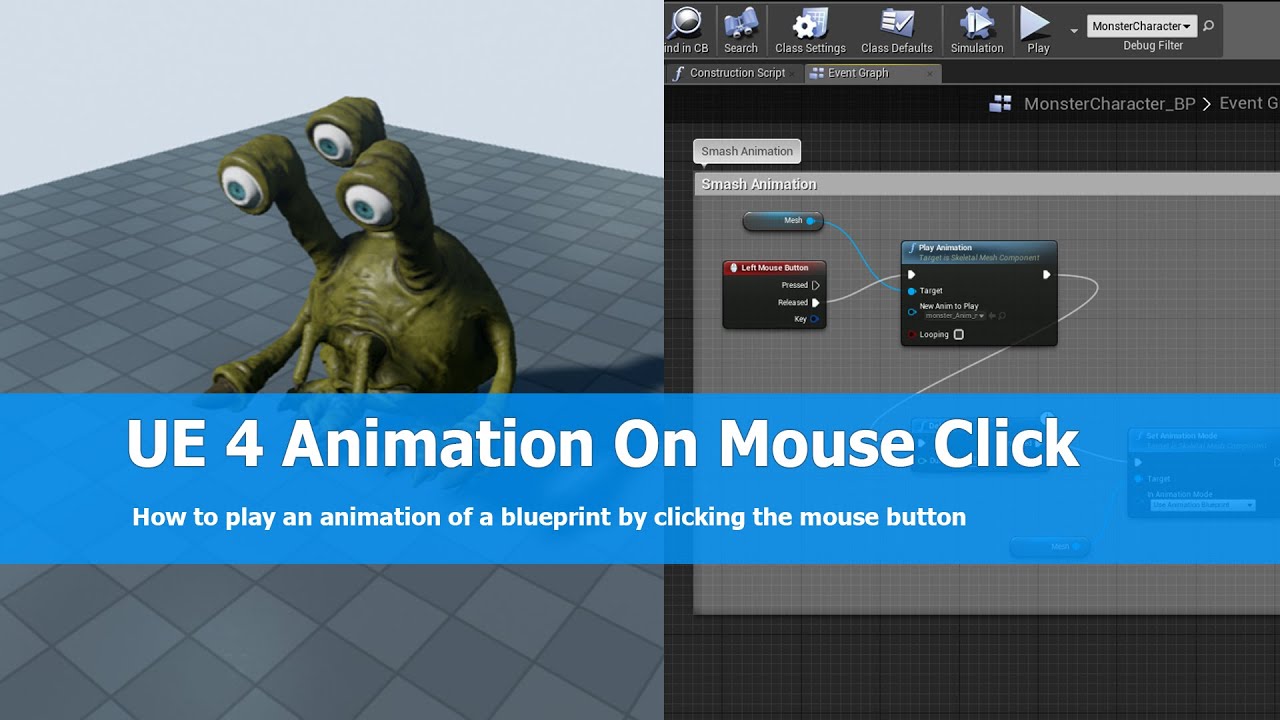
In this UE4 (unreal engine 4) tutorial I show how to play an animation of a character on left mouse click using the Unreal engine 4 blueprint system. I just add a node into my character setup for pressing the left mouse button and Play the animation adding a new node, it's very simple.
See me on my social profiles:
G+: https://plus.google.com/+...
wise idol
i have
i also need help on that :/
i dont know how to get an idle animation to go back to
crisp bluff
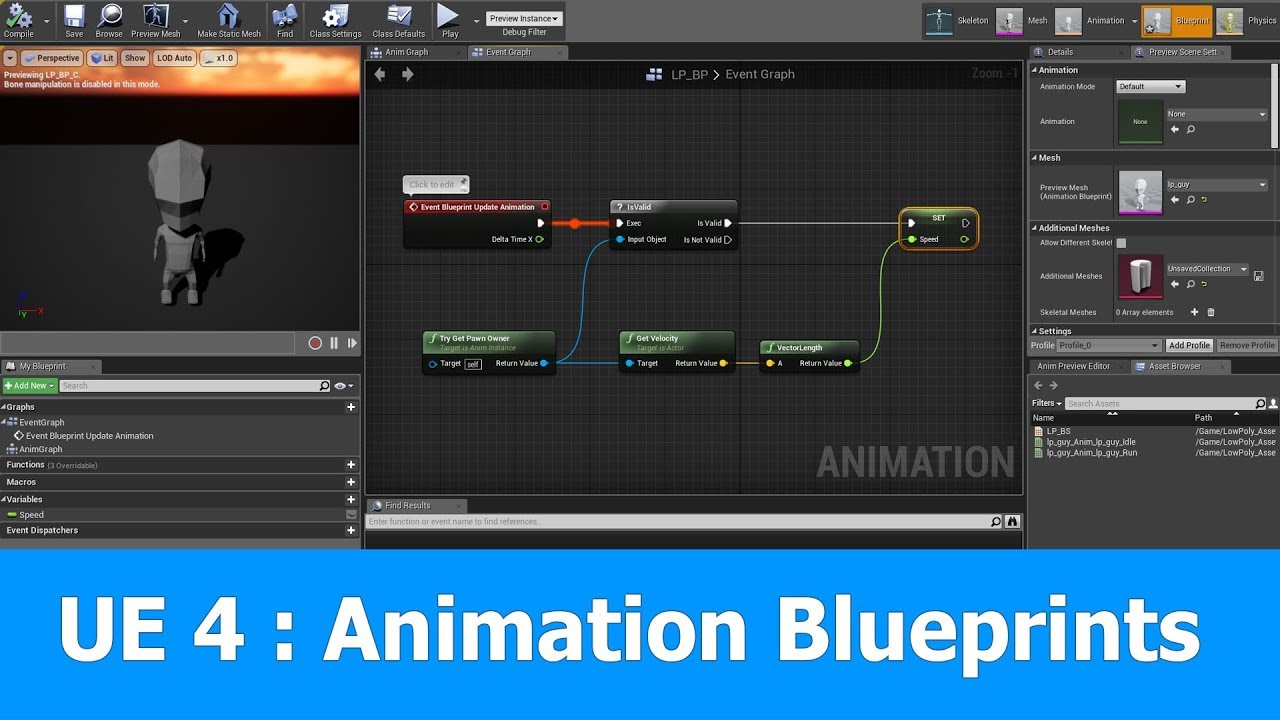
This is the last part of the Unreal Engine tutorial series in which I change the skeletal mesh with animations for a default third person character.
In this one I add a new animation blueprint that makes use of the blendspace to blend from Idle to Run animation of the character depending on his speed.
See my social profiles here
G+: https://pl...
you need to create animation blueprint and assign that animation blueprint in your skeletal mesh to add more animation functionality
wise idol
okay thanks alot
okay new problem
i want other animations to play when i press another key
how do i do that? :/
@crisp bluff
@pulsar trellis
sorry for pings
pulsar trellis
wise idol
i want other animations to play when i press another key
Keep making input events and setting the correct animations to them. Just copy the same logic you have for your current animation.
wise idol
but it doesnt work
pulsar trellis
Can you show what you are currently trying?
crisp bluff
@wise idol you can try with different keys and duplicate the functions, and change animation asset for each function
wise idol
for some reason i have 4 different animation sets for 1 thing
wise idol
crisp bluff
<@!420820201769271306> you can try with different keys and duplicate the functio...
i did
but for somereason it dont work
pulsar trellis
left mouse button still works though?
wise idol
yes
pulsar trellis
That is odd
pulsar trellis
You try out all 4 of those duplicate animations?
wise idol
wdym i dont undestant that
wise idol
crisp bluff
<@!420820201769271306> you can try with different keys and duplicate the functio...
😕
pulsar trellis
You showed 4 animations for the same thing, so maybe you also have duplicate skeletons, meaning that each of those animations might be tied to a different skeleton.
pulsar trellis
Mismatch skeletons and the animation won't play.
pulsar trellis
Yeah, you are making a new skeleton every time you import. You need to keep using the same one.
When you import, you can choose an already existing skeleton.
wise idol
ooh
pulsar trellis
You can also choose to import the animation only, no need for duplicate meshes too.
pulsar trellis
It might be best to remove all animations, meshes and skeletons except for what you currently have working (the attack). Then re-import the other animations, select the existing skeleton to use, checkbox somewhere to not include the mesh (can't remember the exact option).
wise idol
im off to bed, what time is it for you
pulsar trellis
Very early here still, 9:30am
pulsar trellis
@wise idol just want to sum it all up for you:
You want 1 mesh and 1 skeleton.
All imported animations need to use the same skeleton.
Hopefully that helps you when you work on it again.
wise idol
ill be up in around 12 hours
 jovial imp
Where can I find a UE4 Mannequin for Blender (or maybe just a Rigify'd one)? Because exporting it from the Editor requires hours of fixing the rig (IKs, re-aligning bones, etc).
 lament drum
RE - Importing fbx
just trying to import this fbx into unreal and just doesnt work
looked at all the possible videos -
could anyone advice
Attached the fbx
it only opens a static frame
I have imported it into other applications and it works perfectly
thank you
knotty oriole
Anyone have experience importing animations from blender to unreal? I'm running into an annoying issue where it's not importing new animations I'm adding to a rig
lament drum
same thing @knotty oriole been on it all day
i am sure there is a button i am missing somehwere
knotty oriole
I'm wondering if it's an issue with things being in the NLA track
well if I find something I'll update it here so we both get out of this
knotty oriole
lament drum
same thing <@!610594962127454209> been on it all day
i am sure there is a butto...
fwiw I'm watching this vide now: https://www.youtube.com/watch?v=ZxCkcDw4ybA

Patreon: https://www.patreon.com/CBaileyFilm
Discord: https://discord.gg/UCNJmT5
Blender Market: https://blendermarket.com/creators/cbaileyfilm
In this episode we take a look at how to use the non-linear animation tool in Blender to get our animations ready for export to Unreal Engine 4. We then bring over our animations and set them up in Unr...