#animation
1 messages · Page 148 of 1
 frigid pendant
you can do animations in ue4 to a limited degree using the bones and IK but its better to do it in the other software
you can't make new animations in ue4
you edit the ones you have there already
like you can copy the animation give it a new name, edit it but at that stage
frigid pendant
np
 alpine current
in my game when i equip a weapon i use the Add Skeletal Mesh Component and Set Skeletal Mesh nodes as well as AttachComponentToComponent to create the skeletal mesh for the weapon and attach it to the right socket on my character. I'm now trying to animate this weapon and I cant figure it out. I have the animations and an animation blueprint for the weapon skelmesh but when I try to cast to my player character from the animbp I don't know how to find it. it's not the owner. I know it's something to do with the way the skelmesh is being spawned on equip
if i print get owning actor from the weapon's animbp I get AnimationEditorPreviewActor
alpine current
nevermind, get player controller worked for casting to my character. dunno why it wasnt working earlier.
 normal bramble
I have two of the same skeletal mesh in a class, and they both have the same animation blueprint. I push new parameters to both blueprints one after the other in the same tick, but they're not synced. how can I make the two anim BPs sync up?
they're about a frame or more off each somehow
the slower the frame rate, the greater the gap
the two meshes that need to sync are the bird and its polygonal shadow mesh
 devout dagger
I need to play anim montage and also use anim notifiers (basically play beginning of the anim, then looping part and then when required, break out of the loop and play ending part of the anim), but I would like to do so not in the event graph of animBP. Is it possible ?
 floral sky
How should I handle one-off events or animations in an anim bp?
 opaque estuary
why my anims look different in blender and ue4? here in blender:
and in ue4 there are no bezier interpolation and some jiggle artifact appears:
 elfin ember
I'm not exactly sure how to go about adjusting everything to make it work right, might be the type of method you use to export or something and it not storing data properly.
I do all my animations inside unreal from scratch just to avoid these kinds of issues
 brazen wharf
i would do that in unreal, too. it's simple rotation for the object so shouldnt be that hard if you got the object pivot at the right spot
basically it's like a door animation https://www.youtube.com/watch?v=veD-eAIaIBI
 bronze yacht
are there any good tutorial videos on fps weapon animation and how to do them effectively? I keep running into problems and not making any progress. (I use blender)
 misty dagger
Anyone know where I can get 3d models that look like this
brazen wharf
try to make a human, you'll come up with this by default
it's in the human genome set to model something like that on your first try
misty dagger
@misty dagger make one
@misty dagger Can it be done in UE or do I have to install a separate modeling software for it?
misty dagger
Cool
 lusty pecan
Does anyone use Control Rig?
 silver jasper
Is there any standard bone to parent a weapon to for most melee (sword) animations?
IE hand_r/hand_l will usually not have the rotation of the weapon.
While using a finger bone has its own issues
misty dagger
just make a socket from hand_r/hand_l?
then u can rotate it until the sword have the right rotation
@silver jasper
silver jasper
That's what I ended up doing, was wondering if there was like a standard way (so that I don't have to manually set the rotations of each weapon)
 vague mural
Does anyone know why would AXYZ Anima import without errors but only plays 120 frames out of 900? After frame 120 every animation is stuck.
 fierce orbit
Hey guys, good night. I have a problem with animation imports from Mixamo to my Character (Not the standard of UE). When i import any animation for skeleton of my Char, things like these happens:
I yet tried solve with Retargeting, but it don't works.
The funny thing is that in tab of skeleton everything looks normal
Can you help me with crazy things?
 wicked crag
That's what I ended up doing, was wondering if there was like a standard way (so that I don't have to manually set the rotations of each weapon)
@silver jasper
Sometimes studios add a weapon bone to their skeleton just for attaching it and animating if f.e. the weapon detaches for a moment from the hand.
 winter surge
@opaque estuary Were you able to fix your interpolation issue?...If not try to bake your animations in blender and then export the model again, That should fix your problem.
 autumn ivy
Can anyone help me with what these Physical Animation strength values do exactly? I've only been able to find these values with the description "magic numbers"
 carmine kayak
so working on retargeting from one skeleton to another one, the original skeleton has skeleton notifies, I am wondering how I copy over the skeleton notifies. I have not run into them before
 candid fulcrum
Hello.
I just mirrored an animation(fbx) in 3ds max. It seemed to look fine and even looked alright in Unreal Engine under preview BUT when I tested the game it was still playing the unmirrored animation. I made sure that I was using the right one and I can tell it's the real one.
Somehow the animation is mirrored under preview but not in game... Maybe I didn't mirror the bones correctly or something. Is there anyone who can help me or know another way to mirror an animation?
 cinder linden
Hey guys I bought this asset on sketchfab it comes with an animation but when I import into the engine I only see this curves https://gyazo.com/a16a867dc06e5f6e02b4ea7c25551e24

what do I need to do in order to play the animation ?
 young urchin
It seems like morph target curves. Make sure MT imported along with the mesh.
 pure tiger
Anyone use ALSv4?
 mystic trout
@ember field You need to skin all characters to one base skeleton. Then you can use that one skeleton for all characters in UE4
 lethal comet
I imported a model and accidentally assigned it the wrong skeletal mesh and now my UE4 mannequin is stuck T-posing for eternity can anyone lend me a hand please?
it's also using the correct Anim_BP so I'm having a tough time figuring this one out
 livid rune
Hello everyone I am a beginner in unreal and I would like to have your lights for my project ^^
I would be happy to make an animated Rubixcube which is already done and which I wish to keep but also syncronized with a music and also with flashing colors and also which changes color but that is for the future ^^
Thank you in advance
x-dcx-x
mystic trout
@ember field Are you using Maya?

Here we go through the import process for several different Skeletal Meshes and show when we can and cannot share Skeleton assets. We also show how we can share animations between two Skeletal Meshes that are sharing the same Skeleton asset. We also take a quick look at settin...
 velvet blaze
Just wondering, if I assign a static mesh to a Parent Socket on the character is there any way to have that socket be static so it doesn't move/lean etc?
 fickle citrus
Hi everyone, does someone know any good survival animations pack? Searching one for a while but can't find a good one.
 clever abyss
Does anyone else have issue with creating 21:9 aspect ratio camera/render?
https://answers.unrealengine.com/questions/993321/achieving-true-21-9-aspect-ratio.html
 analog pollen
anyone know a good video for using animations ue4 like implementing it
one way i saw was attaching it as a default slot tho what if i use 2 anim montages idk how to rename it
devout dagger
I need to get the length (time; a float) of the animation (not montage, just one of the few imported anims) currently playing. Using that value I can then set wait time on my AI Character to let anim play completely, before switching to the next task. Is it something that can be done via Blueprints ?
analog pollen
does this not make perfect sense? if the float is = to 0 which is true then idle, if its not then walk? i know its wrong but i dont get how its wrong
 hollow orchid
Hi guys, I have recorded some character animations from iclone through the live link into unreal sequencer in order to create a movie but I have problem aligning/attaching each characters feet on the landscape map I have in unreal. all the characters walk on a flat surface inside iclone. importing the whole landscape into iclone is not an option as it cant handle it and suffers with very low fps. what options I have to achieve this? can anyone help me?
brazen wharf
when querying the location of a bone in animation blueprint, which state is used? the last fully updated pose? or could it happen that i get a location within the update cycle where not all animation layers have been applied yet?
and is there some way to store the bone location before a specific animation layer is applied (i want to store some locations before i apply IK)
 small orbit
Free Mixamo Converter

NOW FOR FREE IN THE DESCRIPTION
NOTE: it cannot be used for Animations that are not "In-Place".
Link: https://4c795772-b070-488d-a249-1099221a079d.filesusr.com/archives/ba9b2c_d2d89595d0744b51b8c3b44db02d116c.zip?dn=MixamoConverter.zip
To use just Import your animation and se...
mystic trout
It's really sad that no one replies to questions here
@lethal comet I wish i could help, im a rigging artist but im learning the UE4 side of things
lethal comet
no worries, I'll figure it out this year probably 😅
small orbit
Can you please tell me the problem you are facing?
@mystic trout I'll see if I can solve it
@lethal comet Can you please explain more on what you did to get your character stuck on a T-pose?
lethal comet
I imported a model with no rig and then tried to attach the default UE4 Mannequin Skeleton to it, obviously it gave me an error 'FAILED TO MERGE BONES', I ignored it and deleted that model, I had several characters using the default UE4 Mannequin Skeleton and Mesh and now they simply don't play any animations, nothing was changed in the Anim BP's either
Thank you for reading btw.
small orbit
@fierce orbit sorry for the late reply but i think you can Upload Your character to mixamo directly and then Import it to Ue4
@lethal comet Check if you have deleted the mannequin skeleton
lethal comet
still up
small orbit
and reimport all the Characters
lethal comet
(and as you can see, all the characters in the scene are t-posing)
lethal comet
I know, it's on the folder there on the screenshot
both the skeletal mesh and the skeleton
(and the physics asset)
small orbit
then delete it and then add asset from template
the Third person Template
@lethal comet
and then reimport your characters and then let them use the new Imported skeleton
lethal comet
when you say reimport your characters, what action is that in the context menu?
small orbit
I mean if you right click select Reimport or Delete it and Import it again @lethal comet
lethal comet
can't seem to find reimport?
brazen wharf
is it possible to get a cached pose in animation blueprint?
snapshots for poses exist, but i cant take them in animation layers, and cached poses exist in animation layer but i cant use them in blueprint logic -.-
mystic trout
@small orbit Thank you!
small orbit
so just delete them along with the skeleton and then reimport you characters and add content from template (the UE4 Mannequin skeleton)
@lethal comet
lethal comet
so I should just delete the skeletal mesh + the skeleton and then import both from the template again?
hopefully nothing big breaks
such a weird bug
small orbit
yhup or better still delete all three I mean with the physics asset @lethal comet
small orbit
does the UE4 TPS template work in your project after importing?
lethal comet
the skeletal mesh/skeleton? no they don't animate
small orbit
I mean the default Third person BP that you just IMported @lethal comet
Use the default Third Person BP and if it works and get back to me @lethal comet
lethal comet
I just imported the skeleton mesh/skeleton/physics asset
lethal comet
nope
lethal comet
lethal comet
it's on the right there, you can see I'm using the default AnimBP
brazen wharf
guys, is there NO way to store bone position after animation are applied, so that i can use them in blueprint? i'm also applying IK in the animation graph as last step, but i want the bone location BEFORE ik
small orbit
@brazen wharf I'll check on it
brazen wharf
i'm trying to work around this by adding virtual bones to the rig, where i store the location
not a solution that i like
 last barn
hello! is it possible to animate instanced static meshes based on an animated texture, like geometry instancing pipeline in TouchDesigner?
I think for loops for individual instances transformation can be very expensive, how can we animate meshes with texture data? Thanks in advance
last barn
just found this blog post https://www.unrealengine.com/en-US/blog/how-an-rwu-student-elegantly-animated-thousands-of-cubes-simultaneously-in-unreal-engine

Unreal Engine
Fabian Buchmaier breaks down “Cubes,” a short animation video created in Unreal Engine.
devout dagger
Is there any good reason for BPI not to work with AnimBP ?
 woven pendant
Hey so I have animation that moves its legs to make it look good (a punch) but I want to also blend it with walking animation but when I do layered blend per bone the punch looks kind of bad because the character is not rotating his hips fully to the punch. Is there a way to ignore bottom side IK/bone movement and still punch like the body fully rotates but the legs actually walk?
 dense echo
Okay, wasn't sure where to put this but I heard on a tutorial that you can swap the preset model with a character skin. Does anyone know how to actually do that? Do I need to rig it for it to work?
 wraith scaffold
My friend and I have a weird problem with a skeletal mesh. We noticed some small differences in animations after importing and after trying a bunch of other problems we viewed the bone weight in unreal. It's not the same as when I export it from blender. To be sure, I turned the weight painting up to 100 for that bone in blender and reexported it and this is what we got. We have no idea why they'd be so dramatically different.
 wide pulsar
I don't understand how to setup sync groups and how foot sync markers work properly, anyone knows any resources for use with it?
analog pollen
how do i size this shit to whatever i want it its little and when i play the animation it sizes my character to a fucking atom
 weary yoke
Hi everyone! I would like to play animation on specified time/frame rate
Play rate is used for freezing animation (do not look on it)
or in other words, How to control the animation's frames?
If for example I am about to play animation (which has a 30 frames) on 15th frame?
 timber star
Using the ue2rigify addon in blender i want to know if anyone know how to stop converting in source all actions but only one.
My project is growing up and when i hit convert each animation is converted generating a huge loading time that keep growing with the animation number.
wide pulsar
@analog pollen The scale in your animation is probably the culprit here.
analog pollen
Yeah ik it was so small when i imported the character so I resized it but idk how to resize animations
 pulsar trellis
@weary yoke you can expose more variables as pins. Looks like you want the start position:
weary yoke
Will check this out thanks!!!
 prisma hedge
I am really new to animation and I'm trying to animate this character inside of UE4. Does anyone have any tips to help make this character not slide everywhere?
 sinful vine
I made an anim notification state blueprint and am wanting to be able to receive those events in an actor blueprint .. what would be a good way to do that?
 brazen quartz
I tried to implement this method but the variables I set up aren't being updated unless the character moves. Any idea how I'd overcome this? I got as far as realizing the problem is with the "Event update blueprint animation" but idk how to work around this. It works find in the video though which makes it more confusing. Been stuck on this for a couple days now.
https://www.youtube.com/watch?v=FMcW7t5ivEg

In this video we give our player the ability to take cover behind an object and allow them to move around while in cover. This is a longer video as there is a lot to cover, but it will get all that is necessary to begin hiding in cover.
In this video I'm a bit sick so my voi...
Ex. When I press the cover button, my character doesnt move, until I press a movement input, then he goes into cover. this is epically annoying when hes in cover. Since whenever I move right he keeps moving right unless i press left or up.
 shell nexus
so my mesh seems fine in the mesh view (feet are aligned with root, both on the floor, as seen here https://gyazo.com/627bcb76b15085609d96d732f0e26db9 ), but when using an anim pack the root is way above the feet, as seen here https://gyazo.com/3a6881c8b72bcf86f5ad156f1ac3cf11
I have no clue what causes this. Not an animator. I can fix up some bones in blender though. Anybody got a clue or experience something similar?


sometimes in the preview the feet are below ground, but the root will still be way higher regardless, like here (same animation as the 2nd pic) https://gyazo.com/cd869e2005d72650d5572a846ab7431d
 devout dagger
Is it not possible to use interfaces to set values on variables in the anim BP without using Event Graph ?
(asking cuz I couldn't do it and had to go back to casting)
 winter notch
@last barn At this scale I would do this effect in a material with a single mesh instead of using mesh instancing, the updates would probably be too slow.
 compact pebble
guys question, i got 3 diferent idle animations. and i want to randomize then in AnimBP, is there any way to build that in AnimBP
 leaden flint
Hiho im looking a tutorial for animations in UE4 but the tutorial isnt the newest one. So im looking für the Calculate Direction...
if im searching for calculate i cant find this one. i will find something like that ^^
someone know the new name of Calc. Direction? ^^
@compact pebble im new in Animations but i think you have to build an Animation BlendSpace, there you can putin 4 Animations per speed 4x Idle 4x Walking 4x running i think ^^
Every Point is one animation, at the top are the running animations and at the bottom are the idle once
last barn
@last barn At this scale I would do this effect in a material with a single mesh instead of using mesh instancing, the updates would probably be too slow.
thanks @winter notch ! do you know any reference (video or tutorial) to learn more about this technique?
I found some videos about crowd simulation with vertex animations, but what I'm looking for is something even simpler than that, just animate multiple static meshes procedurally (position, rotation, scale)
winter notch
@last barn You will want to do this in a material if you are going to animate 10s of thousands of cubes. It will be too slow otherwise.
In general you assign each cube a unique vertex color or UV value in your modeling package and then use a texture to drive the height color and rotation through the material.
If you are doing only hundreds of them though there are lots of ways through blueprint to animate them, though it will be harder to drive that animation through a texture. I think there might be a way to sample a texture value in BP, can't remember... it's probably slow tho
 lavish plover
Hey everyone. Question: I've got a single skeleton (for multiple characters) with facial bones for the lips. I want to animate them with translation and not just rotation, so i get realistic lip movement (pursed lips). I have to set my skeleton's retargeting for the lips to AnimationScaled. This works well for a very neutral character, but when i have another character with the lip in a different position, it snaps the mouth to the neutral character. any thoughts on how i can get this to work. I've run out of ideas on my end and can't seem to find any answers
Image - Left: translation retargeting AnimationScaled (skewed). Right: translation retargeting Skeleton (correct mouth position)
EDIT: SOLVED - if anyone else ever needs this:
I ended up using two additional bones per lip bone to allow it to move like a spring in any direction using only rotation. I hooked it up to an IKSolver so it functioned with reverse IK for easier animation. image of solution posted below
last barn
many thanks @winter notch!
winter notch
@last barn Another option is niagara, it's great at animating thousands of cubes on the GPU and can sample texture data to drive the animation
last barn
@winter notch yeah! I'm very impressed with Niagara potential! I was thinking about that too. So, is it possible to have a fixed number of particles in Niagara? I don't need them dying after a time.
winter notch
Yep in fact unless you explicitly manage a particles lifetime it will live forever.
last barn
Awesome! I will dive into it!
 floral vortex
Whats the best way to make a 3 part jump animation work in game, start, in air, land, how do i blend them together
lavish plover
@floral vortex do you mean blend them in unreal? Like using a montage?
lavish plover
the first step is setting up the animation montage, and then the second step is setting it up with animation blueprints. There should be a lot of tutorials for "jumps" even in the official unreal youtube dev stuff
floral vortex
So i cant get my run to transition, so if i add the run animation to the anim BP it will just run and skip walk
so it skips walk and only plays idle and run, what am i missing
lavish plover
solution to my problem a few posts above. The problem was that the Translation Retargeting of a single bone that only had translation data (requiring AnimationScaled) caused other character faces to become skewed.
So i added 3 bones effectively creating an arm that could achieve the same movement as single bone translation, using only rotation. This way i can keep the Translation Retargeting set to skeleton, which means that it will adapt perfectly to ever other uniquely shaped face without skewing them.
 astral path
Hi all, i have a montage problem, if i create a montage from one of the retarget anim sequences the speed of the animation is reduced and also the montage is not playing correct, like a vibrating clip that want to play but could not. when i set the playrate from 1 to 0.5 the monatage starts playing the full length but in slowmotion compaired to the original anim sequence. so i use play animation instead but i can not find a solotuion to have the same outcome as the original clip.
brazen wharf
did anyone manage to use the new (4.26) FullBodyIK solver in ControlRig to make working leg IK which doesnt glitch around? (i'm also curious about how to disable the IK solver with curve/float value as changing the effectors position alpha doesn't really do the job)
misty dagger
pls help im trying to retarget mixamo anim to als v4 and this happend there is some issue with the hand
and its only for the r hand
brazen wharf
ALS has its own discord, you would better ask there
misty dagger
ahhh thx
misty dagger
pls help im trying to retarget mixamo anim to als v4 and this happend there is some issue with the hand
 random sparrow
Anyone have any experience using Root Motion in the Sequencer? We're struggling to move the character/capsule. Not sure of the correct set up. I've got it moving by adding a transform track to the Character which is driven by the animation root bone but this seems fixed in place ie will only ever move the character forwards on the y-axis (as per the animation) - however this is the incorrect rotation for implementation in the level.
weary yoke
Hi! I have a following sockets and I would like to (with IK) take specified sockets by player's hands
sinful vine
hey everyone- I downloaded a breakdance animation pack from mixamo and am trying to create an animation montage from it. The issue is when I stick two animations together there's a snappign that happens with the transition between them because the character moves with the first animation. Here's a clip showing the issue:
I feel like this must be a common thing with an easy fix, but I haven't been able to find it yet... I'd appreciate any suggestions/resources around this 🤟
 mighty ore
hey folks.
I found a free pack of animations I could maybe use but they come with the default ue4 rig included in it.
So now I have two identical ue4 mannequins each with their own skeleton.
The default anims are bound to default skeleton, the imported pack only works with importet skeleton.
How do I use imported anim assets with default mannequin..?
nevermind, I figured out the retargetting process
weary yoke
Hi! How to controll on which "frame" animation should start?
timber star
Hi, i do have a character that got a skeleton etc.
I'm using the retargeting process and that s work good with the basic unreal animation.
i have all bones after pelvis with retargetting option set to skeleton.
But when i import a animation i made for this character in blender i god very bad result with distorded mesh parts
why i do have this result and why this is for face bones only? i keep diging to see if other bones are broken
thx if answers
 frozen moat
anyone know how to calculate the animation speed so that my walking and running dun look like they are sliding
 subtle musk
Hello guys, I’m not experienced in this animation stuff and I have so many questions about animations. Would you guys be able to answer some of my questions?
misty dagger
hey
subtle musk
As you can see in this video, the character finished the attack move.
Is there any way that I can make the character stay at the finish point of the attack move?
Thank you in advance!
I’ve heard that it has to do with the root motion. I think I cannot find the right video to fix this kind of issue..
misty dagger
@subtle musk did you take the anim from mixamo
subtle musk
I bought this from Marketplace in Epic Games Launcher
misty dagger
hmmmm
subtle musk
It's already rigged and everything!
misty dagger
wait are you using in place anim
subtle musk
This animation is not from that specific folder 'In place' but I have the folder named In-Place
misty dagger
is this anim is in place or root motion
subtle musk
Oh it's Root Motion.
misty dagger
ohh ok
subtle musk
Do you think I can fix this issue if I watch some youtube videos about Root Motion?
subtle musk
Oh okay but thanks for responding
misty dagger
some one pls help me im trying to retarget mixamo anim to als v4 but i got hand issue
but its only problem for right hand
 strong linden
Hi every one !
I have that looking eyes . I need to animate them . How can I make them blink?
analog pollen
Has anyone animated a gun and put it to ue4
 bronze osprey
@analog pollen usually u can do a gun animation in editor
you move the moving parts over a timeline
misty dagger
hi this i want to be my game character, how do i make it ? the parts need to be replaceable and i want one animation for all dont know where to start is there any soul who can help me ?
brazen wharf
 dense tinsel
Hey guys, I just have a question
Im using the default character, and when i set the mode to "Flying" and when i move it keeps doing the running animation, is there a way to turn that off?
bronze osprey
the third person dude doesnt have a fly animation
 static falcon

reddit
160 votes and 13 comments so far on Reddit
Wanted to share what I'm learning
Also have a question... Anyone know how I could do the effect of a character doing a turn to walk when you rotate the camera in front of them and walk in the opposite direction??
 wooden tendon
Hello. Im very new to ue4 or even game making at that. iv been following a tut online about Vaulting & Climbing got the animation but he does not go into detail about setting up the animation. here: https://youtu.be/h_Cr_azdsDE?t=697 Can anyone help me out with setting it up? Btw the vaulting works great just no animation.

Hey guys, in today's video I'm going to be showing you how to implement vaulting and climbing into your game. (Parkour). This is part 1 of a 2 part series.
Part 2: https://youtu.be/ox3osZiTOts
Parkour Animations: https://drive.google.com/drive/folders/1wnLAnQCy6SiwjIkyh5vijV...
 reef hamlet
hey guys, i've asked this question elsewhere, but does anyone know if it is possible to get a anim notify states length? preferably in C++
silver jasper
Has anyone have any experience with control-rig?
I was wondering if it was possible to keyframe animations inside UE
misty dagger
@silver jasper can u animate guns?
silver jasper
I have almost no experience animating
@reef hamlet I don't know off the top of my head
but you can query all the animation notifies (and there start/end times) so you definately can do it
also check cpp channel
 warm glade
Does anyone know how to remove these previews in blendspaces?
 lunar epoch
 cold ridge
reef hamlet
cold ridge
reef hamlet
@silver jasper thanks, will check it out.
 split scarab
I'm working on A.I. opponent that shoot projectiles at players. The enemies have arm cannons, so I rotate the limbs of the skeletal limbs(shoulder, forearm, cannon/hand) towards the player and I have the projectile spawn at a location parented to the mesh's arm.
The problem is that this method causes the A.I.'s aim to not update when not within L.O.S of the camera due to culling. Is there a way to get around this culling or atleast detect when this is happening to the mesh? If this isn't feasible, should I use a different method to aim and animate?
misty dagger
@warm glade i dont think you can remove it
warm glade
ok, it would be a nice feature
 quiet crescent
Why, they are an amazing feature I requested before I left. They let you visualize where you are in the blend space when you attach the debugger
Literally the only other way to view that data otherwise would be to have done the anim debug command and scan lines of text to figure out where a blend weight is
 outer mica
woven pendant
outer mica
woven pendant
Does anyone know a way to dont call the animation the second time but just use the same or atleast get the time it was player to set the another one start pos?
 merry summit
In control rig, "Basic IK" doesn't work if I plug in the location+rotation+scale, but DOES work if I plug in the transform directly to the 'effector'. What's the difference? isnt the options below just a split-pin version of the transform?
 obtuse ledge
hello guys I want to know your opinion about my new animation retargeting toolkit on UE4
https://youtu.be/nZep9-vniGQ

You want to retarget a different skeleton in UE4 and confused by the workflow?
with the new Retarget Toolkit, you can make it in a few minutes!
it is very easy to use, intuitive, and simple,
select your source skeleton, select your target skeleton, visually assign the bone ma...
brazen wharf
i'm struggling to add IK to a rig which also has normal animations
so maybe someone can tell me, when i have Frame1 where FK is applied, then IK, what's the state of the 2nd frame before IK gets applied
is it just the 2nd frame of the FK animation, or is it additive so that the 2nd frame FK is applied on top of the 1st frames FK+IK Pose?
guess it's the first?
 digital epoch
can somebody help me out am trying to look for a tutorial on how to attach mesh to cinema camera like arms and then play the animations when triggerd is this possible withouh BP or if i have to use bp how could i set it up ?
 dapper panther
Hi, I have a question which is stopping us from progressing , maybe you know how to proceed
we are using Blender and import into UE of our characters
our models were imported with the top node of the structure scaled in Blender as we need to retarget on different characters, which have diffrent sizes, like dwarves, elves, ...
this top node was NOT named "Armature" and so in UE we had an additional top node
this top node is not recommended as it may break root motion anims and give other trouble, so I recently decided to remove it
the problem is that I renamed it to Armature, so now UE import ignores it, BUT I had my scale there, and I dont know how to proceed now, as the scale is ignored
do you know how to fix this problem? Like migrating the scale from Armature to bones, or another way?
 split parcel
hi my end jump animation is looping and i assume it is due to this?
how would i be able to re create this as i assume there is a diffrence
dapper panther
@split parcel use a montage and remove the "blendout" flag from the animations you dont want to loop
split parcel
@dapper panther how would i add the montage
dapper panther
right click on animation in content browser and create montage
but I guess you are in another scenario here
split parcel
split parcel
figured out why it was broke
it got stuck due to me mistakenly using a t posing anim
 long shuttle
Hey, this may be a weird request, but does anyone of you have some of the Animation Packs from Kubold? Ideally the Fighting Animset Pro or Sword Animset Pro? I do not plan to use them on any published work, just on my Bachelors Project. Thanks in advance!
 crimson otter
Hello! Is anybody know why my mesh be like this
i have a mesh with another name of bones, i rename this bones like in UE4 skeleton bones name
and import in ue4 in this skeleton standart UE4 menequin
this is a robot mesh. Under ue4 mesh in robot skeleton imported
Im not understand why all bones is twisted?
misty dagger
@crimson otter Excuse me
crimson otter
?
misty dagger
are u up for hire rn?
crimson otter
im not understand
crimson otter
depending on which one. What would you like to animate?
misty dagger
can you do gun animations?
crimson otter
Manchmal.
misty dagger
Oh gut, können Sie eine Waffe nachladen und Sachen?
crimson otter
Easy
crimson otter
Es ist schwieriger, aber es ist auch möglich
I don't think it's worth discussing this in a general chat. It is not correct in relation to others.
misty dagger
yes
leaden flint
Hiho i have a little problem with my character. My character was idleling, walking and runing but now he is only idleling and sliding...
I´ve controlled the Animationsettings but i cant find anything wrong.
At least i was changing my Characters from TopToDown to ThirdPerson characters. So i have used the ThirdPerson BP and i have Copied all the BP stuff into the new Character. Also i creathe the Variables and Funktions, added the settings, the old Animation BP and the BlendSpace but it doesnt work.
Someone have an idea how i can fix that ??^^
Working:
- Idle
- Skillanimations
- Hit Animation
- HUD Interface
Ok i have found something "Wrong" but i dont know where are the references, the TopDown_BP doesnt have this ^^
 distant arch
hello! How would I go about making my character use the animation blueprint and at the same time have another animation blueprint for the right hand only like idle/swing. this is what I have right now,only 2 montages for testing the right and left hand. Thank you in advance!
static falcon
You've done the right thing here
What's the problem with how you have it set up now?
@distant arch
distant arch
right now it only plays the montages
static falcon
Did you mean another animation for the right hand? why would you want another anim blueprint
distant arch
but I want the right hand to play it's own idle animation and when clicking to play a swing animation
basically when a boolean says, hey this character holds a melee
static falcon
As far as I understand when using layered blend per bone you don't technically even NEED to use slots, you can just put the two animations into there, pick the bones, and play whatever you want in the second input
so for the second input of layered blend per bone put a "blend pose by bool" and have your idle and swing animations in there for example
But you can also just use any animation as a montage to use the slots
static falcon
yeah true
But you can play the swing animation from the character blueprint
that's how they did it in the example projects I've seen
distant arch
I didn't think about that, I'll need to check more
distant arch
thank you alot!
static falcon
I just imported Paragon Shinbi into my project because she's more robust than the third person example
see all her attack combo stuff is in the character BP
distant arch
do you mind if I save the screenshot for later?
static falcon
It's from Shinbi blueprint, all yours
static falcon
Glad I can help, I am very much a noob still but this stuff is so mysterious that it's hard to lear
learn
distant arch
not more of a noob than me for sure 😂
 torn relic
Hello guys, I'm looking for an easy way to make the chainbelt you see in the picture fold and unfold while the arm moves along the rail, how can achieve that in Unreal?
Another view of the system
 sand hornet
Hey, is there anyway to restore the ue4 default 3rd person mannequin? I'm trying to add in a punch animation but i've broken everything and can't get it out of a T pose lol
only the head moves now haha
 valid bison
Morph target curves(Shape keys in Blender) are not imported with any animations. What gives? I do have Morph targets in the mesh.
 strong obsidian
@valid bison Did you check "Import Morph Targets" when importing the FBX?
misty dagger
I have called a montage when a button is pressed but the animation isn't changing back to the regular anim BP. What should I do?
valid bison
@strong obsidian Yea. Now I found out that the problem might be that when I use Send to Unreal addon it makes the animations without the mesh. And UE then doesn't bring mesh with them and the curves are not there. I may bring the animations one by one with a mesh or adding curves on UE side manually.
strong obsidian
@misty dagger I think that when you play an animation montage you are using a Animation Mode: Custom. You have to change animation mode back to: blueprint.
misty dagger
@strong obsidian you are right thx
 uncut pawn
hey everyone! truth be told, i know almost nothing about animating in unreal. however, is there some sort of mocap library i can use where i can very simply import animations onto skeletal meshes?
perhaps without the need for retargeting (or a very simple way of doing so)?
strong obsidian
@uncut pawn A large number of animations for Unreal you will likely only find for the UE4 standard skeleton. If your character uses it, there are free and paid assets in the Unreal Marketplace. If your character is similar to the standard skeleton you might have luck with reusing the existing assets (with retargeting). If your character is too diferent you are probably out of luck.
uncut pawn
got it, thanks!
dapper panther
is there anyone expert in animations and retargeting who can spend 10-15 minutes to look at the problem I have? I'm streaming, I can invite you on discord
This is exactly the problem I have: https://forums.unrealengine.com/development-discussion/animation/1641261-runtime-retargeting-root-motion
So basically how to have Root motion working with a retargeted scaled skeleton
 white galleon
is there a way i can import camera animation fbx into ue4 and play it on key press?
dapper panther
Update: I've fixed it
frozen moat
so basically i bought an animation asset for unity months ago ( there is also a ue4 version) before i started ue4.So is it possible to export the animation to ue4 and use it in ue4 ?
misty dagger
I am having a hard time playing a animation montage when a button is pressed and then switching back to the default animations Can somebody help me?
 vital inlet
Hello everyone ... what is the best way to make a tree movement with wind? The best and the most realistic one?
using wind node in material? using 3D software and rig a tree? etc?
Which one is the best?
A few time ago a trailer has been released from epic game that there was a storm and harsh tree motions in it... the trailer there is in ue4 website home page ... how are that trees movements made?
any help appreciated.
 long stone
Has anyone run into an issue where using a material curve in a AnimMontage will work in the preview but not work when the montage is played through an AnimBP?
wide pulsar
Does anyone know how I can use the Mr. Mannequinn's tools to rig a custom character? I don't understand the whole "re-map" thing.
Do I need to rig it with rigify then remap using the tools? Or a character without any rig and bones at all can be rigged too? D_D
 restive vortex
Hello everyone ... what is the best way to make a tree movement with wind? The best and the most realistic one?
using wind node in material? using 3D software and rig a tree? etc?
Which one is the best?A few time ago a trailer has been released from epic game that there was a storm and harsh tree motions in it... the trailer there is in ue4 website home page ... how are that trees movements made?
any help appreciated.
@vital inlet You have to use a tool called Pivot Painter with a plugin in either 3ds max or blender . There's a tutorial here (https://www.youtube.com/watch?v=VsCwrad2SZI&t=387s) and mentioned in this video around the 50:00 mark (https://www.youtube.com/watch?v=IDNi0plxIXE&t=3078s)
Beware it's quite fiddly though for trees, you have to set up a hierarchy of trunk, branched, leaves etc with correct pivot points and generate some textures. I've been powering through but not quite gotten it to work yet. Single pivot like grass is much simpler though. There's a few free tree packs on the marketplace that uses that method you can take a look at

This video shows how to use the Pivot Painter addon in Blender to create assets that respond to player position.
The addon is completely free:
https://drive.google.com/open?id=1qxCUAf66P9urLKv3-5lzGDHZ4sMV2Xdl
Download the material here:
https://drive.google.com/open?id=1dYaPz...
In this inspirational video, Matthew Doyle demonstrates how to use animation tools in Unreal Engine to tell a story and add life to your projects. Learn how to use the Atoms Crowd framework to populate city streets with animated crowds and use the engine’s core tools to add ef...
vital inlet
@restive vortex
thank you very much ... I'll check them
restive vortex
@restive vortex
thank you very much ... I'll check them
@vital inlet Let me know if you get it working 🙂 The plugin is here (https://github.com/Gvgeo/Pivot-Painter-for-Blender) , and there's also some examples that's worth looking at. Another trick that took way too long for me to figure out (Blender is the bane of my existence) is in like the upper right corner in blender there's a dropdown called "options" where you can choose transform origin only, which you need to set the axises
vital inlet
@vital inlet Let me know if you get it working 🙂 The plugin is here (https://github.com/Gvgeo/Pivot-Painter-for-Blender) , and there's also some examples that's worth looking at. Another trick that took way too long for me to figure out (Blender is the bane of my existence) is in like the upper right corner in blender there's a dropdown called "options" where you can choose transform origin only, which you need to set the axises
@restive vortex
sure ... I'll try and report you ... thank you again
 distant osprey
hello, i have 2 animation packs from the same guy
1 pack for rifle, 1 pack for pistols
they both use a T pose mannequin, but the fingers on pistol pack are not straight
so when i retarget the pistol pack to my mannequin the left hand goes to the left when holding the pistol
i tried retargeting to skeleton/animation in the skeleton manager
but i get disjointed fingers and arms
what's the best course of action to solve the problem ?
 hallow elm
make sure your skeleton's retarget option is set to "skeleton"
distant osprey
i did that, the left hand is off to the left of right hand when holding the pistol
do i need to resort to rigging ?
if anybody has a solution please ping me
shell nexus
From mannequin to mannequin you don't need to retarget, you can just delete the new skeleton and replace references with your old one
@distant osprey
That being said this doesn't work for most use cases where it's a different character and I found these anim packs to be pretty problematic. They are typically using ik bones to position your weaponry with, and those are location keyframed, meaning they won't work properly on any character that has slightly different size or proportions
Or you need runtime adjustment using ik, which is a pain to deal with because the ik factor may differ from anim to anim
 lilac lava
Guys, how do I play an animation if a button is pressed in the widget? like is it possible?
like what is it that i am missing
 fierce frost
Hi guys, i'm new to animation in ue4 and i'm trying to figure out how pose Asset work. Ue4 doc doesn't really help...
Anyone know how to use pose asset ?? to create animation
fierce orbit
Hello everyone,
I need help: my character animation is happening without the main bone (pelvis) to move, with for example, the animation of Death occurs in the air, not in the ground. How to fix it?
distant osprey
@shell nexus what do you mean delete skeleton ?
shell nexus
literally delete the skeleton asset
shell nexus
replace it with your own mannequin skeleton
distant osprey
i did that man
shell nexus
then you have both anim packs running on the same skeleton properly
distant osprey
the screen above is what i got
distant osprey
LOL
shell nexus
if they were made for mannequin but dont align for mannequin then they are badly made
distant osprey
but for pistol, fingers are not straight
for rifle fingers are straight
you cant replace a skeleton, you have to retarget
shell nexus
I just told you you can
distant osprey
can you please show me how, i dont know it yet
 drifting cloud
I
I'm using turbo squid to download animated models, is there a particular format that works best? I
distant osprey
i think i fixed it, i changed both skeletons to the same T pose (Source and Target Skeletons)
then i retargeted the animations, hands are straight now
that"s the skelly i use
 dark vortex
I have a skeletal meshed rigged to the UE skeleton but I can't get it to even list all of the UE animations that i have
dark vortex
That's problem it, but if it is built to the UE skeleton, why aren't they already retargeted?
and I can't see a place that lets me retarget it to the correct UE manniquin - the pack came with its own but I can't use it with all my animations
How do I swap this out to use this mannequin found on this animation? seems like the SK tree is identical - @distant osprey
when I hit 'assign" skeleton, it never saves over, it still says the old one in the mesh asset window
distant osprey
those are not animations
they are meshes
animations have a green bar at the bottom
purple is a skeletal mesh
go to mixamo you'll find free animations
dark vortex
I have all of those packs - but I guess I need to target the animations to the same skeleton so I can see them all on the same list?
brazen quartz
Anyone know how id fix this "Hit" issue, I only want the collision event to trigger once.
distant osprey
@dark vortex yes, when you export the animations they UE4 will ask for a skeleton
no need for retarget
dark vortex
they are already in the project
distant osprey
ah, you need retarget then
dark vortex
not sure how I targeted multiple ones then but it asks me if I want to duplicate - i probably don't because if I screw them up, I can just reimport
dark vortex
but I don't need them, I still have them as marketplace assets so I can reinstall them anytime If I screw up?
distant osprey
suit your self
@brazen quartz you need to show your blueprints
we can't guess what's going on
shell nexus
Like stated above, just literally go to the new redundant skeleton asset for the new redundant mannequin from the animation pack, select it, press delete in the context menu. It's going to list all assets that reference the skeleton (including the animations) and at the bottom left you can choose another skeleton with which those referencing assets will replace the skeleton you are in the process of deleting
So you choose the old mannequin skeleton asset that you want the animations to work on from now on, and click "replace references"
Rarely I've seen this process crash but usually it goes through and you will have all animations from both and old skeleton on one skeleton now.
This works only for same-skeleton assets where every bone is identical. You won't lose information that might occur when retargeting and there is no need for duplication
 wooden cloud
To avoid all the not-best-practise youtube videos...
Does anyone know of any good docs / tutorials for two handed weapon with walk animation and aiming?
frozen moat
if the weapon is great sword which require 2 hand
u created a weapon socket on chara to fit that wep in
how do you have 2nd socket
i mean like
2 socket to adjust the position of the great sword
is it possible
because when the AI attack with great sword with left hand for example
the right hand just
i dunno how to explain
wooden cloud
I believe there will have to be some IK to handle one of the hands.
(It's a saw-blade launcher with a left handle on the side 😉 )
 crude kettle
where would be the best place to learn how to make character animations as well as weapon rigging?
 queen vigil
Hey guys
I'm working on a fighting game, and I trying to understand the full potential of AnimMontages
I'm stuck trying to understand Slots and Groups
My character has PunchAttacks and KickAttacks, so I thought it would be correct to separate them into UpperBody and LowerBody Slots
I also created a FullBody Slot, for things like HitReaction and so
static falcon
Slots are basically like layers in Photoshop
You apply animation on top of other animation
So you don't usually need a LowerBody slot, since it will be the bottom layer

YouTube
This series covers it nicely
Starting on video 16
Also important to realize that slots themselves don't assign bones, they just listen out for animation and then you have to manually define which bones to play into using layered blend per bone
@queen vigil
I'm still learning but I hope that helps
@crude kettle Depends where you're starting from... If you want to use pre-made animations use mixamo, if you want to use your own, Blender is a good place to start. https://www.unrealengine.com/en-US/blog/download-our-new-blender-addons I'd recommend researching into this
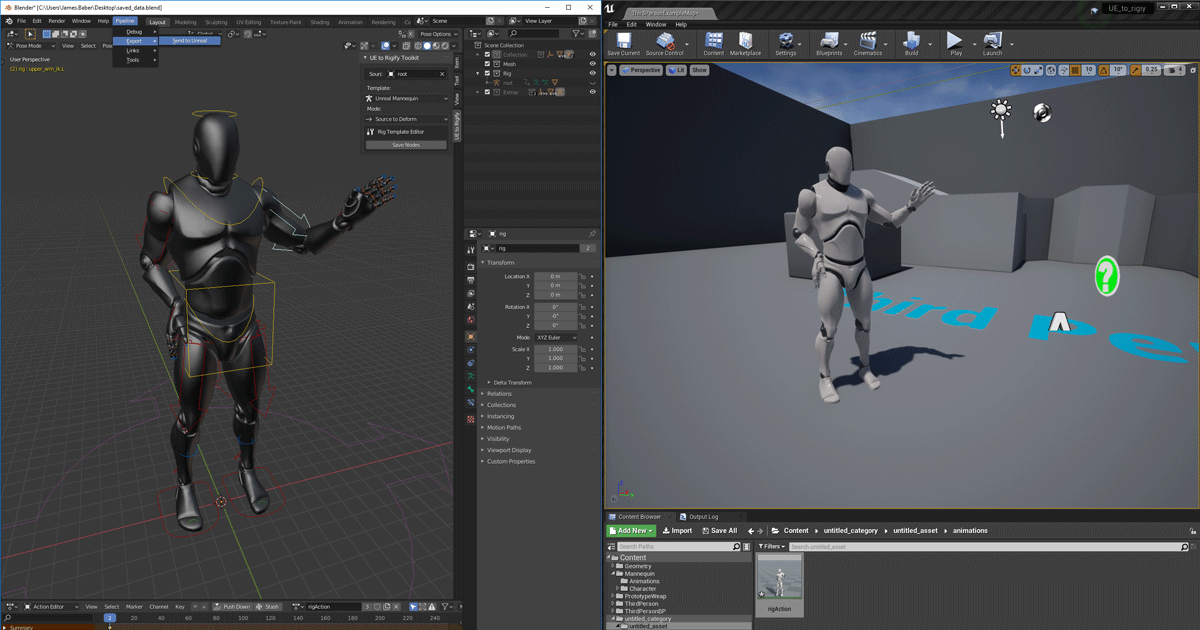
Unreal Engine
We’ve released two new, free addons that greatly streamline the workflow between Blender and Unreal Engine.
11secondclub.com is a great animation website if you want to learn about character animation
crude kettle
I need to make custom ones bc mixamo ones don't line up the way I need them to, and have never really done any animation :v
so ty c:
static falcon
There's apparently a tool in Blender called Rigify that they use with it, so that's something to research too
crude kettle
I'll 100% look into it, thank you. hopefully I can make animations as smooth and nice as say killingfloor 2's animations :p
static falcon
Animation is hard man... I've been learning it for 10 years and I still suck at it 😛
But don't let that put you off, you just have to enjoy learning
crude kettle
when it comes to game dev stuff, so far I'm enjoying the giant pain it's been :p
static falcon
In video games like Killing Floor, animators are not going to be rigging too, they just make great animations
so if you want to create the best animations find a good rig that you can use rather than trying to do it all yourself
I can send you links to some free ones if you'd prefer
crude kettle
send em over
queen vigil
@static falcon thanks for your help!
 delicate locust
Hey, has anyone used the Post Process Anim BP feature? Whenever I assign it, it doesn't seem to update the Event Graph anymore of the real Anim BP. Is there a specific node it must run in order to update the animation of the graph it's post processing?
leaden flint
Hiho i have a question for mylittle friend ^^
He´s flying over the map but the distance to the ground isnt nice. I know how i can change his position but i cant change the Capsule (hitbox) position. Ho i can change the Capsule Position ?
brazen wharf
did anyone work with control rig child blueprints?
what's even their purpose, it looks like it only contain the same variables (which can't be exposed as output pins tho)
brazen wharf
also... did anyone work with controlrig without crashing the editor at least 10 times per hour? -.-
 crisp crown
Hello dudes,İ hope you all fine.İ have a problem.İ made a swimming system,and then i retargeted Mannequin with Mixamo Character but it looks bugged.Who could please help mepensiv
young urchin
@crisp crown retargeting may produce a lot of different issues, so you have to provide more info
 wind marlin
So im trying to make the mag of a gun drop in a animation, then rise back up. how do i do this? i did it but when i do play animation, and i do a event with it, it wont work
leaden flint
Hiho someone know how to make an animation without a Human-Char???
My little Friend is flying but i want to "teach" him to make a loop on click 😉
the on click function will be no problem but the animation... i cant changing the mesh in the fly animation up and down ...
distant osprey
when i have a weapon equipped on my character, i've setup a blendspace for rifle combat then i attached it to rifle anim offset
but when i play firing animation montage or reload animation montage, they dont align with camera
how do i align them with the anim offset( aim up or down ) ?
 long stratus
not sure if this is the correct channel to ask, but I would like to know if there's a way to capture when any montage (regardless of character) ends ?
I have to call a function when any attack ends
I could do notifies in every attack in the montage, but I'm wondering if there's an easier way to do it
distant osprey
use "play montage" node
not "play animation montage node"
"play montage" node has a "Completed" output
just dont forget to plug in a skeletal mesh
long stratus
thanks for the tip @distant osprey . I might do it a bit differently since I might call the animation from cpp and I just found an interesting way of doing it
in my case, since all characters are based from a single cpp class, I'm thinking of creating a delegate on that base class that will be called after any montage ends
brazen wharf
anyone worked with the control rig component yet?
and has a clue if and how to integrate it with animation blueprints, specially wonder if the component can be executed from within animation layers at a specific time
long stratus
I haven't worked with control rig component, but executing anything from within an animation at a specific time is something that I would use a Notify to do it
Notifies are a system for setting up and receiving events in Animation Sequences to perform external actions.
not sure if that is what you are searching for, but I hope it helps
brazen wharf
no, thanks. i meant in a specific point of the animation layer blending, rather than a specific point of an animation
i have to get sure that baked animation is done before doing procedural stuff on top of it
crimson otter
Is anybody know, why my rifle in game in another place?
this is my charmesh
here is ok
but in game my rifle is high
in skeleton socket all is ok
brazen wharf
show the socket in the skeleton tree please
brazen wharf
hm, that looks good to me, so i have no idea
crimson otter
UE drive me crasy
brazen wharf
now we talk 😄
crimson otter
maybe i need all save and reload ue4?
it is not help
Ok. I delete old rifle mesh in CharacterBP and add new. All is OK
 frigid knot
Is there any way I can copy paste these things
crisp crown
@crisp crown retargeting may produce a lot of different issues, so you have to provide more info
@young urchin
İ will send picture 😁
 crisp dagger
hi can sum 1 help me im having trouble importing just an animation no character from maximo to unreal
 solemn carbon
is there any way to move a camera from point A to point B through a parable?
i mean, without drawing a spline, because those A e B points change over time
 half willow
hello, can somebody give me a tutorial for making a leg ik system ?
 tiny flicker
crisp crown
tiny flicker
crisp crown
Hello guys
,İ hope you all fine.İ have a problem.İ made a swimming system,and then i retargeted Mannequin with Mixamo Character but it looks bugged.Who could please help mepensiv
İ sent pic of the screen
When he goes inside physics volume,his leg going like that
 wicked widget
So I want to animate a character bouncing a ball...
The ball will attach to player hands, leave the hands, bounce off the ground and back to the players hands
What is the best way to do this?
I was thinking of adding another bone to the character skeleton at root that I can attach the ball to and animate along with the character animations.
But for all animations without the ball, wouldn't it still be processing the extra bone? seems like a waste...
Any ideas? I could animate the ball separately but it would be hard to match the animations? but might be better for performance...
solemn carbon
is there any way to setviewtargetwithblend between more than 2 cameras?
crisp crown
Guyz i need a help.How i can add root bone to Mixamo Character with Blender?
half willow
hello, how i can make a leg ik system for a mixamo character ?
static falcon
Guyz i need a help.How i can add root bone to Mixamo Character with Blender?
@crisp crown I don't use blender but it should be very easy... just parenting the hips to a new bone usually
yeah just select the armature, press tab, shift A, rename the bone root, select the hips, then the new bone and do Armature > Parent
crisp crown
Thanks man,you saved my project.
static falcon
So I want to animate a character bouncing a ball...
The ball will attach to player hands, leave the hands, bounce off the ground and back to the players handsWhat is the best way to do this?
I was thinking of adding another bone to the character skeleton at root that I can attach the ball to and animate along with the character animations.But for all animations without the ball, wouldn't it still be processing the extra bone? seems like a waste...
Any ideas? I could animate the ball separately but it would be hard to match the animations? but might be better for performance...
@wicked widget Add an item bone... characters need to hold things very often so no it's not a waste
hello, how i can make a leg ik system for a mixamo character ?
@half willow Try downloading Shinbi from the store, it's a free epic games character, you can dissect it and figure it out
you need to add an IK bone that is parented to the root and it needs animation on it
wicked widget
@static falcon Thanks, I'll try it
 solemn sail
I have a hierarchy of animated objects, not a skeleton or character, just some simple object rotations. When I duplicate the hierarchy, it doesn't animate like the one it was duplicated from. Is there a way to link that 2nd hierarchy to the sequencer animation as well?
static falcon
You could duplicate the layer in sequencer and re-assign it but you'd probably have to do it for each object
Not sure beyond that sorry
solemn sail
@static falcon Thanks. The hierarchy isn't super-complicated, so I'll try that. I wish when you duplicated an animated hierarchy it would just duplicate the tracks as well!
static falcon
Yeah... maybe there's a workaround, but in general sequencers are independent assets of levels really
 sweet reef
i need some help with animation anyone
static falcon
What do you need help with?
sweet reef
i need with a two reload animations one is for not aiming and the other is for while the player is aiming now what if the player reloads while he is aiming then soon stops aiming how do like get the remaining of the animation and transition to the reload when not animation is that makes sense??
help
static falcon
hmm
Could do it with a blendspace
and animate an alpha that blends between the two animations
sweet reef
i have it setup its just it starts the animation from the beginning again
static falcon
A blendspace would work if the two animations are the same duration
sweet reef
is there a way to get the time remaining and start from there??
half willow
@static falcon where is the leg ik system ?
misty dagger
does anyone know of a good first person animation tutorial?
crimson otter
Hi! Give me some advice.
My character play a hiding animation and becomes smaller than it was, after he leaves the hiding place, his size again becomes larger. How can I fix it?
fierce frost
@crimson otter You might have been scaling the root bone in your animation.
static falcon
@half willow It's in there but I think it's being used more for foot retargeting for blendspaces and things than floor detection.

Project Files : https://www.patreon.com/CodeLikeMe/posts?tag=source code
Support my work on Patreon : https://www.patreon.com/CodeLikeMe
In this episode, I am going to add IK foot placement features to my melee character using Leg IK node in unreal engine animation blueprints.
@crimson otter Also one of the animations could have import scale on them, worth checking the clip's settings
half willow
@static falcon not working, i tried it 4 times
 abstract wigeon
That foot ik didn't work for me either. The bit where he divides by 20 to get an alpha didn't work properly and the foot placement would be off the the more the leg had to adjust.
I used the ik calc and virtual bone setup that the advanced locomotion system has. Easy to copy over and use - and works perfect. @half willow
half willow
@abstract wigeon can you take a ss please ?
crimson otter
@fierce frost How can i fix this
fierce frost
@crimson otter some of the keyframe might change the scale so look at your animation and check if any keyframe in your animation modify the scale, if so delete them and it should be fix
crimson otter
In 3dmax or blender?
Look, i have a enemy. They have a animBP. I change mesh my enemy. All animation is deformed. I change translation retargeting for Orient and scale, and all animation fixed, but root motions animations stay smaller. And how fix that? Maybe in UE4, not in blender?
@fierce frost
 misty lake
Hey guys... I have a question.
In my Animation Blueprint I cant select Preview Instance in the Debug Filter.
And I am unable to see the preview or to see the flow.
Please Help!
https://gyazo.com/7839f78c7eb1fbb3c4b4eb2761386511

 sterile linden
Hey, Is there any way to flip an animation? I'm using the anim starter pack, but I hate the Jog_lt_rifle animation. I like the Right anim, so is there anyway to duplicate the jog_rt_rifle anim to face to the left?

^ that is the Jog_rt_rifle anim

^And that's the Jog_lt_Rifle
misty dagger
can i increase the distance traveled of a root motion animation directly from ue4?
static falcon
@sterile linden you could flip it but the arms will flip unless you are using some upper body masking
i.e. the guy will become left-handed
crimson otter
Can someone help me with my character?
I can't figure out where I'm wrong or how to make sure that the mesh of my character can be replaced by another mesh that I created in blender.
When I replace a mesh from a normal dummy, the mesh stops showing up. I understand that the problem is in scale, but how to fix it, I can not understand.
I have not been able to solve the problem for a week. Please help me.
This is all ok/
and this is my mesh
Im not change weapon scale
This is my mesh file
Please, help me.
sterile linden
@crimson otter Export the UE4_Mannequin and import into Blender, This will give the correct scale for your new mesh. scale your mesh to the correct scale in relation to the Mannequin
restive vortex
Hey, what's the best practice for modularizing several animation layers, like swimming, different weapons etc. I see many just cramming it into the same animbp, but seems you could use linked animgraphs. Anyone know if it's viable or you'll run into problems. I know fortnite uses animation layers, but not sure if they only do it for stuff like vehicles etc
crimson otter
@sterile linden I did it, but still the scale is wrong. (((
misty dagger
can i increase the distance traveled of a root motion animation directly from ue4?
 white tiger
Hey, is this also the section, where i can ask about ue to rigify or is there a better section?
 feral oak
What do people think of PowerIK? https://www.unrealengine.com/marketplace/en-US/product/power-ik

Unreal Engine
Power IK is a full-body IK solver with built-in ground alignment.
Is it worth the 99 dollars?
white tiger
So here is my blender issue with UE to Rigify:
I have 1 additional bone (I imported my anim from unreal). The bone then gets added to the meta rig. In the FK to Source it gets moved for some reason and an FK Target gets generated. I Linked it succesfully with alt+1. Now in the Deform tab, the ball is there of the additional bone, but no deform bone. Then in the control rig, the helper is there, but first of all doesnt attach to where it should, but that doesnt even matter, bc in unreal the additional bone is at 0,0,0 (so no effect of that whole process to the source location). that makes the rig pointless. Now i think that it's bc i can't generate deform bones. Anybody has a solution? I could upload the file if need be.
brazen wharf
@feral oak wondering the same, as im curious how usable it would be in my case... on the other hand epic hired the author of that module as dev and he is working on IK solutions for epic now
so just a matter of time till it's part of the engine... (also they added a full body ik solver for control rig in 4.26 which is kinda usable)
abstract wigeon
@half willow it's a free downloadable project from the unreal market. Just troll through it and you'll find what you need
feral oak
@brazen wharf did you use the 4.26 full body solver? Did you have issues with it? Why kinda usable?
 wispy obsidian
Hi! I am playing with FPS animations and now i I'm stuck. In every tutorial i see that i should use Socket attached to hand and then attach a weapon to it. (Hands are fully animated and weapon has just animations like trigger moving etc.). But what if i want to create an animation, where you put a gun from right hand to left hand, for example? Should i create second Socket attached to left hand and then somehow change it? i think this solution is not quite right. Or should i create animation for weapon like for hands? Or is there another solution? If someone could give me some advice, I'll be very grateful.
brazen wharf
@feral oak yea i use it for leg ik now, kinda usable as there isn't much documentation about it yet and it's (at least for me) unclear what some of the options affect, so i'm not 100% satisfied yet
and current controlrig state is that it crashs the editor often, hope that gets solved for the final 4.26 build
feral oak
Cool yeah I am going to give it a shot for leg ik as well
I bet stability will be improved for the final 4.26 build
abstract wigeon
@wispy obsidian make the swap hands animation, and have a notify fire when the hands are close together that detaches and then reattaches the weapon into the new hand.
 fossil swift
Hey, I'm new and I can't seem to figure out what's wrong when navigating in my viewport with the ALT & Button like Maya and C4D. Most of the time my movements are blocked, like in this video.
white tiger
I think u then reach the max zoom. In game engines - u navigate with wasd and traditional zoom is just for close ups / fine tuning
wispy obsidian
@abstract wigeon Thank you very much for the tip
 iron mauve
Are you able to store animations in a datatable?
 sterile gull
Hey guyss
i have mocap data, have default model to check in UE4.
got rigger character as well.
But whenever i am trying to create animation using that mocap data and character.
It animated the entire animation in a single spot. (Static position in the world).
I was wondering how to make it move accordingly in the world.
my deadline is kinda closing in, and i m getting little desperate about it.
waiting for you response.
Thank You.
dark vortex
Are there any hotkeys for blutilities?
fossil swift
@white tiger I thought it was too, but it's not. If it was zoom, the position would snap back to its original state once you let go. It's hard to notice that in the video, but if I were to let go of the mouse button it stays there in the position. In the video I'm physically moving back. I'm noticing that the navigation is not like a 3D Program...because it's not, its a game engine. WASD will take some time getting use too, but they shouldn't advertise Maya style settings, when obviously there are some limitations when using that way to navigate-that's just my two cents.
devout dagger
Is it safe to assume that if Optimization option "Visibility Based Anim Tick" is set to "Only Tick Pose when Rendered", unless character is in the view (NPC) anim notifies will not fire?
 tight girder
Hi. Coming from tradition CG (Modo) a using UE as a renderer, mainly cinematics.
Need a skill up with Animation.
Anyone on the channel willing to 'zoom' a few hours of informal training, paid of course.
I've got so far in Sequencer and (just about) understand skeletons, fbx export but badly.
Had a proeject that used deformers, lattices, weight maps. Total fail and ended up rendering back in Modo...Slow, nice but slow.
Even creating simople animation tracks and posing direct in UE would be handy. It's the differnece in concept that get my head hurting.
 dapper terrace
Hi guys!
I am having a little issue with my character.
I am using Daz skeletons, and they have extra bones for bending and twisting.
I am moving my chars hands in VR with FABRIK, and they look like they are made of rubber... 😄
I guess all the bones bend and twist from root bone to tip bone.
I am looking for a way to mask out those undesired rotations.
Thanks!
brazen wharf
does someone know an alternative to atan2 to get the rotation from an impact normal? As ControlRig doesn't have an atan2 node -.-
distant osprey
what does "apply additive" node do in anim graph ?
 left agate
Is there any way that I can make my FABRIK node update faster? Whenever I move the weapon my man's hand is attached to it will clip through when moved quickly
Is there a different approach to left hand IK for a gun? I've already tried two bone IK and I had the same problem
devout dagger
Is it safe to assume that if Optimization option "Visibility Based Anim Tick" is set to "Only Tick Pose when Rendered", unless character is in the view (NPC) anim notifies will not fire?
 ivory breach
Hi guys, is there any kind soul that is good in Blender?
I don't understand why is everything messed up when I export this Blender file to FBX or other usable format, can someone please take a look for me? I would also like to learn what is the problem as I have few more that I haven't checked yet.
I've already lost few hours today on solving this and I am just putting it away for now
And the file
young urchin
Greetings. Any sane way to make stretching bones?
Seems like only Spline IK supports them
but it uses local space
distant osprey
is it possible to use IK hands on animations ?(for example a reloading animation)
devout dagger
would it be better to have all idle anims as montages (for AI) or is there a downside to that approach ?
distant osprey
you'd have to retrigger them from the other states
besides you cant leave your state machines empty
montages are for 1 time animation (non looping) i believe
dapper terrace
Is there a different approach to left hand IK for a gun? I've already tried two bone IK and I had the same problem
@left agate
you can try the CCDIK node it might be a bit faster, just discovered it yesterday
or Power IK
left agate
I'll check it out, thanks mate
brazen wharf
did anyone work with hit normal vectors in control rig? how would i rotate them for example? there aren't many methods for vector manipulation available 😦
i want to rotate my foot according to a trace, but heck am i stuck with this hit normal and control rig using quaternions for all rotation related things
 rigid hatch
Hello, new to ue4. How many meshes should my imported gun have? I assume it can't be a combined mesh because you have to animate it.
brazen wharf
1 to infinite
rigid hatch
Isn't it more difficult to texture it if it has more than 1?
Do you add the meshes to a folder?
Whats the standard workflow? Cant find anything on youtube
brazen wharf
its the same amount of work imho, you just end up with more material slots on your mesh if you use multiple materials
young urchin
@distant osprey they are not necessary, it probably was for two bone ik, as it uses 2nd bone as target, but CCDIK may use vector
@rigid hatch MOST game have ONE mesh for a gun, it's a skeletal mesh with several bones to make it move
rigid hatch
How does it move if its one mesh?
Well I mean the animations. Like shooting and reloading.
brazen wharf
vertex manipulation
the parts aren't connected and the rig moves parts
you could probably also use morphs/shape keys instead of bones
rigid hatch
how are the parts not connected when its a single mesh?
devout dagger
@distant osprey you can have any kind of animation in the montage and it can be played from Blueprints (AnimBP needs a slot for it)
young urchin
@rigid hatch subset of geometry of a single mesh called element, for skeletal meshes elements are separate, non continuous geometry
Skeletal mesh elements once being rigged/skinned may be attached/influenced by the separate bones, thus makes them able to move relatively to each other.
yet this gun is a SINGLE mesh

 vivid roost
I am trying to get my mannequin to play simple animations for testing. However, calling Play Animation in blueprint is causing the character to T Pose instead of play anything. How can I figure out what is wrong?
Mannequin is from the third person project base.
devout dagger
Look At AnimBP node vs Aim Offset, what's the difference when it comes to aiming/looking at something for an NPC ?
devout dagger
Unreal Engine Forums
I need to make a neutral NPC to look at player as player approaches and passes by. Also need to make enemy NPC to be able to look up/down when shooting at player.
At first I figured I have to use AimOffset for that, but then I found Look At node in AnimBP and now I am wonderi...
 stuck basalt
Hi there! I'm John. i am new here and also new in unreal engine. i was following a youtube tutorial on how to start a shooting game but there was no tut about how i make my character move while shooting . im sorry this sounds kinda basic but as of now im finding my way through it
stuck basalt
okay imma do that too
 true drift
Is there a way to get an animation's current position/frame from an animation blueprint? I want a slider to reflect the progression of an animation playing in the anim blueprint
 urban crater
@true drift You could probably export all important frame of that specific animation and then do the progression using a blendspace and update it with the value from your slider 🙂
Does someone know what would cause this issue? I'm retargeting a Skeletal mesh and the arm/hand are deformed
urban crater
Issue fix 🙂
true drift
Thanks for the idea, I have 200+ animations that I want to scrub through though so that's unfortunately not practical. Thanks though!
urban crater
@true drift I guess the other option would be to make the playRate at 0 and set the starting position of the animation and reset the state each time (should work, but never try to do it)
urban crater
@true drift Let me know if it help you
 stone bolt
When I apply idle animation to Paragon: Kallari and add Kallari to sequencer and then movie render it, its cape goes crazy and moves like there's a high speed wind in the scene (but there's none) even though its static in viewport. What could be the problem?
urban crater
@true drift It is definitely possible, achieve in less than 15m
@stone bolt My guess would be that the cape is colliding with something or you have something going against the apex physic clothing system
stone bolt
@urban crater Wouldn't the cape do the same thing in the viewport then?
urban crater
It should when play/simulated
stone bolt
Similar stuff happened when I had Paragon: Minions, nothing extraordinary showed up in the scene but in render minions were flying around and ragdolling
@stone bolt My guess would be that the cape is colliding with something or you have something going against the apex physic clothing system
@urban crater What does the apex physics clothing system mean? Sry I'm new to Unreal
urban crater
So your cape is using physic which allow it to interact with other collision, you can find more information about the clothing system directly on the documentation
@stone bolt There is no worries about being new 🙂 Beside that if you character are radgolling and flying around, make sure simulate physic is turn off
true drift
@urban crater Thank you for putting that together. I have scrub working now, but I also need the slider to reflect the position of the animation if it plays normally. Does yours do that? And if so how?
stone bolt
So your cape is using physic which allow it to interact with other collision, you can find more information about the clothing system directly on the documentation
@urban crater Thank you for your advices!
stone bolt
When I start the simulation, I see that the cape shivers for a second or two and then stops. My guess is that this could be solved by not rendering first 1 or 2 cesonds of the sequence
 nova mantle
hey guys, when i make a pose it affects the other poses
does any one know what is happening?
 dawn rose
@nova mantle you mean you override the previous pose? use blend per bone node ?
nova mantle
i figured it out, i had to press the key frame key
dawn rose
hey i need some help, is there a way to make a morph target affect the cloth physics or somehow update the physics assets ? for example making the belly of my character really big and still have physics cloth on top of the belly deformed ?
static falcon
If you scale the belly's bone does it scale the physics collider?
Blend shapes won't work because the cloth collides with colliders not the mesh
@dawn rose
dawn rose
yes exactly, by using bone scaling the collider scale but scaling bones does not look as good as using a morph so i want to know if there is a work around this
static falcon
Can you scale the collider through BP and then use the morph target for the visual fix?
Or scale the bone and then make a blend shape that fixes the look of it
dawn rose
i was thinking on doing that , maybe spawn new capsules in runtime to when i morph and spawn from the vertex , i have not tested it yet , what catched my attention is that there is an option called "enable per poly collision" on the skeletal mesh
static falcon
I would assume that is not for cloth, but I may be wrong
Cloth seems to have its own rules
but worth a test
dawn rose
yea i guess its only for the world
static falcon
I have a cloth issue too, maybe you have some ideas
I'd like to swap the cloth simulation during gameplay if possible
But I may need to swap the cloth skeletal mesh to do this and cloth only collides with its own physics asset, so that would mean I can't collide with the character I think
dawn rose
yes im playing with all of that take a look at this https://docs.unrealengine.com/en-US/Engine/Animation/WorkingwithModularCharacters/index.html
Describes the different methods you can use to create modular characters comprised of multiple Skeletal Meshes.
static falcon
The rifle collides when he equips it
Ohhh so use two different chest skeletons to attach it?
will solve the issue?
dawn rose
sent you a direct message
leaden flint
Hiho my Walk/run animation has been crashed... the animation worked for 3 days but now nothing my character is only sliding in the idle mode by running forword. Walk and Sprint is ok but the animation isnt starting. I have controlled the Animation BP and found that
What´s differnet between yesterday and today? i havn´t changed anything into this BP
young urchin
What´s differnet between yesterday and today?
Version Control can answer that
 nova kettle
Anyone know if there are examples of setting up the Ulna and Radius in the forearm for animating? Or is that just not a thing in games? Have a very long forearm creature and would like to add more realism to it.
 stark tide
Animations, do them in blender or in UE? what's easier?
stone bolt
How can I attach mask to an animated character so the mask stays on characters head while he is moving?
 serene hornet
Just getting started with Unreal and trying to work through the sequencer.
I have a "shot" where I want to hold the last frame of animation for a few frames in the sequencer.
If I try to extend the animation it simply repeats the animation, setting it back to start.
I've tried all of the interpolation settings, and constant or linear do nothing.
If I don't extend the animation, the character goes back to it's neutral position.
If I extend the animation is goes back to the beginning.
Hints, Suggestions or what to look up?
small orbit
How can I attach mask to an animated character so the mask stays on characters head while he is moving?
@stone bolt use sockets on the characters head then attach the mask to his head
Simple as that
 frosty sonnet
Anybody know of any First Person "Lowered Weapon" animation assets or even better, free, animations? Alternatively, Is it possible to retarget Third Person animations to the First Person Arms skeleton?
 wicked forge
I've got some photoscanned people with animations based on this tutorial: https://www.youtube.com/watch?v=icqLFiwpNlM. Basically a three bone setup of legs-torso-head. Is it possible to take an animation from a more advanced skeleton, like a default idle from UE4, and apply it to that basic three bone skeleton?

https://www.patreon.com/IanHubert
Lazy Tutorials for Lazy People.
Here's how to animate humans "Hanging out" in Blender3d.
(Note: actual character animation is like the hardest thing ever and I have no idea how anybody does it. This technique is useful sometimes, though). ...
Hm, maybe I should have been looking at animation retargeting rather than skeleton retargeting
 manic aurora
Hey ho pplz :)
I am kinda of a noob, and I am having a few issues with the Animation Sharing Plugin, anyone has some experience with that?
 rough walrus
hey there. does anyone know how I can fix this?
 twilit marlin
Has anyone been using Control Rig in 4.26 yet? I was using it in 4.25.1 and trying to use parameters to drive some functions, but found out there is a bug that causes parameters to crash the engine and not work, supposedly this was fixed in 4.26 - however, now I cannot find any parameter option in control rig... would anyone know anything about that?
twilit marlin
Well, found the solution on this forum post incase anyone else has the same issue - VERY hidden https://forums.unrealengine.com/development-discussion/animation/1639091-how-to-access-control-rig-from-anim-bp
Unreal Engine Forums
Does somebody know how to access Control Rig Plugin controls from the anim blueprint? I see there is an "Animation Input" checkbox which says
dawn rose
@twilit marlin one of those sneaky parameters 🙂 thanks for shaing
stone bolt
use sockets on the characters head then attach the mask to his head
@small orbit Thank you for your advice!
wicked widget
@wicked widget Add an item bone... characters need to hold things very often so no it's not a waste
@static falcon So I added an item bone... it has no weights against the current mesh (because it should be used for the ball) but I added a socket and attach the ball mesh to it.
But it looks like Unreal is filtering out the bone when in play mode. Everything looks fine in animation preview but not in game - ball sits at root.
Is there a setting to stop not updating bones that have no weights on them?
wicked widget
yep, its keyframed, If I add a preview mesh on the animation it all looks fine
wicked widget
hmm ok, it works if I drag the skeletalmesh and a ball onto the editor and right click on the ball and select attach to SK then select the socket
I must be doing something with my character blueprint
Ok yep it does work, ALSv4 seems to be blending out the bone somewhere... I'll look more tomorrow
Thanks!
 opal jackal
I have some first person view arms that are not rigged to the UE4 skeleton. Is there an easy way to use the mesh I have with the UE4 skeleton? I tried retargeting but the animations just don't match the original UE4 skeletons. Is there an easy way to do this in Maya?
long stratus
a little issue I would like to discuss about animation code
            GetMesh()->SetAnimInstanceClass(ActiveStance->StanceAnimationBP);

            CharacterAnimationReference = Cast<UCharacterAnimationManager>(GetMesh()->GetAnimInstance());```


I have this code to change the Animation Instance when the stance of a character changes, however when I make that cast it crashes because I'm supposing it finds an invalid pointer. Does anyone know a fix for this ?Quick question, what would be the best way to go about setting up dynamic ambient limb to world interaction?
Currently I'm doing a sphere cast around the character within a radius, then returning objects within that radius and getting the location that's actively the closest to the character and setting that as a target for an IK socket to move to for the hand. However I feel like there's better ways to do this, and would prefer to handle it without IK if possible because I just don't like the result IK leaves or the visual bugs it brings, so I'd like to make it more normal animation based but still be dynamic, by dynamic I mean being able to actively change based on distance and direction
I can easily get the distance and direction as well as a specific point with the sphere cast, so I can use all kinds of data.
I'm just wondering if a full blown state machine controlled by event graphs and then layer blended is the best performance friendly alternative
stone bolt
@stone bolt use sockets on the characters head then attach the mask to his head
Simple as that
@small orbit When I try to attach my static mesh to my skeletal mesh, it says that the skeletal mesh isn't compatible, even though I created it's socket. What could be the problem?
small orbit
Wait what? Just use the attach actor or component to the head in the construction or event begin play or when it is equipped
Just like a weapon @stone bolt
small orbit
You can check for attaching weapon tutorials @stone bolt
stone bolt
@small orbit I made a blueprint in which i successfully attached helmet to the character, but how can i put it in viewport
small orbit
Blueprint actor
Then upon collision, it comes on if some requirements are met
@stone bolt
 sick field
so is it normal that this only shows the preview pose of my animation asset rather than the actual animation?
sick field
figured it out, you need to add a "play animation" node right after
 hollow flicker
Is it just me or does the Animation Budget Allocator not do anything? The docs (https://docs.unrealengine.com/en-US/Engine/Animation/AnimationBudgetAllocator/index.html) imply it just magically does its thing once you enable it, but it doesn't seem to. Manually enabling it through cvars and also enabling debug just does nothing. No debug graph appears
I also seem to be unable to reference it from C++ in any way, shape or form
stone bolt
Blueprint actor
Then upon collision, it comes on if some requirements are met
@small orbit How to do that, I'm a beginner
 bleak tapir
How can I put a key on a curve in an animation in WORLD space.
Despite setting the gizmo to World space, the key is doing its effects in local space
Here you can see I am moving the Yaw key on the pelvis. It should rotate over the global Z axis, but it rotates over the local axis. What do I do?
 cloud wing
Guys for Control Rig, Do I have to make a custom rig for every skeleton or what? can I copy the default Control Rig (the one that cames with the sample project) and apply on my own rigged char?
brazen wharf
for every skeleton that has another bone structure @cloud wing
 astral pumice
Any thoughts on overwatch's pipeline templates ? Is it something that is translatable to ue4? https://www.youtube.com/watch?v=cr7oO8kDu8g&t=2924s

In this 2017 GDC talk, Blizzard's Jesse Davis takes a look at how the Overwatch team built an animation pipeline and workflow around a new game universe, a new team culture, and Blizzard's tried-and-true values
Register for GDC: http://ubm.io/2gk5KTU
Join the GDC mailing lis...
young urchin
@astral pumice yes, but you have to write custom APB in CPP
you can look at ALS, it has some custom logic for abp that is written in CPP (it's open sourced on GitHub)
astral pumice
thank you!
young urchin

GitHub
Performance optimized & replicated C++ port of Advanced Locomotion System V4 for Unreal Engine 4.25 with additional bug fixes - dyanikoglu/ALSV4_CPP
astral pumice
I guess Ill have to master the use of blend spaces too
young urchin
well, blend spaces are not magical...they have limitations
astral pumice
indeed
small orbit
@stone bolt sorry
Just search for how to pick up weapons in ue4 but now your weapon would be your helmet instead of the gun the person on YouTube is using and then your location would be your head and your socket would be the socket you created on the head
Apart from these follow everything
Also don’t forget to use preview mesh
You will know what I’m talking about when you start the tutorial
 raw stirrup
Did anybody else have an issue with Entered State Event not firing? If I understand it correctly I should type in a name of the event that I want to fire that is in the ABP's event graph, right?
 leaden inlet
Why is unreal appending numbers to my bone names? 😩
 glacial ridge
Does anyone have a tutorial or doc on setting up LiveLink from iOS/iphone and one for mvn livelink/Xsens. Like a webapp or server setup?
leaden inlet
nvm it's because UE treats your objects in your hierarchy as a second skeleton 
white galleon
Hi I have a question about camera animation, I have a first person animation with camera anims for the reload, and the anims play on a cube. Im trying to get the camera to move the same way as the cube without messing up the positioning
 old plinth
Hi people, does anybody know how to handle spawning enemies from different spawn points?
I have animation which Root is out of box, and pelvis or some other bone first bellow Root in hierarchy is in spawning box,
during spawning that pelvis closing to Root and finish in same point, spawn finished, enemy out of spawning box.
I spawn my enemies out of box on position of Root, and have problem, in first sec, firs frame, i can see default locomotion pose before spawn animation started.
so i tried to have param EntryType (enum) and set it after spawn but is to late to avoid first frame of locomotion pose.
first idea was to enemies have RootMotion anim and to spawn them in box but we decided to avoid root motion in this case
old plinth
anybody pls?
crimson otter
Hello! Is anybody know, how animated pawn? or in ue4 it is impossible? Usually, I animated skeletal meshes, but now I need a cut scene where the car goes. I put my pawn car on the stage, pointed points of movement with the transform, and made the rendering. But in the clip the car remained in place. I did the same thing on the skeletal meshes of this car, and it moved in the clip, but its wheels did not rotate. I would like to know if it is possible to make it so that I can set the trajectory for a pawn when i make a cut scene?
left skeletal mesh, right pawn
 viral geode
Hello everyone, noob question. What is the best way to put an animation between two blend spaces? I have a walk bs and a crouch bs. By pressing C my character goes into the crouch bs and up again. Now I have a new animation (where my character puts on the hat that she's wearing in the crouch bs) which I need to put between these two. But I can't figure out HOW..... In the animation blueprint I blend the two blend spaces trough "blend poses by bool".
small orbit
So you just want to put on the hat with an animation? @viral geode
Then just play the hat animation and use layered blend per bone and blend it with the results of the bool between the crouch and the walk @viral geode
viral geode
@small orbit Not sure if I understand it correctly....So here's a screenshot of the current state.
And this is the new animation btw.
https://i.ibb.co/N3L2nyn/Idle-To-Crouch.gif At the moment she just magically wears the hat after pressing C. So would be nice if she uses her hand for that.
 small orbit
Wait, do you want her to wear the hat that way?
viral geode
I guess so. Something wrong with that?
small orbit
Oh no
It is up to you
So what exactly do you want to do @viral geode
viral geode
Always open for criticism btw 🙂
I have to put this animation between the blend spaces. So that she uses the animation right after I press C and again -1 when I press C again
@small orbit maybe your first answer is the right way to do but. I'm just not sure if I understand where I have to put the layered blend per bone node
 abstract bramble
https://youtu.be/awA0iQhOXv4 How do i fix the wonky blendspace issue when direction(strafe) and speed hits a weird spot in the blendspace and the feet look silly

upclose
 abstract bramble
https://youtu.be/AetsoMdLrjU Here's another video of when running forward and strafe left and right, the right side does weird stuff


 cursive hollow
Hi I was curious is this the right place to ask rigging questions
small orbit
Kinda @cursive hollow
cursive hollow
I made a character in blender and was going to rig it then import it to Unreal 4. So I opens the third person manaquin skelaton so i could see what the bones were called and such and how they were attached in UE4. I started copying there layout but they do not make sense to me the root bone is on the ground the pelvic bone come up to meet spine 1 but then the upper arm is showing it is nin the chest
just seems like there are bones everywhere The upper arm is showin on the manaquins chest instead of the upper arm of the mesh and all the other bones of the arms are off as well
static falcon
I don't know what you're seeing, but it looks perfectly sensible to me @cursive hollow
In UE4 the Root bone goes on the ground because it's for Root Motion, so that is intentional
 primal sandal
Anyone know why this is happening once an animation starts playing on my skeletal mesh?
 tulip trout
hey there !
I am struggling finding a solution on this one : I have enemies who can Dash. After Dashing, they'll rotate instantly towards me. I want them to rotate smoothly instead. I've been playing with Use Controller Desired Rotation and Orient Rotation to Mouvement and bUserControllerRotation and some values in the Rotation Rate. No success. I was thinking about the anim BP, like blending 2 poses after the dash, but couldn't make it (I'm a beginner with the anim tools)
dawn rose
@tulip trout to blend 2 animations use blend node and use the animation time input in the node
tulip trout
Well I tried that but it didn't work.
I think the character reset its rotation when he finishes dashing et then rotate again but instantaneously towards me just after
or maybe that's the rotation rate but i've tried a wide range of values without success
 cosmic delta
Hi everyone I'm having a bad time with the crouch idle animation and the ledges, I'll try to explain it; the character can't fall from ledges when crouched. That works flawlessly, the problem it's that it seems the limit it's just the half of the capsule so the idle crouch animation have one feet on air, it's hard to explain but I really don't know how to stop all the width of the capsule not just the half. There's no idle animation that it'll fit in that circumstances. Thanks for reading.
restive vortex
cosmic delta
Hi everyone I'm having a bad time with the crouch idle animation and the ledges,...
Download Alsv4 and see how they did it?
stone bolt
small orbit
<@432518846159650823> sorry
Just search for how to pick up weapons in ue4 but no...
those tutorials only work for third person default character, and i use skeletal mesh which isn't controlled by a player. Parts of those tutorials require a third person project type and i have cinematic project type which doesn't have some nodes from the tutorial. and i still don't understand why my character is incompatible for attaching a helmet to it
small orbit
Huh? @stone bolt
You just need the attach component node
stone bolt
@small orbit does it go to the helmet blueprint or in the character blueprint
 languid wind
 small orbit
@stone bolt helmet blueprint
cosmic delta
@restive vortex thanks, I'll do it
 meager plank
trying to give this bones but i cant, anyone knows how to fix it?
small orbit
Make sure the character was not rigged before the upload @meager plank
Delete all rigs and everything form the scene apart from the character
Or export only the character mesh @meager plank
stone bolt
small orbit
<@432518846159650823> helmet blueprint
@small orbit I managed to do it! I used this tutorial https://www.youtube.com/watch?v=DyPq1-JGMKY&t=306s. Thank you for your advices!
In this video we show how the Skeleton asset can be used to create sockets which we then populate with a Static Mesh. This is useful if you want to have your character hold something in their hands or attach something to a characters head like a hat. We also show how Skeletal Meshes that share the same Skeleton asset can share any sockets you de...
meager plank
i tried doing that @small orbit but it didn't work. ****
small orbit
stone bolt
<@!613989213972725771> I managed to do it! I used this tutorial https://www.yout...
Okay you welcome
meager plank
small orbit
Hmmm @meager plank
I’d try and think of something
meager plank
thanks : D
 sinful birch
Where has the Send To Unreal Blender plugin gone? The repo is totally gone.
meager plank
It didn't work rigging the model :/ gotta find another 3d model
 thorny egret
And you not change the location of animation? I have a swim animation that if i set my swim idle my head and a little bit of shoulder sticks out of the water but as soon as i start swimming the character transitions to swimming a decent bit under the water. I tried moving the root up by 30cm but no matter how i mive the root the animation never changes location
 tender flicker
hey, does anyone know how to get the average speed of a root motion clip?
 lament hatch
Hi all, after retargeting an animation montage i have an error come up whenever i look at the animation montage that was used to retarget from. If i even open the folder that the anim montage is in the engine crashes..... any ideas why?
The retargeted anim montage is fine...just the original
 glossy brook
I've been making animations since March, in an endless job, and I like to listen something as a background, like old tv shows, today The computer chronicles from the 80s XD What do you like listen while you are animating?
crisp crown
Hello Everyone.İ've a question.Can i add any car model in TPS game and can i make it driveable.Please help me
misty dagger
How can I create a animation in ue4 using mesh position?
cloud wing
sup guys, just imported my char through Uefy and idk why I have duplicated bones
why should I do? I tried retargetting and it works well lol
small orbit
crisp crown
Hello Everyone.İ've a question.Can i add any car model in TPS game and can i mak...
Of course
devout dagger
@tribal zenith watching this https://www.youtube.com/watch?v=i9aNx1X-Wm8 and wondering if those 360 deg. anim assets were released (UE4 assets). I can't quite understand how(what) Jay counter rotated in Maya for deliverable assets.

We’re fortunate to have Lead Animator Jay Hosfelt return to the livestream to share even more animation techniques! Jay will demonstrate how to add turns and jumps with the “convert to single frame animation” option, and explain a few different approaches to obtain relevant number values you need in the event graph.
NEWS
Virtual Production: H...
 pliant tinsel
Heyo, does someone know how to add another axis to an animation blendshape?
A vertical axis
devout dagger
you need to create blendpsace, not blendspace1D
 hexed sonnet
guys I need help Asap, I'm trying to export an animation from 3dsmax into ue4 and it's only importing some of the skin weight adjustments I made
it's using a cat rig in max with a few max bones attached
it looks fine in max but it just breaks in ue4
hexed sonnet
I tried exporting as an alembic but it's telling me there are ngons where there aren't
devout dagger
how do you know @hexed sonnet ?
 fathom frigate
I figured out how to make really realistic cloth animations this evening https://www.youtube.com/watch?v=HCebmXdQ2Eg
I wanted to show everyone how good cloth animations can be if they are made in Marvelous designer.
 grizzled charm
Is it possible to do skeleton retargeting in real-time? I'm trying to capture the player movement from a kinect camera and apply it to skeletal mesh. I am trying to scale the bones of my input skeleton in control rig, but I still need to retarget it to the epic skeleton. Do you have any suggestions how I should do this? Any pointers would be appreciated.
grizzled charm
I'm just experimenting at the moment. I'm using Nuitrack SDK and nuitrack-osceleton, which sends joint data as osc messages
https://github.com/gogo2/nuitrack-osceleton
@fathom frigate have you worked with these kind of dynamic skeletons before?
fathom frigate
I use a Kinect with Character creator.
I am looking at buying a mocap suit in the very near future
grizzled charm
That's probably a good decision if you are using it for mocap
 elfin solstice
Hi guys - does anyone know how I could get a camera in maya to match up with the view of ue4 camera for purposes of FPS animation ?
fathom frigate
I have not tried that yet
But at the same time it should not be to hard if you have the arms and then just position things properly
grizzled charm
the arms work more or less, the legs are more problematic, they are skating/floating in the air without retarget
fathom frigate
ahhh ok
You should be able to lock the feet
I have not done any animation work in maya for quite a while, but I will check with a friend of mine. He specializes in 1st person anims in maya.
misty dagger
How can I make my animation end sooner?
fathom frigate
You can change the animation length in most 3d software
compress it or shorten it
 novel viper
This is a bit of a 3dsmax question rather than a Unreal question. But does anyone know how to override a bone's location and rotation with an absolute rotation and location for a few frames? I'd like to have a weapon attach bone (where the weapon is attached to inside Unreal) stay at one place while the rest of the bones do animation stuff. Anyone know how to do that in 3dsmax?
the weapon attach is in hierarchy part of the right hand, but I'd like to move the right hand around (cock the flint of the weapon) while the weapon itself stays in place
This guy had the same question: https://www.reddit.com/r/3dsmax/comments/g1kxuq/inverse_kinematics_bind_bones_absolute_position/

reddit
1 vote and 0 comments so far on Reddit
but sadly no answers yet 😦
distant osprey
is it true that Root Motion animation can't be replicated in multiplayer ?
misty dagger
@fathom frigate Yeah but can I change it in ue4?
fathom frigate
I think so. I am so tired right now its hard to think properly
 bright sparrow
You guys know why is that? i did the necessary things but the animation does not work
devout dagger
Can someone please explain how animation was set up for turn-in-place in Maya and what Jay meant by "back out rotation in Maya" https://www.youtube.com/watch?v=i9aNx1X-Wm8 ? I use Akeytsu for animations, but I am sure principle is the same.
We’re fortunate to have Lead Animator Jay Hosfelt return to the livestream to share even more animation techniques! Jay will demonstrate how to add turns and jumps with the “convert to single frame animation” option, and explain a few different approaches to obtain relevant number values you need in the event graph.
NEWS
Virtual Production: H...
(30:58 timestamp)
bronze osprey
@devout dagger he romoved the capsule rotation
bronze osprey
no in maya, it gets added in eu by the capsule
UE i mean
in maya its replaced with that circlearrow under the char
devout dagger
I am still lost though about the Maya set up :/
do I animate 360 deg rotation as I normally would, rotating root bone (where character ends up aiming down X axis in the middle of the animation)
once animated, what do I do to "backout rotation" ? Do I isolate root bone so that character shuffles in place and export that into UE4 ?
bronze osprey
yea
you dont use root montion for this
theirs is mocapped i think, and mocap doesnt have a root you can move
its all from 1 zero location
bronze osprey
they took the guna as forward ref and i dunno removed the rotation out of it
devout dagger
upper body is on AimOffset in UE4, so it wouldn't matter
distant osprey
is it true that Root Motion animation can't be replicated in multiplayer ?
bronze osprey
i think it can, just test it 😛
bronze osprey
its more for animations that allways finish
stone bolt
I have a bumpy surface, is there a way that the character (while its walking) always stays on the ground without floating or sinking through the ground?
grizzled charm
@stone bolt search for foot IK
stone bolt
grizzled charm
<@432518846159650823> search for foot IK
Thanks! Will do.
 modest tapir
hi guys! wanted to ask, is there a way to change an animation sequence play rate on runtime? i'm trying to change it as soon as ABP enters an specific animstate
distant osprey
@bronze osprey so it's not for looping animations ? like run_loop or idle_loop
bronze osprey
id like to see you try 🙂
generally the root doesnt move on idle tho
run is gunna be hard
distant osprey
LOL, sorry i meant sprint_loop
not idle loop
i made a project with root motion, it's working well
i can stream to you if you want
my only concern is, if it's replicable in multiplayer or not
bright sparrow
can someone help me for aim offset? I'd stop somewhere, i cant fix that.
distant osprey
what do you need ?
bright sparrow
i got problem when i work. In up. you can see
bright sparrow
bright sparrow
You guys know why is that? i did the necessary things but the animation does not...
.
bright sparrow
i cant found anything for problem but i checked a problem. Animation not playing.
 vocal ocean
Whats the difference between "rigged to epic skeleton" and "scaled to epic skeleton"
vocal ocean
I saw some characters on marketplace but they are not "rigged" for Epic skeleton but "scaled", I can use other marketplace anims with these characters too, right?
bronze osprey
if they are humanoid i think they should abide by unreal naming and rotations
or they have to be rigged as unreal skel
devout dagger
I would say scaled to Epic skeleton is having joins places where Mannequin's joins are, be of the same proportions, etc. for easy retargeting. Rigged to Epic skeleton is having skeleton identical to Mannequin's in every way.
vocal ocean
Understood, thanks
weary yoke
Hi! If I put on a toggle breakpoint, it shows that works fine, Montage Play is called but is not playing a animation at all
any ideas?
hexed sonnet
guys I need help Asap, I'm trying to export an animation from 3dsmax into ue4 and it's only importing some of the skin weight adjustments I made
it's using a cat rig in max with a few max bones attached
it looks fine in max but it just breaks in ue4
I tried exporting as an alembic but it's telling me there are ngons where there aren't
I'm using CAT in 3dsmax to rig it and I've added some normal 3dsmax bones to the rig in order to do squash and stretch
when I export the animation the extra bones ARE working, but the adjustments I made to the skin doesn't seem to be applying
the skin adjustments to the cat bones seem to work fine though