#animation
1 messages · Page 145 of 1
 copper sigil
 deep pond
How do I create an animation sequence?
 flat sluice
Is it challenging to remove a portion of a model? I'd love to remove the chest or head of this but still have all of the animations work
https://www.unrealengine.com/marketplace/en-US/product/sci-fi-humanoid-mech

Sci fi Humanoid Mech rigged for the Epic Skeleton
 merry summit
is there no way to play slot animations with a time input? eg. play it from half way through
 dense rock
Hey I'm wondering if there's a way to change how blendspaces interpolate animations. I have this issue with some of my animations where the regular animation has no clipping of the skateboard, but the halfway bits in the blendspace put my skater's feet through the board.
Or would I just have to make a whole new animation for the midway bits?
merry summit
is this going to be a 1d blendspace @dense rock ?
dense rock
It's a 2D one
merry summit
so two approaches, one way is using IK, so the board interpolates however, but you lock the feet to the board using IK (and IK target bones on the board)
but something I've done in place of blendspaces, is the animBP can convert an animation to a "single frame" of an animation where you input the time
so you can make the keyframes in whatever program (blender / maya etc) where frame 0 is the start, frame 100 (for example) is the end
export the animation, then you just lerp the frame you're showing
eg. show frame 50 to be at 50% blend
then no matter what, it will use the same interpolation that you have in the animation software (which presumably uses IK so the feet will stay in place)
you could also blend that with a second animation for the other axis, eg. leaning left/right additive anim
 opal torrent
Guys I'm having a problem.
Basically, WASD movement with Mouse rotation with fixed camera angle.
I disabled yaw from the PlayerController and I'm using Mouse Location on viewport to find the rotation for the Character. The problem is this results in animation for movement like running backwards but animation runs forward (because Capsule Component rotation is changed by mouse location)
I think I have to do something like interpolating a vector from Find LookAt Rotation and Character's Velocity. Then feed it into my BlendSpace
these are how I do movement and rotation for the character
merry summit
you want to get the 'forward' part of the direction (relative to the rotation) and the 'left/right' part separately, and feed those in to the blend space
so you do the dotproduct of character rotation and velocity, that'll give you the 'forwardness' of the velocity vector
then the dotproduct of the characters right vector, and the velocity, to get the 'rightness'
and feed those two floats into the blendspace
opal torrent
Thank you, let me try that!
merry summit
is it not possible to transfer pose snapshots from a BP to the animBP? it seems it can save/load them internally, but i need the blueprint to be able to save/modify it
eg theres no 'set pose from snapshot' or equivalent that can take a PoseSnapshot struct
nevermind, realised theres a tickbox for a snapshot input pin
opal torrent
@merry summit It worked, thanks a ton!!! I've been pulling my hair for 3 hours
 heady olive
Hey so I'm trying to animate my npc to look towards the character and am using the Look at node but despite the interpolation time the npc's head just snaps around.
If anyone could give me help that would be much appreciated! Please @ me 🙂
It could also maybe be the interpolation type?
 short summit
does anyone know if it is possible to get the length of a section in a montage
without using c++
 toxic thorn
unless the functions that give you length of a section in c++ are exposed to BPs
then you're probably shit outta luck
(not familiar with the montages well enough to give ya more info than that)
 trim vigil
do we have to use the same skeleton as the parent for all of the children when doing a group party rpg game?
 fringe trellis
two of my animations have anomalies. in blender the animations look perfect. when i export to ue4 the animations are the same but a couple of the frames within the animation have a bone rotating or changing postition when its not supposed to. Any ideas what is wrong or a fix?
 open valve
hey does anyone know how i can save out a camera sequence from gameplay?
trim vigil
do not move bones of the armature around when in object mode when working with armatures in blender or it will set off the scaling, rotation bug.. It won't show up in blender, but the bug will show up in unreal engine during the animation or in the skeleton editor.
fringe trellis
@trim vigil how would I go about resetting that?
Also it only happens with 2 specific anims not all of them.
trim vigil
you can try toggling under Advanced Settings in the Targeting Properties of the Skeleton, to change the settings of the bones to skeleton or to animation or to scaled in unreal engine to see if that fixes the issue.... The other way is to go into blender with the armature and reset the armature scaling, location and rotation values before animating those two animations. The last way I know of is to load the troublesome animation and manually adjust the bone in the skeleton editor and then add in a keyframe to save its position to the animation. That may or may not fix the bone if the bone is just out of position.
fringe trellis
@trim vigil i checked the scale and rotation in blender and everything is ok. I tested out your final suggestion of keyframing in engine. that seems to be the fix. I guess it was just an export glitch. Thank you for the help! now i got to key frame all this 😦
trim vigil
ok
flat sluice
I'm trying to set up these animations for a character that I purchased which is rigged with the epic skeleton:
- walking
- running
- crouching
- holding & aiming a rifle
I don't know where to start with this.
Should I use the Advanced Locomotion System?
https://www.unrealengine.com/marketplace/en-US/product/advanced-locomotion-system-v1
Link to character that I have:
https://www.unrealengine.com/marketplace/en-US/product/sci-fi-humanoid-mech
 sullen lynx
Is there a good way to blend 2 montages together? For example a melee attack anim -> take damage anim. I'm currently not doing it in the animation blueprint, but doing it in the character blueprint. Would I have to setup state machines and blend spaces in the animation blueprint to blend these together? If so, how do I control how fast an animation plays in a state machine since I can't use a montage in a state machine?
trim vigil
ALS is ok for outdoors movement, but for indoors, and narrow spaces you have to modify it.
 cloud wing
is there a way to modify a recorded sequence?
I recorded my character running for 10 secs and want to add another 10 secs from the last point but I can't figure it out lol
 worn marlin
May I know how to export blender animations like these to unreal engine? In this example I made a looping displacement to create the pulsing object. When exporting to unreal no animation are included. Thank you
https://gyazo.com/9b1a04c563d24bc12c8d5550f8132fdd
trim vigil
have to bake animations before exporting them
worn marlin
may i know how to bake the animations? is that in fbx?
I tried exporting in alembic and it works. Which one is preferable baked animation in fbx or as an alembic? Thank you
trim vigil
i only know how to bake it in blender, bake animations should be checked in the exporter.
worn marlin
yes i achieve results with rigid bodies and other simulations but for using displacement with keyframes currently alembic is the one I used, thank you
 nocturne ocean
I can't figure out why my turn animations aren't playing
https://i.gyazo.com/5836cc825e2a1292cfa46fa9ae7ac419.gif

Anim Event Graph:
Blend space
Is anyone able to see where I've gone wrong? I'm still quite new so I'm having a hard time spotting it
 random aurora
I am trying to do some IK animation for directing a toad warrior's shield towards the player's weapon


Doing some work on enemy #ai today for shield blocking with IK animation on the arms. #unrealEngine #ue4 #indiedev #gamedesign #edinburgh #scotland https://t.co/8E2cRkizgL
 Twitter
I had some success, but I've been working on improving this to move the angle of the shield hand to face the weapon directly
but the issue I have is at some angles, the shield static mesh runs into the skeletal mesh of the toad
I tried doing a CCDIK node to restrict the rotation of the bone, and that helped a bit, but there are still some positions where I'd like to move the arm holding the shield where it starts colliding with the toad itself
if I do physical animation with the toad arm and simulate collision with that mesh, it gets all glitchy looking
does anyone have any experience doing anything kinda similar?
I suppose I could do some math and just extend its arm further for the conditions where it is reaching across
but just wondering if there is some system or plugin I should be considering
also if anyone has any suggestions, I'd also like to slow down the speed of this so it doesn't track position so instantly--not sure how to do that
 jade hare
Hi all. Without spending all day trying to explain our setup, we're a MOBA and we're trying to setup things in a way that whenever a spell is following by a move, that rather than blending instantly into the move, we want the spell cast to hold a few frames of animation further (only on moves). So youre moving, cast a quick spell, and resume moving, we want you to continue to play that spell cast animation. Right now, we have an animation cancelling system set up and its causing that anim to cancel as soon as we allow it and it looks choppy
We have our animation cancelling on like Frame 3 of the montage, so the character is BARELY starting to reach out to cast by the time we let it blend into move. We want it to still be able to have new commands at Frame 3, but if there is no new command other thna move, we want the character to continue reaching out for a few frames
 mint wind
@nocturne ocean Is root motion on?
 robust spear

Having a little fun with the Unreal Engine Control Rig.
Everything will be much more fun when it leaves beta because it is very unstable and with many bugs.
Anyway you can feel the potential.
I am very excited about the production version and with more tutorials to be able t...
Having fun and pain with control rig in unreal.
 simple shuttle
@robust spear that pretty good
 south lotus
@robust spear haha that was awesome, would love to get this series in a late night talkshow slot 😄
 obtuse parrot
@robust spear lol
robust spear
The real challenge was being able to avoid all the bugs in the control rig. I will try to make a video showing the bugs that are easier to replicate. here an example of one https://www.youtube.com/watch?v=D2fe1XlDeMc

 fleet willow
Anyone know how i could get an stable camera which is attached to the head of a mesh while the animation moves the head ?
Like that the camera wont follow those many small up and downs of the head animation
Don't mind to ping me since i'm about to sleep now ^^
 upper relic
Hey guys, I hope everyone is doing well today! I have a question for an issue I can't seem to remedy with the help of google... I'm not sure if I'm not animating properly, or what. But I have a reload animation for a double barrel shotgun all done and working in Blender, when I import it into UE4, I get 4 separate animations, pretty much cutting up my animation. I'm not an animator so some help would be greatly appreciated!
 misty crater
I can't seem to import my anim clip from Maya into the correct Z-up axis. I export it as Z-Up using the game exporter just like my skeleton mesh export. It comes in Y up. I have even tried to force Z axis on import and that doesn't seem to work either.
random aurora
I am trying to add a physics impact to a skeletal mesh based on collision with an attached static mesh
I have this toad--and I am able to hit its arm, part of its skeletal mesh, and fling it left to right, if I set the bones from the clavicle downwards to use physical animation
I want to attach weapons to them, but hit the weapon, and have this fling the arm backwards in the same way
is there a way to attach a static mesh to a skeletal mesh and have it be treated as a new bone?
 bronze osprey
@robust spear yea look pretty cool, i also find there is a lot of bugs in controll rig, that decompile of the rig is an annoyin one tho
also i can only feed floats into Crig, transforms or rotations mess everything up and have to be redone every time u boot up the project
If u have the sequence open and compile all rigs by hand it stops decompile em tho i think
not 100% sure what the workaround is but it stops decompile when i mess with em a bit
right now u have to break a transform into 9 floats and recombine en in Crig
thats messed up when u wunna feed like 20 transfroms inthere
 sweet reef
 edgy token
Anyone have rigged fps arms in maya I could have?
 misty dagger
Hiya people, this might come off as really noobish, mainly bcuz I am noobish.
I get it that Anim Montages can be used to create well montages of different animations, but is there any benefit of making a montage if it contains only a single animation
 sick field
hey guys, trying to create an aim offset for a small game that im making for me and some friends to mess around in but I got an issue
any idea why this pose
turns into this when I put it into an aim offset or a blend space?
fleet willow
Anyone know an easy way to mirror animations ?
I do see something on the marketplace, but i really don't wanna pay 55-65€ for this kind of plugin
 junior geyser
@nocturne ocean i think because you are getting speed and direction in begin play. you would need to use tick event to constantly update those vars
nocturne ocean
I'm unable to find a Tick Event
 grave hawk
QUESTION: is there any difference in performance between animations that deform a polygon vs those that just move [rotate or move or scale] polygons but dont change its shape?
 static falcon
Has anyone dealt with animated obj sequences or similar in UE4? I'd like to use a replacement mesh technique
 heavy fulcrum
Hi. New to Unreal and this discord community. Probably already asked but is there a way to loop between keyframes in sequencer? I have 3 keyframes in rotation parameter and want to have a continuous loop.
 reef agate
Hey all re: control rig mannequin example. The example has the control rig in the level and then added to the sequencer, but is it possible to use an actor blueprint for the control rig / skel mesh asset?
or i guess we're meant to bake that animation in the sequencer?
reef agate
I don’t need runtime though I’m jus wondering how I can have the control in sequencer in a way where I can have multiple skel mesh comps for clothing. They all share the skel but I need to use a blueprint to have all those comps
So I’m confused because the example project drags the control rig direct into level
bronze osprey
you can use an actor using a skel using an anim bp using a Crig
the seq is just there to keyframe it
 wraith nova
Question is their a tutorial series on how to setup marketplace animations
grave hawk

QUESTION - for a hard surface anim how would one implement the movement of the ring over the geo shown here in the bottom portion of the gif? Morph maps?
 royal sorrel
Can I not play animation montages on modular characters?
grave hawk
@royal sorrel https://docs.unrealengine.com/en-US/Engine/Animation/WorkingwithModularCharacters/index.html
Describes the different methods you can use to create modular characters comprised of multiple Skeletal Meshes.
royal sorrel
@grave hawk blend space work, montages don't.
grave hawk
i cant help sorry - im ignorant on the subject and merely happened to have that page up as a coincidence
royal sorrel
Anyone?
 onyx sigil
Hello ! I'm trying to do a basic Rolling action. and i want to make thee animation transition from "Roll" to idle" once the roll animation is over. is there a simple way to do it ?
 versed jetty
I don't think I've seen answers in here
onyx sigil
:(
versed jetty
I think this Discord is great for feeling part of a community, but you may have better luck using the forums for answers @onyx sigil
 urban gate
Hey does anybody know how I can retrieve the names of anim curves that exist in an animation sequence?
I can get the animation track names, but that just returns the bones and not anim curves
sick field
@onyx sigil if you know how to make attack animations you can reuse that knwoledge and apply it tothe dodge animation
onyx sigil
i know nothing :p just begining yesterday
sick field
lemme hook you u^p

A new set of videos where I explain and teach you how to make it so you can deal damage to enemies. This first episode covers how to use notify states and a trace to determine if you can deal damage or not.
Support me on Patreon and get access to videos early, join our develo...
onyx sigil
@sick field i was just looking for a good guide for an attack. thx :)
onyx sigil
yep, dirty birds
sick field
ahahahahaha
onyx sigil
next i need to add a trowing animation
sick field
the video will teach you abotu animation triggers, you can use that for your throw timing
onyx sigil
to trow rock at birds
sick field
ahahahahaha
onyx sigil
hmm, his model has a "montage". with mine i got nothing on "montage to play"
 viral moss
I have it so that the animations in my ABP change depending on what is happening within the game. Ie, set a blend space based on a variable. The problem is that the change is instant instead of blended. Is there a way to force the transition to blend?
obtuse parrot
Hi, has anyone had a problem with Copy Pose From Mesh kind of freezing on a few frames in a loop? I have a bunch of modular meshes that use it in the animBP but one of them seems to just be looping on a few frames of the animation.
It looks fine in the viewport.
ahh forget it. Must have been a Maya thing. I rebound it's skin and now it is fine.
 split void
Hi guys, I have a complex problem. Is this the right place to talk about animation blueprints?
(and any regular blueprints involving animations?)
I'm making a third person controller and, well, I'm not an animator. I'm a game designer and software engineer. But I need animations for climbing, jumping, hanging onto rope, and a bunch of other things.
I'd continue, but first let me know if I'm in the right channel to discuss. ^^;
royal sorrel
Sure @split void go ahead
split void
Lol it's late, I will ask tomorrow in the morning. Thanks!
royal sorrel
ok, no problem
 tropic sphinx
anyone an idea, what to do here?
 young pine
Hello guys! Why after a sequence is finished the character is not possessed? This happens only if I use a cameraActor inside sequence. If it's a simple sequence with fade in/out it's working. At the end of the sequence I have a character event with set view target with blend but it's not working. It's stuck on the camera sequence
 arctic spindle
https://twitter.com/GloriaAnimator/status/1294259712750428160?s=20 i hope you like this cute mermaid i did from an awesome upcoming game


One, Two, Tree, PEACEEEEEEE!!!!!
Sayu is definitely my favorite character from #NoStraightRoads, even tho all the characters are amazing!
this animation was very fun to do and she turned out so cute ❤️ i love the way the eyes turned out ❤️
@ikkinsnommis @NoStraightRoads #s...
Twitter
 devout dagger
I noticed an issue with anims imported from Blender (UE 4.24-4.25, Blender 2.8x.x, FBX) - in some animations root bone is offset in UE4, while in any FBX viewer and in Blender it's dead at 0,0,0. Has anyone had this kind of issue ?
arctic spindle
nope not at all
devout dagger
😦
onyx sigil
why, when i add a "motion root", my preview begame all chaotic, insterad of just moving the root ? https://i.imgur.com/XYi3kTQ.mp4
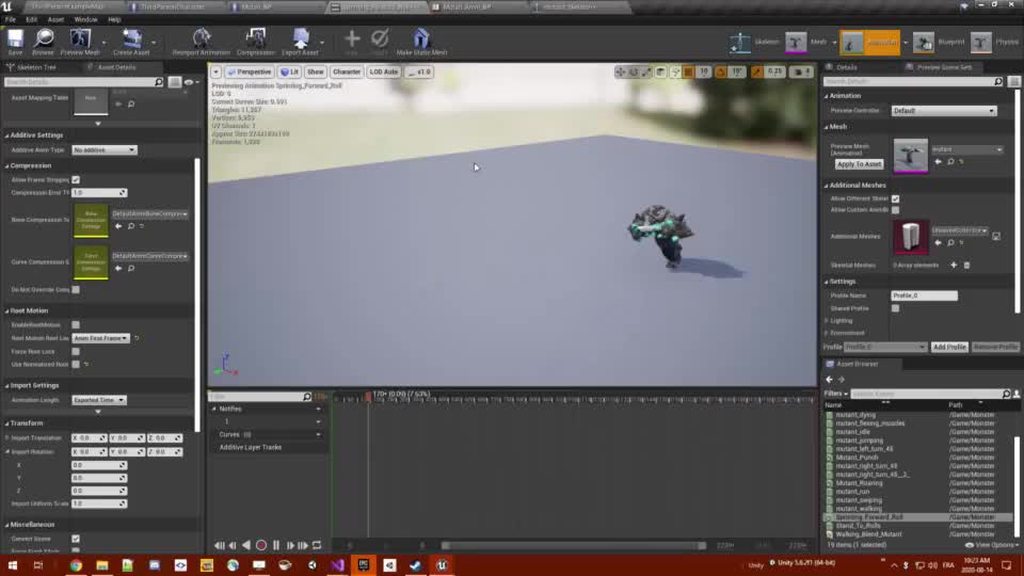 onyx sigil
@simple shuttle Thx you, sir !
 fickle geyser
im trying to build a rig to use unreal's animations and I always wondered about this: Shouldn't the lowerarm be under the upperarm twist joint?
from how i learnt rigging, the hierarchy normally looks something closer to this?
Is there a reason why the twist joints are separated from the hierarchy? Im looking to understand the process behind this. Can anyone help me with this?
fickle geyser
I have managed to figure it out. Thanks 👍
 split crescent
I'm having an issue with importing an animation from Blender. I'm using Rigify (custom rig). I've animated the motion, and keyframed the bones' first/last frames. The motion looks great in Blender. But when I look at it in unreal, there's some weird sliding of IK's, and some random glitchy rotations of a few bones. No idea why...
The animation makes use of the graph editor in Blender... That shouldn't affect anything though, right?
Also, none of the deform bones are keyframed, only the control bones, then the deform bones are keyed automatically when I export deform bones only. According to my understanding.
split crescent
Been troubleshooting for two hours and still haven't been able to figure it out. Anyone encountered this before?
split crescent
The wing issue seems to be partly related to the bones being rotated so close together, I think. If I open the wings up a bit they don't glitch out as much.
The foot-slide thing is weird though. IK related it seems.
Still no clear solution for either.
 royal crane
Hi anyone got experience with FSkeletalMeshMerge . I was looking at doc (https://docs.unrealengine.com/en-US/Engine/Animation/WorkingwithModularCharacters/index.html) but didnt get what is meaning of "When using FSkeletalMeshMerge, your main "body" has to contain all the animations because the merged mesh will only use the Skeleton that's set and it has to contain all the joints you'd need to animate. I"
 gloomy fable
so I have two state machines, with one controlling locomotion with a sword and locomotion with a bow. Is there a way to make a boolean selector to pick one to use within the animgraph?
wait nvm
I forgot blend by bool existed for a hot sec
 patent laurel
Does anyone know why "Control Rig Hierarchy" is not appearing when I search it?
reef agate
Hey all i'm struggling with getting my skel mesh components to follow the control rig animation in sequencer. just can't figure out how!!
they all share the same skeleton and for normal animations i would use copy pose from mesh
but when using control rig, copy pose from mesh doesn't work. Adding the control rig node to the main anim bp creates havoc
Control Rig asset in sequencer doesn't seem to play well when you have your skel mesh in a blueprint
patent laurel
@reef agate Im confused on what you mean. I don't have any rigs in a BP except this one.
reef agate
You know how it's standard to put a skeleton mesh in a character bp for example? or an actor/pawn whatever?
I have my skel mesh in an actor BP now I want to animate its control rig in sequencer
even that alone seems buggy
everything is fine if it's JUST the skeleton mesh asset in the level
patent laurel
Oh sorry... I thought you were trying to solve my issue
Im currently having rig issues too
reef agate
ah wish i could but i dunno the answer to your issue
well
you want the heirarchy to show in the tab w the bones?
you need to create it
patent laurel
I want the hierarchy reference for the BP
reef agate
You can see the bones in your screenshot
that's a hierarchy. What else do you want? the control hierarchy?
ah i see i think. you just want that node
patent laurel
This is what im trying to get
patent laurel
according to the tutorial im following i need it
reef agate
How do you add a keyframe to a curve in an animation asset 4.25?
it's impossible : (
i mean when it doesn't already have keyframes
where are the keyframes?
Kinda desperate to just add keyframes hehe
 hasty veldt
Hey all, I have a question and issue with adding aim offset animations to an idle animation!
I'm using a test character for this example. When I change the aim offset pose animations to be Additive (Mesh space) they suddenly sink into the ground, but work fine without being additive (save for being unable to actually use them as aim offsets, of course)
I have a hunch this has to something to do with the root bone under the pelvis, but I have no idea
Is there any way I can fix this? They were working fine before as well, but other issues made me need to reimport it and that's when things started getting royally screwed
hasty veldt
Fixed by changing the Additive (Mesh Space) to Additive (Local Space)!
Or not
Welp
Now it's not blending with the idle
reef agate
Does anyone know how to edit curve keyframes in the 4.25 animation curve editor rework?
 cerulean ridge
Anyone here have experience with AnimModifiers? Having trouble following this to apply the feet Notifies. What does one have to do to get the notifies's location relative to the feet in an adequate fashion?
https://docs.unrealengine.com/en-US/Engine/Animation/AnimModifiers/index.html
Animation Modifiers enable users to define a sequence of actions for a given animation sequence or skeleton.
 atomic wren
Hey everyone. hoping someone can help out..
thats what happens when importing a new skeletal mesh into ue from blender. random parts of the mesh just stay behind when posing bones.
in blender itself I used Auto-Rig Pro and it is working beautifully there.. also, even though in blender the x-mirroring is on so everything is mirrored on both arms, this weird thing only happens on one hand.. not the other
any ideas would help.. been battling with this for a while.. seems getting any other mesh to work with the mannequin skeleton is a nightmare
 mint dagger
Trying to create an easy animation just for start, trying to find a tutorial that tells you how to start animate, but can't find anything
Anyone can tell me what i need for start? Heard about control rig, it's the one i need?
atomic wren
Anyone can tell me what i need for start?
@mint dagger animation is done outsid eof ue4. you use 3rd party program like Blender or Maya in which you animate, then you export those animations from them to ue4. in ue4 you combine/alter add additional functionalities
mint dagger
Ok another question, since i won't "steal" a character from mixamo or other site, i can export the ue4 manequinn?
atomic wren
control rig, and I may be wrong here, can be used to some extent but requires understanding of how to set up your rig as a control rig.. im sure this could be used as well, I have just never really tried it like that
yes you can. as a matter of fact on Unreal wiki (if I remember correctly) Epic games themselves actually supply the mannequin file that is in Blender's native .blend file format
mint dagger
Perfect, ty for the help 🙂
atomic wren
its a pleasure
 magic lark
hi, is it possible to have a root motion animation in state machine for only one state?
i want to play a root motion animation for only one state, but it seems when i use RootMotion from Everything it kinda mess other states up.
reef agate
can the cloth physics in ue4 the nvidia stuff do per poly collision or only on capsules?
 mental rose
Can anyone help with Aim offset
 shadow lagoon
Hey, I have retargeted an animation to another skeleton (using retarget manager ofc) and for some reason the model becomes wide and a bit offset when the animation is applied. Is there any fix for this or is that retargeting being weird and it isnt fixable?
 fallow pumice
I am trying to import MMD mesh and animation to unreal as fbx but part of the arm always twisted or wonky. Anyone knows how to fix it? Thanks.
 orchid atlas
yo guys can you please help me? i'm learning modelling and animation and these days i imported them into unreal engine to "admire" them. Satisfied about my work i thought about working on some more animations and here the problem happened. First, how am i supposed to import another animation for a model i've alredy imported? Second, how am i supposed to animate things like weapons, that require hands. (i mean, do i have to import an animation with the weapon with the hands or just the weapon animation alone. Also, if i need to animate the weapons with the hands, bringing back the first point, how can i import them over my alredy imported character)? If anyone got some links to some documentation or some valid youtube video i would be very grateful. I'm using Blender BTW
 keen fractal
Here my last work :3

ArtStation
Hey guys, I just wanted to add a job I've been dealing with in my spare time. I would love to hear your thoughts. Thanks for the feedback in advance!
the concept art is not mine. if you know the owner please contact me!
split void
Hi I'm back. Here is my problem:
Some animations I imported from Mixamo are blocked by the capsule collider. I gave all the animations Root nodes through the Blender conversion plugin, I retargeted them onto the Mannequin, Enabled Root Motion on the sequence, then set up the AnimBP to run all Root Animations.
I think the culprit is the Capsule Collider: it prevents the animation from moving the Mannequin any further because the CC's bottom end collides with the base of the tall step, acting like a wall.
I thought the solution would be to create a custom movement path for the Capsule Collider to lerp through. This way it would avoid hitting the step as the animation sequences run. But if the Capsule Collider is given its own animation curve, the mesh would inherit the lerp because it's a child of the Capsule Collider, correct? So then I should not enable root motion on these animation sequences...?
 proper perch
Hey guys, Is there a way to get world location of a specific vertex of an skeletal mesh ?! I need it because I have a mesh with morph target animation. and I want to get the world location of the zone of vertex that moves in the morph target. Kind of like attaching a socket to a vertex. not sure if its possible at all ?!
 reef sky
@reef agate noticed youve been using control rig somewhat. have you used it to create animation sequences at all? I tried out using it to create hand animations for vr but had some issues that I made a answerhub post about - https://answers.unrealengine.com/questions/976021/view.html
nocturne ocean
Does anyone have any good tutorials for toggling between walk, jog (z) and running (holding shift)? I've noticed a lot of people do this very differently. My character currently goes no slower then a sprint
reef agate
@reef sky Heya ya I have been creating anims with it on a Daz character recently
I'd like to make hand animations for VR as well for a different project actually but i haven't built that hand control rig yet so i gonna read your forum post
The only issue (which i assume is my mistake) i've encountered so far is that I can't understand why when I bake to an anim asset from sequencer my character isn't always at 0,0,0 location even though I have no keyframes on the root/pelvis. Haven't dug into that yet busy busy
misty dagger
So if we look at something like this :
http://www.proceduraltextures.com/stuff/blogpics/poses.png
From Idle to pose 1 the foot that is stepping forward would be correct but the other foot would slide across the ground backwards unnaturally. Is this just kind of ignored or is there generally a transition animation where a character starts to walk?
 reef sky
The only issue (which i assume is my mistake) i've encountered so far is that I can't understand why when I bake to an anim asset from sequencer my character isn't always at 0,0,0 location even though I have no keyframes on the root/pelvis. Haven't dug into that yet busy busy
@reef agate Yeah i found that I had to set the control rig/mesh to 0 in world space otherwise all animas were offset. Did you take a look at my post? I guess if youre making non fixed animations it might not be as obvious, for hand animations theres a definite difference between what control rig looks like before baking
reef agate
@reef sky occupied with work atm, but will check your post in a couple hours. And yes exactly about 0,0,0 world space! That's what i assumed the workaround is
So i animate where the mesh should be, then before i bake to the anim asset i move to 0,0,0 world
reef sky
👍 cheers. Yeah, I find it weird you have to do it like that, might well be some around it.
cerulean ridge
Is there a way to send blending between montage segment slots? Not the natural blend in/out of the entire thing, just individual samples
 crisp dagger
hi im trying to make a FPS using third person character everything was going well till i added the idle gun poses to the anim graph now my characters legs dont move he kinda floats around what am i doing wrong
split crescent
Can anyone explain what exactly "Preserve Local Transform" does for importing animations? The documentation is vague, but the impact is huge.
misty dagger
I am importing some animations from Maya but in physical asset I have just single bone. How can I import rigs into unreal engine ?
 midnight thorn
Is there anyone in here that can show me how to set up my turning animations in unreal engine? I have added my idle, run, and attack animations but I don't know how to set up my turning ones.
 timber star
Hello,
I'm just checking the doc and can t really understand what is additive animation settings when you are in the anim sequence editor.
anyone could tell what this stuff really do cause i see lot of peapole using it so i think this is a import stuff and found the documentation really vague about it.
Thx for answer if any and plz think to tag me
patent laurel
Does anyone know why It won't let me spawn in a control rig?
misty dagger
Lets say I've updated my .fbx file with a new animation. How do I reimport the .fbx over the old one so that everything using it works but it has the new animation on it?
Nevermind I figured it out - kinda weird theres no straightforward way to do it but
 static zodiac
Can anyone here rig in Blender? I'll pay someone to rig a obj file if someone's willing
misty dagger
@static zodiac try #looking-for-talent and #looking-for-work
 crude kettle
i have a weird error in my animation blueprint, for some reason my character has to get to an extremely large number in speed to move, (17369282560.0) to walk, and his max speed is 1200, while his walk is 600
royal sorrel
Any good resources/assets for a lot of movement animations?
 limber venture
Hi guys I have a problem but i don't know how to solve it. In 3dsMax i did a rigg and skinning on a boxer robot. The gloves in 3dsMax looks great and aligned
when I import it to UE4 the gloves are more in the left side and I don't know why
if someon can help to me I would appreciate it 😊
someone *
 hearty mantle
copper sigil
hearty mantle
copper sigil
I appreciate this is more of a "learn how to rig/animate" question, but I'm wondering how viable it is if I already have a model/rig with animations in UE4, if I wanted to change the mesh to something else a little higher quality from my original marketplace purchase, is it relatively straight-forward to swap out the mesh associated with the rig? Or do I need to rig the new mesh (something I've never done before...)
I have the original marketplace asset, and I guess I'm asking this because I'm considering buying a higher quality model, but unsure of the process to combine the two
(Worth adding, this is a horse, not a standard bipedal human)
limber venture
@hearty mantle THX
 feral oak
@copper sigil the model and the rig go together so if you got a new model you would have to rig it again
 radiant kestrel
Has something changed since this guide? I've followed every step, triple checked everything, but calling the montage to play isn't resulting in anything. I feel like something might have been changed since this was written? https://docs.unrealengine.com/en-US/Engine/Animation/AnimHowTo/AdditiveAnimations/index.html
Demonstrates how to blend animations together, in this case, a character that can move and fire a weapon at the same time.
radiant kestrel
Okay. Deemed that it's not the guide. My Montage seems set up correctly since it'll play on a copy of the SkeletalMesh that's not in a Character class. But if I try to directly play the montage on the character's mesh asset or blend in a montage, it breaks the animation?
radiant kestrel
Whew. Always a relief to realize that you're just dense. I didn't realize the function playing the montage was being called repeatedly from an AItree. Making sure it's not firing nearly every frame solved that.
 serene lake
What are your guys' opinion on Alright Rig vs Control Rig so far? I've been dabbling with Alright Rig for the past year and it has a lot of nice features. Is there any reason to use Control Rig over it (for animation rendering only).
flat sluice
I'm trying to use FABRIK in the animation graph to have an arm point towards a location. Is this possible? Or should I have a scene object at the pointing towards the direction and have use fabrik to match its position?
 eager smelt
I´m starting to flip out, can´t seem to find a proper workflow for Blender to Unreal, is it better to animate on Unreal or to import animations from Blender ? And if so, what would be the proper way to rig
 dreamy badger
Is there a way to force a character to make a footstep at each stair on a staircase?
serene lake
@eager smelt In my opinion, if youre using Blender you might as well stick with it. That new Blender to UE4 feature was literally just released and is extremely convenient. There's no reason to animate straight into UE4 unless you have a good reason to (such as all your assets are already in your project). I've been using Maya for the last 1 - 2 years and I might be using Allright Rig to animate straight in UE4 because it may be more convenient for me to animate straight on the map. I don't have time to learn blender right now otherwise I would probably be making the most out of Blender to UE4.
eager smelt
@serene lake Ye, thanks just watched the How to Use Blender with Unreal Engine tutorial, and those add ons look amazing
crisp dagger
hi im trying to make a FPS using third person mannequin but wen i edit my anim graph he stops doing the run animation and kinda floats what am i doing wrong ?
 gaunt sky
Weird question but is there a reason you can't add a socket onto a virtual bone?
 nova monolith
i am trying to construct a transition rule in an AnimGraph that only transitions after the previous state runs for X seconds
this node says it is the accumulated time for the most relevant anim ... but this doesnt seem to work. any ideas on how to achieve my goal?
(basically if you fall a long way i want to run a different landing animation than if you fall a short way)
 steady pond
After adding physics body to the skeleton, I can no longer set rotation of the bone the physics shape was added to. What could be causing this?
Removing body - rotation can be set again.
steady pond
ahh nm simulating physics seems to turn off any kind of manual transform settings
misty dagger
What transformation values should I apply to the default mannequin when i am trying to use it with objects oriented regularly for ue4?
reef agate
Hey all, I'm super comfortable with retargeting, but this is the first time i've tried to also include the IK bones setup just like the mannequin in the retarget. For some reason I just can't get them to line up with the hands/ feet after retargetting. They are set to animation as specc'd in the docs
everything else is perfect.
Is there something I'm missing?
by the by i'm referring to animation retargeting
 stark needle
Hmmm, so when importing my multi object fbx, i plan to animate it with blueprints but their anchor points matter greatly to make this happen. However upon importing, none of the objects are retaining their achor / pivot points or their orientation. Any way to make sure they import correctly? or what are my options?
stark needle
ok, gave up on that idea, what about non-rig PSR animation fbx, i tried importing. Does eu4 require a skeleton mesh in order for it to animate?
stark needle
ok, got something going using sequencer
however, how do i get the sequence to play on duplicates of the objects? it's only playing on the one
static falcon
Is the spring controller rotation broken?
it works with position but not rotation for me
I would like my character's legs to rotate away from it's movement, like an octopus' legs trailing behind it
 lilac vortex
Does anyone know why my Control Rig will reset portions of it's pose randomly (or when I hit save)?
reef agate
@lilac vortex in the control rig asset editor? you're not meant to make poses there, but it is there for testing
if you wanna make poses, put the control rig in sequence in your level
Does anyone know conclusively if there is any benefit to using actual bones vs virtual bones for the standard mannequin style IK setup? I've read conflicting views on the forums, but some say adding bones (not virtual) is legacy
bronze osprey
i added a bunch of virtual bones but thats cuz ControllR aint fully working yet
timber star
anyone know difference in animation aat local space vs mesh space?
lilac vortex
@reef agate I was posing it in the level sequence when this occurred, it was my Sequencer resetting it. I didn't realize keyframe that was saved was resetting right after I was letting go of the transform control. Im updating my keyframes now and it's all good, thanks for the input
 somber briar
anyone have a compiled maya live link plugin for 2020?
tried recompiling it from previous versions but it isn't working
 fresh oar
guys i made this reload animation could you give me your feedback
misty dagger
@fresh oar pretend you have a gun in your hands
or steal one of your little siblings toys
now reload it and pretend you have to dink somebody in the head RIGHT NOW
fresh oar
dink?
misty dagger
zoomer
fresh oar
yeah sure but now could you pls explain what does dink mean
fresh oar
ah ok
 mint comet
hey guys im layer animations so my characters can run and fire at the same time but when i set it up and fire they turn 90 degrees for some reason anyone able to help
in the support voice chat maybe?
mint comet
a custom made one
fresh oar
@misty dagger yes i diid
fresh oar
that i will never keep my right hand like that, and that there is a lot more motion
fresh oar
the right hands in my animation has the same position for almost all the animation, while in reality it should move a lot more, and there is a lot of small motion going on like fingers motions, and when i put the mag back in there is a lot more attrition than what you see in my animation.
misty dagger
@fresh oar check this guy out if you haven't somehow https://youtu.be/gJp7a_muHs0

http://www.patreon.com/ForgottenWeapons
Cool Forgotten Weapons merch! http://shop.bbtv.com/collections/forgotten-weapons
Thanks to H&K and Trijicon, I have a chance to do some shooting with an MP7A1 PWD today. The MP7 is unusual for a gun of its size and configuration in hav...
fresh oar
i already watched almost all his videos
misty dagger
he also mentions in one of his videos somewhere the idea of having a hand to hand mag reload like on this gun
cool
i gtg, have fun
make it bounce around a but, but not toooooo much
it looks very "csgo" to me currently
specifcally the speed of the hand movement from the mag to resting back on the front
just something I noticed
fresh oar
yeah it's my first animation i will try to improve with time
thanks you for your advice
misty dagger
hello guys, newb question here. I haven't started yet and I'm planning to make a cinematic animation for practice.
Should I animate in animation softwares first (maya/blender) then export them to unreal for tweaking and final result?
or is the animation/rigging in unreal advanced that I can animate from there without having to do it in blender/maya?
 zealous bone
@misty dagger you better use softwares
they have much more functions
and editing possibilities
some things you can't undo in ue4
so use a software
 peak bane
Hi, I am making a 3rd person shooter game, and I have 2 states, Standing and crouching, and the player can reload and shoot in both states. This is my current solution:
ReloadCrouched looks like this:
I am wondering if there is a way to just plug in both the result of the Standing and Crouched state into the Reload and Shoot states, instead of having to make a separate state for each stance
misty dagger
so use a software
got it! thanks for clearing it up :D
 young shoal
@peak bane could you make the reloading and shooting each into a montage in a slot and then blend the slot onto the pose rather than the animation itself?
If I have 4 animations I want to play in a montage all with root motion, is there a way I can sync the start and end positions without having to set up a full root motion setup?
 boreal plank
does anyone know how to create assets for the animoffset?
young shoal
eg the first anim the guy walks forward 5 steps, when the next anim starts it jumps back to the origin. I kind of get root motion but this is all new
@boreal plank I think you actually have to have the anims for it, there's nothing that will create them automatically
somber briar
How can I attach one bone of a skeleton to another bone of another skeleton at runtime?
Im trying to get the grip bones in the glider to follow the hand bones
ignore the backward animations
somber briar
I guess the best weay is to make another blendspace for the glider and animate both same time
bronze osprey
with earth gravity i doubt that wil save ur life 😛
mythbusters tested that with an inflatable raft and it was barely enough
somber briar
oh ya that cloth wouldn't let you glide irl lol
young shoal
Have a look into IK solvers for thhe hand placement maybe?
Kind of like how you hold a rifle
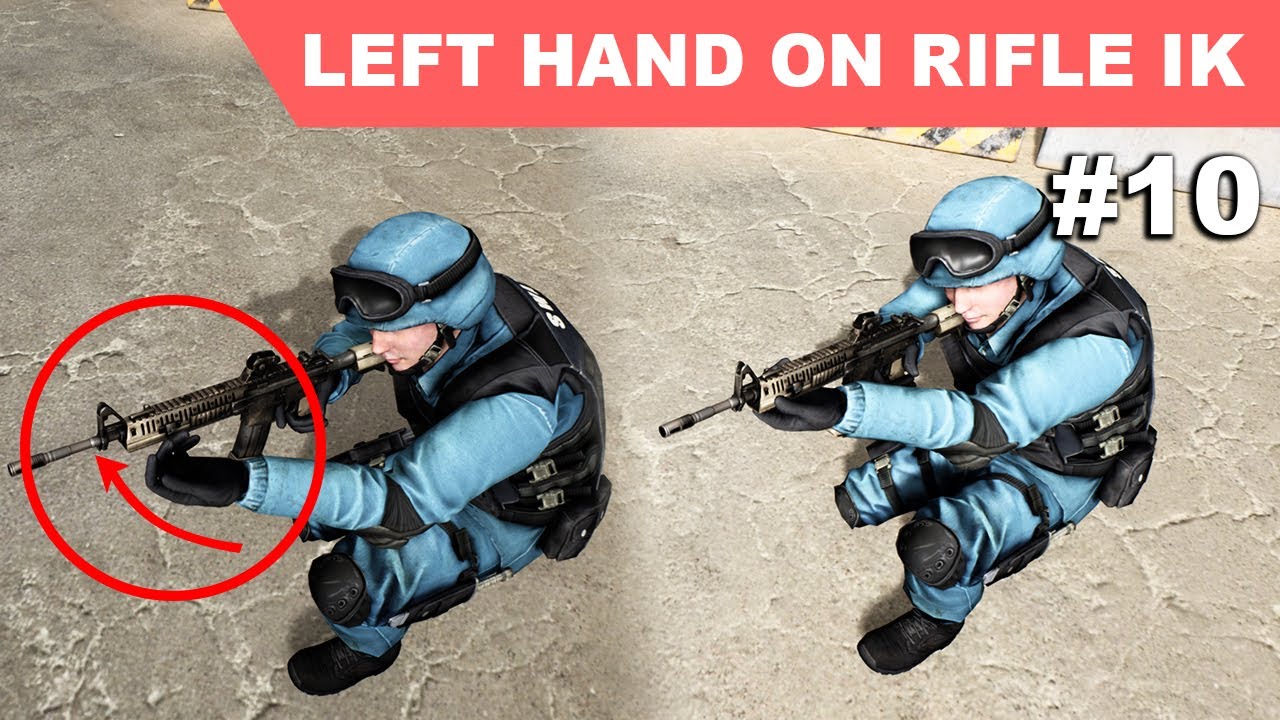
Download Project : https://www.patreon.com/posts/31567533
. Required animations : https://www.patreon.com/posts/29540904
In this episode of my unreal engine third person shooter series, I am going to add an IK function to the left hand of the soldier character to keep the left...
somber briar
thanks, Ill check that out
might be a little different because both of my objects are deforming, but I'll see what I can figure out. At this moment I'm just having it run through 2 separate blend spaces and seeing how that works
somber briar
there's too much layering happening to match the animations correctly with 2 blendshapes
 real hound
Im trying to export a skeletal mesh, then unbind it, subdivide it, rebind and weight paint it and then import back to ue4 but when i import the engine cant recognize the skeleton because there are 2 bones added from maya somehow
How can I solve this problem?
1 bone is parenting root and 1 is a child
 mild bridge
I'm wondering if anyone is getting choppy results with the Live Link plugin on the Face AR sample? The frames are smooth, however, every few seconds Live Link doesn't seem to receive enough data from my iphone, the icon goes yellow and the animation freezes while waiting for data.
misty dagger
is there a way to preview how a mesh will look on a character?
how much animation do you guys do with c++ over blueprints?
misty dagger
to clarify my first question, I want to see how other meshes look in relation to my character's mesh
young shoal
not sure what you mean by mesh, to me the character is the skeletal mesh. What's your setup?
simple shuttle
retarget animation in blender
https://cdn.discordapp.com/attachments/699292555350769754/746462498479407204/retarget_dino.mp4
 brave shoal
I need help learning how to animate. I tried the blender discord but their advise was less than ideal.
 unkempt sorrel
why would when I import from blender my animations movement direction be swapped
 dusk dove
@peak bane yes, you can use nested state machines
 vapid ibex
Just wondering
How easy is it to replace the default UE4 Mannequin with a customized character (as long as it has the same human structure of course) later on in development?
I want to work on my character's base atm, and I don't have my character assets just yet
Is it a bad idea to use the mannequin for well, pretty much everything? Am I wrong to assume I can make the swap in about a day's worth of work?
 sudden sedge
@somber briar it'd set an attachpoint on the glider then set the ik goal to be that attachpoint
somber briar
ya that's what I'm going to try next, I guess I'll do both, glider blendspace and an ik that moves the glider attach goal into the hands
I want to have some control on how it's bending and moving the glider bones
sudden sedge
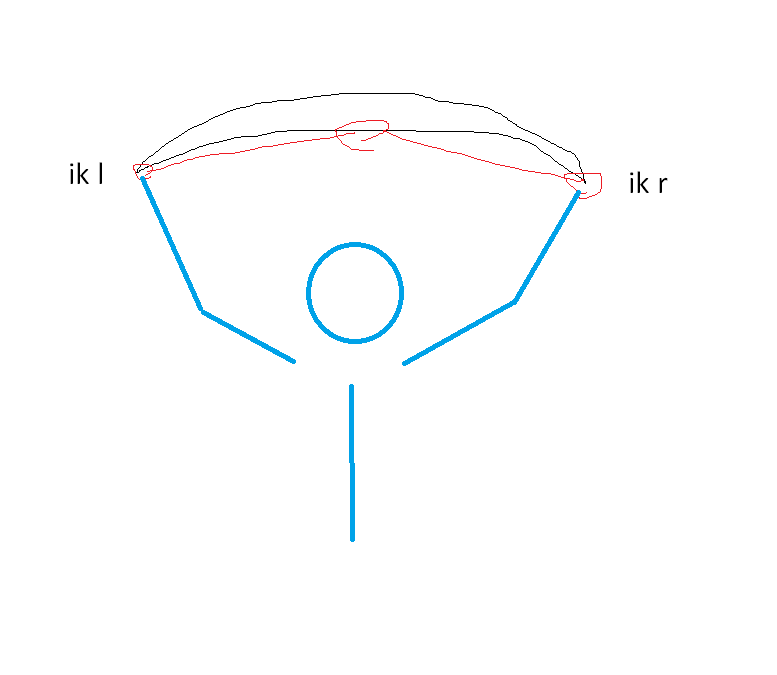
could just do the animation in the player space
then make the glider bones ik to it
somber briar
ya like that
 waxen forge
Can anyone help me figure out how to make my character mesh turn based on keyboard input direction (WASD)? I'm using the same code for moveright/moveforward as other projects I've worked on and yet on this one he stays locked forward. Can't see any difference that would cause it.
Tried messing around with various variables such as bUsePawnControlRotation and bUseControllerRotationYaw ... no change
 jagged parrot
Did you mess with the one in camera boom?
waxen forge
Yeah, that's the one i was changing
 tawny wasp
Is there a way to smoothly remove an item from parent with UMG? This is a part of a vertical box, and when I remove a widget all of the other children of the vertical box immediately bounce up.
 tranquil lark
The amount of information out there about setting up IK for foot placement on a hill is too damn high! It's like it's the only thing people think they can use IK for, lol
 exotic shoal
hi, is anyone using parallel blendshapes exported from Maya to Unreal? When I export the fbx, and reimport, just into Maya, the deformation order is changed, overriding the blendshape for the face with the parallel corrective shapes
 inner bloom
Does anyone know where I can find a skeleton mesh character that will work with imported animation data fom a kinect? Ie has the same bone names and hierarchy
actually it's a kinect azure...
 spiral cloak
Hi all, got a really strange issue where our skeletal mesh has suddenly just started twisting one of it's bones.
As the character moves around, the bone is randomly twisting and of course contorting the mesh. It's only 1 bone that's twisting, the child bones are all at correct orientation.
Any idea what might be happening?
It's almost like an angular motor is turned on or something. We briefly added physical animation component to the character, but removed it again. I don't recall this issue happening before we added the component, so I'm worried there is some corruption in the blueprint
waxen forge
@young shoal I just looked, and no it wasn't checked. I checked it, and still no change. Character mesh stays locked to the controller view regardless of input dir.
waxen forge
I've given up, I guess I'll just worry about it another day. This is a project I'm converting from pure BP over to C++... I've checked that all the camera/spring arm settings are the same across both, yet mine is always locked to view while the other rotates based on WASD. My input code is super simple for now. Have used this on multiple other projects as well.
void AMainCharacter::MoveForward(float input)
{
    if (input != 0.0f)
    {
        AddMovementInput(GetActorForwardVector() * input);
    }
}
the character movement is all fuc#ed up, if i press W the char goes left, if i press D the char goes up, ect, why? [Project setting input is ok]
young shoal
is your character rotated correctly
 tall seal
um
I downloaded a slide animation from mixamo
And when I export it to unreal, my character goes full blown distortion
I tried to import the character to mixamo and I did, it worked just fine there
so I guess the problem is with unreal
 craggy coral
Uhm... how do you create a control rig sequence in 4.25? The docs seem to be out of date perhaps? I don't see a button for it like in the docs 🙂
misty dagger
What would a proper way of doing facial animation with procedural characters? (All characters will just be human using same base mesh)
Morphs only to affect appearance, and create the facial animations by adding bones to face, and use pose assets and blend those in animations?
 fathom junco
Anyone know if it's possible to"walk up" a skeleton tree with blue print
As in getting the next bone in the chain (child) given it's parent
gloomy fable
yo, is there any simple way to get a character made in blender onto an unreal rig?
gloomy fable
@tall seal the mixamo skeleton does not have a root bone, so it will use the hip as one and screw everything up
@tall seal https://www.youtube.com/watch?v=bY24XPdnd9s
this video should help

Mixamo character fbx with root bone : https://www.patreon.com/posts/25850046
Support my work on Patreon : https://www.patreon.com/CodeLikeMe
Blender Plugin : https://github.com/enziop/mixamo_converter
When It comes to root motion and mixamo characters in unreal, it never work...
 deft prairie
I used a TPS package from unreal store and tryed to reatach an other Character to the Rig. The problem is it looks like its OFF i tryed it with paragon charachter.
What i wonder is how do i fix that problem? is there like keyword i can use on google / youtube? since i mostly searched for "fixing animation" and similiar words but nothign really was for that problem. its manly like the colar that is out of hand.
 paper cobalt
paragon character retargeting mamby?
dreamy badger
i'm driving an ik target with a boolean to decide which hand to stick to a target in my level. So it would be like - walk up to a door, and if it's on my right, stick my right hand onto the door knob, and if it's on my left, stick my left hand onto the doorknob. The code that decides which hand to choose just outputs a boolean, which means that the switch back and forth in my anim graph is instant and not blended at all, it's either ALL left, or ALL right. Is there a way to easily smooth/interpolate an instant change like that or do I need to output some sort of alpha instead and use that to blend between which hand reaches out for the door?
deft prairie
@paper cobalt thanks i found some tutorials and it looks now lot better, the hands are still littel bit fucked up but jeah
paper cobalt
Is there a way to preserve momentum after a montage is played? I have a roll animation that plays but it resets all momentum afterwards which makes it feel bad
gloomy fable
use a launch character to jank some momentum in there
you could have a variable that will also save the momentum from before the roll and then use that in the launch to make your momentum going into the roll actually matter
paper cobalt
how would you get the momentum
ive been trying
to make the variable
just kidding
wow im dumb
 tame thicket
Hey guys, this must be a very stupid question, but I'm probably doing something wrong. Why can't I add a second animation?
young shoal
@tame thicket Where are you trying to add the animation from? to the right of that panel you should have an Asset Browser tab that shows all the animations available for that skeleton. This looks like (could be wrong) that you're trying to use an animation imprted using a different skeleton from the content browser itself.
Does anyone know anything about physical animations specifically if I can turn them off once applied. I'm trying to use it to add some impact so turn it on when they get hit, aply some force in the general area of the bone that was hit, then turn it off so they recover back to their animation
tame thicket
@young shoal This animation is from the shared folder where I add the animations to other positions.
I haven't encountered such a mistake yet. I can add only one animation of any kind. the second one I can't.
young shoal
were the animations all imported using the same skeleton?
tame thicket
Yes. Everything as usual.
young shoal
does the animation apear in the asset browser tab?
tame thicket
Yes. all without changes. I do the same with dozens of other sets of animations.
In this case, for some reason, it does not work.
it allows only one animation.
young shoal
maybe try recreating the blend space
tame thicket
@young shoal no. It did not help.(((
tame thicket
The problem has been solved. Found a solution on the Japanese site (probably, they are the only ones who solved it).
It was necessary to specify a mesh.
For an unknown reason, he blacked out.
young shoal
I'm glad you managed to figure it out
misty dagger
What are the best practices about seperate objects like jar and lid
Am I have to export them like seperate objects?
vapid ibex
any way to make my character's mesh not rotate with the root component?
 wide pulsar
So I just noticed UE4 has this
Anyone here used it before?
Can't find any information about it on the web at all.
static falcon
Hey guys. I've never understood how to do things like Vaulting over a ledge... does anyone know how I can learn this? Any tutorials or examples?
How do you get the player into the right position, how do you define the ledge, etc
@wide pulsar (westworld voice) "that doesn't look like anything to me"
static falcon
but I hate math
wide pulsar
Have you seen the AdvancedLocomotionSystem v4 on the marketplace?
static falcon
I have... I tried to understand it but it's way too complex for my pea brain
I need a simpler system
wide pulsar
It has a mantling system, if you study it, you can make vault over with more or less same logic D_D
Well then you first test if you hit an edge D_D
You can do that by doing a capsule collision check.
Then you check if there's enough space for your character's height to pass through? If yes, you play a montage.
static falcon
how do you define where the montage plays?
gotta lerp your capsule to the right spot?
wide pulsar
You only play the montage after you've checked that you've hit a climbable ledge and that ledge has enough room veritcally on top of it to let the player pass.
So in that case, you don't need to lerp.
More or less, you'll be in the right spot when the montage plays D_D
static falcon
hmm
and how do you path the animation of the capsule?
Through montage too?
since normally the animations are in place and the capsule moves
sorry I meant sequencer
I wish the paragon assets weren't so simple
zealous bone
guys can we play an animation reversed if we need something like opening and closing ?
nvm
 supple lynx
HI there, I'm using anim curve for a turnin place animation and it seems that the value is always 0 on the client that own the character ... I can see the turning animation from other character in the map ... anyone is familiar with those animations curves ? I tested multiple compression settings.
craggy coral
Does anyone here happen to know why the Control Rig examples parent most controls with space nodes in the Rig Hierarchy? The controls themselves have transforms, so it seems kind of redundant... but it's in the sample project even, so I guess there's a reason?
Can't think of one though..
 lunar lynx
Would it be to 0 out the initial transforms on the Controls?
By any chance has anyone come across the issue whereby they are creating a ControlRig and the engine crashes each time a control is deleted from the hierarchy? I have been having this issue repeatedly now.
 honest phoenix
I have a weapon swing animation where the start-up on the animation is too fast. Does anyone know how to slowdown only one section (the beginning) of an animation, while keeping the playrate the same for the rest?
vapid ibex
Any way I can make parent bones move to respect the angular limits for when setting a rotation target to a child bone?
For example a head -> spine scenario, so the spine moves up/down in pitch only if the head is past some threshold?
 random rune
I like having my camera anchored to the mannequin's head. but I don't like the camera jostling about when I run. How might I fix this?
honest phoenix
Have you tried anchoring the camera to the capsule component instead?
vapid ibex
I have very high hopes for it, once it becomes more stable. Many of its nodes seem to have more functionality / options than ABP nodes so it's possible to do "more with less" rather than stacking a few ABP nodes to do a single thing. Did a quick test in it to recreate my realtime posable rig made in ABP, and got some nice results, I actually can't wait to be able to use CR at runtime
@steady ether I really love that mp4 you sent, is this an animation blueprint, or a physics simulation? If it's animation, what core approach/concept did you implement to get this result? It seems so flexible and handy
 steady ether
It's control rig! @vapid ibex
vapid ibex
Thanks, I don't know what that is, but now i have something to google :D
steady ether
@vapid ibex it's a new realtime and in-engine rigging system, still in experimental I think. But it lets you rig characters like you would in an animation package like Maya
vapid ibex
Ah right, thanks!
misty dagger
Hi people! Can you helm me to understanding how I can divide my animation for open and close instances. I've it all in one animation. Thx.
1-60 frame:
0-30 - open,
30-60 close states..
I thinking it can be done by anim montage sequnces, but I can't understand how it works
 wooden valley
my animation doesn't have the notifier track thing what do i do?
misty dagger
look to the windows property menu
Hi people! Can you helm me to understanding how I can divide my animation for open and close instances. I've it all in one animation. Thx.
1-60 frame:
0-30 - open,
30-60 close states..
@misty dagger help
split crescent
Quick question on Root Motion from Blender. Does the rig really have to be called "Root"? Can't it be called something relevant like "SK_PlayerCharacter_Skeleton" or something? What if the root bone of my rig is already called "root"?
zealous bone
guys what if i use that type of skeleton with blender's bone constraint modifications and animate the character, will ue4 accept it ? i dont think that ue4 going to create me problems but i anyway want to ask to you too guys
split crescent
@zealous bone The exporter should (theoretically) automatically bake the animation to the bones regardless of constraints/modifiers, and you can tell it to only export the "deform" bones. So it should be fine.
Doing a humanoid rig in Unreal though, it could be useful in the long run to make sure you're using the same bone names as they use in the default mannequin. That way you may have access to some additional functionality, having the same standards.
 dark axle
How can I use blender for animation and graphics for charactors
Please dm or @ me with response
 bleak mural
need help
so it says animation stack does not contain a valid key, try differant time options when import
and it also says this does not contain any valid information takes
peak bane
Hi guys can I use the retarget manager to retarget a mixamo skeleton to another mixamo skeleton? Or does it work only for retargeting things to UE4 skeleton?
misty dagger
Anybody works with Maya locators in Unreal Engine?
craggy coral
@lunar lynx I'm trying to use control rigs now as well, and they are buggy af. Updating a control rig does not update the controls in the level sequences, adding new instances to the level can delete sequences etc etc. Not a pleasant experience so far, I have not seen crashes like those though
zealous bone
Guys i need help. I imported a skeletal mesh and then assigned two meshes to that skeleton.First one assigned properly but at second one head bone a lil bit moved ahead. Why is that happened and how can i solve that
Thats first Mesh. This is correct
Thats second.Incorrect
zealous bone
NVM solved
Why does it imports more than one animation when i try to import an animation ?
why no one doesnt helps
 eager meadow
Any animators looking for a project?
random rune
alright this might be the wrong place to post this but it's semi-related to animation, how would I change my camera angle via. blueprint? I have 2 animations, a run and a swim. the run animation works fine, but the swimming animation changes the location of the head. I can't anchor to the head, because then it'd wobble all over the place. any solutions?
 rare junco
Hey everyone! Back with another question from my art team, didn't get a reply on the Maya discord so hoping for something here. We've been having an issue on Maya 2019 & 2020, where when trying to export frame ranges (5-337 of 2000 frames) Maya will just export all 2000 frames regardless of the selection. It was working fine a few days ago but we've been unable to find the culprit since then. Does anyone have any ideas on what have caused this or have any experience with similar issues? Any help would be appreciated!
 ancient coyote
Need an animator who can animate ue4 mannequin especially unique Combat animset. Anyone Intrested can DM. Rigged UE4 Mannequin character will be provided.
wooden valley
Guys my rig is in different mesh parts and i want to export it what the hell do i do?
 severe gorge
good morning, i need help, i made a curtain animation in max and exported in alembic, when importing in unreal i cannot control the mesh and when using translucent material for the curtain, even in dark areas the mesh is not dark , how to solve this problem?
 stable sinew
 blissful linden
If i'm using the cloth paint tool for a part of my characters clothing, do I need to make sure the clothing isnt rigged?
lunar lynx
@craggy coral It's my first time using unreal for rigging but it seems that by disconnecting everything in my rig graph I was then able to delete the controls. Thankfully lol
Would anyone happen to know if there is a way to add a pole vector in controlrig to a fabrik leg for example?
craggy coral
@lunar lynx The two Bone IK node has a pole vector field, although it's not very well named
I'm pretty sure all FABRIK nodes do too
 latent condor
Is there anyone here who could help me with a rigging problem? I'm trying to add some controls in Maya to a skeleton that has pretty messed up joint orientations, but if I change the joint orientations then it breaks 200+ existing animations
When I add ik controls to the legs the bend in weird directions, or don't bend at all. Similar issue with arms I think
 cursive cobalt
hi guys, 3d modeler/texture artist here, but new to game development/animation/rigging/programming...my question is for a game i'm working on - i want to make character models without the inside of their mouth modeled in and no facial bones, then animate them with no facial expressions or open mouth animations...then fast forward in time a bit and i'd be able to finish the game that way by cutting this corner, then once i've collected some money i'd either come back when i have more energy and rig facial bones and add facial expressions to animations and add new animations OR hire someone to do this with the money the game makes....then add this stuff into the game as a update/patch - how feasible would this be?
 woven pendant
I have a fpp character with camera attached to its head bone. The animations all are non root motion some are just played some are blendspaces. When I move my character to the right vector with -1 or 1 he rotates a bit hence creating a weird movement that sucks for UX. How can I remove this little rotation and just make him move in a certain direction without it?
 finite temple
I need help with NPC actions. i'm trying to make a npc that attacks and i'm wondering if you guys had any recommendations for a tutorial?
if anyone has any recommendation's it'd be a huge help, trying to get this done by the end of next week so i can send it off to my player designer and environmental designer that are helping me out
reef agate
In control rig anyone ever seen this red square?
it's not a control in the outliner 100% certain
i can't click it
ahhhH! i was drawing limits on one of my ctrls and that was a visual of the limit
 karmic marsh
hey guys, I have a question for you.
I'm trying to get an ABP running for the fins of a thruster as in the picture attached.
I'm not exactly sure how I could go for this
basically i would need a node or a bone setup that affects all of those fins with a look at or something
but im struggling thinking of a way, maybe someone has an idea for me
 robust urchin
Hello, I'm having an issue with control rig and i've watched so many guides and yet i still cant find a way to fix it. So my end goal is to create animations inside UE4 since I can't really work with blender or other similar programs. And on every guide its always the same recipe: Go to plugis, activate Control Rig, Restart UE4, Click animation (shift +6) and then create a Control Rig Sequence. But after I click the animation button there's nothing in there and if I go on my workstation I can't create Crontrol Rig Sequences since that option isnt there. I'm on patch 4.25 Any idea how to fix this? 😦 Thank you in advance!
lunar lynx
@craggy coral i havent been able to find a pole vector for the fabrik node unfortunately. i had been hoping to use it to control movement of the knees. i found the fabrik was very effective but that it kindve makes the knees act weirdly
craggy coral
@lunar lynx Then I would probably go for the "two bone IK" node instead of the FABRIK node. It has one. They call it "Joint Target" in UE though 🙂
latent condor
Total rigging noob here, does anyone know why a skin would lose its vertex weighting all of a sudden?
I'm trying to rig a character and I just noticed that the mesh is acting like it has become unbound from the skeleton
lunar lynx
@craggy coral it was actually the 2 bone ik I went with first but it completely mucked the whole leg up. I found the fabrik worked perfect but had no control over the knee. It's frustrating at this point lol
 still obsidian
How can I rotate bones in my skeletal mesh using an array of rotations?
mint comet
hey there im using root motion on a rolling ability but the capsule is not moving anyone know how to fix it
robust spear
Here is the second chapter of my animated series ¨The mannequin Talk Show¨ I hope you like it! https://www.youtube.com/watch?v=yaoA6lzY7dM

New episode of my animated series on Unreal Engine to investigate the different possibilities of the program and develop a dynamic and effective workflow.
 weak bone
@robust spear huh, looks good!
 delicate junco
@mint comet Can you elaborate, where does your anim come from ?
mint comet
thanks for offering ur help but i fixed it 🙂
delicate junco
👍
 sage parrot
I seem to have a problem with my skeleton, instead of my Tpose it takes the pose of the animation I have active in blender, (to fix this I tried to add a tpose animation with 1 frame, but then all animations have the tpose too)
I honestly don't even know how to explain it
 atomic steeple
@sage parrot Do you have an animation blueprint connected to the mesh? If so, what does your anim-graph look like? Whatever animation is attached to output-pose is what you get
wooden valley
guys
my animation
is literally nothing
what do do
there's no mesh
@analog field help
somebody help
@analog field
my animation mesh is super small
wtf
 analog field
stop tagging me please
wooden valley
ok sorry
but why is my animation mesh so small ?
i can scale up the thing in the viewport
and it shows up
but other than that what do i do
i need it to be big
analog field
import a bigger mesh to unreal
wooden valley
but this is for my animation
analog field
it only gets small when the animation is playing?
wooden valley
No like
the animation itself
in the viewport
when i click it
its like invisible
and when i put it in the world
and i scale it up
its there
but really small
like i can scale it up and see it
in the world
but
when i look in the actual animation itself
analog field
import a bigger mesh to unreal
@wooden valley then do this
analog field
all you'd have to do is scale up your mesh and import
wooden valley
ok ok
wooden valley
ok
but it looks smaller now
i don't want that
@analog field sorry for tagging, it looks smaller when i play the animation it changes in size
analog field
🤔
wooden valley
it looks a lot smaller
wooden valley
it looks like this without animation
and this
when animation is on
somebody help
there is an error when i import but yeah
analog field
i think that the animation itself is scaling down the mesh
so you'd have to fix that in the 3d animation software you used for the animation
analog field
whats in your output log when you get this error
i think that the animation itself is scaling down the mesh
also this ☝️
wooden valley
how do i get to the output log?
analog field
window->developer tools->output log
analog field
the bone transforms are being imported with a different transform from the original
(which is what the error says)
analog field
im not much of an animation expert idk how to fix lots of these issues
wooden valley
):
wooden valley
mannn
 wicked parcel
Can I apply animations bought from the marketplace onto characters I own that are rigged in the project?
 mental badger
Anyone use Uefy 2.0? I can't figure out how to import an animation
robust spear
@mint comet I used control rig and mixamo animations. Control rig is is still triky but it's still beta so it will be better.
 heavy needle
Hey guys
a little new to rigging
when I try to bind the skin to the rip, I get "Skin is being bound to the FK rig " in maya
any hits?
heavy needle
you go where you attached it
and place it manually
where you want it to be
as you have to bind it
 bold cloak
Hey I have some ideas for creating some animations that I want to sell on the marketplace, I don't have all the tools yet, but I have highly confident that I can do it, however I wanted to know some finer details, like how much should I price the animation pack, I'm planning to have a lot, but what is a good price, 100 dollars seems steep, but i see when someone has a lot of animations that are good quality they do it a lot, or is something more 60 dollars a better idea
wait this is a better question asked somewhere else ill post it also in marketplace
vapid ibex
How can I expose a variable on a control rig?
And later manipulate it from my game logic?
misty dagger
Hey guys, how can I achieve an effect like this with mouse transitioning between animations?
paper cobalt
i have a normal 2d blendspace with speed and direction which worked fine untill it randomly started making the charcters legs spasm when backing up. the direction is going very quickly from 180 to -180 and back again. is there a way to fix this?
simple shuttle
@misty dagger you can blend 2 animation lie face down and up and some aim offset
 half parrot
Hi All, Please shed some light for the noob! Looking for some advise with regards to animations and whether I should do them in something like blender, or whether I should work with UE4 tools? Could someone give me an example of where you would use UE4 over something like blender?
To give a little context, my first model is a lightning tower for a tower defense. It's going to have build animations and particle effects
 fossil bear
Hi. I was wondering can anyone point me in the right direction. I need to make few medical equipment animations. Giving injections, using various tools etc.
I have some animation knowledge in Maya, but i have never done any animation in UnrealEngine other than some cameras sequences.
What would be the best way to approach this?
Model, rig and animate in Maya then import to UE, or animate in Unreal? Or perhaps Arnold or Keyshot would be better to render this? Any help, advices, tutorials or articles regarding this would be highly appreciated.
 snow orchid
Anyone use Uefy 2.0? I can't figure out how to import an animation
@mental badger As I posted on the forum this video https://www.youtube.com/watch?v=z-NPCh01DwE shows process to transfer animations.
Tutorial on how to modify and edit animations from Unreal Engine 4 marketplace using Blender, Rigify and Uefy 2.1
We look at how to use Uefy 2.1 new features to match pose for the rigify rig to imported animation from UE4. The same function can be chained to copy over an enti...
vapid ibex
@steady ether You mentioned you can't wait to be able to use control rig at runtime, something that I was thinking of doing. So I gotta ask, is there anything preventing it from working at runtime?
vapid ibex
Is it that you can't edit the control rig controls at runtime through gameplay code?
nocturne ocean
Does anyone know what this Maya window is?
mental badger
yes
lunar lynx
would anyone happen to know what would cause the skin to detach itself from the skeleton when ive created a basic ik using control rig? the leg joints themselves are fine but the mesh has completely moved away from it. the ik functions correctly
 hushed stratus
if you know the answer please help, Thanks in advance
( i am newbe to unreal engine ) ( I just started to learn it )
so, the problem is i import mesh and animations from mixamo and every thing is work fine with basic movement animation except it's not stooping animating when i release the key.
for Example
=> When i press w key it's moving forward and play running animation.
=> but when i stop pressing w key it's still play Running animation and would stop until plays whole animation.
==========
if anyone know solution ( OR )
Need more details let me know
Thanks in advance again.
got a solution.
woven pendant
My animation rotates a bit to the left and right when I move my character in these directions how can I make it not rotate?
steady ether
@vapid ibex I think until 4.26 it doesn't even package, according to some tests of a friend
Also you yeah can't input any external variables reliably
Seems like if you wanna control any control rig parameters, on an engine restart you have to link them all up again since they unplug themselves lol
 fickle citrus
Hi everyone, I'm having problems calculating the direction of the character. Going backward never reaches -180 or 180.
 hard relic
Would anyone with Blender animation experience be able to help me with an issue i'm having? I have imported a baseball bat two times with two different animations, and want to be able to play each animation on each bat. Basically I don't want to have to import one model with all the animations from blender because if I want to add more animations right now it seems like I would need to reimport the model with all the animations again, if that makes sense.
fickle citrus
This is the script:
vapid ibex
@steady ether thanks for the input! I couldn't even find where I can plug in parameters, I ended up adding virtual bones to feed transforms through them instead, is there any special button I might be missing, do you think?
misty dagger
@hard relic you can parent multiple meshes to the same armature and export them separately, they will be separate Skeletal Mesh assets sharing the same skeleton asset
steady ether
@vapid ibex Errrrm hmm, I can't remember the exact workflow, but it's something like you add the CR node into the Anim Blueprint and then should be able to expose the params you've got in the Control Rig
vapid ibex
Alright, thanks!
steady ether
No probs!
sudden sedge
@misty dagger just looks like a complicated blendspace
 open grail
I have seen many users using virtual bones for ik and the place them in the desired position for the requirement (ALS has them for legs).
How does one do that cuz it keeps getting reset to local origin for me.
 dry glen
first time exporting animation the tracks dont spin they just move
but they move correctly right here
 brazen canopy
I'm using Control Rig for my character. I've set offsets and rotated specific bones. While editing rig everything runs good, but after reopening the project it doesn't works until I manually press the Compile button in Control Rig window. Otherwise the rotation and translation that was made in CR doesn't works. Does anyone had this problem? Any tips about fixing it? Thanks

 fringe moss
you can clearly see i only have 2 animations and the vehicle turns with the character (character leans sideways and the vehicle turns as well), but when i import into ue4, there are 3 animations that dont even have the proper names and the ghost doesnt turn.
misty dagger
hey guys, question on what "type" of animation this would be?
https://youtu.be/Ve8scxL6ySA?t=342 a lunge attack?
I'm looking at learning some animation but wasn't sure if there was a particular method I need to look at for the above?

Wizardry: Tale of the Forsaken Land gameplay for the Playstation 2.
Played on the original console and recorded with Elgato Game Capture HD.
► PS2 playlists:
PS2 - Top 10 videos etc.
https://www.youtube.com/playlist?list=PLljauD_hVEDIVuMflLYCTkYC4WPV_KOac
All my Playstation ...
 magic geyser
Anyone use blender....
Why am I getting so many duplicates?
I also havent figured out how to remove action stashes so there's two extra there but they have no actions in them
magic geyser
Ah - apparantly in my export settings I was exporting NLA tracks and Actions both...god sometimes I hate blender
magic geyser
@misty dagger The first attack there? I would call it an overhead in most games.
misty dagger
Does anyone know how animation curves work when multiple animations edit them.
I am currently learning how the Advanced Locomotion pack works but I dont understand what happens when it blends multiple animations editing the same curve
 dry flame
Hey can anyone point me to a Control Rig example with the hands rigged? I'm working on figuring it out myself, but if I can cut short the workflow, all the better.
 sharp linden
Anyone knows how a similar cloth configuration can be done in UE4? In render the character seems to mostly keep its original shape, but still move along with it.
I am struggling to find any decent material that explains cloth sim in Unreal properly. Most of them are just for regular capes and nothing really serious. And over here it even has a few layers (chain armor on top is a cloth as well)
https://gyazo.com/22302fc921cbfdac196cb297110ae4c6
robust spear
@ripe yew try set the twist bones to none
 heavy needle
@wicked parcel yes and the process is called "retargeting". there are resources online.
wicked parcel
@heavy needle thanks, I don't know any terminology so I apologize if that was something everyone should know.
heavy needle
@wicked parcel no problem, thats the server is for. you can tag if you have more questions.
 ripe yew
@robust spear Thanks
 crisp bluff
@ripe yew follow this method to fix : https://docs.unrealengine.com/en-US/Engine/Animation/RetargetingDifferentSkeletons/index.html#retargetingadjustments****
Retargeting animations for use between different skeletons.
ripe yew
I just found the fix. Thanks anyway
wicked parcel
thanks again!
brazen canopy
Did someone managed to fix Propagate to Children bug in control rig?
Control Rig should be manually recompiled on each launch, otherwise this parameter doesn't works (when enabled)
misty dagger
I am trying to use unreal engine maya live link but when I trying this hand scales are corrupted like this
 vernal estuary
Hi it is possible to animate something whithout rig (bone) whith blender and exporte animation to UE4?
 brazen wharf
idk how people even work with controlrigs, i have to detach some nodes and reconnect them after each engine launch to make it work again
and their inputs get messed up, too. so i've given up
bronze osprey
yea feeding data in CR can only be done with floats, not transforms
or u have to redo em everytime
workaround... turn ur transform into 9 floats
so instead of puttin 4 transfroms in ur rig for arms and legs, u feed 36 floats in 😄
gg
 topaz portal
how many bones do typical AAA game characters have these days?
bronze osprey
about the same as paragon characters i guess
brazen wharf
does anyone have the editor open and can check if ShowDebug ANIMATION in the console (TAB) does anything for them?
OR does anyone know how to get the current playing montage name? "get current montage" node returns something like AnimMontage_123 but i would like to know which animation it actually is
magic geyser
In UE4, my imported animation has a weird effect where the feet are stretching out along the y axis (not moving, stretching). In blender, my animation does not do this. Any idea what would cause this? Confused bone hierarchy?
peak bane
Hi, is it possible to retarget animations/skeletons from a mixamo character to another mixamo character? Or does the built in retargeting only work for UE4 skeletons?
blissful linden
when doing IK setups is the IK foot bone supposed to be parented to the FK Foot Bone?
atm my ik bones are not following any animation and as a result my character's feet are fixed in position when running
 urban skiff
Hey everyone, My attack system has 8 animations based on position, the parameter is just "x attack = true" to play and != to go back to idle, My question is how can I play an attack animation in it's entirety before allowing the next to play? because right now the attacks can be interrupted and spammed and I don't want that
Is there a way to take in 7 bools and say != in the transition?
open grail
Hi, is it possible to retarget animations/skeletons from a mixamo character to another mixamo character? Or does the built in retargeting only work for UE4 skeletons? it is possible you can just use a common skeleton on import. othetwise you will need a profile similar to the humanoid rig thing but it is possible
@peak bane
 limber osprey
Hey everyone, My attack system has 8 animations based on position, the parameter is just "x attack = true" to play and != to go back to idle, My question is how can I play an attack animation in it's entirety before allowing the next to play? because right now the attacks can be interrupted and spammed and I don't want that
Is there a way to take in 7 bools and say != in the transition?
@urban skiff You could do something like what is done in the third person controller jump exit for every return to idle.
urban skiff
@limber osprey Thank you I didn't know I could find the time remaining, it works perfectly I really appreciate the help 🙂
open grail
hey guys is it possible to apply ik to a characters hands in sucha way that the animation keeps playing relative to the target position? like say i adjusted the left hand and it play the reload animation relative to the position without getting locked in place?
 median light
what would be considered the equivalent of unity animator in unreal?
reef agate
anyone dealing with really weird shite w Control Rig in the level sequencer? When I move around w WASD, sometimes my Control Rig just rotates or contorts for no dang reason
delicate junco
@urban skiff If you want to preserve fast path you can do that with a notify on your animation using a boolean
@magic geyser Your NLA tracks had the lock enabled so you weren't able to delete them. But yeah just put everything you want to NLA strips and just choose NLA tracks in the options, that's the best way to do it imo.
The Blender to Unreal plugin does that too
 ornate sluice
is there a way to take 2 animations that aren't align exactly and interpolate the alignment in a montage?
I got fall back animation and get up animation but the legs and the hands aren't exactly in the same spot when the 2 switch, is there a way to fix it in the engine?
calling them as 2 montages kinda work but I rather have only 1 montage for this animation sequence
 swift heath
Not entirely sure this is the right place to ask, but here we go:
How do animations really work in UE4? If I have an anim imported from an fbx, how fast will it be, and is there any way to set that? I know you can set the rate scale, but what is the default scale of 1 supposed to mean in terms of time? Or is the animation instead dependent on the frame rate? For instance, if I have a 10 frame animation and run at 30 fps, it will run tree times a second, but if I have 60 fps, it will run 6 times per second?
ornate sluice
not sure but it just take the exported time, tho u can change it in the import settings
swift heath
If I understand correctly, exported time refers to the number of frames in the animation, not how long it is in terms of actual time (seconds).
Basically I just want to know if a higher framerate means animations finishing quicker.
cerulean ridge
is there a way to make a 3D Blendspace?
misty dagger
How can I export multiple mesh parts with animation from Maya
My model have lit and body parts, they are both mesh. I rigged it but when I am trying to import into unreal animation is not coming
vernal estuary
Restore Package when UE4 crashed never work right?
 uneven wigeon
I have a question about animation bp and anim states. Is it possible for an anim state to have multiple animations and pick based on some condition within the state or transition rule? Or does each animation HAS to be in separate state?
split void
@uneven wigeon you'd want to use a Blend Poses By Bool node.
Or a Blend Poses By Int node. (In your state)
uneven wigeon
but how would that work?
split void
That way you can use variables to control which animation will be outputted.
You can use a variable in the Actor's BP (or its AnimBP) to track the Actor's state.
uneven wigeon
hmm alright ill try that thanks
split void
So there's also "sub states" @uneven wigeon . You can have a substate machine with its own entry point, states, and transitions.
If those nodes I mentioned don't work, then consider making a substate machine.
uneven wigeon
how do i make one?
split void
Same way you made the first state machine, you just add it inside the state you want those different animations to play. It will have a Pose pin on its right, and you can feed that into the first state node's "output" node.
And when it's created, you can open it by double clicking on it.
split void
Close. Go inside the Default state machine.
Then go inside the state you intend to house multiple animations.
In there, add the New State Machine. :D
split void
you're welcome
uneven wigeon
ill be trying blend by enum, looks the easiest but then idk what to do with transition rule
 fair lance
Trying to see if this is the right channel for my curiosity: I want to animate my UIs a little by making it so that when certain buttons are in focus, they scale in a cycle (ie get bigger and smaller) as well as alternate between 2 cover images.
fair lance
k
karmic marsh
hey guys, i'm trying to set up a spline IK in ABP to animate some cables like a pod racer has
in the pic you see that somehow the spline doesnt mvoe where i want it
the debug spheres are both getting the same value (white gets the socket TRA from the pod - this value gets send to the ABP into the last control point of the spline IK - the purple sphere is the same, just after it was passed to the ABP, to check for any changes/errors)
this is the abp graph
the float im passing in is some offset im using for slight movement variance, also tried without it
any help greatly appreciated!
 upper ruin
Guys I'm looking for chopping a tree / mining a rock animations
does anyone know where I can find some
timber star
hello,
i m using ue blender tool and having issues with ue2rigify
bones rotates in bad direction anyone already solved that?
i tried to set direction inside meta rig to x manual wihout espected effect
simple shuttle
try move pole control
timber star
@simple shuttle that s not the solution
simple shuttle
@timber star i dont really know how blender calculate ik pole, sometime is just adjust the pole
timber star
i m using ue ti rigiffy addon and think that an add on problem
but can t solve it
@simple shuttle
in rig that stuff must be auto i tried to make rotation in x manual but doesn t solved the problem
stark needle
Can I bring in non-rigged fbx animations without having to use datasmith asset or sequencer?
also, not talking about vertex or PLA, specifically referring to PSR style animation
ornate sluice
Anyone know why my sockets add -90d on the X at runtime?...
if socket X rotation is at 0 it add -90
if -90 it add -90
if 90 it add 90
 river briar
does anyone know why my attack animation is playing 90 degrees when its part of my anim graph?
its totally fine otherwise, even dragged into the level its upright
on the left its part of an anim bp, right its just attacked to the skeletalmeshactor
I'm mostly copying the default mannequins animgraph. not sure whats going on. Its not just the attack animation, any animation I place here gets rotated
stark needle
dunno, but, go to your animation that's causing this
river briar
made a quick video showing the setup
stark needle
then pause the animation, make sure you're at the beginning of the animation
river briar
i show the animation at the end, its upright, not sure why it rototes. If i add the same walking animation instead of the attack animation it rotates too
stark needle
so all animations are doing it?
river briar
yeah, its something to do with the graph I have to assume
stark needle
oh i see from your video
hmm
go to the blueprint that sets the is attacking boolean
my guess is it's happening there
as it isn't the animation
river briar
nothing is setting it currently, I'm going to set it later in code
its just using it to test the animations right now
river briar
you can see in the video, im just changing the temp value
stark needle
wasn't paying attention for a moment there XD
river briar
nwnw
stark needle
is this an animation montage or sequence?
river briar
its super weird. If i use the attack as part of a blend it works fine
its a sequence
its this
stark needle
hmm
changne the root motion mode
in your state machine
not sure if that's causing it but
i don't really see anything that is wrong
river briar
where do i change the root motion mdoe in the state machine?
if i change it in the animation sequence its lies down
so maybe thats it
stark needle
well,you can check that just under your temp variabl thing
from the video you sent
stark needle
my guess is your using root motion animations instead of in place animations
and root motion animations have their own quirks about them
stark needle
cheers ^_^
river briar
middle two work
stark needle
i'd recommend ignore root motion
river briar
https://www.unrealengine.com/marketplace/en-US/product/fat-mutant nah, im using him as a placeholder while I wait for my custom asset

Unreal Engine
Fat mutant is a 3D character, great for games of many genres.
dunno if linking assets is allowed on this discord
stark needle
#fab it's ok 😉
and pretty cool, definitely ping me with an update when you get your original asset going ^_^
stark needle
Can I bring in non-rigged fbx animations without having to use datasmith asset or sequencer? also, not talking about vertex or PLA, specifically referring to PSR style animation
 sand crag
I'm trying to create a playable character that only moves his upper torso vertically and horizontally while the legs remain still until it hits a certain degree which then moves the legs. Anybody have any knowledge about that?
 crimson dirge
@sand crag part of this post may be what ur looking for:
https://karllewisdesign.com/unreal-immersive-fps-part1/

One of the things I’ve always loved about video games when compared to other creative mediums like film, music, and writing is how they can pull their audience directly into an experience and give them the ability to influence it in some way. Well, maybe not entirely “directly...
Does anyone know how people make it look like the player is throwing something and then the object is actually thrown?
sand crag
I’ve seen that before. Definitely confused me the first time around. I’ll try again. Thank you @crimson dirge
crimson dirge
Oh, I know what u mean @sand crag , he kinda skips around and doesn't explain stuff
I'm using his stuff for my fps game tho
He has a good deadlock tutorial
 cloud lodge
@crimson dirge that is called Turn In Place
crimson dirge
Ooh, the tutorial on deadlock aim rotation?
Or at least I thought
I actually didn't know that this existed before I started playing Valorant
cloud lodge
normally you keep the root bone fixed till X yaw ie -60 +60, then you trigger turn animations(which are in place), and rotate the root around
crimson dirge
I'm sorry for my ignorance, but I have not yet learned about Hand IK
crimson dirge
Oish, I mean anim and bone stuff in general :(((
crimson dirge
Oh okay
crimson dirge
Ye, I started to get confused 😂
anyway, do you know anything about this deadlock aim rotation?
cloud lodge
you attach it to the hand, play wind up, then loop the holding, then trigger thr throwing
deadlock aim rotation?
like gimbal lock?
crimson dirge
Oh, oops, forgot I had a question 😬 my bad!
I mean the delay sway type movement
Or my bad, the second part
This one
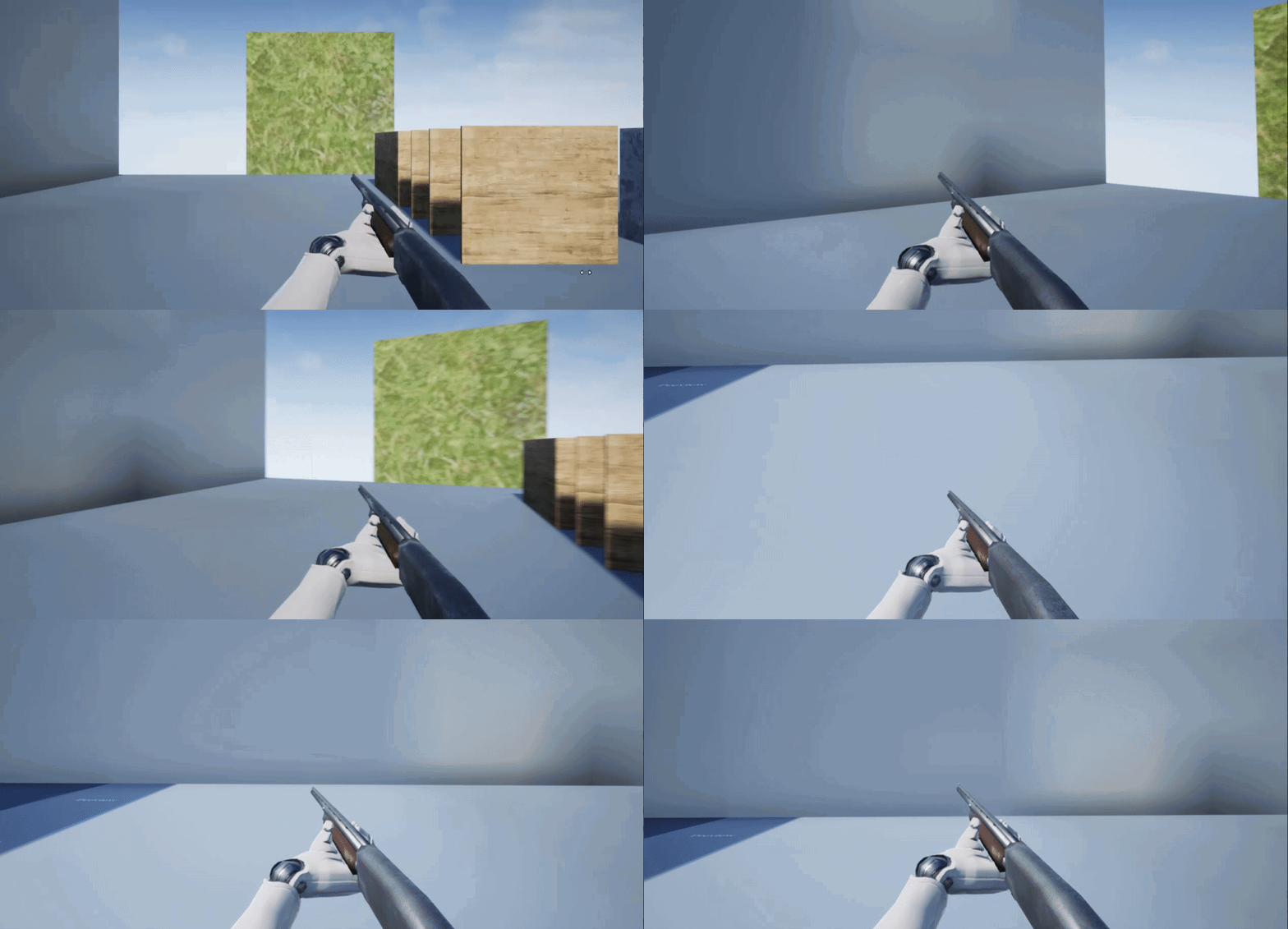
It's the tilty movement
@cloud lodge sorry for the ping, but please continue w the grenade throwing system, I'm very interested :)))
cloud lodge
like i said its normally just a montage for the grenade
and you split it into sections
windup, hold, toss
where hold just loops the holding pose
some people put the hold in animbp to do additional stuff if needed
but you should always play a montage for gameplay things like throwing grenade, reloading weapons, etc
crimson dirge
How do they make it seem like the grenade is in hand and then thrown at a certain point tho?
It's like an illusion
cloud lodge
spawn the grenade in the hand attached?
crimson dirge
Like in valorant, when using a character you throw a little discus thing which acts as a cyber cage
The discus is in hand during most of the animatiuon
However at a certain point, the discus gets flung
crimson dirge
Oh, so is the animation basically just the throwing and the grenade is spawned to a socket?
crimson dirge
And then given some force to make it seem to fly out of hand?
cloud lodge
depends what you are going for
i use projectile movement component
for mostly all projectiles
just give it a velocity and off it goes
crimson dirge


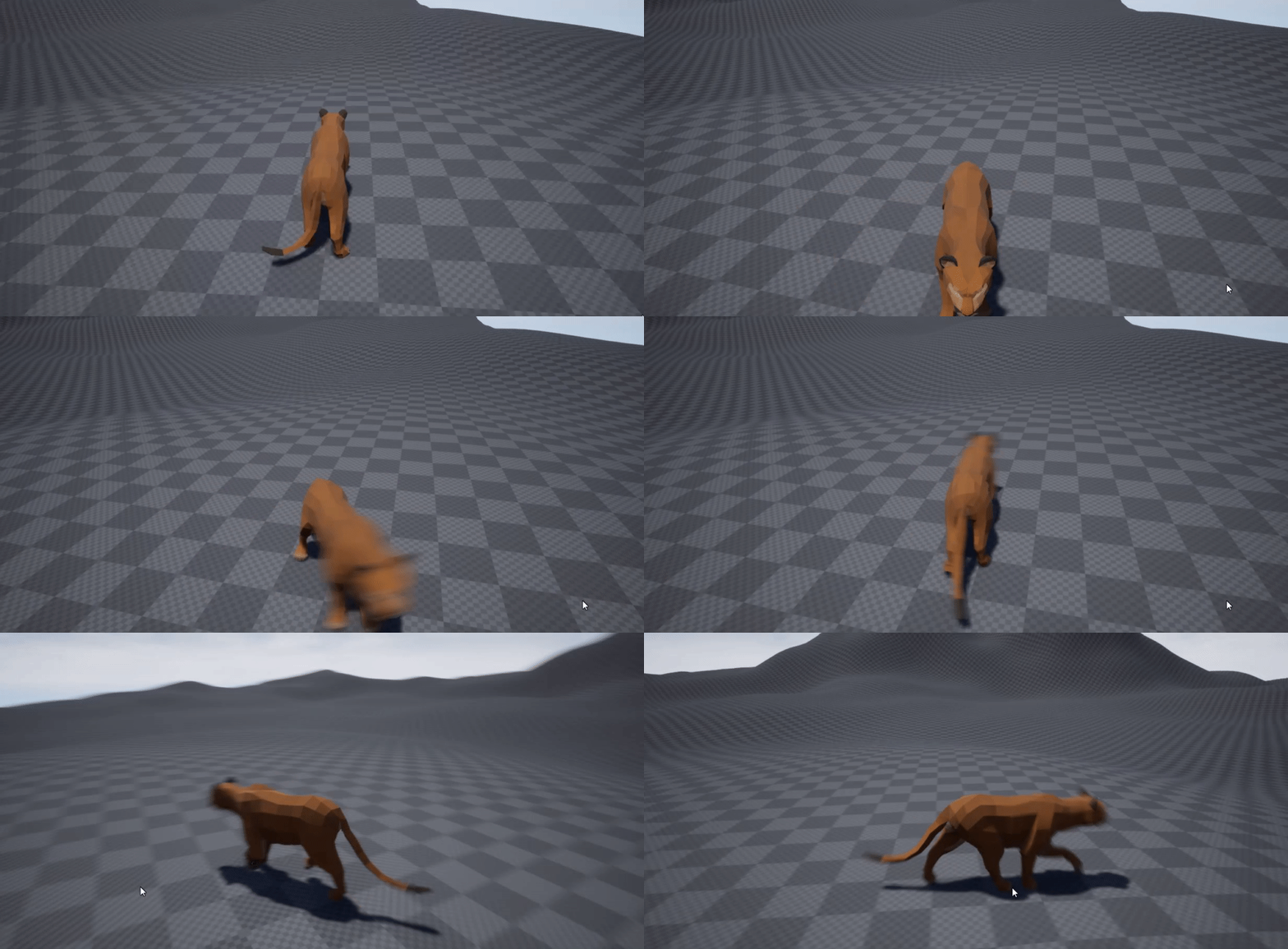


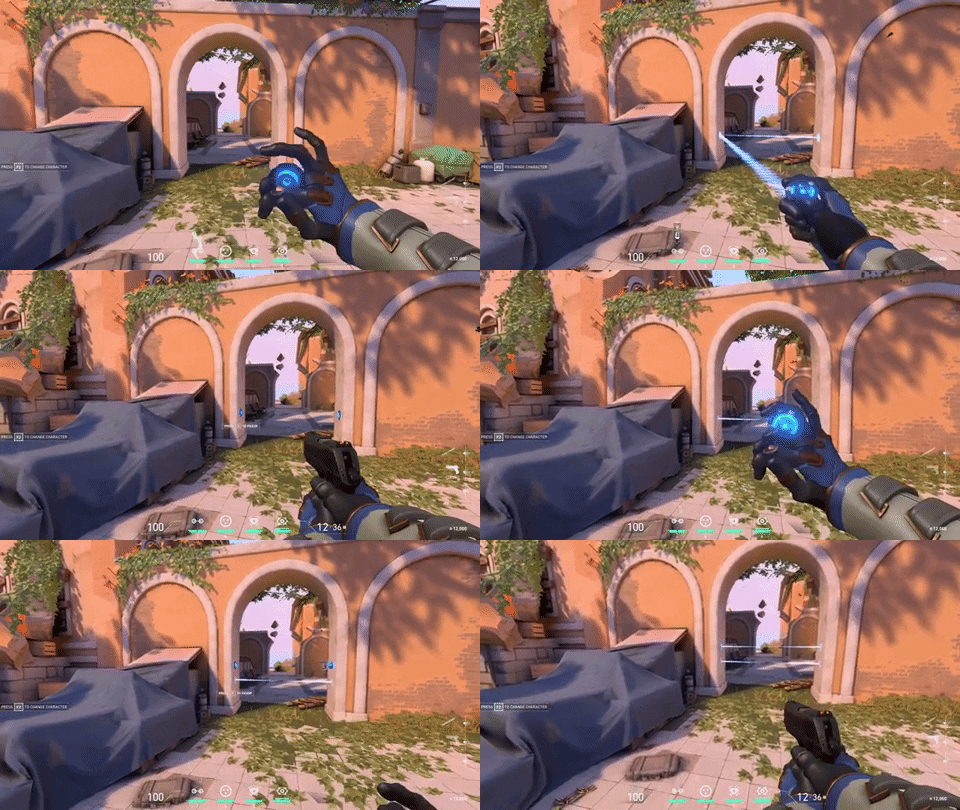 cloud lodge
like grenades, when you aim it, i calculate a projectile path, then send this to the projectile movement component
crimson dirge
The little discus is in the hand and then he throws it
cloud lodge
yeah thats a projectile
cloud lodge
could well be
crimson dirge
Ohhhh
cloud lodge
more than likely is
cloud lodge
the animation is probably synched to make sure the disc sits properly
i have done lots of synching of animations (for things like executes, etc)
and they are really fun to do 😄
crimson dirge
Ooh syncing?
never heard of it
This deadlock aim rotation stuff too is a little weird
Shouldn't be too hard once I get the hang of it
sand crag
@crimson dirge Found this
Using an Aim Offset, a character aims a weapon in the direction of your mouse or controller.
Take a look
crimson dirge
Oh yeah, I did that, only problem is I couldn't get the hand IK to work 😬
Since I don't have a clue about how hand IK works overall, I tried following a tutorial but it didn't cover the most important aspects
Thanks for that though @sand crag :)))
crimson dirge
Oh wow, the deadzone is much easier than i thought! :)))
sand crag
Right
misty dagger
Hey guys, how can I retrigger an animation in a state machine/event graph by pressing a button again, like for example doing a double jump
 ancient badger
this has been bothering me for a while now but, where I'm suppposed to "paste" the "cuts" and "copies" of transition rules? Is this a bug or an unfinished feature?
 jaunty cosmos
guys, after importing a skeletal mesh from Send2Unreal, the mesh is the correct size, but then when using it with an animation, it goes to a huge scale, 100x bigger i think. Any idea why this is happening only when an animation is active?
 meager mica
Anyone got any ideas how I could animate braids? If there is any dynamic system or physics I can apply to them.
I have this simple looking character that has braids, but unsure how to proceed with them.
I will animate rest of animations like idle/walk/run in 3dsMax
Just unsure of braids : I So far I've added an HI solver from braid tip to root but unsure if that will be good?
 worldly ibex
Hello! I'd like to add new poses for the hand in the default SteamVR assets for the Valve Index. I know very very little about animation in UE4, those seem to be animation sequence (which I guess are only one frame long?) that are being blended between. I can't seem to directly transform the bone since they snap back into place when I reopen it. I'm not sure which way I'm supposed to modify it to match the rest of the assets, any idea? https://puu.sh/GpdvS/3930bda381.png


I don't think any of the other animation sequences have keys or anything, just a default pose sort of thing
I've seen example of people using the record button, but I end up with longer animation and I'm forced to save it to a new place (and it just doesn't sound like a good workflow)
misty dagger
@meager mica I think you can use cloth physics on the braids and it'll be fine
 dense jungle
Hi all. Has anyone experienced stuttering issues with the animation marketplace starter pack? I've tried in 4.23 and 4.25 and it's the same in both - if you run anything other than single player, the left, right and backwards animations stutter (I realise that crouch needs replicating, but this is just on movement). If anyone knows of a fix or a workaround, I'd really appreciate some info - searched google and can see no solutions
meager mica
Cloth physics in UE4? @misty dagger
misty dagger
@meager mica https://www.youtube.com/watch?v=zK580JmywZQ&t=909s

We've been playing with capes, and noticed there's not a lot of information out there on the new(ish) cloth painting tools! Here's a quick overview both for static props like flags and for character clothing.
Links:
Forum post about export from Blender:
https://forums.unreale...
Same principle
As this video
Except instead of doing it with a cape
You fixate the braids further down
And use just like the end half
To simulate the cloth physics
bronze osprey
prolly just do rigid body or animdynamics
 hybrid parcel
Hi all. I am new to UnrealEngine so trying to understand this. Let's say I have got a model (human) imported into Unreal (mesh, skeletal mesh, physics) And I have idle , run animation setup. If I want to buy animations from market place, do I have to retarget them if those anims are targeted to mannequin? I am really newbie in this. Is there a good source for rookies like me to start with animation intake (definitely not creation)
crimson dirge
Hello @hybrid parcel, please give me a quick dm and I’ll send you some resources 🙂
I was stuck with this a while back too
Another thing is that you can’t retarget any animation to any skeleton
You would have to use the mannequin rig if you want to use mannequin anims
You can try out the art v1 plugin