#animation
1 messages · Page 141 of 1
 bronze osprey
 steel tree
hey guys so i've been experimenting with action rpg inventory system for the past 3 months and i still doesnt figure out how to do this so here goes
im trying to make when i equip specific weapon such as sword or bow, i want it to play sword aniamtion state or archery state
in action rpg inventory system there a inventoryitem struct to define item information im planning to create an enum called weapon enum and in there i will define weapon state such as sword or archery
then in the inventory item struct i will add that enum
im planning to set that enum somewhere inside action rpg inventory system inventorymanagercomponent(this is where all inventory/equipment related call andf fucntion being held) there are two fucntion for equipping and unequipping im planning to set the enum there
why im setting the enum there is lets say i equip a sword on equip it will say to the enum to change to that enum state
then in aniamtion blueprint maybe i will have state machine in them for this aniamtion state and set them according to the combat state such as archery etc
as for now idk where i should start or what can i do i tried multiple things and now i need you guys help
anyone can help me
this one is inside equip item function
this one is inside unequipitem function
this one is inside the updatedequipstats(this one basicly goes into the inventory item the the parameter for armor strength attributes etc and add it to this variable to be use inside the ui where it shows the player stats based on the armor attributes)
inside equipmentinventorycomponent there this two fucntion where i think this might do too
in Update Equipped Meshes
in Update Main Hand Weapon
in inventoryitemstruct
i hope someone can help me with this
idk what can i do now
 opal jackal
I've been trying to get this animation to be in-place for a few days now. The root bone is the hips which I believe may be animated. I can't make it in-place without looking all wobbly. Any ideas on how to fix it? https://i.gyazo.com/9c5fe933ae69910a27895a51c8b6ad0f.gif
https://i.gyazo.com/3263dde5692880ba5b21fe4354a5b8a6.gif


 red ferry
what's wrong with my rig? the palms gets deformed in animations....
that's the retargeted jump animation of the default skeleton...
weight painting issue maybe?
 slim herald
@opal jackal its an easy fix if u know how to delete a keyframe in a 3D animation software like blender or maya or max. you'll need to select the root bone (bone responsible for movement foward) and delete all key frames on that.
you can also do that in UE4 but its a bit more complicated
here is a video on adjusting animations in UE4 https://www.youtube.com/watch?v=lWyWeFZuuwE

How do we adjust an animation that already exists if we want to change it slightly in engine. This video will show you how you can record a new animation in engine as well as adjust an existing one using keyframes and additive layers.
opal jackal
@slim herald Thanks. So I used the anim graph editor in maya to only adjust the value that was moving forward. Now it works good.
steel tree
anyone can help me with my problems above?
 median otter
hello, how do I increase the blend speed of a layered blend per bone?
slim herald
u want the animation to blended animation to play faster @median otter ?
you can do that by duplicating that animation asset, and then opening it, and speeding it up by increasing the rate (should be on the top left of the animation asset window), and then using that animation to blend instead
median otter
@slim herald I have a layered blend per bone between multiple state machines, so I cannot do that
 dire quartz
can anyone help me add iron belly animation to the fps template?
red ferry
why does the hands get deformed? is that a weight paint issue or bone placement?
this is how it looks in Blender
the first image is from the retargeted idle animation of the default mannequin
 tawny bison
Is there a way to easily mirror/invert an animation? I have a left walk animation and the right walk animation should be the same except to the other side, obviously, is there a way to do this without having to recreate the animation from scratch?
 wanton parcel
Hi everyone, I need some help please
In unreal engine I have 2 screens in the same scene, how to play in each screen a different video at the same time when I press play?
I've already loaded the texture (video) in the 2 screens and made a blueprint for the video but could not make it play at the same time
 mental badger
Anyone know how I can morph between 1 character mesh to another? For example, when the player clicks a button, his hand morphs into a knife.
 grave citrus
Does anyone understand how custom animation events work? I am trying to simply trigger an event on the start of a transition, however it never triggers the event? Start Transition Event / Custom Blueprint Event
Call and execute an Event from within the notified Blueprint at the start of the transition.
Nevermind. Have to use an animnotify, not a custom event
 verbal inlet
What is the difference between PlayAnimation and SetAnimation?
nvm this looks like it's right up that alley

reddit
3 votes and 4 comments so far on Reddit
Okay, better question
I have a single skeletal mesh with 4 animations defined for it.
One of those animations involves bones that none of the other 3 animations use.
Can I have this mutually exclusive animation play simultaneously with one of the other 3?
 reef agate
Hey friends, quick question
Is there a way to rotate a joint in an Event Graph?
I don't need it to rotate over time. I just want to set the rotation without an anim bp (if possible)
verbal inlet
you mean bone? or joint? If you did mean joint, I am too noob to answer your question.
reef agate
bone=joint in my meaning
the rotation of a skeletal bone/joint yes
I figure there has to be an event graph node no?
verbal inlet
I would think so. Lol I think I am still too noob to answer your question
I was looking for a GetBone node of some sort from the skeleton, didn't have much luck
verbal inlet
That looks like a winner
reef agate
weird
no the target is "Poseable Mesh"
not a skeletal mesh
gotta figure out what a "Poseable Mesh" is
trying an anim bp route, now i gotta figure out how to get a reference to actor owner from the anim bp : /
i dunno why i can only find try get pawn owner : /
 vapid breach
@reef agate try get pawn owner then cast to your charbp
That should be in default tpp project that comes with the engine when you first open it 🙃
tawny bison
So i made walking animations but now i want to use my aiming(right mouse button) animations as well, but i cant seem to figure out how to make the animation blueprint know when i'm aiming or holding right click, does anyone know?
 warm island
in maya, I created a skeleton for a wasp and put the weights; do I need to do anything else at the hierarchy level?
 carmine kayak
Can anyone tell me if it is better to retarget animations rather than retarget skeleton as shown in this video
https://youtu.be/4TrLiekYABY?t=151

Quck tutorial on retargeting animations in UE4.
Uses the third person animations (third person template), Futuristic Soldier from the marketplace, and Animation Starter Pack (free on UE4 marketplace)
dire quartz
i cannot figure out how to make the ironbelly animations work in the fps template, would anyone be able to help? I cannot find a tutorial that helps
 zealous birch
why are my sockets so big
I can't get it to scale how I want just using the scale tool on screen
with a preview mesh
 mint comet
hi there i am importing my animation from blender but when i import it says the animation had imported but in the animation file there is nothing
anyone know how to fix
 misty dagger
I can't seem to change the character's mesh. When i try to, the animation blueprint no longer works, despite all animations used and the skeletal mesh i want to use being rigged to the Epic skeleton. (Im super confused. pls @ me)
steel tree
hey guys anyone here can help me with my problem earlier?
also now i have new question regarding animation layer
how does animation layers works and how can i use them?
what its good for and what the performance benefir in term of aniamtion
 hollow latch
hey all, has anyone had editor crashes when they try to use Pose Watch on an AnimBP?
I'm in the latest 4.24 btw
warm island
@carmine kayak both are valid imo; no one better
@zealous birch it looks to me like your model is tiny; you should reimport it and scale it up
@hollow latch past 4.22 there is an out of bounds array index error for animations for some reason. I don't know what causes it; you can always work your anims in 4.22 and then migrate them into 4.24; the same goes for retargetting or creating too many montages at once
 unique glacier
Hello!
We exported a skeleton from blender, but once I imported it to Unreal the scaling of the bones was way off
Does anyone have a clue?
wanton parcel
Any tips on: how to play the video only when it's shown on screen ?
 fair raven
Hello! I have a little question about animation and stuff. Is there any way to match the bones and stuff faster? Since the automap isn't working very well
Or do I have to re-do the same thing to all of my playermodels
warm island
@fair raven you have to do it once, maybe manually, but then you can save it and re-use it
warm island
well, if they use the same bones, yeah
otherwise, you have to create a new profile for each rigs
fair raven
Alright
 little marsh
For animating stuff. Do I make bones for machines etc (valve) or so, and animate it that way. Or use the ingame animation system to animate the rotation of the valve?
warm island
how would you animate without bones?
little marsh
Transform
warm island
I got this free model from meshtint and I am trying to edit it in Maya; however I cannot for the life of me select anything apart from the rig and still cannot see the bones... anyone experienced with Maya?
little marsh
I honestly don't know how that works in UE. But in Unity you can apply transform modifiers over time. So, like a real animation just on transforms
warm island
UE4 does the same but you animate bones
and the bones have weight
unless your machine is separate parts
little marsh
Ah okey. So If i have an actor, and that one has 2 meshes. I could have one mesh the valve and animate it using transform animation stuff?
warm island
yeah, that works
little marsh
I will go for the bone way then and create animations using blender, sounds better. First time touching animations and modeling after like 5 years of hobby game-deving.
Thanks
warm island
can you check that fbx in blender for me?
@little marsh i just want to see if it's a maya issue
verbal inlet
I have a question about animation blueprints...
I have set up an animation blueprint with a 1D blend space, a state machine between 2 different animations and that blend space, etc
2 things. Did I do this right?
Specifically, is that GetOwningActor the correct node to use to get the BP_Kitty object that is running this animation?
And then, at the end of BP_Kitty's constructor, I put this in (because the animations weren't playing based on the variables MovementSpeed and Playing, so I figured I was doing something wrong)
But apparently, that's not all you have to do, because the animation blueprint still isn't taking over and animating anything
 vital helm
@radiant phoenix - Hey there - saw your message on the Maya / Camera issue. Did you get a fix or some workaround for it? I'm super noob to Unreal and yeah it's driving me crazy haha! 🙂
verbal inlet
I figured it out. I was missing this:
That's the context menu for SK_Kitty, the skeletal mesh
verbal inlet
Another question:
That SetPlayLength node... At first I was trying to connect my SK_Kitty skeletal mesh node to its input node by going SK_Kitty -> GetAnimation (PlayingWithAnimation) -> pin
(Those names are made up, that was just how I assumed it would go)
But the only way I could figure out how to do it was to drag the animation file directly onto the input pin, which produced that really long filepath in the textbox. Is this the right way to do this?
fair raven
Hi, I have a question. I'm having a problem with an animation. I imported a source model and renamed all the bones, everything works fine except the hands and the hair. (Also the fact that the model also runs in the ground weirdly). Someone have an idea? https://streamable.com/jxmeql
 warm island
@verbal inlet no, why aren't you using states? the anim bp should direct how the animation is supposed to work based on inputs; the states will take that into account and play the correct animation
@fair raven i am going to guess that there is an IK set in the hands but it did not get set up in UE4
otherwise, your retarget is off; you need to correct it
verbal inlet
i am using states. that particular part is from the BP_Kitty event graph, where I set the boolean that allows it to transition between states. i just need that state to last exactly as long as one run through the animation. hence the delay node
warm island
i believe there is a node to wait until the anim is over
that or you can use anim notifies
and once you get the notify, revert the bool
verbal inlet
i imagined there would be. this is my first foray into using anim BPs. it works as intended the way it is, but doing it your way is i am sure more flexible and elegant
fair raven
I’ll see that tomorrow. Thank you very much @warm island
warm island
@verbal inlet i used to hard code delays and such however there are issues with lag or time dilation; if you use anim notifs (and it's fairly easy), you get a very accurate response based on the animation process
 hollow summit
Anyone had success with importing Mixamo Animations onto the UE4 Mannequin?
verbal inlet
@warm island So, I can access this:
In my BP_Kitty Event Graph:
But this doesn't come up in that list:
InteractDuringPlay
How can I use InteractDuringPlay?
warm island
lemme launch editor
if it is in your animation and it is in use in the animBP; it should show in the event graph of your anim bp
try to save and compile

What is the Anim Notify Class in Unreal Engine 4
Source Files: https://github.com/MWadstein/UnrealEngineProjects/tree/WTF-Examples
Note: You will need to be logged into your Epic approved GitHub account to access these examples files. https://github.com/EpicGames/Signup
verbal inlet
oh. I'm trying to use it in the event graph of the BP that contains the skeletal mesh
warm island
no no, it won't know what animBP it is referring to
you'd have to cast into it
and even then, you won't get the event
you'll get vars and Fs
verbal inlet
K yeah, I got it working.
I put the logic I used to have in the BP_Kitty EventGraph into the BPA_Kitty EventGraph
Just had to add a new variable in BP_Kitty to save a piece of state for use in the animation BP
I'm glad I got it done properly instead of the hackish, hard-coding way I had before
thx @warm island
verbal inlet
abilities?
warm island
like if you want to shoot a fireball, set up an anim notif at the exact time to fire it
too many yt videos make you spawn it on a timer
which is terrible
verbal inlet
yeah. I have the anim notif at the exact frame of the animation where the kitty should bat the yarnball around, and I saved the current PlayTarget in the BP_Kitty and then in the animation BP, when that notif fired, I used SetImpulse on the yarnball
One last thing though... is this right?
The BS_WalkRun NEVER seems to have its movement speed above zero
Even though the kitty is clearly moving around
It always plays only the animation from the blend space at movement speed = 0
@warm island
sry to bother you, it's just... I've watched the official Youtube video from the Unreal team on this subject. All 11 of em. So I thought I understood how this was supposed to work, but it just... doesn't
warm island
then your blendspace is not set up right in its axes
oh god, no, not the official UE4 channel
they make it so casual that they stop teaching half-way
verbal inlet
hehe, i liked them. I learned a lot, I thought
verbal inlet
I think I know why it's always zero
well, it is always zero, I checked it in the anim BP event graph.
the velocity, that is
Cuz that's how I'm moving my kitty
Not via physics
I'm either gonna have to calculate the actual movement speed based on the data from that last screenshot
Or change the way I am moving my kitty
warm island
well
the way you move it
it's input right?
you can always work with the input itself
how does it move?
verbal inlet
it is constantly moving toward its Influence point, which is set randomly,then set again randomly when it reaches it. unless you drop a ball of yarn and it's within the yarn's sphere of influence. then it's not random, but moves toward that (or a combination of them if more than one ball of yarn). but it always has this private influence point it's moving toward
you don't control the kitty directly
you lure it
it's a game where you lure kitties to their litterbox before they shit all over your apartment
i'm calling it Kitty Catastrophe
it's basically a remake (of sorts) of Lemmings
verbal inlet
i'm all done for the night though, will continue tomorrow. should be pretty easy to do those calculations manually. i'm doing the VInterpTo-based movements off the OnTick event.
 fresh burrow
Is there anything that Blender or Maya or other software is better at than UE4 for certain things, and what are those things? Ian Hubert has such great Blender tutorials and I'm not familiar enough with game design yet to know if it's just as easy to do what he does in UE4 as he does in Blender.
 true maple
has anyone successfully linked the kinect sensorbar for mocap into ue4? right now I am mocapping in 3ds, which seems a bit complicated exporting and importing all animations right
 brazen wharf
did anyone experience the issue that retargeting animations in 4.25 does use the source as target?! im kinda confused now as it worked in 4.24
 storm bough
Hi everyone 🙂 I have a gun attached to a socket on my character. when he stands with the gun the gun aligns correctly with the hands etc. When he crouches the alignment is then wrong. Is there away to adjust the socket position without it effect the whole charater? can it be done per animation?
verbal inlet
@fresh burrow Blender/Maya and UE4 complement each other. They don't compete with one another. Blender/Maya are for making 3D meshes, skeletons/rigs, animations, even full-blown movies (I think South Park is made in Maya). UE is for making interactive software using those assets created in Blender/Maya. And this question belongs in either #ue4-general or #lounge l
@storm bough The socket moves with the bone it's attached to. So, if the alignment is wrong when he's crouching, then either the bone is in the wrong place during the crouch animation (your animation needs fixing) or the socket isn't in the right place according to the bone (probably the rotation of the socket).
If the animation looks good when he's crouching, it's probably the latter, and you need to fix the transform of the socket.
And make sure, of course, that the socket is even attached to the correct bone. That would do it, too.
verbal inlet
@brazen wharf sorry, UE 4.24 is the last version that works on my circa 2016 iMac. 4.25 requires a higher OS version than I can upgrade to
fair raven
Hello, I have a problem with my hairs now. I don't know the reason why they're going out of the head
In blender everything is fine
verbal inlet
@warm island That was the issue. Was an easy fix.
misty dagger
i dont know if this belongs here but how can i make this leg be usable in a blueprint and automaticaly put its foot on the ground but i havent been able to find anything online
i forgot to mension its not player sized its ten times taller
warm island
@verbal inlet what was? :x
verbal inlet
you may want to detach the foot bone from the rest of the leg bones
@warm island when I wasn't getting the correct movement speed by taking the length of my kitty's velocity vector
Cuz I was using VInterpTo to move the kitty
instead of physics
so its velocity was always zero
So I just saved it's previous location in a member variable and did VectorLength(current location - previous location) / DeltaTime
and it worked
verbal inlet
Any idea why my kitty's legs look weird when it walks?
I'm using this blendspace
It seemed to get slightly better when I checked that "Scale Animation" checkbox at the top there, but still pretty bad
Its legs and tail jitter all over the place
 lime wraith
hey can anyone help me with setting up an animation?
im new to unreal and i have no idea how to do what i need
basically i want my character to change animation from running to sprinting when he is sprinting
i already wrote sprinting function in c++ and im using animation starter pack
verbal inlet
@lime wraith you need to use an animation blueprint (and probably a blendspace)
lime wraith
ive been using animation blueprint to set up everything but i just dont know how to add the sprinting
do i add it to locomotion?
verbal inlet
Watch #7 through 13 of this video series. It's how I learned.

In this video we take a look at the animation interface used to view animations and also talk about notifiers, curves & blend spaces ready for when we create them later on in the series.
♥ Subscribe for new episodes weekly! http://bit.ly/1RWCVIN
♥ Don't forget you can help s...
errr 6 through 13
they're short
verbal inlet
video 7 or 8 deals with blendspaces, 9 and 10 or so deal with how to use them in animation blueprints
verbal inlet
So, I figured out what is causing some of the jitter
Unchecking "Reset Play Time when Blend Space Changes" fixed a majority of it
But now, it still jitters, but only when I rotate the base BP
i.e. when the kitty is turning
I am sure that rotating my kitty using SetActorRotation is probably not the best way to do it. Anyone know a better way?
k, nvm, i was wrong. it still jitters no matter what. that didn't fix anything
carmine kayak
With translation retargetting setting is there a way to bulk change or do i need to change each one individually
Using 4.25
brazen wharf
@carmine kayak theres some recusrive option somewhere
iirc if you rightclick a bone
or the dropdown... cant recall it for sure
carmine kayak
Thank you! if you right click on the parentbone you get the option for that. It will only apply to that parent and its children
brazen wharf
when i have a baserig and animation for that with curves, but use a child of said baserig which adds some extrabones and such, where are the curves updated?
and does the child need to have the same curves? as i cant get it working properly
carmine kayak
@brazen wharf sorry I am not sure I have not done much with animations yet,
brazen wharf
i dont get it, the debugger shows the correct value but everything behaves like it would with the wrong value -.-
 grave drift
Hey guys 🙂 How do I make the end of my animation loop? I.e holding an arrow and I want the bow to be pulled until I release the string.
brazen wharf
like wtf... -.-
it's 0 and 1 at the same time... kinda
quantum mechanics within UE4...
hollow latch
@grave drift you can loop anim montage sections
grave drift
Alright 🙂
 runic fractal
hey guys, anyone have any tips on making mixamo or custom rigs work with the unreal mannequin in 2.25?
ive been trying for the apst 3 days. ive used the mixamo animation retargetting plugin (doesnt want to work), uefy (same here) and even custom retargeting in the engine but that is only aprtially sucessful as i dont know the exact numbers to get a duplicate A pose
 fresh rapids
Is there a way to change the skeleton of a model from the marketplace in-Engine? I bought the Crash Test Dummy pack from the Marketplace which I really like, the issue is the Publisher says it's rigged to UE4, which it isn't - The fingers on the Male/Female robot stick out, I reached out to the Publisher and they said that it has to be exported and animated or modified in-engine - But I'm not sure how to do that. Any ideas? It's just the fingers.
As you can see, the fingers stick out in very awkward ways. This is what needs to be fixed, they need to curl inward instead of stick out.
When I export it and try to open it with Blender, it opens Blender, and closes immediately. If I try to open it from Blender, it doesn't show up as an option at all, even though it exports as .fbx
warm island
@fresh rapids What you need to do is get to the retarget manager in UE4 and to realign the fingers
then you retarget
fresh rapids
Ah, ok. I retargetted, but I didn't change anything. I'll give it a shot.
warm island
what is happening here is that your fingers are a bit off so the engine is guessing the position
yup, save pose and then retarg
fresh rapids
Awesome, thanks!
tawny bison
Having slight issues with animations, how do i get a variable from my character event graph into my animation blueprint?
grave drift
Hey guys. I want to attach my bowstring to my player's fingers, but if I do that the animation triggers on the first simulation, but not after that. If I reset the bone that I'm effecting to my hand_r and not the fingers, it works just as intended, i.e attaching the hand to the bowstring each draw. Do you spot the issue? :/ https://gyazo.com/9ce4bcbfcb57aa247444acfa199cfc4d -
 brazen wharf
is there any debug tool that shows me which animations are played currently on a character?
brazen wharf
thank you
 narrow topaz
Hey y'all, I just posted a job on the job board - it's a quick (ideally) troubleshoot on a character. My character has pigtails, which are rigged with bones in Maya.
I need them to run as a cloth simulation in Unreal.
I'm happy to pay somebody to do a fix on it and get it working, I'm on deadline.
 topaz radish
 deft patrol
Does someone know how to use FAnimInstanceProxy?
verbal inlet
Anyone know how to auto-rotate a pawn with Floating Pawn Movement component toward where it's going?
Errr, excuse me, how to rotate it smoothly
instead of in one big jerk
Like the Character Movement (Rotation) section on the details panel for Character Movement, but I am just using a Pawn so I need it for the Floating Pawn type
lime wraith
hey i have a problem, i have setup a reload animation but when my character goes into it it starts looping and doesnt stop
i dont know what condition i need to set up so it just plays once and goes back to idle
verbal inlet
@lime wraith post a screenshot of your state machine at least
verbal inlet
and reload to idle is just the reverse? Okay, so where are you setting this IsReloading variable
lime wraith
reload to idle was with the NOT statement
but i scraped that
here is event graph
and the bool is from c++
verbal inlet
Use an anim notify event at the end of your reloading animation
then use that event in the animation BP's event graph and unset IsReloading
lime wraith
@verbal inlet And to what do i connect the notify to unset IsReloading?
verbal inlet
sry was at lunch
Here I have one I made at a specific frame in one of my animations
called InteractDuringPlay
and then here it is in the EventGraph
@lime wraith
So, that event gets fired at that specific time during that animation
You'd need one at the end of your reloading animation
and then off that event, unset IsReloading
lime wraith
i set it up but it still loops
verbal inlet
You are just setting IsReloading to whatever the character has it set to, so the value isn't changing. You need to explicitly set it to false
@lime wraith
Because that Anim_NotifyStop is getting fired when the animation finishes, so you know it's done reloading. So explicitly set it to false there
lime wraith
Oh okay ill try that in a sec
verbal inlet
Can anyone help me get this rotation working right? I have BP_Kitty being moved by BP_Kitty_AI, with the Pawn setup to "Use Controller Rotation Yaw" checked, and it works to rotate my kitty when he needs to move, but it does it all at once instead of smoothly. I am using a Floating Pawn type Movement, not a Character, so I don't have the section in the details panel where you can set the rotation speed.
I tried this, too, in BP_Kitty's EventGraph, but it doesn't seem to do anything.
I figured it out. This was correct, in BP_Kitty --^
I just had to uncheck "Use Controller Rotation Yaw" because that was overriding/conflicting with it somehow
reef agate
Hey All, quick newb question. I used take recorder to record some curves for morph targets and joint transforms. Is it possible for me to see those joint transform keyframes? for some reason I only see the curves?
I'm in the animation asset
Curves all there
but no joint keyframes although i can see that the joint transforms were recorded because the animation plays back fine
no need to edit them, just want to see them
lime wraith
@verbal inlet how can i set it to false?
lime wraith
i can only get it
aight
in c++ i had "blueprint read only"
now i can set it
i did it but now it doesnt play the animation at all
 earnest stump
hi, how can I set a montage section to start from when using PlayAnimation?
I'm able to do it when using AnimInstance->Montage_JumpToSection, but this SK doesn't have an animinstance
if I have to make an animinstance for it that's okay but I'd prefer not to if I can avoid it
 pine anchor
Hello there, I've created an animation without any bones in blender. It just an object like a trap spike and imported it to Unreal engine but somehow unreal engine creates 4 anim files. Animation works doesnt matter which one i select. Whats the point? All animations are same already
It works even if I delete the other 3. Whats the point
 inland oyster
Can someone help me, I'm kind of stumped on how I can put like a delay or something on my moving forward and backward etc movement animas so when like for instance I start walking it doesn't snap to walking
Ping me if you can help
reef agate
Anyone know what could make my skeletal mesh disappear when plugging in a blendspace?
in the blendspace itself, it looks all good
as soon as i unplug the blendspace in the anim graph and compile the mesh re-appears
 ancient dove
Anyone know of some good examples or tutorials on doing hand IK? Is it plausible to have both hands setup for IK for weapons? I can do 1 fine but run into problems with 2
 green musk
Hey Guys, I'm new to animating. I animated a simple rigged ball to squish and stretch. In Blender it works perfectly fine, but when I export it to UE4, it's very weird. The bones I move only move certain vertices with it, it has like a really weird weight to it. Any Ideas on what I am doing wrong?
 tulip nacelle
Is there any way I can use a BlendSpace as a Montage?
misty dagger
guys i really need help
currently i am trying to upload a mixamo animation to unreal engine
when i do it
this is what it says
I swear i didnt edit my skeleton
please help
oh my god
now all my characters are t posing
i am actually going to kill myself jesus christ
 gray magnet
I get that error all of the time. Is the skeleton called "Armature"?
Other than that, there has not been an answer to that issue every time I ask.
It seems to be an Unreal Engine bug.
misty dagger
what do i do
misty dagger
i am depressed
bronze osprey
reimport the skeleton they are using
and next time dont press yes when u get that msg
import it and dont select a skeleton from the list, than retarget the anims
if you have source controll revert
otherwize the data is overwritten, cant reload the asset
its not an unreal engine bug, you overwrite a skeleton with a diffrent skeleton
i never liked mixamo but for diffrent reasons :P)_
 coarse oxide
Hello does anyone know how to get an animation with root motion working? For example, I have a character with a weapon swing animation that physically moves her forward, she keeps snapping back to her original position after the animation is done.
I've already changed the following settings
bronze osprey
@coarse oxide that circled option needs to be off
coarse oxide
you mean the enable root motion from the first picture?
coarse oxide
yeah i had both of them at their default and it still didn't give the intended result
i'm just trying to make it so she doesn't snap back to her starting position when the animation finishes
bronze osprey
open console
type bones
something comes up with showflagbones or something
space 1 after that to turn it on
you will see all bones and whats happening
bronze osprey
ShowFlag.Bones 1
coarse oxide
Sorry i'm still new to ue4
bronze osprey
doesnt matter
 misty dagger
Does blender bone constraints transfer to ue4?? 🤔
 frigid drum
no
bronze osprey
@coarse oxide this has nothing to do with rootmotion
the end of your attack anim is not the same as the start of your normal anim
you either need to have a transition anim, or blend from the attack to the normal
coarse oxide
@bronze osprey Oh I thought root motion moves the root bone with the moving character, so it sticks with the character instead of snapping back. Well if that isn't it then I'm not sure how to go about it, for transition do you mean adding the attack in the state machine?
Something like this?
bronze osprey
@coarse oxide no the end of the attack anim should match the pose it pops back in
coarse oxide
So where do I have to edit this in UE4? Or do I have to go back to Blender?
bronze osprey
did u make it urself?
coarse oxide
yes
coarse oxide
well by default its unchecked, when you check it it's supposed to move the root bone with the character
so the result is instead of snapping back it will stay at the location where the animation ends
i think i'm just gonna a few more tutorials for now before calling it a day haha xD thanks for helping though
bronze osprey
yea u should prolly just use a paragon anim bp and replace the assets 😛
those got a bunch of this stuff set up
coarse oxide
oh yeah i forgot they had those, i'll look into them tomorrow probably thanks 🙂
bronze osprey
if you want to reinvent the wheel, making a car shouldnt be ur main concern 😛
coarse oxide
hah, duly noted xD
 autumn venture
Hi all. Did the Animation Montage editor UI get reworked very recently? Watching some tutorials, the Animation Section part is broken out into a new Montage Sections tab in the editor UI and it works differently
Any tips how to set an animation section to repeat in the new UI?
Unreal docs arent updated yet
 simple shuttle
try to make face rig controller in blender for unreal engine character skeleton face
autumn venture
I figured it out. You need to set the "Next Section" to the same section and it automatically turns into a loop. Not super intuitive but w/e 😄
 mossy kernel
anyone know of any tutorials where they make animations and apply them for a custom character. I cant find any myself
 shut moat
wooo full day of learning unreal's animation systems today
i've just watched wes bunn's 'character animation in ue4' from epic's live training, and will spend the first half of my day doing that a few times, will probably end up being the whole day though
later i want to look at the more recent control rig stuff
being able to author anims inside of UE4 is ideal so that looks fantastic
I am hoping that by the end of the week I can be comfortable in throwing any bipedal character in and getting it functional from scratch, which this video covers a lot of, and then maybe have the capability to give it a bit of juice and secondary interest which I hope to address as the week goes on
though he does cover some of that too
maybe next week look at doing directed cutscenes or at least scripted content, authoring that and how to deal with transitioning from gameplay to those or something but that seems like there'll be 1001 ways to approach these things, so i'd like if possible to talk to someone who's used to managing these systems in unreal engine games, maybe get some pointers at what to read up on
 plucky fog
Can I Setup an Animation Montage so that I select which bones get's effected by the Animation?
Like using the "Layered blend per bone" node in the AnimGraph.
 simple grotto
anyone have an idea why my alembics are behaving weirdly in .25? looks like its trying to interpolate an empty frame in there, like the playback is trying to run over things with missing info or sth similar to setting vertex shaders to run over an incomplete range. i'm exporting from houdini with standard settings
 spare mortar
hey, what's the simple way to export driver-based animation from blender to ue4? These ribs are separate objects that are rotating with driver (it's using object location to offset rotation for waving movement), no bones/armature, just drivers https://streamable.com/ag4csm
 simple shuttle
plucky fog
simple shuttle
plucky fog
Thank you @simple shuttle 😄
spare mortar
@frigid drum thanks, that worked I think, as in, it nicely merged all those ribs into single mesh in a 2.4MB alembic file and there's a anim asset in ue4 browser, I can play it inside mesh editor animation preview, but I'm not sure how to play waving animation in viewport
spare mortar
is there a way to merge these material slots or apply material to all of them? I couldn't figure out how to do that during blender export/ue4 import
 stone dew
hi guys! how to modify pose of character? it already exists and consist of skeleton, skeletal mesh. what should i do to set specific pose to it?
bronze osprey
external program like blender
mayB in the thing they used to call persona
but never done that
these days u can also use controll rig

Google Drive
but you have to set one up
stone dew
external program like blender
@bronze osprey sounds like i must export and re-import that stuff. but why?
i see that skeleton is editable (i can rotate bones). can i do that inside unreal?
 devout dagger
can someone recommend affordable character facial animation software ? (preferably audio-driven)
 vital mesa
is there a good way to combine IK with root motion? I have a climbing system that is driven by root motion animations, but needless to say, sometimes the places you can grab onto are not so perfectly spaced that the animation lines up with them
can someone recommend affordable character facial animation software ? (preferably audio-driven)
@devout dagger what do you mean by audio-driven? And what do you mean by facial animation software? you can animate faces in Blender, just like anything else. then, there is iclone which lets you use an iphone for facial mocap (i only read about it tho, so i cant tell you whether its good). And last but not least, what do you mean by "affordable"?
devout dagger
@vital mesa like, you have phonemes and you have audio file, and animation gets generated automatically off that audio..
reef agate
Hey all, I asked in the BP chanel, but hopefully it's appropriate to cross post here. I'm trying to get a skel mesh head to follow an actor. I hacked together a look at function, but it only works when the skel mesh character BP's rotation is 0,0,0 in the level
if all else failed i've heard i should look into aim offsets, but i was hoping i could get by without them
 uneven panther
@bronze osprey hey are you getting any weird bends with the Ik for the legs
 abstract wigeon
Hey guys - what's a good way to allow animation to play while ik is on? Atm my characters feet won't leave the floor. Do I have to manually switch the ik on and off in every animation?
abstract wigeon
Please DM me if you have a suggestion 👍
abstract wigeon
Yeah
Well, I know that I have art in maya 2014 and the characters I rig are a direct import and work 100% on the default mannequin with no retargeting
bronze osprey
@devout dagger i usually make a timeline and have the timeline look just like the audio spectrum but with less spikes
its not software but goes fairly fast
its prolly not spectrum but audio timeline or something
 night carbon
Hi ! Tbh I'm not sure it's the right place to ask, but I have a problem : I tried to make a character look to a direction while moving, I setup the different animations in my Blend Space, but now, when I tell him to look somewhere and I try to let him go left and right, he just.. glitching, do someone know why, or how to fix this ?
I'm sorry, I'm really not good in the engine, or in explanations ^^'
Oh, also, before I've tried to move the character without Blackboard (like I do now), that was working too but the calculate direction node where always return a number between 4 and -4
slim herald
@night carbon look into aim offset
You can use that + layered blend per bone to move a single bone to look at a direction
This way it will make the character be able to look everywhere while being blended with all animations
night carbon
Oh~ okay, I'll look into that
Thank you very much !
spare mortar
why I can't merge skeletal mesh actors? They're ribs that are part of pulsating array animation, I wanted to convert them into single mesh for easier management and material apply (when I imported alembic from blender, it gave me single mesh, but 61 material slots (so 1 slot per 1 rib mesh), so I've tried with fbx import, but it gives me a bunch of separate ribs
bronze osprey
@uneven panther looks like weight issue but i dunno
@spare mortar parent all the bones to a rootbone
or the alembic way, select all ribs and assign 1 material in blender
spare mortar
@bronze osprey still can't merge and with alembic method, I've applied one material to all ribs, but ue4 still generates 1 material slot per 1 rib
and alembic mesh
bronze osprey
in blender parent all bones to a root bone
and for abc if u select the material and select all that uses it it should select everything
spare mortar
i actually parented all ribs to an Empty, which was supposed to have various parameters for pulsating movement, should that be enough, or does parent have to be actual rib mesh?
bronze osprey
select all , select the material and assign
i would use a root bone
add 1 bone at zero point
select all the other bones , than select the 0 bone and cntrl P
i dunno if an empty works
spare mortar
okay, I think it's Armature? Couldnt find Bone in add object, it looks like that now, what I should expect when importing to ue4?
bronze osprey
ur guess is as good as mine 😛
but now its prolly 1 object
there is just too many checkboxes everywhere
so i dunno what goes out and what comes in 😛
spare mortar
yeah, it's confusing, I never did any animation, I thought this simple animation wouldn't be too problematic 😛 Just tested new import, still bunch of separate ribs if i import as fbx and can't merge actors. Hm. As for alembic, what you suggested, was basically applying 1 material to all ribs? @bronze osprey If that's the case, I did that already, sadly ue4 still doesn't merge material slots for some reason
bronze osprey
well if u havent got it workin when i come home this evening u can send me the fbx and ill take a look for a few min
spare mortar
sweet, was wondering if problem lies in export or import
but just to make clear, it's possible to have a single mesh skeletal mesh that consists of bunch differently moving parts, all of them sharing 1 material slot?
bronze osprey
thats basically what a character is 😛
spare mortar
like I said, I never did animations, so I don't know if my expectations are correct at all
hm, I guess you're right 😛 Some characters have separate meshes inside skeletal mesh and share 1 material/uvmap
bronze osprey
just drop the file link in a msg and let me know if u do get it fixed
spare mortar
sure 👍 I think I'm making some progresses to my surprise, I guess wallbanging sometimes makes a hole
 summer pine
Hey there #animation, is there an asset available for purchase that consists of a UE4 mannequin tripping and recovering?
something like this?

 keen moth
hello everyone :>
how do you guys usually animate first person cameras?
e.g. if I want to show that the player climbs over something as a camera movement?
or perhaps look around a little, short and simple interactions like that.
verbal inlet
@keen moth you'll have to be more specific
what exactly are you trying to animate? a character? what does the camera have to do with it?
 rain current
Hello guys!! Help me please! How can i add a spline point to the sequencer?
I need to animate it
warm island
has anyone ever animated insects?
any pointers on how to keep the legs leveled while the body moves?
verbal inlet
@warm island detach the bones at the tips of each leg from the rest of the skeleton and use an IK constraint back up each leg. If the tips are detached, then you can move the body wherever you want and the feet will remain in place
warm island
err... i will give that a try
keen moth
@verbal inlet hmm.. maybe it's easier to explain like this: imagine that the camera is the player and you want to jump in to the tramway car, the input gets disabled, you move in, then input is enabled. I want to achieve this sort of transition, but I don't want to have hard-coded level sequences in the map.. just wondering if there's a more dynamic way of doing it, I guess 🤔
warm island
@keen moth
you want to use this node
add a separate camera to your rig and make it follow on tick when the player overlaps a detection box
when he inputs whatever is needed, transition the camera for the duration
the camera will switch to that of the rig
do whatever
and then swap it back
keen moth
this is nice :) thanks. hmm, but this solely relies on camera blending, right?
it won't give me any control over the camera animation..
 wise apex
why cant I use defaut unreal animations on my imported skeleton
I made it with ART and assumed it would have the right hierarcy and be able to use them
but i cant drag any animations into the preview slot
 mighty vigil
Hello, so I'm trying to import my animations from Blender to Unreal. I have two in Actions in Action Editor, and I had exported ALL of them. However, when I import the FBX, Unreal only imports ONE animation. Has anyone had this issue?
 keen inlet
hello
i made a rig for the character
i checked bone orientations and its all as it should be,
but when i retarget the animation to my character, the fingers are going in wrong direction, i tried to adjust the bone rolls again but there is no change,
also i tried all retargeting modes for all the bones below the hand bone, but things only get worse, or there is no change.
Idle pose
rain current
Dear friends, help me please how to make the cable stretch under the weight of a tree falling on it? I didn’t find the entire Internet 😦
warm island
@keen moth what this does is that you swap from one camera view to another; if the other camera has a specific behaviour, it is up to you.
grave drift
Heya, I'll ask this aswell as I did in #blueprint.
The mounting animation I'm using is set at the horse's location, meaning if I run the animation and the player is not on the horse's exact location (inside it in this case), then the player mounts the air next to the saddle. I tried vinterping the location so I can set the player's location to the saddle prior to mounting, but it looks very derpy. Any takes on how to work around this? I guess root motion would be best here, but that's not included in the pack. Sorry for the multiple images. Also, using time dilation in some of the clips to showcase a bit better I guess.


https://gyazo.com/4fbc4d8d760ac7a3457a139f56f394a8 - Here's the animation, you see the anim is inplace

https://gyazo.com/570d66813c3e4d355cc2fadcce051539 Here's how it looks if I'm simply running the animation from the mounting location without using the vinterp and setting the actor directly to the horse's location.
 simple shuttle
@wise apex you can assign the mannequin skeleton when import the character
otherwise you can assign the character skeleton with right click
 compact pebble
hey guys need help/advice
i finally finished my character, it works fine with retargeting, but then i use mannequin skeleton it just collapses to small object you barely can see. or i have to retarget and redo all animations. I am using same skeletal/rig as UE4 man uses. retargeting works fine, but then i use mannequin skeleton it just go all weird.
ok never mind, will redo all anims will be more simple 😄
simple shuttle
just scale to 100
fresh burrow
Is there a plugin that can accomplish this? Would this automate rigging? Is there any AI method that can learn from video how an animal moves and then convert that to rigging and procedural movement for an animal model? https://www.youtube.com/watch?v=atcKO15YVD8

❤️ Check out Weights & Biases here and sign up for a free demo: https://www.wandb.com/papers
Their blog post and their CodeSearchNet system are available here:
https://www.wandb.com/articles/codesearchnet
https://app.wandb.ai/github/CodeSearchNet/benchmark
📝 The paper "Subsp...
fresh burrow
This technology looks even better, but why isn't it in our hands yet, or is it? https://www.youtube.com/watch?v=cTqVhcrilrE

❤️ Check out Lambda here and sign up for their GPU Cloud: https://lambdalabs.com/papers
📝 The paper "Neural State Machine for Character-Scene Interactions" is available here:
https://github.com/sebastianstarke/AI4Animation
🙏 We would like to thank our generous Patreon suppor...
If this technology existed in UE4 would I still need to learn rigging?
 dark pawn
Hey does one of you know why my animation tab is empty after enabling the control rig? :(
 spare otter
is it possible to Export an animation from unreal into Maya WITH the mesh?
Atm I can only export the skeleton and animation data
bronze osprey
@fresh burrow yes 😛
simple shuttle
@spare otter on animation don't forget to apply preview mesh
Select the animation > right click > assets action > export > checklist the export preview mesh
spare otter
Wow! 🤦♂️ Thanks @simple shuttle ! I cant believe I didn't see that.
fresh burrow
@bronze osprey Have you seen anything like this that uses AI to automate UE4 processes or for other engines? Maybe this tech is still in development? I've seen so many 2 Minute Papers videos and I get so excited, then a year passes or 3 and I wonder what happened.
bronze osprey
i guess its used for a bunch of stuff
fresh burrow
Is it?
bronze osprey
raytracing denoising mayB
dark pawn
noone here any experience with control rig? u.u
shut moat
neither of those papers/videos are anything to do with rigging
lol why did nobody answer his actual question
animation wise, ai has long since took over from massive blend trees
see: ubisoft since about 2015
just record one long take and chop it up into moments, tag them and the ai works out all manner of animation from the slightest micro-moment
anyway if you want to eliminate rigging you can perhaps look at what was done for the game 'beach body bros' where they went for a simple envelope-like system that was authored in the sculpt package
removing a traditional rigging step
bronze osprey
If this technology existed in UE4 would I still need to learn rigging?
owninatorvandaag om 09:25 @ yes 😛
shut moat
in general you're going to have to not avoid rigging.
the tool used for bbb still is a rigging tool, it just cuts out jumping between packages in your pipeline
using an ancient method cos its so simple
anyway i get that you're hungry to eliminate a meticulous, fiddly step but rigging is not really going away
bronze osprey
houdini has some fancy stuff i heared
shut moat
if you learn it well, proper foundations in it, it ceases to be annoying cos 90% of things are easily handled to 70% of the way
bronze osprey
well for weighting bones
shut moat
the harder stuff is the job but if you only need to make your stuff functional until someone else can polish, then thats fine isnt it
@dark pawn let me know how you get on, im about to pick up the control rig stuff myself
fresh burrow
animation wise, ai has long since took over from massive blend trees
Names of these tools please?
see: ubisoft since about 2015
Most Ubisoft games since then?
just record one long take and chop it up into moments, tag them and the ai works out all manner of animation from the slightest micro-moment
How is this accomplished, what tools?
shut moat
@fresh burrow motion matching was the start but its since grown out of that, but the basic concept is you record one, loooong 4-5 hour take of an actor doing anything imaginable in a space
no 'clips' or 'cycles' to worry about just move naturally
then you tag it various ways
and let the machine learning have at it
but the idea is that your performance is unstructured
and the system pulls bits that are appropriate for any given scenario
there's i think three GDC talks on it
and various papers floating around
start with motion matching and follow their trajectory
as for what tools
its proprietary of course
there's a few companies doing this sort of thing since tho
its long since gone from secret to esoteric to fairly well known
even unity's working on a rip off
fresh burrow
Ideally I would like something like a technology pipeline that could procedurally generate new animals/NPC's/aliens and have some AI help guide the rigging/behavior/procedural movement, perhaps I would already build a rough framework for a type of animal and scripts for what should change its behavior and interactions with the player and the AI tunes those parameters. It's okay if the tech isn't all here yet, but I need to research the most likely methods that get closer to this end goal. I want to make a highly procedural and parameterized game so perfect realism isn't so important.
shut moat
all the tech you need is there, in fact ue4 needs nothing really except what you need to build on top
unfortunately there isn't an out of the box solution for you, thats your game to make basically
there's a lot of games to look at from history that have attempted things like your goals
spore is the obvious all time big name in this area
pretty ancient tho
but yeah all the tech is there
you could construct your characters procedurally many ways within ue4
fresh burrow
Yep, and No Man's Sky where I like their effort but their end result for their animals is very poor both visually and their glitchy and rather uninteresting predictable behavior. Their form of proceduralism is kind of like those 100 games in 1 cartridges from back in the day where you got 10 games each with 10 different color schemes.
shut moat
their work is still a large undertaking
my advice is to iterate toward something complex from something simple
do the simple stuff, finish it, then step up
fresh burrow
What are some ways to make procedural animals today in terms of methods that provide maximum future flexibility? That's good advice but there are some pitfalls where one can start off with something simple with a dead end nature to the design. I've seen stuff like a Niagara mesh emitter I think it was called that produced a premade cow as a particle which makes me think it could be possible to build a cannon that ejects procedurally made bugs or something cool like that.
shut moat


Check out this Self-Assembling Lizard-Snake Monster I made using only procedural animations!
#madewithunity #unity #indiegamedev #gamedev #indiedev https://t.co/kzOajMOuan
Retweets
3038
Likes
13187
 Twitter

🚨🚨!!NOW HIRING!!🚨🚨
We're looking for talented people to join the team!
Currently looking for:
🛠️Programmers
🎨Artists
🏃♂️ Animators
- More!
Form in comments!
🔁RTs Appreciated🔁
#jobsingames #gamedevjobs #indiegamedev #gamedev #indiedev #madewithunity #unity https://t.co/...
Retweets
4200
Likes
11661
Twitter
this guy constructs his characters in engine bone by bone, and procedurally animates them
there's no art pass yet, but that could be similarly automated
look through his stuff its pretty cool
fresh burrow
Wow this is EXACTLY the kind of stuff I'm interested in doing. That's even beyond what I've considered.
shut moat
enjoy 😄
he is doing all sorts with it from bipeds to quadrapeds to snakes to birds to weird alien monstrosities
bronze osprey
ye that guy is goin places 🙂
shut moat
tbh his work as one man has shown up a lot of AAA boss sequences 😄
well i dont know if he is really, its up to what he does
but the industry will just absorb it
and do it better
anything he proves as viable will be done with 10x the budget later and get more success etc
history shows us that the liklihood is that he will make some unknown little game one step above a tech demo, and then a bit later his techniques will have proliferated and everyone will be doing it better than he was, supported by high end implementations probably first party in the engine
lol
such doom and gloom
go, make stuff, have FUN 😄
whether he does well is down to whether he seizes the right opportunities and follows through at the right times, and the same applies to you -- make your vision and roll with it as the opportunities come
most of all tho finish things, so start small, finish it, step up etc. dont jump in with the biggest most complex end goal
fresh burrow
Yes I agree he will need to move quickly, I have already seen Niagara effects that can swarm like nanobots like in one video where the leaves fell off a tree then turned into cubes that then formed into a skull above the players head, but I have not seen the self-assembly aspect yet anywhere else.
I tend to attack problems from all angles and try everything, like filling out a jigsaw puzzle. Sometimes it's best to start out with the edges and corners but also organizing the colors if you get what I mean. Organizing all the confusing pieces of the puzzle together for the end helps too.
shut moat
there's many vfx ways to approximate self assembly, and indeed actual self assembly is cool but the real USP here is that there is no pipeline, the characters are wholly animated etc within the game using physics/maths and as such cobbling together all manner of wild, fun, creatures is as easy as rearranging parts right there in the editor, there's no expensive several month process to implement that bird and snake, its what the system is there for and it does it
its cool, it can be used in a lot of fun ways
there's many devs doing stuff like this
have a root around for procedural animation etc, physical animation
its an endless rabbit hole tbh
so many cool papers and prototypes around that you can be inspired by
i get what you mean
for me its like loading up my artist's pallette with colours, i get youi think
i know i'm going to use all those bits on my canvas
dont quite know exactly how but i have a rough vision etc, and that then gets refined
you're assembling your pallette of tech and tools
you will want to know your way around inverse kinematics for sure
its a cornerstone tech
fresh burrow
I have probably watched 3,000 hours of video game and development related youtube videos and other AI tech and I still feel like I am only scratching the surface but I do compile playlists and take notes and write down new ideas every day for potential combinations of tech.
shut moat
This discussion introduces the concept of procedural animations, and how they can be used in your game. This post is part of a series on Inverse Kinematics.
go here
follow that series
a good grounding
fresh burrow
Very nice, I was actually looking for that game "Rain World" shown in that blog after seeing a video clip of it a while ago but I didn't know what it was called. I remember seeing that cat interact with the pole and it looked so casual and natural as if it understood the intent of holding onto the pole with one hand getting ready to climb if it spots a threat.
There's so much intelligence in its movement. I would like to have 3D animals with that much illusion of intellect so the player really feels like the friendly/enemy animals could have been pets in a sense.
 simple karma
Halp - This always breaks my brain, what do I need to do math wise to take my world velocity vector and turn it into a local vector of x, y for animation... so I'm moving x 1000 - my local X is facing -y meaning my Y should be 1000 in its animation.
hollow latch
I think there is a conver to bone space node
simple karma
since im using a blendspace no such thing its all relative
simple karma
to actors forward vector
i have to convert world velocity to local space direction
dotting something
hmm
vital mesa
what is a good way to correct a pose after a root motion animation? Say, you have a root motion animation and the end location is a bit off, can you then manually move the root bone into position?
simple karma
got it.
forgot if you just dot the velocity with your forward or right vector it returns the respected velocity value
 zenith oyster
I'm having some issues with blendspace animations with snapping turned off not actually being weighted properly at its value but instead it goes to the closest snap point ?
Is this intended behavior or is there a way to work around it ?
compact pebble
morning guys.. need help, when i imported my model in, my socket is 100 times larger, but then i change scale in blender to 0.01 (as meters) all model just becomes super small.
 brittle night
any news on the Blender tool Epic is working on?
 timid kettle
Yo can someone help me and my friend? He has an ak attached to a player model but when he looks up and down the hand slides in circles around the gun and we cant find a solution
reef agate
Hey All, i'm getting deeper into sequencer and I want to sequence a chain of animation assets. I know you can do this with either the skeletal mesh dragged into your level or on an animation blueprint, but can you drag a character blueprint (into sequencer) with a skeletal mesh component set with an animation blueprint?
none of the ue4 docs I have seen so far mention a char BP in sequencer to show sequencing animations
simple shuttle
@dark pawn you can try follow this video https://youtu.be/z4d_LJEofjY?t=111

Parabolic Labs develops a plugin in Unreal Engine 4
reef agate
Nevermind my Q. Looks like you totally can use a BP all the same
 soft trench
Is there a way to setup a control rig with a control for each bone automatically?
dark pawn
@simple shuttle thank you for actually responding, but that's a video i was trying to follow but can't
since you can see already in min 2 he clicks the animation tab which i already cannot do, also creating a control rig sequence which doesn't exists for me
already tried reinstalling the engine does nothing
it seems to be a version problem
i'm using unreal 4.24 (tried 4.25 as well)
after installing 4.21.3 i can find it there
or maybe it just works diffrently in newer version
well seems like they just changed the way it works seen in this video at min 24
https://www.youtube.com/watch?v=TzfeMiJPlVs&t=2513s

With Unreal Engine 4.25 just around the corner, we've invited a few of Epic's engineering directors to share an overview of the new features and updates arriving in the full release. Tune in to hear about everything from major updates to Niagara and general animation improveme...
 fossil crane
Hi all, if anyone is free to do a small job, please PM me a quote. I need a pair of FPS arms rigged. Thanks
brittle night
@fossil crane #looking-for-talent
 hushed briar
Is it possible to drive a control rig thru blueprints? And what should I be looking up to do it? I feel like I am missing something that might be so simple. Any insights would be greatly appreciated!
fossil crane
Thanks @brittle night
bronze osprey
@reef agate lemme give u some anim BP sequencer gold 😛
input pose .. default slot
now u can use both sequencer and anim bp at the same time
and play stuff by slot
 remote needle
I think my animation covers too much ground when It plays because If I scale it up the way you normally transform an object, unreal freezes when I play it.
Is there a way around this ?
 dusty burrow
am i retarded
why doesnt the rigidbody node do anything when simulating in viewport
but shows up right in the animbp preview
viewport just dangles like the animbp isnt there
bronze osprey
@dusty burrow did u select an anim bp?
dusty burrow
i dragged the anim bp into the viewport
lol
if i tick update animation in editor on it
it works when im NOT simulating
bronze osprey
UE5 everything just works 😛
maYB just use animdynamics unless u wunna grab her by the hair 😛
dusty burrow
animdynamics doesnt collide with the character
which is kinda a big deal for dangly hair
bronze osprey
ahh could B
what does ur physics asset look like?
well that should be fine actually
lime wraith
Hey can anyone help me?
i just set up blend bones for my character
so he can walk and all that while reloading
thats how it looks
the problem is that
after one reload
animation plays and everything is perfect
but on the second one
weapon is realoded
but the animation doesnt play anymore
anyone can help me with it?
 foggy dragon
hey all im a fim/tv production person, not a coder, but i am learning unreal for its virtual production qualities, particularly livelink. I have started the tutorials and i am making progress, materials and actors still kinda boggle my mind but, i'm getting there. Anyway, i was wondering if you could point me in the right direction as afar as livelink, and character setup. I have FBX with skeletons, but some tutorials on connecting them to iphone facial capture and basic mocap gear would be AWESOME...
thank you
grave drift
How can I vinterp my player's location while running an animation? The horse I'm using has it's rider mounting animations based from it's root, i.e in its center and that leads to issues as the animations themselves play in-place and don't move too much.

I'm trying to vinterp from the mountable location (next to the saddle), to the mounting spot (ontop of the saddle), but no go. It seems to not even move the player, even though collision is disabled between the meshes at this point
Here you can see the issue WITHOUT Vinterping the actor to the centre of the horse mesh to play the animation:
https://gyazo.com/2c320a134c00565f9ef2c324453fc441
 oblique urchin
does anyone know if there is any performance hits when setting the scale of bones in an animation blueprint? Or can I free to modify most of my characters bones for customization without worry? (Does UE4 cache the values if they don't change every frame?)
 frank kernel
@grave drift are what point are you using a socket or something
@grave drift i mean from where are you getting the ending location
@grave drift is it poss a local space needing to be converted to world space first???
@grave drift looks like it to me as you are in blueprint which would be local space but char location needs to be world space
reef agate
@bronze osprey thank u! I did see that in the docs also and tried it out. worked great, but i ended up going the enum route with blend on enum which also alows for the anim bp + sequencer combo with the benefit of simply keying enum triggers (animation names)
bronze osprey
ahh thats prett dope aswell
reef agate
Now i've been experimenting with stay in place anims and location/rotation transforms versus movement animations using root motion to transfer them to the bp
i was curious about the cost difference
i think i'm going to go with the stay in place anims and key the BP transform
it makes it harder to stop feet sliding for character animation and stuff so i expose a play rate variable to cinematics that's plugged into all the anims in the anim bp
bronze osprey
ahh u can also posess the pawn and use sequence recorder
reef agate
would that record BP transforms or does that use the movement component in the pawn in a different way?
bronze osprey
it records ... everything
reef agate
really? i wasn't aware that it records input events
i thought read/experienced that it does not
like the third person character event graph action mapping events
reef agate
meaning, i don't think you could just drag the third person character from the template into sequencer and then hit record/play and move around and have that recorded
at least not with take recorder which is what i experimented with
bronze osprey
it creates 1 animation from all u do
reef agate
sequence recorder is different than take recorder ya?
bronze osprey
sorta, didnt quite see whats diffrent
it both has stuff and similar stuff
it did what i wanted to do and closed it
a few times
i have never tried record a random spawn or something
bronze osprey
yea
reef agate
I'm going to be doing some fairly complex anim stuff on this deer for example. So controlling it as a pawn may not allow enough flexibility even if i setup nice blendspaces
bronze osprey
you could override it at any time tho
reef agate
that anim was just enum sequencing on a character blueprint with an anim bp
bronze osprey
or just use the transform and speed
reef agate
manual transform keyframes
grave drift
@frank kernel The target socket is a socket on the horse's saddle; if I set the New Location directly to the socket the character get sported to the center of the horse, and then initiates the animation which runs perfectly. However, it's that teleportation to the middle of the horse that I wanna get rid off haha. How would I convert the local space to world space? 😮
bronze osprey
like by using an xbox controller u can get fairly nice curves
grave drift
Inverse Transform Direction?
frank kernel
@grave drift have you tried getting that horse socket in world space and then using that ???
bronze osprey
grave drift
@frank kernel I haven't tried that; how do I get that socket in world space? Never done that before 🙂
bronze osprey
i never even tried one of those options
i think it really can record everything
it can prolly record u recording everything 😛
frank kernel
@grave drift so when you go from the socket reference should be something like GetWorldLocation i believe
@grave drift like get mesh ref then from that get the socket and the get world location i believe that so instead of getting socket location which would be local get socked then get world space That help
grave drift
@frank kernel Like this?: https://gyazo.com/cd45bde33b94f34efa5d6b9e71443c2b

Not sure if I'm doing it right, but yeah, that sets the location to the back of the horse for some reason:
It's such an annoying issue, been buggering me for months and I've just let it be from time to time and then tried to fix it now and then, but never gotten a good result, and it's pretty immersion-breaking - thanks for the help so far! 🙂
Here is the animation in it's barebone: https://gyazo.com/8b7e951361596a96f25c12097ba30122

Oh wait... I'm getting the Socket Bone name, and the Socket is attached to the hips so it doesnt place the actor on the socket, but on the bone itself
https://gyazo.com/2a7aaa026e2b44d401e34ae996bc0ea5 (sorry for the spam of images)
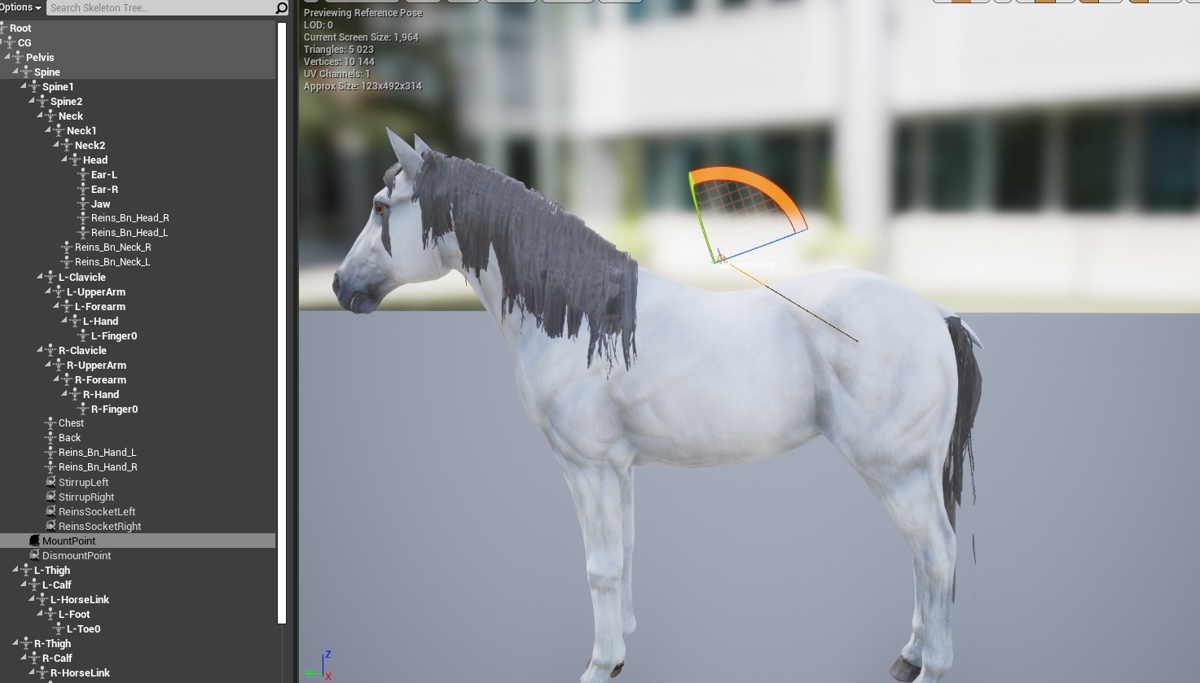 frank kernel
@grave drift right need socket location in world space
frank kernel
socket connects to bone right
grave drift
Get Socket Location seems to be world-space "or" bone-space
frank kernel
@grave drift take and offset do move from location in forward vector direction of horst ???
@grave drift like bone location + horse forward direction * offset from bone location to saddle
grave drift
@frank kernel Hey, so this didn't work. The offset part I guess I'm messing up? https://gyazo.com/1a4265a2b536742302580fd000ee8ac4
 uneven panther
I am still stuck with the basic leg ik on control rig. I’ve checked the weight painting and it’s fine. I tried to adjust the pole vector but this seems to be the closest one to correct. I just can’t figure this out.
frank kernel
@grave drift need world location to go with forward vector or is that node giving you world location
@grave drift so you know that if our hero @tribal zenith could answer it right off his head lol
grave drift
Get Forward Vector is world space, along with Get Socket Location. Honestly not sure at all how to make this animation line up properly haha. Does it have to be root motion? Or am I simply doing something wrong with the set actor location prior to the animation running? :/
As you can see in action here, the anim actor is placed in the horse's pivot point which is at its center, and the animation simply runs from that orientation: https://gyazo.com/3079122bf2fe164ead839a6c4b9889a9
Wait a second... I just found another set of animations and that's off-pivot. Let me test that out real quick!
frank kernel
that might work
grave drift
@frank kernel In the previous gif the animation was facing the same direction as the horse and the animation ran correctly. Here however, I have to rotate the character 90 degrees to the side (i.e the character's root position is still in the center/pivot of the horse, but the rotation makes it seem he's standing by the saddle). So, I guess I should look into setting the character's rotation along with location?
Correct me if I'm wrong 🙂
frank kernel
@grave drift how far off is it in that vid
grave drift
It's dead center of the horse, but rotated by 90 degrees
Actually... here's the animation montage & animation sequence put in the exact same location and rotation. The sequence is doing it correctly, while the montage is animating dead center... uh...
 frank kernel
and at that point i am lost lol
grave drift
Yeah I'm so thrown off too... I have no clue why the animation montage would be located any other way than the sequence it's montaged from, at default settings..
frank kernel
@grave drift so i am not sure of the difference what is the difference between the two ???
grave drift
The one on the saddle is the Animation Montage created from the Animation Sequence (the one at the hips of the horse), both with the same location.
I'm so confused haha. Playing the raw animation basically does nothing else to the result aswell, so strange
frank kernel
so if you play the sequence by itself it hit behind
@grave drift in that could it be and offset issue due to collision
bronze osprey
@uneven panther sec
thats my left leg
for paragon shinbi
or any paragon char or unreal skel i guess
VB means virtual bone
ignore the unconnected stuff
this is the part that fixes a problem that looks similar to urs
but i dunno
grave drift
@frank kernel Nah, both meshes are set to ignore eachother's collision (rider and horse)
frank kernel
@grave drift could that be some sort of bug i cant see how they could be different unless the starting points where different
grave drift
Hmm yeah no clue. I need it to use an animation montage though as the entire horse system is based upon checking if the anim montages are valid or not
They seem to have different rotations as they're spawned in.
https://gyazo.com/da2196325cf1501910856af510c33faa
frank kernel
@grave drift so i bet the mont sets the meshes forward vector
grave drift
Hmmm
This is the location I want the player to move to before beginning the animation: https://gyazo.com/c70230924b623a6737e08fb65949a8c4
 grave drift
Hmm, can't figure this out for the life of me, I'll resume tomorrow, would love if anyone would care to take a look at my setup (using the Horse Riding & Taming system from MP & Malbers horses, but the author isn't responding) over screenshare or something at some point? 🙂 Thanks for all the help, @frank kernel!
misty dagger
ue4 won't import my animations
the skeleton and everything seems to be working fine
uneven panther
@bronze osprey it did pretty good correcting them when the character is in its base pose but now the ankle tries to disconnect from the shin when you move the foot effector
 odd thistle
Is there a cheap and easy way to do lipsyncing for characters???
grave drift
Morph targets?
bronze osprey
@uneven panther those 2 nodes you mean?
from my setup?
cuz there is also a VB involved there, im not actually move the foot as effector
i cant see twist bones in ur skeletons leg
bronze osprey
for me calf twist does not end where foot R starts (for reasons unknown to me ) 😛
so i added a VB from calf to calf twist and use that as effector to drive the foot
so this is to fix my skeleton might not work for yours
 lyric crypt
Hello !
I have an issue with additive animation and socket. I have a character with a socket set up for holding his sword. I also use mesh space additive animation for some action like having the shield up (so that the character can walk whild being shielded), landing from a jump (the character bend his knee while running).
My issue is that the socket position does not seem to take the additive portion of the animation into account, so whenever additive animation are used, the weapon will leave the hand of the character. Example in the screen, where the character jump (base anim) while he unsheathe his sword(additive part)...
Do any of you know if this can be fixed ?
grave drift
@frank kernel Got somewhat of a better result now. It's not perfect, but it's atleast not jerking the location anymore inside of the horse. I'm using vinterp to transform the location of the actor -during the animation, i.e if the animation is still running the character will be interpolating towards the saddle location - let me know if there's something you think I can improve guys :)
https://gyazo.com/ed29abd21081fd21389b217ae3a28e33

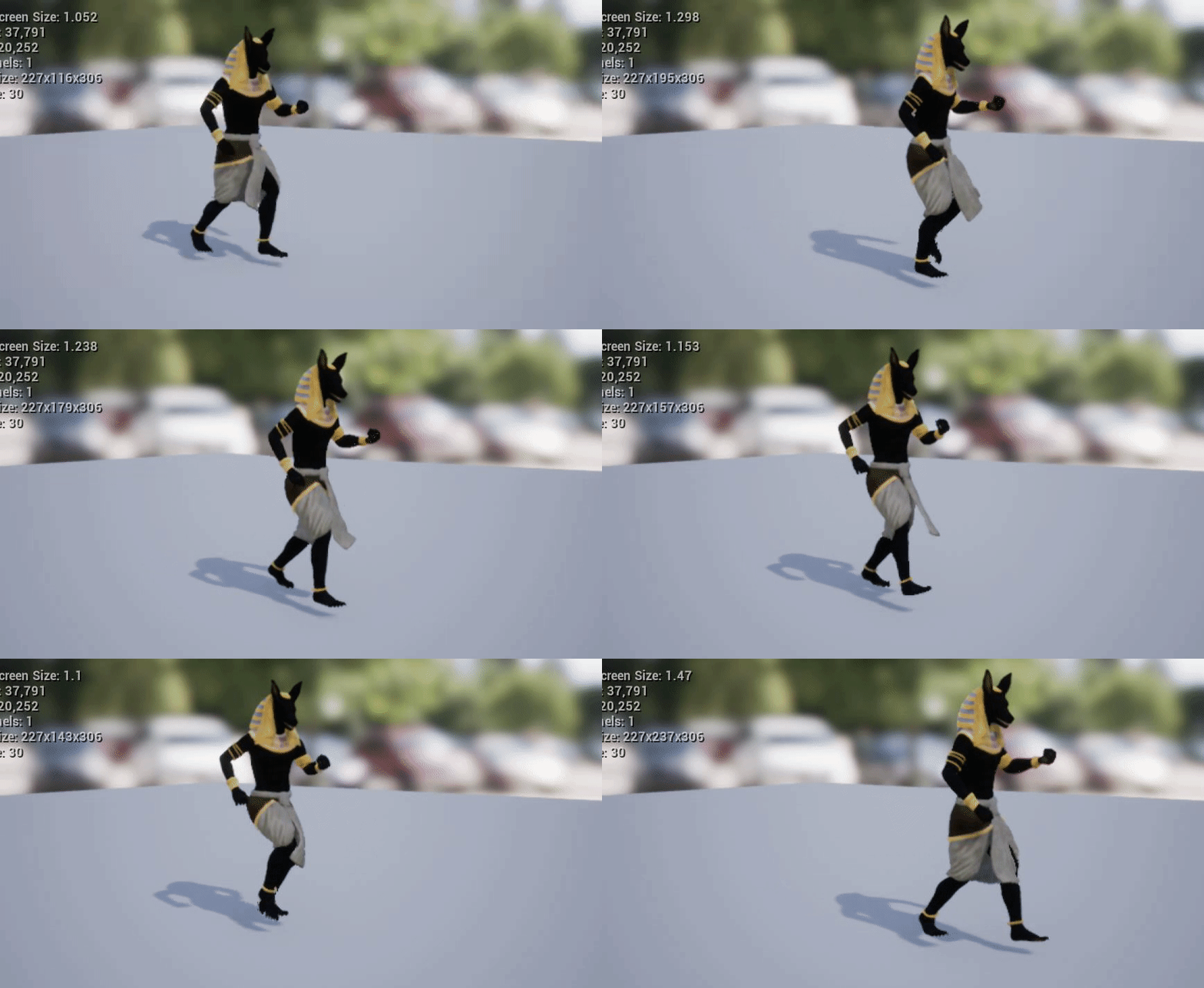
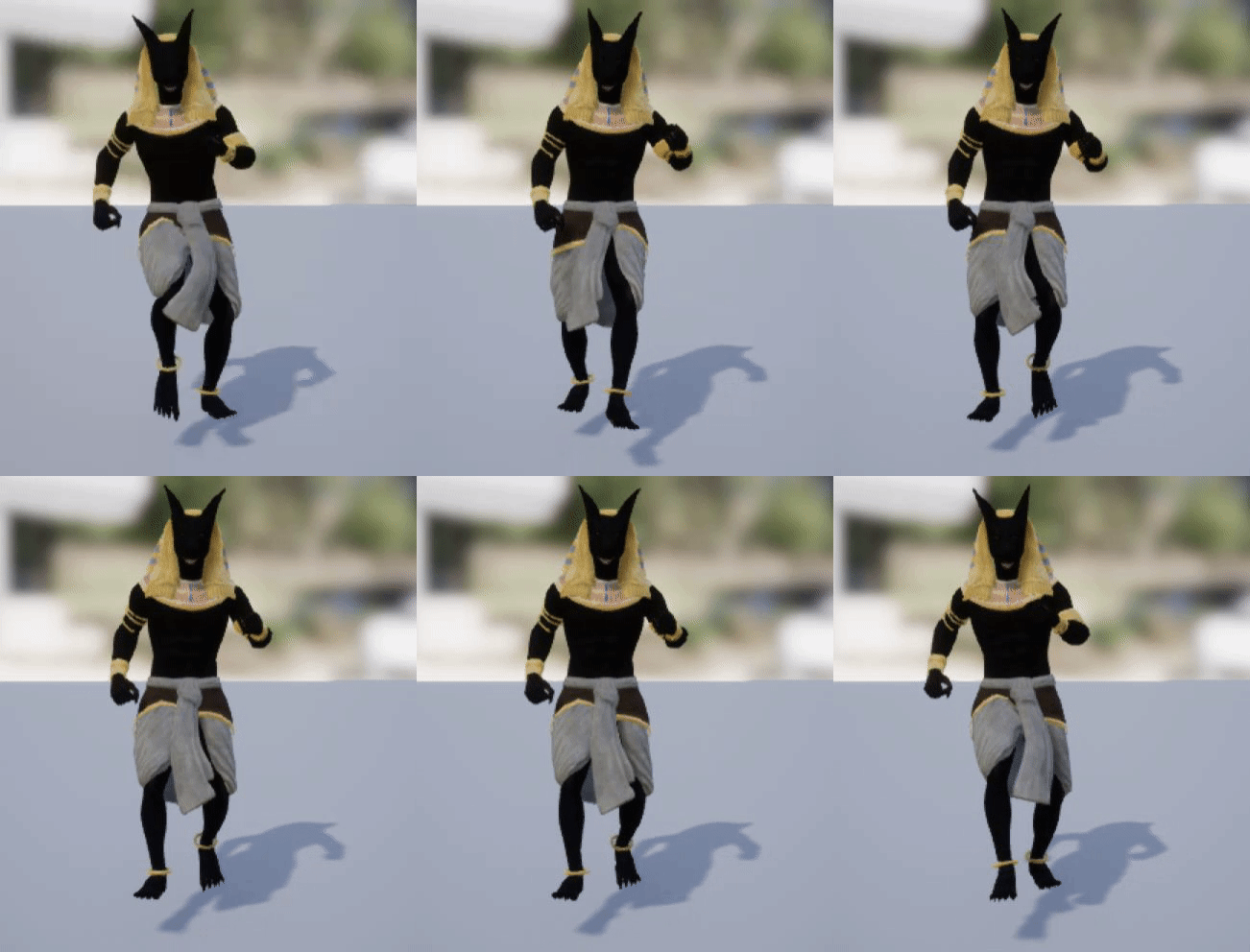
 serene lake
I need to upgrade to an RTX card to use Raytracing for my UE4 rendered films. Do I need 2080 for the best results or would a 2060/2070 be good enough?
 verbal rapids
Is anybody able give me assistance with or able to point me in the direction of a nice tutorial on how to use an additive animation?
I'd purchased an asset that has additive animations to make the character lean that I assume is to make the character lean into a turn instead of using locomotive turning animations.
I've looked at multiple guides on how to use these additives with the walk/run animations but so far have been unable to get it working and I was directed to this discord by somebody for assistance.
If anybody is able to give some aid, I'd greatly appreciate it as we've been stuck on this for days. 🙏🏻
 ripe coral
hey guys, can someone lead me in the right direction? When i open a chest, i want it to spawn items and shoot out in a random conal direction in front of the chest (a bit like fortnite but more of an arch)
 noble minnow
Just spawn them and apply a force that's mostly up with an additive randomized sideways portion
ripe coral
thank you ^^
noble minnow
Assuming you want something physics driven
green musk
Hey guys. I'm trying to figure out how to use root motion. In the official Documentation, they say to visualise the root motion, one can press (In the Animation Tab) on "Show" and then on "Bones" and it should draw the root motion as a red line. I'm using UE4.25 and there is no such option. Any Ideas?
 vapid tinsel
Hey guys, I've got a tank (skeletal mesh), where I'm trying to rotate the turret using the corresponding bone through bone transform on the anim graph of the animation blueprint. I pass in a rotation value that has been set by the event graph tick (validated that values are updated) but no rotation happens. If I simulate with a non-zero rotation value, the turret is rotated to the intended position but updates don't rotate it any further. Almost as if the anim graph is only running once. Been pulling my hair out for a while now 🙂 Any chance anyone could offer some insights? (anim graph below)
 terse lagoon
Hi I created a short animation in maya then exported that into unreal but there's no animation. There's a physics model and an animation file but nothing is actually happening within it. Why?
terse lagoon
Do animations need a skeleton to work in unreal
zealous birch
Alright, so I need to make some animations for the UE4 skeleton. I use Blender. What's the best way to get the skeleton into blender so I can create the animations and then export it back to UE4 so I can retarget those animations onto my character?
From my understanding I have to use retargeting to get animations applied to a skeletal mesh. (This skeletal mesh was obtained from the UE4 asset store) I do not have the source files for the 3D mesh or skeleton for the character
vapid tinsel
Hey guys, I've got a tank (skeletal mesh), where I'm trying to rotate the turret using the corresponding bone through bone transform on the anim graph of the animation blueprint. I pass in a rotation value that has been set by the event graph tick (validated that values are updated) but no rotation happens. If I simulate with a non-zero rotation value, the turret is rotated to the intended position but updates don't rotate it any further. Almost as if the anim graph is only running once. Been pulling my hair out for a while now 🙂 Any chance anyone could offer some insights? (anim graph below)
@vapid tinsel For anyone that runs into this issue, make sure the bone you're trying to transform doesn't have a physics constraint acting on it 🙂
warm island
looking for a tip in maya; i am trying to achieve double IK, for a spider like movement.
If I tilt the body down, the legs should maintain level but bent;
If I move the leg tips, the body should maintain level but the legs bend.
So far I can only achieve one direction of this as the body is typically the parent of the legs... is there a way to do this? any brainstorming idea is welcomed.
 lilac oriole
So, i have a problem when i'm playing an anim montage, and i play another one, the first will just stop.
Is this a problem in my animation blending, or am i doing montages wrong?
 lunar silo
Is it possible to copy pose from anim instance?
 fringe moss
got 2 models (left and right part of a door) that i want to split apart when the player gets close to it
how do i go about this?
grave drift
@lilac oriole I think in that case it would be better to use a Blend by Bool, to ensure that if one animation is complete then run another? Not sure on this one though. If it had been done in the actor BP you could just do a simple Play Anim Montage & run a Delay using the float output of that node, to ensure the animation finishes before you play another animation.
slim herald
@fringe moss my suggestion would be to use a timeline node to move the meshes when the player is near the door
fringe moss
thank you
slim herald
Although sometimes timeline nodes are unreliable, like if computer you are using is struggling to run the program, the “time” messes up and you end up with doors going different distances each time.
fringe moss
hm
lilac oriole
@grave drift that's not what want to achieve, the first anim montage, which is used to hold things should keep playing indefinitely until stopped, and i should be able to do the alert(yip) montage during that. That is the goal.
grave drift
And those montages refer the correct slots?
lilac oriole
@grave drift they do
 cunning locust
little question from a complete noob here, i can kill my character (2d sidescroller) and i can play a flipbook when that happens, but it constantly loops.... if i connect it to another flipbook the one where my char leys dead on the ground, it ignores the deathanimation, how do i fix that?
 cunning hamlet
Can you use an Aim Offset like this with 2d flipbooks, or does it have to be 3d animations? https://youtu.be/SZqGuiKiKGw

Firsly read this post:
https://docs.unrealengine.com/latest/INT/Engine/Animation/AnimHowTo/AimOffset/index.html
Next Tuturial about movement and aiming animation system
 cedar flame
wtf i cant even formulate my question...
Jezz So wen i inport a skelet form blender it become a Skeletal mesh but it has the mesh on the skelet tab... but in the template the skelet on the skelet tab is just the bones of the character, so how to solve this problem, i want to create my Skeletal mesh to be only the bones, and inport multiple static mesh and chose the one that can be modified by skeletal mesh....
yeah nice question me....
 rough grove
Hoping someone can help me with VR camera input. In this video made by Quixel they show them recording with a VR setup and they are controlling a moving camera in the scene that they are transforming locally. Any time I try this I can't influence a pre animated camera. Does anyone know how to do this? https://youtu.be/0iQJkSpOoOQ?t=2245
This in-depth tutorial goes through the entire production process for ‘Rebirth’, a cinematic produced by Quixel using Unreal Engine 4. Beyond its visual process, Rebirth serves as a benchmark and kickstarter for virtual production workflows.
Read more about the project on Med...
 static zodiac
Anyone know why my bones don't move with the mesh? I did the parent with automatic weights but it doesn't seem to have worked.
Fuck just realised this is more of a blender question than an unreal one 😅
misty dagger
https://www.dreamstime.com/old-rusty-metal-winch-coiled-rope-image157024183 to make something like this that really works. Do I have to animated it by hand or is there some way of making such coil with physics simulation?

Dreamstime
Photo about Old rusty metal Winch with coiled rope. Image of construction, machinery, brown - 157024183
bronze osprey
@static zodiac u are in edit mode? 😛
 snow scarab
what is the best way to eliminate the wagon wheel effect with tire animations
fringe moss
how do you make an animation sequence stop at the end until you move out of the triggerbox
vital mesa
i have a character that uses root motion animation for climbing on walls and I set the movement mode to flying to get the z-axis values for the root motion, but every time the character does a vertical jump, it moves further away from the wall, even though the root bone only moves on the z-axis. Why?
 woven bridge
@misty dagger This is almost never accurately represented in games. For practical purposes, you have a cylinder, which represents layer on a drum and wire mesh. You scale first and position the second in order to achiever reeling illusion. Nobody bothers to make it more accurate.
keen inlet
is this an engine bug , or is it an error made from my side?
- I have the cloth object applyed to dress and hair
- wherever the simulation weight is 0 i have incorrect normals
- if i remove cloth entirely its good
- im using chaos cloth
I'm desperate, pls help 😄
warm island
what if you give the cloth weight a very low and close to 0 value?
like 0.001
@keen inlet
keen inlet
@warm island i think i tried that already last week, i'm gonna give it another shot
warm island
yeah, just tweak it; I have found that near limit values work as a good inbetween
keen inlet
@warm island It helped when i set the weight to .1 but still I'm curious why the normal get messed up if the weights are 0
warm island
your guess is as good as mine; typically it is because those values are not expected and left unhandled
keen inlet
ok so if i can change the default fallback for unhandled values to imported normal that could solve my problem
warm island
hopefully ^^
Quick question for Maya users:
I got a mesh whose edges are not merged but already has a skeleton rig and weights associated.
If I merge, the weights get thrown around.
Is there a way to merge and preserve weights?
misty dagger
Duplicate the model, merge the edges on your duplicated mesh, delete its history.
Then skin it to the same bones as the original, and copy skin weights from the old one over.
 tulip trail
anybody selling a first person animation pack fbx ?
 jagged galleon
so this is noob question probably but how do I delay the animation? I imported the alembic animation but I need it to start playing after 12 seconds
and since it's animated cloths from marvelous I would rather not add extra 360 frames
 cedar rain

This sample project demonstrates an example Control Rig for Unreal Engine 4's default mannequin.
misty dagger
hello! total animation noob here. Any reason why I cannot use the same pose in more than one place in the animation blueprints?
I don't seem to be able to link the same pose to two other places
and I cannot find a "copy" node :/
bronze osprey
transform modify bone
misty dagger
ok, looking at it
@bronze osprey how do I use it? I don't see that it can output more than one pose
hmmmm... ok, so Poses cannot be duplicated, but adding the modify bone node also added a Local to Component transform (blue silhouette instead of white). This new Component-space pose CAN be duplicated
am I on the right path?
ok, seems I was making things too complicated, a simple reroute node allowed me to duplicate poses
 copper current
I'm checking out the control rig mannequin @cedar rain shared above. However, I cannot seem to get it into my other project. When I try AssetActions->Migrate, it moves everything but the control rig. Anyone know how I can get it from the sample project into my own?
Nevermind -- The other project did not have the Control Rig plug-in enabled :/
misty dagger
@misty dagger that sounds interesting... how do I do that?
right now I have multiple blend-from-enum nodes doing the exact same thing and I'd like to avoid that
 placid thorn
Anyone here have experience animating for a First Person Shooter and knows how to synch the Maya cameras location and rotation with the Unreal camera (so that animations can be previewed properly)? Been searching for ages but cannot find a solution that works...
 signal sundial
Hello all, is there a way to create an AnimSequence from a FPoseSnapshot?
I want to set the skeleton to a specific saved pose without using the anim blueprint
 trim vigil
How do we stop the Lip Synch animation from auto playing over and over after we have imported the animation into the engine from Blender? With Dialog the animation is only supposed to play only when its fired from the data table. Not be automatically playing when you import it into the engine.
frank kernel
@vital mesa are you giving it the forward vector + elevation on z ??
@trim vigil is it by chanced set to loop
@trim vigil or staying in that what i assume to be pose ???? maybe
static zodiac
Would someone be able to give me the steps to exporting an animation from blender into unreal? I followed a tutorial but I can't find the animation anywhere, just the model and physics.
misty dagger
Anyone have any thoughts on https://www.unrealengine.com/marketplace/en-US/product/mirror-animation-system/reviews vs https://www.unrealengine.com/marketplace/en-US/product/rmamirroranimation/questions

Mirror Character Animations using this plugin

RMAMirrorAnimation offers an easy way to mirror animations without coding.
I know it's a pain in the ass (at least for me) to create "mirror" anims. I'm just wondering if anyone has experience with either of those plugins
misty dagger
Welp the sale is over. I purchased soooo much stuff lol. I hope everyone is satisfied with their products. 😈
vital mesa
@frank kernel thanks for asking! I fixed the problem which was a result of the root bone moving slightly forward, then backwards again during the animation. So while the animation looked like it went straight upwards, the root bone movement made the character bounce into the wall, and that's what i assume caused it, since i went to back to blender, adjusted the animation to only have z-movement on the root bone, and now it works properly
misty dagger
@misty dagger https://docs.unrealengine.com/en-US/Engine/Animation/AnimHowTo/AdditiveAnimations/index.html
look for "cached pose" - basically you put your pose in the animgraph in this node and you can get it out from other nodes that are linked to the same cache many times in the animgraph, and this is a pretty performant thing to do so you can go wild with this
@misty dagger Thanks a lot, works like a charm. I didn't have any performance issue (yet) but it definitely feels better this way.
Demonstrates how to blend animations together, in this case, a character that can move and fire a weapon at the same time.
 elder cove
I am making RPG game, but i have problem with animations, my character as he is moving he ports back. Can someone help me ?
 analog field
I am making RPG game, but i have problem with animations, my character as he is moving he ports back. Can someone help me ?
@elder cove what do you mean with porting back?
elder cove
I mean this
analog field
isn't the character meant to be running in place?
elder cove
Idk, i am new to animations
analog field
did you make the animation?
elder cove
no, i downloaded it from mixamo.com
analog field
also, in the animation editor it's looping that's why it's going back
but the animation will look weird in the player if it moves inside the animation
elder cove
its doing the same when i run in game
elder cove
ok
 round gulch
Hi guys! How could I control set target animation start offset during transitioning in state machine?