#animation
1 messages · Page 79 of 1
 hushed agate
@scenic imp http://doc.faceshift.com/plugins/maya.html
i dont use motionbuilder for this - as i do all of my work inside of Maya
 scenic imp
yeah our animator uses motion builder
do you mean that if we use plugin , it is free?
do we need faceshit studio ?
hushed agate
i dont know what their royalties/pay licensing is
again - i'm looking into all of this myself - i'm not a salesman for Faceshift.....
BTW - using a Microsoft Kinect camera will suffice for this software
thast what i liked most about it when i originally started looking into it
a tutorial & setup guide is available here:
http://doc.faceshift.com/studio/2015.2/#
hushed agate
in the near future yes
i'm creating my 2016 Animation Demoreel right now as a project i'm currently working on
using UE4 as the render component (all cutscene material)
scenic imp
oh you use UE4 to make animation?
hushed agate
UNFORTUNATELY i dont have facial animation in this reel.... somethign i REALLY want to incorporate soon
no
i use Maya to make animation
i use UE4 to render it out 😃
scenic imp
yeah i know . i express it wrong
hushed agate
its LIGHTSPEED in comparison to maya rendering animations
i did a 15 second HDR render the other day for one anmation cutscene.... took less than 5 minutes to render out
in maya - that would take my same computer a good few days....
scenic imp
i am making game. i am wondering if the animation frame can be easily modified to meet the game need
since the mocap frame it too large
hushed agate
you wouldnt use face mocap data for PLAY animations
they would be for cutscenes
unless you had a game that you were close up to the face most the time
and it was visible
most games - this isnt hte case
scenic imp
yes we use it for game npc that player may get close to look at it
hushed agate
@scenic imp again - you have to decide whats best for your project. if its a up close shot - you could switch skeletons for the cutscene and have one that uses the facial joints system - and the animations for the face. else the rest of time it would use just a head joint to drive rotations..... this is all design decisions. if you're going to have facial animation @ runtime and not switching to cutscenes - then you'd obviously need to have the skeleton have those joints all the time.
i gotta hit the sack - 5:00am almost here - have a great night!
 ember coral
anyone knows how anim-dynamics is done via c++ or even via blueprints. I saw the introduction but there was no tutorial. That video showed whats possible not how
hushed agate
@ember coral do you mean SetSimulatePhysics - True?
https://docs.unrealengine.com/latest/INT/BlueprintAPI/Physics/SetSimulatePhysics/index.html
Set Simulate Physics
this takes away animation files abilities and sets the component (mesh in most cases) to use a simulated physics....
ember coral
walldiv i am just trying to manipulate charachters via c++
hushed agate
if you're talking about true dynamics, this would be the same for things like hair ponytails, beards, but Apex clothing systems are different beast altogether - (Apex clothing found below link)
https://docs.unrealengine.com/latest/INT/Engine/Physics/Apex/
Creation and Import of Destructibles using the NVIDIA APEX Toolset.
ember coral
ok one sec .. lemme find the link ... btw thank you so much for helping out )))
hushed agate
ember coral
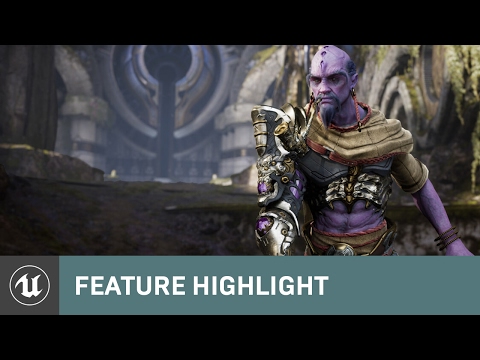
@hushed agate this is it .. most likely new ... https://docs.unrealengine.com/latest/INT/Engine/Animation/AnimHowTo/AnimDynamics/ApplyDynamics/
In this step we apply AnimDynamics to the harness and furnace the character is carrying so it reacts to movement.
or maybe i missed it completely from my google search
this is where i have seen it ... https://www.youtube.com/watch?v=5h5CvZEBBWo
 hushed agate
ok what dont you understand about this setup?
its pretty clear what to do in the doc you linked
this would be the same for ponytail/beards/weapons that are holstered
@ember coral
ember coral
i just got hold of the docs now ... i maybe missed it like i said
hushed agate
mmmk - i'm out the door for work. was just checking on here beforehand.... have a great day! Hope it all makes sense.
ember coral
cool thanks man )
 rancid wigeon
Hi all!
Can someone give me feedback about this guy http://slozhny.deviantart.com/gallery/55567978/Chibi-Marine

I'll try make top-down shooter
 rocky brook
Those all look great to me @rancid wigeon
 dapper trench
I have to agree, I think they're all pretty great
rocky brook
I love how well you do the feet movement when he barely even has feet haha
rancid wigeon
Thanks guys 😊
I just wanna fix legs mesh and then I will polish all animations
Thanks again guys
rocky brook
Good work. What do you animate in?
rancid wigeon
Do you mean what soft was used?
 timber perch
I have a object animating to explode when hit by projectile. The problem is if I shot at the exploded object again it will play the animation again. How can I make it so it doesnt react to more projectile hits?
Is this something I need to do in BP or something I need to do in the animation file?
FYI my BP looks like this
rocky brook
@rancid wigeon yeah that's what I meant
@timber perch bp for sure
@timber perch just set a bool and check it before you play the animation. OR disable collision on the object after it explodes
 upper gulch
Or call destroy if you want the obvject to disappear
rocky brook
yeah
 autumn wind
hey guys i have a newbie question i am making an animation in other 3d software its a hit combo for my character that has a custom jump.. i wanna play this combo instead of using the jump animation but my capsule component do not move together with the mesh what should i do in this case?
rancid wigeon
Check Root
if U already animate jump like jump, so you must turn on "rootmotion" in Unreal animation window
hushed agate
why do you have to turn on root motion? You can play this as a STATE in the state machine for whatever the heck you wanna call it - as long as you use "IsInAir?" bool .... and use the JUMP node in the character blueprint for teh action input..... you dont have to use root motion at all.
braek it up into 3 parts - start, loop (in air) and landing - just like they do for teh default jump....
@autumn wind @rancid wigeon
 obtuse canyon
Root Motion is just a one-step thing, you're doing the same thing in three parts
hushed agate
study the third/first person template.... theyre both similar/same and do the same functionality. mimick this
root motion wouldnt use JUMP node from the action input
JUMP is an engine core function - to basically ADD IMPULSE (Z) using the CharacterMovement's settings for JumpZVelocity
i mean dont get me wrong - you COULD do it with root motion... i'm just saying - its not needed
 merry summit
is it possible to record custom parameters in sequencer, such as a "health" variable?
autumn wind
ok tnks ill look for it
timber perch
I have added a particle effect to my exploding car in the Animation Sequence. I am looking for a way to scale up the particle effect. I only see location and rotation offset but nothing that lets me scale the particle effect.
 frail basin
@timber perch you'll probably get more responses to particle related things over at #graphics
I think you could just scale the whole particle emitter
it's been a while since I've done that
 weary pine
You're using a notify to spawn the emitter, so the scale isn't exposed.
frail basin
but there was some simple way
weary pine
If you use a regular ol' anim notify, you can implement the logic yourself in the AnimBP and play the larger explosion. Or you can make your own notify and expose scale. That'd be closer to what you've got now, but with added scale.
weary pine
I'd say either anim or BP- not graphics.
It's very grey though
Can be any/either/all of those things.
frail basin
yeh, I initially just thought it was a particle system on the level, somehow
you can definitely scale those just by scaling up the emitter there
no idea how it would go on animation setup
weary pine
It's the play particle built in animnotify
There's no way to pass in scale; you'd have to either use a plain notify, inherit from this one, create your own, or some other method.
timber perch
@weary pine you said ". Or you can make your own notify and expose scale." so can you explain what you mean.
 hushed agate
@merry summit - i dont see parameters for my ACHaracter classes that i have injected into Sequencer - so i dont think so.... but an easy way to handle this would be to use Custom Events in the Level Blueprint, and call them via the EVENT TRACK in the Sequencer editor window. . . . its how i'm doing my animations to blend together via Animation Blueprint for the said Character class
merry summit
problem is i'm wanting to record certain things from live gameplay, in this case, record the times when the player makes a sound (it sets their model to use a custom stencil value)
i think as an extremely ghetto fix, I'm going to translate the variable value into a position (of some unseen object) and read from that
since it seems to just be recording translations
transforms*
hushed agate
ah - i havent messed around with the live-recording features of Sequencer yet.....
i've been doign static cutscenes at the moment - sorry
merry summit
took a bit of work to get things to match 1:1 to actual gameplay (mainly things that use 'only owner see' etc) but seems to be decent
 crude narwhal
Hey everyone, Im having an issue with animation preview: my 'Asset Browser' window is empty
it's supposed to display every animations using the skeleton used by the animation Im watching, and there are definitely some.
Anyone knows what Im missing? (no filter)
dapper trench
Has anyone used Anim Moontages with a Slot Node inside an Animation Blueprint?
I'm calling PlayMontage inside Blueprints and calling my "Attack" montage. The attack montage has the group DefaultGroup.Attack setup in it and the Animation Blueprint has a Slot Node with the DefaultGroup.Attack assigned.
It WAS working, I clicked he swung his sword. Then I improted another animation and randomly picked between the two. Tht was working
then I modified the animation and reimported, and since I can't get the montage to play. It twitches real quick, and then stops every time
if I bypass the Slot node and just play the animation directly, it works fine. I don't know what it is
inside the montage it looks fine too
oh
I literally JUST figured it out as I finished typing this
I love fighting with something for 4 hours, post for help, and figure it out 3 seconds later
Animation is 8-frames long. By default Montage has a Blend In and Blend Out time of 0.25. Which cause the animation to be blending through 50% (or possibly more) of it's play time. Thus, resulting in more of a twitch than an animation
Had to reduce the blend times
 sinful vine
I'm trying to import a simple morph target from maya- it seems to work fine in Maya- I've baked animation and imported it to UE4, making sure to select "Import Morph Targets"- the morph target animation appears with the meshm but the animation doesn't actually play... anyone have any idea of what the issue may be?
sinful vine
Nevermind I got it! I was trying to follow some complicated tutorial video but the official doc worked https://docs.unrealengine.com/latest/INT/Engine/Content/FBX/MorphTargets/
Creating and importing Morph Targets for Skeletal Meshes using the FBX content pipeline.
 umbral aurora
Hey anyone have any advice on, with a lot of interchangable weapons, having animations like "pistol_idle", "rifle_run" rather than having a seperate idle or run for every weapon?
 lyric sedge
@merry summit have you tried setting the variables inside the player character than making them editable and expose them to matinee/sequencer on the variable? You can than add that variable as a track in sequencer. Haven't tried recording the variables but I have been able to use it to key frame actions on a character in sequencer
umbral aurora
It's more the importing to UE4 that was causing the problem, I've just figured it out though thanks
Another problem now I've got it imported though, the twist bone on the left arm is rotated strangely in-engine but looks fine in max?
 rancid zealot
Hey guys. Got a question. Im trying to export my FBX skeletal animated mesh (made in blender) to UE4, but theres something not right all the time. Could somebody explain to me what am i doing wrong ?
(offering a free kitty and a cookie)
frail basin
anyone got any BP solution for this?
Hi,
I have a weird issue. I have created a blueprint class inherited from A Character and this char moves using root motion. If I put this blueprint into level manually it works properly but if I spawn an instance of this blueprint from code using GetWorld()->SpawnActor<> root motion doesn't work. Walk animation is playing but character does not move.
Any idea??
thanks
basically what happens is that root motion works fine on character that's manually placed into level
but if you spawn it, it just animates in place
 normal bramble
When you spawn it, do you set it to "Movable"?
 astral wing
question: Would a timeline be more expensive to use then an animation? It's for something super simple, like a button press. I'm assuming the differences is probably minimal but wondering which would be better I guess.
 rugged glen
hey guys, just wanted to drop in here and say alembic support is working really well, here's my test from today.
https://www.youtube.com/watch?v=lYdKTG9Wk6g
 dapper trench
@umbral aurora Make sure that when you import your Skeleton (just the skeleton, not an animation) that the bone is has it's rotations completely zeroed out, it needs 0 in all three axis. This is the most common reason bones twist around on import
@astral wing Timeline as in Matinee? Either or really. Matinee is probably a little more expensive because it's not "baked" like a normal animation is. But for something simple it probably wouldn't any amount of an impact worth noting.
Matinee is really better for stringing together animations though, not creating them yourself. You could just create an animation inside Unreal though using their Animation Editor by adding/removing frames manually
 jovial imp
@rugged glen that's really awesome, good job!
 hot bluff
Hey! 😃
Was wondering if anyone would know why the event blueprint update animation would stop being called after I switch animation?
Thanks
hushed agate
@hot bluff can you be more specific? Maybe post your EventGraph in your AnimBP (I assume thats what your referring to?)
dapper trench
@hot bluff When you call PlayAnimation() and you have an Animation Blueprint/Animation Instance setup for continuous blending it kills it for some reason. NOt sure how to re-active the Animation Blueprint after that. But you can play an animation using the Anim Blueprint if you setup a Slot node inside the AnimBlueprint and use Play Montage. The montage and the slot both need to have the "Group" set to the same
it's weird
 fading mason
Hey folks, is there a way of making a socket follow some vertex of a mesh being animated using morph targets? The way I have now, when the mesh deforms to morph to the next pose, the socket is relatively fixed in space.
normal bramble
that's a very good question
you might be able to move a socket to a vertex in code
or, do a rig for the socket and animate it as well
a bone rather
it doesn't need to weight the mesh, just follow the right position for that morph target
that second way sounds cleaner
bit more complicated animation track wise though
fading mason
Thanks, @normal bramble. And tip on what I should look for in order to move the socket to a vertex position in code?
normal bramble
are you a coder?
I'd add something to set the index of the vertex you're after, then follow that
it's not a small job
you might be able to tap into the morph target results to get that location but it'd be a pain and it might be compiled away
do the other thing, with an unweighted bone animation track
fading mason
I'm definitely a coder. I'll research around here. Thanks again, @normal bramble !
normal bramble
hehe 😄 you may be able to do it then
in that case, go into the mesh source
I haven't looked at skeletal but it's probably a lot like static
hit the bulk data attribute in there somewhere
so it's like staticmesh.sourceorsomething.lods[0].bulkdata
I guess the deformation is on the GPU
maybe you need to find the morph data, find the transform you want in there and follow that
fading mason
👌 👍
normal bramble
🤘
jovial imp
Is anyone here going through the Mastering Unreal 4.X book? Because I'm having a problem on page 44 and could use some help. The author forgot to tell me how to create the intermediate skeleton rig and instead just told me to try and retarget to something that doesn't exist yet.
 quartz cove
@jovial imp I can help you out in a sec
normal bramble
Victor probably has a better answer, but you could source a skeleton and animations from Adobe Fuse
that's how I got started
jovial imp
I'm thinking of just skipping this part actually because it says in the book that the marketplace models don't have certain animations or appropriate skeletons but I actually see the supposed missing animations or whatever. Maybe the Infinity Blade packs were updated somehow since the book was written..
quartz cove
So, you skipping or want help? I got the book open
jovial imp
Help if you don't mind
normal bramble
every skeleton on the marketplace must target the right rigging setup now
jovial imp
The context is that I'm supposed to add a bunch of the Infinity Blade packs and then retarget a skeleton so that I can use idle walk and run animations for one of its skeletal meshes
normal bramble
try using fuse assets instead. it'll let you do that.
you download a skeleton and an animation separately and you retarget it
jovial imp
Because the book says it's missing it. Maybe what antidamage says makes it seem like the book information is jsut outdated?
normal bramble
do you have a creative cloud membership?
yeah I'd say outdated
the skeletal rigs all changed around 4.4
jovial imp
That's weird though because the author made this for 4.10
normal bramble
hmm
maybe the infinity blade assets are out of date
but everything else should be good
higher standard and all that
do you want me to send you some assets to try with?
jovial imp
I dont know. Victor is looking at the book I guess so we should jsut wait a bit and let him figure it out
I'm sure I'm just retarded
normal bramble
haha
quartz cove
@jovial imp it tells you what you need to do
I am confused on what part you are exactly stuck on
jovial imp
Specifically, since you have the book open, it's this
normal bramble
the normal setup is you have two skeletal meshes using the same skeleton, but animations are bound to that skeletal mesh, so you retarget an animation to the new skeletal mesh and it copies it and makes it avaialble
quartz cove
Type out the sentence 😃
jovial imp
The Steps 1-4 describe the process i'm about to go through, but then it tells me to open the wolf's skeleton asset and open the retarget manager.
quartz cove
Yup
jovial imp
Problem is, though, that there's nothing to retarget to. The author is just assuming that I made the intermediate skeleton asset already even though I have no idea how?
The author described that I am about to start going through this 4-step process, but then starts giving me instructions from step 2 or 3 and assumes that I already knew how to do step 1 on my own somehow.
jovial imp
Is that what I was supposed to do?
quartz cove
That's what it says...
jovial imp
Like I said, I'm retarded
quartz cove
😉
jovial imp
excuse me for a moment
quartz cove
NP, you'll see the bones pop up
jovial imp
I long for the sweet release of death
quartz cove
I just need another 20 years myself
Maybe 30
Yeah 30, I should be able to see my grandkids grow up
normal bramble
hahah
quartz cove
Anyway, if you have anymore questions on that book @jovial imp let me know. I didn't find it particularly great, but it's probably one of the better ones from packt
jovial imp
You said last week you skimmed it and thought it was alright. I bought it because of that recommendation.
plus it was half off so why not
quartz cove
Aye, @jovial imp "alright" is pretty close to not particularly great imho though 😃
And like I said, it's one of the better ones from packt
Don't get the RPG one
Making an RPG in Unreal I think it's called.
normal bramble
no work is worthless
 ivory bear
anyone here use blender for animation?
hushed agate
i used blender about 5 years ago @ivory bear
ivory bear
ooh
hushed agate
i'm not knockin it though - its come LEAPS & BOUNDS from when it first started
ivory bear
do you by chance know how you would go about using camera animation for ue4, would you?
With blender*
normal bramble
what format are you exporting as?
ivory bear
fbx
normal bramble
I don't know the answer, but I do know alembic supports camera tracks
does FBX?
and I'm not sure if UE supports them
yet
ivory bear
ok then
normal bramble
Hey guys, total N00b here, I'm looking at using the Unreal Engine to generate backgrounds in real time for things like music videos.. This is because it seems really quick and intuitive to use to get impressive lighting and detailed set pieces without the extreme render times and fiddly workflow of Maya and Max. I would be looking at filming the talent on green screen with a moving camera and Keying out a foreground plate, tracking the camera movement using SynthEyes or AEs built in 3D tracker
I guess you can
ivory bear
earlier I tried to make a camera animation system for reloading, like in: https://www.youtube.com/watch?v=a0zmcxBLw98

but it came out pretty glitchy
hushed agate
@ivory bear i dont see any camera animation here....
hushed agate
IF there is any - its quite subtle
ivory bear
Whenever the mag goes in or out or something, the camera shakes just a little bit
hushed agate
ok when it went slomo i do see it
ivory bear
yeah
hushed agate
1 sec
normal bramble
I see it. that's gorgeous.
hushed agate
its got that fat girl wibble-wobble
normal bramble
helmetcam
hushed agate
you iknow... the kind when you were 15 and chicks all of a sudden lost cooties...
ok so
analyzing the FPS templates....

FPS Cmera is the root for the character mesh
so your not able to drive it with any joint data unfortunately
which is what i would have done.....
so - if your not doing your own custom character type - and stickign to the FPS template setup....
you will see that it DOES use PawnControlRotation - by default

when you fire off your Montage for the reload -
you could have an AnimNotify in the base animation....
when you want the camera to begin moving
you could do some SIN math nodes
clamping it
and have it move that way....
you definitely COULD attach the FPS camera to a socket on the FPS character skeleton
ivory bear
prolly
hushed agate
and offset it from whatever parent bone you want
THEN you COULD drive the camera animation with joint data
IE: Head joint
ivory bear
what exactly do you mean offset in that context?
hushed agate
well when you make a socket to a joint - it goes to the 0,0 relative location of the joint
snaps right to the joint socket
normal bramble
that's honestly not a bad idea, attach the camera to the head joint.
hushed agate
you'll want to obviously move the camera up & probably BACKwARDS from its origin
normal bramble
throw a springarm on it so it has some smoothing
ivory bear
that's what Im trying to do for the most part
it's just that I have this one bone that serves as a camera target
but its not actually where the camera is
hushed agate

i reparented the camera to the mesh

you're then able to SET PARENT SOCKET
in the details panel
hushed agate
in the SKELETON ASSET you would createa a socket
normal bramble
that's a cool setup
hushed agate
in all honesty - best bet is to do on the HEAD joint

your HEAD Joint you can animate
by default - the FPS camera will take CONTROL ROTATION
in your ANimNotify event..... you need to turn ControLRotation OFF
when its done (Another AnimNotify) turn it back on
obviousl your going to have to cross communicate between your ABP & ACharacter BP
via whatever method you choose....
Event Dispatcher, BPI or straight up Cast->Function()
hushed agate
hoep it works - PM me and let me know if you have questions - i'll get it tommorow when i get back from work
 sonic wharf
Hey I tried making a particle effect system and the preview works beautiful inside of cascade and inside the level itself but as soon as I play to test it does not appear anymore any ideas?
ok was related to spawn rate being at 0.5 which previewed fine but dint work ingame so I set it to 1 and it worked
 alpine wagon
4.13 Animation Features Part 2
https://docs.unrealengine.com/latest/images/Support/Builds/ReleaseNotes/2016/4_13/image_41.gif
WHAT
This livestream is a follow-up to the first 4.13 Animation Features stream we did last week. Lina and Benn are joining us to talk about Animation Pose Assets and Sub Animation Instancing, which are new to the 4.13 build. Animators, riggers, modelers and anyone else who works with Skeletal Meshes will want to dive right into these awesome new engine capabilities, so tune in and see how it's
 lucid veldt
@alpine wagon Thanks for this 😃 This is great
alpine wagon
no prob
 waxen maple
Anyone have experience using the space switcher in the ART tools in maya? Trying to transfer from one space to another without just binding to both and getting that strange blending between two effect.
 sterile crest
Does anyone know that 2d animation software that came out for free and is compatible with UE4?
sterile crest
The 2D skeletal animation software. Was on the unreal engine website a while ago but cannot find it now
 dense bough
This project contains the Creature Animation Tool's Runtime plugin for Unreal Engine. It has a user controllable Fire Breathing Dragon as an example of how to use the plugin.
sterile crest
I dont think so, the software was free to use for students i believe
I think it was on their blog or showcase
 devout dagger
any Blender animators around?
 pseudo chasm
does anyone know how to play an animation
on properties that are binded
or basically get an updated event for a binded property in UMG?
 inner zephyr
i hope this is the right channel to ask, im no pro in making particle effects but i want an effect where my stars bursts out from the center scatters all over the place but falls with gravity down towards the floor ... how?
dense bough
looks like you want a particle system - initial velocity - constant acceleration (gravity) and uhhh the one that slows the particles after the initial burst
it's a fairly simple setup, look into tutorials for cascade, they got you covered. I can't currently look that stuff up for you, else I would have provided you with a link to the right resources that you need.
inner zephyr
ty, i'll try to google 😃
dense bough
initial velocity should have X Y and Z values set to whatever intensity you would like those stars to burst, and constant acceleration needs to have a negative Z value (-800 for example)
inner zephyr
ty ^^ i got it to work 😃
 young prawn
Has anyone here dealt with rendering out sequencer cinematics? I'm not 100% sure this is the channel I'm looking for
my video sequences are coming out significantly darker than they appear in engine and I'm not sure why
normal bramble
I had that too
is it the actual movie or just the preview window?
in my case it was just the preview and on top of that i was having weird 4k brightness problems so I connected the two in my mind
young prawn
the actual movie is coming out dark, like the low end has been crushed. In the preview window it looks fine though
preview window/cinematic viewport
young prawn
T-T
dense bough
disable eye adaptation in project settings, that might causes darker movies
 copper dawn
https://www.youtube.com/watch?v=YmCKzdE6o7E < better version
 junior basin
Quick question, but how do I override animations? That is, if I have an animation, let us say a punch animation, and I want to cancel the animation and blend it into another animation, lets say a crouch animation. How can I do that? I have a crouch animation that works mostly on the legs and spine and a punch animation that works on the hands. If I crouch while punching I want both to play and interpolate if possible.
Or do I have to make another animation for the punch+crouch?
waxen maple
You definantly can, but what your asking is more complex than I think I can type out in chat. I would advise watching all the animaiton training videos / twitch streams from the Epic folks.
junior basin
Any hints as to what I can search for? I am watching a few about blendspaces atm.
waxen maple
watch this one at length https://www.youtube.com/watch?v=3NK97psTA8g&list=PLZlv_N0_O1gbggHiwNP2JBXGeD2h12tbB&index=54

They cover working with upper and lower body blending
will show you how to work them both togther. I learned a bunch just watching this one a while back
junior basin
Thanks. Will do.
waxen maple
👌
 exotic hedge
@junior basin that stream is a great resource. Even if you find the section you're looking for, I'd suggest checking out the whole thing
junior basin
I watched the entire thing and I got my answers.
waxen maple
Nice!
Does anyone have any recomendations for animation framerate. 24, 30, 60, pros & cons. I've never really consider this.
astral wing
Is there a way to play an animation backwards through blueprint? Tried using a "playrate" node and setting it to -1 but didn't seem to work :\
This is from inside an actor blueprint with a skeletal mesh component rather than an anim blueprint
waxen maple
You should be able to play a slot or montage and pass in a rate of -1 though blueprint. Not sure how blueprints handle that, if they will play it backwards but I know it's an option.
astral wing
hmm
i tried just duplicating the animation and setting the new ones play rate to -1.
When i try to play that it just sits still and does nothing
when i use the original one in the same manner it plays (but forward instead)
waxen maple
A -1 rate works in my project :/
plays backwards
I dupped the anim asset and set the rate to -1. Then I play the asset in a DefaultSlot and it works as far as I can tell
astral wing
yeah I'm trying to play it from blueprint though
i guess I could theoretically just transfer it over to an animation blueprint instead, just kind of a pain in the ass
its basically just for a door, i need it to play in reverse for closing
waxen maple
Hmmm, it should work at -1. I haven't had any trouble with it.
astral wing
never mind, got it to work. I had to click on the skeletal mesh and change it to an animation reference rather than blueprint
 misty dagger
Easy way to read animation length from c++?
astral wing
the play rate nodes started working after that
waxen maple
Good news @astral wing 😃
astral wing
works great too
rewinds during the middle of it 😄
not that i need that, but it does it 😄
misty dagger
you guys know any easy way to read anim length from c++, ie. not in blueprint?
waxen maple
GetAnimAssetPlayerLength(*AnimAsset)
AnimInstance has a few length calls
that's just one
misty dagger
Ok thanks, is that a new fucntion added after 4.9 btw? if so we nee dto make a new one that is similar
waxen maple
I can't comment on it's version implimentation. I only know it exsists lol
Should be able to go to the AnimInstance.h and look round in there
misty dagger
Yeah I just saw on teh docs how the ufuncion is built no isse
can just recreate it if it doesnnot already exists for us now 😃
waxen maple
Yup!
misty dagger
Thanks for letting me now the funciton name 😃
waxen maple
👌 you're welcome
 bronze osprey
any1 knows why this lvl seq plays in pie and standalone but not in win64 packaged?
ive seen some seq tutorials but no1 shows it running in build version 😛
 broken adder
hey does anyone know if AnimBP can activate certain nodes for some LOD?
i'm planning to add IK but only for LOD1
LOD0 i mean
and remove it for the rest.. would this be possible? i haven't figure out a way
dense bough
@waxen maple 30 is commonly used and works most of the time, Killing Floor 2 uses 60 because of the slow mo that could occur at random., if you have a lot of stuff going on maybe have animations fade into "cheap mode", paragon does that too I think.... where animation becomes quite choppy at distance to save performance
bronze osprey
the subway seq still plays in build version but its activated by autoplay
 long stone
has anyone tried implementing an overgrowth style animation system?
bronze osprey
seems like fairly normal anims with a bunch of physics
dense bough
yeah reactive physics, ik, should be possible
bronze osprey
so any1 know how to activate sequencer in build version w/o using autoplay?
just have no idea why it works in editor but not in build version
long stone
yea having a shot at the anim system now, the basics seem alright but I haven't got into the hard stuff yet
bronze osprey
ahh might have found it
guess not
@nimble hatch I have about the same sequencer setup as ur tutorial, does yours work in packaged version?
misty dagger
Just a random question - has anyone had any luck using the UE4 Animation Starter Kit for a third person/first person character that doesn't look awkward as hell in first person?
exotic hedge
btw, @bronze osprey , i entered this a little while back: https://issues.unrealengine.com/issue/UE-34439
bronze osprey
ahh k, thought i was missing something 😛
exotic hedge
try using "Create Level Sequence Player"
bronze osprey
wil try that, thanks m8 😃
waxen maple
@dense bough thanks for the tips. I've always wondered what deturmines the animation frame rate. Still a bit of a mystery, but as I understand it game with more need of accuracy in the animation like fighting games go with 60.
bronze osprey
60 keyframes in 1 animation?
dense bough
60 keyframes = 1 second opposed to 30 keyframes = 1 sec
bronze osprey
ahh
waxen maple
Yup 😄
exotic hedge
Yo errbody, been working on a "Sequencer Rendering with CMD" wiki page. Just curious who might find it useful
basically useful for batch rendering
exotic hedge
there's no real advantage, per se, other than batch rendering. Which I know is useful for anybody working on a film
dense bough
yeah might be true, I don't think I would need it for my trailer stuff.
exotic hedge
all i know is we used it a ton internally, figured it's worth documenting
thanks for letting me know though
waxen maple
@exotic hedge that sounds great would love to learn more about that. CMD rendering sounds really useful
exotic hedge
👍
hushed agate
I'm looking for a best practice of a "clip release" for an animation. I can re-work the gun any fashion i need to - but currently its using the "Gun Skeleton" from the Prototype Weapons pack from marketplace.... so the Clip is skin binded to the Clip joint.
My animation i use the same gun (AK47 that i've modelled) and in it I take & THROW the clip down to the ground, and grab another from the hip. My first thoughts were to take the joint of the Clip, follow the location/rotation of the hand joints Socket (with some offset of course). . . .but then i started thinking about how i would set it to Ragdoll... where it would land on the ground and stay there.... all the while putting a NEW clip into the gun from the hip.
So I thought of spawning just a clip at the said AnimNotify event of the timing where hte clip would be pulled, and do the same thing as above... but then I cant find out how to HIDE the mesh of the gun's clip on the AnimNotify.
#NeedSomeHelp lol
bronze osprey
is it a seperate mesh with a bone?
 solid steppe
Is it possible to make animations without bones? I used to make 2d games as a kid, wanting to get back into it for the fun of it, but make 2.5D. However, I feel it may be impossible with rigging 😦
*for context http://i.imgur.com/i8WWhqZ.png I'm trying to get the head to follow wherever the cursor is aiming, I've gotten success but it basically distorts the whole thing, I'm trying to get it to rotate from the center of the head
 bronze osprey
weight paint?
i never did 2d on a skeleton tho 😛
weight paint and remove everything u dont want distorted
solid steppe
hmmm, that's looking like it could work, is there a way to set the bones "anchor point" to the middle of the head? So that its just one bone but it rotates the whole cylinder object?
bronze osprey
phew its really early here 😛
like having no neck?
i think you just want to use a neck bone
weight paint the neck
let the head do nothing
kinda like how humans look around 😛
or you could seperate the head
a skel mesh with 10 swappable flipbooks could be cool
solid steppe
I like the separating the head idea lol, how exactly would I do that though? I've looked for sidescroller 2.5D tutorials and they seem few and far between :/
also, found an old game that demonstrates what I'm trying to do perfectly, how the head rotates from the center, instead of the neck (the only way I've been able to so far)
https://i.gyazo.com/1689b7f4ae18693ee074a5e9d888d1a4.gif
actually, would I be able to have the "body" as one skeleton, then add the arms and the head as separate skeletons but have it remain one character? That's the approach I took with the 2D version
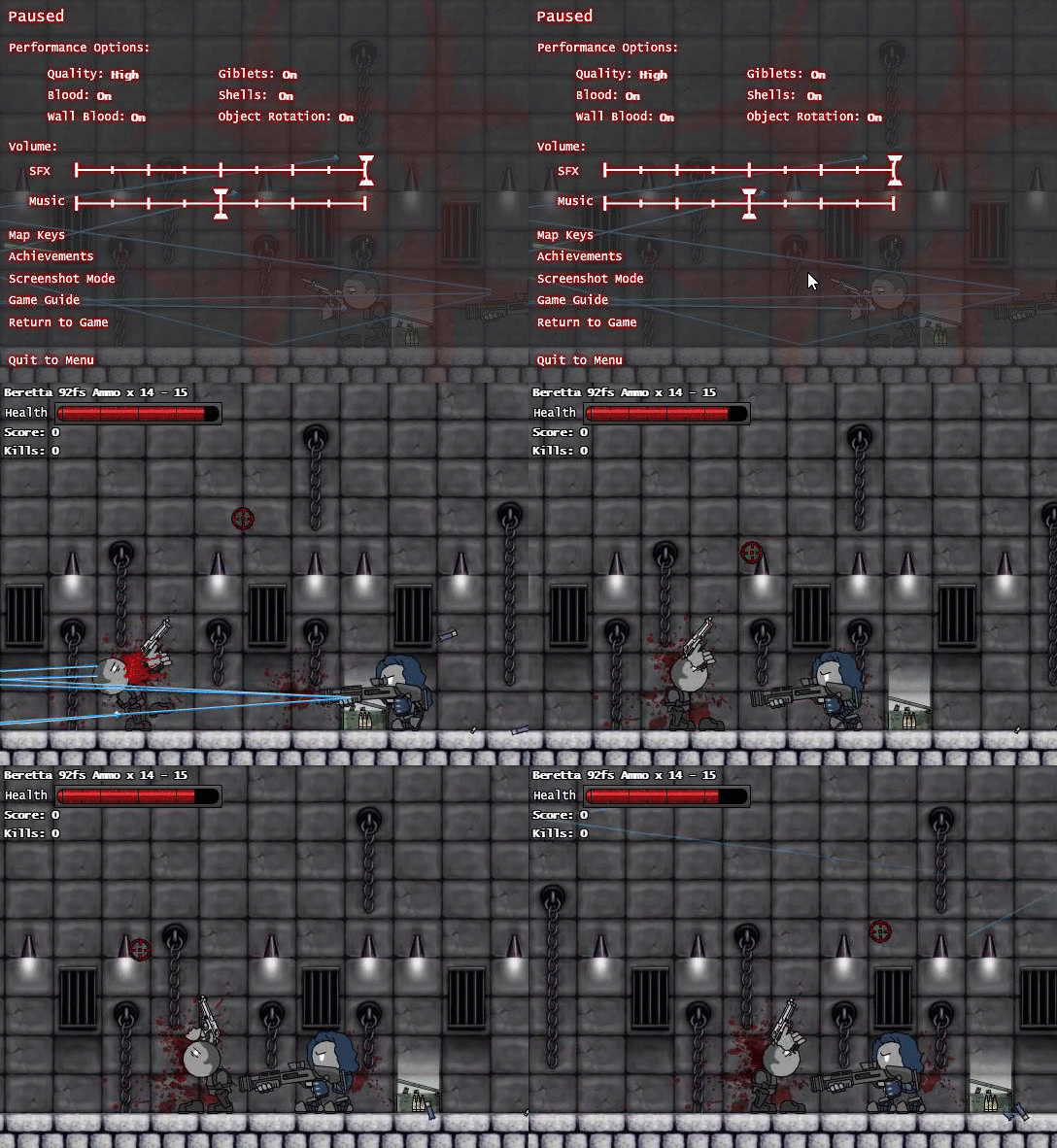 bronze osprey
that vid is just a circle not attached 😃
solid steppe
yea, it wouldn't have to be attached, just "appear" to be attached on mine 😃
solid steppe
maybe just have the head a separate entity entirely?
bronze osprey
i prolly would make a flipbook and make a socket on it
put another flipbook on there with the head
solid steppe
thanks 😃 I will look into that then
bronze osprey
i havent done anything like this, but i would try that first, cuz its done super fast
but i could see why you want to use a skeleton for fast animations
a weight painted 2d char sounds kinda interesting tho 😛
solid steppe
I feel like I'm making some progress with the weighting, is there anyway to change where the bone rotates? So I could make it so the bone rotates from its center 😮 ?
bronze osprey
there was a really nice 2.5d game this months jam
Welcome to the September UE4JAM Submission thread!
Submit your entry here with the following information:
Link to a download of your game
Team name
List of team members
Name of your submission (Please format it with your team's name attached ex. TeamName_GameName)
Please remember to rename your project to _ ex. TheEpicTeam_AwesomeGame
post nr 29
it has a youtube vid in the post as well
that1 is on a skel
solid steppe
that actually looks really awesome 😄 you think weight painting was what allowed the ridged animations?
bronze osprey
i dunno,
pokes @dapper trench in the eye with a stick to see if he is alive 😛
he can say that better than me 😃
the knight looks like modular parts tho
solid steppe
ah ok, yea sorry I've honestly only been messing with this for a day or two on and off so I don't know that much :/
bronze osprey
i am making a prototype myself atm too, cuz i have no idea how this shit would look 😛
solid steppe
lol in my head it looks awesome, in reality... :p I guess I'll find out
solid steppe
the more I think about it the more I think the head might have to be separate from the rest of the body 😦 would it be easy to "mount" a mesh onto the character and have that mesh constantly facing your cursor?
bronze osprey
yea i think thats fairly easy
solid steppe
I think I'll try that then, cause I still need the arms how they're functioning now 😃 this has given me good ideas though, thanks!
bronze osprey
pff, UV editing, been a while 😛
bronze osprey
ok, this is pretty badass
solid steppe
what is 😮 ?
bronze osprey
I dunno if i should say, i might use this in the megajam 😛
solid steppe
Is that a competition?
bronze osprey
u gunna jam too? 😃
lol are u asking if it is a competition or are u asking if i am challenging u? 😃
cuz yes it is a competition 😛
 bronze osprey
nice 😃
lol when i see the japanese name in the end it reminds me of adams family mamushka 😛
 fair crater
thank you.
bronze osprey
@fair crater i really like how it starts 😃
solid steppe
@bronze osprey asking if it is a competition 😛 I've never heard of it but it sounds like one lol, wondering if that's why you're keeping it a secret
bronze osprey

To celebrate two years of #UE4jams, we are throwing the second annual Epic MegaJam, an event bigger than any previous game jam we've had.
hype 😄
solid steppe
that does actually look really hype, and easy to enter 😮
I'm unfortunately no where near that level though, maybe next year haha
bronze osprey
Hits @solid steppe in the face with an iron glove 😛
solid steppe
*easy to enter as in you don't have to be some really established game dev or studio
bronze osprey
or there irl 😃
solid steppe
^that too 😂
bronze osprey
or any good 😄
solid steppe
also that 😂
bronze osprey
just sign up and try to entertain the person starting it up for 5 min, no more no less
solid steppe
sigh, I wish I could do that
bronze osprey
😛
solid steppe
can't even figure out how to get that head to rotate 😂 all in time though, can't be done overnight
bronze osprey
ehm been a while since i done something like that
solid steppe
what do you do mostly?
solid steppe
mmm, kinda but I'm going off the 3D side scroller. I can get a pic of my model one sec
bronze osprey
are u using the 2d or 3d side char bp?
solid steppe
4.13
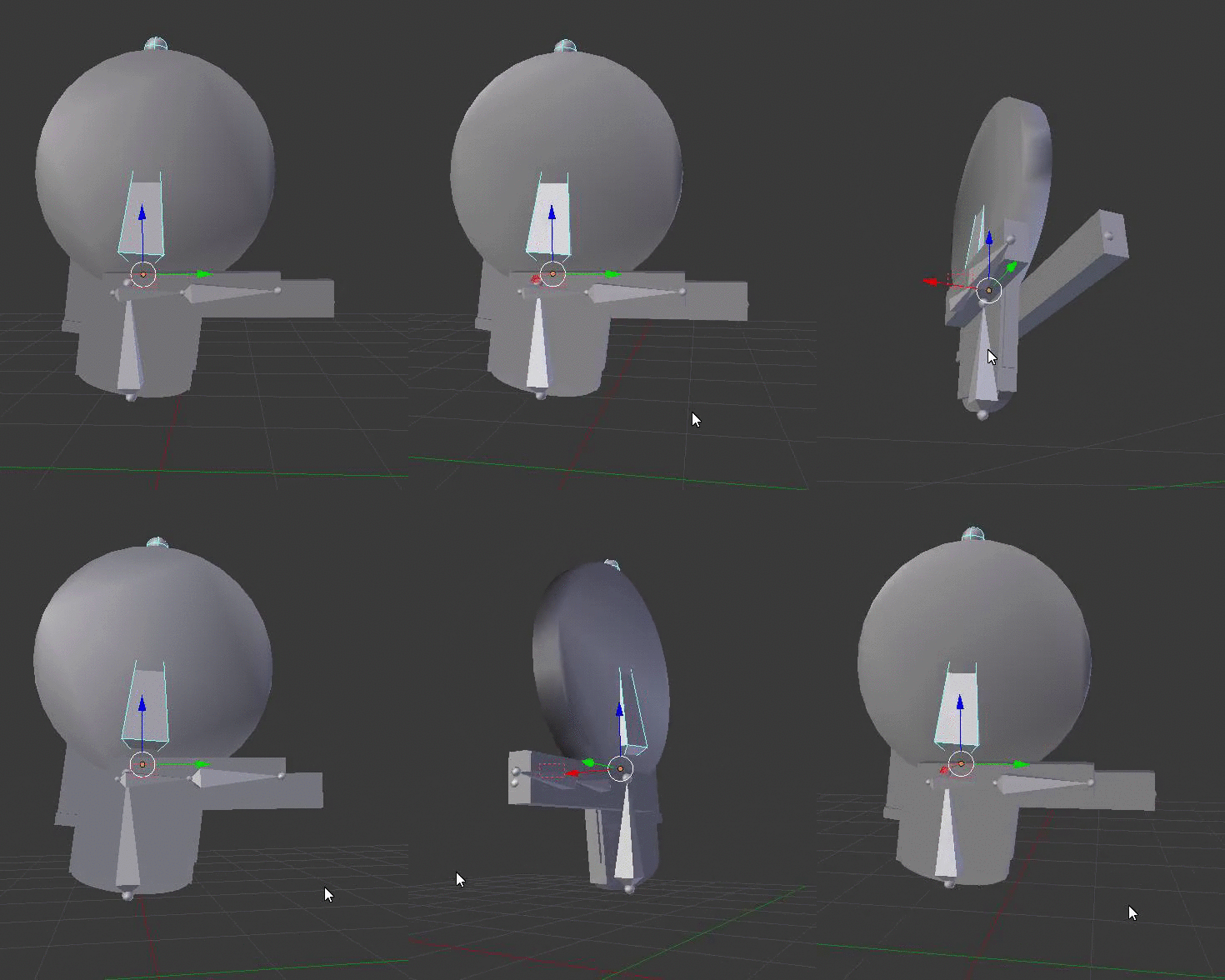
there he is in all his glory 😂 basically, he's gonna have a gun and after that it'll be like any side scroller shooter, just a cartoonish 2.5D game 😄
I just don't know, because I feel if I don't have bones, I may be really limited in the future if I wanted to add more things
dense bough
you could make a flipbook animation with sprites
solid steppe
would it keep the 3d effect 😮 ?
*I mean will it still be a 3D object with depth? or will it turn into paper 3d? I've been looking at sockets, it seems that might be the best way to go... can objects move independently once they're in a socket?
bronze osprey
yea i think socket or aim offset would work best here
in content exampe animation map there is a playable char with aim offset
bronze osprey
i added a cube in the headsocket and scaled it so u can see how it points
in lvl bp i have on begin play show mouse cursor
like this it aims the bube towards the mouse
oops text blocking my bp
this is a verry crude setup tho 😛
well at least it rotates the cube
solid steppe
That actually looks interesting 😮 you made most of it? Or content example?
dapper trench
@bronze osprey @solid steppe Since I was poked and you appear to be talking about Hero To Zero in your mentions. I just made planes in Maya and textured them using an artboard, with a mask. Then I used a skeletal mesh and simply only used 1 rotation axix throughout my animations and just animated it using that. Since the characters are designed like Paper Dolls they don't need any sort of deformation or sprite adjustments. They just swing as if they're pinned together at the joints
solid steppe
Ah, interesting way of doing it 😃 it looks really clean, did you think of it by yourself or is it a common method?
dapper trench
It's something I came up with as it was a great timer saver
rigging 3D models requires skinning and vertex weighting and a decent amount of time to make the character in general. Doing 2D art requires spriting drawing for all animations and I'm unfamiliar with the Paper2D/Flipbook functions of UE4
The way I did it, I only had to draw the character out once, and then assign planes to each body part. And assigning a skeletal to it wasn't hard
rocky brook
is there anyway to just play one segment of a montage?
rocky brook
nvm i got it
rocky brook
Does anyone know how I can set the next section of the montage in c++/bp without using a constant name?
I want to be able to tell it to just go to the "next" section
so if Strike1 is currently playing it would go to Strike2
I know how to do it with the Name of the section via
Relink new next section AFTER SectionNameToChange in run-time You can link section order the way you like in editor, but in run-time if you'd like to change it dynamically, use this function to relink the next section For example, you can have Start->Loop->Loop->Loop....
but I don't want to have to specify the name
I see Montage_GetNextSectionID but I'm not sure how to get the current section ID or what to do with the next section ID when I have it. I'm also not sure if that would return the ID of Strike2 or nothing. I.e. I'm not sure if it looks at the Montage Group at the top of my screenshot or the sections at the bottom. I have a gut feeling that it looks at the sections at the bottom which wouldn't be helpful.
rocky brook
lucid veldt
Does anyone know if it is in anyway possible to view morph target animation from within sequencer while scrubbing?
solid steppe
anyone know how to attach two objects in blender in a way so that this won't happen 😮 ?
https://i.gyazo.com/45fcb5753fee931232caf8c3c7cb8101.gif
 rocky brook
Anyone know why the frame count between maya and ue isn't the same? Like at all and I can't seem to find a pattern
dapper trench
@rocky brook depends on how you import
when you export from Maya using FBX you have two options to ensure a proper frame count. Bake Animations inside the FBX export options or Bake Keys inside of Maya
they do the same thing basically. They quickly key everything before exporting into a reliable format. For some reason however, recently that's stopped working properly and I could export a 24 frame animation and it'll end up as 2 frames
so I just use Bake Keys before I export, you can find it in Edit -> Keys -> Bake Simulation
rocky brook
@dapper trench ah okay sweet, I will try that 😄
rocky brook
okay yeah these are the FBX export settings I was using
@dapper trench what does your Bake Simulation options look like?
@misty dagger glad to see you made the trip over to discord 😃
misty dagger
hey thannks 😉
rocky brook
do you use Resample All to get the same frame count in ue as in maya? or do you use Bake Simulations?
lucid veldt
I would really, really like to be able to preview morph target animations from within sequencer :/
anyone know of a way where I could put together a blueprint actor that enables a morph target value float or parameter exposed to sequencer that doesnt necessarily rely on tick?
rocky brook
@lucid veldt what version of ue?
lucid veldt
4.13 preview version with gameworks integration
lucid veldt
OH MY
so this means I need to turn off realtime?
@rocky brook thank you for the info! I'll look into it
rocky brook
sure, no problem
lucid veldt
@rocky brook it seems this issue is referring to prebaked morph target animations and not animations keyed within UE4's sequencer
rocky brook
hmm I would test it on 4.13 and not the preview
lucid veldt
hrm... I am reliant on galaxyman's gameworks build, i.e. until he updates:/ I'll install 4.13 just to test
that issue also refers specifically to prebaked animation, where if I control it through sequencer, it relies on a tick
rocky brook
how do you know it's only prebaked? because of the repro steps? I don't see anything in the description saying it is only for prepaked
lucid veldt
I see no way to expose any morph target parameters in sequencer without creating an event graph that includes a tick
Sequencer will not inherently allow me to expose the morph target value from the skeletal mesh alone
unless I am of course missing something and would love to know what
rocky brook
I would try unreal answers or #ue4-general
sorry, I have used sequencer for like an hour lol
misty dagger
Why do you need to use the tick? Haven't used the sequencer anything at all, but there is almost always a way around using tick if you want to
@lucid veldt
lucid veldt
@misty dagger I would prefer not to use the tick. Is there any other way I can control morph target slider values in editor ? (Aside from persona's preview)
misty dagger
Well as I said, I have never used sequencer and I am using 4.9 custom version
So to be able to help you I need to see some images of the event graph of the sequencer to see how you have set it up right now
lucid veldt
sure
one sec
There is no event graph within sequencer, however, I can add "actors" to sequencer's timeline, whereby an actor can contain its own event graph.
if in fact the actor contains an event graph, the parameters within the event graph, if set to "expose to cinematics" will appear within sequencer's actor dropdown
shape 1 represents the following float parameter within the actor's event graph:
dense bough
you could use a custom event and let that one fire via sequencer (event track), but I don't know if that solves your problem
every time you scrub over that keyframe it would set the morph target
lucid veldt
would this method be functional only during realtime/simulation?
btw sequencer is setup in a way where I can set keys along a timeline, as shown: @misty dagger
dense bough
it should execute anyway, but I'm not sure. worth a try though, takes like 20 seconds
misty dagger
Is the morphtraget parameter "Shape one" exposed to the player ingame?
Do you use widgets to set changes?
lucid veldt
I don't use player if that means anything. Not sure what you mean by widgets either 😃
basically sequencer is a fully fledged timeline that allows me to place actors add animations and key them as I like, while previewing everything in the viewport without running the game
dense bough
@misty dagger sequencer =/= ingame
misty dagger
You want to change this in real time you said, that would only be really usable In game
dense bough
???
lucid veldt
no, I would like to see the effects of my changes while editing, not only in game
 supple narwhal
@misty dagger He's using sequencer. read the history before trying to help. ;)
misty dagger
I know what he is using you don't understand what I am saying
I am going on a flight very soon so a bit stressed and I am having trouble writing everything superfast
supple narwhal
i see
lucid veldt
OH!
dense bough
^ there we go
lucid veldt
😄
misty dagger
No need to remove tick if it won't be used in-game still according to me, but if that eventgraph will fire when the player is in-game, then you could either set it to an Event or a interface to send messages of changes.
dense bough
a proper answer, it's a bug
misty dagger
Aha okok
lucid veldt
I'm not certain whether this is a bug, or perhaps a feature that isnt implemented
dense bough
and that doesn't make a whole lot of sense pand
exotic hedge
nah, that's a feature request
unfortunately :/
we do have feature requests on the issue tracker
dapper trench
@rocky brook You might just have to play with it a bit, as that's pretty much the same settings I have. When you import into Unreal Engine, their importer options have a bunch of stuff as well. If you expand on the Animation options, you'll see there are some "Time Length" related stuff, one is a drop-down box that lets you choose how to import frames, based on exported time, based on keys, based on animation, etc.
dense bough
what does the value has to be https://a.rokket.space/gnlxcq.png the event name I assume?
 dapper trench
If those don't work, I'd try Bake Simulation under Edit -> Keys just to see if it changes anything, as like I was saying for some reason it was bugged for me since 4.13 update. Dunno if it was my rig or UE though
rocky brook
@dapper trench do you have Resample All checked?
lucid veldt
am I correct in assuming that even if i trigger a custom event, it will only work in game?
dapper trench
I do not
lucid veldt
@exotic hedge Thank you for that. I don't know if it's automatically assumed, however I believe that because I have to use the tick, It can only run in game which is what makes the process incredibly clunky especially in terms of editing placement and timing
Maybe this could be clarified as to the reason why it is in fact clunky
misty dagger
@lucid veldt I will donwload aversion of the latest editor to see if I can help you with a work around
exotic hedge
it's clunky compared to "drop skeletal mesh in level, add to sequencer, add track for 'long nose' morph"
lucid veldt
lol
misty dagger
going to the airport now abit stressed, but will be
at my workstation in about 3 hours
lucid veldt
well you're talking way too easy...but this process is beyond clunky. I set sequencer to play from the exact place in the scene, play in game get out of game edit, rinse repeat @exotic hedge
@misty dagger Thanks!
dapper trench
Try changing animation length and see if it fdoes anything different
rocky brook
okay, I'll try that
exotic hedge
@lucid veldt well, yeah my example is simple, but it allows direct manipulation of morphs...which is the point haha
lucid veldt
very true 😃 I have no idea how many people are truly taking advantage of Sequencer, but I do hope the request gets some love and attention 😃 @exotic hedge
exotic hedge
well, you can vote on it on the public issues page
I think sequencer is getting plenty of use, btw
lucid veldt
oh!
exotic hedge
i don't get very many reports about Matinee anymore
lucid veldt
I would love it if there was a dedicated place where Sequencer users could discuss the editor and its peripherals
exotic hedge
i put up a #ue-cinematics idea in the #server-feedback the other day
exotic hedge
i just entered it like an hour ago though haha
lucid veldt
I also asked Grayson Edge if there was such a place, but he said nothing existed so far
exotic hedge
ah, you mean outside of here?
lucid veldt
yeah
Im so engulfed in the work that I really didnt think about how to implement it just yet, but your idea of uE cinematics would be a great start, provided people involved in cinematics are on this discord
exotic hedge
idk, a dedicated channel here seems like as good a place as any
yeah
well, we just gotta get them involved 😛
exotic hedge
The thing I did like about slack is that you could join/leave channels
so we know who was interested in cinematics directly because they were a part of the channel
lucid veldt
just havent gotten around to creating a proper project and scenario for reproduction for it just yet
oh!
right, people here came from slack
exotic hedge
so, bug reports...Answerhub
lucid veldt
yeah, though it requires a lot of work on my part 😃
exotic hedge
not thaaaaaaat much
lucid veldt
well kindasorta
I have to take a basic project, load the latest official build and somehow recreate the scenario
its been posted before, however the "resolved" portion was incorrect in my case
exotic hedge
not necessarily, if you explain it, I can usually repro pretty quickly on my own (I handle all the sequencer bugs on AH)
lucid veldt
you do?!
exotic hedge
yeah, if it's in the bug reports section on AH and even mentions sequencer, I get assigned
exotic hedge
yep, but only through AH so I can officially log time for it
lucid veldt
its in there
ill find it
in fact
iirc, you posted a fix, ..but it didnt apply to me
exotic hedge
ah
exotic hedge
visibility track is the bane of my existence
lucid veldt
it was a phenomenon thatt drove me crazy over the span of two projects
lucid veldt
I did crazy things to "fix" it
things that seemingly did not make any sense whatsoever
exotic hedge
this MIGHT be what you have going on: https://issues.unrealengine.com/issue/UE-35762
lucid veldt
you're right about "might"
I believe I attempted to play with the default visibility settings in the actor instance
which yielded no results
exotic hedge
well, with all the visibility issues, they've been talking about changing the way the "Visibility/Hidden in Game" track works
because right now it flips both Visible and Hidden in game, which...is weird
lucid veldt
there is an additional factor here
in Sequencer, youc an have multiple levels of sequences
so, say if I set visibility off in a shot, and on in the main sequence, theres a conflict..not that this solved my issue, but it is more of a logical strangeness
which takes precedence?
for example
exotic hedge
oh, yeah that sounds no bueno
i can't say i'd ever have tried to set something up like that
but if it's a legit use case, then it's worth reporting it
lucid veldt
I believe there IS a hierarchy at play
however experimenting with these yielded nothing
yet when I added a new actor into the level, replaced the disappearing skeletal mesh actor, and *left" the faulty actor in the level, things started working
however if I removed the faulty actor, ANOTHER actor would disappear
(each are instances of the same actor)
I guess now you know why Im a bit wary of trying to reproduce this
and how this whole thing drove me temporarily insane 😃
The general workaround I found for this particular project was to have 1 extra unused actor in the level. This obviously makes no sense.
lucid veldt
in any case, when I get the chance I'll write a proper description of the issue and post
exotic hedge
yeah this issue has caused me some questioning sanity as well
but rest assured, it is being looked into
 drowsy flame
Hey guys!
Hey guys!
Any of you have used IKinema? I'm working on a soccer tennis game and I've decided to use it to make sure the character will actually touch the ball.
While the UE 2-bone IK system could work for moving the legs for kicking, heading will be harder since in order to reach the ball the whole body must shift which only a Full Body IK system can do.
Up until now, all works good. But before continuing with it I want to know if that is the best solution to use in my case or there are other solutions? Also, I would like to know if there are any cons to IKinema and Full Body IK systems, any gotchas...
Up until now, all works good. But before continuing with it I want to know if that is the best solution to use in my case or there are other solutions? Also, I would like to know if there are any cons to IKinema and Full Body IK systems, any gotchas...
rocky brook
Are anim notifies not 100% reliable?
it seems like a very small percentage of the time my anim notify doesn't get called
😱
I tried setting the blend out time to 0 but that didn't fix it
AnimNotify can be VERY unreliable. It is possible (but with very low probability) that the notify is NOT fired even if the blend weight pass...
shit
@exotic hedge I see that you have looked at this before. Do you know of any outstanding issues with it?
exotic hedge
@rocky brook post on AH bug reports, i'll take a look. AH post is the only way I can justify investigating it
rocky brook
okay, I'll work on reproducing. Just wasn't sure if you had heard of anything.
exotic hedge
we haven't really had a lot of notify reports, but it's usually something with the trigger weight threshhold
or that the animation is blended out before the notify triggers
(i.e. not a bug)
rocky brook
okay cool, yeah I don't think it could be blend out since I tried with 0
devout dagger
any Blender riggers / animators around ?
bronze osprey
i done a bit, got a question about it?
bronze osprey
if i move a camera actor around in a scene during gameplay should i use tick or interp?
 dusky arrow
it depends really. I would always use interp when possible because of the theory that you should avoid tick as much as possible but then some things just work better on tick and don't do much to performance anyway so I would say either is good (without knowing your setup)
 foggy night
Has anyone else noticed improvement of Aim Offsets in 4.13?
Previously creating Aim Offsets from skeletons other than the Unreal Manneqin caused the mesh to twist and stretch badly
But works well in 4.13
rocky brook
haven't upgraded to 13 yet. but yeah they weren't very useful prior. I just use blendspaces for it
misty dagger
Aimoffset always worked perfectly fine for me. Not sure what to 'improve' there on such a simple system
rocky brook
hm so I created a clean project to reproduce my anim notify issue and the issue isn't happening in this project. I'm not doing any networking here tho, I dumbed it down a ton. So I'm going to add that stuff in to see if I can reproduce it.
devout dagger
@bronze osprey yeah.. Here is my question https://blenderartists.org/forum/showthread.php?406986-Rigging-in-Blender-to-match-UE4-character-rig-possible&p=3100247&viewfull=1#post3100247
If you import UE4's Mannequin FBX into Blender, you'll see bones are oriented entirely differently from how you'd usually have bones for characters in Blender.
Is there a way to rig and weight characters in Blender as we usually do that and export them in a way that output rig matches UE4's Mannequin bones' orientation exactly ?
While it doesn't matter for 100% custom characters, it actually matters for characters that will use animations from UE4 or Marketplace. Plus, if a Blender
bronze osprey
ahh yea that been a while since i imported the guy but that was weird
not all versions of blender have that i think
last time i made animations in blender and imported it too unreal i used this plugin
Manuel Bastioni open source software prototypes and algorithms
devout dagger
I don't have issues exporting animations
bronze osprey
i made a shared skeleton with the mannequin
devout dagger
I am trying to find out if I can rig, weight and animate in Blender in the conventional (to Blender) manner, and export into UE4 in a way that skeleton matches UE4 skeleton (so Marketplace anims can be used with it)
someone imported Mannequin into Blender and added control bones to the rig, but that's a bizarre setup. Only good for creating extra animations for UE4 rigs, but not new UE4 rig compatible characters.
Looks like someone from Epic is looking into it (just saw a reply on the forum)
devout dagger
you can't use Marketplace anims with this rig because bones and their orientation won't match
bronze osprey
i think its the unreal rig
devout dagger
I have no doubt it can be used in UE4, but it's not Mannequin's rig, and therefore it's incompatible with Marketplace anim sets.
bronze osprey
did u try export it in an older version of the engine?
devout dagger
how old?
I am using 4.13 at this time
and I don't believe there were any anims available for the old greenish UE4 mannequin
bronze osprey
well actually i dunno, i tried this a whole buncj of times with dif blender versions and unreal versions and everrytime it was something else 😛
 narrow scroll
Probably a dumb question, but would anyone have a CAT rigged UE4 Mannequin that I could bum off them?
 severe raptor
any idea on how to make parent bones follow i.e. hand's position on third person character?
exotic hedge
@severe raptor like an IK setup?
severe raptor
yea someone suggested that on GDL, I have an issue though
exotic hedge
i mean, i can suggest the documentation and the content examples, but I can't do much else here on the clock
severe raptor
anyhow, that issue is transform offset related - will sort it out soon
misty dagger
Hey not sure if I should ask the questionI asked in #graphics here, about re-skinning when adding clothes to rigged char
misty dagger
you have to do that in a 3d software, not in engine. If you want to just add that to the base skeletal mesh then make that there, copy skinning over and re-export and replace. If you want the thing be a piece of cloth that you can put on or off. Well youll have to do the same, but without the main character body. Just the costume thing. Then in the engine add it as an additional mesh component to the characterBp
lucid veldt
bronze osprey
looks slick
normal bramble
it's extremely badass
bronze osprey
is it blender friendly?
normal bramble
it uses mixamo, so the modeller doesn't matter at all
his workflow that is
it's a tool for the UE side of things I think
bronze osprey
hmm wonder if its hard to set up for custom rig
frail basin
that BP graph looks spooky
bronze osprey
ill see if i can set it up later i think
bronze osprey
i doubt i can make a custom skeleton during jam and hook it up as a timesaver 😛
but it sure does look awwsome
rocky brook
anyone have a good over the shoulder setup that has turning while moving? I get how turn in place works, that's easy. But I'm not sure the best way to blend turning into the movement stuff. Haven't found much on it. It's something that makes things feel unpolished.
third person will work too, just not where the character can turn all the way around and face the camera
quartz cove
Anyone ever get a "The Skeleton ***Skeleton, is missing bones that SkeletalMesh *** needs. They will be added now. Please save the Skeleton!" error message pop up? Project was working fine. Now I am getting these randomly.
exotic hedge
@quartz cove do you have a number of characters with bone extensions (additional bones to the base skeleton) sharing the same skeleton and then modified/overwrote the base skeleton?
misty dagger
its not that easy to "accidentally" overwrite the base skeleton tbh
so I highly doubt that was the problem
quartz cove
TBH, no idea what the issue was, it's since gone away though
It was popping up while in VR
and took VR away
so it was quite annoying
 long maple
So I've imported a mesh that has the same bone structure as the UE4 Mannequin, retargeted some of the UE4 mannequin's animations to test the rigging and uh

Any thoughts on how to fix this mess?
long maple
it's the same size as a default UE4 character, and it's using the default UE4 character's animations.
normal bramble
what's with the size compared to the ground plane? is the plane small?
long maple
roughly two squares of the ground plane's width, same as the default mannequin
pardon the ken doll- http://puu.sh/rkIAE/2075d24fbd.jpg
 normal bramble
I'd say your skeleton was missing something vital
long maple
would it make a difference if the skeleton's root isn't actually the root, and instead there's a scene root
then from that scene root is the rest of the skeleton
normal bramble
wouldn't make a difference, but not sure
is this scene root in the skeletal structure? because the scene root is generally something different and more generic
and the skeleton's root would never be the scene root
its like a different concept
long maple
So I'm piplining from Blender
Which by default always has a root of an armature- the root isn't a bone, just a null orientation point
but for some reason, there doesn't seem to be any way for me to tell UE4 to not import it with that as the functional root of the skeletal rig
nearest I can tell you're not wrong about it being a scaling issue but it seems to be the actual bone scales that are the problem
normal bramble
I had a go at getting a rig from blender to UE as I was using blender to refine the animation
tbh I gave up and switched to maya
it has less problems exporting
but you're likely to both have unit scale and orientation problems going between programs
there might be something on the forums about it
long maple
Solutions I've found haven't done much to fix it at all
long maple
I despise blender with a passion that burns brightly
but I am an impoverished solodev
 normal bramble
looks about right
long maple
So nearest I can tell, something about having the armature not parent the mesh on export was affecting translation while having it be the wrong size in blender was affecting scaling
solution was to make a proper rig at the right size, export it and use that as the rig for imports.
Still not entirely sure how that even worked but meh
misty dagger
Making proper rigs always helps
normal bramble
.
exotic hedge
@long maple https://i.ytimg.com/vi/zaSxA2-c7aA/hqdefault.jpg
 dusky arrow
well he's obviously blocking that fire hydrant there and jaywalking at the same time. I wonder what other minor misdemeanors this colourful chap has commited.
exotic hedge
get back on the sidewalk ya scamp!
dusky arrow
Cool I haven't rendered any batches for ages. mmmm batches
 trim fossil
hey guys, is there a way to make 100 frames in blender into 1 shape key/morph target as value?
or do i have import 200 morph targets and play them like: morph target name 1 > delay > name 2 > delay?
100*
but i guess the best way is just make the animation per hand with 1-3 shape keys right?
exotic hedge
@trim fossil Not sure how blender handles morph targets, but typically you'd import your set of morph targets (i.e. raised eyebrow, curled lip, etc). Then you would animate the morph targets in Maya (blender for you) and import that as an animation.
trim fossil
yeah but i want to animate curtains, so objects that dont have bones
i guess the best way is, to make 1-2 shape key wind animations, and import it, and make the rest with blueprints/timeline
exotic hedge
You can always add one bone and import it as skeletal
idk exactly the amount of control you need over the curtains, but i might also suggest a material effect if it's only blowing in the wind
or Cloth
(see Cloth content examples and even Material_Advanced)
waxen maple
So animation initialize and tick happen before actor? I would have assumed the opposite but I just tested it and that's what happens.
But if your anim graph tests against your actor wouldn't it always be a tick behind?
bronze osprey
@long maple what did u use to generate the mesh/skeleton
?
 cedar bloom
Can alpha be supported in ue4? all my png's with alpha are funky
bronze osprey
yea
cedar bloom
it like fills the alpha in with a radom blue color
cedar bloom
yeah that totally did what I wanted thanks @bronze osprey
bronze osprey
np
broken adder
hello
has anyone try usin g the worker thread in animation?
checking the 'Run Update in Worker Thread' thing?
i've cleared my event grapha nd use pure function and variable all access
but when compiling it still unchecks the 'Use worker thread' bool.. any idea what's going on ?
fading mason
Hi folks! Is there a way to preload and cache static meshes to swap them in a static mesh component in realtime? I'm thinking on creating something like a flipbook of meshes. I know that we could use the new Alembic support to animate the vertexes of a mesh, but In my case every frame would be a completely different mesh. Also, if that's possible, how costly it is to swap the mesh of a static mesh component every tick? Thanks!
dense bough
the stupid solution: place the meshes in question below your map, this ensures that they are in memory already and eliminate loading hitches during runtime
bronze osprey
can i bring my unreal material to blender?
 ionic pulsar
hey guys! just wanted to ask a simple question. has anyone ever used the treeit program? and if so is there a way to export the animation of a completed tree?
normal bramble
use speedtree I reckon
it integrates better with UE on many levels
ah that's right, you said it was too expensive
you could probably do similar things with any tree source but you'll have to make a bunch of vertex maps by hand
then you animate that based on in-game wind
frail basin
actually
even speedtree animates the wind effect on shaders / WPO
it contains some embedded data how it affects different parts of the mesh
but for example epics samples have similar math for some palm trees etc that use just regular static meshes
vehicle game example is one of them
I'm not a huge speedtree fan myself though
they have their share of issues
and pretty restrictive license
for example, some of their texture maps just waste like 50% of the UV space
seamless branch merging doesn't really work at all
it does create additional materials for seam places which just look like regular materials most of the time
and I've never seem their documentations normal blending in action inside unreal4
lod transitions are pretty bad as well, but I guess that's something that'll be issue on all generated trees
also all their UE4 trees come with old diffuse-spec-normal maps so you pretty much need to do your own textures if you want true PBR
also, some of their sold trees have awesome lods like this 😄
dense bough
Speedtree still isnt pbr?
frail basin
or this:
nope
no pbr there
I think they've been working on PBR for their editor though
dense bough
Christ
frail basin
so it might be coming at some stage
dense bough
How about... now xP
frail basin
but none of their sold assets even have PBR textures
those LODs are pretty efficient though, I admit it 😄
lets just not render anything when player is 15m away
that's a tree specific issue though, I bet those would work if I reauthored them in the modeler
rocky brook
has anyone seen Montage_JumpToSection cause anim notifies misses on the section we are jumping to?
I tried changing the blend in and out time to 0 and changing them to branching point. but none of that helped
rocky brook
nvm issue is with my code
 distant axle
in the animation editor is there aw ay to see the vector location of a certain bone
timber perch
Is there a way to blow a car up with out having to animate all the pieces by hand in Maya for example?
Does UE have such abilities or are pieces being blown up normally done in other animation software
normal bramble
I just auto-rigged a character with mixamo and added an animation and tried to import it. It complains that there's multiple root nodes. it's always worked before, what would be causing that?
other than multiple root nodes, because there ain't
nevermind, it was multiple IK roots
I spoke too soon, still failing
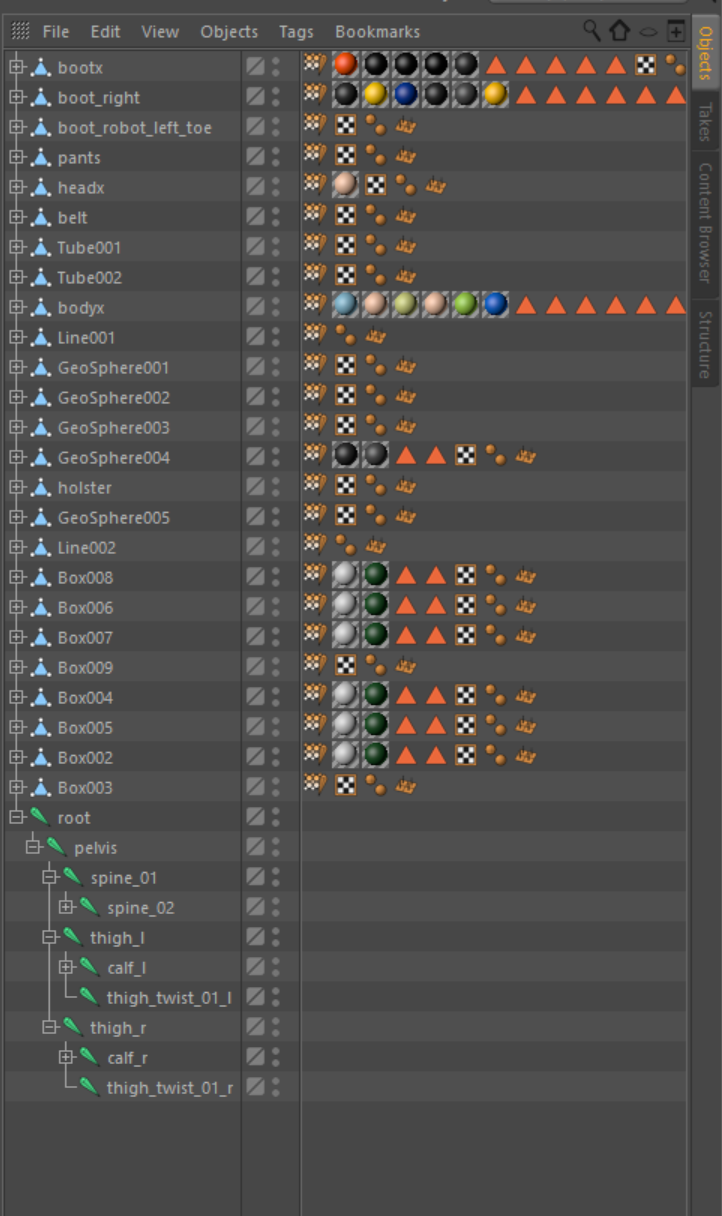
I have a working character import and it looks identical to this one in setup
not sure why one is working and one is failing
FBXImport:Error: Error Multiple roots are found in the bone hierarchy. We only support single root bone. FBXImport:Error: Error Multiple roots found
dense bough
one of the skin tags could refer to something funky
 drowsy smelt
hello, please share and retweet if you feel like it 😃 https://twitter.com/llazyadM/status/781773745417367552

Only 10 days left 50% Discount !!! https://t.co/VBIiyCQDvL #3dart #unrealengine #marketplace #robot #character #discount #animation #gamedev
normal bramble
ironic that you're named "ad"
drowsy smelt
@normal bramble :)) sry, i promise it's the last time i mention it
funny tho
this is why i don't post stuff cause i don't want to be that guy but my friends insisted i should
misty dagger
Post it in the right channel dude. That's all we ask
rocky brook
@timber perch yes, look at destructible meshes. More of a physics discussion than animation tho.
frail basin
no, no no 😄
well
if you want the car to break as destructible mesh, you'd need to fracture it in physxlab
you can't make anything but voronoi fractures inside unreal
that would look super weird if you exploded the car and it went into pieces that made it look like it was made out of clay
and even with physxlab, I wouldn't be so sure you can setup it so it would look believable
dense bough
ay voronoi works for stone, but not for cars.... it would look stupid if a quarter of a tire flew around
rocky brook
yeah true haha
dense bough
the easiest solution would be to beat the car up in a 3d suite and then replace the car model ingame on explosion, add debris ofcourse
misty dagger
I remember seeing houdini engine available for ue4. Saw some really cool building destruction made

SideFX Releases Houdini Engine Plugin for UE4.
frail basin
you'd still need to have paid houdini license to get anything to use with that free houdini plugin
misty dagger
Naturally
timber perch
I have a mesh with animation on it. I would like to just drag that mesh into my level and see it play in loop. With out having to Play in game. Is this possible?
dense bough
yes, if it's a skeletal mesh, just select the animation in the details panel
 fading grove
dense bough
fading grove
dense bough
Cinema4D and Motionbuilder
timber perch
@dense bough I dragged the skeletal Mesh onto my level and assigned the .anim file to it. It doesnt play in a loop unless I hit the play button.. What I want to beable to do is drag it into the level and have it imediatly start playing whith out having to press the play button. Do I need to make a BluePrint of it?
misty dagger
you can also just drag the animation file direcly into the level and it will play in loop
no need to assign anything or blueprints
timber perch
I tried to drag the anim file directly onto the level but it didnt play in loop! it just sat there at its first frame. Do I need to check a box somewhere to make it play continously once drop in the level?
misty dagger
@timber perch not sure if it's even possible to play animations in the scene without launching the game
timber perch
I thought with my last fx project i was able to drop the SM into the level and it would start playing. But maybe I was imagining it.
For this project I have a whale breaching and I want to build FX around it. It's hard to build the Fx for this example without the animation playing constantly because the animation and the FX are related.
 near timber
Has anyone encountered an issue with the listen server host seeing animations play at a slower rate on player pawns? The clients see everything normally.
near timber
Damn, looks like its been a known issue for awhile now
https://answers.unrealengine.com/questions/387632/using-listen-server-through-steam-client-movement.html
https://answers.unrealengine.com/questions/273179/visual-lag-for-host-on-listen-server.html
https://answers.unrealengine.com/questions/358869/clients-jitter-on-listen-server.html
here's a test project for anyone interested, test in standalone with one listen server and a client https://db.tt/hw87Z9R6

 maiden grove
Hi, folks! Somebody could prompt me how to get a target actor location in the animation blueprint? And did I make it right?
I'm trying to play an "swing animation" when the main hero come too close to a monster.
foggy night
Hi Relrin
Just thinking there might be a better solution to what you are trying to do
 proud fossil
hey guys , anyone knows a good place to get some dark souls 3 like dodge / roll animations?
I'm just not good in doing animations 😄
misty dagger
I did one based on the one from mixamo roll
proud fossil
the mixamo one is nice, but its only forward, would need some for left and right
misty dagger
I did that by them to a custom maya rig and modifying the animation. Was really cheap tho, but did the job
 jovial night