#animation
1 messages · Page 77 of 1
 velvet jasper
velvet jasper
velvet jasper
Yeah, you attach it to your socket or bone inside your BP.
 void shard
i want to start adding animations to my 3d models that im making in blender, whats the best workflow to achieve this
 versed flare
velvet jasper
Yeah, you attach it to your socket or bone inside your BP.
versed flare
velvet jasper
Yeah, you attach it to your socket or bone inside your BP.
Yeah
void shard
do i do the animation in blender or in UE? do i rig in Blender then export as FBX?
versed flare
That’s what I did. Doesn’t like me very much.
velvet jasper
void shard
do i do the animation in blender or in UE? do i rig in Blender then export as FB...
This is up to your convenience, whatever works for you.
versed flare
so when you say target weapon animations you mean any anim with the hammer of sevarog in it correct?
I attached the skeleton to the weapon r socket and hooked up the sevarog animbp

the scythe is the issue i think. The animation turns the weapon but that wouldnt be noticed on a blunt force weapon
I know that trying to pause the anims and then make it appear on the hands is going to fail. What was your suggestion before?
Ill have to try it in 5.7 to see if that changes anything. Unless you think its only the difference in size?
 hollow saddle
Hello. Is it possible to open retarget window with initially selected animations in content browser also selected in the retarged window anim selector? When I select all animations from a specific folder in content browser, click "retarget", retarget window opens, but no animations are selected and I have to select them again in the global animations list, but in retarget window there's no folder organizations so I have to manually check that I selected the right bunch, which is, obviously, annoying.
 hollow saddle
Hello. Is it possible to open retarget window with initially selected animations...
hollow saddle
hollow saddle
Hello. Is it possible to open retarget window with initially selected animations...
Nevermind. Putting path fragment in search panel does the job

 lost crown
I have moved to 5.7 and I really don't like the new look of animation graph, I wonder if it's possible to switch to the previos look in 5.7?
velvet jasper
versed flare
I attached the skeleton to the weapon r socket and hooked up the sevarog animbp
Do you understand how Sevarog’s hammer is moving in its animations?
velvet jasper
Do you understand difference between bones and sockets?
versed flare
Yes
velvet jasper
versed flare
Nope
The hammer is part of character's geometry, that is skinned to "weapon_r" bone, child of "hand_r" bone.
Animators controlled that bone during the animation process. Most of the time, it was simply constrained to the right hand.
If you remove the geometry and/or attach any other object to that bone, the motion would still be there, as it comes from the character itself.
Applying the character's AnimBP to your weapon mesh is pointless.
If you're using a freshly created socket, you'd have to either manually adjust the transforms of that socket, or manually adjust the relative transforms of the mesh component.
And you can't retarget the animation to the socket, as it's external static thing, it's non-animatable. It should be an actual bone.
velvet jasper
lost crown
I have moved to 5.7 and I really don't like the new look of animation graph, I w...
What's the new look you're talking about?
I did a quick glance over the release notes and I see that the state machine UX has been updated.
No information about UX rollback, so I don't think you can just switch it by default.
 chilly bridge
hello mr DanDiamond I've noticed you're the most consistent helper here in this channel. Do you know some of the best solutions for character clipping through walls? Only my crouch pivot animations make her clip. I'd like to avoid having to edit the animation itself or increasing the capsule radius while crouching. I also tried to apply physics to the torso but failed miserably.
velvet jasper
chilly bridge
hello mr DanDiamond I've noticed you're the most consistent helper here in this ...
One of the solutions would to simply let it be 🙂
The efficient way would be to edit the animations to minimize the body slipping out of game design capsule bounds, but if it’s not the option, then it has to be corrected procedurally.
It might be a Control Rig where you have Full Body IK solver.
Your effectors would be your hands and your head transforms.
You can correct this transforms by doing a sphere trace from the origin of the joints, then offsetting the effectors if the trace is hit.
Don’t be shy to tag me though.
hollow saddle
I borrowed some animations from game animation sample project into my project by migrating the anim assets (sequences, rigs, retarget assets) . Now when I am retargeting looped walking animations from UEFN skeleton to Manny (in my project manny is unmodified except for several sockets) with RTG_UEFN_To_UE5_Mannequin which I also migrated from GASP, by the end of the loop I get weird discrepancies (i.e. legs and feet end up in ugly and incorrect positions which also breaks the looped nature of the anim).
However, if I use autogenerated retarget asset, or if in GASP's RTG asset I disable Run IK Rig node, then retargeted animations look and work fine, at least for walking/running loops (however in case of auto RTG asset, finger positions are a bit broken). So what could I be doing wrong here or what should I check to fix the issue? So far I checked both IK rig assets for UEFN from GASP and my projects for Manny and they look identical (unless I missed something). Honestly ATM i'm fine with just disabling Run IK Rig node in RTG asset, since looped locomotion animations look fine with that node disabled (at least in editor), but I would still like to know how could I fix these kind of issues
UPD:
I checked, this issue can be reproduced in GASP on UE 5.7.4, so it's not specific to my project


 delicate crane
chilly bridge
hello mr DanDiamond I've noticed you're the most consistent helper here in this ...
delicate crane
chilly bridge
hello mr DanDiamond I've noticed you're the most consistent helper here in this ...
You can take a look into the Firstperson template (variant shooter). There Epic added a controlrig to avoid clipping of the hands with the wall (if you hold a rifle)... since ... dunno 5.6? Would be similar for your case. Or just ignore it. There are some anim packs that does not clip with the head but the legs instead (which might be a lot less of an issue in most cases).
velvet jasper
delicate crane
You can take a look into the Firstperson template (variant shooter). There Epic ...
I’m interested how do you imagine applying FP control rig processing to TP character?
chilly bridge
delicate crane
You can take a look into the Firstperson template (variant shooter). There Epic ...
are you talking about the rendering the hands and gun last to avoid clipping in first person view? I doubt something like that would work well in third person
anyway I saw a yt tutorial that seems to solve this issue. Imma just watch this out of curiosity cuz a feature like this might not be worth the time it'll take to implement properly.
 delicate crane
chilly bridge
are you talking about the rendering the hands and gun last to avoid clipping in ...
delicate crane
chilly bridge
are you talking about the rendering the hands and gun last to avoid clipping in ...
It's not just rendering they even pull back spine. It's not copy/paste for sure but it's the same idea. I'm pretty sure they would do something similar (control rig, ik) in the tutorial as well. But I would only consider implementing this if you have a lot of hide and sneak through some vents. The crouching anims that I use myself does not clip with the head (not even close) so it depends on the anims as well (ofc legs are clipping if I get my char reverse back to the wall).
 pale elk
hello, I am stuck on a very strange bug. I am currently in the process of changing my arms rig for my FPS for an updated one with a bit more bones. So I had to change my animation blueprint with the new blendspaces and animations. But when testing, I have a bug where my arms just disapear when I walk. They come back after walking. Sometimes it kind of "flicker".
But when I use F8 to get out of the pawn, the arms are still here and it seems that the animation blueprint is working fine.
Do you know what could cause this kind of bug ?
delicate crane
pale elk
hello, I am stuck on a very strange bug. I am currently in the process of changi...
Last time my meshes got invisible when they shouldn't was a changed bounding box. If it's only one anim then it might be something different like scaling (100x to big... Blender wrong export settings classic) but does not look like that in your video.
pale elk
delicate crane
Last time my meshes got invisible when they shouldn't was a changed bounding box...
thank you!
I think I have found a fix thanks to ChatGPT after describing my problem to it.
There is an option on the Mesh component "Bounds Scale" that If I understood well, create like a box around the mesh, and is used to decide if the engine should render an object. If the object is not in the camera angle, then it is not rendered.
On my blueprint you can see that my arms are a little bit behind the camera, so the engine thinks it is not visible, and is not rendering it. By increasing the Bounds Scale to 2 I make it virtually larger so it will be rendered without issues

I am trying to figure out if I can see the bounds scale on the viewport
delicate crane
pale elk
thank you!
I think I have found a fix thanks to ChatGPT after describing my pr...
Yep. That's what I expected. I think you can make it visible now with just enabling "Bounds" in viewport (depending on the UE version).
pale elk
delicate crane
Yep. That's what I expected. I think you can make it visible now with just enabl...
yeah I am trying to find the option to show the bounds but cant find it ( UE 5.7 )
delicate crane
 pale elk
thats the only options i have
 delicate crane
You need to start to see the boxes.
You are in the character BP. The option is in the viewport. Maybe you can force it into character preview with "showflag.bounds 1" ...but it's not showing any boxes in my map if I don't hit start so I doubt it shows it in the character viewport right away.
You should be able to see it in the skeletal mesh tho.
 pale elk
delicate crane
You should be able to see it in the skeletal mesh tho.
pale elk
delicate crane
You should be able to see it in the skeletal mesh tho.
oh my bad thank you
thats strange i dont really understand what is the red box, what is the yellow sphere


first image is default value that makes my mesh glitching, second is bounds scale = 2
oh ok maybe it takes the default pose of the rig, wich is the T pose and thats why its so thin and might end up behind the camera ? If the bounds are the red box
versed flare
velvet jasper
The hammer is part of character's geometry, that is skinned to "weapon_r" bone, ...
I’ve been trying to do this, but I think it’s the difference in scale. The character I’m trying to get all this movement onto is about a fifth of the size. I think without the scaling in 5.7. It will always be a little off.
delicate crane
I think you should be able to skale the box just at one axis so it gets into the camera (instead of scale it in all directions). But... I'm not sure if you already use a physical asset. Sometimes you need that anyway (to avoid shadow artifacts... which might be pointless for FPS hands tho)... but it might even fix your bounds. Anyway I think the easiest fix is to just increase the scale forwards.
pale elk
delicate crane
I think you should be able to skale the box just at one axis so it gets into the...
ok i see, thanks for the help 🙂
versed flare
Think i found the issue on why nothing seems to look right. They aren't aligned at all. Might have to give up on using the anims for this guy.

 hallow bear
Hey, I’m having an issue with a character animation transition in Unreal and wanted to ask if anyone has run into this before.
My guest character sits down at the bar correctly, and the sit exit animation also looks fine visually. The problem starts right after that: as soon as the actual movement / AI MoveTo takes over, the character does an extra wrong turn / snap. It looks like the mesh is snapping back to the capsule or real character position/rotation.
So the animation itself is not really the problem — the issue seems to be the handoff from the sit-exit animation to normal movement.
show collision already confirmed that the capsule stays at the real position while the exit animation moves the body visually, and once movement starts everything snaps back.
Important detail:
AI MoveTo only makes the problem visible, it does not seem to be the root cause
shortening the animation is not a real fix
I need a clean transition from sit exit into walking without that extra snap/rotation
The character is a MetaHuman-based guest.
Has anyone dealt with a clean animation-to-capsule/movement handoff like this before? thx for any help
velvet jasper
hallow bear
Hey, I’m having an issue with a character animation transition in Unreal and wan...
Could you show what’s going on?
Win+Shift+R for screen recording.
hallow bear
https://streamable.com/6ifqbu @velvet jasper here

and thx
velvet jasper
hallow bear
https://streamable.com/6ifqbu <@95508360631164928> here
Well, in your animation character turns back and starts walking away, while your capsule stays in place, so everything is logical here. The engine doesn’t know how your character is physically moving.
That issue could be fixed by utilizing root motion, driving the character capsule with the root bone animation.
If your animation doesn’t support it by default, you’ll have to edit the animation yourself.
hallow bear
i think root is mving and i turned on Enable Root motion at the animatin Root motion Root Lock ref Pos


@velvet jasper
velvet jasper
hallow bear
i think root is mving and i turned on Enable Root motion at the animatin Root m...
How do you trigger these animations? Through the state machine?
hallow bear
yep
and after it ai move
and thats my prob ai move turned the ava arround because of the capsule i think
velvet jasper
By default, AnimBP uses root motion only from montages.
You have to change that option in your AnimBP settings to “Root Motion From Everything”.
But you also have to solve the capsule collision issue.
So when your character is about to go into sitting stage, change the movement mode to Flying and disable the capsule collision.
hallow bear
You have to change that option in your AnimBP settings to “Root Motion From Everything” thats turned on
velvet jasper
Could you check in your standing up animation if the root bone actually rotates?
hallow bear
Above the screenshots is the animation, and to me it looks like a rotation of the root
velvet jasper
From the screenshot above it’s hard to say as it looks like it’s not.
Select the root bone and check the details tab.
hallow bear
damn it only the pelvis
 rigid aspen
Hey all, I have a CAS setup for an enemy taking down first person player. The animation for the player turns sideways in game, so it doesnt line up. Clicking into the CAS itself looks perfect
velvet jasper
rigid aspen
Hey all, I have a CAS setup for an enemy taking down first person player. The an...
What is CAS?
Ah, Contextual Animation?
rigid aspen
velvet jasper
Ah, Contextual Animation?
Yes this is it!
velvet jasper
rigid aspen
Hey all, I have a CAS setup for an enemy taking down first person player. The an...
Could you show what’s happening on your side?
Win+Shift+R for screen recording.
And your motion warping setup.
rigid aspen
velvet jasper
And your motion warping setup.
Heres the version on how it should be vs in game
the players animation is sideways while in the editor its just fine
velvet jasper
rigid aspen
Heres the version on how it should be vs in game
How did you setup the roles and the warp points?
rigid aspen

 velvet jasper
You have set the defender warp point to be placed along the distance between the actors, but other role is empty.
And what’s inside the roles data asset?
rigid aspen
Here's with the attacker added to none slot, and heres screenshot of the DA @velvet jasper
 velvet jasper
rigid aspen
Here's with the attacker added to none slot, and heres screenshot of the DA <@95...
velvet jasper
rigid aspen
Here's with the attacker added to none slot, and heres screenshot of the DA <@95...
Have you pressed “update warp points” after the settings change?
rigid aspen
I actually didnt thank u, but heres how its looking after update
velvet jasper
rigid aspen
I actually didnt thank u, but heres how its looking after update
What’s your settings for the player animation section in CA?
Oh, and how would the CA preview look if you change the mannequin arms to your actual player’s arms mesh?
rigid aspen
Just tested with my characters arms in preview and looked fine, and for your first question, let me know if youre referring to another area than on screen @velvet jasper sorry forgot to click reply to ur last post
 versed flare
could i use the ik rig and make the anim bp move the hand for me?
two handed rifle or two handed sword or two handed axe you can attach it to the hand of our character in unreal engine 5
link to my patreon page and download sources and graphics:
https://www.patreon.com/navidansari
instagram:
https://www.instagram.com/navidrct/
timecodes:
0:00 intro
1:30 add skeletal mesh to our character for our gun...
kinda like this
velvet jasper
rigid aspen
Just tested with my characters arms in preview and looked fine, and for your fi...
Click on the anim section and show the details
 velvet jasper
versed flare
https://www.youtube.com/watch?v=a35mRaZwVBQ
velvet jasper
versed flare
https://www.youtube.com/watch?v=a35mRaZwVBQ
IK Rig Asset?
You can use it, though the Control Rig or IK anim nodes are preferable.
versed flare
got most of it but getting error
Blueprint Runtime Error: "Accessed None trying to read property Weapon". Node: Set ABRightHandPos Graph: EventGraph Function: Execute Ubergraph Sevarog Anim Blueprint Blueprint: Sevarog_AnimBlueprint
the weapon is using a skeletal mesh so it has nothing for default on the node when placed on the graph
rigid aspen
velvet jasper
Click on the anim section and show the details
Image 1 is B, and 2 is A

 versed flare

added is valid got this
socket name is a socket added onto the skeletal weapon mesh
velvet jasper
I’ll get back to both of you later, family errands
velvet jasper
versed flare
If this error shown when you’re just working with the blueprint, it’s logical. “IsValid” node should filter it out.
Do you get the needed value ingame?
rigid aspen
velvet jasper
I’ll get back to both of you later, family errands
No problem, thank you either way! Seems the issue is the play character faces the X axis, and the animation and pretty much everything else in the game faces the Y axis. So when the animation is triggered, its forcing it 90 degrees making the animation not look right. I cannot figure out what the solution is since the player capsule is locked facing X
delicate crane
hallow bear
https://streamable.com/6ifqbu <@95508360631164928> here
Seems like your char is already standing and still facing in the right direction (0:31). Root motion would most likely the best fix but you might get away with cutting the anim (delete everything afterwards) and blend into your AI MoveTo movement at that point already (while your char is standing but still facing forwards).
versed flare
velvet jasper
If this error shown when you’re just working with the blueprint, it’s logical. “...
I’m gonna have to just use different anims
velvet jasper
rigid aspen
No problem, thank you either way! Seems the issue is the play character faces th...
Technically your setup is correct, so it’s hard for me to say either why it’s facing incorrect direction without more context.
Does your arms mesh has a relative rotation set to -90 as usual?
Is there any root rotation happening in your AnimBP?
Could you untick the “hidden in game” option in your capsule component settings and check if the capsule actually rotates?
What would happen if you remove the motion warping for the player anim?
 twilit totem
hey friends! having a bit of a problem with my animation

every time you reload, the animation getts more and amore delayed

super mega simple
 untold roost
oh speaking of the weapon position, an animator want to keep the weapon on the root of the character cause he made every wepaon animation work with the root position same as the characters root position. (which is 0,0,0) plus he want to weapons are keep attach on the hand socket. how I can match the weapon position if he made every weapon animation which is floating on preview (which matches the character's root).
untold roost
This is how the animation looks like. its root sets quite far from the ground. the pistol goes up when I try to play animation while I set the pistol (weapon) on the character's hand. Can IK set/fix the position of the pistol animation or pistol on the root of character?
 velvet jasper
twilit totem
velvet jasper
twilit totem
It’s generally better to implement the reload animation through AnimMontage instead of using the state.
Alternatively, if you click at your state, in the details tab tick “Always Reset on Entry” option.
velvet jasper
untold roost
oh speaking of the weapon position, an animator want to keep the weapon on the r...
So, by design, should the weapon be at the zero position in these animations or animated relative to the root?
If the former, tick “Force Root Lock” option in the AnimSequences, that would get rid of the offset.
If the latter, this is incorrect workflow and you would have a lot of issues with the animation blending.
untold roost
velvet jasper
So, by design, should the weapon be at the zero position in these animations or ...
That screenshot shows the animation what I got rn, I assume that is animated in releative position, which refers one of the character's hand position, (is that releative position means? I am not sure tbh)

If that considered as baked in "Relevent" pos animation, should I asked him to animate it again in root position of the weapon, not one of specific character (due to blending issue)?
velvet jasper
Logically, your character would have a weapon bone that’s child of the hand bone, that would represent the weapon position relative to the hand.
Then the skeletal root of the weapon mesh gets constrained to that weapon joint.
It should be done both in DCC during animation and in engine.
velvet jasper
untold roost
That screenshot shows the animation what I got rn, I assume that is animated in ...
So, as you constrain the weapon to the character, how the weapon would be positioned is up to character animation.
The weapon animation itself (e.g. moving slide, flying out clip during reloading etc.) would be a separate animations specifically for the weapon mesh.
By default, if you export the weapon animations from your scene, the weapon would be positioned in the world space.
By setting “Force Root Lock” would force the skeletal root to be placed at zero transform, making the animation to play in a local space, which is what you need for ingame implements.
versed flare
Hey Dan is it possible to have multiple skeletons use the same animations? And what is motion matching?
velvet jasper
versed flare
Hey Dan is it possible to have multiple skeletons use the same animations? And w...
If the skeletons are pretty much the same, you can use "Compatible Skeletons" feature to share the animations across the skeleton assets.
https://dev.epicgames.com/documentation/unreal-engine/skeletons-in-unreal-engine?application_version=5.7#compatible-skeletons

Epic Games Developer
Learn about Skeletons, Bones, and animation data management in Unreal Engine.
velvet jasper
versed flare
Hey Dan is it possible to have multiple skeletons use the same animations? And w...
Motion Matching documentation could be found here:
https://dev.epicgames.com/documentation/unreal-engine/motion-matching-in-unreal-engine?application_version=5.7

Epic Games Developer
Use Motion Matching to create responsive animation systems, that select animation poses from a database, to match a dynamic system query at runtime in U...
versed flare
Would I be able to add a bit of randomness each time characters move? Like if I wanted them to use different walk or run animations each time they moved would that be possible?
velvet jasper
versed flare
Would I be able to add a bit of randomness each time characters move? Like if I ...
Well, depends on the context, but yeah, you can set a random value to any parameter that would add a desired randomness/get a random asset from array when the move state becomes relevant.
 heavy trout
someone is using Locomotor plugin? how can i made a run animation for my quadruped animal? and do i need to use 2 different Locomotor nodes for walk and run inside Control Rig?
velvet jasper
heavy trout
someone is using Locomotor plugin? how can i made a run animation for my quadrup...
You can map the variables to the node parameters and change them during runtime.
heavy trout
velvet jasper
You can map the variables to the node parameters and change them during runtime.
but its possible to use locomotor for more animations or is designed only for walk animation?
i tried these settings to make animation run but looks like my animal is pedaling a bicycle😂

and still is remaining too far from his capsule , if i try to run with my character and turn left or right, this AI animal is starting to make a tokyo drift🤣
by running after his character capsule
velvet jasper
heavy trout
but its possible to use locomotor for more animations or is designed only for wa...
It’s designed to generate the movement.
What is a walk and a run is defined by the parameters you input, like how fast and far the stride should be.
As it is code-driven movement, it might be limited in the way it generates the motion.
Last time I tried it, it was good for anything that’s spider-type and any other characters were looking weird.
heavy trout
something like this, that collision is his character capsule, and the bear is trying to drift after that capsule

sometimes it can rotate and run backwards because of his capsule
heavy trout
velvet jasper
It’s designed to generate the movement.
What is a walk and a run is defined by ...
can you help to make a run animation for a quadruped animal?
velvet jasper
heavy trout
can you help to make a run animation for a quadruped animal?
Using locomotor or traditional keyframing?
That’s up to your own research.
All I can say is that I personally wouldn’t use the locomotor node for such stylized character and either do the animations manually or just retarget the animation from any other nearly similar available quadruped animset.
heavy trout
velvet jasper
Using locomotor or traditional keyframing?
That’s up to your own research.
All...
locomotor
keyframing for me is impossible😅 , i tried to make an attack animation, and is so terrible
heavy trout
velvet jasper
Using locomotor or traditional keyframing?
That’s up to your own research.
All...
where is better to retarget? ue5 or blender?, because when i import downloaded bear with animation, the skeleton is x500 bigger than mine
pale elk
hello,
I would like to know if someone could help me with some animation workflow I am trying to have.
My game is an FPS, and when right clicking to aim, I would like the left Arm of the Character rig to grab the weapon.
I already have my animations for walk, idle, fire and reload with a blendspace for idle to walk.
My animation BP is setup so each weapon as its state machine, and the state machine only as one state with the blendspace for idle > walking.
I already have my pose for when the character is aiming. With some research I have found that I should use the node "Layered blend per bone" . Base pose is the state machine with the blend space, and pose 0 is the animation containing the aim pose ( that is static ). I chose shoulder_L as the starting point where I want to merge the animation, as only the left hand is moved.
But this as no effect at all currently. My BP code for aiming is working fine, its just that the aim pose is not working.
I am not sure this is the correct workflow for "merging" animations like I want


 velvet jasper
You’re passing through the left shoulder from the base input, but you haven’t defined what should be blended from the blend input.
Like, logically, you’d have root or chest bone with the blend depth 0, then anything else that should be passed through without the changes (blend depth -1)
pale elk
velvet jasper
You’re passing through the left shoulder from the base input, but you haven’t de...
not sure what you mean but I got something now.
Only thing is that in Blender, for my aim pose I also moved the gun a bit, so the right arm is also affected. Also the left hand should follow the idle movement and fire recoil.
Honestly not sure what I want is really possible
delicate crane
pale elk
not sure what you mean but I got something now.
Only thing is that in Blender, ...
You can use FABRIK for that.

...or the same in a ControlRig (but I don't see any control-rig node in your animbp).
pale elk
delicate crane
You can use FABRIK for that.
thank you i dont know about this node, i will see
delicate crane
pale elk
thank you i dont know about this node, i will see
It's just dragging your left hand via IK to the effector (right hand is holding the item and leads, weapon gives some offset and usually has some bone where you would always grab it with your left hand ...). You can set the effector based on the weapon-shape... and some offset if you have different hands, ... (this is the main-part of my GetItemLeftHandTransform if I switch different items/weapons)

...oh and I forgot. You have to define root and tip bone for FABRIK ofc.
 pale elk
delicate crane
...oh and I forgot. You have to define root and tip bone for FABRIK ofc.
pale elk
delicate crane
...oh and I forgot. You have to define root and tip bone for FABRIK ofc.
so now if I want to move the fingers, rotate the wrist etc.. How can i do it ?
 delicate crane
pale elk
so now if I want to move the fingers, rotate the wrist etc.. How can i do it ?
delicate crane
pale elk
so now if I want to move the fingers, rotate the wrist etc.. How can i do it ?
Do this finger rotation in an anim. I mean you can in theory rotate all bones manually now... but why would you do that?
 ashen junco
pale elk
so now if I want to move the fingers, rotate the wrist etc.. How can i do it ?
ashen junco
pale elk
so now if I want to move the fingers, rotate the wrist etc.. How can i do it ?
If you want to manipulate the entire hand procedurally, I think putting it in a Control Rig would be more compact
Otherwise you could have animation sequence/pose asset and get the pose in a particular value in between for the fingers
pale elk
delicate crane
Do this finger rotation in an anim. I mean you can in theory rotate all bones ma...
I think I dont understand honestly. I already have a "aim" pose I made in blender. Am I supposed to use it with fabrik ?
delicate crane
pale elk
I think I dont understand honestly. I already have a "aim" pose I made in blende...
FABRIK in anim-bp or in control rig helps you to make your left hand follow something that your right-hand leads. This works fine even if you use anims for different characters with different arm-lenghts/regargetting. But it does not "grab-anim" something.
pale elk
ashen junco
If you want to manipulate the entire hand procedurally, I think putting it in a ...
I never used control rig, thank you maybe I will also try.
Before all of this I used to have other animations for my aim pose, like aim_idle, aim_fire and aim_walk. I was fine with that but when firing an automatic weapon and switching between aiming state and not aiming, it was instant and not looking good. But way more simpler to work with
delicate crane
pale elk
I never used control rig, thank you maybe I will also try.
Before all of this ...
There's no need to use control-rig just for that. But you can use it if you like. Your weapon anim should provide already a left hand that is grabbing something (fingers not straight like yours). There's even not much need to do something procedurally for this easy task. You've some relaxed fingers in idle ... and you've your grabbing fingers in aiming ... and the blending will do the rest (it's just a simple blend between two fingerposes no complicated anim).
pale elk
delicate crane
There's no need to use control-rig just for that. But you can use it if you like...
yep, I also tought it would be trivial but I just cant find a way honestly.
I have my aim pose, I have all my animations idle /walk/ fire. But the "just a simple blend" is the issue 🙁
delicate crane
pale elk
yep, I also tought it would be trivial but I just cant find a way honestly.
I h...
Your left hand aim should have a closed hand... not like yours. Often you use some equip/unquip anim where you attach the weapon so fingers are already closed for the right hand. The left hand would still try to reach the weapon afterwards but you would not finish in a pose that has open fingers.
pale elk
delicate crane
Your left hand aim should have a closed hand... not like yours. Often you use so...
I already have this pose in blender
 delicate crane
pale elk
I already have this pose in blender
delicate crane
pale elk
I already have this pose in blender
Then use it 🙂
velvet jasper
pale elk
yep, I also tought it would be trivial but I just cant find a way honestly.
I h...
If you have your animations done already, why would you need layered blending?
If you want to change the animation in a single state, Blend by Bool node should be enough.
If you want your aim pose to affect all other anims, the additive setup would be needed.
pale elk
velvet jasper
If you have your animations done already, why would you need layered blending?
...
sorry if I am not clear. The screenshot I sent is a pose. I want the character rig to be in this pose whenever the player is aiming, but I would like to keep the idle,walk and fire animation also.
https://youtu.be/C8YXQbfqt0g?t=12
At this exact time code is the exact thing I want to create

This devlog is dedicated to showcasing the current state of my game. It's a first-person open-world heist game set in the early '90s. I'm using Unreal Engine 4 for this project.
Some sounds were added in post-production, some are still missing.
I made a retro graphics shader pack for this project.
PS1/PSX graphics asset pack for UE4:
Marketpla...
velvet jasper
Look into the additive animation topic then.
pale elk
velvet jasper
Look into the additive animation topic then.
alright thank you 🙂
pale elk
velvet jasper
Look into the additive animation topic then.
with this additive animation workflow, I would need one animation for fire without aim, and one for fire with aim right ?
velvet jasper
pale elk
with this additive animation workflow, I would need one animation for fire witho...
If the rest of the animations are done from the idle pose, no.
The aim pose would go on top of everything else.
pale elk
velvet jasper
If the rest of the animations are done from the idle pose, no.
The aim pose wo...
okk thank you
versed flare
hey dan so im using the motion smoothing but it doesnt quite look right. What do you think is going on?https://www.youtube.com/watch?v=CS8rtDX28EI
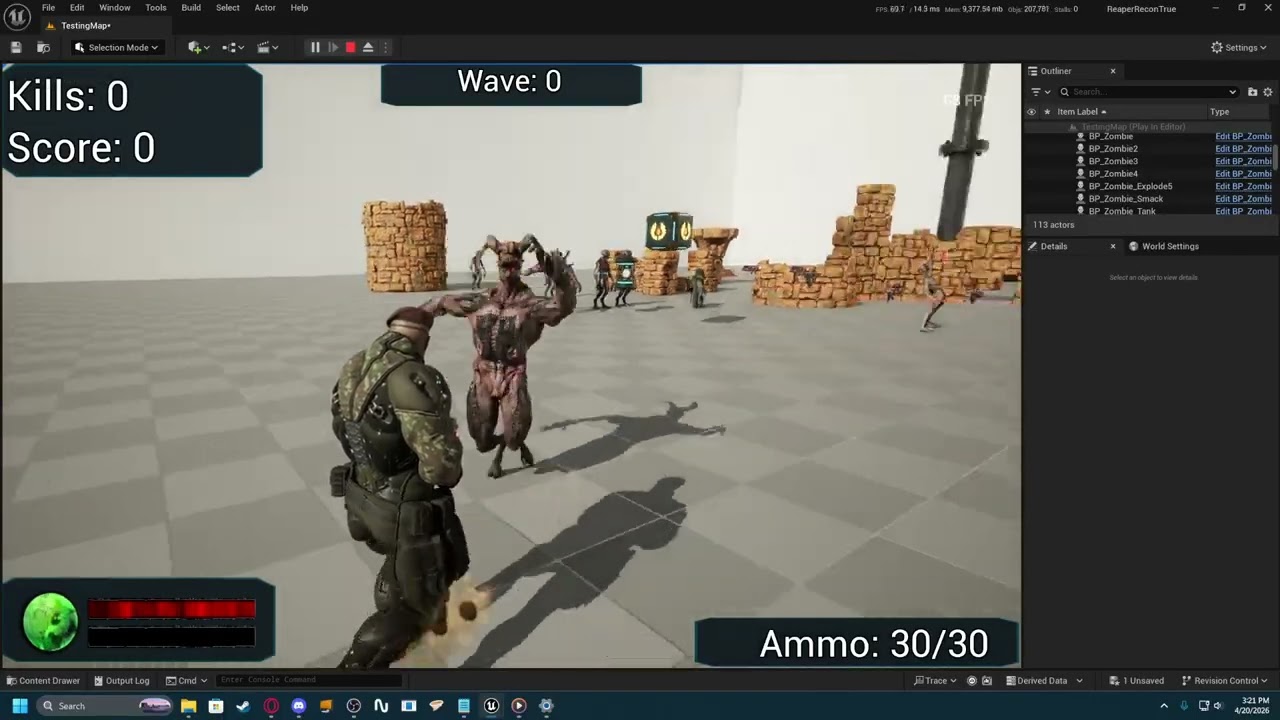
ignore the horrible audio it wont use my xlr stuff for some reason
velvet jasper
versed flare
hey dan so im using the motion smoothing but it doesnt quite look right. What do...
I'll be honest, my Motion Matching experience is limited, so it's hard for me to pinpoint what's needed to be done in order to fix that issue.
Seems like Motion Matching keeps going back to the same pose at the start of the movement animation, because it thinks it's the best candidate.
How to fix it - unfortunately, I have no proper answer here, R&D would be needed from my side.
Personally I think that with such limited animset with such short animations, it'd be easier to do a traditional anim graph setup.
versed flare
i suck so hard at the anim bps. motion matching was so easy to set up.
i bet its a setting somewhere but yea
velvet jasper
versed flare
i suck so hard at the anim bps. motion matching was so easy to set up.
Just to be sure - have you setup your normalization set?
 twilit totem
velvet jasper
It’s generally better to implement the reload animation through AnimMontage inst...
twilit totem
velvet jasper
It’s generally better to implement the reload animation through AnimMontage inst...
forgot to reply, thank you for your help!
(sry for @)
 novel viper
Hello. How do I use additive animations with montages? I'm struggling to get it working. My additive animation works perfectly fine when simply adding it in the anim blueprint as a looping animation, but when trying to play it through a montage it looks completely different and wrong. What am I missing and what is the proper way to use additive animations with montages?
Also, what am I supposed to plug in here?
 velvet jasper
novel viper
Hello. How do I use additive animations with montages? I'm struggling to get it ...
velvet jasper
novel viper
Hello. How do I use additive animations with montages? I'm struggling to get it ...
Additive animations played through Anim Montages don't require the Additive Node.
Just plug it right after your Cache node.
novel viper
Alright will try that thanks!
novel viper
That worked! Ty 🙂
chilly bridge
Hi @velvet jasper I'm trying to learn how GASP and mover works. I've searched all over youtube and google on learning materials and also currently tinkering with the template to understand how it works but I can't help but wonder if there's a better way to learn. Can you give me some tips, perhaps some stuff you realized that you should've sooner. Right now I'm skimming thru the blueprints trying to figure out where to modify and insert code to make the character do what I want but I can only guess.
like for example, I tried skimming thru the files to see what connects to where and I cannot figure out what these dense sparse databases means. I'm guessing they're different sets of animations...? I know I can spend days analyzing the template but are there better ways?
 velvet jasper
chilly bridge
Hi <@95508360631164928> I'm trying to learn how GASP and mover works. I've searc...
velvet jasper
chilly bridge
Hi <@95508360631164928> I'm trying to learn how GASP and mover works. I've searc...
Here’s the livestream where Epics give a walkthrough over just released GASP.
A lot of information on how GASP systems work, what’s a dense and sparse databases etc.
https://www.youtube.com/live/mhVp_cC9MLc?is=6mAW7Z5eBT6NsEAJ
And here’s another livestream talking about Mover integration:
https://www.youtube.com/live/i27eY7LbRzc?is=VC8WHnLZsdNg72fj

1.2K likes, 94 comments. "GASP - It's Mover! Game Animation Sample Updates + Q&A | Inside Unreal"
chilly bridge
tnx I actually have watched a bunch of those but I might've missed it where they talk about the dense and sparse things
 chilly bridge
velvet jasper
Here’s the livestream where Epics give a walkthrough over just released GASP.
A...
chilly bridge
velvet jasper
Here’s the livestream where Epics give a walkthrough over just released GASP.
A...
I suppose I'll just rephrase my question to not waste your time. Do you know what those sparse/dense pose search are for? Tried googling but no info. And how you learned about the new systems motion matching and mover. Did you look into a particular tutorial or docs or did u just reverse engineered it since you're already an experienced tech animator?
velvet jasper
chilly bridge
I suppose I'll just rephrase my question to not waste your time. Do you know wha...
Sparse and Dense databases are pretty much self-explanatory, where the former has less added animations than the latter.
The more unique animations you add, the more fidelity your motion matching would have but bigger memory consumption.
GASP gives you a possibility to switch between two databases.
You can compare the quality between and figure out how much approximately the animations you might need for your setup.
velvet jasper
chilly bridge
I suppose I'll just rephrase my question to not waste your time. Do you know wha...
I’m mostly watching official livestreams, reading the published documentation and tinkering with the example projects.
chilly bridge
ooooooh ok that didn't cross my mind. I know the meaning of sparse and dense but I couldn't figure out how it relates to motion matching. Now I remember that I might've heard Caleb mention this in the livestream. Anyway thanks!
novel viper
Hello. Is it possible to play a NON random animation sequence instead of a random animation sequence?
I need this but not random

(I have an idle animation which consists of some breathing and the occasional look to a direction. I tried random but it sucks at it sometimes plays the directional looks consecutively and in weird orders, but that is of course what random does. So I'd like to hand make a looping sequence instead)
velvet jasper
novel viper
Hello. Is it possible to play a NON random animation sequence instead of a rando...
I'm not sure if you mean anything specific here. Ordinary Sequence Player with Looping setting enabled should be enough?
novel viper
velvet jasper
I'm not sure if you mean anything specific here. Ordinary Sequence Player with L...
The problem is the idle animations are separate animations. So I have to somehow combine them.
velvet jasper
novel viper
The problem is the idle animations are separate animations. So I have to somehow...
You can put both of the animations into Sequencer, then bake the result back to Anim Sequence.
novel viper
Can you do this inside the animgraph? Or do I have to do this somewhere else?
velvet jasper
novel viper
Can you do this inside the animgraph? Or do I have to do this somewhere else?
Create a temporary Level Sequence asset, drag'n'drop your mesh, then drag your animations.
Connect the clips, right-click on the track name, choose "Bake to Animation Sequence".
If it's one of UE5 Mannequins, the Sequencer could automatically add a Control Rig track - simply delete it.
 lucid halo
Hey guys im new to ue, can anyone help me with my character blueprint not moving when using WASD controls? In the template Third person level, i have my custom character and animations applied to the third person BP and it works perfectly fine. But then in my other scene, using the same character blueprint, it wont move and only rotates on the spot. Sometimes if I spam the keys and spacebar the character does move a little but then gets stuck again. Any ideas? 👀
velvet jasper
lucid halo
Hey guys im new to ue, can anyone help me with my character blueprint not moving...
Hard to say, as there’s multiple potential reasons for that.
Based on erratical movement, that kinda looks like the collision issue, but that’s just one of the assumptions.
If you use default Third Person BP as your default pawn, does it behave the same there?
I also would add that #blueprint would be a better fit for your question.
lucid halo
velvet jasper
Hard to say, as there’s multiple potential reasons for that.
Based on erratical...
Hi, thanks for the reply. I just tried with the default third person BP and it behaves the same
versed flare
Hey Dan do you happen to have a huge tutorial on how to make a good anim bp? Turning, movement transitions and such?
versed flare
I found a few I just don’t want to spend hours doing it if it isn’t good
velvet jasper
versed flare
Hey Dan do you happen to have a huge tutorial on how to make a good anim bp? Tur...
No, I don’t have any relevant tutorials that I could recommend, as most of the tutorial stuff I watched was ~10 years ago.
If you have any questions about your own implementation, I’ll try to help.
versed flare
Fair enough
velvet jasper
lucid halo
Hi, thanks for the reply. I just tried with the default third person BP and it b...
If the question is still relevant, as an experiment, could you try to spawn above your level and see if the things would be different this way.
 restive hazel
is there anything funky with sockets on characters when it comes to cameras? In FPS view the gun here is in-front of the hand (not holding it), but when i eject from the player/camera the gun is in a different place and closer to where it should be? its making it very difficult right now. Literally have a single socket on the hand_r


currently attaching it to snap to target
 velvet jasper
restive hazel
is there anything funky with sockets on characters when it comes to cameras? In ...
velvet jasper
restive hazel
is there anything funky with sockets on characters when it comes to cameras? In ...
It depends on how you implemented the FP view.
Are you using a material with WPO processing that renders the mesh with different FOV or built-in First Person processing in Camera options?
 velvet jasper
Have you set your weapon mesh to use FP rendering mode?
restive hazel
theres an FP rendering mode?
velvet jasper
Yup. You have to set an option in the skeletal mesh component to be rendered using FP processing.
restive hazel
wont that mean i need a different version for third person? cant be the same?
restive hazel
velvet jasper
Yup. You have to set an option in the skeletal mesh component to be rendered usi...
do you know what the flag is called off the top of your head, if not ill go google 🙂
velvet jasper
First Person Primitive Type
velvet jasper
There should be two options - First Person and World Space Representation.
 restive hazel
well they both seem to be in the same position now (need to tweak the socket) but that worked, been using unreal for 11 years and never knew this existed 😄


 velvet jasper
restive hazel
well they both seem to be in the same position now (need to tweak the socket) bu...
velvet jasper
restive hazel
well they both seem to be in the same position now (need to tweak the socket) bu...
This is a fresh addition to Unreal.
Here's a presentation talk on that topic:
https://www.youtube.com/watch?v=11sLIyw0pWQ

Watch this session recorded at Unreal Fest Orlando 2025 to discover best practices for setting up first-person views, now more robust and easier to implement in Unreal Engine 5.6.
This session explores various approaches to first-person rendering and how Epic developed a solution that addresses clipping, supports a custom FOV, and integrates w...
restive hazel
would this be the same for the character mesh
velvet jasper
restive hazel
would this be the same for the character mesh
FirstPersonMesh should have this setting by default, if you're using FP template.
Check the constructor.
restive hazel
nice, you are correct, ok, looks like i have a video to watch 😄

thanks for your help, was bashing my head on this one
now i just have to spend my life getting the animations in the right place and looking good, animations SOOOOO is not my strong point haha
restive hazel
velvet jasper
FirstPersonMesh should have this setting by default, if you're using FP template...
question then, after watching the video, i use this for aim offset, its no longer working like it used to and I assume this is down to the scaling/squashing, I see they added a transform world to first person but that's more of a vector thing, do i need to do anything for rotation as well? as i assume the angle would be sharper?

i currently have a headless character for FPS
velvet jasper
restive hazel
question then, after watching the video, i use this for aim offset, its no longe...
What do you mean under “no longer working”?
restive hazel
Here is the aim offset and the result of looking down


i moves but a fraction of what it used too
velvet jasper
restive hazel
Here is the aim offset and the result of looking down
Could you show it in motion?
restive hazel
i will need to record, or i could screen share in voice
velvet jasper
Win+Shift+R would be enough.
Unfortunately, I’m not available for VC.
restive hazel
no worries, will see if i can do a quick video, 2 mins
restive hazel
velvet jasper
Win+Shift+R would be enough.
Unfortunately, I’m not available for VC.
I have the standard setup for it, only alteration is a Left hand IK transform but that has been working for quite some time
 velvet jasper
restive hazel
velvet jasper
restive hazel
I can’t play MKVs from my phone, unfortunately 🙂
Well, I can by using the external player, but I’d prefer MP4s next time.
Have you debugged the rotator values? Are those actually correct?
restive hazel
velvet jasper
I can’t play MKVs from my phone, unfortunately 🙂
Well, I can by using the exter...
currently on phone, will convert it in a min
velvet jasper
Does your capsule rotate when you do the yaw rotation?
If so, you don’t the yaw rotation at all, especially since you don’t have any animations for that axis in your AO.
Debug your values, debug your graph - if you keep your AnimBP open during PIE and pick your PIE actor as a debug preview instance, you’ll see how your AO graph works in the Anim Graph.
restive hazel
yeah sorry (on phone) will get back to this asap
velvet jasper
No rush.
restive hazel
well the capsule doesnt rotate, the character currently in max down, it does see that it is looking down a bit just not a lot

currently -71

hmmm maybe the aim offset is wrong, even in the aim offset it isnt down enough
 velvet jasper
Well, here you go 🙂
restive hazel
ok, i have to redo a lot of these animations anyway, they all look wrong in FPS, most of them were TP animations so i will take it that it is working, its just bad animations
thanks for the assist
adjusted the down animation just to confirm and it now seems to be working so, not I suppose i just need to do better animations 😄
 lucid halo
velvet jasper
If the question is still relevant, as an experiment, could you try to spawn abov...
lucid halo
velvet jasper
If the question is still relevant, as an experiment, could you try to spawn abov...
Hi, I just tried spawning him way up in the air , and it actually works. The character walks and i can control it whilst he is in the air, I dont know what hes walking on though, just air. I noticed the camera angle also changes too, it goes further back compared to when he is on the floor... but I still have the same issue when hes on the floor
velvet jasper
lucid halo
Hi, I just tried spawning him way up in the air , and it actually works. The cha...
Seems like you have a collision issue with some of your level meshes.
Is your environment just one big mesh?
lucid halo
velvet jasper
Seems like you have a collision issue with some of your level meshes.
Is your e...
Yeah thats what I thought too now. Its mutiple submeshes together making up the level.
 jade moon
I've set up a controller rig for my model in Unreal Engine 6.5.1. Everything works as it should and now I want to add foot tracing when my model runs. However, every tutorial I've watched has told me to use the manny control rig which I can't use because it's not in this unreal project file, and I don't use the manny rig either. How do I make foot tracers without the manny control rig?

 velvet jasper
jade moon
I've set up a controller rig for my model in Unreal Engine 6.5.1. Everything wor...
velvet jasper
jade moon
I've set up a controller rig for my model in Unreal Engine 6.5.1. Everything wor...
Two solutions from top of my head:
- Custom Control Rig with feet IK correction
- Foot Placement node setup in your Anim Graph, Leg IK should come afterwards.
Your character should either have the IK target joints or IK target virtual bones.
lucid halo
@velvet jasper I think it might have to do with these collisions, do you know how i can remove them? This was probably what i meant too when the giant was 'walking in the air'
 velvet jasper
lucid halo
<@95508360631164928> I think it might have to do with these collisions, do you ...
velvet jasper
lucid halo
<@95508360631164928> I think it might have to do with these collisions, do you ...
Unfortunately, I won't be able to help much with the mesh editing, that's out of my scope and this channel.
You can open your Static Mesh and remove or add convex collision there.
jade moon
velvet jasper
Two solutions from top of my head:
- Custom Control Rig with feet IK correction
...
I set up the rig originally in Blender, and there I have ik controller bones to be able to move the legs, arms and hips. I'm just completely out of my depth here when it comes to actually making the foot placement itself, but I found another video for now, I'll see if this works or if it's another video that uses the manny blueprint
lucid halo
velvet jasper
Unfortunately, I won't be able to help much with the mesh editing, that's out of...
Waittttt I just finally solved it, i was due to the collisions! Thankyou so much for your help 👍
 mellow urchin
is that "just a thing" that the mirror in the sequencer doesnt work for translation?
velvet jasper
mellow urchin
is that "just a thing" that the mirror in the sequencer doesnt work for translat...
Oh, is it still broken in 5.7? Even on 5.7.4?
mellow urchin
velvet jasper
Oh, is it still broken in 5.7? Even on 5.7.4?
well im building my control rig and tried to figure out what axis make the most sense, rotation work as you expect it, location simply doesnt, it stays on the same local axis
im on
5.7.4
velvet jasper
Alright, there was some user back in March that had an issue with mirroring the Modular Rig controls.
I could replicate the same behavior on 5.7, but couldn't on my Main branch source build.
mellow urchin
mirroring the modules themself when creating isnt a big deal, its just a name replacement?
im talking about creating a pose, to mirror it
velvet jasper
Yeah, issue with mirroring the controls.
mellow urchin
also, saving the pose in a custom folder gives a accsess vialation error
(ignore the fact that the feet are visually correct)
 hybrid creek
Hello. So my animator wants to attach an item to our character and have it perform a swaying animation. Our item is a lantern with a handle, and he wants to perform the animation solely on the lantern, so the handle stays fixed.
Our current planned solution is to make 2 separate actors so they can separately attach to 2 different sockets to animate, but I was wondering if there's a better way?
I'm not familiar with animation stuff, I suggested, without knowing if it's possible, is to just make the lantern also be a skeletal mesh and when it's attached to the player, the player animation feeds data into the lantern animation.
The other thing I ran into while looking this up was https://dev.epicgames.com/documentation/unreal-engine/working-with-modular-characters-in-unreal-engine, however it seems that it's for actors that are already built up by multiple skeletal meshes.
Unsure if it works when an item actor at runtime is attached to the player. Not to mention, how are you supposed to animate this modular character?
hybrid creek
Another solution I suggested was to just not use animation blueprints for this and update transforms in the actor blueprint, since when it sways back and forth around the handle, that could perfectly be done locally in the actor instead of the animation, however I'm unsure if that would affect other things poorly
velvet jasper
hybrid creek
I'm not familiar with animation stuff, I suggested, without knowing if it's poss...
Answering the question about the lantern - rig it as a separate skeletal mesh and attach it to the character’s mesh.
There’s two ways it could be done - either by having all the lantern joints inside your character’s skeleton or by having an attach joint on your character’s hand joint and constraining the lantern’s root joint to that attach bone.
In case of the first option, you’d have an approximate hierarchy:
•> hand_r
-> lantern
—> lantern_body
The mesh obviously should be skinned to these joints.
Then you do the animations and export both of the meshes with the same skeleton separately.
In Unreal, you add a new skeletal mesh component and call Set Leader Pose Component function, where the leader mesh would be your character.
That way all the animations from the character would be transferred to the lantern mesh, no AnimBP needed.
In case of the second option, the approximate hierarchy of the lantern would be:
•> lantern_root (placed at the top of the handle)
-> lantern_body
And your character’s hierarchy:
•> hand_r
-> attach_r
In DCC, your lantern’s root would be parent constrained to the attach joint, then you pose and animate that joint. If needed, the lantern body could be animated as well.
Animations have to be exported separately for both of the meshes, if the lantern has a unique animations.
In Unreal, you spawn and attach the lantern mesh component to your character same as in DCC.
Lantern anim sequences would need a Force Root Lock option enabled to remove unwanted root movement, as originally you might have your mesh floating in the air cause it was exported in the world space attached to the character’s hand.
AnimBP with Slot node would be needed to play the item’s animations.
In my opinion, the first option might be a better fit for you, as it would be easier to blend the locomotion animations together, when the lantern supposed to sway all the time. With separate item anim logic, that would be a pain in the ass to setup.
In both cases, the physics simulation could be applied.
hybrid creek
👍 Thanks for the help
Just a clarification question, does both options require the lantern be part a part of our blueprint as another skeletal mesh? Or would it animate just fine if the lantern was a separate actor that we could pick up in the world and attach to the player?
velvet jasper
hybrid creek
Just a clarification question, does both options require the lantern be part a p...
Ideally, part of the character blueprint as a component, but you can try attaching actor to actor.
 rustic swallow
anyone familiar with motion warping?
I have a notify which covers the length of my montage, and the target position data is set before it plays, when it plays, its giving weird results. sometimes it aligns, but others its way off (like 200+ cm) - I disable collision during the montage so I dont think its that
velvet jasper
rustic swallow
I have a notify which covers the length of my montage, and the target position d...
Depends on how you set the warp point.
Could you share a video of your issue?
Win+Shift+R for screen recording.
rustic swallow
I found the issue, sorry 😛
warp has 'ignore Z axis' set by default, so it wasnt offsetting Z
im not sure why it was giving weird results where it would work sometimes, but not it seems like its working all the time
 green token
Has anyone here used blender in making a first person AND third person model? 🤔
velvet jasper
green token
Has anyone here used blender in making a first person AND third person model? 🤔
What’s so specific about task in your opinion?
green token
I'm wondering if people have their blender setup to have both fp and tp armatures in one file 🤔
versed flare
Sorry to bother you Dan but do you know a way the wouldn’t cause performance issues that would allow me to randomize running animations in an animation bp?
This was the suggestion I got but I’m new to anims so it is a bit difficult to understand.

(What my googling lead too)
versed flare
Just don’t know what it means is all.
velvet jasper
versed flare
Sorry to bother you Dan but do you know a way the wouldn’t cause performance iss...
Could you give me more context?
What kind of animations you want to randomize? Like, what kind of assets you have and how much?
And, by your game design, how many enemies could be at the player’s screen simultaneously?
versed flare
Right now without frame loss about 45. I want to randomize the running animation. To make them a little more unique. Right now I have it set up in a blend space with forward backwards and sideways movement.
With speed and direction variables.
I was told if I make multiple blend spaces and replace only the running animation I can then have multiple of them and randomize that as in which one is used.
However, I was also told if I do that it would destroy performance.
velvet jasper
Again, what kind of assets you have and how much?
Do you have multiple multi-directional locomotion animations?
velvet jasper
versed flare
Right now without frame loss about 45. I want to randomize the running animation...
Because I need to understand what exactly you want to randomize.
versed flare
Would showing the blend space help or a pic of the animations themselves?
velvet jasper
versed flare
Would showing the blend space help or a pic of the animations themselves?
List of animations you want to use would be enough
versed flare

i only want to randomize the RUN animation. So not every enemy is running in the exact same way. randomizing the run speed is a good idea as well but that is seperate from this.
this one in the blendspace if that helps
 versed flare
I suppose I should’ve mentioned that it’s the enemy AI that I’m working on here
velvet jasper
versed flare
I'll get back to you later when I have time to do some R&D on your topic.
versed flare
i appreciate it man.
 wraith verge
Hi, so the track ruler i can drag, it does not snap to keyframes.. why?
 velvet jasper
wraith verge
Hi, so the track ruler i can drag, it does not snap to keyframes.. why?
velvet jasper
wraith verge
Hi, so the track ruler i can drag, it does not snap to keyframes.. why?
What’s in your snap options?
wraith verge

I doubt even, how can there be space or a animation between e.g. keyframe 10 and 11 ?
velvet jasper
wraith verge
I doubt even, how can there be space or a animation between e.g. keyframe 10 and...
If you take a look at the advanced frame rate settings, you'll see that the engine by default has a sequence tick interval at 24000 FPS.
As with such headroom you can play the sequence with unlimited frame rate.
You can set it to 30 FPS, but that would also limit the playback frame rate.
 wraith verge
Aha yeah
So u mention that the space between e.g. keyframe 10 and 11 is just preserved room for when the frame rate would be much higher right?
 spice leaf
Hello, I am trying to get my root motion to work my attack animations. I can see in the anim sequence that the root motion is working and the root is actually moving, but if I turn on enable root motion in the sequence and then play the game the animation also just stays in place. When I turn off enable root motion the animation moves with the root, but then snaps back to its starting position, which I do not want to happen.I have gone into the anim bp and tried both root motion from everything and root motion from montage only, which is the setting I would like to keep it at. any thoughts on why my root motion for my attack anim snaps back to where the animation started, and how to get my character to continue to move forward with the root motion?
velvet jasper
spice leaf
Hello, I am trying to get my root motion to work my attack animations. I can see...
Is that a custom animation?
spice leaf
@velvet jasper yes
velvet jasper
spice leaf
<@95508360631164928> yes
Which software are you using?
spice leaf
velvet jasper
Which software are you using?
Maya
velvet jasper
Could you try enabling Root Motion and toggling off Use Normalized Scale?
spice leaf
@velvet jasper the character still does not move forward during the attack just stays in place. in sequence when I turn off enable root motion I can see the red root bone moving forward
velvet jasper
spice leaf
<@95508360631164928> the character still does not move forward during the attack...
Well, yeah, the root bone is moving in your anim sequence, but there would be no root motion extraction until you mark that animation that it should have root motion extracted.
It actually moves in your first clip, just a small amount.
spice leaf
@velvet jasper ya i do see it moving a tiny bit but how come its not matching the movement when playing? any thoughts?
velvet jasper
spice leaf
<@95508360631164928> ya i do see it moving a tiny bit but how come its not match...
Usually, that happens if the root bone has a different scale than 1.
spice leaf
if I turn off enable root motion and play the character moves the correct amount as expected but the capsule just doesnt follow
velvet jasper
spice leaf
if I turn off enable root motion and play the character moves the correct amount...
As I said, if you don’t mark your animation to have a root motion, it would just play a raw animation
spice leaf
velvet jasper
Usually, that happens if the root bone has a different scale than 1.
how do I check if my root scale?
velvet jasper
spice leaf
how do I check if my root scale?
Open your skeletal mesh, go to skeleton tree, select your root bone and look at the details tab.
spice leaf
velvet jasper
Open your skeletal mesh, go to skeleton tree, select your root bone and look at ...
@velvet jasper ya scale says 1.0, 1.0, 1.0
 velvet jasper
spice leaf
<@95508360631164928> ya scale says 1.0, 1.0, 1.0
velvet jasper
spice leaf
<@95508360631164928> ya scale says 1.0, 1.0, 1.0
I’ve seen your post before about the rig scaling - how did you solve your issue?
spice leaf
@velvet jasper i sent it back to the person who rigged it and they scaled up the rig as well as adjusted the arm bones like you suggested
@velvet jasper when in maya tho if I adjust the scale and reimport the character the scale doesnt seem to change
velvet jasper
spice leaf
<@95508360631164928> i sent it back to the person who rigged it and they scaled ...
I have not suggested anything 🙂
velvet jasper
spice leaf
<@95508360631164928> when in maya tho if I adjust the scale and reimport the cha...
What’s the scale of the root bone in Maya then?
If you again open your AnimSequence, toggle root motion on and switch the Root Lock option to Zero or Anim First Frame - would that change anything?
spice leaf
@velvet jasper the root bone is scaled to 1. under the world ctrl there is a scale amount set to 10 which when reduced adjusted the engine scale. but when I where to scale it down to 7 under scale amout and engine scale is at .7, the character still imports at the same size

 velvet jasper
spice leaf
<@95508360631164928> the root bone is scaled to 1. under the world ctrl there is...
velvet jasper
spice leaf
<@95508360631164928> the root bone is scaled to 1. under the world ctrl there is...
Because it’s probably modifying just the root bone, preserving all the children joints.
spice leaf
@velvet jasper changing Root Lock option to 0 rotates the character -90 in Z so they are looking up but they still dont translate much and Anim First Frame doesnt do anything either
velvet jasper
spice leaf
<@95508360631164928> changing Root Lock option to 0 rotates the character -90 in...
What is this joint moving when you have a root motion enabled?
 spice leaf
@velvet jasper those are bones for different props but arent being used
 velvet jasper
spice leaf
<@95508360631164928> those are bones for different props but arent being used
velvet jasper
spice leaf
<@95508360631164928> those are bones for different props but arent being used
Seems like they move correctly.
Could you show a recording how the animation looks in Maya?
spice leaf
@velvet jasper anim in maya
spice leaf
@velvet jasper when I have enable root motion enabled, is this how the animation should behave in the animsequence?
velvet jasper
spice leaf
<@95508360631164928> when I have enable root motion enabled, is this how the ani...
It should match the movement it had originally.
Here it looks correct.
velvet jasper
spice leaf
<@95508360631164928> i think something happened when it was rerigged potentially
Is that an old rig in the latest vid?
spice leaf
ya
that was the one that was scaled down and the arm and leg bones were a single chain still
@velvet jasper any thoughts on what might be causing this different. is it a scale thing then?
velvet jasper
spice leaf
<@95508360631164928> any thoughts on what might be causing this different. is it...
Does the root bone has 90 degrees rotation on X axis in this old rig in Unreal?
 indigo palm
oohhhh my God. It really should not be this hard to use a custom collision model. Why. Why must it be so freaking hard? I am doing what the documentation says. Hours of trying different things and getting no results - why are the collision meshes still part of the main model?


It really should not be this hard
I just want the custom boxes to serve as a collision
but not to show up in the game
Why is this so difficult
 covert parcel
Not sure if this is the place to ask, but i'm looking for suggestion or help on how to make my grabbing simulation more smooth. it doesn't exactly stay on point, because it's just a break hit result. and i also don't know how to incorperate a animation into the modify. should i even be using a modify node? i don't really know anything about this stuff and i'm trying my best to replicate a grapple hook from the arm.

 velvet jasper
indigo palm
oohhhh my God. It really should not be this hard to use a custom collision model...
velvet jasper
indigo palm
oohhhh my God. It really should not be this hard to use a custom collision model...
If the question still relevant - could you give more context?
I see that you have the Phys Asset window, which makes me think that you have a Skel Mesh, but your 3ds Max scene has UCX collision meshes which only supported by Static Meshes.
velvet jasper
covert parcel
Not sure if this is the place to ask, but i'm looking for suggestion or help on ...
The frame lag between the grapple and the object is usually related to the tick differences - one thing updates faster than another.
If the object you grab is simulating physics, in your BP you can try to change the tick group of your mesh component to "Post Physics" - in theory, that would make the skeletal mesh update after the physics is processed.
What kind of animation you want to "incorporate"?
indigo palm
velvet jasper
If the question still relevant - could you give more context?
I see that you hav...
Ohhh, that makes more sense. Yes, I am using a skeletal mesh. I switched from a static to a skeletal when I added the door to the model
indigo palm
So, how do I achieve the same result for skeletal meshes?
Do I have to add bones to wall of the ship hull?
velvet jasper
indigo palm
Do I have to add bones to wall of the ship hull?
Bones?
 velvet jasper
Well, you add your bones and skin your mesh with these bones.
velvet jasper
If there’s multiple joints, make sure to create a root bone first, then parent rest of the joints.
indigo palm
sigh for some reason it is refusing to acknowledge my bottom bone

Yep, I did that
One global help object is root
Which has the root bone and editable polys as children
It shouldn't be so hard to create a box people can walk in

Just refuses to import all the bones for some reason

In 3ds max, all of the bones are part of the hull except the door bone
velvet jasper
Could you describe what exactly you want to do, because I’m not sure I understand your actions correctly
Like, more context on the asset you’re working at
indigo palm
I'm just trying to create a sample box players walk into
with a door
it's a stand in for an eventual spaceship model I'll pay someone to create
But for now, I just need a box with a closing door. I can do some basic stuff in 3ds max. I know more about rigging than anything else for 3ds max
But the spaceship either has collision that blocks the players from walking into it or no collision at all right now, unless I figure out this magical receipe for getting each wall of the hull and the door to have collison boxes
velvet jasper
There’s a way to achieve what you want with the skeletal mesh and phys asset, but why wouldn’t you make a box and a door as a separate objects?
indigo palm
I had that but it was a little clunky so I figured I would just use animations for the door
indigo palm
lol. So I manually created the boxews
the collision boxes
and then I went to animate my ship, and for some reason now, even though there is only the door bone in the door skin, the door isn't moving with the bone. Istg.
All the vertices are weighted to 1.0 for the door to the door bone
There is no reason it shouldn't be moving

 velvet jasper
Does the door move if you move the root bone?
versed flare
so im using a video to set up enemy ai turning and it uses the player input action to trigger it. How would i trigger that on an enemy ai in the same way? Here is the video i used for player rotation. https://www.youtube.com/watch?v=3zVh1-4zmy4&list=PLQN3U_-lMANNFMjzD8Hphh1Sh0Disv5Ww&index=4

Hey guys, in today's video, I'm going to be showing you how to turn in place. In this, if the player moves their camera, the character will rotate to follow it playing smooth animations to display the character turning in place.
Re-Targeted Animations: https://drive.google.com/file/d/1kAT1qROHKzIi__WxBe7XKVJCNcTnLHrh/view?usp=sharing
Mixamo Ani...
 random skiff
Is there a way to access the AnimGraph in a Child ABP?
indigo palm
velvet jasper
Does the door move if you move the root bone?
Apparently there was some weird thing in memory going on because restarting my machine fixed the issue with 3ds max not rotating the door. But, I still am having issues with collision
I don't know why I can't walk into the ship. It should be lettin gme


Weird, so the main root box couldn't just be set to Overlap. It had to be set to No Collision
covert parcel
velvet jasper
The frame lag between the grapple and the object is usually related to the tick ...
I want to incorporate a shooting animation. similar to that of a harpoon or a normal grapple hook from video games that shoot out of guns
 arctic fern
Do you need eye bones for eye rotation and looking, or will morph targets suffice?
velvet jasper
indigo palm
Weird, so the main root box couldn't just be set to Overlap. It had to be set to...
So, is the issue resolved now?
velvet jasper
covert parcel
I want to incorporate a shooting animation. similar to that of a harpoon or a no...
Do you have a reference that you're aiming at?
velvet jasper
arctic fern
Do you need eye bones for eye rotation and looking, or will morph targets suffic...
Both ways would work, though Morph Targets are known to be a bit more GPU intensive when they're driving a ton of vertices (MetaHumans, as an example).
If you're not aiming for hyper-realism, choose whatever works for you.
arctic fern
velvet jasper
Both ways would work, though Morph Targets are known to be a bit more GPU intens...
I suppose how is the other matter, there's basically no resources for that sort of thing for non-Metahuman characters
covert parcel
velvet jasper
Do you have a reference that you're aiming at?
A reference... I do not think so, or I don't understand what a reference is in this case. But i'm just using a break hit result connected to however long I hold left click for. and that is just how it grabs and determines what object i'm grabbing
 velvet jasper
arctic fern
I suppose _how_ is the other matter, there's basically no resources for that sor...
velvet jasper
arctic fern
I suppose _how_ is the other matter, there's basically no resources for that sor...
As in any other DCC rig, your goal is to rotate character's eyes towards your target point.
In Unreal, in case of using the joints, the simplest way would be to use Look At component anim node. This node exists since early UE4 versions and there were a plenty of materials on that topic.
You assign the forward axis of your joint, assign the target point location, clamp the rotation angle, and you have a procedural eyes looking.
This node would override the bone rotation, so if you apply that to pre-made facial animation with eye movement, in order to preserve it, you'd have to control the alpha of the look at node by either disabling it completely or using the anim curve to turn it off when it's needed in this animation.
In case of Morph Targets, you map the rotation values (e.g. Find Relative Look At Rotation function result) to drive your morph targets.
velvet jasper
covert parcel
A reference... I do not think so, or I don't understand what a reference is in t...
Reference on what kind of animation you imagine for your grappling hook.
If you want to just smooth out the moment when the hook extends/retracts, look into vector interpolation.
covert parcel
velvet jasper
Reference on what kind of animation you imagine for your grappling hook.
If you ...
Okay, and how do i sell the fact that the object is actually being grabbed/gripped, because it's just moving all about and around the object, i know how to stop making it rotate when i move it, but i don't want it to just be locked. and the hand goes through the object as well.
actually this might be fading outside of animation, sorry.
velvet jasper
covert parcel
Okay, and how do i sell the fact that the object is actually being grabbed/gripp...
How do you grab the object in your implementation?
 covert parcel
velvet jasper
So you're setting just the location, not the rotation.
covert parcel
velvet jasper
So you're setting just the location, not the rotation.
I'm setting the location of the physics handle, But only now found out there is a set rotation. should i be doing that aswell?
Nevermind, i just did it, and it works great. only problem is, is that it lags behind, and the arm goes through the object, but i guess that's more to do with the modify bone node now
is there a better alternative to transform modify, that can work with animations and also move all bones at once? instead of one at a time
 velvet jasper
covert parcel
is there a better alternative to transform modify, that can work with animations...
velvet jasper
covert parcel
is there a better alternative to transform modify, that can work with animations...
Again, what animations are you talking about in this case? Keyframe animations?
Procedural animation, as a term, could be achieved with this node as well.
The clipping through is related to how you define the hand grab point. It is not related to the node itself.
covert parcel
velvet jasper
Again, what animations are you talking about in this case? Keyframe animations?
...
Well I want animations for both when i shoot out my arm, and when i let go/retract it.
velvet jasper
The ultimate alternative would be a Control Rig.
covert parcel
velvet jasper
The ultimate alternative would be a Control Rig.
- How could I achieve this with a control rig. 2. I cannot use a control rig with my character for most of the bones. with a modular rig, it won't detect my fingers, and with a standard control rig, it doesn't animate my legs properly and have massive amounts of trouble to where i just completely gave up on the unreal engine control rig and decided to just animate by hand.
velvet jasper
covert parcel
1. How could I achieve this with a control rig. 2. I cannot use a control rig wi...
Control Rig could be used not only for offline keyframe animation of your character, but also for runtime procedural adjustments. Modular Rigs and rigging problems you had with your character are not relevant much in this case.
You make your bone manipulation logic inside Control Rig asset, add that asset as a Control Rig node inside your Anim Graph, expose the variables\controls to that node and map your values to them.
I won't be able to give you step-by-step instruction how to build such asset, I have no access to the character you have.
covert parcel
velvet jasper
Control Rig could be used not only for offline keyframe animation of your charac...
Can i just use a control rig for the arms? just soley for what i want to do
and hand animate for actual animations?
velvet jasper
covert parcel
Can i just use a control rig for the arms? just soley for what i want to do
Yes.
covert parcel
okay i understand. thank you for your time
velvet jasper
You built your own logic as you want it, that's the thing.
velvet jasper
random skiff
Is there a way to access the AnimGraph in a Child ABP?
Access the graph in which way? Child ABP has access to all the variables that's exposed for editing.
Controlling the embedded node settings directly from the Child ABP won't be possible, if that's the question.
velvet jasper
versed flare
so im using a video to set up enemy ai turning and it uses the player input acti...
From my point of view, downside of the implementation in this video is that is limited to player-controlled pawns. That won't work for AI if it's tied to the inputs.
Turning in place could be defined in different ways.
I've recently posted a thread where I break down one of the ways to implement the turning in place.
#1489384030053859430 message
Long story short - I lock the root bone in-place and then find the difference between the root bone orientation and the capsule orientation. If the yaw difference passes the threshold, I trigger the turn in place.
To simplify things, the turning in place could be triggered by capsule rotation delta (last frame rotation / current rotation).
If AI rotates in place, we switch to turn in place state. The sign of the delta value would give us a direction of a turn.
wraith verge
Hi. I was looking for a way to attach the hand_r_ik_ctrl and hand_l_ik_ctrl to a mesh (a 1x1 cube) while i animate the character in sequencer. (Trying to create a pushing object animation)
But i found, maybe its not possible?
I can't find a way to get the cube transform. (the cube is also attached to the control rig character when he pushes)
 velvet jasper
Sounds like the dependency loop, if you're trying to attach the character to the cube that's already attached to that exact character.
wraith verge
That's what i thought aswell yeah
But i doubt its even possible to get the transform of a object in world (or sequencer) can even been read?
velvet jasper
wraith verge
I can't find a way to get the cube transform. (the cube is also attached to the ...
What are you using to attach the hand IK controls to the cube? Constraints?
Could you give me a bit more detail why you need to attach the cube to the character's root?
wraith verge
Yeah so basically i'm intended to create a animation where the character pushes the 1m cube. So during the animation the character makes steps forward. When stepping forward the cube likes to move forward to. That's why i attached it
So basically during the animation i switch the attachment on and off
But so during the walk forward periods, the hands need to stay in place. That's why i thought to e.g. set the hand controls based on the cube location
velvet jasper
So, you want to drive your cube position with the character's root controller, is that correct?
I'd suggest to use Constraints feature instead of Attach track, it's specifically made for animation needs.
Attach track is a sequencer feature that exists since UE4.
velvet jasper
wraith verge
Yeah so basically i'm intended to create a animation where the character pushes ...
This is the very basic thing I just did using Constraints.
I've added the parent constraint at one frame, which automatically created a parent track for this control. Then I've added another keyframe for this constraint to set the ending frame of its section.
The cube exists on its own, not attached to anything.
indigo palm
velvet jasper
So, is the issue resolved now?
Yes, although I don't understand why what I did works, it does seem to work - I'd expect overlap go let my character walk over it. But, maybe some other code overrode that box after the fact. Maybe in my ships constructor, which uses the skeletal mesh, that got overridden or something.
velvet jasper
indigo palm
Yes, although I don't understand why what I did works, it does seem to work - I'...
Hard to say remotely without accessing the sources.
In any case, glad the issue is resolved.
indigo palm
Yeah, I'm guessing that's it. Definitely the culprit, because I set collision to block on pawns in the ship's constructor. Overlap means just that, unless there is an edge case of which I'm unaware.
wraith verge
velvet jasper
This is the very basic thing I just did using Constraints.
I've added the parent...
Thanks. I think that's exactly what i need!
wraith verge
@velvet jasper It seems i cant find out how to actually add the green cube part in the parent track.. Also, did u enabled physics on the actual cube?
velvet jasper
wraith verge
<@95508360631164928> It seems i cant find out how to actually add the green cube...
It is automatically added when you add a constraint to your control shape.
No, the cube is keyframed.
wraith verge
I just came a bit further, i got the cube there now
So did u added a physics behaviour anywhere on the cube? I found it a bit funny 🙂
velvet jasper
As i said, that's just keyframes.
wraith verge
Ahh right. Okay
Well thanks for showing that video! Yeah AI was not happy to help me
heavy trout
someone know how to bake procedural generated animations with Locomotor plugin?
velvet jasper
heavy trout
someone know how to bake procedural generated animations with Locomotor plugin?
You can try to use the Sequencer.
Add your mesh to your scene, apply your Control Rig, drive the controls, bake the Anim Sequence from the mesh track.
heavy trout
velvet jasper
You can try to use the Sequencer.
Add your mesh to your scene, apply your Contr...
i cant understand how to create anim keys for all bones, i move the root control to make it move forward for example, but in the sequencer the moving bone is only the control rig, but not all the body
velvet jasper
You have to create a control shape that would drive a root bone.
heavy trout
i tried to record it but cant understand how from a recorded scene take all anim keys
oh i found them, thanks
pale elk
hey, does someone know why I have this bone when I import a mesh with a rig from blender?
 green token
I'm having an issue and I think I know what it is but I wanna confirm
I have a guy here who works perfectly in Blender, rig and animation working as intended. The armature is exported into Unreal just fine, nothing looks weird there.
But when the animation is exported, some of the bones end up getting twisted as you can see in the second pic 💀
I suspect this is because of bone roll 💀 i've changed the primary and secondary bone axis on exporting a few times, as well as recalculating axis' in blender, but it always seems to be the same offenders
I'm guessing i will have to manually change some of the bone axis... unless it's something else? 👀

 velvet jasper
pale elk
hey, does someone know why I have this bone when I import a mesh with a rig from...
velvet jasper
pale elk
hey, does someone know why I have this bone when I import a mesh with a rig from...
Because Blender exports Armature node as an empty object that reads by Unreal as a hierarchical root joint.
Unreal automatically removes it on import if it has default "Armature" naming.
velvet jasper
green token
I'm having an issue and I _think_ I know what it is but I wanna confirm
I have ...
Have you updated your skeletal mesh after you tweaked your skeleton?
pale elk
velvet jasper
Because Blender exports Armature node as an empty object that reads by Unreal as...
Thank you ! Fixed it
green token
velvet jasper
Have you updated your skeletal mesh after you tweaked your skeleton?
Nay
I've even reimported it since with no luck
velvet jasper
green token
Nay
I've even reimported it since with no luck
If it's possible for you, could you DM me your Blender scene?
green token
I could, thanks you :>
chilly bridge
hey @velvet jasper have you already dabbled with gasp 5.7's traversal logic? was wondering if you knew what could be causing this behavior where the vaults would sometimes snap and skip some distance
velvet jasper
chilly bridge
hey <@95508360631164928> have you already dabbled with gasp 5.7's traversal logi...
Looks like it just warps too much.
Motion warping has a fixed window when it can do the location warp.
The further you are from the distance, the faster will be the warp.
 velvet jasper
 true basalt
hi , i have a broken neck live link face situation ,
true basalt
hi , i have a broken neck live link face situation ,
Hard to say what's going on without the context, any additional details would be useful.
 velvet jasper
true basalt
velvet jasper
true basalt
Then it sounds like it's more question to Xsens.
If they have their own Discord community server, i'd suggest to ask for a support there.
true basalt
do they ?
chilly bridge
true basalt
do they ?
I reckon questions like this you can just google yourself 😅
true basalt
my understanding is that they dont , so you dont have to be like that ...
chilly bridge
am sorry man but it's pretty obvious that he doesn't know if they have discord so why bother asking when you can just google it yourself in 3 seconds

 true basalt
chilly bridge
am sorry man but it's pretty obvious that he doesn't know if they have discord s...
true basalt
chilly bridge
am sorry man but it's pretty obvious that he doesn't know if they have discord s...
good luck
chilly bridge
velvet jasper
Looks like it just warps too much.
Motion warping has a fixed window when it can...
not familiar with motion or location warping but I'm familiar with orientation and stride warping. I'm assuming then that you think the issue is in the animation blueprint? But the capsule's location is teleported so it must be in this enormous TryTraversalAction function in my bp_CharacterMover. Do you have some idea where I can implement a logic where it either makes a dynamic window to do location warp or deny the input if too far? I can probably examine the nodes one by one but it'll take me days.
velvet jasper
chilly bridge
not familiar with motion or location warping but I'm familiar with orientation a...
Motion Warping is an Anim Notify State that you add to your AnimSequence/AnimMontage.
Here's a livestream talk from 2021:
https://www.youtube.com/watch?v=SM_AR-oZ-1k

Full-Body IK (FBIK) provides you with the tools to create reactive, dynamic characters, and Motion Warping is a new Experimental feature which allows you to manipulate root motion animations to adapt them to the world with fewer custom assets. Join us as we explore Unreal Engine 5’s new animation features!
ANNOUNCEMENT POST
https://forums.unr...
velvet jasper
true basalt
do they ?
There's a unofficial community driven server, might worth to ask about your issue there:
https://forum.reallusion.com/476401/Reallusion-Discord-Server
 remote stirrup
hi people , can someone help me setup a crouch animation with a blend space?
velvet jasper
remote stirrup
hi people , can someone help me setup a crouch animation with a blend space?
What kind of issue you're having and what kind of animations are you talking about?
remote stirrup
so my friend who is a programmer set up for me a basic character controller with animations , then he added the crouch function , but it dosen't have animations
now he is busy and can't help me set up the crouch animations
like when i press Ctrl it plays the animation and crouches the character
i have the blend splace , and the fbx ready but idk how to apply em
velvet jasper
How does the animation look like?
remote stirrup
from the normal pose into a crouch

and idk how to set up the blend space + adding the animation in the nodes
remote stirrup
nope
velvet jasper
remote stirrup
nope
For which question this answer relates to?
remote stirrup
both actually
velvet jasper
So is it Crouch Idle animation?
And if you have a programmer in your team that's more experienced with technical setups, maybe it'd be worth to wait for them until they become available?
velvet jasper
How does your current Anim Graph look?
 velvet jasper
remote stirrup
velvet jasper
remote stirrup
This is not the whole Anim Graph.
What's happening in LowerBody cache?
 velvet jasper
There's a Locomotion state machine.
velvet jasper
remote stirrup
what is that

Epic Games Developer
Create logic-based branching animation by using State Machines.
 weak beacon
In UE 5.7, is there a know bug related to Chooser Tables and GameplayTags?
Columns related to GameplayTag will only accept GameplayTagContainer, not GameplayTag.
Anyone can verify? 🥲
velvet jasper
weak beacon
In UE 5.7, is there a know bug related to Chooser Tables and GameplayTags?
Colum...
Why do you think it's a bug?
weak beacon
velvet jasper
Why do you think it's a bug?
Is it not one? I'm looking at the Binding Property classes and came to this conclussion
velvet jasper
You provide the relevant collection of tags that the Chooser would use to evaluate the condition you make for the specific row.
weak beacon
I understand the evaluation process of Chooser, but in regards to the binding classes, if it was intended for GameplayTagContainers I believe it would have been very easy to create a separate class for that. Similar how they did for CVars and other types
Even the name convention of the class implies that it isn't for Containers
velvet jasper
weak beacon
Even the name convention of the class implies that it isn't for Containers
It's not new for some parts of the engine to have an inconsistency in naming between different systems 🙂
You always have an access to the source code if needed.
weak beacon
velvet jasper
It's not new for some parts of the engine to have an inconsistency in naming bet...
You are definitely right! Have seen it to many times already haha.
I was mostly hoping to verify if I was correct to assume it as a bug, if so I could wait until 5.8 or so before solving it myself.
Also considering just doing a work around for Chooser Table parameters by using this wrapper FGameplayTagContainer(MovementModeTagTracker.Current);, doubles the size.. But could do for now until it changes
velvet jasper
weak beacon
You are definitely right! Have seen it to many times already haha.
I was mostly ...
Can confirm that Main branch source build allows to bind Gameplay Tag variables.
Both Tags and Tag Containers, to be precise.
weak beacon
Awesome, that's exactly what I needed to know. Much appreciated for taking the time!
weak beacon
A follow up question. (I'm transition my chooser table from Enum to GameplayTags)
Is there a way to edit tag properties per row like enums?
 weak beacon
A follow up question. (I'm transition my chooser table from Enum to GameplayTags...
weak beacon
weak beacon
A follow up question. (I'm transition my chooser table from Enum to GameplayTags...
Welp, worked a little to fast there.
The answer is Gameplay Tag Query column, instead of Gameplay Tag column.
 steel tree
hey folks, i got a warning in my PSD and when i looked at the PSD, the asset is there but it still saying its corrupted. how woul di make this warning go?
LogPoseSearch BuildIndex From Cache Corrupted! Couldn't find references to enabled asset in the SearchIndex UE5
velvet jasper
steel tree
hey folks, i got a warning in my PSD and when i looked at the PSD, the asset is ...
Have you already tried to fix up the redirectors in your content folder?
Might worth a shot, if not.
steel tree
velvet jasper
Have you already tried to fix up the redirectors in your content folder?
hi yes, i have tried that, even save the psd, the animation itself, reload the asset load the asset but still persists
here the callstack i got for that:
Database = {UPoseSearchDatabase *} 0x000001fd1fcb9380 (Name="PSD_SM_LocoTransitions", InternalFlags=ReachabilityFlag0)
FullIndexKey = {const UE::DerivedData::FCacheKey &} "PoseSearchDatabase"/17188c7581c18ed1c6389b73b89bddf9a4da4cb6
SourceAssetIdxs = {TArray<bool, TSizedDefaultAllocator<32>>} Empty
AnimationAssetIndex = {int} 0
DatabaseAsset = {FPoseSearchDatabaseAnimationAsset *} 0x000001fd21117800 {AnimAsset=0x000001fd1dcbc400 (Name="JumpInPlaceLand_Anim_JumpInPlaceLand", InternalFlags=ReachabilityFlag0), bUseSingleSample=false, bUseGridForSampling=false, ...}
AnimationAsset = {UAnimSequence *} 0x000001fd1dcbc400 (Name="JumpInPlaceLand_Anim_JumpInPlaceLand", InternalFlags=ReachabilityFlag0)```im not sure what causing it. i tried even removing the asset and readded it by cut it and paste it again. still the same
velvet jasper
I wonder if DDC somehow got screwed.
You can try to delete DDC folder from "\AppData\Local\UnrealEngine\Common" and force the engine to re-built the cache from scratch.
I personally haven't seen that warning before, though I don't work with MM much.
steel tree
velvet jasper
You can try to delete DDC folder from "\AppData\Local\UnrealEngine\Common" and f...
hmm found it. i just need to modify the animation. i just modify rate sacale from 1 to 1.0.1 and save and restart then its gone
stale cache?
velvet jasper
steel tree
stale cache?
Yeah, seems like so. Stuff happens.
steel tree
gg. have to p4 commit this then another p4 commit to original value haha
thanks btw
🙂
novel viper
Hello. How can I stop the sound from continuing to play after I stopped a montage? I can stop / blend out montages just fine, but the sounds that are spawned within the montage, can not be stopped it seems. How do I achieve this?
velvet jasper
novel viper
Hello. How can I stop the sound from continuing to play after I stopped a montag...
Spawn the sound externally, store it as a variable, control it per your own logic.
novel viper
Hmm but that would be really messy as I have several sounds per montage (it's emotes) and not all montages have the same amount of sounds.
I've also thought about that. Using notifications instead and then spawning the sounds in the animation blueprint but meh that would create one hell of a mess tbh :/
Really sad that this uses such an aggressive spawn and forget system tbh
That's a big issue with more refined montages
There should be something like montage data that stores spawned objects like sounds
velvet jasper
novel viper
I've also thought about that. Using notifications instead and then spawning the ...
You can create a custom Anim Notify class, independent from any AnimBPs, that would take care of the sounds as you want it.
Custom Anim Modifier could be made to automatically replace existing notifies to your custom solution.
velvet jasper
novel viper
Really sad that this uses such an aggressive spawn and forget system tbh
Well, that built-in notify says "Play Sound" and it does just that.
Any advanced logic is dependent on your game design needs.
green token
When designing a model with both first and third person, how do people handle multiple animations at once? 🤔
For example, having the fp hands do something differently to the tp hands
How would this work with montages and the like? 🤔
velvet jasper
green token
When designing a model with both first and third person, how do people handle mu...
How does the model design relate to the view point differences in your understanding?
The implementation way depends on your game design.
For simple multiplayer FP shooter, both FP and TP meshes would be just the visual representation of the game logic.
Weapon fire would be just a trace coming from the player’s camera, but some animated soldier hands with M4 with sounds, muzzle flash and camera kickback would sell it as an actual gun being fired.
green token
I mean like how do you get the models to play their respective animations at the same time 🤔
Do you typically have the fp model be completely separate?
I feel like I'm coming to realise things as I write it nvm 
Okay then this:
When you play a montage, how does unreal know to play two different animation on two different models? Is it via the two different abps?
Or do you have to have two different montages?
velvet jasper
green token
Okay then this:
When you play a montage, how does unreal know to play two differ...
In a nutshell, you trigger the animations on both of the meshes with their own AnimBPs.
But again, that depends on the implementation based on your game design needs.
wraith verge
Hi DanDiamond, so i was thinking.. Would it be possible to do constraints at runtime? I noticed e.g. the GASP sample does actually uses Control Rigs at runtime
velvet jasper
wraith verge
Hi DanDiamond, so i was thinking.. Would it be possible to do constraints at run...
You have to give more context on what you want to achieve.
wraith verge
velvet jasper
You have to give more context on what you want to achieve.
Ah so i thought like, i would like to have the same result of the constraints for the hands touching/pushing objects, but then just at runtime
I think the AnimationMode and constraints are just editor only right
velvet jasper
wraith verge
Ah so i thought like, i would like to have the same result of the constraints fo...
That sounds like generic runtime IK correction.
But does it really needed? Do you plan to have different objects with various shapes that would need IK hand correction during gameplay?
wraith verge
velvet jasper
That sounds like generic runtime IK correction.
But does it really needed? Do y...
Yeah, correct.
Actually i was interested in the way how the constraints work, it looks like a bit of magic.. So i thought maybe something is possible at runtime just without doing IK from scratch
velvet jasper
That will be a different approach that would require to have the Hand IK setup for your character either using Anim Graph nodes or custom Control Rig and the logic that would define when the IK should blend in and where the IK target should be placed, which could be done a lot of different ways.
Constraints are "live" relationships. You basically tell the software that some of the objects transforms should obey a specific rule, where the math calculations override some or all the transform properties.
wraith verge
Hm so basically, the constraints are not really like raytracing, or even know about the size of the Cube example?
velvet jasper
When you create a parent constraint in Sequencer, the engine creates a math relationship between the defined objects and stores the transform offset between them by creating two sub-frame keyframes before and after the constraint applied.
velvet jasper
wraith verge
Hm so basically, the constraints are not really like raytracing, or even know ab...
No, there's no line tracing involved at all. These types of constraints have existed since the first 3D modeling software packages appeared.
wraith verge
Right yeah
Thanks so yeah i get it mostly 😅
So basically the idea i have is still, doing IK at runtime is a bit more fragile. But well ill have to get into that some more
velvet jasper
Not fragile, just requires a different workflow. Runtime pose correction != keyframe animation process.
wraith verge
Aha yeah
Ive had some bad experiences with just runtime IK but well
I'm not a animation expert 😐
pale elk
hello,
I am trying to understand why my animation in Unreal is different from the blender viewport.
Its very subtle, but the part in red on the last screenshot is not visible in game, and it bother me a bit honestly.
I was wondering if this could have something to do with my animation blueprint, or is it some camera parameter in unreal engine that is just not the same as the camera from Blender ? The camera in my character Blueprint is placed on a socket so it should be at the exact same position as in blender

 velvet jasper
pale elk
hello,
I am trying to understand why my animation in Unreal is different from t...
velvet jasper
pale elk
hello,
I am trying to understand why my animation in Unreal is different from t...
Looks pretty same to me, though UE setup might have a slightly narrower FOV.
pale elk
velvet jasper
Looks pretty same to me, though UE setup might have a slightly narrower FOV.
you are right I think its just an FOV issue thank you.
As I am still experimenting Additive animation I was scared I did something wrong
velvet jasper
pale elk
you are right I think its just an FOV issue thank you.
As I am still experimenti...
You can always connect the idle pose to your anim graph result directly and see how the mesh looks just with the simple pose applied.
green token
pale elk
hello,
I am trying to understand why my animation in Unreal is different from t...
I love the style on that gun 👀
Also Im back at ya with another question
Im about to start making a whole lot of animations with a one/two handed weapon. I've seen a method people use in blender where they constrain ik hands to the weapon and then animate like that 👀
I've also seen that some people create a weapon bone 🤔 even manny has a gun bone right
The question is: is that strictly necessary?
I should also say that I plan for this weapon to move around in the characters hands a lot
pale elk
green token
Also Im back at ya with another question
Im about to start making a whole lot o...
thank you 🙂
For me, I use the Blender constraint "child of" on the hand IK, and the Gun Armature as the parent. I dont know if that answer your question
this way, I can just move around the gun, and the hand/arm will follow
about the weapon bone, I dont know, I dont think I ever saw that
green token
I seeee 👀
And when you export that to blender, do you use sockets?
pale elk
green token
I seeee 👀
And when you export that to blender, do you use sockets?
to unreal you mean ? Yes, I have a socket for each weapon on my Character Skeleton, on the right hand
green token
Okay last question I promise (maybe)
If you wanted an animation where the character moves the weapon about (like if they spin it or whatever), is that possible with sockets?
pale elk
green token
Okay last question I promise (maybe)
If you wanted an animation where the charac...
no issues ahah,
I am not an animation expert, so take it with a grain of salt but I dont think socket have anything to do with moving a gun on your character hands
I would just make the gun spin or whatever in blender and export the animation of your character arms in unreal ( if you're making an fps )
green token
Oh yeah it will be done in blender for sure :>
pale elk
if the gun armature is not doing anything, you dont need to export an animation of your gun
only the arms
like my idle animation i sent for example
green token
I'm seeing that the blender sockets "emptys" transfer to unreal as sockets
That's neat and probably what I'm looking for
pale elk
green token
I'm seeing that the blender sockets "emptys" transfer to unreal as sockets
I am not familiar with this, so maybe ahah
velvet jasper
green token
The question is: is that strictly necessary?
The approach that I’ve seen and personally used - right hand has a child weapon bone, this is where you attach your weapon’s root bone.
Your game skeleton has IK target for the gun, that has child IK targets for each hand. This gun target is parent constrained to the weapon bone, hand IK targets to the hand FK joints respectively.
In your animation rig, you replicate the same setup where you have a weapon controller that has a child controllers for each hand IK target.
You use it for posing and animating process inside your DCC.
 lethal thistle
 green token
velvet jasper
The approach that I’ve seen and personally used - right hand has a child weapon ...
green token
velvet jasper
The approach that I’ve seen and personally used - right hand has a child weapon ...
I will try to follow this without it hurting my brain 👀
velvet jasper
green token
I will try to follow this without it hurting my brain 👀
Feel free to ask the questions.
green token
Im guessing this technique works if you want the weapon to move around in the hands (or if you want the character to juggle it)
green token
velvet jasper
Feel free to ask the questions.
I'll report back tonight mayhaps 👀
velvet jasper
green token
Im guessing this technique works if you want the weapon to move around in the ha...
During animation process, I personally found it convenient to make the animations by moving the gun first while the hands are following it.
During runtime, driving the joints with similar IK targets hierarchy is useful as well, as it allows you to add the procedural adjustments on top pretty straightforward.
Or filter out the hands movement, leaving only gun animation.
Using the weapon bone as a child of the hand is preferable for the animation blending, otherwise there could be issues if e.g. the weapon would exist in the root space.
 sinful light
Hi,
I have an NPC that animates using AnimMontage's and root motion. I 'm trying to trigger a reset for the NPC to move back to fixed point, but somehow it seems to divert from the spawn point and it looks like the diversion is related to the animation that was playing before the reset.
Is there a proper way to reset the NPC to always start from the set point again?
velvet jasper
sinful light
Hi,
I have an NPC that animates using AnimMontage's and root motion. I 'm trying...
Could you show a videoclip?
And what do you mean under "reset"?
sinful light
I cannot share footage because of NDA. But what I do is run a StateTree, that triggers AnimMontages. I have multiple stateTrees and want to be able to switch between them. When I switch StateTree, I need to reset the NPC to a starting position. But somehow, with every reset, it starts with a cumulative offset from the starting position.
My thought is that it might have something to do with the root motion, but I'm not sure.
velvet jasper
What is the "starting position" and what is the "reset" action?
There's no built-in stuff like that in Unreal, that depends on your implementation.
sinful light
fairly simple setup: starting position is a fixed location in the level and the reset action is setting the NPC location to that point.
velvet jasper
sinful light
fairly simple setup: starting position is a fixed location in the level and the ...
Could you show the code then?
sinful light
I call the first on the NPC. And the second image handles the placement of the NPC. The print strings show the same locations (except for the Z-location, which is on purpose). But still the character starts from a different location. And sometimes also starts with a pose of the last animation before the "reset".

 sinful light
I think I fixed it, instead of calling Stop on the mesh, I'm now using MontageStop on the current montage.
Thanks for the rubber 🦆 -ing
 velvet jasper
sinful light
I call the first on the NPC. And the second image handles the placement of the N...
velvet jasper
sinful light
I call the first on the NPC. And the second image handles the placement of the N...
Yeah, Stop function has nothing to do with the anim instance control, this works only if your mesh’s animation mode set to Use Animation Asset.
green token
velvet jasper
The approach that I’ve seen and personally used - right hand has a child weapon ...
So I have made a weapon (in my case a staff) that has bones for each of the points where the hands will be able to be placed 👀
So are you saying I should create a bone attached to the primary hand which exactly matches the where the staff will be placed by default?
And I'm guessing it won't be a problem using this approach if I wanted to have my guy able to move his hands along it
velvet jasper
green token
So I have made a weapon (in my case a staff) that has bones for each of the poin...
This “weapon” bone represents a relative weapon position to the hand.
You constrain your actual weapon’s root to that bone, then pose that bone to make your character hold it correctly.
Well, pose your hands around the weapon, if you have a weapon controller.
green token
So if I wanted him to juggle the staff for a second, I would turn down the constraints and move just the weapon bone
I feel like everything has just clicked for me
Thanks! <3
 sleek crystal
Hey, I was wondering if anyone has a minute to take a look at my sloppy animation blueprint and see why its acting weird. This is my first iteration of a system to be able to call different poses depending on the equipped weapon, as well as a default slot group to be able to override full body montages for things like rolls or falls.
My issue is, im tryingto set it up so i can call attack montages from my Gameplay abilities and have them play only on the upper body. The animation sort of starts to play, but it feels like its being blended with other animations or poses, causing it to just kind of barely twitch instead of playing the full animation.
I know i have a lot of future refactoring to do, but was wondering if someone was able to help spot the mistake i was making or just any advice in general on the flow of this would be much appreciated

No description provided
sleek crystal
sleek crystal
Hey, I was wondering if anyone has a minute to take a look at my sloppy animatio...
Im currently using a Play Montage and Wait node from the GAS system
velvet jasper
sleek crystal
Hey, I was wondering if anyone has a minute to take a look at my sloppy animatio...
Posting a video clip would give a better overview of the issue.
Win+Shift+R if needed.
sleek crystal
velvet jasper
Posting a video clip would give a better overview of the issue.
Win+Shift+R if ...
Thank you!
velvet jasper
sleek crystal
Hey, I was wondering if anyone has a minute to take a look at my sloppy animatio...
And what’s your Layered Blend node settings.
sleek crystal
velvet jasper
And what’s your Layered Blend node settings.

It seems to be mostly working? But even with the poses that im using it feels like it might still be blending with another animation,I think Its just not as obvious as when i try to play a montage like im doing now
velvet jasper
Why you have a separation between the arms and the spine?
Have you tweaked the montage blend in/out timings?
sleek crystal
I was using it for 2 seperate blends. so the spine is for the upper body animations, the hands/arms is for opening and closing the hands
was just kind of as a test for blending in multiple places
sleek crystal
velvet jasper
Have you tweaked the montage blend in/out timings?
setting the blend in/out to 0 seemed to help a bit, but doesnt feel like its addressing the core issue
velvet jasper
You overriding your hand joints afterwards, that’s why I asked about it.
sleek crystal
velvet jasper
You overriding your hand joints afterwards, that’s why I asked about it.
Hm okay im not sure im following
Sorry, i definetly dont expect you to hand hold and i want to find the solution on my own but this is the furtherst ive taken the ABP graph and im a little outside my comfort zone
velvet jasper
Try setting your blend depth of your hands branch filter to 1.
sleek crystal
Im not seeing any change by adjusting the blend depth inside of the branch filter.
I currently am sending a blend depth of 1 to the hands and upperbody using a variable and thats seems to have worked for blending my hand poses
velvet jasper
sleek crystal
I currently am sending a blend depth of 1 to the hands and upperbody using a var...
You sure? You can’t set the blend depth through the variable, based on your wording.
sleek crystal
Sorry, the blend weight

but regardless, i changed the depth and didnt notice any differences
velvet jasper
To explain what happens - you currently mix together 3 pose inputs - the main input pose, then on top of it you mix in the montage slot animation (applied only to spine joint and above), then on top of it you mix in the hand animations (applied only to hand joints and above).
As you have a different source of pose for your second blend input, it overrides whatever pose you’d have before.
sleek crystal
velvet jasper
To explain what happens - you currently mix together 3 pose inputs - the main in...
So would you reccomend a seperate layered blend per bone for the hands? and not sharing it with the upper body ?
velvet jasper
sleek crystal
So would you reccomend a seperate layered blend per bone for the hands? and not ...
My suggestion is to use Blend Masks instead of Branch Filters - create a mask for the upper body joints and create a mask for finger joints only.
sleek crystal
You are definitely in the ballpark because moving this to after the layered blend per bone causes the montage to work correctly
 sleek crystal
velvet jasper
My suggestion is to use Blend Masks instead of Branch Filters - create a mask fo...
sleek crystal
velvet jasper
My suggestion is to use Blend Masks instead of Branch Filters - create a mask fo...
would you mind nudging me in the right direction? Where do i create the actual blend mask?
nvm found the docs! thanks
 sturdy shadow
hello, I specialize in creating various 2D and 3D animations for video games. I'm also good at illustration and character design. Here are some of my works. If you need animations for your game project, feel free to contact me anytime.🤩 🤩
 velvet jasper
sturdy shadow
hello, I specialize in creating various 2D and 3D animations for video games. ...
velvet jasper
sturdy shadow
hello, I specialize in creating various 2D and 3D animations for video games. ...
Please move your post to #hire-a-freelancer , the server has the separate Job Board section for such stuff.
sturdy shadow
velvet jasper
Please move your post to <#780560026220625950> , the server has the separate Job...
I can't seem to talk in that channel.🥲
 fiery surge
Anyone have a clue how to remove unused bones from a skeleton in 5.7? I added a custom skm to my skeleton with additional leaf bones and I'd like them gone as I'm not using that skm any longer.
velvet jasper
fiery surge
Anyone have a clue how to remove unused bones from a skeleton in 5.7? I added a ...
You can edit the Skeleton directly in Unreal.

Although, now I'm thinking, you probably want to edit the skeleton asset itself, not the mesh's skeleton info.
fiery surge
velvet jasper
You can edit the Skeleton directly in Unreal.
correct, so if you've applied a different skm to your skeleton (like has some added leaf bones) they don't seem to get removed there. Like they get removed from the SKM, but not the skeleton (at least in my experience)
This, apparently, has been removed? Or at least I can't find it anywhere in 5.7
 velvet jasper
fiery surge
This, apparently, has been removed? Or at least I can't find it anywhere in 5.7
velvet jasper
fiery surge
This, apparently, has been removed? Or at least I can't find it anywhere in 5.7
I haven't seen that option previously.
Hm, here it is.
 fiery surge
velvet jasper
I haven't seen that option previously.
fiery surge
velvet jasper
I haven't seen that option previously.
omfg, how did I miss that.
Too many late nights. Thanks brother.
 haughty sun
wow i was about to ask a similar question thanks aswell
 woven urchin
I have a modular character im trying to import to unreal from blender
the Head of the model is giving me some trouble

its the only part that when imported to unreal is adding a 1 to the "Head" bone making it "Head1"
when bring the FBX back into blender there is no "Head1" just Head

wtf unreal 
If your mesh in blender is call “head” it can’t export the bone name as just “head”, it changes it to “head1”
velvet jasper
woven urchin
If your mesh in blender is call “head” it can’t export the bone name as just “he...
I guess you've figured that already but yeah. you have a naming conflict between the mesh name and the joint name.
Could be fixed by renaming the mesh to something different, as there's no need to care about the object name.
woven urchin
velvet jasper
I guess you've figured that already but yeah. you have a naming conflict between...
it could of had a warning about it or something lol
you wouldn't think naming the mesh "head" and having one of the bone called "head" would cause problems
took my awhile to figure what was happening lol
 solemn vector
ive been looking through multiple attack combo tutorials, and I see two ways about it - Montage array with attack index numbers to play the next montage OR setting all animations in a single anim montage and using notifies. Is there a benefit to using one method over another ?
 real atlas
Im swapping my movement blendspaces by just setting a variable based on equipped weapon but this snaps instantly, how could I blend that? I suppose I could add each manually into the anim graph if I could find any way to blend poses with more than 2 outputs but I dont know what the options are


am I missing something like Ive tried asking the robot and it INSISTS I should be able to get an array of blend poses from this somehow
is this something that 4 just doesnt have or what
velvet jasper
real atlas
Im swapping my movement blendspaces by just setting a variable based on equipped...
Is that UE4?
real atlas
yes
velvet jasper
solemn vector
ive been looking through multiple attack combo tutorials, and I see two ways abo...
Single montage setup gives you the ability to use a single asset to control - trigger the montage then switch between the needed sections. The downside of that approach is that the section switching happens immediately, so there won’t be any blending, if it’s important.
velvet jasper
real atlas
yes
In UE5 there’s a thing called Anim Node Functions which could be used to dynamically control the node parameters by binding the function directly to that node.
One of the available setter functions is “Set Blendspace with Inertial Blending”, here’s an example how I used it for blending between Aim Offsets - #animation message
In your case, you’d have to use Blend Pose per Enum or Int nodes in order to have a blending.
By default, these nodes give you one or two pose inputs, you can add more by right clicking on that node.
real atlas
oh what the hell, thanks, thats gotta be the first time Ive seen something like this in a right click menu and not on the details panel
velvet jasper
It was always like that since UE4
real atlas
yeah its just almost everything else in right click is the more generic stuff, things like add inputs is almost always on the details menu or a button on the node itself
versed flare
so figured out why my enemy ai were not turning properly. basically i what i programed didnt matter because of orientation selections on the bp.
 humble arrow
okay so this is a bit of a specific problem i have, i have a bunch of images that are frames to a UI animation. I want the animation to play once when i press pause, and then play in reverse when i press it again (i cna figure out the widget logic for makign and unmaking the screen myself) but what i really need to know is how do i take these frames and make them animate? because everythign i've seen has just been spline animating attribute tracks for iamges.
velvet jasper
humble arrow
okay so this is a bit of a specific problem i have, i have a bunch of images tha...
If it's UI UMG related, I'd suggest asking your question in#umgchannel.
 fickle verge
Hey everyone!
I’m having an issue with poor finger retargeting in UE.
Can anyone point me in the right direction?
I bought a flashlight-holding animation from Fab, made for the SK_Mannequin skeleton. In my project, I’m using GASP and retargeting this animation to the SK_UEFN_Mannequin skeleton, so that in-game it goes through ABP_GenericRetarget to reach the MetaHuman_Base_Skel.
Basically, the animation is retargeted twice (SK_Mannequin -> SK_UEFN -> MetaHuman). As you can see in the 5th screenshot, the hand is distorted and the fingers are completely misaligned.
What’s the proper way to retarget fingers in this case? Any specific settings I should check?


 velvet jasper
fickle verge
Hey everyone!
I’m having an issue with poor finger retargeting in UE.
Can anyo...
velvet jasper
fickle verge
Hey everyone!
I’m having an issue with poor finger retargeting in UE.
Can anyo...
I’d suggest doing offline retargeting to UEFN skeleton, so UEFN Manny would be the ground truth for all the other meshes.
This way you’d be able to tweak the FK chain retargeting options, correct the initial retarget pose if needed etc.
fickle verge
Actually, the animation you see in the screenshot 5 is already retargeted to the UEFN skeleton. I've done the offline retargeting as suggested, and I'm using those new assets. The issue happens when that UEFN-retargeted animation is then processed through ABP_GenericRetarget to reach the MetaHuman skeleton in-game.
I’ve already retargeted all animations to the UEFN skeleton and I'm using those for GASP. But that doesn't change the fact that the original SK_Mannequin data is essentially being retargeted twice in the process, which is why the fingers are completely breaking.
 velvet jasper
fickle verge
Actually, the animation you see in the screenshot 5 is already retargeted to the...
velvet jasper
fickle verge
Actually, the animation you see in the screenshot 5 is already retargeted to the...
I’d say that the issue is with originally retargeted animations.
For example, I see that on UEFN Manny the finger metacarpals are rotated, that logically should stay in place.
Tweak the Retargeter asset and when it’s visually start to look correct, export the assets.
fickle verge
I see, I’ll try to tweak the Retargeter so that the UEFN skeleton can provide a clean animation for the MetaHuman. The initial AutoRetarget pose looks correct(screenshoot 3), but if I set the Rotation Mode to None for the metacarpals, the fingers themselves start to look misaligned at the base of the hand.
Copy Local seems to look okay and keeps the metacarpals separated.
Also, should I try to use Relative Offset - Rotator for these bones, or is it better to leave it as is?


 velvet jasper
fickle verge
I see, I’ll try to tweak the Retargeter so that the UEFN skeleton can provide a ...
velvet jasper
fickle verge
I see, I’ll try to tweak the Retargeter so that the UEFN skeleton can provide a ...
Alright, I see, so these metacarpals were modified in the source animation. The first screenshot looks okay to me.
Try exporting the animation with these settings, see how it works in-game.
 clever acorn
guys did they change something regarding the use of additives in the latest unreal versions? (5.5,5.6).
I wanted to generate an additive with a cycle, but at some point cut it off and blend it with another additive without a cycle, or perhaps just stop the cycle would suffice. But im finding that there's no way to shorten the "additive row" into little pieces as i remember doing before... any clues??
velvet jasper
clever acorn
guys did they change something regarding the use of additives in the latest unre...
"Additive" row?
clever acorn
perhaps row is not the right word. You know how you have an animation for say "transform" and you can have additives, or "override" or "absolute"?
velvet jasper
So, you have a base pose that you want to apply the additive animation on top, at first looped, then one-shot, correct?
clever acorn
yes, i need this animation (rumble on a car) to cycle for a while, then when the car stops i need this additive to stop. Im 100% certain i was able to shorten this horizontal strip for it to end, but im not seeing this anymore, it's one long infinite horizontal strip now.
velvet jasper
clever acorn
yes, i need this animation (rumble on a car) to cycle for a while, then when the...
Horizontal strip? Where?
clever acorn

like where it says "transform" there, the muted teal color
i remember it being more blue/indigo, and i was able to shorten those strips and merge two or more
velvet jasper
Ah, you're talking about the transform track in Sequencer.
I'll get back to you shortly.
clever acorn
thanks. I have a render on hold so please don't forget lol
velvet jasper
clever acorn
like where it says "transform" there, the muted teal color
If you right click on the section (stripe) and go to Edit Section, click on the lock icons to make the section length adjustable.
Pic from Google:
 clever acorn
Trim section!
Yes i just found all that. Strange, they changed the defaults.. for worse imo. Thanks for your help, gonna render now
fickle verge
velvet jasper
Alright, I see, so these metacarpals were modified in the source animation. The ...
Here is a comparison of BEFORE and AFTER. It looks a bit better now, but the pinky bone is still 'snapped' or merged with the ring finger, and I can't figure out why. I’m using the standard RTG_UEFN_to_Metahuman_nrw that comes with GASP.
Technically, anyone using MetaHumans with GASP should be running into this, but I can’t find any similar threads or solutions online.

 velvet jasper
fickle verge
Here is a comparison of BEFORE and AFTER. It looks a bit better now, but the pin...
velvet jasper
fickle verge
Here is a comparison of BEFORE and AFTER. It looks a bit better now, but the pin...
I'll take a look at how this retargeter asset works.
velvet jasper
Yeah, I quickly drafted the pose and can reproduce the pose mismatch
 velvet jasper
Well, not the Ideal solution, but I've managed to get some result by scaling the source mesh to 1.05, setting the fingers FK Chains Rotation mode to "Match Chain", adding IK goals to the fingers and manually offsetting the IK targets for this specific pose.
Technically, in order to correct the pose, you can just add the IK goals to the fingers and then add the offset in the Retarget IK goals op settings.
 velvet jasper
fickle verge
Here is a comparison of BEFORE and AFTER. It looks a bit better now, but the pin...
velvet jasper
fickle verge
Here is a comparison of BEFORE and AFTER. It looks a bit better now, but the pin...
The root issue probably would be a slight mismatch in the retargeting pose, but tweaking that without having a live preview would be a pain in the ass.
fickle verge
velvet jasper
Yeah, I quickly drafted the pose and can reproduce the pose mismatch
I also noticed that the MetaHuman SKM I created myself has even worse hand distortion compared to the SKM that came with GASP (see screenshots 1 & 2).To test this, I simply copied the RTG asset and swapped in my new SKM as the target. For some reason, the custom MetaHuman mesh is getting much more 'crushed' even with the exact same retarget settings.

 fickle verge
velvet jasper
Well, not the Ideal solution, but I've managed to get some result by scaling the...
fickle verge
velvet jasper
Well, not the Ideal solution, but I've managed to get some result by scaling the...
The result looks good! Where can I find more info on how to properly create Target Chains and Target IK Goals? I'd like to dive deeper into how this works.
 velvet jasper
fickle verge
I also noticed that the MetaHuman SKM I created myself has even worse hand disto...
velvet jasper
fickle verge
I also noticed that the MetaHuman SKM I created myself has even worse hand disto...

Epic Games Developer
Share and transfer animation between characters of any size using IK Rigs and IK Retargeting.
 spare adder
Hello guys, back with a Lyra template question.
In ItemAnimLayersBase > FullBody_IdleState > IdleSM > WantsTurnInPlace (rule) we can see the place where the yaw offset (i.e. at which angle) the turn in place will trigger. I wanted to try a more frequent trigger because when crouching, my gun goes through the posted leg and I figure the simplest way is to just move the leg sooner instead of the default (which is 50). I set it to 10, and it does trigger as expected, however something unexpected also happens.
Namely, the player doesn't seem to commit to the new orientation. E.g. if I rotate the mouse left, the turn in place triggers, and then as soon as it reaches the new orientation, the legs then switch back to the previous postiion (before the mouse turned). But it doesn't stop, it keeps yo-yoing between the old and new positions. Only way to stop it is to move the mouse further ... which is basically the same thing as having the old 50 degree offset again, defeating the purpose of having a shallower angle.
I so far am not able to find a place where the animation has more control for me to stop it from triggering back and forth, if it even exists.
Thoughts?
 velvet jasper
spare adder
Hello guys, back with a Lyra template question.
In ItemAnimLayersBase > FullBod...
velvet jasper
spare adder
Hello guys, back with a Lyra template question.
In ItemAnimLayersBase > FullBod...
I don’t think that the turning animation is capable to work with such short threshold.
IIRC the anim graph reads the curve from the animation and adds the curve value to the root bone offset.
So logically when you don’t give the animation enough time to play, it won’t able to offset the root.
spare adder
but the animation does play in full. It just triggers a return for some reason after it's done. I'll try to record
velvet jasper
Then the animation logic probably stops reading the curve as it might be thinking that the character has turned already.
Hard to say without debugging the code.
spare adder
on my end only thing I touched is this value.
It's just so hard to follow it since there are so many layers of abstraction; getting lost really easily
velvet jasper
spare adder
on my end only thing I touched is this value.
It's just so hard to follow it sin...
Do you have a clip of the issue?
Also if I remember correctly the AnimBP in Lyra has the commentaries for most of the implementations, turn in place functionality included.
spare adder
@velvet jasper yup, sent you in DM short while ago.
Yeah I found everything so far through searching and reading through the comments, but at least to me, they're a tad bit too generalised or overview-ish so for these kinds of things that I guess more detail is needed.
restive hazel
I have a question, I have a bit in my animation that snaps the left hand to a socket location on a weapon (transform stored in lefthandIKTransform), but I have Slot 'Arms' here and try and do a reload animation where the left hand detatches from the gun but due to the snapping its causing some funny business, is there an easy way to see if the Slot is being used and to ignore the left hand snapping? like a branch or something i could use? or am I barking up the wrong tree

I am trying now these but i dont think they are working?

 velvet jasper
spare adder
<@95508360631164928> yup, sent you in DM short while ago.
Yeah I found everythi...
velvet jasper
spare adder
<@95508360631164928> yup, sent you in DM short while ago.
Yeah I found everythi...
Ah, just noticed, I'll check.
velvet jasper
restive hazel
I am trying now these but i dont think they are working?
Those functions should be fine to use.
Additionally "IsSlotActive" would return if the defined slot has any animation active.
restive hazel
Thanks, will give it a go 🙂
velvet jasper
restive hazel
I am trying now these but i dont think they are working?
FYI - speaking of those functions, if you leave the asset input empty, they would try to check any available montage at the moment of call.
restive hazel
velvet jasper
FYI - speaking of those functions, if you leave the asset input empty, they woul...
I hoped that would be the case but I think for most montages I do want the left hand ik, it's just the reload I think I have that requires the left hand to disconnect so I may have to be specific 🙂
green token
I have a few questions 👀
I'm working on a weapon that I would like to add. I'm doing some testing and the first thing I see when I import is this :s It seems the mesh is wanting to rotate
I have applied all transformations and played around with the export settings to no avail 🤔 What could be the issue?
Also is having the root bone be within the staff bad practice? I put it there because it's like the default hand location but now I'm not so sure if it should be at the bottom or not

 velvet jasper
green token
I have a few questions 👀
I'm working on a weapon that I would like to add. I'm...
velvet jasper
green token
I have a few questions 👀
I'm working on a weapon that I would like to add. I'm...
The mesh gets rotated during import? Are the joints correct at least?
green token
Weirdly yeah 👀 it works exactly how you would expect in blender
restive hazel
green token
Weirdly yeah 👀 it works exactly how you would expect in blender
In blender did you apply all rotations/scales etc before binding/parenting the joints? I had that with a slightly older import before
Worth a look
green token
I'll give it a go 🤔 I've tried it with the root but not the others
green token
Yeah nah no luck :<
 velvet jasper
green token
Okay I remade it and now it works
velvet jasper
green token
Okay I remade it and now it works
I had a suspicion that your Armature's Pose Position and Rest Position in Blender could be different.
But if it works now, all good.
 sick glen
In the Anim BP I move to a looping state when a Bool is True. Setting it to False starts the transition back. But I'd like it to not start the transition back until the next time the animation finishes/reaches it's loop point. What settings would allow that?
update: Used the "Time Remaining" and the "And Bool" nodes and it works
 wispy gazelle
Hey! I'm trying to do something seemingly very simple:
I want to transition to a state, stay in that state for a moment and then move on to the next state, using threadsafe options. I cannot figure out how stay in a state without creating complicated functions and bindings and whatnot. None of the built-in Transition Rule options seem to achieve this.
velvet jasper
wispy gazelle
Hey! I'm trying to do something seemingly very simple:
I want to transition to ...
I think you can get the current active state time in the transition rule and make the value condition.
green token
When it comes to having a gun/holding things bone, do people often use a single bone for all items and then use a socket for each item? 🤔
velvet jasper
green token
When it comes to having a gun/holding things bone, do people often use a single ...
Won’t speak for any other people.
I personally would have a weapon bone correctly placed for each specific animset.
green token
I seeeeee
velvet jasper
Because you wouldn’t animate without the context, the item itself.
 near crest
Would yall reccomend learning to animate within ue5 and rigging things there or a easy 3rd party software to then import? I want to make a few custom animations for my game i cant find ones i like elsewhere for free so ive thought about trying to make my own
velvet jasper
near crest
Would yall reccomend learning to animate within ue5 and rigging things there or ...
Have you used any other DCCs for animation before?
near crest
No i haven't had/have any prior experience with making my own animations. I understand a little with keyframes and movement but havent been sure on what or where to commit to learning it
velvet jasper
near crest
No i haven't had/have any prior experience with making my own animations. I unde...
If you're more familiar with UE, try to use the available tools for rigging and animation - Unreal is technically capable for that.
Then it's up to you if the animation would be interesting at all.
You might have to drop it and return to that after quite some time, and that's okay.
 halcyon summit
Game ready character done, available for new project's.
DM
 noble pelican
Is Update Animation In Editor not working for anyone else since 5.6 or so? Specifically when using Copy Pose From Mesh/Retarget Pose From Mesh
velvet jasper
noble pelican
Is Update Animation In Editor not working for anyone else since 5.6 or so? Speci...
Works for me.
 noble pelican
velvet jasper
Works for me.
noble pelican
velvet jasper
Works for me.
On child meshes using copy/retarget?
velvet jasper
noble pelican
On child meshes using copy/retarget?
In this case, there's a child mesh that has Leader Pose component set.
Just tested with ABP with Copy Pose node - it does not work, yeah, only initial pose being copied.
Same behavior on latest Main branch source build though.
Ah, this worked.
 noble pelican
velvet jasper
Ah, this worked.
noble pelican
velvet jasper
Ah, this worked.
Yeah that worked, thanks
 loud parrot
Hello, people.
Has anybody got any clue why blendshapes will not export from Maya to Unreal 5.6?
My scenes network is setup in a way that includes references. An actual example would be
Head -> Head_And_Morphs -> Whole_Human_Body_And_Rig.
I have tried many things: game exporters, manual exportings (with selection), I have tried manually selecting nodes in the node editor (this one used to work before but now it does not - I did not have references before). So I suspect something must be going on with the references or maybe my selection order of nodes. I am pretty sure something confuses the FBX exporter big time but I a not sure exactly what that might be. Can anyone spare some tribal knowledge?
PS: of course my references use namespaces.
velvet jasper
loud parrot
Hello, people.
Has anybody got any clue why blendshapes will not export from M...
Do you have any warning/errors in your Unreal’s Output Log after importing the mesh?
If you open exported FBX back in Maya, does it contain the blendshapes?
loud parrot
@velvet jasper , upon reimport back to maya I only see skeleton and head - I see no blendshape meshes. Also, no warnings are present upon import into Unreal.
@velvet jasper , I now realize that the morph targets are not visible in the parent scene (the later, leaf inheriting scene) but are visible in the primary head+morphs only scene.
Sliding the sliders works tho
 still hazel
Ay guys I have a control rig set up works fine but as soon as I close the project and reopen, it launches one of the controls into outer space. Any chance I could hop into a VC with someone to help me troubleshoot?
velvet jasper
loud parrot
Sliding the sliders works tho
Sliders where?
velvet jasper
loud parrot
<@95508360631164928> , I now realize that the morph targets are not visible in t...
So your main Maya scene works correctly, but as soon as you reference it somewhere else, your blendshapes no longer works, right?
loud parrot
velvet jasper
Sliders where?
Sliders on any scene really - they work well.
velvet jasper
loud parrot
Sliders on any scene really - they work well.
So what do you mean under “morph targets are not visible”?
loud parrot
velvet jasper
So what do you mean under “morph targets are not visible”?
So I have a scene (we call it scene 1). It contains a head and morph targets (blendspaces) for the head. Both the base head and its morphtargets are visible.
Now, I have a new scene (we call it scene 2). I reference scene 1 from scene 2 and now I do not see the morph targets but I see the base head mesh. I tesst to see if blendspace sliders stil l deform the base head mesh and they do quite well.
Problem comes when I export my base head mesh with a skeleton and blendspaces. The skeleton and the head base mesh are exported but the sliders in Unreal (for the blendspaces) are not there. I expect to find the sliders in the corresponding morph target tab in the skeletal mesh component panel but I dont find them.
velvet jasper
loud parrot
So I have a scene (we call it scene 1). It contains a head and morph targets (bl...
If the issue still relevant, let’s continue chatting.
“I do not see the morph targets, but I see the base head mesh” what does that mean?
Those morphs are originally animated and the key frames don’t play or what?
Would it be possible for you to send me the exported FBX in DMs?
versed flare
would anyone know a way to make enemy ai to use random animation bps? what I'm trying to do is to make the enemies more unique in how they run and move around the world. I can just use multiple animation blueprints but i think a step further would be better. A different way to do this would also work well. If you know how or have a video demonstrating it, that would be great! I am in unreal 5.6.
velvet jasper
versed flare
would anyone know a way to make enemy ai to use random animation bps? what I'm t...
I think we've already discussed the randomization, if I'm not mistaken.
Do you specifically want to randomize the used AnimBPs? What's the issue with randomizing the assets your node uses?
 wooden shoal
hello, when I reduce the speeds of the GASP, for example the run forward from 500 to 300, the transitions won't keep running instead of the normal loops, I see only the experimental states have the thresholds as part of the chooser table, but the PSD don't have a clear variable like that
versed flare
what node would i do to randomize the blendspace being used? ON an individual basis for each character using the anim bp?
id put a picture here but it wont let me
velvet jasper
versed flare
id put a picture here but it wont let me
Yeah, Discord is semi-alive currently.
One of the ways would be to bind a variable to the asset parameter of your Blendspace Player node and assign a random value from array of your Blendspace assets during Initialize Animation event.
versed flare
im also being told to " setup a parent AnimBP where logic are set for state transition then make a child AnimBP and overrides the skeleton/blendspace."
i know how to make a parent and child but not the rest
what im not understanding is how to set up the pool of blendspaces for the child animbp to choose from
velvet jasper
versed flare
what im not understanding is how to set up the pool of blendspaces for the child...
Well, yeah, If you make an AnimBP and add the nodes to your Anim Graph, most of them would be shown in the override list at the right upper corner tab when you create and open the child of that AnimBP.
What you want to do should be set in the main AnimBP.
Is this kind of randomization you're looking for?
versed flare
pretty much but they will be running at the character
velvet jasper
In my case, I utilized the Anim Node functions and made the node directly set the random anim asset from array.
 versed flare
I am very new to animation bps, i only know how to do the blendpace to output anim pose and the other basic locomotions. I imagine this would require changing that alot
velvet jasper
Kinda same concept here.
 versed flare
Im down to do that i just dont know how
velvet jasper
versed flare
Im down to do that i just dont know how
Well, the second example above is pretty straightforward.
versed flare
i think its setting it over and over again
velvet jasper
versed flare
i think its setting it over and over again
Yeah, that logic would set the random asset each time the anim instance being initialized, like when you spawn the enemy.
velvet jasper
What do you mean "better"?
versed flare
like not have that issue
velvet jasper
What issue?
versed flare
it tries to play all of them at the same time i think
ill try a do once
yup seems to work fine
now i just have to figure out how to get 100 of them in a level at the same time without much frame rate loss
velvet jasper
versed flare
now i just have to figure out how to get 100 of them in a level at the same time...

Epic Games Developer
Peformance tips and tricks for Skeletal Mesh and Animation Blueprint
versed flare
looking at the animation budget allocator and is it a tool or something i can enable on blueprints or meshes?
velvet jasper
versed flare
looking at the animation budget allocator and is it a tool or something i can en...

Epic Games Developer
System for constraining the time taken for animation data by dynamically throttling Skeletal Mesh Component ticking in Unreal Engine.
versed flare
ill look into this thank u
versed flare
so all my enemy ai inherit from the same bp but i have added the suggested enable animation budget to the parent. All the enemies seem to freeze then slide towards the player. Am i missing something?
velvet jasper
versed flare
so all my enemy ai inherit from the same bp but i have added the suggested enabl...
Have you changed the class of your mesh component?
versed flare
It only shows one of them. Maybe I need to replace the ones in the level? I’ll have to get back to you. I did everything above the how to use it basically. Then went in the perspective and enabled the viewing of the tool.
velvet jasper
versed flare
It only shows one of them. Maybe I need to replace the ones in the level? I’ll h...
Replace what?
If things setup correctly, any changes you do to your BP would affect all the other instances of that BP.
 charred plinth
Can someone help me on how to fix blend poses by enum issue?
 versed flare
This is what i see when the veiw for the budget is enabled

 meager bay
I think this is the right chat for this but I need help
I am trying to set up ragdoll for my creature and it's physics asset is being super annoying


when I set up the pills they are in the correct place and I also get the constraints set up as well
but for some reason
the thigh pill gets pulled into the pelvis one
the same thing happens with all of the pills


they all pull in for an unknown reason
I have had another person able to get the ragdoll to work on the same model and skeleton but we could not figure out why it wouldnt work on my end when I did the EXACT same thing has he did
step by step
and it keeps sucking all of the bones in for some reason
any help at all would be greatly appreciated
velvet jasper
charred plinth
Can someone help me on how to fix blend poses by enum issue?
What’s the issue?
velvet jasper
meager bay
and it keeps sucking all of the bones in for some reason
Do you change the scale of this character somewhere?
Could you check what’s the scale of your root bone in Unreal?
meager bay
velvet jasper
Do you change the scale of this character somewhere?
Could you check what’s the ...
I never touched the scale but I presume this is the issue possibly

every other bone has a scale of 1
velvet jasper
meager bay
I never touched the scale but I presume this is the issue possibly
Yeah, here you go.
When you simulate the physics, the engine force set all the joints to value 1.
Which leads to the joint implosion in your case.
meager bay
velvet jasper
Yeah, here you go.
When you simulate the physics, the engine force set all the ...
alright, how do I fix the scale of the bone?
I tried just changing the number
and this happened

made it flipped and giant
wait when I write it as 1 it just makes it into a random number or something

I typed 1 into all of those
velvet jasper
You would have to fix the source mesh, reexport the model and its animations and reimport them into your project.
charred plinth
velvet jasper
What’s the issue?
I added a blend pose by enum in my jog state machine but it's only playing animation in the second pose slot instead of the other three
velvet jasper
charred plinth
I added a blend pose by enum in my jog state machine but it's only playing anima...
Alright, what’s your node settings?
No, wait, not the settings.
charred plinth
event graph or anim graph?
velvet jasper
What’s the enum and how do you set it?
Have you debugged your logic and sure the value is set correctly?
charred plinth
i made a dynamic direction enum it's movement for my character
i have screenshots if u wanna see?
velvet jasper
charred plinth
i have screenshots if u wanna see?
I’d suggest to always post all the useful context straight away 🙂
charred plinth
here's what I got


 velvet jasper
charred plinth
here's what I got
velvet jasper
charred plinth
here's what I got
So, have you debugged your code and can confirm that the value is set correctly?
For what reason you use the Blend by Enum node on your first screenshot with just the default option?
charred plinth
the active enum value can only do one animation whenever I move the character, should I do something to update that?
meager bay
velvet jasper
You would have to fix the source mesh, reexport the model and its animations and...
is there a specific way to fix the bone scale without making the model grow at the same time? I shrunk the model to a size I liked before bringing it to unreal and that seems to be what caused the scale issue but when I try and change the bone scale it regrows the model
velvet jasper
charred plinth
the active enum value can only do one animation whenever I move the character, s...
I’m not sure I understand your issue correctly.
You switch the input poses based on the Enum variable value.
If the variable is not updated correctly, the poses would not switch as expected.
What else do you expect from this node?
Additionally I’d definitely suggest to get rid of Blend by Enum node in your main Anim Graph and plug the cached pose directly to the final pose output.
velvet jasper
meager bay
is there a specific way to fix the bone scale without making the model grow at t...
What DCC are you using?
meager bay
velvet jasper
What DCC are you using?
Blender
if I understood your question correctly
velvet jasper
meager bay
if I understood your question correctly
Alright, have you applied your transforms after you changed your scale?
meager bay
velvet jasper
Alright, have you applied your transforms after you changed your scale?
when I originally scaled the model without applying the transforms
and have reimported the model into blender
and would need to rescale it to 1 before applying but when I do that the animations seem to become shrunk
velvet jasper
meager bay
and would need to rescale it to 1 before applying but when I do that the animati...
Reimported? So you don’t have an access to the source file?
meager bay
I do have access to the original unchanged size one
but I made all of my animations on a smaller one
that didnt have the transformation applied apparently
so the animations shrink it
velvet jasper
Well, this is an issue.
Animation files also have to be modified, not only the armature but the curves also have to be rescaled.
Basically, you have to reach a consistency in your assets.
meager bay
velvet jasper
Well, this is an issue.
Animation files also have to be modified, not only the ...
do you know if there is a tutorial that can show how to do this?
velvet jasper
meager bay
do you know if there is a tutorial that can show how to do this?
Might be helpful

Learn the dos and don't to properly rig, import and export animated characters from Blender to your favorite game engine.
This is a sample from the new chapter of my latest course, the Art of effective rigging in Blender 2.
Dowload unreal engine 5 : https://www.unrealengine.com/fr/unreal-engine-5
Download FBX review tool : https://www.autodesk....
And here’s my custom script that kinda takes care of the scaling fix.
Assuming that you work in default blender units, it changes the scene unit scale, scales back the armature, then goes through each anim clip and scales up the curves.
It might work in your case, but not guaranteed.
meager bay
I do use default blender and would be willing to give it a try
is there a special way to go about it?
or is it just a plugin
velvet jasper
It’s a python script that you run from Scripting tab.
meager bay
ill give it a go in just a moment then when I have finished my food
and let you know how it goes
velvet jasper
I’d suggest to peek through the video first, just to understand a theory.
Specifically, chapters “What you need to know”, “Global Scale” and “Fixing Animations”.
meager bay
will do!
meager bay
velvet jasper
I’d suggest to peek through the video first, just to understand a theory.
Speci...
I just watched through the video
meager bay
velvet jasper
It’s a python script that you run from Scripting tab.
I placed the script in
time to see if it works
that did work at scaling it to 100
is it possible to change the scale to my choice
velvet jasper
meager bay
is it possible to change the scale to my choice
In theory, you’d have to start from the beginning and change these numbers beforehand.
 meager bay
velvet jasper
In theory, you’d have to start from the beginning and change these numbers befor...
meager bay
velvet jasper
In theory, you’d have to start from the beginning and change these numbers befor...
would it be possible to just parent the original size model to the smaller armature and then have it work? I just have 1 bone that is incorrectly sized and when I look at the model in blender all of them are 0.154 in scale while the body is 1.0 in scale. Could I not just make a version of the model at 0.154 scale and then merge it with the 0.154 armature?
meager bay
velvet jasper
In theory, you’d have to start from the beginning and change these numbers befor...
I tried both scaling to 100 and scaling to 2 and neither worked
it inverted the issue
and brought the root bone from 15.4 and to 0.154 when I need the root bone to be 1 like the rest of the bones in scale
velvet jasper
You can drop me your .blend file to DMs if it’s possible for you, I could take a look.
velvet jasper
meager bay
and brought the root bone from 15.4 and to 0.154 when I need the root bone to be...
As I said, it is expected that you’re working with default Blender units and haven’t touched the scaling at all.
meager bay
ah
meager bay
velvet jasper
You can drop me your .blend file to DMs if it’s possible for you, I could take a...
I dont have a .blend for my model but I do have an fbx of it as I accidentally didnt save the blend and hadnt seen any issues until now that I need to make a ragdoll
I sent you the fbx
 wispy coral
hi, when I press the key again for the related foot, I want the animation to play backwards so the foot returns to its original position. How can I achieve this? I tried changing the play rate, but the animation ends immediately instead of playing in reverse.
 velvet jasper
wispy coral
hi, when I press the key again for the related foot, I want the animation to pla...
velvet jasper
wispy coral
hi, when I press the key again for the related foot, I want the animation to pla...
You can use Sequence Evaluator and manually advance time with your custom logic.
AnimBP allows to convert the player nodes to the evaluator ones by right clicking on that node and selecting “Convert to Single Frame animation”.
loud parrot
Hey, my character would not export blendshapes so I was investigating for one or two days and I have come to report my solution.
Basically the FBX exporter expects the nodes to be in a specific order in Maya: 1) the blendshape node's geometry output must go to the skin deformer geometry input and then 2) the skin deformer geometry output feeds the input to the shape node which is the one you can see in the scene.
The scene shape node you can safely select and the game exporter should auto-detect the skeleton data and the blendshape data on its own. If you prefer the manual selection export, then you should select the geometry shape ndoe (the one you see), the root of the binding skeleton and (I am not entirely sure about that), the blendspace deformer node. Dont quote me on the manual part - I know it works in some cases but don't know any details. Cheers!
Special thanks to @velvet jasper for helping out.
 loud parrot
Hey, my character would not export blendshapes so I was investigating for one or...
loud parrot
loud parrot
Hey, my character would not export blendshapes so I was investigating for one or...
I would recommend to save the scene on a separate file before you do the manual rehooking and exporting in order to avoid any corruption, especially if you deal with references and many nodes like I do in my case.
wispy coral
velvet jasper
You can use Sequence Evaluator and manually advance time with your custom logic....
i will try thx 🙏
 young burrow
Hello! I have a custom character mesh that's been successfully imported from Blender and rigged to the default Unreal character animation/controls. Could someone help show me how to apply an animation asset that I purchased from the Fab marketplace?
velvet jasper
young burrow
Hello! I have a custom character mesh that's been successfully imported from Ble...
Is this new mesh in your Unreal project has its own skeleton asset or is it assigned to UE5 Mannequin one?
young burrow
velvet jasper
Is this new mesh in your Unreal project has its own skeleton asset or is it assi...
I believe it's the latter: Assigned to UE5 SK_Mannequin Manny
velvet jasper
young burrow
I believe it's the latter: Assigned to UE5 SK_Mannequin Manny
In that case, your animations should be available to you already, if they assigned to the same skeleton.
chilly bridge
having a bit of trouble with my hand. I want to have a stable hand while running so the flashlight keeps pointing at my cam's forward vector. I'm currently using a look at node for my hand, I also tried two bone IK for hours trying all sorts of settings with the help of AI but it still can't get stable. Anyone knows the proper technique for this? Kinda like how third person shooters have a stable aim even when moving.
velvet jasper
chilly bridge
having a bit of trouble with my hand. I want to have a stable hand while running...
Logically, in this case, you'd want to pin the hand in world space.
If we only modify the hand bone transforms only, it will move in isolation from the rest of the body.
Instead, IK setup would be better fit: set up a solver, assign a fixed point in space as the goal, and updated an Alpha value to control how much influence the IK has.
This fixed point could be a socket attached to the character's root bone.
chilly bridge
velvet jasper
Logically, in this case, you'd want to pin the hand in world space.
If we only ...
hmm i'm not too familiar yet with IK stuff. Like using control rig and forward solve thing? Can you give me some keywords to search for? my search doesn't look like what I'm looking for. The concept of having a fixed point as the goal was what I thought was the two bone ik node does but the results are just bones breaking and a lot of headaches
 velvet jasper
chilly bridge
hmm i'm not too familiar yet with IK stuff. Like using control rig and forward s...
velvet jasper
chilly bridge
hmm i'm not too familiar yet with IK stuff. Like using control rig and forward s...
Not exactly Control Rig specific.
It's about understanding IK as a concept and how to work with related nodes.
Alternative way would be to use Mesh Space blending, where on top of your locomotion you apply your flashlight pose to your whole arm through Layered Blend node with Mesh Space Rotation blend option enabled.
Here's a quick draft with a single pose applied to GASP. Right hand bone being procedurally rotated, but an Aim Offset asset would be a better solution if your animset has the poses.
This is all the nodes I added.
 chilly bridge
i appreciate you spending a bit of time for this demonstration. And your simple solution was what I was looking for. Ticking that mesh space rotation blend made the arm stable. Although it has a bit of issues, it's good enough for a small gamejam.
green token
I'm getting to a point where I now have a FP animation that i want to test in engine :o
I have a few questions :>
I have my fp and tp skeletal meshes which I want to play different animations at the same time 🤔 How do people make a set of ABPs where you can call a montage to play different animations on the different meshes? Do people simple use two different montages? 🤔
Also does one go about attaching weapon actors to the meshes? 🤔
velvet jasper
green token
I'm getting to a point where I now have a FP animation that i want to test in en...
I have a feeling you've already asked these questions 🙂
What's your concerns about the workflow you mentioned?
velvet jasper
green token
I shall go back
green token
velvet jasper
In a nutshell, you trigger the animations on both of the meshes with their own A...
Ah yes I got called away at work
So would this require two montages? 🤔
Or would the ABPs be more sophisticated 🤔
Having logic like
When mesh A plays animation A, mesh B plays animation B
I plan to have a lot of animations is all
velvet jasper
Montages could not be played without ABP.
You'd probably use the montages for any character action, such as reloading or firing.
green token
Would two montages be required to trigger two different animations on two different meshes though? 🤔
velvet jasper
green token
Would two montages be required to trigger two different animations on two differ...
Logically, yes.
green token
I sense a but 👀
velvet jasper
What does not make sense here?
green token
I just thought you were going somewhere else with that 😅
velvet jasper
Where?
green token
Wait
Ignore me there
So you literally would have two Play Montage nodes in a blueprint?
velvet jasper
In a nutshell, yes.
green token
I see now that the GAS system is why I might be struggling to comprehend
velvet jasper
I'm not sure how the ability system cancels the montages.
young burrow
Hello, everybody. Okay, so...I purchased an animation library called CLazy Runner Action Pack. I was trying to replace the standard UE Manny running animation with the CLazy "boost" animation sequence as seen here: https://youtu.be/gv6m-FrYA88?si=_aX3-c3x3eZ9GmYR&t=23

This Package contains about 400 different situational key animations for creating runner games or action characters. contains a sample play demo and blueprint created using this animation asset.
Unreal Marketplace
https://www.unrealengine.com/marketplace/ko/product/clazy-runner-action-pack/questions
Unity Assetstore
https://assetstore.unity.co...
My custom mesh imported from Blender was already successfully rigged to UE's Manny default animations, e.g.; run, jump, etc. However, when I tried to get it to work with CLazy "boost" animation, it mostly works, but the legs don't animate properly, and I cant't figure out why. See attached test footage.
 golden ledge
It looks like it may be an IK foot issue. If you go into the animation sequence it may be more evident if those bones are moving or not. I ran into a similar issue and resolved it by setting up control for the IK bones in the control rig and retargeting the animation again. I have seen others resolve it by setting retargeting to be by animation instead of skeleton in the retargeting options of the skeleton tree hierarchy. @young burrow
young burrow
golden ledge
It looks like it may be an IK foot issue. If you go into the animation sequence ...
Thank you! I'll check and see...
 subtle egret
Hi all, I'm facing a frustrating issue with my locomotion set for Motion Matching.
In multiple animation sequences, the mesh collapses/flattens to the floor at Frame 0, even though I've confirmed that the Root Bone is correctly placed at (0,0,0). After Frame 0, the animation plays perfectly fine
velvet jasper
young burrow
My custom mesh imported from Blender was already successfully rigged to UE's Man...
As you’re likely using the ABP from the ThirdPerson template, if you examine its Anim Graph, you’ll find a Control Rig node.
This node uses a Control Rig asset that performs basic foot placement in runtime.
This CR applies the Full Body IK solver, where the feet use IK target joints (“ik_foot_l”, “if_foot_r”) as IK solver goals. It then procedurally corrects these target joints by casting a trace to the ground.
It seems that the animations in your anim pack lack animation baked for those IK target joints, as it’s something you need to set up in your animation rig when you produce animations.
Ideally, the author should be contacted to request a fix.
There’s multiple ways you can fix it on your own:
- Remove the node from Anim Graph, completely disabling the feet IK correction.
- Apply Copy Bone animation modifier to all of your custom animations, to copy animation from FK joints to IK joints.
- Add Virtual Bones in your character skeleton (e.g. make VBs from root bone to FK feet bones) and modify the Control Rig asset to use these VBs instead.
velvet jasper
subtle egret
Hi all, I'm facing a frustrating issue with my locomotion set for Motion Matchin...
That looks like broken animation data, it has nothing to do with the root motion specifically.
Is that in GASP?
versed flare
So i am trying to get rid of a moment where the enemy ai stop to then attack the player. basically they chase the player then stop then play the attack animation. I want to blend the run animation with the attack animation and play it that way to get rid of that transition. Would anyone know how to do that?
velvet jasper
versed flare
So i am trying to get rid of a moment where the enemy ai stop to then attack the...
When the character has velocity, play the attack animation only at upper body.
When the character has no velocity, continue playing at full body.
Use Layered Blend node to play the animation at specific range of joints.
Pose Cache would be needed to store the animation data before the montage slot node applied and to use it as a base pose for Layered Blending.
Fullbody/upperbody blending could be achieved by using Blend by Bool node, for example.
Timing setup for that switch is up to your own logic.
versed flare
like this? https://www.youtube.com/watch?v=wOIlkertaLA&list=PL7ppxzsnnFoy1hpT2T6etjIJIF36b36fz&index=88

Hello guys, in this quick and simple tutorial we are going to learn how to blend attack animations with your walking animations (Locomotion) from a specific bone in Unreal Engine 5.
Follow me on Twitter: https://twitter.com/GorkaGames
Subscribe to the channel: https://www.youtube.com/channel/UCv_n9oioNF6OpzR2dt6E4xg?sub_confirmation=1
unreal e...
velvet jasper
versed flare
like this? https://www.youtube.com/watch?v=wOIlkertaLA&list=PL7ppxzsnnFoy1hpT2T6...
Yeah. Except I’d suggest to enable Mesh Space Rotation Blend option in the settings to preserve the bone orientation from the incoming animation.
versed flare
All right, I’ll have to give that a shot. I’ll also have to take a look at the blackboard to see how it would be inhibiting it
velvet jasper
And either set the blend depth to 5 or 3 for smoother spine blending (based on how much you have spine joints) or make a Blend Mask for granular control over joints.
 cosmic umbra
Hey everyone 👋
I’m a 3D artist who enjoys creating models, environments, and experimenting with different workflows/tools. I’m here to learn, connect with other creatives, share ideas, and improve my skills along the way. Looking forward to seeing everyone’s work and being part of the community 🙂