#animation
1 messages · Page 68 of 1
 naive mountain
 dawn kiln
that could probably work
its stored on the weapon, and you only pull in the weapon as needed
naive mountain
That sounds like it could work, thank you. Because during weapon equipping or unsheathing, contextually the player would have enough time to let the sword code and it's hard-references loaded. But during fast paced gameplay, I'm going to want the animations to be instant and snappy.
 smoky quest
my root motion animation works once and then every other time fails to rotate my actor properly
 robust panther
Anybody have any tips on getting the groom plugin to show physics and collision once rendered? I'm using the slay sample and rendering out my own cinecamera rework version and already accidentally output a bald version of the Echo character so have been troubleshooting since. I have the assets and bindings set for the groom components as well as hair mesh but am not seeing a difference in the viewport (kinda expected) and is still clipping through her shoulders / behaving rigidly (ie not whipping when her head turns). Any sort of checklist for must-do's to make sure it comes out properly in Move Render Queue? I could try different settings and output little snippets to figure it all out but trying to avoid a trial and error flurry. I have a good feeling its just getting the correct blueprint flow thats turned off initially to save performance while editing... groom seems like something youd turn on at the end right before render. #Tangled #ButAlsoBrave
 mighty heath
Is there a way to make the inertialization transition longer?

 viscid willow
that sounds right.
the hide/unhide function can be made quite generic and wrapped in an animation notify if need be.
the effect there is quite cool. if you're able to export a custom curve with your animation you could use a modifier to automatically place notifies to switch the expression. saves setting those manually
 pale elk
hello,
Is it common to have a separate skeleton for female and male characters if you want them to walk differently for example ?
I use mixamo to rig my characters, and my male walk animation is really odd on my female characters that are more thin and a bit smaller. I am using low poly btw so proportion are a bit exagerated on purpose
dawn kiln
pale elk
I use mixamo to rig my characters, and my male walk animation is really odd on m...
I dont think its common to have totally different skeletons for them. It is common to have different walk and run cycles for them if you want them to walk differently or "emphisise" stuff, but typically the skeletons are the same cause they are both just "normal" humans.
If your characters are especially stylized then maybe you do need a different skeleton? maybe just tweeked like pulling in the shoulders or adjusting where the hips are? just to make the animations play from the right spot but I dont think you need a total rebuild of your skeleton
pale elk
dawn kiln
I dont think its *common* to have totally different skeletons for them. It is co...
thank you!
I think i created myself a problem because I can just have a specific animation for female and male and then its fine. Idk why I tought I needed a new skeleton
dawn kiln
viscid willow
the effect there is quite cool. if you're able to export a custom curve with you...
piggybacking off someone else's question just cause im curious.
When you say export a custom curve for the expressions. Are you saying like animate it in your tool swapping between the faces and then bake that as an animation you can "walk though" in unreal or something else? Im just kinda curious
viscid willow
dawn kiln
piggybacking off someone else's question just cause im curious.
When you say e...
pretty much nailed it. you could assign a different value to each expression, the curve can then be read in the engine via a modifier and the changes in value can determine where to place a notify and map to which bone should be visible.
might also need to track which bone was last made visible because you would want one to replace the other
dawn kiln
viscid willow
pretty much nailed it. you could assign a different value to each expression, th...
huh cool, I get the logic behind it cause I do a lot of animating but I didnt considering using it like a "library" of sorts that you can edit with notifies
Im gonna pocket that for later thx
 quaint palm
anyone got any good tutorials and resources i can use if i’m trying to get into creating my own animations for my game character (walk cycle, etc.)
viscid willow
layer blends is probably how you'd do it.
making sure if you're playing multiple slots they are in unique slot groups.
dawn kiln
viscid willow
layer blends is probably how you'd do it.
making sure if you're playing multip...
as in just stack layered blend per bones?
So like my main states runs through "default slot" > Cache it
Run it through a layer per bone twice Once with the "upper body slot" > Cache again
repeat ? and then put the final result into my output pose?
viscid willow
dawn kiln
as in just stack layered blend per bones?
So like my main states runs through "d...
that would be an easy way to set it up, yep. if I'm not mistaken your layered blend per bone node can have multiple inputs so you could avoid making a series of them and simply have one with more pins.
dawn kiln
hu, idk that ive ever tried to blend more than 2 things going into one of those but I'll give it a try
viscid willow
each input has its own layer filter or blend mask (I would recommend blend masks for finer control) so you should have no issue stacking up more inputs without impacting the others
but it might depend on what your desired blend output is going to be
dawn kiln
viscid willow
but it might depend on what your desired blend output is going to be
my goal is to simply be able to blend between a couple of "slots" for my character. I might just crunch it down to 2, but I like the idea of like 3 or 4
that way I can have Default for just the whole body, Upper body for, well the torso, and Im thinking of like a shoulder arm one so he can holster/unholster his weapon durring other actions, like sheath durring a run, and lastly im thinking of a face slot so I can force other expressions on tho that might be overkill idk
viscid willow
dawn kiln
my goal is to simply be able to blend between a couple of "slots" for my charact...
sounds pretty reasonable to me. just to mention, if you put it all in one layer blend you will likely need to manage the different blend weights, which might be more trouble than its worth, so a chain of layer blends might be more intuitive/user friendly
dawn kiln
makes sense, cause they would end up fighting each other for "dominance" if they are all set to 1 and going into one node wouldnt they?
vs layer 1 in cache it down > layer in a second one > cache it > repeat
viscid willow
dawn kiln
makes sense, cause they would end up fighting each other for "dominance" if they...
correct
or rather, each successive pin would influence the other because there is no cache to save out the blended pose
dawn kiln
gotcha, thx for the tips im gonna give that a go later adding that into my graph
dawn kiln
viscid willow
or rather, each successive pin would influence the other because there is no cac...
actually 1 more question, would the order of operations really matter in this scinario? Meaning if for example I layered in the arm slot and cached it before doing the upperbody? Wouldnt the upperbody basically overwrite the arm?
 nimble forge
How hard is it to transfer bone constraints over to UE? I have some robotic/mechanical characters that use a lot of constraints. I prefer the UE animation workflow over blender, mainly the animation layers are just easier to deal with. Constraints like rotation and track to mostly.
 lilac oriole
I need some insight on how to address this issue, i have some code here that makes my characters head tilt towards the direction it's walking, it works fine until i make my character do a 180 degree turn which now has the opposite effect and makes it lag behind instead of looking towards the direction.
i understand this is likely being to velocity 0 but does anyone have an idea on how i could tackle this?

 viscid willow
dawn kiln
actually 1 more question, would the order of operations really matter in this sc...
viscid willow
dawn kiln
actually 1 more question, would the order of operations really matter in this sc...
yes the order does matter. you're correct in your example
viscid willow
nimble forge
How hard is it to transfer bone constraints over to UE? I have some robotic/mech...
you cannot import them directly from a dcc application like blender. you can set them up in control rig without much difficulty.
if you have a desired constraint setup, its often easy to replicate in the engine. particularly as unreal is unconstrained by a dependency graph, unlike blender
smoky quest
what could be going wrong with my root motion animation montage if it works the first time and fails to rotate my character on the next attempts?
quaint palm
yo
why can't i select in animation mode?
probably a simple fix, but i'm familiarizing myself with animation mode by animating a cube in a level sequencer thing
but any time i play the animation it unselects the cube
and i can't select it again unless i switch back to selection mode first
 spare mirage
Hi I have a issue with animations. I followed the **How to Make Your First Game in Unreal Engine 5 in 2025 - Full Beginner Course **but used Maximo animations for the character which I created does anyone know why this is happening if so is there any fixes
 lean ridge
Hi all.
So I create animation, can someone tell me how to implement it to the ALS animation state tree, or send link to some tutorial?
 pale elk
Hello, I am trying to build an animation BP for my pedestrian NPCs. I have a specific walk animation for male and female characters. In the Walk state of my state machine I would like to play a different blend space depending on if it is a male or a female, but I dont have any execution pin. What would be a workaround ? Thank you

I did this, idk if there is a better way
 dawn kiln
pale elk
dawn kiln
pale elk
hook those two blendspaces into a "blend by bool" node
you'll just have to choose which one is true and which one is false
but it acts like a branch but for animation
 swift ingot
viscid willow
the effect there is quite cool. if you're able to export a custom curve with you...
swift ingot
viscid willow
the effect there is quite cool. if you're able to export a custom curve with you...
I'm a notice, but I'll save your words. hopefully I wont find issues
viscid willow
pale elk
Hello, I am trying to build an animation BP for my pedestrian NPCs. I have a spe...
you can do this with an anim node function and select the blend space to play when the blend space becomes relevant based on whether the character is masculine of feminine.
to be honest the ideal way to handle this is with something like linked animation layers or child abps so you can set up your functionality, then change these kinds of things per abp, per character
 hexed granite
Is there a way to bake multiple animation sequnces into a control rig after starting the sequence editor?

Can I add CatIdle1 into the CR (which already has an animation baked into it already)?
 faint hawk
Skeletal mesh doesn't display which bones are to be removed in given lod?

 oak goblet
Having a little trouble figuring out a two-handed sword set up. I have the character's right hand in FK with the sword's skeletal mesh attached to the right hand socket. I'd like to have the left hand in IK attached to the sword (or maybe the right hand?) somehow so it will follow it but I can't seem to figure it out. Any ideas?

 crisp garnet
the retargeting window got changed around after someone did a commit, how do I get this back to it's defualt settings? (able to see chain mapping and etc)

 swift lark
ok soive just downloaded unreal today and i got some animation pack how do i add it to my character
ive been trying for 15 minutes and i cant even find a tutorial
 agile python
Am I crazy or is the latest third person sample unarmed walk blend space kind of terrible? The walk and runs anims don't blend well?
hexed granite
The jiggle physics that I made are in an Animation Blueprint. But when I use a level sequencer, the animation only whens when I clear the Blueprint class.

to this:

Any idea why? or any alternative to having jggile physics without using an Anim Blueprint?
 novel blaze
Can someone explain to me why a blueprint based anim bluprint is cheaper than a native one?
I'm paying almost 1/2 a ms for the native update while the blueprint version doesn't have that cost. Making the blueprint version almost 2x faster on its overall work. The game thread time is not a big jump but the blueprint version is cheaper


 near moth
You are rotating the wrong direction
novel blaze
@next python responding to you here. I ran unreal insights and the issue seems to be that my native version is wasting a ton of time. Total time is almost a ms but work is < 150 ns I'm not sure what it could be. The only difference between the two versions is the native code and Mover other than that he functionality is the same. I'll have to test a packaged build and see if its still the same outcome
 near moth
Are you playing a montage
 next python
novel blaze
<@92824241472307200> responding to you here. I ran unreal insights and the issue...
next python
novel blaze
<@92824241472307200> responding to you here. I ran unreal insights and the issue...
its something better seen in the actual insights frame graph
also use stat named events to see more info (trace insights with that on)
you might be accidentally doing work on the main thread you dont intend to in the native version
you want to compare the main tick of the component and the worker thread work
the fact this is motion matching as well is interesting but I am not sure how that works
novel blaze
next python
the fact this is motion matching as well is interesting but I am not sure how th...
Activating the named event flag shows a lot more information! Thanks, I didn't know about that. Nothing jumps out to me as odd. other than the huge amound of wasted space. Did some googling and it was said that, that could be due to cache misses.

I'm going to turn off the multithread option to see what it looks like all on the game thread
next python
okay a couple things here
the last half of this looks pretty typical of an anim graph
it must blend poses and evaluate both sides
which is just going to cost more the more blends there are and how expensive each anim node is
which is fine, this is on a worker thread so unless your main thread is waiting on it this won't delay the critical path of showing the frame
the confusing part is these things though

you clearly have some kind of raycast happening which makes sense for like foot ik but this is a lot of work to do in a native tick
idk what it's doing though
that said
the more important thing will be if this affects the main thread speed
so try to make sure the main thread does as little work as possible first
this bieng .5ms faster might never really matter as it's all on a worker thread between the beginning and end of the frame anyways
the motion matching lookup is not free here either but IMO it's probably well worth the cost if it makes stuff look awesome
and like I said its all on a worker thread
so as long as its not delaying the main thread it's all good
you can add your own cpu profile events to your code
novel blaze
next python
the confusing part is these things though
So I zoomed in on those and the first array of notches are a FGameplayTagContainer getting filled with values. Not my best work but for now chooser tables only accept a function that returns a container. the other space is the stat names for a 2 way blend node and an apply mesh space additive node that I'm using for dynamic overlays.
The main thread seems to be fine but I will need to test with more pawns running around.
next python
if the gameplay tags are being resolved by string that is a good thing to make native tags
and yeah if the main thread is fine this can be mostly ignored except on platforms will very few threads to spend on tasks
ofc once you have like 100 of these they will be competing for space and eventually delay something
unreal leaves task threads pretty open for the most part as most of it is single threaded
but rendering code and async physics could be fighting you for space on tasks in some cases
novel blaze
Yea I use native tags. My only concern is that this is takin this long for 1 pawn. I'm hoping the total time isn't this value * num of pawns but I'll test that tomorrow
Also gotta tell myself that this is in editor as well so the numbers are fluffed.
next python
the only thing that really matters is the critical path from start to end of the frame and who delays it
and yeah in a shipping build this will be way smaller overall
more stuff will be optimized and profiling also adds some overhead
the idea behind this is seeing proportional amounts of what is slow
and why it is slow
so this is a good example of why the "total time spent on in the whole frame" is not useful
because if it's on an async worker thread... you aren't waiting on it to progress the main thread much
that kind of top down profiling setup only makes sense for single threaded things
that said it would be good to make sure the main thread tick of each anim instance is reasonably fast
the more you can do on a worker thread the better
novel blaze
Will do. I'll spend some time looking over my code to see what I can improve. Most of it is just getting values and doing a bit a math nothing too crazy. That's why when I seen the cost I was concerned. Learned a lot. Thanks!
 fading ibex
How do I get the blend shape portion of an animation to import to ue5? It's importing the shape key itself, the change just isn't appearing in the animation or montage
it's partially bone-driven and partially shape key driven, and the bone keys import fine but blend shapes do not
 limber flax
Is there a guide for livelink for eyebones?
my character looks slightly crosseyed...
Normally I can look at manny to figure out the bone orientation, but in this case manny doesn't have eye bones.
limber flax
one video I'm watching seems to use the like... EyeLookIn and EyeLookout values on a range....
I'm trying to pull the pitch values
        FrameData.StaticData.GetBaseData()->FindPropertyValue(BaseFrameData, LeftEyeYawName, LeftEyeRotationZValue);
            FrameData.StaticData.GetBaseData()->FindPropertyValue(BaseFrameData, LeftEyeRollName, LeftEyeRotationYValue);
            FrameData.StaticData.GetBaseData()->FindPropertyValue(BaseFrameData, LeftEyePitchName, LeftEyeRotationXValue);
            FrameData.StaticData.GetBaseData()->FindPropertyValue(BaseFrameData, RightEyeYawName, RightEyeRotationZValue);
            FrameData.StaticData.GetBaseData()->FindPropertyValue(BaseFrameData, RightEyeRollName, RightEyeRotationYValue);
            FrameData.StaticData.GetBaseData()->FindPropertyValue(BaseFrameData, RightEyePitchName, RightEyeRotationXValue);
But I don't know the bone orientation at all... so the eyes seem off
 spare raptor
Not 100% if this is an animation thing or what but would like some advice. I have done some tutorials on adding animations ro a mesh so it can carry a box / ball or downloaded some samples from mixamo.
However what is the correct way of adding this when i have multiple different types of game objects that a player could pickup and carry?
The issue i face is if i make manually the model to carry a object it looks extremely stiff and i need to do this for each object i would like the player to hold and pain stakingly move the characters arms and hands to correctly hold a object, then im faced with clipping and other ugly things including model stiffness and not natural 😦
is there a way to add dynamic animations for these types of behavior also hopefully this is right section and i can get a nudge in right direction
spare mirage
spare mirage
Hi I have a issue with animations. I followed the **How to Make Your First Game ...
Hi I am still having the same issue 2 days later with no fixes does anyone have any suggestions
viscid willow
spare raptor
Not 100% if this is an animation thing or what but would like some advice. I hav...
There's a few ways to approach this problem. I agree with your approach, it's preferable to make the character able to hold and/or interact with things with as few assets as possible.
I would suggest looking at this setup used in fortnite for motion matching. The motion matching aspect isn't really important here, the key thing is how the animation assets are layered with Dynamic Additive as a base.
Don't be discouraged by the custom nodes in this example, if you read the article you will see that you can achieve the same thing, and potentially even better using layer blend per bone nodes.
The idea here is to have your core motion set and using a single pose define the grip for a particular prop, then using the layer blend with blend masks you alpha off some of the motion you don't want, such as arm swings in a two handed grip. You may need some IK correction depending on your use case but IMO this is a good approach for minimal assets.


Get an in-depth look into how we rigged and animated LEGO® Fortnite in Unreal Engine, and how we reinvented Fortnite Battle Royale’s locomotion with Motion Matching. This talk will show the tools we’ve developed and share details on the content we’ve built, including the transition to Motion Matching on a live title, how we landed on the ...
spare raptor
Tyvm i started reading up on physics based animations aswell 🙂
viscid willow
spare mirage
Hi I have a issue with animations. I followed the **How to Make Your First Game ...
This looks like an issue with your root bone. Do you have a root at the base of the character or does the root start at the hips?
spare mirage
viscid willow
This looks like an issue with your root bone. Do you have a root at the base of ...
I don’t know I used animations from mixamo and it auto rigged it but I believe it would be at the hip as I remember it asking me to but one of their dots on it. In the animation sequences it looks like it works but not in game. Could it be something wrong with the animation blueprint
 viscid willow
spare mirage
I don’t know I used animations from mixamo and it auto rigged it but I believe i...
viscid willow
spare mirage
I don’t know I used animations from mixamo and it auto rigged it but I believe i...
I dont think it will be your abp, it will almost certainly be your skeleton and the animation asset. Can you share what your skeleton and animation asset look like?
viscid willow
spare mirage
I don’t know I used animations from mixamo and it auto rigged it but I believe i...
when you say dots, is that a dot next to the bone in the skeleton tree? if so that will mean there is no bone in that skeletal mesh and it has been culled.
spare mirage
viscid willow
I dont think it will be your abp, it will almost certainly be your skeleton and ...
This is the skeleton I will send the animation asset later
 viscid willow
spare mirage
This is the skeleton I will send the animation asset later
viscid willow
spare mirage
This is the skeleton I will send the animation asset later
yehlah so the root of your character being at the pelvis is your primary issue.
spare mirage
spare mirage
This is the skeleton I will send the animation asset later
Ah. So how would I fix that. As it was auto rigged using mixamo.
 lyric merlin
Hey, have a question about hooking up parameters for ABP, I'm working on weapons currently and doing system that each weapon animation instance is linked to character animation to override attack animation per weapon.
Works great but I need some parameters from character and weapon BP and doing this in quite ugly way, since now owner can be character or weapon blueprint I need to do this chain of checks who is who and then IsValid checks to setup parameters on tick, feels to me like I'm missing some better solution.
Probably could go with interfaces to encapsulate it but interfaces provide only functions and there is some extra steps needed to be ably to bind function in animation.
spare mirage
viscid willow
yehlah so the root of your character being at the pelvis is your primary issue.
They look like they work in the sequence though that's what is confusing me
 noble walrus
I want my character to hold items with both hands like in the image. I attach my item to the pelvis and use two FABRIK nodes (one for each hand). However system breaks because i think my hands are affecting each other. It works properly if i remove one of the FABRIKs. Am I doing something wrong, or is using two FABRIK nodes just not a good idea? Should I always attach the item to one hand socket and only use FABRIK for the other hand?


 nova nexus
hey im curious about unreal animation workflow and i would like to know if you can grab control for expample like in blender to animate instead of moving guizmo around ?
 feral rampart
Hello and apologies if this is something that is common/easy to find. I'm pretty new to everything gamedev/unreal and just trying to understand the different parts.
I'm just a bit confused when looking at the default "ABP_Unarmed" in the 3rdPersonGame example.
Why does this ABP call "Cast to Character" when all tutorials I've seen (including Unreal's documentation) say to "Cast to BP_ThirdPersonCharacter" (or w/e your character blueprint is).
What is "Character" referencing in that?
Then, I'm coming across issues where documentation doesn't match what is happening and I don't know why.
Specifically, I'm reading through (https://dev.epicgames.com/documentation/en-us/unreal-engine/how-to-get-animation-variables-in-animation-blueprints-in-unreal-engine) Unreal Documentation to follow along with creating an Animation Blueprint and I am encountering an issue by step 4.
The documentation tells me to:
Create Event Blueprint Initialize Animation
Drag Pin Cast To BP_ThirdPersonCharacter
Promote "AsBPThirdPersonCharacter" to Variable
Drag Pin from "AsBPThirdPersonCharacter" to create "GetMovementComponent".
But when I do this, I do not get the same results that the documentation shows.
Their screen shot shows "Get Movement Component", under "Pawn Movement", which creates a Blue "Get Character Movement" variable node.
However, when I do this, I get a Green "Get Movement Component" Target is Pawn function node.
Is this just a version difference between when the docs were written and UE5.6? Is the GetMovementComponent that I'm calling the same as the GetMovementComponent that the documentation is referring to?
But then, to make me more confused, looking at the ABP_Unarmed blueprint, I see that the structure is basically the same as the documentation, except they're using "Cast to Character", and they're able to get the "CharacterMovementComponent" the same as the tutorial - meaning, not the function, but the variable itself.
 daring cape
im trying to make a mod for an FPS game
but im having some trouble and i think its just cause im a noob ig
I cant get the hands on the gun to look good. and moreso, its worse cause i have to move it all around for the anims. is there anyone who can help?
i have been trying in blender cause thats what i know more. but maybe UE would be better?
feral rampart
feral rampart
Hello and apologies if this is something that is common/easy to find. I'm pretty...
As a follow-up to this, I asked ChatGPT (I don't actually trust what is being said though due to it leading me astray on literally every other question I've asked), if someone could confirm that the explanation wasn't a hallucination, that would be great.
ChatGPT Says:
CastToCharacter is now "Default Best Practice", replacing "CastToBP_PlayerCharacter"
CastToCharacter applies to entire character class/subclasses, rather than just the specific blueprint
So, if what it said is accurate, I would want to use "CastToCharacter" if I want the animations I'm configuring to be applied to more than just my PlayerCharacter - for example, if I had Human NPCs that I wanted to use the same animations.
But if I'm creating an Animation Blueprint that I know will only be utilized by a specific blueprint (Example: Boss Fight that has unique movements) I would want to use CastToBlueprint for the boss character, so that it's only applying to that specific blueprint.
But then, if I have multiple actors in the "Character" class, how do I make sure the "CastToCharacter" in my PlayerCharacter ABP doesn't apply to them, assuming I wanted that actor/character to have different animations?
lyric merlin
feral rampart
As a follow-up to this, I asked ChatGPT (I don't actually trust what is being sa...
Basiaclly, Character is the native class that BP_PlayerCharacter inherit not blueprint meaning there will be no asset dependencies at least from this cast. Basically rule of thumb you want to go with your cast as abstract as possible since it would mean you solution would probably work in more cases and with less dependencies to specific implementation or assets. So basically if you need something declared in BP_PlayerCharacter then cast to it otherwise to the Character which is parent of BP_PlayerCharacter.
PS: I'm also new to Unreal but hanging in gamedev for quite a while
feral rampart
So, as a follow-up then:
If I have custom InputActions listed on my BP_PlayerCharacter (Example: Crouching), then in order to gain access to my "IsCrouching" variable, I'd need to have my ABP cast to my BP_PlayerCharacter?
lyric merlin
feral rampart
So, as a follow-up then:
If I have custom InputActions listed on my BP_PlayerCh...
Correct, but in case of Crouching you can access it through CharacterMovementComponent, but if you have Sprint or Dash then yes, it's not implemented by default in the Character.
feral rampart
Gotcha
I believe I am following. Thanks for clarifications
One more follow-up question.
I have heard of these things called "Blueprint Interfaces".
If I am using the "CastToCharacter" node in my animation blueprint, would I be able to use a "Blueprint Interface" to pass an event/variable from my "BP_PlayerCharacter" to the Animation Blueprint by calling the Blueprint Interface?
For example:
I create BPI_IsSprinting
I add IA_Sprint to my BP_PlayerCharacter
I create variable, "bIsSprinting"
I place variable to be triggered True when IA_Sprint button is pressed and False when it's not and send this to the Blueprint Interface
I call my BPI_IsSprinting in my Animation Blueprint, which is using the "CastToCharacter" node
I would then use this "BPI_IsSprinting" event to provide True/False information for my ToSprint/FromSprint transition rules, allowing my character to transition to/from their sprint animations.
Am I missing something, or would this flow work correctly?
lyric merlin
feral rampart
Gotcha
I believe I am following. Thanks for clarifications
One more follow-up ...
Interface works like a contract, so instead of casting to BP_PlayerCharacter or Character you can cast to interface and it will give you access only to members specified in this interface(contract), meaning even if it was character or an actor you wouldn't have knowledge about it. It's good way to abstract your implementation but not always needed.
So if you have some specific case lets say interactable object where you care about how to interact with it, what animation to play, then you don't need to cast it to any BP or class but can do it with interface that expose only necessary functions.
feral rampart
lyric merlin
Interface works like a contract, so instead of casting to BP_PlayerCharacter or ...
I see - so Blueprint Interfaces are mostly for being able to access an action shared across multiple actors (example - sitting on chairs/benches) rather than acting as a "portal" between blueprints to share a specific event (such as my IsSprinting example)
So with that said - how would I get the "bIsSprinting" variable, which is a custom flag set on the BP_PlayerCharacter?
Or, taking a step back from getting a custom variable - how would I target the "IsCrouched" variable that's part of the default character movement? (I've attached an example of my basic crouch function as a screenshot - you can see I am using the IsCrouched with a branch for True/False to determine what the IA_Crouch button should do)
Whenever I try to search for it from my CharacterMovement pin in my ABP it's not listed
(Ignore that my IsFalling check is set incorrectly in the screenshot please lol)
 viscid willow
spare mirage
They look like they work in the sequence though that's what is confusing me
viscid willow
spare mirage
They look like they work in the sequence though that's what is confusing me
the issue will be to do with root motion. Do you have it enabled in your sequence?
typically the root bone is placed at the origin and then all the following bones are a child of that
lyric merlin
feral rampart
I see - so Blueprint Interfaces are mostly for being able to access an action sh...
This should work:
Get MovementComponent from Character and it has all the built-in information about movement.
 feral rampart
lyric merlin
This should work:
Get MovementComponent from Character and it has all the built...
feral rampart
lyric merlin
This should work:
Get MovementComponent from Character and it has all the built...
Thanks
So - one (3?) more dumb question (for now)
Why does "GetMovementComponent" have that information but "CharacterMovement" doesn't? Is "CharacterMovement" just directional movements?
Is it because both "IsCrouching" and "CharacterMovement" are part of the "MovementComponent" function?
(Sorry - am really new to this and every 1 thing I learn opens up 20 new questions...)
spare mirage
viscid willow
the issue will be to do with root motion. Do you have it enabled in your sequenc...
Nope all root motion is disabled as I know that mixamo animations don’t work well with root motion
lyric merlin
feral rampart
Thanks
So - one (3?) more dumb question (for now)
Why does "GetMovementCompon...
It does, CharacterMovement is CharacterMovementComponent, it's just the name of the component variable.
 viscid willow
spare mirage
Nope all root motion is disabled as I know that mixamo animations don’t work wel...
viscid willow
spare mirage
Nope all root motion is disabled as I know that mixamo animations don’t work wel...
in that case what are your retarget settings on your skeleton?
feral rampart
lyric merlin
It does, CharacterMovement is CharacterMovementComponent, it's just the name of ...
.... I swear 30 seconds ago mine did not do that 😭
But I see it now.
lyric merlin
feral rampart
.... I swear 30 seconds ago mine did not do that 😭
But I see it now.
Node selector mess with me sometimes too, from time to time I need to disable context or just copy paste things from somewhere else
feral rampart
Honestly, my understanding of how the nodes function and what's actually happening inside the graph has increased tenfold in the last hour.
Thanks for all of your assistance 😄

Now I guess it's just figuring out the custom events (such as IsSprinting) 🤔
spare mirage
viscid willow
in that case what are your retarget settings on your skeleton?
I didn’t retarget any of the animations. They was just the mixamo default.
viscid willow
spare mirage
I didn’t retarget any of the animations. They was just the mixamo default.
yep, the skeleton still has retarget settings which influence the animation
spare mirage
viscid willow
yep, the skeleton still has retarget settings which influence the animation
Oh. Then they must still be on default then as I’ve never touched anything to do with retargeting. All I did was put it into mixamo the animations worked exported as a FBX then put them in the abp without touching anything all default
viscid willow
spare mirage
Oh. Then they must still be on default then as I’ve never touched anything to do...
Check if the retarget options are set to skeleton. If it is, the skeleton mode will lock translations
daring cape
im trying to make a mod for an FPS game
but im having some trouble and i think its just cause im a noob ig
I cant get the hands on the gun to look good. and moreso, its worse cause i have to move it all around for the anims. is there anyone who can help?
i have been trying in blender cause thats what i know more. but maybe UE would be better?
viscid willow
spare mirage
Oh. Then they must still be on default then as I’ve never touched anything to do...
it you open the retarget settings and switch them to Animation. does that solve the issue?
 gritty rune
im having an issue if anyone can help, im new and I cannot seem to get any of my movement animations to play whenever i move im just a T-Pose that doesnt have any animation (i can walk and jump and do all the actions just as a T-Pose). i followed a step by step on how to add in movement animations and the results ended up to have no animations
gritty rune
okay i think my skeleton being a ball may be the issue... i cant find anything on the web for this one. The skeleton isnt a ball but in the animation bp it is
Image
it turns into a ball once i connect pose history and output pose and then as soon as i hit "compile" it turns into a ball.

this is for motion matching
 sturdy basalt
Does anyone have good tutorial on Control Rigs or Rigging with practical? Like I saw unreal engine videos and it's more about concept, why, what and but not how you do this or that or implementation? Like I want to learn rigging so I can make animation, I understand kinematics. I want to learn to code the rig as well.
 brittle pier
Hello there, my anim notifies behave fine within the blend space but when using the blend space in an anim blueprint the notifies fire even when they arent supposed to, anyone knows whats up?
spare mirage
viscid willow
it you open the retarget settings and switch them to Animation. does that solve ...
Sorry I had to go to bed. However I have 0 clue to where the retarget settings are.
viscid willow
spare mirage
Sorry I had to go to bed. However I have 0 clue to where the retarget settings a...
They're on the skeleton asset, in the skeleton tree there's a settings cog to show them
spare mirage
viscid willow
They're on the skeleton asset, in the skeleton tree there's a settings cog to sh...
They already was on the animation settings. All root motion is disabled.

 viscid willow
spare mirage
They already was on the animation settings. All root motion is disabled.
viscid willow
spare mirage
They already was on the animation settings. All root motion is disabled.
which animation asset were you playing that was broken?
spare mirage
viscid willow
which animation asset were you playing that was broken?
This is what is happening in the content browser and when I see their sequences there doesn't seem to be a issue only when I play them in game there is a issue
viscid willow
spare mirage
This is what is happening in the content browser and when I see their sequences ...
is it this landing animation? It's set to additive, seems like it shouldnt be
 spare mirage
viscid willow
is it this landing animation? It's set to additive, seems like it shouldnt be
spare mirage
viscid willow
is it this landing animation? It's set to additive, seems like it shouldnt be
But when I disable additive this is what happens.
viscid willow
spare mirage
But when I disable additive this is what happens.
That will be because you're still applying it as an additive in the abp. It's not the kind of asset you will want to play additively, the pose changes are too extreme to work well in this context.
This looks more like the kind of asset you would play as a heavy landing.
spare mirage
spare mirage
This is what is happening in the content browser and when I see their sequences ...
I removed it now however, it will still be like this
 viscid willow
spare mirage
I removed it now however, it will still be like this
viscid willow
spare mirage
I removed it now however, it will still be like this
not sure what you mean exactly, but if you wanted an additive landing you will need something more like the asset you find in the third person template which can be played both full body and additively because it maintains a relatively similar pose.
With the way your asset bends over and changes the pose drastically it will be quite unpredictable depending on the base pose
spare mirage
Could it be the automatic rule based on transion?
What I meant was that I removed the additive in the abp


 viscid willow
spare mirage
Could it be the automatic rule based on transion?
What I meant was that I remov...
viscid willow
spare mirage
Could it be the automatic rule based on transion?
What I meant was that I remov...
the automatic rule simply means that the transition will happen when the animation completes
spare mirage
viscid willow
the automatic rule simply means that the transition will happen when the animati...
If that is the case then wouldn't it cause issues if the jump took too long to complete so that when I land it would play the falling loop then the land as the animations didn't complete?
viscid willow
spare mirage
If that is the case then wouldn't it cause issues if the jump took too long to c...
yes that's certainly possible
spare mirage
viscid willow
yes that's certainly possible
I just tested it and it seems that it very well could be that. Because it plays the jump then falling then when landed it plays unless I walk then it plays when I am walking for a short time.
viscid willow
spare mirage
I just tested it and it seems that it very well could be that. Because it plays ...
typically the jump should be split into multiple states so that this issue is avoided, such as a jump start which transitions to the fall loop, then the character falls until they hit the ground, then the landing plays. your jump seems to have the full jump, from take off to landing, in the animation
spare mirage
viscid willow
typically the jump should be split into multiple states so that this issue is av...
Ah that must be where I went wrong then that makes sense. The problem seems to be fixed now that I have remove the fall loop and landing. (This is for testing before I make my own animations which I will put into unreal engine). But thankyou for all the help.
lyric merlin
Hey, do you have any tips on how to animate for first person game. I'm not so familiar with Blender but I guess will have to :D, doing everything via sequencer for prototype and it's kind of a pain.
For example what I already know I need, is been able to preview camera same as in-game with some crosshair to align animation better and ability to attach weapon/anything while animating. I can do it in sequencer almost but it's very annoying. My mesh is just hands, I don't care at this about having 2 meshes for player camera and another for shadows/other players.
Plus what is the standard approach when you have 2 meshes that need to work in sync, lets say I have a bow and when I play DrawAnimation I need to also move bow string. Currently I did it as two separate things, string is controlled by bow rig and BP to move it when is drawing and animation doing it's own thing, it works just not sure if it's good at all. (I don't want to include bow into the character like in Paragon, since I want it be be customized in the future plus extra weapons)
brittle pier
brittle pier
Hello there, my anim notifies behave fine within the blend space but when using ...
Hey just pushing this up in case it got stashed
 vestal stream
made my first blender rig, everything working fine but one small issue
whenever i export an animation, even if theres nothing on it, the upper arm gets this deformation/ crunch effect to it
not a weight issue due to it being the default weight it came with on the asset, fine with the animation it came with, and it being fine in blender when i animate it
so its something with exporting from blender to unreal
any ideas?


 dawn kiln
does anyone have any advice for mirroring montages? Im doing some mirroring in my animation BP because im building a side scroller of sorts. But the montages are playing later in the "order of operations" so they are skipping the mirroring. Im not sure if theres a better way to reorginize the graph or some specific thing I should do for montages
viscid willow
dawn kiln
does anyone have any advice for mirroring montages? Im doing some mirroring in m...
could you not have the mirror node at the very end of your graph so that you can selectively mirror any animation that is playing?
dawn kiln
viscid willow
could you not have the mirror node at the very end of your graph so that you can...
I probably should, the issue is some of my animations are already pointed the other direction like this because of him being right handed so I was mirroring on a case by case basis, I know is not optimal in the slightest but it would mean finding a way to reorient the animation itself
 viscid willow
dawn kiln
I probably should, the issue is some of my animations are already pointed the ot...
viscid willow
dawn kiln
I probably should, the issue is some of my animations are already pointed the ot...
when you say you're mirroring on a case by case basis are you authoring mirrored assets or are you using a mirror data table in engine?
dawn kiln
mirror table
I guess.....I could just offload all the inverted animations to a sperate graph and link it in. feels kinda like a bandaid but that would let me put the mirror at the end for each graph
or do you think thats adding to many layers to this? @viscid willow
It does kinda feel like im over complicating it
 naive laurel
Hi! Not sure if I'm asking at the right place, but I just upgraded my project to 5.6 from 5.5 and noticed that my character (in ray tracing) had no shadows when using my old clothing data workflow of using a low poly on hi poly mesh. The blue mesh/material was my proxy mesh and if the material is disabled; ray traced shadows stop working.
Does anyone know where I can find information on the updated workflow (would prefer to avoid the new chaos cloth)?

 viscid willow
dawn kiln
or do you think thats adding to many layers to this? <@142605242620444672>
It d...
viscid willow
dawn kiln
or do you think thats adding to many layers to this? <@142605242620444672>
It d...
doesn't sound unreasonable. I do wonder though, with the sidescroller would it be preferable to make assets for one direction, then mirror them when needed and reparent the socketed weapon to be in the opposite hand, meaning it would be correct for the flipped asset
dawn kiln
im actually skipping that because the weapon in question is part of the rig. I might change that later but rn im not planning on any weapon model swaps or anything, and since its part of the skeleton it gets mirrored too
plus I can do some fun deformation and squash and streach stuff with it when animating
 valid vault
Are skin weights the only thing that determine if translating/scaling/rotating a bone results in translating/scaling/rotating vertices?
Some of the metahuman bones are weighted but transforming them in an AnimBP does nothing
 burnt atlas
whats the best animation engine to use if looking to create 200 player openworld?
 zinc bridge
Guys i exported the SkeletalMesh of my character to make another animation, the problem is that when i import it back from blender and i gave it the original skeletal mesh , it appears this error: " Imported bone transform is different from original. Please check Output Log to see detail of error. "
But actually it used the original skeletal mesh with the bone herarchly correctly so i really dont know what i should do
And , as result, the animation is wrong/corrupted
 smoky shell
If anyone needs anim modifiers working in 5.6 (prior to 5.6.1 hotfix) you can cherry-pick this commit
Have confirmed it resolves the issue
https://github.com/EpicGames/UnrealEngine/commit/a5733e0b7229
I also used the comment on the commit to tell them to change how anim modifiers error/abort out instead of enabling bEnableRootMotion and disabling bForceRootLock for you. Hopefully they read it and fix it too.
 brave crypt
I'm currently working on a project that's roughly following Lyra as a base, using the anim layers setup. I've been digging into it to try and understand better, and one thing I'm seeing is that every time we switch weapons, we call "Link Anim Class Layers" which instantiates a brand new anim layer each time - after the game has been running for a while, the player character has instantiated dozens of these. Am I doing something fundamentally incorrect? digging through the code, I saw this thing called FAnimSubsystem_SharedLinkedAnimLayers but I have no idea how to use it or if I should be using it.
brave crypt
https://edwardbeazer.com/posts/using-anim-layers-in-ue5/
Following this tutorial as a test - I can see a new anim layer get created each time I switch. Is this the intended behavior?
 zinc grove
does anyone know why my model imports with a local rotation from blender? id like to have it at 0,0,0 by defalult but idk what to do


 safe canopy
Hey, I have an animation for starting jumping, for in air and the end of jumping. How can I join them? To make them play one after another?
safe canopy
zinc grove
does anyone know why my model imports with a local rotation from blender? id lik...
Why don't you reset it in blender?
zinc grove
safe canopy
Why don't you reset it in blender?
it is. its fine though its not an issue anymore
safe canopy
safe canopy
Hey, I have an animation for starting jumping, for in air and the end of jumping...
I know it might be silly question, but I can't find answers anywhere
 frail dove
is there a simple way to translate animations from a mixamo skeletal mesh to another skeletal mesh?
I've heard of retargetting but it sounds extremely complicated
isn't there a more simple way
 vague bane
anyone knows why this is happening?
viscid willow
vague bane
anyone knows why this is happening?
If you enable Preserve Local Transform in the import settings, does that resolve it?
 lost wolf
Hello, maybe someone can help me with the issue.
I have a character I downloaded and I am using it's BluePrint as an actor in sequencer. The BP has a backpack with physics which looks good when he walks.
However, because of the collision, I can't animate a good walk cycle because he keeps resisting the landscape floor
I've turned off all collision in his blueprint parts but nothing is changing
I can add the animation itself to the sequencer but then I lose the backpack 🎒 physics
Wat do?
 leaden harbor
frail dove
I've heard of retargetting but it sounds extremely complicated
leaden harbor
frail dove
I've heard of retargetting but it sounds extremely complicated
its one click for most standard humanoid skeletons
frail dove
leaden harbor
its one click for most standard humanoid skeletons
i think i was mistaken when I tried doing it then?
Is it right click on the animation -> retarget?
Cause that opens a menu where I have to select an IK retargeteter
but I don't have any
and creating one seems like the complicated step
Engine version is 5.2 maybe that's the catch
leaden harbor
frail dove
Engine version is 5.2 maybe that's the catch
maybe but once you retarget your anims in a new version they should also work in older ones
haven't used 5.2 but in 5.4/5.5 generating the IK retargeter was also mostly done by unreal
frail dove
leaden harbor
maybe but once you retarget your anims in a new version they should also work in...

we're talking about that right?
creating an "IK retargeterer" and double clicking on it opens this

but I don't have anything such as "IK rig"
leaden harbor
frail dove
yes, just called retarget animation for me
leaden harbor
frail dove
but I don't have anything such as "IK rig"
create it from the skeletal mesh
leaden harbor
frail dove
creating an "IK retargeterer" and double clicking on it opens this
in new versions you get it automatically, then you could replace it in your content folder
 leaden harbor
create it from the skeletal mesh
leaden harbor
leaden harbor
create it from the skeletal mesh
right click skeletal mesh>create IK rig then you get this
 frail dove
okay thanks!!!
frail dove
leaden harbor
right click skeletal mesh>create IK rig then you get this
I don't have "Create IK rig" 😔

this is the closest I have
and it's creating a control rig
 near wagon
I have this problem with my constraints UE 5.5, please help

 fading iron
Question for animated textures expert: I have an animated texture with different eyes on it, and I want each eye to blink at different times and frequencies (roughly every 4 to 5 seconds, similar to natural human blinking). However, the animation is limited to 16 frames. Is there a way to make each eye blink independently so that the overall result feels organic, even though they all share the same animated texture?
 warm nest
Hello! What’s the best way to set up a per-bone collision hitbox (e.g., on the head) that reliably triggers overlap or hit events in Unreal Engine 5.6 when using a Character with a Skeletal Mesh? Should I use socketed collision components or rely on the Physics Asset? Also, how should I configure the collision settings to ensure it works correctly? For context, my playable character’s mesh is set to Custom… under Collision, with Collisions Enabled (Query and Physics) and the object type set to Pawn, not sure if this helps or not.
 mortal lantern
Hello,
I am working on an Anim Montage with 2 animations in it. I was wondering if there is a way to blend between the 2 animations in the montage instead of just having them snap in place?
 viscid willow
mortal lantern
Hello,
I am working on an Anim Montage with 2 animations in it. I was wondering...
viscid willow
mortal lantern
Hello,
I am working on an Anim Montage with 2 animations in it. I was wondering...
unfortunately you cannot blend between sequences in a montage
viscid willow
warm nest
Hello! What’s the best way to set up a per-bone collision hitbox (e.g., on the h...
a physics asset would be preferable. you will need to configure the collision settings on the skeletal mesh in the character by once you have your physics asset assigned. might pay to make a custom collision channel for your character and preset those settings in the project settings
it’s a setting in the animation section of the import options. possibly under advanced
 pulsar hollow
how to edit skeletal mesh pivot inside ue5?
 thin fractal
Hi. For you what is the best value for animations? Like characterIdle, hands animations in FPP games etc.?

 minor flint
I have two assets, city sample and lake town of unreal engine,
I want to creat a random NPC movement for my cinematic animation of a booth, the problem is, I made a zone shape build zone graph, placed the BPmassCrowdAgent right beside the zonegraph, but when I hit play this white big sphere comes up the animation does not work, how do I fix it?


 dull bridge
I wasn't sure where I wanted to ask this so figured here would work. So currently I am handling my character animation (weapon stances mostly) similar to Lyra's implementation with an FGameplayTagBlueprintPropertyMap and GameplayTags for whatever weapon is equipped. But I was just looking a the chooser tables and was wondering if it was even worth switching over to that handling.
I only briefly looked at it but I was thinking that it if I went with the chooser I would be continously querying to figure out weapon equipped whereas the FGameplayTagBlueprintPropertyMap just uses delegates when tags applied/removed. So any opinion on if I should go the chooser table route or just stick with the property map?
 tired garnet
Why don't I see Additive Anim Type and Base Pose Type in Additive Settings?

 ivory kettle
I am trying to set up a montage to only do upper body. I added the slots to the skeleton and updated the animation blueprint. When i select Upper Body in the montage, the whole thing is animated. When I select default or lower, nothing happens.

 dull bridge
ivory kettle
I am trying to set up a montage to only do upper body. I added the slots to the...
dull bridge
ivory kettle
I am trying to set up a montage to only do upper body. I added the slots to the...
Did you set the anim montage slot to upper body?
ivory kettle
Yes, see second image
tired garnet
Can I share unreal's third person character animations in the public, open-source repository?
 inland nova
Hello
I need some help in UE
I am a beginner
My player plays an idle animation during walk and run
And I can't figure it out
tired garnet
inland nova
And I can't figure it out
Show your animation blueprint. Go to your skeletal mesh and find this icon in the top right corner

 tired garnet
inland nova
tired garnet
inland nova
Go to the anim graphs
And make sure that the gates are hitting(These small arrows )

 ripe yew
I am using the Game Animation Example character for my AI with some code changes to make it work. Why it moving like this?
https://gyazo.com/e8d57b9f6a8dc609cac3a4c00536eb58
 smoky quest
If I want to reverse my character during a root motion montage, are there any best practices I should follow?
 little creek
Hey there
On an enemy BP we have the AI move to component to move from point A to B...
But a problem I have is, that Get Acceleration does not seem to work since AI Move To does not count as acceleration...
Is the ideal solution here to instead use booleans / tags or is it better to set up the nodes a different way?
I know how to fix it, just don't know which way is better
 glass mirage
anybody able to offer some good resources for animation graphs? im trying to set up a transition between standing, crouching, and prone, and i cannot get the transition from crouch to prone to play at all, while stand to prone has no problem and plays even while crouched. im certain its an issue where ive incorrectly ordered the operations, but i cannot figure it out for the life of me
in order
- the overall state machine. it starts at standing idle, then transitions to prone via the two state options given, ProneToStand or ProneToCrouch
- the event graph for assigning my booleans
- the transition from Stand State to ProneToStand
- the transition from Crouch State to ProneToCrouch
if anybody has any good tutorials or references to find out how to solve my issue, i'd really appreciate it


 near moth
glass mirage
anybody able to offer some good resources for animation graphs? im trying to set...
near moth
glass mirage
anybody able to offer some good resources for animation graphs? im trying to set...
How do you set the current state to crouch/prone?
Im guessing its in the player character
glass mirage
near moth
How do you set the current state to crouch/prone?
funnily enough, forgetting to set the variable correctly in the event graph was EXACTLY the issue, i was just being an idiot
thanks for offering the help tho lol, its fixed now
near moth
glass mirage
funnily enough, forgetting to set the variable correctly in the event graph was ...
nice, glad it got fixed
viscid willow
tired garnet
Why don't I see Additive Anim Type and Base Pose Type in Additive Settings?
Those settings are set on the individual sequence assets
viscid willow
ivory kettle
I am trying to set up a montage to only do upper body. I added the slots to the...
If you want to play two montages at once, e.g. default and upperbody the two slots will need to be in different groups.
 severe sage
Hello! I'm working on dash animations using GASP. My issue is that when dashing from a standing position, it'll randomly choose a direction instead of going forward. Is the issue that I don't have an extra check on my CHT or is it the fact that my root motion anim doesn't have a running start that's causing this?

 severe sage
And a part 2 would be if there's a way to selectively reduce inertia when dashing, so I have better control over where it stops. For reference, I'm aiming for a system of dashing similar to that of Nier Automata, where you have snappy movement control as shown in this video https://www.youtube.com/watch?v=4SEiyo-i9bc
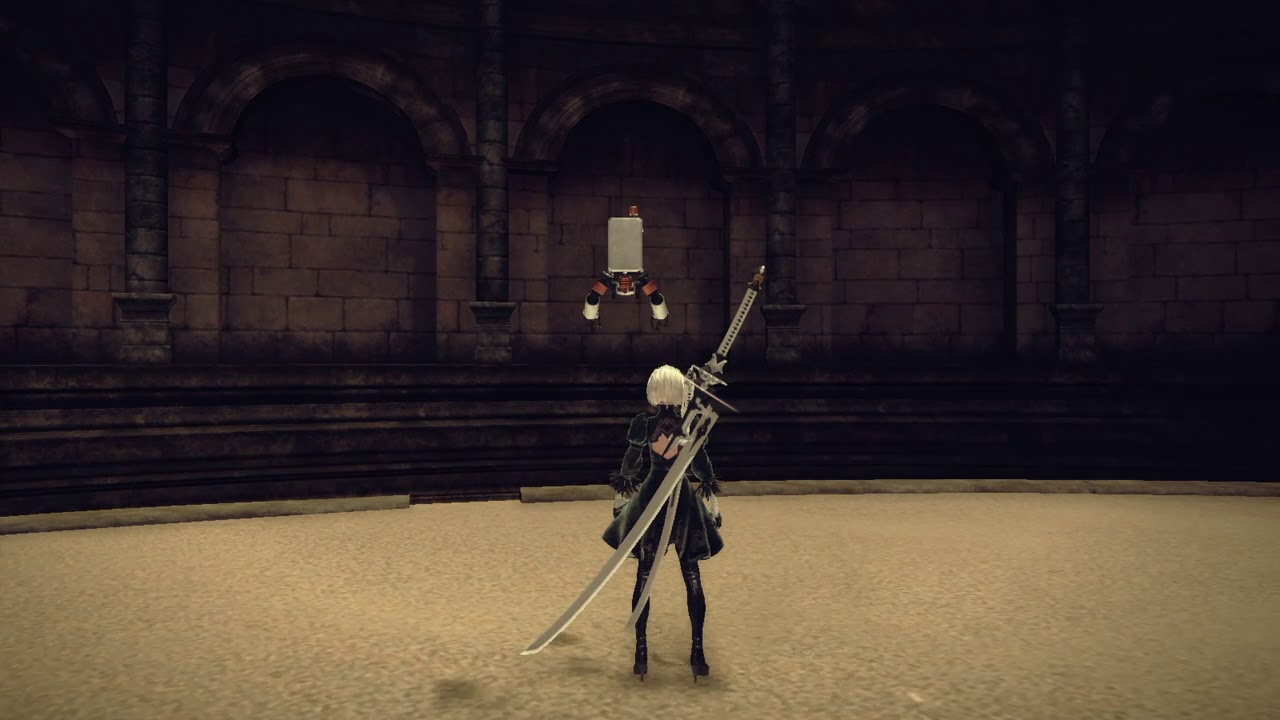 inland nova
 tired garnet
inland nova
My enemy stands up again after death
tired garnet
inland nova
My enemy stands up again after death
You mean, animation of standing starts to play?
inland nova
yes
inland nova
how can I do that ?
tired garnet
Right click on the content drawer, and choose to make en enum
Then create a variable of that enum in your zombie's character, or somewhere else where you hold its state
inland nova
hm, this is to hard for me
what if I just destroy actor after death animation ?
but then I need animation duration
how can I get duration of animation
severe sage
severe sage
Hello! I'm working on dash animations using GASP. My issue is that when dashing ...
Anybody have any idea about this issue? I haven't used root motion anims before, so it's a new territory for me
 vestal zinc
hello everyone! Not sure if this is the right channel to ask this, but I'm playing around GASP to turn it into a FPS, I managed to put the camera on the right position, stop it from clipping in the wals by following an youtube tutorial on 5.6, and I also managed to remove the traversals that make tha character flip and managed to make the character follow the camera without you being able to see inside the character's neck. Thing is, when doing the traversals, if I look behind me, I can still see my character's neck, or rather the inside of it. That being said, how could I see, in BPs, when my character is performing a traversal, so I can limit camera movement after?
 severe sage
inland nova
How can I restart level, when my character dies ?
severe sage
inland nova
How can I restart level, when my character dies ?
Hi, not to be picky, but do you want to restart a level or respawn the player?
inland nova
restart level
severe sage
inland nova
restart level
Hopefully this helps https://www.youtube.com/watch?v=VMvoOv2c2jA
In this video i will teach you how to restart level through blueprints! ㅤ
ㅤ
- LIKE and SUBSCRIBE if you enjoyed the video =)
Patreon https://patreon.com/JemGames
Discord https://discord.gg/9N7w49AwKR
inland nova
ok I will take a look
thanks
it's working, but I want to add a delay between death animation and restart level
I can't place delay node
probably because I'm in function
vestal zinc
wouldn't it be simpler if you just did the delay and the restart level on the level bp?
inland nova
how ?
vestal zinc
open the level bluprint, call your function and put the delay there, doesn't that work?
vestal zinc
me too hehe
inland nova
ok, there is no function in lavel blueprint
it sould be on the left under functions ?
 devout bluff
how do i pause an animation when it's done rather than looping it?
severe sage
devout bluff
how do i pause an animation when it's done rather than looping it?
Can you share more of how you have your naimations set up?
 severe sage
Yes, please. ALso, to double check, I'm gonna assume that your anim montage is not set to looping
 devout bluff
where do i find the looping checkbox?
severe sage
If you open up your animation montage, it should be like in the screenshot from the previous message. This is how it looks when looping
 devout bluff
i'm using paperzd, i have no idea what an animation montage is.
i'm sorry if i'm just dumb
severe sage
Are you using any tutorial for your project?
vestal zinc
vestal zinc
hello everyone! Not sure if this is the right channel to ask this, but I'm playi...
any of you fellas knows anything about this? Or at least have any ideas I could try? I was able to make it work beautifully, except that and it's driving me insane lol
inland nova
vestal zinc
wouldn't it be simpler if you just did the delay and the restart level on the le...
Someone help me with this please..
severe sage
devout bluff
i'm using a buch of different ones for all sorts of things
Sorry, I kept thinking of 3d anims. Have you looked at this official Unreal tutorial for UE4? https://www.youtube.com/watch?v=Af-jsQFlLFU
Here we enhance the original animation system into a functional state machine, which will allow for easier extensibility, should we want to add more animations at some point in the future.
severe sage
devout bluff
i think i found the asnwer, thanks
You're welcome 😊
severe sage
inland nova
Someone help me with this please..
You can call your function in the event graph and add your delay after it
Basically this (ignore my function name, just an example with what I had open)

 severe sage
Cause nothing is calling your death function. You need an event to start it. A Red node
What is the logic behind firing the Death node? Your character reaches 0HP. Where is that calculated?
inland nova
wait I'll give you a screen
vestal zinc
easiest way would to do it out of the function, like, just get every node you have in the function and rebuild it on the level BP, might not be the best approach but it would be simple
and have the event be Tick
severe sage
vestal zinc
easiest way would to do it out of the function, like, just get every node you ha...
Generally, I recommend against this, since it's not flexible, and then you would need to redo it on every level you need. Keeping it in the player character is best because of the flexibility it offers
vestal zinc
that is totally fair
inland nova
 vestal zinc
I mean, he could also just have the function run every tick right?
inland nova
 severe sage
inland nova
severe sage
inland nova
 severe sage
vestal zinc
I mean, he could also just have the function run every tick right?
severe sage
vestal zinc
I mean, he could also just have the function run every tick right?
Tick, especially in Blueprint, is also expensive, so it's best to try and get things to work outside of it. An example, would be if you have a moving platform to do the movement with Timelines or timers, instead of tick. That way, it's cheaper and means not everything needs to be calculated at the same time
vestal zinc
yeah, that is totally fair, especially since he already has the on damage event
severe sage
TIck does have its place in BP, but it's not a fix-all solution
It's jsut one of those things you get used to where to use it and where to not use it the more work you do
vestal zinc
InProg, you seem very knowledgeable, do you have any ideas on how to solve my problem? (I'm about to have a meltdown trying to figure it out)
 severe sage
vestal zinc
InProg, you seem very knowledgeable, do you have any ideas on how to solve my pr...
severe sage
vestal zinc
InProg, you seem very knowledgeable, do you have any ideas on how to solve my pr...
GASP is something I'm currently learning myself, but does this help? https://www.youtube.com/watch?v=_VPzcix2udU

Unreal Engine 5.5 brought a new gameplay Camera to replace the old camera system. Here's how to set it up for True First Person Camera in unreal engine 5.5 game animation sample project gasp.
Discord
https://discord.gg/pUseaEUZRM
5.6 updated version
https://youtu.be/LadZZDJzBWI
Official docs
https://dev.epicgames.com/documentation/en-us/unre...
THere's also this, in case you haven't checked it https://www.youtube.com/watch?v=n_Y0dyTaYjE

In this tutorial I will show you how to set up true first person character using Game Animation Sample in Unreal Engine 5.5
I will cover issues that nobody is talking about how to fix. I will also show you how to set up a custom character including Metahuman.
Timestamps:
Intro: 00:00
Migrate GASP Files: 00:54
Enable missing plugins: 01:10
Creat...
vestal zinc
hahaha So... to be fair, if you look at his 5.6 video, I have a comment there on how I solved some of the issues that happened haha I'm having the problem of when doing parkour, I can see inside my character, I'm trying to figure out how to lock the camera when doing a traversal, or something similar

Unreal Engine 5.5 brought a new gameplay Camera to replace the old camera system and then changed it from 5.5 to 5.6 . Here's how to set it up for True First Person Camera in unreal engine 5.6 game animation sample project gasp.
Discord
https://discord.gg/pUseaEUZRM
Faq:
Q:The parkour doesn't rotate when jumping
A: sadly this is still broken
...
vestal zinc
severe sage
THere's also this, in case you haven't checked it https://www.youtube.com/watch?...
I'll check this one out!!!
YES it seems to have what i need, thank you so much my dude!
and the answer was staring at my face, there is a freaking variable for when doing traversal LOL
severe sage
Glad I could help 😊
 forest fractal
So for GASP how to fix the camera rotation to follow the head during parkour animation?
vestal zinc
forest fractal
So for GASP how to fix the camera rotation to follow the head during parkour ani...
ops, nvm
so, what I did is to completely kill camera controls during the parkour animation (the second video InProg sent, now I'm trying to make it so you can move it to a maximum angle
forest fractal
vestal zinc
ops, nvm
Ahh alright and what about the rotating one? where its like rotating the player body? I cannot seem to find anything for that it just clips through the body
vestal zinc
vestal zinc
hahaha So... to be fair, if you look at his 5.6 video, I have a comment there on...
follow this tutorial, he explains the rotate in place if im not mistaken and then do this " I was able to fix it by going into the APB_SandboxCharacter, clicking offset root bone and changing Max Rotation Error to 70... Now, as I'm a total noob in UE5, this probably breaks something else, but it did fix the issue, the character simply turns with the mouse"
you probably already have the rotation happening, so just go to the APB and change that setting
forest fractal
vestal zinc
follow this tutorial, he explains the rotate in place if im not mistaken and the...
In what graph is the offset root bone with the max rotation error?

 hidden drum
Hey all! So I created a SKM from my static mesh cloth here. I turned it into a cloth in UE, and applied it. When I simulate the level with the three dots then simulate the cloth works with my wind force. However, when I click the green play button, the cloth does not simulate. I tried force collision update and that didn't work. And when I tick on 'collide with environment' the engine crashes. Any ideas? Thanks.


 smoky shell
I wrote a page on inertialization if this helps anyone
https://github.com/Vaei/LocoTips/wiki/Inertialization
It contains everything you could want to know about Inertialization without a long article/video
 fast dew
question for the animation experts- i'm using pose assets in Unreal, but would like to use Blender to author the curve values, keyframe them, etc- is it possible to somehow set keys on arbitrary float tracks in blender, and then import them into Unreal? or should i write a custom script to handle this via json or something..
in unreal, i have this box checked on import, and i have two custom properties in Blender that have keyframes on them.. but I don't see any curves getting imported


 fast dew
exporting the keys to json and importing them is an easy enough script to write, i'm more concerned by the hassle of having to have two separate assets to export/track and the potential for human error.. would rather it all just come in as the same FBX if possible
the docs show that it's possible.. at least from Maya, but I can't find any information on how to do this in Blender:
https://dev.epicgames.com/documentation/en-us/unreal-engine/animation-curves-in-unreal-engine?application_version=5.3

Epic Games Developer
Animate Material Parameters, Morph Targets, and other properties synchronized to your animations using Animation Curves.
dawn kiln
does anyone know of anything that might cause root motion to be visable and working in an animation squence, but just compleatly crap out in a montage?
I have a sequence that has root motion and I know it works because I toggled it on and plugged JUST that sequence into my animation graph for testing. And it moves my character just fine as expected. But when I convert it into a montage and call it later the root motion just evaporates and the character sits in place.
my animation graph is set to take root motion from everything too, idk what could be causing this
fast dew
plugging a sequence into an animation blueprint doesn't prove you have root motion enabled, because an animation sequence cannot move the character capsule. you verify root motion is enabled by looking at the sequence, turning bone display on, and then looking at the root to see if it's actually moving or not.
if your root doesn't move, or if the root transform is red, you don't have root motion.
dawn kiln
I did both
and I have marker for root motion in the sequence, meaning the red line and everything
and when I plugged int he sequence and set the animation BP to "root motion from everything" the sequence alone moved the character capsule
its just when I try to run it as a montage it gives up
fast dew
yea i dunno, root motion via montage isn't that complicated- it either works or it doesn't. some things to check: make sure you have root motion enabled in the sequence with force root lock disabled. if you have those settings, and your animation for sure has root motion i have no idea

make sure you have a default slot in your ABP too i guess, otherwise your montage won't play at all
dawn kiln
the montage is actually playing it just doesnt want to move the character like it says it should based on my settings and how the lone seqence behaved
ya idk thats why this is driving me up a wall, from what I know this should just work
fast dew
should also check and make sure there's nothing weird about how your character is set up. try it in a sterile environment like a default third person project, maybe you have a rogue blueprint node somewhere forcibly setting your actor position or something
dawn kiln
thats a good idea lemme try "quarentining" it
but if that doesnt work im just assuming unreal is haunted
 sharp garnet
i can anyone help me with the sequencer and the movie render queue, i have a sequence, and when i export it to a video mp4, for the first 10 sec, all object are not working as programed, but the cine camera actor is working>
note that everything the the viewport is correct but not in the export,
can anyone help me?
severe sage
severe sage
Hello! I'm working on dash animations using GASP. My issue is that when dashing ...
Hello. I asked this yesterday, but had no answers. Maybe there's someone who has an answer or a direction to point me in today
 cloud lava
severe sage
Hello. I asked this yesterday, but had no answers. Maybe there's someone who has...
cloud lava
severe sage
Hello. I asked this yesterday, but had no answers. Maybe there's someone who has...
is your asset downloaded from the video or you made/got it from someone else?
severe sage
cloud lava
is your asset downloaded from the video or you made/got it from someone else?
Made it. Both the animation and the CHT
cloud lava
you made it in Unreal?
severe sage
cloud lava
you made it in Unreal?
Animation done in Blender
severe sage
The root animation does work. If I am running, it does react appropriately. But if my character is standing and I press the dash button, it'll pick a random direction. That's my issue. the stand-to-move
I did have some good results by forcing the forward dash animation if it's standing, but it feels hacky
 cloud lava
a duct tape solution would be implementing a walk forward sequence before dashing like (standing -> walk -> dash) just enough sequence that the walk sequence is unnoticable
severe sage
What I did is similar, since it just forces the animation instead of going through the entire calculation
cloud lava
it might be because when you dash there is no directional input
severe sage
In that case, how would I go about adding in that split second directional input?
cloud lava
after the walk sequence you can put the beginning of dash animation. As for the walk sequence put a playback from 0.0 to 0.01
ivory kettle
I imported an animation that will not auto retarget. I am in the process of doing the retargetting, but I cannot select another pose for manny. I created a t pose asset, but the only option is default pose and nothing else in the drop down
cloud lava
@severe sage are you using camera-based movement or map-based movement?
severe sage
cloud lava
<@461829797681823745> are you using camera-based movement or map-based movement?
What's the difference?
cloud lava
while walking a character can turn using the mouse that is camera based, a character walking that can turn with A and D ignoring camera movement that is map-based
so you have 2 choices dash where your character is looking or dash where your camera is looking
severe sage
In that case, my dash is map based, since this is the dash destination calculation

 severe sage
cloud lava
what is this for?
severe sage
cloud lava
what is this for?
Future proofing for dash modifier system
Oh, wait. No. That's supposed to be whether it moves or not
cloud lava
sorry i dont quite get it, whats the purpose of the second node
and the third node
its not connected to a variable to change dynamically so it just stays as 0
severe sage
I honestly don't remember 😅
I made this system several months ago, and moved onto a different part of the project
cloud lava
it was imported? cause it looks like it's missing a lot of variables
if you have the original maybe you could compare?
severe sage
If you're talking about the Set Members in Struct that was intentional
I'm mostly manually setting some specific values for the dash
severe sage
cloud lava
if you have the original maybe you could compare?
Sadly, I do not, as it was overwritten when I upgraded to 5.6
cloud lava
this is what i usually do when i want to move a character forward based on what he is looking at, use "get control rotation" with "get forward vector" instead of "get actor forward vector" to compute the direction the character is facing.

"get forward vector" converts rotation to movement and maybe your dash will recognize this as directional movement
cause what you are using appears to be camera based it might be the reason behind the randomness
severe sage
So does this mean that I have 2 different conflicting control methods?
cloud lava
try dashing without moving your camera
severe sage
cloud lava
how do you want to move when dashing? for example if you want to backdash do you press S and Shift?
severe sage
Yeah
cloud lava
thats weird cause if you press S shoudn't your character turn back?
cloud lava
severe sage
Yeah
i believe that only works on camera based
severe sage
So I need to change my system to be camera based, then
cloud lava
for example elden ring when you lock on the boss its camera based
if not its map-based
severe sage
Right, that is the kind of system I'm going for, but I don't have a lock-on system yet
cloud lava
cloud lava
this is what i usually do when i want to move a character forward based on what ...
did you try this?
severe sage
Yes. It still does the back dash instead of forward dash
cloud lava
sorry if im a bit sensitive here but have you tried the UE GASP?
severe sage
This is based on the UE GASP
Could be that when standing still there's not a back location to call, so it'll just pick on for no reason
cloud lava
then try pressing the middle mouse button during gameplay and check if the movement base changes
GASP has that feature
severe sage
No, it didn't change anything
cloud lava
damn
severe sage
I'll grab a clean version of GASP and check in it tomorrow, then
There's definitely something wrong, so I'm gonna start stripping it from scratch to figure it out. Thanks for your help
cloud lava
no problem
 spring solstice
Excuse me gentlemen, I'm doing a True FPS character and I have a animation problem/question. I have a punch animation but it's only straight and I want to make a BlendSpace for players to punch on the direction based on Pitch and Rotation but I usually use Montages for single actions like punching, how can I do it? Is it possible to have BlendSpace Montages?
This is an example video: I've done a BlendSpace for the Flashlight hold but it's in the Anim Blueprint
 sullen dagger
I want to do the metahuman animations that you see in the metahuman creator (like HappyA, Sad, etc), but I'd like to apply them to the character and have it appear in game, just not sure how, anyone know?
little creek
I've got a really weird issue
When exporting my animations to Unreal, the number of frames is multipled by 1000...
Or some ither massive number
 silver cloud
hey does anybody know why my animation isn't moving in the Sequencer?
you can see the animation working on the right side of the video but it's not moving forward (it's a walk animation) even though root motion is enabled
any way to fix it in the Sequencer to avoid the need of scripting it in a blueprint?
 rich trail
Anyone know how to fix this? Even if I do replace skeleton, it does not work. The animation does not play.
 severe sage
cloud lava
no problem
severe sage
cloud lava
no problem
Figured out what my issue is. Apparently, when dashing, it changes the state of the strafe functionality, so it feels inconsistent. I'm now looking into sorting it out. I thought it would have any change to the Wants to Strafe variable, but it does. Thanks for your help in debugging my issue ✨
severe sage
When making root animations for movement, what's the best solution to make sure the trajectory is accurate? I made some dashing anims from standing position, but it's not really going in the direction it's supposed to. Should I add in a longer start in the direction so Unreal understands where it should go?
 spare adder
Hi guys, I haven't used the latest builds for a while now, mostly being involved in DCC-side work exclusively and not needing to go in. So I'm curious about the new animation tools. Do you still have to rig skeletons, or can internal unreal things like control rig now do it all within the engine? For example, if I want to animate a weapon, like a pistol discharging and the top moving back and forth. Do I need to rig it in DCC software?
 dapper junco
Quick question for all the experts out there.
what are the best techniques for more immersive animation transitions.
When a npc is in the animation it looks good, but the actual transition is unnatural, for example turning, or running to walk. I know you can increase the blend time so the transition is not as jarring but is there anything else?
motion making seems to be a good solution for human characters, but what about creatures? such as animals. would love to hear your advice on this
 neat lichen
how can i fix the legs? btw i'm using GASP
spring solstice
neat lichen
how can i fix the legs? btw i'm using GASP
Are you using animation Slots?
Or BlendPose on Anim BP?
neat lichen
spring solstice
Or BlendPose on Anim BP?
i think GASP uses Blendposes on Anim BP
spring solstice
spring solstice
Excuse me gentlemen, I'm doing a True FPS character and I have a animation probl...
Does anyone had this problem also?
sturdy basalt
I want to make Cutscenes for the game. Creating animation using key will be such hard and for facial animation.
I'm using metahumans, so facial animation can be done by Epic's live link. there iClone for body animation but is there any other live link app for body animation that can be made by video and doesn't require a suit and is free. iClone is paid
 restive hazel
ok i have an issue with retargeting, i created a character in blender, chucked it into mixamo for a quick skeleton, and trying to setup the re-targeter, now while most of the mapping seems to be fine I am getting this where my character is in the floor, i have change the target root bone but it is still in the floor? anyone else come across this know how to fix it?

 inner blade
Hello guys, i have an issue with the visualization of the Pose search database. The problem is: I did an animation modifier to edit the trajectory of an animation to be able to create from a single forward animation a better coverage for this angles (45/90/135/180). In the first pic, you can see that the PSS is calculating the trajectory well (one is the original, forward and the other is the one i edit to get 45° trajectory) with the pink blue trajectory being drawn. However when i play the animation, the character si still going forward like the original motion(second pic). It looks like the changes never bake into the root motion. However, when i export the fbx inside Blender, I can see that the modified animation is working correctly and the character is going 45° from the original (third pic). Also when i open the modified animation sequence, i can see that the character is going at 45°. It looks like it is only in the viewport of the PSD. Any idea about why the PSD is not displaying the correct animation ?


 signal marlin
Hi guys, i'm developing an fps game and i'm trying to implement a turn-in-place animation, I honestly like the result but I have a little issue: if you notice, when I move the camera left/right, even the feet start to move. I'm not an expert in animations, I've just used followed some simple tutorials, but I don't where to look at to fix the issue.
I precise that my character setup is composed by two skeletal meshes, one attached to the camera and one for the legs
I've tried to play with Offset Root Bone nodes, some settings fix the issue, but then the lower body starts to "lag" and doesn't follow the capsule.
Do you have any ideas?

 spare kiln
can you make use of start/stop animations with motion matching or are you just using the idle animations?
If so how would one use the start/stop animation?
signal marlin
For the animations I use a chooser table, that selects the right motion matching database, in the video i'm just using the idle one, where i have the issue

 left parcel
halp.
I tried to import a fbx that used a different skeleton than SK_Mannequin. It failed to merge bones, I canceled and all was good
but then I realized, hours later, that my animations were stiff. Something happened to SK_Mannequin and I don't know how to fix it
this was supposed to be SK_Mannequin, use specific animation, MF_unnarmed_jog_fwd (from the twin stick shooter template)
Any idea how to solve this?
left parcel
seems that the skeleton was ovewriten for the different one. How do I change it back?
 zinc bridge
Hi guys i need to debug my animations, but how can i see , while playing, in which state my character is?
 celest crane
Anybody run into issues where Virtual bones fail to update after a Skeleton refresh? (In this case were running a Mesh Merge operation thats somehow invalidating the VBs)
smoky shell
I specialize in building locomotion systems and wrote a Wiki covering the important parts.
You can learn how to build robust production ready locomotion systems as well as discover a lot of caveats with Unreal Engine's animation systems.
And learn how to maximize your performance for larger character counts.
https://github.com/Vaei/LocoTips/wiki
 young patio
smoky shell
I specialize in building locomotion systems and wrote a Wiki covering the import...
severe sage
smoky shell
I specialize in building locomotion systems and wrote a Wiki covering the import...
young patio
smoky shell
I specialize in building locomotion systems and wrote a Wiki covering the import...
severe sage
smoky shell
I specialize in building locomotion systems and wrote a Wiki covering the import...
Hi, thanks a lot for this. I'm looking over the wiki right now, but it doesn't seem at a glance to talk about the systems used in GASP. Is that going to be added in? Or did I just miss those sections?
Hello, I'm having this issue with my dashing mechanic where it's not really taking into account the trajectory the character is moving in before picking a dash mechanic. I do not have a preliminary motion in my anim that would tell which direction it's going in. Is that why it's randomly picking a direction, or could it be something in my BP? It's my first time working with root motion anims and making such a system. It's all based on GASP

 sand vector
We just did the 5.5 -> 5.6 upgrade and have noticed that our Anim Choosers that output soft refs dont work anymore. We saw this post https://forums.unrealengine.com/t/chooser-soft-references-not-resolving-anymore-in-5-6/2563133 indicating other folks have the same issue - is this a bug that will get fixed or an intended change in the way choosers work? We were relying on them to reference lots of anims and load them async

Epic Developer Community Forums
I’m not sure anybody is aware of this but in Unreal Engine 5.5 Choosers would resolve Soft References for you. Since Choosers can’t output Asset (Soft Reference) but they can store them, it only makes sense that they would resolve them for us without us having to Async Load them given the fact they will only output a Hard Reference. This se...
severe sage
sand vector
We just did the 5.5 -> 5.6 upgrade and have noticed that our Anim Choosers that ...
Thank you very much for pointing this out, cause that's exactly my problem. It would have been better that it was an issue on just my end, but I'm glad I'm not alone in having this issue
sand vector
misery loves company ahahaha
severe sage
That's for sure
 onyx nacelle
Hey guys, I was trying to create a new Anim BP from scratch and I made a blendspace of some Mixamo animations for base locomotion. For some reason it looks broken. I put a video here for reference.
any idea why this might be?
severe sage
onyx nacelle
Either you have root animation on or off, depending on what you're trying to do. If you want it to not use root motion animation, just open the anim and disable it from there
onyx nacelle
severe sage
Either you have root animation on or off, depending on what you're trying to do....

none of the animations had root motion on
severe sage
Try enabling root motion. And if you don't need root motion, you may need to redownload the anims off mixamo without it
It definitely feels like the root motion is involved because your character is has that additional movement added to it, and then snaps back to where it should be
onyx nacelle
i downloaded a pack so it doesnt give option for root motion
onyx nacelle
as soon as i add the root motion in ue, the animation breaks
but i dont want to use the standard animations cause everyone in their mothers using those 😂
i will try download each anim separate with root motion
onyx nacelle
severe sage
Outside of the root motion situation, I'm not sure
that solved all the issue, thanks a lot
 limpid robin
Is it more performant to have an movable articulated static mesh parented to another static mesh vs. hard setting poseable mesh leaf bone positions? I need every ounce of framerate due to my game running in VR and having a massive amount of these entities.
 marsh schooner
Does anyone know the purpose of Lyra having both an UpperBody and UpperBodyAdditive slot? Wouldn't playing an additive animation in the UpperBody slot have the same effect as blending an animation with an ApplyAdditive node?

 ruby swallow
made an animation using control rig and when i combine it with another animation using composite or montage, unreal lags like crazy. It says that my control rig anim has 30 fps while the other one has 24. Could this be the reason, and if it is, how can I downsample my animation from 30 to 24fps?
seems like the issue is that when i add another animation (root motion in this case) to the montage, the frames increase like crazy - and it's not corresponding to the original amount of frames
smoky shell
severe sage
Hi, thanks a lot for this. I'm looking over the wiki right now, but it doesn't s...
The wiki covers building your own locomotion systems, not using other locomotion systems
And its more focused on high level overview, structure, implementation, i.e how you build systems, not the details that go into it
I don't use motion matching so I won't cover it either
 worn marlin
do you recommend adding orientation warping and distance matching to zombie ai characters? just to make their moement more organic? thanks
viscid willow
marsh schooner
Does anyone know the purpose of Lyra having both an `UpperBody` and `UpperBodyAd...
Blending an animation sequence with apply additive requires the sequence to have correct additive settings. Depending on the animation it's not always appropriate to play the animation additively, one example is reloads. Because of how complex the animation can be, you get a much more reliable pose by blending the reload animation as an upper body animation. For instance an additive blend over the idle pose might look fine, but an additive blend over locomotion will be a lot less predictable.
A good use case for additive montages are shoot recoil sequences or hit reacts which are much more simple and more predictable for blending.
 lusty aurora
Yes multiply it by -1
I think you are joking for asking this dumb question ❓
Neither
This sentence will fits with you
marsh schooner
viscid willow
Blending an animation sequence with apply additive requires the sequence to have...
So this is useful if you want to, for example, play a hit react and a reload animation at the same time?
viscid willow
marsh schooner
So this is useful if you want to, for example, play a hit react and a reload ani...
yes, but only if the slots are in two different groups, in the screenshot you linked they're not in two different groups so one would interrupt the other.
marsh schooner
viscid willow
yes, but only if the slots are in two different groups, in the screenshot you li...
Makes sense. Thanks!
sullen dagger
when I do bake to control rig on an animation, it puts a key frame on every frame, but how do I get back the original key frames and tangents I made? They seem to be lost
silver cloud
anyone knows how i can fix this? root motion is enabled, bone matching too
 dry gust
how do I scale random bone? (by event with bone name) i have basic skeletal mesh character with animations
 fading cloud
smoky shell
I specialize in building locomotion systems and wrote a Wiki covering the import...
fading cloud
smoky shell
I specialize in building locomotion systems and wrote a Wiki covering the import...
I'm about getting into animations and was going through the pinned messages for resources.
Thanks for sharing!
On the same topic, what would be the best resources for beginners to get into animations, control rigs and procedural animation?
I'll start by going through this: https://dev.epicgames.com/community/learning/courses/2Lz/unreal-engine-animation-ecosystem-for-game-development/yp13/unreal-engine-animation-ecosystem-for-game-development-overview
Then I'll go over what @smoky shell shared.
Found also this in the pinned messages by @distant dagger, https://docs.google.com/document/d/19tZAFd6AG_78RtJBexL7fdT7CxJzy9Ni9N3qpguFPW8/edit?usp=sharing
Anything else?
I remember I once saw some good documented ALS project (apart from the original which I remember wasn't documented) - is it a good resource for beginners?
smoky shell
fading cloud
I'm about getting into animations and was going through the pinned messages for ...
When I learned animation programming and procedural animation there weren't any resources so I relied on reading engine source
You can look at the nodes Epic made such as FABRIK etc to learn how to make your own to implement your own behaviour
Learning the math is the most important part
If there are resources nowadays I'm not aware of them
 lilac crest
smoky shell
I specialize in building locomotion systems and wrote a Wiki covering the import...
lilac crest
smoky shell
I specialize in building locomotion systems and wrote a Wiki covering the import...
What are your thoughts on using animinstanceproxy and combining animgraph nodes in c++ to reduce bp vm calls? 
smoky shell
lilac crest
What are your thoughts on using animinstanceproxy and combining animgraph nodes ...
I'm not quite following
AnimInstanceProxy is used to pass in/out threaded data, its an intermediary
You can pass stuff out from anim graph nodes back to the AnimInstanceProxy to be read in your AnimInstance
But I don't see how any of this achieves the goal, or rather where you're making BP VM calls that you want to avoid
lilac crest
smoky shell
I'm not quite following
AnimInstanceProxy is used to pass in/out threaded data, ...
Lets say you want to create layering/slot per part (head, arml,armr, legl, etc).
Instead of having a full chain of node that does the blending, doing it at once in c++. I say AinInstanceProxy because you can query the relevant nodes/sfm/curves. But it can be simply mashing everything into one custom Anim_Node
smoky shell
lilac crest
Lets say you want to create layering/slot per part (head, arml,armr, legl, etc)....
Those nodes are already updating in C++ 😐
lilac crest
I couldn't do a deep dive, but for example, the Linked Anim Layer layer for ALS is pretty "heavy" relative to what it is doing
smoky shell
ALS looks pretty and my praise for it ends there
I haven't looked at it in a very long time (and wouldn't bother)
lilac crest
smoky shell
Those nodes are already updating in C++ 😐
From what I read, each node call c++ code, but every time you call a node, it use the bp vm?
smoky shell
lilac crest
From what I read, each node call c++ code, but every time you call a node, it us...
They are evaluated on worker threads
They don't run on BP VM
 ashen junco
lilac crest
From what I read, each node call c++ code, but every time you call a node, it us...
ashen junco
lilac crest
From what I read, each node call c++ code, but every time you call a node, it us...
If you're talking about nodes in anim graph, they're not using BP VM
As long as you're not using "pure" BP functions (as in functions that don't have exec pins outside), you can keep fast path (lightning bolt symbol) going until the output and it'll be parallel on worker thread
lilac crest
So anim graph nodes are ok. Are bp functions called on entry/exit/transition ok too?
ashen junco
In the Class Settings for Anim Instance, there's an option to warn about BP usage that can help you spot BP functions lurking in the anim graph when compiling.
That, and also Blueprint Thread Safe Update to run BP logic on worker thread, or the C++ equivalent NativeThreadSafeUpdateAnimation you can override
 ashen junco
lilac crest
So anim graph nodes are ok. Are bp functions called on entry/exit/transition ok ...
ashen junco
lilac crest
So anim graph nodes are ok. Are bp functions called on entry/exit/transition ok ...
I'm not entirely sure on the impact in context for state transition graphs, but I think it runs when it need to, instead of every tick
If you have Warn About Blueprint Usage enabled, it'll still pick up any BP logic you have on those
I could be wrong on this one
 noble grove
Don't know if this is an unrelated question. I am making an FPS animation in Blender, ive got the Character(Arms) rig and a separate weapon for the weapon. I am making the animation with constraints between rigs and I don't know if when I export or bake the animations it will work fine for UE5.
The animation is this one, for example the magazine is in the gun rig and dont know. How I will make it work in UE5
onyx nacelle
you can export the reload animation, bring it to UE5 and in there just right-click and create animation montage from the reloading
i think thats the most simple way to go about it
Hello People, im working on some punch combos however i got this tiny issue, if i spam the punch button the anim montages dont play out fully, every click they play from the beginning which is causing this weird outcome. How would i go about making sure that no matter how much i spam the button it wont do anything unless the montage is done? I also want the ability for the character to be able to move while punch. (I seen a tutorial but there the person set it up so the character cant move mid combo)
hexed granite
Anyone how to disable these annoying messages on the far right side? Disable all messages don't seem to apply to them.
And what is this error?

the notifications also lag the shit out of the ue editor
 vale drift
Hey, guys!
Can you tell me how to change the location point data in the GASP system?
https://media.discordapp.net/attachments/221798806713401345/1392163025209000130/image.png?ex=688f7dda&is=688e2c5a&hm=9116ab6cec834c9909dadce3b08bece422a4a8536c6164e2df240081cedc91a9&=&format=webp&quality=lossless
 near moth
vale drift
Hey, guys!
Can you tell me how to change the location point data in the GASP sys...
near moth
vale drift
Hey, guys!
Can you tell me how to change the location point data in the GASP sys...
Like where its being set?
 weak spoke
Hey!
Anyone here experienced with Root Motion and Motion Warping?
I’m running into a strange bug I haven’t been able to reliably reproduce yet — but it happens regularly at random moments.
The animation doesn’t apply root motion or warp the character to the correct position — the character just stays in place.
The bug only goes away if I switch to a different animation that also uses root motion.
Any ideas what might be causing this?
it should look like this
onyx nacelle
weak spoke
Hey!
Anyone here experienced with Root Motion and Motion Warping?
I’m running in...
do you have root motion enabled in that animation clip?
also you sure that this animation was imported has root motion?
weak spoke
yes
onyx nacelle
weak spoke
yes
so its working here? when does it break?
just trying to understand the whole situation
weak spoke
onyx nacelle
so its working here? when does it break?
it breaks during gameplay sometimes, all I have is this video (time code 3:03)
https://youtu.be/YU9hDWN2pp4?t=182
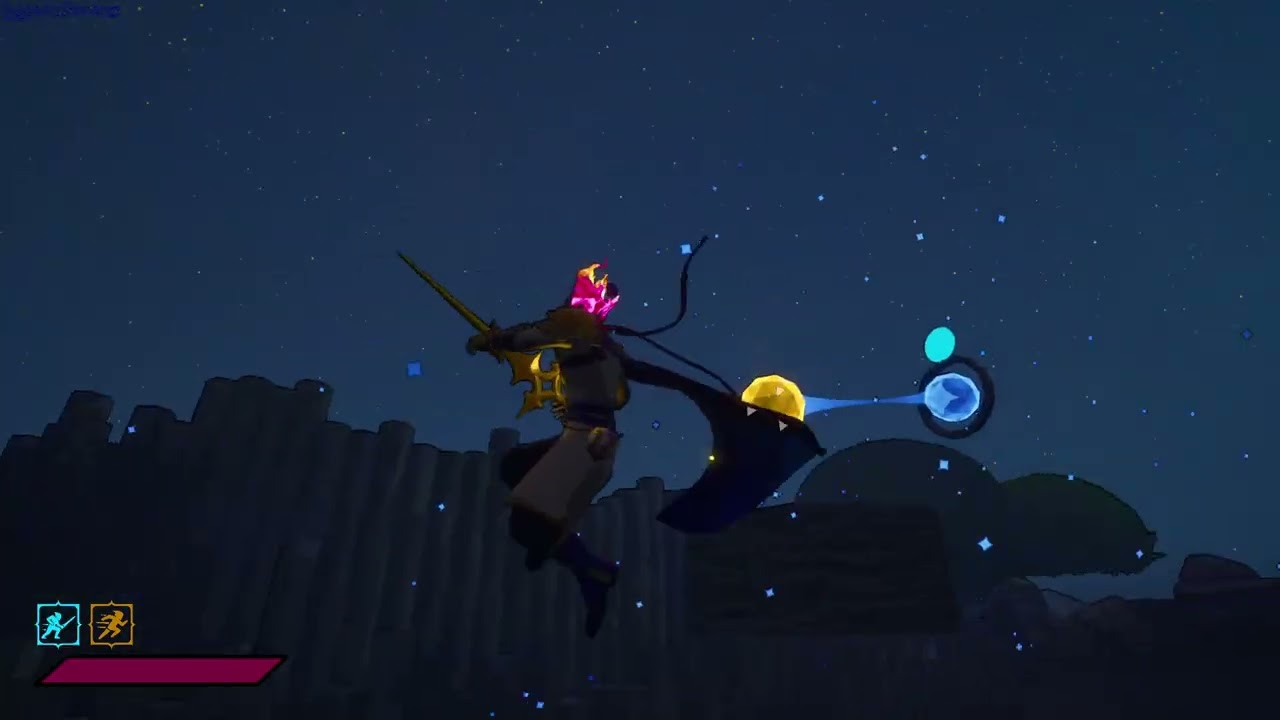
Starlight Blade gameplay - GogetaSuperx
Subscribe: https://www.youtube.com/subscription_center?add_user=gogetasuperx
onyx nacelle
hmm
is it not something to do with the trace?
tbh i have no clue what this could be im not much of an expert just throwin in possibilities lol
weak spoke
The spheres aren't the issue — the bug can still happen without them.
They just define the location for the warp.
But you can also jump through the air with a fixed distance without using spheres at all.
I tried debugging it when the bug occurred. It looks like the warping just isn’t happening at all — as if it’s completely missing.
onyx nacelle
i mean this whole gameplay is beyond what i ever done in ue lol
weak spoke
Oh, I reproduced the bug! The problem is… I didn’t do anything special.
onyx nacelle
found it?
weak spoke
onyx nacelle
so what causing it
weak spoke
I'm suspecting this might be the issue — but again, according to the debug, root motion is enabled in the Anim BP.
Plus, root motion works fine from other sources!
 onyx nacelle
i fixed my issue at the same time as u fixing yours lol
weak spoke
onyx nacelle
i fixed my issue at the same time as u fixing yours lol
that's awesome, i hope i figure it out soon too)
onyx nacelle
sorry im useless lol wish i could help

any idea why this trigger doesnt work?
character should stand up and go back to usual movements
weak spoke
debug with breakpoints F9
spare kiln
Hi guys, I do have a sideways animation, that I'm trying to use with Motion Matching.
onyx nacelle
weak spoke
debug with breakpoints F9
is it supposed to say something once i end gameplay? i debugged two of the first nodes and no message yet
onyx nacelle
spare kiln
But it results in a weird animation like this.
whats your state machine is like
or do you have a blendspace?
onyx nacelle
never used that before so no clue how its different from anim bp
weak spoke
onyx nacelle
is it supposed to say something once i end gameplay? i debugged two of the first...
it would pause the gameplay, if nodes were triggered
spare kiln
It chooses the animation base on the movement data, where I assume I have to chage something but I'm really not sure where to start here
onyx nacelle
spare kiln
It chooses the animation base on the movement data, where I assume I have to cha...
seems like legs are gone there
weak spoke
so, your signal is lost somewhere, debug from the start
spare kiln
I think that something with the trajectory is off, maybe it gets the trajectory to the right but then switches to idle because of the trajectory of the feet and then switches back to the right loop but not sure
weak spoke
spare kiln
Hi guys, I do have a sideways animation, that I'm trying to use with Motion Matc...
I have zero Motion Matching experience sadly(
spare kiln
🙁
 weak spoke
are you sure, that target should be the player character?
onyx nacelle
nope lol just checked
it gets owner of the animation
ah nvm was looking at something else
in theory that clear trigger doesnt have an input

 weak spoke
Which actor implements interface I mean
onyx nacelle
idk i folowed a video
weak spoke
create custom event
"an interface is a shared boundary across which two or more separate components"
onyx nacelle
okay so i got the interface added to character BP and an ACtor bluerpint
weak spoke
for example, you have 1000 items, and all of them could be picked up
onyx nacelle
the actor BP is an interactable object
where i call the button function if i want to trigger interaction
weak spoke
then you should use BPI_Item with PickUp function
oh, okay, then maybe you have other player characters on map?
onyx nacelle
no not yet

so basically this BP have a bed inside with animation and all
and on overlapping with the collision capsule i create a widget
and if i press E i make the character to sit on the bed by playing and animation
however it doesnt play the stand up animation and revert back to normal movement controls once i made it sit
weak spoke
onyx nacelle
So, Trigger Sit and Clear Trigger are both implemented from an interface in PlayerCharacter? But Clear Trigger is not triggering in debug, right? And Trigger Sit is triggering
onyx nacelle
when i call the button both are triggering
for some reason the clear trigger doesnt play the animation though
weak spoke
this looks very sus
 onyx nacelle
this comes beforehand in the trigger

so i switch to animation asset in there
thats why switching back to anim bp in the clear trigger
weak spoke
Try animation montages
onyx nacelle
i did
it has jittery movement
and transforms the character slightly to different location
eventho the montage plays well in the preview
weak spoke
You are not switching the animation asset
weak spoke
What is Prison class?
onyx nacelle
weak spoke
What is Prison class?
thats just my animbp for the character
weak spoke
you should use root motion
weak spoke
onyx nacelle
.
onyx nacelle
root motion messing up the animation (got them from mixamo)
weak spoke
onyx nacelle
thats just my animbp for the character
but you are not playing animation....
onyx nacelle
i am playing it beforehand
weak spoke
so, the event is not even triggered?
 onyx nacelle
yup still nothing
weak spoke
Wait what, where is the Interface icon on you Clear Trigger node
onyx nacelle
weak spoke
Wait what, where is the Interface icon on you Clear Trigger node
was the wrong node
i replaced it
but still dont work
weak spoke
remove event in char
and create it from interface again
select event and make breakpoint
does it trigger now?
onyx nacelle
breakpoint there? or in the other BP
 weak spoke
yes
weak spoke
what
onyx nacelle

look i set it here fro example
thats the trigger sit event
that does go through
weak spoke
some crazy staff is happening, i cant even understand now)
weak spoke
we can try voice chat...
onyx nacelle
can do if you dont mind
weak spoke
onyx nacelle
can do if you dont mind
join vc and share screen then)
 versed flare
So im using the sevarog character from paragon. Im trying to set up an execution using its animation soul siphon. But the slot it is on is default preventing it from playing using bp. How do i fix this?
If i switch the slot to something else it stops the animation from playing in the montoage. However any play animation bp wont work. Accept one that breaks animations.
onyx nacelle
versed flare
If i switch the slot to something else it stops the animation from playing in th...
switch the anim in the montage, hit save and open the motnage again
its a bug but should work
 versed flare
OH thank you i couldnt find any sevarog documentation
onyx nacelle
after that u can blend like this in the anim bp
versed flare
thank you!
 last plume
When I change the CR for the Feet, close and re-open... they values are still red?


And the feet are not sticking:
 last plume
Fixed the red, but the characters feet aren't sloped on the hill?
severe sage
severe sage
Hello, I'm having this issue with my dashing mechanic where it's not really taki...
Hiya. I've done wht @sand vector mentioned, and changed from soft reference to asset, and it's still not fixed. COuld it be that an 8 directional dash just isn't enough and I need a 16-directional dash instead? Anybody more familiar with making locomotion anims for GASP can share their knowledge?
severe sage
@smoky shell What is your suggestion for implementing walking on a beam without splines, and having the character snap to it so you need a conscious action to separate from it. This would be a good example: https://youtu.be/dKD9Z7_AmY4?t=113

FREE $15 To Spend On Any Products (no minimum spend) on WhatNot (New Users Only): https://whatnot.com/invite/mralancyoutube Awesome . ❤🔥 For God so loved the world that he gave his one and only Son (Jesus Christ), that whoever believes in him shall not perish but have eternal life. -John 3:16
smoky shell
severe sage
<@96182038511509504> What is your suggestion for implementing walking on a beam ...
I have never built beam balancing because I don't need it
But if I did, I would probably do it the same way I do ladders
Detect beam, if on beam, nuke your acceleration lateral to the beam so you can't try to move off it (possibly use this to have an additive leaning/stabilizing effect to show response to input), and then apply lateral-only forces to keep you on beam
severe sage
For context, I'm currently working on a system for GASP that does not use splines, so it's trying to calculate jumps, walks and so on based on the shape of the mesh itself
severe sage
smoky shell
I have never built beam balancing because I don't need it
But if I did, I would ...
I've never done ladders either, so this is golden advice, thank you
dawn kiln
Got a little bit of an open ended question for you guys.
Im working on a sidescroller but it uses 3d characters and such. How would you go about making a turn animation?
Meaning the character is running one direction and turns the other way. at a base line the character just spins around to face the other direction. Ideally I'd like an animation in there that shows the character actually turning that way.
would you use like root motion for that turn? or turn the capsule with a timeline or something to make it smooth? Kinda just looking for ideas of where to start
severe sage
dawn kiln
Got a little bit of an open ended question for you guys.
Im working on a sides...
It really depends on the game you're trying to make: If you want something quick, snappy and responsive like Bloodstained - Ritual of the night, just set the rotation of the capsule between 0-180. You could then go further, and have it only flip like that when in mid air or in situations where you need more control, and for less intense situations you can make a short animation to add some life in there.
That said, Turn In Place anims should be something you look into for your character rig, since that's what you're basically looking for
dawn kiln
severe sage
It really depends on the game you're trying to make: If you want something quick...
I hadn't considered the different turn rates for in air vs ground tho that makes total sense.
Im guessing in that scenario I would need tk turn off all of the auto rotation stuff like "use controller desired rotation" in the movement comp so that it can be handled by another function or something based on input no?
severe sage
dawn kiln
I hadn't considered the different turn rates for in air vs ground tho that makes...
You definitely need to have it only handled by input, since you have no control over camera or a third dimension to deal with
What does the 2d example from Epic do? I know there's a template for it. I'm not saying you should do it that way, but it might clear up some things regarding the implementation and design logic. And based on that, change and design the system to suit your game
dawn kiln
severe sage
You definitely need to have it only handled by input, since you have no control ...
Doesnt the 2d example use sprites? I mean theres probably some comparable logic in there but idk. Either way I'll take a look
So you're saying like when you apply input it should hit a function that handles the rotation "manually" so tbat it can then play an animation and be smoother overall badically?
severe sage
dawn kiln
Doesnt the 2d example use sprites? I mean theres probably some comparable logic ...
Did a quick glance on YouTube for 2.5d platformers that could potentially help. I have never done a sidescroller, so I'm basing it off of stuff I may have done previously
You can also play a montage when changing directions, basically forcing the anim to play the turn anjm
dawn kiln
Thats an idea since the montage would have to complete (outside of special circumstances) so the turn would be much more consistent
Thanks I'll take a look at that example and maybe start messing around with that "turn on input" thing i think I can math that out
But you helped me with the intital decision process thanks 👍
severe sage
dawn kiln
Thanks I'll take a look at that example and maybe start messing around with that...
Best of luck! ☺️
 blissful glen
so i am very new (like no experience new) and am trying to learn some game development. are there any good websites or anything that i can get some free animations? i definitely don’t know how to animate. i’ve heard of miximo but i’ve also heard they don’t have the best quality of animations.
spare kiln
Hi guys I have the following animations (Video 1), but when I play it as a montage (Video 2), it does not do the full turn, what can I do about that?
severe sage
@smoky shell Have you done systems in which you snap the player system to a specific point? Is there any advice you can give for predicting points like this for movement? ||https://youtu.be/IWghsfCZUFI?t=1690|| I added a video of Split Fiction into a spoiler tag, in case people don't want to see it

In this Split Fiction walkthrough for IGN, we show you how to complete the chapter Final Dawn.
00:00 - The Dropship
02:33 - Infiltration
13:15 - Gun Upgrade
19:10 - Toxic Tumblers
20:11 - Side Story - Kites
27:32 - Factory Entrance
29:06 - Factory Exterior
36:08 - Test Chamber
47:25 - Side Story - Moon Market
1:03:54 - Run and Gun
1:11:10 - The...
smoky shell
severe sage
<@96182038511509504> Have you done systems in which you snap the player system t...
I have never built a system like that with splines or that kind of snapping
Personally I like to retain CMC's physics
The closest I get is ladders, and I'd do the same for walking on beams, which is applying a lateral force to push you onto the center-point
severe sage
CMC?
smoky shell
It is a very natural transition that feels good, the one in split fiction is very predictable but it doesn't look like it feels good
CharacterMovementComponent
Good god why didn't they call it CharacterMovement
severe sage
Ah, ok
I'm guessing cause it's a component so people can jsut add it in there
I understand the ladder example, but when you have a character that can move across a beam side to side, you limit the lateral acceleration. But if you have your character stand perpendicular on the beam (like Spider-man perched on a ledge looking outwards, for example) do you nuke the forward acceleration?
smoky shell
I have barely played those games, didn't enjoy them, so not sure
Btw I completely remove the lateral acceleration, so they can't request to move the wrong way
The force I apply is directly to velocity
sullen dagger
I do not understand how to use a metahuman as a 3rd person character... when I assemble a metahuman, it gives a head skeletal mesh and body skeletal mesh. If I go into my 3rd person character blueprint and select the body skeletal mesh, only the arms and legs show and everything else is visible. I did see an option in the metahuman creator to "export combined mesh", but it also looks really weird, what to do?
Here is what the combined mesh looks like
 severe sage
smoky shell
Btw I completely remove the lateral acceleration, so they can't request to move ...
severe sage
smoky shell
Btw I completely remove the lateral acceleration, so they can't request to move ...
Does this affect rotation, though? Like they can't even rotate 90 degrees?
sullen dagger
how do you use different skeletal meshes together into one character? when they are separated by body (arms legs) clothing (chest) and head?
there doesn't seem to be an option to select multiple meshes for one blueprint character
I wonder if I have to create some kind of heirarchy?
smoky shell
severe sage
Does this affect rotation, though? Like they can't even rotate 90 degrees?
No, it doesn't have to if you don't want it to
Or rather, I would specifically have to make it affect rotation if I want it to
severe sage
No, that's good, since that's what I'm looking for
sullen dagger
well, I found out that I need to copy components from the blueprint metahuman creates over to the heirarchy on the left side of the mannequin blueprint, or something to that effect, I have arms legs and head now together but not the shirt still
Got the shirt in, had to set the animation class, and adjust the rotation and such, cant believe I got it all working lol
sullen dagger
Anyone know why this is happening? Trying to use a metahuman for the game animation example, shirt is flying off when doing certain animations
https://imgur.com/a/Doo0Rdt
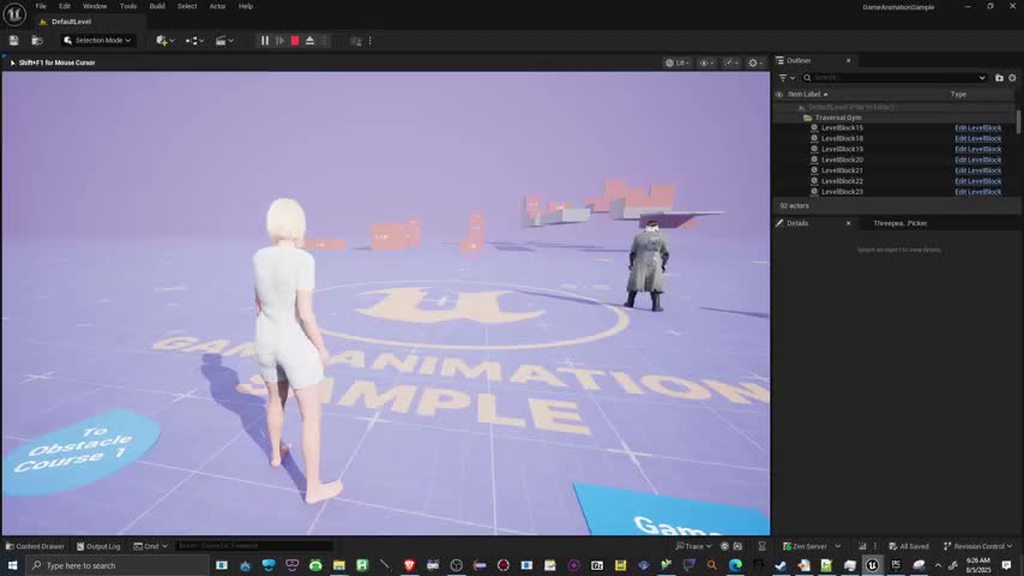 lusty aurora
sullen dagger
Anyone know why this is happening? Trying to use a metahuman for the game animat...
lusty aurora
sullen dagger
Anyone know why this is happening? Trying to use a metahuman for the game animat...
It would be the weight of cloth for bones not done properly
BTW Looks so funny 🤣
vale drift
near moth
Like where its being set?
I forgot where this is edited. I used to be able to move these points, but I forgot how. Can you help me?
vale drift
sullen dagger
Anyone know why this is happening? Trying to use a metahuman for the game animat...
Hello!
Were you able to resolve this issue? When do you encounter obstacles that are higher than they should be?
 ivory kettle
I am having a retargeting problem with animations on the wrists. I have purchased animation packs from Fab and they look fine on the UE4/5 Mannequins. When I retarget them, some of the wrists, depending on the animation are twisted 360 degrees. When looking at the details of the original animation, the wrist seems to have a rotation of -180, but the animation looks fine on the mannequin
 sullen dagger
vale drift
Hello!
Were you able to resolve this issue? When do you encounter obstacles that...
sullen dagger
vale drift
Hello!
Were you able to resolve this issue? When do you encounter obstacles that...
No, was hoping someone could help me figure it out, the level is from the Game Animation Sample https://www.fab.com/listings/880e319a-a59e-4ed2-b268-b32dac7fa016 I am trying to experiment with using a metahuman there, still learning, any help is appreciated

Fab.com
This project showcases fully functional animation systems that are commonly needed in games. It is built using current best practices and can be used for learning or to help you kickstart your own creations.
Project Features
3rd person capsule driven locomotion, powered by Motion Matching, complete with walk, run, jump and fall states.
A simpl...
 signal sedge
Hi, I'm trying to mirror from my animation blueprint. I have setup my mirror table and mirror all my left bones to the right bones and vise versa and also mirror my center bones to be the same and yet I get odd looking results.
This was done in blender exported to fbx and imported into ue

 sullen dagger
Is there a tutorial anywhere on how to adjust the bone weights of a skeleton to fit a different mesh, like getting the mannequinn to fit a metahuman, for example
severe sage
sullen dagger
Is there a tutorial anywhere on how to adjust the bone weights of a skeleton to ...
What you're looking for is called Skeleton Retargeting, and there's an example for the rig inside the GASP. It's retargetting from the UEFN mannequin to a metahuman
sullen dagger
severe sage
What you're looking for is called Skeleton Retargeting, and there's an example f...
Thank you, I'm experimenting with that, do you know of a good youtube tutorial on the subject?
What's confusing to me is how to do all the retargetting with different body parts
since the mannequinn is one entire skeleton but the metahuman is always broken up into different parts (head, body, legs, etc)
severe sage
sullen dagger
Thank you, I'm experimenting with that, do you know of a good youtube tutorial o...

In this Unreal Engine 5.6 metahuman tutorial for beginners, MizzoFrizzo will show you how to easily set up your metahuman to be a playable third-person character.
Pitchfork has released their first game, Skyblocker! You can support what we do here at Pitchfork Academy by picking it up on Steam today...
sullen dagger
severe sage
https://www.youtube.com/watch?v=o23kQRj3zd4
Thank you! This looks promising
vale drift
sullen dagger
No, was hoping someone could help me figure it out, the level is from the Game A...
I am also waiting for help, but so far there has been no response. However, I am eager to share any answers if the truth emerges from my knowledge. I will write here for others who encounter the same problem as us!
sullen dagger
what specifically are you trying to do? If I figure anything out I'll let you know
vale drift
sullen dagger
what specifically are you trying to do? If I figure anything out I'll let you kn...
I have a problem when I try to climb over a barrier, the animation jumps up. It was the same in your video.
I fixed it by correcting the curves, but I forgot where to do it now, I can't remember.
sullen dagger
oh
It might be a separate problem, I had the same issue when I changed the mannequinn to a different character in that sample, not another metahuman
vale drift
sullen dagger
If I manage to fix it I'll let you know!
vale drift
sullen dagger
If I manage to fix it I'll let you know!
I will also let you know if I succeed.
I think I'm not the only one with this problem.
Thank you for your feedback.
severe sage
Hello! In GASP, the player char hand IK will snap to the spline edge no matter what height it's at, but when I'm using a system to calculate the height without a spline, it's not doing that. Is there a specific feature in the GASP spline system that's snapping hand IKs to the correct location?
 dense harness
I created some FPS arms in Blender and rigged them. Should I try to create a custom control rig in UE for them, or is there an easier way to use the default manny rig, but for the arms only?
 charred zealot
I am trying to use some Mixamo animations with a Metahuman character. The character animation looks pretty good, but they move about 100meters upward. This only occurs during the Mixamo animation part of the sequencer timeline. Suggestions to fix?
 ivory kettle
I am having a retargeting problem with animations on the wrists. I have purchas...
ivory kettle
ivory kettle
I am having a retargeting problem with animations on the wrists. I have purchas...
Just to add to this, it only happens on some models. I am not sure why. It is when the wrist positions are going between rotations. Not sure about the numbers, but the rotation is between -180 and 180. It seems that Unreal is taking the rotation all the way around.
 obtuse nebula
Hi! I want to learn animation and rigging. I'm unsure how to decide between learning in blender and in unreal. This is just for personal projects, not for getting a job or anything. Which method is easier / nicer to learn and use?
blissful glen
So Im trying to add a crouch animation from a pack I got on FAB into my locomotion graph but it isnt popping up in the asset browser does anyone know how to fix that?
The anim is showing up in the content drawer just not the browser in the locomotion menu
I think maybe I figured it out
ok yes I did fiure it out I had to retarget the asset it was the wrong skeleton
blissful glen
ok so now i have no idea what i did wrong but when i crouch and walk it continues playing the idle animation rther than the crouch walk anim. someone please help
nvm i got it again smh
 dim wraith
Goofing around with this alien facial anim, blinks and lip pulse. 👾 (it's supposed to be looking at the player, when I hook the scripting back up).
 sullen dagger
severe sage
https://www.youtube.com/watch?v=o23kQRj3zd4
sullen dagger
severe sage
https://www.youtube.com/watch?v=o23kQRj3zd4
Thank you, that tutorial was great, was able to get my metahuman run and jump animations looking clean. Just curious, have you tried yet doing any facial animations with the metahuman? I would love to also try to play some of the interesting idle animations like Happy/Sad etc that you see in the Metahuman Creator, but actually have it happen on the character in game
 fleet gulch
I was wondering of Animation Blueprint Parent Child
I couldn't find any discussion regarding ABP with child parent implementation with player npc and enemy in one place, but they will only get into specific state when they are called
But on my experiment:
- Using ABP Child means the ABP parent will control the AnimGraph, so you are only need to change things animation behavior on the parent side
- ABP Child may only have retain their respective custom variable and montages if any
It's best used for similar skeleton, e.g
- Grounded, Player, NPC, Enemy, with normal amount of limbs
- Flying, Normal birds with 2 wings and 1 tail, Dragon with 2 wings and 1 tail with 4 leg have to be seperated
The Base parent will have to determine the standard of animation behavior
I have question in my case:
Is this like the best way to implement 1 player with many custom action, while the movement is pretty much similar to NPC and Enemies
- Should they fall under one ABP parent that mainly used for player?
- Should they be seperated?
- Should the enemy be seperated if they different way of movement?, e.g 4 way movement (enemy) vs 8 movement (player)
4.Should the boss enemy be seperated from enemy base too?
Open for discussion 😄
severe sage
sullen dagger
Thank you, that tutorial was great, was able to get my metahuman run and jump an...
Glad it helped ☺️. As for your second point, sorry but I have not used Metahumans at all, so I have no idea on how to get facial anims working
onyx nacelle
Hey guys, i am working on an interaction system for my project. It is nearly complete only minor fixes left. One issue is with the character camera, it doesnt follow the player fully when playing animation, stays at the same height.
 misty grail
is it possible to use root motion anims and layered blend per bone for upper body anims?
when I set up the layered blend per bone my root motion stuff breaks.


 grim star
misty grail
is it possible to use root motion anims and layered blend per bone for upper bod...
grim star
misty grail
is it possible to use root motion anims and layered blend per bone for upper bod...
Did you try disabling root motion or enabling root lock on you animation sequence?
 misty grail
grim star
Did you try disabling root motion or enabling root lock on you animation sequenc...
misty grail
grim star
Did you try disabling root motion or enabling root lock on you animation sequenc...
I only have root motion on for the couple anims I want it on for.
I'm trying to get a hit react to play correctly whether I'm idle or running
I tried setting the hit react as additive but it seems to only play a small portion of the animation
fading cloud
Hi all, would like to hear your input regarding creating animations.
What you like better, animating in 3rd party software or UE?
Is there some advantages for animating in Blender compared to UE for example, lets say as a beginner without prior knowledge in animations or experience in a specific software.
ashen junco
fading cloud
Hi all, would like to hear your input regarding creating animations.
What you li...
Depends on your comfort zone
Personally I found doing it in Unreal Engine directly to be much better, with Control Rig allowing for more intuitive scripting, more in line with Maya workflow, and possibility to edit animations while playing in editor. Also no roundtrip between software, meaning the pipeline is WYSIWYG
fading cloud
Thanks for sharing :D. Would you say that UE animation/sequencer tools has most of the crucial modern capabilities of 3rd party software? Did you come across some hard limiting functionalities? Maybe missing some very useful plugins that makes the process of animations faster or easier?
ashen junco
fading cloud
Thanks for sharing :D. Would you say that UE animation/sequencer tools has most ...
As of 5.6, the tools are pretty solid and capable in production environment. I don't think there's any deal breakers, apart from scripting your own Control Rig if the skeleton doesn't match with the usual hierarchy like UE5 mannequin biped
 sage helm
Hello everyone,
How can i change the character speed in gasp and still get the animations to look right, when i go to the character movement in the cbp sandbox bp it has speed values for walk run sprint crouch and when i adjust those to my needs the animations get wierd.
 bitter jasper
sage helm
Hello everyone,
How can i change the character speed in gasp and still get the a...
bitter jasper
sage helm
Hello everyone,
How can i change the character speed in gasp and still get the a...
Depending on how big the change is; you'll have to re-auth the animations tracked to the new speed. Small changes would look ok but since the animations are authored for the exact speed in-game they will look really silly if you changed the speed (which is the reference point for all anims in gasp)
You could add a stride warping node to the ABP to see if that helps solve the issues though
Again, it all depends on how much you've adjusted the speed by
sage helm
bitter jasper
Depending on how big the change is; you'll have to re-auth the animations tracke...
i did have problems with the sprint speed adjustments
since i want the character at max speed of 400 meaning walking 200 and idealy sprint 400
which is a significant change (from 700 to 400) and according to u i need to re auth the animations? btw what does that mean ?
also i tired the stride warping node but i dont think i really understand how to set it up cuz i cant see much of a diff when i added it and played with the values.
onyx nacelle
this might be a dumb question, but why is my retargeted animations not showing up in the Anim BP? I have retargeted to the same skeleton just like any other animations that do show up.
onyx nacelle
nvm figured it out
anyone good with anim BPs?

I created an 'Armed' State in the BP, for when the character equips a weapon it will blend the corresponding animation on the upperbody with the locomotion state
Also set up a button in the character BP so can trigger when the character is armed
however it doesnt switch the state
bitter jasper
sage helm
i did have problems with the sprint speed adjustments
since i want the character...
that's a very big change yes, re-auth means remaking the animations or if you have source files then reworking the animations
 urban cove
Newer to unreal, which software would you guys suggest for animations? Im versed in blender but i dont know if its better there or here, is inverse kinematics simple?
bitter jasper
urban cove
Newer to unreal, which software would you guys suggest for animations? Im versed...
Blender is fine, you can create a control rig in Blender to better suit your needs (which can have IK)
urban cove
bitter jasper
Blender is fine, you can create a control rig in Blender to better suit your nee...
Thank you :D
bitter jasper
onyx nacelle
anyone good with anim BPs?
I dont see anything attached to the Blend Weight input of the blend node
onyx nacelle
bitter jasper
I dont see anything attached to the Blend Weight input of the blend node
dont worry been solved
 open egret
would there be anything in my Player_ABP that could stop me from using a montage animation in my Player_BP while shooting? I feel it used to play.... anyway, i am using an AimOffset and Blendspaces - if there's something in particular i can screencap lemme know D:
viscid willow
open egret
would there be anything in my Player_ABP that could stop me from using a montage...
do you have a montage slot in the ABP that would allow you to play the montage?
open egret
no 🙁 I have no state machine or what have you for the shooting event
though to be fair, i dont THINK i did back when this did work... i haven't touched the ABP in ages
 crystal siren
Did you find anything for this? I'm having basically the same issue right now. I've been trying to play with updating it on functions so it's a bit snappier, but it still lags signifigantly behind and breaks when I turn and then start moving.
spare kiln
crystal siren
Did you find anything for this? I'm having basically the same issue right now. I...
Yes you can bind the Translation & Rotation Mode of the Offset Root Bone node to a variable.
Then dependent how you want to set it up, but in my case, Accumulate when turn in place should be active (movement vector length is 0) or otherwise i set it to Lock Offset and Ignore Animation.
That way you can activate/deactivate it as needed.
crystal siren
spare kiln
That way you can activate/deactivate it as needed.
I've set this up to modify the states when acceleration is detected, and this does help under movement conditions. However, I'm still trying to figure out why my character's weapon disjoints during turns in place. My weapons are socketed to the body with Attach Component to Component with snap to targets, but the sockets seem to "lag" behind the turn in place animation. Have you run into this issue?
crystal siren
spare kiln
Yes you can bind the **Translation & Rotation Mode** of the **Offset Root Bone n...
https://youtu.be/QWNnDr01BWo?si=Q00cGo5e9yz-5Nr4
video of the problem
 crystal siren
also it looks like the root transform is making the model drift from the capsule over time which could impact gameplay
crystal siren
https://youtu.be/9scHF5BgyEI?si=kgyIlN7VVaEjbs9T
Gotta say though this looks fantastic on my enemies. A quick little tree and they can turn in place between patrol moves to "scan" the area quite nicely, and they turn towards a direction when using a delay after RotateToFaceBBEntry
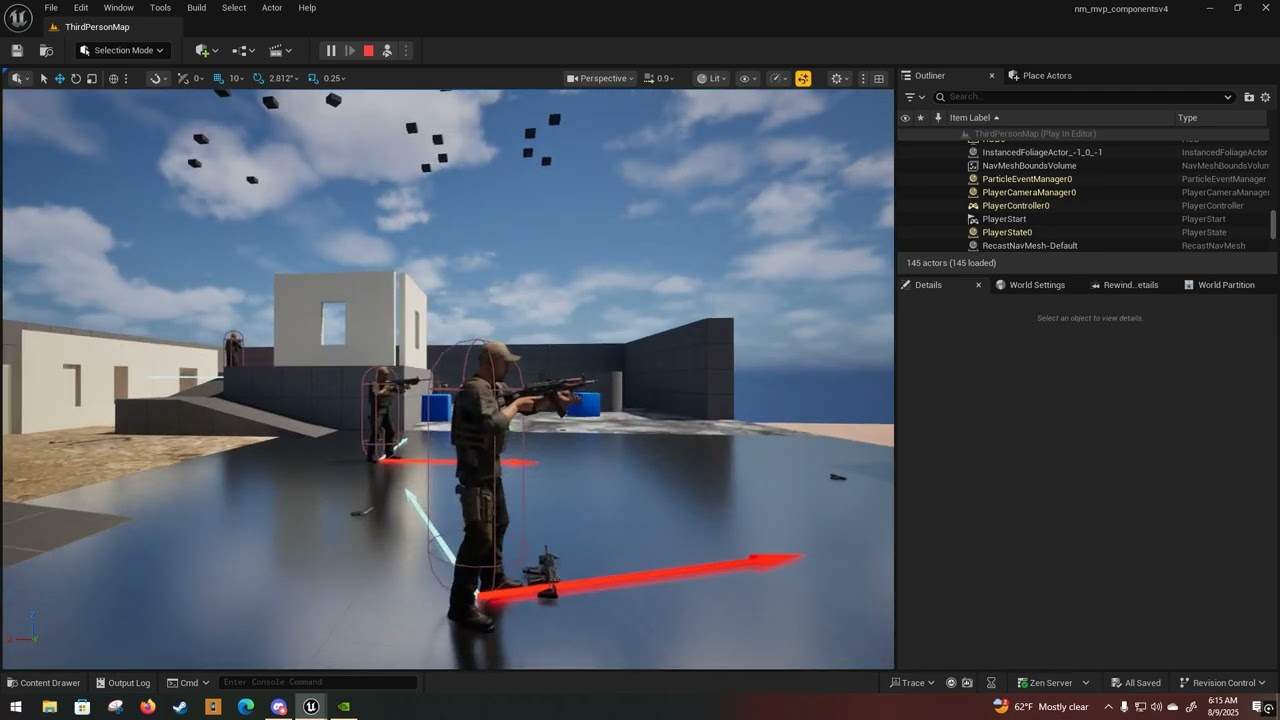
 misty dagger
Isn't there a possibility to easily use 2 skeletal animations in an "additive" way** directly in sequencer**? Like: Layer one: Body animation, Layer 2: Tail animation, Layer 3, Ear animation. So that they don't overwrite each other?
something like "only animate bones of Tail 1-4 and ignore the other body bones" would do it aswell.
(i am lazy, and i would like to recycle tail animations :D)
fading cloud
misty dagger
Isn't there a possibility to easily use 2 skeletal animations in an "additive" w...
yes, its possible. in the sequencer you select the bones you want, press "add layer", select the layer to be "additive" (which it is by default) and then animate your bones
misty dagger
you mean, select the controls?
HMm. that is not exactly what i need. I think. I animated the tail in blender
i just want to add my blender tail-animation on the character that uses a free idle animation.
HMM. But i could bake the animation to the control rig and then make that additive! at least, i hope. HM
wonderful. it greys out all animations, so my idle animation is not playing anymore.
misty dagger
ok this works: "bake animation to control rig -> copy all controller rotation keys from the tail animation in the sequencer -> undo -> this way the animations play again -> make an additive layer for the tail bones on my control rig -> paste the control rig keys in the new layer, works. But man thats a hassle. at least i now can control the influence of that animation and its speed.
 white shore
Anyone know any projects looking for an Animator?
Its been months since I've found any gigs
viscid willow
open egret
no 🙁 I have no state machine or what have you for the shooting event
if you don't have a montage slot, then your montage won't be able to play
 dusk epoch
severe sage
Hello! In GASP, the player char hand IK will snap to the spline edge no matter w...
dusk epoch
severe sage
Hello! In GASP, the player char hand IK will snap to the spline edge no matter w...
That map looks cool. I like your level design skills.
severe sage
dusk epoch
That map looks cool. I like your level design skills.
Thank you very much
open egret
viscid willow
if you don't have a montage slot, then your montage won't be able to play
Where exactly are we talkin'?
My abp didn't have a montage for this montage anime before D':
viscid willow
open egret
Where exactly are we talkin'?
My abp didn't have a montage for this montage anim...
in the abp, do you have a deafult slot or anything like that? Those slot nodes are what play montages
open egret
I do, I've got my whole AO and such set up in derr
viscid willow
open egret
I do, I've got my whole AO and such set up in derr
yes but do you have a montage slot node?
viscid willow
open egret
I do, I've got my whole AO and such set up in derr
could you share a screenshot of your anim graph?
smoky shell
I like the blending you get with BlendPosesByBool anim node so made a static function that reproduces the same blending behaviour, to use for gameplay stuff and non-anim node animation stuff
Its nice that it takes specific blend times and has interp functions, without relying on VInterpConstantTo etc. with arbitrary durations
You can grab it here, don't have to clone the plugin can copy/paste into your own project
https://github.com/Vaei/SimpleLocomotion/blob/main/Source/SimpleLocomotion/Public/SimpleStatics.h
https://github.com/Vaei/SimpleLocomotion/blob/main/Source/SimpleLocomotion/Private/SimpleStatics.cpp


 sand rain
Is it possible to use a single level sequencer to edit many animations? I have a few animations I need to make and I'm noticing that every time I need to either edit n existing one (like Lyra anims) I have to create a whole new level sequence for each one. Is there a way I can just load a bunch of animations and edit a specific one on my control rig at a time?
 spiral sequoia
im trying to figure out a way to have independent layers in an animbp. example would be if i wanted the right and left arm to have their own animations based on what they are holding. im trying to figure out this LinkedAnimLayer thing, which does do whatever animations is in it, but is there a way to sync the animations with the main AnimBP? if i have a jog animation and i have the layer for the left arm be the same animations as the main body, when i set the layer it just starts the animations from the start, so they are out of sync forever. i also feel like i shouldnt be recalculating a bunch of stuff in these linked layers. im not super sure of how to set up the AnimLayerInterface. right now i have like LeftArm and RightArm to return a pose. i get the feeling im going to need an interface function for every state and to somehow pass through something from the main AnimBP to sync things up. is there an easier solution?
ashen junco
spiral sequoia
im trying to figure out a way to have independent layers in an animbp. example w...
Sync Group is most likely what you're looking for
spiral sequoia
that works across linked layers?
i havent actually used them myself. ive used them when theyre in a project, but i havent done it from start to finish myself. the main takeaway is that -if- something is in a sync group, it is required to have all of the sync markers or else it doesnt work, right?
spiral sequoia
ashen junco
Sync Group is most likely what you're looking for
ok i think i set up the sync groups and from what i can tell i think they are synced up. hopefully its that simple. thanks for the info~
so is the best practice to have a blendspace for each linked layer and pass through things like speed/direction from the main animbp so they arent recalculated? i mean the blendspace still has to do the lookup. and for things like the jump start / loop / land stuff, is it reasonable to have a state machine for each linked anim layer? or is that what the interface is for "GetPose_Jump_Start", "GetPose_Jump_Loop" and just fill the main AnimBP with that?
onyx nacelle
spiral sequoia
im trying to figure out a way to have independent layers in an animbp. example w...
Layered blend by bone? and set it to the L or R Arm. For True pose you can use your normal locomotion and False the animation you want to blend in.
spiral sequoia
well its going to have to be blended in ya, its more about how to tell it what to do without bloating the base class. the animation id want to blend in is unknown at the time and i wanted to avoid a ton of blends in the main animbp. i seem to crash if i do blends inside a linked layer, which is unfortunate because it makes me need multiple linked layers based on the situation, blending in the main graph even when neither layer will be used. im probably missing something. i see stuff about linked layers crashing when blending because of inertialization but not really sure what it wants me to do about it
onyx nacelle
spiral sequoia
well its going to have to be blended in ya, its more about how to tell it what t...
you could set up an enum list based on different interactions, and create a bool maybe or some blend from those. So it'd only blend the left side of the character when certain interactions happening. Otherwise it will use the basic animations.
 tight zenith
question... I have a blend space here...
it goes from idle, to walk to hop.


but the problem is I never see my bird walking, it just slides and the animation is frozen
but the idle animation works when its not moving
vale drift
sullen dagger
If I manage to fix it I'll let you know!
I think I found where to edit these points, these are sequences.
----> #animation message
smoky shell
I finished my wiki entry on how to create a PoseDriver setup like UE5 Manny uses from scratch
This helps to correct deformations with difficult poses
https://github.com/Vaei/LocoTips/wiki/Pose-Driver-Setup
 dim wraith
Rough test of Spring controller setup for cartoony hair sim. I did this before committing to the hi-res sculpt of this character. 😄

 rotund panther
Hello, is there an Unreal Engine animator who can help me? I need an animator who knows how to create animations for a Diabloceratops. If you can help me, it would be appreciated. 🙂
rotund panther
rotund panther
Hello, is there an Unreal Engine animator who can help me? I need an animator wh...


I would need to walk, run, jump, bend down, sit down
misty dagger
hey i have this skeletal mesh using the same skeleton as my player character but the new skeletal mesh is stuck in a tpose when using animations,


animations and skeleton are from mixamo
how could i fix the new skeletal mesh to not be stuck in a tpose, new skeletal mesh was created by right clicking on the static mesh
 wise kraken
Stupid question… how can I get manny and animations if I started the project without them
 steep spade
Can I get some help on my aim locomotion animation?
Game is top-down fixed camera angle. Player holds RMB and the pawn should "fixate" on the cursor location.
My implementation works if the pawn is stationary, but the torso rotation is slightly off during WASD movement. If movement, then I calculate direction of movement relative to actor's rotation and play blendspace to move feet.
Attaching a video. You can see the red arrow no longer lines up with the target (yellow debug sphere) during movement at the 00:10 mark.
Also attaching a screenshot of the anim state. Not sure what else is relevant, but happy to share any other parts of the setup.
I've tried various setups using aim offset and layered blend. But for some reason, it feels like the blendspace is overriding or fighting the intended rotation.

I'll add: Game is multiplayer, during RMB hold I am Rinterping set control rotation based on the "look at rotation" to the target click. I am wanting to use control rotation to take advantage of the built in replication.
I have additional logic that toggles Orient Rotation To Movement & Use Controller Rotation Yaw based on if the pawn is aiming or not. This is so that the pawn will automatically turn in the direction of movement if aiming is not active.
 sleek mantle
Hi, I want to create several animations in one asset for a game that will be made in Unity. How do I create these animations using Cascadeur?
limber flax
When doing IK I get a weird forearm roll that is off by about 90 degrees, does anyone know why or what is the proper way to fix this?
I tried to copy Manny's bone structure as best I could. It looks like his upper and lower arm bones have a Z that points UP and a Y that points forwards, then his hand has a Y that points up and a Z that points "backwards". I have a similar setup in T-pose, but when I try to do IK I get a forearm roll that is off by 90 degrees. In animation blueprints I could fix this with a manual roll of the forearm bone and then rolling the wrist bone back but now doing this same IK in control seems a lot less clean, and it feels like it's more of a hack no matter what. What's the proper fix for this?


 limber flax
Maybe more what I'm realising is like...
I'm using a Basic IK and an effector that is my wrist that matches a specific position and rotation...
But it seems like my bones don't actually twist or rotate to match that orientation...
Is there a different type of IK that's meant to match/distribute the twist of the effector as well?
 ebon granite
Hey getting back into UE and I need your opinions. I'll eventually need to learn animating. Is animating in UE advanced enough to consider it as a main animation tool nowadays?
 sharp portal
Hello, i have an exported animation from fmodel at 28.33 frame rate ( i forced it to that in the source code as that's what its meant to be ). I need the sequence length to be 0.6 post import, however it is 0.57, as if the anim was 30 FPS. What can i ddo about this
 static holly
I'm trying to import animation from Blender. The animation uses constant interpolation between frames to create an effect of jumping from one position to the other, but after exporting the animation interpolates for one frame anyways. Is there any way to fix that?
 novel jetty
Hi all, I'm struggling with retargetting animations from Mixamo to a modified Mixamo skeleton with a root bone. I've used UE 5.6 to add a "root" bone to the Mixamo skeleton. Now I'm trying to retarget an animation from the original skeleton to the modified. My Op Stack has 3 features enabled, Pelvis motion, Root Motion, and FK. When I preview the retargetted animation, I see the root bone moving properly! However, when I click "export" suddenly, the exported animation sequence loses any movement of the root bone. There must be a setting I'm missing somewhere but I can't for the life of me find it. Anyone know what I might be missing?
 covert orchid
I'm doing this on the Animation Blueprint but it doesn't update on multiplayer. like, the client that moves sees the animation and the server too, but other clients doesn't
 bitter jasper
Hi all, anyone had major issues with Motion Matching (Pose searching specifically) and a scaled skeleton?
 primal smelt
Does anyone know why my character's hair is grey rn but is black when in the metahuman creator?
 severe sage
How do you nuke lateral movement? Setting the velocity to 0 still moves the character in all directions. Am I missing something? Nevermind, found out how to disable the X axis on the input
 tidal hemlock
Here is my problem, I created a custom control rig and tried to attach it to my skeletal mesh to bake my animations to the custom control rig instead it is only showing "CR_Mannequin_Body". https://www.youtube.com/watch?v=_XzSmVjWZzo

Not my custom control rig
 thorny portal

Using ALS V4 UE4.26, when crouching the neck stretches, I already did retargeting options which helped a little but I’m still unable to fix this
ruby swallow
Why is this scaling issue still a thing when exporting from blender? Can't epic just create a fix that accommodates for this rather than having every single user set up a specific scale for unreal? Isn't blender big enough now to warrant this
ashen junco
ruby swallow
Why is this scaling issue still a thing when exporting from blender? Can't epic ...
If anything it should be Blender doing that 😛
You can set the unit scale to 0.01 in Blender, so that it matches Unreal's 1 cm unit scale
ruby swallow
still not sure how to fix it from blender. The issue is that the root bone is still either 0.01 or 100x. I've tried:
- setting 0,01 scale in blender
- above + scale up the model+armature
I've tried every variation I can think of but it's still importing with a root bone of 99 scale
ashen junco
ruby swallow
still not sure how to fix it from blender. The issue is that the root bone is s...
Have you applied the transforms after scaling?
ruby swallow
haha oh god. i didn't do this the last couple of times. thank you ❤️
thorny portal
Anyone experienced with ALS and animations? I’m having some issues I can’t figure out if anyone’s interested in helping DM me.
 rain solstice
In the Phat editor, how do I prevent these springs from clipping through the mesh?


Basically how to I create a blocking/collision volume?
ashen junco
rain solstice
In the Phat editor, how do I prevent these springs from clipping through the mes...
How do you skin/weight paint the springs?
rain solstice
ashen junco
How do you skin/weight paint the springs?
All verts on the springs are 1. Is that why?
ashen junco
rain solstice
All verts on the springs are 1. Is that why?
Yes. It's not compressible with just that lol
Typically suspension springs on vehicles are purely cosmetic and blending between the start point and the end point
rain solstice
ashen junco
Yes. It's not compressible with just that lol
Typically suspension springs on ve...
While they are often cosmetic on cars and trucks, the things with trains is that you can tell a lot about the load and if the railcar has a load based on the compression of the coil springs.
So I am trying to replicate that using physics. The issue I've had in the past is that the coils are hard to weight so that they deform naturally. Any suggestions?
I am using blender and I think the last time I tried this (been a while) I used a vert weight gradient do get a more natural compression look but the coil (which is steel and so it shouldn't defore) would shrink and flatten as the gabs between the coils would skrink. So it looked very off.
 noble pelican
Where is Copy Curves in Retarget Pose From Mesh in 5.6?
Apparely it's "Remap Curves" in the retargeter now
covert orchid
hiii! how can I make the hand to follow the camera? because when I look down the hand doesn't follow and the flashlight is useless and I can't aim
 mossy elm
does anyone know if Chaos cloth can collide with a movable static mesh in a level?
 foggy nexus
covert orchid
hiii! how can I make the hand to follow the camera? because when I look down the...
foggy nexus
covert orchid
hiii! how can I make the hand to follow the camera? because when I look down the...
Probably a few ways but the first that comes to mind is using a LookAt node in a control rig (plenty of YouTube tutorials for this) feeding in the vector camera location + camera forward vector * some distance.
 inland heath
I need some suggestion regarding how to structure the animation system (its not using metahuman rig)
currently i am working in a project that has multiple game mode with very different animations
i want to have same base class for animation
and also the character is modular made up of different Skeletal meshes (main body and hair,shirt,pant,shoes)
thanks in advance.
covert orchid
foggy nexus
Probably a few ways but the first that comes to mind is using a LookAt node in a...
thanks a lot for the suggestion, got it working now :)
covert orchid
is there a way to animate procedurally the picking of the objects? because right now I have it like this but I have to make an animation sequence for each item to change the fingers and everything. is there a better or easier way to do it?
 white shore
You know any projects looking for a weapon animator?
 stiff sigil
hey can anybody help me with problem? im trying to implement a blendspace Animation system for movement but nothing happing, im deadlocked on Idle for some reason, not shure if its the blueprint or the blendspace its self, anychance anyone can help me figure this out?
 night rover

 last patrol
I have an Animation BP with a control rig for the Foot IK. I then made child BPs from that for several enemies that share the same skeleton and I overrode their animations. When I load an enemy on the parent AnimBP, the foot IK seems to work, but when I set it as the child AnimBP, the FootIK doesn't seem to work. In the Enemy BP, I have it set up where on begin play, it chooses a random enemy from a datatable and sets the mesh and anim instance class. Why wouldn't the Foot IK work on the Child AnimBPs
 slow brook
anyone have any idea on how I can turn the metahuman rig that I get out of UE and put into Blender into something I can actually animate cause at moment I defo cant as the bones all look like this
 slow brook
thing is if I do that in UE I'll have to mess with trying to retarget animation from the blender rig to the metahuman rig
 cunning ibex
Ooh I thought you want to animate in blender
slow brook
i do want to animate in blender
but I have to take the animations then into UE and well that is where issues may occur
cunning ibex
stiff sigil
hey can anybody help me with problem? im trying to implement a blendspace Animat...
Check your blendspace you should change it try three animations Idle,walk &run and if it works you can add the other ones laiter or else check your State machine and the transitions make sure you use precise nodes to iterate the Animation Blueprint
cunning ibex
white shore
You know any projects looking for a weapon animator?
How much do you charge I am working on a FPS game
cunning ibex
stiff sigil
Another thing make sure you set Speed and Direction use precision
 keen coral
is it possible to retarget a partial skeleton onto a larger one? My use case: I have the UE MannequinXR skeletons + hands, and I wanted to retarget those skeletons onto a larger Manny skeleton. MannequinXR only contains hand_l/r downward, but the larger skeleton has the full body
last patrol
I have a control rig for the foot IK for a skeleton that is shared between several enemies. All the enemies have the same animation blueprint and I change the animations depending what enemy spawned. The problem is that the control rig has weird effects on some of the enemies. Some have the feet slightly below the ground and another is like their feet are moving up and down. Does it matter what is selected mesh in the control rig?
some of the enemies seems to be fine with the foot ik
I just refreshed the mesh to another enemy in the control rig and it seems like the problem is fixed for that mesh, but it causes problems for others... seems like the only solution would be to duplicated the control rig for each unique enemy
spring solstice
Hey folks, how do I transform a socket in animation sequencer? I have a generick pickable object with a SK attached to my MainHand_Grip socket and I want to rotate it but I'm being unable to find a way.
 small widget
What's better for AI. Motion Matching or In place?
 languid ether
hellooo im a bit of a beginner and trying to animate a custom metahuman character i made. the animations from the control board aren't affecting the face rig at all. i think it might have something to do with the post process anim bp but if i remove it it breaks other things... help would be brilliant thank you!! i need to hand this project in this week
languid ether
i'm also having an issue where my animations randomly stop working 😭 im so confused lol
 faint oracle
spring solstice
Hey folks, how do I transform a socket in animation sequencer? I have a generick...
faint oracle
spring solstice
Hey folks, how do I transform a socket in animation sequencer? I have a generick...
You can't transform sockets outside the skeleton editor, you can however create a virtual bone and attach said object to that VB and animate that. VBs are created in the same spot as sockets
slow brook
Anyone know if thats right for the character direction thingy ??


my issue is when I have these in my Blend space
actually never mind
spring solstice
faint oracle
You can't transform sockets outside the skeleton editor, you can however create ...
Oh, thank you I'll look into that
limpid robin
Is there a difference in performance between using a poseable mesh and manually rotating parts vs. just using static meshes and rotating those?
 restive bison
Available now on FAB
Link : https://www.fab.com/listings/02b4b496-4591-4cee-8970-e28c08026eae
Other products on FAB
Link : https://www.fab.com/sellers/9CG
i have a question is making this animations needs the weapon to be a part of the mesh ? since i am not an animators i usually make the weapon as a blue print actor and use a socket and i was having a hard time making a custom equipping or unequipping animations instead of using mixamo animations as i used to do
and this animations in the video have a lot of attaching and detaching of the weapon and make this using sockets i felt kinda hard or not logical
 steady viper
restive bison
i have a question is making this animations needs the weapon to be a part of the...
steady viper
restive bison
i have a question is making this animations needs the weapon to be a part of the...
The weapon is an actor of its own. In this case, you attach the spear to a bone in the rig, and now you just make the animations, including the equipping and unequipping.
the bone's parent is the hand bone
Also I'm not sure where in the video is the weapon being attached and detached, if you mean the act of putting the weapon on your back, you can either animate the weapon bone in the locomotion cycles, or a simpler and better way would be to attach the weapon to your spine bone in the case of this spear in the video
 wooden oar
<@&213101288538374145>
spring solstice
faint oracle
You can't transform sockets outside the skeleton editor, you can however create ...
I've managed to create and rig the virtual bone, I've noticed that I'm unable to transform it and it's anchored to the hand_r.
If I want to, for example, rotate a knife in the middle of my hand, CS2 style, I'll need to animate the virtual bone with the SK_Knife offset in mind, or there is a way I keep the virtual bone in the middle of the hand like where my old Socket is?
rain solstice
Is there a way to adjust the clipping view of the PHAT editor? When in Lit and Unlit view mode there's a ton of clipping in the editor. The only mode I've not experienced this is in wireframe mode.
Thiis is when I am not in Perspective Mode btw
 cedar meadow
is there a way to make a character mesh not jerk around when turning Use Pawn Control Rotation off? With it on the code in the image doesn't work (camera doesnt tilt) but with it off it works, however the character mesh starts twitching/lagging when moving the camera

or maybe is there a way to add rotation to camera even with Use Pawn Control Rotation on?
you can see that hands and just the whole body twitches around when turning with Pawn Control Rotation off but that's the only way i know how to get the camera tilting on mouse movement to work
spiral sequoia
is it possible to use Linked Anim Layers for things like "RightArm" having its own layer, "LeftArm" having its own layer? it seems like the only way to link layers is to link all of the nodes to the same instance. i guess im not understanding how to link an anim instance class to a Group
viscid willow
spiral sequoia
is it possible to use Linked Anim Layers for things like "RightArm" having its o...
you can have linked layers be granular like that, it will be a matter of using masking/layer blends to then ensure the animation is only applied to the specific parts of the body
spiral sequoia
ya but i mean... link anim class layers only takes a class, not an FName for Group or anything. do i need a new interface class for each separate layer?
 cosmic zodiac
https://x.com/bakino_x?s=21
My Custom Cutscene in Unreal Engine 5 WIP
🇸🇰 3D Cinematic Animations UE5 | I’m a newcomer in the Unreal Engine community.
 X
X
 craggy cedar
Hey I have an issue, I am trying to play an anim montage on my character but it doesn't work. I have have animation blueprint with a slot defined and it's using the same slot on my animation montage. I try to trigger it from C++ and there is no issue trying to trigger it but it never plays. Am I missing something?
        if (UAnimInstance* AnimInstance = GetMesh()->GetAnimInstance())
        {
            if (AttackMontage)
            {
                bIsAttacking = true;
                const float MontageLength = AnimInstance->Montage_Play(AttackMontage, 1.0f, EMontagePlayReturnType::MontageLength, 0.0f, true);

                if (MontageLength > 0.0f)
                {
                    AnimInstance->Montage_SetEndDelegate(OnAttackMontageEnded, AttackMontage);
                }
            }
        }```

 native umbra
Initialze Animation Blueprint isn't getting called at all, any ideas as to what might cause this?
 simple vapor
hello, I tweaked my physics asset a bit to be more realistic and now I can no longer ragdoll my characters that use said material, anyone know what could be causing this?
 eager yarrow
Hi, I’m working on a pawn that can flip and walk upside-down, and I want the head to rotate relative to the camera look direction regardless of orientation. I know this problem has likely been solved many times before, but I dont see much documentation for this. Anything will help, thanks!
native umbra
Nobody has ever been able to figure out how to pose a character in the editor without creating a super custom system, is that right?
Like there's no way to do it outside of sequencer I mean, still with IK and the like?
dawn kiln
Ok I need help with something pretty basic. Im making some AI for my game and right now I just have a basic task that makes them play their attack animation on loop for testing reasons.
Is there any reason this task would work on all my enemies OTHER than 1 of them? They are all configured the same from a master BP their animation graphs have the default slots and everything I cant for the life of me figure out whats wrong with this one specific enemy, if theres anything else I should keep an eye out for I'd appreciate the help
 gentle lake
dawn kiln
Ok I need help with something pretty basic. Im making some AI for my game and ri...
gentle lake
dawn kiln
Ok I need help with something pretty basic. Im making some AI for my game and ri...
show the code
dawn kiln
gentle lake
show the code
its messy because this is just debugging stuff, but there isnt much to show.
This is the task that makes them attack
and theres actually no logic on the enemy itself right now since im just testing some attack stuff through this task

and again it works on everyone else except 1 and they all pull from the same parent class and everything
gentle lake
dawn kiln
its messy because this is just debugging stuff, but there isnt much to show.
T...
for one thing just play montage
gentle lake
dawn kiln
and again it works on everyone else except 1 and they all pull from the same par...
what are you pulling from combo attacdk 01 ?
where are you getting this value ?
dawn kiln
they enemies have a few variables on them for storing their coresponding montages so thats coming out of the enemy reference this task gets
and yes that variable is filled on the enemy im trying to get to play
gentle lake
as far as filled is your sure it's the correct one ?
gentle lake
how did you check ?
dawn kiln
I opened up the enemy's BP and made sure their variable is set to the montage I want, I even went as far as to fill all the other variables with the same montage just to be extra sure
this one enemy just wont play montages for some reason
dawn kiln
they are different individual classes, but they all pull from 1 master class and right now they might as well be the same cause im doing early testing for all of them
and the attacking part is something they all share
gentle lake
dawn kiln
they are different individual classes, but they all pull from 1 master class and...
so just hardcode a montage
does it play ?
dawn kiln
as of right now yes
dawn kiln
gentle lake
does it play ?
no
no it doesnt play on this one, I thought you were asking if it was just hard coded montages rn sorry
gentle lake
no if you set the montage to a hard coded value
?
is what i'm asking
instead of pulling from the variable
does it play the correct montage ?
dawn kiln
that.....does work wtf
gentle lake
then the variable is fkd
dawn kiln
but again this set up is the same for all of them so far why would just this one guy be having a problem
gentle lake
idk i have no clue without looking at it
dawn kiln
they all use the same variable rn, they all pull from the same parent, and have no main logic on their graphs rn since they are WIPs