#animation
1 messages · Page 37 of 1
 nimble torrent
 high light
Alright, how would i go about fixing this problem then?
nimble torrent
high light
Alright, how would i go about fixing this problem then?
Here's one of the many ways you can fix this:
- make your reload animation into a montage
- play your reload animation using the Play Montage function, this will give you both start and end events for the reload (you need these)
- when you start your reload animation, use the function 'Attach Component To Component' to reparent your gun from your right hand to your left hand. Make sure all the 'Rule' options are set to 'Keep Relative'.
- when your montage ends, use the 'Attach Component To Component' function again to reattach your gun to your right hand

In your case, 'Parent' is your animated mesh. 'Target' is your Gun, and 'Socket Name,' is the name of the bone you want to reparent the gun too.
high light
nimble torrent
In your case, 'Parent' is your animated mesh. 'Target' is your Gun, and 'Socket ...
OKay so i need to add a bone right? also how do i make the reload aniamtion a montage. thanks for helping me 🙂
nimble torrent
high light
OKay so i need to add a bone right? also how do i make the reload aniamtion a mo...
You do not need to add a bone.
This will work without one.
It is a much more error prone method than adding a weapon bone, but it is far less involved and complicated for someone in your specific position.
I would never advocate for this method in most circumstances, but this is a school project, you did not create the animations, and you are a beginner - so in these circumstances, using this method will probably be OK.
high light
nimble torrent
I would never advocate for this method in most circumstances, but this is a scho...
Okay cool. thanks, so how do i turn the reload animtion into a montage?

 left spade
im lost just reading all of this xd
 old falcon
Squishy hard at work as usual 😄
nimble torrent
: P
For you JustAGhost - do you know how to get anything to happen when you press a button? Like, do you have basic input stuff working?
high light
nimble torrent
You can create a simple montage by right clicking on the sequence:
Hey so I’ve made a montage. Where do I find the attach component to component
left spade
nimble torrent
For you JustAGhost - do you know how to get _anything_ to happen when you press ...
well actually, i have a main menu thing im working on where i can press like the start button and it loads the game if that counts
nimble torrent
high light
Hey so I’ve made a montage. Where do I find the attach component to component
You would do this in your pawn class, where you are controlling the reload action.
nimble torrent
left spade
well actually, i have a main menu thing im working on where i can press like the...
But not a keyboard thing?
left spade
no unfortunately
nimble torrent
Well... I mean - probably best to get that working first before you worry about doors right?
nimble torrent
It depends on your game! Unless your game is specifically about opening and closing a door, you probably have a set of actions that you need to do that are more important.
left spade
well in my game there is no movement its basically sit in an office and close doors type thing
but you can turn left and right
nimble torrent
Ah, a Five Nights At Door Management kind of game. : )
left spade
exactly :)
nimble torrent
OK. Do you have a player pawn or player controller setup, or anything like that?
left spade
yes i have a player controller but not a player pawn
nimble torrent
OK, well... you're gonna need one of those!
It doesn't have to have much in it though.
You're also going to need an InputAction and an InputActionMapping object. They're easy to make, let me find you a video.

Hello guys, in this quick and simple tutorial we are going to learn how to use the new Enhanced Input system in Unreal Engine 5.1
↪️Check out awesome Unreal Engine courses: https://bit.ly/GorkaGamesWingfoxCombat
Check out my Steam Game! https://bit.ly/3rVlXU1
Follow me on Twitter: https://twitter.com/GorkaGames
Subscribe to the channel: https:/...
In your pawn's construction event, add the mapping context containing your 'Open Door' button, and that will give access to your action as an event.
From there, you need to get access to your door object. You would do this through an exposed variable (probably).
The best way of doing this is probably to have your door control it's own opening behavior.
So you'd need a function on the door that you would call from the pawn.
And inside that function, you would make the door open by moving the Mesh up and down.
You can do that in a variety of ways - probably a timeline would be good in your case.
nimble torrent
Aha, a video of using a timeline to open a door:

*Notice Description Contains Affiliate Link
In this video I want to cover what I would argue is one of the most useful nodes in Unreal Engine; the Timeline node. Technically, timelines are treated as components, but in essence, they allow you to create simple animations on the fly in blueprint. There very customizable, can be used with externa...
left spade
where would i put the player pawn? or does that not matter
 left spade
oh wait i think i have a player pawn then
nimble torrent
You can also set it on a level by level basis, in the Gamemode Override section of the World Settings.
left spade
because the base character is there the BP_FirstPersonCharacter
nimble torrent
OK, then you just need to add your action mapping to that BP's construction event.
Rather than creating an entirely new pawn.
You still need the actions though.
left spade
alright awesome
for the input action would i need one for opening and one for closing the door? or can i use one to do both
nimble torrent
Depends on your game design, but probably you want it on a toggle, so hitting the same button will open and close the door.
left spade
alright thank you
got a lil issue, in the tutorial he has all of these nodes but since i dont need like any movement i dont have them and hes tinkering with them im not sure what to do
nimble torrent
The door tutorial or the action tutorial?
left spade
the action tutorial
nimble torrent
OK, you just need to add your Action to the end of the construction event in the pawn.
That should give you the ability to put the name of that action into the search bar when making a new node, and it should show up as an event.
Have you done that?
left spade
where would i find the construction event?
nimble torrent
It'll be called 'BeginPlay', it'll look like this, and it'll probably be somewhere near the top of the graph:

 nimble torrent
You don't need to link it. Like it shows in the video, you need to Add the Mapping Context.
You need to get the local input mapping subsystem:

Then add your mapping context:

You need to set the mapping context to the mapping context that has your action in it.
high light
nimble torrent
You would do this in your pawn class, where you are controlling the reload actio...
sorry i had a powercut. How do i know if i have a pawn class?
high light
nimble torrent
Check what it says here:
okay i found the pawn, but i cant find the attach component to component
nimble torrent
Are you looking at the pawns graph?
high light
nimble torrent
Are you looking at the pawns graph?
err idk, i checked to see what the pawn was as its set to a Blueprint
nimble torrent
Right, so you have to open that blueprint.
So you didn't create the pawn either?
Did you create the animation blueprint?
How did you setup the reload animation?
high light
i have an animation blueprint
nimble torrent
You're going to need to find the place where the reload animation is triggered.
It's probably in the pawn.
high light
nimble torrent
You're going to need to find the place where the reload animation is triggered.
wdym triggered.. sorry im a real newbie
nimble torrent
Somewhere in your code, pressing a button causes the character to reload the gun.
You're going to have to find where that happens.
nimble torrent
Cool.
high light
now what?
nimble torrent
I've already told you.
high light
i mean i still cant find the attach conponment to componment, but after that i think ik what to do
 high light
ah i see, thank you sm 🙂
high light
nimble torrent
Should be in the right click menu.
sorry to be a bother, is there a way i can re possition it after its change to the other parent?
nimble torrent
Yes. There are several functions that will let you do that.
They're called things like "Set World Transform" and "Set Relative Transform"
high light
which would you recommend?
nimble torrent
They do different things. You probably want 'Set Relative Transform', because that lets you set an offset from the parent.
So in your case, that would be the offset from one of the hands.
high light
nimble torrent
So in your case, that would be the offset from one of the hands.
great thank you 🙂
high light
nimble torrent
So in your case, that would be the offset from one of the hands.
what do i do with the 4 things on the left?
 nimble torrent
- sweep is for physics movement, you want that off
- teleport makes it happen instantly from the perspective of physics (so it doesn't accumulate velocity), you want it on
- New Transform is where you put the offset, but you need to make a new transform to put in there:
 high light
nimble torrent
high light
nimble torrent
Your a life saver. thank you so much
old falcon
By the way, does anyone have a good workflow for using linked animation sequences in sequencer?
I got a bunch of sub-tracks for each of my character's animations (I just mute them on/off depending on what I'm working on) and would love to have the auto-baking for this. But you can only have one linked sequence per track.
Am I really supposed to create separate tracks for each of my character animations?
 regal arch
I have a first person camera set up for a third person character, so you can look down and see your body. Whenever they are idle, they face forward. When they are running, moving, or jumping their body faces at a 45 degree angle. I'm not sure if this would be an issue for #animation or #blueprint ?

 craggy cape
Hi y'all, more control rig stuff. I'm working on making a rig manually since modular didn't work out, but when i set up controls for leg IK, the result looks like the first picture. Second pic is my IK setup. I can't figure out what i need to do to make the leg look normal in the default pose when the control is active. In the pic, the first pic has only the character's left leg rigged for IK. Has anyone had this issue before? My skeleton follows the bone structure of the default mannequin for legs

 old falcon
craggy cape
Hi y'all, more control rig stuff. I'm working on making a rig manually since mod...
old falcon
craggy cape
Hi y'all, more control rig stuff. I'm working on making a rig manually since mod...
What are your bone orientations like? The left bones really face in -X direction? You could also try setting your secondary axis to 0,0,0
craggy cape
-x is down leg for the skeleton. Secondary axis of 0 results in this:

 old falcon
Your shin bone doesn't seem to face -X, does it? Can't see it well

 old falcon
Yeah that doesn't quite look like -X to me on the shin, though I'm not too sure about this. Also depends on whether you have global or relative enabled when selecting the bone.
As far as I know ideally you would want the bones to face exactly along one of the axis.
For example, my shin (and all other left-hand bones) face in +X, which is then mirrored for the left/right side. (i.e. if left is +X forward then right is -X forward)
 craggy cape
Could you send a zoomed out pic of both legs? just so i can make sure i'm using left and right correct
old falcon
You don't have to have your bone aligned on X. In fact, I think none of the skeletons Epic provides (i.e. manny) follow +X but rather Y (?). Don't quote me on that.
It's only important that your bones are aligned along any axis. Preferably what Epic uses if you want maximum reusability with animations from the marketplace and so on.

 craggy cape
So the leg's skeleton in Tpose needs to be completely straight?
old falcon
No not at all. The bone (e.g. from knee joint to foot joint) needs to be aligned exactly along one of the axis. Regardless of bone position, one of the arrows needs to point exactly at the next joint
Have a look at the "Orient bones" section here: https://dev.epicgames.com/documentation/en-us/unreal-engine/skeleton-editing-in-unreal-engine
The gif demonstrates nicely what needs to happen. After orienting, the X axis of each joint points exactly at the next joint in the chain

Epic Developer Community
Create and Edit Skeleton Assets using the Skeleton Editing tools in Unreal Engine.
Take all of that with a grain of salt, I'm not an expert on rigging/animation
 opaque comet
Having a weird issue with the LayeredBlendPerBoneNode. I'm using a float variable that is saved in the Event Graph for the blend alpha between two poses. For some reason, during runtime it looks like the second blend pose (Blend Poses 0) only starts to kick in once the alpha float goes > 0.5. If I manually set the float value to 0.5, it correctly shows a 50% blend.
I have a print node running from the Event Graph to confirm the float variable value
craggy cape
old falcon
Take all of that with a grain of salt, I'm not an expert on rigging/animation
Thanks for the help, will look at the link and see if that fixes it
opaque comet
I also tried doing a 1D blendspace that uses the float variable, then feeding the result of that blendspace into the LayeredBlendPerBone with alpha = 1. Same result. Is there something different with the way the AnimBP Event Graph sets variables and communicates with the AnimGraph? This makes no sense to me. I've unhooked all other AnimGraph logic to confirm this is the only node affecting the output pose.
nimble torrent
opaque comet
I also tried doing a 1D blendspace that uses the float variable, then feeding th...
That certainly shouldn't be happening. You should be able to blend poses at less then 50%.
Like, if you look at the default 3rd person animation graphs - they do that in their blendspaces a lot.
opaque comet
Restarted the editor too
 rustic island
I'm trying to work out a in / out transition using ultra dynamic sky, when in space and my character passes through the atmo, it changes to sky, and vice versa..
but im stuck on the logic i know im missing something but not sure what...


 hollow moat
I cant seem to figure out why the blend poses by bone isnt working. Im using a montage to play a attack animation so i made a upperbodyslot node.
nimble torrent
rustic island
I'm trying to work out a in / out transition using ultra dynamic sky, when in sp...
What does it do instead of work?
opaque comet
nimble torrent
That certainly shouldn't be happening. You should be able to blend poses at less...
This is so bizarre. I'm feeding in a sin wave to the blendspace and it works as intended. As soon as I feed my variable, it stops working.
nimble torrent
hollow moat
I cant seem to figure out why the blend poses by bone isnt working. Im using a m...
Looks like it's working fine, but the character stopped moving.
Don't think that's an animation bug, I think that's an AI bug.
nimble torrent
opaque comet
This is so bizarre. I'm feeding in a sin wave to the blendspace and it works as ...
Any chance your variable is bad?
opaque comet
It feels like the AnimGraph isn't looking for an update to the variable until it hits a threshold or something
opaque comet
nimble torrent
Any chance your variable is bad?
I'm printing the variable from the AnimBP Event Graph, so I know it's correct
nimble torrent
OK!
rustic island
nimble torrent
What does it do instead of work?
well no change happens
nimble torrent
rustic island
well no change happens
Have you confirmed that the collision is happening?
By using, the debugger for example?
That's the obvious way this fails
rustic island
no I'll open that and use that, one sec
rustic island
nimble torrent
Have you confirmed that the collision is happening?
in the debugger no breakpoints show up
opaque comet
nimble torrent
OK!
I made a duplicate function in my pawn character to calculate the value of the float variable. In my AnimGraph, I'm now referencing the variable from the pawn and not from the AnimBP Event Graph. For some reason this method works, lol
nimble torrent
rustic island
in the debugger no breakpoints show up
So you don't hit any breakpoints?
nimble torrent
opaque comet
I made a duplicate function in my pawn character to calculate the value of the f...
Interesting!
rustic island
nimble torrent
So you don't hit any breakpoints?
no
nimble torrent
rustic island
no
That suggests the problem is not your graph, it's your collision setup. They're not interacting for some reason.
Personally, because it's a sphere, I wouldn't use collision.
I'd just use a distance test.
Distance tests are real cheap.
rustic island
nimble torrent
That suggests the problem is not your graph, it's your collision setup. They're ...
is my graphs correct ?
nimble torrent
Who knows?
rustic island
nimble torrent
Who knows?
take a look, i posted them 🙂
nimble torrent
If you're not hitting any of it, then the problem can't be in the graph.
It has to be in the collision.
rustic island
ok then
 still cipher
Hi, didn't Unreal release a free pack of Motion Matching animations? Where can I get this?
nimble torrent
They don't appear to have released it yet.
still cipher
Oh ok
 nimble torrent
 mystic meadow
No, it might have something to do with 'Choosers' which appear to be some kind of new animation state machine system that has, from what I have been able to find, no documentation of any kind.
 hallow pewter
An update to this: I importted it sucessfully by merging and then parenting. the bone hierachy looks weird (Already had to rename the armature in blender to "root", for it to not give an error). Also, when i try to retarget thge animations from the default third person character, it simply doesnt retarget anything. There is also an error or warning below.

 hallow pewter
An update to this: I importted it sucessfully by merging and then parenting. the...
hallow pewter
hallow pewter
An update to this: I importted it sucessfully by merging and then parenting. the...
This is the bone hierachy in blender:
 nimble torrent
hallow pewter
An update to this: I importted it sucessfully by merging and then parenting. the...
nimble torrent
hallow pewter
An update to this: I importted it sucessfully by merging and then parenting. the...
It looks like retargeting was not matching correctly. You have to set that up for non standard characters.
hallow pewter
nimble torrent
It looks like retargeting was not matching correctly. You have to set that up fo...
Like with an Ik retargeter?
Propably
nimble torrent
I'm afraid this is a bit beyond me. I haven't used the retargeting systems very much.
hallow pewter
Alr, thanks anyway!
mystic meadow
the new version of unreal makes retargetting easy as 1 2 3
hallow pewter
yeah, but my character is a robot, not a normal human character so the retargeting doesnt work that well
 naive mountain
Does the new retargeting perform accurate hands from manny > metahuman?
hallow pewter
Hey, is there some way to "join" those bones into one group, because unreal always makes a skeletal mesh for each bone group

 rustic island
@nimble torrent HEY THIS WORKS FOR WHAT I WAS TRYING TO DO 😄

 snow vapor
Would it be possible to use the same animation blueprint for 60 monsters in a game if all 60 monster have the same list of animations (i.e. walk, attack, take damage), but the animations themselves are unique for each monster? Since the way the animations work and are triggered is identical across all 60 monsters, it seems silly to make 60 animation blueprints just to go make them all the same with the only differences being swapping the Sequence Player being used in each state of the state machines.
nimble torrent
snow vapor
Would it be possible to use the same animation blueprint for 60 monsters in a ga...
Yes. Look up how child anim bps work.
snow vapor
nimble torrent
Yes. Look up how child anim bps work.
Ah ok cool. Thank you!
snow vapor
nimble torrent
Yes. Look up how child anim bps work.
So the problem with this though is that it seems like it requires using the same skeleton. My monsters are all fairly unique and the majority of them won't be able to use the same skeleton. Is there a way around that?
Essentially what I want to be able to do is play an animation by it's name on the current skeleton. My monsters skeletons will sometimes change when they evolve, so I want to just grab whatever current skeleton it's using and play the animations for that skeleton.
nimble torrent
Nope, sorry. Don't know a way to make fully skeleton agnostic blend trees.
nimble torrent
snow vapor
Essentially what I want to be able to do is play an animation by it's name on th...
Ok, you can't do blends but there is a way to play montages by names or enums.
snow vapor
hm.... I wonder if I can make that work. I'm still somewhat new to animation stuff but from what I know I think it would be nice to have blends, but for the game I'm making I might be able to get away without them.
old falcon
snow vapor
hm.... I wonder if I can make that work. I'm still somewhat new to animation stu...
If you really have that many unique skeletons you've got your work cut out for ya. I would strongly recommend you reuse skeletons wherever possible and make use of retargeting too. You can get pretty far with just creating skeletons per species, so biped, quadriped, avian etc.
You can also use animation blueprint templates to further reduce blueprint duplication between your skeletons. Keep all the generic animation logic in the template and implement details in the child anim BPs (will require heavy use of linked animation layers/graphs).
It would also probably be better if you don't handle your one-off animations (e.g. anything that does not loop: attacking, interacting with objects etc.) in the anim BP but just play montages on your skeleton directly. Makes your anim BPs more concise.
Since @nimble torrent is here I meant to ask:
Do you use/know about linked animation sequences in sequencer?
I got a bunch of sub-tracks for each of my character's animations (I just mute them on/off depending on what I'm working on) and would love to have the auto-baking for this. But you can only have one linked sequence per track.
Am I really supposed to create separate tracks for each of my character animations?
naive mountain
Runtime retargeting too
mystic meadow
how do I get animnotify to call a bp function
mystic meadow
character
old falcon
You get the skel mesh component as parameter in your notify right?
You can just get the owner of that component and cast to your character class. Then you can call any functions from that
 worldly anvil
Hello, does anyone know how to play a specific section of animation montage without carrying on the execution?
I have 3 sections, and I want to play only one of them. In the animation preview window it loops on one single section, but in the game it plays the section I give it and all the others that I have after it, i.e. if I play 01, it plays 02 and 03, for 02 it plays only 03, and for 03 it doesn't play anything after it since there's no other section.
 old falcon
worldly anvil
Hello, does anyone know how to play a specific section of animation montage with...
old falcon
worldly anvil
Hello, does anyone know how to play a specific section of animation montage with...
You'll have to manually stop the montage
Or easier: make 3 separate montages for each animation
Montage sections are meant to be used for sequences not selections, e.g. StartReload -> ReloadShell (looping for every single shell) -> EndReload
Your death animations don't seem to be sequential, so montage sections are probably the wrong tool
worldly anvil
old falcon
You'll have to manually stop the montage
Or easier: make 3 separate montages fo...
Oh, that sucks, thank you 😄
snow vapor
old falcon
If you *really* have that many unique skeletons you've got your work cut out for...
A lot of the problems I have with reusing skeletons comes from things like "this one has big long ears that need animated, this one has a tail that needs animated" and things like that. So I guess maybe one question I have might be what happens if I use a skeleton that has a tail and long ears on a creature who's general body and limbs fits but does not have those ears or tail? Can I just.... not do anything with the ears and tail bones and it'll be fine?
old falcon
snow vapor
A lot of the problems I have with reusing skeletons comes from things like "this...
Absolutely, as long as the hierarchies are the same and the bone names match, the animation will totally work, even if you have ears or a tail.
It's a good practice to establish a "main" skeleton and add whatever secondary bones you need later
snow vapor
old falcon
Absolutely, as long as the hierarchies are the same and the bone names match, th...
oooh ok interesting. That should help a lot then.
 limpid zenith
Hi, i have a problem, yesterday i was working on my control rig, and all was fine, but today when i try to open any map with my player, or even click on my Control Rig in content browser it just crashes ue, what can i do?

 cinder linden
@dusty willow Post your issue here
 dusty willow
 old falcon
limpid zenith
Hi, i have a problem, yesterday i was working on my control rig, and all was fin...
old falcon
limpid zenith
Hi, i have a problem, yesterday i was working on my control rig, and all was fin...
Some cast in some blueprint looks messed up/corrupted. I can't tell where though. If you install debug symbols/UE source code and re-trigger that issue you will get more information about where the issue is exactly.
dusty willow
 limpid zenith
old falcon
Some cast in some blueprint looks messed up/corrupted. I can't tell where though...
limpid zenith
old falcon
Some cast in some blueprint looks messed up/corrupted. I can't tell where though...
Yeah, but how can i repair it, like okey, i have it in this blueprint, but how to fix if i can't open it
old falcon
limpid zenith
Yeah, but how can i repair it, like okey, i have it in this blueprint, but how t...
I would just recreate the blueprint. Or maybe you can do something with the context menu options?
Right click -> Validate Assets or something?
Or if you have source control enabled just roll back to a previous version
old falcon
limpid zenith
Hi, i have a problem, yesterday i was working on my control rig, and all was fin...
Also can you post the entire error message? It's cut off
limpid zenith
old falcon
I would just recreate the blueprint. Or maybe you can do something with the cont...
When i even click rmb it crashes, so i don't think so, i have tested a bit, and i can select two assets and then it does not crash btw

 old falcon
So it crashes on RMB on the control rig, but doesn't if you select multiple?
Sounds to me like the control rig is either corrupted or broken. Not too sure what you can do in that case other than roll back in source control
limpid zenith
old falcon
So it crashes on RMB on the control rig, but doesn't if you select multiple?
Sou...
I don't really understand what can really be the issue, coz i was just coding it and all was fine, went to sleep and it broke 😦
Wow, i can't even open anim blueprint now
And player ofc
old falcon
Isolate the issue
Pretty sure it's just the control rig
If you have source control you might wanna just try to delete the control rig and see what happens
limpid zenith
Yeah, it is
limpid zenith
old falcon
If you have source control you might wanna just try to delete the control rig an...
What is source control?
plugin?
old falcon
Version control
Like git etc.
Allows you to roll back to a previous state of the file
limpid zenith
i don't think 😦
old falcon
Yeah might wanna look into that sometime. Binary files like Blueprints/Assets are a pain in the butt if they get messed up or similar
limpid zenith
Hmm, i have an idea, what if i try to import this control rig into another project
Nope, crashes
old falcon
Yeah something's wrong with it. No way around it but to recreate I suppose.
limpid zenith
So, i have new info, i deleted it from my project and it fixed all
So the issue is surely in control rig
Well, this is fk up
3 days in the bin
old falcon
Make sure to set up version control, you should always put any project that you're not willing to lose under version control.
I mean, what if your hard drive breaks? That's more than 3 days in the bin...
limpid zenith
Is there mb a way to see what was inside it?
old falcon
You can try to open the control rig as a text file, but I doubt you'll get anything out of it really.
limpid zenith
old falcon
Make sure to set up version control, you should always put *any* project that yo...
I sometimes copy all my project to my hard drive and cloud
limpid zenith
old falcon
You can try to open the control rig as a text file, but I doubt you'll get anyth...
Yeah, don't think this ll help
 old falcon
limpid zenith
I sometimes copy all my project to my hard drive and cloud
old falcon
limpid zenith
I sometimes copy all my project to my hard drive and cloud
Yeah so version control is the automated way of doing that, and you can go back in your file history almost at will.
So what you could've done if you had version control is to roll back the control rig to a previous version and see if it works. That way you would maybe still have a large portion of your rig intact.
limpid zenith
How can i make it and is it free?
old falcon
limpid zenith
How can i make it and is it free?
There are free platforms for it. Check youtube for "UE5 version control"
limpid zenith
Okey, thanks for advise!
So there is no way for sure to open this bp in safe mode or smf
old falcon
limpid zenith
So there is no way for sure to open this bp in safe mode or smf
Not that I know of, the asset seems to be corrupted.
limpid zenith
I know like what can cause this, i was working on it last day, only if i could somehow change it...
 upbeat wren
hi guys
i have this attack im performing and i want to create a camera movement i have in mind
whats the best way to create this when im using montages to hit the enemy?
i want to create some camera movement which is more animated and cinematic
*sorry for the notification sound in the video
hollow moat
Hi is there any way for the left hand to touch the gun i already tried keying but it just stays there. Also rotating it makes my aim offset look weird.
 hallow pewter
Hey, is there some way to "join" those bones into one group, because unreal always makes a skeletal mesh for each bone group


 ebon granite
Anyone can explain me the difference between "enable root motion" and "force root lock" in animation assets ?
old falcon
ebon granite
Anyone can explain me the difference between "enable root motion" and "force roo...
First one enables root motion. Second one afaik only makes it so that the character sticks in place in e.g. anim sequence editor. I don't think it has runtime impact
nimble torrent
hollow moat
Hi is there any way for the left hand to touch the gun i already tried keying bu...
Yeah! This is one of the things that control rigs are really good at. A simple control rig with one IK effector would do the trick.
 topaz narwhal
I am also struggling with Motion Matching 5.4, but I dont even get diagonal in any direction. I dont have the animations but is not interpolating correctly, maybe I should force it creating diagonal animations? but I am having problems just editing duplicates with a rotation in root.
nimble torrent
I think we're all going to be a bit lost regarding Motion Matching until the examples come out.
topaz narwhal
and a more general question, how to easily rotate a root animation?
nimble torrent
topaz narwhal
and a more general question, how to easily rotate a root animation?
Rotate a root animation?
topaz narwhal
nimble torrent
Rotate a root animation?
for example

duplicate an animation, and rotate it 45 degrees
so I avoid to manually create the same animation
and I keep the same distance
nimble torrent
That wouldn't be helpful with Motion Matching.
Motion Matching is checking the velocities of your characters body against it's database. If you have the first animation, the second is irrelevant.
topaz narwhal
but is using the root animation aka the "direction"
so when I go left it triggers the specific animation for left,not for right
so in diagonal is struggling and sliding
because is not interpolating correctly
between left and backwards lets say
so I thought about creating manually that one
 tranquil junco
Hi! I am rewatching a tut on making control rigs and I am confused because I dont know why my root_ctrl is so big when I created it, it happens with every _ctrl I try to make for any bone, I dont really know why ; (

 topaz narwhal
and others
nimble torrent
topaz narwhal
so when I go left it triggers the specific animation for left,not for right
That's probably because you're not including animations to cover those scenarios. Motion matching requires plant and turns (lots of those), and also rotation animations of the character running in a circle.
Multiple 'running straight in different direction' animations are unlikely to create a good result.
In my experience.
Back when I was using it, we used 'dance cards' where the mocap actor would run around and do a complicated series of movements all in one animation clip.
Epic's new method of creating a dance card from smaller animation segments seems good, but you still need plant and turns and rotation animations.
If you don't have those - Motion matching is unlikely to create a good result.
topaz narwhal
exactly, so is there anyway to take an animation and rotate its direction?
if I rotate the global ctrl it doesnt offset gloably the root
nimble torrent
I don't believe that would help.
topaz narwhal
but the root ctrl is animated frame by frame
nimble torrent
Even if you did the thing you're trying to do - I don't think it would provide a quality result.
Not without lots of 'plant and turns' and 'running in circles' animations.
Do you have those?
nimble torrent
topaz narwhal
I have all the lyra animations
I've never looked at Lyra, sorry. Does that mean you have a lot of plant and turn and running in circles animations?
topaz narwhal
have these
nimble torrent
So that looks like no?
You do not have those animations?
Sorry - I'm being specific about this, but Motion Matching requires an entirely different set of animations then a traditional gameplay system.
topaz narwhal
I think I dont have the animation that you refer to
but then I have this other question
how to edit an animation to have it rotated 45 degrees
if the root is already animated
blender or unreal
nimble torrent
You would do it by rotating the root and keeping the body in the same place.
In your example, you would delete all those root keys, and replace them with the rotation you're looking for.
I have a high degree of confidence that modifying traditional gameplay animations like this will not result in a high quality motion matching setup - but it's your game. Have fun.
topaz narwhal
thx, I will post results, whatever the outcoume it is
nimble torrent
👍
old falcon
@nimble torrent I meant to ask:
Do you use/know about linked animation sequences in sequencer?
I got a bunch of sub-tracks for each of my character's animations (I just mute them on/off depending on what I'm working on) and would love to have the auto-baking for this. But you can only have one linked sequence per track.
Am I really supposed to create separate tracks for each of my character animations?
nimble torrent
I think so, yeah?
I mean - I think the way they expect you to work is to have a separate sequence per animation?
old falcon
Would have to spawn an extra blueprint actor per track though... kinda weird, no? Currently I do this.
Or yeah separate sequence per animation, but that would also involve having to do the same setup for all of them..
 hollow moat
nimble torrent
Yeah! This is one of the things that control rigs are really good at. A simple c...
hollow moat
nimble torrent
Yeah! This is one of the things that control rigs are really good at. A simple c...
Already made one just really confusing to make it right like the hand position.
nimble torrent
old falcon
Would have to spawn an extra blueprint actor per track though... kinda weird, no...
I mean - you could make a separate map per sequence?
If I were doing gameplay animations, I might do it that way?
nimble torrent
hollow moat
Already made one just really confusing to make it right like the hand position.
'right like the hand position'?
hollow moat
Yea
nimble torrent
I don't know what that means, sorry.
hollow moat
Like the hand it is just really confusing to move to the right place i dont under stand how you move it or something i would perfer is a automatic way.
nimble torrent
Unfortunately, custom things seldom have automatic solutions.
Game dev is hard, and very time consuming! I spent all of yesterday afternoon trying to figure out why the automatic text wrap function in UMG gives junk width values for one frame!
old falcon
nimble torrent
I mean - you _could_ make a separate _map_ per sequence?
That sounds like a lot of work... 😄
But thanks for the input, I'll try some stuff
 quaint robin
Hi! How can I make my animation look less robot-like, more smooth?
hollow moat
nimble torrent
Unfortunately, custom things seldom have automatic solutions.
I seem to be getting closer but i cant figure out how to make the hand move to the right so the arms wrap around.
nimble torrent
OK, so you're not using a control rig, you're using the IK in the AnimBP.
I don't know what space that IK effector translation is in, but I expect it's not local to the bone, and so would apply the offset either globally or relative to the component.
So I'm surprised it's not completely fucking up and throwing the hand out in a weird direction.
hollow moat
nimble torrent
OK, so you're not using a control rig, you're using the IK in the AnimBP.
I do...
I honestly wish i knew what i was doing with control rigs and ik but i hate touching them.
nimble torrent
They are fussy.
Can you confirm that you're actually going through that node? I am really surprised that it is not completely fucked.
Oh!
Wait - hold on!
It's been a while since I used that, but I think that node has settings. You either set a target bone or you put in an effector translation?
I think the effector translation you have in there isn't doing anything?
hollow moat
It is doing something because every time i mess with the number it moves
nimble torrent
OK! Interesting!
It should do what you want then if you get the right values in there.
hollow moat
Yea i just been slowly moving the decimals but now the gun seems to not take up the entire hand so i gotta mess with the scaling of that.
nimble torrent
Ooh! Be careful with scale! It can really mess things up!
quaint robin
quaint robin
Hi! How can I make my animation look less robot-like, more smooth?
anyone know?
old falcon
quaint robin
anyone know?
You'll have to animate it better I guess..
quaint robin
Alright
old falcon
The motion doesn't really convey intent
Looks more like you're giving the lad a soft tap with a wet noodle
If you're going to stab, follow through. There is also barely any wind-up
 odd sable
how can I fix thatttt
 hollow moat
nimble torrent
Ooh! Be careful with scale! It can really mess things up!
hollow moat
nimble torrent
Ooh! Be careful with scale! It can really mess things up!
Yea the control rig for hands dont look good so i just deleted then going to each animation and keying it> 😦
 small shale

Using some of our latest and greatest engine features, we will demo how to fully rig and animate giant creatures without leaving the editor.
nimble torrent
odd sable
how can I fix thatttt
The animation you're using is flagged as an additive. This means it can't be added to a blendspace. You would need to re-export your animation as a non-additive if you want to use it.
nimble torrent
quaint robin
Alright
I recommend checking out the 12 principles of animation.
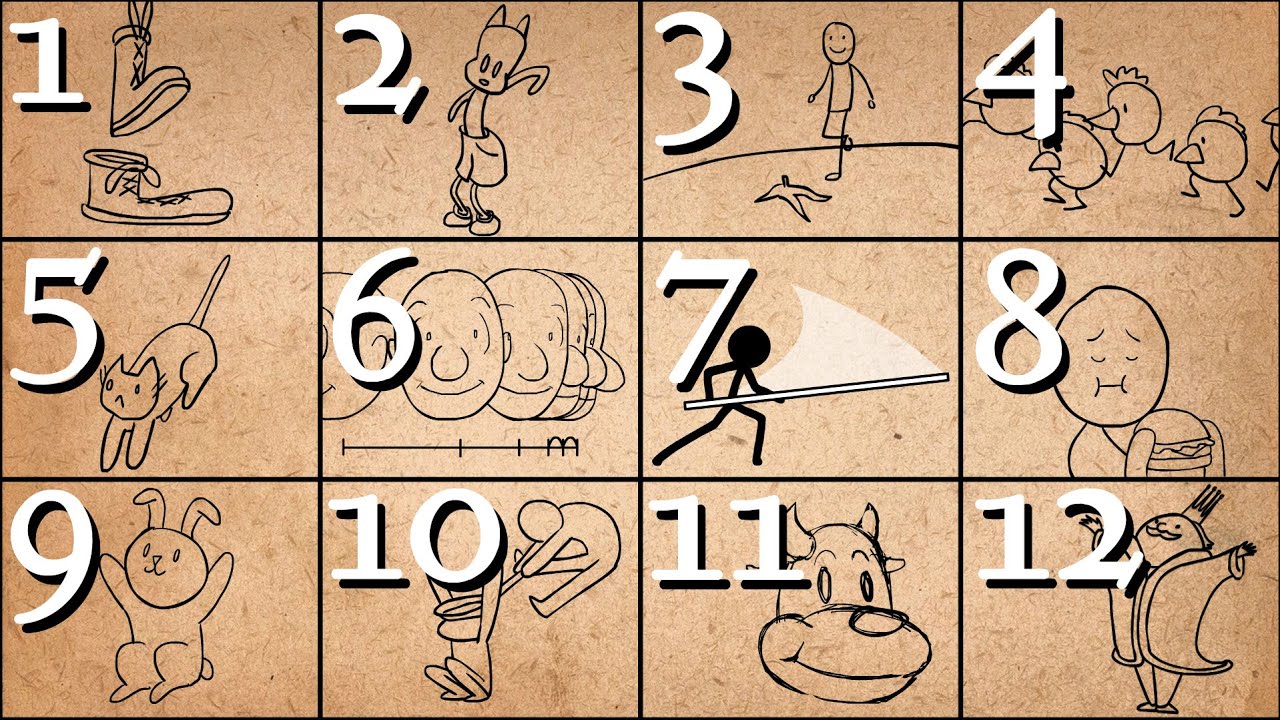
Further Animation Learning: http://bit.ly/2dleXfH
Full playlist: https://www.youtube.com/playlist?list=PL-bOh8btec4CXd2ya1NmSKpi92U_l6ZJd
(0:10) 1. Squash and Stretch
(2:07) 2. Anticipation
(4:14) 3. Staging
(6:33) 4. Straight Ahead/Pose to Pose
(9:14) 5. Follow Through & Overlapping Action
(11:17) 6. Slow In & Slow Out
(12:57) 7. Arcs
(14:38)...
nimble torrent
 misty dagger
The auto align auto rig stuff is god tier.
misty dagger
The auto align auto rig stuff is god tier.
It is good, but there are a lot of people having problems with it.
 coarse sinew
quaint robin
Hi! How can I make my animation look less robot-like, more smooth?
coarse sinew
quaint robin
Hi! How can I make my animation look less robot-like, more smooth?
well u need to make the keyframes more smooth, realistic, thats the main issue of doing animations, make it believable
 glad kettle
So i've been messing around with 5.4's Motion Matching features, and have been successful so far. Although, I am trying to mix my Equipment_Cache into a Layered Blend per bone node, and it doesn't even play the animation for equip. Anyone off first glance know why this may be happening?


All locomotion and other animations seem fine
nimble torrent
glad kettle
So i've been messing around with 5.4's Motion Matching features, and have been s...
Hmm - not sure how the rest of your graph works, but you're making an additive from 'Idle-cache' and 'Animations-cache' and then not using it?
The additive you're applying is 'Equipped-cache' - but unless that was originally an additive, it probably won't work.
My guess is, you want to replace 'Animations-cache' with 'Equipped-cache' in the 'Make Dynamic Additives' node.
Maybe?
But then it wouldn't really do anything.
But right now, you're applying an additive to an additive (maybe?) and then trying to layer that onto Animations-cache.
Something is definitely wrong there.
 vestal aspen
Hello, how would I Mirror an FBX animation and then use the Mirrored FBX in Sequencer.
glad kettle
nimble torrent
Hmm - not sure how the rest of your graph works, but you're making an additive f...
I thought I had to mesh my idle to movement animations... you were right. Just applying animations like this worked..
Only issue now is hand is wacky placement, I think I need to learn how to properly apply additives

 barren fiber
quaint robin
Alright
barren fiber
quaint robin
Alright
shoulder movement body movement rotation, leaning especially forward and poke through if intended
also from on the stab less key frames
nimble torrent
glad kettle
I thought I had to mesh my idle to movement animations... you were right. Just a...
Ahh wacky hand placement. A common problem that.
misty dagger
What exactly is an additive animation good for that can't be done another way or can't be done as easily?
nimble torrent
These days? Not a lot. Control Rig really opened up the ability to mess about with things.
Adjusting hand position on weapons has been the traditional use. Sometimes neck and spine movements for things like flinches and reactions.
nimble torrent
Fully dependent on the details of your animBP.
I thought you were working with an IK solution for that?
 viscid willow
nimble torrent
These days? Not a lot. Control Rig really opened up the ability to mess about wi...
viscid willow
nimble torrent
These days? Not a lot. Control Rig really opened up the ability to mess about wi...
I'm curious how you might approach something like flinches and reactions with control rig?
no need to go really specific, but if you have some high level insight I'd appreciate the info. I ask because generally I've used CR more for the former, fixing hand positions/correctives/aim targets
nimble torrent
viscid willow
I'm curious how you might approach something like flinches and reactions with co...
It would mostly be spine rotations I suppose? I do think that additives are probably easier and cheaper in that case.
 uncut flint
hello, is it possible to play any sort of bone animation on a skeletal mesh with chaos flesh on?
viscid willow
nimble torrent
It would mostly be spine rotations I suppose? I do think that additives are prob...
Yep, I agree. I also think I misread your initial message haha your original point being additives are only really used for flinch/reaction use cases
 obtuse wraith
I know that sword animations are just a mesh in a socket, but how would something like this be animated?
https://www.youtube.com/watch?v=xcGj_RKPMQ4

#wutheringwaves #leaks #ww
#wutheringwaves #leaks #ww
#wutheringwaves #ww #leaks
#wutheringwaves #wutheringwaves #ww
is the puppet like a seperate entity? Im not sure what is controlling what anymore 🥲
uncut flint
obtuse wraith
I know that sword animations are just a mesh in a socket, but how would somethin...
could be a bone thats separated and its offset from root, i could be wrong tho
old falcon
obtuse wraith
I know that sword animations are just a mesh in a socket, but how would somethin...
You can have a "weapon" bone in your skeleton and then you just animate it accordingly
old falcon
vestal aspen
Hello, how would I Mirror an FBX animation and then use the Mirrored FBX in Sequ...
Not sure about FBX, but you can mirror anim sequences using a mirror data table
 lunar torrent
Hey guys, I personally have never messed with Animation Sequencer, but with the base VR template they have these Mannequin hands which have poses which are Animation Sequencers, when I try to change the pose of the animation and I save it, it does not update or save it to the new pose I just made.

nevermind, I am stupid. I did not know I was supposed to press +Key when making more changes.
snow vapor
Hoping someone can help me figure this out. I'm honestly not sure if I'm completely misunderstanding the work flow here or if I'm just missing something. I created an Animation Layer Interface, added a layer for each type of animation (walk, idle, attack, etc). I implemented the interface on an animation blueprint for my monster and then went to each layer and plugged it into the output pose. Then, in a different animation blueprint that's used by my monster, I plugged in the Linked Anim Layer node for the Idle animation directly into the output pose of the animation graph, just to keep it real simple and see if it would play that animation. But it isn't. Anybody see what I might be missing? My goal here is to assign the animation blueprint that my monster is using to all of my monsters, and then give the correct animations for each of the monsters to their animation blueprint that implement the animation layer interface, thus separating out all of my animation logic into that one animation blueprint, and just plugging the animations themselves into the ones using the interface.

 old falcon
snow vapor
Hoping someone can help me figure this out. I'm honestly not sure if I'm complet...
old falcon
snow vapor
Hoping someone can help me figure this out. I'm honestly not sure if I'm complet...
You have to actively link the anim BP that implements your interface
Check skelmeshcomponent -> anim instance -> link anim class layers
snow vapor
old falcon
You have to actively link the anim BP that implements your interface
Check skelm...
Is this something I do at run time through a BP? I can't seem to find that anywhere.
old falcon
Yeah it's a node on the anim instance
snow vapor
ah ok, that makes sense. Thanks! I appreciate all your help! This is the farthest I've ever dove into animation stuff and there is a lot to take in. lol.
 red tartan
Why doesn't the entry read the first state
 old falcon
red tartan
Why doesn't the entry read the first state
old falcon
red tartan
Why doesn't the entry read the first state
It has to, but it looks like it immediately transitions to "Armed" on first tick
red tartan
old falcon
It has to, but it looks like it immediately transitions to "Armed" on first tick
I want the entry to read 'Unarmed' first. What should I do?
old falcon
red tartan
I want the entry to read 'Unarmed' first. What should I do?
It's doing it, for a few milliseconds. But your transition to "Armed" is triggered immediately so it moves to "Armed" right away.
You need to check your transition rule because it's returning true when it shouldn't
quaint robin
Does it look smoother now? How could I improve it?
old falcon
quaint robin
Does it look smoother now? How could I improve it?
You want to exaggerate the movement. Make it fast and snappy.
Imagine yourself wielding that sword. How would you stab with it with the intent to harm? In fact, it might be a good idea to record yourself doing that movement. Or look at references online.
quaint robin
old falcon
You want to exaggerate the movement. Make it fast and snappy.
Imagine yourself w...
Ok
 hallow pawn
in the first Image I am trying to play a montage using the jump event and in second Image is the anim blueprint and in the third is the montage, the thing is I am trying to play a montage with the default Unreal First person character But is not playing the animation at all


Any ideas here
if anyone can help me this
please
The montage, The event and the anim blueprint comes all default with First person character content
old falcon
Your montage is not in the "Arms" slot
hallow pawn
let us say if the slot is not right then even the sound notify also not work in this case
old falcon
If the slot is not right then the animation won't play
If the animation won't play then the notify cannot be triggered
hallow pawn
this is very weird, when I use "Play anim Montage" the animation does not play even if the slots are correct but when I use the "Montage play" using the anim instance it starts working even if the slots are incorrect, just the animation does not play only the sound , why is this happening


 old falcon
You want the PlayMontage node with multiple output exec pins
Also if your animation is additive I have no idea what happens when you play it via slot
Additive anims usually should be used with "Apply additive" node
topaz narwhal
nimble torrent
I have a high degree of confidence that modifying traditional gameplay animation...
--> Solution: How to have diagonal animations for new Motion Matching system in 5.4 ?
Ok so finally I started to get results and as I suspect the solution was to make more animations, in all directions.
this was the original question #animation message
So first in an empty sequencer I dropped the Mannequin and dropped it in Sequencer so it activates Control Rig.
then I created a keyframe in -1 for the whole Control Rig, I selected it and hitted "Ctrl+C" to copy the default pose.
Then I took the "Unarmed_Jog_Fwd" animation from Lyra project (which I already retargeted to the normal Mannequin).
I dropped it in the sequencer, Bake it to Control Rig, and I removed the keyframes for global_ctrl, root_ctrl and body_offset_ctrl.
Then I paste in -1 keyframe the default pose and I only rotated body_offset_ctrl 45 degrees but I translated both body_offset_ctrl and root_ctrl
to the interpolated position that will be at the same translation of default "Unarmed_Jog_Fwd" but turned 45 degrees, I used a mesh as reference.
Then I baked this sequence to an Animation and I set all the options on the settings about root. Also to be a Loop.
Then I included in the pose Data Base that Motion Matching uses.
As you can see when playing now I have a diagonal motion matched animation to the forward right direction, but keeps sliding between that right diagonal and the forward, and of course other directions that doesnt have the specific animation.
Apparently there is a Rotate Towards Movement Speed in the documentation, but I can´t find it anywhere, maybe that would allow a more polished switch between directions. https://dev.epicgames.com/documentation/en-us/unreal-engine/motion-matching-in-unreal-engine


Epic Developer Community
Use Motion Matching to create responsive animation systems, that select animation poses from a database, to match a dynamic system query at runtime in U...
odd sable
nimble torrent
The animation you're using is flagged as an additive. This means it can't be add...
Well thanks you I fixed that 🙂
 wet salmon
Does anyone know how to import a davinci resolve FBX camera track animation into unreal engine 5?
 little creek
Hey, I have a a serious issue with exporting animations to unreal with a particular workflow.
How can I properly work with non uniform scaling on a hierarchy?
I'm aware unreal uses aligned scale inheritance. However, I cannot export an animation that behaves correctly. Scale immediatly breaks the action.
 exotic onyx
topaz narwhal
--> Solution: **How to have diagonal animations for new Motion Matching system i...
exotic onyx
topaz narwhal
--> Solution: **How to have diagonal animations for new Motion Matching system i...
I created Direction in 5.2
little creek
This is what I'm trying to achive in unreal.


However, the rotation is skewed and broken on export...
topaz narwhal
exotic onyx
I created Direction in 5.2
Please, could you elaborate?
Even that I managed to offset the root animation, the characters doubt constantly between different animations.
For experimental porpouses, I offset the arm in forward animation, just to make more noticeable what is going on.
I found the **Rotate Towards Movement Speed ** that is mentioned in documentation, but it doesnt seems to do anything with my problem

I have currently manually interpolated root animations in 45 and 5 degrees to the right from Forward
exotic onyx
Can you show me your Animation blueprint veriables ?
topaz narwhal
exotic onyx
Can you show me your Animation blueprint veriables ?
sure
 exotic onyx
No Direction


 exotic onyx
You need Direction for walking on sides
topaz narwhal
exotic onyx
No Direction
do you have a tutorial that you checked for that
exotic onyx
Create Direction veriable
topaz narwhal
I assumed that just following the last 5.4 matching tutorials, where they say to just add the Character Trajectory, would be fine
topaz narwhal
exotic onyx
Create Direction veriable
vector right?
in my thirdperson character too, or only in the AnimBp
exotic onyx
Let me check

👉Get Access To All My Unreal Engine Courses At : https://www.unreal-university.com/courses
👉Get My Free Unreal Engine Beginner Course : https://bit.ly/46mUWMr
👉Generate Icons for your games,apps and more https://iconbuilderai.com/Animations : https://bit.ly/3rQ1T9A
#Locomotion #UnrealEngine5 #Uisco
Try this
Of you need to add animations
topaz narwhal
exotic onyx
Try this
do you mean the whole tutorial (which doesnt use Motion matching)?
or just this part in the screenshot?

just to clarify, I am trying to make it to work the 5.4 Motion Matching system
is this "Direction" variable playing a role here?
exotic onyx
What's motion matching system ?
 round lagoon
you dont do those kind of things in motion matching?
topaz narwhal
exotic onyx
What's motion matching system ?
https://www.youtube.com/watch?v=S4aBd64t-hY this, it came new recently
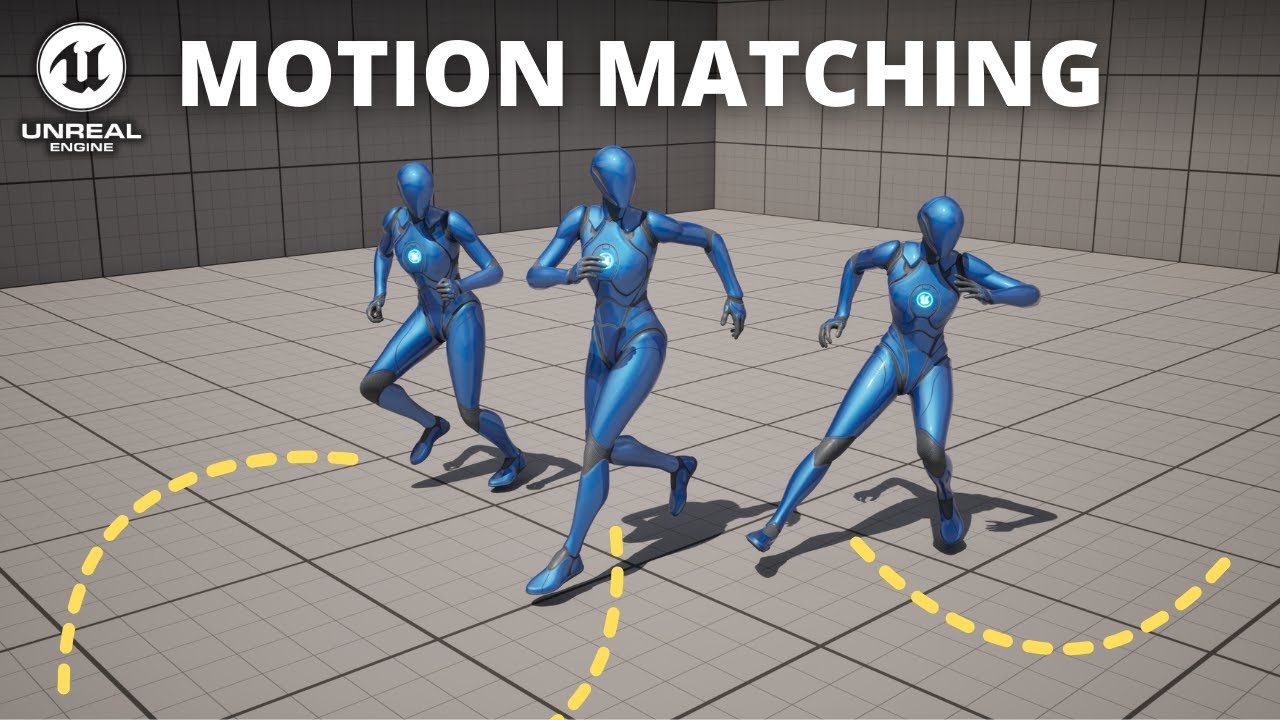
Hello guys, in this quick and simple tutorial we are going to see how we can use Motion Matching in Unreal Engine 5.4.
↪️Project Files: https://bit.ly/GorkaGames_Patreon
🏆My New Unreal Course: https://bit.ly/UE5_StealthCourse_GameDevTv_GorkaGames
🔥Discord: https://bit.ly/GorkaGamesYouTubeDiscordServer
exotic onyx
But this is Layra
topaz narwhal
round lagoon
you dont do those kind of things in motion matching?
#animation message my animations are flickering between different "directions"
topaz narwhal
exotic onyx
But this is Layra
is Lyra anims implemented in the new 5.4 motion matching system
check the video, is not just like what you shared
round lagoon
yes mine was too a little bit when i tested it hour ago
exotic onyx
LOL she doesn't even move her head
round lagoon
there are many settings you need to take care of and you cant put just 200 lyra animations as bulk and leave settings on default it dont work
exotic onyx
This is mine
 topaz narwhal
exotic onyx
This is mine
topaz narwhal
exotic onyx
This is mine
ok but as I said, this is totally different system, it has anything to do with states
topaz narwhal
I just took their anims, look
https://dev.epicgames.com/documentation/en-us/unreal-engine/motion-matching-in-unreal-engine this is a total new feature, from 5.4
Epic Developer Community
Use Motion Matching to create responsive animation systems, that select animation poses from a database, to match a dynamic system query at runtime in U...
it has nothing to do with what you are talking about
exotic onyx
No directions
round lagoon
Alright fellas can someone explain me what is happening, why and how to fix: I have character that I rigged to UE5 skeleton. It is using SK mannequin skeleton in the engine, all the animations work etc no problem. But I still have this annoying problem which is that my character kinda "morphs" and shifts depending on what ABP I use.
This is in Lyra project so the animations are: blueprint asset Idle (Blue default mannequin, SK mannequin), blueprint asset Idle on modular head mesh and other parts Copy pose (Red Custom Character SK mannequin), (1st. picture ABP Copy pose)(2nd. picture Retarget pose) on PIE character (Grey character, SK mannequin). Last picture is from top view with same settings as second picture.
The pictures are not the best but it should give the point. The grey character is widening the legs, both red and grey are going underground with copy pose, retarget pose will lift the grey character to the ground but kinda smashes the pose to fit in certain height and well on the last pic it becomes round back old grandfather with legs wide open... Would appreciate help!


 winter sluice
Hi, What would be the best way to make an animation to bake in sequencer in a similar way to layer blender per bone? trying to blend 2 animations together by bone not just constant alpha
 steel tree
hey folks anyone here have use motion matching?
im currently working on it moving on a moving platform and my character is moving with the train and mess up the animation.. it should be in idle instead it playing walk animation
i remember epic do a fix with this problem too
does epic ever say how they fix it
coarse sinew
quaint robin
Does it look smoother now? How could I improve it?
another tip is, use reference video of ppl doing the thing, u cant find it? then record yourself with phone doing the exact moves u want to do, u will immediately see the difference adn additional details
coarse sinew
hollow moat
hand or shoulder? there is no automatic mesh "blocking", u need to make sure on your own it doesn't go thru things
steel tree
steel tree
hey folks anyone here have use motion matching?
and also, im only using animation that doesnt involve turn in place only move forward backkward sprint etc..
how would i go do turin in place alongside motion matching in this case? do i just do traditional way with using blendspace? im thinking of importing lyra's turn in place animation for this and yam their turn in place code for this as well
 safe trench
How do I create animations with props (weapons attached to socket) while having Modular Control Rig?
old falcon
I haven't looked into modular control rig yet but I imagine you'll have to create a new "module" and attach that to your weapon bone (or whatever you use)
Don't think any of the existing modules support a very simple flow of "get control transform -> set bone transform"
safe trench
module?
old falcon
Yeah those individual pieces that you slot into your skeleton, arm, shoulder, finger etc.
safe trench
oh okay
where can I open windows like skeleton tree, animation outliner?
I closed one by mistake
old falcon
Usually at the top under "Window" or "Tools"
safe trench
I got Anim Outliner, but Is it possible to get Skeleton with Modular Control Rig?
Mayby there I would be able to preview mesh on socket
I mean I can do it in skeleton editor. So can I combine that skeleton with modular rig?
old falcon
Oof, not sure, I haven't looked into modular control rig too much yet
But if you want to animate a weapon bone, I think you'll need to create a custom modular control rig "module" for that
Unless any of the existing ones just work out of the box for such a use case
safe trench
It's my first time creating animations. I though that creating modular rig would help me position hand more naturaly. How would u do it?
safe trench
old falcon
Unless any of the existing ones just work out of the box for such a use case
I mean I just need preview a model. I don't need to animate it.
old falcon
Yeah modular control rig will help creating animations in-engine for sure.
As for positioning hands "more naturally", do you mean placing your hand on e.g. a weapon in the correct position? That would require IK instead of modular control rig.
If you only want to preview, you can do that in pretty much any of the skeletal mesh editors
safe trench
I don't need IK for now. I need modular control rig because it is easier to rotate/move arms with it than rotating individual bone.
I know I can preview in skeletal mesh editors, I did it previously. I need to preview it while animating it so I know how it will look like if player has that weapon.
old falcon
You can do that when you animate your character using sequencer
hollow moat
Hi i cant seem to figure out what's wrong with my hand ik i cant adjust to be perfectly aligned with the gun. Lyra stuff btw
 tired coyote
topaz narwhal
https://dev.epicgames.com/documentation/en-us/unreal-engine/motion-matching-in-u...
tired coyote
topaz narwhal
https://dev.epicgames.com/documentation/en-us/unreal-engine/motion-matching-in-u...
MM were in engine for a while (I think from 4.27) but it were experimental.
I have used several in-between versions. For months.
MotionSymphony (a marketplace MM plugin) were way better back then.
I wonder how they completed it to 1.0
to compare:
Epic's MM virtually had very few customization and control over things. Also special states were pain in the ass. AnimNodes lacked a lot of options. Yet, it felt much more easy to set-up and get quick results within. (Before 1.0)
But, MotionSymphony, were much more similar to FromSoftware's in-house anim systems. Had too many controls, yet, in order to get good results with low data, you had to virtualize a lot of information and transition in your head which is not clear (BlendSpace sampling), also some aspects were oversimplified (causing delays in rotation).
I hope Epic fixed them.
nimble torrent
little creek
Hey, I have a a serious issue with exporting animations to unreal with a particu...
I don't know if there is a way to work with non-uniform scale between packages. Unreal's baffling decision to use aligned scale inheritance means that literally every single other package I am aware of just... disagree about what scale means.
I don't think it's possible. I think you have to use some other method.
nimble torrent
hollow moat
Hi i cant seem to figure out what's wrong with my hand ik i cant adjust to be pe...
Do you know how the preview instance stuff works? You should be able to see the offset live in the animation bp previewer.
Change the top slot to 'preview instance' and then edit the values in the 'Edit Selected Instance' panel.

That should let you put your character in the pose you're trying to edit.
hollow moat
nimble torrent
Do you know how the preview instance stuff works? You should be able to see the ...
Yea i got it just fixed it.
nimble torrent
Good!
hollow moat
It doesnt freeze anymore so it made it alot easier
 spice estuary
Hey guys, i'm new for here, but any know where has a good guide for Motion Matching appliances? please
Or any know if a same Database can be apply Anim to Jump and Running states or it the same principal of Enum Animation but with Databases?
tired coyote
spice estuary
Or any know if a same Database can be apply Anim to Jump and Running states or i...
If I am not wrong, MM in 5.4 has introduced support of GameplayTags.
Again, I have only used experimental versions of MM, there were no GameplayTags support, now I remember that it supported, check the example if you are in doubt - since it has state transitions.
spice estuary
Nice, i understand, Thanks @tired coyote
nimble torrent
We're all kind of waiting for the example project, which isn't out yet.
tired coyote
nimble torrent
We're all kind of waiting for the example project, which isn't out yet.
That is why I were hesitant at first.
Still in the 5.4 announcement video, I think they mentioned GameplayTags.
nimble torrent
round lagoon
Alright fellas can someone explain me what is happening, why and how to fix: I h...
Generally speaking, using animations designed for a different skeleton without retargeting them will cause this kind of stretching or distortion problems. That's why we retarget things!
round lagoon
nimble torrent
Generally speaking, using animations designed for a different skeleton without r...
But it is the exactly same skeleton 🙂
nimble torrent
Are you certain about that?
round lagoon
Yes I rigged it bymyself
nimble torrent
OK, but did you change the position of your bones to match the character mesh?
round lagoon
Yes
round lagoon
ajjajaa
nimble torrent
You can use the automatic retargeting that Unreal does.
nimble torrent
But it will tend to create things like the wide stance you don't like.
round lagoon
yeah I mean the woman character has like elephant size hole between the legs so nah XD
So can I rerig the characters without scaling the bones will that work?
nimble torrent
'Work' is relative here.
Using the standard retarget system 'works'. Your character will not clip through the floor.
It will play the animation.
That's functional.
round lagoon
if I remember you can edit the retargetting pose or smth right?
to maybe close the legs...
nimble torrent
You could modify the IK Rig! I haven't done that myself, but there's probably a way of doing it.
The one used for 'retarget from mesh'.
You could create your own custom animations.
You could run an offline retargeting routine on the animations you want to use, then bring those into sequences with a control rig, and edit them.
Like most things in game design, there are many options, none of them are correct, but many are incorrect.
round lagoon
Yeah there are a lot of options... I propably leave it like this for now I have better things to do than play with this🥲
oh what you can edit the retargeter in runtime ok this will be easy then 😄
old falcon
nimble torrent
I mean - I think the way they expect you to work is to have a separate sequence ...
This was spot on by the way, thanks!
Now my sequencers auto bake all of my animations
nimble torrent
old falcon
This was spot on by the way, thanks!
Now my sequencers auto bake all of my anima...
Nice!!
hallow pewter
Hey, does anyone know how to merge these skeletal meshes together? Either in Ue5 or blender? (in blender i mean the bone groups root, pelvis_l, and pelvis_r)

 old falcon
hallow pewter
Hey, does anyone know how to merge these skeletal meshes together? Either in Ue5...
old falcon
hallow pewter
Hey, does anyone know how to merge these skeletal meshes together? Either in Ue5...
In blender, your pelvis bones need to be children of root
hallow pewter
old falcon
In blender, your pelvis bones need to be children of root
And how would i do that?
old falcon
I think ctrl+p is the hotkey? Or alt+p
Been a while since I used blender
hallow pewter
Yeah but i cant do that with bones, only with meshes
hallow pewter
old falcon
I think ctrl+p is the hotkey? Or alt+p
Been a while since I used blender
Ah found it, its in edit mode under the bone properties
 frozen relic
is there a way to extract relative transform of one bone to another (or one socket to another) from a specific animation in animbp? im trying to have a hand aiming a gun with fabrik, but the gun is on a weapon bone and i have a 1 frame animation that defines the relative position of weapon bone to hand bone. but i need to access that numerically somehow to calculate the desired hand transform for IK from the desired weapon transform
old falcon
frozen relic
is there a way to extract relative transform of one bone to another (or one sock...
Cant you play that anim additively?
Or use a socket instead?
frozen relic
i am playing it additively and i am using sockets too
but i still need the relative transforms, right
cause otherwise how can i do ik on the hand?
nimble torrent
Can you describe your mechanical setup?
Like - what do you have, what are you doing, and what are you trying to do?
Because the answer to your question is 'kind of, but mostly no' - Unreal does not provide easy access to the tracks inside an animation.
But there's probably a way of doing what you're trying to do.
frozen relic
there isnt much more to it than what i described. there is a weapon bone attached to a hand bone, which i animate in blender. and then i put a weapon socket on the weapon bone. to which i attach the weapon. then i want to do ik so that the hand points the weapon in the right direction. i calculated the desired transfrom of the weapon socket. but i need to get from that to a desired weapon transform to do IK
old falcon
I'm kinda lost tbh
frozen relic
what part is confusing?
wet salmon
Hey y'all, ive been trying to import an FBX camera animation from davinci resolve to unreal engine 5 to match the camera movement in a real life scene and a 3d scene, but every time I import the FBX file on to a CineCameraActor I get this message and no keyframes are imported to unreal:
What is going on here?
 old falcon
then i want to do ik so that the hand points the weapon in the right direction.
What exactly are you intending to use IK for? Which effect are you trying to achieve?
frozen relic
the hand pointing the weapon where i want it to point based on the player's input
old falcon
You're trying to IK your weapon to your hand? Not the other way around?
frozen relic
no im trying to ik the whole arm with hand
ik starts at arm and ends at hand
weapon bone to hand bone position and finger bones positions are defined by a 1 frame animation
nimble torrent
And you want to be able to specify the IK effector position relative to the gun, because you want to be able to say "I want the gun to be here and I want the arm to get into the correct position to put it there."
Right?
frozen relic
yeah basically
i tried like 4 different ways to accomplish this already
but the crux of the problem seems to be that i need the relative transform of weap bone to hand bone from the 1 frame animation
to derive hand transform
for ik
nimble torrent
OK, but why does it have to be an animation you get the offset from?
frozen relic
because i already will need an animation to define fingers pose. so im already gonna pose the skeleton in blender with the weapon. and i want the in game offset to match that. and trying to manually copy relative orientations from blender to unreal is pure hell. im using a weapon bone precisely to avoid doing that
nimble torrent
OK, well... one way of doing it is to do it the way that Manny and Quinn are setup in the example files:

They have this bone called 'ik_hand_gun' and it has two children.
In their animations, those children, 'ik_hand_l' and 'ik_hand_r' are constrained to the characters wrists.
In gun animations, ik_hand_gun is constrained to the gun.
What this does, is it gives you two tracks for the wrists in 'gun space'.
So, if you want to move the gun arbitrarily, you still have the relative positions of the wrists accessible.
So you could move the gun bone, and then constrain the arms to the ik_hand bones.
old falcon
Man, this stuff makes me doubt my simple IK setup 🥲
frozen relic
this is interesting, but im not sure i quite understand. if its constrained to the gun, how do you get relative wrist positions from it?
nimble torrent
You get them from the two child bones.
In their animations, those children, 'ik_hand_l' and 'ik_hand_r' are constrained to the characters wrists.
frozen relic
ok that makes sense. but i dont think this actually solves my core problem - im playing a completely different animation as the main anim in the state machine, and i want the gun to wrist offset to be extracted from a different animation file
nimble torrent
frozen relic
ok that makes sense. but i dont think this actually solves my core problem - im...
Right, but I'm saying 'Your setup is probably not as good as this alternative setup because you can't easily read arbitrary values from animations'.
Creating one of those ik relative space setups is both pretty easy, and actually possible.
frozen relic
thats fair, but then how does this setup accomplish what im trying to do? i dont want to have to animate gun ik targets for all of my movement animations
nimble torrent
You don't animate them, you constrain them.
Using constraints.
So the wrist bones automatically follow the wrists.
You do this in Blender, or whatever DCC you're using.
You can also technically do it in Unreal, using a control rig.
old falcon
Aren't virtual bones similar to this?
nimble torrent
old falcon
Aren't virtual bones similar to this?
I don't think virtual bones get animation tracks, and you need the animation tracks.
frozen relic
fuck i feel like im still failing to understand some important part of this. so you constrain the parent ik bone to the gun and the children to the wrists, right? say i do this for the 1 frame animation that defines the gun holding. what then?
nimble torrent
You do this:
fuck i feel like im still failing to understand some important part of this. so you constrain the parent ik bone to the gun and the children to the wrists, right?
But you do not do this:
say i do this for the 1 frame animation that defines the gun holding. what then?
That idea of using the first frame of animation to read a track from? I do not know how you would get that to work without writing a custom node in C++.
Instead, you have that IK setup in all of your animations.
And when you need to move the gun and have the arms follow, you move the IK_gun bone, and use IK to constrain both arms to the ik_hand bones.
frozen relic
so i have to define the gun offset in all animations instead of doing it once?
nimble torrent
Because the ik_hand bones exist in 'gun space', when their parent moves, they will move as well, but keep their relative animations.
This allows you to do complex animations in 'gun space', permitting accurate reloads and other gun or object related animations relative to an arbitrarily positioned gun or object.
frozen relic
yeah but again that means i have to define the offset in all animations tho, no? i want the gun solution to be agnostic of the main movement animations because the character might be holding different weapons that do not depend on the way it is running
nimble torrent
OK, what do you mean by 'define the offset'? Yes, you would have to re-export your animations with the constraints active - it's a non-trivial task, yes, but it's not really work.
You don't have to go in and animate the bones.
You use a constraint.
Also, you would only activate the IK setup when it is relevant, such as when doing a specific gun animation where you are controlling the position of the gun with code.
frozen relic
then how do i define the offset? i have a pose in blender that defines how the gun should be positioned relative to the hand. i want this offset to be obeyed by the ik setup that will be layered on top of movement animations
nimble torrent
So you don't have any gun animations? The only gun related animation stuff you're doing is this specific IK control?
You have no reloads, you don't pose the character, you don't have draw/undraw weapon animations - the only weapon related stuff is this IK setup?
That's odd.
frozen relic
nimble torrent
So you don't have any gun animations? The only gun related animation stuff you'r...
yeah basically. i mean i might have some in the future but right now its just a 1-frame animation defining the pose of the fingers and the position of the gun to the hand
nimble torrent
This is why describing your context is important, because that is an unusual scenario.
frozen relic
well, i would like the solution to allow for gun animations in the future so idk if its relevant
nimble torrent
OK, in that case, I still recommend adding the IK bone hierarchy I described above, and exporting your single pose animation with those constraints that I keep talking about active.
So you would have the IK_gun bone in the position of the gun, and the Ik_hand bones constrained to the wrists.
Then, you can do what I keep saying, animate the gun bone, and constrain the hands to the ik_hand bones.
You can do a 'Layered Blend Per Bone' into your normal locomotion animations that targets specifically the IK hierarchy.
So you would get your locomotion animations and then the ik_gun hierarchy of your single pose.
And then you can do the IK constraints on top of that.
You don't even need to re-export your locomotion animations.
frozen relic
nimble torrent
OK, in that case, I still recommend adding the IK bone hierarchy I described abo...
damn i feel like im close to understanding this but still missing something. i understand the layering, thats basically what im currently doing. locomotion animation first then the 1 frame anim layered on top then the ik for the arms. but i need to pass a target to fabrik for the hand. you're saying that i should pass it in the transform space of the gun ik? what do i connect to the transform target then? again i want the gun position to be arbitrary, passed from other blueprints. and for the animbp to calculate the necessary hand position from that
nimble torrent
frozen relic
damn i feel like im close to understanding this but still missing something. i u...
The IK targets for the hands are the child bones of the ik_gun bone.
So you have:
- root
- ik_gun
- ik_hand_left
- ik_hand_right
In your single pose animation: these are positioned correctly.
Crap, it's not letting me display the list correctly, fuck.

The hierarchy is like that
So you probably don't need FABRIK, it's expensive.
You could do this with a two-bone IK very easily.
frozen relic
ok how do i move the ik_gun bone where i want then?
 frozen relic
i see. ok that makes sense. its basically my current setup just with the hierarchy reversed. it does make sense now that i think about it. thank you.
frozen relic
nimble torrent
what space is this node expecting values in? its not worldspace, right?
nimble torrent
frozen relic
what space is this node expecting values in? its not worldspace, right?
It can be.
There's a parameter on it called 'Translation Space' which lets you specify.
frozen relic
ok cool. so using that i can just tell it where to be in world space, right? its not relative to its current transform?
nimble torrent
frozen relic
ok cool. so using that i can just tell it where to be in world space, right? its...
Yes, you can tell it a place to be in world space.
frozen relic
cool, thank you so much
nimble torrent
👍
 bitter shard
Upgrading to 5.4 broke some functionality in my control rig, so after some debugging I've encountered an issue.
There seems to be something strange happening when you call functions that have another shared function in them. The inner function gets called with the arguments of all the outer functions each time or something, I have not figured out exactly what is happening. I found a temporary fix by duplicating the functions so that they are technically unique, but that kinda defeats the purpose of having functions in the first place.
Has anyone else encountered this? Is it a known bug and is there some better fix?
nimble torrent
bitter shard
Upgrading to 5.4 broke some functionality in my control rig, so after some debug...
Huh - that doesn't sound good! I haven't heard of that one!
Does this only affect things if the variable names match?
Like you have function A with a variable called 'input_float' and then inside that you call function B with a variable called 'input_float'?
bitter shard
nimble torrent
Huh - that doesn't sound good! I haven't heard of that one!
Does this only aff...
Nope, the names are completely different
nimble torrent
So arbitrary values are being overwritten? Do they match types?
Like if you called one with a float, and one with a string, would the string end up as a float?
(I would expect this to crash)
bitter shard
nimble torrent
So arbitrary values are being overwritten? Do they match types?
Not quite like that, let me explain it differently and also give you an example of how I found the problem in the first place.
I have a function A, and two functions B and C. Both B and C contain A and call it but with different inputs, most importantly an array with different bones (left and right side of the body). Here's how I found the problem:
When I call B and C at the same time, I get an unexpected result. If I disconnect B, the result from C is what I would expect (and B does nothing of course). If I reconnect B and disconnect C, the result in B is what I would expect. So calling one function affects the other, despite being called with different bone arrays (and yes, I checked that there were no global variables in the functions)! Calling both at the same time produces something that looks like double the effect on both sides of the body, but that's just a rough estimate. I have no idea what's actually happening.
nimble torrent
bitter shard
Not quite like that, let me explain it differently and also give you an example ...
Hmmm
bitter shard
It reminds me of the kind of trouble you can get with macros in BP, but these are functions
nimble torrent
What are these functions doing?
Is it possible that the problem is in either the array or the function?
bitter shard
nimble torrent
What are these functions doing?
They are doing a fake chain simulation with spring interps
nimble torrent
Huh, OK.
bitter shard
nimble torrent
Is it possible that the problem is in either the array or the function?
I don't think so, since simply duplicating the function fixes the issue
So it's not something with the function itself
And this didn't happen in 5.3
nimble torrent
OK.
Neat!
My guess would be some kind of optimization. Are you using any variables inside the function that you don't pass through the arguments?
Like, variables in the control rig itself?
bitter shard
nimble torrent
Like, variables in the control rig itself?
Like I said, I checked for global variables and there are none in there
This function is designed to be general
So it's really strange
nimble torrent
Huh! Yep, that is strange.
bitter shard
It's probably a bug I guess
 nimble dove
hi guys, any tips to smooth it out?
bitter shard
Yep, I just upgraded. It also wasn't the only issue I had in CR, I found another "bug" with the ClampSpatially node. Turns out it stops working if min and max threshhold is the same value, min has to be strictly smaller now it seems
nimble dove
nimble dove
hi guys, any tips to smooth it out?
this is the code
 bitter shard
nimble dove
this is the code
bitter shard
nimble dove
this is the code
You can try using interpolation
A small amount can go a long way
RInterpTo is the node
If you're asking about smoothing the camera
nimble dove
bitter shard
You can try using interpolation
yeah, i tried it multiple times but didn't ended up working as i wanted
bitter shard
nimble dove
yeah, i tried it multiple times but didn't ended up working as i wanted
Hm, you could also use a spring arm with rotation smoothing
nimble dove
i tried like that and it doesn't work anymore
 bitter shard
And set the length to 0
bitter shard
nimble dove
i tried like that and it doesn't work anymore
The speed looks weird
nimble dove
bitter shard
Hm, you could also use a spring arm with rotation smoothing
yeah tried that too, but its pretty uncontrollable, like i want a slow but clamped rotation
bitter shard
Have you tried using a faster interp speed?
nimble dove
bitter shard
Have you tried using a faster interp speed?
yeah, i just used a method i saw in a tutorial long ago
actually i just put a number like 2 and its working pretty well
well thanks for the interp tip
worked nicely
bitter shard
No problem!
 ripe coral
Hey everyone, I created this cutesy 3d model in blender, but was wondering if I could make animations of it via control rig in unreal engine? Or should I rig this to the UE4 mannequin in order to create animations with it using control rig?
 old falcon
Very cute
ripe coral
thank you :3
old falcon
You can rig and animate in UE, but the tools are relatively new so expect a few bugs
UE5 that is
ripe coral
Thanks, I may try that out cause i havent animated before haha
old falcon
Personally I've switched from blender to the UE tools recently and it's pretty good for a start to be honest
I can see those tools getting better over time. And not having to deal with export/import is a big relief too.
ripe coral
old falcon
Personally I've switched from blender to the UE tools recently and it's pretty g...
can i make the skeleton in UE5? or should I do that in blender before importing it over?
nimble torrent
Right now, you're better off making your skeleton, and doing your weight painting, in Blender.
old falcon
UE5.3+ has a plugin for it, yeaeh
nimble torrent
There are tools for it in unreal now, but they're... embryonic.
old falcon
^^^ But this, yes
nimble torrent
Not ready for prime time.
ripe coral
is there a skeleton maker / type thing you guys like? for example i've had a good experience with AccuRig but havent tried it on this type of model yet
mixamo makes this model a bit weird
nimble torrent
Yeah, it's a very stylized character.
Cute, but existing animations will probably look weird on it.
old falcon
What do you mean? I can totally see that thing wielding a rifle in Lyra 😂
ripe coral
old falcon
What do you mean? I can totally see that thing wielding a rifle in Lyra 😂
i like this idea 🤣
ill give it a strawberry bush ghilly suit 🤣
 vague lava
How do I setup a blend file that has multiple skeletal meshes under the same skeleton and imports properly? All of my meshes get merged into one
nimble torrent
vague lava
How do I setup a blend file that has multiple skeletal meshes under the same ske...
I think you probably have to export multiple FBX files using the 'Export Selected' option in the export menu. Select each mesh, and the armature, then export a new FBX file.
misty dagger
Hi guys, so I'm new to unreal engine 5 and I replaced a mannequin with a metahuman, now I don't know how to get the animations to work
Could anyone help me please?
 terse path
misty dagger
Hi guys, so I'm new to unreal engine 5 and I replaced a mannequin with a metahum...
terse path
misty dagger
Hi guys, so I'm new to unreal engine 5 and I replaced a mannequin with a metahum...
5.4 ? or 5.3
misty dagger
Nevermind I fixed it, thank you though
 ashen star
Anyone have any tips or resources they could point me towards for using modular weapon packs? I purchased a modular weapon (its a rifle, but each piece is its own static mesh) and have no idea what the best way to use it is. I would think I would want a skeleton to attach all the pieces to for animations and things like that but I am not even sure where to begin with this.
wet salmon
can someone please tell me what this error message means? I'm trying to import a camera track from davinci resolve to unreal engine 5
 nimble torrent
You tried to rename your CineCameraActor to "Camera3D1"?
misty dagger
5.4 is frikkin GOD TIER! I just FLAWLESSLY retargeted Lyra anims to a Synty mesh.
wet salmon
nimble torrent
You tried to rename your CineCameraActor to "Camera3D1"?
No i didnt try to rename anything, does it get renamed on import?
old falcon
I have a slightly weird question:
When dealing with hands IK what would be the best space to calculate effector transforms?
Let's say you want your character to pick up a crate. In the middle of your pickup anim the crate attaches to a socket. Similarly in the putdown anim it will detach.
Now let's say you want to use a curve to IK the hands to the crate with a ramp-up or ramp-down during those animations. What space should this all be calculated in?
World space is out of the question because of 1 frame delays I think.
Character component space might also suffer from the same issue as world space?
Attach bone space only works while the crate is attached, so you can't ramp-up the hands to their IK positions during pickup.
Any ideas?
 cinder siren
misty dagger
5.4 is frikkin GOD TIER! I just FLAWLESSLY retargeted Lyra anims to a Synty mesh...
cinder siren
misty dagger
5.4 is frikkin GOD TIER! I just FLAWLESSLY retargeted Lyra anims to a Synty mesh...
Was it the new Synty skeleton?
 crystal blade
(cross-posting) After seeing a bunch of videos like this (https://www.youtube.com/watch?v=2ZFoEi9XRms) where people are "fixing" the ik bone positions from imported animations, does anyone know of a script that just automatically does this and fixes the animation for you? no way am I going to do this every time I need to import an asset

UE5 Tuorial:
Fix broken retargeted IKBone animation in UE5 using control rig.
SUBSCRIBE FOR MORE:
Please support my channel and help me bring more content.
Like and subscribe and hit the bell icon for notifications.
Subscribe:- https://www.youtube.com/c/Jobutsu
Follow Me:
Buy Me A Coffee: https://buymeacoffee.com/jobutsu
Website: https://www.j...
 inland ridge
Does anyone have a 3dsmax scene for with the rig for the new UE5 mannequins? I remember finding one for the ue4 version and all I had to do was reskin my mesh over that skeleton and import/export would work flawlessly
topaz narwhal
whats going on with the preview on my AnimationBlueprint? looks laggy, but game mode is fine
it stops happenning while I resize or if I deactivate the Post Processing
inland ridge
inland ridge
Does anyone have a 3dsmax scene for with the rig for the new UE5 mannequins? I r...
 rocky falcon
I added some bones to my skeleton and now im trying to play montages and animations on those new bones but it does not animate in the play mode. It works in the animation preview window and in the animBP preview but not in the play mode.
The only thing that has changed is that I added those bones.
I have tried playing it as a montage and I made a new animBP and played it as a looping animation asset
It is like the game is ignoring those bones
old falcon
Do you maybe have a blend mask that you need to adjust somewhere?
I always forget my blend masks when adding bones
rocky falcon
old falcon
Do you maybe have a blend mask that you need to adjust somewhere?
I have those but its not the cause of the problem, I checked
Also the new bones are just copies of finger bones attached to the same hand as the original fingers
 uneven hatch
could anyone tell me why my character is doing this?
 jade latch
Hi everyone🙂 I packaged my game. When a level sequence starts in the game, I get this error and the game crashes. Is anyone getting this error and how can I fix it?

 signal jasper
Hi guys ! I was wondering if any of you knows how to have more control over the maximum vertex displacement when layering multiple morph targets to get rid of results like this :
 misty dagger
cinder siren
Was it the new Synty skeleton?
misty dagger
cinder siren
Was it the new Synty skeleton?
I did it with both.
cinder siren
misty dagger
I did it with both.
ok thanks, I'm having some issues with ESRPG, Synty and UE5.4 so maybe it's more ESRPG
misty dagger
ESRPG?
cinder siren
Easy Survival RPG
 snow nexus
So I have an interesting issue that I havent seen before/my troubleshooting and online research has not solved. These are two different animations with the same rig/skeleton/mesh, they were both made the same way using Mixamo/Blender (adding root bones) and through the IK_Retargeter with IK rigs. The one on the left, the root bone and ik foot root bones stay in place but the animation keeps moving despite enable root motion/force root lock being on. The one on the right is all the same settings, but the character stays in place like it should and the root bones all move with the model. What am I missing?
TS steps done:
Confirmed root bone on mesh
Confirmed animation is using root bones
Confirmed settings are on and correct
Redid/remade the animation to confirm I did it correctly
Checked google and UE forums

 nimble torrent
snow nexus
So I have an interesting issue that I havent seen before/my troubleshooting and ...
nimble torrent
snow nexus
So I have an interesting issue that I havent seen before/my troubleshooting and ...
Root lock locks the root not the pelvis.
nimble torrent
signal jasper
Hi guys ! I was wondering if any of you knows how to have more control over the ...
Usually layering multiple morph targets has to be done very carefully because they do tend to accumulate in unusual ways.
I don't think there's an automatic way of correcting that, I think it's a design challenge.
nimble torrent
uneven hatch
could anyone tell me why my character is doing this?
Do you mean the sliding or the jittering?
snow nexus
nimble torrent
Root lock locks the _root_ not the pelvis.
Correct, but the right animation stays in place due to the root lock, everything works like it should. The left image, the root stays in place, but the rest of the mesh/skeleton just wanders off away from it
nimble torrent
rocky falcon
I added some bones to my skeleton and now im trying to play montages and animati...
Hmm - that sounds like a caching problem?
The first thing I'd try would be closing and re-opening unreal.
snow nexus
They are both 'walk forward' animations
nimble torrent
snow nexus
Correct, but the right animation stays in place due to the root lock, everything...
These are retargetted right?
I would assume that problem is that during the retargeting process, the root did not move with the pelvis for some reason, so the pelvis is what got the translation.
Which would mean that locking the root doesn't do anything.
As it's the pelvis that is moving.
snow nexus
nimble torrent
These are _retargetted_ right?
correct. hmmmmm. Let me go back and smack UE and see what I can drum up real fast 😄
rocky falcon
nimble torrent
Hmm - that sounds like a caching problem?
The first thing I'd try would be clo...
Did that multiple times and deleted binaries
nimble torrent
rocky falcon
Did that multiple times and deleted binaries
OK, what happens if you try adding the skeletal mesh to another actor, and playing the animation on that.
rocky falcon
Ill try that when I get to my PC
nimble torrent
topaz narwhal
it stops happenning while I resize or if I deactivate the Post Processing
That seems like the problem is something to do with the post processing. Can you just leave it off, or resize the window?
rocky falcon
rocky falcon
Ill try that when I get to my PC
But it did work when just dragging the montage into the scene and pressing simulate
topaz narwhal
nimble torrent
That seems like the problem is something to do with the post processing. Can you...
I will try that thx
nimble torrent
rocky falcon
But it did work when just dragging the montage into the scene and pressing simul...
Are you doing anything with layers of skeletal meshes? Like - do you have a core skeleton and you're adding clothing on top?
rocky falcon
nimble torrent
OK, what happens if you try adding the skeletal mesh to another actor, and playi...
Also I tried adding a constraints to the physics asset for the shapes created for the new bones and got a crash
 nimble torrent
Yeah, that tracks with the idea that the bones are not there for some reason.
rocky falcon
nimble torrent
Are you doing anything with layers of skeletal meshes? Like - do you have a core...
I have a modular character so everything is cut into pieces. 1 skeleton and 1 physics asset and 1 animBP for all of it
Head, torso, legs, hands....
nimble torrent
Oh! Wait - so you have multiple meshes using the same animation BP?
nimble torrent
I think that's probably where your problem is.
rocky falcon
So like I have the animation BP running only in the parent mesh of the modular setup
nimble torrent
Does the parent mesh have those new bones?
And what method are you using to copy the animation from the parent mesh to the modular meshes?
rocky falcon
It should have because the parent mesh is using the same skeleton
rocky falcon
nimble torrent
And what method are you using to copy the animation from the parent mesh to the ...
SetLeaderPose() or smth
nimble torrent
Master Pose Components.
rocky falcon
Animations have worked normal before adding the bones, and they still do but just not in the new bones
nimble torrent
So, with that - the child components do not have their own animation bone buffer.
So that's probably where the problem is.
Try using a small animation BP with 'Copy Pose From Mesh' instead.
snow nexus
nimble torrent
These are _retargetted_ right?
So what's interesting, is in the IKRetarget, the actor and everything moves correctly (animation that is being cloned/retargeted has the root lock on). Everything is retargeted correctly and the pelvis is the Retarget Root. However, after exporting/making it, the issue starts....
 nimble torrent
snow nexus
So what's interesting, is in the IKRetarget, the actor and everything moves corr...
nimble torrent
snow nexus
So what's interesting, is in the IKRetarget, the actor and everything moves corr...
When you say 'the issue starts' do you mean 'I discover that the pelvis has animation data'?
Like - when you check the curves, what do you see?
snow nexus
nimble torrent
Like - when you check the curves, what do you see?
As in the curves in the Animation Sequence?
 rocky falcon
nimble torrent
Try using a small animation BP with 'Copy Pose From Mesh' instead.
rocky falcon
nimble torrent
Try using a small animation BP with 'Copy Pose From Mesh' instead.
I will try that next, ty
snow nexus
nimble torrent
When you say 'the issue starts' do you mean 'I discover that the pelvis has anim...
As in, the root lock keeps the root in place, but the rest of the mesh, including pelvis, keep right on going
nimble torrent
Right, yeah. So there's got to be something going on in the retarget or in the bake that is not moving the root.
snow nexus
(and I truly do appreciate your help and thoughts <3)
nimble torrent
You could theoretically post process this using a control rig and the sequencer - but it would probably be better to figure out what went wrong with the retargeter.
snow nexus
nimble torrent
You could theoretically post process this using a control rig and the sequencer ...
Yeah... because I've done retargeting with another character similarly, and everything worked perfectly no issues (multiple times), I'm going to attempt to use that retargeter real fast and see if I get anything different.
snow nexus
nimble torrent
You could theoretically post process this using a control rig and the sequencer ...
And wouldnt you know it... that one works perfectly fine O.o
So theres a setting somewhere in the new IK_Retargeter that is not working?
Again, truly appreciate your help and sparking the idea that got stuff fixed ❤️ 🙂
nimble torrent
snow nexus
So theres a setting somewhere in the new IK_Retargeter that is not working?
Not sure! Sorry! I haven't used it much yet.
Oh! You can't see the animation curves for the bones in the animation viewer, but you can if you drop the animation into sequencer.
misty dagger
What is the difference between using linked anim layers via an an anim interface, and simply using another anim BP inside of your main one?
nimble torrent
misty dagger
What is the difference between using linked anim layers via an an anim interface...
I think it's mostly convenience.
Neither of those are particularly well supported.
little creek
Silly question, but what's the method to remove the last frame from an animation?
Some looping anims I exported accidentally got an unintended frame there
 bold hatch
How can I create 3 controls that each only control one axis of rotation? If I just use the first one it's fine along the X. (just not sure how to 'add' them)
 rocky falcon
little creek
Silly question, but what's the method to remove the last frame from an animation...
rocky falcon
little creek
Silly question, but what's the method to remove the last frame from an animation...
On the animation asset window right click on the timeline and it says remove for example "frame 63 to 70"
little creek
rocky falcon
On the animation asset window right click on the timeline and it says remove for...
Alright, thank you very much!
How can I make the selector snap to specific frames?
It seems to be off by a few pixels
nimble torrent
bold hatch
How can I create 3 controls that each only control one axis of rotation? If I ju...
You set the rotation taking one axis from each control.
Like - use one set node (can't remember the name, sorry), and construct the rotator from the rotations of the three controls.
 umbral plover
Hey guys! I have a NPC with a AnimationBlueprint setup with walk and run cycle through a BlendSpace. He walks and run with generic animations. In middle game, this npc becomes suspicious, and I want to "override" his walk and run animation to a more suspicious one. Can I do it without setting it up on animation blueprint - like a bool flag or something? I wonder if AnimMontage will help me out here, but will it respect the BlendSpace and still transition smoothly between the walk and run with the suspicions animations?
nimble torrent
umbral plover
Hey guys! I have a NPC with a AnimationBlueprint setup with walk and run cycle t...
Using montages is probably not a good idea for this. It will not blend the same way that Blendspaces do.
Instead, you probably want to use a state machine.
old falcon
Or a linked anim layer!
nimble torrent
I think that's a bit overkill. A two-tier state machine would handle this pretty easily.
old falcon
And also provide better control over the blend, true
umbral plover
Hmmmm, by two-tier you mean this?
 nimble torrent
Yeah, though you don't necessarily need to cache those poses.
You could just stick them in the blend directly.
umbral plover
Right
But is this scalable? I mean, I have him to walk scared, or confident, or ....
nimble torrent
If you want it to be more elaborate, you can put a state machine inside another state machine.
So you could have the high level stat machine for 'emotional state' and then inside that you could have the state machine for locomotion etc.
old falcon
umbral plover
But is this scalable? I mean, I have him to walk scared, or confident, or ....
...linked anim layers... 😇
umbral plover
Hahah will study both sub-state machines and linked anim layers to see what better suits me, thanks guys 😄
nimble torrent
👍
bold hatch
nimble torrent
You set the rotation taking one axis from each control.
thanks! on the right track now!

 tawny veldt
I'm trying to use the retargetter in 5.4, but I'm having some trouble with the skeletal mesh target. It seems to set the waist of that mesh at floor level. One of my team members said that it could be something to do with the root bone of the Mixamo animation I was grabbing from, but it seems to work fine retargetting to the UE manny. I also noticed that when I try to set up a control rig on the mesh, the "Control Size" for the root module is extremely small compared to other models. Not even sure what the control size is used for. I'm relatively new to working with skeletal meshes and animations, so I was wondering if something was messed up when setting up my character's skeletal mesh?


 nimble torrent
tawny veldt
I'm trying to use the retargetter in 5.4, but I'm having some trouble with the s...
nimble torrent
tawny veldt
I'm trying to use the retargetter in 5.4, but I'm having some trouble with the s...
Did you import this character from Blender?
My guess is - there is a scale on the root bone.
Probably a big one.
tawny veldt
Yeah, it was imported from Blender with Auto Rig Pro. I believe the modeler didn't bother to make sure the character's model followed any set scale, and just adjusted it inside Unreal later.
Probably is what is making the control thing at the bottom of the character looking so small. Pretty sure that doesn't have anything to do with why the retargetted animation has my character's waist at the floor
nimble torrent
I think it could! Scale messes with everything.
If you have a strange scale on the character, fix that first before doing anything else.
 charred owl
How would you blend facial animations between an anim montage and a sequence? It works great for skeletal meshes, but not for morph target animations....
 amber fjord
What's a good way to handle different movement blendspaces for different weapons? I only need 4 different weapon types right now, maybe up to 6 or 8 in the future.
I looked into anim layer interfaces but I found these confusing tbh. Lyra seems to have like 30 things to override and there's loads of boilerplate.
I find it much easier to have a master ABP with children that just override the movement blend spaces etc.
I'm thinking of just using linked anim graphs for each weapon type and just assign which one to use in my master ABP. Sounds simple enough right?
 merry salmon
I have a question. I have a mesh, basic character without any clothes... I get a way to add cloth on it by creating another skeletal mesh on it (the cloths) so I juste need to change the asset into this one... and they share the same animation blueprint... is that a good way to do it, or it have better way?
misty dagger
amber fjord
What's a good way to handle different movement blendspaces for different weapons...
Yea definitely start simple.
 elfin river
Hey how would I retarget the animations because everytime I try to do it the root motion just doesnt work
Like this. It is enable but isnt working
nimble torrent
elfin river
Hey how would I retarget the animations because everytime I try to do it the roo...
Hard to see what's going on because you're hiding the skeleton.
nimble torrent
merry salmon
I have a question. I have a mesh, basic character without any clothes... I get a...
You probably don't want to run the same animation bp twice. It's more expensive then it needs to be. You can use the Master Pose Component, or you can create a simple secondary animation BP that uses the 'Copy Pose From Mesh' node.
nimble torrent
amber fjord
What's a good way to handle different movement blendspaces for different weapons...
Swapping animation BP's are good for enemy classes. Like, if you have 'enemy with gun' and 'enemy with bigger gun', creating child animation BP's is good.
For the player this is probably not a good idea, because when you swap animation blueprints you lose all state.
So the animation blueprint basically 'starts from scratch' and that's going to create a visual artifact.
Your best bet for that is probably hierarchical state machines.
Or, if you want, you could create an 'animation set' Data Asset, and swap that out.
 inner drum
Is there a way to play a non-looping animation in reverse? I set rate scale to -1.0 but it seems to start the animation at frame 0 and so the animation never gets to play. Any way to change the starting from of the animation or something similar?
nimble torrent
inner drum
Is there a way to play a non-looping animation in reverse? I set rate scale to -...
You could make it loop, or you could get the length of the animation and pass that in as the starting time?
inner drum
nimble torrent
You could make it loop, or you could get the length of the animation and pass th...
how can I pass it in as the starting time? I dont see a node that lets me do that lol
inner drum
nimble torrent
You could make it loop, or you could get the length of the animation and pass th...
loop wont work for how we r using it :/
nimble torrent
inner drum
how can I pass it in as the starting time? I dont see a node that lets me do tha...

Start position!
You can expose it as a pin by clicking on the 'Bind' drop down on the right.
inner drum
Ah thanks! Do u know of a way to do this in BP? We are not using an anim Bp for this but I think I could set it up if the former is not an option.
nimble torrent
inner drum
Ah thanks! Do u know of a way to do this in BP? We are not using an anim Bp for ...
No, sorry. I don't know how to play animations backwards without an animation BP.
Unreal's non-animbp animation tools fall apart pretty fast.
If you're doing anything complicated, you probably want to use an animBP.
They don't have to be particularly elaborate.
barren fiber
 ripe yew
How do you remove LOD0 from SK_Mesh
nimble torrent
barren fiber
Really nice!
nimble torrent
ripe yew
How do you remove LOD0 from SK_Mesh
I don't think you can?
barren fiber
ripe yew
How do you remove LOD0 from SK_Mesh
oh hell why would you
you can force it to load lod1
viscid willow
nimble torrent
Or, if you want, you could create an 'animation set' Data Asset, and swap _that_...
I think Data assets are the way Lyra handles it, it also allows your animation assets to be soft references if set up in a particular way, so it only loads necessary assets for your characters needs e.g. got a pistol load the pistol data asset, unequipped use the default data asset
nimble torrent
viscid willow
I think Data assets are the way Lyra handles it, it also allows your animation a...
Yeah, they're good for a lot of that kind of thing!
barren fiber
or delete lod_0 in blender and use your preferred one
nimble torrent
OK! So - the wildest thing is how to do interactables with ghosts.
viscid willow
barren fiber
love the username, does your motion matching set include slope assets or are you handling slope with IK?
nimble torrent
In terms of 'not putting every animation in your animBP'.
nimble torrent
viscid willow
love the username, does your motion matching set include slope assets or are you...
(betting some IK)
 rich bane
Hey friends 🙂 I start to become a bit mad about root motion and Mixamo 😢 I imported this mixamo animation and retarget the animation which looks perfect, but I need to have root motion in order to stop the player motion when he attacks. The problem is with Mixamo animations, the player doesn't go back exactly at his place but start rotating a little on Y axis. The more you play the animation, the worst it is. I tried a lot of tutorials (Blender plugin to create root bone for mixamo anim creates a lot of bug for me...) and I am on a Mac so I can't use the Mixamo Converter by Terribilis... I just want to import animations from mixamo and use it on Unreal, and I find it super technical...
There is no an easy way to fix them on the ground, like in Unity ?
Thanks for your help 🙏
barren fiber
viscid willow
love the username, does your motion matching set include slope assets or are you...
both
barren fiber
ik sets the foots inplace and the animations get picked due to the offset of the feet
ripe yew
barren fiber
you can force it to load lod1
My lod0 has issue. How can i regenerate or orce it to use lod1
viscid willow
barren fiber
both
oh neat, without IK does it handle/detect slopes well?
barren fiber
ripe yew
My lod0 has issue. How can i regenerate or orce it to use lod1
mesh settings
barren fiber
viscid willow
oh neat, without IK does it handle/detect slopes well?
motion matching as far as i know only traces, x y movement
ripe yew
barren fiber
mesh settings
I don't see how to force ot use lod1
barren fiber
it cant colide with world dynamic objects yet
barren fiber
ripe yew
I don't see how to force ot use lod1
lod settings
barren fiber
ripe yew
I don't see how to force ot use lod1
 nimble torrent
viscid willow
👀
nimble torrent
viscid willow
👀
If you have a complex object that you want your character to interact with, one with several states or a variable length of interaction (like a machine with a bunch of levers, or a mounted gun or something) - instead of putting the animations inside the main characters animation setup, you put a ghost on the object.
The ghost is a invisible character with a matching skeleton. That matching skeleton has it's own animationBP that contains only the animations necessary to interact with the device.
When your character activates the interactable, you grab the ghost mesh and slot it into a Copy Pose From Mesh node in your main AnimationBP, and it follows the ghost until the interaction is done.
ripe yew
?
 barren fiber
nimble torrent
If you have a complex object that you want your character to interact with, one ...
barren fiber
nimble torrent
If you have a complex object that you want your character to interact with, one ...
but why
ripe yew
barren fiber
So I click on CUstom then I only select LOD1. Right
barren fiber
ripe yew
So I click on CUstom then I only select LOD1. Right
well i guess
nimble torrent
barren fiber
but why
To avoid loading animations for 'the weird lever machine you use once in Act 6' in every single level.
viscid willow
nimble torrent
If you have a complex object that you want your character to interact with, one ...
Oh I know what you mean
barren fiber
nimble torrent
If you have a complex object that you want your character to interact with, one ...
you should check content examples for this
ripe yew
barren fiber
well i guess
Doesn't work. It still shows Auto and using lod0
nimble torrent
barren fiber
you should check content examples for this
Why would I do that? I know how it works.
 barren fiber
nimble torrent
Why would I do that? I know how it works.
barren fiber
nimble torrent
Why would I do that? I know how it works.
physics something(related to animations) can help you do that, without having to animate anything apart from the levers, it came ue 5.3
nimble torrent
barren fiber
physics something(related to animations) can help you do that, without having to...
OK, but also - the levers are just an example. This works for any complex interaction.
barren fiber
ripe yew
Doesn't work. It still shows Auto and using lod0
if you hit custom select every lod apart from lod0 if you need the others
nimble torrent
And you can't really get driven ragdolls to provide much in the way of particularly characterful actions.
barren fiber
ripe yew
It doesn't effect my SK mesh on level.
you hit save?
viscid willow
nimble torrent
To avoid loading animations for 'the weird lever machine you use once in Act 6' ...
Can't find it anymore but there's a cool example someone made of a mount system using this approach
ripe yew
barren fiber
you hit save?
lol - nice guess. But I took your hint and used that in my blueprint. BP has min lod option which I set it to 1 and now it using lod1
barren fiber
ripe yew
lol - nice guess. But I took your hint and used that in my blueprint. BP has min...
great
ripe yew
barren fiber
great
Even better- SK MEsh has min lod and override lod. I am using that now. Thanks
 stuck pike
does anyone know why, after adding the LEG module in the new 5.4 modular control rig, the foot goes up like this ? It has the standard ue4 skeleton, except this leg, it works great. I've tested it with quinn and manny, and they dont have this issue, and everything looks identical;
 umbral plover
Hey guys, does anyone knows a way to pass variables to a Animation Layer Interface? I created one Anim Layer Interface for walk animations, which should receive "ground speed". However, I can't seem to find a way to pass variables from the main Animation Blueprint to the Linked Anim Layer
 old falcon
umbral plover
Hey guys, does anyone knows a way to pass variables to a Animation Layer Interfa...
old falcon
umbral plover
Hey guys, does anyone knows a way to pass variables to a Animation Layer Interfa...
You can add parameters in your "LocomotionLayer" asset under Input Pose -> Inputs -> Inputs
umbral plover
Right, but how do I set my variable on the AnimBlueprint that implements the interface?

I mean... I can calculate everything again on the AnimBlueprint, but it seems that it should have a way of passing this params from the main AnimBlueprint
old falcon
umbral plover
Right, but how do I set my variable on the AnimBlueprint that implements the int...
You'll have to use "BlueprintUpdateAnimation" or "BlueprintThreadSafeUpdateAnimation" to get the ground speed from the owning actor
Then you can pass that right into the layer
Here's an example with the thread safe variant

 umbral plover
Right, I'm doing it... but I just can't find a way to get and set the variable on the other AnimBlueprint to use it there
 old falcon
umbral plover
old falcon
umbral plover
This is your "other AnimBlueprint" where you want to use it?
umbral plover
Nop, this is the main AnimBlueprint
I get the ground speed through BlueprintThreadSafeUpdateAnimation and it calls a Linked Anim Layer on its AnimGraph
umbral plover
umbral plover
My "other AnimBlueprint" is only this, which I want to access the GroundSpeed from the "main AnimBlueprint"
old falcon
umbral plover
My "other AnimBlueprint" is only this, which I want to access the GroundSpeed fr...
Yeah that's what I meant
umbral plover
Oh right, srry
old falcon
The "InputPose" node is used in conjunction with LinkedAnimGraph not LinkedAnimLayer
You have to implement the exact same interface on your other ABP and then implement its functions on the left side under "Animation Layers"
umbral plover
Hmmm, my other ABP does implement the interface, and implements the "LocomotionLayer" from the interface
 old falcon
Oh that's what's going on, sorry I got very confused by that Locomotion State Machine
So you are in fact getting the variable from the input pose
But you want to use it within your state machine, is that right?
old falcon
Gotcha
Hmm
Gotta say haven't tried that myself yet, let me see what I can find
It's more common for the state machine to exist on the main ABP instead
That's not an option?
umbral plover
Not really, I want to implement a NPC that contains many differente walk animations, like: default, nervous, scared, ... . I intend to use Anim Layer so I can swap the locomotion according to NPC state
old falcon
umbral plover
Not really, I want to implement a NPC that contains many differente walk animati...
Yeah you can still do that with the state machine in your main ABP
Two options for that:
A. You can have a state machine with default -> nervous -> scared... and each of these states can contain yet another state machine (e.g. idle -> walk -> run -> jump etc...)
umbral plover
Right, sub state machines
old falcon
B. You have the state machine in your main ABP (idle -> walk -> run -> jump) but the implementation of each state is just a linked anim layer. That's what I do here

So at runtime you can just link different walk animations
Option A is more common though I think!
Out of curiousity, I'll still check how your solution would work
umbral plover
B. Is exactly what I want to do 😄
old falcon
A will give you better control over the blending of each transition (i.e. from default to scared)
B only has inertialization for that
umbral plover
Hmmm, good point
old falcon
If you don't use inertialization you'll get a very noticeable pop when you link a new anim
OK as expected, having a state machine in the ABP that you're linking is kind of difficult
You basically cannot use the animation layer interface parameters that are passed onto the graph
You'd have to do another pass in "UpdateAnimation" to fetch the variable (again)
umbral plover
Right, that's what I thought as well
Will work with Linked Anim Layers for now and see what happens. Maybe I won't really need to blend transitions
But good to know
Thank you for your help!
old falcon
Sure!
 stuck zenith
is there a way to bake down time dilation track in level sequence to anim sequence? bake to sequence doesn't include timing changes from dilation track it seems

 stark thunder
Anyone know how we'd use orientation warping in motion matching, or would that be applied on top?

 stuck pike
does anyone know why, after adding the LEG module in the new 5.4 modular control...
stuck pike
stuck pike
does anyone know why, after adding the LEG module in the new 5.4 modular control...
can anyone help me out here ?
the moment i put the leg module, it changes like this :
 nimble torrent
stuck pike
the moment i put the leg module, it changes like this :
nimble torrent
stuck pike
the moment i put the leg module, it changes like this :
My guess would be, your leg is not aligned in the way that the leg module expects them to be aligned. The modular control rig is less robust at the moment then one might wish.
nimble torrent
nimble dove
why it doesn't get?
Why doesn't it get what? What's going wrong here? Your two images don't appear to connect in any way.
nimble dove
nimble torrent
Why doesn't it get what? What's going wrong here? Your two images don't appear t...
don't worry i fixed it, i had to connect the cast to the update animation and connect the gets directly to the cast
my worry is just, can i use a cast on a "event tick"?
yk the update animation
tawny veldt
nimble torrent
I think it could! Scale messes with _everything_.
That actually fixed it! I'm trying to understand why scaling messes with that and what other issues that it would have introduced down the line. The artist on my team was kind of arguing with me that it doesn't matter and that's why Unreal has an import uniform scale option when importing models. He was also saying that it wouldn't fix something about Mixamo animations not having root motion, so I'm currently learning more about animations/root motion. Still not too sure what that is all about as all the retargetted animations with Mixamo seems to work fine in 5.4 now. Haven't tested how they'll act when making a montage out of them and playing it in-game yet.
stuck pike
nimble torrent
My guess would be, your leg is not aligned in the way that the leg module expect...
i found a fix of sorts,

"good enough"
cause when i was making the control rig and adding the leg module, the leg got squished by a few cms
and using this "strech" bool it no longers squishes it
nimble torrent
nimble dove
my worry is just, can i use a cast on a "event tick"?
You can, yeah. It's not particularly fast but it's not an immediate game-breaker.
nimble torrent
stuck pike
and using this "strech" bool it no longers squishes it
That does still mean that it thinks the leg is a different length then it is though.
nimble dove
nimble torrent
You can, yeah. It's not particularly _fast_ but it's not an immediate game-break...
oh okay thanks
stuck pike
nimble torrent
That does still mean that it thinks the leg is a different length then it is tho...
yeah but i dont know how to fix it
ive already spend the whole day trying to fix it
nimble torrent
tawny veldt
That actually fixed it! I'm trying to understand why scaling messes with that an...
I think the retargeter uses the length of bones to assess how to retarget certain tracks like the legs. If you have a scaled character, the way that they measure the bones may make them think that your character's legs are only two inches long or something.
nimble torrent
stuck pike
size wise
That doesn't really matter, the problem is probably in the orientation of the leg bones. If the left leg works, and the right leg doesn't - it's probably orientation.
Check which axis is 'forward' for the leg.
You might have to use the 'roll' feature in Blender to get them to point in the same direction as the other leg.
stuck pike
nimble torrent
That doesn't really matter, the problem is probably in the orientation of the le...
no its the same L/R, its just that i didnt add the leg module to one of them to make it more obvious in the screenshot
stuck pike
nimble torrent
You might have to use the 'roll' feature in Blender to get them to point in the ...
ill try this
nimble torrent
Yeah, can't hurt to try.
old falcon
nimble torrent
That doesn't really matter, the problem is probably in the orientation of the le...
If this is the issue I'm gonna scream because by default the skeletal mesh plugin in UE will mirror bone rotations when mirroring them left to right
nimble torrent
tawny veldt
That actually fixed it! I'm trying to understand why scaling messes with that an...
If you have animations without root motion, it should be fairly easy to fix that inside unreal using a simple control rig in the sequencer. It's a secondary process, so more time consuming then you might like, but it shouldn't be hard.
nimble torrent
old falcon
If this is the issue I'm gonna scream because by default the skeletal mesh plugi...
It might be! I dunno!
When you're running your 'How do I fix this?' routine, usually your best bet is to just try shit and see what it does!
merry salmon
nimble torrent
You probably don't want to run the same animation bp twice. It's more expensive ...
I'm not sure how i can do that.
nimble torrent
Have you read this document:

Describes the different methods you can use to create modular characters comprised of multiple Skeletal Meshes.
It talks about both techniques.
tawny veldt
nimble torrent
If you have animations without root motion, it should be fairly easy to fix that...
Thanks for the clarification!
 tribal flint
Anyone know what might cause bones not to transform/tick on dedicated server? I have visibility set to Always tick and refresh and still everything is T-Posing
 sleek tangle
so yeah, Bake to Control Rig isn't supposed to give you back the original keyframes, but I've been creating some animation in-engine with a Level Sequence for each animation
then I've edited those original animations within the Level Sequence and re-exported it
am I missing some big dawnfall of this approach? seems like I can create, store, edit and re-export animations, all in-engine
in other words, I have the level sequence with the original keyframes, and then the linked animation sequence
 old falcon
sleek tangle
so yeah, Bake to Control Rig isn't supposed to give you back the original keyfra...
old falcon
sleek tangle
so yeah, Bake to Control Rig isn't supposed to give you back the original keyfra...
I think it's nice, especially the auto-baking with linked sequences
The downside is the tools are still few and buggy
sleek tangle
yeah, definitely the tools are limited, wouldn't be able to make really complex animations or anything like that, but I was thinking more on the lines of "yes that works but they tank performance" or something like that, like for example UMG looks great and all until you go deep and realize it doesn't support gamepad navigation at all (except for joystick lol)
old falcon
sleek tangle
yeah, definitely the tools are limited, wouldn't be able to make really complex ...
Once baked it's just animation data, same as any DCC I guess
nimble torrent
Yeah, there's no downside to it.
I genuinely think that Control Rig is one of, or possibly the best rigging system on the market right now. If Epic can get a few of the workflow things with sequencer worked out, I think people will be animating in Unreal for games made in other engines.
 brittle tulip
I'm using sequencer to animate a character with the control rig. I want it to return to it start state after the animation, but it takes the long way around (the animation has a spin). Is there a way to just go from key to key with in the shortest way?
nimble torrent
brittle tulip
I'm using sequencer to animate a character with the control rig. I want it to re...
Hmm - interesting. This is the kind of workflow problem I was just talking about. It doesn't look like the paste pose system handles rotation overflow.
You have an object that has a > 360 degree rotation on it, when you return to your original rotation, it doesn't default to 360, it unwinds the whole way.
You can probably hand key this, by pasting the pose, then manually correcting the greater rotation values.
vestal aspen
May I ask, in 5.4 is there a way to bake animation clips and Control Rig Layer to 1 Control Rig track? Can we bake everything down to 1 Control Rig "IK" track?
