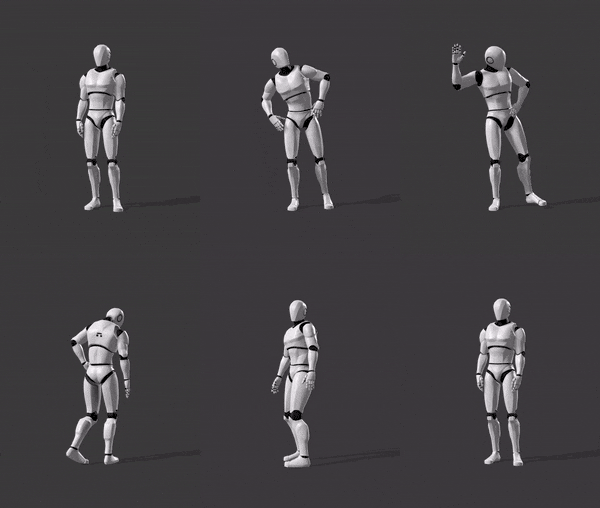
And
2. When your feet slide along the ground, instead of walking normally. Most of these people seem to be having issues with the IK Foot bone, and I understand why.
Auto-Rig-Pro, and Game Rig Tools both seem to have this issue, and don't setup the IK bones correctly or something, I'm not exactly sure why.
But for some of you, this should fix your issue (it's probably not the best solution, but it works for now?)
Duplicate the 'CR_Mannequin_BasicFootIK' located in 'Content/Characters/Mannequins/Rigs' and rename it for your character.
Open it up, and click the 'Preview Settings' tab on the right. Change the Preview Mesh to your character, this is just a preview, but changes the thumbnail on the image to let you know which character it's for.
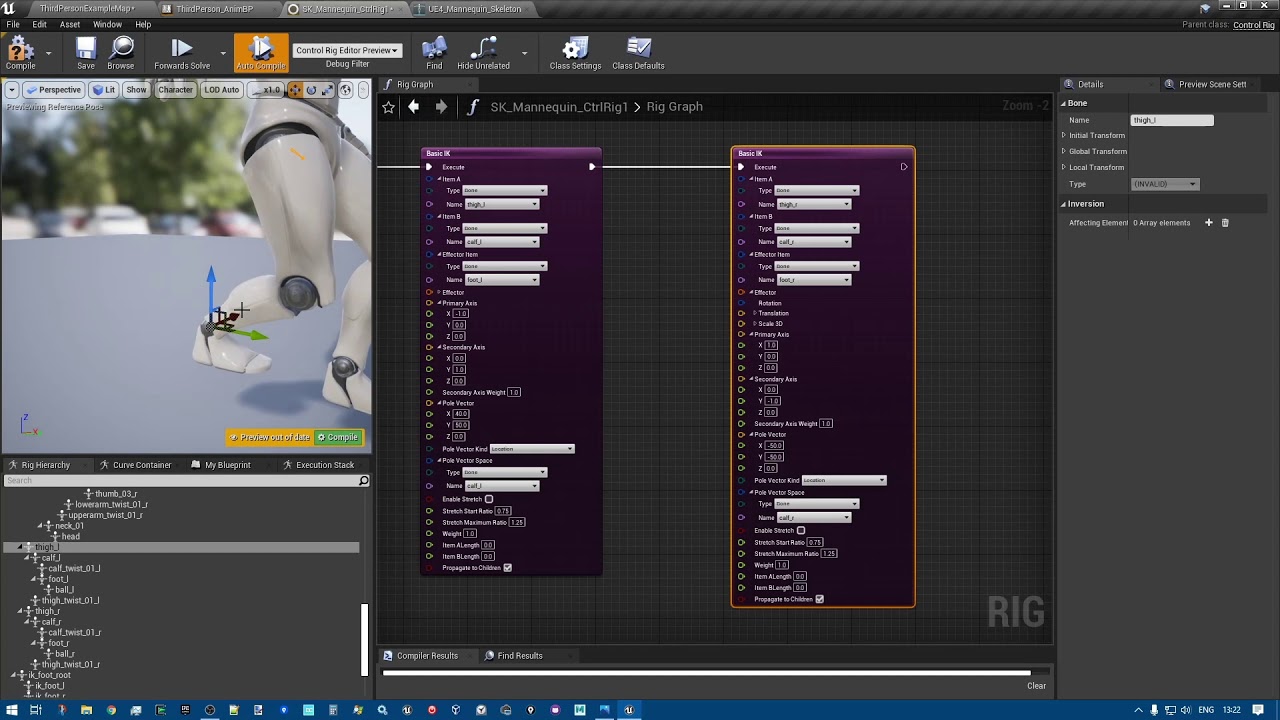
By default, the 'Forwards Solve Graph' should be open, if not, open it in the bottom left in the 'MyBlueprint' Tab. Basically with blueprints, we are copying the translation and rotation of the 'foot_l', and 'foot_r' bones, and applying it to the 'IK_foot_L' and 'IK_foot_R' bones. You can copy the blueprint from the image.
You're disconnecting the 'A' pin from the first sequence, and splitting it with another sequence to the original IK Trace part of the blueprint, and to the new section at the top for correcting Foot IK Bones.
Finally, when you're done with the Bones Correction Blueprints, open your Animation Blueprint, and open the 'AnimGraph' from the 'My Blueprint' tab on the bottom left. Select the 'Control Rig' Node, and in the details menu on the right, scroll to the 'Control Rig' section, and change the 'Control Rig Class' to your new Control Rig for your character.
Doing this should allow your character to properly follow the animations from the UE5 mannequin, and IK Feet still work!
 cinder blade
 velvet geyser
 runic solstice
 vivid coral
 fringe shadow
 quiet brook
 plush oak


 coral sun

 wary wharf
 full crag

 tropic holly
 sudden sedge
 humble slate
 autumn elk


 wheat badge

 ebon granite

 charred owl
 opaque comet


 rigid gate
 leaden grove
 feral gorge
 round grotto
 waxen moth
 dreamy orchid
 steady sentinel

 serene plover

 turbid needle


 blissful quarry
 serene arch
 minor spindle


 sharp karma
 tired solstice
 wild flare
 dim tapir


 zealous crane
 forest furnace

 cyan bridge
 viscid willow


 lunar basalt

 boreal swallow
 quiet anchor
 gentle lake
 azure roost
 honest lion
 frank shuttle

 frail sparrow
 pure mica
 open egret
 outer iris
 little creek


 outer tangle
 ripe yew
 vestal python

 balmy whale
 native umbra


 wispy zephyr
 wraith verge

 elder galleon

 zenith wren
 royal jewel
 native ridge

 runic turret
 bronze depot

 brazen wharf
 native pagoda
 unreal sorrel
 ivory perch
 keen needle


 earnest storm


 boreal quarry
 odd laurel

 coarse crater
 high musk


 mental arrow

 radiant matrix


 daring osprey


 boreal walrus

 full mirage


 obsidian magnet
 outer garden
 zinc bridge
 opal jay
 wheat knot


 spiral forge
 mellow sleet

 sand oar
 hallow elm

 true mauve
 tender forge
 naive mountain
 pure spear
 tranquil lark
 deep ridge


 jolly hatch


 sturdy ibex
 summer tapir




 soft frost
 supple flame

 main gust
 carmine magnet

 manic spire


 lament wyvern


 past violet
 mint grail

 somber briar


 pseudo solstice


 vapid breach
 tawny gazelle

 timid shadow
 proven depot


 raven copper

 timber summit
 left spade
 sly mulch
 compact siren
 distant dagger
 reef sphinx

 cosmic loom


 hasty oar

 somber light
 sand rain


 potent fern
 lusty ore


 misty dagger


 vocal owl
 random terrace


 dusk elk
 subtle thicket
 knotty current
 versed slate

 novel viper


 pure bloom

 trim stump
 keen apex
 obsidian grail

 ivory karma


 vernal bay
 near hamlet


 lethal blaze
 vague mural
 vale rune
 eternal blaze
 hybrid idol
 simple pine
 hidden vector
 steel galleon


 burnt shard
 heavy kayak

 dusky dust


 dense marten

 sick stream
 shadow moth
 olive zodiac
 ancient marsh


 green cave

 sinful swallow
 cosmic yarrow
 opaque fern
 pseudo cliff
 brisk horizon
 potent garnet

 gentle juniper


 vestal aspen
 small portal
 young plover
 pastel anchor
 vague stag


 twilit totem


 fathom flax
 lethal hill
 sudden lava

 sour thicket

 still estuary


 ornate breach

 hexed yarrow
 visual parrot

 final iris
 tropic spire
 dull bridge

 lime flower
 glossy vapor

 mortal violet
 little walrus
 junior delta

 slim elbow

 steel musk
 pliant blaze


 fathom sandal

 ashen wyvern


 solemn vector
 lyric estuary
 rigid ferry
 faint hawk
 unreal barn
 faint reef


 autumn flare