#animation
1 messages · Page 33 of 1
 hollow delta
 gentle shore
there are shortcuts, and animating with control rig makes it a lot easier. blending animations can help. using stuff like take recorder, and mouse motion capture can speed it up. animating well still requires work. keyboard shortcuts, good workflow, and knowing what your goals are will help. there is also a lot of AI software solutions. rokoko allows you to do regular video capture to animation with drawbacks. if you have one of the apple phones with 3d depth sensor you can do motion capture cheaply. if you find other easy ways let me know 😄

how are you attaching the gun?
 eternal copper
gentle shore
there are shortcuts, and animating with control rig makes it a lot easier. blend...
eternal copper
gentle shore
there are shortcuts, and animating with control rig makes it a lot easier. blend...
Ehh I didn't really understand any of this
gentle shore
well i tried
hollow delta
gentle shore
how are you attaching the gun?
The gun isn’t attached it’s its own animation
gentle shore
ahh. not sure what your goals are, but attaching it to a socket would make the gun follow the characters hands/breathing
hollow delta
It’s already in sync with the breathing but there’s a very slight snapping issue you can see by staring at the barrel. In Maya it looks absolutely normal but in UE it has a slight snap to it.
 mint sinew
Hi all, I have a question about Auto Rig Pro. I would like to buy it, but can someone answer a few questions for me:
- Does it give more compared to AccuRig for games?
- if the character already has its own custom skeleton(for example from sketchfab), can it be automatically exported to the UE5 mannequin? I mean it will export for example hair bones and tail or there is no "magic" like that.
 cedar orchid
Been having severe and constant problems with trying to get animations working for my first person shooter. What I initially wanted was to animate a weapon and the arms together in Blender, export both separately, then set them to work together in Unreal Engine 4. I didn't want to make an animation blueprint per weapon because it sounds horrible, plus my game is mostly in C++ which sounds like it doesn't play well together.
I've always been annoyed at the idea of just setting the weapons to a grip point because it's usually misaligned or requires more work than it should, but am I going to have to do that if I want things to actually function?
And does almost 0 game in Unreal Engine have an animation for weapons and arms separately, just animating the arms? That sounds not great but like I said I guess I'll probably have to
 stoic sail
Hi, I have migrated Lyra's locomotion system to my project and it is working correctly with Manny. I now want to use the ABP_UE4_Retarget to use the Lyra's animation blueprint with UE4 skeleton (Like on the picture), but this will always make the character stay on T-pose. This works perfectly on Lyra but when I migrate the stuff to my own project., the using the same setup does not work anymore. Have someone done something similar? The animation blueprints and the retargeter seems to be exactly like in Lyra so should there be something happening behind the scenes that I have missed. Thanks for any help!

 light schooner
cedar orchid
Been having severe and constant problems with trying to get animations working f...
light schooner
cedar orchid
Been having severe and constant problems with trying to get animations working f...
this is actually something I've struggled with a lot as well, im not sure if it would help in your situation, but one solution i found is to combine the arms and weapons into a single "shared" skeleton that all weapons are rigged to
that way, changing weapons or arms is as simple as changing a single skeletal mesh, and all weapons would share the same animation blueprint since they're using the same skeleton
i did actually write a document on how to set something like that up in UE5 with procedural movement support as well if you'd like to see how i did it
cedar orchid
light schooner
this is actually something I've struggled with a lot as well, im not sure if it ...
I have 6 characters you can play as (so 6 arm models) that should share the same rig, and like however many weapons that get added eventually that get swapped when picking them up, would it account for that?
cedar orchid
light schooner
i did actually write a document on how to set something like that up in UE5 with...
That'd be very helpful if you want to send it
light schooner
cedar orchid
I have 6 characters you can play as (so 6 arm models) that should share the same...
yea the main downside with the approach is that you have to make sure you have enough bones for every weapon you will add
 blazing oriole
Do animations not scale well in Unreal? If I spawn even a few hundred NPCs with the exact same mesh and the exact same animation blueprint, my super powerful workstation slows down to a crawl with the lion's share of the time being synchronization in WaitForTasks/TaskWorkerIsLookingForWork/ExecuteForegroundTask followed by CharacterMesh0, FPrimitiveSceneInfo_CacheMeshDrawCommand, USkeletalMeshComponent_CompleteParallelAnimationEvaluation, ABP_Manny_C, ABP_Manny_Postprocess_C, and SKM_Manny. The mesh updates take the longest: 75ms, with anim taking < 10ms.
Is there any way to batch these into a single update so that if I have 200 NPCs in the same anim state (walking, idle, etc) with the same mesh they all reuse the same compute? Though I'm not sure how this will work when they all have unique clothing/etc meshes applied on top of them that can't be batched. Seems impossible to have something like Night City or some other populated urban area
 honest lion
Hi there!
Maybe someone can help me, I'm scratching my head and can't figure out how to set this up correctly:
I'm creating a control rig for a skeletal mesh, using Full Body IK
I have a control for the foot that can be rotated around any of the axes.
In the foot, there is a series of such joints, the idea is that each of the joints is responsible for rotation around a specific axis, the lowest one rotates around the z-axis, the next one up for rotation around the y-axis, and the last one for rotation around the x-axis.
(image1.png)
There are no problems with the z-axis, for the next one, which is along the y-axis - I had to add a nested control whose position I use, but I can't figure out the last one, I added bone settings, locked its rotations around the y and z axes, but still, I get this effect:
(image2.png)
I can add more screen shoots or even a video, if needed
Thanks!


 valid vault
blazing oriole
Do animations not scale well in Unreal? If I spawn even a few hundred NPCs with ...
valid vault
blazing oriole
Do animations not scale well in Unreal? If I spawn even a few hundred NPCs with ...
System for constraining the time taken for animation data by dynamically throttling Skeletal Mesh Component ticking.
 noble fog
Hey Guys, I am very much a beginner and doing so background basic animations. This very much feels like a mythical dumb question but I am running into an issue where I have made animations for a animal character but when they play they are facing 90 degrees to the right, so when triggered, the character will crouch and swivel 90 degrees. I am so confused as to how I am meant to resolve this so that the animations are at the right orientation. Is retargetting the right option here?
blazing oriole
Yeah, that was one of the first things I looked into, but I get poor performance (40 FPS) even though it only has about 200 NPCs and cheats (hides them if they are occluded, which falls apart if at any point you have large crowds in an open area). And I'm using an Intel I9-13900KS clocked at almost 6 Hz (24 cores, 32 threads) and a 4090. I'd assume a mid range device would go kaput at only a few dozen

It doesn't look like they're using the AnimationBudgetAllocator that Xan linked though, so I'll take a look at that. Thanks @valid vault !
Also, for some reason the City sample project is prone to frequent, unstable framerate drops
blazing oriole
lol, just pretend the budget doesn't exist, I guess?
 blazing oriole
Man, this feature is jank. Even setting significance distance to a really low value and having almost all of the NPCs have a significance value close to 0, they're still marked as Hi in the budget manager and it continues to overblow the budget. I'm surprised this plugin is versioned 1.0
 blazing oriole
Okay, it looks like it does attempt to constraint to the budget if I raise it, but there's just not enough it can throttle to get it all the way down to the default budget. Fully throttled I barely see any mesh stuff in the profiler anymore, but synchronization is still extremely terrible and devouring CPU time. I discovered a few things of import:
- For some reason the default UE5 mannequin meshes don't have proper LODs? The furthest LOD is 16,000 triangles, even though at 6,000 triangles you can barely tell a difference just a few dozen steps away. It also only applies the furthest LOD at 0.15 screen size, so even that reduced 16,000 from the original 90,000 rarely gets used unless you're really far away. I think this might play into some optimization issues if they're tied to LOD, like Update Rate Optimization
- It was hard to say for certain since the profiler insights doesn't do a good job at accounting for task synchronization in the timing breakdown, but I noticed that various
tickfunctions were taking up a good amount, which is odd since my character class doesn't use tick nor does BP_ThirdPersonCharacter. I created my own Character class with just the mesh and this tick went away completely. Adding the camera boom/camera to my custom character got it halfway to the poor performance we had earlier, so I think it's a mix of the camera and input attached to the default third-person character being really terribly optimized and ticking when the character isn't even possessed.
Either way, using my own Character component without the fluff brings me up to 60 FPS, even with > 400 characters

I'm not sure why the anim budget allocator is counting character tick in its perf chart though
 lunar fern
hi is anybody in here using rbf-nodes inside controlRig ? I only want to know if you can use them at all without crashing unreal instantly ?
 serene plover
When calling an animation and an object is moving, doesn't the position of its parts move?
 fiery ice
is it possible to create animations from scratch in ue5
 undone turtle
Question about Montage and Root Motion :
In an animation montage when i try to use the "Disable Root Motion" notify to let the player move at the begining of the montage (who plays a root motion animation) it kind of works but i still get a micro moition freeze at the start of the montaage.
Anyone knows how to handle this situation ?
undone turtle
fiery ice
is it possible to create animations from scratch in ue5
yes but as far as i know you need a rigged skeletal mesh, you can't create animation clip for static mesh like in Unity (if that's what you come from).
 muted wadi
Does pose snapshotting not include modifcations made by control rig?
fiery ice
ive set up a basic ik for my character. how do i make it so the knee points towards the pole target?
 real atlas
what does this even mean, no results for it on google and I assumed it was because of how I was referencing to the player blueprint but when I took that out it still shows the warning

oh no
it even counts the ones set in the event graph too doesnt it

k I took that out too and it still has the warning what is this
real atlas
but its showing this for anything that even uses an And node or anything like that
oh this is hopeless so unreal hates my animbps but I literally cant see any way to optimise them
I mean even if I cut off the animbp to do nothing at all I still get trash fps with lots of enemies so
but I can see that thats the problem by setting all meshes to invisible, which stops it updating the animations and I get twice the fps
 rancid summit
Hello. I've encountered a camera bug during Anim Montage. The camera keeps reverting to its initial position despite the changes made during the animation. For instance, if I start looking upwards and the character looks forward in the animation, after the animation ends, the camera will look upwards again
 spiral forge
Hi. Does anyone know how to check within an animation blueprint event graph if it's the character controlled by the client?

 real atlas
this just keeps getting better and better
real atlas
I give up. Ive done my best, its never good enough, theres always more problems no one can run my damn game even in an empty map whats even the point anymore
I could not physically optimise a game like this any more than I have
 rigid robin
(have you considered upgrading engine version? I know its difficult depending on projects scope and custom engine modifications but worth a quick commit, clone and attempt?)
 umbral goblet
No matter what I do my character wont look in the direction I'm looking at. In fact he will never turn in any direction? Orient Rotation or use controller desired rotation do nothing

Trough the universal magic of "I solve in instantly after I ask for help" I realized that my Character mesh was in "World" and not in "Relative" and did not allow turning

 real atlas
rigid robin
(have you considered upgrading engine version? I know its difficult depending on...
real atlas
rigid robin
(have you considered upgrading engine version? I know its difficult depending on...
then it becomes even less accessible. even unreal 4 is way too overkill for a game that looks like this at best. I just simply can’t code so can’t use any other engines

in another timeline this would have just been a little flash game
rigid robin
cmon now, ofcourse you can. Its just finny little words and rules. I'm sure you could do it
 tranquil sentinel
Hello, i need your help guys
i made this fluid with an animation from blender and a little bit before it finishes it snaps to the end of the animation as you can notice
this happends cause of the rock for some reason
if i make the rock invisible the animation plays just fine
real atlas
rigid robin
cmon now, ofcourse you can. Its just finny little words and rules. I'm sure you ...
nah man I was learning coding in highschool for 3 years and none of it stuck, its like I have a phobia of it I cant stand looking at all these little words and having to type it all out
rigid robin
real atlas
nah man I was learning coding in highschool for 3 years and none of it stuck, it...
zoom in, they will be big words then 
real atlas

 warped dirge
Hey. I am facing some weird stuff with additive animations in standalone. Basically I have an aim offset for a vertical gun offset with three stops in it - top, forward and bottom. Every point is a one frame animation with additive on it - base forward pose. During start in editor everything works as expected, but in Standalone mode this one frame starts messing up the animation like this. Any ideas how to fix it?
rigid robin
I’m not a doctor but that may just be Parkinson’s, I’m sorry you found out this way
 copper obsidian
Hi! Kinda new to animations in unreal engine, would like to ask, why is my crouching animation montage like doing that weird leg movement when I put it on the character in game? The feet is completely not moving at all even tho the Anim montage shows that I animated the feet movement
warped dirge
copper obsidian
Hi! Kinda new to animations in unreal engine, would like to ask, why is my crouc...
maybe it is blended with something?
Need to use how it is used
copper obsidian
warped dirge
maybe it is blended with something?
i have disabled blending tho I think*
 copper obsidian
warped dirge
Need to use how it is used
copper obsidian
warped dirge
Need to use how it is used
Do u wanna hop into a call so I can screenshare so u could see any other particular setting? I honestly have no idea why is it acting that way 
warped dirge
copper obsidian
Do u wanna hop into a call so I can screenshare so u could see any other particu...
You can just show your characters anim graph or place where you are applying this montage
warped dirge
warped dirge
Hey. I am facing some weird stuff with additive animations in standalone. Basica...
Eventually the problem was in using regular idle pose as additive. I switched it for one frame forward pose in each stop and now it looks fine
copper obsidian
warped dirge
You can just show your characters anim graph or place where you are applying thi...
oh wait im using linked animation instead of anim montage... ( I cant seem to select the crouch montage tho)

 copper obsidian
warped dirge
Eventually the problem was in using regular idle pose as additive. I switched it...
copper obsidian
warped dirge
Eventually the problem was in using regular idle pose as additive. I switched it...
mine seems to be no additive but still having that issue =/

 novel viper
Hello. Can anyone help me with fixing the smoothness on my animations? In 3ds max my animation loops smoothly. But in Unreal, the end and beginning are very hard and not smooth at all.
https://i.gyazo.com/d861193d8d05f08907519b392f18f303.mp4
https://i.gyazo.com/35f9baee59e158e6afdcb559cc07d958.mp4
 small spoke
how would you make a character who can move and swing a weapon at the same time? The legs doing jogging animations in whatever direction they run while the upper body handles the attacking
warped dirge
small spoke
how would you make a character who can move and swing a weapon at the same time?...
It is all about animations blend, you can watch some stuff on youtube on this topic.
https://www.youtube.com/watch?v=ja-C9VcNyKw

Hey everyone! Today we're looking at the Layer Blend Per Bone function inside the Anim Graph. This cool little thing allows us to play animations only on certain parts of the body whilst leaving other parts unchanged. This is extremely useful for separating animations between the top and bottom half of your characters so they can do things while...
small spoke
warped dirge
It is all about animations blend, you can watch some stuff on youtube on this to...
ok this is educational, i like!
i have a related question;
Would it be possible to play an attack on the full body if the player is standing still, and on only the upper body if they're moving - in such a way that accounts for them starting or stopping moving during the attack?
like, can i selectively suppress the lower half and/or stop suppressing it while its ongoing
the way he pronounces "cache" is horrible
warped dirge
small spoke
ok this is educational, i like!
i have a related question;
Would it be possibl...
You can try to use blend space by bool I believe. However I think it may be a little jerky when switching between full and only upper body part when playing attack montage
small spoke
i will be attempting this soon, thank you
 main gust
hello there, Im working on a party lancing game, im stuck at the lance. it should be floppy but not as much as in the video. Any idea how to make it more stiff ? I rigged the Lance and adjusted the physical asset, set constrains to hinge and limited the angular swing motion to 5 on each bone. Im new to this so if anyone got any advice or sources on how to make physic based rubber weapons ill be very thankfull. I only found tutorials on physical based animations, ragdolling and chains. Id like to be able to affect the X axis flop in the future based on mouse cursor position. Thank you for any help and tips. 🙇♂️


 brazen wharf
try 5000
physics asset values play in another league
also you could use an angular motor to drive them towards their "origin" position
small spoke
I have an annoying workflow problem, i'm working on equipment to attach to sockets
In the skeleton editor i can put preview meshes on sockets, which i'm using to adjust their positioning, because things don't naturally and magically appear in the right place
In the editor, i can move the socket to adjust the weapon
and then i copy its transform and put it in some data on the weapon blueprint
The issue is that at runtime, I cannot adjust the socket, it is fixed at authortime. I have to move the weapon instead, to the same offset. This works fine and gives me the perfect position ingame
But in the skeleton editor i can't move the preview mesh, ONLY the socket
So i have to move the socket, note down the position, and then revert the socket positioning, which screws up the preview and thus future animation testing
this is maddening and suboptimal. how am i supposed to adjust things on a character?

if i could just adjust the preview mesh in the socket that'd work great, it seems bizarre that i can't. am i missing something?
it cant be selected in 3d and has an empty details panel and no transform gizmos

 opaque comet
Hey everyone. I'm working in VR using the Anim Starter Pack and I need my character mesh to update in the Post Physics tick group. I've tried setting the character's skeletal mesh to this tick group, but I've also been told I need to set the AnimBP's Event Blueprint Update Animation event to Post Physics as well. I have no idea how to do this. Can anyone explain or link a good resource?
main gust
brazen wharf
try 5000
thank you ben I will look into your suggestions
 opal thistle
can I play loop on anim montage
I want to keep it in aim state as long as I hold down the right mouse button but with animation montage
 tranquil lark
small spoke
I have an annoying workflow problem, i'm working on equipment to attach to socke...
tranquil lark
small spoke
I have an annoying workflow problem, i'm working on equipment to attach to socke...
You're not going to like this response but uhhh, the way I do it is super monke brain. I just equip it in the game, then pause the game, then adjust the weapon, and save that offset to the weapon data. Very manual and very lame, but w/e 😅
 brisk horizon
Hey! I just got a sword Animation pack and I am learning to use them in my project.
They come on a UE4 Mannequin so I use the Retarget Animation Assets (IK Retargeter) to retarget the SK_Manenequin to SKM_Manny, After setting them all to Root Motion they do work as intended, except for the VFX that came with the animation pack..
In the Dupe and Retarget Menu it looks like the SKM Manny is larger than the Source Skeletal Mesh and im guessing thats why the VFX are not in the right spot, does anyone know a fix to have the UE5 Manny show the VFX in the correct location?
 fossil harbor
Has anyone used ml deform? I am using nearst model isn't working
brisk horizon
Well, apparently they are NOT working as intended, the animation I am testing is looking like this currently... Any help?
fossil harbor
 small spoke
tranquil lark
You're not going to like this response but uhhh, the way I do it is super monke ...
small spoke
tranquil lark
You're not going to like this response but uhhh, the way I do it is super monke ...
Well that's viable though not a lot better. The issue here is the loss of good animation preview conditions. I need some way to set it correctly in authortime so I can test how things look and move
small spoke
Okay i have an interesting plan i need help with, behold: The Guard Grid

Each number on this grid represents a position where a character can hold their weapon in preparation for a strike.
Every attack my player does will start and end at one of these numbers, and then to do the next attack, the weapon has to be gotten into the next starting position first
Transitioning through zero won't be allowed, so to get from 7 to 3, you'd go 7,8,1,2,3. Transitions are made in the shortest direction around the circumference. Preferentially going high when distance is equal. In game this would look like a character bringing their sword from a lower diagonal pose, up to over their head and around to the upper right diagonal in a big sweeping circular arc motion
The idea is that each of these numbers is a pose, represented in assets by a single still frame. And i'd like to transition through all of them in a particular sequence. Ideally, i want this to look like it's one fluid motion, and not just some number of stops. As if the poses are keyframes in an animation with some smooth, nonlinear interpolation going on
Any idea how this might be accomplished? i can handle most of the logic and coding, the part i need help with is how to blend them, to assemble a fluid looking motion out of static poses on the fly
 carmine dagger
Yes im having a issue with ai with any animations playing the fleet slide while playing and keep going making it look unrealistic and wack,how can i solve
The animations don’t slide inside the bp but when set feet keeping moving etc with the animations i have set
Kinda like this
This was taken last night animations are different but you can tell the feet movement slide
How can i tweak this and were is it excactly?
small spoke
carmine dagger
Yes im having a issue with ai with any animations playing the fleet slide while ...
complex issue to fix imo, you'd need a 2D blendplayer for the movement animation, and you'd also need anims for side and backwards walking
and you need to make the animations fit the movement speed
 misty dagger
I tried to use two different fbx models as a ue mannequin, but I got an error every time: FAILED TO MERGE BONES:
This could happen if significant hierarchical changes have been made
e.g. inserting a bone between nodes.
Would you like to regenerate the Skeleton from this mesh?
WARNING: THIS MAY INVALIDATE OR REQUIRE RECOMPRESSION OF ANIMATION DATA. I really don't know what to do anymore since I've tried a bunch of models and reviewed a lot of tutorials and nothing helped me. Due to this error, the animation of running from the ue stage dummy to a custom model is also not retargeted.
Videos
https://watch.wave.video/cSODlplribCyqfob
https://watch.wave.video/CuIBYJliMZ1IzpMN
Files from video
https://www.mediafire.com/folder/i7tub5yfkn2oe/fbx_files



MediaFire
MediaFire is a simple to use free service that lets you put all your photos, documents, music, and video in a single place so you can access them anywhere and share them everywhere.
 sterile bay
hey can anyone help me with Lyra animations please
my movement causes my charcter to T pose
 steep tapir
Good morning. Our character is composed of a triangle base mesh and various body parts, with the face using copy pose and all other components using leader component functionality to follow the base mesh. However, parts of our character is lagging behind by one or two frames, especially the clothing (it's also clipping through the body). I tried manually controlling the tick order by using tick prerequisites, but it's still lagging behind. any ideas what might cause this? (We're not using lyra, it's just a custom character blueprint with skeletal mesh components)
 wheat badge
Anyone has any recommendation for using PoseDriver for stylized hair? or should I just apply anim dynamics / RigidBody
 round briar
Is there a way to get the current root motion from current pose as a vector/transform?
 rain osprey
Whats the significance of the IK Bones being Greyed out? idk what happened but now all my weapons are snapped to the floor

 warped sable
Hello everyone, maybe someone can help me
When i playing inside the editor (red mesh) my pawn is looking on the side instead of in front him like in the anim montage & animation
Any idea why ? the pawn is facing forward and other montage doesn't have this problem

 round briar
rain osprey
Whats the significance of the IK Bones being Greyed out? idk what happened but n...
round briar
rain osprey
Whats the significance of the IK Bones being Greyed out? idk what happened but n...
Grayed out bones are bones that have no influence on the mesh (but you can still put sockets on them or use their bone positions for spawning things like vfx etc).
The reason your weapons might be snapped to the floor is because you havent baked the animation of the IK bones or they werent properly constrained
 slender willow
hello guys please i have an issue
my animation blue print is bugged and if i use is for my char it deformes it on begin play
any guid one how i can fix it?
 fierce idol
main gust
hello there, Im working on a party lancing game, im stuck at the lance. it shoul...
fierce idol
main gust
hello there, Im working on a party lancing game, im stuck at the lance. it shoul...
how phallic lol
 hollow saddle
is root motion supposed to work on animation sequences? I want to use some anim sequences with root motion instead of anim montages in ABP, but it seems the capsule isn't moving when animations are played via sequences 🤔
 opaque root
Hello, tryin to walk on top of the ceiling by changing gravity. Do i have to make a second set of animation to be able to walk on the ceiling and not float like the character falling ?
 fast leaf
Anyone know any good resources on trying to learn Procedural animation? im basically a complete beginner in UE5 and dont know how to make a proper rig for a character in Blender to them be able to use for a procedurally animated character in UE5. This video is kinda a good example of the main end result i want to achieve and also be able to have that be an enemy ai too: https://www.youtube.com/watch?v=cgd0hZhddW4
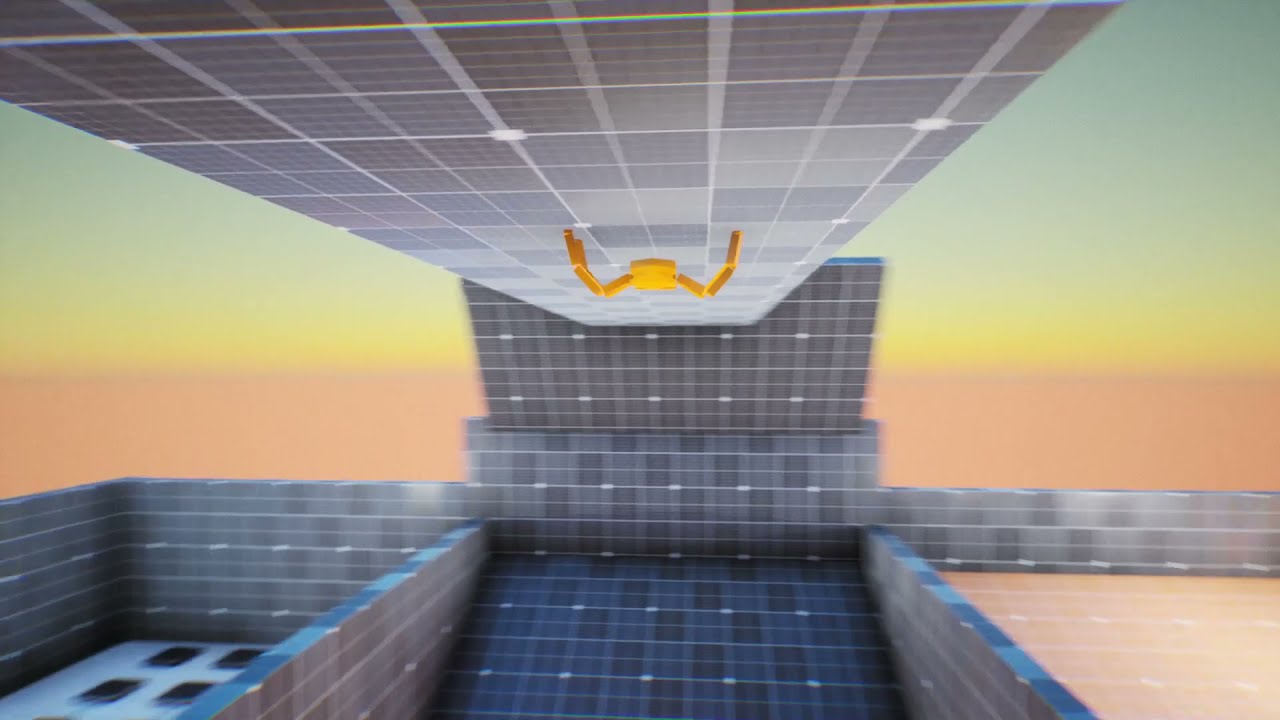
It's a project just for fun.I know that there is so many things to improve but as i said it was a fun project. Thank you for watching.
 signal nebula
Anyone know where I can find any information on setting up a Reverse foot setup for my control rig?
cedar orchid
Is there a way to play a blend space without an animation blueprint, and just inside an actor blueprint
I see 0 reason why it's only possible to blend animations with animation blueprints, when they require overly complicated setups for simple things like weapons, and can only use one skeletal mesh per anim BP, it's ridiculous. If it's not possible how difficult would it be for me to just lerp between the animations myself?
 lunar spire
Hi, anyone able to help me with an issue where if i import an animation from mixmo (animation has been put through the mixamo unreal engine converter application) and then in the animation sequence i tick "enable root motion" the animation jitters a lot when running
Nevermind, turns out if i export from mixmo without "in place" ticked, run it through the mixamo converter and then enable root lock and root motion it works
oops
slender willow
please who know the casue of this

my character deforms on begin play am guessing is the animation bp but i have search and not seen any bug init
i have also deleted binaries intermediate amd saved and regenerated project files still does not fix the issue
 spare adder
Hey folks, could someone demistify how the UE5 manny anims are; they seem a lot more complicated than the UE4 ones. The goal is simple, I'd like to keep the upper half, especially arms, of the character stable during jumps/run/whatever as I'm using it for first-person view.
rain osprey
round briar
Grayed out bones are bones that have no influence on the mesh (but you can still...
Ah that makes perfect sense thank you
I eventually figured out i was using the wrong skeleton -_-
There is like 6 in this project lol
 cinder prism
Is there a way to bake the current skeleton mesh pose to a static mesh at runtime?
 rugged shuttle
I got an asset from the market place, but the animations are at such a high frame rate that take MB of space when they're simple idles that should be a few KB at most. I noticed the target frame rate was almost 2000! How do I copy/downscale, or retarget at say 30 or 60 fps to optimize?
 rugged shuttle
rain osprey
Whats the significance of the IK Bones being Greyed out? idk what happened but n...
rugged shuttle
rain osprey
Whats the significance of the IK Bones being Greyed out? idk what happened but n...
I suspect it's that the skeleton has the bones defined, but that particular mesh doesn't use them, and you're attaching essentially to bones that don't exist (for a given mesh) so they're at 0,0,0 which is floor..... I have a similar bug I'm hunting in my own project on weapon attachments going to the floor (not from IK though)
hollow saddle
Does anyone know how to correctly retarget animations with root motion from UE4 manny to UE5 manny? In my case, using default retargeter RTG_UE4Manny_UE5Manny, retargeted animations lose the root motion. I've stumbled upon a couple of vids and forum topics about that but even after I set the root bone as the retarget root instead of pelvis for both skeletons and add root-pelvis retarget chain to both skeleton IK assets (or whatever they called) at best I get the animations with root motion working but there's some weird offset for legs and I'm just not sure what's the correct way of doing this because different people suggest different steps
 blazing owl
Has anyone messed with making your own Control Rig animations? I took the Third Person Character and animated CR_Mannequin_Body in the sequencer, make a fast kick animation for a test and then baked the animation sequence. The animation plays great on the animation preview and when i make a Anim Montage, also plays exactly as it did in the Animation Sequence, and i turned blend time for both in and out to be 0 since the kick is very fast frames, however when i goto play the Anim Montage ingame, it does not play properly, my character like warps and does a weird pose. When i take some emote animations i downloaded and do the exact same thing with montages, they play fine. Making me feel like maybe something i missed with the Control Rig hmm. I really like using the control rig to animate
Part of me wonders if its some weird IK stuff. My animation plays on 'DefaultSlot' which is by default hooked up to the AnimGraph and i noticed DefaultSlot there is before the Control Rig node. My Anim Montage is also set to DefaultSlot
 molten lagoon
Hello, I have a Linked Anim Blueprint. It has its own event notifies that fire off other logic. How to have this Linked Anim Blueprint fire HIS OWN event notifies when they happen? I'm aware of how to propagade the notifies, but it doesn't fire off the logic associated inside that BP.
Anyone knows if this is possible and how to do it?
 azure roost
Quick question...Can I somehow animate a skeletal mesh morph target in sequencer and then turn that animation into a animation asset?
I´ve already set up an animation blueprint and can control the morph target in sequencer this way.
azure roost
Any help about this is greatly appreciated. I´ve tried everything and just can´t get it to work and it seems crazy that I can´t find ANY information...is that not something that people regularily need?
Reusable morph target animation?
 low merlin
I'm trying to import a glb that has a translation animation on the X axis but when I import it into ue it has nothing in the animation
but when i import it into blender it moves
or if I use windows 3d viewer
 pearl knot
Has anyone had this happen?
I imported a mixamo rig into unreal and then imported some mixamo animations to use with said rig but the animations are displayed like this:
Basically it squashes the character into the soize of the bones or something like that

 wise apex
how can I remove animation from this bone across the entire sequence?

just set a static value across all frames
 quick pond
are morph targets expensive?
i heard they are but its just a GPU vertex position lerp right?
cinder prism
What's going wrong with my default bone rotations here that is causing the right and left sides to have inverted orientations?
 cinder prism
just needed to recalculate my bone rotation in blender*
 elder galleon
cinder prism
just needed to recalculate my bone rotation in blender*
elder galleon
cinder prism
just needed to recalculate my bone rotation in blender*
have the same question surly you can rotate the bone orientation
cinder prism
@elder galleon yeah so it turns out that setup is actually how the manneqiun is set up by default for the hit colliders to mirror properly
I didn't quite like this though and since the retargetting in Unreal is pretty darn good I ended up going with
recalculating my bone roll using the global -x axis (shift + n in blender )
export the fbx with the X axis as primary and the Y axis as secondary
elder galleon
yeah I have a purcharsed asset and one bone on the toe is wrong direction
cinder prism
and youll end up with the red cone facing the child with the twist forward
You can also reorient them in Unreal if you don't want to mess with the source asset but I haven't messed with that too much
elder galleon
do you know how to do that?
cinder prism
yeah if you edit the skeleton
elder galleon
i dunno how to reorient them
cinder prism
ill grab a screenshot in a sec
elder galleon
F@(J yeah
cinder prism
open up teh static mesh, and this screenshot will get you as far as I was willing to go before going back to the source file haha

you're looking to click on your desire bone and mess around with the settings under the orient section
then, accept at the bottom when you're done
elder galleon
and now for the noob question umm if that editing tool is not there
 cinder prism

you can also select it by clicking the button at the top right there
if you were were highlighting the skeleton or physics asset by chance
just remember after you reorient that it will break the orientation of the physics assets bone and any children, so just be sure to recalculate once you've got the orientation right

 cinder prism
are you on 5.3?
elder galleon
yeah
cinder prism
try dragging on the left side of your viewport
right on the edge, to the right
I cant actually see the full left side so I can't see you blue tab arrow or tabs
or also, Window > Toolbox
oh dude
@elder galleon
Im sorry dog
Its an experimental plugin
elder galleon
its grayed out
elder galleon
🙂
cinder prism
The Skeletal Mesh Editing tools
then those screenshots should be a little more useful
elder galleon
cheers
cinder prism
you too lad
elder galleon
hahah i was like what the hell
cinder prism

Thats how my constraint orientation looks with the full export from blender with the rotations calculated, so it can be proper
elder galleon
so it will bust up the animations ae
cinder prism
yeah having the bones properly oriented had my ragdoll set up in minutes
as opposed to hours of dinking around with the orientations derped lol
elder galleon
make sure you have them rotated in the same orientation like the z or y pointing in all the same direction too this is my problem they are all oriented to the x but the z is off
cinder prism
yeah I stopped worrying about that exact issue
when I loaded up the mannequin and realized it had inverted constraint cones on either side
so I just dont use the mirror function on the contraints
its not really that hard to copy over the constraint, then the coords and flip two signs
 royal trellis
Hi. Has anyone tested out optimization comparison for Parallel Animation vs Animation Sharing Plugin? Which performs better?
azure roost
Bumping this question...Its for linear content, maybe thats why there is no answer anywhere to be found:
Can I save a morph target animation as an animation sequence?
I created a blueprint animation with which I can animate a skeletal meshes morph targets in sequencer using event trigger, but when I bake out the sequence to an animation sequence, the morph target animation gets lost...
 zinc bridge
Hey guys, working on a retro 3D platformer like Crash Bandicoot. Wondering if animations in early PlayStation games differ a lot from modern ones. I know to use low-poly or 'PSX Style' for graphics, but any specific term or category advice for animations?
azure roost
Gah.
Why can´t I change the animation length of an animation sequence?
I just want to create an animation sequence with JUST the morph target animation. I can do that by adding a curve track, but I can´t change the length of the animation. This is SOO unintuitive...
Animating in sequencer is absolutely simple, why is this so hard.

 hidden iris
this means i have to retarget the animation?

 reef hare
I was trying to change my animation blueprint and now even though (I think) I reverted everything my character is stuck always falling

I've tried messing with the capsule height and transform and mesh heigh / transform and a lot of other stuff ect...
I'm using the default unmodified SKM_Quinn_Simple and ABP_Quinn Anim blueprint
reef hare
ok nvm turns out my charcater just has no physics some how, the character is just frozen
 harsh crystal
i imported some animations from blender to unreal and they are rotated weirdly?

unless it is an issue with the socket but idk
nvm yeah maybe its the socket 😂
cedar orchid
Any way to not have to do this? Gonna have like 40 different items by the end of this, I need an animation blueprint for the FPS arms and one for each weapon

Is the right solution here to make two animation blueprints per item, one for the arms and one for the item, and then swap the animation blueprints used by each skeletal mesh when a new weapon is picked up
Also "right" meaning doesn't force me to use inverse kinematics and 800 different things I don't want nor need to be doing, and is the fastest for the workflow
I want to play animations when things happen and blend between things like aiming, I have animations separated for guns and arms so I don't have to awkwardly mess with weapon sockets
blazing oriole
wtf? somehow I accidentally have shoulder/toe/finger jiggle physics even though there aren't any colliders in the physics asset moving. Did I set something up wrong?

I deleted some bones from the physics asset skeleton, namely the toes, clavicle, and fingers because I wanted them to be controlled by the reduced number of colliders since they're really unstable with small colliders. Was that not the right way to do it?
blazing oriole
The issue was that animations were still playing, and since those particular bones had their colliders deleted, there was nothing overriding the animations. Stopping the animations resolved the issue
 steep epoch
hi made this today on livestream https://youtu.be/CcyxU3wWsiI realtime unreal engine hope u like it

Calling all gamers and animation enthusiasts! Get ready to experience the magic of Project AOM RTS Game with our latest test animation. Dive into the world of pre-production and witness the incredible results of our finish rigging process. here is a sneak peek so far come visit me when iam stream live twitch.tv/elitetechworks Join me every Sunda...
 wheat charm
Looks pretty cool
blazing owl
pearl knot
Has anyone had this happen?
I imported a mixamo rig into unreal and then importe...
I've used this approach recently for converting Mixamo Anims for the UE5 Skeleton, its a Mixamo animation converter app, they worked right after away import, hopefully its of some use to ya:
https://www.youtube.com/watch?v=jH02x-VdQDs

Please consider donating to Terribilis who makes an amazing product:
https://terribilisstudio.fr/?section=MC
Despite wasting 9 seconds, in the remaining 48 I will show you how to get Mixamo animations working for your UE5 mannequin, for free
blazing owl
Im going to have my character im making use the UE5 skeleton as im animating inside Unreal so i was looking at this approach rather than making my own rig, so not entirely sure if its of use to ya Zinthoraz
 frank shuttle
Hey folks, i got a quick question.
After I loaded my new 3D model, it looks in a different direction (see picture). The problem is that the animations play incorrectly.
How can I turn it permanently towards me?

 fringe fulcrum
Hi guys, I started studying Unreal and I'm currently studying Animation.
Can anyone recommend an animation course?
 pseudo solstice
How do you animate wires and cables? I should attach them to bones or is there any other techniuque? I use blender
 remote cosmos
i know this is a big question but ive been searching and trying tutorials for days and i cant find anything that shows what i want. doing anyone know how to set up foot tracing for FULL procedural movement with the UE5 control rig? i have the rig set up, i just need to know how to create a foot trace. This is the main buffer thats preventing me from working on my game lol so any help would be greatly appretiated (please ping me if you do)
 timid shadow
how they make the socket can move like this? from right to left for charge weapon
 jolly turret
OK, a stupid question, where do I find the retargeting manager in UE5.3? I'm really struggling to folow the documentation for using retargeted animations here
spare adder
Guys in the level sequencer, how do I loop playback the same way it loops in an animation asset if I open it separately in the editor? It doesn't look like there are any options for looping in the sequencer tab.
 ripe yew
Instead of duplicating animations, is there anyway to switch skeletal mesh of the anims of the compatible meshes?
 cobalt sparrow
Hello! I was importing my FBX into unreal and then decided to make an IK rig. I IK rigged one arm and thought to test it out to make sure it works, but then I ran into an issue. This may sound stupid but how do I actually put the IK rig animation blueprint onto my skeletal mesh? Any help would be appreciated.
 gray sail

 upper void
Hello guys , encountered a problem, when my character moves backward it shakes hummer, any guesses on what's wrong?
How it looks
how my blenspace look

 grim sigil
Hey guys, I tried to add weapon to character and idle pose seems good, but when player crouches, is running or basically on almost every other animation, the gun misplaces and isn't placed in characters left hand. I did some research and I know that I can attach left hand to weapon, but I think it would be better if the gun itself could be positioned. As you can see in the second screenshot, the gun is rotated too much upwards. Does anyone know how can this be fixed?


 fathom glade
you're always going to have the hand either float slightly or be misplaced, you'll need ik and virtual bones eventually
grim sigil
Isn't there maybe simpler solution? I'm not planning on doing any AAA games animations basically just shooting
rigid robin
grim sigil
Isn't there maybe simpler solution? I'm not planning on doing any AAA games anim...
The issue appears to be that your weapon is attached to your hand bone and when the animations play, the hand bone position does too, you can do additive animation tracks to modify the existing rotations/positions of something inside of an animation.
You also have runtime IK with the control rig. Personally if you just want to fix its rotation then I’d go into the animation sequence and just add an additive track and as the animation plays just add key frames keeping its rotation how you want it.
grim sigil
Thanks I will try that
misty dagger
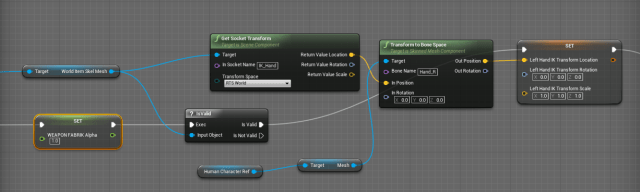
I wanted to know if there was a way of getting outputs from control rig, for things like floats and stuff. [as indicated in blue, in pic-1] [there's output in the details panel, pic-2] I need the info for use in the anim graph itself


 hearty obsidian
I'm animating a maya rig and its hips seem to be acting as the root. Instead of hips going up and down during idle the legs move up towards the hips. I tried adding an additional joint to world origin and it fixed the animations spawning with the character halfway in the ground but the issue of hip not animating persists. Are there any solutions?


Note the planted feet in the maya view vs the hip staying in place and feet moving up in unreal.
 manic spire
Helloo, I'm trying to use blendspace for the first time. I got 2 animations (crouching and crouch-walking). Using a blendspace I'm trying to blend between the two based on the character ground speed. The animations themselves seem to look fine (1st video), but in the blendspace (2nd video) some funky stuff is happening, and I don't know what causes it. Does anyone have a clue what the root of the issue could be?
hollow saddle
In my ABP I have a state alias to return from any final attack animation to idle pose, but how do I define the transition rule to work only when the remaining active animation time fraction is <= 0.2f if i don't know what the animation is (since it's a state alias for many states). I tried using just Get relevant anim time remaining fraction but it doesn't compile unless I provide update context and node input variables and I have no idea where to take those


 mint seal
Still looking for help (its been 2 weeks we've been trying to solve that with guys, we've tried everything. Anim Instance just doesn't work as expected)
What we are trying to do is simple:
There is a hit Ability.
hit starts by pressing a button.
hit makes Anim Instance to go to hit state (e.g. HasTag() inside the idle->hit transition)
hit state has a Notify to stop hit (at the end)
hit makes Anim Instance to transition (e.g. !HasTag() inside the hit->idle transition)
Anim Instance goes outside of the ability
That's all. Anim Instance stuck when you are pressing the button too fast no matter in which configuration do we use it (reset on enter, transition duration etc.). Thats probably because it calculates idle->hit while being in hit->idle transition and interrupts it so it won't play. We want out animations to play and do all the notifies
The main purpose of everything is to animate character according to the used abilities
(yes, we can implement it using montages but that basically reimplementing the wheel cuz we'll end up making up our own state machine as the most UE tutorials do)
 umbral goblet
Hello, I'm trying to create my first animation on my project, a simple sit down and want to use mixamo animation but incurred in bugs and problems.
It seems that every tutorial online have a flaw and still cannot use the sit animation properly.
even if in the anim preview is working properly, if I insert it on manny animation workflow blueprint it goes crazy in a way or another.
please , if you have a functional solution about mixamo and of course a working tutorial to learn how to animate, please tag me or pm me the links. thanks!
cobalt sparrow
I created an IK rig blueprint and an animation blueprint with my mesh, and I still can't use the IK rig. I want to be able to animate an IK rig in the LEVEL SEQUENCER. What the hell is the point of an IK rig if you cant even use it.
 rigid gate
hi guys i have a character can control with control rig but i wanna add face control rig to my character without metahuman anyone knows something about that?
what i try to add face rigs to my character face add use with face rig controller and use mocap for face animations
for example like this guys

 stoic sail
Hi has anyone implemented lyra's locomotion stuff for the AI on your own project. I can't seem to get the pitch and yaw correctly for the aim offset. I have the target location and have tried lots of stuff to feed on the fullbody aiming -layer but nothing seems to make the AI to aim correctly. Thanks anyone for help, it already gets pretty tiring as I can't to find how to do it properly :l
 gentle shore
manic spire
Helloo, I'm trying to use blendspace for the first time. I got 2 animations (cro...
gentle shore
manic spire
Helloo, I'm trying to use blendspace for the first time. I got 2 animations (cro...
you didnt retarget the animation correctly. specifically the hands
gentle shore
rigid gate
for example like this guys
that is ozone story tech. if you don't want metahumans, i think there is a different open source software that is similar to metahumans, but i don't think its very good
rigid gate
gentle shore
that is ozone story tech. if you don't want metahumans, i think there is a diffe...
Yes but i want to do adding facial control rigs to custom control rig

For example like this guy
Its what i want to do
I want play with face rigs like that easily
rigid gate
gentle shore
download the metahuman sample project
And?
What i have problem with metahuman for example imy character more different than human shapes but same facial style
How can i use
Metahuman has only base human head meshes
gentle shore
then you would have to create a custom facial rig. but i don't believe you will find that an easy process, but it can be done. there are videos on youtube. if your facial features are very simple it will be a lot easier
rigid gate
I search for hours cant find any explaination still so weird

Just find a one who try to find same answers with me
But nobody cares
gentle shore
not true. no one can walk you through it, because its a very long and complicated process. that is why you are not finding the answers you seek
rigid gate
gentle shore
then you would have to create a custom facial rig. but i don't believe you will ...
How can i add to facial control rig to character
rigid gate
gentle shore
not true. no one can walk you through it, because its a very long and complicate...
I can see more complicated tutorials about unreal engine or other softwares
What i try to find is not that complicated i think
gentle shore
you need to rig your face in blender or elsewhere. and then you need to make a control rig in ue5
if you don't know how to make a control rig, i would start there. (i'm only just learning how to rig a character in blender)
rigid gate
gentle shore
you need to rig your face in blender or elsewhere. and then you need to make a c...
I know that man i knoe how to create control rig too
What i am asking
gentle shore
oh well then i misunderstood your question, my fault
ripe yew
Is there anyway to change skeleton of animations in UE5, instead of duplicating anims using the retargeter?
gentle shore
https://www.youtube.com/watch?v=MccyVA3uhX0 @rigid gate its blender but its something
spare adder
Guys someone please help me understand how to deal with Lyra animations. I duplicated an existing jog animation, made changes in the sequence editor and baked to animation. But when it comes time to use it in game, it's Warning: Unable to adjust playrate for animation with no root motion delta. I specifically mentioned that I duplicated an existing animation because everything should remain the same. Yet I get this warning. I changed whatever settings I thought might fix this, but it makes no difference and I'm at a loss now.
cinder prism
How do I go about parenting static meshes to the heirarchy of a skeleton?
specifically so I still have individual object reference to them but also they still batch
nvm overthinkin it, looked up a quick equipables tutorial, should work
 oak tendon
Is there a way to trace what node it is referring to. I have a ton of property access nodes.
LogBlueprint: Error: [AssetLog] ABP_TF_Character_Base.uasset: [Compiler] Unexpected node type K2Node_PropertyAccess encountered at Property Access
wheat badge
Anyone know if it's possible to remove the path from Control Rig function library functions without localizing it?

i just dont want to display the path since it clutters the graph
 lyric pendant
Something is blocking RootMotion in our AnimationBlueprint and I can't find what it is as we're using multiple plugins in this area.
Does anyone know of a way to track it down?
I've tried doing pose watch at various stages, but no luck.
 proven depot
Hey guys, does anyone know how I can attach the left hand to this shotgun here with IK so I can animate it? I managed to get the shotgun attached to the right hand, but I want it to also be attached to the left. Thanks in advance for the help!
 vivid jetty
anyone know why my retargeting could be causing this? I set the IK goals, solver at the pelvis, but for some reason the whole model is just breaking, I'm not able to get it look normal while working alongside the manny.

I've tried manually adjusting the static offset for all the goals, but no luck, the arms just go out of wack and nothing looks natural.
real atlas
all the questions lol
 native umbra
proven depot
Hey guys, does anyone know how I can attach the left hand to this shotgun here w...
native umbra
proven depot
Hey guys, does anyone know how I can attach the left hand to this shotgun here w...
Everyone else on the internet is wrong. (Okay, not quite — though I spent a good many hours going through tutorials and not getting the results I wanted for left-hand IK. There are a LOT of t…
native umbra
vivid jetty
anyone know why my retargeting could be causing this? I set the IK goals, solver...
your chains are probably not set up correctly
proven depot
native umbra
https://zaggoth.wordpress.com/2019/01/26/ue4-tutorial-the-right-way-to-do-left-h...
I actually managed to solve it by using a parent to child constraint
native umbra
proven depot
I actually managed to solve it by using a parent to child constraint
when solving something, it is good practice to come back and say how you solved it in great detail so that anyone else searching for your question can find the answer also
proven depot
native umbra
when solving something, it is good practice to come back and say how you solved ...
ok there wasn't much else to go over lol, here's the article I used but it is very simple to solve it:
https://docs.unrealengine.com/5.1/en-US/animation-constraint-tools-in-unreal-engine/

Attach the position, orientation, or scale of an object to other objects using a variety of constraints.
native umbra
proven depot
ok there wasn't much else to go over lol, here's the article I used but it is ve...
hopefully the next person who runs into your question will make use of this!
 ebon granite
I want to hear your opinion on something. I learned two years ago to rig with Blender and Maya and now that I want to get back into it, I read a little bit about Unreal's rigging tool. So I'd like to know if you feel it's a better option than rigging in another software?
 somber light
Does anyone know how to fix it when importing a skeletal mesh that the first two bones get merged ? In my case the root and hips , root disappeared kinda
 sand pulsar
anyone else come acroos an issue where character animations don't work properly in a buid but they work fine in editor?
jolly turret
Is there a guide anywhere for the full blender -> UE5 animation workflow?
Currently implementing the bare basics (a shitty character with a shitty rig and basic idle, walk, animation, strafe anims) is making me want to stick a screwdriver in my eye and I have no idea how to unf*** my blender issues which are appearing out of seemingly nowhere. I must be doing this wrong...
nothing quite like spending hours making animations only for the keyframes to seemingly stop goddamn mattering due to some obscure NLA editor dog shit that I dont even know how to begin to google
I tried googling this but every video or guide is a little different and I dont know who to trust at this point, ive been burned too much
(my issues were caused by my rotation mode bone setting being in Euler, but the keyframes were made with Quat mode.... what the actual f***? who designed this god awful UI?)
 frosty moon
Guys is there any vay to my all anim setup for manny to another character i rigged ect. but i dont wanna make everything
mint seal
mint seal
Still looking for help (its been 2 weeks we've been trying to solve that with gu...
Bump, still looking for help
Checked everything I could already (forums, docs, Lyra, gas documentation, arpg, google)
small spoke
are there any problems with having animations in variables for an ABP?
My characters will have a variety of combat/weapon styles, and i'm currently doing the idle/run animations with an enum blend, like this
But i'm wondering if it might be better to do the logic outside of here, and have variables for CurrentWalkAnimation, currentIdleAnimation, etc, that i'd populate from some kind of UFightingStyle object
However i remember reading that having things in the ABP helps performance, so i'm a bit unsure
can anyone advise?
 rigid robin
small spoke
are there any problems with having animations in variables for an ABP?
My chara...
rigid robin
small spoke
are there any problems with having animations in variables for an ABP?
My chara...
With Idle -> walk -> run I would imagine a blend space may come in handy
small spoke
rigid robin
With Idle -> walk -> run I would imagine a blend space may come in handy
those already are blendspaces
i'm sure there's variable types for them too, that isnt what i'm asking
rigid robin
True, why are they split up like that?
small spoke
rigid robin
True, why are they split up like that?
they're not. These are different weapon styles, each one for holding something in a different pose
ebon granite
I'm being scared of getting into rigging cause of weight painting. Tried it recently, wenthorribly wrong to the point it frustrated me. Is it actually that tedious/difficult or am I overthinking it?
small spoke
ebon granite
I'm being scared of getting into rigging cause of weight painting. Tried it rece...
i view weight painting as a rough start
but for fine tuning, i always end up selecting individual vertex loops and assigning weights until it looks right
 past marsh
Hello guys, does anyone know how to change material parameters in animation BP.
I want to add custom wrinkle map to my character
 jolly hatch
looking for a nice way to smoothly rotate this end bone and add 120 each time the fired event dispatcher is called. Not been getting the results I want

 jolly hatch
Need to just increment this by 120 each Time ?

 foggy nexus
mint seal
Still looking for help (its been 2 weeks we've been trying to solve that with gu...
foggy nexus
mint seal
Still looking for help (its been 2 weeks we've been trying to solve that with gu...
I wouldn't approach it in this way especially from a state machine because you need very clear transitions between states. Getting stuck is a nightmare. If the state is animation dependent, montages would be the most logical approach as you can block user input for the duration of the animation (montage->getplaylength). If you insist on going abp, you need to ensure that nothing can interrupt or restart the animation playing state while it's ongoing, block input during the animation (eg notify begin) and reenable with a notify end. For complex abp's, though, it's just not feasible to expect this to scale well.
foggy nexus
small spoke
are there any problems with having animations in variables for an ABP?
My chara...
In essence, the answer depends on how distinct your states are. If you enough states and enough unique states within those states, you should break it up: one state per style, to avoid overly complicated graphs. What you've done borders on too much but is manageable if you dont have many of these. So I'd recommend planning ahead and ensuring your project has room to scale to save yourself a big refactor down the line.
elder galleon
I have a control rig i was building and i looked up the whole controlls are hidden i opened another control rig and they are hidden too. but i cant find the button or spot to turn them back on
I googled one guy had T key but that didnt work
small spoke
foggy nexus
In essence, the answer depends on how distinct your states are. If you enough st...
well that is a complete third solution now, why should i do it like that?
hollow saddle
Do linked anim layers support multiple inheritance? I have 2 ALIs: Movement and Combat. I have a separate ABP that I am linking for each weapon but these ABPs have a hierarchy like there's a base ABP_WithWeapon, which implements ALI_Movement and contains state machine for movement, AOs and stuff where I just expose anim sequences to variables and then just set them to proper animation assets in the final subclass. But in case of movement, every kind of weapon is supposed to have it's own state machine with different graphs, so I made a subclass ABP_WithWeapon_Longsword and implemented ALI_Combat there. But for some reason, in the main ABP, the ALI_Combat layer nodes don't work, however if I just implement the ALI_Combat in the base ABP_WithWeapon and put the state machine for the specific weapon there, it starts working. So I wonder if there are some intricacies with ALIs and multiple inheritance? 🤔
small spoke
foggy nexus
In essence, the answer depends on how distinct your states are. If you enough st...
if anyone can provide more information about this it would be appreciated. My primary concern here is performance, i want to be aware of any caveats and best practices about animation blueprints
my organisational structure is my own business and as long as it doesn't impact efficiency, ill arrange things how i see fit
 outer swift
Question need some help.
Was messing around trying to import mixamo animations into my project, now somehow i have broken all of the animations none of these will play if i click on them. But work when i play the game super annoying
also whats best way to import them


 quaint robin
Does anyone know why unreal wont play one of my animations that I've imported from blender? It plays the reload animation but not the firing one


 bitter shard
quaint robin
Does anyone know why unreal wont play one of my animations that I've imported fr...
bitter shard
quaint robin
Does anyone know why unreal wont play one of my animations that I've imported fr...
Looks like there is something wrong with the framerate, you have almost 13000 animation frames in the reload animation
quaint robin
Is that something I should solve in unreal or blender?
bitter shard
quaint robin
Is that something I should solve in unreal or blender?
In Blender, standard framerate for animations is 30 fps in Unreal, you seem to have 1920 if I read correctly. This may or may not solve the problem though, another thing you could check when exporting the animation is if you are exporting the correct frames and not some empty ones.
quaint robin
Alright, appreciate it
Nothing seems to work, here are my blender settings, any other tip to make it work? (I've tried changing to different frame rates, length, nothing worked.)


 mint seal
foggy nexus
I wouldn't approach it in this way especially from a state machine because you n...
mint seal
foggy nexus
I wouldn't approach it in this way especially from a state machine because you n...
Yeah, anim notify state partially solved my issues
For complex abp's, though, it's just not feasible to expect this to scale well.
So whats the alternative? Going montages is just strange, as you will remake the abp somewhere is your code which doesnt make any sense
rigid robin
quaint robin
Nothing seems to work, here are my blender settings, any other tip to make it wo...
Try push it to the NLA and export only NLA tracks, Thats what I do otherwise it also gets cluttered with other animations I dont want exported. Gives me more control that way
quaint robin
alright, ill try
quaint robin
rigid robin
Try push it to the NLA and export only NLA tracks, Thats what I do otherwise it ...

nah, somethings wrong
rigid robin
Did you check the box in the NLA track to export the pushed animations
 rigid robin
nope you need to push the animation to the NLA track first
quaint robin
Oh, could you please explain where that is? Im not sure
rigid robin
 quaint robin
ok im there
rigid robin

 rigid robin
Is your rig named "rigging"?
 rigid robin
Click the push down on the animation named fire in orange
quaint robin
i pressed it
rigid robin
Have a good one
quaint robin
you too
foggy nexus
mint seal
Yeah, anim notify state partially solved my issues
> For complex abp's, though, ...
What do you mean you'll have to remake the abp somewhere? Playing montages effectively suspends your abp until the montage is finished so you can use montages and abp's side by side.
 crimson vortex
hey there
I've been looking around the marketplace but I couldn't find any anims that are these "reseting animations" that return to the same pose after finishing attack
and those would be important in either rts, moba or rpg style games
mint seal
crimson vortex
I've been looking around the marketplace but I couldn't find any anims that are ...
Blending time?
crimson vortex
can someone point me in the direction of where I could find some of them? As most I found is flashy, but ultimately move the character away so limiting the number of games they can be used drastically
crimson vortex
mint seal
Blending time?
well basically those anims the end on the same pose, like ones you see in rts and moba games where you don't want the character to move on itself
like stab-step but after done step back and assume same pose

Here is my game animation reel from the fifth main champion I got to work on as the primary animator for League of Legends, Yone
It was a challenge to create a unique champ for someone who is so closely related to another (Yasuo), so focusing on the dual sword silohuette and slim, upright posture over a wider crouched stance was something we tr...
this for reference

Here is my game animation reel from the fourth main champion I got to work on as the primary animator for League of Legends, Senna
Trying to convey weight in a giant weapon but also show that Senna would not struggle to hold it and is stronger than your average human was definitely a challenge and for a while I forgot how weight even worked bu...
mint seal
I see, have you looked at motion wrapping (for small movements) and just applying some root motion on blending out? You could even calculate the root motion amount in on-attack-in and move the character back in on-attack-out
Would def work for stab-step type of motion
crimson vortex
i'm trying to avoid moving the characters, as the model can move but the actor should stay in place
as it would make it hard for games where movement is important to stay out of stuff
like RTS or RPG or mobas
but I'll look into motion warping, thank you
mint seal
crimson vortex
i'm trying to avoid moving the characters, as the model can move but the actor ...
You still can make an empty animation with just a root bone motion and blend+scale it if you need to move only the skeletal mesh
Or perhaps there was a checkbox at the CMC about the root motion effect, dont remember for sure
 topaz crest
Hi,
I'm running into an issue where my AimOffset is breaking my animation Blend.
https://www.youtube.com/watch?v=ZT8kn3gdNfQ
I have the base idle animation and the animated arms for the weapon blending in correctly. Weapon is attached to ik_hand_r.
As soon as I start using Blend Offset, the weapon location missaligns and does no longer fit. Any idea how to fix this?
 zinc bridge
Guys how i use an morph target animation (in my case, a spring where you can bounce like in platforms games) in my blueprint?
mint seal
foggy nexus
What do you mean you'll have to remake the abp somewhere? Playing montages effec...
Yeah that would work like several separate montages, which is not what I want to have. You can have chained states in state machine, some conditional transitions etc
Imagine you want to attack your enemy using leg if youre lying down and hands if youre standing (just visually, same damage, same behaviour). You can accomplish it checking several tags before activating montage which effectively leads you to inventing your own wheel (state machine) when youre getting more and more conditions
If I wanted something like that Id just bought GASCombo plugin which does exactly that
foggy nexus
mint seal
Yeah that would work like several separate montages, which is not what I want to...
Yeah I hear you. I worked on a project with 3 attack stages with distinct states and exit paths. It sounds like the system you're building requires ABP logic but it just means you have to manage your enter and exit states very carefully. As I said before, I don't recommend managing these states with notifies as it just takes one accidental state break to leave you stranded forever in a state. I eventually used timers that automatically switch off a bool when the animation is done, which solved 99% of state issues. Also as I said before blocking certain input (aka ways for the player to prematurely exit the state) makes the states flow better.
mint seal
foggy nexus
Yeah I hear you. I worked on a project with 3 attack stages with distinct states...
Thanks for sharing
Yeah we've also been using timeout timers, tho timeouts arent needed after switching to anim notify states
 nova sierra
I need help with my looping montage animation even though I unchecked the loop box. Is there a way to fix this?
serene plover
Anyone able to help me figure out my montage all of a sudden?
All of a sudden my first 3 sections aren't working. the rest of the montage works lol
bitter shard
Does anyone know if you can change the initial pose in Control Rig or if it is hardcoded to be the skeleton's reference pose?
elder galleon
why is my retargeting not working correctly its driving me insane


 lilac mirage
hello I am using animation offset for my third person shooter and I have everything great except the shooting animation. When the character is looking up or down, the shoot animation is not looking towards the up or down direction, it just goes back to the center when playing the animation. Is there a simple fix to this?
elder galleon
Sounds like the BP isn't firing the animations off or your abp isn't getting the notify
lilac mirage
elder galleon
Sounds like the BP isn't firing the animations off or your abp isn't getting the...
The animation fires, I guess I need to figure out how to blend it and make it face where the character is already facing. I'll worry about it later.
elder galleon
Yeah no problem but sounds like the blend node not firing or your y variable not coming across and just saying look straight and blend is kinda working
 eternal blaze
Hey all, im using ALS refactored and inside the control rig, there is a little system to rotate the players spine and pelvis bones on the yaw axis, so this means the player can look left and right in place. However, i also want to add a system where it rotates the players spine along the pitch

However i have no clue really where to start since there is no Spine Pitch angle pin
Only Yaw Angle
Any idea why or how i can get started on it
Thanks*
 desert zenith
for animation override is it possible to access it via cpp besides just using it in editor?
I want to replace the animation on an action during runtime.
 timber summit
Does anyone know why when using the manny control rig to make animations, it doesn't bake the IK bones?
Edit: The work around was to add a 'CopyBonesModifier' to the animation that sets the locations of the ik bones to the expected locations. (Hands & Feet)
 velvet geyser
anyone know how to get some output variable from Control Rig anim node?
link: https://www.reddit.com/r/unrealengine/comments/ngtc2w/control_rig_outputs/

Reddit
Explore this post and more from the unrealengine community
 hollow valley
Hey all,
I'm doing some animation retargeting on some Motion capture data.
Most of my animations look fine, but a couple of the animations cause the avatar to have squashed heads or stretched torsos.
Any idea what could be causing this?
Red player is the imported animation, which looks fine.
Barca player on the right is an example of the animation applied to the Target mesh, with weird distortions
(Each image is from a different animation)

 manic spire
Hello,
I have been stuck for some time on an issue with my blendspace. For some reason, the character randomly rotates. At min speed and max speed it's fine, but in the middle the character does a random 180 turn. Does anyone have a clue what the root issue could be?
manic spire
manic spire
Hello,
I have been stuck for some time on an issue with my blendspace. For some ...
this happens with any animation, so not just the crouch walking one.
 pure mica
I was wondering why all animation tutorials for things like melee combat use a animation montage over animation blue prints for things like attack?
I've been working on a melee combat system and it's getting hard to blend between combo moves and back to walking/running using montages. I feel I would have a lot more control with an animation blue print.
I'm also getting more engineering help soon which means setting up animations through the characters BP will get harder as more people need to share the files.
Is this really how big teams handle this sort of thing, or is it only done this way on smaller projects with just a couple of devs?
I know there is really no wrong or right way as long as it works, but I wanted someone else's opinion on this in case I'm missing something.
Just as a side note, I'm not new to working with big teams, but I'm usually the Maya tech artist building the animation rigs and tools as well as animating.
hollow saddle
Is there a way to get anim notify state start time inside of ABP's state? I want to have a combo of 2 sequential attack animations, each attack has wind up, release and recover states implemented as anim notify states, so I want to have each sequential animation starting from 2nd to play immediately from release phase instead of from the beginning. I could, of course, put everything there manually, but I'd really like to bind it to the anim notify states

 hallow elm
Hi, I have a question about control rig
How can I make weapon left hand IK?
I used Basic IK, but it won't works...
is there an example for weapon IK?


 obsidian trench
Anyone have any suggestions for any good tutorials (I don't mind paid) that go over animations/ control rig / ik? Looking to learn a better understanding on how they function.. most that I find are very basic and tied into other tutorials just to get their characters moving.. I want to thoroughly learn the actual animBP / IK math
Don't mind if it's c++ based
 tepid echo
Hi, my animation only works when the camera is far away from the mesh, maybe someone knows why this is so?


 fervent kayak
question - so I'm making a custom anim blueprint and for some reason my character will only play their jump animation if they are standing still. I have a blendspace as my default animation, where the player is standing still and where the player is running. Then I have branch that checks if the player jumped which then leads to the jump animation, but it just refuses to play if the player isn't standing still
a secondary problem I have is that for some reason, when the player moves they have a nice, smooth transition between idle and running animations; but when the player stops, they jerk back to frame 0 of their idle animation. I tried smoothing this out in code by changing the velocity variable in the anim BP, but there is still an uncanniness to it
gentle shore
timber summit
Does anyone know why when using the manny control rig to make animations, it doe...
can you post your fix? had that issue in a few of my animations
gentle shore
manic spire
Hello,
I have been stuck for some time on an issue with my blendspace. For some ...
judging by the hands, you had issues with retargeting the animations. is the walk forward animation a strafe-like anim?
gentle shore
obsidian trench
Anyone have any suggestions for any good tutorials (I don't mind paid) that go o...
the unreal engine youtube have a lot of good ones. also the free rig pack on the market place, you can use to study along side those
timber summit
gentle shore
can you post your fix? had that issue in a few of my animations
I provide what I did in the comment. It's to add a modifier to the animation to copies the locations of the hands/feet to the relevant IK bones.
gentle shore
ah. i used virtual bones for my fix
also used the bone snapper plugin
i will look into that modifier, thanks for the lead
 worthy isle
Is it bad practice to have a base anim blueprint to store a bunch of parameters, and then different subclasses that will use different animations?
I tried this approach, and for some reason my child anim Blueprint won't hit its entry point and start its state machine logic. Is it because the parent anim bp doesn't do anything?
hollow valley
hollow valley
Hey all,
I'm doing some animation retargeting on some Motion capture data.
Most...
Turns out the bones were getting random scale values, so set an override key on them of 1.1.1 and fixes the issue
 summer loom
Had anyone ever had an issue that their AnimBP doesn't get packaged/doesn't want to load in packaged game?
I'm having that issue rn xD
It even crashes the game when I try to load it (load itself doesnt crash, but using it after the load does)
 primal plume
why does my animation export like this ?all the other animations i exported worked well but not this one? it also has 150 frames for some reason

 carmine dagger
How do i fix my ai system when walking with its feet the feet slide
Kinda like a treadmill
 fickle umbra
So I have a combo of animations that are set up in my AnimBP, depending on what the players does Move forward thats one animation move back thats another. While im doing these animations I want to be able to cancel them based on a function in the player BP. How do I cancel an animation mid play from the Player BP to anim bp? I know this can be done with Montages but I would prefere not to since it will get quite messy since there are a lot of animations I would like to be able to cancel mid play 🙂
misty dagger
fickle umbra
So I have a combo of animations that are set up in my AnimBP, depending on what ...
Are they regular linked animations in the state graph? You could just force them back to idle / custom empty state with 0 blend time if (X) variable is true
 hot swan
Anyone happen to know why my montange refuses to play? The debug string is shown... So I really have no clue, why it's not actually playing the montage when calling it from inside of the character. - SOLVED: Was an issue inside of my Blackboard that never allowed the montage to play

 spare adder
anyone experienced in Lyra can help me out with this please?
fickle umbra
misty dagger
Are they regular linked animations in the state graph? You could just force them...
Thats the part I dont know to do, to force them into idle/custom empty state that is. Currently everything is in a state machine.
misty dagger
hot swan
~~Anyone happen to know why my montange refuses to play? The debug string is sho...
- Is your mesh using the correct anim BP?
- is your montage using the correct slot?
misty dagger
fickle umbra
Thats the part I dont know to do, to force them into idle/custom empty state tha...
show me your current setup? and why are you trying to stop the state machine animation (I can help better with context)
hot swan
misty dagger
1. Is your mesh using the correct anim BP?
2. is your montage using the correct ...
Thanks! I solved it. It was an issue in my Blackboard that overrode this... So it was never allowed to finish the animation. 😦 Was just about to edit my message with "Solved". 🙂


 fickle umbra
misty dagger
show me your current setup? and why are you trying to stop the state machine ani...
fickle umbra
misty dagger
show me your current setup? and why are you trying to stop the state machine ani...
Not home atm, I will send you one asap 🙂
fickle umbra
misty dagger
though, generally, you can just use a state alias:
Okey, I was unsure if the link takes priority, i though it was executed at the end of the animation.
ebon granite
Maybe it's a stupid question but what do I need to do to use any character mesh I made myself with animations packs from the store?
misty dagger
fickle umbra
Okey, I was unsure if the link takes priority, i though it was executed at the e...
Yep. The "correct link" will always take priority, especially in a global alias -- so if it's just a bool and it changes it will simply cut straight to it.
misty dagger
ebon granite
Maybe it's a stupid question but what do I need to do to use any character mesh ...
A rig 🙂 You'll need to create IK rigs for your custom character ("target"), as well as one for the "source" character (the one that has all the a animations).
https://docs.unrealengine.com/5.0/en-US/ik-rig-animation-retargeting-in-unreal-engine/
UE 5.4 will also introduce new features previously seen in UEFN that let you retarget automatically, though it's not very hard to do them manually now.

Share and transfer animation between characters of any size using IK Rigs and IK Retargeting.
 pale elk
Hello,
I have a weapon model with animations on UE5. I updated my model in blender only changing the textures and the UV layout. How can I import my new model while keeping the animation ? Do I have to re bake them all in blender ?
 spark elk
Hello Guys,
I have taken city sample vehicles and animated the blue print using take recording
I added this animation into level sequencer in which the animation is playing fine but when I render the animated vehicle is invisible
Any way to handle this?
 snow timber
I'm new to 3d in general and I made this small scene in blender, but was curious what steps I'd need to take to import the assets, with the animation, into unreal. The plant is not rigged ATM, it's a bunch of parented meshes with keyed deformations. I suppose that would need to be redone with a skeleton?
 fickle umbra
misty dagger
Yep. The "correct link" will always take priority, especially in a global alias ...
fickle umbra
misty dagger
Yep. The "correct link" will always take priority, especially in a global alias ...
This is how it looks. So you are telling me that I can just put "stop attack bool" that I have connected to the player character, and that will overwrite? Why did I overthink it so xD
 misty dagger
fickle umbra
This is how it looks. So you are telling me that I can just put "stop attack boo...
misty dagger
fickle umbra
This is how it looks. So you are telling me that I can just put "stop attack boo...
Yeah, that should be the solution. I'm also not here to tell you how to live your life but you should probably check out nesting your state machines. You can do this by having a state machine feeding into a cached pose, then feeding multiple caches into a central state machine. You'll get a lot more freedom and control that way.


 wheat badge
Anyone know how to setup IK Retargeter to move a bone to match exact a corresponding source bone (absolute rotation + translation). I tried using IK Rig SetTransform solver but somehow I cant seem to get it to work. Feels like everything is applied in bone space instead of global space
fickle umbra
misty dagger
Yeah, that should be the solution. I'm also not here to tell you how to live you...
Sight typical haha, not telling me anything, a tip is a tip and thats always useful ^^ Might do that down the line for sure!
 ashen surge
In UE4 when I import a Skelton mesh having morph target animations. It don't imports a animation sequence file. Even I've check import morph target option while importing. Any Idea whats wrong?
 cosmic robin
I have been working with Cascadeur and have run into a problem. I was wondering if anyone here had any experience with this.
My animations are on the ground in Cascadeur, blender, and UE5 when I import with a new skeleton. However, when I import it into UE5 onto the UE4 mannequin skeleton the animations are ten units high.
I can import it ten units lower, but this is working around the problem rather than solving it. And I have some animations moving lower halfway through.
This picture is from the same animation.

 upbeat stump
Within a state machine state, how to play the animation twice?
I mean like a loop but stoping after the 2nd iteration.
 topaz narwhal
cosmic robin
I have been working with Cascadeur and have run into a problem. I was wondering ...
topaz narwhal
cosmic robin
I have been working with Cascadeur and have run into a problem. I was wondering ...
it could be a capsule problem (capsule might need to be upper)
plus you might need to manually set an offset of the root in the Animation Sequence in Unreal
and there is another thing about characters interacting with each other, but I think what I mentioned most likely would be
I have a question 🧐
I wonder if is possible, without adding extra bones, edit the nodes in CR_Mannequin_Body so:
-When one Calf (knee) FK control is moved, hips rotate and move, the axis would be the other Calf
I would like the legs to behave "like shoulder to hand ik", the Left side screen CALF is the shoulder and the Right side screen CALF is the hand,
hips would be like the elbow
when CALF right moves they do it like and IK around the Carlf left
Then it could be reversed (e.g. boolean) and do it in the other direction

I read something about "FABRIK" and people use it for aiming in FPS games, I dont know if that is the way to go or not
or for example maybe this is imposible and I need to add extra bones, or virtual bones
or I just need to use the current nulls and controls?
 low wolf
In my city-builder I'm using a sample mesh/animation for my NPC. When they move, there is no walk animation. Only the idle plays even when it moves

 azure solar
having an issue when retargeting my animation where my character is upside down, and walks backwards. feel like i've tried absolutely everything at this point (including enabling root motion which seems to make him walk in place). I want him to be walking forward like at the beginning of the clip. any help would be super appreciated!
lilac mirage
lilac mirage
hello I am using animation offset for my third person shooter and I have everyth...
Fixed it. @elder galleon
I forgot to add the AimOffseft and the Pitch and then blend it with the base pose.. Knew I was missing something.

 spark blaze
I feel kinda dumb or maybe this is just a bad workflow, but I finally got FK/IK switching working with the CR_Mannequin_Body. I'm not sure Send Auto Request is supposed to work this way, but I need to have keys present on the current frame for the FK/IK controls before toggling the FK/IK switch. That'll line up the controls properly.
 viscid heart
everytime I close and reopen my project I have to click on Montages and watch them in BP before I can Play Montage will play those animations again.
Anyone know what's going on?
obsidian trench
so in my blendspace my animation looks correct.. when i put it in my animBP.. my character looks like he's skiing.. the feet never leave the ground.. any ideas where to even look to fix? my forward and right velocities are setting correctly..
wheat badge
obsidian trench
so in my blendspace my animation looks correct.. when i put it in my animBP.. my...
Something is wrong with ur ik bones. Which mess up stride warping
obsidian trench
im not applying any IK yet.
wheat badge
I mean ue5 has ik bones
And i think the animbp uses stride warping
Stride warping depends on the foot ik bones
It is how it calculate the strides
obsidian trench
hmm.. you're right.. i didnt realize it had a a control rig applied.. i removed that and it fixed it
wheat badge
🙂
obsidian trench
weird how that broke just by adding 2 floats for my X and Y of the blendspace and calculate that off character->GetVelocity and GetActorRotation

literally the only thing thats new and that somehow broke it..
wheat badge
The blendspace might be blocking the rootmotion attributes so that data is lost after
Check to see if ur blendspace calculates rootmotion
Or passes it across
obsidian trench
yup.. its something to do with the actual animations.. i replaced my new ones with the ones from lyra project and it works.
its all just placeholder.. going to create my own IK eventually.. just it baffles me why that broke it
wheat badge
U can see in the anim graph if ur blendspace emits rootmotion
obsidian trench
i deleted the anim sequences from the blendspace and replaced them w/ the lyra ones and it works
its the anim sequences themselves that is breaking it some reason.. they have the exact same settings
so maybe a retargeting error? when i did an IK retargeter to put them on the same skeleton?
gentle shore
if anyone else runs into this problem, this video fixes it - Fix for Googly Eye Tutorial not working in 5.2+ https://www.youtube.com/watch?v=Q1vOLySs1nM
wheat badge
obsidian trench
so maybe a retargeting error? when i did an IK retargeter to put them on the sam...
Did it retarget root motion correctly etc
 shrewd blade
Hello everyone! I hope you all have a good day! What is the difference between Sequence Player and Sequence Evaluator ?
wheat badge
shrewd blade
Hello everyone! I hope you all have a good day! What is the difference between *...
"Evaluates a point in an anim sequence, using a specific time input rather than advancing time internally. Typically the playback position of the animation for this node will represent something other than time, like jump height. This node will not trigger any notifies present in the associated sequence."
The evaluator allow u to evaluate anim sequence at any point in the sequence. This is usually used for distance matching where distance drives the anim instead of time
 lofty marlin
gentle shore
if anyone else runs into this problem, this video fixes it - Fix for Googly Eye ...
lofty marlin
gentle shore
if anyone else runs into this problem, this video fixes it - Fix for Googly Eye ...
Could you edit your message to have more info, then I can pin it fwiw
something like
"Fix for Googly Eye Tutorial not working in 5.2+"
lofty marlin
gentle shore
if anyone else runs into this problem, this video fixes it - Fix for Googly Eye ...
 fossil river
why is my AI not using animation for walk and run even when the use path for acceleration is true. Btw my AI is not the default manny
shrewd blade
wheat badge
The evaluator allow u to evaluate anim sequence at any point in the sequence. Th...
thank you so much
 crimson trellis
Hello guys, i have a problem, i download a locomotion pack yesterday on mixamo.com, but when I import it on my UE5 it does that, does it possible to change the movement on in place directly in UE5 ? (P.S : I'm new in game development i begin 2days ago and i don't know all codes of UE5)
 winged violet
If you are only running your state machine into one slot, is there no need to cache it?
A Locomotion state machine in this case
crimson trellis
Sorry, I didn't understand everything...
 spring solstice
Hey, when animating for two different Metahumans, like M_Med_Nrw and F_Med_Nrw, you guys make 2 different animations or 1 and retarget to the other? Also because of the hand size diference the weapon socket in the bone fits good for one and bad for other, how to fix?
When I retarget the fingers always get a bit distorted
pseudo solstice
How can you do some blur or effect on spinning objects? "for example helicotper rotor" that it will look blured 😄
crimson trellis
Hey guys i have problem with Mixamo animation. When I import on my projet on my locomotion_ABP it lost 50% speed how can i refind it ?
 somber briar
How good is the in-engine animation these days? Is it worth trying to rig and animate in UE or still better to work in Blender/maya
 high lava
Anyone have a recommendation for an animation system (plugin/asset/etc with animations) that is for the UE5 skeleton that works really well - by that I mean it's fairly optimized, works in multiplayer, animation blueprint, etc. - preferably with AnimInstance using native methods. I'm looking for something that has all the standard 3rd person movement/jump/crouch and pistol/rifle firing. I don't need melee, but something with throwing a grenade would be a nice bonus. I've looked at Lyra and ALS, but those look a bit convoluted.
I'm not an animator, so I'm essentially just looking for something that's a solid core to start from.
brazen wharf
a animation system which does all that will always be convoluted
and afaik ALS isn't the best when it comes to network gameplay
 sturdy bronze
Hey guys, how good are automatic skinning tools these days? I've got some super complex matrix math and such that I'm using to automatically skin and weight bones and meshes, using max script, however, sometimes it produces bad results, I saw a few whitepapers from 2019 onwards that claim to have solved the majority of the issues with automatic skinning
Curious what you are all using these days to skin and weight bones on meshes
I am tired of vertex painting weights
as you can see 🙂 this is a successful automatic skin and weight
and a broken one 🙂
I can fix the bottom one by adjusting my algorithm, but obviously I want to try to find a one fits all solution
high lava
brazen wharf
a animation system which does all that will always be convoluted
Most likely. It's why I'm just looking to see if anyone has a recommendation.
wheat badge
sturdy bronze
as you can see 🙂 this is a successful automatic skin and weight
For lowpoly its super easy with 3dsmax's voxel/heatmap solver
What i do is use mix of voxel and heatmap first then finetune the skin by hand later
I dont think there are any naive auto skin that may work 100%. Cus it wont know which parts are soft or hard/rigid.
Maybe someone will make an AI based auto skin someday that will recognize what kind of creature or thing ure making and skin accordingly. So it can skin hard objects as rigid and soft tissues as soft
But when u need complex skinning for adjustment bones etc it becomes even harder
So for lowpoly i think 3dsmax's existing solver is always adequate or blender's many auto skin plugins
But for complex stuff its back to old school in the hand of artists to get the final results
Unreal 5.3 also has auto skinning now
And its quite good one tbh
U can check its source code to see which algorithm it uses
I often learn from Unreal source tbh, like when i program my own 3d stuff for web
sturdy bronze
wheat badge
For lowpoly its super easy with 3dsmax's voxel/heatmap solver
Hey I literally just turned my monitor on and saw this delightful reply 🙂 Thank you, that's quite insightful, it's lucky that my tool of choice is also 3DS Max then, I will be looking into the 5.3 source then too, since I'm using 5.3
sturdy bronze
wheat badge
Maybe someone will make an AI based auto skin someday that will recognize what k...
This was what part of the white papers I was reading were suggesting would become a thing
but we're still a few years off I think
but yeah, the voxel solver is already fixing like 99% of the issues so thank you
wheat badge
Ye but it fails for fingers sometimes
sturdy bronze
yup, lucky my fingers are flat hands
wheat badge
So u can select vertices and apply heatmap instead
sturdy bronze
 wheat badge
Since the solvers apply to selected vertices
sturdy bronze
I think your solution works for everything I need since it's super low poly
wheat badge
But just test with both, sometime i get good result with voxel, sometime i get good results with heatmap
Voxel is volumetric based so resolution may play a big part, heatmap is surface based which requires kinda good surface topology
wheat badge
Its rare to find 3dsmax users these days XD
sturdy bronze
Yeah you're right there, actually, it is very hard, but it's something I can do almost anything in haha
Now, the heatmap is actually better in my circumstance, wow
Voxel was breaking my mesh up a bit
wheat badge
Same, its the only DCC software i know well, i can write maxscript and stuff too
But im also learning blender cus it has many nice things
sturdy bronze
Same here, I think we're on it for the same reasons
3DS plays nice with everything
Blender does not
so it's harder for me to make the switch
wheat badge
Ye i understand, the blender UI confuses me haha
And blender bones always look so weird
sturdy bronze
yeah, blender bones I dislike a lot
infact when I gave my 3DS FBX to a blender guy on upwork to have a look at
he was like "your skeleton is far apart and broken"
i was like no, I assure you it's fine
sturdy bronze
wheat badge
Ye i understand, the blender UI confuses me haha
like 3000 undocumented features and shortcuts lmao
 bleak flume
does anyone know why root motion applies to the Z axis instead of Y?

 wheat badge
bleak flume
does anyone know why root motion applies to the Z axis instead of Y?
wheat badge
bleak flume
does anyone know why root motion applies to the Z axis instead of Y?
it all depends on ur bone rotation. And if ure viewing in bone space or global space
it could be ur mesh was rotated too...
bleak flume
Reimporting the skeleton fixed the issue
Does anyone here animate with control rig? I’m trying to figure out how to flip a pose without saving it then pasting it mirrored
spring solstice
spring solstice
Hey, when animating for two different Metahumans, like M_Med_Nrw and F_Med_Nrw, ...
I did not found any answer yet, unreal docs just mention retargeting but mention "chain bones" for the weapon socket in different skeletal meshes.
wheat badge
spring solstice
Hey, when animating for two different Metahumans, like M_Med_Nrw and F_Med_Nrw, ...
Metahumans use the same skeleton for female and male, so the animations are auto shared. If y want specific fit u may need to adjust with control rig or make specific animation
spring solstice
Thanks for the reply, so if I understand you if I want the fingers don't get distorted I would need a specific animation for each skeletal mesh size (eg. small/medium/tall under/normal/over weight)?
spare adder
Could anyone please help with this 😢
#animation message
 crimson reef
Does anyone know any good tutorials for replacing the Unreal Engine character with your own custom character but using the UE5 skeleton so the marketplace animations are compatible
 jade storm
Hey! i found this on the internet! Really nice for anyone who needs a starter anim bp from lyra!!
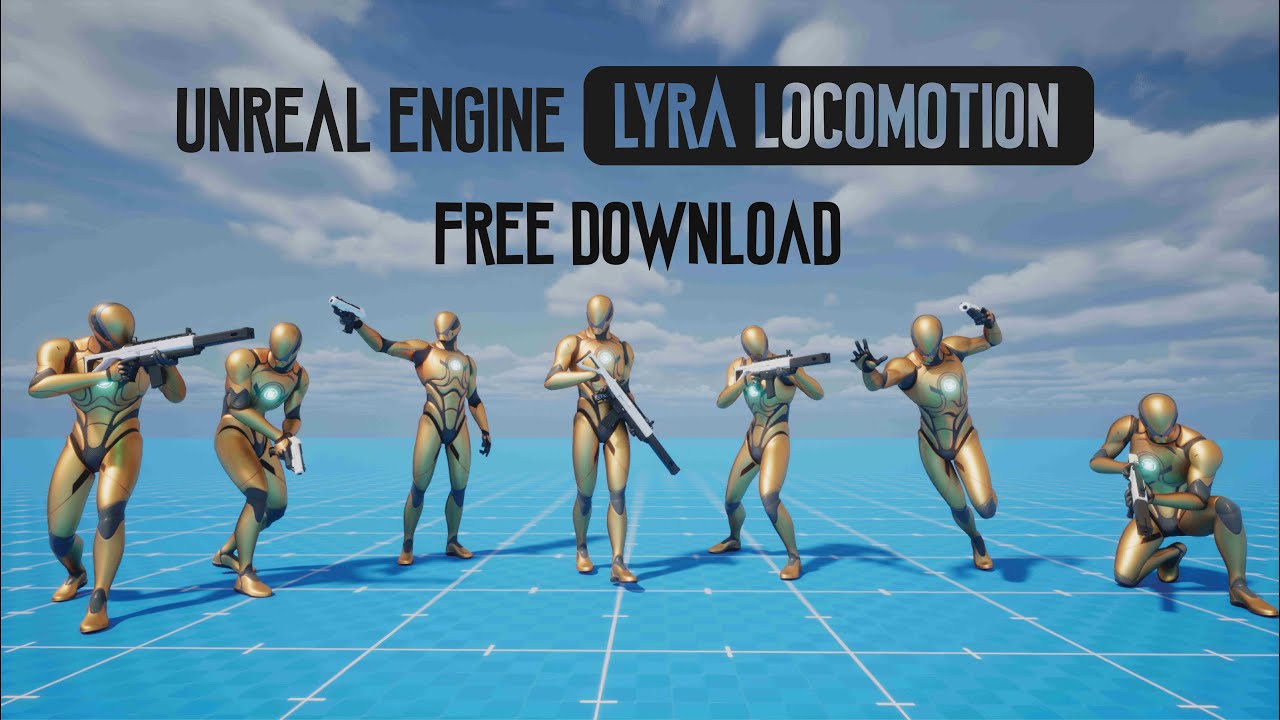
The Updated Lyra Locomotion Project is now available for free download.
The template currently features a walk-and-jog movement with an 8-way direction, as well as a Slide and Dodge System Even Mantle system, Weapon Equip and Unequip and Weapon Fire and Reload Ammo Counts, and Weapon Melee System. Replication features will be added soon. The pr...
 boreal walrus
What are some free 3D models to replace Quinn and Manny with? All I can find is BungeeMan
 hazy kite
boreal walrus
What are some free 3D models to replace Quinn and Manny with? All I can find is ...
hazy kite
boreal walrus
What are some free 3D models to replace Quinn and Manny with? All I can find is ...
there's a bunch of free character models on a website called mixamo, it has animations too and im pretty sure the animations they have work with quinn and manny as well
wheat badge
Modular Character help needed. Anyone have ideas about what is the best way to do correlated gestures for modular characters? For example i have an emote that will also affect the hair. I want the hair to be modular and also animate in sync with the main body animation (currently im using copy pose). But i also want to be able to switch out different cosmetics, like instead of hair there could be hats, or other stuff that will also have animation in sync with the main emote. I don't want to add all the bones into the main skeleton, but can't think of a neat way to somehow transfer the info to the modular parts to sync up the animations. Any advice?
 viscid oasis
https://i.imgur.com/bslMkWQ.gif
why the AI zombie gliding along the floor? is it the animation is too slow, if so how do i speed it up?
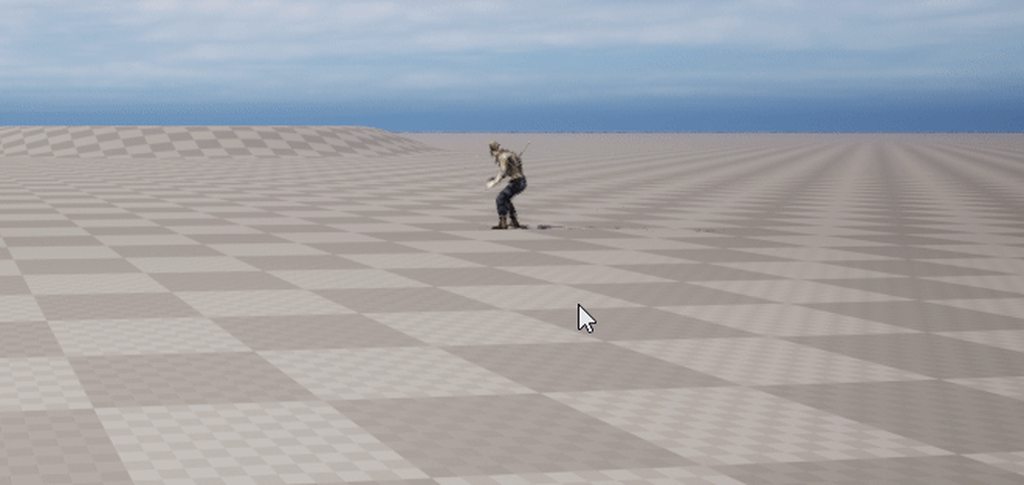 wheat badge
Hello did u ever managed to figure this out?
 charred owl
I have dozens of anim montages that I have to change DefaultGroup.DefaultSlot to DefaultGroup.Idle. You can't edit via the Property matrix. Can anyone think of a way to make that change to all Montages as a batch operation?
 acoustic pike
viscid oasis
https://i.imgur.com/bslMkWQ.gif
why the AI zombie gliding along the floor? is i...
acoustic pike
viscid oasis
https://i.imgur.com/bslMkWQ.gif
why the AI zombie gliding along the floor? is i...
you can speed it up by adjusting the "Rate Scale" in the animation tab of it.
can someone help me? I imported my animation from blender into unreal and the IK part doesn't work, the legs are floating, they should be sticking to the ground, but they don't.
 drifting orchid
how do i make smoother transitions between different animations
such as between my idle and walking or between each punch
acoustic pike
drifting orchid
how do i make smoother transitions between different animations
Convert your animations to Montages and adjust the blending time and interpolation.
 mental bronze
wheat badge
Hello did u ever managed to figure this out?
mental bronze
wheat badge
Hello did u ever managed to figure this out?
I think so, I was still in the process of setting it up, then got busy with work stuff for a while
But yeah you kinda just need to build a blueprint that spawns skeletal meshes at sockets
charred owl
When I import my FBX animations they are coming in a tiny bit offset along the X-axis. I really don't know where this is creeping in. I can mess with the "import offset" values, but it's really trial-and-error, and still does not get at the root cause. I'm exporting mocap data from iClone, and root motion is disabled. I don't know why the character should not be centered right at origin...
charred owl
charred owl
When I import my FBX animations they are coming in a tiny bit offset along the X...
Answering my own question... seems to be an iClone 8 issue - even with "reset motion root" enabled, it can still get finnicy about the root position. I suggest having the world origin on, and manually making sure the pelvis is centered over that.
spare adder
spare adder
Could anyone please help with this 😢
https://discord.com/channels/187217643009...
anybaaady puleeeze, I've posted on forums too so kinda stuck without someone more knowledgeable ;_;
wheat badge
mental bronze
But yeah you kinda just need to build a blueprint that spawns skeletal meshes at...
Hm so how would u sync animations? 🤔 Like emotes and stuff across all parts
My challenge now is that each modular part needs to play certain animation in sync for states, like walking, attacks, emotes
Maybe i need to use bp to make sure they have same state transitions? I hoped i could use copy pose to pass data around
I even though about using Curves to encode states as numbers, but those get messed up during blending
 sand rain
Has anyone here used Stride Warping before? I'm having an issue where I am not sure if I exported my animations from blender correctly. My animation has root motion, I exported with the root motion going X meters in a direction. I then bring into UE and enable Root Motion, Lock Location and whatever the third option is. When I debug with the stride warping node, the IK spheres move with the feet, but the adjustments for the IK feet just go up in down in the center of the character. My feet are still sliding quite a bit and I am using this as the speed
for the "Graph"
ZSCharacterMovement = ZSCharacter->GetCharacterMovement();
        // Initialize character movement
    Speed = UKismetMathLibrary::VSizeXY(ZSCharacterMovement->Velocity);
Any ideas what I am doing wrong? I also have the LegIK node, but I can't set the chain to 2 limbs cause then the feet just stay in place
 ancient marsh
which one is better?
- procedural lean animations (transform modify bones/control rig)
- premade lean animations
in my opinion, the procedural lean system is more straight forward and requires less work
premade lean animations on the other hand has more accurate details, but it takes alot of time to edit the default lean animation into other variations sometimes
 tulip nacelle
you have the right idea already. something being "better" is objective, so just do whatever works best for you. If you're satisfied with the results do the easy way, if not then do the hard way until you're satisfied.
jolly hatch
I have a weapon with full animations , But it has a recoil animation that that makes the weapon move up on each shot , Is there a way to remove any animation just from the root bone?
fossil river
How do i fix this aniamtions origin?
 hollow valley
Hey all,
I'm getting a weird issue when i import an animation into UE5.
I have a bone animated around a football pitch that represents a ball.
In blender i am parenting a sphere to that bone, there pivot is at the center of the sphere.
When i import into UE5, if i open the animation, the pivots are where they should be, but the sphere mesh has been offset, so that if i try and rotate it, it doesnt behave correctly.
ANy idea what could be causing this??
I've checked all the export and import settings, but nothing is jumping out at me, or doesnt seem to fix it, when i tweak it.


If i reimport my fbx back into blender, it seems to be setup correctly.
So might be something on UE5 import

 errant shell
did anyone have problems with mixamo retargeting already? I've retargeted but now everytime I go to an inclined surface this happens

 mint grail
When I add a socket to the default SKM_Manny skeletal mesh, it affects the bones in the mesh and makes the hands all gumbled up, and the legs snap to the hands. Is there a special way I'm supposed to add a socket? I just need to create attach points for items.
sand rain
sand rain
Has anyone here used Stride Warping before? I'm having an issue where I am not s...
Any ideas for Stride Warping. I thought it was my skeleton, but that didn't change anything. The root motion seems right
 old wolf
this node has some nice functionality but is there anyway to change the animations in an instance or linked layer instance?

 quiet egret
What's the correct way to work with a Mixamo character? I already made a retarget and blend to the Manny UE5 skeleton. My current workflow is:
- Open Blender and import original Y-Bot mixamo character
- Convert character to UE5 namespace using Mixamo converter plugin
- Produce animation
- Export (im confused on the settings here)
- Import to UE5 (also confused here)
I'm mostly confused on how I can export the character's animations, because I keep receiving this error:
"The following bones exist in the imported animation, but not in the Skeleton asset Y_Bot_Skeleton. Any animation on these bones will not be imported (list of all bones)"
Any ideas here? Somewhat of a blocker for animation progress
quiet egret
figured it out with the mixamo plugin
 hollow rover
Does anyone have any good resources for making an animation that isn't a youtube video that's just
How to make an animation
"Sorry but I cannot provide any animations, I'll be using x from the marketplace"
Is nothing hand made anymore?
charred owl
fossil river
How do i fix this aniamtions origin?
Reset root motion in your export settings? Or, you can tweak the Import transforms prior to importing. If you've already imported, you can still tweak the import transforms but then you have to re-import the FBX
 midnight granite
On the event graph (animation blueprint) I'm using a pretty standard way to get the character movement rotation. Its the same code in two different projects.
In one project I'm getting the correct results, such as 0 when moving forward and -180 when going backward. -90/90 when moving left/right.
In the other project for some reason its offset by 5 degrees. So -175 when backwards, -85/85 when left/right.
Its the same code, and from what I can tell the character setup is pretty standard (used third person blueprint template character), any thoughts?
Because of it, I feel like I'm getting animation flickering
Update: Seems to be an issue with the thirdperson template character so far as a blank new character blueprint works as intended.
Fix: Orient rotation to movement was causing a conflict / battle for rotation. Unchecking fixed this
 wheat badge
any control rig guru who knows what the "Element Rig Key" type "reference" is used for? I often see Bone, Control, Null etc... but can't seem to figure out what the reference is used for
carmine dagger
fossil river
can any one help me with this AI sliding problem?
Movement speed is to fast or your animation speed
fossil river
carmine dagger
Movement speed is to fast or your animation speed
nope thats not it
carmine dagger
fossil river
nope thats not it
Tried rate scale?
fossil river
carmine dagger
Tried rate scale?
 carmine dagger
Thats default but maybe mess with that
fossil river
hmm okay
carmine dagger
Aswell you changed the character movement speed?
I think its called analog
Something
Send a ss of that
fossil river
carmine dagger
I think its called analog
Thanks man this worked
carmine dagger
Np anytime
jade storm
but he floats when pressing crouch? to be honest i think it has everything to do with the spring arm.


 ancient marsh
how is the walk start being done?
does it like use anything special for a realistic transition?
or is it just a blendspace trick?
 dusky dust
ancient marsh
or is it just a blendspace trick?
dusky dust
ancient marsh
or is it just a blendspace trick?
it has separate transition rule
ancient marsh
I've already made myself a walk start animation before it goes into the usual walk animation
the way I've set it up makes it look ok
but it still looks like it has that sudden interpolation
going from walking to jogging looks super fine tho
dusky dust
try increasing blend in time
dusky dust
ye
ancient marsh
but I'mma try increasing it more
dusky dust
it may be to high as well as to low too
ancient marsh
I've also put 2 walk start animations before the main walk

I'mma try fiddling around with this method a bit
alright nice, having the two walk starts closer to each other gives the result I needed
with smoothing time of 1.5
timid shadow
i don't know about replicated, why the animaiton not replicated in aniamtion blueprint? i use replicated method like in blueprint character


 upbeat stump
Had to post to find the problem, it never fails.
charred owl
No root motion in this idle pose recorded in iClone, but when importing the FBX into Unreal, you can see some very subtle pivot around the forward axis through the pelvis resulting in a full-body rotation. Can't get rid of it, nothing in the iClone export settings has made a difference. Any thoughts?

This video shows an issue when importing an FBX from iClone - although in iClone the feet are locked, in Unreal there seems to be a full pivot around the forward-facing axis through the pelvis
gentle shore
charred owl
No root motion in this idle pose recorded in iClone, but when importing the FBX ...
you havent enabled root motion on this anim sequence. under root motion on left panel. enable, force, use normalize. if that doesnt help use root lock, anim first frame. (another thing i see is the upperbody in iclone is actually moving the gizmo on the ground so if nothing helps check into that.)
charred owl
gentle shore
you havent enabled root motion on this anim sequence. under root motion on left ...
Thanks @gentle shore - I've played with all the root motion options on the anim asset - once any of those are enabled, the feet then slide around when the torso moves. This is like the 230th animation for this project and it's the first time I'm seeing this - I don't want to have to start messing with foot locks and all that nonesense. I wish I knew what the root cause is.
If I could inspect a curve for whatever the bone is that has that motion then maybe there would be a simple fix there, but I don't see any corresponding curves (they are all 0)
charred owl
charred owl
Thanks <@1085435655791841301> - I've played with all the root motion options on ...
Issue solved (I think). The animations are MoCap coming from iClone 8. Somehow the pelvis/hip motion was transferred to the root. The root bone had curves on it. There's a command in iClone to "Transfer Motion from Root to Hip". That fixed it completely.
gentle shore
charred owl
Issue solved (I think). The animations are MoCap coming from iClone 8. Somehow t...
nice bro!
charred owl
Question though - is there a way I could have seen those curves in Unreal Animation Sequence Editor?
I tried adding some curves (like Root) in the Editor and they were all 0
pseudo solstice
How can you make that ? https://www.youtube.com/watch?v=wNQYwF7xGvI
Do I need procedural animation or something different ?

Wishlist:
Steam: https://store.steampowered.com/app/1657050/Worlds_Of_The_Future
Epic Games Store: https://www.epicgames.com/store/p/worlds-of-the-future
Called Walkers, these robots walk on most planets and moons for multiple reasons. Being equipped with powerful Sonars, they're mapping the various planets and moons, they search for sign of li...
 spice mountain
Hey everyone, I'm not sure if this is the right channel but what I wanna ask is related to animation, so here goes nothing.
I'm got the Quinn skeleton setup with control rig already in UE5 but I mainly animate in Maya, so I want to be able to create my animations with the same skeleton and rig and only bring the animations to UE or use livelink somehow.
Does anyone know an easier way for me to have the UE5 Quinn or Manny skeleton setup with control rig inside Maya for animation?
Thanks in advance
copper obsidian
Would like to ask, if I were to try to implement dashing animations like in this screenshot above, how do I do "dynamic" animations? for example, when the user dashes to the left, we play the dashing left animation. If we dash to the right, we play the right animation. Currently I only have 1 animation for all directions.
I have some ideas how like using statemachines like in the Animation Blueprint to do dynamic directionally dashing animations (like how people do directional walking animations) but would it work? is that the proper implementation of dynamic directional dashing animations?
 wheat badge
pseudo solstice
How can you make that ? https://www.youtube.com/watch?v=wNQYwF7xGvI
Do I need p...
wheat badge
pseudo solstice
How can you make that ? https://www.youtube.com/watch?v=wNQYwF7xGvI
Do I need p...
Nothing special about it... U can do either way. But for mechanical parts like piston constraints etc u wanna have control rig
 ivory perch
I was hoping to add some animations to the 3rd-person character pawn I'm using. Is there something I can do where I add new animations for it in Blender and integrate it back into the pawn?
 latent schooner
Hello, is there a way to auto keyframe the camera as I fly around recording the speed I’m going without me having to click the frame then moving the camera using WASD?
pseudo solstice
wheat badge
Nothing special about it... U can do either way. But for mechanical parts like p...
Thanks, I thought there is some other special way doing that 😄
 queen epoch
hi guys - I am trying to parent the Manny/Quinn Skeleton to a custom Geometry character with similar proportions
I have the mannequin bones exported in Maya from UE5 and Im stuck, I cannot find good soruces online to help me
any help would be appreciated
I feel really dumb
wheat badge
Anyone know if it's possible to disable curve blending for blend nodes? I want them to just switch
hallow elm
Hi, I have a question
What does two or more transition rules means?
- it will evaluate two or more rules at the same time, and if one of them is true, it will go to next state
- Two or more rules are evaluated in order, and all of them is true, it will go to next state
which is true??

 cerulean gust
queen epoch
hi guys - I am trying to parent the Manny/Quinn Skeleton to a custom Geometry ch...
cerulean gust
queen epoch
hi guys - I am trying to parent the Manny/Quinn Skeleton to a custom Geometry ch...
Hey @queen epoch any luck with your issue? I'm facing the same problem, I need to fit the porportion of MannySimple in order to retarget mocap, and after hours of search I can't find any good documentation about this.
Also when creating an IK RIG, I don't get the pop up for skeletal mesh selection... I'm completly stuck on that problem.. If someone pass here i'll be glad to know if you had the same bug, thanks! 🙂
 flat osprey
Hey, has anyone had experience managing Two Bone IK while using animation blueprint templates? I'm lacking effector target since template isn't based on a skeleton, hence the node doesn't do anything. It only works if I keep it on World Space, but then it has a small delay/lag when it affects bones.
carmine dagger
Having a issue with my ai when playing attack montage the feet go in the air?but the montage itself looks fine why is it doing this
Is there anything i need to double check?collision maybe?
 hollow latch
hi, can I play a montage in which I only get the curve info, and no skeletal transforms are done by the montage?
hollow latch
looks like making a virtual bone, and blending the montage on that bone only, works
fiery ice
i am trying to create a smooth blend space where the character slightly points his body in the direction that he walks. but its creating a smoothing problem where when i switch between walking forward and backwards it plays walking left for a frame. does anyone know a fix?
jade storm
fiery ice
i am trying to create a smooth blend space where the character slightly points h...
like this?
fiery ice
jade storm
like this?
kind of, in my walking animations he leans in alot more when moving. the problem is that when switching from walking forward to backwards its either snappy with no smoothing, or i turn smoothing on and it plays the walk left for a frame in the interpolation.
jade storm
look at stride and orientation warping in the docs
no need for a blendspace for that
i blend the lower body with the upper body. lower body anims and upper body anims, then blend by bone spine_01

Pose Warping dynamically warps a character's animated pose to align with capsule movement.
queen epoch
@cerulean gust - no luck
cerulean gust

Epic Developer Community
This video goes over the process of how to setup a Full Body IK solver for bipedal characters for IK Retargeting. This goes over FBIK Solver, Goals, Bon...

- You can support this channel via https://www.patreon.com/sarkamari
- Check out my Unreal Engine playlist for more similar videos: https://www.youtube.com/playlist?list=PLbvsJz5ZcmxF9fclMrFPfdRA77crIZAUs
- You can access our online shop via: https://www.youtube.com/channel/UCeMhJ9SijyiDCOlcTAhOHag/store
In this step-by-step guide, we'll delve ...
Tell me if this help, I'm close to the result i want but I can't have the foot to stick on the ground on my mocap test, it's going into the floor
queen epoch
@cerulean gust - seems like it’s more about binding the skin to the same skeleton from UE5 (Manny/Quinn)
And that’s what I need help with
I’ll give these a look
cerulean gust
Then you'll have to weight paint your character on the mannequin squelette in maya or blender
But i can't understand how to change the proportions without breaking everything
queen epoch
Right
queen epoch
Rigging sucks - anyone has some time to help? I’ll buy you lunch 🥗🙏🏽
spice mountain
spice mountain
Hey everyone, I'm not sure if this is the right channel but what I wanna ask is ...
Just pinging this again if anyone has an idea
 full crag
Calling all performance gurus. In the attached I am instancing 1200 Mixamo characters.
Stat unit shows over 1800 draw calls! What should be the first thing I check to reduce that number?

 lean bronze
Is 2d skeletal animation a thing in UE5? I've been researching and I'm not yet sure if there are tools for it inside the engine, external plugins or if there are ways to import 2d skeletal animations from other programs into a format that unreal can read.
 zenith sapphire
anyone know why when doing simple animations with sequencer it just jumps back to a tpose for no reason?
just trying to make a simple axe chopping animation and I am on my 5th attempt because it keeps resetting when I am almost done and undo doesnt take it back to where it was
 boreal widget
Hi,
I'm trying to cast to the character blueprint from an animation blueprint, however it doesn't seem to work for me. Does anyone know how to fix this? (I'm new to this:))
Thanks!
 spiral forge
Has anyone else found MetaHumans to have terrible performance, and found a way around this problem?
 earnest stump
Hi, does anyone know how to set blend in time to 0 on a blendspace?
misty dagger
I have an animation montage that i want to play, when I do a punch action, Is there a way i can get tit wo work? i am not shure if there is some setting i am missing?

 daring marten
How does layered blend per bone works with branch filter ?
Does the blending effects only the bones which are defined in branch filter ?
daring marten
And if I use a bone such as spine_01 in branch filter along with spine_01 all it's child bones will also be effected by the blend ?
sturdy bronze
any issue if this is true?

my animations work fine
i'm happy, it looks great
shouldn't cause any issues right
 wooden shoal
hello, when I try to use the node set leader pose, part of my skeletal mesh is deformed, I know this happens when matching skeletons with more bones in the spline, but this model was made with the same skeleton as the leader pose.
Does anyone can tell me how to fix it or maybe how to find the error in a 3d tool?

 covert plinth
Is there any AI soft tool available that can help generate a 3D model and also can do a little animation? (Fbx and glb format)
hallow elm
hallow elm
Hi, I have a question
What does two or more transition rules means?
1. it will e...
Anyone please?
gentle shore
charred owl
Question though - is there a way I could have seen those curves in Unreal Animat...
animation modifiers might be what you're after, but i'm unsure
small spoke
using anim montages, how would i make my character transition to a specific pose over a certain (variable) timespan?
they'll be in a pose it makes sense to transition from, so it won't look wierd.
i prefer to make efficient use of assets through code, the poses would probably just be single static frames
small spoke
it'd be one of about 10 poses
 cloud hemlock
small spoke
using anim montages, how would i make my character transition to a specific pose...
cloud hemlock
small spoke
using anim montages, how would i make my character transition to a specific pose...
try montageNotify
 charred socket
Does someon have a full body reload animation with an ak-47.
small spoke
cloud hemlock
try montageNotify
try what with it? i'm not seeing how animnotifies would accomplish what i aim to do here
charred owl
gentle shore
animation modifiers might be what you're after, but i'm unsure
Yeah, I haven't dug into using blueprints to modify animations (other than a simple look-at script I cooked up). I think you're right though.
dusky dust
is there a way to export object animation to ue4?
like with no bones only animated objects
from blender
 winter coyote
I'm getting an issue where when I play the game in Standalone, the MM_Land Animation is incorrect. The character hovers up a bit and it's hands bend behind it's back. This works completely fine in Viewport mode.
spiral forge
Hi everyone. How should I go about generating animations for humanoid dialogue? What are the options?
I'm curious how this is done in general, as even games like Elder Scrolls Oblivion (from 2006) have dialogue animations
 main orchid
Hey guys. Quick question. I added anim notifies to my walkin anim and the walking anim sits in a blendspace, is there a reason why the anim notifies aren't firing? 😅
 cinder blade
Anyone know why the FABRIK solver is doing this with my IK chain? First Image is how the armature deforms with a run of the mill IK constraint in Blender.
All I'm doing is:
- Setting the root bone's transform to follow a root control
- Creating the FABRIK IK chains and assigning them to my bowstring control
- Setting the transforms of my IK bones to follow the bowstring control
- I'm using half strength for the FABRIK IK nodes because full strength is even more hideous
- I'm using the FABRIK IK, because it's the closest I've come to a decent result. I've wasted hours trying to use the Basic IK and other nodes.


 rain solstice
I am having a lot of trouble with fighting the control rig system. There is no "Look at" constraint for the Control Rig editor but there is one for the sequencer. However the sequencer is nothing but a stressful time. This image shows the control rig in the control rig editor.

This is what the sequencer is doing:

What I am trying to do it make a steam locomotive control rig in UE5 because I've been told here by another user that it won't transfer over when exporting from blender.
No offense to Epic, but the sequencer in the current version of UE5 seems to be pretty primitive and awful.
If I could get some help with setting up constraints in control rig editor, that would be great.
 torpid pond
Anyone knows why anim montages would play ~30-40% faster in-game than when I preview them in editor? Don't seem to have any luck finding anyone having the same issue either.
I normally play them from a custom GameplayTask in GAS but when I play it from just a keypress in char BP the result is the same. The rate going in is 1. The rate of the montage is 1. I tried removing blend in/out, but it doesn't affect this behaviour. The global game rate is not modified either, as I have some visible timers and I recorded them to double check them running at normal speed. The only thing left I can think of to try to change is to try to use different animations (currently I have only few placeholders from Mixamo as I'm only messing with the game's framework now)
opaque comet
I'm running into an issue with animations when I try to reskin the default mannequin hands. These are from the VR sample project content where it uses a skeletal mesh just for the fingers to do grip poses and such. I tried following tutorials on YouTube about how to export the default skeletal mesh to blender, create a new skin, parent it, import back into Unreal. When I do this, my new hand skin is not responding to any of the animations. I already checked to make sure the bones are moving the mesh in blender. I did notice that upon import, it seems like my skeletal mesh is somehow overriding the skeleton and adding some extra bones in the hierarchy (see image)? Many of the animations are then showing an 'unsaved' state. Are the animations not working because of this erroneous extra bone? How do I prevent blender from doing this?

I'm using the FBX import/export settings from this video: https://www.youtube.com/watch?v=9Z9IATTJVZ8&t=325s

A tutorial showing how to modify and make mini versions of UnrealEngine 5 mannequins in Blender.
A bit of fun, with basic skills that, you can carry forward into other characters.
#unrealengine5 #blender #unrealtutorial
SUBSCRIBE FOR MORE:
Please support my channel and help me bring more content.
Like and subscribe and hit the bell icon for...
Working in 4.27 if that makes a difference
 latent edge
guys, do you know how Blend by Curve works in AnimBPs ? which value is used to extract mapped curve value?
flat osprey
Hey, has anyone had experience managing Two Bone IK while using animation blueprint templates? I'm lacking effector target since template isn't based on a skeleton, hence the node doesn't do anything. It only works if I keep it on World Space, but then it has a small delay/lag when it affects bones.
cinder blade
rain solstice
This is what the sequencer is doing:
Looks to me like an issue with the control Hierarchy. There may be some offset value that's being passed down the chain from one child to the next.
rain solstice
cinder blade
Looks to me like an issue with the control Hierarchy. There may be some offset v...
Here's what the control rig Hierarchy looks like

I am following a video that uses Blender but transferring the knowledge over to UE5.
cinder blade
rain solstice
I am following a video that uses Blender but transferring the knowledge over to ...
Not sure then. I don't know much about the control rig. I just chimed in because I thought I recognized the problem.
rain solstice
https://youtu.be/hoXLavXC0_s?si=khPIPmk6CCUAgqy1
Video mentioned

In this video you will learn how to setup an animation rig for train wheels. You will learn what you've to prepare to create such a setup and what tools in Blender are needed to achieve this.
Video category: Animation, Constraints
If you like my videos, support me be subscribing my YouTube channel or visit my gumroad shop at: https://gumroad.c...
I may not bother with a Control Rig if it's this confusing to use and just make the animations in Blender. I was hoping to do most of the animating in UE5 but might not be possible to do something this complex with Epics primitive setup.
 balmy whale
Hey everyone! I'm using Lyra animBP with threadsafe, and I'm trying to add a custom event when the FootPlant_Left and _Right play. The only way I can think of is to do this with events, but is there any way to link them up in the same threadsafe mindset that Lyra uses everywhere else? This is what it looks like right now with the Event Graph

Also, unrelated to the question but same components, for some reason those AnimNotify events are never running. The Lyra animations all have the AN_FootPlant_Left and AN_FootPlant_Right notifies on them, but these events are never executing when the notifies happen. I put a print at the front but never saw it during any animations
brazen wharf
anyone got an idea why my animation BP is able to resume with the last frames pose (at least it shows how the character is affected by physics) while the ControlRig isn't aware of that changes
when i play a sequence it shows in the CR tho
cinder blade
rain solstice
I may not bother with a Control Rig if it's this confusing to use and just make ...
I don't think primitive is the right word. I've seen sophisticated control rigs doing impressive things. I would call it incoherent. I've been struggling to create a basic IK chain for 2 days now. I keep wondering if there's something wrong with the export/import settings. There always seems to be some arbitrary rotation values and on and off unit scale issues going on with my armature, no matter what I do with the export / import settings from Blender to UE5.
 crisp holly
anyone here, i need some help with rigging
so when I turn the Controller for the neck/ head, the actual bone only turns by half the amount. i cant find where/why this is happening.
I made the rig using QuickRig/HumanIK in maya


the neck bone doesnt seem to have any rotate or parent contraints to anything else
crisp holly
i found out that the controller is splitting its rotation between both the Head and Neck joints, so [Controller: 60 degrees] = [Neck: 30 + Head: 30]
so if i parent the eyes to the top bone instead of the current one the position stays inside of the skull when it turns
 wanton depot
coould sum1 help me with my clown character
balmy whale
balmy whale
Hey everyone! I'm using Lyra animBP with threadsafe, and I'm trying to add a cus...
@half onyx
Basically I want to do something specific when the anim notify runs. But idk how to do that properly with the Lyra system
 tacit sorrel
Anyone who knows what the return node in AnimNotify (the blueprint version) is used for? Should I be using it in some specific way?
balmy whale
Thank you for the info I appreciate you looking into it 🙂
 lilac atlas
Hey is this the channel I need to be in, to ask help for skeletal retargeting?
cinder blade
rain solstice
https://youtu.be/hoXLavXC0_s?si=khPIPmk6CCUAgqy1
Video mentioned
@rain solstice
I'm driving the bone transforms from the controls.
I'm fixing the rotation of the green wheel controls to the red
I have the linkage control parented to the red wheel control, and then I constrain its rotation to the root control to prevent it from rotating with the wheel.
Not sure if that's the best way to do it, but it seems to work.
rain solstice
cinder blade
<@127940829275750400>
I'm driving the bone transforms from the controls.
I'm fi...
Thank you! I've been beating my head against a wall with this for weeks now. So this should help a lot. What does your control rig graph look like?
cinder blade
rain solstice
Thank you! I've been beating my head against a wall with this for weeks now. So ...
These nodes are so huge it's hard to show them in a convenient format, but here's what I have


 rain solstice
Regarding rotating via the transform, it might be a good way if there's a method to link the transform to a controller which then can be rotated to turn all wheels and main rod (drive bar) at once.
rain solstice
cinder blade
These nodes are so huge it's hard to show them in a convenient format, but here'...
I appreciate your help with this!
cinder blade
rain solstice
I appreciate your help with this!
No problem! Take it with a grain of salt, though. I'm a beginner with control rigs myself. I can't guarantee you won't run into problems when adding more complexity to the rig.
rain solstice
For what it's worth, you are more knowledgeable then I. I struggle to pick up on this stuff naturally. By trade I am a blue collar manual labor worker. So work better with my hands then my mind. 🤣
 placid flame
Hey, im currently trying to modify a pistol animation bcs the slider is moving way too early before the percussion, but when i transform the position of the slider it break the anim...
 frozen breach
rain solstice
I am having a lot of trouble with fighting the control rig system. There is no "...
frozen breach
rain solstice
I am having a lot of trouble with fighting the control rig system. There is no "...
Use the aim node for look at.
rain solstice
frozen breach
Use the aim node for look at.
I actually did see that but I couldn't find any documentation on Epics side for that node. Only the "Look At" constraint in the Sequencer. Is there some sort of documentation that I missed that explains how to use that node?
 rain solstice
Okay. I don't know how to use the node. So I was hoping I just missed where it's located online.
frozen breach
pretty much the primary you plug in the Forward vector and the Secondary you plug in your up vector
Hold up let me locate a video i was just watching

https://www.patreon.com/TechAnimStudios
Control Rig allows you to create custom controls on your imported skeletal mesh in which you can generate new, or modify existing animations within the Unreal Editor.
In this video i'm using Control Rig to Procedurally Aim/Look At the Character to the specific object.This is the Part1 in which we setup con...
Try this
frozen breach
Hope it helps!
frozen breach

I wanted to ask for some advice about Control rig as well.
How bad would it be If I added extra bones to my export rig to help drive my IK/aim contraints? I have a mecha with a fairly complex rig for the shoulders and legs and I'm trying to rebuild the rig in UE5 but its very complicated without all the nulls and support bones I used for my Maya rig. I wonder how bad for performance that would be or maybe im overthinking this?
spiral forge
Hi everyone. I'm trying to export a skeletal mesh with morph targets, but when I import it into blender, the morph targets are gone. Has anyone else had this problem? I've seen various other people talking about it on the UE forums/reddit, but can't find a solution
rigid robin
spiral forge
Hi everyone. I'm trying to export a skeletal mesh with morph targets, but when I...
The import options need to be checked for morph targets, also check that blender is exporting morph targets
spiral forge
rigid robin
The import options need to be checked for morph targets, also check that blender...
I have checked the morph targets option, and still don't see them in Blender
rigid robin
They’re called shape keys in blender

Learn what are the best settings for exporting blend shapes from Blender to Unreal Engine, and how to import, test, and use them in animations.
How quirky 😛
spiral forge
rigid robin
They’re called shape keys in blender
Yeah, not listed. It's bizarre
Something is defintiely going on here -- I'm not the only one having this problem
placid flame
Hey, i've done a rig control to create animations, and i've made a second control for my hands, so i can move the hands without all the arms, sometimes its usefull to just rotate them and not everything. Maybe there is something i didnt understand, but this is the only way i found in the hierarchy to make it work. (See thes screen) The problem i have is when i move the lowerarm_ctrl, the hand_ctrl_single move with it too

if i parent hand_ctrl_single to hand_ctrl or arm_l , it just dont work as expected (it dont follow the movement)
spring solstice
Hey guys, I've got a problem, I placed a weapon_socket in the Hand_R bone to place weapons, it worked fine with same sized meshes but now that I added female metahumans, their hands are smaller and the weapons aren't in a good position. How do I fix this?
 glacial holly
Why would this debug rectangle jump around (during gameplay) when I rotate my character? In theory it should be at a static position. Is the World Space -> Rig (global) Space transform not updated often?
 glacial holly
Why would this debug rectangle jump around (during gameplay) when I rotate my ch...
glacial holly
glacial holly
Why would this debug rectangle jump around (during gameplay) when I rotate my ch...
Resolved: Changed the character's Tick Group to Post Physics
 slim elbow
does anyone know why do sequencer auto keyframe causes movement of my to be kind of snappy in a way it is making it hard to move the control?
Not only that but for some reason the keyframe location value of the controls loses tons of value in a axis making the control only move fraction the distance from original
 white parrot
Hi, I'm facing a problem in animation (which is not my specialization in Unreal), one of my student work with Geometry Cache for an animation he works on and he ask me for help. On his animation, it seems that motion blur is enable on his import and that makes bad artifacts. Have you an idea of the reason of this problem?

I always have the impression that the whole mesh sizzle.
slim elbow
slim elbow
does anyone know why do sequencer auto keyframe causes movement of my to be kind...
more pronounce example of the problem
and no, disabling auto keyframe and update the keyframe manually does not fix this issue
the only method to fix this issue is to literally delete every keyframe in the timeline of the animation channel, but that really isn't a fix if it means you literally have to start over
nvm it doesn't, it still presist when you reanimate it
high lava
Is there a way on a dedicated server to play a UAnimMontage where it still fires all the notifies, but doesn't actually process/play the animations? I need to know when the events still happen, but don't need it to actually animate anything.
Or does that already get optimized out?
 keen inlet
can anyone tell me what these two bones are used for?

 cerulean yew
hi, I'm following this guys tutorial but when i use the play anim montage node nothing happens? https://youtu.be/enpVbbRRow4?si=rGGhOwqDSrc7Fo8d


Hello guys, in this quick and simple tutorial we are going to learn how to make a stealth takedown or a stealth assassination in Unreal Engine 5.
Free Animations package: https://www.youtube.com/watch?v=UORC3YjlbZQ
Combat System Tutorial: https://www.youtube.com/watch?v=eH2ON...
Enemy AI tutorial: https://www.youtube.com/watch?v=xm-7m...
Follow...
rain solstice
@frozen breach @cinder blade Can't seem to get it to work.
Wheels are parented to the control that then controls their rotation.
Mainrod is using an Aim constraint to look at the wheel 2-4 controls.
Unless Aim Constraint is different in functionality to Aim
frozen breach
It think it does, Aim contraint seems to be lacking some features so its probably faster but dumb
Try this, can you make the bar and one wheel work?
because i would just copy the rotation of wheel A
and drive to the other nodes
cinder blade
rain solstice
<@272892762918223872> <@282638788960976896> Can't seem to get it to work.
On mine, I locked the rotation of the bar control by constraining it to the root control, so it travels with the parent, but the rotation is fixed.
frozen breach

Something like this to control the other wheels?
Yeah! i think you could put a null as a child of wheel A
and use that to drive the translate of the bar but not the rotation
Im thinking we dont need aim constrain for this one
the bar moves straight right? it never rotates
I'm gonna try it out I think I can set this up.
rain solstice
frozen breach
the bar moves straight right? it never rotates
The mainrod (what you call the bar) moves around with the wheels but is attached to the wheels. I'll see if I can find a video of what it looks like

On May 7th, 2022, Southern Railway 2-8-2 no. 4501 was assigned to the Tennessee Valley Railroad Museum's Missionary Ridge Local. While backing around the wye, the locomotive started to slip due to wet rail conditions from the injector. Slowly but surely, the skilled crew was able to negotiate the wye at Grand Junction.
Contribute via CashApp: h...
Here's a good example
All the driver wheels are attached to the mainrod.
Which then rotates the wheels.
Sorry if that's confusing. 😂
Let me know what you come up with. I am at a brain block right now with how to go about this.
frozen breach
@rain solstice Does this works for you?\
If you want to try recreating this setup


 rain solstice
I think so yeah. Did the video help at all?
It looks like you are relying more on the bones rather then controls. Do you think that will cause issues later when I want to make the control rig more complex?
@frozen breach
frozen breach
I dont think so
The whole idea of rigging is you solve the easy parts so you can get more data for the complex stuff
Do you understand what I did there?
rain solstice
I think I do most of it, but the null is what's throwing me off. What purpose does it serve?
And how does it get used?
frozen breach
Oh okay!
So I created the null using the bar joint transform
and I parented to the wheelA
What that gives you is that you now have a point what moves with wheelA on the extract origin point of the bar joint
So all I did on the next step is keep copy the rotation from the bar bone but use the translation of that null.
When you do that the bar translation gets locked to the wheelA rotation
but wont rotate with it
just sit on top the null as it moves
then i copy the wheelA rotation to wheel B,C,D keeping their translations intact
rain solstice
Hmm okay. I'll have to practice that to see if I understand what's going on.
frozen breach
so they rotate exactly like wheelA but sit still
Give it shot try to copy my setup
then you can try on your asset
rain solstice
I don't see the null in the graph. I take it that it's never used in that way?
frozen breach
rain solstice
I don't see the null in the graph. I take it that it's never used in that way?
Check the first picture there is a get transform Null node there
rain solstice
Apologies. I missed that
 scenic plover
I have a rather weird problem. When I run a program to start testing it and I begin a sequence that involves crawling through a vent maze, the camera starts at the end of one sequence with the camera against a wall, instead of at the start of the vent like it's supposed to do. What is the best way to fix this?
scenic plover
Here's how it's supposed to look. (Image #1).
But, as soon as I save the project in the editor, the camera moves to the end of the path when it's not supposed to (Image #2)!


Indicating the camera is up against the wall too soon. So, what can I do to ensure the camera starts at the beginning and not at the end of the first level sequence?
I saved the project again and the camera was brought back to its proper place.
...And the program still starts the camera at the wrong spot when I test i.
*it
 outer garden
Can control rig make two different rigs collide with each others physics?
Like if I have character A punch character B in the stomach, can As fist push Bs body away?
 sharp karma
Hi, in control rig, is there a way to edit the initial position of the animation offsetting the folowing keyframes? Like the additive transform in the legacy anim editor? I know CR has the additive blend type but it doesn't work the same..
frozen breach
Is there a way to use backwards solver in during gameplay? I have a mech that has some really complex pistons and I wanted to use my rig to solve the pistons when I blend animations in the ABP
My rig has a torso > pistons > shoulders, if I could overwrite the pistons with the controlRig and let the animation tracks drive the rest it would do the trick.
 agile pagoda
Hey guys, am i ok to ask for help in this chat with something? i've been struggling with an issue for a while and so far i could not find a proper solution
elder galleon
anyone know how to rotate root bone without breaking the animations? i bought some creature that has the root bone rotated as in picture.
but when i do rotate root bone in abp its only got pitch and yaw where as i think ill need roll

 scenic sigil
I've tried looking this up but haven't had any luck. Does anyone know why an aim offsets base pose resets after I add in new nodes to my offset? I've cut my animations down to a single frame that I want to use -> made the additive anim type "Mesh Space" and selected the current frame from the animation to use be '0'. Not really sure what's going on
Managed to fix it.
I had to go select all my animations that were going into my offset and select a base pose for them by selecting them in the content drawer -> right click -> asset actions -> edit with property matrix.
 edgy holly
I'm running into an issue in UE 5.3 where making use of an AimOffset and a cached pose in my animation BP makes the character's scale go down to 0. The screenshots show the configuration and state of the character...
In the first screenshot, there is no cached pose, and the AimOffset works correctly. In the second screenshot I try to add a cached pose, and the character scale goes to 0 (I can tell it's the scale making the character disappear because going in-game and toggling my Jog state makes the character grow to normal size when jogging, then shrink to nothingness as the animation BP blends back to the Cached Movement state). In the third screenshot, removing the AimOffset allows the Cached Movement state to work correctly. Skipping the Blend Poses by bool for Jog State has no positive impact on this issue - cached pose into aim offset leaves the character invisibly small.
Is there any chance someone here has any thoughts as to what might be going on here/how to fix this?
Edit: Solved.
I changed the "AimOffset" to "AimOffset Player" and it fixed the issue.


 wispy walrus
Hi everyone 🙂 !
I wondered if any of you have encountered this issue when your character can walk with it's animation but somehow the walk animation "slides" like in the video?

Streamable
Watch "Unreal Engine 5 2024.03.16 - 17.04.59.17" on Streamable.
scenic plover
scenic plover
Here's how it's supposed to look. (Image #1).
But, as soon as I save the project...
Can anyone help me with this, please?
sharp karma
sharp karma
Hi, in control rig, is there a way to edit the initial position of the animatio...
Anyone?
spiral forge
I have a .usd file containing blendshape weights. How do I turn this into a UE animation?
scenic plover
Never mind. I deleted and recreated the level sequence.
brazen wharf
i'm having a SkeletalMesh with an AnimationBP, and a ControlRig Component which should work AFTER the AnimationBP, but i can't figure out how to do that.
The SKM Component ticks PrePhysics, tried to add it as tick prequisite to the CR Component and tried setting the CR Component to PostPhysics, but i always end up getting only the AnimBP result
when i make the AnimBP stupid by just plugging the input pose to the output pose i do see the CR working, so for whatever reason it's impossible to run the CR Component after the AnimBP?
cerulean yew
cerulean yew
hi, I'm following this guys tutorial but when i use the play anim montage node n...
Could Someone Help?
cinder blade
cerulean yew
hi, I'm following this guys tutorial but when i use the play anim montage node n...
Does your character have an animation blueprint assigned? And if so, does that blueprint have a "slot" connected somewhere in the AnimGraph? Montages play through those slots, and the slot type for the montage has to match the slot in the AnimGraph of the animation blueprint.
Mind you, I'm pretty much a beginner to animation myself, but I just ran into this problem recently, so thought I'd suggest it in case you have the same issue.
cerulean yew
cinder blade
Does your character have an animation blueprint assigned? And if so, does that b...
Thanks! ill check
cinder blade
wispy walrus
Hi everyone 🙂 !
I wondered if any of you have encountered this issue when you...
I don't really notice the sliding you're talking about, but have you tried enabling root motion in the animation?
wispy walrus
cinder blade
I don't really notice the sliding you're talking about, but have you tried enabl...
yea root motion instead made the animation off camera
Enabling Root Motion made my character drifting slightly on foot ; not enabling it made it go off cam
the solution I found is with a plugin called Root Motion Fix, and after few test and as "bizarre" as it can sound... it's the solution "delete root motion (stay on place)" who actually gave me not only a solution but also a good result
all I need now is to create a sort of system to "fix" the foot on ground like Epic did already with their mannequin and voilà 😄
cinder blade
wispy walrus
the solution I found is with a plugin called Root Motion Fix, and after few test...
Can't argue with results. I recently had a similar issue with animations going off camera. Turned out that when you retarget animations from other projects, the root motion data can get lost unless you disable it before retargeting, and then re-enable it after.
wispy walrus
cinder blade
Can't argue with results. I recently had a similar issue with animations going o...
Maybe an issue on the UE version 
 elfin vine
Hey guys I'm wondering if anyone can help me with a step by step. I have a vehicle with a turret and a follow camera mounted on a spring arm. I can get the mouse to move the turret but its not a 1 to 1 movement. I want the gun and the camera to face in the direction i am firing. Please see my screenshots.


 rigid gate
Hi guys i have a very weird problem My character has Sk_Mannequen skeleton BUT my charater not so good with root motions animation for example its looks slipping on the floor but its work with other character's who you use same skeleton How can i fix that Who know about that guys?
rain solstice
frozen breach
<@127940829275750400> Does this works for you?\
I got this method setup pretty close, the one problem I am running into is that the Main Rod doesn't rotating around with the wheels correctly. Is there a way to control the left to right position of the Main Rod? Perhaps with the Null?
(sorry for getting back to this so late, been sick)
rain solstice
frozen breach
you mean slide back and forth?
The bar. Not sure where you live but in the US we tend to call it the Connecting Rod. xD
Notice how the center of rotation is off and doesn't look correct.
I did have problems when moving the Null though. Each time I recompile the Rig it gets moved back to it's original transform.
So the problem never goes away.
Is there a method to adjust the radius of the rotation?
So how big or small the circle is when rotating the control. Because when I rotate it the radius is pretty small.
Here's a picture of my rig in blender btw

I took some notes from your rig and mesh setup Varimech and split the model into different parts rather then as a single mesh.
frozen breach
rain solstice
Here's a picture of my rig in blender btw
I think your null is not parented to the right thing
Its not spinning with the wheel A
are you sure the null is a child of wheelA?
foggy nexus
elfin vine
Hey guys I'm wondering if anyone can help me with a step by step. I have a vehi...
I'd suggest moving the camera using mouse input, then moving the turret (with a lerp for smoother movement) according to the camera forward vector/rotation. You'll probably want to clamp the turret pitch.
misty dagger
Hi there, we would like to acquire a motion capture suit but don't know which brand is better at doing it's job. We have no budget limit, we just want the most accurate and performant thing. In hope that someone here can point me out!
rain solstice
frozen breach
I think your null is not parented to the right thing
MainRod = Bar in naming convention.

 azure garnet
I'm very new to UE5 and I'm having an issue with my animation where its really buggy and choppy. Does anyone know what is happening?
fathom glade
the animation has a long anticipation for the jump but when you jump it happens instantly
so you need to chop off/skip the anticipation part of it
and you also need to get rid of the jumping motion of the pelvis altogether from the animation itself
same for the landing animation
 gray magnet
The only real way I've seen to make walk and run animations match up with speed is to just eyeball it or change the anim rate in UE after you've animated it, but is there really no way to calculate how fast the animation should be? I've found a way to do it backwards, as in animate it first and then make it sync, but I'm an animator and game dev so I'd love a way to know how fast I should make the feet move in Blender to avoid sliding in UE. Thanks!
 sudden crater
Hey All,
Wondering if anyone has any insights into a workflow issue I'm encountering with the default metahuman control rig? I have an animation sequence which I've baked to control rig in sequencer, and I want to be able to switch between IK and FK controls when animating.
I add an additive control rig track so I can start working on the baked animation, but it seems there is no way to key the IK/FK switch on or off on an additive layer. The Global controls are visible in the additive layer but only show translation and rotation values, whereas the main control rig also shows the IK switch tracks.
For instance, if I check the arm_r_fk_ik_switch bool to true on the additive layer, I see the IK handle show up, however I can't key it. And moving forward by a frame snaps back to the FK control setup. Am I missing something? I would have thought I'd have full control over the rig on an additive layer. The only work around I can find is deleting all the baked keys off of the IK/FK tracks on the main control rig. Thanks in advance.
fathom glade
gray magnet
The only real way I've seen to make walk and run animations match up with speed ...
you can animate a plane/floor with linear keys moving at the moving speed and line up the foot contacts with that
basically animate a run in place with a moving floor that matches the character movement speed which you can find in the movement component
the way i do it is add a keyframe with the plane in 0,0,0, and another key in frame 30 (for 30fps) where its at say 4 meters away, then make the channel cyclic so it loops
and set the keys to linear interpolation ofc
gray magnet
fathom glade
you can animate a plane/floor with linear keys moving at the moving speed and li...
Wait so, something like this? How would you match the foot contacts with this? am i just being stupid lmao, thank you https://gyazo.com/f98092db904f21e2e4af54495b4eeb33
 wispy walrus
Hey there 🙂 !
Here is my skeleton

When I put a animation with it, here is what happen:
the back become the front andthe front become the back


I run out of ideas at this point
 safe pumice
This might be a longshot question but, does anybody know how the deformer graph labeled "DG_LinearBlendSkin_Morph_Cloth" is supposed to work? The description in the documentation says the following:
This graph applies the standard linear blend skinning, Morph Target and Cloth simulation pipelines. All features of those pipelines are supported using this graph. This is a superset of the DG_LinearBlendSkin and DG_LinearBlendSkin_Morph Deformer Graph, and can be used instead of those without any performance penalty. The simpler Deformer Graph assets, DG_LinearBlendSkin and DG_LinearBlendSkin_Morph, exist individually as reference for those who want to build their own implementations.
Based on that, it sounds like the graph should enable support for morph targets AND cloth simulation, which is a feature I've wanted for awhile.
However, while the graph does enable cloth physics on clothing that has morph targets (which previously they did not simulate at all), none of the morph targets actually work. Unless I'm misreading, the documentation implies this graph should allow morph targets AND cloth simulation to work.
Maybe an obscure topic but figured I'd throw this question into the void
 fathom glade
gray magnet
Wait so, something like this? How would you match the foot contacts with this? a...
fathom glade
gray magnet
Wait so, something like this? How would you match the foot contacts with this? a...
yes like that, stretch out the plane mesh so some of it is always under the feet and add some small extrusions to it so you can line things up to them
or apply a texture to it
 vocal glen
Hello everyone! Does anyone know how to fix these warnings?
LogAnimation: Warning: FAnimNode_StateMachine: Bad machine ptr
LogAnimation: Warning: FAnimNode_StateMachine::Update - Invalid current state, please report. Attempting to use state -1 of 3 in state machine 0 (ptr 0xe10db600)
I have Anim BP, inside of which are layers and state machines, layers could contain state machines, and there are state machines inside other state machines (e.g. layer -> state machine -> sub state machine for each state of outer SM).
I keep getting these errors, and I saw when debugged, that PRIVATE_MachineDescription is missing for some state machines in my anim graph. These warnings cause my character to literally explode :D. He looks like some giant piece of trash after I press compile button. Is there any quick fix without recreating whole assets from scratch? I guess something happened when I copied Lyra's ABP and layers, but not sure what exactly. Would appreciate some help so much, otherwise, I might delve myself into engine low-level code in order to understand how PRIVATE_MachineDescription is baked (saved/serialized etc.). I'm not even sure I could find any solutions except for redoing everything from scratch xD
P.S. I'm using UE 5.1 version currently
fickle umbra
Is their any good rule of thumb when something should be animationBP or built up with montages? Expet just modularity I guess? 🙂
 outer tangle
is there a way to create reusable animations for static meshes in unreal? say i have a chest that opens - can i make an opening animation in sequencer, and reuse it on all chests in a game level?
elfin vine
foggy nexus
I'd suggest moving the camera using mouse input, then moving the turret (with a ...
Sean I think ive tried every node in unreal engine. no luck so far :(*
 cosmic steppe
is there anyway to import an image sequence as a texture? I have a projection on a wall that I want to move
 mortal violet
anyone knows if when importing an animation it's possible to lock the root position but not the rotation?
wispy walrus
mortal violet
anyone knows if when importing an animation it's possible to lock the root posit...
I actually search about the same thing too p_p
 summer tapir
Hey Guys, I'm new to Unreal. Got a question: Should I animate my animations in Blender or Unreal. I make my characters in Blender. I couldn't find anything online about animation workflow between Blender and Unreal in games. Would appreciate some advice 
high lava
Do most people put their anim notify events in the animation sequence or montage? Is there a recommended default because I've just been adding them to the sequences since it's like the base place to put them.
 lavish night
Any one know of any tutorials on how to create an IK set up for a 6 degrees of freedom robot arm (like the kind of robot that helps build cars)
obsidian trench
how cost effective is runtime retargeting vs manual retargeting and just playing the animation thats targeted to the skeleton?
low wolf
Hey all, I'm to new how animation works in Unreal. I copied an animation sequence from default Manny and I'm trying to customize the animation. How do I do this? There doesn't look like there seems to be something where I can change "keyframes"
 gentle shore
@low wolf edit in sequencer at top - bake to control rig - edit there - then bake back to animation sequence
low wolf
gentle shore
<@684528562975670282> edit in sequencer at top - bake to control rig - edit ther...
Ah thank you!
gentle shore
np
 median haven
im learning.. anyone got tips?
spiral forge
Does anyone have experience using Audio2Face to generate dialogue animations? I could really use some help
median haven
spiral forge
Does anyone have experience using Audio2Face to generate dialogue animations? I ...
lmk if you get an answer to this
spiral forge
median haven
lmk if you get an answer to this
Not looking promising lmao
 quick pumice
hi! i have a upper body montage which is a melee swing
i play it via play montage node
after the animation is finsihed i don't want it going immediately into idle/movement, but to go really really slowly
where can i control this? anyone can help?
Trying out Kwang for the first time in Paragon the Overprime. Kwang feels super fun as an offlaner and very impactful. Let me know what you think of this Paragon Gameplay!
📺 Twitch: https://www.twitch.tv/nibori
🎉TIKTOK Server: https://www.tiktok.com/@therealnibori
🐦 Twitter: https://twitter.com/therealnibori
📷 Instagram: https://www.instagram....
here is an example
i want to achieve something like this, that after the swing Kwang doesn't move immediately back to idle/movement, but holds the weapon to the side for a bit and then slowly fades into idle/movement or next swing
 radiant herald
Does anyone here have experience with the "Modify Curve" animnode?
Specifically with the "Weighted Moving Average" Apply Mode.
I have used the node a couple of times before but never with an WMA.
I am trying it rn but can't seem to get it to have any effect at all....but maybe I am missing something?
 sand cliff
Trying to swap out my metahuman at run time for a different character, but for some reason the torso stops following body's skeleton after the first swap? Any pointers would be great
 obsidian trench
anyone know how performant the real time animation retargeting is? I'm working on trying to optimise metahumans to be performant for games... working with their LOD's.. changing texture sizes.. and converting their groom system to card based system.... and applying it all on a custom character in cpp (metahuman is based on AActor not ACharacter some reason...) i've gotten to a point where i'm able to get 80ish fps with multiple metahumans on screen now...
most my animations are for UE5 mannequin.. debating how much performance gain i'll get if i do a full retarget to the metahuman mannequin vs using a realtime retargeting system
 quiet brook
