
#animation
1 messages · Page 31 of 1
 hoary cargo
 ripe yew


 vast shoal
Question: im a bit lost 😦
Is there a way to play an animation montage in a Non Third person character actor with just the Click of a num key?
I’ve actually tried doing this but I had no luck 😦 The character is a metahuman, and all I would like to do is be in game play mode and press a num key to activate this character to activate a animation at any given time.
Can someone lead me the right direction? Thank you
 tidal vessel
I'm trying to move from "Look At" to "Transform (Modify) Bone" in my anim BP. I get a whole lot of weird results. Are there any good tutorials (or more in depth courses) anyone can recommend? I want to understand why this is happening and how I can get them to behave the same way.
 loud path
Is there a way to see baked animation keyframes/curves in UE like it is in Unity?

 dusty terrace
Hey everyone!
I've been fighting with the Blender to Unreal animation pipeline a lot past weeks.
I've my own Rigged character, that I want to bring in Unreal, and it seems that no matter what I try I'm always having some issues of some sort.
I've been trying to use the "Blender to Unreal" plugin made by Epic games, but it doesn't seem to work properly with Blender4.0 ( Or I'm doing something wrong)
When I'm exporting using Blender FBX exporter, I'm having all sort of issues with my animation not being properly deformed because of my control rig ( I imagine).
What do you all use to export your skeletons and animations from Blender to Unreal?
What workflow has been working for you?
 scarlet moth
any ideas why this montage plays like that in the editor? dunno what I'm doing wrong
 bitter shard
Has anyone had any good results with motion matching from the pose search plugin? I've tried using it a couple of times but the results have always been underwhelming, despite using the recommended settings and such.
 heavy kayak
@viscid willow i did that but it dosent aaffect the root motion of the animation :/ ?
 mossy marten
bitter shard
Has anyone had any good results with motion matching from the pose search plugin...
mossy marten
bitter shard
Has anyone had any good results with motion matching from the pose search plugin...
No, but I found the database asset editor to be a handy way to compare root motion of multiple anims 😄 I was disappointed motion matching wasn't a magic bullet - it seems to only work well with anims that have been authored to work well together anyway e.g. in an anim bp
bitter shard
mossy marten
No, but I found the database asset editor to be a handy way to compare root moti...
It's supposed to work fairly well with unstructured motions as well, I've been very impressed by other implementations. Aside from not matching properly, I think another issue is that it doesn't seem to actually use the root motion, which is especially noticable for starts and stops where the capsule acceleration is very different from the root motion speed
mossy marten
bitter shard
It's supposed to work fairly well with unstructured motions as well, I've been v...
I guess with a perfect range of data it would be able to find anims where the root motion matches the capsule perfectly at all times. But deciding what needs to be in the database for it to work well seems to me like a similar amount of effort to doing it all in an anim bp anyway. Possibly its just intended for people with much much more mocap data than i've tried it with
bitter shard
mossy marten
I guess with a perfect range of data it would be able to find anims where the ro...
Oh shit I just figured out the root motion problem, turns out you still have to set the root motion to "Root Motion from Everything" as you would usually do with a RM system, the motion matching feels much better now. Still doesn't pose match properly but at least the speed seems to fit now
mossy marten
Anybody got any tips or resources on procedural start/stop animations for locomotion? I have lots of nice idles and walks but no start/stop anims to join them together smoothly. Lyra and MoveIt use specific start/stop animations, but ALS seems to use a blendspace with once axis blending in the stride and the other blending in a more active raised torso / shoulder position. I could potentially add small in-place steps to reposition feet to match first frame of the walk cycle?
 subtle lava
So I have been looking at some advanced sword animation frameworks for research.
One of the main goals I have been looking in to is dealing with holding swords in specific stances / positions outside of idle before swinging.
An obvious way to do this is through a conditional state machine.
However once you start stepping in to an area where movements become chained and have different enter and exit paths similar to a fighting game, typical state machines because pretty fragile.
So my though has been to a data driven system backed by montages.
Now I was wondering what peoples thoughts are when it comes to using montages to essentially hold poses / idle stances.
 viscid willow
loud path
Is there a way to see baked animation keyframes/curves in UE like it is in Unit...
viscid willow
loud path
Is there a way to see baked animation keyframes/curves in UE like it is in Unit...
I don't believe so. That's the one nice aspect of unity that you can animate almost any property in the animator window.
viscid willow
dusty terrace
Hey everyone!
I've been fighting with the Blender to Unreal animation pipeline a...
I feel ya. It’s often a struggle getting animated characters out of blender and into unreal.
I had a go with the blender to unreal plug-in, but typically I will export things manually (lately I've been kinda holding out for the updated animation and rigging systems in blender).
Do you have a comparison of what you're seeing in blender vs unreal to try work out the issue?
 heady lodge
Has anyone played with procedural animation is it more cost effective then the traditional route anything I should know before diving in?
 rustic blade
Is there no work around to using fast path with enums for state machine transitions?
I guess I can make a bool for each state but not a huge fan
 ocean belfry
how do i add an idle break animation after "x" time that my character don't move?
 rare birch
.
 mellow ferry
@viscid willow - I'm so sorry for the late follow-up. I was trying to do that for just the Hips, Neck, and Head joint, and I'm getting some really weird results...where the head and neck joints seem disconnected from the rest of the body (that is controlled by the hip joint). I haven’t set the rotations yet, but I was thinking surely at least the head would be higher than the neck, and the neck would be higher than the hip, right?
Not sure if I did the control rig correctly? Otherwise my Kinect blueprint just sets a global variable whose value the Animation blueprint reads from in order to pass to the control rig...
I started becoming confused and was wondering:
- Is this bug due the parent-child relationships of bones in a skeletal mesh that I'm disregarding by hard setting the bones of the control rig?
- Am I using global/local space incorrectly in my control rig?


 distant dagger
Hoi hoi folks
Hoping somebody here has an answer for this
Does anyone know of a way to layer animation from one FBX onto another? But with some caveats.
I want to use only morph targets from one FBX file (facial animation done in maya, ignore all bones) and totally overwrite the existing keys on those morph targets in UE5, in a sequencer file. We aren't doing any real time gameplay so animation blueprints and montages seem to be unusual (from my research so far)
the gist is we're making a short video for a project, animators want to make adjustments to their body work inside Unreal using a control rig asset I made, but they want to do their facial animation inside Maya (just due to comfort in workflow)
I am trying to find if there is a way to accomodate this.
distant dagger
Oh I can just copy the curves from a new anim export into the old one and it just. works?
Awesome. Problem solved, I guess!!
 static falcon
Has anyone tested a workflow for Vertex Animated Textures from Blender to Unreal?
 alpine terrace
Hey guys,
not sure if this is the right place, maybe u can help me. For uni i have to create a Storyboard, my plan was to create the scenes with Assets from a synty Studio pack i got. The Only Problems i got, are the Character in the Scene. I dont need Animations just static poses (Just need a image). What would be the best way to create a static pose of a (synty studio) character? Does someone maybe has a good Video/Blog for this topic?
 slate flicker
I performed animation retargeting, and both skeletons were nearly identical. However, when I copied the blueprints from the character I retargeted and cleared all the errors shown in the debug log, the animations started working. But my skeletal mesh has distorted its shape, as you can see in the screenshot below. Help is needed!

 sullen python
Whenever I import animations into a blendspace, the timeline doesnt match the animation length and therefore doesnt loop properly. I havent found any solutions so can anyone help rq?
subtle lava
Am I blind or is there not blend settings for montage sections?
 barren tartan
Hello,
Can some guide me on the rigth direction on this problem?
I got a blueprint NPC that contains a
Skeletal Mesh (Manny)
-> Outer Mesh (VROID)
VROID animBP is a retarget from Manny (this works as expected)
The thing is I want to record facial animation using live link the get that montage and play it over the retarget animation, play all bone data from the retarget montage, but the face morph from the VROID animation montage.
How would I achieve this?
viscid willow
subtle lava
Am I blind or is there not blend settings for montage sections?
You're not blind. Montage sections do not blend. You can blend into and out of a Montage but sections within a montage do not blend with each other.
viscid willow
sullen python
Whenever I import animations into a blendspace, the timeline doesnt match the an...
do you have a video of what you're seeing?
viscid willow
mellow ferry
<@142605242620444672> - I'm so sorry for the late follow-up. I was trying to do ...
hmm iirc there was something about how the rig spaces are different to what we would typically think of as World Space. I'll see if i can find some info when i have some time
sullen python
a clip wouldnt add much, its just the blendspace timeline not resetting when the imported anims end.
 shadow frigate
is there any video link out there showing how we can use foot ik with non UE5 mannequin characters?
mellow ferry
viscid willow
hmm iirc there was something about how the rig spaces are different to what we w...
@viscid willow - thank you! I really appreciate it 🥺
I feel like I'm missing one key concept / blueprint node that would help... or I'm just completely doing this wrong (aka should I just be usin anim graph + transform bone instead of control rig).
viscid willow
shadow frigate
is there any video link out there showing how we can use foot ik with non UE5 ma...
are you working with bipeds or quadrupeds?
viscid willow
sullen python
a clip wouldnt add much, its just the blendspace timeline not resetting when the...
hard to say other than maybe your animation sequences have extra dead time in them so the blend is getting a bit weird 🤷
viscid willow
mellow ferry
<@142605242620444672> - thank you! I really appreciate it 🥺
I feel like I'm ...
My gut says you would be able to achieve more control with control rig. But perhaps using transform bone nodes is worth a test so you know your incoming data is what you expect it to be.
mellow ferry
viscid willow
My gut says you would be able to achieve more control with control rig. But perh...
it's weird bc i got an accurate image when using just spheres for each joint and setting their locations 🤔
sullen python
there arent any extensive keyframes, but it keeps playing like if there were any
viscid willow
sullen python
there arent any extensive keyframes, but it keeps playing like if there were any
right, very hard to know what's going on without a video or some screenshots
sullen python
all good, found some material to help me out, thanks tho.
viscid willow
mellow ferry
it's weird bc i got an accurate image when using just spheres for each joint and...
oh, have you tried using the FromWorld node in control rig? I saw it in this thread: https://forums.unrealengine.com/t/finding-the-local-space-of-a-control-rig-control-in-order-to-set-its-transform-from-an-animation-blueprint/660505/6


Epic Developer Community Forums
Yes, it’s easy to convert to local space within the Control Rig graph, but the problem I’m trying to solve is how to convert to local space from the AnimBP graph. That would require knowing the local space of a given control from outside the Control Rig and it doesn’t look like it exposes that information anywhere. Converting the control space ...
mellow ferry
viscid willow
oh, have you tried using the FromWorld node in control rig? I saw it in this thr...
this goes in the animagraph?
viscid willow
mellow ferry
this goes in the animagraph?
This goes in control rig
mellow ferry
viscid willow
This goes in control rig
oops sorry my bad LOL it was right there
let me try this out
ok i am looking at this link about the nod
viscid willow
I remember using the from world node when i took a vector from an aim location for something like head look. I had that vector and piped it through from world before applying it to the control


 mellow ferry
hmmm so this is my result
(at least it stays together?)
mellow ferry
mellow ferry
hmmm so this is my result
(at least it stays together?)
@viscid willow - sorry it's really hard to see
at least it stays together ?? but it moves as one unit instead of scaling
maybe i should connect more joints than 3 lo
viscid willow
mellow ferry
<@142605242620444672> - sorry it's really hard to see
at least it stays togeth...
okay, how are you setting the transforms inside control rig? You have the three variables being piped into control rig, how are they being used?
mellow ferry
so in my oSC receiver BP, i set them like this:
This sets the BP in OSC Receiver variable

then in the update I do this:

this is just setting the hip joint, i repeat this for head, and neck joints
viscid willow
Got it. So then in control rig where do those variables go?
mellow ferry
]


ack sorry i don't mean to bother you but i hv to leave for a family thing - i'll be back later if you're on in like 2.5-3hrs
thank you for all your time and patience 🥺
it means a lot ot me!
viscid willow
mellow ferry
ack sorry i don't mean to bother you but i hv to leave for a family thing - i'll...
no problem, enjoy time with the fam 😄
 misty dagger
Hi, I have a problem
What happened? I just imported my blender character into unreal...

 late sun
Hello all !
Does anyone know why do I have a "target frame rate" at "60 000" fps when importing animations please ?
Before UE 5.3 I did not have this problem
I tried so many options in import options
viscid willow
misty dagger
What happened? I just imported my blender character into unreal...
This will be a scale issue between Blender and UE. If you select the root does it say the scale is 100?
misty dagger
viscid willow
This will be a scale issue between Blender and UE. If you select the root does i...
in blender the scale was 1 and in ue the scale was 1
but I fixed it by using the normal scale in blender(1) and change the uniform size when exporting to 0.01
random things sometimes work :3
viscid willow
yep, that's the general "hack" fix to get scale working right between blender and unreal 😅 I would suggest you double check the bones by selecting the root to see that the scale is 1.0.
misty dagger
btw quick question, do you know how to animate in ue5
misty dagger
viscid willow
yep, that's the general "hack" fix to get scale working right between blender an...
is that good for the root bone?
 late sun
(I have the right "Number of Sampled Keys" (60) but still target frame rate is 60k fps)
viscid willow
misty dagger
is that good for the root bone?
👍
I would say typically the root bone would also be 0,0,0 on translation and any rotation would be a multiple of 90 degrees. If it were me I would like to clean that up, but scale is the one that can slip by and cause problems. So as long as it works for your purposes.
misty dagger
viscid willow
👍
I would say typically the root bone would also be 0,0,0 on translation and ...
can I animate in ue5?
viscid willow
misty dagger
can I animate in ue5?

With Unreal Engine 5.0, rigging and animating in-engine became a real possibility. UE 5.1 has taken another step forward, so artists don't have to hop back and forth between various DCCs. Learn about the recent changes to the Control Rigs and animation tools via real-life examples.
Learn more about recommended Hotkeys & Preferences: https://dev...
misty dagger
ok ty, the pole target are not working in ue though :/
viscid willow
They should work, depends how it's set up or how you want it set up
 viscid willow
misty dagger
how would i import this bone that is literally controlling everything
viscid willow
misty dagger
how would i import this bone that is literally controlling everything
If it's not a deform bone you will need to ensure you're exporting your entire skeleton, not just deform bones.
shadow frigate
viscid willow
are you working with bipeds or quadrupeds?
hi, Bipeds forr now, I found this video online, is it any good or are there better methods?
https://www.youtube.com/watch?v=oxUHPTV-38c

This part of the Character Animation HowTo series. In this video we are going to learn How to Setup Foot IK using virtual bones.
- In my last couple videos I showed the basics of animation retargeting with an asset from the Marketplace and the other from Mixamo without adding the Foot IK as I wanted to cover both setup in this video.
How To U...
viscid willow
shadow frigate
hi, Bipeds forr now, I found this video online, is it any good or are there bett...
Looks good 👍
I typically link this tutorial from @misty dagger because i really like it: https://youtu.be/GTOs4XwzcME?si=aU84SICGWrtTioAo
He did some profiling and found that the Basic IK setup is quite fast, just be wary of full body IK, you may want to use it for your hero character but it's not as performant when used across a lot of characters.
Also this tutorial encapsulates everything into the control rig, which makes it a bit cleaner IMO. If i remember right, adding virtual bones to the control rig doesnt add them to the skeleton, and they only exist in the control rig for the purposes of that rig.
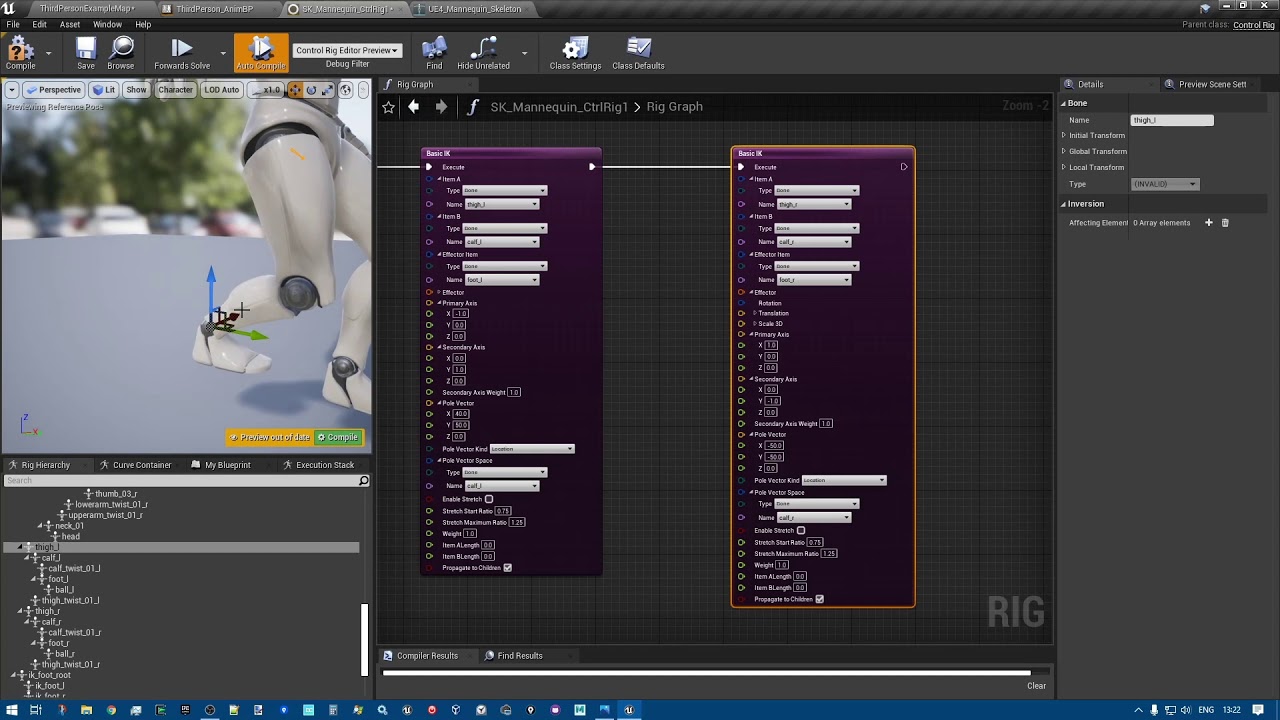
Making Legs IK with Control Rig using Two bones IK and Full Body IK!
Part 1 (basics): https://youtu.be/jfYZymr1svs
Part 3 (4 legs ik) https://youtu.be/mrXs8xLAr3k
Same result really, so take your pick and either of these setups will work with custom characters, it's not limited to the mannequin
 wild flare
I am thinking about using the UE4 Manequin as a base and creating several retergeted skeletal meshes for each different enemy type.
Some of the anims will use characters who hold pistols stright out and forward and some use characters who hold pistols down at their hip.
So theres a good amount of variance in each character what what their anims might look like.
Any advice on making an animation BP that is more modular?
(that allows for different walking anims / different rifle offsets Per Character?)
viscid willow
wild flare
I am thinking about using the UE4 Manequin as a base and creating several reterg...
I would suggest looking at Layers in the animation blueprint.
Also Lyra is a good example for how to set up weapons for characters while sharing locomotion.
wild flare
viscid willow
I would suggest looking at Layers in the animation blueprint.
Also Lyra is a g...
beased on my comment, how above beginner would this sort of implementation require?
(never done anim BP's before)
viscid willow
wild flare
beased on my comment, how above beginner would this sort of implementation requi...
I would say it's a bit advanced, but there's examples like Lyra to look at.
viscid willow
wild flare
beased on my comment, how above beginner would this sort of implementation requi...
It's also fairly advanced but the Advanced Locomotion System on the marketplace has some interesting examples for holding weapons using very few assets.
wild flare
viscid willow
It's also fairly advanced but the Advanced Locomotion System on the marketplace ...
I was thinking of having a basic 8 way walking locomotion system
then blend the top half of the body with their respective gun aim anims
this sounds prettty simple though, is this one of those things where someone would say "easier said than done"
viscid willow
wild flare
I was thinking of having a basic 8 way walking locomotion system
then blend the ...
I think that's perfectly valid, and essentially that's what these systems are doing to varying degrees of complexity.
wild flare
viscid willow
I think that's perfectly valid, and essentially that's what these systems are do...
I think I can definetely manage that part.
but how complex is it to specify a specific offset to the body of a skeleton, per-character.
What if I have the locomotion on the UE4 manequin and then retarget for each chatacter so that the unique characters reference the UE4 skeleton, could the zombie (for instance) have slight offsets to the spine bones, as a soldier (for instance).
viscid willow
wild flare
I think I can definetely manage that part.
but how complex is it to specify a sp...
Yeah you can additively influence the animation using control rig and bake that out as a "zombie" locomotion set
wild flare
viscid willow
Yeah you can additively influence the animation using control rig and bake that ...
Does this usually involve that button in the retargeter called like "save as new animation"?
viscid willow
wild flare
Does this usually involve that button in the retargeter called like "save as new...
The IK retargeter? I'm not sure 😅 I haven't used it much
Sounds like the right button to press lol
shadow frigate
viscid willow
Looks good 👍
I typically link this tutorial from <@456226577798135808> becaus...
thanks battz , I will go through them o7
mellow ferry
viscid willow
no problem, enjoy time with the fam 😄
thank you!! i'm back now
 lost verge
Hey everyone, been really into control rig recently and im trying to get this effect to work
(hand goes to target in animation)
https://twitter.com/MrForExample/status/1680617664480178179
i was given these instruction but i cannot decipher
Calculate the IK target offset
Using animation curve to control the alpha value that active the control rig
Calculate pole target position from reference limb pose and rotate it according to the target limb’s rotational offset from reference limb pose
Calculate IK and using Aim Constraint to set the limb rotation one by one start from limb’s root bone
any help would be greatly appretiated
 obtuse mason
I used Cascadiur
obtuse mason
and rootmotion is enabled
 digital reef
me animation montage wont play, like at all, it jsut wont do anything

i have no idea whats the problem here plese can anyone help me?
 tacit dragon
digital reef
me animation montage wont play, like at all, it jsut wont do anything
tacit dragon
digital reef
me animation montage wont play, like at all, it jsut wont do anything
you have to make a key that activates the montage eg: E keyboard event > pressed then it will play the montage.
digital reef
tacit dragon
you have to make a key that activates the montage eg: E keyboard event > pressed...
ye i got that
the thing is that even when i get the even to lts say E and i clidk it it still doesnt work
thats the problem
tacit dragon
digital reef
the thing is that even when i get the even to lts say E and i clidk it it still ...
interesting.
I'm afraid you'll have to look further more
 grim acorn
digital reef
thats the problem
grim acorn
digital reef
thats the problem
Do you have your Default Slot setup in your Animation Blueprint?
 digital reef
grim acorn
Do you have your Default Slot setup in your Animation Blueprint?
digital reef
grim acorn
Do you have your Default Slot setup in your Animation Blueprint?
i have it like that
 grim acorn
digital reef
i have it like that
grim acorn
digital reef
i have it like that
Ah - that's the issue. Pull out from the blendspace node and right click and look for "Slot 'DefaultSlot'." Put that between your blendspace and your Output Pose and it will work.
digital reef
grim acorn
Ah - that's the issue. Pull out from the blendspace node and right click and lo...
oh my god it works
digital reef
grim acorn
Ah - that's the issue. Pull out from the blendspace node and right click and lo...
thnak you i have been stugelling with this crap for way too long
thnak you
thank*
grim acorn
digital reef
thnak you i have been stugelling with this crap for way too long
You are most welcome! Happy to help.
 neat dock
Whats the best way of making procedural animations? I have a control rig setup and an anim BP but I want to attach the hands to the gun and I'm not sure the best route for that. I've tried getting the transform of a cube and setting bone positions but it isn't in the correct spot or using the control rig properly. Anyone got any ideas?
 quaint robin
Hi! Whats the easiest way to create for example a wood chopping animation with a 2 handed axe? I've already attached the axe to one of the hands, but trying to manually adjust the other hand takes so long. Any easier ways?
viscid willow
lost verge
Hey everyone, been really into control rig recently and im trying to get this ef...
That's a neat result. Where have you got to so far and what are you struggling with?
 fierce crystal
Hi there 👋🏻 .I'm getting this error when importing animation from Mixamo using my character; however, I have imported animations using this same mesh.
Any ideas how to fix, without ruining the other animations.

NVM I'm stupid I was importing the animation and the mesh, instead of just the animation.
 daring marten
Can anybody explain me what a slot is in Animation?
viscid willow
daring marten
Can anybody explain me what a slot is in Animation?
A slot is used to Play Montage assets in Animation Blueprint. So when you play a montage it will play from the Slot position in the Animation Graph.
By default you have a DefaultSlot which all montages will be initially assigned to, but you can create your own slots and order them in many different ways inside the Animation Graph.
daring marten
viscid willow
A slot is used to Play Montage assets in Animation Blueprint. So when you play a...
So slot is a container ? And what do you mean by "slot position" ?
viscid willow
daring marten
So slot is a container ? And what do you mean by "slot position" ?
If you think of the Animation Graph as a flow of an Animation Pose, the position is the point in the animation graph where the slot is interrupting the flow: https://docs.unrealengine.com/5.0/en-US/animation-slots-in-unreal-engine/
Typically an animation slot will completely override the flow and therefore override the pose, but you can also have additive slots or some slots can be used for upper body only or just the arm etc.


Insert entry-points within your Anim Graph to play animation from using Slots.
daring marten
So, animation slots are used to organize animations in order to properly blend
viscid willow
daring marten
So, animation slots are used to organize animations in order to properly blend
kinda, they play Montages, so wherever you have a slot, then a montage with that same slot will play from that point in the anim graph
so you can have very generic slots to play on the whole character, or very specific slots which are nested with layers or states
mellow ferry
mellow ferry
@viscid willow just a thought that I wanted your input on… how does scale relate to this? Like as someone gets closer to/ farther to the Kinect, the skeletal mesh should grow bigger/smaller right?
I was wondering if my skeletal mesh not scaling properly was why the effect didn’t look correct
viscid willow
mellow ferry
<@142605242620444672> just a thought that I wanted your input on… how does scal...
Oh that's an interesting problem. I mean ideally you wouldnt want the skeletal mesh scaling I would think. To me it would seem more like you'd want to set relative transforms, a bit like animation retargeting. I say this not only because of the scale as you approach the kinect, but people have different proportions, e.g. what if a child is playing the game lol suddenly your skel mesh adopts child proportions
mellow ferry
viscid willow
Oh that's an interesting problem. I mean ideally you wouldnt want the skeletal m...
Oh shoot ack - you’re right 😞 - ok nvm LOL.
Ok so I’m back to the drawing board 😭 regarding my bug.
I managed to find nuitrack’s sdk for unreal, and I see their control rig uses the “modify bones” node and just sets the rotations of the joints rather than the positions. The only thing that gets its location set is the waist.
Is this better or just an equal but different approach to the problem?
viscid willow
mellow ferry
Ok so I’m back to the drawing board 😭 regarding my bug.
I managed to find nu...
I was about to say, rather than tranforms you could do it all with rotations and achieve what is essentially basic FK retargeting. You'd only need position data for the pelvis since that will move the whole character, then rotations can be applied to all other bones.
In this set up I think that contact positions might be a bit off due to proportional differences, so you'd get some clipping and swimming, but I think that's a valid approach. If this works you could also experiment with IK effectors for the feet and hands if accurate contacts are a concern for you.
So you could have position and rotation for the Pelvis, HandIK and FootIK Effectors, and then rotation for anything else, like the spine and head.
viscid willow
mellow ferry
Ok so I’m back to the drawing board 😭 regarding my bug.
I managed to find nu...
To answer your question I think this is a simpler approach haha and like i said, you may lose some accuracy, but depends on how important that is to your project 🙂
mellow ferry
Wait sorry I think I got confused somewhere along the lines
The simpler option = set the locations of all the joints
The more accurate?/better?? Method = use rotations applied to all of the bones with just position of waist?
viscid willow
mellow ferry
Wait sorry I think I got confused somewhere along the lines
Simpler approach is rotations applied to all bones and position on the waist. But this is also potentially less accurate.
This is because you're now not needing to manage the entire transform, and get the positions accurate for the proportions. But, because the proportions are different, the angles of the limbs will be different to do things like make contact with the floor or parts of the body, so the accuracy of your skeletal mesh vs what you capture on the kinect may not be 100% lined up.
mellow ferry
viscid willow
Simpler approach is rotations applied to all bones and position on the waist. Bu...
wait so the more accurate thing would be setting the joint locations?
viscid willow
mellow ferry
wait so the more accurate thing would be setting the joint locations?
yes, because then everything will line up 1 to 1 because you're forcing the bones to snap to the transforms you're receiving but for the reasons you mentioned before about being closer or further away from the kinect, or if the player has very different proportions I think this will be very difficult.
If you've played with animation retarget settings you will see what i mean regarding proportions: https://docs.unrealengine.com/5.3/en-US/animation-retargeting-in-unreal-engine/

Describes how retargeted animations can be used with multiple Skeletal Meshes, allowing you to share animations.
mellow ferry
😮
hmmm interesting
I guess it's the stubborn n00b in me that wants to fix this setting the joint location problem, but just am confused where to start
Should I be incorporating rotation as well into this?
 fervent sandal
I don't know if this belongs in #animation or #blueprint so I'm posting it in both. Can somebody help me with this? I'm trying to add this aim offset to my character and it just does this. I thought it was resizing it to be absolutely massive but if that's the case I have no idea how to change it
viscid willow
mellow ferry
hmmm interesting
I guess it's the stubborn n00b in me that wants to fix this se...
Your transform variables will include rotation as well.
I can understand haha it would be cool to get it 100% the way you want it 😅 I would say the other method you found might be a good place to start to see the results and get something working and improve from there
mellow ferry
viscid willow
Your transform variables will include rotation as well.
I can understand haha i...
oo yea fair - i guess i didn't say that smart a sentence in isolation 😵 ; I think I meant to say if I can get the "better" way to work (ignoring my own bugs/struggles w/ it) - then it would be more ideal, if that makes sense
viscid willow
fervent sandal
I don't know if this belongs in <#221798806713401345> or <#221798862938046464> s...
what are your additive settings set to on your sequences? IIRC an aim offset requires your additives to be set to mesh space
fervent sandal
viscid willow
what are your additive settings set to on your sequences? IIRC an aim offset req...
I don't think I've added any
Oh it's just my idle animation
viscid willow
mellow ferry
oo yea fair - i guess i didn't say that smart a sentence in isolation 😵 ; I thi...
yes, i understand, because one way could be more accurate. It could be the case that the simpler solution works just fine, hard to say without testing it out.
fervent sandal
 viscid willow
fervent sandal
viscid willow
fervent sandal
That's the preview pose for the aim offset, what about the clips that are used as samples in your aim offset?
fervent sandal
viscid willow
That's the preview pose for the aim offset, what about the clips that are used a...
They're just other Idle animations with different head positions (I didn't make this I got it from the marketplace)
viscid willow
fervent sandal
They're just other Idle animations with different head positions (I didn't make ...
If you open one of those sequences what are the additive settings set to?
fervent sandal
viscid willow
If you open one of those sequences what are the additive settings set to?
This is for the look up animation
 mellow ferry
viscid willow
yes, i understand, because one way could be more accurate. It could be the case ...
mellow ferry
viscid willow
yes, i understand, because one way could be more accurate. It could be the case ...
just a one last question (SORRY!!) - i briefly saw the retargeting link you sent me; would that be happening innately with the transforms (positions + rotation) since this skeletal mesh? I saw that the link was doing some UI stuff w/ the bones
viscid willow
mellow ferry
just a one last question (SORRY!!) - i briefly saw the retargeting link you sent...
No you shouldn't have any retargeting issues, that would only be when you have multiple skeletal meshes sharing the same animation.
fervent sandal
viscid willow
If you open one of those sequences what are the additive settings set to?
Thank you
@viscid willow Wait but now I have an issue with my character's arms. It looks funky
nvm I figured it out sorry for the ping
mellow ferry
viscid willow
No you shouldn't have any retargeting issues, that would only be when you have m...
ok got it! Thank you so much for all your patience
i' m sorry my inexperience is overwhelming haha
viscid willow
mellow ferry
ok got it! Thank you so much for all your patience
i' m sorry my inexperience i...
I hope you figure it out 😊 and always happy to help if you have questions.
lost verge
viscid willow
That's a neat result. Where have you got to so far and what are you struggling w...
Hey man thanks for the reply 🙂
I've got it the point where the character reaches out to a point in the world but the effector item is the hand bone atm.
I Would love to have it so the Ik tries to solve to a point in the palm, (Like and IK goal in IK rig).
attached is my garbage code atm.
Any help would be very appreciated.


 woeful mango
Does anyone knows how to export multiple object animation in to UE 5 ? Also one object is moving along curve.

 shrewd vapor
https://youtu.be/PgnpBUBMW5g I want to create a demon breaking the ground and coming out can anyone help me how to do that i have shared a link from Tall Grass i need to recreate that the same ground braking effect at the start of video how can i do that in unreal

 abstract sorrel
Does anyone have any good resources for a first person hack and slash tutorial?
I'm trying to repurpose mixamo animations for first person, but really struggling
 drifting karma
Hi! I have a quick question for somebody more experienced in the field of animation.
Does anyone have an article or a video I can watch in order to understand what type of animations do I need in order to make a complete character movement?
Like I would like to know if I want my character to move smoothly I need for example an idle to walking animation and then a walking animation? And when it stops I need a walking animation to idle animation?
I would like to read on that to completely understand what type of movements I need to create in order to make a list of animation needed for a game ready character. If someone can provide some source regarding this, it would be great!
 polar bronze
Are there any experienced riggers on this server I could brainstorm with regarding the rigging of my character ? I’m using ALS for my project which uses the standard UE4 mannequin skeleton.
I have this detailed rig I created for offline rendering that doesn’t import, so currently I did a quick re-rigging of the model to the UE5 mannequin, and using a real-time retarget to get all the animations across. Currently I’m looking to polish the rigging to something more final, and want to see what I can leverage of that existing rig, since that one already has all the helper bones and perfect skinning.
Feel free to PM me, if you are up for a brainstorm session.

 fathom flax
Ive got an fbx animation which is only 3mb, but it gets converted into an 180mb uasset animation file, is there a way to reduce that?
 tawdry hemlock
Hello I have a question if someone can help me, if I have a pose like for holding gun there is a easy way to do walk/run or I need ti make it in blender?
neat dock
Whats the best way of making procedural animations? I have a control rig setup and an anim BP but I want to attach the hands to the gun and I'm not sure the best route for that. I've tried getting the transform of a cube and setting bone positions but it isn't in the correct spot or using the control rig properly. Anyone got any ideas?
 bold hatch
Is this where all the control rig experts hangout?
 sharp totem
I have a issue about dismemberment on ragdolls.
I implement dismemberment by :
- Hide skeletal mesh with bone name
- Create a new skeletal mesh and copy limb info from original SKM.
- Re-attach dismembered limb to character.
it works fine when I control character, but when character dead, it becomes ragdolls, and something went wrong.
The dismembered limb mesh will move very far away for a split second and keep moving, even though I can see through the log that it's owner and the mesh itself doesn't have speed. (it still attached on ragdoll).
(Sorry no screenshot, it's not on my personal pc)
Anyone have any idea for this? Really appreciate.
 opal agate
Why does it matter if my Pole Vector is 0,0,10000 instead of 0,0,1? Is it not a vector? Do words not have meaning anymore?
Even though it's set to Direction, it seems to behave like a Location.
 scenic breach
 feral wren
How do I get the control rig to appear in the view port? I was blocking out poses in an animation track when unreal crashed.

 tranquil lark
Using Control rig to edit some animations. Does anyone know why the IK/FK resets itself whenever I key a frame or move the timeline?
 jolly hatch
Looking for Ideas here, I have a ton Of Animations I created where just the Left hand is posed. the rest of the body is filtered out In the Animation BP that uses them, I want to transfer them to this single hand mesh, I have already started work on an IK rig and Retarget and I'm asking what Are my Options . The end goal would be to make the stand alone hand Change to the same grip pose as the main character hand and vice versa if possible. If there is a method to apply the poses from the character hand to the stand alone one I would really like to hear it


 odd token
Is anyone aware if there's a workflow for adding a Preview Mesh to a socket only for a specific animation (or for a specific skeletal mesh)?
They seem to always get created on the Skeleton so would show up for all animations that use the same skeleton.
Additional Meshes in the preview scene settings seems to be intended moreso for a bunch of skeletal meshes that use the same skeleton (arms SKM, legs SKM, torso SKM...)
But adding e.g. a "sword SKM" would not follow along with the animation if it uses a different skeleton. You could give it its own animBP but can't query bone locations of the main skeleton you're previewing so... impossible without engine changes?
 vague vapor
Hellp everyone! I have an issue with weight paints not importing correctly anymore. It worked several times today and then suddenly it stopped working. I have not touched the weights in any way.
As you can see this is the weight of the left thigh. Only focus on the belt part that's yellow and blue in 3ds max. As you can see in UE5 the weights are all over the place.
Completely deleting the asset from UE and importing it again doesn't work. Deleting the weight paints from the model and redoing it and exporting it again doesn't work. And yes I have tried turning it off and on again 😉
Has anyone else encountered this issue and if so, how to solve it?

 neat dock
Whats the best way of making procedural animations? I have a control rig setup and an anim BP but I want to attach the hands to the gun and I'm not sure the best route for that. I've tried getting the transform of a cube and setting bone positions but it isn't in the correct spot or using the control rig properly. Anyone got any ideas?
 near hamlet
Im trying to set up a system where each hand has an independend FABRIK, however I can only get It working in world space, and world space is always a frame or two behind, causing a weird lag in the arms and where theyre supposed to be. Im trying to move to bone space, but have no idea what im doing wrong, any time i enter bone space i get no moment or really messed up movement
 placid ermine
HI .. i am trying to build a control rig to my character .. i am using IKTwoBone for the legs, but when i connect it to the execute the mesh get distorted like in the picture.. Does anybody have any idea what could cause this?


 cosmic musk
Fractal animation in the making
 formal gulch
i imported this animation from blender and idk why its doing this. i am using mr mannequin plugin in blender. any help is much appreciated! if there is any info that would be helpful let me know
 wet sage
hi, is it possible to use the transform (modify) bone node in the animbp to change only the yaw of the bone? i am trying to make it so the player's torso does not use yaw, but uses roll and pitch from the animations. the closest i came is setting it to replace existing so it completely just nullifies all 3 axes, which would be fine but it removes detail from the animations which are used for proper camera shake. i tried getting the socket rotation and feeding it into the other two values but it just ends up jittery that way. any help is greatly appreciated, thanks
 smoky shell
bold hatch
Is this where all the control rig experts hangout?
smoky shell
bold hatch
Is this where all the control rig experts hangout?
No this is the channel where control rig experts avoid because it's flooded with overly basic animation questions ( #1098080043923681310 message )
smoky shell
opal agate
Why does it matter if my Pole Vector is 0,0,10000 instead of 0,0,1? Is it not a ...
It may be getting normalized. 0,0,10000 normalizes to 0,0,1. But it's probably a location relative to the bone.
opal agate
smoky shell
It may be getting normalized. 0,0,10000 normalizes to 0,0,1. But it's probably a...
No, it's not getting normalized. That's the issue. I had to set it to 0,0,10000 because 0,0,1 didn't work.
smoky shell
Right now read the second part of the reply
opal agate
smoky shell
Right now read the second part of the reply
That's how it behaves, yes.
smoky shell
Ok so if it's being set in world space, or if it's got Z as up axis, then it's not moving laterally therefore there's no effect on a pole vector
Pole vector only cares where it is relative to the right of the IK end effector
It can care where it is relative to the forward, but only if it's close enough to flip it, and of course the closer it is on the forward, the more sensitive it is to changes across the right axis
Ultimately it is going to point at the pole vector transform but it only points laterally
The only time a pole vector points any other way than laterally is when you're in knee or elbow locking territory which is advanced film rigging technique unavailable in unreal (knee locking example would be pinning knees to the ground when doing push-ups on your knees)
 bitter nebula
Apologies if this has an obvious answer, but I'm trying to use a Full Body IK rig to pose a humanoid, and have cases where, for example, the right arm should have IK turned back off and instead have the bones return to their transforms from the reference pose. For this I thought setting the Alpha for that target to 0 would work, but what I'm seeing instead is that the arm is still reaching for some unknown fixed point and pulling the rest of the body with it. How would I have that IK chain 'relax' back to its reference pose and stop pulling on the rest of the body?

 tame vessel
I got a simple blendspace idle, walk, run the thing is that when I stop moving it goes to idle but it just doesnt blend well, its seems like stopping fast, i tried changing smoothing time but still with enormous values or small it just does the same. any idea? Smoothing time seems to work on this window only not in game

 sterile grail
Hello i am trying to render a animation in WEBM in blender, but no matter how many samples i add the result is always the same, the scene quality doesnt improve, this was made using geometry nodes i dont know if it adds anything to the problem

i dont understand why my images are not loading lol
tame vessel
tame vessel
I got a simple blendspace idle, walk, run the thing is that when I stop moving i...
For now I did it like this with lerp but don't know if it's the right way...
 opal agate
sterile grail
Hello i am trying to render a animation in WEBM in blender, but no matter how ma...
opal agate
sterile grail
Hello i am trying to render a animation in WEBM in blender, but no matter how ma...
https://discord.gg/blender Maybe try the blender discord?
If anyone is interested, I figured out how to check variables in a control rig. Useful for when you want something happening in the control rig to trigger something else. In my case I use it to make footstep noises in my procedural animation.
Essentially, you have to get the Anim Instance from the skeletal mesh, and then get the control rig from that. Then you can cast and access the variables.
Events would be better, but at least it is a workable solution.

 eager rivet
Hi all.
I've been having some issues with Niagara and MRQ.
I'm using Stencil Layers in the render settings. In this set-up, i have a niagara particle system up close.
Now, when i try to render out, the niagara particle doesn't show up. or doesnt get rendered.
is there any solve that anyone can suggest?
thanks in advanced 😦


 crimson copper
Does anyone know why my slide to walk/run transition in my animation blueprint doesn't seem to be working?


(I've tested it in gameplay multiple times and it seems to be only the transition between those two states that isn't working, none of the others are affected by this problem)
This is using the default ThirdPersonBP ABP_Manny Animation blueprint, with some animations I've added myself for crouching, sliding and crouchwalking. The animations play just fine, just can't seem to go from sliding animation to the walk/run animation
This is the locomotion animgraph:

Found the culprit! It was not an animation problem, I just didn't have this OR bool hooked up 🤦♂️

 sharp gazelle
besides mixamo are there any good places to get animations that work with the default models of UE?
 foggy nexus
bitter nebula
Apologies if this has an obvious answer, but I'm trying to use a Full Body IK ri...
foggy nexus
bitter nebula
Apologies if this has an obvious answer, but I'm trying to use a Full Body IK ri...
You could use a float as a variable that is set somewhere in your character or ABP, feed that into the control rig, and within the rig, only apply logic when the float is >0
foggy nexus
tame vessel
I got a simple blendspace idle, walk, run the thing is that when I stop moving i...
First I'm seeing you have a 2d blendspace with only 1 dimension being used. You could try switching to 1d as the vertical smoothing values may be getting in the way.
Also your lerp is passing in a constant alpha rather than lerping from 0 to 1
Or vice verse
I don't think you want to be lerping your speed. It'll be a smoothing/blend time issue. The absolute best way to transition seamlessly is with transition animations, as the animation interpolation from move to idle will never really look very natural.
foggy nexus
sharp gazelle
besides mixamo are there any good places to get animations that work with the de...
The marketplace. Otherwise, no.
sharp gazelle
foggy nexus
The marketplace. Otherwise, no.
Damn
tame vessel
foggy nexus
First I'm seeing you have a 2d blendspace with only 1 dimension being used. You ...
I've seen blend1d was in legacy and I thought it was like calling it deprecated
tame vessel
foggy nexus
I don't think you want to be lerping your speed. It'll be a smoothing/blend time...
but in that case i wouldnt use blendspace right?
i would like use idle to walk, walk to idle? and just use blendspace for walk/run?
foggy nexus
Mostly yes, you'd have idle, to transtion, to a movement blendspace that would contain movement of various speeds and angles.
This is how it's most commonly handled in games. If you lack transition animations, you could try to use two states, idle and move, and use the transition rule blend time values to have more control over blending.
@tame vessel
crimson copper
Does anyone know why: when I make an animation for the mannequin in unreal using the thirdpersontemplate, the animations don't seem to apply to the feet/from the waist down? I'm assuming the walking animation is overriding the lower leg animation somehow but not sure what the cause of that would be.
To be more specific, I tried to make a 'crouch-walk' animation by taking the normal walking animation and lowering the waist height, but it just resulted in an animation where manny was doing the upper body walking animation but his legs were just staying in place
neat dock
If someone could help, that'd be great: https://forums.unrealengine.com/t/procedural-animations-through-a-control-rig/1611267
Epic Developer Community Forums
Hi, I am working on a basic FPS game but I am struggling with the animation aspect of things. I think it’d be a good idea with plans to add a weapon modding system to use procedural animations where we would use a control rig to grasp the gun and provide animations for idle, walk, and run and then bake the animations for reload, inspect, chamber...
 ripe ledge
Tell me how to fix this?
 royal trellis
ripe ledge
Tell me how to fix this?
royal trellis
ripe ledge
Tell me how to fix this?
Change sequence that you want to drop in Additive Anim Type section from Local space or Mesh space to No additive
Most likely that's the reason
ripe ledge
Thank you
 trim vessel
Can someone tell me whether the fbik node is useful in game animations or is it overkill? I can make regular 3 bone ik on the enemy arms and legs and add a physical animation component, but just wondering if I should figure out how to use the fbik node in the enemy rigs or, if its overkill, just stick to what I know.
bitter nebula
foggy nexus
You could use a float as a variable that is set somewhere in your character or A...
Thanks - you're right that I actually needed to disable the IK logic completely for that arm and not just set the Alpha fields to 0. I couldn't do that with the simple FBIK setup; I actually had to implement a Control Rig and feed its FBIK node a list of effectors containing only the limbs that were active.
 rapid panther
I was suggested from #cpp to ask in this section, and I was told some approaches similar to the one I wrote down here.
"what if I want to work on some little details in the animation montage, say I have a reload animation for the shotgun, and I want to show that the character is actually placing the shells inside the shotgun internal magazine.
should I for example use an anim notify to spawn the first shell, attach it to the finger, (in the animation the character puts 4 shells, 1 by 1), and then hide/show the shell with more notifies?
I want to know a good approach on this and I'm still a beginner, don't go too hard on me"
foggy nexus
rapid panther
I was suggested from <#221799439008923648> to ask in this section, and I was tol...
Anything that is determined by animation time (not game time) is usually handled by animation notfies. Have you tested yet?
rapid panther
foggy nexus
Anything that is determined by animation time (not game time) is usually handled...
not yet, I'm about to, that's why I wanted to hear opinions from everybody else
to have a better approach on this, so at this point I think I'll go for spawning the shell with a function tied to the anim notify, and then hide and show the shell mesh (attached to the finger)
everytime I need to, and maybe when I'm done, despawn the hidden shell even tho it doesn't hurt
actually I don't know how bad is it to keep the hidden mesh alive
foggy nexus
rapid panther
everytime I need to, and maybe when I'm done, despawn the hidden shell even tho ...
I'd probably just set up a static mesh component in the character, attach it to a socket parented to the left hand, then just set its visibility as and when you need it. Less logic, more performant.
Make sure you have collision turned off and it won't cause you any issues while it's not visible
rapid panther
foggy nexus
Make sure you have collision turned off and it won't cause you any issues while ...
yes indeed, thank you 🙂
 solar totem
Is there a "finally" for animation notify?
So I have a AN_Blocking
Received_NotifyBegin: Sets Blocking to true
Received_NotifyEnd: Sets Blocking to false
Simple, and it works. BUT only if the animation does not get interrupted
If the animation is interrupted in the middle, Received_NotifyEnd never gets called and therefore Blocking is never set to false
Is there something that gets called at the very end even if the AN gets interruped right in the middle?

 tender cipher
Why I receive this message when I try to retarget an animation ? How do I fix this? Why should my "Evil Mime" have a preview animation if he doesn't have an animtion at all?
 foggy nexus
solar totem
Is there a "finally" for animation notify?
So I have a AN_Blocking
Received_Noti...
foggy nexus
solar totem
Is there a "finally" for animation notify?
So I have a AN_Blocking
Received_Noti...
If you're calling the montage from blueprints, you have an output execute pin On Interrupted. However, it's usually best to let the code program the animations rather than the other way around, otherwise you very quickly end up in state switching hell.
solar totem
foggy nexus
If you're calling the montage from blueprints, you have an output execute pin On...
I see the OnInterrupted, it looks like it does work
But I was hoping to have a solution done in the Animation Notify
I think I get what you mean by code program the animation, you mean like right before running PlayMontage, you set the Blocking to true right? Then OnCompleted, you set the Blocking to false?

 stone cradle
Hello, new to animation in unreal, i'm trying to retarget a custom skeleton to the UE5 mannequin,what would be the cause of this deformation on the character when doing an animation ? Thank you
 fathom flax
Would anyone know how to blend in smoothly the end of an attack animation with the idle animation instead of reverting to the default pose in between?
 still estuary
Best approach to start making my own locomotion system? Any guides or coures (iam bas at animation stuff)
foggy nexus
solar totem
I see the OnInterrupted, it looks like it does work
But I was hoping to have a s...
Or ideally, use values you set at runtime to alter states in the animation blueprint.
You won't be able to have such granular control using notify states because that's not why they're there
solar totem
foggy nexus
Or ideally, use values you set at runtime to alter states in the animation bluep...
Can you give an example of this?
foggy nexus
Trigger bIsBlocking when character hits RMB
ABP received this value and switches to Blocking state
This state contains a looping version of your blocking animation
Switch off bIsBlocking when character lets go of RMB
ABP received the change, switches state
Etc
foggy nexus
fathom flax
Would anyone know how to blend in smoothly the end of an attack animation with t...
Either increase the blend time or edit your animations so they line up better
solar totem
foggy nexus
Trigger bIsBlocking when character hits RMB
ABP received this value and switches...
Hm, I understand
Although currently I like AN because it allows you to do something like this:
Where Blocking, Healing, Invincibility are all AnimNotify
So for example, pressing RMB will PlayMontage this

 inner nimbus
I just created a root motion animation in the sequencer and after the animation is player the character does not stay at that location, but teleports to the location where the animation started.
I think I used to know how to fix this but totally forgot.
crimson copper
crimson copper
To be more specific, I tried to make a 'crouch-walk' animation by taking the nor...
Solved. Added this code to CR_Mannequin_BasicFootIK:

and this code to ABP_Manny:
 tender cipher
Why I receive this message when I try to retarget an animation ? How do I fix th...
tender cipher
tender cipher
Why I receive this message when I try to retarget an animation ? How do I fix th...
Help. :(((
misty dagger
tender cipher
Help. :(((
just put something in the preview wtf
 real atlas
wait, have you never been able to use retargetted meshes with one anim blueprint? what the hell? everyones been making entire individual anim blueprints for every mesh that has even slightly different proportions?
so, how does female mannequin work then? that has different proportions but that works with the same animbp
misty dagger
you can have as many anim bp as you want
real atlas
I dont want more I want to use the same one
real atlas
alright
well
another thing Im trying is a mesh I rigged to the unreal skeleton. importing it creates an extra root bone which makes the skeleton invalid. naming the object in blender to "root" lets it work with the mannequin but makes it super tiny and fly around with the root movement
been fighting with this for hours and searching all different search terms I can think of
so let me clarify that even if I simply take the unreal mannequin mesh itself, import to blender and re export, itll get messed up somehow in the process
 zealous citrus
real atlas
another thing Im trying is a mesh I rigged to the unreal skeleton. importing it ...
zealous citrus
real atlas
another thing Im trying is a mesh I rigged to the unreal skeleton. importing it ...
No way I was typing the same problem wth lol
real atlas

zealous citrus
by any chance is this similar to your case?
https://forums.unrealengine.com/t/character-tiny-in-unreal-engine/1613304
I also wrote this on forums but didn't get any solutions D:

Epic Developer Community Forums
Hello everyone, I got this Paragon Gideon Character Rigged to the default Unreal Engine 5 Skeleton and a few more characters too, I Exported them from Blender to Unreal engine and things looked normal at first until I started using some animations, I noticed those Characters would go absolutely TINY, When I clicked the Force Root Lock Button the...
real atlas
mine stays at that same tiny size no matter how much I scale it
zealous citrus
🥲
tender cipher
misty dagger
just put something in the preview wtf
Where? Preview of what? My character has no animations 😒
zealous citrus
tender cipher
Where? Preview of what? My character has no animations 😒
That preview isn't asking for any animation it's asking for a skeletal mesh(the character mesh) itself
Without it how will you visualise whatdahek you are even retargetting? Looking at bones isn't very helpful as you know
tender cipher
zealous citrus
Without it how will you visualise whatdahek you are even retargetting? Looking a...
The animation has the mesh of the main character which is a ue mannequin but blue
And the skeleton that's supposed to get the anim is a model
zealous citrus
tender cipher
The animation has the mesh of the main character which is a ue mannequin but blu...
Can you send screenshot of the retargetter window
tender cipher
zealous citrus
Can you send screenshot of the retargetter window
I'm not home atm. I'll send you asap. Thank you 🙂
misty dagger
zealous citrus
Can you send screenshot of the retargetter window
what is bro talking about lol
misty dagger
Hi, I am makeing a magazine, with 3 pages. When you push the left mouse button it flips forward and right mouse button backwards. I made 2 forward animations already in Blender and two backwards animations. But it does not seem to work well with my setup. I am a total beginner when it comes to Unreal engine and Blueprints, so hope someone can help me how to do it correctly?

It does not go backwards from the point I am at.
If I keep pushing right mouse buton it goes backwards through all animationes. I only want backwards to play backwards animations and know when forward animation I am currently at. Anyone can help me?
 quasi dragon
Hi. I have one Skeletal Mesh with belonging animations. I would like to manually have control of one joint that is not animated. (eg. a head that is manually turned while the rest of the body animates).
I have looked into Poseable Mesh but they dont seem to support animation seq (nor montages) at all. What would be the route to go? It's one mesh only and cannot be separated into several
real atlas
Id use the Transform Bone in the anim graph
might not be best for every situation though
quasi dragon
Thanks, Yes I discovered that one as well. My case it's actually very simplistic (a tower with a cannon, cannon has a reload and fire animation but should be able to rotate towards targets). Feels like an anim statemachine in a Anim Graph would be overkill but if that is the way to go...
Maybe I split them up instead into 2 meshes.
real atlas
yeah Id prefer two meshes for that probably
real atlas
zealous citrus
https://forums.unrealengine.com/t/character-tiny-in-unreal-engine/1613304
I also...
I found something
try exporting mannequin from unreal, then import to blender, then delete your ones skeleton and ctrl p it to the mannequin, then export and make sure its called root, somehow that made it work
but its such a specific setup
zealous citrus
real atlas
try exporting mannequin from unreal, then import to blender, then delete your on...
Ohh I hope it works for me too but i didnt understand this part then delete your ones skeleton
real atlas
the one the model already has
zealous citrus
Ohhh export the skeleton from unreal import in blender and remove the skeleton from my old rig and put replace it with this skeleton and import back into unreal
real atlas
yeah
zealous citrus
Ok understood now ill give it a try 🤞
 sweet hill
supper silly question. Why preview scene inside AnimationBlueprint is not playing walking animation in UE5.2 ?

 stable pawn
Is it possible to copy and paste a whole transform?
crimson copper
sweet hill
supper silly question. Why preview scene inside AnimationBlueprint is not playin...
You have too change the preview controller in preview scene settings (top right) to 'use specific animation' like so:

As of right noow I don't believe theres any way to preview the animation you've selected in your animgraph other than changing this setting manually each time but I do think that would be a nice feature for debugging animatioon blueprints
bitter shard
Does anyone know how I can reference the pose at a specific point in the AnimGraph inside blueprint or C++? Basically what the cached poses nodes do, except accessing the cached pose from BP/C++ instead of just in the AnimGraph
 raven sigil
I have a blendspace for handling my characters movement (walk, run, walk back, strafe etc)
What i walk backwards, my character seems to be snapping left and right a bit, i assume this is because the direction variable is switching between 180 and -180.
I read on google that people fixed the issue by "setting interpolation time in the axis settings"
I cannot find this, does anyone know where this setting is?
tender cipher
zealous citrus
Can you send screenshot of the retargetter window
Are you there?
 fathom flax
In an animation blueprint, how would I move from one state to another once the previous state's animation is complete?
 sinful raptor
misty dagger
Hi, I am makeing a magazine, with 3 pages. When you push the left mouse button i...
sinful raptor
misty dagger
Hi, I am makeing a magazine, with 3 pages. When you push the left mouse button i...
ask in blueprints
crimson copper
fathom flax
In an animation blueprint, how would I move from one state to another once the p...
Just learning animation myself so this might be an amateurish way of solving the problem but could you use a rep notify at the end of the animation to switch a boolean for keeping track of whether the animation is done playing or not, and have the transition condition be set to that boolean?
 crude wren
hello does anyone have any good resources for learning about anim blueprints? stuff like using layers, slots, maybe also interfaces and what some good use cases are for them. I tried looking at the Lyra project but it's a bit complex
fathom flax
crimson copper
Just learning animation myself so this might be an amateurish way of solving the...
Yep that worked, ty : )
 💀
tender cipher
misty dagger
read the red text bruh
💀
tender cipher
misty dagger
read the red text bruh
I always retargeted like that and always worked. Whatever
misty dagger
no source = will not work
 uncut cypress
@night rover have you dabbled in Ctrl Rig?
 night rover
uncut cypress
<@1050954229902213150> have you dabbled in Ctrl Rig?
night rover
uncut cypress
<@1050954229902213150> have you dabbled in Ctrl Rig?
Nope, not an animator 😔
misty dagger
I used "Set Morph Target" node inside the Animation blueprint for setting the morph target.
misty dagger
 warm kayak
How long does it take to make a Control rig ? Made one a year ago ...
warm kayak
How long does it take to make a Control rig ? Made one a year ago ...
If it is your first time, maybe an hour or two for a useful rig with a backwards solve.
With experience it will get much shorter, 30 mins or so, even less if you have one ready and can just copy paste the main structure.
 open egret
Here I am tryna retarget Manny to an Accurig Character and errytime UE crashes and gives me this
"LoginId:e59034b044a7621dab0495b0f4a1cd00
EpicAccountId:93141bc158214af4be4420ded38853dd
Assertion failed: (Index >= 0) & (Index < ArrayNum) [File:D:\build++UE5\Sync\Engine\Source\Runtime\Core\Public\Containers\Array.h] [Line: 771] Array index out of bounds: -1 from an array of size 50
UnrealEditor_AnimationBlueprintLibrary
UnrealEditor_AnimationBlueprintLibrary
UnrealEditor_AnimationBlueprintLibrary
UnrealEditor_IKRigEditor
UnrealEditor_IKRigEditor
UnrealEditor_IKRigEditor
UnrealEditor_IKRigEditor
UnrealEditor_IKRigEditor
UnrealEditor_Slate
UnrealEditor_Slate
UnrealEditor_Slate
UnrealEditor_Slate
UnrealEditor_Slate
UnrealEditor_Slate
UnrealEditor_Slate
UnrealEditor_ApplicationCore
UnrealEditor_ApplicationCore
UnrealEditor_ApplicationCore
UnrealEditor_ApplicationCore
user32
user32
UnrealEditor_ApplicationCore
UnrealEditor
UnrealEditor
UnrealEditor
UnrealEditor
UnrealEditor
UnrealEditor
kernel32
ntdll"
Any uh... any ideas?
still estuary
hello why is my skeleton stretched like this when i play some animations

 sacred helm
Hello people, a question, I have this problem... I rig the model well but when I export it to unreal it looks huge. I had solved it a few months ago but now I don't remember how I did it, does anyone know how to solve it? thank you


 coral rivet
why is my details panel for a animation asset not allowing me to see all the options like "loop"?
 still estuary
Orient character to movmement is bad and not smooth in general or is it me only ? I feel like it snapes to the new direction immediatly
 grave drift
Is there any way to blend between these two animations within one montage?

 willow pilot
sacred helm
Hello people, a question, I have this problem... I rig the model well but when I...
willow pilot
sacred helm
Hello people, a question, I have this problem... I rig the model well but when I...
It’s probably your scale in blender. Is the character big or your bones
 noble pelican
Anyone had this issue with retargeters adding unwanted rotation to twist bones? Source animation only has x rotation but the retargeter adds some degrees in y and z for whatever reason
 cosmic steppe
Hi all, wondering if it's possible to animate the foliage system in anyway. currently trying to animate the scale from 0 to 1 so it looks like it's growing.
or just animate instances in general
 upbeat wren
Hi guys!
IM coming from blender animation, and i want to produce a short film in UE instead of blender for a case study and a portfolio work.
As far as im diving into it i can feel that its a bit different than other softwares (for me tho) and id like to get some tip from the experts for how to animate in the UE5 Sequencer better 🙂
Being more precise: my biggest problem is that i want to use animation sequences and also modifying those to also fit to an existing environment (for example i have a run forward and the character needs to turn left and than jump, means that i have 4 different animations that i want to combine, blend, and modify to fit exactly how i want it to be in the level i have)
Thanks so much for even reading ❤️
 tight basin
grave drift
Is there any way to blend between these two animations within one montage?
tight basin
grave drift
Is there any way to blend between these two animations within one montage?
Not within a montage from what I know
 shy basin
hello, can any1 please tell me how I can switch off, tree and foliage animations, p.AnimDynamicsWind=0 in the console does not stop movement or animation of them. please
tight basin
grave drift
Is there any way to blend between these two animations within one montage?
You might be able to seperate those animations into two sections, schedule the sections to start one after another, and use the montage 'blend in/out' settings on the left but I think it might only apply when blending in and out of the montage as a whole
 left talon
I have my "Vertical Axis Function" of my Blend Space, set to "Velocity", but the character animation is not updating when moving.
 pale gull
hey folks, anyone recommend what cameras / how to setup tutorial for dual camera system for metahuman animator? :)_
 glacial dagger
I’m having issues with what seems to be the constraint manager and world partition. I make some parent constraints for some objects to be in my characters hands and have them working the way I need them to. But when I save, close and load the project up again I seem to run into an issue where a constraint manager reference is broken. This then seems to break all the work I did in the sequencer and my objects just fly off in a random world direction.
I’m hoping to get this resolved and think ive isolated it down to the world partition loading. I’m in 5.2 and see there is a bug with disabling world partition to where everything gets deleted. So I’m trying to figure out how to get the constraint manager to work properly with world partition and stay consistent with the committed work in the sequencer.
 low sparrow
Hello! I am a beginner in Unreal Engine and I've encountered a small issue for which I can't find a solution. Maybe you know one. So, I tried to apply one of the animations created with Metahuman to a character. However, every time I attempt this, the character's face simply doesn't move. I've watched tutorials and even started a new project to avoid the issue, but it didn't work. Any ideas?

 obtuse siren
Could someone tell from where i could learn how to make recoil procedural animations with IK ?
 viscid mural
ive got a tricky one with footplacment alpha. i increased the zise of the capsule to 1.5x on the character bp and im not seeing anyway to fix footplacement without turning the alpha to 0


 solemn kestrel

I'm having an issue help would be greatly appreciated. I have an animation where the character picks up a weapon and puts him in a pose for when he is moving or running, i.e. holding a sword. These animations are all played from C++ using Montage_Play and using default slot or upperslot to run them in the animgraph. The problem is that after the player does an attack animation before it transitions back to the pose of holding the sword he goes to the T-Pose/A-Pose position, i made the blend in and out to 0 so now it flashes. In the video you can see the Jenk from the transition stage. What can i do?
I made the blend time 1 second so now you can clearly see it go to the A-Pose.
Is it because i have two different montages for the stance pose and the attack pose? please help
 flint ruin
Hi guys I have this issue with my blend-space. I have a very fast running animation and a regular running animation. But when the blend space blends between them I have this weird effect. Not sure on how to fix this. Any idea would help.

 midnight umbra
I asked earlier but maybe wasn’t clear enough
Anyone have a specific and clean way to attach a skeletal weapon to a skeletal character
Currently I spawn the weapon and transform and attach as component, but this requires the weapon to be in the map at game start.
What are some additional ways to attach a skeletal weapon to a skeletal character?
fathom flax
Is there a way to play an animontage for only like bones above the spine?
 slim elbow
is there a way to animate with control rig then save the bone animation so I can use it in animation blueprint? Yea might be too obvious but u know
flint ruin
fathom flax
Is there a way to play an animontage for only like bones above the spine?
There is , Check this out
https://www.youtube.com/watch?v=bU95pf5hTkI

Hey guys, in today's video, I'm going to be showing you how to use upper body montages in your game, as well as being able to blend between both upper and full body so that you can utilise both.
Punching And Fighting Tutorial: https://youtu.be/1jxElVA7g3c
#Ue4 #UnrealEngine4 #Ue4Tutorial
________________________________________________________...
 craggy torrent
Guys is there blender script that snaps ik bones to their corresponding place,
ikfoot_r -> foot_r
ikfoot_l -> foot_l
ik_hand_gun -> hand_r
I have tried in game anim sequence, using fk control rig and snap options, currently its breaking my other bones when I took "bake to anim sequence"
left talon
How do I create default stances while holding different weapons?
I've got different melee animations working, I just need to modify the default stance
 dull goblet
Io, how can i retarget mixamo mannequin to ue5 mannequin?

 sage sierra
anyone help with inverse kinematics issue? #ue5-general message
 oblique compass
Hey all, just joined the server and wanting a quick sanity check. I'm working on a project with some dials and gauges etc. and I'm wondering, is it alright to bring each one in as a skeletal mesh, each with an animation BP, then put into yet another BP (to animate according to other variables). Feels like a lot to me, but that's purely vibes based. Thanks!
 carmine venture
Hiya! Been a while since I've found myself wanting to actually reach out here for help on anything. I started learning about modeling and skeletons/animations and the like recently.
So my problem is probably much simpler than I expect, I'm just not finding any great info on it.
I'm making animations for a player-controlled slime character. The problem is, I am having a tough time figuring out how to make my key presses switch between the desired animations.
Since the slime doesn't technically 'walk', a LOT of tutorials I've looked up are lacking something I think I need to know to make these transitions work (mostly Humanoid animations).
Any help is appreciated!
oblique compass
carmine venture
Hiya! Been a while since I've found myself wanting to actually reach out here fo...
Hey, was just doing some research on this too. From what I could tell, humanoid or not, you're still looking at using animation blueprints with blendspaces to switch between different animations, and you'd drive the transition with keypresses or movement direction from your player blueprint. Hopefully that's not too vague? I found this video helpful as a rough outline of the workflow, particularly the last segment when setting up the anim BP (plus it's also a slime, so, tha'ts a bonus): https://youtu.be/QfIDdDExwOk?feature=shared&t=1286
Full Step by Step Tutorial on how to make a simple NPC
Patreon: https://www.patreon.com/marpetakdev
Twitch: https://www.twitch.tv/marpetak
Discord: https://discord.gg/nDS6zet6BJ
♪ Music used ♪
https://www.epidemicsound.com
Contact: marpetakdev@gmail.com
 small spoke
what programs do you guys use for character animation ? I've been out of that game for quite a number of years, but i used to love poser for its IK functionality, not sure if its still around
i have tried blender but using that for animation is worse than pulling teeth
carmine venture
oblique compass
Hey, was just doing some research on this too. From what I could tell, humanoid ...
I already know how to make animations and stick them to a model. The only issue I have is just not being sure how to use the animation bp and blendspaces together properly (if thats what I really need)
carmine venture
small spoke
what programs do you guys use for character animation ? I've been out of that ga...
Blender FTW. I barely spent ANY time learning, and I already feel relatively semi decent at it. (very new to all this stuff)
small spoke
carmine venture
Blender FTW. I barely spent ANY time learning, and I already feel relatively sem...
ok but i hate it, looking for other suggestions
its so damn obtuse with all its modes and strange names for everything, i spent almost a week just figuring out to do an utterly simple button pressing animation, never again if i can help it
i use blender for making meshes but i dont wanna use it for animating them
oblique compass
carmine venture
I already know how to make animations and stick them to a model. The only issue ...
Yeah I think you can safely skip over the modeling/rigging/animation segments of the video but skip to when he goes over the animation blueprint stuff at the end, just in case it's applicable to you. In this context the blending is driven by an AI pawn but, yknow, might be helpful anyway.
carmine venture
oblique compass
Yeah I think you can safely skip over the modeling/rigging/animation segments of...
Yeah, this didnt help. he made AI, so thats not helpful to me atm
 high bone
Hello friends, I would like to get into the correct animation after sliding as soon as I jump and not just slide while jumping. Does anyone know how I should change that?
I have a jump animation, only when I press jump while sliding does it appear on the video
grave drift
Hey guys, any suggestions on how I can make a skeletal mesh hang from a specific point? I.e ragdolling the body, while the upper torso is attached to this point?
stable pawn
hello clever people, im trying to make an animation where the enemy (scorpion looking thing) hits the player with its tail and i was wondering if anyone knew how i could get it so the tail goes to the players location rather than a preset point in an anim montage (ping me in responses please)?
 gaunt ledge
is there a way to blend montage sections? 😐
gaunt ledge
gaunt ledge
is there a way to blend montage sections? 😐
It seems this was asked many, many times before and the answer is no. You can't
 tender reef
can anyone point me in the right direction on why im getting this wierd stiff animation movement?
gaunt ledge
gaunt ledge
It seems this was asked many, many times before and the answer is no. You can't
Howeeeever... you can blend animations on a level sequence and then bake the blending as an animation sequence to then use in your montages, is something 👀
dull goblet
Help with this? Issue when crouch
 small spoke
is it possible/reasonable to use the default unreal human skeleton for things of different proportions?
specifically i want to make a goblin, pretty stumpy with short limbs
i'd like to use one skeleton for all humanoids if possible, to aid in reusing animations
 stable hill
I'm trying to use the control rig from within a blueprint of my actor. I have set it up, done the preinitialize mapping, and then in my event tick I am updating the transform of a control, but that appears to have no impact.
If I pull the value of the transform and log it (or render a debug sphere at that location) it is properly updating, but the mesh itself does not move/update.
I have tried setting the animation mode of the skeleton mesh to custom, to a blueprint that just evaluates the control rig and sends the result to the output pose, but it doesn't appear to update at all.
I am using the Control Rig Samples Pack from Epic, and just trying to modify the cannon_ctrl control in the mech to adjust where the turret is aiming.
I must be missing something, but the documentation doesn't really have anything, and pretty much all the guides/videos I can find, involve setting up variables on the control rig, and updating those in the anim graph, instead of directly manipulating the control rig controls in the actor blueprint using the control rig component. I want the latter, as I think it is much cleaner, but so far I've had no luck.
Any suggestions?
 narrow blaze
im transforming the hands of my character to sockets on my weapon using a control rig setup. however, there is a very obvious delay between the gun moving and the hands moving with it. at running speed you can see that the hands disconnect from the gun entirely. im updating the left and right hand positions in my animation blueprint on Event Blueprint Update Animation. there is no easing/interpolation, no delay nodes, i have no clue where the delay is coming from... anyone had issues with this and/or know of a solution? thanks in advance

the control rig is very last in the chain in my animation blueprint as well
 regal forge
Does anyone have any luck setting motion matching up for UE 5.3? It seems there isn't any tutorials for the 5.3 version as there were many changes from 5.1
I can't seem to get it working and the official documentation for 5.3 does not show the full process as well
dull goblet
Any idea how can i fix this?

 ancient wigeon
If I want to import a chest or cupboard which has physics and skeleton files, do I join them togheter in blender, or if i am supposed to export them through blender one at a time, do I need to: A -> right click (join) -> move to export and then when it comes to export, can I use the default settings in send2unreal or using the fbx export plugin, do I : selected only -> [x] mesh [x] armature, [x] tangent space, apply transforms [x], [ ] leaf bones, [ ] bake animation? What I did in the blender editor was disable clamp in bevel and put amount to 0, and did a smart uv.
 frosty helm
We have the exact same issue atm in 5.2.
Did you ever found the cause of this?
On startup our control rigs are bugged, until we open the control rig assets.
Also not bugged when we open the level via content browser. (seems to be only bugged when the startup map contains the control rig.)
This started to show up when we added the actor to a level instance, but can't see why it would be related.
left talon
I think I've made a mess of this, I'm trying to set up a system where I can attach pose to each piece of equipment in my game, so a character can hold items properly, I have blended the UpperBody (the attack animations) with the locomotion, the PrimaryWeaponSlot at the bottom is used to control the deafult pose for holding items, but it seems to get overwritten, not sure what to do here.

I've seen the use of a completely separate blend spaces but that means a lot of duplicated work which I'd like to avoid
Is there a way I can just grab an animation from an asset and blend it in?
 lofty helm
Hey folks! Struggling a bit with importing some animations I've made in blender. Everything looks fine except two of the fingers, which seem to follow the motion of the elbow bone. This isn't present in Blender, and checking the exported .fbx file shows no errors there. I've also double-checked the weight painting on my source mesh, and nothing other than the finger bones has any influence on the fingers. Is there anything Unreal could be doing that could cause issues with this?
 stuck zenith
how can I get anim curves to bind to float inputs on control rig like the doc says? I have the same var and anim curve in all the different places, but can't bind it on control rig node.

 real atlas
wow infinite questions
real atlas
dull goblet
Any idea how can i fix this?
where you set capsule height, set mesh relative location at the same time, or manually offset the animation itself by clicking + key and moving the root up
surprised no one else answered that
 runic turret
How to do finishers in Unreal Engine like the ones in Apex Legends?
frosty helm
frosty helm
We have the exact same issue atm in 5.2.
Did you ever found the cause of this?
O...
Fixed it.
What we were doing wrong: creating level instances from a map that was not setup for world partitioning.
 keen lynx
hi, problem with blendspace: idle walk jog
when blendspace point reaches the mid point, the walk cycle plays from the beginning instead of continuing the synced blend

is it some 5.1 bug?
upbeat wren
hi guys,
everytime im saving the sequencer UE5 crashes. does anyone knows why?
keen lynx
upbeat wren
upbeat wren
hi guys,
everytime im saving the sequencer UE5 crashes. does anyone knows why?
Im really struggling with this one
keen lynx
upbeat wren
Im really struggling with this one
do you have visual studio installed? maybe if you run the project with debug it'll show you the breakpoint.
or maybe you can share the crash logs?
upbeat wren
yeah sure here it is
Assertion failed: Index>=0 && Index<NumBits [File:D:\build++UE5\Sync\Engine\Source\Runtime\Core\Public\Containers\BitArray.h] [Line: 1257]
keen lynx
that's a bit too ambiguous, if I were you I'd open visual studio and jump up the call stack. sorry, idk what else to say
stable hill
Still struggling to get my control rig to actually update from a blueprint when calling SetControlTransform, in debugging in the control rig window I do see the control as moved, but the rest of the rig does not update, so now I'm really confused.
Attached is what my blueprint currently looks like, and in my EventTick if I render a debug sphere at the control transform location, it renders properly, but the rig will not update.
Also attached is the animation blueprint, which at the moment just executes the control rig and passes that to the output pose
I'm just completely at a loss as to why it will not update during play. If i drag the control around in the control rig editor, everything works. This is a procedural generated rig from the epic games sample control rigs pack (the mech),


 proper beacon
Hello 🙂
Im new French dev And I'm looking for how to do or buy animations to make a player limp in FPS. We see the legs of the character who will have the injury. A simple camera effect will not be enough. If you have any ideas, I'm interested. Thank you in advance! 🙂
 worldly anvil
Hello, does anyone know whether it's possible to check that any animation is currently playing?
I have an animation blueprint that has a bit too many animation states for me which I'm not currently using, but I will in the future. My states might not play any animation, however, since I have something like CurrentStateTime > *SomeTime*, it never switch to the next state.
 carmine dagger
yes
my animation clips ever since my enemy ai scale was upped ovb,so i slowed the playtime for it slower etc and still cuts up
stable hill
Okay, so I am not sure what happened, but I was able to get the control rig to update.
In the control rig editor while debugging, I selected my debug object and noticed the heirarchy was missing all the bones, I clicked the import heirarchy button, and it started working. And newly spawned ones also are working, so if anyone else runs into this, I guess just hitting reimport heirarchy in the control rig editor will fix it? Very odd
 undone turtle
Is there a way to syncronize a blendspace view "cursor" with a given instance to debug while playing ?
I tried selecting my character in the top drop down, the graph is synced but not the blendspace view.
stable hill
Ugh this is actually maddening haha.
Can you not have both an animation blueprint AND direct control rig access in the actor blueprint?
I want to be able to adjust control rig controls from my character blueprint but ALSO have the animation powered/blended by the animation blueprint.
It seems like I can have either, but not both, unless I move all of my logic of controlling the control rig directly in my character bp, to be part of the animation bp?
 heavy trout
heyy guys, how can i change a value of Anim Notify in blueprint from an Animation Montage? for example i have a Sound Anim Notify and i want to change his Volume in blueprint
 topaz pilot
Is there a way to rig a custom character so that when I download animation packs from the marketplace, they just work out of the box and don't have to be retargeted?
heavy trout
so no one is responding here?🥲
 sturdy steeple
Hi, don't know if this is the right place to post it but I'm having an issue with Curve Tables.
I'm trying to change the color of a curve in the table. Selected it, clicked on the curve itself and then clicked on Set Curve Color for Selected. Then picked a color but nothing happens. Am I missing something?
 sturdy steeple
heavy trout
heyy guys, how can i change a value of Anim Notify in blueprint from an Animatio...
sturdy steeple
heavy trout
heyy guys, how can i change a value of Anim Notify in blueprint from an Animatio...
I'm not sure if you can get the anim notify by name or something but otherwise, you can implement your custom AnimNotify. Then the notify can execute a delegate that will notify whoever is listening about the animnotify start and send a reference to the sound cue that is gonna play. Then you can adjust your sound cue there.
heavy trout
sturdy steeple
I'm not sure if you can get the anim notify by name or something but otherwise, ...
yes i fixed with a custom notify and play sound in anim blueprint thanks
 hoary glen
 eternal blaze
Hey there
Any idea why my animations wont play anymore. If i remove the copy node, it breaks the ADS but the arms go in a T pose showing that the anims not playing

Its for my FP walk animation

If i remove the copy bone the animation plays but ruins my ADS
foggy nexus
proper beacon
Hello 🙂
Im new French dev And I'm looking for how to do or buy animations to m...
Look into physical animation. You can simulate physics on a chain of bones in line with rules set in a physics asset.
foggy nexus
worldly anvil
Hello, does anyone know whether it's possible to check that any animation is cur...
You can check if any montage is playing. If your abp is active, there will always be an animation playing as you will always be in one state or another. Not sure what you're trying to achieve.
foggy nexus
topaz pilot
Is there a way to rig a custom character so that when I download animation packs...
No
foggy nexus
stable hill
Ugh this is actually maddening haha.
Can you not have both an animation bluepri...
Not sure what your struggle is. You can set variables in your character BP that are updated in the ABP and plugged into your control rig there. What are you trying to achieve?
stable hill
So I wanted to be able to directly control “controls” in the rig, from my actor blueprint, and have that blend with the animations from the blueprint.
I didn’t want to have to update the control rig to take in other variables that I pass to it, but that’s what I ended up doing.
If I could have also modified the controls from the animation blueprint, I would have been happy too, but there weren’t any nodes to do that.
If I added the control rig component to the actor, then the animation blueprint would no longer apply. So I either had to do all animation through control rig manipulation, or all through the animation blueprint by passing variables into the rig, instead of being able to manipulate controls AND have it blend with animation poses
topaz pilot
foggy nexus
No
I'm asking because I've got a couple characters up on the marketplace and they're rigged to the UE5 mannequin. But I just got a negative review saying that theyre not properly rigged to the mannequin because they still had to retarget. Just wondered if I was somehow missing some important piece of information that allows this to magically work without retargeting. Guess not though. Thanks!
foggy nexus
topaz pilot
I'm asking because I've got a couple characters up on the marketplace and they'r...
Nope. Inform the buyers that while you can in theory rig to any character, it would always require retargetting from the source mannequin which is usually the UE4 and/or UE5 mannequin by default.
topaz pilot
foggy nexus
Nope. Inform the buyers that while you can in theory rig to any character, it wo...
Great. Thanks. I even supplied the target manager so it should be super simple for them.
 strong python
I have this rig I made, and was wondering what are the things that should be respected in terms of naming for bones, is there a convention or a mendatory way of doing it ? And also I think my character rig doesn't have the same amount of bone as the Unreal Character, so how does it work in terms of compatibility ?
 foggy nexus
stable hill
So I wanted to be able to directly control “controls” in the rig, from my actor ...
foggy nexus
stable hill
So I wanted to be able to directly control “controls” in the rig, from my actor ...
But what aspect of the controls are you trying to control? If it's transform, then you can set the variable and have it feed into your control rig logic.
foggy nexus
strong python
I have this rig I made, and was wondering what are the things that should be res...
You can use whatever hierarchy you'd like, but if you plan on using 3rd party animations, it's much easier to conform to the unreal mannequin hierarchy. If you're using blender, there's a free plugin that auto rigs your model in line with unreal standard. Auto rig pro maybe?
strong python
foggy nexus
You can use whatever hierarchy you'd like, but if you plan on using 3rd party an...
Thanks
strong python
foggy nexus
You can use whatever hierarchy you'd like, but if you plan on using 3rd party an...
Why when I try to select my mesh first then the skeleton, and press CTRL + P to Set Parent > Armature Deform > With Automatic Weights, the character mesh becomes really big and also faces the ground instead of straight forward like the skeleton please ?

This is before doing that operation
 stable hill
foggy nexus
But what aspect of the controls are you trying to control? If it's transform, th...
stable hill
foggy nexus
But what aspect of the controls are you trying to control? If it's transform, th...
I was trying to just directly control a procedurally generated "control", from the sample control rig pack by Epic (essentially the control that sets where the turret is pointing). I didn't want to have to modify the rig at all,l just use the controls that were already setup. So I thought I'd be able to just use the SetControlTransform from the ControlRig component on my actor.
And I could, like it worked, but then the animation portion wouldn't play, even though the animation BP was setup to blend between the control rig and the animation poses.
I did endup just modifying the control rig to take in a vector3 and then I place that control where that vector3 was, but my hope was that I wouldn't have to modify the rig at all, and could just directly manipulate the controls either via my actor BP, or the animation BP
 fickle umbra
So I have this issue I can't figure out as I'm doing this for the first time. I want to have first-person animations. Without arms, just floating weapons, in this example a pickaxe. So I made an animation that changed the t I hit "Bake Animation Sequence" and got an animation. When I look at the animation in the animation sequence it looks right. But when I open the animation it is just static. And when I add the animation to the skeletal mesh nothing happens. Does anyone have any ideas? Or even better anyone that can tell me how to do these first-person animations? 🙂


 clear jay
Hello, I'm trying to retarget root motion sequences. I've tried every things like disabling root motion before retargeting, set root or pelvis globally scaled in Retargeter all these things make my sequences in place when I enable root motion...
 severe badge
how am i to fix this Silly Loop Lag. I have ticked and un-ticked Root Motion but no luck.
 sour hazel
How do you make sure AnimBP makes proper transition between 2 states?
It just snaps in one frame and doesn't do blending at all
 scarlet edge
I want to replace the template 3rd person character and rigging with a cat so that the player is a cat (think like stray, but wayyy more rudimentary and beginner friendly) how would I do this?
narrow blaze
severe badge
how am i to fix this Silly Loop Lag. I have ticked and un-ticked Root Motion but...
enable force root lock
 abstract solstice
Hi, guys. I have a question. I have been an animation artist for some time using 3dmax but have not worked with UE until recently. I’ve observed that the default UE4 Manny has IK root, IK foot root, and other IK bones. How can I create them? I mean, are they created using 3dmax or in UE5? How can I create the whole IK bone system? Appreciated!
real atlas
hoary glen

scarlet edge
im trying to retarget so that I can use my new mesh and animations in a game, and just as I thought id finally fix my cat, the arms are wonky. idk why this is
 severe badge
narrow blaze
enable force root lock
severe badge
narrow blaze
enable force root lock
Isn’t that the same as “Enable Root Motion?”
narrow blaze
severe badge
Isn’t that the same as “Enable Root Motion?”
not necessarily... idk enough about root motion to explain it but i do know that its a separate option for a reason, and it might solve your problem
it just depends, sometimes an animation can be setup wrong and enabling root motion doesnt do what you expect because the motion may not be coming from the root
scarlet edge
i did a thing lol. it didnt fix the thing, but i did a thing
 severe badge
narrow blaze
not necessarily... idk enough about root motion to explain it but i do know that...
severe badge
narrow blaze
not necessarily... idk enough about root motion to explain it but i do know that...
Thank you! But How am I to find it?
scarlet edge
I partially fixed it, now its clipping into the character. at least its passable kinda, but still annoyed that its not fully fixed

all that time spent on retargeting, and Ive no idea how to get this to actually be the character
when I use the default blueprint, this shows up, but idk what to do now that ive retargeted

and while i can set a single animation for the player to have and use the correct proportions, idk how to setup the animations to be triggered with different things with blueprints
 shadow frigate
https://www.youtube.com/watch?v=IjCkLKC0bQ4
Hi guys , My NPC character animation doesn't match its walking pace, how does one fix that so the walking feels more natural? I try changing set max walk speed in character movement but that doesn't give me the walking pace I want

my walking animation doesn't look natural
 unique pike
Anyone know the best way to go about using IK to stop my pawns hands from clipping through the floor?
Use case is a giant slamming into the ground and I want to prevent the hands from clipping into the floor but I'm not good with IK. I could use some guidance so if anyone knows how to and would like to help let me know, I'd really appreciate it.
 narrow blaze
severe badge
Thank you! But How am I to find it?
narrow blaze
severe badge
Thank you! But How am I to find it?
under the spot where you enable root motion

if nothing happens, try play with different options in the root motion root lock dropdown
if nothing happens still, there might be something wrong with the animation itself
scarlet edge
can someone help me with my cat being a creepy cat instead of cute and cuddly? lol
severe badge
narrow blaze
under the spot where you enable root motion
I love your work. I’ll give that a go and let you know. I appreciate your time for helping me out 🤙🏻
 bold oracle
hey so i figured out that there's a handy thing i can do with anim bps
i made a template(without skeleton) for it and it's super easy to create multiple anim bps for different characters i have by just creating children of the template
i want to know if there's something similar for a blendspace 1D because i am using a blendspace for idle/walk/run(all 3 in one state using speed variable)
or am i stuck creating different blendspaces
shadow frigate
heavy kayak
Can anyone help !!? Why is the weapon not attavhed heree ?
Hey there, I am new but if I can guess did you use snap to target when attaching to component?
 shadow frigate
heavy kayak
<@363775939471212557> its preapplied with socket*
shadow frigate
heavy kayak
<@363775939471212557> its preapplied with socket*
is collision off for the weapon?
heavy kayak
y
 trim echo
Can anyone explain how spawn control node in control rig works? Or point me at documentation for it. I'm using math nodes to change location of control but it ends up having those values on spawned control, on other project in basically the same code it works as intended with zeroes in local space
trim echo
So, problem was with set default parent node, for some reason it changes values in local space
Alright, this time i think i found solution, transform channels should be connected to offset transform instead of initial and for parenting should be used add parent node instead of set default parent
still estuary
how do i fix thid the slide aniamtion make char goes under till it finishes
 bold oracle
No one knows if there's way to create a template for animation blend spaces?
 novel viper
Hello. When I'm trying to export an animation from Unreal it does nothing. No exported FBX is created, yet no warning is given either? What is up with that?
foggy nexus
stable hill
I was trying to just directly control a procedurally generated "control", from t...
You don't need any components in the character class. You make a variable in the control rig, make sure it's exposed (click the eye icon next to the variable), then in your ABP, plug your additives and main state into the control rig node, select your class, then make sure you've ticked the right variable in the node details. Then you can just grab whatever variable you need from the character and plug it into the node.


 foggy nexus
unique pike
Anyone know the best way to go about using IK to stop my pawns hands from clippi...
foggy nexus
unique pike
Anyone know the best way to go about using IK to stop my pawns hands from clippi...
See my above response. You can trigger the control rig to be active/inactive using animation notifies, then feed the target locations in. To get the locations, you could run a landscape trace, get the landscape z, then use your x and y from the hand bones + the landscape z.
sage sierra
anyone?
#ue5-general message
tame vessel
In this animation graph taken from state alias guide on docs, i don't understand why the falling loop animation works even when the tofalling alias isn't connected to locomotion, if i set the checkbox of locomotion enabled it works visually too (the editor in runtimes now shows the nodes above to be executed) but the player does the same
 coral rivet
whats the most performant way of animating a ISM in a Ai enemy where im spawning in 100+ of them
trim vessel
Can anyone explain why twist bones are necessary in even the simplified manny skeleton and control rig? What do they do exactly, just stand off from the primary axis into the flesh of the static mesh to give a better hold on the mesh? Doesn't the normal arm bone already have enough hold over the static mesh, why do we need these additional bones? Also, they often face normal to the primary axis, which seems like it makes understanding their rotations a headache, since if the main arm rotates and the twist bones sticking off of it now rotate globally.


in manny simple above, the twist bones are along the primary axis, but still what is the need for them, it just seems redundant. Why not just limit the twist of the actual lower arm bone instead of creating child twist bones
trim vessel
Maybe if you wanted the twist occur differently between the start of the lowerarm bone and the end of the lowerarm bone, then you use the twist bones in between to dampen the lower arm twist as it runs up toward the elbow. Is that what they're for?
 misty grail
Hi, I'm having some trouble getting an animation to work with an UpperBody layer blend per bone.
The problem is that the weapons won't stay with the sockets when playing an UpperBody anim. They work fine for the default slot.
Attached are several images of the way I have it setup. I'm using 5.3.2 and these characters/animations are from an asset pack on the marketpalce.
Something of note which may or may not effect this is that I swap animation blue prints for this character when the game starts (for use with my different classes/weapon types).
Any help would be appreciated!


 shut kraken
scarlet edge
I want to replace the template 3rd person character and rigging with a cat so th...
shut kraken
scarlet edge
I want to replace the template 3rd person character and rigging with a cat so th...
If you're ok with the locomotion collider being a sphere then that'll work
that's the best you'll get, you won't get a horizontal capsule
heavy kayak
@shut kraken pls help .(
shut kraken
heavy kayak
<@127902729677963264> pls help .(
What is the weapon attached to?
heavy kayak
mesh
shut kraken
i mean at what bone
 fickle umbra
Reposting my question: So I have this issue I can't figure out as I'm doing this for the first time. I want to have first-person animations. Without arms, just floating weapons, in this example a pickaxe. So I made an animation that changed the t I hit "Bake Animation Sequence" and got an animation. When I look at the animation in the animation sequence it looks right. But when I open the animation it is just static. And when I add the animation to the skeletal mesh nothing happens. Does anyone have any ideas? Or even better anyone that can tell me how to do these first-person animations? 🙂
 severe badge
narrow blaze
under the spot where you enable root motion
severe badge
narrow blaze
under the spot where you enable root motion
Thank you for the help! this was my outcome and works great!

 wispy fiber
Why does my retarget work in the Retargeter but when I export the selected animation the arms are stiff and not rotated correctly?

 jolly hatch
Im working in VR and using control rig. I have noticed a issue when I rotate my hands and the forearms are pointing at them creating an unatural bend . Is there a way I could restrict the wrist rotations on the IK so once my hands reach a bend limit the arms move with them to prevent further bend on the wrist ?
misty grail
misty grail
Hi, I'm having some trouble getting an animation to work with an UpperBody layer...
Bump? lol. I hate anim work lol
wispy fiber
its the worst
narrow blaze
severe badge
Thank you for the help! this was my outcome and works great!
Awesome, and of course 👍
 placid raven
hey gang,
i've been spending all day trying to figure out how to apply my armour skeletal meshes to my character from blender to ue5
i know i can set leader component in the construction script with an actor blueprint
HOWEVER, i'm still getting clipping issues and i don't know what i'm doing wrong - been watching tutorials all day 😅
https://gyazo.com/4ea118e493a1c9c2205d325b172c42e1
any help would be highly appreciated please!
 placid raven

not particularly going as planned 😅 i'll keep trying to figure it out in the meantime
 wanton frost
Hello everyone,
Is there any issue with importing animation for additive in unreal 5.3 ? that could cause shifting every key frames location or rotation by small amount ?
 remote summit
placid raven
hey gang,
i've been spending all day trying to figure out how to apply my armou...
remote summit
placid raven
hey gang,
i've been spending all day trying to figure out how to apply my armou...
Clipping has to deal with weighting. You need to use whatever software you use for modeling/rigging and modify the weights.
This is an important process that takes time as you have to verify all the animations match with the weights painted. sometimes, when you paint weights in one area and on one animation, it will look great! Then you check the others and its got issues. So, its a very itterative process. Depending on the armor, most of the time I use the skeletal mesh and transfer the weights of that over to the armor, and fix from there
scarlet edge
I dont have access to the global foliage actor item, and while I like that my foliage is windy, idk how it is, and idk where to tune it down? (its too strong atm)

idk where to put this question
 fierce terrace
when adding mocap to the matahuman a strand of hair is being pulled to a location. Any help would be really appreciated

 finite yew
hey , any ideas why IK goals is not working on one Skeletal mesh , but workking absolutely fine on another ? how to fix it
placid raven
remote summit
This is an important process that takes time as you have to verify all the anima...
Thank you so much for this 🙏 That's a massive help! I wasn't aware of the importance of weight painting, but I'll go over it now - I appreciate it!!
remote summit
It is not a fun process, let me tell you, but it is the solution 🙂
 nimble fern
Hi guys,
I am working on a stealth game and I need animations for AI hearing a voice and walking to that area and doing some looking animations.
are you guys aware of any packs like that on the marketplace? I have been searching for a long time for that
 nova nexus
Guys i have a question, how do i get rid of the blend from the anim bp when i fire an anim montage (see video and scrrenshot) ? (problem exist only on this case scenario in my project)

 nova nexus
hold my beer
watch this crusader https://www.youtube.com/watch?v=7IUpa3Pxqug&ab_channel=UnrealEngine

The stories you create aren't static, so why should the look of your characters be? Using the UE5 Lyra Sample Project as a starting point, this session will discuss various techniques available to add, swap, and customize your characters.
We’re excited to bring you sessions from Unreal Fest 2022, available to watch on demand: https://www.unreal...
 shadow ginkgo
hi guyss, i remember last time you can show your "bones/armature" on the model but this current unreal doesnt show it and i look almost everywhere.

where's the option for them to show it? 😅
nova nexus
shadow ginkgo
hi guyss, i remember last time you can show your "bones/armature" on the model b...
character not show
 minor marsh
Is there any way to fix small stutters on fps arms while camera rotation lag enabled?
bold oracle
hey anyone worked with kaykits before?
i want to know how to go about and importing the skeletons from their skeletons pack
 drowsy sequoia
Does anyone know what overlaps actually are in animations?

I cannot understand
this flag is in the SkeletalMeshComponent
 vapid quartz
Motion Warping is breaking on my AI character ever since the transition to 5.3. anything I'm doing wrong? Something the Unreal docs never told me is that Motion Warping seems to only ever work on montages, never does anything on the actual anim blueprint
the first time it runs the montage, motion warps just fine, every other time after it, doesn't work
 keen fossil

 pulsar hollow
this gives me error when i start the game. I have player reference on blueprint initialization to get my characters values. what to do? bool blend doesnt work.

it says player ref is not available
wild flare
how much of a performance cost is it between a walking animation on ue4 mannequin, compared to a retargeted skeleton to the ue4 mannequin with the mannequin hidden and walking?
any info on this?
 buoyant sleet
not an epxert, but probably not that much? All the animation logic is still running

Any ideas why the clavicles are not being moved in this animation retargeting?
the RTG is basically RTG_UE4_UE5Manny
vapid quartz
Why might root motion be breaking on a montage?
I have the following:
- Source sequence has root motion enabled
- Character movement mode is set to flying
- Anim Instance has Root Motion From Everything enabled
What am I doing wrong? The first time I play my montage root motion plays just fine, then every subsequent time it just fails
removing Motion Warping anim notifies reveals that the problem isn't with motion warping but rather the root motion of my montage itself
 modern hill
how can i do arm IK with multiple twist bones(for wrist) in a control rig?
 vivid roost
Hi! I see that we can make sections on the montage timeline. Is there a way to configure a AnimNotifyState to have its Start and End points match a montage section? So if I move the sections around the associated AnimNotifyStates will change to match?
 bleak geyser
I'm having this baffling issue where my movement component is displaying a different movement mode in my ABP than in native code. Does anyone have any tips to debug? I'm out of ideas. (screenshot to follow)


 shadow frigate
Hey guys, I searched Mixamo but strangely there is no SHIELD BASH animation in Mixamo for a 1-h sword and shield attack, does anyone know where I can find a shield bash animation for a 1-h sword shield pls ? 🙂
 pseudo solstice
I am blendering and did some stuff before but I wonder, do animation is always one for all pieces? Or maybe I can do separete animations for each part of air craft and steer them individually ?
viscid willow
vapid quartz
Why might root motion be breaking on a montage?
I have the following:
- Source ...
When you say it fails, does it not move at all?
viscid willow
modern hill
how can i do arm IK with multiple twist bones(for wrist) in a control rig?
Are the twist joints part of the arm heirarchy, or are they leaf joints?
upbeat wren
HI guys idk if thats the right topic but im pretty struggling with animating in the UE5 sequencer.
Does someone have tips of how to animate or whats the right workflow of achieving a really personal and unique result in the sequencer annd metahumans CR?
 icy gate
Hey 🙂 Quick question, I'm trying to use control rig to do a ponytail motion, I'm using a Spring interpolate node, which seems to work fine within control rig editor. However at Runtime because I'm moving/rotating my character using blueprint (literally setting the transform of the pawn) everything bones are transform and I'm getting no spring motion in my ponytail chain, though I've properly set my node to be using world space. Any clue ?
I'm sure like many things in UE there's a magic option I haven't found
modern hill
viscid willow
Are the twist joints part of the arm heirarchy, or are they leaf joints?
they're part of the arm hierarchy, ig if they were leaf bones that would makes things easier
modern hill
oh i just found a solution
i just do a basic bone 2 bone IK but instead of bones i use controls that have the transforms of the arm root, elbow and hand, and then set transform of bones to controls transforms
 sleek forum
Hey, does anyone know if you can do an ik rig setup where the feet balance on uneven ground without foot root bones?
I know the default Manny skeleton has foot root bones and hand root bones that it uses for ik targets
But I'm following a tutorial and it seems to suggest that I need to have the root bones, but I really don't want to change the skeleton I'm using right now
Does anyone know of resources or a method that could help me?
 winter coyote
What would I need to learn to be able to dynamically have the Hand IK Reach out in the direction I specify?
This could be a moving location, so I'd want it to look smooth.
winter coyote
winter coyote
What would I need to learn to be able to dynamically have the Hand IK Reach out ...
https://youtu.be/2AJwiGJ6zcM Pretty much like this.

Check out my Discord channel: Check Information Page For Discord Link.
Thought I would do a quick breakdown on how they do reach targets in the Content Examples Pack. Btw this breaks down when the arm goes behind the character, you can test this out by moving the ball behind the character in the Blueprint and watch how the arm twists in funny w...
 mortal shoal
Question, anyone would know what replaced the Add Key bp function from 4.26 in 5?
https://docs.unrealengine.com/4.26/en-US/BlueprintAPI/EditorScripting/SequencerTools/Keys/AddKey_Event/
Same with the Create Quick Binding bp function
sacred helm
willow pilot
It’s probably your scale in blender. Is the character big or your bones
Thanks for answering friend, the thing is that the scale of blender is different from that of unreal. What I had to do was set the scene at 0.01 and the rig with the mesh at a scale of 100 in the 3 axes, then with control + A I left the scale at 1, and that's it!
viscid willow
modern hill
i just do a basic bone 2 bone IK but instead of bones i use controls that have t...
Nice, that's pretty much what I was going to suggest. I've had to do that before but instead of controls I used virtual bones.
willow pilot
sacred helm
Thanks for answering friend, the thing is that the scale of blender is different...
Nice!
 fierce lily
As far as I know, the AnimStartPack doesn't have any animations for turning the lower half of a body in place. Could anyone recommend a site to look for something like that? I just need something rough to program animation logic
shadow frigate
viscid willow
Nice, that's pretty much what I was going to suggest. I've had to do that before...
Hi Battz, this is a continuation to a question I had asked few days back which you helped solve, my question was that everytime I try import something in UE, the pop-up window is stuck to the top left of UE and I cannot move it, you said to right click on the window in the bottom windows task bar and click on move option there and use keyboard directional keys to move the pop-up window to the centre, that really helped.
But this is still very annoying to move the window from tasksbar everytime i want to import, can you pls tell me is there any way to make the pop-up window open in the centre itself rather than having to move it everytime? Thanks in advance 🙂
 gritty heath
My model deforms when changing the skeleton of this animation can anyone help me please?
 hollow junco
So I cant get the IK Retargeter to play very well in 5.3, I opened 5.1 and it worked fine. I tried to migrate over the animations I made in 5.1 to 5.3 and it was fine but now the head is tilted 90 degrees upwards? Here's a picture. Any ideas?

when I open the IK Retargeter the animation looks fine, but when I export the anim it's all fucked
 chrome wren
Hi, I have problem with animation leg animation can anyone help me with this

in blend space works

but in game like this
btw Root motion is enabled and I get this animations from "animation starter pack " and retargeted
 uneven axle
Hello all. Does anyone know if its possible to set the tangent of a curve via blueprints? I am working on an animation modifier that places a curve. I add the keys I want just fine but they default to linear tangents and I need them flat.
 prime pawn
does anybody know how the Animation Budget Allocator interacts with Update Rate Optimizations (URO) Settings? Is it possible to use them together or should only one systems be used, as they do quite the same
pseudo solstice
Unreal can control skeleteon or it has to be animation? I want to rig Turret for tower defense, and making animation would not be best way
 blazing glade
hi guys, i have a simple question.. I am trying to make a crouch animation. in my Event graph in the AnimInstane i create i create a reference to my BP character

in the state machine i put it like this:

and the transition happens when:

IsCrouched changes to True when i press C or CTRL. i even print out the message. However the animation never happens

in the crouch state i have put up a animation:


 lyric sail
Hello everyone
left talon
Is there a way I can map mixamo character animations to the default unreal skeleton? I want to add new functionality from mixamo and append it to the existing third person character
 subtle sapphire
Having some weird issues with control rig (RBIK) and preferred angles. None of the angles seem to correlate with what's happening on screen, world or local transform. I lock angles that then move, I set preferred angles to ones that don't appear relevant (but it seems to work?) -> https://streamable.com/02z0du. Am I missing something?
stuck zenith
whats the completed execution pin on the Rig Graph Branch node?
 still estuary
Can i blend animations without a blend space ? Like i have an animation state and want to transition to another but not instantly does unreal blend by default?
 spark swallow
Are there any 3D Max animators here?
 humble socket
Hello, I'm trying to figure out a way to minimize the amount of assets I require. I have a system where I'll be able to change armors independently on the left and right arms. Is it possible to have only left or right arms and mirror them over in realtime to accommodate the opposite side? I have various body segments using a leader pose component. Just wondering if I'd be wasting my time trying to basically just minimize the amount of storage required by the game.
ripe yew
Can you play anim montage on AnimationShared Character?
slim elbow
how do I override another state machine curves? I have 2 state machines, one handling movement another face animation curves as my character face is a flat screen controlled by animation curves. How do I make that the face animation state machine overrides the curves that the movement state machine is outputting?
blazing glade
How do i make my animation instantanously based on a Button. I have a crouch animation i created in 1D blendspace. When i press Crouch it crouches. When i lift my finger from the crouch button. It does not go back to "Stand/idle" position straight away
 misty dagger
Has anyone actually go through and understand how they calculate "Local Velocity Direction No Offset" in Lyra? 🤣 It is ridiculously long, and i need to understand it rn


What is even a dead zone
 torpid yoke
Hi, can anyone recommend a really good course about animation and animation blueprints in Unreal Engine 5? Can be a paid one.
 orchid cloud
help, so i added a root bone to my skeleton and reimported it into unreal but all my previous anims that didnt have a root bone now are rotated 90 degrees X axis
now:
then:

 stuck zenith
can somebody tell me why this is happening in rig graph? ok, apparently you have to actually use the variable later in the graph for it to be set earlier.
 foggy nexus
left talon
Is there a way I can map mixamo character animations to the default unreal skele...
foggy nexus
left talon
Is there a way I can map mixamo character animations to the default unreal skele...
Mixamo Converter
foggy nexus
still estuary
Can i blend animations without a blend space ? Like i have an animation state an...
All state transitions have a default blend time. Click on the transition to change this.
 hot swan
What would the best way be to create a new character model and rig it to the epic skeleton? Could I somehow get the FBX of Manny and import it in Blender and just model over it? Or how would I best approach this.
 spark blaze
Does the record mouse action feature not work for anyone else? https://www.youtube.com/watch?v=rqWtA3ORt4M It seems like something is fighting with the mouse position or keyframe and resetting it.

Discover useful hotkeys for animators in Unreal Engine, and get tips and tricks to speed up and enhance your animation workflows.
ripe yew
How do you play anim montage on anim shared character
 bitter river
does anybody know why this blendspace is stuttering that much?
 gaunt ledge
If my montaje jumps to a different section before hitting the end of a Notify State... is the end called? Or it never ends? 🤔
if my combo ends without going the next attack... will the state trigger it's end? 👀

Initial tests seems to indicate that yes, it fires 🤞
 still prairie
hi,
n unreal engine 5 i am using a caterpillar mesh with simple rig. i applied control rig on the bones using spline rig . as i compile the mesh is all squished up. what could be the reason ?. the node i am using is "Fit chain on spline curve" providing all the control points as array input. i am having a doubt that it could be the "pole vector position" issue. yes i am new to control rigs. thanks a lot.


 spark blaze
Does the record mouse action feature not work for anyone else? https://www.youtu...
spark blaze
spark blaze
Does the record mouse action feature not work for anyone else? https://www.youtu...
After watching this https://www.youtube.com/watch?v=XUaPfdPI59A I realized I didn't have Autokey enabled! Turning that on and adding 1 keyframe to start made recording mouse actions work.

Dedicated to all animators opening Unreal for the first time:)
It is also intended as a addition to the tutorial series I have developed for Epic Games, walking you though the very first steps for creating an animator friendly environment.
https://lnkd.in/eY3VaWH2
 red bloom
any 3d animator here , dm me
still prairie
is there another channel for help on animation related questions or this channel is just quite?thanks
viscid willow
shadow frigate
Hi Battz, this is a continuation to a question I had asked few days back which y...
That's a real pain, the only other thing I might suggest is to set the import window to a position you find ideal and then close the editor with the import window open. That might force it into place, maybe. Otherwise, last resort is reinstall the editor.
viscid willow
gritty heath
My model deforms when changing the skeleton of this animation can anyone help me...
I cant say I've used that function before, but I think rather than using the Replace Skeleton command, you might have more success using the Animation Retarget options in the engine: https://docs.unrealengine.com/5.3/en-US/animation-retargeting-in-unreal-engine/
Describes how retargeted animations can be used with multiple Skeletal Meshes, allowing you to share animations.
viscid willow
chrome wren
https://gyazo.com/1fd7565d7591553467349aa0fa3e9b6c
This is happening because your character has IK enabled on the legs but the IK bones aren't animated. So the feet lock to the IK bone position. You can disable the foot IK control rig in the animation blueprint to resolve this.
Just be aware that doing so will ofcourse disable foot IK in your game.
 drowsy bobcat
Hi everyone! I make animations in Blender and then send it to Unreal (using send2ue plugin). Usually everything works fine, but when I’m trying to send facial animation (around 2k frames) it takes days to send animation - according to logs 99% of time is used to compress imported animation (engine looks frozen, but it’s not - you just have to wait very very long). Am I doing something wrong? Can I disable this compression on import?
viscid willow
pseudo solstice
Unreal can control skeleteon or it has to be animation? I want to rig Turret ...
Yes, you can control the skeleton in a few ways. Control rig is a flexible system which allows you to control bones with a rig, and those rig controls can be manipulated through your gameplay systems: https://docs.unrealengine.com/5.2/en-US/control-rig-in-unreal-engine/

Rig and Animate characters in real-time using Control Rig.
pseudo solstice
viscid willow
Yes, you can control the skeleton in a few ways. Control rig is a flexible syste...
Thats awesome news, thank you very much for such late answer 😄 gona read that
You can also mix animations with that to do some procedural animations right? 😄
viscid willow
blazing glade
hi guys, i have a simple question.. I am trying to make a crouch animation. in m...
Have you confirmed that the ABP is receiving the bool? If you look at the debug, and hover over the pin, does it output the correct value?
viscid willow
pseudo solstice
You can also mix animations with that to do some procedural animations right? 😄
Yes, exactly
 fresh hemlock
Hello, I have 2 animations and i want to concat them, but have a shift bug because of root motion(i think). How can i fix this?
heavy trout
guys, its possible to sync first person hands animations to a full body character hands?🤔
something like mirroring animations from FP Hands to hands of a full body
 ruby lion
I am having some issues with animation, cant really find a solution. the only thing that changed it was enabling force root lock, but then the animation looks all weird
buoyant sleet
Is there a way to insert and remove frames in a level sequence to easily adjust animation timings?
 true maple
Can the root motion animation be set to update the asset animation end location as a new start location automatically on loop complete on anim blueprint?
abstract sorrel
Is it possible to take an animation sequence and edit it? I want to make some modifications to a garbage animation I did.
still estuary
How can i make my character smoothly rotate when i change input direction ? Loke not the actor i want to rotate+ play some animations that makes it feel like he is changing direction
 quick pond
Let’s say I had 4 characters who you can play as and I want all the animations shared between so I want to use the same rig (I know retargeting exists but I would rather not in this case because then it’s 4x everything) the characters are generally the same but things like height and slight facial differences between genders cause the skeleton to not “one size fits all” type of deal. Any insights or tips?
fresh hemlock
fresh hemlock
Hello, I have 2 animations and i want to concat them, but have a shift bug becau...
fixed
static falcon
Hi everyone.
I am attempting to make my own game using blueprint.
I am wondering if I can find anyone that can help me on my journey by looking over my work and giving feedback and suggestions.
I’m nervous that I will make a big mess and am trying to address problems as I go before they get to be too big.
I sadly do not have any money to pay so I wonder if I could find somebody who can do a trade with me. In exchange I am able to help with what I’m good at - 12 years of experience with 3D animation, modelling, rigging, etc. I can cover the entire 3D pipeline.
If anyone has the skills in blueprint and is seeking help with 3D graphics please send me a DM! Would be great to establish an ongoing friendship.
 trim verge
fresh hemlock
Hello, I have 2 animations and i want to concat them, but have a shift bug becau...
trim verge
fresh hemlock
Hello, I have 2 animations and i want to concat them, but have a shift bug becau...
i think its bec of collider
 atomic maple
Hi!
I've got this warning message: Warning: Class /Game/Characters/MannequinsXR/Meshes/ABP_MannequinsXR.PLACEHOLDER-CLASS__B_MannequinsXR_C_0 has parent , but this parent is not found. The Class will not be shown in ClassViewer. It comes from an animation that I have copied from one project to another. How can I know which is its parent class?
Thanks!
 fresh hemlock
trim verge
i think its bec of collider
fresh hemlock
trim verge
i think its bec of collider
It's because of animation blueprint and root motion flag
left talon
I want to take a pose for holding a weapon, then apply it when you are holding said weapon, but if you're holding that weapon in your other hand, then mirror the animation. But also allow the weapon to be dual wielded.
Is this feasible/possible?
Montages seem to only allow one slot to be set
I wonder if I could create a mirror montage in code, that mirrors the bones and slot
viscid willow
ruby lion
I am having some issues with animation, cant really find a solution. the only th...
did you turn force root lock off?
viscid willow
buoyant sleet
Is there a way to insert and remove frames in a level sequence to easily adjust ...
You can add more frames by adjusting the end of your sequence, is that what you're after?
 viscid willow
true maple
Can the root motion animation be set to update the asset animation end location ...
viscid willow
true maple
Can the root motion animation be set to update the asset animation end location ...
This should happen automatically with root motion. You can test your animation to see if this is correct by enabling the RootMotion > Loop option in the Character menu of you animation sequence. Make sure Root Motion is Enabled before you do this. In this Manny Walk, you will notice that when you turn this on, Manny will walk away and continue forever.
 true maple
viscid willow
This should happen automatically with root motion. You can test your animation t...
true maple
viscid willow
This should happen automatically with root motion. You can test your animation t...
Thanks, yeah I have it working here like that on the animation asset window, I am just thinking if it can be replicated in the world with AnimBP. It already can be made to work on sequencer like that by placing copies of the same animation (not just extendenging but duplicating) after each other and matching the bone to previous clip, but it would be simpler if you could just extend single animation and it would walk for whole duration, not reseting the location at the loop point
viscid willow
abstract sorrel
Is it possible to take an animation sequence and edit it? I want to make some mo...
Yes there are a few ways you can do this. There are additive layer tracks in the sequence itself, these can be for simple edits. Otherwise a more flexible approach is you can use Sequencer to bake your animation to a control rig and edit the keys there.

 true maple
I also have another question about AnimBP. I'm using "Retarget Pose from Mesh" to get animation from another mesh to the hero mesh and this node seems to work when game is simulated or played, but when not playing, the animation doesn't play just scrubbing the sequencer or playing without simulation hinting that the references aren't initialized until begin gameplay. Is there some special node on AnimBP that has to be run to link instances, kinda like construction script, on regular BP
viscid willow
true maple
I also have another question about AnimBP. I'm using "Retarget Pose from Mesh" t...
I think when you're in sequencer the anim bp isnt being evaluated, so i'm not sure you can get your animation visible on the correct mesh in the case you're talking about. I'm not 100% sure on that though
true maple
viscid willow
I think when you're in sequencer the anim bp isnt being evaluated, so i'm not su...
Misread that first, but I saw someone else do it on a video, but I couldn't see what logic he had added. From my limited peaks I was able to get it to work when simulated but I'm thinking I missed some inits
viscid willow
true maple
Misread that first, but I saw someone else do it on a video, but I couldn't see ...
I have got it working here, i'm retargeting from ue5 manny to ue4 manny and scrubbing works. You can see ue5 Manny hidden and visible. Did you make sure to enable Always Tick and Refresh Bones?


 true maple
viscid willow
I have got it working here, i'm retargeting from ue5 manny to ue4 manny and scru...
true maple
viscid willow
I have got it working here, i'm retargeting from ue5 manny to ue4 manny and scru...
Where is always tick and Refresh bones?
viscid willow
You can find that in the Details panel of your skeletal mesh under Optimisation:
 true maple
viscid willow
You can find that in the Details panel of your skeletal mesh under Optimisation:
true maple
viscid willow
You can find that in the Details panel of your skeletal mesh under Optimisation:
Thanks, unfortunately that didn't help


This is what I have
So I'm suspecting that Even Blueprint Initialize Animation doesn't work unless playing/simulating
viscid willow
true maple
Thanks, unfortunately that didn't help
In my case I only have the Retarget node. Yes, initialisation is called when the game begins and the anim instance is initialised 😅 That's probably the issue.
 true maple
Maybe I can try push these variables from Actor BP construction script directly to AnimBP variable without needing to wait Initalize. Though these Init part is something I saw existing in that video where his creatures walked in synch without playing
Anyways, thanks for giving this some thoughts
viscid willow
true maple
Maybe I can try push these variables from Actor BP construction script directly ...
Your source meshes, are they in the same blueprint as your target? I was following this documentation: https://docs.unrealengine.com/5.1/en-US/runtime-ik-retargeting-in-unreal-engine/

Use Retarget Pose From Mesh to enable dynamic runtime retargeting on your characters.
viscid willow
true maple
Anyways, thanks for giving this some thoughts
no problem
true maple
Yes, all three meshes in single blueprint
I'll read this documentation tomorrow, if something new there. Cheerios
viscid willow
still estuary
How can i make my character smoothly rotate when i change input direction ? Loke...
To achieve something like this you will want to look into Locomotion Pivots. There are some examples of this being done in Lyra and there's a bit of a breakdown here: https://youtu.be/ssmw34Of4LM?si=BdzG8DbiiujYGCfk&t=526
Pivots in particular can be a bit tricky in that they need to look like they're changing direction and shifting weight in the character locomotion, but also be responsive enough to your liking. I lot of the time these assets tend to blend in very quickly to get that responsive feel, and then blend out seamlessly with locomotion.
Something else to consider is that these assets should be interruptable, so that if they player is making lots of direction changes the animation can better represent the player input.

In this video, I cover Lyra's implementation of Cycling and Pivoting.
Join the Outcast DevSchool Discord: https://discord.gg/m5N2f7Bzb6
Chapters:
00:00 - Intro
00:10 - The cycle state & its transitions
04:09 - The Fullybody_CycleState layer
08:00 - Orientation warping example
08:46 - The pivot state & its transitions
14:14 - The Fullbody_Pivot...
viscid willow
quick pond
Let’s say I had 4 characters who you can play as and I want all the animations s...
A few things.
It's a good idea to have a base skeleton that all of your characters can derive from, meaning you have one skeleton with four skeletal meshes. And when you build your base skeleton, since you have some differences in proportion, one thing you can do is to build your base as a generic, almost mid point between your proportions. That way when you go to retarget, your differences are a lot smaller from the base skeleton that everything is animated on.
On retargeting, this wont introduce more assets or 4x everything. You will be able to have one set of source animation assets and all of your skeletal meshes will be able to use them because they all share a skeleton.
Last thing, if you have important contact points that you are concerned with, I would highly suggest looking through this training video, it's a bit of an older approach, but it holds up really well and you could even use control rig to do some of these things. In fact I would suggest watching this regardless because it shows how you can have character variation across one set of animation assets and how to get the best out of your characters: https://youtu.be/vZW8mxlQJEk?si=-yTfp8eRbOFINqei

Senior Gameplay Programmer Laurent Delayen explores animation retargeting and what it can do for improving your animation workflow.
viscid willow
left talon
I want to take a pose for holding a weapon, then apply it when you are holding s...
You can certainly add multiple slots to a montage.
And for mirroring you could use the Mirror Node in the ABP.
For what your trying to achieve, it's certainly possible, it would just be a case of a lot of assets and careful management of what asset to play for the weapon and then which grip configuration should be active.


 static zodiac
What's more recommended for someone with not a lot of human animation background, using animations bought and imported from Unreal or trying to do it all by hand? I ask cuz my modeler says if she does the former the character model can just be bonded to the UE character rig without needing to re-rig it.
viscid willow
static zodiac
What's more recommended for someone with not a lot of human animation background...
I you skin your model to the unreal skeleton, that will get you a lot of flexibility because most of the animation packs you can buy for UE are built to support that skeleton. It will probably be the case at some point that you will need something custom that isnt in an asset pack, so in that case you will wanna create the assets yourself but I think using the unreal skeleton as a base is a smart place to start.
chrome wren
viscid willow
This is happening because your character has IK enabled on the legs but the IK b...
Thanks Its works, I Already disable it temporary until i animated
misty dagger
any ideas why the same exact fbx file isnt importing correctly in 5.3?


 valid sinew
Hi i need some help, i have issues with my animation, i want my character to move only on the left or right (to strage basically) and idle when i don't move. My issues here is that my state machine tell methat i'm on the idle state, but he keep playing a strafe animation (without rootmotion and i don't know why).
Here a gif : https://gyazo.com/beb8e8f8bf0177bf7b1cb273b01bc5a0
Screenshot from my State Machine :

 quick pond
viscid willow
A few things.
It's a good idea to have a base skeleton that all of your charac...
quick pond
viscid willow
A few things.
It's a good idea to have a base skeleton that all of your charac...
okay thank you very much, ill start looking into it and retargetting. Really appreciate the response
 sand cliff
Bumping against some issues trying to get my metahuman's eyes to look at target location (my player at the moment), I think it's something to do with transforming to relative space, but I must be doing it wrong... I'm just trying to transform the CTRL eye aim points on the metahuman control rig in the face anim blueprint. When I walk the player around at the moment the eyes just look way off to the left.
Any help would be great 🙂


 cedar orchid
Pretty much the same question as this guy, but my game has like 40 weapons (and I plan to add more), so is this still the prefered solution?

6 item slots, each slot has numerous items / weapons, some posts were saying to have an animation blueprint per slot which seemed kind of weird but maybe?
Also slightly related but almost all of my game is in C++, and I know I can't reference blueprints from C++, how would this go for animation blueprints?
Having a separate animation blueprint per weapon and just swapping them out when a new one is equipped sounds really nice but no idea if that's horribly unoptimized or something
quick pond
viscid willow
A few things.
It's a good idea to have a base skeleton that all of your charac...
Sorry, one more question, how does something like weight painting work in that regard where I would Ideally have the rig be the most medium proportions between all character sizes?
viscid willow
quick pond
Sorry, one more question, how does something like weight painting work in that r...
Weight painting is unique per skeletal mesh. So once you have established your base skeleton you can do weight painting per skeletal mesh for your characters.
quick pond
Yeah alright but how does that fit in with unique sized character meshes that are sligtly offset? Like take a Tall male and short female for example, I make this SK the mid point and when I weight paint am I suppose to scale down/up the meshes to fit? I am not sure if I am making sense but I am just trying to understand before I go into it
quick pond
viscid willow
Weight painting is unique per skeletal mesh. So once you have established your b...
Super ugly not proportionally correct example, Green is male, orange is female and red it SK

I understand the idea of a common sk and that makes great sense, its how to deal with the meshes and skeleton together that is throwing me off.
I really appreciate your time though
viscid willow
Oh okay, so what you do is you reposition the bones. The hierarchy must remain the same, but you can change the proportions of the skeleton to match each mesh and then export each of those.
When you get to importing, you would then tell each of these skeletal meshes to be assigned to your base skeleton. Same skeleton hierarchy, different proportions, and that way all your animation assets will be compatible across your characters.
quick pond
viscid willow
Oh okay, so what you do is you reposition the bones. The hierarchy must remain t...
Ahh perfect, thank you very much
 lyric pelican
can someone help me try to make my switching of weapons for my project look better. I am using montages and have the equipping and holstering of the weapons code done in a blueprint component. when i switch a weapon the weapon stays attached to the characters hand until the code runs for attaching to skeleton socket. id like for it to be where the montage plays, when the animation gets to a certain point the weapon holsters. then have nothing in the characters hand, then once the point in the animation reaches the equip of the other weapon it attaches it to the socket for the hand. I would like to have a setup where I dont have to use notifies and move all my code into the animation blueprint if that is possible. any ideas would be appreciated!
viscid willow
lyric pelican
can someone help me try to make my switching of weapons for my project look bett...
Perhaps instead of notifies you could have curves in the anim sequences that drive weights of a control rig which can parent and unparent the weapons to the holster positions on your character.
Could get a bit complex with the curves.
 oblique lance
Question about what defines a skeleton. Do they have to be -exactly- the same for it to count as the same skeleton, or can you make adjustments when skinning a model, like changing the length of the arm bones
I assumed they had to be exactly the same, but read something a few days ago that as long as the parenting and hierarchy was the same, then they're the same skeleton.
And now confused
 rigid robin
As long as the bone hierarchy matches and the names match, you can even have extra bones/sockets I think, but they wont move or do anything if using an animation that never had the bone previously when it was created.
There is technically nothing stopping you from having a completely new rig made with the same names and parenting and importing it to the engine telling it that its the same as a different rig, there is not unique ID or anything from one skeleton to another, just parenting hierarchy and names
That's why when you retarget between different skeletons you need to match the bones up from master to slave rig
oblique lance
Ahh, thanks thanks. That clears it up for me
rigid robin
oblique lance
Ahh, thanks thanks. That clears it up for me
If you do modify a bones a position like in your first question then when you weight paint the mesh and re import it to the engine with different proportions painted then any old animations will move the bone positions back to their old locations causing stretching and squashing because its now using the old position data from the old animation, that is what retargeting tries to combat, its additive positions ONTOP of pre existing data, there is alot more but I am no way near an animation expert or anything
oblique lance
So pretty much I'm going to be retargeting no matter what
Unless I make a proper basemesh and skeleton and don't deform the basemesh in any way that would require touching the skeleton
I think I get what you're saying, though. If I make the resting pose different that the original resting pose, when it enters the idle animation authored on the original model, the bones will offset from the original resting pose instead offsetting from the new resting pose, and this is what retargeting solves
 simple tangle
So i downloaded this addon and inside it it has a sequencer that controls battle animations does anyone know what this red symbol means and how i can change it to my own rig and animation? its not letting me change it through properties

 celest pebble
anyone know a surefire way to bring control rig controls back when they disappear for no reason
winter coyote
How would I Interp an Effector Location for a Two Bone IK smoothly if I'm updating the Location every 2 seconds?
 brazen wharf
is there an way to have bone constraints for the FK-step of the IK Retargeter?
the FK step is totally messing up my twist bones to a point where the IK step has no chance to fix it up
real atlas
oblique lance
Unless I make a proper basemesh and skeleton and don't deform the basemesh in an...
what I found was the best solution is to model my characters over the mannequin skeleton, or the female mannequin, which has different proportions but works perfectly with all animations and uses the same skeleton
 balmy whale
Does anyone know if procedural animation has any major performance impacts when compared to just standard animations?
 haughty olive
does any good souls know how to place socket transform keys in an animation? .....
winter coyote
Where can I get the current Location of a Bone in the Anim Blueprint?

 wide idol
I've got a question related to workflow. Please see the first screenshot. Right now in this anim montage I have one animation, and I wish to put the same animation three times in this montage, but in order to do that I need to grab the animation from the Asset Browser > drag and drop. I found this kind of tedious since Copy and Paste doesn't seem to work. Is there anything better to improve my workflow?
If I have to explain what I'm trying to do, take a look at the second screenshot. I'm basically using the same animation three times in the montage but I divide them in Start | Middle | End parts in order to achieve a much better timing that suits my needs.

 wide idol
winter coyote
Where can I get the current Location of a Bone in the Anim Blueprint?
wide idol
winter coyote
Where can I get the current Location of a Bone in the Anim Blueprint?
Have you tried this?

BP_Shinobi = Player Character
winter coyote
wide idol
Have you tried this?
Would this happen to be World Location?
I also get this warning
 wide idol
Yes. I already checked it.
I'm not sure what does that warning means. If you experience problems, what you can do is store the location of the hand in variable using the Event Blueprint Update Animation and using that variable instead of the node.
Now, have in mind that this advice may not be the proper solution, as I don't know what does that warning means.
winter coyote
That fixed the warning. Not sure the cause either.
I just tested it and it works very well. Needed this for Multiplayer so I didn't have to update the Arm every single tick for smoothness
 frozen shore
Hey there! I'm on UE5.3. May be a dumb question but what is the standard skeleton I should be using for my characters? I've been using the UE5 skeleton but a lot of the assets from the marketplace are UE4 skeletons. I know about retargetting but I'm beginning to wonder if I should just use UE4 skeletons in my UE5 project. Thank you in advance :)
 dry breach
For some reason negative values are not registering for my blendspace. I have no idea what to even look into to try and fix this. Any ideas?
Here's what I have for my animation blueprint. When I test it the readout on the Blendspace Player node properly shows when the speed and or "right" values are positive but then when they are negative the readout dissapears as though it's stopped receiving it. I have a print node that is showing that they are properly being set so I'm not sure what's wrong


This shows when the values are positive but nothing when they are negative

 granite flicker
Is there a way to export an animation with morph targets and bone animation or do they have to be seperate?
spark blaze
celest pebble
anyone know a surefire way to bring control rig controls back when they disappea...
The T key toggles their visibility in the viewport. As long as you don't click on something else. #animation message
 sharp bane
✋ Hello, I found a character asset in UE market but it's not rigged to Epic skeleton, is that why the character can not walk or run when he is moving? How to solve this issue?

 worn marlin
Hi, is it entirely possible to not rely/not use ik hand gun bone on my project for weapons like shotgun (but animation asset is using ik hand gun) that has reload animations that switches to the left hand. The grip is ok on sockets for the hand_r but is the solution switching the socket to the hand_l during reload? as the gun sticks to the hand r while reloading. Or do i simple just attach a socket to the hand_l and offset it to match the grip to the right hand.
 short arrow
question, how do i simply drive moving bones / sockets via BP like you can in the physics_BP actor preview?
id just like to plug in a var and move the head or whatever bone on the Z axis and have it solve while its a ragdoll, basically.
not really looking to do some wild physical animation stuff, just literally transforming a bone and have it affect the skeletal meshes IK setup
tame vessel
tame vessel
In this animation graph taken from state alias guide on docs, i don't understand...
Bump
cedar orchid
What's the negative impact of having like 200 animation blueprints outside of organization
misty dagger
I have a base character skeletal mesh, and bunch of clothing skeletal meshes (Shirt, pants, what have you). The character has morph targets. The clothing doesn't follow the base character's morph targets. How can I make it follow?
Do I have to make separate morph targets for each of the clothing?
 pliant blaze
m losing my mind. Is there an up to date tutorial anywhere on retargeting motion capture animations to the metahumans skeleton?
Ive got the movella suit, the fbx file, the mvn puppet skeleton imported. How tf do i retarget to the metahuman
spark blaze
Just throwing this out there in case anyone is thinking about animating in Unreal with the CR_Mannequin_Body. As of 5.3.2, (I'm working off source 5.4), the FK/IK switch doesn't work if you set a keyframe in Sequencer. Send Event -> Request Auto Key doesn't work when clicking the switch either (from what I gather clicking a check box is not an interaction, like manipulating a TRS widget), and I've encountered a couple bugs in Control Rig Editor UI related to searching in 5.4 that weren't in 5.3.2.
buoyant sleet
I get a soft reference left over after deleting a level sequence from the outliner and the content manager
am I missing something, cant find the left over reference anywhere
aah, it was left over undefined constraints from those sequences in the Constraints Manager
opal agate
Wasn't there a checkbox somewhere that allows a skeletal mesh to use another skeletal mesh's animation sequence? I can't seem to find it... 😦
Found it. Wasn't a checkbox. Had to go to the skeleton and add the other skeleton as a compatible skeleton. Pew pew!
 vivid roost
How can I get an Anim Notify State to match a Section of the montage?
So if I change the Section length the notify state changes to match,.
 serene plover
Anyone know a way to template things?
IE have one mob template and BP that can call the "attack" from whatever creature it's attached to's abp
 neat pier
If anybody is familiar with control rigs and IK solving, I'd really appreciate some help.
I'm trying to rig some IK for a Synty mesh I purchased a while back and the basic IK node keeps breaking my thigh/calf bone rotation. The knee on the left in the picture is the correct orientation but is not hooked up to the Basic IK solver. The one on the right (left knee) is. It seems to apply a 90 degree rotation from the knee down to the foot when IK is attached.
I'm fearing that the calf bone is misoriented from the original mesh but if anybody knows of a solution I'd greatly appreciate not losing all my hair!
Cheers
 shut kraken
What you think of this for a little cave dude / Mowgli lookin ass guy's sprint?
BTW how would I do my setup if, say, I wanted to author 1 spear stab animation but be able to play it out of the Kong run?
Is IK my only approach?
 covert jay
shut kraken
What you think of this for a little cave dude / Mowgli lookin ass guy's sprint?
covert jay
shut kraken
What you think of this for a little cave dude / Mowgli lookin ass guy's sprint?
The sprint doesn't look like it really takes the spear into account. It's like the animation was made for sprinting while unarmed. Maybe change it to a one-handed sprint?
You could animate your stab animation out of the one-handed sprint pose for a smoother transition.
shut kraken
covert jay
The sprint doesn't look like it really takes the spear into account. It's like t...
Fixed it up a bit
This is my first time really putting animations in a game project after 8 years of working with Unreal lol, I've only ever done physics driven stuff. The movement here is still physics, I can't stand trying to work wtih the CMC.
Feels awesome
 young plover
In a Lyra project moved to use a first person camera, the animation of my own character doesn't work initially until I look at my feet, does someone know where this is set? I want the animation to work from beginning
found it: Visibility Based Anim Tick Option in the character mesh
 agile python
Hello
I have been learning UE5 from an RTS Game tutorial I found and things have been going well until when importing animations for a character as shown at https://youtu.be/CCO0-64cfe4?si=VwaWBrZtEJdpWcE8&t=8236
Note that the tutorial mentions copying over assets from a marketplace project called Strategy Game that is compatible with 4.24 only.
For me, the opening the animation sequencer is not moving the dwarf model. I tried doing a few things here and there and then thought about trying it again using UE 5.0. I created 2 fresh projects, one in 5.0 and the other in 5.3 and followed the below steps:
- Open a blank project
- Copy over the contents from
StrategyGame/ContentintoMyFirstRTS/Content/StrategyGameAssets - Import them into UE once prompted by the notification
- In the content drawer, go to
MyFirstRTS/Content/StrategyGameAssets/Characters/DwarfGrunt/SkelMeshand openDwarfGrunt_R_new. It will ask you to create a skeleton. - Click no and select the
DwarfGrunt_R_newskeleton in the list. note that the tutorial creates a new skeleton. I think attaching the existing skeleton could be an alternative way
6 Save everything and go toMyFirstRTS/Content/StrategyGameAssets/Characters/DwarfGrunt/Animsin the content drawer - Open
Idle_1_newand select theDwarfGrunt_R_newskeleton in the list.
Following the above steps, the animation loads into the model in the 5.0 project but not in the 5.3 project.
Since I followed the exact same steps, I think I am not doing anything wrong. But I would still like to fix the issue in the 5.3 project. Any ideas how I could?
Forum thread: https://forums.unrealengine.com/t/imported-animation-works-in-5-0-but-not-in-5-3/1651219
still estuary
hello is it possible to linke diffrent animation blueprints ? u have one for normal locomotion and i want to make a new one for climbing seperatly can i link both and make them work as if they were one
 hexed jasper
Anybody know how to track animation data in a pacakged build for animation insights?
-Trace=animation shows nout
shadow frigate
Hi guys,
I want my enemy to play a different animation when i kick him with my right foot( i did a line trace) instead of the usual animation when I hit with a sword, how do I do that?
worn marlin
why does the ik hand gun bone become offset when using it with layered blend per bone? I am blending FP arms with TP shadow/full mesh. The FP arms works with the weapon attached to the ik hand gun bone and doing the correct animation. But the TP is offset which I located to be a problem of the layered blend per bone and using offset pitch and tp animations. Thanks
placid ermine
Hi i hope i am writing to the right place .. I am trying to create a rig to my custom character .. I tried to use control rig to create it. My problem is that somehow the legg do some weird bending when i apply foot ik to it. After some research and some help i realised, that i can create ik rig instead of control rig.. where i can reset the root which fix the bending issue. My question if anyone familiar with ik rig, can i animate using its effectors? Or is it only for procedural animation using anim BP? I read the unreal manual about it and there it only mention it how to use it in anim BP.. but i cant use it in sequencer, to animate an anim sequence.. is that possible ?
 sour glen
still estuary
hello is it possible to linke diffrent animation blueprints ? u have one for nor...
sour glen
still estuary
hello is it possible to linke diffrent animation blueprints ? u have one for nor...
yes but you need the first one to cancel the other one and vice versa otherwise it wont work properly or the one you dont want will play
sour glen
still estuary
hello is it possible to linke diffrent animation blueprints ? u have one for nor...
its okay on the same key, just the start of the one you want needs to cancel the one you dont want
 loud condor
can motion matching replication?
abstract sorrel
Can somebody help me out here?
I'm using a mixamo animation that move s the character a bit. I tried using root motion, but it doesn't look very good at all.
How can I make my character movement and camera still follow the character as the animation plays out?
 still estuary
sour glen
its okay on the same key, just the start of the one you want needs to cancel the...
still estuary
sour glen
its okay on the same key, just the start of the one you want needs to cancel the...
iam sorry i dont understand i searched and found sth called bluebroint linking but no info on it so iam struggeling
uncut cypress
I've been playing with Control Rig and State Machine but I'm having a hard time figuring out how to change the default pose - I think it's called a reference pose? Basically, I want my character to start in a sleep pose, and I made a Control Rig Pose for that, but can't figure out how to make it start there rather than just start idle and play the animation from sleep to idle. I've seen stuff online basically saying to make a 1 frame animation and play that first but that seems counterintuitive
 karmic moat
Hello everyone, I'm a beginner with unreal and blender, I try to create my custom skeletal mesh using the default mannequin skeletal, I follow this tutorial: https://www.youtube.com/watch?v=CIViLsI3SCU. Everything is good until I try to use my custom skeletal mesh on my character with the base animation class (see the image), Can you tell me some good keyword to find from where is the problem? thank you 🙂

Rigging for Unreal engine can be hard, so today I'll show you a quick way to rig your characters to the EU5 Mannequin using a very simple addons
-Addon Link: https://toshicg.gumroad.com/l/game_rig_tools
Low Poly Character Course → https://skl.sh/3lI4vix
Get some Free Advice → https://www.discord.gg/MMjMuPN
Get Coached by ME → https://www.five...
uncut cypress
uncut cypress
I've been playing with Control Rig and State Machine but I'm having a hard time ...
nvm I figured it out. Ctrl Rig has a stupid bug where your Initial values won't save unless you manually retype them in the details panel before compiling
winter coyote
How would I properly get the Look Rotation of My AI Pawn against a Target Actor that isn't screwed up by World Space?

I need a proper value to determine Head Rotation
shut kraken
winter coyote
I need a proper value to determine Head Rotation
Transform / Inverse Transform rotation
or do a delta
delta between the look at rotation you're cooking up and the rotation of the pawn or mesh
winter coyote
shut kraken
Transform / Inverse Transform rotation
Thanks. I'll take a look at these options when I can.
misty dagger

not all of my animations are being imported/ exported.
I'm going to try to narrow down if it's the import or export screwing it up
Definitely appears to be a Blender export issue
 wise stump
Having the issue with both Aim Constraint and AimAt modifier
 proper warren
Hey ! Just starting to import some custom animation. But always the same message. The animation works pretty well but should I care about this error message ?
 misty dagger
The solid orange, translucent orange, and the grey
what's the difference between them
abstract sorrel
Can somebody help me out here?
I'm using a mixamo animation that move s the character a bit. I tried using root motion, but it doesn't look very good at all.
How can I make my character movement and camera still follow the character as the animation plays out?
 sage sierra
i have a question regarding IK: #ue5-general message
anyone?
 woven bridge
anyone has tips ?
i have to use layered blend per bone to add my upper body slot before the aim offset so i can play my reload, fire animations with aim offset and thats cool its works as it should be.
but if i add my hand ik after the aim offset i cant use the upper body anims because i have to place it before my aim offset so i can blend them both.
if i do that i have to setup my hand ik before the aim offset to. and this is the place i am stuck ...
if i setup my hand ik before the aim offset its not gonna work... it is going to replace my hand ik to aim offset.
so is there any tips or handle this ?
 ornate yew
neat pier
If anybody is familiar with control rigs and IK solving, I'd really appreciate s...
ornate yew
neat pier
If anybody is familiar with control rigs and IK solving, I'd really appreciate s...
Hey there... the issue is that the bone solver expects the axis along a chain to match if you look at the thigh and leg bone I bet the axis from left to right is inverted or doesn't even align between the lower and upper bone

in order to get the solver to work with synty assets i've had to save the vertex groups and weights deparent apply bone transforms then reparent
then the solver can make sense of the bone chain axis
You can't solve a chain where the local axis on the lower bone is Y up then the upper bone is Z up
the math doesn't math in that case
 teal mulch
Hello I'm having 2 issues I cant seem to solve, when i import an animation into unreal the right hand bone is in the wrong position, even though the skeleton looks ok, also I keep getting this import message, but no idea what its referring to and the documentation isnt much help
https://gyazo.com/522cb87a1a81c365a9bb1b745e174407
 neat pier
ornate yew
in order to get the solver to work with synty assets i've had to save the vertex...
neat pier
ornate yew
in order to get the solver to work with synty assets i've had to save the vertex...
Are you referring to deparenting the bones or the control node?
ornate yew
the bone
The reason the solver can't solve for the chain is the local bone rotation
the axis has to align up and down the chain
and synty assets are really bad about not following this rule
neat pier
I'll take a look right now just launching ue5 lol
ornate yew
I'm writing a VRFullbodyIK solution in UE5.1
and I've been dinged by synty asset local bone space more than I can count
your usually lucky if you end up with X up on the right and x down on the left
at least then the solver can use the X axis
but usally its something like the Thigh has X up and the calf has Y up
or its a 45 local rot
meaning you don't have an axis to solve the chain on
neat pier
How do I check that, in the control rig skeleton?
I'm still pretty new to rigging but I'm trying my best to learn how things effect each other lol
This is the calf bone


This is the thigh

 teal mulch
I can't figure out why my hand bones aren't importing correctly on my Animation
- They are correct on the skeleton
- I'm assuming it's something to do with the Ik but can't figure it out
- weight paints I believer are correct, they aren't on the ik bones
https://gyazo.com/c8efa34996777f5fd73a5a4795ce4727
https://gyazo.com/7d0bff593fa6576bbbb141ca433f9c05


 buoyant gyro
Does anyone know why I would loose socket attached actors when playing a montage vs an anim, in this screenshot the montage is straight from the anim, no changes, but the socket information is lost/doesn't work.
 teal mulch
buoyant gyro
Does anyone know why I would loose socket attached actors when playing a montage...
teal mulch
buoyant gyro
Does anyone know why I would loose socket attached actors when playing a montage...
I dont know what the animation is, but it would be based on if your attach socket logic i imagine, if its a one off animation it should probably be a montage
buoyant gyro
I am just using the built in Parent Sockets, I've tried spawning bps and stuff, but it doesn't seem to be working for the montage version, but it does for the anim version.

Same bone, same anim, but once the anim is placed into a montage (on it's own, just right click > create montage) it breaks the socket.
It's working with some bones, so i think montage maybe filtering out based on the anim or something.
the animated bones have no weights, but they do animate, they're intended for sockets.
i think this is causing montage to act differently than sequence.
teal mulch
Is it holding a weapon or something?
With Unreal I also make sockets within unreal and those always work, i would try that just to make sure
teal mulch
teal mulch
I can't figure out why my hand bones aren't importing correctly on my Animation
...
It looks like the Hand bone and Hand Ik are in the right spot 🤔
Hand bone
https://gyazo.com/2d9a37f03a83d5db18f929a934625794
Hand Ik
https://gyazo.com/199a122655d2060156af0b9417ec3cf2

 buoyant gyro
teal mulch
With Unreal I also make sockets within unreal and those always work, i would try...
buoyant gyro
teal mulch
With Unreal I also make sockets within unreal and those always work, i would try...
So the montage works if i bypass my Layered blend per bone in the anim instance, so might be something there. think I'm going down a rabbithole lol
teal mulch
buoyant gyro
So the montage works if i bypass my `Layered blend per bone` in the anim instanc...
If you want to hop in a call i could maybe take a look real quick if you share your screen
buoyant gyro
i just fixed it haha! I realised because of how this rig is setup the blend poses wouldn't work.

My layer blend per bone is from 37+
All the socket rigging is at root lol
So it's being ignored when it's blending the montage, it worked on anim because i have anims for upper/lowerr (so you can move or stand etc)
doh
User error, me 😄
teal mulch
Glad you fixed it! nice
 quaint glade
Hi all! i just started learning and messing around in unreal trying to work with animations, and I have this character who has a run and a jump. I was wondering if its possible to detect which foot is in front and play the jump animation accordingly to look realistic. Because right now the jump flows ok only on one foot and not the other. And also if the character is jumping several times back to back, to have them alternate their feet each jump. Im not sure what this would be called so if its possible and someone could point me in the right direction on how to achieve this that would be awesome :)
teal mulch
quaint glade
Hi all! i just started learning and messing around in unreal trying to work with...
The new Star Wars Jedi Survivor game does that, on how to actually achieve it, not too sure. Since your jump animation is foot forward, you would probably need another animation starting out that is mirrored to the other side. Detecting which foot is forward... you could do a really bad way... with a bunch of notifies on every animation but i dont recommend that
quaint glade
teal mulch
The new Star Wars Jedi Survivor game does that, on how to actually achieve it, n...
I do have a mirrored version of the jump, I just am not sure how to implement it so it blends. I can try to do some more research on how to achieve this, im just not sure what this would be called since im not getting a lot from my current searches
teal mulch
quaint glade
I do have a mirrored version of the jump, I just am not sure how to implement it...
I can only theorize, but you maybe to some how create a custom animation curve (ive never made one) that can somehow track or detect when one foot is in front of the root bone, but in passing poses that may cause issues. :/ Animation notifies and animation curves is what i would research first
quaint glade
alright, thank you :)
ornate yew
neat pier
How do I check that, in the control rig skeleton?
Just go to the skeleton itself
Click the move widget then highlight the bone
And look at the local axis
Ue5 has a world local toggle so be sure the globe isn’t highlighted
He’s doing it here
For the wrist or hand bone
If your thigh and leg up axis aren’t the same then it’s your issue
I’m almost 💯 percent sure that’s what your issue is
Ik solvers work by inverse calculations along an axis
Same way the wheeled vehicle needs the wheel bone to be z up
IK needs chains to share an axis
neat pier
ornate yew
in order to get the solver to work with synty assets i've had to save the vertex...
Okay I found the problem, but how do I deparent so I can copy the global rotations from the thigh to the calf without the mesh moving too lmao


nvm I found this gonna give this a try https://dev.epicgames.com/community/learning/tutorials/0lpO/unreal-engine-skeletal-editor-usage-guide

Epic Developer Community
The Skeletal Editor is a new set of tools released with Unreal Engine 5.3 that will allow you to Create and Modify Skeletal Meshes. With these tools you...
neat pier
Actually this editor works really well for this
neat pier
ornate yew
I’m almost 💯 percent sure that’s what your issue is
Tysm I used the new skeletal editor tool and copied the rotations from manny and it works like a charm!
teal mulch
teal mulch
It looks like the Hand bone and Hand Ik are in the right spot 🤔
Hand bone
http...
I found out my hand constraints weren't set and set those up those it causes weird rotation, but really hoped that was the issue and it wasn't so i added a wrist bone and moved the ik and copy rotation to that bone, but this didn't fix it either. Any help would be really appreciated.
 brittle tulip
Would it be logical to create animations on Manny and later add those to a custom character? Or should you first create the character?
neat pier
brittle tulip
Would it be logical to create animations on Manny and later add those to a custo...
If you're planning on only using retargeted animations then it doesn't matter all that much. If you're planning on using your own custom animations for your character rig, you might want to make your character first.
 exotic cipher
I'd really appreciate it if anyone could help me with one problem i am stuck with.
I am working on one of the projects which is based off of lyra template, but lyra's animation system is kinda too complex.
The project is top down, but the problem is the rotation of player is based on RootYawOffset, and i need to work with the position i am getting based on the mouse pointer.
And I can't seem to find a solution to this. If i pass in calculated direction based on the position of pointer, the character rotates, but still doesn't considers the direction of pointer as forward and wrong animations play.
and on top of that, turn-in place doesn't work.
ripe yew
In UE5.3, I'm trying to duplicate ANimBP, using a retarger, but won't duplicate.
ny idea
sage sierra
i need an opinion
Does it look good?
Trying to get the opinion of someone who havent had the chance to over analyze it like i am since i work with it
 ocean wharf
@sage sierra Better not design steps for giants. Plazas that have these meter-deep steps are always awkward to walk on, because it is step down, step forward, step down, step forward.
sage sierra
is there a way i could make steps smaller? its not my animations
its actually the default manny animations
sage sierra
ocean wharf
<@294547343242690572> Better not design steps for giants. Plazas that have these...
.
scarlet moth
I'd like to model and rig a simple three legged robot prototype in Blender.
One basic question of understanding: Control rig allows me to bring the rigged mesh from Blender into UE and create the animations like walk cycle in UE, right?
sage sierra
another example
blazing glade
hi guys, as you see in the video. My original animation, he runs and slides. however when i apply it to the game, the character just moves away from the screen. however it works if i place Force root. but then the animation looks wrong. Anyone know how to fix this? Video below shows when Force root is off and on. https://jmp.sh/afzZ7Dy9

 uncut sandal
Hey anyone here know about issues with alembic files not working with Lighting Channels? I'm at my wits end here, nothing turns up on google, can't see any technical limitations mentioning this on any unreal document..
I use blender to create the alembic file, and i've tried all combinations of export/import options
I've made sure the material is set to be used with geometry cashe,
I've played around with all of the settings of the spotlight I'm trying to use to light the alembic mesh and it only lights it up when the light and alembic mesh are both set to "Channel 0" - which is a problem because I'm sceneCapture-ing the animation and using it in a UI panel, and the Alembic file is then lit by the level lighting which does not look right.. 🤯
Hoping I don't have to scrap my work and go back to square one and hand animating it inside unreal, so any tips or leads would be super useful🤞
 cursive lily
Hi i just thought id share these i found they are really good https://www.youtube.com/watch?v=RDYWbA01k60&list=PLjaUNYJK4Ot5bsJXj-PJbOikDN2d7fNEu
 uncut sandal
Can't share the actual scene since it's under nda, but here is a test which shows the problem essentially


 high lava
Is this the best channel to ask about the AnimToTexture plugin?
sand cliff
I'm trying to setup a system to generate eye tracking data for a project of mine, I'm going to use a system to make metahumans look at locations on a screen to generate a dataset, but I'm struggling to work out how to modify the world space location of the target to the space expected by the CTRL Eye Aim inputs in my control rig node... I've tried inverting the transform around the face skeletal mesh, but it's not right, it's looking way off in the wrong direction. Looking left and right seems correct, but it's like the z location is offset or something, when the target location is at his feet he looks forward, and at eye level he looks up above him...
Any help would be great, been stuck on this for a while 🙂
 sand cliff
This is in the face's animation blueprint, target location is set to the world location of a sphere I'm dragging around the world
misty dagger
best way to lock foot movement on animations like this?
i have ik setup but dont know how to lock foot in place
 pliant bough
hey, so I created an animation in blender where I am stretching the bones and it results in part of the mesh deforming when I import it into UE5. Is there anyway to fix this?
 lavish dune
Alright, im pretty noob with animations, but im having a weird issue here. So, I have a character that was rigged to the ue4 skeleton. I have animations that were made with the newer manny/quinn skeleton. If I set the skeleton for the animations to ue4 skeleton, and open them, they work fine, but when I try to add them into the anim graph and plug them in, the character mesh just dissapears. One thing im noticing, is that on very few of them, they work, and the ssequence player node is like a reddish color, and the ones that don't work are green (see screen shot, the one plugged in works, and the other one just makes the mesh dissapear). Any idea why this is happening?

oh, figured it out, i guess the green ones are additive animations
cedar orchid
I have a game with about 40 planned weapons, 6 character arms, and I have an animation for the same thing for both my prototype arms and a pistol "Arms_Pistol" "Item_Pistol", ideally these would play together and just sync. I've been researching this for days but can't figure literally anything out lol.
If an animation blueprint needs one skeletal mesh, then surely I'm not expected to have "ABP_Greg_Arms_Pistol", "ABP_Charlotte_Arms_Pistol" "ABP_Item_Pistol" etc, right?
2 animation blueprints per item, times 6 for each character arm mesh, 12 animation blueprints for each item. If I have 30 items, 360 animation blueprints. That's not physically possible, so what type of underground secret organization is behind making this information invisible to me online
 fast leaf
Anyone have any tips for just beginning to learn procedural animaton, where to start, what resources to use, general workflow, ect. ? I want to eventually be good enough at it to make a Procedural AI that can walk/fly around on its own or around the player. https://youtu.be/Bjakcyrw45Y?si=SQEKEhezlRQRkX1M kinda something similar to the AI drone in this devlog. The drone in this was made in Unity so im not exactly sure how different it would be to make something similar. But any tips would be appreciated.

If you interested in giving Core a try visit https://bit.ly/Core-Gilbert
Newest video! (The Craziest Dev Challenge I've Ever Done) - https://www.youtube.com/watch?v=x7js1DhgEi8&ab_channel=Gilbert
Hello and thanks for watching my 4th development update of my game! I appreciate all the support I've been getting, it's incredible! Once again there’...
ornate yew

Has anyone else encountered this?
Ue5.1
Is is just bugged or am I overlooking something?
misty dagger
ornate yew
Ive had similar issues with all IK methods rotations (CCIK, FABRIK, LookAT).
ornate yew
Yeah lookAT has been bugged for some time
CCDIK doesn’t take a rotation though right?
Only effector location
 ornate yew
sand cliff
I'm trying to setup a system to generate eye tracking data for a project of mine...
ornate yew
sand cliff
I'm trying to setup a system to generate eye tracking data for a project of mine...
sounds like the same issue I'm having with Rotations on the IKRig node
can you break the pin and send the location and rotation seperately?
test the world loc of the location vector alone first
then test the rotation
I've outlined the issue I'm seeing here https://cdn.discordapp.com/attachments/221798806713401345/1202473071529820160/image0.png?ex=65cd9551&is=65bb2051&hm=761857f2b793043693414c7c8730ecda04fb794afac0effb6bcb10e38d593a22&
 viscid willow
fast leaf
Anyone have any tips for just beginning to learn procedural animaton, where to s...
viscid willow
fast leaf
Anyone have any tips for just beginning to learn procedural animaton, where to s...
Lincoln Margison has some very good step by step videos on their channel about control rig and procedural animation: https://youtube.com/@LincolnMargison?si=R2NLJbcPQvCNi_2E

YouTube
Game development tutorials, releases, devlogs, and other related content.
 viscid willow
cedar orchid
2 animation blueprints per item, times 6 for each character arm mesh, 12 animati...
viscid willow
cedar orchid
2 animation blueprints per item, times 6 for each character arm mesh, 12 animati...
No, you wouldn't need that many animation blueprints you're right 😅
Your arms would presumably share a skeleton and would then also be able to share an animation blueprint.
Your weapons could also be done in a similar fashion with a shared skeleton for the consistent elements and then have different skeletal meshes which can account for other parts which need to animated in each custom weapon.
You could potentially break up the weapons into classes, for instance pistol, rifle, melee etc and categorise your animation blueprints in that way.
Approaching things this way means you can build functionality that can be reused across your library of weapons.
viscid willow
ornate yew
https://media.discordapp.net/attachments/495107088566059040/1202493311059886120/...
I reckon control rig had made the Look At node fairly redundant in a lot of cases 😅
ornate yew
@viscid willow the IKRig node is for the solvers
Way cheaper than a compete control rig at runtime
viscid willow
Oh so you're IK retargeting animation and needing it to look at a target?
ornate yew
It’s essentially blending in an animbp vs running multiple solver stacks

Super simple stuff if it worked

Use IK Rig in Animation Blueprints to create procedural IK adjustment of your character in gameplay.

Location is fine
Rotation not so much
As I shown above
0,0,0 rotation clears the initial goal effector
viscid willow
Oh so you're using the IK rig to manipulate the end pose of the animation.
And you're using that to aim the head?

 solemn lily
Looking for a game developer anyone here pm now
viscid willow
ornate yew
Correct
And when you rotate the goal, the whole spine rotates like in your previous screenshots, is that correct?
ornate yew
Yup
It acts like merely sending a rotator bugs the node
Vs leaving the value at nothing
I can send you my plugin to test what I’m saying
If you want
solemn lily
ornate yew
https://media.discordapp.net/attachments/416040783779463171/1202390771924471859/...
Are you a game developer??
ornate yew
What do you mean?
Yes I’m a game developer but I’m not interested in a gig as I’m full-time employed and have my own business to manage
Look in #hire-a-freelancer or #hire-a-studio @solemn lily
I’m currently working on a plugin and trying to hunt engine bugs for the community
viscid willow
ornate yew
I can send you my plugin to test what I’m saying
I've never really worked with IK Rig so i'm just trying to get my head around it, I guess what does your solver stack look like?
ornate yew
@viscid willow sent you a dm
viscid willow
pliant bough
hey, so I created an animation in blender where I am stretching the bones and it...
Is this just translation or is it scale?
One thing you can try is enable Preserve Local Transform when you import your animation asset.
 tall orchid
Hello,
Im new ott unreal, I cant seem to get my BP third Person character to fit into his normal box without rotating him and changing location.
I expirimented a bit with meta humans and they had the same issue.
The character just runs on the side.


 viscid willow
tall orchid
Hello,
Im new ott unreal, I cant seem to get my BP third Person character to fi...
viscid willow
tall orchid
Hello,
Im new ott unreal, I cant seem to get my BP third Person character to fi...
yeah this is a weird legacy thing with animation assets made in unreal, technically the animation should be made for X forward. But since they are made at Y forward the character needs to be rotated 90 degrees in the capsule.
The translation offset is also normal because the origin of the capsule is at the center, so you need to offset your character mesh to be at the bottom of the capsule.
viscid willow
 fresh adder
Hello, What could be reason for this weird foot movement? This is control rig.
fresh adder
Hello, What could be reason for this weird foot movement? This is control rig.
That's a classic double transforms problem. It might be that your array is applying the same transform to the effector twice, or you're applying that transform to an effector that is already a child of another moving transform.
tall orchid
viscid willow
yeah this is a weird legacy thing with animation assets made in unreal, technica...
Thank you! 😄 Hugs!
fresh adder
viscid willow
That's a classic double transforms problem. It might be that your array is apply...
Okay thank you! Its working now
 fiery ice
I have a physics asset where the scale of the physics asset is massive and i cant scale down the physics asset enough, anyone know how to fix.
sage sierra
quick question for all of you animation wizards:
i have a state machine for gun locomotions.. i have made an ik rig to attach my hand to the gun at all times, but now i need to edit the fingers to wrap around the gun. how would i do that? would i need to change every animation in the state machine to wrap the hands around the gun?

i made a 1 frame idle animation to hold the gun and it works.. but if i have to go and do it now to every direction of every animation i might die

is there a solution to this?