#animation
1 messages · Page 21 of 1
 vale iris
Or perhaps there's some extra step needed like some place to actually tweak the distances? Is it even possible from the blueprints?
 bronze fable
I was trying to do it by parenting vertexes in Blender but it looks like there's no way to keep that data once exported to Unreal. I switched to weight paints and everything seems to be working well
 shut locust
Hey I’m curious about how I would go about animating with a gun after I attached the weapon in the character blueprint
 magic whale
Question: Is there currently an issue when creating an animation from preview mesh? I'm modifying an animation to add a little lean to it, then hit create asset -> Create animation -> Current Animation -> Preview Mesh and it seems like it bugs out the engine.
 latent edge
bronze fable
I was trying to do it by parenting vertexes in Blender but it looks like there's...
latent edge
bronze fable
I was trying to do it by parenting vertexes in Blender but it looks like there's...
yes, I think parenting in blender works only in blender, it seems 3d apps in general are very different in implementation details
 young olive
When retargeting, is Pose matching something the engine tries to do by itself, or am i missing a trick? I have a character that is in a very close pose to Quinn, and i would like the autopose to finish the job, but i think i am missing something
maybe i was dreaming and there is no auto pose match at all
 grave drift
Hey guys, how can I change my animation's Play Rate during gameplay? Trying to access it but struggling to find how.
I want to add more "oomph" to my melee hits by slowing down the animation a bit when it hits something, as if the sword is cutting through something.
grave drift
This did what I want, BUT it's affecting my legs as I move, not just my arms. The montage runs on the Upper body (above Pelvis), so I'd like for this effect to just affect the pelvis and above. Any suggestions? 😅

 regal mulch
Im trying to play a turn in place animation montage with root motion and for some reason it reverts to the original pose rotation after it's done playing. I imported from mixamo, used the ue5 converter and checked enable root motion. What am I doing wrong? https://gyazo.com/30e1504031f5c70cb39b0b6b16b41c75
regal mulch
The capsule moves, but it is not rotated with the animation..
 clear dune
Literally five days later, it looks like all the Kubold animations are on sale for 50% off. It's not my birthday but I'm cashing out like it is 🤣
Just a public service announcement for anyone else who's waiting on those nice-looking anims 😄
 fiery snow
A skeletal editor in ue5.3 for adding bones and rigging??👀
 eternal ivy
I think I looked before, but is there a pre-made control rig for the FPS arms?
eternal ivy
ah nm. found a tut that might help
 eternal spoke
Hello Slackers. I've got an issue with an AnimBP that kept on killing me slowly all night long. Basically my character moves walking/running correctly from the waist up but not from the waist down... legs don't move, with the feet steady and skating. I really don't understand what's going on; I've checked everything I could think of, for a solution, but with no result. Can somebody help me to figure this out? Here the AnimGraph from my AnimBP, down below... where should I investigate!?? I've also tried to connect the Locomotion node directly into DefaultSlot but the issue goes on... might be an EventGraph issue eventually? Thanks in advance!

I've just tried to see if it was a ControlRig issue by disconnecting it then connecting the DefaultSlot directly into Default Pose and... it worked! Now I wonder what's wrong with the ControlRig... so... my character now moves correctly but my issue shifted right into a different issue and at this point I'm going blind completely. What should I loot at, in there, that might cause that?
eternal spoke
I really dunno what to do anymore... I've tried reconnecting the ControlRig again and looked into it, specially in the feet bones and chains, over and over piece by piece and all seems set up correctly. The FootIK on steps/stairs/slopes works, for example, but what doesn't work at all are still the walking/running movements... it's driving me crazy. Any help!??
 sudden matrix
UE 5.2 - Animations working in viewport but not in standalone
As the name suggests, some animations are broken when running the game in standalone mode, not all of them. One is jumping, the other two are custom (modified mixamo) animations with root motion. Here are two GiFs:


The two mixamo animations are retargeted to the Ue Mannequin skeleton.
I can share any additional detail or screenshot if needed
eternal spoke
sudden matrix
### UE 5.2 - Animations working in viewport but not in standalone
As the name s...
Can't help you with that {sorry} but the animated opening of the door caught my attention... it's something I'm trying to achieve so I'm curious about how you did.
sudden matrix
eternal spoke
Can't help you with that *{sorry}* but the animated opening of the door caught m...
No problem
I need to tweak it so it matches up better
But I can tell you
eternal spoke
MetaHumans still move in a very awkward way to me by the way...
eternal spoke
sudden matrix
But I can tell you
I'd appreciate for sure
Right now I'm struggling with that ControlRig... it's driving me nuts... 😅
from what I see it looks like we might have a similar issue
eternal spoke
I'd like to use the hands IK, I was looking into an asset Epic gave for free last month... or I bought it, can't remember, to have some hint
it's something that should work with opening doors, interacting with objects, picking them up depending from where they are positioned
sudden matrix
Oh, well, I didn't use hand IK s cause that seemed too hard for me 😅
So I tried to match up the animation with the door's movement
And its a little whacky
eternal spoke
whacky might be a right definition for my shattered memory... 😏 😅 I always forget the name of the asset I was going to look into, it seems to work pretty well, I just couldn't look into it yet
Found it... The Immersive Template is the name
Anyway... it doesn't seem like the best moment for asking some help... 😔
sudden matrix
eternal spoke
Found it... **The Immersive Template** is the name
I looked it up, it looks promising
I wish it was free 😄
eternal spoke
I don't remember if I bought it with the 70% Off sale or was free on May...
sudden matrix
eternal spoke
Anyway... it doesn't seem like the best moment for asking some help... 😔
Okay, feel free to ask anything else
eternal spoke
Oh well... I'm stuck with that ControlRig... right now the only issue I can think about is that one... really can't figure out what's wrong...
I've checked everything i could think of, made comparisons with working assets and all looks like mirrored correctly
sudden matrix
I have no idea, dude
eternal spoke
It's ok... as I said it looks like might be a similar issue to yours...
the cause might be in the same place, for similar or different reasons
probably something about bones movement/rotation limitations...
sudden matrix
I might just redo the whole thing from scratch if I don't find no fix for the issue. But it would be a lot of time. So I'll search for possible causes and just hope I can fix it easier.
eternal spoke
I made it all from scratch 3-4 times along the night...
sudden matrix
 eternal spoke
😅 My hopes on finding a solution all on my own by now are shattered dead... 😏
eternal spoke
This is what happens...
 exotic yew
Did you check the foot IK?
eternal spoke
I did, it's exactly where I focused my attention and everything looks fine where I looked at
exotic yew
Hm
eternal spoke
My guess is I'm just looking in the wrong place...
I checked both ControlRig and the Retargeter
compared to the default mannequins' ones, mirrored all the parts I knew I had to setup
even followed the video from the character's creator... and all seems matching
really dunno where to look at anymore, it's driving me crazy...
If I disable the control rig everything works... so can't be a skeleton or animations or blueprints issue
 charred steeple
Hi! How do you make animations, that animate player doing something with the game world, like pick up item and do something with it in an animation? I have no exact idea how this can be made.
For example Player walk to the guitar, picks it up, put it on and start playing. Like there's lots of things to do. Hand should grab a neck, then strap it on, so strap itself shouldn't look like a solid piece of stone, it should be kinda physical. Like lots of things like that, and i have no idea how to make it work
eternal spoke
charred steeple
For example Player walk to the guitar, picks it up, put it on and start playing....
If you are talking about making the animation itself I can only suggest to check Cascadeur, unless you already use Daz3D or Blender for example. If you mean to make ready-made animations to work inside UE that's a bit more complicate.
charred steeple
I know basic animation pipeline, i use Blender for modelling and rigging and cascadeur to animate, but problem is that i want to make some animations, that change according to and modify the game world
I know only distant obscure concept of how this can be done
As i can guide hands of player for example using IK
Or i can attach object to player with sockets
But that's all i know about it, and i think there must be some really good and organised way of doing such animations
eternal spoke
I get what you mean. It's something I need to work at, myself. First thing is, obviously, to have the proper animations, then conceptually all you said is correct and part of the job.
YouTube has many example about how to make the player interact with an object and pick it up. I would start from there and then add new behaviours.
charred steeple
Yeah, picking up basic items is not that hard. Problems appear when other object you interact with needs to be animated as well and all positions and simulations should be synched up. For example guitar i need player to pickup has physical strap on it, and i need player to pickup that strap and put on himself, which is absolutely different thing i have no idea how to work with.
Actually i have one idea
But im not sure if it's possible
You can cache mesh state into a snapshot, but im not sure if it will capture phys simulation
Im afraid it only captures pose
eternal spoke
I wish I could help you more but we're basically on he same ship...
charred steeple
Seems like yeah wwww
eternal spoke
In any case both the player and the item need a blueprint fo interact with each other
charred steeple
Not a problem tho, at this point i just note my ideas here, so maybe someone would comment on them or we would came to some conclusion
charred steeple
eternal spoke
In any case both the player and the item need a blueprint fo interact with each ...
yeah
I have an idea, to make strap simulation as a bones, not a clothing, so I could snapshot it and then blend into putting-on animation, in which using IK solvers and procedural animation techniques, player would put his hands on the strap and then put it on.
Hapilly it seems, that i can pass all the data where i want it to be
eternal spoke
I believe you're trying to do something like this, maybe this one is what inspired you... am I right? https://www.unrealengine.com/marketplace/en-US/product/u-reguitarplayer-playable-guitar

Unreal Engine
A Playable Guitar minigame for your own project!
eternal spoke
and pretty complicate too 😅
Sometimes it's good to step onto the shoulder of a giant... a learning opportunity for sure.
charred steeple
Agree
Learning from those, who already did something you need, is of course a valuable thing
eternal spoke
Theoretically, I believe, it's all about adding fingers IK goals... even if the interaction with each string then really sounds as great as almost impossible
Unless the new feature used in the ML Deformer Sample gives us a way to achieve that
charred steeple
Damn, i forgot about deforming strings
You can synthesize sound, guide hand into right directions, attach guitar and all that stuff... But deforming strings seems like a nightmare
eternal spoke
I imagine it would be quite a challenge and a hazard, in terms of framerate for sure 😅
charred steeple
Framerate would definetly feel kinda ill from that
eternal spoke
good for teaching how to play a guitar step by step 😂 but definitely for a Live performance within in a game
sudden matrix
eternal spoke
This is what happens...
yo, wait maybe I know the solution
I had the same problem
or kinda
I don't know if it works for you, but what I did is I opened the animBP then double clicked control rig and there in the Full Body IK node I changed the root from pelvis to animation_root
@eternal spoke
 brazen wharf
is there a way to show all active animation sequences?
eternal spoke
sudden matrix
I don't know if it works for you, but what I did is I opened the animBP then dou...
Thanks pal. I'll try that later after lunch. I'll let you know if it worked.
 wide hearth
eternal spoke
This is what happens...
wide hearth
eternal spoke
This is what happens...
your foot ik is keeping the feet at 0 all the time. look your walk anim, are the ik_foot_l and ik_foot_r bones animated? they should stick to the foot bones at all times
eternal spoke
wide hearth
your foot ik is keeping the feet at 0 all the time. look your walk anim, are th...
If I disconnect the ControlRig completely the character walks and runs perfectly.
wide hearth
eternal spoke
If I disconnect the ControlRig completely the character walks and runs perfectly...
yes, check your animations.
 sharp karma
Guys I'm using a modular character that has all its parts joined by a master pose component. For regular animations it's working fine, but it refuses to play the anim montages in the master, just works if I set one of the children parts as target. Any thoughts?
sharp karma
charred steeple
Slots setup correct?
yep, as I said, it plays for the individual components 😕
 marsh furnace
im having an issue with my simulated mesh bones getting detached
and it seems to happen when they go off screen
you can see it in the little cloth bit on this smg
anyone else had this issue before? i cant figure it out
eternal spoke
wide hearth
yes, check your animations.
It looks all regular to me there, in the animations. No solution worked, the issue is still there and it's very annoying now.
wide hearth
can you show a screenshot of your animation with bones shown?
eternal spoke
I've tried the default animations and I think I do see what you mean now... I made the mistake of just trying the same animations with the new mannequins and that's wahy all looked the same to me. Now I see what you mean. At this point I wonder what I did wrong
And I see another issue I didn't notice before, as well. New animation on the left, the original default animation on the right.

 wide hearth
yes that's it
you need to glue them to the feet and arms
because the control rig you took from the default template will read feet positions from those ik bones, not from the feet bones.
i suppose you lost them during retargeting
you can just use "copy bone" anim modifier and copy the position of the foot bones into ik bones
eternal spoke
I reimported the hierarchy from the skeletal mesh, into the ControlRig by the way...
is correlated?
wide hearth
yeah, that's will not solve your problem, you simply need those animated
eternal spoke
can you screenshot one as an example?
wide hearth

any anim in the default 3rd person template is made like this, you can just check those
eternal spoke
I don't recognize where that is. Retargeter? IKRig?
I'm lost again, completely. This is the tutorial given from the cretor of the character... that's what I did after the attempts I made on my own. If I did something wrong is somewhere there, something I missed or miscopied... https://www.youtube.com/watch?v=6BFaclQMOBE

Retargeting UE5 animations for character "Bella"
https://www.unrealengine.com/marketplace/en-US/product/the-cyborg-girl-bella
https://www.artstation.com/artwork/oA563O
wide hearth
it's just the animation view, like when you open an anim sequence.
eternal spoke
Yeah but my layout looks different, that's why I didn't recognize it
wide hearth
just copy your feet bones to the feet ik bones and it will work
there's "copy bone" midifier setup in my screenshot, or just put 2 "copy bone" node before your control rig node in the anim graph
eternal spoke
It doesn't allow me to copy just copy the bones names
eternal spoke
wide hearth
there's "copy bone" midifier setup in my screenshot, or just put 2 "copy bone" n...
what do you mean?
I'm checking...
You mean this, right?

I think I figure it out maybe
wide hearth
yes. good luck 🙂
eternal spoke
wide hearth
yes. good luck 🙂
What it seems I couldn't find is the "Copy bone" modifier, dunno how t get that, that's what was misleading me. Anyway, I'll try those nodes... if I understood correctly I have to pick the IK_foot bones as source and the Foot bones as target, right?
eternal spoke
wide hearth
no it's the opposite
I was trying that, because didn't work the other way 😅
I should do the same with the hands, I guess
Didn't work either by the way...
😩
eternal spoke
Just because things weren't bad enough... not there are even the continuous crashes of the editor to make it even worse......
 mystic tiger
Hello, I've been trying to use UE2Rigify and Send2UE addons in blender, but when I push assets to unreal I keep running in the problem where the scale of the bones are 1 to 100 so they are very small, anyone knows if theres a setting when you export that could mess something up?
 karmic mountain
how can I get current animation state in state machine's name
eternal spoke
I ran out of solutions. I've tried any possible solution I could figure out or got suggested... My character still goes like in the short video posted above.
 shut aspen
Does anyone know how to make animations smooth? When I go into my walk animation and sprint it looks very bad. Theres no animation in between it just walk and changes to sprint. How can I add animations in between or make it smoother?
young olive
are you familiar with a Blendspace? if not, look towards that to make the transitions smoother
and here is the official learning portal
https://dev.epicgames.com/community/unreal-engine/learning
 grand wagon
Hello, I'm looking for good courses on animation, something that covers a bit more than the basics.
 unkempt sorrel
shut aspen
Does anyone know how to make animations smooth? When I go into my walk animation...
unkempt sorrel
shut aspen
Does anyone know how to make animations smooth? When I go into my walk animation...
Tweaking your blendsapces and using Interialization
done through anim bp
Anybody know how to increase the turn radius of a character using an animation curve? To make a turn of a large character feel more natural
 acoustic violet
how do i get "from rotator" or "from transform" nodes in control rig? did they remove it from 5.2?
eternal ivy
Best way to make animations for the FP arms.... make a control rig for them, or make them with the premade 3rd person one and retarget?
and I cant seem to get pose assets to show up in sequencer. I goto an animation sequence, create pose asset, then in sequencer it doesnt show up anywhere
wide hearth
unkempt sorrel
Anybody know how to increase the turn radius of a character using an animation c...
i don't know if it's possible. unless you use root motion the turn radius is controlled by the character movement component, not by the anim blueprint
 night ferry
Any assisstance would greatly be appreciated
Hi guys, So I was working on lyra rifle animations and changed the jump animations to a animation pack I bought, So everything is going good but when I jump the rifle suddenly glitches out and glithces it, I saw the problem online and mostly people are telling the problem is with sockets but I'm unable to find the solution, I have attached a video below as a example what the problem is, If anybody can tell me how to fix it it will be greatly appreciated, Thank you

 foggy nexus
Whichever bone or socket the gun is attached to, debug its rotation as you switch between animations. If they differ, make a new socket.
 final radish
Has anyone managed to solve the problem of skeletal meshes dipping into the ground during animation blends when retargeting? Both the source and the target skeletons have the same orientations of the root and pelvis bones. The root stays stationary during the blend but the pelvis lerps down. Tried to change retargeting settings on the target skeleton's bones but nothing helps so far.
night ferry
foggy nexus
Whichever bone or socket the gun is attached to, debug its rotation as you switc...
Thank you for replying, Any idea how can I find that specific socket since lyra animation blueprints are so complex
foggy nexus
It'll be in the skeletal mesh of the character you're using in your character BP. Navigate to that and try to find a socket near the right hand called "gun" or something.
eternal spoke
Still found no way to fix this, this is the 3rd day and I'm completely lost. Any help, please!??


I've tried this as last resource and didn't work either
 night ferry
foggy nexus
It'll be in the skeletal mesh of the character you're using in your character BP...
night ferry
foggy nexus
It'll be in the skeletal mesh of the character you're using in your character BP...
Alright, I will try and let you know, Thank you
 ripe stone
Hello. Is there a way to combine bp anim with physics? I want the bp anim to drive everything but i want to make everything "bouncier" using physics
 white plaza
Pretty sure it's a common problem, although I can't find any proper way to address it aside from the method I'm currently using.
I'm talking about how to handle a 8 way movement blendspace properly.
By using two axis for speed/direction it causes this problem I'm gonna describe right now.
Basically, if I want to walk forward, and then instantly go backward, or just change direction from forward to backward, a snap occurs because the blendspaces needs to go through all the animations until the backward one. And that's the actual problem.
I came up with a logical solution, which is basically using two blendspaces instead of wrapping everything in one; I'm gonna have a forward blendspace, and a backward one.
This is way better than before, and if I come up with nice animations there's no weird snap between forward to backward or viceversa.
My questions are:
- Is this a good practice?
- Is there any resource/article which covers this problem?
- Is there any other ways to face and address this issue aside from making two different blendspaces which, however, seems to be the actual solution?
- Any resources talking about in-depth movement animation and mechanics?
grave drift
How can I make the blendspace animation running on my upperbody have a play rate lower than the playrate of the underbody? Tried splitting them with layered blend per bone, with play rate lower on one of the blends, but not really working 😅
white plaza
white plaza
Pretty sure it's a common problem, although I can't find any proper way to addre...
That's my current issue actually
reddit
1 vote and 1 comment so far on Reddit
 buoyant blaze
Quick question guys, do you recommend doing animations on blender or directly on UE5?
 icy echo
What would be the best practice for fully animating an excavator with chaos physics? I dont want to go down a tutorial dead end, as Ive already figured out mixing kinematic inputs with simulating will not work
 white plaza
buoyant blaze
Quick question guys, do you recommend doing animations on blender or directly on...
white plaza
buoyant blaze
Quick question guys, do you recommend doing animations on blender or directly on...
From my recent experience, I'd recommend you to animate using Blender in two cases:
- Mocap, which means Motion Capture animations can be adjusted on Blender.
- Control Rig, you have to find a way to animate using the control rig, which is way more better than standard skeletons whereas the final result may not be natural.
Currently, I found out that control rig from Blender to UE is literally hell, I couldn't find a way to fix that, however if you manage to somehow import and export animations, you're ok with it.
Not sure if UE 5.1/5.2 fixed previous bugs about the built-in animator, if yes, then I'd give it a try though the control rig.
I gave up on bones animation, unless it's simple stuff.
That's my personal experience, take it with gloves.
 stoic flume
So I found when I tweak my animations with keys in an additive track, the changes don't work in packaged builds. The additive tracks work fine in PIE, does anyone know if there's a way to make additive layers "save"?
foggy nexus
white plaza
Pretty sure it's a common problem, although I can't find any proper way to addre...
This is indeed the most common practice. Make two blendspaces with the backward having no left and right animation then get the dot product of velocity and the forward vector, the dot of the velocity and right vector, atan2 on the 2 results, then make that a variable in your abp. If the "speed angle" > -95 or < 95, run the forward blendspace.
white plaza
Well actually I found a way to map the directional speed from -1 to 1, clamp and map the movement direction from -90 to 90, placing all left and right moves to dir speed 1, forward move at 0 and backward moves at -1
white plaza
foggy nexus
This is indeed the most common practice. Make two blendspaces with the backward ...
Anyway thanks, that’s way more helpful than forums and videos which do not talk about this issue
white plaza
white plaza
Well actually I found a way to map the directional speed from -1 to 1, clamp and...
That’s the most reliable way afaik btw, I’ll compare them tho.
 oblique salmon
Hi I bought a horse animation set. But I wanted to make an animation that stops naturally while walking, so I made a sequence and touched the key a little bit, but that's the limit, any advice?
 misty dagger
I have a question with vertex animation, if anyone can tell me. I'm working with vertex animation in another program because I plan on using a weapon that is like paper, but I do not know if it will work in unreal without it looping forever, I just want the animation to play when the player equips the weapon and the animation plays as it gets loaded for the character to use, the question is how do I not make it loop in blueprints? , and how do I make it only only play once when it's being ctiviated by the players interaction would it he reset nodes and limit of animation nodes?
 azure elm
hey guys does anyone know why my char becomes likes this after i added this new animation?
 regal mulch
How do you get an animation curve value at a certain time?
GetCurveValue only gets the current value if an animation with that curve is playing, i want to specify the time
Or how can i extract the entire curve data?
 true canyon
Does anyone knows about animation retarget errors? I'm trying but "Batch retarget aborted. No animation assets were specified." error comes up and doesn't works

 wheat charm
azure elm
hey guys does anyone know why my char becomes likes this after i added this new ...
wheat charm
azure elm
hey guys does anyone know why my char becomes likes this after i added this new ...
I've got the same if you are retargeting the animation to UE5 manny skeletons which was using UE4 mannequin. I just feel they are not the same skeleton could be shared.
 karmic bobcat
all my enemy npcs idle animation are synced to one another. is there a smart way to add a random start time on the statemachine or something so they arent all animating the same idle animation at the same time?
 mossy island
Hi, I'm new to the whole animation stuff in Unreal and I seem to have a weird issue where I don't have the animation graph inside of my Animation Blend Space would anybody happen to know how I can get it to show up.

 teal flint
hi all. i want to blend these 2 poses. with the second pose being played from spine up


but when i blend these 2 poses, they end up looking something like this. can someone please help me here. TIA

 astral loom
someone knows about maya? its a simple question
bronze fable
Does anyone know what I'm supposed to do to stop skeletal mesh component's chaos cloth from colliding with each other? The cloth sims have a custom physics asset that stops the legs from clipping through the cloth sim, but I have modular characters. When I swap the chest out to something with a flowing bottom, the cape is unaware of the update. If I edit the capes physic asset to have a collision for the chest bottom, that data will remain even when swapping to a mesh without cloth sim. I've tried changing their hierarchy and using collide against attached children but that didnt seem to do anything
 astral loom
As you can see, i want to rotate the hand but only rotates for one frame, i want the rotation for X frames
In second 7
 rose oriole
Is there a way to smooth out the transitions between two animations? When I go from crouch to sneak (crouch walk), it snaps to the sneak animation instead of blending the animations together. I feel like there should be a quick fix to this but I can't find anything.
Any suggestions?
Nevermind. I got it. I was right, it was a quick fix lol
acoustic violet
how do i fix gimbal lock
acoustic violet
tried "enable use quaternion interpolation" but this doesnt seem to be an option on 5.2. tried changing bone and control rotation properties to use euler or quaternion, neither change anything. the get/set transform nodes in CR graph say "rotation of this transformation, as a quaternion" but im still getting gimbal lock when rotation is 90?
ripe stone
I'm trying to adjust the capsules here.. how can I see the capsule without the limits things

found it.. now what kind of overlap should I have between bones?

like the bottom one or like the top one?
night ferry
foggy nexus
It'll be in the skeletal mesh of the character you're using in your character BP...
Hey there buddy, Found the socket and tried every possible thing but not working
night ferry
Any assisstance would greatly be appreciated
Hi guys, So I was working on lyra rifle animations and changed the jump animations to a animation pack I bought, So everything is going good but when I jump the rifle suddenly glitches out and glithces it, I saw the problem online and mostly people are telling the problem is with sockets but I'm unable to find the solution, I have attached a video below as a example what the problem is, If anybody can tell me how to fix it it will be greatly appreciated, Thank you
 acoustic violet
how do i fix gimbal lock
acoustic violet
acoustic violet
how do i fix gimbal lock
help
 compact kernel
night ferry
Any assisstance would greatly be appreciated
Hi guys, So I was working on lyra r...
compact kernel
night ferry
Any assisstance would greatly be appreciated
Hi guys, So I was working on lyra r...
You asked this the other day I believe and someone told you to try a different socket/bone to see if that fixes it. Did you try that?
night ferry
compact kernel
You asked this the other day I believe and someone told you to try a different s...
Yes, I found the gun socket and changed the rotation but couldn't fix it
compact kernel
Here's what they said.
Well did you try making a new socket and attaching it to that?
 molten sapphire
The animation starts and stays on the last frame whenever it's called, any way to fix this?
 night ferry
compact kernel
Well did you try making a new socket and attaching it to that?
night ferry
compact kernel
Well did you try making a new socket and attaching it to that?
Yes

But when the game starts it is as same as before
acoustic violet
acoustic violet
tried "enable use quaternion interpolation" but this doesnt seem to be an option...
how do i fix gimbal lock
compact kernel
night ferry
Yes
Check how the socket acts without the gun. See if it moves correctly. Because the gun does rotate like 180 degrees when you're in mid air which might be due to the socket acting weird.
 burnt sapphire
I am running into an issue where not all animations from a .fbx file are being imported. I don't see an error message or anything (from what I've seen). Is there anything that might cause this?
I did read something about odd-lengthed animations or anims not divisible by 30 causing issues, but from what I've read that issue should be throwing an error, while I don't seem to be getting anything
burnt sapphire
ah nevermind, I solved the issue. The missing animations had keyframes for bones that no longer existed on the rig. The model in question is a very old one, and years back I had reworked some of the rig. While updating animations I apparently never cleaned up the old keyframes... silly me :p
 vale steeple
I’m sure I’m missing something, but how are people making their videos for the community challenge if it has to be rendered in unreal, but movie render queue is just giving individual frame image files?
 steep sleet
You just combine the image files in post?
vale steeple
steep sleet
You just combine the image files in post?
I thought their rules explicitly stated no post production software though, thats why I’m confused.
steep sleet
Whose rules?
vale steeple

Epic Developer Community Forums
INTRODUCING THE FIRST UNREAL COMMUNITY CHALLENGE WITH UEFN! The Challenge Starting from June 8, 2023 at 2:00 PM Eastern, you have four weeks to create a video entry inspired by the theme, Furious Elegance, which must be submitted by 2023-07-06T23:00:00Z (UTC). The Grand Prize winner for the UEFN and Unreal Engine category will receive $...
specifically "Created using Unreal Engine or UEFN without any post-production software or tools outside of those permitted as outlined in the official rules.
"
steep sleet
I didn't catch it was for a community challenge, but thay doesn't change anything you arent post producing, you're legit just combining images into a video
steep sleet
Prob, from what it looks like all they're really judging on is the animation itself
vale steeple
well right on, fair enough hah
 tall fable
Is Animation Budget Allocator useful for Android platforms or it is only used for Windows?
steep sleet
It can be useful for both as long as you configure the settings accordingly
tall fable
I am unable to configure it for Android. Do you know any specific settings that we have to enable for Android?
steep sleet
Yeah theres a couple that might help
-
Set the Component Class of your character’s mesh component to SkeletalMeshComponentBudgeted in the blueprint or C++ code
-
Enable the Auto Calculate Significance and Auto Register with Budget Allocator options in the Budgeting section of your mesh component
-
Use the Enable Animation Budget node in your character’s blueprint to enable or disable the budget allocator at runtime
-
Set the cvar inputs to the system from the scalability settings for the Android platform, heres a site with the cvars and their description (https://www.coconutlizard.co.uk/blog/animation-budget-allocator/)

Coconut Lizard
Animation Budget Allocator - Unreal Engine Development, Support and Consultation.
tall fable
steep sleet
Yeah theres a couple that might help
- Set the Component Class of your characte...
Thank you very much @steep sleet , will implement these settings now.
 gentle kestrel
Can I ask a silly question about something I've never quite understood? What makes a bones rotation zero? For example the Calf bones on the Mannequin skeleton have the x and y axis as zero. Is it zero in relation to the world, or the parent, or the child, or something else altogether? Thanks!
 compact kernel
gentle kestrel
Can I ask a silly question about something I've never quite understood? What ma...
compact kernel
gentle kestrel
Can I ask a silly question about something I've never quite understood? What ma...
It does it by it's parent as, far as I aware of.
gentle kestrel
compact kernel
It does it by it's parent as, far as I aware of.
Thanks. So it's the same with rotation? The calf's x and y rotations are exactly the same as the thigh..making them zero?
compact kernel
gentle kestrel
Thanks. So it's the same with rotation? The calf's x and y rotations are exactly...
I believe so, you can test it yourself by moving it in the skeleton. Make a copy of the skeleton and move the bones around in the copy. Then you can just delete the copy once you're done. So you don't mess nothing up.
 summer stirrup
if i want to import animations from blender to unreal engine, can i use rigify, or would it be better to just go the normal route?
compact kernel
summer stirrup
if i want to import animations from blender to unreal engine, can i use rigify, ...
I'm not sure if people here would know since it's not Unity.
compact kernel
summer stirrup
if i want to import animations from blender to unreal engine, can i use rigify, ...
Although, Rigify uses it own bone names.. So if unity has like rig retargeting you might have issues aside from that I think its fine..
compact kernel
summer stirrup
i mean unreal engine jesus
It should be fine.
summer stirrup
ok thank u
 topaz crest
Hey,
I have a multiplayer shooter where I use the Physic Asset of the Mesh as the hitboxes. It all works great so far. Now I want to implement a knocked down mechanic and visually everything is working. BUT the collision is not updating correctly.
The player correctly enteres knocked down state visually and by values on client and server and the physic asset is shown at the correct place. I just can't hit them, If I shoot in the same direction the model was before knocked hits still register.
The Blend Pose by Bool seams to be the issue. If I remove it and play the knocked down animation as default, hit collsiosn is again correct.
Any ideas?
 topaz crest
I now figured out that switching to a new Anim Instance lcass on knocked down would be a workaround and it is as long as I have only the idle back animation connected. Any kind of blending or flow like in this screenshot would break it again
 night ferry
compact kernel
Check how the socket acts without the gun. See if it moves correctly. Because th...
night ferry
compact kernel
Check how the socket acts without the gun. See if it moves correctly. Because th...
HI
Okay, so far I have figured out how to change the attachment transform setting. It was done through WID_Rifle. However, now the issue is that whenever I change the attachment transform setting, it changes for all rifle animation blueprints, such as idle aim, etc. But I only want it to change the transform setting when I jump. Is there a specific way to accomplish this? I have also attached a video below explaining what I mean. Thank you.

 waxen turtle
Is there a way to loop a montage in a play montage an wait node?
The loop button in the montage doesn’t do much
 cobalt sierra
Should I learn to do animation in unreal or in blender? Does doing animation in unreal use less resources?
waxen turtle
cobalt sierra
Should I learn to do animation in unreal or in blender? Does doing animation in...
Blender is much better to do animations
Unreal is useful if you want to quickly edit stuff
cobalt sierra
Should I spend $20 on an inverse kinematics course? https://www.udemy.com/course/ik-blender/

Udemy
~ Understanding the fundamentals of IK rigging within 3D space ~
I've been super busy lately and idk if it'd be worth it, or is it easy enough to learn via YouTube free tuts?
compact kernel
night ferry
Okay, so far I have figured out how to change the attachment transform setting. ...
You create a new animation once you fix it or change bones.
How I done mine was:
"Create Asset -> Current Animation -> Preview mesh"
You can try "animation data" but it didn't do anything for me from what i noticed if you know what it does i'd like to know.
Also, I'd create a duplicate of the animation so you have the regular incase if you do mess up.. so you have at least the original incase if you make it worse by accident or something goes wrong. Always make a backup
astral loom
Hello, im trying to get a root motion animation from mixamo, in maya looks fine, but in Unreal looks like trash, someone can help me with that?
If someone can help I would be very very grateful
compact kernel
astral loom
Hello, im trying to get a root motion animation from mixamo, in maya looks fine,...
Did you retarget this animation from a mixamo character?
astral loom
I upload my character and i use that
Look
Like that

@compact kernel I need to retarget the mixamo character?
And in mixamo i have the same bones
That i have in my Unreal Project
brazen wharf
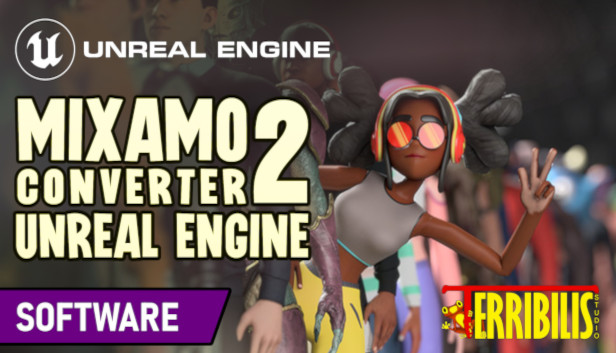
terribilisstudio.fr
Animations generated by Adobe's Mixamo.com are not fully compatible with Unreal Engine 4 and 5, most notably when it comes to IK or root motion extraction. Mixamo Converter software is a mini-app that processes FBX files downloaded from Mixamo and adapts them to Unreal's conventions.
you should use this if you use Epic skeleton
compact kernel
astral loom
<@379884707925721090> I need to retarget the mixamo character?
No, I am thinknig on why it don't work. I thought in the past mixamo had issues with root motion.. But I couldn't think of a definitive answer so I didn't reply .
astral loom
brazen wharf
https://terribilisstudio.fr/?section=MC
Its not an epic skeleton, its from the Polygon assets
astral loom
compact kernel
No, I am thinknig on why it don't work. I thought in the past mixamo had issues ...
Mixamo always give me problems with root motion, im not a rigger or animator, im a programmer but i have to do this
And i dont know how
compact kernel
astral loom
Mixamo always give me problems with root motion, im not a rigger or animator, im...
Does your model have a root bone?
astral loom
Yees
astral loom
compact kernel
Does your model have a root bone?
This root

and in mixamo its called Root too
 compact kernel
astral loom
This root
compact kernel
astral loom
This root
So it worked for me, uncheck the enable rootmotion and see if it fixes it
cause I didn't change anything in the animation sequence window
astral loom
Yes, with the uncheck root motion works, but i want the root motion
compact kernel
astral loom
Yes, with the uncheck root motion works, but i want the root motion
Idk then cause mixamo doesn't do root motion I believe. You might have better luck if you retarget it.. but im not 100% sure..
astral loom
I think mixamo have root motion option because have an in place option so
compact kernel
Well their default models don't have root bones, so I'm surprised you have a root bone on your model.. Sorry i don't know the answer..
 rare blaze
Hi all, I made a galaxy brain move in thinking that the Property Access nodes were stable. I connected one up in my AnimBp and my project crashed and now will not start without this error. Short of rolling back several days, does anyone have any ideas on how I might recover this BP? I've tried -
- opening the BP in a clean project - crash
- opening the project without the BP in the folder, then pasting it via windows explorer - crash
Any ideas welcome, I'll pay a $$ cash $$ reward to whoever can fix it.
 acoustic violet
how do i fix gimbal lock
acoustic violet
acoustic violet
how do i fix gimbal lock
help
regal mulch
astral loom
I think mixamo have root motion option because have an in place option so
I've been trying to fix almost the same issue for the past few hours as well :/
I've finally managed to make root motion rotation working for Mixamo turn animations... I added the root bone with the enziop blender plugin and then retargetted that to UE5 mannequin. But even though the turn animation plays fine in preview (sort of, there is some small jankiness for some reason) this is how it looks in game. It doesn't even move its feet. Anyone knows what am I doing wrong? https://streamable.com/m1ph04

I've also tried the terribilis converter but that does not apply rotation root motion
 minor marsh
Can you tell me why my Aim blendspace dont show on client player (I still didnt do replication in this project so Im not asking reverse) but running animation do?
wide hearth
astral loom
Yes, with the uncheck root motion works, but i want the root motion
it's confusing but correct, when you check that checkbox the root motion stops to play. it means it's working.
astral loom
wide hearth
it's confusing but correct, when you check that checkbox the root motion stops t...
But the animation restarts I want the root motion
wide hearth
in the preview window?
Go to "character-animarion-root motion" and check "loop"
when you check the "enable root motion" the root track is removed from the normal anim tracks and sent to whatever component holds the mesh, which will play it. so typically it's the character movement comp who will receive that and move the character
astral loom
wide hearth
when you check the "enable root motion" the root track is removed from the norma...
But as you can see I click the enable root motion and starts to do weird things
I don't know why, when in Maya works perfect
wide hearth
it works in unreal too. did you read what i wrote above?
acoustic violet
why tf am i getting gimbal lock uploading the exact same animation with an unchanged control rig
old animation = no gimbal lock. new animation = gimbal lock. same control rig, same keyframes
why am i being cursed
regal mulch
regal mulch
I've finally managed to make root motion rotation working for Mixamo turn animat...
I finally fixed it.. you also have to set IK goals. And then edit the animation with FK control rig to properly snap to those goals because UE5 is bugged and does not retarget properly... https://www.youtube.com/watch?v=2ZFoEi9XRms
compact kernel
acoustic violet
why tf am i getting gimbal lock uploading the exact same animation with an uncha...
I'd ask in general and see if anyone knows cause you haven't got any answer in like 2 days.. so idk if people don't know or if no one who is has good experience is looking in here.
 zenith lagoon
Does anyone know if the new retargeting system properly applies the settings set up in Chain Mapping for that asset, when retargeting animation assets? Is there a known bug here or am I just doing something stupid?
I'm attempting to retarget a set of first person animations from the marketplace to the UE4 skeleton from the Lyra project. The skeletons are pretty much the same as far as I can see.
I had to set the Translation mode on a few of the chains (especially the clavicles) to Absolute or Globally Scaled, as the animations being designed for first person, have the clavicles in some pretty extreme positions. As you can see in the first picture, if I set those bones to Absolute/Globally Scaled, then the UE4 mannequin matches up pretty well with the source skeleton (at least it seems pretty close to me when eyeballing it). However when I retarget those animations, it doesn't seem to respect the settings on those bones and the pose ends up quite distorted as a result (seen in the second picture)

 zenith lagoon
Does anyone know if the new retargeting system properly applies the settings set...
zenith lagoon
zenith lagoon
Does anyone know if the new retargeting system properly applies the settings set...
Never mind! As always happens the second you post a question publicly, I figured out the problem myself! 🙂
Turned out I forgot to set the clavicles to be animation-driven in the old retargeting settings in the skeleton.
 wintry hornet
Question, where do unreal save this curve name list?
I'd like to remove some name since it prevents me to rename animation curve
 wide hearth
wintry hornet
Question, where do unreal save this curve name list?
I'd like to remove some nam...
wide hearth
wintry hornet
Question, where do unreal save this curve name list?
I'd like to remove some nam...
in the skeleton
wintry hornet
Thanks, but it's actually in Anim Curves Window in the Animation Sequence Editor
foggy nexus
minor marsh
Can you tell me why my Aim blendspace dont show on client player (I still didnt ...
The character movement component is replicated automatically along with its members including velocity. Assuming velocity is what drives your run animation in your abp, this is why it replicates. Every variable that drives abp states need to be replicated and changed server side.
You don't necessarily need ik bones to create ik chains in the control rig. You create separate chains from the outer libs to the pelvis, set rules for how joints should bend, then use it how you desire. There are a few excellent tutorials on yt to set this up. You didn't say why you wanted to create them so it's hard to help more than that.
misty dagger
foggy nexus
You don't necessarily need ik bones to create ik chains in the control rig. You ...
i am trying to make IK foot
foggy nexus
That's not a why, that's a what
waxen turtle
Guys I have like
97 thousand problems when trying to make animations for manny
I can’t use ue 4 Mr. Mannequin because the built in retargeter from ue4 to 5 is broken
And like
Every time you export an animation from uefy you have to click on a particular button that lets you export, but corrupts the file
How do you animate manny, guys?
Also is the ue4 to ue5 retargeter broken only for me? The hands and the fingers and the position of stuff is never correct
acoustic violet
how do i fix this?
 compact kernel
acoustic violet
how do i fix this?
compact kernel
acoustic violet
how do i fix this?
what are you trying to fix here? it looks like its rotating fine. I don't see an issue.
 lunar vigil
it looks like he only rotated on Zaxis but the animation also rotates on the other two axes so it tilts
compact kernel
acoustic violet
how do i fix this?
Not 100% sure whats wrong only thing I know what could be done is:
Checking the control rig to make sure the correct bones are assigned to the appropriate controls in the Control Rig
Check weight distribution in blender or another 3d modeling software.
 dreamy sierra
How do I make cars rotate while moving forward or backward?
compact kernel
dreamy sierra
How do I make cars rotate while moving forward or backward?
Do you men the wheels? I should ask before giving an answer
dreamy sierra
compact kernel
Do you men the wheels? I should ask before giving an answer
Would this be 3D modeled as I will actually be using Abstract 2D artwork?
compact kernel
dreamy sierra
Would this be 3D modeled as I will actually be using Abstract 2D artwork?
You're doing 2D not 3D?
dreamy sierra
compact kernel
You're doing 2D not 3D?
Yes
lunar vigil
In blender I added a bone "Fist" connected to the lowerarm bone, that doesnt affect any meshes, but i wanted it for the purpose of rotating an item in an arm thats otherwise blocky without an actual fist mesh. But unreal has a problem that it has no vertices weighed against it, and when I attach my item socket onto it, the item socket is just in the whole skeleton root position, instead of where the bone is

how would you fix this?
compact kernel
dreamy sierra
Yes
You would create more sprites or add bones to the 2D art and still do the same process I believe.
compact kernel
lunar vigil
In blender I added a bone "Fist" connected to the lowerarm bone, that doesnt aff...
Sounds like the simple fix is just adding weight to the verticies in blender.. In weight painting
lunar vigil
compact kernel
Sounds like the simple fix is just adding weight to the verticies in blender.. I...
but i dont want this bone to affect any vertices
its purpose should only be to attach an itemsocket to it so i can rotate an item in the hand without affecting the arm mesh at all
its supposed to be like an invisible fist basically
 short wasp
Weird, my model has a bone that does not affect any mesh, and just acts like a socket for a first person camera, and I have no troubles with it
lunar vigil
well thats some positive news at least that its possible
now to find out why UE has a problem with me haha
and why one fist has a bone icon and the other has a dot
short wasp
Hey, a botch fix would involve giving a singular vertex like 1% weight for that bone, so it would have some influence somewhere, but it would be unnoticable lol
I have not encountered a 'dot' bone before though, not sure why it would be a thing
Are you using blender?
 short wasp
Maybe it involves some export options, I'm gonna be home soon, so I will look it up in a bit if nobody comes up with a solution
lunar vigil
i tried different export options, but couldnt get it to work, but maybe im missing something, im not that good with blender yet
these are my current export options

@short wasp actually i might have found something - when i exported it with "key all bones", suddenly the itemsocket actually snaps to the correct fist bone position
but the bones are still gray and give the same message and one has the dot icon for some reason
ah but the item in the socket still doesnt turn with the fist animation :/
 timber summit
Hi everyone, i've having an issue where playing a montage when another montage finishes (on completed) results in the skeletal mesh to snap to it's idle position for half a second. Does anyone have any idea as to what I can do to prevent it?
short wasp
lunar vigil
You know what, I think it may have something to do with the constrains. Do you need them just so that the bone follows the arm? If so, maybe try just setting the LowerArm as its parent.

My hierarchies have no constrains as actual things in the hierarchy like you, so UE might be screwing it up
 lunar vigil
short wasp
You know what, I think it may have something to do with the constrains. Do you n...
lunar vigil
short wasp
You know what, I think it may have something to do with the constrains. Do you n...
it is parented to just lowerarm. the contraint is there just for inverse kinematics
i want the inverse kinematics on the lowerarm and not on the fist
the fist should just follow the forearm

im using separate bones that i dont export for the IK
just to make animating easier
also Fist_L, the one that has the bone icon, shows me a transform gizmo when i select it, and Fist_R doesnt
(in UE skeleton)
but even when i put the itemsocket on the Fist_L, the item still doesnt follow the fist bone animation
acoustic violet
compact kernel
Not 100% sure whats wrong only thing I know what could be done is:
Checking the ...
what do u mean by weight distribution?
and the controls are correctly assigned
lunar vigil
@short wasp nevermind i found the issue :D i mean it still is greyed and gives the same description, but my blender animations somehow received a ".001" behind their names and UE didnt recognize them so it didnt update them
still not sure why Fist_R is not giving me a transform gizmo though when its the same as the left one
yeah parenting the item socket to the Fist_R still snaps it to the skeleton root origin, not the fist origin
only the left one works for some reason :/
short wasp
I've found that reimporting animations sometimes didn't work properly, so I would always delete them and import fresh.
lunar vigil
i have to open the animation and click "reimport" for it to properly update
but im more worried about that right fist bone now
it was created the same way as the left one so im not sure why UE thinks theres a difference
short wasp
That didn't work for me sometimes, or rather it did, but with a long delay for some reason
BUT I got SOME good news, I acutally have some 'dot' bones, and they also don't give me gizmos, so that in itself is not the issue
Though
lunar vigil
yeah i had this off again

you need to have this on otherwise the origin is on the root bone instead
i think it works now, even though it still doesnt show the gizmo
but i guess its good enough lol
but thanks for looking into it for me, it definitely helped to get on the right track
short wasp
Yeah I have this On in my presets. so might be it
btw
I recommend setting some presets for Unreal exports, saves time on clicking though stuff every time, and makes sure you never forget anything.
I got these from a video long time ago, so I can recommend no matter what you make
 lunar vigil
i have a preset made
short wasp
I wish I had a simple answer for you, but I'm glad you got it
lunar vigil
i was just testing different options when it didnt work
but thanks ill check it out!
@short wasp by the way i have one more question related to this, in case you know - i want to have some sort of reference in blender when im making attack animations, how the weapon is gonna be rotated and positioned. Is there a way i can create just a simple stick in blender and attach it to the fist bone so it follows it like it would in UE?
without exporting it with the skeleton and the animations of course
because last time i tried to do this everything broke lmao
short wasp
timber summit
Hi everyone, i've having an issue where playing a montage when another montage f...
I tried setting it up and it's fine for me. It might sound dumb, but I once had a similar issue, turns out my animation sequence was longer than it was supposed to be, so after it finished moving I had like 2 seconds of idle animation, so you can check for that.
short wasp
lunar vigil
because last time i tried to do this everything broke lmao
I tried doing that a long time ago and the animation broke, what I was doing was I had a knife as a separate actor, and I wanted my character to throw it around, so it spun in the air and what not, but the knife was always off, and seemed to rotate in wrong axes when I let it go. Didn't bother to fix it, because I abandoned that little project. I spent a looong time trying to figure it out, and I guess I never got it to work properly. So if that is what you mean, then sorry, can't help :/
lunar vigil
mm i know what you mean i think, but its not exactly what i mean
short wasp
there is a way to do it if your it's always constrained to your character, but if you want to break the constrain, so that the weapon moves independently from the hand, it all goes south, at least it did for me
lunar vigil
i just wanna be able to preview in blender how the weapon is gonna be rotating when i export the animation into ue
i guess what im asking is if theres a way to attach an object in blender to another object so it copies its transform, but also somehow make blender completely ignore it when exporting it
so UE doesnt think its there at all
does that make sense?
like i guess one way would be just to do it and delete the object before exporting, but that doesnt seem ideal :D
short wasp
In my preset you can see I have 'Limit to: Selected Objects', it only exports things you have selected in Blender, so just select everything but the stick and you're golden.
lunar vigil
short wasp
In my preset you can see I have 'Limit to: Selected Objects', it only exports th...
thats actually what i tried last time and it still completely broke:D
im kinda scared to try again haha
i wish you could just select an object and uncheck something like "export" just for that object
i still dont fully understand the behavior between blender and UE when exporting
and i have another issue 😆 im sorry
my armature is at 0.158 scale for some reason and its confusing UE, i have to import at different scale
but if i reset scale in blender, the skeleton/animations actually break a bit


(after ctr+a - scale)
 stable pawn
hey if i wanted to make a skeletal mesh using 2d images does anyone know how i could do this?
(please ping me in responses)
lunar vigil
stable pawn
hey if i wanted to make a skeletal mesh using 2d images does anyone know how i c...
im not sure but maybe using planes instead of meshes with volume and then texturing them?
stable pawn
okay and how would i be able to animate that do you know?
short wasp
That's weird, don't see why exporting it like that would break. But to be fair I'm just a guy who made a character in Blender and got him working it UE quite a while ago, so I'm not some kind of authority on this.
Go ahead and try exporting only the selected things, you can always revert the changes :d
have you tried applying ALL transforms instead of just scale?
lunar vigil
stable pawn
okay and how would i be able to animate that do you know?
like any other skeletal mesh
stable pawn
can you make control rigs without skeletal meshes?
lunar vigil
it would just be moving planes around instead of 3d meshes
lunar vigil
stable pawn
can you make control rigs without skeletal meshes?
wait so do you want a skeletal mesh or not
lunar vigil
short wasp
That's weird, don't see why exporting it like that would break. But to be fair I...
i tried all transforms, same result
well you either set up a skeletal mesh using planes, or you make just 2d sprite animations
or maybe theres some plugin for it idk
stable pawn
alright thank you :)
lunar vigil
stable pawn
alright thank you :)
i found this too although some images seem to be missing https://forums.unrealengine.com/t/a-simple-way-to-make-2d-skeleton-in-ue4/83390
stable pawn
you're awesome bro thanks
short wasp
lunar vigil
i tried all transforms, same result
Did you apply the transforms of your mesh first as well, or just bones?
lunar vigil
short wasp
Did you apply the transforms of your mesh first as well, or just bones?
yeah i applied it to the mesh, that worked fine
but when i do it to the armature it breaks
short wasp
Huh... That is super weird... But you're right, I just tried it, and yeah, applying scale does wreck the animation.
What I did was I imported the mannequin to Blender, made my own model to scale, then just apply 0.01 scale on export and it works perfectly for UE. Maybe because of that I never really scaled the bones after already having animations ready, so I never experienced this issue.
 lunar vigil
yeah it does break right? what i have to do is this in UE

otherwise the animations are tiny
short wasp
Wish I could help, maybe there is a way, but I personally would probably just apply scale and remake the anims.
I don't change the scale on import, just the 0.01 when exporting from Blender
So no idea if that plays a role in your issues
lunar vigil
no i leave the scale at 1.00 when exporting
because the mesh is actually fine
just the animations make it tiny
but i guess its not a big deal, no worries, thanks again c:
short wasp
All I can say is my settings work for me and I have no issues in UE, so that is all I can recommend unfortunately ;/
Best of luck to you :)
 serene arch
not sure if this will help, but i found if you click the empty object, then shift click the armature, then right click on the armature and goto Parent -> Clear parent and keep transforms, it fixes the scale without messing anything up
acoustic violet
acoustic violet
how do i fix this?
help
 flint portal
Hi all. I'm looking in Animation Modifiers, and am using the Lyra project in 5.0 for a test.
The default **SyncMarkerAnimModifier ** works for Lyra's SKM_Manny and SKM_Quinn in there.
But not for any of my custom rigs, even when I check the right bone names are used. No markers are made for them.
Is there something I could be missing in the set-up?
 lunar vigil
serene arch
not sure if this will help, but i found if you click the empty object, then shif...
lunar vigil
serene arch
not sure if this will help, but i found if you click the empty object, then shif...
what do you mean exactly? im not sure how to do that and what empty object you mean
acoustic violet
how do i change euler order for control rig? properties does not work
brazen wharf
euler order for what?
bone transforms are quaternions internal and the quat => euler and euler => quat conversion nodes have a setting which defines how they are composed/decomposed
acoustic violet
brazen wharf
bone transforms are quaternions internal and the quat => euler and euler => quat...
why do i still get gimbal lock problems in sequencer
brazen wharf
do you keyframe rotations?
the sequencer stores rotations as transform/rotator, which to my knowledge have a fixed rotation order, and yeah they can gimbal lock
acoustic violet
brazen wharf
do you keyframe rotations?
how would i do it without keyframes
brazen wharf
i dont know of any way of doing it in the sequencer
acoustic violet
brazen wharf
the sequencer stores rotations as transform/rotator, which to my knowledge have ...
is there a reason they're not stored as quat
brazen wharf
i don't know, i don't think that theres a good reason for it
since baked animation sequence keyframes are quats.... just not the user exposed keyframes
acoustic violet
do u know how to change it? or do you just change euler order to deal with this problem
brazen wharf
no idea, it's one of the reasons i don't do much in the sequencer 😄
acoustic violet
u animate outside of UE? i saw posts where someone importing anims from blender would get gimbal lock issue in UE
itd work fine in blender but not in UE
brazen wharf
hadn't the problem yet with blender animations, so idk
actually i had, and i wrote my own importer for another file format which bakes the keyframes to quats in the rotation order that the format decides for each bone, so that's one way i got around gimbal lock
and that's why i know how the sequencer stores the data 😄
acoustic violet
does that mess up interpolation?
i saw posts where people enabled "use quaternion interpolation" for animating UE transform and it would only allow linear iirc
brazen wharf
🤷
i interpolate the frames on import based on what the format decides, but now that you say that... guess at higher framerates it will just interpolate linear between baked keys, but i've never noticed it
guess the interpolation for quats is just a simple slerp which uses the shortest distance between 2 keyframes
acoustic violet
ok ima try to do something similar and convert keyframes to quats wish me luck and thanks for the info
misty dagger
Hi, may I ask where I can learn about Virtual Bones? I'm trying to achieve the effect of being able to place my character's left hand on different positions of different guns. I've read the Unreal Documentation on Virtual Bones but it's really half-assed and doesn't even show how to integrate animations with it.
https://docs.unrealengine.com/5.2/en-US/virtual-bones-in-unreal-engine/

Resolve layered animation problems by using Virtual Bones with IK.
misty dagger
misty dagger
Hi, may I ask where I can learn about Virtual Bones? I'm trying to achieve the e...
This document just isn't clicking with me. What exactly do virtual bones serve? And how can I use it to affect the actual bones? Most videos online seem to be all about skeleton retargeting, but that's not really what I'm trying to achieve here.
 pseudo pewter
Hey, I need a hand for something
I'm trying to weight paint a wrist under UE4 mannequin requeriments
However, the rig has just 1 twist bone
How can I use that properly to make the wrist deform without breaking?
white plaza
Is there any way to get the inverse result of this nodes? This currently works in case of Forwards Solve, I need the inverse result for the Backwards Solve.
Here I get the thumb_01 to thumb_03 and then distribute rotation given a value which is the weight of the solver, thumb_01_l_ctrl/r.
 waxen turtle
Guys when I make a new attack animation for my project, and that attack should be used by different characters with different idles which pose should I start animating from?
 blazing wave
I cant seem to find any tutorials on how to create a timed anim notify asset? I only want one that sets a bool to on while its active and off when its not.
 tardy fiber
blazing wave
I cant seem to find any tutorials on how to create a timed anim notify asset? I ...
tardy fiber
blazing wave
I cant seem to find any tutorials on how to create a timed anim notify asset? I ...
u mean notify that has start and end points?
isnt it just notify state
blazing wave
yeah
oh yeha i think i just found it
thanks!
how can i retreive that bool info from my character?
waxen turtle
Guys how do I import engine animations into blender?
In a decent way to edit them
I want to import some Lyra animation
white plaza
waxen turtle
Guys how do I import engine animations into blender?
Export them as FBX
waxen turtle
How do I add them to the actions in my project on my blender mannequin rig after that?
white plaza
Just by importing them
As soon as you import the FBX with the mesh and animation, a new action will be imported as well
The real issue might be the bone orientation, that's up to you. I gave up on fixing that, I'm currently using the UE5's control rig instead
You may try to import and export them using the control rig, not sure if it does make sense
regal mulch
Root motion only works with montages despite changing ABP default settings to use root motion for everything. Does anyone know a fix?
 plush perch
Has anyone had a problem with certain bones not animating in blendspaces?
I am having a problem with my animation looking different in the blendspace due to this
 iron vine
Hi there 👋🏻 Does anyone know why the third person character disappears when it goes in to the foliage? Sorry the video is tiny. Had to reduce it to upload into Discord.
 hollow jetty
Does anybody know what could be causing this?
the blendspace is fine on preview
but once I slap it into the animbp it does this
(this is a straight connection to the output in the animbp from the blendspace)
hollow jetty
iron vine
Hi there 👋🏻 Does anyone know why the third person character disappears when it...
it gets destroyed
either a map border
or bad code
maybe ur map goes well below the height it is supposed to
and you hit the kill trigger
 wet glen
What is the easiest way to animate tank treads in UE? Is it simpler to animate via blueprint, or can it be rigged via Blender?
I am aiming for a cartoony look, not realistic
All I want are the treads to roll
compact kernel
wet glen
What is the easiest way to animate tank treads in UE? Is it simpler to animate v...
Blender is the easiest way to animate stuff.
It's possible in UE but I think you need bones.
wet glen
compact kernel
Blender is the easiest way to animate stuff.
Sure, I was mostly looking for any advice on what technique to use to do it. Normally when rigging a tank in Blender you'd use constraints to model its movement, but those don't work in UE (AFAIK). I have seen people suggest using one bone per track section, but that seems... not great for performance.
compact kernel
wet glen
Sure, I was mostly looking for any advice on what technique to use to do it. Nor...
Youtube video maybe?
https://www.youtube.com/watch?v=oyJEN01t8XE

Tank Modeling Book:
shorturl.at/jAOQX
Pro Modeling Tips eBook:
shorturl.at/eFHMS
Join my Discord server:
https://discord.gg/VT36WHaqwh
Connect with me on other platforms:
ArtStation: https://www.artstation.com/arijan
Instagram: https://www.instagram.com/ar.ij.an/
How to Rig a Tank in 10 Minutes | Blender Tutorial (Arijan)
blender tank track...
wet glen
compact kernel
Youtube video maybe?
https://www.youtube.com/watch?v=oyJEN01t8XE
I tried checking Youtube, but most videos seem to either rig them for use within Blender itself, or do the animation dynamically in Unreal for higher realism
compact kernel
wet glen
I tried checking Youtube, but most videos seem to either rig them for use within...
😦
 shrewd finch
in Control Rig, how to check "if" consition for the bone? Equals never fires "true", and there is no way to get bone name to at least compare names

 cyan finch
Does anyone know a good tutorial on rigging weapons like guns? I am also trying to accomplish an effect where bullet casings fly out of the gun and are left in world. Same with magazines where when reloaded the empty mag falls and is left behind in the world. Anyone know a course/tutorial that covers all of this? Would be greatly appreciated
 mental bone
Hi all!
What is the standart approach for handling blendspaces for multiple "player states" such as unarmed, handgun, two-hand rifle, etc.?
Would I use one blendspace and swap the animations via conditions inside each state or what I create a blendspace for each "player state" and then swap the whole blendspace based on conditions?
Is there any best practices documentation published for that topic?
 carmine wraith
Linked Anim Graphs that contains Montage Slots does not seem to display but play, what am I doing wrong ?
 desert crown
Not sure if this is the right channel. Is there a reason the mannequin animations are lined up this way from the Lyra example? Attempting a first person view.
 lunar vigil
Is there a way to modify blend time on an anim montage at runtime? Like when the attack speed gets too high, the character barely even does the animation with higher blend time. When I set the blend time to 0, it does the whole animation very quickly (which i want), but then at low attack speed it snaps too quick without the blend
foggy nexus
mental bone
Hi all!
What is the standart approach for handling blendspaces for multiple "pl...
You seem to have answered your own question. You have different states, each with their own blendspaces.
 tidal bobcat
Му jumping and falling animations stopped working, anyone knows how to fix?

 valid socket
Is anyone familiar with the workflow from Blender to Unreal?
desert crown
Anyone know how to properly pass the tw animations on the far left into the beginning of the procedureal animations that begin with the 2 red rifle idles? I want to have unarmed, then "hasRifle" allows for the 2 rifle anims (idle and ads)

 scarlet verge
I want to use ChatGPT to help with animation but blueprints python scripts are too long
Is there some other way to script in the control rig?
 agile badge
I’m currently using a marketplace blendspace (Rifle by Kubold) that has two inputs: walk forward and walk right. Both range from -1 to 1. The idle position is in the middle of the blendspace graph.
My problem is that if I comment ground speed to walk forward and direction to walk right the forward, right forward diagonal and left forward diagonal animations play fine. The rest of the animations do not work and it seems that we get the three that work in their place.
Any ideas?
clear dune
My character's skeleton has a weapon bone. I recently got a marketplace asset for weapon animations. However, its weapon is a socket, not a bone. How can I retarget? Is there any way to retarget animation data from a socket?
 young urchin
Hello. Does anyone know where i can find info on this ABP for preview usage?

Google gave me only C++ and Python API references
 sonic edge
hi, does anyone have a good video explaining slot groups? I have a dodge roll montage and a attack combo montage that are interfering with each other becuase they are in the same slot group but i cant figure out how to have them in two working slot groups
 next iris
hello I need some help I created an animation montage and a sequence, as the first video show they work perfectly with the Metahuman skeleton however when I play the montage the animation gets distorted as seen in the second video
Does anyone know what's causing it and how to solve it?
 sharp coyote
is it better to play anim montages inside the character bps or anim instances? i am having some trouble getting montages to work properly while learning how to make use of the anim layers, seems like playing montages in added layers doesnt quite work the way i thought
young urchin
There is a debug option if you click on any node in the Graph. It will show you the resulting skeleton of the current node in red.
Run the game, opem ABP, on the top there will be a dropdown to connect to spawned instances of this ABP. Select your Character there. Then find the bugged node in the graph using Debug skeleton option.
 crimson sedge
LoadErrors: Error: BlendSpace AO_Pistol has sample AS_Pistol_Aim_Up that is invalid due to being out of bounds. Recommend adjusting it.
Hi does anyone know how to fix this error??? I don't know what it refers to
next iris
young urchin
There is a debug option if you click on any node in the Graph. It will show you ...
even after trying to debug i can't find out what's wrong
crimson sedge
this error has prevented me from building the game
next iris
also I'm trying to use the rewind debugger however for some reason it won't pick up a target actor even though I choose the actor
next iris
next iris
also I'm trying to use the rewind debugger however for some reason it won't pic...
anyone knows why?
sonic edge
question, i have a dodge roll system and an attack combo system that are canceling each other if used at the same time frame. By cancelling i mean that if you for example roll mid attack you wont be able to attack anymore and vise versa. Anyone knows a quick fix for this? i suspect its something to do with animation, thats why i ask here
 gritty peak
sonic edge
question, i have a dodge roll system and an attack combo system that are canceli...
gritty peak
sonic edge
question, i have a dodge roll system and an attack combo system that are canceli...
You can hit me up
 granite merlin
hi, is it possible to slow down the anim graph output pose? i'm not talking about montages. i know u can set play rate. i'm talking about if the character is running and u want to change that play rate during runtime.
 storm delta
Beginner question: I made a quick attack animation in the sequencer using the default mannequin control rig, but when adding that to the sample Third Person ABP I've found that the control rig foot IK controls don't actually move the feet IK bones. So it looks fine in previews but when I turn on actual in-game IK logic it gets janky. Is there a reason the control rig IK targets don't move the actual IK bones, and can I somehow make the bones match the targets?
 indigo smelt
how to make foldable sails animation?
 heavy kayak
hhey guys i need help with a problem,
ive got an "aim annimation" that imtrying to blend but when im running it overrides the "aim annimation"

ideas?
 tepid obsidian
scarlet verge
I want to use ChatGPT to help with animation but blueprints python scripts are t...
tepid obsidian
scarlet verge
I want to use ChatGPT to help with animation but blueprints python scripts are t...
Gpt won't help you with unreal
Its awful at it actually
 dull minnow
Hello, I have a rendering problem. When I click on render, it renders a completely different window than it should. I don't have any other camera set up and I have selected the sequence correctly.

 limpid folio
https://cdn.discordapp.com/attachments/966517078834151484/1127611516527587399/araba.mp4 how to fix flicker on other player
final radish
How can I offset a bone during blending? Using Transform (Modify) Bone doesn't seem to apply during the blending itself. I'm trying to solve a pelvis dip when blending from animation to another.
final radish
Using an IK Rig worked.
 marsh ether

Why doesn't my blend per bone work?


I'm using an IK rig
What happens is the bone I inputed into the blend per bone is the only one that moves
 green musk
Hi, I made a custom character in Lyra from B_Hero_Default and it's stuck in T-Pose. I copied everything I could from B_Hero_ShooterMannequin from ShooterCore. It definitely has the exact same AnimBP set and the graph is showing the pistol idle linked layer as being active...

 green musk
Nvm just decided the best approach is to duplicate ShooterMannequin instead of trying to find some sort of weird missing checkbox
green musk
I found the answer, had to chang on the mesh under optimization to "Always Tick Pose and Refresh Bones"
 mortal granite
So I have a VR character Im working on, I have a rigged hand model and a full body model, I want to make the full body model match the animations from the hands, is there a way to do that easily in ue5?
indigo smelt
can someone tell me how can i roll the sails like i have a ship and i want it sails to open and close and when they close they roll up . but im not able to figure it out yet of how to do it if anyone know about this please tell me
 inner skiff
When it comes to ADS animations and equipping optics, how does the offset with the sight difference in height work? I assume this is done through runtime IK offsets for the arms, is this correct? Im looking into this all for the past day and thats what makes the most sense to me, either that or separate animations inside of my animation software by using additive layers for the height offset of the ADS?
inner skiff
indigo smelt
can someone tell me how can i roll the sails like i have a ship and i want it sa...
could use a morph target and a software like blender or maya to simulate the falling version and then just have a open and closed blend shape
@viscid willow I know you're the man with the answers ❤️
indigo smelt
inner skiff
could use a morph target and a software like blender or maya to simulate the fal...
I used blender it didn't get well
inner skiff
indigo smelt
I used blender it didn't get well
theyre called shape keys in blender
Using Shape Keys and Morph targets is very powerful tool to animate your models id subtle ways, allowing you to have direct control over the morphing of your model in engine during runtime! This tutorial works for both unreal engine 4 and unreal engine 5.
Join the discord for any help you need! : https://discord.gg/24cdJBP
support the channel a...
indigo smelt
inner skiff
theyre called shape keys in blender
This doesn't help in rolling he only scaling the monkey
inner skiff
bro its a concept, you need to be able to look at things and extract information out of it. you wont find a ship sail state morph target tutorial. This video shows you that you can have an object in one state and save it as a base and then you can add a shape key which allows you to take that object, move it about and store it in that state. From there you can go between base and x state using these shape keys
 slim topaz
indigo smelt
can someone tell me how can i roll the sails like i have a ship and i want it sa...
slim topaz
indigo smelt
can someone tell me how can i roll the sails like i have a ship and i want it sa...
I dunno if blender can do this, but could you animate the sails going down n up, then go and export the mesh with animation, and bake the animation when exported as a fbx
 viscid willow
I think this is the first time I've been summoned.
But yeah having a sail roll and unfurl is not that simple. A morph target is possible but the issue with morph targets is that they translate vertices, and what you want is the vertices to pivot around an axis to roll. In which case to achieve the rolling effect you may need quite a few morph targets that you key through to achieve the look of something rolling. My only other idea would be bones which hang down the sail which you can animate.
indigo smelt
What about curve path?

Tutorial for Paper Roll animation using Blender. A short guide with optimized workarounds to save time
00:00 Introduction
00:18 Create Plane
00:40 Create a Spiral Curve
01:48 Curve Modified
02:35 Mesh Deform
Hope it is useful to you
Thanks for watching
Like this
But I'm not getting same roll as shown in tutorial. Even though I did same thing of what he did
tepid obsidian
Well you can't be
if you were doing the same thing you'd have the same result
You probably wouldn't be able to import that tutorial anyway
 wet sage
hey why is it that in the animation preview my rootmotion works just fine, but in game the character movies like a mile when it should only take a single step back?
i have the root bone's scale at 1 too
 old plinth
Hi ppl, is there any way to check is character in root motion animation? I would be check that periodically in some BTS in behavior tree
wet sage
wet sage
hey why is it that in the animation preview my rootmotion works just fine, but i...
update: ive managed to figure out that my root motion's distance is getting scaled up by 100, so if i simply divide the location in the animation by 100 it is moving the correct distance. however, i would like to find a solution instead of a workaround, so any help is appreciated
misty dagger
I can't for the life of me figure out what's wrong with my Animation Blueprint.
I Migrated an UE asset from UE4 to 5.
I re-linked the skeleton to the skeletal mesh.
I linked the skeleton to the animations.
I placed the animations where they belong in the animation blueprint but it's not animating at all.
Also, for some reason... it's no longer simulating the animation in the blueprint editor.

Doens't seem like even the animations are animating when I open them...
storm delta
How would I animate a weapon moving in someone's hand, like the handle sliding through their grip? In the sequence editor I can keyframe the transform and that gives the effect, but I can't seem to bake the transform changes into an animation that can play in game
My guess is that maybe I need to animate the actual socket changing location or something, but I'm not sure
also sorry to add on to the pile of questions, I wish I knew enough to offer help to others yet
 still bobcat
Hey people, does anyone know of the best way to add root bones to mixamo animations?
misty dagger
can one of you tell me if its better to use vertex animation for attack animations for like magic vfx and stuff and should i make it in after effects to and image sequence it or just make a single sprite sheet and make it become animated using blueprints and c++
my stuff is gonna be stylied
 formal rapids
Can anyone help me with the blender plugin ue to rigify? I want to add an fk bone to control the weapon_l and weapon_r bones, but for the life of me I cannot figure this out.
 gloomy hamlet
I want to play an animation on the hand while holding objects but also want to play animation for the other arm when I tap attack button(I want to be able to grab objects while attacking).Arms are in the same skeletal mesh, should I separate them or is there a way I can do without separating?
inner skiff
inner skiff
When it comes to ADS animations and equipping optics, how does the offset with t...
Anyone have any insight to this question?
inner skiff
gloomy hamlet
I want to play an animation on the hand while holding objects but also want to p...
look into "slots", it allows you to run animations from a specificed bone so you could have a left arm slot, a right arm slot, a left leg slot and so on and from there you can play animations in certain slots
gloomy hamlet
inner skiff
look into "slots", it allows you to run animations from a specificed bone so yo...
okay I'll try thanks 😊

 tulip nacelle
In UE4 there was an option in Persona to "Process Root Motion" and make the character in the viewport move according to its root motion, but I can't find this option in UE5. Anyone know where I can find it?
Ah I found it. It's now just called "Loop" or "Loop and reset" under Character -> Animation -> Root Motion
 night crow
hi everyone, i'm trying to do some cloth on my character in ue5 but the cloth is going haywire, anyone has any tips? i feel like i've done everything correct?


its just that the top of the pants starts simulating and getting stuck like you see in this image, even though ive just painted the bottom of the pants
night crow
thanks! there was some issues with the geometry
 proud ocean
I'm having a bit of trouble with this animation. It looks fine in my FBX viewer, but when imported into UE5, it has strange twisting artifacts during the arm rotation. It looks like the rotation is being applied on an invalid axis or something. Does anyone know what might cause something like this?
 blissful crater
side note; for some reason the quinn model is not automatically rigged...
 solid wharf
Yo, anyone know if there's a way to bake out player controller movement animation to another app?
like my controller has a setting to move the guy in a certain way when he's near cliffs / ledges.
 somber knoll
I have a question, how can I do rigging in unreal engine 5
I only found information about unreal engine 4 not 5
 charred zealot
Hey all, I am trying to stabilize the head movements of my player character. The reason for this - I have a camera attached to the head bone ("True" first person or body awareness) and slight movements of the head during animations become nauseating when viewed through this camera. The head is moved with an aim offset, which moves the camera. I've tried a few different approaches, none of them have worked correctly, so I am curious how others have dealt with this situation. In (https://www.froyok.fr/blog/2018-06-true-first-person-camera-in-unreal-engine-4/) this article, the author seems to create the animations with the head movements already stabilized. I am trying to do this in Unreal Engine, as I am using retargeted Manny and City Sample animations.

I decided to share the method I use in my current project to handle my true first person camera. There is little to no documentati...
charred zealot
indigo smelt
How do i stop it on top and just scale from bottom
How I would try to do that, is move the pivot point of the mesh to the top or bottom (assuming it is a mesh)
 raven pulsar
Hi ! Would you have any idea about client aim offset jittering reasons ?
trying to find the root cause but have nooooooooooo ideaaaaa
 frosty sonnet
Hey everyone. Is there any way to get a reference to a variable on the Character Anim BP from inside Control Rig?
 vivid roost
Am I able to adjust a montage to only play a portion of a animsequence?
wintry hornet
Does niagara vfx spawn per unit work with sequencer 'movement'?
vfx spawn rate works fine, but spawn per unit doesnt seem to spawn any particle (it works in game on character blueprint)
 dusky arrow
I need to import the Idle pose to a control rig to start creating a new animation from that pose. Is there a way to do this?
dusky arrow
nm figured it out
 ripe gazelle
could someone shed some light on the set of animations for locomotion for a full body first person controller
is the standard to use direction + speed to manipulate a position in a blend space on those axes
or do we make a circular blendspace 2 direction axes?
 sinful swallow
quick question: how do I link a control rig and a skeleton mesh within a character blueprint? I've added a simple sine bobbing motion and it works if I drop the control rig directly into the scene, but I want to use this for procedural motion within a character blueprint. Edit: of course, I see it the moment after I ask the question 🙂 Just add the control rig in the animation blueprint.
compact kernel
indigo smelt
Reference for information I gave you:
https://docs.unrealengine.com/5.2/en-US/transforming-actors-in-unreal-engine/#actorpivotadjustment
You have to change pivot point of an object to scale it only in 1 direction in Unreal.
You might have a better chance in blender.

How to modify the location, rotation, and scale of Actors in a Level.
storm delta
Hey all, constraint question: I'm trying to constrain a weapon to a hand socket in sequencer. When I use the Parent constraint and deselect "Maintain Offset", I expect it to snap to the socket I parented to. Instead, it seems like the constrained object snaps to the player's main transform, but then gets animated based on the socket's relative transform. Is this expected?
storm delta
disregard, ended up being (of course) human error. Unreal had crashed and restored a previous offset 🙃
formal rapids
I am having an issue with blender to unreal animations. I started by exporting the ue5 skeleton from ue and imported it into blender, then I used UeToRigify to make a rig, created an animation, baked the anim to the source rig, and exported. The process worked but as you can see when I import the anim into unreal the feet have a weird wobble (should be stiff back and forth, no foot sway). In blender this looks normal.
Also if when importing the anim I tick "Preserve Local Transform" the anim works as it should but I get a warning "Imported bone transform is different from original." I am not sure how to fix this properly and if I had to guess it has something to do with the importing of the skeleton and not choosing the proper forward axis, or similarly when exporting. Any help would be great thanks!
 worn veldt
any way to view the actual numbers of the transform of a socket in the skeletal mesh editor?
 young sail
I have a simple setup like this, I set the snapshot and move the mesh component on the same frame, but seems to be some kind of race condition where the animation updates a frame late half the time. Anyone know what could cause something like this?

thought could be multi-threaded animation update but disabling that doesn't seem to help sadly
 grave kernel
Hey guys I've been testing out my game in the editor but for some reason whenever the player switches to a new animation for example pressing the slide button or grabbing onto a ledge, or dying it freezes up completely the first time for a few seconds. After that the stutters happen less and less if you still are playing. The moment you close the editor play window and play it again, the stuttering happens again. I think it's because of the animations firing for the first time. Is there a way to fix this?
young sail
young sail
I have a simple setup like this, I set the snapshot and move the mesh component ...
nvm, ended up just needing to do own logic before calling super tick, doh
 sweet hill
flint portal
Hi all. I'm looking in **Animation Modifiers**, and am using the Lyra project in...
sweet hill
flint portal
Hi all. I'm looking in **Animation Modifiers**, and am using the Lyra project in...
for me it not even working with Lyra. Anyone knows what or where is the problem?
 ancient badger
Hello, I'm trying to figure out under what circumstances a linked animation blueprint can be labeled "incompatible" in unreal, not finding any documentation regarding this.
Edit: Agh my bad, I the linked abp is not inheriting from the same class.
ancient badger
does anybody know what are the conditions for a class to be listed in a linked animation blueprint node? I am at my wits end and I don't understand why my class isn't getting listed
 storm delta
Does anyone know of any good tutorials for downloading and importing Mixamo animations for use with the UE5 mannequin?
 sonic vortex
I am editing some mocap data in UE, after baking it to a metahuman control rig. each time I save the Sequence, it takes 3-4 minutes to complete the save. Is it re-baking all the curves each time? Is there something I can do to iterate faster?
 analog turret
I have a skeletal mesh, But i have to rotate it by 90 degrees to the left to make it face the forward direction when used in my character blueprint
But that seem to cause the root motion montages to add movement to the left by 90 degrees instead of forward
short wasp
Hey, anybody knows how to get rid of this message on animation reimport by any chance? It happens each time.
No thread on google has any solutions, docs are clean, and anyone asking about it on this server previously also got no answers...
FBX Scene Loading: Found texture name clash, name clash can be wrongly reassign at reimport , texture 'Meshes' was renamed 'Meshes_ncl1_1'
FBX Scene Loading: Found texture name clash, name clash can be wrongly reassign at reimport , texture 'Meshes' was renamed 'Meshes_ncl1_2'

 ionic fossil
Hello, I’m using LiveLink in a project and I’m wondering if it’s possible to change the LiveLinkPublishing Port using Blueprints, or to expose it as an argument for the built executable. Any ideas? thanks :)

 charred walrus
Hi, I have multiple skeletal meshes and I want to pose them and then from that position apply physics. How Can I add them all so I can pose them in order to reference the position of the other skeletal meshes? (Doing one by one separately is a pain).
 woven pollen
https://youtu.be/u4rLHqWM8Rw just wondering if anyone would know anything about implementing this into a game as i mialdly understand Animation in unreal engine but want to look into making a strand game but not too sure how to go about it with this pack
 desert crown
anyone have a good tut on procedural animation for walkking and running. All the ones I have found are just run (and no obvious way to transition).
 long stone
Are there any resources on blending between anims using Vertex Animation Textures? I followed this tutorial (https://www.youtube.com/watch?v=vrlFozqB0jA) to get a static mesh setup and am able to switch between anims.

This video shows how to use the AnimToTexture plugin in Unreal Engine 5.1. The video uses an Editor Utility which is available at the link below. Also provided is a basic crowd instancing blueprint which will scatter a static mesh with VAT texture and put a random animation on each instance. The video walks through how to use both of these bl...
formal rapids
I am still having this issue with importing animations from blender to ue. I have narrowed it down however and discovered it has to do with moving the torso control inside of blender (using UeToRigify control rig). This animation shouldn't have any foot movement and the hand should be nearly static but they jitter a bit.
I should add this animation plays just fine in blender
 foggy charm
Hey everyone! Kinda new to UE so bear with me if this is a simple solution 😅 couldn’t find anyone else with the same issue…the iris on my character doesn’t show properly when looking in a certain direction and I’m not sure why, easier to understand in the video below. Any ideas what could fix it?
 next iris
hello I need some help I created an animation montage and a sequence, as the first video show they work perfectly with the Metahuman skeleton however when I play the montage the animation gets distorted as seen in the second video
Does anyone know what's causing it and how to solve it?
 novel blaze
Has anyone implemented the Animation Budget Allocator? I'm wondering if its working with Animation sharing and it doesn't seem so but maybe my set up is wrong/
ancient badger
does anybody know the difference between these two icons ?

both are animation blueprints but I don't know what are the nuances here
 wheat badge
Hi has anyone here done high wuality Quadruped Locomotion? We are in need of someone who can help or sell such a system
timber summit
Hi everyone, would anyone have any idea what would cause a montage to play incorrectly? For context, I have some upper body montages for different things such as drinking, eating and smoking, but for some reason, the arm on the smoking montage moves behind the characters back. It looks correct when viewing the montage and plays using the same setup as the other montages so I'm a little stumped.
Actually, it looks like CCDIK I use to move the arm to show the character is holding something is being added to the montages rotation. It's a little odd as it doesn't do this with the other montages. Any ideas on how to fix this?
 timber summit
I've figured this out for those that might have a similar issue. I had to remove the additive type on the actual animation that was being used in the montage.
 devout umbra
How could I run a morph target animation divided by frame? In Blender the animation set "1" to a frame and 0 then pass to the next frame.

it's for a Flag cloth simulation animation baked in Blender
storm delta
Can an animation blueprint be extended, beyond just overriding the animation sequences in it? I'd like to add some states for when an enemy gets launched but otherwise I want to reuse my base animation blueprint, and would prefer not to recreate the whole thing
final radish
storm delta
Can an animation blueprint be extended, beyond just overriding the animation seq...
You might be interested in this: https://docs.unrealengine.com/5.0/en-US/animation-blueprint-linking-in-unreal-engine/

Modularize your Animation Blueprint logic by using Animation Blueprint Linking and Templates.
 odd carbon
I have a control rig with multiple layers. A base layer and an additive layer. When I use the manipulator it controls the additive layer in sequencer, how do I tell the manipulator to use the base layer instead?
 ocean cipher
Would anyone be able to shed some light as to why the feet here aren't interpolating to their new position? Thanks!

 prisma quiver
does anyone know of a series that covers how to attach control rig to facial bones using NON META HUMANS. I am using my own characters and cant seem to find anything on how to setup facial bone controls thats not a meta human
I have posted on unreal site nothing I posted on reddit nothing I guess no one is doing facial animation with control rigs in unreal
odd carbon
odd carbon
I have a control rig with multiple layers. A base layer and an additive layer. W...
I found my own answer, posting here if anyone else has this problem. It's RM in sequencer and select "Key This Section"
 dire dust
Hello everyone,
Do you know why my eyes behave like that ? I didnt change the logic regarding animation or any of skeletal mesh components, but since today they just started to behave like that...

 quasi blade
 uneven moon
to custom character
uneven moon
to custom character
search ik rig retargeting
thats if you have different skeleton, if you have manny skeleton with different skin it should be working as is
acoustic violet
how do i set a variable from animgraph
im getting inverse transform of a bone to its goal position & rotation and sending it to the ABP via interface. after i modify the bones transform i want to set it to 0,0,0 in case the anim graph fires at a faster rate than my interface does
otherwise it will overshoot the goal transform
fiery snow
Anyone familiar with Blender animation to UE5? If I use shapekeys in Blender along with a shrinkwrap modifier for a rigged skeleton in my animation, will this export fine to UE5 or there would be issues?
 noble crater
Is there a simple turn in place animation tutoriaal?
acoustic violet
no its real-time. its to move the hands in perfect position for aiming down the sights
isnt control rig for sequencer
explain more
pls
woow ok and you can set variables in control rig too
ill try this tmrw
ty
yea that would be cool but im not sure how expensive that would be
how do you deal with gimbal lock for control rig?
internally?
bcus it shows rotators for the properties
are u using comic sans lol
what are you showing here
i know for setting bone transform that it says it uses quaternions but when i used sequencer i still had horrible gimbal lock
yea keep it that way
it like bakes the keyframes as rotators and u have no easy way of changing the rotation order, even changing it in the bone/control properties doesnt do anything
havent had that issue since i switched to blender
man thats useful
ima try this tomorrow and ask you if i need help if thats ok, thanks and peace
 weary frost
Could someone please explain why this BP is not working ? https://blueprintue.com/blueprint/uqgm73qd/

No description provided
I cant understand why the Set Reference to the Controller is Unknown during Initialization but if I call it during Update Animation it returns the controller.
noble crater
I was just watching the UnrealEngine Animation Techniques youtube video, which demonstrates how to add a turninplace function. However, he ends up using a custom maya animation, in which frame 0 is the character rotated -180, the middle of the animation is the character facing forward, and the end of the animation is the character rotated by 180. Is there a way to do this using mixamo turrning animations? I have a get yaw delta system in place, etc, I just need a tutorrial on it.
 rigid robin
Sharing rigs between characters? Im starting to work on creating a base mesh for characters in my game and im concerned about the face when it comes to sharing rigs? I know the pose between all the meshes should be the same so I can just re use the same rig in my software but what about the face and all its bones? Each character obviously needs to have different shapped heads and facial features otherwise they all would look similar. Does anyone have any advice on this kind of stuff?
from my quick RND in bo3 I found the zombie have 0 face animation beside an occasional jaw popping up and down, otherwise its a single head bone just swinging the head around. So i assume this is an issue people face with sharing rigs. I assume morph targets would work but I heard they are expensive? Can someone weigh in with some decent experience? Thanks
After some more thought maybe I could have a blend by slot or whatever and only from the neck up have different animations depending on facial type? like manly, feminine, small face, big face, whatever? does that seem plausable? Sorry for spam I just want to plan before doing because this shit suckssssssssss if I have to go back
 tropic hornet
I want to blend between 2 idle fps poses where my character holds the gun pointing to the right and to the left depending on what direction he is turning. The blendspace looks decent but is there anyway to edit the way the bones move in the blendspace? The hands kind of clip together in the middle of the blend. Or Is there a better way to do this? I am very new.
 solemn mantle
Hello guys!
i have a beginner question: i have a rigged skeletal mesh, a windmill, with animations.
I would like to have it play one of these animations by default when i start the game:
How do i do this? do i create a "mill blueprint" and put it in there?
Or do i use some sort of "global blueprint" on game start event base, that is calling this skeletal mesh?
viscid willow
tropic hornet
I want to blend between 2 idle fps poses where my character holds the gun pointi...
This is an inherent property of blend spaces. You can't exactly control the intermediate poses because the bones will be a mix of whatever the values are between those two poses.
You would often have a forward pose too in a blend space for aiming, and that blend space would be an additive blend over your base clips.
The issue you're encountering with the hand misalignment is the reason most games will implement an Arm IK setup to snap the hands to the correct position when they misalign during a blend.
tropic hornet
viscid willow
This is an inherent property of blend spaces. You can't exactly control the inte...
Any tips on keywords to use searching up for a tutorial how to set something like that up?
viscid willow
tropic hornet
Any tips on keywords to use searching up for a tutorial how to set something lik...
For Arm IK?
There are examples setup in the Lyra demo.
There's a good explanation of how this used/setup @ 12:04 which might give you a better understanding of what you're looking for: https://youtu.be/Zwc9uuOYfFg
Epic Games' Animation Programmer Jurre de Baare recaps all of the animation features built for Unreal Engine over the past year, including those created for Fortnite that have made their way back into the tools. In this presentation from Unreal Fest Europe 2019, you'll learn how new features and upgrades have been battle-tested to improve animat...
tropic hornet
Thanks Ill look into it
viscid willow
I'd also recommend this video, https://youtu.be/vZW8mxlQJEk
Its to do with retargeting but the use case for IK is the same. Starting at around 15min

Senior Gameplay Programmer Laurent Delayen explores animation retargeting and what it can do for improving your animation workflow.
tropic hornet
heres a video to see what my issue is. When the hands transition from eachother in the blendspace the hands clip a bit. After watching some of those videos... is it saying theres a way to make a relationship between the hands that will persist during the blendspace? So I can just make that relationship on my skeleton or both animations and the blendspace will respect the distance between the hands?

 plucky lotus
Hello. I have created a character using a Blueprint class. The character is comprised of 5 different skeleton meshes (head, torso, hands, legs, feet), which all share the UE4 Mannequin skeleton.
I’ve then created a control rig for the UE4 Mannequin.
How do I use the control rig to drive all meshes in the character blueprint in the sequencer?
If my character was a single mesh, it is easy enough, but I can’t make it work when I use modular characters.
viscid willow
tropic hornet
heres a video to see what my issue is. When the hands transition from eachother ...
Yes, the relationship is created on the skeleton and will provide you with a target position for your IK setup.
 fickle heath
What is the best way to add facial animations to a character that doesn't have facial bones? Should I have head and body as seperate skeletal meshes?
 trim stump
Having some issues after adding Easy Foot IK to UE4 manniquin
its working as intended on incredibly simple surfaces, but stairs and comlicated enviroments my character is completely glitching out
 scarlet mortar
Hi guys, would be anyone so kindfull to help me out with advice? I'm trying to integrate a new skeleton mesh over the ALS4. The new mesh has additional bones which I tried to add with blender to the ALS model and imported it back to match the new character. However as soon as I start to try to merge both the whole structure gets chaotic and it doesn't work. I'm kind of giving up right now after 8 hours of trial and error (very new to UE5). Would be highly appreciate if someone can help me out, just pn. I'm willing to pay 10 bucks if we manage to integrate it as a little thank you ❤️
 vocal owl
I have an animation blueprint that exposes a bunch of animation sequences as variables. Then some specific pawn classes that use that blueprint override some of those animation sequences and otherwise use the defaults. Most of the time it all works, but for some reason randomly a specific variable will just stop working for every pawn whether it is using the default animation or overriding it. If I delete that variable and make a new one with a different name it will work again for a while and then break at some point hours or days later.
I am using the animations with the state machine in a very basic way

In this case it had been working using "Down Left Charge Animation" but that broke so I duplicated that variable to "New Var" which makes it work. When using "Down Left Charge Animation" the character just goes into a T pose and no animation notify events fire
Both variables have identical settings like this

if anyone has experienced a similar issue or has any ideas on how to fix I'd be incredibly greatful, it is very hard to make progress when your past work is randomly breaking :/
 tropic basin
I have a client who wants to map the character sword position to the mouse position in a box on the screen. (Think jedi academy combat minus the on screen box)
Anyone know if it's better to manually rotate the joints using control rig?
Or
To set up a blend space with a bunch of poses?
 balmy whale
Does anyone know how to go about auto placing arms based on hand position? I want to have a lot of guns and I would love if I could just set points on the gun where the hands would be and the arms would properly bend to hold it
viscid willow
fickle heath
What is the best way to add facial animations to a character that doesn't have f...
Typically you would have a separate skeleton for the head and the body, yes. This is how Metahumans are set up and offers a bit more flexibility than including the face all in the body skeletal mesh.
There is some further setup required for ensuring the head will accurately follow the body and hiding the seam between the neck and torso. So depending on how complex you're wanting to go, it may be simpler to have your character be all one skeletal mesh.
The only other thing I'd add is depending on your solution, you will probably be implementing facial animation in different ways. If you have a separated head you can have an independent ABP for the face, while if it's all connected you'll likely need to be layering animation in the ABP.
vocal owl
Is it possible to change a linked anim graph to a child class of the linked anim graph at run time
So if I have something like a linked anim graph for a head can I make a child anim bp of that override a bunch of assets and then use that for a different pawn
 soft sapphire
Regarding Control Rig, Is there a shortcut for parenting controls? I see an unparent, but not a parent/reparent. I've got a whole hierarchy that I need to rearrange based on the base skel. and manually dragging them in the hierarchy window has been really tedious. just selecting 2 controls in the viewport and a hotkey would really speed up the process
viscid willow
vocal owl
if anyone has experienced a similar issue or has any ideas on how to fix I'd be ...
Rather than using sequence variables could you use a child abp and override the various sequences you need?
vocal owl
viscid willow
Rather than using sequence variables could you use a child abp and override the ...
I am trying to figure out something like that now, but the blueprint in question is being used as a linked anim graph in the main ABP and I don't know how to tell the main ABP to use a child class for the linked anim graph.
viscid willow
Child ABPs aren't compatible as a linked graph?
vocal owl
because i couldn't figure out how to have the main ABP switch between a main class and a child class for the linked anim graph I also am trying to use an animation layer interface, but my issue there is I can't expose input variables that way as far as I can tell
its compatible, I think I could have both the child and the parent as separate linked graphs and decide which one to use based on the state, i don't know if that is bad performance wise, would it still resolve linked graphs that aren't used?

i could do something like that where upperbody_base is the parent and claw is the child, just worried it would be bad performance
or if i could figure out how to pass in various variables to a ALI I could do something like this:

and switch which linked anim layer it reads from i think
that said, I really think using variables for the animation sequences should work, they recommend exactly this in the docs from what I see: https://docs.unrealengine.com/5.0/en-US/animation-blueprint-linking-in-unreal-engine/#templateusage
Modularize your Animation Blueprint logic by using Animation Blueprint Linking and Templates.
viscid willow
vocal owl
that said, I really think using variables for the animation sequences should wor...
In that case maybe its an issue with setting the variables?
 fervent shale
I have a offset root, and its making the forward solve here really difficult for me. This is my first rig, which I know is insane, but can anyone help point me an some good resources? Or anything?
this is just the construction event
 vocal owl
viscid willow
In that case maybe its an issue with setting the variables?
vocal owl
viscid willow
In that case maybe its an issue with setting the variables?
it sort of seems like it but, the main pawn class uses the default value of the variables and even that pawn breaks. i think maybe i have something that will work, i made the animations in the linked anim graph exposed on spawn and the main animation bp can set them that way and then i can make a child of the main animation bp and have it override them and it seems to be working... but it was working fine yesterday as well until the editor crashed so who knows :/. While trying to get it working via ALIs i ended up with my animation BPs crashing and being unable to open the editor without it crashing so i had to revert via git lol
 zenith mirage
Any good ressource on Bone Constraints ? I'm having a hard time figuring out a very simple task.. I just want to clamp a bone location to Min and Max, but can't figure it out (my drawers are going opposite direction)

There's the Limit function but I don't understand why it's a single value, why not Min and Max ?

 hard hare
Anyone aware of some place where I could find assets usable with Live link face? I'm trying with metahuman but it makes unreal crash
They don't need to be as realistic, but I'd like to have a human I can animate by using Live link directly in unreal
weary frost
Hi, Would anyone know why my character is "ghosting" when playing any animations please?
https://www.youtube.com/watch?v=boqqQv0MjzY as seen here.
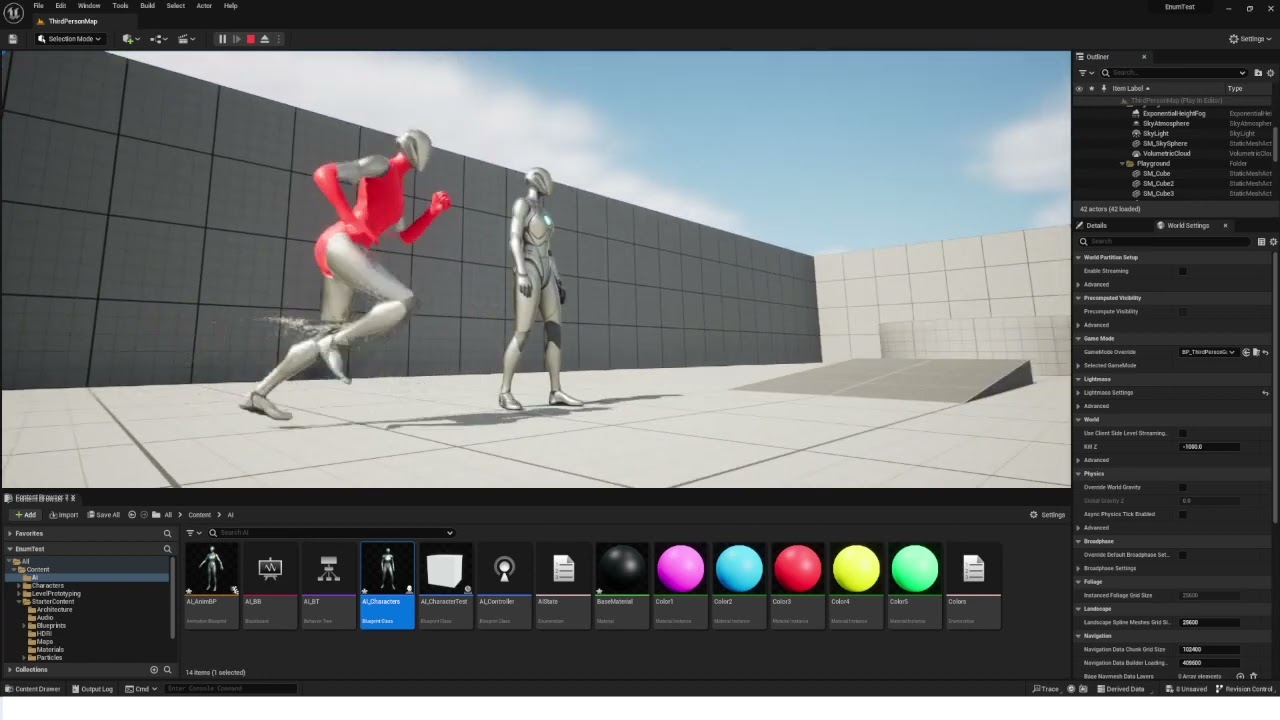
Doesnt seem to happen in the Animation Blueprint section but it does in the Editor for some reason.
Ok i think its something to do with when im changing the color by creating a new dynamic material for some reason.
 gusty rivet
Hello all
I was trying to setup my character BP with new animations and adding Aim offset
the code seems fine but for some reason the vertical movement is wrong
https://streamable.com/loy9dk
 gusty rivet
Hello all
I was trying to setup my character BP with new animations and adding A...
gusty rivet
gusty rivet
Hello all
I was trying to setup my character BP with new animations and adding A...

Can anyone please help
It's very confusing
tropic basin
I have a client who wants to map the character sword position to the mouse position in a box on the screen. (Think jedi academy combat minus the on screen box)
Anyone know if it's better to manually rotate the joints, move the ik target, or set up a blend space with a bunch of poses?
 strong helm
I hate blender and UE import/export regarding skeleton/character stuff. its just so janky and so incredibly broken.
I have this 1 model that just refuses to place nice. 😢 x ♾️ Something is always massively wrong with the import/export process
 willow pilot
I just found out we can animate in unreal engine 5 🤩
willow pilot
strong helm
I hate blender and UE import/export regarding skeleton/character stuff. its just...
Same here there is always something
Try Uefy blender addon.
I personally haven’t used it. But i think its as close as you will get
trim stump
anyone know why my character is bouncing around after setting up basic foot IK?

 karmic bobcat
when creating an ik retargetter, arent we supposed to include the twist bones into the chains? its not really allowing me to just make a straight chain with the twists included
raven pulsar
Hi, I am using layered animations and for some reasons all montages stopped working ...
I have been able to test with a regular anim blueprint and they work well
any idea ?
indigo smelt
can someone tell how can i stop a animation like when press a key is start and when i release it stop
karmic bobcat
in animation bp? state machines? or montage?
misty dagger
Hi everyone. Does anyone know any method to create soft bodies in unreal engine. Chaos Flesh looks promising but it has complicated setup to make sure the material stays on FleshAsset (soft body object) otherwise it looks very low poly. Thanks.
I am open for paid plugins that can convert 3d mesh to jelly like things at good framerate
indigo smelt
karmic bobcat
in animation bp? state machines? or montage?
all of them whoever does work
 sharp gazelle
what are some good animation software thats free
viscid willow
gusty rivet
It looks like you don't have a variable being fed into the Pitch for your Aim Offset:
 viscid willow
sharp gazelle
what are some good animation software thats free
viscid willow
sharp gazelle
what are some good animation software thats free
Blender ✨
 hushed agate
For whatever reason - i'm getting an animnotify of the same notify when my animation starts.... this isnt desired - is there a settign I need to make in order for it to NOT do t his?

i should ONLY have 3 - i have 4 firing :/
fiery snow
Anyone here familiar with send2unreal addon, from Blender I am trying to export a rigged mesh with its skeleton and it keeps timing out.
misty dagger

can someone help and explain why the animation is not playing when i add on level sequence?
hushed agate
fiery snow
Anyone here familiar with send2unreal addon, from Blender I am trying to export ...
did you enable PythonScripts in UE?

thats in ProjectSettings btw
fiery snow
hushed agate
did you enable PythonScripts in UE?
Thanks for offering to help. Yes I enabled it.. I have poses in the Pose Manager in Blender for the rig. I am not sure if that is causing the issue.
karmic bobcat
indigo smelt
all of them whoever does work
u can force a montage to stop or be interrupted. or in state machines, u set the transition rules with a bool or something along those lines
fiery snow
fiery snow
Thanks for offering to help. Yes I enabled it.. I have poses in the Pose Manager...
I was able to send to unreal before the time out but the skeleton is all mangled up.
misty dagger
Hi, how I can transform bone by event? I mean, for example, I want to add +5 degrees of X axis in one of my bones in mannequin with timeline. How do I need to set up nodes in animbp? I don't have any idea how to do it, and I haven't found any youtube tuto for transforming bones like that
I don't want to do it by animations cuz I want to make it procedural, because of a lot of content, that I need to use with this system
 scarlet portal
maybe a bit of an odd question but are there any tools out there for creating upper body animations in VR via IK? kinda something i wanted to try out as I feel like it'd make things kinda easy but not sure if thats been done yet
mainly reload animations i guess so nothing too crazy
 fickle sonnet
If you couldn't already tell by the question I'm about to ask, I'm completely new to unreal engine. I've experimented with the rigged mannequins once in the past, and attempted to do so again except I cannot get the rig to show up in my viewport. Even if I track, or add a new rig, it just doesn't show. Last time I remembered there was a way to toggle visibility but I cannot find anything online that helps

 sharp gazelle
is there a way to add mixamo animations to unreal without needing a mixamo actor?
im trying to get this punch animation to go onto the other character
when I select retarget this happens
fervent shale
I'm having an issue in UEFN where my physics asset won't validate because it contains too many verts. The error indicates 380 is the limit. Is there a setting to exceed this?
wintry hornet
Any reason why my cinecam current focal length doesnt follow the sequencer key during play session?
It seems working when previewed (by draging the sequencer timeline slider), but unfortunately not when played
nvm
🤔 looks like the engine automatically added field of view keyframes when I change the focal length, I just need to remove them
fiery snow
@hushed agate Would you know by any chance how to download the send2unreal documentation to use offline?
fervent shale
Print it?
fiery snow
With printing it. I can only print one page, the doc comprises of several pages and gifs.
fervent shale
fervent shale
I'm having an issue in UEFN where my physics asset won't validate because it con...
anyone?
 fiery snow
I was able to send to unreal before the time out but the skeleton is all mangled...
fiery snow
fiery snow
I was able to send to unreal before the time out but the skeleton is all mangled...
After further observation, its like all the bones are at one spot, hence why the mesh looks like a ball.
weary frost
A possibly Stupid Question :
1: If you create an animation blueprint and a AI Controller and AI Character then create a child of AI Character
2: Then assign it to use AI Anim BP can this be done or not really as AI Charaacter 1 (Parent) and AI Character 2(Child) are 2 individual skeletons (even if they are rigged to UE Skeleton) ?
Or does every character need to have its "own" version of an animation blueprint?
 mental arrow
Hi, I have a question about setting animations, I'm creating FPS mp game, and I have animations for the FPV and for the TPV, so local player should see FPV animations, but other player TPV anims. Does anyone know how to set that in animBP to have 2 different views and 2 different animations based on what player sees?
P.S. I'm using one mesh only for tps and fps
Thanks in advance
gusty rivet
viscid willow
It looks like you don't have a variable being fed into the Pitch for your Aim Of...
Actually I forgot to take the screenshot but right after the blend node, there is a node that uses Pitch input for this Aim offset. It's still not working evena after that
ripe gazelle
So any recommendations for how i can separate by data, several movesets that share states?
ripe gazelle
i suppose i would make this lil guy play something specific based on some parameter
 ripe gazelle
in 5.2
Since i started using Animation Layers, i get consistent crashes on compile
with error: "Unhandled Exception: EXCEPTION_STACK_OVERFLOW"
and over 8000 lines in the stacktrace. I dont get the end of the stacktrace.
I usually solve this by unlinking all the layers and link them back
Now i prefer to keep my anim layers so does anyone know or have experience with this sort of crashing in the same context?
ripe gazelle
Perhaps it was my misunderstanding that i needed to have an interface loaded into the animBP. Will see if removing it resolves it,
ripe gazelle
azctually it seems more related to selected debug object than anything right now...
hushed agate
hushed agate
For whatever reason - i'm getting an animnotify of the same notify when my anima...
anyone know why AnimNotify would fire at the beginning of a montage when no animnotify exists there?
 deft timber
hello , tried to find but no luck , do you know guys how to make a global controller for fingers to make punching controll in Control Rig ?
fiery snow
Guys, how do you map a texture on the body of a mesh to the groom hair so the strands take the color from the skin surface uvs?
 atomic sapphire
Can someone explain to me why UE Maniquin - > FBX Export -> Blender -> FBX Export -> UE causes it to be smaller?
ripe gazelle
atomic sapphire
Can someone explain to me why UE Maniquin - > FBX Export -> Blender -> FBX Expor...
at some point you dont adjust for its size within blender
i believe at blender default, a UE unit is 0.1
If i have a locomotion and upperbody in separate layers. How can i introduce a full body layer that takes priority only by its state?
tropic basin
Blender default is meters, Ue is centimeters
teal flint
hello everyone. i had this animation in UE4 but was not able to migrate it into my project in UE version 5.2. so i instead exported the animations as fbx and then imported them into UE 5.2. but im facing a problem that the animations in UE4 didnt move from their origin location but they do in UE 5.2 (as shown in attached video). how can i fix this?
please @ me if anyone can help. Thanks
 blazing swift
teal flint
hello everyone. i had this animation in UE4 but was not able to migrate it into ...
blazing swift
teal flint
hello everyone. i had this animation in UE4 but was not able to migrate it into ...
Enable root motion?
teal flint
blazing swift
Enable root motion?
fixed it by enabling a setting 'force lock root motion'
 rare viper
I ended up breaking my animations by accidently regenerating the skeleton and a bunch of my animations just a pose. I have gotten many animations from my autosaves and made a new project and replaced my broken skeleton but not all anims work. does anyone know how to fix the broken animations?

 tulip basin
hi, can someone point out where to look at for rigging my car? i don't need just the car + wheels but also doors (it's for a cinematic)
also my vehicle is not just 1 mesh, but doors are a different mesh and so on
misty dagger
Hi, how does Lyra manage to get the current acceleration in property access? It does not appear at all in my own ABP.
Solution: Need to make a custom function to cast the MovementComponent into a CharacterMovementComponent.

 viscid willow
gusty rivet
Actually I forgot to take the screenshot but right after the blend node, there i...
viscid willow
gusty rivet
Actually I forgot to take the screenshot but right after the blend node, there i...
Seems like something is either wrong with the Pitch parameter of your Aim offset poses.
ripe gazelle
Im feeding this into an interface
set it in animBP

it will control a charge/hold/release schema for a melee attack
hold short > quick release
hold long > heavy release
can it be simpler than this ? 😄
oblique salmon
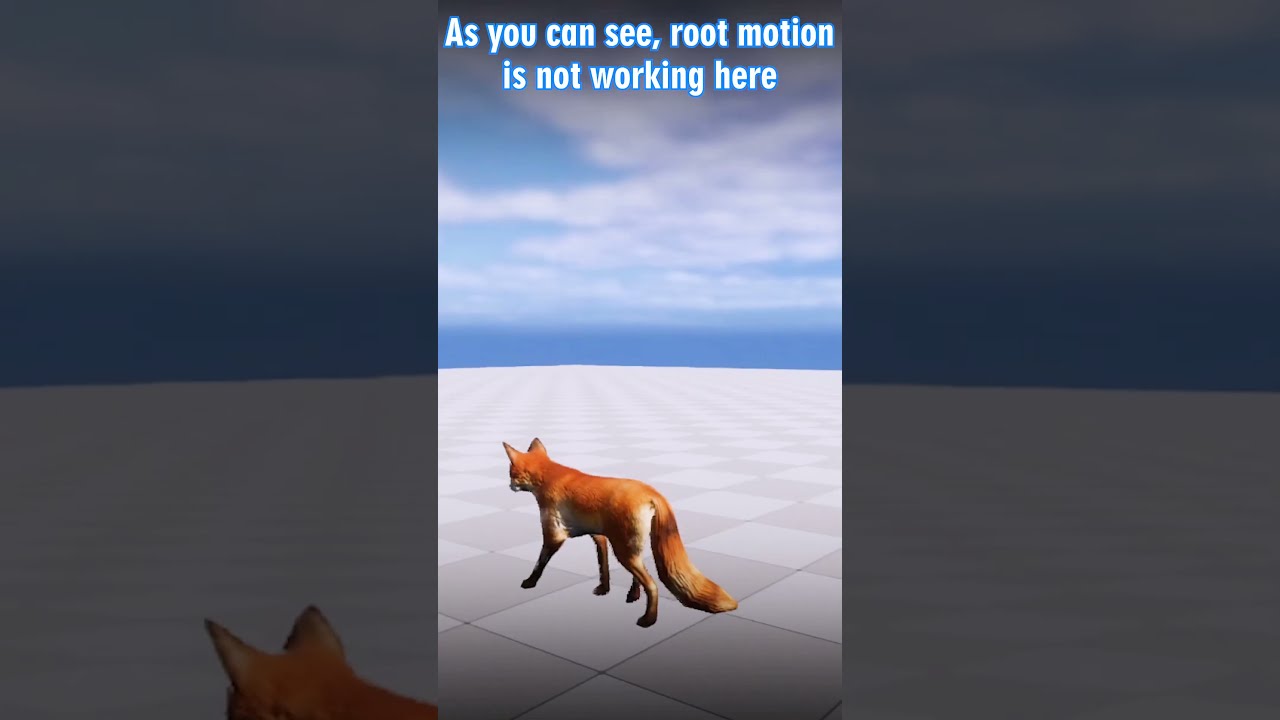
#shorts #unrealengine
A quick fix on how to use animations in the animation blueprint that have root motion enabled but does not work in game unless using as montages.
You can join patreon for project files and more!
Patreon: https://www.patreon.com/ue4poseidon
=============================...
I want to play root motion like this video, but even if I copy it, it doesn't work like a video. What's the problem?
 oak belfry
Hi, I am trying to to nativize my thread safe functions and property acess to C++. How do you pass pointers to the proxy? Should it be done via NativeInitializeAnimation() in the Instance for example? MovementComponent = TryGetOwner()->MovementComponent; Proxy.MovementComponent = MovementComponent;
misty dagger
Hi guys i am beginner in animations. I have made a simple ball and rigged it in blender. Now, I am importing to unreal but the bones are vanishing in unreal, only one bone is visible in unreal. In blender all bones are there. Is it because I have made bones by extruding a single bone in blender?? Please help me out here. Please link any tutorial if possible however long it maybe. The last pic shows how it looks like. Thanks.


 ripe lily
Hi,
Does anyone knows how to create this animated effect in Unreal Engine(of course) with the wireframe?
I watched a tutorial where I've made the wireframe to have movement, re-occuring one.
But is it possible where I can create the texture to start from, lets say Pixel 0001 and gradually go to the last one(since its a texture I am using to project the wireframe) , or maybe the wireframe itself?
Is there a way, does anyone knows?
Please hit me up in DM


 misty dagger
Hi guys i am beginner in animations. I have made a simple ball and rigged it in ...
misty dagger
misty dagger
Hi guys i am beginner in animations. I have made a simple ball and rigged it in ...
never mind, figured it out
misty dagger
ripe lily
Hi,
Does anyone knows how to create this animated effect in Unreal Engine(of c...
I think its a play of lights and camera, make a shiny material and ofcourse attach it to static mesh. Keep the camera in the middle. Now, animate the lights moving from up to down. Thats it you have the look.
misty dagger
misty dagger
I think its a play of lights and camera, make a shiny material and ofcourse atta...
*down to up
 solar night
Hi there,
I would like to try my hand at animating some arms for first person meele combat (think something along the lines of TES: Skyrim etc). I've seen some pretty amazing showcases of 'true first person' where the body of the player casts a shadow and the animations also seem to reflect everything that is happening in real time. I've also some people heard that this is pretty hard to do. Is that true? Also I don't know anything about animating. Would it be easier to create the animations in UE5 using the default mannekin or in something like Blender and then import them?
 harsh yarrow
How can i use an epic rigged character on my project, when i add it to my project via epic launcher i doesn't ask me any rig options, just adding it. And its just staying at T pose and refuses to use my epic skeleton settings 🫠
ripe lily
misty dagger
I think its a play of lights and camera, make a shiny material and ofcourse atta...
That's for product design, I am talking about the wireframe itself on the material to be animated, which is something else.
viscid willow
oblique salmon
I want to play root motion like this video, but even if I copy it, it doesn't wo...
Does your animation sequence have root motion in it?
oblique salmon
viscid willow
Does your animation sequence have root motion in it?
yes
 viscid willow
oblique salmon
yes
viscid willow
oblique salmon
yes
okay same asset, how have you set it up in your ABP?
oblique salmon
viscid willow
okay same asset, how have you set it up in your ABP?
- enable Loop animation
- root motion mode : root motion from everything
 viscid willow
misty dagger
Hi guys i am beginner in animations. I have made a simple ball and rigged it in ...
viscid willow
misty dagger
Hi guys i am beginner in animations. I have made a simple ball and rigged it in ...
I just read that you have already solved this 😅 but in case it's handy:
The Blender to Unreal Skeletal Mesh workflow is a bit of a tricky one. From your last image, it looks like all the bones are there, I think you might have a scale issue between Blender and Unreal. Scale is one of the most common gotcha's. I would recommend looking at the Send to Unreal plugin for Blender https://epicgames.github.io/BlenderTools/send2ue/
There are some video tutorials associated with the send to unreal plugin on youtube
Blender addons that improve the game development workflow between Blender and Unreal.
viscid willow
oblique salmon
1. enable Loop animation
2. root motion mode : root motion from everything
What is the result you're seeing during play?
oblique salmon
viscid willow
What is the result you're seeing during play?
just loop same transform
 viscid willow
oblique salmon
just loop same transform
viscid willow
oblique salmon
just loop same transform
Okay, but that's sequencer. That's not using the animation blueprint you set up, that's playing a single sequence, and has different requirements for matching the root bone across animation assets
oblique salmon
viscid willow
Okay, but that's sequencer. That's not using the animation blueprint you set up,...
I played it by dragging ABP
viscid willow
oblique salmon
I played it by dragging ABP
Right but because you're playing it through sequencer, it will be playing this animation:

If you hit play to simulate the game with your character set up in the level and the animation blueprint assigned, this fox would move using root motion continuously.
oblique salmon
Ok I closed the sequence, but nothing changed
 oblique salmon
viscid willow
If you hit play to simulate the game with your character set up in the level and...
oblique salmon
viscid willow
If you hit play to simulate the game with your character set up in the level and...
ok i try
viscid willow
oblique salmon
Ok I closed the sequence, but nothing changed
You mentioned you dragged in the ABP, is this character set up as a Character Blueprint with the ABP assigned to it? Or do you have just the ABP in the scene?
oblique salmon
viscid willow
You mentioned you dragged in the ABP, is this character set up as a Character Bl...
character set up as a Character Blueprint
viscid willow
oblique salmon
character set up as a Character Blueprint
I'm kinda stumped, I'm not sure at this point 😅
oblique salmon
viscid willow
I'm kinda stumped, I'm not sure at this point 😅
I assigned an ABP to Actor Blueprint and set it on the map
viscid willow
oblique salmon
I assigned an ABP to Actor Blueprint and set it on the map
Actor Blueprint or Character Blueprint?
oblique salmon
viscid willow
Actor Blueprint or Character Blueprint?
i use actor
oblique salmon
viscid willow
Actor Blueprint or Character Blueprint?
Oh, this character blue print works
viscid willow
oblique salmon
i use actor
That'll be why, the root motion is intended to move the collision capsule of a character, so without that there is nothing for it to move.
viscid willow
oblique salmon
Oh, this character blue print works
nice
oblique salmon
viscid willow
nice
Aha The official document of Unreal also mentioned that part, but it was not understood. Thank you.
 orchid siren
Hey, quick question my animation from Blend Space is kind of looping
https://i.gyazo.com/c54ff6b5d2324b15ba743eb090466c03.mp4
Dyou maybe have idea why is this happening?
misty dagger
viscid willow
I just read that you have already solved this 😅 but in case it's handy:
The Bl...
Thanks @viscid willow , this seems like a nice add-on. Unfortunately for me, it doesn't seem to be working, I cant see the "import/export settings" in add-on. As shown in below picture. How will I configure the import settings...Thanks.

Please help me figure out why my bone size is too small in unreal but in blender its perfectly fine. I have changed the world scale to 0.01 and applied transforms on armature and mesh together. Thanks

bone size too small
 viscid willow
misty dagger
Please help me figure out why my bone size is too small in unreal but in blender...
viscid willow
misty dagger
Please help me figure out why my bone size is too small in unreal but in blender...
one thing to remember is that Blender and Unreal draw bones very differently. Unreal only uses the tail of the bone to figure out the orientation. So in your case all the bones are overlapping eachother.
 viscid willow
misty dagger
bone size too small
viscid willow
misty dagger
bone size too small
I guess that depends on how large your model is, coz according to blender your sphere is 2m in diameter, so a bone size that small kinda checks out. Usually blender has the opposite problem where bones are absolutely enormous
acoustic violet
where do i find this "set up rig" part of the retarget manager? all i get is "edit retarget base pose" "manage retarget sources" and "manage compatible skeletons" but no set up rig button

im using 5.2
this is what i see. no set up rig button in sight


 glad trellis
Good afternoon, some misunderstandings with blendspace, I'm doing side-to-side walking like forward-left, backward-left, and so on
For a good result, I need to put a tick in the usage grid, but when I put it, the side animations do not work quite correctly, they do not mix as if to the end, there is no clear inclusion of this or that animation, although I look at the input data and place it strictly in the places that the variables receive when walking, for example, left or forward 69, but there is no clarity, help
These are the same animations, where more of it is rotated with the use grid jackdaw removed, how do I get around this?And then on the result, it goes wrong


 sour sundial
Animation makes pawn body to get longer like this
This animation montage makes skeletal mesh get longer.
But i have to use this skeletal mesh, then How can i solve this?

 slender trellis
so the thing is that i have a slide animation and that animation is without the character holding a weapon now i want to make that character slide and have the holding weapon animation together how do i do that ?
viscid willow
slender trellis
so the thing is that i have a slide animation and that animation is without the ...
You'll want to look into a Layered Blend per Bone node. You can blend two animation sequences together and mask certain bones so that the slide animation is playing on majority of the body, while your hold anim can play on the upper body or arms depending on the anim.
viscid willow
glad trellis
Good afternoon, some misunderstandings with blendspace, I'm doing side-to-side w...
It's a little hard to understand the issue without seeing this in motion. Could you record a video of the blend space in action?
It does seem like the position of clips seems a little odd.
 stark plume
Hi guys! I just join the group because I have a question. Is it possible to have an adaptative skeleton where the positions change when my skeletal mesh make a morph target (like for exemple bigger shoulder)
have a nice day!
slender trellis
how do i fix this root motion issue ?
misty dagger
Thanks @viscid willow , will try not to overlap the base socket of bones. This video really cleared the differences between blender and unreal bones - visualization and axis. https://www.youtube.com/watch?v=5wKGXkE4nyU&pp=ygUjYm9uZXMgbG9vayBmdW5reSBpbiBibGVuZGVyIGNnIGRpdmU%3D

LINKS
❖Weight paint playlist
https://www.youtube.com/playlist?list=PLdcL5aF8ZcJsFEdlMJ7To0Iu9s-XCFV3W
❖Maya Rigging by Dikko
https://www.youtube.com/playlist?list=PLL3OEv6vd5VBh8vnehdnp2ITpE0q8jAeo
Support CGDive:
❖Patreon:
https://www.patreon.com/cgdive
❖Gumroad (get 20% off using coupon code "cgdive")
https://gumroad.com/toshicg
RECOMMENDED...
 granite geode
Hello everyone, I have a question. I have a character that has an animation in Blender and has a feather on it. I didn't have any trouble throwing this to ue, but when the animation starts to play, the feathers on the character do not play according to the animation, they move ridiculously. Does anyone know the solution to the problem?
misty dagger
@granite geode check the last part of above video, the animations could be completely off due to wrong axis. Did you make the character in blender or imported it from some place?
granite geode
misty dagger
<@325601920842727436> check the last part of above video, the animations could b...
I made everything in blender. I think I'm solving it slowly, thank you
wheat badge
Have anyone here worked extensively with 4 legged creatures before? Namely locomotion part for games?
 night rover
Anyone know the logic to stop movement momentarily for turn in place animation?
 snow lion
tried to import my first animation from blender into unreal and this happened

what went wrong lol
the animation doesnt play either
 spice magnet
Good day, everyone. Did anybody tried to create animation based on physics for hair (like swinging and other), but when it's skeletal mesh, not the groom?
spice magnet
snow lion
what went wrong lol
Of course you can find a way to fix it, but I would recommend you just to install "send to unreal" plugin to blender and try to export your animation again.
snow lion
how do i do that
spice magnet
Here's tutorial and main information
https://epicgames.github.io/BlenderTools/send2ue/
Blender addons that improve the game development workflow between Blender and Unreal.
But I want to add some info from myself - don't try to do something with github, just google latest version of addon and download it
snow lion
tried to import my first animation from blender into unreal and the only thing happened was my model fell to the floor and no animation played
what happened lol
spice magnet
snow lion
what happened lol
Show your export settings, maybe it could be the problem
 coral rivet
snow lion
tried to import my first animation from blender into unreal and the only thing h...
coral rivet
snow lion
tried to import my first animation from blender into unreal and the only thing h...
did u bake the animation has u exported the model from blender
ya show us your blender export options and make sure to expand all tabs
so we can see everything
snow lion
ok
snow lion
coral rivet
did u bake the animation has u exported the model from blender
ill take a sec

 coral rivet
snow lion
coral rivet
snow lion
enable all actions then export
because currently your not exporting any animations atm
snow lion
ah
snow lion
coral rivet
because currently your not exporting any animations atm
i followed a video for this and it still worked for them
with that off
coral rivet
snow lion
i followed a video for this and it still worked for them
did they have NLA strips on?
snow lion
no it said to turn that off too
coral rivet
then if both are off then uno animation will be exported
tick all actions then export that should export it with animations
snow lion
already did and nope
coral rivet
go to the NLA animator window
snow lion
on which
coral rivet

then click the button in the yellow bar
then go to export options and under bake animation tick NLA strips and untick all actions
coral rivet
snow lion
on which
do u know how to get to the NLA editor?
snow lion
no
coral rivet
snow lion
no
on any window u should, in the top left, see a button
click on that look for non linear animation
snow lion
and its on blender or unreal
coral rivet
blender
coral rivet
snow lion
and its on blender or unreal
did u get it to work now?
 coral rivet
snow lion
coral rivet
snow lion
now click the button thats on the yellow bar to the right on the animation u want to export
so idle for fly

 coral rivet
thats good also if u want to edit it
just hit tab
on the bar
next u have to hit the star icon to the left
its to the left of the strips
snow lion
ok
coral rivet
when u click on the star it tells blender to only export THAT animation
snow lion
what did tab do
coral rivet
snow lion
what did tab do
lets u edit the strip
since it takes away the keyframes when u make one
snow lion
ok
coral rivet
but u can easily edit it
coral rivet
k
coral rivet
snow lion
ill be right back
did u fix it
snow lion
coral rivet
did u fix it
Pls
coral rivet
snow lion
So can u help me like tomorrow
ya
acoustic violet
acoustic violet
this is what i see. no set up rig button in sight
where tf is set up rig button for retargeter
coral rivet
acoustic violet
where tf is set up rig button for retargeter
r u in a skeletal mesh
 supple rune
Don't know why the feet of the character aren't moving.
acoustic violet
skeleton
coral rivet
if so u have to create a retarget asset
acoustic violet
ok lemme pull up ue5 real quick
coral rivet
acoustic violet
ok lemme pull up ue5 real quick
do u have the same bones at the skeleton your trying to retarget from
acoustic violet
everything is the same except the bone at the top of the hierarchy was removed