#animation
1 messages · Page 14 of 1
 radiant briar
 tired garnet
Why does my trace(From control rig) can return different normals for the same surface?

Here I'm standing on the floor

Here I'm standing on the same floor, but after I came to ramp, and then came down, but the floor is still the same

It says "hit normal in rig/global space"

How can I switch between them?
Bcs. I guess hit normal is relative to rig space and this can be causing this
 foggy nexus
radiant briar
Could this all be done in UE5? I’m renovating houses / properties and want to us...
foggy nexus
radiant briar
Could this all be done in UE5? I’m renovating houses / properties and want to us...
Absolutely. Although unless you want to interact with the scene, unreal would probably be overkill.
 karmic bobcat
is there no way to animate morph targets inside a level sequence? Not sure how i can link facial animation from Livelink with bodies animation inside sequencer
 worthy surge
Are there any tricks to keeping animations synchronised? Or is it "just start them at the same time"?
 frosty sonnet
worthy surge
Are there any tricks to keeping animations synchronised? Or is it "just start th...
frosty sonnet
worthy surge
Are there any tricks to keeping animations synchronised? Or is it "just start th...
Sync Bones https://forums.unrealengine.com/t/whats-the-process-for-animating-two-characters-together/152882/13

Epic Developer Community Forums
Talk is cheap, please walk it. Help OP on the issues that he had faced.
Is it possible to use an Impulse to drive the angle of an animation (ie a procedural Hit reaction that reacts in the correct angle of the Impulse?)
 devout bluff
is there a way to generate an animBp child at runtime?
I already got a parent class and animation Maps.
I need just anyway of changing the skeleton

 tired garnet
How can I change normals/directional vectors to global space from rig space?

 crystal imp
radiant briar
Could this all be done in UE5? I’m renovating houses / properties and want to us...
crystal imp
radiant briar
Could this all be done in UE5? I’m renovating houses / properties and want to us...
Yeah you can do all of this from Sequencer
What is that SK_Mannequin_Body under it? I think that is your issue
Also when you set that stuff up you need to Add the Skeletal Mesh and then add the animation too it. Dragging the actual animation out and directly adding it has caused me problems before.
 oak hull
Hey guys! How y'all doing?
It is possible to set up a loop animation in a certain point of a spline path?
 royal light
When is it better to do animations by moving static meshes and when are skinned meshes preferred?
Now I want to create simple animations for buttons, levers, switchers etc (nothing fancy, really) and Idk if I should start learning animations or timeline component is more then enough
 primal sandal
how do i set the "default" pose in control rig? Right now it's just the a-pose. So when you hit compile, the char snaps back to A-pose. I want to make it so he snaps back to a new, different pose
 terse basalt
Help requested
(in Unreal 5.1) So I'm following a tutorial on the Full Body IK in the control rig (this one if you're curious https://www.youtube.com/watch?v=F6dOXkD2-h8), but my results look different...
I got 2 controls and no nodes other than the Forwards Solve, Full Body IK, and Get Transform - Control. As basic as possible. Yet I'm doin something wrong because my dinosaur won't stop breakdancing when I attach the foot control. However when I attach the head control, everything works fine! Their orientations line up with the bone they control, but for some reason the head works while the foot doesn't.
Here's what it should look like (the working head control)

In this video tutorial series we will going over the control rig and how to set one up from scratch.
In Part 1 we talk about the control rig and how to setup the basic controls for a full body IK.
SUPPORT ME
Patreon I https://www.patreon.com/ryanlaley
Buy Me a Coffee I buymeacoffee.com/RyanLaley
Donations I paypal.me/ryanlaley
PRIVATE 1-2-1 S...
And here's what it's actually doing (broken foot control)
Any ideas why it acts differently on the foot control?

 misty dagger
remember, in order to add an animation to a blend space you need to ensure your additive settings are set correctly. It is possible they may be changed from default or the skeletons do not match. show a video/screenshot of what you are talking about please
misty dagger
worthy surge
Are there any tricks to keeping animations synchronised? Or is it "just start th...
starting them at the same time is the easiest method, what are you trying to do?
worthy surge
I have two different walk animations for the camera and the weapon and they scale with speed
but right now it's working fine, I was just worried for no reason
misty dagger
kk
misty dagger
royal light
When is it better to do animations by moving static meshes and when are skinned ...
levers and buttons can go either way, but if you want the animation to be flashy at all (as in a button that screws down into place or a lever that moves with convincing momentum) I would use a skeletal animation. But odds are simple static mesh animations are acceptable for very simple movements
 tranquil lark
Just use the actor sequencer component and go on about your life.
Don't need no bones
 cinder fiber
Hi, I wanted to update the location of my root bone to be at the top of my model so that when I scale the mesh it scales up instead of down towards the feet. Is that possible to do in ue5 or do I need to reimport my model from blender?
 cinder fiber
nvm, I made the mesh the child of a scene component and placed that at the top of the mesh to scale it towards the top
terse basalt
what about using a different bone to scale from, instead of the root? You could add another bone in the hierarchy to scale from that's right under the root but above everything else. @cinder fiber
 runic peak
Anyone know when the Animation Starter Pack asset might be updated for 5.1?
 lapis sierra
misty dagger
remember, in order to add an animation to a blend space you need to ensure your ...
lapis sierra
misty dagger
remember, in order to add an animation to a blend space you need to ensure your ...
What additive settings should they be? Do they have to have the same? I’m pretty sure they are the same skeleton because I can add one at a time but not both. Like only one can be in the blend space at a time.
misty dagger
lapis sierra
What additive settings should they be? Do they have to have the same? I’m pretty...
if you do not provide a screenshot or video it is particularly difficult to know what kind of setting could be causing the issue. But yes the animations need to have the same additive settings otherwise they will not work in the same blend space together. I have never heard of animations not being able to exist in a blendspace together for any other reason less they are not for the same skeleton
cinder fiber
terse basalt
what about using a different bone to scale from, instead of the root? You could ...
oh that could work, I'll try that out
 dull parrot
can you change the collision sphere in a default character BP to a cube/box?
misty dagger
 hushed bramble
How do I use Blend space properly?
hushed bramble
How do I use Blend space properly?
blending attack animations over time back to an idle animation typically isnt done in a blendspace, you do that in your animation blueprint/animgraph. here is a small video covering the basics of what you seem to be trying to do: https://www.youtube.com/watch?v=2KdbzE_LODE&t=7s

In this video I go over how to blend together two animations together in Unreal Engine 4
👉Learn How To Make Full Games From Start To Finish At https://www.uiscodev.com/courses
Other Links :
🎮 Marketplace Assets To Help You Build Games : https://bit.ly/3VvNkBQ
📝 Learn more about Unreal Engine On My Blog : https://www.uisco.blog/
Download Sword...
dull parrot
can you change this? if so how?
 misty dagger
dull parrot
can you change the collision sphere in a default character BP to a cube/box?
misty dagger
dull parrot
can you change the collision sphere in a default character BP to a cube/box?
yes, this should be easy to look up. I cant remember the specifics by heart but I would imagine it is just as easy as changing the shape of the componet
misty dagger
dull parrot
can you change this? if so how?
you should be able to open the blueprint in unreal and look into it's attributes from there
hushed bramble
misty dagger
blending attack animations over time back to an idle animation typically isnt do...
I tried that. it's too advanced for me.
misty dagger
hushed bramble
I tried that. it's too advanced for me.
hmm well there are not many other methods, certainly none more simple than this. I hope you find one though.
hushed bramble
it's okay. someone on the forum sent me this. https://www.youtube.com/watch?v=6qVwfo0ITdk

Welcome to my new series, Advanced Animation Application [for UE4]. Today we're having a quick look at Blendspaces. Blendspaces are one of the backbones of any animation system and can be used for not only walking and running animations, but ANY continuous animation AND additive animations!
This is just an overview of what blendspaces are and h...
This is more of what im trying to do
misty dagger
you cant (or really you shouldnt) go from idle to an attack using a blendspace
I am not even sure how you would try to make that work
less it was momentum based or something
hushed bramble
well, im starting more basic. Im just doing walking in different directions
misty dagger
oh
hushed bramble
The video you linked is basically what I will need to do next. I will have to blend attacks/movement/and idle after
misty dagger
ok good luck
hushed bramble
thanks! It will never be done 😂
i'll have to blend upper body and lower body soon
50 more years and i'll finally get animation lmao
sword animation pack i have is meh.

Available now for Unreal: https://www.unrealengine.com/marketplace/en-US/product/one-hand-sword-attacks-and-finishers
Unity: https://www.ramsterzanimations.com/store-buy/p/one-hand-sword-attacks-finishers-fbx-only
Instagram: RamsterZ_Animations
https://twitter.com/RamsterzA
#synchronizedanimation #finisheranimations #combatanimations #fightanim...
 midnight granite
I'm trying to add virtual bones for IK and it is only letting me create one virtual bone to the root? Is there something I am missing in order to add the IK root for the hands AND feet?
misty dagger
hushed bramble
How do I use Blend space properly?
https://www.youtube.com/watch?v=8UIOsGRSt7Q
I've made a blendpsace tutorial
here's another tutorial from a channel I like
https://www.youtube.com/watch?v=A6L_8vAx-M0
In this tutorial you'll learn how to:
Setup Animation Blendspace
Setup Strafe System
Setup AnimGraph on AnimBP
Second part of the tutorial about target lock to enemy.
https://www.youtube.com/watch?v=fgdH7C8Ys4s
⬇️ Strafe animations
https://drive.google.com/file/d/1Scmyb38KoB1QngcToktr7HcLRzkfMJbK/view?usp=share_link
Chapters
0:00 intro
0:42...

Hey guys, in today's video, I'm going to be showing you how to set up and create an animation blueprint and blendspace for your characters in your game. In this we will set up; idle, walk, run, jump loop and a walking jump.
Sorry for the long video, I wanted to go over this in more detail then last time to help you understand it more and learn ...
misty dagger
midnight granite
I'm trying to add virtual bones for IK and it is only letting me create one virt...
I will need to review documentation on virtual bone's but if you are in dire need for a quick solution you could always add bones to the skeleton itself and use those instead
midnight granite
I ended up assigning the mesh to the ue5 mannequin and basically merged them to get the ik bones
it was a metahuman mesh so it worked out
dull parrot
i manage to make a cube move forward, now how do i make it play an animation when i move forward?
 upper thistle
dull parrot
i manage to make a cube move forward, now how do i make it play an animation whe...
upper thistle
dull parrot
i manage to make a cube move forward, now how do i make it play an animation whe...
I'll bite I suppose. what does your comment mean?
you want your cube to roll?
dull parrot
upper thistle
you want your cube to roll?
no an animation i made
misty dagger
dull parrot
i manage to make a cube move forward, now how do i make it play an animation whe...
More info is needed. What kind of animation do you want to have play while the cube moves?
foggy nexus
terse basalt
Help requested
(in Unreal 5.1) So I'm following a tutorial on the Full Body IK ...
If you want the feet to remain locked in place while you move the head, you need to create two more effectors - the feet - and plug them into the full body IK as you did the head. Effectors are, as the name suggests, affecting bone chains rather than being affected by them.
foggy nexus
dull parrot
no an animation i made
right click the sequence you made, create montage, then play montage in the event graph
if it's move forward specifically (rather than another direction), you'd have to check whether the dot product of velocity and forward vector was > .9 or something
 wide cedar
why does additive layer tracks in anim sequence not show up in the standalone game test?
how do i make them show up?
the other times this happened i "fixed" it by redoing the whole sequence but i really don't wanna do that
worthy surge
How do I blend two montages together?
wide cedar
wide cedar
why does additive layer tracks in anim sequence not show up in the standalone ga...
???
please don't make me redo the damn anim
 remote basalt
Hi guys. I made a cinematic, please feedback.
https://www.youtube.com/watch?v=C7cYijR_nec
 wide cedar
why does additive layer tracks in anim sequence not show up in the standalone ga...
wide cedar
wide cedar
why does additive layer tracks in anim sequence not show up in the standalone ga...
.
terse basalt
foggy nexus
If you want the feet to remain locked in place while you move the head, you need...
Thanks for the response @foggy nexus but unfortunately I've done that. The problem isn't that I can't plug the feet in like the head. The problem is WHEN I plug the feet in like the head, it freaks out and I don't know why.
foggy nexus
Have you tried resetting the controls to the bone transform before plugging in?
terse basalt
foggy nexus
Have you tried resetting the controls to the bone transform before plugging in?
I tried creating the control as a child of the bone before unparenting it to get the same transforms as the bone. Is that the same thing?
 terse basalt
Sorry for the delay @foggy nexus
I'm not sure what a rig graph is but here's some screenshots of my rig hierarchy (including my controls)


Is this the rig graph? It only has the foot control plugged in right now. I could also plug in the head too if you wanted, but I thought isolating the problem makes it easier to debug.

 quiet crescent
Anyone else noticing ctrl rig being buggy as hell?
I'm looping over all my bones, filtering bones by "contains X" and then storing the position of the filtered bones into Vector array, but it looks like it's actually adding those bones into the default values for the variable? @_@
 cunning tartan
Hey! Does anyone know when to use "Play Animation Montage" and when to implement the animation directly into the Animation Blueprint? What's the difference and the benefits?
wide cedar
wide cedar
why does additive layer tracks in anim sequence not show up in the standalone ga...
hm
 quiet crescent
cunning tartan
Hey! Does anyone know when to use "Play Animation Montage" and when to implement...
quiet crescent
cunning tartan
Hey! Does anyone know when to use "Play Animation Montage" and when to implement...
Animation montages can play back root motion animations and move your character, animations played back in the animation sequence cannot.
cunning tartan
quiet crescent
Animation montages can play back root motion animations and move your character,...
Ah, I see! So is this the only reason to use Animation Montages? So my character picks up items. Should the pickup animation be in the Animation Blueprint or play as a Montage?
quiet crescent
wide cedar
hm
If it works in PIE, try doing a debug standalone game and see if they work there.
Dunno what gets stripped out when doing a standalone game I'd suggest trying on an earlier version of the engine if it works there I would write a bug report
wide cedar
quiet crescent
If it works in PIE, try doing a debug standalone game and see if they work there...
yeah that's the thing
it works in the viewport
doesn't work in standalone
i don't know why
quiet crescent
cunning tartan
Ah, I see! So is this the only reason to use Animation Montages? So my character...
Bro that depends entirely on the game you're attempting to make and what your pick up animation does.
AFAIK the only reason to use montages is to use root motion or other specific montage features like being able to choose which slot to play and to combine various animations together, personally I hate montages
If you want your character to remain still during your pick up animation and don't want to write code for that, having a montage is an easy way to do that.
Root warping stuff is also in montages now so you can warp to a position
quiet crescent
wide cedar
i don't know why
by working in viewport you mean PIE right? if it works there but not in your cooked game it might be bugged, I would do what I said previously and test the same sort of thing in an earlier version of UE
wide cedar
quiet crescent
by working in viewport you mean PIE right? if it works there but not in your coo...
i don't have an earlier version of UE
quiet crescent
They are available for download on the epic games launcher
quiet crescent
Also if you're using sequencer, make sure the additive sequence is actually enabled?
wide cedar
quiet crescent
Also if you're using sequencer, make sure the additive sequence is actually enab...
i added the sequence through the animation sequence viewer
not through the sequencer (idk how i would do that anyway)
quiet crescent
Dunno then bro sequencer is it's own team I dunno why it doesn't have it's own channel xD
oh wait I'm blind
go ask the question in #sequencer you might get a better reply
quiet crescent
In sequencer?
cunning tartan
quiet crescent
Bro that depends entirely on the game you're attempting to make and what your pi...
Ah thank you! Montages are still confusing to me but I'll read more into it. I mean it's easy to call it in code and also have a "Finished" event but it gets confusing and complex if you have 20 montages spread around 20 blueprints. It's hard to keep track of that, that's why I'm considering putting it all into the Animation Blueprint. How would I call an animation from a blueprint to an animation blueprint? Does it just work with Booleans like "IsPickingUp" or are there more options? Can I get a finished event? Sorry, I'm new to unreal.
wide cedar
quiet crescent
In sequencer?
how would i modify an anim in the sequencer????
quiet crescent
Using control rig? @_@
wide cedar
quiet crescent
Using control rig? @_@
you can use control rig to modify existing anims? how?
cunning tartan
wide cedar
how would i modify an anim in the sequencer????
You can open your character and click "Edit in sequencer"
wide cedar
cunning tartan
You can open your character and click "Edit in sequencer"
character?
cunning tartan
Your model
quiet crescent
wide cedar
dont' see nothin
 quiet crescent
Additive layer tracks are an ancient feature in unreal
I wouldn't be surprised if they stopped working in UE5
If you want to edit an animation, make a character rig
and edit the actual animation using control rig
 cunning tartan
You can also click on the arrow and press "Edit with IK control rig"
quiet crescent
YOOO that's a cool feature
wide cedar
cunning tartan
You can also click on the arrow and press "Edit with IK control rig"
only says FK
quiet crescent
Didn't know you could instantly edit a sequence in control rig
cunning tartan
Oops FK
yeah
Depends on what is assigned to the character
if it has ik, then edit in sequencer will have it automatically
quiet crescent
bro
cunning tartan
Bruh
quiet crescent
it looks like additive tracks are pretty busted in UE5
Read that forum message
there is a work around
open your animation sequence
the one with the additive tracks
go to the menu create asset - create animation - current animation-preview mesh. This way you will create an already fixed animation without layer and everything will work as it should.
cunning tartan
wide cedar
nothing happened????????
Its like telling the doctor on the phone "it hurts when I press here"
Send screenshots
wide cedar
quiet crescent
go to the menu create asset - create animation - current animation-preview mesh....
ok thanks, i'll keep in mind the control rig thing
wide cedar
cunning tartan
Its like telling the doctor on the phone "it hurts when I press here"
no no i got it now
i think i'll use the workaround for this particular case
quiet crescent
Yeah tbh dude if you're not animating in an external package like maya
wide cedar
and i'll use your method for the otehr stuff
quiet crescent
Build a control rig for animating in unreal
wide cedar
quiet crescent
Build a control rig for animating in unreal
yeah that's what i've been doing the whole time
quiet crescent
doing this ghetto additive animation stuff is well ghetto xD
quiet crescent
Ctrl rig is pretty nice now there are a few vids on it, you can add an existing animation sequence for a character into a level sequence
wide cedar
quiet crescent
doing this ghetto additive animation stuff is well ghetto xD
ain't nobody tell me this was an ancient feature i just discovered it by myself and thought "oh cool"

quiet crescent
animate ontop of it and then export it as a new animation sequence
sort of like what you were doing with additive anim layers but with a lot more control
cunning tartan
Also noteworthy, you can create animations directly in unreal and create a "Linked Animation" which is editable after creating it. Non destructive. Pretty cool.
wide cedar
cunning tartan
Also noteworthy, you can create animations directly in unreal and create a "Link...
oh so THAT'S what that's for
i always wondered what was the difference between bake anim sequence and create linked one
quiet crescent
Hello guys welcome back to another video! Today I want to show you how you can edit animations inside of Unreal Engine, using Control Rig! You can follow this tutorial in Unreal Engine 4 or 5, as long as you enable the control rig plugin, or add the marketplace control rig character to your project! Let me know if you have any questions in the c...
Perfect tutorial
Shows how to add an anim sequence, edit in ctrl rig and bake it back to an anim sequence
wide cedar
done
 quiet crescent
Yeah the only thing is I'm messing around in ctrl rig making my own character rigs and it's buggy af
So i don't trust animating in UE 100% yet
cunning tartan
@quiet crescent So coming back to my questions from above: "How would I call an animation blueprint animation from a regular actor blueprint? Does it just work with Booleans like "IsPickingUp" or are there more options? Can I get a finished event? Sorry, I'm new to unreal."
cunning tartan
wide cedar
done
Eyy
 wide cedar
cunning tartan
Eyy
wide cedar
cunning tartan
Eyy
great minds think alike brother
quiet crescent
Also why the hell have they not enabled threading on this discord yet???
cunning tartan
wide cedar
great minds think alike brother
hell yeah brother
cunning tartan
quiet crescent
Also why the hell have they not enabled threading on this discord yet???
truee
quiet crescent
cunning tartan
<@690248741042782236> So coming back to my questions from above: "How would I ca...
If you want to fire off a montage, you need to create a montage slot in the animBP
and then you need to actually fire off that montage in the character event graph
If you want to play a regular old animation sequence in the ABP
you want to make a state, some state transition rule e.g. IsPickingUp
Place you pick up animation in the state, make the rule "isPickingUp = true"
And then your transition out rule should be something like "get relevant time remaingng < 0.2"
Does this help at all?
Also it's worth noting that the AnimBP and the CharacterBP don't talk directly to eachother
So if you have a variable on the CharacterBP you can't instantly access that variable on the AnimBP
you'll need to make an event in the event graph of the AnimBP to fetch that specific data from the CharacterBP
cunning tartan
I see. So The positive of Montages are their flexibility and custom events like Notify etc. but the downside is it gets cluttery? The positive of animation sequences in animation blueprints is everything is in one place but the downside is it has no events and can only be activated through states?
quiet crescent
You can run custom events in animation sequences afaik. That's not specific to montages, montages are networked unless i'm mistaken which is pretty nice
cunning tartan
Also why do you dislike montages?
quiet crescent
Because they are driven by game code and not animation 😆
The best thing about montages is that they can take movement information from an animation and feed that information into the character movement component
in a way that is handled well by the network
BUT you can also just extract that data from an animation and play the movement information in a root motion source
without actually playing the montage
imo the idea of a montage just stomping over all my animation graphs and playing a single one off animation that I can't blend into and out of neatly
that is a pain to put additives ontop of
cunning tartan
I see. What do you mean by networked?
quiet crescent
as in it works well in multiplayer
cunning tartan
Ooh
cunning tartan
quiet crescent
You can run custom events in animation sequences afaik. That's not specific to m...
You can have custom notifies. Does that mean you'd have to create a custom "Finished" event?
quiet crescent
Ah I guess no you can't have finish events on a specific animation sequence ending
But you can make events on the ABP when you exit certain states via state notifies
cunning tartan

Me figuring out the difference between montages and animation sequences
trying*
quiet crescent
IMO you shouldn't ever have your game waiting for animation logic to finish
cunning tartan
So you recommend writing the time yourself? Like putting in a delay?
For animation sequences
quiet crescent
Hmmm...
cunning tartan
So when my character picks up an item there should be a 0,7s delay where the input is disabled
And then the animation runs
quiet crescent
I guess out of the box unreal, you're kinda fucked
I probably would do that
Depends on your project though
if you don't want to have complete control over your animation and character whenever you want, or want to use root motions and aren't using the gameplay ability system
then montages probably aren't the worst thing in the world
cunning tartan
Like I don't see the benefit of creating an anim monate out of an anim to just play that. Like why not just play the anim itself
quiet crescent
Well like I said before the benefits of montages is that they can do root motion so if you want to move your character exactly like it was animated, that's a good way of doing it
I made a character one that was entirely root motion driven for all of their starts, stops turn movements
it looked really nice, but also felt like shit

In this 2017 GDC session, Guerrilla Games' Paul van Grinsven explores the traversal system that allows Aloy to explore the vast world of Horizon Zero Dawn.
Register for GDC: https://ubm.io/2yWXW38
Join the GDC mailing list: http://www.gdconf.com/subscribe
Follow GDC on Twitter: https://twitter.com/Official_GDC
GDC talks cover a range of dev...
cunning tartan
Hm, then root motion is really the only reason you'd want to use it
quiet crescent
Imo yes.
cunning tartan
God I love that game
quiet crescent
As you can see timestamped the turn animations are "animation driven"
which means sort of equivalent to a montage
and then code driven would mean abp state machines and the character movement controller is doing all of the movement
cunning tartan
I see that I'll have to spend much more time with animations and things like locomotion, ABPs, montages and sequences. Sounds very complex
quiet crescent
Well it depends on what you're trying to accomplish with whatever you're making
If you're trying to make an ultra real ultra polished game with amazing animations then yes
if you're trying to make flappy bird then no
cunning tartan
Haha, in the middle i'd say
quiet crescent
Honestly for most people if they just want a "nice character"
go and grab the lyra project
and use their distance matching character
it looks good, has nice locomotion
you can probably import a mesh to use the existing bones
and boom
cunning tartan
I don't plan to go that far
quiet crescent

Unreal Engine
An advanced bipedal locomotion and layering system focusing on high quality character animation with responsive movement. Built to be flexible, extendable, and to provide a solid starting point for new projects. Currently Singleplayer only. (100% BP)
cunning tartan
The thing is, I don't like to use premade stuff that often. I want to learn how to do it myself and how it works.
quiet crescent
This is the alternative option
That's fair
It isn't a bad idea to break down one of these examples and learn how they do things though
cunning tartan
I understand that it's much more work but the feeling is much better
And its interesting af
I wanna try out the 3D Blend space
I kinda did it in another project but it didn't look that good haha
quiet crescent
Eh 3D blendspaces aren't that cool anymore imo
cunning tartan
Also my character should have face expressions so I'm gonna spend a day creating Key Shapes 🫠
cunning tartan
quiet crescent
Eh 3D blendspaces aren't that cool anymore imo
That's the new cool thing?
quiet crescent
I can't think of a reason to make a 3D blendshape over using a control rig
I've only really seen 3D blend shapes used for layering vertical movement (slopes) on top of a locomotion cycle
cunning tartan
What about aiming with a gun and walking backwards
Dont you need 3d blend spaces for that?
quiet crescent
Why can't you use a 2D blendspace for that?
cunning tartan
Wait... I was talking about 2D blendspaces haha
3d 2d its all the same
jk

This one
So there are 3D blend spaces?
quiet crescent
Yeah
You can nest a blendspace inside of a blendspace
in UE5
didn't used to be able to do that

In this final video of the blednspace overview we see how a blendspace can be moved into a 3D grid. Then we go into Mannequin and see how a simple fragment inside of Mannequin can confuse people into thinking it is a simple animation and not the combination blendspace file that it is. Now with the overview complete we can begin to create our own...
cunning tartan
quiet crescent
You can nest a blendspace inside of a blendspace
🤯
quiet crescent
It's something they had in cryengine
a long long time ago
it was a way of doing slope walking up and down
and blending between speeds + slopes
quiet crescent
Nested blendspaces
But like, if you're doing slope anims
it's better to just make a control rig
oh alternatively
you can just use slope warping

Pose Warping dynamically warps a character's animated pose to align with capsule movement.
cunning tartan
But isnt a control rig just a thing to rig characters and make animations with?
cunning tartan
quiet crescent
https://docs.unrealengine.com/5.0/en-US/pose-warping-in-unreal-engine/#slopewarp...
Does this allow my character looking to the left when walking there but the feet follow like 0,2s later?
And like leaning?
cunning tartan
quiet crescent
https://docs.unrealengine.com/5.0/en-US/pose-warping-in-unreal-engine/#slopewarp...
Oh this is cool
That could work for aiming
So a 2D blend space + that?
quiet crescent
if you want to aim plus walk
you can use a layer blend per bone
and do anims on just the legs
and anims just on the torso
control rig isn't just for animating in the engine
it's used for runtime rigging
you can do procedural animation with it
which is something i use it for

From the nucl.ai 2016 conference, Laurent Delayen shows how Epic Games brings a Hero from Paragon to life. With a programming focus, this talk shows and explains all the pieces involved in animating a real time character in Paragon.
Laurent presents trade-offs, details the locomotion system, the various layers used and the processing done to s...
I'd recommend watching this
You can do all of this in UE5 now, back in UE4 this was custom logic.
But lyra is pretty much this
cunning tartan
Damn, this is cool! Thank you btw for taking you time and all the help! Appreciate it!
On another note, do you by any chance have any idea how to implement an interactive 3d map like in horizon zero dawn or hogwarts legacy?
quiet crescent
o geez
like one you can zoom into and out of
that is the same as the actual overworld?
(haven't played hogwarts)
cunning tartan
Like I want to implement a small 3d map where you can click on buildings
No, just a custom model
Very simplified

Like this in a pause menu
quiet crescent
Errr
Best off finding a tutorial
You probably want to load in a sublevel everytime the character presses pause or something
switch the character controller over to one specifically for that level so you have limited controls, but your controls move around that map etc
cunning tartan
quiet crescent
https://www.youtube.com/watch?v=y-znfwGcCW4
Nice, didn't find that yesterday
cunning tartan
quiet crescent
You probably want to load in a sublevel everytime the character presses pause or...
How would one do that? I head of level streaming but I cant wrap my head around displaying a new level on top of another
cunning tartan
All good :)
Yeah, doesnt really seem to be that popular on youtube
Havent found anyone go over that topic this specific way
Like in a pause menu
I'll figure something out
 oak spire
Howdy folks! Been sifting through answers online for a couple days, and I can't seem to find anything definitive on best practices when fixing scaling issues related to imports from Blender. #animation seemed closest to issues related to armatures, so here I am.
Send to Unreal pipeline is working just fine for me (a godsend, that), and now I'm running into the classic "the socket I added in Unreal is 100x times larger than it should be". I understand why, and I understand that I can scale the socket .01 to get the appropriate size. I was just wondering if there are any issues I should look forward to down the line thanks to this, and if there was a standard way of fixing it rather than scaling down in blender and applying the scale before export? I appreciate your time, feel free to ping or DM me!
foggy nexus
terse basalt
Sorry for the delay <@399600114525798400>
I'm not sure what a rig graph is but...
Holy damn that's a complicated skeleton. The only thing I can see that might be an issue is that you've got the ball of the foot set as the effector bone rather than the foot bone itself. PM me if changing that doesn't work and we'll trey to work through it.
 young oak
Anyone wanna hazard a guess as to why my skeletal mesh is doing... This?
 terse basalt
foggy nexus
Holy damn that's a complicated skeleton. The only thing I can see that might be ...
terse basalt
foggy nexus
Holy damn that's a complicated skeleton. The only thing I can see that might be ...
What bone do you recommend @foggy nexus ? Any other bones below the ball of the foot are toe bones. Maybe you mean the bone above called "bn_LeftFoot_47"? Unfortunately it's the same problem. Thank you though for your help so far. I'll send you a DM.

 narrow palm
hello guys
i got this anim


which in it
there are all the aim offsets, aim up down etc
i made a pose for each
and when i do the aim offset blendsapce
and take it to the game
everything is like
only his arms and head are moving and are completel effed up
 clever rivet
Hey guys do you know how to make my gun stay in my left hand with an aim offset, i already use Twobone ik to synchronise my gun with my animation but now i cant get the gun lined up when aiming up or down (See the image)
 misty dagger
clever rivet
Hey guys do you know how to make my gun stay in my left hand with an aim offset,...
misty dagger
clever rivet
Hey guys do you know how to make my gun stay in my left hand with an aim offset,...
what does your aim offset poses look like? and what is your gun tethered to? Is it a socket that has rotations on it, or just a weapon bone?
clever rivet
misty dagger
what does your aim offset poses look like? and what is your gun tethered to? Is ...
This is my AO Animations
 clever rivet
misty dagger
what does your aim offset poses look like? and what is your gun tethered to? Is ...
clever rivet
misty dagger
what does your aim offset poses look like? and what is your gun tethered to? Is ...
And my gun is attached on a right hand socket named Gun
misty dagger
well if the pose in the aim offset is correct with these settings, it has to be some form of blending that isnt happening quite right. Or some kind of pose processing is making this animation not read 1 to 1. I would start with disabling your blending and just trying to get this one component to read correctly at run time first. after you have that, I would then start to turn everything back on and see when the problem shows up @clever rivet
basically just debug
once you find the node or blending that is causing the offset, consider altering those values
clever rivet
misty dagger
well if the pose in the aim offset is correct with these settings, it has to be ...
ok i will try that thanks
clever rivet
misty dagger
well if the pose in the aim offset is correct with these settings, it has to be ...
And by the way, this is how is setted up my AO
 misty dagger
ah I see
yeah I would imagine your pose is getting lost in translation with all these blend per bone settings
narrow palm
clever rivet
This is my AO Animations
are you using the free anim starter pack from marketplace?
misty dagger
try just connecting it directly and see if that works, if it does, start connecting everything else and see when the problem arises
clever rivet
misty dagger
try just connecting it directly and see if that works, if it does, start connect...
So when i only connect my State machine without the AO it works, the gun is in place, after i adjust some values
misty dagger
clever rivet
So when i only connect my State machine without the AO it works, the gun is in p...
yes, but I was talking about only connecting the AO and see if you can get that to just work by itself
if it does work, then see what connections is messing it up
clever rivet
ok
clever rivet
misty dagger
yes, but I was talking about only connecting the AO and see if you can get that ...
So i plugged back on the AO but it started doing the bug
misty dagger
hmm, in that case it seems like the method in which your AO is blending isnt right. See what bones it is tied to and try to ensure that it overwrites them 100% so you can clearly see that only the Aim offset is in control
because if your aim offset was made correctly, and the bones are 100% tied to it, the pose should not be different
 misty dagger
narrow palm
misty dagger
narrow palm
if you are using a blend-per-bone node, check your bone depth settings
narrow palm
ight yes
clever rivet
Im using that for Feet IK
 narrow palm
i completely took the bone blend and its the same
its as iff
its devalibrated for examople
if i aim up his forearms are aiming forward
and if i go down, his forearms go behind his back
narrow palm
misty dagger
if you are using a blend-per-bone node, check your bone depth settings
what i did for my aim offset is
i made different anim poses from 1 AO anim in the animstarterpack from market place, which has all the ao anims but in one sequence
was that wrong what i did?
misty dagger
narrow palm
was that wrong what i did?
uh what you are describing isnt making a lot of sense, but the basics for getting aim offsets right is covered extensively here:https://docs.unrealengine.com/4.27/en-US/AnimatingObjects/SkeletalMeshAnimation/AnimHowTo/AimOffset/

Using an Aim Offset, a character aims a weapon in the direction of your mouse or controller.
narrow palm
misty dagger
uh what you are describing isnt making a lot of sense, but the basics for gettin...
other wide idk how to extract aim offset from the anim pack..
its one sequence with all the aim offsets (look up down etc) in one sequence.
clever rivet
misty dagger
uh what you are describing isnt making a lot of sense, but the basics for gettin...
Thanks
narrow palm
misty dagger
uh what you are describing isnt making a lot of sense, but the basics for gettin...

see its one sequence with all the aims
ohh i see
lol. they do it by cropping
lol
narrow palm
misty dagger
uh what you are describing isnt making a lot of sense, but the basics for gettin...
hey man you know a followed all the steps correctly, but for aim right frames, it always goes back to aim center so it doesnt stay as pose, and the sequence is 1 frame long but it still moves
from aim right to center
is not still like all the others that were crop just fine
narrow palm
misty dagger
uh what you are describing isnt making a lot of sense, but the basics for gettin...
its a problem i had for many anims, you crop the but the last seconds always stay
and doesnt matter what you do it still plays even if you cropped it
 upbeat stump
When should I use animations slots and when states in the state machine?
Can someone provide an example?
 weak beacon
upbeat stump
When should I use animations slots and when states in the state machine?
Can som...
weak beacon
upbeat stump
When should I use animations slots and when states in the state machine?
Can som...
There is plenty of great examples available, such as Lyra or ALS, both provided for free on Marketplace
 trail kettle
Howdy! So im new to unreal, and this is my first project, so please excuse the noobetry. I'm trying to attach a weapon into a socket, and most of it is functional and good to go, except aligning the sword so it looks right. The model just isn't where it says it will be in the Skeleton window (in my PlayAnim_BP then clicked over to skeleton view) and its for sure the same animation BP my character currently uses, but like i said in game the sword is like 90 degrees off of where it says - Picture on left is adjusting the weapon socket and pic on right is in game. Thanks for any help ❤️
 upbeat stump
weak beacon
There is plenty of great examples available, such as Lyra or ALS, both provided ...
upbeat stump
weak beacon
There is plenty of great examples available, such as Lyra or ALS, both provided ...
Not what I asked. but anyways, I found the answer somewhere else.
 sacred brook
I'm trying to duplicate the default "Manny" animation blueprint. These two variables I see are "references"... how do I create a reference in my new blueprint? I can't find a way for them to show up like this:

Yeah... what are they even doing there? Is it actually a difference variable type or is it just a character variable? If the latter, how are they naming those groups of variables? ("References" vs "Essential Movement Data")
It seems those are variable categories. These can only be created/manipulated in the variable details pane when selecting a variable. I'm assuming that "References" there is then just a category name and if I just create a Character variable as a regular character reference I'm good and can feel free to assign it to a custom References category if I want.
sacred brook
If I make adjustments to animations in blender, what is the proper process to moved them into Unreal. Reimport base mesh doesn't seem to adjust animations.
Dragging the FBX in updates the mesh but doesn't update the animations either.
15 minutes of searching on the web, in documentation, etc. and nothing... ChatGPT solved it for me though. (you can click on the individual animations and select reimport). I, for one, welcome our new AI overlords.
 upbeat wren
My problem is 2-part. I cannot get the Send to UE Blender add-on to work on my computer. I get the error shown below. I have enabled all the plugins and project settings checkbox. I made sure Windows Defender does not block anything. And I get the following warnings/errors.


Blender 3.4 with UE 5.1.1 by the way
Then I try the simplest animations of all: after the UE to Rigify add-on creates my control rig for UE4 Manny skeleton (so note: the old one, not new), I enable IK on the left foot, slide it forwards and record a keyframe, slide it backwards, record another keyframe, and then I literally just click on 'Bake' again. I then export as FBX, with all the necessary options (note; I had changed the scale in Blender 0.01 so all the proportions come out right). When the animation shows up in UE, retargeted to SAME skeleton as when exported, the foot that I tried to 'moonwalk' with, slides yes, but the foot rotates (seemingly on the Z-axis) like crazy. Doesn't stay straight... Any ideas?
The resulting blender file after baking the animations shows everything work just fine. A perfect horizontal foot slide no spinning etc. But everything goes wrong when I manually export and import to UE 5. Do I absolutely need to get the Send to UE addon working to do this properly?
 wooden mirage
Good morning, guys. How are you doing? I'm having a weird issue and I have checked everything, but I don't know how to fix it. I have set up an animation for Manny, with the prexisting unreal starter pack animations. Just simple jump animation, with jump start - fall loop - landing, and for some reason, when he "lands" he shrinks to a tiny size for literally 6 frames. I have checked all individual animations and it doesn't happen in any of them, and I have not touched anything that could be related to scale. I wouldn't even know how to do it. Does anybody have an idea of what this could be? (I apologize if this isn't the right channel)
This is the issue recorded
foggy nexus
sacred brook
It seems those are variable categories. These can only be created/manipulated in...
References are c++ pointers. You make a new variable, search the object type e.g. character then select object references
 hybrid kestrel
Hi there,
I have a question regarding retarget, mainly if I have a base animations for UE4 Mannequinn, and I do retarget, do they animations got duplicated for the given character, and that overall is making the game project bigger, or UE is handling this somehow different? Apologize for maybe a rookie question, but I'm mostly 3D and Animation artist, not soo much UE Dev, and I just don't know.
Because We are creating something, and fitting characters to Mannequinn joint placement is just a hassle, also it's a bit limiting, if it is so, then ok, but if not, maybe someone can explain it to Me 🙂
foggy nexus
hybrid kestrel
Hi there,
I have a question regarding retarget, mainly if I have a base animat...
Your question isn't entirely clear but if you're asking whether a retargeted animation is duplicated then yes. If you need the original and retargeted anims, keep both, otherwise delete the old.
sacred brook
So it does make the project bigger? If you have, for instance, 100 unique NPC meshes but they all could us the same retargeted animation, it needs to duplicate the animation data for each? I imagine the animation data is small compared to the mesh/textures anyway so perhaps not so relevant?
hybrid kestrel
It goes mainly about fitting characters to Mannequinn so all the characters will fit good with animation data, which from My perspective is a hassle
Because as You mention NPC will have mostly the same type of walk, run, etc.
Ok now I'm sure, and well I need to anyway fit them, ok
 pale prairie
Hey, does anyone know why I am getting this error? I am using the movie renderer plugin, I have increased the poolsize for memory up to 50000, I decreased the resolution to HD rather than 4k, my scene is quite full but I am using a Nividia RTX A4500, 16GB ram, and a AMD EPYC 753P 32 core processor so there shouldn't be an issue here, I don't know what I'm missing or why this is doing this. I'd really appreciate the help.

 smoky smelt
Does anyone have any idea why my mesh distorts like this after importing an animation from blender? Skinning looks otherwise fine when moving bones of the skeleton in the viewport:
 hushed bramble
My directional animations don't work

 slate rune
how do I view the animation frames that exist in an animation (example, mm_fall_loop for SKM_quinn_simple)?
 clever rivet
misty dagger
hmm, in that case it seems like the method in which your AO is blending isnt rig...
clever rivet
misty dagger
hmm, in that case it seems like the method in which your AO is blending isnt rig...
I dont find the settings to change XD
Hey guys, i still cant figure out what is the problem to my AO, im trying to attach the left hand to the gun but it doesnt work when i look up


When pitch = 0


Snap gun to left hand func
clever rivet
clever rivet
I found out that the is valid node was responsible for a quarter of the problem
Now i cant move up or down and when i turned its like slowed and if i turn quickly it goes to the opposite direction
 novel blaze
I just made an addition to the engine to use a filter to ignore certain bones when baking animation sequences from the control rig in the sequencer. Benefits people who are working with skeletons that have procedural bones that you don't want to get key data. This way you don't have to delete the bones every time you update or create an anim sequence.. I want to submit this to unreal as a change that should be in the base engine but I have no idea how to do that. Any help?
 hidden scroll
Hey all! Not sure if this is a blueprint or animation problem, but I'm going to start here. I've been having an issue with anim montages. I've spent a few hours and about 6 tutorials trying to make a montage that allows players to eat food while walking or standing still but unfortunately have found no solutions. I've checked to make sure the skeleton meshes match, slots are correct, input is correct, and check the animations on their own (if a player hits the input, the animation will play). However once I make it so when players hit the input button to play the montage (tested with a falling animation), nothing actually happens except the idle base animation. The character does however lose input for 3 seconds (the length of the montage). When playing the animation or montage in their respective areas, they work fine. I've provided a couple images of the anim graph, blueprint, and montage group. Any help would be much appreciated.


 crisp hill
Someone help
I try make animation but it does not run at all
Uploaded FBX from Blender
and made my own rig and everything
the animation moves in Blender but it doesn't in Unreal.
 young olive
Well, this does not fit in to Works in Progress, or Released so i will put it here.
Free Character maker software, and Lipsync solution that i had a hand in.
https://www.youtube.com/watch?v=jIFP9W_CDEA

There is a version of Papagayo-NG software that uses Speech Recognition from audio files to create synced phoneme markers for use with Blender to utilize the Visemes I have made so you can readily have your Characters Lip-sync for use in Unreal and more. Links to the resources will be in a comment below. On top of that, it's free! Free as in bee...
misty dagger
Hello
I am making animations for first time and i found a strange problem.
I made an animation and everything is fine except for that shoulders are really deformed.
Can someone help?

 foggy nexus
hidden scroll
Hey all! Not sure if this is a blueprint or animation problem, but I'm going to ...
foggy nexus
hidden scroll
Hey all! Not sure if this is a blueprint or animation problem, but I'm going to ...
Try dragging the character mesh into the graph, drag out from that and type play anim montage and use that node instead
Also not sure if you'd need to blend from the clavicle rather than the upperarm
misty dagger
Also why are my hands empty when animation has rifle in hands??
 foggy nexus
misty dagger
Hello
I am making animations for first time and i found a strange problem.
I ma...
foggy nexus
misty dagger
Hello
I am making animations for first time and i found a strange problem.
I ma...
If you made the animation, it's your fault. If it's retargeted, the poses likely don't match so either edit the poses in the retargeter uasset or edit the animation using a control rig.
misty dagger
foggy nexus
If you made the animation, it's your fault. If it's retargeted, the poses likely...
Thanks, i already made new animation but i cant find any solution on that missing rifle problem
 livid canyon
Doing my first character, just imported with mixamo and a few animations. in each animation i have enabled root motion, yet when i play the animation still runs ahead then starts back where it was. Is there any other root motion settings anywhere?
foggy nexus
livid canyon
Doing my first character, just imported with mixamo and a few animations. in eac...
You have to download without root motion. Unreal doesn't know how to interpret
livid canyon
ahh thankyou

im guessing i cant use mixamo ones then?
ahh found it if i download single ones, can check the option for the packs though
foggy nexus
Yeah exactly!
foggy nexus
misty dagger
Thanks, i already made new animation but i cant find any solution on that missin...
What you see in sequencer and in game have no relation. You have to attach anything you want to appear in game in the character construction script.
livid canyon
Thanks for that mate, wouldve taken me ages xD
foggy nexus
Np boss
 sharp karma
Hi guys, is there a way to import the ref pose as the initial state of another animation?
Or maybe copy its attributes, not the additive layer tracks
sharp karma
livid canyon
ahh found it if i download single ones, can check the option for the packs thoug...
You can still use the single ones, just check the option "in place" before downloading
livid canyon
Yeah thats what im doing at the moment
got my walking looking alright, but my jump animation plays after ive almost finished jumping xD time to watch some tutorials
is there anywhere with a heap of preset animations that work with the default manny skeleton?
sharp karma
livid canyon
is there anywhere with a heap of preset animations that work with the default ma...
Anim Starter Pack is free in the marketplace
livid canyon
Cheers I'll check it out. I think I should try learn to animate though as there will be lots of animations I'll need that will be specific. Just seems pretty daunting 😂
 plucky prism
I'm not sure where to add this but I have an SKM for an asset and a bunch of different stuff like eyebrows, clothing, face and etc. How do I add it to SKM ??
I can't seem to find a proper resource for this 😦
 odd lynx
Hello!
Is there anyway to get a reference to the particle system spawned with an animation sequence?
 copper pelican
Hey guys, is there any way to do any events or communicate at all in a control rig graph? I set up a procedural animation in there, but have no way to fire off sounds, like when the legs touch the ground
weak beacon
copper pelican
Hey guys, is there any way to do any events or communicate at all in a control r...
Usually you program some of the logic going inside ControlRig outside of it, that would be where you figure out when feet touch the ground and apply all extra logic like VFX and SFX. If everything is done inside the rig graph, your kinda out of luck as far as my own knowledge goes. Perhaps if you create a C++ instance of control rig you could customize it to fit your need more closely
copper pelican
Hmm, so far I found I can linetrace each foot constantly in the animation blueprint with a DoOnce when the foot is touching. But way less performant, since I already know exactly when the foot touches via the math in the control rig graph. Really annoying
foggy nexus
I wouldn't worry about doing extra line traces. They're pretty cheap.
We handle any foot-to-ground logic with anim notifies
But yeah, control rigs are pretty one-way traffic by design
weak beacon
If you extract the math from control rig and only feed in the result to the control rig, you could place the event you want within your math calculations and it'd be no issues
 misty marlin
Hello, long time "lurker", as in this channel is in my discord and I'm never here.
I would like to start learning animation for unreal. But I'm a bit confused as to where to start. I know that the starter content packs has finished animations for stuff like walking, but I would like to know how game animations are made from scratch. Is everyone still using maya? Can it be done in blender? Can it maybe just be done in unreal? I know that you can do some stuff in the sequencer but I'm thinking that's maybe only for cinematics. Where do I start learning? I work as a technical designer within videogames so I'm very familiar with all the engines, it's just that animations is an area I've never explored short of blending some animators other people have created. Would love some pointers.
 jaunty lodge
misty marlin
Hello, long time "lurker", as in this channel is in my discord and I'm never her...
jaunty lodge
misty marlin
Hello, long time "lurker", as in this channel is in my discord and I'm never her...
these courses have really helped me understand the character animation https://dev.epicgames.com/community/learning/courses/2Lz/unreal-engine-animation-ecosystem-for-game-development/yp13/unreal-engine-animation-ecosystem-for-game-development-overview https://dev.epicgames.com/community/learning/courses/pl2/unreal-engine-demonstrating-animation-blueprints-and-ai-for-gameplay-designers/5lLO/unreal-engine-demonstrating-animation-blueprints-and-ai-for-gameplay-designers-overview

Epic Developer Community
In this course from the Epic Online Learning team, we explore the animation systems in Unreal Engine. You’ll learn how to import, retarget, and trim ani...

Epic Developer Community
Explore the close relationship between Animation Blueprints and artificial intelligence, two important game design topics, and build a basic enemy chara...
In this video we cover what Skeleton assets are inside Unreal Engine 4 and how they are used with Skeletal Meshes. We also talk about when Skeleton assets can and cannot be shared with additional Skeletal Meshes and highlight some of the advantages to sharing Skeleton assets.
(00:06) - Introduction
(02:07) - Importing Skeletons
(07:27) - Retarge...
You can use any software you like for skeletal animations, even create them inside unreal and then bake into animation sequence, but I think control rig is required or at least makes it easier
misty marlin
@jaunty lodge Thanks a lot! For the youtube video, are you referring to the entire series, or just that particular video?
And perhaps a dumb question, but is the control rig included in any of these tutorials?
jaunty lodge
misty marlin
<@86397049016193024> Thanks a lot! For the youtube video, are you referring to t...
was referring to the series as a whole, as it covers fundamental stuff, I think the control rig isn't covered there, maybe mentioned, but there are quite a few tutorials on epics website that I've seen about it
misty marlin
jaunty lodge
was referring to the series as a whole, as it covers fundamental stuff, I think ...
Thanks, I can't believe I didn't think to check out the dev community site. But this is exactly what I was looking for. Much appreciated!
jaunty lodge
misty marlin
Thanks, I can't believe I didn't think to check out the dev community site. But ...
no problem, I'm currently learning all this stuff myself, fascinating and very complicated at first, but I'm slowly comprehending it 😄 , I'm too more of a technical person coming from traditional 3d, will be happy to exchange knowledge
misty marlin
jaunty lodge
no problem, I'm currently learning all this stuff myself, fascinating and very c...
Cool, thanks a lot man, maybe I'll come back for some questions
foggy nexus
Specialist animators will use programs like Maya and Blender to make custom animations but Unreal has a built-in animating system. It takes a bit of work to get it up and running and (I'm told) it lacks some of the features of the above programs but I use Unreal's version to touch up animations or make basic ones within the confines of my limited animating skills.
I'd add that 5.1 saw some big improvements to Unreal's animating system. If you had the animating skills, and necessary technical skills if working with a complex skeleton, you could do pretty much anything you wanted in Unreal on the animation front
dull parrot
do those teach how to add those animations to a character?
need a tutorial on how to add animations to a character like jump walk idle
 fresh shard
Alright, I'm sure this seems obvious for most but when importing a model from Blender to UE all the bones seems to be extremely large compared to the model... What would be the cause of it by any chance?

I have seen the option to modify the Bone Size to show off but that doesn't really resolve the problem since physics assets are too big for the model and placing collision capsules on the model are huge for some reason.
dull parrot
fresh shard
Alright, I'm sure this seems obvious for most but when importing a model from Bl...
same
 livid canyon
How can i set the upperbody and default in the same animation montage?


it switching between them fine, but im not sure how to set it for both
jaunty lodge
livid canyon
How can i set the upperbody and default in the same animation montage?
Go to the right drop down of the montage (default group) there you should be able to add another slot
livid canyon
Thanks, managed to add another one, yet it wont let me use default and upperbody
but if i set them both to the same it works fine
is that right to just have them both as default and then use a bool to define which one?
fresh shard
dull parrot
same
I was able to fix it by grabbing Epic’s Send2UE Blender add-on I must have an incorrect setting in my FBX export if it happened.
 outer perch
hi everyone,
I'm currently working on various animation for a character with a comically large belly on a car, and I want to have jiggle physics for said comically large belly
The issue is the tutorials I watched on jiggle physics makes the "jiggle" a bit too "jiggle", so when he is on the car attacking and throwing explosive, the belly goes all over the place
But when I tweak the values to reduce the jiggle, then it makes his animations on the ground looks more static
Is there a way, or some tutorials about how to make the animations more local to the character's actions and not so dependent on the speed that the character is going in? Because I don't want to tweak the values for every single speed that this large boi is going at
 strong forum
In terms of the default, which should we use? UE4 Mannequin or the new UE5 Manny and Quinn mannequins? Does one have a better standard than the other?
dull parrot
fresh shard
I was able to fix it by grabbing Epic’s Send2UE Blender add-on I must have an in...
have a link ?
fresh shard
dull parrot
have a link ?
You'll need to have a github account for it and register with Epic Game's repository or else it'll give you a 404 error
But I'll link it anyway

 dawn sail
I have a struggle:
My character's motion aim is broken when he shoots because the shooting animation is on a specific axis, but when the character, says, looks down, the arm has a different orientation on many other axis. I don't know if I can explain it clearly, but I would love if someone knows a way to force the shoot animation to play straight, but just facing the direction the character is looking.
dawn sail
Also should specify that his gun is his arm, so there<s a lot of recoil and the arm bends
copper pelican
Anyone know anything about Control Rig working in PIE and Standalone, but being broken in packaged build? I can't find anything on Google, except people with similar questions and threads with no answers
hushed bramble
What does Swizzle Input Axis Values Mean? Is it just limited to the Y value?
 midnight granite
I'm testing my control rig setup and it seems to work ok in sequencer but when exported as a linked sequence, the squash and stretch changes? Any thoughts?
 midnight minnow
can anyone tell me why I'm getting this rubber banding effect while using retargeting for ue 5.1?
This is the retarget blueprint
 livid canyon
Im making a combo system. im using an anim montage but they arent linked, i have seperate montage sections and then call them in my event. How can i make it check a variable (such as performing combo) and if its true, have the two animations blend together faster. Instead of the first attack showing the full animation, then starting the next. i want it to stop the first one short a little bit and begin the second one faster so it looks a bit smoother
 cedar jacinth
May be a stupid question: Is there any way to record a motion of an attached actor and export it as an fbx?
Like in this example I've attached the torch to the right hand of my Metahuman and he's walking through the house. So far, so good. But: I need the torch in his hand as an animated .fbx so I can add a proper fire simulation inside EmberGen.
I've tried recording it via the TakeRecorder but since the Torch is attached to a bone the position always stays the same.
Anybody got an idea?):

 solemn charm
when i upload my character and set auto rig in mixamo . all parts will work expect fingers . help me solve
misty dagger
hi i need help pls
this is tuttorial
my anim montage is not working #
DOWNLOAD THE PROJECT FILES:
https://smartpoly.gumroad.com/l/ZombieFPSFiles
DOWNLOAD THE COMPLETED PROJECT:
https://smartpoly.gumroad.com/l/ZombieFPSGame
Support The Channel:
PATREON: https://www.patreon.com/smartpoly
Gumroad: https://smartpoly.gumroad.com
Donate: https...
help
misty dagger
help me pls but im 1 ouer in this problem
 dreamy oriole
hey all...I'm struggling to find an example of this...I have an object that has a moving part...it's just a rotating beacon...keyframed from 0 to 100...No skeletal mesh or anything...is there a way to import this type of animation from blender to ue5 without skeletal mesh? All the examples I see for importing animation are for characters...I just have an animated prompt I want to play the single animation via blueprint. Is this possible?
just simple animated props
weak beacon
dreamy oriole
hey all...I'm struggling to find an example of this...I have an object that has ...
If you want to animate something without skeletal mesh it has to be driven programmatically.
If your prop is a static mesh and you just want it to rotate you could add RotatingMovementComponent in blueprints
dreamy oriole
weak beacon
If you want to animate something without skeletal mesh it has to be driven progr...
There's a part of it that's animated, not the whole thing...like a propeller or gear.
weak beacon
Make it a separate part and then make it spin around it's axis/pivot or relative point through programming
dreamy oriole
ahh, ok...that makes sense. If I had something more complex but not a character, like for example a gun popping out of a slot on a ship...simple door opening and model translating forward...would that need to be a skeletal mesh based animation as well?
weak beacon
Easiest way to accomplish that would be trough a skeletal mesh yeah
dreamy oriole
I never use armatures...I only ever keyframe objects, so I'll have to learn a new skill
(blender)
weak beacon
Sounds like it. It'll be helpful in future endeavors anyhow so a worthwhile skill to learn
dreamy oriole
do you know of any tutorials that aren't characters but props that would help?
(or proper google terms to find one, lol)
weak beacon
I couldn't say. Try break down want you want to do in as small parts as you can, the less details in your search will yield more results that might be relevant to you
dreamy oriole
weak beacon
I couldn't say. Try break down want you want to do in as small parts as you can,...
for the time being I'm exploring the rotatingmovementcomponent...that can't be added to multiple static meshes in a single blueprint can it? That requires each rotating component be it's own separate blueprint?
because I have 4 of these placed in one blueprint currently
weak beacon
You're correct, I believe it only handles the actor itself and not any of the components.
If you want to rotate 4 static mesh components, you would have to do it through some code. I believe there should be quite a few examples and/or tutorials on that subject available! https://www.youtube.com/watch?v=tyojKNJlh-U (This is one I found, not viewed it myself but it looks to be on topic)
 silver badger
I have this retargetted animation that isn't working properly, you can see how it deforms between the legs

However in the viewport it plays just fine, it's the same skeletal mesh

Any idea what could be wrong?
 chrome aurora
Why is that my UI animation only works properly in the animation editor(in blueprint) but shows different(mess up order) when playing the game.
 pale prairie
Does anyone know why I'm getting this out of memory error, I am using the render movie plugin and trying to rending my 11 shot master sequence, I have worked all day on this and I can't render it now. I have tried deleting things in my scene and tried reducing texture resolutions manually but I am not sure, it's still coming up with this error which is so frustrating, please someone help? DM me if easier?

 north zodiac
Do you know why in this ABP the nodes are there and why when I wanna surch them in another one in the same project they aren't available.. also copy and paste doesen't work
It's in the CitySample Demo project..
 misty dagger
Hi 🙂
I am looking for a direction to build the following:
I have an object that can be observed (look through a camera).
I want that there is a limited possibility, to move around.
For example I want that the user can circle around or has the possibility to zoom in a limited way.
On the object are some icons that can be clicked to than zoom/fly to that object from where the user is looking at that moment.
And than again only has a limited possibility to move.
Actually I want to avoid complete free movement, but allow to inspect the object.
Is there a name for what I am looking for, a tutorial/paper that helps me to find what I am looking for?
Thank you! 🙂
Kinda like checking an object, lets say a radio.
You can see the radio and observe it from all directions by flying around or zooming in a little bit.
Than you could click on tuner knob and the camera flies to that tuner knob and again you have a limited way of circling around.
Was looking for "Camera Tour" or "Camera flythrough" - but couldnt really find something.
Okay, "Tick" in Blueprint seems to be one direction.
 forest cloak
I purchased this rigged cars with a blueprint that you can drive, I used take recorder to make sequences of the car driving on my site. now when I put that recording on my sequence it won't show my camera but the camera of the car. I already try disabling the camera from auto posses, even deleted the camera, but when I click play sequencer will show the car point of view, not my other camera. I am totally lost.
 violet spoke
Hi, is there a way to edit an animation sequence more precisely than to just cut off frame x to y with the context menu?
f.e. I cannot cut off the animation to the right (frame 25 to 43)
 lapis sierra
How do you edit retarget pose in 5.1? I can't find the edit pose button. Edit mode does not work.
 violet spoke
What do the asterisk mean by the frame numbers in the animation sequence?

 digital jasper
Hey guys!
Working off a FPS template and trying to add a Sprint, Wall Run, Gliding animations into my Anim BP Graph.
The way I understand the current setup that is that everything runs off a locomotion state machine ( Walk / Jog / Crouch ),
I got my sprint animation to work but the locomotion is blended with a weapon pose ( upper body using a bone blend ).
So basically im trying to bypass this locomotion to have a full body animation.
The way I am trying to go about this ( With my limited experience with Anim BP ) is to created a sperate State machine outside of the Locomotion.
In this new state machine I created 2 state and added a condition for bIsSprinting for example
Also in the Locomotion added a condition that to go into Walk/Jog, you need to be accelerating and no bIsSprinting for example,
My thought process is that when i start sprinting it will swtich to my Sprinting locomotion but its not working ...
What it looks like so far but I think I may be going at this the wrong way tho
The other approach I had in mind was creating a Full body bool and use that in a Blend by Bool and put this at the end of the Animation BP chain.
I guess I would need to create for for each state I need a full body ( Sprinting, Gliding, Wall running etc ... )
Would anyone have any suggestions on how to go about this^
?
 jovial saddle
anyone knows why is this happening?
digital jasper
My first guess would be to double check the Root thats being used 🙂
jovial saddle
digital jasper
My first guess would be to double check the Root thats being used 🙂
Hips in Mixamo and root bone in my character
so, not that
digital jasper
I don't remember off the top of my head but I think you have the Root set correctly using the root bone.
But there a good tutorial on youtube for retargetting from Mixamo characters.
https://www.youtube.com/watch?v=_sLnCqBaElI&t=9s
Retargeting Animations in Unreal Engine 5
We learn about the new way of retargeting animations in Unreal Engine 5! In this lecture we cover the creation of IK Rigs, IK Retargeters, and we retarget animations from the Animation Starter Pack to our own skeleton, as well as animations from Mixamo.
This video accompanies my new Unreal Engine 5 C++ M...
Maybe this could help, you could probably skip until he gets to the Mixamo part.
 woven rose
Hey, I'm using metahumans in my game and wanted to optimize the skeleton by removing some of the excessive bones. So I got the default skeleton to Maya LT, did the pruning and then bound my armors with the pruned skeleton. Problem is that when I import the armors back into the engine, some of the bones that should be present are grayed out saying that they exist on the skeleton but not on the mesh and I'm certain that I selected all of the bones I wanted in Maya when I did the bindings. Does anyone know what's wrong?
 copper sigil
Hey folks, more of a rig question I suppose.
I'm wanting to be able to swap out buttons on our clothing (it's a significant part of the clothing customisation of the game). We have potentially hundreds of buttons, some of which are a texture swap, but many have unique meshes associated with the button shape.
Anyway, I'm looking for a viable way to not create versions of every clothing item with every button combination. I was thinking about spawning (potentially instanced) static meshes at each 'button location', and simply then swapping the button mesh/texture out as needed.
At first I was thinking of sockets, but that isn't going to really work with cloth deformation/animation impacting the location of these buttons relative to the rig (not to mention some of them are on areas that would be simulated cloth).
Is there a solution here? We could definitely do some trickery in the material to swap out the texture and perhaps deform a more dense button mesh as needed, but this would mean having the buttons be heavier on polycount always and baking them into the clothing meshes.
Even if we added extra bones for these button positions, that would throw up issues with cloth sim, right?
 coral sequoia
is there a way to export animated metahuman as Alembic or FBX with textures and hairs?
weak beacon
I've created a procedural animation with ControlRig, and an issue has arised ... When I rotate my pawn/character the animation starts twisting/crossing bones.
I figured I could solve it by toggling a boolean when a certain rotation threshold is reached and then convert Target transforms from world to relative, creating feet sliding but at least correctly playing the animation. However this wasn't the case, I was hoping someone here might have a clue about how to go about it!

 storm spoke
Anyone familiar with the AnimToTexture plugin able to weigh in on why the plugin isn't baking keyed in data into the resulting texture?
Edit: Nevermind, needed to switch the root motion lock to use the first frame of the animation
cinder fiber
anyone familiar with why my model is glowing like this in my animation previews? I recently imported 2 blender animations that seem to have caused this

 gloomy pike
hey guys 🙂
do you know a good way in unreal 5.1 to mirror animation sequences?
I know how you can do it during runtime, but in our case it would be easier to work with actually mirrored assets
 rare crow
Hi there, I'm quite new to UE5 and I'm trying to understand if it's the right program for me.
I do animations only, right now I don't care too much about the game aspect of it.
C4D I have a tool (Cmotion) where I can draw a spline and my character will do his walk cycle following the terrain. There's an IK system but it comes out of the box.
Of course, the 3rd person pre-set in UE5 comes with an IK at the foot. When I press play it works, when I put a walking animation in the sequencer it stops working.
From what I have understood the blueprint works only when I press simulate. But I have found this guy on youtube doing exactly what I'm looking for but he didn't explain how to do it. The result I'm looking for is just to render some animations and avoid having the character's feet go through the ground. Thank you!

Not perfect but on its way 😁
 untold vigil
Hey are LODs broken in UE5.1 by any chance ? I'm currently doing something that involves the use of LODs but the character is stuck with the last available LOD at all times for some reason. The LODs switch properly when previewing the character but not during actual play.
The guy in the forum seem to have reported the same thing.
https://forums.unrealengine.com/t/ue5-lod-bug-on-skeletal-mesh/696025
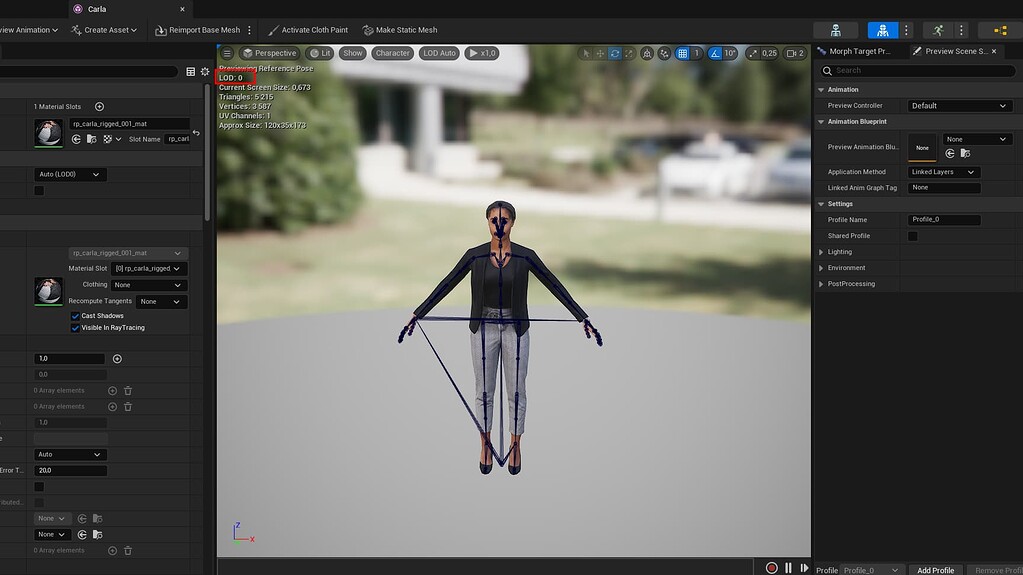
Epic Developer Community Forums
Hello. LOD does not work properly on the skeletal-mesh object. In the preview, he works out as expected, but it’s worth creating a character and installing skeletalmesh for him, as soon as the LOD system breaks down and does not change anymore. This is a bug of version 5.0. I was hoping that it would be fixed in version 5.1, but this did not hap...
If it's an engine bug I can ignore it for now, though I'd like a confirmation about it from someone
 potent garnet
Theory question. I have first person arms and I have an animation for each arm for drawing a sword (currently they play at the same time and intersect with each other).
Would it be better to bake a delay into one of the arms - adding some null frames at the start? Or have a delay state with notifies and a timer in engine? Generally I stay away from timer based logic as it feel sort of transient from a gameplay control perspective
but obviously offers me flexible control over the "delay time"
(I'm probably over thinking this but need a sanity check)
 mental bone
Hi all!
When I use the manny control rig and animate the arms/hands a little in IK mode, is there a way to keep them in position when switching to FK?
Currently they go pack to base pose, once I switch.
 steel musk
anyones mixamo animations swinging there legs weirdly and moving the whole body with the animation when imported in unreal, looks different to mixamo preview. enabling root motion does nothing
 modest jacinth
Hey, In my blender animation, the character holds the sword with his two hands.
However when I export it to unreal, it does that on a few frames (which breaks the whole feeling of it)
Do you know why ?
 jaunty lodge
rare crow
Hi there, I'm quite new to UE5 and I'm trying to understand if it's the right pr...
jaunty lodge
rare crow
Hi there, I'm quite new to UE5 and I'm trying to understand if it's the right pr...
I think it's because your animation don't have a root motion to it
cinder fiber
My animation blueprint used to work fine with this cast, but recently stopped working.
Get player character isn't pulling any value, but only in the animation blueprint. am I calling it wrong?
 cinder fiber
that isn't working either, but both pawn owner and player character work fine in other blueprints
 digital vigil
I've recently been trying to export my game & it says there is a problem with my animations (which when removing this specific set of animations it fixes everything)
PackagingResults: Warning: Found non valid position track for MDP9_v5_Idle, 63 frames, instead of 61. Chopping!
PackagingResults: Warning: Found non valid rotation track for MDP9_v5_Idle, 63 frames, instead of 61. Chopping!
PackagingResults: Warning: Found non valid scaling track for MDP9_v5_Idle, 63 frames, instead of 61. Chopping!
But it gives this error message (hundreds of times), why & how do I fix it?
I made these animations using the key framer in-built in UE5
mental bone
Any advice in control rig sequencer, how I can get rid of that last little hitch at the end and create a perfect loop?
In blender for example I can apply a cyclic modifier and then it's perfect.

 mystic sapphire
Hi there I am new to UE5 And when I try animating using animation blueprint and not sure why it is disappearing
misty dagger
Where should I start to optimize large amounts of actors all running animation blueprints simultaneously? I noticed in my profiler that the tick in my animation bp was causing a little bottleneck
misty dagger
mystic sapphire
Hi there I am new to UE5 And when I try animating using animation blueprint and ...
I had a similar issue. Make sure your imported animation is the same scale as your mesh
 umbral egret
Why when I drag a mannequin in the sequencer a control rig appears on the mannequin, but I can't make it use any of it's animations??? This is in 5.1
mystic sapphire
misty dagger
I had a similar issue. Make sure your imported animation is the same scale as yo...
So you solved by fixing scale? I will give it a try
mystic sapphire
I tryed changing scale but is there anyway i can check both are same scale becuase animation work in sequencer perfectly.
 verbal tiger
Issue with node Link Anim Class Layers, when i try to attach the mesh error says "skeletal mesh component object reference is not compatible with anim instance object reference", any fix for that? Thanks in advance guys
 cosmic ingot
Hello :D!!! It's a stupid question, but I'm still confused, so I'll leave it here.
I'm confused about the difference between the Bone Transform and the Reference Transform that I can see when select a bone in Skeleton.
If the Bone Transform is the position and rotation based on World or Local standards, what is the Reference Transform based on?

 flint portal
gloomy pike
hey guys 🙂
do you know a good way in unreal 5.1 to **mirror animation sequence...
flint portal
gloomy pike
hey guys 🙂
do you know a good way in unreal 5.1 to **mirror animation sequence...
I'm also wondering how to do this!
Would you be able to go over these steps, maybe with some screenshots? Unsure where to see the options for steps 2 and 4
 normal rapids
flint portal
Would you be able to go over these steps, maybe with some screenshots? Unsure wh...
normal rapids
flint portal
Would you be able to go over these steps, maybe with some screenshots? Unsure wh...
UE isn't currently installed on my computer. Try asking @cedar quest, they are who showed me how in the first place while we worked on something.
weak beacon
Is there any way to convert world transform to local/relative/component space in ControlRig graph?
I'm trying to achieve a procedural animation that rotates with the controller and the target transforms are in world space currently.
 cedar quest
flint portal
Would you be able to go over these steps, maybe with some screenshots? Unsure wh...
cedar quest
flint portal
Would you be able to go over these steps, maybe with some screenshots? Unsure wh...
Give me a second
I'll boot up my engine and show you how with screen shots
cedar quest
flint portal
Would you be able to go over these steps, maybe with some screenshots? Unsure wh...
- Make Table
- On an animation, turn on the mirror table.
- Make the mirrored animation
- Clear the mirror table to see your new animation not mirrored.
- Enjoy.


If it's not compatible, you can likely retarget it in UE easily.
 keen kettle
Hiho, im totally new to animation.
When I create a blendspace for lets say a melee axe swinging orc, at creating point I have to chose what mesh to make the blendspace for. Now lets imagine I got a another character(a troll for example) that basically has the same bones and animations and attacks as the orcs. Wouldnt it be better to "share" one blendspace between them? Is that possible or ...idk do I missunderstand blendspaces here?
Ohhhh.... I think I found my answer..... This is what im looking for,right?

(Blend space is basically how it looks for INDIVIDUAL animations itself) and AnimationBlueprint is for "All That share the same variables/movements" and they share one template,right?
 dusky dust
keen kettle
(Blend space is basically how it looks for INDIVIDUAL animations itself) and Ani...
dusky dust
keen kettle
(Blend space is basically how it looks for INDIVIDUAL animations itself) and Ani...
its all about the skeleton
its should be named the same, have the same bone structure
basicaly both characters have to have the same skeleton and animBP
then you can use same blendspaces
if that was ur problem
keen kettle
dusky dust
its all about the skeleton
ye, ill have to dive deeper into animation, but thats a problem for future me 😄 ill just make like 5 different enemies for now as proof of concept XD
 tawdry hemlock
this isnt smooth how can i solve this
terse basalt
@tawdry hemlock you usin blend spaces? That could help make it more smooth
umbral egret
When animating something via the FK Control Rig. If I key something, it seems to want to just have it happen for that one frame. How do I get it to go through a fluid motion?
modest jacinth
Do you guys had issues with unreal changing some key frames of an animations you made time to time ?
modest jacinth
tawdry hemlock
this isnt smooth how can i solve this
In your blendspace, try to change the "weight speed" in "asset details" to something like 3.5 or so.
terse basalt
@tawdry hemlock there's lots of different ways to set up a blend space, however in this tutorial I found this guys shows you how he does it as well as how to get it to work in blueprints. Might be what you're trying to do.

How to Create Animation Blueprint in Unreal Engine 5.How to Create Blendspace in Unreal Engine 5.How to setup Animation in Unreal Engine 5
 lucid meadow
Hey, I followed this unreal engine documentation to retarget the metahuman i created to my previous UE4 Mannequin. https://docs.metahuman.unrealengine.com/en-US/retargeting-animation-blueprints-to-metahumans-in-unreal-engine/
But I'm having a problem with some of the animations i retargeted and even with new animation that were made in engine using the metahuman skeletal mesh. As shown in the gif attached, the pants of the metahuman character move separately from the body once these animations are played. Anyone familiar with this problem and how to fix it?
https://i.gyazo.com/78242963cd8e3c0fcbe8926b9be597d7.mp4

Retarget the Quinn Animation Blueprint to a MetaHuman.
 onyx sapphire
Hey all, my animation breaks but only in new levels. Any idea why?
 pale coral
Anyone know what would cause a character's animation blueprint to just stop executing completely? It starts again if you trigger any movement or anything, but sometimes it just stops, looking in the debugger there's no active execution in the anim graph until I manually start moving again. This is an issue for the AI, though, I have a behavior tree task that just stops because it's driven by animation events (which never happen because all animation ceases).
onyx sapphire
pale coral
Anyone know what would cause a character's animation blueprint to just stop exec...
I think I might be having the same issue? My animbp just stopped working
pale coral
I mean mine works it's just, at a certain point in a certain behavior tree task, it just stops, I guess it's possible I'm calling something that makes it stop but I don't know what
onyx sapphire
Ah yeah, mine seems to just not be returning values. But it does on levels created before today
pale coral
smh... that took entirely too long to find... apparently using this node with this animation causes the next attempt at setting an animation state to just, stop everything

 proud ocean
Hi there,
I am using an animation sequence with root motion baked in, and want to scale the motion down a bit. I can't seem to find any settings in the animation editor for manipulating the root motion scale, and RootMotionParams.ScaleRootMotionTranslation doesn't seem to be affecting anything. Can anyone point me in the right direction for adjusting root motion scale?
 merry loom
weak beacon
Is there any way to convert world transform to local/relative/component space in...
merry loom
weak beacon
Is there any way to convert world transform to local/relative/component space in...
there should be a from world / to world node in control rig iirc
 warm sparrow
Hey this is like a super easy fix but
My animation is almost perfect, except I forgot to enable root motion on one of my animations in the blend tree
I updated the specific animation to have root motion enabled, but the it didn't update the animation, so it still jitters back and forth
Do I need to redo the whole blendspace???
warm sparrow
Actually I don't think it's a root motion problem
The character snaps back to where it needs to be.
 fair forge
cedar quest
If it's not compatible, you can likely retarget it in UE easily.
fair forge
cedar quest
If it's not compatible, you can likely retarget it in UE easily.
Right, We can alway retarget 🙂
 mystic wyvern
AFAIK, these two functions are called on separate threads. How do the comments mean I should gather data in one and use it on the other?
 warm sparrow
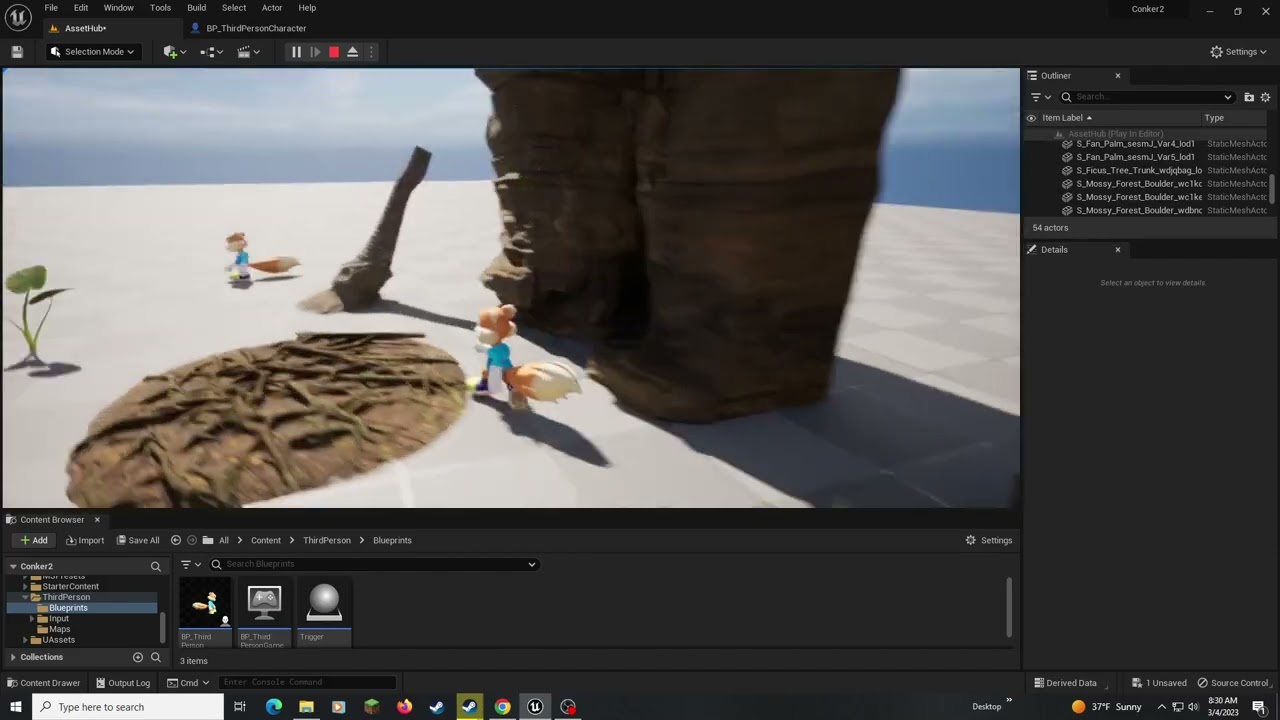
I gotta fix that jittering shit, I thought it was root motion but it didn't fix anything lmao.
Can anyone explain how to stop that jump back
I thought it was root motion, but they're all enabled.
 sweet hornet
hmm uncheck if you have root lock
 molten bridge
Hi everybody. I have flicker on camera view but not flicker out of camera ? ( Nanite using, foliage, Lods are 0 ) any help please. unreal 5.1
 fallen cipher
I have NO idea what I did to the UE4->5 retargetter xD

Where does this retargetter even come from, it's starter content right?
misty dagger
how do I add a keyframe in the sequencer
warm sparrow
sweet hornet
hmm uncheck if you have root lock
Root lock is not on no
warm sparrow
I fixed it
warm sparrow
By redoing it
 vagrant kayak
I cant choose an instance class

Seems buggy, I have implemented an interface (dont get confused by "inherited interfaces" it is a UI bug in 5.1

does anyone know what to do?
Ah sorry, I wasnt up to date... 5.1.1 is the newest update, ill install this. I assume its fixed like mentioned.
 molten sapphire
Is there any way to change a static mesh while still keeping the animations? For example, I have a player bp with animations already set up but I want to change the player model without having to redo everything.
karmic bobcat
You can Rmb on anim bp and retarget it to a different skeleton
It will do all the logic from the animbp
molten sapphire
karmic bobcat
You can Rmb on anim bp and retarget it to a different skeleton
Thank you so much
young olive
I have found the holy grail of Armature Deform problem fixes. It is a paid add-on. Probably best to get the Voxel Weight add-on which includes this Vertex Bake. He wrote a script the Bakes the Blender Smooth Corrective to the vertex weights. ! ! !
 lofty granite
can we hide the retarget line(green yellow gizmo)
it block the visual to retarget hand correctly

 heavy pewter
is there a way to see which part of the state machine you're in in an anim bp? just for debugging purposes
 spare pulsar
Hello, has anyone used Virdyn mocap suit ? Any opinions ?
woven rose
Hey, I'm trying to add facial animations to my metahuman characters. I've recorded a face animation with live link and I've got some animations for the body. So I put the facial animation in the face's anim slot and then I have a separate animation in the body mesh slot. When the face animation starts, the head kinda detaches and stops moving with the body animation. Does anyone know a fix for this?
 summer whale
do unreal engine 4 animation starter pack work in 5 i cant seem to get it to work even with a model that uses the ue4 skeleton
 sharp coyote
is there any way to 'reparent' a skeleton? i know you can import skeletons and assign them a parent as long as the skeletons match well enough but what about 'reparenting' one thats already in the project?
 magic hull
So I am animating a car in the sequencer, I have the turns animated (pitch), now I went with animating the rotation (yaw) and those keyframes are messing up the pitch. The tires get all wobbly when turning and rotating. This is such a weird thing, any ideas on how to fix or what box to tick/untick for that ?
Like why is the Yaw rotation affecting the Pitch rotation that already has keyframes
crystal imp
Does anyone know the proper names that distinguish these 2? I am assuming 1 = Armature, but what about 2?
 digital jasper
I got this this flying mount that I show/hide when I start Gliding

Its bascically a Skeletal mesh that I show and hide with my IsGliding bool.
I added a AnimBP for this skeletal mesh.
I the Event Graph im trying to grab my is Gliding bool from the owning player but doesn't seem to work.
Tried Get owner and Get Player Controller but nothing so far
Anyone know what i could be missing?
 jade solar
Hey guys, I have an animation that after it plays, it teleports back to its starting position I did some googling and people said to enable root motion, I have done that but now my animation does not look the same and is quite wacky now (it does fix the teleporting problem though). Im keen to jump on a screen share if that helps
 exotic kiln
Yo, hopefully a quick one guys. I am using a layered blend per bone setup so I can run around and attack using the top part of my body at the same time.
Is there any way to preview this with animations within the Animation Montages I wanna use, or the Animation Blueprint?
I am seeing my animations play in the editor fine, but when they are applied to the blueprint, they are kinda skewed as they rely on the bottom half to position them. I'm ending up with really janky attack animations.
Just wanna be able to preview them in the editor, and any assistance in solving the jank due to reliance on the bottom half of the body would be ideal
E.g - I have a thrust sword animation, and the character steps, rotating the body to the side and then pokes the hand forward. Without the bottom half of the character playing this one, the arm just pokes out to the side. 😦
 worthy canyon
Did you ever figure this out? I just tried swapping a different walk forward animation in Lyra but it breaks orientation warping.
 ripe yew
How to change MeshSpace to LocalSpace in LayeredBlendPerBone?
solemn charm
I have issue in retargeting Only left hand Bone is twist , Am fail to solve the problem , But i didn't get tutorial regarding this . Please solve this . The Below pic


 unkempt schooner
How do I make Animations/Movies in Unreal Engine 4
 autumn moth
worthy canyon
Did you ever figure this out? I just tried swapping a different walk forward an...
autumn moth
worthy canyon
Did you ever figure this out? I just tried swapping a different walk forward an...
I did but damn i dont remember what it was specifically. It could be missing anim curve or something wrong with root motion settings in animation. Maybe check output log after testing animations in PIE
proud ocean
I'm having a bit of trouble with Leg IK. I added an animation to the third person character that looks fine in the animation editor, but has the feet stuck to the ground in-game. I read that this is caused by the IK system, and can be resolved by adding the "DisableLegIK" curve with a constant value of 1, but it did not resolve my issue. Does anyone have an idea of what might cause this?


 worthy canyon
autumn moth
I did but damn i dont remember what it was specifically. It could be missing a...
worthy canyon
autumn moth
I did but damn i dont remember what it was specifically. It could be missing a...
Cool thanks!
 short wasp
crystal imp
Does anyone know the proper names that distinguish these 2? I am assuming 1 = Ar...
short wasp
crystal imp
Does anyone know the proper names that distinguish these 2? I am assuming 1 = Ar...
Not sure, but one thing I know is change the name of 1 to something else. If you leave it at 'Armature', Unreal is gonna give you lots of trouble
 misty stream
Hello, I am trying to use my keyboard to trigger an animation. I'm currently using BP and Anim_BP.

 livid canyon
Is there a way to stop my animation of my playing from moving inside of rocks etc that have collision on them and instead maybe move the player back or something?
 crimson summit
Probably a total noob question, but I'm stuck here: I'm trying to drive a character from two sources: The **body **via a secondary mixamo skeleton that I retarget from at runtime (the BasePose input), and the face via authored animation clips. I figured out that the setup in the screenshot does exactly what I want (for a single animation), but what do I plug into the BlendPose0 to reference the animation that is currently defined in the sequencer, so I can string different anim clips together to drive the face?
 crystal imp
short wasp
Not sure, but one thing I know is change the name of 1 to something else. If you...
crystal imp
short wasp
Not sure, but one thing I know is change the name of 1 to something else. If you...
Yeah I changed it intentionally to test something in CC4. I did have trouble with it though...Unreal got confused...apparently it reserves that name for something related to the actual armature I guess. Anyway CC4 is identifying what I discovered is an Empty Transform with the actual Armature parented to it. CC4 thinks that is the Armature but it is just an empty transform...so when it looks for the root and the ik bones given the hierarchy it assumes...it doesn't find them because they are one level further down the tree then it expects and therefore it adds them, assuming they don't exist lol.
Long story short I discovered that unparenting the Armature from that empty Transform before importing into CC4 actually fixes the issue.
short wasp
crystal imp
Yeah I changed it intentionally to test something in CC4. I did have trouble wit...
Some investigating right there, nice, never really gave it a closer look
crystal imp
short wasp
Some investigating right there, nice, never really gave it a closer look
Yeah well I was getting aggravated by all the issues with it yesterday so I sat down and tried to solve them. I did have some help figuring that out though.
short wasp
crystal imp
Yeah well I was getting aggravated by all the issues with it yesterday so I sat ...
Just yesterday I had an issue with keyframes not copying properly between actions when there were too many of them. There is some trivial workaround apparently, but you gotta know it nonetheless. I guess Blender just has some weird kinks like that lol.
 winter dagger
i need help creating / editing old animations any good videos?
crystal imp
short wasp
Just yesterday I had an issue with keyframes not copying properly between action...
Interesting, I have seen issues like that in iClone 8 when you switch between 60fps and 30fps sometimes you get a keyed frame half-way between a frame.
 tidal vessel
I have a fairly simple turret for learning purposes. The turret is rigged and has two barrels. I want to animate the barrels shooting (kick back, bounce forward again).
What's the best way to do this? Animate it in for example blender? Is this simple (single axis) case something that maybe should use something else? Very new to animating stuff so be gentle 😅
 mellow flame
Anyone know the pros and cons of using a Struct and Data Table to define "standard" animations for a generic Monster BP, e.g. the Data Table entry for the specific monster would contain fields for: taunt, idle, roar (etc) animations that the designer could then just select as they're creating the mob?
So like, in the Struct you might see:

Then in the generic monster BP (parent for all generic monsters in the game) there would be blueprint and behavior tree logic that grabs the Data Table row based on Monster Name (or another identifier) and from that it knows to play the correct animations for that pawn.
Likely playing AnimMontages with Root Motion for some skills, for example.
My goal is to be able to create a lot of iterative monsters using a basic parent blueprint.
I don't think this would work at all with Blend Spaces so these animations would be constrained to a fairly small subset of the overall animation of a character.
 random hatch
ALS, well i didn’t actually did something to the als character but the character won’t turn anymore: https://youtu.be/O5cNJGPYBEU anyone know what’s causing it?
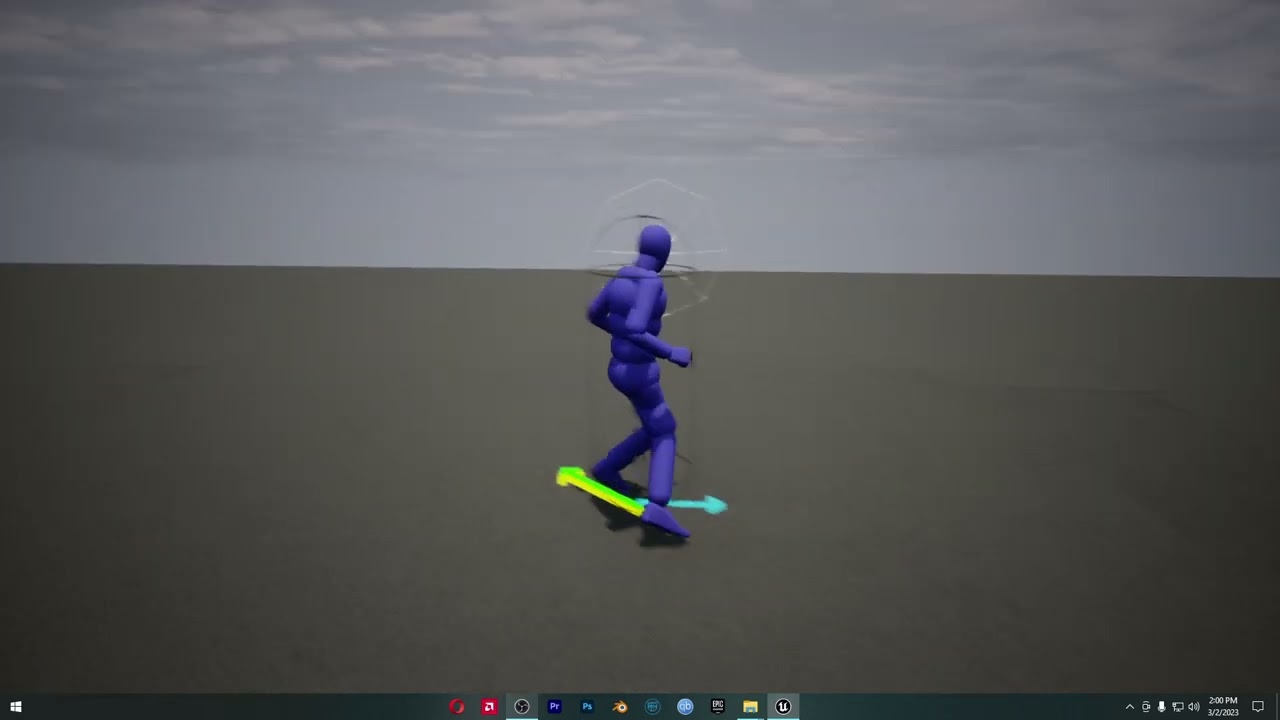
 fading sonnet
Hi, I have made a Forward/Backward solve control rig for the DAZ G3 skeleton, added some Virtual Bones to help with the IK, the only problem is some of the axis on the skeleton don't align with the bone, the IK aligns the axis which then distorts the mesh attached to the bone. What I guess I need is to somehow get the offset when constructing the Control Rig, the apply is back after the IK is run. Any thoughts on how to do this in the Rig BP or another possible solution?
 livid canyon
How can I stop my sword swing animations from going through walls ?
tidal vessel
livid canyon
How can I stop my sword swing animations from going through walls ?
Detect a collision and change course?
umbral egret
Can you re-size the FK Control Rig in sequencer to make it bigger?
livid canyon
I want my character to always face the camera, and ive got the upper torso doing that, except when i run i need to now make a new blend space for backwards. for the running backwards i just play the forward at -1 but how can i flip the running forward to run right and left? and ill just live with my torso twisting for now xD
i tried to rotate pelvis then pressed key and save but it didnt work
tidal vessel
Control rig and animation blueprints are a bit hard to understand for me. I can get stuff working, but I don't understand when to use variables and where. Why can the animation blueprint read from the pawn, but the pawn not write to the anim bp? Why does it need to go controller > pawn > anim bp > control rig, it's such a long route to take.
Is there something that explains these things? I tried the docs but I think I'm dumb because they're not enough for me.
And a more general question I have is what the right way to trigger animations is. I have a barrel on a turret that needs to jump back when firing. This works, but I don't think my solution is good.
 tardy flicker
Hi 🙂 👋
I'm using a control rig with first person arms and baking FPS animations from sequences. I have one animation for idling and one for aiming. I now want to have one for shooting and since this animation has to play while I'm aiming or idling I was wondering how I would go about this?
(I could just create a shoot anim of course but how would I know where the correct transforms are? Should I somehow get the current transforms (idling/aiming) in the anim BP and then just play the shooting anim from there? Probably set up in a state machine?)
...any tutorial recommendation regarding this issue is also very helpful, thanks 🙂
 misty flare
Hi there, does the usage of a Control Rig-component on a character circumvent a assigned Animation Blueprint? For some reason I can't get any animation montages to play on my character. It's rigged with Control Rig and partly being animated procedurally. Using UE 5.03
 pseudo pewter
Hey there
When making weapon animations in software, how can I make the sockets work...?
Like, do I add a Weapon bone to the armature and just parent the weapon to it within UE?
misty flare
pseudo pewter
When making weapon animations in software, how can I make the sockets work...?
Add a socket to a bone, ex your hand, then attach your weapon to that socket - https://www.youtube.com/watch?v=mSCPg3d5Kgg&t=2s
pseudo pewter
No, this isn't what I meant
Some weapon animations involve moving them between hands or even dropping them
what I want to know, is how to properly export those types of animations properly
Like can I use a bone as if it was a socket?
 proper oracle
hi my animation notifies just aren't being triggered, is there a common issue to this
proper oracle
nvm got it
 desert crown
New to the UE5.1 IKRetargeting. After following a number of tutorials I have things working, sorta. Animations work and match but I have odd situation with the ik_root_x points as shown below. What did I miss in the process?


 velvet lion
desert crown
New to the UE5.1 IKRetargeting. After following a number of tutorials I have th...
velvet lion
desert crown
New to the UE5.1 IKRetargeting. After following a number of tutorials I have th...
I recommend Tuatec's tutorials, and also the toolkit he developed. Really knowledgeable about the retargeting process and I believe the constraints solver is how you make sure the IK bone is properly retargeted
https://youtu.be/jGUwGeL_v0w

If you don't use the constraints solver, you might see some very off ik bone locations. Consequently ik systems in ALS will not work. So hand ik and feet ik is broken and your character will act very weird. A solution would be to export the animations and animate them in external tools like Blender, Maya ... But that is not what we want right? S...
desert crown
velvet lion
I recommend Tuatec's tutorials, and also the toolkit he developed. Really knowle...
Thanks, will take a look. Just odd that not a single video (watched 7) had this situation.
 cobalt mortar
Anyone know if there is a way to copy attributes from one control to another within a UE5 control rig? For example I have the one turret rigged nicely. I can quickly create multiple controls but they are obviously all the default red circles. Id like to copy and paste the sizing, color and attributes to each. Any tips?

 lunar spire
Hi, im currently going through the process of relearning unreal engine. Well teaching myself the important things like animations. After getting a decent locomotion state going i decided to add weapons, ive managed to get the left hand bone to a socket location on the weapons skeleton however it doesnt look as good as id hope. id like some advice on how to make the hand look flush against the model while also being able to do this on different weapons. Ive considered using offsets for rotation and location and potentially storing them on the weapons actor which is spawned in the character bp and then just using the stored offsets inside the animation bp but im not sure if that's the best way to do things


 tidal rapids
Who has a thorough understanding of bones, animation, and rigging here?
desert crown
velvet lion
I recommend Tuatec's tutorials, and also the toolkit he developed. Really knowle...
Ok, tutorial done with TTToolbox. Same result. I noticed that the root bone on my target does not move, so when feet leave the ground, it keeps the pelvis in one spot.

 livid canyon
Need some advice, im making an rpg, what is the best way to blend etc... i will be able to go from 3rd to 1st person. can have 2h swords, 1h, shields. Should i make the whole torso go up and down to the camera or just the arms so that you can block / attack in certain directions? if i do the arms, should i blend each arm depending on if theres something in it
short wasp
livid canyon
Need some advice, im making an rpg, what is the best way to blend etc... i will ...
I mean it's more of a mechanics of you game question rather than animations themselves?
livid canyon
more after advice on which would look nicer / smoother, but yeah ill go in general for it
 honest bison
Hi, we import some fbx and the animation jitters a lot. The fbx looks well in 3dMax but horrible in ue. Does anyone ever deal with this issue?
short wasp
honest bison
Hi, we import some fbx and the animation jitters a lot. The fbx looks well in 3d...
Are you using animation retargeting?
livid canyon
Any idea why my blend space works smooth if i start forward, but if i start backwards it goes all weird?

not sure if it is set up correctly
 tardy flicker
lunar spire
Hi, im currently going through the process of relearning unreal engine. Well tea...
tardy flicker
lunar spire
Hi, im currently going through the process of relearning unreal engine. Well tea...
This might help ->
https://docs.unrealengine.com/5.0/en-US/virtual-bones-in-unreal-engine/

Resolve layered animation problems by using Virtual Bones with IK.
tardy flicker
desert crown
Ok, tutorial done with TTToolbox. Same result. I noticed that the root bone o...
try to create another chain for the root like this ->

do that for both IKRigs and assign it in the Retargeter like this ->

I had the same issue once and only setting the "RetargetRoot" on the root bone in both IKRigs just didn't work for me either.
Maybe it's a bug, I'm not sure.
Hope this helps🙏
lunar spire
tardy flicker
This might help ->
https://docs.unrealengine.com/5.0/en-US/virtual-bones-in-unre...
Your a legend thank you so much
tardy flicker
lunar spire
Your a legend thank you so much
Nice! 😁
Glad I could help 🦾
 languid mason
Guys, how to works with modular characters in particular the cards hair or other type ?
I have a character with rig and I attached the hair on the head bone BUT I can't use the physics asset with constraint because there aren't bones for the hair, it have the same scheletal mesh of the character.
There is a way to create lets say a different rig for every hair mesh and then merge it inside unreal with the character rig ?
Thanks in advance
desert crown
tardy flicker
try to create another chain for the root like this ->
Thanks, unfortunately, still getting no motion on the root.
 desert crown
tardy flicker
try to create another chain for the root like this ->
desert crown
tardy flicker
try to create another chain for the root like this ->
think I got it. I noticed you dont have a pelvis and I did. Removed the pelvis from both and so far so good. Got to test 25 more animations, but...

 formal robin
my imported fbx animation doesn't seem to have any keyframes to edit. What's wrong?
I made an animation in blender then exported it as fbx and imported it in unreal 5.
The animation works fine, but I want to edit it inside unreal, and can't see any keyframes.
 desert crown
If I have 5 models all using the same skeleton, do I need to do ikrigs and export animations for each of them?
formal robin
desert crown
If I have 5 models all using the same skeleton, do I need to do ikrigs and expor...
you can export 1 skeleton's animations and retarget in unreal.
As far as I know at least.
I worked on a project where 2 characters had the same skeleton
But I only exported the animations of one of them.
then in unreal I retargetted.
desert crown
formal robin
I worked on a project where 2 characters had the same skeleton
But I only export...
So it sounds like I will have to do an IKRig for each model, then IKRetarget each against one with animation sequences already created then export them for each model.
tardy flicker
desert crown
think I got it. I noticed you dont have a pelvis and I did. Removed the pelvi...
Oh right! That was it 😄
I hope it works now 🙂 👍
formal robin
desert crown
So it sounds like I will have to do an IKRig for each model, then IKRetarget eac...
IK rig in blender, but not necessarily in unreal.
Yes you gotta do IK rigs in blender for all 5 characters
you can still use FK rigs honestly.
honest bison
short wasp
Are you using animation retargeting?
No, just import some wall destruction simulation animation.
 somber light
how would you achieve a realistic walking stairs animation like this ? (Not the first example of the vid and the vid Is just 1 min long)
Even notice how in most games how the character you are playing as whenever they are walking up or down stair.
desert crown
formal robin
you can still use FK rigs honestly.
Can I resuse the IKRetarger by changing the target mesh and exporting the animations? Or new retargeter for each combo as well?
desert crown
tardy flicker
Oh right! That was it 😄
I hope it works now 🙂 👍
Funny think, went to my second model, have the same issue, but the rig matches the first with no pelvis chain. Ugh. Too funny. Now to dig some more.
desert crown
What does the red pyramid mean?
 desert crown
never mind.... my FillBody IK had the wrong root. LOL On to controller animation
Actually, still have a question. So I need to do a retarget and export animations for all 5 models so I end up with 5 sets of these?

 eternal junco
Hey! I'm trying to create an animation for a static mesh, but it seems like all animation tools are only usable with skeletal meshes. Any advice?
 jovial raptor
I have an animation of a pod with a hatch opening but it's opening back through itself instead of outwards but the animation I downloaded is opening outwards
Sorry It's from my phone I'm currently not logged into discord on my pc
 ripe gazelle
Can any animation that uses ue4 manneqin be done on the ue5 manneqin ?
 fresh adder
orange skeleton it works.
 sour sundial
How can I find the animation used in this Blueprint?
 sour sundial
Where is the play rate option in the anim graph?
 fresh adder
Root motion works but still off
 oblique vortex
anyone used motion matching?
 drowsy lily
I'm having some trouble with animations and the level blue print if anyone could possibly help.
For additional context, I'm using a Box Trigger inside the level in order to trigger an animation with Actor Overlap. The animation itself is 350 frames. What I want is to ensure this entire animation will play regardless of actor actions. Because, when the actor leaves the trigger box, I want the second animation to trigger, which is another 350 frames.
Currently, as soon as the player leaves the box trigger, it will trigger the second animation

This is how it's currently set in the level blueprint. Any advice would be great.
 little mirage
This is an animation from the AnimStarterPack applied to the 5.1.1 Manny (i made the skeleton compatible) but its all streched and weird, is there a fix for that or should i just wait an update of the animstarterpack?

 round briar
Hello, so I had a question regarding using shapekeys to retain volume during deformation
So normally this model (in blender) looks a bit janky if you move it a certain way

but using a shapekey and a driver for when the limb moves, we can fix it

But baking this into the animation would do that the shapekeys wouldnt adapt when moving it procedurally, so I wondered if this is somethign you do with "in engine" drivers to control shapekeys in engine?
So in the animation blueprint you would read the bone position values and control the morph target in engine?
 void saddle
Hey everyone! I'm a 3D character animator and I wanna learn how to integrate my animations to some locomotion system. Now I see in tutorials that everyone has some basic locomotion system like Idle/run/jump but is there some resources out there that I could follow to learn how to have a complete playable character?
Like idle/run/jump/doublejump/attack combo (Quick attack + powerful attack)/crounch walk/
I feel a bit confusing that every turotials has a way to achieve some things. Some uses blends, some uses montage. I'm still a beginner but I'm trying to learn complexe locomotion system. Thanks
 polar terrace
How do I make the camera follow the animation and the character not return to the starting point from when I started it?
desert crown
ripe gazelle
Can any animation that uses ue4 manneqin be done on the ue5 manneqin ?
I believe so. I just imported the UE4 mannequin animation starter pack into my 5.1 project, when through headaches retargeting the animation to a Synty model (I have seen tuts that use the new UE5 model as the target) and now have all of those animations on my new model. The headaches were solved by some great people here a few conversations above you.
ripe gazelle
desert crown
I believe so. I just imported the UE4 mannequin animation starter pack into my...
Thanks, good to know!
desert crown
When we make aim offsets, do we need to make them for each animation sequence pose? i.e. I have an up down ironsights aim offset. When the player fires the rifle, I want to play the ironsights_firing animation seq. Do I need to make an aim offset with the same values for that animation or will the animation be in the right orientation when I play it?
 slate field
Do anim notifies fire only once, even if an animation has long since completed and I replay it from start?
 urban sapphire
I made a small test animation. But the animation looks very small compared to the model


How can I fix the size of the animation?
I don't have that problem in blender
forest cloak
I have posted this question in many places nobody seems to know what's the issue. I have the free car from the City sample from Epic store, I have recorded the car driving around with Unreal's Take recorder. Now when I place those track in to my main sequence, it overwrite my cameras and default to the cars POV. I have disable auto posses, disable the Game player and all that still, it auto posses the cameras.
if you guys don't know I don't know who else to ask, thank you
 ancient mountain
I'm getting a bizarre error in my animation state machine. The first time it attempts to play the attack animation, it goes through fine. But in subsequent passes, it seems to skip to the end and I get a thrashing between my idle and attack animations. Has anyone seen anything like this before? Here's a video of my state machine.
And here's the blueprint for the transition from attacking to idle:
 ancient mountain
My hack is to add a 0.2 second wait at the end of the attack sequence in my behavior tree and set the attack bool to false once the transition out of the attack animation begins. I guess it's not the worst thing. But so weird.
short wasp
ancient mountain
I'm getting a bizarre error in my animation state machine. The first time it at...
Have you checked if the attack animation is set to looping in the state?
I'd suggest playing the attack animation as a montage anyway, easier to work with when it's a one-off anim like that.
ancient mountain
short wasp
Have you checked if the attack animation is set to looping in the state?
I'd s...
Should it be set to loop? How would changing it to a montage help?
short wasp
ancient mountain
Should it be set to loop? How would changing it to a montage help?
It should, if your attack animation finished playing, reentering the state does not restart it, unless 'loop' is enabled.
I find montages to be better to work with when doing attacks, interaction etc. Mostly it comes down to readability and the fact that it's much easier.
Say you have animation states for idling, walking, running, jumping, maybe even crouching, and they all logically flow into each other. Now say you want to add an attack animation as a state, and you want to be able to attack regardless of what your character is doing. Suddenly you have to connect it to all the other states somehow, and it just becomes a jumbled mess of arrows.
And again, say you want to THEN add an animation for blocking, or taunt animation, whatever, it becomes even worse.
Montage is just a nice customisable animation format you can play from blueprints regardless of animation states.
Now I'm sure it's not all black and white, but as a rule that's how I see it.
ancient mountain
short wasp
It should, if your attack animation finished playing, reentering the state does ...
Wow, that makes sense! Thank you! A lot of tutorials show how to use it, but never explain why. For this AI, it doesn't matter, but it will for others and the player. I'll have to figure out how to trigger a montage from a BT Task or from an animation variable next.
somber light
Hey guys, could somebody take a look at this post and tell me if they have any idea how this could be fixed?https://forums.unrealengine.com/t/handik-trace-rotation-and-offset-from-trace-location/787593
 violet mango
Hi everyone. Me and my colleague have spent the last 2 days trying to wrap our heads around the this. We want to replace the default mannequin skeletal mesh with our own. We've matched up the bones properly so that they match the default mannequin bones when importing the model into UE but for some reason when we play the game some parts of the mesh are pointing in the wrong direction. We're using the VRGK add-on and I've tried asking on their support forum but they seem to be just as confused. We're pretty sure that it's down to the axis for the bones when exporting from blender. So far this is the closet we've been able to get and using Primary Bone Axis = X and Secondary Bone Axis = Y seems to work best


 lean willow
is there any way I can choose the animation depending on the variable?

 cursive ether
Hello @everyone, please tell me who knows. I have animated widget and matterial. But it blurs when i start lvl. How can I fix this?
dreamy oriole
Hey all...I'm finally delving into animation. I'm scared, lol...I am using blender and I have my armature with all my IK stuff set up and I have some empties as IK controllers. I also put an empty and made it the main controller, it looks like I will be able to animate the entire thing in object mode by keyframing empties, but I can't figure out how to control say a head bone (currently a child of the root bone) and the proboscis bone (currently a child of the head bone) how can I get those bones to be controlled by empties in object mode? (or am I just way off?)
 quiet needle
if i wanted to add an arcade drifting mechanic to my game, would i add that to my main BP or to my animgraph?
short wasp
lean willow
is there any way I can choose the animation depending on the variable?
'Blend poses by' node
silver badger
This noob just discovered the transform bone node.
Really useful, the only thing is that there is no interpolation, the changes are applied instantly.
How can I solve that?
 forest cloak
silver badger
This noob just discovered the transform bone node.
Really useful, the only thing...
forest cloak
silver badger
This noob just discovered the transform bone node.
Really useful, the only thing...
I am sure there are many ways to do this, but I would go with a Timeline, in there you can tell how long to do something
 dim drift


why when i create an animation sequence and put the idle animation the body is weird
tidal vessel
I am slowly losing my mind. I've been playing with retargeting since yesterday, and one specific animation isn't working out.
For context, I am using a thirdperson project. I retarget (manny) to a random synty character and it all looks fine in the retargeter window. But when I export the default mannequin "land" animation and open it, it's bellyflopping.

All the other animations are up right, except this one. This one tripped.
I think it might be a bug?
When I export and reimport the animation it works.
 rancid horizon
Does anyone know how to use a AnimGraphNode_CallFunction in the anim graph? I'm having some errors trying to create and use that 😅
somber light
how do you delete an Ik goal?
dreamy oriole
ok, so i figured out my rig heirarchy problem, and I'm now ready to create some animations...Was reading this link: https://www.immersivelimit.com/tutorials/export-animations-from-blender-to-unreal-engine and am curious about the actions bit...never used Actions before...it appears that actions are per object not per armature? Does anyone have a workflow for working with Actions in Blender for UE5?

Immersive Limit
A short guide that will teach you to export rigged/animated meshes from Blender to Unreal Engine
desert crown
tidal vessel
I am slowly losing my mind. I've been playing with retargeting since yesterday, ...
I found a combination of these two videos helped me get a synty character working with the starter animation.
https://www.youtube.com/watch?v=klNk4siHjDM
https://www.youtube.com/watch?v=jGUwGeL_v0w
tidal vessel
desert crown
I found a combination of these two videos helped me get a synty character workin...
I got it working, my question was about the one specific animation. Export and importing the same file again fixes it so I'm pretty sure it's a bug
desert crown
tidal vessel
I got it working, my question was about the one specific animation. Export and i...
 tidal vessel
desert crown
tidal vessel
desert crown
?
desert crown
tidal vessel
?
Was just showing you my Synty model after retargeting from UE4 manny and animations
tidal vessel
Ah cool, good job 😄
dreamy oriole
all the tutorials I see for blender->unreal show just using bones...I have a rig driven by empties that can be animated in object mode...will this mess up my process?
tidal vessel
dreamy oriole
all the tutorials I see for blender->unreal show just using bones...I have a rig...
You don't use an armature at all?
Because I don't know if that's possible. If your armature is driven by IK and those empties then that'll work fine, because you'd export the animation
But just moving objects around won't work I think. You'd need a rig (bones) for that afaik. But, I am not an expert so feel free to wait for someone more knowledgeable to confirm or deny my claims 😄
dreamy oriole
tidal vessel
You don't use an armature at all?
Yes, I am using an armature. I just set all my IK chains to end in empties and I have some empties driving head bones and antenna chains and such...it's still an armature, I'm just keyframing the empties...should I be keyframing every bone and empty?
 light prism
Sup all, I am looking for some input. I have a game I am working on in UE5, and all the non Third person walk animations are broken, the chars just slide when their suppose to walk. The chars in question are all animals. I know there is a known issue for this with the third person, and I did try that fix, and a few others on you tube, but they didn't fix the issue. It's just the walks, all the other animations work fine. Any advice would be appreciated.
 worn jolt
Has anyone else had an issue where when using animation layers it spawns as many instances as you have anim nodes? I'm trying to create something similar to the Lyra project, but they don't seem to have this issue and I can't find what I'm doing differently
 dreamy oriole
I'm starting to think I made a bad choice with doing all these empties in my rig...When i create Actions, I'm seeing they're all over the place for each object rather than just a single action for the armature...should I be animating bones only?
 long relic
hey guys when i add a walking and running animation inside a BlendSpace it doesnt react to the changes to the player character and i wonder why anyone know ?


 rigid robin
Hey whats the process for first person animation? I have a first person arm rig and a pistol rig in blender, im just trying to figure out the process for having weapons be attached in unreal as well as having both the weapon and character animations
oak spire
rigid robin
Hey whats the process for first person animation? I have a first person arm rig ...
This can be done a few ways from what I've seen, but the standard would be having sockets on the hands, and attaching the gun to those sockets (either through a socket of it's own, or with a predetermined offset. Personally, a socket would probably be easier to adjust and get just right). Then when the player presses the Fire button it plays the kickback animation on the player while telling the gun to run a function to spawn a bullet and play it's own animation. That's the short version, and only what I've gathered from studying how others have done it.
 earnest idol
Is there a way for me to attach a bone to a component in a blueprint, like if I wanted to attach the player head to the camera how would I do that?
oak spire
earnest idol
Is there a way for me to attach a bone to a component in a blueprint, like if I ...
I think you'd likely want to do it the other way around, attaching a component to a socket on a bone. Look into the Attach nodes (AttachActorToComponent, e.g.)
earnest idol
Would that make it so if I move the camera the head moves with it?
oak spire
No, but there's some pretty basic tutorials on how to do simple versions of that. If you're talking about deforming a mesh to follow a camera, that gets a bit more involved.
earnest idol
ok do you have any videos you would suggest on that?
rigid robin
oak spire
This can be done a few ways from what I've seen, but the standard would be havin...
yeah thanks that bone thing is what im trying now, im just going back an forward with blender an unreal to get it ahah
oak spire
You can also add a socket in Unreal
oak spire
earnest idol
ok do you have any videos you would suggest on that?
How you handle it largely depends on how you're handling movement and rotation in your first person character. Just youtube First Person Camera controls, True First Person, and whatever version of UE you're using, and start sifting through. You're bound to find something.
Addendum: MOST first-person games don't attach the camera to the head at all; there's usually (from what I've seen) a secondary mesh controlling the camera and arms that can look up and down, while the body and the feet stay mostly in place, allowing you to look down at "your" body.
 prisma quiver
I have character with separated body parts I put them into a blueprint can I just add a control rig to the blueprint for the base character? I think I was able to just add it but now I am having issues like when I move the character it like snaps to precious location when i move it and certain parts of the body move after animation durning render time. this is super weird but I think it steams from needing to animate a character using control rig with separated parts does anyone have any resources on how to orginze a blueprint character with a control rig for animation. I am also making a short film rather than a game
 toxic thorn
any ideas why the slot is still overriding the body rather than just playing on neck?

ugh, nevermind, the layered blend poses are switched
languid mason
Hi I have a question about modular characters.
Is it possible to have a specific rig for each type of hairs and join them to the character's rig via blueprint?
Thanks in advance
dreamy oriole
When I'm animating, should I be selecting all bones and adding key frames for every bone every time or just the bones I've moved?
The tutorial I watched had him press a and insert key frame for location, rotation, and scale for every bone every time. But that seems excessive.
 lucid flower
Where can I learn about Skeletons, skeletal meshes, and all that jazz?
Tried a few unreal courses but they don't talk about those
oak spire
dreamy oriole
The tutorial I watched had him press a and insert key frame for location, rotati...
From what I've seen it's not necessary to key every bone, though there may be use-cases where you'd want that. The first that comes to mind is returning body parts to their positions accurately after enabling and disabling per-bone physics. Again in my experience UE already does a fine job of this on it's own. (There is an autokey toggle in Blender which can save you a bit of time which only keys what you've moved, but you have to be careful not to key things you didn't want this way.)
 sharp linden
I do not understand why for every control I have the full rotation visually is just half of actual rotation? Like when you see you make 180 degree turn it is actually 90 degree turn. The rotation is properly reflected on the skeleton, it's the way it's done on actual controls it's weird.
Same for translations
I went to check if existing Metahuman Control Rig behaves like that, but everything is fine there
But if I create a Control Rig from scratch for Metahuman, and set a control for root I observe the same behavior
Does anyone see the same?
dreamy oriole
oak spire
From what I've seen it's not necessary to key every bone, though there may be us...
Thanks! I'll clean it up a bit then
 wild spoke
Hey everyone, I'm new to animation so bear with me. I'm trying to make an animation on Blender with MagicaVoxel. When I try to import the finished animation on Unreal I get the error 'Multiple root bones'. What does it mean ? How can I fix it ? Here's my Blender screen :

Thanks in advance guys 🙂
 inner skiff
I found this question and it perfectly matches my issue, so ill just paste it
In Maya I made skeletal mesh and animated it also i made camera animation as a bone and it calls (tag_camera) and i imported skeleton to the UE4. With Blueprint I tried to attach camera to (tag_camera) bone to have camera animation that i had in Maya. However I’m making FPS game with Blueprint thats why I have to attach Skeletal Mesh to Camera, other wise camera moves seperately and arms (skeletal mesh) doesnt move. However if I attach camera to (tag_weapon) bone in Skeletal Mesh then, camera animation works but camera moves seperately. How Can i fix it with Blueprint?
I have a street cleaning vehicle skeletal mesh and I want to move (spin) the wheels and the brushes at a constant rate. Two questions:
- Is using control rig the way to go or is it overkill?
- If control rig is the way to go, is this (screenshot) how to do it, or is this a dumb way of doing it?

I guess I could at least plug speed directly into "accumulate add" and tick "integrate delta time"
Actually, I can get it a lot smaller like so. But I'm still not sure if this is how it should be done. It feels like an awful lot of work and files for just having something spin 🤔

 worldly loom
Anyone had success implementing this method: https://m.youtube.com/watch?v=Z8eqaFG7lZQ ?

The Full Body Inverse Kinematic (FBIK) feature in Unreal Engine 5 allows you to construct IK in Control Rig with a high degree of control and flexibility. In this feature video, we show you how to create a 100% procedural animated character with a highly modular setup.
karmic bobcat
can someone explain to me how i can avoid having a million different ue4 mannequin skeletons inside my project? it makes it really confusing when doing retargetting(each pack from marketplace makes its own ue4 skeleton) ?
 foggy comet
Hey for some reason after I added a couple naimations to my FBX and rexported, I'm not seeing them show up as anim sequences in the content browers. How do i add them?


 dusky void
wild spoke
Hey everyone, I'm new to animation so bear with me. I'm trying to make an animat...
dusky void
wild spoke
Hey everyone, I'm new to animation so bear with me. I'm trying to make an animat...
Check your bone parents and be sure none are left empty except the root bone.
 winged rover
I'm creating a way to switch weapon and trying to use anim layers to avoid enum switch inside inside ABP. If I understand well how it works, if I have several items to equip in my hand (weapons, healing stuff ...). To make it simple, we can have an ABP per item? But all calculation like ground speed, or states like falling or move are thread safe updated in parralel
 swift leaf
im a new to animation in unreal, lets say i make a cube move in sequencer
what should i do to bake this animation into a proper animation asset for this cube if thats even possible
karmic bobcat
anyone had any luck with skirts? ive tried different things but i kkeep getting penetration with the legs
wild spoke
dusky void
Check your bone parents and be sure none are left empty except the root bone.
Yeah my problem was I wasn't actually using any root bone. All of them were roots, none of them had a parent
But thanks 🙂
dusky void
wild spoke
Yeah my problem was I wasn't actually using any root bone. All of them were root...
so what I mentioned
 real orchid
Hey folks, I have a bunch of anims I share across skeletal meshes that all have the same skeleton. These meshes use different weapons but when I attach a preview mesh it appears to attach it to the skeleton not the skeletal mesh or the animation sequence asset. Is there a way to change or specify this? How am I supposed to deal with a case where I have 1 humanoid skeleton that powers many skeletal meshes that all use different weapons?
dusky void
Make a master blueprint for character base, and then make a child of that blueprint of each type of character
@real orchid
real orchid
I mean in persona for animation preview not in gameplay. In gameplay it all works correctly but each time I'm working on an enemy I need to change the preview asset to match their weapon in the base humanoid skeleton when I'm marking up the attack montages
 pastel lily
Hi, folks! I've been banging my head against the wall over this for several days, but I'm sure there's some very simple solution I can't seem to dredge up with Google, YouTube and the forums.
I'm using a Root Motion animation to have a Metahuman character walk through my set, but no matter what I try I can't seem to have the origin point for the Metahuman to move with the mesh. This makes it exceedingly difficult to animate a change of direction for the walk. How in the world do I get the origin point to stay with the mesh as it "walks", rather than remaining pinned to the start point?
 fading falcon
How could I make texture scrolling so I could make a straight road infinite?
dreamy oriole
When I'm animating for UE...do all my keyframes need to be Location/Rotation/Scale? or only the attributes that change?
dreamy oriole
Also, I just reimported my skeletal mesh animation with an added NLA animation...where do I go in the engine to see the different track?
tired garnet
I have a question about how should I approach such situation with my procedural animations. I have a spider like character(red one), that should be able to go down, but the traces(blue ones) for the legs are not hitting the vertical wall. I'm not convinced to making additional traces, like e.g. "when first trace fails, make another one but with different angle". How should I solve such situations?
 pseudo pewter
Hey there
When exporting a character with a weapon animation, I often animate it using bones to parent the weapon to it
Can I set the weapon object as a child of said bone, as I did in my software?
Or do I need to use a socket?
If I need to use a socket, then would that provide the same positions / transformations of the parented bone? Mainly the point of origin and orientation
livid canyon
has anyone got a premade IK retargeter for mixamo characters? i want to use the mixamo characters but on the ue5 skele
dreamy oriole
So it looks like I'm actually up against a problem that hasn't really been answered recently. Is my only option to do a full import in a separate folder and copy the anim portion if I've added a new nla animation and want to reimport?
 nocturne rose
I'm trying to make an attack animation sequence, where you left click and it transitions into the "attack" animation and apply a different animation every time (not randomly, in that sequence in the picture). It transitions to the "attack" state but the animations dont play, the index for now is set to 0 so I expected the animation at option 0 to play, am I doing something wrong here?

if you need any more info tell me and I'll provide, not sure if that's sufficient information to understand the problem
spare pulsar
how do I make a run animation stay in place ? Right now it runs forward and keeps repeating. I tried changing root motion settings, no change
 unique leaf
spare pulsar
how do I make a run animation stay in place ? Right now it runs forward and keep...
unique leaf
spare pulsar
how do I make a run animation stay in place ? Right now it runs forward and keep...
Are you using a marketplace asset? If so can you send the link so I can check it out to see if I can fix the problem!
pastel lily
Are Root Motion animations unsuitable for cinematics? I'm wondering if the issue I'm having is due to them being specifically meant for gameplay animations and not in cinematics (if there's even a distinction, really).
pastel lily
spare pulsar
how do I make a run animation stay in place ? Right now it runs forward and keep...
If it helps there are some run-in-place animations included in the starter assets with the engine, I believe.
 elder laurel
Is it just me or is Control rig completely busted when it comes to the euler transforms?
Locking a rotation to 45 degrees on one axis, fine
As soon as I lock to to more than 89, it acts as if its locked to 180
Also moving or rotating controls or anything on one axis just flat out screws up the other axis? Am I missing something?

Also creating a control by right clicking a bone, and then attaching the bone to it in the blueprint causes it to nudge ever so slightly?
Getting this result by simply entering 90 in the Y value

 boreal pawn
Hi! Maybe someone know how to fix this - I play montage with AbilityTask_PlayMontageAndWait and sometise everything is ok but sometimes they played the way faster then they should ?
spare pulsar
unique leaf
Are you using a marketplace asset? If so can you send the link so I can check it...
mixamo animation
but right now im having another problem. I have a slow running animation
and I want my character to run from point A to point B
is there an easier way to match the speed of the movement to the speed of the running ? Rather then trying ot eye it out in the sequencer
my charaters feet are sliding a bit, while running and getting moved by the sequencer transform
 vapid quartz
is anim notify tick expensive when used on a BP Anim Notfiy State?
pastel lily
Oh man, maybe this is the answer to my problem (from the forums): "Also you can not drag a root animation directly into the scene and expect it to work. It has to be part of a blueprint where the root motion can move the root component capsule."
lucid meadow
lucid meadow
Hey, I followed this unreal engine documentation to retarget the metahuman i cre...
bumping this anyone know this issue ?
 marsh knot
Is there any easy way to import animations from Mixamo and get them to work with with the Unreal Engine mannequin?
steel musk
hi, when i import my mixamo animation my character is swinging it's legs about, any ideas?
karmic bobcat
seems like theres no more "Transform direction" node in **5.1 for the ControlRig? **What is the replacing node?
karmic bobcat
i guess Its called 'rotate vector' now? please lemme know if im wrong
Also..wheres the constraints in the fullbody ik node now?
prisma quiver
I am trying to animate a space craft large landing door to open currently there are bones for different part but I am trying to figure out a control rig to aniamte the process would anyone know of a good tutoral in this vain video is roughly the idea of what it looks like https://www.youtube.com/watch?v=FRQeAgPb39I
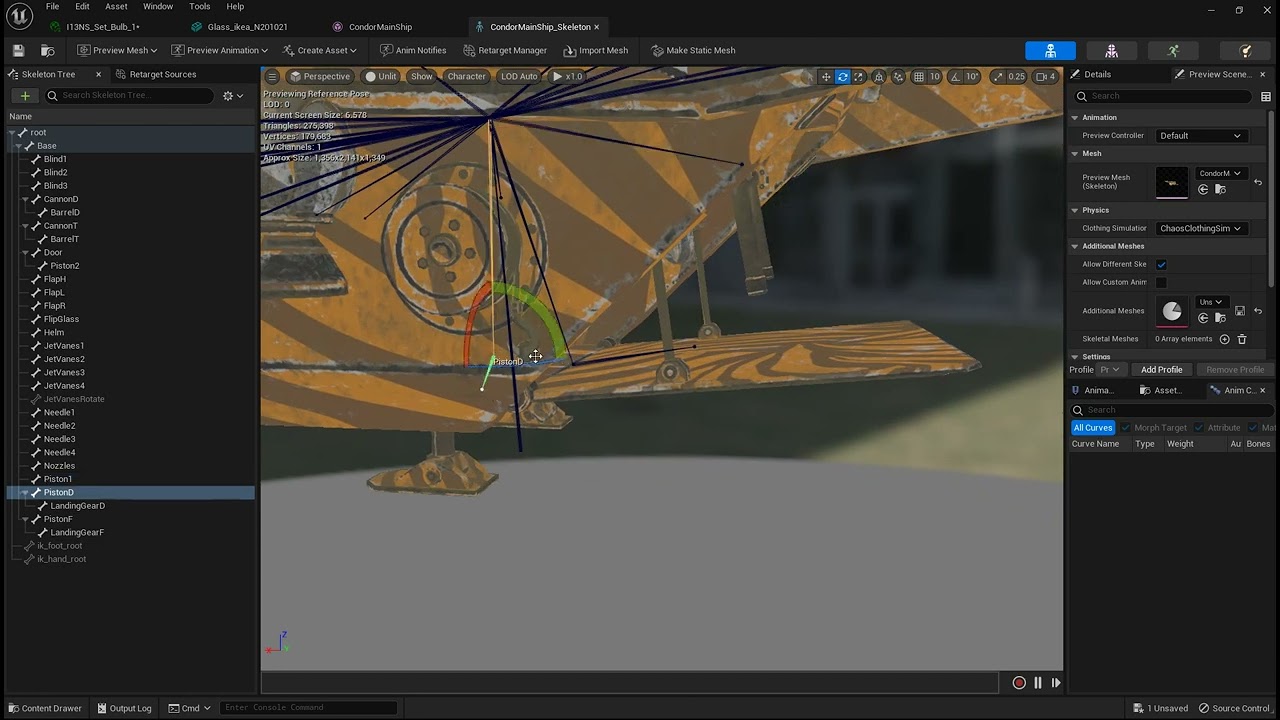
this is an example of what I want to be able to setup in control rig is the abality to close the gate and have the different pistons move
livid canyon
i want to play an animation from an array of animations. but i cant seem to make a variable for "Animation Asset Object Reference" which is what needs to be plugged into "Play Animation" node. How can i do it? i want to set a variable as an array then i can get use the "Random" node to grab a random one
 dry breach
If I understand you correctly you can use the "random sequence player" node
after you place the node you can select it and you can set what animations to add to the array under the "Settings" section under "Details"
@livid canyon
karmic bobcat
when using blendspace 2d some animations become very slow...any idea why this is? all the rates are 1
tired garnet
Can I make break loop somehow in control rig?
pastel lily
Is there an optimal Root Motion Root Lock, or is it entirely situational?
The issue I'm having is that the origin point of the mesh is remaining at the start mark where the Metahuman begins the animation rather than traveling with the mesh.
Addendum: when I open the animation editor, change the Character -> Animation -> Root Motion setting to anything other than "Ignore" and then save it, when I open the animation in the editor again the setting is back to "ignore".
 unkempt cradle
Hi! I'm new to animation, so sorry if this has been asked before. But I am really interested in how ALS animation works. I am in love with smooth animations in games. Is there anyone who breaks down how this creator was able to accomplish this? Or at least someone (on Youtube or Udemy/etc.) who can point me in the right direction of learning smooth animation?
pastel lily
Okay, further research has, I think, at this point made me accept that root motion animations with root translation are simply not what you use for cinematics, so now it's time to learn more about actually doing some animating!
 exotic plover
pastel lily
Okay, further research has, I think, at this point made me accept that root moti...
exotic plover
pastel lily
Okay, further research has, I think, at this point made me accept that root moti...
turning on or off enable root motion won't do you any good, if the base animation doesn't actually have root motion, that is, if the root bone doesn't have any motion
it also doesn't have any influence for cinematics, afaik
pastel lily
exotic plover
turning on or off enable root motion won't do you any good, if the base animatio...
This one does have root bone animation (it translates forward), but in the end it's useless to me for like a lengthy walk down a hallway with corner turns. Clearly it's very useful if you have, like, anything that only has to cycle once rather than cycling repeatedly.
Like jumping over an obstacle or climbing a ladder, etc.
exotic plover
sorry, I jumped in without much context 😅 you're using the animation in sequencer, right? @pastel lily if so, are you using the bone matching functions?
pastel lily
exotic plover
sorry, I jumped in without much context 😅 you're using the animation in sequenc...
I am, yes.
Matching the bones at the loop points works fine BUT the problem is the origin stays stuck to the point where the mesh started the first animation. So, if I want the mesh to walk in a curve instead of a straight line it becomes a matter of doing a truly wild transform on the origin point to make that happen.
When what I'd like to do is make simple small rotation adjustments local to the mesh while having the walk continue forward.
exotic plover
I see ... maybe for that the best solution is an in-place walk cycle, and using a spline solution, like a camera rail
pastel lily
Yeah, that's what I'm basically doing. Just keyframing translations with every step of an in-place cycle.
I was hoping to have the automatic forward translation of the root animation do the work of the "forward motion" for me and then all I would need to do is key any directional changes. But I've been banging on this for literally a week and it just doesn't seem possible to do it that way.
exotic plover
there's a roundabout way of doing it ... does your character use a UE skeleton?
pastel lily
It's a Metahuman so it's basically the UE5 Mannequin skeleton, more or less.
exotic plover
well ... if you can set up a third person character pawn with it ... you can then just "play" it walking, and use the take recorder to capture it to an animation 😅
it will probably work with the UE5 mannequin pawn too
pastel lily
Ah, I see. 😄 Yeah, in the end I'm not sure that saves me too much work and I think it may sacrifice some flexibility but I can look into it.
exotic plover
sure 🙂 keep in mind you can always do that and use it as a base, and then further tweak the animation using a control rig, if needed, or blending in some other anims in place
pastel lily
True. I'll take a look! And thank you, you're the first person to seriously engage with this issue either here or on the forums. 🙏🏻
exotic plover
I know ... Slackers used to be much more ... alive ... back in the day ... get off the lawn, darn kids! 😂
I actually came here to post a question about control rig ... but the chances of getting an answer are probably very small, I guess 😅
pastel lily
Oh I'll have plenty of questions of my own about that once I add an additive track to make this walk more lifelike.
I feel like the control rig picker is broken with Metahumans? I may have missed a setting.
exotic plover
anyways ... anyone know a good way, using control rig, of rerouting/swapping one bone rotation to the control of another bone? like, putting the wrist rotation on th eelbow, and vice versa?
exotic plover
pastel lily
I feel like the control rig picker is broken with Metahumans? I may have missed ...
sometimes you need to disable Filter assets by skeleton 😅
 quiet vault
hi ive got a huge problem. im making a gun idle animation in unreal and whatever part i animate is rotating 90 degrees to the left. i cant do any gun animations currently because of this

when the default pose is applied to base pose in my animation offset

i dont know if its exactly 90 degrees but i know something is messing up pretty bad with the rotations
marsh knot
Hey, I made a really basic walk animation but when I import it into Unreal Engine, the leg swinging direction is reversed? Anyone know why/how to fix thbat?
 north ivy
Encountered an issue where I tried to attach blend space onto movement sequence.. it appears the Anim Sequence base is attachable to Sequence Player whilst a Blend Space is not :[
Is this another Unreal engine 5.1 issue? as it's been opted in an old tutorial
error code Blend Space Object Reference is not compatible with Anim Sequence Base Object Reference

 mortal ingot
north ivy
Encountered an issue where I tried to attach blend space onto movement sequence....
mortal ingot
north ivy
Encountered an issue where I tried to attach blend space onto movement sequence....
wouldn't you..... use a blend space instead?
 outer token
Hi All. In LYRA, I have a character begin the match with an Unarmed Blueprint. But for the first second, it looks like it starts with a basic pistol holding animation before blending back to unarmed. Anyone has any idea why one blueprint might override another just for the first second after spawn?
Here's a video showing what I'm seeing (never mind the bad placement on the hands). Just wondering who might know why it wants to start with that animation.
 late charm
Is anyone aware of the implementation details of animations? I'm curious if when modifying animations in editor if the "additive layer tracks" are baked into it's own animation when cooked instead of being added on top of a reference pose/animation.
quiet vault
so i made a test animation cause ive been having trouble animating the UE mannequin, and when i go to look at my animation, the saved animation is not the same as in my viewport. theres some weird stretching going on with the mesh, its pulling the elbow bone out


i see the elbow bone going out when i move the IK controls but its not warping it in the animation
its like the animation was made with IK in mind but the mesh is still using FK?
even when i flip the IK switch off it doesnt distort like it does in the animation though

its like distorting the bone too
 quiet vault
checking this option fixes it in the preview, how do i do this on my bp?

i found it, inside the skeletal mesh details

 azure roost
Hey there,
I have a few hundred instances of an actor in a scene and they are all animated in sequencer.
They all have the same material instance assigned and I wanna override some parameters of that material instance in a master sequence.
Problem is: If I
If I add the static mesh actor that is referenced or one of the instances, so I can access the material instances parameters, only the material instance on THAT actor is changed.
I don´t wanna add hundreds of instances and change the parameter on each of them, but I also don´t wanna change the master material to include a material parameter collection for each parameter I wanna animate.
So..
Is there a way around this?
 blazing kernel


 rancid sparrow
Hi all! Where is the speed from a standard third person character BP's movement component reported to the Animation Blueprint variable?
mortal ingot
rancid sparrow
Hi all! Where is the speed from a standard third person character BP's movement ...
You can get the pawn owner of the animation blueprint, cast it to character and from the movement component, get the velocity.
rancid sparrow
mortal ingot
You can get the pawn owner of the animation blueprint, cast it to character and ...
In the Animation BP event graph tick?
mortal ingot
rancid sparrow
In the Animation BP event graph tick?
Well, update animation. But would cast to character on animation initialization and check if character variable is valid
Then you can vector length the velocity to get speed