#animation
1 messages · Page 13 of 1
 frosty turret
Why not
sure give me a second I was calling my bf
do you mean in mixamo
or UE5
 fresh sandal
No worries. Wouldn't really matter, just the model in T-Pose. But i think i got what i needed. But just to be clear you didn't import the armature itself into mixamo?
 somber light
fresh sandal
No worries. Wouldn't really matter, just the model in T-Pose. But i think i got ...
somber light
fresh sandal
No worries. Wouldn't really matter, just the model in T-Pose. But i think i got ...
The model wasn't rigged at all by default, squids rigged it by uploading to mixamo and downloading it again
That's why it's messed up. Told them to rig it in blender properly
But it will look awful at the armpits because they are connected from Almodt the elbow to the body so @frosty turret you would need to model that part too probably
frosty turret
fresh sandal
No worries. Wouldn't really matter, just the model in T-Pose. But i think i got ...
I don't believe I did?
somber light
Or it will stay like this under his arms
frosty turret
let me get you the T pose

anyways as expected
it looks dumb as hell
went on reddit to see if anybody rigged it

not even going to try
seriously what the fuck
how did they make it worse than the default
how is that possible
somber light
well, good luck with fixing that xD
frosty turret
not trying
frosty turret
somber light
well, good luck with fixing that xD

turns out the bones were just
too big
so I turned it to the minimum
now there's fucking holes in the meesh
could I just fill them in in blender or something
sculpt tool it a tiny bitt
frosty turret
save me some time
somber light
the rig is more important than these couple of holes rn
frosty turret
it does not have fingers
why the fuck does it not have fingers
who made this
the original had fingers
why did they do that
fresh sandal
I'd say it works well enough and you can select to have fingers in mixamo. But this entire mesh is a mess. The way it's posed and modelled makes it very difficult to properly weight paint with or without auto rigging.
 somber light
it wasn't made for animation, that's why
frosty turret
why the hell would someone make a 3d model of a person in a tpose if it weren't meant to move
just like
a statue
somber light
was it in t-pose when you downloaded it?
fresh sandal
It's not impossible to fix but it would be time consuming and require some skill. You'd have to manually put it in t-pose. The model itself isn't modelled in t-pose it's modelled in a-pose. But either way you can do that and pose it using other tools than rigging in blender
somber light
cause on the inital website it is not
somber light
and it says not rigged, thus it wasn't supposed to be rigged at any time
frosty turret
A pose
somber light
a pose is a usual standing pose
frosty turret
fresh sandal
I'd say it works well enough and you can select to have fingers in mixamo. But t...
it does work well enough until you look at the legs
 somber light
bro if you look at the model it doesn't even have a neck actually. You probably changed that later on yourself by making the mask black thus not showing the person anymore
frosty turret
it does have a neck
somber light
no
 frosty turret
somber light
no
frosty turret
somber light
no

 frosty turret
fresh sandal
frosty turret
fresh sandal
Howd you get it like that
OK good news
found another fella on reddit who claims to have fixed the mess
fresh sandal
Just the way i said. But in order to fix the arms you'd have to weight paint it.
frosty turret
got it
fresh sandal
fresh sandal
Um. Discord blocked my message of the T-pose screen. Maybe wearing a spacesuit isn't enough clothing.
somber light
probably
you wanna hear my adice? Take this free dude here (who is already rigged) and make all materials yellow. Then it doesn't matter much visually


An Animated Astronaut character floats in Space Suit in the blackness of space in this Looping animation.
See this 3D model in action, and more models like it, in this collection of free augmented reality apps:
https://morpheusar.com/ - Animated Floating Astronaut in Space Suit Loop - Download Free 3D model by LasquetiSpice
frosty turret
somber light
you wanna hear my adice? Take this free dude here (who is already rigged) and ma...
why not
good ideea
 rigid gate
Hi guys i have very weird problem i have one character animation on sequencer and this charcter has cloth simulation but when i take render this character animation not work charcter just wait and this chracter'ccloth animation is work on render but on sequencer not like this how can i fix that guys?
 onyx fractal
Anyone run into this issue? I have metahuman animation (imported onto base skeleton mesh) and it's set to evaluate Root and Pelvis using Animation with all other bones set to Skeleton. The animation looks as expected... but when put into sequencer it seems to lose the retarget options that I set on the asset. This happens in clean projects, and on different metahumans. It's easily replicated. It's driving me crazy! Is there a fix for this?
 frosty turret
fresh sandal
Just the way i said. But in order to fix the arms you'd have to weight paint it.
frosty turret
fresh sandal
Just the way i said. But in order to fix the arms you'd have to weight paint it.
im a bit of a stubborn person so I fixed the problems in the mesh
now
what is weight painting
fresh sandal
frosty turret
what is weight painting
Weight painting are vertex groups used to determine how much influence each bone has on the mesh when animating or posing.
frosty turret
got it
 tired garnet
This happens if I try to use my custom enum inside control rig. How can I fix this?
No handler found for function 'DISPATCH_RigDispatch_CoreEquals::A:ELegState,B:ELegState,Result:bool'
 limpid robin
What would be a good way to use animation fast paths with enum comparisons? In my state machine I do if enum == a certain state but I guess that isn’t fast path
limpid robin
No the enum exists in my animinstance base class. It’s set to BlueprintReadWrite and EditAnywhere
limpid robin
 brazen wharf
it should be
brazen wharf
it should be
I even tried putting the enum variable in an FAnimInstanceProxy
 storm bluff
Is there a way to add a new bone to a skeleton within UE5? Not a virtual bone or a socket, but an actual bone. My use case is simple, I have a marketplace animation pack that has a couple extra bones for positioning weapons and I'd like to be able to easily retarget those animations onto another skeleton that doesn't (currently) have those bones.
Just hoping to avoid having to figure out all the necessary settings and steps to do this in Blender. 😅
brazen wharf
storm bluff
Is there a way to add a new bone to a skeleton within UE5? Not a virtual bone or...
no, there isn't
storm bluff
brazen wharf
no, there isn't
Thanks! Appreciate the confirmation.
brazen wharf
how would i convert a world forward vector to control rig space?
this seems to work, but still wonder if there's a more elegant solution

 livid hornet
so I'm following the docs in order to use ASP assets in an aim offset, but it doesn't seem to allow me to remove the last pose from this aim space animation. I can get the anim length down to 1 frame and it still doesn't allow me to get rid of the final pose. This causes the aim space to flicker wildly when run, as it's playing a 1 frame anim on a loop
https://docs.unrealengine.com/4.27/en-US/AnimatingObjects/SkeletalMeshAnimation/AnimHowTo/AimOffset/


 lofty marlin
Trying to find what I actually have to do to get a simple Control Rig to actually affect a SkeletalMesh when playing.
The UE Tutorial I looked at seems to use functions in the ConstructionScript that aren't working anymore
brazen wharf
lofty marlin
Trying to find what I actually have to do to get a simple Control Rig to actuall...
construction is now setup event
lofty marlin
Setup Event?
lofty marlin
Not sure what you are referring to. I'm generally a bit confused what steps are required. "AddMappedSkeletalMesh" was what they used in the video. That is not allowed in the CS anymore
brazen wharf
so you are trying to get the CR Actor Component working?
lofty marlin
Using that on BeginPlay doesn't seem to do anything. I'm moving the Mesh with a Timeline up and down but can't get the same behavior as in the ControlRig
Yeah
brazen wharf
honestly idk, how to use the component either
and no one here could tell how/why to use it
lofty marlin
Got a GooglyEye setup that uses a Verlet to "animate" the pupil. But now I'm a bit stuck on how to actually use this Rig on the Mesh
 brazen wharf
i think the usual way is to use the controlrig node in an animation blueprint
but i might be wrong (since i don't know enough about the actor component...)
brazen wharf
yea, but doesn't have to be post process animation, can also be the normal one if you got one
brazen wharf
that's what i said
 radiant matrix
no
brazen wharf
yes
 brazen wharf
yes, if you click the node, you can pick your control rig class in the details
 lofty marlin
 brazen wharf
radiant matrix
brazen wharf
radiant matrix
that's what he posted
lofty marlin
Hm, doesn't seem like it has an effect
lofty marlin
Yeah it's in the screenshot of the node
lofty marlin
Do I need to drive the control somehow?
brazen wharf
isn't that what the verlet is supposed to do?
lofty marlin
That's driving the inner bone for the pupil
The Control is attached to the outer bone
Aka the Control moves the whole eye
The pupil lags behind
radiant matrix
thats how you get the blueprint to talk with the ctrl rig
brazen wharf
yea i think the component is supposed to be driven by the Actor BP, while the Animation Node is supposed to be driven by the Animation BP
now the question is how they did it in the video
if they used the component forget what lawdy said, and use the component to follow the tutorial
because the workflows totally differ
lofty marlin
brazen wharf
can you link the tutorial please?

Epic Developer Community
In this course, you’ll learn how to create googly eyes and add them to objects.
Sorry, had to take care of pets and eat dinner
The problem with the Tutorial is that they use a Node in the CScript that isn't supported there anymore
brazen wharf
i'm not sure if this is the source of your problem (it should probably work in BeginPlay, too)
lofty marlin
It might, but I also don't have those extra SceneComps that Alex uses
I have a StaticMesh and two of those SkeletalMeshes as Children for it.
Then I move the StaticMesh up and down with a timeline (atm).
Not sure what else I need to do. I already added the Comp as Mapped SkeletalMeshComponent


Will check the tutorial a few more times if there is something else

Tried this, instead of the Eye Socket Scene Comps that Alex used, but still nothing

And added those. Kinda at a loss
brazen wharf
does the pre forward solve event fire every frame?
lofty marlin
Seems like it

But I'm a bit confused as what should work and what shouldn't. I'm even now calling SetControlPosition directly on tick and it's still not moving the skeketal mesh
brazen wharf
ok, just want to get sure that it doesn't fire before you assign the mapped SKM
what does work tho? the eyes are attached and move with the character but the pupils don't wobble?!
lofty marlin

I removed all other mappings
And the WorldLocation does change. I now added 2 scene comps as children to the StaticMesh
 lofty marlin
brazen wharf
what does work tho? the eyes are attached and move with the character but the pu...
lofty marlin
brazen wharf
what does work tho? the eyes are attached and move with the character but the pu...
The Eye is not moving at all
The Control controls the Transform of the White part of the Eye
 brazen wharf
ok, so in CR everything works as expected
lofty marlin
Correct

For the record
The sphere drawn on the right is the WorldLocation of the socket

Which I'm feeding into SetControlPosition atm (as a test to see if that maybe works)
brazen wharf
downloading the project, i'll test it, and report back in 10 minutes, as i also want to understand the component a bit better
lofty marlin
I sadly have no c++ on this project, otherwise I would have breakpointed a bit
Alex's project doesn't work for me anymore, as it's from 4.27 or so
EVen when fixing up the problems on Alex's project, the project has the same problems, so I guess it's something outdated
brazen wharf
yea, the eye cr which is in the project doesnt even wobble for me
lofty marlin
Yeah I changed that a bit so it works again
But the eye on the char is huge now and doesn't move

You have to disconnect the rotation from the Space inputs of the Clamps
And set the Cylinder one by hand to 90, 0, 90
Then it should work in CR again
Although I assume that will break it in other ways, as the Rotation is not Global anymore
But that's besides the point if it doesn't work at all anyway
Well, I give up for now. There is no resources on this and apparently no one cared about it enough to make sure this still works in UE5
 wide idol
I bought an animation pack and I'm using it's skeleton. The animations works well and also contains IK bones ready for Foot placement. It works perfectly. Problem is, when adding new animations, the ik-bones are not following the feet, ending with this result.

 brazen wharf
lofty marlin
Well, I give up for now. There is no resources on this and apparently no one car...
brazen wharf
lofty marlin
Well, I give up for now. There is no resources on this and apparently no one car...
i feel like one of this nodes is buggy
lofty marlin
I cried on Twitter to Alex. Maybe he has a look at it. Who knows.
brazen wharf
the spatial plane clamping totally bugs it out for me
anyways fixed that, going to make a actor now -.-
lofty marlin
Yeah took me a while to get working on my own meshes
Had to rotate the bones so Z faces X forward
Made it work a lot better in CR
brazen wharf
btw. what you could try, what i just noticed now, there's a on pre construction event on the CR Component, try the binding to the SKM there
brazen wharf
lofty marlin
and this is probably wrong
lofty marlin
Maybe. It didn't change a thing not having it
It's pretty much guesswork for me without source on that project
radiant matrix
you should ask ben about the blender bone scaling issue
lofty marlin
I don't want to bother him with that shit :D
brazen wharf
but with the wobbly eyes?! 😄
i think i'm at editor crash #5 now...
i feel like this is super messed up atm
the warnings tell me to run stuff in the construction script, while the tooltips of the nodes say to not run it before PreInitialize event
but at least i kind of got to the point where you are, CR works, everything else not so much
honestly, that whole setup is just poop

this setup works for me in the animation graph node (probably also works with the verlet setup, but the tooltip told me spring is better so i eventually changed it while trying to get it work)
brazen wharf
just place the skeletal mesh eyes where you want them in the BP, assign an animation BP and call it a day
radiant matrix
at scale 100
brazen wharf
note that the last get/set combination is in local space, which is my way to "clamp" the translation on the y-axis of the bone to 0
because that plane clamping wasn't working reliable for me
there's probably a more elegant solution to this, but who cares...
 misty dagger
ive got this funny animation in blender, imported from a different program (basically just using blender to convert to fbx)
but the animation is 100 times larger than it should be
issue is that when i scale it in blender and apply transforms im pretty sure that also applies the scale to each individual bone because the mesh becomes invisible in unreal when the animation is applied
probably the most common possible issue but i couldnt find anything usefull elsewhere
 karmic bobcat
hey, anyone has experience with dynamics and master/leader pose component? im confused after watching this video https://www.youtube.com/watch?v=YjQRBHvltOk&ab_channel=UnrealEngine seems like fornite uses a lot of skeletal meshes for the different parts- which im assuming are all connected with the master pose component, but i couldnt get physics to work with it
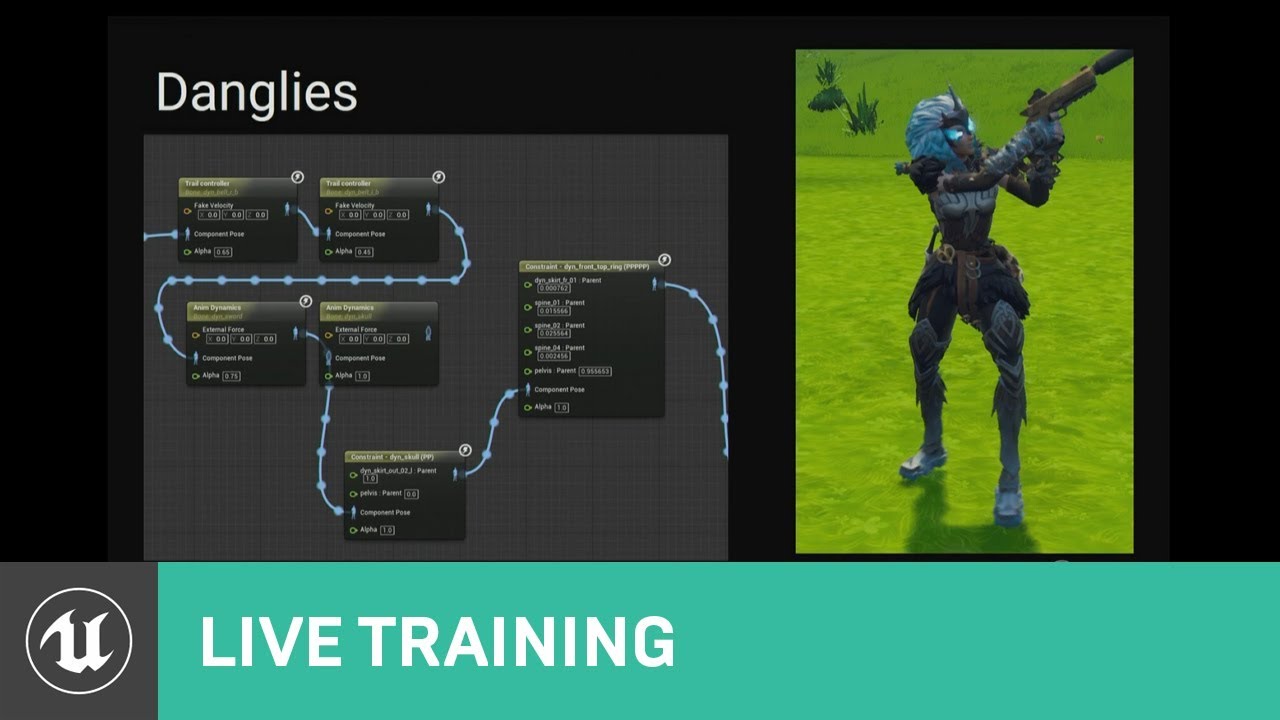
This talk covers Fortnite’s use of animation Blueprints including the use of Blueprints for gluing together character parts after retargeting, dynamic solutions for low LODs, and faking dynamics in higher LODs with procedural animation techniques.
Learn more at http://www.unrealengine.com
maybe i need copy pose from mesh instead
or maybe not. unclear
misty dagger
misty dagger
but the animation is 100 times larger than it should be
nvm just made the thing 100 times smaller in the animation software lol
brazen wharf
anyone else noticed that the FullBodyIK node in 5.1 is stretching bones, even if it's disabled?
 dry grail
Can anyone offer advice/recommend a tutorial for accomplishing something like this in an animation blueprint? I want to move my view first-person view weapon procedurally and have the hands follow it with IK, while playing an anim sequence
I have a setup that works for translation, where the IK goals' offsets are matched to the weapon's offset, but my IK goals don't follow for rotation, and instead rotate in place
can't figure out a way to "parent" the IK goals to the weapon's socket
been having trouble finding a tutorial anywhere that doesn't involve blendspaces or other setups that (I think) look too complicated for what I want to accomplish
 lyric pendant
Any chance someone can point me in the right direction to debugging a montage blocking all other animation from the anim bp?
- Montage has UpperBody group set
- And I have a SlotNode UpperBody in the graph and its being executed on the charcter in the world
 crystal imp
Anyone know why Compatible Skeleton isn't working?

I am trying to set the animation bp and it won't let me
If I manually enter it from the drop down it doesn't work
it's acting like it's not compatible but it is
I even made them both compatible with each other just to make sure
And yet another bug....now nothing is showing up lol....this just keeps getting better and better

That's 3 bugs within the matter of 15 minutes
I figured out what was causing that bug...for some reason UE5 keeps throwing false errors on these files forcing me to Re-compile them over and over and over everytime I launch the engine
They should warn you that in UE5 you will spend 5 hours working around Engine bugs for every 1 hour you spend developing
I'm not sure exactly how but it may have been related to a bug with Version Control in UE5, I don't think it was checking out all the files required to setup the Compatible Skeleton.
I got it working now but I had to check out any files that I thought were related to it...remove the compatible skeleton I setup, then redo it and then it worked.
karmic bobcat
is the copy pose from mesh broken on 5.1? it works for me on 4.27
naw..seems to work on a brand new skeleton
 shut moat
why is the bot stopping me posting :S
sigh
doesn't like my video maybe?
i've been trying to take the ue5 mannequin, adjust it to fit a new character in my dcc, and send it back to unreal, where i can set it to have mannequin as a 'compatible skeleton' so as to have access to all it's anims and so on
seems like i need to do something to the rig, after i move stuff around but before i export, so that it doesn't break back in unreal
i've tried initializing transforms on all the joints
i don't get what's up
 storm raven
Hallo, I'm new here and to UE, not completely new to game dev'ing or programming though, but I'm in need of help with animation.
Let's say a character always executes an idle animation, if I then trigger a new animation like sitting, it doesn't happen 100% immediately, it automatically blends a lil bit to not have a hard cut from idle to sitting.
I wanna know if I can control this "automatic blending", I'd expect a setting to exist somewhere, as/in a blueprint node or in the sit animation settings.
Old blender(GE) for example used to have a "blending" value to set on its version of blueprints when triggering new animations.
I'm not talking about 'blend space' though, I've managed to make that work just fine in some recent tests.
It just doesn't make sense to me to for example do that with every single combination of 2 character animations.
But if that's still the answer do tell me.
 midnight granite
I'm setting up control rig for the UE4 mannequin and for some reason the ik_foot bones don't appear, is there a reason why?
They show up on the skeleton but not in the rig hierarchy
Answer - dont use right click - create control rig. Instead create a new control rig and import the hierarchy
storm raven
updates - I searched about 'inertial blending', it didn't seen to be it, now searching for 'blend poses by bool', seems promising but I still think an even easier way to do it may exist
storm raven
that actually seems to be it and I just wasn't finding good options because I was in the pawn blueprint instead of the animation blueprint, it's obviously way more fitting to do animation stuff there
 tranquil lark
Here is my current setup. If you look at the Play Hit Reaction event, it connects directly to the Play Montage node. In here, I am using the IdleHitBack montage. However, the IdleHitFront is playing. This was working as expected before I changed the slots to the upper body one, because I only want the reactions to occur on the upper body. Any ideas?


 storm raven
oh thanks, I'll try to do something similar and see how it goes, I didn't mess with montages yet so it's a good time to do it
tranquil lark
It wasn't a suggestion to your problem - it's a question that I hope someone can answer 😅
storm raven
lel I see, I replied before I read the whole thing my b. It's still a setup that interests me though, I'll give it a shot.
update: didn't work
 zealous crypt
Hey everyone! I added a custom character (rigged in mixamo) in Lyra starter project and did the all retargeting (ik rig, ik retargeter). All animations are desirable but in the game the weapons' positions are misplaced. I adjusted the "attach transform" settings in the "WID_Pistol" blueprint to give it a correct offset and even though it looks fine in idle animations it's broken when walk and other animations play. Any help would be appreciated.
 brazen wharf
@lofty marlin i got it working with the component... (however it's broken by design, since this only works when not moving the actor but the mesh which has the sockets attached)


the reason for that is that the CR logic is relative in CR space, and that doesn't change when the actor itself is moving...
this version however works with moving actor, since it converts the eye location to worldspace before running the spring/verlet on it and then converting back to rigspace to set the bone location in rig space...)


and last but not least... https://docs.unrealengine.com/5.1/en-US/control-rig-in-blueprints-in-unreal-engine/ which explains the event's a bit and how mapping works
 sharp coyote
wasnt there some way to play an anim montage inside state machine or am i wrong
 shy dirge
I have this issue where my crouch animation "freezes" after a few seconds, any ideas on the issue? I followed Epics animation tutorial
 foggy nexus
zealous crypt
Hey everyone! I added a custom character (rigged in mixamo) in Lyra starter proj...
foggy nexus
zealous crypt
Hey everyone! I added a custom character (rigged in mixamo) in Lyra starter proj...
What is it attached to? Check the socket is a child of the right hand (and is moved to the centre of the palm)
foggy nexus
sharp coyote
wasnt there some way to play an anim montage inside state machine or am i wrong
Should be able to just drag and drop the montage into the ABP from content browser
foggy nexus
storm raven
Hallo, I'm new here and to UE, not completely new to game dev'ing or programming...
Single click on the transition node between states in the ABP and there's a float you can change: 0 = instant, 1 = 1 sec etc
 tranquil lark
Looks like it's not set to looping
Go to the AnimBP -> the specific state -> mark it as looping
 pastel onyx
why is my animation imported like from blender?

 eternal inlet
Is there a way to mirror animation onto a second pawn? Basically I have a body that is controlled in VR and want to transfer all of the data to a mesh that's standing still but follows all the hand and head movements and such.
fresh sandal
pastel onyx
why is my animation imported like from blender?
Check your units in blender. You must apply transforms and export with metric centimeters or meters with a scale of 0.01
pastel onyx
fresh sandal
Check your units in blender. You must apply transforms and export with metric ce...
already done that and I don't see how that splits an animation per bone when imported
fresh sandal
I see, i thought you had a different problem. You didn't explain much of it though. In this case i don't understand what you mean "per bone". How many animations do you have?
 fresh sandal
You can try batch fbx export addon for blender. Remember to check "only deform bones" and don't add leaf bones and uncheck "all actions" and NLA strips
You have multiple meshes under the armature
brazen wharf
just export the armature if you want an animation sequence, there's no point in exporting the meshs with it for a sequence
pastel onyx
brazen wharf
just export the armature if you want an animation sequence, there's no point in ...
I will consider that in the future.
pastel onyx
fresh sandal
You can try batch fbx export addon for blender. Remember to check "only deform b...
I did check, it got imported as one animation, however it was 60k frames and no movement at all.
This mesh imported animations fine just until today, I'm not sure what I did broke
 inner crane
Anyone ever dealt with root motion and not having the "red bone" in the root motion? Essentially I'd like to convert this animation to what UE see's as RM so I can use Motion Warping. Right now because it isn't reflected as true RM, it's not working. I'm pretty good with blender etc... just not really sure where to start with this. Animation reference below:
brazen wharf
is this playing back with root motion enabled in the asset?
inner crane
no.. if I enable RM, it looks the same.
whereas with the "true" root motion assets, enabling root motion actual holds the animation in place.
brazen wharf
ah right, the root stays in place...
inner crane
any idea on how I would go about converting it?
brazen wharf
i would probably write/use an animation data modifier which cleans up
if you are lucky there is one which meets your requirements, but i dont think so
inner crane
brazen wharf
if you are lucky there is one which meets your requirements, but i dont think so
so then the only option is to re-author the animation?
brazen wharf
i'm not sure if you would even get this exported from blender with the correct motion data
since the root bone is actually non existent in blender
inner crane
There are some tools specifically for Mixamo that will convert in-place anims vs. anims like this into true RM animations. I've done that. Perhaps if I retarget this onto a Mixamo skeleton, then provide the in-place anim and this one... I might be able to get it. I actually think that will work!
brazen wharf
i would do it with animation data modifier in unreal...

Animation Modifiers enable users to define a sequence of actions for a given animation sequence or skeleton.
but for some things it's required to know c++, so it might not be possible entirely in BP
inner crane
Ok thanks, I'll check that out. Appreciate you taking the time.
dry grail
dry grail
Can anyone offer advice/recommend a tutorial for accomplishing something like th...
Figured something out that seems to work well enough... I realized I could set a world position for the IK goals instead of an offset, so I added left/right grip sockets to my weapon mesh and set the IK goals' world positions to the sockets' locations.
inner crane
inner crane
There are some tools specifically for Mixamo that will convert in-place anims vs...
for what it's worth. This worked!
 fallen cipher
so I have this system right now for 8 directional movement
however how can I go about blending between all the 8 directions
because right now the feet end up pointing to the left/right slightly and arn't accurate to where the player is actually walking
I know Lyra has done something like this (strafing?)
but that lyra project is impossible to understand
 minor badge
is there any way, that anybody knows: without retargetting or whatever to just take the UE5 Manny skeleton and put the actual skeleton onto another mesh?
like replace the mesh and keep the skeleton
inner crane
minor badge
like replace the mesh and keep the skeleton
There is no way to do that unless the mesh is already setup for the skeleton. You'd have to redo the weight paint in a DCC (blender/maya/etc). If it's for the purpose of animation, then retargeting is the way.
minor badge
inner crane
There is no way to do that unless the mesh is already setup for the skeleton. Yo...
i tried re-targetting my thingy but all the animations just broke
i set the same pose
and everything
the IK rig
but they were still broken
inner crane
Retargeting takes a little practice to get used to, but when you figure it out, it works really well. Lots of tutorials on animation retargeting out there. Those are your two options though (retargetting or weight painting) and re-targetting is the -much- easier of the two.
 flat jay
If anyone understands the UEFY addon, I'm getting theses errors when building skeleton from an existing rigify rig for UE5

 sacred wigeon
 hushed gull
hey when you retargeted an animation but you want to change its import setting, how do u do? if i reimport after having put 90 rotation in one axis it will break the animation, so the only solution i see is to retarget the animation right?

 fast leaf
hi does anyone know how if there is any in depth tutorials on how to rig a custom character in blender to then export to unreal and add procedural animations to it?
hushed gull
https://gyazo.com/d0324bedc44daf47f2852aae32ce2734 and when i retarget the arms of my character are growing wtf
hushed gull
you cant refresh a retargeted animation?
hushed gull
why is my animation like this compared to the skeleton?

 proper sleet
@sterile warren I dont think the video has the same issue
Seems like the animation montage is stopping my state machine or smth
 sterile warren
proper sleet
Seems like the animation montage is stopping my state machine or smth
sterile warren
proper sleet
Seems like the animation montage is stopping my state machine or smth
Share more details if you can
proper sleet
sterile warren
Share more details if you can
What information could you need? Idk what I could add
sterile warren
proper sleet
What information could you need? Idk what I could add
Pictures
proper sleet
My character is frozen in this pose after the anim montage

The spheres are debug stuff
for a crouch mechanic
sterile warren
proper sleet
My character is frozen in this pose after the anim montage
It'd be more helpful to see the Animation Graph/State Machine
 sterile warren
Where is it getting stuck?
proper sleet
The state my character gets frozen in is propably the running one
sterile warren
proper sleet
The state my character gets frozen in is propably the running one
When you run the game you should be able to select your character as your "Debug Object" and watch what's happening in the other window
proper sleet
How do I do that?
sterile warren
proper sleet
How do I do that?
 sterile warren
sterile warren
sterile warren
There's lots of other (better) ways to debug but you first need to see where the "pause" is happening. My guess is that all of your conditions between two states are failing...
proper sleet
hmm I dont see that, can I activate it somwhere here?
 sterile warren
proper sleet
hmm I dont see that, can I activate it somwhere here?
sterile warren
proper sleet
hmm I dont see that, can I activate it somwhere here?
In your AnimBP
sterile warren
proper sleet
Its on Preview Instance

An overview of the Animation Blueprint Editor and its user interface.
sterile warren
proper sleet
Its on Preview Instance
Okay click play, select your in-game character (the one using the AnimBP) and then go to the State Machine and see where it's failing
proper sleet
Its somwhere at the sliding stuff, thats also the animation I am playing in a montage
I am not sure if I even need this stuff in the state machine
sterile warren
proper sleet
Its somwhere at the sliding stuff, thats also the animation I am playing in a mo...
It's really hard to diagnose without a more precise debug
I would take some time to read the documentation on animation debugging. It will surely be helpful. You'll be able to solve it afterwards, I'm sure!
proper sleet
Okay, I will try if it works when I delete the sliding states firstly
sterile warren
proper sleet
Okay, I will try if it works when I delete the sliding states firstly
Okay, but it's really much easier to do a proper debug I promise
proper sleet
I just saw that it stays in the run state and the "active for ..." timer just stopps xD

So its really like stopping time there
sterile warren
proper sleet
I just saw that it stays in the run state and the "active for ..." timer just st...
Are you using a UE template?
proper sleet
Yes I am using the third person template
sterile warren
proper sleet
Yes I am using the third person template
Are you sure it's not the issue in that video?
proper sleet
hmm I will try
proper sleet
sterile warren
Are you sure it's not the issue in that video?
So he is setting the animation on loop in the anim BP, but I am using a Blendspace and its already looped by default
 proper sleet
I am gonna sleep now, see you ^^
 magic hull
I have a somewhat complicated scene set up. In sequencer I have a lot of geo appear at a certain time by animating scale. From 0 to 1. Now the problem is every 10th frame or so in the render, there is ghost/transperent appearance of the animated geo. Is this a known bug ?
eternal inlet
Anyone have any ideas about this? #animation message
 north zodiac
Hi, I matched bones in previous clips to eliminate sliding but now it's not looping seamlessly anymore (needed for an anim sequence) because the beginning root is somewhere else than the end one.. any ideas of fixing this or a workaround?

 jaunty lodge
Hello, does anyone know if the "fan bones/joints" are used and supported in the Unreal character animation pipeline? The ones that are added to better preserve volume when bending? I can see it potentially causing retargeting problems but if I were to only use the animations that I made myself, using this kind of skeleton setup?
 eternal inlet
jaunty lodge
Hello, does anyone know if the "fan bones/joints" are used and supported in the ...
eternal inlet
jaunty lodge
Hello, does anyone know if the "fan bones/joints" are used and supported in the ...
Should be fine if you have animations supporting the bones. And if not you might be able to add some extra animBP post processing or such using an animation or IK rig to fix the volume once it's calculated the animation .
jaunty lodge
eternal inlet
Should be fine if you have animations supporting the bones. And if not you might...
thanks, would you say it's better to add them directly in Unreal if necessary? or things like that be better solved with specific topology instead?
or Unreal does not have an ability to apply / adjust weights and is only able to operate with what it receives
eternal inlet
jaunty lodge
thanks, would you say it's better to add them directly in Unreal if necessary? o...
Unreal doesn't have the ability. At least not for skeleton meshes. I know it can do some painting for cloth.
You can however create a custom rig inside of unreal to support your skeleton and use that to edit animations inside of unreal. As well as use those rigs to fix some constraints as I mentioned .
jaunty lodge
👌🏼
north zodiac
Also at some point it glitches for one frame or so.. but in sequencer not.. just after I baked an animation sequence out of it
I'm using engine version 5.1.. I don't know if there is a known issue
eternal inlet
I should mention I've yet to do much with that stuff myself. But take a look at how the default manny is set up. That should show you the rigs and post processing and all that @jaunty lodge
eternal inlet
north zodiac
Also at some point it glitches for one frame or so.. but in sequencer not.. just...
Hmm your sequence might have an extra frame or such.
north zodiac
eternal inlet
Hmm your sequence might have an extra frame or such.
not at all.. just blended animations
eternal inlet
It looks like it's jumping back to the start for a moment. It might be a bug. Perhaps add a few extra frames at the end holding the pose?
north zodiac
eternal inlet
It looks like it's jumping back to the start for a moment. It might be a bug. Pe...
I can try it
north zodiac
eternal inlet
It looks like it's jumping back to the start for a moment. It might be a bug. Pe...
I fixed it, it was some weird blending bug.. but with more overlapping it helped
north zodiac
north zodiac
Hi, I matched bones in previous clips to eliminate sliding but now it's not loop...
Any ideas on this? 😅
Is it possible to match this two roots? Or with an offset or so
 eternal inlet
north zodiac
Any ideas on this? 😅
eternal inlet
north zodiac
Any ideas on this? 😅
What exactly? Like same start and end?
Also ping me if you answer I'll be having lunch soon and I might miss it else 🙂
north zodiac
eternal inlet
What exactly? Like same start and end?
Exactly! because when I match roots of some animation clips to prevent sliding, at the end the root is on a other position than the start.. so I would need to match them
I've found out that I can give the last one an offset but it's not ideal.. because then it slides there but probably the only solution 🤔
 eternal inlet
Hmm. Not sure. Perhaps with rootmotion or by trying to not move the root and instead have the animation do stuff independent from root? I don't have that much experience with it.
@brazen wharf Sorry to poke you man but I noticed you at some point asked questions about control rig and seemed to have done stuff with. I'm trying to look into postprocess animBP and using a control rig inside of it to fix constraints and such.
north zodiac
eternal inlet
Hmm. Not sure. Perhaps with rootmotion or by trying to not move the root and ins...
I found a solution.. I let him do a step and while this blending happens, at that anim clip I give it an offset so it looks like he just do one step with forward movement 😜
eternal inlet
Nice.
 untold marlin
is there anything im missing on animation budget allocator, ive got it enabled because it says it is, i have some debug chars that are budgeted components, set to auto register, yet i go to look at the stats and it says i have 0 registered components
 kindred quarry
So, I am not sure if this is the right place, but I figured it'd be a decent starting point, but I wish to make a plugin that allows me to adjust hitboxes as such https://twitter.com/SchartierD/status/1330539038097502211
I know Unreal does support people to create tools like this so they can make fighting games more efficiently, but I guess my question is how do they make an editor like this in Unreal?


Hi all,
I made an anime fighting game template for ue4.
Basing of Guilty Gear.
Still a prototype, need to replace buyed assets (level and sound) by mine ^^
Music: Hold on to me - Tiger Stripes - Crescent Cutlass
#indiegame #gamedev #unrealengine #ue4 #indiedev #blender
Likes
101
 Twitter
·
storm raven
storm raven
lel I see, I replied before I read the whole thing my b. It's still a setup that...
Twitter
·
storm raven
storm raven
lel I see, I replied before I read the whole thing my b. It's still a setup that...
this was regarding montages, got them to work, it was a mix of blend times and blend out trigger time that was making the animations not play
pastel onyx
when I import the model, it gets imported the right way. However when I import an animation make for it, it gets shrunk by a lot. And if I try to bring it to a good size by forcing the scaling, it gets imported the right size but then it's displaced
I'm using blender for modeling and animating
eternal inlet
Is there a way to fix some IK and such? I have some constrains I'd like to apply using a post process animBP and/or control rig.
It's for VR so movement is a little unpredictable so I want to use that to smooth out and clamp some extra stuff after. But I can't seem to get it to behave.
 rose flower
Is it possible to use a ControlRigPose directly in a BP, without going through the sequencer?
We're looking for a way to create a BP that says 'whatever the pose on the face is right now, switch to this one'.
rose flower

Epic Developer Community Forums
did you get them working ? face same issue , how to use those poses in blueprint
ok, i guess for now it probably isn't.
 ocean bison
There's an apparent bug regarding retargetting and virtual bones. When I retarget an animation, the virtual bones maintain the base A-pose location instead of following the bones. Anyone know a way to fix this?
 upbeat orbit
 untold marlin
I started working on my FAnimInstanceProxy and I want to get a reference to the player character, what is the best way to get this, i know in the animbp i can use try get pawn owner, what would be the correct way to do this here on the Update() function
 viscid merlin
hey y'all, i'm trying to retarget a pose that I have to my custom fps arms. This is the pose with sk mannequin , but when i retarget it completly goes through like so. Any idea what could cause this problem ?

 crystal imp
viscid merlin
hey y'all, i'm trying to retarget a pose that I have to my custom fps arms. This...
crystal imp
viscid merlin
hey y'all, i'm trying to retarget a pose that I have to my custom fps arms. This...
If your chains don't match, or your not enabling ik for the arms
viscid merlin
everything seems to be matching but i think i found the culprit
crystal imp
I'm assuming you've setup IK goals on your hands
 crystal imp
viscid merlin
crystal imp
viscid merlin
Ok in that case apply the base pose to the character your retargeting from
not the one your retargeting too
if you do this then those animations will require that same pose and it will screw all your other animations up
That's why I say apply it to the one your retargeting from
viscid merlin
I mean it's not really a pose just the default position of the mesh
crystal imp
yes but that offset will be baked into the animation
if you change it on the character your retargeting too then the only way to keep that from looking funny will be to set that new pose as your default pose
the problem with this is that now you have an offset default pose and that will throw every other animation off
crystal imp
if you adjust the one your retargeting from then you can undo it with no negative side effects
viscid merlin
i'm kind of a noob in the anim department 😢
crystal imp
viscid merlin
do you have a link to a tutorial on how to do that ?
No, I've been meaning to make one myself. Your in UE 5.1 yes?
crystal imp
 crystal imp
viscid merlin
nope 4.27
crystal imp
viscid merlin
nope 4.27
Oh ok nm
One sec
Honestly I don't remember if you can do that in 4.27 I think you can though
open up the skeleton
Under your options it should have a drop down list to select a pose
current pose for example
you should be able to modify it and then use that pose on that character
 viscid merlin
makes sense haha
crystal imp
ViewPose will allow you to see the modified pose
crystal imp
Alright, been a while since I touched UE 4
viscid merlin
it seems like i need a pose asset
crystal imp
viscid merlin
it seems like i need a pose asset
You can make the pose and then create a pose asset from it I believe
That part should still be pretty much the same
 viscid merlin

i do have the create pose
did it for the original pose but can't find it in the target
i probably need the same skeleton
okay yeah i managed to do it with another example
but needs the same skeleton already
there's a couple stuff on youtube, i'll figure it out, thanks for the help @crystal imp
crystal imp
Sorry give me a moment

Afterwards you need Select it, Select The Pose on it, and then apply it.
 viscid merlin
Yupp but the skeleton needs to be the same between the 2 mesh already
crystal imp
viscid merlin
Yupp but the skeleton needs to be the same between the 2 mesh already
Yeah which is why your doing this, to correct the pose so that you can retarget it properly
livid hornet
I'm looking through some of the Lyra stuff, and I'm unsure what animations might fall into the "UpperBodyAdditive" category vs just "UpperBody". Could somebody who's familiar with Lyra give me an example?

 robust trout
Hey! I kinda need help with an issue i'm having.
So i tried adding hair physics to my character, but i did a stupid thing and clicked the "Remove from mesh" option cuz i thought maybe that would fix an issue i'm having.
Now, no matter what i do i can't fix it.
I've tried reimporting the model, importing a copy of it under a different name.
Nothing works.

I'd REALLY appreciate some help here, i'm kinda pressed for time
proper sleet
https://cdn.discordapp.com/attachments/920817056281133106/1073050621848059934/SlideIK.mp4 Hello,I want to add hand and foot IK to my slide animation, but I noticed that the basic foot IK that comes with the third person template doesnt work on my sliding animation for some reason. Does someone know why? Maybe the angle of the feet is too big because they arent facing the ground and there is a treshold?
shut moat
has anyone used the 'compatible skeletons' workflow?
such that imported skeletal meshes have their own skeleton assets, but those skeletons can be made compatible with others (if they have the same basic hierarchy) allowing you to for example, use mannequin's anims on the new skeleton without retargeting etc

i cant for the life of me figure out why this is happening
 sudden sedge
I have a lot of actors using the same animation blueprint, when they spawn in the scene at the same time their animation syncs up, is there a way to have a random start time per blueprint instance?
misty dagger
hello all, on a game im working on i have modular skeletal mesh ears i wish to attach to a character. as each ear needs to be placed on its own socket i was wondering how best to do this
the options i see is...
- skeletal mesh for each seperate ear, each ear placed on its own corresponding socket (not ideal)
- some kind of midpoint socket which ears root bone attaches to, skeleton created in such a way as space is created for it to look correct on head (not ideal as size of head may change)
- midpoint socket which root bone is attached to, and then in ears Animation Blueprint i move the bones to their relevant EarLeft and EarRight sockets..
Option 3 seems like best option but ultimately what i was hoping for is to somehow use sockets to attach seperate parts of a bone hierarcy, is such a thing possible?
let me know if i am not being clear, thank you
 hardy reef
Hi, I ran into a problem watching Distance Matching tutorials. In the tutorial, the animation asks me to replace the compression curve with Uniform Indexable Compression, but I don't have Uniform Indexable Compression. What should I do for this?
 foggy nexus
sudden sedge
I have a lot of actors using the same animation blueprint, when they spawn in th...
foggy nexus
sudden sedge
I have a lot of actors using the same animation blueprint, when they spawn in th...
Simplest way would be to go to character bp and on begin play, get a random float in range, set a delay plugging in that float, then get mesh->set anim instance
This way you'll end up with a t-pose from the beginning though. Most common way would be to stagger spawn times or have a bool change animation state at a random interval
 weak beacon
hardy reef
Hi, I ran into a problem watching Distance Matching tutorials. In the tutorial, ...
weak beacon
hardy reef
Hi, I ran into a problem watching Distance Matching tutorials. In the tutorial, ...
Create one and then apply it
Does anyone know if there is a way to apply animation modifier to a bulk of sequences at once? Or do you have to go over them one by one?
I considered adding it to the skeleton, but not sure how that would play out. Don't want feet sync markers (as example) to be applied to falling animations
foggy nexus
misty dagger
hello all, on a game im working on i have modular skeletal mesh ears i wish to a...
Depends if you need any functionality for the ears. Animating will require skelly meshes; otherwise, you just make sockets from your head bones, attach the ear static meshes and view them in the skelly viewport, moving the sockets around until you get the right transforms.
hardy reef
weak beacon
Create one and then apply it
Oh thank you dude ❤️
misty dagger
foggy nexus
Depends if you need any functionality for the ears. Animating will require skell...
i will definitely require skelly meshes. i was just trying to find a solution where i didnt have to have a skelly mesh component per ear and could somehow dynamically configure a single skelly mesh component to place two parts of its hierarchy on multiple sockets (one per ear)
but thank you
i think ill go with option 3 i suggested unless anyone else knows otherwise
foggy nexus
Ah yes, in which case your solution is probably the best. Although you probably don't need sockets; just attach to the head bone (or some other stable ref) and adjust location in the viewport
 merry hazel
Is anyone familiar with this Array out of Bounds bug that has to do with Control Rig? I'm on 5.1 and I keep crashing. So far I've read to delete control rig and it won't crash however i'm not sure of a work around for Rokoko Animations to Metahuman without it. Also does anyone know if 5.1.1 has resolved this?
proper sleet
How can I rotate my Character/Animation? I want it to rotate based on the ground underneath, but its enough if someone can tell me just how to rotate it at all
 marble oak
hi! I have strange glitch switching character to TPose and back to its anim bp during camera change distance only if this enabled https://i.imgur.com/oUhe3Ft.png
and it only happens when anim curves from linked layers are being used
temp fixed with but probably anyone suggest a true solution. thanks!
`void AMyGameCharacter::PreInitializeComponents()
{
Super::PreInitializeComponents();
GetMesh()->OnAnimUpdateRateParamsCreated.BindUObject(this, &AMyGamerCharacter::AnimUpdateRateParamsCreated);
AnimUpdateRateParamsCreated(GetMesh()->AnimUpdateRateParams);
}
void AMyGameCharacter::AnimUpdateRateParamsCreated(FAnimUpdateRateParameters* Params)
{
if(Params)
{
if(GetNetMode() != NM_DedicatedServer)
{
Params->BaseNonRenderedUpdateRate = 12;
        Params->BaseVisibleDistanceFactorThesholds.Empty();
        for(int32 i = 0; i < 8; i++)
        {
            Params->BaseVisibleDistanceFactorThesholds.Add(0.0001f);
        }
    }
}
}`

 pale prairie
Hey, has anyone here ever used the Unreal Engine 5's movie render queue plugin?
misty dagger
foggy nexus
Ah yes, in which case your solution is probably the best. Although you probably ...
good point
thank u
 swift edge
A bit of a broad question, but is anyone familiar with the 'Animation Locomotion Library' plugin? I'm curious if there are any resources to learn about it.
misty dagger
is there a good fix for anim too big

cant seem to find a way to scale it down without also changing the scale on the individual bones
 mortal granite
would anyone happen to know why this IK is so jittery? im using transform modify bone to aim the right hand directly at the aim target (red trace) and then the left hand simply follows an IK target on the gun itself. I am using interpolation to smooth out the values but it still jitters really bad
 vivid roost
Is this the channel to ask questions about AnimBP?
I am new to animBP and am editing one on an older project. I have a variable IdleAnimation that can be changed by a function call. However, changing the value does no blending. My solution is as follows:
Create two animsequenxe variables IdleA and IdleB.
Create boolean variable UsingB
When a new montage is set, check if UsingB is true, then set Idle A and flip the bool. Else set Idle B and flip the bool.
In the anim graph, have a blend based on the Using B variable.
This will work but I feel like there is a better answer.
 mental bronze
my ocean BP disappears in sequencer renders:


i have no idea how to fix this i've been trying for days
 crimson summit
is there a way to copy IKRig character definitions between characters that don't share the same joint hierarchy? Or is the workflow having to go through each Skeletal Mesh and individually set up its unique IKRig?
 zenith pebble
I'm trying to set finger rotations and hand location based on data, debugging the data it's good, I have the right location and rotation in world space. But in Control Rig, even when using global space (and toggling between local and global seems to make no difference?), it gets offset. Debugging the same world space transform shows a different location. Anyone know how I might solve this and use the world space transforms properly?
limpid robin
Is there a way in c++ to manually add a slot to an an animgraph that exists in a custom animinstance?
misty dagger
is it possible to have state machine states be pins on the state machine rather than separate graphs
like

 hushed bramble
How do I modify a character to remove a scabbard attached to her?
hushed bramble
My character automatically plays the draw sword animation and my Input isnt working
It's not working
 misty dagger
lmao
lmao it makes the animations play at 2x speed what the fuck
most sane unreal design decision
hushed bramble
Nevermind I figured out how to get her to draw a sword.

How do i modify the animation so that when she reaches for the sword, it actually looks like she's grabbing it?
hushed bramble
How do i create custom character animations?
swift edge
blender is popular
 hushed bramble
swift edge
blender is popular
hushed bramble
swift edge
blender is popular
I'd rather go bone by bone than use blender. Unless I have no other choice, i'll use blender
I can import Uasset to blender anyways
misty dagger
this guy HATES blender
hushed bramble
Cant
hushed bramble
misty dagger
this guy HATES blender
facts. Useful, but i absolutely hate it
 timber summit
This might not be the right place to ask, but would anyone happen to know why when I attach anything to a bone, the mesh gets scaled?
hushed bramble
It's what nearly caused me to stop game development.
misty dagger
speakjing of game development this isnt firing

an animation with the notify is getting played
hushed bramble
misty dagger
i just animate in s2fm lmao
Source? thats compatible with Uproject assets?
hushed bramble
The character i got off the marketplace doesnt have FBX
misty dagger
thats what umodel is for :trol
hushed bramble
I dont have much choice but to use the built in animation editor
misty dagger
you could import it to blender then from there export to some other program
also cant you
 hushed bramble
Cascadeur might be good
hushed bramble
misty dagger
you could import it to blender then from there export to some other program
Theres no export option
misty dagger
funny
hushed bramble
nvm, found it
misty dagger
not funny.
 misty dagger
idk
hushed bramble
bruh
I imported it to cascadeur. You'll have to hold me at gunpoint to make me use blender
misty dagger
never heard of cascadeur in my life but cool
hushed bramble

Cascadeur is a standalone software for 3D keyframe animation of humanoids or other characters. Never before making animation from scratch or editing one has been so easy and fun. Thanks to its AI-assisted tools, you can make key poses really fast, instantly see the physical results and adjust secondary motion. All while retaining full control at...
AI assisted animation
misty dagger
sounds kinda cringve
 fair adder
Hi guys, any idea why my skeletal mesh isn't showing when I create an animation blueprint?

 hushed bramble
brazen wharf
so you can do the same in blender/unreal
hushed bramble
brazen wharf
so you can do the same in blender/unreal
If you know a good tutorial, please send help
hushed bramble
misty dagger
sounds kinda cringve
Is it cringe if it helps?
I legit need to make custom animations. Asset stores are okay, but don't fit quite good with the model i have
swift edge
Control rig is an option
swift edge
hushed bramble
I legit need to make custom animations. Asset stores are okay, but don't fit qui...
other than that, you legit need to learn one of the animation tools (blender, etc.)
misty dagger
why would he
swift edge
wat
misty dagger
why learn a different animation tool
swift edge
to make animations? lol
misty dagger
seems like hes got that covered tho lol
swift edge
Does he? Seems like he just asked how to make them
swift edge
troll? if not see above
misty dagger
oh yeah seemed like he was more just wanting to get the character out of unreal idk
hushed bramble
Actually, i just need to modify animations to correct hand placements
swift edge
I use control rig personally
 tame plover
Had this head scratcher, thought I'd share my fix. There didn't seem to be any info online about it.
I was doing some retargetting from a Blender Rig I use to Unreal's Mannequin, but the Root Motion didn't seem to work. Everything would seem correct but the Root bone was not translating properly. I verified that it wasn't the animation, via using the UE5->UE4 mannequin retargetter.
It seems like the missing element was "Translation Mode" inside the Details panel of the Root chain. I set it to "Globally Scaled" and Root Motion Retargeting was working properly.

 raven pulsar
Guys, got a strange issue when export from blender to UE

first: can't create a physic asset automatically

Second, most important: bones are up in the air

Seems my root is not under the main skeleton or something
 tame plover
raven pulsar
tame plover
raven pulsar
Blender's FBX makes a Bone at the top level called whatever your Armature Object is. If you want to disable this you can Rename the Armature from "PlayerPawn.001" to "Armature" and "Armature.004" to "Armature". UE5 has code to check the FBX exporter and for Blender it will strip those out automagically if named such.
Other than that, double check that your transformations are applied, and that your Blender scene units are scaled to 0.01 for proper exporting.
raven pulsar
like this right ?
 tame plover
I believe you'd need the PlayerPawn Armature to be called "Armature" as well.
The Orange Man at the top, under Collection.
tame plover
This is how I export my meshes from blender:
 raven pulsar
it worked before and I made a booboo I think: I removed the mesh, added another one and parented it to the skeleton
tame plover
Then this is the hierarchy it generates.
 raven pulsar

this is what I get at best with the wrong mesh
that an issue, to have "playerpawn" at the top ?
i'll rework again my my mesh without screwing up the parenting ...
tame plover
Hmm, unsure how the additional root is being appended then.
It's not an issue per se. You might run into some funky things with retargetting if you do that in the future.
You can also get rid of those _end bones by unchecking the "Add Leaf Node" section of the FBX export.
raven pulsar
ok
alright
remade my mesh without screwing up everything, renamed to armature and now I have root only !
thanks a lot for the support
 bleak walrus
So, I have a character that is rigged. Has a skelet and meshes attached to to it. When I import it in Unity, I drag it in the scene I get easy access to everything like this, I can easly enable/disable parts, delete them, easy access to blendshapes and can rotate bones. This seems impossible to have in unreal engine. The only way to have a pose is to animate and the only way to edit blendshapes is on runtime in blueprints or animation(control rig). And I absolutely have no way to access the other added meshes and disable/enable them easly.

Can I even do this without exporting every mesh separately?
raven pulsar
Any idea about that ?

can't add any collisions to my mesh
trying to manually add but doesn't work

got it ! Min bone size ! 😄
 pseudo goblet
I keep making changes to this character's animation pose but they don't like "stick". It doesn't change the asset in game, and even though I save, when I go back to the asset again it's like i never changed it.
This is the default pose, I make a big dumb obvious change and bend the spine 45 degrees. Save everything. And then the guy in game is just... same as he ever was.


 copper charm
Anyone know why, when retargeting on an IKRig, bones sometimes do not translate? The rotations are fine, but you can see on the right coffin lid it didn't translate.

 analog fossil
copper charm
Anyone know why, when retargeting on an IKRig, bones sometimes do not translate?...
analog fossil
copper charm
Anyone know why, when retargeting on an IKRig, bones sometimes do not translate?...
You need to set translation on the bone to "Absolute" or "Globally Scaled" in the Chain settings for it
fair adder
Hello, idk if I should ask this on metahuman or here but by chance does anyone know why you can see the separation between the head and the body in the metahuman? Before animating the character, that did not happen. First I did a retarget animation of the body (only the body but in the animations, you can see that the head moves with everything, totally normal as you can see in the third image (it's in idle animation). Then I did a bp animation and the same, Everything is normal. The only place you see a separation is in the character's BP and therefore within the gameplay. Do you know how to fix it?


 hushed bramble
swift edge
I use control rig personally
hushed bramble
swift edge
I use control rig personally
So do i have to go frame by frame and adjust animations?
swift edge
That's how I've done it, but I'm not the most experienced with it.
hushed bramble
Ah fair, i did start doing that. But i hoped there was a bit faster way to do it. I was thinking Casedeur for the overall animation adjustment and IK rig to focus on the fingers.
 daring kernel
Why is this happening?
 craggy knoll
Is it possible to use one Rig for multiple Skeletons via the "Compatible Skeletons" feature?
In the picture I tried using the UE4 Mannequin on the UE5 Manny Animation Rig and hoped that the Construction Script would adjust the UE4 Mannequin.
 hushed bramble
Do i need to have a draw sword animation?
Restarting project. Walking animation broke.
daring kernel
daring kernel
Why is this happening?
Does anyone know?
radiant matrix
Is there an industry known way for characters to pick items up?
and even exchange them?
like a character picks up a cup and drinks
and then puts it down
and another character grabs it
and throws it away?
i know the code for it
but not how i should use it best
 late trout
The Twinmotion Construction Vehicles 1 pack 1 contains a bunch of really cool vehicle, but I'm not sure how to use them. I expected to find skeletal meshes but every vehicle is a single static mesh. How do I make wheels turn, arms extend, or lift buckets in a static mesh?

Unreal Engine
The Construction Vehicles pack 1 from the Twinmotion asset library has been optimized for use in Unreal Engine.
brazen wharf
you have to manually divide the stuff and make the logic/vehicle stuff yourself
twinmotion content is always static props, as it's main intend was archviz/static scenes
 strange marsh
I'm trying to use fast path animations so I enabled the warning messages but I'm not sure what to do about nodes like this one which make use of the Time Remaining Ratio. Any suggestions?
 late trout
brazen wharf
you have to manually divide the stuff and make the logic/vehicle stuff yourself
late trout
brazen wharf
you have to manually divide the stuff and make the logic/vehicle stuff yourself
Is that something I can do reasonably easily with the modeling tools introduced in UE5 or would a 3D modeling application be much better? I'm not a modeler/animation, I'm a programmer trying to understand the complexity of the work.
 gloomy wasp
Hey everyone! I'm following a tutorial on the "animation ecosystem" of unreal engine. Part of it is making a montage for holstering / unholstering a weapon. Part of that process is dividing the skeleton into two caches, upper body and full body. If the player is moving, override the upper body so that the montage can be played while they're running (lower body is unaffected ). It looks like the screenshot below.
What I'm struggling to understand is: How does this not mess up the lower body? If I'm blending the pose to only use the upper body while running, why are my legs still working if they're part of the full body blend?

This part here

In my head I'm imagining: If I'm crouching, use upper body cache. Upper body cache doesn't have anything to do with legs, and so the legs won't move or something like that. BUT, they still move and are in the output pose. I'm still very new and trying to figure things out
 clever helm
Hi, i've been trying to rig a full body IK but i keep making a particle accelerator instead, so i downgraded my 3d model into a simpler version and i still created a particle accelerator.
Please help
 brazen wharf
late trout
Is that something I can do reasonably easily with the modeling tools introduced ...
brazen wharf
late trout
Is that something I can do reasonably easily with the modeling tools introduced ...
no idea, i've not used them much (personally i would do it in blender)
 shell garden
anyone know how to rollup keyframes on the sequencer display?
so you can delete a "grouped" representation and delete all the keys in line below it?
 crystal crescent
Hello. do u guys know what is the best way to get simple animated people to scenes? for archviz?
simple, no rigging.
hushed bramble
Can someone help explain to me what Anim Blueprint Linking works? Or provide some examples?
 calm pelican
can animation data for a given armature/format be represented by text?
 winged portal
Hi everybody! i'm trying to retarget paragon animations to UE4 skeleton.
I'm following this
https://www.youtube.com/watch?v=FRN-Od8nmmM
UE4 SKELETON -> Create Rig ->
But I can't find the button, was it removed on ue5 or changed? I'm looking for this also, but it's all about IK and Control rigs

In this video, I am going to show you how to retarget paragon character Kwang's animation to the ue4 mannequin. I made this video because there is no video that covers this so I decided to help you out!
If you enjoy this video please give it a like and subscribe to my channel!
Many of you who watch my videos are not subscribed to me so please do...
 winged portal
SOLUTION:
- Right click on the source animation --> Retarget animation asset --> Retarget and duplicate animation asset
- Select IK retargeter (The one that fits your change)
- Source skeleton (Aurora) --> Your Desired Skeleton

 solemn kite
hi, i was playing a death animation montage in blueprint when the enemy is dead and then on completed it destroy the actor. but there is a split second the enemy character stand back up before it gets destroy. how do i prevent that ?
hushed bramble
I need help explaining about animation blueprint linking
 vernal rain
Does anyone have any tips on how a character model which is designed for an adult character could be made to appear slightly younger? Simply scaling down the model doesn't look right, maybe it's a question of the proportions? Just using some chars from Mixamo atm and for gameplay reasons would prefer to be able to use the same base character model for both adult and teen characters.
I don't have anyone who can do character art in my project, so just looking to maybe scale the bones on the skeleton or something similar, but I've not had much luck tweaking it so far
 orchid sparrow
Has anyone added 'orientation warping' to paragon characters? Trying to do it on Greystone and it's not working, forward jog stays forward

 violet valley
anyone ever experience this when adding aim offset? it looks fine until i add it to my graph and blows the character up, does same if i have no aim offset.. but my others work


 tender cipher
Is there a free program for character animations?
 faint birch
So, I fixed the issue, but if I want the weapon that I used in the animation like this one to appear on the actual character, how do I do that?
 tender cipher
faint birch
Blender.
tender cipher
faint birch
Blender.
I know that you can't make character animations on blender but just scenes
faint birch
You can make character animations in blender.
sudden sedge
Is there a way to make the render bounds of a pawn dynamically change based on the played animation? I have a model with an animation that strays far from the origin, but when I look away from the origin it stops rendering
I know there's render bounds, but that messes up a lot of things like the inset shadows if it's set too high
 cobalt mortar
Is there a plugin to auto create a control rig in Unreal Engine 5 if importing a skeletal mesh from Blender?
calm pelican
Is there a pre-built UE4 Maneqquin skeleton to meta human IK rig/IK retargeter?
so I can just reassign my animations to the other UE4 skeleton and utlilize those IK assets?
cobalt mortar
calm pelican
Is there a pre-built UE4 Maneqquin skeleton to meta human IK rig/IK retargeter?

Retarget animations from the Unreal Engine 4 Mannequin to a MetaHuman.
Like this?
 cosmic dock
Hi, can anyone do animation on unreal engine I am looking for people to help me out
 past steppe
@calm pelican the retargeter in the Third Person project that @cobalt mortar linked is good but you might might get messed up fingers at first. In the Chain Mapping settings make sure that the Twist 2 bones and metacarpal bones are matched to None as those don’t exist in the UE4 mannequin
calm pelican
past steppe
<@175819762062852096> the retargeter in the Third Person project that <@22836879...
I think I managed to get it, thank you and thank you @cobalt mortar
faint birch
I was trying to add a sword to my character then this happened. No idea why its doing this. Anyone able to help?
this is how I'm adding it.

 celest vector
is anyone else having issues with morph targets importing? They worked fine in 4.27 now nothing is importing. even checked the FBX file to assure the morph modifier did indeed export with the file. (and yes, all prerequisite ticks are checked such as import morphs)
 stark trail
HI does somebody know how can i control blend space animation? My objective is:
Umg slider that controls animation position in blend space, like a video controller that you can scroll fwd and bckwd
I'm really struggling with animgraph, level sequencier, anim montage and can't find the correct way
untold marlin
cyrus im trying to wrap my head around anim instance proxy and i see you've done some stuff can you help please:
basically i have no good working example of this... but if I am to understand, I have a bunch of math functions i need to do in my anim class, all this is in c++ but im doing it in the instance NativeUpdateAnimation... I'm unsure but I kinda understood that the work should instead be done in the Proxy's pre-update ? Am I supposed to like have 2 sets of structs, one in the proxy, and one in the anim instance that the anim blueprint reads from, or what is the right approach here (its confusing to me they mention thing slike copying from the proxy to the instance.. ,,im just super lost any help is welcome)
limpid robin
in my animation blueprint i have some states that compare enums to see if a transition can be made, but i guess these aren't "fast" (no lightning bolt). Is there a better way to set this up?
 pallid quarry
hello everyone, I'm currently learning unreal engine and have an idea for a game which involves character animation....so I can't find any good tutorials for character animation and if I have to use any other software like maya or any other software, which software good for beginners!! if anyone can help me that would be much appreciated !!
tame plover
pallid quarry
hello everyone, I'm currently learning unreal engine and have an idea for a game...
Hey Seventhed, I highly recommend anything from Druid Mechanics (Stephen). https://www.youtube.com/watch?v=uwKuinJCJyI

1 - Bow And Arrow - UE5 Blueprints
Learn how to set up a character with bow and arrow functionality!
Patreon Link: https://www.patreon.com/DruidMechanics
Druid Mechanics Discord: https://discord.gg/qVqSSmp3ZD
Learn Unreal Engine Blueprints: https://www.udemy.com/course/unreal-engine-blueprints-the-ultimate-developer-course/?referralCode=D870D0...
pallid quarry
tame plover
Hey Seventhed, I highly recommend anything from Druid Mechanics (Stephen). https...
thank you, i will sure explore!!
tame plover
pallid quarry
thank you, i will sure explore!!
No problem. Stephen's tutorial gets into the weeds about how to do animations in Unreal, but using pre-built animations from Paragon's assets (free). If you're interested in making your own character animations, I'd recommend Blender to start off with before going for paid software like Maya.
pallid quarry
tame plover
No problem. Stephen's tutorial gets into the weeds about how to do animations in...
okay!! actually I'll be creating my own animations and I am familiar with Maya as I do some modelling in maya too...and I think I'll try unreal engines own rigging module for animation too
 gentle apex
Hello, i have a problem with my Crouch System
the Animation start like 1 time on 3 or 1 time or 4, but the game understand the crouching order all the time bc it moves the camera a bit
 thorn tendon
gentle apex
Hello, i have a problem with my Crouch System
the Animation start like 1 time on...
thorn tendon
gentle apex
Hello, i have a problem with my Crouch System
the Animation start like 1 time on...
It's because your SpringArm is connected to your capsule. So when you crouch, your capsule HalfHeight is shrinking, so your spring arm follows the new capsule middle point. To get around it, you need to set a Timeline in your event graph where you take your spring arm ref and set it to interpolate from one Z axis (Standing) and other Z axis (Crouch)
gentle apex
thorn tendon
It's because your SpringArm is connected to your capsule. So when you crouch, yo...
woow, Can you... Repeat that but with some word easier bc my english looks broken on that lol
My spring arm = i understnad
my capsule also
the camera go down when i crouch because its related to the height of crouch ok
but i dont see where my problem is in here ?
The camera is moving is normal, i press Crouch
but the animation should start all the time i press crouch, same as the camera moove
thorn tendon
https://www.youtube.com/watch?v=RigRcDeyGOM @gentle apex
Blueprint: https://blueprintue.com/blueprint/aq2a0t9a/
Discord: https://discord.gg/bRmKqndeQn
Thanks for watching
gentle apex
thorn tendon
https://www.youtube.com/watch?v=RigRcDeyGOM <@494565329037557770>
i gonna check that thanks
gentle apex
thorn tendon
https://www.youtube.com/watch?v=RigRcDeyGOM <@494565329037557770>
where is suppose to be " Use last keyframe " ?
 tidal plank
Can anyone tell me why on earth the default mannequin in unreal is rotated 90 degrees? This is an annoyance that propagates across any project that orients their characters along the unreal mannequin by default.
gentle apex
thorn tendon
https://www.youtube.com/watch?v=RigRcDeyGOM <@494565329037557770>
This doesnt work for some reason?
gentle apex
Also im not sure to understand why is this
why its not on every tutorial about crouching, it means all tutorial about crouching will have the same issue as me?
thorn tendon
Anyone know how to fix euler angle issue when animating a control rig in a level sequence? I got a foot that's spinning in circles when I don't need it to. I don't have an option for quaternion on the actual control bone (foot IK)
thorn tendon
I figured it out, so you have to select two keys in the graph editor you'd like to change > Right click > select euler > Apply and bask in your animation not spinning around silly

 coarse nimbus
Hello! So me and my team are trying to import a skeletal mesh and have it use preexisting animations. Currently, the skeletons of the two meshes match exactly, but regardless of whether I import my skeletal mesh using the skeleton that already exists or have unreal make a new skeleton and then try to retarget, the animations distort the model and make it look all weird. I found some tutorials that suggest to use an IK_Retargeter too, but like the original skeletal mesh doesn't use one, so I'm not sure if that is helpful at all. Does anyone have any tips for me or recognize what could be causing this?


Also if it helps, here is the skeleton for both. Is it a scale or proportion thing maybe? I'm not sure


 dull parrot
yo im new to unreal engine but not to 3d stuff i want to rig the SM_Cube to start getting familiar, but dont know where to start rigging can someone point me in the right direction?
brazen wharf
dull parrot
yo im new to unreal engine but not to 3d stuff i want to rig the SM_Cube to star...

you have to create the rig in some other software and import it to unreal
 uneven herald
when I try to run when holding left shift, it looks like its colliding with something, it actually plays the correct animation but the camera stutters, anyone can help? has someone seen this issue before?
dull parrot
cant rig in unreal ? unreal.......
midnight granite
I've copy and pasted the UE5 mannequin control rig nodes in to a UE4 mannequin control rig, made the necessary bone changes (and removed ones that aren't present in the ue4 mannequin). The Foot IK is working but overrides the run animation, any thoughts on what I might be missing?
Fixed: Control Rig node was placed in the wrong spot on the AnimGraph
 ionic dragon
Anyone know what could possibly be the cause of this?

Its a character on the mixamo skeleton. The skeleton works fine on another mixamo meshe but when I use a different mesh, it looks like this ^. The mesh looks fine when testing on the mixamo site so Im not sure why it looks like this inside of unreal.
 mossy elm
Is it possible to add a custom collider mesh to a physics asset on a rig? I'm trying to create more accurate collision with clothing for metahumans.
dull parrot
why getting things into unreal is so painful omg
brazen wharf
that's actually where UE goes easy on you, producing something that's worth exporting is another story 😄
 tawny oxide
Quick question for you animation peeps - what's the major difference between Mesh Space and Local Space in terms of additives and blending? Is it just to do with where the bones are in correlation to the two positions? It just feels like I'm not 100% certain on
many thanks to any help or clarity on this question! Your time is very much appreciated :)
 fickle dust
https://i.gyazo.com/a475cb7daebab362cab8faefdf6860e7.mp4 anyone knows why when I loop an anim montage it goes back to T-Pose for one frame in between each loop? I've set blend-in and out to 0
 restive basalt
Hey guys, I have a question, can anyone help?
In a fresh first person game project, is there a way to change the character model from just arms to an entire character?
Context:
I'm trying to make a first person multiplayer game. When your character dies it should transition to showing your character rag doll in third person.
I noticed that the first person project just has "arms". Is there a way for me to change the character model to include the whole body for other's to see? Or am I going to have to start a fresh project to 3rd person and change the camera to first? Or is there a way to change the first person project to have an entire character model instead of just arms?
 violet mango
Hi everyone. I'm still fairly new to unreal and I'm just wondering if it's possible to reuse some default animations from a unreal template with another mesh? Basically there's some good animations used on the players hands in one of the UE5 templates and I just want to take those animations and import them over to my project with my own hand mesh. At the moment these are stored as Animation Sequences in the template
 wise lava
hey i wonder why some bones text are white highlighted color text but some are not?
 wise lava
hey i wonder why some bones text are white highlighted color text but some are n...
wise lava
wise lava
hey i wonder why some bones text are white highlighted color text but some are n...
like this one, LeftHandIndex1 is white text but LeftHandIndex2 is gray dark text
 quick compass
Does anyone know how I can change only a part of mesh like a finger in an additive pose asset?
If I make a pose asset and make it additive, then all bones will be modified for some reason where pose weight is 1.
I even made a pose with no bone modified(default pose), and this happens. Even though I added no change to bones, all bones are modified slightly when weight = 1.


This is from my old project, and only left hand bones are modified. So there should be a way to change a part of mesh in additive mode but I forgot how i did that.

 coral wave
how much does saving cache poses cost? can I go ham with them without worrying?
 amber apex
Does anyone know how to unset "set master pose component"
I can attach armor to my character. But when I remove it, it breaks the amor, causing it to stretch and do all sorts of weird shit
wide idol
Guys, I've got a question which I don't know how to search about.
I want to commision a running animation, but I don't know what should I mention about the details of distance.
I don't even know how to formulate the question here, lol.
My Player Character has a walk speed of 800. What should I say to the animator in order to make running animation that fits this speed?
hushed gull
hey when i retarget source manny to my custom character its all broken, but when i do the opposite, my custom character to manny its not broken, whats happening?

 hushed gull
whats happening with my skeleton? what is so big?

 cyan bridge
I'm getting really tired of not being able to edit my skeletons for my unreal project without maya. Does anyone know a software other than maya that can do this and maintain rotations and non deform bones unlike blender?
or a way to do this in blender with any skeleton exported with unreal, not just manni/quinn
brazen wharf
hushed gull
whats happening with my skeleton? what is so big?
there's a draw bone size setting
but also depends on the size of your bones/root
guys.... isn't there any controlrig node to clamp rotation of an bone/control?
quick compass
quick compass
This is from my old project, and only left hand bones are modified. So there sho...
Does anyone know about this?
 severe pelican
Hey guys, how would I apply my animations only to certain bones?
I'm trying to make the legs move w/out affecting anything above spine 01
 floral olive
severe pelican
I'm trying to make the legs move w/out affecting anything above spine 01
floral olive
severe pelican
I'm trying to make the legs move w/out affecting anything above spine 01
Hello! At runtime or for baking animations? For runtime, you can use "Layered blend per bone" in your anim graph. From there you can blend 2 animations/cached poses, and define from which bone the second animation should apply to
 lofty granite
Hi I use Control rig Foot IK method from Ue5 Third person template sample
the problem is the foot just sink in to the floor
anyone know how to solve this?


 clever tiger
Hello 👋 After importing the animation to unreal the file size increase from 14MB to 239MB. Is it a normal thing?

 cinder ledge
why is my aim offset doing that ?

 fair shale
i have a problem with two actor animations not aligning properly, anyone has any tips or help on this please? https://forums.unrealengine.com/t/two-actor-execution-animation-alignment/765778?u=imonowo

Epic Developer Community Forums
I am having trouble with correctly aligning a sword execution animation in first person in my game. It is supposed to be a doom-styled glory kill with a teleport in front of the enemy, but the positioning is off most of the time. I have tried having an animation reference in enemy with the player correctly positioned and I use both the position...
cyan bridge
lofty granite
Hi I use Control rig Foot IK method from Ue5 Third person template sample
the pr...
I say a good place to start is checking that the capsule is positioned correctly
lofty granite
cyan bridge
I say a good place to start is checking that the capsule is positioned correctly
thanks already found it is because my animation had curve that conflict with it
cyan bridge
I posted this earlier but anyone know a software that’s natively compatible with exported UE skeletons? Maya is way too expensive and I need to add bones to my skeleton
Or if y’all know how to get Maya at a steep discount
 worn bay
hey i tried to import a animation and got this error message: mesh contains hips bone as root but animation doesnt contain root track can someone help me?
weak beacon
Is there any specific meta tag I need in C++ (UPROPERTY) to prevent variables from being exposed on the LinkedAnimGraph node in ABP?
hushed bramble
How do I set up input for Draw Sword and sheath sword? I created an animation and toggle for it
timber summit
Hi everyone, would anyone know why when using root motion, the character moves in the wrong direction? I have a walk animation that moves along the Y and a strafe that moves along the X but when I play they both move the character in the same direction.
 clever sparrow
Hello! Anyone with experience in blender (animation) that can help me? I need to make a base spin animation. If anyone has any tips, you can contact me in dm pls
hushed gull
brazen wharf
there's a draw bone size setting
where??
Is it a problem to have those kind of transforms in unreal? 180 + 90 in rotation, a scale of -100 , 100 , 100
but its the same scale as manny in unreal when i put them side to side
Maybe it will be problematic for retargeting no? Its because I parented my armature to an empty that i scaled -1 on X axis in blender
 brazen wharf
hushed gull
Is it a problem to have those kind of transforms in unreal? 180 + 90 in rotation...
brazen wharf
hushed gull
Is it a problem to have those kind of transforms in unreal? 180 + 90 in rotation...
yea that may be problematic later, usually you want a scale of 1 for everything
hushed gull
Yeah but idk how to do that, i tried to apply transforms in blender and it seemed to work inside it, maybe its in the export that there is this error
 deft prawn
I set up a character death animation montage, it was a motion that had to turn around while falling down, but in game, the motion just like a tree falling was output
brazen wharf
in blender you need to set the scenes unit scale to 0.01
then you'll most likely have to scale the armature by 100, and apply the scale to the armature so it's 100 times bigger but has a scale of 1 in the object properties
hushed gull
brazen wharf
then you'll most likely have to scale the armature by 100, and apply the scale t...
I use an empty for that
midnight granite
I'm trying to animate with control rig in sequencer and the model just keeps snapping back to default position, is there a setting im missing?
midnight granite
Weirdly I can animate by changing the numbers on the timeline keyframe (rotations and such) but trying to use the rotation gizmo it snaps back
Update: I think it was some hierarchal issues with controls, spaces or bones. I moved them around a bit and it seemed to help
 somber briar
is this how you do this now?

 astral perch
Any recommended animation guides for starters? Just finished a basic sliding function in C++, but would like to find out about animating in general before continuing with other little tasks. Also, will I ever do anything animation related through C++ or it will only be in the Editor?
somber briar
somber briar
is this how you do this now?
Im gonna go with yes, it's outputting the same class for both
 languid parcel
hey I should have asked this earlier but, should I make new animations for each weapon in the game or is there some kind of system in UE5 that can solve my different hand positions problem
like should I do a walking animation while holding a pistol, then do one for holding a shotgun and another for a sniper
 calm belfry
Any ideas would be greatly appreciated!
Unreal keeps moving my master root joint to some other spot despite zeroing out plus placing the next joint in line ON TOP OF IT. It just keeps doing this, so I can not parent the weapon to the socket correctly. I'm out of ideas. I need the weapon to be scalable as well. I want it to work like the unreal 4/5 sample fps gun in socket setup
Software is Maya 2020


 calm belfry
Importing both my gun and the unreal test sample into maya, exporting both with the same settings, and reimporting results in my gun being broken, unreal sample working. Testing maya export and maya reimport, results are normal.
Does unreal have any options or baked in settings that forces this weird setting?
It even does it with a pole

 fresh citrus
Hey fam! Hope everyone's having an awesome February! Mine has been a bit bumpy to say the least!
I'd love a bit of help with some mocap/sequencing. Ive imported some mocap into UE5.1 and baked it to the MH ctrl rig. No here is my issue, everything works fine but my MH moves around on the Z axis even though it should stay still and cant for the life of me find the variable to change it in the control rig(in lvl sequencer)
viscid merlin
Hey I have a question : I have a pose animation and want to rotate some bones. How do I apply the modification to the animation itself ? it keeps reverting...
 brazen wharf
the big + button on the top which says "Key"
which basically inserts a keyframe for your change
viscid merlin
yeah even with the key it resets it in the new anim
but i noticed it works for the hand
just not with the lower arm position
works for the rotation though
brazen wharf
you have to key each bone that you modify
viscid merlin
yeah that's what i'm doing
but it resets when i change the position
actually it does change the position now
it's just in game that it resets it
 frank mauve
hi guys.
my character can't move during a montage. I looked online and someone said "disable root motion on the animation the montage is using" so I did that but no dice. any thoughts?
 zenith mirage
hey everyone ! Is it possible to get Input events in the anim graph ? I can't get any input to work :/
My goal is to know when the player is aiming or not (left trigger sets a Boolean "IsAiming"), for my anim graph (not sure if this is the right way ? I'd think it's better to avoid any cast or get actor of class to reference my character). Thank you !
EDIT: got it working by casting my character on Initialize Animation, but I'm sure there's a more efficient way of doing it ?
 thorny island
Did anyone manage to use the new "Slope Warping" node in an AnimBP?
zenith mirage
zenith mirage
hey everyone ! Is it possible to get Input events in the anim graph ? I can't ge...
Also, regarding State Machine, should I use it for every state like IDLE, Walk, Run, Crouch, Aim, or more like Idle => Movement ?
tranquil lark
zenith mirage
hey everyone ! Is it possible to get Input events in the anim graph ? I can't ge...
Character updates the variable. Animation BP reads that variable from the character. It's fine to cast. Just cast at the start and store it in a variable. If you want to go more event based, use event dispatchers.
astral perch
Having trouble learning how to properly blend upper/lower body animations. Here's what I attempted so far:
https://prnt.sc/N5etNE_IHM3h
https://prnt.sc/1Xj7JcX8XTYn
https://gyazo.com/c55823dcbcaced32a169e2de795a000d
https://gyazo.com/148ee49c4cc350b9a370305833460a67
(I know the animation is bad, but just using for testing)
Currently playing the animation through an animation montage, so unsure if it's bad practice to keep doing that. I noticed the thirdperson project uses sequences instead. Any push in the right direction on what I should be doing to display the running animation for upperbody, while sliding is appreciated.


 exotic plover
Hello ppl 👋 control rig question ... I have a mech foot with 4 "toes" around the foot ... what would be the best setup to implement only one control that would rotate all of them?
thank you 🙂
 foggy chasm
Im not sure why this happens but when I have my character walk and I hold W and A for diagonal movement it sorta does this jittery kinda thing and jerks the player around slightly however this doesn't happen when moving backwards diagonally only forward
 worldly swan
Hello everyone, I am starting to learn animations and wanted to exercise with the default UE5 mannequin (Quinn). I exported Quinn from unreal engine and used ue to rigify template to create a rigged character. Is it normal that the controls for the arms are broken? Like simple IK movements ou FK rotations bend or even splits the arm.
astral perch
Downloaded a character off the web that came with animations, but it did not come with a control rig, so I made one in the Editor. When I drag the idle sequence animation onto a Level Sequence, I don't see any of the control rig changes I made. If I drag the control rig itself, I see the changes, though.
Anyway to see them on the animations before the control was created, when I drag them into the level sequencer?
 stray holly
question about the "Scale Animation" option here

this option is useless for AI right? since theres no inputs
I tried checking and unchecking but I dont see any difference
midnight granite
I'm having an issue with my control rig for fingers - moving the finger controls in the ControlRig asset works just fine but trying to animate with them in the sequencer view, they dont move at all:
midnight granite
Update: Weirdly it doesn't work when the ControlRig asset has the UE4 Female Mannequin set as the preview mesh, but does work the UE4 Male Mannequin is set as the preview mesh. Its a temporary workaround for now
 spring mica
Heya! Does anyone know how to get First-person and thrid-person skeleton mesh in an gameplay ability?
lofty marlin
Epic Games released a Sample Pack with Control Rig Samples on the Marketplace.
https://www.unrealengine.com/marketplace/en-US/product/control-rig-samples-pack

Unreal Engine
This pack contains sample Control Rigs for animating in Unreal Engine
lofty marlin
lofty marlin
Epic Games released a Sample Pack with Control Rig Samples on the Marketplace.
...
 simple star
So, I'm thick. Can someone explain why would you want to rig in engine using control rig? Isn't it easier/safer to do everything in 3rd party app. I'm not an animator by trade so I'm very confused. Is it meant for procedural animations mainly?
 onyx pine
Is there a way to tweak animations directly in an animation sequence using control rig. Rather than selecting edit in sequencer where it takes me to the level?
 polar terrace
Does anyone know why my character is looking at the ground in the montages?

 signal pagoda
Has anyone worked with custom logic inside of a child animbp? i.e. so it looks like this in the child

I've been looking for resources but haven't made much. Most child animbp resources talk about switching which animations are used, but not event graph modifications.
 craggy spruce
Hey guys, since I'm a beginner I was wondering : is it better to do your animations on Blender and then import them in UE or is it better to do them directly in UE ? thanks
signal pagoda
craggy spruce
Hey guys, since I'm a beginner I was wondering : is it better to do your animati...
Depends on what you're needing to do. The more complex the animation, the more Blender is helpful. It also depends on your comfort level. If you're already pretty fast in Blender, it might end up taking longer to learn all of UE's animation tools.
craggy spruce
Thanks man
signal pagoda
I find Unreal is good for basic adjustments, and generally work with imported animation libraries.
astral perch
signal pagoda
I find Unreal is good for basic adjustments, and generally work with imported an...
If working with a character that has no animations, should we just handle everything in Blender then import into Unreal? I have no experience with Blender, but setup a control rig in Unreal and animated few basic animations like walking/crouching on a Level Sequence.
exotic plover
Hello ppl ... are there any sequencer/curve editor tools to generate noise/wave keyframes? sort of like wiggle in AE... ? ty
 flat sluice
In control rig, how could I rotate a bone so that it is always facing up? See how the forearm's gun is facing the side - I want to rotate the lowerarm_twist_L bone so that the top of the gun is facing towards the sky

This is how I want it to look. I can manually rotate it with the control, but I dont know the math to programatically always face this direction

another question, can something like procedural recoil be done in control rig?
signal pagoda
astral perch
If working with a character that has no animations, should we just handle everyt...
Are you interested in creating animations, or are you looking to get your character up and running? There are lot of animation libraries you can use on the marketplace to give you dozens of animations to get started with.
Then if you need a specific animation you can't find in a pack, you can then create one yourself, so you don't overwork yourself creating everything from scratch.
If you're comfortable with control rig, and also are familiar with the IK system in UE5, you might be able to work faster in UE5 and still animate. Blender will be more powerful though.
astral perch
signal pagoda
Are you interested in creating animations, or are you looking to get your charac...
Ok, I installed Blender to check it out when I get to the animating part. Interested in animating and gfx as well. Main focus is using C++ in Unreal Engine, but would like to be capable of making different animations or special effects. I feel like character designing would take a while for me to be decent at, though.
signal pagoda
astral perch
Ok, I installed Blender to check it out when I get to the animating part. Intere...
Definitely a great skill to develop, for sure. For my job, I don't create custom animations, I work with animation libraries, or do adjustments in Unreal, since that is also faster for the work we do. But yeah, it's a highly marketable skill to be able to create and animate a character well, if that's a path you're interested in.
astral perch
Ok, thank you for some insight on that @signal pagoda
 umbral egret
In control rig, how do you make it so if you drag a certain part of the control rig too far, it doesn't stretch the mesh, but rather drags the entire model?
 whole rover
Is it possible to bring in a blender animation into UE? Not a character animation, it’s just a trophy with some animated curves. * should have posted to this channel first
 bold mauve
My 4th attempt at performance capture with FACEGOOD, took me 9 hrs (with some procrastination 😅) this time but much better! I still need to learn the Metahumans face board as there are still shapes I couldn't quite make.

Going through the process of retargeting using Facegood after watching Kidz Korner Studios fantastic tutorials. Here's a link to their channel for the tutori...
 plucky osprey
Hey everybody. I'm stuck on something that just isn't making any sense to me right now. In my Animgraph, I have it switching which blendspace to use based on the value of an enum supplied by the weapon the player is holding or one if they are unarmed.
The unarmed one works fine. When I pick up a weapon, it swaps the upper body pose and plays the anims from the waist up but the legs don't move They only move when jumping and then stop again. It's as if it's receiving no speed input but it's there and when I print out the speed value from that variable, it's updating as expected, as in the Enum value.
I've looked for slots to play in but I only see those when looking at anim montages.
Any ideas as to what could be going on?
 crystal imp
Anyone figured out how to get around this bug or what's causing it?

I accidentally fixed it once but don't remember how
tame plover
plucky osprey
Hey everybody. I'm stuck on something that just isn't making any sense to me rig...
Could you compare your equipped animations to the Animation Starter Pack project? It sounds like the animations for the upper body are not additive, thus overriding the locomotion animations when being blended together.
plucky osprey
tame plover
Could you compare your equipped animations to the Animation Starter Pack project...
I thought I had checked that but will definitely do so when I get home. Thanks for the idea
brazen wharf
Anyone else getting a crash when they try to evaluate a PoseAsset in an AnimationLayer instead of the AnimationGraph?
(apparently only happens when the layer is evaluated within the AnimationGraph in the same AnimationBP)
 dawn rose
hi, im trying to use two bone ik to move arms but i cant find a way to avoid arm overlapping the body , any idea how to fix it?
 spare pulsar
is there a quick way to fix weight painting issue in side unreal ?
 ripe gazelle
how should i treat full body animations like a kick when i have already separated actions into upper and locomotion into lower body
i suppose i want to somehow bypass the layered blend per bone while the kick animation and state is active
any ideas?
ripe gazelle
Ok so im exploring solution to mentioned scenario.
Currently i just check if kick.
If kick is true it will take the full body state machine and play kick. On kick end i flip the bool.
My issue is that when the kick is done and correct statemachine is playing, it resumes the statemachine from idle. So after kick i unsheathe weapon.


it seems to me that blend poses by bool works so that the "inactive" state machine is reset

i solved it

 sturdy turtle
Is there a way to make a smooth blend when changing linked anim class? Mine snaps to the new one, I've tried using inertialization but it's still very instant
dawn rose
ripe gazelle
how should i treat full body animations like a kick when i have already separate...
use montage for that
 vocal owl
probably a dumb question, but I am trying to add some specific animations for when the character gets hit that get added to whatever the character is currently doing (mainly driven by state machine). I want to use different animations depending on the part of their body that gets hit so I was trying to use this node

and then do something like this with I add the slot at the end of my anim graph

but I'm not sure what should go into the "source" of the slot
 plucky glacier
how performant is runtime CR? i've been working on vehicle aiming and I started thinking if simply having runtime CR (or animbp, though I hear CR is more performant) handle the aiming would make it a lot easier, but this also means logic depends on it so i'd have to keep it from sleeping when not rendered. While most/all turrets would be 2 bones (turret rotation and gun elevation) and I'd try to wake/sleep based on having a target or not, I can imagine a worst case scenario where there's 100 or so CRs active at once (I honestly have no real clue about animation performance, but my gut feeling tells me it's bad)
 blazing dune
when rigging a humanoid in blender, is it recommended to stick to the UE4 skeleton or should I use the UE5 skeleton?
ripe gazelle
dawn rose
use montage for that
What does it offer my setup with anim state machines?
 jolly hatch
I'm wondering if there is any method where I could apply the hand animation\ pose of the mannequin hand mesh, to the hand of a full mannequin skeletal character that has the same bones. This could save me a lot of work if so. But My guess is no as they will be seen as different skeletons
midnight granite
My Foot IK is sliding feet back to the center when the character's animation montage stops playing or is transitioning out. Any thoughts?
midnight granite
Seems to be an issue of not being more additive to the current foot position of idle animation? Still trying to figure it out, this is with and without the Foot IK, swapping from in-combat and out-of-combat idle animations
 lone drift
A Quick Question I see a lot animations packs in marketplace just wondering what kind of software they use to make those combat animations And is that software hard to learn ?
midnight granite
@lone drift For games the AAA industry mostly uses either Maya or 3D Studio Max but can get expensive. The free alternative is Blender.
Also in games there is a bunch on in-engine technical setups that help blend animations together or overlap them. Usually called a State Machine or for Unreal Engine an Animation Blueprint.
Blender has quite a few tutorials out there since it is free program and the last 2 years or so has become much more useful
lone drift
midnight granite
<@499524931772612611> For games the AAA industry mostly uses either Maya or 3D S...
Thanks I should look into blender For making UE mannequin animation
midnight granite
midnight granite
Seems to be an issue of not being more additive to the current foot position of ...
Fixed: Found a solution on this post - requiring an extra step. Foot IK sticking to the ground appears to be a problem with certain skeletons not moving the IK Bones properly.
https://forums.unrealengine.com/t/retargeted-metahuman-player-characters-feet-stick-to-slide-on-ground/520428/13

Epic Developer Community Forums
I solved it with Set Transform instead of Set Translation
tame plover
Anyone got tips for when a Root bone is rotated, but EnableRootMotion doesn't rotate the body when the montage is played? My mistake, I was doing something weird. Just know that in order for Root Motion Animations to work, you can't have a hierarchy like:
CapsuleComponent
  - SKM1
     - SKM2 (No root motions from SKM2 will apply to SKM1)
So yeah, one of these blendspaces, the one with the rifle, is an as-is transfer from the Anim Starter Pack but it's not working right even then.
tame plover
plucky osprey
So yeah, one of these blendspaces, the one with the rifle, is an as-is transfer ...
Interesting. How are you blending these poses downstream from your blendspaces?
plucky osprey
As of right now, I'm not doing any blending. I'm literally just toggling which BS to use. I pulled everything else out to try to narrow down the source
tame plover
plucky osprey
As of right now, I'm not doing any blending. I'm literally just toggling which B...
Hmm, I'm a bit stuck. My last guess would be that the Unarmed is Root Motion and the others are not Root Motion. If not that, I'm at a loss, sorry.
calm pelican
If I have pose assets I want to blend on some timeline, what would be the best way to approach that?
Current example is 21 different pose assets that I want to blend over a 2 minute sequence (assume the 21 bounce around randomly)
so 1 second - pose 3, 2 second - pose 14, 3 second - pose 3, 4 second -pose 5, etc
 lapis sierra
How would I add leaning to running? I have a blend space that has the character lean left and right while running but I'm not sure how to determine the lean angle. I've tried getting the rotation and the previous rotation and subtracting the Z but this leads to erratic movement. I need somehow to smooth this value so it slowly approaches 0 when not turning. As well as more slowly reach the max and min leaning for left and right. How would I do this?
calm pelican
I'm not sure but I'd try looking at the differences in get forward vector or velocity. In your anim BP poll one or both, subtract it from previous poll, then store it for the next poll
Log the Delta (result of the subtract) and run around a bit watching the logs to see if the numbers popping up you can use to drive your lean logic+amount
If you are running straight this Delta would always be 0 so it'd kill your lean automatically if you can use it to drive your state machine
 uncut notch
Hello i got a problem with animations that i imported from ue 4 i retargetd it but still doesnt work the way it shoukd its a wall run to the left and right the body is tilted and the hips move thats it the legs do not move
the legs dont move

u can see here the legs do move
 tired garnet
How can I change initial rotation?

 wide cedar
why is the engine not saving my animations in the standalone game?
in the viewport they show correctly
in standalone they don't
wide cedar
is it something to do with additive layers
plucky glacier
plucky glacier
how performant is runtime CR? i've been working on vehicle aiming and I started ...
for the record in case anyone comes looking for the same answer: I tried it, 128 turrets aiming at a point through runtime CR in a debug build gave me a frametime increase of about 0.5ms (I didn't bother checking exact call times etc, a good chunk of that was probably the 128 BP ticks to set aim location rather than CR itself). So in short, performance isn't an issue for that solution (tying gameplay logic to animations is another matter, probably not the best idea in a multiplayer game)
hushed gull
hey im doing an ik retargeter but manny is in a weird pose, his feet are not straight on the ground, why? how can i fix that?

 clever rivet
Hey, i have a problem, my character doesn't seem to appear in my anim BP

Can someone help Please 🙂
misty dagger
is it possible to do copy pose from mesh in world space
ive got 2 meshes, bones transformations from the weapon mesh should be copied to the player hands

but the roots are in different places
clever rivet
clever rivet
Hey, i have a problem, my character doesn't seem to appear in my anim BP
It seem like that the character is shrinking into the ground when animation plays
worldly swan
Hello everyone, is there a plugin or blender file for blender that contains a human character already rigged on the UE5 skeleton? Quinn or Manny. I want to create animations but struggle with the unreal to blender import with the bones. I tried to use the ue to rigify plugin but did not succeed to have a usable rig. I used the awesome Mr Mannequin plugin in the past but it only has the UE4 skeleton.
 sterile meadow
Hello everyone, I tried to import swimming animations, but the feet are really weird as you can see. Does anyone know how I can fix this issue? Also if I tried an older mannequin version its normal, but I want to use this mannequin. Is there some kind of option that I need to turn on or something?

 next python
is there a nicer control rig for the new manny + quinn?

the older ue4 one seems more for ease of use while the newer one seems to be 1:1 to bones
I'll try the controlrig examples I suppose
 coarse crater
hi how can i disable animation per bone?
i would like to disable only Spine_01 and i want to leave hands on
 sacred brook
I'm doing some beginner experimenting. I'm trying to replace manny with a toy car. I'm doing top down, click to move, and I don't want to drive the car but rather replace manny and click to move the toy. I've been getting lost in "vehicle" and "chaos" but I'm thinking that's the wrong path. Should I just build some custom animations for the toy car as it drives (basically a "run" animation) and forget the vehicle stuff? (I was hoping the vehicle tools would avoid me having to animate the wheels in contact with the ground, etc.)
If I just replace manny with the car mesh it does what I want with no animations, obviously. The car is rigged for the vehicle system, however, so if I should be using that I can continue down that path.
dull parrot
in order for a skeletal mesh to work in ue5 does it have to be human mesh can it have 2 bones?
umbral egret
In 5.1 I retargeted animations from an animation pack to a character. Without me having to do anything other than create the IK Rigs and the Retargeter, it automatically gave me the option within the world to select ALL the animations on my character after only transferring a few into a file. But when I tried to do this with another character it didn't do the same thing. What made this happen so I can recreate it?
 timid cosmos
Hi! Does anyone know how to bake a newly edited metahuman control rig to an animation? I tried right click 'bake to animation sequence' and 'create linked animation sequence' and both didn't work. When I view the sequences they look like the old animation before I edited the control rig, which isn't what I want as I had to edit some errors in the metahuman control rig.
hushed bramble
How can I make my attack and movement animation smoother?
timid cosmos
My animation in the IK retargeter is fine but when I click export animations the new animation sequence is wrong, the legs are floating everywhere like they have zero gravity, why is this? Its matched perfectly to the animation in the retargeter I cant understand why
clever rivet
clever rivet
Hey, i have a problem, my character doesn't seem to appear in my anim BP
Little update, My character seem to appear when my blendspace for moving is playing but not when idling, i don't understand please help 🙂
hushed bramble
Can someone for the love of god show me all the nodes and how everything interacts with each other in AnimGraph
 smoky smelt
Does anyone have a recommendation for a relatively complete mocap locomotion animation pack? I'd only require standing movement at the moment, i.e. no prone or crouch. I know Kubold has one as well as Mocap online. Any others? Thankful for any suggestions 🙂
 young oak
So, I've got a question that there's not much documentation on for some reason
How the hell would you rig a spine?
Not the implied, armature spine. But an exposed spinal column'
tranquil lark
hushed bramble
Can someone for the love of god show me all the nodes and how everything interac...
No. That is a ridiculous request as well as utterly useless. Go through some tutorials and make small games. You'll learn the more common nodes.
young oak
Maybe this isn't the right place for my question. But I don't know where else to ask
hushed bramble
tranquil lark
No. That is a ridiculous request as well as utterly useless. Go through some tut...
I am making a small melee combat game. Tutorials aren't showing me what I need to know. I need my animations to look better. Nobody seems to know how
I have a basic attack animation. But it looks bad after the swing and makes the reset look very obvious
Though using Aurora animations might be the issue.
 lilac oriole
How should i be calling and getting variables in the anim blueprint properly? What i'm doing works but it feels messy and unoptimized. What is the correct or best way of doing this?
Is it just better to make a reference to the animblueprint in the character itself and set the variable in the character blueprint or is it really ok to just constantly cast to the character in the animbp?

 misty dagger
there is no blendspace for this that I know of, it will likely be logic tied to individual, specific components of the car. One super basic option I can think of is making each door it's own skeletal mesh and have them each play their own animation when the player interacts with them. Then they cant affect the other doors of the car since they are separate objects. I am sure there is a tutorial online for making car systems better than I just described though. Here is one I found: https://www.youtube.com/watch?v=-V1WoTHvSyk

Hello everyone. This is a quick Tutorial, how to setup a Steering Wheel / Open Door Animation inside the Vehicle Template.
I used the Version 4.26.2 of the Unreal Engine for this one.
Discord: https://discord.gg/exuHzHjahe
Car: https://www.unrealengine.com/marketplace/en-US/product/driveable-cars-basic-pack
Enter-Animation: https://www.mixamo...
misty dagger
young oak
How the hell would you rig a spine?
In what program? Are you talking about rigging it in unreal? What version of unreal? Using what method?
misty dagger
smoky smelt
Does anyone have a recommendation for a relatively complete mocap locomotion ani...
Look up mixamo and use that if you dont find any packs on the unreal store.
umbral egret

If you have an Actor Core AccuRig character and want to get up and running fast in Unreal Engine 5, this is your video. Get an AccuRig character working with the Unreal Engine Mannequin animations, locomotion, and IK. All using the FullBodyIK Retargeter. Learn about obscure retargeting options Epic Games uses in Fortnite characters to get the be...
thought I'd throw this out there for anyone looking for something interesting and very helpful, I learned a lot from it
misty dagger
I actually do have a small question relating to unreal 4
I have looked online EVERYWHERE and for some reason I am either just typing my keywords badly or am simply not seeing it.
When you type, paste, or gismo tool new values into the local rotation or location of skeleton bones, WHY are the results so imprecise? Often it seems like the numbers are randomly altered to be different values, I have a video of this phenomenon too. Does anyone know why this is happening and how I can prevent this nonsense?
https://youtu.be/5o6XpQbhqHI
The values can sometimes be as far off as an entire whole number, what you see here is a minimal case of variation because the root bone is always 0,0,0
this video is only showing a minor example, these numbers are sometimes VERY far off from the desired input
misty dagger
umbral egret
https://youtu.be/D37yXxp6po4
cool
misty dagger
hushed bramble
How can I make my attack and movement animation smoother?
blend it
 finite sinew
clever rivet
Little update, My character seem to appear when my blendspace for moving is play...
finite sinew
clever rivet
Little update, My character seem to appear when my blendspace for moving is play...
go into the animation sequence and in the Asset Details, under Additive Settings check if the animation has a Local Space. Switch to “No additive” and it should fix your issue.
north zodiac
Hi, I'm searching where the CR_Vehicle_Turn in the ABP_vehCar_vehicle05 is included to exchange it and understand the system
Any ideas? I'm using the UE5 Matrix Awakens Demo project


 night crow
hey, does anyone have any tips on how to make a metahuman head look at a specific target as it moves?
lapis sierra
So the default IK for Manny is messing up my feet for run animations when I lean the character side to side. I would like the ik to be on but I'm not sure how to fix it.

hard to see with the gif but whenever the feet plants it twists to the side really quickly.
I slowed it down so that you can now see what is happening

 languid trail
When i import an animation into blender something funky happens with the character's hands. No idea why, it works just fine in blender.
 languid trail
it seems like it is randomly exporting without a few finger bones using the auto rig pro export :/. Yeah idk why but the export was randomly wrong. all good now
 radiant briar
I'm assuming I am okay to ask questions in here? 🙂
languid trail
Do it!
radiant briar
For a little backstory I am trying to design a house and then animate the walls disappearing opening the space up and visualizing the difference it makes. I am new to Unreal Engine and can see that designing the house will not be a problem but animation is another question and struggling to understand it. I'll post a clip to help understand my project.
 minor marsh
I forgot how I fixed it now I cant fix it again, how can I fix animations stop after they end, like idle animation? I want to loop them but ticking the loop in animation itself dont do anything
Well, if anybody have the same problem, check this

 plucky pebble
Hello everybody ! I'm stuck on something using animation montage. I have a character holding a weapon. The player blueprint holds the character mesh and the weapon's mesh as its child. When the character equips the weapon, I want the weapon to play its open animation montage section and stay open on idle (the weapon mesh has its own Animation Blueprint set and its own Animation montage). I'm trying to do this with a Montage stop node using the weapon mesh animation instance on animation completed. The reason I do this is because the Stop anim montage node uses the character object reference. But once the animation is over, the weapon blends back to its default "closed" state (the default mesh). Anyone know how I could do this ?
 misty dagger
I actually do have a small question relating to unreal 4
I have looked online E...
misty dagger
misty dagger
I actually do have a small question relating to unreal 4
I have looked online E...
Any word on this?
misty dagger
lapis sierra
I slowed it down so that you can now see what is happening
looks like an ik issue. If these visual issues dont exist in the animation asset itself it is clearly an additive effect
misty dagger
radiant briar
I'm assuming I am okay to ask questions in here? 🙂
yes
clever rivet
finite sinew
go into the animation sequence and in the Asset Details, under Additive Settings...
ok thanks, i will try your solution to ensure that no upcoming error could happen because i already found the problem 1 day after i posted, i was just using the wrong animation 🙂
misty dagger
Hey guys I am trying to add a particle to an animation and have just created one using the niagara particle system as you can see in the bottom left, i need to add it at the red area in the top right. But when I click on it, it doesnt show the niagara particle effect i just created and i cant add it in any way. How do I use my niagara particle in this animation?

 misty dagger
Hey guys I am trying to add a particle to an animation and have just created one...
misty dagger
misty dagger
Hey guys I am trying to add a particle to an animation and have just created one...
as I understand, you have to spawn particles using notifies that you set up in your animation. Though I am not sure if unreal 5 handles stuff this way. Here is an old video about it: https://www.youtube.com/watch?v=clWHpTtgTOw&ab_channel=UnrealEngine

(00:05) - Intro and run sequence
(02:43) - Attached option
(04:50) - Particle effects
(07:05) - Creating a particle system
(09:04) - Emitters
(11:03) - Required module
(12:24) - Color Over Life
(14:30) - Changing the Size
(15:47) - Skeleton tab and wrap up
Thank you so much, i will give the video a watch!
 full crag
noob Sequencer character animation issue.
I've addeded the new Manny Simple mannequin to my Sequencer, then added a running forward animation track.
But on Sequencer playback Manny does not move. What am I missing?
 full crag
And if I right click the animation and select 'Show skeleton' I can clearly see the animation working. Its just not connected to the mesh.
 misty dagger
full crag
And if I right click the animation and select 'Show skeleton' I can clearly see ...
misty dagger
full crag
And if I right click the animation and select 'Show skeleton' I can clearly see ...
looks like it is conflicting with the rig you have applied to it. I would try disconnecting/getting rid of the rig and testing the scene with just the skeletal mesh alone in it first.
full crag
Reverted to UE4 Mannequin which plays back in Sequencer but when entering PIE mode get an 'EnhancedInputAction' error message.
Can anyone suggest how I might solve?

 distant mortar
Seems like I cannot set a function input as struct/enum in Control RIg blueprint in UE5.1.1. Works fine on UE5.0.3 though. Can anyone confirm this?
lapis sierra
I'm trying to drag and drop an animation from asset Browser into the blend space but it will not let me. It will only allow me to drag out one point and not any others after.
 warm blaze
everytime I retarget a mixamo animation into the ue5 mannequin this happens

it looks like some bones where morphed
the thing is that in play-mode it always happens
but in the animation editor only sometimes
so it is extremely weird
does anyone know what is happening?
 glass otter
I had similar problems when using the ue5 mannequin with ue4 retargeted animations
do you use some ik bone in your animation blueprint ?
warm blaze
no I don't have any ik bones or goals in my anim bp
 lilac plank
Anyone else had problems with animation states not switching correctly after you've played a montage?
Found the fix:

By default it seems like if a montage is playing, it stops updating its source pose until its finished. Any transition events that should have happened during the montage are ignored, even after the montage is finished and source pose resumes ticking
glass otter
Someone knows how to truncate animations ?
I have recorded an animation from multiple blending, but there is a number of frame before and after the animation that I want to cut from the sequence asset
 digital vigil
is there a faster way of adding frames rather than doing this over and over?

 long stirrup
Hi. I can't see an alembic section so I hope that this is the correct section to post in. I am bringing in an alembic file to UE5 having exported this from Maya. I've sorted out the materials so that it finds them and the animation is 99.9% fine however there is a werid error where for 1 frame the the eyelid opens. I can't see anything in maya (I've tried baking keys etc) and the alembic looks fine when opened in Maya to check. So I'm wondering if anyone else has had issues like this and if so how they resolved it please? Its really messing everything up right now. Thank you.