#animation
1 messages · Page 11 of 1
 static falcon
 sonic trout
I have a model of a knight that has the sword and the shield attached to the skeleton mesh
and I don't know how to add separated collision to them in order to make them deal and block damage
 gusty rivet
Hey everyone
I have a question
I want to adjust my characters arms to hold the vertical grip. But even after adjusting those animations, the hand is shifting away from the grip (it's not snapping, to be precise)
I want to snap the hand to a particular position right below the barrel of the gun i.e where the vertical grip is attached. I've read about TwoBoneIK node in AnimBP and I've tried using this node on Virtual Bones but apparently UE5 has a bug and Virtual bones tend to reset or just not work. So is there any alternative to TwoBoneIK ? I'm not very good with IK animation nodes so I wanted to ask you guys.
Any suggestions? Which node is best for this scenario?
PS: I do know about FABRIK node but I'm not sure how to properly set it up in my case.
gusty rivet
gusty rivet
I want to adjust my characters arms to hold the vertical grip. But even after ad...
Also, is control rig my only option that's left ?? :/
Reason i wanna avoid it (if possible) is because I have multiple weapons in my game and every weapon will need some adjustments.
So having a node inside AnimBP which can dynamically fetch a value from player's BP is a nice workflow in my opinion.....
 vapid halo
I've just imported my skeleton from Blender. Why am I missing arms and a leg?


 digital jasper
Hello!
Trying to recreate an animation sequence very similair to this here:
https://www.youtube.com/watch?v=3j8J1NfDBv0&t=383s
I had some help yesterday and just trying to wrap my head on how to go about this.
So I would start by creating an anim montage to begin the casting animation,
Then I would use a OnBeginPlay event from that montage to start 2 seperate anim montages:
- a montage of the spawned actor climbing from the ground up
- I would need another anim montage for the ground breaking like the video.
So far does this seem to be the correct way to go about this?
Where i'm struggling to understand as well is how do you go about animating the spawned actor cilimbing from the floor to actually have him follow you or start attacking?
Do I need to wait for the animation to complete to then spawn the actor or is there a more seemless to go about this?

Patreon - https://www.patreon.com/1MAFX
https://twitter.com/pmargacz - Here I post most of my VFX
https://www.artstation.com/mgepm - Artstation
https://gumroad.com/1mafx - Free Noise Texture Pack I use in most of my VFX
https://ko-fi.com/1mafx - If you would like to get me a coffee because you find videos useful! - THANKS!
 vocal owl
in my first person melee game I am using a thrust animation, the thrust looks nice, but the sword takes a very low trajectory, how would I go about forcing the sword to travel such that it stabs through where the users cursor is aiming at a specific point in the animation?
 eternal elk
I am having an issue with an animation inside of my sequencer. It will not play fully? The animation runs completely when i open it but once I bring it into the sequence shot it is missing the last 10% of the shot? can anyone help me on this
 scarlet moth
Please someone help me with this, I don't get it, drives me nuts.
I set up an object which follows a spline. So I added the default Arc to the spline. It will always create it laying flat on the ground, and everything works fine.
But if I rotate the spline like in the second image (red arrow is what I want, like a garage door opening), it always also rotates the mesh (last image).
I seem to miss something about splines.


 static falcon
There should be an alignment vector setting somewhere
How did you attach it? Sequencer or blueprint?
scarlet moth
Blueprint
 potent scarab
IDK if this is the right channel but does anyone know how to get AnimSequence bone animation tracks in UE5 C++, in UE4 I was using UAnimSequence::GetRawTrackToSkeletonMapTable but this got deprecated
 marble ingot
Once my pawn dies, I play my death montage which literally at the moment just tilts dude 90 degrees on his side, which is fine, but.. ( I disabled looping ) however it plays through and does work, but after its "duration" its back to its default pose which is ... up again?
guesing I need some type of state machine at this point to say if dead, keep in this frame?
 fading drift
hello, can someone help me edit the direction of my animation's root motion? I don't really use blender or any animation apps so I can't do it
scarlet moth
@static falcon What did you mean by 'alignment vector'? I can't find anything like that right off the bat
 ashen junco
marble ingot
guesing I need some type of state machine at this point to say if dead, keep in ...
ashen junco
marble ingot
guesing I need some type of state machine at this point to say if dead, keep in ...
Yes.
 upper robin
anyone know how to get a baked cloth animation from blender into unreal 5?
ashen junco
upper robin
anyone know how to get a baked cloth animation from blender into unreal 5?
Vertex animation texture, or alembic cache (or chained morph target/shape keys)


 static falcon
@scarlet moth https://docs.unrealengine.com/4.26/en-US/BlueprintAPI/Spline/SetUpVectoratSplinePoint/
Set Up Vector at Spline Point
Not sure this is what you're needing or not, but it may help. I think this is more of a #blueprint issue
 gloomy lintel
Finding it hard to manage this issue... Does anyone else keeps getting the editor to crash randomly with the control rig?
 wide cedar
i'm trying to bake an animation i made using the controlrig but no matter what i do, once i bake it, i go to the sequence and it's completely blank as if i did nothing, i saved the anim before baking too, so i'm just confused what i'm doing wrong?
 rustic blade
retargeting in 5.0 - 5.1 seems like a huuuuge pain, does anyone have any tips, tricks or tools to speed up the process? Im just trying to retarget identical UE4 Skeletons from multiple marketplace packs to one single UE4 skeleton but it seems i need to make this IKRig asset with like 50 bone chains for every single unique skeleton...
 grave drift
Hey! I wanna make my player to play full-body inplace animations while standing still, and upperbody animations when moving about. The montage I'm using for attacking is using an UpperBody blend, but when standing still I need to use default slot - whats the best way to approach this? Just check when attackign if Im moving, and if Im not moving, play the in-place anim montages? 🤔
wide cedar
wide cedar
i'm trying to bake an animation i made using the controlrig but no matter what i...
can no one help?
 tranquil lark
rustic blade
retargeting in 5.0 - 5.1 seems like a huuuuge pain, does anyone have any tips, t...
tranquil lark
rustic blade
retargeting in 5.0 - 5.1 seems like a huuuuge pain, does anyone have any tips, t...
If they're the same skeleton, use the compatible skeleton feature https://www.youtube.com/watch?v=LQASyPLApoA
 pliant acorn
So idk why, and idk if it's a bug or something else, but, I've got this mixamo skeleton, rigged for UE, and I'm working with IK. I was testing Modify Transforms function, and all axes are inverted, ZYX, I tested out UE mannequin, and it has regular axes XYZ, some know maybe why?
when I'm changing Z, it's goes forward
rustic blade
tranquil lark
If they're the same skeleton, use the compatible skeleton feature <https://www.y...
absolute lifesaver, ty
wide cedar
wide cedar
can no one help?
i don't know what to do
pliant acorn
pliant acorn
So idk why, and idk if it's a bug or something else, but, I've got this mixamo s...
I guess my skeleton is broken, cuz in regular ue manneguin they behave different
 dawn sail
Hello, I need some help
I have a skeleton that is used for all characters of the game. I realized the hierarchy of the dress for a character was not good, it was parented on the leg instead of on the hip. My goal is to reparent it on the hip but keep the same bone names.
In my maya rig I did that, but now, I know that when I'm going to reimport my SKM in unreal, it's going to try to add the bones as a new hierarchy to the skeleton, but because there's already a chain of bones with the same name, but in another hierarchy it fails to merge bones.
What is the solution there? I can't delete the old bones as they are used by the specific SKM I reimport and can't seem to find how I could rename them before reimporting to delete them after.
I also can't delete the SKM and recreate it (Well, I could, but that would be a huge pain in the butt and the other tech animator would not be happy)
 ruby swallow
I'm exporting and then re-importing a model rigged to UE4 skeleton. I'm using blender (ignore leaf bones+dont add leaf bones) and selecting everything from root down when exporting. However, when exporting back the weighted data for "head" disappears. Any idea what could cause something like this? It only happens to certain models:
 dawn sail
ruby swallow
I'm exporting and then re-importing a model rigged to UE4 skeleton. I'm using bl...
dawn sail
ruby swallow
I'm exporting and then re-importing a model rigged to UE4 skeleton. I'm using bl...
There might just be no skinning on that bone?
ruby swallow
Hmm but why does it say that it does in the original (pre-export)? The actual issue is that the helmet appears offset when imported back in
dawn sail
I don't know enough about blender export settings, but I would look into those
 flint idol
Hello everyone, i m havign a problem with my character animation on the wrist, it seems that is having a gimbel lock and rotating weirdly inside unreal after i import it from maya, it seems that is happening inbetween frames
does anyone ever had this problem? and how did they resolve it?
dawn sail
Check your rotate order
flint idol
in maya?
dawn sail
Yeah, I think unreal has only one option
dawn sail
dawn sail
Hello, I need some help
I have a skeleton that is used for all characters of the...
I found the solution, it was a bit painful but made it:
Rename the bones in the rig with the old hierarchy, import in unreal, go in skeleton asset, delete unused bones. Export rig again with new hierarchy, import in unreal, it now works because there are no name conflict, go delete unused bones again to get rid of old temp bones. Worked super well
 obtuse fox
I NEED SOMEONE TO DM ME AND LOOK AT MY PROJECT. Basically I’m trying to redo the entire locomotion blend space animation as well as put in third person shooter animations to be combined with the locomotion….. once that’s done… it’s gets tricky. The game I’m making is third person but can be toggled to first while keeping the same arm animations for a fps view. I also need to somehow sync the arm animations with the weapon animations. Im calling all animation gods out there to help me figure this out
 dusky void
Does anyone have any good tutorials for smooth animation interactions with buttons and levers. Ive tried a few but most of them are very jankily put together, and don't really function well.
At the moment im trying to get a first person interaction where the arm goes out and swipes a key card
im trying to find either a tutorial or documentation on how to reliably get the character to seamlessly go to a specific point and play the animation
dusky void
obtuse fox
I NEED SOMEONE TO DM ME AND LOOK AT MY PROJECT. Basically I’m trying to redo the...
I think I understand what your trying to do. I can take a look if you hop into help vc
 crystal imp
Anyone know any tricks to debugging Control Rigs? I really hate it when you get compile errors and yet the Compile Results shows nothing but Compile successfully

lol
ashen junco
dusky void
im trying to find either a tutorial or documentation on how to reliably get the...
If you're in UE5, you can use Motion Warping
dusky void
ashen junco
If you're in UE5, you can use Motion Warping
looking into it it looks quite interesting, il dig into it to see if it works for my needs
tranquil lark
It is pretty easy to setup honestly.
vocal owl
I have a noob question. I have a static mesh that i am using as a sword in my game (its the longsword from the kubold longsword animation pack in the market). I want to do a few things that I think would work better if it was a skeletal mesh (if I am wrong about that lmk). First I want to use IK to make the players offhand stay on the handle of the sword throughout all the various animations. Second, I want to use ray-casting for hit detection at various points along the blade so that I can tell if they hit with the handle vs the center of the blade and have precious hit detection. Third i want to do some physics calculations. I converted the static mesh to a skeletal mesh and a physics component, but it is just an empty skeleton with a single bone. I think that I want to add a socket for the left hand and a few bones along the blade, how do I do that?
 ashen junco
vocal owl
I have a noob question. I have a static mesh that i am using as a sword in my g...
ashen junco
vocal owl
I have a noob question. I have a static mesh that i am using as a sword in my g...
- You can get away with the sword as static mesh just fine - just the matter of moving the IK effectors to points in world space.
- You can either put a capsule collision covering the area of the blade to serve as the hit trigger, or do line/sphere trace in intervals in your animation notify.
- Elaborate more.
vocal owl
ashen junco
1. You can get away with the sword as static mesh just fine - just the matter of...
for #3 I like to get the velocity of the part of the blade that hit so that you do less damage with the very beginning or end of your swing, or more damage if you are rotating your body with your swing (those could be calculated separately i realize), Regarding #2, I guess I want to do multiple traces from different parts of the weapon (hilt vs blade eg), but i could just do the math from a static mesh
ashen junco
vocal owl
for #3 I like to get the velocity of the part of the blade that hit so that you ...
VR?
vocal owl
ashen junco
VR?
no but first personal melee slasher in the style of mordhau or mortal online
vocal owl
ashen junco
1. You can get away with the sword as static mesh just fine - just the matter of...
ah, the one other thing where maybe having a bone matters? I want to use motion warping (I think) to adjust the swing animations to make sure that for a thrust, eg it pulls the tip of your blade through the cursor and for a slash it pulls a point about 2/3rds of the way up the blade through your cursor. the point to pull through will be in world space, but I think I'd want a bone on the blade to tell to go through the point?
 shy vortex
https://i.imgur.com/hASG9gS.png
Quick way to restrain my bones so I can try and animate without worrying about stretching out of scale?
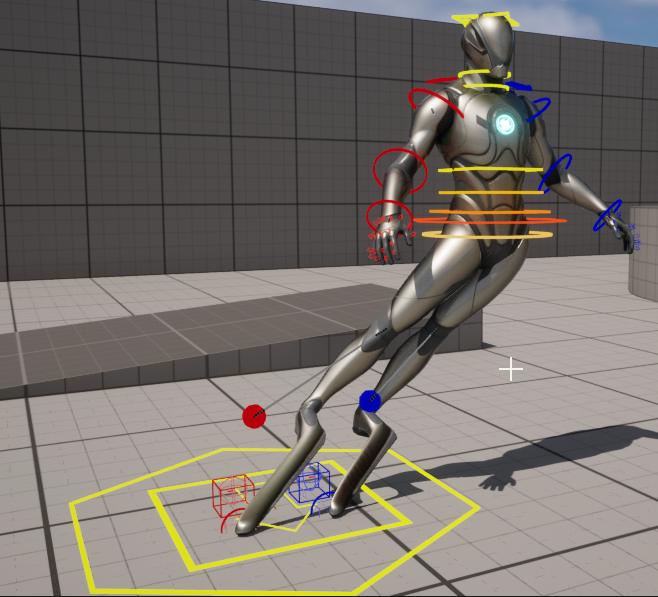
 young olive
I am using a Bone Driven Controller to trigger a corrective shape key when the right arm is rotated in Y to a degree. This works fine. Problem is, i need it Not to trigger if X is between a certain range. I cannot see anyway to do this type of calculation in the AnimBP. I imagine i am just missing something obvious. How or where can i do this?
young olive
shy vortex
https://i.imgur.com/hASG9gS.png
Quick way to restrain my bones so I can try and ...

Epic Developer Community Forums
Hi, I have just switched to the new UE5 Mannequin Manny to take advantage of the new Control Rig and Anim Sequence BUT… …I’m going crazy… When I try to move the control rig controllers, the mesh is stretching instead of moving correctly. I’m sure it’s a silly thing to fix but I can’t figure it out. PS : It’s acting the same way on every proje...
shy vortex
young olive
Maybe this.. https://forums.unrealengine.com/t/ue5-manny-control-rig-mannequin-s...
Thanks!
Ok so basically don't use the Translate gizmo on FK controls
Should I make my own rig or is this default one OK in your opinion?
 rigid robin
How do you guys import animations for a mesh that already has a skeleton and skeletal mesh inside unreal? when I try to import an animation it ends up importing an creating a new mesh, and physics asset even though I specify which skeletal mesh this asset should use
shy vortex
rigid robin
How do you guys import animations for a mesh that already has a skeleton and ske...
From what are you importing from?
rigid robin
shy vortex
From what are you importing from?
blender
young olive
shy vortex
Should I make my own rig or is this default one OK in your opinion?
I honestly do not have enough experience to say 🙂
young olive
rigid robin
How do you guys import animations for a mesh that already has a skeleton and ske...
The Animation was made on the same skeleton in Blender, right?
rigid robin
young olive
The Animation was made on the same skeleton in Blender, right?
in this particular case it was made with keyframes but then unreal created a skeleton upon import, its a simple chest opening animation but im just trying to learn the workflow of back an forward between an having different animations
shy vortex
check FBX import options
young olive
rigid robin
in this particular case it was made with keyframes but then unreal created a ske...
Maybe take a quick look at this and see if it covers it? https://www.youtube.com/watch?v=dSziSB9LDig
rigid robin
Yeah i have the animation working inside unreal, i guess my question is what is your guys process for re exporting animations? Like do you name it a new FBX name called something like Alien_Run an Alien_Idle or
wait
the video has it at the end
shy vortex
Hunan is top G googler
for something simple like chests and stuff try animating in unreal
doors, etc
rigid robin
shy vortex
Hunan is top G googler
tbf i did google but i struggled to find the reimporting when i already had it, thank you tho Hunan
shy vortex
unless you built the model in blender
rigid robin
shy vortex
for something simple like chests and stuff try animating in unreal
it was a chest in this case but its more of a get use to the flow with an easy object
shy vortex
ya nice 👍
 digital dock
wrote in general allready, but this is probably the better place to ask: has anyone here got an example of how to create a custom AnimBP node in c++?
ashen junco
digital dock
wrote in general allready, but this is probably the better place to ask: has any...
You can look into Kawaii Physics plugin that does exactly that.
There's also Control Rig that do similar thing in "BP" (it's not really BP, as it is different VM, but the graph is the same as BP)
digital dock
ashen junco
You can look into Kawaii Physics plugin that does exactly that.
There's also Co...
Ohh thats a very good suggestion! ty!
 hallow elm
Hi, I need help
I have a gun animation using "play niagara particle effect", and the ejection effect will rotate if I turn.
Although other weapon's animation with this effect works with correct rotation, this weapon will not.
How to fix it??


 sterile otter
Hello, I have an issue when retargeting animation, the target skeleton's feet are under the ground!

 wheat badge
has anyone tried to use Control Rig Component to procedurally control facial animation at runtime in blueprint? I experience extreme lag from just setting 2-3 controls from the rig using SetControl2D and SetControlFloat
ashen junco
wheat badge
has anyone tried to use Control Rig Component to procedurally control facial ani...
Have you tried putting the Control Rig inside the animBP instead?
wheat badge
ashen junco
Have you tried putting the Control Rig inside the animBP instead?
Yes i have which is ofc fast but my question is regarding control rig component, the doc says its supposed to be used for interacting with gameplay logic but right now its performance is really bad for any kind of interaction
 swift remnant
hallow elm
Hi, I need help
I have a gun animation using "play niagara particle effect", and...
swift remnant
hallow elm
Hi, I need help
I have a gun animation using "play niagara particle effect", and...
if you're spawning the effect in animation then make sure it is attached to the owner, the owner would have to be the actual weapon mesh and its specific animation, if not just spawn the effect from within blueprint of the weapon or pawn where you have firing logic and make it attach to actor/component after its spawned
 dull sun
Is there any place to scale the influence of root motion on an animation asset?
sterile otter
sterile otter
Hello, I have an issue when retargeting animation, the target skeleton's feet ar...
Anything I can do please?
 marsh crescent
I just wanna make amazingly basic animation with moving object. It will be IDLE animation. Is it possible in UE5? I just wanna choose frame and then move the object.
 steady orchid
dull sun
Is there any place to scale the influence of root motion on an animation asset?
steady orchid
dull sun
Is there any place to scale the influence of root motion on an animation asset?
you could use an animation notify state for scaling root motion. if i remember correctly there is no way to scale it on an animation asset
steady orchid
layered blend per bone is the way to go
 coral sequoia
is there a way to create VAT animation texture from metahuman right in UE5?
 red jungle
hello guys, i was wondering if someone here successfully retargetd City Sample Crowd animation into a MetaHuman ? I Cant find any topic on this, for cinematic/sequencer purpose
 real orchid
Is there a way to easily copy a blendspace and all referenced animations?
 spare pulsar
anyone using mixamo animations ?
There is problem with the animation with using the ue5 mannequin
steady orchid
yes thats how it works
there are a lot of tutorials on this topic, just search for it
basically you put your upperbody animation statebehind a layered blend per bone so that the resulting pose play that animation on the bones you specified
you probably did something wrong, i cant tell
 orchid topaz
coral sequoia
is there a way to create VAT animation texture from metahuman right in UE5?
orchid topaz
coral sequoia
is there a way to create VAT animation texture from metahuman right in UE5?

This video shows how to use the AnimToTexture plugin in Unreal Engine 5.1. The video uses an Editor Utility which is available at the link below. Also provided is a basic crowd instancing blueprint which will scatter a static mesh with VAT texture and put a random animation on each instance. The video walks through how to use both of these bl...
coral sequoia
thank you.. is that best way to animate crowd sim?
 jovial aspen
So does retarget base pose just not work in UE5.0?
shy vortex
HI, why can I not add a socket to this VB ? https://i.imgur.com/RyEMHqJ.png
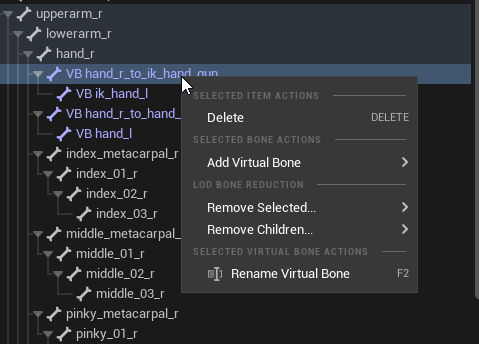
 cinder linden
shy vortex
HI, why can I not add a socket to this VB ? https://i.imgur.com/RyEMHqJ.png
cinder linden
shy vortex
HI, why can I not add a socket to this VB ? https://i.imgur.com/RyEMHqJ.png
by any chance are you trying to fix the same issue I'm having ?

I imported this character into lyra is using the old UE4 mannequin as reference
I cannot get the space between the hands right or the weapon to attack nicely
shy vortex
Well i found i just cannot add a socket to VB's I thought it was an IK bone. Oops. But in your case did you have to retarget the skeleton?
hallow elm
swift remnant
if you're spawning the effect in animation then make sure it is attached to the ...
I spawn effects from play niagara effect anim notify. I know effect rotation will be correct when it is attached, but I don't want to attach because effect will follow my character movement. I don't know why other weapon's effect works with correct rotation and this weapon won't work with correct rotation
 safe star
Evening all, I hope you guys and gals are having a good one... I've got a newbie question and I hope this is the right chat to drop it in.... Would anyone know a good tutorial on how to animate a model to match a film scene?
I am using UE5.1 and I do have the film footage and the model I want to use.
ashen junco
safe star
Evening all, I hope you guys and gals are having a good one... I've got a newbie...
https://www.youtube.com/watch?v=fMSrQc-LocQ
The tut uses Maya, but the basics are pretty much the same even with UE5's Control Rig + Sequencer. As far as video ref goes, instead of the archaic Quicktime, you can use MP Keyframe to get the frame numbers down.
•SOCIAL LINKS•
Discord: http://discord.gg/UzJRTAD
Twitter: https://twitter.com/SkittyAnimates
Patreon: https://www.patreon.com/SkittyAnimates
Amazon Wishlist: https://www.amazon.ca/hz/wishlist/ls/VT8KV1P51FV8?ref_=wl_share
Etsy Store: https://www.etsy.com/ca/shop/SkittyStore
Ko-fi: http://www.ko-fi.com/skittyanimates
Welcome to Maya!
Maya is a...
safe star
ashen junco
https://www.youtube.com/watch?v=fMSrQc-LocQ
The tut uses Maya, but the basics ar...
Thank you so much!
sterile otter
sterile otter
Hello, I have an issue when retargeting animation, the target skeleton's feet ar...
any help please?
sterile otter
I want to export it with the offset value!
 minor ginkgo
anyone knows how to import a shapekey baked curve animation in ue5?
im having this error
 shy vortex
How do I attach something to my hand that will stay there and move throughout an animation when using a control rig?
The mesh I'm attaching wont animate with the character in sequencer, even if I parent it to the socket. Sorry, new to animating and yes im doing this inside unreal, any help would be much appreciated.
ashen junco
shy vortex
How do I attach something to my hand that will stay there and move throughout an...
Are you attaching the actor via World Outliner, or using the new Constraint tools?
shy vortex
world outliner
ashen junco
Maybe it isn't attached to the right socket/bone?
 gloomy pike
hello! 🙂
does anybody know a fix to the fingers being twisted/skewed by default when using the RTG_UE4Manny_UE5Manny?


 ancient wasp
gloomy pike
hello! 🙂
does anybody know a fix to the fingers being twisted/skewed by default...
ancient wasp
gloomy pike
hello! 🙂
does anybody know a fix to the fingers being twisted/skewed by default...
is this ue5? or 5.1
(ue5.1) open retargeter and set Rotation Mode 'Interpolated' to 'one to one' and set rotation alpha '0' to '1'

if u using ue5 you need to select fingers from the skeleton tree on the left
gloomy pike
ancient wasp
(ue5.1) open retargeter and set Rotation Mode 'Interpolated' to 'one to one' and...
setting it to One to One doesn't change anything for me. RotationAlpha is already at 1 by default
I'm on 5.1
ancient wasp
gloomy pike
setting it to One to One doesn't change anything for me. RotationAlpha is alread...
wait, im checking on my project
 wise lava
hey im new to inverse kinematic, im trying to use Two Bone IK on left hand, but when i move the joint target location, the elbow is not moving, but when i move the effector the hand is moving.


when i try to change this value, it didnt do anything to the hand elbow character
 gloomy pike
ancient wasp
gloomy pike
ancient wasp
well, you basically deleted the whole finger animation
but in some cases that probably works
wise lava
wise lava
hey im new to inverse kinematic, im trying to use Two Bone IK on left hand, but ...
can any1 help me
 wheat agate
Is anyone here familiar with shape deformers / pose editors? -
I've created a character rig that has deformers on it that blend the shape of the legs and butt when the legs bend. This all works fine in Maya, but the issue is I need to have multiple different clothing options that will sit as separate objects on top of the base body. These new clothing objects no longer follow the deformation of the base model due to these deformers.
What is the best workflow for having a base model with shape deformers and then adding multiple outfits that need to match these deformers on top?
 vapid quartz
PlayAnimMontage()```

is not working for me, after looking at at least 10 forums they all say to look at which slot is playing, but I never set up any other slots, only the default one, if anyone knows that would help a bunchit's inconsistent, it works sometimes, but not others, and only on one specific animation
which is set up exactly like how the other animations are set up
is there a different common cause as to why play anim montage might not work?
marble ingot
trying to follow the 5.1 documentation on Animation_BP, but when I get to the part about creating state, I dont seem to have that option?

 azure roost
Quick question, I have to work with some alembic geometry cache file that has its pivot waaaay off...is there a way to center the pivot on a geometry cache, or does that only work for static meshes?
Please ping in reply!
 ember tundra
Hey everyone, I am in need of an animation where a character falls to its knees. Where can I look for ready-made animations besides the marketplace? (There is no such animation in store, or at least I couldn't find one even after intense searching.) Are there any other platforms that sell Unreal (Epic Mannequin) compatible animations that are trustworthy?
azure roost
ember tundra
Hey everyone, I am in need of an animation where a character falls to its knees....
Mixamo probably has that option.
ember tundra
azure roost
Mixamo probably has that option.
Not even Mixamo seems to have a "fall to knees" animation except one that ends in kneeling prayer. But I think I found something else I can use, thanks again!
 torpid bane
ember tundra
Hey everyone, I am in need of an animation where a character falls to its knees....
torpid bane
ember tundra
Hey everyone, I am in need of an animation where a character falls to its knees....
This Stephen Ulibarri video seems to include animations that include a fall to knees. You might have to sub to his Patreon though... https://www.youtube.com/watch?v=L9gd7gbqCJw&t=253s

UE5 Blueprints - Assassination with Motion Warping - Two Person Animations
Learn how to use Motion Warping to sync two characters with two-person animations! We sync up an assassin and a victim to perform stealth kills like in Elden Ring!
Discord invite: https://discord.gg/qVqSSmp3ZD
Patreon: https://www.patreon.com/DruidMechanics
Unreal Engi...
sonic trout
when im casting to an enemy character what must i use as an object ?
 ashen junco
sonic trout
when im casting to an enemy character what must i use as an object ?
ashen junco
sonic trout
when im casting to an enemy character what must i use as an object ?
Note that casting is not getting.
 tawny oxide
hey, simple lil question here - doe anyone know why I cannot edit the preview in my animation blueprint? Anytime I try and edit the variables they just reset to their default value and I can't see whats going on with the numbers behind the scenes
 compact onyx
Can someone tell me the difference using UE5.1 between Blendspace and Blendspace1D?
Because the tutorial I'm following is using blendspace1D and I used normal blendspace. Could this be why my character isn't moving?
ashen junco
compact onyx
Because the tutorial I'm following is using blendspace1D and I used normal blend...
Blendspace1D is Blend Space, with one axis ignored
Likely Epic deprecate BS1D due to maintenance
compact onyx
I'm not using blendspace 1D the tutorial is, does this change how I set it up?
ashen junco
compact onyx
I'm not using blendspace 1D the tutorial is, does this change how I set it up?
Nope, use BS2D and ignore one axis
compact onyx
is just "Blendspace" BS2D?
ashen junco
Yes
compact onyx
Sorry, I'm new.
Okay. I'm trying to figure out why my AI isn't moving, when it is in my other project. I'm thinking it has to be the animation I setup, because it's the only thing different between the two.
 graceful basalt
anyone got any tips for retargetting animations in UE5.1? Every time i try to retarget anims like holding a pistol aiming with both hands, left hand goes haywire
wise lava
wise lava
hey im new to inverse kinematic, im trying to use Two Bone IK on left hand, but ...
anyone can help me why this happen?
 strange oasis
Is there an optimized way to achieve this transition?

 scarlet sapphire
Hello! How can I see the targeted bone that was chose when a virtual bone was created?
scarlet sapphire
graceful basalt
anyone got any tips for retargetting animations in UE5.1? Every time i try to re...
Hi! The retargeting system was changed in UE5. Have you tried to follow this tutorial? It worked for me
https://www.youtube.com/watch?v=N7WdyAeeDrw&list=PLA4lmF9X9b0HL0ijw8toNNlQdIq4QYYO_&index=3&ab_channel=MattAspland

Hey guys, in today's video I'm going to be showing you how to use the new animation retargeting system in Unreal Engine 5. This is using the IK rigs and retargeting. The example in this video is using a Mixamo character and animation, however this will work for any character, skeleton, and animation you want to use.
Mixamo To UE5: https://youtu...
compact onyx
Hey guys having a issue, noob here. The Animation Montage is called and passed through but not playing.


Not sure what's going on.
it plays when I open the montage
but not when called in BP
 brazen wharf
How would i call an function/event when a sequence player has finished playing?
trying to swap out idle animations every time they finished playing
ashen junco
compact onyx
it plays when I open the montage
Make sure your animBP uses the slot
graceful basalt
scarlet sapphire
Hi! The retargeting system was changed in UE5. Have you tried to follow this tut...
that and many other tutorials. you can see even his overview that the hands don't match

while general animations work fine...anything that has fine movements of the hand and arm, don't get properly retargeted
i'm looking for more in depth info on how to make them match better.
graceful basalt
compact onyx
but not when called in BP
does your BP have the slot defaultslot in the anim graph?
graceful basalt
brazen wharf
How would i call an function/event when a sequence player has finished playing?
if you're trying to play random idle animations there's Random Sequence player. it has a shuffle or order
brazen wharf
ah thank you, not quite what i need, since the idle animations can't be swapped out on runtime ;/
graceful basalt
why at runtime?
ashen junco
Or montages
brazen wharf
different animations for different characters/situations
ashen junco
brazen wharf
ah thank you, not quite what i need, since the idle animations can't be swapped ...
You can swap it if you have the sequence variable in Sequence Player node exposed
brazen wharf
yea, but i dont know when it is save to swap it
graceful basalt
then you have to use montages i guess
ashen junco
Anytime, really, at least I don't have much issues changing the variable on the fly
brazen wharf
the thing is, i might have for example 4 animations for a happy idle movement
they should play random, then the character get's neutral, and it swaps out my array of idle sequences for neutral idle animations
graceful basalt
what determines the "mood"?
brazen wharf
the animation bp isn't aware of the mood
graceful basalt
you could have an enum and blend poses on that enum
brazen wharf
thats controlled from outside
graceful basalt
tell the BP then 😄
ashen junco
In my case each character have predefined set of idle animations in the actor BP, then the animBP make a copy of the variable to be used in the anim graph sequence player
brazen wharf
well, i would like to avoid to tell the AnimBP the mood 😄
and rather handle that outside
ashen junco
I also use montages to have idle animations like shifting the feet, or doing hand stretches
ashen junco
brazen wharf
well, i would like to avoid to tell the AnimBP the mood 😄
You can tell the animBP when you changed the mood
graceful basalt
tbh i'm pretty new to animations but from a programming perspective i see nothing wrong with feeding an enum of the mood to your anim BP and change accordingly
brazen wharf
ashen junco
You can tell the animBP *when* you changed the mood
yea but then i suddenly have mood logic in the AnimBP
i rather would like to have that logic in one place, to keep track of what happens
graceful basalt
anim bp just has to listen for the change
brazen wharf
then on top of that, idle animations between male and female differ...
ashen junco
brazen wharf
yea but then i suddenly have mood logic in the AnimBP
Not really
brazen wharf
so then i have mood + gender logic
instead of an array of idle poses, which i just want to poll in the right moment for a new idle sequence
ashen junco
You can still have the mood dictated by the actor BP, and call event in anim BP about the mood change to copy the anim sequence variable again
brazen wharf
all meh...
i rather put anim notify events at the end of each idle sequence 😄
i would just need something like this from the sequence player...
ashen junco
brazen wharf
then on top of that, idle animations between male and female differ...
ICYMI
 brazen wharf

i have that
i just need to know when it's done playing so that i can update the IdlePose sequence
sterile otter
sterile otter
Hello, I have an issue when retargeting animation, the target skeleton's feet ar...
is there anything to do?
ashen junco
sterile otter
is there anything to do?
One thing: provide more context.
 solemn kite
why is it not facing the right direction ? any guesses what could be the issue ?
 compact onyx
graceful basalt
does your BP have the slot defaultslot in the anim graph?
compact onyx
graceful basalt
does your BP have the slot defaultslot in the anim graph?
@ashen junco is this correct?
 ashen junco
Yes
compact onyx
okay i just added that, do I need to make a new montage?
hm made a new montage, still nothing
graceful basalt
brazen wharf
i just need to know when it's done playing so that i can update the IdlePose seq...
if you're adamant about it then you could use states too and do this tick box, then it will play the next state
 scarlet sapphire
Hello! How can I see the targeted bone that was chose when a virtual bone was cr...
scarlet sapphire
scarlet sapphire
Hello! How can I see the targeted bone that was chose when a virtual bone was cr...
Does anybody has any idea?
compact onyx

This works, playing the blueprint, but the montage does not.
I need the montage for the animation delay
I just know it's something simple lol
ashen junco
Is your character using that animBP?
It strikes me odd as the blocking stance is its own animBP instead of just a state
compact onyx
it's using a different bp for idle/walk/run
ashen junco
compact onyx
it's using a different bp for idle/walk/run
What, no, that's bad.
compact onyx
?
ashen junco

compact onyx
teach me wise one
ashen junco
Ideally you'd want one animBP to contain all the locomotion states
animBP isn't something meant to be replaced often
compact onyx
so one animbp should have my idle/walk/run and combat(in this case punch, but also need gun poses shooting etc..) animations?
ashen junco
Yes
 compact onyx
ashen junco
Yes
compact onyx
ashen junco
Yes
Just to clarify, when do I want a different anim bp for something?
only for a different character all together?
ashen junco
compact onyx
Just to clarify, when do I want a different anim bp for something?
Never, really.
compact onyx
okay got it
compact onyx
ashen junco
Never, really.
different skeletal mesh or animation group only then correct?
graceful basalt
something like that yea
compact onyx
ty
graceful basalt
the same way you put your default slot before output pose i n that screenshot, you can do it in your locomotion BP
if its for playing a punch tho, you might want an upper body slot only
compact onyx
you mean add the other animations?
graceful basalt
anims are so complex X_X
compact onyx
it's sort of a full body movement even though it's a punch
compact onyx
graceful basalt
anims are so complex X_X
oh shit okay so I want my BP to run my blendspace animations. Now I am assuming I would want idle/walk/run as one blend space then add the combat that groups together in another blend space but then both to the same anim bp. Is that correct?
brazen wharf
@graceful basalt your way worked, but i couldn't get a nice transition between different posed sequences, however... i found another way
this method is bound to the updateFunction binding of the sequence player (so called pretty much every tick)
checks if the sequence is at the end, and if so blends in another sequence
guess the cost of this is pretty much similar to the automatic transition check 🤷
graceful basalt
compact onyx
oh shit okay so I want my BP to run my blendspace animations. Now I am assuming ...
yes. pretty much
compact onyx
graceful basalt
yes. pretty much
okay that makes sense
I think i'll take that information and watch some animation tutorials now that I have the concept better understood. Thank you.
 winged violet
Is it bad to scale bones when animating? As in to do disney drawn style over exaggerated poses (such as inflating when jumping)?
Or is it completely fine to use scale as you would rotation on a bone when animating?
ashen junco
winged violet
Or is it completely fine to use scale as you would rotation on a bone when anima...
It's fine.
Just not done very often
FWIW same squash and stretch effect can be achieved by moving the bone
winged violet
Yeah I normally haven't touched it but have a cool use case for this animation and the end result looks better with it, just scared it would mess stuff up
I assume the physics asset shapes also scale with the bone that is being scaled
ashen junco
I don't know about physics assets, but it's safe to assume you're not going to do ragdoll while you do the cartoony effect
winged violet
Yeah! Would reset all scales before doing that (it's more just for regular gameplay traces since physics asset collision is used for those)
Thanks for the help
sterile otter
ashen junco
One thing: provide more context.
Thanks for your reply. I have created an Ik retargeter to retarget animations to UE4 skeleton, the source skeleton is fine, but the bottom part of the target skeleton is below the ground, although it's above in the edit pose mode! The animation works fine, the only problem is being immersed in the ground. thanks again.


 static holly
Imported animation from bledner (Up) has a different root location than un-animated model (bottom). Anyone can tell me how to fix this?

 scarlet sapphire
How can I find that node?

It has something to do with arrays and Inputs to a sub-animation graph from a parent instance
static holly
static holly
Imported animation from bledner (Up) has a different root location than un-anima...
The root bone is in correct place, but it still spawns underground

 shell sparrow
Question! I am scaling bones in the anim bp so I can have weird and fun stylised characters. Everything works well EXCEPT when I enable some physics component stuff for floppy arms etc. Then it all goes to hell and stretches quite a bit.
Any ideas?
ashen junco
shell sparrow
Question! I am scaling bones in the anim bp so I can have weird and fun stylise...
Physical anims? Probably the physics assets isn't constrained properly
tranquil lark
Doing a OTS game. I have unarmed/armed/aiming states. I plan on doing all of the base locomotion (idle, walking, etc..) as the primary locomotion stuff. To handle the armed_idle and aiming_idle, I plan on using additive animations. This way I really only have to animate the base stuff.
If anyone has done this approach - did it work out well for you? Is there something that I'm not thinking about? What are some pitfalls?
 compact crane
Does UE 5.1 make animation easier? I notice they put out an Unreal Fest video on it.
And is body motion capture the most efficient way to do it? Say if I want to animate characters in cut scenes.
ashen junco
compact crane
Does UE 5.1 make animation easier? I notice they put out an Unreal Fest video on...
It is far better than the state of Control Rig in prior versions.
static holly
I don't want to nag, but I really need to get this sorted out before I finish the player controller, so if anybody knows what's happening I'd be most grateful 🙏
 ashen junco
tranquil lark
Doing a OTS game. I have unarmed/armed/aiming states. I plan on doing all of the...
ashen junco
tranquil lark
Doing a OTS game. I have unarmed/armed/aiming states. I plan on doing all of the...
Personally I'd do it with layered blend per bone, I don't use additive animations that much.
At least I'm having hard time to get intended result from additive anim on that regard
ashen junco
static holly
I don't want to nag, but I really need to get this sorted out before I finish th...
what
static holly
ashen junco
what
Imported animation from bledner (Up) has a different root location than un-animated model (bottom). Anyone can tell me how to fix this?
static holly
static holly
Imported animation from bledner (Up) has a different root location than un-anima...
this up there
ashen junco
Probably transform not applied
tranquil lark
ashen junco
Personally I'd do it with layered blend per bone, I don't use additive animation...
This is how it is currently being done, but we were playing with the additive approach last night and liked how it could potentially work.
If we can get the additive stuff working as intended, it could reduce a lot of animation authoring
static holly
ashen junco
Probably transform not applied
Nope. Did apply them, multiple times to make sure
There's even an "apply transforms" options in export settings which I ticked, so there's no chance for that
Also, static model is positioned correctly, which it wouldn't be if transforms weren;t applied
 meager thorn
hey guys, need some help with this. My character doesn't seem to fall off the edges while crouching. Please someone help me.
I've used this tutorial - https://www.youtube.com/watch?v=BN5erThC02A&t=291s
crystal imp
❤️ Check out Fully Connected by Weights & Biases: https://wandb.me/papers
📝 The paper "DeepPhase: Periodic Autoencoders for Learning Motion Phase Manifolds" is available here:
https://github.com/sebastianstarke/AI4Animation
My latest paper on simulations that look almost like reality is available for free here:
https://rdcu.be/cWPfD
Or this...
 hollow orchid
I still couldn't figure this out
tried doing the euler vector thing but not really sure how?
brazen wharf
static holly
Imported animation from bledner (Up) has a different root location than un-anima...
is the origin of your armature at world origin in blender?
static holly
brazen wharf
is the origin of your armature at world origin in blender?
Yup
 deep geode
Does anyone have any experience iwth IK rigging with animations? / player control
specifically with VRM models
 errant glen
Should I skip IK on retargeting Mixamo's animations to UE5.1? I can't get that to work and I can't find new links or videos to make it work.
compact onyx
Just an update from yesterday @ashen junco I finally got my animations figured out, just now got it working. Thank you for your help.
I figured out how to use the anim BPS and state machines for separate animations unlike idle/walk/run which can be put into and configured in one blendspace. Switching outside of that was my issue. Got it now! woot!
As you can see, he now throws a punch at me which is all I wanted to get it figured out initially.

but he also idle/walks/runs just fine
 brazen wharf
errant glen
Should I skip IK on retargeting Mixamo's animations to UE5.1? I can't get that t...
brazen wharf
errant glen
Should I skip IK on retargeting Mixamo's animations to UE5.1? I can't get that t...
you shouldn't retarget mixamo animations at all
terribilisstudio.fr
Animations generated by Adobe's Mixamo.com are not fully compatible with Unreal Engine 4 and 5, most notably when it comes to IK or root motion extraction. Mixamo Converter software is a mini-app that processes FBX files downloaded from Mixamo and adapts them to Unreal's conventions.
errant glen
brazen wharf
you shouldn't retarget mixamo animations at all
Hey, thanks a lot
 tight acorn
Hi everyone! Can someone help me with my problem?
I'm adding i sequencer body, add animation to this body and it not work - body just stay in A pose

but if I use backward solve in rig blueprint - it works
 digital dock
Anyone know how I can get the local space transform of a bone in AnimBP node (c++)?
ashen junco
tight acorn
Hi everyone! Can someone help me with my problem?
I'm adding i sequencer body, a...
Your control rig is overriding the animation track.
tight acorn
ashen junco
Your control rig is overriding the animation track.
can you say how to fix it?
ashen junco
tight acorn
can you say how to fix it?
delete either one of them in the sequencer.
tight acorn
ashen junco
delete either one of them in the sequencer.
Done. and after add track with animation again - nothing changed. I'm trying to add existing animation as pattern and create my own animation based on this. Guess I'm doing something wrong. On youtube videos they just add track with animation and it works.... I'm doing the same - and not working
sorry to worry you
digital dock
tight acorn
Done. and after add track with animation again - nothing changed. I'm trying to ...
you have to bake the animation to control rig or something afaik
dont directly drag it into the timeline
tight acorn
@digital dock I'll try it, thanks
 unreal zenith
Hi , i need a help guys, do you have some experience with Caching the CLOTH Simulation ? in 5.1 release notes says its possible but for it doesnt work ... i can record object but no the cloth simulation ... any solution how to record it or get it into cache ?
our team is like rly desperate ... bcs only solution that i found is use uDrapper plugin but that is not solution for us
ashen junco
unreal zenith
our team is like rly desperate ... bcs only solution that i found is use uDrappe...
How about prebake it elsewhere?
sterile otter
sterile otter
Thanks for your reply. I have created an Ik retargeter to retarget animations to...
Hi @ashen junco can you please take a look at my issue? thanks in advance 😊
ashen junco
sterile otter
Hi <@325627930484932608> can you please take a look at my issue? thanks in advan...
No, I still haven't know much about the new retargeter
unreal zenith
ashen junco
How about prebake it elsewhere?
that would mean make it somewhere else than in unreal ... i wanna make cloth simulation in that unreal but then i need somehow bake it for no more changing ... thats why i hoped for take record function
ashen junco
unreal zenith
that would mean make it somewhere else than in unreal ... i wanna make cloth sim...
Cloth sim is handled differently than key-able elements like bones and transforms
static falcon
Yeah to my knowledge it's not possible in Unreal. Can def do it in Blender though, and export alembic or vertex animated texture
unreal zenith
ashen junco
Cloth sim is handled differently than key-able elements like bones and transform...
yea, but if you look up in 5.1 release notes thay says " record of cloth simulation is now possible " ...
yea, i trying to find fastest workflow and this would be huge deal for us
for sure , its possible make it in Marvelouse or blender but still , that mean export alembic and when became change you have to repeat that proces , thats time consuming
ashen junco
unreal zenith
yea, but if you look up in 5.1 release notes thay says " record of cloth simulat...
FWIW doing it elsewhere is tried and true
unreal zenith
yea, it is , and our last solution will be this way but for optimalizations this will be super good , so im just asking if somebody has a same problem or know how to solve it
static falcon
Ah, I haven't gotten to 5.1 yet, so I'd just look for the latest docs
tight acorn
@ashen junco @digital dock thx guys! after your help I googled right questions and fount solution. Just when I start tracking SKM - I need to delete default control rig and after that - + animation and after that on SKM need to "edit with FK Control Rig"

 strong barn
Hey, i got a question :
I need to work on a skeletal, it will be modified a lot along the mesh. (character can be adjusted along the project)
But i need to work on the animation (anim blueprint, rig, etc...)
What is the best workflow ?
Tag me.
TY
ashen junco
strong barn
Hey, i got a question :
I need to work on a skeletal, it will be modified a lot...
So, modular characters?
strong barn
not so much, only the head can change, i use CC.
The best solution in my eyes would be to make a 1st mesh empty except the skeleton to keep it.
 lethal egret
Probably a very simple thing but. In my animation previews I somehow ended up with 2 of ym character but 1 is stationary (only in the animation previews).. And I have absolutely no clue how to get rid of the stationary one. Does anyone know?
sterile otter
ashen junco
No, I still haven't know much about the new retargeter
It's okay, thanks for your reply!
 stone moat
I'm trying to retarget animations from the MVN Puppet to the UE5 Manny using the UE5 retargeter; however, I seem to be running into issues I can't resolve, as explained here: https://youtu.be/urXtRHZVNPA. When using the FK-only option in the retargeter, I have a good retarget except for foot sliding and foot-on-ground "mushiness" (see video). I applied speed planting in an attempt to resolve the issue, but speed planting requires the IK portion of the retargeter to be turned on, which creates its own set of issues (see video).
Does anyone have any ideas for how to resolve these issues in the retargeter?

 rustic swallow
Hi, I have a question about IK retargeting: I have a custom skeleton which has a bone for this Cog mesh
When I retarget it, the bone delta is different resulting with it floating behind the player
Is there some way to set it as a fixed transform relative to another bone?
 wary burrow
hey, i've been stuck for a while trying to fix my rolling animation in my game (im using the Flexible combat system asset). The problem i'm having is that if root motion is turned off in my animation, the animation looks good but when i try it in game the character teleports back to where they were after having completed the animation. If i however have root motion turned on the character does a weird movement without moving.
vocal owl
I am making a first person melee game and am trying to have it such that my attacks always go through a point in space that is in the direction of the players cursor and a certain distance away from them at a specific point in time in each attack animation. Similar to what mordhau shows right here: https://youtu.be/p-B4AwgArwA?t=165. Currently if my player does a "stab" they can move or spin to change the position of the attack but the animation will not change significantly if they look up or down and so they always hit roughly the same vertical height regardless of mouse input. Can anyone point me in the right direction on how to morph or warp (I don't know the right word) the animation so that it forces a specific part of the weapon through a specific point in world space at a specific time?

Buy Mordhau Steam key from the webshop (developers get more money): https://mordhau.com/shop/
Buy Mordhau on Steam: https://store.steampowered.com/app/629760/MORDHAU/
Get Mordhau Merch: https://mordhau.com/shop
Mordhau is an upcoming medieval first-person fighting game with a strong emphasis on skill-based competitive play.
Visit http://www.mo...
 chrome holly
Hello guys, i am a very beginner:
Why when i retarget my animation from mixamo the UE5 skeleton arms are stiff in the animations?
got it, the t pose of the ue mannequin has bent arms
xD
 potent cradle
If anyone here has any experience dealing with bone blending issues inside animation BPs, I'd love to get an outside opinion on some weird behavior I'm encountering related to the mesh space vs. local space options. Details here: https://www.reddit.com/r/unrealengine/comments/10bsgbm/weird_bone_rotation_from_layered_blend_in/
reddit
1 vote and 0 comments so far on Reddit
scarlet moth
Quick question for the Blender/UE guys: I'm importing a rigged mesh from Blender (via FBX) into UE. When importing into UE, it creates a skeletal mesh, a skeleton, and a physics asset. The physics asset is empty tho, it has no collisions. Do I have to create these myself? If yes, where?
 tame crypt
is there any glaring pro/cons to making an first person rig and removing the unused bones?
For example I will only have arm meshes, will deleting the chest and lower bones jebait me later down the road, or is the gain not worth it and its just easier to leave the full rig in there attached to nothing?
ashen junco
tame crypt
is there any glaring pro/cons to making an first person rig and removing the unu...
You have nothing to lose by keeping the full body rig around
tame crypt
ashen junco
You have nothing to lose by keeping the full body rig around
hmm.. good to know
wasnt sure if there would be any weirdness at some point with alot of unconnected bones or anything
potent cradle
scarlet moth
Quick question for the Blender/UE guys: I'm importing a rigged mesh from Blender...
Sometimes the default settings for physics assets skip over a lot of the bones, so you end up with only 1 or 2 collision volumes. If you want to make your own, right click the skeletal mesh, Create (at the top) > Physics Asset > Create and Assign, set it up however you want, and delete the old one
 covert onyx
https://github.com/ubisoft/ubisoft-laforge-animation-dataset anyone got these animations retargetted to ue4 skeleton or atleast exported with fbx not c3d?

GitHub
Ubisoft La Forge - Animation Dataset. Contribute to ubisoft/ubisoft-laforge-animation-dataset development by creating an account on GitHub.
 tawny thistle
I am trying my hands on ue to rigify but I am having problems with the fingers
I used the simple Quinn mesh from the template and the downloadable template from github for the addon in blender
The bones match up and the weights seem to be also fine but for some reason the fingers are getting squashed 😨

It's only happening for the ring finger and pinky and I can't figure out why. Anyone solved that and had a good experience animating in blender or is maya still 3x easier + better for animations?
potent cradle
tawny thistle
It's only happening for the ring finger and pinky and I can't figure out why. An...
You could try turning on "Preserve Volume" in the armature modifier on the mesh, otherwise I normally fix those kind of issues by manually weight painting
tawny thistle
potent cradle
You could try turning on "Preserve Volume" in the armature modifier on the mesh,...
I tried to manually weight paint it but it doesn't really react like I expect it to
that's the weight for the pinky

that's the one for the index
 potent cradle
That looks like the pinky tip had the weights removed, hard to say. If you click the skeleton, then shift+click the mesh, and go to weight paint mode (ctrl+tab), you can ctrl+click any bone to see the weights associated with it, might help diagnose the issue
 native mist
Hello, I have some problems with the retargeter in UE5.1. the animation looks good in the preview but jitters extremely after exporting, has anyone had the same problem ?
After Exporting
wary burrow
hey, i've been stuck for a while trying to fix my rolling animation in my game (im using the Flexible combat system asset). The problem i'm having is that if root motion is turned off in my animation, the animation looks good but when i try it in game the character teleports back to where they were after having completed the animation. If i however have root motion turned on the character does a weird movement without moving.
 cunning compass
Hi guys my montage is looping thats weird , how to stop it from looping?
cunning compass
wary burrow
hey, i've been stuck for a while trying to fix my rolling animation in my game (...
Did u choose the right slot
wary burrow
cunning compass
Did u choose the right slot
what do you mean?
cunning compass
Idk how to change slots in ue5 but usually when it doesn't move for me it might mean u didnt use the correct slot
Oh i am talking about montages btw , i use them for rolling animation
wary burrow
okay... i still dont understand hahah, im a beginner. where do you find the slots, is it in the montage?
scarlet moth
@potent cradle thanks!
 languid mason
Guys I have a question.
Idk if is the right section but, how I can recreate the floating the"book weapon" of Lisa in Ghenshin impact ? I'm creating some animation and I was thinking of add a wep socket on UE5 and parent a flying book, but in this case it follow my hand so I cant animate it.
So how I can achive better resoult?
Thanks in advance
https://www.youtube.com/watch?v=NBw3bcDwODM
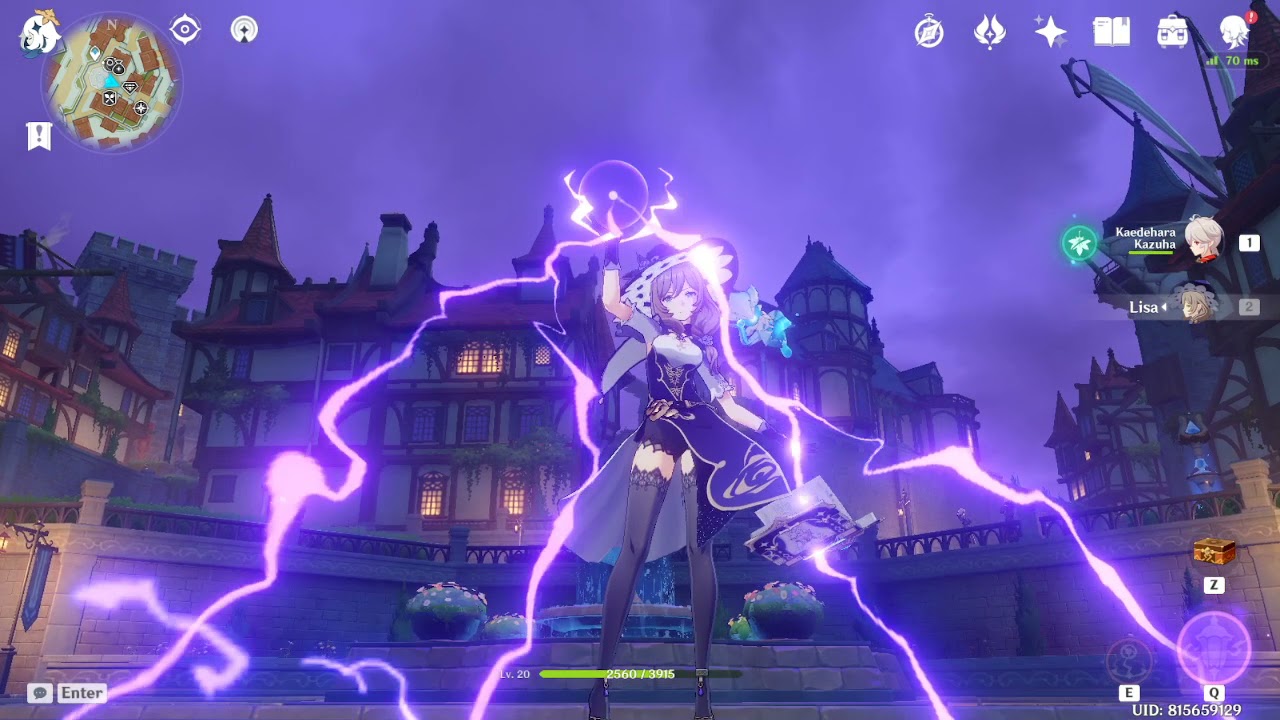
appreciating the animations of characters in genshin impact
like and subscribble if you want to support me
twitch:
https://www.twitch.tv/kamikazeyo137
Come and support me here for donations:
https://streamlabs.com/kamikazeyo137
ashen junco
languid mason
Guys I have a question.
Idk if is the right section but, how I can recreate the ...
You can have the book skelmesh floating on its own without socket attachment.
 hardy cypress
I have a basic pawn with no skeleton and I want to make it scale and move a little, I figured I'd need to make an animation using keyframes but I can't find any tutorials online, does anyone know how to do this or could link me a video? I'd also like to activate the animation using blueprint
unreal zenith
@ashen juncoso i found out that you can record the simulation and playback it by Chaos cache manager ... it has to be in actor but it works great , so just giving information that is it possible 😉 thanks for advices
ancient wasp
hello guys, is that rootmotion true?
imagine the camera is attached the head, it will be fps.
my programmer says it doesn't affect the movement of the camera and the direction of the camera.
dawn sail
Hello! For a while, we used a selection set containing the bones and mesh to export the FBX from Maya to unreal, but I realized, in unreal, we always uncheck "import mesh" option anyway, so would it make a difference if I did not add the mesh to the fbx export in maya? Or would it break something in unreal? We don't have blendshapes
ashen junco
dawn sail
Hello! For a while, we used a selection set containing the bones and mesh to exp...
Unchecking it makes Unreal treat the import as animation data, not the skeleton asset alone
You'd need to at least bring over a dummy mesh assigned to that skeleton
dawn sail
ashen junco
Unchecking it makes Unreal treat the import as animation data, not the skeleton ...
Yeah, but then it doesn't matter if I export the animations with the mesh in maya anyway as in unreal, I just want the animation data and I guess there is only animation data on the bones, and none on the mesh?
dawn sail
ashen junco
You'd need to at least bring over a dummy mesh assigned to that skeleton
For the SKM, yes, but we already have a skm setup, so when I import in unreal, I select the good skeleton I want to assign the data to and that works
It's so long to export from maya, I just feel like if having the mesh in the selection set I export is unnecessary, I will just remove it from animatuion exports and just keep it in SKM exports
Usually, I uncheck export mesh and select my skeleton

If I try with a version where I exported my animation from maya with just the bones, it looks the same, but I just don't have the import mesh option
 hallow elm
Hi, I need help
I wanna make weapon left hand IK with using Basic IK in control rig, but I cannot find how to do it...
plz give me hint?

 fair dragon
I was wondering do you need to use Blendspace for animations where the character is not technically moving. For example, if the character is only standing still in the idle animation, then throws a punch or block and then goes back to idle. Will using a blend space help with the transition of going from idle to block to idle animations or idle-punch-idle, etc.? It's just that every time I look up anything about Blendspace or tutorial it's talking about movement (walking, running, jumping) and not animations/moves.
 fiery snow
Experimenting with Pose Drivers, How do I get a driven bone's rotation to move in the opposite direction when driven by another bone?
I am using the Bone Driven Controller
 mystic remnant
Not sure if this is BP or Animation related... I have a modular character, I setup the leader pose, but when I call an animation montage (skeletal mesh) on the leader mesh nothing happens.

 fiery snow
Experimenting with Pose Drivers, How do I get a driven bone's rotation to move i...
fiery snow
fiery snow
Experimenting with Pose Drivers, How do I get a driven bone's rotation to move i...
Fixed it. Set Multiplier to -1.0
 wary patio
Hi can someone please help me, I have been trying to find a solution online but nothing seems to work, why does my metahuman not properly do the animations? Look at his legs in example below... the weird thing is that if I look at all animations individually they all look great until I actually go in game and try to walk around. I am using the third person character blueprint and retargeted all his animations
as you can see in the second video, the animations work and legs move normal, but not when I actually press play and move he starts SKIING.... so frustrating 😦
 astral cypress
Good evening,
I'm pretty new to IK. Just wanted to replace the default idle mannequin animation and now the IK control rig messes the pose up.
Any idea what I should change to make the IK compatible with new idle/walk animations? (without IK everything looks good with the default skeleton)
 dim flume
Hi, i have an animation with root motion, but i want a character to move further then it is right now. Am i able to edit the animation within Unreal Engine to do so?
astral cypress
wary patio
as you can see in the second video, the animations work and legs move normal, bu...
thats the same issue I have. Its caused by the IK not working properly
wary patio
astral cypress
thats the same issue I have. Its caused by the IK not working properly
You think so? did you find a better way to handle this?
 true marsh
Hey so does anyone know how I could go about making a question block type thing like in Mario Bros? I want the block to sort of bounce up and down when hit from the bottom (like when Mario collects coins).
tranquil lark
true marsh
Hey so does anyone know how I could go about making a question block type thing ...
This is where UE's animation system is lame. I'd use a timeline in the block personally. You could use sequencer, but that mostly deals with static data. A friend tried using it with dynamic transforms and it was...interesting.
You can also look at the Actor Sequencer plugin. Be warned though, it is experimental.
Pretty much - animating static stuff has a fairly lame workflow when you want to reuse the animation.
brazen wharf
if you don't need collision you can use WPO in the material
tranquil lark
I feel like that'd be more trouble than just a timeline
brazen wharf
why?
brazen wharf
😄
this is pretty easy tho, you pretty much feed a sine to the wpo and mask it on the z-axis so it only wobbles up/down
and a parameter to control the effect (can use custom primitive data, so you don't need to spam 1000 dynamic material instances)
tranquil lark
If only sequencer could work in local transform only 🤔. That'd be nice. Not sure if it can though. But the actor sequencer plugin does solve that problem.
true marsh
tranquil lark
This is where UE's animation system is lame. I'd use a timeline in the block per...
awesome, thanks!
brazen wharf
can anim notifies carry a value?
languid mason
Guys How can I plug these 2 node to the output?
I tryed with the "Blend Node" but the "ALPHA" input ruins everything
Thanks in advance.
 astral cypress
wary patio
You think so? did you find a better way to handle this?
astral cypress
wary patio
You think so? did you find a better way to handle this?
https://www.youtube.com/watch?v=rxCWtcArhFU maybe the solution?!

In case You want to support my stuff, please visit my Patreon page:
https://www.patreon.com/YourSandbox
wary patio
astral cypress
https://www.youtube.com/watch?v=rxCWtcArhFU maybe the solution?!
thanks a lot for your help, I tried this exact one but when I do this unreal keeps crashing, appearantly this works on 5.0 but not 5.1.... so frustrating to keep running into so many stupid bugs especially in 5.1
astral cypress
wary patio
thanks a lot for your help, I tried this exact one but when I do this unreal kee...
this the solution for me, I had the IK bones missing in the animation and fixed the IK control rig to use the virtual bones. (UE 5.1)
wary patio
astral cypress
this the solution for me, I had the IK bones missing in the animation and fixed ...
sent you a pm
wary patio
astral cypress
https://www.youtube.com/watch?v=rxCWtcArhFU maybe the solution?!
this does not work on 5.1, only on 5.0.... hope this saves someone the headache I went through....
languid mason
languid mason
Guys How can I plug these 2 node to the output?
I tryed with the "Blend Node" ...
no one know how to resolve ?
ashen junco
languid mason
no one know how to resolve ?
No one
Except Kawaii Physics doesn't need to be cached
languid mason
ashen junco
Except Kawaii Physics doesn't need to be cached
even if i don't use the node cache, i still have 2 nodes to connect.
I've used a simpler animation blueprint in the past with no problems, but now I don't know how to do it here. 🤔
ashen junco
languid mason
even if i don't use the node cache, i still have 2 nodes to connect.
I've used a...
Why not using the Kawaii Physics after the last anim node?
languid mason
ashen junco
Why not using the Kawaii Physics *after* the last anim node?
because I'm a chicken, I missed such a stupid thing, I've had little sleep these two days to fix some unreal things and this is the result.
Thanks for all lol
 cedar zodiac
Hey all, working on getting aim offset to work in my game and realized that the blend doesn't seem to apply to montages. Does anyone know of any guides to set this up to work with a montage that I can reference?
 gritty heath
Hey everyone, I've been trying to fix this issue, during this animation/Montage my character's legs go into an awkward squat position instead of the intended animation (This is my first time trying to make an animation so the quality of it isn't perfect) I'd appreciate any help I can get on this one, everything I've looked into talks about the foot IK but I'm still new to this all and don't fully understand tbh
cedar zodiac
Fixed my issue, Had to put my montage in before I did my IK and Offset commands.
hallow elm
hallow elm
Hi, I need help
I wanna make weapon left hand IK with using Basic IK in control ...
can I get help?
compact crane
Does Mesh to Metahuman accomplish the same thing as the official Daz to Unreal Bridge plugin? If so why use one or the other?
 warped sand
Can someone explain why this is happening? Very strange... https://www.youtube.com/watch?v=VEODdq-OkSM
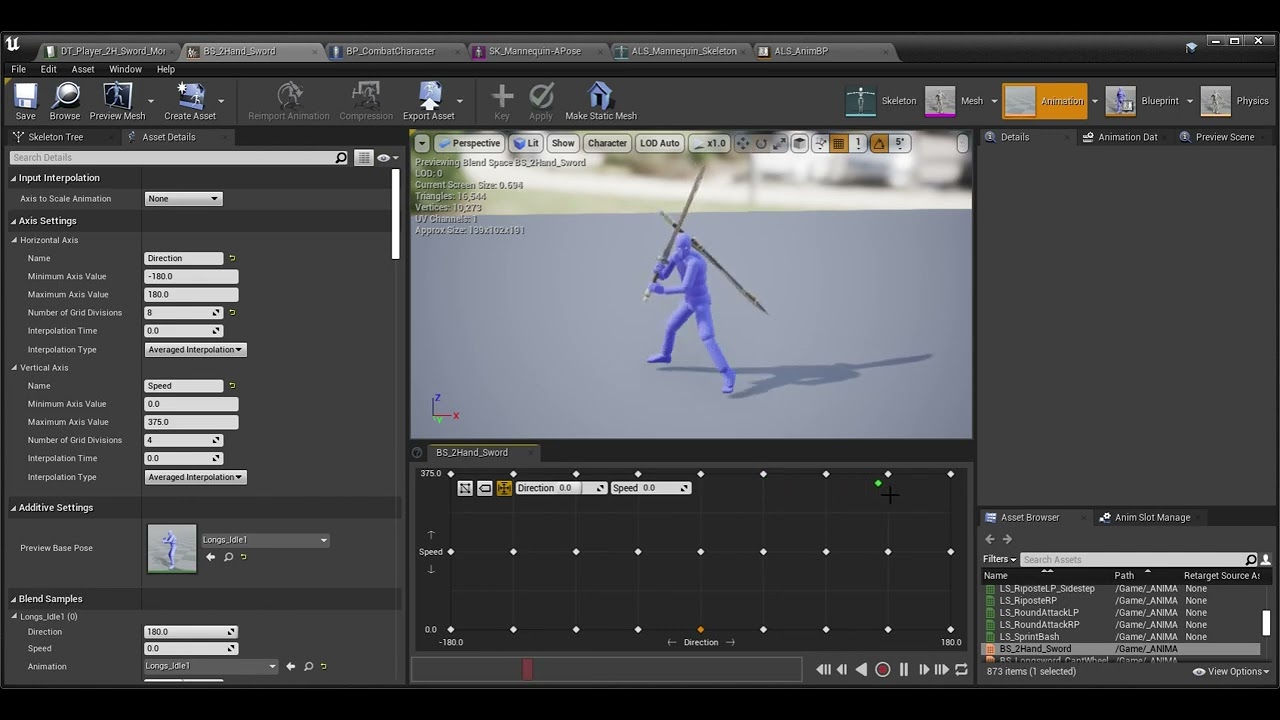
The example character shrinks and disappears in the blendspace when set to sprint. Thankfully, this hasn't happened during actual gameplay (yet). Curious to know the reason.
 stoic lynx
Hello All. I'm having this weird problem with UE5 retargeting animations. Basically, when I retargeted from the main skeleton to this cyborg ninja skeleton, the new mesh floats in the air when playing certain animations (specifically montages). I created a leg IK system that (sort of) fixes this during walk and run animations, but I can't seem to get this to work with montages for combat.
Does anyone know what would cause this? The target skeleton is just not lined up with the ground for some reason. This only became a problem when I decided to stop using the default UE4 mannequin. Thanks
stoic lynx
warped sand
Can someone explain why this is happening? Very strange... https://www.youtube.c...
Does this happen in game also?
warped sand
stoic lynx
Does this happen in game also?
I don't see it in game yet.
 karmic acorn
Hey everyone! I have a group that I've started for people struggling with motivation issues. You basically partner up with another animator or artist around your experience level, set a goal for yourself (in my case I am working on a storyboard for a short film, but it could be legit anything), tell your partner about your goal in the first week, set a time to meet and chat every week about your progress, and update your partner via text chat each week on what you've gotten done that week. I made a reddit post about it if anyone wants more details, but PM me if you're interested!! https://www.reddit.com/r/animationcareer/comments/10ao03z
reddit
13 votes and 14 comments so far on Reddit
 pale coral
Sometimes the failures are the most funny, and psychologically damaging
 warped sand
 grim orchid
Check your monitor res, your capture res, texture res, your GPU settings, and animation rate.
 remote mica
Does anyone know what might be causing this? It only happens with this mesh. Could it be a bad rig on my end or something else?
 mossy kernel
how can I turn off the IK rig when I do a custom animation so it doesnt look like this?

 hardy reef

Full-Body IK (FBIK) provides you with the tools to create reactive, dynamic characters, and Motion Warping is a new Experimental feature which allows you to manipulate root motion animations to adapt them to the world with fewer custom assets. Join us as we explore Unreal Engine 5’s new animation features!
ANNOUNCEMENT POST
https://forums.unrea...
Hello, I was watching a video made by Unreal Engine and there is a system that I could not find when I searched. How did they use EQS to create dynamic sync points?
Sorry for my bad english. In the 35th minute of the video, they show the system I was wondering about.
ashen junco
Not going to sit through Inside Unreal due to awful live pacing, but in essence, you just have to feed the location vector to the Control Rig IK
 muted monolith
languid mason
Guys How can I plug these 2 node to the output?
I tryed with the "Blend Node" ...
muted monolith
languid mason
Guys How can I plug these 2 node to the output?
I tryed with the "Blend Node" ...
use layered blend node
muted monolith
remote mica
Does anyone know what might be causing this? It only happens with this mesh. Cou...
the bones man ahh
compact crane
What is the recommended way to do fight scenes? Motion capture?
 tender elk
hello, I have two animation instance blueprints, I want to copy over the state machines from one to the other
is that possible?
i right clicked on one and there was no copy option
 weak beacon
Anyone got insight to share in regards to what would be the better approach to UE5 animations?
I'm split between using a monolithic AnimBP with AnimLayerInterface for all state machine nodes so linked anim instances can define their own behavior in those,
OR
Utilizing a bunch of LinkedAnimGraphs to drive locomotion through linked anim instances.
I'm really not sure if there is a difference, and if so, what it would be. I feel like option 1 is more in line with Lyra, while option 2 is more like ALS_Refactored.
ashen junco
compact crane
What is the recommended way to do fight scenes? Motion capture?
Both mocap and hand animated
Especially if you want something more stylized
stoic lynx
remote mica
Does anyone know what might be causing this? It only happens with this mesh. Cou...
That's legit horrifying
Still having this weird floating problem with animations. I've tried reimporting the animations after changing the z offset value, and that didn't work. Anyone have any ideas?
remote mica
muted monolith
the bones man ahh
Is the bone orientation wrong you think?
muted monolith
remote mica
Is the bone orientation wrong you think?
the rig is not done properly and if the rig is done properly then try it in ue4 then it will surly work ik trust me i never like ue5 retartget
remote mica
muted monolith
the rig is not done properly and if the rig is done properly then try it in ue4 ...
I used Auto Rig Pro in blender (using the UE5 skeleton setting) and it works fine with 99% of the other animations. I've used ARP in the past with UE4 and had no issues
muted monolith
ohh
remote mica
I noticed that some bones are technically not used such as some of the corrective bone roots in the arm. Could that be an issue as well?
muted monolith
have u checked the pose ?
remote mica
The A pose? This model is set to A pose by default.
remote mica
Yeah the pose is the same. I think it is something to do with ARP's rigging method itself. The only other thing I could think of is twist bones but I typically don't use those
tranquil lark
weak beacon
Anyone got insight to share in regards to what would be the better approach to U...
Actually, option 2 is what Lyra does. That said - I prefer option 2 because it is more efficient on memory (doesn't have to have all anims loaded at once) and allows you to easily compose/work on specific areas. For example - I have a weapon layer for my linked anim layer. My weapons have their own BP that use their own animations. Adding a new animation set is as simple as creating a whole new ABP and then linking it to the weapon, so when I equip it, all the animations just work™️
I don't need to go back and change anything with the original ABP
It controls the logic on how to navigate around the state machine that is actually being used.
As for what is "better" - well, it depends.
The anim layers adds additional abstraction and complexity. Your game might not even need that.
compact crane
ashen junco
Both mocap and hand animated
Especially if you want something more stylized
I figured. Going to have to RL act out every action scene in the game
Easy compared to manual animation though so I don't mind
weak beacon
tranquil lark
Actually, option 2 is what Lyra does. That said - I prefer option 2 because it i...
So, do you use ALI and use StateMachines in your main ABP which then calls those states from linked ABPs?
In lyra all locomotion is set with ALI and then in linked ABPs all animation logic is placed, where as ALS_Refactored uses main ABP only to reference linked ABPs and does not contain any StateMachines (Sorry if my explanation is lackluster, just started diving into the new ABP system about a month ago)
tranquil lark
weak beacon
So, do you use ALI and use StateMachines in your main ABP which then calls those...
I went back and re-read what you said. My mistake, I read it wrong 😅. Yeah, Lyra is option 1 and that is how I do it as well (even before looking at Lyra). Simply because it is more composable/modular. A linked anim graph links to a specific ABP - which...I don't feel is all that useful honestly. Linked anim layers is where it is at ❤️
(I originally was reading it like option 1 was split up...not one continuous thing, lol. So like it was "monolithic ABP vs using linked anim layers" pretty much 😅 )
You can change which anim layer is linked at runtime. Can't to that with a linked anim graph to my knowledge.
That is much more useful than being locked into a specific graph
My current setup is as follows:
1: Linked Anim Layer which has my "Fullbody Locomotion".
2: Layered Blend Per Bone with the first one connected as the base pose and then another linked anim layer for my "Weapon Layer" as the Blend pose.
3) Then afterwards I connect to a IK node that also connects with a "Weapon IK" linked anim layer
 humble trout
Hey! I am working in 5.1 and encountering an issue with the LookAt node in the animation graph. It appears to always use the starting input pose for all its calculations. If a "modify bone" node rotates a bone further up the hierarchy, it adds it to the lookAt node, making it no longer work as it should. this happens no matter which node comes first, even if the lookAt is the last thing that is done before finishing the animation frame. Is there a way to work around this issue or fix the LookAt node behaviour, to use the pose, that is put into the node, instead of the default starting pose?
Example: Using the modify bone node on a head will break lookAt nodes, that control the eyes.
Even when doing a blend per bone and completely separating the eyes, it breaks.
If the head is rotated 45° on the yaw via modifyBone, it will add that to the lookAt, no matter what I do.
weak beacon
tranquil lark
I went back and re-read what you said. My mistake, I read it wrong 😅. Yeah, Lyr...
I appreciate the detailed response!
I have a pretty decent idea of how I wanna approach this now, I'm reading into it heavily which makes me uncertain at times haha😅 ..
I'll most likely be following Lyras way of implementation as well! After looking at it closer, I think the ALS version shares movement locomotion between all "overlays" which might be undesirable when creating something like an RPG with multiple weapon types..
static holly
I have this very simple setup in my animation blueprint for walking animation, the issue is that the animation plays no matter whether the movement is made by the player or if the character is pushed. Is there something like "Is key pressed" thing I can use to determinate if the movement is player or environment triggered?
 orchid topaz
static holly
I have this very simple setup in my animation blueprint for walking animation, t...
orchid topaz
static holly
I have this very simple setup in my animation blueprint for walking animation, t...
Instead of velocity, you can use character acceleration, which is actually a scaled player input
static holly
orchid topaz
Instead of velocity, you can use character acceleration, which is actually a sca...
Brilliant. I'll try it out
 past lake
so I have these 2 dashing animations. One ends with idle animation and the other one ends with running animation(the dash itself and endings are in the same animation, it is one piece). How can I make it end with running animation only if the player is running?
 hushed gull
hey to retarget a character skeleton to another what are the conditions? the two skeletons should have the exact same number of bones or what?
they should have the same T or A pose necessarily?
 uncut pawn
hey folks, i'm having a retargeting issue where the wrist becomes totally deformed and separated from the arm of my character. the poses of the source and target are both matching and i don't see this issue with any other bone. is there something i'm missing?
pale coral
How do I control what things my IK collides with?
My character's foot keeps glitching every time his pickaxe swings low while walking
brazen wharf
do you line/sphere trace your IK targets?
pale coral
I don't know, I'm using a UE5 mannequin with default animations
brazen wharf
ok, i have no idea how they're solving IK positions
pale coral
Me neither, heh
brazen wharf
they most likely also trace somewhere, so that's where you should consider adding weapons (which are attached to your actor) to the ignore list
pale coral
Hm, alright
brazen wharf
the trace might hit the weapon and therefor it tries to adjust the foot location
brazen wharf
yea, or the control rig (if it uses one)
pale coral
It uses three control rigs and an IK rig
okay I found a sphere trace in the foot IK
channel trace on visibility
ugh
 ocean needle
Can I fix this in Blender? I think I just have to adjust something in the arm to fix this but am not sure how (Same skeleton - different meshes - same anim) .


 valid grove
I exported my rig to FBX. However, after importing it the lantern/arms are separate. Any idea why this is happening? (I recently bought a new rig, trying to figure it out)

 ashen junco
valid grove
I exported my rig to FBX. However, after importing it the lantern/arms are separ...
ashen junco
valid grove
I exported my rig to FBX. However, after importing it the lantern/arms are separ...
Because both are separate skeleton
valid grove
ashen junco
Because both are separate skeleton
Oh I see, strange.. I wonder why there are 2 skeletons 🤔
Thanks
ashen junco
valid grove
Oh I see, strange.. I wonder why there are 2 skeletons 🤔
Thanks
There's nothing wrong with having arms and weapons separate skelmeshes, if anything it's common even in AAA FPS games
 supple oyster
Hi, I'm retargeting my character in Blender with a motion from rokoko suit (grabed on their Discord to have a try). Everything works just fine in Blender. I can import my mesh, skeleton and physics in ue5.1.0, all seems OK. But, when I import an animation (with skeleton imported who works fine in blender) as fbx i've got this ... any idear to unlock me ??? thx 😉
 brazen wharf
has anyone used the Contextual Animation stuff yet?
i'm confused on what's the correct way to begin a scene, and the purpose of the ContextualAnimSceneActor component
tranquil lark
How do you handle different sized skeletons? Both characters have the same bone hierarchy and I want them to be able to use the same animations so I don't have to author/retarget the animations. (I'm aware of the compatible skeletons feature btw). Just one character is overall bigger (like slightly taller and chunkier) than the skeleton that the animations were authored for. Is this where stuff like virtual bones come into play or something?
 crimson tinsel
quick question but how do I stop my units from playing their animation at the same time?
 nocturne abyss
I have a very quick question.
In Unity or Godot you can animate anything, and easily control when those animations are played etc.
Going to Unreal I can't figure out what the best way of creating animations is. Can you create animations like in Unity or Godot? YouTube isn't very helpful, but god have I tried finding out how this works for a while
Any advice would be greatly appreciated
To add a little more concrete info to this:
say I have a FPS controller, and I want to animate a flashlight sway when moving or something, what would be the correct way?
ashen junco
nocturne abyss
I have a very quick question.
In Unity or Godot you can animate anything, and ea...
See pinned message of Control Rig + Sequencer tutorial linked by yours truly
nocturne abyss
ashen junco
See pinned message of Control Rig + Sequencer tutorial linked by yours truly
Lemme check that out right now
@ashen juncoThis one?
 ashen junco
nocturne abyss
<@325627930484932608>This one?
ashen junco
nocturne abyss
<@325627930484932608>This one?
Yes
And on that note, you can also do procedural animation stuff with Control Rig as well
nocturne abyss
ashen junco
And on that note, you can also do procedural animation stuff with Control Rig as...
Sounds pretty sweet, I'm gonna watch that video right away. Thanks, man
nocturne abyss
@ashen juncoI'm obviously not done watching it, but let's say I just have a simple FPS character with no skeleton or anything, just as basic as it gets, and let's say I wanna add a sway animation for whatever is attached to the character (like a flashlight), does this video still apply when it comes to doing that?
I must be missing something here, since every single video on youtube assumes you have some grand player skeleton full of bones
ashen junco
nocturne abyss
<@325627930484932608>I'm obviously not done watching it, but let's say I just ha...
no arms whatsoever?
Then you can use something like timeline node in the actor BP
Though it's not ideal and hard to control
nocturne abyss
@ashen junco yeah I've used timelines before, but like you said, it's hard to control. If unreal requires some sort of skeleton to make such animations, then that's disappointing
ashen junco
nocturne abyss
<@325627930484932608> yeah I've used timelines before, but like you said, it's h...
Eh, not that big of a price to pay 
You can have one dummy skeletal mesh with one bone, attach the weapon to it, and call it a day

nocturne abyss
ashen junco
You can have one dummy skeletal mesh with one bone, attach the weapon to it, and...
That's some 5head right there. I guess that'll have to do. Kinda wish making simple animations was as intuitive as in unity or Godot though, but shieeet
brazen wharf
nocturne abyss
<@325627930484932608> yeah I've used timelines before, but like you said, it's h...
having a rig really improves the overall workflow of animations tho. You can import an Rig with a invisible plane as geometry and attach static mesh's to the bones
valid grove
ashen junco
There's nothing wrong with having arms and weapons separate skelmeshes, if anyth...
Ok, that's good to hear. Do you know if it's possible to preview them playing together in UE?
 native umbra
I have an animation montage of a person sliding, and I want to split it up into a start/loop/end situation just like the Jump ability. Is there a way to do that within the montage itself (I'm new - aren't those supposed to have segments you can call whenever?) or should I just split it the old fashioned way?
 next kindle
Hey guys so I'm having an issue with my character that's using the unreal mannequin skeleton. I want to be able to just share the animations with animations made with the unreal mannequin, which is working fine, but it seems that my new imported character is hovereing above ground level. I'm not too sure what's causing it, but the size it more or less identical (between UE4 Mannequin and my new character).

 clear dune
Hey all, quick question. I have animations which are InPlace, and I'd like to make RootMotion versions. What's the best method? And, is this a feasible task? Or is this like asking for an "undo" button as a marble sculptor?
 short wasp
next kindle
Hey guys so I'm having an issue with my character that's using the unreal manneq...
short wasp
next kindle
Hey guys so I'm having an issue with my character that's using the unreal manneq...
Is it on 0 0 0 location in blender when exporting?
 vestal summit
So I have a mesh I want to use. The mesh is rigged to the UE man, but has Eyes and Jaw bones, so I can not swap out its skel for the UE skel.
Is there a way around this?
nocturne abyss
brazen wharf
having a rig really improves the overall workflow of animations tho. You can imp...
I imagine there's a good reason why it is like that in UE, but if I just wanna throw some prototype together, it sucks that I'd have to learn an external program to setup basic animations. What drew me the most to UE in the beginning was that you can easily make prototype levels in-engine fast without relying on Blender or something
Damn it
And also that I didn't have to write a player controller from scratch, that was a big one aswell
ashen junco
nocturne abyss
I imagine there's a good reason why it is like that in UE, but if I just wanna t...
At "best" you'd only make a single bone rig from 3D software, then animate it in editor
digital dock
how can I make a turn-in-place system without using curves, and have seperate anims for 45degree steps?
I can only find systems that use curves for the anims and/or they use only 1 animation and repeat it

hallow elm
Hi I need help
how to get this node in UE5.1?

I cannot find this node in UE 5.1's control rig
 copper charm
What causes this warning? Track with name finger_01_l already exists
Ah, resaving the asset fixed it.
 flint crane
hello all! I'm learning some animation basics, how can I move this bone using blueprints or the animation blueprint? Thank you so much!

I just want to move it in the Z axis like in the picture xD
I don't find the proper way for accesing the skeleton bones -.-
 late burrow
i make blend space when i rotate 45 degree the backward animation are broken

it only happend on backward movement..
vocal owl
can you use motion warping in state machine or does it have to be through montages?
flint crane
noobs are not welcome here, I see 

 rancid sparrow
Hello all! Anyone know how to migrate control rigs between projects? I get this msg when I try migrating, and have no idea how to "make" a control rig folder...
Some selected assets don’t have a corresponding content root in the destination.
/ControlRig
ashen junco
flint crane
hello all! I'm learning some animation basics, how can I move this bone using bl...
Transform Bone nodes or using Control Rig
ashen junco
flint crane
noobs are not welcome here, I see <:sweeney_activate:989354162393346048> <:old_...
Irritatingly impatient people are the one that aren't welcomed
 slim topaz
hallow elm
Hi I need help
how to get this node in UE5.1?
slim topaz
hallow elm
Hi I need help
how to get this node in UE5.1?
If you have UE project 5.0 and 5.1 open at the same time, you should be able to just copy the node and paste it into 5.1, and should work
slim topaz
rancid sparrow
Hello all! Anyone know how to migrate control rigs between projects? I get this...
Hmmmm, not sure,
but could you copy the files in the file explorer, to the project you are working on, like paste then in the location of your project in file explorer
fiery snow
Is there a way to move a control rig along a spline?
 velvet lion
rancid sparrow
Hello all! Anyone know how to migrate control rigs between projects? I get this...
velvet lion
rancid sparrow
Hello all! Anyone know how to migrate control rigs between projects? I get this...
Untick the checkbox for /ControlRig when you migrate. As long as you have things below /Game checked it should work
fiery snow
fiery snow
Is there a way to move a control rig along a spline?
I am trying to attach a control rig to the camera rig rail from here: https://www.youtube.com/watch?v=Hc_FaINbw9I
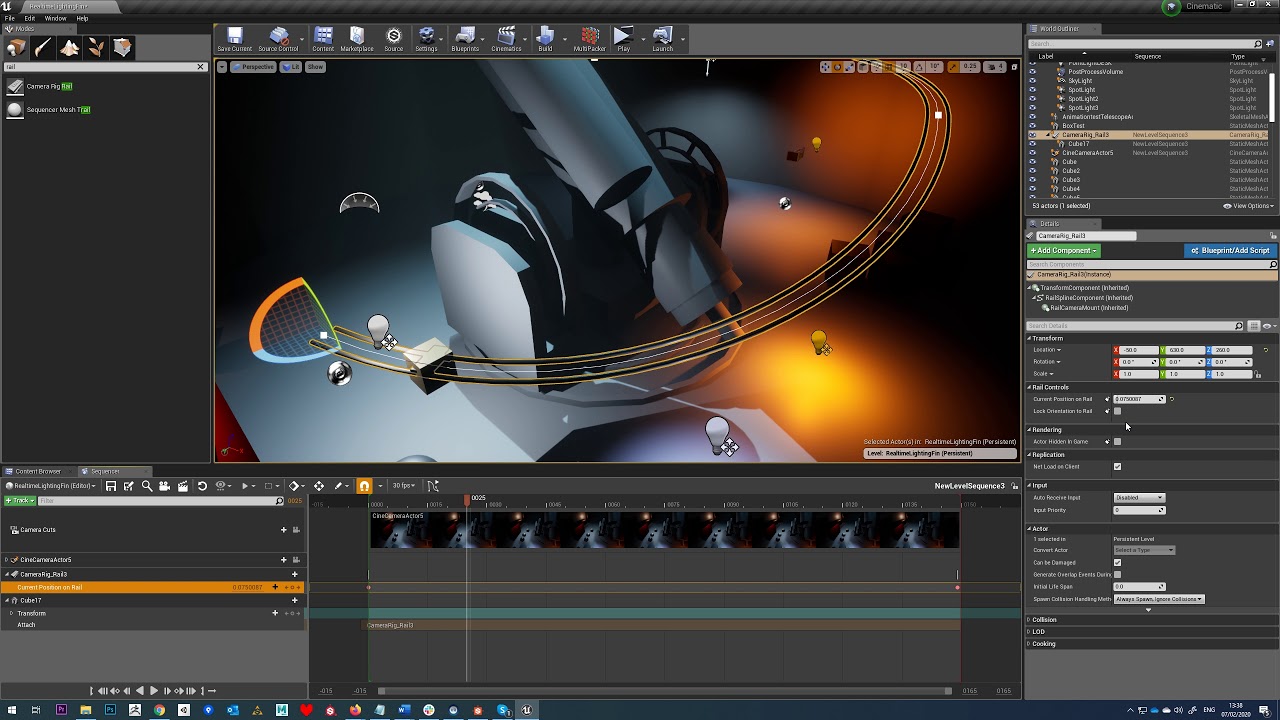
Tutorial - Animate Along Curve/Spline Sequencer UE4
Issue is there is no way to attach a control rig to the camera rail rig in sequencer. I tried using contraints. It doesn't work. Surely there must be a way to animate a control rig along a spline?🙂
This camera rig rail has some limitations. Seems you can only use it for one object at a time, rather than several objects following the spline as a motion path.
 karmic bobcat
so ive done an ik rig for my accurig skeleton, and have two different characters sharing that skeleton, and retargetting animations from ue4 mannequin. in one of them works fine, the other one, the arms are too close to the body. whats a good way to fix this? im kinda lost because i think if i change something in the ik retargetter is gonna mess up theone that is good potentially, right?
fiery snow
fiery snow
This camera rig rail has some limitations. Seems you can only use it for one obj...
Still trying to figure out how to do this. I can't believe this isn't possible in ue5 😭
 azure quail
One question to more experienced animation folks: I copied the Lyra GA_Hero_Dash ability and only replaced the animation to a roll forward movement as new ability. The result is here: Triggering works fine, but the role ends ignores mesh boundaries and elevation and get a rubberband effect at the end. So it seems to be a problem of the animation - I tried to enable/disable root motion on it with the same results, also tried another roll animation with no success: Anybody has a clue what I do wrong?
*I actually used the one animation from a tutorial video coming from ALS4 - this works like a charm - my animation (from an RPG pack) does not. Anyone ones what could be the difference between these animations?

 still forge
Do anybody know what is the technical difference between IK Rig and ControlRig and what is better for what cases? Both can be used runtime and in editor as a tools. Obvious one is control rig can have controls for sequencer etc.
 errant solar
Hi all, I am in the process of migrating animations from the Animation Starter Pack from the marketplace. It is on UE4 so I had to use the included RTG UE4 to UE5 Manny in UE 5.1. I made a blendspace of the jogging animation which looks fine in the preview but as soon as I hit play, the feet animations do not work (again this works in preview). Looks kinda similar to this: https://forums.unrealengine.com/t/retargeted-metahuman-legs-not-moving-when-running-sliding-on-the-floor/523050. Anyone run into this issue before?
 minor marsh

 balmy kettle
my first ever animation export clearly went exactly to plan
 small heart
Is it normal that you can only change bone rotations but not location in the Aim Offset?
So, only the rotation gets applied but the location resets
 random arch
Quick question! Can anyone tell me if Sequence Evaluators are supported by Orientation Warping? My Orientation Warping stopped working after switching from Sequence Players
(+ Stride Warping, also stopped working)
random arch
Answer - it is! I can see Lyra uses orientation / stride warping with evaluators as well
 unreal linden
Hello good morning
i'm searching about the way how can i make animation for meshs like satisfactory machines and how that optimized
what should i use for this
 solemn charm
hi, when i press jump button while jump end, some problem is there help me to solve.. Thank you
 plain drift
Why has epic made retargeting such a pain in UE5? In 4 I could just retarget one anim to another skeleton and it worked without any extra work if the bones have the same name -_-
 proper sleet
You should use the mixamo converter from terriblis studio, worked fine for mixamo characters, I just dont know how I would do it with a custom character made in Blender
https://youtu.be/a4FoujGQPp8 this guy made a good video about it, he even got it to their website

This episode covers my entire process for getting Mixamo animations into Unreal Engine 5 and completely set up and working with the Unreal Engine 5 Third Person Character Mannequin. I go over how to test the animation in the ThirdPersonCharacter AnimGraph after importing, as well as common issues experienced when playing animations, including i...
static holly
This error shows up when I try to import an animation. Using the "snap to closest boundary" option wipes out all animation keyframes
 vocal owl
Can anyone help me understand how to dynamically force my attack animations to go through the players cursor (knowing that the cursor will be moving as the players runs and looks around during the attack)? I am using a thrust animation with an aim offset from the kubold longsword pack. Even at neutral offset, the stab goes slightly below the cursor. As the offset gets more extreme when the player is looking up or down the difference between their cursor and where the stab actually hits increases. In this gif the desired behavior is that the first and second attack miss and the third hits the player in the head. Instead the first misses (good), the second hits the player in the head (bad) and the third hits him in the arm (bad). Similar effects happen if you are looking at the ground but in the opposite direction (eg stabbing when the cursor is on the enemies toes will hit them in the knee, aiming for the knee hits the groin, looking straight down at the floor doesn't stab the floor, etc)

even just high level advice, like if it should be done with IK or motion warping or if the aim offset just isnt being used right, or whatever would be greatly appreciated
 proven hound
Hi! I have animation that shrink specfic bone to scale 0 for 0 seconds. It should be started right when I teleport actor: teleport + bone sized 0. But seems it working little late - after tick or some like that after teleport. Do you know how to fix that without changing bone's object visibility, just with animation?
static holly
I'm trying to import from Blender, but my keyframes seem to not actually import over? The length is the same and the keyframes work just fine in blender, but do not appear in Unreal

 proven hound
vocal owl
Can anyone help me understand how to dynamically force my attack animations to g...
proven hound
vocal owl
Can anyone help me understand how to dynamically force my attack animations to g...
So, if player can look right, but cursor on left screen side, and after attack weapon should hit left? If so, easiest way will be to split your character and weapon. Make weapon actor to look at cursor, and offset it at some angle to hit that cursor on specific moment
This will work fine while your character without hands
vocal owl
proven hound
So, if player can look right, but cursor on left screen side, and after attack w...
right now i am more struggling with the up/down dimension but basically i want to guarantee that at a specific time in the animation, the weapon goes through the users cursor whichever way they are looking
Buy Mordhau Steam key from the webshop (developers get more money): https://mordhau.com/shop/
Buy Mordhau on Steam: https://store.steampowered.com/app/629760/MORDHAU/
Get Mordhau Merch: https://mordhau.com/shop
Mordhau is an upcoming medieval first-person fighting game with a strong emphasis on skill-based competitive play.
Visit http://www.mo...
right around 2:56 they show it there, it is how it works in mordhau, you can start stabbing rotate your cursor to the ground and you will stab the ground, rotate to sky and you stab the sky, you can retarget your aim mid swing and the whole body animation morphs to accommodate that
a certain point in the stam animation always goes straight through player cursor
proven hound
vocal owl
right now i am more struggling with the up/down dimension but basically i want t...
Same answer. Make vertical offset rotation to achieve that
Or I just not understand your problem
vocal owl
i guess what you are saying makes sense but i am not sure how to do it so that the body animates properly, it is a multiplayer game so other people see your body moving with your swing
i was sort of thinking I need to keep hand and weapon attached and know where hand needs to be (both location and rotation) at specific point in time and take my existing body animation and use IK to get the hand to go there? but i don't really know exactly how to do that either
in mordhau you can retarget your aim mid swing and the whole body animation morphs to accommodate that (eg start stabbing towards sky and drag cursor onto enemy head midway through the stab to head shot them), visually the player will appear to other players to be thrusting into the sky but then bring his arms down and stabbing forwards
proven hound
vocal owl
i guess what you are saying makes sense but i am not sure how to do it so that t...
If you have hands, so, I think, you have to use IK or hard animation mixing. I think Mordhau have highly calibrated animations to achieve 'weapon following cursor'. If you cant find that quality animation or to make it by yourself, easiest way will be IK
Check for "Aim offset", looks like it is what you want
vocal owl
okay, thanks. I am using kubold longsword animation pack from marketplace and it does have an aim offset that seems to get things close but not really precise so i will work with that / ik and try to get it to be perfect
very much appreciate the help
proven hound
proven hound
Check for "Aim offset", looks like it is what you want
So:
- Create character, put sword on his hands
- Add aim offset to character, and stab animation
- Rotate offset vertically until it starting to hit cursor - that will be your base rotation
- When your character move up or down - add or remove rotation to "aim offset" to make it visible for other players
- Same if you want horizontal offsets
Something like that @vocal owl
vocal owl
think that will work, thankyou
clear dune
Hey, quick question. I have animations which are InPlace, and I'd like to make RootMotion versions. What's the best method? And, is this a feasible task within Unreal Engine?
vocal owl
proven hound
So:
1. Create character, put sword on his hands
2. Add aim offset to character, ...
getting the parameters just for all the attacks right will take some tweaking but this roughly working for me already on the stab attack at least, thanks again
warped sand
Hello animators! Does anyone know why the character shrinks in the blendspace? https://youtu.be/VEODdq-OkSM
The example character shrinks and disappears in the blendspace when set to idle. Trying to figure out why.
 lofty granite
I want to blend Curve of animation montage to current slot
but don't want it to effect anybone
it is the face talking staff
I try to use -1 in blend per bone for head bone
but the head still move to base pose/T pose
anyway to blend only curve not bone?
I know I can use curve directly but use animation SQ and montage
make the work easier Visualy
so is there a way to do this?
 misty dagger
is this good beginner state machine?
 brazen wharf
is the crawl supposed to be a oneway street?
misty dagger
i think so, i dont want it to go from crawling back to idle
is there a way to make an Idle_Crawl within the animation blueprints that is just zombie_crawl but without moving?
sorry im new to animation stuff with unreal
 sacred cloak
By chance does anyone know a way to fix rotating objects that do a full 360 when you only wanted it to rotate 5 degrees?
warped sand
misty dagger
i think so, i dont want it to go from crawling back to idle
Either split Stand/Crawl into two different state machines or split on Entry.
static holly
Does anybody know why my bones don't all import from the fbx file? Only the main root bone remains

 plain drift
Anyone knows a reason why my animation looks different after importing in Unreal? In this animation I opened the jaw and adjusted the position of the mouth corners. In Unreal it just shows the open jaw but toally ignores the mouth corner and cheeks. I am importing from Blender.

 ashen junco
plain drift
Anyone knows a reason why my animation looks different after importing in Unreal...
ashen junco
plain drift
Anyone knows a reason why my animation looks different after importing in Unreal...
Are you using constraints in Blender?
plain drift
Ah, let me check that
Yeah, that was the issue -_- Thank you a lot 🙂 Here is the script I wrote to quickly delete all constraints from selected bones:
`import bpy
for bone in bpy.context.selected_pose_bones:
# Create a list of all constraints on this bone
copyLocConstraints = [ c for c in bone.constraints ]
# Iterate over all the bone's constraints and delete them all
for c in copyLocConstraints:
    bone.constraints.remove( c ) # Remove constraint`
 limpid raven
If any of you are using Valve Knuckles for fingers tracking, I made a tutorial regarding blending realtime data from the Knuckles together with predefined fingers poses.
The setup shows my Full Body Mocap plugin, but it can be easily adapted to any setup you're using
In this video we show a setup on how you can blend together realtime fingers tracking from Valve Knuckles together with hand poses from an animation clip.
 warm creek
Does anyone know how to export collision data for a skeletal mesh from blender?
I was looking at their pipeline
https://docs.unrealengine.com/4.27/en-US/WorkingWithContent/Importing/FBX/SkeletalMeshes/
I see no mention of it.
I did see it mentioned for static meshes.
I was thinking maybe it was similar? create the base shapes name them UCX_ObjectName_#
Then make sure those shapes are bound to the bones?

Setting up, exporting, and importing Skeletal Meshes using the FBX content pipeline.
ashen junco
warm creek
Does anyone know how to export collision data for a skeletal mesh from blender?
...
UCX_ meshes are for static meshes.
As for collision, you have to make a physics asset
warm creek
Got it thanks!
dull sun
I have an animation asset that has a long-gone source fbx (so it can't be reimported).
Is there a way to revert this frame trimming back to how the asset was originally?

I duplicated the original asset just in case, but would be nice if it was possible to revert anyway
 random gyro
Having an issue where the character vibrates instead of completing the animation, I can't find my error.
Does anyone have any ideas? Datafiles seam to be in order
 neat dock
Howdy, how can I use control rigs for procedural animations for my FPS?
I was thinking of using 2 control rigs, one for arms and one for guns
but I want to be able to get a control position in the gun control rig and attach the hand bone to it
or is there another way to handle this?
hushed gull
hey when i import my character animations alot of them arent aligned correctly, how can i fix that? I use blender and here are my export settings, in blender the rotation of the armature is changing alot depending of the animations but its always X at 90°, its the Z axis that changes, i think i should copy the z axis rotation to the root bone but i cant find a way to properly do it
any other idea in the import/ export settings that could fix that ?


 misty dagger
warped sand
Either split Stand/Crawl into two different state machines or split on Entry.
misty dagger
warped sand
Either split Stand/Crawl into two different state machines or split on Entry.
how come?
and is there a way to make an Idle_Crawl within the animation blueprints that is just zombie_crawl but without moving?
 cosmic dock
i like to ask for some help making my movie if this is ok to ask on here
i do not know about the unreal engine 5
misty dagger
and how do i "split on entry"? conduits?
 ripe yew
So if animations has curve movement speed and forward velocity information, how can I use that?
ashen junco
ripe yew
So if animations has curve movement speed and forward velocity information, how ...
Depends.
This is too broad of a question.
misty dagger
and is there a way to make an Idle_Crawl within the animation blueprints that is just zombie_crawl but without moving?
ashen junco
misty dagger
and is there a way to make an Idle_Crawl within the animation blueprints that is...
Depends
The easy way would be just to use the usual state machines
 misty dagger
ashen junco
The easy way would be just to use the usual state machines
misty dagger
ashen junco
The easy way would be just to use the usual state machines
but then how do i make a state thats just a frozen animation?
ashen junco
misty dagger
but then how do i make a state thats just a frozen animation?
Also depends on whether you want to go the easy way or the hard way
The easy (but less practical) way would be to make states for each crawl poses
The harder way would be to save pose snapshot
https://docs.unrealengine.com/4.27/en-US/AnimatingObjects/SkeletalMeshAnimation/PoseSnapshot/
misty dagger
i dont care if it is like frozen at the right time i just want a frozen anywhere
brazen wharf
so i got a bunch of sitting animations, and some are from the right side of the chair and others from the left side, however, they all keep their root position locked next to the chair, and therefor i can't mix them well with other sitting idle animations. what would be the best approach to solve this?
ashen junco
brazen wharf
so i got a bunch of sitting animations, and some are from the right side of the ...
Disable collisions while you're doing the animation, or not using root motion
brazen wharf
collision isn't the problem
having the root in another place is
so the idle animation for sit from left are different than the ones from sit from right
as their root-hip offset is totally different
i guess i would have to use root motion to my advance actually
and move the root to the actual sitting position
 soft hinge
Noob question here.
So I have this animation, I made this creature, and I am trying to attach the eye to the character in the animation.
What's the easiest way of going about that?
 soft hinge
I mean. I just started in unreal like a week ago. I brought it back into Cinema 4D and just placed the eye in the rig. Brought it back in to Unreal and works great.
Thanks
Yeah, sorry. I still am learning the interface and such.
Unreal is definitely looking like it'll be the future of animation / rendering so get ready for a bunch more noobies! lol.
Yeah. Hoping to get more into developing games after I learn the basics (aka animation lol)
 bronze fable
Anyone know why the automatec transition rules would work in every combination (client to client, server to client) EXCET client to server?
 ashen junco
soft hinge
Noob question here.
So I have this animation, I made this creature, and I am tr...
ashen junco
soft hinge
Noob question here.
So I have this animation, I made this creature, and I am tr...
Depends on how you attached it, though usually creatures are skinned skeletal mesh, including the body part
Also for the record, don't listen to the troll.
As for the eyes, if it's part of the skeletal mesh already, which usually the case, you can simply animate the bone that is weighted to the eyes
 zealous maple
I'm looking for a way to stop a montage played from anim notify when parent montage is stopped (by parent I mean the montage used to call the notify). Any idea on how to achieve this?
 clever shard
@acoustic leaf Ripping assets, asking how to do it, etc... Without developer's permission is against the server #rules
Either way it's frowned upon here
 acoustic leaf
clever shard
<@247365524781006848> Ripping assets, asking how to do it, etc... Without develo...
acoustic leaf
clever shard
<@247365524781006848> Ripping assets, asking how to do it, etc... Without develo...
Oh my bad didnt know, considering the game is so old I figured it was okay
 somber light
how can i get this to work for negative speed also?

i am new and don't know many nodes yet haha
ashen junco
somber light
how can i get this to work for negative speed also?
What are you trying to achieve?
 thin pawn
somber light
how can i get this to work for negative speed also?
thin pawn
somber light
how can i get this to work for negative speed also?
just posted ur answer in blueprints 
somber light
i want my character to play the walking backward animation when walking backwards and forward when walking forward
somber light
thin pawn
just posted ur answer in blueprints <a:CH_Kek:742284778409164801>
you posted how to get forward but i am looking for backwards
he already can move forward so this seems to work no?
idk
ashen junco
And crosspost is confusing
 somber light
ashen junco
And crosspost is confusing
somber light
ashen junco
And crosspost is confusing
they told me to come here
ashen junco

thin pawn
somber light
they told me to come here
yee, idk whats that about
somber light
i mean an animation blueprint is still a blueprint ...
anyways, that can't be such a big deal. There must be a simple node for this
thin pawn
i mean, u posted an animation problem, just then we found its in the blueprint part, and he told you to go here for help, cause u alrdy crossposted by mistake, making another crosspost when 3 ppl helping in blueprints
but thats the solution non the less xd
ashen junco
Also it's not something specific to the anim graph
somber light
*sigh
thin pawn
nah, he just feeding it velocity, not forwards velocity, so backwards no wurk xd
somber light
thin pawn
nah, he just feeding it velocity, not forwards velocity, so backwards no wurk xd
alright so i can't even find the get vector rotation node
thin pawn
search like this, dragged out from the rotation variable to get things that hab to do with rotation xd or remove context sensitive
 somber light
thin pawn
search like this, dragged out from the rotation variable to get things that hab ...
somber light
thin pawn
search like this, dragged out from the rotation variable to get things that hab ...
i can find get forward rotation
somber light
thin pawn
search like this, dragged out from the rotation variable to get things that hab ...
i just can't find the get actor rotation you already have here
somber light
thin pawn
search like this, dragged out from the rotation variable to get things that hab ...
ah this worked with removing context
thin pawn
this is in ur actor blueprint no? xd
 thin pawn
put in character xd
somber light
oh that makes sense
thin pawn
maybe character > get actor > get actor rotation xd
maybe it will do it byself
idk im new too 
 thin pawn
happy be of service
somber light
now now, i do have a different problem but that's nothing to do with animation so imma go to general
thin pawn
i just done got the same suuuuuuuper annoying problem seemingly taking 3 hours to fix at first
somber light
thin pawn
i just done got the same suuuuuuuper annoying problem seemingly taking 3 hours t...
not all heroes wear capes
thin pawn
then i looked for 30 seconds, accidentally found a bool ticked wrong and it worked
i didnt even think that was the problem cause it seemed to unrelated but who woulda known, next test it wurked perfect
thin pawn
somber light
not all heroes wear capes
hold on... u saying im not a hero, cause im wearing a cape? 
somber light
thin pawn
hold on... u saying im not a hero, cause im wearing a cape? <:sadcat:81391686750...
yes
thin pawn
aww thats the entire reason i bought it tho
 stone sundial
how can i make an anim montage play when im holding down right click? No tutorials have helped/worked at all, and no matter what I do I can't figure it out.
ok
misty dagger
Anyone know why this is happening, I have my base pose with the modify happening after.
I have this code. The idea is I take the body part of the mesh the White capulse and rotate it towards the player or where the enemy has seen the player. This being done with interp


the above is the result I'm getting and I'm confused on why it's happening
any help would be appreciated as I don't have a clue why it's spasing like that. Obvs it's going between two different values but yeah I'm lost
warped sand
misty dagger
how come?
On Entry, it looks like the zombie will first go into the standing idle state, then go to crawl. Can you confirm that? What do you see?

 frank vigil


Goblins have invaded the city, watch where you walk! https://t.co/QIBTlVMwVM @goblintown
 Twitter
·
Twitter
·
Lol
neat dock
Howdy, how can I use control rigs for procedural animations for my FPS?
I was thinking of using 2 control rigs, one for arms and one for guns
but I want to be able to get a control position in the gun control rig and attach the hand bone to it
or is there another way to handle this?
misty dagger
#animation message Anyone have any idea on this. I don't have clue why it's not working how I would think it would ??
misty dagger
it'll be deleted soon haha I just can't seems to understand why it's not working as expected haha
AI ??
i'm abit confused what your refering to ??
The issue I'm having is I'm trying to rotate the Body bone of the Skeletal mesh so the top half of the bot follows the player so looking at player
but when I try this it's not having it
nothing to do with AI pathing etc
I think the same but not sure what in my function coding I'm doing wrong. I have tried setting current rotation once but it seems to not want to work like I'm obvs pulling from wrong place but
so it's a transform modify bone
to rotate the specific bone on the skeletal mesh
thanks, it's not going to be easy
digital jasper
Hello,
Having this really weird issue, just trying to implement a Sprint animation. My condition to get into my Sprint state is met but I end up in a A pose.
I double checked my blendspace and each animations and everything animated correctly outside the animation blueprint.
Tought it was my Yaw offset value created in C++ but couldnt see anything obvious so I tried recreating it in blueprint but still the same issue.
Anyone see what im missing?
hushed gull
hey i have some small problems with the hand retargeting, the fingers are not correct and im wondering, is it really possible to retarget for a 2 hand weapon animation? the 2 skeletons should be exactly the same to be working?


its more visible here
 misty dagger
warped sand
On Entry, it looks like the zombie will first go into the standing idle state, t...
misty dagger
warped sand
On Entry, it looks like the zombie will first go into the standing idle state, t...
I want it to idle/walk whenever and when i enable crawling (by Shooting hin the leg) he will crawl. It works fine now how it was but pretty glitxhy
ashen junco
neat dock
Howdy, how can I use control rigs for procedural animations for my FPS?
I was th...
You could use world space vectors to align the IK effectors
Though for FPS animations I'd recommend having existing non-procedural animations as a base. Fully procedural FPS animation can get janky real quick.
ashen junco
stone sundial
how can i make an anim montage play when im holding down right click? No tutoria...
Simply call the Play Montage node on the right click input event's Pressed exec node
(I don't know what Enhanced Input events called it)
ashen junco
misty dagger
Anyone know why this is happening, I have my base pose with the modify happening...
I don't use transform bone that much, so I might be wrong, but the transform bone could be conflicting between the world space rotation and the skelmesh space rotation.
Though I know it can be simplified more reliably with Control Rig
misty dagger
ashen junco
I don't use transform bone that much, so I might be wrong, but the transform bon...
So manage to work it out. I was setting current rotation one frame but then using it and reseting it so one frame and other would conflict
hushed gull
i still have the finger problems but worse, any idea how can i fix that?
 misty dagger
Or at least I think that's what happened
misty dagger
ashen junco
I don't use transform bone that much, so I might be wrong, but the transform bon...
I might have to use control rig for the gun as currently the gun isn't pointing where it should etc
karmic bobcat
if i put extra bones (for hair, and those bones would not change the main chain of the skeleton)) on my ue4 skeleton and import that model (assigning the regular ue4 skeleton) will it mess up anything? will i be able to use the regular animations from all the other ue4 skeleton animations, or will i need to retarget all of them?(or have to use it as a unique skeleton)?
brazen wharf
as long as you don't modify the existing bone chain you are fine
only adding extra bones is not a problem
ashen junco
Omitting bones is also not a problem
Just make sure the same bone names aren't located elsewhere in the chain
ruby swallow
Is there any tool or method to slow down parts of an animation within Unreal?
 waxen turtle
Guys… for attacks I should use montages, right? I find stupid cluttering a state machine with 90 states and 90 bool variables
ashen junco
waxen turtle
Guys… for attacks I should use montages, right? I find stupid cluttering a state...
Yes.
young olive
Those curves on the far right.. How do you transfer those to another mesh? (Not morphs targets)
 ashen junco
young olive
Those curves on the far right.. How do you transfer those to another mesh? (Not ...
ashen junco
young olive
Those curves on the far right.. How do you transfer those to another mesh? (Not ...
Those are automatically created from existing shape keys/morph targets
 fierce terrace
I have copied a female ai character and changed their mesh and animation but the character slides. Any ideas about what could be causing this issue?
karmic bobcat
brazen wharf
as long as you don't modify the existing bone chain you are fine
Thanks
karmic bobcat
ashen junco
Omitting bones is also not a problem
Just make sure the same bone names aren't ...
Thanks
 mental mountain
Hi everyone, I have a question about face rigging if anybody can help with some advice, I have created material that contains small pupil and flipbook with two sprites, closed and open eye, the pupil is controlled by U and V offset parameters through material instance, I have managed to retarget mannequin rig to the character and everything is working good, the last thing I want to achieve is the simple face rig, with let's say two bones, two for eye movement "look at" and one for eye blinking, how to connect curves to the bones in control rig so the parameters respond to the bones? If anybody has any clue how to achieve this, also the nodes get and set curve value doesn't recognize the imported curves, can it be done? Thank you 🙂


 neat dock
Does anyone know the best way for handling FPS animations? For example, I am using a control rig for my arms but I want to add the gun holding part. I was thinking of using another control rig for the gun but idk and was looking for other peoples suggestions. Thanks!
 tiny trout
Hi there, I've been looking at Lyra's animation system lately and noticed that each weapon has its own locomotion animations - that's a lot of animations. Now I wonder why would they choose to do such a thing, instead going for some sort of upper/lower layering solution (letting weapons override only the upperbody)? I understand that it may be less flexible in terms of visual outcome, but it seems far more scalable than remaking each locomotion animation for each weapon. Is this what the big games actually do? Thanks.
tranquil lark
Either or is fine. Resident Evil, as an example, does the layering approach that you are thinking of. You can tell by just how the animations work.
I don't think there is a hard fast rule on which to do.
tiny trout
tranquil lark
Either or is fine. Resident Evil, as an example, does the layering approach that...
Thank you! Do you think that Fortnite, for example uses layering? The animations are very smooth but they have so many weapons that I will be amazed if they have locomotion animations for each.
tranquil lark
I don't really play FN, so couldn't tell you.
tiny trout
OK, thanks anyways. I think I'll give a try to the layering solution which will save a lot of time if works.
young olive
ashen junco
Those are automatically created from existing shape keys/morph targets
These are the other type of curves. Not shape keys/morphs also, not material either.
 opal meteor
Hi,
I've run into a strange problem when exporting and importing a skeletal mesh to 3dsMax.
Last year I worked on this pipeline, everything was working so I documented it and moved on.
Yesterday I wanted to update some skeletal meshes and found out I can no longer export and import without breaking the bone hierarchy.
I figured my character was broken so I exported a standard mannequin from the editor and when I import it back one of two things happens.
Either the bones are there, but an new root bone has been created (from a dummy in 3dsMax) and my skeletal mesh name as been added as an additional bone (?!).
The solution that worked last year was to delete this dummy but when I do that now I end up with a skeletal mesh containing 1 bone.


Any help would be appreciated, I've spent all day looking trough documents and forums but I can't find a solution
 misty dagger
Any ideas what could be causing these broken weights? The rig works perfect in C4D, but importing the FBX into Unreal gets all janky when I move joints

 urban raft
This model is made in Blender, rigged to the UE5 mannequin through a plugin. However, when it is imported into UE5, this is the result
It seemingly works fine in the preview, not so much the gameplay

here's the leg area
Might be missing Deform armature now that i think of it
 honest hatch
misty dagger
Any ideas what could be causing these broken weights? The rig works perfect in ...
honest hatch
misty dagger
Any ideas what could be causing these broken weights? The rig works perfect in ...
Does it have a single bone hierarchy? I don't use C4D but in Maya if you have a bone, then a group, then a bone parented to that group, it will weight that bone to the root. The bone structure needs to be all under the same connected hierarchy. Any bones not connect directly to another bone the weights get thrown off.
had something similar a bit back and noticed the bones that had weird weights were because they were parented to a group instead of directly to the parent bone.
misty dagger
honest hatch
Does it have a single bone hierarchy? I don't use C4D but in Maya if you have a...
This is indeed the issue. Thanks for your response, this would have driven me crazy for days
honest hatch
misty dagger
This is indeed the issue. Thanks for your response, this would have driven me c...
Glad I could help.
stone sundial
hey is there a way I can make this code only execute when im holding a certain mesh in a socket?

i just want to be able to aim my weapon only when i’m holding it
vocal owl
stone sundial
hey is there a way I can make this code **only** execute when im holding a certa...
think the standard is to have a variable like "currentWeapon" and/or a boolean like "weaponDrawn" that you set when they pickup / draw the weapon and branch on that
stone sundial
vocal owl
think the standard is to have a variable like "currentWeapon" and/or a boolean l...
thank you!
 lunar warren
Can you have an if statement on the sequence player? How
I have 2 sequence for idle with weapon and idle without weapon
stone sundial
vocal owl
think the standard is to have a variable like "currentWeapon" and/or a boolean l...
hey so where do I put the branch exactly?
stone sundial
@vocal owl I have this weapon drawn thing but it doesnt do anything
 stone sundial
vocal owl
think the standard is to have a variable like "currentWeapon" and/or a boolean l...
stone sundial
vocal owl
think the standard is to have a variable like "currentWeapon" and/or a boolean l...
ohhh i get it i think
nvm i dont
urban raft
urban raft
Any thoughts?
brazen wharf
is rotation of the root bone used for root motion? if so, how is it extracted?
will it use frame delta?
urban raft
It uses the UE5 rig with the ABP_Manny anim bp
 modest jacinth
Hey everyone ! Does somebody knows a bit about blender rigify exported to Unreal ?
The bone hierarchy of rigify isn't correct even though I haven't changed anyhting.
The result on unreal is that I can't use root motion and all.
The character after a roll animation snap back to its position at the end of it for instance .
I have been stuck on this for sooo much time
 wintry timber
Hello guys. What would be best way to achieve something like alembic/geometry cache in unreal? I am reading data from custom file format, which contains bones and positional vector per bone of skeleton, but I am not sure how to plug that into Unreal? Animation sequences doesn't make sense, and creating anim. poses and blending between them seems like too much work it may impact perf. I have the exact positional spatial data of the character, now I just need to set it to those values per bone and move one (data is simple database of positional through time of skeleton of character). Should I just get each character position updated on Tick by using some method from USkeletalMeshComponent or using simple VertexAnimData to store positions into it and apply them to Mannequin skeletons?
tl;dr: I want to pose skeletal mesh in runtime, not sure what would be best way to proceede with it, anyone with recommendation (got all skeletal per bone data loaded into memory (vec3 and boneID)
ruby swallow
got character that can jump/climb on top of various ledges, with varying height.
I have a root motion jump (to ledge), and IP jump anim. Rootmotion looks fine, but it's limited by the jump/z-movement, which means that if the ledge is too short the character will land above the ledge (then fall down on it).
Is it possible to parameterize/influence the z-movement of this root anim? or am I better off just using IP and try to solve it using lerps etc. I assume this is a limitation of using RM anims? unless you create several versions that cover most heights
edit: looks pretty good now with IP and scripted movement, but still curious about the RM data
modest jacinth
Is it possible to make this bone the first one in the hierarchy ? For a reason I ignore, rigify or Unreal keep messing with bones hierarchy

 barren fiber
Is someone good with ALS v4 Community im merging als v4 with Survival Game Kit v2, i need help everything works the only thing that doesn't is to equip weapons
Send me a dm if you is!
ashen junco
modest jacinth
Is it possible to make this bone the first one in the hierarchy ? For a reason I...
No.
And that's definitely Blender's fault.
modest jacinth
ashen junco
No.
And that's definitely Blender's fault.
Yeah that's not surprising..
This only thing is making me unable to use root motion.
I really don't know what to do or search for anymore
I know other people than me faced that issue.
Why the armature is identified as the root bone ? It should just be .. the armature
vocal owl
I am working on a multiplayer 1st person melee game, I have been just using a third person skeleton with a sword attached to a hand socket and the mesh is set to owner no see. So the player currently sees a floating sword. The hit detection is driven by ray tracing from that sword and the sword is moved via animations of the third person skeleton. I want to add first person arms that are visible only to the owning player but have no actual impact on the motion of the sword or the game play. The camera is slightly behind the players chest. What I was going to try was
- Get a FP arms skeleton and place it on the camera.
- Retarget all of my 3rd person animations to the FP arms skeleton
- Make a animation blueprint for the FP arms that is basically a duplicate of the logic for the third person skeleton so that in theory the animations for the fp arms should always match the animations for the third person skeleton
- Use IK to pull the hands of the FP arms to the hilt of the sword (because the FP Arms aren't located in the same location as the TP skeleton without IK they don't line up)
The main downside I see with this approach is #3, maintaining two animation blueprints that essentially do the same thing but on different skeletons seems clumsy. My other concern is if lag / desync might happen where the FP arms state machine might be a tick behind the TP animations and maybe it would look bad. Is there a better way? I did consider just having the FPArms be solely driven by IK forcing the hands to follow the hilt of the sword but I worry that would look bad. This must be a fairly common problem so I am wondering what the standard thing to do is. This is what it looks like right now with steps 1-3 but without step 4 (I haven't figured out how to get the position of the sword hit into the FP arms animation blueprint yet but I'm sure that's fairly straight forwards).

 cosmic rain
Anything I can do about this? UE5 crashes when trying to add a keyframe to an animation
 tardy flicker
Hello 🙂
What would be the best way to use a custom skeletal mesh (downloaded for free, rigged) with the animations from manni in the starter content/ThirdPersonTemplate?
...I suspect that this can't be done in engine because the animations are done with the bones of manni. So maybe I would've to export those bones into for example blender and apply them to the custom skeletal mesh?
vocal owl
tardy flicker
Hello 🙂
What would be the best way to use a custom skeletal mesh (downloaded fo...
https://docs.unrealengine.com/5.0/en-US/ik-rig-animation-retargeting-in-unreal-engine/, you can retarget animations from one skeleton to another depending on how similar they are it can be very easy, right click on animation -> "Retarget Animation Assets"
tardy flicker
vocal owl
https://docs.unrealengine.com/5.0/en-US/ik-rig-animation-retargeting-in-unreal-e...
Alright, thank you very much! 🙂
tardy flicker
vocal owl
https://docs.unrealengine.com/5.0/en-US/ik-rig-animation-retargeting-in-unreal-e...
While looking more into this I found something in ue5 called "compatible skeletons" which lets you basically merge a skeleton to a seperate skeleton asset ->
https://docs.unrealengine.com/5.0/en-US/skeletons-in-unreal-engine/

Learn about Skeletons, Bones, and animation data management in Unreal Engine.
 delicate dragon
anyone tried accurig?

my zeus came out lookin funny

AccuRIG | Auto-rig | Reallusion
Free download now! Powered by the AccuRIG tech, the auto rig tool makes any mesh come to life for cartoon characters and digital human avatars.
anyone managed to export from this?
modest jacinth
that's a cute Zeus
vocal owl
that part is easily fixed with IK, just hadn't done it yet, am more worried about maintaining 2 different animation blueprints, but image below is same as original but with just an IK node for each hand
 ashen junco
delicate dragon
anyone tried accurig?
ashen junco
delicate dragon
anyone tried accurig?
Keep that, ship it. Meme game of the year
brazen wharf
subtitle "feeling cute today, might strike some lightnings"
vocal owl
haha i don't know how to do it the easy way so i am stuck lol
you can tell it where to place each hand on the weapon and if your starting pose has roughly the right wrist/finger orientations it does quite a good job
sacred cloak
Does anyone know a workaround my animated objects doing a full 360 for just turning 5 degrees?
Is that the only way to fix it? also where do i do that at?
hmm ok thanks
Would that keep the same values tho if i put them intoa blueprint and animate the blueprint?
yeah
hmm ok ill take a shot and see then
ok so I figured out my issue and a solution
it was simply this

Fix Rotation Problem UE4 Sequencer - When your model rotates numerous times, even though you have only animated it rotating a small amount
which does work with 5.1
 hidden vector
Does anyone know if there is a way to play animations at a limited framerate, think spiderverse effect or whatever
I can't find anything online so having something to google would help
hidden vector
hmm I guess I can just do this inside blender
brazen wharf
you can set the playrate in the viewport
and ingame with the playrate parameter which most animation related nodes have
 clever marsh
I have a problem with a ui widget. I have set an animation on the opacity of the canvas(starts hidden and slowly fades in), so when the widget is called in the level blueprint, it should first be hidden, but no, it start totally visible instead of being at opacity 0, I don't understand.
how to make sure the widget starts hidden?
 naive dove
Hello guys, I am new to animation in Unreal, can someone say how to get more complex collision? And is it a problem with a character or should I create a collision primitives manually?

 frigid mesa
is there way to export the the faceboard curves to FBX? not been able to find anything on that. there's only import option, or bake to FK/Skeletal mesh. exporting "Face" track just gives empty scene with Face_ControlBoard_CtrlRig group and nothing else.
 misty dagger
On the animation blueprint, there's a box and I cannot click on compile, any idea why?
 delicate dragon
brazen wharf
subtitle "feeling cute today, might strike some lightnings"
delicate dragon
brazen wharf
subtitle "feeling cute today, might strike some lightnings"
ahahh
 split crescent
Hopefully quick question. Is there any way to use a more optimized rig for normal gameplay, then a more complicated rig for cutscenes/dialogue, without completely swapping out the character? Thinking about facial animations and stuff that aren't really needed as you're running around.
 pure spear
So, we have been playing around with control rig and it's pretty awesome! It seems to be marketed towards runtime use, not just content creation. This leads me with questions regarding performance, it it viable to use control rigs for runtime animation? How dose it compare to anim instances?
somber light
hey guys, how can i mirror an animation and then use it in a blendspace? I figured out how to mirror a single animation (no blendspace)
i don't want to mirror the entire blendspace because the other animations in there are good
 rustic swallow

hi, I am trying to simulate this using RBANS, trying to figure out where to place the bones/capsules, is this correct?
bones dont really look like they are in the centre/pivot of the object. but its the only way I can play them without breaking hierarchy
 median ledge
 timber summit
Would anyone be able to advise on what the best approach would be to setup an animBP so that I can specify what animations should be playing based on an Enum? I'm pretty new to the animation side of things.
Edit: I think montages are probably what I'm after.
grave drift
Hey guys, is there a way to change my attack animation montage's rate scale (how fast it plays) dynamically? Trying to setup so when I hit something it slows down the animation a bit 🤔
rustic swallow
hi, I have a skelmesh with a rigidbody chain set up, works fine in physics preview. in ABP with RigidBody node, nothing is happening? tried moving it and adjusting gravity etc (physics asset is set)
rustic swallow
ok.. turns out it was a corrupt PhysicsAsset
needed to save skelmesh to desk before the PA
hidden vector
brazen wharf
and ingame with the playrate parameter which most animation related nodes have
oh right yeah playrate, i'm not sure if that'll achieve the intended effect since that'll just make the animation play slower afaik but I appreciate the thought thanks. I'll probably just do this in blender, found out a quick way to do it
rustic swallow
using RBAN world space sim, is it possible to scale the skeletal mesh? looks like once I set the RigidBody node to world space, any scale adjsutements get overriden
using WS because I need to collide with some geo. is it possible to add some form of collision in the component sim space RBAN mode? such as planes
 strong flame
Hi! Does anyone know why we get a more intense roll in the in game imported anims from Blender to UE by chance? Here is a side by side, notice the camera roll in UE that Blender does not have. Any ideas? Thanks!
https://cdn.discordapp.com/attachments/597649341997514763/1068346013850550333/vid1.mp4
https://cdn.discordapp.com/attachments/597649341997514763/1068346014257381396/vid2.mp4
 mental zinc
split crescent
Hopefully quick question. Is there any way to use a more optimized rig for norma...
mental zinc
split crescent
Hopefully quick question. Is there any way to use a more optimized rig for norma...
You can use LODs for that, by culling facial bones on a higher LODs.
fiery snow
Is there a way I can animate in ue5 and convert that animation in the level seqeuncer to an animation asset that I can use in another blueprint that uses the same skeletal mesh/control rig?
tranquil lark
Yeah. That's literally how you animate with control rig
fiery snow
tranquil lark
Yeah. That's literally how you animate with control rig
How do you convert the animation in the level sequencer that contains the control rig to an animation asset?
I don't think that is possible
ashen junco
fiery snow
I don't think that is possible
It is possible
fiery snow
ashen junco
It is possible
How?🙂
tranquil lark
In the roughly one hour you've been waiting for a response, you could've googled "how to animate control rig in unreal" and found out
ashen junco
Only googling Nanite stuff perhaps
ashen junco
fiery snow
How?🙂
Right click on the CR track, should be an option to bake it to anim sequence
fiery snow
tranquil lark
In the roughly one hour you've been waiting for a response, you could've googled...
I know how to animate with the control rig 🙂 , but missed where they mentioned how to convert to animation asset.
fiery snow
ashen junco
Right click on the CR track, should be an option to bake it to anim sequence
Thank you 🙏
tranquil lark
fiery snow
I know how to animate with the control rig 🙂 , but missed where they mentioned ...
Then change the google search "how to convert to animation asset control rig"
fiery snow
tranquil lark
Then change the google search "how to convert to animation asset control rig"
Thanks.
lofty granite
can Input pose play curve animation{Open mouth} in level sequencer?
the front one is actor with input pose ABP
the back one is skeleton mesh place in level
the skeleton mesh play curve animation properly but front ignore it completely


ah... it work now it just not update...
 heady wolf
Hey all, i'm having an issue with a blend space where the hands of my character are separating from the arms in the stages between animations. I've tried looking online but cant find any concrete solution. I export the animations as baked and I dont add leaf bones. Any advice?
 ripe yew
When I retarget in UE5, if the source SK has additional bones hwo do I transfer that?
 uneven axle
Hello animation people. I was wondering if anyone knows if it is possible to transition from an animation state back in to itself directly. As opposed to having 2 states with identical data that you can flip flop between. I gave it a shot using an Alias with a condition to enter the state being set by a bool and the allowed State was the Touch state. The idea is that while inside the Touch state, at any point, if the bool becomes true it should exit the Touch state then re-enter again fresh.
Perhaps the Animation StateMachine code isn't structed in a way that a single state can have 2 instances at runtime which would mean this cannot be achieved? Thanks! 🙂

 shrewd heron
How much of a difference is there in capture for Live Link among iPhone X, 11 and 12? and which of these is a better choice if comparing cost vs effective value for Live Link?
vocal owl
having issues trying to retarget animation from UE4 mannequin to UE5 default FPS arms. a lot of the animations are randomly rotated a multiple of 45 degrees (no idea why, some 90 degrees, some 45 degrees, some 135, etc. anyone know what causes that?
shrewd heron
vocal owl
having issues trying to retarget animation from UE4 mannequin to UE5 default FPS...
UE 5 Mannequin has a lot of bones compared to UE4 so sometimes it retargets extra bones where none should be. You have to manually change those bones to None.
vocal owl
proven hound
So:
1. Create character, put sword on his hands
2. Add aim offset to character, ...
I got the retargetting of attacks looking pretty decent, thanks again for the help: https://gyazo.com/b9deb910b388261dbbd89813e6202299
 neat dock
can someone assist with my control rigs? I have it all set up for my procedural FPS animations I want to make but I am not sure how to go about using it. Like I have a control rig with my hands all set up but how do I go about procedurally attaching the hands to the gun?
ashen junco
neat dock
can someone assist with my control rigs? I have it all set up for my procedural ...
Not even using premade anims as a base?
neat dock
Not necessarily
I don’t know a good route to go
Someone recommended I do procedural animations because I’ll be having a complicated weapon modding system
And I had to agree especially since I’m not good at animation
ashen junco
neat dock
I don’t know a good route to go
The best route for FP animation is to rely on premade animations, and supplement it with runtime IK to align the hands.
Procedural anims for FP animations should be relegated to idle saccade
neat dock
well how do I do that specifically? I’m not the best at animation
Like I have animations I was using off sketch fab
but my only concern is when I need to add attachments to guns such as grips, do I use an entirely new animation or will it be able to change the hand position?
 radiant matrix
Ok weird question:
I have bones on my skeletal mesh, which are not bound to any vertex data, i clearly recognize them as foreign. I also checked animations and parents.
What will happen when i remove these deadweight bones in unreal?
Is there anything i should be worried about?
i will make a backup of the project ofc as i am scared
ashen junco
radiant matrix
Is there anything i should be worried about?
If there's no other skelmeshes using that skeleton also uses that bone, then it's pretty much safe
radiant matrix
yee its only 1 skeletal mesh currently
i want to clean everything up
in blender the skeleton is already completly fixed and fine
my issue was armor
when i make armor in blender and assign the fixed skeletal mesh...
and then import to unreal engine 5
where the broken skeletal mesh is
it wont import.
so i analysed the skeleton and found the greyed out bones and checked if they are even used anywhere...
Tomorrow i will try deleting them with violence.
 full pumice
Hey in unreal 5.1 "LinkedAnimClassLayers" doesn't work in construction script 5.1.... how do I fix it?
tranquil lark
It's borked altogether in 5.1
Wait for the next version or copy a node from a working version
As in - go into the project, go to the node, hit CTRL + C and then go back to your project and CTRL + V. Then ONLY use that node.
brazen wharf
radiant matrix
Ok weird question:
I have bones on my skeletal mesh, which are not bound to any ...
you can't delete bones in UE (only virtual bones/sockets)
brazen wharf
huh?! where tho?
radiant matrix
i never used that
brazen wharf
in the skeletal mesh "editor"?
radiant matrix
in the skeleton view
you can click on a bone right
and then you get the delete option


 brazen wharf
yea, right
but why would you do it anyways?
well, except that it's more organized to not have dead bones around
radiant matrix
its just that
brazen wharf
ok
radiant matrix
i am cleaning out
radiant matrix
does it work?!
brazen wharf
[2023.01.28-10.06.14:631][309]LogSkeletalMeshReduction: Reducing skeletal mesh for LOD 3
[2023.01.28-10.06.14:632][309]LogSkeletalMeshReduction: Reducing skeletal mesh for LOD 1
[2023.01.28-10.06.14:633][309]LogSkeletalMeshReduction: Reducing skeletal mesh for LOD 2
so yea, UE isn't exactly fast at this
radiant matrix
i try later
radiant matrix
you sure you did it right?
brazen wharf
it was a grayed out one tho, so it didn't had any weights
radiant matrix

brazen wharf
i guess this only works with non gray ones