#animation
1 messages · Page 6 of 1
 left grail
 bronze osprey
ahh k, really dont know too much about that
 wind palm
Hi all - probably has been answered 100 times before, but no matter what I do, I can't change my characters speed

 ashen junco
wind palm
Hi all - probably has been answered 100 times before, but no matter what I do, I...
wind palm
ashen junco
<#221798862938046464>
ashen junco
wind palm
Hi all - probably has been answered 100 times before, but no matter what I do, I...
wind palm
ashen junco
<#221798862938046464>
ok thanks
 vast hare
i have some questions regarding root motion...
A root motion,
for example a kick where the player thrusts a bit forward,
is the animation with the rootbone always at 0,0,0, right?
- when activating rootanim in unreal (statemachine) then the player will do the anim, but the mesh stays in place without moving forward, right? (does this mean i have to controll via code the motion?
ashen junco
vast hare
i have some questions regarding root motion...
1.
A root motion,
for example a...
- No, RM is where the root bone moves along in the animation
- RM anims will move the component itself.
vast hare
ashen junco
1. No, RM is where the root bone moves along in the animation
2. RM anims will m...
oh nice thank you for clarification! thank god we do not have to calc to movement via code then 😅
 misty dagger
Hy guys.... I have a project in mind but I'm not able to get good optimal result...
I have a photogrammetry character of my wife, i can use blender or Mixamo to rig, in this case i use Mixamo and with Mixamo plugin i have retarget skeleton to manniquine, the i have assigned an animation built from manniquine to my character.... All good and it work, but the mesh it's bend in a bad way , the foot doesn't stay still in place..... It work, but the result it's not appealing...
What is the best way to have the character that move like the manniquine? I have to do some action in blender? Thank you
 sullen zephyr
Yes, I got it working to an extent and am also looking to build off of it with my own mocap data
 summer python
https://gyazo.com/ad7775aeb5358068d4a48939ca3e8999 so I'm having an issue importing this animation into unreal in blender it's fine but in engine it's breaking like so ( un attaching and freaking out) any ideas what may be going on?

( where the end of the artm disconnects from the rest )
 cyan salmon
Hello, I'm really new to animation system on UE, I'm wondering if I can make an animation start playing as the default slot (so basically playing the animation on full body) and then when the player is asking to move but the animation is still not finished, makes the leg independant again from the animation montage, while the upper body is finishing the animation ?
ashen junco
cyan salmon
Hello, I'm really new to animation system on UE, I'm wondering if I can make an ...
You can use layered blend per bone for that.
cyan salmon
ashen junco
You can use layered blend per bone for that.
Yeah but it is possible to make that the animation starts playing as a full body animation and then if the player decides to move, to only continue affecting upper body while the lower body resume a walking ?
because in the animation montage, I need to choose as slot something like "upperbodyslot" right ? So if I do so, and if the player is not moving, the animation will never play as a full body ?
ashen junco
cyan salmon
Yeah but it is possible to make that the animation starts playing as a full body...
Yes, but you can still do it the other way around, not to mention you can have conditional blending as well.
cyan salmon
ashen junco
Yes, but you can still do it the other way around, not to mention you can have c...
What do you mean by the other way around ? Sorry I'm not sure to really grasp the system yet
ashen junco
cyan salmon
What do you mean by the other way around ? Sorry I'm not sure to really grasp th...
As in full body slot overridden by lower body slot instead of the usual other way around
cyan salmon
oh yeah ok indeed, I'll give it a try thanks
 kind zinc
hey guys.. can someone clear something up for me?
I know there are animation sequences and poses. What are poses for?
I would assume that for example when my snowboard does a grab, I play an animation sequence where he grabs down and then run the pose until the grab is released.
Unreal wants a source pose however. I thought the grab (animation pose) was the source pose?
ashen junco
kind zinc
hey guys.. can someone clear something up for me?
I know there are animation seq...
In anim BP?
kind zinc
yes
ashen junco
In that case, pose would be whatever the skelmesh is doing in a point in time.
Though more context of the graph in question would be nice
kind zinc
ok lets roll it up from a different way: https://i.imgur.com/OtsTiEf.png
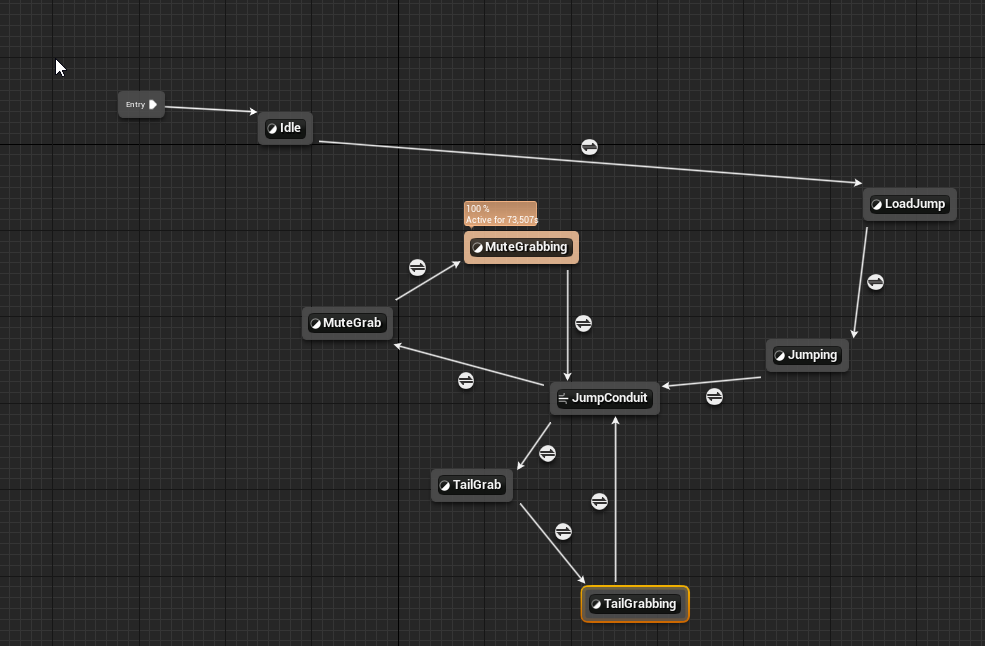
does this make sense at all?
my idea is once I'm in the air I'm in JumpConduit and from there I play for example MuteGrab, then go into the MuteGrabbing AnimationPose and once it's released back to JumpConduit
 bitter shard
sullen zephyr
Yes, I got it working to an extent and am also looking to build off of it with m...
bitter shard
sullen zephyr
Yes, I got it working to an extent and am also looking to build off of it with m...
I have the nodes in the animation graph but I have no idea what to do with them. How'd you generate the trajectory and where did you define the database?
ashen junco
kind zinc
my idea is once I'm in the air I'm in JumpConduit and from there I play for exam...
So there's no way of going back to Idle?
Well, it's still experimental, hence lack of documentation
sullen zephyr
bitter shard
I have the nodes in the animation graph but I have no idea what to do with them....
You have to add pose search plug-in and motion trajectory plug-in . Then add motion trajectory component to you character
Then there are settings and parameters that have to be set
 delicate matrix
Hi all,
I have exported animation from blender to UE5 and enabled RootMotion. Upward transform does not work. I have exported with (-Z forward, Y is up) and (-Y forward, Z is up). I don't know how to fix it, anybody can help me figuring it out?

Or maybe there is no upward transform for root motion? 🤔
 blazing pecan
I have a newbie question! what's the best way to fire a custom event from an AnimGraph? the "notifications" section of the transition's details panel has a few string fields that look like what I want at first glance, but the event doesn't seem to fire when that transition happens. maybe I've got it backwards, and those events are supposed to trigger the transitions?
also, side note: using strings for those fields seems... not awesome, which leads me to wonder if maybe those fields aren't actually used by many people


 rocky remnant
misty dagger
Hy guys.... I have a project in mind but I'm not able to get good optimal result...
rocky remnant
misty dagger
Hy guys.... I have a project in mind but I'm not able to get good optimal result...
instead of retargetting rig character for UE4/5 Skeleton and Use Animations with UE4/5 Skeleton. then it will look perfect.
 wooden arch
I'm trying to export a single animation from UE to blender and apply it to an existing skeleton.
The problem is, importing a single animation creates a new skeleton
Does anyone know how to apply an animation to an existing skeleton within the blender file?
Thanks for any answers.
 sacred anchor
I'm trying to import from Mixamo but my animations are stopping early
Anyone having the same issue?
 oak slate
Hello All
I am new to Animating stuff.. I created my (ugly) characted in Blender, I have idle and walk animations. Imported all fine to UE5. Where do I start with this? I have my basic level but I have no idea what to do to animate my guy. I read that I need a anim blueprint?
I searched online but all tutorials are talking about rigging and animating in UE not how to use imported anims
 proper cliff
Just a heads up for anyone using control rig, I had problems baking animations from models in this pack (specifically translations)

used the same code/controls on different models (old ue4 models too) and worked
bitter shard
oak slate
I am new to Animating stuff.. I created my (ugly) characted in Blender, I have i...
This guy has some tutorials you can check out:
https://www.youtube.com/watch?v=WWL4711lI60

Welcome to my new series, Advanced Animation Application [for Unreal Engine]. Today we're creating babby's first AnimBP and learning how to transfer variables from the CharacterBP to the AnimBP. This video serves as a precursor to the rest of the series - ensuring that you're up to speed with the very basics of setting up an Animation Blueprint....
oak slate
bitter shard
This guy has some tutorials you can check out:
https://www.youtube.com/watch?v=W...
thanks, I'll check him out
 tired patio
Hi, I'm trying to replace old animations in a SkeletalMesh with new animations with a different root. There are a lot of them with references to different BP's, so retargeting them all and replacing them manually would take a lot of time. I tried replacing the Skeleton of the SkeletalMesh by deleting the old Skeleton and replacing it with the new one. I even deleted the old animations so there couldn't be any reference to it, but somehow it still keeps using the old animation with the old root. Does anyone know what's going on? Or maybe know a better way of doing this?
tired patio
The new animations' roots have been adjusted with Additive Layer Tracks, could I copy these to the old ones in some way?
sullen zephyr
bitter shard
I have the nodes in the animation graph but I have no idea what to do with them....
Shoot me a dm and I can assist when I get off work
bitter shard
sullen zephyr
Shoot me a dm and I can assist when I get off work
Thanks for the offer, but I realized that it requires a character and I have a custom pawn so I don't think it would work
 hexed kite
Hello! I’m searching around for IK Solutions for animating skeletons in UE5 with only tracking information for the head and wrist bones. I’m working on a live performance where a viewer in a VR headset is interacting with a live actor in a motion capture suit. It's on an Optitrack stage, and the viewer in the headset will have a Vive with an active Optitrack clip over it plus two active trackers on their wrists. Essentially trying to find a solid IK solution to animate the viewer’s skeleton in the experience using only the tracking from their head and wrists. Any ideas on how to get full body movement for of a skeleton/rig using only those three world transforms from Optitrack rigid bodies. Doesn't have to be perfect, but can't find any solid options yet. Thank you in advance! Especially if you actually read this whole thing. 😜
ashen junco
oak slate
I am new to Animating stuff.. I created my (ugly) characted in Blender, I have i...
Yes, you need an anim BP.
oak slate
Yep. Created one. It's working fine
ashen junco
hexed kite
Hello! I’m searching around for IK Solutions for animating skeletons in UE5 with...
I can't say for VR specific things, but you can script a Control Rig to have full body IK from 3 points.
Though the caveat would be lacking lower body motion
 warm veldt
I click each and any one of them and I can't figure it out how to solve it. I already looked at the video of Beardgames on how to fix theses issues and it Doesn't work.... anyone has an ideia what it could be?
 ashen junco
warm veldt
I click each and any one of them and I can't figure it out how to solve it. I al...
ashen junco
warm veldt
I click each and any one of them and I can't figure it out how to solve it. I al...
That's more of #blueprint issue
hexed kite
ashen junco
Though the caveat would be lacking lower body motion
Couldn't get those legs to move even with major displacement of the head and wrists? Thought you could force steps, even if it wasn't very natural.
 trail elk
is it possible to keep the hand and feet IK controls connected to their bones so that way they are not separated when moved out of range?

 ashen junco
trail elk
is it possible to keep the hand and feet IK controls connected to their bones so...
ashen junco
trail elk
is it possible to keep the hand and feet IK controls connected to their bones so...
In CR's Backwards Solve event, you can set transform of the control to the effector bone.
Forwards Solve executed first before Backwards Solve, so your IK control would still have saying on where to move the bones.
 gentle tulip
Hi guys
I'm new to unreal 5 and I want to learn the fundamentals of animation BP and flow.
also would like as a start to import animation from mixamo and add them to the default quinn mannequin
any good resources/cources/tutorials to learn from?
thx
ashen junco
gentle tulip
Hi guys
I'm new to unreal 5 and I want to learn the fundamentals of animation BP...
 ripe gazelle
is there any rigs for the mannequin out of the box in ue5 ?
 craggy knoll
ripe gazelle
is there any rigs for the mannequin out of the box in ue5 ?
craggy knoll
ripe gazelle
is there any rigs for the mannequin out of the box in ue5 ?
Within the ThirdPersonTemplate project you can find a few rigs for the mannequin.
ripe gazelle
craggy knoll
Within the ThirdPersonTemplate project you can find a few rigs for the mannequin...
i just opened up a project with tpptemplate
watching makotos video again from scratch to see if i can understand it
so ty
ripe gazelle
question: is it possible to mirror existing animations. i have a 1h+shield from market place and want to swap from right to left handed
craggy knoll
ripe gazelle
question: is it possible to mirror existing animations. i have a 1h+shield from ...
didn't tried it, but have look at https://docs.unrealengine.com/5.0/en-US/mirroring-animation-in-unreal-engine/
bitter shard
Is it possible to evaluate an animation curve at a specific frame without playing the animation?
For example, if I'm playing animation A and I want to know what the value of a curve in animation B is at the current frame in A
craggy knoll
My Anim StateMachine uses a set of animation that gets swapped between a Standing and a Crouching set. If I just do that, they snap to the new animation when the variable is swapped, without blending.
I thought of two solutions:
1: Using SetSequenceWithInertialBlending (Picture 1)
2: Blendspace 1D controlled by a bool (Picture 2)
My problem with both is that I have to create a copy of every Function / Blendspace for each Animation (Idle, walk, jog etc.) and the only difference are the two animation sequences witch would be nice to Parametrize but that doesn't work with those two options.
I want to generalize this solution and reuse it, anyone got an idea how I could approuch this?


 charred saffron
Hello Lovely People I have an idea and thought I would ask about the best way to go about it. I want to have a Multi Character system involving "boxbots" who can join together in various ways and then separate. My question is how would I go about implementing these. Multiple skeletons that I swap out at runtime or individual animations attaching each actor to each actor. The first image shows an example of actors stacking on top of one another (like Goombas in super Mario Odyssey) and the second forming a block. Hope this makes sense.


 warm thorn
Hello, I have a problem with attaching the gun to the character properly. I manipulated GunSocket in Character skeletal mesh so that it matches the character posture while aiming, but it is completely off when standing relaxed. Is there any way I can manipulate the socket location and rotation in runtime to dynamically match both animations?

 ashen junco
charred saffron
Hello Lovely People I have an idea and thought I would ask about the best way to...
ashen junco
charred saffron
Hello Lovely People I have an idea and thought I would ask about the best way to...
Seems like you can achieve that with simple state machines.
 dry grail
Should I look into Control Rig/Sequencer if what I want to do is make first person animations (animation sequence assets) for an FPS? Or is the sequencer meant for stuff like cutscenes?
 grave drift
Hey guys, any idea what could be wrong here - imported animation pack is playing fine if I drop the animation sequence into the level, but if I use it on my AI the AI will teleport roughly 20cm into the air for the animation, and then teleport back down once complete. Shouldnt be a AdditiveLayerEdit fix needed here right, since it's working in the base anim? 🤔
trail elk
ashen junco
In CR's Backwards Solve event, you can set transform of the control to the effec...
I set up a backwards solve and set hand_r control to get transform from hand_r_bone but the control does not follow the bone in preview
trail elk
trail elk
I set up a backwards solve and set hand_r control to get transform from hand_r_b...
 trail elk
I set up a backwards solve and set hand_r control to get transform from hand_r_b...
trail elk
trail elk
I set up a backwards solve and set hand_r control to get transform from hand_r_b...
I
 trail elk
Nvm, I found the answer. Drag out the hands and feet controls and "set translation", then drag out hands and feet bones and "get bones", then hook up translation to translation.
 indigo zenith
Can a Control Rig controller (inside an Actor blueprint with a Control Rig component) be recorded in Take Recorder?
charred saffron
ashen junco
Seems like you can achieve that with simple state machines.
Even if the actors are all separate robots? I guess making a state for being top middle and bottom on the tower robot example?
ashen junco
charred saffron
Even if the actors are all separate robots? I guess making a state for being top...
Yes.
 slow egret
hello, i'm trying to make animations for a character with blender. I'm curious about a good workflow? Whenever i import my character some extra stuff i don't need gets added as well. Or maybe i do need it, but i have no idea what it is

like this physics asset, i didn't make anything like that inside blender
 ocean bison
I've been using the IK re-targeter to clone animation without issue. My question is: is there a way to do multiple animations at once?
misty dagger
hey anyone animator here who regularly make animated video I really wish to know from you if you can help me any way
like I wish to talk few mins and clear some of my doubts regarding it
 young flax
The pawn is using the floating pawn movement component
 vapid ibex
When unlinking an animation layer in favor of another one, is there a way to not use inertialization blending?
slow egret
ocean bison
I've been using the IK re-targeter to clone animation without issue. My question...
https://www.unrealengine.com/en-US/blog/download-our-new-blender-addons i found this. still have some issues but it's the official tool to use 0:
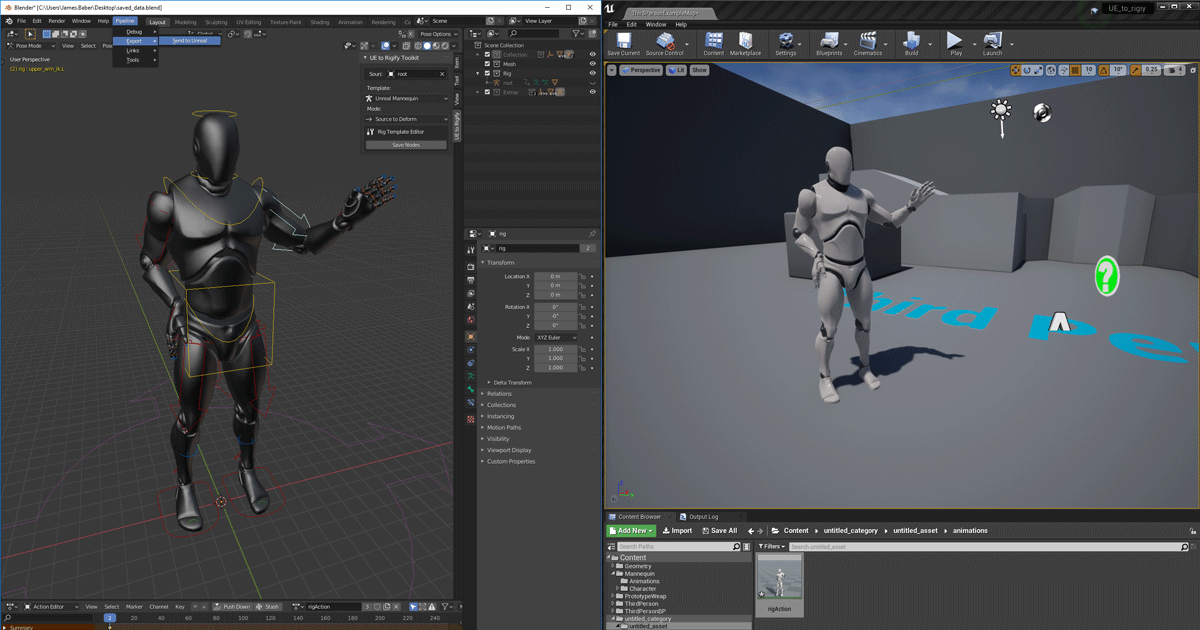
Unreal Engine
We’ve released two new, free addons that greatly streamline the workflow between Blender and Unreal Engine.
 worn meadow
Im a beginner doing the Aim Offset tutorial (https://docs.unrealengine.com/4.27/en-US/AnimatingObjects/SkeletalMeshAnimation/AnimHowTo/AimOffset/), and my animation blueprint looks all messed up (see left side of screenshot). I'm confused because my Aim offset mesh looked correct. Any ideas?

Here's the Aim offset mesh, which looks correct:
 slow egret
https://i.imgur.com/7KafBO8.png when i import my blender animations they look like this 💀
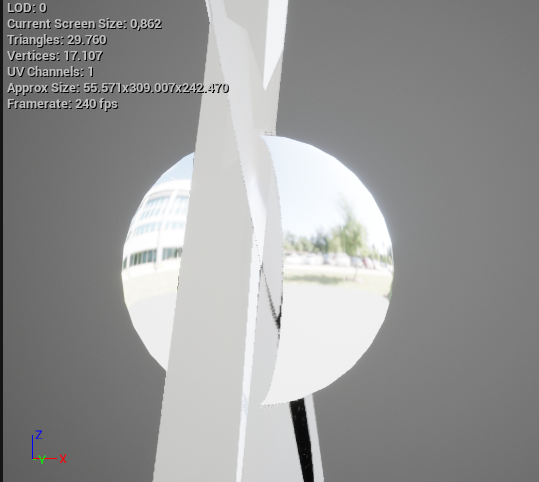 worn meadow
Replying to my question, I think I figured it out, I didn't set Additive Animation to Mesh Space. Dk exactly why that caused the issue, but it makes sense and will look into it further
ashen junco
misty dagger
hey anyone animator here who regularly make animated video I really wish to know...
 misty dagger
How can I make animated video
ashen junco
misty dagger
How can I make animated video
Which part of the workflow are you having trouble with?
 steel oar
In UE5, I've made IK Rigs and Retargeters between two skeletons. But When I try to author a blendspace, I can only use animations for the skeleton associated with the blendspace. What am I missing here?
oh wait... I guess I actually have to duplicate and retarget the animations now. 😛
trail elk
I am animating my control rig in a level sequence, but the hands rotate 360 (the long way around). I saw some videos of people saying to use Quaternion but I don't see a way to apply that to my controls in the level sequence.
how can i get my hands to not rotate in the wrong direction in sequencer using control rig?
I can go into the curves and drag the keyframe to the correct position, but thats a lot of work, i set up control rig to make animating easier, not harder
ashen junco
trail elk
I am animating my control rig in a level sequence, but the hands rotate 360 (the...
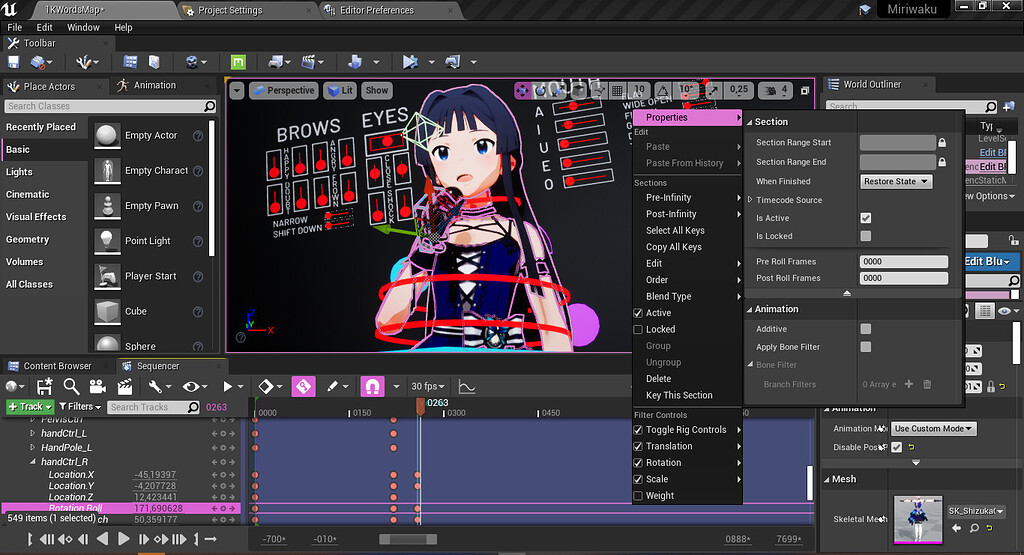
Unreal Engine Forums
When you create animations in-engine using Control Rig (which is awesome and a bit overpowered IMO), you may, sooner or later, encounter the recurring problem of gimbal locking. This is a side effect of the Rotator struct where value of an axis that reached beyond 180° will snap to -180°. It’s apparent when you’re trying to animate IK controls i...
Please note that in UE5's Control Rig, Euler Transform is the default value type, and the non-euler Transform is omitted.
 naive mountain
Anyone successfuly retarget all mixamo animations to metahuman with root intact? Going through it now with the help of the UAN plugin. Has anyone else nailed the steps down start to finish?
 atomic maple
Hi!
I've just started with Unreal and I'm looking for an animation to a character. I have found the Animation Starter Pack but, all the animations are with the character holding a gun. Are there another free animation pack without holding a gun?
Thanks!
 sharp kiln
atomic maple
sharp kiln
atomic maple
Thanks!
 halcyon fractal
I've got a question. I got a few fps animations I made. I also have a weapon to attach to it. (I don't have an actor for the weapon, so it's connected to a socket with a skeletal mesh component inside the hierarchy but the issue seems to persist.) The issue is that some of the bones in the animations tend to move into places I've never animated, but slightly, clips through my gun then exits and overall the hands never stay in one place and change their location slightly. Is there anything certain that's causing the issue? Is it because of my rig? Are the IK's causing this? It'd be great to get a solution. Thanks!
misty dagger
ashen junco
Which part of the workflow are you having trouble with?
lip sync of character
 mild granite
Does anyone know how I could achieve killing an ai within a cinematic? An example of what I mean is like in Friday the 13th the game, where if you are Jason and you grab a counsellor you can pick either a environmental kill or choose from 4 assigned ones. The kills happen in a cinematic, so basically I'm wondering if it is possible to kill an ai in a cinematic and let the game know that the ai is dead after the cinematic is finished?
 open grail
mild granite
Does anyone know how I could achieve killing an ai within a cinematic? An exampl...
open grail
mild granite
Does anyone know how I could achieve killing an ai within a cinematic? An exampl...
You do the killing part in a separate mesh with your animation and disable the ai
 desert river
Hi I've been trying to use this method for rigging and animating a model and then bringing it into unreal - however what always seems to happen is everything is fine when imported except the head deforms and stretches to ridiculous amounts in unreal while the rest of the body is fine https://www.youtube.com/watch?v=umtig82NGdk
In this Blender 2.92 Tutorial I'll show you how to use Rigify to easily rig your 3D characters!
This is Part 1/2 of this video. In this part 1 I show you how to set up and generate a rig as well as how to attach your model to the rig. In part 2 of the video I'll explain what weight painting is and how you can adjust skin weights for good deform...
The head is fully weight painted red automatically as part of this and is the only section that is fully red which I suspect might be the issue but unweight painting it just seems to make the mesh deform in really weird ways
Would anyone be able to offer any tips to resolve this, or is this method not suitable for unreal importing?

this is the size of the head after just moving it about a little bit in an animation

 magic hull
I am losing my mind, I have root bone animation on a character that isn't showing up in UE5. It was working just fine, I made some adjustments and now it doesnt. I have no idea what tf is going on. Anyone run into an issue like this before ?
 turbid needle
I've been wondering what the best approach to creating a character with a long dynamic tail would be. Similar to a snake or an eel, what would yall recommend is the best practice for this kind of thing? Using physical rigidbody stuff, IK, or what?
https://youtu.be/Wom6c-uMyL4

I'm currently using a physical animation component but it's not giving the behavior I'd like, it's too out of control, but I want it to follow and trail dynamically, not be a canned animation
 fiery snow
Quixel Megascan trees use Pivot painter for their wind animation, right?
 upbeat stump
help IK Rig Retargeting doesn't work, I do all the process as described in the docs but the assets browser keeps empty
honestly this new retargeting system is utter crap
/ragequit
 worthy apex
Hey, has anybody figured out how character deformation works in Unreal Engine 5.1?
 smoky shell
Elaborating on this (inertialization crashing engine with blend profiles in 5.1)
They missed a null check in BlendProfile.cpp:232:
const FSkeletonPoseBoneIndex SkeletonBoneIndex(Entry.BoneReference.BoneIndex);
OutDurationPerBone[SkeletonBoneIndex] *= Entry.BlendScale;
I hope someone with UDN access tells them because there doesn't seem to be a way to remove unused influences from blend profiles
mild granite
open grail
You do the killing part in a separate mesh with your animation and disable the a...
How do I make it so the animation is performed where im stood while also showing a cinematic camera until the animation is done?
 split matrix
Why don't morph targets work for me on Android? I have them added in the skeletal mesh, they work in the editor but when I pack the game on Android (in my case on Questa 2) they dont work
 royal cliff
Hey guys! I'm following this playlist to create a AI animal (https://www.youtube.com/watch?v=NMAnSOxFsNY&list=PLQN3U_-lMANNZtjAcKP8-VA7I8n13l1Cm&index=4). I am curently on the end of part 3, meaning I have set up the animal's walking around, rest and hunger nodes.
The thing is, I noticed that everytime he finishes the resting or eating sequence, he stands up and keeps walking without animation... literally just floating around. His animation bricks out, freezes and when he roams again he doesnt do the animation in for walking/running in the blendspace that was setup. video examples and bluepritns below.
note: Some of the values and velocities for delays and speed either on the time of eating,resting and values of drain/gain, and what not are ajusted to a level i have here and still on testing.. but that system is working as intented, because he does the animations of eating/resting, at the proper times.. the issue happens when he finishes those sequences and tries to put the original blendspace animation back to work... because he roams around.. but without animation.
This also happens, in-between states--- meaning that if my character walks close to the deer when he's resting or eating, he runs away... but doesnt change animation.. so he basically starts running away while sitting down... and it just likes amazing haaha
Thank you! Any help would be appreciated


Hey guys, in today's video, I'm going to be creating the hunger system for our animal. In this, the animal's hunger will drain and when they are hungry they will eat, which will then increase their hunger again.
P.S. Sorry for the long video, I want to try and explain it all so you can understand and learn from it :)
Series Playlist: https://w...
open grail
mild granite
How do I make it so the animation is performed where im stood while also showing...
spawn an actor that does just that. Dis able your player, shift to thr cam let the animation happen.
Are you trying to do Doom style glory kills?
mild granite
open grail
spawn an actor that does just that. Dis able your player, shift to thr cam let t...
Ive honestly never played doom, but basically what im trying to do is like what jason can do in the friday the 13th game. i dont know if you have played it but basically jason can grab a survivor and he holds onto them. i have already implemented the grab mechanic. my character if close enough can grab the ai and hold them. basically i want to be able to activate a kill move by the press of a button but i dont know how to make it so that its got cinematic camera where i can basically show whatever angles i want while also the animation takes place where im stood when i press it!
also just to be clear i am using unreal version 4.26.2
 ashen junco
mild granite
Ive honestly never played doom, but basically what im trying to do is like what ...
ashen junco
mild granite
Ive honestly never played doom, but basically what im trying to do is like what ...
What you want to do is to play montages on both players.
mild granite
mild granite
https://tenor.com/view/creatorun-phew-gif-17983416
this is what happens in f13 game when the kill button is pressed.
mild granite
ashen junco
What you want to do is to play montages on both players.
yeah i know that part, but i dont know how to make it so i can have the camera where i want it while the anims are playing
ashen junco
mild granite
yeah i know that part, but i dont know how to make it so i can have the camera w...
Okay, you can actually use Level Sequence for that.
mild granite
thats what i did but the camera is weird if im not stood where i was when i made the cinematic
i want the camera to be the same distance from the characters no matter where im stood
ashen junco
mild granite
thats what i did but the camera is weird if im not stood where i was when i made...
Have you checked this?
https://docs.unrealengine.com/5.0/en-US/creating-level-sequences-with-dynamic-transforms-in-unreal-engine

Describes how to create Level Sequences with Actors that have dynamic world transforms that can be changed at run time.
mild granite
thanks ill take a look 🙏
 white knoll
hello all, how can I play 2 animations at the same time with the same weight values in the anim BP? I am thinking that "layered blend per bone" the solution, but I can't get a good result with it
 covert willow
Has anyone used Rigid Body Animation in Animation BPs recently? I've been trying to get any kind of ragdoll simulation through them for literal weeks and no matter what I do, the RBAN solver seems completely busted in 5.0.3. My meshes explode everywhere and get scaled very strangely. I've followed any tutorial and guide I could find but they just will not work. I am genuinely concerned this might be a bug and am curious to see if anyone else has experience with them
ashen junco
royal cliff
Hey guys! I'm following this playlist to create a AI animal (https://www.youtube...
It seems that your mistake is using Play Animation node. That node overrides the animation instance it previously have. Have you tried using anim montage (or state machines)?
ashen junco
covert willow
Has anyone used Rigid Body Animation in Animation BPs recently? I've been trying...
I never used Rigid Body node for full body ragdolls, instead using Physical Animation. Maybe you have better mileage with the latter.
Though I haven't tested how Physical Anims fare with Chaos 🤔
royal cliff
ashen junco
It seems that your mistake is using Play Animation node. That node overrides the...
Hey! I figured that something like that was occuring, but couldn't really understand why and how. This deer has a state machine, but I don't think it is setup properly. Since I noticed it only has 1 node, called basic movement.
Do you recommend any particular tutorial or have any tips for it?

 ashen junco
royal cliff
Hey! I figured that something like that was occuring, but couldn't really unders...
ashen junco
royal cliff
Hey! I figured that something like that was occuring, but couldn't really unders...
Don't say the tutorial is not explaining about it...
royal cliff
ashen junco
Don't say the tutorial is not explaining about it...
He doesn't really go too much into details.. He pretty much focus on the "play animation" setup on the deer blueprint and reserves this basic movement node for a blendspace he puts inside.


where the 0 of the pyramid is the idle animation... the 300's walking and 600's running.
which does make sense and works.. the problem is that when the paly animation that's setup stops.. he doenst get back to this blend space
ashen junco
Figured, I can say Matt Asplands' tutorials aren't good ||(not to mention the atrocious "loading screen tutorial")||
royal cliff
ashen junco
Figured, I can say Matt Asplands' tutorials aren't good ||(not to mention the at...
This is the first time I've seen one of his tutorials.. even tried going into his discord looking for some tips around this, but to no aveil
So, you recommend to make state machines for each state? For example, having a state machine for idle, moving, jumping, etc? Much like the default pawn from the engine..
ashen junco
royal cliff
So, you recommend to make state machines for each state? For example, having a s...
Yes, in Idle state you would have states for idling, eating, or doing something in place.
royal cliff
ashen junco
Yes, in Idle state you would have states for idling, eating, or doing something ...
Got it! Do you recomend any way to have multiple idle states inside the idle state machine?

In here, I have only a repeating idle breathing animation... can I have it interpolate between different animations? Like on a random switch or somethng?
ashen junco
royal cliff
You can add another state machine in it.
royal cliff
ashen junco
You can add another state machine in it.
Ok ok! Will have a look and smash some buttons! Thanks for your time!
white knoll
Can I play 2 animations together with "layered blend per bone" for example the eye blink with mouth movement. What would be the best way to do this? Thanks
 covert willow
ashen junco
I never used Rigid Body node for full body ragdolls, instead using Physical Anim...
covert willow
ashen junco
I never used Rigid Body node for full body ragdolls, instead using Physical Anim...
I am using RBA nodes because that seems to be the way Epic wants you to implement physics on bones now. Can Physical Animation be blended in nicely or masked in the Anim BP?
ashen junco
covert willow
I am using RBA nodes because that seems to be the way Epic wants you to implemen...
Yes.
Here is the brief docs on physical animation.
https://docs.unrealengine.com/4.27/en-US/AnimatingObjects/SkeletalMeshAnimation/PhysicallyDrivenAnimation/

You can blend the results of physics-based animations to ragdoll your characters.
That being said, however, I'm not sure if Chaos had some regression on skeletal physics
 dusty kite
Hello, I'm using a full body mocap, I would like to delay the animation of the 1 fronted character to several behind, anyway I could do this ?
 vapid ibex
I'm noticing small popping when transitioning between regions in my blendspace (they're SUPER tiny but become really noticeable when said animation is close to the camera), does anyone know about this?
mild granite
figured it out!
 lofty granite
how can you place text like that?
 ashen junco
lofty granite
how can you place text like that?
ashen junco
lofty granite
how can you place text like that?
It's a custom mesh I made in Blender, then included in a custom Control Rig Gizmo Library (Gizmo is renamed to Shape in UE5)
Copying how MetaHuman rig did it wwwww
lofty granite
ashen junco
It's a custom mesh I made in Blender, then included in a custom Control Rig Gizm...
thanks it is very good way to do it
 trim verge
Assertion failed: OutPose.IsNormalized() [File:D:\build\++UE5\Sync\Engine\Source\Runtime\Engine\Private\Animation\AnimSequence.cpp] [Line: 1467]
UE5 Crashes everytime i Retarget animation. Any1 knows whats the problem ??
 slender sierra
Currently working on a bow draw animation and I was wondering. Can you constrain the limbs of the bow to the centerpoint of the string inside unreal or do you have to use an outside editor such as blender?
ashen junco
slender sierra
Currently working on a bow draw animation and I was wondering. Can you constrain...
You can do so in animBP (and Control Rig) if you're going with procedural animation for it.
slender sierra
Ah, k. Thank you. I'll check it out. Wasn't certain where to start.
 lusty ore
Which mantling system would you guys consider best for UE 5? Aside from ALS which is too complex and cumbersome to implement. Replicated Vaulting, Mantling, Custom movement? I am a complete noob and dont even understand whats root motion Guide. Is it useful for implementing such feature?
 lethal blaze
hi all - is it possible to combine blended animations into a single new animation file?
ashen junco
lusty ore
Which mantling system would you guys consider best for UE 5? Aside from ALS whi...
Personally I would make the mantling system from scratch, especially since UE5 has Motion Warping feature
lusty ore
ashen junco
Personally I would make the mantling system from scratch, especially since UE5 h...
I will look into it, but seems like it's goodfor vaulting, rather than climbing onto ledges
 jolly hatch
How can I change my animation frame amount. I just made a anim and its only 1 frame long
gentle tulip
Hi guys. I want to take animations from mixamo and retarget them to add to manny 3rd person animation.
just wanted to know if it is possible 🙂
 unreal trench
Is there a reason why this anim notify is still triggering on the server?
 smoky shell
lusty ore
I will look into it, but seems like it's goodfor vaulting, rather than climbing...
smoky shell
lusty ore
I will look into it, but seems like it's goodfor vaulting, rather than climbing...
Motion warping is used to interpolate to a new location/rotation throughout the montage, that's all. What it's good for is based on how you've designed your system. I use it to ensure regardless of the animation used it always reaches the perfect location (which means that I can have only one animation for every height, if I really wanted, but that would look weird when comparing 45cm and 250cm climbs). I built mine into the locomotion system using GAS for multiplayer rep/pred and made it not require input, since I wanted it to just be a natural fluid part of moving around the world. I've also used motion warping for 'stealth kill / takedown' animations, syncing the transforms of both characters. Another good use case is pulling a lever and getting the transform to line up, or getting in a car post-pathfinding GTA-style. So motion warping isn't specific to any task at all, but based on how you design the system that uses it.
covert willow
does anyone know how to configure a physics asset to lock certain bones in the position they are at a given time and move everything else besides them? I'd like to simulate this ragdoll here but with its hands locked in place, similar to an IK

 radiant pier
noob question: for animating & controlling a flying creature like a dragon etc, is correct base class still Character? or is Pawn or Actor a better choice. Considering it can't use AI navigation & pathfinding because it's airborne.
smoky shell
radiant pier
noob question: for animating & controlling a flying creature like a dragon etc, ...
This isn't an animation question at all and actually becomes exceedingly complex quite quickly. But I'll answer it. To start with, the 'correct' base class doesn't necessarily exist here as it depends on your use case; if you need net prediction (i.e you want the player to control it in multiplayer) then Character/CMC is the only way to go and it does have a flying movement mode you can extend. However, it does not have angular velocity or torque which you want to get good flying movement and extending it to support this is an incredible amount of work (have done it).
For a much simpler solution, especially a non-player controlled solution, you'd just extend APawn with the flying movement behaviours and likely a 3D pathfinding solution (there are some on marketplace, but I haven't tested them). There isn't really a good answer to give without knowing very specifically what your use case is
(Torque is to angular velocity, what acceleration is to linear velocity, in the context of CMC)
Any games with really nice stylized prone/crawl type animations that anyone can think of? Looking for some ref, especially non-shooter (my game is RPG, uses for stealth only)
lethal blaze
smoky shell
Any games with really nice stylized prone/crawl type animations that anyone can ...
for sure metal gear solid if you want stylized
smoky shell
Was actually just thinking maybe it would look better if it was more like a quadruped type crawl than actually flat to floor
radiant pier
smoky shell
This isn't an animation question at all and actually becomes exceedingly complex...
Really appreciate the answer. As you say it is just for NPC and I have a homebrew pathfinding solution for the AI. Then I would just create an animation blueprint around custom parameters instead of built-in character variables.
ashen junco
smoky shell
Was actually just thinking maybe it would look better if it was more like a quad...
So "baby crawl"?
smoky shell
ashen junco
So "baby crawl"?
Possibly, but babies crawl without any agility or orientation, whereas what I'm thinking is actually very well co-ordinated
Maybe more like a bear than a baby human 😄
Might be time to open up animator's survival kit and see if there's anything similar to this I can make use of
ashen junco
IMO baby crawl doesn't fit well with stealthing in open area, instead either prone crawl or low walk, but it could fit for crawling through vent
smoky shell
Maybe I can just retarget an actual dog animation lol
smoky shell
ashen junco
IMO baby crawl doesn't fit well with stealthing in open area, instead either pro...
You might be right, I'll need to see how it looks before deciding
lusty ore
smoky shell
Motion warping is used to interpolate to a new location/rotation throughout the ...
That's sick man! Really good explanation. I guess I shall start tinkering then
 empty nacelle
hi guys, im started rigging a car in 3ds max for unreal engine, but i found on marketplace a finished car with cool materials/lightmaps and im want to use for animation a car from marketplace, so how can i rig this car or maybe i need to export from unreal to 3ds max/replace skeletal mesh? i newbie in animations and I don't know what to do in this case, help please
kind zinc
hey guys! Is it at all possible to transition in a state machine after an animation sequence has been played?
 inland furnace
Hey does anyone have experience importing daz characters? I got my character imported but now im trying to import the pose and im not sure how to go about it
turbid needle
turbid needle
I've been wondering what the best approach to creating a character with a long d...
Still wondering about this, researching IK and how to get better control over ropes and stuff, but I'd like to know if anyone here has experience with this or if there are any best practices
smoky shell
ashen junco
IMO baby crawl doesn't fit well with stealthing in open area, instead either pro...
One of those times I'm hoping no one walks in and sees my computer screen

The new retargeting tools really are great though
I think it's time I just animate from scratch though 😄
Becoming pretty interesting/fun
https://youtu.be/7KMCKClQrmI

***** Welcome to the FreeMelon Society ****
SUBSCRIBE HERE to become a Member: https://goo.gl/F62TGW
by Subscribing, you won't miss any important information about Natural Law, Health and higher forms of wisdom that i will be sharing absolutely free. I have every intention of bringing you whatever knowledge and wisdom i can, out of a feel...
lethal blaze
Does anyone have tips on syncing facial motion capture animations with body animations
 steep bluff
So I'm working on an aim offset, however my player character consistently shakes. I verified each aim pose is a single frame, and the inputs on the graph are correct as well as the base pose animation. Can anyone tell me what I'm missing to make this work smoothly?

 odd lynx
steep bluff
So I'm working on an aim offset, however my player character consistently shake...
odd lynx
steep bluff
So I'm working on an aim offset, however my player character consistently shake...
Is there possible you show your setup? Screen of the blendspace, animation blueprint where it's applied, etc.
Hello!
I would like to try to make animation on Blender for the default UE5 mannequin, but I'm wondering if there is a control rig for it? I made one in engine but I would prefer to do the animation in Blender.
Thanks in advance 😊
steep bluff
odd lynx
Is there possible you show your setup? Screen of the blendspace, animation bluep...
So this gif capture is directly from the aim offset blendspace, it's shaking before it's applied to the animation blueprint.

and this is the animation blueprint where it's applied
 odd lynx
steep bluff
So this gif capture is directly from the aim offset blendspace, it's shaking bef...
odd lynx
steep bluff
So this gif capture is directly from the aim offset blendspace, it's shaking bef...
The animation player seems to act suspiciously, no?
smoky shell
ashen junco
IMO baby crawl doesn't fit well with stealthing in open area, instead either pro...
Tried it. Only looks good when you move really fast, which is unsurprising since I animated a quadruped moving at speed  Tempted to use it as a sprinting animation since sprinting sheathes weapon 😄
steep bluff
odd lynx
The animation player seems to act suspiciously, no?
Yeah I'll double check my frames, maybe I trimmed them wrong
 ripe stone
i'm doing this kind of stuff in blender. I want to learn how to instance geometry this way in unreal and create parameters to animate them
i might not have the proper vocabulary to find what I'm looking for
 limpid musk
ripe stone
i'm doing this kind of stuff in blender. I want to learn how to instance geometr...
limpid musk
ripe stone
i'm doing this kind of stuff in blender. I want to learn how to instance geometr...
I don't know if there's a way to do this in unreal
HOWEVER
there is a geometry nodes -> unreal plugin
 open grail
How do I have a smooth transition while entering the car with foot ik?
 opaque hearth
Is it possible to take an already-made character blueprint (i.e. with weapons and sockets) and stick a control rig onto it and create/edit animations (that were baked into the rig)?
I want to pose with my weapons in-hand and adjust the fingers
ashen junco
opaque hearth
Is it possible to take an already-made character blueprint (i.e. with weapons an...
Yes.
 high musk
I noticed that my debug spheres weren't drawing in the right location during my enemy ai attacks. Drawing sphere on tick on the hand_r and hand_l socket locations show that its drawing 4 spheres, rather than the expected two. Two of the spheres get drawn at what I think is the initial hand location. When I set Visibility Based Anim Tick Option = Always Tick Pose and Refresh Bones on the mesh I see all 4 spheres move (slightly out of sync with each other), but I still don't know where two of the sphere are coming from. Any ideas for debugging this?

Ah, its because I'm playing in editor and am seeing server + client draws 🤦♂️
and server doesn't seem to be playing the anims
smoky shell
Anyone notice just how lacking/rare prone/crawl animation asset packs are 😄
Think I actually have to make my own from scratch
high musk
lots of zombie crawl anims out there, although probably not exactly what you're looking for 😐
smoky shell
Yeah lol, saw that, was odd 😄
Looking at Animator's Survival Kit, there isn't a section for prone/crawl type animations, but I wonder if the quadruped ones actually apply (attached a photo) since technically you're on all fours. Looking at a mocap animation I have it seems like the effect of losing and regaining balance throughout a walk is still in effect although it differs a lot since you can plant your weight on your body/chest, so it's more like throwing your left side forward from the right foot and landing on your outstretched arm/elbow then your chest, then repeat for the right side, etc.. The principles should still apply though? I'm finding it pretty tricky in practice 😄 I'll just have to try again and see if I can get a good result

 strange yarrow
Hi there, Im trying to import my animation from Maya, some bones have scale animation but I cant manage to make them work inside Unreal
I reached this info https://docs.unrealengine.com/4.27/en-US/AnimatingObjects/SkeletalMeshAnimation/NonUniformScale/ but Im not sure how to work with it
Overview of how non-uniform scale animations can be used.
 static shoal
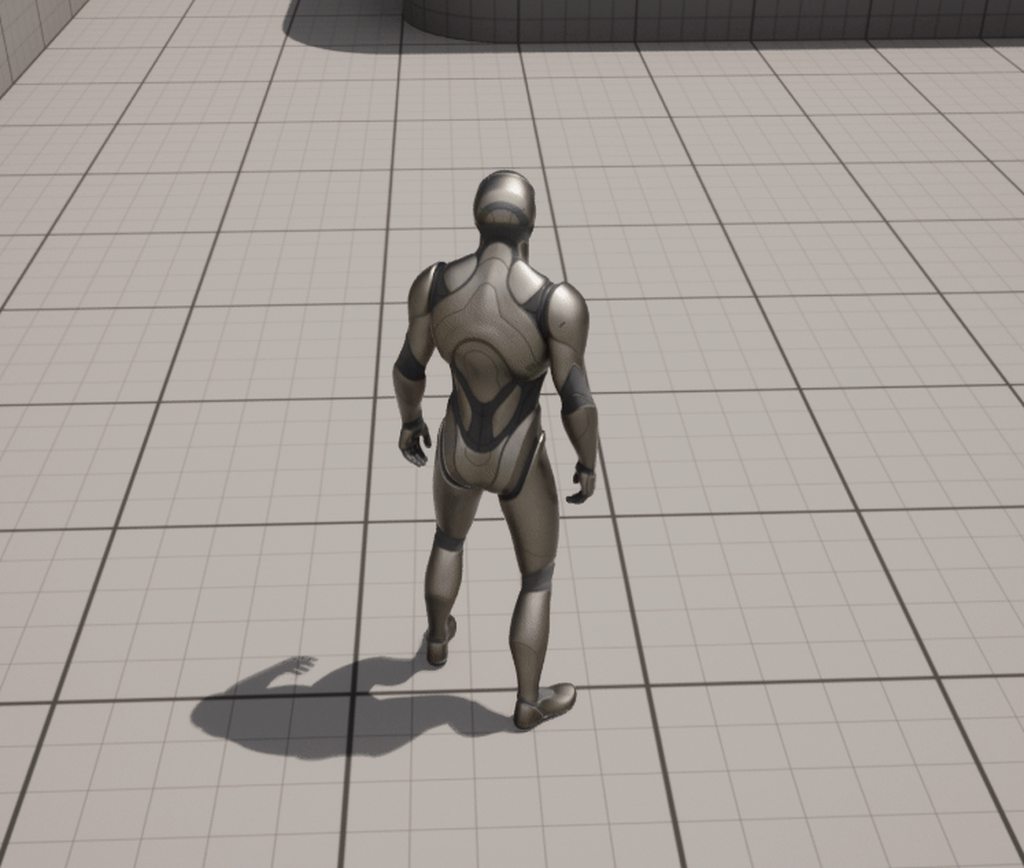
how do I fix feet stuck animations, I thought it was a thing of mixamo but even the ones from the animation starter pack have that issue
https://imgur.com/a/VCdUQIR
 severe pelican
Hey, what setting makes it so a physics asset collides with itself?

I've set up collisions, but at runtime it still clips through itself
 tall knoll
in UE4 we could right click on a skeleton and select retarget all mesh and animations, but its not available in UE5 what happened ?
ashen junco
tall knoll
in UE4 we could right click on a skeleton and select retarget all mesh and anima...
UE5 uses brand new retargetting system.
tall knoll
damn
 inner ibex
I am rather new to animation, especially character workflows. My DCC is Max. In simple terms, do I create a rig/bones and a facial rig for my character inside of max, then export this as a skeletal mesh to UE5, where I animate the character using motion capture data that I import or use a control rig?
ashen junco
inner ibex
I am rather new to animation, especially character workflows. My DCC is Max. In ...
Control Rig can't make skeletal meshes from the ground up
inner ibex
ashen junco
Control Rig can't make skeletal meshes from the ground up
Right, so basically the character mesh needs to have it's bones made in Max for example ,correct?
ashen junco
Yes
inner ibex
Ok, that makes sense. And what about face animations? You don't use bones for those, as far as I know
ashen junco
inner ibex
Ok, that makes sense. And what about face animations? You don't use bones for th...
You can use bones for facial animations, particularly if you're not bound to mobile limitations and need full control over the expressions
inner ibex
ashen junco
You can use bones for facial animations, particularly if you're not bound to mob...
Interesting. Thank you. Very unfamiliar territory, so it's going to be some deep diving. Thanks for your input 🙂
@ashen junco Just to verify, I need a character with bones as a skeletal mesh imported at all times, if i want to animate it using a control rig or motion capture data, correct?
 rapid arch
Really need help with this retargeting. On retargeted animation seems like the Pelvis bone just does not move at all.
Check the video:
https://www.loom.com/share/a853e5f169b84e7f9248bfa124fce394

Thanks in advance
ripe gazelle
this question is truly a longshot
is it possible by any means to record physics based motion into an animation?
ripe gazelle
another question
i cant seem to find any information on making physical attack animations and i might lack the terminology
does anyone know any learning assets for using pshysical animations for attacks?
 worldly anvil
Is it possible to make the animated character be in place if the animation (I mean the fbx file) makes it move? I downloaded a locomotion pack from mixamo, and I can't select whether the character has to be in place or not, unlike when downloading single animations.
rapid arch
rapid arch
Really need help with this retargeting. On retargeted animation seems like the P...
I got it
ashen junco
ripe gazelle
is it possible by any means to record physics based motion into an animation?
You can use Take Recorder to record static meshes into sequencer. I'm not sure about skelmeshes tho
ashen junco
worldly anvil
Is it possible to make the animated character be in place if the animation (I me...
Specifically with Mixamo, no, because the rig is awful, with the hip/pelvis being the root bone, extracting it will make the model awkwardly fixated to the pelvis.
 still seal
Hi
I need to copy the animation from a character to another. who can help me?
skeletal mesh is similar
I haven't IK rig
the goal is to add the swimming animation to the new character
rapid arch
still seal
I need to copy the animation from a character to another. who can help me?
You need to create an IK Rig for both characters, than a IK Retargeter from on IK Rig to the Other. From within the IK Retargeter you can export any animation you want.
That is the basic flow. But of course, it is not always an exact science.
still seal
doing that I would use the old animation blueprint with the new skeletal mesh?
rapid arch
still seal
doing that I would use the old animation blueprint with the new skeletal mesh?
You can. By a couple of different methods.

 ripe gazelle
am i confused or is there no general purpose all direction walk/run animations for free?
 hollow tulip
what is the best way to add new ue4 animations (from marketplace) to lyra character?

 ashen junco
ripe gazelle
am i confused or is there no general purpose all direction walk/run animations f...
ashen junco
ripe gazelle
am i confused or is there no general purpose all direction walk/run animations f...
No, it's not free.
still seal
before:
 ashen junco
ripe gazelle
am i confused or is there no general purpose all direction walk/run animations f...
ashen junco
ripe gazelle
am i confused or is there no general purpose all direction walk/run animations f...
There are probably super cheap (as in chomp change cheap) cardinal locomotion pack for at least 5 bucks
ripe gazelle
ashen junco
There are probably super cheap (as in chomp change cheap) cardinal locomotion pa...
yeah i looked around. Currently going the mixamo route
ashen junco
ripe gazelle
yeah i looked around. Currently going the mixamo route
Good luck fighting against its awful rigging 😉
ripe gazelle
following some guide on applying the animations on ue4 manneqin
i just need basic legs that move fwd and bwd. do i need strafes?
i mean its probably very specific to projects
ripe gazelle
i guess i would want a specific animation for cardinal directions + combinations
or just rotate hips 🤣
ashen junco
ripe gazelle
i guess i would want a specific animation for cardinal directions + combinations
You gotta pay for that wwww
ripe gazelle
im in between need to know and learning what i need
ashen junco
You could work smart and make some orientation warping (and procedural strafe warping if you don't want to buy strafing animations)
ripe gazelle
yeah the thing is i need an entrance and i didnt like the bias on the starter/free things
i plan to learn how to use blendspaces and do first person melee but on the full mannequin
1d blendspace with rotation based on velocity and direction i think
ashen junco
ripe gazelle
1d blendspace with rotation based on velocity and direction i think
Blendspace 1D is deprecated in 5.1 btw
ripe gazelle
nothing i do is permanent at this stage but thanks for warning
rapid arch
ashen junco
Blendspace 1D is deprecated in 5.1 btw
wow, really... interesting...
ashen junco
rapid arch
wow, really... interesting...
Well, not explicitly marked as one, but both Blendspace 1D and Aim Offset 1D is under Legacy category, which signifies as being deprecated
I guess Epic want to consolidate them to Blend Space asset.
Considering you can use Blend Space in the same way as Aim Offset, and Blend Space 1D is just Blend Space but one axis is unused
gentle tulip
Guys, Do you know what could cause this landing problem? 😉
 floral siren
Control Rig question! I've built a custom control board based on the metahuman one that I'm using to control blendshapes on a few characters in my project. The characters use different skeletons, but the control rig isn't making any bone changes, only animating blendshape data, and all characters have the same blendshape names.
Is there any way to share control rigs between skeletons without manually copying them between each? If I update the control board, I don't want to have to copy/paste the changes between every character that's using the same control rig. I've tried messing around with creating child control rigs, but it doesn't seem to inherit any of the controls.
 ripe gazelle
Does anyone know any resources for physical attack animations. I cant find any learning resources with my keywords
halcyon fractal
(I've already asked this before but I didn't seem to get an answer, so this is a repost) I've got a question. I got a few fps animations I made. I also have a weapon to attach to it. (I don't have an actor for the weapon, so it's connected to a socket with a skeletal mesh component inside the hierarchy but the issue seems to persist.) The issue is that some of the bones in the animations tend to move into places I've never animated, but slightly, clips through my gun then exits and overall the hands never stay in one place and change their location slightly. Is there anything certain that's causing the issue? Is it because of my rig? Are the IK's causing this? It'd be great to get a solution. Thanks!
 atomic prism
gentle tulip
Guys, Do you know what could cause this landing problem? 😉
atomic prism
gentle tulip
Guys, Do you know what could cause this landing problem? 😉
You should check the transition rules in your state machine, see the template project for how it works
opaque hearth
UE5 retargeting for IK really has me scratching my head. I have a working animation blueprint for one skeleton. When I retarget it (and the assets except custom IK rig) for another skeletal mesh, everything works as expected. Eventhough the IK rig is for the wrong skeleton, all is well. But the fingers naming convention changed on this new skeleton, so I need to make a new IK rig for it. As soon as I switch out the old IK rig for the new IK rig in the new retargeted animation blueprint, the IK rigging breaks. Even reconnecting the old node does not fix it. The only way I have found to remedy the problem is entirely delete the retargeted ABP and create a new duplicate via retargeting for the new mesh again. I'm at a loss as to what is happening
opaque hearth
opaque hearth
UE5 retargeting for IK really has me scratching my head. I have a working animat...
This is even to the point of only having one IK solver and one goal, just for the right hand. The bones are identical here and the only thing changing between both IK rigs is the skeleton. But just making the connection to the new IK rig in the ABP breaks it
............ Nevermind. Did not realize switching the Rig Definition Asset in the ABP also reset my goal's position and rotation space (which was collapsed). I spent way too long trying to figure out what the heck was changing here :S
worthy apex
Hey, has anybody figured out how character deformation works in Unreal Engine 5.1? I'd like to play around with it, but I don't know where to begin.
 feral pelican
Aah I tried and gave up
indigo zenith
Can anyone point me in the right direction regarding the recommended method to send the Sequencer Animation (DefaultSlot) bone data to Control Rig? I tried adding Add Mapped Skeletal Mesh to the Control Rig's On Pre Initialize event but the sequencer animation stops playing.
trail elk
I tried create an instance (child) control rig but it's not coming with all the logic or widgets
Is it possible to create child rigs that work?
 uneven salmon
indigo zenith
Can anyone point me in the right direction regarding the recommended method to s...
uneven salmon
indigo zenith
Can anyone point me in the right direction regarding the recommended method to s...
Use The DefaultSlot in your anim blueprint and query the bone you want from that pose
uneven salmon
indigo zenith
Can anyone point me in the right direction regarding the recommended method to s...
The Control Rig Component does not play well with sequencer, i've reported this, Based on github, the problem is partially fixed on 5.1....
ripe gazelle
is it possible to apply physics to animations to change them dynimically ?
also
is it possible to edit keyframes in existing animations ?
 regal bison
Hello guys! I am making a mobile game where you have to catch a target person. I would like to start modelling, but I have reservations about the mobile requirement. There would be roughly 50-60 characters moving on the screen + the scenery and location. My question is what is the max polygon number on mobile devices that can run safely even on older types of mobile phones?
- I try to model a character between 3-5k triangle between. That's good?
 ancient valve
how is animating in ue5 with control rig compared to something like blender
indigo zenith
uneven salmon
The Control Rig Component does not play well with sequencer, i've reported this,...
@uneven salmon Yes, the anim blueprint approach works when I add the Rig inside sequencer, but it doesn't work if the rig component is already in the BP Actor. I will try 5.1
ripe gazelle
why isnt my transform modify bone rotate also updating the position of a hand ik bone
 zenith oyster
Im trying to replicate Lyra's locomotion, just for unarmed, but I am having some issues when it comes to the transition between the Start Jog to Jog Cycle, it seems to do a "jump" when the transition happens, this appears to be a lot smoother when I increase the blend duration, but increasing the blend duration would be different from how Lyra has been set up.
Any ideas ?
I would think it would be the sync markers, but thats set up as well :/
Can't for the life of me figure out why it won't transition smoothly (in fact the animation seems to be slowing down near the end of its life span ?)
ripe gazelle
i seem to get a desynched ik bone when using layered blend per bone
and i cannot figure out why
 strong forum
What do you guys think of Blender to UE and UE to Rigify plugins?
Basically for making animations back and forth between Blender and UE
 distant axle
i saw someone mention in comments that metahuman has a bad rig for animation???
true/false??
 woeful olive
Is there any way to have the animgraph in a child animation blueprint?
uneven salmon
indigo zenith
<@662004227702390789> Yes, the anim blueprint approach works when I add the Rig ...
I know what you’re talking about. it’s not your fault, there’s not much you can do about it. It won’t work, i reported this exactly and whether they choose to fix it or not we’ll just have to wait( or edit the source)
desert river
How do I import new animations from blender to unreal with a skeletal mesh? Unreal doesn't seem to recognise new animations on reimport
desert river
Couldn't find a proper solution other than a workaround by importing the skeletal mesh into a different folder and copy and pasting the new animation ^^^
ashen junco
strong forum
What do you guys think of `Blender to UE` and `UE to Rigify` plugins?
Basically ...
Personally I'm against Rigify, and my workflow is pretty much one way, i.e. Animating in Blender export to UE, or animating with CR + Sequencer
ashen junco
distant axle
true/false??
False.
ashen junco
ancient valve
how is animating in ue5 with control rig compared to something like blender
Not exactly comparable, but I use both, depending on the situation.
indigo zenith
uneven salmon
I know what you’re talking about. it’s not your fault, there’s not much you can ...
Thanks @uneven salmon It's hard not to get frustrated. Do you know if there is currently (UE 5.1) any way to use something like Template Animations to have one re-usable master animation (ie with Control Rig) plus a secondary Control Rig to finetune in a per-case basis? I read something about Control Rig Sequences back with 4.27. I need to be able to reuse and finetune animations in sequencer. I tried using a Template Animation Sequence but it seems to conflict with the Control Rig on the parent sequence...
strong forum
ashen junco
Personally I'm against Rigify, and my workflow is pretty much one way, i.e. Anim...
Animating in Blender, export to UE
I heard that step has issues? Is it straightforward to do?
And what is "CR + Sequencer"? Oh, Control Rig in UE?
ashen junco
strong forum
Animating in Blender, export to UE
I heard that step has issues? Is it straightf...
Aside from Unit Scaling, no other issues that I found, even without plugins on the way
ashen junco
strong forum
And what is "CR + Sequencer"? Oh, Control Rig in UE?
Yes.
strong forum
ashen junco
Aside from Unit Scaling, no other issues that I found, even without plugins on t...
So you have a 3d model of a character in Blender, rig it, make animations, export the animations from Blender, import animations and 3d model to UE? No plugins?
indigo zenith
@strong forum you may need some plugin to help you with the unit scale as mentioned, as well as some potential root bone issues
ashen junco
Root bone issues is either:
- obligatory Armature object naming, or
- multiple root bone issue, common with bone controls, can be solved by marking them as not deform bones, and exclude them from export
strong forum
ashen junco
Root bone issues is either:
- obligatory *Armature* object naming, or
- multiple...
What's the complete workflow and steps you do from getting a 3d model in Blender, making the animation, exporting it from Blender, and importing it to UE?
ashen junco
strong forum
What's the complete workflow and steps you do from getting a 3d model in Blender...
Mine is quite simple but culmination of years of trial and error, and still developing:
-
Animating in Blender - purpose: mainly gameplay animations
a. Set unit scaling to 0.01 by default
b. Scaling models up to scale with new unit scaling, if necessary
c. Sequences split by actions
d. Control bones not marked as deform
e. Develop a Python script to automatically and temporarily renaming armature object before exporting
f. Export to FBX -
Animating in Unreal with CR - purpose: mainly cinematics
a. Blender workflow is the same, minus animating
b. Animating Control Rig developed from the ground up
uneven salmon
indigo zenith
Thanks <@662004227702390789> It's hard not to get frustrated. Do you know if th...
I was on UE 5.0 when i was trying to develop a ControlRigComponent/Sequencer workflow.
Sequencer will always override the BPs control rig transforms.
I asked the team to atleast let us delete some channels from sequencer Eg head_ctrl so that they can be handled by the CRig, while sequencer handles the rest.
I then stopped everything related to that and focused on something else. There was no apparent workaround for it so the solution was to wait and hope they fix it.
I think maybe 5.2 will have the fix but you never know
ashen junco
In Control Rig, apparently any control type but Euler Transform (and Boolean, since it has no visual representation) is prone to D3D/Vulkan device crashing errors.
This has been happening since UE4 version of Control Rig, and it still persist as of 5.1 Preview.
I guess the workaround is to use Euler Transform, but limit the transforms as you see fit.
ashen junco
ashen junco
In Control Rig, apparently any control type but *Euler Transform* (and *Boolean...
If anyone with better GPU willing to test this for me, it would be swell. All you need to do is to create a Control Rig of a skeleton, make at least one Control with type of anything but Euler Transform and Boolean, and mess around with it for few minutes.
I'm planning to file a bug report of this, but I don't have enough data on how widespread is this just from my potato alone (even though it happen consistently on my side)
strong forum
ashen junco
Mine is quite simple but culmination of years of trial and error, and still deve...
So for #1, no plugins at all?
How do you.. rig your characters and stuff to animate?
ashen junco
strong forum
So for #1, no plugins at all?
How do you.. rig your characters and stuff to anim...
In the case of non-humanoid characters, I rig them from scratch and mostly let the auto weighting do its thing
I do use Auto Rig Pro, but that's mainly to help with rerigging VRoid models.
strong forum
ashen junco
In the case of non-humanoid characters, I rig them from scratch and mostly let t...
So Auto Rig Pro to rig things, then making animations, export them, then import them to UE
Is there any reason you can't just use Rigify?
ashen junco
strong forum
So Auto Rig Pro to rig things, then making animations, export them, then import ...
Rigify is finicky to deal with, and bug where some non deform bones are marked as such
For me, at least
I'm sure that one guy will barraging me again for pointing out Rigify flaws
I sure hope he doesn't have watch dog bot looking for word like "Rigify kinda sucks"
strong forum
ashen junco
Rigify is finicky to deal with, and bug where some non deform bones are marked a...
Hmm, but for the most part there's no issue with using rigify, and exporting the animations from Blender to UE?
ashen junco
strong forum
Hmm, but for the most part there's no issue with using rigify, and exporting the...
For the most part, no.
 tranquil hound
hey everyone, I'm having an issue with animations in UE5. In UE4, I'd have a total animation broken into parts in a montage, but in UE5, animation sequences return back to base pose after each sequence. Does anyone know how to fix this?
strong forum
Oh, I just thought there would be issues using Rigify and importing it to UE, that's why you need to use plugins like Uefy or Auto Rig Pro
But looks like Rigify is just fine (excluding some bugs)?
ashen junco
strong forum
Oh, I just thought there would be issues using Rigify and importing it to UE, th...
Aside from the bugs and (for me) finicky workflow, yeah, Rigify can be exported fine, just make sure the bones are correctly flagged as deform.
ashen junco
tranquil hound
hey everyone, I'm having an issue with animations in UE5. In UE4, I'd have a tot...
animation sequences return back to base pose after each sequence
That could be your mistake.
tranquil hound
ashen junco
> animation sequences return back to base pose after each sequence
That could b...
Using more than one sequence in a montage?
During gameplay, I'm not sure if it's happening, but it's very visible in editor.
ashen junco
Please don't crosspost, it against the rules and can confuse people
 tropic plume
Alright, my bad! i'll delete this one then 🙂
 zinc niche
when i import my skeletal mesh from blender, the mesh scales too big but the armature stays the same size
 ashen junco
zinc niche
when i import my skeletal mesh from blender, the mesh scales too big but the arm...
ashen junco
zinc niche
when i import my skeletal mesh from blender, the mesh scales too big but the arm...
Likely unapplied scale
zinc niche
that would make sense
tranquil hound
ashen junco
> animation sequences return back to base pose after each sequence
That could b...
sorry for pinging again, I just haven't fixed this issue and was coming back to it. Is there a setting in unreal engine 5 or some trick to get the behavior I'd expect in UE4?
Sequences in UE4 didn't reset pose back to idle, in UE5, they do by default
ashen junco
tranquil hound
sorry for pinging again, I just haven't fixed this issue and was coming back to ...
I was implying you used Play Animation node, is that the case here?
tranquil hound
I'm actually using able, I had assumed this was a ue5 specific thing, I can look and see if there's anything related to able and this issue.
oh, wait, it happens in editor, too, so not just able.
ripe gazelle
Why is my ik_hand_root being displaced whenever base pose animates in layered blend per bone?


 full pumice
BlendSpace Movement has sample roman_s_walk that is invalid due to being out of bounds. Recommend adjusting it.
what does this mean
 ashen cave
does anyone use the Blender to Unreal import tool for animations? The addon is called Pipeline Send to Unreal
ripe gazelle
none able to help with my issue ?
gentle tulip
Hey guys.
I want to model a character mesh that could easily replace the 3rd person character skin but use the same skeleton and blueprint. Do you know what is the easiest and most efficient process? Any tutorials in this area?
Basically I was thinking about finding a tool that does auto rig and export a similar skeleton to the unreal skeleton so I won’t have to retarget.
Any suggestions what tools/guides should I look at?
ripe gazelle
So if noone knows how to solve hand ik root displacement on layerblend, could someone perhaps elaborate on best practice equipment mount methods?
indigo zenith
uneven salmon
I was on UE 5.0 when i was trying to develop a ControlRigComponent/Sequencer wor...
Yes, as you pointed the Sequencer's control rig BP override issue is still present in 5.1. I guess that's the price of free, we have to follow Fortnite's roadmap 🙂 Thanks for the help
 silk axle
I have a set of a few common abilities that I would like all characters in my game to be able to use. I also have Unreal Skeleton animations for the abilities, and I play a corresponding montage when an ability is activated.
My problem is that many of the characters have different skeletons. While they all have proper IK Rigs and retargeting assets that work perfectly, I would need to duplicate every basic ability animation for every skeleton, and somehow store references to these copies somewhere so the abilities know which montage to play for which skeleton. This sounds pretty tedious and difficult to maintain. Does anyone have any ideas for how to tackle this?
The best solution I currently have is to leave a few Unreal Skeletons loaded somewhere to run the montages on for real-time retargeting with the Retarget Pose From Mesh node, but it feels super wrong.
 rugged moat
silk axle
I have a set of a few common abilities that I would like all characters in my ga...
rugged moat
silk axle
I have a set of a few common abilities that I would like all characters in my ga...
In animsequence.h, all transform data of bones is stored in a structure called RawTrackData. This is a TArray with each track arranged in the same order as the bone index marked on the Skeletal from top to bottom with the root bone being index 0. Retarget is actually the process where you create a new file from the animsequence file, rearrange the data structure above and change the reference to the new skeleton. Each animsequence stores only one skeletal data. You can use C++ to extend this class, with a list of RawTrackData and corresponding skeletons. This is really not easy, because in addition, you need to change the Animsequence editor to be able to have more options on skeletal refs, as well as extend the related data externally through the detail panel in the anim sequence editor . In case you have too many animations, you may have to think of this option, I'm sure it's possible but it depends on your C++ skill. Btw, your custom way of handling this is also pretty cool.
 lapis sorrel
anyone know what might cause a retargeted animation to sit 'higher'? makes it jitter when playing starts for some reason, only happened to a handful

 rancid sparrow
Hey! Is it possible to "snapshot" a posed skeletal mesh into an exported fbx?
bitter shard
How do you use backwards and forwards solve with the Control Rig node in the anim BP? It seems like it only runs the forwards pass. Edit Nvm, figured it out.
bitter shard
rancid sparrow
Hey! Is it possible to "snapshot" a posed skeletal mesh into an exported fbx?
I think you should be able to use the "Create Asset" button to make an "animation" (of one frame) and then export it to FBX.
 worldly anvil
Can someone give some advice on what and how to improve my simple walk/run animations? Sometimes it gets weird when an AI character turns a shard angle
https://www.youtube.com/watch?v=rAQIdVj1A4U
 ripe gazelle
whats a bind pose used for ?
ashen junco
bitter shard
How do you use backwards and forwards solve with the Control Rig node in the ani...
At least mention your solution, which is to run Backwards Solve event after all forward solve executions.
I despise someone who just went "yup, fixed it lol, bye"
bitter shard
ashen junco
At least mention your solution, which is to run Backwards Solve event after all ...
Yeah you're right, I guess I figured that since messages disappear so quickly in this feed it's unlikely anyone with the same problem would see it anyway, and if they did they could ask. But I should've explained it just in case, thanks for the reminder!
 spring karma
Can you have root motion animations and non-root motion animations on the same anim blueprint?
ashen junco
spring karma
Can you have root motion animations and non-root motion animations on the same a...
Why not?
spring karma
Because in Unity you couldn't do it and I'm still traumatized
I think now you can tho but now I love UE

ashen junco
This ain't Unity, chief 😉
Root motion animations can work just fine, even if the anim BP comprises of non-RM anims
spring karma
do you know if the movement from the animation is replicated on networked games?
ashen junco
spring karma
do you know if the movement from the animation is replicated on networked games?
Networking isn't my forte, but I'm sure you can have it replicated.
rugged moat
spring karma
do you know if the movement from the animation is replicated on networked games?
Yes, and the character movement component in ue handles it for you !
spring karma
rugged moat
Yes, and the character movement component in ue handles it for you !
That's amazing, I'm excited to play with it
 steel galleon
In my animation blueprint, im making use of linked anim layers and I use 4 linker anim layers for 4 states, namely Idle, Start, Cycle and Stop and im using the LinkAnimClassLayers function from my character blueprint to set the instance class. Now the problem is that, there are 4 objects being created instead of a single object. When I print from my child anim blueprint ,which is set to the instance class, the log says that there are different classes created for each state,
the output is something like this ->
AnimBP_CharacterUnarmed_C_0: Hello
AnimBP_CharacterUnarmed_C_1: Hello
AnimBP_CharacterUnarmed_C_2: Hello
AnimBP_CharacterUnarmed_C_3: Hello
Why is this happening ? will it be a problem and cause performance issues ?
steel galleon
steel galleon
In my animation blueprint, im making use of linked anim layers and I use 4 linke...
it seems as if the AnimBP_CharacterUnarmed_C_0 is being used for the Idle state and AnimBP_CharacterUnarmed_C_1 for the start state and so on
also, in my main animation blueprint, I have set the Instance Class on the Linked Layer node to None
 smoky vale
Question for people using mixamo for animations: have you seen a falling idle animation different than this (others are not just idle)?

 opaque hearth
In animation blueprints for an IK rig there are 3 options: Manual Input, Bone, and Actor Component. The documentation only has Manual Input and Bone. Anyone know how to use Actor Component and what it does? (Moved from Blueprint)

 grave vessel
Does anybody know how would I go on adding weapon bobbing on a FPS without using an Animation Blueprint?
 raw bay
Hey gang, so I'm following a great tutorial by CodeLikeMe but coming to the point to add animations. He uses Mixamo for his tutorial, but I've had bad
experience using them so looking for an alternative and wondered if anyone knew something that had animations with UE4 in mind?
I had bought the Ultimate Traversal Anims pack from the marketplace awhile back and was surprised that it didn't have that (one of the few things it doesn't, it seems)
 late sun
Hi all
How can I change number of bones in limb with the "Two Bone IK" node please ?
(in AnimBP)
late sun
Or in the "Control Rig" maybe ?
ashen junco
late sun
How can I change number of bones in limb with the "Two Bone IK" node please ?
Well, it's in the node name.
In Control Rig you could use other solutions like CCDIK, FABRIK, or Full Body IK, depending on the context
ashen junco
It's alive, but I haven't known the entire system yet :3
late sun
I use the "Full Body IK" node in the "Control Rig" asset
but still my mesh only use 2 length for my foot bone, I want it to use 3
ashen junco
grave vessel
Does anybody know how would I go on adding weapon bobbing on a FPS without using...
You could use something like timelines in your actor BP, but generally anim BP is more preferred as it's less intrusive to the gameplay code
ashen junco
late sun
but still my mesh only use 2 length for my foot bone, I want it to use 3
Do your selected bones span for 2 bones, not counting effector?
late sun
It counts 2 bones counting the effector
It counts the "foot" and the parent of the "foot" only
I want it to count one more
the parent of the parent of the "foot"
Like in the "Leg IK" node, when you can choose "Num Bones in Limb"
 finite sinew
Did you specify what Should Rotate means? Just making a bool & calling it should rotate isn't going to mean anything to the engine. Can you show your Bp's that specify what "should rotate" means? If it's not working, then the issue lies there.
 lavish thorn
i mean A you posted half your issue. Second you seem to float around asking allot but helping no one. 🤷🏻♂️ give and take.
jumping past the last 50 pages out of 97 on your history you are trying to get everyone to slowly build your project for you.
This will indirectly answer your question.
https://www.youtube.com/watch?v=DST2bMbRxEQ


Hello guys, in this quick and simple tutorial we are going to learn how to make a leveling experience system in Unreal Engine 5.
Follow me on Twitter: https://twitter.com/GorkaGames
Subscribe to the channel: https://www.youtube.com/channel/UCv_n9oioNF6OpzR2dt6E4xg?sub_confirmation=1
unreal engine 5,ue5,blendspace,tutorial,quixel,megascans,unre...
disrespecting the community you are asking help from is normally no good. 🤷🏻♂️
if your getting twitching then your blending space might not be setup correctly
id do what @finite sinew suggested.
normally because most animations issues are specific to project or they did not ask the right question so it becomes unanswerable. For example if I say my attack animation 1 -3 are being called but 2 is not. How is anyone supposed to help me?
 latent tusk
Hello guys; is anyone here could help with animation using cascadeur ? Please
lavish thorn
^ example 1
 tidal current
Hey yall is there anyone that can help me with an animation problem I am having?
lavish thorn
he should be asking in a cascadeur form
tidal current
 lavish thorn

tidal current
my character is crouching in the air..
lavish thorn
tidal current
Transform go to import translation - set zed to -100 and see if it fixes it
tidal current
would I find that on the abp or in the static mesh?
lavish thorn
same photo as you posted
lavish thorn
tidal current
here
tidal current
I dont see anything that says transform
tidal current
im not seeing that
lavish thorn
hm hold on
my project takes 10 years to load
ill ping you once i find it
its an easy fix though
tidal current
take your time. I was converting a character over and broke all my animations...
 Story of my life
lavish thorn
Story of my life
lavish thorn
 tidal current
it did not fix it'
lavish thorn
did you compile + save and look at it?
tidal current
yeah
lavish thorn
sorry save and look at it
tidal current
let me try again
lavish thorn
on the charcter
not the animation bp
it should add an offset
you will need to play with the zed until its right
subtract to push the character down and add to go up
tidal current
trying now hopefully it will work
it still isnt working the character brings his legs into the sky lol
lavish thorn
 was your zed messed up on bringing it in?
tidal current
the animation looked fine on bringing it in
then we closed it out and came back about an hour or so later and it was in the air
lavish thorn
are you using ik?
tidal current
yea
tidal current
all the rest of the animations are fine just the crouch is broke lol
lavish thorn
yes thats why im saying go back and check ik
because their might be a thing for your ik system
are you using ue5 built in? Dragon ik? what?
tidal current
ue5
lavish thorn
as i know dragon ik has some steps for setting up crouch
i believe this is using the inbuilt https://www.youtube.com/watch?v=JsF3Db45ILo
Hey Homies! Today I'm bringing you a quick little tutorial on how to set up a blueprint for a Crouching System inside of Unreal Engine 5!
This is a follow-up video on my Tutorial for how to make an Animation Blueprint and Blendspace if you'd like to check that out here:
https://youtu.be/nkpdY2qAggM
You can take this and expand on it as much as ...
rugged moat
Try to set this value higher than 0 (0 = constant, higher value = faster transition)
 tidal current
I have no clue the retargeter is correct but the actual animation is broke nothing is changed in the IK rig though'
 worn marlin
Hi weird question, do you think fast zombie ai would benefit from motion matching? like adding realism to the movement? I read though it has some reqs. hehe
tidal current
@lavish thorn the import translation isnt working..
 copper sigil
Hey folks. I seem to remember seeing a new way in 5.0/5.1 to get variables from your pawn/controller in anim blueprints? I think it might have been one of those UE Tips tweets, but I can't find it again.
Regardless of that specific thing, what is the best way to do this?
I vehemently hate having a long list of gets/sets on "Blueprint Update Animation" / "Blueprint Initialize Animation".
Most of my states are stored in a struct to be fair, so it's only a couple sets/gets now, but still, if there is a way to avoid it all together that'd be great
ashen junco
worn marlin
Hi weird question, do you think fast zombie ai would benefit from motion matchin...
Probably, but I assume not much. I don't know how expensive motion matching is, since it's still beta and basically needs mocap data (and I don't do mocap).
I think zombie doesn't have to be realistic anyway, since it's not real to begin with.
worn marlin
ashen junco
I think zombie doesn't have to be realistic anyway, since it's not real to begin...
Thanks for the info. True, i am mixing with physic anims to make them sloppy atm hehe
ashen junco
That being said, I still don't know how Days Gone managed to get zombie horde working. Most likely with an ECS system, but I don't know about the animation side
worn marlin
Ecs system? I made a rough horde months ago based on tutorials and the default physic anim sys, looks fine but may need optimization as i am still a noob. But i am currently trying out dragon iks physics anims as it is.more.optimized, hopefully move all my logic to it, including get up from my other videos
https://youtu.be/MCzQNam2LJY

I have improved the behavior of the physical animations and ragdoll in respect to the AI, collision and my player character. I only used one attack, simple locomotion and NO hit or NO death animation for this AI so that you can see the pure beauty of physical animations and advanced ragdoll. You must note that working with physics causes a lot ...
ashen junco
Yeah, the problem was cost of running anim instances can escalate with large amount of skelmeshes using it. ECS can ease up on the game thread, but by itself it doesn't handle anim instances
At least that's what I thought, I haven't get around putting in Flecs (or EnTT) in my projects
worn marlin
ashen junco
Yeah, the problem was cost of running anim instances can escalate with large amo...
Nosebleed hehe but will check those out.
 covert stratus
does anyone know why UE4 is cranking the weight paint on my forearms when I import? Blender original and UE4 imported below


I thought it was auto-rig pro doing it, but the first pic is me reimporting the FBX back into blender to double check
misty dagger
Anyone good with blend spaces able to help
charred saffron
Hey all, Do you know if its possible to simulate physics (for the purpose of a ragdoll) but in a specific pose. For example I have a robot who can become a cube shape and I would like it to ragdoll in its Cube shape animation. Thank you x
steel galleon
steel galleon
In my animation blueprint, im making use of linked anim layers and I use 4 linke...
still have this issue
steel galleon
misty dagger
Anyone good with blend spaces able to help
dont ask to ask, just tell your problem
 slim void
Hello. I am trying to make an animations from the store to work on custom characterr that i've made. For some reason I cannot retarget the animations and they are not playing.
Please help
 covert willow
Does anyone know how it would be possible to enable ragdoll only on some parts of the body, while respecting IK constraints on the animation? I have a character that I would like to be "held" by his hands while he is ragdolling, and I'm trying to simulate anything below the arms, while keeping the arms IK'ed to the hand control
 brittle tulip
Ive added a Synty character to my game and succesfully changed the default skeletal mesh to the synty mesh with all the animations. But now my simulate physics/ragdoll function doesn't work anymore. The new character flies of in multiple directions instead of just ragdolling. Anyone knows this problemm?
ashen junco
covert willow
Does anyone know how it would be possible to enable ragdoll only on some parts o...
I think Constraint Profile might be what you're looking for.
ashen junco
brittle tulip
Ive added a Synty character to my game and succesfully changed the default skele...
Missing physics assets for the characters, perhaps?
brittle tulip
ashen junco
Missing physics assets for the characters, perhaps?
I don't think so;
 covert willow
ashen junco
I think Constraint Profile might be what you're looking for.
covert willow
ashen junco
I think Constraint Profile might be what you're looking for.
how does that help me exactly? I can't find anything on that related to IK-ing the hand during a ragdoll
ashen junco
covert willow
how does that help me exactly? I can't find anything on that related to IK-ing t...
Because IK is disregarded when one is loose ragdolling? You just have to pin/constraint one bone and constraint rotation on the bones.
Otherwise physical animations if you just want to have the body react to impacts and preserving pose
brittle tulip
ashen junco
Missing physics assets for the characters, perhaps?
Not sure what it is yet, but it had to do with the hat and backpack Attachments I gave the character. So I need to find a way that these don't mess up the ragdolling.
ashen junco
brittle tulip
Not sure what it is yet, but it had to do with the hat and backpack Attachments ...
Aha, that's the problem
ashen junco
brittle tulip
Not sure what it is yet, but it had to do with the hat and backpack Attachments ...
Disable collision on the attachments and you should be good to go.
brittle tulip
ashen junco
Disable collision on the attachments and you should be good to go.
I'll check that right away! Thanks!
brittle tulip
ashen junco
Disable collision on the attachments and you should be good to go.
Worked like a charm. Thanks for the help!
 gritty marlin
Hey everyone. Not sure this is the correct spot for this one.... Doing a modular character build using the Set Master Pose Component node. This appears to be working (the skeleton does not appear to break). Each modular component uses the same skeleton. I am working with a root motion system.
What I am getting is that the legs will start to animate and then get dragged behind the character (like the character is limp from the hip to the ankle). The feet are playing part of the animation. While the arms and the head are fine. I am also getting random resets on location despite having everything set for root animation.
What could I have possibly overlooked?
misty dagger
Anyone good with IK rigging and retargeting?
I tried to use it but it wont fix my issue.
 ripe gazelle
What do I need if i want at any point in an animation go into another
Like
Mid swing but get hit
I assume blend spaces
But feels too hands on
ashen junco
Stop the attack montage and play the hit montage.
ripe gazelle
ashen junco
Stop the attack montage and play the hit montage.
I think I'm looking for the blend or transition smoothing in this case
ashen junco
ripe gazelle
I think I'm looking for the blend or transition smoothing in this case
There is stop montage with blend out, just play the hit montage with blend in at the same time, with the same blend duration
ripe gazelle
I see
Ty ill look into that
I bought Kubolds FPP melee moveset so i have a lot of things to try and learn
 kindred saffron
anybody know how to flip an animation and save it? for example I want my forward animation to also be my backward animation. I'm not interested in simply setting the playrate to -1
kindred saffron
right I was wondering if I could somehow flip the animation in the editor and save it
ripe gazelle
it depends on what you mean with flip
kindred saffron
reverse*
ripe gazelle
so last keyframe is first and so on
kindred saffron
indeed
ashen junco
There are functions to play animations in reverse. Depends on where you want to put it.
kindred saffron
the issue with that is it will destroy my 8 way movement, flipping the animation to -1 is already yielding bad results
ripe gazelle
are you simply just looking for a backwards walk ?
kindred saffron
yup lol
ripe gazelle
i use the ironsight walk backward from animstarter
kindred saffron
oh, I mean I can rip some animations if I have to, but surely there's a way to do this right? 🤔
ashen junco
Usually it's best to use different animation for backwards walk/jog
ripe gazelle
walking backwards is not forward in reverse so you want the specific animation
ashen junco
I mean, walking backwards while the upper body lean forward doesn't make sense.
kindred saffron
It's honestly indie, I'm not totally stoked on something amazing, I actually made the entire 8 way animation with just one base forward walk anim
ashen junco
You can try it yourself IRL but the challenge would be not to collapse from imbalance.
kindred saffron
the only issue is I can interpolate between animations because backward walk is set to -1 lol
so it jitters for a split second
ripe gazelle
are you using a blend space?
kindred saffron
indeed
ashen junco
Heh, in my case I don't use blendspaces, but stride warping and some blend poses by enum. Also orientation warping for both forward and backward walk/jog/sprint cycle.
ripe gazelle
what you want should be doable with the animstarter pack
kindred saffron
ashen junco
Heh, in my case I don't use blendspaces, but stride warping and some blend poses...
I'm too noob for all of that I'm a programmer xd
but yeah if push comes to shove I'll just rip an animation from some pack
ashen junco
kindred saffron
I'm too noob for all of that I'm a programmer xd
Well, it's a technical animation thing
Stride warping is basically scaling distance each step takes, and orientation warping is basicaly distributing rotation to lower body.
kindred saffron
it's honestly a miracle I was able to make 8 way work out of a single animation
I winged it hard
I'll have to look them both up
it sounds pretty cool, because I'm actually already sick of animations
ashen junco
I'm sure both are built in to UE5 as plugin, but I had to make it from scratch from UE4 days
And yeah, I'm a lazy animator as well
ripe gazelle
i've a question. what do i need to make my fullbody first person to rotate with mouse up/down?
The fpp melee animations rely on head being relative to the arms i believe and when i rotate spine bones with get base aim rotation, the camera gets a bit offset
ashen junco
ashen junco
Heh, in my case I don't use blendspaces, but stride warping and some blend poses...
Actually I did use blendspace in my anim system but it's for breathing
ashen junco
ripe gazelle
i've a question. what do i need to make my fullbody first person to rotate with ...
In Control Rig you could perhaps rotate upmost spine that connects to the head and arms, and distribute the rotation down to pelvis.
ripe gazelle
so im actually looking for more animations ?
ashen junco
ripe gazelle
so im actually looking for more animations ?
No, just do rotations in Control Rig based on the control rotation from the player controller
Though you do need to setup some kind of information highway from the actor BP, to anim BP, to anim graph, and to a Control Rig node.
ripe gazelle
ashen junco
No, just do rotations in Control Rig based on the control rotation from the play...
i see
i currently just get base aim rotation into anim bp and use that on one of the spines
i havent touched control rig yet
ashen junco
You can do the same in Control Rig, and make it better.
ripe gazelle
ok ty
 primal elm
Hi, in the anim starter pack, the idle hip fire animation holds the gun too low and it can’t be visible in the first person camera. Is there a way to fix this. I am not an artist
ripe gazelle
you want to separate lower and upper body perhaps
primal elm
ripe gazelle
you want to separate lower and upper body perhaps
Well how do u do that
ripe gazelle
in short, like this:

locomotion is leg animation
overlay is upperbody animation
layer blend per bone lets overlay have control from spine_01
ripe gazelle
where in an attack animation would i want to check for collisions
i mean technically, not where in the arc
nvm this topic is broad af
late sun
Hi all
In "AnimBP" "AnimGraph", how can I combine a "Control Rig" node and a "Two Bone IK" node to go into the "Output Pose" node please ?
I don't want to Blend the two, I want to have the "Two Bone IK" node to control the hand, and the "Control Rig" node to control the others parts of the body
I want to combine a "Use Cached pose" node and a "Control Rig" node
late sun
It's ok thank you !
In the "Control Rig" asset, the "Draw Line" node is not working... anyone already used it please ?
 last anchor
I am having this weird issue with my animation montage that I cant seem to solve. When I make the mesh visible and jump to a montage section, It plays a single frame from the default position of the mesh. I tried delaying setting the visibility to next tick, I tried setting it to AlwaysTickPoseAndRefreshBones, I set the blend time in the montage to 0. Yet nothing seems to fix it.
Anyone else had a similar problem or know a fix to try?
Edit: I solved it by just adding a new AnimNotify to set the visibility during the actual montage state instead
smoky shell
Oh no. Frank animated all of his weapon locomotion sets without root motion 😦
Amount of work 🎚️
I'm in that state of mind where I'm trying to force myself to work because my motivation is shot 😄
I already had to write a python script to remove pelvis forward motion onto the root bone for his platformer pack 😄
His animations are incredible but I think he has -1 technical knowledge level
 queen smelt
I have a question. I animated a treasure chest type box to open in Blender. This box has some screens that unfold and move around. I have everything keyframed in Blender. Is there a way to exported my animated models into U5? I am not using bones in Blender (should I be?).
ashen junco
smoky shell
Oh no. Frank animated all of his weapon locomotion sets without root motion 😦
Who's Frank? 🤔
ashen junco
queen smelt
I have a question. I animated a treasure chest type box to open in Blender. Thi...
You should use bones to turn it into skeletal mesh, which can use skelmesh animations.
queen smelt
@ashen junco ok thank you
smoky shell
ashen junco
Who's Frank? 🤔
Frank Climax, makes popular stylized anim sets
https://www.unrealengine.com/marketplace/en-US/profile/Frank+climax?count=20&sortBy=effectiveDate&sortDir=DESC&start=0
The style of his animations is truly excellent once you clean up the technical issues (or unfortunately in this case, add root motion the best you can)
ashen junco
Kinda reminds me of my own stuff, how my laziness led me to use tweening a lot
Though that mainly reflecting on myself
smoky shell
ashen junco
Kinda reminds me of my own stuff, how my laziness led me to use tweening a lot
I dunno about laziness but I find animation has a very particular type of patience requirement where you can do repeated tedious brain numbing tasks without it bothering you all day every day. I hate animating
 eternal kite
Hey guys, I'm developing my first game in UE and I'm wondering abt the best approach to my animations
This is how the prototype looks like. It's top-down, movement on a grid

I made my own system for moving, so whenever I press a key player moves 100 units in one of the directions
I'm wondering what's the best way to approach playing an animation
I tried to just simply use "play animation" node before I'm lerping between positions, but then the lerping is done before the animation properly starts
ashen junco
eternal kite
I made my own system for moving, so whenever I press a key player moves 100 unit...
Movement should be handled by code, and animation follows it
You can use the same setup as free roam third person anim BP
Unless it's heavily stylized and exaggerated, in that case you can use root motion (and in UE5, also motion warping to align the root motion)
eternal kite
I'm more thinking abt how to implement the animation I did in Maya
because all the tutorials show the idle/walk blendspace and naimation blueprint
but I also heard abt something called animation montages that seem useful
and i recon there is more stuff like this that I could use
ashen junco
eternal kite
because all the tutorials show the idle/walk blendspace and naimation blueprint
You can use the same thing with what you want to do, just that the movement code is not free roam. They all take animation sequence and do something with it
eternal kite
How do I specify the idle animation is just a default mesh state there?
because they always show it on the idle naimation
but I have none
it's just a mesh
ashen junco
eternal kite
it's just a mesh
Not a skeletal mesh?
If it's a skelmesh, you can make animBP for it, it's not that hard to get a basic locomotion system going
eternal kite
yeah yeah it is a skeletal mesh
it's just that they always put the idle and walk animation to blend between that
I have default mesh look + jump animation I want to play
But in the naimation graph you can't place anything else than animation sequence
ashen junco
eternal kite
But in the naimation graph you can't place anything else than animation sequence
You probably haven't learn about animBPs 🤔
eternal kite
I'm on my way on learning them ;_;
ashen junco
You'll be surprised to learn the things you can do with it 😉
 indigo zodiac
Any tips on how to solve this issue (legs going inside the staircase when they fall outside the collision capsule on account of IK adjustments) with Two Bone IK setup?
 ashen junco
indigo zodiac
Any tips on how to solve this issue (legs going inside the staircase when they f...
ashen junco
indigo zodiac
Any tips on how to solve this issue (legs going inside the staircase when they f...
That's quite tall for a stair step...
indigo zodiac
ashen junco
That's quite tall for a stair step...
Yeah! Testing out against different heights. But issue still persists event at smaller heights.
ashen junco
indigo zodiac
Yeah! Testing out against different heights. But issue still persists event at s...
Try testing on normal sized steps, for all I know your trace for the IK is off limits.
indigo zodiac
ashen junco
Try testing on normal sized steps, for all I know your trace for the IK is off l...
Okay - let me try observing and tweaking the trace values.
queen smelt
@ashen junco I was just thinking about something and I'm curious if you know the answer. Is there a way to use Vertex Shapes (animations) from Blender and transfer them to Unreal?
late sun
Hi all
In the "Anim Graph" of "AnimBP", how can I know when the animation ends please ?
I want to set a transition between two animations, but UE automatically blend between the two animations
so my first animation never ends, it is cut before the last frame of the animation
misty dagger

i have no idea what to put for primary axis and secondary axis values
values i tried seems to mess it up visually
and right now its not properly working
late sun
Any way to disable the "blend" between animations in anim graph ?
Ok so to disable I just have to set the "Duration" to "0", but then I can't know when the animation ends
 radiant parrot
any idea why cant i move this control single inch?
 opaque hearth
Is getting IK positioning off of IK Positioning a bad thing to do?
I.e. I have separate IK for my hand and separate for my fingers, and I try to IK relative to my hand socket for the fingers... but some funky stuff is going on
 lucid slate
Hi guys!
I have a problem

I exported my anims from maya but
you can see the framerate
- my anim is lost
How can i solve this?
late sun
Does anyone know how can I adapt my running animation with my IK Control Rig please ?
I set up both of them but I have a problem where while my running animation when I run on a slope my feet go through floor
ashen junco
lucid slate
you can see the framerate
Try using 30 FPS in Maya.
I use Blender, but I had similar issue of insane framerate numbers with higher framerates (e.g. 60 FPS)
ashen junco
Eh, I don't know, I'm an avid Blender-er
late sun
I think I need to set the Control Rig (for IK) to have the priority over the running animation
ashen junco
late sun
I think I need to set the Control Rig (for IK) to have the priority over the run...
Can't tell without some evidences.
late sun
Don't you have an idea about this ?
ashen junco
Without showing your anim graph, no
late sun
My animgraph is very simple
here it is

I only have my running animation in the "Cached pose" node
late sun
The problem is only when I use an animation in addition to the control rig
If I disable the running animation, the IK works great
 strong cargo

AccuRig
https://actorcore.reallusion.com/auto-rig
CC Blender Tools addon
https://github.com/soupday/cc_blender_tools
The character used in the video
https://shrsl.com/3qqbi
Support CGDive:
❖Patreon:
https://www.patreon.com/cgdive
❖Gumroad (get 20% off using coupon code "cgdive")
https://gumroad.com/toshicg
RECOMMENDED PRODUCTS
❖Rig Anything W...
 sudden chasm
is there a way to convert vector to rotate in control rig ?
 ashen junco
sudden chasm
is there a way to convert vector to rotate in control rig ?
ashen junco
sudden chasm
is there a way to convert vector to rotate in control rig ?
Vector -> Euler -> Rotation/Quaternion
sudden chasm
ah thanks
 frozen zinc
Goal: Share one set of animations & animbp between two compatible skeletons with different proportions.
Problem: Both skeletons have the other listed as compatible skeletons but when I use animations from the blue ("male") model it causes some weird effects on the female model.
Is this folly or am i missing a key part of the step


 swift edge
How different are the skeletons? And have you set the retarget options on them?
frozen zinc
should be exact on the core bones. When I retargetted the animations from a different pack I only saw an option to retarget to one new skeleton. Is there a way to choose both ?

I was trying to avoid needing to keep double the animations when both skeletons are so similar.
 manic nebula
does anyone know how to retarget animation to an ik rig like mr mannequin?
for fk one i have no problem
ripe gazelle
Im using a full mannequin for my first person character. Camera attached to head.
How do i rotate the camera up/down and have all the relevant bone structure intact so that the swing animations arent skewed relative to the camera?
 neat fox
!stream
 hardy tangle
I've got a bp with 4 static meshes which make up the object. I want to have the center conveyor belt and the yellow side parts rotate. How would I implement this? I'm not sure where to begin
 bitter shard
hardy tangle
I've got a bp with 4 static meshes which make up the object. I want to have the ...
bitter shard
hardy tangle
I've got a bp with 4 static meshes which make up the object. I want to have the ...
The belt could be made as a panning texture in the shader, and the rotating parts would probably be better to implement as a skeletal mesh with an animation.
hardy tangle
bitter shard
The belt could be made as a panning texture in the shader, and the rotating part...
thank you!
 real atlas
would anyone know the best way of resizing a player and fixing up animations? for example grabbing onto a ledge or something, youd need to offset it based on the player size, Im gonna try something but Im wondering if anyone has a good way of doing that or if its even reliable
severe pelican
Hey y'all, it seems like control rig "global" spaces aren't actually global
I'm setting a control transform based on a world transform from animbp, and it's getting very distroted and janky on runtime
How would I make a control actually follow a world transform correctly?
 flat sluice
I have a really silly question: In what ways would I use python scripting to make my life easier with Control Rig?
ashen junco
severe pelican
How would I make a control actually follow a world transform correctly?
Expose a vector variable and convert world space to global/skelmesh space.
severe pelican
ah ok, thanks!
ashen junco
flat sluice
I have a really silly question: In what ways would I use python scripting to mak...
For one, making templated Control Rigs, but even then Control Rig is more reusable than anim graph because it's not strictly bound to a skeleton asset, just the hierarchy.
flat sluice
ashen junco
For one, making templated Control Rigs, but even then Control Rig is more reusab...
Thanks for the response. What is a "templated" control rig?
I'm looking to see how much dynamic physics movement I can add to this big metal boi
Relying on baked animation for a solid aesthetic base, but since its a big fella it will have lots of animation transition issues & feet sliding, which I am hoping to smooth out using control rig
rocky remnant
having same issue have you fixed this
ripe gazelle
how can i switch state machines in the animgraph
i have different move sets and want to switch between them
or
misty dagger
rocky remnant
having same issue have you fixed this
We never managed to find a solution to this, we ended up re-doing the animations on a metahuman mesh that I think was either a neutral male, or a straight up female, I can't remember exactly which one but that was the only solution we could come up with at the time, I wish you luck on finding a solution.
ripe gazelle
how should i set it up
i feel that its wrong inside a statemachine with fundamentally different attack animations
because animations from 1h and 2h doesnt really share anything
 storm veldt
Anyone had any experience in importing 2 meta human characters into maya?
Any issues with name space?
 fallow quiver
Ok i have a problem
I have an animation NOT IN PLACE
The character do this animation
At the end the mesh teleport where the capsule component remained
Fix???
And that's urgent
 main lagoon
fallow quiver
Ok i have a problem
I have an animation NOT IN PLACE
The character do this anima...
main lagoon
fallow quiver
Ok i have a problem
I have an animation NOT IN PLACE
The character do this anima...
did you turn on root motion?
fallow quiver
main lagoon
did you turn on root motion?
Sadly this animation don't refer to the root
So is useless
main lagoon
what do you mean it doesnt refer to the root? where is it's point of origin? it has to have some sort of root
fallow quiver

see? that's the animation end
and that point far away is the root
isn't effected by the animation
fallow quiver
main lagoon
what do you mean it doesnt refer to the root? where is it's point of origin? it ...
so... dunno what's the true point of origin
 limpid sapphire
is there a way in blend spaces to expose the animation as a variable ? like i have different idle and walk animations for different kind of weapons, and i dont really want to manually remake the same blend space for all
 main lagoon
fallow quiver
so... dunno what's the true point of origin
main lagoon
fallow quiver
so... dunno what's the true point of origin
it looks like your animation is wrong in general. i think you have to animate the origin bone to move along aswell, then you can activate root motion
fallow quiver
main lagoon
it looks like your animation is wrong in general. i think you have to animate th...
i know, it's crap, but i'm not an animator and i'm not the creator of this animation, but i must get this work
main lagoon
fallow quiver
i know, it's crap, but i'm not an animator and i'm not the creator of this anima...
i guess you could key the bone in engine. just move it along with your character and apply the key. it may look janky but then you can turn on root motion.
if root motion doesnt work i dont know any other method.
fallow quiver
main lagoon
i guess you could key the bone in engine. just move it along with your character...
how can i do this?
main lagoon
fallow quiver
how can i do this?
move the bone and press Key up on top
 fallow quiver
main lagoon
move the bone and press Key up on top
fallow quiver
main lagoon
move the bone and press Key up on top
if i move the bone, all the skeleton follow his movement
so the distance remain the same
 thin mica
Would anyone be so kind to help me out with some animation assets. This article uses animations from the city sample.
Sadly 😢 the sample doesn't work for Mac. Can anyone upload the animations to Github (or Gitlab) for me?
main lagoon
fallow quiver
if i move the bone, all the skeleton follow his movement
well, then i dont know how to fix it. you will have to edit the source animation
real atlas
is there a convenient way to transition between morph targets? Id really rather not have a whole timeline every time, just need a really simple quick transition
magic hull
quick and easy way to add curves to animation ?
 summer plank
any way to put delays in an anim bp
i just want to delay an animation instance by some .3 seconds
 restive vortex
magic hull
quick and easy way to add curves to animation ?
restive vortex
magic hull
quick and easy way to add curves to animation ?
Animation modifiers, check ALS has example. But if you mean root motion there's some special plugins for that, not sure if there's a free one
restive vortex
summer plank
i just want to delay an animation instance by some .3 seconds
Use a bool and delay setting that instead, you dont want delays in the animbp
ripe gazelle
i want my fpp controller to rotate the upper body slightly before the lower body follows rotation
what do i need for this to work?
 tepid inlet
has anyone worked on a climbing system?
ripe gazelle
what is it called when i rotate upperbody and lowerbody follows after a certain degree
ashen junco
ripe gazelle
what is it called when i rotate upperbody and lowerbody follows after a certain ...
Turn in place?
ripe gazelle
maybe
will look 😄
yeah this might be it
i did a whole leg IK solver for different heights because i thought it was what i needed
 dull tiger
hey share with you an animation of ancient archviz made with D5 Render. Not UE, but kind of UE related🤔 https://youtu.be/F9751IVC6yI

D5 Render https://www.d5render.com/
Created with Blender, D5 Render and scans models from Quixel & PBRMAX
Landscape design and vegetation assets from D5 Render.
Rendering with D5 Render
ripe gazelle
ashen junco
Turn in place?
ok turn in place fixed but not quiet what i wanted
legs solve height and play a little animation when turning left and right in place
i need to rotate upper body with mouse while leg follow after a limit is reached
but i might just be too tired for this
 dawn nimbus
does anyone have a workflow between Blender and Unreal Engine when it comes to animation/short films? Just trying to figure out what may be considered easier in one over the other (and i dont say easier to bounce back and forth to avoid things that require more thought and are a bit harder. i just dont want to be doing something longer when i can get the same result elsewhere). hopefully looking for non biased answers. not a problem too much but i know some blender users tend to stick to what they are comfortable in and rarely give chances to things they are afraid of like ue for example lol. <-- from what ive seen at least. thanks
really just based on people experiences with both if anyone has anything to share ^. and i assume if im going to use both, it might be better to get things from blender to ue rather than the other way around
ashen junco
dawn nimbus
does anyone have a workflow between Blender and Unreal Engine when it comes to a...
Personally I try to plot, blockout, and animate cinematics inside Unreal, as it's easier to get context on the scene. Control Rig and Sequencer is crazy powerful for animating in editor, but making constraints can be cumbersome, and lack of curve modifier could hinder your work (though some things like noise for saccade can be added in Control Rig)
 wanton frost
hello guys,
I have a question about morph data in animation.
if animator ad a morph data I need to update the mesh with the new mesh right?
I have question about it.
he is using base rig for each animation he is creating so if I update the mesh it loose other morph data that other animation has, am I right ?
how can we make it work ? is there any merging system ?
ashen junco
wanton frost
hello guys,
I have a question about `morph data` in animation.
if animator ad a ...
If the base/proxy skelmesh itself have the morph target curves, then any other skelmesh that have the same curves can follow it.
wanton frost
ashen junco
If the base/proxy skelmesh itself have the morph target curves, then any other s...
His base doesn't have any morph data. so when he switch to new animation he doesn't have other morph data that he added to other animation. as a result new animation have new morph data that need to be merged with other morph data for other animation.
I asked if there is a way to work in a base that update this data but he doesn't know and he is saying the problem is from my side.
ashen junco
wanton frost
His base doesn't have any morph data. so when he switch to new animation he does...
What's the context?
wanton frost
character animation for video game. I am the developer
ashen junco
Okay, but what in what context are you struggling with the anim curves? Facial animations?
wanton frost
ashen junco
Okay, but what in what context are you struggling with the anim curves? Facial a...
No at the moment he made Idle animation that have some part of hair fixed with morph data. he was saying he might add more morph data in the future for other animation. for this character I updated the mesh to the new version that has this morph data otherwise doesn't work.
he is going to make new animation with his base ( that doesn't have this morph data ) and add new morph data.
as a result we are going to have issue that new animation doesn't support old mesh, and if I update mesh old animation doesn't work since the hair fix is not exist in new mesh.
ashen junco
wanton frost
No at the moment he made Idle animation that have some part of hair fixed with m...
That's more hacky of an application than I thought, but is linking morph target to certain bone transform not an option?
wanton frost
I don't know how does he add the data, but as far as I tested if mesh doesn't know about what to change it doesn't work.
I was wondering if Maya have a pipeline that update his base( rigged mesh ) that is referring to make new animation update and save every morph data ?
what I understand he is getting copy inside of new maya file from the base and add new things
ashen junco
I don't use Maya, but surely morph target used to counter deformation/weighting defects can be automated with code?
I mean, if bone transform equals to something, then adjust morph target curve value by certain amount
At least it's what I'm imagining right now
I don't want to get too deep into XY Problem
wanton frost
ashen junco
I don't use Maya, but surely morph target used to counter deformation/weighting ...
Yes, he add deformation and I get it as a curve in animation. and it works fine. as long as mesh know about it.
ashen junco
wanton frost
Yes, he add deformation and I get it as a curve in animation. and it works fine....
And my idea is that to control that morph target in anim BP, based on specified bone transforms, instead of just hard baked into the animation
Considering it's for fixing deformation defect and not hero curves like facial animations
wanton frost
Yes I can but this is not the problem
ashen junco
Show the defect in question.
wanton frost
for example first photo there is no morph data.
second added morph data for first animation ( new mesh updated ).
and imagine there is a third photo that doesn't have Hair_Fix but have Leg_Fix.


is there a way to merge them to have both ? or is there a way that animator have both when working with new or old animation ?
ashen junco
wanton frost
is there a way to merge them to have both ? or is there a way that animator have...
Limiting to your scope, no.
But again, for rectifying vertex defects, consider automate in code
 nocturne gulch
Hoping someone might be able to help with this. Jumping animation is rotatin to the right a bit for some reason. I'm just startin out, following a guide step by step so BP might be setup incorrectly
 blazing wave
I just added a facial rig to my character that already has animations. If I want to add some facial expressions to these do I have to layer each body animation with the new facial animations in sequencer and kick out a whole new anim file or is there an easier way
 stark veldt
Possibly stupid question for any freelance 3D animators here:
At some point I need to find an animator able to help me finish my current project - just a handful of animations for one humanoid skeletal mesh. I have literally zero idea how long it takes to animate nor do I know how much I should budget for such a job. For those of you who've taken small freelance jobs like that, what sort of time frame + price should I be expecting for say, 5 short animations no longer than a few seconds each?
 wind yoke
so they gave us this month a bunch of meshes like this one in the picture. How can I animate opening the chest using these meshes? Like opening the chest
 ashen junco
wind yoke
so they gave us this month a bunch of meshes like this one in the picture. How c...
ashen junco
wind yoke
so they gave us this month a bunch of meshes like this one in the picture. How c...
Sadly they're static mesh, so not animatable through normal means
Not to mention the chest cap is not a separate mesh
So it's best for set dressing or kitbashing, not supposed to be interactable
 dull sun
I have Suit Guy's skeleton and I'm trying to apply it to the Shirtless Guy's skeletal mesh. Shirtless guy has the same bone hierarchy, joint positions, weighting, and naming. BUT the bone orientations are different.
Why is it when I "Assign Skeleton" to Shirtless Guy's mesh, the bone axes aren't oriented the same?
Should it not be exactly the same as the source skeleton that was assigned?

 wind yoke
ashen junco
Not to mention the chest cap is not a separate mesh
So it's best for set dressin...
wind yoke
ashen junco
Not to mention the chest cap is not a separate mesh
So it's best for set dressin...
thanks
odd lynx
Hello!
Is there a Unreal Engine 5 Mannequin Rig usable on blender? I would like to make animation for my game but don't have a customized model for it yet 🙂
ashen junco
odd lynx
Hello!
Is there a Unreal Engine 5 Mannequin Rig usable on blender? I would like ...
You can export one from UE5, but it won't have control bones right away.
Alternatively you can use UE4 mannequin rigs and retarget it in editor later
If you use Mr Mannequin Tools, I recommend using female mannequin as it has closer proportions to human body, even male human body.
ripe gazelle
ok back to it
rotate in place is done only for the animstate animations
i need to rotate upper body a bit and update leg direction after a constraint is reached
and a parallel question
do i really need more movement animations than front bwd strafe l/r?
For fpp network intended models?
 hoary surge
Hey Guys, I am currently running into a problem where I want to IK Retarget my Mesh Animations to the First Person Arms. I've set up a retargeter and everything works (as shown in screen 1). But when going into game, it does not do anything at all. My Animation Blueprint is on screen 2, showing just the setup as it was made within the content examples. As I've already mentioned, in editor everything works. Just when going in game, the arms do nothing at all. Any help?
Edit: Addtional notes, here is my character setup of my player (screen 3)


 hoary surge
nvm. used the wrong base skeleton for the animbp
 static falcon
Any control rig peeps about?
I want to ask about creating a head aim that doesn't override the underlying animation data
main lagoon
My Animation that i imported from Blender, has random jitters at some frames, where the bones just rotate randomly for some degrees. Does anyone know how to fix that?
ashen junco
main lagoon
My Animation that i imported from Blender, has random jitters at some frames, wh...
Probably defective rotation keyframes.
ashen junco
main lagoon
it happens between keyframes
Yeah, that's what I'm talking about, likely in the keyframes one frame rotation is 360° different than the next frame
main lagoon
but how would i fix that?
ashen junco
main lagoon
but how would i fix that?
Depends on your DCC tool.
main lagoon
my what?
ashen junco
Much shorter to type than "3D CG software" 😛
smoky shell
Yeah just not immediately obvious + not widely used 😛
Look how much longer it took 😉
vapid ibex
So I have a bunch of sequence players playing animations (some additive, some not) and I'm blending them all together in my anim graph. How do I get it so only certain sequence players can affect AnimationCurve values retrieved via the GetCurveValue() function?
main lagoon
smoky shell
DCC=digital content creation
well i am using Blender, like i said in the question xD
okay i just confirmed, the weird jumping in the animation is from blender
 somber willow
So I have a widget blueprint for my software cursor, and it plays a little bouncing animation on construct, but I also want the cursor to play a clicking animation whenever the left mouse button is pressed, however, for some reason, the left mouse button click isn't registering for the cursor? Is there anyway to do this?
static falcon
Any idea what's going on here? The black box represents the location I'm feeding into control rig...
That location is working well in control rig but not in play

 smoky shell
static falcon
Any idea what's going on here? The black box represents the location I'm feeding...
smoky shell
static falcon
Any idea what's going on here? The black box represents the location I'm feeding...
Sounds like a space issue, does it happen when the dog is rotated to 0,0,0 in play
blazing wave
If I have a character with 4 arms (all rigged for example arm1_r and arm 2_r and arm1_l , arm2_l) and I want them to both have the same animation. how can I achieve this?
smoky shell
Possibly using IK Rig and IK Retargeter to retarget both arms to the same chain
That's assuming you're using animations from the mannequin that has 2 arms
smoky shell
No
This is the IK Rig from 5.1 in case it looks different. Where I have it mapped for LeftArm, you'd want to map it twice, one for each arm. I haven't tested it, just in theory

 smoky shell
You also wouldn't bother having IK for the other 2 arms since otherwise it'll just pull them to the original arm locations
I haven't tried having multiple of the same chain tho
Would just have to test it
blazing wave
so if i add a new chain for the second arm all i have to do is tell the retargeter to play the anim on both chains?
blazing wave
sorry yeah thats what i meant to say
smoky shell
You wouldn't specify a chain
You'd add the chain and it should do the rest automatically
Basically just make an IK Rig as normal for retargeting then add the second set of arms too, see what happens
If you're still on 5.0 it's pretty nasty because 5.1 completes the IK Retargeter
blazing wave
ok ill try that
lets see what happens
does the chain name matter for the secondary limbs
smoky shell
I'm not sure, haven't tested any of it
blazing wave
kk
smoky shell
Need to check you can actually map multiple to the same
blazing wave
yep that works! you just have to set it as the same source chain here!

I just tried 2 mappings to test and they are working
smoky shell
Thought so 😄
blazing wave
thanks!
smoky shell
Working well then?
blazing wave
ive gotta map all the chains first but ill let you know when i do!
so far it looks correct
smoky shell
Changing topic. Frank's animations are really great but the amount of work you need to do to actually use them is staggering. They are so technically flawed that you have to be an animator yourself to make up the deficit and it requires significant time/work. They're stupidly popular because of how good they look but really can't be used out of the box
Trying to introduce root motion to animations without it is nigh on impossible to completely remove foot sliding without giving up and modifying the animations themselves
Seems nigh on impossible to buy anything on marketplace and have it work as expected. Assets missing high poly so you can't change texture style, music missing stems so you can't build a system around it, code/bp projects made incorrectly, shaders with severe performance issues or edge-cases (eg reflections super ugly at distance, can't compile with forward renderer, etc)
In short, no one seems to be using their own assets in production
 lucid moth
is there an easy way to group almost every object in my scene after I've finalized everything and move it with a single animation?
and would that cause any headaches for adjusting things later
odd lynx
ashen junco
If you use Mr Mannequin Tools, I recommend using female mannequin as it has clos...
Okay, thanks!
blazing wave
Just curious. I have a whip rigged but it’s not animated. And it’s not part of my characters rig. I’d like to animate it to work with my characters already existing animations. Can I do this in ue5?
 strange robin
How I can add the same curve to multiple animations at once?
ashen junco
blazing wave
Just curious. I have a whip rigged but it’s not animated. And it’s not part of m...
You can animate the whip together in your 3D software, but when you bring it to Unreal, you can discard the root motion as it's attached to the hands
 shrewd heron
iClone vs Maya? which is better for character animation?
slow egret
how should you animate halting animations?
when walking and then stopping. Can you do it in a way without foot slide, or atleast have it be minimal somehow?
i am making character animations in blender
 keen isle
hey I have a problem, I would like to know why in the control rig you can't split struct Pin(rotator), like here? Is there an alternative?
and also convert translation to rotator?
I've been looking but I can't find resolve.
 thin mica
Anyone here have experience with 180 turn root motion animations? I've imported such an animation into Unreal and the animation preview shows it correctly. I've enabled root motion and plugged the animation into the Lyra ABP following this article https://www.unrealengine.com/en-US/tech-blog/adapting-lyra-animation-to-your-ue5-game but PIE doesn't translate and rotate the character like the animation preview does. The first video shows the preview turning as expected. The second video shows the in game character rotating in place without the expected translation. I've checked root motion on the animation before running in game btw.
thin mica
Here's the turn in game with bones
thin mica
I'm going to make an educated guess that the Lyra ABPs don't rely on root motion. Does anyone concur?
Still doesn't make sense to me why rotation is off when my animations seem to be identical to the Lyra turn animations.
Actually it does (kind of) make sense if the ABPs aren't using root motion. Anyone have anything ideas or understandings to add?
smoky shell
Lyra only takes information from root motion, it never applies it, nor would any sane multiplayer locomotion system. If you're doing a start moving animation it will need root motion extracted to a curve (see their other anims + anim modifiers). It wont be able to match the yaw rotation, only the distance, so don't rotate rapidly over a short distance, plan your animation so the rotation occurs throughout a larger part of the animation
I don't believe Lyra supports animations for starting to move at an angle out of the box either, so unless you've added that functionality then I'm not sure what I'm looking at in your videos
thin mica
smoky shell
Lyra only takes information from root motion, it never applies it, nor would any...
That's the conclusion I came to "wont be able to match the yaw rotation, only the distance" after digging into ABPs and analyzing the 180 turn start.
I authored the turn animations. They weren't packaged with Lyra. I'm currently trying to modify the character (and animation) blueprints to seamlessly toggle between strafing and forward facing characters.
late sun
Hi all
I have an animation with 20 frames.
Is it normal that when I create an "Anim Montage" from this animation, the animation has 25 frames ?
thin mica
late sun
I have an animation with 20 frames.
Frames have always been the same for me whenever I right click on an animation sequence > Create > Create AnimMontage.
As far as I remember anyways. I don't always check the number of frames. Created a montage just now and the frames equal.
late sun
So weird.. I don't know why..
Maybe because I set the framerate to 25fps in my 3D software ?
Do you have the exact same number of framerate in your 3D software than the same number of frames in your animation ?
 past solar
I have setup an Animation Notify (custom type, just inherits from Anim Notify), on key frame 17. Within this AN, i do a sphere trace for object. However its firing multiple times per montage, even though it is only present on one frame. Is that normal? Looks like i was seeing it firing for both client and server.
ashen junco
late sun
Do you have the exact same number of framerate in your 3D software than the same...
Optimally it should be 30 FPS
late sun
ashen junco
Optimally it should be 30 FPS
I should set 30fps for framerate or I should make all of my animation with 30 frames ?
ashen junco
Make your animation with 30 FPS.
late sun
And for the framerate on my 3D software ? By default it's 25fps
ashen junco
ashen junco
Make your animation with 30 FPS.
This.
late sun
Ok thank you
I just have another little problem with my Animgraph, it's not updating in realtime while I'm playing
I mean the states don't change while I'm playing
I can't find the option to enable it
late sun
I don't find the "Debug Filter" window in UE5 that was in UE4
So I found the "Debug Filter" tab but still states not updating while playing.. :/
It's ok thank you all and sorry ^^
lusty ore
Newbie here. I'm trying to delete unnecessary face rig bones in Blender. And there are multiple roots. Are these different LODs of root or smth?

 carmine arch
lusty ore
Newbie here. I'm trying to delete unnecessary face rig bones in Blender. And th...
carmine arch
lusty ore
Newbie here. I'm trying to delete unnecessary face rig bones in Blender. And th...
 lusty ore
well it will end up in unreal. When I finish modifying it
carmine arch
lusty ore
well it will end up in unreal. When I finish modifying it
i would just join blender discord and ask them since I be more likely to find somone help me with blender there but ya, you do you ¯_(ツ)_/¯
lusty ore
Well it is metahuman rig. Why would I be asking Blender folk about Unreal rigs ?
ashen junco
I'd love to answer if I had dealt with exported MH rig
 onyx pine
Is there a way to copy bone rotations/transforms from one animation and paste it onto multiple others.
I need to correct head position on an anim set I bought (100s of sequences) and I’d like to do it without using layered blend in the anim graph
summer plank
im using a single variable of an Enum type to store my character's state
i have this state machine
and um is there any way to make the animations play out in full even if the switch to another state is brief
summer plank
Anyone?
smoky shell
summer plank
and um is there any way to make the animations play out in full even if the swit...
Use the remaining animation time in the transition, check if it's almost 0, that's the simple way but it'll cost you fast path
ashen junco
smoky shell
Use the remaining animation time in the transition, check if it's almost 0, that...
Does it disable fast path entirely, or just when the BP code is executed?
summer plank
smoky shell
Use the remaining animation time in the transition, check if it's almost 0, that...
aight
thank
smoky shell
ashen junco
Does it disable fast path entirely, or just when the BP code is executed?
You lose fast path any time that execution is active
ashen junco
smoky shell
You lose fast path any time that execution is active
Alright, so using it sparingly should be fine then
smoky shell
For most games that aren't battlefield or fortnite, yeah
Wouldn't want to lose it for dense AI controllers etc either
I'm going to sleep so not having that discussion now but there is always a way around those nodes, I've built intensely complex locomotion systems and never gave up fast path in any circumstance
ashen junco
Yeah, I'm just concerned that I'm only moving the goal post when using interfaces to read the values on anim BP set by the actor BP lol
 random hatch
Hi, does anyone have access to a pick up another character animation (paired)?
 muted cedar
Hey there, I am struggling with this one: https://forums.unrealengine.com/t/animation-montage-change-start-pos-of-animation-segment/683359
Does anyone have an idea how to approach this?

Unreal Engine Forums
Hi there, I would like to play an animation montage and with multiple slots (default & upperbody). I want to play an attack animation, the first 2 animation segments should be upperbody animations and the last one should be a default (fullbody) animation. I thought I could just add 2 slots (default & upperbody) and rearrange the animation segm...
 sharp grail
Does anyone know why my hair is acting strange? I think it started when I added foliage
upbeat stump
https://d3kjluh73b9h9o.cloudfront.net/original/4X/f/8/7/f87d4635706789b069b3a34857efd11bbb30cc63.jpeg
How do you avoid ending with a mess like this one or worse when you have a complex ABP?
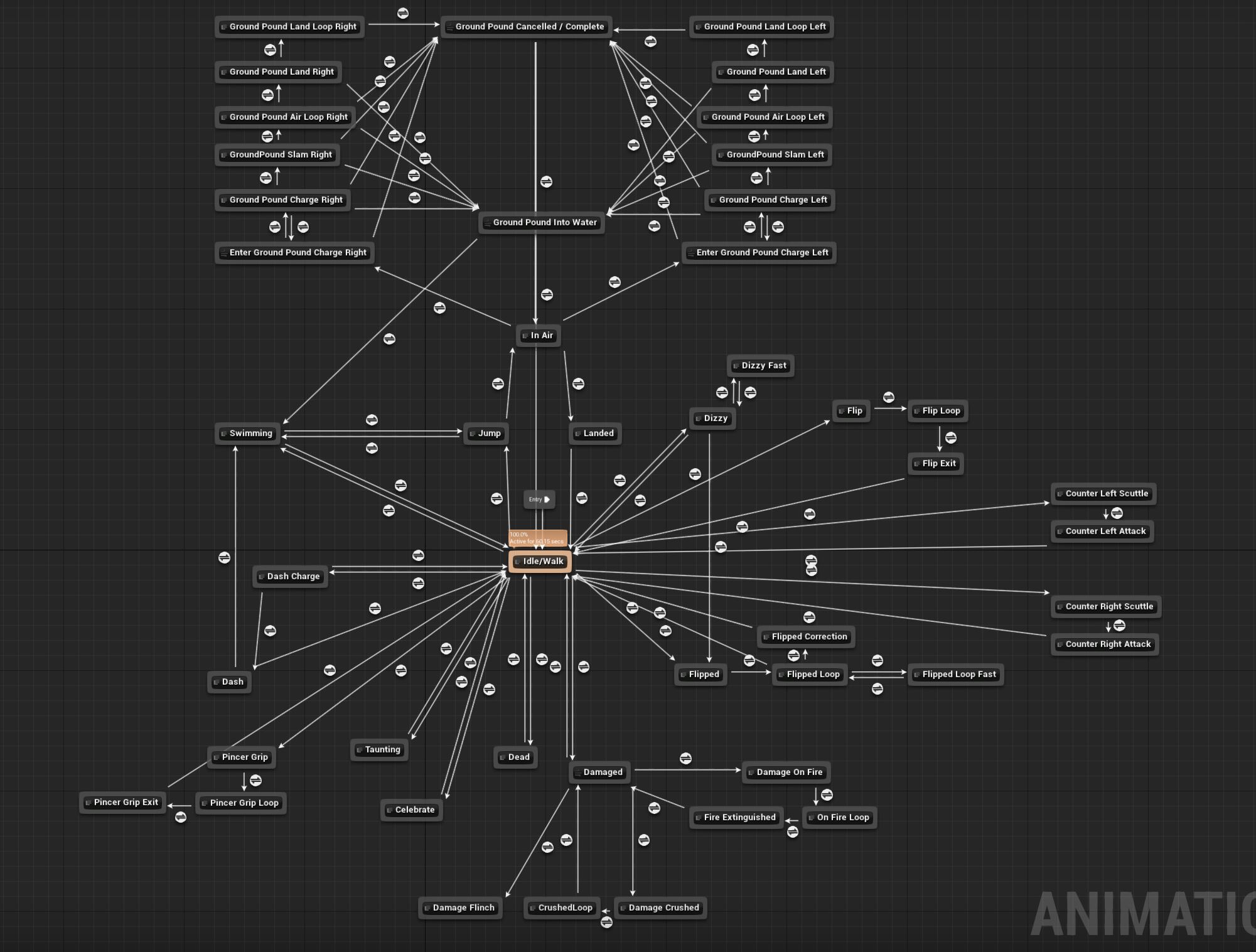
Actually that's pretty decent, I'm sure it can get a lot worse
Any tips?
 vast rampart
upbeat stump
Actually that's pretty decent, I'm sure it can get a lot worse
vast rampart
upbeat stump
Actually that's pretty decent, I'm sure it can get a lot worse
It's very well explained in this video : https://www.youtube.com/watch?v=4d5vRYe3bLE&t=487s
Hey friends! Today we're taking a little dive in to the Anim State Machine - this will be more of a refresher for the intermediate users out there but you'll definitely pick up a new tip or trick! State machines are a great way to animate characters, particularly movement animation. States are mutually exclusive, which is why they are a very nea...
slow egret
i am trying to make a control rig, to make the ears jiggle using movement input

but it doesn't affect mesh at all
upbeat stump
vast rampart
It's very well explained in this video : https://www.youtube.com/watch?v=4d5vRYe...
thanks, will check there
vast rampart
upbeat stump
thanks, will check there
He has a whole serie about animation, it's dense but amazing
ripe gazelle
how do i add the blendspace preview ?
 upbeat stump
cool, BTW, how do you keep executing a BTTask until a BB value changes?
I mean, I guess the answer is the conditional loop decorator, but it's hard to understand why the condition is limited to if the key is set or not, rather than checking its value
To be honest UE behavior trees are the most counterintuitive thing I ever saw.
I should have posted this on AI but WTH
 jade girder
Does anyone know how to record morph targets with the Take Recorder? I'm able to capture all of my MIDI driven animation, except for Morph Targets. Any ideas would be much appreciated!
 celest crane
How is the rig hierarchy selected or defined in a control rig? They dont appear to be linked directly to skeletons and Im not seeing an indirect way either
or is it all just its own thing
ashen junco
celest crane
How is the rig hierarchy selected or defined in a control rig? They dont appear...
Import a hierarchy from a skeleton, that way it'll get the bones by the name.
celest crane
Follow up question since Im poking around in Anim land
Can somebody explain a bit better the Virtual Bone concept? The tooltip I see for it is giving me more questions
 thin mica
I doubt anyone can describe Virtual Bones better than the documentation. https://docs.unrealengine.com/5.0/en-US/virtual-bones-in-unreal-engine/
 ancient frigate
HELP! My physics asset melts! Anyone know whats happening here?
 mild kite
Not sure if this would be the right channel for this question, if I have a anim notify state that during tick is storing data, then on anim notify state end I want to send this data to an actor how would I do this
ripe gazelle
how can i select from more than 2 animation state machines ?
blend poses by int only lets me do 2
slow egret
when making foot iks, for walking on stairs and slopes. Should i use IK-rigs or control-rigs, or something else?
slender sierra
How would you go about adjust the rotation of the yellow and blue points according to the selected control? By that I mean you move the control along the y-axis and get a rotation for the two points along the same axis.

 dreamy umbra
Hi y'all,
I've started fooling around ue5 few weeks ago and i'm kind of struggling with animations.
I'm using Metahumans and I managed to create basic movement with my character but I would like to create face animation according to these movements.
I created a blueprint for my face animation, but when I set it on character it looks all detached form the body.
My goal would be to do a certain face when I run, another when I jump and so on.
Does anyone would have a little bit of time to explain me how could I do that ?
Thanks ✌️
slow egret
I'm making jump animation. I wanna make it, so when i press jump button. It starts the jump animation. And a few frames into the jump animation the character actually starts getting upwards velocity
how can i trigger a specific animation from the main blueprint?
ashen junco
slow egret
how can i trigger a specific animation from the main blueprint?
Use anim notify.
Though be warned that delayed jump can affect control responsiveness, so you have to make sure your gameplay is in its favor.
slow egret
ashen junco
Use anim notify.
i can trigger the jump momentum from anim notify
but how do i trigger the actual animation from my main blueprint?
ashen junco
slow egret
but how do i trigger the actual animation from my main blueprint?
Just play montage on input action for the jump button.
Of course your animbp must also have to use the slot that the montage uses.
slow egret
Okay, i was thinking i should include it as part of the anim states, so it can lead into a landing state and then idle or something
ashen junco
slow egret
Okay, i was thinking i should include it as part of the anim states, so it can l...
That is also possible by setting boolean that trigger the state transition.
slow egret
Then i would need to make that transition from nearly all other states though right?
can i reuse the same transition somehow
ripe gazelle
is there any way i can pick a state and know the animation length and position
and feed that into blueprint?
Just occured to me i can do an event
 novel viper
Is there a way to auto restart an animation when it becomes active in a blend?
I have a lot of action states in my game (chopping tree, mining rocks, crafting, eating, so on and so on) so animation state machines would become way too complex so I prefer to use a simple blend on enum (action enum)
But the problem is that with that all the animations hooked into it always play all of the time
nvm found it https://gyazo.com/54d5678efe63ce659303f982ac1c0e57

 thin flax
I have a hatch that has an animation for opening and closing (closing is just reversed). When I first interact with it, it plays the open animation just fine, but when I trigger the closing animation, it just snaps back to it's original state. Any help?
 slow egret
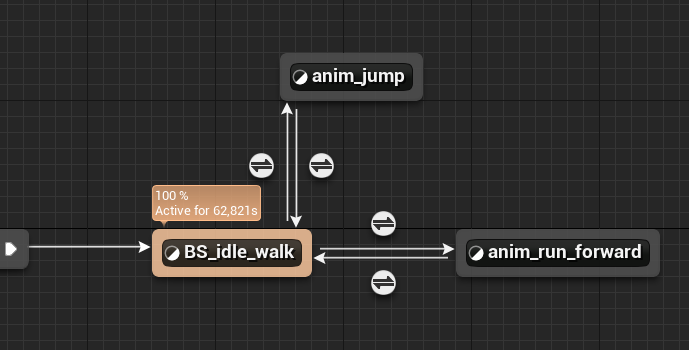
can i reuse transitions somehow?
the idle to jump transitions, should be the same, as the run to jump transition
so can i duplicate it somehow?
 simple arch
Do u know how to blend this two animations?

i just want a smooth transition between this two
Instead of just snapping to the next animation
ripe gazelle
can someone help me elaborate a way to get in readable data, the position of an animation and the length of an animation. So i can make a widget for animation progress as a %
 ashen beacon
Why does twobone IK behave like this when using component/world transform spaces..
all im doing is getting the transform of a socket and using that as effector in component space for the right hand
the socket changes location in the standing and crouch pose
https://gfycat.com/miniaturewearyflea


 inner oyster
is there a way to preview animation in control rig? I want to add a melee animation with a gun, so I want to edit the control rig starting from the idle/aiming pose
 clever gorge
Is it possible to use Motion Warping for Climbing Ledges like in Uncharted game?