#gameplay-ai
1 messages · Page 167 of 1
 misty wharf
that's pretty much it - it just has the EBillysTeamId enum, which is just a regular enum with the teams listed in it
You don't even necessarily need the enum, you could just use numeric team Id's
you just have the characters from one team return 1 and the characters from the other team return 2
and then the solver checks whether the two id values are different --> hostile
 night panther
I have the interface for it and have set the GenericTeamID from 255 which is neutral to 1 and 4
ive tried different numbers hoping there was a defalut attitude
since 255 is neautral
youd think there would be
misty wharf
the default solver I think just makes everything neutral by default
    static ETeamAttitude::Type GetAttitude(FGenericTeamId TeamA, FGenericTeamId TeamB)
    {
        return AttitudeSolverImpl ? (AttitudeSolverImpl)(TeamA, TeamB) : ETeamAttitude::Neutral;
    }
yeah this is the implementation it uses... so if an attitude solver has not been set, it just makes everything neutral
But yeah you can set it up as a subsystem like I did, and then you can just do if(To != From) { return Hostile; } else { return Friendly; }
or something along those lines
night panther
lol sweet im trying it all out
appreciate the help to thanks
be nice if they just built in the team affiliation to bp
misty wharf
Yeah no idea why it isn't exposed there
I'm assuming it's some kind of performance thing since having them in BP's would make the calls more expensive and this is potentially something that runs a lot
night panther
fair way to look at it
night panther
so I made a C++ ai controller
and now my blueprint one fails to save
I havent actually done anything to the C++ one other then create it
generate and rebuild
nothing seems to fix and let me save the bp one
 harsh storm
Beginning to think they're not working on this.
 night panther
why can I only get my P to show my nav mesh but my apostrophe wont show my debug s tuff
 peak escarp
i know that but they don't work
they work if i use them for something else but not for the debug
night panther
can I use Ai perception from inside a context for EQS
cause its doing some weird stuff
harsh storm
Yeah, so - about the only thing that I haven't been able to work out with the state trees, is how to pass data to Tasks. Which is kind of important. Womp womp. Found out how to get data to Evaluators though.
 zinc creek
I’m looking for an AI module that works similar to Alexa … has anyone built something like this? I would pay for it.
night panther
you mean like voice control?
I just saw a tutorial on that
I figured out how to do my team method after various attempts
best method I found was to get the perceived actors and filter out what is not an enemy from a series of branches
on the ai controller
and then in the bt tree have a eqs that grabs that enemies array and gets t he one at the closest distance
and they storm the battlefield at eachother
 desert dagger
Hi! I need some ideas. I would like to use 2 separate navmeshbounds volumes on different streamed levels. Turn off one and then use the other. Upon switch the second navmeshbounds returns 'false' when i want to get RandomReachablePointInRadius.
How can i make it detect the new streamed level's navmesh so RandomReachablePointInRadius would return true?
 ocean wren
Don't know if streamed levels even work with navmesh do they?
 main heart
I don't think they care
 lone stump
They do, but navmesh can't be dynamic, either static or dynamic with modifiers
easiest way to get streaming to work is to use invoker. Every time nav mesh bounds gets streamed in it will regenerate navmesh and depending on how big your invoker is, it can be costly
 crystal sequoia
Hey, I have a pawn that has a camera component but when I use "simple move to location" the camera doesn't follow. The weird part is, when I click on the pawn in the scene then go back to the game, the camera starts following the pawn
desert dagger
lone stump
easiest way to get streaming to work is to use invoker. Every time nav mesh boun...
Thanks for the heads up, i didn't know about nav invokers before. Looked up about it and it's mostly used for letting player generate nav mesh around them on big open world maps.
In my case i want to force player on a particular nav mesh based on which streamed level is turned on (so i think static is good enough), and teleport player on a new streamed level's navmesh if there isn't any near them (and find nearest point from old location if possible). That's why i thought RandomReachablePointInRadius might help.
I tested a bit more and realised that instead of RandomReachablePointInRadius there is also GetRandomPointInNavigableRadius, which seems to work better in some cases. When the radius (im using a sphere and converting it's values to radius), and if the radius is is reaching the navmesh area it is able to return true and teleport my character there.
So i think i just need to play around with the radius value for now to get my thing to work 🤔 and GetRandomPointInNavigableRadius seems to return true more often for some reason for that
@lone stump Do I understand correctly that when in settings Runtime Generation is left to Static, after building / packaging my game, the navmeshes are, literally, static, during runtime? Just confirming i guess..
inside editor i can always see them generate dynamically if i change their locations/size and stuff, i guess that convenient feature slightly counterintuitive
by static i mean no calculation time needed, i guess
lone stump
I believe so. Not sure what would happen if you called rebuild during play with static navigation
The setting that automatically rebuilds it in the editor is in editor preferences, update navigation automatically or something similar
desert dagger
lone stump
I believe so. Not sure what would happen if you called rebuild during play with ...
Okay. Is rebuild during play even possible? :D
main heart
desert dagger
Okay. Is rebuild during play even possible? :D
Yeah the 5$ question!
lone stump
not static 😄
navigationsystem does have build function, c++ though. most of the stuff is in c++
desert dagger
Okay 🤔 well i'll see how far i can go with blueprints. But yeah thanks for the info
 unborn jungle
Do you ever have the issue where AI use a nav link proxy to jump down from a ledge just fine, but seem to ignore the proxy guiding them to the launch pad to get back up?
Do I need to do something special other than having the nav link proxy set to Left to Right with the left side over a launch pad and the right side up on the ledge?
Ok seems to be that if the AI can go to a navmesh area UNDER the ledge then they won't use the proxy
But if you ensure that the ledge has no navmesh under it, they'll instead move to the proxy and use the launch pad as intended
 stoic furnace
diving into the behaviours trees ive got a simple drone that has to hover over the third person blueprint, ive got a nav mesh setup and all but it never seems to finish the moveto step
any idea what i might be doing wrong

it finds a new location, moves over but never 'reaches' it and jumps back to node 0 which is the wait for 5 seconds
 wooden isle
try increasing acceptable radius, 5cm is really precise and it may not get there
 wooden isle
mm must be something else, u can turn on gameplay debugger while playing with ‘ key and enable ai/navmesh/other info with numpad (shown on screen)
stoic furnace
yeah i just turned up the radius its something funky going on with the Bhehaviour treee
some of the points work some dont
 celest python
Anyone knows if there is any way to create keys for BB in C++?
stoic furnace
also any good way to get the pawn to slowly rotate towards where it is moving towards besides blueprint
 ebon lagoon
I can't seem to create a new decorator or service
it shows me this search thingy but doesn't create anything

any tips?
 opal crest
Normally it creates them right next to the BT you're in in the Content Browser. It creates them with a default name, instead of giving you a dialog to name it first, so it's a bit weird.
ebon lagoon
it is not even naming it, it just searches through the already created ones and gives me "nothing found"
i tried pressing enter and mouse pressing around, no luck. Tried restarting UE multiple times, no luck too
I ended up duplicating one of my older created services/decorators and modifying (and renaming) those
opal crest
Oh, click on the BTService_BlueprintBase one: that should create a new one? Or is that not even working?
ebon lagoon
opal crest
Oh, click on the BTService_BlueprintBase one: that should create a new one? Or ...
loool I'm dumb
so apparently it is asking me which parent to choose 
it wasn't just a search....
opal crest
Haha. It's not the greatest UI. Once you get a number of decorators in your project the search makes a little more sense? But then you miss how easy it was to find the built in base classes.
opal crest
Thank you! 😄
 brazen abyss
I've been following this series to get off the ground making an RTS game, and in the video they use a character as the base class. I did that and it worked as shown, but for me I found character was getting in the way, so I made a pawn class and copied literally all the code and for some reason, the unit now doesn't move at all. It knows it should, and it's getting the location to move to, but it isn't moving.
Is there something in Pawn I have to turn on to get it to move that is on by default in character?
https://www.youtube.com/watch?v=kRW-xNArxlQ

Assets Available from here: https://marketplace-website-node-launcher-prod.ol.epicgames.com/ue/marketplace/en-US/profile/PolygonBlacksmith?count=20&sortBy=effectiveDate&sortDir=DESC&start=0
In this series we are creating the common mechanics found in RTS games, everything from unit selection, AI combat, and base building.
In Part 6 we get our ...
brazen abyss
brazen abyss
I've been following this series to get off the ground making an RTS game, and in...
Do I have to give it the ability to move or a movement speed or something?
^ well I added floating pawn movement and it now moves but it doesn't turn or any of that. I'll go from here but if anyone has any insights as to the better way to do this I'm all ears! Feel free to DM me if you don't want to clog the channel
crystal sequoia
Hey, I'm having a lot of trouble with FloatingPawnMovement on my blueprint. No matter what I do, the max speed won't change
main heart
I think you are seriously abusing the word "replicated". Here it actually means something, which is, sending RPCs over network (server-client or p to p).
And I don't see any reason for getting rid of Character class. I mean if making all the full fledged effort to bypass default Engine's working and generating nuisances on the way is not your cup of tea. Well Good Luck!
 deep bramble
Is it normal to use one big navmesh or should it be broken down into many medium to small ones? Does it matter?
Let’s just say my level is the size of a typical counter strike map.
misty wharf
the navmesh is just one thing
the navmesh bounds are just where it gets generated, all the generated bits go into the same navmesh
deep bramble
Okay another question: I setup my first ever blackboard and Behaviour Tree where the AI focuses and moves towards the player, but how can I set it up for a multiplayer environment? Currently I’m using GetPlayerCharacter along with sight perception but I’m assuming that’s always going to be player id 0 and it won’t consider other players.
misty wharf
It depends on exactly what you're trying to do
deep bramble
Trying to setup bots to play against.
misty wharf
Gonna have to be a bit more specific :)
Bots technically shouldn't need to even know their target is a player
As long as you have some method of identifying whether the actor they perceived should be considered an enemy then that should be enough
deep bramble
Ahh okay
Im using tags so that makes it much easier than casting all over the place
Okay so it sounds like I don’t need to make sure the bot sees a player vs another bot they just need to know friend vs foe and can then act accordingly.
misty wharf
Yep
deep bramble
Also how would I make the bot have worse than perfect aim if I’m using set focus. I’ve already figured out I can set a short delay between detection and shooting but after it starts shooting they never miss. Would I take the target location and add some random values to it during tick?
misty wharf
There is a node for random cone or something along those lines
deep bramble
Ohh cool
misty wharf
That could be used to adjust the aim
deep bramble
@misty wharf you’re awesome! Thanks for helping me out
misty wharf
yw
celest python
@ocean wren Am I suppose to understand those things when working with ML? 
 deep bramble
I took an intro to ML course a while back. Understanding what a cost function is and how to minimize it via gradient descent are good places to start. Then you can use them together with linear regression and eventually train an AI to determine if a photo contains a hotdog or not.
I'm no math wizard and was able to follow along. Some slides had complex math but there were also examples to further illustrate what's happening.
ocean wren
celest python
<@152527068045770752> Am I suppose to understand those things when working with ...
Yeah, looks scary but if you saw that in code, it really wouldn't be. If you look at that equation most of it is exactly the same term.. think of that as a variable you've calculated.. once you understand the notation this stuff is less scary. To be fair though, a lot of papers don't exactly explain the math well either.
The basic concepts of ML are pretty easy to understand though
There's some great explainers on YouTube
A lot of ML these days is about making it work for non-specialists.. so call "no code" solutions
But honestly, to take advantage of ML you don't really need to understand the equations and stuff, thats mainly for model designers. If you just want to use the models, then you just need to know how to run inference (i.e. load it and use it)
Think I'll dive into the MassAI stuff today
Take a look at the example scene at least, see what debug they've added to it
 misty gale
ocean wren
misty gale
ocean wren
Yeah, it used to work.. but the latest version seems to disable it for 1080 and lower
says it needs a maxwell card
misty gale
Damn
ocean wren
That was kind of unexpected
misty gale
Shiet
ocean wren
That kind of puts my massai exploration off.. given my other machine isn't properly sorted yet.
Guess I'll need to sort that out now then.. sheeit
Hope an A6000 is ok for this.. I assume it will be
 paper sparrow
Hey all, is there any way to do 'event-driven' behaviour trees? My AI characters in the game are slow to reacting to being hit (InCombat). I currently use a Behaviour Tree Service to check if the character has a gameplay tag every 0.5s, but this introduces a delay and feels bad. Is there anyway I can make the behaviour tree update from a 'Event Damage Taken'?
 ocean wren
What sets the tag?
Why don't you just have a blackboard bool for IsInCombat?
why have a service at all?
paper sparrow
ocean wren
What sets the tag?
Hey zoom, just a super simple ASC lookup for if the actor has a 'InCombat' tag applied to it. Not sure how else I would implement a change in behaviour when 'In Combat'? The tag is applied when the character takes damage or the character attempts to deal damage

I was thinking (if its possible) to leave the service to check every x seconds if the tag falls off (e.g. if the player runs away), but I was hoping for a way to manually update the blackboard so that the decorator would switch the tree ASAP
I can script for the tag being applied, but don't know when it will fall off, if you see what I mean
ocean wren
Ok, here's how you can do it.. have a bool in the blackboard for IsInCombat, have the BT setup to change based on the blackboard bool
have the service check your tag and reset the bool if the tag gets removed
set the bool and the tag when you take damage
the point is that you need to have something in the blackboard, because that's what allows the Bt to switch instantly on a change
You want "aborts lower priority" on the higher priority reaction.. with a condition that is on the bools value
Having a service check for a cooldown is fine.. but you don't want to do that for changing behaviour
paper sparrow
ocean wren
set the bool and the tag when you take damage
Thanks, ok, how do I set the Blackboard value from a character BP?
I already have an 'Event On Damage Taken' that I implemented in C++ which can trigger it
 ocean wren
get the AIController, get the blackboard from that.. then "set value as <type>"
its all in the docs
paper sparrow
Oh nice found it! Thanks. Do I need to get the AIController or can I directly use the 'GetBlackboard' helper function?
 ocean wren
it might work. cant remember if you need to have it on the AIController, I think you probably do
it'll complain about null if you need to get the controller
So give it a try

 ocean wren
You want to abort lower in the leftmost one when the value changes
paper sparrow
Can you explain why? Will the 'aggressive' behaviour not abort if the bool value changes using that?
ocean wren
When you want something to abort, think about the priority.. you want to abort anything lower priority right?
i.e. "if this value is true, abort anything lower priority than me and run me now"
you can "abort self" if you want a behaviour to stop running if it currently is and a value changes
i.e. out of ammo while firing might abort self
paper sparrow
That makes sense! Thank you very much for your help 🙂
ocean wren
hmm, it lets me open the city project using vulkan.. weird
paper sparrow
Hey @ocean wren , if you're still awake, it's all working quite well but a final unexpected issue, the 'InCombatCheck' Service on the first selector node doesn't seem to be working when the behaviour tree is in a loop. The loop is expected behaviour (Target is too far away), but it is not updating the 'InCombat' bool you recommended on the blackboard. I have checked and verified the gameplay tag is removed. If I get back into range, it settles down and the service executes properly. Is there any way to force the service to execute on a 'tree refresh'?

The correct decorator actually highlights red, on the right, during the loop. Does that signify anything?
ocean wren
You should see the bool change value in the bottom right back to false.. if you aren't, then stick a breakpoint where the bool is set to false and make sure that code is being run
basically, debug it 😉
 reef acorn
I am watching a video to make my first ai. i have trouble to get my BT work properly and execute a task. i am not sure what the problem is, might be the nav mesh maybe. At the end i get a random position but the "Move to" Task does not execute.
Maybe someone has an idea what the issue could be. The Blueprint to get the random Location works and it also stores the vector in my blackboard, but after that it does not execute "Move to" and instead fails

 reef acorn
i have a nav mesh, but not sure if its set up correct
 fallow gust
reef acorn
i have a nav mesh, but not sure if its set up correct
fallow gust
reef acorn
i have a nav mesh, but not sure if its set up correct
Press P in the level editor to see a debug view of your navigation.
reef acorn
 fallow gust
Is that your AI outside the navmesh?
reef acorn
my ai is the capsule in the center
fallow gust
Is it a Pawn or a Character?
reef acorn
its a pawn
fallow gust
It has a movement component?
reef acorn
fallow gust
It has a movement component?
Oh yea, that was missing. i tested it now its working, thanks for the help
Also do you have any good tutorials for more ai stuff? Wanna learn more about it
fallow gust
Tom Looman has some good stuff and a paid for class that I like. Honestly my learning outside of that was a ton of trial and error. I also know C++ so I read a lot of the AIModule code BTTask classes to know what dependencies were needed by the AI and how those interactions were executed.
reef acorn
fallow gust
Tom Looman has some good stuff and a paid for class that I like. Honestly my lea...
Great, i will look forward for this. Thanks and have a great day
fallow gust
reef acorn
Great, i will look forward for this. Thanks and have a great day
You too!
 hushed sigil
Would a question about a pawn’s movement go here or in blueprints?
misty gale
Possibly both?
hushed sigil
Okay, could I ask it here?
deep bramble
sure if it has something to do with AI, otherwise #blueprint usually has more eyeballs on it
hushed sigil
Okay, I think it has more to do with blueprints so I’ll ask there
misty wharf
Anyone know why an enum created in C++ wouldn't show up in the BT description by default?
I mean like this - in this node, there's an instance editable variable of the enum type

But you can't see it in the description - I had a previous BP-based enum and that one showed up
The enums are otherwise exactly the same 🤔
Even adding UMETA(DisplayName=Whatever) into the values doesn't seem to make it show up..
Oh... it seems it doesn't show up for enum classes, but it shows up for plain enums...
And it seems like using enum classes is recommended in general so this is a bit annoying of an omission
 haughty coral
misty wharf
Oh... it seems it doesn't show up for enum *classes*, but it shows up for plain ...
haughty coral
misty wharf
Oh... it seems it doesn't show up for enum *classes*, but it shows up for plain ...
In C++ you can override the func which defines the desc. Custom one should allow putting there anything
misty wharf
Yeah, was just wondering if the BP ones would somehow work but doesn't seem like it
Even the engine builtins don't show if they've been declared as enum class
haughty coral
Do other C++ vars show up there? I wonder if the logic for this is not in BlueprintBase task.
misty wharf
I mean it's a blueprint-defined BT task, so the variables in there are defined in the BP as well
 rough ether
Hello, I was wondering if anyone would know why "Receive Execute Ai" is not firing but the generic version is when a task is called from within a BT?
 misty wharf
iirc only one of them fires if you have both
rough ether
misty wharf
iirc only one of them fires if you have both
yeah, however even if I totally remove the generic version the AI version refuses to fire. I've even recreated the tasks multiple times to ensure that I've not ever tried overwriting the generic one.
It's just whenever I see a video (even from EPIC) they are like if you're doing this in BT, use the AI version.

 minor kindle
Is there a way to make smooth pathfinding physically?
Only things online say limit rotation rate of the actor but that does not affect the path and often results in weird turning that is not normal to the direction
minor kindle
Pathfinding like MoveTo
rough ether
yeah
minor kindle
But in a smoothed path
So say I’m 90 degrees of the ai it’s facing north I am a little bit west of it
It won’t turn west and move west
It will move in an arc a little bit north as it turns west
Like a car or animal would
rough ether
Ah ok
minor kindle
All moveto at the moment just pivots essentially
rough ether
there's obviously a million and 1 ways to do anything, each with their own limitations and stuff
So this is really just a problem solving question.
Personally...
minor kindle
Not really
rough ether
?
minor kindle
I haven’t found a way that truely does it
rough ether
that's what I mean
minor kindle
Only suggestions r to limit the rotation rate
That does not affect the path it takes
rough ether
yeah
minor kindle
Essentially I just want the rotation to be taken into account on the paymfinding
Pathfinding
There aren’t a million ways to do it, in fact there may be 0 ways
rough ether
I mean, anything is possible, we jus need to think of a way to do it. so I was going to suggest what I'd do in this circumstance
minor kindle
The current idea I have is completely remake my own pathfinding system
rough ether
nooo
think in steps.
so rather than just getting the pathfinding from the AI to the player
u stage it out
so u use the first result as "is possible"
one sec
minor kindle
Actually I think I kind of know a way
I’ve done EQS before, can EQS influence pathing to an pawn?
If so I could use scoring to reduce likelihood it picks a point that is too far from the forward vector
But I’ve only used it when I have arbitrary locations I want to go to
rough ether
 minor kindle
I’ve thought of that but u have to place those targets to begin with
minor kindle
Where at? Was pretty sure move to was a closed function
Like u say move to actor and it goes to the actor
rough ether
u make a new task, place before the move to
and then when that task fires, it gives the location to the move to
then it gets the next point whilst moving
passes to move to
minor kindle
Ok so ur saying make the turning action not based on the move to pathfinding
And it turns then moves to
rough ether
well techincally its still based on move and pathfinding
your just pathfinding to a location that isn't the player
but rather spots in front of the AI
minor kindle
If I do that it won’t actually pathfind
If there is a wall between the ai and player it will just walk into it
rough ether
but a AI is not ALWAYS pathfinding right.
so you do this stuff, then tell it to pathfind
it does this stuff
then tell it to pathfind again
u can even have break outs, so if it let's say takes damage, it stops worrying about moving smoothly
minor kindle
Ok so ur saying if it needs to turn then pathfinding to a forward point if it’s mostly straight pathfind to player
rough ether
yeah
minor kindle
I guess I can make sure the geometry of the level works out
rough ether
id do a check to see if the target was within a certain arc infront of the AI
rough ether
yeah.
I mean some games do this stuff via things like root motion
where the animation would have built in forward smooth turns
minor kindle
Yeah but u can’t use black board and BT with behavior motion I thought
Ah so they just animate the smoothness
rough ether
yeah
One thing you may find interesting to look at in regards to this
is "BOIDS"
basically, flying / flocking AI
they do a lot of smooth turning
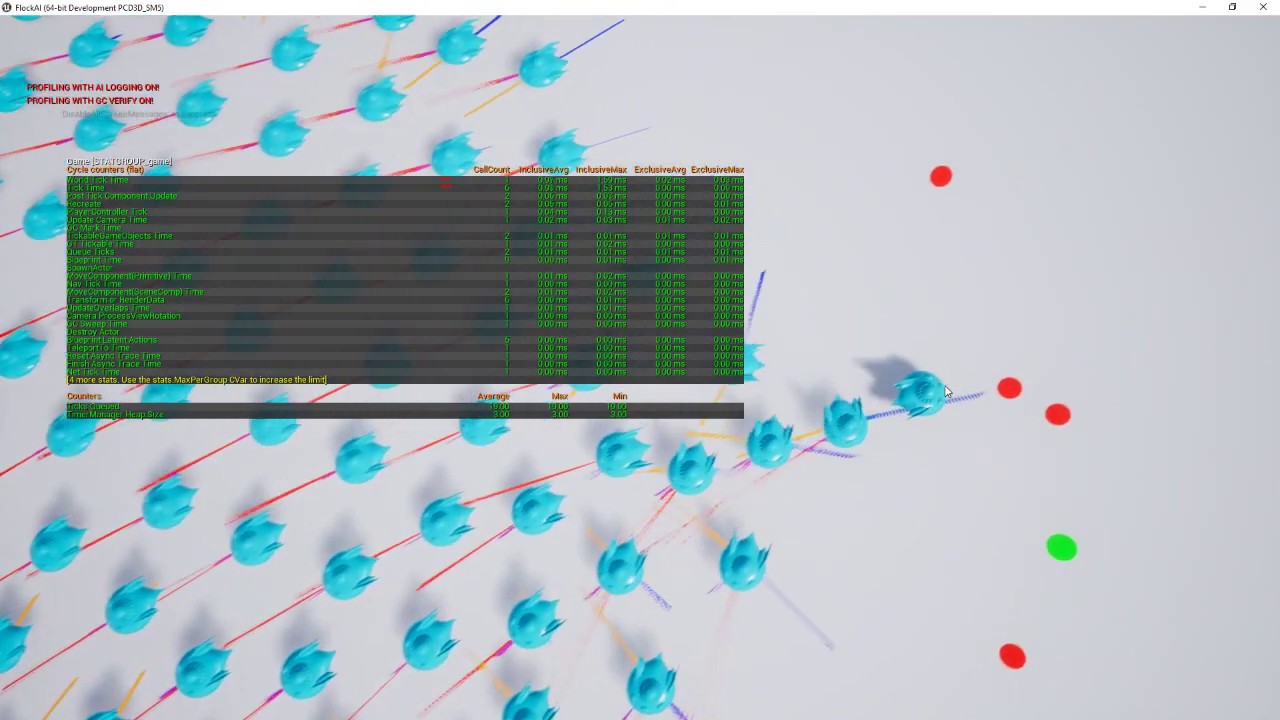
Using a base project I created the code in C++ and Blueprints so you can have thousands of boids running in each flock.
Source code:
https://github.com/juaxix/FlockAI
minor kindle
Does it use BT or no?
rough ether
Oh, not sure about that one. probs not.
minor kindle
I feel like BT stuff has a lot of limitations that u can only get around by recoding the entire system yourself
Not the BT but the stuff BT has for ai logic
rough ether
Honestly, not from what I've seen and played with. I think it's a strange kinda learning curve getting away from the ideas of full tick and timelines.
rather than reacting and doing stuff in the moment, there's a lot more thinking X number of moves ahead
I say this because when I first started with unreal I was really wrestling with the Character Movement Component. Eventually though, I kinda learned to work with it.
minor kindle
Well I’ll try to do the smooth turn logic
I also should try root motion animations but it requires a lot more animations per character and I don’t have an efficient workflow for that
minor kindle
I did find a blender add on that does full animation recording from your camera
I don’t have a usb camera so I haven’t fully tested it but it seems pretty useful. Hand, body, and face
 plush pebble
I'm having some trouble with this AI loop. I want the AI to check whether it has Line of Sight to the target every few seconds, which I've done in the AI controller BP, but it doesn't seem to change the Blackboard variable I'm using at all, so I'm trying to see if there's another way to loop this.
 plush pebble
Basically I'm trying to get the AI to go the last known location if he loses LOS for a few seconds.
minor kindle
Hypothetically it should go to that location anyways by default logic right
If not in side stop running move to command
So hypothetically the last move to will be the last place it saw someone
plush pebble
You'd think that
plush pebble
The other branch is a random wander move,
I guess I'm having trouble with detecting when the AI stops seeing the player
minor kindle
Use a blackboard bar
Variable
Probs a simpler way but that’s what I would try first
Actually for me it would just be check if there is a target
In the blackboard
plush pebble
I have a bool for "has LOS" set up in my AI Controller, which shoots to the blackboard, that works
plush pebble
But if I use a Time Limit decorator, the AI chases, then wanders, finishes wandering then might chase if it feels like iti
minor kindle
So each BT tick it does -1 if >0 to the var
If u see it set it to 2
So for 1 tick of the tree it will be 1 and u can know u just saw it
plush pebble
I'm using On Target Perception Updated, is there a better method to start with?
first go at setting up AI
minor kindle
I use that too
plush pebble
Do you move directly to the Actor or do you use their position?
plush pebble
minor kindle
I use that too
I got something working based on your idea, thanks dude!
minor kindle
Cool
 nova mural
So i have a question about "CharMoveComp's" on enemy AI's. I'm trying to track down some frame spikes in the project I'm working on and when using the profiler to inspect some of those spikes a large culprit is the the enemy AI's CharMoveComp's. One enemy in particular's CharMoveComp takes a considerable amount of the frame time with just 29 instances (which seems like shouldn't be enough instances to really chug as much as it makes it). I was wondering if anyone could explain just a bit about that component and if there is anything that could be happening on my end that could be causing or is it just entirely unreal handling that component? If so does anyone have any tips on how to decrease that resource consumption?
misty wharf
Hard to say, depends on how you're moving things
CharacterMovementComponent basically handles the movement for any ACharacter
it does a whole bunch of calculations on every tick to ensure things are moving properly
and yeah it can be a bit heavy
ocean wren
There's a talk by someone at Epic on making large scale crowd things with niagara, which explains some of the perf issues with CMC
misty wharf
You can try setting it to use NavWalking by default instead of regular Walking, it does fewer checks when using NavWalking but it also has some limitations on how it works
ocean wren
They suggested turning off a checkbox for physics in the CMC.. can't remember what the checkbox was called
misty wharf
🤔
I wonder what that would be, it has enable physics interaction but it doesn't seem like that would cost so much since it seems that oughta just happen on BeginOverlap
ocean wren
Apparently it has quite a cost for some reason
misty wharf
    if (bEnablePhysicsInteraction)
    {
        SCOPE_CYCLE_COUNTER(STAT_CharPhysicsInteraction);
        ApplyDownwardForce(DeltaTime);
        ApplyRepulsionForce(DeltaTime);
    }
You're right, it does do stuff on Tick if it's enabled
ocean wren
The other thing you can do of course is switch off skeleton updates when not visible etc.
misty wharf
turned it off in my project out of curiosity... not a huge impact tbh
it went from 2.1 ish ms for "char movement total" into 1.9-2.0
I think going from Walking to NavWalking halved it to about 1ms for me
but it caused some odd behavior with a couple of my npc's, and didn't really feel like debugging it :D
ocean wren
I guess it depends on how often you'll have characters in close proximity and with collisions
misty wharf
Probably yeah
ocean wren
I turned off character->character collisions and used a seperating force
misty wharf
I have a bunch of stuff that gets kicked around by the player char, and it would be kinda funny if the enemies kicked that stuff around too, so I might keep it at least for time being :D
ocean wren
There's clearly something wonky though its not like its obvious where the perf is going
misty wharf
Well if you look at it and everything it does on tick you can kinda tell how freaking complicated it is :D
it does a lot of checks for every little thing
It's great because it handles every imaginable corner case correctly
but it's also not great in some cases because handling every imaginable corner case has its cost :P
opal crest
A thing I keep meaning to do is to write a CMC of my own, just so I can stop treating the built in one like a black box full of gremlins.
misty wharf
I might see about porting the q3a movement stuff to a movement component at some point
But at least for mp games, CMC might be still the goto because there's a lot of networking support in it
and at least if you use ACharacter, iirc it also kinda assumes you have a CMC, and CMC calls back a lot into ACharacter so you'd basically need to rewrite that too
opal crest
haha. Okay, so not a weekend project then.
ocean wren
meh, afternoon at most 🙂
While you're at it, rewrite blueprints
so you can have the whole day
Hmm, not liking some of the usability of the new UE5 release... they've hidden the multiply vector by float
opal crest
Should be done in time for happy hour.
minor kindle
anyone know what the grid path and crowd ai controllers blueprint classes are for?
celest python
ocean wren
Hmm, not liking some of the usability of the new UE5 release... they've hidden t...
multiply vector by real
floats and doubles are real now, they broke everything
celest python
opal crest
A thing I keep meaning to do is to write a CMC of my own, just so I can stop tre...
Its not the most difficult thing to do
But implementing multiplayer root motion support is hell
ocean wren
its more that if you pull off a vector blueprint pin and type in * to multiply, you don't get multiply vector by float anymore
ocean wren
minor kindle
anyone know what the grid path and crowd ai controllers blueprint classes are fo...
grid path is for paths.. on grids.. and crowd ai controller is for the crowd ai that uses the detour crowd stuff
misty wharf
ocean wren
its more that if you pull off a vector blueprint pin and type in * to multiply, ...
Does it not even give multiply vector by real?
ocean wren
nope
misty wharf
well that's awkward...
I guess they forgot to put * as a keyword for the function :P
ocean wren
you can get around it by adding the multiply vector by vector then right clicking the second vector and changing its type
crystal sequoia
This has really stumped me for a while: I have a top down stater project on UE4.27 that I’ve modified a bit. I have a Pawn that I added a FloatingPawnMovement so I could navigate the nav mesh, which worked at first.
But after a while, it reverted to the original speed/acceleration settings, getting to the target instantly. And nothing I can do since then will change that.
I’ve tried deleting then remaking the BP several times, making it inherited from a c++ class, making it pure BP, deleting the Intermediate/Binaries folders, upgrading to UE5. Nothing has worked.
Is my project corrupted somehow?
EDIT: Update - made a completely new project and getting the exact same behavior…
plush pebble
How do I get this AI to abort it's Move to Target sequence the moment the Start Attack sequence becomes valid? Right now it finishes Move to Actor (as in it's touching the actor) before it starts attacking
 opal crest
Speaking generally: You need a decorator somewhere at or above the move to target sequence node that has an abort condition that will trigger when start attack is valid.
One way (and probably not the best way) is to decorate your move to target node with the inverse of the condition you have on start attack.
plush pebble
opal crest
One way (and probably not the best way) is to decorate your move to target node ...
That's exactly what I was going to try
Doing that and switching the order of priority from Move to Attack worked
 opal crest
Nice! yeah, I was going to mention that the position of your move to target means that when it aborts and re-evaluates, it'll then continue evaluating the rest of the tree to the right, before starting over.
plush pebble
Still very new to the BTs so the help is appreciated
opal crest
Np! They take some getting used to.
 delicate gazelle
Hey there, I have a question on how to make AI spawn in location while having a connection to Vector Array I use for patrol points. I've create a spawning actor and connected through a actor manager for starters. While doing so, I made a behavior tree for AI's to follow those vector array patrol points but with the Spawn AI from class though it spawns them, it doesn't help with making them follow the vector array spawn points that they spawned to. The actor object is added to the AI character so I just need to get them assigned to the spawn actors they spawn to but I can't make an instance editable with Spawn AI from Class unlike the other. Does anybody have an idea how to solve this?


 minor kindle
rough ether
good luck
minor kindle
rough ether
good luck
i played around with it and didnt get something that great
so ive decided to solve my problems financially
ie i found a decently priced animation pack that has all the rotation animations i should need to fix my smooth turning through the animations
plush pebble
I have my own animations but can't figure out a decent way to get when the AI is rotating
Before I try to manually set this up, I'll ask if there's an "easy" way to get the AI to circle the player before moving in. Right now he's getting a random point in a radius, with the Focus set on the target. Obviously I don't want him walking through the target to get to the point. I'm assuming I would have to project a circle around the target and maybe use the vertices as waypoints for his movement?
 plush pebble
Apparently I can just add a Right Vector to movement for a bit, going to try that
plush pebble
So the strafing works now, but I can't figure out how to end it and move to the Move To node
 plush pebble
Worked it out with a timer and some other weirdness
ocean wren
Use EQS to get a point that you have line of sight to, thats on a circle around the target enemy and not near any friendly etc..
 hearty niche
what would be a good way to play turn in place animations on npcs (idle to walk blendspaces).
It is easy for player using the yaw input but cannot figure this one out (anything to prevent the AI sliding while turing works)
misty wharf
Not sure but maybe you can use the focus thing since it should be focusing on the movement target by default iirc
hearty niche
I mean matching that to a blendspace
misty wharf
so direction between forward and focus would differ when it needs rotation
I'm not familiar with blendspaces, that seems more like a Q for #animation tbh :)
hearty niche
problem is mapping not animation actually
should I take torque or something else for example
misty wharf
Probably best to just try it and see if it would work?
misty wharf
What kind of value do you even need for a blendspace? -1 to 1?
hearty niche
how do I determine if it should be whatever value it is. Velocity magnitude is for walk blendspace for example
misty wharf
Yeah this is why I think this is a question for #animation and not AI :P
 languid meadow
I have a Character controlled by a behaviortree. I unposses and possess the character mid-MoveTo node with another controller.
When I unposses and posses BACK again to the original Controller, the Character looks towards the (interrupted) MoveTo location.
How do I stop this, can't just keep the character rotation after posess/unposses?
I don't want the Character to look at an old MoveTo location 😄
misty wharf
It's a bit unclear what the direction it should be looking at is if not towards the location it was facing previously?
languid meadow
The Controller that takes over, moves and rotates the Character. Essentially I'm taking direct control of a more RTS style character.
So the "MoveTo" look direction is no longer the forward direction of the Character, since I have moved it around manually a bunch in between the AIController first having control and then later getting control again
misty wharf
try resetting focus on it to something else
iirc moveto makes the default focus point to be whatever it's moving towards
languid meadow
I think I tried ClearFocus but I might have to double check it.
When not interrupting the MoveTo (letting the Character reach the goal location) The character rotation doesn't erronously snap to the previous MoveTo goal location.
Maybe there is a "ClearFocus" at the end of the MoveTo node that isn't called when it is interrupted.
misty wharf
If it's in a BT, possibly
I'd try calling it from possessed or something just to see
languid meadow
I think I figured it out. You were right, as were my initial idea: It is about clearing focus but you have to use the EAIFocusPriority::Move instead of EAIFocusPriority::Gameplay.
The comment on the Enum doesn't help: It says something like "If you don't know which one to use, use EAIFocusPriority::Gameplay" which was the wrong one in my case 😄
It might seem obvious now that it is the "Move" and not "Gameplay" one to clear but it wasn't at the time 😄
(Since the Character was standing still on Possess)
Thanks for the help 👍
languid meadow
Found this description to help a bit:
https://forums.unrealengine.com/t/aicontroller-setfocus-usually-we-use-it-and-under-what-circumstances/349471/2?u=aperfectmisterman
AIController.SetFocus is used to keep AI controlled pawn rotated towards given actor or point in space. There are a few priorities of focus points, allowing easy creation of e.g. scripted overrides. For example:
AI is moving and path following automatically sets intermediate destination as focal point with low priority (EAIFocusPriority::Move). AI’s pawn is facing forward as it moves around.
AI receives a target and sets it as focal point with higher priority (EAIFocusPriority::Gameplay). Pawn starts facing toward target as it keeps moving.
Level script forces AI to look at specific point, setting it as even higher priority (EAIFocusPriority::LastFocusPriority + 1, usually defined by project as something more readable…). Pawn rotates toward this point.
Movement stops, pawn still looks at whatever script told it to.
Script clears forced focus point, pawn rotate towards most important focal point, which is right now target.
Target is cleared, pawn keeps current rotation since there’s no focal points to look at.
Unreal Engine Forums
Object type blackboard keys are storing data with FWeakObjectPtr. If enemy gets destroyed and pointer is not longer valid, reading value from blackboard will simply return nullptr value. AIController.SetFocus is used to keep AI controlled pawn rotated towards given actor or point in space. There are a few priorities of focus points, allowing ea...
misty wharf
Yeah that's a good description for it
hearty niche
misty wharf
Yeah this is why I think this is a question for <#221798806713401345> and not AI...
ok
 hazy swan
Hello!
Are there any games open sources on github that have good examples for creating A.I with behavior tree?
 gritty perch
im working on my first game in unreal engine, I had followed a tutorial to make the ai and spawn points, all of which was working in the default third person game level, then I made a new level and added the nav mesh, AiManager, and a spawn point and initially it worked, then I tried moving them so they were on opposite ends of the map and adjusting the sight radius and somehow broke it so my ai no longer works. does anyone have any suggestions on what I may have changed/broken to get to this point? I'm quite certain I didnt change anything else, I have even gone back through the tutorials setup of the ai and everything seems to match
crystal sequoia
gritty perch
im working on my first game in unreal engine, I had followed a tutorial to make ...
define broke?
gritty perch
they spawn and dont move at all
I have put both the spawn point as well as just the enemy itself in the level, neither move
this is the controller if it helps, the mesh of my thirdPersonCharacter has the tag "Player" as well.

the aiManager is just handling the waves which do work as intended. even though the enemies dont move, I can kill them, and when I kill them all, the countdown pops up like expected and another wave then spawns, it also does not move
 deft hound
<--- new to using BTs... In a Paper 2D game I've made my own BTTask to play a sprite anim, what it actually does is set a variable e.g. IsAnnoyed, which then means the SpriteAnimBP changes the current animation. My thought was that this should play if after seeing the player but lost them as they jetpack away. So I have a BT with a selector that has two sequences below. The first has a Composite decorator that looks to see if the enemy (the player) is set and then if there's a path. (It also checks the Z value difference). Then the second branch also has a sequence, which runs this new task setting IsAnnoyed on, then wait, then off again. Whilst I realise this is flawed I'm not really sure from the documentation I've looked at how this sort of thing should be setup... any advice on that is most welcome! Thanks. (I'm also slightly confused by the number of vars I'm currently using for the same thing - e.g. IsAnnoyed. There's an IsAnnoyed var in the base actor (which is a Pixel2DCharacter), and one that I set in the SpriteAnimBP called ANIM_IsAnnoyed (those get updated every frame I think). Now I'm adding a BB_IsAnnoyed as a blackboard key and getting myself a bit muddled :0 Advice appreciated!
Oh and I added another IsAnnoyed var in the BTTask itself that plays the anim - that one is so I can select one of the "reactions" and reuse the same task again for setting different reactions!
So that's 4, and that's really not good
 gritty perch
crystal sequoia
define broke?
gritty perch
crystal sequoia
define broke?
I just went back and checked on the original map that it was setup on, it doesnt work there either 😢 guess ill delete the entire controller and redo it
 hollow silo
Anyone knows why AI sense Sight doesn't work if I use a custom collider (in yellow) but works when it sees the player
The custom collider has as profile "pawn' and uses character has category
gritty perch
Followup from my earlier question about my AIController not working properly: I deleted the controller and recreated it. It now works-ish. When the enemies spawn (the initial wave has 4 enemies, then it increases by 2-3) some move towards the player, some do not. Theyre all the same class, so it seems odd that some would move and some wouldnt
opal crest
hollow silo
The custom collider has as profile "pawn' and uses character has category
AISense_Sight uses a default collision Channel to test if it can see something. I'm going to guess that this is Visibility. Make sure that you're not ignoring Visibility in your collider.
hollow silo
Oh good to know, I'll try and test it out
 bleak vale
I have a map with NO moving parts with lots of trees and houses
Is it better to have 1 giant nav mesh covering the entire map or to have multiple smaller navmeshes for performance?
Please @ me if you have an answer
misty wharf
@bleak vale all the navmesh data will go into the same navmesh. The size of the navmesh volume only affects where the engine will attempt to generate it
bleak vale
So it doesnt matter?
misty wharf
It shouldn't
bleak vale
Thank you!
delicate gazelle
I ask once again, does anybody know a way to assign a spawn AI Patrol to an actor? I've used Vector Show 3D Widget as patrol points to follow. I can't seem to assign it through the Spawn AI class cause it doesn't allow show Instance Editable.

 devout canyon
hello, is there way to ignore nav modifier obstacle? for example have water ponds and I want some enemies avoid them as obstacles, but some go intentionally through water ponds and ignore them
ocean wren
devout canyon
hello, is there way to ignore nav modifier obstacle? for example have water pon...
Yeah, I'm sure I saw Rama doing a demo of exactly that.. can't remember what he changed though, it was a looong time ago
ocean wren
delicate gazelle
I ask once again, does anybody know a way to assign a spawn AI Patrol to an acto...
Not sure I understand what it is you're trying to do.. just add an actor reference to another actor?
delicate gazelle
ocean wren
Not sure I understand what it is you're trying to do.. just add an actor referen...
Well, I figured that it would be a little hard to understand but I'll try to explain it more. I've create an actor(as you see) for a spawn point with a Vector 3d Shown as spawn points. Though I found a spawn for AI class, They don't seem to be able to be assigned the actor they spawn to. This I do believe cause they need to be connect somehow to the actor from their variables somehow. Though I tried to do it through the spawn function, the AI Spawn Class function doesn't allow Expose as Pawn I believe so I don't have a way to get the actor assigned to the spawned AI. I'm not sure if there's a structure connection to the spawn to the Behavior tree. Is that a clear explanation?


 ocean wren
delicate gazelle
Well, I figured that it would be a little hard to understand but I'll try to exp...
ocean wren
delicate gazelle
Well, I figured that it would be a little hard to understand but I'll try to exp...
Still not 100% clear.. do you mean patrol points not spawn points?
I'd recommend using a spline for your patrol route btw
or better still, a graph
delicate gazelle
ocean wren
Still not 100% clear.. do you mean patrol points not spawn points?
Well, the 3d Vectors are Patrol Points while the Actor it's from is the Spawn Point. The idea is to spawn AI and then they follow those 3d Vectors. My plan is to make a setup for AI patrols that can spawn and not spawn if weather they are defeated or not which is why I'm setting it up that way.
delicate gazelle
ocean wren
So you want to spawn the patrol routes?
Yes, that's the plan.
I've seen some use splines, but they don't give the functions I'm after doing that I think since they don't just spawn or deny to.
ocean wren
How do you intend on editing the patrol routes?
Yeah, the spline would just be data.. you'd have some more logic to handle doing things like choosing to follow the spline or not in your AIController
Its just that editing them is a bit easier for things like patrol routes
So for my implementation, I have a blueprint that is essentially a graph.. I set that actor as a value in the blackboard as an actor.. my AI gets the value from the blackboard and casts it to my graph type.. it then calls functions on it to choose what to do as it patrols (things like weighted random selection at choice between multiple paths in the route)
delicate gazelle
ocean wren
How do you intend on editing the patrol routes?
The idea is to make the AI patrol related to the game Persona 5. How I've seen it work is that enemy AI's first be not there and later on spawn and start following their patrol points. I don't know the mechanics so I'm trying to set it up in what I can imagine. They can spawn again if they aren't beaten in the turn based battle. I'm not too certain of how to solve that very much.
ocean wren
So you'd spawn your AI, then get the AIController and call a function on it to set the blackboard value
delicate gazelle
ocean wren
So you'd spawn your AI, then get the AIController and call a function on it to s...
I'll look into that, I may need a moment knowing what to setup and how to by class list.
ocean wren
Yeah, spawning in AI and whatnot is pretty common.. often triggered by entering a volume in a level
delicate gazelle
ocean wren
Yeah, spawning in AI and whatnot is pretty common.. often triggered by entering ...
Anyway, thank you for at least some advice. I hope I can find something later.
ocean wren
Keep at it, its fun once it works 🙂
delicate gazelle
ocean wren
Keep at it, its fun once it works 🙂
It is! I hope to make my project a reality.
devout canyon
ocean wren
Yeah, I'm sure I saw Rama doing a demo of exactly that.. can't remember what he ...
who is Rama? or whre can I find it?
ocean wren
Think it was on youtube
opal crest
devout canyon
hello, is there way to ignore nav modifier obstacle? for example have water pon...
Yep. NavigationQueryFilter is what you need. You can provide them to your navigation queries, and they can ignore or change the weight of the nav modifiers for that particular query
devout canyon
opal crest
Yep. NavigationQueryFilter is what you need. You can provide them to your navig...
thanks I just noticed that might help, need to figure out how to actually use it
devout canyon
opal crest
Yep. NavigationQueryFilter is what you need. You can provide them to your navig...
so far I'm stuck on not getting filter in move to function even if I search anything

here is what documentation says
 opal crest
Oh, that's weird, I wonder where that went in UE5. Taking a look.
devout canyon
I use ue4
opal crest
 devout canyon
oh
opal crest
Move to location has a similar param. It's just that the AI MoveTo node doesn't have it.
devout canyon
I had to drag that out from ai controller
context sensitive removed it if I dragged it out of filter var, which is stupid
devout canyon
opal crest
Move to location has a similar param. It's just that the AI MoveTo node doesn't ...
thanks, finally sorted this ai nav issue
hollow silo
opal crest
AISense_Sight uses a default collision Channel to test if it can see something. ...
I tried this solution but it doesn't seems to work (set visibility and camera on block), I saw I can use a boxtracebychannel to check if there's a collider in an area but there's any other solution before I try this other way?
celest python
When selector starts to focus a more prior sequence, it's suppose to call Abort function in BTTasks right? - (sanity check)
opal crest
hollow silo
I tried this solution but it doesn't seems to work (set visibility and camera on...
I think I probably misunderstood your original question. You're providing a custom collider to AISense_Sight?
Or the thing you want to be seen has a custom collider?
hollow silo
opal crest
Or the thing you want to be seen has a custom collider?
Basically what I want to do is when the player is moving crouched, the collider dynamically changes half height so the AI could see it if the obstacle is not tall enough. I initially tried modifying the half height of the player collider, but it gave me lots of bugs with the mesh, so I thought I could activate/deactivate a custom collider only for the walking crouch, but the AI perception doesn't detect it
opal crest
I see. So the collider on the Character is crouched. You've added an additional one that is not crouched, but AISight is not sensing it.
hollow silo
Exactly
Online I didn't find any good tutorial about it, maybe I didn't look enough? I'm using blueprints only
The last solution I have is using a boxraycast but it seems weird AISight can't detect a custom collider
opal crest
I've never tried anything quite like that. Scanning the AISense_Sight code makes it seem like it should work.
Unless Character overrides the 'Visibility' check that AISense does (which there is a hook for).
hollow silo
Is there a way using blueprints to check it?
opal crest
If you do a line/box trace to your custom collider, does it return the actor you expect in the hit result?
hollow silo
I have to test it out, I don't have any raycast on my ai rn
Tomorrow I will let you know, it's quite late here eheh
opal crest
I'm curious now, so I may run a quick test here later. Have a good one 🙂
hollow silo
Goodnight, if you find anything let me know!
opal crest
hollow silo
Goodnight, if you find anything let me know!
Looks like what's happening is that AISense confirms vision by using GetActorLocation to trace to target actors. When you are crouched, that point is lower than when you are standing: the extra collider isn't doing anything to change this.
The C++ way to fix this is to adopt the AISightTargetInterface on your Character and override CanBeSeenFrom to use the GetActorsEyesViewPoint position instead of the GetActorLocation position for the trace.
I don't see a BP way to do this (short of implementing your own AISense? That seems to be supported?)
hollow silo
Uhmm I see, thanks for helping I'll try to find a workaround to this problem
 wooden jolt
hey all; anyone knows why my navmesh is being built UNDER the landscape ? it only happens if its very large, if i scale it down a lot, it works ok, but i need it to envelop the whole landscape .

 wary ivy
if I recall correctly the visualization has a Z offset property. Maybe you have changed that by accident?
but then again the shape is wrong there 🤔
as if it's projected onto a plane
or am I seeing wrong?
 round sand
Hey,
I am working on a MOBA and AI has to follow one of the paths in the map. How should I achieve this? I could think of spline as a solution
misty wharf
Waypoints could work
Or a spline as well, as long as you use it more like a waypoint instead of forcing them to move exactly on it
round sand
misty wharf
Waypoints could work
thanks for that. Waypoints sound better
deft hound
Would someone be able to advise on my AI issue above? Thanks. Just looking for some suggestions on what's the best way forward.
misty wharf
I saw it and it was kind of hard to say what exactly was the question that you were asking
deft hound
Hi Zomg. Ah - im not always very clear - sorry
Ok trying to narrow it down to separate bitesize questions
a) will a branch abort wherever it is in execution? In my screenshot I have something that sets a variable, then waits (for the anim to play), then resets it. If the player was seen in the middle of this and the sequence aborts that variable controlling the anim won't be reset.
I'm assuming that I've approached this the wrong way, how should that sort of thing be structured?
i.e. branch 1 ignored (as it doesn't see the player), so it does branch 2.
sets an animation Var on
wait for 5 secs
then sets the anim var off
---- that would be normal operation
but if it saw the player during the "wait for 5 secs", it will presumably abort branch 2 and go to branch 1, and won't reset the anim var
So I think i'm just approaching this incorrectly
@misty wharf does that make more sense? Thanks
misty wharf
Right
If the sequence aborts it will abort where it is yes - if you have a task, you can customize what happens when it gets aborted, but it will abort that point either way
Eg. say you have a movement task so when it aborts you want it to perhaps stop the movement, so you could do that in the abort handling for it
If you have tasks in a sequence set var true -> do long task -> set var false, then the set var false will not run as you found out if it aborts during do long task
misty wharf
Yeah it depends on how you want to approach it
If you set the variable within your long task and then set it back at the end, you could set it up to reset it back in the abort handler
Another way to do it would be to use a decorator or service to set the value - decorators and services can be set on the sequence that aborts, and they can automatically handle the tree "exit"
so no matter if it exits due to executing all nodes, or as a result of abort, the decorator/service can set the variable back
deft hound
that's brilliant, thanks for the explanation! I'm not entirely clear why one of those is called a "service"
Tasks and Decorators i think i get...
misty wharf
yeah not sure what the nomenclature is for, basically services have the ability to run tasks repeatedly during BT execution so I guess in that sense they run "background services" of sorts
deft hound
thanks that's great - i really appreciate the help
misty wharf
np
deft hound
@misty wharf When you said this: "Another way to do it would be to use a decorator or service to set the value - decorators and services can be set on the sequence that aborts, and they can automatically handle the tree "exit"" - I'm not sure I can see how to do this. Does every decorator or service I add to a sequence execute when and only when it aborts? thanks again
I am able to add decorators and services to sequences - but can't see how to "set" them to do that when aborting. Unless that's what they do all the time.
misty wharf
If you look at the overridable functions on them you should have some options for it
I forget what they're called, but there should be like.. node become active, node become inactive, or something like that
deft hound
Event Receive DDeactivation AI?
misty wharf
Yeah that might be it
deft hound
Thanks i'll give that a go.
So should a MoveTo look like this?

And somewhere I guess i need to clear the "Enemy" var
The Perception sets the Enemy var, I'm not sure what should clear it as there's no "Lost Perception" event.
misty wharf
successfully sensed will be false in the perception event if sight is lost
deft hound
I'm not able to use the normal perception... I'm using the Pixel2d one which only has OnSeePawn.
There's something stopping the perception one working properly - i think it's because everything in Pixel2D is pretty small
The Perception wouldn't fire when my player ran under a platform above (about 100 units up)
misty wharf
Hard to say, never used pixel2d
deft hound
Well the Pixel2D one works... it just doesn't have an event for sight being lost.
ocean wren
Yayy! managed to finish installing my sata drives without frying my gpu!
That was a journey.. note to self.. cable things up earlier next time. Also, make sure to buy an earth grounding strap so I don't have to keep finding something to ground 🙂
 visual silo
ocean wren
That was a journey.. note to self.. cable things up earlier next time. Also, mak...
visual silo
ocean wren
That was a journey.. note to self.. cable things up earlier next time. Also, mak...
I always just touch the metal case before touching anything else. Never had an issue. 🙂
ocean wren
Yeah, I'm paranoid.. GPU is too expensive to take risks
My house seems to invite static buildup.. constantly getting zapped by my microphone
visual silo
I also normally do all my computer work on carpet... so my example is not really one to follow. 😅
But so far no issue!
ocean wren
so basically your whole environment is made almost entirely out of static? 🙂 hope you're not running an electronics factory 🙂
visual silo
High-end computer repair shop, right here. 🤣
ocean wren
on the floor, on a carpet? shag pile?
visual silo
Yep. Only way to do it. Makes the computers feel lux
ocean wren
I mean it has to be hard to find small screws when you drop em 🙂
ocean wren
Or the even weirder thing where the whole room is made out of carpet
misty wharf
Including the walls? 
ocean wren
or is that just in motorhomes?
visual silo
I've not experienced that. Oh yea, motorhomes and sometimes boats
Never seen that in a house or apartment though
misty wharf
I have no idea what possible way there is to keep that full carpet flooring clean
visual silo
You can't. Only way is to eventually replace it
misty wharf
I struggle to keep my apartment's floor clean and have to scrub them really hard because all the shit gets stuck on it because I don't clean them often enough lol
visual silo
I've been thinking about getting a roomba type of thing
misty wharf
Robots mostly collect dust, it doesn't help with anything else
visual silo
There's enough dust in my office to make that a worthwhile investment 🤣
ocean wren
Don't suppose anyone here is a kubernetes master are they?
thought it might be a long shot 🙂
visual silo
Is there a way to build an EQS query which tries to find the closest point behind a wall (trace fail), or the furthers point that is in sight (trace success)?
I essentially want to inverse the distance score based on the trace result
ocean wren
yeah, you can do that. I mean closest point behind the wall is basically a cover query
visual silo
Do I just do something like...

the testing pawn is only showing one set of points with this so it doesn't seem right
ocean wren
Depends what you want to do.. that would fall back to the right query if the left one doesn't return anything
what you want, is to think about filter, filter and score, or score only
filter basically removes choices
filter and score scores the ones remaining
score only just scores them
visual silo
 ocean wren
so combinations of generate+score+score+filter might be what you want
visual silo
So in this, basically I want the red ones to increase in score as they go further out
and the green ones are already correct
Right now this is just...
 ocean wren
is distance to querier score only?
visual silo
yes
ocean wren
you might need to use a custom query filter for it
or balance the score values for the trace so they're more normalized
visual silo
Yeah I've got the trace set to x10 right now just to make the color difference really obvious. I think you're right I need something custom
ocean wren
But yeah, thinking about it, you're basically mixing distance and visibility but inverted based on visibility, which would need a custom scoring function
visual silo
yep
ocean wren
EQS is sadly another aspect where UE could improve 🙂 ux and usability wise
visual silo
have their been improvements to BT and EQS in 4.27? I'm still on 4.26 atm
ocean wren
Not that I noticed, I doubt they've been touched other than bug fixes for the last 4ish years
opal crest
!! I had no idea that EQS queries could fall back like that.
ocean wren
Yeah, me neither until I read the source code and noticed it
opal crest
I had wondered why they had a graph editor at all, but it makes sense now. Time to way more agressively use filters.
visual silo
Ah and custom scoring functions need to be in C++ it looks like
No blueprint extension
ocean wren
Think so.. i did mine in C++ at least
visual silo
Makes sense given the performance critical nature of it, but sucks for prototyping! 🙂
ocean wren
easy enough to do like.. but yeah.. there's a few weird quirks due to how they handle the memory of the queries
and I found a few bugs when it first came out that Mieszko fixed
misty wharf
Hrms, is there some trick to see which ai controller is possessing which pawn?
When detached and paused
ocean wren
its in the scene outliner
misty wharf
Where?
ocean wren
top right of the editor.. you see the controller attached to the pawn if its controlling it
ocean wren
assuming you check the checkbox to attach the controller to the pawn
misty wharf
Yeah maybe I should, not really sure why it isn't by default
ocean wren
I really would, becuase you can get some weird effects if you don't
misty wharf
Oh?
ocean wren
if you use the controller position for anything for instance
misty wharf
Ah, I don't think anything uses it by default and I don't really know why AI controller position should matter for anything :)
Anyway I just remembered if I open the correct behavior tree, I can then click on the pawn and it tells you which controller is running in the BT editor :P
ocean wren
Well, yeah.. but hey its just easier
misty wharf
feels like this should be possible to get in some other way too but oh well
ocean wren
Well, you can see it in the debugger too
misty wharf
I'm currently discovering that the visual logger tool is annoyingly buggy when using the search boxes, every time you change the search it just resets the whole list as if you didn't have anything in the class search :P
 proven flint
side note: Are there any content examples of this Mass Entity AI and other ECS stuff for large crowds? Or anything that could show me how to create stuff with it?
 wanton dock
There is the City Sample showcase project you can get from the marketplace. That has a test level with a crowd simulation as well as small and larget city maps.
proven flint
thamk!
visual silo
BT question -- my NPC is getting stuck sometimes when a MoveTo command fails

It never hits the "Go To Next State" because the "Move To" fails
Would this be the right way to deal with this?
 misty wharf
If you always want it to run the remaining nodes even if the move to fails, I would just use a force success decorator
visual silo
awesome
That might solve another issue too actually...

Dealing with a BB variable being unset initially
yep that seems to work 🙂
gritty perch
is there any reason that sometimes when theres more than a couple of enemy ai's that spawn, some of them dont move/chase the player? I have 4 spawning in the first wave, sometimes all 4 will chase, sometimes only 1
and also that when they spawn (its a random spawn point) sometimes they overlap enough and go flying?
 rigid wyvern
Does anyone have a solution to make the highlighted section of the behaviour tree repeat itself forever once it starts? I get it to complete once but then it just moves away by executing the "Moveto2" command.

nvm figured out how to make infinite loop decorator apply to only the things under cone check
 knotty spoke
Hallo folks 🙂 I'm having an issue that's driving me crazy -- using GetRandomReachablePointInRadius in a custom BT task, and it does work EVERYWHERE (including in Launch as Standalone) but... in the packaged game. No matter if I package as shipping or debug build (code in this unreal forum post: https://forums.unrealengine.com/t/getrandompoint-inradius-works-everywhere-but-in-the-packaged-game-how-can-i-solve-this/527625)
any help is greatly appreciated... frankly at this point I don't even know how to debug it...
ocean wren
Yeah, we had this a few times.. stuff in blueprint just stopped working sometimes. Fix was usually to delete the CDO cache (where it stores class default objects). Somehow that made the blueprints re-serialize and fixed whatever it was.
knotty spoke
well in my case I'm working in C++
but regardless... how do I erase that cache? Is it a matter of erasing the DerivedDataCache folder then repackaging?
ocean wren
Been a while since I had to do it, so best check the docs, but yeah its just deleting a folder
might have been two folders..
knotty spoke
Oh np I'm gonna erase all the folders that are not needed
there are like 4 or 6 of them
then try to repackage. Will let you know how it goes in an hour or so : )
ocean wren
The problem was that at some points, blueprints would just sort of crap themselves and randomly stop working. Occasionally re-wiring them fixed it (literally delete connections and add them again)
I suspect some bug in the blueprint serialization where an edge case just stops it deserializing
or somehow messes up the CDO
But rewiring wasn't really going to cut it, so we deleted the cache and that seems to cause the same thing.. takes a while like
visual silo
Is it possible to extend EQS with more scoring functions?
It seems like it probably would require switching to a engine source build so I can change the enum definition to add more, or basically converting EQS to a custom plugin...
knotty spoke
ocean wren
The problem was that at some points, blueprints would just sort of crap themselv...
Did not work. Just tested the newly packaged build.
I'm close to desperation
how would one even debug something like this?
the problem, btw, is not with the navmesh... all my MoveTo etc. work perfectly
it's just the GetRandomPointInReachableRadius that for some reason does not want to work in a packaged build 😦
 hot moss
Maybe try to copy the function so you can write logs/print strings on screen in shipping to see whats going wrong where, just noob suggestion (there's probably tools for testing shipping) 😛
knotty spoke
I did indeed
and what happens is that everything goes well (navsystem found, navdata found, etc.) nonetheless GetRandomReachablePointInRadius returns false
(ty for the suggestion anyway is very good not noobish :))
opal crest
visual silo
Is it possible to extend EQS with more scoring functions?
If you mean Tests, yes. In cpp, extend UEnvQueryTest and name it with the convention UEnvQueryTest_YourNameHere and the test will show up in the Add Tests... menu automagically. There's some non-obvious things about how the test functions work, but reading the source, and googling 'custom eqs test unreal' was able to clear those up for me.
 opal crest
Ahh. Yeah, if there's an enum governing those, a source build might be the only way 😦
visual silo
yep
It's a shame they don't have that option, would make it a lot easier to set up something like "I'd like to walk around 500 feet"
opal crest
There's an option that's sort of like that.
visual silo
I've been trying to do it using multiple distance tests with one inverse the other
which sort of seems to work
opal crest
you can normalize to a target value, so that values farther from the target score lower. trying to remember how to do it though.
Right, use 'Reference Value' to normalize the score.
visual silo
Is there a way to make a sequence in a behavior tree that can be aborted, but when execution comes back to it it will pick up where it left off?
or would I need to just basically write a sequence id into blackboard and then update it as I go, and then make each action conditional on the sequence id?
I guess the root of the question is how do you introduce long scripted sequences into a behavior tree while also accounting for possible interruptions
misty wharf
Yeah it would have to be done as you said where you keep track of the current step and then use decorators or something to skip the ones that are done already
Depending on what it is you're doing, it might make sense to instead implement it outside of BT's so you can just wrap it in a singular task and track the steps internally

 lyric flint
If my ai isnt working in event graph should I try out blackboards and stuff?
main heart
celest python
*sigh*
I hope you do realize not everyline of the Engine is written by a single Man!
celest python
Huh?
main heart
you can blame files, literally
main heart
what?
celest python
I was just being sarcastic by blaming Tim
main heart
well your sarcasm is not justified
celest python
We're in discord, dont take people so serious 😂 And of course as an UE developer I have rights to criticise tools with any way I want unless I target people personally with insults
In the end, my success is also their profit
main heart
all I am saying I'd rather blame meizko 😄
celest python
I think Miezsko is trying it's best to improve the AI module, but they keep him so busy with weird things instead of improving current tools
If Fortnite would need BTs extensively, everything would be solved instantly in AI module 😄
That's why I blamed Tim
visual silo
Do people generally roll their own sight perception system because the AIPerception AISightSense stuff isn't really that good?
One of the pinned tutorials for example, the sight is homespun but the AIPerception system is used for sound
 thick tide
is using a PerceptionStimuliSource required for objects to be perceived by AI
for example if I play a sound at a location, does it need to be an actor that has a stimuli source ?
or the AI can hear it even without the stimuli source?
visual silo
I think you need the stimuli source, and then there's a function to call too when the sound happens
misty wharf
How is sight perception not very good? 🤔
misty wharf
thick tide
or the AI can hear it even without the stimuli source?
afaik stimuli source is something that can automatically report some stimulus events, but you can trigger stimulus events from anywhere
thick tide
my AI can't hear me walking for some reason, I think I setup everything correctly but still
something somewhere is making the AI deaf

this should do it right ?

nvm all I had to do is set the controller for instigator
visual silo
misty wharf
How is sight perception not very good? 🤔
It seems like I can only specify one cone for sight, and I think it just traces to the character's feet. Also I think Splinter Cell traces to like 10 different bones on the player skeleton and only considers you visible if a certain % of them are seen
But I wanted to set up some short range peripheral vision with a long range tight cone, but when I added a second Sight sense to cover the peripheral only the first one worked
misty wharf
visual silo
It seems like I can only specify one cone for sight, and I think it just traces ...
This is configurable
Implementing ISightTargetInterface or whatever it was called allows you to override a function which is used for this purpose
You can use it to override how the sight check is done, such as where it traces, and control things like sight "strength" which can be used to indicate the % or such for example
visual silo
Any idea why all these tutorials implement their own version of this rather than use the AIPerception stuff for sight?
misty wharf
If they're in blueprints probably because of that, these are features that are only accessible in C++
visual silo
ah
Yeah that could be it
Well I've moved this stuff over to my C++ project so I'm not constrained in that way anymore 🍻
misty wharf
The short range + long range case is a bit of an outlier, I don't know what would be a good way to do it. I noticed I can add two perception components and configure one for short and the other for long which does work but it feels a bit wrong :D
visual silo
Yeah I thought of that. Definitely seemed wrong. 🙂
I do like how generally all these different pieces (BT, EQS, AIPerception) are very modular. Easy to get started with one and then swap it to something else as needed.
misty wharf
Yeah
You can also create custom senses for AIPerception which seems useful although I've not used that feature yet
visual silo
Right now I've got the start of my stealth AI built up with a HFSM running the transition logic, BT running the actual behaviors, EQS to find points, and AIPerception to see the player. 🙂
 harsh storm
Yeah - I don't think I've really encountered many issues with the perception system overall personally. And I've used it having a pretty decent chunk of characters on screen as well. I have read some people say that it has performance problems though; I just haven't encountered them yet.
visual silo
no hardcoded transitions in my BT 👌
harsh storm
Using logic driver with BT's?
visual silo
yep
misty wharf
The performance with perception seems mostly relate to the number of traces it does
harsh storm
How is logic driver btw? I've read on the forums that it was quite a performance hit. This was some time ago mind you.
misty wharf
It can easily scale up expontentially if all your pawns perceive each other, but this is often easy to fix by setting up teams properly so you can use those to filter out pawns that shouldn't be perceived by others
harsh storm
And I was thinkin' about recommending it to a friend
thick tide
I can't see the sight and hearing cones or spheres or whatever
how do I display the perceptions of the AI in the editor
visual silo
harsh storm
How is logic driver btw? I've read on the forums that it was quite a performance...
Haha, yeah I was just typing.. I'll eventually need to swap Logic Driver for a custom event based HFSM solution, since Logic Driver seems to do everything via polling.
misty wharf
@thick tide if you use ' to turn on the gameplay debugger then make sure the perception section is enabled they should show up
visual silo
Last game I worked on we had a polling state machine like this on all our AI, and even though it was all in C++ it was still too much of a performance hit. Had to rebuild the whole thing to be event based instead.
thick tide
that's in game
visual silo
So I'm sure logic driver is worse. (since it's blueprint)
thick tide
I want to see them in the editor
visual silo
But it's great for early dev
misty wharf
thick tide
I want to see them in the editor
I don't know if that's possible :\
visual silo
I'm also just using the free version of Logic Driver. I doubt the pro version is worth it given those eventual performance concerns.
 grave temple
Hey guys, I came across an issue where my behavior tree works in editor but not in package. I'm thinking it might be that the 'set value as enum' node not working. Anyone have any ideas on how to fix this?
thick tide
misty wharf
I don't know if that's possible :\
so how do I visualize how big the cone of perception is
that sounds counter intuitive
misty wharf
Yeah not sure. You could place down a sphere I guess and give it the same radius
visual silo
You could also build a custom visualizer 🙂
What I actually did for mine was just unhook the BT root so the AI wouldn't move, and then just kept checking it in game
not as nice as viewing it in editor, but easier than dealing with a AI with full movement
 flint compass
Does the size of a Nav Mesh Bounds Volume lower performance at all?
visual silo
I'm not 100%, but it shouldn't.
flint compass
Okay, cool
Is there a way to fix this? Trying to see if I can increase the accuracy of the Navigation.
 misty wharf
you can try tweaking the nav settings
it has some options in there such as the poly size
 simple crest
what's the problem?
misty wharf
I'm at least assuming it's the fact the mesh goes through the geometry there :D
simple crest
? doesn't matter
well
maybe if using simplified navmesh navigation mode? i guess i don't know there
flint compass
What's happening is my AI is getting stuck on the staircase at the point it goes into the stairs
Actually, this may be a issue with how my AI collision is
simple crest
ah yes that's fair. yeah, investigate your AI collision shape as well as the nav agent radius, maybe just giving one or both slightly more room to breathe compared to the other
check step-up height too. and sometimes it can be wise to model stairs as flat slopes too for navigation... might give the collision engine less weirdness to deal with
visual silo
There's some setting that adjusts how far off the nav mesh the Agent can be and still project down to it
Nav Walking Search Height Scale - you could try adjusting this

Also messing with some of the nav mesh cell size/height/tile size stuff could make it wrap the geo tighter
This is my #1 complaint about recast though, I've had lots of issues with really small agents (24 units tall I think) constantly getting stuck in spots like that
Oh, actually that reminds me of the other trick I've used
if you put a nav modifier covering the stairs, with a custom area class that is the same cost and everything, you can force a crease in the nav mesh where you need it


See how with the nav modifier I was able to match the slope of the stairs more accurately @flint compass
That's the most reliable way of dealing with that problem I've found at least 😅
simple crest
just to reiterate/be clear though, this should only be important if you're using navmesh walking (for Ranman)
to fix the corners... loosen up your agent size, make your AI character's movement component capable of stepping up higher
flint compass
Yeah
This works perfect
Already fixed most my issues. I'm new to Nav mesh stuff, but I had to change the max walkable angle too
It was like 44 degrees, which was one degree off for the stairs lol
simple crest
navmesh walking in case you're unaware is when you set your AI to completely ignore the world geometry and just use the navmesh itself as the physical walking surface (to put it simply)
it has nothing (little) to do with using a navmesh for normal pathing
visual silo
simple crest
navmesh walking in case you're unaware is when you set your AI to completely ign...
It's actually an issue even with normal pathing, if the nav mesh causes the character to walk on top of something that is too far away from the nav mesh itself
then the agent can't find the nav mesh to continue its pathing
simple crest
Sure but you don't fix that by doing a bunch of ugly micro managing of the generation with volumes if you don't have to... Fix it by adjusting the other settings like you described
visual silo
Ideally, yes.
flint compass
Can your AI still pathfind when this is red?

I have my nav updating on runtime
And I have an opening and closing door
knotty spoke
@grave temple had a similar issue yesterday. After much fiddling I discovered the problem was I was writing my value in the Blackboard before the Blackboard even existed. As rule of thumb, write init values on your Blackboard in the OnPossess function of the character who'll use its behavior tree. I go more in depth here: https://forums.unrealengine.com/t/getrandompoint-inradius-works-everywhere-but-in-the-packaged-game-how-can-i-solve-this/527625
Unreal Engine Forums
Hallo! I’m in mystery land and hope somebody could shed light on what’s happening. I have a custom Behavior Tree Task (code below) that I use to find a “random reachable point in radius”. The result is then fed to a standard MoveTo task. Everything works beautifully in PIE and even when I launch my maps as “Standalone Game”. However, if I packa...
grave temple
knotty spoke
<@262272035445669888> had a similar issue yesterday. After much fiddling I disco...
That worked! Thanks so much 😄
celest python
visual silo
So I'm sure logic driver is worse. (since it's blueprint)
It's interestingly bloated
Even in C++ side, it forces itself to use dynamic delegates etc
misty wharf
So was looking at some C++ BT stuff
and the builtin nodes are pretty much all using the memory function...
and it says in a bunch of places "nodes are not instanced by default"....
uint8 bCreateNodeInstance : 1;
but... that's the default value for it...
Oh nevermind. To maximize confusion, it's set to true there, and then set to false in the BTNode constructor... because of course it is
However this raises the question of how on earth do blackboard decorators work?
Ugh, this is such a mess lol
As far as I understood it, the non-instanced nodes basically are just all the same, except that they get the memory pointer... but then, how on earth does any of this work, where it checks things like RequestedBy->GetFlowAbortMode?
Because as far as I can tell, you do infact store that kind of data on a per instance basis when you have the nodes in a behavior tree
misty wharf
well, just ran into the same problem as Ranman :P

The guy on the right is apparently not on the navmesh... somehow
All of his moveto's fail with the reason given as "start point not on navmesh"
ocean wren
visualize the start point
where is it?
don't just expect it to be valid, make sure you show it with a debug sphere or something
misty wharf
I mean... it's a regular character
If the start point isn't on where the character is standing then the engine is seriously fucked lol
ocean wren
thats why you test it all
misty wharf
this is with the BT MoveTo node
ocean wren
because shit goes wrong 🙂
misty wharf
welp, rebuilt the navigation and that fixed it... I guess there was something wrong with that
the path visualization still looks exactly the same though so ¯_(ツ)_/¯
rigid wyvern
I am new to working with UE and AI so I apologize if this is a noob question, Is there a way to access what state an AI is in from a blueprint?(specifically the blueprint foy my ai character) For my case I want my ai to do a custom action when it activates a state in my behavior tree.
ocean wren
BT's dont use states
please stop thinking about states in behaviour trees, that's not the right way to think about them
if you want to think about states, use a state machine
celest python

ocean wren
For anyone interested in looking at the new Mass AI setup.. there's a description in this video: https://youtu.be/usJrcwN6T4I?t=2695

Watch our tech talk ‘The Matrix Awakens: Generating a World’ from the State of Unreal 2022 livestream.
In this tech talk, you’ll find out how Epic Games procedurally generated the city for ‘The Matrix Awakens: An Unreal Engine 5 Experience’ demo using a combination of Unreal Engine-native procedural tools and a game-changing new Houdini workflo...
I've timestamped the MassAI part of it, but its worth a look if you're into procedural stuff too.
celest python
When you are airing a stream for Mass?
ocean wren
When I get a new graphics card 🙂
my current 1080ti in the streaming machine doesn't support nanite anymore apparently
even though it worked with the beta
celest python
ocean wren
For anyone interested in looking at the new Mass AI setup.. there's a descriptio...
An addition to this: https://github.com/Megafunk/MassSample
celest python
ocean wren
When I get a new graphics card 🙂
Waiting for it
ocean wren
Will get one as soon as they hit my price floor 🙂
Or I'll do a stream from the new ML machine, which has an A6000 in it, but that will be when I ship the PC off to work in a month or two
its too much of a pain in the arse right now because its nowhere near my streaming desk
I wish someone would invent a proper network based remote kvm setup so I could do that remotely and stream it 🙂
 lavish mauve
Hello,
Can anyone help with ai which can move wherever there is a path or no obstacle?(Top Down Bomber Man Game)
 granite vault
ocean wren
if you want to think about states, use a state machine
granite vault
ocean wren
if you want to think about states, use a state machine
Sorry. What is it in UE to use for state machine?
Is it BBoard?
misty wharf
a blackboard is just for storing values
you can build simple state machines with behavior trees, but it's not ideal for all scenarios
granite vault
I see. I thought of storing states in BBoard but does not seem to make sense
So, what you guys use for state machine?
Or just a simple BP will do?
misty wharf
Yeah you can build a state machine in a BP
I have one that I use for my sprite animation state switching
but I also have some simple states in my behavior trees, mostly for high level stuff like is an enemy currently in an attack state or not, and it switches what it does based on that
visual silo
I'm using Logic Driver for my state machine https://www.unrealengine.com/marketplace/en-US/product/logic-driver-lite
Unreal Engine
Create visual hierarchical finite state machines that execute blueprint nodes with an editor similar to unreal animation state machines. Quickly create gameplay logic -- great for prototyping and for production!
As we were discussing in here before, it's not really ship-suitable; but I'm still liking it for prototyping
@granite vault ^
I added a bit of glue code which sets an enum variable in the blackboard based on whatever state is active so I can read that from my BT.
granite vault
@visual silo thanks for introducing me that plugin, although i did get mixed opinions regarding that plugin being too bloated. Make sense for prototype phase though
visual silo
Yep. Since it's 100% in blueprint and polling it it is definitely not suitable for heavy usage in final production.
I should really make a more lightweight state machine plugin 🙂
Seems like there's a need
misty wharf
It does kinda make me wonder how lucrative plugins and marketplace stuff in general are
ocean wren
I suspect "not very"
misty wharf
Yeah it's hard to say, some of them are fairly pricey
ocean wren
mine will be pricy, but mainly for the cloud usage
misty wharf
so if you actually manage to make something that perhaps semi-pro users like there might be some money in it
since amateur users aren't going to buy the expensive ones I suspect
ocean wren
I don't expect to make much of a profit to be honest on the plugin thing.. its more of a PR thing
and try to leverage that PR into consultancy gigs
ocean wren
probably art
that might do well if just right
I suspect that animation packs are good value to produce.. its literally just the up front cost of the mocap system, which is likely a writeoff anyway
misty wharf
I think the challenge with plugins and such is how do you really integrate it into your game in a good way... both my projects just use a save game plugin and nothing else from the marketplace :P
granite vault
looking from outside, it definitely seem doubtful. But then, you can see there are people constantly selling products there. Says something here
ocean wren
Yeah, my plugins are mainly just making cloud based ML stuff work in engine.. they're kind of niche anyway
misty wharf
One of them has a building system which I'm sure has some plugins on the marketplace, but the way mine works is just different enough that none of them would probably work...
Similarly I have some fps movement stuff in the other project, but they're also heavily custom to how the game works
But yeah there might be a userbase who aren't actually programmers but make stuff... somehow
ocean wren
Yeah, I guess it depends.. there's some value in plugins for specific purposes for your own projects being repackaged for others..
misty wharf
and they might be buying those plugins and tools
granite vault
otherwise, why else keep selling new products if they don't generate profits
ocean wren
I'm mainly doing stuff that I'd want to use anyway
But some parts of the tech stack are kind of hard enough that people will pay a reasonable fee for a specialist plugin
I mean for instance, wouldn't you pay say 100 dollars for a total rewrite of the navmesh system with all the functionality people constantly ask for on this channel?
granite vault
probably i would
ocean wren
stuff like spline following and flight and stuff
Thing is, people are making pretty big $$ doing exactly that, but for more AAA clients
granite vault
like the navmesh that constantly has weird generation on slope/stairs
ocean wren
Kythera and the like
misty wharf
I don't know if I'd trust some rando asset to work properly tho
You can't expect support on issues from marketplace sellers either
ocean wren
Got to feel bad for the kythera guys, they just released a city based traffic/crowd system that looks exactly like massAI 🙂
granite vault
if you noticed, many actually buy plugins that is from Epic's own plugin. Not just AI BTree. Like Asset Manager and GAS too
this means that people trust it and want to learn about its usage
granite vault
yea
that includes animation that uses Epic's control rig and whatever engine features. Because many don't know how to implement it, especially some requires C++ setup
ocean wren
Yeah, to be fair, there's some value in making Epics stuff a bit more useable anyway
granite vault
yup, high likely gaining sales
misty wharf
I bet you could just redo most systems in the engine and market them as "high performance" and people would buy them lol
Even if there might not be much of a difference :P
ocean wren
Probably value in making a plugin that made the massai stuff usable 🙂
granite vault
Massai would be the next one for sure
i would definitely get it to learn more
i remember seeing the most simple ai Btree sold 100 in a week on marketplace. I think it was priced at $99
i was wondering how when it's so simple only
ocean wren
most of these plugins promise something that is drop-in and play.. but it never really works that way.. because they're making a game like a AAA game without the skill so none of the crazy custom stuff is present
visual silo
misty wharf
It does kinda make me wonder how lucrative plugins and marketplace stuff in gene...
My experience is also "not very". I've made enough to cover the development costs of one of my plugins but the other ones been basically a bust.
ocean wren
like wanting to make drones
visual silo
Also I feel that marketplace sales stalled out for a while because of UE5 on the horizon for a year with no marketplace support
ocean wren
and genshin impact and probably elden ring clones right now
good point, now UE5 is a thing, could make a UE5 "compatible" plugin 🙂
granite vault
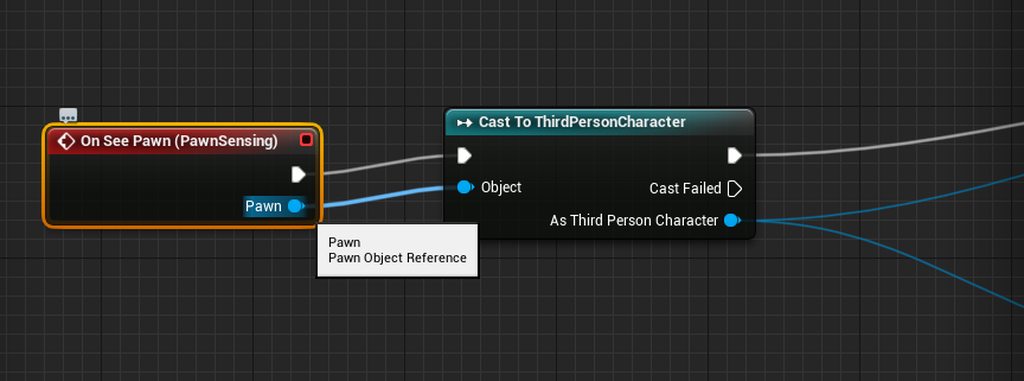
instead of "Cast To ThirdPersonCharacter", is there other ways to get the value of ThirdPersonCharacter in Pawn output?
misty wharf
No. Is there some particular reason you're looking for a different way to do it?
granite vault
i thought being "cleaner" and straightforward is nicer
it does seem like i have to modify source engine's header if i insist?
misty wharf
Yeah. This is a quite normal thing to do though so I wouldn't worry about it being cleaner or not
You could consider using an interface instead depending on what you're doing
granite vault
Thanks. To learn more on alternative is nice too.
Interface would require the pawn output value too, isn't it?
otherwise, misdirection
misty wharf
Yeah, but you wouldn't need to directly depend on a specific class
granite vault
when requires that pawn output, the result is same, which means you still use CastTo
misty wharf
which can be more lightweight or flexible depending on what you're doing
granite vault
Alright interface works nicely