#gameplay-ai
1 messages · Page 165 of 1
 kindred moss
 celest python
It will be in range of -1 and +1
celest python
It will be in range of -1 and +1
Right that makes sense I figured that

 kindred moss
Thank you so much
celest python
Dots in the bottom are backwards animations
kindred moss
That's all very clear now. Thank you so much. Then for Character Movement Component Max Walk Speed, I can just play with the Max Walk Speed and it will always correspond to my 1 value for speed in the Blend Space?
 ocean wren
The problem with that of course, is that you'll get foot skate unless you work out the foot plant frequency vs the speed of movement
celest python
kindred moss
That's all very clear now. Thank you so much. Then for Character Movement Compon...
Yes, your max walk speed is always going to be equal to 1 in blend space
kindred moss
ocean wren
The problem with that of course, is that you'll get foot skate unless you work o...
Is there an automated way of ensuring this doesn't happen? Or what does this involve?
celest python
half of your max walk speed will be 0.5 (for walking animations etc)
kindred moss
celest python
Yes, your max walk speed is always going to be equal to 1 in blend space
Cheers thank you so much, it all makes sense now that you've said that. It makes sense to unitize these values and I'm not sure why in the tutorials I've watched their always manually changing them...
celest python
ocean wren
The problem with that of course, is that you'll get foot skate unless you work o...
What is 'foot skate'? 🤔
or 'foot plant frequency'
kindred moss
I think they mean sliding?
ocean wren
there are ways to make it better, like raycasting the feet and planting them via physics bone solvers and the like.. but its far better to actually work out how far you travel vs where feet plans are and animate the two values at the same speed
you can work out the speed by taking the difference between pelvis location and origin for any given anim
assuming no root motion of course
yeah, sliding = skating
kindred moss
Is there a reference you could point me towards where you learned that process? I don't fully understand. Sorry, I'm new to animating. That sounds really interesting though.
ocean wren
hmm, not one thing.. I've just seen hundreds of presentations about animation at this point 🙂
kindred moss
In my project, I'm just creating two realistic pedestrians that are controlled by an AI...
ocean wren
I assume there's some good discussion on GDC for the animation of Uncharted
kindred moss
ocean wren
hmm, not one thing.. I've just seen hundreds of presentations about animation at...
Ahaha no worries I feel
celest python
Anything about Uncharted in GDCs is recommended btw
 dense halo
is there a way that you can pass a param to a UEnvQueryContext from UEnvQueryTest?
ocean wren
the TLDR is basically, that you need to compute your character move speed based on your target animation framerate by taking the distance travelled by the pelvis for your movement clip (i.e. how far do they move from the start position)
kindred moss
ocean wren
the TLDR is basically, that you need to compute your character move speed based ...
This applies to animations in place or root animations?
ocean wren
well, if you think about it, in place motion to be "correct" needs to move the in-place character by the same amount that a root motion root would move for the same animation right?
so calculating the root motion offset and applying that to the in-place character would make them match perfectly
The further you get away from that value, the more likely you'll get foot skate/sliding
Now you can partially fix it by using IK to plant the feet to the floor near when the foot would start to move to the floor, but that will get funky if you're speeds aren't within a reasonable window
Thinking about it, pretty sure I've seen some Epic sessions on animation that talked about this kind of thing.. but it was a while back
Your best bet is to work out your character speeds early and then animate to those
kindred moss
No that makes a ton of sense. I want to do that! For instance, I have 36 FPS walk cycle for a 30 FPS frame rate. How do I calculate the distance it would travel if in theory, it was a root animation?
I basically guess how far it steps?
Because if I know the distance I can work backwards to get the Max Walk Speed quite easily...
ocean wren
Yeah, you can just take your pelvis location as the point.. animate it and then the distance it travels is how fast you should be moving
Now ideally, you can worth from there or the other way round 😉
work from there even
its simple maths for the most part
kindred moss
Yeah it is just understanding the reasoning was the hard part but it all makes sense now
Thanks a million
ocean wren
Hehehe.. it gets worse when you start doing motion warping and all that 🙂
and trying to blend animations that have different rates
kindred moss
I saw that...is that new for UE5, the motion warping?
ocean wren
Its worth checking out some GDC animation talks, there's always new stuff to learn
kindred moss
I have to learn because I have these two AIs moving around a sort of archviz scene that will be interacting with so many different objects. I want to use motion warping so that I can adapt generic animations to these objects. Does that make sense?
ocean wren
motion warping has been around for a while.. pretty sure they had it in 4.24 ish?
Yeah, that makes sense.. you might want to check out origin shifting too
kindred moss
ocean wren
motion warping has been around for a while.. pretty sure they had it in 4.24 ish...
Oh okay! I just saw in a recent Inside Unreal that their dev team made some changes...
ocean wren
Yeah, I think they added some new techniques in UE5
But I saw a presentation about warping from before the UE5 announce, pretty sure it was an Epic guy
kindred moss

Full-Body IK (FBIK) provides you with the tools to create reactive, dynamic characters, and Motion Warping is a new Experimental feature which allows you to manipulate root motion animations to adapt them to the world with fewer custom assets. Join us as we explore Unreal Engine 5’s new animation features!
ANNOUNCEMENT POST
https://forums.unrea...
ocean wren
We've been doing it for soccer games for a while
kindred moss
32:23ish
ocean wren
pretty sure that was where I first saw it discussed.. PES
or maybe FIFA, can't recall, was at an aiGameDev.com conference
They do mad stuff with warping, so that feet hit footballs properly
And weight shifting and stride lengthening/shortening and all that 🙂
kindred moss
ocean wren
We've been doing it for soccer games for a while
Awesome! I'm an outsider to all this stuff so I'm just learning and it's a steep ass curve. I'm an architectural design assistant but working on an immersive project for an exhibition next year. We're showing a pretty crazy architectural project that people will be able to explore and they'll be these two AIs walking around doing stuff. That's the really really boring and basic gist as to why I'm asking all these dumb questions.
ocean wren
If you want some fun anim stuff, check out motion matching from Ubisoft guys
kindred moss
ocean wren
And weight shifting and stride lengthening/shortening and all that 🙂
That makes sense. I've played all the games but when I see how it works on the back end I just get so interested!
ocean wren
I've got a few VR/AR scenes to throw together for some training over summer
trying to think what to do as a demo for the heritage sector
and some demo's for UK Navy training
kindred moss
Oh wow that's great. Please keep me posted ahah 😀
ocean wren
Its weird how much work you can get if you're prepared to do VR in the military training sector, there's whole conferences that are basically just VR sims
ITEC in the UK has TONS of VR/AR stuff
 lyric flint
@charred lava One of the most informational gems about AI navigation scenarios in unreal
https://youtu.be/yqZE5O8VPAU?t=2931
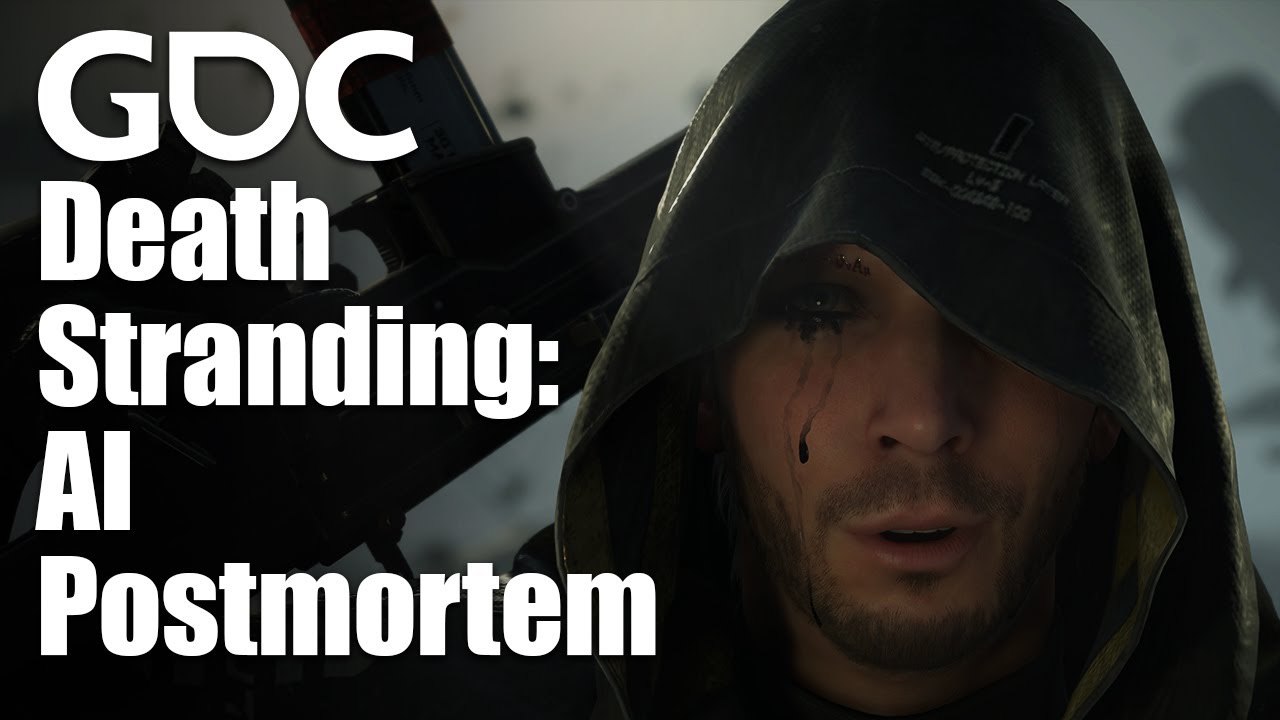
In this 2021 GDC AI Summit session, programmer Eric Johnson explores the unique AI challenges faced during the development of Kojima Productions' debut title, Death Stranding.
Join the GDC mailing list: http://www.gdconf.com/subscribe
Follow GDC on Twitter: https://twitter.com/Official_GDC
GDC talks cover a range of developmental topics incl...
You can actually use Navigation System V1's Find Path to Location Synchronously, and use the Path Points (Array of vectors) field of the return values as spline points. Before doing that, tune the spline with how you want it to behave/bend, etc.
celest python
Can we actually do that? Never had find enough time to mess with navigation system yet
 harsh snow
Hello, is it okay that my character can be detected by AIPerception even if it doesn't have AIPerceptionStimuliSourceComponent? It was added before as a component in blueprint but i deleted it and the behavior of AI didn't change
harsh snow
 misty wharf
pawns have this behavior by default, they don't need a stimuli comp
misty wharf
pawns have this behavior by default, they don't need a stimuli comp
Is there any possibility to disable their inherited stimuli comp?
misty wharf
I think it might be an option on the ai perception component itself, or on the senses you have configured
auto register pawns as sources or something
 prisma arrow
Is it possible to give objects ai? I'm looking to have dolls that are able to be picked up however they run away when the player gets near. Not sure how i can do this though.
 obsidian igloo
so im having an issue with navigation. my AI work fine in other levels, and they worked just fine in the level that recently has been having issues, ive made no changes to ai or pawns and im absolutely sure that my navmesh is in the level. the issue is, my AI just stop doing anything at all on begin play. ive scoured the internet for fixes but i just cannot get the AI to move anymore on my map, would anyone have any idea what this could be?
ive tried auto possess which is setup for spawned and placed as well
harsh snow
misty wharf
auto register pawns as sources or something
You were right, thanks! In my DefaultGame.ini bAutoRegisterAllPawnsAsSource was set to true. I've set it to false but the AI still sees my character 😭
misty wharf
hm unfortunately I've never tried turning it off so not sure 🤔 You should be able to manually unregister things from the perception system though, maybe give that a try?
misty wharf
prisma arrow
Is it possible to give objects ai? I'm looking to have dolls that are able to be...
Yes, just make the pawns and have them possessed by an AI controller
(or characters since it sounds like they are characters)
 haughty pelican
Just a quick question is there an AI MoveTo c++ function equivalent to the one in bp?
 pure crest
AAIController::MoveTo
ocean wren
Whooo! today is speechmachine day! finally got time to work on my speech plugin
 charred lava
lyric flint
<@!772256981310111795> One of the most informational gems about AI navigation sc...
charred lava
lyric flint
<@!772256981310111795> One of the most informational gems about AI navigation sc...
Thanks for that!
harsh snow
misty wharf
hm unfortunately I've never tried turning it off so not sure 🤔 You should be a...
As far as i know I can only unregister their stimulisource component, but it doesn't work because for some reason even though i've set bAutoRegisterAllPawnsAsSource to false it still registers my character
misty wharf
Yeah might be the case. Have you verified it's actually loading the value from your config correctly? This feels like it should work 🤔
 gray sail
Does anyone here know how to use UE5s MassSchematic?
celest python
gray sail
Does anyone here know how to use UE5s MassSchematic?
You can get better help for UE5 related things at #ue5-general
I doubt anyone knows MassGameplay in depth though, most of the people waiting for matrix demo
harsh snow
misty wharf
Yeah might be the case. Have you verified it's actually loading the value from y...
I don't know how to check it. I thought it might be in UAI_Sense constructor but I cant debug it
 normal mist
Hi folks! I have generated a metric bazillion spline components from imported GIS road data. Over the past 2 years of working in UE, I've gained a healthy familiarity of systems within the engine, but AI is unexplored territory for me. What would be the sensible way of having AI path-find using only the roads that I've created?
Also of note - it is not 1 giant spline spanning the entire road network, but rather 400+ different splines that intersect
hehe
 ocean wren
You'd likely just be better using your own A* pathfinder on the splines, assuming you've connected them somehow?
A* is super easy to implement and pretty much the industry standard go-to for simple pathing stuff
there are variants like HPA* if performance is too bad, but only 400 splines normal A* should be fine
normal mist
Thank you so much @ocean wren!
I have not connected them and it kind of intimidates me on if its possible
ocean wren
Well, first order of business is connecting them then 🙂
 ocean wren
 normal mist
Hi folks! I have generated a *metric bazillion* spline components from imported ...
normal mist
normal mist
Hi folks! I have generated a *metric bazillion* spline components from imported ...
@buoyant geyser am I going to have to write a compute shader for this? 😱
ocean wren
Naah, you don't need anything that complex
its basically just a graph you need to traverse
A* is a graph search algorithm
Don't get it mixed up.. A* works on arbitrary graphs, not just regular grids
normal mist
ooo
Is it possible to build a navmesh along a specific landscape layer?
I could paint the roads to the landscape via a layer..
However I'm looking up tutorials on how to do A* in UE and how to think in terms of graphs
thank you very much @ocean wren for pointing me in the right direction
ocean wren
There might even be an implementation in Unreal you could use thinking about it, pretty sure they had one for Paragon that they had in fortnite, but can't remember if it was a regular grid or not
You could use it for reference at least
normal mist
I am searching around but having trouble finding anything dealing with multi-spline pathing
ocean wren
well, splines are just line segments
 halcyon moon
People, hello) Help with a trifle, I'm still poorly oriented myself (
There is a function by which I destroy trees, activation, as you can see, goes through an overlap, that is, a Persian, or rather, I have it ai, went up to a tree, cut it down, found another tree, cut it down, etc., what I want. Since I have trees in a separate spawn blueprint, there are a lot of them, and ai goes in order, sometimes crossing those trees that do not need to be cut, but the trigger is launched. Question!) How to add a time limit with such a function at the beginning, like if the Persian or the Persian trigger is in the activator for less than half a second, then we don’t turn on the function, if we turn it on more, I’ll be glad to help)
 misty wharf
If you use a timer instead of delay you can cancel it if the overlap ends
ocean wren
Seems like a bad way to do it anyway, having a trigger for every tree is likely overkill, better to have trees register with some central system and simply keep a list of trees that each agent is due to cut
 misty gale
normal mist
I am searching around but having trouble finding anything dealing with multi-spl...
misty gale
normal mist
I am searching around but having trouble finding anything dealing with multi-spl...
Create nodes at intersections and a spline for each edge in a graph
dense halo
hey, is the NodeRef in FNavLocation, the same as the tile index?
ocean wren
From what I remember yes pretty sure it is
ocean wren
Well, its the polygon rather than the tile if I think about it
you can obviously look up the tile from the noderef though
celest python
normal mist
However I'm looking up tutorials on how to do A* in UE and how to think in terms...
iirc there is a built in abstract A* implementation in UE btw
You can hook it up to your system easily
FGraphAStar
Woah can you look at that documentation
I'm surprised
ocean wren
Documentayshun? whats that?
misty gale
celest python
`FGraphAStar`
Sweet, thanks!
celest python
ocean wren
Documentayshun? whats that?
Something we can eat? 😄
ocean wren
Covered in chocolate?
celest python
ocean wren
Whooo! today is speechmachine day! finally got time to work on my speech plugin
How did this went? Any progress?
celest python
Nice
ocean wren
Interesting to see how nobody has done any real microphone stuff in UE
in fact, there's a ton of people trying to figure it out and getting no responses 🙂
celest python
Like for commanding AI with microphone?
ocean wren
Well, getting the microphone data is the issue really, I need to pass it as packets to the cloud
there's an audiocapturecomponent since 4.19, but not obvious how to ensure you can easily grab the raw data from it.. the interface is a bit weird
celest python
Yeah, I can imagine
My gut says Unity has a more straightforward way* at this though
ocean wren
Shouldn't really make any difference, given its just buffered data
apparently people who've tried have found that the data stream stops being recieved.. I guess you need to poll something or signal buffer release or something
of course, not documented properly 🙂
ocean wren
Not really needed, I can figure it out myself, just takes longer
ocean wren
hmm, so audio capture component seems to be the wrong thing.. although I can capture the mic with it
the latency is insane
ocean wren
I guess using an external mic access approach is better for my use-case, kind of weird though
normal mist
@misty gale @celest python thank you! I can't wrap my head around how to heuristically detect an intersection so I'm going the route of generating an entire grid 😱
Following Sebastian Lague's a* tutorial
I set my roads to a specific object channel and am doing collision checks on just that channel to detect if the location is "walkable"
Build an entire grid from that...8x8km
Kinda worried it might eat up all my ram lol
misty gale
Sounds expensive 🍍
normal mist
Literally drinking coffee in bed right now delaying getting up and trying it out
misty gale
🤣
I have yet to try my own graph setup
Still got other things to iron out before i can try implementing a*
normal mist
I have built a graph like once or twice...years ago
misty gale
I've never done it before 😅
normal mist
I don't know how I'll be able to detect an intersection
misty gale
Currently saving a bunch of refs
You dont detect them, they are nodes
And the roads are splines
normal mist
I imagined that the control points in the splines are the nodes?
misty gale
As long as theres no intersection to it, why would it be?
normal mist
Sorry, I don't understand that last statement
normal mist
Yes, thanks for correction
misty gale
Spline point is just part of singular spline
An edge in a graph
The path between two nodes
A node in your case would be an intersection
In my case its an intersection or a building
normal mist
Two questions coming to mind:
- how to heuristically create intersections
- how to path find between two nodes - I guess I'd just have a reference to the current spline component and follow that? Following a spline component is trivial, done it many times before
misty gale
heuristic is a word that still scares me lol
normal mist
First part is challenging because my road network is like 400 spline components, each one a road, that may or may not physically intersect
misty gale
2 sec let me snippet
normal mist
Like do I traverse along a spline and do a distance check for every spline and if the distance is below N then I assume it's an intersection?
misty gale
the spline has its length,
so you just ask the edges from a node of their length (cost)
normal mist
Is length a property of spline component ?
And is it the distance of the entire spline or the distance btwn two spline points?
misty gale
yes, it is ^^
entire

all the red rings
would be intersections,
or "nodes" in a graph
the roads would be individual splines
so between each node there's atleast one spline
depending on the graphing setup you want. With a directional multigraph there could be several (good for highways i suppose)
graphs are still way above my head tbh
normal mist
Directional will be v2, gotta walk before I can run 😂
Right now I don't have a way to automatically detect an intersection,that's a big challenge
normal mist
Because a spline component doesn't have a reference to a nearby spline component (that it may be intersecting with)
misty gale
Wherever two or more splines meet would be intersection
normal mist
and if it detects another, it's an intersection!
misty gale
currently atleast
misty gale
Best of luck!
normal mist
However it isn't to the computer. It's coffee related, the after effects
Computer will come later
misty gale
coffee is important!
normal mist
i am become 'puter
I'm scratching my head on how to include the references to the USplineComponent in the Node (intersection)
Looking into FGraphAStar because it looks like it has its own graph implementation (TGraph)
misty gale
Currently i have an adjecencylist and a edgeSet
Not sure if i meed both, or if they're even needed together
Sorta have to try it put before i grasp it 😂
 vale adder
Hey there, I have a problem with AI
I have followed the official Unreal Engine tutorial yesterday and it worked perfectly
I have opened the engine now and it doesn't
More specifically, the sight sense does not work: the AI is blind, when the player goes in front of it the event On Target Perception Updated does not fire, and I have no idea why
I have checked the AIPerception, the AI Stimuli Source and everything seems in place
Honestly it feels like if my calculator suddenly started saying that 1+1 = 3...
What should I do?

Even if I tried deleting the Hearing Sense it still doesn't work
vale adder
Even after I created another controller and set it it does not work
There must be something wrong with the AI Perception Stimuli Source, but I cannot find anything
Guess the gods hate me
I'm starting to think this is an engine bug
I have been searching through the internet and it seems like no one had my problem before
EDIT: It cannot see other actors either, I am so confused!
 dense halo
ocean wren
you can obviously look up the tile from the noderef though
dense halo
ocean wren
you can obviously look up the tile from the noderef though
is it possible to do the opposite? given a location and a tile index or do you have to use NavigationData->ProjectPoint() with an extent like FVector(0.1f)?
ocean wren
Can't remember to be honest.. You can get the tile, because you can dirty it. You can get connected noderef's from a given poly. I'd probably avoid tiles altogether and worry about polygons.
dense halo
I'm creating cover points on nav mesh updated, so I'm starting from the tiles, and I store the location of the cover point along side the tile index, I'm just dividing up the nav tile edge, so not sure how I can get the noderef
ocean wren
Yeah, I did the same thing using noderefs, didn't use tiles because you can change the tile size, what you really want is the polygon edges anyway
vale adder
It works now
What the actual hell?!
I am not complaining about the fact that it works but I am confused
Like... eh? The same identical code worked yesterday, didn't work one hour ago and now works again...?
dense halo
ocean wren
Yeah, I did the same thing using noderefs, didn't use tiles because you can chan...
how did you do it? I'm doing (or the person that created it)
    NavGeo.bGatherNavMeshEdges = true;

    // get the navigation vertices from recast via a batch query
    NavRef->BeginBatchQuery();
    NavRef->GetDebugGeometry(NavGeo, NavmeshTileIndex);
    NavRef->FinishBatchQuery();

    // process the navmesh vertices (called nav mesh edges for some occult reason)
    TArray<FVector>& Vertices = NavGeo.NavMeshEdges;
and then
        //const FVector LastEdgeDir = GetEdgeDir(Vertices[nVertices - 2], Vertices[nVertices - 1]);
        // ReSharper disable once CppUE4CodingStandardNamingViolationWarning
        for (int iVertex = 0; iVertex < nVertices; iVertex += 2)
        {
            const FVector EdgeStartVertex = Vertices[iVertex];
            const FVector EdgeEndVertex = Vertices[iVertex + 1];
            const FVector Edge = EdgeEndVertex - EdgeStartVertex;
            const FVector EdgeDir = Edge.GetUnsafeNormal();
I walked the polygons and looked for edges where there were no other polygons, so basically external edges. I stored those in a list of edges.. then generated along them
dense halo
ocean wren
I walked the polygons and looked for edges where there were no other polygons, s...
can you tell me how you did this edges where there were no other polygons do you have to manually check? for the tile you can just set bGatherNavMeshEdges, look at the code for that, hoping there's an easier way


 pure crest
 lunar grove
this code not working for debugging sphere ?
lunar grove
this code not working for debugging sphere ?
Are the callback functions being called?
misty gale
normal mist
Looking into `FGraphAStar` because it looks like it has its own graph implementa...
did you come up with a clever solution ?
This is my current structs , updated whenever a road (spline (TunnelRef)) is placed
 lunar grove
pure crest
Are the callback functions being called?
lunar grove
pure crest
Are the callback functions being called?
We r passing pawn as args in func and dont think it need to be called in beginpaly
pure crest
I don't think I understand you. OnPawnSeen, and OnPawnHear. Are they getting called/executed?
lunar grove
pure crest
I don't think I understand you. OnPawnSeen, and OnPawnHear. Are they getting cal...
Sry, @pure crest Im new Ai programing in ue4.
I have just build Project in tuts it wirked fine.
Not for me.
pure crest
That's TomLooman AI tutorial I know. You'll probably find the solution to your problem there in the comments under the video
But I would debug the code and see what is executing and what not. Because you don't seem to have an idea of what's running and what's not
pure crest
Also make sure OnPawnSeen, and OnPawnHear have UFUNCTTION() specifier above them in your .h file
lunar grove
Ufunc present
pure crest
lunar grove
Log is not showing
Do you know how to debug?
lunar grove
Yeah, put break points on onpawnseen ,
Its not stopping on break points put on functions
pure crest
Are you using hot reload?
Just in case: http://hotreloadsucks.com/

Hi! You're probably here because you've used Hot Reload in UE4. So… don't use Hot Reload in Unreal Engine 4 because: Data corruption in Blueprints: it can reset and mangle any variable at whim.
pure crest
Without AIModule you would be getting linking errors
 pure crest
It's ok
 pure crest
You can
Live Coding you can use it when you make changes only to .cpp files(So you simply press the compile button in editor)
For changes in .h file or the constructor you need to close the ue4 editor, build from rider, and relaunch your ue4 editor
lunar grove
Did
Ok, got it .cpp mistake /change Small rectify in live coding
No results debug sphere not showing still

 pure crest
Although this shouldn't be the issue but try moving the AddDynamic from Constructor to BeginPlay
Lines 17&18
pure crest
@lunar grove This 100% the solution due to BP corruption from hot reload probably. Also if you don't have a NavMesh placed in your level, add one.
lunar grove
pure crest
<@!757812619573985300> This 100% the solution due to BP corruption from hot relo...
thanks alot @pure crest you are ue4 superhero of the day. 😋
Forgot to put Nav mesh vol.
 spiral berry
Hi everyone I'm having a problem with spawning an array of actors and then getting the array to move to another actors location. Do all the actors in my array need to be controlled using ai to get them to move? My BP prints but my array of actors don't do anything. Any help would be much appreciated!!! Thanks, Emma


(it's for some virtual drone visualisations)
 hidden river
I believe the AI MoveTo node should work well in your case, @spiral berry
I am currently struggling with an issue of my own though. I'm streaming levels with AI enemies in them, each level has a navmesh in it but the enemies won't move at all, even though they worked fine when put in a persistant level
I'm assuming something isn't updating correctly with the NavMesh when the level streams in at a new location
spiral berry
hidden river
I believe the AI MoveTo node should work well in your case, <@!12961857433029836...
I did try that one too but It didn’t work I’ve never used any ai before :0
hidden river
spiral berry
I did try that one too but It didn’t work I’ve never used any ai before :0
Basically, you'll need an "AIPerception" component in your drones. In this component you can specify how far they should be able to detect their "targets" and then you can run your AI MoveTo node from an "On Target Perception Updated" node, which runs every time the AIPerception detects something new
You can make sure that the actor they spot is your target cube by using a tag and a branch node, for example.
Though I am honestly not sure if this is the right move when it comes to flying characters
normal mist
misty gale
did you come up with a clever solution ?
I have not. I'm feeling overwhelmed with the graph implementation, so I am starting with a more simple Grid implementation thats straight from the Sebastian Lague implemention. If I'm able to do this successfully, I'm hoping it will give me a foundation to transfer over to the more simple graph method
thanks for sharing yours
misty gale
I'll see if i can share some more in not to long. Gonna experiment with it for fluid and electric transportation
normal mist
🙏 thank you @misty gale
normal mist
Is it possible to have a nashmesh bounds volume only paint to a specific collision channel?
or landscape layer?
ocean wren
Well, I mean its possible if you code it to 🙂
normal mist
teehee
 stray violet
I've got a door that is opening when a character walks up to it.
It then plays an animation to raise the door.
Currently, the nav mesh isn't updating when the door raises, is there something extra I need to do to support this?
 dawn loom
is there any way to have a shared cooldown without making my own cooldown BTD? I used the Tag Cooldown thinking it'd be on the tag itself and not related to the BT with that tag
and now I just realized that's not how it works
(because the thing I thought would be put on a global cooldown just got entered another time by another BT while it was supposed to be on cooldown)
dawn loom

it's funny because I put a tag cooldown on a suicide attack
so there's no way it's going to be called twice by the same AI 😂
lyric flint
stray violet
I've got a door that is opening when a character walks up to it.
It then plays a...
If you use dynamic one, it shouldn't be a problem. If you use a static one, the solution, as always is to trick the eye :D meaning, have a marker on the other side right at the edge of the generated nav mesh, and just lerp your character through the door while faking walking animation. Hopefully it makes sense 😆
dense halo
hey, is there a better way of drawing debug shapes from inside an EnvQueryTest?
misty wharf
I usually use the eqs testing pawn
it gives a very handy visualization of what the generator did and how the items scored/filtered
dense halo
misty wharf
I usually use the eqs testing pawn
yeah I'm using that too, but I'm doing some line traces inside the query test that I want to visualise, so I was thinking that there might be a better way to draw it other than DrawDebugLines
misty wharf
I guess the visual logger is the other option?
dense halo
ok thanks

 normal mist
@misty gale are you doing an implementation of FGraphAStar?
I am now starting to look at how to implement it. The only example I can find, FNavLocalGridData, implements TSimpleCellGrid. If I have intersections as nodes, I am having trouble visualizing in my head how that fits within a 2D grid
This forum post has been a big help (https://www.reddit.com/r/unrealengine/comments/8pnpaw/unreal_didnt_have_proper_point_graph_navigation/e0dgm8h/?utm_source=reddit&utm_medium=web2x&context=3) but there are some statements in there that I don't understand
Declare FNodeRef to by the type of something you can identify your nodes by, could be an index in an array, a pointer, etc (typedef MyNodeRefType FNodeRef)
Create a TGraph which is what stores the information about how your nodes are laid out in the graph, and has 3 functions, one to get how many neighbours a node has, another to check if a NodeRef is a valid node and the last to get a specific neighbour based on the index.
The only reference I can find to what aTGraphis is here:
template<typename TGraph, typename Policy = FGraphAStarDefaultPolicy, typename TSearchNode = FGraphAStarDefaultNode<TGraph>, bool DoRangeCheck = false >
struct FGraphAStar
Not sure what a TGraph is from reading that
misty gale
My FNodeRef is pure references currently. Its a bit unclear to me if Graph is ment to be several lists or just one with helper functions yet. Sounds like several lists would be the faster (but more memory intensive) way to go but dunno yet
Like, I think i need several lists, but havnt avtually implemented the A* or djikstra yet (this is way beyond my knowledge) so dunno untill i get there sorta
Gonna check out TGraph in a few minutes , walking the dog 😅
normal mist
misty gale
Gonna check out TGraph in a few minutes , walking the dog 😅
hows the pupper doing today?
normal mist
I'm getting acquainted with some c++ specific terms
template<typename TGraph, [...]>is just referring to the generic. TIL that's how you define generics in c++typedefseems to be purely to reduce verbosity - creates an alias for another type. please correct me if I'm wrong
misty gale
Same, I'm very new to c++ aswell, coming from bp's and plc programming.. but that sounds about right yes
Templates seem incredibly usefull
Was under the impression that templates needed to implement all the different function inputs you wanted to support in some obscure way 😅
normal mist
I think I figured out how to implement FGraphAStar, but I am not sure how to represent intersections as nodes in a graph. like if it can fit within the data structure of a 2D grid
misty gale
Like a matrix?
normal mist
Sorry for the confusing way of saying it. I'm familiar with how to perform A* a 2D array, or grid. I do not know how to perform A* on a tree. I can visualize how to organize a set of nodes of intersections as a tree, but I can't visualize how to organize that as a 2D array
so if I chunk the world into equal partitions, that maps very cleanly to a 2D array. But if I chunk the world into intersections that are unevenly spaced apart, I can't visualize how to map that to a grid
I think it boils down to the cost function. All examples of a cost function I'm finding are of grids that are evenly partitioned
that isn't the case with a tree of intersections that are unevenly spaced
I wouldnt know how to compute the cost btwn two nodes that arent directly connected in that case
misty gale
im not sure how that is relevant for this tho
like
all you need from node to node to determine cost
is distance
(and if you're actually doing roads, you'd factor in traffic density and speed limits)
so the algo would just traverse the nodes and combine the costs , if im not mistaken
lyric flint
Guys how do i approach a enemy manager that tells a list of enemy behaviour tree to do stuff so the enemy does one stuff at a time?
Like only one enemy should go to a player out of the 3
ocean wren
misty gale
so the algo would just traverse the nodes and combine the costs , if im not mist...
A* basically uses heuristics to represent cost.. so you can basically give it whatever costs you want. Usually for something like a road network, you'd give it spline length as cost
For things like terrain, you could also scale that cost by terrain type.. so a dirt road would be more costly than a paved one for example
ocean wren
lyric flint
Guys how do i approach a enemy manager that tells a list of enemy behaviour tree...
I created a Squad actor that controls a squad of soldiers.. the squadmanager had things like detected enemies (i.e. ones a squad member had seen/heard) squad actor used MessageEndpoint to communicate data with Squad members (squad members were also actors)
So each squadmember had a squad
squad had any number of squadmembers that could register with them
squad also had functions for selecting squad members and determining stuff like enemy/friendly statuses
When a squad member pecieved a threat (enemy or unknown) it sent a message to the squad it was registered with "Hey, I've just sensed a threat!"
the squad then propagated that to the other squad members registered with it
For things like which squad member engaged an enemy, the squad actor has its own BT that does things like task assignments for squad members
Bearing in mind, my use case for this was a Full Spectrum Warrior style game
which I aim to ressurect at some point 🙂
Fully recommend MessageEndpoint's btw chaps.. very useful class to understand
pub/sub messaging in general is a great pattern to apply to stuff, so handy dandy understandy 🙂
misty gale
ocean wren
A* basically uses heuristics to represent cost.. so you can basically give it wh...
Yeah i mentioned that in the post above ^ factoring in speed limit and traffic density would aslo be part of tje cost
ocean wren
Yarp
I wonder if Mikko has done most of this kind of thing for the MassAI stuff?
I mean it has traffic and whatnot right?
celest python
@ocean wren Do you think this is enough (or even correct) for normalizing scores for utility system? -- if we dont have negative values
const float NormalizedScore = FMath::GetMappedRangeValueClamped(FVector2D(MinRange, MaxRange), FVector2D(0.f, 1.f), Value);
That depends a lot on what you're scoring, normally I'd use something like a UCurveFloat? (might be UFloatCurve)
the basic idea is to have your score elements normalized so you don't overpower one with another
lyric flint
ocean wren
I created a Squad actor that controls a squad of soldiers.. the squadmanager had...
Interesting, Tysm zoom. So its better to tell a squad member what to do than it its determining what to do in a BT huh
celest python
ocean wren
That depends a lot on what you're scoring, normally I'd use something like a UCu...
Arent curves used as 'function'?
ocean wren
Well, the curves are just data you can use to bias values.. I used them for scaling perception closer to enemies and to bias perception closer to the front
so used two curves with angles to return the perception scaled value
so feed the cos of the angle into the curve.. curve biases the "front" and "near" parts etc.
ocean wren
lyric flint
Interesting, Tysm zoom. So its better to tell a squad member what to do than it ...
I think of it as a chain of command.. squad commands squad members.. you can add a "team" on top of squads, a battle on top of teams etc..
I've used the same architecture for controlling the parts of a tank 🙂
celest python
ocean wren
so feed the cos of the angle into the curve.. curve biases the "front" and "near...
Like mutable curves with static 'tangents'?
(<#gameplay-ai message>) (similar to HoJo's)
ocean wren
i.e. tank commander, gunner, loader, driver etc.
ocean wren
celest python
Like mutable curves with static 'tangents'?
Well, curves are just a normal part of UE, I didn't do anything special for them
right, off to work for a bit.. back laters!
lyric flint
ocean wren
I've used the same architecture for controlling the parts of a tank 🙂
Like a master-slave architecture huh
ocean wren
Yeah, basically. Based on publisher/subscriber messaging (via the MessageEndpoint class in UE)
I've used it in a ton of AI for coordination stuff
lyric flint
I see
ocean wren
bbl
normal mist
ocean wren
I created a Squad actor that controls a squad of soldiers.. the squadmanager had...
I do the same
 strange spoke
Can some help me with my behaviour tree

its skipping the wait sequence for some reason
misty wharf
Your MoveTo is likely to be failing
This, or the decorator aborting it would be the only reasons why the sequence would not run the remainder of the nodes
 misty wharf
If you use the BT debugger you should be able to see why it aborts
misty wharf
Pause the game when in PIE
Then you can use the arrow buttons in the toolbar of the BT editor to move backwards and forwards in the execution history
If you go backwards to the point where it fails to go into the Wait node, it should show parts of it in red to indicate what caused it to abort
You can also look at the BB values and hover over the red bits and such to get some more info
normal mist
@misty gale sorry for going unresponsive last night. was late and was succumbed to the bed. I am having difficulty conceptualizing how to map a series of intersections to a 2d grid. With a 2D grid, every cell has 8 neighbors. With intersections, it might have 0 neighbors, 20 neighbors, or any amount inbetween
misty gale
normal mist
<@!231467939734355969> sorry for going unresponsive last night. was late and was...
Im just not getting why it should be a 2d grid, a graph can have as many connections as it needs to each node
normal mist
misty gale
Im just not getting why it should be a 2d grid, a graph can have as many connect...
It doesn't have to be - I would love for it not to be a grid 😆 I have only seen examples of FGraphAStar (or just A* in general) be used with a 2D grid, so I am having trouble conceptualizing how to use it with a tree
so for example - to get the travel cost between two nodes. With a grid, it just does some operation on the distance between the nodes in the 2D array. I don't know the equivalent with a graph/tree. I know how to calculate the cost between two neighbors - that is just data I can get from the spline component. But I don't know how to get the cost between two non-neighbors without already knowing the path to sum up the individual neighbor costs
 spiral bone
Does the MoveTo have some sort of "Stop Movement immediately"? I'm trying to make an enemy strafe it looks kind of funky. Like, once he reaches to location it will stop immediately.

 celest python
spiral bone
Does the *MoveTo* have some sort of "Stop Movement immediately"? I'm trying to m...
celest python
spiral bone
Does the *MoveTo* have some sort of "Stop Movement immediately"? I'm trying to m...
It zeroes velocity
Once new path data received
You gotta override a function in CMC in C++ (afaik its not exposed to BP)
spiral bone
Thanks! I'll see what I can do then!
celest python
spiral bone
Thanks! I'll see what I can do then!
bool UYourCustomCharacterMovement::ShouldComputeAccelerationToReachRequestedVelocity(const float RequestedSpeed) const
{
    /*return Super::ShouldComputeAccelerationToReachRequestedVelocity(RequestedSpeed);*/

    // always return false so CMC will snap to the velocity instead of braking for calculating friction.
    return false;
}
Hm im not sure how it would be any different really. It just logically woris its way through the nodes moving closer to the target and picks the cheapest combination (or shortest, fastest etc)

 real arrow
Is it possible for the GetCurrentlyPerceivedActors() function to return actors without a stimulus source?
real arrow
assuming bregisterAllPawnsAsSources is false
normal mist
misty gale
Hm im not sure how it would be any different really. It just logically woris its...
Did you do that? Beautiful animation
I think I'm just going to calculate the cost using Euclidean distance 🙂
normal mist
Inching closer towards building a graph of my roads and intersectionsssss
 mossy nexus
misty gale
Hm im not sure how it would be any different really. It just logically woris its...
mossy nexus
misty gale
Hm im not sure how it would be any different really. It just logically woris its...
interesting, never seen percolation be used visually in tandem with shortest path
 pure crest
Well yes
It means that at that specific moment, CanKnifeAttack is equal to the value of StartLogic
It's not bound to it though
 surreal jolt
Hi everyone, new to AI this week so hopefully this isn't too noob but I'm wondering the best practices for organising BT code.
I've ended up in a situation where I have a service to update the last known location of a player while my zombie can "sense" the player. I had other nodes below the sequence but now I don't and it's stopped working because the sequence has no children.
I can see a few ways to do this:
- Having a task that does the updates but then I have to pass in the CanSense bool instead of just using a decorator.
- I could have a dummy type node to let the services and decorators work.
- I could have a service that runs on the top sequence which gets CanSense and just runs the boolean check and all the service logic inside one service without using a decorator
- The stuff I haven't thought of yet.
So is there a best practice here? What do you think is the best way to do this?
 ocean wren
Why would you want to update the position if you're not going to do anything with it?
If you have no child nodes, then there's no point in updating the position
If the intention is to chase the player, then it makes sense and your sequence should have children to do that
so the sequence/selector has conditions under which it runs, the children actually do the tasks to run it
so in your chase player example, it makes sense to have a condition for if the player is sensed, if that is true, then the sequence should contain a moveto node with the player actor as its blackboard value
you don't really need the update last position or run speed services.. those would be better as BT Tasks (i.e. children)
If you pass an actor reference for the MoveTo, it should automatically follow the player btw.. unless you want something specific like going to a slightly outdated "known" location
surreal jolt
ocean wren
Why would you want to update the position if you're not going to do anything wit...
I do, on the right. But I want them separated so I update the known location as long as the zombie can sense the player and if the player gets out of range then the location will stop updating but the zombie will keep moving towards the location
surreal jolt
ocean wren
you don't really need the update last position or run speed services.. those wou...
Why are those better as tasks? I don't really know when you'd choose each.
haughty pelican
Hi guys would anyone be able to help me with this issue. Ive got a choice widget setup to spawn in two types of AI I have implemented however when I select one of my AI i get a "EXCEPTION_ACCESS_VIOLATION" at line 19 any idea why this could be causing an issue. Ive got the nav bounds setup and stuff within the world
 misty wharf
Result from GetPawn is probably nullptr
Depending on where this function is called from, it's possible the AI controller doesn't have a pawn yet
haughty pelican
Yeah its called in begin play so that could be the issue
misty wharf
Yep that's most likely it, BeginPlay does sometimes get called before the controller possesses a pawn
(or maybe always, not 100% sure but it definitely happens)
 noble shadow
Hi, I am trying to tweak a pid controller for a vehicle but it's difficult to tweak because of sharp pathing corners. Navigating around edges is also troublesome. Is there a way to change it from shortest to fastest path or something or would I be looking at generating my own path points?
 haughty pelican
misty wharf
(or maybe always, not 100% sure but it definitely happens)
haughty pelican
misty wharf
(or maybe always, not 100% sure but it definitely happens)
Yeah that seemed to have fixed the issue cheers for that 🙂
ocean wren
noble shadow
Hi, I am trying to tweak a pid controller for a vehicle but it's difficult to tw...
You might want to look at where it does the string pulling (using funnel algorithm) and maybe make a variation on that?
dense halo
hey, I'm trying to get my ai working but I'm running into a weird issue, my EQS query test isn't running on my AI
the generator is creating the items fine but RunTest never gets called, but it works fine with my testing pawn
ocean wren
wrong query context?
dense halo
ocean wren
wrong query context?
I think I found the issue, my nav mesh isn't being rebuilt on start, is there a reason for this? I selected dynamic instead of static under the nav mesh project settings
ocean wren
dynamic is where it rebuilds when you load the level
you might also find a tick box on the navmeshboundsvolume or recastnavmesh actors in your level. cant remember its been a while 🙂
dense halo
found it, need to disable Auto Create Navigation Data, enabling it spawns missing navigation data actors but doesn't call rebuild on existing ones


 half aurora
anyone has good example of an AI following spline, I try to make one but the character moves a bit jittery at different points of the spline
misty gale
How are you moving it ?
Done on tick, interpolation of the distance should be pretty smooth
half aurora
misty gale
How are you moving it ?
I'm currently using a timer and passing the next point's location after the AI reaches it previous destination. If I do it over tick would I use SetActorLocation or something else? Because I want to animate the character walking
normal mist
@misty gale my extension of FGraphAStar is not going so well so far 😆

The two green circles are the start and end. The red circles are the nodes inbetween. Doesn't go towards the destination lol
I notice that the path always starts at the bottom left of the map and goes towards the top right, regarldess of where the start & end are
it does have a little variation if I move the start and end around
I also notice that Traversal Cost within GraphAStar::FindPath is always returning a value of 3.40282347E+38
whereas the traversal cost function I made does return the correct value
For some reason my breakpoints arent working in the function where the magic is happening
 misty gale
half aurora
I'm currently using a timer and passing the next point's location after the AI r...
misty gale
half aurora
I'm currently using a timer and passing the next point's location after the AI r...
Distance between nodes may vary so youd atleast need to factor that in
Tick would be set actorlocation yes
Location being lixation at distance along spline
Distance = current distance + speed*deltaTime
half aurora
misty gale
Tick would be set actorlocation yes
Doing over tick is the right direciton, but I don't think SetActorLocation over Tick on a Character is the way to go, I'll end up with this:
 outer wolf
How would I do this?
 normal mist
@misty gale IT WORKS

lines are just debug lines from graph vertex (intersection) to vertex. I can get reference to specific road (USplineComponent) and follow it in detail upon reaching intersection

the graph was procedurally generated from imported GIS road data
had to detect intersections dynamically. 🙂
misty gale
half aurora
Doing over tick is the right direciton, but I don't think SetActorLocation over ...
Wwll depends on what you need really. For this wirh animation youd need ro calculate custom velocity during this movement and feed that to your anim bp
misty gale
normal mist
<@!231467939734355969> IT WORKS
oh my! Well done!! 😄 You've made far more progress than I have!
ocean wren
normal mist
<@!231467939734355969> my extension of FGraphAStar is not going so well so far �...
Does it need to override a class, or does it use some kind of delegate functions?
ocean wren
normal mist
lines are just debug lines from graph vertex (intersection) to vertex. I can get...
Now you should try and make it usable and user-friendly 🙂
Funnily enough, I've got to do some spline graphs myself 🙂 for a game prototype for my SteamDeck game idea
Although to be fair, I've got to pathfind jump locations across and between splines as well as follow connections
Probably need to find the nearest spline segment to the target location and be able to do a distance from spline to spline check
cos I want my enemies to jump across splines
 acoustic apex
Hi!
Is there a way to make NavMesh ignore agent radius for edges?
 misty wharf
no, the navmesh is considered from the center of the agent
so the agent can walk to the edge so that its center is right at the edge, thus if the radius would not be included, it would be able to walk too far into geometry
acoustic apex
misty wharf
no, the navmesh is considered from the center of the agent
so the agent can walk to the edge so that its center is right at the edge
Are you sure? As I can see the edge of the capsule will align with the edge of geometry. So a bot won't be able get closer to the edge to the point when part of a capsule exceeds the edge of a geometry.
Anyway, if there's no way to process edges without obstacles differently, then my question is off
misty wharf
As far as I know they should be able to walk all the way where their center is right at the edge
You may be able to get slightly different results by tweaking the navmesh settings, but I don't know if it'll do exactly what you want
 vivid drift
Trying to make a dumb ai pattern that simply moves towards a target enemy endlessly and attacks while close. Attacking is a separate action that can happen in parallel with moving.

This works at a high level but seems to be rapidly restarting the task when it's reached the target, which has consequences for the attack node.
There's also issues with the attack node triggering many times in rapid succession if the target goes in and out of attack range.
Should I switch these two nodes around so that attacking is the main thread, and the move to is the thing that happens in parallel? Maybe make it "Attack while near", and the move to can be "Move to, if far away"?
Seems like it would work but conceptually the move feels like it should be the main thread task to me
misty wharf
I've never really used simple parallel much... It seems this behavior would be easy to achieve by moving the attacking logic into the controller or pawn, where it doesn't need any interaction from the BT
I guess you could alternatively have a "follow player" task which doesn't exit and just keep chasing until it gets aborted by something else
vivid drift
I want it to be in the BT because all of the enemies are running their own sub trees for attack behaviors on top of a larger, general behavior scheme. This is just the dumbest one.
I ended going for this:


^^ Zombie Attack
I guess it works. Feels a bit odd but I suppose its fine
ocean wren
So your logic is a bit weird.. you want some logic that moves to the enemy, then other logic that performs the attack when in range to do it right?
so the attack behaviour should be higher priority than the move, but only if you are in range
 tardy wolf
So probably a bit of an odd one but is there an easy way to enable/disable an AI controller on a character?
My game puts the player in control of a squad where they can swap between characters, any not directly controlled is taken over by an AI.
dense halo
tardy wolf
So probably a bit of an odd one but is there an easy way to enable/disable an AI...
you can just call unpossess/destroy on the ai controller and make the player controller possess that character?
tardy wolf
Trying that but the issue is when a character gets unselected and should fall back under the AI's control, it doesn't do that.
Or at least it doesn't appear to be.
So I've just run a print test and apparently the controller is possessing correctly. Not sure why its not doing anything after it does so.
It can see the enemy but doesn't fire.
vivid drift
@ocean wren no. I want to move to the enemy and, while in range, attack. They're parallel tasks. No priority.
dense halo
tardy wolf
So I've just run a print test and apparently the controller is possessing correc...
are you using bt? if so do you initialize it again?
normal mist
ocean wren
Does it need to override a class, or does it use some kind of delegate functions...
Happy to share more when I get home
It's way way easier than I thought
The hardest part is generating the graph that will be used, which may or may not be hard depending on your needs
tardy wolf
dense halo
are you using bt? if so do you initialize it again?
I do and I did not. Wasn't aware that was a thing I had to do.
dense halo
tardy wolf
I do and I did not. Wasn't aware that was a thing I had to do.
I mean just calling the run behavior tree node again
tardy wolf
Oh right, I completely forgot to even do that.
It was something in the AI controller itself handling firing directly rather than through the tree.
What does the Restart Logic do? Target is Brain Component?
misty wharf
it restarts behavior tree
if your brain comp is a behavior tree comp (it is by default)
tardy wolf
So in this case Run Behavior Tree and Restart Logic are functionally the same?
misty wharf
if the tree isn't running then probably yeah
 winged pasture
is it possible to change this value from the controller?

 quick current
Hello everyone, I wonder if it's possible to modify a AI Perception / senses config in game.
I have an AI controller for all my turret and i want to change in game the sight radius (long range, mid range or short range). But i don't see any options to do that.
I already try to use the "add AI perception component and set the result to the old one but it's doesn't work.
dense halo
winged pasture
is it possible to change this value from the controller?
I had to create my own decorator, using a blackboard key for the test value as well
ocean wren
quick current
Hello everyone, I wonder if it's possible to modify a AI Perception / senses con...
Why don't you just get the distance when you get a sensed agent? Then do the AI behaviour based on that?
Rather than modifying the perception system?
quick current
ocean wren
Why don't you just get the distance when you get a sensed agent? Then do the AI ...
I already try that, i think it's the best indeed. I would prefer the sights radius because this is better with perception update. I will try to join a screen of I will try to join a screen of my AI controller.
dense halo
hey, I want to check my item against multiple contexts so I'm calling
It.SetScore(TestPurpose, FilterType, 1.0f, MinThresholdValue, MaxThresholdValue); multiple for each Item Iterator but it seems to only show the highest value
I set the Multiple Context Score Op to be average score, but it doesn't work
anyone know what could be going wrong? I tried just putting
{
It.SetScore(TestPurpose, FilterType, 0.5f, MinThresholdValue, MaxThresholdValue);
continue;
``` but it still just shows up as 1.0f in the score wintry flint
tardy wolf
Trying that but the issue is when a character gets unselected and should fall ba...
wintry flint
tardy wolf
Trying that but the issue is when a character gets unselected and should fall ba...
I solved this by using Spawn Default Controller and applying it to the pawn that was previously possessed by my Player Controller
 tardy wolf
Would this not spawn a brand new controller each time?
wintry flint
It appears to be that Unpossess clears the pawn of both a Player and AI controller - I can swap to a character that had a working AI controller, demonstrated by it following me, swap back to my original character, and watching the character stare mindlessly into space.
As far as I can tell there's no way around this purely in BP, so spawning a new AI controller is required.
Oh, just read up a bit further
I have functionality that runs on Event Tick (bad practice, but just a placeholder) and the AI Controller still fails like you mentioned despite not having any Behavior Trees to run
wintry flint
tardy wolf
Would this not spawn a brand new controller each time?
Looked at the world outliner a bit more closely and your assumption was correct
I pretty much always get "Accessed None" errors when I try to get the AI Controller of the previously controlled Pawn
That's why I assumed that Un Possess just outright destroyed the formerly possessed pawn's AI Controller
surreal jolt
I'm trying to understand why a MoveTo node keeps running even when a decorator is false. I assume it's because of this Observer Abort field which i'm still learning about. However this node doesn't have an ObserverAborts field so when will it actually update and how can I get it to interrupt a current task?
 outer wolf
curious how to make this work with the nav system
 misty wharf
what exactly are you referring to with "this"?
Navigation should work with stairs if they are not too steep (set in navmesh config iirc)
dense halo
hey, does anyone have any ideas on how to implement AI flanking? is there a way to make the navigation area inside of the players view/or just the general direction the player is looking at cost more?
normal mist
dense halo
hey, does anyone have any ideas on how to implement AI flanking? is there a way ...
I was thinking about this the other day. Could you, at runtime, place a navmesh modifier volume and increase the cost of the navmesh directly btwn the ai and the player?
ocean wren
dense halo
hey, does anyone have any ideas on how to implement AI flanking? is there a way ...
Use an EQS query to pick positions with weights that favour points at the sides of the enemy (i.e. given a vector from them to you, you want your troops to take positions that are perpendicular to that vector from the enemy position but with line of sight to them). Its basically what EQS is for. See Matthew Jack's thing in one of the GameAIPro books about environment query systems for info.
celest python

 dark warren
Hey, I'm running into and issue with my behaviour tree I can't understand why its happening.
It's going down the tree correctly but at some point it always reactivates the first node of a sequence and does never get past it. No matter which node I place.
Why?
misty wharf
You're using selectors
A selector will execute its children until one of them succeeds, after which it will exit
as opposed to a Sequence, which will execute children until one of them fails
dark warren
Oh my god. Should have just take a short break and then it should have been obviously. Just got blind by working 😂 thanks!
misty wharf
It's easy to mix those up :)
normal mist
ocean wren
Use an EQS query to pick positions with weights that favour points at the sides ...
@dense halo direct link: http://www.gameaipro.com/GameAIPro/GameAIPro_Chapter26_Tactical_Position_Selection.pdf
Thanks @ocean wren for referring Game AI Pro. Never heard of it before
dense halo
normal mist
<@!315244367050702849> direct link: http://www.gameaipro.com/GameAIPro/GameAIPro...
thanks
normal mist
looks like it is referring to the query system in cryengine
 finite parrot
hi, is there a reason why nav mesh shows boundary on an area for no obvious reason?

volume covers the entire map
no blocking volumes there
it's missing an entire rectangular area
 normal mist
@ocean wren @misty gale starting to reap the fruits of my FGraphAStar labour 🙂
The magic here is the LAV knowing to turn at the intersection to get to its destination. Obv it didn't react quick enough to make the turn, but thats a simple fix 🙂
celest python
hey looks nice
normal mist
celest python
hey looks nice
thanks 🙂
normal mist
spent all of 10 minutes cleaning up the vehicle handling for pre-emptively slowing down for intersections
nowthisispodracing.gif
 misty wharf
There seems to be some kind of timeout that occurs if an AI Controller can't follow a path - anyone have any idea where that is?
I'd like to make the timeout shorter since it's taking a bit too long for it to decide it's not able to move currently
Ah, looks like it might be in UPathFollowingComponent
another random useful feature that's just hidden from BP 🤔
celest python
misty wharf
another random useful feature that's just hidden from BP 🤔
Have you found it?
misty wharf
Yeah you can set the blocked detection settings using PathFollowingComp->SetBlockDetection
normal mist
TIL of the existence of UPathFollowingComponent. Surprised theres no mention of a USplineComponent in there
can't think of anything more path-like than a spline : D
misty wharf
well the path following comp concerns itself with following navigation paths so it's a bit different from a spline
the nav paths are just a series of waypoints essentially, I guess you could create your own spline based path following comp tho
 latent coral
Hey guys, quick question. I am spawning my AI but the character is not possessing the AI controller. Any tip?
misty wharf
If you're spawning it at runtime and not via placing in level, check that you have the correct auto possess by ai setting
It defaults to placed in level but not spawned
latent coral
misty wharf
If you're spawning it at runtime and not via placing in level, check that you ha...
It was "placed in world" I've changed it. Thank you mate, its working now.
misty gale
normal mist
spent all of 10 minutes cleaning up the vehicle handling for pre-emptively slowi...
Eey, nicely done !
normal mist
misty gale
Eey, nicely done !
Thank you 🙏
ocean wren
normal mist
looks like it is referring to the query system in cryengine
Yeah, Matthew Jack designed that system (now CEO of Kythera AI I believe) for CryTek, then Mieszko (Epic AI guy) basically took Matthew's talk and implemented it in UE, so the concepts are very similar
ocean wren
normal mist
<@!152527068045770752> <@!231467939734355969> starting to reap the fruits of my ...
Nice. Yeah you need to predict intersections for sure 🙂
You need to fix your road intersections though, those are triggering me hard 🙂
misty gale
Should be fairly straight forward should it not ? Having a second predictor, further ahead oor smth ?
ocean wren
Yeah, its basically just a pathfind, you already know the next spline segment you're going to traverse, so you just need to calculate the stopping/slowing distance for your current velocity
and start when youre that distance away from the intersection to the next segment
misty gale
But you dont know if it straight or not
ocean wren
yeah, you could modify it based on angle to the road for sure
misty gale
So youd need to check that aswell
Probably easiest to just 'splice' segments that goes straight
In the pathfinding setup
ocean wren
Just talking about that use case where you want to do a perpendicular road 🙂
misty gale
Yeah
ocean wren
if you've got essentially parallel input/output roads, then you can maintain current velocity.. although I'd probably have a velocity value for the segment endpoints and try and match that
usually for roads, they have a target speed value when they're built, same with trains
ocean wren
and the camber of the road and whatnot
 lusty nebula
does anyone know in UE, when the config refers to "range" and "radius" - is that measured in cm? i.e. so if I do a "range = 1000" for the AI sight - does that mean 10m of sight?
 misty wharf
lusty nebula
does anyone know in UE, when the config refers to "range" and "radius" - is that...
misty wharf
lusty nebula
does anyone know in UE, when the config refers to "range" and "radius" - is that...
Yeah, all distances in UE are measured in unreal units (ie. cm) unless otherwise specified
misty wharf
Hmm, really need a better integration of LOS checks and such into my behavior tree... it's getting a bit complicated with custom decorators because I need custom LOS checks and such 🤔
And setting my custom LOS check decorator to abort self seems to cause it to not really work as desired because it's aborting even if the value from it isn't changing...
It's a bit complicated because I need two separate types of LOS checks... one for perception, ie. can the enemy see you... and another different more complex one for can the enemy actually shoot at you
hidden river
Hello everyone, quick question! Can NavMeshBounds Volumes move? I am trying to stream in levels and move them to locations by moving a point that the entire level is parented to and it works perfectly, however my NavMesh seems to be left behind, even though it is set to movable
Nevermind, it seems the volume does move, however the navmesh refuses to update correctly
If I manually hop out of my character and back into the editor and move the NavMesh Volume around, it updates and everything works, the AI starts moving.
Any ideas on why it would not update on its own even after being moved through blueprints? Or any ideas on how to fix this?
The NavMesh is set to Dynamic rebuilding
misty wharf
You may need to enable runtime generation for it to work when the bounds are moved
The mesh probably is generated for specific coordinates
Oh nvm you said it's already set to dynamic 🤔
There might be some function you can call to have it rebuild, but not sure
Most likely not BP-exposed
hidden river
Yeah it's weird, it's like it's not considered update worthy
Maybe I need custom code that "wiggles every navmesh around" every time a new level spawns 🤔 hopefully forcefully updating it
normal mist
ocean wren
You need to fix your road intersections though, those are triggering me hard 🙂
bwuaha that honestly is a challenge that I don't know how to solve. Generating spline meshes from GIS data. Not sure how to generate clean intersection meshes
also check out the second video where they slow down for intersections 🙂
normal mist
very happy with how things are progressing
celest python
normal mist
very happy with how things are progressing
lol, nice 
normal mist
celest python
lol, nice <:blobthumbsup:588766585049579523>
thanks 😄
 stone walrus
anyone know how to make an ai (car) for endless runner game
or link u know please give me thanks
ocean wren
normal mist
bwuaha that honestly is a challenge that I don't know how to solve. Generating s...
Hmm, I suspect once you've got the spline intersections, the easiest way would be to generate the road meshes procedurally and deal with the whole thing as a PCG problem
Could probably do it pretty easy in Houdini
actually, thinking about it, they added CSG to the mesh editing tools, so you could probably do it using those
That rendering without any shadows definitely gives me an operation flashpoint vibe, but the audio 🙂
normal mist
what is PCG/CSG @ocean wren ? thanks for the response 🙂
normal mist
ocean wren
That rendering without any shadows definitely gives me an operation flashpoint v...
OFP/ArmA is a huge inspiration
 prime barn
hidden river
Hello everyone, quick question! Can NavMeshBounds Volumes move? I am trying to s...
prime barn
hidden river
Hello everyone, quick question! Can NavMeshBounds Volumes move? I am trying to s...
Hello, I managed to move and rebuild nav mesh bounds in one of my projects. I explain it here: https://forums.unrealengine.com/t/moving-navmesh-volume/338023/6

Unreal Engine Forums
For the record, in UE 4.25 setting Project Settings > Runtime Navigaton to “Dynamic” and using “RebuildNavigation” console command (either in BP or C++) after moving navmesh does the trick - navigation is rebuilt after navmesh volume is moved. EDIT: executing console command with ExecuteConsoleCommand BP node always works, but for me only UKis...
 rapid ridge
I have a Nav Mesh Bounds Volume, and the pawn is possessed by an AIController, but when calling AIController::MoveToLocation nothing happens
    if (PC == nullptr)
    {
        checkNoEntry();
        return;
    }

    PC->MoveToLocation(FVector::ZeroVector);
well calling it on PossessedBy with a delay works 
hidden river
prime barn
Hello, I managed to move and rebuild nav mesh bounds in one of my projects. I ex...
Thank you for your response, I actually stumbled upon that very thread when looking for answers. For some reason that didn't work for me, I think I couldn't seem to find that command or something, I'll look into it again tomorrow
ocean wren
normal mist
what is PCG/CSG <@!152527068045770752> ? thanks for the response 🙂
PCG = procedural content generation - CSG = constructive solid geometry. Basically, you can generate the meshes for the roads by intersecting the road meshes using the new geometry tools.
hidden river
prime barn
Hello, I managed to move and rebuild nav mesh bounds in one of my projects. I ex...
Are you sure the command is exactly "RebuildNavigation"? when I start typing that, no auto complete suggestions come up
prime barn
hidden river
Are you sure the command is exactly "RebuildNavigation"? when I start typing tha...
As far as I observed, it doesn't auto complete in the debug command console, but it works when used via code/BP. Weird, I know. 🙂
prime barn
hidden river
Are you sure the command is exactly "RebuildNavigation"? when I start typing tha...
Yup, just confirmed, it's working, despite Output Log throwing "Command not recognized: RebuildNavigation".
hidden river
prime barn
Yup, just confirmed, it's working, despite Output Log throwing "Command not reco...
Alright, weird 🤔 but thanks! I'll give it a shot
It works great! Cheers
prime barn
hidden river
It works great! Cheers
Yes, strange, ain't it? 😄
prime barn
hidden river
Alright, weird 🤔 but thanks! I'll give it a shot
I don't get it. But well...
 ruby bluff
Does anybody knows if it is possible to temporarily override player's pawn with an AI agent?
I need a way to make player's character do stuff while in a cutscene - for instance, to go to the defined spot, while player's locked out of the controls.
misty wharf
Sure, many ways to go about it
You can for example have a flag which you check before reading inputs and just use it to turn off control while you move the character using Move To or some other method
Or possess it with an AI controller to do stuff
ocean wren
Typically, you'd do that with a sequencer sequence
just trigger the sequence and disable player input
 ebon lagoon
Why is my AI refusing to move?


I have tried to printString the PlayerController/Pawn, which worked successfully
yet for some reason it is refusing to move and keeps getting check on the MoveTo node (the key is set, so the decorator is not failing afaik)
ok after further testing it works on characters but not on pawns....
How can I make pawns controlled by AI?
misty gale
ocean wren
Typically, you'd do that with a sequencer sequence
Is there a way to pick up the player char instance there , dynamically?
Assuming sequence = level sequence
dawn loom
nav filtering is giving me a headache can someone help?

I have setup a navlink that uses NavArea_Hover that I setup
and I also made a NavFilter_Default that all AI controllers use except the Hovering one (AIC_Drone) which initially just excluded NavArea_Hover but it didn't change anything
so I marked it with a very very big travel cost and on the NavFilter_Hover (used by the AIC_Drone) I set it back to 0
so before I changed the travel cost override (when it was excluded in the default and not excluded in the hover filter) ALL my AIs were trying to take the proxy
and now none of them are
not even the drones which should be using the hover NavFilter (which should make the cost back to 1)
I'm so confused
normal mist
I'd love someone's input on this. I have a convoy managing the throttle and steering of many vehicles. Is it in best practice for the convoy to invoke commands on the vehicle pawns or the ai controllers of the vehicles?
misty wharf
it probably depends on which of those has the sort of control over it
ie. if telling the pawn to go somewhere would make the ai controller get confused or give conflicting instruction then it seems it should probably go to ai controller in the first place
dawn loom
nobody has an idea about the issue I'm having? I still didn't find a solution btw
dawn loom
ok I think there was some kind of offset with the proxies locations that's why it was never taking it, I still have the issue of ALL AI trying to take it even though they have a filter that shouldn't allow that
and most importantly this is never getting triggered they just stand on it and watch
 ocean wren
normal mist
I'd love someone's input on this. I have a convoy managing the throttle and stee...
ocean wren
normal mist
I'd love someone's input on this. I have a convoy managing the throttle and stee...
I'd use the vehicle itself to set the throttle, given the player might want to do the same. Controller would then use that same interface (so AIController or PlayerController would use the same function).
dawn loom
 dawn loom
and most importantly this is never getting triggered they just stand on it and w...
dawn loom
dawn loom
and most importantly this is never getting triggered they just stand on it and w...
btw I still can't find a fix for this
if anyone has any idea 🥲
ocean wren
Its a bitwise filter isn't it? You should have the bits for both area types on so that it sums the costs?
dawn loom
ocean wren
Its a bitwise filter isn't it? You should have the bits for both area types on s...
is it? I just marked it as excluded for the default NavFilter and not exlucded for the Hover NavFilter
 unkempt breach
Do you have an idea where I can find the Foliage settings? It's supposed to be there where the red circle is.
 unkempt breach
Do you have an idea where I can find the Foliage settings? It's supposed to be ...
unkempt breach
unkempt breach
Do you have an idea where I can find the Foliage settings? It's supposed to be ...
I use the 4.26.2 version
dawn loom
#ue4-general @unkempt breach
btw I just tried more stuff to fix my issue I added the regular areas to my filter but it still decides to always takes the NavLinkProxy that has a NavArea that is excluded
😭
I stg forcing me to use navlinks is worse than torture

like, adding a modifier on top of the proxy means they never take it

but if I just keep the area on the proxy it doesn't care about the filter anymore for some reason
ocean wren
dawn loom
<#225448446956404738> <@!326094887885996032>
You'll just have to debug it.. put a breakpoint in where it evaluates the navlink and see where it calculates the path cost.. pretty sure its when its traversing the edges between noderef's in the path generation step
unkempt breach
ocean wren
You'll just have to debug it.. put a breakpoint in where it evaluates the navlin...
Thanks for the answer. Unfortunately, I'm still a beginner and don't know exactly where to start
ocean wren
Unfortunately if you want to get the most out of Unreal Engine and AI in particular, you're going to have to dig into C++ code to really understand what's going on
misty gale
Ai can be a fairly complex subject, so its not surprising really
ocean wren
Something that struck me recently, in case anyone is interested. Is that making the hard tech stuff that other people use, has a lot of value. By that I mean in terms of career and opportunity. So if you're inclined to work on AI technology, I urge you to pursue it.
Just don't do the exact same pathfinding stuff that everyone else is 😉
dense halo
hey, is it a bad idea to not have a player state for the ai?
I want to have a lot of ai and having the player state is just another replicated actor
ocean wren
what do you want it for?
and generally, you don't want to replicate AI stuff, it needs to run on your server end
dense halo
ocean wren
what do you want it for?
I don't want it, just wanted to know if it's a bad idea to not have it
ocean wren
Player state is generally for replicating player state info.. given AI isn't a player, I can't see why you'd use it
celest python
Bots in CSGO could appreciate a playerstate
Because having a single playerstate for both AI and players could help the workflow
since they use shared values like score, damage count, overall performance etc.
ocean wren
Yeah, i guess you could do that if you wanted them to fake being players
dense halo
ok, I guess I'll be fine without, I just have the ai for a coop game and they don't really need to track score/dmg
misty wharf
none of my AI's have playerstates in either of my games
they can hold their state on the pawn or controller just fine I think, so unless you need replication or something prolly unnecessary
ocean wren
Yeah, the use case of sort of player-like bots is probably the only reason.. so you can use the same playerstate presentation logic
dense halo
is there a better way to have the ai always know about the player team? I basically spawn the ai at the start of the round and they hunt down the player, so every time the ai need to get a new target (initial or check if any are closer), I iterate through the controllers and check if they are in a different team
misty wharf
I guess you could keep an array of all players in a specific team so you can just pick one from there
but it probably wouldn't make much of a difference
 glass pilot
I'm having issues with moving my AI, I'm using simple MoveTo Actor/Location nodes.. It works more often than not, but sometimes I get this FPathFollowingResult Blocked[Blocked] for 10-20seconds straight and I can't figure out why.
Currently trying to move the AI Agent about 400uu in a straight line with no obstacles, checking the NavMesh with P shows everything green..
Any input would be greatly appreciated!
ocean wren
Going out on a limb here.. I'd say that something was blocking it
glass pilot
You're correct, was an object in players hand with CanAffectNavigation enabled. First MoveTo call returns blocked still though, and I can't figure out why
misty wharf
there are some functions you can override to get info on hits
and for when CMC's move is blocked
glass pilot
Any examples of those? Sounds just like what I need!
misty wharf
Called when pawn's movement is blocked
not sure if it's available in BP's but this gets called by the CMC when movement is blocked
The other option would be to enable hit events and use the actor hit thing from regular collision detection, but the MoveBlockedBy gets called in some circumstances where the hit might not
glass pilot
Awesome, thanks for the info! This should be enough to get me through this issue for sure
celest python
misty wharf
https://docs.unrealengine.com/4.26/en-US/API/Runtime/Engine/GameFramework/AChara...
This never gets called on me 😦
misty wharf
No idea, it was definitely getting called a lot while I was implementing some movement logic to deal with sliding :)
ocean wren
Anything in the logs?
 wooden jolt
hello everyone
Could anyone help me out I have an issue and cant find the solution to it: I have a very large map, with a nav mesh on it, but in order to stop it from building every time i make a change, i used navigation invokers as per the UE4 tutorial on their site. It works just fine when the navmesh encompases half the map, but when I increase the size to cover all of it, it stops working. I cant find a solution to this
this is how my map looks

 lone stump
Not sure why it stops working when you increase size, maybe fixed tile pool or something, but you can disable automatic build in editor preferences, search for update navigation automatically
wooden jolt

i played with this a bit, i checked the "fixed tile pool size" and increased to 2048 ? didnt seem to do anything, but I was just eyeballing things..
lone stump
that would make it stop working, yes
personally I've had it crash, but that was with level streaming
I would leave it off
 tame pebble
Hi all, I'm beginning to develop a project that utilizes ai image recognition (input from an NDI, AWS or similar for analysis) and am considering using UE - has this been done before? If so, can someone point me in the right direction toward any projects ideally w/ documentation or discussion of process/challanges?
lone stump
@wooden jolt check visual logger, there might be some message regarding why it's failing
wooden jolt
how do I do that ?
lone stump
you go to Windows > Developer Tools > Visual Logger, it'll open new window

Tool that captures state from actors and then displays it visually in game or editor.
ocean wren
tame pebble
Hi all, I'm beginning to develop a project that utilizes ai image recognition (i...
What exactly is it you want to do? There are a number of different angles depending on what that is.
tame pebble
ocean wren
What exactly is it you want to do? There are a number of different angles depend...
At its most basic form - i want to be able to take a real world object (say an apple) and place it infront of the camera - after identifying an apple is within the camera frame, a HUD would be triggered displaying information on the apple.
wooden jolt
lone stump
https://docs.unrealengine.com/4.27/en-US/TestingAndOptimization/VisualLogger/
Thanks!
wooden jolt
lone stump
you go to Windows > Developer Tools > Visual Logger, it'll open new window
I made it work tho
i just increased the scale of the navmesh volume by a lot
no idea why it was like this. maybe because my whole encompassed landscape is on a 25 angle
ocean wren
tame pebble
At its most basic form - i want to be able to take a real world object (say an a...
So you want unreal engine to display some UI based on some computer vision input is that it?
In which case, maybe the OpenCV plugin would be what you want
But I don't understand why you would do that with Unreal Engine?
tame pebble
ocean wren
So you want unreal engine to display some UI based on some computer vision input...
Thanks!
tame pebble
ocean wren
So you want unreal engine to display some UI based on some computer vision input...
UE only for the realtime/rendering built into the engine
ocean wren
Am I misunderstanding? the apple is just a real apple shown to a camera right?
not an apple in the UE world?
tame pebble
thats correct! Real world apple shown to the camera - identified as an apple and triggeres and event
HUD, Model displayed, Etc
ocean wren
Ok... weird, but ok 🙂
tame pebble
hahahaha im hoping its easy! 😛
ocean wren
Yeah, OpenCV plugin would work for that
pretty sure OpenCV supports image classifiers
If you wanted to get a bit more fancy, you could do the image classification externally and then use a Web api to send commands to Unreal. So do the image classification using something like tensorflow lite in a browser and then send web commands to the running Unreal instance
But at that point, I'm definitely not sure what value the Unreal Engine would have 🙂
tame pebble
i need to look into open CV more to understand what it is but the idea is that when an item is identified it displays the info on that item - so show the camera an apple, display the name of the object, maybe a 3d model of the apple. Show the camera a banana and get a 3d model of a banana 🙂
really its just about triggering the proper event in UE based on the element shown - UE would be dealing with a pretty visual thats all
ocean wren
Right, its just a bit of a sledgehammer to crack a nut really
I'd do the same kind of thing for instance, using a WebGL engine like babylon.js
Would make it easier to demonstrate
 main heart
Yeah dig in all its glory
tame pebble
Its just familiarity of tools for me - i know UE pretty well from the content creation side. I haven't programmed for web in almost 20 years.
ocean wren
I'm sure there's a few hundred tutorials and demos on using OpenCV with UE, so I guess its not a bad option. Its just in terms of overkill its on the upper end 🙂
Guess it depends on your intended audience though
tame pebble
Just yesterday i used a bench vise to open a beer bottle - so maybe its in my DNA 😛 Thanks so much for pointing me in the right direction! its much appreciated!
ocean wren
Random conversation on twitter today gave me a bunch of ideas for ML based product features! yay!
ocean wren
Goddam faceware is expensive.. wow
normal mist
I'm getting WAY too wrapped up in my head and tripping over the details with implementing an AI Squad. Should it be an actor, pawn, or just a disembodied AI controller? Ideally it could benefit from a behaviour tree as it would have complex decision making similar to any singular AI pawn
the responsibilites of the "squad" class is that it tells multiple AI pawns what to do
misty wharf
It should be an AI controller if you want to use BT's
At least that's going to be the most straightforward way to be able to use them, since there are several assumptions in a number of places that BT is ran in an AI controller
lyric flint
hey guys
which one is better AI perception or pawn sensing ?
just trying to make a simple AI that chases after the player and also he looses him from sight the AI will return to original patrol point
misty wharf
AI perception
Pawn Sensing is an older system which is more or less superseded by ai perception
ocean wren
I never used a behaviour tree in my squad actors.. which were just regular actors. I opted for a utility approach for those, but yeah, have an actor in the world per squad, have the squad members register with the squad (use some ID to denote which squad member belongs to which squad). Other than that, its mostly just choosing which entity is responsible for which behaviour. I had a three level structure, of team, squad and squadmember. I'm sure there are some examples in GameAIPro etc.
my squads basically had responsibility for 1) who is in the squad or not 2) selection of squad members 3) choosing squad members for tasks and stuff like coordinating target selections and unit movements
as I've said before, I recommend using messagendpoint for them so you can inject commands up and down the chain and debug without having all the logic in place
makes unit testing a bit easier because you can mock up commands for test purposes
normal mist
ocean wren
as I've said before, I recommend using messagendpoint for them so you can inject...
Thanks so much, I have never heard of messagendpoint before 👍
dense halo
hey, I created a custom decorator which inherits from UBTDecorator however I'm having an issue where it returns true but doesn't run the move to node below it (move to might be failing although the actor is set) and it doesn't seem to check the condition every tick, I created a blueprint decorator and it seems to check the condition every tick
is there something I'm missing?
dense halo

does anyone know why when the Move To fails (right at the start since the nav mesh still seems to be getting built), it will jump to the wait? instead of trying the Move To again?
it seems to run my decorator check once, try the move to and when that fails, it goes to the wait.
should it not keep trying the move to since my decorator is returning true
vivid drift
@dense halo Sequences tries nodes left to right until something fails. Selector tries nodes left to right until something succeeds. Your first node fails, so it tries the next node.
 haughty edge
Hi guys! What exactly does bSweepWhileNavWalking in the CMC do?
vale adder
Quick question, how do I mark the player as enemy to the AIPerception in the controller?
If I mark detect Neutrals and friendlies in the sight sense, the AI will see and follow the player, but will do the same with every other pawn, including pawns of the same class, so I wanted to know how could I mark the player pawn or any other pawn as enemy or friendly or neutral, this will be also useful for infighting and ally systems
misty wharf
This has to be done in C++ using IGenericTeamAgentInterface on your player class
vale adder
Oh ok
I am willing to do that
I guess I'll have to do that with every other pawn as well, right?
Since I also need and infighting system like in Doom
Will this work?

Or probably I need UCLASS()
I'll write in #cpp
ocean wren
I really don't understand why they made that interface.. especially not AIController centric. What do you do for a player? What team are they on?
It should be a component
Or a tag
misty wharf
well it does work on controllers I think
I think the problem with components is that you would have to do GetComponentByTag to determine if an actor has it, which is not exactly fast
I guess a tag would in theory work but the interface offers more functionality with less implementation than a tag based system would I think, especially when gameplay tag containers are not on things by default
so I'd say it's part legacy part because it's faster :D
ocean wren
Yeah, but its not possible to determine what team a human player is on using it.. because its on AIController
if it were on the base controller class.. that'd be no issue
And honestly, I think a proper tag system would be fine for this (its the basis for the GAS right?)
 misty wharf
ocean wren
Yeah, but its not possible to determine what team a human player is on using it....
misty wharf
ocean wren
Yeah, but its not possible to determine what team a human player is on using it....
I mean you could just create a custom controller class and put it on there, I don't think it prevents you from doing that
misty wharf
spiral bone
On Decorators, should I use Event Receive Tick AI at the start?
If you need it to tick. If it's just a condition check you can override Perform Condition Check AI
spiral bone
misty wharf
If you need it to tick. If it's just a condition check you can override Perform ...
I'll stick with tick for now I guess.
Thanks!
misty wharf
Keep in mind tick can't choose whether the decorator passes or fails, but depending on how it's intended to work tick can be used
 elder perch
For a side scroller with a world that gets generated at the start, but you want to have ai moving around, what would be the best way to do this?
misty wharf
Runtime navmesh generation should work I think
although you might not even need navmesh for sidescroller, depends on how you want the AI move around it
spiral bone
I want to switch the branch once I hit the enemy, but unless the enemy reaches to target location (finishes task), it won't switch. Is there anyway to interrupt the current task?
 elder perch
@misty wharf Thank you. What would be the best method for doing this in c++? An AI controller, on the pawns own tick event, or something else?
misty wharf
kinda depends on what you're looking to do... you can do movement without navigation via ticking ai controllers or such for example
elder perch
Would be move left and right. If come across enemy, perform attack. Move to resource, pick it up, move it to needed location
misty wharf
Yeah you could just tick the movement I guess and use something like a collision box or linetrace to test for enemy etc.
latent coral
Hey guys, I am with a huge problem here on my project. I hope someone have a answer. My project its a planet. I apply gravity to my character it world fine. I can walk around jump ETC. But being a planet I cant use a NavMesh for AI. And the simple walk to Actor works but it dont create the best path due not having a NavMesh. Also applying force works but again, no path. Any ideas?
Tried also EQS, but even on trace for grid it just trace half of the world. The another half it dont work.
misty wharf
Could be a kind of complicated thing tbh
You would need to generate some kind of custom navigation system for it
One thing that comes to mind is you could create a custom EQS generator which can generate points on the planet surface in some fashion, and then do a custom A* pathfinder through the points to your goal
I'd imagine there would be some way to actually generate a navmesh for it too, but no idea how you'd go about that :D
latent coral
I was even using DonNav for the flyable npc but, it is being expensive for long paths. Also looking for a alternative.
Will try and see if I can generate a custom navigation. I tried a custom EQS generator but I guess I am too suck for it, I couldnt do it right.
misty wharf
Depending on how your planet surface looks, you could use the planet radius and just generate points using it
kind of like generating points on a circle, you'd take the center point and then the radius and step through a set of angles and use basic trig to calculate where the point lands based on the radius
but if your planet geometry is more complex it might need to be a bit more elaborate
latent coral
my test world is just a big sphere, but the real world is a complex landscape that generates sometimes. It depends.
misty wharf
I think the basic approach would still be same, but you'd need to find some way of determining where the surface is for each angle instead of just using a hardcoded radius
latent coral
I have no idea how to. Doing a search for it for days. For EQS there leak information about generation custom grids. I am looking now the nav one, didnt knew I could do this.
dense halo
hey, is it possible to have default values for floats/ints variables on the blackboard? or do I have to initialize them on the controller when I run the behavior tree?
misty wharf
latent coral
I have no idea how to. Doing a search for it for days. For EQS there leak inform...
you could probably determine terrain height by comparing to your terrain mesh, or by doing a linetrace to see when it hits the terrain, or something like that
misty wharf
dense halo
hey, is it possible to have default values for floats/ints variables on the blac...
afaik this needs to be initialized by the controller or some other actor
misty gale
Isnt a planet really just a 2d plane, warped and looped?
So a regular navmesh with some tweaks should work on it assuming theres no caves and whatnot
misty wharf
Assuming you find a way to generate it that is
If the planet in this case is actually sphere-shaped, the navmesh generator ain't gonna behave
misty wharf
I guess in theory you could have the planet terrain as a flat plane and project it as a sphere
then you could use the same projection on the navmesh data
but I get the feeling the navmesh stuff just in general aren't going to work very well with it still
ocean wren
a spherical projection wouldn't work because you'd get pinching at the poles
lyric flint
hey guys
need some advice
should I do a behavior tree for my ennemy AI or just a blueprint with AI perception
main heart
Depends on the complexity. If you have multiple objectives (patrolling, attacking, and leeway management) use behavior trees. On the other had if you have specific function in mind a simple enough blueprint would go long way.
wooden jolt
hey
does anyone know why the navmesh only gets built on a single part of the map ?

if I scale it down (a lot) it gets built anywhere, but if i enlarge it, it only builds that
or parts of it
haughty edge
@wooden jolt Do you have a very large navmesh bounds? I think they don't function correctly when it's too big :P
haughty edge
I had to split it into smaller ones
wooden jolt
and I actually need it to be even larger - about 5000x
haughty edge
I have multiple smaller ones maybe you can try that and see if it works
also if the map is massive, you might want to try out navmesh invokers so they don't build everywhere
wooden jolt
smaller ones give similarly bad results - I even made a post on the unreal forum with no answer..
you can check out some screenshots there, from a test map

Unreal Engine Forums
Hello everyone, I have the following problem, in UE5.0 EA: on a very large landscape, the navmesh is not building properly; Next I will add a few screenshots of different size variations of the navmeshes on the landscape (yes I have tried other landscapes, different inclinations (with weirder results), very large static meshes, etc): ...
its super weird
look in the screenshots where i've had multiple nav meshes
haughty edge
I have mine like this

they're not massive and I have 2 of them testing, they work fairly well
wooden jolt
im lost in words
haughty edge
Does your log say that your navmesh bounds are too big
haughty edge
I'm not using UE5 so I'm not sure what's going on, so having multiple smaller ones doesn't work as well?
wooden jolt
i dont use mine with brush settings
just normal scaling
could that be it?
i dont think so
but worth a try
haughty edge
yeah give it a go
 haughty edge
so you don't have this
 haughty edge
Output Log
wooden jolt
nothing

I also have these set like this

but it doesnt do anything
even if its 1 or 8 million
haughty edge
I don't know then, sorry, multiple small ones is working for me
wooden jolt
if I make smaller ones, it just draws them like this:

see ? the upper ones are incomplete
haughty edge
are they covered by the terrain?
wooden jolt
no
here is a better view

whats even funnier i built a navmesh on this cube here :

and ofc it didnt get built
or so you would think, till you move the cube
 haughty edge
so it was built in the wrong place?
wooden jolt
on the cube yes
why ? I dont know
but on the landscape itself it just stops there, it doesnt get built under
haughty edge
what if you try one with my brush size settings
but I gotta say, generating navmesh for the whole map is not ideal :P
ocean wren
Yeah, its basically not designed for large terrains like this. I'm sure it'll be an issue until they make a fix for UE5 later. but the current navmesh generation system just isn't the right choice for this scale of terrain.
You might want to check out some of the commercial navmesh generation middleware if you need that sort of size
but its $$$$ 🙂
Kythera and the like
wooden jolt
ocean wren
but its $$$$ 🙂
any idea whats it called on the marketplace?
wooden jolt
haughty edge
what if you try one with my brush size settings
doesnt work
ocean wren
KytheraAI I think? you can search for their website
There are a bunch of pathfinding middleware companies though
Navpower etc
wooden jolt
i think its a little bit too compicated for my level tho
ocean wren
HavokAI also has a pathing thing
haughty edge
if it doesn't build anything then something is probably broken :P
ocean wren
Well, yeah, so there's the thing. You're trying to build a game that isn't a good fit for the engine currently. If you don't have the budget or skill, then I suggest you rethink the game.
Or pay the $$$ if you have the budget 🙂

 sudden citrus
they dum cause they don't have to be smort
 slender holly
Is Unreal's "Run Behavior" task with decorator currently bugged in UE5?
Despite having a decorator on BT that's run by "Run Behavior" and "Observer Aborts" set to "Both", it doesn't seem to evaluate the branch that calls "Run Behavior" again when the blackboard variable is set (using Vector here). Removing call to "Run Behavior" and just replacing with that BT content works fine.
slender holly
Here's Main BT.
And subtree ran by Run Behavior.
They are both using the same blackboard. The problem is, when NoiseLocation is set, and executing MoveTo, setting the value TargetLocation (changing the notify observer to On Value/Result Change makes no difference) does not cause it to abort current branch (executing Move To) and execute other branch RunBehavior.


And the weird thing is this behavior does not happen when I directly paste that subtree into main tree. So, I think somehow Run Behavior is causing the decorator observer abort to be ignored.
@sudden citrus
lyric flint
main heart
Depends on the complexity. If you have multiple objectives (patrolling, attackin...
the enemy will just patrol from specfic points and some are idle
when they see the player they will run after them
if they loose sight of the player for 10 seconds they go back to original patrol points
 ruby reef
Hey everyone. So I'm looking for some ideas on how to approach this. I currently have doors that work for the player. I want the ai to use the door if its in the way to the next point they want to move to. Whats the best way to approach this so the ai only needs to open doors it needs and not every single door it goes near.
They can pass through the door fine if its open using navlink proxies
misty wharf
if by "ones they need to" you mean they should prefer a path where they don't need to open doors, you could give the navlinks for doors a nav area which has a higher cost
This should make the pathfinding prefer not opening doors if a path that doesn't require opening them is available
ruby reef
My map levels will mostly consist of office type buildings so there are a lot of doors
Rooms with more than one door and hall ways with doors they will pass by
misty wharf
So what was the specific issue with it?
They won't actually open the doors and just pass through them instead?
ruby reef
They can only pass through open doors. The issue is having them open the door. I tried using a box collision on the door which worked. When the npc passed into the collision it would trigger the door opening. But with this method the npc was opening every door it was walking by. What I'm trying to achieve is have it only open the door blocking its path.
I appreciate you taking the time to hear me out btw.
misty wharf
You can use a smart link which can perform actions when it's being traversed, which could be used to trigger the door to open/close
Or you could set it up so that when the npc actually collides with the door it would trigger the door to open
ruby reef
So you are saying I can call the proxy navlink the door already uses in a blueprint when its being used?
If true that sounds like a great solution
misty wharf
yeah you'd need to create what's called a smart nav link instead of a "regular" nav link for it
you'll probably find some info on how to do that if you google for ue4 smart nav link
ruby reef
Thanks so much, Ill give that a go!
lyric flint
how can I increase the maximum walking speed of my AI
lyric flint
ok well Im in the masterAI rn


idk where to plug in

I saw this in a forum
but It wont work
@wooden jolt
lyric flint
wooden jolt
in the character's bp movement component
forgot to mention he walks to wander but runs after the player when detected
so it obviously cant be the same speed
lyric flint


@wooden jolt
this is becoming spaguetti
it just bugs out now
check this out

 lyric flint
can somebody pls help me
ocean wren
maybe you should try doing some tutorials first?
plenty of those on learn.unrealengine.com