#gameplay-ai
1 messages · Page 144 of 1
 frigid compass
Because I'm running this path generating fairly often, potentially for 300-400 actors at once
 atomic badge
frigid compass
Oh cool. Are you aware of how less performant that would be instead of using a p...
atomic badge
frigid compass
Oh cool. Are you aware of how less performant that would be instead of using a p...
I am not. I haven't used it quite in that scale yet
frigid compass
Oh it is still experimental, dayum
 pine steeple
ignore the experimental
its used extensively in lots of games, like Fortnite, etc.
also i would not use FindPathSync for 300-400 actors
that will be super expensive.
 granite robin
Common causes of nav mesh-related crashes? I'm simulating some level streaming and getting multiple, repeatable versions of this crash ```EpicAccountId:73dc00cb212e49c4bc10b4bbf40cb541
Unhandled Exception: EXCEPTION_ACCESS_VIOLATION reading address 0x000008e0
UE4Editor_NavigationSystem!FRecastTileGenerator::MarkDynamicAreas() [D:\Build++UE4\Sync\Engine\Source\Runtime\NavigationSystem\Private\NavMesh\RecastNavMeshGenerator.cpp:3838]
UE4Editor_NavigationSystem!FRecastTileGenerator::GenerateNavigationDataLayer() [D:\Build++UE4\Sync\Engine\Source\Runtime\NavigationSystem\Private\NavMesh\RecastNavMeshGenerator.cpp:3496]
UE4Editor_NavigationSystem!FRecastTileGenerator::GenerateNavigationData() [D:\Build++UE4\Sync\Engine\Source\Runtime\NavigationSystem\Private\NavMesh\RecastNavMeshGenerator.cpp:3812]
UE4Editor_NavigationSystem!FRecastTileGenerator::GenerateTile() [D:\Build++UE4\Sync\Engine\Source\Runtime\NavigationSystem\Private\NavMesh\RecastNavMeshGenerator.cpp:2647]
UE4Editor_NavigationSystem!FRecastTileGenerator::DoWork() [D:\Build++UE4\Sync\Engine\Source\Runtime\NavigationSystem\Private\NavMesh\RecastNavMeshGenerator.cpp:2047]
UE4Editor_NavigationSystem!FAsyncTask<FRecastTileGeneratorWrapper>::DoWork() [D:\Build++UE4\Sync\Engine\Source\Runtime\Core\Public\Async\AsyncWork.h:272]
UE4Editor_NavigationSystem!FAsyncTask<FRecastTileGeneratorWrapper>::DoThreadedWork() [D:\Build++UE4\Sync\Engine\Source\Runtime\Core\Public\Async\AsyncWork.h:296]
UE4Editor_Core!FQueuedThread::Run() [D:\Build++UE4\Sync\Engine\Source\Runtime\Core\Private\HAL\ThreadingBase.cpp:855]
UE4Editor_Core!FRunnableThreadWin::Run() [D:\Build++UE4\Sync\Engine\Source\Runtime\Core\Private\Windows\WindowsRunnableThread.cpp:86]```
Probably isn't good that my recast nav mesh was in a streamed in volume that didn't exist when I simulated the game
@pine steeple can you point me in the right direction regarding this crash caused by recast navmesh gen?
granite robin
that's the issue
well, it might be - I'm wondering why it is crashing still
happens when I END the simulation
granite robin
one of those things that works perfectly until it doesn't - a very binary thing
pine steeple
judging by the crash, "this" was null (FRecastTileGenerator) more than likely.
 static spindle
hi, in blueprint I just made an aiperception (ai controller) and a stimuli source (character) and nothing happens on the event updated of aiperception. That's normal?
oh my bad that's actually print string node who doesn't works
 static dew
is there a way to access terrain say texture map for ai? like if i wanted to draw a heatmap of where its walked and then have it read this map for some info?
I've got this bug... in me. that really wants to try and do some kinda ant behavior thing with trails 😄
 next juniper
Recently, I got into an idea of writing an Utility AI with Lua on https://github.com/Tencent/UnLua . I don't want to get lost inside spaghetti nodes of blueprints (Imagining complexity of a possible Utility AI), and don't want to get myself into hotreload/editor restart hell of C++. Lua seemed like a good option for what I want, any ideas about Tencent's Unlua? I'm kind of worried about its current state, because issues are all written in chinese  , and there isn't much comments about it on internet & in this discord 🙂

GitHub
A feature-rich, easy-learning and highly optimized Lua scripting plugin for UE4. - Tencent/UnLua
frigid compass
pine steeple
also i would not use FindPathSync for 300-400 actors
What would you use instead? The Async version or a different approach altogether?
 night thicket
Look up to avoidance.
 misty wharf
you can adjust the navmesh generation settings so it requires more space, or you can add nav modifiers near the walls that block the navmesh from being generated too close to them
probably some other ways to do it as well but those should be fairly easy to use at least
you need to regenerate the navmesh
you can make it visible by pressing P when the viewport is active, this should help you debug it
granite robin
I'm still getting nav mesh crashes - can you not stream in levels that have their own nav meshes?
UE4Editor_NavigationSystem!FRecastTileGenerator::MarkDynamicAreas() [D:\Build++UE4\Sync\Engine\Source\Runtime\NavigationSystem\Private\NavMesh\RecastNavMeshGenerator.cpp:3842]
UE4Editor_NavigationSystem!FRecastTileGenerator::GenerateNavigationDataLayer() [D:\Build++UE4\Sync\Engine\Source\Runtime\NavigationSystem\Private\NavMesh\RecastNavMeshGenerator.cpp:3496]
UE4Editor_NavigationSystem!FRecastTileGenerator::GenerateNavigationData() [D:\Build++UE4\Sync\Engine\Source\Runtime\NavigationSystem\Private\NavMesh\RecastNavMeshGenerator.cpp:3812]
UE4Editor_NavigationSystem!FRecastTileGenerator::GenerateTile() [D:\Build++UE4\Sync\Engine\Source\Runtime\NavigationSystem\Private\NavMesh\RecastNavMeshGenerator.cpp:2647]
UE4Editor_NavigationSystem!FRecastTileGenerator::DoWork() [D:\Build++UE4\Sync\Engine\Source\Runtime\NavigationSystem\Private\NavMesh\RecastNavMeshGenerator.cpp:2047]
UE4Editor_NavigationSystem!FAsyncTask::DoWork() [D:\Build++UE4\Sync\Engine\Source\Runtime\Core\Public\Async\AsyncWork.h:272]
UE4Editor_NavigationSystem!FAsyncTask::DoThreadedWork() [D:\Build++UE4\Sync\Engine\Source\Runtime\Core\Public\Async\AsyncWork.h:296]
UE4Editor_Core!FQueuedThread::Run() [D:\Build++UE4\Sync\Engine\Source\Runtime\Core\Private\HAL\ThreadingBase.cpp:855]
UE4Editor_Core!FRunnableThreadWin::Run() [D:\Build++UE4\Sync\Engine\Source\Runtime\Core\Private\Windows\WindowsRunnableThread.cpp:86]```Fuck this is infuriatingly opaque
 karmic juniper
hey im not sure if this is the right place to ask but i have a navmesh but for some reason it doesnt cover the whole thing
ive tried to change all the generation settings in the project settings but it still doesnt work how would i fix this

 stiff gale
Any idea why I'm getting error in my controller? https://gyazo.com/288c7d87ccde7920d6dc71ff754ba716

 glossy spire
@stiff gale There's no way to know without seeing the blueprints
stiff gale
glossy spire
<@!441113547540398091> There's no way to know without seeing the blueprints
It's in C++
If I place the AI manually. It works but if I use a spawner to spawn them. I get this error
I got the spawner working. But when the AI spawns, it spawns in the air with not BT running.
I got it now. thanks anyway
 neat heron
howdy, loose question, but does anyone know how an ai's ability to target and face things properly would be broken from porting a ps4 title to pc?
 stable void
Can someone help me figure this out please? Why is this path in the middle partial? it's not according to the navmesh?

 uncut rune
Im having this issue with using the smart link in the nav link proxy. I have it so the agent opens a door once it reaches the start of the smart link using the OnSmartLinkReached event. This works fine when the agent enters the room. But When the agent tries to exit the room, it reaches the smart link, but the OnSmartLinkReached event does not fire. After the agent get blocked by the closed door for a couple seconds, it then walks back to that start of the smark link and then it finally triggers OnSmartLinkReached event and opens the door. Here is a video for better understanding: https://www.youtube.com/watch?v=ISywUIM5DeY&ab_channel=WowPlusWow
 night thicket
It has to be something else. Can't be 20-30 fps drops for a running animation.
 spare crypt
https://youtu.be/37TwjD38yVE?t=58
hi, maybe someone can help.. crowd detour controller has a known bug with jittering/flickering/rotating pawns on landscapes.. tho not much info how to figure out this, the only "fix" i was able to find is this: https://answers.unrealengine.com/questions/963259/issues-with-ai-movement.html
or suggestions to change/smooth landscape, "move" waypoints down to ground, tho in reality that won't work with complex ai and something harder then move to a single point, there always will be not nice areas, level designers are mostly doesn't care about this. the solution suggested in link above in some rare cases can help, tho in most it's useless. will be nice to hear how to figure out this without moving back to default ai controller and writing my own character component on c++ or dunno.
stiff gale
What are some ways to stop AI from keep hitting the player even after player's death? I know you can check player's health then clear AI target but are there any other ways, since I don't have access to that.
misty wharf
You have to make something available to check it
The ways to check depends entirely on how your game decides when the player is dead, and what happens when they die. Your AI can check for those things
granite robin
So there is collision on that mesh (I'm using complex as simple) and the nav mesh is built on it - (You can see the draw offset as I change it - but they still don't step up on it (and can character step up on is set to TRUE)
What else should I explore?
And performance wise is it better to have a single mesh even if it collides with many objects or draw multiple ones - like in this example, I could set the height to only 50, but draw it over this entire factory map - and it would ignore the buildings?

@misty wharf can you advise please?
pine steeple
well if you need things connected then then you might aswell use a single mesh
if you can do with seperate lanes
then the less to create, the better
granite robin
@pine steeple so there's no real performance cost (even in dynamic things like level streaming) between have one that is one the entire map but only at the street level (and just then the streets essentially)
 meager bobcat
night thicket
It has to be something else. Can't be 20-30 fps drops for a running animation.
meager bobcat
night thicket
It has to be something else. Can't be 20-30 fps drops for a running animation.
im not really sure to be honest. i did disable animations and it is still dropping the framerate
but i dont see where the AI work happens in the profiler

is there some way to enable it?
night thicket
I'm not sure how profiler works. Sorry.
 simple crest
20-30 fps doesn't really mean anything though... Does it drop you from 60 to 40, or does it drop you from 600 to 580? How many AI do you have?
 glass falcon
What FPS drop is acceptable for AI , not related to the previous issue
I’m asking because I have ai that strafe and crouch spam as well as slide and some random other stuff
And I’m wondering what FPS drop would be acceptable assuming I have like 10 ai engaging in combat
Each using their own instance of the same behavior tree
pine steeple
i mean AI grows the game time linearly, but 10 AI should not cause any considerable drop
the biggest cost i have with AI is the moving
actual other logic is pretty cheap sub 1ms for 100 ai (BT, ticks, etc)
but pathfinding and actor movement costs. Even if you don't use the CMC, the big cost is the actual movement of the actor from one place to another
cmc at 2ms for 100 ai, 1.2ms of that is just moving transforms and updating children.
glass falcon
Do you use the profiling tool to check the cost of each function/ service ? @pine steeple
misty wharf
Perception is one thing which can somewhat unexpectedly cause slowdown because it does a lot of linetraces in some situations
Although it's timesliced by default, so the immediate effect of it taking too long is the AI's reactions to perception events slow down

 steady elm
nvm~
granite robin
Why is my nav mesh continue to update when I have set both the project settings to static and the recast actor to static?
 maiden veldt
Hey in UE5 I noticed experimental Machine Learning plugin, has anybody tried working with it or seen materials on it?
 granite vault
this machine learning plugin exists in the engine long ago though
i think there is also a plugin in marketplace that connects to the engine's version too if not mistaken
maiden veldt
granite vault
this machine learning plugin exists in the engine long ago though
How did I miss it. Thx will look into deeper on those plugins.
 cursive igloo
Need help
I want to use AI damage sense, but it won't work
I use all pin (other than Hit Location pin) of "Report Damage Event", but it won't affect damage sense
how to solve?


(I connect "Print string" to "True" pin, but it won't print)
 swift cedar
Hello! sorry just a quick question, is there a way in Unreal to trigger an input press/release from buleprint?
i'm using gameplay ability system and abilities are fired from input presses, without blueprints, and I'm wondering if there's a simple way to trigger said abilities without using "Try activate ability by class"
granite robin
I can't believe Unreal can't do nav meshes and level streaming at the same time - what a joke
glossy spire
I'm having an issue where Time Limit doesn't abort or fail my main task in a Simple Parallel
it's as if Time Limit isn't even there
glossy spire
It's looking like NO decorators can abort self in a simp parallel
pine steeple
depends where you have the decorator
 trail python
What could be the cause of a character with with Auto Possess AI turned on for Placed in World or Spawned not being possessed when the world starts?
I followed the tutorial https://docs.unrealengine.com/4.26/en-US/InteractiveExperiences/ArtificialIntelligence/BehaviorTrees/BehaviorTreeQuickStart/
This guide shows how to use Behaviour Trees to set up an AI character that will patrol or chase a player.
 little hull
Does those 55 Ai's affect performance? I have open world map and atm 55 total ai's but never rendered more than 10 same time.
 little hull
Okay is there any easy way to optimize those? Like when not rendered they are not moving or ticking?
atomic badge
One way to limit them could be through spawners. Have a Box collission trigger the spawners when a player is close enough. That way they wouldnt even tick until they spawn
 opal rain
Hello! I'm kinda new to Eqs and I would like to have my animals act as a herd, so they follow each other, any idea of how could I do that? thanks!
 worn yarrow
has anyone actually used Recast Demo before ?
specifically i tried exporting navmesh using the export navmesh function
but when opening the obj it seems that it exported the collision of the whole world
 ruby bluff
Have anybody here ever tried to implement an A* algorithm in blueprint? I'm struggling with that for my custom BT movement node.
 tough helm
only in C++, although there's A* implemented in UE5 AFAIK if that is an option for you
BTs in BP are pain, since BP/BT nodes always tick, so we mostly write them in C++
misty wharf
I don't think they tick unless you mean a service 🤔
tough helm
ah sorry, so task can tick, but doesn't need to
decorators are kinda heavy on tick for condition checking when they are in child BTs
specifically the blueprint base tasks and decorators
but same thing, C++ tasks and decorators are not as heavy, since they don't need to inherit from the heavy BlueprintBase types
 flint trail
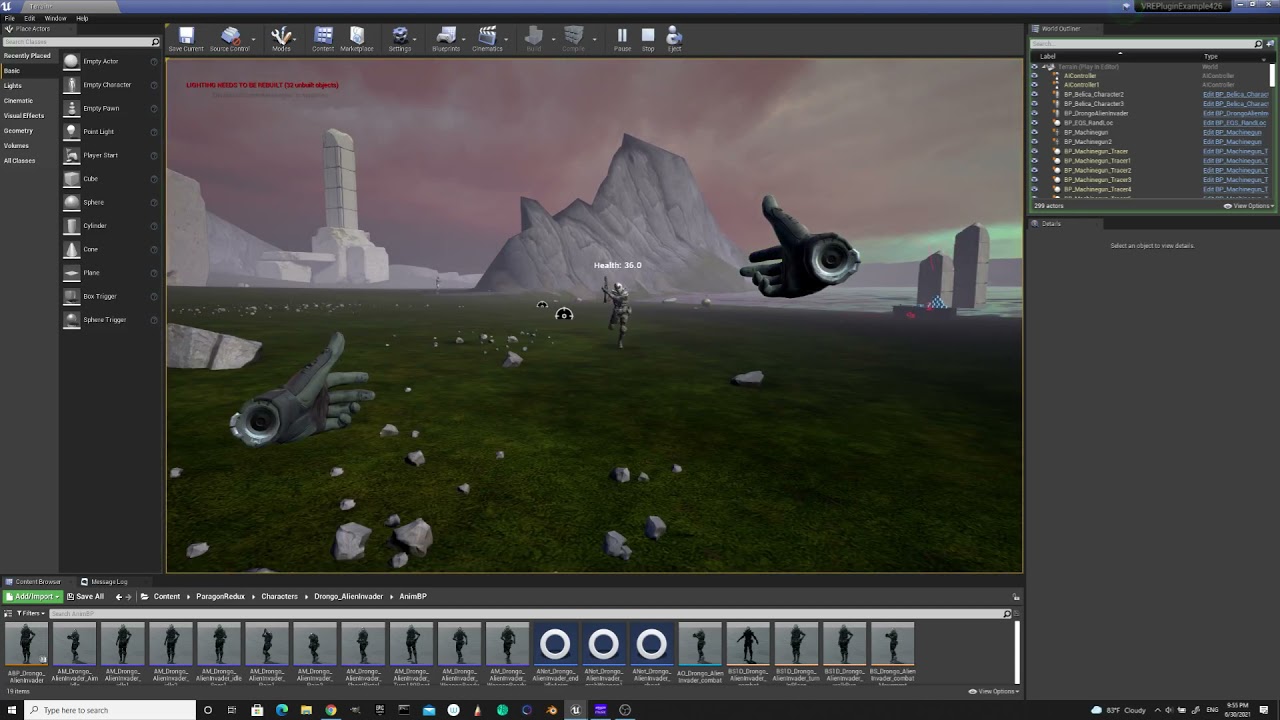
finally got NPC in pain 🙂
now I need to figure out proper way of having NPC in pain when strolling around in idle state and having him to turn in the direction of the shot (and if player isn't in sight - start searching)
stable void
I found this very good article on the "navigation raycast" node: https://paviliondv7.hatenablog.com/entry/2020/09/15/215815 it's in japanese but it can be google translated and it reads perfectly. I had a lot of issues with path behaving incorrectly and resolved all my issues with this setup and that node thought I should share


はじめに UE4にはNavigation Raycast(以降Nav Raycastと呼ぶ)というノードがあります。このノードの動作は少々癖があり自分の想像していた結果と異なることが多々あるため、一度Nav Raycastノードの動作を整理してみようと思いこの記事を書きました。 はじめに Nav Raycastとは Nav Raycastの動作検証 検証方法 検証1 : A地点B地点ともにフロアに配置 1-1 : A地点とB地点の間に障害物無し 1-2 : 障害物有り 1-3 : A地点とB地点を障害物で分断 1-4 : A地点とB地点を地形で分断 検証2 : A地点はフロア、B地点は高台に配…
misty wharf
stable void
I found this very good article on the "navigation raycast" node: https://pavilio...
Interesting, what are you using nav raycast for? I can't really think of a lot of uses because it seems more useful to know whether you can navigate somewhere regardless of whether there's obstacles in the direct path 🤔
simple crest
Calculating dodge or roll paths is the most obvious example
Also likely any kind of steering behavior that isn't just character movement
misty wharf
Ah
Yeah makes sense for dodges and such, I guess it'd be desirable in some cases to not have them dodge out of navmesh
stable void
misty wharf
Interesting, what are you using nav raycast for? I can't really think of a lot o...
Here you can see the improvement in path creation for my project, every kink is ironed out
 wraith anvil
Adding senses on c++ construct on the AIC like this is giving me "Graph is linked to private object(s) in an external package. External Object(s):...." error everytime now iw ant to save my AIC Blueprint
    if (UAISenseConfig_Hearing* hearConfig =
        NewObject<UAISenseConfig_Hearing>(this, UAISenseConfig_Hearing::StaticClass(), TEXT("UAISenseConfig_Hearing")))
    {
        hearConfig->HearingRange = 2000.0f;
        hearConfig->DetectionByAffiliation.bDetectEnemies = true;
        hearConfig->DetectionByAffiliation.bDetectNeutrals = true;
        hearConfig->DetectionByAffiliation.bDetectFriendlies = true;
        PerceptionComponent->ConfigureSense(*hearConfig);
    }
if i move it to the OnConstruction it's fine but i really prefer it on the construct to be able to change values on the details panel
CreateDefaultSubobject works
misty wharf
I recall having that error with something but I don't remember what made it go away... maybe ask on #cpp since it's more about that than AI specifically and there's probably more eyeballs on that channel
 cosmic sapphire
Hello. I was wondering how I could combine AI (behaviour trees, blackboards) with a player character. Like, when the player is at a certain variable level it moves to a location on it's own (as a basic example). I'm hoping to be able to use Behaviour Trees, as I think they make AI work much easier. Cheers! 🥂
misty wharf
the same way as you'd do it with any pawn
well, I think AI controllers come with the blackboard and brain components by default, so with a player controller you'd probably need to add those into it manually
but besides that I think it should work the same way
cosmic sapphire
I tried it, and it didn't work. I'm pretty sure I did everything right.
misty wharf
What was the problem? Did the behavior tree not run?
cosmic sapphire
Not sure. When I used the same Behaviour Tree, Blackboard and AI Controller for a non-possessed character; it worked. But when I did the exact same thing with the player, it didn't do anything.
misty wharf
You would need to add the BT and BB into the player controller, since the player controller is already possessing the player pawn
they are both components you can add into it
cosmic sapphire
I don't think I have a player controller. I don't actually know what a player controller is.
misty wharf
How are you controlling the player pawn currently?
cosmic sapphire
Via a Character Blueprint and a Game Mode.
Oh, wait. I do have a Player Controller.
cosmic sapphire
Hmm, it still doesn't seem to work.
misty wharf
You need to be more specific about which part of it isn't working and how :)
cosmic sapphire
Oh, sorry, right. I don't usually ask for help online, so I might be a bit of a help vampire, sorry about that. Basically; I added the Behaviour Tree and Blackboard component to the Player Controller and the "Play Sound" task in the Behaviour Tree isn't triggering.
misty wharf
Did you add the appropriate BT and BB as the defaults in the component's settings?
cosmic sapphire
Yes.
misty wharf
Hmm
Try calling Start Logic on the BT component
I'm not sure if it starts automatically
 cosmic sapphire
I wonder why it's not working for me, then.
It works with the ai blueprint. (Test blueprint I made to determine whether the problem was my character or not.)
misty wharf
Maybe try setting a breakpoint in your BT and see if it shows up in there?
I just had a basic BT like this and saw it was running
 cosmic sapphire
I think it's something wrong with the PC_Player. I used the PC_Player on the ai blueprint and the sound no longer triggered.
misty wharf
I just set it as the default player controller
cosmic sapphire
Hmm, I did too.
misty wharf

on the BT and BB, I set the default BT and BB values to the ones I got
and set it up like so
 cosmic sapphire
I did too. BT_Player and BB_Player.
misty wharf
That's really weird 🤔 I wonder why it's not working
If you open up the BT while your game is running, does it light up?
eg. it should look something like this to indicate that it's active
 cosmic sapphire
Yessir.
misty wharf
Oh it lights up? Then it should mean it's working
cosmic sapphire
I think it might be something to do with the PC_Player being unconnected to the BP_Player for some reason. I have it set as the player controller, and I have the mouse cursor set to true at the start of the game (via get player controller), and the mouse no longer shows.
misty wharf
Ah, could be... although if you have default pawn class set to BP_Player, and player controller class set to PC_Player, it should automatically spawn the BP and possess it using the PC
If you're trying to move the BP from the behavior tree, it's possible it might not work unless you have a path following component and maybe some other things on it
 livid solstice
Hi there! Sorry, a bit of a newb when it comes to this sort of thing, I'm using the behaviour tree as a dialogue system but for some reason, when I run it a second time it doesn't properly execute the graph, am I missing something?
cosmic sapphire
misty wharf
If you're trying to move the BP from the behavior tree, it's possible it might n...
No, just trying to play a sound.
livid solstice
I've added a breakpoint to check if the behavior tree is running here

it goes through the breakpoint but doesn't go through here

it's also definitely referencing this graph
misty wharf
cosmic sapphire
No, just trying to play a sound.
Using the default Play Sound node or something else?
cosmic sapphire
misty wharf
Using the default Play Sound node or something else?
Yes, the default one.
misty wharf
It looks like that one expects the controller to inherit from AIController
That might be the problem
it doesn't look like there's any real reason for it to require an AIController as the parent, it just does :P
stable void
any way you can trace to a nevmesh and know it's id?
cosmic sapphire
stable void
any way you can trace to a nevmesh and know it's id?
I don't know. I'm not very good at AI, sorry.
misty wharf
livid solstice
it goes through the breakpoint but doesn't go through here
Does it trigger the breakpoint you have in the BT?
livid solstice
ah it seems to but only goes through close window
I thought the graph would reset if one were to run it again?
is there a way of resetting the graph?
sorry if I'm explaining myself poorly, the first time round, the graph goes through speak and close window, the second time round, it only goes through closewindow
misty wharf
I think if you try to start the same BT asset, it will not start it because it's already running
so you might have to stop it before starting it again
there's a function StopTree on the Behavior Tree Component which might do the trick, but I haven't really tried restarting trees so not sure
livid solstice
thank you! I'll check it out later!
livid solstice
@misty wharf yeah I can't seem to access it through BPs
misty wharf
if it's an AI Controller it should be available in there but it's called Brain
if it doesn't have StopTree, do a Cast to BehaviorTreeComponent
 misty wharf
Yeah that should work, looks like it just calls StopTree internally
 wise iris
Stopping and starting the brain component seems to destroy the services that ran on the BT, is that normal?
I have a service on the BT that is active for the duration of the AI's life
That has a certain state, with data that I don't want to be wiped
Is there a way to "freeze" the bain, instead of effectively recreating it?
 misty wharf
Claim Resource?
wise iris
Ohh 🤔
 misty wharf
Claim Task Resource is it I think
if you claim the Logic resource it should freeze the BT
wise iris

It needs a gameplay task 🤔
AH!

This one you mean, nice!
Hmm...it still seemingly ticks

It actually exists 😆
But not in blueprint 😆
GG
misty wharf
Hmm, they might tick I guess but it should stop the BT from doing any further things at least
I'm not sure if PauseLogic will actually stop services from ticking because that's what locking the brain component does
ie that's what gets called when you do Claim Task Resource AIResource_Logic
wise iris
{
    UE_VLOG(GetOwner(), LogBehaviorTree, Log, TEXT("Execution updates: PAUSED (%s)"), *Reason);
    bIsPaused = true;

    if (BlackboardComp)
    {
        BlackboardComp->PauseObserverNotifications();
    }
}
Hmm yeah 🤔
wise iris
misty wharf
Hmm, they might tick I guess but it should stop the BT from doing any further th...
The whole BT still ticked though
Not the individual services, the tree itself
Was odd....
misty wharf
Hm, I'm pretty sure I've used that and it wouldn't execute any further BT tasks until it was unclaimed
It won't freeze whatever is currently active, but it shouldn't start any new tasks
wise iris
Ahhh yes!

It just visibly shows where it stayed
But it doesn't actually do anything anymore
Cheers zomg, saved the day 😄
misty wharf
Yeah I wonder if that's a bug(?) in UE5 since it looked like he was using that from the other pics :D
 normal mist
Hey folks, how can I get a sequencer to pause/repeatedly execute a task until a condition is completed, in a similar way to "move to" is done?
(I have my own version of "move to" that returns true if the move has been completed)
misty wharf
Have you tried conditional loop or whatever the decorator is called?
normal mist
Here is my attempt:

TaskGoToLocation returns false when it hasn't reached the location, so the sequence goes back and generates a new random location - which I don't want it to do
I just want it to stay at TaskGoToLocation until it returns true
normal mist
misty wharf
Have you tried conditional loop or whatever the decorator is called?
I'll try this!
I think that works, thanks @misty wharf 🙂
hmm, actually it just seems to execute TaskGoToLocation once as opposed to repeatedly
 misty wharf
It should loop until the value is set to true, so that would suggest your task is setting it to true if it starts as false
wise iris
misty wharf
Yeah I wonder if that's a bug(?) in UE5 since it looked like he was using that f...
Probably because of Darker Nodes
cc @lyric flint
misty wharf
ah
granite robin
Can someone help me understand how AI cars nagivate on splines in references to the tangents - I'm having a terrible time of getting the things to turn right - when it is working 'realistically' they turn like battleships - if I want to make them actually complete the turn, I can set their steering angle to really high like 180 and they will make the turn just fine, but it looks really weird, like they go to a point and pivot on it
That's with a steering angle of 75
and the speed is really low so the steering curve shouldn't matter
See how it just doesn't make the turn
Why is it taking so long to even out?
Steering Angle at 140
 thin stag
need help understanding how to make my AI react to Telekinesis attacks with physics. i want to be able to pick up my AI enemys with a telekenisis attack anc have them try to fight it as their being controlled. at the same time i want my AI to get "hit" by projectiles thrown by the player. im willing to pay somone for a few hours of their time. been stuck on it for months and im loosing hair.
Dm me if u can help, please
trail python
Would it be considered a bad idea to give AI Characters a player state?
thin stag
thin stag
need help understanding how to make my AI react to Telekinesis attacks with phys...
will pay hourly for help on this
 shadow vortex
I'm looking for a tutorial if anyone can point me in the right direction. I need a security camera that ai controls. I've used pawn sensing but I can't tilt sight radius.
 mint terrace
so previously I had trouble with behavior trees and null actor references. It causes the game to entirely crash, with not the clearest stack trace. I solved that issue once I knew what it was but now I'm in another boat, with packaged game giving a crash at
Game!FBlackboardEntry::operator==()
Game!FBehaviorTreeInstance::ExecuteOnEachAuxNode()
Game!UBehaviorTreeComponent::TickComponent()
...as the trace. My question is, is the best way to handle this to debug from VS every time? Is it normal for AIModule to go ahead and crash when mistakes are made?
I'm struggling to think how operator==() would generate a crash except that the pointer itself is whack, and here I get 0x0000000000000053 as the address of the access violation
seems to be pretty normal to get wonk pointers out of unreal when things go sideways (am way more used to a null pointer or a use-after-free with a valid memory address, rather than something extremely low in the address space)
misty wharf
That vaguely sounds like attempting to read a nullptr, if it comes off a BlackboardEntry == that sounds like it could be a decorator that attempts to do it or a BT task
But not sure as I haven't ran into that issue myself
Anyone have any idea if there's some way to see if AI perception is being time sliced currently or not? I know there's stat ai but it doesn't really say if it's being time sliced right now
mint terrace
misty wharf
That vaguely sounds like attempting to read a nullptr, if it comes off a Blackbo...
Yeah, but it's not actually a nullptr, so there's weirdness
mint terrace
misty wharf
Anyone have any idea if there's some way to see if AI perception is being time s...
Wouldnt AI perception always be running?
misty wharf
it is but if it takes too long it gets timesliced, which can be configured from configs, but it'd be nice to know if I need to adjust it or not since it could also be something that is worth optimizing instead of allowing it to take longer
mint terrace
Unreal Insights might let you understand better how much time is taken there
either that or Dev Tools -> Session Frontend -> Profiler
misty wharf
yeah might be worth trying it I guess, stat ai also gives you a breakdown of how long it takes but it's just a bit less convenient than if it just told me "you're being timesliced because you're being slow" lol
mint terrace
its best to not pre-optimize-- fix the perf when its a problem
if the profiler doesnt say its a problem, its not
at least until youve had some battle scars on past problems 😄
 junior quest
Hey guys.
I have multiple characters using this section of behavior tree and it happens that when AI characters are grouped in one position, they can't get past each other as the characters are not affecting navigation. Is there an easy way for characters to affect navigation, so the characters wouldn't get stuck when finding new position?

 ember epoch
Hi everyone 🙂
I'm new to Unreal and I've got a question about AI Perception.
I have my enemy-character spawning in a random position around my player character, which works just fine. Now I gave it AI Perception, to check if it can see my player or not. That part works basically, but when the enemy spawns in a place, where it can already see the player, it doesn't recognise. The player would have to get out the field of view and back in. After that, it works just fine, so I think I got the rest of it.
I guess, that the problem is, that there is no update right after spawn... Is there a way to force an update right after spawn? I tried 'Request Stimuli Listener Update', but that didn't help
Hope someone can help me 😄 And I'm sorry for any errors in language, i'm not a native speaker 😅
mint terrace
ember epoch
Hi everyone 🙂
I'm new to Unreal and I've got a question about AI Perception.
I ...
could you disable perception on the enemy and then re-enable? if that doesn't work you could change the view cone to zero and then back
misty wharf
What are you using to detect when the perception detects the player?
mint terrace
mint terrace
Yeah, but it's not actually a nullptr, so there's weirdness
oh its an offset of nullptr, thats gotta be it [guess i just needed to sleep on it]
 vast sluice
I’m trying to make an AI that’s able to cut off the player (basically predicts where the players gonna go instead of just going to the nearest path), is there any documentation or tutorials that explain how to get started with doing that?
atomic badge
vast sluice
I’m trying to make an AI that’s able to cut off the player (basically predicts w...
You could just get the forward vector of the player and then decide a distance from the forward vector you'd want the AI to walk to
ember epoch
misty wharf
What are you using to detect when the perception detects the player?
I'm using 'on target perception updated' to identify when the perception detects the player. That part works just fine, but not right after spawning
misty wharf
Odd, it should definitely trigger it even when spawned
If you have a print directly from it does it not print? I'm wondering if the logic you have in there is just not working as expected in the just spawned situation
ember epoch
checked it again - nope, doesn't print directly after spawning 🤔 but if I understand you correctly, it should, right?
it works afterwards, so the logic itself should be okay, i think

thats what i've got in the AI-controller
BP_char... is my player character, who has the stimuli source and imp is my enemy, which has the perception and the used blackboard
misty wharf
Yeah pretty sure it should work 🤔
There's a function called get actors stimulus or get actors perception or something like this
which gives you the currently perceived info for a specific actor, if any
maybe try calling that after a small delay in begin play to see if it's registering anything at all?
ember epoch
did that. return value says 'false' 🥲
when i put it right after the target update, it returns true. But it still needs my player to get out of and back in to the view, to set the bool right
When I raise the delay to 2 sec, it gives out true, but it still doesn't seem to work as intended
misty wharf
If you just wait for the two seconds without moving out of sight, does that make the AI actually perceive you?
Or is it just that it returns true?
ember epoch
nope, just returns true, I wasn't moving. If I lower the delay, it returns false. So I guess, maybe something is happening at the same time, that interferes with my perception maybe?
ember epoch
no, I'm trying this out in a Debug-level in the moment. It's just that one enemy and one player. And the player is the only one with a stimuli source
misty wharf
okay, I just thought that the delay sounds a lot like what happens when perception is timesliced due to it taking too much time, but it shouldn't happen with just one
junior quest
What if you try to create a dummy AI controller with perception component from scratch, bind function to OnTargetPerceptionUpdated delegate, connect it to the character.
Does it work then? If it does, try to build up from there and see at which point it fails to work.
Just trying make the problem as small as possible, maybe you can figure out what's wrong on the way.
ember epoch
okay, so by doing everything step by step, as you suggested and printing every little bit, that happens, I found out, that the controller doesn't get the blackboard on the first update and therefore won't set the bool right. but why does it get it afterwards and not the first time?
I'm so sorry, that I'm asking so much stuff, that probably should by easy 🥲 I feel like crying rn. Stuff just doesn't want to work the way I want it to
misty wharf
Hmm
Not sure but it's possible that the perception update runs before you start the behavior tree
ember epoch
oh, that's possible. So I should be able to deactivate perception, start the behavior tree and activate the perception. Gonna try that
junior quest
Don't worry about asking questions, it is encouraged. How do you start the behavior tree?
Btw, did it work with the dummy controller or it's the same?
ember epoch
I used the same controller
seems to be working now
I changed it, so the perception starts disabled and gets enabled right after 'run behavior tree', where I set a blackboard bool, that checks if perception is enabled, so that nothing runs before that
That seems to do the trick 😇 thank you guys so much, I would have probably thrown my pc out the window by now, without your help
misty wharf
You know it just randomly occurred to me, but I don't think it's possible to add comment nodes into Behavior Trees... except by pressing C when you have something selected 🤔
there's literally no option for it anywhere but pressing C does work lol
ember epoch
that confused the hell out of me, when I started to work with unreal. Everyone had comments in their behavior trees, but I couldn't figure out how, until someone randomly mentioned that 😂
misty wharf
I think by the time I was looking into BT's I had already found out about that button so I never even looked for any other way to do it :D
ember epoch
I'm learning so many programs and stuff at the same time, I forget most shortcuts, if they aren't the same across programs, so I mostly use the right-click dropdown for things like comments 🤓
misty wharf
yeah I wish they could at least standardize movement controls in tools like Blender and such so they wouldn't all work differently
 lusty egret
hey, simple question here, I don't figure why it doesn't work, I feel like this is related to AI more than bp since it's about Navigation.
I am spawning some static mesh on my map (by using add static mesh comp) and I move them at a specific location, but the Navigation doesn't update, so my AI are getting a bit dumb, if you have an idea let me know 🙂
misty wharf
you need to set navmesh generation to dynamic if you want it to update on the fly, it's in project settings
lusty egret

 misty wharf
yep
lusty egret
you are right, ahha I knew it was dumb thank you
vast sluice
was looking at documentation for AI prediction was guessing the node you would use for this is Request Predict Pawn Prediction but the For Each Loop just fails, anyone know if im using the wrong node or doing something wrong?
 stiff gale
So my AI attacks with an animation with multiple hits. The AI face the direction, moves to the target then attacks. So sometimes during AI melee animations if the player moves away, the AI while playing melee animation moves as well. Any idea what's wrong?
mint terrace
@stiff gale sounds like the moveto is continuing to execute while the montage is executing
most probably you have a BTTask that is marking itself complete immediately, instead of waiting for the montage to complete
ember epoch
stiff gale
So my AI attacks with an animation with multiple hits. The AI face the direction...
Had something that sounds similar before. Make sure, you interrupt the animation, when it moves to your player. That'S what happened in my case - forgot to do that
And I stop movement, when my enemy is attacking
mint terrace
yeah you could use notify states to block movement during the attack, but that requires putting that notify state in all such animations
typically the BT Task responsible for attacking is active or the MoveTo is active, but not both
if you need to interrupt the walk or travel animation once the AI reaches the player, that makes sense
but once its there, that MoveTo task should be complete, and now its the responsibility of another Behavior Tree leaf node to do the attack, and it should remain active while the attack is running
ember epoch
For me it was that the animation was still rolling, when the BTT to move was active. So I had to end the animation, when my enemy is not attacking and the move to node started. Fixed it for me 🙂
mint terrace
yeah that makes sense especially if the animation for attack continued looping and the bttask for attack said it was done already
if you drive it on montages though, you just pull the Finished pin off to the Done node of the BT Task so it's harder to run into that issue
unless your using gameplay ability system in which the game play ability is connected to the activate ability node bone, the activate ability node bone is connected to the montage bone (:-P)
(sing in nursery rhyme mode for best effect)
ember epoch
Aaaaand that's where you completely lost me 😂
mint terrace
lol
ember epoch
I'm not that good yet xD
mint terrace
it's the neck bone connected to the... shoulder bone... the shoulder bone connected to the.... arm bone...
awww never mind it wasn't funny
ember epoch
oh, I'm so sorry, I'm not a native english speaker xD those songs aren't always present in my brain
mint terrace
fair haha
no but ideally the goal is that behavior tree is in charge
but you have to tell it when things complete so it can remain that way
 lilac ginkgo
Hey guys! For some reason my Nav Mesh doesn't work on this level...

The yellow box is a Nav Mesh, and this monster's AI doesn't work!
 misty wharf
What's the thinking on "general purpose" blackboard values? Anti-pattern or useful?
Like I have something that I want to loop until a condition is met, sure I could add a boolean for this specific thing into the BB but it seems I might need to have other loops with similar conditions elsewhere
mint terrace
lilac ginkgo
The yellow box is a Nav Mesh, and this monster's AI doesn't work!
hit P in the editor to show the actual navmesh that it generated
it will be green where the navmesh is
mint terrace
Curious for crowd avoidance what people are using these days. I previously built an EQS query based rerouting solution, but there is also dynamic navmesh rebuilding and others. Any suggestions for what has worked for folks?
(found my EQS system was broken as I turned it off for a test and now figure i'd see if the options have improved)
lilac ginkgo
Anyone know how can I fill this part with Nav Mesh? It's not covered for some reason
 mint terrace
lilac ginkgo
Anyone know how can I fill this part with Nav Mesh? It's not covered for some re...
mint terrace
lilac ginkgo
Anyone know how can I fill this part with Nav Mesh? It's not covered for some re...
its probably the trigger misconfigured on collision and or Area Class
if you just remove it temporarily or move it up on Z above the floor does the navmesh fill in?
if thats not it, then what are the bounds of your nav mesh volume(s) ?

 mint terrace
lilac ginkgo
The Nav Mesh is... big
mint terrace
lilac ginkgo
The Nav Mesh is... big
taking stabs in the dark here, but that wall with the door hole in it, is it one mesh? have you walked a character pawn through that door hole when playing? in order to be considered for navmesh generation, a collision component must be configured with Pawn set to Block, and perhaps more obviously, (if it is a single mesh and) there is an issue with its simple collision that prevents a pawn from being able to walk through, that is another reason
you could also try just sticking another (small) navmesh volume over the gap and seeing if the navmesh fills in
you can also do Build -> Paths to force navmesh to rebuild in case its just stuck
 gritty leaf
Hey guys, have a question. Is there a way to get the current behavior tree from AI controller in BP?
mint terrace
gritty leaf
Hey guys, have a question. Is there a way to **get the current behavior tree** f...
yep

you mightve missed it because BehaviorTreeComponent is just a subclass of BrainComponent
and its technically "the Brain"
one gotcha though is to get the actual tree it is not exposed to blueprint
because that would be too easy
UBehaviorTree* GetCurrentTree() const;
Thanks @mint terrace !
mint terrace
(thats on UBehaviorTreeComponent)
gritty leaf
What I want to do, I want to query running BTTree and save as default Tree, then change Tree on AI controller to something else. And then assing back that saved in default variable
But that gives me UBehaviorTreeComponent, where function runBehaviourTree is expecting BT asset type
mint terrace
well there is this
 gritty leaf
Amazing! Thank you so much for the help!
mint terrace
like i said, the behavior tree component has a GetCurrentTree() method but its not available in blueprint. Personally I would just save the behaviortree* asset im setting on the component to a variable so i can reference it later
so i spent the evening (re)looking at RVO, Detour and EQS options for pawn avoidance
RVO is kind of terrible but it does work, Detour really does seem somewhat broken, and EQS I have an impasse about how to succesfully* implement
gritty leaf
Thanks man!
mint terrace
couldn't find any decent third party / marketplace options [well actually couldnt find any such options at all, good or bad]
 wary ivy
I think the crowd manager does work somewhat
misty wharf
I don't really see how EQS would be used for pawn avoidance unless you use some method where you plot points and then run a test which checks for collisions at each point
which seems like not very useful if the pawns move around
 cold trout
Is it like, wait for a pawn collision, run a eqs for an avoidance location, pause brain, do a simple move to, resume brain, like that?
misty wharf
I guess in theory it could work if it's biased to the right for example so if both of them try to avoid they wouldn't keep bumping into each other
I'm using crowd avoidance in my game which seems to work ok
junior quest
I wonder how this was done. Looks really great - https://www.youtube.com/watch?v=v_unGig3FfU&ab_channel=pallyqle

Just showing how it looks in the rts project
misty wharf
 junior quest
Oh I see.. What about the situation in the video when the units navigate smoothly around the enemy units group?
misty wharf
My guess is they have some kind of nav obstacle thing on them
you can do pathfinding such that it has a specific nav filter, and the nav filter can be set to avoid certain nav areas
so one team has a filter that avoids the other team's nav areas and vice versa
at least I think that would be one way to do it, not sure if that's what's being used here
 midnight light
Hi! Any one who can help me here with BT ? I am using this tuturiol https://youtu.be/X5l0u7M-ILo and my sequncel is jaming and the problem is probabaly here
This episode begins to add the chasing behaviour to the AI, allowing them to see the player and chase them using the AI perception system.
Support me on Patreon and get access to videos early, join our developer community on Discord, get exclusive behind the scenes videos on my projects and much more over at https://www.patreon.com/ryanlaley.
...
How i understand cast to third character is my character, in my case Character_BP
 mint terrace
wary ivy
I think the crowd manager does work somewhat
mint terrace
wary ivy
I think the crowd manager does work somewhat
i did a simple test where it didn't work but the rubber duck effect JUST kicked in. I was lazy, and to avoid making a bunch of "obstacle" people that didn't move I scaled them up instead. But this wouldn't work because their pawn capsule radius would become bigger than max agent radius in crowd controller! I will do some more tests with it and see if I can get it working without that dumbness
the moving character tried to wedge themselves between two of the characters and got stuck. Will report back, I do hope detour can work as it's clearly the most sophisticated option
And yes as discussed above I too have a hard time figuring out how I could really get EQS to handle it
misty wharf
I wonder if there's some particular reason why looping BT decorators don't abort if the subtree fails 🤔
It seems that would be a convenient feature to have on them...
mint terrace
misty wharf
It seems that would be a convenient feature to have on them...
isnt Blackboard Condition the only one that has Aborts Lower Priority anyway? You can just put that on the same node as the loop decorator yeah?
i think the Conditional Loop one should have this though
it is effectively a blackboard query
but then again, what value of a number BB entry means "abort" never mind its a truthy/falsey interpretation of the BB so yeah itd be nice
but if you're looking for a reason, id say its because you can just do it by also adding a Blackboard Condition decorator
misty wharf
yeah for simple cases that probably works
it would be kinda useful if it could handle failure similar to sequence and selector have their failure handling behaviors
for example if you wanted it to abort if a node in the subtree fails
mint terrace
you can still accomplish that with the pieces that are there though
mint terrace
ok i got a chance to scale my obstacle characters down
i cant say that detour ai controller is doing any better


 stone walrus
How can I make my ai understand to use elevator to go to up stairs
 charred lava
Inside by Behaviour tree, how can I prevent a Task from being aborted?
I want that the Task finishes and the abort.
mint terrace
yeah so back to square one on crowd avoidance, detour is broken, rvo is laughably bad and EQS can't solve it either :-(
misty wharf
mint terrace
you can still accomplish that with the pieces that are there though
I suppose, it just feels messy to have a bool on your BB and then having a selector with the task that can fail, and a custom BT task to set the bool to true in the other branch in the selector to trigger the abort based on it when the task fails :D
misty wharf
stone walrus
How can I make my ai understand to use elevator to go to up stairs
You could probably do this using smart navlinks so that the smart navlink exists in the bottom of the elevator and top, so the AI walks into it, then is manually moved into the elevator, triggers the elevator, and then walks out once up. Probably not super straightforward to do but it should work
the biggest issue with that could be how the AI goes into the elevator since you can't trigger a second navigation movement while you're navigating a smart link or it'll lose track, so you'd have to manually move it without navigation
it's not that hard to do, so as long as you don't have any obstacles in the elevator for the AI to avoid
misty wharf
charred lava
Inside by Behaviour tree, how can I prevent a Task from being aborted?
I want t...
You could probably create a custom task which overrides Receive Abort AI and just finishes its task before calling Finish Abort
I'm not sure if there's some timeout that forces it in aborting, but if not that should work
charred lava
misty wharf
You could probably create a custom task which overrides Receive Abort AI and jus...
Thanks zomg, I try that
flint trail
any idea why it goes all violent in-game, while in PhAT it seems to fall as expected (not as "dramatic" as in game) ?
lilac ginkgo
Hey guys! Got something to ask yet again 😄
So, I've got this door in a room. When player overlaps the trigger, these doors start to open. After it opens enemies should spawn right in the room behind the door

But my Nav Mesh has a hole right there, which makes enemies unable to walk to the player
 misty wharf
Either change navmesh runtime generation to dynamic, or disable "affect navigation" on the door mesh
lilac ginkgo
It still fills after the door opens like that. But the problem is that it doesn't fills in game itself
 lilac ginkgo
misty wharf
Either change navmesh runtime generation to dynamic, or disable "affect navigati...
lilac ginkgo
misty wharf
Either change navmesh runtime generation to dynamic, or disable "affect navigati...
Lmao... it was THAT simple?
misty wharf
Hopefully :)
lilac ginkgo
Yooo, it works now! Thank you SO MUCH!
 fresh remnant
Is there a default way to make Detour Crowd Sim participate in doing network movement predictions? Or is that not a thing?
 quaint terrace
how do you pick a random location that is still inside teh navmesh?
For example I have my AI move to the player location. When the AI loses sight of the player, it moves to the last known player location. After it reaches this last known location, I want it to pick a random location in the direction where the player was last seen moving but that is inside the navmesh.
night thicket
quaint terrace
how do you pick a random location that is still inside teh navmesh?
For example ...
There is a node for that. Get random point
quaint terrace
night thicket
There is a node for that. Get random point
could you explain how I call that function from my custom AAIController class in C++?
Which of these classes is the one I call GetRandomPoint from how do I get a reference to that class from my AAIController ?

 dense arrow
for some reason i cant get the ai to contuie moving after a level is loaded via the menu blueprint, however i can makie the ai move if i open the level directly

 verbal violet
Hi, I have a problem when using Launch Character for my AI character knock-back, it always launch character in up direction, ignore x and y completely. I've already draw vector and it is correct, but launch doesn't works on proper way? Any sugestions?
glossy spire
Hey folks, I need to develop an AI system that can be fully serializable. Any suggestions?
mint terrace
dense arrow
for some reason i cant get the ai to contuie moving after a level is loaded via ...
the problem isnt going to be in the Open Level part -- is the AI moving before the level loads? Is it that the AI cant move when the level is loaded this way?
mint terrace
verbal violet
Hi, I have a problem when using Launch Character for my AI character knock-back,...
if you remove the Z part of the vector when sending it into Launch Character, does it not move at all? Show the source of the input to Launch Character, are you using a collision normal or impact point or...
mint terrace
glossy spire
Hey folks, I need to develop an AI system that can be fully serializable. Any su...
If you need to save the state of your AI system, then record the state of the character (position, rotation, velocity, custom state) and save the state of your black board
That's about as far as you can go without getting pretty technical
If your intent is serializability for multiplayer, use replication instead
glossy spire
Thanks yeah, I'm thinking i might have to write my own BT type system, since I need to recover as close to perfect as possible
this is just for single player luckily
mint terrace
But a behavior tree is evaluated per step other than leaf nodes off a single condition
quaint terrace
what determines the tick frequency of BT services? this one says every 0.4-06 seconds
 glossy spire
I might have made a mistake by having fairly long sequences for my character abilities
mint terrace
glossy spire
I might have made a mistake by having fairly long sequences for my character abi...
For that you should instead use montages, the ability system, etc
(bear in mind, it might not be right for you)
(the capabilities of these systems are just tools after all)
If you are just making a multiplayer game without any special considerations, then replication will do well for you, and tbh the Gameplay Ability system has deep networking support to allow prediction and other things, but its expensive on the network layer
glossy spire
I wonder if Gameplay Abilities would save easily
mint terrace
why the need to save in the middle of an ability?
seems odd, most game saving happens during "islands" devoid of active gameplay actions
glossy spire
For example, lets say an ability makes the character leap towards you over a long-ish distance, while in an animation stance
in-between the char might be in a bad location
like over a gap
so it would be a pain to load at that point
mint terrace
well would a player pause while they are over the gap and manually save, or would you be doing an auto-save over the chasm
mint terrace
thats fine, is it your fault if the player manually saves over the chasm and then loads it?
most games that allow save anywhere that are concerned about this gray out the save option unless you are grounded
you could do the same
mint terrace
right, and if you are going to auto save at a set point, well you just don't put a trigger volume over a chasm :-)
glossy spire
Yep, I like that idea. Thanks 🙂
mint terrace
you could also make the auto save check for groundedness and bam
play testers never mad :-P
glossy spire
Yeah, I'll have to work in a bunch of conditions, but that would save me SO much headache restoring the AI states
 vale rock
I’m trying to make my AI take some shorter ways in the TP-template map using Nav Link Proxy. I have set it up like this and the Link Direction in the details section is set to Right to Left.. If I stand on the plateau when the AI sees me he runs to the left proxy trying to go the right one.
I’ve tried changing the Direction with no avail.. Why is this happening? I just want the AI to be able to walk off ledges..
 mint terrace
vale rock
I’m trying to make my AI take some shorter ways in the TP-template map using Nav...
mint terrace
vale rock
I’m trying to make my AI take some shorter ways in the TP-template map using Nav...
there is Simple Link and Smart Link. You have probably set the direction on Smart Link. Instead, go to Simple Link -> Point Links and change the direction there and disable Smart Link is Relevant
when you do it right the arrow between your simple link points should be one directional like this:

also highly advise using P to show navmesh when working with nav links and other navmesh primitives
smart links are used when you dont just want to push the AI off the navmesh from start point to end point automatically (for instance if you were implementing ladders, or doors, etc)
 lilac solstice
Hello everyone, is anyone fairly solid with how AI interacts with NavMeshes? I am encountering a very strange issue when working with my dynamic navmesh and how my NPCs react to things.
In my behavior tree, I have a few different occurrences and most work properly (The numbers below are in lowest priority to highest priority).
- My NPCs will patrol around until they perceive me, thus designating me as "TargetActor"
---- My Perception Updated will only set the "TargetActor" if my status is not "Dead" - They will then chase me (after some decorators to ensure "IsDead" is not set, "TargetOutOfChaseRange" is not set, and that TargetActor is set).
---- From here, they will close melee distance with me (check that "TargetInRange" is set) and then attack
---- If at any point my character dies and has their status changed to "Dead", it will set "IsDead" from the 'TargetIsInRange' service
---- If I run away from them past their chase distance (even if that means I cross out of the NavMesh location), it will set "TargetOutOfChaseRange" - If "TargetOutOfChaseRange" is set, it will immediately clear the "TargetInRange" "TargetActor" "TargetOutOfChaseRange" and "IsDead"
---- If I run away as mentioned above, it will clear the AI and they return back to #1 assuming there is no other target in their perception - If "IsDead" is set, then it clears the values of "TargetInRange", "TargetActor", "TargetOutOfChaseRange" and "IsDead"
From a logistical standpoint, if I am being attacked and fall over dead. The NPCs immediately run off and go back to patrolling.
For testing reasons (and working on player respawn logic), I can still move after 'dying' so I noticed that after I die (and ONLY after I die), if I cross outside the boundaries of the NavMesh it will immediately cause all my NPCs to jump in the air, and stop applying any AI logic. The second I step back into the NavMesh, they return right back to patrolling.
Any thoughts on what may be causing this?
 mint terrace
lilac solstice
Hello everyone, is anyone fairly solid with how AI interacts with NavMeshes? I a...
mint terrace
lilac solstice
Hello everyone, is anyone fairly solid with how AI interacts with NavMeshes? I a...
since you have no BT logic to cause them to jump, my guess is this is coming from the animbp of the enemy characters -- check for errors there. Depending on how you set up your animbp, the "In Air" animbp state may be getting set to true, causing them to enter their "in air" animation state
while playing PIE, you can open the animbp for them, and select one of your enemy characters
it will show what animation states are active and what variables are set for them, which should help you track the problem
make sure to check Message Log for errors (while testing in PIE), if you have been testing in Standalone you wont see these unless you dig into Output Log
also note that when using actors as BB entries, you must be very careful to ensure that you Clear those actor BB entries and not just let them be null or invalid (due to the actor being destroyed)
It will crash in packaged games and possibly standalone
if you get crashes in AIModule, this is probably why
 olive crown
Anyone used either of these utility ai plugins successfully? https://www.unrealengine.com/marketplace/en-US/product/easy-utility-ai
https://www.unrealengine.com/marketplace/en-US/product/utilityai-with-replicated-weapon-stat-and-status-effect-systems
Just checking general sentiment if it is worth giving a try. I did not enjoy working with behavior trees to say the least so anything to simplify the process is a plus.
lilac solstice
mint terrace
it will show what animation states are active and what variables are set for the...
Yeah, I am not too where the jump is coming from - simply because it makes no sense for it to ever trigger. But I also noticed it doesn't always happen - but they most certainly stop moving when I leave the NavMesh. I haven't dug through the output log much yet so I'll see - tho I know there arent any errors (save for lognavigationdirtyareas yelling at me, but that seems to be when I move around the map regardless).
As for the behavior tree, it DOES seem to actively show (although a blinking line and not a solid 'DO THIS' line, the patrol functionality. Its like it gets itself confused for some reason or stops the AI process outright when I leave the area - but only after my character has died vs them)
granite robin
I've got blocking volumes in my level - should they stop the nav mesh from thinking the AI can move there? (they are walking up against the buildings like a hamster in a treadmill)
 mint terrace
granite robin
mint terrace
granite robin
press P to show the navmesh. Meshes with collision will obstruct the navmesh by default unless it has Can Ever Affect Navigation unchecked or it's collision does not block Pawn (though if this latter thing is the cause then you are not using pawn for your pawns collision which is weird)
Blocking volumes are the same as meshes for all this
granite robin
mint terrace
press P to show the navmesh. Meshes with collision will obstruct the navmesh by ...
I'm wondering just how much of a gap can be here
before the AI tries to nav to what little mesh isn't being blocked
mint terrace
I don't think that makes any sense can you send that video but with navmesh shown (P or in gameplay usually apostrophe key then number pad 0)
granite robin
also - it REALLY helps if you, you know, have a %$%ing blocking volume, you know, in there -

 mint terrace
oh hey is that a render mode that shows blocking volumes as solid?
granite robin
AFAIK it is
mint terrace
how do I get at that
 mint terrace
oh yeah spose that works
granite robin
It's confusing because it, you know, those aren't the player
I went with using a nav modifier set to null
that way I don't have to worry about putting blocking volumes everywhere
not sure yet If I want them or not, originally I was confused as hell when my cars were running into a wall and the original map maker had put them in the street
mint terrace
you shouldn't need to, all that should do is change the roof from being navigable
assuming that you mean you did it on the buildings mesh
granite robin
I could go and edit all the BP's I guess
for now I'll keep it the way it is but I very well might have to just go do that if I plan on building more levels
mint terrace
wait am I right in guessing that the meshes for the buildings do not have pawn collision enabled, and instead there is a blocking volume in front of each building side?
I could see that being useful if you were going to have inside areas in those buildings but otherwise that's a lot more tedious work than just setting up the proper collision on the mesh. But however it works it works :-)
uncut rune
Does anybody have any ideas on how to make an AI character slow down when it is approaching a nav link proxy? Unfortunately, the "Use Acceleration For Paths" option in the character movement component only seems to work when the character is approaching its destination.
 queen fjord
How do I give control of a character to the AI controller? I have a character with a companion and the player can switch to the companion. On switching I want the AI controller to take over the character the player isn’t playing as.
 river brook
how hard is it to make an ai boss battle
mint terrace
queen fjord
How do I give control of a character to the AI controller? I have a character wi...
You use the Possess/Unpossess functions of the controllers (both PlayerController and AIController). When you unpossess the companion, you must then spawn an AIController and possess it
 turbid harness
Has anyone actually managed to call UAIPerceptionComponent::GetFilteredActors() from their own code? I'm having trouble getting the code to compile, my compiler tells me this line, which isn't very useful to me: "note: see reference to function template instantiation 'TFunctionRef<bool (const FActorPerceptionInfo &)>::TFunctionRef<AMyAIController::UpdateHostilePerceptions::<lambda_d813a1cba9afcdedbeec8df61e1a3c8d>,void>(FunctorType &&)' being compiled"
TArray<AActor*> perceivedActors;
const bool bDeadDataFound = pPerception->GetFilteredActors( []( const FActorPerceptionInfo& ActorPerceptionInfo ) {
return ( ActorPerceptionInfo.bIsHostile );
}, perceivedActors );
pine steeple
there is a proper function
@turbid harness
GetHostileActors
tho i see you copy and pasted that from the function in question and remove the Simulus check
            return ActorPerceptionInfo.bIsHostile;
}, OutActors);``` should work, see no reason why it shouldntWell, it doesn't, Visual Studio refuses to compile it, with the lengthy and (to me) uninformative message I posted.
turbid harness
pine steeple
and i assume you have AIModule in your build.cs file?
Yes
pine steeple
use three ` please before and after 🙂
turbid harness
Sorry
turbid harness
'''#include "MyAIController.h"
#include "MyPlayerController.h"
#include "Navigation/PathFollowingComponent.h"
#include "../../Engine/Classes/Kismet/GameplayStatics.h"
#include "DrawDebugHelpers.h"
#include "NavigationSystem.h"
#include "VisualLogger/VisualLogger.h"
#include "Perception/AISense.h"
#include "Perception/AIPerceptionComponent.h"
#include "../../../AIModule/Classes/Perception/AISense_Sight.h"
int32 AMyAIController::UpdateHostilePerceptions( float curTime )
{
TArray<AActor*> perceivedActors;
const bool bDeadDataFound = pPerception->GetFilteredActors( []( const FActorPerceptionInfo& ActorPerceptionInfo ) {
    return ( ActorPerceptionInfo.bIsHostile );
    }, perceivedActors );

return perceivedActors.Num();
}'''
turbid harness
pine steeple
anyway see nothing wrong there, so not sure what is going on
Well, I'll do a workaround with GetAllActorsOfClass() for the classes I'm interested in and see if I can solve it later on. Thanks for looking at it!
flint trail
In my AI framework (granted I am not a great programmer, especially for AI 😊 ) I have good chunk of code related to senses in AI Controller, then I have BT with custom Tasks and I also have some code split between base character class and NPC character, mostly due to animation handling (all BP, I don't C++). I didn't want to put anything related to anim instance access to BT tasks as I want to keep it as generic as possible to be reusable with other NPCs (thus all that is in character's class).
Is it how AI Framework generally organized or is there a better approach ?
misty wharf
Sounds reasonable to me
mint terrace
yeah thats fine -- you definitely wouldnt want to touch AnimInstance from BT tasks directly- you cannot use inheritance on AnimBlueprints across skeletons anyway so short of using interfaces there wouldnt be a good way to make it work. AnimBP is supposed to reflect the state of the Character into anim variables, you shouldnt have gameplay logic there
Also of interest, I just double checked that you cannot have an AnimBP that inherits from another with a different skeleton. UE will let you do this but it doesn't work 🙂
honestly its a PITA that it doesnt, as the boilerplate variables on animBP are tedious to reimplement when you have a common character class and many different skeletons/animations for those characters
flint trail
hmm.. On PC AI works as expected, but on mobile it seems like some stuff runs ahead of BT and the order of execution breaks :/
how does one combats such issues, so that no matter the platforms AI works the same on any?
mint terrace
flint trail
how does one combats such issues, so that no matter the platforms AI works the s...
should be handled for you, my guess is you are doing something outside of the beaten path
most common thing would be frame rate and having dependencies between frame rate tick and the AI
turbid harness
turbid harness
Well, I'll do a workaround with GetAllActorsOfClass() for the classes I'm intere...
Solved it. The return statement doesn't explicitly return a bool, changing '''return (ActorPerceptionInfo.bIsHostile)''' to '''return (ActorPerceptionInfo.bIsHostile == true)''' and it will compile fine. The original expression I stole from UAIPerceptionComponent::GetHostileActors() did return a bool which was lost when the '''ActorPerceptionInfo.HasAnyKnownStimulus()''' was omitted.
mint terrace
turbid harness
Solved it. The return statement doesn't explicitly return a bool, changing '''re...
bIsHostile is a boolean already
turbid harness
mint terrace
`bIsHostile` is a boolean already
It is supposed to be used like a boolean but returning it will return an uint32 because that is what it is. From AIPerceptionComponent.h '''uint32 bIsHostile : 1;'''
mint terrace
oh lovely
turbid harness
mint terrace
oh lovely
Indeed 😀
flint trail
mint terrace
most common thing would be frame rate and having dependencies between frame rate...
Should it be automatically handled by the engine ?
 north swallow
I am having the hardest time remembering the AI behavior tree flow and flow restrictions in relation to Sequence and Selector
misty wharf
if you hover over them it should tell you
north swallow
ty
flint trail
what's the order of execution for AI system? AI Controller, then Character Actor and then BT ?
or both controller and character tick on the same frame ?
mint terrace
flint trail
what's the order of execution for AI system? AI Controller, then Character Actor...
controller and character tick on the same frame unless youve changed it
mint terrace
if the responsibilities are divided appropriately, the order that these things are run within the game tick usually isn't relevant
mint terrace
what are you seeing?
flint trail
different behavior
like, on PC Ai sees me, gets weapon out, runs toward me until it reaches attacking distance and then starts shooting..
On Quest it sees me, pulls weapon out, turns away from me and just idles there
like, in no way I have anything set up for AI to act that way
mint terrace
are you using MoveTo to go toward the player?
mint terrace
are other AI pathing operations working fine? it kind of sounds like the navmesh is messed up in the launched build
there is an option to show navmesh while playing in launched/packaged debug builds
flint trail
yeah, if I don't engage Ai just bounces between path nodes and that works exactly as it should work
mint terrace
usually apostrophe key, then zero on numpad
okay
can you show the custom bt task that has moveto?
flint trail
Quest is standalone, not running as PC VR
mint terrace
yes
flint trail
so no way I can use standard debugging practices
mint terrace
not sure if it can even have a keyboard plugged in so
im sure this has been addressed by unreal in some way (maybe)
flint trail
well, I have bluetooth kb.. I gotta try
mint terrace
but i have no idea how youd activate the gameplay debugger on it
still- id like to see that custom moveto task
flint trail
at work right now 😦
mint terrace
cool cool
flint trail
basically I just determine where to move to and do Move To Location
if AI Perception spotted player, I set target actor on BB and then BT pull that data for move to location node
the issue could be that maybe VR Camera isn't working as valid location
mint terrace
oh yeah that could be it
flint trail
I guess I'll do good ol' Print String
mint terrace
it does sound like moveto is failing
i mean you should probably be moving toward* the Character actor and not a camera specifically
flint trail
well, in VR you can't - player might be in room scale and walk to the side. AI wouldn't know that. I forgot by now the technical details, but out of the box if player physically moves in the room, Ai won't be following player
so VRE plugin offers player's class that has this issue resolved
perhaps I shouldn't use camera for AI to navigate to, only to aim at
mint terrace
i would imagine that the VR solution would just pin the player character location to the expected position in room scale mode
¯_(ツ)_/¯
i know nothing of VR
 mint terrace
pretty much
flint trail
I only know the general idea about it, but what happens under the hood - I have no clue.
maybe VR Cam gets outside of nav bounds when I stand up from the chair and is deemed unreachable by AI ?
ugh, it's certainly easier to make stuff for PC than for VR 😅
(especially when it comes to debugging)
 proper sierra
lol
 celest python
Whats UPawnAction?
celest python
I guess its kind of a workaround for latent BTTask actions, it lets you start and finish actions without manually creating bCanFinishTask and if(bCanFinishTask) FinishLatentTask(blah, success);
But I'm still totally alien to it
And it has a stacking functionality for actions
flint trail
@mint terrace yep, as I thought, VR location returns location that is outside of nav mesh bounds (especially when standing). Projected that to navigation before feeding it to Move To Location and AI seems to be working on Quest just like on PC VR.
mint terrace
flint trail
<@!138013505545568256> yep, as I thought, VR location returns location that is o...
interesting, so the location was outside of Z range?
flint trail
yep
mint terrace
yeah i guess that makes sense, its eye level etc
flint trail
half of the capsule size
mint terrace
most of the time the navmesh is used to working with capsule centered, so going to capsule location + height /2 [or 'floor' + height] might be out of range there
you might also be able to adjust that distance
might be a better general solution perhaps
on the other hands your AIs are still regular capsules
so its just introducing errors, adjusting specifically for the character and leaving the rest as is, is sensible
well, glad its working! 🎉
that is a good case of XY problem
came in wondering what the ordering behavior was between components in a tick, left with "my vector is too far from nav mesh"
though you did better than most do on XY problem situations
usually its like "im trying to build a C++ component to force the navmesh to recompile on demand from a behavior tree task, why doesnt it work?"
anyway, best of luck, hang around, share how its going 🙂
flint trail
thanks 🙂
 raw pawn
Is it possible to select which areas of a navmesh are generated as an individual grid and which grids are connected based on parameters from before navmesh generation? I want to have random Box A and random Box B that may overlap at an angle but have individual navmeshes and disconnected grids.
opal rain
Hello! I am using a Rotate to face BB entry task on my AI, how could I add turn in place animations on this point? Or should I do something else to achieve a rotation to the player with animations? Thanks
Another question, is there a way to add an ease in / ease out with a move to task?
 dull loom
Hey guys, sup? I'm studying ways how to implement path following using grids. I saw that there is a different controller (experimental) called GridPathAIController that uses a custom PathFollowingComponent (called UGridPathFollowingComponent). It looks like you can create this grid with the nodes AddLocalNavigationGrid, but I haven't tested this out.
On the other hand there's the EQS Pathing Grid, it serves the same purpose I'm looking for?
What is the more recent/robust approach? It looks like this gridpathfollowing is kinda legacy, but I don't know.
 obsidian igloo
so I have a bunch of animations that are turn in place, I want my AI to turn in place to look towards the direction they are going to move and THEN move, would anyone know how to get that working properly?
currently the ai turn at the same time they are moving
so if the AI wants to turn 180 they sorta backtrack and move sideways before they straighten out
 trim heron
With a simple parallel, what causes the main task to keep firing, but the background tasks stop receiving execution?
EDIT: Poor research. The parallel stops the right side when the main task finishes
mint terrace
honestly the parallel nodes are weird
I've tried to use them but more often than not a custom decorator or moving responsibility out of AI works better
misty wharf
Yeah I never quite figured out how it's intended to be used :P
services or non-BT logic seems to be easier to figure out
stiff gale
Is there better way to clear target? https://gyazo.com/21e45a8e6a4564fcc902e62806e71bfb?token=1f2eb2250b071c1b4150f0a83f8595ea

I want to clear target when the player is dead?
misty wharf
If it works it works
It could also be done via some kind of other check, there's no "right way" to do it since it depends entirely on how your game and logic works otherwise
stiff gale
misty wharf
If it works it works
There's an issue When it ends In Range it clears target and goes to the next roaming then comes to attack.
misty wharf
well then you just need to change the logic so that it doesn't do the wrong thing
Unfortunately there's no straightforward answer to this because it depends on how you want it to work again
stiff gale
I think i found a solution. So I only clear the target when the player is not alive.
thanks anyway
opal rain
Is there a way to check the direction that the Rotate to face entry is using? To play left or right animation
 broken zinc
Hello!
Im in need of a little help regarding navigation, currently, i have a door that i need ai to not navigate through, currently, im setting it as null using the nodes shown, then no one navigates through and all is good, however, i want to program in that certain AI will try to navigate through the door so that they can break it down, how can i make it so different Ai see this obstacle differently, if i can at all? I know theres classes of AI navigation called switch by agent, but im not sure how i would go about using it.

 fading grotto
Hello, is it possible to create a custom decorator which executes according to an enumerator? like if job = worker, do that sequence, if Job = no job, do idle sequence etc..
if i use comparison, i'll need to make constant entries for every enum comparison so thats not very practical
 misty wharf
You mean it just compares a blackboard value if it matches some enum value?
if so it kinda sounds like the blackboard decorator should already do it 🤔
unless you mean if you have a node in the sequence for each enum value and it would choose which node to execute based on the enum value without needing a separate decorator on each of them?
fading grotto
basically under a selector, first there will be checks for isHungry, isThirsty, isNighttime (go back to home)
These are the first checks so the citizen tries to self preserve
Then it will decide on a loop depending on which job is assigned to him/her
fading grotto
fading grotto
basically under a selector, first there will be checks for isHungry, isThirsty, ...
these will abort lower priority ones
fading grotto
fading grotto
Then it will decide on a loop depending on which job is assigned to him/her
the loops will be simpler for prototyping purpose (like cut down trees and bring the logs to the depot)
Maybe I can run a service and custom decorators
right now it looks very un-scaleable
 misty wharf
I still don't understand the problem?
You want to compare an enum value to another enum value? What's the problem with this?
if you use a blackboard decorator and choose the appropriate enum key from your blackboard, you can just compare against the values of that enum
Task here is an enum, RentVideo is one of the possible values for this enum
 fading grotto
okay i'm using the wrong decorator here
its the premade compare BBentries
and it compares the whole keys
misty wharf
ah, yeah the blackboard decorator is probably better for what you're doing
 floral kettle
Anyone know if it's possible to adjust AIPerception in blueprints? I want to dynamically set the enemy's perception stats (e.g sight range) based on the game's difficulty
fading grotto
floral kettle
Anyone know if it's possible to adjust AIPerception in blueprints? I want to dyn...
not sure but try exploring the nodes from AIPerception component reference
 rigid tulip
How would you implement AI private area?
I want only the owner AI to be able to pass through his property
flint trail
ugh... So I dropped another AI into scene, added the same settings as the first one (path points, etc.) and .... second AI wouldn't want to work until first one switched the target point. So second AI went to the same point first AI originally went to.
But then both AIs went to the same path point at the same time and just got stuck around it, failing the task of moving to goal
one AI works flawlessly
what could be the cause of such behavior ?
shadow vortex
I am having trouble Activating Green section after Red Section. did i logic this right?


 marble pilot
I have an issue with AI Perception.
Problem is that AI Perception rotation is not bind to anything except desired movement location.
When unit stays or moves in the direction of desired location - AI Perception has same rotation as Unit.

But when i say unit to move opposite direction - it turns smoothly and AI Perception - not. It just teleport. (On picture you can see that while unit is still turning, AI Perception already watching in a direction of movement)

 buoyant geyser


this switch doesn't seem to be having any effect on the navmesh whatsoever - anyone know how to use it?...
flint trail
ugh... So I dropped another AI into scene, added the same settings as the first one (path points, etc.) and .... second AI wouldn't want to work until first one switched the target point. So second AI went to the same point first AI originally went to.
But then both AIs went to the same path point at the same time and just got stuck around it, failing the task of moving to goal
one AI works flawlessly
what could be the cause of such behavior ?
flint trail
btw, I basically just drag and drop NPC actor into the level to have multiple NPCs there..
 sharp belfry
anyone have good read on vehicle ai?
misty wharf
there's some sections on vehicles in the game ai pro books, they're available on https://www.gameaipro.com
Home of the book Game AI Pro
 harsh storm
So currently, the way my AI is setup is as follows
-
BP - it has a few simple states. This is so I could do certain things, such as adjust speed, sight, hearing, etc. when some things happen. It also has some methods to interact with the character as a whole, such as taking damage, attacking, and other things.
-
BT - The behavior tree is what largely drives the decision making. It also changes the state of the enemy. So it is like a mix of a BT and state machine.
-
AnimBP - About the same as you'd expect, however, it receives events from the enemy that it is attached to. This helps be able to keep it in sync with the logic side of the enemy.
Is this a sensible approach? I feel like it ties some things too hard together. For example - my BTT_ChangeState task expects the state to be of type E_EnemyStates - but if I have another enemy type that I want to use the same task, I can't unless it has the specific states. So maybe I want it to also support E_FlyingStates.
misty wharf
I use a similar approach and it seems to work
Something you might want to try instead of enums is using GameplayTags
this can make it more flexible in terms of what you can do with it because you're not constrained to a specific kind of enum, but it also allows at least some coherence as you can group tags by category like Enemy.BasicGuy.State.X, or Enemy.FlyingGuy.State.X
(or whatever structure makes sense to you)
harsh storm
I really should try to get more involved with GTs. I've been avoiding them for w/e reason honestly. Not 100% on how to integrate with my workflow.
But it's kind of reassuring to know that my approach is at least somewhat sensible.
misty wharf
You can think of gameplaytags as enums in a sense but they're just more flexible in how they're structured
I wasn't quite sure how/if to use them at first because I like having the typing guarantees of enums but if you ignore that then they seem to work nicely for a bunch of things :D
misty wharf
Something like that yeah, I think they're represented as something more efficient at runtime than strings
fading grotto
I have a problem with my Behaviour tree i think
my blueprints are kind of getting big so im not sure if someone will be able to understand them
but i'll give it a shot
This is my BT

This is the task move to depot

"add resource structs" function

the problem is, this function is called so many times like its on a tick instead of a single time, just after move to actor node finishes
it calculates the correct values when its called a single time then it zeroes out
like this:

how can i fix this? is it a bad practice to have gameplay logic inside BT tasks?
fading grotto
update: i think this is a problem about "make array" being a pure function, which results in it being called every iteration
 maiden narwhal
@fading grotto
It wouldn't be called every iteration, you're passing in a reference or a copy of the array. Either way, you're only making an array off of the struct you're passing in. And you should only be calling it once because you call that function after OnMoveCompleted.
I'd suggest putting that whole AddResourceStructs into the actor you're trying to do that to and then calling it after you complete the move.
I'd also like to know if you have a default value for float Distance
 vast ledge
So, I made a custom AI spawning system, but the problem is, the AIs just keep standing in one place, they don't do anything. It works perfectly fine if I manually place them. Anyone here who can help me with it?
maiden narwhal
vast ledge
So, I made a custom AI spawning system, but the problem is, the AIs just keep st...
Check your AI controller possession rule. If it only takes control on "Placed in world" instead of "placed or spawned in world" you might encounter that error, I think
maiden narwhal
vast ledge
So, I made a custom AI spawning system, but the problem is, the AIs just keep st...
Rather, check the pawn / character that the controller is supposed to possess
vast ledge
maiden narwhal
Check your AI controller possession rule. If it only takes control on "Placed in...
how do I do that exactly?
maiden narwhal
vast ledge
how do I do that exactly?
I believe it's in Class Defaults on the character / pawn you want the AI to run on.
maiden narwhal
vast ledge
how do I do that exactly?
Yeah, open the character/ pawn BP, go to class defaults, go to the Pawn category
 maiden narwhal
vast ledge
<@!85702959630925824> Thanks, it worked
maiden narwhal
vast ledge
<@!85702959630925824> Thanks, it worked
😄 Awesome!
 bleak raven
So, I have this node in blackboard. AlertLevel is set in AI controller. Investigation means AI should go and check out sound it heard.
Everything works fine until mob happens to hear new sound while investigating first sound. It will completely ignore it, I assume because it already has same alert level so nothing changes and it continues to check out previous sound. How I can "reset" this node?
 granite robin
Can anyone give me a little nudge on tweaking this behavior tree?
maiden narwhal
bleak raven
So, I have this node in blackboard. `AlertLevel` is set in AI controller. Invest...
Can we see your OnPerceptionUpdated event in the AI Controller?
maiden narwhal
granite robin
Can anyone give me a little nudge on tweaking this behavior tree?
Saw a couple of your comments in the Blueprints channel. The MoveTo node, as it is, is the same between the regular actor graph and the behavior tree.
The way it is executed is slightly different, and you'll likely want to write a couple custom C++ setters / getters for blackboard values (like for target actor, target location, etc.). You'll need to learn how to write Behavior Tree tasks if you haven't figured that out already.
granite robin
maiden narwhal
Saw a couple of your comments in the Blueprints channel. The MoveTo node, as it ...
I sincerely appreciate you following up with me - (DM me if you need help with anything, even a broken clock is right twice a day) - yes you read my mind - whatever it was, it could never navigate reliably - so I just did it in BT's it took a while to figure out the BT but the Move To seems set up exactly the same - but for whatever reason it works much better now
maiden narwhal
granite robin
I sincerely appreciate you following up with me - (DM me if you need help with a...
AI is a weird beast in general, yeah. Without seeing your BP graph against your BTT layout, can't say for certain why the MoveTo is better in the BT.
bleak raven
maiden narwhal
Can we see your OnPerceptionUpdated event in the AI Controller?
Its fine, I already solved it by adding another entry in AlertLevel enum. thanks anyway!
 final trail
so i have a bug with my AI that makes so it won't move, how do i fix that?
mint terrace
final trail
so i have a bug with my AI that makes so it won't move, how do i fix that?
give some more detail this is too broad
i can think of at least 15 reasons why that might happen, not going to go through each to find out which 🙂
final trail
i set up my nav mesh bound by volume, later i made a simple code that i will send a bit after this message, and whenever i playtest they don't move
mint terrace
did you press P to understand where your navmesh created walkable space?
final trail
 final trail
mint terrace
did you press P to understand where your navmesh created walkable space?
final trail
mint terrace
did you press P to understand where your navmesh created walkable space?
i did, but later my unreal crashed and now i can't see it :/
mint terrace
open it back up and press P...
final trail
i tried it
mint terrace
if you see no green
go to Build -> Navigation Paths
so that it regenerates it
if you still see no green then the navmesh isnt covering that space
try moving your nav mesh bounds volume a bit
while P is active
final trail
let me try that
final trail
mint terrace
if you see no green
i don't see a build could project settings be the same thing?
mint terrace
 mint terrace
final trail
i don't see a build could project settings be the same thing?
mint terrace
final trail
i don't see a build could project settings be the same thing?
^^^
with any luck youve got a navmesh again 🙂 if not, then your nav mesh volume is not covering the ground
or your ground meshes are configured to not participate in nav mesh
i need to formulate the "Press P" mantra nicely and see if it can be pinned
 mint terrace
heres a working navmesh with "P" key nav visualization on
 final trail
i got this whenever i tried to build a path
mint terrace
ok well you have multiple skylights -- if you just click "Build" you are going to build lighting and navigation and a lot of things
building lighting is good, but thats why you go to the arrow -> "paths" is to avoid building lighting. Still, you have multiple skylights*, did you intend for that?
final trail
that was a mistake i removed the additional lights
mint terrace
ventures a guess why youd want more than one skylight
final trail
now it just the Warning
Floor_14 Large actor receives a pre-shadow and will cause an extreme performance hit unless bCastDynamicShadow is set to false.
which is this
mint terrace
yeah thats not a problem here
final trail
ok
mint terrace
show me your green, and where you want that MoveTo to move from and to
final trail
there's still no green
mint terrace
OK, check your Nav Mesh Volume's bounds
final trail
i could show you my settings for the nav
mint terrace
if you are sure the nav mesh bounds cube is covering the ground you want to be walkable
then we need to look at the ground itself to see how its set up for interacting with nav mesh
final trail
where can i check that?
mint terrace
check the "nav mesh bounds" bounding box you mean?
final trail
to see how the floor is interacting with the box
mint terrace
what kind of ground is it, landscape or static mesh
final trail
static
mint terrace
then click one of the static meshes and go look at is search for "Collision" properties and search for area properties

 final trail
yeah it's set to true
mint terrace
and the static mesh has collision working?
either simple collision set up or "use complex as simple"
but if your character capsules can stand on it it should be ok
final trail
yeah the collision is working as intended
mint terrace
then congrats! it should work! but i basically guarantee you that one of the things above is not actually correct
final trail
mint terrace
what does it say inside the red box?
mint terrace
if you see no green anywhere in your level, then your nav mesh bounds volume is not touching the level at all
mint terrace
final trail
what does it say inside the red box?
just "BlockAllDynamic"
on Collision Preset
mint terrace
no probably not
its probably something above that you havent actually fixed
also note that these two are the only two collision profiles that affect navmesh
[the screenshot has them at Ignore with everything else at Block [forgot Destructible here but it doesnt matter], and theres no navmesh]
 final trail
i'll run by it one more time then
mint terrace
if either of those collides, it builds navmesh on it
final trail
my ai is set to pawn but still nothing, do i have to set a collision on the actual navmesh?
final trail
mint terrace
if either of those collides, it builds navmesh on it
was able to make it work, thanks for your help
flint trail

not bad I must say - stable 72 fps and no dropped frames
how do I make those guys to be not in sync when running toward player and attacking player?
misty wharf
It doesn't really look like they're syncing up that much
But adding random variation to how fast they react or perform actions can reduce it further
flint trail
ah, I see.. Thanks!
I probably need to increase avoidance radius so they don't bunch up too closely like that too
rigid tulip
Hi, I want every AI actor to only be able to pass thought his own property.
How can I implement such navigation system?
mint terrace
rigid tulip
Hi, I want every AI actor to only be able to pass thought his own property.
How ...
I think it's nav modifiers or maybe custom navareas idk. But there is a built-in for this use case
cursive igloo
Repost from #ue4-general
hey I have a question
is there the way to optimize EQS?? it sometime causes stutter when using trace or get actors or something
misty wharf
EQS is timesliced by default, it shouldn't really cause stuttering in that way
You could probably try to reducing the amount of time it's allowed to take, then it should take less cpu and thus have a smaller impact, but it would also slow the queries down
stone walrus
how can i set up two boolean for ai perception out of on target perception updated one of them get true when true when it hears something and other when its sense something
misty wharf
If you're using AISense_Sight and AISense_Hearing, you can just do Get Sense Class or whatever it was called on the stimulus structure
you should be able to get the class and then compare it to determine which one it was
granite robin
Trying to think of the simplest/easiest to implement way to added crosswalk/AI navigation to my traffic system - Right now the AI pedesterians just wander around on nav meshes, with the streets having a higher associated cost, except for the area of the crosswalk - however there is nothing to link them to the traffic lights - for now, I'm not using turning lanes, which means that if the light positioned there, to the left of the indicated crosswalk, is green, that means someone should be able to use that crosswalk - ---
I was thinking of just modifying the blueprint to just enable/spawn nav mesh modifiers on the actual blueprint itself, and those would cast onto the ground in the world and just tie that to the light changing function - is this a good way to go about it you think?

 exotic veldt
hey so Im trying to make my ai spawn a particle at their feet using a notify but it wont work on my main character now here's the bp of what I have

when my character walks now the particles spawn under the ai
and similarly if I use a cast to the player character it all spawns under my main character
should I use some sort of for loop?
granite robin
Yeah, basically it shouldn't matter if it is an AI or NPC
yes if they use the same anim BP, it should do the same functionality
Use GetPawnOwner on your Anim-BP
I think it's "Try get pawn own"
then you can trigger the event from the animation blueprint (it's the anim instance in this case) and then call the function directly on your character BP or NPC BP or whatever
without casting or looping
or at least without looping
misty wharf
granite robin
Trying to think of the simplest/easiest to implement way to added crosswalk/AI n...
I was thinking about how to implement something like this as well and I think smart navlinks would be one option. You can have the peds use those to cross, and you can have them contain all sorts of custom logic, like not moving the actors on the link until the light is green
exotic veldt
granite robin
or at least without looping
might be tricky with how my physics sounds are currently setup but ill try it out
granite robin
exotic veldt
might be tricky with how my physics sounds are currently setup but ill try it ou...
The notify can trigger a sound as well
or did you mean the way your physics are setup lol
exotic veldt
well im using notifys rn for my footstep sounds
granite robin
It's better to get a bone or even socket location to spawn the particle animatino
I'm not sure why you are tracing either
exotic veldt
for the different materials
granite robin
misty wharf
I was thinking about how to implement something like this as well and I think sm...
Is it not possible to use a nav mesh modifier? I guess I could use the links but I've always had more issues with those compared to nav mesh/'modifiers, particularly when dealing with distances that large (as a crosswalk is)
misty wharf
Sure, you could use modifiers as well, it depends on how you want it to work I think
eg. with a modifier it would probably not be so easy to have them wait for the light to turn
because you'd kinda have to figure how to have them path through the red but not
granite robin
misty wharf
eg. with a modifier it would probably not be so easy to have them wait for the l...
If I changed the nav class though, wouldn't that work? all I would need is some functionality for if they were somehow caught in the street when things changed red
but right now I can't figure out how to modify the modifier's size
might have to use a collision box as a dynamic obstacle
misty wharf
Well I mean in the sense that if they need to path to a location and all the lights are red, how do they handle that
if it's just with modifiers they'd effectively be unable to path to the target
granite robin
they are wandering AI anyway
granite robin
I've barely look at their BT
Would this work you think? I don't have time to test just yet
 misty wharf
I think it should
granite robin
I'm trying to find an BP that lets me toggle it - does deactivate apply to those special function?
 misty wharf
I think if you just turn off the collisions on it that might do it
since if it doesn't have a collision it won't affect navigation anyway
granite robin
ah good point
So there is a normal green mesh, and this obstacle collision zone is set to use the orange volume - but after 5 seconds in, I set it to no collision - but the mesh doesn't APPEAR to update

i would expect it to turn green when it updates but maybe it won't draw it dynamically like that
misty wharf
Haven't used the modifiers much but maybe it needs runtime navmesh generation to be on dynamic
granite robin
misty wharf
Haven't used the modifiers much but maybe it needs runtime navmesh generation to...
on the navmesh recaster?
misty wharf
it's in project settings under navigation, I think it's called "runtime generation"
 misty wharf
yeah I think they should change color then 🤔
granite robin
misty wharf
yeah I think they should change color then 🤔
Yeah I think I'm going about this the wrong way for some reason
weird though, a blocking obstacle is a blocking obstacle and that's essentially what I'm doing

Problem is two main parts - 1 - how to reinitialize navmesh dynamically (like it does when I stream in objects onto the navmesh - if that's working (and I really think it is) then those collision boxes just aren't affecting navigation dynamically
in which case I might have to just spawn one and then delete it maybe
But I really don't think that should be necessary, there's something I'm obviously missing here
stone walrus
hey guys how can i take two boolean for sight and hearing config separately ??? and location of sight stimulus and hearing stimulus separately also
if it sense one thing (hearing ) instead of going on to sound location it comes to my character location even if it has not seen me ?
???

???
misty wharf
Like I said earlier, you can use Get Sense Class on the stimulus to check which sense it was using, and then choose the appropriate action to take
 covert socket
Hi, guys!
Is anybody now, is it possible to upload picture with plan of room as a draw and get a 3D walls from this in runtime?
cold trout
@wise iris Hi Dean, did you ever discover a fix for your "Resetting aux node list while iterating through them is not allowed" error
in 4.26
seems like its related to something new in 4.26 - from the release notes:
New: Added unregister queue for decorator abort to prevent removing auxiliary nodes while iterating through them.
New: Added unit tests when exiting a branch due to a parent decorator failure to validate that all auxiliary nodes below it are unregistered.
possibly decorator related?
cold trout
i seem to have solved my issue actually, a decorator aborting lower priority nodes (which had services on them) due to a result change, happening at the same time as StopBrain getting called
from what i can gather.
delaying stopBrain fixed it
 haughty edge
Hi! Can anyone help me with FGraphAStar? I'm having some trouble inheriting from the FAStarDefault strut. I wish to inherit the struct so I can add more information as the a* algorithm find the path.
mint terrace
ive had it with detour, its crap. turning on RVO avoidance in a last ditch hope that its good enough and my AIs dont get stuck off mesh
 uneven shell
hey guys, I have a problem with AI walk height. Looking at collisions, my AI pawns float above the ground while walking, while my player character's capsule is normally touching the ground as he walks. Is there any CharacterMovementComp setting that could be responsible for this? Or maybe nav mesh settings? Forcing SetActorLocation few units down with Sweep checked seem to fix the problem, but sometimes they get stuck underground after that
uneven shell
I tried trace below in size of capsule half height but it doesnt detect anything

grabbing pawn in editor and moving it manually fixes the problem, what can be the cause?
$5 for help
 weary holly
does anybody know a fix for the ai eqs system that will always choose the same location for every ai? all my ai now run to the same location and are getting stuck on each other i would like to use the test overlap but the test doesnt work
stiff gale
Lets say my ai is on idle behavior and when takes damage it flees. After a couple of@mins I want the ai to return to its original location. How that could be done?
misty wharf
save the location where it should return to when it leaves it
stiff gale
So in BT I wait after fleeing then move to the saved location
misty wharf
yeah something like that would work
cold trout
weary holly
does anybody know a fix for the ai eqs system that will always choose the same l...
Maybe you could make an eqs context that gives you all the target locations for nearby ai's, and choose a location some distance away from those
But overlap should work too
weary holly
cold trout
Maybe you could make an eqs context that gives you all the target locations for ...
ia already did a workaround, i just deleted all the entrys that were already chosen by another ai
weary holly
cold trout
But overlap should work too
sadly no i dont know why, the overlap doesnt detect the pawn
cold trout
That's weird, I use it for the same reason
 weary holly
cold trout
That's weird, I use it for the same reason
weary holly
cold trout
That's weird, I use it for the same reason
what are your settings for the test?
cold trout
weary holly
what are your settings for the test?
I'll have to get back to you
weary holly
cold trout
I'll have to get back to you
when?
harsh storm
 mossy venture
HEre is screenshot
mossy venture
HEre is screenshot
Make sure you have a navigation volume set
mossy venture
harsh storm
Make sure you have a navigation volume set
It is set i checked
Hi someone pls help
 queen escarp
anyone have seen some nice example for bt and utility ai ?
queen escarp

Unreal Engine Forums
Updated to 4.12+ Hey guys. BTUtility is a simple plugin that adds a new node type to the UE4 behavior tree. It doesn’t require C++ or any special integration steps. The Utility selector is similar to the built in Selector node, but prioritizes children based on a utility value attached to each child via a special decorator node. There are ...
simple crest
The dontasktoask gold medal finalist
 misty wharf
You should just ask your question. You'll get your answers much faster if people can just answer your question instead of having to wait for you to respond back
haughty edge
Hi guys! Is anyone familiar with nav polys? I'm trying to use get nav poly in box function and I sometimes get polys that are way out of the box's extent. Or maybe it's the way I draw my debug box wrong.
 scarlet bramble
Is there a neat way to make a task cooldown depend on a float variable from the controller?
I can imagine several ways of doing this, I'm just wondering if there is one solid way I should do
misty wharf
Well if you had asked your question I might have been able to answer it and you'd have your answer by now
(or someone else might have been able to)
granite robin
Some progress on the Dynamic Modifiers @misty wharf it is actually simpler than I thought - you don't size the nav modifier component on the blueprint actor - it literally turns every volume ON that to a nav modifier of the area class you specify
This is both good and bad
You can see all the volumes I'm using for traffic collisions so vehicles line trace and stop when they overlap - but here it's affecting the actual nav mesh (which I don't want, at least from those)

what is weird is that I've got this set on all of those -

it's weird, it seems to override the actual settings on the volumes - which I could see why to some extent -
granite robin
How do I disable a Nav Link dynamically?
granite robin
Can someone point me in the right direction regarding this behavior tree? I'm updating the blackboard value (I've confirmed on the character's blueprint) but it still doesn't get set here - I've copy and pasted the names directly from the blackboard -


So I know the event is firing -


I'm not sure why it's failing - must be the way I'm trying to the condition
What am I doing wrong with setting this bool?
granite robin
I guess I can't set bools that way - but it's weird because otherwise I'd have to make an enum just to set a single bool?
seems unncessary
misty wharf
Explain it to me then so I do
pine steeple
@tropic sparrow No one is going to jump and say "I will help you" if they have no idea what you need help with. Your questions are very vague, and it feels like you are asking for someone to actually do the work for you. If that is the case you might want to check the job board. Otherwise ask questions to problems you have. If you are new to unreal, i suggest https://learn.unrealengine.com.
 safe sphinx
Quick 911 question. Does a character created in a Pawn Class BP work with a Nav Mesh?
I have a NPC character that is not a biped (dog/horse/crab) and the capsule component doesn't fit very well unless its a vertically orientated character.
TY 🙂
From what I see on the forums only Character Class BPies work with Nav Meshes.
Is that correct?
So only that horrible incredibly retarded capsule component works with a Nav Mesh?
I think quadrupeds have been on earth for a while now.
Could compensate for that I guess by shrinking in the Nav Mesh I guess so character will keep a distance from any obstacle. I know you can adjust that on the Nav Mesh end.
So the horse's head wont stick into a wall.
misty wharf
anything should work with a nav mesh as long as it has a movement component of some type since that's what the ai controller uses for movement when navigating I think
it may need some type of capsule as its root component though
safe sphinx
misty wharf
it may need some type of capsule as its root component though
O.k. thanks I will try that.
I was just thinking yeah I should prob just try and add a movement component to a pawn class BP character and see if that works. Thanks !
misty wharf
Nobody is being rude here, people are just trying to help you get answers to your questions better
 peak pike
Hey i'm new to behavior trees and trying to figure simple combat system. Right now my enemy is wandering on random directions and i have pawnsense on EnemyBaseBP, seen on picture "1". There i check the closest player -> cast it to herocharacter-> then call "Set Target" function (picture 2). Now i would want enemy move to target character when, it sets the target. BehaviorTree(Picture 3) i'm trying to accomplish that but selector never goes to that blackboard based condition selector. I saw this done thisway somewhere. Any idea what is wrong or should i go whole different route? Thanks!
 misty wharf
What's on the left side of the selector in your BT?
Selector only executes tasks until one of them succeeds, so if the branch on the left succeeds, it will never even attempt to execute the branch after it
Yeah so that's the problem then, it doesn't look like that branch would ever fail
One thing you could do is add a blackboard decorator to it that checks the target isn't set, that would make it fail
if you also set it to abort self, it would abort the branch when the target value changes so it would immediately move into the other part
mint terrace
man I leave #gameplay-ai for a day or two and it blows up
 hidden herald
When a decorator prevents node execution, does it return "failed" to the parent node?
misty wharf
yes
actually I'm not a 100% sure if it's failed or aborted, but it behaves like a failing node would in selectors and such
hidden herald
Thanks! 🙂
 pale marten
Hey guys, Unreal newbie here (I come from many years of Unity and C#)
I have a question about AI, like... I know that a Player Controller can possess a Pawn and I've already done some C++ scripting with that, but I have no clue where to look for AI possession. All I've found so far is an AI Controller but I really don't know where to start to start coding it. Typically in Unity I'd have an Actor class that accepts input events that can be taken from a Player or from an AI and react to it, but I don't know where I can access the code for the AI part in UE4
Does anyone have some links to share so I can study it? Thanks in advance!
I'm trying to make an AI for Unreal's Vehicle Template class
 narrow mason
pale marten
Hey guys, Unreal newbie here (I come from many years of Unity and C#)
I have a q...
narrow mason
pale marten
Hey guys, Unreal newbie here (I come from many years of Unity and C#)
I have a q...
You'd have to subclass the AI controller class. And use that.
You also have to set the AI controller class in the class defaults of the pawn you want to possess.
In cpp, if your AI controller is also created in cpp, you can use AIControllerClass = AYourAIController::StaticClass(). In the constructor.
In blueprints just select the class you want in the class defaults
As for links, there's hundreds of tutorials on YouTube. You can also check the pinned posts on this channel.
pale marten
narrow mason
You'd have to subclass the AI controller class. And use that.
You also have to ...
Right, this gives me some research direction. I've found a C++ UE4 video series out of luck on youtube and I've been digging into that; now I'm just looking at how to make the AIController hit the gas of the car. Once that is done it's going to be downhill (I hope)
Thank you for your answers! I should remember more often to check pinned, I even forget they exist lol
narrow mason
No problem😅
pale marten
Got everything working, nice
 autumn ibex
I have a general question on the performance of Behaviour Trees. Is it ok to use behaviour trees for a game that has 100+ active AI characters in the world?
or should I write the AI in native C++ code
misty wharf
The answer to that question depends on a lot of factors
For starters, you can write custom behavior tree nodes in C++... second, the performance impact of BT's in general is going to be affected by how much the tasks between the AI's change and how complicated the BT is (eg. how many decorators and such it needs to run)
so I don't think there's a simple yes or no answer
 glacial minnow
hello everyone i am trying to make if my ai character is falling stop the "Move To"
