
#gameplay-ai
1 messages · Page 141 of 1


 uncut python
is there no way I can debug why my character wont go past 240?
is there a speed limiter option im missing somewhere?
uncut python
Yes I’ve adjusted those as well
Along with setting the max speed at begin play
It’s the weirdest bug I’ve ever seen
 vast wharf
I'm trying to figure out why "On Perception Update" isn't triggering after streaming in a level with AI characters... the player setup is:

 pine steeple
likely the player has not registered itself with the perception manager
and those AI know nothing about the player
and why are you setting controller index like that?
vast wharf
pine steeple
and why are you setting controller index like that?
Scrambling for answers
It works out of the box if I use a normal map open, but streaming maps changes the dynamic in a way...
My character is placed in the world, and the AI characters are placed in the world as well, I have a main persistent level that loads either the menu map on start, and from the menu I switch to the playable map with my character and AI, and here is where the AI doesn't see the player
OK, so it seems this works

 midnight quartz
I don't know what your specific issue is, but we dropped BTs in 4.26 because of a change that caused our BTs to stop ticking services in places that they used to run in 4.25. We wanted to move to a custom utility Ai approach anyway and that was basically the final straw. This doesn't help with your issue, but we also had BT issues in 4.26 so you're not completely alone.
 junior hare
😋 Ended up sort of figuring it out. Wasn't the BT not ticking, was more so the branch not able to abort for some reason with the exact same config as in 4.25. Worked around it for now until UDN question gets answered...
Silly Engine versions always breaking things.
pine steeple
@junior hare have the link to that UDN ?
want to see if its related to an issue i am seeing
junior hare
pine steeple
<@!389766423255187457> have the link to that UDN ?
Is confidential as it included part of the game logic. Apologies! In essence though, where it goes to Abort on a decorator, we had it on Self and it was not working.
 celest python
How do you guys handle root motions in BTs?
I'm locking BT via an empty BTTask and a boolean flag and set it true just before executing PlayMontage
 misty wharf
I don't know about root motions specifically, but I have some animations/actions my pawns do
I usually just implement it within the pawn as a function that can be called, and an event which gets fired as the action finishes, and this is then wrapped in a BT Task
you could probably do the same with root motions and montages as well?
 patent hornet
gameplay tasks can handle it
misty wharf
sometimes I'm lazy and just have the BT task directly muck with the pawn without adding the functionality directly into the pawn which also works but might need refactoring later :D
patent hornet
"might"...
celest python
misty wharf
I usually just implement it within the pawn as a function that can be called, an...
I call an interface inside BT to owner pawn and execute root motion to keep BTs usable on every actor
misty wharf
well only if you need to be able to call the action outside of a BT ;)
celest python
patent hornet
gameplay tasks can handle it
I never worked with them, I'll research about it
misty wharf
I think gameplay tasks is one of those things that does... something? But is so badly documented you'll never figure it out
:D
celest python
A second idea was having a boolean inside BTTask and until it returns true from an interface keep BTTask on InProgress
patent hornet
it can keep root motion syced over network, so... it works
misty wharf
any resources you know of for gameplay tasks Zlo?
I've bumped into it a few times, googled it, and never gotten anywhere
lol
misty wharf
yeah that's about gameplay abilities though which is different from gameplay tasks... as far as I can tell anyway because it's not confusing in the slightest :P
that looks interesting though, maybe I'll watch it... I have a lot of sort of task type actions on my pawns where they have a certain task to do, which can succeed or fail, and could have multiple failure conditions usually, and then as a result of that they might need to do another task with similar requirements, or something completely different
my current system for it sort of works but I'm not entirely happy with it :D
misty wharf
btw anyone know if there's some way to arrange tasks in this menu into sub categories or such?

nevermind - I just remembered there's a blueprint category option on BP's and if you set that for a BT Task, it goes into a subcategory under Tasks :D
 wise iris
midnight quartz
I don't know what your specific issue is, but we dropped BTs in 4.26 because of ...
wise iris
midnight quartz
I don't know what your specific issue is, but we dropped BTs in 4.26 because of ...
All custom or did you go with a plugin?
 unborn frost
Hey, any best practices for flying ai? Looking more for dragon like movement than hovering drones... What systems do you use ?
midnight quartz
wise iris
All custom or did you go with a plugin?
All custom
 tame cedar
Hi guys, I was wondering, is there any cavalry ai Tutorials? I really want to make some cavalry in a game and the ai could ride the horse, turn the horse chase enemy and attack, is this something like vehicle AI?
 high summit
@unborn frost please go through this pack from marketplace : https://www.unrealengine.com/marketplace/en-US/product/ai-behavior-toolkit

Unreal Engine
Create believable AI characters within minutes using a powerful and flexible Behavior State system.
this include ever kind AI for your project
 worldly condor
Hello! I have a problem with the service nodes. As you can see on the pic i have service that checks "if player is in range" every tick, and if the player is in range then the blackboard key will be set and allow the "melee attack" node down-right in the picture to play. The problem is that it only checks if the player is in range once (not every tick as it should?) and therefore doesnt play the "melee attack". Why doesnt the service keep checking "is player in range"?
 misty wharf
How is it set up in your service?
unborn frost
high summit
<@!240580226097217547> please go through this pack from marketplace : https://ww...
Thanks for the suggestion, i saw this on the marketplace , but i went for mercuna at the moment, which includes ground / 3d pathfinding with splines and stuff, dons3d ai pathfinding didnt seem to work out of the box for me
worldly condor
misty wharf
How is it set up in your service?
This what the service is supposed to perform
 worldly condor
it started orignally with Event recieve Activation AI
and i put a print string in it when i had Event recieve Activation AI
yea i managed to fix it, but shouldnt the service do a check every tick anyway?
or have i missunderstood?
misty wharf
Activation only runs on activation, but with the tick event in that screenshot it should tick based on the tick interval in the BT
pine steeple
be warned tho, if your tasks keep ending below
it won't ever call tick
as the BT will keep resetting
(which i can see would be happening in your BT screenshot)
misty wharf
Good point... I guess that'd depend on whether the branch exits before 0.5 seconds has passed
pine steeple
yeha
i mean you can tick "call tick on search"
in the advanced dropdown in the service
worldly condor
wait what? it wont call a tick?
oh as in the sequence will fail and therefore restart?
worldly condor
hahaha, yea its my first rodeo with BT's
pine steeple
so for example

that top node is a sequence
if the first one is on cooldown
nothing else will attempt to run
pine steeple
Sequence -> Runs from left to right and continues till something returns Fail or it completes the sequence
Selector -> Runs from left to right and finishes when something returns Success or it runs out of nodes
worldly condor
Ait, thank you for the help!!
 north vapor
i have a question whats the best way for an AI to alert others of the players presence.
misty wharf
it depends on how you want it to work
for example you could do a sphere overlap around the pawn at a certain distance if you wanted only nearby
 cerulean walrus
I am working on some AI and I have added in hearing and seeing but I now realize that it triggers that it can see the player when it sees pretty much any actor. I wanna set it so it only goes after the player if it sees it, so I am trying to figure out the detection by affiliation. How do I make the AI only perceive the player, I have it set to enemies only but I dont know how to make it trigger the perception if it sees an "enemy"
misty wharf
you need to implement the relevant interfaces on C++ level for that
an alternative is for it to just have perceive everything, but when you get a perception event, try casting the perceived actor to the player pawn type. If it won't cast, it's not the player
 lyric flint
I have an eqs that is failing but I don't know why, how could I debug it?
gosh darn it I duplicated a level and didn't rebuild the nav mesh
misty wharf
visual logger and gameplay debugger should give debug info on EQS queries if you run into issues in the future :)
lyric flint
hello im having issue with ai my AI not following me while im in air ? like flying
 stable void
I'm still struggling with this, it makes no sense #gameplay-ai message
is "GetRandomReachablePointinRadius" broken?
stable void
or maybe I misunderstand it's use?
 cold trout
is there a trick to making an EQS_Test that says - filter out all items that score under x value, from the sum of all previous eqs_tests?
stable void
Found this in code but I don't understand, I is the function the engine is using but then in II it reads " Resulting location is not tested for reachability from the Origin" There is no input for "Origin" of the path, what does the engine use?

I assume is nav agent location
lyric flint
hello guys, any ideas how can i make my AI chase me not in line but like in "S Pattern" (This will fill like ai doge the bullets) ?
stable void
I don't understand how the function works then, doesn't it find a valid reachable point in a given radius ?
Origin being the origin of the radius
So where does the actual path to the found point originates from ?
that's II what about I
oh I got it backwards
I think
Yeah I've got it backwards .... thanks @lyric flint
 dusk kelp
Hey, guys. Can someone explain to me how to work with navmesh and streaming levels? Cause I placed 1 navmesh on each of 3 levels (on persistent too) and its not working
Sometimes I can delete them and add again and 2 of them would work
But never all of them
There should be some small trick to do it right
 glossy spire
iirc you need to have all your streaming levels visible when you generate your nav mesh
it sucks
there is probably a better way, but I added an offset to my levels so they dont overlap
 fair glade
Can I invert a NavArea so that anything Outside of it is set to DefaultCost = FLT_MAX? and AreaFlags = 0?
essentially only generate inside an invokers custom shape
dusk kelp
glossy spire
there is probably a better way, but I added an offset to my levels so they dont ...
Well, my levels dont overlap. And I can see that navmesh generates like I need but then in game my AI dont want to move
Hate it when I see that everything fine but its not working
glossy spire
could be they aren't on the nav mesh, or they cant get to the target
dusk kelp
Nope cause sometimes navmesh works fine (after some delete/add navmeshes iterations) and actors always at the same place
Thats why Im confused :D
I only know that I need navmesh in persistent level but there sould be another trick
 neon carbon
Does the MoveTo node in the BT include any sort of pathfinding?

 sand valve
It uses navmesh data
So should be able avoid static meshes
Quick question:
- What is the difference between a Pathfinding Test and a Pathfinding batch test in an EQS?
 wide robin
I'm having a bit of trouble with my AI BT. The AI goes through the tree but does not move to it's allocated patrol points
You can see it here cycling through its behaviours.


 fair glade
can someone point me to where I can read up on Recast navigation generation. I want to modify it to only build inside a specific shape
lyric flint
wide robin
I'm having a bit of trouble with my AI BT. The AI goes through the tree but does...
Have you set up a nav mesh?
wide robin
@lyric flint Live saver! Completely forgot that. Been pondering for ages held up on this. Thank you so much!
 lyric flint
@wide robin You are welcome
 stone walrus
how can i get reference to lose sight radius i tried to plug ai perception and also cast to my character nothing works

?????
tame cedar
Hi guys, I have a quick question about AI Perception, when I have 20 enemy that using AI Sight Perception, it works really good, but when I increased the number to 50, all AI Perception seems really slow, even when I ran in front of the Enemy, then they begin to fight. How could I improve the AI Perception performance?
 opal bolt
Looking for a way to start rebuild nav mesh on event. I See a BP node which is called "Force Nav Mesh Update" which seems which I search, but I don't understand what attach as target. I used get all actors to get all RecastNavmeshes, which works fine, bit these can't attachted to Force Nav mesh update.
Any idea how trigger a navmesh update?
I don't want to switch auto nav mesh rebuild on, I just want to start rebuild nav mesh on a a event.
If you know another way to trigger Nav Mesh Update because "Force Nav Mesh Update" was missleading, also another solution I take of course 🙂
thanks a lot
I also tried command RebuildNavigation, but I see no differences
celest python
Is there any function that I can cache some variables in BTTasks?
I'm looking for something that I can use like BeginPlay
That I can access OwnerComp or AIController in somewhere
wide robin
For some reason in my BT it wont go through the sequence , It gets to (3) and (4) but wont begin patrolling any ideas?
 pine steeple
maybe your 4th node returns false?
(ie you never ticked successed bool when calling FinishTask)
or you straight up forgot to call Finish Execute on all branches
wide robin
pine steeple
(ie you never ticked successed bool when calling FinishTask)
Ah yes you were right, Thank you! However he now walks to the first point and then runs from then onwards
This is what I use to modify his movement speed.

He does walk to begin with. I'm unsure why he changes movement speed or where this would be getting overrode
 flint trail
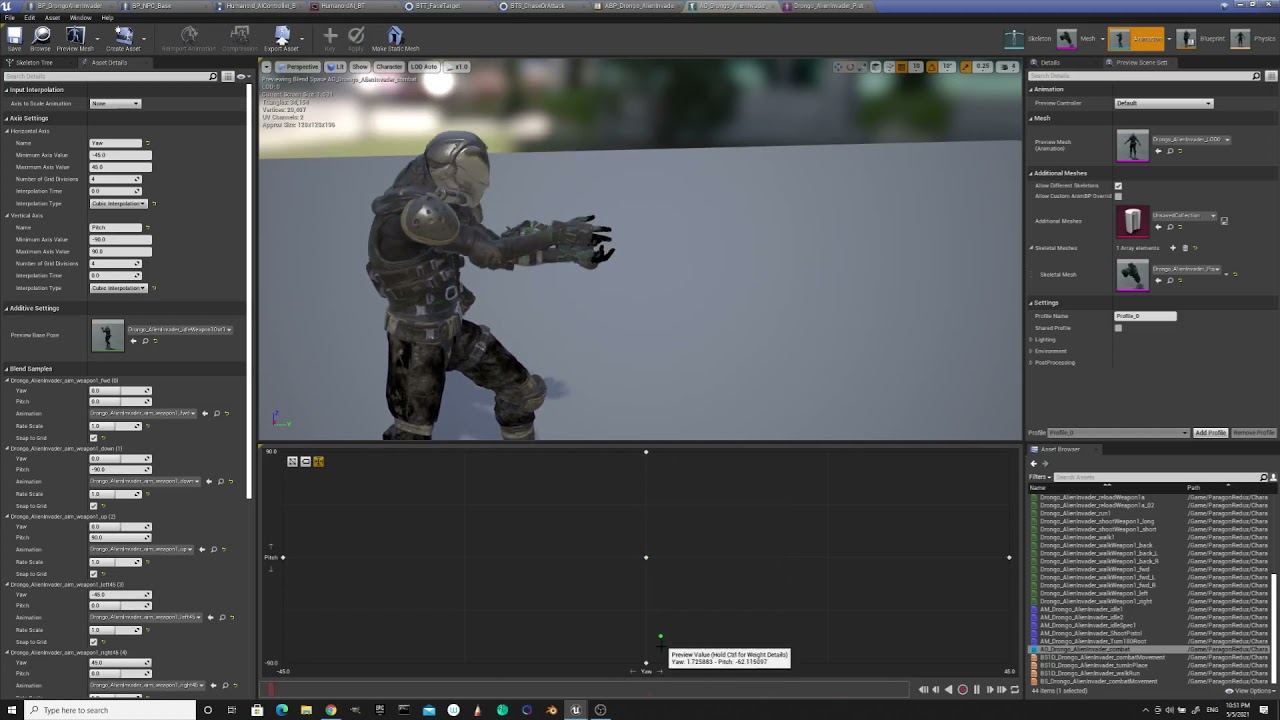
I need some help with aim offset making anims out of sync https://forums.unrealengine.com/t/aim-offset-and-animation-out-of-sync-how-do-i-fix/227999 Any idea what I did wrong there ?

Unreal Engine Forums
I finally figured out my AI anims for both non-combat and combat mode, and I combined usage of anim montage for torso and aim offset. However, I am now in a pickle - anims are out of whack(sync?) when I plug in aim offset: UE4 aim offset anims syncing issues - YouTube What am I doing wrong and how can I fix this (UE 4.26.2) ? Thanks
 wide robin
I still find it odd how it only does movement speed once at the begin then never carries this sequence out again.

 hasty plume
Hey guys, I need help with a move to task. So I know that a simple move to in a BT can follow a moving target Actor. But I wanna make a move to task that uses a vector as target location and update it at runtime. Is it possible to do in BT? Thanks in advance
 atomic badge
hasty plume
Hey guys, I need help with a move to task. So I know that a simple move to in a ...
atomic badge
hasty plume
Hey guys, I need help with a move to task. So I know that a simple move to in a ...
Yeah. Just change the type to vector that you are feeding into the move to and change the key to vector in the blackboard
 static crystal
whats a good way to deal with ai's getting knocked off nav meshes?
 molten quiver
Trying to create my own movement task, for some reason the tick task seems to run on one enemy at a time. Is there anything I can do about that?
just did some simple movement and for some reason it only executes the tick on one Enemy at a time

do I need to create an Async Task?
 flat dome
What are the major differences between coding AI within BP as opposed to the BT?
Am I sacrificing EQS?
misty wharf
Yeah it's quite easy to have them work together. I have one large aspect of my AI in my character BP - logic to handle the character moving in a queue. In my BT, I just have a task "Enter Queue" which calls a function in the pawn, and waits for the pawn to dispatch an event to mark the queuing is completed. The queuing is all handled within the character BP logic and works seamlessly with the BT
opal bolt
Looking for a way to start rebuild nav mesh on event. I See a BP node which is called "Force Nav Mesh Update" which seems which I search, but I don't understand what attach as target. I used get all actors to get all RecastNavmeshes, which works fine, bit these can't attachted to Force Nav mesh update.
Any idea how trigger a navmesh update?
I don't want to switch auto nav mesh rebuild on (Project settings -> runtime generation -> dynamic), I just want to start rebuild nav mesh on a a event. Problem is, on Dynamic navmesh rebuild is slow and I got lot of buggy movement. So I want to rebuild on event.
If you know another way to trigger Nav Mesh Update because "Force Nav Mesh Update" was missleading, also another solution I take of course 🙂
I also tried command RebuildNavigation, but I see no differences
 placid comet
Can BehaviorTrees work with a Data Table-driven dialog system. ? As I need to embed dialog choices in the dialog.
misty wharf
Sure. You might need to implement some custom decorators and tasks or services, but they will work with anything you can interface with through those
placid comet
Uh oh, I think something happened when I tried to change to another pawn name in the Get All Actors of Class Node while the Get Array was still connected into the Get All Actors Node. For my pawn directions have now all reversed, player camera just spins all around on the spot. The pawn was working properly before I changed the Pawn name in Get all Actors Node to a new pawn without deleting the old Get Array ref. .
 tawdry zephyr
Quick question does anyone else think the AI perception component is complete garbage and you're better off writing your own?
Whats the general consensus here
I already replace the entire UE4 AI system with UtilityAI
Thinking I should replace that too
misty wharf
Not really, it seems to work quite fine at least as far as I can tell
pine steeple
i have no issues with it
don't see where it is garbage 🤔
i have 150 ai all using sight, damage, noise, tremor, etc senses
and costs about .4 to .6ms
so pretty cheap aswell considering
placid comet
Do you guys know how to fix the directional arrow key controls in a child BP when it becomes corrupted and reverses all the directional arrow keys in the child, (the child directional keys was workiing before they had become corrupted). . It happened soon after changing a a player char ref in get all actors and forgetting to delete the old class ref before compiling when changing over to a new player character..
misty wharf
I don't think that has anything to do with AI but it could just be a matter of flipping the values in your control bindings in the project settings
not sure why that would've happened in the first place though
placid comet
What I had done was Change the Player Char Name from Nella Char over to Skynar Char in the Get Actors Of All Class Node while the node exe pin was still connected to the old Get a Ref Array for Nella Char and then compiled the BP with the old Nella ref instead of the Skynar Ref.. This had done something to the controls in both Nella and Skynar Char BP's. For I got the compile error on the old Nella Ref saying the Nella Char Class didn't exist no more (because I had changed the char name), so I deleted the old ref and inserted in the Skynar Get Array node recompiled it, and found the directional controls had all flipped upside down for Nella and Skynar, but my other 7 party members are unaffected and their controls work fine.
misty wharf
Yeah that's pretty weird, it really shouldn't be affected by something like that unless your input handling code is really funky lol
placid comet
When I take control of my party members they all work fine except those 2, for A W S D now move the two child bp's Skynar and Nella only all backwards with the camera facing the wrong way and spinning around when pressing A and D. I can't easily fix this... The rest of the children are working fine with the parent except those two I had the Get Array reference and name change on.
Will reparenting these 2 children to another bp and parenting them back again to the main parent which is my commander bp reset and flip back the controls to normal?
 wet ether
Can someone tell me how can i get back to previous behaviour tree task?
flint trail
I was thinking of attaching gun (static mesh component) to the NPC's hand (socket) on anim notify in runtime. Someone said not to do that because (re)attaching components in runtime is too "expensive". Is it true ?
lyric flint
I don't have an answer that is both polite and accurate, so I'll go the polite route: not really. Attaching it once (or even once in a while, such as equip/unequip) should be fine. Now, I don't have a perceived authority attached to my online persona, so you can patiently wait for the authority such as Kaos, Zlo, etc... answer 😄
 static timber
flint trail
I was thinking of attaching gun (static mesh component) to the NPC's hand (socke...
static timber
flint trail
I was thinking of attaching gun (static mesh component) to the NPC's hand (socke...
Not really.
Attaching static mesh into socket isn't as expensive as getting all actors of a class.
lyric flint
and another one going the polite route 🙂 I wonder how would an accurate answer look like ( mine is impolite though, I don't have it in me to be both scientifically accurate and socially pleasant, fuzzy notions throw me in the deep end 😄 )
misty wharf
I think you have to think of it from the perspective of "what other way could you possibly make it work"
If you want to have something link to the motion of another thing during animation you either attach it or start moving it in tandem with the animation, one of which sounds extremely annoying complicated and error prone and it's not the attaching :D
flint trail
Ok, thanks folks
flint trail
I guess I'll just do that instead of fixing my anim for the gun
thanks
@pine steeple this is what I've been dealing with, in case you wonder https://forums.unrealengine.com/t/aim-offset-and-animation-out-of-sync-how-do-i-fix
Unreal Engine Forums
I finally figured out my AI anims for both non-combat and combat mode, and I combined usage of anim montage for torso and aim offset. However, I am now in a pickle - anims are out of whack(sync?) when I plug in aim offset: UE4 aim offset anims syncing issues - YouTube What am I doing wrong and how can I fix this (UE 4.26.2) ? Thanks
 charred lava
How can I prevent AI from getting blocked by characters and walk around them? I thought about setting up Characters to be obstacles but they seem to block themselves with that.
misty wharf
you can try playing with the avoidance and crowd following stuff, they can help
charred lava
I just read about avoidance. I have a look at crowd following too. Thanks zomg
flint trail
does AI Perception care for obstacles between target and source ? I am under impression that it doesn't
(played behind a wall is still going to be detected by AI Perception sense)
is it correct or am I missing something ?
misty wharf
it depends on which sense you're using
sight sense does a linetrace and if something blocks it then it won't see whatever's behind
keeping in mind the default behavior is to trace to actor origin from the AI's eye level
 hearty niche
hey guys I need a little help with doing dogfight ai. I am using DoN for the pathfinding but the enemies tend to line up behind the player.
Any way to make sure each enemy ship has a clear shot?
celest python
charred lava
How can I prevent AI from getting blocked by characters and walk around them? I ...
I remember there was a setting to tweak the obstacle so Characters are not blocking theirselves but couldnt find how it was done
CrowdFollowing helps a lot but its relatively expensive on CPU and doesnt solve everything on its own
charred lava
celest python
I remember there was a setting to tweak the obstacle so Characters are not block...
that sounds pretty nice.
 outer sentinel
Hey guys hopefully someone can help me or has tutorial that could assist, I have been doing some behaviour tree work, I have an attack animation targeted at the players actor location however i want him to move a certain distance behind him. Almost like a ghost passing through the target.
So something like ActorLocation + SomeMovementUnit in the direction he is facing. I cant find any tuts or videos on this scenario.
To clarify the Attack starts before the player and currently lands on the player, however i want it to travel through / past the target location (players actor location) in the blueprint
hearty niche
outer sentinel
Hey guys hopefully someone can help me or has tutorial that could assist, I have...
if you want the position a certain units behind the player you could do
(get forward vector (player) * units * -1) + get player location.
How you make the ai go there is on you. You could make him teleport or use pathfinding. But teleport seems more plausible here
outer sentinel
First Thanks for replying @hearty niche ! and yea im fine with figuring out the collision bit later but i have some ideas, its the units part of the equation what node?(sorry unsure on the terminology) to use? Sorry since im fairly knew i might be missing something easy
hearty niche
outer sentinel
First Thanks for replying <@!428266140385411075> ! and yea im fine with figuring...
there is a get actor forard vector node built in.
You could get that reference from get player pawn(save it in a variable on begin play)
outer sentinel
 hearty niche
multiply the forward vector with a float
and actor forward vector from player
not the controlled pawn. its behind the player
in your case it is say 10 units behind so you multiply by -10 @outer sentinel
 hearty niche
draw a debug sphere at the resulting locaton to verify if you want
yes that is correct
outer sentinel
Thanks il give this a blast in testing your a legend!
hearty niche
outer sentinel
Thanks il give this a blast in testing your a legend!
I was a noob too 2 years ago feel free to dm if any issues 😁
so if you want direction reference, you have forward, up and right. Their opposites would be negative values
lyric flint
Just as a question, is it possible to smart ai for something on the scale of a battle royale
 simple crest
this is game development, you can do whatever you want, within your limits and the hardware's limits
hearty niche
🤣🤣🤣
 fallow hound
is there a way to log which actors are causing dyamic navmesh updates?
got it
log lognavoctree verbose
charred lava
My Behavior Tree is pretty deep right now with many decorator checks that will abort many child nodes.
I have a Sequence where it starts with crouching and ends with canceling the crouch. In between are tasks that are latent.
If some decorator is aborting in between, my Character stays crouching.
Is there a way to do something on Sequence / Selector abort?
I don't want to set "Cancel Crouch" on every possible situation where my current crouch sequence is aborted by some decoration.
misty wharf
Decorators and services receive calls when their relevant branch deactivates
so if you make your crouching a decorator or a service, you can create for example a sequence node, place the crouch on that, and then put all your actions you want to perform while crouched inside it
charred lava
thanks @misty wharf I try that out
wide robin
I'm facing a bit of a issue with my AI, Once he is in the Attack State he no longer exits out and goes back to another state.

I'm not sure if I'm missing a Modify state somewhere but I can't think of the logic of where to put it
I'm thinking it needs some sort of boolean logic along the attacking branch prior to the selector.
Attack;``` misty wharf
I mean if State is changed it should abort this branch
wide robin
In the attack branch I dont change the state. I'm unsure where to modify the state
misty wharf
Ah
It depends on how you want it to work really
You can modify it in your AI Controller or via a BT task, or any other method you find suitable
wide robin

I have Modify state and use it on other branches in the BT

If i just through this at the end of the attack style is means before he fires again he will go through the whole branch, this will cause latency in his actions
misty wharf
Right, so you need to decide what are the rules for when he stops attacking, eg. is it when the target is dead or such, and add a check for that after shooting
Or you could have a service which constantly checks for the stop attacking condition, and updates the state
(or you could do it in an AI controller etc., again it just really depends on what's the easiest way to build the logic you need)
wide robin
I'm still not having any luck. I know what to do, I'm just not sure how to go about it
misty wharf
Well, if you create a BTD_IsEnemySeen, you could add a ModifyState after the shooting or such, and put the decorator on it with a force success so that it's basically an optional task
if you set it to invert the condition, then it would run the task if an enemy is not seen, otherwise it'd just skip it
 north tide
Hey, so I've been wanting to do a unit based formation AI so as the player I command the units, but I want the units to feel like everyone in that unit is somewhat individual but maintain the formation. As well as this I want an optimised solution. Can anyone give me some tips and pointers for how I could achieve this?
misty wharf
Anyone have any ideas on how to make an EQS query that would prefer to not stack things? I'm using a query to detect free spots on a surface for placing objects, but I want it to prefer spots closer to the player. If multiple things are placed, it tends to want to stack at least some, because that way they end up closer to the player (eg. the query is ran once per object placed, so the later objects detect a free spot on top of the previously placed object)
The best solution I can think of is creating a custom test that would just compare the Z coordinate to some set value for scoring, but that seems kinda clunky because I'd have to hardcode the Z value into the query
wide robin
misty wharf
if you set it to invert the condition, then it would run the task if an enemy is...
Yeah I understand the logic but I don't know how to actually assemble it 😂
wide robin
misty wharf
you could for example set it after the BTT_TryShoot
Yeah I understand that But i'm not sure how to build the logic in the BTD

Attacking(){
  Shoot();
  If(IsEnemySeen = False){
    ModifyState(Passive)
  }
  Else{
    Attack();
  }
}
But i just don't know how to link it all up inside the BTD
pine steeple
that is not the case for a decorator
Decorators are flow controls
Tasks are stuff that happens
Services can update blackboard with changes
your entire shooting logic there seems flawed
wide robin
The Decorator would work as a gate no? EnemyNotSeen, State = Passive
 autumn charm
I am new to UE4. I'm trying to make a basic shooting AI for an FPS game. I already have the weapons blueprinted, and made zombies, but I don't really know where to start for an AI to use my existing weapons blueprint
glossy spire
@autumn charm look into making your own decorators and tasks for a behavior tree
autumn charm
Okay, I actually found a really helpful video series on it. https://youtu.be/DQqhJCoC4bQ

Welcome to the start of a new AI series. In this series we will be creating AI for a shooter game, including behaviour such as shooting, seeking cover, flanking, and random personalities (courageous, skilled etc.).
If you want the starting project file with the animation and shooting code already prepared for you rather than use your own shooti...
misty wharf
wide robin
The Decorator would work as a gate no? EnemyNotSeen, State = Passive
The decorator shouldn't change the state - you'd just use it to check the state
wide robin
The decorator works as a gate no? If the parameters are met then pass in. IsEnemySeen = False then ModifyState
 misty wharf
Yep
 misty wharf
Keep in mind that the decorator failing will flag the node as failed, so if you want to make it optional so it won't fail, also add the force success decorator into it
wide robin
What i'm hung up on is what to actually put inside the BTD
misty wharf
how do you determine if the enemy is visible to begin with?
wide robin
In the Event graph
misty wharf
with the ai perception system or something else?
wide robin
The whole of it
misty wharf
Huh? :D

 misty wharf
Right - so you could do it in a similar fashion but you'd need to have some way of storing and updating whether the pawn sees an enemy or no
wide robin
Yes
misty wharf
typically if you'd use ai perception for example, it has its own event for when the perception updates
so if you use that, you can use it to update some value to determine whether the enemy is seen or not
which you could then check in the decorator
misty wharf
well what's your code look like to decide when an enemy is seen first?
wide robin
It's big I'm unsure how to share it
misty wharf
just share whatever fits on one screen for now and let's see lol
wide robin
This is the main part
 misty wharf
Right, so that looks like it gets triggered from AI Perception Updated or something like that?

 misty wharf
Right - so what you could do there is check the successfully sensed value
that indicates whether the target became visible or became hidden
autumn charm
Would y'all cafe if I used your BPs as a reference?
misty wharf
if it's false, then you can set the state to passive because the target is not visible
wide robin
yeah
wide robin
autumn charm
Would y'all cafe if I used your BPs as a reference?
My BP? I mean go ahead if thats waht you're asking
autumn charm
Thanks!
wide robin
misty wharf
if it's false, then you can set the state to passive because the target is not v...
Yes, This is when the Enemy is Visually seen
When enemy is not visually seen after attack go Passive
When in passive it will go back to it's patrol route or other etc
misty wharf
yeah so you can just do it the same way you're doing the is dead check
but use the successfully sensed value as the comparison
wide robin
 misty wharf
you don't need anything in the BT for it if you do it in the graph
 misty wharf
Yeah, so you just add another check for the successfully sensed value
wide robin
I'm unsure how to get this value of Visual perception
misty wharf
it's visible in the picture you posted :D
it's one of the values in the ai stimulus struct
 misty wharf
Yep that's the one
wide robin
Only thing wrong now is forcing him to rotate.

Can i toggle that to turn off or snything
misty wharf
I don't think it should keep rotating if the BT branch gets aborted?
although the focal point might do it, you'd probably need to reset that one separately
eg. set focal point to none
wide robin
He seems to moonwalk atm
I have ClearFocalPoint I could put that into his passive sequence
Only thing is with the addition to the BP he will switch to that state and without a location he doesn't pass out of that state
I need to get last seen location or something
So he can move there and complete location to move back to passive
This perhaps

Then cast this bolean to the BTD and if it's false SetState Passive
 tame cedar
Hi guys, anyone know how is the performance between ai perception vs pawn sensing? I tried to add ai perception for around 50 ai on two side, it will stop to work. If I change some engine code config, then it works. But pawn sensing works OK. is there any advantage to use ai perception?
 surreal plinth
Just spent ages trying to follow the Behavior Tree Quick Start guide, turns out the Default Values set in "Step 6 - AI Controller Setup" part 16 have to be absolutely identical to the ones given in "Step 2 - Blackboard Setup" items 3 and 4.. lesson learned, don't use any spaces in variable or key names ever.
It would be nice if there were a way to get an AIController blueprint to fail to compile or to issue a warning if you try to set a nonexistent blackboard key, but i guess it would be hard for the controller blueprint to know which blackboard is associated with the behavior tree it's running in the On Possess event?
misty wharf
I guess it might be theoretically possible for that to be a thing, but the blackboard is just a key value map from what I understand and it doesn't have proper static typing for the key names
 heavy glacier
Hi! When my AI Controller respawns (possesses a new instance of some pawn), am I supposed to run the "Run Behaviour Tree" node each time? I think this is causing several parallel instances to run? On the other hand, in either case it doesn't really seem to run any of my services after it possesses the new pawn. The behaviour tree is running, but there's no activity in the services. A bit unsure what's going on.
misty wharf
I'm not entirely sure what you should do in that situation, but you can try destroying the brain component. IIRC calling Run Behavior Tree should instanciate a new one if there isn't one yet.
heavy glacier
@misty wharf Hmm okay I tried to destroy if it exists before I do RunBehaviourTree. It still doesn't run the services.
I also tried to "Restart logic", but this has the same result as just running RunBehaviourTree each time. What seems to happen is that for each service, there comes a new instance, but only the old instances run (which don't act on the current pawn I presume). Then eventually (after a minute maybe) when the old instances die, the new instances run and the AI becomes active, but it doesn't always seem to happen 👀
misty wharf
Odd, having the controller repossess seems like a common thing to do so there oughta be some way for it to work 🤔
heavy glacier
Hmm yeah 🤔
 languid meadow
Hello everyone. When I possess a character, it seems that my Behavior Tree's services are instantiated each time, adding up more and more service instances for each time. What could be causing this?
At least, that's what the Debug Filter shows in the blueprint editor
Hmm looks like they disappear after a while.. maybe it's just delayed garbage collection
heavy glacier
@languid meadow That's exactly what happens with me too! And in my case the old services are running instead of the new ones :(
languid meadow
@heavy glacier What a coincidence! Please let me know if you find a solution!
heavy glacier
Was about to say the same 😄
@languid meadow Just out of interest, if you only run "RunBehaviourTree" once, and not each time you possess a pawn, does the Blackboard still update SelfActor to be the new pawn? And does it still run any services, given that it presumably doesn't instantiate new ones?
In my case, if I only do RunBehaviourTree once, it updates the SelfActor to be the new one, but other Blackboard entries don't get updated when they should, and the services don't run even though the BehaviourTree runs
languid meadow
I will have to check later, but I'm not sure how ofter I call RunBehaviorTree, couldn't find it again right now 😄 Been a while
 last panther
Hello, is it ok to not use the behavior trees and just code the ia code on the update method of the actor? It's my first game and I'm getting very confused with the behavior trees, actions etc, having a very hard time knowing when things cancel each other and they never behave exactly how I want them to.
misty wharf
Sure
BT's are just a tool and if they aren't making your life easier, don't use 'em
I would recommend learning how they work though - at least in my opinion they are extremely useful for creating typical AI logic where the AI performs tasks in sequence based on some rules
last panther
I think I'll try it again once I have more experience. I'm sure it's useful stuff, but I feel very "stuck" trying to learn it right now.
Quick question, is there any book or course you could recommend that helps learning ia for games? I have ideas of how things work, but I think a more guided approach could really help.
misty wharf
not sure, check on learn.unrealengine.com, they might have something on there
last panther
I'm pretty sure I did everything they have in there except for the architecture stuff. hehe.
misty wharf
the only other resource I can think of is this one, not sure how applicable this is to UE though http://www.gameaipro.com/
Home of the book Game AI Pro
it looks very comprehensive though
last panther
Thanks!
 mint elbow
I'm having issues with the Nav mesh not being cut out sufficently around my environmental objects. Because of this, my AI often gets hung up on several things running at my character, rather than running around the objects.
Any help is appreciated.
 pine steeple
you want to adjust the collisions n your mesh @mint elbow
not rely on the default generated collisions
basically expand them out
i can see the collisions do not encompass the entire object properly
you also have a lot of navmesh in unwalkable places, something you should also address
mint elbow
Thank you.
Is there a way to adjust the collision in engine that can effect the mesh but not block the player character?
 humble prism
Hey everyone! I have a system with portals...
Go in -> Get out somewhere else
And I wanna add a navlink so AI's can use them but for some reason it won't work
 misty wharf
What do you mean "it won't work"
They won't automatically teleport to the destination link if that's what you're asking
humble prism
If I place a Nav link proxy inside the portal on my own it works fine
but if I do it like that it doesn't
high summit
so here is the very basic code for moving AI to my character

the only issue is that the enemies is going behind my character
my character is a kind of static object ( can't move ), just shoot to enemies
how i can prevent the enemies going behind my character?
is there any issue with code?
glossy spire
@high summit try doing a debug draw at your destination location, maybe your location is not where you think
high summit
thanks
 stiff gale
Any idea why this happens? https://gyazo.com/d104625940635ebb2b14b8c547909705

I have placed three ai in my level. This happens to one of them after the left part runs.
glossy spire
@stiff gale That means that your blackboard value isn't set
 whole fern
I added a AIPerception Component to my AI character class (Blueprint) but in multiplayer OnTargetPerceptionUpdated is only running on Client. How can I make it run on Server as well?
Never mind. My bad. ReportNoiseEvent was called only on Client.
 tranquil reef
Hi there!
does somebody know how a pathfinding system like this is setup from scratch?
https://www.unrealengine.com/marketplace/en-US/product/don-s-3d-pathfinding-flying-ai
its a volumetric voxel-based pathfinding system

Unreal Engine
Volumetric pathfinding for Flying A.I. bots to navigate complex aerial corridors, aerial obstacles, 6 D.O.F 3D-mazes, etc. This fully dynamic solution supports procedural worlds with ever-changing collision geometry and other advanced use-cases.
misty wharf
I mean you could just download the plugin and look at how it works?
tranquil reef
uhm... yeah... probably 😅
stiff gale
These values won't effect my ai. My ai still sees me if I set all the values to 0. https://gyazo.com/c3d812ca0d39e57f4116d9116247f998
 stiff gale
Also How can I make this Acceptable Radius for Move to dynamic so that I could change its value via BP? https://gyazo.com/076bdfc9229a6c1f36478534a88652a8
 hearty niche
can I get some help in generating an eqs in a spherical shape
misty wharf
if you just need it to be circular then you could use a grid and filter out by distance, this would remove the furthest out corners
but if you actually need it to be a proper sphere, you probably need to create a custom generator
 ebon zenith
stiff gale
Also How can I make this Acceptable Radius for Move to dynamic so that I could c...
ebon zenith
stiff gale
Also How can I make this Acceptable Radius for Move to dynamic so that I could c...

basically make your own task in blueprint
stiff gale
ebon zenith
basically make your own task in blueprint
Thanks . Do u know answer to my first question?
stiff gale
ebon zenith
I meant in c++
ebon zenith
stiff gale
I meant in c++
I think set to 0 is bad, maybe set to some sensible values first. Also check the AI debug output, it's been a long time so it should be improved as well.
 worn crescent
I have a navmesh and a lot of physics objects that effect the navmesh as obstacles. This is very expensive of course but what would be the best way of reducing the load on rebuilding the navmesh. Specifically, physics objects like to move a lot but not truly effect the navmesh, even though their little movements cause the navmesh to rebuild that section.
Ideally I don't want to make an engine edit but I think the best solution is having a variable that says "don't rebuild navmesh unless obstacle has moved X UU"
ebon zenith
most likely do EQS query and let the physics actor not affect navmesh.
(btw, I am only answering this from a guess, cause I haven't do AI for a long time. )
worn crescent
That's my initial thought too but my client really wanted the navmesh for this cause less engineer time
maybe I just gotta push back and be like good things are built in certain ways.
ebon zenith
yeah, it's their choice then.
worn crescent
Fair enough 🙂
ebon zenith
cause doing EQS you can remove points that's hitting the physics objs and then pick one that aren't
so you kinda by pass the navmesh until there is a "clear" way to your move to position
 ebon zenith
is your target destroyed somehow?
hearty niche
misty wharf
but if you actually need it to be a proper sphere, you probably need to create a...
I know that one but any tips on the algorithm. I am using it to find points for a flying AI to evade to after making a sweep on the player.
misty wharf
@hearty niche you could probably just have it make a cube and then filter out by distance
hearty niche
misty wharf
<@!428266140385411075> you could probably just have it make a cube and then fil...
hmmm
 cursive igloo
Hi guys
I need help about friendly AI
I want friendly AI to go away if player is in "Line of Fire"
and I can detect "Is player in Line of Fire or not", but I can't make "go away" system
I use this nodes to set "go away" location, but AI always just stand and flickering...
how to fix it?

here is BT

"Move To" node that is in right side is "go away" system
 hoary peak
Will services tick even if there's no receive tick or receive tick AI?
ebon zenith
cursive igloo
"Move To" node that is in right side is "go away" system
Is the location you pick possible for AI to reach?
Also, maybe the acceptable radius is too big so AI already considered arrived, thus in a loop
cursive igloo
ebon zenith
Is the location you pick possible for AI to reach?
idk how to know that but maybe yes
I think something of math is wrong and set location too close so "Move To" won't work but Idk what's wrong
 shrewd canyon
Anyone get this thing where you unplug all the behaviour from the root and the ai still performing some sort of behaviour?
ebon zenith
cursive igloo
idk how to know that but maybe yes
I think something of math is wrong and set lo...
There should be a AI debug mode that you can turn on.
cursive igloo
ebon zenith
There should be a AI debug mode that you can turn on.
okay I'll watch it
ebon zenith
shrewd canyon
Anyone get this thing where you unplug all the behaviour from the root and the a...
Some of the actions that have a clock icon don't stop until it's finished. I think they updated it so you can send event to stop most of those, but you need to be aware of those.
shrewd canyon
To clarify, even after I disconnect all the logic, the enemies are still doing something
 ebon zenith
Is that disconnected during runtime?
I don't think that's how unreal should work.
Say if you make the BT a sub tree for example
You can have blackboard/whatever check to not run the sub tree.
But I don't know if you can just disconnected like that.
If you select an AI it should still show the nodes being executed
(from the drop down menu of you BT panel)
shrewd canyon
I disconnected before running the game and it still is executing something
When I put up the debugger it is using this exact same BT as if everything is connected
ebon zenith
Yeah, then during runtime select the ai from drop down menu
And see which node it's running
If you have other BT check those as well, maybe they are not assigned properly
shrewd canyon
ebon zenith
And see which node it's running
It's just the root node flashing a lot. But enemies are still performing some old/other logic
shrewd canyon
ebon zenith
If you have other BT check those as well, maybe they are not assigned properly
Everything is assigned correctly
ebon zenith
Go to the AI controller and see if you have some BT assignment that points to older BT tree.
If this is the only tree you have make sure you save and compile before you run.
And check if AI controller fires some event that runs on ai pawn.
stiff gale
So I've task for move to target. The issue is the AI attacks while moving toward the target instead of reaching there then attacking. https://gyazo.com/0d41c287c24bc7925e3b2ac5f50e75e5

 misty wharf
Don't succeed it before you've reached the destination
that way the BT execution will remain in the custom move node and it won't proceed to the attack one
stiff gale
misty wharf
Don't succeed it before you've reached the destination
How'd I do that?
misty wharf
I haven't done BT tasks in C++ so I don't recall off the top of my head what the trick for it was
I think you have to return that it's in Progress instead of Succeeded, and have it later succeed
you can probably just look at how the other MoveTo node functions for that
in BP's you just don't call Finish Execute until you're actually done
stiff gale
Trying to find how to check if it's in progress: if (!EBTNodeResult::InProgress)
 devout plume
May interest a few people here, GDC talk " Marvel's Spider-Man AI Postmortem", released today https://www.youtube.com/watch?v=LxWq65CZBU8
stiff gale
So I modified to this. But the AI follows the target and pauses for a bit prior attacking. I don't know why? With regular MoveTo there's no pause. https://gyazo.com/e73d09d58e02fc5d4783619ada75419c
 misty wharf
that looks like it always fails unless it's already at goal?
stiff gale
misty wharf
that looks like it always fails unless it's already at goal?
yes is that a prob. i should add more else logocs
misty wharf
I've never ran into that with them at least
stiff gale
@misty wharf Any idea why this values won't work? https://gyazo.com/c3d812ca0d39e57f4116d9116247f998
misty wharf
Nope, haven't used PawnSensing
 stark zealot
Hey guys. I've made an AI that patrols inside a building. I also have an outdoor area that I want him to chase players around in but once he's finished chasing I want him to return to the house and patrol the house again. How do you guys think I should do it? Right now I simply made large collision box triggers that tell the AI that he's "Outside" using the overlap event. Then if when he finished his chase logic he see's that he's outside and I made him walk back to the center of the house using a hard spawned location. My problem is that he still want's to go outside and navigate out there while he's supposed to be patrolling the house. Is this where I should use a different nav mesh for outside so that he won't navigate outside?
ebon zenith
stark zealot
Hey guys. I've made an AI that patrols inside a building. I also have an outdoor...
Is your outside a terrain system? Does the AI actually go really far?
stark zealot
Yes it's a terrain. I want him to stay in the house unless he's chasing someone outside the house. So I want him to be able to navigate outside so that he can chase players, but in any other situation where he's not chasing players, I want him to stay in the house and not go outside
ebon zenith
Basically you have like a couple options. I prefer simple ones where you just extract the terrains near the house and make additional mesh that's only for collision and generate navmesh with the house.
misty wharf
IIRC one somewhat simple way to do it is to create different nav areas
you use a nav modifier to make the house its own nav area, and when patrolling the house, you can use that nav area as the filter for the patrol points
ebon zenith
As usually AI with this type of behavior don't go very far and should abandon target once too far away from a distance check.
stark zealot
I'm not sure what you mean by extract the terrain near the house. I have seen the nav modifier though. It looks like you can make different nav areas that he "can" use but only if he has to. Maybe that would be the outside area so he can use it to chase but not to patrol around.
ebon zenith
I mean convert terrain to mesh, and crop the area that's close to the house, combine with house for navmesh generation, but not actually rendering or "using" it.
stiff gale
So when one of my AI plays the attack animations unfortunately all of the AI do the same. Any idea what's wrong?
ebon zenith
no idea, cause you didn't say how you control the AI pawns or how you setup the animation/action
stark zealot
Thanks I'll give it a shot. 🙂 I appreciate your help
stiff gale
ebon zenith
no idea, cause you didn't say how you control the AI pawns or how you setup the ...
 ebon zenith
a ai controller could control multiple pawns, in that case you need to know which action or flags to set so that animation BP will play on that pawn only. (ie. if your attack var is on the controller, and your AI pawn fetches controller var to decide what to do, all AI pawns controlled by the same controller will do the same animation)
stiff gale
ebon zenith
a ai controller could control multiple pawns, in that case you need to know whic...
 ebon zenith
sorry man, it's such out of context screen cap I don't even know what to look at.
I assume you post a cap of a blueprint task
but that's not what I mentioned above, nor does it address your problems.
your issue is why your AIs all do the same attack animation, not if the function is being run or not.
you need to trace what variables decides your AI behaviors, and see why all the AIs get the same value and decides to run the same behavior, solve that and your issue is resolved.
 fading verge
I have a question.
its about animation and ai movement.I made a animation blend space and blueprint, for some reason the animations do not play when the enemy is chasing me. any help will be helpful. (BTW i look on youtube and nothing is helping me)
ebon zenith
Basically, make the air pawn like how you would make a player pawn.
And then it's just switch from a player controller to a AI controller
Both would be setting variables/send events to pawn just that player using inputs and ai use senses /BT/etc.
fading verge
im kinda new to this and im very confused
i had the ai working with animations and everything then it crashes and it doesn't save and I don't remember how to do it.
ebon zenith
Yeah, then you want to make sure you can control the animation well with player possessed pawns.
Start with that first before you move on to ai controlled ones.
fading verge
ok
stiff gale
@ebon zenith Any idea why this values won't work and also how would you clear target/focus? https://gyazo.com/c3d812ca0d39e57f4116d9116247f998
ebon zenith
stiff gale
<@!190887823857942530> Any idea why this values won't work and also how would yo...
I am not exactly sure C++ wise. but when I did a cannon AI that tries to target a group of other AIs, it will usually lock on one and only acquire another target if the first one is off the range.
I will skip the detail when I did the modification but essentially, by default I don't think the reference is cleared even if you shrink your radius values.
I also don't remember there is an exposed function that let me "forget" sensed target as well.(that was like literally 1~2 versions when EQS was still on experimental)
so I would say, check the pawn sensing component source code for the class and see what functions you have

Documents the AI Perception Component and how it is used to generate awareness for AI.
check the document above and follow the documents/classes
@stiff gale ⬆️
stiff gale
Thanks
 cosmic heart
If EQS point gets filtered out, does it take the same amount of performance?
ebon zenith
depends on the conditions(queries) and what you tries to do afterward(picking).
cursive igloo
Hi, again
I still need help
I want AI to Move to, but they won't do
Although there are enough spaces to move and "Move to" node is working, AI won't move...
How to fix it?


here is "LoFAvoidLocation"
ebon zenith
cursive igloo
here is "LoFAvoidLocation"
You don't need to add Z for 500 units. Remember, it must be a location that AI can arrive properly. If your AI is a normal character pawn, they can't just go floating and the navmesh query should return failing as well.
This type of thing is actually perfect to use a EQS, as it was designed to give you candidate locations for AI to go to.
cursive igloo
ebon zenith
You don't need to add Z for 500 units. Remember, it must be a location that AI c...
Thank you, I want to use EQS but I don't find any solution for this with EQS so I use task...
Any good tutorials?
(And It works without adding Z units! thanks!)
ebon zenith
hmmm...I think the epic video probably too outdated? let me search
The documentation team has been hard at work expanding and improving the documentation for AI. Wes Bunn will be in the studio to talk about these improvements and show us a sneak peak of what's coming!
ANNOUNCEMENT POST
https://forums.unrealengine.com/unreal-engine/events/1645246
TRANSCRIPT
https://epicgames.box.com/s/nfh36sdnmi17xt0mefajok2w0...

In this presentation, Epic's Paulo Souza uses Unreal Engine's built-in AI features to build smart enemy behaviors for a game with stealth-like mechanics.
By relying on the Gameplay Framework in Unreal, we're able to quickly create convincing AI using Behavior Trees. Behavior Trees are great for creating complex AI that can be presented in a way...
these 2 are the latest I can find
the top one probably go more detailed into each sub system so definitely watch that first.
ebon zenith
cursive igloo
(And It works without adding Z units! thanks!)
頑張ってね!
(and no, I am not native Japanese speaker. just watch a lot of anime.)
cursive igloo
ebon zenith
頑張ってね!
ありがとうございます😂🙏
Thank you very much!
ebon zenith
do note that the menu/interface might be outdated, but the core concept and how to use should still be the same.
cursive igloo
Actually, I have watched the under one, but I didn't understand correctly 😦
ebon zenith
it's fine, that's the case even when I started learning
EQS is cool cause you don't need to do all the tracing yourself with really high overhead.
 slow turret
does anyone here know of any good tutorials for make child AI actors?
misty wharf
Well that was a bit of a gotcha
A Conditional Loop decorator will infact always run at least once
so if you want a condition where it loops while some value is true, but if the value is false, it will not run at all, you need a separate blackboard decorator to check the condition as well
cursive igloo
Hi I have a question
Can I get "Tasks that is running in the behavior tree" in AI Controller BP?
misty wharf
Not sure, you can Get Brain Component -> Cast to Behavior Tree
it might have a function for it, maybe
 kindred ruin
can i stop behaviour tree and reset all the blackboard keys inside it to default values? stop logic node seems to only be pausing behaviour tree and all blackboard key values are kept same after restarting same tree
misty wharf
you might have to destroy the brain and blackboard components
unless the BB component has a reset function on it... but the brain component can be destroyed and then if you do run behavior tree, it'll just recreate it
kindred ruin
ty i will check it
i did stop logic followed by clear blackboard key value for every single bb key i had in that tree, on the final task in the tree, seems like it did the trick not sure if it will cause any issues in future, does paused behaviour tree cost resources?
cursive igloo
I don't know what value EQS return
Vector? Score? or Bool?
misty wharf
successfully sensed in the stimulus struct will be false when perception is lost
so you'd need to hook up logic to check for that I guess
glossy spire
@lyric flint you could make your own detection system and update it via perception plus your special events
fading verge
im having a problem with my blueprints. I'm trying to make it so when an enemy catches you, it plays an animation blueprint then restarts the level. It doesn't rotate my character all the way when im backwards and doesn't play the animation blueprint. If someone can help me, I could really appreciate that.
stiff gale
Not working for me, how can I fix this? https://gyazo.com/a6e40e456f0fe42415a531cd2d16ddf4

It's not suppose to clear the target if the AI is still in range, but it does clear the target after it attacks
ebon zenith
stiff gale
Not working for me, how can I fix this? https://gyazo.com/a6e40e456f0fe42415a531...

Reference for the Behavior Tree Composite nodes.
you have basic misuse of the sequence/selector node.
stiff gale
Which one?
ebon zenith
please read the document and then read your own BT again
stiff gale
Hmm I don't get it then
Has Sensed Enemy should be a selector?
I made a little changes. But still same issue: https://gyazo.com/c138903d354f158184d44b3ca1993567
 ebon zenith
Check which part returns fail from that sequence sub tree
stiff gale
I fixed it.. The issue wasn't the composite node. It was in my Melee Attack task CPP class. I was checking if the anim montage has finished .
 dull loom
Hey guys, for some reason my custom service isn't working.
I tried every start execute node (tick, activation...) in my service. In the screenshot I'm trying to print a string but nothing is happening.
 celest python
In C++ BTTasks values are not resetting after task returns succeeded, should I reset memory in somewhere?
Even when pawn dies (destroyed) BTTasks are running and giving access violating errors
celest python
celest python
Even when pawn dies (destroyed) BTTasks are running and giving access violating ...
Didnt debugged yet but probably its going to tell "this is nullptr"
celest python
I guess I should call OwnerComp.Cleanup() ?
 slow shuttle
Hi all, I'm starting using the perception component with Sight Sense.
I have a strange behavior in the area between sight range and loose sight range. The event OnTargetPerceptionInfoUpdated is called twice each frame with a stimulis update with WasSuccessfullySensed to true then to false. It is like, when I'm in this area, the component is saying that it senses me and loose me...
Anyone faced that? Did I miss something?
My goal is to simply catch the actor in the Sight Range and catch when the actor leave the first range in order to change the move to from actor position to last known position.
Thanks
lyric flint
hi, GOAP's planner or BT's planner is better? if we made a planner with bt it gets stronger or if made with goap?
ebon zenith
dull loom
Hey guys, for some reason my custom service isn't working.
I tried every start e...
did you run the finish execute on the task? (also, service seems needs to attach to the composite node(the simple parallel above, I don't know if letting you attach to task means it will run there.)

 silent light
Hello, all. I could really use some help regarding my AI, movement, and other UE4-specific stuff. I am already very far into development and realizing that I need to rebuild those things and would like to use UE4s features to make them work better. I've learned a ton since starting on the project, but I need someone who knows what they are doing to provide feedback for my understanding of UE4 and where to go from here. This conversation is likely to be technical and complicated, so DM/private voice call is probably going to be the most efficient approach. Thank you in advance!
ebon zenith
silent light
Hello, all. I could really use some help regarding my AI, movement, and other UE...
try make your question as compact as possible and to the point. this is a very technical discord after all and it only helps if you say what's your question first compare to asking for DM and then found out no one is bothering. You are asking someone's time to teach you stuff, so post your question proper is the least you should do.
silent light
My project uses physics to move spaceships around, applying forward thrust, lateral thrust, and torque to navigate. Using physics is not supported by the AI movement system, so I opted to create my own navigation logic. My game is 2D, top-down, but all of the NavMesh stuff I've seen requires a collidable floor to generate data, which interferes with my ship movement. My game has procedurally generated areas and very large areas of empty space, so I'm unsure how to generate NavMeshes for the generated areas and how to properly link them together with enough flexibility to allow agents to navigate in open space. Even if these NavMeshes are available, my AI movement system is all custom and can't integrate with the movement system for path planning and movement. Can I generate NavMeshes without needing a collidable surface? How can I connect NavMeshes in a procedurally generated level with tons of open space?
ebon zenith
your 2D ship can very easily implemented as a top down scroller, nvm you already mentioned. you can have "ground" that doesn't render and still collide and generate navmesh with.
@silent light also physics based thrusts(I did my first multiplayer custom movement component with 6-DoF space ship) isn't really good for doing AI as you will need a lot of detection and prediction. It already isn't really "fun" for humane player as it's a high focus input tasks.
for AI you can still do it and "mimic" the physics inputs with general movement component. you just rotate and do the "thurster" effects visually that should do the job.
silent light
"you can have "ground" that doesn't render and still collide and generate navmesh with." I tried to do this, but the collision prevented the physics movement from working correctly. How can I get this to work?
ebon zenith
0 friction?
silent light
0 friction prevents the physics engine from trying to resolve an overlap between my ship and the floor? I'll have to try that, but that doesn't make sense to me atm
ebon zenith
what? I can have 0 friction ball that slides on floor all day. I don't understand where your question come from.
silent light
Ah, ok I see. Let me explain more of the problem
ebon zenith
physics movement means you apply force to the component(it can just be a simple physics actor), and then the parameters and collision will do it's work
silent light
My top-down 2D play space means that the play space extends in the XY-plane, all agents are restricted to XY-plane where Z=0
ebon zenith
you can "fix" the movement plane so they don't do some weird calculation fluke thus your ship or my ball floats to another dimension
silent light
Where should I put this floor collider?
My initial expectation is to put the floor at Z=0. But that causes the physics engine to try to resolve collisions with all of the agents because they are colliding with the floor
ebon zenith
you put it so the AI think it's a legit location to move around.
silent light
Is there a way to generate the NavMesh and then store it as an asset?
silent light
If I could do that, I could use the NavMesh with my custom movement, just for pathfinding
But then questions about an open area that is 50,000 units in size come up again
ebon zenith
yeah, you can generate local navmesh on the fly, I did that with a terrain navigation before.
but if you go bigger than that I think it's probably better to do level streaming at some point.
silent light
If I can bake and save a NavMesh, then I can avoid a lot of physics issues, i think
ebon zenith
cause too far away from origin leads to bad physics and all sorts of calculation flukes due to float point errors
silent light
Hmm. Maybe I can generate the navmesh around each point of interest after randomization, then generate navmeshes between points of interest. And then generate on-demand when an agent needs to navigate out of those generated areas?
ebon zenith
there was a pretty old video about it on the unreal engine channel I suggest you take a look
basically it tries to limit the navmesh size to a tile size when a AI agent is on that tile and it's shared with other agents on the same tile.
it always creates adjacent tiles so you never run into situation where the AI agent needs to hop into area that they can't go to.
when I did the terrain naviation it's about 4.12~16, so the video should be even older.
 ashen solar
Hello people, i got question about Sight_Sense, It does not seems to work properly when there are multiple characters using it at the same time, some of the character will not "see" the player, any clues to why? The code for sight is kinda complicated tbh to look into it 😦
 fiery pecan
Ai Follow another Ai How in Blueprint
kindred ruin
is there a way to get value out of BB key without casting? for example i want to save a character reference for use in whole behaviour tree, i can save it in a BB key but when i want to access it with get object from bb key i need to cast to each everytime, is there a better way?
glossy spire
@kindred ruin casting shouldn't be an issue for performance, if thats what you're thinking. Otherwise you can store your references on your actors and get them directly
still not sure what the point of blackboards are, other than to help some people conceptualize stuff maybe
kindred ruin
well for me it seems to be useful for things like location or vectors stuff that you can get out directly without hassle, but yes i was thinking that casting isnt going to be good for performance
glossy spire
I believe casting is super cheap
kindred ruin
is there anything on casting vs interfaces cost comparison or something like that? videos or text
glossy spire
I don't know anything specifically, but I'm sure theres a lot out there. The main difference is if you KNOW there will be many classes that have similar behaviors, you use an interface
otherwise you'd use a base class
For example with BTs / decorators, you might use a main Enemy base class.
kindred ruin
ok ty, will check what i can find
misty wharf
yeah pretty much all of my bt tasks cast the pawn to a more specific class
it shouldn't really be an issue, you might save some if you need to use something on tick which you need to cast, then maybe use a variable
but a lot of the time you need at least that one initial cast
kindred ruin
it seems that the best way to save on casting in BT is to jam as much as possible into as little as possible tasks and then do initial casts in those tasks and take from there with variables deeper inside the task itself
glossy spire
Yeah, just check if your var is valid, and if not cast and assign
But seriously don't sweat casting, its super, super cheap
kindred ruin
didnt sweat that much, but i had like 3-4 tasks under one selector and all of them started with casts to 2-3 places, seemed like a lot, condensed them into 1-2 tasks and now i can sleep 10% better
kindred ruin
basically it was 4 tasks now its 1 task with 4 functions inside
glossy spire
Gotcha
misty wharf
well keep in mind the tasks wouldn't even execute in a single frame
so any cost from casts in them are spaced out between multiple frames
I think casts in C++ are also a decent chunk faster than in BP's if it comes to it
hearty niche
kindred ruin
it seems that the best way to save on casting in BT is to jam as much as possibl...
how about using blueprint interfaces? That way you could skip the cast altogether
kindred ruin
how do i send a message to the task in BT?
i was trying to figure out how to do with interfaces, but i needed to cast to other actors to get arrays from them and manipulate them in tasks, didnt find a way to do that with interfaces
misty wharf
A message to the task? What do you mean specifically?
kindred ruin
i dont know what to put as target for interface message which should be sent to BT task, but i guess he meant only as outgoing connection fromt BT tasks
basically taks sends a message to lets say character and that character triggers and event which then sends some info back to task, is there a way to do it?
misty wharf
ahh
glossy spire
You can have a return value on an interface function, if thats what you mean
misty wharf
Yeah you can either return a value or use an event dispatcher if it's not something that instantly returns
I have a bunch of BT tasks for my NPC's, like "Pick Up", where the BT task triggers the pickup action and listens to the NPC's OnPickedUp event
the Pickup task only calls Finish Execute when the NPC's OnPickedUp event fires, this way the task doesn't finish until the action is complete
(if you use events like this, be sure to implement receive abort to cancel and remove the event handling so you avoid any weird side effects)
kindred ruin
ty i will try that out, cant say that i understood completely what you said, but i will poke around to see what will happen
 peak sentinel
Hey guys, how do i get from my AI if he sees the player? From PawnSensingComponent in the AI itself, or from the AIPerception?
glossy spire
@peak sentinel The Pawn Sensing component fires an event, where you can set variables or whatever you need to change their behavior.
hearty niche
kindred ruin
how do i send a message to the task in BT?
reverse take return values from it. Send it to your controller and define it as you like to return the values back as needed. Treat it like a normal function with a return value.
If it has to happen realtime a service with an event dispatcher could help?
misty wharf
event dispatcher on the pawn or controller works just fine for it if the pawn/controller is the one performing the action from the BTT
you just have to add a listener to it in the BTT, and then when it fires, remove the listener so it doesn't stick around and behave weirdly
peak sentinel
@glossy spire Thanks for your answer, but from the event i can't tell if the AI lost sight again, right?
misty wharf
if you use AI perception with Sight sense, you can look at the stimulus struct's "Successfully Sensed" value
the value is true for when the actor was seen, and false when sight is lost
hoary peak
How could I setup this so that as long as the NPC should stay it will and once the decorator is false it does the rest of the sequence?
 misty wharf
one way to do it would be to use a Conditional Loop decorator with a blackboard value that gets set to false when the NPC should no longer stay
You might be able to use a decorator which is set to abort self as well to break from the loop but not 100% sure on that as I haven't tried it for that purpose, and then if you also add force success decorator, the abort won't count as failure
hoary peak
The problem now is that once the decorator is false it no longer continues, would a conditional loop solve that? Or will that also make the entire sequence fail?
misty wharf
Conditional Loop will not cause the task to fail, it just stops executing the node with a successful result
hoary peak
Problem is that the decorator isn't a blackboard value :/
misty wharf
make it a BB value
hoary peak
It's updated based on c++ events so it would be a bit of a hassle making it a BB value
misty wharf
usually if I need to do something like that I'd just make it either happen in AI controller or in a service
both can listen to updates or do checks to non-BT code
and update BB values
hoary peak
The value is in a component that's attached to the AI controller so I guess I could make it a BB value actually
misty wharf
Alternatively you could make a custom conditional loop decorator which tests against the non-BB value
(this has to be done in C++, BP decorators cannot alter the control flow of the BT afaik)
glossy spire
@peak sentinel What I do is have a float that slowly decreases every tick, but is set to 1 every time sight triggers. Then during the tick if my float goes below zero, I change my behavior. That way it feels a bit more natural.
misty wharf
^AI perception has a "forget perception" thing which I think behaves similar to this :)
glossy spire
For me, detection is way more complex so I need find tuning, but its the same idea
misty wharf
ah
glossy spire
TBH tho sometimes it seems like simple detection actually feels better to play against
misty wharf
yeah, sometimes attempting to make AI too smart makes it feel less fun lol
hoary peak
misty wharf
make it a BB value
Indeed, it worked
 undone hull
hi guys, so i created my DetourAIController but they are not Detouring from player's characters .. do i need to check something that i didn't noticed earlier? thanks! ❤️
peak sentinel
@glossy spire Yes that's basically how i want it to have in the end. Can i see the BP of that? Would be a great help^^
@glossy spire nvm, i think i figured out^^ Sry, sometimes i just want it the easy way 😅 😜
glossy spire
no prob, good luck
misty wharf
undone hull
hi guys, so i created my DetourAIController but they are not Detouring from play...
You might have to register the player character with the crowd manager
undone hull
misty wharf
You might have to register the player character with the crowd manager
ohhh cool, any hint on how to do that?
misty wharf
you need to implement ICrowdAgentInterface on your player character class
and call CrowdManager->RegisterAgent with the player char as its parameter
undone hull
will try that, thanks @misty wharf !! ❤️
undone hull
@misty wharf just tried the following, but doesn't seem to work yet
 misty wharf
Did you implement the functions for the interface?
FVector APlayerCharacter::GetCrowdAgentLocation() const
{
    return GetActorLocation();
}

FVector APlayerCharacter::GetCrowdAgentVelocity() const
{
    return GetCharacterMovement()->GetVelocityForRVOConsideration();
}

void APlayerCharacter::GetCrowdAgentCollisions(float& CylinderRadius, float& CylinderHalfHeight) const
{
    CylinderRadius = GetCapsuleComponent()->GetScaledCapsuleRadius();
    CylinderHalfHeight = GetCapsuleComponent()->GetScaledCapsuleHalfHeight();
}

float APlayerCharacter::GetCrowdAgentMaxSpeed() const
{
    return GetCharacterMovement()->GetMaxSpeed();
}
this is what I did
undone hull
@misty wharf thanks man! that did it.. as the compiler didn't throw any errors i thought there were no functions to ve overriden ❤️
misty wharf
yeah it usually doesn't complain about interfaces, it's best to check the interface definition :)
 dreamy marlin
has anyone had problems of running eqs query on non-ai pawns via blueprint node? It works in editor for us but fails in packaged or standalone?
 meager bobcat
i feel very dumb. how do I get the stuff on the right to stop when the stun gameplay tag is applied?

dont see that

can gameplay tags abort stuff?
ugh
 spare cloud
Ok I feel pretty dumb here because I can not figure this out after days....so I'm asking for help. I have an AI that needs to intercept a quick moving physics object (let's call it a ball 🏀). I know I need to point the AI ahead of the ball, but I can't for the life of me get the math to work out. Anyone have a good resource for ai intercepting a moving object?
This didn't seem too hard when I thought of it 🙃
 long stratus
Hey guys, I have to use NavModifier volumes to fix up my nav mesh and I was wondering for performance wise, is it better to use a bunch of small nav mesh modifiers or a couple or very large ones? Or does it matter? Thanks
flat dome
What would be a good AI node to use for the enemy to keep its distance to the player for a ranged attack? Distance to
*?
glossy spire
@flat dome EQS might be a good option
flat dome
Ill look into EQS
OH WAIT
What if I tell the AI "okay go to the Player + 400 units"
That would theoretically work too, no?
glossy spire
whatever works for your project
misty wharf
you can use the Force Success decorator
 last notch
Hey, entering the AI fray here. Would love any suggestions on good tutorials / playlists / general discussions around behavior tree AI programming, if anyone has some favorites
flat dome
last notch
Hey, entering the AI fray here. Would love any suggestions on good tutorials / p...
Codelikeme and Ryan Laley have been my go tos.
Try and understand the syntax they use, what each function does. Ryan does a better job at explaining it I feel.
Just work with it. Once you sort of understand it, itll become more and more clear. Dont be afraid to experiment a bit.
Another good one is WTF is UE4. He has videos explaining what each node does. He doesnt have every single one, but its a good reference to understand how it works
flat dome
Are Aimoffsets the only way for the AI to shoot line traces at the player?
Sorry I didnt word my question properly
So I have an AI on a different level than the player, but the AI wont shoot a line trace up.
What would I want to use?
Hmmmmm
Really?
Okay, Ill need to dive back into it then
Ahhh so Im looking at the wrong place
So the AI should track the player, not the line trace itself
So logical step would be to look into the perception system then.
I have sight working right now. It does see the player, so thats working
But I need to see WHY its not aiming at the player
Yep
I think I forgot to add set actor rotation
So it would rotate the enemy to set its rotation towards the end location, being a reference to the player. Then when it does see that, fire off a line trace.
That makes sense, no?
Because the enemy needs to aim at the player, then shoot
 spark verge
[Help] Does anyone know stuff about Detour Ai Controller? and why it makes the movement twitchy? just tryin to get rid of that twitchyness
flat dome
Yeah but that location would be updated.
Like does it not constantly update the rotation?
undone hull
@misty wharf sorry to bother you again haha... after implementing the functions, the agents are walking suuuuper slow and i've been tweaking values and functions but doesn't seem to work.. any idea? thanks ❤️
misty wharf
No idea, haven't seen that. Try just not registering the player character with the crowd manager and see if that affects it
That should help you rule out whether that is causing it or if it's something else
undone hull
misty wharf
That should help you rule out whether that is causing it or if it's something el...
dude thanks!
celest python
Can I get multiple values from a EQS test? I both want to populate a FVector and and a boolean to check if test was successfull
flat dome
@lyric flint it worked perfectly
ebon zenith
celest python
Can I get multiple values from a EQS test? I both want to populate a FVector and...
You can combine the results like by multiply them together.
That's how they do distance and LOS query for picking where to hide AI from player.
spark verge
@celest pythonI think you can actually just get ALL the values of an EQS check
but not from just running it as a node in the behavior tree
you have to run it in a blueprint
 stable void
wise iris
stable void
wise iris
I think project point to navigation gives you the closest point if available! thank you though
pine steeple
use project point and the extent determines how far out it can look for a valid point
 honest plume
is there a way to create nav mesh inside blueprint.
for a auto generating map
celest python
ebon zenith
You can combine the results like by multiply them together.
Can you show me an example?
celest python
spark verge
you have to run it in a blueprint
I couldnt find anything relevant in Run EQS Query node in BPs
It's better if this is possible in BT though
ebon zenith
celest python
Can you show me an example?

In the continuation of our AI EQS series we go further into creating a EQS Query that this time will allow our AI to run and hide from the player.
Support me on Patreon and get access to videos early, join our developer community on Discord, get exclusive behind the scenes videos on my projects and much more over at https://www.patreon.com/ryan...
I don't know if it's the same as the old ones I watched from official channel. But it's new enough and exactly the same concept.
celest python
Thanks
celest python
Anyone knows if this interval value is dangerous? Its taking too much time in the profiler than it has to be

Is there any way to properly tick a BTService?
ebon zenith
your interval is like way too low and you don't have random deviation
a simple concept is that you don't need to run AI on each frame. Imagine this, human reaction average is about 250ms so, in a 60 fps game it's about 14~15 frames from sensor to action.
pine steeple
and .001 is way below your framerate could ever tick for 60fps
but yeah you dont want to do stuff on tick like that AI
mine is around .2-.4 with random deviation
ebon zenith
so majority of AI actions are run on a almost queue like system. some maybe delayed to next couple frames to run provided that you use this interval/deviation properly. You could actually run a large amount of AI without taking huge hit.
(ie. like spawning 10 AIs without pooling is taking more time than running 150 AIs partrolling per frame. cause you are not actually running 150 every frame )
ebon zenith
celest python
Anyone knows if this interval value is dangerous? Its taking too much time in th...
look above
celest python
So to put simply I shouldnt try to use Tick on BTService for gameplay actions?
ebon zenith
A trap designing AI for beginner is that you want to design smart AI, actually so many GDC video/articles all shows players don't like smart AIs. They like predictable AIs.
celest python
ebon zenith
A trap designing AI for beginner is that you want to design smart AI, actually s...
Thats an interesting info, thanks
ebon zenith
you can use but just leave that at default values.
professional AI designer even have to design AI so that they don't hit the player when they are not looking at their direction.(or really low hit rates so player have time to react to that)
celest python
I have that functionality too, but this one is for something like a turret, it shoots and cooldown for a while, then shoot again without checknig any hit
So I thought I can set rotation of that turret via BTService since it runs on sequence right before BTTasks
ebon zenith
still, even a turret don't operate at 1ms time
celest python
How would you approach this then? Just set the default value?
ebon zenith
I don't remember any servo module can change direction at less than 1ms
celest python
Ah okay then, I was just afraid I was going too need use AIController instead of BT
I'm trying to stick to BT as possible as I can
pine steeple
that is a bad design plan
ebon zenith
yeah, start with default first, chances are you won't notice any big difference
pine steeple
your turret should tick its rotations, etc. Your BT should check if anything is in its line of sight/cone
this is how we do our turrets
ebon zenith
I did something like aiming a cannon with fixed rotation rate
even with default intervals/deviation the cannons all looked they rotating properly without jitter
what you want is to provide a buffer or say a delta for angle
if the error is with in that delta angle, you don't run rotation again.
and with fixed rotation rate over time then you don't have sudden speed up/slow down of rotation
thus the action will look smooth
celest python
👍 Thanks guys
celest python
pine steeple
this is how we do our turrets
One more question for Kaos though, if you use pawn/character, are you replicating that rotation value? Wouldnt just using AIController/BT be more optimized?
Since AI exists on server and it replicates automatically to clients that rot. value
pine steeple
AIcontroller does not exist on client tho
celest python
Yep
celest python
Ah okay
ebon zenith
btw, this is like a really old prototype I did with the cannon I mentioned.

So after getting my baby boy and chaotic sleeping schedule, here is my latest update.
Specifically these:
New wave spawner and barebone of Tower Defense mode with proper game ending condition
Lot's of audio reworked, using Phonon3D for spatial audio effect
Cannon now have it's own AI for aiming and can be taken over by player at anytime(when ...
I manually controlled one in the video but all the other tower are controlled by their own AI controllers.
(basic use of AI perception and not EQS as it was still experimental feature. perception/BT was like beta-ish )
flint trail
Is it just me or Orient to Movement is broken in 4.26.2 ?
cuz same project that works fine on 4.25 doesn't work on 4.26.2
flint trail
Anyone experienced this issue?
flint trail
nm, something got screwed in my BTT
celest python
Are C++ BTTasks not instanced?
I have 3 pawns sharing same BT and BB class, I trigger a timer in a BTTask and stop if after a while (its on a loop), but only first pawn stops the timer
Other ones keep firing the timer function
celest python
Looks like there are some rules when overriding functions on BTTasks, thanks Zlo
 inner token
Why does this Init walk loop and dont finish execute?😇
 celest python
Yeah, both pita and both nice to work with.. There should be a proper guide about how to use it though, when/why to use BTTasks, when to use a BTService and not etc. There are a lot of unwritten rules when it comes to design plan
celest python
pine steeple
that is a bad design plan
For example
misty wharf
I dunno, I thought it's fairly intuitive at least to me
You treat the BT as a sort of a list of orders for the pawn to execute
I've barely used services though, it seems most updating and such that I need to do is stuff that my AI controller does from events on the pawn or in perception, or it's stuff that updates as a result of a task
But yeah I guess more info on it wouldn't hurt, given how most everything is kind of scarce in the manual except for the very basics
inner token
The Cast do not fail and everything after gets called
ebon zenith
I think service is implemented to create an interruption(by updating blackboard values) of your current branch or even reset the behavior so you check all the conditions from root again. it's very useful if your AI is stuck doing a time consuming tasks and some other events(like spot an enemy when walking from long A->B patrol route)
another example would be, you are "chasing" player right in front of AI's perception, without service the AI could go to previously detected location, until the blackboard updated again and the BT run to that chase part before AI change it's path.
I wouldn't go as far as say one approach is "bad", but generally if it makes it easier to maintain/update the BT then it's better approach.
adding services obviously have it's overhead compare to task based approaches
what I usually do is to do the "what if" situation in the beginning
then plan my BT from there.
(note, I have not professionally worked as an AI designer, it's only from my learning and implementation experience from older prototypes I did.)
I think a benchmark would be something like can you implement a AI that can move and shoot at player then fall back/find cover when health is low. It's pretty interesting exercise I did when I learn EQS.
The goal is all the transition should feel smooth and not some discrete actions one followed by another.
yeah, that's why I said service is cool since you can terminate a branch really easily
I don't know if my older project can be ported to 4.26 easily
ohhhh....sorry I misread
so you mean if you have long A->B walk, it just suddenly stops?
that's weird, did you try the debug view at all?
see what the AI is doing.
usually if you have a move to target, they will draw a target shape at that target
so you can see if that target disappeared and then AI stop or target persist but AI still stops
I use that to debug my sensed target update a lot back in the days.
what drivers the bb value? is it in the task itself as well?
so basically out of blue I can think of a couple things that can "fail" a move to node.
- the target(actor) is null at some point during update
- the target location to go to is invalid during the location update(I see that move to can track moving goal now.)
- your navmesh is fucked up somehow from tile to tile (I run into this before when implementing the terrain navmesh tiles.)
so for 3 I believe there is also a debug drawing so you see if the navmesh is updating proper
ebon zenith
lol, that aren't suppose to happen if it's selector
misty wharf
wut
that definitely does not sound right, the debugging visualization is probably lying
:P
ebon zenith
yeah, I should refresh my AI stuff after wednesday. got an interview so gotta focus on that first.
 idle obsidian

Does anyone have any ideas why my decerators aren't working? Reply 0 works but not 1 or 2.. whenever I get to reply 1 or reply 2 I get sent back to the root of my behavior tree
(trying to build a dialogue system)
Using the AI debugger I can see during runtime that my blackboard values are correct

ah ha @lyric flint I did not know i could do that
im assuming the red means something failed here?
the responses node set ResponseIndex blackboard key to 1, but it never made it to the reply 1 decorator, it broke out reply 0 and then the BT restarted
Reply 0 decorator checks if Response Index == 0. at this point Response Index is 1, so shouldn't the sequence node resume and check the Reply 1 decorator? Reply 1 should evaulate true and resume down that tree
misty wharf
if a decorator fails it means the node fails, which means the sequence fails
use a selector instead of sequence, or a force success decorator combined with the other decorator
Yeah, but it's probably good to learn what's wrong with it at some point :D
idle obsidian
thanks @misty wharf changing to a selector node instead of sequence worked. ive never messed around with behavior trees before so i'm just playing around trying to figure out how they work
@lyric flint if you don't mind me asking, what is the better alternative to scripting dialogues without using third party plugins like the one you linked above?
i'm going to check out flow graph as well, was just curious if there was a better way to do rpg style dialogue in ue4 that isn't a BT
gotcha. I didn't end up doing the force success cause that'd be annoying to place all over, i just changed the sequence node to a selector node like zomg mentioned
misty wharf
my game is not super dialogue heavy, so in my case what I do is I trigger dialogue for npc's from BT, which basically just has them speak a voice line. Then I have a wait for interaction task. The interaction logic such as displaying menus for the player and what is shown in the menus is handled in BP's outside of the BT
The result of the interaction is given as a Gameplay Tag and put into the BT though, so that the BT can choose what to do based on what the user selected
I think it works reasonably well but as said at least so far my game's dialogue options are basically the npc says something, and you do something, and that's it - it doesn't branch any further
lyric flint
@idle obsidian If you have need for a dialogue heavy multi branching stuff, e.g https://www.youtube.com/watch?v=d0sEb8PchDQ, Consider using data tables primarily and some logic to get defined flags (multi OR/AND operations). In the data table keep the simple flags for branching. And some other stuff. 🙂

heh
idle obsidian
I just have a dialogue component that I can toss on any NPC that references a BT. Most the logic is handled in my interaction interface
I thought it was a good solution so far... Whenever an NPC needs dialogue all I do is drop the component on the AICharacter, and create a BT that just has simple speak / responses BTtasks
lyric flint
The approach I mentioned handles about 150,000 lines Of dialogue, so I guess ideally scalability should be a driving factor. how one implements scalability of course is a matter of style, taste, etc. 😄
idle obsidian
Ahhh forsure. I've seen implementations that use data tables but I was trying to avoid data tables
lyric flint
Which you can, of course, you can use XML like Lorash mentioned, or CSV, or whatever floats your boat 😄
the strong message here is: scalability!
idle obsidian
Yea that makes sense. I don't think I'm building anything that big but I can see the value if like you mentioned needing to support hundreds of thousands of lines of dialogue
 pallid trout
Why isn't the navmesh generated on sides/corners of the planes?
 misty wharf
the nav agents can move up to the edge of the navmesh
so the nav agent radius most likely would go beyond the edges of the platforms if it generated any further
 ocean dune
Hey! I'm having this issue here where the first task is running and it is returning the patrol path vector to move to but the AI character isn't actually moving to it.
The character has an AI Controller connected to it which is also connected to this behavior tree.
 misty wharf
MoveTo is likely failing due to the point being unreachable or navmesh being missing or some other reason like that
You can use the Visual Logger to get more info on why navigation is failing
ocean dune
Well, I'm pretty sure the point is reachable
 misty wharf
Yeah so check if the navmesh exists and check visual logger
ocean dune
I never used the visual logger. I went to window -> Dev tools -> Visual logger but I don't seem to really understand a lot of what's being sent
Let me check the navmesh
simple crest
For something this simple just look at gameplay debugger first, press apostrophe
While aiming at that ai*
ocean dune
So just select the AI actor and click apostrophe?
oh okay! I thought before launching the game
alright so

Movement mode is walking, active task is none, path following is idle

simple crest
Did you check you actually have a navmesh per zomg? Did you press P
ocean dune
Ah! Okay now I know what it is.. I just needed to drag the NavMesh a tiny bit further so it's fully green. I changed a little in my level yesterday which caused it to be leveled down from the scene
Well, dumb mistake but I'm glad it happened cause now I'm gonna be using the gameplay debugger a lot more
Thanks for everything 
Another question if I may..
Currently the AI hums (Plays an audio file of humming) if the player is not seen and if the player is seen it runs the seen mark once every second (within the seen mark if it's ran 5 times the player will lose). I'm facing an issue where if the AI is done humming and moves to "Wait 9.0s" and the player stands in his face during this wait, it won't detect him since he's waiting. So what's the best way to make a delay between the hums and if the player is seen while the AI is humming or done humming it'll count towards the SeenMark task?
 misty wharf
Try setting either the seen or not seen decorator to abort when the value changes
on not seen abort self might work, and on seen abort lower priority
ocean dune
ok so that sort've works
issue here is that if im seen then not seen again the audio file playing overlaps so he will be mid humming and starts humming again since technically the task of playing the audio file is over but the audio file duration itself isn't
ocean dune
obv that's an easy fix, I was just saying what was wrong. I just added a was humming var so when it is humming it won't hum again and so on
vast wharf
I'm having trouble properly registering AI stimuli... I had sight and hearing working, and added damage, but problems started after that. Currently, even sight senses are reported as damage sense... The source of stimul is the player character, and the AI controller handles the stimuli. The AI is also a damage sense source, as it reports damage stimuli when hit. The instigator is the player.
AI Controller stimuli setup


AI character damage source


And Player stimuli source:

What should I do, or what am I doing wrong? (my current feeling is that the AI system is quite buggy)
So sight is reported as "successfully sensed" in damage sense... while "handle sight sense" is false... this is odd...

 outer sentinel
ahh ok il move the question to animation thanks Lorash
ebon zenith
vast wharf
so when you just have sight and hear, do they properly trigger if your AI can both see and hear player?
vast wharf
I had Sight and Hearing working, but currently only Damage is triggered
ebon zenith
so in any case you "save" the sense/stimulus somewhere and then use that to call your handle functions?
I see from one of your screen cap you seem to save as a variable
vast wharf
I have deleted all stimuli and now retesting, got sight workig


The above is in AI Controller
Process Stimulus function

I realize why it registers 4 in the count of stimulus its because I was manualy registering 4 stimuli in my Player Character

Actually that's not it... I disconnected everything except sight, and it still reports 4
Is there some sort of a cached values bug?
ebon zenith
Yeah, could be. So that's why I say maybe don't save the stimulus
vast wharf
There is... i am not registering my player as a stimulus source, but it's still sensing the player!
ebon zenith
I don't get it yet but something to remember is that the even system goes really quickly
So for perception there could be 1 event triggers, you save the sense and then run the handle.
But before your handle is called, another event happened that overwrites the sense you just saved.
vast wharf
It seems I have to restart the editor after changing the stimulus sources!
after restart it stopped detecting the player
ebon zenith
So when your handle open to check what kind of sense it's supposed to process, it's wrong kind of sense.
vast wharf
this is fubar
I have a feeling the engine just caches the wrong stimulus source during edits
ebon zenith
It's a very basic race condition check in multi-thread environment.
You can force recompile though
vast wharf
blueprints?
ebon zenith
Yeah, the compile button should have a drop down where you do a full compile
vast wharf
Can you show me please I don't see it
ebon zenith
Oh dang, wait.
vast wharf
I've had issues with the engine caching data in the editor before...
OK, I re-added my hearing and damage, and now they all work... it seemed that after editing some of those senses I had to restart the editor to clear out out of date data
ebon zenith
yeah, sorry I am confused with the niagara full rebuild thing
vast wharf
no worries, thanks for trying. And it helped me get to figuring out why it wasn't working
Blueprint SHOULD have a full recompile option 😉
ebon zenith

you can check this option though just so you don't save the intermediate ones
but either way, I won't save the stimilus nor the target actors cause they could be expired/destroyed at any time.
that's why they provide all the check values for you, so you check before you run actual actions
flat dome
Im trying to reference an enemy's health for a blackboard value. Where should I be referencing it from? The character or the AI?
ebon zenith
usually it should be on the pawn. cause health <=0 then pawn die/destroyed. much easier to implement and it enables controllers to possess multiple pawns at the same time.
(think of RTS games.)
flint trail
I am having totally bizarre issue with montages


when AI idles/walks, I can play montage.. When it jogs/runs - montage doesn't play !
ebon zenith
flint trail
https://www.youtube.com/watch?v=MIAqEVBobWU
I did look the clip for a bit and you are trying to blend the "reload" clip to the running one, correct?
ebon zenith
okay, doesn't matter. so the real question is, did you test your animation clips inside your anim blueprint?
so it can do the running and pulling the gun?
flint trail
there is no way to play montage in preview afaik
when AI is walking about without spotting player and I trigger montage play, it plays as expected
ebon zenith
okay, so before you go too deep in to thinking it's an AI controller issue.
flint trail
oh
ebon zenith
make your pawn possess by a player controller and make sure it's up to the task of running and pulling the gun.
flint trail
I don't understand
I am saying it works when AI isn't seeing player
when AI spots player and rushes toward player, it doesn't work
ebon zenith
yeah, that's why I am saying if you possess it and say, make it a 3rd person pawn
you would still run into the same issue while running no?
ebon zenith
actually it's really good way to test animation blueprints
anyway, there are 2 types of clips
one is overriding the bone position/orientation so they are exactly where the bone suppose to be when animated
the other one is additive animation clips, where it can be added "on top" of another animation clip
the pull gun clip you want to use supposely should be the first type but override only the torso+arms/hands
in animation blue print you can have flags or even stages? I forgot what the walk cycle or running cycle node is called that does it. so you manually set the preview flags that drives your animation bp into different part
(ie. setting isRunning make the walking cycle blend into the running cycle stage)
so what you want is make the running cycle + pulling gun, part working, which should be able to do in the previews.
(if not then do the player controller)
in the end, the pawns shouldn't be too much different from a player controlled ones.
it's just that player using physical buttons to input the state/flag changes, but AI controller using sense and tasks/services to set the state/flag changes.
flint trail
you lost me, sorry 😦
I can't find any info on how to preview montages in AnimBP preview
ebon zenith
I just think you invest a lot of time setting that up but lose track how to do good anim bp
if you say, bought some animbp from market place, I'd suggest that you deal with changes carefully.
essentially this is not an AI issue, this is an animation BP issue.
so I suggest you ask this in #animation instead.
ebon zenith
yeah, so go to #animation and learn how to make good ones.
flint trail
very "helpful", thanks
I think I only got advise in #animation once since I've been in the UE4 Slackers
ebon zenith
welp, it's trying since you lost me explanation from that paragraph above
I obviously can't be your tutor.
no body owe you anything from the get go, so be sarcastic won't help you in the long run.
flint trail
all I am trying to understand at this point where it's engine's bug or feature. My setup is exactly how Epic has it in the docs and how every single YouTube tutorial has it for player chatacters
but
it doesn't work on AI for some reason
as if something is blocking montage playback when AI is moving