#gameplay-ai
1 messages · Page 73 of 1
 slow bobcat
 hallow compass
i guess weird stuff happens when you have a insanely big character
thanks a lot for helping out
slow bobcat
Yeah... We use the capsule size to calculate the extent of the projection when moving
 heady silo
Attempting to write a service to enable multiple AI to move in a snake. Please let me know if this is too heavy for an aitick/completely deranged


 silent hamlet
heady silo
Attempting to write a service to enable multiple AI to move in a snake. Please l...
silent hamlet
heady silo
Attempting to write a service to enable multiple AI to move in a snake. Please l...
Find nearest actor might be heavy on BP on tick but it really depends on how many units are running this and what else is going on when this is ran. For a real answer...profile!
slow bobcat
 zenith hill
Blueprint Service to be exact
zenith hill
Blueprint Service to be exact
Services do not succeed or fail. They just tick when relevant.
zenith hill
Ye i have to tick the bool that starts the tick
Otherwise service don't get activated
 unborn jungle
Great that there are now automatic navlink generations, are there any changes to large world navmesh generation since 4.27? Something like lego fortnite where it's not possible to build the navmesh offline
Would that be using invokers?
slow bobcat
unborn jungle
Great that there are now automatic navlink generations, are there any changes to...
Lots. You can now bake the nav in with World Partition using the concept of nav chunks from 4.X for example
unborn jungle
slow bobcat
Lots. You can now bake the nav in with World Partition using the concept of nav ...
Can I generate PCG world at runtime and bake before the player starts?
With generated navlinks etc.
unborn jungle
In 4.27 with dynamic navmesh you can delay player start until a navmesh delegate triggers
I wonder if that also does the automatic navlinks
slow bobcat
Ah yeah that you can do still in 5
You can still lock nav generation, wait for it etc
The automatic nav links no idea, haven't tested that feature yet (we don't need it)
unborn jungle
Thanks! I wonder how lego fortnite does it as they use procedural worlds afaik
So maybe it's all dynamic or using invokers
slow bobcat
Probably
Is the world really procedural in that game or is it more a "you can destroy/add stuff to the existing map"? Never played
 harsh storm
I've heard that the automatic nav link generation can cause crashes in 5.5
 jagged plover
Bit of a noob question, I'm brand-new to StateTree but I've got extensive experience with BehaviorTrees. One thing that isn't clear to me is if there's an expected pattern/system for monitoring states on the AI, basic stuff like current health or ammo.
For behavior trees you'd usually use the Blackboard for this, in StateTree it seems like maybe the expected approach would be to bind to blueprint properties as parameters? But something surprised me here, which was that I have a Health property on my Vitals component, and though it's marked BlueprintReadOnly I cannot bind to it unless I also make it EditDefaultsOnly or EditInstanceOnly rather than Transient, which makes me think that maybe this isn't the expected method?
Look for some guidance if other people already have established patterns for this. 😄
harsh storm
In 5.4/5.5, you can use global params as sort of a "blackboard for State Tree"
But in general, property binding is the expected workflow.
jagged plover
How dynamic is the binding? Since it wouldn't let me bind to something marked Transient it seems like it only updates once at the start of the tree rather than anytime that value changes, right?
Which I guess is why you'd want to do something like global params plus a global task that updates them on Tick?
Or binds to delegates that trigger when the values are changed, etc.
harsh storm
I don't know how the binding system works under the hood, so I can't answer the first one.
But you don't need a global task to update the global params. You can bind to them or set them from outside of the ST
jagged plover
Gotcha, I was thinking you'd need the global task to keep them updated as they changed. But I'll have to investigate to what extent the system updates those values.
harsh storm
It is regular property binding or the new set/get value nodes for them. Available in C++ in 5.4, but BP in 5.5
jagged plover
harsh storm
It is regular property binding or the new set/get value nodes for them. Availabl...
get/set value meaning BlueprintGetter and BlueprintSetter right?
harsh storm
No. There are some new nodes in BP that you can use.
You will be interacting with the global params, which is going to be in the ST asset
No sane person is making the ST in C++
So you would get a reference to the state tree, then get the global param, then set the value.
jagged plover
Ah okay, just to make sure I understand (sorry if I'm being thick) we're talking about making global params for stuff like health or ammo, and then having some other system (probably the ones that changes those values elsewhere) set the value of the global param by getting the state tree reference and updating those params, right?
harsh storm
I can't find the doc page, so watch this overly long video. It'll cover what I'm talking about. Probably closer to the 3rd act though https://www.youtube.com/watch?v=AQn8KtyMsSE
jagged plover
I miss when people wrote articles but I'll watch this video at 2x, thank you!
harsh storm
jagged plover
Ah okay, just to make sure I understand (sorry if I'm being thick) we're talking...
Yes. This is kind of a quasi blackboard. Personally, I still think the workflow is rough, but w/e.
jagged plover
harsh storm
Yes. This is kind of a quasi blackboard. Personally, I still think the workflow ...
Yeah it makes sense, thank you.
It seems like the other option would be for me to take the Health property on my VitalsComponent and remove Transient from it, if I do that I can bind to it directly as long as I have a param for the vitals component itself that gets set as part of the Context.
But...that seems like an anti-pattern, I don't want to serialize the value of current health that way.
harsh storm
I'm not sure why you want your health prop to be transient personally. Seems like something you'd want to serialize, but I'm sure you have your reasons.
jagged plover
Only relevant to serialize for savegame reasons I suppose.
It's current health not MaxHealth.
I've spent most of my career doing networked MP so save games aren't something I think about much haha.
harsh storm
That's why we make roguelikes. So we don't have to save.
jagged plover
I watched the video you were right this is a very gross workflow but I see how it works, haha. Feels like it would be much easier to just...be able to bind a global parameter directly to the output of a task but maybe there's some underlying reason Epic didn't go that direction.
jagged plover
harsh storm
That's why we make roguelikes. So we don't have to save.
I think I actually maybe found a simpler way to do the blackboard pattern? If you make a task with a bunch of Output properties and add it as a Global Task on your state tree, then you can bind to those properties in any state. No need to do the Set By Ref pattern in that video.
Is there a downside to this I'm not seeing?
harsh storm
Can you access that from outside of the state tree?
jagged plover
Like, in the AI Controller for example?
harsh storm
Yeah
jagged plover
I assume no, at least not via blueprints. So yeah if you needed that it'd be a downside, but these values are coming from outside the state tree anyway so I think that's fine?
At least for my existing use cases.
jagged plover
I guess since you can't easily do shared keys this way, yeah.
harsh storm
Being able to access it outside of the ST is the important bit imo.
jagged plover
It's just an FPropertyBag under the hood so in theory I could write some utility functions in C++ to expose it.
Not sure that's better than just using those blueprint nodes in the video though.
 coarse smelt
Hello, I'm using BehaviorTree to get my AI characters to find hiding locaitons near the player, but I was having difficulty stopping them from running in front of the player when navigating. To solve this, I created a "viewcone" on my PlayerCharacter by adding a BoxCollision component and setting it to be a DynamicObstacle (in the BoxCollision>Navigation details). This works well, but is there a "better" way to do this? And does anyone know if there's a way to do this with a cone collision component, instead of Unreal's sphere/box/capsule?
 misty wharf
coarse smelt
Hello, I'm using BehaviorTree to get my AI characters to find hiding locaitons n...
misty wharf
coarse smelt
Hello, I'm using BehaviorTree to get my AI characters to find hiding locaitons n...
I did something where I wanted NPCs to run across the player's view where I used dot product to see which points would cross the player's line of sight and scored those points higher in the EQS query I used... I don't know if it's any better than what you're doing though
coarse smelt
misty wharf
I did something where I wanted NPCs to run across the player's view where I used...
Thanks - good suggestion. I'm having an issues with my current approach (attaching a BoxComponent and setting it to DynamicObstacle), because I can't work out how to disable/deactivate the BoxComponent, or otherwise change the Navigation settings at runtime - this is important because the Ai won't approach the player when it's on, and I need that to be a possibility!
Should it be possible to somehow just deactivate the BoxCollision component? I've tried the node "Deactivate", but that doesn't seem to work. I've also tried "SetActive"
misty wharf
coarse smelt
Should it be possible to somehow just deactivate the BoxCollision component? I'v...
It might work if you disable its collisions instead
coarse smelt
misty wharf
It might work if you disable its collisions instead
Thanks, the collision is already set to "NoCollision", so I didn't think that would work. Instead, I'm setting the scale of the component to 0,0,0, which seems to work for my purposes.
zenith hill
My service only get activate once and the execution is stuck at the failed children 0o. What can I do so it repeat from the root again?
 slow bobcat
zenith hill
My service only get activate once and the execution is stuck at the failed child...
slow bobcat
zenith hill
My service only get activate once and the execution is stuck at the failed child...
There's nothing in your sequence at the bottom. That's not supported. If the sequence doesn't have child nodes the tee will not evaluate
zenith hill
slow bobcat
There's nothing in your sequence at the bottom. That's not supported. If the seq...
Actually the issue was my service was only activated once. So I had to use Receive Tick to constantly evaluate
but maybe im just misunderstanding
thanks anyway
 cyan sigil
I have a question about NavLinks. I have a character that is using a mantling ability to jump over a low wall. However, the ability technically takes them past the link point so they turn around and walk back to it. Is there a way to force the character to be marked as having reached the end of the navlink once the ability finishes?
 stable plover
jagged plover
Bit of a noob question, I'm brand-new to StateTree but I've got extensive experi...
stable plover
jagged plover
Bit of a noob question, I'm brand-new to StateTree but I've got extensive experi...
If you want to simulate blackboard behavior for state trees what you could have is an actor component attached to the controller that state tree is running on. call the component blackboard or whatever, this basically is a storage component then make a global task to retrieve that component in your state tree. That’s a good work around to the storage issue
slow bobcat
Yep, that's not needed I think (I would need to check). You are making a bt tick, not making the service tick when relevant. Your sequence at the bottom doesn't have any leave nodes (tasks), so it will never activate and make the services relevant
zenith hill
newb question, I am baffled here.
I have blackboard keys and I have set the value.
but the value stay as default when it goes down the tree.


I have printed and confirmed the value to be correct but it's not reflected the same at Blackboard based condition check.
zenith hill
Fixed it 🤦♂️ pulled from the wrong pawn.
 odd kestrel
Hello. I was able to successfully use StateTreePropertyRefs in both C++ and Blueprints with structs and objects, but I was wondering if it's possible to use it with Enums. I know that enums are fundamentally integers so in theory it should be supported, but I'm a bit confused on how I would declare the property ref in C++. Does anybody know?
misty wharf
odd kestrel
Hello. I was able to successfully use StateTreePropertyRefs in both C++ and Blue...
enums are represented by UEnum in the reflection system, maybe that's something you'd need to use
odd kestrel
I have the feeling they are not exactly supported without some casts to int. Just as an exercise I tried to create a property ref in a blueprint to see what the UI would let me do, but it looks like the type is not resolved correctly
hallow compass
if i dont move the AI doesnt count it as a new stimulus, is there a way to make it continuously "detect" ?
but its seems weird, so maybe how i designed my ssytem is just bad
never mind
the issue was a if statement i missed
harsh storm
Does State Tree support binding to a subobject's property? I have a data asset on my AI that has a value in there that I would prefer to bind to. I can see that it can look at props from a component though.
hallow compass
have you tried ? im curious for the answer to
harsh storm
Yes, I have tried. But it isn't showing up in the list.
But there might be something I need to do to get it to show, so that's why I'm asking.
harsh storm
But when I try to to hover over the Parameters binding - it crashes. Womp womp


 hallow compass
it looks like AI perception traces from the capsule center ?
is there a way to change that, for example i would like to trace with an offset (on the head)
harsh storm
hallow compass
is there a way to change that, for example i would like to trace with an offset ...
Override GetActorEyes, or something with a name like that. Don't remember the exact name.
C++ only if I recall
hallow compass
i also found CanBeSeenFrom
 hexed copper
If I had AI that I didnt want to move in a certain room until its unlocked how would I approach it? I was looking at navigation modifiers and volumes but I am not sure if I can ever make the cost high enough to just never try and also I am not sure how to handle changing it at runtime to allow it
 storm sail
hexed copper
If I had AI that I didnt want to move in a certain room until its unlocked how w...
storm sail
hexed copper
If I had AI that I didnt want to move in a certain room until its unlocked how w...
you can just set it as an obstacle
hexed copper
storm sail
you can just set it as an obstacle
/** In general represents a high cost area, that shouldn't be traversed by anyone unless no other path exist.*/
UCLASS(Config = Engine, MinimalAPI)
class UNavArea_Obstacle : public UNavArea
The issue is "unless no other path exist", they walk straight through it in those cases
storm sail
hexed copper
```cpp
/** In general represents a high cost area, that shouldn't be traversed b...
Nav modifiers can be changed at runtime, tried that?
hexed copper
storm sail
Nav modifiers can be changed at runtime, tried that?
okay but listen
I was looking at navigation modifiers and volumes but I am not sure if I can ever make the cost high enough to just never try
storm sail
Oh
No you can't make the cost so high that they will never try
But what I meant was you can use a nav modifier to completely turn off the navigation area
hexed copper
storm sail
But what I meant was you can use a nav modifier to completely turn off the navig...
how would I do that
storm sail
You should be able to set it to null see anytime. It's one of the options. Like you can Change it from obstacle to null
hexed copper
i'll try but I thought null was the same as having a collision thing there so I would need dynamic instead of dynamic modifiers. ill try it
yep that did it. Thank you, weird calling it null for something being untraversable but whatever
hexed copper
i found the secret sauce btw, its literally just because it has its flags set to 0 in the constructor AreaFlags = 0;
hallow compass
how expensive can be CanBeSeenFrom ?
im running a sweep inside, so it should be okay
slow bobcat
hallow compass
im running a sweep inside, so it should be okay
As expensive as you want. That will depend on how many fps you need for your game.
hallow compass
well now targeting a full 60fps would be nice
 stoic python
Hi all!
I am learning to create a basic AI system (Not Gen-AI, please) that relies on the built-in AI MoveTo function alone. The idea behind is that I want to create a scenario where the AI will go to a few locations and interact with a machine or switch or anything that location has. It will be used for cinematic purposes while being interacted by the Player.
I have looked online about using the built-in AI MoveTo function but there hasn't been any videos that goes further to utilise it for animations and trigger events.
The instruction goes as follows:
- Spawn At Location
- MoveTo Location (Waypoint 1)
- MoveTo Location (Waypoint 2)
- Play Animation (Inspecting)
- Wait to finish Played Animation
- Player Presses "E" when Overlap Collision Box at AI's Location
- MoveTo Location (Waypoint 3)
- Play Animation (Inspecting)
- Play Sound At Location (Explosion)
- Play Emitter At Location (Explosion)
- Destroy Actor (AI)
The instruction I describe is how I would approach it, but I would like to hear your thoughts on what would be the optimised or clean setup in creating this logic with the AI MoveTo without using Behaviour Trees?
I would appreciate to hear your suggestions and thoughts!
slow bobcat
stoic python
Hi all!
I am learning to create a basic AI system (Not Gen-AI, please) that rel...
Check what Smart Objects are. They have examples where they "inject" animations on the user AI. Also look for Play Montage nodes in BT's
 toxic perch
Anybody know the best videos or tutorials to understand AI? I’m just trying to figure out what is easiest to understand (blueprint or behavior tree). I’m making a police game and need my AI to run from the player in vehicles and respond to police commands. I have a decent basic ranged AI but want to make it smarter.
slow bobcat
Check the pinned messages, there are some tuts therw
 naive flower
Hey, im working with state tress and im getting this error. I cant see any imidate issues and its not pointing to the specific state that is causeing problems.
Task 'StateTreeBlueprintTaskWrapper': Malformed task, missing instance value.
hallow compass
when the AI is moved by an move request, is it controlling the AI controler rotation or pawn rotation ? if yes, how ?
im asking this because i a mhaving weird behaviors between the AI character rotation and controller rotation values
slow bobcat
hallow compass
when the AI is moved by an move request, is it controlling the AI controler rota...
If in your CMC you have "Orient Rotation to Movement", the AI rotation will point to the movement direction
hallow compass
slow bobcat
If in your CMC you have "Orient Rotation to Movement", the AI rotation will poin...
From what ive done to my character and controller it should be rotated to the controller rotation
But from what i tested the rotation is fucked up
slow bobcat
But why are you using controller rotation on the AI?
hallow compass
slow bobcat
But why are you using controller rotation on the AI?
im working on a smoother look at
also, while the AI runs towards the chased player, i have some custom behaviors that requires rotation changes
ideally, i want to tell the engine to let me control the rotation and dont do anything when it does a move req
slow bobcat
right yeah. So... you are overriding the DesiredRotation in the CMC from the Controller right (this what we do too btw)
hallow compass
slow bobcat
right yeah. So... you are overriding the DesiredRotation in the CMC from the Con...
im just doing AiController->setcontrolrotation
thoses are my settings on the character/controller


oh nvm, i think i know the issue
hallow compass
let me recode something
okay so as soon as the movement is finished, the AI is looking to the correct value
so my guess is that the movement is overriding something that makes it ignore my rotation
slow bobcat
Then I guess you will have to debug in code where is the rotation set and who's setting it. And you don't use root motion for your movement right?
hallow compass
im not using root motion, its the default blendspace
allowing strafing didnt change anything
hallow compass
okay, its about the focus setting
slow bobcat
As in....?
hallow compass
there is something call focus on the AI, AAIController::SetFocus and AAIController::SetFocalPoint, it looks like its linked to controller rotation.
each focus that is set has a priority (default, move, gameplay)
when moving it seems that move is used
i need further research to check
this is called on tick
 hallow compass
what can cause a move req to abort when RequireNavigableEndLocation is false ?
 wispy folio
Does anyone know why AI_MoveTo Doesn't rotate the character when moving?
hallow compass
check your pawn and controller rotation settings
odd kestrel
Hello everyone. UE has recently added a native state tree task that allow us to use EQS, which was pretty helpful. One thing I can't figure out though, is how do I pass data from the tree to the EQS query. Let's say I have a query to figure out what is the point around my AI character farthest from its current target. With Behavior Trees, I would set the current target in the Blackboard, then create a Query Context object to retrieve it from the BB and use it to evaluate the points in the EQS query. But state trees normally do not use blackboards and instead I have data stored as StateTreePropertyRefs in the tree itself. So in this case, how could I pass the current target to the EQS query?
slow bobcat
hallow compass
what can cause a move req to abort when `RequireNavigableEndLocation` is false ?
Maybe failing to find a path? Not sure. If the movement has started already, you can check the callback for path events in the movement task. If the movement hasn't started yet, check what happens when finding the path
hallow compass
slow bobcat
Maybe failing to find a path? Not sure. If the movement has started already, you...
Its a repath error
As soon as i have my PC running ill tell you the exact code error
hallow compass
in more details, when using an AI move to task, what are bool bLockAILogic, EAIOptionFlag::Type ProjectGoalOnNavigation and EAIOptionFlag::Type RequireNavigableEndLocation for ?
well for the last two they are some info on the docs that werent on the source code https://dev.epicgames.com/documentation/en-us/unreal-engine/API/Runtime/AIModule/Tasks/UAITask_MoveTo/AIMoveTo
misty wharf
hallow compass
in more details, when using an AI move to task, what are `bool bLockAILogic`, `E...
block ai logic stops BT's (and probably ST's) from running while the move is active
hallow compass
okay thanks
im trying to make my AI continuously go towards my player (even if the player is at a unreachable place) but the AI fails at some point everytime (repath failed error)
those are my params
co_await UE5Coro::AI::AIMoveTo(
        InstanceData->AIController.Get(),
        InstanceData->TrackedInGameCharacter.Get(),
        InstanceData->AcceptanceRadius,
        EAIOptionFlag::Type::Disable, EAIOptionFlag::Type::Enable,
        true, false, true,
        EAIOptionFlag::Type::Enable, EAIOptionFlag::Type::Disable
    );
screen for what params is what value

level screen:
here is my table, the AI is the giant pawn on the top of the screen
in red is the navigable nav data of the AI
as you can see, an area is red on the table (because im dumb and the nav bounds volume is to high. But his made me found that the AI will fail going towards me if IM NOT INSIDIE the red area
i think its because the AI cannot project my player position to the nav data

so idk what setting i need to have to make it possible
slow bobcat
Make what posible? AI navigate outside the nav mesh?
Can you show a video with that camera above showing the problem? To. Understand what you want to solve
hallow compass
slow bobcat
Make what posible? AI navigate outside the nav mesh?
no, i just want the AI to use the nav data to get the closest possible
but ofc, it cannot go further since no nav data in the player area
hallow compass
slow bobcat
Can you show a video with that camera above showing the problem? To. Understand ...
as i go to the border (where there is no nav data (red)) for the AI, it fails the move data
so it goes to idle and doesnt move
also, i found out that I cannot make a null area myself
when i place the default NavArea_Null it works
when i place my NavAreaSubclass, and copied over the value of the cost (340282346638528859811704183484516925440,0), it doesnt work
when i make a child of NavArea_Null and dont change anything and place it, doesnt work
(in my BPs both have all agents types maked as supported)
slow bobcat
hallow compass
as i go to the border (where there is no nav data (red)) for the AI, it fails th...
I would expect the human to move towards the rat when you jump to the floor. What's the state of the AI at that point? Why is not moving towards the eat when is in the floor? Is the rest error you mentioned?
slow bobcat
hallow compass
also, i found out that I cannot make a null area myself
when i place the default...
Nav are null is not the same as a nav area with a very high cost. Nav area null removes the nav polys under it. A high cost area will be trasversed if it's the only path available
slow bobcat
hallow compass
as i go to the border (where there is no nav data (red)) for the AI, it fails th...
The more I look at it, the more it looks like a bug in your logic. It seems is unable to move after finishing the previous movement request
hallow compass
slow bobcat
I would expect the human to move towards the rat when you jump to the floor. Wha...
well before i jump down the AI already failed the move and aborted, this happens as soon as im not in the nav data of the AI
if i spawn in a no nav data area and wait for the AI to see me (this triggers the "go to player" mode), it will freeze (because it tried to go to player and failed instanlty)
slow bobcat
hallow compass
well before i jump down the AI already failed the move and aborted, this happens...
yeah that's fine. but as soon as you land, it should just move since you are on nav already
hallow compass
slow bobcat
yeah that's fine. but as soon as you land, it should just move since you are on ...
well no since its aborted
i need to continually try a new move to to trigger it again
slow bobcat
yeah that's how it works
Your tree will re-evaluate, get to "you should approach the player" and try a new move request
hallow compass
slow bobcat
Nav are null is not the same as a nav area with a very high cost. Nav area null ...
ill check in source code to find how to reproduce that
because it should do the same for null navarea subclasses
slow bobcat
hallow compass
if i spawn in a no nav data area and wait for the AI to see me (this triggers th...
are you supporting partial paths? if you do, it will get to the closest point in nav possible
slow bobcat
hallow compass
because it should do the same for null navarea subclasses
what do you mean?
hallow compass
hallow compass
those are my params
```c++
co_await UE5Coro::AI::AIMoveTo(
InstanceData-...
see here for my moveto req params
hallow compass
slow bobcat
what do you mean?
i made a BP that is the child of the engine NavArea_Null class, and it doesnt work like the null one


 hallow compass
slow bobcat
are you supporting partial paths? if you do, it will get to the closest point in...
hallow compass
slow bobcat
are you supporting partial paths? if you do, it will get to the closest point in...
yeah i do, but it didnt resolve the issue
slow bobcat
hallow compass
not fully understanding what am I seeing it here
hallow compass
what do you want to focus first, null area of AI move to ?
talking about both at the same time is confusing imo
hallow compass
slow bobcat
not fully understanding what am I seeing it here
screen 1: using NavArea_Null (engine class), as you can see no nav data is generated on the table
screen 2: using NewBlueprint (child of NavArea_Null), as you can see nav data is generated
screen 3: proff that i didnt changed anything and that NewBlueprint is a child of NavArea_Null

thats all is done inside the class
slow bobcat
AI Move To:
- those params look fine
- Once the AI Move To finishes (either success/fail/abort/etc), you need to trigger another one to move. By the sound of it, you are missing this part where your AI re-triggers a move-to when the rat lands on the floor (or when it gets back to a navigatable area for that matter)
Nav Area:
- ok image2 is super confusing. Are the area nav polys painted in blue/grey? what's the swuare selected in the middle?
- What is your BP Nav area inherinting from? I'm guessing you are using this?
UCLASS(Config=Engine, MinimalAPI)
class UNavArea_Null : public UNavArea
{
    GENERATED_UCLASS_BODY()
};
Have you re-started the editor after creating your new nav area? they get registered on boot, maybe it's that? long shot I know
hallow compass
slow bobcat
AI Move To:
- those params look fine
- Once the AI Move To finishes (either succ...
so for AI move to, i should spam requests until it doesnt abort ?
i was doing that but it felt wrong design
hallow compass
slow bobcat
Have you re-started the editor after creating your new nav area? they get regist...
ill try that, but my child was a BP only, not C++
slow bobcat
hallow compass
so for AI move to, i should spam requests until it doesnt abort ?
no, your Bt would check things like "is my target visible?" and then trigger an AI Move to (a task). Once that's finished, the BT will re-evaluate (or continue if it's a sequence and movement was successful) and do what it needs, which might be to move again
slow bobcat
hallow compass
ill try that, but my child was a BP only, not C++
doesn't matter
hallow compass
slow bobcat
no, your Bt would check things like "is my target visible?" and then trigger an ...
im not using a BT, but i see what you mean.
but in your example, this means requesting on tick, because here the rat (player) is visible for the AI, even when not accessible
slow bobcat
hallow compass
im not using a BT, but i see what you mean.
but in your example, this means requ...
what are you using then?
hallow compass
even tho, the AI isnt even trying to come close enough, it fails, even if it could walk 100m to be closer
hallow compass
slow bobcat
what are you using then?
state tree tasks
slow bobcat
hallow compass
even tho, the AI isnt even trying to come close enough, it fails, even if it cou...
that's a "you" problem, nothing to do with movement logic of the engine I believe. 99% sure
slow bobcat
hallow compass
state tree tasks
then once your movement task finishes, you have two:
- on failure: transition to a higher state like root to re-consider what to do
- on Success: do something else if close enough (like attack the player or somehting)
feels like you are finishing movement and just staying wihtin the same state
can we see your state tree?
hallow compass
slow bobcat
then once your movement task finishes, you have two:
- on failure: transition to...
on sucess this is what i aim
the issue is that it fails when it shouldnt
slow bobcat
why shouldn't it? that's the key question.
If you debug using visul logger, I think you will get some info.
The player is probably to far from the nav to allow projection on it, hence the AI can't find a path. It should find a partial path though (that you will see in the Visual Logger too)
hallow compass
going back on the nav area, i just made a c++ class that copies the nav area null c++ class constructor, and it doesnt work
my guess is that the engine hardcoded something
slow bobcat
don't copy anything. Just inherit from it and reboot the editor
hallow compass
slow bobcat
why shouldn't it? that's the key question.
If you debug using visul logger, I t...
why shouldn't it?-> because the AI doesnt try to use a partial path somehow
let me record a more obvious case
slow bobcat
you need to debug with visual logger to get more info about it
hallow compass
slow bobcat
you need to debug with visual logger to get more info about it
i never done that, ill check the VLogger
slow bobcat
once the rat is in the desired position and while the AI doesn't move, eject (F8) and select the Top view. Le't see how does it look
 hallow compass
slow bobcat
don't copy anything. Just inherit from it and reboot the editor
hallow compass
slow bobcat
don't copy anything. Just inherit from it and reboot the editor
done that, doesnt work either :/
hallow compass
slow bobcat
once the rat is in the desired position and while the AI doesn't move, eject (F8...

yeah it sounds like the player position cannot be projected

 slow bobcat
hallow compass
done that, doesnt work either :/
slow bobcat
hallow compass
done that, doesnt work either :/
then there's something wrong locally because I can guarantee that works. We have a bunch of custom nav areas. Simply inherithing should just work I believe.
slow bobcat
hallow compass
yeah it sounds like the player position cannot be projected
right click on the Navigation category -> disable all but this. Look for the first time it tried to look for a path. Should be one of the starting lines
hallow compass
slow bobcat
right click on the Navigation category -> disable all but this. Look for the fir...
the nav category doesnt have anythiung regarding path following
its just abotu mesh registration and nav data
slow bobcat
hallow compass
if while in this view, you click with your mouse wheel on the rat and drag to the nav border, you will be able to see how far from is it. Let's see that distance
hallow compass
hallow compass
its just abotu mesh registration and nav data
 slow bobcat
you are showing Path following, not Navigation
you want to check navigation for this case
hallow compass
slow bobcat
you want to check navigation for this case
as you can see, nothing useful in our case

only reg stuff
slow bobcat
what about that warning there
 hallow compass
slow bobcat
if while in this view, you click with your mouse wheel on the rat and drag to th...
hallow compass
slow bobcat
if while in this view, you click with your mouse wheel on the rat and drag to th...
roughly 4700cm, the acceptance radius of the request is 100
 hallow compass
slow bobcat
what about that warning there
hallow compass
slow bobcat
what about that warning there
 slow bobcat
hallow compass
slow bobcat
hallow compass
is that the AI capsule center?
hallow compass
yes, roughly
slow bobcat
and what projection extent is being used in your moveTo AI requesT?
 slow bobcat
I doubt that's the problem, since you have your AI moving in other cases but worth checking
slow bobcat
hallow compass
is it this ?
check it in code. Debug the code where they project the start onto the nav, just in case
hallow compass
slow bobcat
I doubt that's the problem, since you have your AI moving in other cases but wor...
it works fine as long as im in the painted area
slow bobcat
you will have to debug how they project each location and why partial paths are not being calculated
hallow compass
yup, for some reason the query wants a valid end location
 slow bobcat
I don't think your AI is even getting here, but worth placing a breakpoint just in case
 hallow compass
slow bobcat
I don't think your AI is even getting here, but worth placing a breakpoint just ...
hallow compass
slow bobcat
I don't think your AI is even getting here, but worth placing a breakpoint just ...
when it fails i have a path event fail event
RePathFailed
slow bobcat
then you can follow the stack and check why did it fail
I would check all this code (if you have trouble debugging, remember you can suround the function with UE_DISABLE_OPTIMIZATION and UE_ENABLE_OPTIMIZATION and re-compilie the cpp file. That will allow you to see the variables as if you were running the editor in debug mode. Works with Live Coding too. Quite convenient when dealing with engine code)
 hallow compass
ill do that thanks
RePath isnt always called, in my latest test its wasnt called like 10 times consecutive
hallow compass
hallow compass
yup, for some reason the query wants a valid end location
ill debug from the UEVLOG error
okay i hate myself, some external plugin i was using to set requireendlocation wasnt used
i got it mostly working, still got some weird cases when my player drops of to an unnavigable area, RePathFailed is called
misty wharf
Hmm, it really makes me wonder how did Epic intend SO's used for multiple purposes 🤔
Like.. they support multiple activities, but actually not really. You can have multiple activity tags on a SO, but that's where it really ends. If you want a single slot to do this, then you can't use literally any of the other features because none of the other features allow you to work with activity tags in a convenient way.
I have some of my own systems built around this but as I adjust these it really makes me wonder what's the intended usage for this because I'm having to work around it so much :P
It seems like in theory you could just specify the slot in the same position twice, once for each activity type, and it would then let you have preconditions and others for each activity type separately... but then you need to have some kind of system in place to disable the other slot. And it gets increasingly complicated if you have more than one slot where these activities could be performed from
 elfin python
What is the correct way to report noise from a player that has a AiPerceptionStimulySourceComponent?
Calling ReportNoiseEvent works even if I have unregistered the AiPerceptionStimulySourceComponent. I'd like to set it up so that unregistering the component is a one step solution to not be perceptible by NPCs
misty wharf
elfin python
What is the correct way to report noise from a player that has a AiPerceptionSti...
The stimuli comp is only really required for sight iirc. Report noise just reports it directly to the system
elfin python
ohh ok
But the component does have Register As Source For Senses with two inputs; AISense_TrackingSight and AISense_Hearing
elfin python
So before calling the noise event I need to check if the player is registered with the perception system for hearing. I can't seem to find any entry point for that to use in a BP 🤔
 dim jackal
elfin python
So before calling the noise event I need to check if the player is registered wi...
dim jackal
elfin python
So before calling the noise event I need to check if the player is registered wi...
You can do simply get the RegisterAsSourceForSenses array which contains the registered senses
 elfin python
nice!
no wait, that doesn't tell me if the perception stimuly source is currently registered or not
misty wharf
Yeah not sure if that's in BP's. You could consider just setting a bool when you register/unregister
dim jackal
elfin python
no wait, that doesn't tell me if the perception stimuly source is currently regi...
If a sense is registered, like hearing or whanot, it'll be in the array, otherwise it won't. Unless I'm not sure what you mean? If you want to check whether the component itself is registered or not, then you'll have to access bSuccessfullyRegistered in C++, unless you wanna modify the engine to make it readable in BP
elfin python
oki, I'll go with tracking my own bool variable for now, and if I have more cases like this to consider if I rather want to inherit from the class and make bSuccessfullyRegistered accessible
tyvm for helping me work this out 😊
dim jackal
elfin python
oki, I'll go with tracking my own bool variable for now, and if I have more case...
you won't have to inherit anything, just add UPROPERTY(BlueprintReadOnly) on top of the variable
dim jackal
elfin python
tyvm for helping me work this out 😊
No problem!
hallow compass
for state tree bindings, is it possible to bind it by ref ?
i got a struct thats binded, and it feels like its getting copied
hallow compass
since it seems to works with UObject ptrs, should I make a Uobject instead of a struct ?
 azure bloom
Hey got a question. How should I do this? So for my games, I am going to have them trigger based, and for this game I'm working on, you go through a doorway, and a shelf falls after you, blocking the door way, and then you hear a huge screech by the monster. Should I have that logic in the BT or just have that play after the shelf fall?
 dusky lodge
Has anyone come across an issue where Navlink Proxies do not trigger when a Pawn arrives at them?
slow bobcat
azure bloom
Hey got a question. How should I do this? So for my games, I am going to have th...
Completely up to you. Event Driven is always the best way to do things and it's a very tailored approach to each game. In your case everything could be part of the same event or a chain of events (the screech happens because the monster listens to OnShelfFall, the shelf falls because it listens to OnDoorOpen). Up to you really
slow bobcat
dusky lodge
Has anyone come across an issue where Navlink Proxies do not trigger when a Pawn...
Yep. You need to check your proxies support the nav agent used by your AI and, if that's all right, look for other info (check visual logger in the navigation category). Let's see if that gives some hints
azure bloom
slow bobcat
Completely up to you. Event Driven is always the best way to do things and it's ...
So I can make sort of a "Game Controller" or a handful of controllers that activate after one another that do different stuff, depending on the part of the game. For example, a C++ class deprived from GameController.cpp that for example has a reference to BoxTrigger.cpp and then I can subscribe to the event from BoxTrigger.cpp
dusky lodge
slow bobcat
Yep. You need to check your proxies support the nav agent used by your AI and, i...
I should clarify, it seems to be an intermittent issue, in that the Pawn will run through the proxy but when it doubles back it will end up using it correctly.
slow bobcat
dusky lodge
I should clarify, it seems to be an intermittent issue, in that the Pawn will ru...
check how the path looks like when that hapens in visual logger. Maybe you have some logic somewhere you need to tune a bit
slow bobcat
azure bloom
So I can make sort of a "Game Controller" or a handful of controllers that activ...
sure. It's really up to you.
If you want to do a very scripted event like the one you described (it always happens), I would just do it in one single place (upon that door opening in that specific door instance I would trigger the shelf and the scretch events).
If, on the other side, you want the scretch happening upon the first noise that happens in a room, you can do something more elaborated like things triggering noise events in the monster etc
dusky lodge
slow bobcat
check how the path looks like when that hapens in visual logger. Maybe you have ...
Ill verify with that first and reach out if there isnt anything obviously wrong.
 keen crow
sooo i have the same question atm. is there a short answer to it so that I don't have to analyze the source code of both tests?
slow bobcat
keen crow
sooo i have the same question atm. is there a short answer to it so that I don't...
the batch uses the batched path check. When you path find in unreal there's an "expensive" (open to discussion) operation in cpu to gather the data and project the points onto the nav. If you need to check several paths, you can gather data once and then project all the points.
It's a way of saving precious cpu cycles when you know you will project down several points onto the nav.
Internally it uses ARecastNavMesh::BatchProjectPoints
keen crow
slow bobcat
the batch uses the batched path check. When you path find in unreal there's an "...
hmm, so when should I use regular EnvQueryTest_Pathfinding over EnvQueryTest_PathfindingBatch? when the amount of EQS items is not that big ||and the "big" meaning here is deduced experimentally|| ?
slow bobcat
pretty much yeah. If you were to discard most points and end up with a single location, use the regular path. if you will end up testing several items' path, then used the batched.
The way I work with this is that I always disable the auto-arrange tests in the generator and I order them myself (I use lots of custom tests and I know what they do inside). I run the cheapest ones (distance, dot products etc) and always leave the path checks at the end, so they test with the smallest amount of items possible
keen crow
slow bobcat
pretty much yeah. If you were to discard most points and end up with a single lo...
ok, thanks for the clarification. i do the same thing with tests ordering and disabling auto sort, but thanks for reinforcing my thoughts that it matters
 gritty bridge
Hello y'all. I need help with my AI shooting behavior tree. Basically my Enemy strafes around me and is supposed to shoot me

here is the code for playing the animation montage


and here is the code for the behavior tree task for attacking

However the AI stops strafing after strafing once and doesnt shoot or play the animation of shooting
sometimes it doesnt even focus on my charachter alltogether
in the behavior tree, everything works fine until i trigger the enemy to attack me, the behavior task stays on default attack and doesnt move
Can anyone help me?
odd kestrel
I'm a bit curious with how StateTree transitions are supposed to work. I have a condition that is supposed to abort the current state and transition to another state. So I created global task that runs on tick, and upon a given criteria being met, I send a state tree event. One of the outermost states of my tree has a transition set to execute "on event" with a tag matching the state sent. Using the tree debugger, I can see the transition is triggered when the condition is met, but it never actually goes to the desired state. Does anyone know why?
slow bobcat
odd kestrel
I'm a bit curious with how StateTree transitions are supposed to work. I have a ...
Try setting that OnEvent Transition in the root node just in case
odd kestrel
slow bobcat
Try setting that OnEvent Transition in the root node just in case
same thing. And we can see the transition was triggered:
 stable plover
odd kestrel
I'm a bit curious with how StateTree transitions are supposed to work. I have a ...
stable plover
odd kestrel
I'm a bit curious with how StateTree transitions are supposed to work. I have a ...
Interesting, mine works fine, I call the send state tree event function when I transition, how I have my tree set up is if I’m in combat it goes Combat ->attack, attack is a child of combat, I bind my event transitions to the combat and works fine, because I’m assuming if you make a transition rule for the event in a state and are not in that state, even though you send it you are not in that state, so I put all my event transitions to my Combat
odd kestrel
that's precisely what I'm doing. And I also tried what Bruno mentioned above and put it the Root state just for troubleshooting purposes. But for some reason it never enters the state the transition points to
stable plover
Wow
odd kestrel
ah, found it. The state that I was trying to transition too was inside of another state, and the parent state had a rule so it couldn't be transitioned too directly. So the transition was trying to go to a state whose parent couldn't be selected
I changed the parent rule so it could be selected, but had an enter condition that requires an event
stable plover
odd kestrel
that's precisely what I'm doing. And I also tried what Bruno mentioned above and...
Oh wow
 desert kelp
I've got 4 AIs spawning, and I've kinda got them going into a group follow the leader type thing, where one AI is set as the "leader" and the rest should follow in kindof a wedge type formation, but the follower AIs are getting the position of the leader at a different time from when the leader AI decides to move, so they're not really following properly... I think my move/wait times are set a little different, if I fix that up should that fix it? or am I going about this the wrong way
slow bobcat
desert kelp
I've got 4 AIs spawning, and I've kinda got them going into a group follow the l...
What do you mean by "at a different time"? Is it taking your logic several frames to propagate the position where they need to go?
slow bobcat
gritty bridge
Hello y'all. I need help with my AI shooting behavior tree. Basically my Enemy ...
Can you break down this a bit? How come the attack is an event? How is that supposed to work?
How do you call finish in your AI bttasks?
gritty bridge
its called in my bp_enemy and its run as a task in my behavior tree
gritty bridge
slow bobcat
How do you call finish in your AI bttasks?
for this i created the on attack end event and finishes the attack when the montage ends
slow bobcat
So...
- on BTTask_Attck you trigger the event Attack on your owner pawn (the AI) and then register to finish <- I would register to the end event first just in case. I think the event will take 1 frame to execute and should be fine, but the other order will ensure 100% that you always receive the callback
- you didn't connect blend out. That can happen and you will miss the end call event
That said, you mentioned that the problem is with the strafe and then that it gets stuck in attack. So.... Which one is it? Or is it 2 problems?
gritty bridge
slow bobcat
So...
- on BTTask_Attck you trigger the event Attack on your owner pawn (the AI)...
im not sure i understand the blend out part
gritty bridge
slow bobcat
That said, you mentioned that the problem is with the strafe and then that it ge...
the issue is with BTT_DefaultAttack, when i run the tree, everything works fine but whenever i connect the BTT_DefaultAttack, the tree gets stuck to it, not playing the animation or tracing the line
slow bobcat
gritty bridge
im not sure i understand the blend out part
Animations can blend out automatically if you play another mktnage after. If that's not connected and your mktnage blends out, the attack bbttask will never finish because you are not sending a Finish callback call to your bt. Not saying it's your issue (it doesn't look like it) but doesn't harm to connect it
slow bobcat
gritty bridge
the issue is with BTT_DefaultAttack, when i run the tree, everything works fine ...
If you set breakpoints in each node within the attack logic, where does it stop?
gritty bridge
it would seem it doesnt stop at all
tried for every node in btt_Attack and the attack event
slow bobcat
If you set a breakpoint when you call the Event Attack... Could it be that casting is failing? Maybe that actor being passed is the owner of the BT, the controller?
You should use ExecuteAI node, that passes both, the controller and the pawn
Worth checking
 wooden trellis
not sure if this is the chat to ask but - I am working on a tiny enemy that I want to crawl into a vent, but the nav mesh doesn't cover it. Is there anyway I can alter this specific nav mesh? This isn't a common enemy, so I don't want to affect any other NMs
 slow bobcat
wooden trellis
not sure if this is the chat to ask but - I am working on a tiny enemy that I wa...
slow bobcat
wooden trellis
not sure if this is the chat to ask but - I am working on a tiny enemy that I wa...
You can alter params like cell height and some others to try generate nav under surfaces. That vent might be too low (as in height) for nav to generate. On top of that, since you are generating nav on the top surface, there will never be nav below it. What you can do is to add a nav link that conecta both sides of the vent and set it's area to a type that only your crawling enemy can use
 wintry osprey
Is there a way to check what made the navmesh dirty? Currently having expensive rebuilds when it shouldn't
desert kelp
slow bobcat
What do you mean by "at a different time"? Is it taking your logic several frame...
basically I think the "move to" is changing the timing. if it takes pawn 3 a little longer to get to the target from where he was, then he's still waiting the 1s or whatever before getting the new location and moving. So just about all the time they're getting a location based on the leaders position while the leader is still moving, so by the time they get there he's elsewhere
slow bobcat
desert kelp
basically I think the "move to" is changing the timing. if it takes pawn 3 a li...
ah ok. Yeah, moveTo when using an FVector doesn't have repath upon Goal Moved. For that you need to move towards an Actor, then you get re-path while the goal actor moves, gaining continuity
slow bobcat
wintry osprey
Is there a way to check what made the navmesh dirty? Currently having expensive ...
One way could be to show the navigation while you play and observe how that happens. You can also record with VisLog, will drop some data and, from that, figure out who's causing the issue. But nothing (AFAIK) will tell you "object X is forcing nav re-gen". I had this problem in our released game and we had to build custom solutions that required engine source changes. We ended up printing info in visual logger where we show the boundaries of the object causing the re-build, affected tiles etc
Or you can just set some breakpoints in code and check (I like visual debug in general)
keen crow
is there an easy way to run EQS in true async manner? I mean AFAIU EQS execution is spread over time by limiting amount of operations EQS manager can do per frame, but it is still ran in the game threatd. So is it possible to start EQS on game thread, then subscribe to some callback, and have EQS actually run on some arbitrary background thread? I assume there might be problems with accessing actors in generators, tests and contexts, but maybe someone has already tried to do something like that?
slow bobcat
keen crow
is there an easy way to run EQS in true async manner? I mean AFAIU EQS execution...
nope. That's been a long pending item in the "cool things to have in unreal" list. There're some plans for a new EQS 2.0 system that allows for it, but that's about it
keen crow
eh. a man can dream
slow bobcat
I guess you can call the eqs execute from an async task in a background thread and see what happens? If you run the whole thing... Maybe? Tbh I never tried
keen crow
maybe I will one day... so far it's more of a curiosity question for me with a bit of hope that someone would say like "hell yea man there's an easy and stable way to do it"
 wise sluice
Hello! Anyone already modified the FAIStimulus class by adding a FGameplayTag?
Having a FName is pretty bad compared to a FGameplayTag 🤔
Any pro/cons about doing that?
misty wharf
wise sluice
Hello! Anyone already modified the **FAIStimulus** class by adding a FGameplayTa...
Unless you want to recompile the engine it's probably easier to do a conversion on it yourself between tag and name. I'd say there's probably very few downsides to doing the modification if you're so inclined
harsh storm
keen crow
is there an easy way to run EQS in true async manner? I mean AFAIU EQS execution...
To be fair - async doesn't mean "not on the current thread". So time slicing is still true async. You're asking for actual multithreading (which async is not)
Mieszko has stated that he has some plans for EQS 2.0, but doesn't know when he'll be able to get to it. Based on trends, I'd imagine it'll be somehow tied to #mass though
Just like I'm sure AIPerception will eventually want to be powered by mass as well 😅
misty wharf
I hope they give it some method of actually receiving parameters whatever it is using at the end
Coincidentally I'm currently again annoyed by how poorly EQS can be parametrized
harsh storm
Yeah, it is kind of annoying. But ohs well 🤷
wise sluice
misty wharf
Unless you want to recompile the engine it's probably easier to do a conversion ...
That's ok to recompile the whole engine 😄
Thanks!
slow bobcat
misty wharf
Coincidentally I'm currently again annoyed by how poorly EQS can be parametrized
What? You don't like passing params with strings to match them?it's bullet proof! XD
misty wharf
Not only that but it's also stuff like actually being able to tell it which actors to use because the only way to include those is via contexts and that's super clunky
I vaguely recall it marshals every parameter type into a float which makes it impossible to extend the parameter system for more complex types
slow bobcat
misty wharf
Not only that but it's also stuff like actually being able to tell it which acto...
Yep. I have about 10k contexts (joking, but pretty sure the number is between 20 and 30, many used in one specific eqs or test and that's it)
slow bobcat
misty wharf
I vaguely recall it marshals every parameter type into a float which makes it im...
Yeah, that even gives problems with integers (I can pass you a udn link about it)
misty wharf
Yeah I don't mind having contexts but it's like... you have to store it somewhere like on the NPC doing the query, and you literally don't need the value for anything else than some EQS query, so you just end up having a whole bunch of single-use props in the class just for that
(which is a problem that annoys me with blackboards also)
slow bobcat
misty wharf
Yeah I don't mind having contexts but it's like... you have to store it somewher...
Not sure I follow this. What do you mean by storing the context?
misty wharf
Well for example if I wanted an NPC to do an EQS query where the generation is done around some object the NPC is nearby... There's no nice way to pass it to the query because I can't pass actors to it, so instead I have to store the actor in the NPC and create a context which pulls the value from the NPC
slow bobcat
Ah right... Yeah, that sucks yeah. I had a hack ages ago where we could access the generator from the tests etc. Wasn't beautiful but super useful
hallow compass
for an AI continuously going towards a target, without a required navigable end location. how can i know when it reached the "end" ?
do i check for the path index ?
when debugging path it seems that the path is constantly updated
what is a Corridor and a String in this context ?
 desert kelp
slow bobcat
ah ok. Yeah, moveTo when using an FVector doesn't have repath upon Goal Moved. F...
desert kelp
slow bobcat
ah ok. Yeah, moveTo when using an FVector doesn't have repath upon Goal Moved. F...
Yeah, the problem is I dont want the other npcs to just bunch up around the leader, I'd like them to be in somewhat of a loose formation with offsets. I started a custom moveto task, but I seem to be doing something wrong. going to check some documentation and try and figure what I'm doing wrong
ah, I had goal actor and goal location hooked up. disconnected goal actor and they started moving
slow bobcat
hallow compass
what is a `Corridor` and a `String` in this context ?
A corridor is the same concept as in a flat corridor.
Imagine a flat where the entrance door is on one side and you have different rooms alongside the flat. They are all connected by a corridor.
If you path from the entrance to the last room, your path will start at the door, follow up the corridor until the end, then into the last room.
Same concept in nav, except that the corridor walls are defined by NavEdges. There's also the concept of PathCorridorEdges, which are lines that connect NavEdges sides on both sides of the corridor.
I marked the PathCorridorEdges in green, the NavEdges in red. They all conform data for the corridor.
The corridor will only contain nav polygons/nav edges needed for your path and nothing else
PD: ignore the "path" painted in my image. That's some other thing I do

String you mean StringPulled/WantsStringPulling?
String in this case doesn't refer to a c++ type for characters, but to an actual string made of fabrik, like a shoe lace.
When the detour library initially calculates a path, it will consider every edge towards the goal, like the red path in the image.
Imagine now that the red line is a string.
If you pull from it, it will tense, giving you a shorter path skipping unnecessary edge points, resulting in the green line
 slow bobcat
hence the term String Pulling
hallow compass
slow bobcat
hence the term String Pulling
Thanks a lot for this detailed explanation !
 reef wharf
Hey all I'm trying to get hearing sense to work but the AIcontroller is not picking up any reportnoiseevents, even through the breakpoint is travelling through the reportnoiseevent fine


Am I missing something?
I compare it to forum posts and its pretty close to what this is
Its something to do with AI controller perception component
because even calling makenoiseevent in BP doesnt trigger it
figured out the problem
detection by affiliation was not correctly set up
hallow compass
im again havign weird behaviors with the recast actors
it looks like it alwasy happenign when I edit nav agent settings
slow bobcat
hallow compass
https://issues.unrealengine.com/issue/UE-229996
Target fix 5.6....so....next year if I have to guess
hallow compass
:)
silent hamlet
slow bobcat
Target fix 5.6....so....next year if I have to guess
Is that a known thing? That new releases will take more time?
hallow compass
silent hamlet
Is that a known thing? That new releases will take more time?
no, there is always a few months between 5.X updates
the joke is that this bug will probably not be fixed in 5.6
harsh storm
I'd imagine 5.6 will come in June, around the time of Unrealfest
slow bobcat
One can hope. If not there's ankther unreal fest in September. Life at Epic is what happens between unreal fests
silent hamlet
That's more time than other recent releases. I feel like since ue5 came out they've been sprinting
Anyway, getting off topic here. I just was hoping for that fix to state tree overrides not loading in ai component to come soon but whatever. I'll just keep my patch on that
 unreal plover
when getting to the end of the array the AI doesn't do their intended Looping type the AI just walks straight forever ive made sure ive set the Waypoints up in editor and the type of looping i want https://blueprintue.com/blueprint/b53gjukx/ not a perfect site but decent enough to show what ive changed
Error :Blueprint Runtime Error: "Accessed None trying to read property CallFunc_Array_Get_Item". Node: AI MoveTo Graph: EventGraph Function: Execute Ubergraph BT Task Waypoint Patrol Blueprint: BT_Task_WaypointPatrol

No description provided
silent hamlet
Hm, are you removing/changing waypoints at runtime somewhere else?
slow bobcat
unreal plover
when getting to the end of the array the AI doesn't do their intended Looping ty...
Umm difficult to say but I would check if that index always starts at 0. The other thing is to add a "is valid" in that WaipointMamager. About the check with num-1 etc, isn't there a IsValidIndex in BP's when you drag from the array variable?
My bet is that the variable is null, so it can't get the array. If it was an index problem, you would get and Index out of bounds or. Similar error
The other thing is that, if your array is empty, the task will never end
zenith hill
What would you all recommend for A.I to detect other pawns?
is pawn sensing the go to method?
I think there's A.I perception too 🤔 and either that one or pawn sensing is deprecated.
A.I perception it is I guess.
silent hamlet
zenith hill
A.I perception it is I guess.
Pawn sensing is the system that came before the ai perception one. I think you can still use it but probably makes more sense to use the latter yes
harsh storm
zenith hill
is pawn sensing the go to method?
Pawn sensing has long been deprecated, just hasn't been "officially" deprecated until 5.5. I plan on removing it in 5.8.
slow bobcat
harsh storm
Pawn sensing has long been deprecated, just hasn't been "officially" deprecated ...
Wait... "you" plan? You work in the AI team at Epic?
Even though it's not what you mean, you might get better support at #generative-ai for what I heard (haven't check myself). Some people here use generative too
harsh storm
slow bobcat
Wait... "you" plan? You work in the AI team at Epic?
No. They're just pretty open to community PRs. I've already talked with Mieszko about removing it as well. He is fine with it. I'm the one who gave it the official deprecation 😅
Just got tired of people coming in asking to solve their issues with it, because a modern YT video told them to use it.
I hate that dang thing, lol
slow bobcat
harsh storm
I hate that dang thing, lol
I'm going to make my own Unreal! Without Pawn Sensing! And with stable Eqs!
 wide oxide
slow bobcat
Even though it's not what you mean, you might get better support at <#1001804697...
wide oxide
slow bobcat
Even though it's not what you mean, you might get better support at <#1001804697...
Appreciate the response, I'll keep that in mind. I actually just managed to figure it out after watching a few others videos on the subject. It was a simple thing that I wasn't aware of (cause im just new to Unreal stuff in general). Apparently I just had to right click and hit "Create variable 'AgentId' " (as shown here https://youtu.be/387ym_2VLUA?si=8ZkR3JcGBBRP2CEA&t=347) and it compiled up and I'm seeing the "LogLearning" in the console showing the now. Hopefully the rest of the tutorial goes alright lol


Learning Agents is a plugin for Unreal Engine (UE) that enables the training of AI characters using machine learning (ML). In this tutorial, we will train a driving AI using the Learning Agents plugin. We will also add a line trace sensors and enable vehicle collision. This tutorial should able for beginners who want to experiment with machine l...
harsh storm
slow bobcat
I'm going to make my own Unreal! Without Pawn Sensing! And with stable Eqs!
I'd just like more dynamic EQS honestly 😅
But I don't do anything crazy with it, so I haven't dug into how it even works under the hood.
wide oxide
Well I managed to get that Learning Agents setup with the vehicle using that tutorial. Have it training at the moment, pretty neat stuff once you get it sorted out https://imgur.com/a/dVlXqQd
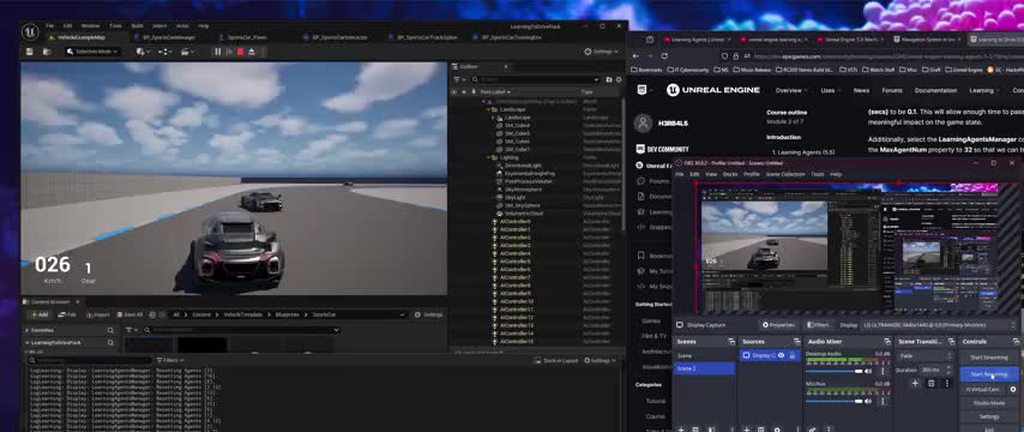 wide oxide
Actually pretty impressed at how much it's improved in just about 30+ minutes. Gonna let it run for a few hours maybe just for fun testing it out for the first time. Cool stuff https://imgur.com/a/yIXK1WP
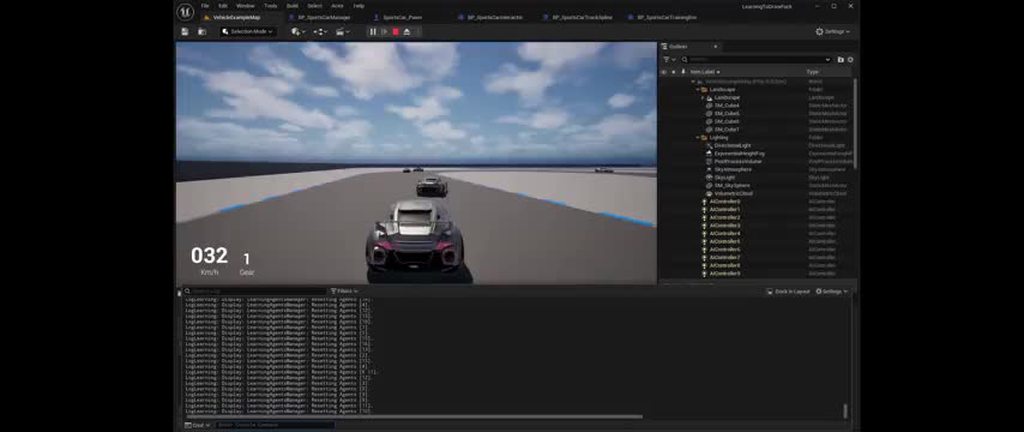 slow bobcat
wide oxide
Actually pretty impressed at how much it's improved in just about 30+ minutes. G...
slow bobcat
wide oxide
Actually pretty impressed at how much it's improved in just about 30+ minutes. G...
How does the process work on a high level? Can you apply the same example to get a walking mannequin to learn how to transverse a level?
wide oxide
slow bobcat
How does the process work on a high level? Can you apply the same example to get...
I assume it could be setup for something like that no problem depending on what you're trying to achieve. I'm honestly not too knowledgeable as it's my first time messing with the feature itself. Though if you're just looking for an AI to be able to move around a level (possibly enemy/sidekick following type deal), there are a few good videos I saw on that topic as well that didn't involve the machine learning stuff (Decent series on enemy AI : https://www.youtube.com/playlist?list=PLNwKK6OwH7eW1n49TW6-FmiZhqRn97cRy ) I'm just following this tutorial here though: https://dev.epicgames.com/community/learning/courses/GAR/unreal-engine-learning-agents-5-5/7dmy/unreal-engine-learning-to-drive-5-5

YouTube
This tutorial series will teach you how to use advanced AI features in Unreal Engine 5 to create Smart enemies that: - Collect data from their environment an...

Epic Games Developer
Get familiar with Learning Agents: a machine learning plugin for AI bots. Learning Agents allows you to train your NPCs via reinforcement & imitation le...
wide oxide
About an hour or so of training. Already looking pretty decent imo. Much more to explore and test after the first section to get it a bit more realistic and play around with stuff. But overall super cool and honestly can't believe stuff like this is free lol. A lot of potential https://imgur.com/a/kOwISYH
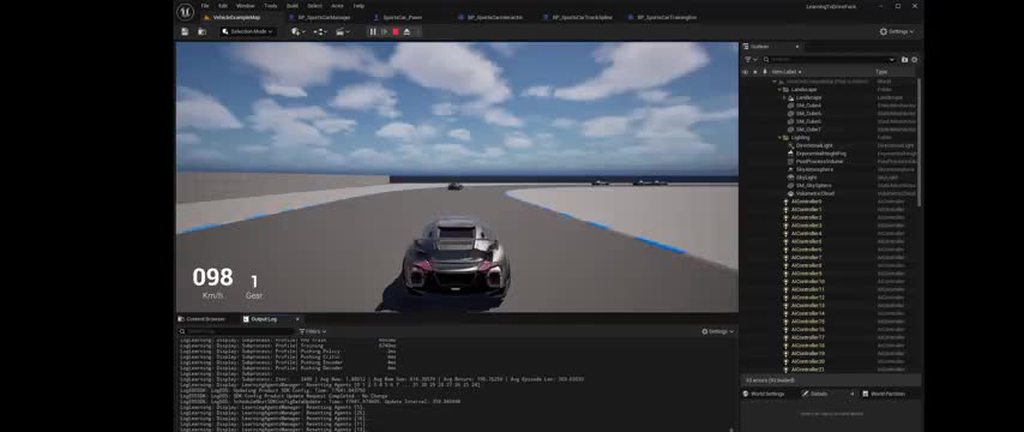 wide oxide
Ok last one for now lol. I just think stuff is really cool and happy with how it turned out so far. https://imgur.com/a/tSb30zi
 heady silo
silent hamlet
Find nearest actor might be heavy on BP on tick but it really depends on how man...
heady silo
silent hamlet
Find nearest actor might be heavy on BP on tick but it really depends on how man...
I was thinking of an upper limit of 12-20 active enemies as a theoretical limit
silent hamlet
heady silo
I was thinking of an upper limit of 12-20 active enemies as a theoretical limit
Really cannot judge just based on the numbers of enemies. As a rule of thumb i tend to optimize when things become a problem, not really before that. Unless I know that something I wrote really sucks. Profile and see how much time your ai agents are taking to do their thing
heady silo
They seem to be reacting decently fast. I tried the routine I wrote and it started tweaking them out like Jacob's Ladder
 pine steeple
Anyone here ever seen a crash on BT regarding simple parallel ? const UBTTaskNode* ParallelTask = ParallelTaskInfo.TaskNode specifically this being nullptr
harsh storm
Considering how infrequently I use simple parallel's - no 😅
 grand halo
reef wharf
Hey all I'm trying to get hearing sense to work but the AIcontroller is not pick...
grand halo
reef wharf
Hey all I'm trying to get hearing sense to work but the AIcontroller is not pick...
I am also looking into doing some hearing sense in Cpp, let me know if you solve it!!
 dim pier
I don't suppose there is a guide of some sort about reusing BTs for multiple characters?
or a general one that involves multiple characters
harsh storm
Just don't hardcode certain things. For example, if you are trying to play an animation, get that info from the pawn instead of hardcoding it in the task.
dim pier
Yes that's what I'm trying to do
So far, I created a BB key for the AnimMontage and have each character set the desired montage in the BB then have the BTTask use that key to play the montage (or trying to do this with not much success)
harsh storm
Show code

 harsh storm
2 things:
- You're assigning the BB on begin play, the blackboard may not even be valid by that point.
- You're playing the animation and then immediately finishing the task. With latent nodes, you often don't want to pull the execution wire from the top most pin. Instead, from one of the other pins.
dim pier
I didn't get that far yet, I think I'm stuck on the retrieving the animation in BTTask
harsh storm
You're setting it with the right node and you're getting it with the right node. But it may not even be valid because of my first point.
Also, make the BB key a variable in the task, so you can select it from a dropdown in the BT editor.
dim pier
I added a delay to give time for the blackboard to initialize but I guess I missed something
Blueprint Runtime Error: "Accessed None trying to read property CallFunc_GetBlackboard_ReturnValue". Node: SetValueAsObject Graph: EventGraph Function: Execute Ubergraph BP Humanoid Viking Blueprint: BP_Humanoid_Viking
dim pier
Ok, I got that part sorted and the correct montage is showing up but not animating

I tried casting to the base BP and the Viking BP to get the mesh, still nothing
dim pier
Finally got it working sort of, the issue was the animgraph wasn't setup properly
 tropic vine
Hi guys I'm new to this ai stuff can you tell me when do I need to use the agents plugin and how is it compared to the new Nvidia ace plugin
 static flint
Dynamic obstacle doesnt work as intended
I kill object but area behind it still unpassable

Any solution?
Theres barely any info about dynamic obstacles
I need to make a box that makes ai not able to pass it, then remove that box to make ai being able to pass it
slow bobcat
static flint
Dynamic obstacle doesnt work as intended
I kill object but area behind it still ...
What type of navmesh do you use?
static flint
Just changed to "dynamic modifiers only" and seemingly it started working but Im not sure its thats intended solution
slow bobcat
Yep, that's the solution
Nav modifiers only work on Dynamic with modifiers or Dynamic nav
static flint
Thanks
 pastel moth
Is there a way to pass in data to parameters via the blueprint of the owner of a state tree?
I get that I can set a default via the params but is there a way to have it settable at runtime? It looks like I'll just have to pass in information via the context actor 😦
slow bobcat
Either that or a global task that sets it. Or you can have a task that runs in the root just once that sets it.
Or it could be data driven entirely and you have a Data Asset that defines your AI peculiarities and you read the required EQS from there
Plenty of choices
slow bobcat
GameAIPro.com is down... I hope it's something temporal while they fix issues...
 gentle hamlet
I want to make a horror game monster... I'm trying to read on the current state of game AI. I think I'm going with a state machine and that's it. Who thought mimicking intelligence is difficult
 stone walrus
hey guys how can i change sight radius during runtime in BP well in c++ we can but i am making lecture for my course which is typically only BP focused i don't want to involve c++ in my course video , i have checked every where , the solution is only c++ based no Bp solution

please help
misty wharf
stone walrus
hey guys how can i change sight radius during runtime in BP well in c++ we can...
I don't think you can
 neon basalt
Hey everyone, I'm starting with AI, I think that need to set up a Behavior Tree and a State Machine together. Are there any tutorials I can follow to learn? I searched on YouTube, but most of them are over a year or two old. Have there been any changes? Or are these methods outdated? Is there any new plugin that helps with AI and related features?
pastel moth
You'd want to use state trees. I'd follow the quick start guide with state trees on unreal engine

Epic Games Developer
StateTree is a general-purpose hierarchical state machine that combines the Selectors from behavior trees with States and Transitions from state machines.
Question on transitions. I have a group state "Idle" that I can successfully enter. My tree is failing to move from there to my child states.
There are no pre-requisites to enter the child states of that group state. What am I doing wrong here? My root is set to try to select children in order. I set the children states to have "Try enter" for the selection behavior. Is there something obvious I'm missing?
 misty wharf
pastel moth
Question on transitions. I have a group state "Idle" that I can successfully en...
misty wharf
pastel moth
Question on transitions. I have a group state "Idle" that I can successfully en...
Try Enter is a bit confusing, I never quite figured how it's supposed to work. In my experience it works best if you have a leaf state that can be selected
neon basalt
pastel moth
You'd want to use state trees. I'd follow the quick start guide with state tree...
Perfect! Okay, thanks!
misty wharf
As far as I can tell, Group is entirely identical to State but you just can't put tasks directly on it
It's literally handled by the same code other than the UI logic where it prevents you from adding tasks into it
pastel moth
I figured it's nice to have things organized (but you can do it with state) but I'm not sure about what their intended use cases were for
misty wharf
It seems to be purely for organizational purposes yeah
slow bobcat
Wrong channel. Spam or mistake?
misty wharf
It's just a shitpost, he posted on multiple channels
 grand saffron
StateTree question: Apparently tasks do not run on parent states when the tree is determining whether to move into child states. But I want to move into a child state only if the output of a task on the parent returns true! Is the solution to this to make a dummy state before that child whose sole purpose is to run the filtering task for one tick, or is there a better solution?
slow bobcat
grand saffron
StateTree question: Apparently tasks do not run on parent states when the tree ...
You can put that bool as an output parameter that a condition reads as an Input parameter. I think, not sure
grand saffron
slow bobcat
You can put that bool as an output parameter that a condition reads as an Input ...
That was my initial design, but the output is not set because the task doesn't run on the parent
grand saffron
grand saffron
That was my initial design, but the output is not set because the task doesn't r...
"Important note: if the enter condition relies on the output of a task higher in the tree’s hierarchy, there are times where it can fail because the input parameter does not have a proper value. StateTree will not run prerequisite tasks for the enter condition to be able to evaluate it. This could change in the future, but it is not currently planned."
grand saffron
I ended up making the parent state "Try Enter", and then have it transition to a dummy child on tick which holds the actual children that have enter conditions. 🤷♂️
 spare salmon
I'm trying to debug a State Tree, but I cannot get the State Tree Debugger to work. I can't connect it to an active ST. When doing a simple test on my personal machine with editor launched from the Epic Game Store, I can use the debugger. But the project I'm having the issue with is built from source. Anyone here have issues like this before?
Edit: Turns out we didnt have the UnrealTraceServer built and the debugger requires it to work
grand saffron
I can get the StateTree debugger to work, but it activates a profling trace, creating all of these trace files that I don't want on disk.
 little mulch
Does anyone know how to get the USplineNavModifierComponent working on an actor? It doesn't seem to do anything and I'm not sure how to set it up properly.

I'm wanting to do a Simple Move To into that tunnel so it seems like a nav modifier for that location is appropriate

I think the collision on the simple collision on the mesh is causing the hole in the nav dmesh (which I want for the most part) but I want to allow the nav mesh to go into the tunnel, at least a little bit where the character will then be put on a spline and not have to nav by itself
pastel moth
Has anyone had issues where moveto is ALWAYS failing in your state tree but it works in behavior tree?
Im using the same EQS query for both the behavior and state tree
slow bobcat
little mulch
I think the collision on the simple collision on the mesh is causing the hole in...
You are going to have to modify the collision of the tunnel if you want it to affect the nav but still have nav up to its entrance. Have you tried using a nav link? You will need several if the tunes is not straight though. I have never used the spline nav modifier. Not sure what it is for, my guess is that it is like a navmodifier volume but in the form of a spline. That doesn't generate nav, just modifies existing one.
slow bobcat
pastel moth
Has anyone had issues where moveto is ALWAYS failing in your state tree but it w...
What does visual logger say? If you debug draw the location choosed, does it make sense in both cases?
pastel moth
sec gonna use it I forgot there was the visual logger 😄
yeah it makes sense

Would this mean that the location is none 0_o
my navmesh has a bunch of warnings too
LogNavigation (Warning) FPImplRecastNavMesh::InitPathfinding start point not on navmesh (X=-1261.520 Y=-2241.978 Z=28.038)
LogNavigation (Warning) FPImplRecastNavMesh::InitPathfinding start point not on navmesh (X=-2260.000 Y=390.000 Z=198.038)
LogNavigation (Warning) FPImplRecastNavMesh::InitPathfinding start point not on navmesh (X=-2053.083 Y=-2319.803 Z=28.038)
LogNavigation (Warning) FPImplRecastNavMesh::InitPathfinding start point not on navmesh (X=-265.502 Y=-2155.962 Z=28.038)
slow bobcat
pastel moth
Your default extension for points projections onto the nav is not big enough for the logic to be able to project your points.
Try one of this 2:
- change the default extension in nav project setting to something that makes sense with those numbers (my wild guess is that the Z component of your extension is too small)
- Or project the points onto the nav before sending them to the MoveTo logic passing a custom projection extent
pastel moth
oh okay so probably increase the projection so the nav points appear on the navmesh
slow bobcat
you can do that on the eqs directly, but it's cheaper if you just project the one you pick rather than all the ones used by the eqs
slow bobcat
pastel moth
my navmesh has a bunch of warnings too
LogNavigation (Warning) FPImplRecastNavM...
I would debugDraw all this points in VisLog to see where they are exactly. Seeing them will help
slow bobcat
do you get the same error in visual logger?
pastel moth
Please hold 😮
slow bobcat
holding hard
pastel moth
hah sorry
I dont see anything in the logs that stands out
maybe it is my state tree thats fucked
LogPathFollowing (Log) RequestMove: Path(complete:3) Location(X=200.000 Y=-1200.000 Z=76.899) Mode(partial path) Filter(NavFilter_AIControllerDefault) AcceptanceRadius(5.0 + overlap) StartsFromPreviousPath(No))
LogPathFollowing (Log) Updated deceleration segment: 1 (MaxSpeed:300.00, BrakingDistance:300.00
LogPathFollowing (Log) RequestMove: accepted, ID(54152) dist2D(1562) distZ(47)
That looks good
slow bobcat
If you click the navigation category of the Visul Logger, do you see a path drawn at any point?
If not, have you checked with the state tree debugger what's going on?
Is your MoveTo task running alongside some other task? could it be that the other task is finishing before the MoveTo task and triggering a Transition out of the move state finishing your move?
pastel moth
yeah Ive checked with the state tree debugger and debugged through my tree
My moveto task is failing so I have it go to a task to increase my characters Z axis.
slow bobcat
What does it mean "increase my character Z axis"? as in "scale the capsule"?
pastel moth
sec

Im getting a new location via the EQS query if the actor movement fails because I think they got stuck somehow when moving
I basically copied cropouts code and Im trying to migrate it to state trees
slow bobcat
if that's the case, the path following category or the navigation category in visual loger will show the result of the movement (blocked, success etc)
You don't need that increase. You can move to a point on the floor. It doesn't need to be at capsule-center height
pastel moth
oh ok so get rid of the add part
slow bobcat
For real this time: debug draw your location before you call move To to it in visual logger.
Trace an arrow from the character location to that location.
If you want, show it here. Just to make sure things make sense
pastel moth
one of the problems is that teleport is constantly recurring because its boolean is false
ok
oohh they stopped teleporting after I removed the +45 oh nvm
slow bobcat
My advice is that you simplify things for debug: do simple moves and only that, disable anything else. See why it fails. Once that works, re-visit if you want to teleport and how.
pastel moth
yeah youre right.. just do a moveto on beginplay and just see where it's screwing up
slow bobcat
you can try that to a know point in the nav (drop a cube on the scene that can't affect navigation, copy its coordinates and use them hardcoded)
If that works, then do the same in your Move To (skip the EQS and hardcoded your cube coords)
If that works, re-plug the EQS
And, sounding like a scratched record but: debug draw your stuff.
2 hours building a decent debug tool saves countless hours of hit-and-miss debug
specially when it comes to movement, rotation and physics
slow bobcat
no worries. Let us know what did fail once you figure out. "through others pain we learn"
pastel moth
so I have a cube and I feed it into my pawns move to. The visual logger is saying the endpoint isnt valid even though it is in the navmesh. That doesn't make sense to me
 slow bobcat
see that red volume? that's your extension used to project points onto the nav
It can't reach the nav. If you don't want to change it, simple set the flag bCanEverAffectNavigation to false in the cube and re-build the nav data
that way there will be nav below the cube and the extension will find it and project the point (technically inside the cube, which will not be acceptable in the game, but this is for testing only)
pastel moth
I thought if my navmesh was set to dynamic in the project settings it'd auto rebuild
slow bobcat
ah then you don't need to do a rebuild. Didn't know you were using dynamic nav
pastel moth
any idea why this wouldn't be working otherwise?
slow bobcat
step by step.
Change the flag so there's nav under the cube, try again. Then let's see
pastel moth
done and still the same error/warning
slow bobcat
which one? the last one?
Can you show the image please?
pastel moth
Sure
oh what the hell I turned it off again and now theyre navigating
They're walking to the cube woo
slow bobcat
ok cool
so movement works
Now, use that exact same location in your MoveTo task within the state tree.
pastel moth
I fixed it
I used version control to reset my all the stuff I changed
Now I'm slow rolling my changes out and more gradually testing..
slow bobcat
Classic
pastel moth
one last question, is there any trick to getting a delay node to work? Can I just add it as a leaf node and set the delay and it should work?
slow bobcat
pastel moth
one last question, is there any trick to getting a delay node to work? Can I ju...
Are you talking about Bt's or BP's?
slow bobcat
No idea sorry, never used it. Delays are a big "no no" for me in general. Nothing good comes from them in my personal experience
this might be interesting for some people in the channel
https://www.youtube.com/watch?v=ndvxqIPR_aU
Title: Learning Agents in Unreal Engine
Speaker: Brendan Mulcahy / Epic Games
Description: Learning Agents is an Unreal Engine plugin that enables you to train AI characters using machine learning (ML). In this session, we’ll explore how the plugin can be used to augment or replace traditional game AIs such as those written with behavior tree...
 tidal pelican
Hi, all. Anyone know under which conditions a state tree's debug info won't be recorded to the Debugger window? My tree is DEFINITELY executing, the Debugger window is open, but nothing records. I had it recording in a different session a few days ago, but now it doesn't seem to ever record. Ideas?
 slim quest
Hey, does anyone know why my AI isn't playing the animation Montage?


I have set up a print string, before and after the play montage, but only the one before triggers
slow bobcat
tidal pelican
Hi, all. Anyone know under which conditions a state tree's debug info won't be r...
If you add a debug print to a task you think is running, does it print to the log? As a silly test to ensure the tree runs
slow bobcat
slim quest
I have set up a print string, before and after the play montage, but only the on...
If you attach the print to the blend out node, does it print?
I wonder if your anim is blending out and you are missing the end task all together
Same thing with the failed cast
tidal pelican
My state tree debug breaks don't even fire off and the state tree is absolutely executing.
slim quest
slow bobcat
I wonder if your anim is blending out and you are missing the end task all toget...
the only time the print string after the play montage runs is if it is through the top, none of the other nodes will print it
slow bobcat
tidal pelican
My state tree debug breaks don't even fire off and the state tree is absolutely ...
If you are 100% sure the tree you have open in the editor is the one running... Then no idea. I would double check with some print that identifies the tree running, just in case something is off
slow bobcat
slim quest
the only time the print string after the play montage runs is if it is through t...
Any logs in the output window or info in visual logger (not 100% sure animation stuff shows in visual logger, but worth checking)
slim quest
not exactly sure what I'm looking for within the output window, would you like me to just screenshot it and sent it here?
tidal pelican
slow bobcat
If you are 100% sure the tree you have open in the editor is the one running... ...
The tree is most definitely running. The pawn is moving around and performing some tasks in the states, I'm encountering a bug that I'm trying to debug (obvs) but none of the tools are working.
slow bobcat
tidal pelican
The tree is most definitely running. The pawn is moving around and performing so...
Can you make a silly ST with one state running one task in loop and replace yours with that one? if that one doesn't work, maybe there's a bug in the engine?
tidal pelican
slow bobcat
Can you make a silly ST with one state running one task in loop and replace your...
Will try that next, just rebooting my project for the 6th time, in case that makes any difference.
slow bobcat
slim quest
not exactly sure what I'm looking for within the output window, would you like m...
Filter errors only first, see if there are any about montage or animation. If not filter warnings and check again
slim quest
slow bobcat
Filter errors only first, see if there are any about montage or animation. If no...
nothing
slow bobcat
@slim quest
if you ignore your tree and you play a montage on begin play, does it work?
tidal pelican
Nope, state tree with minimal states/tasks also don't debug.
slow bobcat
tidal pelican
Nope, state tree with minimal states/tasks also don't debug.
And if you click the record button on the debugger window does it say or do anything?
slim quest
slow bobcat
<@351693325247578112>
if you ignore your tree and you play a montage on begin p...
it does not, tried to see if it was just an issue with that montage for whatever reason, it's not that either.
nevermind, I got it, thank you for trying to help, the issue has been sat in front of me this entire time and I just realised it... I'm using the wrong mesh
slow bobcat
slim quest
nevermind, I got it, thank you for trying to help, the issue has been sat in fro...
That should have thrown an error in the log about the wrong mesh being used
slim quest
strange, I didn't see it. Maybe I just missed it, I'm not too sure
tidal pelican
slow bobcat
And if you click the record button on the debugger window does it say or do anyt...
I restarted my PC and went for a 25km mountain bike ride, started up UE and tried again and it works. So either my mountain bike is magic, or there's an external process that's used for the debugging that didn't get cleaned up last time. I'd like to think my bike is magic.
slow bobcat
tidal pelican
I restarted my PC and went for a 25km mountain bike ride, started up UE and trie...
Definitely the bike
 solemn garnet
Is there any way to get the AIController context when using a gameplay interactions state tree schema? I am trying to find an entry location to a smart object and then move to that location with the Move To task but it needs an AIController context.

 uncut cloak
does anyone have a good resource for learning AI for the vr template?
dim pier
I don't see how VR changes anything
 honest mulch
Why the NavMesh not fill the full area
 slow bobcat
solemn garnet
Is there any way to get the AIController context when using a gameplay interacti...
slow bobcat
solemn garnet
Is there any way to get the AIController context when using a gameplay interacti...
Not familiar with that schema (I only use the AI schema) but, don't you have to set what is the actor? Is that's the case, you could have a global task that, on enter, outputs a parameter that is the AI Controller for the actor in your schema.
slow bobcat
honest mulch
Why the NavMesh not fill the full area
Seeing that the tree in the background has nav on top, you seem to have something in the floor that affects navigation. You will have to inspect all your objects and volumes in that area and see what's causing it
honest mulch
slow bobcat
Seeing that the tree in the background has nav on top, you seem to have somethin...
can EQS fix this?
slow bobcat
honest mulch
can EQS fix this?
Eqs has nothing to do with nav. Eqs stands for environment query system, in other words: a system that gives you tools to ask questions to the environment to obtain data from it.
I would do some A/B test first and try removing the 2 buildings there. If the problem persists, remove some other asset etc
Until you get nav there. Then restore the level and just remove the last asset you removed when you finally got nav. If that works, check the asset setup on your level
Also pay attention to volumes and triggers if there's any
Another tests is to remove all nav bounds volumes and just place one covering only the area that doesn't get nav on the ground (to check if you are hitting some nav limitation)
honest mulch
slow bobcat
Eqs has nothing to do with nav. Eqs stands for environment query system, in oth...
I checked the collision, the object not have a weird collision, all correct
slow bobcat
What about the bCanAffectNavigaiton? What about the collision going further enough on those buildings to cover that area? Why does the tree have nav but not your floor? What's the difference between them? Plenty of things to test.
honest mulch
slow bobcat
What about the bCanAffectNavigaiton? What about the collision going further enou...
What features i need to check maybe?
slow bobcat
slow bobcat
Eqs has nothing to do with nav. Eqs stands for environment query system, in oth...
Start here to find first which asset is causing trouble
slow bobcat
Could it be the asset you use for a floor with crosswalks? Seems the areas without nav have that in common
Maybe bCanAffectNavigation is set to true for that floor asset?
uncut cloak
dim pier
I don't see how VR changes anything
The follow command doesn’t seem to work because the player character isn’t a static mesh in the vr template. So I’m trying to learn more about it. I can’t get a simple ai to work.
slow bobcat
uncut cloak
The follow command doesn’t seem to work because the player character isn’t a sta...
Never worked in a game where the player is a static mesh. What exactly is the error you are getting?
Also not sure I know what do you mean by "follow command"
uncut cloak
slow bobcat
Never worked in a game where the player is a static mesh. What exactly is the er...
I’m very new to ai so I’ll try to explain it better. I am using a “AI move to” node to make the enemy ai follow the player when on the nav mesh. But from what I’ve learned is that the the vr character doesn’t have anything in it that communicates with the nav mesh. So the ai can’t see you and doesn’t know where to go next.
uncut cloak
slow bobcat
Never worked in a game where the player is a static mesh. What exactly is the er...
I think I got bad info from a video. I just re built a different one and it’s working.
stable plover
uncut cloak
I’m very new to ai so I’ll try to explain it better. I am using a “AI move to” n...
I’m sure that’s wrong, the Ai needs to be configured to see, you mess with detection by affiliation?
And use the gameplay debugger to debug the perception?
uncut cloak
stable plover
I’m sure that’s wrong, the Ai needs to be configured to see, you mess with detec...
i solved it, it was user error. but since i have you here. Im having trouble figuring out different movement speeds. I have the behavior tree set up with a "move to" node for when the ai sees the player character. Do you know how to increase the ai's movement speed when it detects the player?
dim pier
uncut cloak
i solved it, it was user error. but since i have you here. Im having trouble fig...
I did it by BTTask_SetCharSpeed with an interface on the character, not sure if its the correct way to do this


but it works
 odd tide
when i click Add Transition in first State, my editor crash. How to fix it?


 slow bobcat
Your log have 0 info because it doesn't have any debug symbols (I think, looks like it doesn't have the pdb files needed). Try downloading/install them and then repro the bug again. It's possible the log will contain then more specific info
odd tide
This can happen at any time, when adding a Transition in any State, sometimes it happens, sometimes it doesn't
slow bobcat
Then download the debug symbols and, if a crash happens, check the log
The crash window might also offer more info with the debug symbols loaded
odd tide
okay will make it now
odd tide
@slow bobcat

UnrealEditor-DetailCustomizations.dll!FVectorStructCustomization::GetSortedChildren(TSharedRef<IPropertyHandle,1> StructPropertyHandle, TArray<TSharedRef<IPropertyHandle,1>,TSizedDefaultAllocator<32>> & OutChildren) Строка 47 C++

I don't know what information from these windows I need to send out
slow bobcat
Ummm difficult to say. So... Are you loading the dump file in visual studio or are you running the editor from it because you compile it?
slow bobcat
Look like you have something tied to a vector param property that is failing
heady silo
I'm trying to get an EQS for flanking the player. I'm pretty close, I think, but the EQS system is considering some props as visual cover from the player when they are clearly not. Is there any way I can call tags in the EQS and filter out the exercise equipment?

 slow bobcat
Call tags you mean filter by gameplay tags?
heady silo
yeah something like that
I mean I could just set the props to not influence navigation, and then put nav volumes to make the areas null
but I would prefer something more scalable that takes less work
slow bobcat
heady silo
but I would prefer something more scalable that takes less work
Then you can make your own test that grabs the gameplay tag interface from the item (or the ability system component if you use GAS) and filter using it
 brave citrus
I was trying to get an ai to attack the player, but the animation keeps repeating before the animation finishes. I'm not sure what I did wrong if someone could help

 stable plover
dim pier
I did it by BTTask_SetCharSpeed with an interface on the character, not sure if ...
stable plover
dim pier
I did it by BTTask_SetCharSpeed with an interface on the character, not sure if ...
thats one way
stable plover
brave citrus
I was trying to get an ai to attack the player, but the animation keeps repeatin...
where are you calling that event from
maybe dont set the can attack to true every time you follow the player thats a logic error
because every time your following the player you set it to can attack everytime
uncut cloak
dim pier
I did it by BTTask_SetCharSpeed with an interface on the character, not sure if ...
nice! im going to work on this now to see what i can come up with
 oblique basin
brave citrus
I was trying to get an ai to attack the player, but the animation keeps repeatin...
oblique basin
brave citrus
I was trying to get an ai to attack the player, but the animation keeps repeatin...
If the animation is not completing, it's probably being called again before you reach the end of the function. You could set a Boolean gate bIsAttacking which you set to true before calling the animation, setting to false on complete and only allowing the process to start if bIsAttacking is false. Also, you're setting Can attack to true then checking if it's true, which is redundant. There's also a more useful play montage node in which you pass in the pawn's skeletal mesh and comes with async output pins for on complete to save using the delay set up you've gone for.
 severe sorrel
How does the AI Moveto command work?
For example my character has some custom locomotion, but using the moveto it just linear interpolates to it
slow bobcat
What do you mean by custom locomotion?
brave citrus
Thanks for your help but I ended up rewriting the attack code separate from movement. This code also lets me slot different animations and fix the sliding problem with the animation.
 severe sorrel
slow bobcat
What do you mean by custom locomotion?
severe sorrel
slow bobcat
What do you mean by custom locomotion?
uh, basically an actor can only go forward, then it steers to face the desired input direction
 bleak drift
does it make sense and can i implement statetree tasks in c++?
or should i usually opt for bp?
severe sorrel
should be able to do C++ if you inheirit from the correct class
bleak drift
cool ill try that! 🙂
btw I'm not sure just saw it, do you think it is worth looking into EQS an will i be able to use it with statetrees?
and additionally, is if someone wants to give me some pointers, is there some pointers like eqs, i could look into to make a good ai? ^^
slow bobcat
severe sorrel
uh, basically an actor can only go forward, then it steers to face the desired i...
But are we talking about root motion driven movement or it's a non-root motion and the movement is scripted in bp/c++?
severe sorrel
slow bobcat
But are we talking about root motion driven movement or it's a non-root motion ...
Non root motion driven by bp
from what it's looking like I may need to write my own custom moveto
slow bobcat
severe sorrel
Non root motion driven by bp
Riiight OK so your problem is that the AI is following a path that you don't want it to follow? Rather move it straight?
severe sorrel
Well, it's moving straight to the goal
but with the logic I want to run, it will need to turn first as it has a turning radius and speed
if that makes sense
slow bobcat
Sorry didn't make myself clear: I was asking "you don't want it to follow a path, you want it to just move straight forward right?"
Ok so:
- turn on the spot if needed
- then move forward
No?
severe sorrel
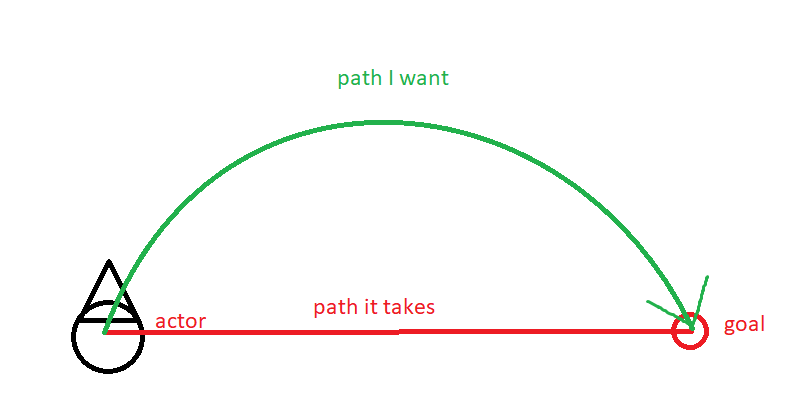 slow bobcat
Aaaaaaah
severe sorrel
I guess basically I want to just give it a location, then the logic will take that location, create a movement vector, then feed it to the pawn movement
until it reaches its goal
moveto location doesn't seem to do that, but something else instead
slow bobcat
You could do this with the path following component. When a new segment of a path is given, calculate that curve to connect the start/end of a segment and calculate points alongside. Then in the Following function make it to move to each of the points.
Another way would be to use the Set Focus and just move forward and control the focus
In any case you need to calculate the green curve for sure
I guess there some other smart way, I can't think of any other right now
slow bobcat
severe sorrel
moveto location doesn't seem to do that, but something else instead
MoveTo calculates a path with the nav mesh and follows it
Hence my suggestion of tapping into the path following component and handle it there
severe sorrel
That's what I was thinking
slow bobcat
But I'm pretty sure you need c++ for that
severe sorrel
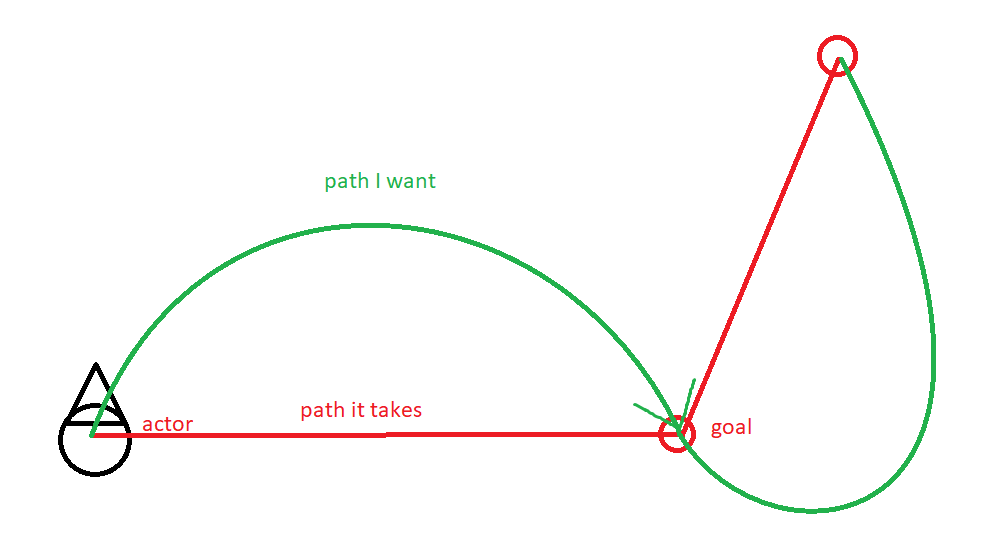
get each checkpoint of the path, then once we get there go to the next one
err, set the desired direction to the next one
then just let the pawn handle the movement itself
slow bobcat
Then yeah, calculate the curves (spline, Catmul Rom or whatever you want to use). Curves will be a series of points. Then follow them (you could add them as extra points in the path for example)
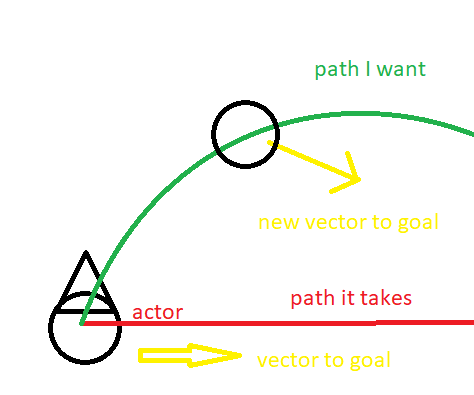 slow bobcat
Well you will need to calculate them in some way? Either poonts in it or rotation rate based on distance walked to now how to handle the focus (what will drive the green path) to pass through the red dots no?
severe sorrel
basically just a vector to the goal
that I then feed into the locomotion as a desired direction
slow bobcat
2 vectors
One moves away for the red line, the other points to it. A combination of forces
So to speak
severe sorrel
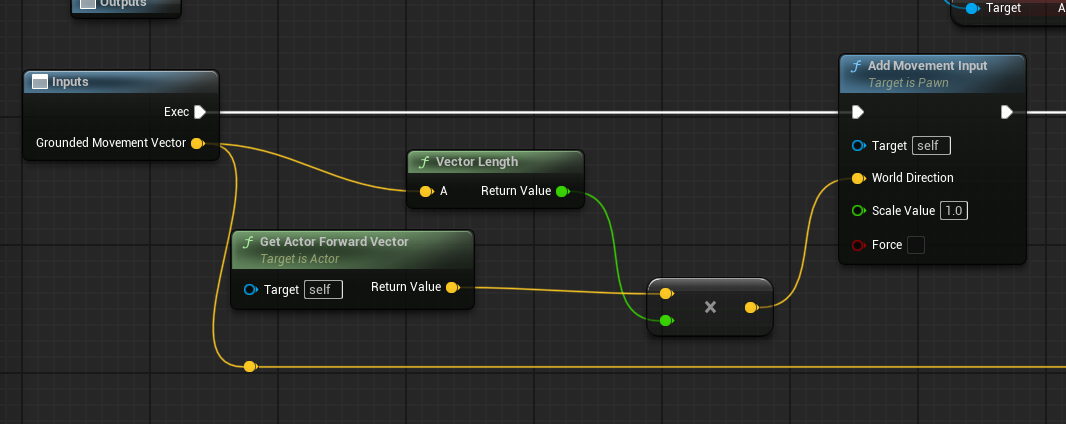 severe sorrel
uh basically the pawn is just taking the input vector, getting the length, then the actor forward, and making the pawn move forwards
slow bobcat
Sounds like something that would work. You would have trouble with obstacles and going out of nav though
severe sorrel
then as they're going forward, I get the control rotation and rotate the actor to it
severe sorrel
slow bobcat
Sounds like something that would work. You would have trouble with obstacles and...
yeah I'm fine with them bonking, almost encouraging it
and I'll have some quickturn logic for tight spaces
slow bobcat
Yeah, gotcha. Move forward pointing perpendicular-outwads the red line. Then slowly turn towards the end of the red path
severe sorrel
it's just however the actor is facing
if they're facing along the red line they'll go straight to the goal
slow bobcat
But you don't want that right?
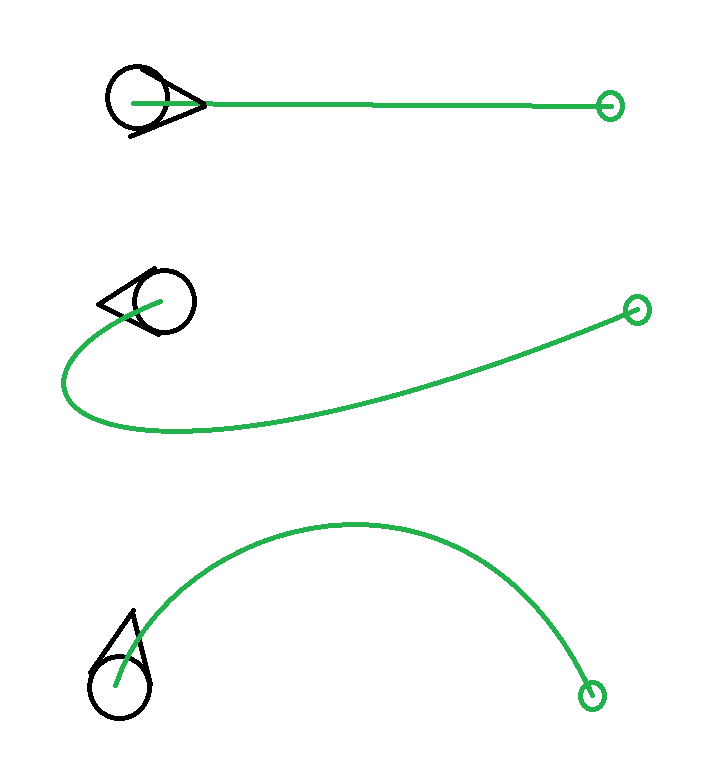 slow bobcat
That you can automatically handle with the rotation rate
Set it low
Then just move
severe sorrel
that's what I was saying
slow bobcat
Ooooook
Didn't get you
I was like "but... You already have that as default just tweaking the RR..."
Sorry for the confusion
severe sorrel
but yeah I need to get each segment of the navigation
slow bobcat
Not really
Just follow and set a low rotation rate
Los 45 or less
You should get what you show in the last image following the path (unless you want to tweak the acute corner cases etc with a different RR as you mentioned)
severe sorrel
the rotation rate in CMC doesn't seem to really work, you still go down the path linearly
it's just a visual for the actor rotation
slow bobcat
We use it in our game because we set the Allow Physics Rotation to true. That allows us to override the root motion rotation rate. Maybe something like that?
There's also the flags in the CMC to use the movement rotation or not
That will make the AI to face the path direction or not
severe sorrel
if I use that, it faces the path instantly
from what it's sounding like I'll need to make my own move-to function
slow bobcat
So setting the rotation rate to any number does nothing to your movement?
0 or 360, all the same?
severe sorrel
 slow bobcat
Yeah that need to be false
And the use controller rotation to true
I think
I would also double check bAllowPhisicsRotation
Can't recall the exact name
severe sorrel
yeah still snaps to the rotaiton
slow bobcat
Discord 🐺 https://discord.gg/K28cmFAM5F for devs to lounge & make friends.
Patreon 🐺 https://www.patreon.com/werewolven
Check that
He sets up what you need
I'm pretty sure I'm forgetting mentioning an important flag somewhere
Aaah but then you will have the problem with the AI rotatimg and walking backawrds etc. That's where the forward vector movement comes into play in your path following component
severe sorrel
yeah I have that, not actually sure why it's snapping
severe sorrel
Is there a function that generates a path to a location but doesn't actually move the AI?
bleak drift
Is it possible, in a EQS context (picture one) to get parans/config i pass in via the query (picture two)?
Since I'm using it in a state tree, I want to pass in the current target, is this a viable approach an if so how could I get a parameter in the context?


 midnight scroll
Is it possible to allow two AI to use the same smart object at the same time? I have a case where I need multiple(number unknown) AI to interact with the same thing. The claiming stuff is nice but can it be worked around in this case?
slow bobcat
severe sorrel
Is there a function that generates a path to a location but doesn't actually mov...
Yeah, in the navigation system there's find path and find path async
slow bobcat
severe sorrel
yeah I have that, not actually sure why it's snapping
I theory, if you set the RR to 0, it shouldn't rotate at all. Very weird
severe sorrel
slow bobcat
I theory, if you set the RR to 0, it shouldn't rotate at all. Very weird
found my issue
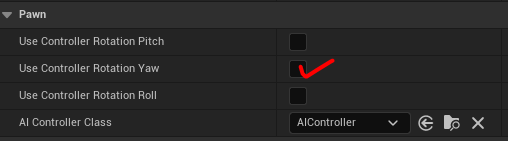
I had this checkmarked
severe sorrel
slow bobcat
Yeah, in the navigation system there's find path and find path async
I only see find path sync
severe sorrel
Should I use AI tick? or is it better to let the pawn do the ticking
slow bobcat
severe sorrel
https://i.imgur.com/xiqOVWI.png
Aaah good find
slow bobcat
severe sorrel
Should I use AI tick? or is it better to let the pawn do the ticking
Not sure what do you mean. Are you asking if it's better to add your logic within the AI Controller tick or the pawn tick?
severe sorrel
slow bobcat
Not sure what do you mean. Are you asking if it's better to add your logic withi...
Yeah
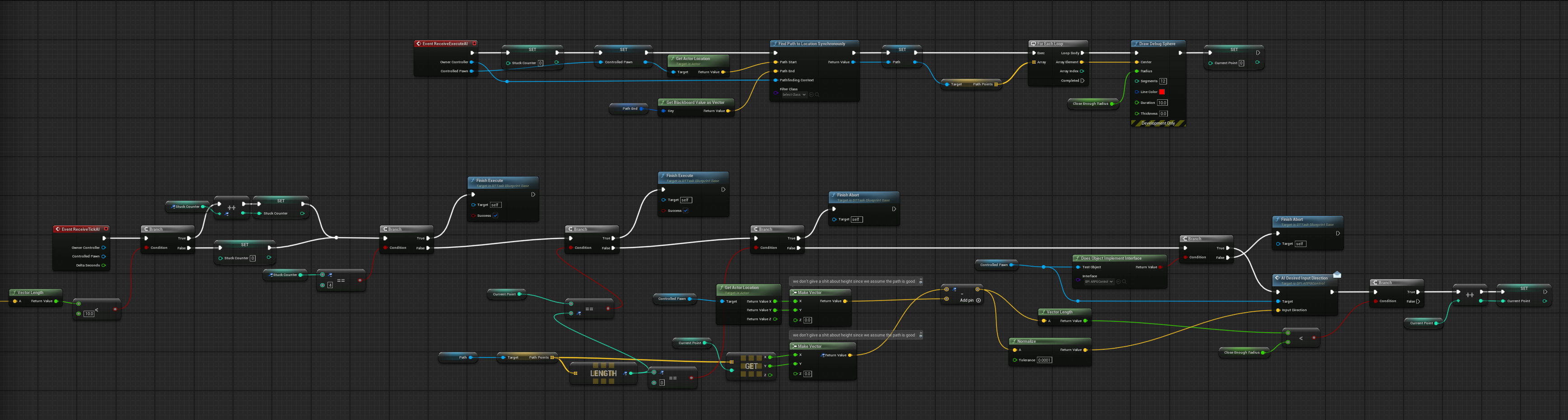
basically here's the logic I'm trying to run
Basically I'm asking the pathfinding to give me a path, then I take the points on that path and set my desired movement to that point, then if I get close enough go to the next point
but I'd be constantly updating the pawn on the desired direction
From my understanding it's good practice to not tick things if they don't need it, but wasn't sure if AI tick was an extra overhead
slow bobcat
Without seeing the image (I'm on my phone and discord app sucks zooming on images), both pawn and controller tick by default, so the overhead here would be whatever you add to it. You could do all that in the Path Following Component thoug. It has 2 functions that are suited for your goals:
- on path segment: called when a new segment of the path starts
- on follow path: like tick, but only calls while a path exists
Alongside that it has nice utils like get current path segment etc
If you use that, you can also use the default move to AI, which not only handles the get path etc, but also has a path observer that will re-path if the nav changes or if the goal actor (assuming you move towards and actor) moves. It also will stop the movement if your AI gets blocked.
ok I'm on my pc now. I don't get what you do in the BP: you calculate the direction to the next path point and pass it to some other function (AI Desired Input Direction) and then? what do you do with it?
Everything you do up to that point you could do using the default AIMove to and implementing the logic in UPathFollowingComponent::SetMoveSegment but that function is only available in c++ unfortunately (I'm guessing you are doing everything in BP's)
there are workarounds for some of the stuff you do
For example, if you use AIMoveTo, then in your logic you can call this BP function from the AI controller to get the current path segment your AI is following and straight get the direction you look for UFUNCTION(BlueprintCallable, Category = "AI|Navigation") AIMODULE_API FVector GetImmediateMoveDestination() const;
you can also get advantage of the automatic block detection in the AI Controller
AIMODULE_API void SetMoveBlockDetection(bool bEnable);```Just mentioning all this in case you can have less custom stuff (it always helps)
heady silo
slow bobcat
Then you can make your own test that grabs the gameplay tag interface from the i...
...I'm assuming that's going to require C++ that is well outside of my ability
slow bobcat
heady silo
...I'm assuming that's going to require C++ that is well outside of my ability
Not at all. You can do eqs tests in Bp's without issues. And I would assume the Gameplay tag interface is imolementable in Bp's (haven't checked tbh)
bleak drift
If I want a AI move to a location that itself changes, should I then call move to all the time (maybe even in on tick) to update the target location, or is it better & more performant to create a actor at said location and target that or is there another option of doing it?
 spice badger
Can advanced AI ( such as chatgpt gemini etc ) contorl enemy AI in video games?
not literally but like can we have like a LLM integrated in our games and let it control certain aspects of our game ( like ai in this example)
like how does that work
bleak drift
spice badger
Can advanced AI ( such as chatgpt gemini etc ) contorl enemy AI in video games?...
Strongly depends on your goals.
If you want to train such a model yourself you need the data for it.
But letting a LLM make decisions based on player input, should be quite easy, for example asking equestion & getting some answers. You probably want to add some context to your LLM query and then let the (game) AI act dependent on it.
spice badger
it would control an enemy AI player, patrol, attack the player, seek cover, you know, the usual stuff, but in an advanced way over a regulat ai implementation
so it would feel more genuine
and a little random each time
bleak drift
spice badger
it would control an enemy AI player, patrol, attack the player, seek cover, you ...
LLM's are quite slow and expensive, but you can query an LLM to make high level decisions/plans.
spice badger
expensive in terms of perfomance?
bleak drift
in performance and hence also time
If you make a request to ChatGPT you see how long it takes?
Besides that look at the token cost, so you use a fast model you can get a request every 1-5 seconds?
Then imagine you have 1000 players
How many request you would have to do, since you are probably not able to ship an LLm with your game, since it won't run on most of the machines and if it would, there would be no perfromance left for the game itself, you have to run it on a server.
Or pay for a service, whcih is running cost for you.
spice badger
bleak drift
How many request you would have to do, since you are probably not able to ship a...
arent there cheaper models out there?
i dont want it to be super intelligent
like know every topic
but just a specific one
bleak drift
The more frequent your requests are, the more you pay. Also a LLM knows different things, it probably won't translate actor positions and inputs well.
You need to provide higher level context to it.
spice badger
requests wouldnt be that frequent either tbh, like if it sees a player it would engage in a combat mode and if not it would like just roam around until the next interaction
or until it finds an item
bleak drift
spice badger
arent there cheaper models out there?
You can have a specific tailort smal neural network for some task, but then you need the data to train it on and you need to know what you are training it for which you probably don't have. Also cheaper models lack the understanding of the world.
spice badger
how do you effectively train an ai?
just let it run on your game till it figures shit out?
or how do i imagine that
bleak drift
Yea you can make a request to chat gpt, "I have a player roaming around, he has equipped a gun and already killed x of my species, should i hide, run away, ..."
spice badger
yeah kind of like that
bleak drift
spice badger
how do you effectively train an ai?
with lots of data, knowledge of AI and money/hardware 😅
bleak drift
spice badger
just let it run on your game till it figures shit out?
To complex/to little hardware to do that.
Or you need millions of players and collect all the data and then can train your models on that data.
If you are asking, if it is possible to use LLMs to have less work for better results, the answer, especially in the first degrees is no.
It will cost you and you probably will have running costs for you game.
Also you probably have to implement everything you would do normally + the AI stuff, but you probably could get some nice results if you go the extra mile and pay the price. Like for example the player can have completely custom input and get sensible reactions.
spice badger
Do you know any games that have it implemented ?
like iv seen some skyrim mod where they added an LLM to chat with but it was only for chat purposes
like with an NPC
bleak drift
Yea thats a really good usecase for it.
But as I said, you will not get around implementing the AI stuff, if you want to use an LLM you probably have to do everything you would normally do with additionally the LLM stuff.
bleak drift
spice badger
like with an NPC
You will not get an LLM to control a NPC in real time.
You will just get instructions out, which would translate to higher level functions , that you have to implement.
and LLM is way to slow and expensive for real time.
But you can create a query, describe your environment and situation and then ask if for instructions (which should just be instructions you call in your game)
slow bobcat
spice badger
Can advanced AI ( such as chatgpt gemini etc ) contorl enemy AI in video games?...
I would start simple. Some thimgs are achievable.
First I would start researching about the actual state of machine learning in video games. Things like the system used by Forza Horizon or the several videos you can find in this playlist (the list is being updated every week, so keep an eye)
https://youtube.com/playlist?list=PLJ9nFbJFanabyUul0S7idr_ouzSc1z4m3

YouTube
Hosted at Goldsmiths, University of London on Friday November 8th 2024.
Then you can try this (link to message below). Cars training in ue5 are something you can achieve. It will depend a lot on your hardware for what I understand.
Once you understand how is the car trained, maybe you can train a walking AI to follow a path or a spline and you would get your patrol.
slow bobcat
There was a game demo tech recently where a company showed a game where you play as a squad leader and you give orders with your voice like "move forward and take cover to flank the door" or "loot the room for me". Can't remember the name or find the video in youtube
 tough nexus
Hi Everyone i downloaded the Ue5 Motion Matching Project File and i am wondering if i can use/implement easily the Motion Matching of the UEFN Rig for an patrolling AI?
 elfin smelt
slow bobcat
There was a game demo tech recently where a company showed a game where you play...
elfin smelt
slow bobcat
There was a game demo tech recently where a company showed a game where you play...
https://www.youtube.com/watch?v=ype12MU8yFI&feature=youtu.be
you speak of this video maybe

Introducing F.A.C.U.L. – the world’s first FPS AI companion that understands human language! Powered by advanced Gen AI technologies, F.A.C.U.L. comprehends complex tactical instructions and provides real-time feedback, enhancing your gameplay experience.
With the ability to identify thousands of in-game objects and differentiate colors and mat...
slow bobcat
elfin smelt
https://www.youtube.com/watch?v=ype12MU8yFI&feature=youtu.be
you speak of this ...
Yeah that's the one
bleak drift
elfin smelt
https://www.youtube.com/watch?v=ype12MU8yFI&feature=youtu.be
you speak of this ...
Thats pretty cool 🙂
severe sorrel
spice badger
Can advanced AI ( such as chatgpt gemini etc ) contorl enemy AI in video games?...
Almost anything an LLM does for AI can just be programmed procedurally at a much higher efficiency
LLMs are also a poor fit for it, since they don't understand context
and are text based
Is "Find Path to Location Synchronously" an expensive operation?
pastel moth
Is there a way to inject a tag I want to search for into an environmental query at runtime?
slow bobcat
severe sorrel
Is "Find Path to Location Synchronously" an expensive operation?
Depends: one path that is short, no. Multiple paths in one frame, yes. A Long/complicated path with many points can be
But use async. I have never found a case where I needed a path in the very frame. AI's almost never need anything immediately.
slow bobcat
pastel moth
Is there a way to inject a tag I want to search for into an environmental query ...
A tag you mean a gameplay tag? Yeah, you can add/remove g.tags at will
severe sorrel
slow bobcat
But use async. I have never found a case where I needed a path in the very frame...
I don't seem to have the option to make an async path
in the BTTask
slow bobcat
severe sorrel
I don't seem to have the option to make an async path
Aaah in BP's... No idea if the async option is exposed BP's. I will jump into my pc in 10min, I can check for you if you need it
severe sorrel
it's not an immediate need
I'll just fumble around then refactor it later
I want to figure out some more complex behaviour later
pastel moth
slow bobcat
A tag you mean a gameplay tag? Yeah, you can add/remove g.tags at will
even in environment query tests at runtime? I didn't see a way to do that
slow bobcat
pastel moth
even in environment query tests at runtime? I didn't see a way to do that
Yeah. If the Items are Actors, you can manipulate them in your tests I think
pastel moth
The only way I saw was this
https://zomgmoz.tv/unreal/Environment-Query-System/Custom-EQS-parameters

If you need further parametrization of EQS queries beyond what is builtin, you can access the parts of an EQS query directly in code. This method is a bit hacky, but can be useful: //Prepare an EQS query instance TSharedPtr<FEnvQueryInstance> QueryInst = Manager->PrepareQueryInstance(SomeQuery, EEnvQueryRunMode::SingleResult); //Find a test you ...
slow bobcat
pastel moth
The only way I saw was this
https://zomgmoz.tv/unreal/Environment-Query-System/...
ah sorry, I was missunderstanding you.
I thought you want to inject tags into the items, not into the query itself.
Yeah, the hacky way zoomg is the only way I know of too.
The problem with that one is that it will fail if you re-arrange the tests and it will not work if you derive your tag in runtime based on the result of another test (technically you can access other tests from within another test, but it's very hacky).
Another option you have is to define an array of g.tags somewhere (or even an enum with values) and use a regular EQS int32 param. Set the param to the desired value and then translate that int32 into your g.tag using the array (or convert it to the right enum entry).
As far as you don't re-arrange your array/enum and always add stuff at the end, should be pretty solid
harsh storm
The main lesson is that EQS isn't that great with data-driven patterns 😠
slow bobcat
harsh storm
The main lesson is that EQS isn't that great with data-driven patterns 😠
yep. It's too bad, because they would be perfect for it. And adding custom parameter types requires some engine changes unfortunately.
Duroxxigar, you can be our saviour. It's time for one of your famous engine requests! make EQS great!
pastel moth
why was it not merged in? 😦
harsh storm
And Mieszko has said that he has some ideas for EQS 2.0. But it isn't really on the roadmap to be honest.
harsh storm
pastel moth
why was it not merged in? 😦
Auto-closed. Their bot does it.
pastel moth
ah ok
harsh storm
Most likely because no movement on it for quite awhile
I wouldn't be surprised if part of Mieszko's plan is to use #mass for EQS 2 😅
pastel moth
It feels like Epic lacks staff working on engine features
I mean I get we see Mieszko and one other guy working on mass but I'm like "There can't just be 2 people working on mass"
harsh storm
Not really. Just the AI side has a huge work area.
slow bobcat
harsh storm
<https://github.com/EpicGames/UnrealEngine/pull/10874>
doesn't this mean it will be merge?
 harsh storm
Best we can do is probably ask @crystal hatch (come from thou #mass cave please 🙏)
Just questions about Riot's PR for the dynamic contexts in EQS PR
slow bobcat
harsh storm
Best we can do is probably ask <@333981651245727755> (come from thou <#966517152...
would be nice to see that demo to fully understand what they are proposign here
harsh storm
I haven't drilled into the internals of the EQS stuff to figure out how I could modify it to make it more data-driven to be honest. I just cry every time I want to data drive it and then just create a new EQS query and move on 🤣
pastel moth
Yes haha that's what I'm doing right now. I think the juice isn't worth the squeeze right now. I only have 5 things I need to search for and this doesn't need to scale hard. I'll just swap the EQS's out at runtime in my state tree via my Actor on what I'm querying for
harsh storm
This is another cool extension that I feel should be native to UE https://www.fab.com/listings/6e618e4f-9ce6-44a3-9d49-242feee8dab9
 crystal hatch
harsh storm
I wouldn't be surprised if part of Mieszko's plan is to use <#966517152947527740...
crystal hatch
harsh storm
I wouldn't be surprised if part of Mieszko's plan is to use <#966517152947527740...
that is the plan, indeed
crystal hatch
pastel moth
I mean I get we see Mieszko and one other guy working on mass but I'm like "Ther...
There are 2 people in "core Mass" team, but as the Mass gets picked up by engine teams we get more and more improvements from other teams.
harsh storm
I've literally been lightly researching mass stuff so I could get a proof of concept going. Because it is something that I was thinking about doing as well 😅
Was also pondering with the idea of figuring out how to get perception to be powered by mass as well.
crystal hatch
harsh storm
Just questions about Riot's PR for the dynamic contexts in EQS PR
the problem with this PR is that it's pretty extensive. The functionality it provides is awesome, but it would take quite some resources to pull in, parse and test. The testing would need to be significant due to Fortnite heavily relying on EQS for a number of things, so significant changes to it need to be thoroughly vetted. There's just not enough Mieszko to cover everything 😉
crystal hatch
harsh storm
Was also pondering with the idea of figuring out how to get perception to be pow...
that's another thing on the list of things I'd like to work on 😄 I've designed UE4 AI Perception with data-oriented mindset (as much as it was possible back in the day) so "moving" it over to Mass shouldn't be that large of a task. Every AI sense is independent and in principle all of them could be processes in parallel. Digesting the events AIPerceptionComponent-side could also be done in parallel - event triggering would need to be collected and triggered in sequence though. Still, I don't see major roadblocks with this (although interacting with physics might need some additional care).
I'd try this first before attempting to write a whole new perception system in Mass.
harsh storm
I figured it was the physics part that would be the head scratcher part. Because mass doesn't support doing line traces as far as I know. So would have to roll your own. But I recall you mentioning that Chaos is evaluating integrating with Mass. So maybe in the future.
crystal hatch
Chaos is under more and more internal pressure to be nice to Mass 😉 It's going to happen sooner or later.
crystal hatch
harsh storm
Best we can do is probably ask <@333981651245727755> (come from thou <#966517152...
mass cave
I lolled 😆
slow bobcat
crystal hatch
the problem with this PR is that it's pretty extensive. The functionality it pro...
any chance you can share the demo project from Riot to see how they use the PR?
pastel moth
crystal hatch
Chaos is under more and more internal pressure to be nice to Mass 😉 It's going ...


 crystal hatch
slow bobcat
any chance you can share the demo project from Riot to see how they use the PR?
crystal hatch
slow bobcat
any chance you can share the demo project from Riot to see how they use the PR?
Nope.
slow bobcat
sad noises
pastel moth
Im running an environment query but I keep getting this..
LogEQS (Warning) Query [EQ_ResourceQuery_Stone_AllMatching] can't use test [EnvQueryTest_GameplayTags_1] in option 0 [], removing it
Why would this happen? I just have a test to look for a gameplay tag
crystal hatch
without looking at the code, my guess would be that your item generator generates locations, not actors. Locations don't have tags.
pastel moth
oh my god... well I decided to read the docs on EQS. That was my bad. Thanks. You were spot on with that guess. 😄
crystal hatch
turns out I still remember something about the system 😄
slow bobcat
Hello! I'm confused about something:
- If you set a Path Observer in your logic (I have my own AIMoveTo_Task implementation), NewPath event is never called.
- Looking into it, it seems it's only called if you call "UNavigationPath::SetPath"
- UNavigationPath is a wrapper(?) to FNavPathSharedPtr (this last one is the type you will handle everywhere when doing path operations)
- I only see UNavigationPath being used when you find paths synchronously through the blueprint functions (we don't do things synchornously and never use the BP functions).
My question: should I somehow call that event manually like this "OnPathEvent(NewPath, NewPath != NULL ? ENavPathEvent::NewPath : ENavPathEvent::Cleared);" whenever I calculate a path (I use "UNavigationSystemV1::FindPathAsync" and handle everything in the delegate, which uses the FNavPathSharedPtr type)
slow bobcat
ok I think I was missing that call after setting the path observer to handle things properly
pastel moth
oh nice
pastel moth
Am I smoking crack? Not sure what is going on here. TLDR: My visual logger says my EQS query is returning things found but in my state tree debugger it says no results.
My EQS query is successfully finding my BP_Stone actors in the visual logger.
The debugger in my state tree doesn't show a result being returned though and my MoveToActor state never gets executed 😦 even though the FindClosestResource500CM is succeeding.
Attached are screenshots of my debugger and visual logger.

 slow bobcat
Is it me or does the debug look like your state to run the eqs has a transition to itself? I can't see in the image and I think and I'm reading the debug wrong but... Just in case
How many transitions do you have there?
pastel moth
2 one for success and failure
slow bobcat
Ummm is that state something you can debug? To check if the task actually finishes?
 ebon shore
I have my AI storing the attack target when the player enters their aggrosphere. I used to have it update that locale on tick, but I'm wondering if there's a better way? (ie, uses fewer references?)
*resources
pastel moth
slow bobcat
Is it me or does the debug look like your state to run the eqs has a transition ...
It's either transitioning back to collect resources (which I'll change right now since it doesn't make sense to check for resources again if the first one failed) or going to moveto on success
pastel moth
pastel moth
Am I smoking crack? Not sure what is going on here. **TLDR:** My visual logger...
@severe oar helped me fix it. My objects had navblockers that were blocking navigation so my movement wasn't working. It's weird that it didn't show up in the debugger but we just changed the navblock to obstacle and that did the trick
 ripe torrent
what is the intended way to have different hear/sight sense configs for each enemy? this is what i have been trying to do:
- each enemy actor has different property values for hear/sight senses
- on the shared
AIControllerconstructor I create theUAIPerceptionComponentand each config object and register them on the perception component - on
OnPossessI read the enemy sense values and assign them for each sense
the problem is that it seems that I am not supposed to edit these values at runtime, as the PeripheralVisionAngleDegrees value is never updated to match the value I set on each enemy class
I tried to solve this by creating each sense on OnPossess instead of the constructor but if I do that none of them are registered at all
is it expected to have one AI Controller for each enemy type then set the sense values directly in each bp file?
slow bobcat
ebon shore
I have my AI storing the attack target when the player enters their aggrosphere....
As a rule of thumb in games, it's better (for both performance and logic organisation) to have an Event Driven approach: only do things when something relevant happens. Sometimes it is unavoidable to periodically check for things. In said cases, two things are usually recommended:
- if you only have Tick available, check if you can lower the tick rate of your actor/component/object. In general, you should avoid using Tick as much as possible and disable it when possible. Even sn empty tick function impacts performance. Remember you can enable/disable tick in runtime (I.e: you could enable tick in your target tracking component when a target is within the colllider and disable it when not. Also you could reduce the ticking rate to 0.5s, so it checks target location that often. That would fit into the Event driven approach)
- another alternative we use a lot is Timers you start/stop when needed
- no matter which approach you use for "constant checking" (tick or timer), it's always good to have a budget for your operations as in "millisecond per frame". Imagine you have an operation you do in tick like "out of the closest 100 enemies, give me the ones that are facing north and play X montage on them". That will take some time and your cpu might spike and not meet your target framerate (60fps usually). In that case, you can measure the time elapsed after each enemy is processed and, if your budget is reached, continue the next frame.
For example: your budget might be 1ms per frame for it. If each enemy process takes 0.1ms, on your 10th enemy you should skip the rest until the next frame. It will take 10 frames to process all enemies.
As a last note: in AI, things are almost never needed immediately. Ask yourself the following questions:
- do I need to know the exact position of my target every frame?
- why do I need to know it?
- am I using that location every frame too?
On your particular case looks like you could use the Perception system for it. It already have some optimizations in it
slow bobcat
ripe torrent
what is the intended way to have different hear/sight sense configs for each ene...
Unless you can do c++ there is no way to change sense values at runtime as far as I know. Maybe someone has some way in BP's to do it but I doubt it's possible
ripe torrent
I am trying to change them with c++ and that's where I am having issues
this is what I had on OnPossess: ```cpp
const FAISenseID SightSenseID = UAISense::GetSenseID<UAISense_Sight>();
if (UAISenseConfig_Sight* SightConfig = Cast<UAISenseConfig_Sight>(AIPerception->GetSenseConfig(SightSenseID)))
{
SightConfig->SightRadius = Enemy->GetSightRadius();
SightConfig->LoseSightRadius = Enemy->GetLoseSightRadius();
SightConfig->PeripheralVisionAngleDegrees = Enemy->GetPeripheralVisionAngleDegrees();
}
I can check later when I'm at my pc if we do something else. We definitely change ranges at runtime based on gameplay conditions
ripe torrent
that would be amazing 🙏 thanks
I am still learning UE so I might be missing something
slow bobcat
That said, we use our own implementation of sight, but I could swear we also change hearing and that's the default from unreal
slow bobcat
ripe torrent
this is what I had on `OnPossess`: ```cpp
const FAISenseID SightSenseID = UAISen...
I think you are missing the call to apply the changes to the config of the sense.
AI Perception System uses UAISenseConfig objects to configure each sense. In order to create the sense config in C++, you need to use CreateDefaultSubobject: //The below code should be in your class' constructor //Create the config object UAISenseConfig_Sight* SenseConfig = CreateDefaultSubobject<UAISenseConfig_Sight>("SenseConfig_Sight"); //Set...
//The below code should be in your class' constructor
//Create the config object
UAISenseConfig_Sight* SenseConfig = CreateDefaultSubobject<UAISenseConfig_Sight>("SenseConfig_Sight");
//Set default values
SenseConfig->SightRadius = 300;
SenseConfig->LoseSightRadius = 300;
SenseConfig->PeripheralVisionAngleDegrees = 22.5;
SenseConfig->DetectionByAffiliation.bDetectEnemies = true;
SenseConfig->DetectionByAffiliation.bDetectNeutrals = true;
SenseConfig->DetectionByAffiliation.bDetectFriendlies = true;
//Tell the perception comp to use the config object
PerceptionComponent->ConfigureSense(*SenseConfig);
It says it needs to be in the constructor but I think it might work somewhere else too. Will check later
ripe torrent
slow bobcat
I think you are missing the call to apply the changes to the config of the sens...
ohh that was it
thanks!!
I had it on my constructor but I didn't know I had to call it again when changing the values

it seems to be working now
slow bobcat
Nice
pastel moth
Does anyone remember where the state tree smart object epic tutorial was? There was some really nice docs on how to integrate everything but I can't seem to find them..
harsh storm
Hold up. Hold the phone. Wait just one dang minute here. How did I miss that the Move To node now allows you to use a BB key for pretty much every property?!?!?!?
As does the Wait node
There is a new struct on these tasks, FValueOrBBKey_{data type}.
Commit was June 6th, 2024.
I was literally just about to go in and make this feature and do a PR.
slow bobcat
harsh storm
There is a new struct on these tasks, `FValueOrBBKey_{data type}`.
what? where is this? which file?
slow bobcat
ah ok... I'm still not updated enough to have that
harsh storm
It is from 5.5
harsh storm
slow bobcat
what? where is this? which file?
ValueOrBBKey.h in the AIModule
Considering 5.4 released in like April and 5.5 released in November, it is a 5.5 thing.
I just haven't used BTs in 5.5 yet. But noticed it just now when I was going to do this very thing, lol
Yup. It was in the release notes too.
Just missed it
 serene fern
Whats the method again in terms of attaching the AI Perception Sensing thing so it follows Eye point of the AI ??
from what I've read online the GetEyesViewpoint function handles getting the Loc and Rot and AI Sensing uses that ?
serene fern
what would I need to change to fix this ??

bassically allow the navigation to fit through the gap
elfin smelt
Could be your NavAgent that is too big (maybe the radius of your default NavAgent)
or Could be your Navigation Mesh that have not enough precision to detect the door (maybe your cell size is too big to pass throught the door)
serene fern

thats the settings
I've reduced Agent radius down cause the capsule can be as smaller as 25 radius
but the generation of nav through the doorway I'm not sure there what I'd need to change to fix that
slow bobcat
What you need to change is the magnet radius in the project settings - > Navigation System - > agents - > Supported Agents
If the door width is 100, your agent radius needs to be smaller than 50 - some extra that will depend on your nav resolution settings
Is also needs to be tall enough
the settings you changed are general/default
serene fern
that not right in terms of how to handle the player location in terms of the AI seeing it ?


seems the Stimulus location only fires once in terms of when the player either goes in or out of vision range of the AI Perception thing rather then it constantly firing whilst player is within the range ?
pastel moth
Is it possible to define smart object claim handles as output in the blueprint and assign it to a parameter? For some reason my output just shows up as "Smart Object Claim Handle" and doesn't allow me to bind it to anything.
 tacit grove
If anyone considers themselves very competent in basic NPC AI (locomotion, but complex) and would be up for a short term task that's very well paid, please let me know!
slow bobcat
tacit grove
If anyone considers themselves very competent in basic NPC AI (locomotion, but c...
not interested about working on it but curious about what's your problem
slow bobcat
serene fern
seems the Stimulus location only fires once in terms of when the player either g...
yep. If you want to check you need to grab the array with perceived actors and see if yours is in it. I think there's good info in this chat about it
serene fern
but the basic line is I have to do the checking myself for getting keeping the info updated minus the target as thats updated when stimulus changes
thats what i gather from online
slow bobcat
serene fern
that not right in terms of how to handle the player location in terms of the AI ...
wait.. .I'm a bit confused.
That Event you have "UpdateAISenseInfo" to what is it bind?
What do you mean by "Stimulus Location only fires...", which function triggers?
I just realized I was assuming many things here
serene fern
so got an issue you can see here the AI finding the path to where it needs to go to

seems to get to there

and then to that point and breaks

gets there an just won't go any further in terms of after it looses sight of the player
 slow bobcat
serene fern
gets there an just won't go any further in terms of after it looses sight of the...
slow bobcat
serene fern
gets there an just won't go any further in terms of after it looses sight of the...
because you have some logic that says "do not move if you lose sight of the player"? or why does it stop?
serene fern
so i think I know why now which is when it stops it's doing it's Hunting which is going to the last location player was seen, it then should do a searching before returning to normal so either roaming or patrolling. At the moment I think when it loses sight of player and then sees player again there is a timer before it actually starts chasing, I think I need to maybe have it so if player is seen within an amount of time since last time they where saw skip the timer and just chase
so i'm getting an issue at moment where it's getting stuck on Move To node and flickers back and forth

I really don't get whats happening here
I've made my own Move To node this time and it's saying it's a success yet I can clearly see it's stuck in that hunting one
harsh storm
tacit grove
If anyone considers themselves very competent in basic NPC AI (locomotion, but c...
Would probably get more bites in #freelance-jobs
 placid silo
https://www.fab.com/listings/343a9376-61f1-43ec-9bd3-6fe8370df064
Is anyone using this plugin and knows whether the flight trajectory can be manipulated to not be completely straight?

Fab.com
SHORT DEMO VIDEO | DOCUMENTATION | DISCORD SERVER | ROADMAP------------------------------------------------------IMPORTANT MESSAGE BEFORE PURCHASING IN 2025 (Discord announcement):Thank you all so much for the support of the Flying Navigation System plugin. I couldn’t have imagined it’d be so popular, but I’m very glad it’s been a useful tool (a...
pastel moth
That's more of a question for that plugins discord 😮
reef wharf
Hey ya'll, I'm using EQS with a custom context that finds all actors in the world and does a scoring based on the found actor's locations.
However, if the find all actors returns more than 10 items, the scoring of the EQS nodes turn into NaN?
does EQS not support scoring against more than 10 contexts or something?
slow bobcat
reef wharf
Hey ya'll, I'm using EQS with a custom context that finds all actors in the worl...
Yeah there's no limit in how many items your tests evaluate. Could it be you are doing something that ends up being conflictive?
reef wharf
I'll try just a really basic query
slow bobcat
Do you have many tests in it? You could try disabling all and enabling one by one
Until it fails
reef wharf
Okay thanks for the sanity check
it was definitely because of the way I set up my test
EQS doesnt like it if I use only a multiply scoring
but it works fine for less than 10 items for some reason lol
pastel moth
Is there a reason you cant bind outputs in a state tree? Like for instance I have a smart object claim handle and I can't seem to bind it to any parameters. I have a smart object claim handle parameter but nothing shows up in the UI for it for the output.

My type is the same between the param and the output var
harsh storm
You can bind them. But they can't be sibling states. They have to be child states.
pastel moth
yeah I was able to do it if it was a child
Just thought it was weird I couldnt bind it to a param
is MoveToAndUseSmartObjectGameplayBehavior useable in state trees? I can never seem to get it working. Other ways of moving to and using smart objects work just fine though
pastel moth

Can my HarvestResourceNode state transition to the DeliverResource state in this state tree? Or is this not a valid way of transitioning?
everything is try enter BTW
misty wharf
iirc states don't really have any restrictions on where they can transition
pastel moth
Hmm I think its an issue with UseSmartObject task I made
I noticed it does finish the task with success but then it doesn't follow its own transition

I added a delay node on the HarvestResourceState and tested it with Transition on State Completed. That seemed to work.
I don't understand why finish task successfully is executing in "Harvest Resource" but not resulting in a transition to my Deliver Resource state.
pastel moth
misty wharf
iirc states don't really have any restrictions on where they can transition
yeah that's what I thought :/ I'm puzzled.
misty wharf
Try having it transition directly to FindDeliveryPoint
since that would be the one that gets activated if you were to transition to DeliverResource
pastel moth
oh but deliver resource is try enter I thought that'd get activated first
misty wharf
Yeah I have no idea, those are confusing as hell lol
I never got the one working where it is supposed to enter the parent first and leaf later
So I'm not quite sure how it's intended to be used
pastel moth
i like your layout you had in your notes on your site btw
misty wharf
Oh you mean the site's layout?
pastel moth
ah sorry I meant your notes on state tree where you showed your states setup as an example
misty wharf
Ahh right
pastel moth
but your site in general is great
misty wharf
pastel moth
yeah
misty wharf
Yeah took me a while to figure that out lol
I think there's some new state tree prop reference stuff to alleviate this but it sounds like it's still kinda work in progress
elfin smelt
Hey
Someone uses Wwise in UE 5.5.3 ?
I have a weird issue where If I have an actor with a Nav Modifier and I add a AkPortal.
when the actor is loaded or when I move it in the scene. I got this error line 93 of UNavRelevantComponent.cpp LogNavigation: Error: UNavRelevantComponent::GetNavigationParent called before initialization of the navigation parent cache for (your object name). This might cause improper registration in the NavOctree and must be fixed
after some search, I found that the AkPortalComponent add UTextRenderComponent inside its OnRegister callback and if the Actor Construct the NavModifier Before its AKportalComponent.
when the AkPortalComponent add its RenderText (for loop line 694 of AkAcousticPortal.cpp), it called an Navigation Update and your NavModifier is updated but the parent was not initialized
If someone can try to Add a NavModifier and then an AkPortal to confirm the problem to me.
and if someone has this issue you can just delete your NavModifier and recreate it. It fixed it because the NavModifier will be added after your AkPortal
slow bobcat
elfin smelt
Hey
Someone uses Wwise in UE 5.5.3 ?
I have a weird issue where If I have an ac...
Damn. We do use wwise. Haven't heard of that problem but we doubt we add nav modifiers where portals are
elfin smelt
The issue arrived on our doors.
I don't manage wwise but the issue is raise on the Navigation system so its for me x)
I''m not sure that it is 5.5 related
I didn't check this particular issue in 5.4 😅
 still eagle
Hey, I’m relatively new to unreal engine and I’m trying to create a good BT for the enemy in my game. Would anyone be interested in helping/ working on it with me out of enjoyment 😂 if not I’ll pay someone to help me
serene fern
Anyone have better idea for this at all ??

what I'm trying to do is have it where as it's a ranged NPC it goes to a the found EQS point rather then to the player which is what Close Combat NPC would do
serene fern
so apparently the EQS Query failed even though I when I use pawn tester and stuff it works fine as in I can see failed points would be retireved

 tawdry zephyr
@crystal hatch do you have any massive creatures in Fortnite?
We do. And on complex terrain, or terrain with props, their massive capsules like to walk on stuff normal characters can't because it lets them traverse huge dips in the terrain
If we make their nav capsules thin so they navigate properly, then they clip walls, so that's no solution
Any ideas for how to handle this?
Feel like we need this kind of shape but not feasible 😄

 dense owl
tawdry zephyr
<@333981651245727755> do you have any massive creatures in Fortnite?
We do. And ...
dense owl
tawdry zephyr
<@333981651245727755> do you have any massive creatures in Fortnite?
We do. And ...
I thought Mover 2.0 helped with this capsule restriction stuff
tawdry zephyr
dense owl
I thought Mover 2.0 helped with this capsule restriction stuff
There is no way we're going to use Mover 2.0 tho
We use it for critters but it's no good for anything beyond that
dense owl
😦
tawdry zephyr
We also just don't have the resources to dedicate to a bespoke solution
Hoping for something a lot simpler
harsh storm
tawdry zephyr
Feel like we need this kind of shape but not feasible 😄
Time for Unreal to add a preset for agent size and call it "Johnny Bravo"
As for massive creatures - I don't think FN does. Other than during events. Like when they had Godzilla. But uhhh - I don't think the big G is going to be worrying about a navmesh.