#gameplay-ai
1 messages · Page 60 of 1
 misty wharf
How am I supposed to pass the item I want the points around to it in a way that isn't insanely clunky because it doesn't support passing actors as parameters in any good way
It's almost like I should create something like... FEQSDataStore on my NPCs where they can stick arbitrary values that I need for my EQS queries because honestly how else are you gonna pull this info into the query without just adding arbitrary random getters or properties into the queriers...
misty wharf
And yeah it does sorta work 🤔

 plush cargo

 copper glacier
Where is the focus function defined? I don't see a task or method call for that anywhere
 glacial minnow
copper glacier
Where is the focus function defined? I don't see a task or method call for that ...
glacial minnow
copper glacier
Where is the focus function defined? I don't see a task or method call for that ...
From AI Controller
copper glacier
oh my, that absolutely worked just fine, they turn appropriately. Isn't animating as it turns but I can solve that in the ABP
Thank you
glacial minnow

 little mulch
I think I need to create a custom MoveTo behavior tree task to get my quadrupeds to move in an appropriate way. I want to write this in c++ but i'm not sure where I should start. Before dissecting UBTTask_MoveTo to figure out what exactly its doing I was hoping to hear from folks who have already done this and get some direction. Should I inherit from UBTTask_MoveTo or create a new one from UBTTask_BlackboardBase. I've searched and found "custom" MoveTo tasks written in BP which is essentially some custom rotation/location logic and then an AI MoveTo node but it seems like UBTTask_MoveTo has a bunch of other stuff going on.
misty wharf
What exactly is the problem you're trying to solve for quadruped movement that isn't working with the defaults?
Just in case there might be some other way to fix it
little mulch
misty wharf
What exactly is the problem you're trying to solve for quadruped movement that i...
essentially giving a turn radius to the movement. It uses a separate actor who's position is manipulated based on a "target" actor set on the blackboard. I have it working how i'd like in a blueprint task but I want to rewrite it in c++
misty wharf
Ah. I would look into writing a custom AITask for it for starters
You can write a BT task as a wrapper for it then if needed, or just make a simple BP based BT task which calls the AI task
 vivid fern
If your game needs AI, then its time well spent tho? AI is highly specific to your games needs and your games systems
i dont think you'll find an out of box solution that is more specific that fits your game
plush cargo
vivid fern
If your game needs AI, then its time well spent tho? AI is highly specific to yo...
You are right but for various reasons i just want to unlock a high level implementation, keep working on other systems that need something and go deeper into it when its relevant. Its hard to manage myself 😄
vivid fern
i think for something super simple: move to target, attack target, the behavior tree is already able to do most of those steps out the box, which might explain why there's not really anything out there.
little mulch
misty wharf
Ah. I would look into writing a custom AITask for it for starters
Ah so inherit from UAITask to run my logic in? Perhaps just call my custom AITask + AI MoveTo in a new BP BT task
misty wharf
little mulch
Ah so inherit from UAITask to run my logic in? Perhaps just call my custom AITas...
Yeah I mean you wouldn't use the standard AI MoveTo if you build your own but basically that
little mulch
misty wharf
Yeah I mean you wouldn't use the standard AI MoveTo if you build your own but ba...
Thanks 👍
 pine spade
Is there a way to sample the ambient sound level an AI is hearing and compare it to other sounds? Working on some stealth features and wondering, for example, if footsteps would be audible at longer range in a quiet room versus if the AI is standing next to a loud piece of equipment
misty wharf
Interesting question 🤔
I would imagine there's some way to sample it similar to how the engine decides plays from the speakers but it might require digging deeper into the audio systems... depending on your level of expertise it might be easier to do something like get a list of sound sources and check their distance or something
vivid fern
fwiw i would have "ambient noise emitters" that basically raise or lower some "current noise ambience" value on the AI, then when sensing for noise, compare incoming noise with the ambient noise level and cull noises that dont pass the threshold
i dont think you have to deal with audio systems at all
the ambient emitters can just be spheres that raise the ambient noise level of all ai inside it
without looking at code, my thought would be derive ai perception, make your own noise stimulus that understands ambient noise
 visual dawn
Any one know how to set nav mesh for water bodies?
visual dawn
visual dawn
Any one know how to set nav mesh for water bodies?
anybody?
 still crypt
little mulch
essentially giving a turn radius to the movement. It uses a separate actor who's...
still crypt
little mulch
essentially giving a turn radius to the movement. It uses a separate actor who's...
I'm kinda curious how you tackled this, do you mind sharing your solution?
little mulch
still crypt
I'm kinda curious how you tackled this, do you mind sharing your solution?
this post is 80% of it - the remaining was handling edge cases specific to my game. I'm also using a much smaller vector size to the move target (400-50 depending on distance to target). https://forums.unrealengine.com/t/turning-radius-for-ai/148241/19

Epic Developer Community Forums
Reading back through this I realize (and it won’t let me edit my original post) I forgot to mention my proposed system doesn’t support PathFinding. It circumvents it and creatures will often run into various obstacles. However, I don’t want to leave anyone high and dry with no solution, so what I’ve been using since is a sort of “MoveTo” actor ...
still crypt
Thanks, appreciate it
visual dawn
hey guys ...am trying to make my ai pawn do a common move to and it is not despite setting everything
 misty wharf
little mulch
this post is 80% of it - the remaining was handling edge cases specific to my ga...
misty wharf
little mulch
this post is 80% of it - the remaining was handling edge cases specific to my ga...
Interesting solution 🤔 It always felt like it should be possible to adjust the navigation path generation for stuff like this, but having looked at it it's so stupidly ridiculously complicated that ugh no thanks lol
 crimson thicket
vivid fern
visual dawn
crimson thicket
vivid fern
visual dawn
this isnt enough context
 storm sail
visual dawn
hey guys ...am trying to make my ai pawn do a common move to and it is not despi...
storm sail
visual dawn
hey guys ...am trying to make my ai pawn do a common move to and it is not despi...
what's considered "setting everything?"
 honest mulch
Somoene know why the AI animation won't work with motion matching


 uneven cloud
I've shipped a number of games (indie, AA and AAA) using UE's BT with complex AI with no problems. You don't need monster BTs.
You don't need to make a new test. You can use the distance test and use a context for the locations.
uneven cloud
misty wharf
How am I supposed to pass the item I want the points around to it in a way that ...
I don't understand why you can't use a context for that.
vivid fern
nodnod i do this just fine with custom eqs contexts
visual dawn
vivid fern
this isnt enough context
Yh generally am curious how to give mav mesh to water bodies
Ave search and searched but noting
vivid fern
visual dawn
hey guys ...am trying to make my ai pawn do a common move to and it is not despi...
i thought this is what you were doing
that's still not enough context
visual dawn
vivid fern
i thought this is what you were doing
Yh nobody answered me earlier so I went to do magic 😂😂
Unfortunately it blew up in my face
So back to the main issue am tryna have nav mesh on water bodies
vivid fern
what are you actually trying to do
vivid fern
why not just put a surface below the water to generate navmesh on
visual dawn
willl that work doe?
vivid fern
why not?
visual dawn
because i think i have tried that and it also blew up in my face damn
vivid fern
i mean, it should be fine, but if you are having problems even just regular movement on ground, maybe you should work on that first as seen in your recent pic
visual dawn
Thank you
glacial minnow
honest mulch
Somoene know why the AI animation won't work with motion matching
check this https://www.youtube.com/watch?v=8_k9VZW3TmU

I coded an AI that moving with motion matching and doing traversals etc.
You can download the project free or you can use it in your own project.
https://github.com/cenairaclub/motionmatchingreplicated
glacial minnow
Hello everyone, State Tree keeps crashing. Does anyone have any idea why?

How can we determine what caused the crash by looking at the log?
misty wharf
uneven cloud
I don't understand why you can't use a context for that.
Well there's a number of usecases where my query needs something to be dynamically assigned to it in the way that it isn't stored in the querier or anywhere else, for example as part of some algorithm/process that does some logic and that determines the object for the query. Yes, I could temporarily store the object in the querier or the querier blackboard or whatever, but it feels very clunky compared to just being able to pass it as a parameter because now I have to hardcode some context solely for "this is a temporary place to get data from for the query" which makes it awkward to use.
Especially when EQS already supports parameters but for some reason it insists on converting all parameters into floats
uneven cloud
misty wharf
Well there's a number of usecases where my query needs something to be dynamical...
Why would it be clunky to store it on the blackboard? We do that just fine. Either to be used as query params or as contexts.
Storing things on the blackboard is literally it's responsibility.
misty wharf
uneven cloud
Why would it be clunky to store it on the blackboard? We do that just fine. E...
Well, my blackboard doesn't have a key for "random thing the EQS needs", and frankly this feels like pretty bad design. It's like having a function which doesn't take a parameter, and instead you have to assign the value you want to use as a parameter into some other place for it to access it
uneven cloud
misty wharf
Well, my blackboard doesn't have a key for "random thing the EQS needs", and fra...
Mine doesn't have a key for "random thing the EQS needs" either. Not sure why you'd want that.
misty wharf
Exactly.
If I have three EQS queries which require some parameters that are never used for anything else than just EQS parameters and not used in the behavior tree either, then adding three keys into the BB just to pass parameters into it seems pretty bad design
I had a funny idea to just convert a pointer into a float to be able to support passing actors as parameters into EQS queries... but that's obviously not a particularly good idea either lol
 uncut rune
Is there anything lighter than AI sensing for detecting enemies around thing, checking which one is the closest and setting is at the target? And the best if it would be possible to do it quite often? Also does it make sense to use AISensing for a player controller units? Doesn't seem too intuitive, but doing it in for loop and checking distance is crazy expensive.
 open swift
misty wharf
I had a funny idea to just convert a pointer into a float to be able to support ...
open swift
misty wharf
I had a funny idea to just convert a pointer into a float to be able to support ...
I thought about this same thing lol
vivid fern
misty wharf
Well, my blackboard doesn't have a key for "random thing the EQS needs", and fra...
i mean this is generally how behavior trees work.. each leaf node on the tree does some operations, which may include reading data off the blackboard, then potentially mutate the blackboard state as a result.. its totally the place you go if you want to communicate with the tree
so you wouldnt store some generic eqs params, you would store exactly what you need so the eqs queries in well named keys
visual dawn
vivid fern
i mean, it should be fine, but if you are having problems even just regular move...
It worked but the move to is not working …. Guessing it’s due to the buoyancy’s volume
vivid fern
dunno ue's navmesh well enough, but i wonder if you can increase the "ground search" distance
or set it to explicitly come from a particular place below the boat
or if you could put the nav mesh closer
you could probably do tricky stuff with collisions to make it so the navmesh doesnt have to be a physical thing
visual dawn
Oboy Ai 🤖 is much harder than I taught
misty wharf
vivid fern
so you wouldnt store some generic eqs params, you would store exactly what you n...
Sure in some cases it makes sense to do this, but there's cases where you aren't necessarily going to do it, so having BB keys solely for the purpose of passing info into EQS because it doesn't support arbitrary parameter types seems like a pretty bad design
Some of it could potentially be avoided at least in my usecases by writing more usecase specific EQS generators and more usecase specific tests, but it's more complicated than it has to be... because they didn't think about supporting arbitrary parameter types
vivid fern
why is it bad design?
misty wharf
This is like having a function that takes zero parameters, and instead reads its parameters from some random location elsewhere that you need to first assign the parameters into, instead of just...passing parameters directly into the function
vivid fern
i mean this is how BTs deal with data across the board
misty wharf
What does any of this have to do with behavior trees?
vivid fern
nodes dont have function in put params either and you can view each task as a function
i guess you mean you dont like the eqs contexts?
misty wharf
I don't mind using the contexts where it makes sense. If I could define a dynamic context that I can assign my parameters into that would be a perfectly fine solution to this I think, but this is not supported either
vivid fern
i guess i dont know your problem well enough to understand why a context doesnt work
misty wharf
Well as one example, I have a setup where an AI looks up items around it and picks one up
This works via AI Tasks, so there's an AITask which moves up to it, and an AITask which picks it up
So an item is selected, passed as a parameter into MoveTo, and then passed as a parameter into PickUp. There could be an EQS involved in selecting where MoveTo must go because it needs to select the best location closest to the NPC for this, but since at no point in this process is a BT or a BB or anything else involved, it would require stuffing the item into some random location somewhere solely to pass it to EQS
vivid fern
no? like you already have the thing you want to move to in the BB, your query context can just return that location
misty wharf
Why do I want to move it to a BB?
vivid fern
like my AI has lots of stealth mechanics, and the perception system knows the last seen location of a target, my query context grabs that location, and i choose search locations around the last seen spot
i never said anything about a BB, but you are already storing the destination object right
you can center your query on that
misty wharf
In a variable local to the blueprint
How does it pull that from some random blueprint that happens to be calling it
vivid fern
it gives you the querying actor as a param into the context
in my case, the AI with the perception
misty wharf
Yeah, so again I have to create some random variable to store it in, in some random place somewhere, and now it no longer works if I wanted to use it from somewhere else, because it needs to querier to be this specific kind of thing for it to work
vivid fern
arent you already storing your destination tho?
i mean a query context is going to be pretty specific i imagine 😛
misty wharf
And it already assumes the querier is the NPC looking to pick things up - because that's required to determine the distance, so because it needs that to be the querier, it can't make the querier something else that contains the variable for the item
Like yes, there are workarounds for this... but it's all really clunky and annoying
Why can't I just say "here's a parameter"
This would make it not require any of these weird querier and context things
And it already supports parameters
vivid fern
i mean you could just write your own too right
misty wharf
It just doesn't support anything that can't be marshalled into floats :P
vivid fern
most of the time its a "make a grid x y big with a spacing" and then cull out stuff i dont need, score the best point
misty wharf
Yes none of that is a problem, the problem is just that it's incredibly clunky if you need to assign things into it that aren't stored anywhere conveniently
vivid fern
question: if you could just pass it a param, wouldnt you still have to get that from some where in roughly the same way?
misty wharf
No, because for example in the above move->pickup it's already in the scope of the graph
 upper compass
has anyone come across linking error when trying to create DefaultSubobject of UStateTreeAIComponent?
I have all these setup and I regenerated project files yet the error still happens
header file


UPROPERTY(VisibleAnywhere, BlueprintReadWrite) TObjectPtr<class UStateTreeAIComponent> StateTreeAIComponent;


.cpp File

#include "Components/StateTreeAIComponent.h"

StateTreeAIComponent = CreateDefaultSubobject<UStateTreeAIComponent>("StateTreeAIComponent");


and I have these Modules added in .Build.cs file

 "StateTreeModule",
 "GameplayStateTreeModule",
error LNK2019: unresolved external symbol "private: static class UClass * __cdecl UStateTreeAIComponent::GetPrivateStaticClass(void)" (?GetPrivateStaticClass@UStateTreeAIComponent@@CAPEAVUClass@@XZ) referenced in function "public: __cdecl AEnemyAIController::AEnemyAIController(void)" (??0AEnemyAIController@@QEAA@XZ)
visual dawn
Is there like a node to rotate a pawn towards patrol locations?
@vivid fern
This wah ave been able to do so far
 turbid tendon
how can I make the left root cancel the right path when true?
 upper compass
visual dawn
Is there like a node to rotate a pawn towards patrol locations?
upper compass
visual dawn
Is there like a node to rotate a pawn towards patrol locations?
Try Rotate to face BB entry
upper compass
turbid tendon
how can I make the left root cancel the right path when true?
You can achieve that by putting a condition on the selector node
upper compass
visual dawn
Thanks
my pleasure
visual dawn
upper compass
my pleasure
The butcher of blaviken
upper compass
visual dawn
The butcher of blaviken
 turbid tendon
upper compass
You can achieve that by putting a condition on the selector node
turbid tendon
upper compass
You can achieve that by putting a condition on the selector node
is there a way to make a task directly cancel without waiting until it is finished?
thanks btw
upper compass
turbid tendon
thanks btw
when you have the condition selected in detail panel there is an observer aborts try changing it
upper compass
turbid tendon
thanks btw
you're welcome
uneven cloud
misty wharf
Yes none of that is a problem, the problem is just that it's incredibly clunky i...
You're being really stubborn on this. It's really not that clunky to put the item in the blackboard as a Target key and have a context that gets whatever item is the target.
uneven cloud
I don't understand it either. Fighting the engine is just a waste of time and energy.
We use a target context to get whatever is stored in the target key. That might be a combat target or an interactable object depending on what the AI is doing.
vivid fern
seems pretty reasonable to have a get ai target context in that case
 harsh storm
Now I'm curious - do you not already store the target item in the BB? (to zomg)
misty wharf
uneven cloud
You're being really stubborn on this. It's really not that clunky to put the it...
Are you seriously trying to suggest that it's easier to put it into a blackboard than literally pass it as a parameter into the query...
(assuming it actually supported non-float parameters that is)
 dense owl
 misty wharf
lol
I mean as it is right now using a BB is fine I guess, I just don't think adding several layers of indirection and additional dependencies is a particularly good solution architecture wise, because it just makes it noticeably less easy to maintain and less flexible for non-AI Controller usecases
Compared to, you know, just passing something as a parameter which adds no complexity to it whatsoever
 rancid mural
If I need to tell a character to do something in a behavior tree task (generic stuff on my base class that I can make specific on child enemies, like 'basic attack' or 'injured action'), should I just cast since I need to receive an event dispatcher back when they're done?
or is there a better way to handle that?
misty wharf
Cast is fine
rancid mural
I guess I could also have an interface that also sends a reference to itself when it sends the message to do the thing, so I can finish execute in the character bp or send a message back to complete it within the task, but I don't know if there's any point to that unless I'm desperately afraid of casts.
I guess if it works it would let me avoid 1: reusing the same ED on the enemy to end tasks and risking something weird happening or 2. having a ton of EDs cluttering my bp?
misty wharf
The interface idea would work but it's also just going to make your thing more complicated for no reason
It also makes it so you can never have more than one thing listening to that particular event at a time (although it might not matter)
I don't really know why you would want to avoid reusing event dispatchers. The whole point of using them is so that other objects can subscribe to know about when stuff happens without the actor itself having to know about who's listening for what
I don't know about having "a ton" of event dispatchers, but having multiple of them is entirely normal. For example, my character has event dispatchers for various events, like when it finishes speaking, finishes picking something up, finishes throwing something, etc.
rancid mural
Thanks, I just don't really know much so when I realize there's another way to do a thing I freeze because I'm not sure which is closer to being correct. (I assume they're always incorrect in some way)
misty wharf
As long as it works it's usually fine
If you're not sure what's the right choice, I'd generally choose the method that is simpler. If it turns out to be wrong, it's easier to change since it's simpler
misty wharf
If you want to use affiliation detection in the perception system, very, otherwise not at all
I don't think IGenericTeamAgentInterface is used for anything else
Yeah it's just those three. The main impact of using/not using them is on sight perception, since if you set it to perceive all affiliations, it will do more linetraces than if it only perceived some of them
So using the builtin system would allow you to filter them for the sight sense
visual dawn
upper compass
https://tenor.com/view/the-witcher-geralt-of-rivia-geralt-white-wolf-gif-1893385...
tried using the node you advise it does not rotate and dosent finish executing
visual dawn
and the location is valid
visual dawn
does Rotate BB Entry work for pawn claases?
upper compass
visual dawn
tried using the node you advise it does not rotate and dosent finish executing
Try these steps https://forums.unrealengine.com/t/behavior-trees-rotate-to-face-bb-entry-and-moveto-can-never-work-together-reasonably/378431
Epic Developer Community Forums
I’m a programmer, but I still am having a very difficult time with what should be simple AI behavior. From what I can tell if one wants to use the MoveTo behavior tree node with any sort of smooth rotation it requires setting up the character controller to allow Orientation to Movement with a good rotation rate and NOT allow use controller yaw....
if it still doesn't work you can try creating your own task and make it face the target before moving to it.
upper compass
you're welcome
visual dawn
upper compass
you're welcome
am not using a character but a pawn
and the article is pure for char classes
visual dawn
upper compass
if it still doesn't work you can try creating your own task and make it face the...
would a task smoothly interpolate the ship towards the target direction or a service
upper compass
visual dawn
would a task smoothly interpolate the ship towards the target direction or a ser...
You need to have have RInterpTo on tick
Are you using blueprint or c++?
visual dawn
upper compass
You need to have have RInterpTo on tick
tick on the task node yeah?
upper compass
visual dawn
tick on the task node yeah?
Yes
visual dawn
thanks Gerald
ill get back to you
a good interp function no? the ship dosent even rotate to target location pleas what am i doing wrong
 upper compass
you're missing Find look at Rotation before RInterpTo
visual dawn
ok
upper compass
And split the values and only set the Yaw value if the rotation looks not as you expected
 visual dawn
visual dawn
visual dawn
if this is a tick task node how is it means tobe interpolated smoothly let me show my BT

just testing dont mind the tree ....so tick task are meant to go under sequece right?but it goes very fast
upper compass
you need to return succeed when two rotations are nearly equal
in your code the tick only get called once and it succeeds
and if actor rotation still not working try using controller rotation and debugging your code
visual dawn
mehn this is alot of work
i had to change the class to inherit from character class
and bbentry is working
i dont know why the pawn class have been under developed
upper compass
well that's good then
visual dawn
not fair dow
upper compass
it depends on the game and uses
visual dawn
lol damn alright if it work dont touch it
upper compass
that also depends on what you're doing
visual dawn
well long as it makes the ai cool guess am good
upper compass
good you got it working
upper compass
Glad I could help
 crisp coyote
I'm working on calculating the pitch angle my AI need to look at to shoot at a specific location on my character, but I'm having a problem with solving at distance. As magnitude goes to infinity, arctan goes to 0, so the offset is basically 0 and they miss. Any thoughts on how to resovle this? I've been banging my head against this for ages!
 dense owl
crisp coyote
I'm working on calculating the pitch angle my AI need to look at to shoot at a s...
dense owl
crisp coyote
I'm working on calculating the pitch angle my AI need to look at to shoot at a s...
We have #game-math
 grim tartan
So, this is AI, but its not behavior trees, or EQS, so not 100% if its meant to go here.
I'm just using the basic node.
Why might the AI just insta fail, 3 times in a row?
Sometimes it does, sometimes it doesn't.
Theres nav mesh, nothing is in the way, and while the location is out of the nav mesh, sometimes it can still navigate too it, and the point has a decent enough nav radius.

^ I'd much rather not want it to give up, and just spam keep trying forever
 gleaming horizon
What is considered a best practice in managing several Character Types? For example I have Allies, Enemies, Bosses.
They would share a lot of AI logic I think, for example Chase Target -> Attack Target sequence. But how do I implement it?
Do I create 3 Behaviour Trees, implement unique logic and then copy paste shared logic? Doubt thats a good approach.
 jolly bluff
x-post from multiplayer that involves client-side AI: #multiplayer message
 patent hornet
gleaming horizon
What is considered a best practice in managing several Character Types? For exam...
patent hornet
gleaming horizon
What is considered a best practice in managing several Character Types? For exam...
Youd encapsulate shared behaviors in smaller BTs, then use RunBehaviorTree tasks to run them from more high level BTs in your characters
 winter rain
hi all, i search for a blueprint template for a autobattler. npc vs npc. anyone have an idea what i can use for this. maybe something usefull on marketplace
dense owl
lol
 half temple
anyone know whats up with this, I can get her to jump platform to platform fine but cant get her jumping on the same platform
well she stops when she does i should say
misty wharf
Honestly impossible to say without knowing details of how the AI even works
I would start by looking at what logic runs when the jump is performed, it seems that something in that logic is making some kind of choice based on what the platform is and it's not working in the expected way as a result of it landing on the same platform instead of a new platform
vivid fern
step through your code see if things arent as what you expect
(or step through the blueprints)
 thick fossil
I'm trying to do something very weird for fun, nothing serious:
Is it possible to run multiple behaviour trees into the same character?
vivid fern
what do you mean exactly
like two or more trees running at once? if so what is the purpose?
thick fossil
vivid fern
like two or more trees running at once? if so what is the purpose?
yup, all running at once in the same character, for the sake of fun
vivid fern
i cant see how that would be useful or not break anything but afaik no it is just one tree
i dont know if thats "fun" more than it wouldnt really accomplish anything
thick fossil
vivid fern
i cant see how that would be useful or not break anything but afaik no it is jus...
ah, fair
vivid fern
like if you could, what would that even do? if the behavior tree is what makes decisions about what actions to take, then running multiple at once would potentially make several decisions about different things at once.. but you still only have one body so you cant actually do multiple things at once?
like it sounds like it would just constantly contradict itself or override an action another tree made
thick fossil
vivid fern
like if you could, what would that even do? if the behavior tree is what makes d...
it was a fun try to make once character increasingly complex at run time without copy pasting code from previous trees
thick fossil
that's possible?
thick fossil
now that's very interesting
vivid fern
it doesnt make sense to have multiple trees running at once tho
i mean its an easy way to compartmentalize and reuse common behavior
each of these is a subtree
 thick fossil
is it possible to have multiple branches run at once?
vivid fern
in a parallel node
truth be told tho, in my years of using behavior trees in general, the need for parallel nodes is pretty limited
you generally dont need them
thick fossil
so technically it is possible to run multiple sub trees at once?
vivid fern
not exactly simple parallel has two branches: one that is the "main task" and the nodes that run along the main task while the main task is running
which i think for the most part decorators and services cover most cases you'd use this
anyway why do you need to do a bunch of branches at the same time?
why doesnt a sequencer fill that role?
thick fossil
still thinking about multiple trees running at once, again, this isn't a serious thing, just for fun stuff to maybe make some good memes
vivid fern
i dont even know what because it doesnt make much sense heh
thick fossil
me neither, just having fun
dense owl
How dare you have fun? This is gamedev. There can be only suffering! 🙃
thick fossil
yes, alright, I'll set it up somehow to see that it doesn't work in the end xD
uneven cloud
misty wharf
Are you seriously trying to suggest that it's easier to put it into a blackboard...
What I'm saying is that it's easier to work with the system as it is than to try to fight against it.
You'd need to be able to pass in an arbitrary amount of data of arbitrary types with the tests being able to unpack that. They decided to use contexts to achieve that and frankly it works quite well.
vivid fern
i'd add that the amount of work to add a param feature to it would ultimately be more work to support and maintain over the life cycle of a project, and who knows what problems could spider from that.
Easier to just set a context and move on with life
 wheat moth
Hello, could someone please help me understand why my behaviour tree is not aborting tasks correctly? I've got the Decorator set to "Abort Self" on value change, but my task continues executing even after the value has changed
 rancid mural
Which would be preferable, or is it a matter of preference: Setting up my BT to recognize that the player backstepped or strafed the first attack and maybe follows up with an appropriate action, or have it call an attack sequence that figures that out and does whatever until it's done and reports the task complete?
misty wharf
uneven cloud
What I'm saying is that it's easier to work with the system as it is than to try...
Well yeah obviously it's easier to work with the way something was designed and I was never suggesting it wasn't, I was just saying I think the design has flaws which make it unnecessarily clunky in some usecases :)
 dusk mauve
"Hi everyone, beginner here! Any recommendations for tutorials on creating realistic AI animals with C++ in Unreal Engine?"
misty wharf
dusk mauve
"Hi everyone, beginner here! Any recommendations for tutorials on creating reali...
That's a quite broad question because what's desirable for "realistic" depends so much on the game, what is the relevancy of the animal to the gameplay (f.ex. is it there to make things look "alive" or is it more directly part of gameplay eg. possible to kill or such), and what type of animal it even is
In general the same principles apply as in non-animal AI - think of what behaviors it should have, and break it down to smaller parts that you can implement for example using behavior trees
dusk mauve
misty wharf
That's a quite broad question because what's desirable for "realistic" depends s...
No just want smooth movements of animal AI (ex. turning, forward only locomotion)
misty wharf
iirc there's a turn rate setting on the character movement controller at the very least
it has settings to allow strafe also but that should be disabled by default, so it should move only forwards by default as well
This might be useful also: https://forums.unrealengine.com/t/turning-radius-for-ai/148241/19
Someone mentioned it here a while back in relation to something else but could perhaps be useful for animal locomotion also
 mystic solar

Does anybody know how to make use of Large Worlds Navmesh? I cannot find anything in 5.4 to activate or use it
Im using invokers and there is space where there is no navmesh in between. Would that be a solution?
 green epoch
I am using a behavior tree for an enemy that is meant to attack the player and then calculate where it should run and hide and it will do the first portion but stops after attacking. I.e it will not do btt_hide and anything that follows. However, if the blackboard based condition is not true than it will accomplish it. Is there any reason why it wont run the task when it goes through the left side but it will on the right
 dense owl
green epoch
I am using a behavior tree for an enemy that is meant to attack the player and t...
dense owl
green epoch
I am using a behavior tree for an enemy that is meant to attack the player and t...
In a sequence, if one task fails, the rest of them also fail
Watch the tree live and find out what is failing
green epoch
thank you for the help
vivid fern
dusk mauve
No just want smooth movements of animal AI (ex. turning, forward only locomotio...
tbh this is less an AI question and more a movement question imo, which can probably be done more easily in the general #cpp or #animation channels?
AI mostly picks where to go and how to get there and what to do once there kind of actions, but its up to other systems on how that executes/looks
uneven cloud
rancid mural
Which would be preferable, or is it a matter of preference: Setting up my BT to ...
It is better to not have that in the BT itself.
rancid mural
Thanks
 pastel star
Hi all, is the BT right choice for 200-500 npcs game? Few months ago i was testing things out and it seemed like some of AI pawns where doing nothing at about 200 already, as if they hit a limit so that's why i'm asking.
misty wharf
pastel star
Hi all, is the BT right choice for 200-500 npcs game? Few months ago i was testi...
You need to profile it to find out, BT's are reasonably performant if you use C++ and not BP's to create your nodes
But it can also be affected by how your BT is structured, as the BT search phase can also impact performance (ie. when it's looking for what node to execute next)
vivid fern
Ime with other engine: its the number of skinned meshes and other character related systems that hurts perf more than piles of ai agents. Tbh if you are looking at those counts maybe mass is for you?
Profiling will tell
misty wharf
Yeah skeletal mesh stuff and CMC are gonna start impacting it sooner than BTs will I think
I've not tested with full C++ BT's, but with C++ State Trees at least the impact of running them was barely even noticeable in profiling
BT search is that one thing that might come as a surprise because depending on circumstances, it can basically just loop the search over and over again which can be expensive - compare vs. it just sitting on a single BT node which costs virtually nothing
I had an easy AI optimization in one of my projects where idle enemies were just repeating the BT search over and over again because they didn't have any nodes to execute, and this would cause a noticeable performance impact... just added a Wait node into the tree that would get hit on idle NPCs and that completely eliminated the cost.
misty wharf
TIL this exists 🤔
 vivid fern
nod, behavior trees are honestly pretty cheap, so long as your nodes stick to "no side effects and narrow purpose" you can ensure the tree is always doing pretty small cheap work (truthfully all the heavy lifting should be done elsewhere anyway, BT's are just there to make the choices based on conditions of thier senses and the internal state of their blackboards)
granted deep trees can cost too
i built a behavior tree system that ran on a nitendo DS at one point, did you know there's a stack depth you can easily reach with behavior trees that crashes the system?
😄
(to be fair a DS is pretty weak cpu wise so unsurprising haha but def meant we favored wide trees instead of deep ones)
misty wharf
watch out Shigeru Miyamoto is gonna get you for leaking secrets like this
lol
I wonder what exactly is this new StateTree state called "Stopped"
It wasn't there in 5.3 and the explanation that it's just "stopped" and not a success or failure... what does that actually mean
vivid fern
i honestly havent looked much at state trees
i know a few friends at other studios have bounced off them for one reason or another
misty wharf
As far as I can tell stopped relates to stopping the entire tree, so maybe this makes it possible for a ST task to just.. stop the whole tree like that
will have to test it I guess
vivid fern
maybe you want to end state trees that are run off a behavior tree node x_x
 random jay
vivid fern
i know a few friends at other studios have bounced off them for one reason or an...
random jay
vivid fern
i know a few friends at other studios have bounced off them for one reason or an...
Oo curious what caused them to jump off of it?
vivid fern
¯_(ツ)_/¯
probably due to the stage of development their project is at, easier to just use bt's and not take on risk of new/experimental stuff
i've only used state trees a tiny bit, i built some behavior to use in mass to drive some of those agents
basically it generated paths off the navmesh for like a few hundred agents x_x
no profiling of course since it was all prototype exploration stuff
but fps was well over 60 so good enough for prototypes
misty wharf
The biggest cost in that is probably just generating the paths, the state tree impact should be pretty small
since it seems to be designed with performance in mind seeing how it's all structs instead of uobjects
vivid fern
well technically it was the state tree making the navmesh calls 😛 but yeah like BTs i wouldnt really suspect bad perf
and since it was all threaded and the calls werent all on the same frame it was fine tbh i could run a few thousand anyway..
 dawn belfry
i have AI being spawned in the game, they work just fine on the original level, but once i open the 2nd level using "open level" node in game they dont move when spawned. Can anyone help me with this problem
dense owl
dawn belfry
i have AI being spawned in the game, they work just fine on the original level, ...
Make sure they’re possessed by the right AI Controller on level change
Beyond that use the Gameplay Debugger and the Visual Logger to find out what is happening
dawn belfry
its possessed by the correct AI Controller on the 2nd level but it still doesnt move when spawned.
vivid fern
Sounds like you should open the visual logger and see whats going on then
misty wharf
Well I have the most bizarre thing with State Trees just now...
I have a state which gets entered that has the debug text task in it, which just prints bbbbbbb at the context actor.
this works correctly, but only if the state tree is started from the AIC's BeginPlay
if you start the state tree from On Possess... the text doesn't show. I checked and the tree runs just fine, the task runs just fine, the task calls the draw text function... and yet, the text doesn't show
?????
I am noticing that adding a delay into on possess does work so I'm getting a feeling this is some random race condition again with them firing in an arbitrary order from each other
Frankly I would have expected it to be the opposite, since I'm using the State Tree AI Component and I've set the context class to the pawn class, so in BeginPlay that shouldn't be there...
Ah of course. They run in opposite order when the actor is placed in the level vs spawned at runtime...
patent hornet
unreal likes to be consistent like that
dense owl
misty wharf
I am noticing that adding a delay into on possess does work so I'm getting a fee...
Hehe, I’ve had that happen but for BTs, having to put a delay on Possess which seemed ridiculous. Good to know you figured out the actual reason
I blame Luthage. She always says use OnPossess. 🙃 runs
misty wharf
BTs work from OnPossess, never had any issues
I guess there's something on the ST which causes problems if BeginPlay hasn't ran
dense owl
misty wharf
BTs work from OnPossess, never had any issues
I don’t use STs and I had your issue once
misty wharf
Oh really 🤔 Interesting
although now that I think of it I haven't done anything with level-based actors and BTs in a while so maybe it was always a problem and I forgot lol
 silk fulcrum
With StateTree, I'm trying to do something I thought would be simple, I want to loop a given state until its executed a given number of times, but I'm having trouble figuring out how to actually store and evaluate that loop counter, since so many state tree values can't be edited from other states (unlike a BB in a behavior tree), any ideas?
misty wharf
Good question 🤔 You could access the parent's blackboard from it I think
Even if it's not directly exposed... but not sure if that's the intended usage pattern for something like this or not
 keen crow
Is there a built-in way to see the path AI built for MoveTo task? I thought something could be in visual logger but couldn't find anything useful
misty wharf
vlog does show some stuff but it doesn't really draw a nice looking path out of it
vivid fern
iirc should be in the game debug
prob in '
i have drawn paths before but i forget if i was just drawing those manually or not.. it was all in mass so good chance i did it some other way
keen crow
ok, another question. What's the best/most reliable way to implement NPC to circumvent a target (player mostly) on some specific radius when the NPC needs to get behind targets back? Some time ago I've done it in BT with a combination of 2 EQS and 1 decorator: 1 EQS to find an attack position from the side/back of the target, 1 decorator to check if the destination is between NPC and its target to decide if it should circumvent and 2nd EQS to actually find a proxy point to the side from the target to firstly go there and only from there move to the actual attack position. But this approach always felt clumsy to me, so this time I'm trying to utilize
dtReal FRecastQueryFilter::getVirtualCost(...)
and set that nav query filter in AI controller
and when the NPC needs to circumvent its target, in that function I check path points on dot products and line traces between NPC and its target to give higher cost to points that are too close to target. In debug I see that the weights I give to the points seem legit, but still for some reason the NPC just goes straight forward to the target 🤔 What could I be doing wrong here and is there any better approach?

 keen crow
vivid fern
prob in '
keen crow
vivid fern
prob in '
thanks, I'll check it out
 merry abyss
Hi, That's my first time really doing something slightly complex with AI and i have this strange behavior where i affect higher cost nav to some blueprint( in this case vehicle).
And the path cost is going way to high when just crossing a nav tile, has you can see in the screenshot the path cost is 3x time higher when the length is just slightly higher the only reason i can see is the tile limit. (on the screen the top value is path length and on the bottom path cost)
is this a known bug or a normal behavior of path cost ? (5.4)

 vivid fern
what are you expecting?
if you have a nave modifier increasing the cost of the navmesh, then of course its cost will be higher than the path length
Briefly, the total cost to move from one point to another using NavMesh is the sum of all the area costs the path moves through (a single area's size is defined in the Project's Preferences).
Epic Games Developer
Briefly describes how to use Navigation Components to modify or extend pathfinding functionality.
 flint wedge
merry abyss
Hi, That's my first time really doing something slightly complex with AI and i h...
flint wedge
merry abyss
Hi, That's my first time really doing something slightly complex with AI and i h...
Are those State Plane Coordinates 😄
merry abyss
vivid fern
if you have a nave modifier increasing the cost of the navmesh, then of course i...
yeah i understand that, i was expecting the path cost to be a result of the path length time the area cost he passes through.
Like in this screenshot, the underlined target 1 & 2 have almost the same cost, although i was expecting the 2 to have a higher cost since even if the paths length are almost the same, for the 2 the path has more "time" is the area with higher cost
 merry abyss
flint wedge
Are those State Plane Coordinates 😄
merry abyss
flint wedge
Are those State Plane Coordinates 😄
nop as said there a are path length (top text) and path cost (bottom text)
vivid fern
its not about time in a path
merry abyss
ok so it's just about area size the path go through ?
and so how do you find the quickest path to go out of an higher cost area, is this possible ?
vivid fern
in most path solvers, paths are chosen by lowest cost
that doesnt mean they are the fastest path out of an area
 pastel moth
Feeling really dumb here. I can't get my pawn to move when using AddInputVector. I'm not sure what I'm missing.
I have a some C++ code where I'm calling
FloatingMovement->AddInputVector(Direction * Speed, true);
I have..
- A debug visualization showing the the vector coming from the pawn to the arrival location
- Collision is turned off on the pawn so I don't think it's getting stuck on anything. It's literally just a static mesh with a capsule component/floating movement component.
- The pawn has an AI controller and I've printed it out in the blueprint.
{
     // Set this pawn to call Tick() every frame.  You can turn this off to improve performance if you don't need it.
    PrimaryActorTick.bCanEverTick = true;

    FloatingMovement = CreateDefaultSubobject<UFloatingPawnMovement>(TEXT("FloatingMovement"));

    AutoPossessAI = EAutoPossessAI::PlacedInWorldOrSpawned;

}```
- Speed and acceleration are 1000f
- My pawn is midair. I just need it to move from point A to point B.Here's an image of the debug visualization
 merry abyss
vivid fern
that doesnt mean they are the fastest path out of an area
merry abyss
vivid fern
that doesnt mean they are the fastest path out of an area
oh okay thanks for the help !
and do you know if there is an usual way to do what i'm trying to do or to do similar thing
pastel moth
pastel moth
Feeling really dumb here. I can't get my pawn to move when using AddInputVector...
oh god.. I forgot to hook it up to the on tick mode
misty wharf
keen crow
Is there a built-in way to see the path AI built for MoveTo task? I thought some...
@vivid fern coincidentally I just noticed there is a function for this in UE::GameplayInteraction::Debug::VLogPath (code is in GameplayInteractionTypes.cpp, it's pretty short if you don't want/need the gameplay interactions module)
was poking around in gameplay behaviors and gameplay interactions because they seem they could be used as a general purpose game behaviors thing but seem kinda smart objects specific so not sure if I should use them for that or not
the smart object link in gameplay behaviors seems a bit odd given there is a separate module for GameplayBehaviorSmartObjects
silk fulcrum
Do all AI Controllers have a blackboard by default?
misty wharf
No, it gets created under some circumstances
misty wharf
Yeah I mean it gets implicitly created in some circumstances when you do certain things iirc
dense owl
misty wharf
Yeah I mean it gets implicitly created in some circumstances when you do certain...
oh?
do you have some examples?
I wasn't aware of this
misty wharf
RunBehavior might do it
dense owl
misty wharf
RunBehavior might do it
right, but that implies you having created a BT, which requires creating a BB to begin with, no?
misty wharf
I guess to some degree yeah
dense owl
k, just wanted to make sure we're not talking about the engine spontaneously bringing a BB into existence for you
silk fulcrum
If I'm using a blackboard outisde of BT, can I not just call SetValue and it'll create that value if it doesn't already exist?
Do I have to init the key value pair somewhere/how?
misty wharf
dense owl
k, just wanted to make sure we're not talking about the engine spontaneously bri...
Yeah I checked because I wasn't sure, it doesn't except if you call RunBehaviorTree
dense owl
misty wharf
Yeah I checked because I wasn't sure, it doesn't except if you call RunBehaviorT...
but again, it's not creating an actual Blackboard. It's just bringing up one that you have previously created, right? Just so we're on the same page lol
misty wharf
It creates a brand new UBlackboardComponent is what I mean :)
If one does not exist yet
vivid fern
it wont if the asset isnt compatible with the BT tho
it goes down some error path iirc
misty wharf
Yeah
 light void
So, I have some AI NPC that basically... Don't do anything most of the time. They're basically unmoving NPCs guards that the player will be able to distract.
What would be the clean way to have a "Do nothing until your state change" node in the behavior tree? Just a wait node?
misty wharf
You can make a wait forever node if you just have a node that starts and never calls finish
light void
misty wharf
You can make a wait forever node if you just have a node that starts and never c...
But would that be the correct way to do it? Or is that just jury rigging my troubles :p
misty wharf
No idea tbh, that's how I did it lol
harsh storm
I would start and stop the BT based on some condition personally.
No point in it processing if it won't be doing anything 95% of the time.
misty wharf
I don't think it really does any processing if it's just sitting in a task but I could be wrong
harsh storm
It still has to evaluate the task.
misty wharf
Hm I wonder if it ticks it or something even if it's waiting
vivid fern
i imagine the tree will do something since who knows what else is going on, a service, some decorators, etc?
so suspending it seems reasonable, but i still dont think it would be much of a cost just sitting on a branch waiting.. depending on the type of game and enemy counts and stuff
imo something to profile to see if it even matters for your case
granted, my estimation is that you'd be hitting character limits before hitting big negative ai cost due to waiting on a node 😄
light void
Thank you. I'll look up the different options.
misty wharf
Yeah I fixed a BT search perf issue on idle AI's by just adding a wait node
iirc it pretty much eliminated the BT cost from the profiler
I'm currently testing a ST + BT hybrid which seems to work ok so far 🤔 ST runs basic state logic where one state picks up "tasks" where each task currently contains a GameplayBehavior which triggers a smart object which in turn runs a BT-based GameplayBehavior
BT-based GameplayBehaviors on SmartObjects seem kinda ass if you try to run them from a parent BT because they don't go back to the previous state but this doesn't have that problem
visual dawn
hey guys
i have a question
is it that behaviour tree task cant be used to interpolate pawn from on rotation to another?
apart from the finish and abort node in bp cant i access in progress in bp?
silk fulcrum
Are there any estimates on ue5.5 release date?
Its improvements to state tree are something I'm debating on if I wait for or not
vivid fern
visual dawn
is it that behaviour tree task cant be used to interpolate pawn from on rotation...
i'd let character handle rotations and any sort of damping/interpolation etc
i would use behavior tree to set the desired facing direction only
use behavior trees to make decisions, let other systems do their jobs 🙂
visual dawn
vivid fern
i'd let character handle rotations and any sort of damping/interpolation etc
tanks i needed this
 wise plume
upper compass
`error LNK2019: unresolved external symbol "private: static class UClass * __cde...
wise plume
upper compass
`error LNK2019: unresolved external symbol "private: static class UClass * __cde...
did you ever figure this out -- i am running into the same problem currently lol
upper compass
wise plume
did you ever figure this out -- i am running into the same problem currently lol
I think it’s something in the engine code that epic needs to fix, however I got around that by defining the UStateTreeAIcomponent in c++ and making it editable via blueprint and on myBP_AIcontroller I added the component there and assigned it to my variable on the constructor script in blueprint that’s why you can access C++ variable and it won’t be nullptr
wise plume
upper compass
I think it’s something in the engine code that epic needs to fix, however I got ...
ok cool i shall do the same! thanks, yeah it seems like they haven't made an api for it for some reason
upper compass
You’re welcome and, Yes I checked it there they only have one for regular UStateTreeComponent so I guess they’re still working on it
 plush mortar
Hello all! I'm working on some AI gameplay and could use some community insight 🙂
I'm encountering some situations in 5.3 where certain areas that don't have any navmesh in them are still considered valid, navigable points on the navmesh.
The level itself is a procedurally generated arena, with my navmesh set to be dynamic and the level geo comprised of static mesh components. Each of the mesh components that make up what should be non-navigable portions (like walls) are set to have a NavArea_Null setting so that navmesh islands are not generated inside of them. My AI characters are also set to NavmeshWalking.
I've tried both EQS and my own solutions to find areas that are valid points on the navmesh for use. But I am seeing results where points that are NOT on the navmesh are considered to be, and areas on navmesh islands outside of the arena that are considred navigable, even though the arena itself is basically a big navmesh island. The two seem connected, but I can't for the life of me figure out what would be causing these kinds of results.
For reference, here's photos of the AI walking where it shouldn't, one of my custom solutions to this I attempted, and a debug output of that showing debug spheres drawn at points that shouldn't be valid points but are coming back as such: https://imgur.com/a/oG6HwBg
Would anyone have any thoughts on this? I'm kind of at a loss...
 misty wharf
Hard to say but there is also a function to check if a point is reachable in addition to just being navigable
 median socket
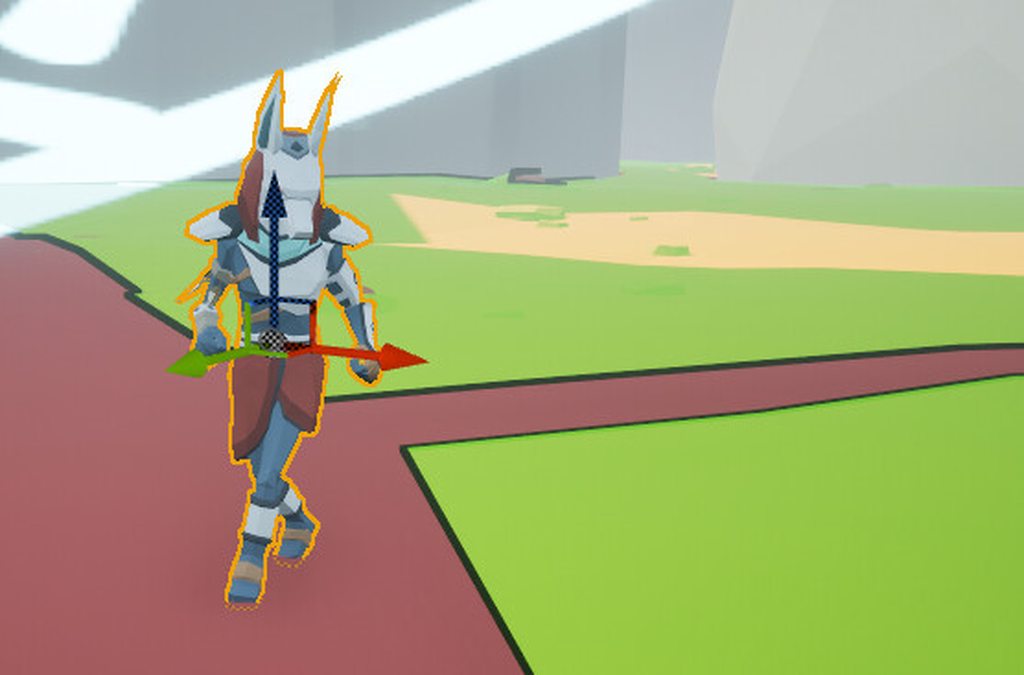
Anubis walks where Anubis wishes
harsh storm
silk fulcrum
Its improvements to state tree are something I'm debating on if I wait for or no...
Such as?
I'd imagine 5.5 won't come until like October-ish. No official word though.
harsh storm
vivid fern
so suspending it seems reasonable, but i still dont think it would be much of a ...
Oh, it most likely won't. If you only ever have like 5 of these NPCs, then do w/e because who gives a crap 🤣
vivid fern
basically haha
even in bigger situations like 10-15 its probably fine.. im pretty sure you'll bump against other perf issues due to character load vs the AI causing it in a meaningful way x_x
harsh storm
UE's BT's are pretty good imo.
So, I looked at the Wait Task (finally, was at work earlier), and looks like all it does is sets the next tick time to be w/e you tell it to pretty much
dense owl
Wait 35600s 🙂
harsh storm
So, as long as that is the active task, should be extremely cheap because it returns InProgress. So the tree shouldn't have to search anymore, as it has a task that is actively in progress
plush mortar
misty wharf
Hard to say but there is also a function to check if a point is reachable in add...
Hey there! Which function are you referring to, by chance? I've tried most everything I could find. In the case of my custom solution, my most recent experiment was using ProjectPointToNavigation just to see if a point was on the navmesh, and that seemingly always returns true, even if there was no navmesh in that area.
misty wharf
It's called something like is point reachable
it can determine whether some point on the navmesh is reachable from somewhere else
silk fulcrum
harsh storm
Such as?
BP accessible ref properties, so tasks can change parameters set on the ST
plush mortar
Gotcha. There's a few of those under the Blueprints 'Navigation' category (like Get Random Navigable Point in Radius / Get Random Reachable Point in Radius) and I did try them, and was still seeing the same results where seemingly non-navmesh areas were valid and were getting picked as reachable... :/
plush mortar
Here's another example of this navigation mesh issue of mine at play. This is using GetRandomLocationInNavigableRadius. Red points are the location evaluated, purple is the point evaluated by that function, and green are all the items that have passed (in other words, returned by the function and conditioned off the return being true). You'll see that every point, even those not on the navmesh, are being returned.
Is there something I'm not considering with how static mesh components are considered with navigation?
 dawn belfry
i am unable to figure out why my AI characters wont move when i open a level while in game, they work just fine on the level the game is launched in but when i use the "open level" node to load another level all my ai wont move in the 2nd level but if i go back to the original level the ai are still working fine. ive got the same problem with all my character ai, and it doesnt seem to matter what level i open first it is the same every time
dense owl
dawn belfry
i am unable to figure out why my AI characters wont move when i open a level whi...
Make sure it’s being possessed by the right AI
dawn belfry
dense owl
Make sure it’s being possessed by the right AI
ive checked to see if it was using the right ai controller and the dropdown in the details panel says its using the same in both
dense owl
What event is the move order on
dawn belfry
i have it set up in the actor BP using "AI move to" on the Character movement component
dense owl
dawn belfry
i have it set up in the actor BP using "AI move to" on the Character movement ...
What event ?
dawn belfry
its being used in a "custom event" as a function to make it roam randomly
the event has other things like "play anim" nodes that are after the "ai move to" in the event that still work but no movement
 wooden coral
Just noticed GetRandomReachablePointInRadius doesn't work if nav invokers are enabled, but works fine when disabled
Meanwhile GetRandomLocationInNavigableRadius works in both cases. Anybody knows the reason for that?
dense owl
dawn belfry
the event has other things like "play anim" nodes that are after the "ai move to...
Ok. Use the Visual Logger to find out what’s happening at runtime
 rugged cloak
Hello Guys I'm traying to make a system AI with this dynamic:
The AI have a patrol path. If it see the player start to chase it, BUT if the player is hide, cannot see it.
I've tried a lot but without success: I' have created a variable bool that is true when the player is hidden, but it doesn't work.
Im using AI perception
Please Help
 bitter wyvern
is it possible to do behavior trees in cpp
bitter wyvern
ah then u could reference those c++ tasks decorators and services from within the behavior tree BP?
thats what im looking for.
vivid fern
yep
the BT arrangement is just data anyway, its probably best to do that in editor anyway, all it does is define which nodes are called when
bitter wyvern
any tutorials or blogs on c++ behavior stuff you recomend? otherwise ill just google
vivid fern
writing nodes is pretty straight forward tbh, its just overriding the execute function for the most part, or other base class virtual functions as you need
if you follow tutorials for the BP tasks its more or less the same stuff just c++ instead
bitter wyvern
great thanks so much!
 shadow sierra
Question about the design of basic AI using BehaviorTrees. I'm creating the most basic AI character that runs around randomly until it sees a player then ruthlessly shoots at them until they're dead. I started out with one big task for the attacking part, but i'm wondering if this is a better way?

The downside to this is each task needs to use the blackboard all the time to know about the outputs of other tasks. e.g the AimAtEnemy decides whether the character wants to shoot (is he actually looking at the player yet?), so I have a bWantsToShoot field on the blackboard
misty wharf
All sorts of approaches can work. You can use decorators (or tasks) to query the state of the actor directly also to determine what should happen
vivid fern
i will say, its very easy to overcomplicate a behavior
and often the best thing is to just.. make it simple
misty wharf
I wrote about this a little bit here, welcome any thoughts on it also :) https://zomgmoz.tv/unreal/Architecture/How-to-split-code-between-pawn,-controller-and-behavior-trees
shadow sierra
I have done it both ways and each works, but the second way (screenshotted above) took a lot longer and i made loads of mistakes due to the tasks being somewhat decoupled
vivid fern
shadow sierra
The downside to this is each task needs to use the blackboard all the time to kn...
imo this is pretty normal to pass data around your tree's nodes via blackboard, its kind of what its for
shadow sierra
The first way i did it was a lot simpler, which I like, but i'm wondering if i'm going to have to go down the second route later when the behaviour becomes more complex and payer interactions can interrupt stuff
vivid fern
possibly
shadow sierra
vivid fern
imo this is pretty normal to pass data around your tree's nodes via blackboard, ...
Yeah i get that, but i'm wondering if this way of using the blackboard is best is all. It seems very prone to bugs
misty wharf
Personally I use a lot of decorators and tasks that directly read pawn state
Since that information is already stored in there
vivid fern
i default to going with the simplest possible behavior until it has to evolve with the project's needs
i've built trees where the majority of the state is in the blackboard.. i never really found it bug prone
not any more than just tracking those vars in other ways like on the pawn or something
you still have to track them
misty wharf
Yeah I wouldn't say bug prone necessarily either, it just feels like it becomes a bit messy sometimes
Like I have a blackboard key for just some temporary boolean or such that's used in the BT which seems... non ideal lol
It might be a flaw in the BT design itself in this case but /shrug
shadow sierra
Maybe i'm just being paranoid 😄
Its really useful to know though, that this is the typical design
Thank you both!
vivid fern
one thing that helps is to think about nodes as small atomic functions, they do a thing and thats it, it has well defined mutations if it has any at all.. and that can help make sure you arent blowing up the blackboard state in unexpected ways
misty wharf
Yeah I've been using that sorta approach a lot, it makes it easy to rearrange the behavior but it also makes the trees quite large/complex
I'm kinda experimenting with nodes that do a larger chunk of work lately, I think error handling in particular is a bit easier in those, it's easier to choose the particular failure scenario and choose how to handle it
custom AI Tasks feel somewhat required for this though, at least for me a lot of my BT logic is latent, so orchestrating those in "plain" blueprints is kind of a pain in the ass
vivid fern
its a constant balancing act for sure
but you never really want the nodes to be these big things
big work should live somewhere else if so
misty wharf
Hard to say. It could be in the controller I guess, but it doesn't seem to make much of a difference as to where it is
vivid fern
the way i see it is that the tree should make decisions, but the work should be executed by something else
like fire the ability via GAS, or query the navmesh for a path, etc
or on the simpler side, set the controller's yaw, but let the pawn/character deal with turning to face that heading
misty wharf
In a sense yeah but on the other hand at least for the ones I have now, the other approach I'd take is to just split it into smaller BT tasks, so it doesn't feel like it's doing anything different, it just does the "BT work" inside the task graph instead of inside of the tree graph
As an example, I have an interaction with two NPC's, where NPC A walks up to a counter, and waits for another NPC to interact with it. NPC A then hands over an item, NPC B does some actions, and NPC A does some actions and leaves. On the NPC B side this sequence is currently just inside one BT task graph
So it's a lot of Do A --> Wait for other NPC to go into a new state --> Do B --> Wait for the other NPC again...
The specific actions taken depend on some rules between the two NPCs so there's a bit of choice and some variance on what happens in some cases
I have a couple of these kinds of tasks for handling different scenarios
On the NPC A side of the exchange it's mostly fairly small tasks where the BT tree graph itself sequences them
vivid fern
mostly depends on how choices are supposed to be made right, i'd def keep it BT side if thats what was happening
but in some cases you can just hand that sequence off and wait for the completion too heh
sometimes that gives you a kind of control you wouldn have, but it really depends on the goals and needs
misty wharf
Yeah
I figured I'll give this approach a try since this was a lot of new logic I didn't have useful BT nodes for so I couldn't build the tree the same way it was in NPC A :D
Or rather, I could, but it would've meant having to add quite a few new BT nodes
vivid fern
ime most games are full of game specific nodes
you're gonna write a ton of specific logic for the game, and imo thats fine, unreal does the work of having a BT system to build those on
its honestly the same structure i've used in BT systems i've written
misty wharf
Yeah definitely
vivid fern
a core framework, and games all derive the base node
misty wharf
It was just a good opportunity to try this method and maybe I was feeling slightly lazy lol
vivid fern
nodnod
 languid shard
does anyone know how to make SimpleMoveToActor move to actors, which have collision that blocks navigation (e.g. a pillar)? it seems to not be able to find a path due to no navmesh around such targets
misty wharf
If you allow partial path that might work better
That should be available at least on Ai MoveTo, not sure if it's on simple
 unborn jungle
Exciting to look forward to a future where navlinks can be auto generated! https://portal.productboard.com/epicgames/1-unreal-engine-public-roadmap/c/1285-navmesh-and-navlinks
languid shard
misty wharf
If you allow partial path that might work better
unfortunately, it didn't help
unborn jungle
mystic solar
Does anybody know how to make use of Large Worlds Navmesh? I cannot find anythin...
Also curious about this, did you find where to activate it?\
misty wharf
languid shard
unfortunately, it didn't help
Other options: Get the actors location and use project point to navigation, or use EQS to generate some navigation points around it and pick the best
languid shard
misty wharf
Other options: Get the actors location and use project point to navigation, or u...
I found a workaround by using SetRequireNavigableEndLocation(false), but not sure what other problems this might cause
 lyric flint
I have a nav link that has an AI jump on reaching it. However, this only really works when the angle of approach and velocity are enough to propel it over the gap. If the AI runs at it from the side, or doesn't have enough of a lead up, it doesn't make the jump. Has anyone solved this problem before?
misty wharf
It seems you need to set the velocity when you perform the jump so that it reaches the target
It isn't automatically going to do it
 analog current
Is there a way to finsih execute a behaviour tree task on a keyboard input?
 vivid drift
analog current
Is there a way to finsih execute a behaviour tree task on a keyboard input?
vivid drift
analog current
Is there a way to finsih execute a behaviour tree task on a keyboard input?
you can, but its probably not very sensible. If you really want to go that route you just need to have the task watching for some sort of state change, which you trigger via the keyboard input, before finishing successfully.
But that's kind of reinventing the behavior tree system to begin with. The tree nodes themselves are already watching for state changes in the decorators to do exactly that. So, use better decorator / sequence / selector design instead.
analog current
Well I'm making a dialogue system using the behaviour tree and I need for it to wait for the player to press a key to progress
I was following a tutorial but it was quite old and some stuff doesn't work anymore so I've been making some stuff myself
analog current
does anyone know how i could do this?
vivid drift
A behavior tree should be used to help an ai controller tell a pawn what to do. A dialogue system sounds like a UI problem.
analog current
yeah but it has to be branching so unless i want to make it completely in blueprints and with a ton of switch statements or with a plugin I cant see any other way
I've seen other people say it's possible but every tutorial is for ue4 and some things dont apply anymore
vivid drift
you definitely do not want to hardcode branching logic as code or BT nodes for each dialogue. you want to have one implementation that accepts data that says everything you need for branches
imagine you have standard blobs of data that look like this:
{
  'text' : 'hi what would you like',
  'choices' : {
      'a peach' : 'peach_dialogue',
      'an apple' : 'apple_dialogue'
  }
}
It's fine to use something like BT's for this, it's just a different type of data structure
I had a dialogue system on BT but it was pretty clunky, I'm using FlowGraph for it now which works much better
There is also the builtin CommonConversation plugin but I've not looked at that one
vivid drift
and your dialogue ui looks something like
function receive_dialogue_payload(data):
  display(data['text'])
  for each choice in data['choices']:
    display_choice_option(choice)

function on_choice_select(choice):
  receive_dialogue_payload(choice) # load data associated with "peach_dialogue" from a table
not very realistic pseudo code but hopefully enough to get the point across.
The key thing here is you need to design your data smartly enough that you can write your branching logic one time.
regardless of whether you ultimately do it in bt or blueprints or c++
analog current
yeah, it's kind of similar to what i had before, only that i wouldn't resort to a data table that now that i think of would be a much better idea thanks
 hushed crag
Any idea how i could make something like cod zombies
where they target the window before the player
IF the window is in the way
im new to behvior trees and AI
misty wharf
@haughty coral Did you ever look more at world conditions any more? Any clues how the FConstrStructView UserData works with smart objects? It seems like that's used to populate data in the world condition associated with the smart object but I have no idea how that's supposed to be used
It looks like it might be attempting to fill a matching property in the context...
vivid fern
I built a generative conversation system on a behavior tree once. The lines were pre recorded, so most of it was evaluating the rules for the line to be spoken and scoring it vs other lines that fit the filter rules
 next hedge
Hey folks. Solved my last issue but I wondered if you might have any tips for getting a flying AI to follow my character when it changes elevation/jumps/platforms. My little follow companion is using AIMoveTo and it's movement mode is set to flying but it won't follow my player's location when I jump or go on higher platforms.
shadow sierra
next hedge
Hey folks. Solved my last issue but I wondered if you might have any tips for ge...
Is it because the navmesh has breaks in it? You might need to setup nav links between the platforms
 spring jetty
Hey guys, I got a weird issue, as You see in this SS I have a navlink to cover the white area that can't be normally traversed, but even with Navlink the AI sometimes fail to recognize there is a path here and sometimes completely stops midway or goes back and forth a few times before He finally finds the path.

Here is a short vid showing it
I'm using the simple MoveTo Task and I have checked, there is no code that aborts the branch/MoveTo Task. it's just failing due to not finding a path.. any ideas ?
silk fulcrum
With StateTree, I want one state tree to play another tree, which I can do with Linked Assets; however, I want that linked tree to be dynamic, something I can pass in, is there any way to do that?
bitter wyvern
Design question: That first sequence node checks a blackboard key bool called Alive. If I want something to check on tick bassicly if that bool is true or false, and then if its false immediatly abort everything below, would it be best to check the alive value as a task in that first sequence? I have never used services before so not sure if it makes more sense to use something like that

Nvm i can just set the bool directly from the AIcontroller
uneven cloud
hushed crag
im new to behvior trees and AI
In the pinned messages there is a link for an introduction to AI course on the learning library.
uneven cloud
next hedge
Hey folks. Solved my last issue but I wondered if you might have any tips for ge...
AIMoveTo uses the nav mesh, which doesn't support 3d navigation.
bitter wyvern
Hey so I am spawning a character actor in using spawn actor, however when I do this it appears the OnPossess method for the AI controller is never called. If I just place it in the world map it is though
do i need to spawn the controller myself in the character?
yep that was it
vivid fern
i usually build a spawner that creates a controller and pawn and then possesses the pawn with the controller
bitter wyvern
can I change sight config values at runtime like sight radius?
vivid fern
yeah
bitter wyvern
ah i see
i jsut need to configure sense again on the perception component
after setting value on sight config
bitter wyvern
bitter wyvern
Design question: That first sequence node checks a blackboard key bool called Al...
How would I get these move to's to stop immediatly when the Alive bool is set to false? (also i fixed it since I took this pic, there is another selector below root)
vivid fern
stop the cmc and detach/disable the controller
 raven nacelle
vivid fern
stop the cmc and detach/disable the controller
raven nacelle
vivid fern
stop the cmc and detach/disable the controller
Or get brain component from controller and stop behaviour
vivid fern
granted if its dying you are probably gonna do some ragdoll or clean up or something anyway 😄
bitter wyvern
raven nacelle
Or get brain component from controller and stop behaviour
yeaaa, does that stop indefinitly or just start the tree from the top again?
also is it stoplogic()?
bitter wyvern
vivid fern
stop the cmc and detach/disable the controller
i am obejct pooling these guys so dont want to detach the controller if possible, is there a way to just stop all behavior and start from the root of the tree again?
raven nacelle
bitter wyvern
yeaaa, does that stop indefinitly or just start the tree from the top again?
Stop indefinitely. Yes, its stop logic() if i remember right.
vivid fern
you can see it in the brian component h file
bitter wyvern
damn that didnt work
he still finishes his current move to
any other ideas on how to cancel a move to?
uneven cloud
bitter wyvern
do i need to spawn the controller myself in the character?
No. You can set auto possession to be placed in world and spawned.
 mighty palm
How can I make my AI character in Unreal Engine face the next movement point during navigation using Blueprints? I'm using the built-in navigation system and need detailed steps and examples on how to get the next movement point and update the AI's rotation accordingly
 uneven cloud
bitter wyvern
any other ideas on how to cancel a move to?
uneven cloud
bitter wyvern
any other ideas on how to cancel a move to?
Are you using the default move to or your own version?
uneven cloud
mighty palm
How can I make my AI character in Unreal Engine face the next movement point dur...
Why are you rewriting entire systems in BP?
bitter wyvern
uneven cloud
Are you using the default move to or your own version?
Default
I also tried having the move to check for override and when the enemy dies I set the target location to its own location but that didn’t work either
I wonder if it’s because I have like two layers of selectors? Does it only cancel the sequence if it’s the decorator directly on that sequence rather than multiple nodes up the hierarchy?
Well that would be weird then bc the location override still didn’t work
vivid fern
you have to stop the character
uneven cloud
bitter wyvern
Default
And it's not cancelling the move when you stop logic?
uneven cloud
vivid fern
you have to stop the character
No you don't. Stopping logic aborts the move, which automatically stops the character.
dense owl
mighty palm
How can I make my AI character in Unreal Engine face the next movement point dur...
There’s a Rotate to face bb key task and also a Focus task you can use
bitter wyvern
uneven cloud
And it's not cancelling the move when you stop logic?
Yes, I just passed in a random string as a reason as well so idk if that affects it, but I found it weird that it wasn’t an enum or something.
bitter wyvern
vivid fern
you have to stop the character
Wdym? Like set character move speed to 0? I guess that could work but feels a little jank
I mostly wanna know why move to would not abort if the decorator above it fails
vivid fern
like luthage said, stopping the logic stops the character
 fiery glacier
I have some skill components where some requires a target (by doing a linetrace using GetActorEyesViewPoint) to actually be used. For an AI to use this skill, would it be possible to make AI actually look at that point (including pitch, even if just set on controller and not on the character itself) and would that be logical? Or is it better to implement custom functions for AI where the target is given on the parameter to skip trace check?
 haughty coral
misty wharf
<@335859288155095040> Did you ever look more at world conditions any more? Any c...
haughty coral
misty wharf
<@335859288155095040> Did you ever look more at world conditions any more? Any c...
Not really, sorry. Good that you are mentioning it, I should probably check it some day, totally forgot it exists as I have not been focusing so much on experimenting with new UE5 AI systems recently.
misty wharf
No worries :) I'm currently looking at it to see if it could be useful for extending how the smart objects are being selected since I have some additional rules like checking the object's internal state and such
and maybe some custom preconditions for my task system but not sure about that one yet
vivid fern
fiery glacier
I have some skill components where some requires a target (by doing a linetrace ...
i dont know actual UE-isms for this exactly, but in the general case in most engines i've used if you have a look at bone in the head of your character, you just point the rotation of this look at bone at a world position (in this case your target, or the hit position of a cast/trace.. and i would generally have a "set look at target" function on the body (pawn/character) with some blend time.. setting a look at target causes the head to turn toward that point, removing it returns it to idle.. but generally the only AI thing here is setting/unsetting that look at target
fiery glacier
vivid fern
i dont know actual UE-isms for this exactly, but in the general case in most eng...
Got it, thanks
next hedge
shadow sierra
Is it because the navmesh has breaks in it? You might need to setup nav links be...
Rog. I'll check on that. Thanks.
next hedge
uneven cloud
AIMoveTo uses the nav mesh, which doesn't support 3d navigation.
EDIT: I ended up using a workaround with a spring arm setup instead of AI but I have some flying AI enemies so I'm gonna have to figure out 3D pathfinding
 sterile escarp
Hey anyone know why my AI is not sensing when it has been spawned in? Works fine when placed in world. I have checked the auto possess ai, its set to placed and spawned. It has a controller and it moves around, its just not triggering the pawn sensing "on see pawn"
misty wharf
You should use AI perception instead, probably easier to get help with that also
Most likely for some reason when you're spawning it at runtime something about it is slightly different which is causing it to not work - but I'm unfamiliar with the specifics of the old pawn sensing system so can't really say how to debug it
misty wharf
Hmm, the world conditions thing seems in theory useful for some deeper state checking when querying for SO's... but as usual it seems my usecases are more complicated than Epic assumes...
Since some of my objects support multiple activities and in theory could have different types of conditions per activity...
It's kinda weird how it seems it never occurred to them that you might want to have multiple activities on a single object :P
So far my conclusions on how to best support many activities on one smart object: https://zomgmoz.tv/unreal/Smart-Objects/How-to-allow-multiple-activities-in-a-single-Smart-Object
hushed crag
uneven cloud
In the pinned messages there is a link for an introduction to AI course on the l...
ty
 distant citrus
Hey all! I'm trying to use EQS (namely the Dot test) to find a location around my context behind my context. I'm obviously not setting up the query correctly because I'm getting 1's across the board no matter which direction I face my context (the character with the backpack) or the querier. Any ideas? Thanks!

 cursive wren
distant citrus
Hey all! I'm trying to use EQS (namely the Dot test) to find a location around m...
cursive wren
distant citrus
Hey all! I'm trying to use EQS (namely the Dot test) to find a location around m...
You're accepting values in range [-1,+1], doesn't that mean all possible values ? Hence, you're not filtering anything.
distant citrus
cursive wren
You're accepting values in range [-1,+1], doesn't that mean all possible values...
Hey thanks for the response!
Even if I change the acceptable values outside of those ranges, say 0 to 1000 or -1000 to 1000, I still only get the 1.0 score. I figured the -1 to 1 would've been appropriate because we're getting the dot
vivid fern
i think the point is -1 to 1 is all the possible values of dot product right? so im assuming thats not what you want.. your filter isnt filtering anything
at least, assuming unit vectors
still, the idea is depending on the result of the dot means a few specific things right? mostly around how similar or different the two vectors are
uneven cloud
bitter wyvern
Yes, I just passed in a random string as a reason as well so idk if that affects...
Then you need to debug what is happening. Is the BT still running? Is something else moving the character?
bitter wyvern
uneven cloud
Then you need to debug what is happening. Is the BT still running? Is somethin...
What is the best way to debug BT? I usually just have it as a seperate window while the game is playing to watch execution.
uneven cloud
misty wharf
It's kinda weird how it seems it never occurred to them that you might want to h...
Yeah, that's one of the main reasons why I built my own system instead of using smart objects.
uneven cloud
bitter wyvern
What is the best way to debug BT? I usually just have it as a seperate window wh...
The visual logger
bitter wyvern
uneven cloud
The visual logger
thanks never used before but will look into it
 bright girder
Hey Friends!
I am not sure where to put this question, but AI feels appropriate as it involves the navigation mesh.
I'm struggling with a problem where my server CPU spikes to about 45% for about 60 seconds whenever I chop down a tree. I am doing some profiling and I see a highly suspicious jump in Nav Tick Time (16ms, up from 2ms) and remains 16ms for the duration of the CPU spike.
My trees are ISM configured as dynamic obstacles and I suspect their removal is triggering a regeneration of the NavMesh. I feel like that regeneration takes about 60 seconds due to the hundreds of trees and size of my level.
Does anybody have tips or techniques on how I can better handle dynamic updates to the NavMesh?
I have set default runtime generation to "Dynamic Modifiers Only" and also Data Gathering Mode to "Lazy". But those changes didn't improve the CPU spike.
For context, my game is multiplayer and all character movement is from the server using a behavior tree and "AI move to Location or Actor"
 uneven cloud
bright girder
Hey Friends!
I am not sure where to put this question, but AI feels appropriate...
uneven cloud
bright girder
Hey Friends!
I am not sure where to put this question, but AI feels appropriate...
Navigation regen only happens in the area that is affected by the change of environment. Not the entire nav mesh.
There are a lot of settings you can tweak, such as tile size. However, it's better if you are able to dig further into what exactly is causing the slowdown.
bright girder
I've been playing with it some. Looks like setting Runtime Generation to "static" completely resolves the CPU spike, but that means the mesh isn't getting updated when the tree is chopped - the units will navigate around a tree that isn't there.
The slowdown happens as soon as I move the ISM tree mesh (and it's dynamic obstacle) -5000 under the map. I am using a PCG volume with tree meshes.
I wonder if nav mesh is the way to go, maybe navigation invokers on the units instead? Would that be silly, if there was say 100-200 units at the same time?
uneven cloud
Invokers are far more expensive.
Instead of navigation regen happening when the environment changes, invokers regen the nav mesh anytime something with an invoker moves, is spawned or loaded in.
bright girder
Okay, good to know. Looks like that method breaks my GetRandomReachablePointInRadius nodes anyway.
uneven cloud
Like I already said, the fix is adjusting the settings like cell size and tile size. Not blindly using invokers
bright girder
Heck yeah! bumping the tile size from 1k to 10k solved the CPU spike. Thank you!
misty wharf
uneven cloud
Yeah, that's one of the main reasons why I built my own system instead of using ...
Interesting... I was so far able to retrofit multiple per slot by extending the behavior configs, remains to be seen how far I can take that :) Probably going to add preconditions per activity type next
It works quite well at least for now, it only needed a custom "Use Smart Object" AI Task since the builtin can't pass in the activity type to choose from the custom behavior config
Seems I might also need to extend the config to support activities which don't claim the slot, so far I have some where the actor only needs to walk up to the object and can interact with it from any point around it
It seems slotless smart objects are invalid as far as its concerned so those have one dummy slot on them
uneven cloud
misty wharf
Interesting... I was so far able to retrofit multiple per slot by extending the ...
I also really hated the implementation and how much work it would be to add what I needed. It was just less dev time to build it from scratch, because I've done it before. Especially given they aren't at all multiplayer friendly.
misty wharf
Hmm 🤔 Yeah hard to say, at least if you want the user friendliness of the editor for it it seems like would take a fair amount of work to replicate
I think for me it generally does what I want, eg. just make my NPC do stuff
misty wharf
uneven cloud
I also really hated the implementation and how much work it would be to add what...
Kind of related - do you have any tips on how to best navigate to objects? MoveTos have a tendency of failing or projecting into an awkward position for objects that aren't directly on the navmesh (f.ex. an item on a table). My current solution is to generate a few points around it, project them to the navmesh and choosing the closest to the actor trying to move. This seems to work but not sure if I'm overlooking some better option
little mulch
Is it pretty typical for AI pathing to cause rotation to oscillate as it determines a path? I'm trying to understand why my AI using a MoveTo task does this. Its not constant, but happens enough where it looks pretty bad. I'm using CrowdFollowingComponent but this also happens without it. There are obstacles but definitely enough space to navigate and the navmesh looks clean, again 95% of the time this doesn't happen. I already smooth out the rotation so there isn't much snapping but since the AI's control rotation is so extreme at times, these weird rotations are inevitable.
- I've tried ignoring small rotations completely (0 to 1.5 degrees) - this helps some but the character still oscillate, they are just larger and less frequent as before, as expected
- I've tried massively reducing rotation rate when rotation delta is small (0 - 5) degrees. This affects navigation somewhat and doesn't even stop the issue as the AI can oscillate 10+ degrees at a time.
Detecting this is easy but I don't really know how to prevent it and am wondering what others have done. Unless this is just a problem for me and this isn't normally a problem..
misty wharf
@little mulch Use something to draw out the path it's following, and see whether the path has a lot of waypoints that zigzag like that. If it doesn't, then it seems like a bug in your rotation smoothing
Assuming the navmesh isn't super jaggy it probably isn't zigzagging in the path itself
I'm fairly sure the path following aspect itself should just be rotating it directly towards the next waypoint and it doesn't "overrotate" which would be required for it to keep doing this I think
little mulch
@misty wharf great, thanks for the direction. I'll confirm what the actual path is. I guess I've been assuming that its quickly changing the preferred path.
misty wharf
little mulch
<@286140789304721417> great, thanks for the direction. I'll confirm what the act...
If it's moving to an actor that's also moving then it's possible the path could be updating and causing this yeah, but best to verify this also :)
little mulch
I think in this case its moving to an actor that is stationary. but they do moveto actors that are moving as well
vivid fern
Id suspect the movement smoothing logic too. How are you smoothing it?
I usually let character rotation damping handle something like this rather than ai controllers rotation direction, which should mostly represent the "desired" rotation, let the pawn/character deal with rotating toward that rotation
sterile escarp
Hey guys, I have added an "AIPerceptionStimuliSource" to my player pawn, but its not behaving correctly. The AI are spotting the player at the location where it was spawned in, not where it is currently. I believe this is because I am moving the static mesh component of the player but not the DefaultSceneRoot. Any ideas? Can I attach the component to my mesh somehow?
Edit, seems to have fixed it by updating the position of the scene component to be the same as the mesh.
dense owl
sterile escarp
Hey guys, I have added an "AIPerceptionStimuliSource" to my player pawn, but its...
Why are you moving the mesh or individual components instead of the actor tho?
vivid fern
O_O
uneven cloud
misty wharf
Kind of related - do you have any tips on how to best navigate to objects? MoveT...
I usually use the EQS, because it's easier to get good decision making for points. But they also navigate to slots instead of the object, so it's more likely that's on the nav mesh.
uneven cloud
misty wharf
<@311622299759542272> Use something to draw out the path it's following, and see...
FYI the visual logger already draws the path, I believe.
misty wharf
uneven cloud
I usually use the EQS, because it's easier to get good decision making for point...
Thanks - yeah that sounds similar to my approach :)
vivid fern
sterile escarp
Hey guys, I have added an "AIPerceptionStimuliSource" to my player pawn, but its...
generally speaking you generally shouldnt be moving subobjects of an actor in order to "move your object through the world" Your actor should be what is moving in these cases, and unreal provides movement components to accomplish this.. so you may have more problems in your design if thats how you were moving things
 sullen plume
Im on a huge time crunch, can someone please tell me if there's any ai move to blukeprint node or something that can move directly to some location without ht ened for any nav mesh or any care for obstacles
Like just a straight line towards that point
I'm aboutta do this in c++
vivid fern
just lerp if you dont care about any of the nav stuff i guess
sullen plume
aigh
 grave hawk
In the behavior tree you can only do "and" with blackboard values right? Was trying to see if i could make it an "or".
grave hawk
If blackboard value 1 is X, or if blackboard value 2 is Y. then it continues.
vivid fern
what continues? what are you talking about exactly?
its a bit vague what you're asking
grave hawk
A selector. If you add 2 blackboard entries it's essentially an AND statement
IF both are true then you continue down the tree in that selector. You understand that part right?
vivid fern
selectors are closer to or statements
sequencers are closer to and
what do you mean "add 2 blackboard entries" ? as decorators?
grave hawk
Yes, i'm refering to decorators. Not the steps it does further down the tree.
vivid fern
then say decorators 😛
grave hawk
Not a native english speaker. But thanks i'll make sure to be very very specific in the future
vivid fern
wasnt really meaning to be "very very" specific, but you didnt say at all anything meaningful is all heh "anding blackboard values" doesnt really imply decorators
whats the logic you are trying to apply?
grave hawk
My question is if you can do an OR statement inside a selector, or a sequence. As of right now when you for instance add 2 blackboard decorators it essentially functions as an AND statement.
vivid fern
right what im asking is what are you trying to accomplish?
would a composite decorator work?
it lets you do and/or/not logic on blackboard keys
vivid fern
down side, i dont see anything that lets you abort branches or lower pri branches
worse comes to worse you could probably write your own decorator
grave hawk
No it's fine for my case. Just needed it to check if it's either of 2 enum values. But thanks again.
sterile escarp
vivid fern
generally speaking you generally shouldnt be moving subobjects of an actor in or...
This was a drone controller from the marketplace that was set up like this. I have notified the creator of it
vivid drift
grave hawk
No it's fine for my case. Just needed it to check if it's either of 2 enum value...
Save yourself the complexity and just write a decorator to check if your Enum is in a list of Enums. It'll be just a couple nodes long and it will scale to more than 2.
grave hawk
vivid drift
Save yourself the complexity and just write a decorator to check if your Enum is...
Dunno, it just does what it needs to :D
But i'll look into making a custom decorator for future endeavors later. Thanks for the tip.

 supple stump
How to get the nav mesh to go till the bottom in this one
 misty wharf
supple stump
How to get the nav mesh to go till the bottom in this one
misty wharf
supple stump
How to get the nav mesh to go till the bottom in this one
If you're trying to make some kind of navigable planet/sphere thing, it doesn't support this
supple stump
so there is no way I can do the ai nav mesh for this spherical mesh ?
misty wharf
Not with the standard navmesh implementation at least, maybe there's some way to make it do this by modifying how it works but that's probably going to be quite complicated
supple stump
oh okay thanks for the help
little mulch
vivid fern
I usually let character rotation damping handle something like this rather than ...
Rotation is being smoothed with rotation rate which I currently have set to 280. You can see the turn radius and smoothed rotation in the second clip. First clip is slowed down 80% and shows how the control rotation changes quickly which causes the small character rotations, despite being smoothed.
uneven cloud
little mulch
Rotation is being smoothed with rotation rate which I currently have set to 280....
That's not a rotation issue. They are changing their path too often.
 uneven cloud
 urban spade
because they don't move idk why
urban spade
because they don't move idk why
They aren't on the nav mesh. It looks like they are blocking it
sterile escarp
Can someone help me understand why this BT never moves the AI with MoveTo? After the wait it just instantly starts the sequence again, skipping moveTo. The location is valid and the AI is moving when in other tasks in the BT.
 vivid fern
your moveto probably failed/finished .. is the destination valid?
sterile escarp
vivid fern
your moveto probably failed/finished .. is the destination valid?
I placed a custom "findRandomLocation" task between wait and move to, and yes, it now moves to that location. What could make the location invalid? I want the AI to move to this object.
 vivid fern
looks like its not on the navmesh
sterile escarp
vivid fern
looks like its not on the navmesh
That entire thing is an actor, is there anything I can add/change in the actor properties to make it work? I see NavModifier and NavLink for instance as components I can add to the actor. Will these help?
vivid fern
it probably shouldnt cut navmesh? unless that was your intent? otherwise maybe use an eqs to set a destination on the navmesh around your actor
sterile escarp
vivid fern
it probably shouldnt cut navmesh? unless that was your intent? otherwise maybe u...
No, it shouldn't cut the navmesh, but I can't disable collision on it either. How can I change it?
urban spade
uneven cloud
They aren't on the nav mesh. It looks like they are blocking it
so how am I gonna fix that
whatever I try it is always above of the floor
uneven cloud
sterile escarp
No, it shouldn't cut the navmesh, but I can't disable collision on it either. Ho...
You can set it to not affect the nav mesh
uneven cloud
urban spade
so how am I gonna fix that
You need to turn of can ever affect the nav mesh on the actor.
What do you mean it's always above the floor? The visualization has an offset so it can be seen.
sterile escarp
uneven cloud
You can set it to not affect the nav mesh
I think I solved it by creating a new default Agent in Engine - Navigation System. I reduced the default query extent and it seems much better now
uneven cloud
sterile escarp
I think I solved it by creating a new default Agent in Engine - Navigation Syste...
That doesn't actually fix it
sterile escarp
uneven cloud
That doesn't actually fix it
The extent that get cut off the nav mesh is much smaller now tho, so the AI can navigate to it.
 vivid fern
urban spade
whatever I try it is always above of the floor
vivid fern
urban spade
whatever I try it is always above of the floor
your actors are inside a hole in the navmesh, doesnt really have anything to do with the visual being offset from the ground
urban spade
vivid fern
your actors are inside a hole in the navmesh, doesnt really have anything to do ...
so you mean everythings fine?
vivid fern
i mean no your actors arent on the navmesh like luthage said
but the navmesh looks fine to me
urban spade
vivid fern
i mean no your actors arent on the navmesh like luthage said
oh okay thanks
I see now
cursive wren
sterile escarp
Can someone help me understand why this BT never moves the AI with MoveTo? After...
Your Is At Location decorator checks the AssignedMortar BB key for the location, but your Move To task uses the MoveToLocation BB key. Is it intended to have two different BB keys for the same location ? Are you sure the MoveToLocation is set ?
visual dawn
am seeing this new agent stuff in ai what is it used for if i may ask please
misty wharf
"new agent stuff"?
sterile escarp
cursive wren
Your `Is At Location` decorator checks the `AssignedMortar` BB key for the locat...
Changing what I wrote above solved the issue I was having. I am setting the MoveToLocation to be a specific location on the mortar prefab. Thanks anyways!
little mulch
uneven cloud
That's not a rotation issue. They are changing their path too often.
Thanks, I don't see any logs showing path changes in visual logger. My crowd path optimization is set to 2.0 (0.5 default). Do you know where i could look to see why its trying to change paths so frequently? I'd prefer it to stay on a path unless a significantly better path becomes an option.
dense owl
Hola. I'm using a MoveToLocationOrActor to have a pawn travel to a wall that has a nav modifier (Obstacle) on it. Once it reaches the nav modifier, it stops (which is good), then it thinks for a while, eventually returning OnPathFinished: Blocked (per VisLog). This pause is too long for my purposes though as I need something to happen as soon as it stops moving. Is there:
- a way to decrease this period where it waits before returning OnPathFinished?
OR - some function call that fires once the AI encounters the obstacle, so I can run other functions from there? Even if it's cpp only stuff.
 delicate falcon
Hey so I have no idea wtf but in this behaviour tree in the highlighted decorator right on that sequence that decorator regardless of what option never gives me the option to abort lower priority every single decorator in that spot can only abort none or self. What gives? I have never had a decorator just not do this and it never returns true either

It only gives me these

All my other decorators in every single other tree other than like timeout gives me this

It's the same decorator and I've got 3 trees this is the only one that doesn't work how is this a thing
I spent an hour on this and then I finally realize I used a sequence for my attacking state instead of a selector jesus I'm blind until 20 seconds ago sorry
 simple crescent
dense owl
Hola. I'm using a MoveToLocationOrActor to have a pawn travel to a wall that has...
simple crescent
dense owl
Hola. I'm using a MoveToLocationOrActor to have a pawn travel to a wall that has...
How long is the pause?
There are two functions UPathFollowingComponent::UpdateBlockDetection and UPathFollowingComponent::IsBlocked that are called to check if the path is blocked. Those functions reference two members BlockDetectionInterval and BlockDetectionSampleCount that control how long before the path follower fails. You can set them with UPathFollowingComponent::SetBlockDetection
dense owl
simple crescent
How long is the pause?
There are two functions UPathFollowingComponent::UpdateBl...
A few seconds, maybe like 3-4s
Good to know ty, I’ll see if I can finagle it
visual dawn
 visual dawn
visual dawn
visual dawn
cna any one help me with this block of code
am trying to fetch out currently perceived actors by sight but it keeps returning false this is a service node in cpp
dense owl
visual dawn
am trying to fetch out currently perceived actors by sight but it keeps returnin...
?
visual dawn
dense owl
```SenseToUse: nullptr
```
?
Yap if it uses that it get all senses used
dense owl
visual dawn
Yap if it uses that it get all senses used
I thought you said you're going for Sight
visual dawn
dense owl
I thought you said you're going for Sight
Yh I am going for sight but I don’t have sight config from cpp
crisp coyote
what's the best way to prevent my pawns from being registered as perception stimuli after they die?
vivid fern
visual dawn
Yh I am going for sight but I don’t have sight config from cpp
why not? you should be able to do that
visual dawn
vivid fern
why not? you should be able to do that
I can I just taught there a way around it lol
vivid fern
why do you need a way around it?
 tiny knot
So in my game the AI has the ability to be alerted and will search around an area. I have a state machine that checks to see if the AI can proceed to the alert state. What I want is to make it to where if the AI is alerted by something and hears a new sound, they'll abort the alert state and restart it essentially. This means that if I make a noise and they're in the process of searching it and I make a new noise they go to that new noise and begin the searching process again. Which in theory is what should be happening but it isn't quite working. I have tried messing around with stuff and looking online and haven't found anything. Is there a way I can make make the alert state restart itself?
If what I am saying is confusing or if I am getting any terminology wrong please let me know.

 plush mortar
tiny knot
So in my game the AI has the ability to be alerted and will search around an are...
plush mortar
tiny knot
So in my game the AI has the ability to be alerted and will search around an are...
So, a few things to ask yourself:
1 - From what I can see, you look to be using Behavior Trees to make your state machine. Why not use StateTrees? They're Unreal's answer to state machines, so you may have an easier time with that.
1.5 - Generally, in a state machine for AI, you need to explicitly define the link between each state, in one way or another, abstracted or not. I'm guessing that's more what your second screenshot wants to be, but BTs are generally not well equipped for that kind of explicit transition. They're more equipped to take in the data you feed the AI and then drill down through the tree to find whatever the highest-priority valid behavior should be, so they're a bit more hands-off.
2 - Regardless and to help a bit more directly...are your blackboard conditions set to abort observers? In theory, that's how you can make earlier behaviours "restart" in a few ways.
tiny knot
plush mortar
So, a few things to ask yourself:
1 - From what I can see, you look to be using ...
Already discovered a solution, thanks though. I didn't know a thing called "statetrees" existed. I was following a tutorial series that uses an Enum for the different states. I'll have to look more into some of this stuff since its a tad bit confusing. Once again thanks for the response.
My solution is not all that great but it basically just quickly switches between the wandering state and alert state which effectively resets the alert state. Not optimal but it works for now till I have a proper fix, or if it doesn't cause problems I may just leave it.
sterile escarp
Hey this second sequence is never being triggered. Can you not put a sequence within a sequence?
 dense owl
sterile escarp
Hey this second sequence is never being triggered. Can you not put a sequence wi...
dense owl
sterile escarp
Hey this second sequence is never being triggered. Can you not put a sequence wi...
Sure you can. If it’s not firing one of the previous tasks is probably failing
 untold quiver
Hey guys! I'm building a plugin that uses State Trees as an interface to interact with Network Prediction code and I would like the flow of the code to make sense to end users.
I have a pretty solid understanding of state trees. However, I cannot figure out why this state never fires. This also happens if I switch the order of the states. The 2nd state in this chain never fires. I did find a work around where I just stack the tasks on a single state but thats not ideal in the long run. I've also tested setting the next state as the child but again this is not an ideal workflow. Has anyone run into this?
To my understanding the parent state is supposed to select the children in order. Its selecting the first state, that state is completing and I've set its transition to the next state underneath it but it does not fire.
I've debugged the task to make sure it's returning successfully. Its written in C++ and I've put a breakpoint to check its flow from the top of the EnterState Function. It even fires the ExitState function letting me know it is exiting the state. It just doesn't go to the right place. I've also added a break point for when the state exits to double check that the state actually exits. I feel like its a bug but maybe someone else has ran into this.


 terse panther
any tip to change a blackboard key value after a certain time?
i am mainly looking for bool values only
i am basically create a melee system, so i want my AI to wait for some seconds before asking again for the attack...
i am handling the timer for the attack tickets, but i want one for AI.
i can directly give a call to the controller to start a timer for this, but i am basically looking for a system for future
so that i can use this system for other bool variables
@vivid fern @uneven cloud @misty wharf
shadow sierra
Can anyone suggest how I can figure out why this is happening? I'm "respawning" the AI after it gets killed. OnPossess I run the behavior tree again, but i get this:

I have the one and only instance selected in the debugger
 misty wharf
shadow sierra
Can anyone suggest how I can figure out why this is happening? I'm "respawning" ...
misty wharf
shadow sierra
Can anyone suggest how I can figure out why this is happening? I'm "respawning" ...
How is what happening?
shadow sierra
The Behavior Tree says its "Running", but the first screenshot shows that its not doing anything
the "Root" node is highlighted as running, but the first selector isn't running
misty wharf
Is the AI doing what it's supposed to or not?
shadow sierra
Nope. When I first create it, it works. If i kill the character and the AI player is respawned, the character stands doing nothing
misty wharf
How does the respawn work? Are you destroying the old pawn and controller and spawning new ones?
shadow sierra
The pawn is destroyed and I follow the same logic as players, which involved copying the respawn timer and inactive state stuff from the player controller
Then a new pawn is spawned and the controller possesses it
I had a look at the ShooterGame sample and it looks like they've done the exact same thing
misty wharf
Right - I would check in Output Log and also Visual Logger whether there's any messages about behavior tree when you do the respawn
VLog in particular usually has more info on AI related issues so hopefully it can tell you what's happening
shadow sierra
There are no logs, other than what i've logged. The VLog shows everything correctly AFAICT
one thing though. When the AI is killed, the VLog shows no AI running for that controller, which makes sense and that doesn't change when the AI controller gets a new pawn. If i turn the VLog off and on again once it has a new pawn, it shows everything correctly
misty wharf
Can you show a screenshot of what it shows correctly in that point?
 misty wharf
Yeah that's not the visual logger, that's the gameplay debugger
visual logger is under tools->debug->visual logger
shadow sierra
ohhh sorry i got them confused
misty wharf
Yeah I had a feeling that was the case when you said you turned it on and off and it started showing something else lol
Also - one thing I would check... make sure it isn't actually spawning another AI controller when you respawn the pawn
shadow sierra
Hmm, i thought because the gameplay debugger is showing as it is implied that that isn't happening, but i can double check that, because that sounds like it would explain this behavior
Did you want me to export the VLog file here?
misty wharf
Nah there's probably a lot of clutter in there, but if you look for anything related to the behavior tree it should tell you what state it's going into etc.
so this should tell you whether it's starting correctly or whether something else is happening
shadow sierra
Ah i found this
 misty wharf
Well that's a very helpful error lol
shadow sierra
Looking through the code, i can't figure out why its happening
misty wharf
Are you stopping the BT before the pawn is destroyed?
shadow sierra
I think i tried that before and it didn't help, i'm gonna try it again quickly
shadow sierra
Yeah that doesn't make a difference. Also, running a BT stops any active ones anyway
misty wharf
🤔
I would try destroying the controller and spawning a fresh one just to see if it works or not
shadow sierra
Yeah i'll give that a go. It will be really annoying as it will get a new PlayerState too and so the score won't be tracked
shadow sierra
misty wharf
I would try destroying the controller and spawning a fresh one just to see if it...
I fact, it will definitely work as that is the same as spawning a new AI player
misty wharf
Well it really depends on what's causing the existing one to not work, it's possible something else is going on
So this will at least help rule that out
shadow sierra
Thats true
shadow sierra
Yeah it does work, but its just creating a whole new player and that already works. There must be a way to change the pawn of an AI controller without breaking the AI logic right?
misty wharf
Definitely yeah
This might require digging into the C++ code related to that weird error in vlog and seeing what state triggers it
shadow sierra
Yeah i tried that, i tried stepping through it, but its on tick 😦
i'm still trying to figure it out tbh
misty wharf
Does it not do anything after that message? Or is it just outputting that over and over again?
 slow bobcat
Hello! Long time no see.
Does anyone know how to grab the Data Instance of a State Tree Condition from outside the tree itself?
We're experimenting with state trees debug tools
if (SetContextRequirements(context))
{
   context.SetParameters(treeToTick.GetParameters());
   const EStateTreeRunStatus previousRunStatus = context.GetStateTreeRunStatus();
   const EStateTreeRunStatus currentRunStatus = context.Tick(deltaTime);

   // loop all the states of the tree to tick
   const UStateTree* tree = treeToTick.GetStateTree();

   for (const FCompactStateTreeState& state : tree->GetStates())
   {
       /** print all the available conditions*/
       int32 conditionsChecked = 0;
       int32 nextConditionIndex = state.EnterConditionsBegin;
       while (conditionsChecked < state.EnterConditionsNum && nextConditionIndex < tree->GetNodes().Num())
       {
           FMyStuffStateTreeCondition MyStuffCondition = tree->GetNodes()[nextConditionIndex].Get<const FMyStuffStateTreeCondition>();

           const FMyStuffStateTreeCondition_InstanceData_Common& instanceData = conditionContext.GetInstanceData(MyStuffCondition);

           ++conditionsChecked;
           ++nextConditionIndex;
       }
   }
}```The problematic code is
const FMyStuffStateTreeCondition_InstanceData_Common& instanceData = conditionContext.GetInstanceData(MyStuffCondition);
It crashes at StateTreeExecutionContext.h due to that check not passing (both handles are invalid)
typename T::FInstanceDataType& GetInstanceData(const T& Node) const
{
    static_assert(TIsDerivedFrom<T, FStateTreeNodeBase>::IsDerived, "Expecting Node to derive from FStateTreeNodeBase.");
    check(CurrentNodeDataHandle == Node.InstanceDataHandle);
    return CurrentNodeInstanceData.template GetMutable<typename T::FInstanceDataType>();
}```

My best guess is that I have to somehow initialize those Handle's, but no idea how.

Any clues or help will be very much appreciated.
Thanks (sorry for the code dumping)Interestingly, it continues logging as though it is running which, according to the BehaviorTreeComponent, it is
visual dawn
hello please i wonder about something ...following the rules of proper OOP principles and going through the ai controller codes found out i has a defeualt black board component and even perception component but why is the black board compoennt const...and not letting devs set key init
shadow sierra
visual dawn
hello please i wonder about something ...following the rules of proper OOP princ...
I'm using 4.27, so it is somewhat possible that this has changed in UE5, but its not const when I look at the code for AAIController:
protected:
    /** blackboard */
    UPROPERTY(BlueprintReadOnly, Category = AI, meta = (AllowPrivateAccess = "true"))
    UBlackboardComponent* Blackboard;
Where do you see it being defined as const? It's definitely not const in 5.4 either
shadow sierra
@misty wharf I found the issue and its a stupid one as usual. If you look at the screenshot, both of the nodes under the sequence fail. This is because the blackboard doesn't get cleared and so it still has the patrol point from before 

Thank you again for spending time to help me out 🙌
misty wharf
heh :)
I think VLog should have at least shown it attempting to evaluate them and them failing, hence why I suggested checking it
it's usually quite helpful with this and also state tree since they both log a lot of the internal state transitions etc. into it
visual dawn
misty wharf
Where do you see it being defined as const? It's definitely not const in 5.4 eit...
Wen I try to fetch the black board component from the ai controller it return me a const
Am using 5.4.2

this a BT service in cpp
misty wharf
Where does it say it's a const?
visual dawn
const UBlackboardComponent* GetBlackboardComponent() const { return Blackboard; }
that what the function returns
misty wharf
and immediately below it is an overload which returns a non-const pointer also
visual dawn
not letting me initi my bb comp
visual dawn
misty wharf
and immediately below it is an overload which returns a non-const pointer also
rili?
misty wharf
    const UBlackboardComponent* GetBlackboardComponent() const { return Blackboard; }
    UBlackboardComponent* GetBlackboardComponent() { return Blackboard; }
this is what the file looks like for me at least
visual dawn
I’ll check thanks
shadow sierra
visual dawn
The problem is because your ACouldronAIController pointer is const, you can only use the version of the GetBlackboardComponent that is const and that version of the method also returns a pointer to const
misty wharf
Good catch
shadow sierra
so if you change the second line of the OnSearchStart method to
ACouldronAIController* it should work
or better yet, just use auto
misty wharf
Yeah that declaration looks kinda funky anyway, I'd just use auto* Foo = Cast<Whatever>(...)
tiny knot
I am currently working on the AI for my game and whenever my AI enters its "chase" phase it will lock onto the player's camera or stare at you while they chase you. It works fine except for whenever my AI first starts to look at the player. It does this weird jitter motion and I have no clue how to fix it. There is nothing online and I have tried different approaches that either break the head turning entirely, or yield the same result.
I would really love a solution to this so I can polish up the head turning and move onto the next thing for my AI.
I'm sure someone is going to point out that my code isn't optimal and I'd also like feedback on how I can optimize it. Granted I have no performance issues despite my weird way of coding, so it should be fine.


 wanton dove
Does anyone know a good way to implement an object cooldown for Smart Objects? Meaning once an AI uses a smart object, the object goes on cooldown for a set period and is unavailable for use by any AI during the cooldown. Or just a way to disable the smart object entirely (I found 'SetSmartObjectEnabled' but am having trouble getting it to work). Apologies, I can't find much info for smart objects.
misty wharf
wanton dove
Does anyone know a good way to implement an object cooldown for Smart Objects? M...
I've not done this with SO's but something that comes to mind is you could apply a gameplay tag to the SO actor, and then use a precondition which checks that the tag is not present. Although I would try disabling the SO or its slots first, that feels like a slightly cleaner solution maybe
wanton dove
misty wharf
I've not done this with SO's but something that comes to mind is you could apply...
That's an interesting idea, I'll explore it thank you 🙂 I feel like working with the SO is kinda frustrating to expand, I dunno if it's just me. I'm in a constant state of wondering if I should just make my own system lol
misty wharf
Yeah that's how it is lol
At least in 5.4 it's gotten a bunch of really necessary improvements since 5.3
wanton dove
Oh I bet they have, unfortunately I'm in 5.0 which is still experimental too, so I might be screwed haha
But actually now that I think of it your idea is probably genius, just make an on cooldown tag and when the ai is searching for objects to use, discard the ones with on cd
misty wharf
ooh, yeah I don't know if the precondition stuff even exists pre 5.4
but yeah you would probably have to query it yourself and then filter based on the tag or some other rule in your own code
in 5.3 I had some custom wrappers for it because it didn't support stuff like searching for SO's that have all their slots claimed, so I created a custom slot claiming system around it
but 5.4 added support for that also
so I would highly recommend moving to 5.4 if at all possible
wanton dove
Oh that sounds like a nice system, did you upgrade to 5.4 after they did that? Or did you just roll with your custom solution
misty wharf
Yeah it was kinda work in progress anyway so since they added it I've just been changing it so it queries with that instead
wanton dove
Gotcha, I'll consider it but honestly upgrading versions can be a nightmare, so I may not haha. Thanks for the help though I really appreciate it!
misty wharf
I ran this project on 4.27 originally :) as long as you don't have custom engine mods it should be mostly fine I think
wanton dove
Oh wow that's quite the leap in engine versions lmao!
uneven cloud
dense owl
Hola. I'm using a MoveToLocationOrActor to have a pawn travel to a wall that has...
I'm not sure why you are trying to make your AI go somewhere it can't go. Are you using partial paths?
- Yes you can change the amount of time the path following component waits until it's blocked. It's just a variable.
- No.
uneven cloud
tiny knot
Already discovered a solution, thanks though. I didn't know a thing called "stat...
The tutorial that you are following is teaching really bad concepts. Such as forcing a BT to be a State Machine and setting move speed as a task and not a service.
The fix for your issue is to use a decorator for the point of interest blackboard key and abort when that changes.
uneven cloud
tiny knot
I am currently working on the AI for my game and whenever my AI enters its "chas...
That's an animation problem, not AI. Better to ask in #animation
uneven cloud
shadow sierra
or better yet, just use `auto`
Using auto in that way is actually not better as it makes the code less clear. It's also against the code standards that Epic has available.
uneven cloud
terse panther
any tip to change a blackboard key value after a certain time?
What you are trying to do isn't very clear.
dense owl
uneven cloud
I'm not sure why you are trying to make your AI go somewhere it can't go. Are y...
The AI can make a hole through the wall so rather than changing collision I’m currently using a nav modifier that I change from obstacle to default when the hole is made. It also helps keep the pawn away from the wall at a certain distance while the hole making animation plays
And yeah I have partial path enabled for this to work
Acceptance radius can prly do that last part but yeah
uneven cloud
dense owl
The AI can make a hole through the wall so rather than changing collision I’m cu...
I'd use smart objects or nav links to do that.
dense owl
Yeah good point. I haven’t played with nav links enough but it sounds like it would work better here
tiny knot
uneven cloud
The tutorial that you are following is teaching really bad concepts. Such as fo...
The Alizoh tutorial series? Thank you for letting me know though, I will be sure to reprogram some of the stuff before the final build of my game for the sake of cleaning up the code. If you have any other tips, or headers on where I should look for AI learning resources please let me know. Thanks again.
 wooden stag
Is it possible to have multiple characters claim the same smart object handle?
I'm trying to integrate NPC patrols into their schedule system by having a Patrol smart object which I'd like an arbitrary number of characters to be able to claim at once. I could just not use smart objects for this but all of their other activities use it so it would be nice to keep things consistent
uneven cloud
tiny knot
The Alizoh tutorial series? Thank you for letting me know though, I will be sure...
The intro to AI with Blueprints course on the learning library is the only good one that I know of. Then you have GDC and the Game AI Pro books.
uneven cloud
wooden stag
Is it possible to have multiple characters claim the same smart object handle?
...
You can make multiple slots to allow for multiple AI to use it.
tiny knot
uneven cloud
The intro to AI with Blueprints course on the learning library is the only good ...
Thanks a ton, I'll keep in mind not to use Alizoh's tutorial's going forward.
 frozen brook
Anyone have a good process when designing AI Behavior Trees? I am struggling with planning it out and just want to understand how other devs approach it
vivid fern
truth be told, i keep behavior tasks and similar pretty simple with no side effects, then i create chunkier behavior sub trees.. in other engines, i basically build out a repository of useful common "chunks of behavior" like "follow a target" "pick, position and execute an ability" "move down a list of waypoints" etc
that way the concept is: try to make reusable chunks of behavior, where you can then combine them into complex behavior that may or may not be unique to an individual or archetype of ai
i also tend to have a sort of "profile" data that might further tune how ai execute trees.. a profile that likes to be at range, will opt for ranged positionings, vs a melee fighter that prefers closer quarters, but the same subtree might run the positioning code, and just use profile data to dictate that sort of stuff
not sure how that applies to UE, most of my experience is in internal engines heh
frozen brook
Ok that makes sense. Couple of questions tho:
- What do you mean Side Effects?
- By other engines, do you mean you make the AI BT's somewhere else and import it?
3.When you make subtrees, do you mean you make a BT for each individual Task (Chase, attack etc.) and then use those BT's in one larger BT?
@vivid fern
vivid fern
1: side effects are basically if your behavior task "does too much" maybe it mutates data on an external system and then does what it says in its name.. basically you want to minimize what a behavior task does to be very specific to the task at hand. Pick a target, pick a destination, etc.. if you add subtle changes to other systems or data that isnt clear, it becomes harder to reuse the behavior task, and harder to understand its affect on the rest of the tree, which leads to bugs.
2: no, i mean most of my experience is in other game engines that are internal to the studios i've worked at, not unreal, or publically available.. I just mean I've built Behavior Tree systems from scratch in other game engines, so my experience isnt unreal specific.
3: To be clear, i mean Subtrees that do something more complex than a single behavior task, they usually are composed of several nodes. They are used by other trees to accomplish a yet larger more complex ai behavior... basically taking the idea of composition and running with it, smaller simpler objects and behaviors compose larger more complex ones.
terse panther
uneven cloud
What you are trying to do isn't very clear.
so basically i want a function call in which i will send a bb key and delay, and then it will reset the key after that delay or maybe set it to a specific value...
as of now i need only for bool keys
vivid fern
Personally i'd let abilities worry about when they are ready (or any of their state tbh), and let AI read their data to decide which ability to use
the only thing you store is handle/tag or whatever to which ability to use after some ability picking task
uneven cloud
terse panther
so basically i want a function call in which i will send a bb key and delay, and...
I didn't ask how you wanted to do it. I asked what are you trying to do. What problem are your trying to solve or what is the behavior you are looking for?
uneven cloud
frozen brook
Anyone have a good process when designing AI Behavior Trees? I am struggling wit...
Keep it as simple as you can. Otherwise this question is incredibly broad. How you approach things really depends on the needs of the game and team.
vivid fern
agree simpler AI is almost always better
if you get in the weeds of complex behavior, that usually doesnt translate into better player experience
terse panther
uneven cloud
I didn't ask how you wanted to do it. I asked what are you trying to do. What ...
oh sorry about that...
so basically my AI is accessing a ticket to do an action, so i want to setup a cooldown on the AI, before asking again for the ticket(even if the ticket is available)
ticket itself has a cooldown but i want to cooldown on AI as well....
vivid fern
why do you need two cool downs?
terse panther
vivid fern
why do you need two cool downs?
ticket cooldown so that AI don't spam the attack...
and AI attack cooldown so that other AI will get a chance to attack
visual dawn
hello am pressing the control aprostrophy and the perception debug radius is not visble=
any ideas?
just showing no controller
cursive wren
visual dawn
hello am pressing the control aprostrophy and the perception debug radius is not...
Hello, keyboard shortcuts may vary depending on your localization (lang,culture-info,...). You should be able to open the gameplay debugger using the console: EnableGDT. https://dev.epicgames.com/documentation/en-us/unreal-engine/using-the-gameplay-debugger-in-unreal-engine
Epic Games Developer
Tool that enables analyzing realtime gameplay data at runtime.
visual dawn
this what it shows me
 misty wharf
visual dawn
this what it shows me
misty wharf
visual dawn
this what it shows me
Try pressing 4 to enable the Perception overlay for it
Or 5? Not sure which one it is
cursive wren
misty wharf
Try pressing 4 to enable the Perception overlay for it
Using the numpad keys
visual dawn
misty wharf
Try pressing 4 to enable the Perception overlay for it
Ntin shows up
cursive wren
using numpad ?
Epic Games Developer
Describes the different ways in which you can debug your AI with the AI Debugging Tools.
visual dawn
any tip for making enviroment query context from cpp?
misty wharf
visual dawn
any tip for making enviroment query context from cpp?
I would suggest looking at the builtin contexts for comparison, they're fairly straightforward
visual dawn
thanks
uneven cloud
terse panther
oh sorry about that...
so basically my AI is accessing a ticket to do an action,...
You shouldn't need anything more than a BB key for if they have an attack ticket. When it comes to the blackboard/BT.
 azure pulsar
edit: wrong channel
uneven cloud
azure pulsar
edit: wrong channel
That's a better question for #animation
azure pulsar
oh, oops, wrong channel indeed
wanton dove
I'm attempting to access the owner of a smart object component (from a behavior tree task), and I can't figure out how to access it. After doing a spatial lookup for smart objects, the result is a Smart Object Request Result which breaks into a Smart Object Handle, but I can't figure out how to access the smart object component owner using this, without a claim handle. (I want access to the owner of the object before it's claimed). Anyone have ideas on how to access this? It's so I can check if the actor that owns the SO is on cooldown or not, via gameplay tags. I'm using smart objects in 5.0
 misty wharf
wanton dove
I'm attempting to access the owner of a smart object component (from a behavior ...
misty wharf
wanton dove
I'm attempting to access the owner of a smart object component (from a behavior ...
if you can get the component you can pull the owner actor from that - it might be possible in C++, I forget. In 5.4 this is a cinch as you can pull the comp from the request result via the subsystem
wanton dove
misty wharf
if you can get the component you can pull the owner actor from that - it might b...
Ty ty, it looks like I might just have to go in deep and change some stuff, I was wondering if I was missing something obvious here haha. Yet another thing with SO that is a pain in the ass at least in 5.0, I may just bite the bullet and upgrade like you were suggesting previously
I was able to access the component after I get the claim handle, but it seems I'm unable to if it isn't claimed yet in 5.0. Thanks!
terse panther
uneven cloud
You shouldn't need anything more than a BB key for if they have an attack ticket...
yeah i am doing with a BB key, its just i want to make a functionality for BB key to reset it after a certain delay without affecting the BT.
I can do this by making a function in the AIController and gave a call to it, but i don't know if its the right way or not
 unreal plover
hey everyone im not looking for a tutorial as such but a big info dump on how ai perception system works would be really helpful im making a stealth game and just need some guidance on where to start with it
vivid fern
https://dev.epicgames.com/documentation/en-us/unreal-engine/ai-perception-in-unreal-engine?application_version=5.4 is a good place to start if you want info dump
Epic Games Developer
Documents the AI Perception Component and how it is used to generate awareness for AI.
i found reading code was useful too
 upbeat steeple
Any idea what I could be missing here?
The parallel is there so that the AI attacks while chasing. It works as intende except for when I stop moving. Then, it detects that MoveTo is successful and doesn't call the sequence that would trigger the attack. I need it to attack both while chasing (if close enough) AND after it reached the player. Idk if I explained it properly.
 unreal plover
vivid fern
https://dev.epicgames.com/documentation/en-us/unreal-engine/ai-perception-in-unr...
unreal plover
vivid fern
https://dev.epicgames.com/documentation/en-us/unreal-engine/ai-perception-in-unr...
Thank you
misty wharf
unreal plover
hey everyone im not looking for a tutorial as such but a big info dump on how ai...
I've written a bunch of more specific bits here on stuff that isn't really documented anywhere on epic's side https://zomgmoz.tv/unreal/AI-Perception/index
vivid fern
upbeat steeple
Any idea what I could be missing here?
The parallel is there so that the AI atta...
what do you mean "attacks while chasing" ? this doesnt seem like it would do that.. it looks like you want to move to the target, then swing at it.. is there a reason you need the is at location?
do you really need this parallel node?
upbeat steeple
vivid fern
what do you mean "attacks while chasing" ? this doesnt seem like it would do tha...
Without the parallel node, whenever it plays the attack montage it stops, plays it, then resumes moving. By the time the hit reaches the player, I'm long gone. Imagine the AI swinging. If it stops to swing, given the game dynamics, it will almost never reach the player. If it keeps swinging while moving (if within a certain range) then it hits like I intend it to.
IsAtLocation just checks to see if the AI is close enough to perform a melee attack.
The MoveTo has an acceptance radius < IsAtLocation. MoveTo is 60, IsAtLocation is 70. This way, it keeps swinging at the player if it's close enough. The problem is when I just stop moving - then the Parallel stops at MoveTo (since it succeeds) and never gets to trigger The hit sequence because... well, it's always outside of the parallel. Idk how to go abot it honestly
 obsidian wolf
Hello. I'm trying to use enum in tasks. For example, I have the first task in a sequence, which sets the flying mode to stop/fly/boost/. In the next sequence after the first task succeeded, the enum returns 0,1 or 2. Why it's not returning the enum name?
 misty wharf
obsidian wolf
Hello. I'm trying to use enum in tasks. For example, I have the first task in a ...
misty wharf
obsidian wolf
Hello. I'm trying to use enum in tasks. For example, I have the first task in a ...
If you mean the print node, you are probably converting the enum to a uint8 which is a numeric representation of it... I vaguely recall there should be something like get name or something which you can use instead to get a string representation of it
obsidian wolf
There's no switch enum or any other ways to get the blackboard key selector as enum
vivid fern
upbeat steeple
Without the parallel node, whenever it plays the attack montage it stops, plays ...
of course it would end when the move to finishes, you arent looping or anything
upbeat steeple
vivid fern
of course it would end when the move to finishes, you arent looping or anything
Ok, figured as much... 😅 How do I go about it... I'm kinda lost
vivid fern
i'd question tho why your attack doesnt make contact.. why is it so slow? why is the player easily able to dodge, sounds like a design/balance issue
loop decorator
upbeat steeple
vivid fern
loop decorator
Loop on what? The attack? Tried that - how do I break out of it?
vivid fern
i mean loop on the parallel node
upbeat steeple
vivid fern
i'd question tho why your attack doesnt make contact.. why is it so slow? why is...
Yea, no. It's fine. the AI is shit.
upbeat steeple
vivid fern
i mean loop on the parallel node
Yea, doesn't work. Same result as the MoveTo just keep succeeding and the attack never has any chance to trigger
This is when I stand still:
 vivid fern
tbh i've never really done melee attacks with this sort of moving condition in any game i've shipped beefore.. it seems a little strange to me
well sure because you're already at the location
upbeat steeple
vivid fern
well sure because you're already at the location
yyep...
upbeat steeple
vivid fern
tbh i've never really done melee attacks with this sort of moving condition in a...
What seems strange? Swinging while running for instance?
vivid fern
you need a lot more logic here.. you need to move to your target, when you get there do the attack, wait a bit, maybe, if you are still there, attack again, if not set the move destination and start moving again
yeah swinging while running is weird in most cases, if the player can get away your attack is too slow, or the player is too fast
upbeat steeple
vivid fern
yeah swinging while running is weird in most cases, if the player can get away y...
Yes, and yes. the attack is supposed to be slow and the player fast - it's a zombie game. I don't make the game design decisions so it is what it is - I have to make it work as instructed 🤷♂️ .
vivid fern
sure but they can be close together definitely a balance issue to bring up with design
in any case you cant just have the move to as the parallel node's left branch
you have to restart the move to once the target is far enough away, and you should keep attacking while you are adjacent
upbeat steeple
vivid fern
you have to restart the move to once the target is far enough away, and you shou...
Yea, I'll fiddle with it some more... thanks alot anyway 🙂
terse panther
upbeat steeple
Yea, I'll fiddle with it some more... thanks alot anyway 🙂
so what i have learned in the melee attack in that AI does not always do a full swing, when they are chasing the player or in the attack range they are already in the attack pose, and when close enough they will complete the attack, as this way to don't need to prepare for the attack when close to the player.
and this also depends on the type of the animation that you are using for the attack.
vivid fern
upbeat steeple
Yea, I'll fiddle with it some more... thanks alot anyway 🙂
you at least need a few things
- Decide if you are next to or far from your target, attack if adjacent, move if not
- Have an attack cool down so you just arent spamming
- The left side of the parallel node should succeed if adjacent or not at the destination
This is why i think the parallel node isnt great for this, ultimately this is just a looping sequence .. if the zombie is missing, its a balance issue, and you shouldnt be fixing this in ai.. its easier to speed up attacks and slow down the player some or even give the zombie a lunge attack, than it is to try and make up for that in code.. simpler behavior is preferrable imo
still crypt
hey all, with the AIPerception system, does this delegate OnTargetPerceptionForgotten work? I'm not seeing it fire at all, nor the blueprint event version. It does say that forgetting actors has to be enabled, but as much is a private variable (and seems to default to enabled anyway) so I'm a bit confused
 latent geode
upbeat steeple
Any idea what I could be missing here?
The parallel is there so that the AI atta...
latent geode
upbeat steeple
Any idea what I could be missing here?
The parallel is there so that the AI atta...
I avoid simple parallel nodes like the plague, In my opinion a service is just much superior. You can try doing it with a service and it should work like you want it to. You can also configure the tickrate of the service.
So in the service you would set up some conditions for attacking the player, like if the ai pawn is close enough to the player -> only then it executes the attack.
 river storm
hey, in my game i have the collisions spawned in dynamically based on whats near to the player,. if i bake a nav mesh in editor, will the nav data persist even though the collisions are transient?
misty wharf
What you spawn at runtime has no effect on baked navmeshes
You need to have it on dynamic for them to affect it (either with modifiers only or full)
still crypt
still crypt
hey all, with the AIPerception system, does this delegate `OnTargetPerceptionFor...
Turns out the flag does indeed need to be enabled, and this can only be done via the .ini. Pretty annoying, but figured I'd post just incase someone finds this in the future.
misty wharf
still crypt
Turns out the flag does indeed need to be enabled, and this can only be done via...
Interesting, is it not the same as this in Project Settings?
 pastel moth
is EQS pretty performant? I'm just using it to detect some actors that are dropped on it and it's on a pretty small map. That way I can tell my pawns go to actor and do some action to it.
misty wharf
pastel moth
is EQS pretty performant? I'm just using it to detect some actors that are drop...
It depends on what you're doing with it but generally yes. It's also timesliced so even if it was doing something more expensive it will spread the work across multiple frames to not impact framerate
pastel moth
Oh that's awesome.
I'm very new to this part of unreal so all I understand is EQS gives context to the AI controlled actor and BT can drive the behavior/decision making.
misty wharf
EQS is just a list generator and filter/scorer
It generates lists of actors or locations, and filters or scores them and lets you pick from the list based on the filters/scores
pastel moth
Ah ok thanks
uneven cloud
upbeat steeple
Any idea what I could be missing here?
The parallel is there so that the AI atta...
You need to add functionality for attacking while not moving. Which means you need another attack branch.
 visual dawn
hello guys am running my eqs but it neevr seesm to finish the task this is my lo...
visual dawn
visual dawn
hello guys am running my eqs but it neevr seesm to finish the task this is my lo...
@misty wharf
misty wharf
You probably need to breakpoint the context and find out what's going on, can't really say by just looking at it
visual dawn
ok
the break point is not even called
meaning the eqs is not even called yet the execution line stays there?
vivid fern
make sure you debug in debug game
unreal plover
I want to work out how to make a custom skeleton detection system where if more than a few of these custom bones are detected then player starts being detected
how could i go about this and making a custom sort of skeleton
uneven cloud
visual dawn
the break point is not even called
Where did you put the breakpoint?
uneven cloud
unreal plover
I want to work out how to make a custom skeleton detection system where if more ...
That's a very expensive request that doesn't give a lot of benefits to the player experience. What do you mean by detected? If I was doing this, I'd probably make a custom sense class.
Making a custom skeleton is better to ask in an art channel.
unreal plover
uneven cloud
That's a very expensive request that doesn't give a lot of benefits to the playe...
Its how splinter cell blacklist handles detection if a certain number of bones (its not an art thing its a programmer thing) are seen by the ai the player starts to be spotted
https://youtu.be/1zh4CzzpGDM?si=i-mAJY49ZQQU7RTH i believe this is the video but a lot of gamedev youtubers have covered this just not HOW its made

Support AI and Games and help the show grow by joining my Patreon:
http://www.patreon.com/ai_and_games
--
Stealth games are one of the most challenging genres to get right. You either run the risk of making it too easy and predictable, or impenetrable for only the most ardent of players. In this episode we take a look at four design pillars...
vivid fern
how heavily invested in stealth is your game?
unreal plover
vivid fern
how heavily invested in stealth is your game?
Well its purley a stealth game its one of them u can kill ur enemies but if ur seen u cant fight back
Similar in ways to styx master of shadows
And shards of darkness
harsh storm
unreal plover
https://youtu.be/1zh4CzzpGDM?si=i-mAJY49ZQQU7RTH i believe this is the video but...
Do the simple implementation first.
- Check if player is close enough to be detected
- If it is, do line traces to a few core bones. You can get their location and line trace to that location
You should already have a reference to the player anyway. Ever notice how SC games don't have a bunch of enemies?
Then from here, you just iterate really
vivid fern
i'd also measure whether players notice or not heh
doing all that work sometimes just doesnt have any tangible gains, and like its cool crunchy puzzle to chew on, its gameplay value might be low compared to other stuff
uneven cloud
Also, AAA devs are able to do things like that, because they have the skills to optimize it.
vivid fern
nod, i've worked on plenty of games where a LOS check to the capsule root was basically it heh, there are other tricks you can employ to fake bone detection
uneven cloud
One game I worked on we did a similar thing with stealth, but the check was "how lit is the player?" So it was a check against lights. Then if the player was lit enough, the AI did its normal perception.
uneven cloud
unreal plover
Its how splinter cell blacklist handles detection if a certain number of bones (...
You asked about a custom skeleton, which would be an art thing.
harsh storm
I think you might just be reading it from a different lens. I thought it was clear that they wanted to try to do it how SC:BL did it.
harsh storm
uneven cloud
One game I worked on we did a similar thing with stealth, but the check was "how...
How did you determine luminosity on the player? 🤔
uneven cloud
No, I understand what they are looking for. Implemention wise, it's not that different just the line trace has a different source.
harsh storm
What I'm saying is, I never read it that they were looking for a custom skeleton.
And I thought it was fairly clear what they were asking. That's all.
Either way, there was some misunderstanding, it has been cleared up.
Now, on to the lumionisty question 🙏
uneven cloud
harsh storm
What I'm saying is, I never read it that they were looking for a custom skeleton...
"how could i go about this and making a custom sort of skeleton"