#gameplay-ai
1 messages · Page 48 of 1
 naive sorrel
Like 1 AI out of the bunch is killed, I want it to respawn 60s after destroy with the same attributes he had set in the DataTable
 misty wharf
You would need to store the information about what needs to be respawned somewhere. For example, when the actor gets destroyed, you set a timer to spawn a new one
You can store the spawn-related settings in the actor and get the values when it gets destroyed and store them somewhere else like in a struct for spawning it back
naive sorrel
misty wharf
You can store the spawn-related settings in the actor and get the values when it...
Can't I use the already existing Data Table ?
misty wharf
You can, if you can identify which row you used the last time
misty wharf
Maybe you could store the row name it was spawned from on the actor or something and use that when respawning
naive sorrel
misty wharf
Maybe you could store the row name it was spawned from on the actor or something...
So like cast and set a variable inside the AI that was spawned
misty wharf
For example yes
If your actors have a shared base class, you can also put it there, and set it to expose on spawn which would make it available on the spawn actor node directly
 gusty trellis
hello, i use an anim montage with motion warping when i interract with the npc for a dialogue and it block anything about the npc movement after that despite the task trying to run any idea to solve this problem ?
I found the problem apparently its not a good idea to desactivate colision on the fly on a npc trying to do task lol
naive sorrel
misty wharf
If your actors have a shared base class, you can also put it there, and set it t...
hmm
very nice
naive sorrel
misty wharf
If your actors have a shared base class, you can also put it there, and set it t...
like this ?
 misty wharf
Yeah something like that would work
naive sorrel
Okey Thanks I'll flesh it out
naive sorrel
misty wharf
Yeah something like that would work
Seems to work :=) Ty
 raw tundra
I'm having the weirdest issue.
My shield alien enemy(the one with the bubble) isn't moving after spawning, unless I add a test spawner that spawns a bunch more of them(Shield aliens).
I tried upping the spawn rate of Shield Aliens on the original spawner, just to see if it's the number of active shield aliens, and it's not that. They all end up standing still.
The test spawner doesn't really do anything that should affect AI like this. It spawns enemies in the exact same manner as the main spawner.
Spawn logic for test spawner:

Spawn logic for main spawner:

Any suggestions? :/
misty wharf
You need to debug what's happening. Start by verifying it's being possessed by the controller correctly, and after that you need to check whether the logic it's supposed to run is running, and so on
raw tundra
misty wharf
You need to debug what's happening. Start by verifying it's being possessed by t...
I've been debugging what I can. But it shares its logic with all the other AI, which is working as intended, so there's a lot of entities crowding up the debugger.
The only difference I can think of between the spawners is that one of them was dragged into the scene, while the other is spawned from code. I know spawning from code doesn't add things like default controllers(I do that manually), so maybe there's something else it's not doing as well.
misty wharf
If having too much stuff is making debugging difficult, then you can make a new level just for testing this without any of the extra stuff
raw tundra
Like this. There's no reason for my spawner to have a controller though. But maybe it needs something else?
 misty wharf
There shouldn't be any differences that would affect it spawned vs placed in level besides the controller possession thing you mentioned
raw tundra
misty wharf
If having too much stuff is making debugging difficult, then you can make a new ...
Good idea. I should probably do that anyway.
misty wharf
If the spawner is not a pawn, then it can't really have a controller anyway... at least I probably wouldn't make spawners pawns :)
raw tundra
misty wharf
If the spawner is not a pawn, then it can't really have a controller anyway... a...
It's an actor. 🙂
Not meant to move around on its own. 😛
 misty wharf
Yeah then it shouldn't really have anything that would affect it in that sense
However there can be some differences in initialization order and some things like that for things that exist in level vs spawned at runtime
Whether that would affect it it's hard to say as that would be entirely dependent on how your game works
raw tundra
I made an interesting discovery.
So I moved the destination for all the AI (see picture), out in the open. The center of it was inside the barn, which does affect NavMesh. After doing this, the Shield Alien started moving without the test spawner.
I think what was happening was that the Shield Alien, being really big and having a big AgentRadius, did not fit inside the barn. But maybe the little ones did and so remained unaffected.
The "Patrol Destination" is Instance Synced on the blackboard, so when I added a second spawner which set PatrolDestination on the blackboard, it may have also affected the original Shield Alien.
So, basically, what I think happened is that the big and bulky AI couldn't reach its destination, and so it didn't even try.
That probably means it's ignoring this part of the MoveTo though, which I'm not too stoked about.
 misty wharf
Check in Visual Logger, it should include info on any pathfinding issues
Also you should be able to see it if you look at the behavior tree assuming you're using one - any BT MoveTo nodes would most likely immediately fail if the movement wasn't returning a valid path
raw tundra
misty wharf
Also you should be able to see it if you look at the behavior tree assuming you'...
You're right, it started flashing instead of glowing constantly when it couldn't reach the target.
The pathfinding in the viewport is being less than helpful though. I'm not sure what decides which AI is selected. It feels like it's whatever you're aiming at when activating the debugger?
gusty trellis
raw tundra
You're right, it started flashing instead of glowing constantly when it couldn't...
u can select the ia actor instance that u debug as u can with any other bp near the pause or resume, on ur video its ai_BasicEnnemie_C_51
gusty trellis
Hey guys, in this screenshot i fail all the task when a boolean is true with the service on the sequence but when the boolean go back to false it resume from the root my question is can i stop Pause a task and resume it and not go back to the root but still apply this same condition to all those task ?
Context its basicaly to stop the current task when i interact with an npc as a player

 dense owl
gusty trellis
Hey guys, in this screenshot i fail all the task when a boolean is true with the...
dense owl
gusty trellis
Hey guys, in this screenshot i fail all the task when a boolean is true with the...
You want to stop or pause the tree altogether?
gusty trellis
dense owl
You want to stop or pause the tree altogether?
i want to pause the tree while i interact with the npc and then continue when im done with the interaction, but i want this to be the case with every task of the npc thats what im trying to say , i want to be able to pause the current task whatever the task is
dense owl
There’s stop and start logic but if you plan on doing this with every task, maybe you shouldn’t be using BTs then
gusty trellis
dense owl
There’s stop and start logic but if you plan on doing this with every task, mayb...
what is the alternativ ? i like the bt 😦 what would u do to do this ? is that not a common practice or normal thing in a video game (to be able to have dialogue with npc that have behaviour) ?
dense owl
gusty trellis
what is the alternativ ? i like the bt 😦 what would u do to do this ? is that n...
I mean being able to stop the logic at any time is very different than saying you want to pause every single task
On interact stop logic, on end start logic
gusty trellis
dense owl
I mean being able to stop the logic at any time is very different than saying yo...
i might dont know how to express corectly what i want
dense owl
Beyond that, you might need to look at State Trees if you want to go from one state to another
gusty trellis
i dont know that
dense owl
Then start with what I said
gusty trellis
dense owl
Beyond that, you might need to look at State Trees if you want to go from one st...
that look awesome didn't know it was a thing
 delicate linden
Hello, Im looking for Help with my behavior tree. I made a short vide to describe my issue. Any insight will be a huge help!
delicate linden
delicate linden
Hello, Im looking for Help with my behavior tree. I made a short vide to describ...


 delicate linden
Hello, Im looking for Help with my behavior tree. I made a short vide to describ...
delicate linden
delicate linden
Hello, Im looking for Help with my behavior tree. I made a short vide to describ...
My fish cannot detect the newly spawned bobber actor for some reason
dense owl
delicate linden
My fish cannot detect the newly spawned bobber actor for some reason
Have you watched the video in the 5th pin in this channel yet?
delicate linden
dense owl
Have you watched the video in the 5th pin in this channel yet?
I have not watched that one no, I was using a youtubers explainations and using the documentation (or trying to at least lol)
dense owl
delicate linden
I have not watched that one no, I was using a youtubers explainations and using ...
I find that vid to be prly the best video source of knowledge on BTs
delicate linden
delicate linden
I have not watched that one no, I was using a youtubers explainations and using ...
All the info carries over to UE5 1 to 1?
delicate linden
dense owl
Yeah
OK cool, I will watch it over lunch and see what I can learn
gusty trellis
dense owl
I mean being able to stop the logic at any time is very different than saying yo...
btw i dont want to pause every single task i want to be able to pause like other but not at the same time, if for example my npc is doing a move to task and i interact iwth him i just want him to pause this task and resume it when im donne with it thats it like it is in any game, but im looking at what u advised and its look cool for what i want to do anyway thx for that im just saying in case i didnt expressed myself correctlyt
dense owl
gusty trellis
btw i dont want to pause every single task i want to be able to pause like other...
What I advised was to use stop and start logic nodes
gusty trellis
dense owl
What I advised was to use stop and start logic nodes
oh i was talking about the state tree, im gonna try that too sry
gusty trellis
dense owl
What I advised was to use stop and start logic nodes
where are located stop and start logic nodes* in bp ?
dense owl
gusty trellis
where are located stop and start logic nodes* in bp ?
In the AIController get the brain component and call from there
gusty trellis
oh i see thx !
 rose drift
Good day guys! Question about AI Hearing Perception
Does anybody know how Loudness in Report Noise Event works? Also, how to debug and draw Report Noise Event radius?
Additionally, in "break ai stimulus" we have "Strength" instead of "Loudness".
In documentation we see that Loudness "multiplies" max range, but I tested and 500 max range + 10 Loudness is not 5000 radius))0 But maybe I'm wrong
 uneven cloud
rose drift
Good day guys! Question about AI Hearing Perception
Does anybody know how Loudn...
uneven cloud
rose drift
Good day guys! Question about AI Hearing Perception
Does anybody know how Loudn...
Loudness affects if a sound can be heard. Something that has a high loudness can be heard if it's outside the max range. I don't remember the exact math to it, but it's not just a multiplier.
Strength is a general term that all senses have, which is why it's not "loudness".
You can see the perception debugging by using the gameplay debugger. You access that by using the apostrophe (') and turning on the perception category using the numpad.
rose drift
uneven cloud
Loudness affects if a sound can be heard. Something that has a high loudness ca...
Thnaks a lot! Btw, where I can read more about it? Because in official documentation I see only specs
uneven cloud
rose drift
Thnaks a lot! Btw, where I can read more about it? Because in official documenta...
I'm not sure of anywhere to read about it. I've only just looked at the code.
rose drift
uneven cloud
I'm not sure of anywhere to read about it. I've only just looked at the code.
But did somebody use loudness in development?)
I want to write some "Sound priority" system for AI noises (for example, rifle is more loud than a rock, so AI will trigger on rifle) and I wonder to use Loudness. But now, when I know that Loudness changes max range, maybe using tags is better Idea? Because when I will use loudness, I need to re-calculate max range when change smth (Loundess or max range)
uneven cloud
rose drift
But did somebody use loudness in development?)
I want to write some "Sound prio...
I use loudness in development. Have for several games now. I also prioritize perception based on the strength, so it works well.
rose drift
uneven cloud
I use loudness in development. Have for several games now. I also prioritize p...
So I need to calculate "actual" max range based on loudness?
That makes sense somehow, but just little unusual for me
uneven cloud
rose drift
So I need to calculate "actual" max range based on loudness?
I think you are overthinking it. I recommend you doing a bunch of tests to see how it works.
 languid meadow
How do you guys do move states and moving while doing other things e.g. shooting?
Should I end my latent move tasks immediately - I have been ending tasks when the move was done but I realize that it blocks doing other stuff while moving.
 mild bobcat
languid meadow
How do you guys do move states and moving while doing other things e.g. shooting...
mild bobcat
languid meadow
How do you guys do move states and moving while doing other things e.g. shooting...
Not sure if it's best practice, but I have my shooting function with a decorator on it that aborts the lower priority movement when it becomes available. So it always interrupts the lower priority tasks.
 bitter helm
@rose drift If it works like in most other engines then the sound level falls off based on the square root of the distance, not a linear distance.
 modest nest
Hi
I need some help to understnad how navmeshes work
When I open my level in editor, the navmesh builds and everything works
However, if I open my level from another level during the game, the navmesh is not there and my AIs don't move
Is there a way I can force navmesh building when opening a level?
 lyric flint
For me it returns true, even if the location is completely out of nav mesh bounds, or inside a wall, or even both at the same time. It never returns false.
 inner zephyr
Did you figure something out about the entrance?
I am trying to use them in a StateTree and after I looked at it for a little, I couldn't find anything that would give access to it in BP. The subsystem has some functions to find the entrance but those are c++ only.
So the only way to make use of the entrance is to use wrappers (for example in a blueprint-function-library)?
EDIT: well well well, had to dig a little but there is also the GameplayInteractions plugin that adds a lot of functionality to the StateTree. One of those is Find Slot Entrance Location
 polar furnace
what is the new version for this ?
UNavigationSystemV1::GetRandomReachablePointInRadius
    UE_DEPRECATED(4.16, "This version of GetRandomReachablePointInRadius is deprecated. Please use the new version")
    UFUNCTION(BlueprintPure, Category = "AI|Navigation", meta = (WorldContext = "WorldContextObject", DisplayName = "GetRandomReachablePointInRadius_DEPRECATED", ScriptNoExport, DeprecatedFunction, DeprecationMessage = "This version of GetRandomReachablePointInRadius is deprecated. Please use the new version"))
    static FVector GetRandomReachablePointInRadius(UObject* WorldContextObject, const FVector& Origin, float Radius, ANavigationData* NavData = NULL, TSubclassOf<UNavigationQueryFilter> FilterClass = NULL);
    /** Finds random, reachable point in navigable space restricted to Radius around Origin
     *    @param ResultLocation Found point is put here
     *    @param NavData If NavData == NULL then MainNavData is used.
     *    @return true if any location found, false otherwise */
    bool GetRandomReachablePointInRadius(const FVector& Origin, float Radius, FNavLocation& ResultLocation, ANavigationData* NavData = NULL, FSharedConstNavQueryFilter QueryFilter = NULL) const;
i found it
gusty trellis
hey guys is it possible to do a custom decorator based blackboard condition in bp?
uneven cloud
Is Valid AI Location, checks if the location is not Invalid Location. A lot of things return Invalid Location if they fail.
To check if a location is on the nav mesh, you project it to the nav mesh. There's a function in the navigation system to do that.
My guess would be that you are taking a location and adding to it in the Z axis and it can't project to the nav mesh.
What is it you are trying to do? From what I can tell the EQS is a much better tool.
uneven cloud
gusty trellis
hey guys is it possible to do a custom decorator based blackboard condition in b...
Yes.
 frozen saddle
Do Someone made an shooter ai enemy??
I need help to make a shooter ai for game.
- I want to make cover system and when player close to enemy, enemy change cover
- When player in cover for long time enemy throw grenade
- When one enemy see player he tell everyone about my location and then all enemy find cover and shoot
- Enemy focus to last location of player he saw
- enemy react to sounds and noise
- Enemy team work
- Saying things in different situations
8 . Ai team work
And ...
Can anyone help me to make it??
Or at least guide
(Sorry for bad english)
uneven cloud
frozen saddle
Do Someone made an shooter ai enemy??
I need help to make a shooter ai for game....
In the pinned messages you'll find a link to the official learning library for the AI with Blueprints course to learn the AI systems.
I do not recommend using bad tutorials to learn how to do anything.
gusty trellis
uneven cloud
I do not recommend using bad tutorials to learn how to do anything.
i dint know it was bad sry
uneven cloud
Most tutorials are bad. They teach how to do things in very hacky and bad ways. Then people learn from them and make their own very bad tutorials.
gusty trellis
uneven cloud
Most tutorials are bad. They teach how to do things in very hacky and bad ways....
yeah but everyone can't learn the good way cause its simply to theorical, see in my case i'd rather watch a guide giving bad habbit than being submerged by super well writed information
uneven cloud
gusty trellis
yeah but everyone can't learn the good way cause its simply to theorical, see in...
There are courses made by Epic devs that do teach the systems correctly.
Would you rather learn from someone who doesn't know what they are doing or by actual professionals?
gusty trellis
uneven cloud
Would you rather learn from someone who doesn't know what they are doing or by a...
actualy u right
gusty trellis
uneven cloud
There are courses made by Epic devs that do teach the systems correctly.
can u help me on something ?
just tell me if what i want to do is dumb ad not realisable
uneven cloud
Just ask the question
 gusty trellis
uneven cloud
Just ask the question
gusty trellis
uneven cloud
Just ask the question
i watched what u recomended in the pinned section its cool indeed even if i like too the guy i linked u are right it dont provide a few thing that are actualy cool in the same scope and it dont seem as sain as the the epic dev, and i rethinked my question so thats way its not to dumb lol
My question is how do u handle an AI behaviour when u want to be able to interupt it at almost any given time with an interraction (dialogue) @dense owl advised me to look at Statetree and it seem to be what i need but i like behaviour tree 😦 but i can't figure out a way to make it work with the behaviour tree
dense owl
it's usually either or and my initial recommendation was to use Stop Logic and Start Logic if you don't want to go into state trees
gusty trellis
dense owl
it's usually either or and my initial recommendation was to use Stop Logic and S...
yeah i remmber and i tried and learned the way it work and it basicaly reset the tree in my case so that doesnt resolve my problem or maybe i didnt understand how to use it
dense owl
ah right, sec
I can't rmbr if there's a way to pause logic
eyy found Luthage on Reddit, tho I'm not the first one to mention this 😄
 gusty trellis
it might be pausing but since i have a blackboard based condition decorator on every task with a service to track the dialogue boolean it doesn't work
uneven cloud
gusty trellis
i watched what u recomended in the pinned section its cool indeed even if i like...
You don't put that kind of interruption in the BT. You pause the tree when something like that happens. Advising to use a state tree isn't good advice.
dense owl
mb, I'd mentioned state trees before he clarified this is about a dialogue system
gusty trellis
dense owl
mb, I'd mentioned state trees before he clarified this is about a dialogue syste...
well thats was actualy interesting to look at so np
uneven cloud
dense owl
eyy found Luthage on Reddit, tho I'm not the first one to mention this 😄
Oh no you found me... using the same username.
gusty trellis
so i need to do a pause with stop logic and restart logic without boolean condition decorator ?
uneven cloud
Putting a decorator on every task is a very bad idea.
gusty trellis
uneven cloud
Putting a decorator on every task is a very bad idea.
look like it lol
dense owl
dense owl
eyy found Luthage on Reddit, tho I'm not the first one to mention this 😄
guessing that answer hasn't changed, you can only Lock it with Anim?
gusty trellis
dense owl
guessing that answer hasn't changed, you can only Lock it with Anim?
thx was bout to ask what lock with anim mean
uneven cloud
I believe that's the only way to do it in BP.
lyric flint
I've got the following subtree in a larger behavior tree. There is Claim/Unclaim logic tied to the Claim Cover Slot service's Activation/Deactivation AI functions. However, I'm finding that this service is calling Deactivation AI whenever the children fail (i.e., when the tree is reevaluated). I think my mental model is wrong, but is there a way I can set this up so that Deactivation AI isn't called when the parent is reevaluated?
 dense owl
this is all I can find in regular bp or anim graph
 uneven cloud
Is the pause function not exposed for the brain component?
uneven cloud
lyric flint
I've got the following subtree in a larger behavior tree. There is `Claim/Unclai...
Not without making engine source change
dense owl
doubt it, checking again ^
dense owl
uneven cloud
Is the pause function not exposed for the brain component?
looks like you can only check if it's paused out of the box
 uneven cloud
lyric flint
I've got the following subtree in a larger behavior tree. There is `Claim/Unclai...
uneven cloud
lyric flint
I've got the following subtree in a larger behavior tree. There is `Claim/Unclai...
The problem with your mental model is that it's not currently in that subtree anymore, so it should call deactivation.
lyric flint
uneven cloud
The problem with your mental model is that it's not currently in that subtree an...
Yeah, that makes sense. I was trying to avoid having a Claim and Unclaim task that are run in a sequence since the behavior tree could be interrupted (and I would leave the slot claimed forever).
uneven cloud
If you want it to stay in it, then you shouldn't use a selector
lyric flint
Ooooooh
gusty trellis
dense owl
this is all I can find in regular bp or anim graph
ill try to use this with an event tomorow thx
uneven cloud
lyric flint
Yeah, that makes sense. I was trying to avoid having a `Claim` and `Unclaim` tas...
That's the correct logic. If you do a sequence instead of a selector, it should work out better. You can even have a selector further down the tree if you need to.
lyric flint
uneven cloud
That's the correct logic. If you do a sequence instead of a selector, it should...
Ah yeah, this all makes sense. Thank you so much!
uneven cloud
lyric flint
Ah yeah, this all makes sense. Thank you so much!
You're welcome.
dense owl
gusty trellis
ill try to use this with an event tomorow thx
you'd need an anim instance
 gusty trellis
dense owl
you'd need an anim instance
gusty trellis
dense owl
you'd need an anim instance
nice ok i go check wtf this is lol
dense owl
it'd prly easier to expose PauseLogic but you'd need to dive into cpp a little
gusty trellis
dense owl
it'd prly easier to expose PauseLogic but you'd need to dive into cpp a little
ok
dense owl
@uneven cloud you can't really extend the brain component to expose that function right? You'd need to modify the source?
uneven cloud
dense owl
<@228699554034221065> you can't really extend the brain component to expose that...
I'd just make a function library function that accesses it.
dense owl
oh neat
uneven cloud
What I do is have a function on my C++ AI controller to do the locking functionality.
But I do different locking levels.
dense owl
uneven cloud
But I do different locking levels.
oh, you can lock just parts of the tree?
uneven cloud
Well you can lock anything. The BT, the path following component and we added locking to our components that we added
So no, you can't lock just parts of the tree
dense owl
ah I c
uneven cloud
So we have different levels that turn off different things. 90% of the time, it's locking everything, but we have some cases where we only want to lock the BT.
dense owl
makes sense
uneven cloud
Instead of other systems deciding how to lock it, they just call a function on the AI controller
dense owl
uneven cloud
Instead of other systems deciding how to lock it, they just call a function on t...
and how do you handle the locking level at that point, do they pass a var that decides it?
uneven cloud
dense owl
and how do you handle the locking level at that point, do they pass a var that d...
It's an enum.
dense owl
Hehe I had a feeling, sweet
uneven cloud
I think the different levels are Logic, Reaction and Pooled. Pooled means that the pawn is also disabled.
Reaction means everything is turned off to react to something. Like being interacted with for dialogue or a hit reaction.
dense owl
Nice that sounds very versatile
uneven cloud
It's also safe. So if something locks it and then something else does, it tracks both so they both have to unlock.
dense owl
Hehe yeah that pretty much covers every scenario
gusty trellis
uneven cloud
Reaction means everything is turned off to react to something. Like being inter...
heyyyyyy, i was trying to figure out what an anim instance is and i come back to see that
uneven cloud
gusty trellis
heyyyyyy, i was trying to figure out what an anim instance is and i come back to...
What I'm talking about is only available for C++
gusty trellis
uneven cloud
What I'm talking about is only available for C++
sad face
gusty trellis
uneven cloud
What I'm talking about is only available for C++
is that difficult to implement or difficult to reproduce in bp without those both scenario covered ? i just want to pause he bt when i dialogue with the npc
gusty trellis
dense owl
you'd need an anim instance
cause i dont understand this animation lock. i need to be in an animation and call that function to lock the bt ?
gusty trellis
dense owl
it'd prly easier to expose PauseLogic but you'd need to dive into cpp a little
expose pause logic from cpp ?
dense owl
gusty trellis
cause i dont understand this animation lock. i need to be in an animation and ca...
Yeah, far as I can tell, so prly not ideal for you
gusty trellis
dense owl
Yeah, far as I can tell, so prly not ideal for you
thx a lot i need to dive into cpp and do that thing thx both of u @uneven cloud btw look like a conversation made for me lol
uneven cloud
gusty trellis
is that difficult to implement or difficult to reproduce in bp without those bot...
If you can't figure out how to use a basic function like lock AI with animation, it would be incredibly difficult.
gusty trellis
uneven cloud
If you can't figure out how to use a basic function like lock AI with animation,...
cause i never used it i dont know what it does
gusty trellis
uneven cloud
If you can't figure out how to use a basic function like lock AI with animation,...
hmmm can u explain me ?
uneven cloud
gusty trellis
cause i never used it i dont know what it does
It locks the AI and plays an animation. It's not complicated
I don't even know if you even have to give it a valid animation
gusty trellis
uneven cloud
I don't even know if you even have to give it a valid animation
so i can use it in my npc lueprint for example and lock the behaviour tree without giving any animation when the dialogue fire ?
uneven cloud
gusty trellis
so i can use it in my npc lueprint for example and lock the behaviour tree witho...
Idk. Try it.
gusty trellis
uneven cloud
Idk. Try it.
alright
dense owl
it asks for an anim instance so I doubt you can just leave that blank but 🤷
gusty trellis
dense owl
it asks for an anim instance so I doubt you can just leave that blank but 🤷
im gonna try tommorow i can't right now, i saw on internet that anim instance is a class used in cpp i might have mistaken something
uneven cloud
dense owl
it asks for an anim instance so I doubt you can just leave that blank but 🤷
What happens if you just send the anim instance that is on the mesh?
An anim BP is an animation instance
The code base class for an anim BP is an animation instance.
dense owl
uneven cloud
What happens if you just send the anim instance that is on the mesh?
not sure, I've only barely dipped my toes in animation so far. I can use get anim instance and plug that in but not sure where to get the context struct it's asking for
uneven cloud
That function used to just take an anim sequence. I haven't looked at it in a while though
uneven cloud
dense owl
not sure, I've only barely dipped my toes in animation so far. I can use get ani...
It's not a struct, it's a pointer.
 dense owl
from what I can see, you can use LockAI directly from the AnimBP, but I've no idea how it would get access to brain component on its own, without any reference to it

I'm looking at the code for it now
sweet lord, it casts and everything under the hood
uneven cloud
It might just get the AI controller from the anim instance's pawn.
dense owl
void UAIBlueprintHelperLibrary::LockAIResourcesWithAnimation(UAnimInstance* AnimInstance, bool bLockMovement, bool LockAILogic)
{
    if (AnimInstance == NULL)
    {
        return;
    }

    APawn* PawnOwner = AnimInstance->TryGetPawnOwner();
    if (PawnOwner)
    {
        AAIController* OwningAI = Cast<AAIController>(PawnOwner->Controller);
        if (OwningAI)
        {
            if (bLockMovement && OwningAI->GetPathFollowingComponent())
            {
                OwningAI->GetPathFollowingComponent()->LockResource(EAIRequestPriority::HardScript);
            }
            if (LockAILogic && OwningAI->BrainComponent)
            {
                OwningAI->BrainComponent->LockResource(EAIRequestPriority::HardScript);
            }
        }
    }
}
yeah, they're doing all the work for us lol
uneven cloud
Haha. Weird function.
dense owl
ikr, I rarely see built-in functions do so much work for you lol
uneven cloud
The one I saw before, it locked the AI and played a specific animation.
 stiff gale
Would this work? I want one of the face location to pass in order for it execute the task on the right
 misty wharf
It would but is there even any condition when Face Location can fail?
stiff gale
So these two uses diff backboard keys. One uses TargetActor and other uses TargetLocation. I need one of them to pass in order to continue
misty wharf
Ah, I guess the TargetActor one might in theory fail if TargetActor was not set
stiff gale
But is htat how selector works right
misty wharf
Yes, selector executes nodes until one of them succeeds
as opposed to a sequence which executes nodes until one of them fails
stiff gale
So movetotarget won't execute if both of these FaceLocation fails. Correct
misty wharf
Yes, if nothing ever succeeds the selector itself will also fail
stiff gale
Ok thanks
 crude fable
Do you happen to know if there is any standard way to implement waypoint highspeed navigation for vehicles? It looks like a case to use pids, but as long as it is possible i would prefer to not implement one myself
 civic canyon
Hi! Using move to and use smart object behavior for my smart object, but it keeps failing after I end behavior
Is it not supposed to succeed once I end the behavior?
Nevermind, turns out I needed to make it wait a little bit before ending behavior. Adding a small wait fixed it all somehow
misty wharf
iirc there may be a "feature" in the gameplay behaviors where it doesn't work correctly if you end it on the same tick as it was started
which could explain why adding a wait fixed it
gusty trellis
@uneven cloud @dense owl That work well thx u very much !
 wooden trellis
question - how do I make a flying AI move vertically? I'm making a 3d game, and have an enemy that is meant to chase the player in any direction for a few seconds, then explode. Issue is, it just refuses to move up - I have the gravity set to 0, the movement set to Flying, and it can move down just fine, but for whatever reason it can't ascend.
I had the idea to have the enemy always check to see if they are lower than the player, to then move above them - but now they clip through floors and can get stuck pretty easily...
dense owl
wooden trellis
question - how do I make a flying AI move vertically? I'm making a 3d game, and ...
Depends what you mean by move up. Are you trying to make it climb up a hill/over things or just free float up?
wooden trellis
dense owl
Depends what you mean by move up. Are you trying to make it climb up a hill/over...
free float up
uneven cloud
wooden trellis
question - how do I make a flying AI move vertically? I'm making a 3d game, and ...
How are you moving it?
 vocal shore
how can i achieve this kind of EQS results ? ( both top and bottom floor )
 uneven cloud
vocal shore
how can i achieve this kind of EQS results ? ( both top and bottom floor )
uneven cloud
vocal shore
how can i achieve this kind of EQS results ? ( both top and bottom floor )
Probably projecting it to geometry. They are also likely using their own generator.
vocal shore
thanks
uneven cloud
A generator that generated a 3d cube instead of a 2d grid and then projecting them onto geometry.
 worldly crane
How do you refresh the NavMesh at runtime? I’m using geometry scripts to generate my level which so far looks great, except that the NavMesh doesn’t refresh when hitting play. I have the project settings to force reload and dynamic but its still not updating
Could it be an issue with the load order? Im generating the level at BeginPlay from a BP and maybe the Nav Mesh updates before then?
misty wharf
if navmesh is set to dynamic it should update any time something that can affect it gets updated
worldly crane
so this is how it looks during play after the terrain is generated, you can see that the navmesh thinks there are holes where there arent and vice versa

what it seems to be doing is still using the nav mesh that the editor has, as here it is correct

is there a setting im missing within my terrain generation BP that i should be checking? do i need a RecastNavMesh actor?
 crimson galleon
worldly crane
How do you refresh the NavMesh at runtime? I’m using geometry scripts to generat...
crimson galleon
worldly crane
How do you refresh the NavMesh at runtime? I’m using geometry scripts to generat...
it is a setting on the nav mesh volume. The RecastNavMesh is created from each nav mesh volume. You may also need to enable the same setting in your project settings for navmesh generation - a sort of default settings, it helps if there are mutiple levels or you end up remaking the navmesh
 shy isle
i created a movement method for one of my AI, when it has to move to somewhere behind it, it first slowly rotates towars it, without changing position first
it works propely, but when I give it a very low rotation speed (which I want to do) the pathing breaks: it stops rotating and stops trying to move to the target
I think there is some kind of timout for the nav pathing, were when the position of the actor does not change after X time, it assumes its stuck, and stops trying to move
is there a way to change this behavior?
uneven cloud
shy isle
i created a movement method for one of my AI, when it has to move to somewhere b...
That is how it works. The amount of time is on the path following component. You should be able to change the variable.
shy isle
mmm, i was looking for it, didnt find it, let me check again
uneven cloud
worldly crane
How do you refresh the NavMesh at runtime? I’m using geometry scripts to generat...
You really shouldn't wait for begin play to generate your level
uneven cloud
shy isle
mmm, i was looking for it, didnt find it, let me check again
BlockDetectionInterval or BlockDetectionDistance is probably where I would start with tuning.
worldly crane
uneven cloud
You really shouldn't wait for begin play to generate your level
Whats a better way of doing it then? I'm still new and so far only relying on BPs for my first prototype
uneven cloud
worldly crane
Whats a better way of doing it then? I'm still new and so far only relying on BP...
You want to do it in the game mode or game instance before begin play happens. There's an entire flow that happens before begin play that you can do some research on.
First thing I would do is look on the learning library to see if Epic has any courses on procedurally generated worlds. That's going to be a lot better resource than some random tutorial on YouTube.
wooden trellis
uneven cloud
How are you moving it?
*sorry for late reply, had to go to work - I originally was using Move To Actor, but now am just using Look At rotation mixed with moving forward, which......... eh... well it works, but the new issue is that the enemy gets stuck on just about everything
uneven cloud
wooden trellis
*sorry for late reply, had to go to work - I originally was using Move To Actor,...
Well move to uses navigation, which is 2d. So it will keep your AI on the ground. Moving forward without any navigation solution will get stuck on everything, because you aren't avoiding anything.
You have a few options:
- 3d navigation either made yourself or a plugin from the marketplace.
- Use the 2d navmesh, but hover above it.
- Use probes to check for obstacles and do your own avoidance.
 wise sluice
vocal shore
how can i achieve this kind of EQS results ? ( both top and bottom floor )
wise sluice
vocal shore
how can i achieve this kind of EQS results ? ( both top and bottom floor )
I recognize that ! This is the DSN 3D Generator from the DSN Plugin
 ruby jackal
https://i.gyazo.com/8b03a98efe41a9960a9dab78bb0ce018.png
https://i.gyazo.com/b6d926be608c111a38e6df1b97453569.png
Is there a hard cap on nav link proxies? it generates for little gaps not not bigger ones


 rose yew
Hello, I have quite a tricky situation and I would love to get help on how to solve it. my ideal is for the AI Agent to flee from the player when damaged. if the distance is greater than a certain threshold then the AI goes back to roaming the environment. the problem comes from the environment query (I am not sure how to get the query to be point further and hidden from the players sight only). this is what I have so far. As you can tell, some points are going past the wall which I want to avoid.


 uneven cloud
rose yew
Hello, I have quite a tricky situation and I would love to get help on how to so...
uneven cloud
rose yew
Hello, I have quite a tricky situation and I would love to get help on how to so...
What is your problem/question?
rose yew
uneven cloud
What is your problem/question?
I would like to get a point away from the opponents view and move to that but im not sure how to achieve that. (the EQS points goes beyond the walls, i'm not sure how to stop that from happening)
uneven cloud
rose yew
I would like to get a point away from the opponents view and move to that but im...
You can use a context to get the opponent and use a trace for line of sight. For going beyond the walls, you can use a path test.
rose yew
uneven cloud
You can use a context to get the opponent and use a trace for line of sight. Fo...
Thank you, ill try it out
 cyan sigil
Hello! I have a EQS that's generating a place for character A to stand so they can hit character B with a melee attack. If character B keeps moving, I want A to keep running the EQS and trying to go to the best location. How can I do so?
 median socket
ruby jackal
https://i.gyazo.com/8b03a98efe41a9960a9dab78bb0ce018.png
https://i.gyazo.com/b6d...
median socket
ruby jackal
https://i.gyazo.com/8b03a98efe41a9960a9dab78bb0ce018.png
https://i.gyazo.com/b6d...
yes, there's a limit. It must connect to the adjacent tile, or page, or whatever it's called
Nav Link Proxies can only connect adjacent Navigation Mesh tiles. You can visualize the tiles by selecting the RecastNavMesh-Default Actor and enabling the Draw Tile Bounds checkbox.
 shy hare
hey devs please help why my navmesh looks like this ? there are a lot of gaps how to fix it ?
 uneven cloud
cyan sigil
Hello! I have a EQS that's generating a place for character A to stand so they ...
uneven cloud
cyan sigil
Hello! I have a EQS that's generating a place for character A to stand so they ...
If you are using a BT, you can use a service to update the EQS.
 silent hamlet
shy hare
hey devs please help why my navmesh looks like this ? there are a lot of gaps ho...
silent hamlet
shy hare
hey devs please help why my navmesh looks like this ? there are a lot of gaps ho...
How does collision look like on your floor meshes? Is there anything else placed on top of that floor section?
uneven cloud
shy hare
hey devs please help why my navmesh looks like this ? there are a lot of gaps ho...
Is there invisible collision?
 naive salmon
Bit of a random question but have any of you played with integrating an SLM like TinyLlama with unreal?
cyan sigil
uneven cloud
If you are using a BT, you can use a service to update the EQS.
Awesome. Thank you.
cyan sigil
uneven cloud
If you are using a BT, you can use a service to update the EQS.
It doesn't seem to be working. Here is the current task config:

The character travels to the place where the target was when the task started, ignoring any additional movement
Found the problem. I had to check "Observe Blackboard Value"
mild bobcat
wooden trellis
question - how do I make a flying AI move vertically? I'm making a 3d game, and ...
Check the physics and movement plane settings, I believe default some of the movement components don't have Z on. I also have 6DOF and had to toggle some things
 bitter wyvern
So I have a bug where my AI has s target location to move to and is executing the move to task, but just is not moving
this is the behavior tree, as you can see its going to the Move TO
This is a vid of the guy not moving
dense owl
Use the visual logger to find out why
bitter wyvern
ah did not know that was a thing! will look into it!
 spark kiln
I see people mentioning "utility" as another way of handling AI logic, as opposed to behavior trees. What is this? Is this a plugin, or something built into Unreal? Or is it more of a philosophy than a specific tool?
bitter wyvern
dense owl
Use the visual logger to find out why
hey so it seems I was able to capture some info about whats going on. Still have yet to really dive into it, at first glance do you know what might be occuring here with this "ProjectPointToNavMesh" error? the navmesh seems to be calculated fine, and the target location is within the navmesh bounds. (target is y=4226, in the image the blue character is at around y=4632. The enemy is currently at y=3000 and not moving)


I also got it to show the requested point and projected result. I Assume its not valid because it is inside an object? Curious if that projected point comes from "Acceptable Radius" on the move to node?

Holy crap this visual logger is amazing I feel so ashamed i did not know about it sooner!
dense owl
bitter wyvern
Holy crap this visual logger is amazing I feel so ashamed i did not know about i...
Just so you know there’s also a couple of vis log bp nodes you can use, namely a shape trace one. When you use it with your goal location and click on the frame in vis log, it’ll show you where it’s trying to go vs where it’s actually projecting
What’s prly happening is area is too small for your agent to fit in there. You may need to change the nav agent radius but that’s a bit more involved. See what the vis log trace shows first
bitter wyvern
dense owl
Just so you know there’s also a couple of vis log bp nodes you can use, namely a...
So my ai is setting the goal location through a services BP. Should I use the shape trace in there?
dense owl
bitter wyvern
So my ai is setting the goal location through a services BP. Should I use the sh...
Sure, wherever your MoveTo gets fed the location is prly good
bitter wyvern
did u mean the box shape?
 dense owl
Aye that
Play with the radius if you can’t see anything and rmbr you have to click on the frame in vis log for the trace to appear, last I checked. gl
bitter wyvern
do u know of a hotkey to pause or start logging wile in scene view?
so i am now pretty confused lol.


I am only drawing one box with the vislog yet there are 3
bitter wyvern
dense owl
What’s prly happening is area is too small for your agent to fit in there. You m...
https://forums.unrealengine.com/t/movetolocation-call-fails-to-project-the-location-to-the-navmesh/299553 so this forum also led me to what you suggested. I see the agent radius in the proect settings. I had no supported agents before, but just added one.

Epic Developer Community Forums
Hi! I have a MoveToLocation call that sometimes fails to project the location to the navmesh even though there are navmesh over the whole level. If there are “too big” height differences between the location and the navmesh the call seems to fail to project the location to the navmesh. The problem is that I only know where I want the pawns to...
 bitter wyvern
got it working! thanks for your help @dense owl ! visual logger is such a big discovery
median socket
Is it bad form (or even possible) to select a new BT from within a BT? I'd like to create some one-off behaviours -- for instance, a character in the game will take you on a tour of the city, and then return to his regular behaviour.
I figured this would be possible by simply having a custom task in the "tour" BT that would exchange return 'em to the previous behaviour.
I guess a sub-BT could also work?
Apologies if this is a stupid question -- any pointers to helpful and relevant guides or docs are also appreciated!
misty wharf
median socket
Is it bad form (or even possible) to select a new BT from within a BT? I'd like ...
You can use one of the run bt nodes to run a different BT as a child, but this does require it to use the same blackboard type, as it will inherit the BB values. Anothe alternative is to have some way of just replacing the entire BT with another one via a custom task
median socket
I think it would use the same BB regardless.
I'll do some experimenting I suppose, thanks!
inner zephyr
Did anyone got the UStateTreeTask_PlayContextualAnim working with a character and object, that has a skeletal mesh and should play an animation too?
Trying to get a character open a door but my door is not playing the animation for some reason and I am stuck because I am not sure how to debug it
Also trying to figure out where the ContextualAnimationScene is set. Does only the state tree need to set it in the Task and the other actors only need the component?
EDIT: oh well, lacking animation knowledge hits hard. forgot to make a correct ABP setup with the Default Slot
 steady phoenix
Is there anyway at all to do AI movement on the player character while it's possesed, or is it impossible?
misty wharf
Pretty sure it requires an AI controller
You can move the player character around via other methods besides direct player inputs, but I don't think any of the builtin AI Move bits would work unless you possess it with an AI controller first
Eg. you could manually get a path from the player to some location, and then provide the pawn with the appropriate movement inputs via code
(which is more or less how the AI bits work also)
steady phoenix
If you Possess the actor, none of the AI nodes work (Even if it has an AI Controller), because it expects direct input.
If it's unpossed it'll work, but was hoping they'd be a way to have AI nodes work when it's possesed, even if it has an AIController.
misty wharf
Oh that's interesting it works unpossessed... I would have expected them to require the pawn to be possessed with an AI controller
If you're doing C++ you certainly could just copypaste the node's code and adapt for your own use
dense owl
misty wharf
Oh that's interesting it works unpossessed... I would have expected them to requ...
They do the possession for you
dense owl
steady phoenix
Is there anyway at all to do AI movement on the player character while it's poss...
You can’t have 2 controllers possess at the same time but there are some move to nodes that work with player controller, namely Simple Move To iirc
misty wharf
dense owl
They do the possession for you
Oh it spawns an AI controller if it isn't being controlled by anything?
dense owl
misty wharf
Oh it spawns an AI controller if it isn't being controlled by anything?
Yeah, far as I know
misty wharf
Interesting, never tried it
steady phoenix
So are you saying "AI" controller and "Player" controller are 2 possessions affectively?
And the "player" one i suppose takes priority.
Sime move to node doesn't work while it's possessed.
I feel like im trying to do something so basic that I see in every single game and it's so hard lol
dense owl
steady phoenix
So are you saying "AI" controller and "Player" controller are 2 possessions affe...
Yes, you can only Possess with one controller at a time, effectively. You can either temporarily unpossess your char and possess it with an AICon or use the SimpleMoveTo node I mentioned
dense owl
Show your code
 harsh storm
steady phoenix
I feel like im trying to do something so basic that I see in every single game a...
harsh storm
steady phoenix
I feel like im trying to do something so basic that I see in every single game a...
It's only hard when you don't know what is going on. Can't say I've ever had an issue with the node in the like 4-ish years I've been using Unreal.
steady phoenix
 steady phoenix
harsh storm
It's only hard when you don't know what is going on. Can't say I've ever had an ...
steady phoenix
harsh storm
It's only hard when you don't know what is going on. Can't say I've ever had an ...
Are you using it on a posssed player character?
harsh storm
No. Because that isn't an AI character.
I use it on a possessed AI character without issue
misty wharf
I think there are a fair number of things that aren't exactly intuitive in various parts of the engine... the fact that you can't move a character along a path easily when it's controlled by a player is definitely one of them lol
steady phoenix
harsh storm
I use it on a possessed AI character without issue
So your issue isn't the same as mine 🙂
I would like to figure out AI movement on the Player Character
misty wharf
Is it just a temporary thing that it sometimes gets AI-moved or is it always AI-moved?
harsh storm
Sime move to node doesn't work while it's possessed.
The issue is quite vage
steady phoenix
harsh storm
> Sime move to node doesn't work while it's possessed.
The issue is quite vage
There is a whole convo above it, might have missed that!
misty wharf
Because if it's always AI-moved, it might be easiest to just have an AI controller possess it, and have the player controller follow around
but it depends™️
steady phoenix
So I ask this, how do you move a player character during a cinematic? How are you guys doing that?
Spline and Animate and hope it "looks right" ?
harsh storm
steady phoenix
I would like to figure out AI movement on the Player Character
Unpossess the player, possess it with AI Controller, move it, then swap possessions back.
Add movement input directly. It doesn't have to be actual input. Get the target velocity and feed it into the method.
misty wharf
Tbh if it's for cinematics, I'd just move it around using the sequencer if at all possible
steady phoenix
harsh storm
Unpossess the player, possess it with AI Controller, move it, then swap possessi...
Sadly, that is what i originally tried but you cannot reposses during cinematics.
misty wharf
Having navigation and pathing in a cniematic is a good way to accidentally make the cinematic not work because of some random glitch
harsh storm
Just move them in the cinematic with sequencer
steady phoenix
But then i loose like my entire animation setup
all the weights, blend spaces, everything
misty wharf
Surely there's a way to move it with the sequencer and allow the anim BP bits to still function? 🤔
steady phoenix
Maybe but then I'm thinking about velocity, direction, IK surfaces etc... if im just forcefully sliding it along a spline.
misty wharf
Yeah I'm not really a sequencer animation expert but it feels like there would be some nice solution for this
Like I'm fairly sure you can record movement from the level into the sequencer, so you could just walk the character manually and then play that back?
Probably questions for #animation
steady phoenix
misty wharf
Like I'm fairly sure you can record movement from the level into the sequencer, ...
that would be rad lol i'll see. This is something i see in every game, you run around, cutscene with the player, you run around more... and things like God Of War do it so seamlessly. I got so close but i either can't do AI or i can't reposses 😦
misty wharf
I don't think there's any reason you couldn't possess with AI at start of cinematic, do whatever, then possess player back
If it comes to it
harsh storm
GoW also uses an entirely different engine.
steady phoenix
Once the sequence starts, if you try re-posses, it just doesn't work, it cannot be done during the camera cut because the camera becomes the possession. If you have your character already possessed before playing the cinematic, then you cannot do AI
Yeah i know but like tons of UE5 games do it, heck fortnite does it lol
it's a concept im talking about
misty wharf
🤔
I don't think the cinematic/camera/etc. should affect that at all
Camera viewport can be controlled separate from possession
steady phoenix
Sadly it does

This is an example
If you call SetDisableCameraCuts it'll work
But you then loose Cut blending
If i want immediate "snap to player" or "fade to black > control player > fade in" i can do that, it'll be all hidden
If you want the camera to smoothly tranisition back to the player, that's where it becomes very tricky.
steady phoenix
I have kinda figured it out, at least a workaround
Not specifically AI related but I'll post anyway. Have a dummy cine camera with the same settings as player camera. Possess that --> Play sequence. Perform all your AI w/e you want, then prior to Blend Cut position the dummy cine camera to the world location of the player camera, let the sequence auto blend to the dummy camera, call posses on your player and when you snap to that camera for possession it'll be unnoticable (or you can use viewport blend node if it isn't perfectly lined up).
inner zephyr
@steady phoenix did you try using the Simple Move to Location ? It worked when I had my PlayerController on it.
steady phoenix
Lemme give that a whirl, for a Auto Posses PlayerController yeah?
Might have success @inner zephyr !
inner zephyr
Not sure what you mean by auto posses. You want to instantly after BeginPlay?
I just had an area where the player wasn't supposed to goto, so instead of just placing a blocking box at that spot I used that node to make him walk back
steady phoenix
Yeah that is common in games like trying to go back when the story wants you to go forward.
Auto posses is when you either call "Possess" or set Auto Posses

This worked in a test, just trying it in my sequencer
i think i might have used the wrong node last time. Rather than plugging in Players AI Controller i put the Player Controller in
inner zephyr
I might have tried move to actor as well and it wasn't working and then used move to location instead
but I was to lazy to look at the code see why the move to actor didn't work 😅
steady phoenix
inner zephyr
but I was to lazy to look at the code see why the move to actor didn't work 😅
tyvm for your help, it's working as I'd expect without my faf work around lol using simple move to is more than enough for what i need, sometimes it is just like you say turning them around to a point back on track.
uneven cloud
steady phoenix
Is there anyway at all to do AI movement on the player character while it's poss...
Simple move to I believe also works on the player. It does not require an AI controller.
steady phoenix
uneven cloud
Simple move to I believe also works on the player. It does not require an AI co...
Yeah! We got there in the end, on my original test when @dense owl told me I plugged in AI controller from player and that didn’t work, realised you need to plug in Player Controller, which makes sense thinking about it now.
So that one was my mistake 😂
dense owl
That is what I meant
steady phoenix
Simple move to is more than enough, the use cases are very short walks and use priority nav scoring and sometimes splines.
uneven cloud
steady phoenix
Once the sequence starts, if you try re-posses, it just doesn't work, it cannot ...
You should not use AI during a cinematic. It's too unpredictable. Sequencer is supposed to take control over the player and AI.
steady phoenix
How do you move a character for sequencer?
uneven cloud
By moving it. You don't need navigation. Just move it.
steady phoenix
How do you get the correct speed and then pass the correct velocity and direction to your blend spaces?
Because moving its location won’t do this
uneven cloud
I've only fixed issues with sequencer and have never actually used it. It's usually the animation or cinematics team that actually makes them.
steady phoenix
If you’re working with bespoke anim or a mocap then that isn’t applicable here
uneven cloud
It's not really an AI question. #sequencer is a better place to ask about it.
steady phoenix
Yeah I can ask there but I had AI specific questions
You can make it consistent btw, I don’t have any issues there and have ran well into thousands of takes all matching as I have a lot of other stuff handling that
uneven cloud
Sequencer is a very powerful tool that every studio uses for cut scenes. It's a waste of dev time to do a bunch of work to not use it.
steady phoenix
I am using it? I don’t think I said I wasn’t
If you’re not going to offer any help then just don’t say anything, you just come off rude and when I ask you how, you then say you don’t even do it yourself
uneven cloud
AI Engineers don't make cinematics.
steady phoenix
I’ve seen a lot of games reuse their AI logic inside cinematics, sometimes with funny results
steady phoenix
uneven cloud
AI Engineers don't make cinematics.
Maybe in a big studio, not in a solo project, stop being pretentious
Blocked, not interested in high horse rude people.
uneven cloud
 inner zephyr
@steady phoenix ho there I wouldn't block Luthage, she is pretty knowledgable. she just said what's the best tool to get the job done
you can decide if you want to use it or not
I prefer the simple move to as well because I am not that concerned about some little bugs that might happen
some bugs are fun and should stay in a game
uneven cloud
*She. I already blocked them for being rude. I don't help rude people.
steady phoenix
Not unblocking someone who’s rude, ill figure it out
misty wharf
I don't think she was being rude
uneven cloud
Apparently giving advice you don't like is "rude" and you are free to then insult them.
 undone mason
Hey friends I have a problem I need help with. I am trying to stop the AI in my game from clumping together. I followed a tutorial and made some Nav Modifier Volumes to make the AI use the platforms in my game more often (2D arena platformer game for context.) The problem I'm having now is the AI won't be able to use the Nav Links I set up to jump off the platforms (they jump but are pulled back to the platform.) Is there a way I can exclude the Nav Links from the Nav Modifiers?
uneven cloud
undone mason
Hey friends I have a problem I need help with. I am trying to stop the AI in my ...
You have 2 separate problems here. The clumping is usually fixed by them not all going to the exact same destination. By using the EQS you can have them make smart decisions about getting close to the target instead of all just going to the target. Then you use RVO or crowd avoidance to get separation.
What do you mean they are pulled back up to the platform? Have you used the visual logger to debug the actual path they are taking? Are they jumping down and then jumping back up? Have you set the area class on the nav link?
undone mason
Oooh ok thanks ill look into that. With the platforms the ai will jump when they hit the nav link but will drift midair back onto the platform instead of jumping down. I set the area class of the nav link to one with a really low cost cus i thought that was the problem.
uneven cloud
undone mason
Oooh ok thanks ill look into that. With the platforms the ai will jump when they...
That doesn't sound like an area class problem. It sounds like the nav link isn't actually taking over the AI.
misty wharf
uneven cloud
Apparently giving advice you don't like is "rude" and you are free to then insul...
I think people sometimes pick up rudeness when the messages are very terse because of how text doesn't contain any actual cues
undone mason
uneven cloud
That doesn't sound like an area class problem. It sounds like the nav link isn'...
Ok, do you have any ideas on how i could make that happen? My understanding was the nav links were connected with the ai's perception, like that's how they know to use them
uneven cloud
undone mason
Ok, do you have any ideas on how i could make that happen? My understanding was ...
It's not connected to the perception. It's all navigation. They don't "see" them, all they know is that they have a path from point A to point B. When the path following component reaches a link, it triggers the behavior for the link.
How you fix it depends on exactly what is happening. You need to first debug it. I recommend the visual logger, because it's easier to debug with it.
undone mason
uneven cloud
It's not connected to the perception. It's all navigation. They don't "see" th...
Ok wonderful! Thanks for the info. I'm gonna take another swing at it
uneven cloud
undone mason
Ok wonderful! Thanks for the info. I'm gonna take another swing at it
You're welcome! It might be trying to repath while they are using the link. But you should verify that before trying to fix it.
steady phoenix
misty wharf
I think people sometimes pick up rudeness when the messages are very terse becau...
I just think they're rude, they have absolute no idea about my project setup or why I might be trying to do something some way, they don't offer any suggestions but instead snark comments, many of the ways I would normally do things (eg Anim tracks on the sequencer are not applicable to my project because of how UE works), they confidently state a "you should not do that" then when questioned their excuse is some studio/workplace doesn't do it that way but they don't actually know. It's classic: talking down to people.
uneven cloud
misty wharf
I think people sometimes pick up rudeness when the messages are very terse becau...
Attributing malice to a succinct writing style isn't an excuse to then insult people. I think it's more rooted in insecurity.
silent hamlet
steady phoenix
I just think they're rude, they have absolute no idea about my project setup or ...
Why you cannot use anim tracks?
misty wharf
uneven cloud
Attributing malice to a succinct writing style isn't an excuse to then insult pe...
Oh for sure, just seen it happen sometimes
misty wharf
steady phoenix
I just think they're rude, they have absolute no idea about my project setup or ...
You're reading too much into it. She just stated she thinks it's a waste of time which is true.
bitter wyvern
If I wanted to find spots in the map where enemies wouldnt be overlapping anything to spawn them, where should I start my learning jounrey for this problem?
dense owl
🤔 environment context query? @bitter wyvern
Depends on your game, your map, etc.. prly easier to just place spawn points manually if your use case allows
 lofty remnant
Is there any way to add navmesh with NavModifier components at runtime (say, on a moving platform) without constantly regenerating the navmesh all the time (i.e. the Runtime Generation:"Dynamic" setting?)
Context: I have only one platform that moves, so I really don't want the overhead of constantly regenerating just for a single lift. I'm trying to see if I can leverage the Runtime Generation: "Dynamic Modifiers Only" mode by adding a NavModifier component to my lift And set the Nav Area Class to Default, but this doesn't appear to be doing what I want -- it doesn't seem to add navigation mesh to the platform at runtime. I'm not sure if this is something that can be done. I'm on UE 5.3.2. Any ideas?
 primal vigil
yo guys do you know why this is not executing? I am chasing myself with AI and when I get bool that I am at some distance I should shoot

but its not executing idk why
 vivid drift
@primal vigil well you can watch it execute in the BT editor to get an idea. Off the top of my head, I would guess that FindPlayer is finishing immediately. ?Enemy not being set is of course another option.
vivid drift
lofty remnant
Is there any way to *add* navmesh with NavModifier components at runtime (say, ...
the obvious answer is to simply not allow movement while on the lift, if that's possible. you can do hacky shit to get around this but its kind of a headache and from the details you've given, I would guess not worth it.
 halcyon briar
Hello.
I need a tool that will allow me to create smooth paths for my AI agents.
It must support branches and should allow me to convert the path into a graph.
Unreal's Spline tool is helpful but doesn't serve the purpose as it doesn't let me create branches.
Are there any good Marketplace tools that you would recommend ?
vivid drift
@halcyon briar can you describe what you want better?
Sounds like what you want to do is to make a series of waypoints with some logic to connect them, or just manually creating connections between them
halcyon briar
I want to create a track for my AI agents to follow.
A track might have brances and loops.
I want to be able to convert this track to an array of vectors.
Basically all I need is a tool that helps me build a road map for my AI vehicles to follow.
UE's spline component has some drawbacks :
- It doesn't allow branches
- It doesn't give you the intermediate points between two spline points.
I am willing to buy a paid product if it serves my purpose and has a good price.
vivid drift
probably splines are fine. just convert them into an array of points and implement some logic to decide if it should switch to a different spline at specified junctions
you can get the intermediate points at distances along splines with provided functions. forgt the name but it something like get transform at distance along spline
 reef shore
is there a way to read data directly from a BT_Task in for example an AnimBP or an Actor?
misty wharf
Probably via some horrible hack. Is there some particular reason you want to do that?
reef shore
I think I already did that hack lol
misty wharf
heh
reef shore
I wanted something cleaner
so I have this task that rotates the enemy towards the player
and I need to access the rotation delta in the anim BP to play the turn right or turn left anim
so I wrote from the BT_Task into the owner and then read the variable from the owner into the AnimBP through casting
misty wharf
I would consider putting the rotation logic into the actor itself, so that your BT Task only does something like MyActor->RotateTo(whatever)
Then your Anim BP can read data directly from the actor as it would do normally
reef shore
misty wharf
I would consider putting the rotation logic into the actor itself, so that your ...
still needs a cast right?
misty wharf
Well yeah your task would need to cast to your class
reef shore
any other suggestions aside from casting just out of curiosity
casting is basically inheritance, I suppose I could also use an interface
misty wharf
Yeah interface or putting the logic into a component could be other options
reef shore
I could also put the rotation logic into a rotation component and add an IsActive bool on tick where I can just activate it in the task
uneven cloud
lofty remnant
Is there any way to *add* navmesh with NavModifier components at runtime (say, ...
No you can't add nav mesh with a nav modifier. The ONLY way to add navmesh is with dynamic generation. With dynamic generation you aren't constantly regenerating the nav mesh. It only generates when geo changes and it's only the cells that are affected.
uneven cloud
reef shore
I could also put the rotation logic into a rotation component and add an `IsActi...
You could, but components already have an IsActive bool, you'd be doing unnecessary things on tick and adding the overhead of a component just to hold a couple of variables.
reef shore
uneven cloud
You could, but components already have an IsActive bool, you'd be doing unnecess...
how would you approach it, I really don't like doing that on tick
uneven cloud
reef shore
how would you approach it, I really don't like doing that on tick
You have the BT task do it. For the animation you either set a variable (I prefer adding gameplay tags) or have the anim bp query if the actor is rotating. You can do that by caching the rotation and checking if it's changed. Then your transition would be is not moving and is rotating.
 zinc sky
Hi I am trying add a task to increase my enemy's movement speed after completing a melee attack, I really have no idea what I am doing here or if this is even correct

 uneven cloud
zinc sky
Hi I am trying add a task to increase my enemy's movement speed after completing...
uneven cloud
zinc sky
Hi I am trying add a task to increase my enemy's movement speed after completing...
I recommend using a service instead and using the receive activation/receive deactivation. Using a service instead of a task guarantees that it will be unset.
Next up you don't need to cast to your BP character to get to the movement component. That creates a hard reference, which should be avoided. You can just cast to a character.
You need to set the walk speed to change the speed.
zinc sky
Thanks I will try that I just got into ai about 2 weeks ago and I'm still pretty confused
uneven cloud
zinc sky
Thanks I will try that I just got into ai about 2 weeks ago and I'm still prett...
If you haven't watched the AI with Blueprints course from Epic, I highly recommend it. You can find the link in the pinned messages.
zinc sky
thanks I will give that a watch
reef shore
uneven cloud
You have the BT task do it. For the animation you either set a variable (I pref...
awesome thanks
 maiden cargo
Hello,
I have a problem with the navmesh when terrain isn't flat. I'd like to get all the points on the paths when using the Find Path To Location node like the image on the right (a simple grid with A* thrown in) but getting the Path Points from the node always give me a straight line with two points like the image on the left.
Is there a setting or property that can give me the in-between points or am I forced to do it by hand?
 uneven cloud
maiden cargo
Hello,
I have a problem with the navmesh when terrain isn't flat. I'd like to ge...
uneven cloud
maiden cargo
Hello,
I have a problem with the navmesh when terrain isn't flat. I'd like to ge...
There are no in-between points in your case when it comes to the nav mesh.
bitter helm
My navmesh rebuilds every time I open the level. Is that expected behavior? Is there a way to disable that (I've looked all over)? I'd like to only build the nav mesh when I manually build from the build menu.
uneven cloud
bitter helm
My navmesh rebuilds every time I open the level. Is that expected behavior? Is t...
There is a setting in the editor settings to turn off auto rebuild of the navigation
bitter helm
uneven cloud
There is a setting in the editor settings to turn off auto rebuild of the naviga...
Thank you! I found it. I was looking all over in the project settings and on the navmesh settings.
bitter wyvern
Hi I am having an issue and Id really love some advice on how to debug this. Bassicly my AI dont detect my player, untill they just randomly do. It doesnt seem to be related to touching or shooting or anything its just like for 30 seconds they dont see the player. When I try with less of them they see the player right away. I'm not sure the best way to visualize the enemies detection cones / what its searching for. Is there a console command that displays cone of visions? I was thinking of using visual logger but theres just too many enemies to find which one is which. Any advice would be much appreciated!
misty wharf
bitter wyvern
Hi I am having an issue and Id really love some advice on how to debug this. Bas...
If they see you right away when there's less of them this sounds like your perception is being heavily timesliced
Have you disabled automatic pawn registration as perception sources, or implemented IGenericTeamAgentInterface?
If you haven't, it's likely that all your AI pawns are attempting to perceive each other, which will cause a lot of linetraces to occur when you have a lot of AI pawns, which in turn will cause perception to slow down because the perception system timeslices it so it doesn't cause your FPS to chug
I've never seen it be as bad as taking 30 seconds though so I'm not 100% sure on this, but this would be the first thing I would look into
bitter wyvern
misty wharf
I've never seen it be as bad as taking 30 seconds though so I'm not 100% sure on...
Thank you so much for this explanation!!! I will look into this
uneven cloud
bitter wyvern
Thank you so much for this explanation!!! I will look into this
In addition to @misty wharf 's advice, you might also have a problem with enemies blocking the sight to the player. If you don't want them to block sight, you can turn off the visibility channel in the collision settings.
uneven cloud
bitter wyvern
Hi I am having an issue and Id really love some advice on how to debug this. Bas...
The best way to visualize the perception cone is the gameplay debugger, which is accessible by hitting apostrophe (') while playing. Then use the numpad to turn on the perception category, I think it's 4 by default? It's a bit tricky, because it only shows 1 AI at a time, so you have center your camera on a specific AI and then use '. If you want to switch which AI, you have to turn it off and then turn it on again.
The visual logger is actually really great when you have many AI, because each one has their own track. Unfortunately the perception isn't logged there by default.
bitter wyvern
misty wharf
Have you disabled automatic pawn registration as perception sources, or implemen...
so i disabled automatic pawn registration by following this forum post https://forums.unrealengine.com/t/how-to-make-a-pawn-stop-registering-with-ai-perception/368928/2
to put
bAutoRegisterAllPawnsAsSources=false
in my defaultengine.ini filer
I have not implemented IGeneraicTeamAgentInterface yet, going to do some research on that.
But other weird behavior is that sometimes the enemies do detect the player right away. Either they all detect or none of them detect for like 30 seconds. But I cant seem to do anything consistent that changes wheather they detect right away or not. The only thing I cam close to was changing number of enemies. But if I reboot the project with the same number of enemies when its not wokring, sometimes it just works again. Do these symptoms make any other issues come to mind?
Epic Developer Community Forums
In C++ all you need to do is to call UAPerceptionComponent::UnregisterSource. This function however is not exposed to BP, so if you want to do it in BP you’ll need to put more work in. You need to make pawns not auto register for AIs’ sight sense. To do that add following to your DefaultEngine.ini: [/Script/AIModule.AISense_Sight] bAutoRegiste...
bitter wyvern
uneven cloud
In addition to <@286140789304721417> 's advice, you might also have a problem wi...
thank you, it seems visibility channel is set to ignore on enemy capsule
bitter wyvern
uneven cloud
The best way to visualize the perception cone is the gameplay debugger, which is...
what do the little green faces in the bottom right indicate? also swithcing AI isnt working for me lol. The camera is also unmoveable while playing my game is there a way around this?

So I found I was using a depricated node, FindPointInRadius instead of FindLocationInRadius. Maybe that could have been causing weird behavior?
also, if I disable a perception stimulus source component, will ai no longer detect that pawn? if so, if the component is disabled while the ai is locked on to that pawn will it forget about the pawn immediatly (I want this behavior)
uneven cloud
bitter wyvern
what do the little green faces in the bottom right indicate? also swithcing AI i...
The little faces are AI controllers.
Making your camera movable is going to entirely depend on your game.
uneven cloud
bitter wyvern
thank you, it seems visibility channel is set to ignore on enemy capsule
What about your enemy's mesh?
bitter wyvern
uneven cloud
What about your enemy's mesh?
ignore visibility on that as well
bitter wyvern
uneven cloud
The little faces are AI controllers.
Making your camera movable is going to e...
ok thank you
uneven cloud
bitter wyvern
also, if I disable a perception stimulus source component, will ai no longer det...
Yes. It will no longer detect that pawn until you add a stimulus source component.
bitter wyvern
is there a way to monitor the behvior tree of a specific singular ai?
bitter wyvern
bitter wyvern
So I found I was using a depricated node, FindPointInRadius instead of FindLocat...
this didint help
so the enemies also sometimes cant find the player if the player dies before they see it.
uneven cloud
You can watch the BT, but I highly recommend the visual logger instead. The visual logger gives you actual information
bitter wyvern
thank the visual logger helped alot
so I was able to capture some info about the last (log I guess youd call it?) before HasSpotted player became true

i dont really see anything wrong with it tho
so even when my player moves out of view, the enemies still seem to see the player
bitter wyvern
misty wharf
Have you disabled automatic pawn registration as perception sources, or implemen...
I added the GenericTeamAgentInterface in the AI_Characters implemented interfaces in class settings. Are there methods I need to override or anything for this to work? The documentation page for it doesnt really tell me much.. https://docs.unrealengine.com/5.2/en-US/API/Runtime/AIModule/IGenericTeamAgentInterface/
So I have a hunch that it just takes longer for enemies to start registering stimulus sources depending on the number of enemies I spawn at the start of the game. If I wait longer before entering the part where the enemies spawn (they are already spawned it but I set them active becasue they are object pooled.) then they register right away. Is there some intialization that could be taking a long time to register perception stimulus sources at the beginning of the game or something?
uneven cloud
bitter wyvern
I added the GenericTeamAgentInterface in the AI_Characters implemented interface...
The team interface is C++ only. All the functions that need to be overridden are in C++. I'm sure there is a guide somewhere on how to set it up.
uneven cloud
bitter wyvern
So I have a hunch that it just takes longer for enemies to start registering sti...
Don't make assumptions like that. You really need to debug to find out what is actually going on.
They register with the perception system during initialization. There is no delay.
 obsidian star
Hi guys , i'm new in unreal and i'm looking to make some AI enemies but i want to know where is the best place to code , inside the character blueprint or the controller ?
misty wharf
It depends on what you're coding
AI logic would typically go into controller or behavior trees or such, but for example the ability to run, jump, pick something up, would go into the character
gusty trellis
hey guys im using a custom blackboard that check a boolean and once its abort it stay abort despite the boolean changeing value, how could i reset the node and reset this abort ?
gusty trellis
my brain is fried, context i build an AI for my game wich is being a waiter in a pub and im trying to set up a behaviour tree in a way that i have 1 NPC (customer),
- and i want him to do a Custom Task "Ask" wich is a simple animation where he raise his hand
- Then wait ( custom task with animation)
- then check if he has been served, and drink (i actualy made it a separate task but it can be both same time)
All of this is done and working but then come the question how i handle the loop of this behaviour wich also come to several condition wich are: does he already asked ? so he dont spam "Ask" task if he dont have thing to drink and how do i can add those wait phase (animation custom task) so it dont disurb the loop
gusty trellis
gusty trellis
my brain is fried, context i build an AI for my game wich is being a waiter in a...
Chat gpt seem to have answer
misty wharf
Lately I'm kind of moving that kind of complicated conditional logic out of the BT
The BT task could put the NPC into that particular behavior "state", but the specifics of the behavior would be handled somewhere else - potentially just inside the BT task, but just not within the BT "tree"
gusty trellis
misty wharf
The BT task could put the NPC into that particular behavior "state", but the spe...
the specifics of the behaviour tree ?
misty wharf
"specifics of the behavior" as in the more specific logic
gusty trellis
oh ok
misty wharf
the BT just says "you're in the eating state now" and it doesn't really know how the eating state functions
the actual logic of what's involved could be within the BT task, or within an AITask, or whatever works
Since doing that kind of complicated conditional logic, retrying, etc. is kind of annoying in BT's sometimes, so it's easier to handle that elsewhere and just use the BT for the "big picture" coordination
gusty trellis
misty wharf
Since doing that kind of complicated conditional logic, retrying, etc. is kind o...
thats clearly what i would love
but
concretely handle the time is what i dont grasp yet
but im a bit lost i mean i know how but to make it work correctly i need to think about it
gusty trellis
misty wharf
the BT just says "you're in the eating state now" and it doesn't really know how...
im gonna try to apply ur philosophy seem the best in my case for sure
misty wharf
One of my projects is a video rental store simulator so it has a bunch of those kinds of behaviors on the NPCs where they need to go do something in that kind style
That approach has worked alright so far, so I'd say it's worth at least trying
gusty trellis
misty wharf
One of my projects is a video rental store simulator so it has a bunch of those ...
for sure and tbf i was already doing it that way and chat gpt advised pretty much the same, the action are clearly handle by the task and its a state aproach but i have one real problem
Its that when one of my sequence of task abort it seem i can't reset the abort state even if the boolean changed
misty wharf
I've found better luck having custom decorators etc. which query state directly from the NPC, eg. if their current task failed, or if they have any tasks remaining, etc.
 stark tangle
i'm disable a Run Behavior Tree node in a controller, and dont have a default BT in a project settings
but pawns still runs a BT
where they get it from?
i cant find any settings about it anywhere
dense owl
stark tangle
i'm disable a Run Behavior Tree node in a controller, and dont have a default BT...
Wdym you disabled it?
And what are you talking about BTs in project settings lol
stark tangle
dense owl
And what are you talking about BTs in project settings lol
really lol
when i say i disable, i mean disable. disconnect
no logic to give pawns a BT is running
but they still get it somehow
 dense owl
stark tangle
really lol
when i say i disable, i mean disable. disconnect
no logic to give pa...
dense owl
stark tangle
really lol
when i say i disable, i mean disable. disconnect
no logic to give pa...
That says default Blackboard. Not default BT. You can also right click disable node so I had to ask because you’re asking questions that don’t make much sense. So to clarify, show screenshots of your code and explain what exactly happens at runtime, if you want help that is
stark tangle
dense owl
That says default Blackboard. Not default BT. You can also right click disable n...
its obvious default Blackboard, and not a BT, but its only one place, where BT and BB is mentioned outside of controller
 misty wharf
How did you determine the BT is still being ran?
If the BT is still being ran despite disabling it, then you have code elsewhere which runs it
If you have a BehaviorTreeComponent on your controller, it may also automatically start any default BT assigned to the component if you have Start AI Logic On Possess enabled
stark tangle
misty wharf
How did you determine the BT is still being ran?
its easy, they dont stand still, when spawned, they doing BT logic, going to waypoints, fighting
this component can run a BT automatically?
 misty wharf
Nah that one shouldn't
Try doing a search in your project for "Run Behavior"
that should find it if the node is used anywhere else
stark tangle
misty wharf
Try doing a search in your project for "Run Behavior"
i try, and find it in controller, where this logic is disabled
and nowhere else
i know, its strange, i dunno how its possible
stark tangle
misty wharf
There's no C++ code in your project?
nope, blueprints only yet
misty wharf
Have you hit Compile on the controller BP lately? There are sometimes weird cases where it doesn't get compiled and you get the old behavior
Beyond that not sure why it would still be running if you disconnected the node... could be some strange case of blueprint corruption
stark tangle
misty wharf
Have you hit Compile on the controller BP lately? There are sometimes weird case...
i try to fix it about 3 days, so i hit Compile everywhere a lot
 daring locust
I have this area that's marked with low height nav modifier, but my NPC (who is like half as tall as this space) still won't go trough it. Any way to make the NPC pass under low ceilings?
 misty wharf
What do you mean "won't go through"? Is it refusing to pathfind through that area or getting stuck on it or what exactly?
daring locust
misty wharf
What do you mean "won't go through"? Is it refusing to pathfind through that are...
It refuses to take a path trough the area. I programmed the NPC to go directly to the player's location and if I stand on the other side of the low ceiling, it will always take a way around. If I disable the ceiling from affecting navigation, then it passes just fine, otherwise it will see the crawlspace as an obsticle
misty wharf
It's possible those are ignored by the default nav filter but not sure. I would try creating a custom nav filter which specifically allows pathing through there, and using that when you do the movement
daring locust
misty wharf
It's possible those are ignored by the default nav filter but not sure. I would ...
How do I change the nav filter?
misty wharf
the move to's and such should have an option for specifying which one to use
and I think the controller or character might also have a value for "default nav query filter" or whatever it's called
daring locust
I tried generating the nav mesh only in this 1 specific spot and it generated correctly, the NPCs could pass trough it no problem, but when I tried putting nav mesh on top of the bridge, the nav mesh underneath it dissapeard. Can navmeshes not be layered?
misty wharf
It should work as far as I'm aware of
daring locust
This is the gap if I have 1 huge navmesh bounds across the level and the other one is if I have a very thin layer only on the floor 🤷♂️


Trying to add another navmesh bound in the gap doesn't help, it ghets overwritten
misty wharf
If you mean you want the navmesh to extend within that "brigde" that goes across, it kind of looks like it might be too small for your agent size based on how it behaves with the mesh on its sides
Or some issue related to that, rather than it just not wanting to generate on top of it
daring locust
misty wharf
Or some issue related to that, rather than it just not wanting to generate on to...
Under it. The issue is that the small NPC (the little slug thing you can see in the middle) will not go under the bridge even though it's small enough to fit
uneven cloud
obsidian star
Hi guys , i'm new in unreal and i'm looking to make some AI enemies but i want t...
If you look at the pinned messages, you'll see a link to a course on the learning library called an introduction to AI with Blueprints. That's the best place to start.
uneven cloud
daring locust
Under it. The issue is that the small NPC (the little slug thing you can see in ...
Have you set up the supported agent settings in the project settings? You can't do that sort of thing with just nav mesh bounds volumes.
daring locust
uneven cloud
Have you set up the supported agent settings in the project settings? You can't...
Yeah, I asked on Unreal forum and discovered that I was changing the wrong setting. I was nudging the cell height instead of the agent height. Changing the agent to be 30 units tall fixed my issue
gusty trellis
misty wharf
I've found better luck having custom decorators etc. which query state directly ...
i followed ur advice and asked some chat gpt it work super fine thx again
dense owl
I doubt zomg would’ve recommended chat gpt lol
uneven cloud
ChatGPT is certainly not great at architecture. It's not great at most things, but code architecture it's really bad at
cyan sigil
Hello! I just discovered that my AI character no longer rotates to face their focus if they are playing an animation with Root Motion. Is there some way around this?
uneven cloud
cyan sigil
Hello! I just discovered that my AI character no longer rotates to face their f...
No. At least not without significant amount of engine changes. The root motion takes over.
cyan sigil
Crud. So what kind of solutions are available?
I was hoping to be able to steer my AI character somewhat.
I guess I can try making an anim notify state that steers towards the AI's focus.
uneven cloud
The root motion takes it over. If it didn't, the different rotations would be fighting. You either use root motion or you don't.
 wide robin
I have two agents of different size, one big and one small. Feels like that, when I use UNavigationSystemV1::GetRandomReachablePointInRadius(OwnerController.GetActorLocation(),Destination, ResearchRadius, nullptr, nullptr);, it uses the navmeshdata from the small one instead of the big one. There's any way to specify which Recast Navmesh I want to use instead of nullptr?
 pallid mica
What controls the NavMesh Resolution of a given tile if no Modifier is placed?
I can see some tiles being Default, some being High. What is making that decision? :<
wide robin
wide robin
I have two agents of different size, one big and one small. Feels like that, whe...
I can't find a way still to get the correct NavData for the ai controller that is using it
pallid mica
wide robin
I can't find a way still to get the correct NavData for the ai controller that i...
If you pass in nullptr, it will use the default one from the NavSystem, which is probably the main, green one.
ANavigationData is just the RecastNavMeshData Actor that is in your scene.
I'm half-sure, that the function you are quoting would only allow movement on a different NavMesh if you pass the pointer in by hand
If you want to dynamically figure out which NavMesh to use, I think you can't use that function
The NavSystem has a function called GetNavDataForProps
Which takes in NavAgentProperties
Which are the thing that tell your Characters apart
It has a Map that it fills when a NavMesh registers. I think you had to map that NavAgent to the NavData somewhere for that to work
Yeah in the Project Settings under Navigation System
There is an array called Supported Agents
wide robin
thanks for the answer! But yes, that's what I'm trying to do. I have two agents, I need the second one to use the other NavData and not the default one
pallid mica
Where you set the Name and the NavDataClass etc.
wide robin
If I do everything in blueprint it works since (i think) it connects in some way the navdata to use to the agent size
what i'm having trouble with is to do that in code
wide robin
pallid mica
The NavSystem has a function called `GetNavDataForProps`
i can't find this though
pallid mica
I can't actually recall where one sets up the NavAgentProps
If that's on the Character or Controller
Actually
I think they sit on the MovementComponent
wide robin
for me it's more like, where do i get the navdata? i couldn't find a function for that up until now (i'm using AngelScript, just a disclaimer)
 pallid mica
virtual const ANavigationData* GetNavDataForProps(const FNavAgentProperties& AgentProperties) const;
Inside UNavigationSystemV1
wide robin
Seems like there's something wrong with angelscript then
pallid mica
Your GetNavSystem needs a world ()
I have no clue about angelscript
EVerything I researched about alternative scripting languages in UE all let to the same result: They don't support everything.
So I never bothered using them
wide robin
that's fair
thanks for the help though!
probably i need to check with AS people and see if they can help
pallid mica
In theory your code should do:
UNavigationSystemV1* NavSys = FNavigationSystem::GetCurrent<UNavigationSystemV1>(GetWorld());
const ANavigationData = NavSys->GetNavDataForProps(NavAgentProps, GetNavAgentLocation());
Depends on where you code this
Pawn has a GetNavAgentPropertiesRef function
As well as the GetNavAgentLocation function
--
I'm still a bit stuck on what actually decides on Low/Default/High for the NavMesh resolution when it generates, if not using a modifier.
I can force it to a resolution with a Modifier, but I would love to understand why it uses "High" in some areas, and "Default" in others, automatically.
pallid mica
nvm, the collision on the existing nav modifiers were wrongly set up and used the fallback size 💀
 dire jungle
is there a reason why modifying AI perception radius isnt exposed to blueprints? Sure you can set it on the controller directly, but I am wondering why you cant edit it as a runtime variable like you can with pawn sensing?
replying to myself - seems like they always planned to expose it but never did - just made a helper function in cpp and gets the job done
misty wharf
Yeah there's a few bits in there which are possible to change but just aren't exposed to BP's
Same with the vision cone width
dire jungle
ah good to know! i was a little worried there was some design issue with changing those bits at runtime, but seems like epic simply forgot to expose them
 stray widget
hey devs!! I have come across a situation I have never encountered before... So I have this map and I want to Spawn enemies every wave and want it to move along a certain path... and there would be some conditions to it which includes... they would keep some specified distance from each other and also spread around the treasure as you see in the image... how do I approach this thing... some suggestions would be great to move in that direction
 harsh storm
Is this dynamic? Or set paths?
stray widget
I have some experience with using NavMeshBounds and modifiers but am not sure if they are a good choice for this kinda problem
harsh storm
Spreading around the treasure, you can use EQS
stray widget
harsh storm
Is this dynamic? Or set paths?
its gonna be a set path
harsh storm
Just spline that puppy up
Spawn them near the start of the spline and then have them walk the spline
When getting to close to the treasure pile, use EQS to find a suitable spot
Can generate a circle around the treasure location and then pick a spot that isn't already claimed
stray widget
harsh storm
Spreading around the treasure, you can use EQS
I already have RVO in place... is it useful for this case
stray widget
harsh storm
Spawn them near the start of the spline and then have them walk the spline
actually I have a spawn point where the enemies spawn at random points within the bounds
harsh storm
stray widget
I already have RVO in place... is it useful for this case
Not really. Because they'll be trying to bunch up to get to the same spot.
harsh storm
stray widget
actually I have a spawn point where the enemies spawn at random points within th...
Then spawn, find closest spline, walk that path
(Can even use EQS to find the closest spline 😅)
stray widget
harsh storm
Then spawn, find closest spline, walk that path
can you suggest me some good resourcesfor this... and does it mean I need to have multiple splines in place
coz I just got started with eqs and I dont have much idea how to use it properly
misty wharf
Ugh, I wish this AI stuff wasn't so finicky
Trying to debug why some actors that I'm spawning aren't moving to the goal they're being given
aaand it turns out it's because they spawn in the air, which causes their start position to be invalid, and that just immediately fails the entire pathing request
So I guess I'm going to have to implement some kind of state machine into the AI for this where it would retry the move if it's being told to go somewhere, or maybe make a custom AITask_MoveTo which retries it or something...
dense owl
misty wharf
So I guess I'm going to have to implement some kind of state machine into the AI...
Do they need to spawn in the air?
misty wharf
No, but there's no guarantee it wouldn't happen by accident, or as a result of being nudged because partially clipping inside something during spawning
Similarly there's some instances where it might bump into something and that causes the pathing to fail, where it would often be desirable to retry it once or twice if not infinitely
Another thing that comes to mind is that if the AI decides it should move to somewhere in the middle of a jump... F.ex. say perception interrupts the current action and it ends up in a MoveTo. Although this could potentially be alleviated by simply locking AI logic for duration of any action like that, and it seems likely to work correctly
In any case, there's quite a few of these types of situations where it feels the default moveto's aren't quite robust enough 🤔
dense owl
misty wharf
In any case, there's quite a few of these types of situations where it feels the...
Iirc there’s options like checking if your pawn is on the navmesh or increasing the project distance
misty wharf
Projecting is for the goal location :)
dense owl
misty wharf
Projecting is for the goal location :)
Ah right 😅
misty wharf
I wonder if @uneven cloud would have any insights on this. I might be approaching the problem poorly since I don't have that much practical AI design experience 🤔
 misty wharf
Yeah I was just about to post that gif as I saw that message lol
dense owl
I miss Mieszko, he’s the actual architect of this system
misty wharf
I've seen him post something on very rare occasion
 nimble smelt
Does a behavior tree tick at the same rate as everything else?
 celest python
its bound to BrainComponent's tick
 old lichen
LogNavigation: Error: Navmesh bounds are too large! Limiting requested tiles count (1065800) to: (1048576)
Navmesh is generated dynamically, should I still care about this?
uneven cloud
misty wharf
Projecting is for the goal location :)
Projecting is also for agent start location.
misty wharf
Oh is it? Then that is certainly named very confusingly because in the move request it's definitely named project goal
stray widget
hey devs!! I am trying to use the eqs which allows the NPC to find a location which is untaken by the other NPCs... how can I achieve that... I am new to using EQS and still exploring all it has to offer
uneven cloud
misty wharf
I wonder if <@228699554034221065> would have any insights on this. I might be ap...
It sounds like you first need better spawning. Where they spawn on the nav mesh and not encroaching anything. You can use the EQS, but I do it in code since you can get the capsule size when spawn deferred.
The logic is: spawn actor deferred. Get capsule radius and half height. Generate a point (I do a spiral from the spawn point). Project to nav mesh. Move projected point up by capsule half height. Check encroaching geometry. First one that passes is the spawn point that I pass into finish spawning.
misty wharf
Yeah that sounds like a good idea. The spawning is in a bit of flux because right now it's a fairly "dumb" implementation where they just appear out of thin air, while in the future we might need some animations and other stuff to occur
uneven cloud
misty wharf
Oh is it? Then that is certainly named very confusingly because in the move requ...
It projects both. You can choose to not project the goal, but you can't for projecting the start location.
misty wharf
Hm, I don't really see it attempting to project the start point at all 🤔
Looking at the code for the task and in the controller, it clearly projects the goal location if that's enabled but don't see anything for the start point
uneven cloud
stray widget
hey devs!! I am trying to use the eqs which allows the NPC to find a location wh...
Use a context to get the other NPC's location they are moving to. Then do a distance test with item location and that context. I usually do a filter test so they have to be a set distance apart.
misty wharf
Anyway I think I do need to fix the spawning as you suggested which should fix this
And I need to also update the logic in general since if there's some animation or such being done by the NPC before the spawning has finished, it obviously cannot start a move request until that has fully completed
uneven cloud
misty wharf
Looking at the code for the task and in the controller, it clearly projects the ...
It's in the AI controller. I don't remember the function, but it's there.
stray widget
uneven cloud
Use a context to get the other NPC's location they are moving to. Then do a dis...
am not sure I got your point... could you please explain it abit more
misty wharf
Yeah I checked in the AIC and path following comp also.. The only case of projecting something is projecting the goal in both of them
uneven cloud
stray widget
am not sure I got your point... could you please explain it abit more
What part don't you understand?
stray widget
uneven cloud
Use a context to get the other NPC's location they are moving to. Then do a dis...
like... do I need to test the distance for every npc... and when you say "context" what exactly do you mean by that
coz if I went onto calculating the distance between the other NPC and the target location... wont it be abit computationally expensive since there are going to be alot of them
uneven cloud
stray widget
like... do I need to test the distance for every npc... and when you say "contex...
Yes you need to test all of them. Here's the documentation on contexts: https://docs.unrealengine.com/5.0/en-US/eqs-node-reference-contexts-in-unreal-engine/

Describes how Contexts are used within Tests and Generators in the EQS system.
uneven cloud
stray widget
coz if I went onto calculating the distance between the other NPC and the target...
A distance check isn't very expensive. Also the EQS is time sliced.
stray widget
uneven cloud
A distance check isn't very expensive. Also the EQS is time sliced.
aaah that one!! so I got to this point as in the image where I get the provide a single actor for my case
 uneven cloud
misty wharf
And I need to also update the logic in general since if there's some animation o...
uneven cloud
misty wharf
And I need to also update the logic in general since if there's some animation o...
How I do it is that the logic doesn't start until the spawn animation has finished.
misty wharf
Yeah that makes sense
I have the spawning system set up to allow the designer to set up a "command" for the spawned NPC's, hence the whole thing with moving somewhere, so I think I just need to update it to accommodate the animations + improved spawning
uneven cloud
stray widget
aaah that one!! so I got to this point as in the image where I get the provide a...
That's for generating points around.
misty wharf
It's a bit meh state trees and BT's don't like to exist on the controller... I have a really basic state machine on the AIC for being able to toggle between "scripted" logic like animations and BT's :P
uneven cloud
misty wharf
It's a bit meh state trees and BT's don't like to exist on the controller... I h...
Whatever works for you. I just use the lock logic functionality for disabling the BT for reactions and scripted behavior
misty wharf
Yeah that's what it does actually behind the scenes :) Also gets disabled when the character is falling, but unfortunately it seems the CMC doesn't detect it correctly if it's in the air at the start
But there's probably some workaround for it that I just haven't had the chance to look at just yet
uneven cloud
misty wharf
Yeah that's what it does actually behind the scenes :) Also gets disabled when t...
It might start falling before the controller is possessed. Can't you check the move mode when the controller's possessed?.
misty wharf
It does actually, but it seems to not report MODE_Falling
uneven cloud
dense owl
She is the architect
How do you know my job title?
stray widget
uneven cloud
That's for generating points around.
yes... but lets say there were 100 npcs trying to get a spot... where 50 has already aquired their own spots... will the other 50 go through all the npcs checking for a valid location for themselves to go into
uneven cloud
misty wharf
It does actually, but it seems to not report MODE_Falling
Now that I think about it, the controller is possessed during pre initialize components. The movement component might set the starting move mode during it's initialization, which is after the controller is possessed.
uneven cloud
stray widget
yes... but lets say there were 100 npcs trying to get a spot... where 50 has alr...
Yes. You are trying to prematurely optimize something that isn't even going to be a problem.
uneven cloud
old lichen
`LogNavigation: Error: Navmesh bounds are too large! Limiting requested tiles co...
Yes. It means your entire area is not getting nav mesh.
stray widget
uneven cloud
Yes. You are trying to prematurely optimize something that isn't even going to ...
makes sense abit... my next query is how do I check the distance between the point and the npc... so currently the npcs are working something like as follows:
Moves along a spline till they get near the target location
and once they are within a certain distance, they are expected to run an eqs and find their spots
now for instance an npc reaches the area first... how do they decide which spot to choose from... another thing is does the npc chooses a location from one of those generated points
uneven cloud
stray widget
makes sense abit... my next query is how do I check the distance between the poi...
What is the "point" in the context of "how do I check the distance between the point and the NPC"?
Why are they moving on a spline before they pick a point around the target?
How they pick a spot is by using the EQS. When you run the EQS it generates a bunch of points. Then run tests on them which can score the points and/filter them out. Then it sorts them based on the score.
uneven cloud
stray widget
makes sense abit... my next query is how do I check the distance between the poi...
Have you tried using the EQS before asking these questions?
stray widget
uneven cloud
What is the "point" in the context of "how do I check the distance between the p...
point as in the location
am using the spline coz my current map looks like this
and the enemies are expected to move towards the treasures whilst following a path... I considered navmesh bounds but somewhere I felt that I am gonna need a lot of them since its a tower defense game and buildings are to be placed at certain locations.
yes I tried EQS but am still very new to this and am still exploring this feature
 uneven cloud
stray widget
point as in the location
am using the spline coz my current map looks like this...
uneven cloud
stray widget
point as in the location
am using the spline coz my current map looks like this...
"point as in the location" is not an actual description.
Once they stop following the spline and move to the location around the treasure, how do they navigate? You really should use a nav mesh.
You seem to be very new to AI in general and trying to overcomplicate things by over thinking. I highly recommend taking a step back and doing the AI with Blueprints course on the learning library.
harsh storm
The point of the spline was to make sure they follow the preset path, afterwards, you did want to use a navmesh, in combination with EQS to find the right location to go to. (This isn't directed at you Luthage 😅)
stray widget
harsh storm
The point of the spline was to make sure they follow the preset path, afterwards...
yeah!! thats right... apologies!! I should have been clear enough🥲🥲
uneven cloud
harsh storm
The point of the spline was to make sure they follow the preset path, afterwards...
Do they actually need to follow a preset path or is that more overthinking?
harsh storm
That's just what they asked for initially. To follow the same path.
So I said to spawn, find the spline and move along it.
stray widget
uneven cloud
Do they actually need to follow a preset path or is that more overthinking?
I Initially had a straight path that used a navmesh bound and it was working as expected but then i decided to get a decent map instead of that
now I need something as I mentioned earlier
the demo map looks like this:
 uneven cloud
stray widget
I Initially had a straight path that used a navmesh bound and it was working as ...
uneven cloud
stray widget
I Initially had a straight path that used a navmesh bound and it was working as ...
They don't use a nav mesh bounds. They use a nav mesh. The nav mesh bounds only define the area where the nav mesh is built.
uneven cloud
stray widget
now I need something as I mentioned earlier
Do you actually need the spline though? As in you tested it in an actual map and went "they would look better if they played follow the leader"?
harsh storm
Something else you could do I suppose, is use like nav classes to have them not be a follow the leader type thing
stray widget
uneven cloud
Do you actually need the spline though? As in you tested it in an actual map an...
I was trying to make something like Bloon Tower defense
harsh storm
https://docs.unrealengine.com/5.3/en-US/navigation-system-in-unreal-engine/
The nav docs are actually a pretty neat overview of well...the nav features
harsh storm
stray widget
I was trying to make something like Bloon Tower defense
So they literally just follow a straight line/path?
stray widget
harsh storm
So they literally just follow a straight line/path?
not all of them... they have certain turns in some of their maps
 uneven cloud
What I'm trying to get at is...is this actually needed? If they spawn at the same location and are going to the same treasure location, they will follow the same path.
It would actually look better if they didn't, but whatever it's your game.
old lichen
uneven cloud
Yes. It means your entire area is not getting nav mesh.
The navmesh works just fine
uneven cloud
old lichen
The navmesh works just fine
The places where it did build will work just fine.
dense owl
uneven cloud
How do you know my job title?
You mentioned it a few days ago
uneven cloud
dense owl
You mentioned it a few days ago
Not surprising. I was just poking fun back at you.
stark tangle
what`s the difference?
 old lichen
uneven cloud
The places where it did build will work just fine.
old lichen
uneven cloud
The places where it did build will work just fine.
As I said, it's dynamically built.
uneven cloud
old lichen
As I said, it's dynamically built.
What do you think that means?
uneven cloud
stark tangle
what`s the difference?
One uses the BT to get the blackboard and the other uses the Blackboard directly.
old lichen
uneven cloud
What do you think that means?
What's your point?
uneven cloud
old lichen
What's your point?
To figure out how much you understand what building the nav mesh dynamically does.
stark tangle
uneven cloud
One uses the BT to get the blackboard and the other uses the Blackboard directly...
so, "Clear Value" is better, bcz lesser steps?
uneven cloud
stark tangle
so, "Clear Value" is better, bcz lesser steps?
It's basically the same. If you are within the BT, such as a BT task, the BT version is probably better since it's less BP nodes. But it's unlikely to be a noticeable difference.
stark tangle
uneven cloud
It's basically the same. If you are within the BT, such as a BT task, the BT ve...
its in the task in my case, i'll go "Clear Value" then
its a little more clear now, thank you 👍🏻
 distant citrus
Hey all, can't figure out why my 'Move To' in my BT is failing... the vector 'PointOfInterest' is appropriately set, triple checked with debug spheres... during this time the AI debugger says current Task is None, I just can't see why this is failing immediately. The AI agent just stops moving when this is called. The same node works in other sequences.
Any help is appreciated:
 uneven cloud
distant citrus
Hey all, can't figure out why my 'Move To' in my BT is failing... the vector 'Po...
uneven cloud
distant citrus
Hey all, can't figure out why my 'Move To' in my BT is failing... the vector 'Po...
Use the visual logger to debug. The pathfinding logs the errors there.
distant citrus
uneven cloud
Use the visual logger to debug. The pathfinding logs the errors there.
so I hit the ' key to get visual debugger going, I don't see too much but I do see the following:
distant citrus
uneven cloud
Use the visual logger to debug. The pathfinding logs the errors there.
 uneven cloud
distant citrus
so I hit the ' key to get visual debugger going, I don't see too much but I do s...
uneven cloud
distant citrus
so I hit the ' key to get visual debugger going, I don't see too much but I do s...
That is the gameplay debugger and not the visual logger
distant citrus
uneven cloud
That is the gameplay debugger and not the visual logger
Alright how do I use the visual logger
uneven cloud
distant citrus
Alright how do I use the visual logger
The tool is in tools/debug. For how to use it, you can Google that.
distant citrus
uneven cloud
The tool is in tools/debug. For how to use it, you can Google that.
https://gyazo.com/831cd2b5caa31210e7af67b03b787063
So OnPathFInished: Invalid is where the issue is occurring
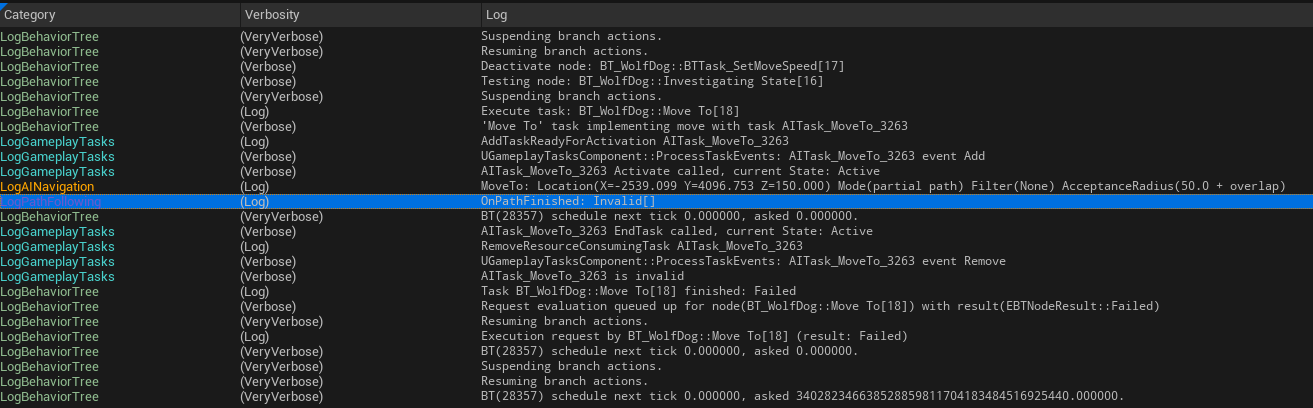
Oh
distant citrus
uneven cloud
The tool is in tools/debug. For how to use it, you can Google that.

Gotcha.
Okay.
That makes sense
Thank you! Valuable tool there that I didn't know about previously
uneven cloud
distant citrus
Thank you! Valuable tool there that I didn't know about previously
You're welcome
uneven cloud
The reason why this channel is so quiet, is that we just teach people to use the visual logger.
No need to ask questions, when you learn to debug it yourself.
dense owl
If only the rest of UE had these debugging tools 😀
 fickle vault
Question: Is it possible to create an AI bot thing that moves, attack and all that shit, all without using NavMesh?
inner zephyr
Not sure when to call Finish Task in StateTreeTasks. Because of that I've been debugging my StateTree for a day until I found out it's that and not all the other stuff 😅.
I'd look into that a little more but my brain is mushy after all the debugging so I'd gladly take some some hints while my brain fixes itself
 sage ridge
Hi everyone, new to the channel, I hope im posting a question about nav mesh in the right place.
Is there a way to make my bumpy terrain use my complex collisions, I adjusted the setting complex to simple in the details tab to no avail! any ideas as it makes my NPC i spawn quite a distance above the ground without it.
 obsidian star
Hi there, i'm trying to use the AI perception component and it some function doesnt work , the "get sense class for stimulus" , when moving inside the sight zone it shows the name of the class correctly , but when making a noise it shows an empty string when checking for the name
 misty wharf
Checking the name of what?
obsidian star
the return value from the function get sense class
misty wharf
Maybe show a screenshot that shows that also
obsidian star
 misty wharf
Oh sorry I meant the BP logic :)


 misty wharf
I would try using the other perception event
On Actor Perception Updated or whatever it's called? The one which only has one actor's info in the event
That one just gives you the currently relevant bits and you don't have to loop anything to get it
obsidian star
i was using that one 🥲
misty wharf
Oh, why'd you switch?
obsidian star
because of the check that doesnt work, i need to know which sense has been updated so i can switch states accordingly inside the behavior tree
i think i found a solution
 misty wharf
Ah
Yeah that should do the trick. That event gets called with each updated stimulus separately
I don't really know what's the point of the other one besides being a trap to confuse beginners
obsidian star
 obsidian star
misty wharf
I don't really know what's the point of the other one besides being a trap to co...
obsidian star
misty wharf
I don't really know what's the point of the other one besides being a trap to co...
and i fell right into it
misty wharf
You're not the first one :D
wide robin
Hello! I'm back with a question on collisions this time. I have set the object in the GIF so that collisions are ignored for my BigAgent, for which the pink NavMesh is generated. The strange thing for me is that, as you can see, sometimes that mesh causes a blocking area for my agent and sometime doesn't. Consider that my AI radius is huge, around 1150 unreal units

Any idea about what could cause that and how to avoid it?
pallid mica
Does anyone know the Math that is used for narrow passages, regarding CellSize and AgentRadius?
E.g. if I have a CellSize of 20 and an AgentRadius of 30, passages of width 100 don't produce a NavMesh
Like, a 30 AgentRadius Agent is 60 units wide. That fits a 100 units passage.
But instead of calculating it like this, it seems to remove the 30 from each wall, leaving only 40 behind.
But even that 40 would be fine, a CellSize of 20 should be able to fit twice into the 40.
So why does it not like the 100 unit passage.

 worldly quail
Anyone knows why my AI can't go through the door?
wide robin
what does the visual logger say?
worldly quail
found the fix, it had to do with the "AI move to" function
basically, it was called on tick, now I do a "do once" node, and refresh it when the "AI move to" fails
inner zephyr
inner zephyr
Not sure when to call `Finish Task` in StateTreeTasks. Because of that I've been...
Never mind I have to call it but for some reason the OnSucceeded and OnFinished pins will fire instantly and break it. But if I bind an event to the OnFinished using the async Task you get from the node everything works as expected. Anybody had that issue and knows why?
pallid mica
worldly quail
basically, it was called on tick, now I do a "do once" node, and refresh it when...
It shouldn't be on tick in general
Just fyi
worldly quail
where should it be?
pallid mica
Somewhere you are triggering the MoveTo
Something logically says "Now you should start moving to this."
That's what should call the event
Not Tick
worldly quail
thanks, I'll see what I can use as a trigger
pallid mica
What is currently preventing it from calling on the first frame?
Do you have any conditions in your tick before the move to node?
Other than the DoOnce
worldly quail
something i need to know, does move to continuously tells my ai to follow my player, or does it need to be refreshed every time my player moves (to update the destination location?)
otherwise, I do have a bool check on tick to see if the zom can move
checking it's status (alive, doing something else, has to follow player)
pallid mica
I think move to location would only go to the last location
Move to actor should follow
You could do some kind of tick check, or have the follower AI broadcast an event when it dies or similar
Can't give you a solution that fits all
worldly quail
cheers for the help tho
I'll just test stuff & see if it works well
for now, seems to work fine
pallid mica
In theory, you as the designer of the game and system should know what events could lead to the Following AI no longer needing to follow its target. And these events should broadcast and the follower can listen to them on the target. Such as OnDeath. Those are event dispatchers, or simply delegates in c++.
Polling something on tick of course also works, but you can probably understand how redundant it is to ask the target every frame if it's dead instead of the target telling follower when it died
pallid mica
Eh don't think so. Blueprints call the EventDispatchers. In C++ and other languages they might be called Delegates
Pretty sure you can find tutorials with those terms
They can be created in a BP at the bottom below functions and variables
worldly quail
and that's something I never saw
misty wharf

Allows a Blueprint Class to report on its state to the Level Blueprint.
That'll probably get you started :)
pallid mica
To bind to them you need a valid reference to the actor that has that dispatcher. Similar requirement as accessing variables and functions of an actor
They are like a mailing list. Actor A subscribes (binds) to Actor Bs Delegate. When Actor B broadcasts the delegate it will call the function that Actor A bound to it
worldly quail
somewhat like interfaces?
pallid mica
That's also a good design for generally informing a growing number of other objects without having to constantly update code on the caller side
pallid mica
worldly quail
somewhat like interfaces?
Eh no. I wouldn't try to compare that
pallid mica
@worldly quail An Interface is used when you want to Group an unknown set of Objects (or Actors).
The best example for an Interface is for Interaction. If you have an NPC you can Interact with, and a Door, and maybe also a Lever somewhere.
Those 3 might not share the same parent class, but you want to call "Interact" on all of them (and many more).
If you trace them and get a reference to them, you have two options.
- Cast it to all possible options (BP_Character, BP_Lever, BP_Door), which is horrible and doesn#t scale well
- Call an Interface Function on the Actor Variable
With number 2. you would have an Interface that has an Interact function. You would add the Interact Interface to the BP_Character, BP_Lever, BP_Door and whatever else has to react to interaction.
Inside of each BP you can then implement/overridde the newly found Interact function.
When calling the Interface function on the Actor in step 2, it will simply do nothing if the Actor doesn't implement the Interface.
And it will call the specific code of the Door etc in case you happened to trace that.

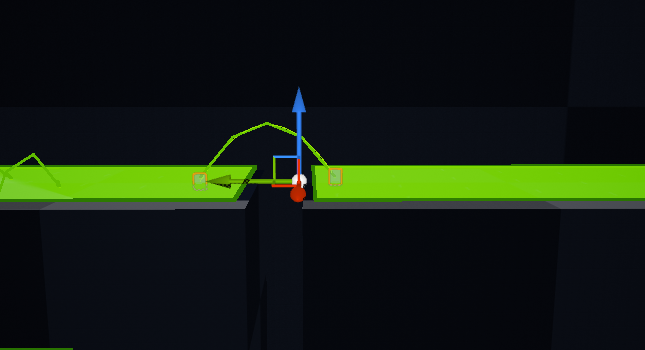
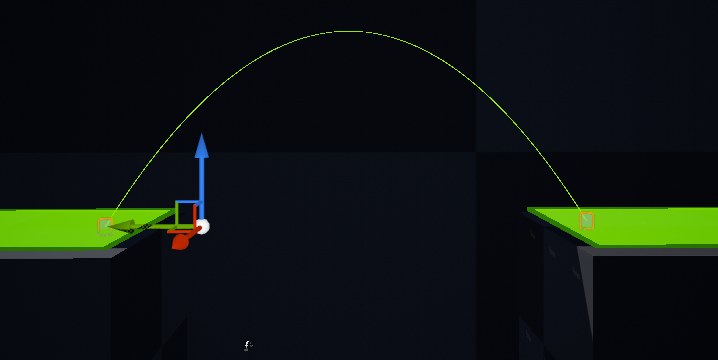 pallid mica
--
A Delegate/Event Dispatcher works in the other direction in guess.
Let's assume you have a BP_Character that can die, and you want to notify the UI of the Player to tell them they died.
You also want to notify all the AIs that the Character is dead, so they don't attack them anymore. And maybe some more.
You again have two options:
-
Inside of some "Die" function/event, you get all the AIs in the game and tell them the Character died. You also get the UI and tell it the Character died.
This again scales horribly. Imagine you have to add more and more things to this. The Weather subsystem should stop. The NPCs around you should gasp, etc. etc. -
Have an "OnDeath" EventDispatcher/Delegate in the Character and simply Call/Broadcast that if the Character dies.
In method 2, it's up to the UI and AIs to bind to the OnDeath delegate to get notified. This can be a bit more tricky to setup, but is a lot cleaner, because you don't have to alter your death code anymore.
And it scales better cause if someone else needs to know they also just bind to the delegate.
--
If you want a real-life example, the Interface would be having a room of people, where you don't know anyone.
Now you want to know what each of them studied, but some of them might never have studied. You simply don't know.
The Interface could be a "StudyInterface" with a function "GetStudyTopic". You would go to a person, ask "GetStudyTopic" and those who never studied (don't implement the interface) simply say nothing.
For the Delegate it's for example a newsletter, where you register to and get told the latest news. The news poster doesn't manually keep track of who wants to hear the latest news by asking every one individually.
They send one to everyone who is registered to the newsletter.
Could also see it as maybe waiting in line with a number and someone shouting "Number 242 please". Everyone hears it but you can compare your number with the passed one (delegates can have params) and react to it.
Idk if this helps, but was in the mood to explain stuff.
--
OTHER TOPIC, I still don't get why my Agents can find a path into/through a corridor that is large enough to create it based on the NavMesh AgentRadius, but too small to fit the Agent based on its own AgentRadius.
misty wharf
iirc the way those things work is that the agent gets the "most suitable" mesh assigned to it
it won't actually take the agent's real radius into account outside of assigning the mesh for it
pallid mica
If there are two corridors next to each other, one 100 units and one 200 units. And the NavMeshConfig is set to an AgentRadius of 30, so producing a NavMesh through both corridors.
Then if there is an Agent with an AgentRadius of 80, it will be able to find a path through the 100 units corrirdor, trying to walk through it and getting stuck at the entrace cause its size is 160 (2x 80).
While it should walk through the 200 units corridor.
@misty wharf Yeah but that's pretty shite
We have lots of different AgentRadius and as soon as there is a Corridor that is large enough for NavMesh but smaller than the AgentRadius, they get stuck
misty wharf
I could be mistaken, it was a while since I looked at all this. Have you tried just creating a separate agent config for the big NPC and generate a secondary mesh for that?
pallid mica
Secondary Mesh has the same issue
All it does is cut off some options at the bottom
So if I have a NavMesh with AgentRadius 80, to cover that specific AI
And AI with AgentRadius 100 will suffer again
And I can't create tons of NavMesh
2 is already stupid
misty wharf
🤔
Yeah I'm not sure how expensive having multiple would be, but feels like there should be some kind of solution for this
misty wharf
Wow
pallid mica
And with large maps cost multiple seconds to generate
You really don't want more than 1
We couldn't support 3 in The Ascent
misty wharf
I suppose you could in theory mark the tight areas with some nav area modifier?
pallid mica
We had 2, not sure why anymore
The footprint was big enough that console got problems
misty wharf
Oh you worked on The Ascent? Nice, that was pretty fun :)
pallid mica
Yeah I did quite a lot on that game
But yeah, idk, feels strange. The AgentProperties reach FindPath
And then are unused
misty wharf
What about using modifiers on it? Eg. you'd mark the tight spaces with Area_TooSmall or whatever you'd call it
Then the larger NPC's can use a query filter for those
pallid mica
I don't think manually patching up the areas is a solution
misty wharf
this way they should still be able to query the same navmesh but not try going through those
pallid mica
There is a lot of dynamic stuff being spawned
misty wharf
Ah 🤔
pallid mica
And that game has tons of islands the player can visit
The NavMesh should just work ^tm
misty wharf
I wonder if you could automatically mark them as part of generation if you can determine the cell is too small?
pallid mica
I don't know how I would know that the cell is too small
There are quite a lot of agents
Like, different ones with different sizes
misty wharf
Hmm
I guess in theory you could do a check of whether the nav mesh poly fits inside a given radius
pallid mica
Preferrably the FindPath code should just use the AgentRadius for its pathing
Idk if it even uses any radius for pathing
misty wharf
So if it doesn't fit inside the 100-wide agent's radius, it gets marked
pallid mica
My current assumption is that it doesn't
All it does is specify the NavData
And then it probably just uses a thin line
Cause it already knows the NavMesh is bound to its AgentRadius
While I feel like it should expand each point that it finds
And check if the poly is even large enough
misty wharf
Yeah, I'm not quite sure how the querying of it works, maybe it just doesn't take the radius into account at all when querying and only when building the mesh
Since it leaves a gap between the mesh and walls for the width of the radius so the mesh doesn't even exist in spaces where the radius couldn't possibly fit
pallid mica
Right, that's what I assume to
Which is a real bummer and I wonder how others solve this
misty wharf
I feel like there was someone here who did some navlink generation during navmesh building, they might have some ideas
pallid mica
Like, let's assume you have this map setup somewhere and the red circle is an enemy that is trying to walk to the green circle being the player.
The shortest path is too thin, but its AgentRadius is not the lowest in the list and the NavMesh (any) exists in that path.

The red circle is now trapped there
misty wharf
I do recall that during the navmesh generation there is a function you can use to customize the validation, so you might be able to use that to perform a radius check on the navmesh poly being processed
pallid mica
Cause it finds a path to it but can't walk to it
misty wharf
and then if it's too small, flag the particular poly so a query filter can be made to avoid it
dense owl
pallid mica
Would be awesome to have Mieszko around ;_;
Summon him with your mod powers 😀
pallid mica
I don't think he's on the server and I don't want to annoy him
Actually he is on the server
I still don't want to annoy him
dense owl
Could always annoy Luthage. 😅 runs
uneven cloud
Navigation streaming cuts down the memory footprint significantly. On Psychonauts 2 we had 3 recast nav meshes, flying navigation and relative gravity navigation. The memory of it wasn't a problem, because the nav data is streamed in and the entire map isn't always loaded.
The trick is to use buckets for the sizes and prefer the bigger radius when in between, which the system does already.
Having the radius size be taken into account during pathfinding is going to significantly increase the cost.
daring locust
Hey, quick question. Anyone knows how to disable a behavior tree after running it? Like, if I wanted to remove it and make the character stationary again

I found this. Is this okay to use?
 uneven cloud
You really shouldn't be running the BT on begin play, because you aren't guaranteed to have a controlled pawn at that time. Use On Possess instead.
Yes. Stop logic is OK to use.
daring locust
uneven cloud
You really shouldn't be running the BT on begin play, because you aren't guarant...
Oh, fair point. Will fix that up asap <3
Didn't even think of it
nimble smelt
Okay so I know Recieve Execute AI in a BTT is called when that task is called by the tree. But how does Receive Tick AI work? Where do I put that? How do I wire that to a BT?
 nimble smelt
Every frame for each associated pawn thats alive? Every frame the task is executing? Every frame the BT is running? Every frame regardless of whether it's assigned to anything?
uneven cloud
nimble smelt
Every frame for each associated pawn thats alive? Every frame the task is execut...
Every frame that task is running and for every AI running that task.
If you have 5 AI that are running task Foo, the task is ticked 5x per frame.
nimble smelt
This is actually the first time it occurred to me that AI tasks dont need to finish in a frame. I mean, obviously they don't, but I'd only ever written ones that do
I think I need to back up and ask some more general questions to get my head right about this stuff
What's the mental model for splitting functionality between a behavior tree and the pawn itself, or the AI controller?
Like in theory you don't need any of this right, you could just have a pawn that handles its own detection and movement and have all the logic just in blueprint functions. Messy, bloated, but perfectly feasible. Obviously splitting it up is a good call, but which parts stay in the pawn? Which parts should be in the AI controller, etc?
I also think I'm not sure what should go in a Blueprint Task. Like, if you take a canned task that comes with the engine, like "Move Directly Towards", there is no BTT for that as far as I can tell. Or if there is, it's just a thin wrapper, the actual implementation of that task is in the movement component attached to the pawn, which I guess is implementing some sort of interface which lets the Behavior Tree call that function?
So when the BTT is just basically "tell the pawn to do something", what's the correct division of logic between the pawn and the task?
uneven cloud
nimble smelt
This is actually the first time it occurred to me that AI tasks dont need to fin...
The move to doesn't finish in the frame it starts in. It starts the move and waits for it to complete. If you have a task that triggers an ability which plays an animation, you'd want to wait until it finishes before doing anything else.
uneven cloud
nimble smelt
What's the mental model for splitting functionality between a behavior tree and ...
The mental model that really helps with the Pawn vs AI is that the pawn is the body while the AI is the brain. The AI controller and it's components (including the BT) makes decisions on what actions to take. The pawn then executes those actions. The AI decides the NPC should move from point A to B. The path following component gets a path from the navigation system and handles following the path. What does the actual movement, is the movement component on the character.
A behavior tree is just an AI architecture to organize the behavior in a way that makes it easier to use. Sure you can do a scripted AI, but that gets messy real fast and hard to debug.
nimble smelt
If I'm not using unreal's navigation system at all, where would you put a custom pathfinding system?
uneven cloud
nimble smelt
I also think I'm not sure what should go in a Blueprint Task. Like, if you take ...
Move Directly Towards is a BT Task, else it wouldn't show up to use as a task. It's also doing more than just "tell the pawn to do something".
uneven cloud
nimble smelt
If I'm not using unreal's navigation system at all, where would you put a custom...
Are you making it in C++? Also why would you make a custom pathfinding system?
nimble smelt
uneven cloud
Are you making it in C++? Also why would you make a custom pathfinding system?
BP. And because Unreal's pathfinding system takes a pretty hard assumption on the existence of gravity, which doesn't hold in my game
uneven cloud
I think your overall problem is that you are looking for the RIGHT way, when the answer is always going to be it depends.
nimble smelt
True enough, but I'm not looking for instructions to blindly follow so much as "best practices" to serve as a starting point
uneven cloud
Not writing a pathfinding solution in BP is a more important "best practice" than what should be on the AI controller and what should be on the pawn.
nimble smelt
Oh the pathfinding is already done, that was the first thing I did 😄
The prototype was just a pawn that moves towards the player, crawling all over the walls
Look at this guy go! With my excessive number of traces!
 uneven cloud
The amount of performance issues you are going to run into is going to be...a lot
nimble smelt
Surprisingly not! My intention was always to start with a number of traces I knew to be excessive and then tone it down to the minimum that still worked
But I can actually run swarms of like 10 of these things before I even start running into perf issues
And 20 before it really becomes a problem
uneven cloud
Until you build the rest of your game
nimble smelt
I've got a vertical slice at least!
Everyone over estimates the cost of line traces
Besides i could probably do this with like 5% of the traces I'm currently using. Each pulse is 100 traces, when 20 probably would achieve the same results. I could also preemptively cull about 3/4s of the target points before tracing, by cutting out the ones i know are farther away from the player, or the wall
uneven cloud
Nah. Most people underestimates the perf cost of doing that many line traces from BP.
At least from my experience of profiling games
nimble smelt
Meh, it's a library function anyways, if it becomes an insurmountable perf issue I can yank that one function out and make it in C++
Last I checked my frame compute time was like 20% of the render time anyways, so I've got plenty of headroom for stupid BP schenanigans
nimble smelt
Oh here's a new question, AIPerception seems to just operate by events on the pawn. What's the best way to inform the Behavior Tree of things like "hey I can see a new target"
harsh storm
Perception events on the controller
Event happens, update BB key
BT reads from the BB
nimble smelt
Oh I thought the AIPerception component had to be on the pawn that had the sense
harsh storm
The component is supposed to be on the controller. If it's not, you even get a log message telling you that it should be.
nimble smelt
I kinda don't like using controllers if I can avoid it... I understand the idea of them I just find that locating that dividing line between "pawn logic" and "controller logic" is usually tougher than it seems and you waste time and code guessing wrong
It's something I thought i'd get more comfortable with as I used Unreal more, but it's remained oddly opaque
Now, is it possible to go the other direction, and have the behavior tree POLL the perception but only sometimes? Like if I've already got a target i'm chasing, I don't want to abandon that loop when I find a new one. I only want to look for new targets if my current one is dead or lost
uneven cloud
I'm not entirely certain why finding the line between the brain and the body is such a difficult concept to understand
nimble smelt
If the pawn's the body and the behavior tree is the brain, then what's the controller?
uneven cloud
I didn't say the BT is the brain. The controller is the brain and the BT is a component on the controller
uneven cloud
nimble smelt
Now, is it possible to go the other direction, and have the behavior tree POLL t...
Yes. You can get the perception targets from anywhere. I prefer using the EQS, but you can use whatever you want
nimble smelt
Is there any kind of system or shortcut to get that, or should I just write a BT service for it? I ask because I sorta feel like I'm working against the system, like I can get a list of detected actors, and then iterate through that list and query the detection strength for each, and then return the one with the strongest detection, but the whole time I'm getting that distinct feeling I'm writing code that already exists somewhere
uneven cloud
nimble smelt
Is there any kind of system or shortcut to get that, or should I just write a BT...
There's already an EQS generator for getting the perception targets. And a service to run the EQS. Querying a bunch of things, running tests on them and sorting them by a score does already exist... that's the EQS.
nimble smelt
I remembered why it was my instinct to have the AIPerception component on the pawn and not the controller... Otherwise, how do you change the values for perception based on the pawn class?
An Eagle and a Sparrow have the same controller, but different sight ranges. "how good eyes are" is body, not brain.
harsh storm
nimble smelt
An Eagle and a Sparrow have the same controller, but different sight ranges. "ho...
Data asset
nimble smelt
Wait how do you set the parameters on a sense with a data asset?
harsh storm
Have the senses config as a property for it
nimble smelt
Oh, then the controller sets its config to the property one on beginplay?
harsh storm
Pretty much, yeah.
Can have a property on the Pawn, like "AI Config" or something like that. Then when the controller possess the pawn, it gets that reference and then sets up its config.
nimble smelt
That's smart, I've already got a baseclass for all my pawns so that'll work well. Thanks!
stiff gale
When using AISenses such as hearing and sight, how do I keep it always activated? Or manually trigger it?
If auto is not possible, then looking for something similar to ReportNoiseEvent for AISense_Sight
 dense skiff
Hi is there any way, to make RVO avoidance work with agents, that do not move now (guards in doorways etc.)?
misty wharf
stiff gale
When using AISenses such as hearing and sight, how do I keep it always activated...
They are always active, I'm not quite sure what the issue here is. Sight keeps perceiving all actors that are registered for sight always, and hearing will always keep listening for noise events
 feral bluff
hi, in context multiplayer RTS I need to check character tag to filter only enemy characters, but for different players enemy it's different characters. So I think pass player tag as parameter to EQS Test and check that character not have this tag and it means that it enemy character. How can I use FAIDataProviderStructValue or FAIDataProviderTypedValue?
I tried add some provider values:
    UPROPERTY(EditDefaultsOnly, Category = "Test")
    FAIDataProviderTypedValue TestValue;

    UPROPERTY(EditDefaultsOnly, Category = "Test")
    FAIDataProviderBoolValue TestBoolValue;
but looks like binding not works for typed value

so far the only working option seems to be to use different Gameplay Tags tests for different commands, but this sounds like hard code and I would probably like to avoid this behavior
misty wharf
feral bluff
hi, in context multiplayer RTS I need to check character tag to filter only enem...
The "typed value" struct is afaik used as the base struct for implementing the other ones. You might be able to create your own FAIDataProviderGameplayTag since this can be marshalled into a number (EQS only supports numeric parameters for whatever reason)
It's also possible to pass in arbitrary parameters directly into the EQS query, but it can get a little bit hacky: https://zomgmoz.tv/unreal/Environment-Query-System/Custom-EQS-parameters
 balmy knot
I introduced a bug some time ago: my AIPerception system on my AIController is detecting itself (at least the Character that it is possessing) in the event OnTargetPerceptionUpdated. This did not happen before IIRC, any idea how to filter the owning actor out natively? I can of course set a check in the beginning of the event, but have the idea that this can be resolved in an earlier stage.

I have detect neutrals enabled btw, but this behavior did not happen a bunch of commits before
misty wharf
Not sure why that would be happening, but you can check the actor against the controller's pawn if you don't find any other solution to fix it
balmy knot
Alright, thanks!
pallid mica
So in my search for "How to handle different Agent Radius?", I still haven't found a proper answer.
Having multiple NavMesh doesn't solve it, cause the number of different AgentRadius is too big to have a custom NavMesh per.
Following the calls in C++, AgentProperties is never used beyond selecting one of the NavMeshes that fits best.
Deep inside the PImplRecastNavMesh, it doesn't seem to have any support beyond QueryFilter for Cost and some Link filter.
So I guess the size of whoever wants to find the path is not at all considered beyond choosing a NavMesh.
And I don't understand how one solves said issue then, where a unit with a larger AgentRadius than the NavMesh, seemingly finds paths for corridors (shortest path) that it doesn't fit through.
Either I'm missing something obvious or this is simply not a thing?!


Idk if there is a way to dynamically increase the cost of a given cell for a given agent.
I can't set any cost up pre-runtime, cause players could also place buildings that cause any kind of narrow path.
misty wharf
You might have to look at the detour bits then 🤔 That's what generates it in the first place
I think you can also extend FRecastQueryFilter which allows you to specify some filtering rules on the code level
But not sure if it'll solve this specific thing
pallid mica
@misty wharf I also somewhat noticed that the "Smallest Agent to traverse this navmesh" is kinda weird
If you have two NavMeshes, one with 30 and one with 120
And you have an agent with 31
It uses the 120 one
So nothing larger than 30 can traverse it, so the comment feels inverted
misty wharf
Yeah I remember looking at it and finding it kinda weird also how it gets picked
pallid mica
Like, I can make the AgentRadius the biggest per type
Instead of the smallest
But that just means that anything larger than 30 would not be able to traverse any corridor between 30 and 120
Cause it picks the 120 one and that will not generate nav there
I'm getting closer to pinging Mieszko
misty wharf
Yeah
pallid mica
@misty wharf So, I had enough and checked UDN
Funny story, Céleste (my wife) asked the same question 2021 for a client of ours, and she forgot.
In her question she linked this post
With Mieszko's answer being
The basic way we support different sized navigation actors is to have a separate navmesh per agent size. The reason is that Recast pre-bakes agent size into the navmesh structure for efficient pathfinding.
You can configure navigation system’s supported agents in Project Settings > Navigation System > Supported Agents
Different-sized agents support on a single navmesh is in out backlog, but it’s not going to be done soon.
–mieszko
Different-sized agents support on a single navmesh is in out backlog, but it’s not going to be done soon.