#gameplay-ai
1 messages · Page 46 of 1
 uneven cloud
They have the patrol using a spline. What if you want to add fallback behavior for if they don't have a spline? Simple. Add a check for a spline on the patrol functionality and then wander randomly to the right.
With states you have add to the enum, then add transition logic to the state logic. Then add it to the BT. That's a lot more work.
Another problem with this "states" garbage is that often they have them checking state transitions on tick, which is unnecessary. The BT only checks decorators when it searches for a task. You can also add observers to trigger a search when something changes. Far more performant and just as reactive.
 mild bobcat
I mean, stunned was just an example, perhaps it's something like "confused" where it's still active, but it affects their behavior. What's the non-state like way to conceptualize this?
uneven cloud
mild bobcat
I mean, stunned was just an example, perhaps it's something like "confused" wher...
What does confused do? And what are the conditions for being confused?
 unkempt glen
Hi Luthage i found the problem..turn out whenever i possesed a new character a new ai controller is spawn. This code is actually for the first character where no ai controller is controlling the pawn whenever i switch to new character..to fix it i add a small delay. Thank you so much for your input..hopefully you can use this information to help others
 uneven cloud
unkempt glen
Hi Luthage i found the problem..turn out whenever i possesed a new character a n...
uneven cloud
unkempt glen
Hi Luthage i found the problem..turn out whenever i possesed a new character a n...
Why are you using spawn default controller? You shouldn't be spawning a new controller.
unkempt glen
uneven cloud
Why are you using spawn default controller? You shouldn't be spawning a new con...
Because when i unpossessed the first character there's no ai to take over the character
uneven cloud
Usually you hold on to the AI controller. But a delay is a hack fix. Calling this shouldn't be in the on unpossessed function.
 modest token
why does my ai stop mid air when using launch character?

it happens with walls or not
mild bobcat
uneven cloud
What does confused do? And what are the conditions for being confused?
Maybe it inverts the controls after being hit with a confusion spell, or it wanders in a circle, or it targets other enemies?
Perhaps I shouldn't be constructing hypotheticals, because I'm not trying to find an exception, I'm probing for the generalization or paradigm shift to understand the idea of a stateless architecture. But whether you're asking the questions rhetorically, I'm guessing that you're implying that any "state" is instead managed outside of the behavior tree, in either the controller or the pawn?
uneven cloud
mild bobcat
Maybe it inverts the controls after being hit with a confusion spell, or it wand...
The problem is that you continue to think of behavior as a state. Instead of a set of behaviors and conditions.
Confusion can be better described as a status effect or a gameplay effect if you are using GAS. How you set it up behaviorly completely depends on what it needs to do. If it changes targeting, then you don't want it in the BT, it should be in the targeting functionality. If it wanders in a circle, then maybe it's a reaction or maybe in the BT, but that also depends on how many of these effects you are planning on having and if you can have multiple at the same time. I personally don't like them in the main BT, because I work on big games.
 clear timber
Hi everyone! I'm trying to get to know relation between AI Controller, and Blueprint Animation class. Could you please share some resources related to it, or describe it shortly? It's due to the issue I'm observing in my game when I'm using the animation blueprint class and Behavior Tree's Move To Method. The Walk animation is not played while chasing a player - the NPC only changes his position


 misty wharf
There is no relation
Usually animation blueprints update their internal state directly from the character
There are many examples of how it can be set up so that it works, including in the engine template projects
 lost ferry
uneven cloud
The problem is that you continue to think of behavior as a state. Instead of a ...
lost ferry
uneven cloud
The problem is that you continue to think of behavior as a state. Instead of a ...
Does it make sense, instead of defining a "confused behavior" inside the BT, the set of behaviors and conditions (put in decorators) is somewhat a fixed set, and when a "confusion effect/status" happens on a character, outside of the BT we enable/disable conditions for the bahviors we want for a "confused effect/status"?
 crimson galleon
clear timber
Hi everyone! I'm trying to get to know relation between AI Controller, and Bluep...
crimson galleon
clear timber
Hi everyone! I'm trying to get to know relation between AI Controller, and Bluep...
i see to and from transitions in the anim bp state machine, but what are the conditions for transitions from and to?
uneven cloud
clear timber
Hi everyone! I'm trying to get to know relation between AI Controller, and Bluep...
Most tutorials for anim BPs are for players and use acceleration for movement transitions. AI do not use acceleration unless you turn on use acceleration for paths in the movement component. While I recommend turning that on as it also gives smoother movement, you can also use velocity instead.
modest token
why does my Ai just suddenly stop moving then drop down to the ground and resume when i use the launch character node?
it doesnt hit any walls either it just stops mid air like its hitting a wall which there isnt one
misty wharf
Hard to say, you would have to debug to find out what happens at that point in time
My guess would be you have some other logic, such as movement, which triggers and causes it to reset like that
modest token
but when i create a blank character only with the code that launchs the enemy it still happens
but my old version of my enemies doesnt have this problem and idk what i changed if i did
mild bobcat
modest token
it doesnt hit any walls either it just stops mid air like its hitting a wall whi...
is it colliding with something internal to itself?
modest token
mild bobcat
is it colliding with something internal to itself?
no it wouldnt have gone into the air in the first place if that was the case
and nothing is moving besides the character itself obv
mild bobcat
some other person was having a similar issue a while ago
I wish I remember what it was
modest token
i think its in the character movement component
but im not sure what default setting causes this
uneven cloud
modest token
i think its in the character movement component
You need to debug it like zomg said. We can't just guess at the problem. Start by turning on show collision to actually prove that it's not a collision problem instead of making assumptions. If that doesn't work, the visual logger is a great tool to log out the data and debug drawing.
modest token
i did do show collision but i dont know how to do it at runtime
is there a command to show collisions
in the editor it all checks out but i wanna make sure nothing changes during runtime
uneven cloud
You can use F8 to use the show menu or use the console command show collision
modest token
ya its not a collision issue
well i found the problem
i was looking through the small code to see what could be the issue and i have a event called "FollowPlayer" that runs every 0.25 seconds and im obv using a AIMoveTo node so it overrides its velocity to begin moving towards the player
and when i turned off the event it works 😄
 maiden blaze
Hi, I'm new to AI in Unreal and I'm working on a turret. I have added an AI perception component which gets me a list of potential targets, but is there anything built in to help choose the best target if there are multiple?
I.e. weighted to current target, distance, threat level, etc?
 dense owl
maiden blaze
Hi, I'm new to AI in Unreal and I'm working on a turret. I have added an AI perc...
dense owl
maiden blaze
Hi, I'm new to AI in Unreal and I'm working on a turret. I have added an AI perc...
The EQS system
 weak raptor
Anyone have any advice on how I could make an AI that navigates around the player's "Cone of Vision" / facing direction to flank the player from behind?
I'm trying to figure out the best way to handle a scenario like this, Where the enemy is behind cover and wants to flank the enemy, the most direct path would be to move towards the player using the red line but that would make the enemy seen very quickly, My ideal path would be taking the green path and coming up from behind the player, or at least taking a side path with less visibility.
 dense owl
weak raptor
Anyone have any advice on how I could make an AI that navigates around the playe...
dense owl
weak raptor
Anyone have any advice on how I could make an AI that navigates around the playe...
Prly EQS with a DOT product test, see 4th pin video
weak raptor
dense owl
Prly EQS with a DOT product test, see 4th pin video
My main issue is not how to get the point to move to, but more so how to manipulate the pathfinding so that when the AI is moving to the location it doesn't path through player's vision.
Which correct me if I'm wrong, but EQS would just give me the point right?
dense owl
weak raptor
Which correct me if I'm wrong, but EQS would just give me the point right?
Wrong. Watch the video
weak raptor
dense owl
Wrong. Watch the video
Will do, thanks for info!
 foggy pike
Has anyone ever experienced this issue with dynamic navmesh? Specifically it's rebuilding incorrectly through many obstacles... Left is in PIE where it's incorrect, right is correct in editor

 mild bobcat
dense owl
Prly EQS with a DOT product test, see 4th pin video
mild bobcat
dense owl
Prly EQS with a DOT product test, see 4th pin video
4th from the top or 4th from the bottom?
dense owl
weak raptor
Will do, thanks for info!
Top
dense owl
foggy pike
Has anyone ever experienced this issue with dynamic navmesh? Specifically it's r...
Are you changing the collision at runtime ?
foggy pike
nothing is happening at runtime
it does this when I even enter PIE
and no there's no collision changing either
this is one of the most bizarre things I've ever seen in all my years I swear 😂
it's happening all over the map too
misty wharf
Do the actors have can affect collision set or not set on their mesh comps?
foggy pike
it's set on all of them yeah
misty wharf
That's interesting 🤔
foggy pike
yes
misty wharf
I use dynamic generation also and it works just fine
foggy pike
it's worked fine for me as well up until today it seems 😄
misty wharf
It's possible this is just a visualization glitch... or it's also possible that if you delete the recast navmesh actor from your level and regenerate it, it will come out like that in editor also
foggy pike
How do I regenerate the recast? Just rebuild paths?
misty wharf
Yeah
dense owl
Maybe also change it to dynamic modifiers only
foggy pike
still remains inconsistent between PIE and editor even after deleting the recast and regening it 😭
foggy pike
dense owl
Maybe also change it to dynamic modifiers only
will try this
no cigar
It's also not even a visualization error, the AI agents straight up try to nav through it
this is a shipped game too 
though I thinkt he bug itself is new thankfully
tried deleting nav modifiers in the area and no change at all

what's funny is if I change it to static, it just doesn't show or work at all in-game
Strangely, when I disable this, no navmesh is generated at ALL

despite it still being there in editor -.-
What's even worse is when I completely recreate the nav bounds, the problem actually gets worse and spreads somehow
 misty wharf
Time to see in your version control what got changed I guess 🤔
foggy pike
I think I might know the cause, but it's still strange that it's inconsistent between editor and PIE
I have a collision preset that I'm using with (at least some of, not checked all yet) the affected static meshes called Prop_NoLOSBreak
and maybe it just doesnt' get affected by nav
Do we know what collision channels navmesh relies on?
My preset is using this

Nope, changing back to BlockAll didn't affect it...
misty wharf
Something that might be worth trying... make a new empty level, put the actor into that level and see whether it still does something weird with the navmesh. Make sure there's no logic that changes any settings on the actor
that would rule out whether there's some logic that changes collision settings or something that could potentially affect it
foggy pike
misty wharf
Something that might be worth trying... make a new empty level, put the actor in...
There is navmesh 

Maybe worth noting that in the production level, this part is in a sub level
as is the nav bounds
But I don't know why it would suddenly stop working for seemingly no reason. I've not changed engine version, and there's no problems in the shipped game
I haven't even made any like geometry changes in the map 😂
foggy pike
foggy pike
Maybe worth noting that in the production level, this part is in a sub level
oh my GOD THAT WAS IT BUT WHY THO

how did I even ship without this bug  or did I
misty wharf
🤔
This sort of sounds like it could be some kind of issue with some kind of load order where things load in certain order and as a result behave slightly differently
Which in theory could have behaved differently before if you changed something that for whatever reason shuffled the level data around sufficiently to change the load timings enough for it to break
I vaguely recall people having issues with navmesh things being in sublevels
foggy pike
yeah, it definitely seems that way
especially becasue of what obstacles WERE working
BSP was fine, mission objects were fine, everything outside the main props level
(except certain props )
mild bobcat
Is EQS reliant on having a nav mesh?
Wondering if I could mod the EQS to work in 3D for AIs in zero-g.
mild bobcat
Figure reconfiguring it to work in 3D is better than making my own fancy scoring tool from scratch!
uneven cloud
It's really easy to make your own generator
mild bobcat
Trying to decipher the architecture of the BTTaskNode; ExecuteTask is what returns success, failure, or in progress, while FinishLatentTask continues any InProgress logic? What are the necessaries for carrying on a task; is FinishLatentTask something that ticks less than TickTask or something to continue a task?
 trail spindle
AIPerception component, Event "On Target Perception Forgotten" does nothing unless bForgetStaleActors is enabled. Is there anyway to do this in blueprint or by changing the .ini files?
uneven cloud
mild bobcat
Trying to decipher the architecture of the BTTaskNode; ExecuteTask is what retur...
FinishLatentTask is what you call to end a task that is currently in progress.
uneven cloud
trail spindle
AIPerception component, Event "On Target Perception Forgotten" does nothing unle...
I believe you can via the ini. It might also be in the project settings.
trail spindle
uneven cloud
I believe you can via the ini. It might also be in the project settings.
!!!!!!! it was in the project settings. Huge. Thanks
mild bobcat
Okay, so ExecuteTask starts the process, but if it returns InProgress, it will do TickTasks until FinishLatentTask is called?
mild bobcat
Seems to be what i'm gathering from glancing over simple subclasses like Wait or MakeNoise
 quaint wedge
Hey guys, I have a few questions regarding the NavMesh generation, maybe it will ring a bell to someone 🙂
- In a LevelStreaming setup (Persistent Level loading sub levels that contain some NavBounds volumes) does the system load the SubLevel's NavMesh as it was saved (if it's saved in any way ?) or does it generate it from scratch during level streaming ?
- If the SubLevel's NavMesh is generated during streaming, does the system wait for all the geometry to be loaded before triggerring the Navigation Rebuild ?
Thanks
 green plover
My BT is inactive. Why????

 spring inlet
is there anything builtin to resume a BT in a saved state?
 wide gull
Hi. Been struggling with montage replication now for a while. Maybe you guys could help me out?
I am trying to trigger an animation to play (on both server and client as I need server to react to notifs in the animation)
Somehow it is played on server but never on the client.
I have a custom event in the BP that is replicating using mulicast (screenshot#1) and I am calling that event through a BTT. (screenshot#2).
Only server hits the breakpoint 😦

 misty wharf
spring inlet
is there anything builtin to resume a BT in a saved state?
misty wharf
spring inlet
is there anything builtin to resume a BT in a saved state?
No and it seems to be a major pain to implement as far as I can tell
spring inlet
yea that's the git i got of reading some posts in the unreal forum, actually haven't found anyone mentioning that they succeeded
other than using weird workarounds
misty wharf
wide gull
Hi. Been struggling with montage replication now for a while. Maybe you guys cou...
If nobody here can help with this, I'd suggest asking on #multiplayer
spring inlet
for now what i need is run another BT while keeping the state of the other saved, but when it comes to save games it will probably be my next headache
so it would be ideal if i could just snapshot the state
misty wharf
Yeah saving a lot of these things seems to be a pretty big afterthought in a lot of builtins
including GAS
You would need to get the currently active tree branch/node state from the BT and somehow then recreate that when loading
spring inlet
yea and restore the brain memory
misty wharf
I've looked at it once or twice but never found a particularly good way of doing it, might be easier if you have a source build
spring inlet
but from what they said in posts most of the stuff is protected/private
wide gull
misty wharf
If nobody here can help with this, I'd suggest asking on <#221799385611239424>
Yes, but I feel this has something to do with BT only being run on server.
EDIT: Yep, of course I found the solution as soon as I ask in here. I was correct. For some weird reason, if creating another custom event and call it within the BP_Actor being AI possessed, it now replicates. Makes sense? No, but it works.
 misty wharf
There's probably something going on where the StartReload ends up running on the server so Play Montage is skipped entirely, and by doing this, you're actually doing it as an RPC on the client side
But not really that familiar with mp, so if you want to make sense of this (which is probably a good idea), #multiplayer can hopefully answer it :)
wide gull
Nah, its still stopping at the StartReload breakpoint and I'm not at all running any RPC from client. It all now is triggered by server (through a Task) and then replicated. I just couldnt replicate an event immediately from a Task.
Yeah, will check MP if this solution doesnt hold up
thanks you anyway 🙂
 rich pendant
I have a door BP that can be opened and closed, as you would expect I want AI to be able to go through the open door. In some places however, the nav mesh doesn't go through the door frame when the door is open. This means AI can't go through. I've tried adding a nav link to the BP so the AI knows it can cross but it doesn't seem to work. Does anyone have any ideas what might be the issue?
misty wharf
If your door mesh has can affect navigation enabled this means the navmesh won't be generated "under" it
A navlink should work but hard to say why that wouldn't be working, probably some issue with setting it up
spring inlet
rich pendant
I have a door BP that can be opened and closed, as you would expect I want AI to...
either as suggested disable can affect navigation, however your AI may run into the door thinking that it's a valid path
or use dynamic nav mesh generation
and/or both with nav mesh modifiers when the door is closed
misty wharf
Dynamic might be kinda iffy with moving objects, eg. say the door swings open it might end up regenerating several times during that motion
But depends on how you'd set it up and how it needs to work
rich pendant
spring inlet
or use dynamic nav mesh generation
I already use dynamic nav mesh but sometimes (most likely due to rounding errors) it doesn't always thing there's enough space so doesn't generate the nav between the door frame.
misty wharf
A smart navlink would make it possible for them to navigate through it, and potentially trigger some door opening animation also
https://www.youtube.com/watch?v=q2q9AM9lshI here's a video on the topic, don't know how good it is but I would imagine it'll at least show you the basics of how to set it up

In this video I will show you how make a character walk through doors using smart nav links.
rich pendant
Well this is embarrassing. 😅 There was a collision volume blocking half the door.
misty wharf
heh
Yeah one thing I wish UE had was the ability to display volumes better
Eg. instead of the edges being fully transparent as they are, it would be nice if they could be say only 50% transparent
spring inlet
i bet there's an option for that
misty wharf
I've looked but not that carefully I guess lol
spring inlet
yea seems so 😦
i use custom volumes for a lot of things and they really stand out more, but it can also get messy with a bunch of them in one place
misty wharf
How's it different with customs? 🤔
I don't recall there being an option to make them any more visible
spring inlet
just mean in general that i use some meshs as volume visualizers in the editor and that i agree that they are sometimes better (but not always)
so having an option to toggle between wireframe/volume for normal colliders would be neat
misty wharf
Ah
Yeah
I spent some time trying to figure out how to add a custom visualizer into the editor, same as you have some of those builtins in the list... but I haven't found a way to do that just yet. I know you can do component visualizers, but it's not exactly super useful for something like this
spring inlet
ah i went the cheap route with mesh components on my actor which i turn visible/invisible with an editor utility widget 😄
 stark tangle
why AI MoveTo node can be failed?
i dont know how to fix my pawns waypoint movement, they fail sometimes
 spring inlet
acceptance radius is probably too small
misty wharf
Depends on in what circumstances it's failing I guess?
spring inlet
keep in mind that most characters have their origin in the middle of the actor
stark tangle
misty wharf
Depends on in what circumstances it's failing I guess?
i cant clearly understand when and why its happening
sometimes pawns prints a fail log here, and dont return to movement branch, and sometimes they start to ignore both branches
 spring inlet
ah, so those goals are fixed, then it might not be the acceptance radius if they work sometimes and sometimes not
i think it also fails if the AI is currently navigating (eventually trying to reach something else which it can't reach?!)
stark tangle
spring inlet
i think it also fails if the AI is currently navigating (eventually trying to re...
maybe sometimes another pawns in the spot
but why they dont restart logic and dont try to reach wp again, just stop?
rich pendant
stark tangle
why `AI MoveTo` node can be failed?
i dont know how to fix my pawns waypoint mov...
Print the movement result it gives you a better idea as to why it's failing.
quaint wedge
As advised in the #cpp channel, posting my message here:
Hey guys, does anyone know a way to trigger Navigation rebuild when a streaming level is made visible ? (Without using Dynamic runtime generation which)
stark tangle
rich pendant
Print the movement result it gives you a better idea as to why it's failing.
aborted
rich pendant
stark tangle
`aborted`
It sounds like something is making it stop then.
stark tangle
rich pendant
It sounds like something is making it stop then.
blackboard condition force them to Fight branch?
in this case, this is right what they need to do, but they dont return to Movement branch after fight
spring inlet
did they visit all waypoints and you never reset the flag?
stark tangle
spring inlet
did they visit all waypoints and you never reset the flag?
no, they stop chasing waypoints after a first fight
 vale bough
Can i abort roam around when target actor is set instead of waiting for it to fi8nish?
 stark tangle
vale bough
Can i abort roam around when target actor is set instead of waiting for it to fi...
stark tangle
vale bough
Can i abort roam around when target actor is set instead of waiting for it to fi...
i think u need to set Observer aborts to Both, to force drops a current movement task and switch to Fight branch, based on your blackboard condition
vale bough
stark tangle
i think u need to set `Observer aborts` to `Both`, to force drops a current move...

It is already both

This is never called
vale bough
stark tangle
i think u need to set `Observer aborts` to `Both`, to force drops a current move...
I will check what fight branch is
stark tangle
vale bough
I will check what fight branch is
i mean left branch, if a right is for moving
vale bough
stark tangle
i mean left branch, if a right is for moving
I see, it is not working then. My receive abort AI is never called
My mob first continue roaming then follow the target actor
stark tangle
vale bough
My mob first continue roaming then follow the target actor
check how's your Target Actor condition is set


 primal pebble
vale bough
primal pebble
vale bough
Cant help much but can say that what you've got set up in the behavior tree should work. I've got a similar condition setup where if a combat boolean is set to true, everything in the basic "travel" tree should abort which it does. So something is going wrong with setting that actor 🤔
vale bough
primal pebble
Cant help much but can say that what you've got set up in the behavior tree shou...
Ty
Do i use On Value Change?
Maybe my logic is wrong
trail spindle
Has anyone noticed if you set the max age less than 0.3, then On Target Perception Forgotten gets called on a loop?
 misty wharf
Never tried it but if it keeps forgetting and perceiving it again immediately maybe that could cause it
trail spindle
Is there a minimum time for perceiving targets?
dense owl
What would be the use case for such a short window?
uneven cloud
quaint wedge
Hey guys, I have a few questions regarding the NavMesh generation, maybe it will...
Are you asking about level streaming for world composition? As in UE 4? If so sublevels can't have a nav mesh in them. The navmesh has to be in the persistent level. The navigation data will be saved in the sublevel, but it's not the nav mesh you can see. It also has to be built in a very specific way.
uneven cloud
wide gull
Hi. Been struggling with montage replication now for a while. Maybe you guys cou...
You have a few problems with your solution. 1. Your BT is not waiting for your animation to end. 2. Things like playing an animation should not be done with an RPC as they are not reliable. Use a replicated variable instead with an on rep functionality. 3. Your montages aren't actually going to be replicated. They will not be playing at the same time. I recommend using GAS for any multiplayer game as they have replicated montages.
uneven cloud
quaint wedge
As advised in the <#221799439008923648> channel, posting my message here:
Hey gu...
You can't trigger a navigation rebuild without using runtime generation or making engine changes.
wide gull
uneven cloud
You have a few problems with your solution. 1. Your BT is not waiting for your...
Our game is heavily built using GAS, so the actual "attack" per say will be used with that. This is the AI-flow for a tower to find target, focus on different targets depending on their actions and then trigger actions/abilities within GAS. It just looked like a rotation or reload sequence to be able to switch to another state would suit better in AI than in GAS. The BT will wait as I have a event being triggered at either a notification or on complete that the BT is listening to and not until then is finishing it's task. Wether the animation is reliable or not, I can choose on the event, right?
uneven cloud
wide gull
Our game is heavily built using GAS, so the actual "attack" per say will be used...
Your BT task is immediately returning success, so you aren't using the built-in functionality for it waiting. Which means you can't cleanly abort it either. The BT task should be listening for an event that the animation has ended not something else.
All animations in a MP game really should be done via GAS. No reason not to use their replicated montages, especially if you are using it for other things.
A RPC set to reliable is not actually reliable. It can get dropped. It's also not stateful, which means a client connecting after the RPC has been called means the new client won't have that information. RPCs also cause more network traffic than replicated variables, especially multicast ones.
Triggering a montage on the server and the client is not replicating a montage. The client and server are running the montage independently. GAS actually replicates the montage position so they are synced up.
 autumn sluice
Uh....Anyone using Smart Objects? I just ran into a really, really weird...bug maybe?
I have placed an Actor with Two Smart Object Components. The query works fine and the objects appear in the query. I then drop another of the same Actor in the same exact area, then remove the first Actor. It results in 0 objects. They are the exact same Actor - two instances of the exact same actor. I'm pretty confused at what's going on. Kinda looks like any NEW Actor I drop in the level is not scanned, but any existing actor works perfectly fine. Same code, same actor, same copies of the same SO Definitions...I have no idea what's happening here

 autumn sluice
Uh....Anyone using Smart Objects? I just ran into a really, really weird...bug m...
autumn sluice
autumn sluice
Uh....Anyone using Smart Objects? I just ran into a really, really weird...bug m...
Wow....okay I figured it out
Turns out I was somehow scanning for them before the components could initialize. Adding a next tick delay solved the issue
 vestal kettle
Hello, anyone have an idea how could I get this valid point? I have an AI that moves to a player direction and if my player is near a wall, the AI will find an invalid point, like on screen, then I want to change that invalid point to a valid point inside the navmesh but on the same direction
 uneven cloud
vestal kettle
Hello, anyone have an idea how could I get this valid point? I have an AI that m...
uneven cloud
vestal kettle
Hello, anyone have an idea how could I get this valid point? I have an AI that m...
The EQS with your own generator.
vestal kettle
uneven cloud
The EQS with your own generator.
Hmm this enemy is a bit simple so i did not want to use eqs on his movement, he just finds a location and move to that point so i was thinking if i could do some math dunno
uneven cloud
vestal kettle
Hmm this enemy is a bit simple so i did not want to use eqs on his movement, he ...
The EQS is built for "finding a location".
 harsh storm
@uneven cloud Can you think of, offhand, a way to influence the path generated by the nav system? IE - have the AI take the long way around a building in order to get in a better flanking position? I know EQS can be used to find the right spot - but generating the path itself is where the question lies.
Would EQS still be used in that case as well? I thought I saw a prebuilt one to generate a path. So maybe some derivative of that.
uneven cloud
harsh storm
<@228699554034221065> Can you think of, offhand, a way to influence the path gen...
You do that by adjusting the cost. There's probably some way to do that, but you'd have to dig for it.
While the EQS does have a path test, you still build the actual path when you move.
Another option would be to have 2 EQS tests. 1 for the goal location and another for the actual movement. The goal location would be generated around the target and the movement one around the NPC.
 celest python
You do that by adjusting the cost. There's probably some way to do that, but you'd have to dig for it.
Isnt this just using navareas?
harsh storm
Right - it's the 2 EQS approach that I was thinking about.
harsh storm
celest python
> You do that by adjusting the cost. There's probably some way to do that, but ...
Yeah - but I was curious if there was a more dynamic way personally.
uneven cloud
Nav areas that would need to be updated constantly to avoid the player seeing the NPC.
harsh storm
I'd imagine it would be potentially costly to be constantly changing the nav area's location
uneven cloud
Yeah
harsh storm
So I was tryin' to think of a more lightweight, acceptable solution.
uneven cloud
I am not sure how the nav area cost is stored though. Is it cached to the node? Or is it gotten via a function call?
celest python
i know you wouldnt be interested in engineering things on low-level side but just to put things to table
PostProcessPath is how you manipulate a found path runtime dynamically
harsh storm
That part, I can't remember. Or I never even checked that back when I was fudging around with nav area stuff on the navmesh
celest python
but requires you to traverse the path and do weird things, which could let you be expensive if you're doing an async path which is easy to do
uneven cloud
PostProcessPath is when you've already found a path. I'm talking about adjusting the cost while you are looking for one.
celest python
I'm aware but as long as you're able to modify the path point array does it matter?
uneven cloud
Yes it does.
harsh storm
The thought popped in my head with this question: #gameplay-ai message
And I know I can use EQS to find the correct spot and all that. But it's the generating of the path that I wanna dig into. Probably won't be for quite some time (luckily, my zombies b-lining to the player is good enough 😅) though. More of a curiousity thing.
uneven cloud
You still need to find a path that avoids the player FOV.
celest python
it looks like its baked into navmesh then calculated dynamically

FPath stores its costs as an array
 uneven cloud
Finding a path is always going to give you the shortest one unless you modify the cost.
harsh storm
Right
celest python
wait
costs are calculated in postprocesspath 
see FPImplRecastNavMesh::PostProcessPath
uneven cloud
The cost is also used in the A* algorithm.
 harsh storm
I mean, my first attempt was going to do some EQS shenanigans
Get goal location, generate a path to said location that is furthest from player POV (some dot product angle) and closest to goal location.
Something like that
This is just some napkin logic anywho
misty wharf
Adjusting the navigation pathing is a huge pain because the code for it seems to be incredibly complicated on the recast/detour level
celest python
UE abstracts it away for you
misty wharf
You can get the navmesh poly points it goes through pretty easily, but that's nowhere near the actual path it's gonna use
celest python
you just need to find where data exists from what I can see
misty wharf
then it goes into string pulling and all the other shenanigans
celest python
all of those happen within PostProcessPath which you can override
uneven cloud
harsh storm
Get goal location, generate a path to said location that is furthest from player...
I would personally do my double EQS one first.
misty wharf
It definitely seems like having it do the movement in smaller increments via using EQS to find points is a lot easier than figuring out how to adjust the path generation
harsh storm
uneven cloud
I would personally do my double EQS one first.
Yeah, that's what my first plan was going to be. Using this rough logic I stated.
uneven cloud
I really wish they would have made adjusting the costs as easy as it is in Havok.
harsh storm
How is it done in Havok?
misty wharf
I wonder... what if you just stick a navmesh modifier on the player, in front of the player lol
uneven cloud
I can't give actual details, but it's hinted at in my question about if they cache the cost value or...
harsh storm
I did see some work being done to navmesh stuff in recent commits
Probably thanks to CDPR
uneven cloud
misty wharf
I wonder... what if you just stick a navmesh modifier on the player, in front of...
That would cause a regen of the nav mesh every time the player moves. It'd be a perf hit, but also invalidate all paths of nearby NPCs.
I would be very surprised if CDPR is using Recast.
misty wharf
uneven cloud
That would cause a regen of the nav mesh every time the player moves. It'd be a...
true
harsh storm
Well, part of the deal that Epic/CDPR announced was that CDPR would be contributing back to the engine overall.
misty wharf
Timpunk 2077
harsh storm
I heard that some portion of the recent BT work has been because of CDPR
uneven cloud
The amount of work to get Recast to parity with 3rd party options is significant.
harsh storm
Think about the poors 😭
uneven cloud
I used it for years, I understand your pain.
misty wharf
I have pathing issues in my fps game that didn't exist in doom because doom was so simple the dumb pathfinding they used naturally avoided it
Probably have to implement some really "dumb" solutions like "go to random direction for a while and try again"
lol
harsh storm
lol - Gears 5 uses Havok AI; a fairly notable Unreal game 🤣 (I know it's no longer owned by Epic)
 uneven cloud
I spent 2 months trying to make auto generated traversal links. Then convinced my previous studio that it'd be cheaper to go with Havok.
misty wharf
Ah it's another one of these which are so expensive they won't put the price on the website solutions
Looks like Havok physics might cost 25 000 per game so I'd imagine it's in that direction
uneven cloud
The Coalition and Havok are both owned by Microsoft.
harsh storm
Oh? I didn't know Microsoft owned Havok
With how much data I've given them over my lifetime, can I at least get a discount 😭
misty wharf
I didn't pirate windows 10 like I did all the previous versions of windows I used I deserve a license 
actually I think I might've had a genuine oem windows 98 and 95 but yeah that was a while ago
uneven cloud
I have no idea how much it costs, but 25k is a lot less than an engineer's salary for a year.
harsh storm
That's why we have @celest python 😈
celest python

I'm still clueless about average rates in EU for someone who's in my skillset so thats why I'm still cheaper than them lol
I was pissed off when some NA country offered 15$ hourly just because I live in Turkey though
misty wharf
uneven cloud
I have no idea how much it costs, but 25k is a lot less than an engineer's salar...
And a lot more than I would ever imagine any of my games would make if I ever manage to finish them enough to put on steam lol
well, it's only a thousand sales at 25 dollars which is not that much in the big picture, but marketing ????
uneven cloud
celest python
I was pissed off when some NA country offered 15$ hourly just because I live in ...
That's pretty offensive.
 bitter helm
Is there a way to add non-rectangular nav mesh areas? For example, using some sort of closed spline/area to add them.
harsh storm
celest python
I was pissed off when some NA country offered 15$ hourly just because I live in ...
And that's where I differ from those lowballers. I believe you should get at least $16 😈
uneven cloud
bitter helm
Is there a way to add non-rectangular nav mesh areas? For example, using some s...
You mean areas with nav mesh or nav areas?
bitter helm
uneven cloud
You mean areas with nav mesh or nav areas?
The actual nav areas. For example, I want to spawn ai group 1 in their own area, then ai group 2 in their own area. Both are distinct areas, and non-rectangular. So each group is limited to just their area.
uneven cloud
bitter helm
The actual nav areas. For example, I want to spawn ai group 1 in their own area,...
Nav areas are a specific thing and I don't think that's what you are talking about.
Nav mesh bounds volumes can only be boxes, but you can use things like modifiers and geometry to cut the nav mesh into different shapes.
bitter helm
Is it possible to have one massive bounding volume, but then only have it generate the navmesh in areas I want inside of it? So, additive instead of subtractive.
uneven cloud
You can however use nav areas to define areas that are specific to different AI types. https://docs.unrealengine.com/4.27/en-US/InteractiveExperiences/ArtificialIntelligence/NavigationSystem/CustomNavigationAreasAndQueryFiltersLanding/CustomNavigationAreasAndQueryFilters/

This guide shows how to use Custom Areas and Query Filters with the Navigation System.
bitter helm
I did see that, but it appears it's only rectangular based again.
I used a commercial system in a different game engine several years ago that allowed me to create closed-spline areas and it would only generate the actual nav mesh inside of those.
So, was just curious if UE can do anything similar.
uneven cloud
You can use different shapes for them.
 lyric flint
uneven cloud
I spent 2 months trying to make auto generated traversal links. Then convinced ...
lyric flint
uneven cloud
I spent 2 months trying to make auto generated traversal links. Then convinced ...
Any tips on pitfalls to avoid? I was going to take a run at this this year.
uneven cloud
lyric flint
Any tips on pitfalls to avoid? I was going to take a run at this this year.
Best of luck to you. Never finished it. Got a working version, but it wasn't great. The biggest problem is that Epic never got link regions working so a ledge will take many point links to cover.
spring inlet
is there any existing plugin for taking "snapshots"/saving the state of an behavior tree / blackboard?
lost ferry
spring inlet
is there any existing plugin for taking "snapshots"/saving the state of an behav...
Out of curiosity, why?
spring inlet
lost ferry
Out of curiosity, why?
to resume what they where doing when the game was saved/loaded!?
quaint wedge
Does anyone know where to find this NavNesh Data Chunk Streaming property/setting ?
 uneven cloud
spring inlet
to resume what they where doing when the game was saved/loaded!?
uneven cloud
spring inlet
to resume what they where doing when the game was saved/loaded!?
Typically just saving what NEEDS to be saved into the save game. Blackboard? Sure. Behavior Tree? Not really.
uneven cloud
quaint wedge
Does anyone know where to find this **NavNesh Data Chunk Streaming** property/se...
Never seen this before and I've done a lot of nav mesh streaming. Where is this from?
spring inlet
the problem is, my NPC may pickup an item at location A, move to another place to put it down
now the player saves and the NPC has the item in it's inventory, but neither can't he pick it up again, nor could he place it because he forgot what he was doing
misty wharf
The approach I'd consider given the trouble with serializing BT state is use some other way to determine what the NPC should be doing
Eg. the BT should be set up so, that if the NPC has an item in the inventory, it would naturally end up in the branch where it goes to place it somewhere
 slow pasture
Hi! Today I was learning about how FSMs can be implemented in unity using Animator Controller and states can be based off on StateMachineBehaviour class ... I am wondering is there a wAy to do the same in unreal? I know it provides behavior trees but still...?
 sterile jolt
Hey I have a huge problem with the Navmesh.
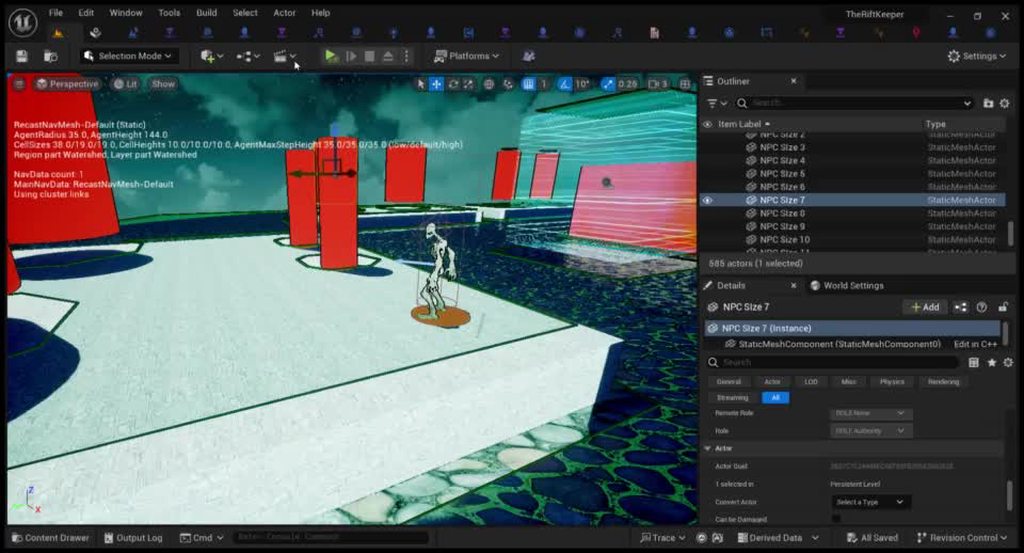
I have a navmesh that I’ve been using for my Vr game, but for some reason the Navmesh even though its green, I’ve made no changes to the settings, and I tried deleting the navmesh bounds volume and resetting it, it didn’t work. I’ve tried making a new level and new enemy ai to walk on it and that didn’t work, I haven’t tried a new project, but I want to fix the issue on my project since everything is there and migrating stuff would be difficult for me. I have the enemies running on an Ai Move to connected through a behavior tree, but when I tried making a new enemy character and having them just run the code no Behavior Tree or different Ai Controller involved, it still didn’t work. I genuinely have no clue as to why this doesn’t work.
Sorry for the long read
Tldr: I tried a bunch of stuff to make my Navmesh work, and it isn't allowing my enemies to be able to move
I have pictures and a video displaying what I mean, but idk if I can post imgur links here
Oh okay cool
uneven cloud
slow pasture
Hi! Today I was learning about how FSMs can be implemented in unity using Animat...
Why would you ever want to do this? Also no. The anim BP assumes it's connected to a skeletal mesh.
uneven cloud
sterile jolt
Tldr: I tried a bunch of stuff to make my Navmesh work, and it isn't allowing my...
You aren't moving very far. 40uu is only 40cm. You are also just adding (20, 20, 0) to the current location with no care if that is even on the nav mesh. The move to has a move result, but I don't see you checking that at all. There's also the visual logger that already logs out a bunch of navigation issues. Instead of guessing and trying random things, you really need to debug it.
Adding to a location without a direction, means that every NPC will always move in the exact same direction. So even if they did move, it'd look bad.
 broken vine
How demanding is AI? im making a city builder sort of game and the people will probably go into the thousands.
dense owl
broken vine
How demanding is AI? im making a city builder sort of game and the people will p...
It’s not necessarily the AI itself that will be the problem but for thousands of actors you’ll prly need to use #mass
broken vine
oooo please tell me that isnt c++ only 😅
dense owl
Idk much about it but you’ll def need cpp for something of that scale
broken vine
Looks like ill just keep going til my pc struggles xD
quaint wedge
uneven cloud
Never seen this before and I've done a lot of nav mesh streaming. Where is this...
It's from the official documentation:
https://docs.unrealengine.com/4.27/en-US/InteractiveExperiences/ArtificialIntelligence/NavigationSystem/OptimizingNavigationMeshGenerationSpeed/
A How-To guide on how to optimize the Navigation Mesh generation speed.
quaint wedge
uneven cloud
Never seen this before and I've done a lot of nav mesh streaming. Where is this...
Also do you have recommendations for NavMesh streaming ?
In my case I'm using DynamicModifiers generation but it seems the mesh randomly doesn't generate (load ?) properly when sublevels are streamed in.
uneven cloud
quaint wedge
It's from the official documentation:
https://docs.unrealengine.com/4.27/en-US/I...
Thanks. The context made it easier to understand. That's not a setting. It automatically works if your navigation is built correctly and you are streaming in sublevels.
I take it you are using UE4 and not 5?
quaint wedge
Actully no, I'm using UE5, does it mean nav generation is different in UE5 ?
uneven cloud
How it works depends on if you are using world partition or world composition.
 upbeat hamlet
Hey guys, the current character I’m using to play around with behavior trees and enemy ai is just a simple skeletal mesh without animations. When using move to, when the character is turning, it snaps to the new rotation instantly. I don’t have much experience with setting up characters yet, so just one question, when using animations and an animation blueprint you can make this direction change smooth, right? Is this what blendspaces are for?
uneven cloud
For world composition, I wrote out the steps here: #gameplay-ai message
For world partition: https://docs.unrealengine.com/5.2/en-US/world-partitioned-navigation-mesh/

An overview of how to use a Navigation Mesh with World Partition.
quaint wedge
Nice !!
uneven cloud
upbeat hamlet
Hey guys, the current character I’m using to play around with behavior trees and...
You can smooth it out by using the rotation rate in the movement component, but you need to turn off use control rotation on the character and turn it on in the movement component.
Animation blendspaces will then make it look nice.
quaint wedge
Right now we don't use Composition, nor Partition.
Our world is small enough to use a Persistent world that loads sublevels assigned to streaming volumes.
upbeat hamlet
uneven cloud
You can smooth it out by using the rotation rate in the movement component, but ...
Ok, thanks. So if I download a ready character which has everything set up in terms of animation bp and blend spaces etc., then I don’t have to worry about it and it will work automatically?
uneven cloud
upbeat hamlet
Ok, thanks. So if I download a ready character which has everything set up in te...
No idea. Depends on how it was set up.
quaint wedge
uneven cloud
For world composition, I wrote out the steps here: https://discord.com/channels/...
Does this also works with DynamicModifiersOnly generation ?
Even though most of the geometry doesn't move, there is still moving elements in the world that the AI nav needs to be aware of isn't it ?
If not, is there a way at runtime to ask for Navigation update ?
Technically the NavMesh is divided in tiles so we must be able somehow to mark some tiles as dirty right ?
 civic canyon
How do smart object "entrances" work? Trying to get my actors to approach the table in a way so that they all face the center, but that's clearly not working here
 modest token
how much more of a performance gain would i get if i made my Ai enemies in C++ rather than blueprint if im going to be spawning in 100-200 or else?
because im deciding whether irs a good idea to convert my enemies to c++
misty wharf
It depends
If all of them run code on tick, you certainly could see benefit from C++
But if they don't tick, it's more difficult to say
modest token
they do but they update their move location to player every .25 seconds instead of every tick so its somewhat performant
misty wharf
Your best bet is to run Unreal Insights and profile it
broken vine
I'm making a city builder game as my first game. How many AI vaguely could I run on a high end pc? 100? 1000?
 vernal owl
Is there a context in which pawn sensing is actually useful? Tutorials seem to favour it, almost universally, over AI perception yet I have now seen multiple references to pawn sensing being deprecated.
misty wharf
You're watching the wrong tutorials. AI perception is the one you should be using
harsh storm
Can you actually post those tutorials you're using?
I am so darn curious
People keep popping up with pawn sensing and I'm just not sure where they're getting it from
vernal owl
This was like a month ago when I first downloaded UE, was just browsing random tutorials but I noticed pawn sensing came up a lot, to the point that I only heard about AI perception like a week ago.
These weren't ancient videos either, about 1-3 years old.
harsh storm
I have never seen one of these tutorials and that's why I'm asking
Every random tutorial I've looked at for AI always spoke about AI Perception
(I've went hunting before)
vernal owl
Some no doubt were Unreal forum posts too.
quaint wedge
Does anyone know if there is some commandlets that could generate the NavMesh offline ?
Prior to packaging I'd like to run an equivalent of Build Path to make sure the NavMesh is in most up to date state
vernal owl
Bottom line, just wanted to confirm what I saw was true and that there really is no reason to use pawn sensing anymore.
harsh storm
It is super deprecated
harsh storm
Because they made AI Perception
vernal owl
Insightful.
harsh storm
I mean, I wasn't in the meetings they had when they made the decision
vernal owl
I'm not doubting that, was curious what makes it better or more efficient.
misty wharf
Timeslicing, more flexible in terms of what it can detect, easier to add your own senses, etc.
quaint wedge
Pawn Sensing -> For loop on pawns, cone and visibility detection -> Pretty basic stuff
AI Perception -> Data driven stimuli management -> Much more scalable than sensing
Probably more thn that, but this is how I see it.
misty wharf
quaint wedge
Does anyone know if there is some commandlets that could generate the NavMesh of...
Not sure about this one but if you can't find an answer, perhaps take a look at what exactly the build paths button does and see if there's some other way of invoking it
uneven cloud
quaint wedge
Does this also works with DynamicModifiersOnly generation ?
Even though most of ...
Yes it does.
uneven cloud
civic canyon
How do smart object "entrances" work? Trying to get my actors to approach the ta...
The rotate as they move, but you have to rotate them when they arrive to face the direction you want.
uneven cloud
quaint wedge
Does anyone know if there is some commandlets that could generate the NavMesh of...
Yes. You have to make it though.
quaint wedge
uneven cloud
Yes. You have to make it though.
Any chance you know the piece of code I would have to call ?
uneven cloud
quaint wedge
Any chance you know the piece of code I would have to call ?
I do not. I've made one before, but it's been awhile
quaint wedge
Alright no worries, I'll dig into the BuildPath command code
autumn sluice
Kind of a basic question: Is there a friendly way to get a point in some direction on a navmesh?
I have and AI that I want to flee from my character. Right now I find the look at rotation and then add some arbitrary distance. I then getrandomreachablepoint to get some point on the navmesh near it. Works fine on flat terrain but on hilly terrain the point can be mid-air or underground.
For the player teleport system I have a scan that basically grows a search diameter and then tests up and down to find a valid point. That system is pretty much bullet-proof but it's not really efficient. I was wondering if there was some built in method I was missing. This seems like a common need to me.
 vivid drift
How can I get a dead Character, with collision and movement disabled, to be ignored by detour ai?
misty wharf
autumn sluice
Kind of a basic question: Is there a friendly way to get a point in some directi...
EQS could be used to generate a set of points on the navmesh and then scored to find the most suitable
misty wharf
vivid drift
How can I get a dead Character, with collision and movement disabled, to be igno...
If you unregister it from the crowd manager that might work, but not sure as I've not tried it
autumn sluice
misty wharf
EQS could be used to generate a set of points on the navmesh and then scored to ...
I use EQS for some other stuff, but not for this. In general I assume EQS are pretty heavy queries. This one has to update a lot to not have jagged movement from making the distances really large. You still use EQS for frequent updates like this?
misty wharf
It doesn't sound like it would have to be that frequent?
You could also try using project point to navigation for the point you find using your method
That should snap it into the navmesh
vivid drift
misty wharf
If you unregister it from the crowd manager that might work, but not sure as I'v...
any idea how one does that?
autumn sluice
Depending on speed it can be a few times a second. The problem I have is when the player changes directions the AI doesn't get the update quickly enough and you get weird point-to-point movements. It could also be I'm just not making queries well enough.
Project point to nav doesn't care about height?
I will give it a shot before I try EQS
misty wharf
vivid drift
any idea how one does that?
In C++ you can probably use UCrowdManager::GetCurrent(WorldContext) and there's a function on it for it, but for BP's not sure
misty wharf
autumn sluice
Depending on speed it can be a few times a second. The problem I have is when th...
Project point to navigation will attempt to project the point to the closest point on the navmesh, it should also include Z axis in the projection yes
autumn sluice
misty wharf
Project point to navigation will attempt to project the point to the closest poi...
I just assumed it was a sphere or something. This is good to know
Thank you
sterile jolt
uneven cloud
You aren't moving very far. 40uu is only 40cm. You are also just adding (20, 2...
I'm not moving very far because the actual moving Behavior Tree is never able to work since they aren't able to move in the first place. The movement result constantly says aborted, and I haven't been able to figure out why. I can show you the true Movement Behavior Tree which has them follow on a spline and get off of it when they see the player, get hit by the player, or hear a noise that the player made in which case they freely move on the NavMesh to get to the player.
I know its a tiny movement, but I need that tiny movement to work so that way the larger movments could ever have the chance to move yk?
sterile jolt
@uneven cloud So I ran the VIslogger which thanks for telling me about bc I didn't know it existed, and its saying I don't have a path following component, but my ai controller has the Path Following component, so I don't know why and how its saying I don't have it for my characters..

 uneven cloud
sterile jolt
I'm not moving very far because the actual moving Behavior Tree is never able to...
uneven cloud
sterile jolt
I'm not moving very far because the actual moving Behavior Tree is never able to...
Tiny movements don't actually work. Path following doesn't move them with such precision. It uses velocity to push them. It could very well be failing, because they are close enough.
sterile jolt
I switched it to being a random point in a reachable radius and it's doing the same problem
It says success twice before the game truly starts, but when everything finsihes loading it gives the same Aborted and Failure to move with Missing PathFollowing component
sterile jolt
uneven cloud
Tiny movements don't actually work. Path following doesn't move them with such ...
Would the PathFollowing Component be looked for in anything but the ai controller?
uneven cloud
sterile jolt
Would the PathFollowing Component be looked for in anything but the ai controlle...
No it would not.
 turbid nymph
Hi! Sorry if this looks horrible, it's my first AI. I'm trying to make an AI with custom pathfinding based on waypoints. The basic idea is to have a timer that each 3 seconds (or something like that) fires an event that checks a new path to follow based on the player's location. The FindPath function is the implementation of the A* algorithm and retrieves the array of waypoints to walk though. The problem is the second part, where I try to move though each waypoint, but this ends to an infinite loop where only the first array of waypoints is considered, then crashes for infinite loop. Just as hint, if I break the link from FindPath to AI Move To, the loop works fine and it prints out the correct array each 3 seconds. How can I fix it? Is there a more efficient way to achieve it? Thanks in advance
 upbeat hamlet
I'm trying to run subtrees based on probability but something is weird.
I'm generating a random number between 0 and 10 and writing that into a BB key.
Then I've got a decorator which checks the value. But these two values are always different? How could that be?
I'm using Set Blackboard Value As Int in the BTT, and Get Blackboard Value As Int in the BTD.
(No idea btw if that's how you'd set this up, just me trying out stuff)

this seems to work:
 sterile jolt
uneven cloud
No it would not.
sterile jolt
uneven cloud
No it would not.
What do you think I should do about it?
uneven cloud
turbid nymph
Hi! Sorry if this looks horrible, it's my first AI. I'm trying to make an AI wit...
I do not understand why you are finding a path using your own BP A* and then finding a path using navigation via move to. Also you are calling this event every 3 seconds, regardless of if the AI has finished moving or not.
I highly recommend starting with the AI with Blueprints course on the learning library. Custom pathfinding is really not a good idea for a beginner.
sterile jolt
I've fixed the pathfollowing component not being found, still not running though idk why
uneven cloud
sterile jolt
I've fixed the pathfollowing component not being found, still not running though...
What is the vis log saying now?
turbid nymph
uneven cloud
I do not understand why you are finding a path using your own BP A* and then fin...
Timer is there because the player could significantly change his position while AI is still reaching the end waypoint, so I recalculate it, maybe it's wrong but that was the idea. The custom pathfinding is there because I want the shortest path and also I want to change it based on future conditions. I'm now trying to implement something with behaviour tree, removing my A* and using Find Path To Actor which outputs an array of vectors, but still I'd like to have my AI to go though waypoints, also to have a "linear" movement. Do you have other ways?
uneven cloud
turbid nymph
Timer is there because the player could significantly change his position while ...
The player could change position, but you are recalculating the path regardless if there is any change. The way you've set it up, it's not canceling the event. So the event fires and does latent functionality and is fired every 3 seconds. Of course you are going to crash.
Your reasoning for the custom pathfinding makes absolutely no sense. I'm not trying to be a jerk. Often people who are new to AI try to overcomplicate things. You need to start simple or you'll fail with something overly complex.
turbid nymph
uneven cloud
The player could change position, but you are recalculating the path regardless ...
I understand. So, your recommendation is something very basic like just an AI Move To node and then, at the end, improve it?
broken vine
What is the easiest way to have runtime pathing in my game? City Builder game I want to place paths that the npcs walk on and not just out in the open. Should I look into pathings costs or anything else?
uneven cloud
turbid nymph
I understand. So, your recommendation is something very basic like just an AI Mo...
Start simple and only add complexity when it's actually needed.
uneven cloud
broken vine
What is the easiest way to have runtime pathing in my game? City Builder game I ...
The easiest way is to use a nav mesh. Modifiers can be used to cut the nav mesh and/or adjust the path cost.
However with a city builder you might run into perf issues depending on the number of NPCs you need. If you are looking for a solution for hundreds of NPCs, Mass would be a better option.
broken vine
uneven cloud
The easiest way is to use a nav mesh. Modifiers can be used to cut the nav mesh...
Yeah i think once i get to the point where it becomes an issue, i will try and learn Mass, but i have no c++ experience at the moment so just trying to get by for now, i have a beast of a pc though xD with the nav mesh modifier i can only make it default or null but i couldnt find a way to make the whole navmesh volume null by default so it wasnt much help. Im trying to look into path cost now and a custom area class for the navmesh
So hard to find information on pathing for a city builder sort of game though

Probably hard to see, but ive tried to set the cost to 0.2 instead of the 1.0 default, ill see how that goes
uneven cloud
broken vine
Yeah i think once i get to the point where it becomes an issue, i will try and l...
Having a beast of a computer isn't the magic bullet you think it is. Building it in Mass later means you'll have to rebuild everything.
You don't make the nav mesh null by default. Like I said you use modifiers to cut out the bits you don't want.
broken vine
Yeah i know i will only get so far, but this is more a hobby to learn as one of my first projects not an actual performant release. Once i hit my cap ill sink the time into trying to learn c++ and Mass.
But if i dont want them to walk anywhere at all on the map besides paths how could i use a modifier to cut everything out besides where a path is placed without like regening everything every path placement
or just make an actor that spawns if theres room, that is null and removed when something is placed, but then i will have a huge amount of actors i dont really need
I think this cost is working except for they hug the very edges of the pathway xD
uneven cloud
You can also make a nav filter to make the default area to be a very high cost. Then set it as the default nav filter in the AI controller.
broken vine
Ahhh thats neat
Are nav modifiers expensive? should i try and make a system that just stretches my paths instead of placing single grid size pieces?
Or dont worry about it
uneven cloud
Nav modifiers are not expensive. It's actually the cheaper way to do dynamic generation. Stretching paths will not change the need to adjust the navmesh.
You also don't need to use modifier volumes. If your walk path is an asset, you can use a modifier component.
broken vine
Rogeyy, yeah im using a modifier component
up to 140 AI atm roaming round doing stuff and tanked to 35fps already in editor xD
250 and i was down to 18fps... rip haha time to look into mass
spring inlet
no, there's several ways to optimize, especially when the npcs aren't rendered
where you can pretty much disable all animation bps, etc.
 wind summit
modest token
why does my ai stop mid air when using launch character?
wind summit
modest token
why does my ai stop mid air when using launch character?
I am having a similar issue with the Launch character function, my AI should follow a the launch character function when reaching a defined point, but the AI is jumping but suddenly not following the correct direction, I´ll share some screenshots and see if someone can help me with it. Thanks in advance


Sorry for the image/gif spam
misty wharf
I would start by verifying the positions are right. As in, your actor location and your target location
For example use Draw Debug Sphere to see where they are in the world as it activates
Then verify that you get an actually useful value out of the suggest velocity node
modest token
wind summit
I am having a similar issue with the Launch character function, my AI should fol...
first of all is the AI suppose to jump in the platform where the player is?
wind summit
modest token
first of all is the AI suppose to jump in the platform where the player is?
yes, i have a navlink in the platform
modest token
and your using launch character for it
does your nav mesh surround the whole map including the navlink?
wind summit
modest token
and your using launch character for it
yes
and if i debug the things that zomg tell me, its all okey, the start and end position and the line the velocity make
misty wharf
Right - In that case I would add some logic to stop any movement or AI logic when you launch it
Just put it in there before you launch it and don't worry about it, the idea is just to see what's causing it to not jump as you want it to. It's quite typical that in cases where you have AI logic moving the character around that when you launch it, the other logic is still trying to move it around which can mess with it
sterile jolt
uneven cloud
What is the vis log saying now?
I apologize for the lack of response, work yk
Anyway

There's also this part, but I think it might be useless for debugging ngl
 uneven cloud
sterile jolt
I apologize for the lack of response, work yk
uneven cloud
sterile jolt
I apologize for the lack of response, work yk
See the red text that says it failed to project the destination to the nav mesh? That means the goal is not on the nav mesh.
You can use the vis log nodes to draw the goal to help debug it. I believe the one you want is vis log location.
sterile jolt
Wouldn't the location still be readable? I'm using a Random Point in the Reachable Radius and its still ignoring it all?


This is so odd
sterile jolt
uneven cloud
You can use the vis log nodes to draw the goal to help debug it. I believe the ...
I used it earlier and it still showed the same thing, I should've added that earlier, but
dense owl
Lower that radius
But yeah reachable should be on the mesh
Unless you need to use the navigable radius now I can’t rmbr
uneven cloud
You aren't checking to see if it actually found a random location.
That return value is a bool that tells you if the function succeeded
Also what is that red circle under your NPC?
sterile jolt
It runs false the whole time, and its a cylinder thats exactly one unit above the cube, I moved it down and it did the exact same thing
Like completely removed
sterile jolt
dense owl
Lower that radius
Lowered it to 50, the blue orb is the vis logger radius, I made it large bc I wasn't finding it and then I realized its just in the same place as where the character started
dense owl
Yeah, prly cause it keeps failing
 sand nebula
Not sure if this is the right place to ask this, but is there a way to have a specific mesh to be the Navigation Mesh?
All I'm able to find is to place a NavMeshBoundsVolume that works for everything inside of it, however I have a mesh path that I want to use as the navigation mesh
 unreal briar
Hey guys,
I've created a custom Navigation Area and a custom Navigation Query.
I gave my custom NA a cost of 2, but for some reason, my Ai would prefer to go through that custom NA with a cost of 2 instead of walking straight forward.
It happens when I walk near the object with the custom NA.
Anyone knows the reason for that behavior?
You can see in the video that the pawn want to go near that blue nav modifier instead of just straight forward.
Removing the nav modifier obviously makes the pawn walk as I want but I need that nav modifier.
lost ferry

How to manually create a navigation mesh for use in Detour within Unreal Engine
This is nice
bitter helm
lost ferry
https://maladius.com/posts/manual_detour_navmeshes_1/
https://github.com/michaeltchapman/ManualNavMesh he implemented it, but has some minor bug where it's off by one or something at the start. You can see a triangle is skipped, but it does work.

GitHub
Sample Unreal Engine project for creating Detour NavMeshes manually - GitHub - michaeltchapman/ManualNavMesh: Sample Unreal Engine project for creating Detour NavMeshes manually
mild bobcat
How are FinishLatentTask( "failed") and FinishLatentAbort supposed to be used differently?
Let's say for a task that checks if it can even be completed anymore but can't for some reason.
civic canyon
Is there a way to access the "enabled" bool for smart object slots?
I have 4 slots on my smart object, and i need one of those slots to activate the other slots when it is in use

I did find this function, but I'm not sure how to get the slot handle

I found a way to get a slot handle, but I'm still not sure how to get all slots of a smart object
 misty wharf
Your best bet would be to look at the classes in C++ and see what functions they expose, since this stuff is not very well documented anywhere
 pine spade
Hi there, small question about the AIPerception component. I'm using the OnTargetPerceptionUpdated event to change my enemy's behavior. My question is: what's the best way to disable/stop this when the enemy AI is killed? Currently I'm clearing the behavior tree on death, but I notice this perception node is still firing. I've seen a lot of feedback on other forums saying "just have a boolean that filters out any subsequent actions" but this seems wasteful. If the AI is dead, is there no reliable way to just tell it to stop sensing? Is it fine to disable the component?
misty wharf
Disabling the component might turn it off so that's worth trying
civic canyon
yeah so far it looks like the easier option is to just spawn a second smart object with a seperate definition asset so will try that for now
spring inlet
working reasonable with smart objects and without cpp is impossible in my experience
there's too many things which either aren't exposed to BP or which you have to implement on your own
uneven cloud
Don't use pawn sensing. Use AI perception.
uneven cloud
mild bobcat
How are FinishLatentTask( "failed") and FinishLatentAbort supposed to be used di...
FinishLatentAbort is supposed to be used when you are aborting a task.
mild bobcat
uneven cloud
FinishLatentAbort is supposed to be used when you are aborting a task.
I think I'm just confused by the semantic overlap between a task determining that itself is" finished & failed" versus "aborted", when I had a task that relied on maintaining line of sight, I had it abort, but that did not seem to finish execution in the manner I thought. Granted, that should also be in a decorator, but I thought that the task needed at least one form of failure.
uneven cloud
mild bobcat
I think I'm just confused by the semantic overlap between a task determining tha...
Aborted has an actual meaning. It happens when an observer abort is triggered and when the tree is stopped.
You should not be calling abort within a task.
If a task decides that it needs to end, then it should finish with failed.
There are a number of built in tasks that you can look at to see how it works.
 ocean plover
Hi there..
I made myseklf a small EQS test, to check and return the best spawning point for dropped items near the origin Actor.
The tester works well..
But.. how can i receive the most useful Location from that test, when running with the Player?


 harsh storm
Change the run mode to best matching or best result - can't remember the exact wording
ocean plover
harsh storm
Change the run mode to best matching or best result - can't remember the exact w...
Tried that.
But the GetQueryAsLocations bool returns allways "false"
 grim flax
Hi!
I have a little problem, so I tought posting it here can help me get over it.
To tell the truth I solved this once two years ago, but idk, how I did it. I want to use Tilemaps in a Paper2D project, and I set up the Tilemap and players to.
My problem is, when I put down the navigation, the walls (with thickness 200) is not precisely detected, so there is a big "hole" in the navigation around them. I think - if it is possible I shold somehow scale the navigationm down more, but idk what I should exactly do, or should I scale up the Tilemap. The Tilemap was made from a Tileset of size 16 x 16.
Images showing my setting and ther surrent state:


Thanks for any help!
uneven cloud
ocean plover
Hi there..
I made myseklf a small EQS test, to check and return the best spawnin...
The EQS doesn't return immediately. You have to bind to the delegate for when it's finished.
uneven cloud
grim flax
Hi!
I have a little problem, so I tought posting it here can help me get over i...
The nav mesh is generated to leave a gap between the geometry's collision and the nav mesh edge that is the size of the agent radius. If it's generating weirdly around geo, check the collision for the object. Using show collision will help to visualize it.
You also can't have the agent radius that small directly on the nav mesh settings. Instead you need to make a supported agent in the project settings.
grim flax
Thanks. I checked everything, turned out, I should set up the Recast Navmesh at the Outline, and now it's nearly perfect, but good enough 🙂
autumn sluice
So...apparently within State Tree the automatic Context mapping does not work if the Context is mapped on the parent class of the StateTreeTask? I have an Actor mapped via context. I just swapped all my tasks over to a new parent class and it looks like Actor is now always empty.


Is this intended behavior?
Manually linking the context actor works fine
harsh storm
uneven cloud
The EQS doesn't return immediately. You have to bind to the delegate for when i...
Completely forgot about this to be honest. I don't often run them outside of the EQS task.
 visual sluice
Hey so I’m learning about utility ai and I’m still stuck on getting the utility, what’s ways you can get it. Like what’s the equation
 cloud stream
hey fellas, i have a question regarding NavMesh. is this channel the right place to ask for?
mild bobcat
cloud stream
hey fellas, i have a question regarding NavMesh. is this channel the right place...
yeh
uneven cloud
visual sluice
Hey so I’m learning about utility ai and I’m still stuck on getting the utility,...
The entire point is that there is no one way to get the utility. No single equation. The utility is "how important is this action at this time?" How you determine that depends on what the action is and the conditions to make it useful.
I would recommend reading Rez Graham's article in Game AI Pro to understand it better.
visual sluice
uneven cloud
The entire point is that there is no one way to get the utility. No single equa...
Ok
 tawdry mulch
Im using a smart link for getting AI to jump up on to a ledge, this is how Im calculating the velocity. But it seems the AI just jumps up in place with no directional velocity in X or Y. Just jumps up and down repeatedly. Is this calculation correct? Im sure it is. Maybe it is my Behaviour tree chasing behaviour? -


This is where the velocity calculation is being used -
 misty wharf
tawdry mulch
Im using a smart link for getting AI to jump up on to a ledge, this is how Im ca...
misty wharf
tawdry mulch
Im using a smart link for getting AI to jump up on to a ledge, this is how Im ca...
I would check the movement logic isn't running while you're jumping, MoveTo can interfere with it as it will attempt to apply movement simultaneously
tawdry mulch
The behaviour tree consistently runs from what I can see even while the AI proceeds to jump
I have also tried using simple move to and the same result occurs
misty wharf
Yeah just try disabling the BT for the duration of the jump. You can use the resource lock or claim resource node or whatever it was called
if you use it to claim the logic resource, that should freeze the BT until you free it
tawdry mulch
Havent used claim resource before so bare with me. Im guessing I would put it on the smart link reached and plugin the ai controller of the agent and resource class of the AI logic? would there be an output that follows?
misty wharf
Yep that should be it
tawdry mulch
hasnt had an effect. Maybe Im missing something? doesnt stop the behaviour tree that I can see
 foggy pike
Has anyone ever managed to get AI to avoid the player when pathing somewhere? I can get them to avoid each other, but not the player
misty wharf
tawdry mulch
hasnt had an effect. Maybe Im missing something? doesnt stop the behaviour tree ...
Hmm that's odd, it should 🤔 It's possible it's affected by the navigation movement but hard to say. I would test the launch on a character that isn't being controlled by an AI controller at all just to see if the basic logic would work
misty wharf
foggy pike
Has anyone ever managed to get AI to avoid the player when pathing somewhere? I ...
If you're using crowd avoidance, you need to register the player with the avoidance manager https://zomgmoz.tv/unreal/Crowd-Avoidance/UCrowdManager
foggy pike
Is there any way to do that from BP?
misty wharf
Last time I checked no
foggy pike
😫
misty wharf
It's fairly easy to add this as a blueprint callable function though
 olive linden
Does anyone know of a way to have navmesh set navigation cost based on landscape layer weight? Like: I've got a landscape with a cobblestone layer and a grass layer, and I want NPCs to prefer walking on the cobblestones, and I don't want to have to manually place navmesh modification volumes all over the place, or go back over the painted cobblestones with PCG splines to place modifier volumes.
feels like there should be a way to have it derive nav cost from the physical material of the layer or something.
tawdry mulch
@misty wharf Testing it on my own player, it launches me into the destination location as it should be doing. Which means it must be to do with the navigation right?
misty wharf
Sounds likely. You could try resetting the velocity before you launch and see if that has any effect
tawdry mulch
I reset it by setting "all physics linear velocity" to no value. Is there a better way? That had no effect.
Maybe its worth mentioning that adding this calculate velocity and launch to my character, only worked while I was pushing a direction. So maybe the problem lies in the AI stopping when they shouldnt?
misty wharf
I have this set up in one of my projects so it should be possible, unfortunately I don't recall exactly how I did it
tawdry mulch
If I dont use the calculate velocity, and just set the launch to a hard vector value, it launches that direction. It just seems to not be getting any velocity
misty wharf
there should be a node that can suggest a velocity for launching stuff like this
maybe that would work better than the math you have for it?
tawdry mulch
I just havent seen one I can use for these input values. Maybe its the character movement calc velocity?
I dont think thats the one. Theres a projectile calculate

The target location offset doesnt seem to be the destination, however.
misty wharf
checked how it was in my project, I used SuggestProjectileVelocity_CustomArc
It just uses the char location as the start point and the navlink destination as the target point
tawdry mulch
did you adjust any other settings like the arc param?
misty wharf
I used 0.25 for the arc param, I had to do some trial and error to find one that worked well for it
tawdry mulch
yeh its got like a 20% success rate right now 😅 . So sometimes they will make it onto the platform but mostly they will turn around and keep jumping
tawdry mulch
Its real close but its not quite consistent enough for me to consider fixed. I will tweak it some more tomorrow and potentially be back on here 😅
Thanks @misty wharf
 merry robin
So I am having procedural generate a level on BeginPlay where I spawn my Ai actors too. My problem now is that my ai just stands still while I have made sure that my navmesh is big enough to cover the whole are. I did select my AI Controller and did select "Placed in World or Spawned" at my Bp_Enemy pawn class defaults.
If I just place an area they are working without problem.
I also tried to Enable Force Rebuild on Load and set Runtime generation to dynamic in the navigation Mesh project settings
Is there something else I am missing ?
uneven cloud
tawdry mulch
The behaviour tree consistently runs from what I can see even while the AI proce...
What do you mean the BT consistently runs? Are you waiting in the task for the move finishes before returning?
uneven cloud
merry robin
So I am having procedural generate a level on BeginPlay where I spawn my Ai acto...
The problem is that you are procedurally generating your world on begin play instead of earlier, which means that your nav mesh isn't getting built correctly.
uneven cloud
olive linden
feels like there should be a way to have it derive nav cost from the physical ma...
There is nothing built in to the engine that will do that automatically.
merry robin
can i somehow force the navmash to load after the world is done ?
uneven cloud
It'd be a lot better to change when you procedurally generate your world, but there should be functions in the navigation system to rebuild it.
merry robin
Request Nav Mesh Update sounds kinda promising but my I ask what object I have to call for it ?
olive linden
uneven cloud
There is nothing built in to the engine that will do that automatically.
Yeah, I know. But Has anybody made a plug-in that would do this? Or come up with their own custom solution for it? I'm asking if anyone can point me in the right direction. Even knowing which of the native functions in NavigationModifier.h to look at would be useful. I can't be the first person who has wanted this kind of functionality.
uneven cloud
merry robin
Request Nav Mesh Update sounds kinda promising but my I ask what object I have t...
What do you mean what object? It's the navigation system.
uneven cloud
olive linden
Yeah, I know. But Has anybody made a plug-in that would do this? Or come up with...
I haven't heard of anyone making a plugin, but that doesn't mean it doesn't exist. If I was doing that task, I would start with extending the nav mesh generator and doing it as a post generation process.
mild bobcat
What heuristics are there for how Blackboard/AIController functions/data should be architected?
With a task I can update Blackboard variables, but I can also access Pawn and controller variables; likewise from the controller I can update Blackboard values. It feels like things can get very messy very quickly. Beyond a rule of thumb of not building too many dependencies, are there any other north stars for the design?
mild bobcat
Like creating events or functions in the AIC to update Blackboard variables versus Blackboard Tasks doing it themselves, etc.
 kindred moat
I have a question: is it possible to stop the system further when the result is 0?
 misty wharf
What do you mean stop the system? Stop what?
If you mean stop EQS from generating more points than that - no, don't think so. Generating points and scoring points are two separate systems in EQS
ocean plover
uneven cloud
The EQS doesn't return immediately. You have to bind to the delegate for when i...
Thanks, got it!
a perfectly running "Where is the best spot to drop an item" EQS 😄
kindred moat
misty wharf
If you mean stop EQS from generating more points than that - no, don't think so....
oh sad
misty wharf
Is there some reason you need it to stop generating?
kindred moat
Yes, it would help me with one thing
kindred moat
misty wharf
Is there some reason you need it to stop generating?
Then the question is, is it possible, if the value 0 appears, to also reset the subsequent ones?
misty wharf
So that the score of the others stars from zero again?
I don't think the test which does scoring really has access to the other nodes in that way but it could be possible with a custom test
but I'm not sure if it's guaranteed to run them in any particular order necessarily
kindred moat
misty wharf
but I'm not sure if it's guaranteed to run them in any particular order necessar...
Then most likely this will not be possible to do?
misty wharf
It might not be with plain EQS no. If you can explain what you're trying to do maybe someone can suggest another approach
One thing you could potentially do is generate the points with EQS first and then process the results you get from it
foggy pike
@misty wharf Hey, any ideas why my AI would still be failing to path around the player? They're all definitely getting added to the crowd manager system, including the player, which I've checked through breakpoint. I've set up a test to make sure that they at least avoid each other now, which they do, but they still won't avoid the player 😭
Like is there any additional setup that the player migh tneed?
misty wharf
Ah sorry, I forgot to mention you do need to implement the crowd agent interface on the player
misty wharf
Including implementing the functions on the interface which return the data for it?
foggy pike
ye

the AI and player use this same component
(though I suspect the AI might not even need it)
misty wharf
Yeah AI doesn't need it, iirc the character or ai controller implements it by default
but that implementation doesn't look right
foggy pike

misty wharf
You're just calling the interface's functions which are empty by default iirc
tawdry mulch
uneven cloud
What do you mean the BT consistently runs? Are you waiting in the task for the ...
I was waiting for the success before "finish execute" initially. Now I am not but the AI still has trouble jumping up. When their arc is big enough, they seem to cut off their jump mid way before reaching the surface.
foggy pike
misty wharf
You're just calling the interface's functions which are empty by default iirc
o
yeah that might explain some things 8D
misty wharf
lol yeah
https://zomgmoz.tv/unreal/Crowd-Avoidance/ICrowdAgentInterface this lists the functions you need to override and what they need to do for it to work
or at least this is how I got it working in my project
 gilded tree
Hey guys. Im using a Behavior Tree for my AI with targeting of the player based on AI perception, and basic MoveTo’s to the actor. The issue with this is if the AI clutter up, they all try to get directly to the actor rather than finding available locations around it. Do you guys have any advice on achieving that?
harsh storm
Use EQS to find a spot
If there are no available spots, have them do some kind of believable idle behavior
foggy pike
harsh storm
Use EQS to find a spot
to build on this, you would maybe/probably want an Overlap test to filter out items with the Character collision channel (or whatever your AI use)
uneven cloud
tawdry mulch
I was waiting for the success before "finish execute" initially. Now I am not bu...
You need to wait until the move has completed to return.
tawdry mulch
So It was correct or not before? Finish execute on success or straight away?
@uneven cloud
 foggy pike
misty wharf
<https://zomgmoz.tv/unreal/Crowd-Avoidance/ICrowdAgentInterface> this lists the ...
foggy pike
misty wharf
<https://zomgmoz.tv/unreal/Crowd-Avoidance/ICrowdAgentInterface> this lists the ...
is the default agent sizes and whatnot for CrowdManager really 0???

talk about mental 😂
misty wharf
foggy pike
is the default agent sizes and whatnot for CrowdManager really 0???
No, that's just initializing the variables with a default value of 0. The GetCrowdAgentCollision function takes them as references, so the values should be assigned by that function
foggy pike
do you know where it actually pulls it from then for normal AI?
I've been trying to follow the code but it's a headache of a rabbit hole 😂
misty wharf
I think it's in UCrowdFollowingComponent
foggy pike
ahhhhh yeah you're right
Hmm, so now the problem is while the agents do try to avoid the player, they only like barely slither around him, like right up against the collision practically
misty wharf
You could try having it report a larger capsule size for the player if you want them to leave a larger gap
foggy pike
Got it working! I forgot that & variables or whatever are basically references and you just set them normally
forgor 💀 to do that in my player crowd agent component
autumn sluice
What's the best way to stop the Perception Component from losing sight of a pawn through another pawn? My AI keep losing sight because another smaller AI steps in front of them. I have a loss of sight buffer built in but I don't love the solution
misty wharf
autumn sluice
What's the best way to stop the Perception Component from losing sight of a pawn...
Just set the collision channels on the pawns to not block the sight channel
iirc it's visibility by default, but you can change it in the project settings to something else if needed
autumn sluice
misty wharf
Just set the collision channels on the pawns to not block the sight channel
Dang...I'm not 100% sure I can toggle off visibility on them without breaking other scans. I looked for a way to change the channel in the config but I cannot seem to locate anywhere that allows me to change it. I will look in the project settings and see if I can find it
Oh yeah, it's right there in the AI settings. Thank you! I might make a channel just for this...
misty wharf
Yeah it's a good idea to make new channels if needed like this
autumn sluice
One of the problems is I need them to detect other AI, but ignore them sometimes
autumn sluice
I have a companion component that buffers all the data from perception and handles things like threat, detection score, and some other junk. I might be able to put an extra test in that component and just ignore the perception event...
Boy...AI is complicated lol
tawdry mulch
So apparently having a crowd AI controller is what messes up having AI jump up onto a platform. What is the reason for this?
 ripe raven
I have a weird problem where the nav mesh agent doesnt connect the surfaces of the Nav Agents who are on the left. All other Meshes are connected perfectly. (Image is following) the thing is that the connecting mesh is generating on runtime

the bridges are generated on runtime.. the upper one is connecting perfectly !
the left one.. not so
and weirdly it always happens on the left one
uneven cloud
tawdry mulch
So It was correct or not before? Finish execute on success or straight away?
It is correct now.
uneven cloud
ripe raven
I have a weird problem where the nav mesh agent doesnt connect the surfaces of t...
The bridges are not wide enough.
 raw tundra
I'm having some trouble with the AIPerception component. My AI enemies do detect the player, and they do start following, but the moment I hook up the "false" execution path, they get constantly interrupted and stop following again. But if I leave it disconnected, like in the screenshot, they will obviously never stop following their target.(That would be acceptable if they were only supposed to follow the player. But I also have other targets they need to spot, go to, and kill, then return to their original programming.)
My question is; Why does the Stimulus Successfully Sensed pin keep flicking on and off constantly?
I'm only using Sight currently. I don't know if that might be a problem?

The Senses Config.
 pine spade
raw tundra
I'm having some trouble with the AIPerception component. My AI enemies do detect...
pine spade
raw tundra
I'm having some trouble with the AIPerception component. My AI enemies do detect...
Have you turned on the AI debugging during play to see? I think the hotkey is apostrophe, then you can turn on perception debug with numpad 3 or 4. One of the issues I found recently was that it was doing the sight trace to the bottom of my player capsule, so short environment objects were blocking the vision trace
Running into a weird issue with my AI pawn where I can't seem to force it to turn. Using the CharacterMovement->AddInputVector and AddMovementInput nodes are working fine for forcing the pawn to walk, but I can't get the AddControllerYawInput to produce anything
raw tundra
pine spade
Running into a weird issue with my AI pawn where I can't seem to force it to tur...
Have you set this thing on your pawn?
 raw tundra
pine spade
Have you turned on the AI debugging during play to see? I think the hotkey is ap...
raw tundra
pine spade
Have you turned on the AI debugging during play to see? I think the hotkey is ap...
I couldn't get it to actually show me the perception. I'll play around with it some more and see if I can figure it out. Thanks.
pine spade
raw tundra
Have you set this thing on your pawn?
No, but I just tried it and it's the same result
raw tundra
pine spade
No, but I just tried it and it's the same result
I noticed this one as well. This is the setting for my enemy pawns, who do rotate to face their target. (When they're actually following orders. :P)
 raw tundra
pine spade
No, but I just tried it and it's the same result
raw tundra
pine spade
No, but I just tried it and it's the same result
They're controlled by a behaviour tree using MoveTo. I can't find any settings in the AiController itself that are related to rotation. So I think that's all I did to achieve rotation.

My allow strafe is also set to true on the controller.
 pine spade
raw tundra
They're controlled by a behaviour tree using MoveTo. I can't find any settings i...
pine spade
raw tundra
They're controlled by a behaviour tree using MoveTo. I can't find any settings i...
Hmmm, none of those options worked either. Are you able to do smooth turns for MoveTo? I was using SetFocus, but I don't like how it instantly snaps to the player if I attack the AI from behind, so I'm trying to implement something like 'turn gradually towards the disturbance until you find the player, then set focus"
I just don't understand why the movement input commands would work but rotation does not
raw tundra
pine spade
Hmmm, none of those options worked either. Are you able to do smooth turns for M...
Ignore the wonky target detection. I'm having some troubles as I mentioned.
raw tundra
pine spade
Hmmm, none of those options worked either. Are you able to do smooth turns for M...
Oh, right. Did you set the rotation rate?
 pine spade
raw tundra
Oh, right. Did you set the rotation rate?
pine spade
raw tundra
Oh, right. Did you set the rotation rate?
Yeah, it's set to 360 for z rotation
raw tundra
pine spade
Yeah, it's set to 360 for z rotation
That's 360 degrees per second. So that would be pretty fast. Didn't you want it to turn more slowly?
pine spade
Yeah, but right now the AI isn't turning at all. Just stationary
raw tundra
pine spade
Yeah, but right now the AI isn't turning at all. Just stationary
Ah. Ok. Have you set the AI controller class on the pawn?
 raw tundra
pine spade
Yeah, but right now the AI isn't turning at all. Just stationary
raw tundra
pine spade
Yeah, but right now the AI isn't turning at all. Just stationary
Have you called Spawn Default Controller after spawning the pawn?
 pine spade
raw tundra
Have you called Spawn Default Controller after spawning the pawn?
pine spade
raw tundra
Have you called Spawn Default Controller after spawning the pawn?
AI controller, yes. Spawn default controller, no. Let me try it
raw tundra
pine spade
AI controller, yes. Spawn default controller, no. Let me try it
I think it only applies if you spawn it using the spawn node. If you drag it into the scene, I think it adds the default controller for you.
pine spade
raw tundra
I think it only applies if you spawn it using the spawn node. If you drag it int...
There isn't something special I need to set in the game inputs, correct? Like if I use AddControllerYawInput that should go directly to the pawn--it's not routing it through one of the other input events like ControllerThumbstick, right?
raw tundra
pine spade
There isn't something special I need to set in the game inputs, correct? Like if...
I don't know. I only use MoveTo in my Behaviour Tree for my AI.
Are you trying to control your AI with a controller?
My player character is turned like this. But that's not an AIController.
 uneven cloud
pine spade
Hmmm, none of those options worked either. Are you able to do smooth turns for M...
uneven cloud
pine spade
Hmmm, none of those options worked either. Are you able to do smooth turns for M...
The movement component already does smooth rotation for the control rotation. You just need to adjust the rotation rate, turn off use control rotation on the pawn and turn it on in the movement component.
pine spade
raw tundra
I don't know. I only use MoveTo in my Behaviour Tree for my AI.
Are you trying t...
I'm not sure, I'm just using a regular AI Controller with a behavior tree. I had assumed it already had a controller of some kind
pine spade
uneven cloud
The movement component already does smooth rotation for the control rotation. Y...
Thanks, I'll give this a shot
Created a fresh character BP with these settings and it's not producing any rotation


 uneven cloud
pine spade
Created a fresh character BP with these settings and it's not producing any rota...
uneven cloud
pine spade
Created a fresh character BP with these settings and it's not producing any rota...
You need to turn off use controller rotation yaw on the pawn. Then use set focus.
AI should use focus or set control rotation. Not add control rotation input.
 cyan sigil
What is the best way to test a sub-behavior tree? I am new to advanced AI and feel like I am doing something wrong. This tree reads the value of a blackboard key "PreparedAbility" and attempts to move towards key "PrimaryTarget" until it is within the ability's range.
I am trying out setting Primary Target and Prepated Ability directly through level blueprint (just for testing purposes) but it seems like that's not happening?
What is the best way to run a behavior tree with "Parameters".
dense owl
cyan sigil
I am trying out setting Primary Target and Prepated Ability directly through lev...
You shouldn’t be using level blueprint anyway. If you want to learn behaviour tree basics, there’s an AI with blueprints tutorial on the learning portal and a BT training video pinned in this channel (4th pin)
cyan sigil
I'm only using level blueprint for testing scenarios, so I can hit a Key and something happens.
uneven cloud
AI with Blueprints goes over AI theory and all the pre Mass systems. Not just the BT.
dense owl
Well yeah but I meant there’s BT stuff in there too
cyan sigil
Is what I am asking for not possible/practical? My thought was that once an ability and primary target are decided I could run a Sub Tree that actually gets the AI to an appropriate position to use that ability.
uneven cloud
What you are trying to do is possible, even if it's probably unnecessary to run a subtree. However you need to understand the basics first.
cyan sigil
My current setup expects two blackboard values already present, and I am trying to figure out the best way to set them without requiring another tree just for testing.
I do understand the basics.
dense owl
you need to learn how to properly set bb keys
cyan sigil
I can do it through BT tasks already. Is that the only appropriate way?
uneven cloud
No
 uneven cloud
The AI controller is a common place to set them
cyan sigil
So it has to be done from within the AI controller?
dense owl
Your get blackboard has the level as target?
cyan sigil
No, it's connected to a Character that's in the level.
dense owl
I mean it’s hard to tell with the spaghetti but your target seems wrong
uneven cloud
You're trying to get the blackboard from the character instead of the controller
cyan sigil
According to code, the GetBlackboard node will check if the actor is a controller or not, and if not it will try to get the controller.
uneven cloud
Also you aren't checking any of your references
cyan sigil
I can test a direct reference and see.
for some reason "Get Blackboard" doesn't trigger breakpoints.
Swapped to using AI Controller -> Get blackboard, still nothing.
The behavior tree runs but the task I have to get the ability from the PreparedAbility key returns nothing.
uneven cloud
Is your function trying to get the ability actually getting it? You need to do some debugging.
cyan sigil
Yes. It's getting the ability.

What would be the more Ideal way to do this?
To be able to set some literal values on a blackboard and then run a behavior tree.
uneven cloud
In the AI controller
cyan sigil
Does the AI controller respond to debug key events?
uneven cloud
No.
cyan sigil
So would I do it on Begin Play?
it's still doing nothing.
I'm setting blackboard value through blueprint inside the AI controller and the value is getting lost or reset or something.
Ah, something is different.
The ability is no longer initialized.
pine spade
uneven cloud
AI should use focus or set control rotation. Not add control rotation input.
Thank you, I think that fixed it. Not sure why my AI was instantly snapping to face the player before, unless I still had UseControllerRotationYaw set to true.
uneven cloud
cyan sigil
So would I do it on Begin Play?
No. On possess.
cyan sigil
Ahh, I found the error. I had the blackboard value set to Class instead of Object so the value would not save.
Now everything works as I expect. 🙂
dense owl
You might still find those resources useful
rich pendant
Would anyone have any idea why my state tree isn't transitioning from 'MoveToTarget' to 'PerformAction'? I call the finish task node in the task inside the move to target which fires but it doesn't move to the next state. (I feel like I'm missing something simple)
Edit: There are 3 images but discord is making it look like there's one.


 misty wharf
As far as I can tell that should work. Maybe try renaming the second PerformAction state to something else? I'm not sure but maybe there's some issue with it having the same name as the parent state also
rich pendant
misty wharf
As far as I can tell that should work. Maybe try renaming the second PerformActi...
Oh yea, I never thought it could have been a name issue. 😅 Thanks.
modest token
im going to use a static mesh for my enemies and if i got 100 enemies, would i use a instanced static mesh or just a static mesh?
 reef shore
any idea why my object reference doesn't show up as an option to feed to the focus service?

works fine in another BT lol

lol had to set it to actor
misty wharf
rich pendant
Oh yea, I never thought it could have been a name issue. 😅 Thanks.
That was it? Good to know, seems like it's a bug that it even lets you name them the same in that case 🤔
misty wharf
reef shore
any idea why my object reference doesn't show up as an option to feed to the foc...
You probably forgot to set the object type to actor from the somewhat hidden submenu in the BB editor
rich pendant
misty wharf
That was it? Good to know, seems like it's a bug that it even lets you name them...
No that wasn't it. It actually shows two of the same name in the drop down list so I had selected the right one. I ended up moving the main PerformAction group out of it's parent which seems to have worked. I'm still not sure what specifically made it not move to the next state.
misty wharf
Oh, that's interesting
The visual logger has more info on what affects the state selection flow, so that could help debug it if it's behaving strangely
rich pendant
misty wharf
The visual logger has more info on what affects the state selection flow, so tha...
I'm still learning how to use the visual logger. I'm just hoping they make the boxes light up to show which one it's at. That's normally enough for me haha.
misty wharf
There's a state tree debugger you can find from the menus when in the state tree editor
That should make them light up like that
rich pendant
misty wharf
There's a state tree debugger you can find from the menus when in the state tree...
Thats amazing, thank you. That'll make tracking issues much easier.
modest token
whats the most performant way of animating a ISM in a Ai enemy where im spawning in 100+ of them
misty wharf
There are guides in the documentation related to animation performance, probably should start from there. Might have better luck asking on #animation or such also, that's not really an AI issue
uneven cloud
modest token
im going to use a static mesh for my enemies and if i got 100 enemies, would i u...
You will be unable to use any of the AI systems if you go that route. I recommend looking into Mass instead.
modest token
uneven cloud
You will be unable to use any of the AI systems if you go that route. I recomme...
and this would work for me cuz the times i see mass being used in for NPC's walking around which isnt what im doing.
uneven cloud
modest token
and this would work for me cuz the times i see mass being used in for NPC's walk...
Do you think that walking around is the only thing it can do?
modest token
uneven cloud
Do you think that walking around is the only thing it can do?
well thats what the tutorials show and i thinked that cuz it made them follow a set path but my Ai goes towards the players location but would think this is possible with mass but i dont know any thing abt mass
uneven cloud
modest token
well thats what the tutorials show and i thinked that cuz it made them follow a ...
You should actually learn about Mass instead of making weird assumptions like that. It was built specifically for having large groups of AI.
modest token
uneven cloud
You should actually learn about Mass instead of making weird assumptions like th...
alright ill look into it 😄
uneven cloud
You can make a decorator that does that. I recommend instead having a task that picks an ability instead, though.
modest token
are the behaviour trees and Ai blueprints used for complex Ai's
and not basic ones
im using a character class for my Ai but would there be a need to make my Ai's using those blueprints or just stay with the character class since its a simply Ai
uneven cloud
BTs can be used for simple AI, complex AI and everything in between.
 naive sorrel
uneven cloud
You can make a decorator that does that. I recommend instead having a task that...
naive sorrel
uneven cloud
You can make a decorator that does that. I recommend instead having a task that...
Okey Thanks did a decorator for now :3
modest token
uneven cloud
BTs can be used for simple AI, complex AI and everything in between.
so Bt's are more performan than BPs?
or vice versa
for simple ai
uneven cloud
BTs where you make the nodes in C++ are more performant than BP. BTs are usually more performant than scripting the AI in BP.
modest token
so id just make my Ais in a BT since im trying to get all the performance i can get for Ai since im going to be spawning in a lot
uneven cloud
If you are going to be spawning a lot, you really need to look into Mass instead.
modest token
i cant find any tutorials on mass ai and what i mean by that is that its all Mass Crowd AI
modest token
i created a custom evaluator for my state tree but its not showing up when i add a evaluator and click on the dropdown
and this goes for tasks too
misty wharf
Are you using the right base class?
misty wharf
Which one?
modest token
 misty wharf
Hmm that's interesting... that should work yeah
modest token
im also using 5.3.2 if that helps
misty wharf
Which state tree schema are you using?
modest token
Mass Behaviour
misty wharf
That might be it then. I don't know if the blueprint ones are supported for that schema
modest token
how do i get a supported one?
misty wharf
You'd need to write them in C++, there's probably one there which is supported in the mass schema
modest token
im trying to get mass ai working but how do i make the mass spawner and entity config spawn in one of my already made enemy classes?
misty wharf
Not familiar with Mass myself but maybe someone else can answer that. Also might be worth to ask on #mass
upbeat hamlet
Jumping in on this discussion. I'm playing around with spawning AIs as well. After starting my level I'm at around 100 fps, with 200 spawned AIs who are all roaming around and partly fighting me I'm down to 40 fps.
I know this question is a bit general as you don't know what else is running in my level, but is this to be expected with so many AIs running a BT? Maybe it's something specific I'm running which is too expensive.
I don't have anything expensive on Event Tick.
I don't need 200 AIs anyway, just curious about it in general.
misty wharf
There can be many reasons for it. You need to use Unreal Insights to profile to find out what's up
If you are doing logic at all in blueprint ticks, even if it isn't expensive, that can already impact it with that number of things. C++ tick is significantly cheaper. Behavior Trees can also affect it, depending on what exactly the tree is doing (the "search" aspect of them can have a cost if it runs repeatedly for example)
But as said, it's hard to guess, so using Insights to profile it would be the best way to find out
upbeat hamlet
thanks, I'll look into that
Another question regarding AI and world partition: I'm randomly spawning enemy bases on the map, which then spawn enemy units.
The player gets some clues and needs to find the bases quickly, because they're growing and spawning more enemies.
How would I handle something like the AIs being "inactive" until the player gets close to save performance?
Or does world partition take care of that anyway as it unloads actors? What would unloading do to AI in this case? Can I even spawn something on unloaded landscape proxies? Questions over questions 😄
misty wharf
Not sure about world partition specifically, but in general you could use some kind of distance check for example to determine when to activate the AI
uneven cloud
upbeat hamlet
Jumping in on this discussion. I'm playing around with spawning AIs as well. Aft...
In my experience, unless you are doing something really bad, it's the movement component that is expensive and not the AI. Always use profiling with Insights to check, though.
uneven cloud
upbeat hamlet
Another question regarding AI and world partition: I'm randomly spawning enemy b...
If you know C++, the significance manager is really good for AI LoD calculations.
If your spawner is in an unloaded cell of your world, it can't spawn anything...since it's unloaded.
sterile jolt
So, still having issues with the Nav Mesh. So far from what I'm able to tell using the Visual Logger and the checks inside of the task, the Enemy Character cannot find a random point and cannot move to that point within the Navigation Mesh at all. It aborts all movement because it can't find a random point, and the random point seems to stay in the exact same place and run false for a reason I don't know of. I've replaced the Navmesh a lot of times, I've messed around with values and reset them when they didn't work, and the overall problem of the Nav Mesh Volume not working has stayed the same.


I genuinely have no clue
 thick walrus
Does anyone have an idea why my floor tiles are not generating navmesh but my table does no problem?
- I have set
Can Ever Affect Navigation: true, - Both meshes have a Simple Collision in the static mesh view
- Moving the floor tiles into an existing mesh with a function navmesh on it, blocks the other navmesh so the navigation knows about its existence
but no navmesh is generated. Somehow the Navmesh deems this mesh not walkable, but why?


 uneven cloud
thick walrus
Does anyone have an idea why my floor tiles are not generating navmesh but my ta...
uneven cloud
thick walrus
Does anyone have an idea why my floor tiles are not generating navmesh but my ta...
Are the floor tiles set to moveable or static?
thick walrus
They are set to static, just like the table 😦
 uneven cloud
What are the collision settings?
Also can you take a screenshot with show collision on?
The individual stones are too small for nav mesh to be built on and I'm curious if it's trying to use the complex collision instead of the simple collision.
thick walrus
Seems to be using the simple collision.
Collision settings are exactly the same for table and floor tiles.


I have also tried to set some extreme lenient settings for the navmesh generation (agent radius = 1, Small cell sizes). But nothing seems to work, it is a mystery through and through
 steady phoenix
Anyone familiar with AI Costs, if you add a section with a cost of 2, wouldn't it always avoid that if all others are 1? Or does it use that cost to tally up it's path, if the other 1's took it a further distance, than just taking 2, would it take the 2 path?
mild bobcat
First modified EQS generator, simply adapted grid to cube;
running up against O(n^3) 😅
luckily space doesn't need density
 mild bobcat
I wanted a sphere, though, so maybe I do randomized unit vectors with random ranged values? That doesn't seem like a terrible idea for limiting the precise # of EQS queries
cyan sigil
Hi! I'm triggering a sub-tree behavior but it's not resolving to the parent tree. Is there some extra step I need?
Nevermind, I found the real problem.
uneven cloud
steady phoenix
Anyone familiar with AI Costs, if you add a section with a cost of 2, wouldn't i...
It adds to the heuristic of the path. So yes, it will take a path that includes cost 2 if the total path will be less. For avoiding areas, I prefer to use a very high entering cost instead. That means it costs A LOT to enter that part of the nav mesh, so they avoid it better.
uneven cloud
thick walrus
Seems to be using the simple collision.
Collision settings are exactly the same ...
Just to verify, I would up the debug draw offset up a bit on the recast nav mesh actor.
steady phoenix
uneven cloud
It adds to the heuristic of the path. So yes, it will take a path that includes...
Thanks, I’m using some to pull AI into plaza spaces as they would naturally never go to central areas since AI is ppoint to point by default, but this is good to know, got good results so far!
raw tundra
Is there any way to make the AI Perception debugger less glitchy? It keeps turning off, and I have to turn the debugger off, press 4 on the numpad, and then turn it on again. But every time an enemy spawns, it turns back off, so it's not really usable.
gilded tree
foggy pike
to build on this, you would maybe/probably want an Overlap test to filter out it...
Could you elaborate on this please? Would this be checking if there’s no space then? 😊
foggy pike
The Overlap test checks if an EQS item overlaps collision-wise with something
and then you can have the test filter and/or score based on whether or not it overlaps
so you can use this to make sure that an item that's too close to another collision (like a wall) doesn't get picked
or the opposite, if you wanted, like you could have it only pick items close to collisions
thick walrus
uneven cloud
Just to verify, I would up the debug draw offset up a bit on the recast nav mesh...
I managed to fix it, by going into the static mesh and removing collision, then re-adding box collision. No idea why the initial collision wasn't accepted by the navmesh, but now it works. Thanks for you help 🙂
mild bobcat
What am I missing here? I can see in EQS debugger the points are getting generated. Is Get query REsults as Locaiton not the one to use? It's coming up null and false, even though I see in EQS debug that green dots are being picked with the red exclamation mark
 misty wharf
mild bobcat
What am I missing here? I can see in EQS debugger the points are getting genera...
misty wharf
mild bobcat
What am I missing here? I can see in EQS debugger the points are getting genera...
EQS is asynchronous. You need to bind to the query finished delegate or whatever it was called
mild bobcat
got it, thx
uneven cloud
mild bobcat
What am I missing here? I can see in EQS debugger the points are getting genera...
Why aren't you using the built-in in task? You are missing out on built-in functionality like properly aborting the query.
mild bobcat
uneven cloud
Why aren't you using the built-in in task? You are missing out on built-in func...
I want to perform some math operations on the result before storing it in blackboard.
The alternative I considered would be using the built-in task and then building a second task to do the math and update the blackboard; is that what you'd recommend?
I'm doing it this way because I'm storing the returned EQS location as an offset from the targetActor such that the targetLocation moves with the targetActor
For context, doing it this way to avoid easily kiting the AI.
I'm in zero-g so no navmesh/pathfinding.
uneven cloud
mild bobcat
I want to perform some math operations on the result before storing it in blackb...
Storing it as an offset to the target will invalidate any tests you do once the target moves.
raw tundra
Why is On Perception Updated flip-flopping like this? I'm using Sight only.
It seems to be updating with and without the player included randomly. In this example, it causes the AI to run toward the player(when the player is detected) and then run back(when no player is detected). But it does the running back part even though the player is still detected. The debug shows it's spotting the player the whole time, yet the Updated event keeps switching back and forth between seeing the player and not. What gives?
The project is pretty much clean, apart from the yellow thingy there. Specifically to isolate the issue.
dense owl
You have more than one possible target for starters
That event will fire every time the **perception is updated **
raw tundra
dense owl
That event will fire every time the **perception is updated **
This is the Get Closest Actor function, that checks for the player only.
Are you saying that a seperate event will fire because of the adjacent AI character, and that update will not contain the player in the perceived array of actors?
 dense owl
Not a “separate” event, the built-in event that you’re using before this filtering function of yours
raw tundra
dense owl
Not a “separate” event, **the** built-in event that you’re using before this fil...
Yeah, but this implementation makes the AI follow the player, as long as the player is included in the array. It seems to be intermittently not including the player. Do I need my own logic to remember/forget perceived pawns?
I'm gonna print the array. That should clear things up a bit.
mild bobcat
uneven cloud
Storing it as an offset to the target will invalidate any tests you do once the ...
I understand; for these purposes I have a decorator that continues to minimally validate the offset target location. This is so a ship can continue to move and strafe around the target, so being interrupted or changing its mind about its position is not gamebreaking.
The EQS checks for line of sight to the position and line of sight from position to the target ( as well as distance scoring and avoiding overlaps)
A line-of-sight decorator continues validating the offset targetPosition and if it fails, reruns the EQS to return a different valid position.
In implementation so far it behaves fairly like I'd like; I understand that knowing how it works I could ostensibly still kite or distract an AI into a wall, but I think that is not going to come up easily in gameplay.
The reason I did it this way was so that the AI could use the velocity & kinematics of the targetActor to know which direction to accelerate to intercept the player instead of blindly chasing behind.
If there's a cleaner way, though, I'm all ears, mostly I've been wracking my brain about how to organize the variables/data, but I don't see a way around it without maintaining a reference to the target actor for location + velocity, the offset, and a task that updates the calculatedPosition = (targetlocation + offset) between acceleration ticks.
dense owl
raw tundra
Yeah, but this implementation makes the AI follow the player, as long as the pla...
My experience with that event was problematic and I found myself wasting hours trying to make my own logic to discern targets properly. And then Luthage told me about the built-in perceived actors generator on the EQS composite nodes, which took only a few minutes to setup and lets you narrow down your target using tests
raw tundra
dense owl
My experience with that event was problematic and I found myself wasting hours t...
Is that the C++ thingy? I haven't set up VS with Unreal yet, but I did notice the Friend, Neutral, Enemy classifications were some C++ exclusive stuff.
Test results: The Update event's array is always length 1. So that's interesting...
dense owl
raw tundra
Is that the C++ thingy? I haven't set up VS with Unreal yet, but I did notice th...
No, cpp is not required
Not for that part anyway
raw tundra
dense owl
No, cpp is not required
Alright. I'll read up on EQS composite nodes then. 👍
dense owl
Only need a bit of cpp if you want to use their team interface or the gameplay tag system in your tests
dense owl
raw tundra
Alright. I'll read up on EQS composite nodes then. 👍
That might not give you much info. You want the perceived actors generator, I mentioned the composites because you need to add it from a composite node to find it
raw tundra
dense owl
That might not give you much info. You want the perceived actors generator, I me...
Hmm. Not the easiest to find info on. Some bits and pieces here and there. Stumbled on this thing. Think it works?
 raw tundra
dense owl
That might not give you much info. You want the perceived actors generator, I me...
raw tundra
dense owl
That might not give you much info. You want the perceived actors generator, I me...
It fuckin' does! Look at these fuckers go! 😄
I just did this, rather than use the provided array directly.
 uneven cloud
mild bobcat
I understand; for these purposes I have a decorator that continues to minimally ...
uneven cloud
mild bobcat
I understand; for these purposes I have a decorator that continues to minimally ...
What you are doing with the decorator can actually be done with the EQS built-in.
mild bobcat
uneven cloud
What you are doing with the decorator can actually be done with the EQS built-in...
Which nodes/functions are that?
celest python
Anyone else having an issue where navmesh get streamed incorrectly in world partition?
Grid loading works fine (pulled CL from ue5-main to fix it) but navmesh still doesnt work
mild bobcat
Oh, I guess I'd just setup the EQS context to refer to just that location
Without generating extra points... Clever
celest python
celest python
Anyone else having an issue where navmesh get streamed incorrectly in world part...
we're not using invokers btw
uneven cloud
mild bobcat
Which nodes/functions are that?
You can have multiple generators. If the one on the left fails, it will do the next one to the right. So I typically do a generator to get the current move to location and run tests to validate it. If the tests fail, it then looks for a new location.
Then running the EQS as a service (built in node) while moving, they don't stop to update the location.
lyric flint
uneven cloud
Best of luck to you. Never finished it. Got a working version, but it wasn't g...
Thanks! I've also run into the situation of wanting to cover a ledge in a volume instead of with n nav links.
 chilly rampart
celest python
Grid loading works fine (pulled CL from ue5-main to fix it) but navmesh still do...
chilly rampart
celest python
Grid loading works fine (pulled CL from ue5-main to fix it) but navmesh still do...
I'm kinda knocking my head against a wall right now - trying to figure out a way to support autotravel for my player as well as npcs travel larger distance in a 5x5 km map right now.
a) I experience the same issue as you
b) there is no sane way to have a large navmesh that can alway be evaluated when it is loaded as cells...right?
Is there a best practice how to deal with world partition and navmeshes in general? since the world partition navigation is still experimantal as per docs.
I basically have an autotravel mechanic, which allows the player to click on a 2d map and I want to use pathfinding to go where the click happened in world location. So it basically works. But the cell loading is broken / having a huge navmesh prebaked seems just not right...?
 dry hedge
Hi, how would I get the nearest by nav mesh reachable patrol point? A patrol point in my case is just a Blueprint.
 dense owl
Well if you placed those patrol points yourself they should be on the mesh but you can always add a get random point in navigable radius after that location vector to make sure
dry hedge
dense owl
Well if you placed those patrol points yourself they should be on the mesh but y...
Thanks, I want to check it because there could be a patrol point behind a wall which is technically the closest
mild bobcat
uneven cloud
You can have multiple generators. If the one on the left fails, it will do the ...
when ran as a service, updating a target destination, how do you prevent the EQS from updating over a valid location since by default it updates itself at regular intervals?
uneven cloud
mild bobcat
when ran as a service, updating a target destination, how do you prevent the EQS...
Like I said, it first checks the target destination. If that passes, the EQS ends and doesn't look for a new location. If it fails, it looks for a new location and sets the blackboard.
mild bobcat
uneven cloud
Like I said, it first checks the target destination. If that passes, the EQS en...
Ah, I see, I misread it in reverse.
uneven cloud
You're using get actor of class, which always returns the first one. If you have multiple trigger boxes, it's not checking all of them.
This is not something you should be doing in tick. Trigger boxes can get an event when the player enters it and can tell anything else that it happened. There are so many better ways to do whatever it is that you are trying to do.
mild bobcat
thx for the hot tip
this series of EQS seems to work so far...
 cyan sigil
Hi. I am dipping my toes into EQS. I want to have one of the contexts be an actor on the querier's blackboard. Is this the correct way to do it?
 mild bobcat
cyan sigil
Hi. I am dipping my toes into EQS. I want to have one of the contexts be an act...
mild bobcat
cyan sigil
Hi. I am dipping my toes into EQS. I want to have one of the contexts be an act...
p much what I'm using.
The Get Blackboard node will accept the querier Actor. I also have Key Name connected to "Make Literal Name"
cyan sigil
I see. Thanks!
I'm trying to do a simple behavior: move a minimum distance away from the primary target.
mild bobcat
The 4th pin from the top they rec a lot, i watched it on 2x and got most the basics
 flint matrix
Hi I'm trying to find a navigation path before playing the game, in the editor.
I've tried to use FindPathToLocationSynchronously and provided nav data to navigation system but at the end it calls a function called FindPath and it should have DetourNavMesh != null in order to work. do you know how can I provide DetourNavMesh before playing the game?
 misty wharf
iirc the data for it is held in the navmesh actor
so it should exist, but I guess you might need to do some initialization if it's missing? not sure
best bet is look for where that data is assigned into the variable and see if you can do that manually
 sly dust
Hi all,
When building your ai with BehaviorTrees, is it better to :
a > have subtrees to swap between ScenarioSpecific vs Combat logic (i.e. Patrol vs Combat)
b > have AI Controller make "BT swapping decisions" on a higher level
also
is switching BTs on runtime more costly then having the subtrees and their BB s implemented onto a larger scenario specific BT and just running that?
If I make BT switching on AIController I can load/unload running BTs but this can be extra work for nothing. (lightweight?)
If I use CombatBT as a subtree CombatBT will be loaded on all AiPawns at all times? (easier to implement and extend)
Thanks for your time!
Patrol vs Combat is only an example. I mean stitching not so related BTs together in general.
misty wharf
I suspect there's not much difference between those two beyond which one you like better/which one fits your architecture better
sly dust
also example scenario:
All ai actors are doing their own thing
Player fires a gun
All AI actors are alerted and switch to combat
misty wharf
I think switching the entire tree may be slightly more costly since it would allow you to actually use different BBs between them, whereas subtrees must use the same BB. But unless you're literally switching on tick, there's unlikely to be a noticeable performance impact from the difference
sly dust
thank you so much. I don't know how much the "not currently running subtrees" impact performance. It shouldn't be noticeable as you say
flint matrix
misty wharf
iirc the data for it is held in the navmesh actor
Tnx, I found a way, there is an event called OnNavigationInitDone which you can get it from navigationsystem
flint matrix
 uneven cloud
sly dust
Hi all,
When building your ai with BehaviorTrees, is it better to :
a > have su...
uneven cloud
sly dust
Hi all,
When building your ai with BehaviorTrees, is it better to :
a > have su...
This entirely depends on what you are trying to do. If you are making a simple AI, both are probably overkill. Option A is easier to understand the overall flow by just looking at the BT. Option B might be a better way to organize if your BT is massive. If you're a solo hobby dev, it's unlikely you need this level of complexity.
The cost of switching BTs at runtime entirely depends on how they are set up. Are all the nodes in BP and do they have a lot of hard references? Well, that's more costly to load and keep in memory.
pine spade
I'm having some trouble understanding why my line trace visibility test is returning random results. I'm having my AI enemies generate a donut of points around a disturbance location (red circle at bottom) and I'm doing a visibility test to filter out any points where the disturbance location is not visible. For some reason there's a bunch of points which should be blocked by my walls, but they are not failing the test. I've checked to make sure these static mesh assets are blocking the visibility trace channel and they do have collision volumes. There's also a weird cone section of these points which are failing the check. So it seems like some points are being checked properly and others are not. I looked at some other examples and I thought I set it up correctly. Any help would be appreciated

 uneven cloud
pine spade
I'm having some trouble understanding why my line trace visibility test is retur...
uneven cloud
pine spade
I'm having some trouble understanding why my line trace visibility test is retur...
Is your run mode single result?
pine spade
uneven cloud
Is your run mode single result?
Correct

I also tried creating this in a fresh level, changed the point generation method, and it's still producing some really weird results

Like why is there only a thin column of fails on the left side here
uneven cloud
pine spade
Correct
For performance reasons, queries that are set to single result auto sorts the test to have the most expensive filter only be last. Then it does all the tests, except for the last one and sorts by score. That last test is then only runs until the first item passes.
pine spade
Visibility debug view for reference
 uneven cloud
Unfortunately, the debug makes it seem like they pass, but reality is that it just hadn't been tested.
pine spade
I simplified the test like this just to make sure nothing else was interfering
 uneven cloud
If you change it to filter and score, you'll likely see what you expect.
Not that you should keep it that way. Not doing extra traces is a good thing. It's just confusing if you don't understand what it is doing.
pine spade
Looks similar to the last test, all I changed was Filter -> Filter and Sort


Inside my TargetDisturbance context item, I'm also spawning an object in the world so I know it's using the correct location to check
Actually, I changed my EQS run mode to AllMatching just now and it produced this, which seems more correct. There are red spheres confirming line of sight through the door openings. Is this what you were referring to?
 uneven cloud
Yep. The tests are working correctly, but it doesn't run the tests on all items unless it has to.
pine spade
Thank you, I thought I was going insane. Saved me a few hours of more debugging
uneven cloud
You're welcome.
 stiff gale
If I want to create AI daily schedule, how would the schedule data structure look like? The way I'm doing right now, is TMap, with float as time and a struct with animmontage and other info.
 coral mesa
a food for thought
whats the best AI system to pick for?
Behavior Tree?
Goal Oriented?
State Machine?
considering the performance too
coral mesa
misty wharf
Pick for what?
picking for RTS like game and will contain lots of AI combinations(for simulating whole woodcutting process, will have cut wood and drop wood to drop off point) + some nested actions(attacking while moving) + AI sharing datas with each other(if AI will attack units individually and will try not to attack what is targetted by fellow unit)
misty wharf
At least those kinds of unit behaviors are reasonably straightforward so seems state machines or bt's would work quite well for it. If you're going to build some kind of AI player that could potentially benefit from some kind of planning or utility system I guess
 crude harness
Hello all!
TL;DR: How can an EQS set a blackboard value to none?
I have an EQS designed to determine the best target based on various rules such as perception, distance, and the health of the target. However, there are instances where no targets are returned, yet the Blackboard value is not set to none. How can I achieve this?
 silent hamlet
crude harness
Hello all!
TL;DR: How can an EQS set a blackboard value to `none`?
I have an E...
silent hamlet
crude harness
Hello all!
TL;DR: How can an EQS set a blackboard value to `none`?
I have an E...
if you use the default RunEQS task you should have a checkbox for "update bb on fail"
yes, you are running all these tasks in a sequence so if your condition fails the ExitCasino will never be reached. You should have another selector in there. In the selector you can put playslots task decorated with your tag check and the exit casino
...the message i was replying to was deleted...oh well
coral mesa
misty wharf
At least those kinds of unit behaviors are reasonably straightforward so seems s...
GOAP for individuals like 2k units is worth it?
misty wharf
Hard to say, but I don't think RTS units generally are particularly smart
But having 2000 units is gonna have quite a lot of other challenges also I think
 hoary nova
hey, is is possible to filter out eqs results based on the querier data ? something like a custom test but that I can achieve without c++
mild bobcat
hoary nova
hey, is is possible to filter out eqs results based on the querier data ? someth...
whatw do you need to do?
uneven cloud
coral mesa
GOAP for individuals like 2k units is worth it?
GOAP is incredibly expensive, so using it for 2k units is going to be very difficult.
uneven cloud
hoary nova
hey, is is possible to filter out eqs results based on the querier data ? someth...
You can only make new tests with C++.
coral mesa
uneven cloud
GOAP is incredibly expensive, so using it for 2k units is going to be very diffi...
Can making it done 2 times a second + multithread save me? Or atleast splitting it across NPCs or joining them?
hoary nova
mild bobcat
whatw do you need to do?
basically, I have a dungeon and after I enter a room I want to remove it from the query so it will pick another room . But I have multiple pawns so I cannot tag the rooms, it needs to filter based on pawn data
 uneven cloud
coral mesa
Can making it done 2 times a second + multithread save me? Or atleast splitting ...
uneven cloud
coral mesa
Can making it done 2 times a second + multithread save me? Or atleast splitting ...
No one can tell you that. It entirely depends on what you are doing. So you'd need to profile it. I wouldn't use GAOP, though.
uneven cloud
coral mesa
Can making it done 2 times a second + multithread save me? Or atleast splitting ...
A lot of people new to AI believe the false myth that the architecture is what make AI intelligent.
hoary nova
if I run eqs with Run Mode: All matching, would I get all of them in order of the score or just random order?
uneven cloud
hoary nova
if I run eqs with Run Mode: All matching, would I get all of them in order of th...
Sorted based on score
hoary nova
uneven cloud
Sorted based on score
oh that's nice, I can filter my results with a task then
coral mesa
uneven cloud
A lot of people new to AI believe the false myth that the architecture is what m...
Already did state machine back in unity days and honestly over time it was getting hard with when to exit and how to link after state machine is done with its state, etc.
Fine for specific task gets complicated with more and more
GOAP looked same but works more around this concept from what i understand. Especially linking them
uneven cloud
coral mesa
Already did state machine back in unity days and honestly over time it was getti...
Well yeah. That's one of the cons of state machines. The transitions get exponentially more difficult the more states that you add. It doesn't mean that it's a bad architecture, it means that it's better for AI that don't have a lot of states.
GOAP is actually really difficult to use, especially for people who don't have a lot of AI experience. It however isn't even the best planner to choose from, as HTNs are more performant.
coral mesa
HTN?
uneven cloud
Hierarchical Task Network
Again, the architecture isn't what makes AI good. Sure you should pick the right one for the project and team, but it's more in what they do that makes AI good.
harsh storm
And you don't have to be married to one specific one either
cyan sigil
Hello! I'm trying out EQS for the first time and I could use some help debugging. I have the following query to pick a location that's a certain distance from the Primary Target blackboard value:

I am running it on a behavior tree. Debug indicates it's finding a location but the Move To task fails instantly.

It's findind several valid locations

My default AI is still working, where I move directly towards the player.
 cedar pumice
Hi, i have finish execute on all states but this keep doing this and my ai stucks, any idea what can cause it ? It was working as intented it just started doing this
mild bobcat
cyan sigil
I am running it on a behavior tree. Debug indicates it's finding a location but...
So does it not move at all and just keep finding new EQS locations?
cyan sigil
mild bobcat
So does it not move at all and just keep finding new EQS locations?
Yes. I rebuilt it and trimmed the tests and it seems to be working now.
Bizzarre!
How can I score something like "Distance to player" on a bell curve?
I want the AI to prefer the middle of a range of distances.
mild bobcat
cyan sigil
How can I score something like "Distance to player" on a bell curve?
I bet if you dive into the C++ and find wherever those "linear, inverse linear, quadratic, squareroot" options live, you can implement it yourself; I think you'd have to.
Or, maybe some combination of two distance scorers and manipulate the parameters?
I think two linear ones would cancel each other out, but maybe not a non-linear relationship like quadratic?
cyan sigil
I can make my own, not a problem.
How can I get an AI controller to run a behavior tree Once and then stop?
This is for testing purposes.
mild bobcat
cyan sigil
This is for testing purposes.
maybe a decorator on the whole thing? and a task at the end that just sets a bool?
last task telling the AI controller to stop the behavior tree?
cyan sigil
That should work.
Yes, got it. I made a tree just for testing that runs the tree I want and then calls a custom "Stop Logic" task.
uneven cloud
cedar pumice
Hi, i have finish execute on all states but this keep doing this and my ai stuck...
Looks like your 3d task is failing, so it returns the root and runs again. Use the visual logger to debug, because the built-in functionality already logs a lot of things there.
cedar pumice
uneven cloud
Looks like your 3d task is failing, so it returns the root and runs again. Use ...
well


I still don't know why it is empty
tried changing base class to actor, character, my character blueprint etc nothing makes him move
silent hamlet
how/where are you setting the AttackTarget?
 river storm
question about navigation invokers: if i attach an invoker to an enemy AI, and theres like 5 of them grouped up, does the invoker do any type of optimization? like sharing the nav data? or would it be worth it to make a system to merge / split invokers based off distance
 rigid depot
how can i make the ai stop when i see it?
 crude harness
silent hamlet
if you use the default RunEQS task you should have a checkbox for "update bb on ...
crude harness
silent hamlet
if you use the default RunEQS task you should have a checkbox for "update bb on ...
Thanks!
I'm on a old version so the option is not available on the Service. But I was able to make my own "Run EQS" service that solved the issue
--
Hello everyone.
I am currently experiencing an issue with UAIPerceptionComponent::GetCurrentlyPerceivedActors where it unexpectedly returns an empty array even when two different actors are within sight.
Do you happen to know where this issue might be originating from?
uneven cloud
cedar pumice
tried changing base class to actor, character, my character blueprint etc nothin...
Where is the target actor being set?
uneven cloud
river storm
question about navigation invokers: if i attach an invoker to an enemy AI, and t...
While it does do some optimization, if you are going to use invokers then you should put them on non moving actors.
uneven cloud
rigid depot
how can i make the ai stop when i see it?
What do you mean stop when you see it?
I see you are using the deprecated pawn sensing. I recommend you do the AI with Blueprints course on the learning library to learn the basics of the AI systems, like the perception system.
rigid depot
uneven cloud
What do you mean stop when you see it?
I see you are using the deprecated paw...
i mean, if the ai is in my field of view it stop moving until i don't see it anymore
like scp 173 or coilhead
harsh storm
Seriously - where the heck are these people finding the pawn sensing components in tutorials? I am genuinely curious. Can anyone link me it?
Even back when I was getting more serious with UE in like 2020-ish, it wasn't as prevalent.
rigid depot
harsh storm
Seriously - where the heck are these people finding the pawn sensing components ...

Hello guys, in this detailed and simple tutorial we are going to learn how to make a full First Person Horror game in Unreal Engine 5.
↪️Project Files: https://bit.ly/GorkaGames_Patreon
🔊 FREE SOUNDS:
Footstep: https://freesound.org/people/RonaldVanWonderen/sounds/110099/
Jumpscare: https://freesound.org/people/dangthaiduy007/sounds/341670/
Sta...
uneven cloud
harsh storm
Seriously - where the heck are these people finding the pawn sensing components ...
It's unfortunately in nearly every tutorial on YouTube that people post here. I also saw it in a "pro" course someone is selling.
rigid depot
btw how can i do it?
uneven cloud
rigid depot
btw how can i do it?
Do the course I recommended. It will teach you how to use the systems without people having to walk you through everything.
cedar pumice
uneven cloud
Where is the target actor being set?
@silent hamlet in ai controller
 harsh storm
uneven cloud
It's unfortunately in nearly every tutorial on YouTube that people post here. I...
harsh storm
uneven cloud
It's unfortunately in nearly every tutorial on YouTube that people post here. I...
So what I'm hearing is...the bar for okay-ish learning content for AI is so low that it is in Hell
misty wharf
I was curious how gorka's patreon income is but of course the page doesn't list it
Used to show the number of patrons at least but I guess it can be disabled or they turned it off entirely?
harsh storm
Yeah, it can be.
misty wharf
I could easily write a bunch of tutorials if the demand for them is this high if there was actually money to be had from it lol
harsh storm
Gorka took the Brackey's approach. Spit out tutorial after tutorial. Quality doesn't matter.
uneven cloud
harsh storm
So what I'm hearing is...the bar for okay-ish learning content for AI is so low ...
Pretty much. What happens is they watch a tutorial using pawn sensing and forcing the BT to act like a state machine, so they make their own tutorials that do the same thing.
harsh storm
Eventually you'll be correct
uneven cloud
cedar pumice
<@477469927264092164> in ai controller
Is the attack target valid when that is called?
harsh storm
I don't care the medium that someone opts to learn from - but it is crap when the information isn't at least decent.
cedar pumice
uneven cloud
Is the attack target valid when that is called?
it's not calling it can't even print it
uneven cloud
I just don't understand why they will go to YouTube first when Epic has higher quality courses
harsh storm
Like it or not - YT is seen as a learning platform. And people learn a lot from YT. That's why really.
uneven cloud
Learn a lot of bad habits from people who don't know what they are doing.
misty wharf
Welcome to the average tutorial on anything
Didn't stop me from learning programming
lol
harsh storm
Thankfully YT removed the upvote/downvote feature.
cedar pumice
uneven cloud
Learn a lot of bad habits from people who don't know what they are doing.


 uneven cloud
cedar pumice
it's not calling it can't even print it
uneven cloud
cedar pumice
it's not calling it can't even print it
Ok.. what is supposed to call it.
harsh storm
Nah - Luthage stays on the light side. I've learned so much about AI just from reading her replies here.