#gameplay-ai
1 messages · Page 38 of 1
 shell mirage
Lol I edited my question instead of typing
 misty wharf
lol yeah noticed
shell mirage
My bad
misty wharf
There's a couple builtin tasks extending the CommonBase class, they should give you an idea how it works
shell mirage
It's strange that you can't find any structs via the class creation menu
It's too bad
misty wharf
In UE's class creation menu or? I just do 'em in my IDE
shell mirage
Yeah the ide is annoying because it creates files at the wrong places and uses weird filters instead of showing me my folder structure
 warm crescent
Trying to get my Drone Ai to move. But it will only move a short distance and stop. Never making it to the actual move to location set. Im assuming its because of the Add movement is only firing once. Anyone have an idea on what i need to do to get this fly AI drone to move to the location set?

 deft sedge
yes
 royal mist
deft sedge
yes
royal mist
deft sedge
yes
nice
shell mirage
Has anyone figured out how to do subtrees (nested statetrees) with statetree? I found the Run Behavior really practical with behavior tree, and am wondering if something similar exist or is in the works? Thanks
shell mirage
I am reading a bit of code about LinkedSubtree, but don't know what to make of it 😅
 last kraken
Has anyone ever broken their AI (animations and behavior tree) in a second level by going through a transition from the first? Trying to figure out what's gone wrong.
 ember river
I need a second pair of eyes on my behavior tree.
Problem: Under Alert section, my AI, I need it to go into a state of investigate if we break sight for around 7 seconds. Any tips?

This is my controller for sensing
I added in a makeshift way for the AI to stop chasing TargetActor (player), but it's dirty. Any tips?

Also, how do I "finish" the last known hearing position. Seems like it always stays even if he moves back to patrol

 dense owl
ember river
I need a second pair of eyes on my behavior tree.
Problem: Under Alert section,...
dense owl
ember river
I need a second pair of eyes on my behavior tree.
Problem: Under Alert section,...
Sounds like you need a state tree instead
dense owl
ember river
Also, how do I "finish" the last known hearing position. Seems like it always st...
Pretty sure there’s age settings
ember river
dense owl
Pretty sure there’s age settings
Thanks for answering. Never heard of a state tree. I'll have to look it up
Can I work with what I got? I feel like I'm just missing one extra task or direction. I'm not 100% on my AI systems understanding. It's close to where I need it, just need to find out how to fix it
 uneven cloud
dense owl
Sounds like you need a state tree instead
uneven cloud
dense owl
Sounds like you need a state tree instead
This doesn't make any sense.
dense owl
uneven cloud
This doesn't make any sense.
Uh mb I thought you’d said not to use BTs for stateful stuff, but I might have rmbred it wrong
ember river
uneven cloud
This doesn't make any sense.
If you have any tips and tricks to help that would be amazing 🙂
uneven cloud
ember river
I need a second pair of eyes on my behavior tree.
Problem: Under Alert section,...
Why are you setting states? You are using a BT. The perception system has a max age setting for each sense, so targets can be forgotten after not sensing them after a given time.
ember river
uneven cloud
Why are you setting states? You are using a BT. The perception system has a ma...
Oh, if so that's great! I followed a AI tutorial via Unreal Engine's own page and it did that. Just followed along. How do I set the max age then?
?

Place a float and Set it again somehow I suppose
uneven cloud
dense owl
Uh mb I thought you’d said not to use BTs for stateful stuff, but I might have r...
I said you shouldn't force a BT to act like a state machine. Not that you can't get this simple behavior using a BT.
ember river
Yeah, I basically just want it to work like a security guard
dense owl
uneven cloud
I said you shouldn't force a BT to act like a state machine. Not that you can't...
Ah right that makes more sense 😅
uneven cloud
ember river
Oh, if so that's great! I followed a AI tutorial via Unreal Engine's own page an...
You set the max age on the perception component's sense settings.
 dense owl
She’s not a dude
ember river
Dude can go both ways!
dense owl
I guess I misread that documentation 🙃
uneven cloud
ember river
Dude can go both ways!
Nope. Dude is not gender neutral.
dense owl
But to go back to your point, yeah you can prly have a decorator to check if it’s been under 7 seconds, and run the branch under it so
uneven cloud
dense owl
But to go back to your point, yeah you can prly have a decorator to check if it’...
This is unnecessary.
ember river
uneven cloud
Nope. Dude is not gender neutral.
I didn't mean to offend
You helped me and I was excited is all. I appreciate your wisdom. I was racking my brain over this for a bit
dense owl
uneven cloud
This is unnecessary.
Can you use cooldown for this?
ember river
The Max Age worked fine, I just tried it
dense owl
Oh I thought this was a separate thing
uneven cloud
dense owl
Can you use cooldown for this?
Also unnecessary. The perception system handles it.
dense owl
Yeah, I didn’t realize this was all about the hearing stimuli
ember river
Next question is, why isn't the Loop working as intended. The intention is for the AI to investigate, move to location 3 times, then go on "Neutral" and back to patrol

Unless I'm not understanding how Loops work in a BT
uneven cloud
ember river
Next question is, why isn't the Loop working as intended. The intention is for t...
Because your target location is still valid when it goes through the tree again.
ember river
So I should clear the Target Location and null it out
uneven cloud
Yeah. You can use a service and override the On Cease Relevant function to clear it out.

 uneven cloud
Using a task might result in it not getting cleared. Such as if it's aborted from the target being seen.
ember river
OKay, so I need to use a "service" and "override" the "OnCeaseRelevant" function. All these are new to me haha
dense owl
Make a service and override OnCeaseRelevant from the +
ember river
Ohhh gotcha, right click on node > service
uneven cloud
Then add it to the investigate sequence node.
ember river
This is all I got haha
 dense owl
ember river
Ohhh gotcha, right click on node > service
dense owl
ember river
Ohhh gotcha, right click on node > service
hit New Service at the top
ember river
dense owl
hit New Service at the top
Man, thanks. You guys are very helpful
dense owl
Iirc there’s a button there and you can select a base for it
uneven cloud
You can't use something that you haven't made.
 uneven cloud
Receive deactivation AI
ember river
Okay, overdide Recieve Deactivation AI made! Next up?
uneven cloud
Add a BB key selector and use that to clear it.
dense owl
Is onCeaseRelevant the native name for deactivation AI? 🙂
uneven cloud
Yes. They changed the name for BP
ember river
When you say black board selector you mean a Get variable for a Blackboard?
Blackboard Key
uneven cloud
Blackboard key selector is a type of variable
 uneven cloud
You need to make that variable public to use it in the BT
ember river
I made it public too
You beat me to it haha
I appreciate all the help, this means a lot
Is this it, no Finish Execute?


 harsh storm
Finish Execute is something for Tasks. To let the BT know that the Task is done.
You're writing a service.
ember river
Roger. Thanks @harsh storm
You guys are helping me so much
So far now it's back to following me even if I break sight and stays in Alert/Has Target mode...
@uneven cloud I must of hooked something up incorrectly
harsh storm
The root problem is that you don't understand what you copied. I'd recommend doing something much smaller.
ember river
harsh storm
The root problem is that you don't understand what you copied. I'd recommend doi...
You're not wrong. I do need to spend more time understanding behavior trees. That said, if you have a helpful explanation as to why things may not be working, other than my understanding, that would be neat
uneven cloud
ember river
<@228699554034221065> I must of hooked something up incorrectly
You need to clear the target when you have forgotten it. I think there's a delegate you can use.
ember river
I thought that's what the service was doing
uneven cloud
ember river
You're not wrong. I do need to spend more time understanding behavior trees. Tha...
The AI with Blueprints course on the learning library is a good overview of the AI systems.
dense owl
On target perception forgotten
But iirc it has some prerequisite you need to set, something like can forget actors I believe
uneven cloud
The service is clearing the target location for a hearing target. Your chase functionality is using a Target Actor that you aren't clearing when forgotten
ember river
uneven cloud
The service is clearing the target location for a hearing target. Your chase fu...
You're right!
I probably did this wrong, but this is what I set up in the AI controller.

I don't think the Service did anything
shell mirage
Hey guys, I am studying state tree property binding from instance data to blueprint. Does anybody know the usage of these enum entries?
enum class EStateTreePropertyUsage : uint8
{
    Invalid,
    Context,
    Input,
    Parameter,
    Output,
};
Some class use it in the categories of UPROPERTIES, but I am not sure of the difference.
e.g.
StateTreeTask_PlayContextualAnim.h
    UPROPERTY(EditAnywhere, Category = Parameter)
    bool bWaitForNotifyEventToEnd = false;

    /** When bWaitForNotifyEventToEnd is set to true this is the name of the notify that we will look for to signal the end of the task */
    UPROPERTY(EditAnywhere, Category = Parameter, meta = (EditCondition = "bWaitForNotifyEventToEnd"))
    FName NotifyEventNameToEnd = NAME_None;

    /** How many times the animation should be run before completing the task. */
    UPROPERTY(EditAnywhere, Category = Parameter, meta = (EditCondition = "!bLoopForever", ClampMin = "1"))
    int32 LoopsToRun = 1;

    /** If true the animation will loop forever until a transition stops it. */
    UPROPERTY(EditAnywhere, Category = Parameter)
    bool bLoopForever = false;

    /** How many seconds should we wait between each animation loop (won't be used if RunLoops is equal 1). */
    UPROPERTY(EditAnywhere, Category = Parameter, meta = (ClampMin = "0.0"))
    float DelayBetweenLoops = 0.f;

    /** Adds random range to the DelayBetweenLoops. */
    UPROPERTY(EditAnywhere, Category = Parameter, meta = (ClampMin = "0.0"))
    float RandomDeviationBetweenLoops = 0.f;
The parameters above seem to be accessed in a readonly fashion, so it's strange that Epic decided to place those in the node instance data rather than in the node itself.
 bitter wyvern
Hi I am very new to BT's in unreal. So I have a service that checks if the position of an actor is less then a certain amount, and if so it sets a BB bool to true. Then i have a decorator that checks if that BB bool is set, and if so it should run the move to. My problem is that it doesnt seem the service ever runs. However, If i get rid of the decorator it constantly runs. My question is when does a service attatched to a sequence execute? does it execute after the children of the sequence or before? I placed a breakpoint in the service and it never hits, which indicates that the decorator must be aborting the path before the service ever runs. Am I correct with this assumption?

 silent hamlet
Hello! I have a design doubt: behavior trees and state machines are great, you kickstart them and they do their thing.
But sometimes you want, well I want, more determonistic execution: when THIS happens, I don't care what you're doing, you stop and do what I ask you to do.
How are ways to have these scenarios coexist? Do you use a master system that switches the types of planning system? I am happy with any pointer if anyone knows the theory or has experience with this
 leaden radish
Hello, so I have an issue with my AI Char, it travels to the last location of the Character instead of the location getting constantly updated not sure why. 🤔
 celest python
silent hamlet
Hello! I have a design doubt: behavior trees and state machines are great, you k...
celest python
silent hamlet
Hello! I have a design doubt: behavior trees and state machines are great, you k...
stop the braincomponent, and activate back once you're done
leaden radish
leaden radish
Hello, so I have an issue with my AI Char, it travels to the last location of th...
Is it a problem with my BehaviorTree?
It's just this.
 misty wharf
MoveTo isn't going to get reran until it finishes because there is nothing that would abort it when the location changes
If you want it to move to the player you could probably just have it move to a given actor and check the update goal or whatever the checkbox was called so that it updates the location based on where the target actor is
(might need a custom move node, I don't remember if the builtin moveto has this but it should be available in one of the Move BP nodes)
silent hamlet
celest python
stop the braincomponent, and activate back once you're done
What I'm asking is if there is any known design pattern for these things
You can start the brain component from anywhere. Let me rephrase it worse: is there a design pattern that I can look into to figure out the "where" to start stop based on gameplay events?
leaden radish
misty wharf
If you want it to move to the player you could probably just have it move to a g...
How would I abort MoveTo manually. 🤔
I have an idea where I check the last position and the current pos of the Actor and abort the current MoveTo if it's different or smth like that.
misty wharf
A decorator can abort the bt task, but if you had a custom BP node you could also trigger another moveto on the task's tick or something like that
But I think it would still make more sense to have it moveto an actor as I mentioned
celest python
silent hamlet
You can start the brain component from anywhere. Let me rephrase it worse: is th...
This is the pattern I'm doing: #gameplay-ai message
in your case this should be implemented to AIController
because BT runs on braincomponent
two braincomponents would conflict
only caveat with this is, you're adding a secondary behavior decision on top of the BT, and if you require something more complex than "stop BT, do whatever you want, run BT back" you might want to consider something more than LIFO
usually at that point you combine BT with something else
misty wharf
There is also the AI resource thingy. You can claim the logic resource which pauses the brain component until you free the resource
celest python
celest python
This is the pattern I'm doing: https://discord.com/channels/187217643009212416/2...
my use case for this was to cover "distractions" - like L4D2's pipe bomb
but there could be multiple distractions at the same time, and one could finish earlier and AI had to move to second distraction before continuing BT logic so I went with stacking behaviors
was also going to add utility to allow others fight each other to be on the top but i started working on bp2cpp instead 
silent hamlet
The use cases I want to cover are varied: from a simple stun effect (similar to the distraction you mention, in concept) to more complex stuff (eg. playing a sequence of actions in a row before resuming the behavior tree). Curious about this ai resource thingy now
celest python
if API allows you can combine both ideas too
leaden radish
misty wharf
But I think it would still make more sense to have it moveto an actor as I menti...
I'm kind of confused I would have it move to a Vector location right?
instead of the actual Actor.
misty wharf
you can have it move to an actor also, in which case it can automatically track its position
misty wharf
Actor, I'm not quite sure how you would move to a class :)
leaden radish
Yeah,I was thinking the same but can't find a key for an Actor. 🤔
misty wharf
I thought there was a key type for Actor... but if not, try Object, it should give you the ability to specify which class the object should be of
leaden radish
misty wharf
I thought there was a key type for Actor... but if not, try Object, it should gi...
Gotchu.
leaden radish
misty wharf
I thought there was a key type for Actor... but if not, try Object, it should gi...
🤔
 misty wharf
Expand it from the little arrow next to Key Type
leaden radish
ah yeah
leaden radish
misty wharf
Expand it from the little arrow next to Key Type
Yeah, worked!
What's the difference between moving to an Actor and moving to a Vector value?
misty wharf
Nothing beyond it being able to update the position when moving to an actor
leaden radish
misty wharf
Nothing beyond it being able to update the position when moving to an actor
Oh.
leaden radish
misty wharf
Nothing beyond it being able to update the position when moving to an actor
If I were to do the same thing in multiplayer how would I do it?
OwnerComp.GetBlackboardComponent()->SetValueAsObject(GetSelectedBlackboardKey(), UGameplayStatics::GetPlayerCharacter(GetWorld(), 0));``` This is how I did it.Would only work for Singleplayer games.
misty wharf
Yeah that's reasonable in sp I think. Otherwise you'd need to determine the wanted player via some means like perception or such
leaden radish
misty wharf
Yeah that's reasonable in sp I think. Otherwise you'd need to determine the want...
Gotchu.
leaden radish
misty wharf
Yeah that's reasonable in sp I think. Otherwise you'd need to determine the want...
Another way is to store multiple Character classes right as they spawn in a holder class.
bitter wyvern
Does wait node just stop all actor functionality? For some reason my stimulus is not triggering while the BT is on a wait node. EDIT: Solution is to check restart on ignore in the wait node
 keen crow
is there any non-linear dependency between EQS tests count and execution time? I'm having some weird issue where I run some EQS every 0.5 seconds in BT service, but it completes each 10-12 seconds, and the EQS editor shows me that each of 20 tests on average takes no more than 4 ms. Or is it the EQS editor profiling results that I shouldn't trust? 🤔
 cinder jewel
When an enemy in my game sees the player it's meant to chase after them. However, if just one enemy sees the player then every enemy AI begins to chase the player. How do I make it so that each AI has its own perceptions rather than sharing them?
keen crow
cinder jewel
When an enemy in my game sees the player it's meant to chase after them. However...
are you using BTs? if so, check that the blackboard field that you use for MoveTo BTTask isn't instance synched, also if you have some C++ BTservice that checks AI perception, it can be that you are setting a BTService classes property and your cpp BT service isn't instanced. If nothing of that is correct then you need to provide more details about your AI architecture
cinder jewel
Yes I'm using BTs, all of the variables are marked as false for instance synced - I imagine there may be something in my setup which is doing it then
keen crow
How do you put new value to the blackboard field that's later used in MoveTo?
cinder jewel
with a findplayerlocation task which just sets the blackboard value as the player location - I also have sight sense in the ai controller to provide info on if the player is nearby
I think I'm on the right track to solving this now, thanks for helping
bitter wyvern
Does a sequence not run if the decorators in its children return false? or am i wrong about this
misty wharf
Sequence runs until one of its children fails. A decorator which returns false counts as failure
If you want to have an "optional" child node with a decorator like that, combine it with the Force Success decorator
bitter wyvern
misty wharf
If you want to have an "optional" child node with a decorator like that, combine...
thank you for this
can anyone tell me why the move to never runs here? the sequence comes off the root node
 harsh storm
Because you forgot to call FinishExecute in that first task.
(Really hard to say anything otherwise with next to no information)
bitter wyvern
lol that was it thank you @harsh storm
bitter wyvern
man i do not understand the pattern that unreal BT want me to use. I want an actor to move to a location only if its y position is less then another actors. If it is not less then the other actors I want it to perform some logic on another selector. What be the best way to set this up?
uneven cloud
bitter wyvern
Hi I am very new to BT's in unreal. So I have a service that checks if the posit...
Your service will never run, because it will never go into that part of the tree because of the decorator. Services only run while the nodes below do. You need to move it up to the selector.
uneven cloud
silent hamlet
Hello! I have a design doubt: behavior trees and state machines are great, you k...
It entirely depends on what you are trying to do. Is it a hit reaction? Then put it in the hit reaction functionality. Is it a dialogue response? Then put it with the dialogue triggers. Is it responding to other generic game events? I built an AI message system for that.
Having a master system might be fine in some cases, but you want to avoid over engineering something that you likely don't need.
uneven cloud
leaden radish
I have an idea where I check the last position and the current pos of the Actor ...
You don't need to abort the move to to change the location. Just update the blackboard location and set the move to to repath on blackboard change.
uneven cloud
keen crow
is there any non-linear dependency between EQS tests count and execution time? I...
You should profile in a test build. The EQS editor profiling results are fine, but they don't tell the whole story.
uneven cloud
leaden radish
Another way is to store multiple Character classes right as they spawn in a hold...
You need to add in functionality to pick a target. I recommend using the EQS.
uneven cloud
bitter wyvern
man i do not understand the pattern that unreal BT want me to use. I want an act...
By using a decorator.
 fathom sun
Hello, I'm encountering some issues with nav path creation. All I do is generate (and draw) a path towards a target like this:
FNavPathSharedPtr GeneratePath(AActor* GoalActor) const
{
    FAIMoveRequest MoveRequest(GoalActor);
    MoveRequest.SetUsePathfinding(true);

    FNavPathSharedPtr ReturnValue;
    FPathFindingQuery PFQuery;
    Controller->BuildPathfindingQuery(MoveRequest, PFQuery);

    FVector LastPoint = FVector::ZeroVector;
    for (FNavPathPoint PathPoint : ReturnValue->GetPathPoints())
    {
        DrawDebugSphere(GetWorld(), PathPoint.Location, 10.f, 10, FColor::Cyan, true);
        if (!LastPoint.IsZero())
            DrawDebugLine(GetWorld(), PathPoint.Location, LastPoint, FColor::Cyan, true);

        LastPoint = PathPoint.Location;
    }

    return ReturnValue;
}
The path it returns is valid, but it has an issue. The paths that get generated for various AI characters are crossed (screenshot). Isn't it less long/cheaper to go just forward for them, or something like that? I would understand if the paths would end at the very same point, or would be a bit distant from each other, but it doesn't make any sense for me that they're crossed. Does anyone have any explanation for that? How can I fix that?

 dusk pewter
I am using "AI move to" to go from A to B.
Is there a way to determine how close I am to B?
Other than using tick and determine distance, is there an AI way of determining it?
celest python
dusk pewter
I am using "AI move to" to go from A to B.
Is there a way to determine how close...
PathFollowingComponent->GetPath->Distance
dusk pewter
component? I would need to add that to the AI as well?
dusk pewter
celest python
PathFollowingComponent->GetPath->Distance
is this locked behind C++ by any chance, I read the documentation but cannot get much going in BP
celest python
dusk pewter
is this locked behind C++ by any chance, I read the documentation but cannot get...
likely
I remember it as a native type
dusk pewter
Bah gonna expose it then ty
celest python
though
distance calculation is a loop of path points
not always cheap
dont go wild using it
 fallow plume
Hi I just started using unreal a couple weeks ago and I'm just looking for a good course or source of info about character animations and skeletal meshes for an absolute beginner. I'm using version 5.3 and a lot of info I've found is out of date. sorry if this is the wrong channel for this question.
uneven cloud
fathom sun
Hello, I'm encountering some issues with nav path creation. All I do is generate...
Your target is unreachable. That means you are getting a partial path, which makes getting the shortest path impossible.
uneven cloud
fallow plume
Hi I just started using unreal a couple weeks ago and I'm just looking for a goo...
#animation is a better channel to ask
fallow plume
uneven cloud
<#221798806713401345> is a better channel to ask
lol thanks i see the channel list now
fathom sun
uneven cloud
Your target is unreachable. That means you are getting a partial path, which ma...
Still, I would imagine that it's going to generate a path that's going to end at the closest position on the navmesh to the target as possible, but in this case it doesn't. Is it how it's supposed to work?
 jovial anvil
Hi, i need help with static navigation mesh not working in packaged build. I have persistent level which has multiple streaming levels (but everything is loaded at start, nothing changes during the gameplay, its just for composition sake and concurrently working with other people on enviro). I have NavMeshBoundVolume on persistent level because putting in on its own streaming level (which then i load last after everythin else is loaded) was not working because NavMeshRecast was not spawned on load in editor. (dont know why)
In editor everything works fine now but when i package the game it looks like the nav mesh is not there - the npcs simply cannot move.
Anyone knows how to do it properly? I can use dynamic nav mesh but it kills the framerate and its not even needed because for every level i only need the nav mesh to be generated once because nothing in the game changes dynamically that could affect it. I just want to generate the navmesh once per every level, save that data and package it - and it looks like this is not working that way.
and i am talking about 5.3.1
UPDATE: Its not working in editor too: it stopped after i restarted the engine
silent hamlet
uneven cloud
It entirely depends on what you are trying to do. Is it a hit reaction? Then p...
yes i am a master over-complicator, a reminder to keep things simple is always welcome. In general though i guess i am a bit confused in general on how to handle AI behavior that goes beyond BTs. Stuff id like to wrap my head around:
- patrol behavior. WHEN to patrol is decided by a BT, fair enough. But HOW to patrol that's harder: some agents i want them to move randomly within a volume. Others need to patrol using a spline mesh actor, other can go around randomly. I want to be able to switch these behaviors at runtime AND as a designer in the editor. So i need to have a variable on the Pawn and then read that variable on the controller. The BT will then call a generic Patrol function on the Controller that will take care of reading the possessed Pawn's variable and actually perform the move. So I have 3 entities involved (BTTask, Controller, Pawn) just to allow me to switch patrolling type. Maybe that's fine, it feels junky though
- staged setups: like an agent that is sitting at a table and idling gets awakened when a certain event is fired. It needs to perform an animation, play a dialogue and then start the BT. There's a lot of moving pieces that can be fired from so many places.
- hit reactions/barks: putting these in the BT is a no no. So something needs to stop the BT for a little while, perform the action, restart the tree.
it's a lot, but it's hard to ask my question in a generic way because im not even sure what exactly is my problem 😄 i just struggle with architecture and where to put things to avoid having a gazillion moving pieces that i will inevitably forget about just to achieve these types of behaviors
 glad sphinx
Hey, I can't find any info about the topic out there... The async functions of the NavigationSystem (Like GetPathAsync()) when called from a side thread, are they doing the logic in that thread or are they actually accessing to the side thread? (Maybe to access to the actor that holds the navmesh, idk)
 pastel moth
Are there a lot of people who code AI in native code rather than use behavior trees/blackboard?
 zealous maple
Does anyone know why my nav-mesh is not working?

It says something about water, but not sure what that is?
zealous maple
Found the issue, my platformer part is too small. Can I somehow change?
 rancid pebble
Can PCG generated points be used for EQS?
 foggy sequoia
I have lots of ai Working as they should but this default manny and animation bp is just sliding and not walking. Not sure what is wrong with it
warm crescent
ember river
Roger. Thanks <@297744474703134722>
Thanks so much for this exchange I was just about to work on this and all the questions are answered right here before i had them! wonderful job all involved
shell mirage
I am having difficulty understanding the "Hierarchical Data" portion of the State Tree Overview doc.
https://docs.unrealengine.com/5.3/en-US/overview-of-state-tree-in-unreal-engine/
Suppose I create two state tasks.
USTRUCT()
struct FAncestorStateTaskData
{
    GENERATED_BODY()

    UPROPERTY(EditAnywhere, Category = "Context")
    FMyStruct SomeValue;
};

USTRUCT()
struct FAncestorStateTask : public FStateTreeTaskCommonBase
{
    GENERATED_BODY()

    DECL_STATETREE_OVERRIDES

    USE_INSTANCE_DATA_TYPE(FAncestorStateTaskData)
};

//...
// How do you access that ancestor's data?

EStateTreeRunStatus FDescendantStateTask::EnterState(FStateTreeExecutionContext& Context, const FStateTreeTransitionResult& Transition) const
{
    // How do I access the ancestor's data?
    return EStateTreeRunStatus::Running;
}
I am still having difficulty understanding the different binding usage "Parameter", "Context", "Input", "Output"
misty wharf
As far as I can tell, Context is effectively same as Input/Parameter, but it defaults to the actor from the ST context. Output makes it so you cannot choose what the value is bound to, because it's assumed the value is only used to output values, never to read in values from elsewhere
shell mirage
Oh so you can only have one UPROPERTY marked as "Context" per instance data then?
misty wharf
At least in the default case where the context only has that one value
The hierarchial data refers to the ability to bind input values into values from parent tasks
Eg. Crowd Claim Slot may have an Output value, Foo. Then another task like Move To Wait Slot can have its Input value bound to Foo from Crowd Claim Slot as it's in a parent state
shell mirage
So every descendant node must explicitly want the ancestor's Outputs via specifying inputs? I thought they would have access to it implicitly somehow
misty wharf
Yeah you need to have instance data on the task which allows the user to bind the value to it explicitly
shell mirage
Alright that sounds good. Another question I have is with regards to read-only (non instance specific data).
How would you specify it so that it's available to all nodes in the tree (or at least a subtree)? Since descendant don't have access to ancestor like that, i don't know where to place it.
USTRUCT()
struct FAncestorStateTaskData
{
    GENERATED_BODY()
};

USTRUCT()
struct FAncestorStateTask : public FStateTreeTaskCommonBase
{
    GENERATED_BODY()

    DECL_STATETREE_OVERRIDES

    USE_INSTANCE_DATA_TYPE(FAncestorStateTaskData)

    // Let's say this contains anger level or something
    UPROPERTY(EditAnywhere, Category = "Context")
    FMyStruct MyReadOnlyValue;
};

//...
// How do you access that ancestor's data?

EStateTreeRunStatus FDescendantStateTask::EnterState(FStateTreeExecutionContext& Context, const FStateTreeTransitionResult& Transition) const
{
    // How do I access the ancestor's readonly data?
    return EStateTreeRunStatus::Running;
}
Same as above
You set the task which gets the data into a parent state (or before the task which needs the data within the same state)
Alternatively you can use global tasks or evaluators, their data can also be accessed similarly
shell mirage
Sounds, good. Though, do you think the readonly data be placed in the FInstanceData class then? This shouldn't be different between state tree instances thus why I wanted to put it in the node itself. I found some weird code in the engine source that contradicted me:
UCLASS()
class UStateTreeTask_PlayContextualAnim_InstanceData : public UObject
{
    GENERATED_BODY()
public:

    UPROPERTY(EditAnywhere, Category = Parameter)
    FName SectionName = NAME_None;
...
    /** How many times the animation should be run before completing the task. */
    UPROPERTY(EditAnywhere, Category = Parameter, meta = (EditCondition = "!bLoopForever", ClampMin = "1"))
    int32 LoopsToRun = 1;
...
}
I have a task which gets data like that, it just has instancedata for it
USTRUCT(BlueprintType)
struct FGetCharacterInfoInstanceData
{
    GENERATED_BODY()

    UPROPERTY(EditAnywhere, Category=Input)
    TObjectPtr<AActor> Actor;

    UPROPERTY(EditAnywhere, Category=Output)
    TObjectPtr<AShCharacter> Character;

    UPROPERTY(EditAnywhere, Category=Output)
    TObjectPtr<AShWeaponBase> Weapon;
};
This one pulls the Character and Weapon out of the given Actor so other tasks can use those specific pieces of info
shell mirage
I see.. Thanks
shell mirage
I found the FStateTreeLinker. It seems to be more what I'm looking for. 🤷♂️
    /**
     * Called when the StateTree asset is linked. Allows to resolve references to other StateTree data.
     * @see TStateTreeExternalDataHandle
     * @param Linker Reference to the linker
     * @return true if linking succeeded.
     */
    [[nodiscard]] virtual bool Link(FStateTreeLinker& Linker) { return true; }
bool FGameplayInteractionModifySlotTagTask::Link(FStateTreeLinker& Linker)
{
    Linker.LinkExternalData(SmartObjectSubsystemHandle);

    // Copy properties on exit state if the tags are set then.
    bShouldCopyBoundPropertiesOnExitState = (Modify == EGameplayInteractionTaskModify::OnExitState);

    return true;
}
Yeah as far as I can tell this allows you to pull data into tasks from external sources, such as subsystems
Haven't really looked at it - seems you could just pull a world from an actor in instance data and pull subsystems from there, but I guess if you wanted to achieve that without having instance data to pull it from
celest python
if I am not wrong, Link function is no more required
that was the 5.0 thing
at 5.1 it became automated
with reflection
shell mirage
Ah so you can call Context.GetExternalData without needing to override FStateTreeNodeBase::Link? It would make sense if it can pickup the single right occurence of the right type, or lookup by name (except the "Handle" Suffix).
I wonder if the following would work.
USTRUCT()
struct FAncestorStateTaskData
{
    //unused
    GENERATED_BODY()
};

USTRUCT()
struct FAncestorStateTask : public FStateTreeTaskCommonBase
{
    GENERATED_BODY()

    DECL_STATETREE_OVERRIDES

    USE_INSTANCE_DATA_TYPE(FAncestorStateTaskData)

    UPROPERTY(EditAnywhere, Category = "Parameter")
    FMyStruct MyStruct;
};

// ...
USTRUCT()
struct FDescendantStateTask : public FStateTreeTaskCommonBase
{
    TStateTreeExternalDataHandle<FMyStruct> MyStructHandle;
}

//...
EStateTreeRunStatus FDescendantStateTask::EnterState(FStateTreeExecutionContext& Context, const FStateTreeTransitionResult& Transition) const
{
    auto& myStruct = Context.GetExternalData(MyStructHandle);
    return EStateTreeRunStatus::Running;
}
The FStateTreeNodeBase::Link, code comment says, "Allows to resolve references to other StateTree data." so I'm hoping i'm going in the right direction at least
uneven cloud
silent hamlet
yes i am a master over-complicator, a reminder to keep things simple is always w...
- Patrol behavior can be done via the BT using dynamic subrees. All the controller needs to do is switch the set subree.
- Staged setups can be done using smart objects and the BT.
- We use GAS, so doing hit reactions that lock logic is really easy.
uneven cloud
pastel moth
Are there a lot of people who code AI in native code rather than use behavior tr...
Likely more who code in native AND use the BT. It's not an either or.
uneven cloud
rancid pebble
Can PCG generated points be used for EQS?
You can write a generator for any actor or location. If you can get the points at runtime, you can write a generator for them.
uneven cloud
foggy sequoia
I have lots of ai Working as they should but this default manny and animation bp...
Is the anim BP using acceleration for if they are walking? If so you can turn on Use Acceleration For Paths in the movement component.
keen crow
can vislog noticeably affect performance? I'm trying to figure out why does my EQS take a lot of time to compute but at some point I've put a ton of UE_VLOG_LOCATION and UE_VLOG_ARROW for debugging purposes, so I wonder if that can actually build up into a 3-4 extra seconds for EQS to finish 🤔
dusk pewter
I looked all around and I cannot get a good answer.
I have a packaged build but the AI doesn't want to move.
I tried rebuilding it on beginplay and a few options here and there but they just won't budge.
It works find in PIE, but on packaged build nada...
Any ideas?
my previous build had it working as well... so in between the navigation broke?
misty wharf
keen crow
can vislog noticeably affect performance? I'm trying to figure out why does my E...
Afaik it shouldn't unless you enable the visual log recording. Easy enough to find out, just comment it out and see if it runs faster
keen crow
misty wharf
Afaik it shouldn't unless you enable the visual log recording. Easy enough to fi...
yeah that's what I'm observing, when I enable vislog recording it takes like 2-3 seconds more, but I just wanted to confirm my assumptions here
shell mirage
You can access statetree node in this fashion, FStateTreeExecutionContext::GetStateTree()
StateTree.GetNode(NodeIndex).
How do you retrieve the node index?
misty wharf
Are you still trying to programmatically read data from another node? :D
shell mirage
Yes lol thing is, the data I want to link is an array of heavy structs
The Category=Output, Category=Input will lead to multiple copies no?
misty wharf
Not sure tbh. I guess if you had a UObject which holds your data, and put a pointer to that into your instance data then it would just be a copy of a pointer which is no big deal
I vaguely recall some folks struggling with the lack of some type of blackboard-type solution for statetrees but that was a long time ago so I might misremember
shell mirage
I see, ok I guess I can wrap everything in a UObject, wish there was a node accessor though. It seems so simple
misty wharf
I think the problem is that the state trees are quite optimized so there's not much actual instances going on so when your ST functions run, it doesn't really hold information about it and it's passed in as parameters to the function
shell mirage
I mean there is, just can't find the node index. I thought about exposing the parent node index via Output, Input
misty wharf
(don't quote me on that though it's just the feeling I'm getting from looking at it sometimes)
ember river
Can someone "explain to me like I'm five" what Observer Aborts do? I checked out the documentation and only left more confused haha
 celest python
shell mirage
The Category=Output, Category=Input will lead to multiple copies no?
celest python
shell mirage
The Category=Output, Category=Input will lead to multiple copies no?
depends
but very likely
misty wharf
ember river
Can someone "explain to me like I'm five" what Observer Aborts do? I checked out...
Self=the decorator will abort the execution of its own node if the state changes, Lower Priority=it can abort nodes that have a lower priority than it (smaller number)... Both=both behaviors active at same time
ember river
@misty wharf MVP, thanks! How does it determine if it's a lower priority than it?
You said smaller number in the chain im guessing
misty wharf
Look at the numbers on the nodes in the BT editor. The numbers are assigned left-to-right
ember river
Thanks for answering!
misty wharf
It should also highlight the nodes it can abort when you choose one of those options which should help visualize it
ember river
Would you say this instance is correct?
 misty wharf
If it does what you want it to do lol
ember river
lol
misty wharf
You may need to move the patrol behavior more to the left so it can get aborted by the other behaviors if that's how you want it to work
ember river
That's exactly what I was thinking too
Another quick thing, in the AI controller, to break the IsSet I do it this way, it works but is this a correct or incorrect way of going about
 misty wharf
Looks alright to me. You could consider using a BT service for clearing it as well, but there's really no right or wrong way to go about it as it depends entirely on how your game works
ember river
misty wharf
Looks alright to me. You could consider using a BT service for clearing it as we...
Another person suggested the same, however I don't think it worked the way I needed it to.
misty wharf
Then I wouldn't worry about it
ember river
When I ran it this way, it seemed to not clear the blackboard key, this make it not set, thus move to the next place down the chain


The way I run it in the AI controller seemed to work but this way didn't which leads me to think I didn't do it the way it's intended to
shell mirage
misty wharf
Not sure tbh. I guess if you had a UObject which holds your data, and put a poin...
Do you think I could do the same thing with a struct containing the pointer? E.g. FMyExpansiveStructHandle, and plug that in my Output/Input instead of a UObject?
misty wharf
I guess you could try it and see but I think you won't be able to bind it from the state tree UI because UE's reflection doesn't support pointers to structs afaik
shell mirage
Keep seeing these sort of handle structs in ue code so that's why I was wondering
 mystic plank
Hey all Im a little stuck (noob). I am working on an fps and the Character Blueprint class collisions suck for my character model , and you can shoot like beside his head and get a confirmed shot lol! I tried rebuilding my AI with an Actor Blueprint class which i can make collisions that are more perfect and work well
, but then i started to struggle when i needed to move to the dead frame and simulate physics. what is my best way to make the default character blueprint collision capsule any better or more precise for my specific character model??
sorry to impede
uneven cloud
mystic plank
Hey all Im a little stuck (noob). I am working on an fps and the Character Bluep...
Most don't use the capsule for hit detection. There is nothing stopping you from adding other collision shapes or using physics bodies.
mystic plank
i tried adding a different collision shape inside the character controller and it wasnt seeming to stop the ai from falling through the floor
dense owl
mystic plank
i tried adding a different collision shape inside the character controller and i...
Not quite an AI issue, more of a collision problem. If you have collision but you’re falling through the floor, then you haven’t set the collision settings properly.
May be worth looking for tutorials on collision on the unreal learning portal
mystic plank
i managed to get it working i found some settings that let me change collision type
thanks
dusk pewter
how do you guys get and set your blackboard values in the BTS?
in my packaged build, they default to float max
glad sphinx
glad sphinx
Hey, I can't find any info about the topic out there... The async functions of t...
Someone about this?
 cosmic gull
I'm using Add Movement Input to make a pawn actor swim a certain direction but I cant seem to increase the speed. I've tried changing their character movement's speed values and the scale value but I've only managed to make them very slow by setting the max swim speed to 1.
dusk pewter
Alright interesting phenomenon.
Here are keywords for future searches:
Package packaged build nav not working moveto move
So the issue was that in a packaged build my behavior tree wasn't working sometimes but always failed the move to.
It had a service to determine a random location.
The navmesh existed and worked with non BT ai move to nodes.
When testing if the air existed and possessed it was true.
Afterwards I checked if the BTS fired. It did.
However the blackboard values were all floatmax.
It turns out that since one of the value failed to get registered correctly, it would all fail. ONLY IN PACKAGED BUILDS. IT WORKED FINE IN PIE.
So the solution was to set the values in the BTS by casting to the owner and getting the blackboard all set first before using them.
So lesson learned.
Tagging @misty gale and @dense owl
misty wharf
🤔 that's interesting
 misty gale
Damn. Ty for update. 🙂
 sacred kiln
hope this question makes sense, but: how does an actor know which agent it is?
 wise sluice
Hey! Anyone already tried to implement the ANavigationGraph class which is unimplemented since 2014?
I would love to implement wall / ceil navigation data
 severe solar
how do I make a decorator stop everything before waiting for the sequence to continue?
 misty wharf
It would probably be easier to make a task wait for it rather than a decorator
dense owl
Also idk how you made that decorator, but it looks wrong
 solemn rock
Hi! Does anyone know how to disable the "easing" in movement caused by AI MoveTo? I want my enemies to stop immediately once they have reached their locations,
dense owl
solemn rock
Hi! Does anyone know how to disable the "easing" in movement caused by AI MoveTo...
Disable use acceleration/deceleration for paths
solemn rock
it already is :c
 dense owl
solemn rock
it already is :c
dense owl
solemn rock
it already is :c
Are they just like getting there and shimmying for a bit?
solemn rock
yep exactly
dense owl
solemn rock
yep exactly
Could be either:
- Your end goal vector is above or below the mesh, so they can’t really get to it, but they try for a bit
- If this only happens when multiple AI, they’re all trying to get to the same spot and can’t cause they block each other, you can use get navigable point in radius to mitigate that a little by spreading out the goal locations
uneven cloud
sacred kiln
hope this question makes sense, but: how does an actor know which agent it is?
What do you mean know what agent it is? If you are talking about the AI controller, then you set the class on the character.
 iron phoenix
Anyone have an idea why my EQS is returning none?


 dense owl
iron phoenix
Anyone have an idea why my EQS is returning none?
dense owl
iron phoenix
Anyone have an idea why my EQS is returning none?
Gameplay debugger EQS section shows you each test’s results
iron phoenix
Im not too familiar with the debugger, ill check some documentation on it
iron phoenix
dense owl
Gameplay debugger EQS section shows you each test’s results
But by accident is set the radius to 2000 instead of 500 and it workd
dense owl
iron phoenix
Im not too familiar with the debugger, ill check some documentation on it
You don’t really need docs for it, just press apostrophe at runtime and use the on-screen instructions
iron phoenix
Oh ok gotcha
sacred kiln
uneven cloud
What do you mean know what agent it is? If you are talking about the AI control...
I'm playing around with the Flying Navigation plugin, this might add some confusion...
so in the project settings I can set up multiple agents with different names and different preferred navigation data classes
let's say I'm adding three different flying agents and two non-flying agents.
now when I place or spawn three different pawns with floating movement components, how would each of them know which agent setup to use? like the different radii and all that?
uneven cloud
sacred kiln
I'm playing around with the Flying Navigation plugin, this might add some confus...
Because you are using a plugin, you really should look at the documentation or ask the creators.
sacred kiln
right - the same confusion persists for non-flying pawns I guess. If a bounds volume supports multiple agent setups, how does each pawn know which one to use?
I've looked at the docs for the plugin, it's not mentioned there as far as I can tell. Will ask the creator though
solemn rock
dense owl
Could be either:
1. Your end goal vector is above or below the mesh, so they can...
the first one was it! Thanks so much!
sacred kiln
uneven cloud
Because you are using a plugin, you really should look at the documentation or a...
like let's pretend I'm trying to make 3 different zombie enemies, one is super large, one is medium and one is super small so I set up different agents with different radii, now how do they know which navmesh to use? or which agent setup?
dusk pewter
@solemn rock I your character movement component there is a nav setting for acceleration
@sacred kiln I would make either a component you can cast to or setup a tag and check if owner has that and determine blackboard values
uneven cloud
sacred kiln
right - the same confusion persists for non-flying pawns I guess. If a bounds vo...
By default, it uses the agent properties to find the nav agent settings that best fits. If you don't change the settings, it uses the capsule radius and half height. However you are using a specific plugin that likely overrides the default functionality.
dusk pewter
@misty gale @misty wharf it seems that the blackboard will not exist until the BT is fired so any instances of you setting it up will fail.
In packaged builds it seems.
In editor it seems to always exist.
sacred kiln
uneven cloud
By default, it uses the agent properties to find the nav agent settings that bes...
so it needs to be a character?
interesting
uneven cloud
sacred kiln
so it needs to be a character?
It needs to be a pawn
sacred kiln
alright yeah just because character has all the hardcoded capsule stuff and all that... well that's good to know because one of my pawns didn't have a capsule so far 😄
thanks!
I'd love to be able to just assign an agent profile to a pawn
this seems like things might accidentally break a lot with this auto assign business
uneven cloud
sacred kiln
I'd love to be able to just assign an agent profile to a pawn
You can make C++ changes to do that.
It doesn't break, because it finds the best fit.
sacred kiln
I'm a bp dumbo unfortunately.. well I guess you have a point, you only really care about the radius there I guess and that being best fit does make sense. anyway thanks for chat, that cleared things up quite a bit
 stoic cove
What would be the way to push an AI charcter back with like a kick mechanic. I need something that always works no matter the terrain. I've tried launch, add force, impulse, all of this is too inconsistent and wonky. I need my ai characters to get pushed back the exact same amount of units each and every time, no exception. I've tried faking it using add input with an animation layered on top, but this doesn't seem to work. add input on AI acts really weird and I can't even wrap my head around what'shappening but it sure as hell doesn't work. How do most games do this?
Basically simply put what I want is when I kick an AI character it should "walk back" with an increased walk speed while a "getting kicked" animation plays
Or any other way as long as it works and always gives the exact same result in how far the character is kicked back, even when standing on a steep slope
misty wharf
This can be difficult to do for a bunch of reasons including the AI itself attempting to walk somewhere when you're trying to run this logic
stoic cove
Yeah indeed I've noticed this being an issue too
misty wharf
The easy solution is to make it so that you first ensure your AI isn't trying to move anywhere when it gets kicked
After this, you simply move it the desired distance into the desired direction and that's it
stoic cove
With stop movement for example?
misty wharf
I think so yeah
stoic cove
misty wharf
After this, you simply move it the desired distance into the desired direction a...
Yeh I've tought about this too, however there is a big problem with this. Namely, that there can be occasions where the "walk to" location ends up being inside an object or some sort of collision which would return a fail on the move to, making the kick not work at times. The kick mechanics in my game is crucial for gameplay and I can't afford it sometimes not working. Hence why I also want the exact precision as to how far the ai gets kicked back, this mechanic needs to be flawless and never fail.
misty wharf
You need to decide how the collision is handled in that case
stoic cove
That's why I'm a bit iffy on using the move to node and calculating the final kick destination
misty wharf
You can move the AI with SetActorLocation also, you don't necessarily have to use move to
misty wharf
In my game I have a kick mechanic which just adds an impulse to the character movement component, but it might not give the precision you're looking for
stoic cove
I've tried that and it works, but not on slopes
On slopes the kick is less far and when kicking down a slope, the char flies way too far xD
misty wharf
Ah
Yeah sounds like you'll need some more complex implementation to handle that then
iirc there is a way to use the character movement component to just move a given amount manually, this should handle things like moving up/down slopes
stoic cove
It's not a gimmick in my game, it's an actual important fighting mechanic. The distance the ai gets kicked back is important for combat timing, it gives you a few seconds to react, but if it's too far it's too easy, too close and too hard. The timing needs to be perfect.
misty wharf
otherwise you'd need to handle the slopes manually which can be a bit of a hassle because you'd need to check the collision if one occurs, or in the other way, you'd need to trace down to ensure the moved actor remains grounded
dense owl
stoic cove
It's not a gimmick in my game, it's an actual important fighting mechanic. The d...
If it needs to be that precise of a science then perhaps your combat shouldn’t happen on a slope?
misty wharf
There are ways to go about it if you want to do it, it's just a hassle lol
You need to move manually via ticking or such, and check for collision or loss of ground
stoic cove
It's a third person open world game so player is free to fight where he wants. I mean, when the distance of the kick works the combat works perfectly fine, it's just when the distance is inconsistent that the difficulty and timing is off.
misty wharf
in collisions, you'd need to see how far you can move without penetrating, and then move the remainder along the normal of whatever you collided with, which can be tricky to get right (there is logic for doing this in the Char movement comp code)
but you also need to keep tracing down to ensure that if you move off a slope you can adjust the position downwards
stoic cove
I think I may have some ideas that I can try based on your help
stoic cove
misty wharf
but you also need to keep tracing down to ensure that if you move off a slope yo...
Yeah it'll def need to be on tick
Thanks for the ideas!
stoic cove
misty wharf
iirc there is a way to use the character movement component to just move a given...
If you happen to find out what this way is exactly, let me know
I've searched for movement nodes but all I could find is input, impulse, add force and move to
misty wharf
It might be SafeMoveUpdatedComponent
but you may need to build some other logic around calling it also
was just looking at my crouch slide code which calls that after it calculates how it needs to move, and my code works both up and down slopes for the slide
well, here's the whole function if it's helpful
...if I could send it thanks lack of discord nitro
If you don't mind a screenshot :P

There's just some extra logic which ends the slide if it slows down too much at the end that's missing... this gets called on TickComponent if the player is sliding
misty wharf
oh yeah?
stoic cove
just a set actor location while in "being pushed" for 2 seconds and a push vector. And apparently the character even adjust itself on the floor underneath while it's being location forced.
misty wharf
ah, yeah that might work as long as you don't make it too fast
stoic cove
I guess it's a bit hacky, but it seems to work just fine 😛
misty wharf
also keep in mind that you most likely will end up pushing a bit further downhill compared to on level ground because the overall distance will be longer if you keep pushing along the horizontal axis
not sure whether that's a big enough difference to matter but figured I'd mention since you did seem to care about precision in the distance
stoic cove
A bit extreme in this gif to show the point that it works 😛 https://gyazo.com/e4f97b2438aaa15a47a4150f3215cd91
misty wharf
Yeah looks like it does the job

 misty wharf
The CMC on the kicked character probably just keeps grounding it via the gravity simulation
stoic cove
lol thanks for tip of using a set actor location. It's honestly baffling that the movement component seems to even adjust it's floor position when you force a location
But it's def useful for my usecase
misty wharf
Yeah the CMC is super complicated lol
stoic cove
oh yes xD
In my previous game I even gave up on it and completely made my own movement system
Was a heck of a lot of work though
And I honestly don't wanna go through that again
And it wasn't perfect either sadly
misty wharf
Best movement system I had was one I copied from the quake 3 code lol
stoic cove
But for this game I need AI and wanna keep things simple so I'm doing my best to get as far as possible with the CMC
stoic cove
@misty wharf Final result. I'm happy, thanks bro! 😉
dense owl
That’s a hell of a kick force
stoic cove
Haha, actually changing it so the guy is knocked over in the animation and gets back up 😛
which will look a bit less rediculous xD
ember river
For a BT Service, is there a better way than casting to the controller? Something cleaner or is a cast okay? I'm trying to limit my casting if not needed but sometimes it seems unavoidable
 misty wharf
That's fine. People fear casting more than they should
ember river
Aye, just wanted to make sure it's not getting called a bunch since it's in a behavior tree
Overcasting hahah
misty wharf
I don't really know why you're doing the cast though
ember river
Yeah, I'm trying to get a ref to the blackboard so I can clear a value, this make it NotSet in my blackboard
Unless there's a far better way of doing it? I was doing it inside my AI controller but it was messy
misty wharf
Isn't there a Get Blackboard in the AI Controller class already?
the Owner Controller variable's type should be AI Controller iirc
ember river
@misty wharf Yeah, I figured I'd try using more services than spaghetti haha
 misty wharf
Scary lol
 misty wharf
Yep
ember river
Coooooool, much better. Thanks! I had a feeling like there was a better way
 crystal fractal
Possibly a silly question - but is it possible to get a StateTree state to wait until all of its tasks report completion rather than transitioning on the first complete task?
dusk pewter
@crystal fractal yes you would need a service to get/set it on the blackboard and conditionally move when the value is correct
 dense owl
 shadow dawn
Why would it?
shadow dawn
Got it, less than 2 minutes after asking for help xD

I had the abort self on the sequence before but it didn't work so I added in the selector and it worked
 deft mural
What are the differences between smart objects and EQS?
misty wharf
They literally have nothing in common
misty gale
So .. everything
harsh storm
misty wharf
They literally have nothing in common
That's not true. Both are systems in Unreal. Checkmate.

 misty wharf
Which part? Because it works literally the same way as it does in BPs
 runic cipher
misty wharf
Which part? Because it works literally the same way as it does in BPs
runic cipher
misty wharf
Which part? Because it works literally the same way as it does in BPs
i have never used bp bro:)
i followed a doc , but the ai still cant detetct the player
misty wharf
There are quite many different reasons why that might happen, including something blocking the sight trace, or the perception settings for detection by affiliation being wrong
If you haven't implemented IGenericTeamAgentInterface on your actors, you will need to set the affiliation to detect everything
that's a fairly common issue
misty wharf
Well yeah, regardless following a BP tutorial for it should work for C++ also, you just need to call the functions in C++ instead of BP so it's not different at all from that perspective
runic cipher
yea i think ill make it using bp to understand what's going on
dense owl
misty wharf
Well yeah, regardless following a BP tutorial for it should work for C++ also, y...
Just maybe easier to visualize and faster to setup
misty wharf
You can use the gameplay debugger to see some info on the perception system
If your actor perception updated delegate fires then it's detecting at least something
but if the delegate never fires, then there's probably something wrong with your setup
dense owl
It has good visual indicators to show when something was perceived or not
runic cipher
misty wharf
but if the delegate never fires, then there's probably something wrong with your...
i made a ue log for every line of code lol
dense owl
The other thing you could be missing is a stimuli source on your target, tho I imagine the docs covered that
misty wharf
Pawns register as sources by default, but yeah if you want something that isn't a pawn to be detected then it'd need to be registered via some other method
runic cipher
misty wharf
Pawns register as sources by default, but yeah if you want something that isn't ...
nop, for now , just the player character
dense owl
misty wharf
Pawns register as sources by default, but yeah if you want something that isn't ...
Really? I don’t rmbr this 😅
misty wharf
Yeah that should work more or less out of the box, you just need to make sure the affiliation detection is configured to see everything
misty wharf
dense owl
Really? I don’t rmbr this 😅
Yeah they do, there's some code in the perception system which registers all spawned pawns automatically... I think there's a config variable you can change to disable it if needed
dense owl
misty wharf
Yeah they do, there's some code in the perception system which registers all spa...
Ahhh yeah, but the docs say to disable that
misty wharf
Oh does it? I don't remember, rarely read them lol
dense owl
misty wharf
Oh does it? I don't remember, rarely read them lol
Yeah, the config thing they tell you to do for affiliation is to set b.AutoRegisterAllPawnsAsSources to false, or something along those lines
misty wharf
Interesting, I don't think it has any effect to the affiliation system though... but I guess it avoids having issues with any pawn that might not have it set up if you use non-affiliated pawns also
Or it saves you the trouble of implementing affiliations if all you need is having enemies perceive the player
dense owl
Yeah, basically don’t detect literally every pawn so you can narrow it down with stimulis
ember river
Question: I set Max Age on my sight to 15 seconds, yet the AI still continues to follow the player. How one stop the move to via behavior tree. It was suggested using a delegate for forget, how would I apply that? If I use a timer on it, it works, but I lose variation in custom follow time
 misty wharf
You would need to run some task that stops the movement
ember river
Aye, fair enough, I'd put that task at the end of Move To right
misty wharf
For example yes. You could also make it a service, in which case you can have it stop movement when the service becomes inactive, which would be a fairly robust way of doing it if you always want to stop movement when this particular sequence is exited
ember river
In this instance, when the AI sees player, the chase begins, if ai loses sight within 15 so odd seconds, the AI switches to investigate mode.
I could make it a service too eh. In the service, run a timer on the way in
If see player, reset timer
if not see player, timer runs until x seconds
if timer runs out, successful event OR call abort
misty wharf
Well I mean if you want it to automatically stop movnig whenever this particular BT sequence stops being active, your service can simply just stop the character from moving, it doesn't need to do anything else
I'm assuming that you have some logic elsewhere that updates the TargetActor to null when 15 seconds is up
This would then cause the Has Target decorator to stop the sequence from running, thus triggering the stop movement service
ember river
Thanks for answering, I'll experiment!
iron phoenix
How do I use the BT Gameplay Tag Condition decorator? I have assigned the tags to my AI, but the BT doesn't recognize it, I'm guessing I have to change something with the BB.

 dense owl
iron phoenix
How do I use the BT Gameplay Tag Condition decorator? I have assigned the tags t...
dense owl
iron phoenix
How do I use the BT Gameplay Tag Condition decorator? I have assigned the tags t...
You will need to expose GameplayTagInterface in cpp
iron phoenix
dense owl
You will need to expose GameplayTagInterface in cpp
Does that mean typing it in the build.cs?
dense owl
iron phoenix
Does that mean typing it in the build.cs?
you'll need to add a dependency there iirc yes, but also needs to be added to your character class. I followed this:
https://forums.unrealengine.com/t/blueprint-eqs-and-gameplay-tags-i-need-help/242086/4

Epic Developer Community Forums
Is that the only thing that’s missing do you think? Yes that should be the only thing missing. How do I implement that on a BP project? You can’t. You need to implement it in C++. So what you could do, is: (-) let your blueprint actors inherit from C++ classes (e. g. if your blueprint inherits from “Character”, then create a new C++ class...
harsh storm
Honestly - with out ubiquitous GT are, it should just be added to the base Actor imo.
But something something dependencies I guess
dense owl
harsh storm
But something something dependencies I guess
I’ve had to do it in actor, pawn and char, because you can’t modify the pre-built classes, and you can’t reparent them to your extension either
harsh storm
dense owl
I’ve had to do it in actor, pawn and char, because you can’t modify the pre-buil...
Yeah - what I'm saying is Epic should just tack it on Actor
dense owl
Ik, but I think this is like dead last on their priorities list lol
harsh storm
Oh, most definitely.
misty wharf
Imagine when it would take like 5 minutes to implement
But I get the feeling they're reversing their decisions to tack everything into actors which might be why it hasn't been added
iron phoenix
dense owl
you'll need to add a dependency there iirc yes, but also needs to be added to yo...
It seemed to have done something, but now it doesn't even enter the branch with the decorator, it just skips it immediately
dense owl
Use gameplay debugger to find out what’s happening
iron phoenix
alrighty, just checking if it was another bug related to before
thanks
Does the way I set up my blackboard seem correct?
Would it be able to see the tags?
harsh storm
misty wharf
But I get the feeling they're reversing their decisions to tack everything into ...
Then make more things BP friendly without the need to go into C++ 😠
iron phoenix
Anyone have an idea why cpp AActor* Player = Cast<AActor>(BlackboardComponent->GetValueAsObject(FName("Player"))); returns null, but cpp GEngine->AddOnScreenDebugMessage(-1, 5.f, FColor::Red, BlackboardComponent->GetValueAsObject(FName("Player"))->GetName()); returns my character class?
sacred kiln
I've got some navmeshes that randomly appear when I change the project settings. I can't load or pin them, has this happened to anyone else?

 misty wharf
iron phoenix
Anyone have an idea why ```cpp
AActor* Player = Cast<AActor>(BlackboardComponent...
misty wharf
iron phoenix
Anyone have an idea why ```cpp
AActor* Player = Cast<AActor>(BlackboardComponent...
What is the type of the Player BB key?
iron phoenix
it is an Object with the base class as an Actor
misty wharf
So if you do the cast bit and then literally on the next line AddDebugMessage, the debug message shows stuff but the cast value is null?
iron phoenix
yep, i have no idea why
misty wharf
What's the value you get when it prints it?
iron phoenix
BP_FirstPersonCharacter
misty wharf
If it doesn't do the _C it sounds like you might've assigned the class into the blackboard and not an actual actor... I recall the UClass gives the name without _C but instances generally are _C_SomeNumber
iron phoenix
Oh you're right
Would this work? If the cast succeeds then it gets assigned the instance, if it doesn't then it gets assigned to none?
 misty wharf
Looks like it should yes
iron phoenix
Yes it does
misty wharf
I mean it won't get changed at all if the cast fails at least in this code
iron phoenix
Thanks homie
misty wharf
But if the cast succeeds yes it should correctly assign the thing you want
dense owl
iron phoenix
Would this work? If the cast succeeds then it gets assigned the instance, if it ...
Btw, watch the 4th pinned link when you get a chance , it goes over all of this stuff
iron phoenix
dense owl
Btw, watch the 4th pinned link when you get a chance , it goes over all of this ...
Will do, thank you
misty wharf
If you want it to get set to none if the cast fails, then you need to do another set node from the cast failed pin and have the other one set it to none
iron phoenix
misty wharf
If you want it to get set to none if the cast fails, then you need to do another...
rip i was looking for a cleaner way to do that
dense owl
If it’s not set yet, it’ll stay as None
iron phoenix
oh wait, if i connect the failed cast to it
iron phoenix
I'm using perception, and everytime it gets updated I need to know if it sees the player or not
iron phoenix
dense owl
If it’s not set yet, it’ll stay as None
.
misty wharf
If you lose sight to the player you will get a perception update where the actor is the player
but in the stimulus struct the successfully sensed value will be false
so you need to also check that
dense owl
The tree handles that for you
dense owl
dense owl
The tree handles that for you
Sry, that was a bit vague. I meant that as long as you’re updating the value, the tree will use that when it reevaluates
 steel raft
Hello
I have this Base Ally AI class which contains the base of an ally,stats and so on.
In game it spawns three allies that all is diffrent types and has diffrent controllers and BT.
Example, one lays traps (Lycan) and one use a sword.
The variation is on the AIController, right now I have a AIController for Lycan then a default BaseAIController but it seems it uses the BaseAIController (I see in debugger of the BT that three pawns uses BaseAIController.)
The BP in the picture shows how I set the AI Controller.
Just confused on what am I doing wrong.
 severe solar
how is it called?
why does blackboard wait until the task is completed before checking if it is true?
severe solar
nvm fixed it
steel raft
steel raft
Hello
I have this Base Ally AI class which contains the base of an ally,stats a...
I fixed it 🙂
uneven cloud
steel raft
Hello
I have this Base Ally AI class which contains the base of an ally,stats a...
The AI controller is created early in the initialization process. Likely you are setting this too late. Do you not have different characters for each?
steel raft
uneven cloud
The AI controller is created early in the initialization process. Likely you ar...
I fixed it.
This solved the trick,
https://forums.unrealengine.com/t/access-actor-being-controlled-from-aicontroller/305191
Epic Developer Community Forums
I have an Actor being controlled by an AIController. I am also running a behavior tree with a blackboard. The BT is working and my A.I is moving correctly. However, I want to set up a value in the Blackboard. I want to get this value from the actor the A.I is controlling. I can’t seem to be able to access the controlled actor from the my AICont...

Epic Developer Community Forums
Hello everyone! So I am trying to fix this problem I have: I have AI controlled for my deer, It works perfectly fine when I set its controller by hand in the details panel, but when setting it with “Set AI Controller Class”, it just doesn’t seem to work… I set the controller class like this, And this is shown in the game… I don’t unders...
iron phoenix
What do I have to do to make the code wait for MoveToLocation to run? I'm stuck in an infinite loop and it isn't letting my AI move at all while the index still goes up cpp EBTNodeResult::Type UAIDevTestPatrolTask::MoveToPatrolPoint(AAIDevTestPatrolBot* PatrolBot) { AAIController* Controller = Cast<AAIController>(PatrolBot->GetController()); if(Controller && Controller->MoveToLocation(PatrolPoints[CurrentPatrolIndex]->GetActorLocation(), 50.f, false, true, false, false)) { if(CurrentPatrolIndex++ >= PatrolPoints.Num()) { CurrentPatrolIndex = 0; } MoveToPatrolPoint(PatrolBot); return EBTNodeResult::InProgress; } else { return EBTNodeResult::Failed; } }
uneven cloud
iron phoenix
What do I have to do to make the code wait for MoveToLocation to run? I'm stuck ...
You are recursively calling the function. You start the move to then immediately call it again with the next patrol point.
I do not recommend doing this in a single BT task. This should be a sequence in the BT. And use the built-in move to node.
harsh storm
First task finds the next patrol point. Second task is the move to node.
iron phoenix
I'm trying to copy this BP that I made into CPP, this worked

Or is it not worth it
I didn't include the first part of my code
I'll add it all rn
EBTNodeResult::Type UAIDevTestPatrolTask::ExecuteTask(UBehaviorTreeComponent& OwnerComp, uint8* NodeMemory)
{
Super::ExecuteTask(OwnerComp, NodeMemory);
AAIDevTestPatrolBot* PatrolBot = Cast<AAIDevTestPatrolBot>(OwnerComp.GetAIOwner()->GetPawn());
if (PatrolBot && PatrolBot->GetPatrolPoints().Num() > 0)
{
PatrolPoints = PatrolBot->GetPatrolPoints();
MoveToPatrolPoint(PatrolBot);
}
else
{
return EBTNodeResult::Failed;
}
return EBTNodeResult::InProgress;
}
EBTNodeResult::Type UAIDevTestPatrolTask::MoveToPatrolPoint(AAIDevTestPatrolBot* PatrolBot)
{
AAIController* Controller = Cast<AAIController>(PatrolBot->GetController());
if(Controller && Controller->MoveToLocation(PatrolPoints[CurrentPatrolIndex]->GetActorLocation(), 50.f, false, true, false, false))
{
if(CurrentPatrolIndex++ >= PatrolPoints.Num())
{
CurrentPatrolIndex = 0;
}
MoveToPatrolPoint(PatrolBot);
return EBTNodeResult::InProgress;
}
else
{
return EBTNodeResult::Failed;
}
}``` spare escarp
(I'm not a bot, i just made a reddit post and it got removed so i copy and pasted the posts text) I'm trying to make a Zombie AI which is like the World War Z Zombies but a little dumber. I still want them to be fast, climb and sneak up on the players but I dont want ones where you literally cannot survive them. I have looked everywhere for tutorials but I can't find any. I have found some where they aren't as smart and can't climb and are just basic zombies but never anything too smart. I tried using behaviour trees and that was good, but I could never get it just right. Also, I need the animations to stop if the player moves away too quickly because what I had before was a zombie still playing a hit animation like 5 seconds after the player has run away. I'm using blueprints btw
uneven cloud
iron phoenix
I'm trying to copy this BP that I made into CPP, this worked
It didn't really work. The logic is wrong and you'll have a lot of bugs doing it that way.
iron phoenix
The BP has worked for me no problem. I haven't noticed any bugs
uneven cloud
iron phoenix
The BP has worked for me no problem. I haven't noticed any bugs
Your task doesn't handle being aborted. It's also not the same in C++ as BP. BP you are using an AI task and in code you are using a function. Those are not the same things.
harsh storm
spare escarp
(I'm not a bot, i just made a reddit post and it got removed so i copy and paste...
You will need to break down the mechanics of WWZ's zombies and then look for tutorials (if you're deadset on using tutorials) for those mechanics and then combine it yourself. The odds that you'll find a tutorial for a game like that is extremely low. You need to understand concepts.
iron phoenix
uneven cloud
Your task doesn't handle being aborted. It's also not the same in C++ as BP. B...
Ah ok I see, thank you
spare escarp
harsh storm
You will need to break down the mechanics of WWZ's zombies and then look for tut...
alr thanks
harsh storm
Also note - they literally built a custom engine for that game.
celest python
if I'm not wrong its AI (or physics, thats what I am not sure about) is running on havok
uneven cloud
Also note they had 435 people working on that game.
celest python
some of the 435 is programmers of one of the most skilled game studio too 😄
(saber interactive)
celest python
spare escarp
(I'm not a bot, i just made a reddit post and it got removed so i copy and paste...
in one of the dev talks they said all zombies are a single entity getting simulated through SoA system with custom networking model but this is not news or some kind of a surprise
celest python
celest python
if I'm not wrong its AI (or physics, thats what I am not sure about) is running ...
turns out both
there's a chance zombies are not havok powered though
harsh storm
I honestly didn't even know Havok had an AI system. I've only known them for physics.
celest python
harsh storm
I honestly didn't even know Havok had an AI system. I've only known them for phy...
Luthage mentioned she used havok once here
thats how I was learned
harsh storm
I may have missed it
harsh storm
Much like Queen, I'm just a poor boy - so its outside of my grasp 😅
celest python
uneven cloud
https://www.havok.com/havok-ai/
Do they provide BT for UE integration?
or is it limited with navigation and steering?
uneven cloud
celest python
Do they provide BT for UE integration?
It's only navigation. And obstacle avoidance.
dense owl
uneven cloud
Yeah. We use Havok. Navigation and physics.
Luthage does like to wreak Havok 🙃
uneven cloud
harsh storm
Much like Queen, I'm just a poor boy - so its outside of my grasp 😅
It's really nice working at a studio with a budget.
celest python
budgets are not for weak, license bp2cpp
dense owl
🤔 seems too much like a sour grapes statement 😀
uneven cloud
What I really like is we have monthly meetings with them and I get to say "it'd be nice if I could do X" and then they just build it for me.
dense owl
uneven cloud
What I really like is we have monthly meetings with them and I get to say "it'd ...
Havok does?
uneven cloud
Yep.
dense owl
That’s unheard of, usually third party software is like “good luck trying to improve anything, we bought it like this, if we request any changes, it costs extra and we can’t have that”
celest python
dense owl
That’s unheard of, usually third party software is like “good luck trying to imp...
I know someone who fixed a bug in UE and submitted a PR, then Epic wanted to charge his studio for the PR
uneven cloud
dense owl
That’s unheard of, usually third party software is like “good luck trying to imp...
Not really in the games middleware industry. But Havok is the best to work with, because they really want to improve their tools.
dense owl
uneven cloud
Not really in the games middleware industry. But Havok is the best to work with...
Fair, I’m used to crappier industries 😅
celest python
I always thought once you license something its only normal to expect bugs getting fixed
at least in game industry
Epic also prioritize your bugs if you're also a licensee
uneven cloud
Then you have UE and they tell you to fix them.
celest python
uneven cloud
Then you have UE and they tell you to fix them.
They do this even to your studio? 😅
dense owl
UDN perk 😉
uneven cloud
celest python
They do this even to your studio? 😅
Yeah. They have to respond to us quickly on UDN, but it's mostly telling us to fix it.
celest python
uneven cloud
Yeah. They have to respond to us quickly on UDN, but it's mostly telling us to ...
great 😄
harsh storm
uneven cloud
What I really like is we have monthly meetings with them and I get to say "it'd ...
So this sounds like, they're a pretty good middleware company.
Time to make some 💰 and then just license that for my forked Godot engine
celest python
Do they actually have a godot support
uneven cloud
Probably not built in, but it can be integrated into any engine
A lot of proprietary engines use Havok.
harsh storm
Wasn't Epic supposed to be working on a new navigation system anywho?
(Not ZoneGraph)
harsh storm
It's great how all the engines use the same library for the navigation stuff though to be honest. (In before Luthage corrects me)
Recast has been carrying navigation for so long
uneven cloud
It's cheaper than paying a team to do it. I've used a proprietary engine once, but all other games I've worked on have been UE.
 worn widget
Hey has anyone had any success creating navmesh bounds volumes at runtime? I have a huge, sparse world where only specific areas will need navmesh - so I can't have one mega-volume, but I'm having trouble getting the bounds volumes to spawn dynamically (I'm assuming this may be BSP related?)
I imagine I could update my areas to load sublevels but I'd rather not do that solely for bringing in a navmesh bounds volume. Essentially I'd just like to create one of the desired size for my content areas as needed.
 haughty coral
harsh storm
Wasn't Epic supposed to be working on a new navigation system anywho?
haughty coral
harsh storm
Wasn't Epic supposed to be working on a new navigation system anywho?
Not aware, do you have source? Sounds quite interesting. Atm they are maintaining Recast and doing smaller changes to it regularly. Nav would definitely deserve some refresh. Mikko’s nav corridors looked quite interesting but it seems it was just prototype. ZoneGraph looked also promising but it seems it ended up to be effort focused only around Matrix demo.
harsh storm
haughty coral
Not aware, do you have source? Sounds quite interesting. Atm they are maintainin...
I definitely won't be able to provide a source. Just something I thought I saw in passing somewhere.
And that is foggy in of itself - which is why I wanted to double check 😅
harsh storm
worn widget
Hey has anyone had any success creating navmesh bounds volumes at runtime? I hav...
I don't typically like doing this, but this is the type of question that I think @uneven cloud is one of the few who have enough experience/knowledge with UE to be able to guide you. She might say to just have the mega navmesh and then use nav modifiers to tune it. UE5 has navmesh streaming with World Partition as well I believe. (CC @north vessel)
worn widget
I'm not sure I'd even be able to make the navmesh volume big enough (it's somewhat limited in its overall size) - although maybe with some cell tuning it'd be possible
but yeah I literally just need these to be essentially resizable
could do something icky with a pool that I move/resize but that seems dumb
uneven cloud
worn widget
Hey has anyone had any success creating navmesh bounds volumes at runtime? I hav...
Why can't you make several bounds volumes only covering the areas you need navigation in?
worn widget
I would love to - but those area locations/sizes are picked at runtime
so I have to create them at runtime as well
uneven cloud
You can set the generation to dynamic and move the bounds volume and call On Bounds Updated on the navigation system
worn widget
yeah - it's currently set to dynamic, but it's multiplayer so I will need multiple
I think the issue is that it's not able to resolve the size of the box at runtime - I wonder if I could force it to get the correct size, I'll give that a try haha
oh hell yeah
I think I got it working:
- Made a child class of ANavMeshBoundsVolume
- Override GetComponentsBoundingBox to solely return the desired size of the navmesh bounds
- Spawn this actor in the level at runtime
- Implement a function in your bounds volume class to set size + call OnNavigationBoundsUpdated
- Profit
@north vessel
I think this will require some tuning to make sure it works at scale but my small scale test works
dense owl
A nav bounds manager, I like it. if it works 😀
ember river
Quick question, for a Behavior Tree Move To mode to succeed, the ai needs to reach within the acceptable radious location right?
worn widget
As a quick followup to my above - this does work as expected, nav mesh is just slow as hell and kinda hitchy. Even just updating a cell via the invoker on my player hitches a bit - so I'm gonna dig more into why that's happening.
But - it can be done!
uneven cloud
worn widget
As a quick followup to my above - this does work as expected, nav mesh is just s...
The problem is that you are using an invoker.
Even worse you are using an invoker on a moving actor.
worn widget
yeah I figured something that was created for the sole purpose of limiting nav updates would limit the work needed lol
dense owl
ember river
Quick question, for a Behavior Tree Move To mode to succeed, the ai needs to rea...
Depends if partial paths are allowed I think
worn widget
I mean at this point since I'm dynamically creating them I can just do that I suppose
uneven cloud
It's not made to limit nav updates.
worn widget
I mean that's the purpose specified on the documentation:
https://docs.unrealengine.com/4.27/en-US/InteractiveExperiences/ArtificialIntelligence/NavigationSystem/UsingNavigationInvokers/

This guide shows how to use Navigation Invokers.
essentially supposed to be for "large worlds" where big nav volumes would be impractical + attached to agents
but I guess it just does a bad job haha
uneven cloud
It was made before streaming navigation worked. It's not designed to limit updates, it's designed to limit the amount of area and memory the nav mesh requires.
Nav invokers is the most expensive generation option. When you attach it to a moving actor, it will update every time the actor moves.
worn widget
hmm - from what I was seeing, it seemed to be only regenning the navmesh when the invoker bounds overlapped a new tile (as I'd expect) but maybe it just runs on tick, I dunno
would be a very bad idea if it was ticking compared to doing a tile bounds check
dense owl
Considering I once left dynamic nav gen on and had can ever affect navigation on a character turned on…
Let’s just say it was a nice slideshow
worn widget
yeah that is a bit different though - cause the "can affect navmesh" actually cuts holes/etc (so it becomes a bit of a nightmare with moving platforms/etc) - the invoker are essentially loaded into positions/distances, then the navmesh decides if any tiles need to be updated based on their positions
and it seems like aside from that initial tile location check it doesn't do any work until a new tile needs to be loaded
so theoretically you could have like 100 agents bouncing around and it would only do the work of collecting those locations, then updating any tiles that didn't already get "loaded"
my current guess is it's the amount of content actors I'm spawning that are causing a lot of navmesh updates
but yeah I believe it was a slideshow 😆
dense owl
I haven’t looked at the invoker code myself but ik Luthage has, so she might debunk those theories pretty fast 😀
worn widget
yeah it's in ARecastNavMesh::UpdateActiveTiles - basically iterates through invokers then decides if tiles need updating
 rapid obsidian
I want to wait for my attack montage to complete in my behavior tree task before finishing the task with a success. I tried to implement the interface on the task and message it "on completed" of the montage but it wouldnt give me the message option.
There's gotta be a simple way to do this im spacing on? Just want it to wait to finish the task until the attack animation is done

I got it I guess this is the best way to go about it
 dense owl
rapid obsidian
I got it I guess this is the best way to go about it
dense owl
rapid obsidian
I got it I guess this is the best way to go about it
I think there’s some dispatchers like onMontageEnded
worn widget
as an update to my thread above for anyone who might care:
-Invokers only cause nav generation when the tiles they are in proximity to change
-Nav tile generation IS done async on a worker thread, however we were still seeing big-ass stalls on the game thread
-Using Stat DUMPHITCHES, I was able to track it down to the geometry gathering (which happens on game thread)
-As expected from Unreal, it was a magic boolean - checking the DoFullyAsyncNavDataGathering caused that work to be thrown to a background worker, and largely smoothed out the hitch
-still unsure how the perf for this will look as we throw more stuff at it
dense owl
worn widget
as an update to my thread above for anyone who might care:
-Invokers only cause...
I’d no idea stat dumphitches was a thing, thx!
 tawny crest
hi guys, does anyone experience troubles with building WP navigation on 5.3?
 calm heart
guys i need some help, i was working on an enemy ai meant to shoot at the player, very basic focus on target, and if cant see the player just go to the las position. This last part wasnt working quite well and i was changing some stuff and suddenly the ai just does not work at all, i mean not even the animation is working properly now. It wont focus on the player (it wont really focus on anything) i dont know what happened its is very weird, have anyone else ever find this same problem?
maybe something went wrong with the game files or something?
dense owl
calm heart
guys i need some help, i was working on an enemy ai meant to shoot at the player...
You changed some stuff and it broke is not a lot to go on
uneven cloud
worn widget
yeah it's in ARecastNavMesh::UpdateActiveTiles - basically iterates through invo...
I've profiled invokers vs dynamic generation on 2 different projects (AA so medium sized games). Invokers are significantly more expensive.
dense owl
calm heart
maybe something went wrong with the game files or something?
No, probably just bad coding
calm heart
dense owl
You changed some stuff and it broke is not a lot to go on
i nkow but i didnt change anything meaningfull for it to break
dense owl
Use the gameplay debugger and visual logger to debug your code
calm heart
thats what i mean
dense owl
You can try restarting your engine first just in case, but most likely you just broke something by accident
uneven cloud
rapid obsidian
I want to wait for my attack montage to complete in my behavior tree task before...
You need to bind to on montage completed in the anim instance.
uneven cloud
dense owl
You can try restarting your engine first just in case, but most likely you just ...
This is why even solo devs should use source control. You can just revert your files.
dense owl
uneven cloud
This is why even solo devs should use source control. You can just revert your ...
lol yeah, I totally forgot to recommend that 😅 - assuming they’ve actually set it up
uneven cloud
It won't help with the current problem, but it will in the future
calm heart
uneven cloud
This is why even solo devs should use source control. You can just revert your ...
i have a version from 2 days ago, but i really dont want to lose 2 days of work but in the worst scenario i can do that
dense owl
You should be committing a hell of a lot more often
If you have it setup properly you just discard the last commit of that bp
And it’ll roll it back
uneven cloud
Small and frequent check-ins.
harsh storm
Then when you're done with the feature, you can do a squash and make it seem like you actually know what you're doing! (Assuming you're using git that is, I'm unfamiliar with P4)
uneven cloud
calm heart
i have a version from 2 days ago, but i really dont want to lose 2 days of work ...
But what you need to do now is learn how to debug. The visual logger (tools/debugging) is really great at debugging AI. You record a play session and then walk through what the AI is doing. All the AI systems are already set up for it and you can add your own logging using the vislog nodes.
dense owl
I need to learn the last part. I’ve used VisLog but didn’t try logging things manually yet
uneven cloud
You can log text and shapes! It's so great
harsh storm
I've dabbled with it. It's actually pretty easy to integrate your own stuff.
uneven cloud
90% of our debugging is with the vislog. Being able to toggle the different categories is the best.
celest python
VisLog is golden
uneven cloud
And you can ship with them still in as they get compiled out in shipping builds.
harsh storm
It really is one of the coolest debug tools I've seen.
I can only imagine what people like Rockstar have 😅
Or eidos with Hitman
uneven cloud
Most use runtime debugging, which is not great.
harsh storm
I'd imagine both would be useful ideally.
uneven cloud
In interviews, I always ask candidates about using the vislog. It's very rare they know about it. So many people just use the gameplay debugger
harsh storm
Oh sweet. I have a leg up. Because I've even added my own stuff onto it!
💪
Can't. Too risky to move jobs for me in my current situation 😭
Right now I need stability above all else.
worn widget
uneven cloud
I've profiled invokers vs dynamic generation on 2 different projects (AA so medi...
Interesting, was this a "full world generation" at start, or were you generating/clearing nav tiles as the game went on? I could imagine it would be much cheaper to do the generation up front if the game allows for it
uneven cloud
worn widget
Interesting, was this a "full world generation" at start, or were you generating...
Generation up front. Both were procedurally generated worlds. For a few months we had invokers in my current project, because streaming was broken. That tanked our performance hard.
worn widget
ahh yeah - cause looking through the invoker code it's really not doing anything special aside from generating those tiles. Is your streaming realtime or are you doing it behind a load screen?
cause my options will basically be "invokers" or "dynamically generate the whole area when it becomes relevant" and both seem to have pitfalls tbh - I was hopeful invokers would reduce the total amount of work required (since it's like... a few tiles vs all tiles)
putting the geo gathering on a worker thread really helped though
uneven cloud
Realtime. We got it fixed so the nav mesh is loaded as the world partition cells are loaded.
worn widget
oh nice - I mean that's reassuring at least
my last game we had to create static navmesh slots for each dungeon floor cause we were shipping on switch lol
uneven cloud
When we did full dynamic with the procgen world, that was hidden in a load screen
worn widget
yeah - it's tricky for us cause our world is very large but sparse, so that kinda requires load/unload of anything expensive
but now that I've got everything off the game thread, maybe I'll do a comparison of "content area" vs "invoker" and see how they look
I do wish you could just load a pre-gen'd navmesh in for the base - I mean I'm sure you can do it with a bunch of code, but seems like a pain in the ass
 sand kettle
How can I achieve this EQS result for strafing? https://gyazo.com/b4126335dc86c1506ba5f768bebd2f0b? Its from this Square Enix AI presentation https://youtu.be/BV2GTGbSjq8?si=uuiq0-VWDkoc6pOy&t=2077. I tried their exact same setup but this is my result... : https://gyazo.com/76ca19b7da3e08b8ea70f19fd5c10bde. Cyan is the destination, green is target. Could it be a different scoring function besides linear? Other settings that does not show up on the node? I can't reproduce it...
The first test being set to prefer greater is what confuses me the most because that would mean it will always pick points on the other side of the donut
worn widget
the first test's weight is set really low though (the green bar below the test)
so it'll be more of a nudge
sand kettle
first one has highest weight no?
worn widget
oh yeah my bad haha
I wonder if there are filters on the dot product, that's what I'd do
cause you can just straight up exclude those points based on that
sand kettle
yeah i managed to kinda make it work that way. Just filtered points close to querier. Its a bit janky tho. But im more curious why their query works the way it does
worn widget
yeah a few things we don't know:
- I'm assuming the destination context is your current move target or something, but I'm not 100% sure
2) They could have filters on those tests(filters do show up in the text preview) - They could be using reference values on those tests (I don't believe those show up in the preview text)
- Not sure if ally stuff is affecting it (but I imagine not in the case on screen)
like if their reference value for dot product to enemy is like 0 or something that would weight 0 value dot products highest (ie to the side)
hmm come to think of it that first one is real suspicious, maybe that's where they used a ref value or something
for example: this is a query using ref values:

"prefer greater" but it really means "prefer as close as possible to 200"
sand kettle
hmm, trying to figure out how reference value works. Never used that before. So if the distance is 200 then that item will be scored to 1, and items far away from that value will be score to 0
celest python
this is definitely something can be achieved via dot products
worn widget
yeah it has two options, but typically it creates a range from lowest value from all your points (or zero) to your highest range
and then maps that so the highest value is your ref value and it falls off from there
sand kettle
Also yeah, the destination context is the current move target. But i had a problem where my AI would stop for a second when it reached that target instead of constantly strafing towards the next one like in the video. So the first time it is calculated I had to offset the target with a relative strafe direction(right/left) vector so it always tries to pick the point in advance... if that makes sense
Gonna play around with the ref values
uneven cloud
sand kettle
Also yeah, the destination context is the current move target. But i had a probl...
If you turn on use acceleration for paths and tweak the deceleration speed you won't have to do that hack
haughty coral
haha, I am just going thru conversion from invokers to streamed/pre-built nav mesh too. UpdateActiveTiles() is poorly written, it was causing up to 60ms of hitches as it is full of nested loops doing AddUnique(), it scales really bad. After changing the logic completely I was able to get to usable numbers but still there is then the constant nav mesh generation perf hit, especially when you have many randomly moving agents. So the idea was born why not just prebuild & eventually stream it instead as WP already supports it.
worn widget
haughty coral
haha, I am just going thru conversion from invokers to streamed/pre-built nav me...
Yeah those AddUniques are weird - like why not use a set lol. I don't think I can use world partition for what I'm doing (procedural world at runtime) but I I figure I'll poke at invokers until they start to cause problems, then maybe try level streaming stuff in or something
But I was able to solve that nav mesh generation perf hit (I believe) by having the bool to push the geometry collection to a worker thread set
haughty coral
yeah, just switching it to TSet cut the 90% of the cost, remaining 10% required changing the algo.
 azure pulsar
Hello!
I was wondering if there was away to update an AI's current pathfind goal's in blueprint.
Basically, I'm trying the same behavior as one would get with "Use Continous Tracking" with a moving actor, but with bespoke positions instead.
misty wharf
Just tell it to move somewhere new and it should override the previous goal
 tawdry zephyr
Hmm @uneven cloud did you notice if you try to change the visual logger doc link to 5.0 or above, it auto redirects to unreal insights
https://docs.unrealengine.com/4.27/en-US/TestingAndOptimization/VisualLogger/ -> https://docs.unrealengine.com/5.0/en-US/TestingAndOptimization/VisualLogger/ -> https://docs.unrealengine.com/5.0/en-US/unreal-insights-in-unreal-engine/
harsh storm
Yeah, you have to use 4.x docs. I haven't found it in 5.x yet
tawdry zephyr
I was wondering if they were trying to imply insights succeeds it 😄
dense owl
I’ve seen several docs pages point to the wrong thing when switching versions
tawdry zephyr
Ah
dense owl
But yeah I saw that one too, prly just a bad redirect
 lyric flint
I'm using Report Noise Event to alert an enemy to a footstep or a grenade. Depending on the magnitude of the sound, I want to report different "weights" of sound.
I thought setting Loudness (in Report Noise Event) would be what I want, but it seems that Loudness of, say, 0.5 actually can only be heard within 0.5 * HearingRange of an NPC. Am I misunderstanding what Loudness is meant to do? Is there an alternative to weighting a sound < 1.0 that can be heard within the entire HearingRange?
uneven cloud
tawdry zephyr
Hmm <@228699554034221065> did you notice if you try to change the visual logger ...
I've heard that insights will eventually replace it, but no idea when that will happen.
harsh storm
I hope it never does. vis logger is too ❤️
uneven cloud
The idea is not really to replace it, but move it to insights. You can't use the vislog for packaged builds anymore, which is really frustrating
uneven cloud
lyric flint
I'm using `Report Noise Event` to alert an enemy to a footstep or a grenade. Dep...
You would need to make your own hearing sense.
azure pulsar
misty wharf
Just tell it to move somewhere new and it should override the previous goal
Requesting a new MoveToActorLocation every few frames seems to produced unintended behavior (Ai jitters very slowly towards its goal). A workaround seems to be to spawn an invisible actor, set that as the MoveTo goal and update the actor's position instead.
uneven cloud
azure pulsar
Requesting a new MoveToActorLocation every few frames seems to produced unintend...
Turn on Use Acceleration for paths, adjust the deceleration speed and don't request a new move to if the location hasn't changed much.
tawdry zephyr
uneven cloud
The idea is not really to replace it, but move it to insights. You can't use th...
That's obnoxious. Having them send the vislog with a bug report could have been great
azure pulsar
uneven cloud
Turn on Use Acceleration for paths, adjust the deceleration speed and don't requ...
Ah, didn't know about that variable on the character movement comp, will try it out!
Thanks
uneven cloud
tawdry zephyr
That's obnoxious. Having them send the vislog with a bug report could have been ...
It was great. Epic then made the vislog dependant on the editor and now I can't start a vislog file on Xbox 😿
iron phoenix
Anyone know a good tutorial for state tree cpp? Haven't been able to find much
harsh storm
There isn't one that I know of. It's too new and too experimental. This is where you have to read the source.
iron phoenix
Yeah thought so
 pine steeple
Anyone here used NavLinkDefinition's ?
harsh storm
That's an abstract class. Didn't even know it existed to be honest. I've only lightly touched on nav links in general
dense owl
tawdry zephyr
That's obnoxious. Having them send the vislog with a bug report could have been ...
They also deprecated the part of Session Frontend that was most useful so yeah
tawdry zephyr
dense owl
They also deprecated the part of Session Frontend that was most useful so yeah
Honestly the debugging tools are the one thing I'm still behind on after the transition to UE5
They don't seem to have settled down yet either
The animation retargeting was a real mess, but its already in a reasonable place
dense owl
They’re pretty good tools tbh, but in some cases Frontend gave you more info than Insights and now you have to hack your way around the deprecation
 proud nymph
Question,
How do I get the nav mesh to load and work when playing the game using world partition, data layers and one asset per object mode, while manually loading and unloading data layers under a single overworld level? Currently, the nav mesh shows in editor if boundary volumes are in separate data layers, however, when playing the game, the nav mesh does not show. Only when I remove the boundary volumes from data layers and have them all reside in the overworld map will the navigation mesh load in game and allow ai and click to move functionality. I would really like to get the nav mesh to load with boundary volumes in data layers.
Here is a video walking through the issue.
https://screenpal.com/v/c06t11VEBoC

ScreenPal (Formerly Screencast-O-Matic)
 shy hare
hey devs i got glass wall blueprint in my game and what i want is that AI's sence can see player throug that wall how can i achieve this ?
shy hare
The issue here , i got this shield on my player and AI's sence should see the player through this shield but the bullets that AI shoot are Hit Trace bullets and trace is done on Visiibility channel , if i set to "Ignore" visibility channel then AI's will see the player but shield itself won't work , bullets will pass throgh
 dense owl
You can make your own custom channels if you want
misty wharf
Default AI sight channel can be changed from project settings also
It's usually worth making a linetrace channel at least for hitscan purposes, otherwise if you keep repurposing the default channels it just becomes messy and confusing lol
 turbid nymph
Hi all, I'm new to Unreal so sorry if I ask a stupid question. What's the best way to implement a "chasing player" function with custom pathfinding? My guess is to have a map with waypoints on intersections and apply the algorithm that fits the best in my situation, but I don't know if it's too expensive in terms of computation. What can you suggest? Thank in advance
sacred kiln
is there a way to get this value in BPs? When the AI loses sight of the player this starts counting up to 10, I'm trying to get that changing float value, not change the max age value
 dense owl
turbid nymph
Hi all, I'm new to Unreal so sorry if I ask a stupid question. What's the best w...
dense owl
turbid nymph
Hi all, I'm new to Unreal so sorry if I ask a stupid question. What's the best w...
Custom pathfinding because…
sacred kiln
I think I got it 
 dense owl
sacred kiln
I think I got it <:dumbo:1038076973878083624>
dense owl
sacred kiln
I think I got it <:dumbo:1038076973878083624>
Yeah, that’s the one. Cpp also has a getAge
turbid nymph
dense owl
Custom pathfinding because…
Because I'd like my AI to take a path based on some conditions and values, I don't want always the shortest path
dense owl
turbid nymph
Because I'd like my AI to take a path based on some conditions and values, I don...
Then sure, use waypoints, why not 😀
turbid nymph
dense owl
Then sure, use waypoints, why not 😀
My concern is that it could be expensive in terms of computation. But maybe I can fix this by calculating the path every seconds or more and not every frame
dense owl
turbid nymph
My concern is that it could be expensive in terms of computation. But maybe I ca...
Use EQS and nav modifiers then, to increase nav costs in certain areas
harsh storm
turbid nymph
My concern is that it could be expensive in terms of computation. But maybe I ca...
Why? Funnily enough, this is exactly what RE4 does with some of their enemies.
They use a combo of navmesh and waypoints
turbid nymph
dense owl
Use EQS and nav modifiers then, to increase nav costs in certain areas
Never studied EQS, I guess I should ahah thank you so much for the help
dense owl
turbid nymph
Never studied EQS, I guess I should ahah thank you so much for the help
Watch how they do it in the 4th pinned link here
harsh storm
It's still the single best introduction to the AI tools of Unreal.
dense owl
harsh storm
It's still the single best introduction to the AI tools of Unreal.
Right? 😀
turbid nymph
harsh storm
Why? Funnily enough, this is exactly what RE4 does with some of their enemies.
I don't know. I was thinking about the fact that I should calculate the path every time the player moves. But if the player keeps moving, I don't know what the AI is going to do with all the computation. As I said, I'm new to this, just done a couple of small things in Unity a long time ago ahah
harsh storm
dense owl
Right? 😀
The real crime is that my sharing of that video wasn't pinned 😠
harsh storm
turbid nymph
I don't know. I was thinking about the fact that I should calculate the path eve...
Ignore it. Implement the simplist solution you can and then measure/profile/refactor as needed.
turbid nymph
dense owl
Watch how they do it in the 4th pinned link here
Going to do it rn
harsh storm
Don't overthink this
turbid nymph
harsh storm
Ignore it. Implement the simplist solution you can and then measure/profile/refa...
Ok so have a working feature and then optimization
dense owl
That is the best way to do game dev
sacred kiln
my feature is not working 😄 I'm just getting some overflow data back atm, what am I doing wrong here? I've also tried casting the Owner Controller and Controlled Pawn to my classes but no luck

 uneven cloud
turbid nymph
My concern is that it could be expensive in terms of computation. But maybe I ca...
uneven cloud
turbid nymph
My concern is that it could be expensive in terms of computation. But maybe I ca...
The EQS is time sliced, so perf is less of a problem. If you check that a path exists as an EQS test, before picking a location then pathfinding is cheaper.
uneven cloud
sacred kiln
my feature is not working 😄 I'm just getting some overflow data back atm, what ...
What is it that you are trying to do?
sacred kiln
sacred kiln
is there a way to get this value in BPs? When the AI loses sight of the player t...
sorry should have given more context - this is what I'm trying to do
I might have misunderstood the Actor input though - tooltip says sensed about not sensed by (testing...)
alright getting closer I think that was it
fixed it. I thought the data was on the AIC but it's on the stimulus source actor
 dusk pewter
is there a way in bp or cpp to check if my current AI controller is implementing a BT?
I want to make a check and if false do a backup
sacred kiln
I'm trying to make my visibility EQS query return false when my actor has a certain gameplay tag (Idle.Hiding) but from reading the forums a little, this does not seem possible with a BP project because I would need to implement IGameplayTagAssetInterface via C++?
is that still the case / are there any workarounds to get EQS working with gameplay tags in BPs?

 verbal shore
That’s true, you need to implement it through C++. It’s quite easy but can be challenging for someone who never touch C++
lyric flint
Is there a (relatively) easy way to set the up arrow of the navmesh to be something other than (0, 0, 1)? For example, if I want the navmesh generated on a wall, is it possible to set the up arrow to (1, 0, 0)?
(I can handle the CMC and gravity stuff. Just curious about the actual generation.)
uneven cloud
lyric flint
Is there a (relatively) easy way to set the up arrow of the navmesh to be someth...
Nope.
tawdry zephyr
Relatively easy impossible, rather
You'll need to look into non-Unreal solutions for that
Making a game that is based on spherical trig is a bit of a nightmare in of itself, but you almost always have to deal with the AI pathfinding situation that results, which is the difficult - or at least, expensive part
It is exceptionally rare that your game will be worth making with a spherical world over a flat one
The spherical aspect would have to be critical to the gameplay, and that gameplay would have to be really fun
proud nymph
Question,
How do I get the nav mesh to load and work when playing the game using world partition, data layers and one asset per object mode, while manually loading and unloading data layers under a single overworld level? Currently, the nav mesh shows in editor if boundary volumes are in separate data layers, however, when playing the game, the nav mesh does not show. Only when I remove the boundary volumes from data layers and have them all reside in the overworld map will the navigation mesh load in game and allow ai and click to move functionality. I would really like to get the nav mesh to load with boundary volumes in data layers.
Here is a video walking through the issue.
https://screenpal.com/v/c06t11VEBoC
ScreenPal (Formerly Screencast-O-Matic)
 versed maple
sacred kiln
I'm trying to make my visibility EQS query return false when my actor has a cert...
versed maple
sacred kiln
I'm trying to make my visibility EQS query return false when my actor has a cert...
You can create a custom Context through Blueprint, so you can check the tags
sacred kiln
versed maple
You can create a custom Context through Blueprint, so you can check the tags
could you expand on that a bit? Would I add that context as a test?
versed maple
sacred kiln
could you expand on that a bit? Would I add that context as a test?
https://docs.unrealengine.com/4.26/en-US/InteractiveExperiences/ArtificialIntelligence/EQS/EQSNodeReference/EQSNodeReferenceContexts/
You can make your own contex to filter anything you need

You can also create generators in blueprints, so you can make a first filter without using contexts

Describes how Generators are used within the EQS system.
 ashen trail
Does anyone know why my dynamic nav mesh modifiers dont work on mobile (Android)? I use them to change the nav class between null and default. On PC it works, on Android it doesn't...
The nav mesh is set to fully dynamic and otherwise works
uneven cloud
proud nymph
Question,
How do I get the nav mesh to load and work when playing the game usin...
Why are you hell bent on having bounds volumes in a data layer? This doesn't even make sense.
uneven cloud
tawdry zephyr
Relatively ~~easy~~ impossible, rather
Not at all impossible. Just not easy. I shipped a game with relative gravity navigation, which is far more difficult than just wall walking.
proud nymph
uneven cloud
Why are you hell bent on having bounds volumes in a data layer? This doesn't ev...
Did you watch the video? I explain it in there.
We are working as a 12 person remote team. We are using version control. World partition and data layers provides the most flexibility when multiple people are working in the same world. We would use the automatic tile loading but it is severely broken. So we are manually loading and unloading data layers as the game progresses. As you can see, we have an overworld level, and a data layers for each section of the world (point and click adventure). The workflow is seamless compared to other workflow we’ve put into practice. I’ve worked in games development for over 15 years and have used various systems of collaboration. This workflow is by far the most efficient and reliable… aside from this one thing. So either we can use navmesh, and have a volume per data layers that is streamed in and out or we cannot. If not we write our own navigation AI move code. But we’d rather get the navmesh to correctly load when the boundaries are in data layers so the entire world navmesh is not loaded all at once.
My question still stands, how do we get the nav meshes boundary in each data layer working so we can unload and load them as needed, instead of requiring all boundary BSP volumes to be in the over world level.
Thank you for your help with this btw. Very much appreciated.
uneven cloud
proud nymph
We are working as a 12 person remote team. We are using version control. World p...
I work on an 80 remote person team and we use world partition auto tile loading just fine. The nav data lives in each world partition grid tile and is loaded in when the tile is.
proud nymph
uneven cloud
I work on an 80 remote person team and we use world partition auto tile loading ...
It breaks our project every time we use auto tile. Plus, we are not creating a huge open world that would require the use of this system.
5.3
Also, our team does not have a huge budget where we have the luxury of dedicating personnel to the maintenance of systems that do not function smoothly out the gate.
uneven cloud
The bounds volume only defines the area that the navigation is built in. When building navigation, each cell is loaded to build that part of the navigation. The WP generation tool is not really built to do what you are trying to do. You'd need to change it to get what you are looking for.
proud nymph
uneven cloud
The bounds volume only defines the area that the navigation is built in. When b...
Okay, thank you. This gives me a better place to start. Ill replay this with the team.
Can you provide me with some starting points ill need to look into in order to get the WP generation tool to function like we need?
uneven cloud
You can try putting 1 bounds volume in the overworld and the rest in data layers to see if some legacy functionality from world composition still exists.
proud nymph
I’ll give that a shot and report back.
I really hope this works but any time I separate the boundaries the man mesh fails to load.
Just to clarify, I was able to set the generation to to use cells in a test world. The build paths function worked well for this and chunked the recast meshes. Wish we could put the boundaries in data layers and have the system build separate nav messages per volume in different data layers by default.
uneven cloud
I'd start with the generation functions in the navigation system. I haven't dug too far in WP recast as we use Havok navigation. But a breakpoint will give you the call stack
proud nymph
Okay, perfect. Ty. Ill relay this to the team.
 feral widget
Does anyone have an idea as to why the AI doesn't move towards the last seen location when the player comes out of sight please?
I can see that the last seen location is set, but the AI just stops as soon as the player exits the line of sight:

It seems to work when I walk into the enemy, but no idea why...
misty wharf
You are using a sequence. A sequence executes nodes until one fails
Therefore if the first node fails as a result of the decorator being false, the second node will never execute
feral widget
That makes sense! What should I use instead please?
feral widget
Spot on! Thank you!
dusk pewter
would anyone have any advice on how to make an AI not slow down and speed up when patrolling between points?
dense owl
dusk pewter
would anyone have any advice on how to make an AI not slow down and speed up whe...
turn off use acceleration for pathing
dusk pewter
@dense owl @dense owl in character or nav?
dense owl
dusk pewter
<@179343890409717771> <@179343890409717771> in character or nav?
On the CMC
dusk pewter
Converted mana cost?
dense owl
Character Movement Component
dense owl
Np
uneven cloud
dense owl
turn off use acceleration for pathing
You do understand that this causes a full stop between patrol points, right?
dense owl
uneven cloud
You do understand that this causes a full stop between patrol points, right?
I know, but I thought that’s what he was asking for
 olive prism
Hi
I'm trying to force Enum to change the behavior of my AI, but it's not working.
In the branch the Macro is activated to change the ENUM.
In the screenshots you can see the BTS that runs every 0.15s to see the state of the character, and the Behavior Tree with the 2 tasks, If Running or AngryRunning, but only Running is executed even if the BTS orders it to change to AngryRunning


Thanks in advance
misty wharf
I wonder what was the big idea with the State Tree component's "start logic automatically" not actually doing anything if the state tree is in an AI controller...
misty wharf
olive prism
I'm trying to force Enum to change the behavior of my AI, but it's not working.
...
You need to set the decorator to abort self on both the branches if you want the nodes to stop executing when the value no longer matches
deft mural
Has anyone used the AI perception component with State Tree?
misty wharf
State Tree doesn't really care about that
The way you can do it is for example store the perceived actor into your AI controller, then use a state tree task or evaluator to read it from the controller
harsh storm
I am not a fan of the ST. The only good thing I see from it is the property binding stuff.
Otherwise, it's annoying to work with.
misty wharf
How so?
harsh storm
Just telling the ST to do something from outside of the ST.
Didn't like that I'd have to loop through every event sent to the ST and check if it's the event that I care about.
deft mural
misty wharf
The way you can do it is for example store the perceived actor into your AI cont...
Thank you.
misty wharf
harsh storm
Didn't like that I'd have to loop through every event sent to the ST and check i...
Interesting, I didn't really do much with that yet but I had some event based transitions which seemed to work in a fairly simple way
harsh storm
How were you doing it? (This was back in like 5.0/5.1 before I went back to my beloved BT)
misty wharf
It lets you set it up like this, not sure if it's different from before because I din't use it until 5.3
 harsh storm
And admittingly, I would've stuck with ST most likely, IF the property bindings didn't randomly lose connection and then not allow you to reconnect unless you recreated a whole new ST asset.
misty wharf
Yeah there seems to be bugs in the bindings still. You can only bind into sub-properties for the Context actor as far as I can tell, it still gives you the option to bind into sub-properties on other things too but they always error out
Works fine as long as you don't try to do that though
harsh storm
Oh, my bindings were bugging out on the context actor themselves. Not subprops.
misty wharf
The one thing that I don't like is that I can't run a child statetree like you can with behavior trees
harsh storm
Yeah, that really sucks too
misty wharf
I was testing some stuff with it and I had two NPC types which basically had to behave exactly in the same way, except for a small portion of the tree
I ended up just having one tree and having it choose which branch to go into based on the type of the NPC :P
harsh storm
I'm working on my boss AI here soon. And I'll be revisiting ST for that.
I find bosses are easier done with state machines than BT
misty wharf
It would be nice if they made interoperability between them actually possible
run ST from BT, run BT from ST, etc. - but that seems pretty unlikely because they made both of them BrainComponents
harsh storm
I didn't see anything in the roadmap about more work being done for the ST either
harsh storm
Sections like these are why I find automatic nav generation a bit annoying sometimes. I'm just like, "please just connect 😭"

And where I'd like to just do a quick "paint".
😭
 dense owl
harsh storm
😭
dense owl
harsh storm
😭
What do you have to do to fix it now?
harsh storm
Actually adjust the agent radius settings 😠
Haven't quite figured out how to avoid the mesh from generating on top of desks like this though.

Or why the navmesh doesn't show on top of some slopes, but does show underneath

¯_(ツ)_/¯
And stairs have always been annoying to deal with as well (at least for me)
 harsh storm
TIL that the nav link component doesn't show the visualizations of the links in the BP editor 😭
The nav link component seems...lackluster
harsh storm
So, my options to handle doors are:
- Manually place smart nav links around all the doors
- Have the doors spawn them and place them (I won't use CAC due to some issues, especially with multiplayer, that people have reported)
- Use nav modifier component and do dynamic modifier only for navmesh generation
- Turn off can ever affect navigation on the doors and have each AI linetrace in front of them to determine if a door is there and try to open it if it is
Any other ideas?
olive prism
misty wharf
You need to set the decorator to abort self on both the branches if you want the...
How can I do this?
harsh storm
harsh storm
So, my options to handle doors are:
1) Manually place smart nav links around al...
I'm going with option 3. Seems to work fine thus far.
 versed stream
Hi, I would really appreciate help, please. I have this issue with navigation: https://www.youtube.com/watch?v=3AVa-qJRCPQ
My agents for no reason break after they reach about 1/3 of the map. The map is pretty large and the target is on the other side, in the video the camera is roughly at the map's centre.
I'm using rvo avoidance and detour since the defaults where even worse.
The map itself is two rows of objects just duplicated all across so when the agents move through first two rows just fine I'm lost at why they randomly stop later on.
Any ideas please?
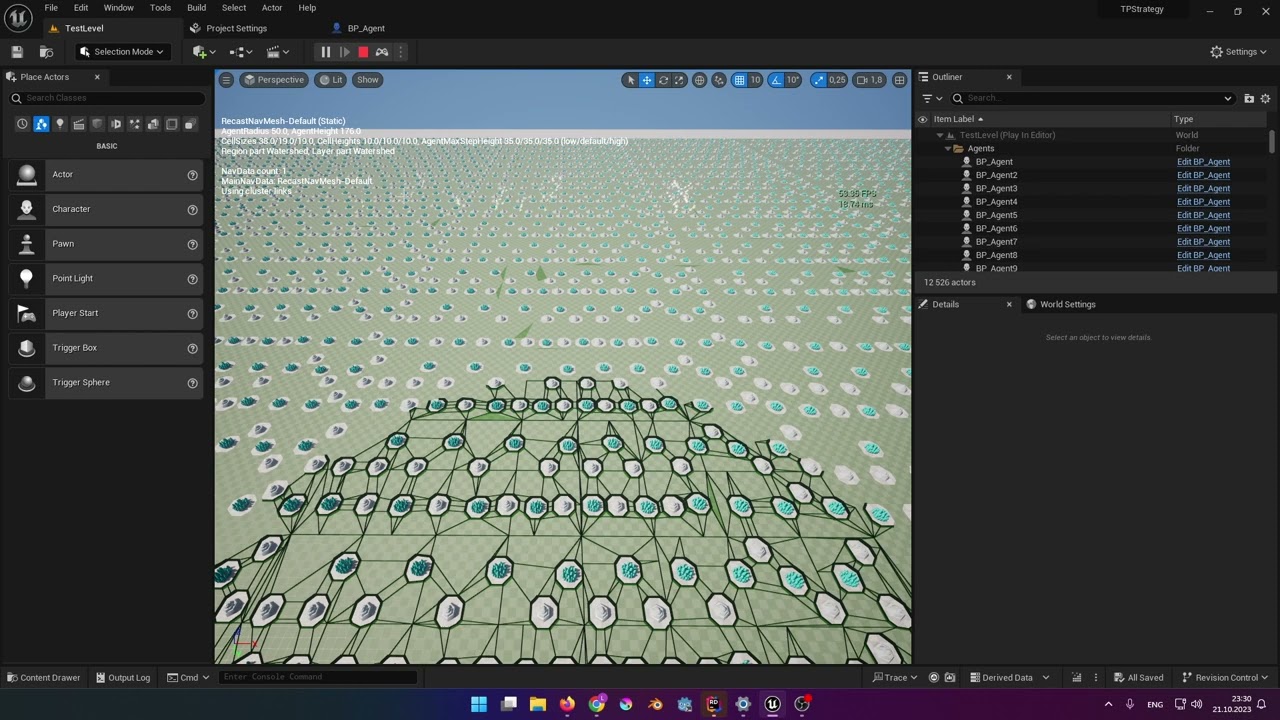
#gamedev #gamedevelopment #indiedev #godot #godotengine
Twitter: https://twitter.com/NickGenFailed
Twitch: https://www.twitch.tv/nicknamegeneratorfailed
More videos: https://www.youtube.com/@Nicknamegeneratorfailed
I checked if the path is reachable and it says it is. I checked the last point in the path array and it is at the target position too.
I use "AI MoveTo" node in blue prints to move the agents at the BeginPlay event.
Strangely if I set the "AI MoveTo" on a timer and call it repeatedly the agents don't break and get to the other side of the map just fine - though that seems incredibly inefficient (to keep calling for new path every once in a while?).
misty wharf
olive prism
How can I do this?
Click the decorator and in the details panel it should have options for aborting
uneven cloud
versed stream
Hi, I would really appreciate help, please. I have this issue with navigation: h...
You should not use RVO AND detour. It should be either or.
Are you using a partial path? What errors is it giving you for stopping? If you don't know what errors it gives you, you need to debug it using the visual logger.
versed stream
uneven cloud
You should not use RVO AND detour. It should be either or.
Are you using a p...
I tried having rvo enabled/disabled but it still has the same issue unfortunately. I also tried disabling Accept Partial Paths in Project settings but no change either.
No errors at all.
What is the visual logger please?
uneven cloud
The visual logger is under tools/debugging
versed stream
I assume this is ok and before the issue:

And this is where the issue roughly happens:

For some reason it seems to lose the path?
There's also this which is way earlier (time stamp):

The red error happens at the very beginning it seems.
But I have no idea what to do with this if anything?
 tough tulip
So apparently when you check if an Object Key in the blackboard is valid, it returns true even if the object is set to "None". What would be the best way to counter act this? Or am I misunderstanding something
 tough tulip
So apparently when you check if an Object Key in the blackboard is valid, it ret...
tough tulip
tough tulip
So apparently when you check if an Object Key in the blackboard is valid, it ret...
A simple blackboard based condition seemed to do it for me 🙂

 vernal vector
should you put the attack logic in the BT, AI Controller, or the enemy chracter BP?
tough tulip
vernal vector
should you put the attack logic in the BT, AI Controller, or the enemy chracter ...
I have the move to in the BT. The actual attack and damage logic I have in the enemy character bp
haughty coral
misty wharf
run ST from BT, run BT from ST, etc. - but that seems pretty unlikely because th...
You can do that but you need to use custom schema for ST. As ST is just a structure, you can put it inside BT Task or run behavior tree from ST Task. ST is great in this, just BT is limited, so keep in mind you can not do nested BT calls as it will always override the main one.
haughty coral
misty wharf
The one thing that I don't like is that I can't run a child statetree like you c...
You can, just that there is no nice UI for it. Create ST Task which contains another ST. You might need a different scheme for that.
I try to avoid using default state tree component and its scheme. It is what is limiting you to use the singular brain component. If you do the exact same thing but without inheriting from brain component then you are free to run as many nested STs as you want.
harsh storm
I didn't look into creating my own scheme. Maybe that's where the secret sauce is.
haughty coral
Imo it is a mistake that they decided to inehrit state tree component from brain component. Should have been generic ST component.
My main problem with ST is UX. A lot of clicking in nested detail panels to configure something and for every transition you see just (?) icon in the graph. It is hard to read, maybe harder than graph representation. Would be nice if they add alternative tab / window to be able to see it and work with it as graph. I know.. it is probably exactly thing they wanted to avoid but I feel it would be sometimes easier to read.
harsh storm
Thought you had an issue with how the Tick/Enter/Exit states were handled as well. That they're functions instead of events that is.
misty wharf
haughty coral
You can, just that there is no nice UI for it. Create ST Task which contains ano...
Yeah I looked at the schemas in passing and it looked stupidly complicated
I don't quite understand why they didn't just make it so you have a state tree that you can run separate from the component, and if they wanted you to have a convenient interface to it, just have the component wrap it
but instead if seems largely tied to how the component functions
haughty coral
harsh storm
Haven't quite figured out how to avoid the mesh from generating on top of desks ...
Tricky with Recast. It takes just two inputs geometry + modifiers/areas. Geometry is just vertices without any context, so it can not easily decide what is top of some prop and what is top of floor. You can configure your mesh to output collision data as modifier with Null Area instead (look for Dynamic Obstacle option). These have no mesh generated on top. However, I can not resist the feeling that it feels hacky and can have other negative impacts. In the past I used Flood Fill nav modifiers (e.g. https://github.com/EpicGames/UnrealEngine/pull/8571 ) which recusiverly jumps to neighbors and indentifies reachable navmeshes, unreachable ones are then marked with some nav area to distinguish them and filter them later in the process. If somebody finds an easy way how to get rid of these, I will be happy to know :D
There si also setting on the Recast Actor in the level which gets rid of small islands but it stops working as soon as there is a nav mesh tile boundary in the island :(
haughty coral
harsh storm
Or why the navmesh doesn't show on top of some slopes, but does show underneath
Looks ok, nav mesh is just approximation generated from voxels and then simlified. You can control simplification by properties on Recast actor. Setting simplification to very low number should provide better visual answer of what is going on. Simplification ignores everything and can even lead to navmesh going into collision but you still need it to some degree as you don't want navmesh made out of squares.
haughty coral
harsh storm
So, my options to handle doors are:
1) Manually place smart nav links around al...
I used 1,2,3 in the past. Recently I prefer 3 more because of possibility that the door can be quite wide / gate like. 1,2 was giving also some edge cases when you mess with the pawn while it is traversing the navlink but should be possible to work with. For 1,2 I like its performance and simplicity.
harsh storm
Yeah, I ended up just doing 3. Thought it was pretty easy to handle.
My game is largely indoor, so door handling is important.
haughty coral
harsh storm
Thought you had an issue with how the Tick/Enter/Exit states were handled as wel...
This should be resolved https://github.com/EpicGames/UnrealEngine/commit/03109406a88d35b610b2395d7e5b5be1c83db8aa
 harsh storm
I haven't used ST in like 2 versions.
haughty coral
I also use them sparingly, I realized most of the stuff I want is sequential behavior and it is much easier and nicer to do in BT. So I have ST brain which decides on some base states like Combat, Idle, Investigation... and each of these states is then implemented as BT. Some tasks in BTs can be still ST if needed.
I hope we can one day get something better than Recast generator. The control over it sometimes painful. You chnage properties because of one part of the level just to break some other part. Cells are axis aligned, so doors can be untraversable if cell is not fitting nicely there because of the rotation : (
I heard some designers even say that they would rather draw nav mesh manually :D
harsh storm
I'd like the option for both. Do the automatic generation and then be able to manually tweak it by painting. Kind of like skin weights.
ember river
Hey guys, have you ever had AI see behind it's self and trigger sight stimulus? Seems to only happen after a montage plays
dusk pewter
@tough tulip wrong you need a n additional decorator that checks the condition on the blackboard prior
deft mural
For some reason, if I press the 'quote key to bring up the AI debugger the engine crashes when using State Tree.

I am now getting a different error relating to FStateTreeInstanceData.
 ruby arch

 sudden citrus
Within my Smart Object behaviour, I would like to rotate to the slot rotation. Seems like a straightforward and frequent thing to do. But I don't have any access to the specific slot I'm using, within the behaviour, so I cannot get the transform
Am I missing something?
misty wharf
the smart object definition has a set of slots and you can pull the slot offset and maybe some other values from it
sudden citrus
yeah but I'd like to grab the exact one I'm about to use
the claim handle is known in the code that activates the Gameplay Behaviour, I've no idea why it doesn't get passed down.
deft mural
Should I have one task per state? I am just trying to workout what's the best situation.
misty wharf
sudden citrus
the claim handle is known in the code that activates the Gameplay Behaviour, I'v...
You may have to write your own bits for it in C++
misty wharf
deft mural
Should I have one task per state? I am just trying to workout what's the best si...
You can have them in whatever configuration makes sense
sudden citrus
misty wharf
You may have to write your own bits for it in C++
I am writing bits as we speak 😛 the issue is that this is a pretty core thing and ideally I'd just add a Claim Handle parameter to the behavior's Trigger method. If I change one bit, I'll have to write custom code all the way up
anyway, posted to UDN.
dense owl
sudden citrus
anyway, posted to UDN.
Do let us know what they say, even if it’s “do it yourself”
misty wharf
Yeah curious to hear
My "Use Smart Object" AI Task just faces the actor towards the slot before calling the behavior
sudden citrus
Ah, yeah I'm still using the vanilla AI task, although I made my own BT node so that I can separate the SO search and use
sounds cleaner to rotate where you are doing it
misty wharf
Yeah I have a bunch of custom stuff on top because as far as I can tell for example if all slots are in use the smart object will effectively disappear from existence
So instead of using the builtin slot system I have a custom system on top which handles it in a way that the smart object can still be found
deft mural
What class do I used to defined State Tree tasks in C++.
I found this type FStateTreeTaskBase. Do I just derive from it or is there another type I should use?
dense owl
Idk state trees but base sounds like a pretty good option
misty wharf
You need to use the ones with CommonBase
Nothing's gonna break but they just won't show up as being available in your state tree if you don't use that base class
dense owl
I wonder what the other one is for
misty wharf
As far as I can tell, the system supports different "schemas" which define how the state tree is set up in some ways
And different schemas support different tasks
so the non-common one is I guess intended to be the base class for creating schema-specific subclasses, and the CommonBase is ones which should work across different schemas (or at least the builtin schemas I believe all allow using CommonBases)
dense owl
Makes sense
deft mural
misty wharf
As far as I can tell, the system supports different "schemas" which define how t...
I am overriding the method EnterState. What can the Context parameter be used for?
misty wharf
Pulling instance data and some things like that. Check the engine builtin state tree tasks, they should show you some examples
deft mural
Okay.
Is it bad practice to call the K2 prefixed functions?
As the functions with that prefix in the navigation system are more convenient.
misty wharf
If it works it works. I would check the function code to see if there's any hidden surprises, but if there aren't, I'd say go for it
deft mural
I checked the definition; this function looks okay.

 round grove
So I've got a design question for y'all:
I want to do a sort of 'tear-away' player control system, where by default the player will automatically carry out a string of actions unless the player interrupts said string of actions by inputting a key. For example, I double click a vendor and my character starts walking to the vendor to then open up the shop/vendor window - however I interrupt this series of actions by pressing the 'turn left' key on my keyboard to get a look at an approaching enemy. How do you think I could most effectively implement this system of semi-ai-control?
The goal would be to make the semi-ai-control strong enough to have the character act as a bot after the player records a path - running along a path killing monsters, healing, and looting
misty wharf
Seems some kind of queue of actions that you can deifne in some fashion
eg. doubleclicking on the vendor queues up the tasks that you want to happen, but pressing buttons would abort the queued tasks
round grove
perhaps controlling those queued items with gameplay tags?
forever ago I imagined having an ai controller possess/unpossess the player every time an action is taken, but that seems expensive and unnecessary
round grove
misty wharf
Seems some kind of queue of actions that you can deifne in some fashion
this is a wonderful idea
Would setting this queue up with a behavior tree be smart or not so smart?
misty wharf
having an AI controller possess/unpossess could in theory be an option also, but it kinda depends on what you'd wanna do with it
f.ex. if you have a behavior tree that would run when the player isn't doing anything, then having an AI controller possess it could make sense
round grove
hmmm, ok yeah I see what you mean
cause yeah, there would be unattended 'botting' as a feature
misty wharf
you could implement the queue in whatever way you like... behavior tree isn't really for queuing tasks, but you could certainly have each task include a behavior tree which is used to actually execute the steps to the task
round grove
I wonder if anyone has documented making a gameplay-queue of this sort somewhere
Thanks for pointing me in a smart direction!
misty wharf
You could probably just make a custom UObject type which includes the configuration for your task and some functions that you could use to determine the state of the task, maybe some delegates to notify when the task is finished
Or you might be able to piggyback off existing Gameplay Tasks support
Then you'd just have some array of the tasks the player has queued up and you'd have some logic pick up tasks from the queue, or do the default logic when it's empty
round grove
misty wharf
Or you might be able to piggyback off existing Gameplay Tasks support
OOOH RIGHT! I forgot about Gameplay Tasks! Good call
Damn, you've got quite the handle on this, hah. Thank you
misty wharf
Haha, yeah my NPC's in one of my projects have kind of a task queue system :P
deft mural
misty wharf
If it works it works. I would check the function code to see if there's any hidd...
The only surprise is that the Radius and Location parameters are flipped.
 round grove
I guess the difficult part of implementing this queue system is getting from task/subtask to task/subtask without having a "was an interrupting key pressed?" boolean between every bit of code
which I think was part of Unreal's goal with the gameplay ability system?
misty wharf
GAS might allow you to do something like this I guess yeah but I'm not sure if it really does queuing
The way I would go about the queue+interrupt is having the task object include a function like Abort() which would clean up whatever it needs to clean up
This way you can just abort the active task and then proceed doing whatever the player wanted