#gameplay-ai
1 messages · Page 33 of 1
 dense owl
 full wing
Yeah, i search online and didnt find the reason for using it too
 primal vigil
guys wdym is good to use something built in unreal for ai enemies or it is worth to train ai with python on map and then use this training for its movement ?
 fading field
Quick noob question: how do I check for distance in my behaviour tree?
 harsh storm
primal vigil
guys wdym is good to use something built in unreal for ai enemies or it is wort...
harsh storm
primal vigil
guys wdym is good to use something built in unreal for ai enemies or it is wort...
Considering games have been built for decades without training AI the way you're describing, you don't need to. And personally I don't even think it'd be all that beneficial right now. But that's up to you.
harsh storm
fading field
Quick noob question: how do I check for distance in my behaviour tree?
You can store the target in the blackboard, then write a task or service or decorator that gets the current pawn running the BT and do a distance check like you typically would in raw BP.
fading field
Thank you!
primal vigil
harsh storm
Considering games have been built for decades without training AI the way you're...
I have same opinion , but let's say it's plane combat game , I think everything including combats can be done with unreal itself and behaviour trees no need training , right ?
harsh storm
Plenty of plane games have been made without AI training, so yes.
 dire jewel
Hi all I'm a game artist but I'm interested in learning about programming game AI. I found the 'Game AI Pro' website that I've so far found really cool and insightful. Can anyone recommend any other resources to begin learning more about actually coding the AI rather than theory and practices?
 celest python
dire jewel
Hi all I'm a game artist but I'm interested in learning about programming game A...
celest python
dire jewel
Hi all I'm a game artist but I'm interested in learning about programming game A...
Check pinned messages
we have both
You'd start with basics of programming, then C++ and then finally after AI programming though
AIModule is ruthless, expects you to be familiar with some advanced concepts upfront (unless if you're going to do simple things)
 stable patrol
dire jewel
Hi all I'm a game artist but I'm interested in learning about programming game A...
stable patrol
dire jewel
Hi all I'm a game artist but I'm interested in learning about programming game A...
have you considered finding some existing ai tools and working with those instead of trying to build a solution yourself?
 tawdry zephyr
This is either the correct, or exactly the opposite, channel to post this in but... Its a pain when you want a player controlled character to use pathfinding to move to a location. Gotta give it an AIController, update possession, then use AI MoveTo. And I started wondering if there is a good reason why a player can't just pathfind the same way without the use of an AIController? Turns out, this limitation existed for no good reason whatsoever. I made an ability node for GAS that does exactly that. Even better, players can "fight" the movement, so if the pathfinding gets trapped on something like a tree, they can nudge the character towards the goal (of course, you can just disable movement input if you don't want it), which isn't really a thing with AIController method

In this video he's pathfinding towards the cone actor, and I'm fighting it once he gets close
I wonder why Epic never added this, it was exceptionally simple once you're familiar with ability tasks and AIMove To, its common in many games such as GTA where you try to get in the car door and it runs around the vehicle, also for interactions, or scripted cinematic events, etc.
If anyone wants to do it themselves, can probably do it better agnostic from gameplay tasks and PR it to engine:
- Duplicate
AITask_MoveTo, rename something likePlayerTask_MoveToI guess (something that infers its for player controlled characters not AI - Change all references to
AAIControllertoAPlayerController - Spawn a
UPathFollowingComponent*(seeUAIBlueprintHelperLibrary::InitNavigationControl) - Recreate all
AAIController-only functionality within thePlayerTask_MoveTonode itself with the help of the path following component
That's about all it takes, I don't have time to PR anything atm tho. I'd add a few more features like ignoring move input and a max duration
Absolutely bizarre that this isn't in engine already 😄
 lean tulip
So I followed the Learning Agents tutorial, but I keep getting this error every time I start training. The red errors seem to start as soon as it's ready for the first iteration and the editor freezes for a bit before the error start spamming the log
 lean tulip
This comment seems to be the solution
https://forums.unrealengine.com/t/tutorial-learning-to-drive/1275490/10?u=conversefox

Epic Developer Community Forums
Hello, can you try opening D:\EPIC\UE_5.3\Engine\Plugins\Experimental\LearningAgents\Content\Python\train_common.py and go to line 228 and increase the timeout from 10 to something larger? Let me know if this works and by how much you increased it to get it to work.
lean tulip
A value of 45 is working for me
 north oriole
harsh storm
Considering games have been built for decades without training AI the way you're...
north oriole
harsh storm
Considering games have been built for decades without training AI the way you're...
Tbf AI in games has always also kinda sucked
harsh storm
north oriole
Tbf AI in games has always also kinda sucked
Once you get used to them, sure. But many many games have had pretty good AI on release.
The fine line of AI is that you want it to be challenging, but not completely roflstomp the player. Or else they'll complain and stop playing the game.
So you make tradeoffs in favor of the player quite often
 nova prawn
Anyone happen to know how you can assign who is Enemy or who is Friend when using AI Sight Perception please? At the moment I have 3 enemies but they seem to detect each other as well as the player.
 uneven cloud
north oriole
Tbf AI in games has always also kinda sucked
uneven cloud
north oriole
Tbf AI in games has always also kinda sucked
ML won't make it any better.
uneven cloud
nova prawn
Anyone happen to know how you can assign who is Enemy or who is Friend when usin...
By assigning them team IDs.
 uncut wolf
uneven cloud
ML won't make it any better.
uncut wolf
uneven cloud
ML won't make it any better.
ML absolutely can make it better. But it's an involved process that is only viable in specific circumstances.
Just look at how alien isolation is widely regarded as having some of the best AI for its time, and it uses machine learning
Granted you unequivocally don't need ML to make a plane game
harsh storm
uncut wolf
ML absolutely can make it better. But it's an involved process that is only viab...
I don't recall hearing that they used ML. They used BT's and a AI director similar to L4D.
I believe AI & Games even covered Isolation
The Alien's progress was gated as well.
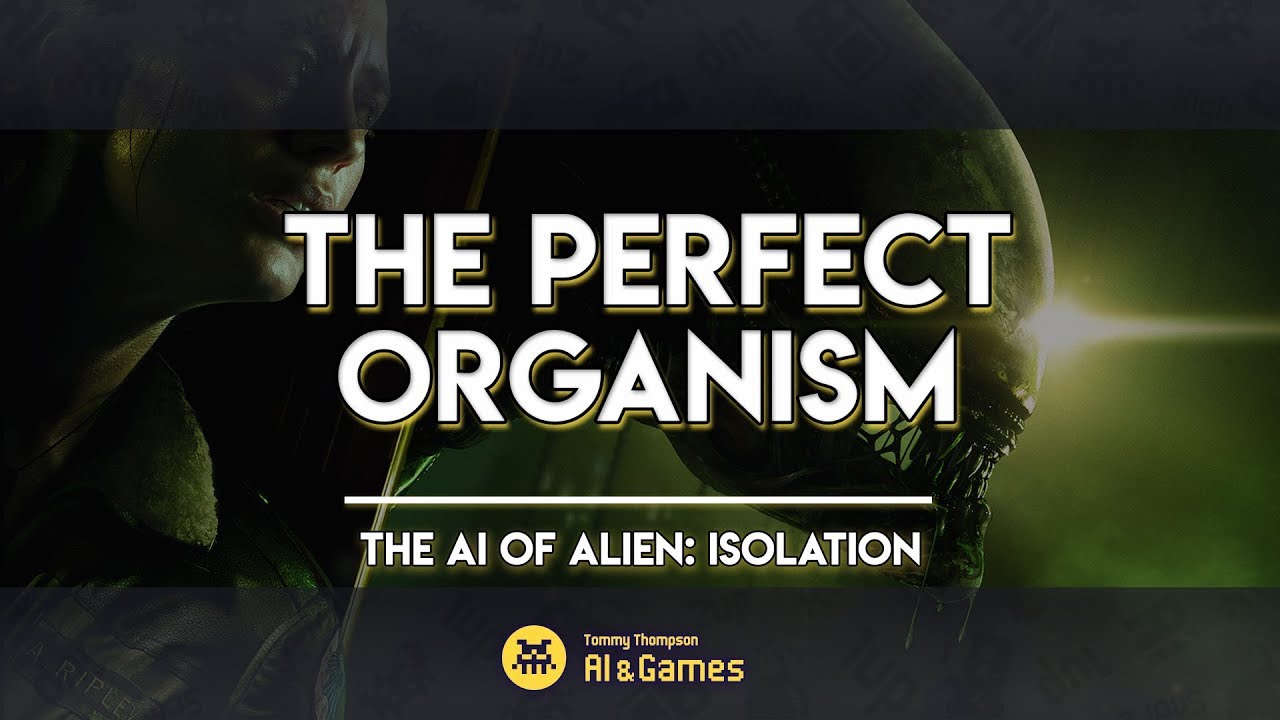
Want to learn even more about the AI of Alien: Isolation? Check out my second video on the topic:
https://www.youtube.com/watch?v=P7d5lF6U0eQ
--
http://www.patreon.com/ai_and_games
http://www.aiandgames.com
I sneak a peek under the hood of survival horror game 'Alien: Isolation' and explore how developers Creative Assembly pulled it off. I ...
Yeah, he did
uncut wolf
harsh storm
I don't recall hearing that they used ML. They used BT's and a AI director simil...
Ah, yes, it seems you are correct
 gritty lava
Making the enemies in my game and I started using State Trees instead of Behavioral Trees because State Trees make more sense in my head. Do you guys think this is a bad decision? People online are saying that you shouldn't do much except play with it since it's an experimental feature
There's also very little content I can find online on STs and I'm just winging it with how I make them since I'm not aware of the "Best Practices" for how to structure them etc.
harsh storm
If you're still in your learning phase, I'd say stick with BTs. Far more battle tested.
Far more resources if you get stuck as well
ST's are still fairly new and can be buggy for some
gritty lava
I used BTs at the start but I couldn't understand why I couldn't check a variables value in order to move from branch to branch. It only allowed me to check whether a variable was "set" or not which confused me and then I learned of state trees which worked intuitively how I would expect them to
Guess it's time to watch some tutorials on BTs
dire jewel
celest python
we have both
Thank you for the direction!
celest python
harsh storm
I don't recall hearing that they used ML. They used BT's and a AI director simil...
Not similar to L4D, Alien was purely sense driven
dire jewel
stable patrol
have you considered finding some existing ai tools and working with those instea...
I haven't yet as I have only just begin this journey but it is something I will certainly look into!
harsh storm
celest python
Not similar to L4D, Alien was purely sense driven
It uses a director system as well. Not the one exactly like L4D
celest python
I saw the BT via a modding tool and didnt see any director mechanism, but there was a top-level script based manager
gritty lava
Are all enemies supposed to be done through a system like BTs? Or do some types of enemies work better if you just manually code their behavior? I'm thinking of games like FF7 Remake that were made in UE4 and I wonder if bosses in those games are made with things like BTs or just coded by hand
harsh storm
BTs aren't the only way to do AI
You can do state machines if you'd like
HPN's as well
Utility AI
etc
celest python
gritty lava
Are all enemies supposed to be done through a system like BTs? Or do some types ...
Old FF games used a mix of FSM & BT
It was their inhouse tool so they werent limited with what AIModule provides
There are a lot of cases where using FSM instead of BT could help in UE, but manually coding AI is rarely beneficial. You need to compose systems into controller and communicate with them properly
harsh storm
celest python
I saw the BT via a modding tool and didnt see any director mechanism, but there ...
https://www.gamedeveloper.com/design/the-perfect-organism-the-ai-of-alien-isolation
AI & Games written article about the AI system of Isolation
celest python
harsh storm
<https://www.gamedeveloper.com/design/the-perfect-organism-the-ai-of-alien-isola...
I know, but its not exactly true.
This is rather similar to an approach made in Left 4 Dead in which a stress gauge was used to prioritise enemy attacks
BT is available to everyone
Some parts of Alien AI also relies on RNG
There is 20% chance you can always get caught to Alien even though you're fully stressed or not
My first UE relevant job was to analyze Alien Isolation's AI and implement it to UE
 deep bramble
I have a problem with re-reaching any Move To with my Ai. They can reach the target actor with Move To only once. Subsequent attempts to reach that same non moving target actor result in the Ai character stopping one unit shy of the target.
The goal actor has an overlap and it only is triggered the first time the Ai reaches it. What would cause something like this to happen? There is no dynamic nav mesh or any obstacles in a flat land testing environment it still happens.
For more context it’s a CTF style game and the Ai moves toward a flag, overlaps it then has key values updated so it moves to the capture zone. Then the flag resets and it randomly chooses another flag to move towards but if it chooses the same one it always fails to reach the target goal. I’ve tried adjusting the Move To settings a bit and the problem is consistent. It only works the first time.
harsh storm
celest python
My first UE relevant job was to analyze Alien Isolation's AI and implement it to...
Doesn't mean you did it correctly 😈
celest python
harsh storm
Doesn't mean you did it correctly 😈
Sadly after I left, they found a non AI programmer to continue and turns out he ditched whatever I did and implemented something very far away from what Alien AI is 
I had a chance to play their demo at a conference this week and I was keep dying
Hmm, I think demo is available to everyone https://store.steampowered.com/app/1987400/Death_Relives/
dense owl
deep bramble
I have a problem with re-reaching any Move To with my Ai. They can reach the tar...
Are you using onbeginoverlap?
deep bramble
dense owl
Are you using onbeginoverlap?
yeah
dense owl
deep bramble
yeah
Part of the problem could be if already overlapping it won’t fire
But if you’re always just getting to it from the outside it’s something else
I think you said it can sometimes pick the same one, but not sure if you meant right after or later on
deep bramble
The Ai NPC spawns, randomly chooses a flag to Move To then eventually reaches it and overlaps and runs the "pickup flag" logic. That all works fine. It then Moves To the capture zone across the map and that works fine. Then it randomly chooses another flag to do the same thing. If its a different flag it works without any problems but after a short while it will eventually choose one of the flags its already captured at least once as the next target flag. This is where it all goes wrong, when it executes the Move To it will run towards the target flag and even appear visually overlapping the target flag but the flag's On Begin Overlap isn't executed anymore. It's as if the collision channel changes or something so the overlap doesn't fire ... but I'm not changing that.
My game logic allows for flags to "respawn" and be captured multiple times but the Ai characters can't seem to pick them up again.
I as a player character can pickup and catpure flags multiple times without any issues. Same with other clients its only Ai characters that can't.
dense owl
deep bramble
I as a player character can pickup and catpure flags multiple times without any ...
How do they respawn, do they get destroyed first?
deep bramble
They don't actually destroy or respawn just toggle visibility and toggle state on character who picks them up.
dense owl
🤔I’m guessing this state toggle is not specific to each flag
deep bramble
The repnotify on the flag appears to be working correctly for when its available or stolen.
dense owl
I’d maybe do a check on the collision channels after the first pick up, and whatever allows a flag to be picked up or not
deep bramble
yea its probably something I've done or left while debugging and forgot forwhere. Likely a change made to the collision for the flag but on some other blueprint somewhere just for testing purposes ... ughhh
dense owl
Yeah, it’s gonna take some debugging
deep bramble
dense owl
Yeah, it’s gonna take some debugging
Turns out I was setting the wrong capsule's collision when bFlagStolen was changed. 😆
Dunno how it was working for player characters though...weird.
dense owl
deep bramble
Turns out I was setting the wrong capsule's collision when bFlagStolen was chang...
Hehe happens
tawdry zephyr
harsh storm
The fine line of AI is that you want it to be challenging, but not completely ro...
In fact, a lot of players enjoy being able to dominate in the later stages of the game, it makes it feel like their hard work paid off
Its a very specific type of game that lets the AI grow to counter the player
uneven cloud
uncut wolf
ML absolutely can make it better. But it's an involved process that is only viab...
Name 1 game that used ML and had better AI. Alien Isolation did not use ML.
ML isn't new. It's been around for years. Even Unity has it built in. Yet it's not widely used, because it doesn't make better game AI.
uncut wolf
uneven cloud
Name 1 game that used ML and had better AI. Alien Isolation did not use ML.
...
Alien Isolation did not use ML.
we established this one quite a while ago
uneven cloud
uncut wolf
> Alien Isolation did not use ML.
we established this one quite a while ago
Are you just going to ignore the rest of the comment?
uncut wolf
uneven cloud
Are you just going to ignore the rest of the comment?
Well yes, if the entire basis of my argument was flawed, and it was corrected, there is no argument left.
There ain't much left for me to argue against if I was initially mistaken :P
tawdry zephyr
So it turns out that UE5 does have a move to node to use pathfinding to move to a goal for PlayerController (instead of AIController) which is only usable with gameplay abilities
It requires a couple of components to be added to the Pawn but doesn't seem to update acceleration, so character slides instead of applying animations
There's probably a reasonably easy fix, but I wanted to do things a bit differently, and I've also added a node for use outside of gameplay abilities
Its free here if anyone wants it
The goal is to provide pathfinding for PlayerController, for use-cases like making them run to the car's door in GTA, or towards a lever before pulling it, or auto-move (eg. horse following road in some games)
https://github.com/Vaei/PlayerMoveTo
nova prawn
Ok this has me stumped a little, I have a super basic AI system my project runs at 120 FPS as soon as i enable AI debugging it tanks to like 20 fps... Any ideas why it kind of makes debugging 3 AI Characters a bit hard when the editor barely allows you to show 1 character AI tools if i put 3 the editor fully hangs for ages.
My pc is a 13900k , RTX 4070 and 64GB of DDR5 cant remember the speed and Windows 11.
Oddly enough I do not remember it tanking this bad with my old PC ( 8700K 32GB DDR4 and a GTX 1070) xD :S
Here is a image showing it,

 flint thunder
Are there any methods i can do to somehow delay BT tasks?
I have a controller that spawns enemies when their number drops below certain threshold, and a task that if there are not enough enemies it spawns more
But now new enemies appear almost instantly when i kill some enemies, and that does not look great
I could add wait node, but that will stall whole combat BT, which is undesireable
harsh storm
flint thunder
Are there any methods i can do to somehow delay BT tasks?
I have a controller th...
This doesn't sound like it should even be in the BT to be honest. I'd put it in a subsystem or GameState with a higher preference to a subsystem (World subsystem to be precise).
 twin marsh
Struggggggling to understand why my AAIController::MoveToLocation seems to ignore pathing…
I was looking in the source and saw something called UE_VLOG, and started playing with the Visual Logger for the first time and came up with this image.

The method has a bUsePathFinding parameter that defaults to true and I've tried explicitly passing true as an attempted sanity check, but the agent just ignores the obstacle and tries to follow a straight path????
Anyone have any idea what could be misconfigured? Or perhaps another strategy to debug this?

 waxen tiger
Has anyone able to find a nice way of doing the equivalent of search for references but for blackboard keys?
 rich pendant
Im not sure if this is the correct channel but I'm setting up some EQS for my AI and I'm wanting the EQS to pick any point on the nav mesh (x distance away) even if they can't directly walk to it. I can't seem to do this, does anyone know what I might be missing?
Edit: Never mind, I figured it out. I was using the Pathing Grid instead of Simple Grid.
 foggy moth
I have some remnant AIControllers sticking around after killing off my AIBots in a game... and their behavior trees are stacking up huge - lagging up my game bad even when no enemies are on the screen....
How can I debug this - and how can I control a stale AIController that has no pawn so as to kill it off adminstratively?
what i'm asking mroe is - is there a lifecycle event in the AIController or even ACharacter i can rely on to do this foor some overrides - or should I come up with lik ean N# second timer that checks if it has a controlled pawn - if not kill it off?
uneven cloud
flint thunder
Are there any methods i can do to somehow delay BT tasks?
I have a controller th...
Spawning is something that should happen outside of the BT. Usually in a spawner or a subsystem.
uneven cloud
waxen tiger
Has anyone able to find a nice way of doing the equivalent of search for referen...
What do you mean by search for references?
flint thunder
harsh storm
This doesn't sound like it should even be in the BT to be honest. I'd put it in ...
To elaborate a bit, i do have a spawning subsystem, but the controller is responsible for telling it when and where to spawn (so we will have assasin coming in from the side, and stuff like that)
uneven cloud
foggy moth
I have some remnant AIControllers sticking around after killing off my AIBots in...
You likely have a hard reference to the AI controller, which is stopping it from getting garbage collected.
When the pawn is destroyed, it unpossesses the AI controller and cleans it up.
flint thunder
uneven cloud
Spawning is something that should happen outside of the BT. Usually in a spawne...
I do have a subsystem for nitty gritty but i do want to have some decisionmaking involved when and where to spawn stuff
combat controller also tells enemies to do speciall attacks, and to not attack player at once
foggy moth
uneven cloud
You likely have a hard reference to the AI controller, which is stopping it from...
where would i look for hard references? These would be a pointer addressed somewhere correct?
uneven cloud
foggy moth
where would i look for hard references? These would be a pointer addressed some...
It would be a pointer saved to a member variable somewhere. You'd need to search for it.
If you are in code, you should be using weak pointers for anything that the object doesn't own.
foggy moth
the more i think about this - the less it adds up.... theres ghosted AIControllers hanging around. its not a 1:1 of hte enemeis that WERE SPAWNED... it slike 5 remaining of the 20 that i've killed.
dense owl
Are they a specific class ?
foggy moth
say an AI failed to spawn for whatever reason (collision with landscape) - but the AIController spawned (i've witnissed this happening in spawn logic) .... would the controller hang around for whatever reason at that point?
foggy moth
dense owl
Are they a specific class ?
sure - i've extended AIController for my own project needs - does that somehow change things?
uneven cloud
flint thunder
I do have a subsystem for nitty gritty but i do want to have some decisionmaking...
I wouldn't put that in a BT. Decision making doesn't always mean a BT.
uneven cloud
foggy moth
say an AI failed to spawn for whatever reason (collision with landscape) - but t...
The AI controller would still be cleaned up. Unless you have a hard pointer to it.
foggy moth
checking code I have 0 hard refferences towards the AIController class
i'm going to make a visual logger with some output so i can at least see their existence physically... find out whats happening.
dense owl
foggy moth
sure - i've extended AIController for my own project needs - does that somehow c...
I meant like a specific bp class being spawned that may have some forgotten hard coded ref
But it sounds like it’s something else
 lyric flint
Is it safe to assume that services on the same BT node will execute top to bottom (i.e., the first service will finish before the second one starts)?
 boreal sundial
Hi, is there a good way to bind arbitrary data about perceived actors into the AI perception system?
I'm using BTExtension's Utility selectors for most of my AI and trying to reference games like Rain World.
I need AI to make judgements on one another. I'd ideally want a way for any AI to store info about others as a struct which I can very easily read and modify during gameplay? E.G: Character A attacks Player by default, but through interaction A's Fear stat towards Player may be high enough that the utility selector causes A to avoid Player instead.
Has anybody had to design something like this? I'm not sure of a clean approach that's easily managed.
foggy moth
lyric flint
Is it safe to assume that services on the same BT node will execute top to botto...
dont Services run at their own tick interval - hence they are their own entity - not any order system amongst N# of services anywhere placed....
lyric flint
I should probably clarify - will Service A's Execute AI function finished before Service B's Execute AI does
foggy moth
lyric flint
I should probably clarify - will Service A's `Execute AI` function finished befo...
Services - dont have Execute AI - do you mean tasks instead?
lyric flint
Ah I'm completely out to lunch. Let me figure out what I actually mean and I'll get back to you, thanks. 😄
 frank lagoon
Is there a way to create a nav mesh volume at runtime with blue prints?
i want the range the ai can move around in to change based on in-game events
uneven cloud
lyric flint
Is it safe to assume that services on the same BT node will execute top to botto...
It is not safe to assume that.
uneven cloud
boreal sundial
Hi, is there a good way to bind arbitrary data about perceived actors into the A...
I have made a system like that and no you don't want to bind it to perception.
boreal sundial
uneven cloud
I have made a system like that and no you don't want to bind it to perception.
What did you do for your system? I'm curious what you mean by that
I'm honestly not entirely sure how to approach this system. I know I want my utility AI to use information about others as weighting
I know I need to influence these stats from anywhere (I.E: Weapon hit event -> change fear between two characters)
I also know this sounds like a huge amount of sphagetti if I don't find a good clean/extensible way of doing it
uneven cloud
boreal sundial
What did you do for your system? I'm curious what you mean by that
By creating a history system. Each history record (gameplay tags identifier) has all the data it needs. You push history data when things happen, typically want to save it using a guid so NPCs remember things about the player(s) through play throughs, and anything can ask questions.
boreal sundial
I'm not sure I'm familiar with gameplay tag identifiers or guids?
The documentation on guid tells me about how to use functions about them, but not what they... actually are. As far as I can tell.
If I had to guess this looks like a reference system for tagging unique characters so information about them can be recalled and modified when needed?
Is this related to the gameplay ability system stuff that was released a while back?
 tawny locust
what guids are is just a random number. guids have nothing to do with GAS, or even Unreal, they are just a programming thing.
GameplayTags are FNames++. they originated from GAS but are now a seperate thing
lyric flint
uneven cloud
It is not safe to assume that.
I have the following use case I'm struggling with. I have two services: the first sets the Combat Target; the second runs an EQS query using CombatTarget as context to find a CombatLocation (where best to attack from). The second depends strictly on the first, but I'm unsure how to enforce this, either in the behavior tree or the EQS query (or elsewhere).
twin marsh
twin marsh
Struggggggling to understand why my `AAIController::MoveToLocation` seems to ign...
For posterity, this appears to be related to the Experimental World Partition Navmesh. All the classes work fine in a new (basic) level 😅
uneven cloud
boreal sundial
I'm not sure I'm familiar with gameplay tag identifiers or guids?
The document...
Gameplay tags are special FNames. It's often used as an identifier of things. Let's say you have a history record for number of x things killed by the player. You could use a gameplay tag of History.Record.Death.XType. They are useful for giving readable names to things and they have a lot of functionality for lookups.
Guids are unique identifiers for objects. Typically used for things that are saved/loaded.
uneven cloud
lyric flint
I have the following use case I'm struggling with. I have two services: the firs...
You enforce it by putting it higher up the tree. Then you only run the combat location query if your combat target is valid.
lyric flint
Ugh. Of course! Thanks. It seems so obvious now.
That also has the nice side effect of forcing me to consider behavior if the target is invalid.
uneven cloud
Always have a fallback behavior!
boreal sundial
uneven cloud
Gameplay tags are special FNames. It's often used as an identifier of things. ...
Oh that makes sense! I wasn't aware tags could be used to store information like floats or ints in that way. That definitely sounds like the way to go.
If I'm understanding correctly, anyway?
uneven cloud
boreal sundial
Oh that makes sense! I wasn't aware tags could be used to store information like...
You use the tag as a key to a value in a map.
boreal sundial
Do you have an example of that in your project? You mentioned you've done something before along these lines?
You've been super helpful, this feels much more on the right track than my original idea but I'm not sure what implementation of gameplay tags looks like for this sort of data stuff.
 tawdry crag
Are there any gotchas with navmesh raycasts that could give false negatives? I'm firing off some raycasts from the top of this balcony to a nav location below and those rays absolutely should be blocked, but calling Raycast on the RecastNavmesh is returning false (not obstructed)

It's also not filling in the HitLocation variable, which is broken as per the comment (though I don't trust the comment to be correct)
     *    Synchronously makes a raycast on navigation data using QueryFilter
     *    @param HitLocation if line was obstructed this will be set to hit location. Otherwise it contains SegmentEnd
     *    @return true if line from RayStart to RayEnd is obstructed
     *
     *    @note don't make this function virtual! Look at implementation details and its comments for more info.
     */
FORCEINLINE bool Raycast(const FVector& RayStart, const FVector& RayEnd, FVector& HitLocation, FSharedConstNavQueryFilter QueryFilter, const UObject* Querier = NULL) const```Using a default query filter FWIW
tawdry crag
hmm, stepping through the only place where I could see it maybe projecting onto the navmesh below the balcony, though I can't imagine why that would be "closer"
uneven cloud
boreal sundial
Do you have an example of that in your project? You mentioned you've done someth...
Yes. I've done this several times. Do you know how to use a TMap?
 lunar grove
Hello, is it possible to change the colors used to display sense range? I have multiple hearing senses, and they're both of the same color. I only found how to change the stimuli sphere color.
 boreal sundial
uneven cloud
Yes. I've done this several times. Do you know how to use a TMap?
boreal sundial
uneven cloud
Yes. I've done this several times. Do you know how to use a TMap?
You mean this data type at the bottom?
I've used it in blueprints but not in c++, I imagine it's very similar though.
Would I make a map of like... [gameplay tag type] : Int?
 uneven cloud
boreal sundial
You mean this data type at the bottom?
I've used it in blueprints but not in c...
uneven cloud
boreal sundial
You mean this data type at the bottom?
I've used it in blueprints but not in c...
Yes, that data type. It depends on what you need to store. That might be ints, floats or even your own struct.
boreal sundial
Would it be wise to nest them? Is that possible?
Like, GUID: Struct
and in the struct is a bunch of gameplay-tag:variable maps?
I'm not entirely sure how to set it up. What I'm learning is I probably want all of this to live as a singleton or some other not-attached-to-characters-at-all way and just compare guid data? Assuming a guid is a unique reference to a pawn
lunar grove
lunar grove
Hello, is it possible to change the colors used to display sense range? I have m...
Apparently UAISenseConfig_Hearing::DescribeSelfToGameplayDebugger() is what prints and draws the range, and it's hardcoded to always use yellow, as well as cyan for rangeLoS. I guess the only way to change the color would require to override the UAISenseConfig_Hearing, expose the HearingRangeColor, and override the method which would use the exposed properties instead of the hardcoded values. The PerceptionComponent would need to use the custom config instead of the default one.
 dreamy surge
how do we get the nav mesh to cover landscape so I can walk on it?
 boreal sundial
dreamy surge
how do we get the nav mesh to cover landscape so I can walk on it?
boreal sundial
dreamy surge
how do we get the nav mesh to cover landscape so I can walk on it?
Ah! This is an issue of the navmesh agent not having a high enough inclination. Basically it's skipping those bits of the landscape because you've told the navmesh it's too steep for your characters to go over so it won't try.
I believe the navmesh project settings settings has an "agent max slope" or "max step height" variable you can mess with.
dreamy surge
@boreal sundial yeah the MAX AGENT SLOPE only goes up to 89 and it didnt make much difference

same with max step height

its still an issue since the AI cant walk there
uneven cloud
boreal sundial
Would it be wise to nest them? Is that possible?
Like, GUID: Struct
and in th...
Why would you do that? Stop overthinking it and build something simple.
boreal sundial
uneven cloud
Why would you do that? Stop overthinking it and build something simple.
I'm not sure what the minimum product is here. These are all moving parts I'm not familiar with.
OK so I'm guessing I just want game tag : value in a singleton somewhere
And my AIs just grab that info and compare their guid to a target's to figure out a relation somehow?
uneven cloud
boreal sundial
I'm not sure what the minimum product is here. These are all moving parts I'm no...
You start with the simplest version. Not the MVP. You need to start with V1.
boreal sundial
Right, I'll try and assign some values to gameplay tags and see if I can access them through my AI controller and get back to you
Thanks for the help btw
boreal sundial
dreamy surge
same with max step height
What if you try messing with merge region size? I'm out of ideas at this point though, I'd suggest just fiddling with each of those settings until it gets closer to your goal. I don't see anything specifically about that terrain that'd be giving you a problem, and it looks like your nav area does fully enclose the terrain which is good
lyric flint
One message removed from a suspended account.
 obsidian igloo
anyone know what the AI Behaviours plugin adds in UE5? I cant find any documentation on it
uneven cloud
lyric flint
One message removed from a suspended account.
Tutorials show a way to do something. Not necessarily a good way. Depending on the skills of the person making the tutorial, it's often a really bad way.
Yes it's possible to detect a door via a BT, but using a nav link is a better way.
uneven cloud
obsidian igloo
anyone know what the AI Behaviours plugin adds in UE5? I cant find any documenta...
I believe that is the new gameplay behaviors stuff. They are like AI tasks, but don't need a controller.
 cursive star
is there any way to use names instead of ID's for ai controllers in the editor?
 uneven cloud
cursive star
is there any way to use names instead of ID's for ai controllers in the editor?
uneven cloud
cursive star
is there any way to use names instead of ID's for ai controllers in the editor?
That is the name of the controller.
dense owl
cursive star
is there any way to use names instead of ID's for ai controllers in the editor?
They are instances of the same AICon, only thing you can change is its name as Luthage said
 subtle sleet
Hey people, I have a question. I use Perception system but sometimes the system registers an actor but when still in view it loses sight for a few seconds while the other actor moves. But there are no objects in between
dense owl
subtle sleet
Hey people, I have a question. I use Perception system but sometimes the system ...
Yeah and how are you detecting that, onPerceptionUpdated?
subtle sleet
dense owl
Yeah and how are you detecting that, onPerceptionUpdated?
I use this, so it tells the behavior tree that there is a target in sight
 dense owl
subtle sleet
I use this, so it tells the behavior tree that there is a target in sight
dense owl
subtle sleet
I use this, so it tells the behavior tree that there is a target in sight
Yeah, so what I just said lol
subtle sleet
but sometimes it loses sight for a few seconds, when the target is moving
dense owl
Yeah that node is not very reliable because of what it considers an update
Better to use EQS and the perceived actors generator imo
subtle sleet
Thanks!
lyric flint
Are your perceptions expiring? That node is fine to use.
 limber prawn
So I'm pretty new to behavior trees, i understand what services/composites/tasks are, but i'm not sure what would warrant a service, and what logic should be executed on an actor. Is there a general convention for what services "should" do?
 unkempt pulsar
Is there a way to temporarily increase the navmesh navigation cost in an area?
I've got an oil barrel that when shot produces an oil puddle on the ground, and I want my NPCs to avoid walking inside that area if possible, or if they're already inside of it, to get out. I figured a neat way to accomplish this is to make it more costly for their pathfinding to walk in the oil
 silent torrent
Hello I wanted to ask regarding why I can't set a default value to an array in a level blueprint
 keen crow
unkempt pulsar
Is there a way to temporarily increase the navmesh navigation cost in an area?
...
keen crow
unkempt pulsar
Is there a way to temporarily increase the navmesh navigation cost in an area?
...
you can try spawning nav mesh modifier area and creating custom navigation query filter BP asset (which is set in AI controllers default nav query filter) where puddles approximately are, but you might need dynamic navmesh generation enabled in project settings to get it working, not sure
 alpine rover
anyone know any good tricks to make chase ai more engaging? i was thinking about formations but there is very little space in my level design for those to be any useful.
i wanna know if i can implement dynamic flanking
for a maze type level
unkempt pulsar
keen crow
you can try spawning nav mesh modifier area and creating custom navigation query...
That worked, I had to enable dynamic navmesh, and then spawned a nav mesh modifier area, and set it's area class to NavArea_Obstacle and it's good enough
dense owl
limber prawn
So I'm pretty new to behavior trees, i understand what services/composites/tasks...
You can run an EQS query as a service for example. Like a perceived actors generator that stores a target in a bb key
There are lots of applications but for starters, think anything that needs to be checked at a certain interval, like you would normally do using a tick/timer
dense owl
alpine rover
anyone know any good tricks to make chase ai more engaging? i was thinking about...
Watch GDC talks on AI
limber prawn
Gotcha. I know there's like a million ways to achieve any goal in game development, and I think I'm just feeling a bit overwhelmed by choice with services in the mix. I'm kind of just thinking out loud here, but if I wanted the NPCs to constantly check the players HP (or some other attribute) I could do that with a service, or with a delegate on the NPCs that fire when my players HP changes. I haven't done anything with EQS yet, so maybe after going thru a little tutorial with those it'll be a bit more clear
Anyway, ty 😊
dense owl
limber prawn
Gotcha. I know there's like a million ways to achieve any goal in game developme...
Watch 3rd pinned link video in full
limber prawn
Will do 🫡
uneven cloud
unkempt pulsar
Is there a way to temporarily increase the navmesh navigation cost in an area?
...
Nav areas are what you use to change cost.
 ember storm
Stuck on what I would call a dumb issue, feel like I just forgot a flag somewhere maybe someone can help.
I have AI enemies that navigate around, then when near the player, attack, I need them to turn smootly towards the player, then attack, I'm trying to do this by setting control rotation in a BTTask.
My enemy has :
the "Use Controller Rotation Yaw" turned off.
"Use Controller Desired Rotation" turned on.
they are unmoving when preparing to attack, I set their facing direction using SetControlRotation, then in the next frame it resets back to what it was before, before it even renders.
For the life of me I can't figure out what I forgot. There movement is nice and smooth.
woop, nevermind I found it, AIController:bSetControlRotationFromPawnOrientation needs to be false.
rich pendant
I have a similiar question as above lol. I have some NPC's setup that use the perception component to track actors they can see/looking at. This updates the control rotation which then drives head turning. This is all good and works, but I'm not wanting to rotate the characters whole body to face the player when they instigate a conversation. The Rotate To BB Entry changes the control rotation which isn't what I want. Is there anything else I can use or will I need to make my own task that rotates the actor itself?
limber prawn
dense owl
Watch 3rd pinned link video in full
The EQS section has been very helpful :) I watched this a while ago but I don't think I watched the EQS part. Thanks again!
uneven cloud
ember storm
Stuck on what I would call a dumb issue, feel like I just forgot a flag somewher...
It's a lot better to use the tools than to hack in your own version. The movement component has smooth rotation functionality for control rotation, you just need to use it.
uneven cloud
rich pendant
I have a similiar question as above lol. I have some NPC's setup that use the pe...
Look at should not use control rotation. Look at is typically done in the animation bp.
ember storm
I didnt hack in my own version, I just had to set the right flags to get it to behave how I wanted, works fine now. just had to set that last flag
also, if you had read what I said, I am using the smoothing in the movement component. I just had to disable the controller from copying over the pawn rotation into the controller when there was no focused target, allowing me to control the controller rotation in tasks
rich pendant
uneven cloud
Look at should not use control rotation. Look at is typically done in the anima...
The head movement is done in the anim bp. It turns the head to match the control rotation (clamped).
It's the perception manager that rotates it based on what it sees. This is because the perception manager uses the control rotation so as far as I know it's the only way to have the head and body rotate independently.
uneven cloud
rich pendant
The head movement is done in the anim bp. It turns the head to match the control...
Your problem is that you are using control rotation to set the look at instead of getting the target independently.
The perception system does not do any rotation or sets focus on a target.
rich pendant
uneven cloud
Your problem is that you are using control rotation to set the look at instead o...
I'm not sure what you mean?
The perception component is orientated based on the control rotation. Setting focus rotates the control rotation. I don't want the NPC to rotate their whole body at what they are focusing on, just their head. Naturally, with the combination of the animbp, the perception range follows where the head is looking which is what I'm wanting.
It does sound like I'll need to manually rotate the actor itself though.
boreal sundial
uneven cloud
You start with the simplest version. Not the MVP. You need to start with V1.
OK I'm not sure if this was the best way, but I made a world subsystem with a function to compare two actors along a gameplay tag and return a value if there's one.
I'm not sure the 'scope' of UWorldSubsystem though, the documentation hints my data will be lost upon changing levels so I guess I'll need a way to avoid that but it SEEMS to be working within one level.
uneven cloud
rich pendant
I'm not sure what you mean?
The perception component is orientated based on th...
The perception is oriented based on the pawn's rotation. Setting focus rotates the pawn to match the control rotation.
Your problem is that you are using the control rotation for look at, instead of independently moving the head.
uneven cloud
boreal sundial
OK I'm not sure if this was the best way, but I made a world subsystem with a fu...
The scope of a world subsystem is the lifetime of the world, so changing levels will lose your data. Game instance subsystem would have the lifetime of the game.
boreal sundial
OK so I should change my class to that, and just remember to delete any data relating to characters that die or aren't valid anymore
thanks
Speaking of, I seem to have an option between get GUID, GetUniqueID, and GetObjectName.
Say I have a character I wanna track, I leave it's level, and re-load the level. Which one of these three can I reference and know that it will still remember that character when the level changes around like that?
uneven cloud
GUID. GetUniqueID are the object IDs that are given when it's instanced, but those are recycled. Object name will not always be the same as it's usually ClassName_C_number.
GUIDS really only work though if you are saving and loading the character when you reload the level.
 quaint marlin
Alright, starting to get these state trees a little bit
rich pendant
uneven cloud
The perception is oriented based on the pawn's rotation. Setting focus rotates ...
That's not true, the AI perception uses the control rotation. If I tell the pawn to use the control rotation, it'll align with the rotation of the character. With this unchecked the base pawn and the AI perception rotate differently, which is how the character is setup. (I do have the pawn rotate to the control rotation when moving)
Test it yourself if you don't believe me.
boreal sundial
uneven cloud
GUIDS really only work though if you are saving and loading the character when y...
My intent is to copy what RW did and add nest objects to my world which are associated with a particular character, and the nest will spawn a fresh instance of that character each time the level loads before applying remembered relationship info or other things I care about to them?
I don't think I need to have any real character saving outside of the player itself for simplicity sake.
uneven cloud
rich pendant
That's not true, the AI perception uses the control rotation. If I tell the pawn...
I've been in the code. I know what it does. It gets the view point FROM THE PAWN, which I override to use a socket for the eyes location.
rich pendant
uneven cloud
I've been in the code. I know what it does. It gets the view point FROM THE PA...
Ok, so how would I do this then?
boreal sundial
uneven cloud
GUID. GetUniqueID are the object IDs that are given when it's instanced, but th...
OK I think this will work thank you
 uneven cloud
rich pendant
Ok, so how would I do this then?
uneven cloud
rich pendant
Ok, so how would I do this then?
You override the function APawn::GetActorEyesViewPoint()
rich pendant
uneven cloud
You override the function APawn::GetActorEyesViewPoint()
Ahh it doesn't look like I can override that from BP. :/ I might need to have a think about how else I can setup the pawn.
keen crow
Is there anything to override to calculate the "weight" of a navlink proxy during path building? i.e. I would like to make a path over NL 1 less favorable rather than NL 2 if there's already somebody is using or is going to use NL 1
uneven cloud
keen crow
Is there anything to override to calculate the "weight" of a navlink proxy durin...
Nav links can have area classes.
keen crow
uneven cloud
Nav links can have area classes.
yeah i was thinking about them but I need something more overridable to actually do checks like
ok NPC 1 can choose to go via NL1 but NL1 is already claimed by NPC 2 and NPC 3 which are very close to me so we are probably going to come to NL1 at the same time but then there's NL2 which is currently not claimed by anyone so I'd rather go there
or do nav areas provide overridable functions where I can put logic like this?
uneven cloud
keen crow
yeah i was thinking about them but I need something more overridable to actually...
If you know C++, you can change the area class at runtime, if your nav mesh is at least set to regen with dynamic modifier
keen crow
uneven cloud
If you know C++, you can change the area class at runtime, if your nav mesh is a...
i know C++, but what do you suggest? setting custom NavArea_Busy whenever any other NPC actually start using the navlink? It would work, but I think it won't help when a squad of NPCs are going together to the same location and there's a wide wall to vault over in front of them with multiple mantle navlinks. I mean since I would put the nav area only when somebody actually starts using the NL, I'll end up in a situation where all NPCs choose the same path over the same NL since it's not occupied during the path calculation
uneven cloud
keen crow
i know C++, but what do you suggest? setting custom NavArea_Busy whenever any ot...
Is that an actual problem that you are seeing or one you think might happen? I always recommend not trying to solve problems that do not yet exist.
You could make some complicated system that reserves a link, but then you have the problem of them trying to path at the same time. Who then would get the reservation?
keen crow
uneven cloud
Is that an actual problem that you are seeing or one you think might happen? I ...
alas, it is a real problem I need to solve right now. what makes it even funnier is that guys who made the original code base actually refused to use ANavLinkProxy and UNavLinkCustomComponent and instead created their own actors and their own component and only implemented INavLinkCustomInterface in that component
as for
could make some complicated system that reserves a link, but then you have the problem of them trying to path at the same time. Who then would get the reservation?
yeah I wanna do something like that, but I don't know the best place to put that logic. Ideally I want to find something overridable in the path following component where it builds a path and sees a navlink proxy and it can give it a float value "weight" or "score" but I just don't know where that overridable is and if it even exists
uneven cloud
keen crow
alas, it is a real problem I need to solve right now. what makes it even funnier...
The good ole "not built here" ridiculousness.
I would start with going through the path, before moving, and finding any links and setting the area class to a custom taken area class. You'd also have to make sure it got reset to default if they abort their move.
You are going to have to deal with race conditions. What happens when 2 try to claim a link at the same time? What happens if someone in back claims is first?
keen crow
uneven cloud
The good ole "not built here" ridiculousness.
I would start with going throug...
I would start with going through the path, before moving,
what's the correct method to override for that?
What happens when 2 try to claim a link at the same time?
is path calculation happening asynchronously? but even if so, honestly, at this point i'm ready to just close my eyes on that one. Besides, I want to only add "weight" to NLs, not exclude paths with them entirely
What happens if someone in back claims is first?
if the distance between them is bigger than some X (or better, if the absolute arrival time difference to NL is bigger than T) then whatever - they won't collide anyway. Otherwise set some extra weight even though NPC1 can be a bit closer to the NL than NPC2 because NPC2 has already claimed that NL
uneven cloud
keen crow
> I would start with going through the path, before moving,
what's the correct ...
I'd start with RequestMove. In there you might find a better place, but not certain.
Multiple AIs can request paths at the same time.
keen crow
ok, thanks, I'll see what I can cook with that one
 vestal gale
Struggling to find an explanation as to why I get weird trace behaviour when I run an EQS query with a trace in "single best item" mode? The trace test seems to either not fire, or not fire correctly as you can see here. Had the issue before, but I'm really not sure what the reason for it is.
I haven't really gotten my head around the different run modes, an explanation would great 😄
lyric flint
Is there a way to pass an animation montage to a Smart Object's definition asset on the actor? I'd like to keep SO_Definition_PlayMontage, but I don't want to have to create a new definition for each individual animation.
 lyric flint
vestal gale
Struggling to find an explanation as to why I get weird trace behaviour when I r...
lyric flint
vestal gale
Struggling to find an explanation as to why I get weird trace behaviour when I r...
Probably related to this?

Does your generator have auto sort tests on?
vestal gale
Ahh thatd explain the weird execution order, don't know why the trace isn't firing at all though. Yeah looks like auto sort is enabled by default
vestal gale
lyric flint
Is there a way to pass an animation montage to a Smart Object's definition asset...
From memory that has to be defined on the SO_data_asset, I had a similar question a while back
Possibly other ways to do it though
vestal gale
lyric flint
Does your generator have auto sort tests on?
Turning off seems to have fixed the tracing issues too, cheers
lyric flint
Yeah it's probably just deciding not to do some of the traces (or some other hand wavy explanation) since you only care about the best in Single Best
vestal gale
Gotcha that'd make sense
 atomic minnow
Hi, does anyone know why a character still perceived by other character after it unregister from ai perception system for a few second?
AI keeps shooting at target for about 2-3 seconds after the target is dead.
I uncheck the Include Know Actors box in EQS query and fix the problems.
boreal sundial
Hey I'm having EQS troubles:
I have this EQS and it seemingly works fine, the EQS testing pawn correctly identifies exactly what I want, and printing what the EQS is getting shows me my objects.
...but when I go to BP to run the EQS test like so, it fails? What might be going on?


The EQS is correctly getting all the objects to test according to the print statements but then 'get results as locations/actors' just fails anyway
uneven cloud
vestal gale
Struggling to find an explanation as to why I get weird trace behaviour when I r...
Single best item doesn't run the last filter test for all items. It runs it until an item passes.
 spring inlet
i'm trying to execute FinishExecute with succeed in an event callback, is this not valid?
if not, how would i finish an BT Task successful from an event callback?
nvm, issue was that i had the finish abort event implemented -_-
lyric flint
lyric flint
Is there a way to pass an animation montage to a Smart Object's definition asset...
Just want to bump this this morning since it seems wild that you can't pass in data to a Smart Object from the component on the actor. I feel like I'm missing a critical step.
uneven cloud
lyric flint
Just want to bump this this morning since it seems wild that you can't pass in d...
I would just make a new behavior class and config that you can pass the animation with. You might be able to subclass the default one and override some things.
lyric flint
Awesome, thanks!
 soft idol
anybody here working with AI code in C++ in 5.3? After updating, we're unable to access the FAIRequestID struct, as it appears to no longer be exported from AIMODULE as of CL-26082269
also I can no longer include AITypes.h
 gusty bridge
I'm analyzing a blueprint related to AI, but I'm not sure why there are AIPerception and AIPerceptionStimuliSource Component are added in one Blueprint. As far as I know, usually StimuliSource comp should be added in Actor or Character to perceive senses, and AIPerception is usually added in AIController class to use or make functionalities using provided AIPerception functions.. Is there a case why they both have to be in the same blueprint class?
dense owl
gusty bridge
I'm analyzing a blueprint related to AI, but I'm not sure why there are AIPercep...
That’s not what a stimuli source does
A stimuli is perceived by senses, it doesn’t perceive senses
Having said that yes, normally you’d have your AIPerception component on the AICon and a stimuli source on anything that needs to be perceived
 delicate halo
Hi, how could i force the state selection from an event bound in my evaluator ? (in a statetree)
vestal gale
uneven cloud
Single best item doesn't run the last filter test for all items. It runs it unt...
Ahh that'd explain why I'd sometimes get a group of filtered points and sometimes none. Cheers
 normal hearth
Hi, I think this should not be very difficult to resolve but, for some reason, it is scaping me. I have an NPC that whenever he hears a sound (or sees something at a certain distance) gets intrigued and goes to investigate. The tricky part is that once he goes to investigate I cant "reset" the sequence when he perceives again a stimulus (hearing or "far" sight).
My pretend behavior is:
- When he hears or (far) sees something he goes to investigate (so far so good, even he goes back to his patroling behavior after making his investigation)
- If he hears or (far) sees something again, even if is already executing this subtree, it should restart this behavior (get a new location, go for it, and so on).
"TargetLocation" is changing its value on every stimulus.
 dense owl
normal hearth
Hi, I think this should not be very difficult to resolve but, for some reason, i...
dense owl
normal hearth
Hi, I think this should not be very difficult to resolve but, for some reason, i...
You would prly need to run a service that checks if a new stimulus was detected and aborts that branch when that happens
vestal gale
Just a basic question: I have my AI character base stats (health and stamina) defined on the character BP, but I'm altering them on the behaviour tree as well (interfacing to the character on the relevant tasks and services to modify the stats via a BP interface).
Currently every time the AI's stats are modified via the BP interface I call an event to sync to the blackboard. This all works fine, but I'm wondering what the "correct" way to do this would be?
Just have them defined on the blackboard? Or is it fine as is?
 regal willow
Hey guys i have a problem with some ai. My monster keeps going to his patrol spot even though he sees the player. he only runs after the player when he gets to the spot. it feels like the move to dosent refresh the value until its done.
 vestal gale
regal willow
Hey guys i have a problem with some ai. My monster keeps going to his patrol spo...
vestal gale
regal willow
Hey guys i have a problem with some ai. My monster keeps going to his patrol spo...
You can select the IsEnemySeen decorator on the left and set observer aborts to Lower Priority. That'll make it cancel execution of tasks in branches to it's right when it sees the enemy, as they are of lower priority (priority of BTs is left to right). By default it'll only go to that branch when execution finishes on the other branch
regal willow
Alright so i did what you said but it is still commited to move to the certain spot THEN run after the player.

@vestal gale
vestal gale
regal willow
Alright so i did what you said but it is still commited to move to the certain s...
Weird.. I'm still learning BTs myself so maybe I'm missing something obvious, but as far as I can tell it should abort the current task when the result of the decorator changes
You're sure the enemy_seen variable is set at that point in the blackboard on the right?
vestal gale
Pause the editor when the AI sees the enemy, then open up it's behaviour tree and double check the values of the blackboard keys on the right here

If enemy_seen is set at that point and it hasn't aborted the other task then you've got a problem (probably not one I can fix)
regal willow
the values only change when the move to is finished.
regal willow
yes its setting it but i have a task getting the values
vestal gale
If you directly set the key in the perception event it'll immediantly sync to the blackboard without the need for a task and that should cause the decorator to abort the other task
 vestal gale
regal willow
this fixed it. thank you
vestal gale
regal willow
this fixed it. thank you
Awesome, no worries 👍
delicate halo
Hi, Is it possible with a statetree to get the output of a task in the input of another one ?
 steel kestrel
Hi everyone. How can I send variable type Actor to EQS context? I have some of bot with EQS and they have different target actor. I need to send this target actor to eqs context for bot. It need for EQS test distance to
 minor geyser
i am following the quick start guide on smartobjects, it uses a node called "claim", but this seems to no longer be in 5.3, what should we use instead of claim?
uneven cloud
steel kestrel
Hi everyone. How can I send variable type Actor to EQS context? I have some of b...
You make a context to get the target, not send it.
uneven cloud
vestal gale
Just a basic question: I have my AI character base stats (health and stamina) de...
Why are you altering that in the BT and why are you saving it to the blackboard?
vestal gale
uneven cloud
Why are you altering that in the BT and why are you saving it to the blackboard?
I needed the variable synced to the BT in order to fire off logic when at low health. Tasks to increase health are done in BTtasks
Literally just a decorator check on the health bb value is what I'm referring to. Is the right way to do this a custom decorator that gets the value directly from the player or something?
 dawn wedge
I have a bit of a weird bug, I'm performing a simple Find Path to Location Synchronously to check if the path is valid before spawning the AI and for some reason no matter where I place my end point, the path is valid. So I tried to look at the path points with a debug sphere and noticed that for some reason the path points instead of going to End Point they just go to the edge of the Navmesh and say that the path is valid. Does anybody know what is going on?
 flint trail
Has anyone used this with AI yet https://www.unrealengine.com/marketplace/en-US/product/0a128683c41f4b59906c661b95ca8655 ?

Unreal Engine
Save hundreds of hours of work with this innovative locomotion framework which completely replaces Unreal's built-in character movement with a much more comprehensive and easier-to-use alternative - no C++ required.
 sacred shale
why does my behavior tree show "STEPS BACK: -1" instead of simulating? is it backtracking on itself? in-game my behavior tree is running as expected
 dense owl
sacred shale
why does my behavior tree show "STEPS BACK: -1" instead of simulating? is it ba...
dense owl
sacred shale
why does my behavior tree show "STEPS BACK: -1" instead of simulating? is it ba...
Show the whole tree
 hexed ice
Trying to make a simple pawn that chases a first person character when seen. Struggling a little as sound design is my background, not AI programming.
I have a blueprint, but the AI will not pursue the player character. I can share the BP, if someone is available to help?
dense owl
hexed ice
Trying to make a simple pawn that chases a first person character when seen. Str...
Watch the 3rd pinned link video in full
hexed ice
Would rather someone help troubleshoot, thanks
dense owl
hexed ice
Would rather someone help troubleshoot, thanks
I thought you’d rather learn how to achieve that but sure, show your code
hexed ice
I just need something simple right now- it isn't using behaviour trees.

I just need something that will move towards the player. Only the player is a first person character and I haven't been able to get the AI pawn to follow
dense owl
Pawn sensing was replaced by ai perception for starters
What engine version are you in?
hexed ice
5.1 currently
dense owl
Prly better to use AI perception
Did you check if it sees the player with breakpoints/prints?
dense owl
Yeah I’d start there, see if the detection is happening
hexed ice
It does see me
However it does not move. Navmesh is completely green
So its not like the terrain is too difficult
So far its just a sphere shape. Though that shouldn't be an issue, right?
Does it need skeletal mesh to move?
dense owl
hexed ice
Does it need skeletal mesh to move?
Not really but it might need some form of movement component like CMC
And an AI Controller if it doesn’t already have one
dense owl
Lol
dense owl
Are you using a character movement component ?
dense owl
Np
 coral mesa
I got a question, is unreal engine navmesh deterministic?
Ready for lockstep RTS or something?
 rocky finch
When using the AI sight perception is there any way to adjust this cone? I know there is peripheral vision radius but I see nothing for the 'vertical cone'.
 dense owl
rocky finch
When using the AI sight perception is there any way to adjust this cone? I know ...
dense owl
rocky finch
When using the AI sight perception is there any way to adjust this cone? I know ...
There’s an angle radius setting
rocky finch
I only one i see only effects lateral
rocky finch
oh, nm, the block he's on is blocking the rays
uneven cloud
dawn wedge
I have a bit of a weird bug, I'm performing a simple Find Path to Location Synch...
Why are you checking the path when spawning?! Checking that it's on the nav mesh (project onto nav mesh) is all you need. Likely though you are probably allowing for a partial path.
dawn wedge
uneven cloud
Why are you checking the path when spawning?! Checking that it's on the nav mes...
I’m trying to create a spawn system like in COD zombies so I need to check which behavior tree to use if the “door” is open or not, but I ended up finding a solution. I simply grabbed the Path points and checked if the first one was at the actual location and that did the trick.
Thank you for the response, but for the sake of learning where would I check for the allow partial path?
vestal gale
Any good resources for moving into more intermediate/advanced ai design concepts in Unreal engine? Gone through a few of the official introductory courses like Intro to Ai with Blueprint. They were really good, but things like best practices (like the correct split between Character, controller and Blackboard) are still very blurry to me.
gritty lava
Hey guys, I'm having an issue with my State Tree. Here I have an initializedAI state which I want it to go into at the start and then go into root. There is no path from root back to initializedAI. I have a print string task for both states. What I would assume should happen here is when AI is started it will go into initializedAI, print that it's in it then go into root, and constantly print that it's in root.
However it seams to be alternating between the two states, even though again, there is no link from root back to initializedAI
 uneven cloud
dawn wedge
I’m trying to create a spawn system like in COD zombies so I need to check which...
uneven cloud
dawn wedge
I’m trying to create a spawn system like in COD zombies so I need to check which...
You can just put the behavior in the same tree, you know. In BP there is a checkbox for partial path and in C++ it's part of the parameters.
uneven cloud
vestal gale
Any good resources for moving into more intermediate/advanced ai design concepts...
Not really UE specific, but there's the GDC vault and AI Game Pro. I would stay away from unofficial tutorials as they teach a lot of really bad habits.
Character = the body. So anything that the body needs to know/do goes there.
AI controller = the brain. Anything about decision making goes there (the BT is a component on the controller).
Blackboard = memory. Anything that the BT needs to know.
 nimble crescent
bit of an annoying UI problem in the state tree editor -- I cannot rename parameters by clicking "Rename" in the context menu. The menu closes without doing anything.
UE 5.3, macOS platform
If I search the context menu for "Rename" and hit enter, it works
 lone wren
I have a pretty simple behaviorTree with a MoveTo node targeted at the player, the key is set and all but for some reason the enemy character is not moving
I have the AI Controller that I made set as the enemy's AI controller so any idea what might be wrong?


I also call RunBehaviorTree in the AIController's BeginPlay

 unreal kernel
You're missing a Super::BeginPlay in that function
lone wren
unreal kernel
You're missing a Super::BeginPlay in that function
oh my god, thank you so much 😂
hexed ice
I've made a simple AI that follows the player slowly without using behavioural trees. I need to now get the value of the distance to the player in order to set it to the value of the "Set RTPCValue". What do I need to get this value?
 dense owl
hexed ice
I've made a simple AI that follows the player slowly without using behavioural t...
dense owl
hexed ice
I've made a simple AI that follows the player slowly without using behavioural t...
Get distance to actor
uneven cloud
lone wren
I also call RunBehaviorTree in the AIController's BeginPlay
You shouldn't run the BT in begin play. That should happen OnPosses. Frankly, C++ users should avoid using begin play most of the time.
lone wren
uneven cloud
You shouldn't run the BT in begin play. That should happen OnPosses. Frankly, ...
why not use beginplay?
uneven cloud
lone wren
why not use beginplay?
For running the BT, you should use OnPosses, because you know at that time it has a pawn and a bunch of things get set up in the super function.
In general Begin Play is non deterministic. C++ has better options such as PreInitializeComponets and PostInitalizeComponents.
lone wren
uneven cloud
For running the BT, you should use OnPosses, because you know at that time it ha...
thank you! I've been using BeginPlay since I started but I'll probably start using those instead
uneven cloud
lone wren
thank you! I've been using BeginPlay since I started but I'll probably start usi...
You're welcome! This is a really helpful flowchart: https://docs.unrealengine.com/4.26/en-US/ProgrammingAndScripting/ProgrammingWithCPP/UnrealArchitecture/Actors/ActorLifecycle/
What actually happens when an Actor is loaded or spawned, and eventually dies.
spring inlet
is there any way to pass informations from one BT Task to another without having the blackboard full of variables for specific scenarios...?
 stone mortar
Maybe you can use entry categories for the variables in the blackboard?
Also if you are sharing many variables at the same time, you can create a data structure customized to your needs and group many variables into one object.
There is also service tasks (https://docs.unrealengine.com/4.27/en-US/InteractiveExperiences/ArtificialIntelligence/BehaviorTrees/BehaviorTreeNodeReference/BehaviorTreeNodeReferenceServices/), which can be used for simplifying some things
Or maybe custom events, I think that you can trigger events in the tasks and pass on the parameters that you need. Depends on how is your project but that may also be an option
spring inlet
yea abusing an object reference on the BB which holds a payload is my plan b
hoped for something cleaner
because at this point i could also store the data on the character and fetch it in each task
stone mortar
Im not that good at unreal yet, maybe someone else can help you better. I'm new in the channel, I was going to ask for help in something that I think is simple. I was just following this guide (https://docs.unrealengine.com/5.0/en-US/behavior-tree-in-unreal-engine---quick-start-guide/) But instead of using a character I was using a pawn with a floating pawn movement component, but it never moves. I don't know what I may be missing, the pawn only has a mesh, the collision and the movement component, I was planning on just doing a simple enemy drone with BT

This guide shows how to use Behaviour Trees to set up an AI character that will patrol or chase a player.
dense owl
spring inlet
yea abusing an object reference on the BB which holds a payload is my plan b
Shouldn’t need to pass variables across tasks if you just have an actor that is stored in one bb key
dense owl
stone mortar
Im not that good at unreal yet, maybe someone else can help you better. I'm new ...
Should still work with floating pawn, did you check your navmesh ?
stone mortar
Yes there is a nav mesh
dense owl
stone mortar
Yes there is a nav mesh
k, start by running the game while you're in the tree view and see if it ever reaches the MoveTo node. you can pause and use the arrows to move back and forth
stone mortar
Works for a character I have there. It moves to the MoveTo but immediately finishes it, I then was just checking a simple AI move to in the pawn start, but that didn't work
So is probably something im not setting up right
dense owl
use the gameplay debugger (') and visual logger to see what exactly happens @stone mortar
 cloud iron
Quick Question When I break the ai's line of sight quickly up close, instead of following me for the duration of the re triggerable by delay, my ai just stands still? The re triggerable by delay does work but ONLY if i dont break line of sight suddenly. I'm sure other people have faced this issue, anyone know the fix/reason?


 dense owl
Pawn sensing was replaced by AI Perception and that's not how delays work.
and it's not "by" delay
it's a retrigerrable delay
this might be best done with BTs and maybe the Cooldown task @cloud iron
stone mortar
dense owl
use the gameplay debugger (') and visual logger to see what exactly happens <@36...
I was trying this to test, and the AI move to returns fail
 dense owl
stone mortar
I was trying this to test, and the AI move to returns fail
dense owl
stone mortar
I was trying this to test, and the AI move to returns fail
yeah, figures given that it went to that node but immediately finished
put an actual location that's on the navmesh though, 0,0,0 will probably not work
place an actor on your map, making sure it's sitting on top of the navmesh, copy its coordinates and plug those into that AiMoveTo node to see if it works
stone mortar
Ok it worked thanks!, it seems at a certain height it stops working, it doesnt need to touch the nav mesh but there is a certain height that the movement fails. Where can I configure that? In the nav mesh or is something of the floating movement component?
dense owl
stone mortar
Ok it worked thanks!, it seems at a certain height it stops working, it doesnt n...
unfortunately, it doesn't work that way, whether you're using a CMC or FPC, your pawn and your destination need to be on the navmesh, it can't just go floating somewhere high above it
the "floating" part has more to do with stuff like being affected by gravity, doesn't mean you can path out into space
there's ways around it but not that simple
stone mortar
Ok I was thinking about this wrong then, thanks
hexed ice
dense owl
Get distance to actor
So my distance to the actor works, but prints biiiig numbers with highest seen like over a thousand.
How would I condense that number into something more easier to handle with a parameter, like from 0-100?
dense owl
hexed ice
So my distance to the actor works, but prints biiiig numbers with highest seen l...
Clamp/min max nodes , but you shouldn’t be getting such huge numbers, check your code
hexed ice
Not sure. Side question- the model I have is just a model asset in a skeletal mesh. How can I get the model to turn with the AI turning?
Clamping the float makes it 100 all the time in the print
dense owl
hexed ice
Clamping the float makes it 100 all the time in the print
Well depending on your map, the distance could very well be in the thousands. Not sure why you’re trying to condense it
hexed ice
For the purpose of a parameter
Rather than the max unit the parameter can go to being 1000 it could just be 0-100
dense owl
Parameter for what, a widget?
hexed ice
parameter isnt to do with unreal
its wwise
its reading the print fine
all that i need to do now is get wwise to actually set the parameter value based on the distance
hexed ice
@dense owl Got the parameter working.
I need the model to rotate to face the player. Would you know what blueprint component I could use to do that?
dense owl
hexed ice
<@179343890409717771> Got the parameter working.
I need the model to rotate to...
Are you using a BT?
hexed ice
BT?
dense owl
I guess not then. BT = behavioural trees but I just noticed you said you aren’t
Iirc the character movement component has an orient rotation to movement you can check on and there’s a rotation angle that controls the speed at which to rotate
hexed ice
Gonna do it by tick. Not so bothered about it being by tick for now as its only to showcase some technical audio parameter shenanigans

Testing what component would be most ideal
 solar flint
Hey all how can i get my nav mesh bounds volume to be on this plank

Highlighted in blue so they can go up ontop of the containers
dense owl
solar flint
Highlighted in blue so they can go up ontop of the containers
Check the can step up on setting
dense owl
solar flint
Weird
Make it wider see if it works
solar flint
Yeah no luck
vestal gale
uneven cloud
Not really UE specific, but there's the GDC vault and AI Game Pro. I would stay...
Ahh awesome, I'll dive into those, been a while since I've listened to some GDC talks.
Gotcha, I'll keep that layout in mind too, that's super helpful!
 tranquil heart
solar flint
tranquil heart
solar flint
It might be too thin. Try making the "ramp" thicker and then build paths again. When generating the NavMesh it might miss the collision when the object is too thin.
rich pendant
Does anyone know why receive tick Ai wouldn't be firing in a custom BT task?
Edit: It's because I had LockAILogic ticked on another node. Unticking resolved my issue.
nimble crescent
How can I make a custom behavior tree task succeed or fail? I don't see any way to make that happen.
This is for a task that looks for a target. If nothing is found, it should fail.
This might just be the wrong approach, actually..
https://docs.unrealengine.com/4.26/en-US/InteractiveExperiences/ArtificialIntelligence/BehaviorTrees/BehaviorTreeQuickStart/ suggests you would be looking for a target in the AI Controller, rather than having a BT task that does it
dense owl
nimble crescent
<https://docs.unrealengine.com/4.26/en-US/InteractiveExperiences/ArtificialIntel...
Not necessarily, but I would use AI Perception and EQS with the perceived actors generator and store it in a bb key. This way you can use a decorator to abort when not found, rather than trying to abort inside the task which is not the right way to do this
nimble crescent
hmm, I'm not quite grasping what's "wrong" about doing it that way
Tasks are nodes that "do" things, like move an AI, or adjust Blackboard values.
So it seems reasonable enough to have a task that tries to pick a target (and then the BT snaps back to some earlier task that is now valid because we have a target)
I guess tasks are supposed to be actions?
motivation: i'm making a tower defense game, and i'm setting up the AI Controller for a gun turret
the turret should shoot at its target if it has one and it isn't out of range
and it should try to find a target if it doesn't have one
If I were doing this by hand, I'd make a little state machine. Maybe I should be making a State Tree instead.
solar flint
tranquil heart
It might be too thin. Try making the "ramp" thicker and then build paths again. ...
safe ill try that
dense owl
nimble crescent
If I were doing this by hand, I'd make a little state machine. Maybe I should be...
maybe, test and find the right tool for the job. I guess "wrong way" is maybe not the right wording. You can use Finish Execute with Success ticked off, I think that'll cause it to fail too, just not necessarily ideal. IMO, it's better to look for a target, store it in a bb key, and if nothing is stored, abort with a decorator so your right branch can be your fallback behaviour. I'd recommend watching the 3rd pinned video in full, it gives a pretty good intro to BTs and EQS
 severe solar
My enemy AI code ain't working, I have a nav mesh, the UE LOG is called but not the MoveToLocation
void AEnemyClass::OnSeePawn(APawn* SeenPawn)
{
    APlayerCharacter* Player = Cast<APlayerCharacter>(SeenPawn);
    if (SeenPawn)
    {
        bCanSeePlayer = true;
        UE_LOG(LogTemp, Warning, TEXT("Player seen"));

        AController* EnemyController = GetController();
        if (EnemyController)
        {
            // Get Seen pawn Location
            FVector PawnLocation = SeenPawn->GetActorLocation();

            // Set destination to infront of player
            FVector TargetLocation = PawnLocation + (SeenPawn->GetActorForwardVector() * 200.f);

            // Move to TargetLocation
            AAIController* AIController = Cast<AAIController>(Controller);
            if (AIController)
            {
                UE_LOG(LogTemp, Warning, TEXT("Moving")); // This calls
                AIController->MoveToLocation(TargetLocation); // This doesn't move
            }
        }
    }
}```It doesn't move or it doesn't get called?
severe solar
doesnt move
dense owl
I'd start by manually giving it a location that you know for sure is on the mesh, not above it, etc. . If that doesn't work, use the gameplay debugger (') and visual logger to find out why.
severe solar
yeah doesnt work
how do I use gameplay debugger
I also get this in output log does this affect anything
LogCharacterMovement: Error: Character Movement Component owned by BP_WolfEnemy_C_1 must update a component owned by a Character
severe solar
that brings up some console command thing
severe solar
OH
dense owl
'/" button
 dense owl
My cpp skills are not as great, but it seems to me that you're calling AIMoveTo on the AiCon not the actual char?
spring inlet
does someone know if 5.3 supports moving smart objects?
rich pendant
Im using the run dynamic behavior node, is there a way to have the node start from a specific point within the BT? There might be moments where the BT will be interupted but when the AI goes back to it, i would like them to go back to where they were.
rich pendant
spring inlet
does someone know if 5.3 supports moving smart objects?
I'm not sure myself but I have recently come across them. Have you used them? What are they like? I'm not sure if I should switch over to them or continue making my own system.
spring inlet
they are a pita 😄
i only use them to not have another selfmade solution which does the same as the engine
the idea of smart objects is that you can have hundreds of them without much performance impact, but speaking of 5.2 you cant even move them
i think epic used them for crowd interactions in the city sample, too
rich pendant
mine can in theory be moved lol It seems like sticking to my own system might be better for now.
 hollow furnace
how to expose variable from AI black board,BT , Task to edit in level editor change radius of patrol etc
dense owl
rich pendant
Im using the run dynamic behavior node, is there a way to have the node start fr...
Break it into subtrees
severe solar
severe solar
My enemy AI code ain't working, I have a nav mesh, the UE LOG is called but not ...
after looking online all day, I needed a Floating Pawn Movement component
nimble crescent
on the topic of smart objects:
If the Smart Object's state changes it will automatically release all Claimed or Occupied Slots and will notify the corresponding Agents through the OnSlotInvalidatedDelegate callback.
what, exactly, is the smart object's "state"?
i don't see the term "state" showing up anywhere meaningful in the docs or the C++ API reference
gritty lava
My AIMoveTo irregularly fails. Can anyone please help? At certain positions it just does nothing. When I move it might or might not work again and then fail again randomly.
dense owl
severe solar
after looking online all day, I needed a Floating Pawn Movement component
I figured you had a CMC already
dense owl
gritty lava
My AIMoveTo irregularly fails. Can anyone please help? At certain positions it j...
Use gameplay debugger and visual logger to troubleshoot
severe solar
dense owl
I figured you had a CMC already
I did but that didnt work on it
dense owl
severe solar
I did but that didnt work on it
Then you did something wrong.
The AI MoveTo node works with both
severe solar
For a start, the only way I could add it was hard coding it in C++, no options for blueprint
 dense owl
severe solar
For a start, the only way I could add it was hard coding it in C++, no options f...
dense owl
severe solar
For a start, the only way I could add it was hard coding it in C++, no options f...
Your pawn needs to be a character to add it (it actually comes with it)

 proud bronze
anyone know how to make an ai using blueprints and custom events hear with sensing. this is what I have for hearing but it does not work

 patent charm
anyone know what I'm doing wrong the print string isn't showing up when the ai sees me even though I can see the sight icon


 dense owl
proud bronze
anyone know how to make an ai using blueprints and custom events hear with sensi...
dense owl
proud bronze
anyone know how to make an ai using blueprints and custom events hear with sensi...
Wrong system. Use AI Perception, hearing sense
dense owl
patent charm
anyone know what I'm doing wrong the print string isn't showing up when the ai s...
Is your cast failing?
 hallow abyss
Is there a simple way to pause my AI? Or to get an animation to override the AI
proud bronze
dense owl
Wrong system. Use AI Perception, hearing sense
k thx
proud bronze
dense owl
Wrong system. Use AI Perception, hearing sense
also how do i use it?
dense owl
proud bronze
also how do i use it?

Documents the AI Perception Component and how it is used to generate awareness for AI.
proud bronze
dense owl
https://docs.unrealengine.com/5.0/en-US/ai-perception-in-unreal-engine/
thx
 ivory lantern
hallow abyss
Is there a simple way to pause my AI? Or to get an animation to override the AI
ivory lantern
hallow abyss
Is there a simple way to pause my AI? Or to get an animation to override the AI
Pause the animation
Get the mesh and set the Boolean pause animation to true
proud bronze
dense owl
https://docs.unrealengine.com/5.0/en-US/ai-perception-in-unreal-engine/
I still don't understand, I read through it but I don't understand it
dense owl
proud bronze
I still don't understand, I read through it but I don't understand it
Watch 3rd pinned link video AI Perception time stamp
proud bronze
dense owl
Watch 3rd pinned link video AI Perception time stamp
k
spring inlet
is there any logger which can tell me which task aborted a specific part of the BT?
delicate halo
Hi what should i use to link data between tasks with statetrees ? I tried with an output and input variable, doesn't seem to work
patent charm
dense owl
Is your cast failing?
I dont know why it wasn't working last night when I was trying for hours, but when I turned on UE5 today it just started working now... But thanks anyways
dense owl
spring inlet
is there any logger which can tell me which task aborted a specific part of the ...
Probably the Visual Logger
spring inlet
uhm i cant figure out, it aborts my subtree, even tho i use force success decorators
is there like a branch or time limit on subtrees?
nvm
dense owl
Not afaik.
spring inlet
i found my issue
dense owl
What was it
 dense owl
Hehe
spring inlet
this probably took me like 2 or 3 hours to figure out -_-
dense owl
The small issues often tend to take that long lol
spring inlet
yea specially if you are not super familiar with the systems... like i havent done much with BT yet, and wasn't sure how it actually behaves
that's the stuff that i learn from... 😄
now i wonder if theres something which can pause the BT instead of stopping/restarting it...
ah there is... just not exposed to BP...
dense owl
Yeah, I hear about 75% of the AI system is not exposed to BP, which is scary 😀
 misty gale
spring inlet
that's the stuff that i learn from... 😄
misty gale
spring inlet
that's the stuff that i learn from... 😄
I feel like we're many in this boat 😅
spring inlet
idk why they didnt expose pause tho... it seems like an useful feature
and from what i can tell it works as expected, it resumes where it left off
misty gale
Sounds a bit weird i'll admit. theres quite a few examples of stuff not exposed to bp that would be very useful 🫣
celest python
dense owl
Yeah, I hear about 75% of the AI system is not exposed to BP, which is scary 😀
75% of that 75% is dumpster fire, which is even more scary
spring inlet
well i could imagine that the BT system is quite old and also quite limited because it is supposed to run even on low level hardware
which is why it's so overoptimized in the first place
celest python
latter doesnt matter
celest python
problem comes from workaround culture and AIModule specifically is too alien to other modules, and probably they implemented it way too early on engine's development stage
AI team seems to be doing everything on their own
including UX and slate stuff
i think they dont/didnt have much QA either
vestal gale
I think I must be missing something here, I'm trying to setup functionality when the AIPerception component forgets a target, but the event is never called!
I set the max age to 5, and in the gameplay debugger I can see the perception target spheres disappearing after the 5 seconds, but the event never fires.
I'm purely working in blueprint at the moment, is this something that needs to be setup in C++ or something?
 dense owl
vestal gale
I think I must be missing something here, I'm trying to setup functionality when...
dense owl
vestal gale
I think I must be missing something here, I'm trying to setup functionality when...
Which event are you using?
vestal gale
dense owl
Which event are you using?
On Target Perception Forgotten
 dense owl
vestal gale
On Target Perception Forgotten
dense owl
vestal gale
On Target Perception Forgotten
Is it still in range?
vestal gale
dense owl
Is it still in range?
No, its outside of the lose sight radius at that point
dense owl
Where did you find that node?
I don’t think it’s in the standalone events listed on the perception component so maybe it needs to be bound ?
vestal gale
dense owl
Where did you find that node?
It's a built in event with AIPerception. It's description says it's called when a given target is forgotten
vestal gale
Ahh would this be the troublemaker?
 vestal gale
dense owl
Right click and typed or how did you implement
vestal gale
dense owl
Right click and typed or how did you implement
Just added it here?
 dense owl
Does the on target perception updated fire?
vestal gale
Yep, that one works fine
dense owl
K well I guess the part you underlined might be what’s missing then
vestal gale
Looks like the bool isn't accessible via bp either, that's a shame
dense owl
Yeah, but you can get around it if you want
Use the target perception updated node, break the stimuli,
Compare the age with the expiration age
That should get you what you want, I think
vestal gale
Gotcha, and plug that into a timer by event?
I think that should work as long as I'm overriding it, cheers
 bitter wyvern
Hey, wanting to procedurally spawn in enemy ai. Is there a way to assign navmesh during runtime? or does it make more sense to do object pooling and somehow deactivate and activate enemies? (coming from unity so unsure how to deactive an actor so to speak, hideing has not been working)
dense owl
bitter wyvern
Hey, wanting to procedurally spawn in enemy ai. Is there a way to assign navmesh...
What do you mean by assigning a a navmesh
You can procedurally spawn in an enemy easily, just get a transform and spawn actor from class
bitter wyvern
My problem is when I spawn an enemy at runtime he doesn’t follow the player
dense owl
Are you making sure it’s possessed by the AICon?
harsh storm
Common issue is that the setting for controller possession is set to placed in level, instead of both placed and spawned.
The setting is in your pawn
dense owl
@bitter wyvern ⬆️
bitter wyvern
I’ll check these solutions out when I get back to my computer thanks guys I’ll lyk how it goes
 toxic solar
so hey i followed mat aspland ai chasing with music video to create an ai but the problem is most of the time my pawn dont sense my ai even if i stand in front of hin here is my code https://blueprintue.com/blueprint/s53udl-0/ i check several time out of 10 time only 1 time he recognize me can anybody suggest me anything i check pawn sensing setting also they are correct

No description provided
 warm flicker
Should you use "AIMoveTo" or "MoveToLocationorActor"? I searched that the latter is the newer one and should be used, but I don't have an AIController. I'm trying to make an AI NPC move around using state trees. That being said, does state trees need an AI controller?
warm flicker
Getting AI to work with state trees is impossible. It doesn't even want to work. I can't find any tutorials on youtube about state trees AND AI. All the AI content is with behaviour trees.
Edit: I forgot to make my radii variables instance editable. Now it works that I gave them values in the state tree
 rich pendant
warm flicker
Getting AI to work with state trees is impossible. It doesn't even want to work....
rich pendant
warm flicker
Getting AI to work with state trees is impossible. It doesn't even want to work....
State Trees are still experimental which is probally why there isn't much information on them yet. They do look interesting though. Have you used behavior trees? If so what are State Trees like in comparasion?
warm flicker
rich pendant
State Trees are still experimental which is probally why there isn't much inform...
I'm new to unreal engine and still learning, so I don't know. But my initial impressions is that state trees are more cleaner to work with, than the behaviour trees I've seen used in tutorials
rich pendant
warm flicker
I'm new to unreal engine and still learning, so I don't know. But my initial imp...
I'm still early in AI development for one of my personal projects (current on their 3rd iteration haha) so I might have a look into state trees.
warm flicker
Not sure what the difference is with this version using MoveToLocationorActor. It works just as fine (I forgot to add the link from the event node when I took the screenshot). Whats so good about using "UsePathfinding" when the more simple one "AIMoveTo" also uses the navmesh?
 rich pendant
warm flicker
Not sure what the difference is with this version using MoveToLocationorActor. I...
rich pendant
warm flicker
Not sure what the difference is with this version using MoveToLocationorActor. I...
I believe the move to location or actor gives you the on success and on failure exec pins so you can do something when its finished or failed. The other is probably more fire and forget.
warm flicker
rich pendant
I believe the move to location or actor gives you the on success and on failure ...
They both have on sucess and on fail pins, but with different names. I had to used 2 FinishTask nodes for both of them
rich pendant
warm flicker
They both have on sucess and on fail pins, but with different names. I had to us...
o yea. I must be thinking of the simple move to. Not sure which would be better to use then.
 silent hamlet
vestal gale
Looks like the bool isn't accessible via bp either, that's a shame
silent hamlet
vestal gale
Looks like the bool isn't accessible via bp either, that's a shame
Idk if you are still struggling with this but this is a project setting boolean.
dont remember exactly where you can find it but look for it in the search bar
vestal gale
Ahhh thank you, I should have thought to check haha🤦♂️
That's good, my version is pretty hacked together
silent hamlet

 rare stump
Hello i need help i want to make this enemy which is like a ghost so it moves true walls currently it flys toward players but doesnt want to fly through walls it just goes around the wall
 wary ivy
is it a character?
they use the navmesh for navigation and navigation meshes aren't generated through walls unless you prevent the wall from affecting navigation
rare stump
wary ivy
is it a character?
Yes
rich pendant
rare stump
Hello i need help i want to make this enemy which is like a ghost so it moves tr...
This can be tricky. If all your enemies are ghosts and should path through walls, set your walls to not affect the nav mesh and make them not block the ghost.
If you have a mix of ghosts and non ghosts, you'll probably need to fake it. Have them walk straight to the target and if they hit a wall set their location to the other side of the wall
rare stump
rich pendant
This can be tricky. If all your enemies are ghosts and should path through walls...
i have only 1
rich pendant
rare stump
i have only 1
yea, you'll need to fake it then. I don't believe there's any built in solution for this type of behavior.
gritty lava
Why do you use navigation mesh with ghosts?
can't you just move them to location without pathing since they can go through walls?
rare stump
gritty lava
can't you just move them to location without pathing since they can go through w...
so simple to move location player get world location
gritty lava
You can use move component to
or Splines
I wanna understand how I can make a state complete before moving on to another state

In this state tree I have Wants To Jump To Wall which takes 3 seconds to complete. I don't want it to move on to Continuously Attack state until Wants to Jump To Wall has completed. Any suggestions?
rare stump
gritty lava
You can use move component to
ok i got it how i wanted it thx ps dont ask why is peter there
 silent hamlet
gritty lava
You can use move component to
silent hamlet
gritty lava
You can use move component to
each state tree task has a return value which can be "Running", "Succeeded", "Failed", etc.. You decide in the task when to complete it by returning the related enum value
gritty lava
silent hamlet
each state tree task has a return value which can be "Running", "Succeeded", "Fa...
I understand. My issue is that Continuously Attack state gets triggered before Wants To Jump To Wall has finished running. I don't know how to stop that from happening.
rich pendant
gritty lava
I understand. My issue is that Continuously Attack state gets triggered before W...
Im still learning state trees myself but couldn't you add an enter condition to the continuously attack?
gritty lava
rich pendant
Im still learning state trees myself but couldn't you add an enter condition to ...
I could but it would be kinda hacky. I am wondering whether there's a clean way to force a state to finish before another state gets executed
rich pendant
I'm not sure, i wish the documentation had more examples. Is there anyway to debug State Trees? like see where it's at?
With regards to state trees, is it possible to switch to different state trees at runtime?
silent hamlet
gritty lava
I understand. My issue is that Continuously Attack state gets triggered before W...
you could add a transition to Next State (Continuously Attack) on complete
gritty lava
silent hamlet
you could add a transition to Next State (Continuously Attack) on complete
It transitions to Continuously Attack when the previous state has not finished yet. That's my problem.
silent hamlet
they are part of the same parent state so they will execute together unless you put a specific condition to execute Continuously Attack when the Jump Wall is completed. But you dont have that condition in your image
lone wren
How do I pass in a reference for the second parameter in GetActorsPerception?

that's the error at the red squiggle
 rich pendant
Does anyone know if you can run a state tree within a state tree?
rocky finch
Why does the AI perception detect all pawns even if they don't have a stimuli source?
spring inlet
can someone enlighten me when to use decorators instead of tasks for things like this?

the task does not much but grab an location in the world and write it to the BB, which is then used in the other task
so a decorator could do the same i guess
but i'm not sure when to favor one over the other!?
uneven cloud
rare stump
i have only 1
You can use nav areas and filters to achieve this.
rare stump
uneven cloud
You can use nav areas and filters to achieve this.
i already got it working
uneven cloud
rocky finch
Why does the AI perception detect all pawns even if they don't have a stimuli so...
It's set up to auto see all pawns. You can turn that off in the ini
uneven cloud
spring inlet
can someone enlighten me when to use decorators instead of tasks for things like...
A decorator should not be used for that. A task or a service (if it needs to be updated) should be.
spring inlet
its a one shot operation, so no updates necessary until the whole thing gets executed again
rocky finch
uneven cloud
It's set up to auto see all pawns. You can turn that off in the ini
The ini option doesn't seem to work 😦
rich pendant
Can anyone think of a reason to not use State Trees to run Behavior Trees? Esentially using the ST to manage the main states and then using the BT to perform the actual behavior.
dense owl
rocky finch
The ini option doesn't seem to work 😦
It does. Follow the documentation OR the setup in the 3rd pinned link
You can also filter results using tests if using the EQS
dense owl
spring inlet
can someone enlighten me when to use decorators instead of tasks for things like...
I may be misunderstanding your question but you would use the task to store the info in the bb key and the decorator to check if that key has been set or not
spring inlet
hmm, why would i not use a decorator in the first place then?
to set the location in the BB, and eventually continue to execute SetLookAtWorldLocation
then i could get rid of the sequence and put all decorators on the actual task?!
dense owl
Which decorator would you be using?
spring inlet
i would make a decorator out of GetRandomLocationToLookAt (which updates the BB)
dense owl
I haven’t tried that but I’d take Luthage’s word for it if she says it’s a bad idea
 unique fern
if I wanted to add "aim and fire" functionality to the MoveTo task, would I have to subclass the MoveTo task, or can i do this by chaining together tasks in the BT? I'm trying to make a pawn move, aim at a target and fire without stopping
uneven cloud
rich pendant
Can anyone think of a reason to not use State Trees to run Behavior Trees? Esent...
Because they both are brain components and it's not supported to have 2.
uneven cloud
unique fern
if I wanted to add "aim and fire" functionality to the MoveTo task, would I have...
You can use a simple parallel.
unique fern
uneven cloud
You can use a simple parallel.
Ah! thank you very much, didn't know this existed 🙂
rich pendant
uneven cloud
Because they both are brain components and it's not supported to have 2.
Yea your probably right and it might result in weird behavior. I think I'm going to have to stick to BTs instead of ST. Thanks.
When using the 'Run Behavior' to run another BT inside the a BT. Is it possible to have it stay on the 'Run Behavior' node until some condition is met? At the moment, when the BT being run gets to the end, it leaves the node.
rocky finch
dense owl
It does. Follow the documentation OR the setup in the 3rd pinned link
bAutoRegisterAllPawnsAsSources=false ``` In DefaultGame.ini correct?Should be in DefaultGame-<username>.ini
rocky finch
ah, ok ty
dense owl
rich pendant
When using the 'Run Behavior' to run another BT inside the a BT. Is it possible ...
What are you aiming for, why do you want to keep it in that tree
rich pendant
dense owl
What are you aiming for, why do you want to keep it in that tree
It's for a task the NPC has picked up. I probably need to change how it's given so if it's interrupted, the NPC can go back to the task.
dense owl
rich pendant
It's for a task the NPC has picked up. I probably need to change how it's given ...
You could maybe stop logic and run just that tree
But yeah maybe better to adjust
rich pendant
dense owl
You could maybe stop logic and run just that tree
I did think of that but I'm not sure it would be ideal. I might have thought of a solution though. As the NPC actions are their own uobjects, I can keep track of where the NPC got to in that and just use a decorator to only allow the specific BT to get to where it was if interrupted.
rich pendant
I have to say, creating custom task and decorate bases can speed up making tasks.
dense owl
rich pendant
I have to say, creating custom task and decorate bases can speed up making tasks...
How so
rich pendant
dense owl
How so
I found myself getting a value from the blackboard each time (and having to cast) so doing this in a task on execute and store in a var. I then create children of that task and I get access to the var without having to repeat myself. 😄
dense owl
waiting for Luthage to come out and throw something 😀
rich pendant
dense owl
*waiting for Luthage to come out and throw something* 😀
Shhh, it works. 😛 They can't take this one away from me haha
Do BB condition not work with bools? I've added the decorator and regardless of what the boo is (true or false) it never goes down lets the flow through. Just gets stuck on the wait.
 dense owl
rich pendant
Do BB condition not work with bools? I've added the decorator and regardless of ...
dense owl
rich pendant
Do BB condition not work with bools? I've added the decorator and regardless of ...
That decorator checks if the key is set not if it’s True or False
Basically the equivalent of an isValid node
rich pendant
dense owl
That decorator checks if the key is set not if it’s True or False
Thanks lol
uneven cloud
rich pendant
Shhh, it works. 😛 They can't take this one away from me haha
*She. Just because it "works" doesn't mean it's a good idea (it's not).
uneven cloud
rich pendant
When using the 'Run Behavior' to run another BT inside the a BT. Is it possible ...
It leaving the node is how the BT works. If you want it to rerun the subtree, the next run of the tree should get back to it unless it's set up wrong or something has changed. If you want it to wait, then put a wait and add an observer to back out of the subtree.
It sounds a lot like you are trying to force your tree into scripted behavior. I recommend sitting down and understanding how the BT works.
rich pendant
uneven cloud
It leaving the node is how the BT works. If you want it to rerun the subtree, t...
Your right. What I wanted is to be able to leave the BT and then when I return to it, have the AI pickup from where they were.
Also why is using a child BT task not a good idea? If the task have common behavior it makes sense to me to make a parent the task can inherit from.
silent hamlet
interesting, I recently was experimenting with BrainComponent->PauseLogic() (only exposed to C++) but it didnt seem to work
although I think you should technically be able to simply stop the logic and then restart it. The tree is running based on a shared state (the blackboard) so you should be able to resume it while leaving the state unchanged
...which means, it should pick up where it left
but again, you need to ensure nothing changes the BB state in the time while it is paused
 woven bobcat
in want to ask, anyone here have made ai task with gas?my custom task always have the recurring tasks on ending the task by checking if the ability activated is ending..one of the way im doing it right now by event dispatcher in bp and i calling it in task by calling that delegate and if the ability reach endability, then it will end the task
im trying to move that functionality with c++ but im not really familiar with ai framework with c++,anyone can give me an example or i should look at a particualr function so i know where to start?
also is there like ai conpedium ?
uneven cloud
rich pendant
Your right. What I wanted is to be able to leave the BT and then when I return t...
Because you can put anything into a BB key. Having a parent where you share such minor behavior is a waste of the cost of having more inheritance.
rich pendant
uneven cloud
Because you can put anything into a BB key. Having a parent where you share suc...
Thank you for the explanation. 🙂
uneven cloud
woven bobcat
in want to ask, anyone here have made ai task with gas?my custom task always hav...
It's not really clear what you are trying to do. Why are you using an event dispatcher?
 ocean plover
Small question about the perception system for Blueprints:
Is there any function exposed to BP to change the Senses Range, MaxAge and stuff? Or do i need to write my own ones (in C++)?
uneven cloud
ocean plover
Small question about the perception system for Blueprints:
Is there any functio...
There is not and you don't have access to changing them, so you can't write your own.
ocean plover
That would be really bad...
So.. There is no wwy to change the senses range of a base actor (and then its children) based on GAS Stats or Equipped Stuff... Uuuh.. Bad..
unique fern
I don't suppose there's any way to "paint" a navmesh is there?
I've got a landscape with specific areas I want to be navigable and others not, I could add blocking volumes all over but is there an easier way?
harsh storm
There is not a way to paint one, no.
Glassbeaver ended up making a custom tool to pretty much do that though.
ocean plover
You could apply a navmesh modifier to a foliage actor and paint that across the landscape.. Dunno what the performance would be in a great scale.. But worked on my side for smaller areas very well
uneven cloud
ocean plover
That would be really bad...
So.. There is no wwy to change the senses range of a...
Not in BP. There is in C++.
ocean plover
uneven cloud
Not in BP. There is in C++.
That's what i asked for..
Do you know a doc i can consult for?
uneven cloud
ocean plover
That's what i asked for..
Do you know a doc i can consult for?
No. You just look for the functions on the perception component. Once you change anything, you need to update Listener.
 unborn sphinx
When using a behaviour tree for multiplayer bots, and wanting to execute a gameplay ability that persist during a keypress (run ability while shift is pressed)... how might that be accomplished? I see in Lyra that messages are being sent with the input tag. How can I keep that tag active on the bot until a specified time, then reliably remove it?
ocean plover
unborn sphinx
When using a behaviour tree for multiplayer bots, and wanting to execute a gamep...
Switch a bool to true and false and gate the ability with it.. While on open you call the ability and on close you cancel/end it
This does the trick for my archer enemies.. And a bow and arrows is not that far from a Gun..
unborn sphinx
So in the ability itself, have a switch for if AI or not?
yeah, in the ability I have a "if released end ability" but I could say if NOT ai and released, end ability.... and then maybe have a cancelrun ability that I can run on the AI to cancel the run?
ocean plover
I'm using one and the same ability for PC and NPC.
No switch who casted it. Just asking if the projectile source actor is of an enemy.. Or player.. And either the one or the other, ghe damage is charged.
For the PC, the Ability is activated via the Started Execution if the enhanced input action for the special ability (ranged weapons).
And on Cancelled or stopped, the Ability got send an End-Tag to fi ish its Gameplay Task.
Important - The Input Action is of Triggering type "Hold".
The Task itself startes the Aiming and charging of a shot.
The finishing of the ability spawns an arrow, gives it the source actor type and fires via the projectile Component.
For an NPC, the Started Acgion is a simple task in the Behavior Tree, that checks for the TargetActor isSet.. And if the range to it is within the Weapon Range of the ControlledPawn Range attribute + weapon Range add.
So.. The ability got activated on that tasks Execution.. Delays for X seconds (to have the charhing going) and then fire the End-Tag.
In your case i would say.. Acgivate ability on sight and end-tag fire when losing the TargetActor or the Clip gets empty...
I use this exact same setup for all abilities of PC and NPC.. And it currently works for swors/knife and ranged weapons / casting spells..
That's where the runtime change of Sense Ranges gets interesting.. If i place an anemy on a tower.. I want the sight sense to gain extra range, based on the height of the tower (simple Actor's Z position).. And don't hardcode that ranve values..
unborn sphinx
Well I am modifying the existing Lyra BT. It currently generally works well as intended, but the only ability they are executing is a weapon_fire task that can be fired off once and is fine.
I now want to add an ability to run. The player can use this ability: hold shift, and now u can run, let go of shift and u stop running. This is done in the ability (see attached img).
How can I get the AI to activate this ability for a duration of time when it should be running, then end ability when it stops.

this is how lyra is telling the bots to fire. I assume that if I do this to start the inputtag it will only last for a brief split second then disappear?

as in the character would not continue to run, but would only run for one short burst?
I suppose I should just try it
unborn sphinx
I think I will for now just have a separate set of _AI specific gameplay abilities so I can say to trigger the AI ability to start running then trigger a separate ability to stop running which just cancels that other ability.
rich pendant
Is there a way to use EQS to get actors that contain components with a specific collision channel that reachable?
dense owl
rich pendant
Is there a way to use EQS to get actors that contain components with a specific ...
Check the tests you can add, may need to make your own tho
rich pendant
dense owl
Check the tests you can add, may need to make your own tho
I've made an EQSContext to get the list of applicable actors in a range, but not sure how to then filter them out to whats reachable.
dense owl
I found this but it seems a bit hacky: https://forums.unrealengine.com/t/check-if-actor-is-reachable/342469
Epic Developer Community Forums
How can i check is path to actor is reachable? I tried almost everything i found. “Is parial” don’t work, “Is valid” too. Here i’m asking you.
rich pendant
dense owl
I found this but it seems a bit hacky: https://forums.unrealengine.com/t/check-i...
That was my first thought but I don't think it would be the best way to check multiple targets. Hence why i was thinking EQS.
dense owl
No, there’s prly a much better way, might have to go cpp route, but see what Luthage or others think
 hushed lodge
Im curious, in games you guys make is it normal to have multiple behavior trees, so for harvester units, enemy units, etc? I always assumed I would have multiple BT's for different "types' of units... I just read on a comment (that I'm having trouble finding now) that you only want one, which sounds bad?
rich pendant
dense owl
No, there’s prly a much better way, might have to go cpp route, but see what Lut...
Finally figured it out. I needed to create a new generator for the EQS.
dense owl
Nice
dense owl
hushed lodge
Im curious, in games you guys make is it normal to have multiple behavior trees,...
Perfectly normal to have subtrees
unborn sphinx
Can a decorator be combined with another decorator with OR boolean logic? if either is true the node can proceed?
My intent is to gate a node for a specific purpose but then also randomly allow it for the lol
soft idol
Hey AI folks, I want to have my player character walk themselves to a given location. I also want to not use an AIController, because I need the character to be posessed by my usual PlayerController so that the player can interrupt the automatic movement whenever they want by moving the control stick. I used to do this by adding a UPathFollowingComponent to my character and doing the same sort of thing that SimpleMoveTo does, but as of 5.2 I can no longer access a lot of the things I need in UPathFollowingComponent.
This seems like a simple thing to do, and yet I am struggling with it. Specifically I want to know when the navigation movement has finished or been cancelled. Before, I'd do this by binding to UPathFollowingComponent::OnRequestFinished but as of 5.2 I cannot access FAIRequestId that is required by the signature for OnRequestFinish
This all used to work before we updated to 5.2, and now even with engine modifications to re-export FAIRequestId, I get a crash when the delegate tries to broadcast
There seems to be a lot of things for "observing" AI behavior but all of it requires the AIController
dense owl
soft idol
There seems to be a lot of things for "observing" AI behavior but all of it requ...
You can have something controlled by both
soft idol
oh for real? How does that work?
my character can be possessed by more than one controller at a time?
dense owl
soft idol
my character can be possessed by more than one controller at a time?
Not exactly, but you can possess with the AICon and still control with the PC
And if not you can not prly hot swap
soft idol
yeah I figured that would probably work but it seems annoying to have to deal with...
dense owl
In an RTS project I use AIMoveTo to move the unit and input from the PC to make it do other things at the same time
soft idol
how is the PC attached to it?
dense owl
Afaik, It’s basically a “god” controller, it will always have access to it
It doesn’t need to possess it to affect it
soft idol
I don't think I understand
like you lose the reference to the character
unless you manually keep a reference to it
soft idol
like the possessed pawn of the controller, the Pawn variable in AController
if the PC unpossesses the pawn so the AIController can possess it, then the PC no longer controls the pawn unless you keep a second reference to it
 swift breach
Can I use multiple blackboard based conditions in one node for selector to check?
 ivory rune
swift breach
Can I use multiple blackboard based conditions in one node for selector to check...
ivory rune
swift breach
Can I use multiple blackboard based conditions in one node for selector to check...
Sure, you can. But it might be better for you to make your own decorator to make the graph easier to read.
woven bobcat
uneven cloud
It's not really clear what you are trying to do. Why are you using an event dis...
so when ability is end, it will call finish execute.. if not the task will end before ability end..there a delegate in abilitysystemcomponent called onabilityended..its similiar to what my event dispatcher does but i want that functionality in c++
 pallid mica
Does anyone know a good way of accessing the Edges of the NavMesh based on the current location of an Actor/Entity?
I'm currently doing something like this:
const ARecastNavMesh* RecastMesh = Cast<ARecastNavMesh>(NavMeshSubsystem->GetMainNavData());
const NavNodeRef NavNode = RecastMesh->FindNearestPoly(TransformFragment.GetTransform().GetLocation(), FVector(20.f));

TArray<FVector> Verts;
RecastMesh->GetPolyVerts(NavNode, Verts);

FVector PolyCenter;
RecastMesh->GetPolyCenter(NavNode, PolyCenter);

TArray<FNavigationPortalEdge> Edges;
RecastMesh->GetPolyEdges(NavNode, Edges);
But the PolyEdges aren't necessarily NavEdges.
uneven cloud
woven bobcat
so when ability is end, it will call finish execute.. if not the task will end b...
In the task that you start the ability, you bind to the on ability ended delegate. You don't need another event dispatcher.
 dapper crest
Hi guys, I've added some custom rotation logic to my character. I'm not using SetFocus on AIController anymore, my rotation rate is set to 0 and "Use controller desired rotation" and "Orient Rotation To Movement" on the CharacterMovementComponent are set to false. Any idea what might still cause incredibly fast rotations/teleport rotations now?
dense owl
dapper crest
Hi guys, I've added some custom rotation logic to my character. I'm not using Se...
Epic Developer Community Forums
I had the same problem, i.e., adjusting the Rotation Rate in my AI’s Movement Component had no effect. My solution: In the Character Blueprint Defaults: Uncheck “Use Controller Rotation Yaw” In the Character’s Movement Component: Check “Orient Rotation to Movement”. After that, adjusting the movement component’s rotation rate (Yaw) works per...
dapper crest
dense owl
https://forums.unrealengine.com/t/charactermovement-rotationrate-does-not-change...
Yea but I want it to do nothing. I have custom rotation logic now.
dense owl
dapper crest
Yea but I want it to do nothing. I have custom rotation logic now.
Then the issue is probably in your custom rotation. We would need to see your code, can’t really guess at it
dapper crest
dense owl
Then the issue is probably in your custom rotation. We would need to see your co...
It's super simple. The interp speed is clamped between 0.001-10 (0 wouldd be instant).

For clarity's sake. It's working most of the time. But sometimes the character does sudden flips.
And I'd like to know what causes that
 dense owl
dapper crest
It's super simple. The interp speed is clamped between 0.001-10 (0 wouldd be ins...
dense owl
dapper crest
It's super simple. The interp speed is clamped between 0.001-10 (0 wouldd be ins...
I would right click and watch the value coming into interp speed at runtime, it sounds like you might be getting spikes of small values and idk what’s in that pure function you have
dapper crest
Hm no. Even if I just put a hard-coded value in there it happens
dense owl
Then it could be an angle issue, I’ve seen people have problems when the angle rolls over 180/360, causing it to flip over to the back. Can’t explain this well but I would watch the interp rotation target input, may need a normalize axis or a clamp
dapper crest
Hmm I would expect the rotation direction to be an issue in those cases, that it might flicker or something. But not suddenly teleport 180. It also happens in small angles.
But yea I'll have a look at it
unborn sphinx
is a custom blueprint decorator the easiest and an appropriate way to randomly enter a node/subtree? Or is there some native random chance decorator?
 dense owl
 lunar grove
ai montages not working ?
lunar grove
ai montages not working ?
Not that way anyway, don’t put delays in a task
lunar grove
i'm trying from long time to just play ai montage.
can help me out
No, Answer on Forum, Reddit, this channel too.
related to my issue.
there question everwher but no right answer
harsh storm
Nothing special about an "ai montage" from a regular montage
For all we know your montage isn't in the right group. Or your ABP isn't set up correctly
Or the zombie skeleton isn't compatible with that montage
lunar grove
upper body slot is setup and skeleton is compatieble
harsh storm
You're playing a montage and then immediately overriding that one as well with another montage.
lunar grove
let check with player once
doesn't matter it should atleast glitch
it does nothing
harsh storm
This is an #animation issue, not AI. Unless the AI isn't being possessed.
harsh storm
lunar grove
upper body slot is setup and skeleton is compatieble
Prove it. Show that everything is setup correctly in all of the places that are supposed to be
(I do apologize if this comes off a bit rude, that is not my intention)
lunar grove
you don't to apologz ?
i will apologz after testing 🙂
its working for player but not npc
harsh storm
This doesn't show anything about the AI.
The issue is the AI character not doing the montage.
lunar grove
ok, i will send Ai video too
harsh storm
Show the ABP as well
lunar grove
Apologz @harsh storm it was as you expected.
but zombies working no upper body of player is not working lol
lunar grove
quck question: how can make switch to active run BT on Below root noode to run or not run below using boolean.
try using variable char into task but it doesn't turn off BTree.
dense owl
Are you looking for a Decorator?
lunar grove
yes
hollow furnace
lunar grove
quck question: how can make switch to active run BT on Below root noode to run o...
I'm curious about solution
dense owl
I'm curious about what the question actually was, I thought I answered it but then again I was confused by what that meant to begin with
unborn sphinx
am I wrong for liking bt? why do ppl crave other things?
dense owl
Right tool for the right job
unborn sphinx
if I use a MoveTo node to go to an actor-base-classed key, but the actor in the key is not valid, is that an error or is it handled gracefully automatically?
dense owl
unborn sphinx
if I use a MoveTo node to go to an actor-base-classed key, but the actor in the ...
If the key isn’t set, it’ll just not move and fail silently
It allows you to use decorators to set fallback behaviours
 dense owl
unborn sphinx
what if the key is set, but that actor was destroyed since it was set?
dense owl
unborn sphinx
what if the key is set, but that actor was destroyed since it was set?
It’ll become unset.
dense owl
But you’ll prly get errors somewhere else
unborn sphinx
oh not nice
dense owl
Unless you catch them with isValids
unborn sphinx
yeah so I had that in one place but I should have it in more
dense owl
Basically Unset = nullptr/None
unborn sphinx
right so if I do get value as object then try and do something with it thats just like if I did that with a normal object
but so the failed move to node will indeed unset the key?
an unset bool key is the same as false right?
dense owl
unborn sphinx
right so if I do get value as object then try and do something with it thats jus...
If you do that, you will get accessed None
dense owl
unborn sphinx
but so the failed move to node will indeed unset the key?
No, the failed move is a consequence of not having a destination, it is not the one setting your key
dense owl
unborn sphinx
an unset bool key is the same as false right?
Negative. Again, Unset = None/nullptr. Not True or False
Aka invalid
unborn sphinx
interesting thank you
wait the bool thing can't be right... I am setting the bool on every actor, base don some metric, and when I check "is (bool) set" ir reacts to true or false


well wait a minute. that doesn't discount what you said. It just means that an is set check will use false as a not set.
either way i am confused ugh
lunar grove
dense owl
I'm curious about what the question actually was, I thought I answered it but th...
apologz for my english I'm just need simple switch on and off AI behavour Tree for AI place in Level
lunar grove
example : Constant Pursuit Player /Patrol Disable,
I tried bool switch on/off AIController UpdatePercption and BTRunTree Function to toggle but didn't work
 quaint zodiac
Hi everyone! Can someone please tell me what is the best way to do AI navigation through doors?
lunar grove
Hello, does anyone know whether the AI hearing sense is somehow related with multiplayer?
I have made all the senses for my AI, and they work perfectly in both single player and multiplayer, however the hearing sense doesn't work in multiplayer as I would expect. For some reason the UAISense_Hearing runs the update function client-side, and it's the only side that gets the stimulus, and tries to resolve it. I can't understand why it's the case. To check whether it's client I simply try to get GM, and it's nullptr in this case 😢
EDIT: Apparently the issue is related to the PIE. In standalone game mode (not net mode) it works perfectly, as well as in packaged version.
gritty lava
Does anyone know if State Trees run every frame? if they do how are you supposed to do framerate independent random events? If I have a random in my State Tree and my FPS is 120 instead of 60 it gives that random thing twice as likely to happen. I tried multiplying the random change by deltatime but still it doesn't give me the results I want. I'm not sure what formula I need to use to get 20% chance of something happening every second for example
dapper crest
Does UBTTask_MoveTo manipulate a character's orientation in any way? I'm using custom rotation logic but it seems like it's snapping to it's move direction rotation sometimes. Even though the character is set up like this. When I disable the BT and only leave on my custom rotation logic, the snapping is gone.

I thought maybe disabling "AllowStrafe" was the cause, but it doesn't seem to be the case
 cold surge
What would be the best way/best practice to add small animals to an open world game? Like Rabbits, Squirrels, Birds etc.
I have Animal Behaviour Kit Pro for my bigger animals which require more logic, but I'm looking to keep these smaller ones as cheap as possible (performance wise) while still having some interaction with the world.
Any tutorials or tips on this would be greatly appreciated! ❤️
dapper crest
cold surge
What would be the best way/best practice to add small animals to an open world g...
Some basic steering behaviors would be enough probably! Wander, seek, flee,...
cold surge
dapper crest
Some basic steering behaviors would be enough probably! Wander, seek, flee,...
Yeah exactly, best to write that myself probably huh? (Don't have any experience with that yet.)
I also want them to be shootable with bow and arrow, but that's rather easy I think. OnHit = Dead.. xD No way a small animal like that is gonna hop/walk around with an arrow in them. 😛
dense owl
lunar grove
apologz for my english I'm just need simple switch on and off AI behavour Tree ...
Watch the 3rd pinned link video, should help you understand BT basics
dapper crest
cold surge
Yeah exactly, best to write that myself probably huh? (Don't have any experience...
It's not that hard if you understand vector maths
dapper crest
dapper crest
Does UBTTask_MoveTo manipulate a character's orientation in any way? I'm using c...
@dense owl do you have any more ideas regarding this?
dense owl
dapper crest
<@179343890409717771> do you have any more ideas regarding this?
🤔 try using the Visual Logger to see what exactly happens at runtime.
Did you monitor your rotation angle and everything ?
dapper crest
I've done some custom logging on my own rotation logic. And there I could see the interpolated value it was setting was always correct. But sometimes the next frame the starting rotation would've changed drastically.
dense owl
From what to what
dapper crest
What can the Visual Logger do here? To me it seems like its happening when the character moves. So that it assumes its movement direction as orientation. Even though the Character is set up not to do this.
dapper crest
dense owl
From what to what
It's not a clamping issue like you suggested yesterday. The values you see here are current rot , target rot, interpolated rot being set
136 -> 77 | 136 (actually goes to 77)
-74 -> 136 | -80 (actually goes to 136)

-0 -> -157 | -0 (actually goes to -47)
-179 -> -3 | -179 (actually goes to -0)```It might show if there’s something weird going on with your AI Move
dapper crest
Sometimes it rotates towards the target, like in the above 3 instances. But the bottom two don't seem to be related to that.
dapper crest
dense owl
It might show if there’s something weird going on with your AI Move
Ok. I've never used it before though
dense owl
dapper crest
Ok. I've never used it before though
Show your BT
dapper crest
dense owl
Show your BT
I didn't make it and it's huge, anything in particular you're looking for?
dense owl
You said your movement is fine until you turn your BT on. What do you mean, you didn’t make it?
dapper crest
dense owl
You said your movement is fine until you turn your BT on. What do you mean, you ...
Someone else programmed it ages ago
I now added custom rotation logic to the AIController, the character orients itself properly with the BT turned off. But it doesn't do anything else anymore of course.
dense owl
Ok well it sounds like you narrowed it down to the BT so if you can’t show it, and you don’t debug it yourself 🤷♂️
dapper crest
I'm asking what you want to see in it. I can send you a screenshot if you want to see some small lines and nodes lol
I'll move onto learning the Visual Debugger eventually if needed. But I have the feeling that it would just confirm my suspicion that MoveTo is affecting the Character orientation.
So I guess the main reason I'm asking around here is to see if people know something that I don't about which things might affect character orientation
dense owl
dapper crest
I'm asking what you want to see in it. I can send you a screenshot if you want t...
Whatever has to do with movement and possibly rotation.
Having people take guesses can only take you so far, and ideally you should have access to whoever made it, or make one yourself where you know what’s going on under the hood
dapper crest
dense owl
Having people take guesses can only take you so far, and ideally you should have...
I know. And I do have access but he doesn't know/remember.
dense owl
The fact that the BT is that big is concerning in the first place, unless this is some AA game you’re working on
dapper crest
In my experience it's pretty common that a certain bit of state /logic is being overlooked simply because you don't know it exists because of the sheer size of the engine. I don't think it's wrong of me to inquire about that before I start a slow and tedious research task.
Which I was already doing for the record.
dense owl
Not wrong but debugging is 50% of game dev
Maybe someone else can offer guesses as to what’s wrong, I’m out of ideas
dapper crest
I am debugging and asking for input. Not whether my behavior tree is too big lol. But whatever. I'll carry on thanks.
dense owl
Right, you @ me and asked for input, I asked to show code, you say it’s too big too show, now you’re mad about asking
Gl with your queries
dapper crest
I'm asking for info about AI and character movement features of Unreal, inside the AI channel. Not to debug my code. I am doing this myself but am at the same time looking to learn more about all the things going on in the engine that we didn't not explicitly write ourselves. If you have no answers to that, that's fine. But I thought maybe someone could list the out of the box elements of character/AI/Behavior Tree stuff that might affect character rotation.
dapper crest
It doesn't look like it's trying to move to you. Render the target location?
rich pendant
Does anyone know if there's a way to have an EQS return something other than an actor? specifically components. (I've created a custom generator but want to check it's return type)
dense owl
rich pendant
Does anyone know if there's a way to have an EQS return something other than an ...
Not afaik, I think it has to be an object. Might have to store that in a bb key and check it inside a task
dapper crest
You feed it a target no?
dense owl
Looks like your AI move is failing. Use Visual Logger to try narrowing down the reason
It also looks like there’s no fallback behaviour, do you have a right branch with a Wait node or something?
Rn it just looks like it’s failing and spamming the same branch again
rich pendant
dense owl
Not afaik, I think it has to be an object. Might have to store that in a bb key ...
Im using the EQS to get components that the querier can reach. Using the actor isn't perfect though as some actors could have a specific component more than once.
dense owl
rich pendant
Im using the EQS to get components that the querier can reach. Using the actor i...
Oh, then I’d prly attach tags to those actors and filter that way
Iirc there’s a gameplay tags test, but you’ll need to expose the GameplayTagInterface to bp for it to work properly, mind you that’s not very difficult tbh
rich pendant
dense owl
Iirc there’s a gameplay tags test, but you’ll need to expose the GameplayTagInte...
I don't have an issue gettings the actors the components are in (Sphere trace) but being able to just pass the component itself would make more sense. (and prevent possible issues)
dense owl
Idk tho, are you saying you want to test if you can reach a specific component on the actor
rich pendant
dense owl
Idk tho, are you saying you want to test if you can reach a specific component o...
Ideally, the EQS would return the components (of a specific type) in range that the querier can reach. But it looks like im limited to actors and vectors.
dense owl
rich pendant
Ideally, the EQS would return the components (of a specific type) in range that ...
Yeah, I think so.
It should say something like Aborted, Invalid etc. on the movement’s result
Adding that fallback behaviour (i.e. low priority branch with Wait ) should help clear up the log so it’s not spammed with a move order every second
rich pendant
dense owl
Yeah, I think so.
I switched to just returning their locations and picking one at random. I then just do another small sphere trace at one of the locations to get the component after the EQS has finished.
dense owl
Nice
Try actually scaling down the character to like half the size for testing?
Yeah that’s odd
lunar grove
Does anyone know how to get this Inverse Condition field pop up in the decorator menu? Apparently its a default field which is not displayed by default. I've tried to go through some code of the decorators that have them, but I didn't find anything. 😦

UBTDecorator has it as UPROPERTY with an EditAnywhere, but apparently there's something that hides it 🤔
 dense owl
lunar grove
Does anyone know how to get this Inverse Condition field pop up in the decorator...
dense owl
lunar grove
Does anyone know how to get this Inverse Condition field pop up in the decorator...
Which decorator are you using and by menu are you talking about the details panel?
uneven cloud
dapper crest
Does UBTTask_MoveTo manipulate a character's orientation in any way? I'm using c...
It sets control rotation. You need to turn off using control rotation on the character, not the movement component.
uneven cloud
rich pendant
Does anyone know if there's a way to have an EQS return something other than an ...
Yes. Only in C++
lunar grove
dense owl
Which decorator are you using and by menu are you talking about the details pane...
Gameplay Tag Check. Yeap, I'm talking about the details panel
rich pendant
uneven cloud
Yes. Only in C++
Thanks, I thought that might have been the case as I wasn't able to create a new 'EnvQueryItem'.
dense owl
lol nice
 halcyon glen
Which are best? State tree or behavior tree?
dense owl
halcyon glen
Which are best? State tree or behavior tree?
Usually depends on the use case, right tool for right job and all but I do tend to hear there’s more issues in state tree
 latent sundial
guys
when i put my AI_character on nav mesh volume
it creates holes in nav mesh
is there any way to fix this
AI agent should not create hole in nav mesh when placed in editor is my goal
uneven cloud
latent sundial
AI agent should not create hole in nav mesh when placed in editor is my goal
Check all components and make sure that Can Affect Navigation is set to false
latent sundial
thanks Luthage i got it worked
vestal gale
I'm setting up a simple animal AI that runs away from an enemy when it sees one. I'm setting EnemyActor and EnemySeen blackboard vars in the perception updated event to trigger the logic on the BT, but I'm unsure if I should be triggering things like increasing the run speed in the perception event alongside those nodes, or in a BTTask that calls a function on the controller to handle that logic?
Sorry if it's a vague question, just curious about the best spot to trigger the logic.
full wing
Guys i have problem, basically when enemy sees me,based on successfully sensed, the actor for the object(player) is set, but i can clearly see that enemy does not see me which should not enable it but it still does, whats wrong?


Like I am not in his field of view but the scripts says i am since the sucessfully sense is true
dense owl
full wing
Your video was showing a BTT Patrol task running when he’s searching for you
But it happens briefly and he finds you right away. I would maybe look at your perception range and angle (peripheral)
full wing
dense owl
Your video was showing a BTT Patrol task running when he’s searching for you
patrol points you mean? its my behavior tree.
i changed the angle and it is still not working 😦
i guess ill just work around it
dense owl
You have something called possible location of the player being set, by a service from the looks of it. You’d have to show the rest of the tree to see what exactly is happening at runtime
You can also step through it yourself at runtime by hitting pause and using the arrows
There’s also the visual logger if the above is not enough to figure it out
dense owl
full wing
patrol points you mean? its my behavior tree.
⬆️
full wing
ill check visual logger
but for now i lost too many brain cells from this
Do it later
thanks 🙂
 proper dagger
need to have an enemy ai ship that will have the target tower hardcode, fly towards the tower, fire weapons and when within 500 meters, veer off, fly out a bit, then turn/bank and come back and fire again until it is shot down or destroys the tower.
This make more sense as an AI/Behabiour Tree or simply done in the event graph with a handful of branchs and distance calcs?
 upper terrace
Hello I want to know that my ai character does can it run the ship like I have the logic of how to move ship but I want my ai to control it now so I came to ask that in most gta games ai goes in car and move it around map does that ai controlling car or the car is itself the ai?
 rough sphinx
Hi, any idea why the AIMoveTo has invalid moveresult and null path?


but this function does the job, why??????
 ivory rune
rough sphinx
Hi, any idea why the AIMoveTo has invalid moveresult and null path?
ivory rune
rough sphinx
Hi, any idea why the AIMoveTo has invalid moveresult and null path?
Do you have a navigation mesh?
rough sphinx
yes that green floor is the navigation mesh
ivory rune
rough sphinx
yes that green floor is the navigation mesh
Ok, so does your AI character has AI controller?
Well, it seems the collision actually exclude the character from nav mesh
Just try to uncheck Can Ever Affect Navigation ?
wary ivy
yea the collision settins seem to be wrong for your pawn there
does the box collide with the world?
rough sphinx
The AI can move but
UAITask_MoveTo::AIMoveTo -> this doesn't work
UAIBlueprintHelperLibrary::SimpleMoveToLocation -> this works
so here is my question, why?
even though the AIMoveTo says that the path is invalid as i show in the pic
rough sphinx
ivory rune
Just try to uncheck `Can Ever Affect Navigation` ?


tried but aimoveto still doesn't work
 ivory rune
rough sphinx
tried but aimoveto still doesn't work
ivory rune
rough sphinx
tried but aimoveto still doesn't work
From your error message, still like you didn't find the path
Maybe just assign the actor instead of the location?
Or make the location a bit higher (increasing the Z value)
rough sphinx
still invalid, haha no idea

 dense owl
Nvm I believe I’m thinking of MoveDirectlyToward 😬
From what I can find online, it looks like AIMoveTo requires an AICon but SimpleMoveTo works with any controller
severe solar
Following unreal documentation on AI quick start, and my patrol sequence just gets skipped, despite everything in blueprint working


if I move "wait" before the "move to", the wait gets called, and my blueprint is working fine, i tested it by printing the random location in radius
dense owl
severe solar
if I move "wait" before the "move to", the wait gets called, and my blueprint is...
Which moveTo, you have 2?
severe solar
the one under patrol
dense owl
So when you’re testing this, HasLineOfSight is Not Set for sure?
dense owl
severe solar
the one under patrol
And also, you put your service after the task, so it won’t have a valid location
It’ll always fail
It likely doesn’t get skipped , just moves through and fails too fast for you, you can check by hitting pause and moving back and forth with the arrows
severe solar
dense owl
It likely doesn’t get skipped , just moves through and fails too fast for you, y...
yeah it goes to patrol for a split second
dense owl
Yeah, because of what I said
Your service needs to run before the Move order
Otherwise how could it possibly get a goal location
severe solar
how do I make a service run before the task
dense owl
You’d move it up to the composite node. But unless you want to keep finding a bunch of locations while it’s trying to move, you’re prly better off using a task instead
Check out the 3rd pinned video
Services are more for things you want to run at certain interval, like using event tick or event by timer
severe solar
like this? still doesnt work
 dense owl
Put it in a task instead, there’s no need to run a service
Your tree will re-evaluate as needed
severe solar
hold on a min
dense owl
That pinned vid shows all of this iirc

 dense owl
severe solar
still has the same issue
dense owl
severe solar
still has the same issue
Is your cast succeeding?
severe solar
yep
dense owl
lol
You haven’t selected your bb key
Look on your random patrol node
You need to select the key (PatrolLocation)
severe solar
in the behaviour tree?
dense owl
Don’t ask to ask, just ask 🙂
unborn sphinx
What would be the main reason AISense_Damage is not registering on a NPC character? I feel like it is set up correctly. Stimuli source on the pawn, some config on the AIController, an EQS running on the BT... still nada
I am using lyra, which uses invisible meshes for the pawns with cosmetic parts... could that be it?
no that shouldn't be it, because it is health component based and the health component works as expected
dense owl
unborn sphinx
What would be the main reason AISense_Damage is not registering on a NPC charact...
Iirc you have to notify damage
dense owl
Not sure then, Lyra is a rabbit hole I’ve seen many get lost in so I haven’t looked into it much
unborn sphinx

so far lyra has been rad af so I wanna get this working lmao
the send damage event is not getting sent for some reason
report*
upper terrace
dense owl
Don’t ask to ask, just ask 🙂
How can I make my ai to control a vehicle. Like rotating the wheel of the ship
dense owl
unborn sphinx
the send damage event is not getting sent for some reason
Set breakpoints and find out
upper terrace
I just want to know how will it move it left and right. Like I use it with my input axis mapping
unborn sphinx
am doing so
upper terrace
Does ai also have it's inputs?
unborn sphinx
finally it wasnt me doing something wrong for once lmao dang lyra
dense owl
upper terrace
Does ai also have it's inputs?
No, but I’m not sure which tool would be best to use to control the steering by AI
dense owl
unborn sphinx
finally it wasnt me doing something wrong for once lmao dang lyra
I told you lol, Lyra will mess you up 😃
unborn sphinx
everything will. once you sort it out it's golden lmao
the stock lyra bots are pretty rudimentary they just shoot everything with a pulse on the other team
and the wall too if they see an enemy even if they arent aiming at it
anyway long story short there was no clear way to tell the damage wasnt working because it was so rudimentary
i forgive the devs
upper terrace
dense owl
No, but I’m not sure which tool would be best to use to control the steering by ...
Sad that's what I wanted to know 🥲
dense owl
upper terrace
Sad that's what I wanted to know 🥲
As far as I can tell you wouldn’t actually make it steer, you would just use vehicle movement component and just give it an ai move order or use spline pathing
But others here might have better input
upper terrace
dense owl
As far as I can tell you wouldn’t actually make it steer, you would just use veh...
Well vehicle movement component ok but are u saying I make the vehicle ai. Because that's not what I want.
dense owl
What do you want then? 😀
upper terrace
dense owl
What do you want then? 😀
A ai enter the wheel. Then it rotate left and right according to it's area just this simple thing I want nothing more 🥺
unborn sphinx
dense owl
Set breakpoints and find out
it is that first cast to playerstate failing. What kind of actor is instigating damage!?
dense owl
Could be any actor afaik but again, not sure how they do it in Lyra
unborn sphinx
what would be an easy way to find out I am a newb at unreal debugging. I'm used to being able to see all sorts of values in VS debugger
and hairstrands crashed again lmao
maybe it is an ability system component doing the damage??
 next hedge
Hey guys. Anyone know how to interupt a MoveTo Task? I have one as part of a sequence with a blackboard condition (bool) which is properly being set and unset but MoveTo does not seem to want to be interupted until it has finished its task completely.
dense owl
next hedge
Hey guys. Anyone know how to interupt a MoveTo Task? I have one as part of a se...
Try stop movement
next hedge
I don't see a Stop Movement task or service, unless you mean to make a custom one.
dense owl
It’s an actual bp node. Are you trying to abort from inside the BT?