#mac-os🍎
1 messages · Page 7 of 1
 lilac trail
 plucky swallow
try to wait or try to change resolution to 1280x720 and restart
plucky swallow
try to wait or try to change resolution to 1280x720 and restart
They are using native, not steam client. Hop in the thread I made for this chat to see some other details. Oh my bad - they are using steam
plucky swallow
it doesn’t matter i guess, the problem in initial loading all data needed for successful spawn on portal, lowering resolution somehow helps or just time needed for data to be preloaded
lilac trail
In all honesty they, and you, are better off using one of the setups with the Windows clients. You login in first time every time, plus multithreading isn’t crippled.
plucky swallow
Anyone tried on external usb drive? Will it impact during map clearing
lilac trail
plucky swallow
Anyone tried on external usb drive? Will it impact during map clearing
The read/write performance would be terrible. If you have a spare USB or external SSD you could try it out though.
I assume you mean just installing the game, not trying to run it via Windows installed on a USB (which wouldn’t work on Apple Silicon anyway).
plucky swallow
i mean storing on external usb drive, i have steam library on it and some games work fine some lags like war thunder when they need to load some stuff
lilac trail
Give it a shot I guess. POE is more GPU not CPU intensive these days. What is your USB drive model and capacity ?
 broken vector
does anybody else have an issue where switching desktops (to trade for example) and then going back to poe logs you out
using WineSkin
lilac trail
 lime zephyr
Hi, anyone here got the game running with Crossover?
lime zephyr
Hi, anyone here got the game running with Crossover?
Yes. Check your renderer_type setting in production_Config.ini
It has to be set to DirectX12.

 lilac trail
That’s the problem. Disable DXVK. You need D3DMetal
Once you turn off DXVK you should be able to turn D3D on
Either Esync or Msync is good. High resolution mode also ok but it makes the cursor too small for me
Oh - and Crossover need to change that description. POE runs fine on CO
lilac trail
broken vector
does anybody else have an issue where switching desktops (to trade for example) ...
That sounds odd. Do you have dual monitors so you can have POE on one and APT on the other. Might help.
broken vector
lilac trail
That sounds odd. Do you have dual monitors so you can have POE on one and APT on...
maybe it's got something to do with the fast forwarding? if i switch desktops and come back everything that happened while i was gone shows up in like 4x speed
 proud igloo
The game has some ability to catch up if the client has been stalled for some reason, like stuck in simulation or losing packets.
See if you're playing in Lockstep or Predictive networking, the other mode may be kinder, but I'm surprised that it stalls out at all when defocused.
Guess that macOS may be quite aggressive about not drawing when a desktop isn't in focus.
lime zephyr
Turned off DXVK but still can not enable D3D @lilac trail
 lilac trail
Crossover Issue
lilac trail
lime zephyr
Turned off DXVK but still can not enable D3D <@656493154953855006>
See the thread I just started
lilac trail
Tried both UTM and PlayonMac to see if POE would run on either or both.
PlayonMac doesn’t support DX12 so that was a bust.
UTM will run Windows but is woeful at running POE.
So still only the 4 options to run POE as per the wiki. The wiki also now includes a note about running POE on Intel based systems. Options are limited there to either Win10 Bootcamp (though someone posted on Reddit they had Win11 running) or the standalone Mac client, with it’s associated issues 😬 Since I no longer has an Intel based system I can’t verify but I assume the mac standalone would be just as affected but maybe not because I’m not sure what OS an Intel system can run to. If Monterey is it they aren’t affected. Anything newer and they will be.
I think I’ve run out of alternatives to try. GFN is an option but I’ve no idea how to run that. As far as I know you have to have a games library from Steam, GOG or another provider. If someone knows how to run a Windows standalone on it let me know and I can test the free tier on it.
lilac trail
broken vector
if i run poe on wineskin
You can run Wineskinserver under Sequoia. I tested it. Keep in mind it isn’t officially supported since Sequoia is beta. Use the same setup instructions as outlined on the wiki.
Don’t upgrade your primary partition. Create a VM using UTM and install Sequioa on that (grab the IPSW file from mrmacintosh.com). That way you won’t impact your primary partition given beta products can have major issues.
 lethal osprey
does anyone use the "Awakend PoE Trade" App. The Mac Version? i downloaded it but cant open it. i always get an bug and it cant open
atm i am playing PoE over Crossover, because of the Login-Issue with macs. I also tried to install Awakened PoE Trade in an Crossover-flask. But that dosent work too 😦 the app starts but i cant open it ingame
lilac trail
lethal osprey
does anyone use the "Awakend PoE Trade" App. The Mac Version? i downloaded it bu...
APT won’t work in Crossover but the native Mac client does work. It can be a bit flaky to open. Go to the pinned messages and visit the forum page referenced there on possible fixes for the issue you are getting.
There are a few comments in this channel about APT as well. Search either Awakened POE or APT
 edgy jacinth
my trick is the right click on the app and go to "show package contents", then open the contents folder, then the MacOS folder, then double click the Awakened PoE Trade file there, and it opens properly in the terminal
then you just switch to the game and you're good
and make sure you give proper privacy permissions in macos system settings to that file
sorry to the terminal app
"accessibility" then add terminal app
plucky swallow

GitHub
Immediately crashes on launch. Seems like an issue with Accessibility permissions API, since each launch also pops up the Accessibility permissions window, even if that permission is already grante...
 hollow wagon
lilac trail
Tried both UTM and PlayonMac to see if POE would run on either or both.
PlayonMa...
hollow wagon
lilac trail
Tried both UTM and PlayonMac to see if POE would run on either or both.
PlayonMa...
U can test this even in the Browser
lilac trail
hollow wagon
U can test this even in the Browser
Test what in a browser ?
lethal osprey
lilac trail
APT won’t work in Crossover but the native Mac client does work. It can be a bit...
ah thanks alot! i will have a look for it 🙂
lethal osprey
lilac trail
APT won’t work in Crossover but the native Mac client does work. It can be a bit...
hey bob, i need some more help...not the key bindings are the problem. Mb they are too, but i just cant open the mac os file...i installed the .dmg and have to open the app with control+click. and then i get this bug

you have an idea, what i do wrong?
tried it for a couple of times, always the same ending
and i loaded the dmg file directly from your github link
lilac trail
lethal osprey
hey bob, i need some more help...not the key bindings are the problem. Mb they a...
I don’t use APT but did you try the 2 methods outlined by Unifer and Chidorin just above ?
lethal osprey
unifers method didnt work for me...same issue. I will try out Chidorins
oh great...special thanks to @plucky swallow your solution works fine for me 🙂
lilac trail
I discovered another app that can run the Windows version of POE today (it isn't new but it was to me 😀 ). The app is called Heroic Games Launcher - https://heroicgameslauncher.com
It is similar to portingkit and Crossover. It uses WINE as well. I tested POE on it and got 60FPS in HO and between 35-50FPS in T16 8mod Dunes maps. It is fairly straight forward to setup, though it is a bit quirky regarding the installer. You basically have to set the path to the installer, then when that is done, set the path to the POE executable. It has a few options, engine wise, but I went with the default GPTK/WINE7.7. There is also 3 other config options but I am not going to test them all.
This doesn't have the same bells and whistles as Crossover. More similar to portingkit but a better GUI for WINE configurations. It is free. This makes a 5th option so I will add it to the wiki page shortly.
Both the stream version and standalone for Mac are still broken afaik, and likely to stay that way given the lack of communication on anything Mac related by GGG.
An Open Source Epic, GOG and Amazon Prime Games Launcher
 minor nest
lilac trail
I discovered another app that can run the Windows version of POE today (it isn't...
minor nest
lilac trail
I discovered another app that can run the Windows version of POE today (it isn't...
Thanks, I've always wanted to try but never did any Wine/Crossover or anything similar, so I'm giving it a shot, hopefully my M2 MacBook Air with 8GB will run decentish... I also got so many games available in my library on both GOG and Epic Games... 🤣 But then I have the bad MBA so I might not be able to run most of them...
minor nest
LOL, I'm getting an error...
lilac trail
minor nest
LOL, I'm getting an error...
You’ll need to be more specific. Which app and what’s the error msg ?
minor nest
lilac trail
You’ll need to be more specific. Which app and what’s the error msg ?
Trying to run the Epic games’ PoE Windows version thru Heroic Games Launcher on macOS.
lilac trail
I don’t have game libraries so I can’t say why you are getting an error. Is there an error log ? What’s the error msg ?
minor nest
lilac trail
I don’t have game libraries so I can’t say why you are getting an error. Is ther...
Here are the files. I'm not sure if it helps, but I'm using the Windows version of Epic Games.

 lilac trail
minor nest
Here are the files. I'm not sure if it helps, but I'm using the Windows version ...
lilac trail
minor nest
Here are the files. I'm not sure if it helps, but I'm using the Windows version ...
You can probably google and see how to setup. I assume you’d need to use the Windows version too 🤷🏼♂️
For POE you can always just use the Windows stand alone client instead of the EPIC client.
 hard flint
@lilac trail when using wineskin, how would you go about using awakened poe trade on it?
lilac trail
hard flint
<@656493154953855006> when using wineskin, how would you go about using awakened...
You run the Mac version of APT. No need to run it via Wineskin.
hard flint
alright was just wondering since APT was just crashing on launch but it looks like just a random mac issue, thanks for the reply
lilac trail
hard flint
alright was just wondering since APT was just crashing on launch but it looks li...
Yeah it is a known issue. There are 2 work arounds that @Unifer and @plucky swallow posted a few posts above. You could try those if it persists.
hard flint
alright, thank you!
minor nest
lilac trail
You can probably google and see how to setup. I assume you’d need to use the Win...
I finally managed to make it run, thanks!
lilac trail
minor nest
I finally managed to make it run, thanks!
Awesome. What did you need to do to get the EPIC version of POE running via Heroiclauncher ? I was reading yesterday there is or was some additiona lsoftware needed to run EPIC games ?
minor nest
lilac trail
Awesome. What did you need to do to get the EPIC version of POE running via Hero...
I was already trying with the official launcher, what I ended up doing after reading around was changing the line that said renderer_type=Vulkan to renderer_type=DirectX12 in the file production_Config.ini that is found in /Users/username/Documents/My Games/Path of Exile. Afterwards, making sure I'm using GPTK System (DX11/DX12 Only) - wine-7.7-25-g85bb342ed7e. It should work, I just deleted everything and I'm reinstalling to try and see if it does work again.
lilac trail
Ah yeah - you need to make sure the renderer type is DirectX12. Macs don’t support Vulkan
That is covered on the wiki page
minor nest
Sigh... now I get a black screen and then it closes, gonna recheck everything...
Meh, not working now, gonna delete everything and try again in a couple of days... lol...
lilac trail
minor nest
Meh, not working now, gonna delete everything and try again in a couple of days....
Just to verify, you are trying to use the heroiclauncer app with the GGG Windows standalone - not steam, epic or gog clients ?
minor nest
lilac trail
Just to verify, you are trying to use the heroiclauncer app with the GGG Windows...
Yep, the standalone from GGG’s website.
lilac trail
OK. I was able to set that up using Heroic but I removed it. I only tried one of the engine options. You might have to use one of the others. I’ll try to record the setup and post it.
A black screen usually indicates either an engine or renderer issue. Even though you changed it, it maybe have changed it when it started up. If renderer is set correctly try running it with one of the other engines.
lilac trail
minor nest
Yep, the standalone from GGG’s website.
Attached are 2 videos of the setup on Heroic I followed to setup POE. Outside these steps you should just need to make sure the rendered_type-DirectX12 in the production_Config.ini file.
One thing I do not know is if you need to have GPTK itself installed or this tool sets it up. If you are missing GPTK I would not think you get as far as you do but I could be wrong about that.
minor nest
lilac trail
Attached are 2 videos of the setup on Heroic I followed to setup POE. Outside th...
Heroic pre-installs Game-Porting-Toolkit-Latest and GPTK System (DX11/DX12 Only) - wine-7.7-25-85bb342ed7e. Up until what you show, the only difference is that I ran the installer first, and then I selected where the game was (inside the x86 directory). I also changed DirectX12 in the production_config.ini file as well. I'll try again, will inform in a bit (re-downloading everything).
lilac trail
I run the installer first as well - I just didn't click on the button that said "Run Installer first" It didn't seem to do anything. I just selected the installer from the POE folder I had it in and went from there. The step 2 is a bit weird. Had to change the path to the POE executable otherwise it just re-ran the installer. I couldn't find an easier way to do that then what is in the video 😀 I didn't show it installing but it did and I was able to run it. Will keep my fingers crossed. If it doesn't work you could try the other options, which I think are 2 different version of Crossover and a GPTK option I think.
If none of those work, just go with either Wineskin or portingkit as per the wiki guide. That should get you going with POE at least.
minor nest
lilac trail
I run the installer first as well - I just didn't click on the button that said ...
It seems it’s working with PortingKit, after avoiding installing it with PK’s version (it was trying to download a MSI file which always ended up in the download failing) and manually using the official installer. I’m saying it seems because it launched, but haven’t tried playing yet.
I think during the past weekend and today I’ve downloaded those 40GB probably like 8 times 🤣
Thanks for the follow up, by the way, was about to give up 😅
lilac trail
Yeah you can’t use the portingkit pre-made wrapper. I submitted a bug report to the developer but who know when or if it will get updates.
Make sure your renderer_type=Directx12 in the production_Config.ini file
minor nest
lilac trail
Yeah you can’t use the portingkit pre-made wrapper. I submitted a bug report to ...
Well, it runs, not the highest quality (I'm running on a M2 MacBook Air with 8GB of RAM), but I should be happy that it opens and I can play around 🤣 Thanks again.
proud igloo
@lilac trail I ran PoE1 on my work PC the other night, feeling withdrawal symptoms. 60 FPS has never felt this smooth before 😄
lilac trail
proud igloo
<@656493154953855006> I ran PoE1 on my work PC the other night, feeling withdraw...
Is your work PC a Mac 😛
proud igloo
It's one of those self-destructing Intel CPUs 
 rustic horizon
I'm a little late to the game starting out. On Mac. Running Sonoma 14.6.1
I get the "this file is damaged" when I try to open the stand alone launcher.
Did a search, saw Bob's answer and troubleshooting way back in late july early august.
I've run through the process 6 times now. Still not opening.
Keeps going through the same cycle over and over again>
I do note that the file from the download is dated Aug 11.
When I do the 'fix' process it updates to Aug 21.
But still a no go.
 lucid galleon
lilac trail
lucid galleon
lilac trail
0:28


you just showed up your poe cheats
and I not mean the cheat engine
this is so hillarious
 lilac trail
Oh yeah - a long time ago I thought I’d like to learn about file offsets. When I learned what was required I decided I had better things to waste my time on. Plus that is the Windows version. Not much use on a Mac 😁
lilac trail
rustic horizon
I'm a little late to the game starting out. On Mac. Running Sonoma 14.6.1
I get ...
Can you refresh my memory on the steps suggested. From memory what was outlined should work. Then we can walk through it and see which step(s) might be going off the rails
rustic horizon
well, I went back to the Steam version. But it's equally as buggy as all get out. About every 3 out of 5 startups I get it 'cannot connect.' So I reboot. Then about 2 out of every 4 of those it crashes and I end up starting the whole cycle again. I've tried to play the game on and off over the years but it never really cliecked with me. Came back thinking I'd finally give the whole campaing a run through to see if I wanted to invest in PoE2 in November. Is this going to be the state of the mac support though? Honest question, I am not trying to denigrate. But as I mentioned, haven't played much at all so I don't know how mac support has been over the longevity of the game.
This is the post I was going off to try to fix the stand-alone. #mac-os🍎 message
lilac trail
Don’t even bother with Steam version. GGG disabled multi threading on it so even when you do get in the performance, as you probably see is rubbish. Mac support by GGG is non-existent. It’s basically up to the community to come up with workarounds.
First question for you - are you aware of the wiki page that gives you step-by-step guidelines to play POE on a Mac using the Windows client ?
You don’t need to use the steam client or the standalone Mac client. In fact I would recommend you don’t. Even if we get the standalone working for you, you will need to repeat the process every time they release a patch. You do not have to do so with one of the alternative methods, which are all free btw. There is now a 5th method, which O posted videos for yesterday. You can give that a try as well.
rustic horizon
lilac trail
Don’t even bother with Steam version. GGG disabled multi threading on it so even...
Yeah, I used to run it in Bootcamp but my gaming has begun to really wind down so I was hoping that a mac client would work.
can you give me a point to where the wiki page you're referring to is?
proud igloo
Nested cozily among the pins: https://www.poewiki.net/wiki/Guide:Path_of_Exile_on_Mac_using_Windows_Client
lilac trail
rustic horizon
Yeah, I used to run it in Bootcamp but my gaming has begun to really wind down s...
R U on an Intel Mac ?
rustic horizon
oh awesome, thanks. Yes, it's an Intel mac
lilac trail
Ah - those workarounds aren’t going to work for you then
rustic horizon
ah so i can't work it. Okay. well, c'est la vie. I guess that gives me I answer on whether to pick it up.
lilac trail
But ….. the standalone
lilac trail
rustic horizon
ah so i can't work it. Okay. well, c'est la vie. I guess that gives me I answer ...
The standalone client should work on an Intel machine
rustic horizon
it's not. I have literally gone over that post you made and tried at least a half dozen times. It always fails.
lilac trail
The link you provided to me didn’t take me to the workaround method
Let me check again. Maybe it was something funky on my phone
 lilac trail
That is the one. Let me refresh my memory on it
lilac trail
proud igloo
Nested cozily among the pins: <https://www.poewiki.net/wiki/Guide:Path_of_Exile_...
Hey there - got Caius to the point where POE standalone has installed. However there is no Path of Exile folder under My Documents, so no production_Config.ini file. Where the heck can it be - if this is a fresh install is it created when you hit launch and not before ?
rustic horizon
Okay, awesome @lilac trail got me up and running quite smoothly. We're both a bit stumped because we can't figure out where the .ini file might be. Maybe it's possible that there isn't one on a mac and that info is stored somewhere else? I speculate the Package Contents but anyone have any idea?
proud igloo
find $HOME -iname 'production_config.ini maybe, assuming it's created up-front, I don't remember how installers work.
lilac trail
Just to clarify - it's an Intel based Mac. The display settings seem quite limited as well. Not as many options as the M series presents
proud igloo
Recall how I needed to edit the config after the game had first launched, as it was empty (or missing?) on first install with the wineskin tech.
lilac trail
proud igloo
Recall how I needed to edit the config after the game had first launched, as it ...
Yeah true but both the folder and file existed for you to edit. It doesn't appear they exist. There is no My Games folder in Documents for example. I thought it was created as part of the install but it doesn't seem to be on the Intel. I already have a My Games folder for other games but POE seems to have create it's pwn folder within that when I installed and setup using GPTK
proud igloo
I don't have any relevant personal Intel machines anymore to test anything on, gave away the 8700K and that was getting long in the tooth anyway.
Too much effort to set up Hackintoshes again anyway.
lilac trail
They are in game so I'm not going to lose any sleep over not knowing
If someone else has an Intel system running POE maybe they can tell us. I wonder where you are supposed to store sounds files for filters on an Intel. Anyway - time for me to hop off. Night all
rustic horizon
I found it.
/Users/USERNAME/Library/Application Support/Path of Exile/Preferences/production_Config.ini
lilac trail
@rustic horizon - let me know when you are up for testing. Given the fact the Intel system uses Vulkan for renderer rather than DirectX, it may actually be possible to use the Windows client methods described in the wiki link. I would like to you to give it a try with the portingkit steps.
There are 2 differences from the steps. The first is the engine choice. You will not be able to use the D3D engine outlined. I am not sure which engine will work. It's going to be a bit of trial and error unless someone somewhere has already done this and can say which engine to use. The other items that you won't change is the renderer_type. Don't change it to DirectX12. Leave it as Vulkan.
PoB should just work with PK as it just needs to be installed. No tricky bits with that.
rustic horizon
lilac trail
<@302865332333182976> - let me know when you are up for testing. Given the fact ...
I can give that a go. Might be able to play around with it tonight. Looking at it that link gives three setup options. I'm asuming I'm using the Portingkit one and NOT the wineskin one or the apple gtpk one. Also, step 3 on the portingkit one is where the render seems to be mentioned (it says to select somethign that looks like it is going to use Metal.)
lilac trail
You won’t be able to use the GPTK one - that’s only M series. If we get it working on portingkit we can try the Wineskin and Crossover later
Step 3 of the portingkit is what is unknown. You won’t select the option outlined. That’s only for M series.
I’ll see if I can find any information on which engine to select. Given the renderer is not DirectX it’s likely we need to use a DXVK setting.
The other thing I’m unsure of is since we are now trying the Windows client on an Intel Mac, if the renderer now needs to be DirectX for this to work. It hurts my brain just thinking about it.
proud igloo
Step 3 of the portingkit is what is unknown. You won’t select the option outlined. That’s only for M series.
Ah, of course, was wondering what was so special about Intel
 lilac trail
proud igloo
> Step 3 of the portingkit is what is unknown. You won’t select the option outli...
lilac trail
proud igloo
> Step 3 of the portingkit is what is unknown. You won’t select the option outli...
portingkit auto selects an engine as far as I know. How it does it and whether it is the correct engine I don’t know. Till the M series you couldn’t run DX12 games of course (not sure about ray tracing). Apple’s GPTK sadly didn’t get back ported. Apple don’t want to encourage people to keep using those filthy Intel based things 😁
rustic horizon
okay, I think I'm following this. Do I need to delete and clean off the current installation I have off the standalone Mac version?
lilac trail
No, unless you are low on disk space
What will be interesting is if it created a My Games folder in Documents directory. Using the Windows client I think it will but I guess we’ll see
rustic horizon
Okay, it's working.

I had to do three tests. Sort of three.
- Tried with the choice listed in the #3. It wouldn't even let me select the installer.
- Tried it with WS11WineCX21.2.0 (which seems to be the default when it comes up initially). I could get through the install but then it would not start up the Wine Port.
- Tried it with the next one up the list WS12WineCX64Bit22.1.1. Worked. Installed. And started up.
When I opened the options to look at the video settings, this is what it showed by default I have not touched them.

So I'll play with that a bit over the next couple of days to see what sort of perfomrance I get when I do it.

and I know you were curious earlier. It DID add a My Games folder in my Documents folder.
 lilac trail
Ha ha - I knew it about the My Documents folder 😀 Great detective work on which engine to use. It makes sense you needed a 64bit engine
Is your renderer_type in the ini file under My Documents Vulkan or DX12 ? I assume Vulkan. It will likely crash if you change it - you could try changing it in the ini file just to see
proud igloo
Feels a bit weird that all these have a shared external Documents folder, makes it hard to truly isolate them.
lilac trail
You should get more than the 60FPS cap the Mac client is capped at. Also you will not get those updates issues with the Windows client
lilac trail
proud igloo
Feels a bit weird that all these have a shared external Documents folder, makes ...
It's a little tricky to remember the different places but basically
Mac - ini file is in Preferences folder
Windows client on Mac - ini will be in the My Documents - Path of Exile folder
Since PK works, it's likely Wineskin will also work, thought I don't think Wineskin has the engine you show
proud igloo
What I mean is, if you've tried using various Wine-based solutions then following instructions for one or the other is going to diverge if you've got previous attempts with another engine, even if it's in a separate "skin".
As the core settings/credentials/filters/everything is in the same place.
lilac trail
proud igloo
What I mean is, if you've tried using various Wine-based solutions then followin...
I'm not following. All the WINE based guides for using the Windows client on an M series will point to the same file and use the same setting. The Intel one will use the same file in the same place as well - but the renderer will be Vulkan instead of DirectX12. The Mac client, and probably steam are in different places but likely use Vulkan as the renderer as well. If you stick to ne or the other and it's documented somewhere, hopefully anyone trying t ofollow it doesn't get as confused as I have been.
proud igloo
What if you want different settings for different runtimes?
lilac trail
proud igloo
What if you want different settings for different runtimes?
Still not following you. Can you give me an example of what you mean ?
proud igloo
Like if you have one WS that runs best on D3D12 and also want to have another install in another WS on another engine that uses Vulkan, maybe at a different set of graphical options.
As the configuration files are shared, you can't have that.
Nothing that matters currently, mostly thinking about when things change.
lilac trail
You’re talking about 2 installs of the same game in that scenario if I follow correctly, yes ?
proud igloo
Yeah, unless you intentionally put the game files somewhere outside of drive_c to share the space used.
lilac trail
proud igloo
Yeah, unless you intentionally put the game files somewhere outside of `drive_c`...
I have another solution that would work in that scenario. Each could use a different engine and would have its own ini file. All you would need is some disk space 😁
proud igloo
But isn't this Documents folder your global per-user Documents folder?
lilac trail
Yes, as far as I know. Each user on a single system would have their own Documents folder but that would be a pain and you couldn’t run them concurrently. You can’t do what you described on a single system but … you can set up as many VM’s as your system can cope with. Each install could have a different engine and therefore its own ini file.
rustic horizon
lilac trail
Is your renderer_type in the ini file under My Documents Vulkan or DX12 ? I assu...
Render type is set to Vulkan in the .ini file so that must be picked automatically.
It does not give me more FPS. It's locked at 60. In fact it's actually greyed out.
That said, there are times, like load ins, where I see it go up a few frames but then once it gets loaded it all locks in right at 60 and doesn't change while I play.
Played about an hour so far.
Of note, it FEELS like it's playing about the way the standalone mac versions is, but I thick it might be slightly laggy.
The other thing I noted is loadins (switching to areas, starting up the game, logging in) take a fairly long time, way more than the standalong Mac version does.
I may get daring and trying enabling the FPS Cap to see if that makes it go up.
lilac trail
rustic horizon
Render type is set to Vulkan in the .ini file so that must be picked automatical...
Since it’s the Windows client the FPS isn’t artificially capped, so you should, at least on occasion get FPS higher than 60, whereas with the Mac you might see 60FPS sometimes, usually just in HO.
Try unlocking the cap and see how it goes. Also check multi-threading is active. What the gateway response ? I saw several messages today that some servers were horrible.
The point of using the Windows client is really to avoid the login/disabled multi-threading and update issue of the Mac clients.
Try some of the other WS12 engines as well. Not the metal ones ! Some players were using the rc1 engine. No idea how but it worked for them.
If the rc1 works that might be better as it’s a more recent release.
rustic horizon
I think the horrible server issues must've been the issue because when I booted up 20 minutes ago it was just as fast as the mac standalone version.
No go on the fps change. it stays right at 60 for the most part and barely ever flucturates.
lilac trail
Higher FPS is a bonus if it happens. Smooth gameplay, no login or update issue are the main objective.
Let me know how different WS12 engines go if you are up for a little more testing at some stage.
proud igloo
On brief bursts above refresh rate - loading screens are the kind of place where frames can bunch up thanks to buffering and inconsistent frame pacing as loading focuses on loading.
lethal osprey
Hey @lilac trail i need some advice, because i am struggling a bit. I played a few days now with the testversion of crossover. Everything works...no problems. But theres still oine thing that makes me think about. Ive got a Macbook Air 2023 (M2) and i noticed, the the chassy of my macbook gets really hot. And on later maps the FPS is not very good. I dont know if its just because the Macbook Air M2 isnt made for such games if its ok. I cant enter Gaming Mode when i play on Crossover. And now i dont know if its worth it to buy the Crossover Version just to realize at some point it makes no fun...So do you think another of the solutions posted here are maybe working better than crossover, or do i have to accept, that PoE is not made for my mac no matter what i do?
lilac trail
There are a couple of players here that use a Macbook Air to play POE, so you aren't alone. If I remember correctly @plucky swallow runs a MB Air with 8GB memory (I assume you have an 8GB memory setup) They may have some tips and tricks for keeping things a bit cooler. Regardless, playing a game like POE on a Macbook Air is not going to be as good as a MB Pro, which has more CPU grunt and usually more RAM, and cooling fans.
First thing to do is make sure all your settings in the graphics section of Options are set to lowest possible. Are they all on lowest possible ? Also - try not to be running anything else at the time, even if it's just a web browser. You want everything to go towards POE.
The other options for running POE will not likely give you better performance than CO, however, they will give you the same performance AND they are FREE. Since they are free it will cost you nothing except some more time and disk space to give them a try. At worst it will mean your system runs hot but you can still play POE and not have paid for something you don't need. Try setting up either WS (Wineskinserver) or PO (portingkit). For PO, you'll need to make a custom port, not use the one that exist (it doesn't work). If you use WS you can now use a new engine I asked the developer to add instead of the one mentioned on the wiki, which is a hassle to get because you need to install PO to get it :-). If you use WS let me know and I'll go look for the engine required.
plucky swallow
i have mac mini, i guess it's with fan, mba will throttle so you need external stand with big fan so your fps won't drop in 10-30min but 2-3h in example
fan just stabilizes/saves fps from drop
lethal osprey
hm..oki would like to give game porting tool a try...i think its a bit complicated to install, but i will try it out
my mac has 16GB Ram
proud igloo
If your machine gets warm enough to start to throttle, the two choices tend to be to either get it to not generate as much heat, or get the heat away from the computer.
lethal osprey
you know some best practices for getting the heat away? tried to research for it. The most common solutions are to buy fans and get the macbook a bit higher on some sort of feet
lilac trail
lethal osprey
hm..oki would like to give game porting tool a try...i think its a bit complicat...
Are you referring to portingkit (PO) or GPTK ?
lethal osprey
i think the game porting toolkit?!
lilac trail
plucky swallow
i have mac mini, i guess it's with fan, mba will throttle so you need external s...
Thanks for responding. Someone has a Macbook Air and has posted on here before.
lethal osprey
there is a game porting toolkit 2...you mean that?
i am a bit confused now 😄
there sould be a way (normally for developers) to port windows games on a mac. That is what i meant.
lilac trail
lethal osprey
i think the game porting toolkit?!
It is very confusing. One of the options is portingkit - from portingkit.com. This existed way before Apple's command line app was released, with a very similar name.
Apple's tool is called Game Porting Tool Kit or GPTK for short. That is the one Apple released for developers to test their game would run on a Mac. It is command line only. If you are technically minded you could follow the wiki setup instructions to get it running. It's what I did. If you aren't technically minded though it will be confusing.
GPTK latest release is v2.0. It is however beta and requires you to be running Sequoia, also in beta, mainly because v2.0 supports ray tracing. Since POE doesn't use ray tracing (yet anyway) you can use GPTK v1.1 instead.
portingkit and Wineskinserver are both GUI based. They set up the components of GPTK you need in the background so you don't have to deal with it.
It all depends what you are most comfortable with.
As for keeping system temperatures cooler, you will struggle with a fanless system. You could get a cooling pad if these still exist. They have fans in them. They usually take up a USB slot or 2 on your system to run though, unless there is a battery or electrical outlet one.
lethal osprey
thanks alot
when the GPTK once is installed, i can install steam through it and can play all the games or do i have to setup every Win-Game separately?
lilac trail
The wiki guide assumes you are installing standalone clients. As far as I know, you can setup steam using GPTK, but it can have some issues. The guidelines for using the steam client with GPTK itself are outlined on applegamingwiki.com. Although they are a bit outdated now I believe they are still valid.
lethal osprey
kk thx
mb i will buy a license of crossover since there is no difference in performance
😄
lilac trail
Use TOM23 for a 20% discount.
proud igloo
lethal osprey
you know some best practices for getting the heat away? tried to research for it...
I assume that modern unibody lightweight laptops have the whole device as a heat conduit, so probably just airflow, or if really ambitious some sort of cooling mat.
 prime dust
Hello everyone. Has anyone encountered this problem? Translation: "The update failed to overwrite the executable file. Please ensure that PathOfExile.exe or PathOfExile.tmp is not running. You may need to restart your computer."
I tried to restart the computer, it didn't help

This happened at stage 9 of the installation according to the Wiki article
Here are the settings of the wrapper itself
 prime dust
UPD. It helped me to delete the Path Of Exile folder from My Games/Path Of Exile
lilac trail
prime dust
Hello everyone. Has anyone encountered this problem? Translation: "The update fa...
There is a pinned message about this and how to fix it. You don't need to delete the file, just rename it. The pinned messages has some handy tips and tricks 😀
 silk swallow
Hello! New here, thanks for all the pinned messages 😄
I didn't see one about login issues from Mac (M1 here, using Steam within OSX itself, rather than Bootcamp or Parallels). I get a range of issues and am able to log in maybe 1 in 4 days that I try.
I can usually (but not always) get past the first log in screen, then when I choose my character and try to load into town I typically get a blurry screen and then a message about failing to connect to the server. From then I cannot get past the log in screen -- or it crashes entirely.
I didn't have better luck with the stand alone client.
I sometimes try verifying the game files in Steam, I've tried reinstalls and reboots (though some state got retained, not sure how to really purge all configuration from the game). I tried setting lots of configuration back to default as best I could.
Any tricks that people here have discovered for improving the success rate of logging in?
lilac trail
silk swallow
Hello! New here, thanks for all the pinned messages 😄
I didn't see one about l...
You are using the Steam client - is that correct ?
What do you mean you didn't have better luck with the standalone client ?
And are you on an intel system ?
silk swallow
Yes, I am using the Steam Client.
I have an M1 chip which I think is known as Apple Silicon and is not Intel (I can double check).
I tried uninstalling the game and using the Stand alone client. I actually forget the exact issues I had with it but basically it wouldn't run.
I found some guidance on a forum that showed that you could delete the executable (as the OS demands, claiming it is corrupted), undelete it and then do something to get it to load.
However there was an update and after that I couldn't get the game to execute whatever I did.
lilac trail
If you select the Apple icon in the top left corner of your screen and select About this Mac it will tell you what chip you have. What does it say there ?
silk swallow
Chip: Apple M1 Pro
What I meant was: I can look up whether the M1 really isn't Intel.
lilac trail
M1 is aPPLE sILICON.
silk swallow
It looks like it's made by TSMC
proud igloo
The primary distinction here is "old x86/Intel-based mac" or "Apple Silicon mac (M1 onwards)".
lilac trail
You can't use Bootcamp on a Apple Silocon Mac. Using Parallels or VMware is a waste of time. POE will barely start up.
silk swallow
Yeah, I've tried with Parallels and it was unplayably slow.
lilac trail
silk swallow
Yeah, I've tried with Parallels and it was unplayably slow.
Yeap. So is VMware - which is free. In the pinned messages there is one describing how to remove the Mac standalone version from your system if you need to. If you have the disk space you won't need to do that. Re-installing the stand alone will overwrite what ever is there. When you try to start the standalone version what error message do you get ?
I'm going to create a thread for this and take it out out the main channel
proud igloo
I got a horrible/great idea. I wonder if it's possible to mlock or otherwise force external filler data to be resident in memory, so that PoE gets less RAM for the CPU/GPU.
Would be fun to see if that would manifest similar proxy texture problems like some people have.
lilac trail
Would it make the game better or worse ?
proud igloo
Worse. It'd simulate having less RAM.
silk swallow
I got a horrible/great idea. I wonder if
 marsh patrol
silk swallow
Hello! New here, thanks for all the pinned messages 😄
I didn't see one about l...
marsh patrol
silk swallow
Hello! New here, thanks for all the pinned messages 😄
I didn't see one about l...
I have the same problem on my M2 mac. I find a basic procedure of closing the game, reopening it and trying again can work, or closing the game and steam.
BUT I have a big suspicion that this issue is caused by not enough video memory available or something like that. So... close everything and try again.
Specifically make sure you don't have any fullscreen videos open that you exited and forgot were there (hit f3 to open that window viewer thing and check up top).
If you have everything closed, open the game and lower the video settings, even just to test it. Lower the Resolution down to the lowest value. Try again.
Goodluck
Also try fullscreening the game if you're not. Are you running dual monitors?
silk swallow
Thanks for the thoughts. My error messages seem to be to do with network issues but I'll try reducing load on graphical resources!
No external monitors at all, just using the screen on my MacBook.
I have video settings pretty low and I run it full screen (I think I read that that's actually easier on the system?).
I wonder if there are diagnostics one could run to test your video / graphics idea. E.g. grep some error log file for out of video memory type messages?
proud igloo
What kind of network connectivity do you have for your mac?
marsh patrol
I doubt it's network issues? My issue presents in the same way, game doesn't load the instance (or on new char screen, crashes when selecting the char). After that, I get the failed to login message until I reopn the game.
I'm connected with ethernet to fibre and so it's never a network issue?
proud igloo
I don't think so either, but there's a reason why I'm asking about network connectivity.
Can't test further tonight as I don't have my PoE credentials handy on my mac.
lilac trail
proud igloo
I don't think so either, but there's a reason why I'm asking about network conne...
You don’t have your credentials memorised 🤣
proud igloo
Until recently, I was stationary enough that they weren't invalidated daily.
lilac trail
marsh patrol
I doubt it's network issues? My issue presents in the same way, game doesn't loa...
I’m curios why you don’t want to switch to one of the alternative solutions, especially since the steam client has been cripple with multi/threading disabled by GGG.
proud igloo
I could log in with the alternate account, but I don't remember that either 😛
lilac trail
proud igloo
I could log in with the alternate account, but I don't remember that _either_ 😛
Clearly a lack of commitment to the cause here 😜
rustic horizon
lilac trail
I’m curios why you don’t want to switch to one of the alternative solutions, esp...
As a newbie I'll second this question.
I was playing on the mac steam version, then the stand alone mac version then finally came on here to get some help with all the glitches that kept cropping up all the time when I was in Act 3.
I switched to the portingkit (PK) Setup and yesterday I finished the campaign.
The only glitches I've had are two crashes (couldn't figure out what caused it.)
And town areas tend to be realllllllly laggy but I think that might actually be a server side issue and not on my end.
lilac trail
Is there an app that will go through all my stashes and log what I have in each. It's getting tiresome to go through tabs to see what gems, jewels, gear and so on I have that I can then re-use in other builds. Each item and it's stats would be very useful - even better if there was a way to generate a CSV I can import to spreadsheet
proud igloo
Software like Acquisition had a reasonably searchable interface, but it's very aged.
lilac trail
No kidding - 2018 😜 This seems similar to Procurement POE - maybe that replaced it ?
proud igloo
The biggest annoyance with all such tools is that they're either running locally on your machine with your powerful session ID cookie and runs out of rate limit constantly, or they're running on a server with OAuth and runs out of rate limit constantly.
lilac trail
Time for me to get back into POE. To short cut the process I'm hoping someone can tell me if this Harvest strategy still works or not (I added in Essences to I think)
Enhanced Harvest
8mod JV map. Awakening, Monstrous, Doubling and Hordes Scarabs. Select Imbued Harvest.
"Normal" Harvest
JV Map (at least 85% quant) Doubling, Monstrous Lineage scarabs, Noon and Dusk fragment
These are 5 slot strategies. If still valid what do I throw in the 6th slot (which I have activated) ?
I used to also run a Back to Basics Atlas strategy too but as I understand it B2B no longer exists. How do you generate 8mod maps now.
I've looked at a few Atlas strategy guides but they all seem pretty meh - I'm open to looking at others if anyone feels they have an awesome guide
Oh - and is there a replacement for the old XP Atlas passive tree setup. As I understand it Scarab of Teaching doesn't give the 30% XP bonus anymore either.
You have ot wonder if GGG is trying to take all the fun out of POE with some of these changes ....😬
 pure trellis
marsh patrol
I have the same problem on my M2 mac. I find a basic procedure of closing the ga...
pure trellis
marsh patrol
I have the same problem on my M2 mac. I find a basic procedure of closing the ga...
my M2 does it... not sure if is the 20 things I try never figuring out what it was I did but I find reloading and physically picking a server not auto picking works best for me...lol...
lilac trail
pure trellis
my M2 does it... not sure if is the 20 things I try never figuring out what it w...
Why do you put up with this behaviour when they are a number of free alternatives to run the game smoothly ? The steam client is crippled since GGG disabled multi-threading for Mac and the standalone Mac client also has its challenges.
pure trellis
I put up with it because I am old and forgot more about computers from shit in the late 70's then I could ever imagine....lol....
lilac trail
pure trellis
I put up with it because I am old and forgot more about computers from shit in t...
Yo - I played THE pong on a TV screen, then moved to loading snake via cassette on a Commodore 64, finally graduating to an Apple II 😛 so I know what you’re saying. There is a step by step wiki guide on how to setup the Windows version on a Mac. The link is in the pinned messages. Give it a read and try one. If you get stuck just ping this channel …
 atomic herald
myself refuse to install windows thingy on my mac, as long as i can - maybe there are more like me. I am so stubborn that if the poe stops working the way i play it - i stop play poe (i think)
atomic herald
pure trellis
I put up with it because I am old and forgot more about computers from shit in t...
if u have space on your hd, and know how to create a partition, apple give free dl of older systems and u can make a Monterey partition and that one plays poe standalone with no big problems, the standalone has engine multithreading - steam version dont have it
(myself havent upgraded from Monterey, and i wont change as long as poe works on it) the negative with mac-version is the low fps when lots of mobs around, i think windows version can handle that better, but i am stubborn...
proud igloo

Path of Exile
Path of Exile is a free online-only action RPG under development by Grinding Gear Games in New Zealand.
lilac trail
proud igloo
https://www.pathofexile.com/forum/view-thread/3575450/page/1#p25452744
So when are they going to fix the Mac client issues, or do they know we have workarounds and aren’t going to bother 🤔
proud igloo
Any decade now.
 marble gate
Yooooo TY for the ping! 👏🙏
proud igloo
NA seems to be slightly delayed if you're there, but within an hour there too.
lilac trail
proud igloo
Any decade now.
That’s sooner than I expected 🤣
proud igloo
Has any of you fools fine people installed retail macOS 15 Sequoia yet?
 fossil dock
I install
lilac trail
I ran the beta in a VM. Can't run the latest in UTM atm the moment. Wants to do a software update but then says the server is not available 🤷♂️
lilac trail
It appears Apple’s update servers can’t handle all the requests coming in for updating. Keeps puking on setup in the VM
proud igloo
Smol indie company 
lilac trail
Actually it turned out to be a me thing. I was trying to install Sequoia in the VM but you can’t do that if the underlying host isn’t already running Sequoia. I installed it on my 2nd partition instead.
Is there something related to POE you were curious about related to Sequoia ?
proud igloo
Mostly just the usual. Does the patcher mess up, does APT still need weird permission dances, do the various Wines work?
Any surprises towards more or less function, really 😄
I see more normal people on X and Masto complain about permission popups, so probably worse in that regard.
lilac trail
I tested all the apps that run the Windows version but not the Mac standalone. I suspect the same issues will still exist. It might be ok with an initial install so I’ll need to wait for a patch to see the same or new issues pop up.
lilac trail
OK … Mac standalone has the same issues. The dreaded “This file is damaged ….”
edgy jacinth
lilac trail
Time for me to get back into POE. To short cut the process I'm hoping someone ca...
For XP atlas setup, highly recommend this video - got me to lvl 97: https://www.youtube.com/watch?v=5tp2gNxGP4M

🔴 Subscribe for more videos just like this one! ► https://www.youtube.com/c/animeprincesss?sub_confirmation=1
▬▬PoB▬▬▬▬▬▬▬▬▬▬▬▬▬▬▬▬▬▬
poeplanner: https://poeplanner.com/a/26_
▬▬Links▬▬▬▬▬▬▬▬▬▬▬▬▬▬▬▬▬
Archmage Content Playlist ► https://www.youtube.com/playlist?list=PLGPotsSEuoQGxkTW9cSdeXjVchRwVo8HN
Youtube VODs Channel►https://www.youtube....
and here's the best harvest crop rotation strat video i've seen: https://www.youtube.com/watch?v=pXQ5_jZh77g

Harvest is excellent, one of the best farm mechanics in PoE. It’s also extremely consistent. Crop Rotation sacrifices the consistency and simplicity of standard Harvest to create a highly lucrative RNG gamble mechanic. It’s good, but you gotta know what to do!
Llarold’s here with a breakdown on how to farm Harvest with Crop Rotation!
Atlas Pas...
lilac trail
edgy jacinth
For XP atlas setup, highly recommend this video - got me to lvl 97: https://www....
Thxs. 100m xp an hr is depressing. I was getting 5 times that last league and others were getting up to 2b. It takes the wind out of the sails ….
lilac trail
Someone actually referred to the wiki page for using the Windows client on Reddit the other day 🙂
 silent moss
I am getting an error opening the windows version now that it has been patched. Is there a specific process for me to patch it?
It says cannot overwrite executable with new parched executable
Figured it out all good
 paper robin
silent moss
Figured it out all good
paper robin
silent moss
Figured it out all good
what did you do?
lilac trail
paper robin
what did you do?
There is a pinned message on how to resolve this issue
 dim sundial
is there any way I can increase the resolution without changing my display resolution?

or increase scaling?
lilac trail
dim sundial
is there any way I can increase the resolution without changing my display resol...
Yeap. I posted about using BetterDisplay to create a virtual display that you mirror. It isn’t pinned but it should not be too hard to find. There is a free and a licensed version of BetterDisplay. The method works with both.
Actually here is the link - #mac-os🍎 message
dim sundial
thank you ❤️
plucky swallow
new observation: if after launching poe you immediately click on green window button for full screen and poe launches full screen with game mode on, - you can login and load into every time without problem and then resize the window to your preferences
to get out of full screen you have to use spaces (in my case double touch with 2 fingers on magic mouse)
 timid raft
hey, what is the prefered way to run PoE on a M3 Max Macbook? native? Whisky? gameportingtoolkit? thanks!
proud igloo
In general, a Windows client in some way.
timid raft
thanks!
lilac trail
timid raft
thanks!
There is a pinned message to a wiki page that describes how to setup one of the Windows clients on a Mac. There are 4 options to choose from. Most are free except for Crossover (use TOM23 for a 20% discount if you go that route)
timid raft
a test with whisky was not very successful. i got it to run (with gptk 1) but quality was much worse than with the Mac client. Trying the Wineskin route now. thanks again.
timid raft
wineskin works somewhat better. but graphics on the mac client is just WAY more better. dunny why.
lilac trail
timid raft
a test with whisky was not very successful. i got it to run (with gptk 1) but qu...
The wiki specifically mentions not to use whisky I believe
timid raft
yeah as i said I'm using Wineskin now
paper robin
timid raft
wineskin works somewhat better. but graphics on the mac client is just WAY more ...
I use crossover and it’s worked pretty flawlessly. They have a 14 day free trial so you get a pretty good timeframe to decide if it worth buying afterwards.
lilac trail
timid raft
wineskin works somewhat better. but graphics on the mac client is just WAY more ...
What do you mean the graphics are better - more resolution options or something else ?
timid raft
i have the same resolution set in the windows client as on the mac client (2540x1440). other graphics settings are also set to the same. however, the win client somehow looks like it's half the resolution
lilac trail
That does sound odd. Can you screenshot the graphics settings in the wineskin and the mac client here to look at ?
Is one full screen and the other windowed perhaps ?
timid raft
fwiw; FPS seem to be much more stable on poe via wineskin so i'll keep that for now 🙂 i don't know about the graphics, maybe it's placebo
it works fine though, thanks again for the help!
lilac trail
The FPS is more stable I think because it isn’t capped in the Windows version, whereas it is in the Mac native version (I can theorize why but not much point doing that.
For resolution, you could use the free version of BetterDisplay. You can create a virtual display at whatever resolution you choose (it does it using memory not the monitor or graphics settings). You then have your primary screen mirror the virtual one. There isn’t a pinned message for this but if you search for BetterDisplay in this thread you should find it (there is likely 2 - one I didn’t test and the other I did)
timid raft
lilac trail
The FPS is more stable I think because it isn’t capped in the Windows version, w...
Oh, there is definitely more to it than the Mac client capping FPS. I was not even able to maintain a smooth 60hz on my M3 Max with the Mac client. Plus the fan was noisy.
That was the reason I was looking running a win client on my mac on the first place. 🙂
The fan doesn't even turn on with the Win client, so this is a success 🙂
cool username btw, i'm originally from saxony ;p
lilac trail
The username is actually from a book series called The Dresden Files by Jim Butcher. Fantasy novels for adults rather than Harry Potter.
I use the GPTK setup because I was too cheap to buy Crossover at the time 😁
The mac client has so many issues and there is basically no support from GGG for it, hence the people in the forum had to come up with their own solutions. I’m pretty confident this won’t change with POE 2.0
timid raft
for people using a win client, do you also have the problem that poe crashed when it was minimized for a while?
 cerulean moss
is anyone using WineskinServer on Sequoia to play? I'm on Sequoia, just learned about Wineskin today. Followed the directions here and got to the last step but when I open the wrapper it just opens up a black screen and then closes. I've updated the production_Config.ini file to include renderer_type=DirectX12 (confirmed even after the file was generated after the initial time of running)
i think perhaps the only discrepancy from the guide when I installed the engine was that the engine available in Winery for me was WS12WineCX23.7.1 without the _D3DMetal-v1.1 appended.
Another thing that is sort of weird is that I can't open the wrapper to change the settings anymore, opening the wrapper just attempts to launch the game (black screen) then exits after a few seconds.
lilac trail
You’re going to have to change the engine I’d suspect. How are you trying to open the wrapper to get to the settings to change the engine. Are you just doubling clicking it ?
lilac trail
Go into /Users/username/Applications/Wineskin
Right click the wineskin app that is POE (mine is called POE). Select Show Package Contents. Right click on the Wineskin app (probably at the bottom of the list) and select Open.

This will bring up WS menu. Select Advanced - Tools - Change Engine Used. If you do not have the engine as per the guide you will need to add it. To do that you'll need to open the Wineskin Winery app in /Applications by right clicking on it

Click on the + sign. The engine in the guide has been replaced now with a v4. Use WS12WineCX64Bit23.7.1-4_D3DMetal-v1.1 only.
Once you have done that then go back to the previous instructions on how to update the engine. You can also do a test run in that menu once you have updated the wrapper.
cerulean moss
lilac trail
This will bring up WS menu. Select Advanced - Tools - Change Engine Used. If you...
Hmm, do I need to do something to see more engines?

 lilac trail
More than likely. Are you running Kegworks then ?
cerulean moss
Yeah
lilac trail
I assume it will work the same way. Install both the engines listed. Then open POE and change the engine. Try WhiskyWine first, then the other one if that doesn’t work
I’ll test it out tomorrow as well. Will need to update the guide at some point.
cerulean moss
I'll try the other two engines. Thanks for your help! I went ahead and also submitted an issue in gh.
lilac trail
Let me know how it goes. If it doesn’t work you might be able to install the old wineskin app though it looks like that instruction set has gone
cerulean moss
lilac trail
I assume it will work the same way. Install both the engines listed. Then open P...
Is it possible to change the engine of the wrapper?
Or do I need to create a separate wrapper per engine and reinstall POE for each one?
lilac trail
You should be able to just change the engine in the wrapper that you made for POE
Unless they completely rewrote everything you right click on the POE wrapper and select Show Package contents and then select the Wineskin object at the bottom, unless none of that exists in the wrapper anymore 🤔
Select open. Should bring up WS menu and you pick Change engine. Once done select test
cerulean moss
it was probably changed? That's what I see now. The second window with the options is what I see what I click on Advanced. The engine is listed in the bottom right but is un-interactable

 lilac trail
What do you see under the Tools tab
cerulean moss
Doh
lilac trail
That is where Change Engine should be
cerulean moss
If it works, can I use the Test Run button and it'll just launch the game and it'll stay open permanently?
lilac trail
Use Test to run it. It will start the game. The game will run till you exit.
If it works you can just open the app normally as the new engine will be saved.
cerulean moss
All 3 engines aren't working for me
same behavior - you can see the path of exile launcher flash open, then the game opens, black screen, you see a POE cursor, and it just closes itself
lilac trail
I can take a look tomorrow and see if I get the same thing. Can’t do anymore tonight. You could set it up in portingkit, which is also free
cerulean moss
Oh no worries at all, thanks for all your help. Is there anything WS has over PK?
lilac trail
cerulean moss
Oh no worries at all, thanks for all your help. Is there anything WS has over PK...
Not really. More up to date engines. PK has a nicer GUI.
Don’t use the preconfigured wrapper in PK. It doesn’t work. Create a custom port.
cerulean moss
PK worked great
timid raft
i use wineskin just fine. If you use WS12WineCX23.7.1 make sure to enable "Direct3D to Metal translation layer" in Wrapper config
lilac trail
timid raft
i use wineskin just fine. If you use WS12WineCX23.7.1 make sure to enable "Direc...
Are you using the "old" Wineskin which still works or using the new Kegworks ? I tried kegworks this morning will all 3 engines and it doesn't work - at least not in Sequoia. Direct3D to Metal is configured by default so it's on and the renderer setting is DirectX12
timid raft
my wrapper is indeed built using Wineskin (from a week ago). Haven‘t tried building a new wrapper with kegworks yet but i don‘t think the engines are different so i would expect it to work 🤔
lilac trail
Don't update to Kegworks. The engines don't work with POE at the moment
timid raft
good to know, thanks
lilac trail
Also Kegworks doesn't have the same engines. It's back to 2 of them - neither of which seem to have D3DMetal. @Taz raised an issue on GH for this. I will probably add my input there as well
lilac trail
timid raft
good to know, thanks
Thank taz - I've been asleep at the wheel 🙂
Though in my defense - the update only came out 2 days ago I think
@taz, @timid raft - the developer replied to taz on this issue an hour ago. I will go test the suggestion they made with Kegworks
Navigate to /Contents/Frameworks/renderer/d3dmetal and remove the 2.0 directory, the wrapper will now use D3DMetal-v1.1
The game will now be playable with WS12WineCX23.7.1, seems this step isn't needed with WS12WineCX24.0.5 Engine that I'm currently testing.
It works in Kegworks (on Sequioa) if you do the process above. The developer is working on a new engine where the work around won't be necessary so I'll wait till that is in place rather than make a temporary edit on the wiki - unless I get bored 🙂
cerulean moss
Confirmed, thanks all!
 polar chasm
ANyone who has POB in mac?
saw this in the forum, but doesnt seem to work for me
https://www.pathofexile.com/forum/view-thread/3009944
timid raft
i use pob via Wineskin (now Kegworks). works fine.
lilac trail
polar chasm
ANyone who has POB in mac?
saw this in the forum, but doesnt seem to work for me...
As steiner says, use Wineskin(now Kegworks), portingkit or Crossover if you have it already. There is a pinned message related to it you can look at. The port to Mac is flaky but the Windows version via one of those apps works perfectly.
 oblique kraken
does ur poe guys run well?
 balmy laurel
Not the Mac version. As best as I can tell, most people in this channel (including me) run the Windows client on Mac via a variety of 3rd party apps.
This guide explains several ways to install and run the Windows client for Path of Exile on Mac, as an alternative to using the MacOS standalone or Mac Steam clients.
lilac trail
oblique kraken
does ur poe guys run well?
You're going to have to be more specific. There are a number of ways to play POE on a Mac. Steam, Native standalone or one of 3-4 Windows based apps - all except being free to use
I use the Windows version via GPTK - no issues
oblique kraken
so using windows version is better
lilac trail
oblique kraken
so using windows version is better
It’s more reliable. Depending on your system specs you will get a solid 50-60fps consistently.
The Steam version is not good. GGG turned off multi-threading. The native Mac version has a number of issues, including an FPS cap, graphics hiccups and update problems.
That is why a wiki page was created so Mac users could avoid all the issues by using the Windows version on a Mac.
If you have a Macbook Air with 8GB of RAM this is rather moot. You will never get good performance out of a basic system.
oblique kraken
lilac trail
It’s more reliable. Depending on your system specs you will get a solid 50-60fps...
oh wow i didnt knew this
all this time i thought poe on mac in unplayable
oblique kraken
lilac trail
It’s more reliable. Depending on your system specs you will get a solid 50-60fps...
i have m1 mac pro will that be enough?
balmy laurel
Yes. That is what I have.
oblique kraken
is it running good?
balmy laurel
Yes it runs very smooth. The resolution gets lowered but there are ways around that so you can use whatever resolution you want.
oblique kraken
why does my poe crash when i use directx12
lilac trail
oblique kraken
why does my poe crash when i use directx12
What client are you using ?
oblique kraken
lilac trail
What client are you using ?
whineskin
lilac trail
OK. Go in to production config file. What is renderer_type set to ?
oblique kraken
lilac trail
OK. Go in to production config file. What is renderer_type set to ?
i set it to direct11 and it works fine
but when using 12
it doesnt work
lilac trail
That’s odd. You’re on Apple Silicon so DX12 should work. What engine are you using with wineskin ?
And do you haveD3D to Metal turned on with it ?
lilac trail
OK. If you decide to buy Crossover you can either wait for the Black Friday sale OR use code TOM23 for a 20% discount. There may be other codes that provide a larger discount but I’m not aware of one right now.
 halcyon wolf
Hi all, is the performance on a M2 Pro also bad for you? I reach only 30 fps in HO with 50% scaling on a 1440p monitor.
I am using the porting kit, installed using the wiki article
lilac trail
halcyon wolf
Hi all, is the performance on a M2 Pro also bad for you? I reach only 30 fps in ...
No. You should get better performance than that. I would change the server you are on and see if that makes a difference.
halcyon wolf
Im using the Amsterdam server rn
Especially when I load into town, the FPS is bad, around 8-10 fps
Do you think using a different wrapper program would make a difference?
lilac trail
No. It’s likely the gateway or your ISP
You aren’t using the Steam client via portingkit are you ?
halcyon wolf
lilac trail
You aren’t using the Steam client via portingkit are you ?
Non. I am using the Poe.exe file from tyhe website
lilac trail
halcyon wolf
Non. I am using the Poe.exe file from tyhe website
OK. Just checking. Did not want to assume. Hopefully this was just a gateway issue, which GGG are not immune to. I’ve seen post on the official forum for just about every gateway there is - except maybe Australia/New Zealand.
 sonic epoch
guys game auto close while am playing
ryzen 7 5800x + gtx 1660 ti / 32 GB ram / asus b550
 frank pulsar
lilac trail
OK. Just checking. Did not want to assume. Hopefully this was just a gateway iss...
frank pulsar
lilac trail
OK. Just checking. Did not want to assume. Hopefully this was just a gateway iss...
So I downloaded awakened Poe trade for Mac
It runs
But when I open it with shift + space and then try to close it, the whole overlay just freezes (Poe still runs fine) just can’t close the overlay
lilac trail
frank pulsar
So I downloaded awakened Poe trade for Mac
I don’t run APT but others in the forum do. This might be because it’s a port of the Windows version. Likely you need to kill it and restart it when this happens. Hopefully it isn’t every time you use it.
lilac trail
sonic epoch
guys game auto close while am playing
I think you have the wrong sub. This is for Mac users. Windows users are elsewhere.
frank pulsar
lilac trail
I don’t run APT but others in the forum do. This might be because it’s a port of...
Yeah have to do it every time I check a price 😂
proud igloo
Could technically be a hackintosh, although I'm not sure there's any NV drivers this decade. 😄
frank pulsar
gg gotta get rid of it
frank pulsar
lilac trail
I think you have the wrong sub. This is for Mac users. Windows users are elsewhe...
Are there any addons I should be using for Mac?
That can help like APT
lilac trail
frank pulsar
Are there any addons I should be using for Mac?
You can use the Windows version of PoB with portingkit, wineskinserver (now called Kegworks) or Crossover. Works way better than the Mac port.
You could also try the Windows version of APT. I think some people have got it running. Search for APT threads in this forum to double check that.
You could also check this forum for the Mac version of APT. I think there are some tips and tricks you can try to make it run a little better maybe.
lethal osprey
@lilac trail paused PoE for some weeks now...i guess there is no new update which makes the mac version playable, right? Do you think PoE2 will normally run on macs? i have a macbook air M2 2023 with 16GB RAM
lilac trail
No update on the Steam client for mac. The standalone Mac client is still around but it has its own issues. The Windows client via one of the methods on the wiki is still the best way IMHO to play POE.
As for POE 2 - who knows ? In the absence of information from GGG, people tend to make their own narrative. I suspect the same Mac client options will be available. I’d be surprised if GGG were creating a new client. Guess we’ll see. I’m not participating in the EA but I’m sure someone in this channel is. Hopefully they can let us all know.
oblique kraken
with crossover whats better esync or msync?
lilac trail
oblique kraken
with crossover whats better esync or msync?
It doesn't really matter. I tried both and could not see any difference. Likely because my system isn't impacted by what Msync or Esync are designed to help with. It's easy enough to test, just change the option from one to the other in the bottle and see how it goes.
edgy jacinth
happy halloween all! out of curiosity are people going to play the reboot of settlers with the necropolis mods?
balmy laurel
Might just power level something new to L50 for the mystery box.
edgy jacinth
yeah same, I haven't done a spell build in a while, was thinking Ice Nova of Frostbolts Hiero, or maybe power siphon locus mines trickster
 heavy aspen
edgy jacinth
yeah same, I haven't done a spell build in a while, was thinking Ice Nova of Fro...
heavy aspen
edgy jacinth
yeah same, I haven't done a spell build in a while, was thinking Ice Nova of Fro...
Until level 50 u will be using firestorm
Until level like 80 its firestorm
balmy laurel
I have any actual Firestorm build this league. It’s not bad.
lilac trail
I just can't get into POE these days - I mean I can login just fine, but so many of my builds have been changed by GGG (yes I play STD) that I just don't have the strength to see what to do to make them whole again. Plus TBH I don't enjoy the grinding of doing the same thing over and over again (which is by definition what it's all about) with extremely little payback.
I've even gone back to D4 and Grim Dawn 😄 Did GGG do anything for Halloween - Blizzard have provided free cosmetics for several days (the last one is coming out today I think).
Honestly POE needs a refresh. It's feels like it's on life support and GGG seem to be really struggling with managing the existing system and bringing the new one to life. As a player why are we just being feed more of the same - POE 2 wasn't supposed to affect POE1 but it clearly is.
Rant over ... back to D4
 atomic lantern
wtf did I just read
proud igloo
Old man yells at clouds 😉
edgy jacinth
does anyone use a 32" or greater monitor with PoE? How is it? I'm trying to decide about an upgrade and there are a million choices
proud igloo
Played the game at 40" in 4K on PC for a while, kind of neat but ended up a bit weird to have on the desk.
32" is a nice size if you want a step up or want a single main monitor. My old setup had 28" high refresh main, 32" side, 40" other side; all 4K.
edgy jacinth
nice, any brands in particular you recommend? i've got m2 mini and PoE/BG3 are really only serious gaming needs, rest is office work
proud igloo
Not sure really, my main screen was most excellent when it was new, but half a decade has passed by now.
My go-to resource for competent monitor advice tends to be Monitors Unboxed, a side-channel of Hardware Unboxed: https://www.youtube.com/channel/UCDKLZBNM9XZ7pHPZF9D8xDQ

YouTube
lilac trail
GGG having a bad hair day ?
proud igloo
lilac trail
Reddit is aflame but when when isn’t it 🤨
edgy jacinth
yo just wanted to check in how's everyone doing?
i just got a dell 32" monitor and am blown away by the upgrade. works like a charm with my m2 and everything is so crisp!

 bold cloak
is it normal for it to say "failed to connect to server" on the start screen
i tried to reset it but it rarely lets me load into the game
proud igloo
There were some people in the past that had connection problems that seemed related to resource usage, mostly memory/VRAM.
I forget if those people made it to the load screens or could tell from the background scene already.
A hack they used was to run the program in a small window 😄
bold cloak
proud igloo
A hack they used was to run the program in a small window 😄
ah i fullscreen constantly so that might be it
my ram seems fine tho
didnt know it used that much
proud igloo
It's normally not a problem, but when on the margin it can be the difference.
edgy jacinth
that can happen for a ton of reasons unfortunately. how are you loading the game? to channel my inner bob, there are lots of pinned posts for how to connect with crossover, wine, etc, that might be better for your situation
lilac trail
bold cloak
ah i fullscreen constantly so that might be it
I’m guessing you are using the Steam client ? This is a known issue. Suggest you look at the pinned message on running the Windows client on a Mac to avoid this.
bold cloak
Okay okay
What if I don’t use steam client
And download directly
Will it still have the same issue
bold cloak
edgy jacinth
that can happen for a ton of reasons unfortunately. how are you loading the game...
Yea it’s using steam client
New Mac too 😭😭
lilac trail
bold cloak
Okay okay
If you use the Mac standalone you won’t get that error. You will however get other errors depending on the OS version you are running. I’m guessing you are Sonoma given it’s a new Mac.
You CAN use the standalone. You will need to follow the pinned message to workaround the patch error message you will get. This will occur each time GGG put out a game update. Every single time.
In addition the Mac standalone has an artificial FPS cap of 60 FPS. You can’t go above that. There are a number of annoying graphics issues as well. You screen can go all disco ball in the middle of any activity.
If you’re ok with all that then use the standalone. If you would rather have a smoother experience look at one of the options outlined on the wiki page in the pinned message. This was created because of all the issues around the Mac clients which GGG have not fixed.
BTW - the steam client for Mac has been crippled since the release of Settlers. GGG had to disable multi-threading and have not turned it back on. That has meant Steam based Mac client performance is awful.
balmy laurel
anyone know of a way to get around the "bug" where I cant open PoE in Wineskin if i have another Wineskin already running (POB)?
Apart from closing POB and waiting for a minute or two
lilac trail
balmy laurel
anyone know of a way to get around the "bug" where I cant open PoE in Wineskin i...
That seems odd. You have PoB and POE as separate icons yes ?
balmy laurel
Yeah seperate. And it works fine the other way. PoB will open if PoE is already open
lilac trail
balmy laurel
Yeah seperate. And it works fine the other way. PoB will open if PoE is already ...
I’d open an issue on github. They’ve actually changed the name now. It’s called Kegworks now. I have to download, test and update the wiki now
 glacial vault
always happens iwth me too! everytime i close the game, i find it hard to reconnect for a few tries
so these days, i dont even clsoe the game...
soemtimes, i try clearing the cache and restarting steam, it works..now again, its crashing as i type
lilac trail
glacial vault
always happens iwth me too! everytime i close the game, i find it hard to reconn...
Use one of the methods outlined on the wiki page to run the Windows version of the game on a Mac. No-one should be using the steam version anymore.
edgy jacinth
ok bob and zao and other wizards of the channel, I need your help! My CrossOver license is expiring so trying to follow the Wineskinserver setup in the wiki (now kegworks I guess). I followed every step perfectly, including ensuring the production_config.ini file had the right renderer_type setting. After all that the game won't launch though, here's a screenshot

And it goes on for quite a while
i have a mini m2 on sonoma 14.7.1 w 16GB ram and a 1tb hard drive
lilac trail
I can't say what that means. I don't delve into the guts of the OS and the exception is can generate. @zao might be able to say more. It could possibly be the wine engine. When I wrote the guide the engine version was valid but since then they have changed some things (and not just the name). Could be a corrupted Path of Exile installer file - but that is a wild arsed guess. Could also be the engine version. The installation guide on the wiki may no longer be valid.
I still have WS installed so I'll test mine and see. If it works then something in the install on your side is borked and you might need to reinstall. I'll will also probably test Kegworks over the weekend as that is now what is being supported instead of the old Wineskin (though both really should still work)
Edit: My setup with the engine outlined in the wiki still works so it's back to something with the PathOfExile installer file or the install itself. You could try to run the Packcheck.exe but I am not sure that will run. Download the installer file and try the setup again. Failing that use portingkit. That should still work
edgy jacinth
Ok sounds good, thanks for all the help as always!
can i try the portingkit method with kegworks still installed? or do i need to remove it first?
lilac trail
You should be able to use portingkit independently from Kegworks. No need to uninstall anything
The engines outlined in the wiki should be available in portingkit. I'm trying Kegworks now. It's essentially the same install as Wineskin but the engine is slightly different than what is in the wiki at the moment
edgy jacinth
yup the engine in the wiki was available in porting kit. only prob is it's stalling on the"creating wine prefix" part, and it brought up a dialogue suggesting force quitting since it was taking so long. i decided to let it keep going, mabye it just needs time 🙂
lol portingkit is freaking out, what even is this
 lilac trail
🤷♂️ R U using the Intel or Silicon version of portingkit ?
edgy jacinth
i just downloaded from https://www.portingkit.com/download
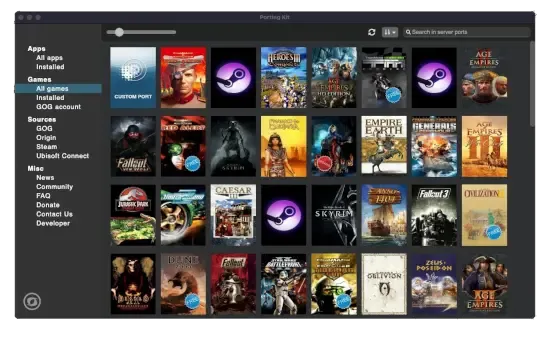
Porting Kit
With Porting Kit, you can install Windows games and apps on macOS easily using Wineskin technology!
it doesn't have an option to choose between the two
even though the website says PK 5, it downloaded 6.3.2
lilac trail
Correct. It used to have separate downloads. 6.3.2 is the latest. That is what I have installed. No offence but there is something weird on your system for bot hKegworks and portingkit to crap out
edgy jacinth
haha lucky me! what macos are you running? maybe it's that
also i do have steam version still installed, maybe uninstall that?
lilac trail
I’m on Sonoma 14.5 I think. You don’t have to uninstall steam unless you are running out of disk space with multiple installs
Correction - I’m running 14.6.1 I doubt a newer version would matter. If there is an OS upgrade I’ll run it later tonight and re-test.
Kegworks ran fine on my system. There is one extra step involved to get POE working but it runs as it should.
edgy jacinth
i restarted and now porting kit got as far as "installing winetricks" but hanging
lilac trail
The "installing" part can take a bit of time. No idea what it is doing at that point but give it a bit of time. Alternative you try Kegworks. It is essentially the same setup proces as Wineskin except for an additional step required because of the engine it uses (which the developer is working on to fix). The reboot might have cleared whatever was making things barf
Kegworks link - https://github.com/Kegworks-App/Kegworks
GitHub
A user-friendly tool used to make wine wrapped ports of Windows software for macOS. - Kegworks-App/Kegworks
Follow the links for initial setup on there. It's 3 lines. Note: That uninstall process does NOT remove the Wineskin folder or the Wineskin app in the user directory. That's fine. It does remove wineskin and install Kegworks in a separate folder.
The additional step to do is after POE completes the install but BEFORE you try to start the game.
Navigate to /Contents/Frameworks/renderer/d3dmetal and remove the 2.0 directory.
The wrapper will now use D3DMetal-v1.1
You will find this folder by selecting the wrapper you built (in the /users/username/Kegworks directory). Right click, select Show Package contents. Follow the path above after that.
Go back - start POE. Should run as usual
edgy jacinth
oooh I did try Kegworks first but I don't think that specific idea of removing the 2.0 directly was on the wiki instructions. I'll try now
proud igloo
macOS, the platform that never ceases to amaze 😛
edgy jacinth
it worked it's working! i feel like a computer hacker after all that
wait the graphics look horrible lol what did I do
weird, some things are crisp and the others look pixelated
menus and such are fine but the actual ground of the game is pixelated
proud igloo

lilac trail
edgy jacinth
oooh I did try Kegworks first but I don't think that specific idea of removing t...
It isn't because I hadn't updated the wiki - which I'm doing now. In my defense those instructions are in this thread in an earlier conversation with another user who found out WS was replaced. I've abbreviated Kegworsk to KWS. The update on the wiki is almost done. Sorry for not getting it updated earlier. Would have saved you some grief probably.
edgy jacinth
Oooooh no problem at all, I didn't mean to sound annoyed
You do so much and the instructions were super helpful, thank you!
proud igloo
edgy jacinth
menus and such are fine but the actual ground of the game is pixelated
The game has dynamic resolution for the 3D scene while the UI renders at full resolution. You can find settings about it in the in-game options.
The defaults IIRC is to adjust the render resolution to maintain a particular framerate; there's also the ability to pick a particular percentage to run at.
lilac trail
The wiki has been updated with the Kegworks setup replacing Wineskin. Go for it !
lilac trail
edgy jacinth
wait the graphics look horrible lol what did I do
Are graphics better now ? The settings might have changed. As zao mentioned check the settings and set to whatever works best for you.
If you want to use a higher resolution than your actual system you can use a virtual monitor. I outlined that in a thread that probably should get pinned. There is a free utility (and a paid version) called BetterDisplay. Apart from more settings than I'll ever need - it also allows you to setup a virtual monitor at higher resolutions - 5120x2880 for example. It does this by using RAM (as far as my limited capacity to understand such magic goes). It might produce better in-game graphics.
edgy jacinth
yup they're much better. still not perfect but it's getting there. i'll keep tweaking.
And yeah I think the game kept my settings from my steam PoE, which I used through my Mac directly, so it assumed I was on a mac again probably
And awakened PoE trade is even working, sweet
lilac trail
Hi @copper rose - could you please pin this message in this channel - #mac-os🍎 message
Also - if possible - could you move the pinned message for the "Wiki for using the Windows client" to the top pinned message. I think it is the third one down but I included some of the title just in case it appears somewhere else in the pecking order for you. Any questions let me know. Thanks !
lilac trail
edgy jacinth
And awakened PoE trade is even working, sweet
👍 PoB should as well
 copper rose
lilac trail
copper rose
lilac trail
Thank you !
bold cloak
lilac trail
If you use the Mac standalone you won’t get that error. You will however get oth...
ah okay
if im using the latest ver i just need to tweak some stuff every update
glacial vault
the error is back again! and i looked up on the wiki on how to use the windows version on Mac..too techy for the likes of me! sadly
constant disconnection on Mac Steam
an unexpected disconnection occurred message
ok, nvm, just realised it was a patch being patched over
proud igloo
Shared account merge, take 2.
lilac trail
glacial vault
the error is back again! and i looked up on the wiki on how to use the windows v...
Is there a reason you are using the Steam client ? GGG disabled multithreading on the Mac steam client last league. Performance would not be great.
If you don’t feel confident setting up the Windows option you could setup the standalone client. It at least has multithreading.
glacial vault
lilac trail
Is there a reason you are using the Steam client ? GGG disabled multithreading o...
tbh, i didnt know abt the stand alone client at all
is it too late to do it now? can i move my acct from steam to stand alone if i download it?
proud igloo
It is possible to have both a standalone email and a steam login for a PoE account; it's a single "PC" realm.
If you don't have an existing standalone account you can associate an email in your account settings when logged in via Steam.
glacial vault
does anyone here play on the standalone client? is it better ? i haven't had gameplay issues with steam as such..only login issues...
also, what does multithreading do?
proud igloo
In the Windows world, Standalone doesn't have too much of a difference from Steam.
The primary difference is that standalone has its own patcher and uses a "GGPK" pack format to hold all its bundle files, while the Steam release updates via Steam and has the files directly on disk.
On the Mac side of things, the native standalone patcher is broken since this league started and requires manual intervention on every patch.
If you're running the Windows version on MacOS, they're largely equivalent.
glacial vault
umm...so if i get the standalone..i have to manually update everytime there is a release?
it was too much to figure out running the windows on macos thing
besides, is it safe?
proud igloo
lilac trail
Is there a reason you are using the Steam client ? GGG disabled multithreading o...
Is that really true? I haven't looked for myself but I assumed that all of native macOS had it disabled.
Multithreading is when a program can run several pieces of code at the same time.
In a PoE context, there's normally a number of background jobs that handle resource loading, running on different cores to speed things up. Disabling engine multithreading removes some or all of that.
glacial vault
appreciate if you could dumb it down for me..for a tech-dinosaur like me, what is the best option on Mac?
proud igloo
The best is the convoluted ways of running Windows PoE via one of the translation tools.
The worst one is native Standalone, as the patching experience is meh.
Native Steam is mid.
Both native choices have some unfortunate limitations.
One subtle difference is that macOS PoE downloads shaders from the cloud so if you've got an unstable or limited network, things may be affected that way as well.
glacial vault
ah! well, i will see if i can do the convoluted way...the wiki has some info..again it gives a few optins, what is the best amongst those?
shaders?
proud igloo
Prepared GPU code for things like object materials and visual effects.
PoE ships with a baseline set of shaders and normally builds any that are needed on the fly.
Some clients don't have the power or programming to do so, which has them instead download prebuilt ones from servers.
glacial vault
ok...
i see this in the wiki...The 3 free options are Kegworks (KWS), portingkit (PK) and Apple's GPTK.
which is recommended, and are they safe to use? i wont be exposing my computer to viruses and stuff?
proud igloo
I think that last time I tried I went for portingkit, but that was before Kegworks appeared. I only really did it for testing, Bob's the local authority.
On exposure, running anything from a third party has some amount of risk indeed.
glacial vault
hmm!! i suppose that inlcudes steam too, right?
proud igloo
Steam has some recourse when it comes to malware as publishing on Steam involves a fair amount of personal information. Open source software and loose programs from the Internet are less trustworthy in that way.
glacial vault
well i went and re-read the wiki options for KWS...and it seems do-able if i just follow each step one by one...reading it all at one go was what was scary and forbidding but if i just follow the steps, maybe things would be ok
glacial vault
proud igloo
Steam has some recourse when it comes to malware as publishing on Steam involves...
ah! ok . also as a new plyer so far, (in the acts - act 10 rn) i havent had any game play issues with steam per se. maybe that would change in maps where things become more intensive ? or would it be the same? in which case, steam is fine for now
proud igloo
I guess that if performance feels acceptable as it stands, the primary gain would be to tell if the disconnections are due to some quirk of the macOS game client; it might run more stable with the Windows client.
glacial vault
got it! and MANY MANY THANKS for your help. you have so patiently typed out everything for me! much appreciated
proud igloo
Right now it might be hard to get started as you'll need to download the installer from the website which is down for maintenance.
If you get stuck somewhere, I'm sure there's peeps here that can advise.
The patch servers themselves seem to be working, but that doesn't help if you don't have the installer 😄
glacial vault
installer from the website? but the instructions on the wiki dont have anything for PoE website?
ah ok, my bad! i guess the KWS client or whatever will download the stuff from the website!
I guess we have to download the exe file manually first then? it doesnt say that in the steps on the wiki, but maybe the wiki authors didnt anticipate someone like me!!!
Select Install Software from the options. Select Choose Setup Executable. Select the PathOfExileInstaller.exe file (where-ever you downloaded it to from the GGG website).
lilac trail
glacial vault
installer from the website? but the instructions on the wiki dont have anything ...
You folk using Steam are so spoiled 🤣
The installer referred to is available on the Path of Exile website. There is a Windows one and a Mac one. The Windows one is what you will want to use with one of the options on the wiki.
portingkit is probably the most user friendly but KWS is ok as well. KWS doesn’t have as friendly a user GUI.
The steps in the wiki try to mirror the workflow steps a user would do and see. I toyed with doing screenshots but that became unwieldily.
If all goes well the migration should be done in another 2 hrs I think. Then you can give the Windows setup a go. Post here if you get stuck.
Oh - and yes the wiki wall of text can be scary but it does make sense once you done it 😁
glacial vault
lol, thanks Bob! so, u recommend portingkit?
lilac trail
proud igloo
Is that really true? I haven't looked for myself but I assumed that all of nativ...
Ha ! You’re not going to get me to re-install the Mac standalone just to check that 🤣 I think the standalone does have multithreading still turned on. I don’t think it was turned off when the steam one was but I honestly don’t remember. It’s probably in the forum somewhere 🤔
Easiest thing is to avoid using the Mac clients. I’m sure it’s all part of GGG’s master plan to convert Mac users 😜
glacial vault
lilac trail
Ha ! You’re not going to get me to re-install the Mac standalone just to check t...
nooooo! mac forever!
lilac trail
glacial vault
lol, thanks Bob! so, u recommend portingkit?
Yes. It is the “nicest” one when you are dipping your tors in the water.
You can download portingkit and take a look. You’ll need to wait for POE website to come back up to grab the POEInstaller.
glacial vault
ok...will try and do that. thanks so much
lilac trail
glacial vault
nooooo! mac forever!
Indeed. Are you still on Intel or do you have an M series ? Also - how much RAM do you have on your system and what OS are you running ?
proud igloo
zao@m1 ~ % df -h ~
Filesystem      Size    Used   Avail Capacity iused ifree %iused  Mounted on
/dev/disk3s1   228Gi   174Gi    38Gi    82%    1.1M  402M    0%   /System/Volumes/Data
zao@m1 ~ %
Gonna be a tight fit for me to test 😄
glacial vault
lilac trail
Indeed. Are you still on Intel or do you have an M series ? Also - how much RAM ...
1 sec...will check and tell u
proud igloo
Not saying it's been a while, but my patcher says Sanctum 😛
proud igloo
Dense patch notes ^_^
 glacial vault
what is GOG account?
proud igloo
@lilac trail I'll be damned, it at least displays as enabled:
 glacial vault
i am installing portin kit and it was a question on that
lilac trail
glacial vault
<@656493154953855006> MBP 2023, M2 Pro chip, Sonoma
You’re all good. If you were on Monterey the Mac standalone client still actually works !
proud igloo
Good Old Games, an online video game storefront where you can buy DRM-free games.
Not familiar with the question but it might be able to integrate and set up games you've bought from there or something. Should be irrelevant for PoE.
glacial vault
ok, thanks! i will have to download the .exe before proceeding at this stage. so i will wait for poe site to be back
lilac trail
glacial vault
i am installing portin kit and it was a question on that
What’s the question ? If it is integrating with GOG answer is no
glacial vault
yeah, that was the question, and i bypassed that option as it was optional anyway
lilac trail
Yes. The developer made it an option as in some case the wrappers in PK go out and download the game files. As zao mentioned it is irrelevant for POE
glacial vault
Bob, did you write the entire wiki page?
it is so well written, so easy to follow (if not understand) even for tech dinos
also on the wiki page it says, no need to uninstall the steam version of the poe client. so just leave that? or could i delete poe from within steam if i want to ? maybe i will wait to see this version running well for a few days and then can delete the Steam Poe from library.
lilac trail
I did write it, at zao’s suggestion. All that information was in this thread but it wasn’t consolidated. I didn’t even know you could use the POE wiki in this fashion !
glacial vault
wow! to both Zao and Bob! Many thanks
proud igloo
Unrelated; I'm still on Sonoma 14.6.1. Maybe it's time to upgrade and see what breaks as is tradition in Mac land.
glacial vault
proud igloo
Unrelated; I'm still on Sonoma 14.6.1. Maybe it's time to upgrade and see what b...
huh, u experimenters! i am also on 14.6.1 and am gonna leave well enough alone
lilac trail
proud igloo
<@656493154953855006> I'll be damned, it at least displays as enabled:
That’s my recollection. Whether it works or not I can’t say. I think when this issue first popped up GGG disable it on both but then re-enabled it on the standalone. Of course I could just be hallucinating that. My pizza had jalapeños on it just now.
glacial vault
will the loot filter thingy work after we do this portingkit install? or do we do it again seperately?
lilac trail
proud igloo
Unrelated; I'm still on Sonoma 14.6.1. Maybe it's time to upgrade and see what b...
You could create a separate partition and install Sequoia on it to test things. That would leave your primary partition untouched. This is the setup I have. I have tested Wineskin but none of the others on Sequoia. I might have tested the standalone Mac client. I’m sure it is still broken
glacial vault
 proud igloo
This 256 gig SSD says no.
lilac trail
glacial vault
will the loot filter thingy work after we do this portingkit install? or do we d...
What filter are you using - online or an actual filter file ?
glacial vault
do u guys work in IT or sth? or ur. just plain genuises?
proud igloo
Decided between more storage and more RAM when I bought this old M1 Mini. I opted in favour of RAM.
glacial vault
lilac trail
What filter are you using - online or an actual filter file ?
um..actually i am not sure. i did the filtersink thing..but also copied the file into my folder..so rn, not sure which is doing it! lol
lilac trail
proud igloo
This 256 gig SSD says no.
I figured as much. You don’t need much since you don’t actually allocate a partition size but you are already tight on disk space
proud igloo
glacial vault
do u guys work in IT or sth? or ur. just plain genuises?
Used to be in High Performance Computing system administration, now in a different field.
Decades of exposure to obscure horrors tends to lead to a bit of familiarity with everything.
glacial vault
proud igloo
Used to be in High Performance Computing system administration, now in a differe...
i had to google HPC lol
a supercomputer of sorts?
lilac trail
proud igloo
Decided between more storage and more RAM when I bought this old M1 Mini. I opte...
This is the correct decision. You can always get an external drive for stuff.
Now - as for upgrading to Sequoia - here is a left field batshit crazy idea - use OCLP. That runs everything in RAM except for a few files on disk. I have not tried it since I have disk space to spare.
proud igloo
glacial vault
a supercomputer of sorts?
Yeah, these days a ton of individual servers with fast shared networking and storage. You take some piece of scientific software and the data for your experiment and throw at a fistful of servers to compute in concert.
As such shared infrastructure is often magnitudes more powerful than a laptop in compute and memory, you can do Neat Science.
(also horribly expensive GPUs these days for all the AI/ML shenanigans)
glacial vault
what is Neat Science?
lilac trail
glacial vault
do u guys work in IT or sth? or ur. just plain genuises?
@glacial vault A long time ago in a galaxy far far away I used to manage global computer networks. Knew enough to be dangerous. Never enough to be called a knowledge expert.
 proud igloo
glacial vault
what is Neat Science?
proud igloo
glacial vault
what is Neat Science?
any science ^_^
Was kind of cool to see publications from our researchers that explicitly call out that they couldn't have reached those results without a system of the power that we had.
lilac trail
glacial vault
yeah, but u guys r blindingly brilliant to my poor mind!
nah - as zao says - we just go places and learn things. Some of them are even useful. There are other contributors in this forum. zap figured out where sound files actually need to be stored for filter sounds to work. Others figured out how to get Awakened POE trade working.
While you wait for maintenance to finish you might want to check out some of the other pinned messages
glacial vault
so you basically farm out your computations to many powerful computers, each doing a bit and then bringing them all together? so simultaneously everything gets done?
lilac trail
glacial vault
so you basically farm out your computations to many powerful computers, each doi...
Have you ever heard of SETI ? That used the spare computational power on hundreds of thousands or even millions to process data from space, looking for signals from other civilizations out there. That is basically what zao is alluding to
proud igloo
Pretty much, yeah. They can communicate during the job to share data, which means that you can divide the problem up in way more interesting ways.
glacial vault
yeah, i have heard of SETI
lilac trail
I gotta step out for a bit
proud igloo
If all you've got is your laptop or a workstation under a desk somewhere in your office, you're going to be limited by time, the amount of CPUs and the amount of RAM you have.
Clusters both have individual compute server nodes that are larger than any normal PC, and also the ability to go wider across more nodes.
Our last cluster is a bit aging now, but some of the machines there had 72-256 cores and upwards 3 TB of RAM.
glacial vault
hmm! i can only guess at the computing power and speed. cant truly say i have any comprehension of the actual magnitudes
proud igloo
For researchers, that can mean getting results to think about in a fraction of the time, or run more elaborate experiments with a finer timescale, longer timescale, or higher resolution.
glacial vault
quick q: after the site is up, if i download the windows exe file, it will the latest right, with this new patch into it?
proud igloo
It was great fun to act as support for the researchers that wanted to run something on the cluster - having essentially no clue about their fields and having to Google for everything 😄
The installer is a small bootstrap package that will install the patcher and start downloading the live game.
Maybe patching itself before that.
It doesn't include a full game pack, just the parts needed to get itself going.
glacial vault
oh! not the whole 40GB payload?
proud igloo
Looking on my mac now, 24 megs.
glacial vault
but i am setting it up from scratch now...ima use portingkit to do the windows version. so i think that might be a bigger file, no?
proud igloo
The patcher looks like my earlier message: #mac-os🍎 message
24 megs is the Windows PathOfExileInstaller.exe.
It only contains enough stuff to plonk down the patcher program itself; which is then run to obtain the rest of the game files.
I'd share the EXE but I'd rather have that you obtain it from the website.
glacial vault
is the website up now? i'll wait and get it
i am excited to do this! i am new to POE itself, but with Steam, i have so many disconnection problems, i have to shut down steam, or clear cache and things like that
proud igloo
Still down, we're 4h25m into the 5h estimate.
lilac trail
glacial vault
is the website up now? i'll wait and get it
A couple of things. First - do NOT use the pre made POE wrapper in portingkit. It doesn’t work anymore. You will need to create a custom wrapper. You should be able to find the custom wrapper icon in portingkit. That will be your starting point for POE setup
glacial vault
ok!
lilac trail
On your other question - leave the steam install intact unless you don’t have the disk space.
glacial vault
this step?
5. portingkit will go through the wrapper setup. This may take a while depending on your system. When you see the POE install screen pop up click Install and let it run. If installed correctly you will see the "Installation complete" screen. Press close to continue.
lilac trail
glacial vault
this step?
5. portingkit will go through the wrapper setup. This may take a whi...
No. Step 2
glacial vault
the website is back, i just downloaded the 22.9MB exe..ima start the process...Hope you guys will be here in case i need help!! @lilac trail and @proud igloo
oh the custom port? i am just going to follow the wiki step by step
lilac trail
Yes the custom port. I am not in front of a computer so I’ll be going off memory to help. It’s fine most of the time (my memory). You can send screenshots if you get stuck. I will create a conversation thread and we can use that instead of the main channel
glacial vault
installing!! 🤞
lilac trail
POE via PK
 tropic mountain
anyone else just constantly crashing after the patch?
proud igloo
Haven't tested. Which way do you run the game and have you reported it?
Also, crash or disconnect?
glacial vault
yeah both happenign to me
crash as well as disconnect...i am uising steam still, while downloading the windows version. 54% done, still ways to go..quite slow
after many disconnects when i finally connectd, it crashed twice so far
glacial vault
edgy jacinth
disconnects in game and also disallows me to log on
Ditto
edgy jacinth
that was through steam
glacial vault
ditto again!
edgy jacinth
and now wait my kegworks isn't working anymore
says something about not being able to update and maybe needing to restart my computer
glacial vault
oh no!! i am just installing portingkit...its a bloody slow process.. i hhave been sitting here for hrs. and its only done 60 odd %
edgy jacinth
do i have to reinstall the kegworks game version after every update, from scratch?
glacial vault
no, wait...there is a workaround
go to the pinned msgs and see...Bob has given a solution
edgy jacinth
of course he has. all hail bob.
glacial vault
indeed, All Hail Bob!! he's been helping me with my porting kit install! he's such a dear!
and so is zao!
edgy jacinth
lol i just checked the forum. they formally broke the macos client with the latest patch
it just randomly crashes when you're in game now. totally unusable
Path of Exile
Path of Exile is a free online-only action RPG under development by Grinding Gear Games in New Zealand.
Uh oh the bob solution for updating without redownloading the 40gb file isn't working.. oh well.
at this step: "Go into the Path of Exile.app directory (/Users/username/Library/Application Support/Path of Exile/). Unhide the Library folder first ! Move the .app file to Trash bin." - there's no .app file
there's a .app file in "username/Applications/kegworks"
but not the same thing
glacial vault
@edgy jacinth any luck buddy? were u able to login?
edgy jacinth
nope i'm trying downloading the mac version directly, not with steam
then i'll do a complete new kegworks install, even though that will take forever lol
glacial vault
ah! yeah, its taking me forever iwth porting
lilac trail
edgy jacinth
nope i'm trying downloading the mac version directly, not with steam
What did I wake up to here ? Why do you need to do a reinstall of KWS ?
edgy jacinth
they redeployed an update today, and now everything seems broken
there's a forum post that regular mac users are getting random crashes; both the steam and straight mac download aren't working
and so i tried to use my kegworks app I created, but that won't work either because of the update
so I tried to follow your update pinned message but I can't
that's where I'm at 🙂
lilac trail
I know about the redeployment. What error r u getting ?
edgy jacinth
when i tried to open up the kegworks app it said something briefly about an update not going through and to try restarting my computer
now when i try to open it nothing happens
so i can't copy/paste the error directly
I tried to follow your pinned msg for how to update, but that isn't working
proud igloo
Mac gang being seen:
Thanks for your reports, we're looking into this.
edgy jacinth
got it. where is the file "Change the PathOfExile.tmp to PathofExile.exe"
in my kegworks folder there's only the .app it made for PoE
lilac trail
Oh grasshopper …. right click the KWS icon. Select Show Package Contents
In the Contents folder is there a drive_c folder or something ?
edgy jacinth
yes im there
lilac trail
Is there the usual x86 directory ?
edgy jacinth
i figured it out! it's updating!
edgy jacinth
it was in program files x86, grinding gear games, path of exile
within the drive_c
how did you ever figure that out???
glacial vault
he's a genuis?
lilac trail
Because that is the Windows path for the Windows install. I need to update that pinned post. Maybe I should build another wiki page. The pinned messages are not very clear - especially for the app formerly known as WS 😜
lilac trail
proud igloo
Mac gang being seen:
> Thanks for your reports, we're looking into this.
Fake news ! There are no Mac users ! Someone could go into the forum and link to the wiki and the discord but if GGG can come up with a fix that would be better …
lilac trail
tropic mountain
still crashing this morning
Using the steam client ?
tropic mountain
no mac client
lilac trail
tropic mountain
no mac client
There’s the issue. Both Mac clients for POE have been broken for sometime. Steam is even worse.
Stop using it. Switch to one of the Windows options outlined on the wiki page which is a pinned message (should be the first one). Don’t be afraid of the wall of text there. All solution are free to use except Crossover (which you can get on Sale at Black Friday or use TOM23 for a 20% discount outside of sale windows). Which to use is a matter of personal choice.
 subtle breach
hi everyone, Will "standalone windows client on mac os" work for path of exile 2? There seems to be no real reason for it not to work
lilac trail
It should work. It will be tested when it’s released since I’m guessing someone will be playing EA.
fossil dock
I will be playing EA, when I get something to report - I report here
lilac trail
fossil dock
I will be playing EA, when I get something to report - I report here
What are you using for a client ?
edgy jacinth
now i'm getting unexpected disconnections from the kegworks app, uh oh
lilac trail
edgy jacinth
now i'm getting unexpected disconnections from the kegworks app, uh oh
Really ? Hmm … that would be a gateway, server or ISP thing not the app. Check the gateway ping
edgy jacinth
california is 8ms
weird
ooh I think it might have been because I was using little snitch, it may have blocked the app somehow, just tried a fix
lilac trail
I’m surprised more people haven’t moved off of the Mac clients yet. The experience is beyond crappy. Posted in the forum this morning so people know there are alternatives. Only one person seems to have been interested. The others just seem to want to complain 😁
fossil dock
lilac trail
What are you using for a client ?
Currently I play via Crossover, but for EA I thin give a try to "native" client
but I think "native" will have to many problems... and never been fixed
 ember heath
thank you guys. been crashing the whole morning. and found the forum people mentioned you wiki page. now it is downloading that 40 G files in a snail crawling speed
glacial vault
Yes, it is a slow speed but even a completely tech dinosaur like me managed to install the windows version on my Mac thanks to portingkit and Bob's ahem handholding
i couldnt play the whole day yday, it took me more than 5 hrs to download despite my high speed internet, but worth it - if anyont is still mulling over getting the windows client
lilac trail
I got told off in one of the forum posts for "spamming" a link to the wiki page and calling it a solution instead of a workaround. Oh and that the workarounds won't work on an M1 anyway (despite the statement on the wiki that they've been tested on one). Apparently you can't help some people and they are butt hurt or something when you offer something that will get them back to playing the game - WTF 🤨
lilac trail
ember heath
thank you guys. been crashing the whole morning. and found the forum people ment...
Make sure you note your Graphics settings in Steam for POE. They will change (probably for the better) with the Windows stand alone client. You may need to tweak some including the network.
There is also a neat trick you can do with a virtua ldisplay program to run your game resolution at a higher resolution than your monitor is capable of but run POE to your satisfaction before you start playing with that 🙂
 cyan crown
hey, in using the Kegworks (KWS) Setup from the wiki.
is there any way to make the game download faster? I have 1GB connection but the download is jumping around 5mb
also, why not use the steam (windows) client with KWS?
lilac trail
You can't make the download any faster. This is something on the GGG side. Either a network issue or they've intentionally throttled it.
I don't have Windows so I can't test a Windows Steam install or document the install process. You could try it and let us know how it goes. I also prefer the standalone version to the Steam version but that's just personal preference.
cyan crown
lilac trail
You can't make the download any faster. This is something on the GGG side. Eithe...
cuz the steam version downloads way faster.
ill try both options on my m2 pro and report back
lilac trail
That would be good to see. It is entirely possible the Steam install is faster than the standalone GGG patcher for sure. Not cool even if that is the explanation. GGG's server shouldn't suck compared to a 3rd party.
Please document the Steam setup so others could use that if they prefer compared to the 4 current options.
cyan crown
ye, hopefully GGG will fix the mac clients, I prefer to run the native one
lilac trail
You know the Mac clients have been broken since 3.17 so about that "fix" ....
cyan crown
really? i was plying the current league on my mac with the steam client. it was great
except the russian roulette of logging in....
lilac trail
cyan crown
really? i was plying the current league on my mac with the steam client. it was ...
You do know that multithreading on the Mac steam client had been disabled and has not been turned back on. Your FPS would have been terrible no ?
glacial vault
cyan crown
except the russian roulette of logging in....
yes, that was my main gripe. the fPS wasnt noticeable...i had a great time, but then again, i was in Acts so maybe that doesnt count?
lilac trail
Correct - it isn't till you are in maps running juiced content that you would notice it. Once you get there you'd notice the hit
Hey @atomic herald - are you still running on Monterey wit hthe standalone clieny. Any issues ?
atomic herald
havent been playing for some weeks, but last time i logged in worked fine
update window is a bit fun 😛
 proud igloo
Feature for cool people.
atomic herald
crashing
3rd time i made it to my hideout, so i guess its working
i go to bed now, but now u know anyway - still standalone Monterey is working, not perf, not that good, but working i guess
lilac trail
Crashing is new is it not ? I thought it was running fine, including not having the update issue everyone has to deal with ?
atomic herald
well, after an update it can crash a few times before its running
has happened earlier, and i just reopen and its like it has to figure out how a few times xD
cyan crown
lilac trail
That would be good to see. It is entirely possible the Steam install is faster t...
It works both on the regular client and the steam client using the Kegworks (KWS) Setup.
twice the FPS than on the native macos client.
ill update here tomorrow on how I installed the steam version, but TLDR: not worth it, use the regular client
lilac trail
cyan crown
It works both on the regular client and the steam client using the Kegworks (KWS...
Thxs for the update. When you say use the regular client do you mean the standalone Windows client via KWS ?
glacial vault
does anyone else have image quality issues using windows client on mac vs steam on mac? i recenlty migrated but have a poorer image rendering. despite the res being higher on the standalone windows . using portingkit
edgy jacinth
yes my first time it looked terrible. you just need to fiddle with all the graphics settings
try switching them all to different settings, reading through the help recommendations
glacial vault
umm...what were the settings tht finally worked for u?
glacial vault
edgy jacinth
try switching them all to different settings, reading through the help recommend...
could u dm me a screenshot or two? i have been fiddling around till my eyes are stinging! lol
edgy jacinth
(for those of you in the future wondering, i did dm them a screenshot or two and a conversation ensued)
lilac trail
Reddit
Explore this post and more from the pathofexile community
Now - where is the PoB one ?
proud igloo
I think Local has been on some community podcast streams in the past, as has some wiki peeps.
lilac trail
There are some mind blowing stats on traffic 👍
Someone posted the system requirements for POE 2 on Steam and we’re having a melt down because there were no Mac specs on there and leapt to the conclusion POE 2 won’t be playable on a Mac. Clearly they don’t know of the alternative options to play 🤔
lilac trail
edgy jacinth
(for those of you in the future wondering, i did dm them a screenshot or two and...
I believe it’s resolved now. The resolution settings were stuck at lower settings till they restarted the app (PK) I think and it set the resolution correctly after that.
edgy jacinth
writing appears to be on the wall - post on reddit saying the steam version of PoE 2 does not show mac support
Reddit
Explore this post and more from the pathofexile community
subtle breach
look like porting is only option to play poe 2 with MacOS. Looks like mac client will not exist, gee force now from January will be limited by 100 hours a month.
lilac trail
edgy jacinth
writing appears to be on the wall - post on reddit saying the steam version of P...
That is the post I referred to earlier. All it means is there will be no native app for Mac - at least for EA. That isn’t unusual. Baldur’s Gate did the same thing when BG3 launched. They released a Mac version several months later.
I responded in that post. It’s not accurate that you won’t be able to play on a Mac. We are living proof of a workaround.
lilac trail
subtle breach
look like porting is only option to play poe 2 with MacOS. Looks like mac client...
Saw that announcement. If you pay more will they extend the time or is it going to be a hard cut off regardless of tier ?
glacial vault
Yes, to update: simply restarting Portingkit fixed all my resolution issues. the game is butter smooth on the Windows client using Portingkit, with better than Steam graphics, actually.
subtle breach
lilac trail
Saw that announcement. If you pay more will they extend the time or is it going ...
it will be about 15 euro for e evry additional 15 hours. It is unexpected huge money.
lilac trail
Wow - the most thinly disguised cash grab in history 🤣 There are a lot of addicts out there that will pay the extra price. I doubt they are doing it to reduce the number of bots farming in games
cyan crown
so, what are we doing about poe-awakened-trade?
lilac trail
cyan crown
so, what are we doing about poe-awakened-trade?
You can run APT. I don't run it personally but a number of folks in the channel do. They might be able to pipe in and explain how to set it up.
balmy laurel
I use the Mac version of APT just fine with my Wineskin PoE
subtle breach
just for statistic. Succesfully launched with Apple GPTK version, thanks a lot for helping. And I am really surprised by perfomance. It is significantly better then maco os steam client
cyan crown
balmy laurel
I use the Mac version of APT just fine with my Wineskin PoE
did you change some settings?
balmy laurel
Not that I remember… what kind of settings?
cyan crown
because when I use it like you describe, I have many weird artifacts on the screen
lilac trail
subtle breach
just for statistic. Succesfully launched with Apple GPTK version, thanks a lot f...
Congrats. I run the GPTK version as well but not many do as it requires a lot of command line work. Did you also build the script to launch it ? I also assume you used GPTK 2.0 without upgrading to Sequoia ?
subtle breach
lilac trail
Congrats. I run the GPTK version as well but not many do as it requires a lot of...
thanks, i use gptk 1.0, cause already had it. yeah, i made a script. I guess i did not make any sequoia upgrades
cyan crown
is GPTK runs better?
subtle breach
i dont know, but if you have m1 proc or higher you can try
lilac trail
The GPTK version doesn't run any better than any of the other options. They are all roughly the same, at least on my M1 Max with 64GB and a 500MB Ethernet connection. Had one report that someone got 125FPS with either KWS or PK but that was a once off.
lilac trail
subtle breach
thanks, i use gptk 1.0, cause already had it. yeah, i made a script. I guess i d...
Did you follow the wiki guide or do your own thing ?
GPTK 2.0 is the latest but it isn't required. You don't need Sequioa either unless you are using the ray tracing components of GPTK 2.0
lilac trail
cyan crown
because when I use it like you describe, I have many weird artifacts on the scre...
Have you restarted APT - have seen reports that it flakes out and has to be restarted to work properly sometimes
cyan crown
ok ty
subtle breach
lilac trail
Did you follow the wiki guide or do your own thing ?
GPTK 2.0 is the latest but...
yes, just step by step. copy paste commands without really diving deep what is what ))
lilac trail
subtle breach
yes, just step by step. copy paste commands without really diving deep what is w...
Well that's what the guide is for - so you don't have to understand, as long as it works !
subtle breach
yup, thanks why im really apprisiated this guide. A little bit surprised that most of people dont want to spent some time and try
lilac trail
Some people think if they use one of the options then that is letting GGG off the hook in not providing a native Mac client. It's an odd stance to take when alternatives are presented to them.
The number of people on the forums that continue to post even though the wiki and the discord links have been provided multiple times is just plain weird. The more people that post on reddit, X and the forum that the guide is real and works might encourage others but there will always be people who just can't bring themselves to take the steps needed.
Ultimately it boils down to - do you want to play the game or not !
 hybrid edge
So, are we expecting no macOS for early access since the requirements were removed?
hybrid edge
edgy jacinth
writing appears to be on the wall - post on reddit saying the steam version of P...
So sad. :(. was really excited.
hybrid edge
lilac trail
That is the post I referred to earlier. All it means is there will be no native ...
BG3 had early access for macOS. Not an apt comparison. Haha. I know, I played it.
lilac trail
hybrid edge
BG3 had early access for macOS. Not an apt comparison. Haha. I know, I played it...
I thought they delayed the release of the Mac client ? So they had a client during EA but then didn’t release it when the game was in general release for a while ?
glacial vault
lilac trail
Some people think if they use one of the options then that is letting GGG off th...
well, it is true though, right? an alternative is not something GGG has done! its users finding ways and means to compensate for GGG shortcomings in supporting mac-os
so while in order to play the game, we do need to use these alternatives, the fact that we do that also means GGG doesnt really need to bother with mac users.
cos they will anyway find an alternative!
am not complaining! grateful enough for the alternative myself, just stating the logic behind thats all
so i guess the best thing to do is use one of the alternate options, and then complain!! 
hybrid edge
lilac trail
I thought they delayed the release of the Mac client ? So they had a client duri...
Correct.
lilac trail
We don’t know what goes on behind the scenes but I doubt GGG are actively conspiring against Mac users.
If we took an honest look in the mirror we’d have to admit that Mac are the smallest market segment out there for gaming. Statistically there are more Linux based users.
So if you have finite resources you going to allocate them to PC, Xbox and PS first. Then maybe a native Mac client. It is what it is.
I’ll use a different example to BG3 - Diablo IV. Blizzard had a Mac client for D3. Mac users such as myself assumed Blizzard would naturally have a Mac client too. Then they dropped the bombshell - no Mac client. If a company the size of Blizzard decides against making a new Mac client when they already had the base to do another one, why would a company not even 1\10 the size make one ?
Ironically it didn’t help that Apple jumped ship and made their own CPU architecture. It’s wildly different to the Intel design which means a complete re-write.
I suspect it’s on GGG development agenda somewhere, just not in time for EA and possibly many months after general release, just like BG3
lilac trail
glacial vault
so i guess the best thing to do is use one of the alternate options, and then co...
@glacial vault Yeap !
 scenic belfry
Guys I can’t import my build to pob it keeps saying account set to private but it’s not anyone else having this issue?
proud igloo
scenic belfry
Guys I can’t import my build to pob it keeps saying account set to private but i...
PoB needed to fix some problems after the new discriminators were added to PoE accounts.
You need a current version of PoB (2.49.x) and to supply your full account like example#0123 in the import box, old account names do not carry through.
If the macOS packaging of PoB is a bit behind, you need to make that version be up to date somehow 😄
scenic belfry
proud igloo
PoB needed to fix some problems after the new discriminators were added to PoE a...
Ah ok ok thanks just got the new version
It’s working
hybrid edge
proud igloo
If the macOS packaging of PoB is a bit behind, you need to make that version be ...
What is PoB?
proud igloo
Path of Building, the third party build planning tool.
 sturdy scarab
proud igloo
Path of Building, the third party build planning tool.
sturdy scarab
proud igloo
Path of Building, the third party build planning tool.
wait, what? ggg staff now?
proud igloo
myep
balmy laurel
uggh i've forgotten how painful mac APT is to get going on mac. I've realised im using an old version from ~10 months ago. it has major issues with Accessibility settings
does anyone use windows APT via whichever method they play poe?
lilac trail
Your not using this one - https://github.com/SnosMe/awakened-poe-trade/releases
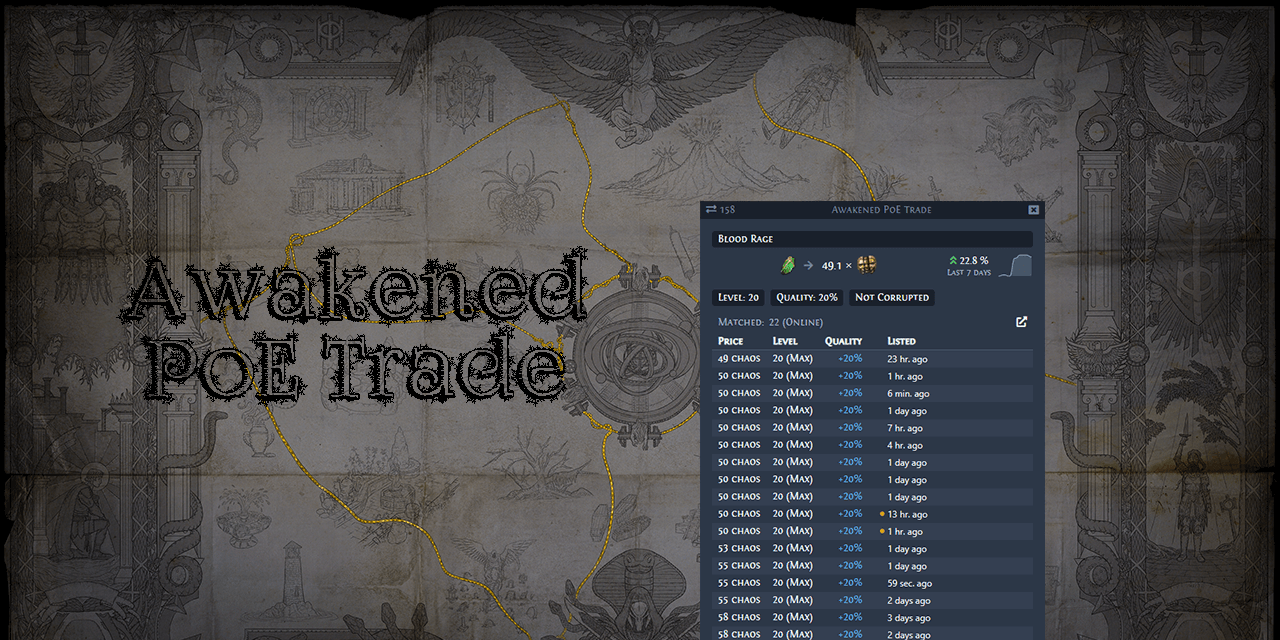
GitHub
:heavy_dollar_sign: :hammer: Path of Exile trading app for price checking - SnosMe/awakened-poe-trade
balmy laurel
yes thats the one Ive just downloaded
lilac trail
OK. So make sure the old one is totally removed first
Totally removed. No sign of it anywhere 🙂
Then install the new one
balmy laurel
does no sign of it anywhere = move application to bin + empty bin?
or is there some other sneaky stuff i have to do
ok ive also removed it from accessibility settings as well
lilac trail
I think it is self contained. I don't have the link to the Mac version on the forum anymore. There used to be a list of places to look. I think you will be safe if you drag it to the bin and empty it
Ah yes that too
balmy laurel
this link?
Path of Exile
Path of Exile is a free online-only action RPG under development by Grinding Gear Games in New Zealand.
lilac trail
Yeah that is the one
Removal look like it is basically delete from Applications folder
I could be wrong but I think @gordon got the windows version of APT running. It might have ben someone else. I'm sure they'll tell us if that was or was not the case. There is some key remapping required for the Windows version. Might be even more fiddly then the Mac version
balmy laurel
ok installed it. tried to open. Only gives me a Move to Bin option. I got to security settings and click the open anyway option. then it starts having a heart attack about accessibility options again
ive tried removing and readding but that does seem to do anything
lilac trail
From memory you have to click the accessibility access on and off several times
There is also an error message that pops up yes ? You have to click that a few times for it to go away as well
This is what I had to do to get the Mac version going - eventually ... - #mac-os🍎 message
balmy laurel
Lost count of the number of times / ways / methods I’ve tried and no luck.
lilac trail
Did you try some of the commands in the forum ?
ember heath
help! just install the window version accroding to Bob's recommendation
but today seem has a new update
now it is not woring!
do i have to reinstall again?
fossil dock
What problem you see?
ember heath
i get fixed by folow another pin!
thank you!
it is the update. i need to change the .exe file
lilac trail
Yeah - it’s another annoying bug. It doesn’t happen if you r using GPTK or Crossover as far as I know. Glad to hear the pinned messages are helpful 👍
Now - if only Awakened POE trade for Mac would install and run reliably.
@gordon - didn’t you get the Windows version of APT going or was that someone else ?
cyan crown
Just needed to restart my Mac to make APT work, after it was stuck in a loop of asking for accessability
@balmy laurel @lilac trail
lilac trail
I don't understand why APT has so many issues. It shouldn't be as hard as it is to have it run but I'm not a developer so 🤷♂️
The ghost graphics is a documented issue on the github page. There is also a workaround to get APT going on a Mac that may or may not work for everyone.
@balmy laurel - have you tired this - https://github.com/SnosMe/awakened-poe-trade/issues/1439
GitHub
After installing app, I give it required Accessibility Access in the Accessibility settings. But after re-run app with given permission it still crushed with the same error What I'm doing incor...
fossil dock
APT author won't support osx, main reason - he don't have mac
lilac trail
Really - ok but he does not have to own a Mac these days. He could run a Mac VM
fossil dock
Interesting, they remove mac-os support from steam for poe2....
It's look really bad
lilac trail
Considering the state of Mac clients in the current version of POE that is not at all surprising. Tey clearly have no expertise in it. It would be far better to put the big boy pants on and just come out and say they can't support the Mac platform rather than just pretending they do. The forum is a graveyard of issues.
What is more bizarre though is that some players just flat out refuse to try the alternatives outlined on the wiki. Instead of playing the game via a different method it seems they'd rather not play at all and bitch at GGG.
fossil dock
Yes, I agree with you... current state of mac client is really bad... I pray that poe2 will work via crossover or any other wine-like layer
lilac trail
fossil dock
APT author won't support osx, main reason - he don't have mac
I installed the Windows version of APT on Crossover a while ago. Likely it will works with the other apps as well. The problem is that the keyboard keys don't work.
You can't get the overlay to come up in POE. Is there someway to get this working ? Someone far cleverer than I (which is not hard) must know hwo to get the overlay and key commands going in CO, KWS or PK 🤞
lilac trail
fossil dock
Yes, I agree with you... current state of mac client is really bad... I pray tha...
I will be honest - I have not followed the POE2 development story. Is there both a Steam and standalone windows client being released for EA (and by extension the game when it is ready) ? If so then yes it will likely work in one or all the WINE based apps. If nothing else it should run under GPTK.
Does POE 2 use ray tracing - that would be cool since GPTK 2.0 has support for it
subtle breach
lilac trail
Does POE 2 use ray tracing - that would be cool since GPTK 2.0 has support for i...
i hope only what i need - update my gptk 1.0 to gptk 2.0
 dense crystal
hey guys, does anyone play with winetricks keg?
everything is working but the resolution just wont change for the life of me, even tried changing the values in the config file and then making it read only. didnt do the trick either
would love to hear anyones advice for this issue
i have literally spent the last 3 days finding ways to actually play this "mac supported" game, but it seems like the mac support was anything but reality. after playing the game for 110 hours in the past week. im feeling a bit sad to see that this will probably be as bad for poe2 as for poe1. and i'd hate to quit the game. but i refuse to sit in front of my laptop for 30 minutes trying to figure out another new way of playing the game
lilac trail
Not sure what you are asking - are you asking if anyone has setup POE using Kegworks ? The answer to that is yes. There is a pinned message how to setup POE using Kegworks.
Have you restarted Kegworks and or your computer ?
dense crystal
the only thing i havent done yet is restart the laptop. i have spent some time trying to reconfig from the ground up. everything works perfectly except for graphics. im playing ona 16' screen, but qualty is capped at 1700x1117
and i know i should be happy with what i have. but like the game looks like it came out of the 90's now 😂
no hate to GGG
lilac trail
First thing to do is restart Kegworks. If that doesn't/didn't work then restart your computer and see if that releases something so you can set graphics correctly.
Also what graphics is your system capable of and what are you looking to run at ?
dense crystal
so im using an m3pro macbook pro, and i ran it on 50%.
which was the lowest setting
and that ran as smooth as butter ( untill t16's ofc )
and kegworks is not open, when im playing the game. how would i restart that?
( ill restart my laptop regardless )
just restarted, lets see
no luck, still getting this
 lilac trail
What is the maximum resolution your system is capable of though ?
dense crystal
3456 pixels width. 2234 pixels height
😂
and in the game it says my screen is 1728x1117
the steam version did see it normally, hence my suspicioun that its on the wine side of things
lilac trail
Another player - @reborn had a similar issue using portingkit. A restart solved their issue. Would have expected same here
lilac trail
This is unlikely to be something with WINE. The graphics is being read by the game. POE thinks that is all your system is capable of.
Check the display resolution setting in Display under settings. What is it set to
dense crystal
i do have an extension running called better display
BRUH

as a programmer, im feeling insanely atechnical rn
....
my apologies for all this
truly
the thng is lmao, if i set it to max res. everything becomes super small
😂
so now i need to find a way to keep the screen size big. but only for the game
cuz otherwise this is what my screen looks like
 lilac trail
What about using the 2056x1329 ? I run at that res even though I could go higher (it's too smal for me as well at that resolution)
dense crystal
that should work too yeah. but i think this will be fine. after finishing the game ill just resize my screen again
lilac trail
Oh and there is a way you can run the game at a higher resolution than what your primary resolution is set at. How much memory have you got on your system ?
dense crystal
18gb tops
so i cannot run this game at max graphics. itll blow up at anything higher then t5 maps
😂
lilac trail
Never say never .... there is a pinned message you should go take a look at. There is a free program called BetterDisplay (it has a paid version too but you don't need it). This program allows you to create a virtual monitor. The virtual monitor can run at a resolution you specify (to a certain point).
You set the primary monitor to mirror the virtual one. POE will take the virtual monitor setting (you may have to set it to that) and you can run it at a higher resolution.
When you stop the game the monitor resolution will go back to whatever your primary is using 👍
 lilac trail
You're halfway there then. Read the pinned message and you should be good to go.
dense crystal
hahah yepp, was rlly helpful
fingers crossed for poe2
rlly dont want to be playing on xbox
lilac trail
Sorry - I missed your post where you said you used BetterDisplay 😜
dense crystal
dense crystal
cuz otherwise this is what my screen looks like
my bad, this img is so small you cant even see it
XD
but its in the top right ^^
hybrid edge
Have we recorded an actual confirmation that Early Access won’t be available for macOS? Has anyone in the dev team written that here? How do we contact and ask? Surely one of them could just say “hey, yeah no it won’t make it for EA or EA for Mac delayed, or even PoE2 for Mac cancelled”?
lilac trail
You can send an email to the support team asking about what the requirements will be for those using a Mac to play POE 2
hybrid edge
lilac trail
You can send an email to the support team asking about what the requirements wil...
Yeah but it's such a strange thingfor them not to put it in a pinned message here for instance.
Latina Studios never did that. They were up front with everything.
 edgy jacinth
proud igloo
Live stream in ~11h, if you're not counting down already for some reason.
edgy jacinth
proud igloo
Live stream in ~11h, if you're not counting down already for some reason.
We are ready and excited! And by the way, might you have any insight into whether it will have a Mac-native client that will be supported by GGG? Or perhaps all will be revealed at the event?
balmy laurel
lilac trail
I don't understand why APT has so many issues. It shouldn't be as hard as it is ...
yeah this sort of works. You have to keep the Terminal open otherwise APT shuts down. The ghost graphics go away if you minimize and reopen
Something new that has started happening is that when i Alt Tab to something else (ie browser), POE now minimises. It used to just stay up with whatever I tabbed to opening up in front.
proud igloo
edgy jacinth
We are ready and excited! And by the way, might you have any insight into whethe...
I cannot say and the above has no implications. Just wanted to note that it's airing soon in case someone mistook the time and date.
ZiggyD was crowd sourcing questions for the Q&A, might want to engage there if its still open.

Day 2 at the GGG studio preparing for the reveal Q&A for Path of Exile 2 stream tomorrow!
It's way more than I expected in several ways and I think y'all are going to be eating well tomorrow. Everyone is very busy & very excited.
What are your Q's you'd like answered? https://t.co/nUVHB1WgSC
lilac trail
balmy laurel
Something new that has started happening is that when i Alt Tab to something els...
That sounds like a “feature” of the OS. Do any updates lately ?
lilac trail
Wiki page has been updated to include the patching process workaround for Windows clients and a note that the same software can be used to setup Windows version of PoB on a Mac.
In testing with @glacial vault yesterday it was discovered that PK does not allow 2 Wine processes to run at the same time. This was a surprise. It doesn’t happen with KWS, Co and probably GPTK. Odd but true. Might be a way to do so but not going to bother since KWS and CO are workable alternatives.
The discord link was also updated to a link that should always be valid.
It would be interesting to see what traffic thar page actually gets (apart from me updating it). I don’t know a way of doing that.
lilac trail
Now if someone can just get APT for Windows working on a Mac so we can ditch the Mac port, it would usher in the golden age 😁
lilac trail

Reddit
Explore this post and more from the pathofexile community
lilac trail
Seems to be a server issue for patch - "Disconnected from patching server before patching completed. Try again"
Oh - down for maintenace I guess
proud igloo
That tends to happen right as the patch and infrastructure is deploying.
lilac trail
Yes - I just went to the website and got the message. My bad not paying attention - I'm playing another game right now 😏
 full temple
hope they fix mac
lilac trail
full temple
mac is unplayable
Why don't you use one of the options to run the Windows version on a Mac ?
full temple
dont think you can with m1
lilac trail
You most certainly can - look at the first pinned message and go check out the wiki page it refers to
What is your system config - even a MB Air with 8GB can run Windows version of POE - all at lowest settings granted but it runs well enough
Something to do while you wait for the live feed to come up 🙂
Is the update being delivered by courier pigeon ? I'm on a 500MB Fiber connection - currently sitting between 0B/s - 5MB/s
glacial vault
lilac trail
Is the update being delivered by courier pigeon ? I'm on a 500MB Fiber connectio...
Bob, that's insulting to courier pigeons
glacial vault
lilac trail
Something to do while you wait for the live feed to come up 🙂
yes but with the speed of the GGG server, it might be the live stream of POE3 by the time they finish the 40G download!
lilac trail
It's all part of the GGG masterplan - kick off the patch. Watch live stream. Come back and patch process will be finished 👍 See how they did that 😁
lilac trail
full temple
same problem as before
Which is ?
 lilac trail
How did you even get that far - the patch update is still running as far as I can tell
The official forum already has a case opened for the patch speed. Is the CDN being run out of Diary Queen’s basement somewhere 🤨
dense crystal
hey guys
im updating the new patch
but the mbps keeps going to zero
even tho i have 200mbps internet speeds at home rn
is this a normal thing, the initial download never went to 0, so im a little confused as to why the patch would
( using keg )
lilac trail
It's not normal. There are posts in the Technical support section on the forum
The live stream is running on twitch at the moment. Nice cinematics so far
dense crystal
lilac trail
It's not normal. There are posts in the Technical support section on the forum
do you have a link to this forum
i cant seem to find it really
edgy jacinth
Path of Exile
Path of Exile is a free online-only action RPG under development by Grinding Gear Games in New Zealand.
lilac trail
It's on the Path of Exile home page
dense crystal
i just see isues, no res
lilac trail
There is no resolution. Something is very wrong. Even the Twitch stream is jittery
edgy jacinth
it just stopped
glacial vault
wow, my patch download just timed out!
edgy jacinth
i don't think they should have done the patch and livestream at the same time
dense crystal
lmaoo
edgy jacinth
playing with fire
glacial vault
cant be bothered abt the live stream! cant even download the patch

 glacial vault
will poe2 be on different servers?
lilac trail
Already have my character types - Ranger or Mercenary !
hybrid edge
Was there any information about a macOS build for early access?
edgy jacinth
not yet
lilac trail
I expect system requirements and how you get access to EA will be at the end of the stream
lilac trail
Supporter Packs are in the store
hybrid edge
Did anyone ask ziggy about macOS?
lilac trail
It's just started. There was no mention of system requirements in the preview
dense crystal
hybrid edge
Did anyone ask ziggy about macOS?
i hoope so
someone link me if they do
imma play poe1 again
xD
lilac trail
I asked in chat - no idea if it will get answered live or they will send a note to Twitch account. Asked the following "will there be a native Mac client for EA. Is EA Steam only or will there be a standalone client as well"
glacial vault
but game crashed while playing!
first time everything on screen just froze!!!
and it crashed
hybrid edge
God, listening to these three guys talk and not mention the EA itself is so frustrating, lol. I just wanna yell at the screen "MENTION MAC"
lilac trail
Tell me when they actually start answering questions. This is pretty boring
hybrid edge
lilac trail
Tell me when they actually start answering questions. This is pretty boring
Yeah I agree, will do. But the audio stutters like crazy
glacial vault
u guys actually watching the stream? nice! it will be up on YT or somehwere later, i presume?
hybrid edge
They mention it might take 6 months or more until release. Might even be a whole year.
So if macOS doesn't get EA it's a release in 6-12 months.
lilac trail
hybrid edge
They mention it might take 6 months or more until release. Might even be a whole...
They actually spoke about a Mac client on the stream ?
hybrid edge
lilac trail
They actually spoke about a Mac client on the stream ?
No just general roadmap
lilac trail
Ha ha - I had to step out for 20 minutes and they are still prattling on 🤣 I assume this is going to be posted. I'm hoping off. The twitch drop looks like crap. Unless there is a stand alone client then I won't be playing EA. Starting answering questions instead of pissing in each others pocket. I went info, not some fireside chat. ZiggyD drives me nuts
hybrid edge
lilac trail
Ha ha - I had to step out for 20 minutes and they are still prattling on 🤣 I a...
Yeah same here, what a let down, lol. Was so excited for EA and now it will be memory holed until release.
proud igloo
lilac trail
Ha ha - I had to step out for 20 minutes and they are still prattling on 🤣 I a...
Q&A historically have been like 1-1.5h for PoE1 leagues.