#mac-os🍎
1 messages · Page 2 of 1
 sonic shoal
 lilac trail
This thread might help - #mac-os🍎 message
 hallow laurel
lilac trail
This thread might help - https://canary.discord.com/channels/174993814845521922/...
hallow laurel
lilac trail
This thread might help - https://canary.discord.com/channels/174993814845521922/...
o/ still have problems with awakened?
lilac trail
I haven't tried it since my last attempt to set it up a few weeks ago. Do you have it running on an M1 ?
 ornate sluice
game is still fkcd up for intel macs?
 fossil dock
After path game constantly crushes to desctop... on m1 mac
lilac trail
The MacOS client still has the same problems as it has since at least 3.17.4. GGG are too busy trying to discourage filthy casuals from playing "their" game to fix stuff. They'll be happy for you to buy stuff though (some of which also doesn't work properly).
 proud igloo
fossil dock
After path game constantly crushes to desctop... on m1 mac
proud igloo
fossil dock
After path game constantly crushes to desctop... on m1 mac
3.20.2c? Should probably report it on the forum if you haven't already, not sure what they did in the patch apart from finally removing .datl files as well. Also is this Steam or Standalone?
lilac trail
fossil dock
After path game constantly crushes to desctop... on m1 mac
I'm running the game on an M1 with no issues (apart from the update workaround that have to do everytime there's an updae of any sort).
fossil dock
lilac trail
I'm running the game on an M1 with no issues (apart from the update workaround t...
What a workaround?
proud igloo
@lilac trail Your pinned message has the wrong paths by the way, it's missing a level of Path of Exile/.
cfr.
zao@Larss-Mac-mini ~ % ls ~/Library/Application\ Support/Path\ of\ Exile/
Content.ggpk          HashCache.dat         Path\ of\ Exile.app/  Preferences/          Redist/
It's in the pinned messages, the patcher can't replace itself properly on Ventura onward so you have to go and manually delete some bits to unstick it: #mac-os🍎 message
lilac trail
Yeah - thanks for picking that up. Let me see if I can edit it
Edit: Fixed !
hallow laurel
now that pob has been updated...how do we update pob? i got 2.25 from a forum post from a random guy that changed smth in the pob github (if i understood correctly) but idk if he will update or so...soo...how do u guys update ur pob?
proud igloo
You might be able to put the Lua files and other assets from the standalone ZIP in place, depends a bit on how much the one you're using has been adapted from stock.
lilac trail
The Mac version might get updated. Sometimes it's a little behind the windows version but happens eventually. Alternatively you could load the windows version in a VM or a Windows machine if you have either.
hallow laurel
lilac trail
The Mac version might get updated. Sometimes it's a little behind the windows ve...
uhm i dont... im not rly too knowledful with computers in general especially iwth macos
but there isnt a macos version from pob guys right?
it s only the one from this forum post:

Path of Exile
Path of Exile is a free online-only action RPG under development by Grinding Gear Games in New Zealand.
hallow laurel
proud igloo
You might be able to put the Lua files and other assets from the standalone ZIP ...
dunno how to do that out of my mind tho
even the guys on the forum wrote some steps to take
but egh
proud igloo
hallow laurel
but there isnt a macos version from pob guys right?
There's no official PoB for macOS or Linux.
proud igloo
These ones are fan projects maintained by whomever made them, with heaven knows what inside.
In general it's the PoB scripts and data files on top of an alternative runtime, maybe with some minor changes to handle platform differences and remove auto-update and stuff.
proud igloo
Heh, you're talking with the right person...
The original PoB runtime, "SimpleGraphic" is very much a Windows-only project, uses a lot of the Windows API around windowing, rendering, input and file system.
As part of some ongoing work that is taking way too long, I've made it 64-bit, using the ANGLE project for less trouble with graphics drivers, and for good measure, made it run on Linux and macOS.
If my Hackintosh still booted, it has a janky but working proper PoB running with unmodified files on a macOS-specific version of the official runtime.
Now, while PoB has quite a bunch of developers working on the game and simulation side of the program, there's extremely few people that can and want to hack on the runtime, the engine side.
While it can be made to work on other OSes, the big question is - can the project support it in any meaningful way or will it be as buggy, broken and abandoned as Path of Exile itself on macOS? 😉
C++ and low level engine development isn't that alluring to most 😄
Could it happen in the future? Maybe.
hallow laurel
proud igloo
While it can be made to work on other OSes, the big question is - can the projec...
poe is broken on macos?
it ran okish
i mean i dont have the best macbook
tho i understand the idea of not branching to other oses cuz it takes time, but was curious how that guy from forum did it and for newer version he said "download x + y, do this - - - you good to go"
but those are too few instructions for me
as far as i understood...it needs to be transmuted/transformed/trans-smth to xcode
proud igloo
hallow laurel
poe is broken on macos?
PoE mostly works, but it has some quirks that haven't been addressed for a long while, no real activity from GGG's side on getting them sorted.
proud igloo
hallow laurel
tho i understand the idea of not branching to other oses cuz it takes time, but ...
PoB is made up of two major parts:
- the scripts and data files that are in the scripting language Lua, in which most of the logic and user interface are made;
- the runtime, the engine that handles all the icky bits with providing a window and input, driving the renderer, running scripts in the background and doing stuff to the filesystem.
The scripts are mostly the same across all variants and it's why third party packagings like the macOS one can be updated fairly easily.
The official runtime on Windows and the ones used on Linux and macOS are completely different projects, the common denominator is that they provide the same services with the same programming interface to the Lua code.
hallow laurel
hmmm
hallow laurel
proud igloo
You might be able to put the Lua files and other assets from the standalone ZIP ...
so how could i do this
proud igloo
There shouldn't have been any runtime changes lately so a swap of the files should probably suffice.
I don't know, I haven't touched this macOS package at all so I don't know how it's made and as such, how to alter it.
hallow laurel
the thing that i dont like about macos
that applications dont rly have "folder"
i mean they are hidden
it s way easier on windows to find
and replace
for example my 2.25 pob
was a zip>extracted>got the pob icon and exe and worked
no other files
proud igloo
Ah, yeah, took a look - this is a bit involved to build and while one could do some surgery it's probably rather fiddly.
hallow laurel
ah
proud igloo
Bonus points, the build is a bit broken thanks to some changes in homebrew.
Managed to build it on my machine at least, so there's some hope if the maintainer wakes up 😄
hallow laurel
:)))
thx for trying
i guess he will
i see he kinda did update all of them
if not, i ll ask a friend to open windows pob and tell me what to get kekw
wanted to check zizaran's latest build gems to see what lvl i can get them
proud igloo
Hah, it doesn't run. Either it's not signed or it's hosed in some other way.
This amusingly enough showcases why it's harder than it seems to ship code on OSes you don't routinely use - proper code signing on macOS is a mystery and could require all sorts of investment.
hallow laurel
ye and i dont think it s worth due to the low amount of ppl playing on macos
lilac trail
You could try using Crossover to run the Windows version of POB directly on a Mac. I haven’t tried it but Crossover is specifically for making Windows apps run on a Mac so maybe worth a shot. They probably have a free or demo version to trial it.
https://www.codeweavers.com/crossover
There is a free trail version
CodeWeavers
Don't buy a Windows license, don't reboot and don't use a Virtual Machine. Try a free trial of CrossOver to run your Windows software on Mac, Linux and ChromeOS.
lilac trail
Just tested codeweaver with windows version of POB. It's fully functional without the need for Windows OS 👍 (so as advertised by the developers).
I'm not sure if this means the windows version of awakened POB would work too. Likely it would install but whether the MacOS client would see it and interact remains to be seen. I might give that a try and see later. At least now I can use the Windows version of POB now without having to switch to a VM 👏
lilac trail
Yes. I used it years ago for games but then I found a free tool that uses Crossover as a base. That tool my also work for this - it's called portingkit - https://www.portingkit.com/
It's usually for games but it may also work for other apps like POB. Perhaps give it a try and let us know if it works too. If so then it makes more sense to use the free tool
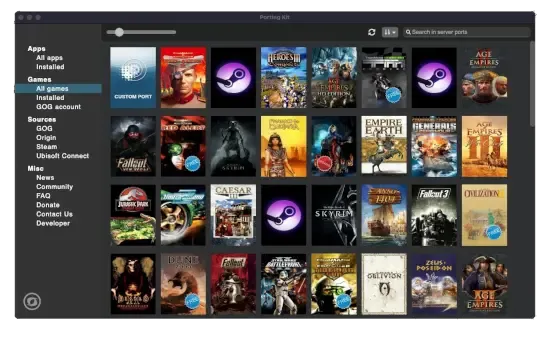
Porting Kit
With Porting Kit, you can install Windows games and apps on macOS easily using Wineskin technology!
Oh and it's looks like POB has a bug in it - it's not calculating the mana reservation of Determination correctly in the Windows version (but it is correct in the Mac port) so now I need to go find where to report that
hallow laurel
lilac trail
Yes. I used it years ago for games but then I found a free tool that uses Crosso...
as far as i understand from ytb - portkit has a library that recognizez some games
hallow laurel
lilac trail
Oh and it's looks like POB has a bug in it - it's not calculating the mana reser...
using crossover ?
lilac trail
No - the Windows POB itself
It's also barfing on importing some of my cluster jewels correctly
proud igloo
lilac trail
Oh and it's looks like POB has a bug in it - it's not calculating the mana reser...
https://github.com/PathOfBuildingCommunity/PathOfBuilding/issues/new/choose, but mind that running PoB via untraditional means may cause additional problems.
lilac trail
Yeah I logged a ticket for it. I have the same issue running it in a VM, which is Windows so I'm fairly confident it's real. It's also not reporting other values correctly either, such as Life. The Mac POB port reports it correctly but not the windows version, so I definitely think there's an issue with the Windows version
hallow laurel
lilac trail
No - the Windows POB itself
wait im confused
u said "but it is corec in the mac port"
with what did u port it i ment
or u ment 2.25 for macos
wait u ment pob on VM for mac
right?:DDD
lilac trail
Let's see if I can clarify. I can run 3 versions of POB
- The MacOS version (2.25)
- The Windows version (2.26.2) via Crossover
- The Windows version (2.26.2) on Windows 11 ARM 64-bit via a VM using Parallels
In the MacOS version the Mana Reservation calculation is correct
In the Windows version via both the vm and crossover the Mana Reservation calculation is incorrect
hallow laurel
oh ok ye
any idea how much time is the free trial for crossover?
seems the easiest method to use smth made for windows and if pob wont be updated for macos will defo use crossover
lilac trail
The value for total life and eHP values are also not the same between the MacOS POB and the Windows one. While it's possible running it within a VM or Crossover is causing it I'm a little skeptical that's the case because the values are pulled from the game regardless of where you're running it from. Most of the other values though are exactly the same so I think Windows based POB is a bit buggy at the moment
lilac trail
hallow laurel
any idea how much time is the free trial for crossover?
14 days
After that it's $74 US
I'm going to try the portingkit as well, just to see if it will run
hallow laurel
as far as i saw on porting kit you can use games that it recognizes
hallow laurel
lilac trail
14 days
tho i see it only asks for email sooooo....:D
lilac trail
hallow laurel
_tho i see it only asks for email sooooo....:D_
I used one of my many aliases 😏
@proud igloo - if you do a POB on a Windows box and then do the same on the Mac using the MacOS POB do you get the same values ?
proud igloo
I don't know. Not gonna do any tool development for this league launch, brain's hosed.
lilac trail
Can you import this to a Windows based POB - https://pobb.in/fakURSz75m2Y
DPS should be 16,915,254

Paste of Exile - pobb.in
➤ Life: 3,132 [107%]ㆍES: 1,047 [61%]ㆍMana: 51ㆍeHP: 142,877
➤ Resistances: 79%/84%/79%/75%ㆍBlock: 75%ㆍSpell Block: 75%ㆍArmour: 53,364
➤ DPS: 16,915,254ㆍSpeed: 5.00ㆍHit Chance: 100%
➤ Config: Pinnacle, 15x Wither
When I import it into Windows based POB it shows around 600k lower than this
When I import it into the Mac based POB it shows the value correctly
proud igloo
See this issue for example: https://github.com/PathOfBuildingCommunity/PathOfBuilding/issues/5902
hallow laurel
"There is currently a bug that doesn't allocate your cluster jewels properly on import. If you reallocate them, you'll see the correct value"
lilac trail
Yeah um no that doesn't work. I've reimporting multiple times
proud igloo
Note that it says "reallocate", not "reimport".
lilac trail
Oh - sorry - yeah I can allocate the manually
So that explains that. Interestingly this bug is not in the Mac port - so I guess it's a fairly new issue
proud igloo
There's a lot of work in 2.26.* for 3.21.
lilac trail
Yeah I can imagine. The differences I see aren't huge - still far better than the in-game info
lilac trail
@hallow laurel - you can run POB via the portingkit, which is free to use, no trial date and no expiry
Will test Windows version of Awakened POB and let you know if that works too (via either pk or crossover)
hallow laurel
lilac trail
Will test Windows version of Awakened POB and let you know if that works too (vi...
i cant use it anyways because im using gfn to play poe
hallow laurel
lilac trail
<@194447598600323072> - you can run POB via the portingkit, which is free to use...
good to know
thx vmu ch
lilac trail
hallow laurel
i cant use it anyways because im using gfn to play poe
I couldn’t get it to work in either tool. It installs in crossover but crashes out on startup. One out of two is ok
hallow laurel
pob seems more like a must and awakened like a qol anyway
lilac trail
Yeah. poe.ninja is fairly useful or even the trade site.
fossil dock
lilac trail
Let's see if I can clarify. I can run 3 versions of POB
1. The MacOS version (2....
you have one more option - use Wineskin https://github.com/Gcenx/WineskinServer
GitHub
Wineskin. Contribute to Gcenx/WineskinServer development by creating an account on GitHub.
hallow laurel
I think crossover uses this
fossil dock
probably, but looks like crossover more optimized in case of 3d games, but for POB, I think wineskin is enough. Also WS is free
lilac trail
portingkit uses wineskin. It does all the setup for you (well mostly anyways). You can go either way I guess, depending on your preference.
lilac trail
hallow laurel
"There is currently a bug that doesn't allocate your cluster jewels properly on ...
This didn’t work unfortunately
hallow laurel
Well.. still 3 days, im sure they will fix it
lilac trail
I just discovered that one of the masteries I was using "Determination has 25% increased mana reservation" no longer exists. This is why the calculation is different now. It isn't a bug. I also lost a Life Mastery to these changes as well. I've never had a build impacted like this 😠
hallow laurel
lilac trail
I just discovered that one of the masteries I was using "Determination has 25% i...
r u bowwizard?:))
lilac trail
Yeap that's me
I have 2 poison based builds. GGG could not have screwed me over more if they tried. Add this to the clusterf%^&* of graphics issues that they are completely ignoring and it's almost enough to make me go play D3 permanently again 🤔
hallow laurel
i was playing d3 for a long time cuz i didnt like poe and my macbook was a toaster when playing
but surprisingly, no fps drop
but d3 is boring af
i mean at least in poe u cn buy mtx and change appearences
 atomic herald
my stash on d3 went full long time ago, i mean a hoarder game with loads of sets and stuff, and u have no space for it... that killed the game for me, and now i love PoE cause of the hoarder friendly stash 💖
when i played d2 ten (or more) years ago i had for a while 30 accounts just for muling...
hallow laurel
i mean
"friendly" stash is kinda overkill:)))
due to the fact that you need to buy ( not complaining about it due to the fact that it s a f2p game and also has many updates)
proud igloo
So did any of you peeps try the D4 Open Beta with all your weirdo emulated Windowses, or did you pass?
lilac trail
TBH if you boil it down every arpg becomes boring at some stage. I do like the fact I can change up my hideout but POE isn’t supposed to be a game playing in a doll house. It’s about killing monsters, getting great gear and accumulating more loot than Smaug had. POE only has 1 of those and it’s not all that good anymore when you’re actually forced to skip killing things and the loot drops are microscopic, even at the highest levels. GGG need to do better. Of course it could be just me in my POV. Some would argue I’m stuck in the past whereas GGG have progressed and moved on. Those who think that would be wrong. GGG have lost the plot. They’ve become elitist for no other reason than they can, with no point to it at all. I’ve lost 3 of 5 builds in Standard, maybe 4th one. I’ve never lost a build in D3. Yes I’ve had to update them with different skills and gear but they are still useable after 10 years, and I’ve spent far less on D3 than the so called free-to-play POE.
lilac trail
proud igloo
So did any of you peeps try the D4 Open Beta with all your weirdo emulated Windo...
You can’t play D4 in a VM. It only runs with DX12. I have to get me a real windows box. A good excuse if ever I needed one 😁
hallow laurel
and blizz is to egocentric to partnet with nvdia
hallow laurel
lilac trail
TBH if you boil it down every arpg becomes boring at some stage. I do like the f...
wdym lost builds?
100% unuseble?
also try LE
lilac trail
3 of 5 of my builds require significant changes to masteries and gear (different bow, different gems, etc) to get them back to where, at a minimum, they were. I don't have the currency to be doing that, and TBH, the inclination to do so, so yeah in their current state they are 100% unusable to me. If GGG want to be disrespectful of my time investment in the game then it's time I perhaps went somewhere else. They are clearly trying to send a message to quite a few players that they aren't wanted. I just wish I could get a refund on all the money I've spent on stash tabs and other bits and pieces. They are incredibly misleading. It wasn't always so. They are imho becoming even more bold in giving the community the finger when it suits them. There's plenty more fish in the sea seems to be their viewpoint.
I might go back to Grim Dawn instead of D3 or swap between both, though I'll have to GD in a VM (performance isn't too bad on it there). Does LE have a Mac client - that I don't have to go through steam for ?
proud igloo
There's definitely different types of players in the game but I'd rather have a game that evolves and which you can adapt in than a stale and dead game, which pretty much is the alternative.
And I say that as someone who can't design a functioning build.
I'm quite happy that Standard doesn't hold the game back, even if it may make for a less rock-solid experience for the minority of players that play the long game and give any hoots about it.
And that's the nice thing about alternative games, when one evolves in a direction which you may not want, you can try other things.
hallow laurel
my problem with arpg is that i dont know how to make builds so im bound to build makers
hallow laurel
lilac trail
3 of 5 of my builds require significant changes to masteries and gear (different...
LE - only thru steam and only windows
lilac trail
That's very true. Although the game itself no longer holds the appeal it once did for me, I'm still going to be hanging around. This and other POE communities I'm apart of is where it is really at for me now. I'l just eat my popcorn and watch the action from afar - unless a sugar daddy comes along and gives me enough currency to get going again 🤣
lilac trail
hallow laurel
my problem with arpg is that i dont know how to make builds so im bound to build...
I couldn't make a build to save my life. I'm totally dependant on build makers on POE-Vault and the GGG forum. They've never steered me wrong. One builder has confirmed their build is dead. I'm waiting on 1 other to confirm. Two have new guides for 3.21 but I just don't have the energy or currency to follow the fixes.
proud igloo
I had my own loss-of-faith episode when the game evolved past my go-to approach of "build the SRS build and grind through the league challenges".
Took a few leagues to mature and adapt as I focused more on dev for a while, but I could as well just have gone on to something else.
hallow laurel
tho meta items are now adays a thing in all games, even shooters have meta guns wtf
hallow laurel
lilac trail
I couldn't make a build to save my life. I'm totally dependant on build makers o...
tho it.s a thing that i let it go because arpg are the only games that can be played even 15m on a day and have fun and not feel left behind
^ only reason i even like them kekw
lilac trail
That's the thing - the builds I was using aren't even meta. That's even more annoying. I'm happy to "evolve" with a game to a point, but when the changes become ridiculous and the justification for them is banal because the game studio has lost touch with the regular player base (who else panders to the top 1% - which if stats are anything to go by I'm one of them). I might come back, but I doubt it. I'l log in to keep my account active, otherwise I think I'l just hang out in the communities I'm part of for now.
lilac trail
hallow laurel
tho it.s a thing that i let it go because arpg are the only games that can be pl...
Have you tried Vampire Survivors ? It's a game you can set and forget. It looks like fun, but it's only on Steam and I have an aversion to steam (though maybe they are much better than they were 10 years ago)
hallow laurel
lilac trail
Have you tried Vampire Survivors ? It's a game you can set and forget. It looks ...
played on ios (also other types - DOOM made a vampire survivors game type on IOS and others) but those are for IOS, for pc would be too less action
hallow laurel
lilac trail
That's the thing - the builds I was using aren't even meta. That's even more ann...
isnt it more casual friendly now?
lilac trail
What - POE ? It's the antithesis of casual friendly imho.
I have the time to play it all day. I can't imagine what someone must think when they have only a few hours per week to give to it. Mind you - you don't have to rush through it. You can take your time. What does it matter ultimately if you take 2 days or 2 months to finish the campaign and get into the parts you really want to (be that mapping, bosses or other ).
hallow laurel
lilac trail
What - POE ? It's the antithesis of casual friendly imho.
ye ik it s the opposite but didnt know what u mean with "elitists"
hallow laurel
pob for macos has been updated on forum https://www.pathofexile.com/forum/view-thread/3009944/page/1
Path of Exile
Path of Exile is a free online-only action RPG under development by Grinding Gear Games in New Zealand.
lilac trail
That’s pretty good. I’m going to keep the old one around as a reference to the disaster perpetrated by GGG for 3.21. It’s going to be a long time before I calm down 😁
atomic herald
lilac trail
TBH if you boil it down every arpg becomes boring at some stage. I do like the f...
a friend of mine ragequitted d3 after the first expansion due to his builds were smashed ;)
in poe the changes are sometimes annoying and sometimes refreshing, but i like it anyway
atomic herald
hallow laurel
pob for macos has been updated on forum https://www.pathofexile.com/forum/view-t...
nice! thanks for the info! 💞
 neon kiln
hallow laurel
LE - only thru steam and only windows
neon kiln
hallow laurel
LE - only thru steam and only windows
I have seen someone say they had okish performance on apple silicon through crossover. But I'm not sure which M1 variant it was.
also probably broken on crossover right now due to new ventura bug, but update expected this week.
Ive run it through parallels briefly and it was bad (M1 Max)
loaded etc but objects popped in and out a bit randomly etc. Wasn't great.
Currently playing torchlight 2 again to fill the gap between D4 beta and console PoE update, then will be back to D4 again on release.
proud igloo
What's that Ventura bug?
neon kiln
Something to do with memory allocation. Fix came out today though I saw
lilac trail
neon kiln
I have seen someone say they had okish performance on apple silicon through cros...
Yes the performance of POE via VM isn't pretty. It used to be ok on Intel Mac, at least for a while. Combination of the game not be well optimised as they added more content and the M1 having to deal with multiple emulation layers has basically killed it running in any VM. Since POE already had a Mac client I never considered Crossover or portingkit. There'd still be some over head using those that isn't there in the stand alone client. I do notice a small lag when loading up POB in portingkit but once it's open it's all good.
Someone mentioned Crossover was busted this morning in r/macgaming.
Is the fix for Crossover or Ventura ?
neon kiln
Was referring to LE not PoE
And I think crossover is fixed as of today
PoE on Mac performs fine apart from the texture issues
hallow laurel
And mac getting sunburns on his ass
 fast matrix
pobfrontend 2.26.3 is out!
3.21 build planner for Linux 🐧 and macOS 🍎 https://github.com/bernhardfritz/pobfrontend

GitHub
Cross-platform Path of Building driver. Contribute to bernhardfritz/pobfrontend development by creating an account on GitHub.
 edgy jacinth
has anyone gotten the "trade for these items" feature in the mac version of PoB working? When it tries to generate mod weights to get a trade URL it just returns a blank URL
 eternal patio
anyone have a way to use controller on mac steam version yet?
proud igloo
A friendly reminder that the preload torrent is not usable on macOS, both for Standalone nor Steam.
neon kiln
Probably the 3.21 client isn’t usable either lol
Will be amazed if I make it past Mud Flats without texture corruption
 wild pivot
As new league incoming, I want to figure out is there any solution for the problems of APT (poe trade) below:
-
Normal mode only works with Alt key for me! Although, author says: "The MacOS awakened app may not work with Alt bindings correctly, so don't use it in bindings for price checking. Use Cmd instead."
-
I can't run Auto-hide mode with any hotkey combo, even with Alt if normal mode is turned off. Only normal mode is viable atm BUT:
-
Warn [ClipboardPoller] No item text found - still isn't solved. APT can recognize type, corruption and rarity of item but not any mods and their tiers! What makes APT good only for currency or unique price check.
I reinstalled, rebuilt, cleared cash and files like 10-15 times. Results are the same no matter what. I have 0 knowledge in coding, so without good guide I'am unable to play POE in trade league...
Please, HELP!
I'm using M1 Pro.
For those who are unfamiliar with the thread, here is the link: https://www.pathofexile.com/forum/view-thread/3333212/
Path of Exile
Path of Exile is a free online-only action RPG under development by Grinding Gear Games in New Zealand.
wild pivot
BTW found a nice way to use POB: just use https://www.portingkit.com/ to create your own port of .exe
No more reinstallations with auto update
Porting Kit
With Porting Kit, you can install Windows games and apps on macOS easily using Wineskin technology!
U can also use winebottler or crossover
 robust harness
Hello y'all 👋
I have a M1 Max MBP and a pretty good PC. Should I on the mac or on the PC?
I prefer to play on the Mac just to be more portable. But I'll play on if the performance/experience is significantly better. I'm a new player that want to start on the next league. Thanks!
 dry frost
robust harness
Hello y'all 👋
I have a M1 Max MBP and a pretty good PC. Should I on the mac o...
dry frost
robust harness
Hello y'all 👋
I have a M1 Max MBP and a pretty good PC. Should I on the mac o...
definitely playing on pc, though playing on Mac is okay but it will be very hot and sometimes crash
robust harness
dry frost
definitely playing on pc, though playing on Mac is okay but it will be very hot ...
Got it, thanks a lot @dry frost !
 autumn pewter
any other geforce now users getting crashes when loading?
lilac trail
wild pivot
BTW found a nice way to use POB: just use https://www.portingkit.com/ to create ...
There is an earlier post in this thread mentioning portingkit. You can also use Crossover, but that’s not free. Sadly you cannot run Awakened POE in either. portingkit complain that app isn’t 64 bit. Crossover gets further but errors when you try to run it. Maybe someone else can figure out how to get it to run in one of these 🤞
lilac trail
robust harness
Hello y'all 👋
I have a M1 Max MBP and a pretty good PC. Should I on the mac o...
I’m playing on an M1 MAX Macbook Pro (64GB, 2TB ssd).
I’d run it native on the Mac if you can. It will run your cores at around 80-90c. Your can run it cooler if you turn the fans on. Battery runs at 32-34c. That’s normal temperature. The game doesn’t make it any hotter. So temperature isn’t really an issue.
 terse hill
autumn pewter
any other geforce now users getting crashes when loading?
terse hill
autumn pewter
any other geforce now users getting crashes when loading?
were you able to log in?
autumn pewter
nah - looks like gfn forgot to patch RIP
I could try native mac client but that was buggy cancer the last time I used that
proud igloo
oof
 pseudo bear
autumn pewter
any other geforce now users getting crashes when loading?
pseudo bear
autumn pewter
any other geforce now users getting crashes when loading?
it seems to start via steam but when you try ggg then it crash during loading the game
robust harness
lilac trail
I’m playing on an M1 MAX Macbook Pro (64GB, 2TB ssd).
I’d run it native on the...
Thanks!
 wet nymph
It has the same graphics bugs as previous leagues, maybe a little worse
 spring herald
yeah seems like its more frequent
hallow laurel
how can i import hideouts?
lilac trail
hallow laurel
how can i import hideouts?
You use the import function while in your HO. First select Helena and select a new HO base you want. Then you can import a HO you previously exported or one you grabbed from hideout showcase (or elsewhere).
lilac trail
It’s not intuitive, like most of POE 😁 Make a folder called Hideouts (or whatever you want to call it). I usually put it in document folder but it can go anywhere that’s convenient. Export a HO and it should pop up with your mac folders directory. Select the hideout folder you created. Saved the file with whatever name you want. The extension has to be .hideout. Once you’ve saved in there it should always use that folder. You can put all hideouts in that folder. When you import it will bring up the same folder and you can choose a HO (it has to be the same type as the base HO you chose).
proud igloo
Not sure how that works in GFN.
 undone gull
guys, good filters for mac= i haven't found any need help
proud igloo
I assume it's the same as other platforms, except possibly that custom sounds still need finding the right directory.
I settle for fairly stock filterblade git checkouts.
 valid heath
undone gull
guys, good filters for mac= i haven't found any need help
valid heath
undone gull
guys, good filters for mac= i haven't found any need help
Path of Exile
Path of Exile is a free online-only action RPG under development by Grinding Gear Games in New Zealand.
undone gull
valid heath
https://www.pathofexile.com/account/view-profile/NeverSink/item-filters
The eas...
geniusss thanks!
also quick question
valid heath
Just log in and follow
undone gull
is there a price check thingy for mac?
valid heath
I dunno but I think this works now? https://github.com/SnosMe/awakened-poe-trade
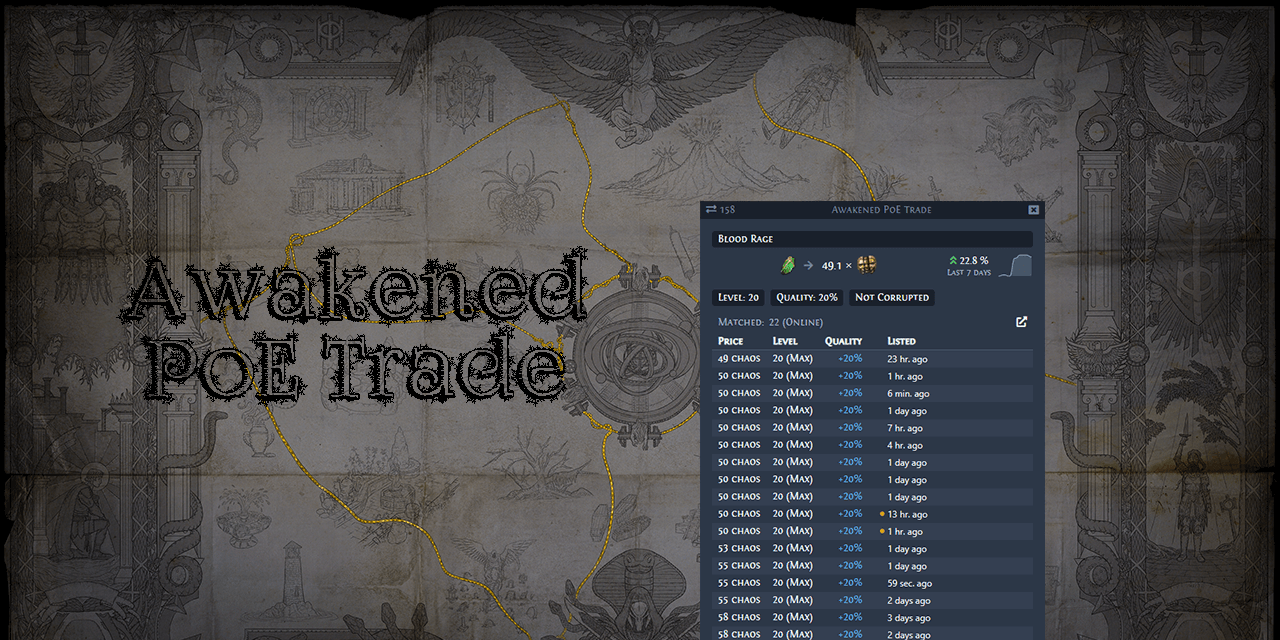
GitHub
:heavy_dollar_sign: :hammer: Path of Exile trading app for price checking - GitHub - SnosMe/awakened-poe-trade: Path of Exile trading app for price checking
undone gull
thank you !!
 magic raven
hello, is anyone having performance issues on Mac M1? I'm having some flickering
 oak valve
Installed poe to m1 mini but havent been tested yet
 sudden hedge
Tested on mac mini m1 8gb, with 4k desktop resolution dosn't work well, very laggy (even with resoluction factor, i think poe resize it to 1920x1080), but when i change my desktop res to 1080p, the poe runs smooth (with dynamic res, a REALLY LOW RESOLUTION, 480p maybe?)
fossil dock
magic raven
hello, is anyone having performance issues on Mac M1? I'm having some flickering
currently play on M1 Max - no problem, but some application may flickering, for example intellij idea
 rich ingot
hey there, tried to play the game on my 4k monitor, which isnt performing at 60 fps + temps til 100°C even with 90% fans ( M1Pro 16 core gpu)
today i tested 1080 screen setting and it worked rly well but still like 80 °C with 50% fans, even tho if i want to play on 1080p i need to set the resolution every time on scaled 1080 which fucks up all my window alignment.
its 2023 an since "start in lower resolution" option in macos got removed there is still no way to set the resolution in game or on another way than changing display settings everytime you wanna play?
lord Mercy.
lilac trail
All part of the “Vision”. Mac users get a triple helping of it. They’ve thrown in constant graphic glitches and an artificial fps cap, neither of which have ever been acknowledged to being worked on, or game impacting, which they certainly are. Those temperature sound about right. If I have just POE running my M1 Max with 64GB memory runs at 80-90c constantly.
rich ingot
lilac trail
All part of the “Vision”. Mac users get a triple helping of it. They’ve thrown i...
 so uhm how do you handle the resolution? even with the resolution setting which reduces it it wont run smooth in 4k, if i set my entire mac to 1080p it runs fine but yeah
lilac trail
I have a 27” Studio monitor connected to my laptop. I leave the settings on the laptop to whatever the default is. I honestly couldn’t tell you if that 1080p or something else. How do I find that info ?
Under about it says 3456x2234 for the 16” laptop. Apple Studio is set to 5120x2880.
proud igloo
IIRC, the Displays control panel has a largely useless thumbnail list of relative sizes, which you can Control-click and "Show List" to look at actual resolutions.
lilac trail
You mean this
 proud igloo
Yeah, you can interact with that list of thumbs to get an actual and larger list of resolutions and scaling stuff.
lilac trail
I might fiddle with it but if higher resolutions mean smaller fonts than probably not. I already have enough challenges at the level it’s at now 🤣
proud igloo
There should be orthogonal configuration of resolution and UI scaling, unless they ruined that lately.
lilac trail
Nope - at least as far as I can tell. You can select. You get a choice of resolutions for sure - but the font shrinks along with those resolutions. It very annoying. I might do some follow up on it but I'm almost certain if I want the higher resolution then I have to accept tiny font
Don't know if there'll be a contrast here or not but this is what it look like on the main monitor at 5120x2880

 dense violet
(tried searching the channel and didn't find much)
PoE is crashing on MacOS (12.5 MacBook Pro M1 16GB) whenever a monster hits me.
It happened last week and I seemed to have fixed it earlier this week by either:
- Verifying files through Steam
- Disabling multithreading
- Disabling dynamic resolution
The same tricks are not working anymore for me.
Crash report: https://pastebin.com/FGuZFNb7
Does anyone know/face a similar issue?
edgy jacinth
No but see if reporting it to the bug forum helps maybe?
dense violet
Found the reason: Tormented Back Attachment effect causes it to crash.
 chilly anvil
(maybe they used a little too much torment)
atomic herald
dense violet
Found the reason: *Tormented Back Attachment* effect causes it to crash.
cool that u found the reason! 👍
lilac trail
dense violet
Found the reason: *Tormented Back Attachment* effect causes it to crash.
Well done. Now wait for the fix that will never come. If this is part of a purchase you could probably ask for a refund.
proud igloo
It might technically be slightly more prioritized as there has been money involved, but holding your breath is probably unwise 😄
fossil dock
Again... all my delve cities crush with "The terrain generator for the client is out of sync with the server. Please create a new instance and try again."
fossil dock
fossil dock
Again... all my delve cities crush with "The terrain generator for the client is...
I test on GeforceNOW - no problem with entering any problem cities... look like it's only OSX related issue...
lilac trail
fossil dock
I test on GeforceNOW - no problem with entering any problem cities... look like ...
That’s not really definitive. Does it happen on absolutely every area at any level when on the MacOS client ? Have you tried different gateways ? I have 1 area that gives me this error message. Everywhere else is fine. It’s a known Delve bug, and like most bugs, since it’s probably deemed non-game impacting, it’ll never be fixed. Games, not just POE, are littered with these types of ghosts in the machine.
fossil dock
lilac trail
That’s not really definitive. Does it happen on absolutely every area at any lev...
I try different servers across the world without luck. It happens with all delve cities in my delve map (around 5 different zones on different level), if I try to enter from OSX client...
proud igloo
I wonder how much of the generation logic is sensitive to x64 instructions and their behaviour and how badly it fails when built for other architectures.
And of course, if there's some corner cases in the translation via Rosetta 2.
It'd definitely be interesting to see if it also reproduces on an Intel Mac.
fossil dock
proud igloo
It'd definitely be interesting to see if it also reproduces on an Intel Mac.
Good point about Rosetta2, I also think about it. Currently my friend work on intel-mac, I think we can do a test... come back here with the results
lilac trail
Will be interesting to hear results. I do have an Intel based iMac but since I don’t have much of an issue me testing wouldn’t be very helpful.
Is it the version of MoltenVK GGG are using that is behind or the MacOS version of MoltenVK
proud igloo
Terrain generation should be completely on the CPU, divergence there means there's something diverging in the logic there.
The server and client generates levels in tandem from the same seeds and compare state hashes when they're done - if they differ there's a bug in the generator.
Either something non-deterministic or actual differences in the logic between the sides due to optimizations or drifting in what code is built for each.
And in the case of different hardware platforms and capabilities, numeric behaviour in floating point operations.
fossil dock
@proud igloo We complete fresh installation of PoE on Core I7 MacBook Pro with radeon, but test result is not promising - terrain generator still failed on some delve cities like my M1 Max mac
as result I can realise that problem not in Rosetta or any other translation layer. I think error cause is very simple, but to look at I need source code :))))) or some sort of "direct" access to any actual poe developer... But it looks like impossible
also all my attempt to find any additional log information (more than already wrote to client.txt) failed, but I can understand why it happens in case of potential performance or security reason
proud igloo
To my knowledge there's no information on the client side that helps with solving this and given the utter lack of visible attention the macOS client has, I wouldn't hold my breath.
fossil dock
Yes... looks like I must pay geforceNow to complete delve... or I need forgot about that really cool part of poe
lilac trail
fossil dock
Yes... looks like I must pay geforceNow to complete delve... or I need forgot ab...
Do you have different characters you can try it with. It may be due to an mtx clash, as recently discussed in this forum. That seems a long shot given it runs fine via GFN but you never know.
I’d still raise a bug report. We can watch it gather dust, but at least it would be there for the record.
fossil dock
lilac trail
Do you have different characters you can try it with. It may be due to an mtx cl...
Disabling all MTX and changing character have no effect 😦
and I already write bug report in previous league and now update it... but without any luck...
fossil dock
Also try Steam client (just install), errors again
 stable aurora
None
lilac trail
I’ve run in to a different issue. It doesn’t impact the game because I can’t get the installer to download. This happens on the windows platform, so I won’t clog up this channel too much. The TLDR is that the download starts, then errors out. If I run it by tethering to my phone, I see the same behaviour (the mb/sec spikes to a crazy number) but it keeps going, not error out, so it seems to something on my ISP router but I’m not entirely convinced it is.
The error message is “Failure when receiving data from the peer while downloading from https://patch.poecdn.com/……”
There’s more to the string. I just truncated here”
Anyone else ever had this issue and if so how did you resolve it ? Yes I submitted a case to GGG. They were of absolutely no use as usual with technical issues. Couldn’t even be bothered to say whether there were issues on their side or not. Then they said they’d be happy to help with purchase or account issues 🤨
proud igloo
Network problems are so much more fun when it could be due to malicious interference by nation states and/or broken security hardware/software.
Or even just something messed up with your particular local CDN point of presence.
lilac trail
I doubt a nation state is going after GGG 🤣 The latter is a possibility but both my providers are in the same country and in some cases share network infrastructure. It works for one but not the other 🤪
proud igloo
I mean that it's fairly common that ISPs and nations impose some amount of content control that can affect legitimate traffic.
lilac trail
True but if that were the case here I think we’d see a lot more postings in a very short time. There are postings but they are very sporadic and it seems different solutions solve the issue, or it magically resolves itself. That’s why I lean towards it not being a completely ISP thing. Mind you I’m trying to set up a PPPoE connection to see if that will resolve things. I have the ISP involved and it’s not going well for me or them. It’s well established tech and yet it’s not working as it should. It’s almost as much fun as some of the challenges in POE.
proud igloo
For starters, can you fetch the URL it complains about separately? Does it work on retries?
lilac trail
I’ve done a ping and trace route. I can see it. I have not tried something like curl to see if I can connect that way, if that’s what you mean by fetch. If by retries you mean trying it by clicking on the POE icon, yes. It does the same thing over and over. It’s weird too. It goes fine for a few minutes, the mb/sec goes up, then it starts going backwards. The mb/sec actually goes backwards, like it’s taking back what it’s downloaded.
lilac trail
There is a Client.txt file written to during game install. It has over 60 lines with the same failure message in it for my usual ISP.
Pairing with my phone provider (an iPHONE) it has not errored out yet but the same error messages are there. I'm curious to see if it too fails once it gets to the same no. of download errors as my ISP.
Two different ISP's and the same error messages showing up gives me cause to suspect the GGG server has some sort of issues.
Bingo ! The pairing via iPHONE with a separate service provider also just failed. No way this is a service provider problem
lilac trail
I just saw this on the GGG forum (Technical support) - post date is March 17, 2021
"macOS (beta): PackCheck will soon be available with the macOS client."
I wonder what "soon" equates to in GGG speak
lilac trail
Any decade between now and infinity right ? I don’t know what involved in the pack check process but is it difficult and/or time consuming to cobble something together ?
valid heath
You could just use Steam
proud igloo
lilac trail
Any decade between now and infinity right ? I don’t know what involved in the pa...
It depends really on what it is that the check checks.
Mine sweeps the file to ensure that there's no unaccounted-for data, that all chunks are of the correct size, that the hashes of directories and file contents are correct.
In any way, it shouldn't affect downloading of new content.
Also made a script to convert PC preloads to macOS ones, but that's not worth shipping as there's no guarantee that it's as compatible as it actually is going forward.
The standalone client on macOS is a weird one.
lilac trail
valid heath
You could just use Steam
I could try steam but I don’t like steam. I also have some tools that may or may not work with the steam version. What should happen is that GGG fix the problem identified instead of, as usual, palming it off to somebody else. I could probably try GFN too but I don’t see why I should jump through hoops for GGG. I just want them to fix things. I can’t be the only one this is an issue for, or maybe I am because there’s no-one signing up to play via the stand alone client (PC or Mac) these days. It’s probably GGG’s preferred path. One less thing to have to think about 🤔
valid heath
lilac trail
I could try steam but I don’t like steam. I also have some tools that may or may...
If you are talking about tools like awakend PoE trade they should work just fine with steam version as all they do is just read the clipboard or Client.txt log file
You might need to point some of them to new location of the log but that's about it
Personally i would not count on GGG to do anything especially looking at the amount of communication we had from their side
Like EA! Communicates more with their player base than GGG atm, yes that EA that was called as worst company over and over again...
GGG simply doesn't care or is in full on Exile Con mode (copium)
lilac trail
Blizzard communicates better than GGG and they aren’t exactly poster people for how do comms well 😁
valid heath
Yeah with OW2 they been pretty good
I really hope this is just temporary thing as their A team is focused on PoE2 so B team is just keeping PoE 1 on life support
Though the are using some rly devious tactics like not disclosing totally game changing stuff in patch notes
proud igloo
My impression of the macOS client is that it was probably done as a neat little project with some senior developer assistance back in the days, maybe with some synergy to PoE mobile, starting comfortably before the pandemic.
The types of problems that tends to surface on the platform are either things that are specific to the OS integration that aren't super critical but require some study or rework to get going, or deeply cursed gnarly problems that require senior developer effort to investigate, reproduce and solve.
The client even on Windows seems to be creaking a bit at the seams and it keeps having all those odd little client and instance crashes, never ever seeming like it's in a robust and stable place.
It'd be interesting to know what the state of affairs is internally but from the outside it seems like they're under quite a bit of load and stress and I completely understand how something niche and weird like the macOS client may appear to be forgotten.
What we don't know about is all the work that may be spend on keeping it afloat at all, keeping the status quo still requires some effort.
valid heath
proud igloo
My impression of the macOS client is that it was probably done as a neat little ...
That's true but in the end you as their client should simply don't care
proud igloo
I see that the usual positions on artstation are still up, but those may be looking for more than one staff member.
valid heath
They decided to publish and support MAC platforms they accepted payments from those ppl so it's fair to at least ask for working product
So yeah they might be full focus on PoE 2 especially the engine team but still those issues should at least get some kind of response
lilac trail
proud igloo
I see that the usual positions on artstation are still up, but those may be look...
I'd expect so. If you come across multiple people with potential it's always a good thing to grab them. It's standard practise when I worked in IT cause sometimes the people you thought would work out don't and vice versa. It's easier if you have redundancy built in. More and more though I'm not sure the current GGG mgmt have the chops to actually manage a company. You can't be running around worrying about voice acting, pretty mtx's, appearing on podcasts AND run the company. No-one does that, at least in well organised and run companies. It's not an indie company being run out of a garage or a basement anymore. Time to start acting like it.
lilac trail
So - this morning I went and tried to download the installer files on another PC. It worked, for the most part (it hung at 100%). Enough for me to grab a copy and put it on the Windows VM. This means the issue is an interaction between my Windows 11 VM and the GGG server. Happy it's not my ISP. Not happy with the level of "service" from GGG. All they had to do was put a comment in the ticket. Not even that. I don't understand why they think anyone should buy stuff to support them if this is the level of "service" you can expect from them. Support shouldn't just mean anyone who has an issue buying stuff from them. They like to differentiate themselves from other game companies. They sure aren't doing it via their technical support for customer issues.
proud igloo
To be frank, if you're running on some niche setup that isn't a real computer on a real network, there's a lot of things that are external that they can't and shouldn't dig into as rabbit holes like that are super deep.
Especially as most of those aspect don't tend to surface until way too much effort has been spent.
Like how you didn't say anything about a VM above when I spent effort on it...
Peer-assisted support with technical issues on the forums have many synergies as it makes problems and solutions indexable.
lilac trail
proud igloo
Peer-assisted support with technical issues on the forums have many synergies as...
Indeed. Much easier than the official forums. Honestly I didn’t mention I was running a VM because it shouldn’t matter. I’ve run them for 20 years, without the issues I’ve encountered trying to get POE to run properly.
edgy jacinth
has anyone had success in getting exilence next to work on a mac? using crossover or something?
 wide marten
Hi there, may I ask how to change the resolution of poe
proud igloo
There's two places you can tune it. It uses the resolution of your display as you've configured in your macOS Display control panel, and then also has a slider in game Options to render 3D at a relative lower resolution.
 short quiver
Hello!
I've installed the game via an installer from the PoE site
Now I want to delete it but I can not find where it has been installed, there's only .app file (94 Mb) in the Applications and no other directories connected to "Path of Exile".
Where are all the data of the game stored in OSX (about 30Gb)?
Could anyone help me with this?
lilac trail
The 3rd pin message describes where most of the POE files (including the 30GB) reside. Take a look in that path on your mac and remove that entire folder to remove the game.
short quiver
lilac trail
The 3rd pin message describes where most of the POE files (including the 30GB) r...
Thanks for the reply.
I have read the attached post.
But the problem is that I don't have a "Path of Exile" folder in my Application Support folder.
If I understand correctly, then the main game file is Content.ggpk, but I cannot find it in the search anywhere on the device.
Is it somehow hidden, or what could it be?
lilac trail
It is a hidden folder yes
Open finder then select the command+shift*. keys
That will show hidden directories
short quiver
lilac trail
Open finder then select the command+shift*. keys
Oh, I found it, thanks a lot for the help, you are the best!
lilac trail
Glad to help. It’s not quite as simple as on a Windows box. I will update the pinned note to make sure everyone knows it’s a hidden directory and the key combo to unhide it.
There is also another area you’ll want to clean up. Go to /Users/username/Library/Caches/com.GGG.PathOfExile
Or one directory before that (so Caches). Remove the folder com.GGG.PathOfExile
short quiver
very helpful, thanks!
lilac trail
--- How to remove Path of Exile files and folders. Stand alone version only ---
For those who may need to remove Path of Exile from their system, below are the 3 main areas to go to and clean up. These instructions assume you are using the Finder menu or you know what you are doing if using a terminal window. In Finder, the path to the Library folder IS hidden. To unhide it hold the command+shitft+. keys.
Path and commands via terminal window are included for those who prefer this method. You should be able to copy and paste directly into a terminal window. Use rm with care. Once it's gone it's gone !
- Delete the Path of Exile Application icon in top level Applications folder (Path of Exile.app in Finder window). This is NOT a hidden folder in Finder.
For terminal users
cd "/Applications/"
Then
rm -ir "Path of Exile.app"
- Delete main Path of Exile directory (includes content.ggpk, filter files, sound files, etc unless you put sounds elsewhere) in Finder window. This IS a hidden folder in Finder. Unhide first.
For terminal users make sure you change the username variable in the path below to your username (so it would be /Users/Bob/Library/Application Support" for me)
cd "/Users/username/Library/Application Support/"
then
rm -ir "Path of Exile"
- Delete folder com.GGG.PathOfExile. This has various bits and pieces. Not large files but good to remove for completeness. This IS a hidden folder in Finder. Unhide first. Make sure you change the username variable in the path below to your username.
For terminal users
cd "/Users/username/Library/Caches/"
Then use
rm -ir "com.GGG.PathOfExile"
- Delete folder POE Log. This may or may not exist on your system. I think I made a copy of the folder above for some reason. If it exists remove. If it doesn't ... then not to worry. Make sure you change the username variable in the path below to your username.
For terminal users
cd "/Users/username/Library/Caches/"
Then use
rm -r "POE Log"
@copper rose - hey there. Could you please pin the above post to help out those who need to remove POE from their system. Thxs !
 copper rose
lilac trail
--- How to remove Path of Exile files and folders. Stand alone version only ---
...
copper rose
lilac trail
<@76833476854157312> - hey there. Could you please pin the above post to help ou...
copper rose
lilac trail
--- How to remove Path of Exile files and folders. Stand alone version only ---
...
copper rose
lilac trail
<@76833476854157312> - hey there. Could you please pin the above post to help ou...
Done! Thanks for the writeup!
lilac trail
Thanks. Someone just asked so I figured it might be handy to have. Thanks for posting so quickly
proud igloo
lilac trail
Thanks. Someone just asked so I figured it might be handy to have. Thanks for po...
Could you double-quote and format the URLs paths as code by surrounding them with backticks so they stand out better and can be copied into a terminal?
lilac trail
Should I do the whole command or just the path to the directory - like this "/Users/username/Library/Application Support/" Seems like I was quite lazy this time around since I did this for the other posts 🙂
I don't understand the part about URL's though - there aren't any in the delete POE pin message
proud igloo
Err, paths, not URLs.
Like:
- Delete folder
"/Users/username/Library/Caches/POE Log". This may or may not exist on your system. [..]
lilac trail
proud igloo
Like:
> - Delete folder `"/Users/username/Library/Caches/POE Log"`. This may or ...
Updated. Thxs for the feedback. If users are comfortable with terminal and unix commands they can drop the -i option to speed thins up
 charred kiln
has anyone figure out how to use all these API things on mac? (exilence for instance)
edgy jacinth
I've tried and cannot get exilence to work on mac
creators just announced it will be discontinued anyway
https://poestack.com seems like an interesting replacement though, give that a try
fossil dock
Looks like too many ad's and UI\UX is very strange, some times not working and not intuitive...
 patent gale
can i log in to my ps account on mac?
atomic herald
mac is same as pc-accounts, i dont think playstation and pc works on both?
 proud igloo
It's a known problem on macOS and I don't think there has been any response from GGG on the bug reports on the forum, which you probably should make one just to be more visible.
I think the wisdom in here is "dig around it if you can".
The background is that the instance server and client does the level generation separately and then compares the outcomes. If they differ in any way, the client is kicked.
fossil dock
As some sort of mitigation of that bug: use geeforce now
atomic herald
i havent seen that bug, but i still use Monterey
lilac trail
fossil dock
As some sort of mitigation of that bug: use geeforce now
GeForce now won't make a difference. It's a bug in the game. GeForce now is using the same code to run. This bug happens in Windows versions as well.
proud igloo
If it's particular to how macOS generates that exact area, running it on another OS may mitigate the problem.
fossil dock
lilac trail
GeForce now won't make a difference. It's a bug in the game. GeForce now is usin...
Hmm.... I never got that bug on windows....
lilac trail
fossil dock
Hmm.... I never got that bug on windows....
Nice ! I used to encounter it when Iplay with the stand alone windows client. I have it to this day in one particular area in Delve on the Mac client. You'd think if it is that reproducible it would be an easy fix
lilac trail
proud igloo
If it's particular to how macOS generates that exact area, running it on another...
Why would be MACOS be involved ?
proud igloo
Because there is a separate executable on each OS and the generation code is in the executable, subject to compiler optimizations and bugs.
The outcome from the level generation on the server with the server code needs to be identical to the outcome from the client's generation.
If there's corner cases that make them make different choices where they should be deterministic, it diverges.
It's one of the things that makes the level generation code so scary to work with, as one needs to be very careful to keep output consistent.
Never sort anything based on memory address, have all floating point rounding behave the same way regardless of instruction set used, etc.
Given the extreme robustness of the client in other regards, I wouldn't be surprised if it diverges nicely.
lilac trail
Oh interesting. I thought everything would be server side. If some is client side doesn’t that open up some room for manipulation ? A noob question but if there is a sync requirement and one side doesn’t sync wouldn’t it be best and simplest just to code that server overrides in that case rather than bug out ?
That would also prevent an exploit client side as well
proud igloo
In order to reduce the amount of information needed to send across the network, each side generates the same thing from arguably the same code.
The client sends a hash of its idea of the generation to the server once it's done and the server compares the outcomes.
If they're equal, it knows that the client has a matching set of information. If it's not, the client has either malfunctioned or has been tampered with.
The game doesn't trust the client so any changes in generation on the client would only serve to break its experience with desyncs later on if the test wasn't performed.
It can't influence drops either, those are performed server-side.
The client has enough of a simulation to carry through a believable experience when running in predictive and to simulate in lockstep in lockstep.
There's significantly less network traffic needed when both sides agree on the overall state of the world.
proud igloo
lilac trail
Oh interesting. I thought everything would be server side. If some is client sid...
There is a hard requirement that both sides must agree. If the client or server malfunctions, the session is cut short so that it can be fixed.
That wouldn't be a long-term problem if they would actually fix this particular instance of it.
lilac trail
Thxs for the explanations. Always interesting to learn something new 👍
It’s a safe bet there’ll be no fix. I don’t think the Mac client has been touched since it was provided (I’d say launched but that would imply supporting a product …) and it appears support is non-existent for anything atm. POE 2 must be the mother of all updates. Odd they would choose to ignore an existing system over a maybe. Then again bad leagues don’t seem to impact them much.
proud igloo
The fate of the macOS client is a mystery but probably a sign of the dire amount of prioritization they have to make.
lilac trail
proud igloo
The fate of the macOS client is a mystery but probably a sign of the dire amount...
Indeed. They might also be using the mantra of "if there is an alt method then no need to fix". Playing on Windows systems is the default. GGG have been somewhat slow to provide the game on other platforms, and the more platforms you "support" the more difficult it becomes. I'm guessing it was the asian market that gave rise to the Macos in the first place. Maybe it's better maintained for that segment, though that seems odd. If you maintain it for one segment it should be easy to do so across the board. I wouldn't be surprised if the MacOS client is dropped at some stage. It's not very good to use in it's current form (not when you get graphics issues every day, delve problems constantly and a hard cap on fps, just to name a few challenges). GGG seem pretty tone deaf to most legitimate complaints at the moment but TBF they aren't the only ones. I've noticed issue in the Mac client of battle.net too and it's been around a lot longer. Gaming on a Mac is dying the death of a thousand cuts.
proud igloo
Feels to me that it was a good initiative from the start but the Apple Silicon and the problems that cropped up were strongly deprioritized as work load increased.
Mac has only ever briefly been relevant for gaming at all.
It's a cost equation that seldom pays off.
 chrome apex
Is there a way to look at or generate POBs on a Mac (Intel if that matters)?
atomic herald
check the pinned messages here
lilac trail
Someone posted this in the technical forum a few weeks ago in a ticket I had opened about graphics issues on a Mac. Haven't had the opportunity to test if it works or not. I think they mean they made a script or a cron job to run it but not sure. Here's hoping it works 🤞 It'd be another work around since GGG appear incapable of fixing it but at least there might now be a solution. I might test it but I'm playing D4 early release and then I'm taking a break for 2 weeks. If anyone can try it and post what the outcome of the test was that would be great.
"It is most likely vulkan shader cache. I had the same issue before and not getting crashes all over this league. Only thing that helped fix the crashes and graphical issues was running this on my mac:
rm -rf Library/Caches/com.GGG.PathOfExile/ShaderCacheVulkan
I personally created an alias for it since I gotta run it at least once a day."
atomic herald
D4 works on mac?
lilac trail
atomic herald
D4 works on mac?
No. You need DX12. If you had an old Intel based Mac and installed bootcamp it might run. That would be dependant on the video card.
Codeweaver just announced they have DX12 is a very rudimentary form and may release an updated Crossover later this year. This is good, but not great news. The port is on a game by game basis. They choose D2 as their test game so it might be one of the first games that Crossover supports given it was just released but who knows what their roadmap is.
Given it isn’t a straight forward port I’d be surprised if either Parallels or VMWARE implement support for DX12 any time soon. I’ll be buying a lifetime license of Crossover as soon as they announce D4 support 😁
Here is the Codeweaver announcement - https://www.codeweavers.com/blog/mjohnson/2023/6/1/unleashing-the-gaming-revolution-crossover-macs-directx-12-support-update

CodeWeavers
By Meredith Johnson | Brace yourself for a future where CrossOver Mac's DirectX 12 support unleashes your gaming prowess like never before.
atomic herald
oh, D2r, that was cool
valid heath
atomic herald
D4 works on mac?
https://www.reddit.com/r/macgaming/comments/14307be/diablo_iv_on_m2_max_using_macos_sonoma_and_game/
 chilly anvil
I'm very tempted to see how the Windows version of PoE runs under the Game Porting Toolkit.
fossil dock
valid heath
https://www.reddit.com/r/macgaming/comments/14307be/diablo_iv_on_m2_max_using_ma...
I got stable 60+ FPS on M1 MAX
fossil dock
chilly anvil
I'm very tempted to see how the Windows version of PoE runs under the Game Porti...
Just start installing, tell you more about on 2 hours
fossil dock
Ok, with some minor problem, during installation, windows version of POE run via new apple solution.
But,
- Vulkan renderer NOT work at all
- DX11\DX12 work, but when I try fight with mobs (Ice shot build) Shader load go to Sky and FPS drop to 0.1-1 FPS
I try lover all possible video options, but it have small effect.
I change resolution to smallest game become "playable" with some freezes, I thing situation become better when most of the shader will be complied.
As a good news - I have no problem with entering into delve cities that crush on classic mac client
I think after some update from apple it start working much better
valid heath
fossil dock
Ok, with some minor problem, during installation, windows version of POE run via...
It seams to be just 3mb patch for WINE ( Transtation layer for DX and Windows apps on Linux ) so my guess is as Linux supports Vulkan natively there was no need to implement it in WINE
proud igloo
Apart from a bit of WSI and glue, probably.
lilac trail
fossil dock
Ok, with some minor problem, during installation, windows version of POE run via...
Try deleting the shader file I posted about the other day and see if that helps.
Are you able to setup filters, sounds and hideouts as per the usual windows methods or are they non-operable ?
It would be great to get POE going without the graphics bugs the mac client is plagued with. It should run at more than 60fps as well.
 plucky swallow
120 1% Low fps gaming era
 tropic ibex
will poe2 be on mac?
proud igloo
I don't think they've ever said anything about it, but if so they better have a lot of unreleased internal work on the client.
tropic ibex
proud igloo
I don't think they've ever said anything about it, but if so they better have a ...
is it that bad on mac?!
proud igloo
I mean, it kind of works, but there's prevalent bugs that they haven't done anything about in years, the graphics translation layer is ancient and has known bugs, and there's still no word at all about clients built for Apple Silicon.
tropic ibex
proud igloo
I mean, it kind of works, but there's prevalent bugs that they haven't done anyt...
oh damn then hopefully its all updated for poe 2 🙏
bc im only gonna have a mac in college so hopefully i can play it decently
proud igloo
If you have no choice, well, then there's not much choice.
 hasty matrix
anyone playing on the m1 mac have any performance tips?
lilac trail
tropic ibex
oh damn then hopefully its all updated for poe 2 🙏
There won’t be an update. The Mac client was released, eventually around 2020. It’s never been touched since. The forum is littered with tickets for graphics issues, none of which have been acknowledged, let alone addressed. There is a statement in one of the forums that a pack check tool would be released “soon” - that was in 2021. It’s just not important to them, pure and simple.
If you have a Mac, your best bet is the install parallels and run it on that. There is a performance hit doing so. Alternate is to try getting it to work via Crossover, portingkit or the new apple kit just released. Only one attempt has been made so far to run POE via the apple porting kit and it didn’t go well. You may have better luck getting it going this way.
tropic ibex
lilac trail
There won’t be an update. The Mac client was released, eventually around 2020. I...
damn is it really that bad 😭
but surely if they're releasing a new game, theyre going to update it to some degree
valid heath
tropic ibex
damn is it really that bad 😭
Ask Apple why is it so hard to support Vulkan while being "Promoter member" of Khronos
https://www.khronos.org/members/list

The Khronos Group
Deploying and developing royalty-free open standards for 3D graphics, Virtual and Augmented Reality, Parallel Computing, Neural Networks, and Vision Processing
tropic ibex
valid heath
Ask Apple why is it so hard to support Vulkan while being "Promoter member" of K...
apple is such a dumb company sometimes
hopefully it gets better at some point tho
lilac trail
tropic ibex
damn is it really that bad 😭
Yes it is that bad. You are guaranteed to hit graphics issues every time you play using the mac client at some stage in a session. Sometimes first map, some times a few maps in. You try fighting a boss when the screen turns into a flickering mess, or one of the other types. There is a potential work around (pinned in this thread) but I don’t know if it’s reliable. It may have worked by fluke by the user who reported it. There is also a problem in delve where the client and server get out of sync. It doesn’t appear to happen on windows. Don’t forget the update feature is broken. Anyone on the latest MacOS has to use the work around (pinned here). To be fair it’s an Apple changed that broke it but GGG have never applied a patch. Why would they when the community comes up with a band aid solution. The only time GGG fix issues is when it is game breaking or prevents access to the game. Then there’s the issue of Molten VK which @Knot mentioned. This is a problem because the Mac client is artificially capped at 60fps. You cannot go above this. Apple support for Vulkan is a joke and GGG have made no contribution to improving it so mac users can enjoy the same frame rates as windows players.
Technically POE 2 is not a new game, it’s just an alternative way of getting to the same end game. The naming convention is very misleading. They may test the Mac client with it. If it “works” by GGG definition they won’t touch it. I wouldn’t be surprised if they don’t test it at all. I forget what the term is for showing something and delivering something else but that’s what GGG are doing with POE 2. Unless I’m missing something the promo videos don’t show me anything to get all that excited about. If they release a new Mac client that fixed everything I mentioned, then I’d get excited 😁
tropic ibex
lilac trail
Yes it is that bad. You are guaranteed to hit graphics issues every time you pla...
oh damn thats a lot of problems
that really sucks tho
guess ill be playing a lot more factorio and rimworld!!
it really is unfortunate that theres such a big disconnect between apple and ggg because im sure its not that difficult to make the game good on mac and it would add a lot more players I think
lilac trail
It’s a shame the Mac client is in the state it is in, GGG are like other companies though, there has to be an ROI and for gaming on a mac the economics just aren’t there to invest in it. The best example would be Blizzard not releasing a Mac client for D4. If a company that made $666m US so far from D4 don’t see any value in making native mac port of a AAA game, given they already had a Mac user base in D3, no-one is going to do it either. Blizzard certainly had the player metrics to back that decision up too. I’m ok with anyone making a decision not make a native port for a Mac. I’m not ok when a company release a client and then basically doesn’t provide any support for it. That’s what GGG have done. I’m not down with that. I haven’t played POE in close to 6 months now (I used to play hours daily). I haven’t supported GGG by purchases in over 16 months. If they can’t be bothered to support me, all I can do is return the favour.
The timing of Apples new kit that allows DX12 games to play on a mac without a native port is interesting. I’d say Blizzard’s decision not to release a Mac client for D4 played a part in it being developed. Apple can’t just use the power of magical thinking to expect game companies to make a port, but if it’s as easy as 2-3 days works then there’ll be less reason not to create a port. The other challenge will then be the licensing model. No-one wants to give others a slice of their pie. Steam, Epic, Geforce and others already take a slice of the action. Who wants to give up yet another slice to Apple, who basically do jack to earn their money.
lilac trail
Hey @proud igloo - I can’t be bothered searching this thread but in the discussion about MoltenVl and it’s hard cap limit - was the theory it’s because the MoltenVK version is old or because the developers actually hard coded it because they didn’t/couldn’t test above 60fps (the latter sounds odd, why would you cap it if you could test higher rates, why would it matter).
tropic ibex
lilac trail
It’s a shame the Mac client is in the state it is in, GGG are like other compani...
yeah I was very pissed about D4, but hopefully this new toolkit makes more comapnies try to port their games to mac because it really can run those games
yeah ggg have done worse because they don't provide any updates or fixed for the mac client
proud igloo
lilac trail
Hey <@128835688366997504> - I can’t be bothered searching this thread but in th...
Inconclusive. I thought it was the MoltenVK version at first as it has the hardcoded presentation rate constant in it, but it didn't change in behaviour when I hand-patched the value I could find.
That might be either due to frame pacing being done elsewhere in some other way, or because the constant has propagated in other ways.
proud igloo
tropic ibex
yeah ggg have done worse because they don't provide any updates or fixed for the...
I guess that the question is "if you have absolutely no spare resources to spend anymore due to changing circumstances on a project that you thought was feasible and within your current constraints back then - how do you proceed?"
Do you do the bare minimum to keep it running and only ever updating the client with platform independent stuff you get "for free", or do you consider even that too much of a testing/integration sink and take the client down?
The impression I get is that they're opting for the former, bringing some degree of "at least we can kind of play the game" to people trapped on Macs, rather than "sucks to be you".
Better comms wouldn't suck, but with most things in gamedev, anything said in public is likely to be misconstrued and a detriment.
tropic ibex
proud igloo
The impression I get is that they're opting for the former, bringing some degree...
i think putting it like that makes a lot of sense, if they have no resources to put to mac its good that they're still running it, no matter how sub-par the client is. But whats the reason for the lack of resources? or does apple just make it that hard to port games
i just don't understand why they make it so hard because they literally have the performance to run games, imo apple has the best laptops, its just the damn software. and considering just how much money apple has to throw at problems, its quite annoying that they don't really care about making games better
i mean yes they are bringing the new toolkit, but how much will that really change
if silicon can literally beat all other laptops and many desktops for programming and other tasks, im sure if optimised for it, games would run so well
proud igloo
My guess is that they've been over-extended for years trying to get Path of Exile 2 out the door despite the pandemic side effects on top of the constant load of shipping leagues.
The original macOS client came out at the same time as the storage layout of PoE changed to bundles with 3.11.2, and was probably related to that technical overhaul of the game and enabled by the fact that they already had a Vulkan renderer.
I would speculate that the senior people that took part in that initiative probably were key to getting the macOS client built and shipped, and the same people may be fully occupied with future tech and ensuring that the next spike in tech in PoE2 moves along.
There's never spare time to do anything, there's always prioritizing what to focus on and you have always to remember that there's very few things you can do alone as a developer.
Anything you do is going to have follow-on effects in many disciplines and disturb their planning, like if you touch anything related to localization or art those teams have to get involved, if you touch level generation there's a significant amount of consideration and validation needed, and QA tends to need to verify most user-facing changes.
On Apple - they historically don't give any hoots about how hard it is to target their platform, developers has to and will accept any annoyances inherent in the platform and the whims of the platform holder, in order to ship on the platform.
If it filters out some developers, welp, sucks to be them and their users.
If it doesn't, that's an external cost and as long as the demand is there, developers has to target it anyway.
tropic ibex
proud igloo
My guess is that they've been over-extended for years trying to get Path of Exil...
yeah this makes complete sense, they have to focus on making sure poe 2 releases smoothly and isnt delayed till forever. hopefully after they do put some focus on mac with the new software and hopefully it becomes a tad easier for the game to run.
tropic ibex
proud igloo
There's never spare time to do anything, there's always prioritizing what to foc...
yup they just don't have the capability because the deparments are full of other problems, for all we know they're running on crisis management mode trying to make sure POE 2 is all on track and just don't have time to do anything new
tropic ibex
proud igloo
On Apple - they historically don't give any hoots about how hard it is to target...
i completely agree, apple has such a big ego w stuff, its like "our way or the highway"
 trim oriole
honestly i've played poe a bunch on the mac client, the graphical bugs are annoying but i can work around them generally. it's not like the game has great visual clarity on pc anyways. even on my last laptop where i got near-unplayable framerates it was still nice to be able to just complete trades that i found throughout the day without firing up my pc
lilac trail
proud igloo
Inconclusive. I thought it was the MoltenVK version at first as it has the hardc...
I was chatting with someone about the new apple kit and made some statements about MoltenVK and POE. They said the cap is a developer choice. MoltenVK doesn’t control the display sync side of things. That’s wild that a developer what choose to put a cap in place. It begs the question if there is a cap on the windows side if you use Vulkan as well. If not then wtf - why cripple the fps on a mac ?
proud igloo
MoltenVK does expose the common Google extension for querying the presentation rate, which is a common way of doing timing.
I believe that's the one that was hardcoded to 1/60.0 in older MoltenVK and if an application trusts it, it's going to time poorly.
It's not necessarily "putting a cap in place" but rather trusting some piece of information or using something from the platform that influences or controls your presentation rate.
I don't know how PoE does this and I don't want to spend time figuring it out.
I prefer to assume accident or happenstance, not maliciousness.
lilac trail
Thanks for those facts. The guy sounded plausible in their assertion but I thought it a bit odd regardless. Is MoltenVK an add on as part of the POE install on a mac or is it included as part of the macOS ?
chilly anvil
MoltenVK is a library that's used as a component of the Path of Exile executable.
proud igloo
Indeed, it's fully third party as far as I know.
It ships as part of the Vulkan SDK for macOS. Path of Exile links it statically, embedding the code in the executable itself.
If you'd like to read a bit of history and experience with the problem of frame timing, Maister did a good write-up in 2018, also linking a neat presentation from Croteam at GDC:
https://themaister.net/blog/2018/11/09/experimenting-with-vk_google_display_timing-taking-control-over-the-swap-chain/
https://medium.com/@alen.ladavac/the-elusive-frame-timing-168f899aec92 (Croteam article)
https://ubm-twvideo01.s3.amazonaws.com/o1/vault/gdc2018/presentations/Ladavac_Alen_ElusiveFrameTiming.pdf (Croteam presentation)
lilac trail
The second one from Alen was easier to follow for me. I don’t pretend to understand it in depth. My TLDR is that there is a lot that goes on in the background people aren’t aware of and getting timings right is not simple. It sounds like whoever at GGG did the coding wasn’t as fastidious Maister about timing and went with using a default.
It’s been 5 years since then. Has the technology evolved further since 2018 ? Was it already better in 2020 when GGG built the Mac client ?
proud igloo
Not sure, I don't really do Vulkan-adjacent stuff; D3D11 is nice and cozy.
 amber sky
do filters work on macos?
atomic herald
yes
lilac trail
amber sky
do filters work on macos?
You can use a file or the browser based version
 wise patio
do anyone here use mac with m1 chipset? wanna know if its going smootly or no
fossil dock
M1 max work cool
trim oriole
yeah runs a lot better than my last (pre-m1) macbook pro. still has the graphical bugs though.
proud igloo
On the low end of things, it starts on a fairly low-spec M1 Mini (16GB mem) but I wouldn't like to play on it, but I'm spoiled by a proper PC.
edgy jacinth
M1 mini w 16 GB ram works fine for me
 kind temple
Any of you guys tried hooking up a controller on M1 to play? I've tried w/ xbox and PS4, they both work w/ steam games... But for some reason, once i fire up POE just nothing... Oh, the controllers work perfectly on windows, but just not M1.
 cunning quest
looking for peple to play poe with on steam im new level 24 witch
lilac trail
applegamingwiki.com lists POE under Rosetta2 as “Perfect” Not sure what that means given you need more than Rosetta to run the game
wide marten
after new 3.21.2 patch, playing poe on my m1 max 32GB is very laggy, idk why
fossil dock
wide marten
after new 3.21.2 patch, playing poe on my m1 max 32GB is very laggy, idk why
play-test it right now, and I don't see any new performance problem... but some times I see invisible monsters
but if disable dynamic resolution... preformance is really bad
stable aurora
Hi guys, playing in Mac M1 Max but the game says i need to updade, what i did, even after reinstalling, recommandations?
proud igloo
wide marten
after new 3.21.2 patch, playing poe on my m1 max 32GB is very laggy, idk why
As the patch reworked a fair bit of graphical stuff, it may take a while for shaders to settle.
If it's still bad later on, make some noise about it on the forums as they may not have tested the new particle system much on Macs.
wide marten
fossil dock
play-test it right now, and I don't see any new performance problem... but some ...
Even i enable dynamic resolution, still very laggy, may i ask ur detailed setting, are u playing on m1 mac?
fossil dock
wide marten
Even i enable dynamic resolution, still very laggy, may i ask ur detailed settin...
M1 Max, 32 Gb Ram


 wide marten
fossil dock
M1 Max, 32 Gb Ram
wide marten
fossil dock
M1 Max, 32 Gb Ram
using the exacat same setting as urs, but still much more laggy than before. Before the patch everything is smooth
fossil dock
wide marten
using the exacat same setting as urs, but still much more laggy than before. Bef...
After more play - yes some times it perform really sad
wide marten
fossil dock
After more play - yes some times it perform really sad
have played the whole afternoon, should not be the problem of cache
fossil dock
wide marten
have played the whole afternoon, should not be the problem of cache
disable MTX?
wide marten
fossil dock
disable MTX?
still laggy: P
fossil dock
Okay.. then pray to dev fix that... problem not with hardware, because d4 with GPTK work smotth and coll
wide marten
yea hope they fix it asap
proud igloo
Your experience may vary based on what kinds of skills you use too, not always apples to apples.
valid heath
Did they add Vsync as well to MAC ?
proud igloo
Ever-hopeful 😄
valid heath
They added Vsync and stuf related to it on Windows:

mby enablling/disabling could help on Mac if its there
+- shaders need to recompile
 stable aurora
 simple plinth
anyone gets this error ?
simple plinth
anyone gets this error ?
I have it to, nothing works for me, restart Mac, restart steam, reinstall game...
I wonder if they even test before running a patch and 8h later still no solution or a reaction, like how is that even possible,
proud igloo
There's game data in more folders than in just the bundle, you may have to remove the caches and let it re-patch.
stable aurora
Like what folders?
proud igloo
There's this writeup from before in the pinned messages: #mac-os🍎 message
simple plinth
proud igloo
There's game data in more folders than in just the bundle, you may have to remov...
it did auto remove the cached files when started the game first time today
proud igloo
Not those caches, other caches 😄
The patcher has been unstable in the past, but this sounds new.
simple plinth
i'll give it a try and see if it works later today
stable aurora
Also when i try to start the game, its always 'downloading content'
Before the patch that was not happening aswel
tried the removing thing btw, did not work
lilac trail
proud igloo
As the patch reworked a fair bit of graphical stuff, it may take a while for sha...
They don’t test on a Mac, ever. The forum is littered with tickets for Mac issues. Not one of them has been addressed in years (that’s not an exaggeration).
I updated ok via the usual method outlined in a pin, but haven’t tried playing yet so don’t know if performance is as others have reported.
There was a suggestion a while ago as a workaround for the graphical issues that have been happening since 3.17. Delete the shader cache folder and let it rebuilt itself.
lilac trail
simple plinth
anyone gets this error ?
See the pinned message about patch updates. This is a different error message but it looks like the patch broke the client even further. I was able to then update without an issue just now.
 finite badger
is there such channel but for windows users? I cant get my PoE to launch ;-;
its stuck in the background process and this https://www.pathofexile.com/forum/view-thread/3072628 didnt help either
Path of Exile
Path of Exile is a free online-only action RPG under development by Grinding Gear Games in New Zealand.
proud igloo
I reckon the generic channels are probably fine - the mac/linux ones are here mostly because we tend to have even spicier problems.
stable aurora
So what is the solution?
My client does not work cause when i log in it says update
when it is allready updated
finite badger
proud igloo
I reckon the generic channels are probably fine - the mac/linux ones are here mo...
heh well then, my problems is, as described above, happens both on steam and normal launcher and I can not seem to find any solution to it ;/
lilac trail
stable aurora
So what is the solution?
Did you delete the Path of Exile application as per the guide in the pinned message ? Also what MacOS version are you on ?
lilac trail
That makes no sense (same OS as I am). Something very weird is happening. Are you sing the steam client or the standalone Mac client - the directory is slightly different for a steam install.
Here are the steps I followed
-
Go to Path of Exile directory as per pinned message. Delete file (clear the trash bin after doing so). Don’t start or have the client open at all.
-
After deleting file start client. It should start and download update automatically.
-
After update finishes login as usual.
At which point does it fail for you #2 or #3 ?
 young badger
simple plinth
i tried to very the game multiple times, no use
young badger
simple plinth
i tried to very the game multiple times, no use
This happens for me too. I’m running the game on steam. I’ve tried all steps in the pinned post but it still doesn’t work. Any other ideas?
The game is starting, I can change options etc, but can’t login
lilac trail
young badger
This happens for me too. I’m running the game on steam. I’ve tried all steps in ...
The pinned messages are for the stand alone Mac client. Are you running that or the steam based version ?
young badger
lilac trail
The pinned messages are for the stand alone Mac client. Are you running that or ...
Steam. I also tried the steps just above for steam but it fail on step 3. The client is starting but I can’t login
lilac trail
Is it just the steam based client or both steam and the stand alone ? I don’t get why it wouldn’t be working on the stand alone client since that is working for me.
proud igloo
https://www.pathofexile.com/forum/view-thread/3406464/page/15#p25035907
The impossible happened - you people got an answer!
Path of Exile
Path of Exile is a free online-only action RPG under development by Grinding Gear Games in New Zealand.
@young badger @stable aurora @simple plinth ^
lilac trail
That is a miracle. Mac users usually get ignored. An explanation of why this was occurring would be nice but I guess we shouldn’t push our luck. Can anyone confirm it’s actually fixed though ? I would take GGG’s word for it. At least this time they seemed to have screwed everyone equally. Good to see GGG taking back the crown after the D4 patch briefly had saw a new King of the Hill. Blizzard will be breathing a sigh of relief 🤣
proud igloo
I believe this particular one is a server-side version check that takes place when you run the client. If your client is off-version compared to what the server wants, you get something like this.
So probably "we forgot to update the version check" for macOS suckers or something 🙂
lilac trail
proud igloo
I believe this particular one is a server-side version check that takes place wh...
It’s weird though. Shouldn’t that have affected all users. I had no issues 🤔🤷🏼♂️
proud igloo
Regional CDN cache? Heaven knows.
wide marten
after today's part 2 patch, my poe is still very laggy on my m1 max macbook pro
how to solve it
 royal monolith
Report on the forum and just wait? Mine crashes a lot. At one point, it was also causing my computer to restart.
I like that we have a mac gang here haha
 cold raft
Not sure why, but my Mac Version has been unplayable today. Totally lagging although i got a 22ms latency on the server.
stable aurora
Amen!
I tried this none short and it was working, ofcourse when i try now, my steam doenst let me play it

It always says this, even when i press resume >.<
Now i have this hahah

For those who have it to, enable setting in privacy - apps
Enable
 royal monolith
Yeah, I'm still crashing at least once in every area, sometimes multiple times. 😦
royal monolith
stable aurora
Enable
Ik wil dat mijn mac ook in nederlands is 😮
fossil dock
After last patсh I see performance improvement but over all performance worse than before all patсh
 jagged moat
royal monolith
Yeah, I'm still crashing at least once in every area, sometimes multiple times. ...
jagged moat
royal monolith
Yeah, I'm still crashing at least once in every area, sometimes multiple times. ...
Same
jagged moat
fossil dock
After last patсh I see performance improvement but over all performance worse th...
I never crashed before patch and now I can’t even change zones
lilac trail
Fantastic. I assume there’s a ticket open with GGG. Good luck with getting them to acknowledge it, let alone fix it
royal monolith
New patch doesn't even address everyone elses lag problems. We probably have to accept that poe for mac is borked for a while to come.
fossil dock
sad but true, I have some hope that Apple Game Porting toolkit somehow help to solve problems, but... it's hard to install and currently require macos beta
wide marten
not only mac user, many windows users also have massive lag
lilac trail
fossil dock
sad but true, I have some hope that Apple Game Porting toolkit somehow help to s...
Why does it need the MacOS beta - you can use GPTK V1.0 on Ventura 13.4.1. I'm running D4 on it.
As per the Apple support article, you can run a second OS following this guide - https://support.apple.com/en-us/HT208891
This way you don't wreck your primary partition with a beta (and the gaming kit is a triple beta with the other dependencies it has on xcode and OS) but you can experiment.
According to applegamingwiki.com either no-one has attempted to run POE with the kit or via Crossover. I know you tried it and got it to run but not well.
As for GGG - they shafted everyone, not just Mac based players wit their latest effort. The forums are littered with pages of complaints. GGG will do what they usually do - ignore the complaints and move ahead with their "Vision". They've been completely silent on this latest screw up. For the love of god do NOT give this company any more freaking money. Even Blizzard acknowledge when they do something monumentally stupid but not GGG.
Apple Support
If you install a compatible macOS on a new volume of your built-in startup disk, your Mac can start up from either volume. It's an easy way to use a newer macOS while keeping a previously installed macOS for software that might require it.
proud igloo
Backporting a decent chunk of PoE2 wizardry to PoE1 is awesome - at least this was weeks before the next release.
(hello Heist)
On performance, they've acknowledged that there's problems and they're seeking information on what configurations run worse than expected.
There's also been a decent amount of comms around compatibility problems and less-than-expected VRAM usage.
fossil dock
lilac trail
Why does it need the MacOS beta - you can use GPTK V1.0 on Ventura 13.4.1. I'm r...
it's true, but POE performance around 5 fps
lilac trail
proud igloo
Backporting a decent chunk of PoE2 wizardry to PoE1 is awesome - at least this w...
I appreciate finding a positive in this whole mess but seriously - this was awful. It smacks of not being tested properly. GGG have been their usual silent self. The only communications I’ve seen is from angry players. There’s like 3 responses from customer support staff. Unless I missed it there has been no communications from the top. Has Chris Wilson said anything (thats rhetorical). He’s too busy rehearsing for ExileCon, but someone should be reaching out to the player base and apologising. It’s meaningless they applied this update. Everyone who can no longer play is certainly not feeling like it was good timing 😳 I like the game but I can’t stand GGG management.
Also - in 2019 Chris Wilson is on record as saying POE 2 would be built from scratch because POE is spaghetti code, yet what have they done - they’ve retrofitted POE with unsurprising results. They may be smart people but they look like clowns and they regularly bite the hand that feeds them.
lilac trail
fossil dock
it's true, but POE performance around 5 fps
5 fps 😳 Did you do it all via command line or did you use a front end like Whisky ? I might try via Crossover+CXPatcher or GPTKv1.0.2+xcode 15 beta 4. Maybe they’ve improved some stuff (Apple) that will help it run better
proud igloo
lilac trail
I appreciate finding a positive in this whole mess but seriously - this was awfu...
The timing to drop something like this massive engine upgrade before Exilecon is very surprising - I do wonder if it had been planned earlier which had naturally slipped but needed to ship before the event.
I'm not super keen on the way communities hold people up to things they say in the past when it's stuff that has the flexibility to change in the future. I would say that the reason why the gap between 1 and 2 has lessened has been because they've backported things over the years from the 4.0 branch.
I wonder if they're still doing the convention largely staffed by their own or if they have more dedicated convention people this time around.
I'd say that if you're doing a major breaking step like 1 -> 2, a responsible developer does it by having the freedom to gut out and replace parts of the original, but also knowing what structures make sense to keep the way they are - both from the standpoint of creative staff to be able to continue working with the projects, but also to not completely reset historical wisdom about performance and stability.
We would probably have had way fewer of these big technological leaps that eventually turn out for the better if there hadn't been an internal branch of development not subject to the pressures of shipping on a 3-4 month cycle of a live game - but they're paying the cost of integration and not knowing the performance impact in the wild when they backport it.
I'm talking about PoE in general, not the forgotten macOS client which has its own special set of problems that don't get addressed, of course.
proud igloo
And yeah, I'm ever the optimist.
lilac trail
proud igloo
And yeah, I'm ever the optimist.
This is a good thing - keeps things balanced 👍 We're the one's that are paying the cost of GGG slip ups. No-one is perfect. I don't expect it from anyone. Stuff happens. I've worked in IT and with developers forever. I know things happen and you can't possibly test every scenario. However - the sign of great, or even just good companies is how they respond and communicate with their customer base. I don't see any of that with GGG. I can't figure out why. There are smart people there, as well as at Tencent. Something just doesn't add up here.
 earnest beacon
Is the game relatively stable on Mac? And what about the other helper tools?
lilac trail
proud igloo
The timing to drop something like this massive engine upgrade before Exilecon is...
Maybe it's just me, but people are judged by comments they make and present as fact, regardless of the timeframe it occurred in. If someone changes what they said without any communication as to why (a patch notice is NOT a sufficient communication in this case IMHO) then you cannot trust anything else they've said. People are absolutely allowed to change or correct what they've said in the past when new information becomes available to them. That's perfectly fine. It's not fine when they just go do something without saying anything. Chris Wilson is shocking at communicating with the player base. Maybe this is because he has been burned in the past. There are a lot of crazy individuals out there that he has had to put up with over the years. It doesn't excuse the way GGG have, and continues to manage communications when issues occur. They, and a lot of other game companies, seem to think it's ok to do what they do. Yes it only a computer game at the end of the day, but it's a game that players have pumped considerable time, effort and money in to. Even Blizzard, a company not known for it's super customer service puts out notices and recognises their gaffs to the player base. People appreciate that and will extend goodwill to a company when they do that, even if they do it multiple times. I've seen GGG send a half hearted apology once in the 10 years they've been in business. Some people are more tolerant and thick skinned them I am but it seems to me that the POE player base is being played for mugs by a company that doesn't seem to care if they grow or foster a healthy relationship with the community at large, based on their actions towards it.
lilac trail
fossil dock
it's true, but POE performance around 5 fps
How did you install POE - the download is an expandable executable initially so you can't run the game via that with GPTK, or can you ?
fossil dock
fossil dock
Ok, with some minor problem, during installation, windows version of POE run via...
I wrote here
fossil dock
lilac trail
How did you install POE - the download is an expandable executable initially so ...
I create bottle to play D4 and then install windows standalone version of POE, just test it right now - it worr much batter ander GPTK after particle system revork... I have some fillings that it work better than native mac client...
Have some graphical issue but performance is really nice
For the record I use DX12 on M1 max with 32 gb ram
I play Ice-Shot and it perform really well in case of graphic
undone gull
is the new poe going to be available on mac
royal monolith
So, after trying the different configurations out, I am finding that triple buffering on, vsync off, limit to 60fps, dynamic culling on, dynamic res on and low everything else makes it relatively stable for me.
lilac trail
royal monolith
So, after trying the different configurations out, I am finding that triple buff...
There’s no need to touch fps settings. The Mac client is artificially capped at 60fps by GGG
lilac trail
Trying to run POE via these commands. The script runs with no error messages, but it comes does not start POE. Anyone see if there is anything wrong ? I tried it from the command line and are getting the same result.
#!/bin/zsh
export PATH="/usr/local/bin:${PATH}"
(arch -x86_64 /usr/local/bin/gameportingtoolkit ~/Games/GGG ~/Games/GGG/drive_c/Program\ Files\ (x86)/Grinding\ Gear\ Games/\Path\ of\ Exile/\ PathOfExile.exe) || true
This might be because my ggpk file is 0 bytes. It doesn't seem to be connecting to perform an update so the game can actually run. That's odd as well
 low merlin
has anyone else had issues where the mute sound in background setting doesnt work? In both windowed and full screen the music still plays whenever alt tabbed/minimized

 winter dagger
 junior escarp
I, too, am getting the same error message as you and PoE won't start. I did a lot of research but nothing seemed to help, so I uninstalled PoE using a tool called CleanMyMacX and reinstalled it again, which solved the problem and I have never had a problem since then.
proud igloo
There's a message in the pins about this problem, see if it does the trick.
lilac trail
fossil dock
I create bottle to play D4 and then install windows standalone version of POE, j...
I’ve tried with both the command line and using Whisky (which is not quite as intuitive as I thought it would be). The first one doesn’t run. The Whisky method creates the bottle but I get an error about a missing device. How did you create the bottle ?
lilac trail
Nvm - the syntax of my command was slightly off. Fixed that and the game is now downloading as expected. Will need to test it runs once done but so far so good.
lilac trail
Spoke too soon. It installed all he files you would expect, however it did not install them in the correct place. I'm not sure if this is something to do with the installer being unintelligent or something else. I don't recall this issue when installing D4 ...
lilac trail
So .... continuing my blog on attempting to install POE via the Apple game porting kit ... I ran the installer. It installed POE in the correct place. When I then run PathOfExile.exe to download the full ggpk and other files it needs it loses it's marbles. It doesn't install in the folder it's supposed to and you can't tell it where to install. I moved the files to where they are supposed to go manually. Running the apple game porting command should make the program run but all it does is bring up a Wine window with the directory structure of a Windows machine. Clicking on the executable in there just re-runs the install process. I feel like a hamster on a wheel - it shouldn't be this messed up to get going ....
junior escarp
winter dagger
I, too, am getting the same error message as you and PoE won't start. I did a lo...
No can do i dont have a bank account
wide marten
Anyone install poe on game porting tools on mac successfully?
fossil dock
- for some unknown reason POE with GPTK attempt to store it's files right in user root (
~/) path, I can't find any solution to solve that
my current config is:/diablo4/drive_c/Program\ Files\ \(x86\)/Grinding\ Gear\ Games/Path\ of\ Exile/contains allexefiles, everything else in my user home root. As I can remember first installation store all files inProgram\ Files\ \(x86\)but then it attempt to find it in other place, I just move file to user root... - to run client you need to manual preselect DX12 as render engine for that after first run go to
~/Documents/My Games/Path of Exileon mac, open production_Config.ini, found[DISPLAY]and changerenderer_typeto DX12
renderer_type=DirectX12```I create bottle using GPTK instruction with some changes in how exeactly call brew https://gist.github.com/greenhost87/6e6a7e62de3a7a3c937ce7bda1fcd8ee
For the note I use Ventura 13.5 and GPTK 1.0.0
lilac trail
fossil dock
I create bottle using GPTK instruction with some changes in how exeactly call br...
I’m also running Ventura 13.5+GPTK 1.0.0+Xcode beta 2 - beta 3,4 and 5 don’t work, even with GPTK1.0.2 under Sonoma (which I run in a second partition so I don’t screw my primary OS Ventura up).
I was told by a wine developer yesterday that you can actually use Xcode 14. You don’t need the betas.
fossil dock
lilac trail
I’m also running Ventura 13.5+GPTK 1.0.0+Xcode beta 2 - beta 3,4 and 5 don’t wor...
I have Xcode 14
lilac trail
fossil dock
1) for some unknown reason POE with GPTK attempt to store it's files right in us...
At least I'm not going mad. This is exactly what I encounter as well.
The Installer file see the drive_c and adds the correct directory structure. I'm assuming when you then start POE with PathOfExile.exe after this, it is looking for a configuration file that tells it where the full ggpk and all other files and folders should go, but the file is not there (how else would it know to install the the Path of Exile directory on the C: drive since it doesn't ask for an install folder the second time) so it defaults to somewhere else (or the configuration file is there and has the wrong path in it).
The next question is - is this the correct theory, and if so, where is this mystery configuration file ?
proud igloo
To my knowledge there's no location configuration file in PoE itself. There's registry keys to find the installation directory, but you can run the client from a directory on a fresh Windows install without problems, and the directory is movable.
What this toolkit does that you peeps are running, heaven knows.
lilac trail
proud igloo
To my knowledge there's no location configuration file in PoE itself. There's re...
I'm grasping at straws but how else would the install with the full gppk work - it's blind to the directory you set up. As you mentioned perhaps the second install looks in the windows registry and goes from there. It has to be told somehow.
The GPTK is just telling the executable to run
gameportingtoolkit ~/Games/GGG ~/Games/GGG/drive_c/users/crossover/Downloads/PathOfExile.exe
This then kicks off the usual 35+GB install
fossil dock
proud igloo
To my knowledge there's no location configuration file in PoE itself. There's re...
Yes, It in regestry, I sheck It with wine-regedit but POE ignore it
I don't have any win-box to compare regestry key, maybe something is not added while installation under wine
lilac trail
fossil dock
Yes, It in regestry, I sheck It with wine-regedit but POE ignore it
That makes no sense. Why would it ignore the registry entries for an install. Since it is install in the user's root folder there must be an alternative directory also in the registry somewhere.
fossil dock
(ASIDE) battle.net client update also crush because can't complete some operation under wine
lilac trail
I have a Windows box I can look in. Can you give me some direction as to what registry keys it has in Wine
lilac trail
fossil dock
(ASIDE) battle.net client update also crush because can't complete some operatio...
Yeah - never update battle.net. That's a well known
fossil dock
Wine POE related regedit
 lilac trail
Thanks. BTW - my production_Config.ini is empty. Nothing in it
fossil dock
lilac trail
Thanks. BTW - my production_Config.ini is empty. Nothing in it
Add
[DISPLAY]
renderer_type=DirectX12
and try run game
under vulcan it not start at all
lilac trail
fossil dock
Add
[DISPLAY]
renderer_type=DirectX12
and try run game
I'll give that a shot later. Gotta go have some lunch
Hey @ebon rivet - don’t suppose you have the Windows registry keys in a snapshot handy ?
proud igloo
Ehm... let's see
if (auto root = get_reg_path(LR"(SOFTWARE\GrindingGearGames\Path of Exile)", L"InstallLocation")) {
Actually, no. I don't have the regkeys on this Windows machine as the Path of Exile directory is from an older Windows installation 😄
fossil dock
I do some experiment - change regestry key to c:\poe\ and move everything to that folder inside wine bottle... no luck... Resume: problem not with the path to game folder
client app start and attempt to download all files again 😭
proud igloo
As far as I know, the client works out of the directory that it lives. Not sure if that's what you peeps are talking about or if you're trying to run the installer multiple times or something.
If you're curious what something does on a real Windows by the way, run SysInternals Procmon with some filters to see all the operations done.
fossil dock
We try run windows POE under wine without need to store POE files in current mac user home directory
for some reason poe launcher ignore information in wine regestry
proud igloo
The PathOfExile.exe launcher does not read anything under that key on Windows, checked with procmon.
On an existing install on windows the patcher startup w.r.t. files is fairly straightforward, it sets up logging to logs\Client.txt, checks for production_Config.ini and command_line.txt in the PoE dir under Documents, pokes the GGPK, pokes the config again, writes some temporary file into the Temp-dir, checks if there's a PathOfExile.tmp (probably a successor EXE it should restart into), opens HashCache.dat, and then pokes all the loose files in the top-level dir like licenses, executables and DLLs.
As for what happens on a first-run, CBA to look.
Ran it with --require-launch to not auto-start the game as it messes up the trace more.
There's also --nopatch according to the wiki page on launch options, if you're keen on fiddling.
fossil dock
I found solution
lilac trail
Thanks @proud igloo . The installer isn’t following it’s own logic under Wine but it should.
lilac trail
fossil dock
I found solution
Don’t keep us in suspense 😁
fossil dock
before game launch need to do cd into POE folder cd ~/diablo4/drive_c/poe , as result run POE command on my config is: cd ~/diablo4/drive_c/poe; ~/diablo4/gameportingtoolkit ~/diablo4 "C:\poe\PathOfExile_x64.exe" it see downloaded files and DON'T re-download everything. And all files keept inside bottle
I think last problem - where shader cache? in this configuration 🙂
PackCheck work, but requre gameportingtoolkit file modifications, and work not so fast
lilac trail
fossil dock
before game launch need to do cd into POE folder `cd ~/diablo4/drive_c/poe` , as...
Let me play this back step by step to see if I understand
- Grab PathOfExileInstaller.exe. For me this lives in /users/<bob>/Games/GGG/drive_c/users/crossover/Downloads/PathOfExile.exe
- I execute gameportingtoolkit ~/Games/GGG ~/Games/GGG/drive_c/users/crossover/Downloads/PathOfExile.exe
This installs the game files in
/Users/<bob>/Games/GGG/drive_c/Program Files (x86)/Grinding Gear Games/Path of Exile - The Path of Exile directory contains Content.ggpk, PathOfExile.exe and Redist (folder)
- Next I run gameportingtoolkit ~/Games/GGG ~/Games/GGG/drive_c/Program\ Files\ (x86)/Grinding\ Gear\ Games/\Path\ of\ Exile/ PathOfExile.exe
This is where it goes off the rails. It installs in /Users/<bob> instead of /Games/GGG/drive_c/Program\ Files\ (x86)/Grinding\ Gear\ Games/\Path\ of\ Exile
fossil dock
before run you need cd to /Users/<bob>/Games/GGG/drive_c/Program Files (x86)/Grinding Gear Games/Path of Exile
proud igloo
Fun fact - that's the same behaviour on Windows if you run the executable without setting the current directory to the game directory.
fossil dock
proud igloo
Fun fact - that's the same behaviour on Windows if you run the executable _witho...
awesome
proud igloo
If I open an Explorer window to say C:\Temp and put C:\Games\Path of Exile\PathOfExile.exe in the address bar, it patches the game into that C:\Temp directory.
lilac trail
fossil dock
before run you need cd to /Users/<bob>/Games/GGG/drive_c/Program Files (x86)/Gri...
But the files are not in this directory. Did you move them all there ?
fossil dock
lilac trail
But the files are not in this directory. Did you move them all there ?
yes
proud igloo
On Windows you must start via a shortcut that sets the current directory, or analogously be in the correct directory.
lilac trail
fossil dock
yes
All of them or just the executables ?
 lilac trail
OK. I did that yesterday and it just started the download again
So everything in /Users/<bob> so go to /Users/<bob>/Games/GGG/drive_c/Program Files (x86)/Grinding Gear Games/Path of Exile
fossil dock
yes and befroe launch do cd /Users/<bob>/Games/GGG/drive_c/Program Files (x86)/Grinding Gear Games/Path of Exile
lilac trail
The list is Client.exe, Content.ggpk, Hashcache.dat, PackCheck.exe, PathOfExile.exe, PathOfExile_x64.exe, all dll's, Log & Redist directories
My command to start the game was, and following the GPTK convention should then be this
arch -x86_64 /usr/local/bin/gameportingtoolkit ~/Games/GGG ~/Games/GGG/drive_c/Program\ Files\ (x86)/Grinding\ Gear\ Games/\Path\ of\ Exile/ PathOfExile_X64.exe
This should start the game (after I edit the production_config.ini file) yes ?
Lastly - which ini file is it using because there is one in the /Users/<bob>/Documents folder and one in drive_c/users/Crossover/Documents/My Games/Path of Exile
NVM - the two directories are linked. Making a change in one updates the other (similar to the Downloads directory)
lilac trail
Hey @fossil dock - I'm not quite following your directory structure. Why is your command "C:\poe\PathOfExile_x64.exe"
Shouldn't it be the full path i.e. /diablo4/drive_c/Program\ Files\ (x86)/Grinding\ Gear\ Games/\Path\ of\ Exile/ PathOfExile_X64.exe ?
fossil dock
lilac trail
Hey <@428274812344074241> - I'm not quite following your directory structure. Wh...
I move my installation 🙂
lilac trail
Ah - well the good news is POE is running on my system thanks to all the work with you and @proud igloo today. I'll turn off the HUD feature but I had it on to see what the FPS was - it's above 60 !
 lilac trail
The pic doesn't show it, I was not quick enough but it certainly can go above the cap of 60fps on a Mac. It appears there are some resolution issue (it sees my laptop and external monitors as 2 different cards, which is fine, but I can't change the resolution it has me locked into atm). I have these 2 messages on the terminal screen
[D3DMetal:LOG:37136] UNSUPPORTED API: ID3D12GraphicsCommandList::EndQuery - Type = 2
[D3DMetal:LOG:37138] UNSUPPORTED API: ID3D12GraphicsCommandList::ResolveQueryData - Type = 2
I'll post those in the discord channel for the gaming wiki. Maybe be some switches need to be configured. The start up screen isn't pretty - it's glitchy, probably because it has the wrong video settings, but the game looks ok. I haven't tested game play yet so we'll see but at least it's running. It's doesn't like running unless you cd to the directory the executable is in first. Maybe need to set the path to avoid the cd command.
At least it's up and running now.
These are my commands to start from terminal (will figure out an automator script later)
cd ~/Games/GGG/drive_c/Program\ Files\ (x86)/Grinding\ Gear\ Games/\Path\ of\ Exile/
arch -x86_64 /usr/local/bin/gameportingtoolkit ~/Games/GGG ~/Games/GGG/drive_c/Program\ Files\ (x86)/Grinding\ Gear\ Games/\Path\ of\ Exile/ PathOfExile_X64.exe
Running it on Sonoma Public beta+GPTKV1.0.2+xcode 15 beta 2. Now to go update the applewiki listing for POE.
wide marten
lilac trail
The pic doesn't show it, I was not quick enough but it certainly can go above th...
Hi Bob, playing poe via game porting tool is more smooth than naive poe or not?
@fossil dock Hi Gordon, playing poe via game porting tool is more smooth than naive poe or not?
fossil dock
wide marten
<@428274812344074241> Hi Gordon, playing poe via game porting tool is more smoot...
more smooth and all Delve biom work
wide marten
nice i will try myself
royal monolith
Sorry I missed a lot it seems but where do we start with this workaround?
Is this only for M1?
fossil dock
royal monolith
Is this only for M1?
yes, because if you have intel macbook you have bootcamp

 fossil dock
Everything work under Ventura
wide marten
i just follow this wiki and it sayes ventura has many issues
hong long it takes to instance game porting tools :P, it takes such a long time and still being install
wide marten
i have install game porting toolkit now, how can i install poe then
@fossil dock can u help me pls
fossil dock
wide marten
<@428274812344074241> can u help me pls
Sorry, if I find time today - I create list of commands that need, currently too bisy at work
 fossil dock
need to check....
wide marten
i am trying to run pob via game porting toolkit but very laggy, anyone has try it
ok i reopen it and now smooth

I install the poe, but it report the error, when i open poe.exe again, it redownload all files, how to solve it
fossil dock
lilac trail
But the files are not in this directory. Did you move them all there ?
@wide marten read here
wide marten
but even i enter the Path of Exile directory
it redownload again
it can't find download files
i have cd here my-game-prefix/drive_c/Program Files (x86)/Grinding Gear Games/Path of Exile
fossil dock
wide marten
yes, it download files to directory where you run your command to start POE
wide marten
ops
fossil dock
do ls -lha and you see all files
wide marten
so i should cd path of exile directory and reinstall
fossil dock
or move downloaded file to proper directory
 wide marten
@fossil dock can u help me with this problem
@lilac trail @proud igloo pls help me pls ty
wide marten
I can't find production_config.ini, where it is
finally i open it, need set render type as dx12
lilac trail
Looks like you are almost there. It is very sensitive about where you try to start it from.
You must first cd into the directory that has the PathOfExile_x64.exe
Before you start game make production_config.ini has the Directx12 set as rendered
Then start the game. It will do a check and then should run the game. Once you see login screen you should be all good (this will also fully populate the config file)
I’ll try to do a write up on how to setup and get it pinned so it’s easier to follow
wide marten
yea
i have run it successfully now
really smooth i would say
but the resolution is a little strange

in hideout i have 80+ fps
i am trying to make awakened poe trade work

awakened trade can't run 😛
lilac trail
wide marten
yea
Yes I find resolution a bit odd too. It might be possible to tweak it in the configuration file.
lilac trail
wide marten
awakened trade can't run 😛
Yeah I couldn’t make it work in either Crossover or portingkit. I suspect it’s looking for something (.NET or something). What does it Show Details ?
 lilac trail
wide marten
lilac trail
wide marten
Possible though this is originally a Windows program. It wouldn’t need Vulkan to run.
What info comes up when you click on “Show Details” when the error occurs. That should indicate where the issue is.
lilac trail
Same here but a Windows programmer might know what it’s complaining about
Next thing I’d try is applying a filter. It should work just fine but I haven’t tried it yet.
lilac trail
Did you use a file or are you using a web based one ?
Oh - the other thing to try with gptk would be POB. It works in portingkit and Crossover so it should work with gptk as well.
lilac trail
wide marten
i have tried pob it works
👍
lilac trail
royal monolith
Sorry I missed a lot it seems but where do we start with this workaround?
Any Apple Silicon model - so M series (M1 or M2)
lilac trail
wide marten
Ahhhh …sorry I didn’t see this. You don’t have to upgrade to Sonoma. Ventura is just fine. It’s annoying that the applegamingwiki and other places tell you that you have to use Sonoma - that just not true.
IF you have other reasons to use Sonoma don’t enrol in the beta program. That will overwrite your primary OS.
You can have your cake and eat it too though. To run Sonoma create a second partition following this article - http://support.apple.com/en-us/HT208891
Do NOT follow the piece on installing the beta software. Get the full image from here - http://mrmacintosh.com
Open the image and select the test partition. When you want to choose a partition hold down the power button till the startup menu comes up.
Now you have your stable OS and a test bed that won’t break your system (usually anyway)
Apple Support
If you install a compatible macOS on a new volume of your built-in startup disk, your Mac can start up from either volume. It's an easy way to use a newer macOS while keeping a previously installed macOS for software that might require it.

Looking for a place to keep up with the fast paced world of Apple Mac & macOS? Mr. Macintosh will keep you informed of the latest news!
wide marten
@lilac trail ops, i have install the beta one, can i revert it
can anyone help make awakened trade works on game porting tool 😛
proud igloo
I wouldn't have high hopes for APT to run on an unconvential platform given that it's not a simple program. It's Electron-based and even if you get it running the transparent window overlay thing it does doesn't always translate super well onto other platforms.
If you get it running, you probably have to use it in "browser mode", where it opens in a separate normal web browser rather than overlaying the game.
wide marten
let me try
it can overlay

but when i press hotkey of price check, it has no response
lilac trail
wide marten
<@656493154953855006> ops, i have install the beta one, can i revert it
Don’t worry about it. What I would do is install Ventura on your second partition or just leave everything as is if it’s all working
wide marten
i run apt on mac and run poe via gpt
@lilac trail when they release stable os, i can also upgrade to it right?
proud igloo
wide marten
but when i press hotkey of price check, it has no response
Also not surprised that it can't listen to your keyboard from other applications - also one of those platform specific things.
It might work better if you give it more permissions in the security center or something, I have vague memories of programs requiring some accessibility tool flag to be able to steal input as it's a security risk due to keyloggers.
lilac trail
wide marten
<@656493154953855006> when they release stable os, i can also upgrade to it righ...
Yeap. If you find you need Ventura back before that just set it up on a second partition.
wide marten
@proud igloo ok let me try to give more permission
when i press hotkey, it has some response, but the response is wrong, i guess the problem maybe the key mapping
i knew
when i press the hotkey of price check, it always open character tab in game, it implies it press C
apt want to press copy keys, it should be cmd + c, but poe is running in gpt, it should be ctrl + c
how can i change it
proud igloo
Note by the way that it's not sending Ctrl+C, but Ctrl+Adv+C, where Adv is the key bound to advanced item descriptions in the game.
That key is read from the game configuration file - it might be possible to set it manually as well in APT settings.
 proud igloo
It might help reading this for the idea: https://snosme.github.io/awakened-poe-trade/nothing-happens
App for price-checking items in Path of Exile
wide marten
not work
proud igloo
Not sure if you can set it manually anymore or if it assumes that it can read it from the config.
wide marten
let me check
proud igloo
Just to clear things up, are you running the Windows or a macOS build of APT?
wide marten
macos build
yea, i can't copy item info from game
i got it
poe run via gpt and apt don't share the same clipboard
when i copy the item info in poe, i can paste it in game, but can't paste it outside the game (e.g, in chrome)
anyone to share clilpboard between mac and gpt
 lilac trail
wide marten
lilac trail
wide marten
D4 was the first game I ran using the GPTK. It was simple compared to the BS involved with POE. I followed outcoldman’s guide to setting it up (it has a piece on how to build a script instead of using the command line in terminal all the time)
proud igloo
I assume that this thing doesn't do desktop shortcuts at all? PoE kind of expects you to either run through the shortcut (which sets the CWD) or by opening interactively from the directory in Explorer (which implies the CWD).
lilac trail
POE is certainly viable now. It wasn’t when @civic helm first tried it.
I’m running POE with all options set to maximum (except anistropic which is 8x instead of 16x). Once I can get the resolution to match the native res on my laptop it’ll be perfect.
lilac trail
proud igloo
I assume that this thing doesn't do desktop shortcuts at all? PoE kind of expect...
It doesn’t do shortcuts automatically no. However you can use Automator to build a shell script that sets the PATH variable, executes a cd to the correct directory and then starts the game. You can even make a Path Of Exile icon. That’s how mine is setup.
I might put the PATH to the POE executable in my .profile and see if it then runs without having to do a cd but it doesn’t really matter now we know the steps needed to make it work either by command line or script.
proud igloo
PATH shouldn't affect it, as running a program that way keeps the CWD to your, well, CWD.
lilac trail
I don't disagree but POE seems to play by a different set of rules to conventional logic 😃
wide marten
if anyone now how to share clipboard between mac and gptk, then we can use awakened trade 😄
lilac trail
wide marten
if anyone now how to share clipboard between mac and gptk, then we can use awake...
You could try posting it in the applegamingwiki discord channel. Someone may already have done so. It's a community specific to GPTK so🤞
fossil dock
lilac trail
POE is certainly viable now. It wasn’t when <@264497825629339649> first tried it...
Yes they change particle system and game start work, before GGG enroll that - game start's but work with 1-2 fps on my ice shot
fossil dock
wide marten
if anyone now how to share clipboard between mac and gptk, then we can use awake...
It may be blocked via security reason
wide marten
@lilac trail i will check has not join gptk dc yet
@fossil dock not sure i have grant all permision to gptk
lilac trail
proud igloo
PATH shouldn't affect it, as running a program that way keeps the CWD to your, w...
Just for science I went and test setting the PATH and then kicking off the game. As expected it didn't work. You have to cd into the POE directory with the executable and then run the game. For those who need it attached is the automator script I use. It's stored in the Applications directory (called Path of Exile.app but you can call it whatever you like) and sits my task bar. Make sure you change the directory strings to whereever you have installed POE. Also note that my structure is slightly different to that of @fossil dock (they have C:\ in the path).
 lilac trail
wide marten
<@656493154953855006> i will check has not join gptk dc yet
lilac trail
wide marten
<@656493154953855006> i will check has not join gptk dc yet
The discord invite is at applegamingwiki.com. They've disabled general invite by anyone so you have to go get the invite link from there.
fossil dock
Overall PoE is hard game for new players.... Running windows version of PoE on macos only for strongest!
lilac trail
Only the most hardcore will likely do so but with all the info we’ve pumped out in the last day it turns out not to be too difficult to setup. Others who are fed up with the poor quality of the Mac client and don’t have a Windows box or want to use VM software (with all their performance issues) at least now have a workable alternative.
I will go post in the applegamingwiki that POE runs using GPTK. You were the first person I know who did it so I’ll be mentioning you in the report (reports consist of game name, system stats and not much else but it’ll show my name and that isn’t accurate). Alternatively you can join the discord and report it yourself. Let me know so I don’t duplicate a report.
fossil dock
lilac trail
Only the most hardcore will likely do so but with all the info we’ve pumped out ...
Please do report, thank you!
If anyone interested I have step-by-step guide about how to install and run Heroes of Might and Magic III + Era modification under wineskin (plan to test GPTK on holidays)
lilac trail
Before I ask this to be pinned can someone proof read it and see if it makes sense. Thxs !
fossil dock
lilac trail
Before I ask this to be pinned can someone proof read it and see if it makes sen...
Sonoma is not required, Ventura 13.5 + Xcode 14.3 + GPTK 1.0.0 works
I think if we do d ~/Games/GGG/drive_c/Program\ Files\ \(x86\)/Grinding\ Gear\ Games/\Path\ of\ Exile ; before first launch of PoE after installation - we don't need to do any magic with moving files
But need to check it, give me some time, please
lilac trail
Thanks. I meant to add you can run it on Ventura (that's how I'm running D4). That's why it;s always good to get a second pair of eye to look over it.
Moving files should be that much of a hassle (if you aren't using the CLI to do so) but let me know what you find in experimenting.
fossil dock
I redowndload full poe again, and can confirm this action sequnce not require any file moving operation
Change
gameportingtoolkit ~/Games/GGG ~/Games/GGG/drive_c/users/crossover/Downloads/PathOfExileInstaller.exe
to
gameportingtoolkit ~/Games/GGG "C:\users\crossover\Downloads\PathOfExileInstaller.exe"
Then
cd ~/Games/GGG/drive_c/Program\ Files\ \(x86\)/Grinding\ Gear\ Games/Path\ of\ Exile
And finally start download game
gameportingtoolkit ~/Games/GGG "C:\Program Files (x86)\Grinding Gear Games\Path of Exile\PathOfExile.exe"
Then in run sh change:
cd ~/Games/GGG/drive_c/Program\ Files\ \(x86\)/Grinding\ Gear\ Games/\Path\ of\ Exile ; (arch -x86_64 /usr/local/bin/gameportingtoolkit-no-hud ~/Games/GGG ~/Games/GGG/drive_c/Program\ Files\ \(x86\)/Grinding\ Gear\ Games/\Path\ of\ Exile/PathOfExile_X64.exe) || true
to
cd ~/Games/GGG/drive_c/Program\ Files\ \(x86\)/Grinding\ Gear\ Games/\Path\ of\ Exile ; (arch -x86_64 /usr/local/bin/gameportingtoolkit-no-hud ~/Games/GGG "C:\Program Files (x86)\Grinding Gear Games\Path of Exile\PathOfExile.exe") || true
Lets update whole document and I can re-read it again
lilac trail
Do you get these errors on the command line
[D3DMetal:LOG:26DC] UNSUPPORTED API: ID3D12GraphicsCommandList::EndQuery - Type = 2
[D3DMetal:LOG:26DC] UNSUPPORTED API: ID3D12GraphicsCommandList::ResolveQueryData - Type = 2
lilac trail
Games runs fine but I'm wondering if there is a configuration setting I can adjust. Maybe later. I ran a test just now and I'm not getting the 60+fps I was the other day but no performance issues. I'm guessing it depends on which zones you are in at the time and how much action is going on. I'm constantly cycloning and using a staff that generates ice fall all the time 😃
I don't quite follow how you are able to use commands with the "C:\ " in the path instead of the Unix path ?
fossil dock
lilac trail
Games runs fine but I'm wondering if there is a configuration setting I can adju...
(long story short) "C:\ " used because gameportingtoolkit provide "C:\ " to wine and wine operate with windows file addressation
AFAIK: You can't get 60+ FPS in case of hard lock on gameportingtoolkit side
lilac trail
I've seen the fps go up to 70+ after lo in before I hit town but then it drops off again. A bit disappointing. Another issue is some items on screen are off where they should be. I'll have to fire up the game in Windows or the native client and see if it's the same or an artefact of GPTK rendering.
I tried the C: notation yesterday but it didn't work for me but clearly that's just me. For some the command string you're using will be better to follow. I'll include both but make a note that they are equivalent.
So in your test did you leave the files in /Users/<username> or did you cd into where the PathOfExile executable was, kick of the full install and it installed in the correct directory this time, hence avoiding having to move stuff ?
fossil dock
I CD to poe folder and it downloads corretrly to poe folder
lilac trail
Nice ! I thought I tried that yesterday too but who knows. There was lots of testing happening. I lost track 😜
wide marten
reddit
0 votes and 0 comments so far on Reddit
i just ask a question on reddit
but no one reply me 😛
 wary falcon
I was able to run Poe on my macbook air using Whisky and GPTK
what i did:
- Install Whisky
- Download and install GPTK 1.0.2 into Whisky
- Install Poe
- Disable DXVK in Whisky config
- Change graphic engine to DX12 in production_config.ini
- Run game
The performance on my 8gb MA is around 30fps
wide marten
can u run poe awakened trade sir
wary falcon
i havent tried that
lilac trail
wary falcon
I was able to run Poe on my macbook air using Whisky and GPTK
Good you were able to install using Whisky. I got part way through but decided to go the command line route instead. The fps isn’t great but I assume it’s smooth and there are little or none of the graphics glitches that plague the native client ?
I wonder how it would go using Crossover+CXPatcher.
lilac trail
wide marten
can u run poe awakened trade sir
I doubt it. It doesn’t run in Crossover or portingkit. Can you try it via Crossover+CXPatcher. CXPatcher might be able to fill in the gaps. I’d try but I’m not at home.
wary falcon
lilac trail
Good you were able to install using Whisky. I got part way through but decided t...
I think it would be the same as for performance because they all use wine.
It's actually very playable on my macbook air. That's already impressive enough. I think it run much better than the mac client which make my machine heat up so much.
lilac trail
wary falcon
It's actually very playable on my macbook air. That's already impressive enough....
I have an M1 Max 16” with 64 GB. Get around 55fps with all settings maxed out. 30fps on an Air is nice. What level of settings are you running ?
wary falcon
lilac trail
I have an M1 Max 16” with 64 GB. Get around 55fps with all settings maxed out. ...
all minimum setting
with dynamic resolution and dynamic culling
fossil dock
wary falcon
The performance on my 8gb MA is around 30fps
M1 or M2 and what SSD size? known problem that small SSD on MBA have pure performance
wary falcon
fossil dock
M1 or M2 and what SSD size? known problem that small SSD on MBA have pure perfor...
m1 8g dram 256gb ssd
fossil dock
wary falcon
m1 8g dram 256gb ssd
Oh... 256 is problem size... that also can reduce overall performance
valid heath
SSD speed wont impact FPS in PoE as it preloads most stuff
fossil dock
valid heath
SSD speed wont impact FPS in PoE as it preloads most stuff
You right, but when you have only 8gb of RAM your MBA start use swap file to fit everything in RAM.... and at that moment SSD speed strart ruin your FPS
valid heath
In that case even the better SSD wont help much or at all, the flash latency is just way to high to work as real RAM
But yeah 8gb of ram thats is used as vram as well is not enough
 lilac trail
wary falcon
m1 8g dram 256gb ssd
lilac trail
wary falcon
m1 8g dram 256gb ssd
What CPU is it M1 "normal", Pro or Max ? Also screen size ?
lilac trail
@fossil dock @wide marten @wary falcon - you are all mentioned in the report to the applegamingwiki discord channel (in reports) that I just posted for getting POE up and running using GPTK.
wide marten
@lilac trail can you invite me to the channel
wary falcon
lilac trail
What CPU is it M1 "normal", Pro or Max ? Also screen size ?
mine is the the lowest spec m1 chip macbook air
wide marten
it is really sad that we can't use awakened poe trade
can u dissable triple-buffering
i can't disable it 😄

fps is good for me
wary falcon
Anyone test gptk 1.0.3 to see if there is improvement in performance?
junior escarp
anyone got any idea?
 wide marten
not try 1.0.3 yet
anyone know how to upgrade GPTK to 1.0.3
i have installed 1.0.2, idk if they improve something
fossil dock
wary falcon
Anyone test gptk 1.0.3 to see if there is improvement in performance?
Is it require beta macos?
wary falcon
fossil dock
Is it require beta macos?
im not sure. I use beta anyway. I've already tried 1.0.3 but see no major improvement.
fossil dock
wary falcon
im not sure. I use beta anyway. I've already tried 1.0.3 but see no major improv...
Ok, I check...
fossil dock
Yes it work only on macos beta... failed to start at Ventura
yet another hour of compilation GPTK 1.0.0...
wary falcon
you may want try whisky
it's very fast
and can easily change gptk version
no need any command line
i did not try gptk until whisky cause i'm too lazy to use command line
wide marten
@wary falcon can u play poe with whisky
maybe i should try awakened poe trade on whisky
ok let me try
fossil dock
I think with whisky poe files will be downloaded somewhere in unknown folder
 lilac trail
wide marten
<@656493154953855006> can you invite me to the channel
lilac trail
wide marten
<@656493154953855006> can you invite me to the channel
I can't. They've disabled that feature. You can go to www.applegamingwiki.com and get the discord invite there
lilac trail
junior escarp
anyone got any idea?
Yes. The workaroud is in the pinned messages for this channel. Follow the solution provided in the pin. I assume you are running Monterey or Ventura ?
lilac trail
fossil dock
Yes it work only on macos beta... failed to start at Ventura
Yes. A user posted on Reddit that there is now a pop box that tells you. From a game perspective I doubt there is anything new. It's probably bug fixes and enhancements for developers
fossil dock
lilac trail
Yes. A user posted on Reddit that there is now a pop box that tells you. From a ...
I try recover to 1.0.0 version and now can start D4 or POE 😦
lilac trail
wide marten
nope i am running beta
Solution to what ?
wide marten
wide marten
this one
lilac trail
fossil dock
I try recover to 1.0.0 version and now can start D4 or POE 😦
Did just the GPTK change or did you update xcode as well ?
wide marten
i try to play poe on whisky
fossil dock
lilac trail
Did just the GPTK change or did you update xcode as well ?
only GPTK
fossil dock
wide marten
You need change renderer
wide marten
how to change
lilac trail
wide marten
i try to play poe on whisky
Whisky just relesed an update - like yesterday I think. What version of Whisky are you running - the latest ?
@wary falcon posted this yesterday in this channel but that was before the updates came out (to GPTK and Whisky)
#mac-os🍎 message
wide marten
i am using the same set up
lilac trail
wide marten
how to change
[DISPLAY]
renderer_type=DirectX12
in the production_config.ini file
wide marten
yea have already did
lilac trail
wide marten
yea have already did
And is Whisky the release that came out just yesterday or an older one ?
wide marten
oh i know why, production_config.ini is in different place for the whisky poe
after i modifiy production_config it works now
lilac trail
That's annoying but guess should not be surprised
 lilac trail
Should be able to. Your showing the FPS cap option not TB one
wide marten
i can't disable it 😛 i don't know why
fossil dock
lilac trail
Did just the GPTK change or did you update xcode as well ?
Fuhhh.... I fix my local setup
wide marten
the performance is very similar using whisky
but still it can't run awakened poe 😛
if it can run apt it will be perfect
wary falcon
wide marten
u have to turn off dxvk in the config. and change the graphic engine in the production_config.ini in document folder
I have full steps in earlier post
wide marten
yea i have did it, now it works

poe awakened trade can overlap
but can't capture the text in clipboard
 wary falcon
lilac trail
Whisky just relesed an update - like yesterday I think. What version of Whisky a...
wary falcon
lilac trail
Whisky just relesed an update - like yesterday I think. What version of Whisky a...
yes the latest version of whisky
lilac trail
wide marten
i can't disable it 😛 i don't know why
I just tried it and it won't let me disable it either. I tried to change it in the ini file from false to true. Didn't work. When I fired up the game it set it back to false in the ini. I'll have to see if it has the same behaviour on Windows. Sometimes there is a dependancy of one setting on another (such as vsync on or off) but that doesn't seem to be the case here
lilac trail
wary falcon
yes the latest version of whisky
POE is running under Whisky for you now after you changed the ini file yes ?
wide marten
yes
lilac trail
fossil dock
Fuhhh.... I fix my local setup
R U now back to running using v1.0.0 on Ventura then ?
junior escarp
lilac trail
Yes. The workaroud is in the pinned messages for this channel. Follow the soluti...
macbook pro m1
wide marten
i just successed to check price with apt, but it failed again, i think there must me some way to make it works
lilac trail
junior escarp
macbook pro m1
Model doesn't matter - it's the MacOS that causes this problem. Did you remove the files as mentioned in the pinned message and try again to install the patch. Should work if you did that
So - in the native MacOS version you can turn the Triple buffering on and off in the options menu. You can also change it via the ini file. This does not seem to be possible in the GPTK version. Possibly because of what the game thinks the graphics card is 🤷♂️ I changed vysnc options and it didn't matter.
Triple buffering on = true Triple buffering off=false
Anyone able to change their TB setting ?
wide marten
i can't too
fossil dock
lilac trail
R U now back to running using v1.0.0 on Ventura then ?
yes, correct
 fossil dock
wide marten
ops
fossil dock
wide marten
ops
How???? Can you provide more information - what version of APT you use and what configuration you do?
lilac trail
wide marten
Please provide step by step to get this running. It shouldn't matter whether it's via Whisky or not since Whisky is just the GUI. This would be pretty awesome to get going. Is it consistent i.e .works every time or is it hit and miss ?
wide marten
i am not sure, it works sometimes, and fail sometimes
so weird
whisky share clipboard with mac
it can use hotkey now
but check price and check map mod fail sometimes
i am finding why sometimes fail

price check should be ok now i think
but it seems not show all mods of the item
fossil dock
what hotkey you use?

 fossil dock
for some reason for me work only shift + space
Oh... warn [ClipboardPoller] No item text found.
wide marten
are u using whisky
fossil dock
@wide marten you use mac build of APT?
lilac trail
wide marten
Is that mods on item or mods on jewel. I vaguely remember there was an issue with mods on jewels but I thought they'd fixed that too
fossil dock
wide marten
are u using whisky
no, just GPTK 1.0.0 on ventura
wide marten
mods on weapon
try to copy an item in game, and paste it outside
to see if u copy it
fossil dock
I can't install osx beta because it can break my work 🙂
wide marten
press cmd + c in game
fossil dock
wide marten
press cmd + c in game
yes it work, I already check it
wide marten
u can copy paste item ?
lilac trail
fossil dock
I can't install osx beta because it can break my work 🙂
Create a second partition. Install beta in that partition. It's what I'm running. Then you can flick back and forth via boot (hold down power key to get them). I can provide you the Apple support page on how to create multiple MacOS and partition and where to get the Sonoma PB
fossil dock
Oh... I understand problem - APT build for mac os try send CMD+C but when poe run under GPTK need send ctrl+c
I think proper way is patch APT to make that key configurable
 fossil dock
maybe that fixed via some config of whiskey or more new GPTK, or crossover
wide marten
still can't show all mods
fossil dock
to many moving parts currently used to run game.....
I think correct way - I do pull request to APT with all needed changes...
wide marten
idk how to upgrade apt in mac
fossil dock
It's simple task if you are software developer with some years of experience, overvise it's too tricky
https://www.pathofexile.com/forum/view-thread/3333212/page/1 this page have good article about how to build APT by hands, but author not updated his custom repository to latest version of APT
Path of Exile
Path of Exile is a free online-only action RPG under development by Grinding Gear Games in New Zealand.
And overall, build process download to your system many-many-many things, that you don't need at all
wide marten
u need merge the last awakened poe trade with mac apt author's repo
lilac trail
Might be worth sending a note to the author - either via the forum or a PM and see if they'd provide an update
fossil dock
lilac trail
Might be worth sending a note to the author - either via the forum or a PM and s...
I try, without any luck
If I found time on weekend, try to do yet another merge request to original repository of APT
junior escarp
lilac trail
Model doesn't matter - it's the MacOS that causes this problem. Did you remove t...
there is nothing in my applications support
lilac trail
junior escarp
there is nothing in my applications support
So you did removed these two files "/Users/username/Library/Application Support/Path of Exile/Path of Exile.app"
and "/Users/username/Library/Application Support/Path of Exile/Path of Exile.app!.app" if they existed ?
Then click on the POE app icon to start the game as usual. This should kick off a clean patch update without that error message
junior escarp
lilac trail
So you did removed these two files "/Users/username/Library/Application Support/...
I did but both of them were completely empty
And it still wouldn't start
wide marten

now it can check maps, but stupid, no mods at all 😛
i re build the windows version apt on my mac

GitHub
The mods of flask are not appering anymore for search since PoE 3.15 (currently awakened-poe-trade v2.12.0).
i found a similar problem in github 😄
ok

i finally succeed 😄
that's cool, apt works in apt now
proud igloo
Sounded indeed like you weren't getting advanced mods in the past.
Intermittent results may have been from holding the modifier for those descs.
wide marten
u r right, i found apt mis map alt and cmmand key in mac
so i change high light key to C

and map mod check also works now, perfect 😛
proud igloo

wide marten
to make apt works, u just need to rebuild awakened poe trade (newlest version) on ur mac, and run apt via mac, and change highlight key to C, it should works
game is run via GTPK
fossil dock
you build from official repository?
fossil dock
yes, I see
 fossil dock
you add mac as target
wide marten
yes
fossil dock
as result I don't understand why SnosMe don't publish builds for mac
wide marten
idk, maybe part of functions not work on mac like ocr
fossil dock
for mac-mac client only need change hotkey...
fossil dock
wide marten
idk, maybe part of functions not work on mac like ocr
OCR not so many times needed....
in compare with price-checking
 fossil dock
wide marten
another problem is the resolution on gptk
fossil dock
wide marten
another problem is the resolution on gptk
too small?
wide marten
yea i feel like the screen range become smaller
proud igloo
fossil dock
as result I don't understand why SnosMe don't publish builds for mac
I can't speak for them, but alternative platforms incur a much larger support load and hamper development when you have to have all the configurations available to build and test on.
I've got a Path of Building that works pretty OK on macOS and Linux, but the step from that to upstream support in the real project is a very long one.