#linux-🐧
1 messages · Page 3 of 1
 azure breach
 steady summit
I installed + run it through steam, got no issues with updates and stuff
 brisk geode
it does
 brazen fractal
nice
 toxic wing

After recent update this happens - anyone knows what causes this?
Garuda (Arch based) distro, Proton experimental
toxic wing
Swiched to Proton 8.x series and it seem to have fixed this issue right now
brisk geode
toxic wing
After recent update this happens - anyone knows what causes this?
If i remember right this is a vulkan renderer error.
I think it was last league i had that error when a mesa update screwed something up and had to play on dx11 for a few days
 dull oriole
Anyone here running Poe on linux? Specifically I’m interested in running in virtual box or qemu using GPU pass through
From what I’m reading it almost seems there is a native Linux client?
brisk geode
No native client, but using proton in steam, runs fine (depending on hardware)
 weak salmon
dull oriole
Anyone here running Poe on linux? Specifically I’m interested in running in virt...
weak salmon
dull oriole
Anyone here running Poe on linux? Specifically I’m interested in running in virt...
Running it with proton in steam
dull oriole
weak salmon
Running it with proton in steam
I want to avoid having steam on my machine, anyone run it with GPU pass through?
Or maybe I can find a way to isolate the steam install somehow.
 weary drum
dull oriole
I want to avoid having steam on my machine, anyone run it with GPU pass through?
weary drum
dull oriole
I want to avoid having steam on my machine, anyone run it with GPU pass through?
you can use proton without steam
via lutris for example
weak salmon
weary drum
via lutris for example
Does it offer that?
weak salmon
dull oriole
I want to avoid having steam on my machine, anyone run it with GPU pass through?
Use Lutris, I've heard it works
Proton is probably more painless
And genuinely just really good
 compact marsh
dull oriole
Or maybe I can find a way to isolate the steam install somehow.
compact marsh
dull oriole
Or maybe I can find a way to isolate the steam install somehow.
Isolate in which way
weary drum
i dont remember if lutris has proton runner installed by default so maybe you need to setup it first
compact marsh
Depending on what you need to do there are many ways to go about it
weak salmon
weary drum
i dont remember if lutris has proton runner installed by default so maybe you ne...
Can you run proton via Lutris without ever installing Steam?
weary drum
weak salmon
Can you run proton via Lutris without ever installing Steam?
you can install proton without steam yes
weak salmon
And also use it?
weary drum
aside from lutris there are tools like portproton and some installscripts
i've used it on lutris for testing a year ago or so, i've also used portproton which iirc has autoinstaller for poe
brazen fractal
can anyone link me to the Path of Building Community Fork Flatpak? I cannot find the link again, Google is shitting its pants
dull oriole
compact marsh
Isolate in which way
Anyway, containers, cgroups, users, qemu, vbox. I just don’t want the steam client in my linux box. I don’t trust it, as I haven’t audited it and am not sure if it’s open source for Linux or not. Just haven’t done research. I’m very careful about things. I should honestly just build another gaming machine with windows, but I despise windows, or to be more specific, Microsoft.
brazen fractal
do any of you guys that use PoB CF run Wayland?
I managed to find the Flatpak and install it but it just gives me a black window and the UI never renders at all. I'm thinking its maybe a Wayland thing.
compact marsh
dull oriole
Anyway, containers, cgroups, users, qemu, vbox. I just don’t want the steam clie...
I mean I completely understand you. This is what I think could work:
- flatpaks could be fine for your use case and from what I remember you should be able to install them isolated on a user. That said, the flatpak itself should be audited.
- I don't think it is worth it to go through the hoops to try to install locally on a user unless you use a package manager like nix that can deal with it just fine. But the problems you could get are way bigger than the ones you would fix doing this.
- vm stuff could work with gpu passthrough (I recomment qemu if you want to go that way) but you would need to read a fair bit on how to do it and be prepared to sort out issues about seemingly missing libraries no one bothered fixing or renaming (on some distros).
Honestly, if you are really paranoid, you could consider installing windoes on another SSD and swapping it with the one in your PC, isolate it on the network. However, it is annoying.
I do not recommend dual booting at all, or having both SSD's in the same machine at the same time. If you can afford it, just consider making a separate machine.
dull oriole
compact marsh
I mean I completely understand you. This is what I think could work:
- flatpaks ...
Thanks for the thoughtful response. I think I’m going to go for a separate machine running Linux. I actually did the separate SSD route originally, but windows, the disease it is, clears the uefi entries so it’s annoying having to boot the arch usb to fix grub. I think a bios password could resolve that but not sure what nuisances that would impose.
Widows is gone now and I’m playing on a MacBook Pro m3 with a surprising amount of stability now. Might just do this until I’m ready to experiment more with Linux.
weary drum
brazen fractal
do any of you guys that use PoB CF run Wayland?
running pob via wine on plasma/wayland, everything works including copy-paste
brisk geode
brazen fractal
do any of you guys that use PoB CF run Wayland?
I am on wayland and installed the flatpak version and it runs fine
dull oriole
I just installed steam on arch, when I tried to install path of exile through the steam client, it says invalid platform.
 sharp maple
dull oriole
I just installed steam on arch, when I tried to install path of exile through th...
sharp maple
dull oriole
I just installed steam on arch, when I tried to install path of exile through th...
Just throwing out a guess, did you enable Steam Play? Steam -> Settings -> Compatibility
 dull oriole
I just set it for "all other titles"
Oh wow, it's installing. As someone who's been on Linux his whole life, this is a bit surreal.
 analog phoenix
dull oriole
Oh wow, it's installing. As someone who's been on Linux his whole life, this is ...
analog phoenix
dull oriole
Oh wow, it's installing. As someone who's been on Linux his whole life, this is ...
yea gaming has made huge leaps in the recent years. almost everything works right away due to proton
weak salmon
sharp maple
Just throwing out a guess, did you enable Steam Play? Steam -> Settings -> Compa...
Doesn't this override Linux Native ports though
sharp maple
It does, you can change it in the game's steam preferences
weak salmon
Yeah thought so
weak salmon
dull oriole
I just set it for "all other titles"
I'd recommend just toggling it for individual games instead so you actually do get to play the Linux native ports for games that have one
It's, library, right click the title, properties, compatibility, click checkbox, iirc off the top of my head
dull oriole
weak salmon
I'd recommend just toggling it for individual games instead so you actually do g...
Good to know, thanks
weak salmon
Since Linux native ports often boot up faster, and usually work better overall
weak salmon
dull oriole
Good to know, thanks
You're welcome
sharp maple
weak salmon
I'd recommend just toggling it for individual games instead so you actually do g...
Neat! I have faint memories of games not showing up in the library at all if they didn't have a native port
weak salmon
The one game I had to override the native port with proton is civ6 because the devs there make Linux users be a couple minor versions behind at all times, and strictly prohibits playing with any version difference, no matter how minor
weak salmon
sharp maple
Neat! I have faint memories of games not showing up in the library at all if the...
The only time you do need to turn on the global setting is to add a demo to your library.
At least nowadays
Or is it called a demo in English? I forgot
Anyways, games that are saying that they haven't released properly yet
weak salmon
weak salmon
The only time you do need to turn on the global setting is to *add* a __demo__ t...
And you can turn it off after adding
weak salmon
sharp maple
Neat! I have faint memories of games not showing up in the library at all if the...
I have a faint memory of needing to click something at some point to see non-native games in my library at some point
There is this small button now

But it doesn't seem to do anything?
Oh maybe because I had Steam Play for supported titles on
dull oriole
Well I installed and logged in after linking my steam account, would have preferred to login without any linking. Its spamming toast messages in bottom right for every poe achievement ever. Hate the social aspect of steam.
weak salmon
weak salmon
Oh maybe because I had Steam Play for supported titles on
Which apparently I can't turn off? lol
dull oriole
I want to ditch anything steam related, I don't mind using steam to install games. I do mind it spamming me, starting itself, playing toasts and so on.
weak salmon
dull oriole
Well I installed and logged in after linking my steam account, would have prefer...
That is literally a one time thing
dull oriole
Right now I have FPS stutter severly though, I am hoping maybe the toasts are causing it
weak salmon
dull oriole
I want to ditch anything steam related, I don't mind using steam to install game...
bro turn it off

if you hate it
And no, I did not know this setting existed
dull oriole
Yea I did, it doesn't allow choosing never, but that's fine
 dull oriole
Every 1 second of movement, my character pauses
Yea, it won't let me choose never, for some reason
weak salmon
dull oriole
Right now I have FPS stutter severly though, I am hoping maybe the toasts are ca...
try switching graphics, engine I think it's called
weak salmon
dull oriole
I want to ditch anything steam related, I don't mind using steam to install game...
wdym starting itself?
 dull oriole
What proton do you all use?
I am set to "experimental"
I have an rtx 4090 and amd 3990x
weak salmon
dull oriole
Well I installed and logged in after linking my steam account, would have prefer...
Well, if you want to play a game without putting a link you can remove at any time to your steam account, you'd have to not run the native steam port of the game, which you could, but eh
weak salmon
dull oriole
What proton do you all use?
It's at experimental atm, but you could try different ones
anyways, gtg now
sharp maple
dull oriole
What proton do you all use?
Experimental, try other renderers (Vulkan/DX12)
dull oriole
Yea the frame stutter is pretty bad, not sure why
Do other renderers work on linux?
Performance metrics shows a good bit of cpu latency
but it's still under the 16.6ms budget
Sweet, disabled vsync, smooth as butter at 180 fps
thanks all for help, this is impressive and so nice, so glad I can run on linux
 wicked arch
who has experience running PoB on linux?

random ssl error for some reason
GitHub
Hi all, I'm having an issue running PoB with wine on a Manjaro system with KDE desktop environment. I'm using wine 6.10 package from pacman. Happy to provide any other information that woul...
 stiff pumice
cant progress past the belly of the beast in act 4
was playing in necropolis and now made a new account in standard
game crashes in the exact same location in the room after I defeat piety
linux issue or game issue in general?
I tried deleting and validating the game files, now just reinstalling game
 old yew
Hey Folks, everytime i start PoE i get an error "out-of-range adapter index", alrdy tried reinstalling, deleting config file etc.
Someone an idea?
Tried different proton version
old yew
found the issue, was a driver problem
brisk geode
stiff pumice
linux issue or game issue in general?
Seems like a general issue https://www.pathofexile.com/forum/view-thread/3532077/page/1

Path of Exile
Path of Exile is a free online-only action RPG under development by Grinding Gear Games in New Zealand.
stiff pumice
thanks
I found a workaround, as soon as the bossfight ends I used a portal scroll to teleport
then came back again and game didnt crash
sharp maple
wicked arch
I had that happen to my PoB install too. I ended up backing up my builds and reinstalling in Lutris. Works fine since then, no idea what was the cause
 visual lake
sharp maple
I had that happen to my PoB install too. I ended up backing up my builds and rei...
visual lake
sharp maple
I had that happen to my PoB install too. I ended up backing up my builds and rei...
My PoB installation in Lutris does not work at all, what are your settings?
sharp maple
visual lake
My PoB installation in Lutris does not work at all, what are your settings?
I don't recall needing to adjust anything when I reinstalled it. Manjaro, xfce, Community Fork from https://lutris.net/games/path-of-building/


 visual lake
Oh that is interesting, I'm running on Ubuntu and I had to change the settings to make it run in a window for it to run at all to begin with
visual lake
sharp maple
I don't recall needing to adjust anything when I reinstalled it. Manjaro, xfce, ...
I tried installing this one instead and just update it to the latest version and it worked!
dull oriole
So how does Linux fair historically with new big patches? Can I expect to be able to play Friday or is there a bug fixing cycle?
 fading topaz
Should work normally
They don't make special builds for Linux, since it's all through wine/proton
There's been the odd time a quick patch comes out on protonGE, but I don't recall that happening in a while
weak salmon
dull oriole
So how does Linux fair historically with new big patches? Can I expect to be abl...
Fare*
You can expect to be able to play on Friday.
I just run proton experimental and it just works
Though at some point in the past I remember I had to try a couple lower protons before it worked
dull oriole
Cool I’m excited, having a lot of fun playing and doing it on Linux is liberating.
 scarlet shell
Haven't run into any issues the past 3 leagues myself
 opaque snow
so, I'm just now on Linux and I need to set some color profiles for my monitors - what's the best way to go about doing that? I'm on Nobara 40, KDE with an Nvidia GPU
weak salmon
I'd recommend asking in a discord where most people actually use Linux
You'll probably have better luck elsewhere with generic Linux questions
opaque snow
fair. any idea how to disable triple buffering without getting an ErrorDeviceLost exception crash?
i tried to disable it through a launch option vk_x11_override_min_image_count=2 %command%
 craggy pendant
Are you able to import saved hideout right now on Linux? I'm troubleshooting if my issue is os based or if it's something more specific to my client / setup
 cold cloak
for linux, for my part i ma undre manjara, you need stema and wine/proton. for graphic, i have a radeon VII AMD , i use vulkan, but yo may configure sync and option ine video for your video. diret X 13 seems possible, you could have troobleshoot direrct X13.
 twin sphinx
hey can you help me evertime i close the game my settings not saving
i search like 5days for it xD
weak salmon
craggy pendant
Are you able to import saved hideout right now on Linux? I'm troubleshooting if ...
I haven't tried right now right now, but last time I did was only a couple leagues ago and it worked fine. What step are you stuck on
weak salmon
twin sphinx
hey can you help me evertime i close the game my settings not saving
You did close with the in-game menu, right?
twin sphinx
weak salmon
You did close with the in-game menu, right?
i try it both with close and with open no works
weak salmon
I don't know what you're saying
twin sphinx
my eng is shit hahah
weak salmon
How did you close the game?
twin sphinx
in the menu
 latent zinc
this is a linux channel im guessing this is one of those windows issues
craggy pendant
weak salmon
I haven't tried right now right now, but last time I did was only a couple leagu...
It worked earlier in necropolis league. Stopped either after the league ended or after the engine got updated towards the league's end.
After I click on Import button in hideout a menu opens, as normal.
Then, if I click "Cancel", the game crashes.
If I select a saved hideout file and then click "Open", the game also crashes. Doesn't matter which base hideout I'm in or which file I select
weak salmon
craggy pendant
It worked earlier in necropolis league. Stopped either after the league ended or...
Oh, interesting. Yeah crashes for me too if I click open
craggy pendant
weak salmon
Oh, interesting. Yeah crashes for me too if I click open
Yeah a friend tested it now on his windows machine and he got a crash as well
So it's not just a Linux issue this time
 cunning wraith
Is it possible to use awakened poe trade with gamescope? Or theres no way to make it read your keyboard properly?
 edgy sierra
I don't think you can make Awakened PoE trade shortcuts work with Gamescope. Gamescope is a Wayland compositor, and unless Gamescope copies KDE and violates* the Wayland standard to let shortcut keys through it probably won't ever work.
*I do not think KDE is in the wrong for letting the user opt out of the Wayland input restrictions, but it is technically counter to the spec.
edgy sierra
opaque snow
fair. any idea how to disable triple buffering without getting an ErrorDeviceLos...
You would have to figure out what PoE is hooking into to determine the Linux = Forced Triple buffering logic. You might need to set the Wine/Proton registry to hide the Wine DLL exports, it might be driver string, or something else.
cunning wraith
edgy sierra
I don't think you can make Awakened PoE trade shortcuts work with Gamescope. Gam...
i see, gamescope is really nice but it seems that it was made for steamdeck in mind only. The use case i see gamescope being a good thing to have for desktop game is when your games use no external controller and dont need anything outside of the game (aka tool like awakened)
edgy sierra
That is basically the gist of it. Gamescope was developed as a super lightweight compositor for the Steam Deck under gaming mode. It still works in other use cases because Wayland was developed with support for nested compositors in mind. It's not an accident that it works, but the desktop use case isn't really Gamescope's focus.
Do you have Intel Integrated graphics?
 coral vessel
I'm getting this as well, trying to figure out if it's because I'm using an old driver (535.183.01)
edgy sierra
I guess double checking you've got the latest driver version is the only thing I can suggest. I'm sitting in queue with my AMD Gpu right now, so it's not something intrinsic to proton/AMD.
coral vessel
Works with an updated driver on my side (updated to 550)
edgy sierra
They have an Nvidia card, just happened to have the same error as you.
coral vessel
Yea, not sure if it's the same cause. I only had to install it through apt-get install nvidia-driver-550
weak salmon
Working fine for me
steady summit
were you able to fix it ? I'm just getting the same error
Fix for those who don't have it yet : Search for production_Config.ini -> search renderer_type, swap Vulkan for DirectX11
holy shit dx11 is terrible

 frail basalt
coral vessel
Yea, not sure if it's the same cause. I only had to install it through `apt-get ...
frail basalt
coral vessel
Yea, not sure if it's the same cause. I only had to install it through `apt-get ...
How did you get last version? I'm currently on 535 for nvidia driver
How do you change to DX11 in a Steam installation?
steady summit
steady summit
Fix for those who don't have it yet : Search for production_Config.ini -> search...
.
frail basalt
So there's a problem with vulkan then
coral vessel
frail basalt
How did you get last version? I'm currently on 535 for nvidia driver
You can install it through the command I mentioned, I think it may be a ubuntu metapackage though so that might not work on debian
frail basalt
Yeah I have debian and there's no package available
Welp, I would try to change to DX11
and play with it
I will try reinstalling the game
Nothing works
frail basalt
frail basalt
I will try reinstalling the game
didn't work either
weary drum
btw running on vulkan with non steam proton atm, no issues on amd
 honest kite
steady summit
Fix for those who don't have it yet : Search for production_Config.ini -> search...
honest kite
steady summit
Fix for those who don't have it yet : Search for production_Config.ini -> search...
Search came up empty :(
On system
i get this too, no solution yet. can't find production_Config.ini
found it, working now :)
 mild narwhal
Anyone having any issues on the deck in terms of refunding passive skill points?
Im unable to actually refund skill points using my controller buttons for my steam deck
 proven bolt
brazen fractal
proven bolt
brazen fractal
What renderer do you guys use?
just native Vulkan or DX11/12 with VKD3D?
also is anyone unable to copy paste with PoB run via Wine/Proton?
brazen fractal
its a good thing that PoB allows importing with a pobb.in link
otherwise the only way to import a build would be to manually typing out that several hundred character long string lol
brazen fractal
anyone else getting any vk::Device::waitForFences: ErrorDeviceLost crashes?
my gpu is running at a very chilly 60c and my at most only 4gb of my 78gm of VRAM is being used
so i don't think its a hardware thing
gonna try switching from Proton Experimental to 9.0-2 i guess
 nova bronze
Yuri — I’d try the newer GE-proton-9.x releases, 9.2+ have all been very stable for me
you can easily install them with the tool protonup-ng
 spring merlin
anyone having issues with ctrl+scroll not working in awakened poe trade? im on nobara kde using nvidia and wayland. also im running karousel which may have something to do with this but idk
spring merlin
brazen fractal
anyone else getting any vk::Device::waitForFences: ErrorDeviceLost crashes?
i was having this issue at league start but not anymore. i saw some stuff online about it being due to shader compiling so it might just resolve over time? not entirely sure
brazen fractal
nova bronze
you can easily install them with the tool protonup-ng
Can I launch GE proton through Steam?
brisk geode
brazen fractal
Can I launch GE proton through Steam?
yes
 fresh jacinth
On booting PoE
Exception--
vk::createInstanceUnique: ErrorExtensionNotPresent
I tried activating proton and using various builds but non worked.
Thoughts?
 midnight spruce
I believe this is a driver issue. or driver version. I have the same issue on debian 12 with the repo drivers.
it provides version 535. I think we need 550+
trying the nvidia.com driver install now
someone a few days ago said they installed on debian 12 with 'nvidia-driver-550'. i haven't figured out how to do that.
fresh jacinth
Im running AMD = (
I will have to look into drivers though.
midnight spruce
ah. yeah, maybe there is a later one than what you have. everything worked ok before 3.25 and other steam games are fine.
doing manual update to nvidia 550.100 on debian 12 got me past that instance/vulkan error ❤️
midnight spruce
Does anyone know how to run awakened PoE trade with the steam version of PoE? I have tried adding the portable version as a non-steam game...doesn't seem to work.
 formal hare
Hi, how can I get PoE Overlay working?
I use Manjaro (Arch based) and run PoE from Steam with Proton.
Overwolf fails to launch installer
And Community fork Installs under Wine, but It seems it's not starting.
EDIT: After some more search in channel, I use KDE Plasma and it seems it just might not be compatible.
craggy pendant
midnight spruce
Does anyone know how to run awakened PoE trade with the steam version of PoE? I ...
I use kde neon (x11) and awakened poe trade + steam poe. Don't remember anymore what I had to do to make it work, but nothing too complex. I think it had to do with the composer treating the game differently?
 fiery flame
formal hare
Hi, how can I get PoE Overlay working?
I use Manjaro (Arch based) and run PoE f...
fiery flame
formal hare
Hi, how can I get PoE Overlay working?
I use Manjaro (Arch based) and run PoE f...
The problem I've run into with Awakened POE Trade (assuming that's the overlay you're referring to) is that it uses features that are exclusive to X11-based display managers, and lots of environments have been moving to the more-actively-developed Wayland stack. The developer of Awakened POE has stated that they don't think a direct port to Wayland is possible: https://github.com/SnosMe/awakened-poe-trade/issues/1137#issuecomment-1789211789
I've been getting around this by launching it in my browser, which opens a tab in my browser that emulates the overlay. It's not perfect, but I'm able to check prices and whatnot.

GitHub
Been trying to adapt APT to work on Wayland(Hyprland). Managed to get kind of working with the following rules: windowrule = float, ^(awakened-poe-trade) windowrule = noblur, ^(awakened-poe-trade) ...
frail basalt
I Run my awakened poe trade by just executing it with ./Awakened Poe Trade.AppImage from terminal 
frail basalt
midnight spruce
doing manual update to nvidia 550.100 on debian 12 got me past that instance/vul...
So it is a driver issue then, I'm currently running linux mint debian edition 6, I would try to upgrade to 550.100, did you managed to install it just downloading from Nvidia download site?
midnight spruce
it was a little more complex. I had to fully remove all nvidia packages (not just the driver package), set multi-user, reboot. install the nvidia.com stuff and sign the module with my MOK key. There was a section about this in the debian nvidia wiki.
Reboot. set graphical target. Reboot. Blast maps.
frail basalt
Sounds like complicated, I will try that out eitherway 
edgy sierra
Anyone on AMD still having the vkerror::ExtensionNotPresent should make sure amdvlk is not installed. You want the mesa drivers (vulkan-radeon, lib32-vulkan-radeon on arch based systems).
coral vessel
midnight spruce
someone a few days ago said they installed on debian 12 with 'nvidia-driver-550'...
I switched to my Kubuntu install when I did it, nvidia-driver-550 is a ubuntu metapackage (https://packages.ubuntu.com/noble/nvidia-driver-550).
Regular linux mint probably has it, but I would assume LMDE doesn't.
I wanted to go back to debian and I also had to uninstall 535 to install 550 manually
midnight spruce
coral vessel
I switched to my Kubuntu install when I did it, nvidia-driver-550 is a ubuntu me...
thanks for the feedback. the manual nvidia 550 install wasn't too bad on a regular debian install. the debian wiki has good info and the nvidia.com installer helps with signing the module and dkms.
fresh jacinth
edgy sierra
Anyone on AMD still having the vkerror::ExtensionNotPresent should make sure amd...
I have that same issue and it might be a driver issue like the NVIDIA users. I have not done anything as of yet because most game Devs get logs from Steam or their game when it failes to boot.
Kinda just waiting a week to see if it gets rooted out and if not ill be looking into other options.
This is the first ever issue with PoE I have ever had and I am hoping for the best = )
fading topaz
fresh jacinth
I have that same issue and it might be a driver issue like the NVIDIA users. I h...
Something you could try, though I'm not sure if it will make a difference, is to set the game to use DX12 backend instead of vulkan directly
fresh jacinth
fading topaz
Something you could try, though I'm not sure if it will make a difference, is to...
That might be possible
That is a very excellent thought = )
compact marsh
fiery flame
The problem I've run into with Awakened POE Trade (assuming that's the overlay y...
Isnt there an x compatibility layer on wayland
fading topaz
The compatibility layer doesn't add support for the features wayland doesn't have
 gentle silo
I share my experience. I am playing PoE in its latest version from Heroic Launcher. I rescued my installation from my old Windows PC (not the Steam version) and it has been updating smoothly. I'm using Proton version 8.26 GE directly from Heroic. My distribution is Linux Mint 21.3 with an AMD 5700x CPU and an AMD 6700 xt GPU.
 fresh jacinth
gentle silo
I share my experience. I am playing PoE in its latest version from Heroic Launch...
fresh jacinth
gentle silo
I share my experience. I am playing PoE in its latest version from Heroic Launch...
I did not know that this "Heroic Games Launcher" was a thing.
Ty for showing me something new and possibly fixing a issue for the rest of us = )
frail basalt
gentle silo
I share my experience. I am playing PoE in its latest version from Heroic Launch...
I think that AMD GPU drivers doesn't have the vulkan problem that Nvidia does, that's a good thing about AMD tho
fresh jacinth
frail basalt
I think that AMD GPU drivers doesn't have the vulkan problem that Nvidia does, t...
On Debian I can say that both the Steam default exe and the x64 versions of the file dont work and the same error exists.
If it continues then I will likely be downloading Heroic Games Launcher and playing that way even though it is extra work.
frail basalt
I managed to install Nvidia Drivers 550.107 (I think it's the latest one for my GPU) and the vulkan error is gone
And everything works as it should
I followed this guide (Btw, I'm using Linux Mint LMDE 6) https://www.if-not-true-then-false.com/2021/debian-ubuntu-linux-mint-nvidia-guide/ everything worked as expected, I didn't have any issues at all. The guide is a little bit old, but the process is the same
If Not True Then False
This is guide, howto install NVIDIA proprietary drivers (manually using .run files) on Debian Sid / 12 / 11 / 10, Ubuntu 24.04 / 23.10 / 22.04, Linux Mint 21.3 / 21.2 / 21.1 / 21 / 20.3 / 20.2 / 20.1, LMDE 4 and disable Nouveau driver. This guide works with GeForce 8/9/200/300/400/500/600/700/800/900/10/20/30/40 series cards. This is alternative...
 slate talon
Nice but also linux mint xd
latent zinc
does it help the linux community to make fun of distros
fresh jacinth
slate talon
Nice but also linux mint xd
Not just Linux mint, any debian based distro can use that workaround.
slate talon
fresh jacinth
Not just Linux mint, any debian based distro can use that workaround.
I know that but I'm just saying that I dislike it because it's a unofficial flavor of Linux so it adds updates that aren't needed and can slow performance
twin sphinx
my trade macro not open the menu how i fix it
brazen fractal
how could you possibly expect anyone to help you with that amount of info lol
Also does anyone else have the issue of APT not allowing you to select/filter stats when you are price checking in the browser version when the --no-overlay launch parameter is used?
opaque snow
what is the filter location for us under wine?
i need to install sounds and it's being a pain in the ass to find
fading topaz
for steam install its drive_c/users/steamuser/Documents/My Games/Path of Exile
opaque snow
fading topaz
for steam install its `drive_c/users/steamuser/Documents/My Games/Path of Exile`
where?
nevermind i found it
thank you ❤️
 rapid skiff
slate talon
I know that but I'm just saying that I dislike it because it's a unofficial flav...
rapid skiff
slate talon
I know that but I'm just saying that I dislike it because it's a unofficial flav...
"unofficial flavor of linux"
 rapid skiff
azure breach
Chocolate? Strawberry?
rapid skiff
azure breach
Chocolate? Strawberry?
mine tastes like a lizard
slate talon
That's the official definition for derivatives of Linux
fading topaz
derivatives of what though? I've literally never heard that before
slate talon
Of linux
linux isn't just one singular working operating system it has multiple variations
The officials ones work on preformance the unoffical usually push out updates that ruin them and makes it unstable
hence why i said i disliked it saying its a unofficial flavor
its what they call its distributions...
fading topaz
Ok I'm really curious now. Which ones do you consider to be 'official'?
slate talon
fading topaz
Ok I'm really curious now. Which ones do you consider to be 'official'?
The one's that are maintained and supported by canonical
fading topaz
Oh... Oh dear god. No. Not at all
Canonical is responsible for Ubuntu
Ubuntu is a derivative of Debian
slate talon
i can't word correctly
fading topaz
Totally understand, particularly if there's a language barrier
slate talon
let me reword it as a whole
So linux has many distros yes? and upon those it has different flavours so those distros have official and unofficial flavours ones that are supported by the original distros and ones that aren't the one's that are supported by the original maintain support and push updates that maintain it and push for performance the one's that aren't such as linux mint usually push out updates that make it unstable and makes it worse so what i meant to do is use Ubuntu as a example it has different flavours such as Kubuntu Ubuntu MATE Ubuntu Budgie that are maintained by canonical and supported by it so what I meant the offical flavours are ones that the makers support and maintain themselves
But the unofficial ones are ones they are not responsible for and do not help with it so its not their product so not their responsibility
so there isn't one official distro but there are official flavours
cause flavours are based off the distros
That make sense??
fading topaz
I think I understand what you're saying, though I'd not agree with using the word 'official'. What you're describing are distributions that either have a financial backing, or a large community backing. This makes me wonder whether you consider Arch to be an 'official' distro
I think many would also disagree with you that Mint, not being maintained by Canonical, makes it less stable and performant
slate talon
fading topaz
I think I understand what you're saying, though I'd not agree with using the wor...
as said there are no offical distros as said by the offical linux maker but those distros have offical flavours
The line for linux users to choose a official distro is way too divided so it would just be personal preference
So there aren't official distros but there are official flavours
so since arch and ubuntu have deviated so much from the source material they would be considered distros
but since mint is doesn't deviate as much it is considered a flavour
slate talon
fading topaz
I think many would also disagree with you that Mint, not being maintained by Can...
I do get that but its the truth sadly because mint is relatively stable i can't say much about its performance aspect
You have anymore questions?
rapid skiff
slate talon
linux isn't just one singular working operating system it has multiple variation...
Linux is not an OS, it's a kernel.
No distro or flavour is official, some are made by random companies and some are made by individuals.
slate talon
rapid skiff
Linux is not an OS, it's a kernel.
Well yes I meant that
rapid skiff
The main focus of the companies that create distros is not performance, they aim to create a similar/stable ecosystem for their customers, to improve performance usually you need to apply custom kernels.
with GNU core utils or any other base packages
slate talon
Well yes but there are official flavors for the distros
Which are the ones maintained and supported by the orginal distro
rapid skiff
No company is official to Linux, the Linux foundation is independent from them.
slate talon
Do you...
sigh
Okay as stated before and is official there are no official linux distros but those distros can have official flavors
As stated beforehand
Debian has said there are no official distros
And the wide preference is to divided
But the flavors of those distros have unofficial and official ones
So say Ubuntu
I stated the ones that are supported by canonical (the provider of ubuntu)
Linux mint isn't backed by them henceforth not official
slate talon
rapid skiff
The main focus of the companies that create distros is not performance, they aim...
" the main focus of the companies that create distros is not performance" "for their customers to improve performance"
Okay I get that
Clearly
But you aren't even looking towards my point
They are made to for stable environments to have their customers improve performance yes
But unofficial flavors give updates that usually mess up that stable environment
So yes no distro is official
But the flavors of those distros
Are official or no official towards that distro
Hence saying orginal distro
So the orginal distro of Linux mint is ubuntu
slate talon
slate talon
But unofficial flavors give updates that usually mess up that stable environment
Which leads to harder upgraded performance
Do I need to clarify more?
compact marsh
Debian and Fedora based distros have some of the worst defaults I have seen for workstation use
slate talon
compact marsh
Debian and Fedora based distros have some of the worst defaults I have seen for ...
I agree
 zenith oar
How is linux? I imagine struggling with all the little apps like Awakened POE trade etc?
fading topaz
For me, game works fine, Awakened Trade PoE works fine
Note the latter doesn't work with the newer Wayland compositor, only X11
brisk geode
Awakened trade does work on Wayland, just have to manually open the price search
fading topaz
Right yes. It's specifically the auto overlay that doesn't work, right?
brisk geode
Yeah, so you have to press shift-space to open it.
slate talon
zenith oar
How is linux? I imagine struggling with all the little apps like Awakened POE tr...
Its fine you just need wine
in order to run stuff like that
scarlet shell
Awakened has a native Linux version.
There's also a Linux build of path of building on AUR. Though I just use wine since wine runs the windows version fine.
craggy pendant
The native Linux version is fine now (x11 here). Just need to do an extra alt-tab because of my composer settings or sth
fading topaz
It just won't work 100% on Wayland because there are specific functions it uses that are X11 specific. I too run both from the AUR directly just fine
brisk geode
It's only awakened that can get annoying by opening the trade search manually, Path of building works just fine in wayland. been using both for several years now
 heady violet
hey, i might need some help from someone more experienced with making poe run under linux
the game is basically unplayable atm, graphs are looking like in the screen, loading into a zones takes ages, CPU seems to struggle a lot
ive already minimized all graphic settings settings however to no avail
im using ubuntu 22.04 and some pretty old hardware by todays standards:
AMD phenom ii x4 955
GeForce GTX 960
16 GB of RAM
a SSD tho
also im using Proton GE 8.32 and the Steam version
uptodate drivers and such
i would think there is something fundamentally wrong somewhere, game used to run at least somehow on my old windows distro even when on an old HDD with the same hardware otherwise
any pointer where i might have made a huge mistake? 😄
 weak salmon
heady violet
hey, i might need some help from someone more experienced with making poe run un...
weak salmon
heady violet
hey, i might need some help from someone more experienced with making poe run un...
Did you try switching renderer
heady violet
weak salmon
Did you try switching renderer
im on vulkan atm
let me try dx12 tho, if that even works 😄
latent zinc
damn i thought i had old hardware
heady violet
😄
anyway same problems with dx 11 and dx 12, with 11 being the worst
sounds is even stuttering so i might try my last straw and disable game sound i guess and see if that helps any, even tho i dont like that option atm
compact marsh
heady violet
hey, i might need some help from someone more experienced with making poe run un...
Have you taken a look at some in game settings like dynamic resolution and culling?
Apart from that you could try figuring out if your cpu has a microcode patch or something that might fix a race condition
But I really doubt
heady violet
compact marsh
Have you taken a look at some in game settings like dynamic resolution and culli...
yeah ive toyed with those already
ill check for microcode patches, thanks, to google i go 🙂
craggy pendant
heady violet
hey, i might need some help from someone more experienced with making poe run un...
Have you given time for the shader cache to be built?
fading topaz
Yeah looks like shaders being the problem. It might help to launch the game with the --waitforpreload option
 odd crater
anyone use awakened poe trade with KDE?

the icon shows up in the tray , and also the taskbar. is there anyway to get rid of it in the taskbar?
odd crater
heady violet
hey, i might need some help from someone more experienced with making poe run un...
oh man, this is nostalgic.. you are using my cpu i use to use 12+ years ago! sorry, but i dont think anything can help you. this isnt a linux issue. your cpu is so damn old.
i have strong memories of trying to overclock that thing to run arma 2 😆 i can only imagine how much worse it runs with linux. POE is not an easy game to run. it is one of the most CPU demanding games out there...really.
when is the last time you tried it on windows? the game became MUCH harder to run recently in the past year or two or so. they updated the engine lots and implemented all these new fancy particle effect systems from poe2. even my old ryzen 2600 couldnt keep up anymore.
craggy pendant
odd crater
anyone use awakened poe trade with KDE?
Yes, I use Awakened Poe Trade with KDE Neon; in my case the taskbar entry only shows up when I do a search or whatever, and is gone on an extra alt-tab.
However, I play on borderless fullscreen anyway so it doesn't matter much, except for that one extra alt tab
odd crater
hmm interesting. do you know if you are using wayland or x11?
craggy pendant
X11
craggy pendant
NVidia here as well
Pob is fine for me, I only had an issue with the Notes section in it, text parsing works a bit weird. Or it used to, I haven't checked that part lately
Yeah playing poe on Linux feels great
Just some small weird things with awakened/pob
craggy pendant
odd crater
ah. maybe its a wayland issue then.
Most likely
heady violet
odd crater
oh man, this is nostalgic.. you are using my cpu i use to use 12+ years ago! so...
oh well guess the moment finally came then 😄
maybe 9 months ago or so, just came back because melee seemed kinda nice again
thanks for the input 🙂
 noble lion
When using Awakened POE on KDE I suggest to set "Focus stealing prevention" to None. It makes awakaned poe trade give focus back to PoE

 quiet matrix
Anyone else having trouble with crashes or just me?
Been getting this error today everytime on login. Tried switching proton versions but nothing works. I can login on DX11, but it's not playable obviously.

Idk if it makes a difference but I have also gotten this one:
 fading topaz
What GPU do you have
quiet matrix
GTX 1080
fading topaz
I assume you're using the proprietary nvidia drivers?
quiet matrix
yes, version 555.58.02
fading topaz
Out of curiosity, does this happen both with Vulkan and DX12?
quiet matrix
No, only Vulkan. But I have fixed the issue, it was because of the rune character effect you get for completing 24 challenges in Settlers. I unequipped it and now I can play again lol
fading topaz
Huh. Odd
quiet matrix
What a shame I like the effect
fading topaz
They might release a patch to fix it. Sounds like a bug with the effect
quiet matrix
Idk if they care if it only happens on Proton/Linux
odd crater
noble lion
When using Awakened POE on KDE I suggest to set "Focus stealing prevention" to N...
thanks that fixed the annoying issue where id have to click the poe window again after pricechecking
i still cant use awakened poe trade in borderless fullscreen window though. it doesnt show up. only works in windowed mode.
 mint oar
i get this error opening up poe for the first time in cinnamon mint, what's this all about?

evidently i'm cursed because i'm also completely new to linux 
noble lion
odd crater
i still cant use awakened poe trade in borderless fullscreen window though. it ...
Oh, are you using auto-hide? (Ctrl+D) That never worked for me, I use Ctrl+Alt+D
brisk geode
mint oar
i get this error opening up poe for the first time in cinnamon mint, what's this...
Most likely the vulkan renderer, it has had some issues this League. Try dx11 or dx12 then switch back
mint oar
brisk geode
Most likely the vulkan renderer, it has had some issues this League. Try dx11 or...
how can I set it to dx11 or dx12? i tried to find poe in the documents directory but it hasn't generated it yet since the game is freshly downloaded
fading topaz
mint oar
i get this error opening up poe for the first time in cinnamon mint, what's this...
What kind of graphics card do you have?
mint oar
fading topaz
What kind of graphics card do you have?
trying to get poe to run on my laptop, it only has an integrated gpu sadly
i5-8250u, uhd graphics 620
fading topaz
Hmm. Not sure if that meets the minimum requirements
craggy pendant
current requirements (increased some time ago due to some engine updates)
 mint oar
oooof, alright ty
 vagrant compass
Hello! I am using Fedora to play and was trying to install Poe-Awakened, but i can't seem to figure out how to deal with appimage here

I am afraid that doing so could nuke my system... it seems like its trying to put something like an ISO image on the device?
fading topaz
How are you trying to run it?
You should be making it Executable, and then executing it
vagrant compass
Its marked, but now its not opening
brisk geode
you sure it's not open? look at the taskbar, it does not open a gui
vagrant compass
Yeah def its not opening anything

But it seems to be doing something on the background
 fading topaz
It's open. You can see the taskbar icon
Note it's an overlay for the game. You won't see it unless the game is running
vagrant compass
The icon on the right side is the Terminal
fading topaz
sorry, meant tray icon
vagrant compass
Hm, it does't seem to be working locally. Just in browser
fading topaz
If you are on a Wayland session (which I believe Fedora defaults to) it probably won't do the overlay properly
vagrant compass
Kek
And it seems that on the next updates Fedora is trying to get rid of x11 if i remember well
what a tragedy
wellp it seems like id have to do it with browser open
it carries the same functionality right?
or has some locked functions
fading topaz
should be the same
brisk geode
After you click ctrl+d to price check, press shift+space and it should open your search over the game
brisk geode
vagrant compass
thank you very much sir
It sometimes take a couple of tries, but it does work
vagrant compass
Will try, thank you very much
 pastel owl
hey, maybe dumb question but is it better to use awakened peo trade git in AUR or use the appimage? From what I can see the aur version is up to date (wayland)
fading topaz
If you're using Arch, always use AUR over an appimage (unless the AUR package isn't working for some reason)
the whole point of using the AUR is so that all your packages are maintained by 1 system
pastel owl
fading topaz
the whole point of using the AUR is so that all your packages are maintained by ...
Bless you, thanks for the info
Do I download -bin or -git?
pastel owl
the bin is on a later version as well, ill go with that then
fading topaz
not quite
any package you see as a -git will pull directly from the main branch of the repository hosting the source, then build it on your machine. The package itself won't get updated unless the build process changes (or something else needs modifying in the package data)
a -bin package usually downloads a pre-built version of a package, then unpacks it for you. These have to get updated manually as new releases come out
fresh jacinth
Below is a work around to beat the instancing error issue most are having and the other is a fix that worked for a NVIDIA user. I hope this re-post helps some of you till PoE fixes things = )
𝓐𝘽𝙖𝙪𝙚𝙧 — 07/30/2024 8:31 AM
I share my experience. I am playing PoE in its latest version from Heroic Launcher. I rescued my installation from my old Windows PC (not the Steam version) and it has been updating smoothly. I'm using Proton version 8.26 GE directly from Heroic. My distribution is Linux Mint 21.3 with an AMD 5700x CPU and an AMD 6700 xt GPU.
Vala — 07/30/2024 10:08 PM
I managed to install Nvidia Drivers 550.107 (I think it's the latest one for my GPU) and the vulkan error is gone
And everything works as it should
I followed this guide (Btw, I'm using Linux Mint LMDE 6) https://www.if-not-true-then-false.com/2021/debian-ubuntu-linux-mint-nvidia-guide/ everything worked as expected, I didn't have any issues at all. The guide is a little bit old, but the process is the same
If Not True Then False
Install NVIDIA [560.28.03 / 555.58.02 / 550.107.02 / 535.183.01 / 4...
This is guide, howto install NVIDIA proprietary drivers (manually using .run files) on Debian Sid / 12 / 11 / 10, Ubuntu 24.04 / 23.10 / 22.04, Linux Mint 21.3 / 21.2 / 21.1 / 21 / 20.3 / 20.2 / 20.1, LMDE 4 and disable Nouveau driver. This guide works with GeForce 8/9/200/300/400/500/600/700/800/900/10/20/30/40 series cards. This is alternative...
If Not True Then False
This is guide, howto install NVIDIA proprietary drivers (manually using .run files) on Debian Sid / 12 / 11 / 10, Ubuntu 24.04 / 23.10 / 22.04, Linux Mint 21.3 / 21.2 / 21.1 / 21 / 20.3 / 20.2 / 20.1, LMDE 4 and disable Nouveau driver. This guide works with GeForce 8/9/200/300/400/500/600/700/800/900/10/20/30/40 series cards. This is alternative...
Hoping PoE fixes the issues soon 🤞
fading topaz
I'm confused... is the fix for some Vulkan issue "install the latest Nvidia drivers"?
craggy pendant
noble lion
When using Awakened POE on KDE I suggest to set "Focus stealing prevention" to N...
Amazing, this has solved my issue! Thank you 👏
(for X11 alt-tab woes)
 gloomy imp
vagrant compass
Yeah def its not opening anything
gloomy imp
vagrant compass
Yeah def its not opening anything
love the look of your terminal man
gentle silo
 vagrant compass
gloomy imp
love the look of your terminal man
vagrant compass
gloomy imp
love the look of your terminal man
Thank you very much sir. You can use a couple of themes resembling it with CoolRetroTerm. Avialable in most of softwares stores on Linux, and if not, on github to compile
My current theme is the Commodore one. But there's a couple more there.
gloomy imp
vagrant compass
Thank you very much sir. You can use a couple of themes resembling it with CoolR...
I would love to but i switched back to Windows couple weeks ago..
but that terminal is luring me back ngl
vagrant compass
Kekw, yeah. I also have a kernel-manager with a similar theme, the fallout one
The only thing remaining for Gnome is getting rid of that ugly login
ssdm seems like a pain
And it also works with macOS, just in case
gloomy imp
and then we have a BORING Windows os
with almost no customizations and no privacy lol
vagrant compass
Well yes, but its more plug and run without having to tweak things too much
gloomy imp
yeah, thats why I use it. Convenience
I was trying to get into the linux world but just gave up lol
vagrant compass
To me the reason to switch was performance problems. I have a pretty decent pc. But windows was giving me headaches.
Just installed Linux and puuff, they are all gone
vagrant compass
gloomy imp
I was trying to get into the linux world but just gave up lol
That's sad
I haven't encountered many problems. The only things that maybe pulls me back is playing CoD with my friends. But yeah, i prefer my Linux system rn than playing CoD
gloomy imp
I might try it again someday. Downloading some programming tools and stuff like that is much better there
And also some arent even available on Windows
vagrant compass
Oh yes. Software stores like Fedora ones makes everything so much easier to install, maybe easier than Windows
Just click-run
gloomy imp
the breaking point for me was trying to install some C++ libraries, I was just unable to install them correctly on linux
but thats just me being stupid ig
spoiler: I failed installing them on Windows too and gave up on C++ all together xdd
vagrant compass
KEK. Same, everytime i have to install something i have to navigate like 2 or 3 documentation pages and try like 5 o 6 times
vagrant compass
gloomy imp
spoiler: I failed installing them on Windows too and gave up on C++ all together...
LOL
You should check if you switch to linux again a package that uses those libraries you want
And install that program, it will pull all the libraries you need
gloomy imp
Im coding in python right now
its easier and for me as a beginner programmer is a good gateway to get into the more complicated stuff later on
in my opinion
Tho learning C is tempting for me, wanna try some low level lang
but it can wait like a year lol
vagrant compass
Personally i love python. It's good on beginner and advanced level its definetely worth learning
I wish you luck in your journey sir
gloomy imp
Thanks man, same to u, whatever your journey is!
odd crater
anyone playing poe kde plasma?
odd crater
noble lion
Oh, are you using auto-hide? (Ctrl+D) That never worked for me, I use Ctrl+Alt+D
oh that works in borderless fullscreen on kde plasma. wonder why the usual ctrl+d doesnt. so it doesnt work on kde plasma for you too?
brisk geode
odd crater
oh that works in borderless fullscreen on kde plasma. wonder why the usual ctrl...
Normal ctrl+d does not work due to something with the overlay. If you use ctrl+d you have to use shift+space after to manually open it
 obtuse tulip
does poe work well on fedora kde wayland proprietary nvidia?
brisk geode
obtuse tulip
does poe work well on fedora kde wayland proprietary nvidia?
yeah it should
 cyan yoke
Hi, I'm new to Linux (using Lime) and haven't played PoE in a few years, but having trouble getting FilterBlade set up. The problem is that the download location from the website allows me to browse all my file locations, but the game defaults to a path that doesn't look like it exists and the file browser on my desktop only lets me view those within the "Home" folder--doesn't allow me to see C: drive or anything at that level or above
fading topaz
The easier way is to login to filterblade with your PoE account, which will upload/sync it to your character directly
cyan yoke
I don't even remember what that login might be, lol
fading topaz
You don't need a separate filterblade login. Just login to the PoE website with your Steam account, then login to filterblade with PoE account. It's all using Steam login at that point
cyan yoke
I'll try that
weary drum
btw seems like game\system had a chance for hard freezes on plasma\wayland with igpu on amd
cyan yoke
Is there something like Awakened POE Trade for Lime, or a way to get it to work on Lime?
fading topaz
What's 'Lime'?
dull oriole
Anyone here able to get awakened poe to run on Linux? I'm running arch / LXDE.
I am able to execute it, but when I see the "Awakened POE is running" thing, it then turns my path of exile screen black until I close it. This happens under Windowed mode, full screen, windowed full screen.
fading topaz
Odd. You might need to have it run through browser. Sounds like LXDE is having an overlay issue
dull oriole
I didn't know it ran in browser, ill check it out
I strace'd it and rm -rf some existing .{config,cache}/awakened dirs and now it works, or loads at least. But it seems a little buggy maybe. Is there a way to enlarge it? When I try price check it seems to be offset to the right a good bit and it's generally really small, might have something to do with my really large monitor
noble lion
dull oriole
I am able to execute it, but when I see the "Awakened POE is running" thing, it ...
You might need to enable/install X11 compositor?
 craggy shuttle
Hi guys, I am on Wayland(Hyprland) and cant paste from my clipboard to the game running via Steam(Proton Experimental). The game seems to be having some kind of separate internal clipboard tho, because I can copy text within the game and paste it within the game, but it doesnt get put into my system clipboard. I am using wl-clipboard alongside clipse, if that helps with anything. Can anyone please help me? It is painful to write regex by hand inside the game 😄
Edit:
I got it working with 'xclip -sel clip "file_with_regex" '
If anyone encounters this issue, just bind this command to a keybind of your choice and you can paste into PoE with it.
'wl-paste | xclip -sel clip'
fading topaz
Yeah that's because the game is running through XWayland
weak salmon
Yeah I've never had issues pasting stuff just playing through Steam Proton normally
So it's not the game itself that has a separate clipboard
formal hare
Hi, I am running PoE in Proton Experimental and on NVidia card, does it matter if I run under Vulkan or DX12? (for example a difference in performance or stability)
fading topaz
In theory Vulkan is more performant, as it doesn't have to go through a compatibility layer
You're welcome to try both
weak salmon
In practice you should always try both
fresh jacinth
Steam proton DX12 compatibility argument for Linux.. Any one know what it is?
Looked for a bit and didn't find anything relevant.
fading topaz
As in, why to use DX12 over Vulkan?
Well, in theory, the compatibility layer will ultimately be converting DX12 to Vulkan anyways, but the resulting calls to the GPU are different. I'd be possible to get different performance due to this difference, though that will depend mostly on the Vulkan interpreter (drivers through mesa, etc.) along with what GPU it's being run on
 timber hinge
For some reasone using option Vulkan in game settings more unstable than DX12 option, in case of game crashes
cyan yoke
I'm trying to run APoETrade, but the hotkeys do nothing. I'm in windowed fullscreen. When I r-click the app from the system tray and try to open the config file, it says "not found."
I open the browswer and it lets me change stuff around, but it does nothing in game.
brisk geode
cyan yoke
I'm trying to run APoETrade, but the hotkeys do nothing. I'm in windowed fullscr...
shift+space does not open the settings menu in game ?
cyan yoke
brisk geode
shift+space does not open the settings menu in game ?
No. I don't know if it's because Linux can't read the file, if part of that file might be missing, if it's some other process, etc. It just doesn't work.
brisk geode
cyan yoke
No. I don't know if it's because Linux can't read the file, if part of that file...
are you using the appimage?
cyan yoke
brisk geode
are you using the appimage?
I don't know. I'm new to Linux.
 elfin furnace
which linux distribution are you on @cyan yoke ? is it using wayland or x11 to render?
cyan yoke
elfin furnace
which linux distribution are you on <@287049671485030401> ? is it using wayland ...
Ubuntu/Wine/Lime -- Not sure about the technical side of it. My cousin helped me set it up.
elfin furnace
wayland and x11 are two ways of rendering the windows you see on the computer. x11 is the old way that many things still use and many still develop for. wayland is the newer way which fixes a lot of technical debt and security issues that x11 has. issue with wayland is that its security model is much more rigid, it restricts one window interacting with another window very heavily, which is what I am assuming is happening to you. maybe wrong but worth looking into.
https://github.com/SnosMe/awakened-poe-trade/issues/1137
https://www.reddit.com/r/pathofexile/comments/1c86pk5/using_awakened_poe_trade_with_ubuntu_wayland/
i would confirm if you are using wayland and if you are, i would swap to x11 and see if it's functioning
cyan yoke
How do I check which one it uses?
analog phoenix
cyan yoke
How do I check which one it uses?
in your terminal:
echo "$XDG_SESSION_TYPE"
cyan yoke
analog phoenix
in your terminal:
`echo "$XDG_SESSION_TYPE"`
It says x11
 honest sail
Hi guys, which distro you plaing on?
analog phoenix
cyan yoke
I don't know. I'm new to Linux.
what exactly did you download and how did you execute it
analog phoenix
honest sail
Hi guys, which distro you plaing on?
are you asking for a specific reason or just out of interest?
honest sail
I will install it on my machine to test it out
im familiar with debian/ubuntu/popos/centos/rhel/oracle
analog phoenix
honest sail
im familiar with debian/ubuntu/popos/centos/rhel/oracle
looks like you didnt look into the arch family yet. like manjaro or endeavor. or just plain arch if you dont mind setting up everything yourself.
to answer your question: manjaro
weak salmon
honest sail
Hi guys, which distro you plaing on?
Kubuntu
honest sail
im not sure but so far its running better then on win11
only need to figure out when he keeps filters
ok found it
cyan yoke
analog phoenix
what exactly did you download and how did you execute it
I'll have to check when I get home
cyan yoke
I got it here

I tried the Win10 one, but it doesn't just natively work.
I don't know what I need to use the AppImage version
honest sail
I just execute it and it works, but you need to right click ok icon and chose open in browser, overlay like in windows is not working
aim super amazed how food is it working on linux, only from time to time looks like right click is stoping working and cant figure out what is this issue
and need to restart mahine
brisk geode
cyan yoke
I tried the Win10 one, but it doesn't just natively work.
I don't know what I n...
Download the appimage version. once downloaded right click the file, go to properties, then click permissions at the top, click the check mark at is executable.
then should be able to launch it
rapid skiff
cyan yoke
I got it here
When did they release a Linux AppImage?
cyan yoke
brisk geode
Download the appimage version. once downloaded right click the file, go to prope...
This did it. Thanks.
brisk geode
rapid skiff
When did they release a Linux AppImage?
Years ago
cold cloak
Hello i use during many months Awakened Poe trade, i get error error [cors-proxy] net::ERR_BLOCKED_BY_CLIENT now. if i launch brower (local call direct localhost), it work. how to fix it ? thx
i am under manjaro , and i (re)compile from yay. All time i set 20 ( instead of 16 ) to get version .
cold cloak
rapid skiff
When did they release a Linux AppImage?
if you instll set english . dont forget , and see config .
fading topaz
Are you using Wayland?
cold cloak
if you instll set english . dont forget
cold cloak
fading topaz
Are you using Wayland?
no under X11
cold cloak
i saw that all sections for league doesn t appears, i saw only settlers. May be open config wrong ? anyone could send to me ?
pastel owl
What is the best tool to allow me to rebind left click to scroll wheel? I've tried input remapper, but it feels sluggish and delayed, unlike the rapid left clicking of streamers.
 shrewd pewter
I wonder if xmodmap can be used to not just reassign buttons (e.g., left handed people having left click be right click), but also be used to repace scroll up and down with left click ...
shrewd pewter
well xmodmap wasn't liking repeats of the same button for inputs, I could just be ignorant though ...
messing with xinput and seeing if I can remap with that ...
shrewd pewter
Your device could be different, but this worked on my machine (Linux pop-os 6.9.3-76060903-generic) ... worked in game on my machine flawlessly ... I see myself building a small script to bind to F8 or something where it'd toggle between scroll == click and scroll != click. But that's for when I'm not at work ...
xinput list # out your devices, my mouse in id=9
# ⎡ Virtual core pointer                        id=2    [master pointer  (3)]
# ⎜   ↳ Virtual core XTEST pointer                  id=4    [slave  pointer  (2)]
# ⎜   ↳ SteelSeries SteelSeries Rival 110 Gaming Mouse    id=9    [slave  pointer  (2)]
# ⎜   ↳ USB-HID Keyboard Mouse                      id=13    [slave  pointer  (2)]
# ⎣ Virtual core keyboard                       id=3    [master keyboard (2)]

xinput list --long 9 # just double checking :)
# SteelSeries SteelSeries Rival 110 Gaming Mouse    id=9    [slave  pointer  (2)]
#     Reporting 7 classes:
#         Class originated from: 9. Type: XIButtonClass
#         Buttons supported: 10
#         Button labels: "Button Left" "Button Middle" "Button Right" "Button Wheel Up" "Button Wheel Down" "Button Horiz Wheel Left" "Button Horiz Wheel Right" "Button Side" "Button Extra" "Button Forward"
#         ... etc.

# `get-button-map` actually isn't part of the man page
# only found it because I looked at source: https://gitlab.freedesktop.org/xorg/app/xinput/-/blob/master/src/xinput.c?ref_type=heads#L56 ... bla
xinput get-button-map 9 # what device with id 9 is mapped with
# 1 2 3 4 5 6 7 8 9 10

# https://man.archlinux.org/man/xinput.1#set-button-map
xinput set-button-map 9 1 2 3 1 1 6 7 8 9 10 # sets wheel up and down to left click
xinput set-button-map 9 1 2 3 4 5 6 7 8 9 10 # sets things back to where they were
Emphasis, your mouse might have a different ID and map of buttons (e.g., you mouse might have more or less buttons on it than mine) ... but if you're hacker-y this might suffice what you're looking for ...
pastel owl
shrewd pewter
Your device could be different, but this worked on my machine (`Linux pop-os 6.9...
Hey sorry for the late reply and thanks for the help. Issue is I'm on Wayland which is really finicky when it comes to input remapping. What I did is in a VM I just setup the rebind in synapse and saved it on the onboard device and it works perfectly.
shrewd pewter
pastel owl
Hey sorry for the late reply and thanks for the help. Issue is I'm on Wayland wh...
No worries, thanks for the question ... finally got me to figure out how to use scroll to click myself, just been using normal click for my just over 1,000 hours played. Finally can "enjoy the game more" 🙃 plus monkeying around with some niche linux stuff isn't ever too bad of a exercise
analog phoenix
Hey, I want to add a linux section to #1264574664676606073. I was thinking about writing about the topics:
- standalone installation (lutris, manually with wine, steam)
- file locations of stuff like config files and logs
- community tools like awakened poe trade and pob
- installation
- linux specific problems/workarounds
- limitations due to wayland
I'm looking for some opinions on my topics, ideas for other topics, issues that you've encountered (and maybe solved) and anything else that you want to add.
weak salmon
analog phoenix
Hey, I want to add a linux section to <#1264574664676606073>. I was thinking abo...
Wine*
First point that should be said is that Steam Proton is a good choice if you don't hate Steam. Steam proton can also be used to run the community tools. I haven't tried the latter myself, but others have and that worked just fine.
analog phoenix
yea. i didnt list it here because the installation via steam is trivial. should still mention it though
weak salmon
Indeed
fading topaz
Not sure if it'd fit into this guide specifically, I know some people aren't aware of the limitations for overlays if using Wayland
analog phoenix
yea im planning to add that. i think its fairly important to mention
fading topaz
General stuff like installation/log paths on Linux.... hmmm...
analog phoenix
can also be pretty specific. it just has to be related to poe in some way
fading topaz
Dono if mentioning gamemode is relevant. I don't use it personally
analog phoenix
never heard about that before. ill take a look
shrewd pewter
analog phoenix
Hey, I want to add a linux section to <#1264574664676606073>. I was thinking abo...
When PoE1 did their update to the graphics engine that shipped, I did look into some of the logs. Which I have PoE1 installed via steam and the command line flags you can add to the configuration of the application helped write logs to specific places.
https://github.com/ValveSoftware/Proton?tab=readme-ov-file#runtime-config-options
PROTON_LOG=1 is a flag to add so that logs even get written.
PROTON_LOG_DIR=/path/to/wherever/ to put the log file where you'd like it.
However, I also have steam installed with the .deb rather than using flatpak ... dealing with flatpaks isn't something I was too keen on monkey'ing around with (mainly how they isolate the directory where things are installed I'm just not familiar with). But that might be too far beyond the scope of PoE1 troubleshooting and more how you decide to install / use your *nix box to do things.
(I run PopOS as for my main rig and Debian for everything else that has a baremetal install)
 soft hamlet
graphics settings for laptop ? I am running on Ubuntu 24.04. I have 16gb ram and a 3060ti mobile. Vulkan.
I am facing micro-stutters after I got cloak of flame equippd
analog phoenix
soft hamlet
I am facing micro-stutters after I got cloak of flame equippd
are you sure it is related to cloak of flame? can you test if they still appear without it?
otherwise see recommended settings here #1264574664676606073
soft hamlet
analog phoenix
are you sure it is related to cloak of flame? can you test if they still appear ...
turning off vsync solved the issue.
i used the recommended settings + POE defaults with vsync turned off.
 left veldt
Anyone having issues with awaken Poe crashing when clicking away from the game? Running Novara, any tips would help.
fading topaz
Is the game running in fullscreen windowed mode?
left veldt
Windowed mode
fading topaz
Are you on X11 or Wayland?
left veldt
wayland
fading topaz
Yeah Awakened PoE Trade doesn't work correctly on Wayland. Last I checked it relies on X11 specific protocols. You'll probably have to run it in browser
left veldt
ahh ok thank you
brisk geode
left veldt
Anyone having issues with awaken Poe crashing when clicking away from the game? ...
I am using it on nobara as well, works just fine for me. Wich version are you running ?
brisk geode
fading topaz
Yeah Awakened PoE Trade doesn't work correctly on Wayland. Last I checked it rel...
This is not correct, it does work. It can sometimes close the trade search window however i found if you open without auto hide it works perfect
fading topaz
Hm interesting. I wonder if that's an improvement with the tool, or with XWayland
fresh jacinth
I still get this, did we ever get a fix for that?
 shrewd pewter
fresh jacinth
I still get this, did we ever get a fix for that?
shrewd pewter
fresh jacinth
I still get this, did we ever get a fix for that?
Ignorantly sharing this bug report where there's some claims of fixes in the thread for that error: https://www.pathofexile.com/forum/view-thread/3533338/page/1
I have a PopOS install that I have Steam installed via .deb (as apposed to flatpak) and then have PoE1 running whatever the latest version of Proton Experimental. Haven't had a single error since they updated the graphics engine of PoE1 back in 3.21 (~July 2023 timeframe).
 wintry aurora
apologies if this has been asked a thousand times
but under proton through steam, has anyone noticed the dx12 renderer or vulkan be any better than one or the other?
brisk geode
wintry aurora
apologies if this has been asked a thousand times
but under proton through steam...
On my older system, dx12 gives more fps however vulkan is more stable
 ebon crystal
Hey. Installed Debian with KDE Plasma last week and had some trouble setting up PoE. Turned out it came shipped with Vulkan and I had to dig into forum posts to learn that I should change the INI file to DirectX11 or 12. Worked pretty good. At least the game launched.
But now im getting weird low FPS after a couple of hours of playing. It is consistent on both DX12 and DX11. Doesn't matter how much I run on the side. It will run a smooth 144 fps with Vsync and then suddenly drop to a consistent 25 FPS after a couple of hours. I have to relaunch the game to temporarily fix it.
What could it be?
Specs:
Ryzen 3600X
32gb RAM DDR4
RTX 4070
NVMe SSD
Debian 12, KDE Plasma, X11
Nvidia Driver Version: 535.183.01
Satisfactory on Steam running Proton is running perfectly on DX12 btw. With all the bells and whistles Nvidia has to offer. Played it for 12 hours in a single sitting the other day.
I have kept an eye on both gpustat and htop to check if its a memory issue but it stays consistently relatively low
Normally I would suspect some kind of Steam overlay fudgery, because of how stable the low FPS is, but overlay is already disabled.
fading topaz
Can you monitor your VRAM usage when the FPS 'suddenly drops'? I could see this happening if it becomes strained and offloads assets onto RAM. Also, you could check the performance graphs (F1) to get a better sense of what the bottleneck is
ebon crystal
Will keep an eye on performance graphs. Already kept an eye on gpustat and there didn't seem to be a buildup. But I can look again.
fading topaz
Also, can you check to see if you have dynamic resolution turned off? Probably not affecting this, but curious
ebon crystal
I just turned it off. It was on before.
fading topaz
Not sure if it will affect this, but I've found that setting to be the culprit for visual clarity issues
ebon crystal
So its something the CPU does. There was nothing funky going on with the VRAM

And the dynamic resolution is not the culprit
And here is a couple of minutes running around with that CPU usage acting up.

Doesn't make much sense
Internet says that it can be a CPU scheduling issue and I have been running it with gamemoderun %command%. Gonna try deleting that.
fading topaz
I've honestly not bothered using gamemode
shrewd pewter
ebon crystal
Hey. Installed Debian with KDE Plasma last week and had some trouble setting up ...
I had a Ryzen 1600 non-X cpu that I knew there were quite a number of hiccups with ryzen and linux in the early days that were solved by updating the bios of the motherboard (more CPU firmware issue than OS's scheduler).
But with a 3600X, hopefully those issues had been solved by the time your CPU/Motherboard had come out. Maybe something to look at if you're grasping at straws? (This depends on your motherboard's vendor).
craggy pendant
fading topaz
I've honestly not bothered using gamemode
Same, I've never used it and Linux gaming has been fine nonetheless
ebon crystal
I only added the parameters because the vast majority of protondb reports says they use it
shrewd pewter
There's a nice write up on the protondb website ( https://www.protondb.com/help/improving-performance ) that goes into some of the Improving Performance jib jab about gamemoderun and other optimizations.
Purely hearsay by myself, I think that's where a lot of people just throw it in there and assume it makes game better. Maybe maybe-not 🤷 idk, I hit 60fps at 1440p and I'm happy enough with mysetup ... (personally more annoyed at my ISP than my software/hardware).
ebon crystal
As I understand it gamemode takes over the CPU scheduling. And since its an added latency that only happens within the Wine environment, I assume that is the problem.
Tried to test it earlier but servers was down for maintenance. I will do a run tomorrow to check.
fading topaz
You can also try using Proton-GE instead of the built-in proton shipped with Steam
 turbid idol
I've only recently started to have this issue where I can have 4-5ms cpu time / 180fps but just moving my mouse (no clicking), it spikes up to like 55ms cpu time / 80fps and not sure. I have to restart the game to fix it but it's only temporary as like after 10-15 minutes, the issue comes back. Any suggestions for things I can look at to see what is happening?
edgy sierra
It's an issue with steam across basically any game. I experienced the same thing in Guild Wars 2, Grim Dawn, and basically anything else I tested.
adding LD_PRELOAD="" (e.g. LD_PRELOAD="" %command% )in the affected games launch options seems to be a work around as it's worked for me today.
Not all systems seem to be affected else people would be hooting and hollaring more vigorously about it.
I've been trying to track down an actual cause but sadly I've had limited free time.
fading topaz
Outside of steam, what do you get when you echo $LD_PRELOAD?
That as a fix would imply something is replacing libraries
edgy sierra
Empty string.
turbid idol
fading topaz
Which renderer are you using?
I tried Vulkan and DX12 and same thing on both
fading topaz
Are you using fullscreen or windowed fullscreen?
turbid idol
I tried both of those (and windowed mode) and doesn't resolve it
nova bronze
Which wine/proton version are you using..? I've had extremely good behavior with GE_proton 9-15
--nologo --noasync --nopreload -gc 2 are the boot options I'm using
and for dll overrides I have: xaudio2_7 as n,b
everything else is defaulted to latest in lutris
ebon crystal
Just a small update from me. As I wrote, I was on Debian 12, KDE Plasma (X11) and using Proton 9.
But after some random freezes while not doing anything intensive, I assumed there was some kind of bug and I was right. X11 do not play nice with the current Nvidia drivers.
Installed Arch for the first time and got KDE Plasma (Wayland) up and running and it just runs perfectly. No launch parameters.
And I tried switching to X11 yesterday because I had to use AnyDesk for some remote support, and low and behold. The system froze again after 3 hours.
I am now on Proton-GE. Spent the hour building it on a 3600X
fading topaz
Spent an HOUR building the package?!?! HUH?
It usually takes me like 2 minutes
You probably want a -bin package instead of an unbuilt one. I'm using the proton-ge-custom-bin package
weak salmon
ebon crystal
Just a small update from me. As I wrote, I was on Debian 12, KDE Plasma (X11) an...
Can't help myself.
*lo
Ngl getting proton ge to work and even show up in the stam client was so easy I was surprised when I did it, although I did that for a different game that absolutely needed it to be playable
ebon crystal
fading topaz
Spent an HOUR building the package?!?! HUH?
yay -S proton-ge-custom - 117 dependencies.
But it just worked afterwards 
fading topaz
117? Huh. The package only lists like 10 required ones. Must be a bunch of lib32 stuff you didn't already have, if I had to guess
ebon crystal
And if you yay that on an almost empty machine, it will try and build all dependencies.
fading topaz
hmm. Wonder if that's a result of using yay specifically. I haven't used it before
ebon crystal
yay will build from scratch if build files is available
 hardy burrow
Hey, is it a correct link to Linux version of Pob: [possible phishing redacted]
Cuz I hate Wine with burning passion.
fading topaz
That's a fake website
Seems to be AI generated
If you're on Arch, you can install it without wine through the AUR
hardy burrow
fading topaz
If you're on Arch, you can install it without wine through the AUR
Haha, you know what? I love Arch but I gotta use Debian to run my company zero security point security software/malware.
fading topaz
Yeah fair enough. You could probably take a look at how the package is built. I doubt anything in it is Arch-specific
I'm not familiar with what it does to get it working without Wine
hardy burrow
Link me to the AUR. I can still read pkgbuilds
hardy burrow
fading topaz
Seems to be AI generated
I'm getting old 🙂 Can't id AI-generated search spam
fading topaz
Yeah I don't blame you. I'm familiar with it because I've had my own blog ripped off by an AI generated website
hardy burrow
Okay, thanks. Maybe I'll get it working on debian if I've got a spare time from grinding 🙂
fading topaz
Good luck~
weak salmon
hardy burrow
Cuz I hate Wine with burning passion.
Why do you hate Wine
hardy burrow
weak salmon
Why do you hate Wine
Try to maintain a working setup for extended time. You'll understand 🙂
weak salmon
hardy burrow
Try to maintain a working setup for extended time. You'll understand 🙂
Just use Steam Proton
I am well aware
 stray geode
hardy burrow
Try to maintain a working setup for extended time. You'll understand 🙂
stray geode
hardy burrow
Try to maintain a working setup for extended time. You'll understand 🙂
use lutris? times of single wine installation are like years appart
weak salmon
I used to just rawdog PoE with Wine back in 2018, but these days you just use Steam Proton for it.
And Steam Proton also works well for almost all non-games like for example PoB too.
And yeah Lutris is also a good alternative.
fading topaz
Bottles is also another option for maintaining wine instances
 rotund notch
New here (and to POE) and right off the rip I see a Linux discussion. I'm home
CachyOS here reporting for duty
rapid skiff
No Linux role 😦
 weak salmon
rapid skiff
No Linux role 😦
weak salmon
rapid skiff
No Linux role 😦
for a logical reason
 weak salmon
rapid skiff
but it says PC there
weak salmon
rapid skiff
but it says PC there
can't blame GGG for just doing what is often done

 visual marsh
rapid skiff
No Linux role 😦
visual marsh
rapid skiff
No Linux role 😦
Just added a Linux option for ya'll :)
It doesn't assign a role (the xbox/ps4 roles don't really do anything, they exist for legacy reasons), but it does ensure this channel gets assigned, previously folks had to find it manually
 rapid skiff
visual marsh
Just added a Linux option for ya'll :)
It doesn't assign a role (the xbox/ps4 r...
rapid skiff
visual marsh
Just added a Linux option for ya'll :)
It doesn't assign a role (the xbox/ps4 r...
 weak salmon
Oh yeah right
 thin viper
A bit of a crosspost, sorry for that, but.
https://discordapp.com/channels/174993814845521922/1308714301262925965/1309459828632195093
TLDR: Will POE2 EA be available for Linux?
I am afraid of purchasing the key and then not being able to play, and not being able to get a refund
craggy pendant
thin viper
TLDR: Will POE2 EA be available for Linux?
A lot of the engine is shared between the titles, and nowadays unless a game has an aggressive kernel-level anticheat you are able to play windows games on linux using compatibility layers, so I think there should be no big issue. I have been playing various indie ea titles just fine 🤷
But that's all just me talking, poe has never officially supported linux anyway
thin viper
Indeed it is currently not officially supported
But proton works just fine out of the box
No tweaks for me
craggy pendant
precisely
and if new titles need some advanced deep tweaks usually Glorious Eggroll proton covers that
thin viper
I am not too much into tweaking with wine/proton xD
craggy pendant
oh I don't mean that you would, just that this specific version of proton has that already baked in
thin viper
Most of the games I play that dont have official linux support have that kind of kernel-level shit
Lets hope proton works well enough then
Im getting the keys
craggy pendant
yeah it's pretty dangerous a thing, as we've seen with CrowdStrike and Microsoft stuff
thin viper
=]
craggy pendant
thin viper
Im getting the keys
I am not getting back into Windows and I assume it will be playable with proton on linux so yeah
thin viper
Funny how POE1 on linux/proton runs better than in Windows
craggy pendant
thin viper
Funny how POE1 on linux/proton runs better than in Windows
it was really visible for me on my previous device, agreed
and especially when considering how much overhead the newest windows puts on any device
thin viper
I get some funky behaviors when out-focusing and some audio artifacts, but that really dont bother me
craggy pendant
I only get minor issues with 3rd party poe apps, not poe itself ^^
thin viper
awakened?
thin viper
IKR
craggy pendant
just adds one extra alt tab
thin viper
How are you dealing with it?
craggy pendant
I just needed to force compositor on it
so I only get the one extra alt tab I need to do after using it
weak salmon
thin viper
TLDR: Will POE2 EA be available for Linux?
It won't be officially supported
If you're having trouble launching/adding it, turn on proton for ALL games and it shouldn't stop you anymore. You usually have to do that for early access stuff on steam
thin viper
My POE lags when it gets out of focus, so having a new focused window doesnt work well
thin viper
weak salmon
It won't be officially supported
If you're having trouble launching/adding it, t...
Thats sad... Would be a good time to start from zero with support
(native support)
craggy pendant
thin viper
(native support)
then again there are some games that have native support but it's still worse than windows version through proton
LOL
so if proton does fine I don't mind not having native
thin viper
craggy pendant
then again there are some games that have native support but it's still worse th...
Really?
stray geode
thin viper
Really?
LE is good example
craggy pendant
thin viper
Really?
yeah it's the case with Total War: Warhammer III for me
stray geode
if Linux is not something GGG did, native support will be worse
but my expectation that if they didn't do something with the engine, Linux should be fine
craggy pendant
yeah I think so too
stray geode
now almost anything runs via Proton unless it is greedy dev with shit anti-cheats or some very niche engines using specific windows libraries, which cannot be transferred into wine
but counting that PoE2 is also for consoles, they most probably do engine as much platform independent as possible
 thin tendon
Any rpgmaker game that requires the player to download the library doesn't work on linux.... at least easily
Same with other games that require 3rd party libraries
stray geode
thin tendon
Any rpgmaker game that requires the player to download the library doesn't work ...
examples?
craggy pendant
stray geode
but counting that PoE2 is also for consoles, they most probably do engine as muc...
yeah, it also helps that Steam Deck exists to encourage that
thin tendon
stray geode
examples?
Mostly japanese rpgmaker games off dlsite, they dont include the shared library to save space on the game download
stray geode
thin tendon
Mostly japanese rpgmaker games off dlsite, they dont include the shared library ...
but you can get library, no?
thin tendon
Rpgmaker libraries cant be installed on linux normally, and ive not managed to get them running on proton, which is the bigger issue
There is a way, yes, but its a pain in the ass
stray geode
but again that is kinda niche area we are talking about, I am talking about globally most of the games are running in proton easily or with some tweaks
so my hope is just that engine is the same from technical perspective
thin viper
craggy pendant
I only get minor issues with 3rd party poe apps, not poe itself ^^
About that
My current workaround is running awakened with the --no-overlay flag
craggy pendant
thin viper
About that
My current workaround is running awakened with the --no-overlay flag
I do --no-sandbox for the current Ubuntu base nonsense, force composition to make sure it doesn't black screen, and use a custom window rule to disable focus stealing prevention
thin viper
I am currently using i3wm, so it kinda lacks some floating features gnome has
craggy pendant
I use kde plasma
thin viper
eeeh, upload is failing
 thin viper

In the 2nd monitor there is a chrome window for the awakened
Can also launch as -app
craggy pendant
ah that's neat, I just play on single screen
thin viper
Using like that allows me to control the game while I see the output
In the former method, when I walk the price disappears
So it stays like that
 weak salmon
thin viper
Thats sad... Would be a good time to start from zero with support
weak salmon
thin viper
Thats sad... Would be a good time to start from zero with support
Well, not necessarily.
It's still a ton of work.
Keep in mind I'm pretty sure they built this game from scratch pretty much.
And while they redid a lot of things for poe2, it's still a lot of work for something that so far hasn't really been a problem, because of Proton.
And it's probably not a huge market share either.
They have said they wish to keep Proton working with the game in the past, so I'm pretty sure you're not even completely out of luck necessarily if issues arise for proton users, although possibly so.
At the very least they almost definitely won't introduce things that prevent Proton from working like pesky kernel-level anticheats
 wooden depot
native support is almost pointless
proton has reached a point where you're going to get better performance out of just running a well-supported windows build than you will a native linux build which is maybe not as well put together
the GGG team said back in june that they've been working to make it playable on the steam deck, which necessarily means it needs to work well with proton
stray geode
wooden depot
the GGG team said back in june that they've been working to make it playable on ...
oh that is good
fading topaz
I believe that was with PoE1, where they said something about Steam Deck support. I believe that was the motivator to get controller support working in the first place. Odds are there's mention of it in either one of the patch notes on the forum, if not on one of the league announcement videos
 mild spear
https://www.theouterhaven.net/2024/11/path-of-exile-2-qa-jonathan-rogers-talks-development-and-gameplay/ the quote is in here

The Outerhaven
At the Path of Exile 2 hands-on event in LA, The Outerhaven interviewed Grinding Gear Games' Jonathan Rogers about key aspects of the upcoming Action RPG.

 vast dome
Anyone else having issues since GGG made changes to the accounts? Been running via steam on Pop_OS for a long time, recently GGG made a change to the pathofexile account showing the #number and now I seem to crash at "Authenticating User..." my suspicion is a disconnect somewhere on their end.
shrewd pewter
vast dome
Anyone else having issues since GGG made changes to the accounts? Been running v...
Works on my PopOS machine as of just now.
I'm running whatever Proton Experimental is the latest version as of writing this.
I connect through the California (US) gateway. Which gateway are you going through?
vast dome
shrewd pewter
Works on my PopOS machine as of just now.
I'm running whatever `Proton Experimen...
I have tried proton versions experimental, 9, and 8. I have auto selected gateway, canada, east, texas, and cali. As soon as I select login, the message in the bottom left says Authenticating User.. and then the game just poofs, nothing in the logs, no error appears..
shrewd pewter
For logs I made a small post a while back though idk if it'll give you insight: #linux-🐧 message
Maybe also just try to log in with your steam account (the bottom left icon with the steam logo) here: https://www.pathofexile.com/login that way you can see if it's a GGG problem or if it's a OS / Networking / Steam Client issue.
I'd think if you can't login through Web, then I'd just contact support: https://www.pathofexile.com/support because then you've done due diligence on showing you cannot log in via the game client launched by steam, nor can you login via the web portal as well.
vast dome
shrewd pewter
For logs I made a small post a while back though idk if it'll give you insight: ...
Thanks for all the assistance.
Sifting through the 4800 lines of the proton_log doesn't seem to show any red flags.
I have used my creds and steam as the auth provider for pathofexile.com/login both show my account as expected. Seems to be only in game that there is an issue.
weak salmon
vast dome
Thanks for all the assistance.
Sifting through the 4800 lines of the proton_lo...
And I'm assuming you did try to verify game files
vast dome
weak salmon
And I'm assuming you did try to verify game files
Yup, kinda nutty that theres over 63,000 files imo.
vast dome
Thanks again for the assistance guys. I have also tried steam and standalone on windows and mac, all have the same result. I am 99.99% convinced it is something on their end with the new discriminators.
fading topaz
I assume you're able to login to the website without issue?
vast dome
That is correct, the website works without issue. Both authenticating with Steam and with email/pass.
fading topaz
You tried different gateways?
vast dome
Yup, basically all of them.
fading topaz
Yeah I doubt this is a platform related issue then. You might need to rely on GGG support
shrewd pewter
I just like how we all seem rather competent in trying to fix the issue / rule out things before contacting support 😄 seems so fitting for the Linux channel 😄
vast dome
🙂 certainly no "standard users" here
weak salmon
Well, it's also just that being a not officially supported platform, it's also a lot more likely that they'll be down prioritising you at best
vast dome
I updated my support claim with them indicating all the OS's and variations of attempts. Honestly, everything was working great before the discriminators, so I have to assume its related some how.
weak salmon
vast dome
I updated my support claim with them indicating all the OS's and variations of a...
You're not one of the maniacs with a 29+ digit username right?
vast dome
was shorter prior to discriminator 😦

 raven canyon
do we know if poe 2 will work with linux out of the box (presumably needing proton)
craggy pendant
raven canyon
do we know if poe 2 will work with linux out of the box (presumably needing prot...
fading topaz
PoE1 and 2 are both running on the same engine, technically. This means that (in theory) support for 1 and 2 would be the same, save for maybe system requirements
raven canyon
LETS GOOOOOO
raven canyon
craggy pendant
https://discord.com/channels/174993814845521922/723615403531698206/1309925332442...
Ty 🙂
weak salmon
fading topaz
PoE1 and 2 are both running on the same engine, technically. This means that (in...
Are they? Wasn't the point that they wanted to change the underlying engine to make poe2 what they really wanted it to be? Or did I misunderstand
fading topaz
Well you're not wrong. From everything I've seen, PoE2 is basically the engine of PoE1 with enhancements. It is theoretically possible to backport a lot of the improvements over, but there are a LOT of limitations that prevent that. Mostly the model rigging and animation
weak salmon
If it's drastically changed I wouldn't call it technically the same one
It is probably very similar to the old one though
rapid skiff
thin viper
TLDR: Will POE2 EA be available for Linux?
the only real answer we can get is if someone invited to the beta tests says that they were playing on Linux
at least they tested on Steam Deck
craggy pendant
rapid skiff
the only real answer we can get is if someone invited to the beta tests says tha...
got to represent the Penguins next week 💪 🐧
rapid skiff
 craggy pendant
I'm just not sure what's the play here, try the game out on release with just proton 9 first or straight up start with GE-Proton already
rapid skiff
I always use proton experimental for everything
if it breaks I change to proton-ge and if it still broken, I change to normal proton
craggy pendant
I like to keep it all as "low" as possible, only going up to experimental/GE if issues arise
craggy pendant
rapid skiff
if it breaks I change to proton-ge and if it still broken, I change to normal pr...
so it seems you are one pip up from my position hahah
rapid skiff
being a newly relased game the fixes would be on proton experimental or even in proton hotfix
at least on launch day
craggy pendant
ok that definitely sounds like experimental would be the best bet for launch day
 humble ingot
I'm on Linux, and hoping to test on launch if it will work out! ^^
stiff pumice
heyo glad to see a dedicated nerd chat 🙂 lets gooo boys whos excited for poe 2!!
stiff pumice
rapid skiff
I always use proton experimental for everything
do you have the bleeding edge version ticked? thats very important from what ive learned.
fading topaz
Having the latest version of proton is only really impactful if you have a problem with a new game, and they release a fix for it
stiff pumice
i got all the common protons downloaded on steam. i even got that one oddball one the custom-ge from that Geggroll guy.
rapid skiff
stiff pumice
do you have the bleeding edge version ticked? thats very important from what ive...
only when I try proton hotfix I think
bleeding edge is not recomended because it can eat the wine prefixes for no reason
stiff pumice
rapid skiff
only when I try proton hotfix I think
well bleeding edge is for the experimental you right click go to properties and choose the normal bleeding edge, idk if u can choose an option for hotfix
stiff pumice
rapid skiff
bleeding edge is not recomended because it can eat the wine prefixes for no reas...
maybe it depends on what distro your on, or how its set up, im on cachyOS, "arch" so i have a custom proton bleeding edge, hotfix, and the eggroll custom proton-ge
rapid skiff
stiff pumice
maybe it depends on what distro your on, or how its set up, im on cachyOS, "arch...
It's mentioned on the documentation

GitHub
Compatibility tool for Steam Play based on Wine and additional components - ValveSoftware/Proton
 outer pagoda
Just switched from an RTX3070 to an RX6700XT, cleaned out all the nvidia driver stuffs and booted with amdgpu, but now the game has no shadows. I've tried cleaning all shader caches out, and installing and using amdvlk drivers, but no dice
game runs perfectly otherwise
Any other ideas why there'd be no shadows ingame?
fading topaz
Can you try changing the renderer between Vulkan and DX12?
outer pagoda
clicking dx12 closes the client
outer pagoda
setting renderer_type to DirectX12 in production_Config.ini also makes the game not boot
nothing shows in Client.txt to indicate the game crashing
outer pagoda
adding MESA_VK_DEVICE_SELECT=1002:73dfto steam launch options fixed it
fading topaz
Interesting..
outer pagoda
i suspect it's a problem with radv, trying to toggle between radv and amdvlk doesnt work ingame

but using launch option, the game uses the non-navi device driver
 fading topaz
I've never bothered with radv amdvlk personally
outer pagoda
i think it's just installed and turned on by default with mesa in the kernel on amd gpus
fading topaz
sorry I meant amdvlk. Got mixed up
edgy sierra
If you have AMDVLK and RADV installed at the same time the only safe way to switch between them is using the AMD_VULKAN_ICD environment variable.
If RADV is also installed in the system, AMDVLK driver will be enabled by default after installation. You can switch the driver between AMDVLK and RADV by environment variable AMD_VULKAN_ICD = AMDVLK or RADV.

GitHub
AMD Open Source Driver For Vulkan. Contribute to GPUOpen-Drivers/AMDVLK development by creating an account on GitHub.
AMDVLK does some non-standard things with it's default vulkan layers.
outer pagoda
edgy sierra
If you have AMDVLK and RADV installed at the same time the only safe way to swit...
thats amdvlk's claim, what i'm observing is that RADV is still used by default by everything launched through steam unless told otherwise
prior to installing amdvlk, i had no shadows, so I installed it, assumed amdvlk's 'default' claim and launched, saw no fix, then tried the launch option in poe to set the gpu driver to the amdvlk one
and that was the fix
edgy sierra
Something bubbled up from my memory re: no shadows. Are you stuck on an old version of Mesa by chance? https://gitlab.freedesktop.org/mesa/mesa/-/issues/9798 Was fixed 15 months ago and should be in any 24.x version of Mesa.

GitLab
Description Since a game engine patch in july (3.21.2), shadows and lighting are not rendered when using vulkan rendering with an...
outer pagoda
edgy sierra
Something bubbled up from my memory re: no shadows. Are you stuck on an old vers...
mayybe... afaik its tied to/updated with the kernel, and the one im running is on 6.11/6.12
running a version of mint based on ubuntu22
edgy sierra
The AMD graphics drivers are kind of split between kernel and userland sides. AMDVLK, Mesa and even RadeonSI(the OpenGL driver) all exist outside the kernel in user space. Old Mesa + new kernel and new Mesa + old kernel are both valid configurations.
 timber pike
Do we know if anyone in CBT has tested on linux or steamdeck?
fading topaz
timber pike
Do we know if anyone in CBT has tested on linux or steamdeck?
See #linux-🐧 message
outer pagoda
edgy sierra
Something bubbled up from my memory re: no shadows. Are you stuck on an old vers...
updating fixed it running with radv, thanks for pointing that out, was on 23.x
 eternal swift
Hello
Reading here I feel relieved.
It looks like poe2 will run on Linux.
If it s steamdeck compatible, should not have issue on my Linux gamer pc.
I guess we will see on Friday 🙂
craggy pendant
eternal swift
Hello
Reading here I feel relieved.
It looks like poe2 will run on Linux.
If it...
Currently on Linux even with indie and early access games they have been working not far off from Windows versions.
As long as there is no silly anticheat involved.
Proton stonks
 fresh swallow
and outside steam, lutris and heroic have made it easy to run many games on various versions of wine - even proton
 pine kayak
I've only installed Steam and CSGO was working well, does that mean PoE2 will too?
fading topaz
See #linux-🐧 message
 hybrid charm
pine kayak
I've only installed Steam and CSGO was working well, does that mean PoE2 will to...
hybrid charm
pine kayak
I've only installed Steam and CSGO was working well, does that mean PoE2 will to...
no its app specific. there is a Database for it. POE1 works good, should be similar to POE2 because its the same engine.

Game information for Proton, Linux, Steam Deck, and SteamOS

Game information for Proton, Linux, Steam Deck, and SteamOS
 reef stone
has there been any news about day 1 support?
pine kayak
I will also try out the standalone client with Lutris
fresh swallow
let's not forget protondb.com has had satisfied reports for the game for weeks or months, mysteriously
engine should be very similar to poe1 anyway
fading topaz
As far as I'm aware, the main difference is the global illumination portion. It doesn't use traditional ray-tracing though so it should be reasonably performant on various types of systems
raven canyon
RAAAAAAAAAAAA ITS GOING TO WOKR DAY ONE JUST BELIEVE IN TUX BRO!!!!
raven canyon
hello linux chads, what proton version would you recommend trying for poe 2 at launch
shrewd pewter
I just have used experimental for everything 🤷 So not hotfix, nor one of the stable release branches.
Until I see something major pop up in the release pages ( https://github.com/ValveSoftware/Proton/releases ) for Proton regarding PoE2 ... I'm going to just stick with what's worked so far for all my games that have needed Proton.
weak salmon
Yeah it's not really important to try a specific one first, and we can't exactly know what will be best ahead of time
On a side note there is one game that I needed to get proton GE for, but that's probably not relevant here because I think regular proton will be good

 fading topaz
Ah, see I think you misunderstood. When it says the game is EA, that means Early Access, not produced by EA. Don't expect Battlefield game sizes 🤣 /s
dull oriole
What's up with POE2 for linux?
 dull oriole
When my girlfriend tries to claim the POE2 Steam key it says "Sorry these keys are currently unavailable, please try again later" - I'm trying to figure out how she will run POE2 without steam.
 bronze pecan
Well I've got the stand alone version installed with wine on arch linux but it hangs after a second of Audio I'm sure someone smarter than me can figure it out but I'm at a loss currently
 devout path
The guys in mac-os solved a crashing issue with an cfg change. You could give a spin
bronze pecan
So that kinda worked the file is located here /home/$USER/.wine/drive_c/users/cptmoler/Documents/My Games. The game gets past the initial freeze and I can hear the Audio but there is no video it's just a black screen
OK got it to work in Lutris. 1) changed the ini file back to render with vulkan 2) Added link there to my wine install 3) disabled DXVK and changed from Proton-Experimental to GE-Proton9-20
 hybrid charm
steam ist providing the download now. I think I will load it after work. I dont have hopes playing today anyway 😄 if I get it running I will poste my feedback here. got a pretty modern machine with Ryzen 7700 and RX6800
craggy pendant
pine kayak
only 84GB
in this EA they said it's approximately only half the content. So I'd expect the size to grow substantially before full release
ebon crystal
I had to set compatibility mode on PoE2 to be able to pre-download  Just in case people are waiting on theirs to pop up.
craggy pendant
it's like that with all games that are not native, won't (pre-)download unless you set a compatibilty layer or have one be default for non-natives (there's a Steam setting for that)
 pliant violet
preloaded with steam and standalone through Heroic 🤞
 marble viper
 round ridge
"ITS WORKING! ITS WORKING!!" -Anakin Skywalker
round ridge
"ITS WORKING! ITS WORKING!!" -Anakin Skywalker
sir i kindly ask for that wallpaper
 marble viper
ty, i'll still wait for that purple one as i like it more if op is willing to share
 grave summit
Downloaded and ready to play!
#openSuseLinux 🙂
 willow breach
is anyone getting low perf on linux ? i'm stuck at around 70fps and idk why
fading topaz
With what hardware?
 ebon crystal

 little haven
this feels a little sketchy

Size of installation 0B but all files successfully validated
fresh swallow
steam preload is encrypted I think. Once steam sends the encryption key the installation will be finished.
that's why we can't reach login screen music like standalone client
round ridge
marble viper
ty, i'll still wait for that purple one as i like it more if op is willing to sh...

 marble viper
round ridge
marble viper
round ridge
ty
round ridge
bless up
vast dome
shrewd pewter
When PoE1 did their update to the graphics engine that shipped, I did look into ...
Hey again, I think I might have found my issue. "Steam_SetMinidumpSteamID: Caching Steam ID: <number> [API loaded no]" seems that Steam and POE are not sharing profile information.
dull oriole
Has anyone on linux actualy launched it? It really su cks that steam isn't letting us launch the game yet, sure it might not work, but I really don't want to be troubleshooting in the final seconds of release.
I really wanted to use poe2 without steam, so I can verify it launches ahead of time
Anyone had success with that?
 sharp pumice
how would you launch it if the game isn't released yet
dull oriole
Just because their backend network services don't allow logins, doesn't mean starting it doesn't do a good sanity check.
sharp pumice
I suppose
dull oriole
In any case I just don't want to be troubleshooting problems while other people getting in queue. Trying to go further, but guess steam is going to get in my way per usual. Like their recording non-sense they deployed recently.
ebon crystal
I trust that they got it working on the Steam Deck. Using Arch with Wayland and experimental proton. On integrated AMD graphics.
Im excited to see how it'll do on Nvidia. Also since Windows got the GameReady driver. We didn't.
sharp pumice
all I know is that poe1 was already barely holding on my 3050 laptop on linux and it is still not doing spectacular on windows 11 for me, hoping poe2 has some nice optimization
dull oriole
Gonna have to just put in the time to learn to run standalone at some point
sharp pumice
learning how to work with wine or lutris is a whole skill
 supple roost
dull oriole
Has anyone on linux actualy launched it? It really su cks that steam isn't letti...
supple roost
dull oriole
Has anyone on linux actualy launched it? It really su cks that steam isn't letti...
im using standalone and launched and everything seems to work fine
 storm elm
bronze pecan
OK got it to work in Lutris. 1) changed the ini file back to render with vulkan ...
storm elm
bronze pecan
OK got it to work in Lutris. 1) changed the ini file back to render with vulkan ...
@dull oriole see these earlier messages
dull oriole
supple roost
im using standalone and launched and everything seems to work fine
Do you have a snippet of history, steps, tips or anything to bootstrap me learning how to do that? It would be amazing to say goodbye to steam.
I love all the work they do for Linux and really appreciate that. But I felt like I had a mini windows on my machine last update when they started lagging my game and filling my disk full of recorded video history without my consent lol
I'll scroll up and think I'll just go for it, I got some time
It was about 4-5 months ago I realized linux could run games now. AMAZING. I missed gaming so much, but about 8-10 years ago I just couldn't stomach having a windows machine, even for gaming. Everytime I turned it on to play it was something else. Being able to play video games and only own linux machines is sooooooo amazing.
supple roost
dull oriole
Do you have a snippet of history, steps, tips or anything to bootstrap me learni...
https://github.com/Open-Wine-Components/umu-launcher and https://github.com/GloriousEggroll/proton-ge-custom i use this, its basically uses steam runtime but without having to use steam and then you use either use lutris, heroic launcher or just (and thats what i do) is use a simple bash script to launch the game
dull oriole
I still feel giddy when I think about it. lol
Me and my girlfriend have identical gaming pc's running arch linux on LXDE now and having so much fun on POE
 jolly star
ebon crystal
I trust that they got it working on the Steam Deck. Using Arch with Wayland and ...
jolly star
ebon crystal
I trust that they got it working on the Steam Deck. Using Arch with Wayland and ...
Im a tiny bit nervous about the Nvidia part tbh, as i still havens built myself a computer with full amd 😅
dull oriole
Is integrated graphics good enough?
ebon crystal
It was mentioned that they had a Steam Deck for testing.
dull oriole
I'm on model name : AMD Ryzen 9 9900X 12-Core Processor with rtx 4090, main problem I have is most my drivers don't work for my motherboard, it's a little too new still
ebon crystal
Steam Deck's APU performs worse than the 4650U in tests. And if they managed to get it running on 800p 30 FPS, then yeah. Integrated graphics would be good enough.
And if I enjoy PoE2 enough, I might install it on my Lenovo ThinkCentre M75q with Ryzen 4650GE and 64gb RAM.
dull oriole
supple roost
https://github.com/Open-Wine-Components/umu-launcher and https://github.com/Glor...
This looks like it might be a little more approachable then I suspected, kudos to the people doing this work that's for sure. I'll create a Makefile when I'm done that catalogs the steps so anyone here can go standalone if they want, or at least have a point of reference. Thank you for sharing.
ebon crystal
dull oriole
I'm on `model name : AMD Ryzen 9 9900X 12-Core Processor` with rtx 4090, main...
Just make sure amd-ucode and nvidia is up to date. Im sure it'll be fine 
 velvet mortar
Remember to set DirectX to Vulkan in the game settings. This is the one thing I'm going to change before playing
ebon crystal
Im a fan of DX12 and it worked great on PoE1 for me.
velvet mortar
Was the performance better?
fading topaz
I've found it varies from setup to setup whether using Vulkan or DX12 works best
ebon crystal
Yeah. It really depends on the system. 
velvet mortar
Because if you set the game directly to use Vulkan, there is no translation layer from DirectX to Vulkan
ebon crystal
Im using:
Arch and kernel 6.12.1, KDE Plasma, Wayland
Ryzen 3600X, RTX 4070 with driver 565.57.01-8
Everything updated. And I will be trying out Proton-Experimental to begin with. But Proton-GE-Custom is installed and updated as backup.
fading topaz
While that is true, the resulting Vulkan instructions are different, and depending on how the system handles them, it can go either way
velvet mortar
I'll keep that in mind
fading topaz
Easiest solution: test both. Looking at average and min FPS will get you your answer
ebon crystal
 Do whatever works for PoE and go from there. Test things. With it being the same engine chances are it'll continue to work.
pine kayak
Lutris works for me
I just didn't bother
now I have the steam and standalone, and can't uninstall the standalone, because Lutris didn't completely delete it
 crimson sphinx
---

## Report details
- **Date generated:**                              2024-12-06 17:50:17

## Hardware Information:
- **Hardware Model:**                              MSI MS-7A63
- **Memory:**                                      64,0 GiB
- **Processor:**                                   Intel® Core™ i7-7700K × 8
- **Graphics:**                                    NVIDIA GeForce GTX 1080
- **Disk Capacity:**                               2,5 TB

## Software Information:
- **Firmware Version:**                            1.90
- **OS Name:**                                     Ubuntu 24.04.1 LTS
- **OS Build:**                                    (null)
- **OS Type:**                                     64-bit
- **GNOME Version:**                               46
- **Windowing System:**                            X11
- **Kernel Version:**                              Linux 6.8.0-49-generic
steam, proton 9-20
 odd sentinel
https://www.youtube.com/watch?v=5FUnA5frG0g
I'm not related, but one of my favorite linux content creators is live streaming PoE2 launch on linux
👊 BECOME A MEMBER OF LA CREME DE LA CREME CLUB: https://JOIN.A1RM4X.COM
👊 BECOME A PATREON: https://PATREON.A1RM4X.COM
👊 DONATE: https://TIP.A1RM4X.COM
 ashen lance
 hopefully game works
odd sentinel
I can't get Steam version because I bough the $200 pack. But just launched the game via Bottles. I am in queue! 10,000
Now hoping for not crashing
fading topaz
what does buying a pack have to do with not using Steam?
odd sentinel
You can't buy the more expensive packs via Steam, only on the store. At least I couldn't
So when I bought on the website, it didn't give me a steam key
 vivid fog
odd sentinel
Now hoping for not crashing
vivid fog
odd sentinel
Now hoping for not crashing
Hoping so
odd sentinel
They are currently out of steam keys
vivid fog
I'm downloading the launcher too
fading topaz
Ohhhh gotcha
odd sentinel
For the people buying access via the website
fresh swallow
Steam purchases can afterwards upgrade to higher price packs at website or ingame.
odd sentinel
idk how that happens but support was not helpful 😦
vivid fog
Running from a Bottles instance, should I download some dependecy before launching the game?
odd sentinel
No offence bro but how should we know, the game hasn't even come out yet 😛
I have proton GE etc. ready to go in case it won't launch
Run I mean* but I am in queue https://imgur.com/a/qeIg0Ue
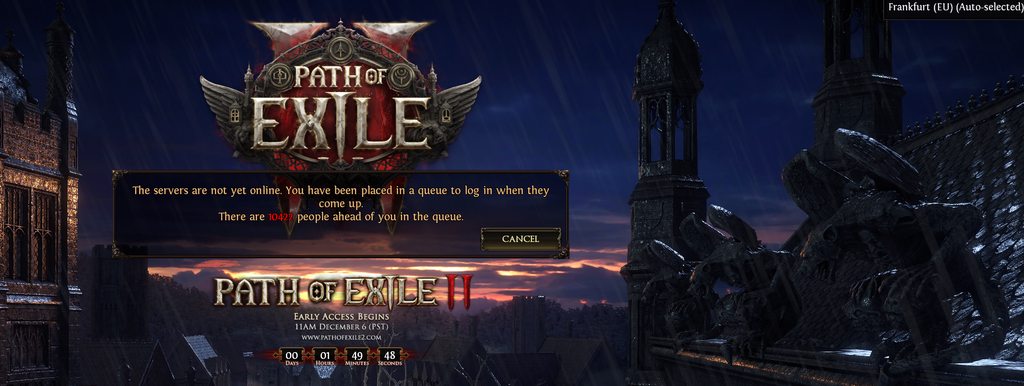 fading topaz
Yeah the general things like using newer wine and proton, but that's all I can really suggest
fresh swallow
vivid fog
Running from a Bottles instance, should I download some dependecy before launchi...
if you want to bother then getting poe1 running nicely would be a good sign
odd sentinel
I am already in queue for PoE2 via bottles on linux. Running via PikaOS, latest Mesa & Kernel, latest wine, etc.
velvet mortar
@odd sentinel You can get your Steam key here https://www.pathofexile.com/my-account/early-access
vivid fog
I'm on CachyOS, with they modded Kernel, and all Up-to-Date
odd sentinel
velvet mortar
<@169129923028582410> You can get your Steam key here https://www.pathofexile.co...
You cannot. They do not have any for those who bought via their official page
 vivid fog
Hoping that won't crash, or somenthing like that
odd sentinel
vivid fog
I'm on CachyOS, with they modded Kernel, and all Up-to-Date
PikaOS basically runs CachyOS default kernel so should be super similar. Good luck. let me know if you find out anything
vivid fog
In some minutes, I should be able to find if will run nicely
 odd sentinel
I am too afraid of a crash to even enable in game fps overlay lol so idk my performance atm
vivid fog
odd sentinel
PikaOS basically runs CachyOS default kernel so should be super similar. Good lu...
What is PikaOS for? Is like a "meta-distro" for gaming?
Never heard about
odd sentinel

In this video I review the latest release from PikaOS 4.0. Enjoy!
PikaOS 3.0 review: https://youtu.be/-bUnKEjV6z4
Full stream PikaOS 4.0 Beta on GNOME: https://youtube.com/live/Qe2vW03JUXU
Full stream PikaOS 4.0 KDE: https://youtube.com/live/Wa2AQ37ABB8
Want to watch more?
►Livestream - Every Wednesday and Friday on this channel.
Want to supp...
vivid fog
I just installed Cachy, because, at the time, I was lazy to install Arch by my self
vivid fog
odd sentinel
https://wiki.pika-os.com/en/home
https://www.youtube.com/watch?v=xrlGCoJnGOo
Ohh, I see
vivid fog
odd sentinel
I just don't like waking up to broken builds on Arch
I run backups frequently, so, isn't a problem to me
BTRFS just save lives
And, the fact that, you can put then in the bootloader, as an Kernel Image
(sure, you will need make some tweaks, but man, this save lives)
Now that I'm thinking
I'm running on Hyprland
ashen lance
😔
 vivid fog
Should be a concern? Due to compositor things, etc?
ashen lance
by the time the game is done it will be already late
like it will take ~1 hour
and queue is already huge

vivid fog
I'm downloading RN
odd sentinel
Queue isn't that big yet
vivid fog
And will let the queue run
odd sentinel
And more than likely servers will crash and we will all have to re-queue
crimson sphinx
only 30000
vivid fog
I'm going to music class at 4PM, and hopping that at 12PM will be able to play
LOL
Almost finishing

 vivid fog
PoE2 already have build guides, or don't?