#Wootility v5.3.0-beta Feedback
1 messages · Page 1 of 1 (latest)
 spring kiln
yay


 cyan eagle

 quiet cosmos
Got some extra switches for you guys that we were able to add fairly quickly, most work last 2 weeks has gone into polishing 5.2.1 stable.
We should be able to support some community favorites in about a week or two.
Let us know what switches you're using so we can support them!
 wicked nova
For anyone experiencing input issues
Could you share:
- Keyboard Model
- Firmware version
- Switches being used (and what is configured in Switch Selector if relevant)
- Profile Code for profile you can experience issues on
- Affected keys + what exact symptoms are being experienced
Having all this information would be extremely helpful for us resolving input issues you're experiencing.
Thanks!
wicked nova
wicked nova
**For anyone experiencing input issues**
Could you share:
- Keyboard Model
- Fir...
quiet cosmos
quiet cosmos
Got some extra switches for you guys that we were able to add fairly quickly, mo...
 digital ether
I have beta updates turned on but 5.2.1-beta offered me 5.2.1 stable and isn’t offering the 5.3.0-beta. This is on Mac. Also it updated beta firmware to stable. 2.13 beta firmware isn’t available either for me. Will need to check on windows later.
quiet cosmos
digital ether
I have beta updates turned on but 5.2.1-beta offered me 5.2.1 stable and isn’t o...
reproduced the problem, thank you, we'll get it sorted
 wild spear
I have found unusual bug on demo mode
- Pick 60HE/60HEv2
- Click Select all keys in Quick Settings
- Pick 80HE

 cyan eagle
wild spear
I have found unusual bug on demo mode
1. Pick 60HE/60HEv2
2. Click Select all ke...
cyan eagle
wild spear
I have found unusual bug on demo mode
1. Pick 60HE/60HEv2
2. Click Select all ke...
thanks, can repro
we'll look into
wicked nova
digital ether
I have beta updates turned on but 5.2.1-beta offered me 5.2.1 stable and isn’t o...
Should be fixed now 
 tough kindle
nice update

 sacred needle
I don't have a switch selector

 knotty flame
sacred needle
I don't have a switch selector
knotty flame
sacred needle
I don't have a switch selector
the switch selector is ARM only
sacred needle
What does that mean
 vague swan
Different "Chip"
 knotty flame
All newer keyboards use ARM now
sacred needle
I get it, but why am I limited because of a different chip/board?
vague swan
sacred needle
I get it, but why am I limited because of a different chip/board?
It doesn't have the memory/storage for it
sacred needle
I remember someone commenting in a blog post during Wooting LE development how they would be having a slightly different board in the Wooting 2 HE
and we got assurance that this wouldn't be a worse keyboard because of it
apparently the changes were very minor
but now it's a worse keyboard because of it and the people who funded the current HE era are now getting "sorry can't help you lol"
knotty flame
Why is it worse just because you're not getting a new feature you didn't have before? 🤔
sacred needle
because wooting 2 he has this feature
wooting 2 lekker edition doesn't
they said it's effectively the same thing
but turns out it's not
 potent schooner
hello, my keyboard keeps disconnecting trying to save the switch selector, or saving anything. Logs shows this: [2025-12-09T19:21:17.446Z] [error] Device communication error, closing device Error: Communication with device timed out at async task (file:///assets/index-B-xGwHt0.js:1:2011488) at async GN.tick (file:///assets/index-B-xGwHt0.js:1:2012066) [2025-12-09T19:21:17.447Z] [info] Device disconnected 10 id: 1028391815024002 [2025-12-09T19:21:17.453Z] [error] Failed to sync device. Error: Task was cancelled [2025-12-09T19:21:17.453Z] [error] Failed to sync device. Error: Task was cancelled [2025-12-09T19:21:17.453Z] [error] Failed to sync device. Error: Task was cancelled [2025-12-09T19:21:17.454Z] [error] Failed to sync device. Error: Task was cancelled [2025-12-09T19:21:17.454Z] [error] Profile saving failed Error: Task was cancelled [2025-12-09T19:21:17.454Z] [error] There was an error syncing the Keyboard Profile with device: Error: Communication with device timed out
not sure if this is an OS issue.
keyboard: 80HE
switches: lekker v2
Firmware: 2.13.0-beta.2
profile: 383aa45d8e2ad3a33310560e619001519fb0
 coarse drift
I'm getting this when I try to change my CTRL to a different switch
Wooting 80HE
Layout: ANSI
Firmware: v2.13.0-beta.2
Chip: ARM
State: Connected
Switches used are as shown in the picture
 coarse drift
I can change to a different switch only if I disconnect and reconnect manually while Wootility is open.
Restarting Wootility brings back and I cant change again
Happy to help if you need logs or anything else
potent schooner
coarse drift
I can change to a different switch only if I disconnect and reconnect manually w...
same thing happening for me
 faint silo
updates for the background service should probably be included in the update section. and maybe test the background service manual updates, because it had no feedback or progress bar for me and displayed some nonsense like in the image i sent (fine after restarting wootility)

 dense remnant
changelog would also be interesting for the background-service
sacred needle
What are the differences between ARM and AVR chips? Is it possible or feasible to "upgrade" my lekker edition to ARM?
faint silo
sacred needle
What are the differences between ARM and AVR chips? Is it possible or feasible t...
that's essentially a hardware upgrade/replacement to "change" chips AFAIK (and AVR won't have switch selector due to lack of storage apparently)
sacred needle
I understand that, but is it possible to do that hardware upgrade/replacement?
faint silo
probably not other than replacing the whole keyboard? i do not know
sacred needle
The question is, replacing entire keyboard, replacing the board, or replacing the chip
cyan eagle
sacred needle
The question is, replacing entire keyboard, replacing the board, or replacing th...
replacing the pcba would be the minimum but we don't sell wooting two he arm pcbas that I know of.
we would love to have AVR boards keep feature parity forever but unfortunately the chip itself does not have the space to add more features
some bugfixes it would have the space for maybe, but switch selector happens to also be one of the bigger features (firmware-size wise) which makes it a complete no-go for AVR.
We do have some plans for related improvements for AVR, that would need to be smaller in scale.
you could contact our customer support to see if something can be arranged regarding the pcba but I can't promise anything
 cyan eagle
for some clarity, the original 2HE also has an AVR processor. The ARM version came after that. If you had gotten a 2HE at the time, it would have the same limitation
sacred needle
yeah, I got that, I was mistaken earlier
I assumed it wouldn't have that limitation because the web demo version shows 2HE as one of the selectable keyboards with switch selector
cyan eagle
if you have an ARM model, it is. I'm not sure when the last AVR model was sold but looking at some release notes the ARM version has existed in some capacity for 3 years
sacred needle
I see.
faint silo
oh and i'm here to report another input issue, although i have no idea how to reproduce it at all (wooting 80he v2.13.0-beta.2):
- (not reproducible anymore after replacing profile 2 with profile 2) switching from profile 1 (7af77eb48d4c9e4bb5f9ee59180b99167553) to profile 2 (502d503ddbe59e8d3dd30f68784b472365ed) right after startup mean that some keys (lctrl, windows, esc, f1-f12, and some others, but not the rest) just ignore actuation point completely, triggering a press as early as 0.06mm self-reported (for 1-3 mm keys) self-reported key depth is still correct. switch profiles can fix the problem.
- (no known reliable reproduction method) my f2 key after the keyboard was on for about 12 hours (desktop was on and did not sleep) didn't work until after pressing it repeatedly a bit, with no reported key press depth at all. on profile 2 (502d503ddbe59e8d3dd30f68784b472365ed)
still lekker v2 switches
potent schooner
potent schooner
hello, my keyboard keeps disconnecting trying to save the switch selector, or sa...
@cyan eagle this is happening pretty often. sometimes i try to save profile midgame to test some bindings, and it just looses connection. if i unplug and plug back in it works again. if this is a keyboard issue, i wonder if warranty still covers it?
vague swan
It seems like some keys jitter while fully pressed, I haven't experienced this earlier, with my actuation point it doesn't affect me but doesn't look right.
2HE
Firmware version: v2.13.0-beta.2
Switches being used (and what is configured in Switch Selector if relevant): Lekker V1.5
Profile Code for profile you can experience issues on: 43bcfb6f55c5acd2eaf699f32c08b05da0af

Left Shift

 mighty trail
quiet cosmos
Got some extra switches for you guys that we were able to add fairly quickly, mo...
mighty trail
quiet cosmos
Got some extra switches for you guys that we were able to add fairly quickly, mo...
I have some written out, would you like them to be posted here?
quiet cosmos
mighty trail
I have some written out, would you like them to be posted here?
yes please
mighty trail
Oh wait filtered out, let me remove the hyperlinks
Switch - Initial Force / Travel
Gateron Jade Max - 36±5gf / 3.5±0.1mm
Gateron Genty Silent - 35±5gf / 3.7±0.2mm
Gateron Jade Air - 36±5gf / 3.5±0.1mm
Geon Raptor HE - 42.0g / 4.0mm
Gateron KS-20 Dual-Rail White - 30gf / 4.1±0.2mm
Gateron KS-20 Dual-Rail Orange - 30±7gf / 4.1±0.2mm
Gateron KS-20 Orange - 38gf / 4.1±0.2mm
These are the ones I do own
mighty trail
quiet cosmos
yes please
Similar travel distances, are you guys looking at incorporating them just for convenience? Or sticking with what they are similar with
 finite panther
I use Lekker Tikken.
 verbal fox
mighty trail
Switch - Initial Force / Travel
Gateron Jade Max - 36±5gf / 3.5±0.1mm
Gateron Ge...
verbal fox
mighty trail
Switch - Initial Force / Travel
Gateron Jade Max - 36±5gf / 3.5±0.1mm
Gateron Ge...
These switches are unlikely to ever be added honestly. They’re all very old and not popular options
Jade air is the only one slightly newer but it was quite unpopular
mighty trail
I had actually swapped to it recently because of how stable it was
verbal fox
if it does get added it will be quite far down the line. Switches basically get added based on popularity or what’s new and potentially good options
mighty trail
Figured it'd be nice to throw the suggestion
verbal fox
Gaterons measuring is also incorrect btw
We’ve had to correct a lot of their measurements ourselves
mighty trail
Of course, I only posted it as the website was instructed, figured there was another measure to properly record the measurements
verbal fox
I can say that basically all the ks20 we’d basically never add because of how outdated they are as switches while being very unpopular
mighty trail
Yeah of course, just threw it out as a suggestion, too many switches would look too cluttered especially on older unpopular switches
verbal fox
Jade ruby should be in the next batch added though, as that’s a fairly popular switch and I sent those over for data already
mighty trail
I'm surprised how popular they are, are they significantly different than the jade pros?
mighty trail
Will there be a list or is it behind the scenes for the upcoming ones or still scouting for new ones that are popular (basically have 90% of them already on the site)
verbal fox
Yeah I shared it in modding channel already
mighty trail
Also, 2 of them I believe I grabbed from the sample gateron kit on amazon
Don't know how popular those were but thought i'd clarify
verbal fox
mighty trail
Thanks, sorry to be obstrusive
verbal fox
Nah all good
finite panther
I'm currently having a problem where the keyboard connection is often lost as soon as I try to save something in Wootility. Sometimes it saves anyway, but most of the time it doesn't.
This can usually be fixed quickly by briefly unplugging the cable from the keyboard. But not always.
cyan eagle
finite panther
I'm currently having a problem where the keyboard connection is often lost as so...
Can you try switching the polling rate to 1k and seeing if that gets rid of the issue? It's something we're investigating internally and want to fix as soon as possible
cyan eagle
finite panther
The same error as with 8k.
hmm, thanks.
finite panther
What I've just noticed is that the LED bar no longer works after this error message.
It usually displays the CPU usage for me.
I deactivated it and was then able to change things several times without any error message.
There was an update to the Wooting Background Service. Could that be the reason?
No more error messages here.
As soon as I turn the CPU usage monitoring back on, I get the error messages again.
finite panther
Good morning. This seems to be a Windows problem, because i'm now using Linux and i don't get any error messages when saving.
 pallid zinc
after 5.3 beta, woot80 does not power on until windows, cannot enter bios while booting. this was not happening before, at least 5.1. any ideas? usb related bios settings are not changed (legacy usb-on)
if this is only happening to me, prob cause of MSI's poor m/b firmware
finite panther
That's strange. Yesterday I had these problems with saving. This morning everything was fine under Windows 11. Then the PC was off for a few hours. Now i`m back home and i'm having these problems again.
cyan eagle
it just looks like you have them set different on that profile
can you share the profile code?
finite panther
Since yesterday i've had the problem that the LED bar no longer responds when the PC has been in standby mode.
If I stop and restart the Wooting background service, it works again (Windows 11).
cyan eagle
looks fine for me on beta

 valid aspen
@wicked novaI feel that the current range of supported switches is still quite limited. Additionally, I would like to inquire whether future updates will include support for switches with a magnetic flux of 750 Gauss. In the current version, after a power loss, each key requires multiple presses to recalibrate, which is highly inconvenient for DIY users. Will future versions of the driver include a manual calibration feature? It would also be helpful if the driver could save the minimum and maximum magnetic flux values after calibration to avoid the need for recalibration after power loss. 
verbal fox
There are more switches already planned and in the works of being added. I estimate once the next batch is fully done that should cover large selection of the mainstream switches
verbal fox
valid aspen
<@178235161857490944>I feel that the current range of supported switches is stil...
if there’s a particular switch you want added it’s better to just mention them vs giving magnetic values because it’s as much about travel distance as well.
We can’t guarantee they’ll be added if they’re not that popular an option, but if you mention them then at least we’ll be able to see it and gauge interest over time
valid aspen
verbal fox
if there’s a particular switch you want added it’s better to just mention them v...
For example, wuquestudio's WS Flux Switch, this switch has a magnetic flux of 750 gauss and a 3.5mm travel. Wuquestudio has many versions of switches, with only a few versions having a magnetic flux of 550 gauss, as well as the new switches from your partners TTC and GATERON.
Or you could consider adding a custom axle option in the drive shaft settings, so that DIY users like us can set the axle parameters ourselves. I believe this would be the simplest and most convenient operation for you.
 untold burrow
valid aspen
For example, wuquestudio's WS Flux Switch, this switch has a magnetic flux of 75...
untold burrow
valid aspen
For example, wuquestudio's WS Flux Switch, this switch has a magnetic flux of 75...
Wooting is going to add Wuque Flux, along with some other popular switches to the selector soon. Here's the list: #🔧│keyboard_modding message
verbal fox
Yep like shafie mentioned Wuque flux deep clack are already planned to be added
DIY gauss doesn’t work because the manufacturers themselves don’t get their own readings right sometimes.
Both their magnetic readings and travel distance is often not 100% accurate
 dawn vigil
-> for some reason on this profile (this doesnt happen on any of my other 2 profiles)my 'o' key is super sensitive (not the only one(video demo))
- 80HE
- v2.13.0-beta.2
- LekkerV2 (same)
- 18001b7fd9d15cdf522c7b4a99016ecea4be
- alot are affected, but 'o', 'n' 'p' 'v' are maybe the most noticeable
finite panther
I keep having the problem that the LED bar stops responding after the PC has been in standby mode. I use it to display CPU usage. I then have to stop and restart the Wooting background service. This doesn't happen after every standby, though, and it occurs in both the beta and the latest stable versions.
I currently have version 5.2.2 installed. When I enable beta updates, the latest beta version is not offered to me, even after restarting Wootility.
I've installed the latest beta. But now version 5.2.2 is being offered as an update?
dawn vigil
dawn vigil
-> for some reason on this profile (this doesnt happen on any of my other 2 prof...
also i forgot to mention, i have another profile in which i use 8k polling but the issue isnt happening, should i just delete this one and create another with the same settings??
 paper plume
has the issue of restarting the pc and the keyboard dropping brightness to 0
even when switching between profiles
 rare bloom
I noticed that renaming a keyboard from the drop-down menu will rename the current selected keyboard instead of the one you picked in the list
The renaming modal does have the correct keyboard name but the change is only applied to whichever keyboard you have open to configure in the background
Not sure if it matters but i've got two UwUs and a 60HE (not the plus) and i'm using brave browser (with shield off) on linux
 wraith glade
finite panther
I've installed the latest beta. But now version 5.2.2 is being offered as an upd...
wraith glade
finite panther
I've installed the latest beta. But now version 5.2.2 is being offered as an upd...


 hollow valley
 quiet cosmos
[v5.3.0-beta.2] New beta release is live!  <@&725685824020283432>
This update allows for configuring Gamepad polling rate up to 1000 Hz on all devices, and up to 8000 Hz on the Wooting 80HE and 60HEv2.
We also added an option to Mod Tap JIT to activate the Tap key, which ensures that typing with mod tap on the alpha keys won't result in characters being out of intended order.
Full changelog and desktop downloads:
https://wooting.io/wootility/changelogs/5.3.0-beta.2
The web version is live on https://beta.wootility.io/
Please share any feedback or issues you encounter in the thread.
 fervent lily
one problem still occuring , when mod tap is set to tap for "e"
and "a" and "d" are using rappy snappy.
when typing fast "a" "d" are still going out of order
seems to be bugged and not working when other keys are set to rappy snappy
otherwise it seems to be working as intended
quiet cosmos
fervent lily
one problem still occuring , when mod tap is set to tap for "e"
and "a" and ...
profile code?
fervent lily
quiet cosmos
profile code?
be0dd8662b68db32d0568b412e9d48de03a4
i removed the rappy snappy in the Main Layer for "A" and "D"
you may try to enable it. and you will see the problem still occuring if you type "e" and "a" or "d" really fast
suspecting rappy snappy inteferes with the new feature~
 real sage
when im trying to move foward holding W it randomly stops and than keep going i made sure im not touching S and when im trying to move with W & D it stops moving diagonal and acts like im only going right
SETTINGS
SOCD for A & D
8k
rapid trigger at the lowest
pallid zinc
after updating to beta2, beta.wootility would not find my wooting 80he, while normal wootility connects without problem. I tried clearing all cache and resetting site permissions. happens on both chrome and edge
 cyan eagle
pallid zinc
after updating to beta2, beta.wootility would not find my wooting 80he, while no...
cyan eagle
pallid zinc
after updating to beta2, beta.wootility would not find my wooting 80he, while no...
do you get any errors in the browser console? also try re-adding the device
pallid zinc
haha yes, removing-readding in beta wootility solved it
 fervent lily
quiet cosmos
profile code?
fervent lily
quiet cosmos
profile code?
any feedbacks?
can you confirm that the new JIT modtap "tap key" feature doesn't work with buttons that are already using rappy snappy or snappy tappy (socd)?
 viral kite
pallid zinc
after 5.3 beta, woot80 does not power on until windows, cannot enter bios while ...
viral kite
pallid zinc
after 5.3 beta, woot80 does not power on until windows, cannot enter bios while ...
Having this issue as well, been happening since a recent firmware update (I'm guessing 5.2 non-beta), also happens on 5.3 beta
I've also noticed this issue doesn't happen when the 1st profile is the active one before restarting the PC, if any other profile is active, only then the issue happens
keyboard is 60he, also MSI motherboard in case it matters
I dual boot 2 windows OSes, keyboard only turns on about 3 seconds after the windows boot manager pops up (can tell by the RGB), so it's not on during the BIOS startup hence you can't click delete to enter BIOS
 tribal scarab
@verbal fox Will Akko Astrolink be added soon? I might actually end up with those. I'm currently trying out those, the Ice Ultra, and the Owlab Ti, both of which are already on the list.
verbal fox
tribal scarab
<@122471709415571468> Will Akko Astrolink be added soon? I might actually end up...
Those are just raptor v2, and yes raptor v2 are in the incoming batch
tribal scarab
verbal fox
Those are just raptor v2, and yes raptor v2 are in the incoming batch
No kidding? Raptor v2 just rebranded or improved? They do seem more springy for 50g bottoms. Thank you so much for the quick reply!
verbal fox
Raptor v2 and Astro and a few others are basically same switch recolored
Might be slight spring differences and such but the actual switch itself is all the same
tribal scarab
verbal fox
Might be slight spring differences and such but the actual switch itself is all ...
Aha! Does the Switch Selector feature account for spring differences? I'm hesitant to enroll in beta firmware but I'm very curious.
verbal fox
Spring doesn’t change the start and end magnetic values
 hushed cosmos
60HE
v2.13.0-beta.3
Stock switch (Lekker 60?)

is there any quick fix for this? really big deal for game performance
untold burrow
hushed cosmos
is there any quick fix for this? really big deal for game performance
I doubt you can fix that, Lekker v1s are just so wobbly and that's why this happens
hushed cosmos
untold burrow
I doubt you can fix that, Lekker v1s are just so wobbly and that's why this happ...
it wasn't happening before update, is there a way to downgrade the firmware?
cyan eagle
fervent lily
be0dd8662b68db32d0568b412e9d48de03a4
sorry for getting back to you so late, but yeah advanced keys interacting with the JIT options are something we want to fix during beta. If I have an update on this I'll ping you
fervent lily
cyan eagle
sorry for getting back to you so late, but yeah advanced keys interacting with t...
Thankyou, looking foward to the next beta version to have this issue resolved.
would love to use rappy snappy or snappy tappy on "A" and "D" keys while being able to type properly without issue!
 worthy narwhal
will there a update for 3.2mm key travel distance switches like gateron jade ultra?
verbal fox
worthy narwhal
will there a update for 3.2mm key travel distance switches like gateron jade ult...
gateron jade ultra switches are coming soon in the next batch of switches
worthy narwhal

cyan eagle
👀
 brisk forge
soon™
tribal scarab
Going to try out Gravastar UFO. Is that on the docket?
verbal fox
it's on batch 3, so after this incoming batch ufo will be in the following batch. no eta on that though
tribal scarab
verbal fox
it's on batch 3, so after this incoming batch ufo will be in the following batch...
The important part is still just matching the actuation distance, right? The rest is aesthetic?
verbal fox
Not just that but also magnetic strength. Different companies use different magnets. Sometimes 2 switches with same travel will have totally different magnet strengths
cyan eagle
quiet cosmos
[v5.3.0-beta.3] New beta release is live! <@&725685824020283432>
This update introduces new switches to Switch Selector:
- Gateron Jade Ruby
- Gateron Jade Ultra
- Gateron Spark
- Geon Raptor HE V2
- MMD C1
- Owlab Ti HE
- PHYLINA Thunderflash White
- UR Ice Ultra
- Wuque Studio - Flux (Deep Clacky)
We also squashed some bugs we found along the way.
Full changelog and desktop downloads:
https://wooting.io/wootility/changelogs/5.3.0-beta.3
The web version is live on https://beta.wootility.io/
Please share any feedback or issues you encounter in the thread.
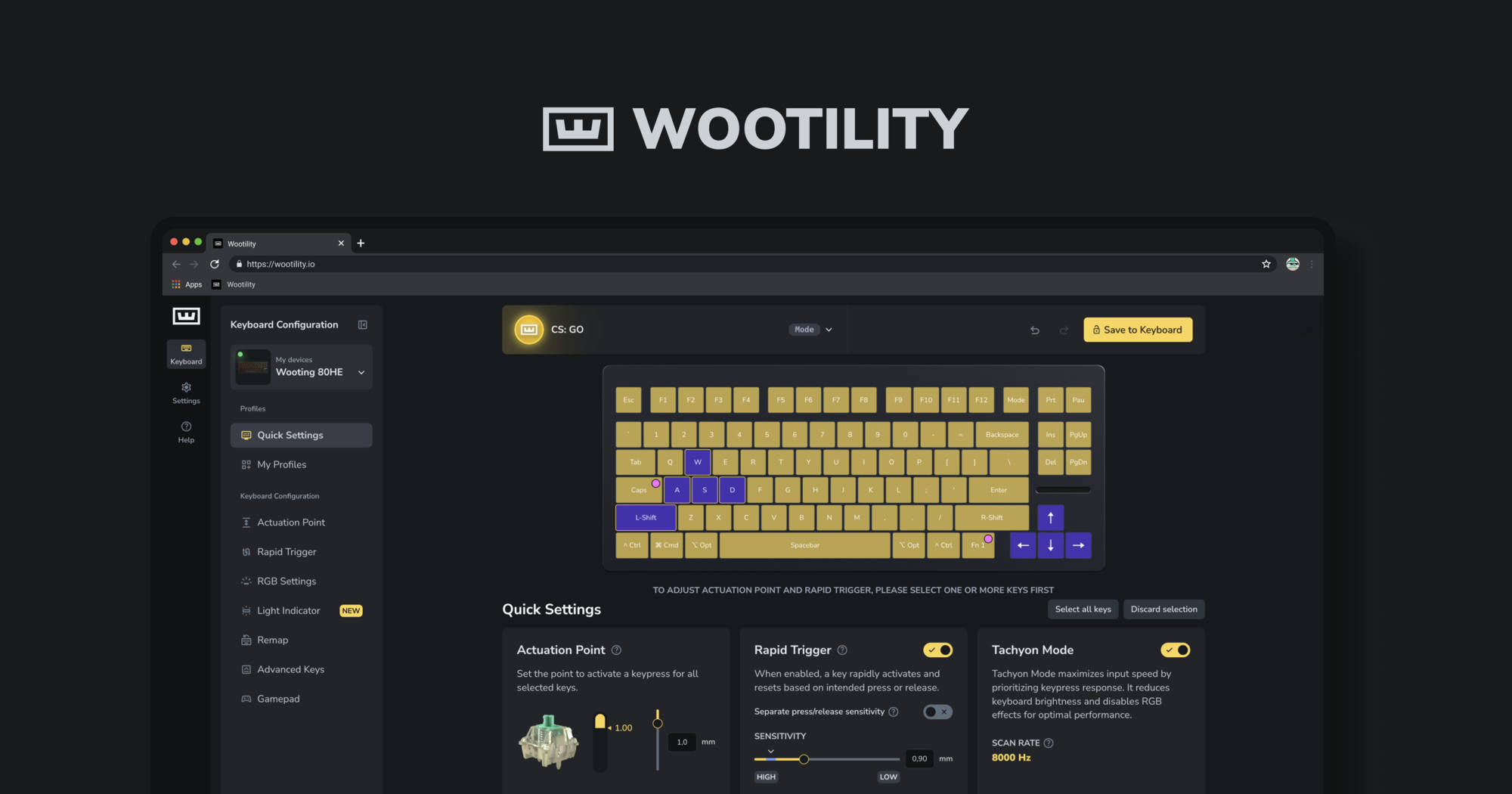
Instantly edit your Wooting keyboard profiles and colors from the browser.
 oak venture
It seems like RGB is a bit borked on the UwU with this update. The settings are still correct, but the actual RGB doesn't reflect what it's set to, and changes don't have any effect.
Preset changes will have an effect, but other effects and changes don't seem to have any effect
 cyan eagle
oak venture
Preset changes will have an effect, but other effects and changes don't seem to ...
cyan eagle
oak venture
Preset changes will have an effect, but other effects and changes don't seem to ...
whoopsie
can repro, will fix
thanks
oak venture
Awesome, glad it was easy to reproduce
cyan eagle
oak venture
It seems like RGB is a bit borked on the UwU with this update. The settings are ...
fixed!
oak venture
cyan eagle
fixed!
It sure is, thank you
oak venture
Just general feedback, but handling mixed settings for a toggle like this is just awesome

Start in the middle indicating both sides are toggled within the selection, and allow you to slide one way or the other 👌
 thorn yacht
Looking forward to the Switch Selector update!
untold burrow
thorn yacht
Looking forward to the Switch Selector update!
 It's already available?
thorn yacht
untold burrow
<:HUH:1278784670590566483> It's already available?
Not in a public release, only beta, right? 80HE here
untold burrow
thorn yacht
Not in a public release, only beta, right? 80HE here
Yes, only beta for now
thorn yacht
untold burrow
Yes, only beta for now
That's why I'm waiting
untold burrow
Why not install beta
tribal scarab
thorn yacht
That's why I'm waiting
These betas have been pretty rock solid. Though tbf, I've only had an 80HE for a couple of months now.
thorn yacht
untold burrow
Why not install beta
Waiting for it to go live. I'm glad it's being addressed. I did mention switch travel length a while ago and how 3.5mm (Gateron Jades) travel didn't coordinate with what was on the utility (4.0mm) and someone told me it'll adjust or something, lol
tribal scarab
Just installed Gavastar UFO switches and opened up Wooting Desktop software to look at the Switch Selector only to find a new "update" to install. Great. After the update, the Switch Selector menu was completely gone. It "updated" me from v5.3.0-beta3 to v5.2.3. I downloaded 5.3.0b3 and installed it, and the desktop app still insists I downgrade versions.
 tight lotus
tribal scarab
Just installed Gavastar UFO switches and opened up Wooting Desktop software to l...
tight lotus
tribal scarab
Just installed Gavastar UFO switches and opened up Wooting Desktop software to l...
Today's beta fixed that, ran into the same thing
Would it be possible to add the Haimu Doves? 3.8mm travel. Or possibly just a key travel slider? seems more comprehensive than finding a specific switch
tribal scarab
tight lotus
Today's beta fixed that, ran into the same thing
I didn't see an update but it's not prompting me to downgrade any longer! I appreciate the update.
verbal fox
tight lotus
Would it be possible to add the Haimu Doves? 3.8mm travel. Or possibly just a ke...
doves are a silent switch making it very tricky to add (also not all that popular a switch these days just due to newer better silents that have come out)
we actually wanted to add tecsee he to recent batch as a silent option, but it was tough to get stable accurate data for it
tight lotus
verbal fox
we actually wanted to add tecsee he to recent batch as a silent option, but it w...
Ah gotcha. Are any other silent switches slated to be added?
verbal fox
tecsee will likely be the first one (those and xvx he are same so it would work for that one too), but will take time to add to figure out how to add them accurately
silent switches just have more instability with the dampening and such
tight lotus
Yeah figures! thanks
 sudden belfry
Do these new features in beta 5.3.0 support Gateron Magnetic Jade Max HE Linear Switch?
untold burrow
No, but you can choose Jade Pro in the software, it has same travel distance and magnet
tribal scarab
What's the closest to Gravastar UFO? The magnetic flux seems to be... unique?
fervent lily
cyan eagle
sorry for getting back to you so late, but yeah advanced keys interacting with t...
using 2.13.0-beta.3 along with wootility 5.3.0 beta.2 and currently facing another issue.
I have the "2" key setup with modtap : Hold = "[" and Tap = "2". now when using this mod tap together with an modifier key for example ctrl, alt or shift.
when pressing ctrl/alt/shift then "2" really fast, i cannot get it to register "alt +2" , as the modifier does not seem to register at all , and only "2" is registered.
only by slowing down and delaying pressing 2 , the modifier keys are then registered.
This issue is exactly the same as the JIT problem where letters are being in the wrong order.
I tried changing the settings , such as Hold, Tap, None or Hold modifier only, and none of it seems to work at all.
tight lotus
Does the spacers and O-rings setting add a deadzone at the bottom of the switch travel?
sudden belfry
untold burrow
No, but you can choose Jade Pro in the software, it has same travel distance and...
thanks man
fervent lily
cyan eagle
sorry for getting back to you so late, but yeah advanced keys interacting with t...
is there any update on this issue? any ETA on which beta version this will be fixed? Thanks
 gray carbon
Will the background service be available on the 60HE+ in future?
vague swan
gray carbon
Will the background service be available on the 60HE+ in future?
When the profile switching is implemented yes, right now it has no use
cyan eagle
Yes soon 👀
 jagged mason
vague swan
When the profile switching is implemented yes, right now it has no use
jagged mason
vague swan
When the profile switching is implemented yes, right now it has no use
Is there an ETA on profile switching?
vague swan
jagged mason
Is there an ETA on profile switching?
Not any that I know
jagged mason
vague swan
Not any that I know
It's the only thing I need to make this keyboard perfect. I'll keep an eye out.
dense remnant
jagged mason
It's the only thing I need to make this keyboard perfect. I'll keep an eye out.
I agree
tight lotus
jagged mason
It's the only thing I need to make this keyboard perfect. I'll keep an eye out.
I don't remember how I got access, but there's a beta floating around with it enabled, works pretty flawlessly
jagged mason
tight lotus
I don't remember how I got access, but there's a beta floating around with it en...
I'm using the wooting profile swapper app. It works well, but I'd prefer the official one.
Hopefully if it's in a beta, it's not too long away
 tulip sphinx
jagged mason
Hopefully if it's in a beta, it's not too long away
tulip sphinx
jagged mason
Hopefully if it's in a beta, it's not too long away
it's great for a beta ngl , no major issues
excited for stable 🫡
quiet cosmos
jagged mason
Is there an ETA on profile switching?
we're working to get it out the door as soon as it's ready, it's hard to put an eta for now
dense remnant
Second applinking test version based on latest beta would be nice … release eta is hard … i agree
jagged mason
I've just seen the .7 beta and installed it. Still no profile switching unfortunately.
tight lotus
jagged mason
I've just seen the .7 beta and installed it. Still no profile switching unfortun...
Use the one I linked. It’s a specific beta 6 that has it
jagged mason
tight lotus
Use the one I linked. It’s a specific beta 6 that has it
Can I install this after using beta 7?
tight lotus
jagged mason
Can I install this after using beta 7?
Yeah just follow the instructions in the post, cause there's a specific version of both wootility and firmware you have to use