#Wootility v5.0.0-beta.1 Feedback
1 messages · Page 1 of 1 (latest)
 cyan gale
My feedback is that this is very nice, happy Halloween.
 fierce mason

 ionic salmon
🌹
 brave sorrel

 whole cypress

 mint oak
And a firmware update 80HE
 tired rampart

 oblique fog
download isn't working?
 queen topaz
Yea download links aren't working ATM
 odd ocean
download is in fact not working
 misty horizon

 hot pivot
its joever

 earnest forge
Whoopsie, turns out I forgot to push the fixes for the download links to production 

 stiff socket

 kind epoch
do it mean that i dont even own stable 

 dire panther
i think we should post a screnshot of that a few more times

here
im doing my part
earnest forge
In the mean time, here are the correct links:
- Windows: https://api.wooting.io/public/wootility/download?os=win&version=5.0.0-beta.1
- Mac (Intel): https://api.wooting.io/public/wootility/download?os=mac&version=5.0.0-beta.1
- Mac (Apple Silicon): https://api.wooting.io/public/wootility/download?os=mac&platform=arm64&version=5.0.0-beta.1
- Linux: https://api.wooting.io/public/wootility/download?os=linux&version=5.0.0-beta.1
 celest garnet
Congrats on the release!!
 atomic berry
@earnest forge lgtm!
kind epoch
earnest forge
In the mean time, here are the correct links:
- **Windows:** https://api.wooting...
ty mate

 kind sail
It works fine, better than before
 earnest forge
Next stop proper switch configuration 😁
 coral plover
updated and my keyboard stopped typing what do i do?
earnest forge
coral plover
updated and my keyboard stopped typing what do i do?
(keyboard) model?
What version did you come from
 glossy dawn
try the restore firmware?
coral plover
earnest forge
(keyboard) model?
60HE+ (the pcb) and idk which version
but always latest
tried replugging and restarting pc but nothing
mint oak
You must enter the firmware in hexadecimal
kind sail
earnest forge
Next stop proper switch configuration 😁
Cant wait for switch selector
 runic oasis
layout wrong
Just add "overflow: hidden" for fix him daddy~
 coral plover
like what do i do
earnest forge
coral plover
like what do i do
I will followup with you in DM to debug
Turns out it was the "Enable keyboard keys" setting being disabled, which would've previously been ignored in v4 on the first profile if it ended up there. As gamepad things used to be all disabled on the first profile now all profiles are (kinda, still some work to do) the same
atomic berry
Out of curiosity does the keyboard only calibrate on boot
kind sail
earnest forge
Turns out it was the "Enable keyboard keys" setting being disabled, which would'...
Wait where is that?
 lucid marlin
There's a way to access changelog for the device firmware after it has been updated ?
earnest forge
kind sail
Wait where is that?
It's part of the gamepad tab
kind sail
Ah found it
earnest forge
atomic berry
Out of curiosity does the keyboard only calibrate on boot
It does a first calibration pass on startup, then when the keyboard is idle it does a deeper calibration to get a more accurate result. The bottom out calibration calibrates as you press it
hot pivot
earnest forge
It does a first calibration pass on startup, then when the keyboard is idle it d...
what got changed
hot pivot
it saves calibration now?
earnest forge
lucid marlin
There's a way to access changelog for the device firmware after it has been upda...
There is no mechanism for this currently, but here is the latest
 hot pivot
to use for first calibration
atomic berry
I was saying the other day how it would be cool to have a way to recalibrate via software
kind sail
atomic berry
I was just curious if you guys did idle calibration
idle calibration was there already
earnest forge
hot pivot
what got changed
Not sure what you mean, all the calibration changes were done as part of v2.8 firmware
It hasn't really changed much since then
hot pivot
earnest forge
Not sure what you mean, all the calibration changes were done as part of v2.8 fi...
this one
atomic berry
kind sail
idle calibration was there already
I didn't know that's why I was asking lol
hot pivot
how it is better for shorter switches
atomic berry
are you talking about the scanning logic for the 3.5mm
hot pivot
lucid marlin
There's a way to access changelog for the device firmware after it has been upda...
only a short summary
earnest forge
There was an issue when using the 3.5mm switches on the 80HE, where the signal would jump to 4mm instead of being smooth. This didn't affect any other boards as they already behaved correctly
hot pivot

 earnest forge
Kinda yea. The notes for those test builds are mainly what those builds introduce compared to the version they're based off of
Most test builds that have had their changes integrated into main firmware releases get removed from that list
atomic berry
Is there any news with that whole 8k polling instability
earnest forge
atomic berry
Is there any news with that whole 8k polling instability
Nothing big to share yet, but we're still actively digging into it to try and find the root cause. We did get some leads on something that can cause the same symtoms, but we don't know if it's the same root issue as some 80HE users have been experiencing.
 stark harbor
Hello everyone, good morning, is there news on deadzone managament? thanks
earnest forge
stark harbor
Hello everyone, good morning, is there news on deadzone managament? thanks
Could you be a bit more specific about what you're referring to?
stark harbor
Some boards can change the actuation point of the deadzone of the keyboard, like HM66, SU68, like this on NuPhy
 earnest forge
That just sounds like actuation point?
kind sail
That exists because those boards are advertised as 0.01 rapid trigger 🤓 ☝️ which is unusable, wooting dont need that deadzone setting
earnest forge
Aside, download links on the changelog page are fixed now
kind sail
what even is the point of advertising them as 0.01 rapid trigger if its barely usable
 astral ember
kind sail
That exists because those boards are advertised as 0.01 rapid trigger 🤓 ☝️ whic...
astral ember
kind sail
That exists because those boards are advertised as 0.01 rapid trigger 🤓 ☝️ whic...
Ur slower

atomic berry
oh its usable
astral ember
Essay is atleast 500 words. You get 0/100 points
kind sail
Thank you
kind sail
I love having misinputs every second, but it has 0.01 rapid trigger 🤓 ☝️
earnest forge
If it's for Rapid trigger then that's covered by the release sensitivity of Rapid trigger? (If you are just using RT for quicker release and not doing lots of repeated actuations midway through the travel of the switch)
kind sail
Yea
atomic berry
It's people trying to reduce physical latency
but to a point of it being unusable
like you slam your mouse and your keys register
astral ember
But it is faster than wooting 
earnest forge
I gotta head now. But if this discussion keeps going, I'd prefer if it gets moved to a different channel (or a post in #1141096226884956181)
kind sail
They dont realize that its not usable, I keep seeing comments from tiktok boys "But it has 0.01 rapid trigger 🤓 ☝️ its better than wooting"
just shut up
 scarlet sand
,m
 true fulcrum
Still no lightbar background service yet?
 drowsy light
is it worth upgrading to the v5 on the 60he?
kind sail
drowsy light
is it worth upgrading to the v5 on the 60he?
yea v5 looks great
drowsy light
alralr i will update it
 teal kindle

vivaldi doesnt register the "allow the browser" 
im clicking the button but nothing happens. Used to do so on the old wootility too, which is why i use the appimage
will there be one once v5 leaves beta?
brave sorrel
teal kindle
the linux download is an appimage
teal kindle
yes, is it available?
I cant find it on the webpage referenced in the blogpost referenced in the email
brave sorrel
the link is right there. but here you go: https://api.wooting.io/public/wootility/download?os=linux&version=5.0.0-beta.1
teal kindle
im sorry, i just really cant find it...

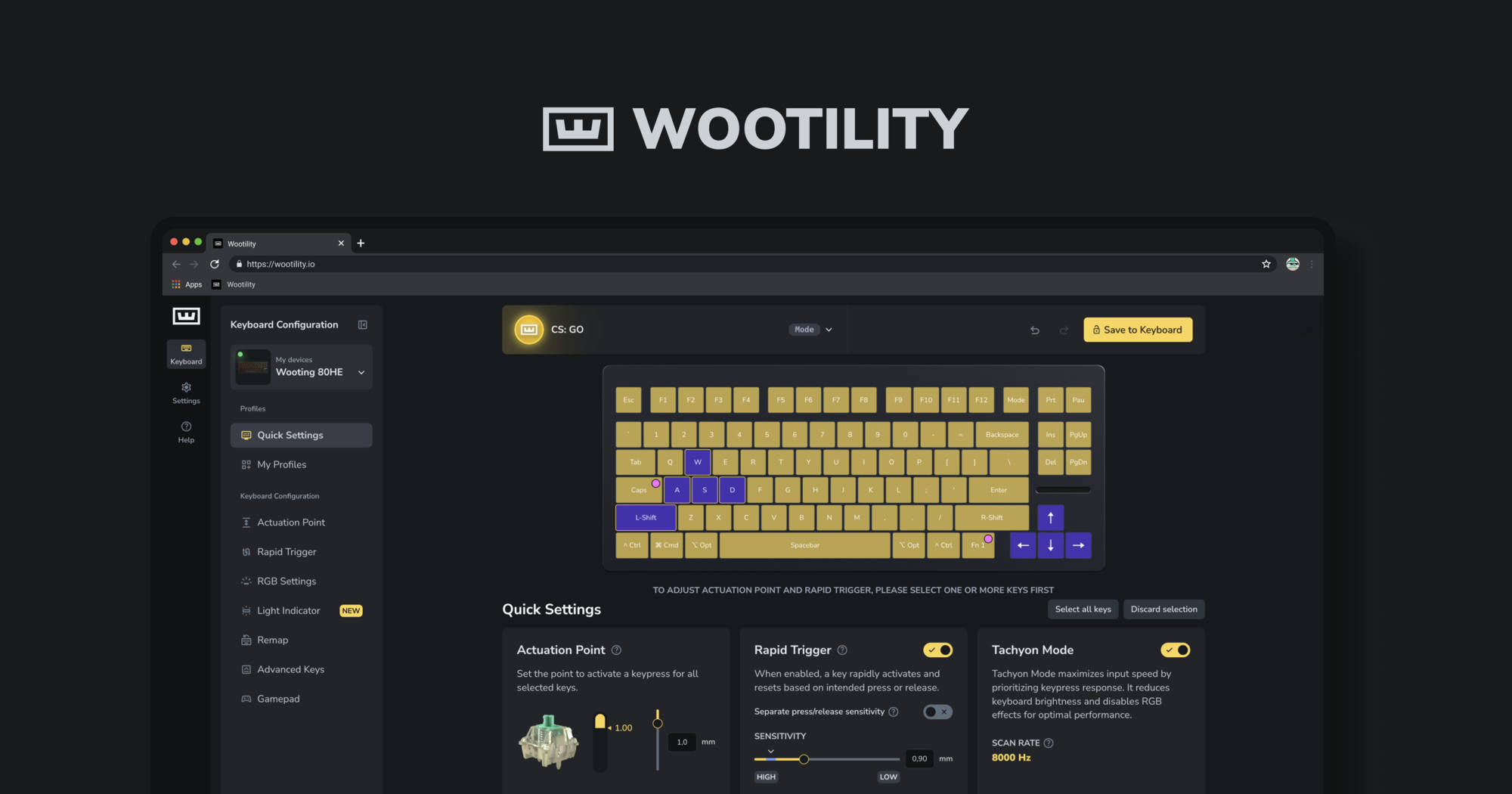
Instantly edit your Wooting keyboard profiles and colors from the browser.
teal kindle
brave sorrel
the link is right there. but here you go: https://api.wooting.io/public/wootilit...
this one works though, thanks!
ah i found it on the main site in wootility changelogs
astral ember
Is there already pc v5 beta?
 marsh roost
astral ember
Is there already pc v5 beta?
marsh roost
astral ember
Is there already pc v5 beta?
That's what this thread is for
astral ember
Ooh
 tardy bramble
how's about macro improvement?
 earnest hemlock
would be cool if you could control the brightness of the light indicator independently
 wicked jewel
on the actuation point and rapid trigger tabs, dragging to select keys works but dragging to deselect does not. additionally, deselection only works when clicking the edges of keys, not near the center
happened for me with the alpha version as well.

(ik i'm on alpha there, same thing happens on beta though. just tested.)
about even with the top of the letters is where it stops working for deselect, don't have to go as far to the edge as i did in that vid
 scenic topaz
cant scroll to other profiles

This is what it looks like and how many profiles I've added
 earnest forge
true fulcrum
Still no lightbar background service yet?
earnest forge
true fulcrum
Still no lightbar background service yet?
It still needs some time to cook and we also decided to focus on making sure the core of v5 is solid before introducing new things
earnest forge
scenic topaz
cant scroll to other profiles
Thanks for the report, I noticed this on my side as well, not sure why it broke FYI @spiral carbon
earnest forge
wicked jewel
on the actuation point and rapid trigger tabs, dragging to select keys works but...
Thanks for this report, the selection interactions can be a bit buggy
earnest forge
earnest hemlock
would be cool if you could control the brightness of the light indicator indepen...
This is currently in the works, likely to be included in the next update :)
earnest forge
tardy bramble
how's about macro improvement?
I need you to be a bit more specific
tardy bramble
earnest forge
I need you to be a bit more specific
u can take macro of Razer, Logitech for ref.
Currenty i can not set macro for even a button
Ex: Press E as multiple time macro
Press E and hold it to perform a tapping macro somekind like that.
earnest forge
tardy bramble
u can take macro of Razer, Logitech for ref.
Currenty i can not set macro for ev...
Use case?
 deep berry
in general I feel like it's about damn time wooting has official macros and since you're coming out with a bg service it's a fantastic bit of kit to include this functionality into if it can't be hardware for whatever reason
nulling both the "wooting doesn't want wootility to run all the time" and
"hardware macros mean cheating" -arguments
could even make a separate service for the macro engine altogether making it easy to detect with anticheat or whatever, if that's your concern. while leaving the lightbar dependencies untouched
 next onyx
is v5 Rapid Trigger per key working for you guys
when i try to individually adjust the rapid trigger settings per key it still automatically adjusts for all the keys,
but the changelog says "All Rapid Trigger settings can now be set per key individually'
example

if i change 1 keys rapid trigger setting it changes for all of them
 jade belfry
which keyboard and which firmware are you on
next onyx
jade belfry
which keyboard and which firmware are you on
2he, v2.10.0-beta.1,
jade belfry
2he arm or avr?
next onyx
jade belfry
2he arm or avr?
avr
jade belfry
i think this change isnt available on avr boards due to the limitations of ram on them
@earnest forge can prob confirm this
also unsure if this is made clear in changelogs
deep berry
needs to be communicated in wootility too
earnest forge
It is only for ARM ye

It is communicated to some extent
but maybe it should have some extra explanation to say that this is specific to your model
I'll also update the changelog to mention this to avoid confusion
deep berry
the part you circled isn't really relevant here though?
ohhh now i see. i guess it's communicated to some extent yes haha
jade belfry
maybe just auto select all keys on avr boards
dont even allow single key selection for RT distances
deep berry
"why can't I select a specific key, I can do it on my 80HE"
earnest hemlock
earnest forge
This is currently in the works, likely to be included in the next update :)
great :)
 mental carbon
Bug Report
Normally if I disable my Window Key ingame with FN+Shift+Windows, till the update the Window Key waws not highlighted and so I was able to recognize that it is disabled. Since the update there is a Bug so it is disabled but highlighted (LED).. Takes like 2-3 minutes the RGB to turn off.. PLS fix, was much better before!
lucid marlin
Lmao, someone forgot to pin one post containing a bunch of links to download the beta version
 sour blaze
lucid marlin
Lmao, someone forgot to pin one post containing a bunch of links to download the...
sour blaze
lucid marlin
Lmao, someone forgot to pin one post containing a bunch of links to download the...
they are working on the site now
lucid marlin
sour blaze
they are working on the site now
Ah, my bad. I never knew that they are busy on this web for links as well.
 blazing schooner
earnest forge
Turns out it was the "Enable keyboard keys" setting being disabled, which would'...
blazing schooner
earnest forge
Turns out it was the "Enable keyboard keys" setting being disabled, which would'...
also had this issue on my 60HE. Unexpected as have never used gamepad. I can only get my computer to accept keyboard inputs if gamepad is ticked on and "enable keyboard keys" is on. If I switch gamepad off, which I would prefer to do, the keys turn off again, until I renable gamepad, then switch off then on "enable keyboard keys". Is there something I can do to have keys work with gamepad off?
tardy bramble
earnest forge
Use case?
Currently, i want to make a auto click macro for E button but i can not on Wooting Wootomation
But the Razer can do
 earnest forge
blazing schooner
also had this issue on my 60HE. Unexpected as have never used gamepad. I can onl...
earnest forge
blazing schooner
also had this issue on my 60HE. Unexpected as have never used gamepad. I can onl...
Did you save to keyboard before turning off gamepad? When you turn off gamepad, it causes the device to restart which will reset any changes that haven't been saved yet
earnest forge
tardy bramble
Currently, i want to make a auto click macro for E button but i can not on Wooti...
By use case I mean what are you doing with it, as when we add things to Wootility, we want them to be driven by good use cases, not just adding a whole complex arbitrary system just because
tardy bramble
earnest forge
By use case I mean what are you doing with it, as when we add things to Wootilit...
so, can u improve the Wootomation?
 granite moon
Any plans to bring back RGB color preview on the remap page? not being able to see key colors during remap makes it harder to organize remaps, especially on function layers when you use colors to differentiate and locate remapped keys on layer1/2/3.
Also, being able to see all 4 hardware profiles on the left side (where "My Profiles" currently is positioned) is faster and easier to use when the goal is to organize and configure settings across multiple profiles (v4 implementation) as compared to the drop down box at the top on v5 which requires more user inputs to achieve the same result. It's like 3 clicks (click dropdown box -> click desired profile -> click background area to hide dropbox) on v5 compared to 1 click on v4 (simply click the profile you wanna switch to).
 quaint scaffold
when are you gonna add macros to the wootility instead of wootomaton? it's about time, the only brand who doesn't have them
 surreal dagger
fr
earnest forge
granite moon
Any plans to bring back RGB color preview on the remap page? not being able to s...
Good point on the first, we'll add it back. I also agree that it is far easier to manage the bindings when you're able to see the colours you've got assigned.
For the second, I understand where you're coming from, but I don't see this changing. I'd recommend making use of the keyboard shortcuts for profile switching to turn it into one action if you need to do a lot of changes
earnest forge
quaint scaffold
when are you gonna add macros to the wootility instead of wootomaton? it's about...
What macro functionality are you looking for specifically and what do you want to do with it?
Some general information when it comes to Wootility, "where macros" isn't going to get things anywhere. I need specific examples and specific use cases if you want to see something added
 tacit mortar
Not sure if this has been brought up yet.
I updated my 80HE to latest beta version and then switched polling to 1000. The keyboard would hang after about 5-6 key presses.
Switching back to 8000Hz fixed the issue.
 heavy marlin
hello my 80HE randomly switches on the 2nd profile and the enter key and fn key stop working after this happens, the issue is resolve after plugging keyboard back in then return after 40 mintues
I noticed the on the left hand side of my key board gets really warm when this issue happens
jade belfry
tacit mortar
Not sure if this has been brought up yet.
I updated my 80HE to latest beta versi...
tagging so they dont miss it @earnest forge @quiet crag
deep berry
wishing there was a public issue tracker so we could see that issues are acknowledged
surreal dagger
earnest forge
What macro functionality are you looking for specifically and what do you want t...
- just simple keypress sequence could be useful, I used it for having different accounts for riot.
- afaik razer / corsair / logi lets you to have key-pressed state while macro editing. or some qmks.
I used those for mmo setups. If you want to buff-chain with wooting I need to press shift and 1 2 3 4 5 6, competitors lets you to do this with fn+q - If it is really needed keypress with delays could be useful , I used it longtime ago with Blade and Soul. you will need to hit exact 8ms combo for max dmg
I don't really understand why wooting is so against macros, saying everytime 'WHAT DO U WANT" and doing nothing lol
and if these need much more computing power or etc, just ban macros inside wooting and allow these with only desktop service of wootility
earnest forge
tacit mortar
Not sure if this has been brought up yet.
I updated my 80HE to latest beta versi...
Could you open a thread in #1019755933959733258 and tag me & @quiet crag in it so we can go a bit deeper into your case?
earnest forge
heavy marlin
hello my 80HE randomly switches on the 2nd profile and the enter key and fn key...
Same as above pls 🙏
earnest forge
deep berry
wishing there was a public issue tracker so we could see that issues are acknowl...
Would be nice, but not sure how we could achieve that without it getting in the way. FWIW I try to make it very clear on here what issues I've acknowledged by either replying to them or reacting with an emote
earnest forge
surreal dagger
1. just simple keypress sequence could be useful, I used it for having different...
- Were you using it for your password? 😳
- I'm not exactly sure what you mean by this, are you talking about live macro recording that you can replay shortly after? Or just chaining inputs? The "lets you have key-pressed state while macro editing" bit is throwing me off 😅
- Would that just be where you can have it so that when you press a certain key, it will input it after a delay so that you can time things easier?
I don't really understand why wooting is so against macros, saying everytime 'WHAT DO U WANT" and doing nothing lol
Our goal is always to solve the real problem that our users are having and solving it in a good way.
Not just making some convoluted complex system which can be very powerful in some ways, but may be restrictive in other ways, which actually ends up getting in the way of what you want to do (if you can even get close to getting it to do what you want through the complexity. If you want an example, just look at DKS 😛. Macros as a whole is far bigger of a category of things than what DKS was trying to do even.
Additionally, especially with doing things onboard, if we want to have as much backwards compatibility as possible, we need things to be focused to solve a particular problem, so that we can do it in a compact way which will work on the older boards which have more memory limitations. If we try and make something more generalised, there has to be compromises made somewhere, hence why DKS is kinda powerful but also not at the same time.
But if we know exactly the problem we're trying to solve, we can do it in an elegant way, that is widely compatible and easy to use.
Hope that helps you understand where we're coming from 😁
and if these need much more computing power or etc, just ban macros inside wooting and allow these with only desktop service of wootility
So Wootomation? 😛
surreal dagger
and wootomation is dead rn 😛
- yeah, not-so-important val accounts.
- part was about macro editing with ( key down shift + blahblah blah + key up shift) so program reads my input as shift+1, shift+2, ...
- wootomation has delay editing too. wonder it could be possible for just wootility. wootomation needs so much keypress at once.
earnest forge
surreal dagger
1. yeah, not-so-important val accounts.
2. part was about macro editing with ( ...
- Then this is something that I wouldn't really be looking to solve, that's what a password manager is for 😛
- I'm still a bit unsure of what you mean. Is it just where you can press one button and it will input a sequence all combined with shift with a small delay in-between? So then you can just press one button to execute a sequence of abilities?
- Just to be clear, is what I said previously on this point what you mean? Like you just would want to turn X key to input Y key, Z time after actuation?
surreal dagger
yes, exactly.
3 is like I need to input 2f2r, but 2 - 2ms-f-8ms-2-2ms-r-2ms (and repeat)
 quiet crag
tacit mortar
Not sure if this has been brought up yet.
I updated my 80HE to latest beta versi...
quiet crag
tacit mortar
Not sure if this has been brought up yet.
I updated my 80HE to latest beta versi...
Can you please create a thread under #1019755933959733258 and tag me there.
Then please mention if you had issues updating the device before and if you can reproduce the issue on another system.
tacit mortar
quiet crag
Can you please create a thread under <#1019755933959733258> and tag me there.
T...
Thanks for reaching out. I've tried to repro on a different computer, and it doesn't seem to be happening there. I'm suspecting this might be related to how the keyboard is connected to the other computer (the one where I discovered this issue). I have USB cable extender used there, and 8k polling works without issues but 1k doesn't.
quiet crag
tacit mortar
Thanks for reaching out. I've tried to repro on a different computer, and it doe...
Oh I know about a case where a cable extender also caused such issue. I suspend that these have a redriver build in which can only amplify the High-Speed signal while letting the Full-Speed signal untouched. So for Full-Speed (when set to 1 kHz polling) the signal loss is likely to much resulting in communication issues while the signal is fine enough for High-Speed (when set to 8 kHz polling) due to the amplification.
Can you please link to the product you are using.
tacit mortar
quiet crag
Oh I know about a case where a cable extender also caused such issue. I suspend ...
ah yep, it's something as straightforward as this one here: https://www.monoprice.com/product?p_id=5431
quiet crag
I recommend to use an active cable extender instead (the ones which have a block in the cable). The blocks there are basically USB hubs. So if a Full-Speed device is connected the internal hub then sends the data via High-Speed to the host.
tacit mortar
something like this then?
https://www.monoprice.com/product?p_id=9470
for my use case, I think I will just keep in 8k polling and switch over to a better cable down the road
thx for looking into this though
quiet crag
Best to use one which has an indicator LED, like this one: https://www.amazon.com/MutecPower-Active-Extension-chipset-Booster/dp/B07M7L7NM9?crid=3KI50WRFLYHXC&dib=eyJ2IjoiMSJ9.CATZagn3i_6Zp9Zs0N3pzAg7cYomGxBEn3GNT_f7BrJ-6ek4OsukDXl-_6Q4Q6vIuNeYgWBFtDvEWK2zh-_vBfyWWzh61fkvJybTfT3qB4ruE3Qndba5DJhAWjqE38GiKLjMbOW1Agvd5olwyTyf5Am7Cgzk_rGdzmW76DFrXVf1FJyMO-jsiGtCCUIakMq1qFQy1slfW30dKT5xJ3GTyIR2DPp4MGk2Z9i7v3AIlu8.P5GJ3iYqbN8oK8HMFmkGdvCRmdSyf-Ew83KaChz8nvM&dib_tag=se&keywords=active%2Bcable%2Bextender&qid=1730831976&sprefix=active%2Bcable%2Bextender%2Caps%2C174&sr=8-5&th=1

MutecPower USB 2.0 male to female cable with extension chipset - Active Extension / Repeater Cable The MutecPower Hi-Speed USB 2.0 Active Extension Cable is an indispensable accessory for PC and Mac users to bring USB peripherals such as hard drives, printers, mice, keyboards, and USB hubs within...
Yeah, that should work too. If you use the simple extender you likely can't update the Wooting reliably. Because the Wooting also operates in Full-Speed in the restore mode and that is used for flashing (updating).
@tacit mortar I changed the link above to a USB 2.0 cable extender. I have no experience yet how and how well an active USB 3.0 cable externder works.
Also keep in mind that because these active have cables have a build-in USB hub it can be that they may not work in a complex setup. Like you can only daisy chain 5 or so USB hubs. Some USB hubs (like docks or KVMs) may work by having more than one internal USB hub. Every block of an active USB extender is likely a USB hub. So a long active USB cable extender may have multiple build-in hubs and so may don't work depending where it's connected to.
The longer the cable the bigger the voltage drop to power a device may is. So a long cable may also cause scanning issues if the brightness is set to high for the Wooting, especially when Tachyon is enabled. Some active cables also allow to connect an external power supply. But in that case I would recommend to use a normal USB hub with an external power supply instead. Then you have at least more ports where you can connect other devices to.
 cinder magnet
Beta Wootility, unable to scroll/arrow down in the drop-down for selecting profiles in the "Quick Settings" tab. Additionally, if I search a profile in this tab, I am unable to select it.
This seems like a pretty major oversight.
 violet light
I noticed that when tachyon mode is on and the light indicator is enabled through: Light indicator > Pre-built effects > Brightness indicator, lowering the brightness doesn’t show up on the light bar of the 80HE. Turning the brightness up works fine, but when I try to turn it down, the bar just does not move to the left. As soon as I turn off tachyon mode, the problem goes away. Is this a known bug?
 wanton tartan
violet light
I noticed that when tachyon mode is on and the light indicator is enabled throug...
wanton tartan
violet light
I noticed that when tachyon mode is on and the light indicator is enabled throug...
i seem to be experiencing this issue as well
earnest forge
surreal dagger
yes, exactly.
3 is like I need to input 2f2r, but 2 - 2ms-f-8ms-2-2ms-r-2ms (an...
Repeat automatically or on next press? Also, are the different timings between presses important?
earnest forge
cinder magnet
Beta Wootility, unable to scroll/arrow down in the drop-down for selecting profi...
We are aware and already got a fix for it ready. It's just a bug that got introduced in one of the last alpha builds 😅
earnest forge
violet light
I noticed that when tachyon mode is on and the light indicator is enabled throug...
We discovered this internally yesterday and have a fix ready 🫡
wanton tartan
also if you add a prebuilt effect to the lightbar and then bring it into the effects studio, they often show invalid/incorrect values
specifically, adding the Key Press Indicator or Brightness Indicator effects and then viewing them in the Effects Studio shows the setting Display = Temporary. toggling this setting between Constant and Temporary reveals that Temporary is actually not the applied setting with the pre-built effect, but also seemingly not even a valid setting for the progreess bar effect
surreal dagger
earnest forge
Repeat automatically or on next press? Also, are the different timings between p...
well it would be best to repeat whole seq. + different timings would matter, but I think this use case is too niche for average wooting users 😦
wanton tartan
wanton tartan
also if you add a prebuilt effect to the lightbar and then bring it into the eff...
nvm after looking around a bit more i think it was an issue with me not configuring Conditions tab properly, as well as initially losing the settings due to swapping between Display = Temporary and Display = Constant
my mistake 😛
 odd jackal
Wootility bug report. Version 5 with 80HE. Light Indicator effects set to trigger by "whileMatch" condition "ActiveFnLayer" = 1 only activate when Fn Lock is enabled, not when Fn 1 is pressed and held. Also, if the Light Indicator effect is active due to Fn Lock being enabled, pressing and releasing Fn 1 disables the effect, even though the system remains in Fn 1 state.
 tiny fable
earnest forge
Some general information when it comes to Wootility, "where macros" isn't going ...
tiny fable
earnest forge
Some general information when it comes to Wootility, "where macros" isn't going ...
I would like an easy way to execute a Macro/Function without having to 'give up' a specific key-code/key combination.
i.e I could have FN + G (which would be the G key position on the FN layer) execute a program that does other things (in my case it toggles between resolutions)
Currently if I was to use Wootomation I would have to bind some key to G on the FN layer in wootility, and then bind that key to something within wootility.
I am currently restricted to using F13-24 keys which wouldn't have any overlap (except I already use F13-17 on my mouse)
Ideally binding something to a key wouldn't actually make it send a traditional key-code which then has to be interpreted by something else
could be exclusive to the desktop variant of Wootility similar to how 'Chroma Connect' relies on the desktop app
earnest forge
surreal dagger
well it would be best to repeat whole seq. + different timings would matter, but...
Hmmm, yeah, getting to a fairly niche use case. Right now I'm not fully settled in my mind on how best to approach macros/wootomation in general. Have got some thinking to do and more use case examples (not necessarily from you specifically) will hopefully help me come to a good conclusion
earnest forge
tiny fable
I would like an easy way to execute a Macro/Function without having to 'give up'...
Yeah, this is something that I would like to do if/when we do a deeper integration between wootomation & wootility, or if we do macros on the bg service. Using things like F13-F24 is just a workaround and doesn't really solve the issue ideally
New Wootility and firmware beta update! @here
https://wooting.io/wootility/changelogs/5.0.0-beta.2
Read about the changes and improvements in Wootility version 5.0.0-beta.2.
earnest forge
earnest forge
New Wootility and firmware beta update! @here
https://wooting.io/wootility/chang...
atomic berry
nice keyboard is much bigger
earnest forge
Next update will include patches to the Notification bar system to ensure it doesn't impact Tachyon mode (while still allowing you to have some RGB on there)
drowsy light
it doesnt show the keys are activated after i did the latest update

can someone check whys that
atomic berry
 drowsy light
oh i didnt read ig my fault
earnest forge
No worries, easy to miss 😁
But yea, it wasn't showing accurately, as it was just a basic UI simulation based on the actuation currently showing, which was causing more confusion than it helped
So we disabled it for now, once we have the time to do the work required to get it to be accurate, then we'll bring it back :)
drowsy light
sounds good man cant wait for new features and cool stuff

 jade belfry
uh oh stinky
hot pivot
 outer badger
hot pivot
doesnt scale well tho
outer badger
hot pivot
doesnt scale well tho
@brave sorrel oopsie to fix 😃
 patent isle
has there been a new update? wootility web prompted me to update firmware on my 80HE which broke wootility
hot pivot
patent isle
has there been a new update? wootility web prompted me to update firmware on my ...
yup
should be a quick fix
go to wootility and look on the right
patent isle
cleared all cache from microsoft edge and tried again which fixed it
hot pivot
press help and follow the steps
 worn dagger
earnest forge
But yea, it wasn't showing accurately, as it was just a basic UI simulation base...
worn dagger
earnest forge
But yea, it wasn't showing accurately, as it was just a basic UI simulation base...
In my case it was pretty accurate but im on debounce test firmware it's maybe that
earnest forge
worn dagger
In my case it was pretty accurate but im on debounce test firmware it's maybe th...
If you use a single actuation point on all your keys, then it works fine. The issue being that if you have per-key actuation, if you have some keys selected that are e.g. 1mm actuation, but then you press some other keys that you have at e.g. 0.4mm. Then the visual feedback would show those keys actuating at 1mm because that was the actuation point in the slider that it was using to simulate the actuation for the visual
worn dagger
earnest forge
If you use a single actuation point on all your keys, then it works fine. The is...
Ok thanks for clarification it's for that i didn't see the problem i use 0.1mm on all my keys 😉
kind sail
stiff socket
Firmware update failed and keyboard became unresponsive.
Try restoring your keyboard

If you run into any complicated issues or your Wooting keyboard is not responding, one of the first things you can give a shot is restoring your keyboard in the Wootility.
00:00 hey
00:15 Reset Wooting keyboard settings
00:42 Restore Wooting keyboard
➤ Follow Wooting online: https://links.wooting.io/?id=VY...
stiff socket
kind sail
Try restoring your keyboard
https://youtu.be/f9f8PAI3XJI?si=j568qkTgRVDciGQd
I can't even type my Windows password to begin with.
The second method didn't work for me either.

kind sail
stiff socket
I can't even type my Windows password to begin with.
Okay, make #1019755933959733258 post
stiff socket
kind sail
Okay, make <#1019755933959733258> post
Fix thankyou
 brisk plinth
mental carbon
**Bug Report**
Normally if I disable my Window Key ingame with FN+Shift+Windows,...
brisk plinth
mental carbon
**Bug Report**
Normally if I disable my Window Key ingame with FN+Shift+Windows,...
hey we can't get this issue to happen on 80HE. what keyboard are you using? can you share your profile code where this issue occurs? (click the dots next to the profile and "share")
atomic berry
I've noticed a fair share of community support threads based on people being unable to connect via chromes web-hid api when in restore mode while the workaround is using the demo version of wootility I think it's somewhat confusing curious if you guys are able to detect the device when it's in Wooting Restore or is there some sort of caveat
ideally you'd connect it in restore mode and be redirected to the restore page
bonus points if you're capable of determining the keyboards model if needed in this mode
jade belfry
we can do all of that but web hid is a fickle mistress
a lot of permission granting left and right
mental carbon
brisk plinth
hey we can't get this issue to happen on 80HE. what keyboard are you using? can ...
Hey, I have a 60HE+, my Profile Code: 440b2b1c6e9397937935ee59769b9e57be31
mental carbon
brisk plinth
hey we can't get this issue to happen on 80HE. what keyboard are you using? can ...
Just trying to disable the WIndow Key like default by pressing: FN+Caps+Windows, before the update, the Window key was disabled and visible by no LED indicator on Windows. Now it is highlighted and only invisible if I press again the Caps Key. This was a workaround tip by one User in this Communitys. I can also share a Video with you if you want
 hard wyvern
earnest forge
Yeah, this is something that I would like to do if/when we do a deeper integrati...
hard wyvern
earnest forge
Yeah, this is something that I would like to do if/when we do a deeper integrati...
I wish Wooting had a dead zone setting function. Nuphy also has a dead zone setting.
 kind sail
Nuphy claims that their keyboard can have 0.01 rapid trigger, thats why "Dead Zone" setting exist, without a dead zone 0.01 rapid trigger is unusable

Wooting has 0.15 rapid trigger, deadzone not really needed
If you accidentally let off the key, you can increase "Key Release" value
 hard wyvern
kind sail
Wooting has 0.15 rapid trigger, deadzone not really needed
hard wyvern
kind sail
Wooting has 0.15 rapid trigger, deadzone not really needed
According to a YouTuber's bench results, when using Rapid Trigger, performance improved compared to Wooting 60he+
It is said that the dead zone is set slightly high at general input points other than rapid triggers [It is said that the performance of Wooting 80he is slightly worse than Wooting 60he+]

It is said that Wooting 80he has more variation by height.

 kind sail
I dont know what those graphs say, but saying that 80he has worse performance than 60he is BS
hard wyvern
kind sail
I dont know what those graphs say, but saying that 80he has worse performance th...
If we translate the graph, it shows that the dead zone value is slightly higher than the input point.
This is a dead zone based on a general input point, not when rapid trigger is applied.
They say that when you set the input point to 0.1mm, the dead zone goes into 0.27mm.
On the other hand, in the case of Wooting 60he+, if the input point is set to 0.1mm, the dead zone is about 0.21mm and there is no difference by key.
In the case of Wooting 80he, if you input the key multiple times, there is a bit of dead zone deviation [0.24mm~0.27mm], but for Wooting 60he+, the deadzone is found in the range of 0.20~0.21mm.
So I thought it would be nice to have an individual dead zone setting function.
surreal dagger
if that is eyejoker shit just dont believe him
hard wyvern
surreal dagger
if that is eyejoker shit just dont believe him
Is there any data from Wooting regarding the 80he dead zone?
surreal dagger
deadzone is for chinese shitty 0.01 he because it cannot be useful with actual 0.01 lol
and this is wootility update and feedback channel, go to #1141096226884956181 or #🌟│wooting80he
jade belfry
we dont have deadzones configured. deadzones arent the same as rt sensitivity
 hardy glade
Can it be used with woooting 60he?
sour blaze
hardy glade
Can it be used with woooting 60he?
yes!
quaint scaffold
hard wyvern
there are videos where the deadzone of the 80he changes between switches, like for example using the ttc magnetic it's 0.18 and the lekkers it's 0.3, so maybe it's just fine tunning the keyboard better for the lekkers or maybe the 80he just need better switches


 leaden trout
jade belfry
we dont have deadzones configured. deadzones arent the same as rt sensitivity
leaden trout
jade belfry
we dont have deadzones configured. deadzones arent the same as rt sensitivity
do you think there will ever be a way to set deadzone and/or smoothing for the analog values?
jade belfry
as these are currently constantly adjusted im not sure
leaden trout
my main concern / area of interest personally is consistency
jade belfry
mainly a @earnest forge question really
leaden trout
because ive noticed that really low distances cause issues, but also, 0.25 upstroke is a massive nerf for me compared to 0.15mm in osu
but like, pressing shift half way and holding it is hard, and you think it wouldn't be because the key is staying in the same place from static friction, etc
like as if there was a smoothing slider of some sorts
 dim lake
The scroll bar which is needed to access the “disable digital keys” option in gamepad settings is not visible enough, the option is too hidden
Maybe extend horizontal space below the main keyboard preview for options?
 crystal talon
please add the possibility to choose between 1k, 2k, 4k and 8khz 🙏
jade belfry
as soon as we iron out the usb hs issues probably
 rain silo
-
Found an issue with the Wootility Desktop App (Beta 2). If you move your cursor fast enough over those help icons, the help will stay open, unless you go over the same help icon again.
-
Also with that firmware for the 80HE, if you have a key lock within the function layer and you have a color applied to it (like the default Typing Profile for the windows key). Once the key is locked and the led is off, if you press the fn key fast enough then sometimes the colour is shown for a small amount of time.
-
And if you have 2 keylocks, while you still hold on keylock down, you cant toggle the other keylock (noticed it because i tried to disable both simultaneously)
If for any of these issues a video for demonstration is necessary, i can provide one.

 sour blaze
I literally just found this same bug and I was gonna mention it on monday 🤣
Like I found it 2 hours ago
rain silo
The first one? 😂
sour blaze
Ye
rain silo
Sometimes i can't even find the help icon to get it away 😂
rain silo
sour blaze
I literally just found this same bug and I was gonna mention it on monday 🤣
Can you reproduce issue 2 and 3 by any chance?
sour blaze
Busy
 glossy karma
i want the ability to add custom light zones of diff colors in some effects to be unique in colors like say i want wave but all we can use are the presets right. well i want the ability to have wave but add custom color zones of diff colors in the wave effect so i can have my own wave colors. razer has it in the software were it waves across and allows for as many color zones based on choices of colors i want
lets say i wanted wave to have like this many zones to let these colors go across
 lucid marlin
I have a suggestion about Adv. Keys tab : In advanced key binding list, the list could also display where this binding is located at which Fn layer as quality of life feature.
From this list, I don't know which bind goes to which fn layer without clicking one of these bindings.
Here the profile : 0c5b889def6c792660613a082ee4db1e6441

 acoustic condor
Would be great if you could control global and profile effects for light indicator separately so you can have it lighten up or down for example depending on press, or like have the same color just brighter for the section you pressed
 low surge
-
I feel that that solid colour should be more dynamic and not be stuck to a slider... Get rid of the slider and instead have like 10 boxes that we can tick, let us pick which ones we want it on. EG: I might want a solid colour on 1-2 and 9-10 but this takes up 2 of the 4 layers I have available.
-
It would be really nice if we could rename layers in the effects Studio, just having "Solid, Solid" doesn't really help with tracking things at all... Maybe I want a solid that triggers on caps lock, let me rename it to "Caps" or something
teal kindle
Would this be the place to also discuss potentially new features?
I'd like to suggest additional options for the Jelly effect because it feels a bit too barebones to me now
something like jelly radius and maybe rainbow style colors like ripple has
not sure if jelly is that limited due to technical limitations
ow just found out the response curve can be used to "manage" the radius but it seems like if you really do intend to use the gamepad aspect of the kb, it will interfere with the effect/usability
heavy marlin
hard wyvern
According to a YouTuber's bench results, when using Rapid Trigger, performance i...
been saying this about the 60he and the wooting Keyboards for years now you can feel the dead zone and we need to uplift to 0.05
lucid marlin
I found another bug, if you open Wootility and edit a profile just to change the icon, save it then try close the app. You get a message telling you there unsaved changes, however the button save to the keyboard is not active.
Ah, very weird. Okay, lemme test again to be sure.
Ah, each profile needs to be selected in order to be saved to your keyboard even after changing the profile's icon.
surreal dagger
we are at beta2, whats the difference?
kind sail
surreal dagger
we are at beta2, whats the difference?
You can see changelogs here https://wooting.io/wootility/changelogs/5.0.0-beta.2
Read about the changes and improvements in Wootility version 5.0.0-beta.2.
surreal dagger
lol I was waiting for some update at #📰│wootility_updates , Simon must be busy
 serene kayak
An unexpected error occured, please let us know about this through discord or email
Error: Minified React error #300; visit https://reactjs.org/docs/error-decoder.html?invariant=300 for the full message or use the non-minified dev environment for full errors and additional helpful warnings.
at Nh (file:///C:/Users//AppData/Local/Programs/wootility/resources/app.asar/dist/assets/index-358a88fa.js:38:19156)
at cj (file:///C:/Users//AppData/Local/Programs/wootility/resources/app.asar/dist/assets/index-358a88fa.js:40:3543)
at Vk (file:///C:/Users//AppData/Local/Programs/wootility/resources/app.asar/dist/assets/index-358a88fa.js:40:49614)
at Uk (file:///C:/Users//AppData/Local/Programs/wootility/resources/app.asar/dist/assets/index-358a88fa.js:40:43974)
at Tk (file:///C:/Users//AppData/Local/Programs/wootility/resources/app.asar/dist/assets/index-358a88fa.js:40:43897)
at Ik (file:///C:/Users//AppData/Local/Programs/wootility/resources/app.asar/dist/assets/index-358a88fa.js:40:43738)
at Nk (file:///C:/Users//AppData/Local/Programs/wootility/resources/app.asar/dist/assets/index-358a88fa.js:40:39691)
at Gk (file:///C:/Users//AppData/Local/Programs/wootility/resources/app.asar/dist/assets/index-358a88fa.js:40:38519)
at So (file:///C:/Users//AppData/Local/Programs/wootility/resources/app.asar/dist/assets/index-358a88fa.js:25:1729)
at Immediate.Do [as _onImmediate] (file:///C:/Users//AppData/Local/Programs/wootility/resources/app.asar/dist/assets/index-358a88fa.js:25:2141)
Reload the Wootility

The library for web and native user interfaces
<@&1098943457654997093>
 full sedge
serene kayak
<@&1098943457654997093>
full sedge
serene kayak
<@&1098943457654997093>
no need to ping all moderators, what happens if you reload the page?
full sedge
serene kayak
it's the v5 program
works just fine for me, can you try different browser?
 midnight umbra
i dont know if this is the new wooting update or something else. i updated my windows and now my 60he isnt like working normally. if i try typing fast for example keys just dont get recognised and the rapid trigger just doesnt really work and i cant play normal. everything just feels so off and slow like am playing on a 40 year old keyboard. everything else on my pc works fine so its either the wootility update or the windows update. pls help me
midnight umbra
midnight umbra
i dont know if this is the new wooting update or something else. i updated my wi...
i actually managed to fix it. i just had to fully reset the settings of my keyboard dont ask me why but it worked for me
 patent gorge
the ripple effect actualy seems toi archive a way better white than the reddish one NOTE: i allready adjusted to a BLUE GREEN tone to make it less RED but its still super duper red.. with the ripple effect the red goes away this means the leds still need a TON of adjustment wich cant be done from the color management alone

THIS should never look like above...

the currentlky existing RGB is more like RRR doesent matter much wich color you choos you always ged RED as long as you add 100+ red
brisk plinth
mental carbon
Just trying to disable the WIndow Key like default by pressing: FN+Caps+Windows,...
hey just rewrote a bunch of code closely related to this for the latest firmware 2.10.1-beta.4
i'm trying to recreate your issue with your profile and i'm not able to
can you please install the latest firmware and let me know if the issue still occurs?
please use new wootility v5 https://v5.wootility.io
Instantly edit your Wooting keyboard profiles and colors from the browser.
mental carbon
brisk plinth
please use new wootility v5 https://v5.wootility.io
Same Problem with v5, v2.10..1-beta.4, i try to make a video of that
mental carbon
brisk plinth
hey just rewrote a bunch of code closely related to this for the latest firmware...
mental carbon
brisk plinth
hey just rewrote a bunch of code closely related to this for the latest firmware...
Here you can see i have to press Caps after disabling the Windows Key, otherwise the LED keeps on, even if it is disabled. Was not like this before. It was directly disabled. Pressing Caps after disabling the key is a workaround, commented by a user of this DC server..
pressing any other key does not disable the LED, only pressing Caps.
(you can see after second 8)
brisk plinth
Thanks for the video, I'll try my best
brisk plinth
I managed to recreate the issue, thanks
rain silo
brisk plinth
hey just rewrote a bunch of code closely related to this for the latest firmware...
If you have at least 2 keylocks within the function layer and you try to simultaneously toggle 2 (or more i guess) of those, you only toggle the first one pressed down. Or holding one keylock down blocks other keylocks from toggeling. (80HE)
Also if you have toggled a keylock to deactivate a key, the color will get black, but if you press the fn key, sometimes the color shows up for a split second. (80HE)
Both on latest firmware.
brisk plinth
interesting I'll keep these in mind thank you