#Wootility v4.7.0-beta (Rappy Snappy) Feedback
1 messages · Page 1 of 1 (latest)

 proper cairn
Feedback and bug reporting in this thread ONLY please
Discussion in #⏬│rappy_and_snappy
 plain wave
Wootility v4.7.0-beta Feedback
 real cliff
So the beta is not availiable without a chromium browser?
 brittle epoch
my 60+ mod just arrived few hours ago and now the rappy release 
 hearty aspen
If I can give some feedback: Why not be able to press the key you want to assign, instead of having to click on it?
 leaden hound
yea selecting a key is not it lol
hearty aspen
real cliff
So the beta is not availiable without a chromium browser?
Firefox doesn't support WebHID if that's what you're asking
proper cairn
real cliff
So the beta is not availiable without a chromium browser?
Currently yes. Downloadable build will be coming, probably in a day or two
real cliff
proper cairn
Currently yes. Downloadable build will be coming, probably in a day or two
ty, was gonna say hope i dont get shafted because i use firefox lol
 nocturne stag

hearty aspen
hearty aspen
If I can give some feedback: Why not be able to press the key you want to assign...
In regards to this

 nocturne widget
Thanks for taking my feedback for the FN lock key colour changes 
 bold smelt
I'm not able to assign any keys under Rappy Snappy on google chrome, 60 HE
bold smelt
hearty aspen
In regards to this
Like this
proper cairn
Click the keys
bold smelt
They don't show up
hearty aspen
nocturne widget
Thanks for taking my feedback for the FN lock key colour changes <:gigachad:1154...
It's weird that while the FN key is down, keys not assigned in the FN layer as simply ignored, instead of using the keys from the normal layer. It didn't always used to be this way. (And Razer keyboards also still have this behaviour.) Maybe a toggle?
hearty aspen
bold smelt
They don't show up
?
 hearty aspen
Yeah would be good if you could just press the key instead lmfao
Clicking them is a bit weird
nocturne widget
hearty aspen
It's weird that while the FN key is down, keys not assigned in the FN layer as s...
This has been a thing for a while, I don't mind it and I assign keys I use along side the function keys manually like Enter
hearty aspen
Realistically I'd have to re-assign every key because I press the FN key to trigger media actions
I do that "asynchronously"
What a waste of time this was 
 plain wave
Wootility v4.7.0 (Rappy Snappy) Beta Feedback
 tranquil echo
first i tryed to drag and drop the keys to the option ... maybe you want to implement this aswell ... nice 2 have
nocturne widget
On second thought, the key lock still turns off the RGB on the key instead of the same colour as FN lock, is that intentional?
 steady ore
I updated my wooting 60he but I cant see any option for rappy snappy in the advanced settings
 nocturne stag
steady ore
I updated my wooting 60he but I cant see any option for rappy snappy in the adva...
nocturne stag
steady ore
I updated my wooting 60he but I cant see any option for rappy snappy in the adva...

Instantly edit your Wooting keyboard profiles and colors from the browser.
tranquil echo
advanced keys @steady ore
nocturne stag
You need to use web software until they add it on desktop version
hearty aspen
The Wootility is my favourite Osu! cheat 
hearty aspen
nocturne widget
On second thought, the key lock still turns off the RGB on the key instead of th...
What exactly do you mean? You can change the colour that is shown when a lock is on by dragging it into this circle?
 plain wave
nocturne widget
On second thought, the key lock still turns off the RGB on the key instead of th...
plain wave
nocturne widget
On second thought, the key lock still turns off the RGB on the key instead of th...
Are you using RGB Layers?
hearty aspen
Actually I don't understand the behaviour of the Fn lock at all
I can't disable the Fn lock lmfao
It's just on now
plain wave
You press the key that you have the binding on without Fn
hearty aspen
Okay yeah that makes sense
plain wave
but in general, it's kinda garbage and it's better to use the Toggle Key
hearty aspen
Why can't I assign an Fn lock key on the main layer?
and why is the Fn key only white when I press it while Fn lock is on?
plain wave
Wootility v4.7.0-beta (Rappy Snappy) Feedback
nocturne widget
Ok, not sure if this is what I asked for, I wanted the key lock colour to persist throughout use and not just appear under the RGB layer
plain wave
nocturne widget
Ok, not sure if this is what I asked for, I wanted the key lock colour to persis...
That is partially a bug in a way, it's a bit annoying that it cannot be used in conjunction with RGB Layers rn
plain wave
hearty aspen
and why is the Fn key only white when I press it while Fn lock is on?
It's restricted like that cus usually it won't do anything on the main layer. But I guess if you've locked in to an Fn layer, you could use it to lock back. Colour behaviour you describe seems normal?
nocturne widget
I see, I do like the FN colour inheritance but I would've preferred if the key keeps the colour when activated throughout the layers
Instead of just turning the RGB off
Appreciate it though
hearty aspen
Do you guys have a user manual?
If not, maybe try writing one to force yourself to consider the logic of features like that 😛
but yeah I guess you can use the RGB profile to have it like show different things while the FN layer is active (which I guess includes FN lock)
 plain wave
hearty aspen
If not, maybe try writing one to force yourself to consider the logic of feature...
plain wave
hearty aspen
If not, maybe try writing one to force yourself to consider the logic of feature...
We're well aware of the Fn Lock behaviour being garbage, we don't need a reminder 😛
steady ore
so snap tap in contrast to rappy snappy inputs the latest key press even when both keys bottom out? or did I understand it wrong? cause then snap tap seems much more beneficial for tacfps movement
hearty aspen
If I can issue another suggestion/bug report: Should this button not copy the colours from the currently active layer? It seems weird that it creates a black layer.
 hearty aspen
steady ore
so snap tap in contrast to rappy snappy inputs the latest key press even when bo...
hearty aspen
steady ore
so snap tap in contrast to rappy snappy inputs the latest key press even when bo...
"Rappy Snappy monitors the 2 selected keys and activates whichever key is pressed down further."
steady ore
hearty aspen
"Rappy Snappy monitors the 2 selected keys and activates whichever key is presse...
yeah but when both bottom out they cancel each other
snap tap doesnt, right?
hearty aspen
idk, I noticed the Razer Huntman V3 Pro firmware reports a value that looked an awful lot like a "priority"
steady ore
I find it very hard not to bottom out the left key while im pressing the right key and vice versa
hearty aspen
which is partially based on how far down the key is pressed
but also how recently you actuated it
anyway, that's me reverse-engineering proprietary shit 😛
 hard tulip
steady ore
yeah but when both bottom out they cancel each other
hard tulip
steady ore
yeah but when both bottom out they cancel each other
snap tap compares the latest inputs from the chosen keys where rappy snappy compares how far down a key is pressed i think
steady ore
hard tulip
snap tap compares the latest inputs from the chosen keys where rappy snappy comp...
so my assumption was right
damn
hearty aspen
but I don't understand, wouldn't you want pressing both keys fully down to result in no movement?
steady ore
hearty aspen
but I don't understand, wouldn't you want pressing both keys fully down to resul...
nah I want the key that im holding to be ignored when im pressing another movement key
hearty aspen
I guess I have to plug in the Razer keyboard and try to compare how it behaves
steady ore
cause this actuation point jiggling without bottoming out feels very bad
to me at least
hard tulip
steady ore
so my assumption was right
snap tap is easy to use rappy snappy has a learning curve because most people will bottom out the key resulting in the keys cancelling eachother out which will feel like rappy snappy isnt even on...
steady ore
I wouldnt say it has a learning curve but snap tap just being better and more consistent. I havent had a huntsman v3 pro tho
If it behaves like I assume it does
hard tulip
steady ore
I wouldnt say it has a learning curve but snap tap just being better and more co...
true
if u bottom out your keys its going to be really hard to use rappy snappy tho
but yes i agree
snap tap
is
way more consistent
steady ore
yeah I wont get rid of years of muscle memory to bottom out when I hold a key
plain wave
steady ore
plain wave
<#1262738026283532331>
my bad I didnt know there was a seperate chat
plain wave
steady ore
my bad I didnt know there was a seperate chat
No worries. This thread is mainly intended for Feedback and bugs. General discussion is for #⏬│rappy_and_snappy 🙂
hearty aspen
I fail to see how to enable snap tap on the razer keyboard lmfao
steady ore
hearty aspen
I fail to see how to enable snap tap on the razer keyboard lmfao
perhaps firmware update? and are you on huntsman v3 pro? cause thats the only keyboard that supports it
wont type anything thats not regarded to wootility beta
hearty aspen
I think I messed up my test on the Wooting keyboard, so I will re-record this now
steady ore
this is very nice
hearty aspen
 true shore
@hearty aspen Can you make a comparison video of razer vs wooting on valorant?
snap tap vs rs
hearty aspen
I don't have valorant and I'm not particularly interested in installing a rootkit 
I have to say tho, Wooting's approach feels more responsive, at least in this kind of "test situation"
Razer's "priority" system tries to be a bit more intelligent, which I think actually works against it, because it's hard to predict how it will behave
but idk, maybe it does end up actually anticipating what you "mean" to press in a "better" way ¯_(ツ)_/¯
true shore
Got it, thanks
hearty aspen
re-upload because I forgot to cut the video enough
also you see the Razer approach somehow moves my character backwards even tho I am not pressing S at all 
 pure crypt
it tells me that the beta thing is not supported on my device? I tested both firefox and chrome, does anyone know the issue?
hearty aspen
pure crypt
it tells me that the beta thing is not supported on my device? I tested both fir...
You probably need to update the keyboard firmware?
 lofty wedge
@ashen mulch #1260992123705229373 message this was partially true before yesterday’s update. You can now specify the secondary actuation point of DKS thus making RT with DKS an extremely powerful option.
pure crypt
hearty aspen
You probably need to update the keyboard firmware?
Already done
nocturne stag
pure crypt
it tells me that the beta thing is not supported on my device? I tested both fir...
DId you update firmware and wootility ?
steady ore
hearty aspen
also you see the Razer approach somehow moves my character backwards even tho I ...
yeah how does that happen LMAO. But you should post this in the other channel I think
 nocturne stag
pure crypt
nocturne stag
pure crypt
 ashen mulch
lofty wedge
<@351793002278289410> https://discord.com/channels/167181566978555904/1260992123...
ashen mulch
lofty wedge
<@351793002278289410> https://discord.com/channels/167181566978555904/1260992123...
DKS still doesn't work with RT, you have to explicitly set DKS' actuation points
lofty wedge
It doesn’t currently but would work great if ever implemented.
 left crown
DKS and RT are basically counter intuitive to begin with
lofty wedge
No they are not.
0.1mm actuation point of DKS, 0.5mm secondary actuation point of DKS. RT with DKS would make DKS’ first and secondary actuation point dynamic but with a consistent distance between them.
If a key is pressed to 1.5mm and released to 0.9mm, then pressed again from that point it’d activate DKS like you would normally.
It’s not counterintuitive and actually a great combination.
Very powerful.
plain wave
lofty wedge
Very powerful.
Maybe too powerful 
lofty wedge
You understand what I mean?
true shore
lofty wedge
You understand what I mean?
Yes, that would be insane.
plain wave
It's the first time I've heard a compelling argument for DKS and RT to interact with eachother. Although, I feel like I'd need to try it out in action to get a proper understanding of the approach
Though, I'd prob need to understand it fully first to be able to implement it 
lofty wedge
It’d only be useful if you press deeper than the secondary actuation point but since many do, I think it wouldn’t be too powerful, just very useful.
lofty wedge
plain wave
Though, I'd prob need to understand it fully first to be able to implement it <:...

Actuation point: 0.1mm.
Secondary actuation point: 1mm.
It’s a GIF btw, if it doesn’t play automatically.
 river vigil
I'm encountering this strange issue
Whenever I swing right, I am swinging either right or left Holding D or A respectively, When I swing holding D then press A and crouch to move left to slow me down faster and continue as a moving target I am like glued to floor
But when I do it the opposite way, I am not glued to the floor or stuck.
river vigil
And obviously I have A pressed down all the way, So it shouldn't be causing this issue
Has anyone else experienced this? I don't believe it's to do with my switches but I will gladly remove / swap them out.
nocturne stag
does that happen without rappy snappy
river vigil
I only started experiencing it after updating
hearty aspen
try unplugging and replugging your keyboard?
river vigil
Yah I have
nocturne stag
try without rappy snappy
river vigil
It doesn't happen without it
I have been fine till update
Super weird
Let me get a clip
See how I am swinging right then holding A and Crouch and then I am glued to the ground
nocturne stag

 paper topaz
So I've been encountering an issue with key inputs dropping or randomly holding down even if I dont touch the key. It started happening after the update & setting a Rappy Snappy binding, and it does not seem to be related to calibration.
Sometimes I also press a key and it doesn't react, then after a second it starts holding the key down suddenly
I couldn't really figure out any source for this issue, it seems to just generally happen
nocturne stag
river vigil
See how I am swinging right then holding A and Crouch and then I am glued to the...
let me try
1min
river vigil
Go to where I did it, Same place
nocturne stag
so you press D to peek and then A and ctrl
river vigil
Correctly and hold
To move in the opposite direction
To crab walk
It's very meta right now
nocturne stag
its fine for me
 supple ether
Goddam donk slide
river vigil
Bro you legit can't do it with rappy snappy, Lol
 inner fiber
paper topaz
So I've been encountering an issue with key inputs dropping or randomly holding ...
inner fiber
paper topaz
So I've been encountering an issue with key inputs dropping or randomly holding ...
do you have tachyon mode on with rgb
river vigil
Or maybe it's just my keyboard. But this wasn't happening before
inner fiber
might not be related but also might be
paper topaz
inner fiber
do you have tachyon mode on with rgb
nop
nocturne stag
river vigil
when i do this with rappy snappy i go left slowly with crouch after I hold A and ctrl
paper topaz
I t also happens without rappy snappy btw
inner fiber
paper topaz
I t also happens without rappy snappy btw
is it a specific key
paper topaz
all of them
river vigil
It doesn't happen all the time @nocturne stag
river vigil
It's a very specific movement
Did you go to where I was on mirage and try to replicate?
paper topaz
its so hard to type if sometimes random keys appear and i sometimes it eats the backspace input
inner fiber
idk how to help you with that tbh
lofty wedge
paper topaz
its so hard to type if sometimes random keys appear and i sometimes it eats the ...
Check Analog Monitor maybe? See if it shows up there too.
inner fiber
try turning off tachyon and see if the issue still occurs
or recalibrating (just in case)
paper topaz
I dont use tachyon and recalibrating doesnt change anything
river vigil
Hold down CTRL and A and Crab walk more to the left each time
Idk maybe it's just me do you have tachyon on?
Let me try with tachyon mode on
nocturne stag
I have tachyon on yes
proper cairn
Please keep this thread for ONLY feedback and bug reporting. For general discussion please stick to #⏬│rappy_and_snappy
proper cairn
paper topaz
So I've been encountering an issue with key inputs dropping or randomly holding ...
@plain wave when you get a chance please take a look at this
river vigil
I think Tachyon mode may have fixed it
I think it will fix your issue as well @paper topaz '
I had the same issue
lofty wedge
Check Analog Monitor, that can narrow it down @paper topaz
paper topaz
river vigil
I think it will fix your issue as well <@109573180867252224> '
I do not use tachyon mode nor would it make sense to fix it really, either wy it'd be a bug that has to be fixed
plain wave
paper topaz
So I've been encountering an issue with key inputs dropping or randomly holding ...
What firmware version were you on before?
paper topaz
I believe 2.7.x, didn't update to 2.8
nocturne stag
river vigil
I think Tachyon mode may have fixed it
💀
river vigil
@nocturne stag Weird though because I never had this issue before ever. Thanks for the help
plain wave
paper topaz
I believe 2.7.x, didn't update to 2.8
It's probably something with the scanning changes that were done in v2.8, rather than being something specific with v2.9
I'll follow up in DM, as I've had other reports of similar symptoms, but I haven't been able to nail down anything concrete as to why it's happening in those cases
 slender pecan
my rappy snappy seems to not work at al, is anyone having a similar issue? Any fixes or suggestions?
nocturne stag
hold your D key and then slightly press A, does A work?
 opaque kraken
Does rappy snappy works on analog inputs or its only for digital profiles? I cant get working RS on analog profile. Thanks
 brave sun
I am trying to install the rappy snappy beta but my wooting does not turn on for the update? An error occurred while completing the update, it turns off says step 3 out of 7, then asks for it to be accepted in my browser but wooting does not turn on and says error occured?
lofty wedge
brave sun
I am trying to install the rappy snappy beta but my wooting does not turn on for...
Unplug replug, happened to me too.
That resolved it for me. I had to restart the update process though.
brave sun
lofty wedge
Unplug replug, happened to me too.
ive done it a bunch but still hasnt fixed it. even changed ports
lofty wedge
brave sun
ive done it a bunch but still hasnt fixed it. even changed ports
Did you select it in the browser pop up?
brave sun
lofty wedge
Did you select it in the browser pop up?
doesnt pop up because the keyboard doesnt turn back on
lofty wedge
brave sun
doesnt pop up because the keyboard doesnt turn back on
Unplug, replug. Start the process again and click the popup fast.
Let me know if that resolves it
brave sun
na it still doesnt appear in popup
lofty wedge
brave sun
na it still doesnt appear in popup
It does turn on?
brave sun
lofty wedge
It does turn on?
it turns on then off, then by the time it goes back on its on the error screen
lofty wedge
If you close the wootility tab
then replug, then open wootility again?
maybe that works
brave sun
nope
lofty wedge
No pop up?
Resetting then trying again? I’m not sure 😅
It’s different than what happened to me.
brave sun
the popup happens but still doesnt show my keyboard
lofty wedge
brave sun
the popup happens but still doesnt show my keyboard
I think you have to click in the popup on something
I don’t remember what it says. Maybe Devices or something
then your keyboards shows I think
if you’re using chrome
brave sun
yea i click on the popup and the keyboard doesnt show
in the popup
like there arent any devices
lofty wedge
Can you send an ss?
brave sun
um its hard bc the keyboard is off and win + shift + s is how i sc
but the dialog popup box just has no devices in it
lofty wedge
picture is fine too
brave sun
 brave sun
it like times out too fast
cause eventually Wooting Restore shows up? idk if thats the right thing but
lofty wedge
Try it maybe?
brave sun
i did but it was already on the error page
lofty wedge
I don’t know if it’ll help if the board is off
lofty wedge
brave sun
i did but it was already on the error page
You can use wootility normally before you tried updating?
wootility web*
lofty wedge
Very odd
If you just go to wootility, maybe you cna reset the board then try again? Safe your profiles first though if you don’t want to lose them.
brave sun
where is the reset? Reset all keyboard settings?
lofty wedge
brave sun
where is the reset? Reset all keyboard settings?
In settings under about I think?
 radiant ocean
Hey guys, i have noticed an oddity with rappy snappy
If you press for example:
A to 4mm
D to 2mm
then it will take precedence and send A
If you press A to 4mm and D to 3.9mm, same thing
but if you press them both to 4mm, it will begin sending both, so there is a deadzone where the inputs cancel each other out and you stop strafing unintentionally
If i do the same thing mid-actuation, such as having both keys at 2mm, then it WILL only send A or D, never both.
thinking about it a little i'm not really sure how to best avoid this.. maybe prefer the key which is moving downwards most recently in the edge case of both keys having the same actuation?
You can work around this (skill issue) by just raising the key that you dont want by at least 0.1mm but i quickly noticed it and ID'd on closer examination
brave sun
lofty wedge
In settings under about I think?
i just reflashed the device and same issue :/
lofty wedge
radiant ocean
Hey guys, i have noticed an oddity with rappy snappy
If you press for example:
...
Yes, this is how it was implemented intentionally. Rappy Snappy was supposed to launch with a last input priority SOCD option for when both keys are at the same depth but due to the controversy Razer’s Snap Tap feature received it was removed (temporarily?).
lofty wedge
brave sun
i just reflashed the device and same issue :/
Wtf!
I’m not sure what else there is to try honestly. Maybe a different browser?
radiant ocean
lofty wedge
Yes, this is how it was implemented intentionally. Rappy Snappy was supposed to ...
I heard mention of that from the wooting twitter, but where did that controversy happen?
Also, i am curious what the difference is between only one key being sent when both are at e.g. 2.5mm, and BOTH being sent if and only if they're both at 4mm.
Wooting rappy snappy prefers the oldest key i think unless the new one exceeds its depth
lofty wedge
brave sun
I DID IT
How??
brave sun
and waited
for like 20 seconds
and then went back and it still was open
and then it paired
lofty wedge
LOL
lofty wedge
That’s so weird
brave sun
is there a way to test rappy snappy without opening a game lol
lofty wedge
Yeah, in Wootility there is an input tester.
You can see the inputs there.
It’s under Advanced Keys
brave sun
oh sweet
brave sun
lofty wedge
Yes, this is how it was implemented intentionally. Rappy Snappy was supposed to ...
i hope its temporary
lmao
lofty wedge
Yeah same
brave sun
its not like its aim bot
and u still need to practice the strafe
its just easier on this keyboard
radiant ocean
Honestly it seems equally strong to me sending only the oldest input at 2.5mm+2.5mm, as if it were sending only the oldest one at 4mm+4mm
but i am not breaking some game with this i am just using it for more comfort on WoW lol, most people in the high end there don't know or care about a good keyboard because it's more of a decision making game
lofty wedge
radiant ocean
I heard mention of that from the wooting twitter, but where did that controversy...
It happened on Twitter.
I think the board differentiates between bottom out and anything before that, if that’s what you mean.
lofty wedge
brave sun
and u still need to practice the strafe
Yeah
radiant ocean
anyway feels good thx wooting
brave sun
radiant ocean
anyway feels good thx wooting
Did u do a workaround?
radiant ocean
No, beta wootility worked for me straight up
brave sun
does it make u stop when both are pressed at exact mm (not at bottom)
radiant ocean
No
if you press A to 2mm and then press B to 2mm, it continues sending only A
When you press B to 2.1mm it sends B instead
radiant ocean
It's just the behavior changes at bottom out, but the solution there is just lift one key by 0.1mm so it's not really a big snag, just noticable
i don't know why people would consider it cheating either way TBH
it's better translation of brain to game, but so is a lightweight and essentially latency-free wireless mouse like the g pro wireless release and the massive shakeup in the mouse scene with it.
everyone was like "woah that's a good mouse" and they all use them in the pro scenes now, not "that mouse is cheating"
lofty wedge
brave sun
Isn’t it the same
Razer is the first, Wooting is the second (not 100% accurate as keys at the same depth aren’t both active unless it’s at bottom out but you get the idea).
 radiant ocean
That is a bit more broken indeed
brave sun
lofty wedge
Razer is the first, Wooting is the second (not 100% accurate as keys at the same...
I honestly have no idea which is better
lofty wedge
radiant ocean
That is a bit more broken indeed
Yeah, if anyone can choose between time or depth based SOCD they’d choose time everytime.
brave sun
I guess Razer? Slightly faster
lofty wedge
It requires less precision, thus less skill.
lofty wedge
brave sun
I honestly have no idea which is better
Time based SOCD is better if it’s allowed.
brave sun
did wooting ever mention it could be added
I don’t think either is “not allowed”
But that’s me personally
Like how would games even ban that
lofty wedge
brave sun
Like how would games even ban that
It can be detectable but I don’t think many games would bother.
brave sun
damn I hope it’s allowed lmao
yea, I don’t think it’s game breaking
Like u can still be terrible at a fps
and just like better sensors, clicks, etc on mice. This keyboard is just better
lofty wedge
It makes pros and new players more consistent whereas Rappy Snappy takes skill
 lost sage
did you try clearing cookies and hard refreshing?
 left oyster
 swift viper
rappy snappy is not showing in wootility web
swift viper
rappy snappy is not showing in wootility web
are you on the beta website?
lost sage
also that of course
lost sage
https://beta.wootility.io/ so this one
Instantly edit your Wooting keyboard profiles and colors from the browser.
swift viper
lost sage
did you try clearing cookies and hard refreshing?
i already disconnected my keyboard
lost sage
but did you try clearing cookies and hard refreshing
swift viper
lost sage
https://beta.wootility.io/ so this one
how did you do that? magicman!!!! thank you so much
lost sage

swift viper
😆
lost sage
i sent the link from the discord
swift viper
thanks again man
 swift viper
lost sage
i sent the link from the discord
swift viper
lost sage
i sent the link from the discord
the link i followed did not point me to the correct output hahhaha thanks again!!!!
 hollow atlas
You could maybe add a popup on the normal wootility to redirect to the beta when opening the website maybe saying something like "try new features on beta" or "try out Rappy Snappy" or something like that.
Just an idea though, it might not make much sense because of something I don't know.
hearty aspen
it's in beta because they don't have in-house testers or translators, so we do the dirty work for them, while they can pretend like the feature is already released, even tho the finishing touches are just happening now
tranquil echo
hearty aspen
it's in beta because they don't have in-house testers or translators, so we do t...
lol. nice trolling
go buy a razer keyboard
they even mentioned on-stream that they're testing rappy snappy in-house for several weeks already... but you know better.
hearty aspen
tranquil echo
go buy a razer keyboard
I own several. I also own several Wooting keyboards. Actually more Wooting keyboards than Razer keyboards.
hearty aspen
I'm neutral, sorry if my text doesn't quite convey that, I try to represent what I believe are the facts in a neutral manner.
I certainly can't blame them for not having like 30+ translators on staff.
But I do think it's a bit meh to release a feature to the public in a beta state
tranquil echo
you dont have to beta test that feature
and translation for what .... 2 sentences?
really?
use google translate ... takes 2 seconds to translate it to 200 languages
 tranquil echo
still enough to use this feature
hearty aspen
For example, many languages have different formalities, and Google translate tries to be as formal as possible whereas the Wootility is generally written informally
tranquil echo
whats your point? do you have a problem with the beta feature ... or a problem with translation. i dont understand your current problem tbh
lofty wedge
hearty aspen
it's in beta because they don't have in-house testers or translators, so we do t...
That’s one way to put it 😅
proper cairn
As has been mentioned before, please limit conversation in this thread to ONLY bug reporting and UI/UX feedback
 wise lion
pain rappy snappy beta doesnt have debounce firmware :(
wait I upgrade to get rappy snappy then downgraded to debounce and I still have it?
 abstract forge
hearty aspen
it's in beta because they don't have in-house testers or translators, so we do t...
abstract forge
hearty aspen
it's in beta because they don't have in-house testers or translators, so we do t...
We have a dedicated person that does bug testing before and during Alpha.
The point of a beta is to expand the scope of people using it and thereby unique problems that can occur that we simply can’t test or catch.
It’s releasing it to a larger control group before releasing it to hundreds of thousands more.
Phased feature release is an alternative approach to this, but comes down to the same.
 eternal shard
wise lion
wait I upgrade to get rappy snappy then downgraded to debounce and I still have ...
eternal shard
wise lion
wait I upgrade to get rappy snappy then downgraded to debounce and I still have ...
i just tried this and it works for me as well! woo
 raw spire
omg this is amazing simon this makes snipers so much faster
 gloomy bear
Mannnn I move faster and more consistently when strafing with A and D in Valorant with rappy snappy on it feels like cheating a bit in game. This was so worth the wait!
 lament spindle
gloomy bear
Mannnn I move faster and more consistently when strafing with A and D in Valoran...
lament spindle
gloomy bear
Mannnn I move faster and more consistently when strafing with A and D in Valoran...
what are your rapid trigger and actuation point settings ? just curious im testing out stuff too atm
river vigil
So my issue is not resolved
Came back
When I counter strafe freom D to A and then press CTRL at the same time it stops me and doesn't keep moving
Has only occurred since my update to rappy snappy, I deleted Rappy snappy and still tried same issue
river vigil
I have tried, New Switches, and original cable. No fix
river vigil
Seems to only happen with CTRL + A, I swapped Duck to Shift and did shift + A no issue.
plain wave
wise lion
wait I upgrade to get rappy snappy then downgraded to debounce and I still have ...
You've discovered that the debounce firmware sneakily included the rappy snappy firmware side changes 😛
But I'll make a new one properly based off of 2.9 so you don't get restricted by the UI
New test build live now for ye 😁
wise lion
plain wave
New test build live now for ye 😁
Thank you :)
radiant ocean
plain wave
New test build live now for ye 😁
how do we get this?
lost sage
radiant ocean
how do we get this?
Instantly edit your Wooting keyboard profiles and colors from the browser.
radiant ocean
Not sure of best channel to post this: I'm having an issue on v2.9.0-test.debounce.2
the problem: When pressing a button down, say "a", partway down the actuation it suddenly actuates like 6 times instantaneously.
This is happening with rapid trigger set to a press/release of 0.5mm, but not with 0.7mm.
It's gamebreaking on things like osu! because ghost actuations cause wrong timing inputs and sliderbreaks, it also causes random typing glitches ("rapid trigger" will come out as "raaaaaapid trigger" with ~the same physical input) so it forces a larger rapid trigger distance to prevent it
river vigil
I wonder if this is the same thing causing my issue for CTRL + A
Where it just glues me to the ground like I am not even pressing A
I reverted and no issue
 west magnet
after beta update SignalRGB seems to be bugged in a way that only top left buttons actually work (picture below)

reinstalling app didnt work and it only applies to SignalRGB (wootility works as it should)
hearty aspen
It's possible that the Wooting RGB SDK needs to be updated on the app as they made a breaking change in the protocol (for ARM-based boards, at least).
west magnet
i think you might be right
it looks like it has a problem with detecting certain RGBs
wise lion
radiant ocean
Not sure of best channel to post this: I'm having an issue on v2.9.0-test.deboun...
can you replicate this in analog monitor and send a plot
wise lion
radiant ocean
Not sure of best channel to post this: I'm having an issue on v2.9.0-test.deboun...
Also does it happen on 2.8.1 debounce 2
radiant ocean
wise lion
can you replicate this in analog monitor and send a plot
how do i run the .gz
wise lion
it should be an exe?
radiant ocean
the one that i found from searching is .tar.gz
ashen mulch
tar.gz is an archive
wise lion
radiant ocean
the one that i found from searching is .tar.gz
check @
radiant ocean
Oh that was weird lol. Had to extract the .tar.gz and then extract it again afterwards
now it's exe
wise lion
yes
ashen mulch
Yup, first it's tar which packs all files into one package, then gz, which compresses it
radiant ocean
wise lion
can you replicate this in analog monitor and send a plot
It is not doing it now, i will take another look later xd
thanks
 dense wraith
Any ETA on the beta update for Desktop Wootility ?
 nova gate
works good so far, im just not sure if i should keep rapid trigger at 0.15 or go to a higher value it doesnt feel much different (but i guess if you already good at counterstrafing on low values it wont make a big different). On the other hand if I go for higher value on rapid trigger small site steps are not that easy anymore (just tapping A or D many times to slice a pie around a corner without jiggling) but happy you released it and guess at least me need more testing to get a comfy with. thanks @plain wave keep that good work up
 gloomy bear
lament spindle
what are your rapid trigger and actuation point settings ? just curious im testi...
gloomy bear
lament spindle
what are your rapid trigger and actuation point settings ? just curious im testi...
I'll send you my code to make it easier but here it is. 2163a11618c6122ad942113e72a0ad7d38f2
@lament spindle This is what I use


 dense wraith
gloomy bear
<@378986815576866816> This is what I use
dense wraith
gloomy bear
<@378986815576866816> This is what I use
Is this the Desktop Version of Wootility?
How did you get the rappy snappy beta ?
nvm found the web address on the top
 wispy hearth
radiant ocean
Not sure of best channel to post this: I'm having an issue on v2.9.0-test.deboun...
wispy hearth
radiant ocean
Not sure of best channel to post this: I'm having an issue on v2.9.0-test.deboun...
Can you record and show a video of the problem that can help
plain wave
dense wraith
Any ETA on the beta update for Desktop Wootility ?
Not sure yet, possibly today, possibly next week
@hearty aspen check out the flow for adding Advanced keys again on the latest build 👀
gloomy bear
dense wraith
Is this the Desktop Version of Wootility?
This is wootility beta website
gloomy bear
dense wraith
How did you get the rappy snappy beta ?
I got it from here #📰│wootility_updates
lofty wedge
radiant ocean
Not sure of best channel to post this: I'm having an issue on v2.9.0-test.deboun...
Just curious, what switches are you using?
hearty aspen
plain wave
<@1107687889460002836> check out the flow for adding Advanced keys again on the ...
Aww, you did end up pinging me for a change you made. 
Yeah, I saw the strings on Crowdin. It's nice.
radiant ocean
lofty wedge
Just curious, what switches are you using?
defaults on the woooting 2 he, so 60's i think
 hardy pewter
anyone has a problem where keys are not responding? WASD don't respond randomly and then my esc key changes to windows key randomly too.
nova gate
gloomy bear
<@378986815576866816> This is what I use
bro rapid trigger on every key and 0.1 actuation point does that works good? Is there a reason you go for rapid trigger on every other keys too ?
left crown
Nope. In fact it can ruin your gameplay in games like Apex, where holding E is important to pick up your team mate
 old bloom
nova gate
bro rapid trigger on every key and 0.1 actuation point does that works good? Is...
old bloom
nova gate
bro rapid trigger on every key and 0.1 actuation point does that works good? Is...
all good, its easy to control when u get use to
in all sense's is easy
river vigil
Instantly edit your Wooting keyboard profiles and colors from the browser.
 marsh sun
west magnet
after beta update SignalRGB seems to be bugged in a way that only top left butto...
marsh sun
west magnet
after beta update SignalRGB seems to be bugged in a way that only top left butto...
oh it was not just me?
ok, checked chromatics and also has the same issue, so it's not just with signal
marsh sun
@west magnet i tested a few firmware version and the issue with the RGB started on 2.8.0 or 2.8.1, had to revert back to 2.7.2 to get RBG to work correctly with signal
marsh sun
ok, about the rgb... https://github.com/WootingKb/wooting-rgb-sdk/releases
get the zip from here and replace the wooting files in the signalRGB install forlder, they are the ones that are outdated
GitHub
Customize colors on Wooting Keyboard #WootDev. Contribute to WootingKb/wooting-rgb-sdk development by creating an account on GitHub.
river vigil
@marsh sun is this a fix or something/
You think it could fix my issue of A sometimes not working or randomly cutting out
marsh sun
for the RGB yes
river vigil
you just dragged and dropped into the program files folder after update?
marsh sun
apps like chromatics yes, for signal will have to tell them to update it since they are using custom js files
here you go, they already fix it but not pushed out yet for some stupid reason
river vigil
I am lost so I am just going to go without using rappy snappy for now I gues
guess
Lol
marsh sun
you drop it on the wootting folder, under plugins, replace the old one
river vigil
My issue is my A randomly stops or when I press another key it stops working such as CTRL to crouch
Like the video above
marsh sun
oh, for me it was the RGB, for now it works fine, at least better than older firmware
 fossil quail
Had an issue where any time I fully pressed my "A" key it would trigger my shift. Happened regardless of any features being on or off and persisted through a full restore. Only fixed once I reverted the firmware to v2.7.2.
 deft dock
do you still use rappid trigger same time?
dense wraith
Will the Beta Desktop version be implemented soon with Snap-Tap in mind ?
plain wave
dense wraith
Will the Beta Desktop version be implemented soon with Snap-Tap in mind ?
With SOCD coming, it pushed back the desktop builds. I'll try and get them going later in the week once any major issues are found and fixed with the build
 hearty aspen
Hmm, well done on the new SOCD feature (tho it should be called "SOCD Resolution" or something)
also funny because Rappy Snappy should be a subfeature of that, but marketing, amirite? 
lofty wedge
hearty aspen
also funny because Rappy Snappy should be a subfeature of that, but marketing, a...
They don’t see RS as SOCD handling. That’s why they wanted it separate I believe.
hearty aspen
lofty wedge
They don’t see RS as SOCD handling. That’s why they wanted it separate I believe...
I highly doubt that this is the internal view
but I suppose it's what they have to push for marketing reasons
lofty wedge
Maybe, maybe not. We can’t know for sure.
hearty aspen
Clearly they need to sponsor a company retraining where they explain the concepts of SOCD and SOCD Resolution Algorithms
lofty wedge
Minor bug(?) report, when RS or SOCD is added and you adjust its actuation point, when deleting, the actuation point stays at whatever was set. I think the actuation point override should be removed when deleting RS or SOCD, right?
hearty aspen
hearty aspen
Clearly they need to sponsor a company retraining where they explain the concept...
aaaaaaaaaaaaaaaaaaaaaaa https://www.youtube.com/watch?v=o-Hgo9k_0v4 the constant misuse of the terms is killing me
Can we get this option for "Snappy Tappy" as well?

Also, if you want my 2 cents about the naming of this shit: "Snappy Tappy" should be "Advanced Key > SOCD Resolution > Furthest Down".
or "SOCD Behaviour" I guess, given this label
 proper cairn
hearty aspen
Can we get this option for "Snappy Tappy" as well?
proper cairn
hearty aspen
Can we get this option for "Snappy Tappy" as well?
Full SOCD options are intended to be implemented at end of key press within Snappy Tappy. However, on hold until we are sure that orgs won't ban SOCD, in a (probably vain) effort to differentiate the features
lofty wedge
proper cairn
Full SOCD options are intended to be implemented at end of key press within Snap...
If they do, will first input priority SOCD be removed from Rappy Snappy as well?
proper cairn
Let's wait and see how things develop over the next few weeks before making any statements
hearty aspen
proper cairn
Full SOCD options are intended to be implemented at end of key press within Snap...
What? Some of your options are already considered cheating in several competitive scenarios, so since when do you shape the availability of your features around some arbitrary third-parties?
lofty wedge
hearty aspen
What? Some of your options are already considered cheating in several competitiv...
hearty aspen
No offense, but you guys need a sociopath as a CEO
This all seems way too irrational and emotions based to me
You clearly made a wrong shot by first calling out Razer's SOCD feature as a cheat
Might be time to make an apology statement and clarify that you, too, "are focused on providing useful features yadayada it's up to the competitive authorities to decide what is allowed yadayada"
proper cairn
You're welcome to your opinions
lofty wedge
Agreed, I don’t like the doubling down on ST is a cheat either. But this channel is for bug reports though. 😉
hearty aspen
People can have bugs, too 🙂
river vigil
Can anyone assist me with my issue? I legit have times were it randomly stops pressing A and then CTRL Glued to ground. 2.73 works fine but when I update to 2.9 or 2.91 I get these issues
nocturne stag
river vigil
Can anyone assist me with my issue? I legit have times were it randomly stops pr...
did you make #1019755933959733258 ticket
nocturne stag
river vigil
Just did
try @ simon in that post maybe he will help you later when hes done with SOCD and stuff
 timber linden
#bug report#
An unexpected error occured, please let us know about this through discord or email
#bug report#
Error: Minified React error #300; visit https://reactjs.org/docs/error-decoder.html?invariant=300 for the full message or use the non-minified dev environment for full errors and additional helpful warnings.
at oh (https://beta.wootility.io/assets/index-391a4b6b.js:34:54312)
at di$1 (https://beta.wootility.io/assets/index-391a4b6b.js:34:63824)
at Rj (https://beta.wootility.io/assets/index-391a4b6b.js:36:10023)
at Qj (https://beta.wootility.io/assets/index-391a4b6b.js:36:934)
at Kj (https://beta.wootility.io/assets/index-391a4b6b.js:36:853)
at yj (https://beta.wootility.io/assets/index-391a4b6b.js:34:93687)
at https://beta.wootility.io/assets/index-391a4b6b.js:34:39837
at eo.unstable_runWithPriority (https://beta.wootility.io/assets/index-391a4b6b.js:26:4215)
at cg (https://beta.wootility.io/assets/index-391a4b6b.js:34:39523)
at fg (https://beta.wootility.io/assets/index-391a4b6b.js:34:39776)
at gg (https://beta.wootility.io/assets/index-391a4b6b.js:34:39709)
at Ia (https://beta.wootility.io/assets/index-391a4b6b.js:36:20367)
at Ma (https://beta.wootility.io/assets/index-391a4b6b.js:33:2487)
at Rc (https://beta.wootility.io/assets/index-391a4b6b.js:34:16230)
at id$1 (https://beta.wootility.io/assets/index-391a4b6b.js:34:15727)
at HTMLDocument.no (https://beta.wootility.io/assets/index-391a4b6b.js:730:2442)
When attempting to replace a profile with SOCD
Profile in slot 4: 77c0053495533cdf2c22f2de38da65179c19
Profile to replace it: 93dd779cd7b386aef2d2c67c1f34fe9ebcda

The library for web and native user interfaces
 stiff temple
timber linden
#bug report#
An unexpected error occured, please let us know about this through ...
stiff temple
timber linden
#bug report#
An unexpected error occured, please let us know about this through ...
Thanks for the detailed report ill pass this along
Also @plain wave
 mellow adder
Hi guys! @here
We would appreciate your feedback on Rappy Snappy and SOCD! 🚀
 Survey Link: https://forms.gle/vghg2Cit6BcKoZrh8
⏱️ Time: Less than 5 minutes
Your honest opinions, whether good or bad, are super valuable. Whether you use these features a lot or just a little, we want to hear from you. Every response helps us improve.
Thanks for being part of the Wooting community! 

Google Docs
Thank you for participating in our beta test of the Rappy Snappy and SOCD features.
Your experience and feedback are crucial in helping us improve Rappy Snappy and SOCD to enhance your gaming experience. Your honest feedback, whether positive or constructive, is extremely valuable to us.
mellow adder
mellow adder
Hi guys! @here
We would appreciate your feedback on Rappy Snappy and SOCD! 🚀
...
 uncut vine
have question rappy snappy and socd what is differance?
lofty wedge
uncut vine
have question rappy snappy and socd what is differance?
#⏬│rappy_and_snappy message (Razer’s Snap Tap and Wooting’s SOCD behavior are the same by default).
hearty aspen
lofty wedge
https://discord.com/channels/167181566978555904/1262738026283532331/126316922333...
That's not what was asked 😄
hearty aspen
uncut vine
have question rappy snappy and socd what is differance?
Rappy Snappy is SOCD resolution using "furthest down"; "SOCD" has other SOCD resolution algorithms.
lofty wedge
hearty aspen
That's not what was asked 😄
A visual answer. 😉
uncut vine
both of you answer is help
uncut vine
hearty aspen
Rappy Snappy is SOCD resolution using "furthest down"; "SOCD" has other SOCD res...
its the same?
SOCD=rappy snappy?
lofty wedge
Not quite.
hearty aspen
Rappy Snappy is a SOCD resolution algorithm (furthest down wins)
The "SOCD" option has other SOCD resolution algorithms (such as "last input priority")
lofty wedge
SOCD (Last input priority) is last pressed key wins.
uncut vine
snap tap use last input priority right if i remember
lofty wedge
Yes.
 lofty wedge
The last key you press will be the only one active.
lofty wedge
uncut vine
When both keys are bottomed out, both will be active with that option enabled.
uncut vine
ahhhhhhhh
lofty wedge
You can use just SOCD without that option enabled. It’s not for everyone.
hearty aspen
uncut vine
I'm still irritated that this isn't an option on "Rappy Snappy"
lofty wedge
Because Rappy Snappy is not cheating and SOCD is basically cheating soooooo 🤦♂️🥲🤮
hearty aspen
lofty wedge
Because Rappy Snappy is not cheating and SOCD is basically cheating soooooo 🤦♂...
you're just saying bs now 😄
uncut vine
lofty wedge
When both keys are bottomed out, both will be active with that option enabled.
so incase if i a d my movement will really stand still like i dont use socd or rappy snappy?
wait
i will post optimum tech video
sec
lofty wedge
hearty aspen
you're just saying bs now 😄
I’m joking. They find Rappy Snappy not to be SOCD and SOCD to be “basically cheating”. RS already using first input priority SOCD when both keys are at the same depth so it doesn’t make any sense.
uncut vine

Check prices on Amazon below
Razer Huntsman Mini V3: https://geni.us/NjV5NG
Wooting 60HE: https://wooting.io/wooting-60he
Pro players want this keyboard banned, and now I see why.
Need a new wallpaper? https://optimum.store
Video gear
Camera: https://geni.us/5YfMuy
Primary Lens: https://geni.us/pWnoPBr
lofty wedge
uncut vine
so incase if i a d my movement will really stand still like i dont use socd or r...
Yes, with that option enabled, if you have A and D fully pressed, you will stand still in most games.
hearty aspen
lofty wedge
I’m joking. They find Rappy Snappy not to be SOCD and SOCD to be “basically chea...
I'd rather Rappy Snappy report both presses (cancel out) when both are fully down. It's pretty useless to pretend to have SOCD resolution algorithm if it ends up being so aggressive.
lofty wedge
uncut vine
so i have to turn it off?
Depends what you like, the option is only for bottom out, so when you have A fully pressed but D only slightly pressed, only D will be active.
lofty wedge
hearty aspen
I'd rather Rappy Snappy report both presses (cancel out) when both are fully dow...
#1260987595563864216 message RS was supposed to have that option originally but I think they’re probably waiting now to see if SOCD will be allowed for sure before adding that?
hearty aspen
lofty wedge
https://discord.com/channels/167181566978555904/1260987595563864216/126186108446...
Yeah, because of their blunder in calling Razer's thingy "cheating."
lofty wedge
Logic behind it all is farfetched anyway so I don’t really bother trying to understand it anymore.
hearty aspen
Whatever, not my company. I just weep looking at this mess from the sidelines.
@ calder how much for buy 51% shares in wooting?
uncut vine
uncut vine
it feel werido if i turn this off
lofty wedge
I wonder what kind of offers they’ve gotten.
lofty wedge
uncut vine
it feel werido if i turn this off
LOL, I like it on too because it’s very useful but not everyone.
I think it depends on how you normally strafe.
uncut vine
its imposible to play operator in valorant
;-;
i really dont feel that at all because i play on 0.1 and 0.15 sensitive
but vandal and phantom will be so fire if i turnfully prass off
 jade sage
ive been getting a lot of double input on the spacebar on any of the firmwares newer than 2.7.2. is this a known issue?
wispy hearth
jade sage
ive been getting a lot of double input on the spacebar on any of the firmware...
Yes known issue i have same .have you dl the beta 2.9.0 test debounce 2 firmware? this one fix double input on spacebar i have with all firmware after 2.7.2
 unreal venture
how can i get the alpha version?
 celest acorn
jade sage
ive been getting a lot of double input on the spacebar on any of the firmware...
celest acorn
jade sage
ive been getting a lot of double input on the spacebar on any of the firmware...
i have the same issue with the G key, snap tap on beta firmware is too good to not use, so i'll deal with it, hopefully next alpha fixes debounce issues and adds snap tap 🙏
wispy hearth
the beta 2.9.0 test debounce 2 firmware already fix debounce issues and have snap tap
celest acorn
2.9.0 test debounce 2 breaks my A and W key, they don't register 💀
im just gonna stick with the 2.9.1
 static gull
what did v4.7.1 change
 fluid rapids
hearty aspen
fluid rapids
hearty aspen
you mean https://beta.wootility.io ?
Instantly edit your Wooting keyboard profiles and colors from the browser.
 whole knoll
Hello i testet today all day the new socd feachure in apex, valorant, cs and i got some issues. I had the wotility software downloadet and i change sometimes some settings but with the browser its not that comfortable because in the wootility software there is no socd funktion and also i cant change the tick rate in the browser software. My issues: as a apex master player i can tell that when i enable the socd in https://beta.wootility.io/ i had problems with my dynamic keystore buttons, i have superglide bind as a dks and after i enable the socd i just couldnt superglide as before, it worked only like once in 5 times it feels like it just doesnt register sometimes. but i had no issues in valorant or cs, and as a eu radiant peek 700rr i can tell that its acctually uselles for valorant because this game is not ment for counterstrafe or ad spamming. in cs its acctually good but i preffer to counterstrafe manually because im more used to it. I hope that the aocd and all other feachures gonna be addet in the wootility software.
swift viper
the Alternative Full Pressed Behavior has some issues? i pressed a and d bottomed out, and it favors the D button, i pressed the a last. so im going right with both keys bottomed out.
lofty wedge
swift viper
the Alternative Full Pressed Behavior has some issues? i pressed a and d bottome...
What switches do you use and did you try recalibrating?
swift viper
lofty wedge
What switches do you use and did you try recalibrating?
its the oldest
wooting 1
i did try 0.8 actuation and 1.5
so basically it seems that when you spam, a and d, it just couldnt take it, and it will just register d if you bottom out both.
i noticed that if i fully pressed A and press D then it shows that i released the A key even if i haven't , is this a bug? im checking it in tester
hearty aspen
I may be totally wrong here, but it might be worthwhile for you to get HE replacement switches since the original ones are optical so the analogue "pressure" detection is kinda worse
lofty wedge
To get a new board is what you mean?
Magnetic switches aren’t compatible with an optical board.
hearty aspen
Ah, that's what I feared
Wooting don't have any HE TKL (past & present), so...
What's poor Nteng supposed to do 
lofty wedge
swift viper
i noticed that if i fully pressed A and press D then it shows that i released th...
I assume so, probably a firmware thing but it could be that the switch gets stuck too and can’t reach bottom out (I don’t think that’s likely here though).
lofty wedge
hearty aspen
Wooting don't have any HE TKL (past & present), so...
Yeah 😭
lofty wedge
hearty aspen
What's poor Nteng supposed to do <:cat_pensive:1156274514682974360>
80HE almost but not quite TKL.
eternal shard
any word on when the debounce beta will be updated with SOCD?
nocturne stag
eternal shard
any word on when the debounce beta will be updated with SOCD?
afaik 2.9.0 test debounce 2 has SOCD no?
eternal shard
nocturne stag
afaik 2.9.0 test debounce 2 has SOCD no?
it has rappy snappy available for me and i can see the SOCD option but it's greyed out. i'm unsure whether that's on my end but i can try resetting while on 2.9.0 debounce to make sure.
 inner fiber
eternal shard
any word on when the debounce beta will be updated with SOCD?
inner fiber
eternal shard
any word on when the debounce beta will be updated with SOCD?
wouldn't v2.9.1-beta.0 (the current version) have the previous test version features? that's what they normally do, have you notices issues with it?
wise lion
nocturne stag
afaik 2.9.0 test debounce 2 has SOCD no?
i believe 2.9.1 has debounce
 mortal kindle
Can I use Rappy snappy with analog? And socd with analog or no?
hearty aspen
mortal kindle
Can I use Rappy snappy with analog? And socd with analog or no?
What does "analog" mean to you?
mortal kindle
hearty aspen
What does "analog" mean to you?
This
 hearty aspen
I don't think you need firmware-level SOCD resolution for gamepad mappings because games usually handle SOCD with that more gracefully, as they do know which key you are pressing down further.
or, in the case of the sticks, it's subtracted from the final axis values (X & Y)
So, you effectively already have (and had, for a long time) "Rappy Snappy" on any analogue input-ready application
 pseudo moss
SOCD and rappy snappy are not available after latest update for me does anyone have a fix?
hearty aspen
pseudo moss
 thank u
 wintry warren
hey I found two bugs on about wootility, the first one is that whenever I go on wootility browsers version I do not have socd nor rappy snappy option, I discovered that the only way for it to work is by going in the socd presentation video and take the link in the video description *screenshot below that compare both you can see that the advanced key doesnt have the new icon


 smoky flare
wintry warren
hey I found two bugs on about wootility, the first one is that whenever I go on ...
smoky flare
wintry warren
hey I found two bugs on about wootility, the first one is that whenever I go on ...
currently rappy snappy & socd are only available in beta wootility web. your first screenshot shows that you're in normal wootility
wintry warren
smoky flare
currently rappy snappy & socd are only available in beta wootility web. your fir...
if they want to separate it, doesnt the beta version should be on the main site? only way that I managed to get it was in the description of the ytb video

because 99% of people will just go on their site to get the software
smoky flare
its in #📣│announcements as well but i see your point, thats fair.
wintry warren
yeah I was confused why 1 time socd was there and why after it dissapeared took me 30 minute to realise
also when I import a config, the config name is not aligned with the hitbox screen below and when I load the config software crash, (ill try it on browser version in 5 minute, screenshot is from software)


just did it on chrome, config not lined up
it then created this config randomly???????????????????????????????

how is that even possible 
anyways if any dev read this and has any question feel free to dm me :)
 jovial cove
Does anyone have an issue where you'll hold a key (ex. W) and it will stop getting picked up? Think of a driving game and it randomly stops accelerating.
hearty aspen
jovial cove
Does anyone have an issue where you'll hold a key (ex. W) and it will stop getti...
maybe you have rapid trigger enabled?
jovial cove
It's never been an issue on the previous build
 hard jackal
I heard there will be a big Wootility update soon. Will it be 4.7 or 5.0? Since 4.7 is already in beta, but doesnt seem to be that big.
nocturne stag
5.0
hard jackal
Great, thanks
hard jackal
I want to put ÖÄÅ letters for Mod Tap, but it seems impossible to do. Could Wooting team fix it?
Particularly on these three keys
 hearty aspen
I think these are tied to your Windows layout, no?
hard jackal
hearty aspen
I think these are tied to your Windows layout, no?
Even when I had nordic layout and tried to put öäå keys in mod tap it registered them in the left down corner but didnt want to put then in the mod tap box
 sly spruce
bug with SOCD (could be the entire beta itself):
When i use SOCD (A:D binded), on occasions the D key will stop working. The only resolution to this is factory resetting the keyboard with the top right and bottom right key method. It’s not a hardware issue because after factory resetting, everything works as normal and then i try SOCD again, for it to work for a bit and then when i turn my PC on again it starts to have the issue mentioned
 blissful flare
seems to be a bug where i can use my FN shortcuts on other profiles when i change to them


i can use the print screen on the profile that doesn't have an FN layer to it
 ornate flower
Hello friends, I would like to ask which of the RS and SOCD features is more suitable for playing Valorant?
hearty aspen
I think SOCD: Last Input Priority is what you want because it means you can e.g. press A while D is still down and it will disable D and press A instead
 willow swan
There is a weird bug in this version where the 'O' key sometimes continues to press itself even after I release my finger
hearty aspen
What's your actuation point?
 normal gate
so through the research i’ve done, snap tap is more consistent and accurate compared to rappy snappy, will wooting implement faster or more responsiveness key strokes like snap tap? genuinely curious thanks to anyone who responds.
lost sage
normal gate
so through the research i’ve done, snap tap is more consistent and accurate comp...
could you post some links so they could figure out in which ways it needs to be improved maybe?
just saying "make it faster" is pretty meaningless
normal gate
yeah i understand, i wasn’t throwing shade towards wooting at all, im happy to send what ive come across but im happy to learn more.
hearty aspen
They did already implement "SOCD: Last Input Priority", which is basically identical to Snap Tap?
Also hello "MF JEWM", I recognise your name 
normal gate
https://m.youtube.com/watch?v=Feny5bs2JCg
from what i understood, which i could be completely wrong, SOCD is a last input priority code, while snap tap is different in its own way. the youtuber also did a controlled test in a later video comparing the two and latency was different. razer snap tap coming out on top compared to socd. if i’m wrong im happy to learn, like i said love wooting and my 60he.
Check prices on Amazon below
Razer Huntsman Mini V3: https://geni.us/NjV5NG
Wooting 60HE: https://wooting.io/wooting-60he
Pro players want this keyboard banned, and now I see why.
Need a new wallpaper? https://optimum.store
Video gear
Camera: https://geni.us/5YfMuy
Primary Lens: https://geni.us/pWnoPBr
hearty aspen
He's comparing Snap Tap to Rapid Trigger in this video
proper cairn
Please keep this thread dedicated to bug reports for the beta update, discussions can be had in #⏬│rappy_and_snappy
normal gate
proper cairn
Please keep this thread dedicated to bug reports for the beta update, discussion...
mb
 kind nymph
Hold A then spam D works
Hold D then spam A not works
ashen mulch
That is on Rappy Snappy, which detects which key is pressed deeper
Try the same with SOCD Last Input 
hearty aspen
Shouldn't it suppress the input in case of a tie, tho?
lofty wedge
It’s first input priority up until bottom out, then both are active. This doesn’t look like a Rappy Snappy issue to me unless he’s hovering A and D.
willow swan
https://cdn.discordapp.com/attachments/1095999685015113760/1274832224037896303/20240818_234218.mp4?ex=66c3af87&is=66c25e07&hm=0f7ee0073cfbe883522b87d03afb7e9cbaa14c5a2877ff75cc503d6d8d679893&  By the way this also appears in different keys not just the one I showed
it's like that i am holding the key non stop 
wise lion
is there a place where I can get a general information on the test firmware builds such as what features they add and or implement
eternal shard
wise lion
is there a place where I can get a general information on the test firmware buil...
i was also wondering about this as well
jovial cove
 bleak fulcrum
https://wooting.io/wootility/changelogs
That's the best I could find when I was wondering myself
See what we've been cooking in Wootility releases.
hearty aspen
Literally unusable

 cedar kindle
bro im stuck with test firmware
how can i revert back to stable build
there is no revert button


 wet laurel
cedar kindle
there is no revert button
wet laurel
cedar kindle
there is no revert button
try wootility.io ? not beta
or install other test fimware
 jade mortar
so what's the new about 2.10.0 fw? any changelog?
proper cairn
How do you have 2.10.0
Isn't the latest public build 2.09.0?
Oh nevermind, I see that there's a test build out there... Ignore me
wise lion
proper cairn
How do you have 2.10.0 <:blobhyperthinkfast:485173183402737664>
yes :) I was wondering what 2.10 does it seems to not have any adverse affects
 left crown
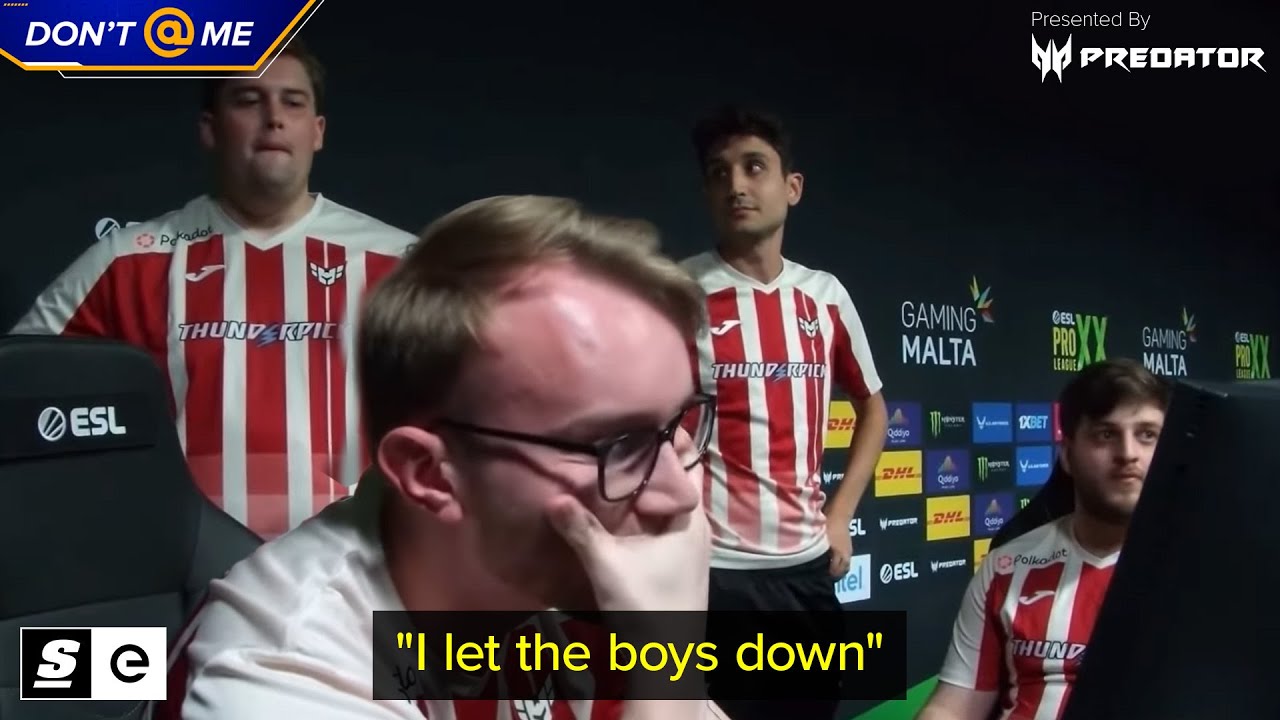
Sponsored by @Predator & @NVIDIAGeForce
The Predator Helios Neo 16 Gaming Laptop has everything you need, including an NVIDIA GeFORCE RTX 4060. And right now, during Intel Gamer Days, it's on sale for over $300 off, only at Best Buy https://thesco.re/4dZ7igN
#ad
Snap-Tap has claimed its first victim.
Group A of Pro League Season 20 kicked off...
lost a whole map, because one of the team members used Snap Tap
lofty wedge
left crown
https://youtu.be/ebJMoz_yvKY
LOL
Did ESL ever end up making a statement about Rappy Snappy and Snap Tap publicly?
left crown
lofty wedge
Did ESL ever end up making a statement about Rappy Snappy and Snap Tap publicly?
Nope, but since Valve is against it the ESL and Faceit have to roll with that decision
lofty wedge
left crown
Nope, but since Valve is against it the ESL and Faceit have to roll with that de...
Oh I didn’t know that! Makes sense.
wise lion
Did someone take away “test-builds=true” ?
hearty aspen
It seems to be working for me
