        /** @brief Get a feature report from a HID device.

            Set the first byte of @p data[] to the Report ID of the
            report to be read.  Make sure to allow space for this
            extra byte in @p data[]. Upon return, the first byte will
            still contain the Report ID, and the report data will
            start in data[1].

            This function sets the return value of hid_error().

            @ingroup API
            @param dev A device handle returned from hid_open().
            @param data A buffer to put the read data into, including
                the Report ID. Set the first byte of @p data[] to the
                Report ID of the report to be read, or set it to zero
                if your device does not use numbered reports.
            @param length The number of bytes to read, including an
                extra byte for the report ID. The buffer can be longer
                than the actual report.

            @returns
                This function returns the number of bytes read plus
                one for the report ID (which is still in the first
                byte), or -1 on error.
        */
        int HID_API_EXPORT HID_API_CALL hid_get_feature_report(hid_device *dev, unsigned char *data, size_t length);
#🤖│community_dev
1 messages · Page 25 of 1
 quiet root
this is why i ask basically
it would be the best option tbh
at least if it does what i think it does
 placid ledge
It's something that could come in handy, but most if not all of the commands and getters there are make use of the parameters to do some additional control and that's something that I don't think is possible with that method
quiet root
PS I:\Coding_Projects\c_woot_profile_switcher\windows\build\bin\debug\x64> .\WootingProfileSwitcher.exe
No keyboard handle already
Enumerate on Wooting Two Lekker Edition Successful
Found interface No: 3
Found usage page: 1
Found interface No: 0
Found usage page: 65280
Found interface No: 1
Found usage page: 1
Found interface No: 4
Found usage page: 1
Found interface No: 4
Found usage page: 12
Found interface No: 6
Found usage page: 65280
Found interface No: 2
Found usage page: 4919
Attempting to open
Found keyboard_handle: \\?\hid#vid_31e3&pid_1210&mi_02#7&3bd922c&6&0000#{4d1e55b2-f16f-11cf-88cb-001111000030}
Sending feature: 33
Color init result: 1
Finished looking for keyboard returned: 1
0
Sending feature with response: 11
Bytes read: 256
Buffer
208, 218, 255, 136, 0, 0, 0, 0, 0, 0, 0, 0, 0, 0, 0, 0, 0, 0, 0, 0, 0, 0, 0, 0, 0, 0, 0, 0, 0, 0, 0, 0, 0, 0, 0, 0, 0, 0, 0, 0, 0, 0, 0, 0, 0, 0, 0, 0, 0, 0, 0, 0, 0, 0, 0, 0, 0, 0, 0, 0, 0, 0, 0, 0, 0, 0, 0, 0, 0, 0, 0, 0, 0, 0, 0, 0, 0, 0, 0, 0, 0, 0, 0, 0, 0, 0, 0, 0, 0, 0, 0, 0, 0, 0, 0, 0, 0, 0, 0, 0, 0, 0, 0, 0, 0, 0, 0, 0, 0, 0, 0, 0, 0, 0, 0, 0, 0, 0, 0, 0, 0, 0, 0, 0, 0, 0, 0, 0, 0, 0, 0, 0, 0, 0, 0, 0, 0, 0, 0, 0, 0, 0, 0, 0, 0, 0, 0, 0, 0, 0, 0, 0, 0, 0, 0, 0, 0, 0, 0, 0, 0, 0, 0, 0, 0, 0, 0, 0, 0, 0, 0, 0, 0, 0, 0, 0, 0, 0, 0, 0, 0, 0, 0, 0, 0, 0, 0, 0, 0, 0, 0, 0, 0, 0, 0, 0, 0, 0, 0, 0, 0, 0, 0, 0, 0, 0, 0, 0, 0, 0, 0, 0, 0, 0, 0, 0, 0, 0, 0, 0, 0, 0, 0, 0, 0, 0, 0, 0, 0, 0, 0, 0, 0, 0, 0, 0, 0, 0, 0, 0, 0, 0, 0, 0, 0, 0, 0, 0, 0, 0, 0, 0, 0, 0, 0, 0
Sending feature: 32
Keyboard disconnected
i well and truly give up
i added code to the send feature calls
but even then i cant see why it doesnt work
quiet root
im back with more results
so i compiled the project on a laptop that never had a wooting attached or wooting software installed
compiled the project as mentioned and exact same thing happens
placid ledge
That is super weird, I've never experienced anything like that in all my dev time on the keyboard USB communication
You got it pushed on a branch? I could potentially try it out and see if I can pinpoint where it's going wrong
quiet root

GitHub
Automatically switch Wooting keyboard profiles. Contribute to BigBrainAFK/WootingProfileSwitcher development by creating an account on GitHub.
and for the dll
quicker than pushing the rgb sdk changes atm
actually

GitHub
Customize colors on Wooting Keyboard #WootDev. Contribute to BigBrainAFK/wooting-rgb-sdk development by creating an account on GitHub.
already pushed now
obviously already tried also removing all the optimization args for the linker/compiler
@floral crane ill work on statically linking the rgb sdk repo of mine into linux and mac
since i added new stuff that might not get added to current rgb sdk repo before the big rewrite
 floral crane
if you want to move the sdk out of the windows folder you can, hopefully the sdk rewrite comes soon 
quiet root
thats why wed statically link the c code
so submodule the fork
and then statically link the shit as part of the source
floral crane
good luck
quiet root
and now we wait for simon to go insane aswell
 indigo hound
He will need to pick a lot of flowers now again
quiet root
ye
floral crane
Simon has a flower crown
indigo hound
and the shadow sword
quiet root
bruh if simon actually figures this out
floral crane
Shadow keycaps
floral crane
Lol
quiet root
altho tbf
i found out why msvc didnt know strrchr and atexit
and other default CRT stuff
it was literally cause i specified the entry point of the app
removing /ENTRY:main fixed it
altho now it doubled the size of the executeable

sadge
floral crane
still less than the linux binary
quiet root
tbf
u can prob also specify to not include all default libs in gcc
and i cant even test compile linux shit
cause havent setup x11 in wsl
floral crane
pain to do, i'd just use a vm
quiet root
eh
i mean
simon did already say that what i wanted to do shouldnt really interfere much with the issue we have rn
as in
i just added a feature that didnt really exist and its prob not whats causing this
floral crane
i mean a linux vm to test linux, since you need a modern de to test x11 window titles
quiet root
could also just PR my changes and have it be part of the actual sdk
lel
we'll see what simon finds out or doesnt find out i guess
quiet root
submitted the PR just in case
indigo hound
floral crane
I wish I understood hid communication so I could write my own lib
Its pretty well HiDden then
floral crane
true though, look up hidraw on youtube and you get HiDraw
indigo hound
not even cooked? :)
floral crane
7 hidraw devices for one keyboard...
 quiet root
one interface of a device
 orchid kayak
Is anyone working on an aurora integration for the wooting two Lekker Edition? I'm willing to help. If not I'm willing to create a PR, I'll ask a lot of question here, ofcause.
Seems like we need to
- Update the included wooting-rgb-sdk.dll to the new beta version for lekker
- Add some codes to Wooting.NET.dll to add support for lekker
- Look at how aurora identify device and add the VID,PID for the keyboard and set the layout as a wooting two if neccessary.
quiet root
orchid kayak
Is anyone working on an aurora integration for the wooting two Lekker Edition? I...
already works as is
just need the prerelease of the rgb sdk from github
and replace the one in aurora
then set to wooting two and ure good to go
orchid kayak
Well, sorry if this is a dumb question, I download the wooting-rgb-sdk.dll v1.4.0 from https://github.com/WootingKb/wooting-rgb-sdk/releases and drag it to C:\Program Files\Aurora then start up aurora but the device doesn't seem to be starting

GitHub
Customize colors on Wooting Keyboard #WootDev. Contribute to WootingKb/wooting-rgb-sdk development by creating an account on GitHub.
The DLL wouldn't even work when I plug in a wooting two
placid ledge
you need to download wooting-rgb-sdk-v1.4.0-win-x64.zip and rename wooting-rgb-sdk64.dll -> wooting-rgb-sdk.dll and drop it in
 floral crane
we're going insane over here
indigo hound
Good
quiet root
no im half dead
floral crane
hi half dead im shay
placid ledge
Have had a wee look into the stoofs
https://github.com/BigBrainAFK/wooting-rgb-sdk/blob/a7c05b955d24efe961e75e4e1762aa78b685c3be/src/wooting-usb.c#L278 seems to start working properly for me after using wooting_usb_send_feature_with_response on this line
At least on Linux I know that reports coming in are queued up, so if you don't read the response that's emitted then it'll appear in the next read call you make
The wootility implementation for commands will always read a response for every command, regardless of if its used or not
I believe the same thing needs to be done here
A different workaround is probably just always read the response in wooting_usb_send_feature but just not do anything with it
@quiet root
quiet root
ah so maybe also work that in on the next sdk
so responses are always read
i could add that to the pr this evening if it actually fixes it
placid ledge
I've got my changes that fix it for me, was just about to push it onto your PR branch
 quiet root
seems to work btw
quiet root

woerks
@placid ledge thanks my hero
u srsly will get more than just a hug when we meet at some wootup
floral crane
Wootup when
quiet root
whenever rona ends
prob in summer again
then the only thing missing is plain tickets to the netherlands
indigo hound
quiet root
u srsly will get more than just a hug when we meet at some wootup
 oh no, Simon is getting recognition. Thats not how you treat the maintainer.
indigo hound
😳
quiet root
simon def has more brain than me
floral crane
Simon when tachyon
quiet root

now i know why people dont like working with json in c
not to mention
now we have the issue of runtime array size
argh
indigo hound
json is flawed
quiet root
took u damn long to type that
floral crane
Pick something else then
Iff you want just do line seperation with a delim like equals


 floral crane
Pog
quiet root
so now
we just wait for simon to merge my rgb pr
and release new ver
so u can update lib
and then merge the profile switch pr
floral crane
I'm waiting for Simon to release tachyon
floral crane
Isn't he the dev
quiet root
jeroen is
floral crane
oh
floral crane
new dev pog
quiet root
but ya if rgb sdk gets the merge
itll waterfall to merging my current profile pr due to the new functions not in the current arch/linux libs
cant even test compile the json build locally for linux
cant compile anyway
cause x11
fuck
forgot
quiet root
ya but only if simon releases the new libs
windows has x11 support
with x11serv or whatever it is
and remotely taking x11 shit from linux
but icba to set it up
had it running once for xqemu on wsl
floral crane
Kinda similar, linux X11 doesn't use xforwarding though
quiet root
but ya once the current pr is tested by u with new libs ill make new pr for u to test
quiet root
has the rgb sdk been merged yet
placid ledge
Not yet, will get it wrapped up once v4.2 is out
quiet root
coolio
quiet root
i need someone to help me understand why version 0 wooting profiles dont get properly parsed by my RGB parser

i have some special code to handle profiles before wootility for W2 was released since the was some change in rgb structure
if (Number.isInteger(curProfile.version)) {
    if (curProfile.version <= 2) {
        for (let x = 0; x < curProfile.rgb.kbdArray.length; x++) {
            while (curProfile.rgb.kbdArray[x].length < 21) {
                curProfile.rgb.kbdArray[x].push(null);
            }
        }
    }
}
canvas too slow
cheerio, an svg and changing the fill color then just svg2img to get a buffer and attach to a message
this is easier for drop in redesigns aswell
so shoukd i change the image design to be more like wootility i can easily drop in replace the svg files
no code change required
floral crane
Probably since it scales
indigo hound
The power of mathmatics
 empty cobalt
Is there an api to remap the keyboard? I assume that wooting_usb_send_feature() is there for this kind of job. 🤔
quiet root
ya gl tho
ud basically
unasar the wootility
cleanup the minifued js
and find out how it does it
psure no one has invested time into reversing how the mappings get send
empty cobalt
I want to remap a key to a key that is macOS only, for example, mission control. Mission control key is not available in the wootility so I might have a chance to remap it using api.
😩
empty cobalt
Cool
empty cobalt
From what I read it is 0xff10. I guess they are the same
HID is still confusing me.
placid ledge
You won't have much luck modifying remap through that method as the codes defined in the profile do not directly correspond to the HID codes, they are converted into what they should do as stuff in remap can be things like functions to do on the keyboard like profile change
Post an issue on here with the keys you're looking for and I'll see what I can do about adding them to remap https://github.com/WootingKb/wootility-issues

GitHub
A place to report issues with the Wootility and help with feedback on existing issues - WootingKb/wootility-issues
Based on that resource you found it looks like it'd require adjustments to the hid descriptor as well so defo would need some work on our end to get it working properly
I just recently got a mac as well so good timing
placid ledge
Not gonna have access to my PC for a few months so had to get a new laptop
empty cobalt
I found some info about how QMK does mission control key. It looks it needs to modify the firmware to support the code. Thanks Simon. Will post an issue on github for this.
 midnight cosmos
can anyone tell me what these lines in wooting-usb.c are for?

they cause the wooting openrgb controller to get stuck on detection on linux but it runs fine on windows; it works if just comment out those lines and i just wanted to make sure what their purpose is supposed to be
it just reads nothing, right? why is that done?
maybe im misunderstanding

oh, comments, nevermind
// Once the keyboard is found send an init command and abuse two reads to make a 50 ms delay to make sure the keyboard is ready
now i just need to figure out why it gets stuck on that
floral crane
pog someone is getting openrgb to work 
midnight cosmos
floral crane
pog someone is getting openrgb to work <a:HAMDANCE:478811474924666892>
with the help of some people who actually know what they're doing 😅
it runs fine now, but im still not 100% sure about it
floral crane
whats the fork, ill test it
midnight cosmos
no fork, i just commented out 3 lines in the source, lmao
floral crane
did you add the lekker and He pid/vids
midnight cosmos
no, i just did the bare minimum to get my wooting one to work at all
i got someone else to test the release build and it didn't work for them on linux either
replacing
unsigned char stub = 0;
     hid_read(dev, &stub, 0);
     hid_read_timeout(dev, &stub, 0, 50);
with
std::this_thread::sleep_for(std::chrono::milliseconds(50));```that made my keyboard get get detected fine, and that's all i've done so far
i'm just wondering what the cause is because that code is pulled straight from the upstream rgb sdk, so it should work on linux
floral crane
Well your change does get it to detect LE now, and somewhat work, however setting the entire keyboard to red sets random colors on random keys so LE will still need some additional changes
midnight cosmos
sadly i don't have an LE to test with
floral crane
I do, your change works but still mapping needs to be redone
if one/two works you should fork and merge it
midnight cosmos
did your LE also get stuck on detection?
floral crane
yeah
floral crane
probably whatever that hack was to get that delay doesn't work with linux
 midnight cosmos
floral crane
probably whatever that hack was to get that delay doesn't work with linux
midnight cosmos
floral crane
probably whatever that hack was to get that delay doesn't work with linux
yeah
i don't use github but i should probably do something about that
the original method seemed hacky anyway
midnight cosmos
i don't use gitlab, either
i'm not even a real programmer
i just poke at stuff until it sorta does what i want
floral crane
basically programming
midnight cosmos
floral crane
its on gitlab
openrgb is. but since that code is basically 1:1 copied from wooting-rgb-sdk/src/wooting-usb.c, that would need fixing too, i think.
indigo hound
I go with the asking for mercy with the compiler method. Eventually it will stop dumping my cores
floral crane
I have heard its copied but It doesn't match anything in the rgb sdk, so maybe its copied from old rgb sdk

GitLab
This adds Wooting's new VID and LE/HE PIDs, and LE/HE to the devices list. It also applies Malte's patch to fix the RGB controller which doesn't work on...
midnight cosmos
the device name changed, but the basic method is the same
unsigned char stub = 0;
                hid_read(keyboard_handle, &stub, 0);
                hid_read_timeout(keyboard_handle, &stub, 0, 50);
GitHub
Customize colors on Wooting Keyboard #WootDev. Contribute to WootingKb/wooting-rgb-sdk development by creating an account on GitHub.
floral crane
but the LE branch commented it out https://github.com/WootingKb/wooting-rgb-sdk/blob/feature/lekker-support/src/wooting-usb.c#L282
GitHub
Customize colors on Wooting Keyboard #WootDev. Contribute to WootingKb/wooting-rgb-sdk development by creating an account on GitHub.
midnight cosmos
i talked briefly to diogotr7, the guy who originally wrote the openrgb controller, and he basically just copied a bunch of code from here
floral crane
so the stable branch probably also doesn't work on linux
midnight cosmos
yeah, i just wonder how it flew under the radar for so long considering the amount of linux users in the wooting community
i didn't find an issues on it, anyway
floral crane
possibly worked fine until a more recent firmware update or linux update
midnight cosmos
firmware was my first thought.
the org dev that tested for me with his board had the same fw and also ran arch, i think
lot of matching variables
indigo hound
Why would Obama do this 
midnight cosmos
i was looking for a way to downgrade fw but couldn't find any
quiet root
idk if copying code is a good idea
since the sdk will get a major revamp at some point
indigo hound
control+c and control+v 
floral crane
too bad we cant submodule the sdk into openrgb 🙂
floral crane
if the dev would only allow it
indigo hound
Cant expose the functions to openrgb or something?
midnight cosmos
dll?
floral crane
I guess we could put a copy of the dll/so in openrgb source tree
indigo hound
windows library file
midnight cosmos
i know what a dll is
but how does work on a cross platform application
like i said, im not a programmer
but linux uses so files
indigo hound
Unix would probably having it call the command with the desired flags
floral crane
windows has a dll, mac and linux use a .so file, the mac and linux are cross compatible I've found but I'm not sure windows.dll and .so files can be used between eachother with a simple rename
midnight cosmos
im just happy i can set solid colors from my shell scripts
that's the whole reason i even care about orgb
indigo hound
Truecolour support?
floral crane
I wanted openrgb but I realize now it has basically nothing but setting static colors
midnight cosmos
it has an effects mode, it just doesn't seem implemented
direct mode works fine for me
floral crane
yeah its not on the wooting rgb controller for additional modes
midnight cosmos
i generate system color schemes dynamically with wpg so i can finally match all my leds to my linux rice automatically and make system events trigger led stuff 
indigo hound
piwal?
midnight cosmos
wpg uses the wal backend but also generates a gtk theme for gui programs
indigo hound
gtk is ew
midnight cosmos
but gtk is also compatible with qt
99% of programs use those toolkits so it's great to have them auto theme as well
but i don't actually disagree, lol
midnight cosmos
floral crane
I wanted openrgb but I realize now it has basically nothing but setting static c...
you could create animations by just setting static colors periodically, i guess
i have no idea how to implement effects mode
indigo hound
Pretty much periodically update to the new frame.
midnight cosmos
if you generate the effects yourself, yes
i thought along the lines of implementing the default effects on the wooting keyboards
@floral crane i just looked over the pr and it's missing 2 include directives for chrono and thread.
#include <chrono>
#include <thread>
 strong siren
i copy pasted the original w1 controller and submitted the MR to OpenRGB. left it as a WIP but it got merged anyway lol
as soon as i got it to work on my board i left it like that tbh
indigo hound
Who this
midnight cosmos
he wrote the orgb controller
strong siren
GitLab
Tested on my ANSI Wooting One. most of the code was taken from wooting's rgb sdk: https://github.com/WootingKb/wooting-rgb-sdk Code needs cleanup, but...
midnight cosmos
in regards to the wooting two thing, this is probably the place to find someone who can test with it
strong siren
i wasn't aware there was a "new" sdk
ah, it's not in master
that's why i didnt see it
midnight cosmos
yeah, me neither
strong siren
i was waiting for the lekker support to be merged into master so i can update the dll in aurora also
indigo hound
Oh, alright.
indigo hound
Im thinking of rewriting that library, making it more adaptable and nicer to look at from my perspective. Looking into the specification of the underlaying libraries somewhat.
strong siren
wasn't simon going to rewrite the sdk at some point?
make it more like the analog one
 balmy iron
Rewrite It In Rust
midnight cosmos
i only have a wooting one, i don't think anyone has tested on a two yet?
strong siren
balmy iron
Rewrite It In Rust
yeah, like the analog one
indigo hound
Probably handy to first setup some technical/functional document. Would make for easier development.
floral crane
midnight cosmos
<@!358558305997684739> i just looked over the pr and it's missing 2 include dire...
works without
midnight cosmos
it actually does
qtcreator threw some undeclared identifier error at me earlier, idk what that was then
strong siren
i stopped touching that code mostly because qtcreator is terrible and kept crashing on me
midnight cosmos
it has worked fine for me so far but i've only used it for like a day
i didn't even intend to mess with the code at all, i assumed the error would be much easier to resolve xd
floral crane
why yall use qtcreator for it, it doesn't have any qtcreator files, just use vsc, vs, rider
midnight cosmos
floral crane
why yall use qtcreator for it, it doesn't have any qtcreator files, just use vsc...
eh, it works fine
im just pissed i didn't notice those changes were already made upstream over a month ago xd
floral crane
Why did lekker and HE get named wooting two when the firmware and tech are completely different and the communication is completely different, the model is even WOOT3 on the sticker
 trail pollen
floral crane
Why did lekker and HE get named wooting two when the firmware and tech are compl...
trail pollen
floral crane
Why did lekker and HE get named wooting two when the firmware and tech are compl...
The wooting two was marketed as a full size keyboard, technically this trend continues with current model and the upcoming one. In reality the wooting HE will become just the new wooting two. Yeah it is confusing, especially with how the sticker says another thing. Honestly call it whatever makes the most sense to you.
quiet root
i call mine gregory
indigo hound
I call mine keyboard, the good one, number 3
indigo hound
Does he still have his tank?
 buoyant willow
Hello 😁 I have a question about the SDK: I see I can read keyboard output, but is there a way to tell the keyboard / wootility to switch from profile?
Using analog mode with a single profile does not work well for GTA, so I want to create a mod for GTA that tells the wooting to switch when I'm not driving a vehicle
quiet root
u can easily change the profile
@buoyant willow
checkout the code in src/main.c
profiles are 0 indexed
so 0 is digital
and 1-3 correspond to analog 1 to analog 3
buoyant willow
Oh yeah 😁 thanks a lot
Is there a list of valid SDK functions somewhere?
couldnt seem to find it
quiet root
the sdk repos
buoyant willow
I did look there I promise 😂 I'll look again
quiet root
i mean
the source code clearly states them in the headers
depending on os u can use any function
altho since u mod gta5
ull prob have to use dlls
so c exports are the only thing u can use
anything thats not exported wont work
 strange basin
im i the only one who startup his pc and wooting is not working anymore can some1 help
quiet root
please dont crosspost in 20channels...
quiet root
@floral crane since rgb sdk got merged
u could test the stuff i changed on windows already for linux
 molten lotus
 placid ledge
molten lotus
placid ledge
molten lotus
The Wootility-lekker will only work for you if you have a lekker edition keyboard. If you have Wooting One or Two you need to use the regular build atm
 limpid bear
https://github.com/Mexican-Man/wooting-js
just got this project in a working state. I was hoping all you beautiful people could try the demo and lmk if it's working for you
GitHub
Minimal JavaScript (TypeScript) library using WebHID - GitHub - Mexican-Man/wooting-js: Minimal JavaScript (TypeScript) library using WebHID
works fine on my two, but that's all I can vouch for
quiet root
ure writing at a time where most of the server is sleeping/at work
limpid bear
ik I'm just tryna make my mark, before I disappear into midterms and work for the next 2 months 😛
quiet root
ill spam the repo if its not working dw
limpid bear
you better 🤔
quiet root
really pays to have all 3 keyboards at this point
limpid bear
I can't even manage to get a smol switch pack at this point
quiet root
personally dont need to have a big one
limpid bear
that's true, but the double shot caps don't come off easy, and I've broken at least 6 stems
lord have mercy
limpid bear
jelly
these hands work on cars tho
I am no stranger to breaking things on accident
quiet root
same
altho for me its more like
long screws.in short holes
and tons of pcb scratching
limpid bear
I feel that there
I practically have parkinsons, its 1% of the time I get it in, other 99% I've crossthreaded it
time to return to proper tools
quiet root
just return to monke
limpid bear
truth
altho last time I said that, I broke a head stud off in my brand new $3k engine block
quiet root
but
limpid bear
but still
limpid bear
yea fair enough eh
quiet root
and hey... monkey breaks what he cant eat
so
its in the nature of monke to destroy
someone complains u did a bad job? throw feces at them
ngl monke has it figured out
limpid bear
idk tbh, no matter how much monke, still cant fix the wrecked bolt ptsd
maybe I just need help, but I have nightmares about it almost every night
OH MY GOD WHY IS IT SO LOOSE?
NO NO NOOO, TAKE IT OUT, TAKE IT OUUUUUUUUUUUUUUT
NO ITS LODGED IN
before I succumb to that once more, hot reminder to check out demo and lmk if my HID programming works: https://mexican-man.github.io/wooting-js/
😉
placid ledge
@limpid bear Looks pretty good on the surface, wasn't able to try it as I'm using lekker/2he. It looks like all you need to do is filter with Vendor ID: 0x31e3 as well to pick-up Lekker/ Two HE and future keyboards as the analog interface you're exclusively reading from atm is the same on all
quiet root
just try
i could instantly tell you if it works
got lekker on pc rn
was about to switch to w1 and w2
so except the w2 not having the numpad showing
i can also confirm w2 working
@limpid bear so i modified the js before it finished laoding
and just by adding the vendor i already had it in
1 problem might be though that it seems like theres more hardware obviously using the same vendor id as lekker
limpid bear
I have it filtering by usagePage so it shouldn't break w/ other stuff I think?
Assuming all the keyboards use the same one
Thanks for lmk
quiet root
so basically
in my testing
i did also do some extra checks
that the selected devices productName includes wooting
since they all have that

also sneaky array magic for easier checking later
altho i think u wrote it in "typed" js
@limpid bear pr'd it so u dont have to write it altho ngl i didnt try compiling it so /shrug i guess
hope it works
limpid bear
ah yea, it looked good but I couldn't get it to compile, apparently you have to put () around objects when you map them? vendorIdList.map(e => ({vendorId: e})); instead of vendorIdList.map(e => {vendorId: e});
I got it tho, thanks for putting that up!
limpid bear
heckin github pages 1s
I got do empty commit again
ok should update in a few minutes
placid ledge
Tried to use it with my Wooting Two HE and got this error after connecting it

Seems like it doesn't have a collection here
 quiet root
hm weird my le worked
placid ledge
Could be a quirk on MacOS version of Chrome
usb stuff is all the same for 2HE and LE so doubt the difference would be there
quiet root
ill test the demo later to make sure it works with le
limpid bear
it's totally possible
the slight problem is that wooting reports like 5 different HID devices in chrome, on windows at least
quiet root
ngl i forgot to even test it lol
limpid bear
me too
jk im already here
I was just using the usagePage to filter out which HID device I wanted, but I peeped the official standard, and the wooting KB number seems completely random
quiet root
the vid?
limpid bear
so I replugged my kb, and it stayed the same, and I said "good enough for me"
quiet root
or the pid
limpid bear
something else
sounds like it might be a windows exclusive thing? are you on windows
quiet root
yes but vid and pid shouldnt be win only
limpid bear
the problem is t hat chrome gives me 5 devices with the same PID and VID
so I peep the "HIDdevice" object, and check it's usagePage, which once again, no clue if that's windows only or not
the doc I read says it's supposed to define what kind of device it is, like keyboard, mouse, gamepad, and the docs divide it into sections
1s
if you peep the table of contents around page 5*
the one I got from my wooting two was 0xff54 which is not documented
65364
but if mr syte isn't seeing it on macos, sounds like #justwindowsthings
I have an old macbook downstairs I can try it on tomorrow
quiet root
i mean the usb spec says B8-FFFF are reserved
limpid bear
there are a lot of weird things about this spec
either way, sounds like mac no support, gotta find another way to identify it 😢
quiet root
also apparently windows splits it so the 2 most significant bytes are the usage page
and the 2 least significant are the usage id
smthsmth extended 32bit usage

HID usages identify the intended use of HID controls and what the controls actually measure.
so ure looking for 0xFF and 0x54
cause windows gotta be special
quiet root
prob cause hidapi retrieves the usage page stuff different
balmy iron
Linux, bog standard Wooting Two
 quiet root
ya so windiws special sauce in webhidapi
prob need to so some checking first and pull it out into a seperate var
balmy iron
So it shits itself if the collections array is empty, just check for that and it works ok
limpid bear
I just ran the requestDevices command I'm devtools on my laptop and it seems to return the exact same thing windows does
But then it died, so it's charging
indigo hound
In the most literal form it tells you that it tried to read a variable that has not been defined in memory somewhere. Need to check if the variable is set before trying to access potential member variables. Probably some isset() or defined or != 0 kind of magic to be sure there is atleast one entry in the array
dmesg can be used to sanity check if using linux. Should tell you all adresses, mount points and whatnot it has registered kernel side.
Does require sudo privileges since its kernel space logging*
limpid bear
When I tried it, it did return a non empty array, which is why I think it's something else. It shouldn't be able to return a non empty array 🤔
Would imply device with no device lol
indigo hound
Maybe it pops one element from the array when you call that check function
limpid bear
That's true. Either way, I'll see when ye olde MacBook finishes charging
limpid bear
ok yea so it was returning duplicate devices, one with an empty collection array
I've updated it on the demo, however on my laptop (ubuntu) I was getting some DOM "unable to open device" error
so I checked chrome://device-log/ and there was a permission denied error on hidraw7, so I ended up just running sudo chmod 777 hidraw7 and that made it work, but I feel like that shouldn't have to happen...
indigo hound
Should be able to just add it to the input group instead to allow access to the devices I think. Should only give it access to all your input devices kernel stuff
Especially web stuff and root access is bad idea for security reasons
Believe it sets those perms back to default when the kernel drivers are rebooted again. They make the files in the end.
but once you add yourself to input it sticks
atleast mine did
limpid bear
Can you add "chrome" to an input group? I'd just assume that it'd run off of the user who opened it
indigo hound
Depends on which user chrome uses and having it be part of the input group.
Tends to be the logged in user if sudo,su , or doas is not used to change the executing user
limpid bear
it sounds like what I'm running into is sorta intended then?
I could go back to trying webusb instead, but last I tried on windows, I couldn't read any data (I'm guessing cuz the driver already claimed it or something?)
I'll try it on macos later, and see what it does
floral crane
pog thanks simon

also didn't know this existed https://github.com/DarthAffe/RGB.NET
indigo hound
Thanks Obama
quiet root
@hybrid lake please swing the ban hammer 😅
 quartz dome
does any one here - @hybrid lake ? - have the USB report descriptors for the wooting 2 keyboard?
 hybrid lake
quartz dome
does any one here - <@!123917469311041538> ? - have the USB report descriptors f...
hybrid lake
quartz dome
does any one here - <@!123917469311041538> ? - have the USB report descriptors f...
Yeah sure
Oh this is a Lekker edition, not sure which one you're looking for
quartz dome
do you have the unparsed report descriptors? 🙂
ah no wait, they're in there too
awesome! Thanks!
was looking for the Lekker one; the one with hall sensors.
report descriptor for interface 1 looks malformed? Only shows report count 0
hybrid lake
that's the xbox controller interface probably, it doesn't follow the spec
(thanks microsoft)
quartz dome
... lovely. Interface 2 smells like the raw hall switch data? Is that really a 521 byte report?
hybrid lake
I think that's the config interface
quartz dome
3 is nkro interface (similar to das keyboard), 4 is system control buttons (also like das keyboard), 5 and 6 are more hall switch-esque data?
hybrid lake
5 is analog values, 6 don't recall @placid ledge
quartz dome
only 48?
hybrid lake
48 bytes for analog interface?
quartz dome
yeah, it indicates 48 reports of 8 bits per packet
I wonder what my report descriptor parser does with that first one
interface 0 seems to me to be config; that's vendor-specific 255/93/1 with interrupt in/out of 32 byte each
I think 5/6 are both analog values on two interfaces to get around packet size limits
hybrid lake
Nah, the 48 bytes I think are divided in 16 * [keyId, keyId, analog value]
Let me check the firmware, it's been a while since we defined it
quartz dome
the usages imply the first byte is usage 2,with the other 47 usage 3
quartz dome
6kro only reports 0-sized reports with 0 report count
hybrid lake
Yeah that's so it will be ignored by the OS
quartz dome
it looks like the correct descriptor but with the size and count zeroed out
.... Oh. to make sure that the keyboard doesn't see double key presses from this & boot keyboard
that's kinda clever actually
quartz dome
much better than the Das Keyboard switching over to a whole new profile with disconnect / reconnect to do nkro
so then analog only sends analog info for 48 keys? Doesn't the keyboard have way more keys?
balmy iron
I suppose the idea might be you're probably not going to push more than 48 keys at the same time
quartz dome
it's absolute values, not index values, so it can't indicate which switch is pressed
hybrid lake
It's made for 16 keys at a time. It's divided in 3 bytes per key, 2 identifiers and 1 for the value
quartz dome
hmm... will need to try out when I get my wooting 🙂
quiet root
me: happy that i can use the analog sdk to read out analog key values and the rgb sdk for fancy lights
other guy: does raw hid stuff thats like black magic to me
hybrid lake
There's some analog interface parsing in here if you're interested: https://github.com/WootingKb/wooting-analog-plugin/blob/a2ab8ab4dbc8752cd9d67e4caa0e17e916bbaf2d/src/lib.rs
GitHub
Contribute to WootingKb/wooting-analog-plugin development by creating an account on GitHub.
quartz dome
how is the backlight stuff done? Not seeing any obvious interface for that
quiet root
das not good
quartz dome
unless it actually has a compose and kana light... in which case I'll eat my words
quiet root
im pretty sure they can easily add that
quartz dome
ah; two byte id and one byte analog value.
 dense stump
Is there a way to program layers? And things like "mod tap"?
I'm looking for qmk like functionality, and I can program.
So, I'm also curious how I could go about getting such a feature myself.
placid ledge
You could potentially do something like that using the Analog SDK as you'd be able to read the analog value of all the keys. So you could bind a key to like F13 then process analog input from that in whatever way you want to generate inputs
dense stump
Ah, nice, looking forward to playing with it.
The input pattern is this
Press down, wait 0.125 sec.
If still down :
make Shift,
else:
make (, break (.
 faint vapor
Hey, I just fixed this!
quiet root
that one old af message
quiet root
@placid ledgepls at least merge lekker to main and make a normal release so tools use the new sdk which is compatible for both analog and rgb
placid ledge
Soon™️
placid ledge
Will get it sorted next week
 and
and  azure sable
Not sure where to post this, but I have released a mod for Skyrim to allow analog input. ~~It requires Auto Input Switch as well. ~~
The mod consists of a controlmap for Skyrim which fixes a couple menu issues, as well as a tailor-made version of Auto Input Switch with 100% compatibility for Analog Keyboards!
Linky: https://www.nexusmods.com/skyrimspecialedition/mods/54785

Nexus Mods :: Skyrim Special Edition
Files and a guide for using an Analog keyboard for movement in Skyrim.
hybrid lake
azure sable
Not sure where to post this, but I have released a mod for Skyrim to allow analo...
Very cool, thanks for sharing. What is the cursor reset issue?
azure sable
With Auto Input Switch mod for Skyrim, you can use Gamepad and Keyboard simultaneously. Which is awesome for us!
But the catch is that at least currently, the in-game mouse cursor will jump to center (and disappear) whenever a gamepad key is pressed. My wonky workaround is to essentially just hold an unused key down whenever Skyrim is active, and release when suspended. Source is included for it.
I am chatting with the original author of Auto Input Switch to see what can be done about fixing the cursor reset properly.
floral crane
Whats the update mode pid of HE
azure sable
Just a quick update, the Skyrim mod is now 100% compatible. No more autohotkey; it just works. I worked with the Auto Input Switch author to get a tailor made version created for us.
 simple anvil
someone happen to have a copy of the app that allows you to see the analog values of all the keys at the same time?
i followed the link on the website but its dead
 wet knot
azure sable
Just a quick update, the Skyrim mod is now 100% compatible. No more autohotkey; ...
wet knot
azure sable
Just a quick update, the Skyrim mod is now 100% compatible. No more autohotkey; ...
Are you the one behind said mod?
 zenith zealot
hi, i'm a beginner with the dll for the rgb control, and i was trying to use it in python. I'm using ctypes to make calls from the dll but no matter what i do the result of wooting_rgb_kbd_connected() is always false (i have a wooting two, win 10 and i'm using python 3.7)
azure sable
wet knot
Are you the one behind said mod?
Yes, I am the author of the Analog Keyboard helper for Skyrim. Trying to work on one for Fallout 4 as well.
My mod relies on work from another modder, Parapets, whom I worked with to branch his mod to be 100% compatible with our use case.
placid ledge
floral crane
Whats the update mode pid of HE
0x122F (For all keyboards lekker onwards we've defined that update mode makes the last part F with regular mode 0)
placid ledge
zenith zealot
hi, i'm a beginner with the dll for the rgb control, and i was trying to use it ...
Hmmm, have you used any other software that uses the SDK? Like Aurora or Artemis, also make sure Wootility is fully closed to make sure it isn't interfering
 fickle swift
zenith zealot
hi, i'm a beginner with the dll for the rgb control, and i was trying to use it ...
fickle swift
zenith zealot
hi, i'm a beginner with the dll for the rgb control, and i was trying to use it ...
Same issue here but on Ubuntu 20.04, Python 3.9.6, and a Wooting two HE. Did you ever figure it out?
floral crane
fickle swift
Same issue here but on Ubuntu 20.04, Python 3.9.6, and a Wooting two HE. Did you...
Make sure you have the udev rules for wootility, they're needed for the rgb sdk too
fickle swift
floral crane
Make sure you have the udev rules for wootility, they're needed for the rgb sdk ...
Thank you. That gets wootility to work without needing sudo and without --no-sandbox. Same "No keyboard connected" in the other routes though, sudo or not :\
floral crane
Hmm, are you using the C/C++ sdk? and are you using the latest version
fickle swift
I believe so! It's a fresh git clone. I noticed that of these four, "libusb-1.0, libusb-dev, hidapi, libhidapi-dev", apt-get install hidapi can't find the package. I just built and installed hidapi from github too, but I'm getting the same result >< Would you happen to know if Wootility is using these same drivers?
floral crane
libusb/hidapi do not need to be compiled from source, I wouldn't recommend doing that on any distro, it can override files from system packages and leave leftover files, libusb/hidapi should already be on every system and available as a package in your repositories if its not, just called something else
On Ubuntu the libusb packages are libusb-1.0-0 (pre-installed), libusb-1.0-0-dev, libusb-dev (for headers), and libusb-1.0-0-doc for documentation
At least on the latest lts release
For hidapi you may need libhidapi-hidraw0 and/or libhidapi-libusb0, and libhudapi-dev for headers
fickle swift
Hm ok, thanks. I just checked and these are all the latest versions.. hmm..
floral crane
I'm also not an expert in udev rules, but these are the rules I use, whether or not that will help https://aur.archlinux.org/cgit/aur.git/tree/70-wooting.rules?h=wootility-lekker-beta-appimage
but this is for the arch package, so it won't be copy-paste, it expects some xinput stuff for game controllers, you can remove the xinput lines
fickle swift
Oh thanks, I see. This seems to have the same lines for Wooting two HE (minus the Xinput line) that I have, maybe that is the issue
floral crane
Other than having udev rules and the libusb/libhidapi packages installed there shouldn't be anything else stopping it from working
fickle swift
Ok, I'll try it on a clean install then. Thanks!
floral crane
Actually I'm not sure what groups exist on ubuntu but I'm in the input and plugdev groups
fickle swift
Ah I'm in those two, too. The input one had to be added on Ubuntu
floral crane
hmmm
fickle swift
Same result on the new Ubuntu install - Wootility can connect to the keyboard, but not the rgb-sdk. I also tried changing the group in wootility.rules from input to plugdev, but neither input nor plugdev worked. Ah well..
balmy iron
Did you try running your RGB creation as root?
fickle swift
Yep ><
Nodejs appears to be able to see the Wooting keyboard with the correct ProductId and VendorId (though it's in decimal vs hex)
balmy iron
Hm, either you somehow got an older incompatible SDK or some weird shit is blocking it
fickle swift
Ah yeah, I'm not sure what's up. I got it to work though by modifying wooting-usb.c 🙂 🙂 🙂
CFG_USAGE_PAGE was looking for "4919" and my keyboard's number was "5". If I forced it to accept "5" instead of "4919", it would connect. Then my response size was 48 instead of 128 (misdetecting my keyboard as an earlier Wooting? + the debug_log printed around line in wooting-usb.c 450 misses this case of an incorrect response size) and it would immediately force disconnect the keyboard. Instead, if I just define "LEGACY_DETECTION", a python program is then able to connect and control the keyboard as expected. The nodejs example files aren't working, but that's okay with me! Perhaps the code could call the legacy detection code if the non-legacy detection fails 🙂
placid ledge
fickle swift
Ah yeah, I'm not sure what's up. I got it to work though by modifying wooting-us...
Sounds like it's using an outdated HIDAPI library, as older versions have issues with displaying the correct usage page for the USB interfaces. When you mention your keyboard having number "5" and the response size being "48" means it didn't detect the correct interface, sounds like it found the analog sdk interface based on the response size, with the usage page being incorrect. The reason legacy detection works is because it was designed to workaround the fact that usage page numbers didn't work correctly on Linux
what version of hidapi do you have?
https://github.com/libusb/hidapi/releases/tag/hidapi-0.10.1 hidapi v0.10.1 is required for the non-legacy detection to work

GitHub
API: fixed strict prototypes for new API;
hidraw: Add support for USAGE/USAGE_PAGE (#139);
hidraw: Add support for HID over I2C and uhid devices (#166);
a few minor improvements/fixes;
In relation to Ubuntu, seems 20.04 is using an outdated hidapi, whereas 21.04 uses a new enough version that it should work
fickle swift
I see this now, hmm
fickle swift
For what it's worth, I just updated libhidapi-dev, libhidapi-hidraw0, and libhidapi-libusb to versions 0.10.1 and rebooted. There still seems to be the same issue with the non-legacy detection. Maybe there is something else deeper in Ubuntu 20.04 that isn't working
Thankfully it seems to still work with legacy detection using libhidapi-dev 0.10.1 as well, too
Unfortunately some packages like Nvidia's CUDA refuse to install on anything newer than Ubuntu 20.04, so I'm stuck here. Thank you for the replies
quiet root
@placid ledge lekker merge into master when and public release of new sdks when
oh already merged
ok new stable rgb sdk release when with the merged commits
placid ledge
prob next week
 grizzled wolf
When will the Wooting Two he come to Germany?? (delivery time)
 glass radish
grizzled wolf
When will the Wooting Two he come to Germany?? (delivery time)
glass radish
grizzled wolf
When will the Wooting Two he come to Germany?? (delivery time)
shipping information here: #📦│batch_updates
for questions: #archived_questions_answers
placid ledge

GitHub
Add wooting_rgb_device_layout function which indicates if the device is ANSI or ISO layout, it's additionally available through the struct returned by wooting_rgb_device_info #45
Finalized Lekk...
quiet root
@floral crane so now we can continue
floral crane
i thought it was done already
quiet root
na nedd to push some changes still cause simon made some more stuff
and i psure macos isnt done?
not sure
floral crane
yeah I gave up on mac, I don't have a mac and I can't get mac to run well enough in any hypervisor to be usable
quiet root
i couldnt get xcode to work lol
ok imma make the changes to use win release stuff
then we got linux and win working at least
maybe ill add a way to load inactive profiles aswell
floral crane
I got xcode to work but my mouse was laggy I couldn't stand to figure the rest
 late hill
Anyone around to help with analog sdk? I keep getting an access error crash on calling wooting_analog_uninitialise
 balmy iron
Did you call initialise first?
late hill
yeah
#include "raylib.h"

#include "wooting-analog-wrapper.h"

void DrawKey(Rectangle target, unsigned short keycode, float analogValue)
{
    DrawRectangleRec(target, GRAY);
    DrawRectangleRec(Rectangle{ target.x, target.y + (1.0f - analogValue) * target.height, target.width, analogValue * target.height }, RED);
    DrawText(TextFormat("%d", keycode), static_cast<int>(target.x + target.width / 2.0f), static_cast<int>(target.y + target.height / 2.0f), 20.0f, WHITE);
}

int main()
{
    constexpr int WIDTH = 640;
    constexpr int HEIGHT = 360;

    // initialize the analog sdk
    if (wooting_analog_initialise() == static_cast<int>(WootingAnalogResult::WootingAnalogResult_NoPlugins))
    {
        // failed to initialize, quit the program
        return -1;
    }

    SetConfigFlags(FLAG_VSYNC_HINT);
    InitWindow(WIDTH, HEIGHT, "wooting demo");

    constexpr int BUFFER_LENGTH = 256;
    unsigned short keycodeBuffer[BUFFER_LENGTH];
    float analogBuffer[BUFFER_LENGTH];

    while (!WindowShouldClose())
    {
        BeginDrawing();
        ClearBackground(WHITE);

        int amountRead = wooting_analog_read_full_buffer(keycodeBuffer, analogBuffer, BUFFER_LENGTH);
        for (int i = 0; i < amountRead; i++)
        {
            constexpr float KEY_WIDTH = 64.0f;
            constexpr float KEY_HEIGHT = 64.0f;
            constexpr int NUM_KEYS = 8;
            constexpr float SPACING = (WIDTH - (KEY_WIDTH * NUM_KEYS)) / NUM_KEYS;
            float x = (KEY_WIDTH + SPACING) * (i % NUM_KEYS) + SPACING;
            float y = (KEY_HEIGHT + SPACING) * (i / NUM_KEYS) + SPACING;
            DrawKey(Rectangle{ x, y, KEY_WIDTH, KEY_HEIGHT }, keycodeBuffer[i], analogBuffer[i]);
        }

        EndDrawing();
    }

    CloseWindow();

    wooting_analog_uninitialise();

    return 0;
}
Hm weird, well I remember having trouble with it in the past so avoid calling it for now
late hill
is it necessary to call it?
balmy iron
No
late hill
ok
next question-- the order keys are returned in by wooting_analog_read_buffer_full isn't guaranteed to be the same every call, right?
balmy iron
Yeah don't count on any kind of consistency in the ordering
 cyan saddle
It has been a long time since I looked at the SDKs, is there a list of key information you can get about a keyboard? Like position, the label, scancode, etc..
quiet root
late hill
is it *necessary* to call it?
technically no id recommend it tho since you can see if one is connected
    if (!wooting_rgb_kbd_connected())
    {
        puts("Keyboard not connected.");
        return EXIT_FAILURE;
    }
heck you dont even need to uninitilize
quiet root
@floral crane would you just check over the PR again cause i did end up adding cJSON and json config loading
floral crane
In file included from ../src/linux.h:1,
                 from ../src/main.c:6:
../src/main.h:7:10: fatal error: cJSON.h: No such file or directory
    7 | #include <cJSON.h>
      |          ^~~~~~~~~
compilation terminated.
In file included from ../src/linux.h:1,
                 from ../src/linux.c:1:
../src/main.h:7:10: fatal error: cJSON.h: No such file or directory
    7 | #include <cJSON.h>
or maybe im just missing something cause im tired
oh #include "../cJSON/cJSON.h" ?
no I can't get it to compile
I guess if you're static linking to rgb sdk and cjson for windows I may aswell static link to rgb sdk for linux too
quiet root
na there is a lib thingy
iirc
i just no linux god
altho we do have cjson submodule
cause windows needs the static link
floral crane
yeah but it adds another thing people have to compile and install, and possibly lead to mismatching versions
quiet root
i mean ya we got the src subbed anyway so might aswell
floral crane
you can remove the mac stuff if you want, I was gonna do it later
indigo hound
Include Syntax (The C Preprocessor)
indigo hound
Search Path (The C Preprocessor)
floral crane
ok I gotta sleep, I'll look into making linux static link in the morning
quiet root
cool
late hill
quiet root
heck you dont even need to uninitilize
not sure if you read the question right... this is completely unrelated to what I was asking
your code example uses the rgb sdk (i'm asking about analog)
quiet root
same same
unless smth changed since i wrote the node wrapper
afaik most of the dev time i didnt init or uninit
i just did shit
altho tbf analog did get the rust rewrite inbetween
balmy iron
RGB you definitely want to clean up when done else the keyboard doesn't reactivate the normal RGB stuff
quiet root
its not strictly needed tho
floral crane
@quiet root if the windows version compiles and runs you can merge, I'll fix the linux one with static linking
quiet root
merged
floral crane
Okay, well I'm learning more and more about C and gcc,
.so files are shared object files, only used for dynamic linking, so I would need to modify rgb-sdk to build .a files for static linking
I can use the .so files to link against when compiling, but people would still need them installed in their system to run the program
quiet root
correct
floral crane
so on windows you can static link to .dll files?
quiet root
no
its why i copy them into the build output
currently only cJSON gets static linking on win
indigo hound

 floral crane
pinch knows all
floral crane
I love github copilot so much, it just keeps writing the program for me
floral crane
@quiet root can you check windows still works, I don't think I broke anything
indigo hound
Pray to the Omnissiah
floral crane
also github refuses to make the submodule clickable...

oh wait I messed up the link lol
ok linux version is static linked, no need for cjson or wooting-rgb-sdk libs to be installed in the system 
quiet root
still compiles ya
ill keep it dynamically linked for wooting cause fuck me i wont statically link the sdk and hidapi and then figure out how to silence the compiler about the 3gazillion warnings about the exports being used in static linking
floral crane
lol
quiet root
@floral crane maybe also include an apt command or smth to install hidapi shit idk if thats a default
balmy iron
Also support cross compiling
quiet root
i wrote mine for nmake cause imo easier ¯_(ツ)_/¯
 versed grove
https://github.com/evilC/WootingAHK I wish this guy (or anyone else with knowledge) would update this library. It's awesome, but outdated and kind of broken. Only runs with 32 bit AHK and does not completely work with Two HE. What do people use these days for Wooting Autohotkey integration?

GitHub
An AutoHotkey wrapper for the Wooting Keyboard analog / RGB APIs - GitHub - evilC/WootingAHK: An AutoHotkey wrapper for the Wooting Keyboard analog / RGB APIs
floral crane
just use ahk
versed grove
How do I read analogue data or control the RGB with pure AHK?
floral crane
oh I see it's a library for wooting
quiet root
versed grove
https://github.com/evilC/WootingAHK I wish this guy (or anyone else with knowled...
also the sdk thing should be as easy as replacing the dlls it comes with
download the new ones
name them accordingly
done
@knotty night might wanna invest the small work of updating the SDKs
floral crane
how did you find them I tried typing @grizzled wolf
fuck that actually pinged someone sorry
quiet root
just type out the name
floral crane
discord lied to me
versed grove
quiet root
why would u need 64bit ahk
I use some 64 bit DLLs in other scripts. However, I think I can still run a 32 bit instance at the same time, so it's not a big problem. I'll try updating the DLLs. Hopefully the API has not changed too much.
quiet root
hasnt afaik
while the rgb sdk got some new functions those are new so the ahk thing didnt use em before either
i hope
versed grove
Right. Thanks for the quick replies.
placid ledge
IIRC the issue with using the new analog SDK on the AHK plugin was the fact that the SDK is only compiled for 64-bit which can't be loaded by 32-but AHK
quiet root
oh
placid ledge
There's also some differences in the key IDs reported by the old and new analog SDK (it was previously a wooting specific number but now it reports HID key codes by default)
floral crane
@quiet root I updated the readme, I put in a placeholder for the windows install steps
quiet root
thx
floral crane
you can also make a release with a binary/zip to make it easier for windows users
quiet root
will prob ci it if im allowed to
quiet root
that way linux people can also download the release source zip if they want
that would include all submodules etc
 main snow
How do I cancel my pre order for the wooting he keyboard
glass radish
main snow
How do I cancel my pre order for the wooting he keyboard
this question is already answered in the correct channel
 glacial crescent
Hi I wanted to build the RGB Basic example with Node https://dev.wooting.io/rgb-sdk-guide/node-example/
But I run into the following Problem:
- I have Visual Studio 2019 installed
- download example - check
- download and Install nodejs - check (I checked the option to install all necessary tools)
- run
npm install -g node-gypin admin power shell - check but get this:
  run `npm fund` for details```
- run `npm install --global windows-build-tools` in admin power shell - it stops after this and don't finish the job:
```npm WARN deprecated har-validator@5.1.5: this library is no longer supported
npm WARN deprecated uuid@3.4.0: Please upgrade  to version 7 or higher.  Older versions may use Math.random() in certain circumstances, which is known to be problematic.  See https://v8.dev/blog/math-random for details.
npm WARN deprecated request@2.88.2: request has been deprecated, see https://github.com/request/request/issues/3142
npm WARN deprecated windows-build-tools@5.2.2: Node.js now includes build tools for Windows. You probably no longer need this tool. See https://github.com/felixrieseberg/windows-build-tools for details.
[##################] - reify:ajv: timing reifyNode:node_modules/windows-build-tools/node_modules/resolve Completed in 369ms```
npm foundhas this output:
wooting-rgb-example@1.0.0
npm install in the example directory then throws massive errors
balmy iron
Yeah you should read what you see there.
Also that example is giga outdated
quiet root
i should have made a node rgb wrapper already
stopped at rgb cause node succ
at least for stuff like this
glacial crescent
ok I think I will try to just use python, autoit3 or AutoHotKey instead of nodejs
My target is to change the color of the keyboard while I press the FN key, does any example for such a thing already existing?
quiet root
uh not really
cause
fn isnt send to the os
idk if the analog sdk gets fn reported
if the analog sdk doesnt read the fn key this wont be possible
balmy iron
It does not, so you'd probably have to skate around it by using f13-f24 for example
quiet root
id imagine they want a seperate color for when fn is held
to see what keys are bound or smth
idk if you can use dks to send both f13 or so and fn
glacial crescent
nice Idea with dks, I will try it.
I am now one step further, I rewrote the basic example in Autoit3 and it worked, but it only changed the Color of my Wooting Two, not of my Wooting Two HE, even then I unplug the Wooting Two. But It still returns that the Keyboard is Connected
quiet root
u probably need the new sdks first
all of the stuff on the dev portal is basically outdated af except the analogmidi
iirc
glacial crescent
I downloaded is today and compiled it
quiet root
or piano or whatever it was
quiet root
glacial crescent
I downloaded is today and compiled it
the sdk?
glacial crescent
y
glacial crescent
this one: git clone --recursive https://github.com/WootingKb/wooting-rgb-sdk.git
May the SDK get a bit confused then more then one Wooting keyboard is connected?
Never mind, It works on the Wooting Two HE then I disconnect the Wooting Two, I was only confused because the color on this both keyboards look different and the color set in the example was out of random the same color my keyboard already had at this key
placid ledge
Re: Fn not being emitted from the Analog SDK, I intended for it to be reported, so I should have a wee look as to why that isn't
quiet root
that would make it immensly simpler to detect holding fn
glacial crescent
Is there any tutorial or example how to use the analog sdk?
balmy iron
It's omega simple
#include <stdio.h>
#include <unistd.h>
#include "wooting-analog-wrapper.h"
int main() {
    wooting_analog_initialise();
    float vals[64];
    unsigned short keys[64];
    WootingAnalog_DeviceInfo_FFI* devs[4];
    wooting_analog_get_connected_devices_info(devs, 4);
    printf("device 0 name: %s\n", devs[0]->device_name);
    while (1) {
        int ret = wooting_analog_read_full_buffer_device(keys, vals, 64, devs[0]->device_id);
        if (ret > 0) {
            for (int i = 0; i < ret; i++) {
                printf("%i = %f\n",keys[i],vals[i]);
            }
        } else {
            puts("no analog :(");
        }
        usleep(1000*1000);
    }
}
Just link with wooting_analog_wrapper and you're good to go
For languages that are not C or C++ you might have to read on how to interop with C libs
glacial crescent
If it has a .dll like the rgb-sdk it would be fine
balmy iron
There should be one
quiet root
there is
glacial crescent
and where it is?
balmy iron
In the release archive you download
quiet root
GitHub
Native support for Analog Keyboards #WootDev. Contribute to WootingKb/wooting-analog-sdk development by creating an account on GitHub.
glacial crescent
quiet root
idk if you can use dks to send both f13 or so and fn
if I use DKS on FN key and set FN key in the dks it sends "F", If I set he FN2 key it sends "I"
glacial crescent
quiet root
https://github.com/WootingKb/wooting-analog-sdk
there is no dll in it and I dont know what I have to build with which compiler to get one
placid ledge
glacial crescent
there is no dll in it and I dont know what I have to build with which compiler t...
the release includes a dll
For windows you need to download wooting-analog-sdk-v0.6.0-x86_64-pc-windows-msvc.tar.gz
balmy iron
 glacial crescent
ah thanks
placid ledge
yeah, you should be using wooting_analog_wrapper.dll
the ones in the sdk folder are the system ones for manual installation if you want to, but those are installed automatically with the msi (which gets installed with Wootility on Windows)
SDK_USAGE.md contains all the info you should need to get going
If you don't have a markdown renderer you can just read it on github nicely https://github.com/WootingKb/wooting-analog-sdk/blob/release/v0.6/SDK_USAGE.md
GitHub
Native support for Analog Keyboards #WootDev. Contribute to WootingKb/wooting-analog-sdk development by creating an account on GitHub.
quiet root
wait why does fn in dks send f
wot
is dks just interpreting the name of the keys literally
glacial crescent
the analog sdk work fine with autoit, but I am not able to get the FN keys (as expected)
DKS is not working, because it send "F" or "I"
glacial crescent
placid ledge
Re: Fn not being emitted from the Analog SDK, I intended for it to be reported, ...
I hope that will be changed soon, because I wish I could have this feature
Other thing I tried was this: set F24 on the FN key on the Function layer, but this only sends F24 if I lock the Function layer with FN lock and then press FN again
at least wootility knows then Fn is pressed (you can asing it to a dks) so I hope there is any possibility for me to recognize it as well
how does wootility recognize the press of the key?
wootility is not open source?
placid ledge
Wootility detects it through a command that gets analog values then determines what bind is associated with the key
Relevant issue: https://github.com/WootingKb/wooting-analog-sdk/issues/17

Next update is DKS update, will try get this in there
 heavy cosmos
placid ledge
Next update is DKS update, will try get this in there
heavy cosmos
placid ledge
Next update is DKS update, will try get this in there
I'm so hyped for this I can't even ahaha
glacial crescent
what will come with the DKS update, can i read it anywhere?
placid ledge
The DKS update has been in the works for a while, was on pause a little with the 60HE launch but I'm back on it now and hoping to get an alpha release out for testing ASAP
 ashen dune
@placid ledge Is there any latency difference for disabling gamepad/xbox interface completely on the wooting software?
placid ledge
ashen dune
<@!178235161857490944> Is there any latency difference for disabling gamepad/xbo...
Don't think there would be any real difference when in digital mode, but there may be a slight difference on analog profile as it doesn't need to do any work with building the gamepad report. I'd have to do some testing to see if there is any significant difference tho if you don't have any gamepad bindings on your analog profile
 burnt minnow
Hey, I am trying to read analog values in C++ and got everything to compile and run without errors, however wooting_analog_read_analog_device always returns 0.0 and similarly wooting_analog_read_full_buffer_device returns 0. What am I missing?
The keyboard (a Wooting Two HE) is properly found.
I also tried setting the keyboard to an analog profile in case that is required without success.
I forgot to mention, I'm using Linux.
quiet root
not to give you shit but do you have prior experience with cpp
if you do just reread through https://github.com/WootingKb/wooting-analog-sdk/blob/release/v0.6/SDK_USAGE.md
GitHub
Native support for Analog Keyboards #WootDev. Contribute to WootingKb/wooting-analog-sdk development by creating an account on GitHub.
burnt minnow
I have experience with C++ and am following that documentation.
Initialization and device enumeration works flawlessly, I just don't get any analog values.
burnt minnow
I found my error. It turns out, reading analog values doesn't give the correct result if the key was pressed, before the library is initialized. I was writing a simple test program, that just output the current value of the space bar (or the result of read_full_buffer) immediately. Since I executed the program while holding down space, due to the above fact (I guess you could call it a bug), I got the incorrect results.
Should I report that as a bug?
It doesn't seem like intended behavior to me.
Although I suppose it is not a big deal.
burnt minnow
I also have to point out, that it poses a serious security risk, that you can use the api to read keyboard inputs in the background without requiring special rights. It makes for a trivial key logger.
e.g. the python "keyboard" package, that can do the same (without analog of course) requires root privileges.
burnt minnow
Sounds like a Windows problem to me. Also I think it is a bad thing to implement new security loopholes even if there are already existing ones.
quiet root
should still be a windows ingrained feature since its otherwise just security through obscurity which isnt security
burnt minnow
what should be a windows ingrained feature?
sorrry, I don't understand what you are trying to say
quiet root
windows itself should make access to the keyboard interfaces restricted to signed apps or administrative rights
burnt minnow
I fully agree
quiet root
you wont just make magic code sign certs appear out of thin air as a malware dev
actually smth i really dislike about windows
placid ledge
burnt minnow
I found my error. It turns out, reading analog values doesn't give the correct r...
that's strange, I wouldn't expect that to occur, think a bug report would be good
burnt minnow
I'll do that later, kind of busy right now.
placid ledge
No worries
 brave swift
hi, is this the right place to ask about troubleshoot with wooting app ?
 worn notch
where can one obtain the beta Wootility. 4?
hybrid lake
worn notch
where can one obtain the beta Wootility. 4?
careful that atm it will only work with the Lekker edition and two HE

The Wootility is used to configure your Wooting keyboard. Get the most out of your keyboard and download the Wootility
worn notch
hybrid lake
https://wooting.io/wootility
careful that atm it will only work with the Lekker...
TY! I have flatetechs, so you saved me a headache
 vivid valley
@hybrid lake re: my question on stream, here is the script I'm running, with regular mode values sometimes change after two polls, in tachyon they seem to stay for at least 3:
use spin_sleep::LoopHelper;
use std::*;
use wooting_analog_wrapper as woot;

fn main() {
    println!("wooting_analog_initialise() -> {:?}", woot::initialise());

    thread::sleep(time::Duration::from_millis(1000));

    let mut loop_helper = LoopHelper::builder().build_with_target_rate(1000);

    for _ in 0..2000 {
        loop_helper.loop_start();

        let analog_values = woot::read_full_buffer(20).clone().expect("read failed!");
        println!("Key values are: {:?}", &analog_values);

        loop_helper.loop_sleep();
    }
}
@placid ledge told me it has to do with how the tachyon mode scanning interrupt routine takes up too much time, so the handling gets delayed a bit. We're working on some improvements now that should fix this issue
 sturdy ember
Hmm.. I'm seeing that the keycodes used in the analogue state are assigned based on some sort of QWERTY layout .. is there a reason for that? Does the assignment change based on some sort of configuration?
So eg, the codes for the keys on the second row (usually "QWERTY") are 20, 26, 8, 21, 23, ...
Hmm .. actually, apparently that's the standard representation for USB.
hybrid lake
sturdy ember
Hmm .. actually, apparently that's the standard representation for USB.
Yeah any kind of language mapping is done OS side
 placid cairn
I just received my wooting two and it already feels more responsive, tachyon on or off, than the Razer Huntsman V2 analog. There are a couple of things I am wondering about. I see that I can adjust the initial key actuation points like my bloody B930 TKL. I had an expectation of being able to program all key activation points while using the dynamic key stroke, so basically setting activation points and different distances on the same key. Is there somewhere to start, besides writing cpp, to program different activation points? I only have a few keys I want to do a few very well defined things with and don't really need the full adaptability that would be offered in making some kind of profile tool. I was mostly expecting a plaintext key mapper and maybe some import utility sort of underlying wootility itself, but I see the profile saves don't look anything like that when pasted from the clipboard.
quiet root
the only way to get adjustavle actuation point distances on a single key is full on programming with the analog api
 fallow lintel
Long shot maybe, but anyone know how to differenciate between a Raw Input device and XInput?
I've found out that XInput works better with certain controllers and is supported by quite a bit but to add PS4/PS5 controller support to my app I'm doing raw input
Issue is now that both are running is that I've got duplicate entries for my Wooting 2 Lekker Edition (And Xbox controller). Not sure if I wanna manually filter by vendor ID/product ID and somehow find a common handle of sorts
@placid ledge perhaps?
fallow lintel
The left and right trigger for the xbox controller for instance share a single axis
fallow lintel
That's an issue I have with raw input
quiet root
oh
so you want to use raw input for all controllers instead of using xinput for xbox, raw for some others etc
fallow lintel
No the other way around, because of that issue
but I'd be happy to stick to just raw input
but this is an issue: Raw input for my Xbox one controller (vendor id 0x45E, product id 0x2ff) share a single axis (probably 4? I filter some) for both the left trigger and the right trigger
Gonna output some debug info right now
quiet root
should be + and -
fallow lintel
Usage type = Z
quiet root
ya so it balances the axis in a middle value
and that value either goes up or down i think
fallow lintel
Correct
quiet root
so my approach would be implement different device specific handling so xinput can be used for xbox controllers
and then write wrappers for those input libraries
fallow lintel
Yup! That was my idea as well
quiet root
the main issue with raw input i see is that u cant even tell if both triggers are pressed since the axis would just be in the middle again
fallow lintel
Because that single value means that pressing both triggers give you the same value as no trigger (32768)
quiet root
yep
fallow lintel
But now I need to know if I can find out if I've got an XInput device that matches a raw input device
These are my available controllers; but WootingLekker + Xbox one are also XInput 0 and XInput 1
 quiet root
match vid/pid or device path
fallow lintel
How do I get either of those in XInput?
quiet root
xinput get state
or whatever the function is called
u supply it with a 0 based index
fallow lintel
Yeah does it contain that info? I can't find it in the MSDN for it
quiet root
theres also a function to detect if theres a controller detected and how many
fallow lintel
Represents the state of a controller.
quiet root
XInput is an API that allows applications to receive input from the Xbox Controller for Windows. Controller rumble effects and voice input and output are supported.
fallow lintel
Found it; XInputGetCapabilitiesEx
(Maybe?)
Second answer recommends hooking function calls, lol
quiet root
ngl sometimes the best in win
fallow lintel
Sick! First answer worked
Thanks for the help. Though stupid it requires secret undocumented functions though
fallow lintel
Added bonus: You can use the HID functions to get the product name
 trim cargo
@quiet root in editing the config file do I need to specify the exact exe that is running or the process name that shows in task manager? Also how do I set it to select the first profile for everything but the 2 programs I specify? just a * wildcard or something?
quiet root
by default the software switches back to the profile it replaced
the name of the process in taskmanager is the safest
usually also a .exe name
you can also use window titles but these are rather unreliable since a program can change those at runtime
so if you right click the task and click properties
it should show the executeable name thats relevant
another reason id prefer a gui for setup
trim cargo
is there a process to get it to work like bringing up wootility first or anything or is it just run the exe?
quiet root
ideally wed get this to a point where woot guys just use this as a slim middleman
quiet root
trim cargo
is there a process to get it to work like bringing up wootility first or anythin...
just configure json if needed and save, run exe done
the exe just runs in the background
oh also shay since i got a macbook for coding on train to the netherlands i can also work on mac builds now
floral crane
I never thought of that, but they could do that, or merge the codebase into wootility or make their own
quiet root
wootility is electron
floral crane
oh right
quiet root
so if anything theyd prob fork or just make wootility a config util
which would be great cause wootility has the profile guids
and could easily give a process list
floral crane
oh true that would be good
trim cargo
hrm it brings up a command prompt window then that closes and I can't find it running anywhere in task manager.
floral crane
I can easily make a pyside qt gui for configuring the settings file
thats the only gui framework I know
quiet root
i thought more of https://github.com/ocornut/imgui

GitHub
Dear ImGui: Bloat-free Graphical User interface for C++ with minimal dependencies - GitHub - ocornut/imgui: Dear ImGui: Bloat-free Graphical User interface for C++ with minimal dependencies
floral crane
ive used imgui, i guess I forgot its native C++, I use it in java
wouldnt take much, list, add dialog, some buttons
trim cargo
ive tried it as both admin and not
quiet root
hm
floral crane
did you mess up the json syntax somewhere, my best guess
quiet root
may i ask what ur json looks like
floral crane
thats something else the gui would fix, also could add visual error popups like that
quiet root
maybe i should wait for a keypress on json errors
 floral crane
the last comma is not needed (?)
floral crane
cant remember cause js/ts is opposite
 trim cargo
yeah taking a sec each time
quiet root
my best guess so far is that its cause we do it via the sdk
or did we recheck that slow
idk tbh
floral crane
I havent noticed any delay in linux
the window events happen instantly and switching profiles is as instant as pressing the button in my testing
trim cargo
yeah takes 2-3 seconds to switch
quiet root
might be windows api then
trim cargo
and like right now going from ffxiv to discord it hasnt switched back
oh it crashed, thats why
quiet root
oh?
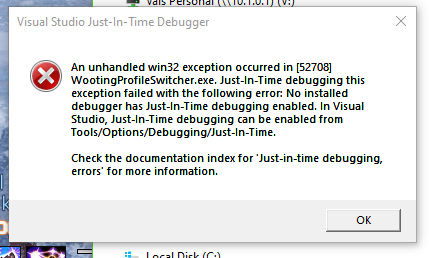


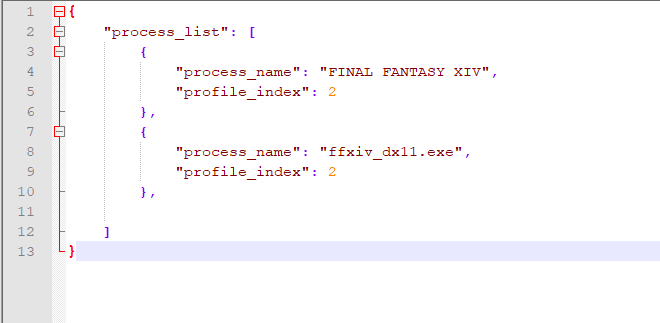

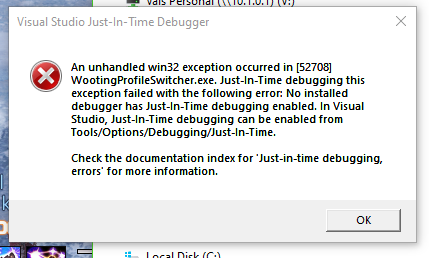 quiet root
sadly not all too helpful error
floral crane
lol
trim cargo
anything i could install to get more helpful info next time it happens?
quiet root
not really
trim cargo
or other areas to check (event handler or something)
quiet root
ud basically need to run it form source with a debugger attached
trim cargo
ah
floral crane
is that not what they're doing? that error shows up on actual release builds of executables?
floral crane
seems like an oversight by microsoft, that error is pretty nonsense to anyone but devs with the source open in vs