
#🤖│community_dev
1 messages · Page 1 of 1 (latest)
 quiet root
no thats the right mode
 late hill
👍
quiet root
if u open the table ull see its usb hid scan codes
late hill
I just was confused because the next value in the enum is literally called ScanCode1
quiet root
ya unsure myself but the only really necessary modes are the default one and virtualkeys
but virtualkeys doesnt support fn and the special keys on the w2
also virtual keys has a bug where scroll lock gets detected as numlock somehow
late hill
do these scancodes respect the rebinding in wootility
quiet root
yes
quiet root
idk never tried it
id assume the code changes aswell
as the keyboard sends a different one
late hill
I'll think about that later.
😔
Which column am I supposed to be reading from in table 10.6
quiet root
the one that says hid
late hill
 quiet root
wot?
 quiet root
actually have to check my own implementation

Gist
USB HID Keyboard scan codes. GitHub Gist: instantly share code, notes, and snippets.
i used this list
as it was sorted by scancode not the keyboard order
and ure looking for application not menu
late hill
thanks
quiet root
altho that list also has it wrong and calls it compose
late hill
update: mod tap does not change the code that the SDK sends you
hitting Fn (which I have set up to mod tap as right arrow) still sends Fn
quiet root
does it actually respect remapping
like i never actually tested it and basically assumed it would
late hill
no idea. I don't have anything remapped
 hybrid raven
is there any way to use the wooting keyboard as a pressure sensitive pen, for photoshop?
quiet root
idk how ud make it useavle as a pen as the largest wooting has a resolution of 6x21
at best
not to mention how ud move between pixels keeping the pressure the same
hybrid raven
the idea would be to solely ajust the size of the brush acoording to the pressure putted ion the key
quiet root
thatll be one horendous experience
possible yes ull just need to write a custom photoshop plugin
u can try rn tho to just use the jelly or aoe effect or whatever its called and draw with ur otherhand while u adjust rhe pressure to make the effect go somewhere
 orchid falcon
im trying to run the wooting-analog-virtual-control on arch linux
i have installed the wooting-analog-sdk by copying libwooting_analog_sdk.so to /usr/lib
i have installed the libwooting_analog_plugin.so in /usr/local/share/WootingAnalogPlugins/ and /usr/local/share/WootingAnalogPlugins/wooting_analog_plugin
i have installed the libwooting_analog_test_plugin.so in /usr/local/share/WootingAnalogPlugins/ and /usr/local/share/WootingAnalogPlugins/wooting-analog-test-plugin
but im geting this error
[2022-08-03T14:01:02Z INFO  wooting_analog_virtual_control] Error : Cannot find unique os path since link_file does not exist
thread 'main' panicked at 'Failed to open SharedMem...', wooting-analog-virtual-control/src/main.rs:289:17
note: run with `RUST_BACKTRACE=1` environment variable to display a backtrace
Segmentation fault (core dumped)
when i run the executable
 warm token
I have a question regarding replicating a (flight) throttle with a two HE.
Is it possible to have an analog axis accept increase from one key and decrease from another?
In other words, setting a throttle level and have it stay there if you let go of the key, until you increase or decrease it further with assigned keys.
With the key position dictating how fast the throttle increase or decreases
quiet root
not by default
also more a question for #archived_questions_answers as the channel were in rn is meant for people using the analog sdk and making their own apps
which is what youd have to do to get that throttle effect
orchid falcon
im having some problems with the analog sdk with wooting_analog_read_full_buffer_device
when using wooting_analog_read_full_buffer i can read the values fine
but when im using wooting_analog_read_full_buffer_device it returns WootingAnalogResult_NoDevices
code im using
    auto result =  wooting_analog_initialise();
    if (!wooting_analog_is_initialised()) return -1;
    WootingAnalog_DeviceInfo_FFI *buffer[2];
    unsigned int len;
    result = wooting_analog_get_connected_devices_info( buffer, 2);
    if (result < 1) return -2;
    wooting_analog_set_keycode_mode(WootingAnalog_KeycodeType::WootingAnalog_KeycodeType_ScanCode1);

    float output[4];
    unsigned short codes[4];
    while (true) {
        auto val =  wooting_analog_read_full_buffer_device(codes,output,4,buffer[0]->device_id);
        if (val <0) {
            std::stringstream ss;
            ss<<"error reading ";
            ss<<val;
            throw std::runtime_error(ss.str());
        }
        std::cout<<"W:"<<output[0]<<" A:"<<output[1]<<" S:"<<output[2]<<" D:"<<output[3]<<"\n";
        std::this_thread::sleep_for(std::chrono::milliseconds{1000});
    }
    std::cout<<result<<"\n";
    wooting_analog_uninitialise();
    return 0;
i have some more information on this
wooting_analog_read_analog_device does work and reads the key fine
also if i give 0 as device id then both work this seems like a bug
quiet root
why are you passing buffer directly into the wooting_analog_get_connected_device_info instead of dereferencing it
i remembered wrong
sorry
u need to actually pass the pointer of a pointer to it
not a pointer
@orchid falcon
orchid falcon
but that has nothing to do with the problem
the problem is that it is returning -1999 or WootingAnalogResult_NoDevices
if i replace wooting_analog_read_full_buffer_device with wooting_analog_read_full_buffer it works fine
and wooting_analog_read_analog_device works just fine so the device_id im giving is valid
i miss read some things but buffer is already a pointer to a pointer
and when i debug i can see a valid WootingAnalog_DeviceInfo_FFI object in memory
quiet root
orchid falcon
but that has nothing to do with the problem
the problem is that it is returning...
no device would mean it cant connect
if u fuck up giving it a pointer to a pointer it would fill memory wrong
orchid falcon
but why would wooting_analog_read_analog_device work fine then
quiet root
from the code above youd only be passing a normal pointer to it
orchid falcon
debug info from idea
 quiet root
weird
altho in general a double pointer is a weird thing to require
might be a doc error
/typo
anyway if it returns no device that would mean it couldnt find it
orchid falcon
orchid falcon
but why would wooting_analog_read_analog_device work fine then
sinse this works that makes me think its a bug in the sdk
if it could not find the device then would wooting_analog_read_analog_device also fail
quiet root
if anything it should be a firmware bug as i am almost 100% sure simon tested it to work
quiet root
orchid falcon
if it could not find the device then would wooting_analog_read_analog_device als...
u passing the device id means it opens the handle at that point
since you dont pass a device handle directly
otherwise youd pass a handle pointer
its definetly possible that its some firmware/sdk compatibility regression
orchid falcon
float value = wooting_analog_read_analog_device(0x10,buffer[0]->device_id);
this works
quiet root
wot
 placid ledge
the expected argument is the device_id which is just a number, no pointers are passed
orchid falcon
analog movment in minecraft using the analogSDK
 coral portal
Java?
placid ledge
orchid falcon
analog movment in minecraft using the analogSDK
So cool 🤩
coral portal
coral portal
Java?
If yes is this possible to get as a mod or plugin anywhere? 👀
Would be cool.
Especially if we made it work for wootmc @wet knot
orchid falcon
its java
still work in progress
jdk java wrapper will be a seprate jar
i could make a version for minecraft that wootmc works on
orchid falcon
has anyone tried to crosscompile the wooting analog sdk for windows on linux?
 balmy iron
You might run into a snag of not having link.exe, but you'll probably not have to compile it anyway, just ship the precompiled dll
You can of course cross compile targeting mingw no problemo
orchid falcon
may have worded it bad but im trying to cross compile my c++ app wich uses the wooting analod sdkwrapper as a lib but when i crosscompile im geting linker errors
/usr/lib/gcc/x86_64-w64-mingw32/12.1.0/../../../../x86_64-w64-mingw32/bin/ld: wooting-analog-sdk-java-wrapper/native/libs/analogsdk/windows/wrapper/lib/wooting_analog_wrapper.lib(wooting_analog_wrapper.wooting_analog_wrapper.f628e05d-cgu.5.rcgu.o):wooting_analog_wra:(.xdata[$cppxdata$_ZN3std4sync4once4Once9call_once28_$u7b$$u7b$closure$u7d$$u7d$17h69e8d8e8692d6a83E.llvm.8873476782931786393]+0x14): more undefined references to `__CxxFrameHandler3' follow
a linker error im geting
quiet root
GitHub
Native support for Analog Keyboards #WootDev. Contribute to WootingKb/wooting-analog-sdk development by creating an account on GitHub.
already exists for linux
as its rust based it can be crosscompiled very easily
id also recommend to either redirect people on where to get libs and how to install them or ship the prebuilt ones
 viscid trellis
Good evening everybody! Do you guys have any idea if wooting would make a 75% keyboard?
orchid falcon
progress

 floral crane
Sure
floral crane
done
 abstract sun
Can't seem to get the rgb api working. wooting_rgb_kbd_connected() is returning 0 (false). On Linux, with 60HE, trying to use Python. Not sure if it should work with this:
from ctypes import *
fs = CDLL("./libwooting-rgb-sdk.so")
print(fs.wooting_rgb_kbd_connected())
(Or does the sdk not support the 60HE?)
placid ledge
abstract sun
Can't seem to get the rgb api working. `wooting_rgb_kbd_connected()` is returnin...
You need to compile from master branch currently for 60HE support, I haven't gotten around to making a new release 😅
abstract sun
placid ledge
You need to compile from master branch currently for 60HE support, I haven't got...
ah, thanks, that works 👍
 nocturne jackal
Patch has been submitted to the Linux Kernel mailing list 👍
Waiting on them to approve for a specific release now
placid ledge
Great to hear! Very excited 😄
orchid falcon
i think im done with this but java wrapper for analog sdk
https://github.com/botn365/wooting-analog-java-wrapper
now to make a minecraft mod for it
GitHub
a java wrapper for the wooting analog wrapper. Contribute to botn365/wooting-analog-java-wrapper development by creating an account on GitHub.
 red prairie
I had a random thought while at work. Theoretically, because the lekker switches utilize the hall effect, is it possible to detect key "velocity" or acceleration. Could you measure how quickly a key descends through its stroke by measuring the 0.1mm position, the 4.0mm position and the amount of time it takes to travel between the two? Could anyone think of a reasonable feature that could utilize this if its possible?
balmy iron
Yes, this is already done for the MIDI stuff if I understand how it works correctly
red prairie
Gotcha. Just a random thought. Hadn't checked to see if it was done
quiet root
this works on any analog switch design not just hall effect
as velocity is a change of distance over time you can always compute this with smth that has multuple states of movement by measuring the time between points and knowing the distance between them
 versed grove
Velocity could be a similar feature like DKS. Different levels of velocity could simply have different mappings for a key. E.g. slamming Enter could executa a macro <Home-key>"sudo "<Enter-key>. 😉
quiet root
i think thats a bit heavy on the mcu
versed grove
True
quiet root
maybe for arm
 loud tide
Hey I wrote a gnome shell extension to toggle the wooting xinput on linux (-> toggle the gamepad on and off) which is useful when you have multiple gamepads
can I merge that somewhere?
quiet root
gnome i guess
wooting prides its own software in not requiring to run in the background and being able to not even have it installed
so thisll be smth youll have to self publish
 arctic goblet
nocturne jackal
Patch has been submitted to the Linux Kernel mailing list 👍
arctic goblet
nocturne jackal
Patch has been submitted to the Linux Kernel mailing list 👍
What does this mean? Patch to what?
arctic goblet
I looked up xboxdrv and found the following: https://github.com/xboxdrv/xboxdrv
So, submitting that should just help xboxdrv be able to use wooting keyboards without user configuration? If it's a linux kernel patch, I imagine it would help with more too, no? Just curious 🙂
 static wing
Hello, I just bought a wooting two he. The customizable actuation point is very cool. I am not a gamer but a developer. I'm trying to use DKS. I was hoping that I can use it for sending different keys depending the depth of the press. I was expecting to send the j key when I gentle press the j key and send ( when I press a little more . It does not seem possible today with how the DKS is implemented right now. Is there any chance that someday a behaviour like will be possible ?
quiet root
thats possible
static wing
today you cannot avoid to send the j keys when you press deeper, you end up with j(
 static wing
I trying it right now
quiet root
also #archived_questions_answers next time 😛
static wing
sorry this is the first time i'm using discord
quiet root
its ok
static wing
yes j
Can we expect someday instead of sending a keycode to use a macro for each step of a press ?
floral crane
@quiet root OpenRGB still has the old PIDs https://gitlab.com/CalcProgrammer1/OpenRGB/-/blob/master/Controllers/WootingKeyboardController/WootingKeyboardControllerDetect.cpp
Do you know if WootingOne/Two with new PIDs act as DetectWootingTwoKeyboardControllers or still DetectWootingOneKeyboardControllers
Also are the old legacy PIDs still used other than un-updated keyboards? the xinput rules still reference them https://help.wooting.io/en/article/wootility-configuring-device-access-for-wootility-under-linux-udev-rules-r6lb2o/
quiet root
the new pids use the 2he detection
so does the 60he
the 60he also just takes the same row and colum indexes as the twohe
floral crane
oh interesting, so everything uses 2hd detection now? not what I would have expected
quiet root
they also use the new vid
and they sue the same v2 interface now
so yes
unsure why openrgb doesnt use the sdk tho
floral crane
I don't know, the sdk isn't the easiest to support I guess, maybe they don't like linking
 why do I need a Qt account to use qt creator on windows
quiet root
lol here i sit fiddling with qt in raw
fuck wysiwyg
but ya the sdk would make it tons easier to detect keyboards and differentiate what they are
floral crane
-.- gitlab built it for me I just had to download it from the pipeline
Ah yes I love that the PIDs change when you have gamepad enabled or disabled
Oh there's 3 sets of PIDs per keyboard, extra fun 😂
quiet root
i mean i did say its easier to use the sdk
floral crane
yeah I'll let someone else do that, just adding some extra lines is easier than adding a static library to this mess I can't build on windows
floral crane
Oh wow the Artemis fork of Aurora is looking sick, better than OpenRGB and Aurora, even adding cross platform soon™️
quiet root
yep
 strong siren
Cross platform is released ish
I'm still working on packaging
But you can download & run Linux builds
strong siren
Mac is untested since us devs don't have macs
quiet root
hm i still could test that
strong siren
index - powered by h5ai v0.29.2 (https://larsjung.de/h5ai/)
quiet root
will have to do it later
strong siren
Btw, Artemis and aurora are completely separate, it's not a fork.
 quiet root
strong siren
Here you go: https://builds.artemis-rgb.com/binaries/gh-actions/3025372980/
quiet root
strong siren
Here you go: https://builds.artemis-rgb.com/binaries/gh-actions/3025372980/
im home now, gonna eat and then quickly test
sorry for the ping forgot to uncheck
strong siren
Macos is very unlikely to run at all since we didn't test anything so good luck
quiet root
its not even built for arm is it
i basically bodged in some files to make it a valid appbundle but the main executeable isnt even recognized as such
you basically only need an Info.plist file with contents smth like this ```
<?xml version="1.0" encoding="UTF-8"?>
<!DOCTYPE plist PUBLIC "-//Apple Computer//DTD PLIST 1.0//EN" "http://www.apple.com/DTDs/PropertyList-1.0.dtd">
<plist version="1.0">
<dict>
<key>CFBundleGetInfoString</key>
<string>Avalonia</string>
<key>CFBundleExecutable</key>
<string>Artemis.UI.MacOS</string>
<key>CFBundleIdentifier</key>
<string>com.avalonia.Avalonia</string>
<key>CFBundleName</key>
<string>Avalonia</string>
<key>CFBundleIconFile</key>
<string>Avalonia.icns</string>
<key>CFBundleShortVersionString</key>
<string>0.1</string>
<key>CFBundleInfoDictionaryVersion</key>
<string>6.0</string>
<key>CFBundlePackageType</key>
<string>APPL</string>
<key>IFMajorVersion</key>
<integer>0</integer>
<key>IFMinorVersion</key>
<integer>1</integer>
</dict>
</plist>
and the corresponding .icns file
then just have everything in a folder called like the ${bundlename}.app
and the bundleexecuteable would then get executed
sadly with the current build this doesnt work
floral crane
Example https://github.com/ShayBox/WootingProfileSwitcher/tree/master/mac no idea how mac works but tony did that
quiet root
also noticed i have a typo in the woot one
imma update macos and xcode and then see if i cant get avalonia/artemis to compile on macos
strong siren
I said mac not m1
strong siren
Hm yeah idk then
quiet root
it appears the publish will have to include -r osx.12-x64 --self-contained true
that makes it at least run from the Artemis.UI.MacOS
how to make that run from an appbundle is what i havent figured out yet
floral crane
What's this Wooting is awesome program on my computer


 proper ermine
From time to time nuke your OS with a big reformat and reinstall
Corruption builds up over time even if you do deep cleaning everytime and keep your OS clean
 obtuse crest
can somebody map that analog movement with davinci resolve color wheels 😄
 quiet root
that made 0 sense
obtuse crest
quiet root
that made 0 sense
It would have been nice if you could fine-tune but the controls are already hard for movement... not everybody can afford something like this:
 quiet root
obtuse crest
It would have been nice if you could fine-tune but the controls are already hard...
quiet root
obtuse crest
It would have been nice if you could fine-tune but the controls are already hard...
youd translate 4 1-dimensional inputs into 1 2-dimensional input
so kinda hard to use
its like the one person who made volume adjustable using the wooting analog
obtuse crest
quiet root
its like the one person who made volume adjustable using the wooting analog
I think analog movement can do what those mouse-balls do... it wouldn't be easy to use probably, but it would work as davinci resolve consoles.
strong siren
i'm adding current keyboard profile to artemis and i'm running into some trouble
the buffer i get back from GetCurrentKeyboardProfileIndex = 11 contains the profile information in a different index for each of my keyboards.
testing with a wooting one and a wooting two HE
if i look at buffer[5] it works only for the wooting two and buffer[4]works only for the wooting one. if i try it the other way around, the byte at that index is just zero
i double checked: buffer[4] is 1 on a wooting two he
both keyboards in digital mode:

and in the 3rd analog profile:

should i submit an issue for this somewhere?
quiet root
are all latest firmware?
strong siren
I think so yes
quiet root
not sure if last time you brought it up in idk which discord
did i test it with my two?
otherwise imma check with all keyboards tomorrow
quiet root
ya imma check each one individually tomorrow
or i could just connect all at once
and use ur code to check

strong siren
yeah\
do that actually, it's easier lol
could it have to do with the v2 interface?
strong siren
if it has to do with that i could adjust the code to grab the currect index for each interface version
quiet root
laretech vs lekker
quiet root
lemme find simons message that prompted my claim everything is v2

this is actually what prompted it
the sdk has functions to set them v2
strong siren
im using your PR
quiet root
ya that buils on this tho
this is from the 60he support branch merge
might actually be just for rgb then
the whole v2
 quiet root
just v2 interface i imagined
quiet root
pid is firmware related
quiet root
strong siren
i have gamepad disabled, does that make a difference?
shouldnt
strong siren
my pid is definitely ff01
quiet root
@placid ledge will have to shed light onto the whole v2 interfaces for flaretech boards
strong siren
#define WOOTING_ONE_PID 0xFF01
#define WOOTING_ONE_V2_PID 0x1100
and why the profile index buffer is difference
might actually just be prep for merging them into wootility v4
but ya simon will know
still weird cause i remember testing my profile switcher with a w2
strong siren
hm the response is length 256 for my wooting one even though it should be 128 for interface v1
nvm i'm stupid. working now. I'm checking for v2interface and accessing the correct index.
placid ledge
@strong siren @quiet root the v2 interface stuff for wooting one & two is for when the flaretech boards get updated to firmware v2 / Wootility v4, hence the v2 interface. Major version of the firmware corresponds to the version of the interface.
Also when it comes to the different indexes of the value @strong siren for the command response it's due to the fact that in interface v2 buffer[4] is the length of the data response. But in general you can treat [4] as the base address of data in the v1 response and [5] as the same in the v2 interface
strong siren
hm cool so my approach works at least
placid ledge
yeah, main thing you should do is logic based on v2/v1 interface, I've been working on Flaretech board support in v2 firmware recently, once that's out there it'll get picked up by the whole wooting one/two v2 interface stuff in the SDK and then the responses will be consistent with two HE
strong siren
ah, small thing that annoyed me:
there's no easy way to know which is which when you're using both analog and rgb sdk with multiple keyboards
i'm doing it based on the model name right now
but if you have multiple wooting ones for example that breaks
this of course won't be a problem for 99.9% of people, but still.
when the rust rgb sdk comes you can standardize the usb meta struct :))))
placid ledge
Hmmm, well, it may be possible to just wack in the same device id generation in RGB SDK so then they'd theoretically have a consistent unique ID you can use between SDKs
strong siren
yeah that would help
placid ledge
Opened a wee issue for it
 chilly oar
Looks like Linux 6.1 will support the Wootings. Thanks...
https://www.phoronix.com/news/Linux-6.1-XPad
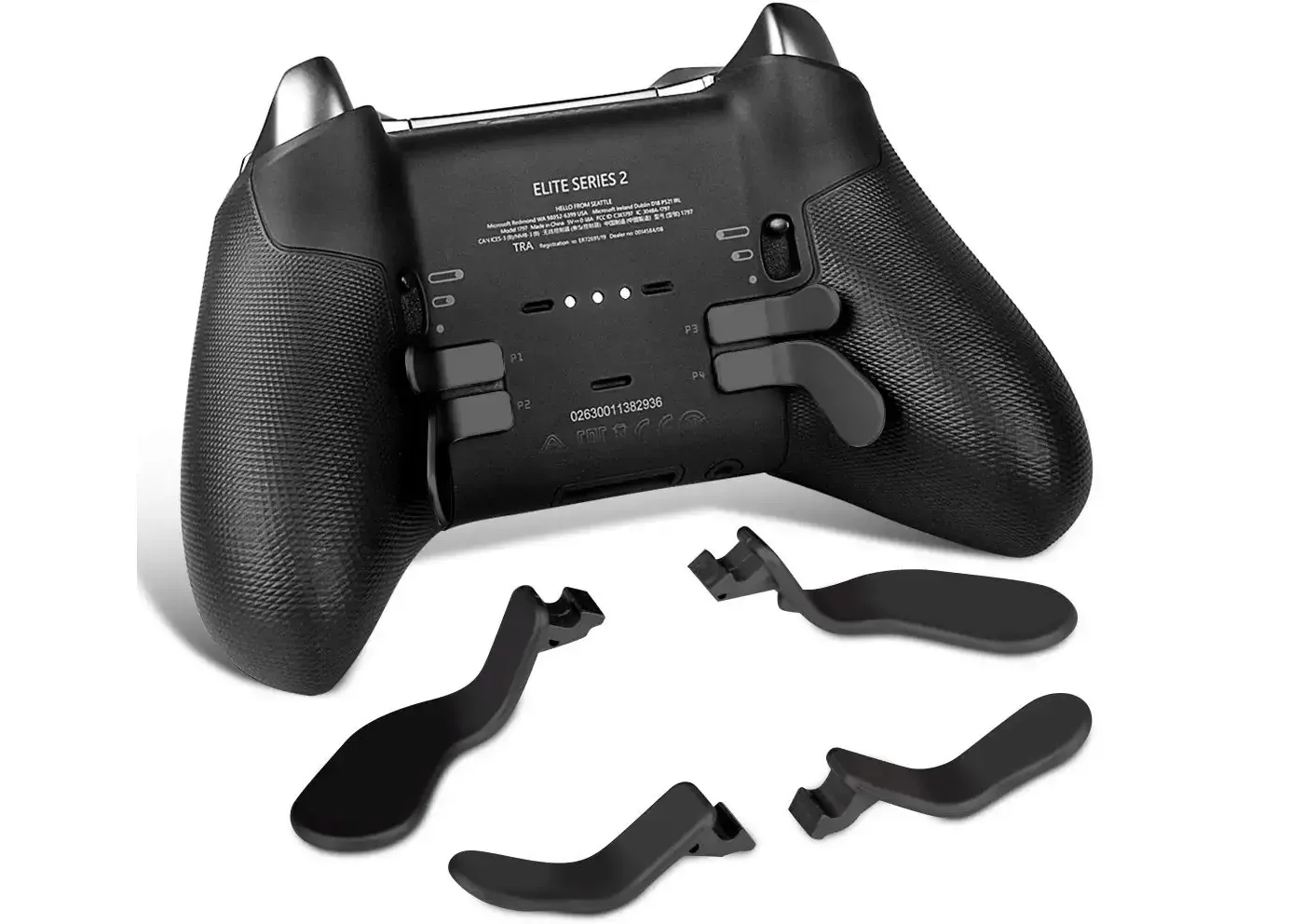
A number of improvements to the XPad input driver are slated to be included with the upcoming Linux 6.1 kernel to better handle the Microsoft Xbox controllers and other derivative designs.
arctic goblet
chilly oar
Looks like Linux 6.1 will support the Wootings. Thanks...
https://www.phoronix.c...
Is Wooting somehow related to xpad for Linux? Sorry if it's a dumb question.
balmy iron
No, it's just the name of the driver in the kernel that handles controllers speaking the xinput protocol. Wooting keyboards can speak it so makes sense to add support
chilly oar
arctic goblet
Is Wooting somehow related to xpad for Linux? Sorry if it's a dumb question.
Xpad is the name of the kernel driver for all the Xbox controller for Linux. On Win the Xbox driver is applied due to a driver flag which the Wooting provides but sadly that is ignored on Linux. So the support for specific devices there need to be hard coded. Currently in order to use the emulated Xbox controller of the Wooting xboxdrv is needed because that tool can be assigned to any USB device via a command, because that driver works in user space. Bud sadly that tool need to be installed manual and it's outdated.
 chilly oar
Due to the integration in the upcoming kernel 6.1 the Wooting should even work within Android natively when the Xbox mode is chosen.
balmy iron
Once Android devices start coming out with that kernel, which is gonna take years probably
chilly oar
Of course then you need an Android version which uses the newer kernel. My Android 12 still uses kernel version 4.19.X.
So the new kernel will reduce the hassle of setting up the Wooting on Linux quiet a lot.
arctic goblet
Steam Deck is on Arch so I imagine kernel 6.1 won't take too long to see SteamOS. I hope
I would only use Linux and not use Windows at all if it weren't for Valorant's Anti-cheat. That's the main game I play..
But, my Steam Deck. I can't wait to test out Wooting on that bad boy
chilly oar
arctic goblet
But, my Steam Deck. I can't wait to test out Wooting on that bad boy
It should work already in the classic gamepad mode.
arctic goblet
Yeah, thanks. I'm NA-RHO so I am just chatting because I am excited lol
chilly oar
I don't have a Steam deck but in the classic mode the Wooting appears as a generic gamepad.
So as long games support that they will support the Wooting. Typically the benefit of the Xbox mode in Linux is that the input scheme is standardized. Like circular instead of squared and how the buttons are aligned.
 tame silo
Hey everyone. I have an idea about how analog movement can be improved on HE keyboards. The idea is described on GitHub. I'd like to poll you guys to know what you think of it, maybe creating a poll. Where is the best place to do that?
nocturne jackal
chilly oar
Looks like Linux 6.1 will support the Wootings. Thanks...
https://www.phoronix.c...
Woooo!
You love to see it
Thanks again everyone for the help in getting the IDs right, can't wait to see this live in released code
nocturne jackal
arctic goblet
But, my Steam Deck. I can't wait to test out Wooting on that bad boy
Might be a bit of a wait, Steam Deck isn't keeping up with Kernel versions
so it may take a while for 6.1 to come to it
hopefully Valve gets on top of that soon, all of their deck-specific kernel patches are merged as of 6.1
nocturne jackal
@chilly oar @placid ledge Finally getting emails on this, that patch was backported as far back as 5.4
So we might be getting this sooner than 6.1
placid ledge
 that's the kinda great news i needed to hear right now 😅
chilly oar
nocturne jackal
<@426791162670481419> <@178235161857490944> Finally getting emails on this, that...
How? I don't know how the code integration works for Linux but while the current build (https://github.com/torvalds/linux/blob/f2b220ef93ea34ff6ce48fec382689cf02099f39/drivers/input/joystick/xpad.c#L498) contains the entries for the Wooting the last current version tag for 6.0 (https://github.com/torvalds/linux/blob/v6.0/drivers/input/joystick/xpad.c) don't have them.
So I guess distros would need to add the changes by their own by creating a custom build for an older kernel version. Because I doubt they are creating a 5.20 kernel version and so breaking the version naming.
GitHub
Linux kernel source tree. Contribute to torvalds/linux development by creating an account on GitHub.
GitHub
Linux kernel source tree. Contribute to torvalds/linux development by creating an account on GitHub.
On the last stream Jeroen announced that he is starting on working on a W2 HE ARM version. The good thing is due to the vendor ID this and the other potential future Wootings would work while only their name wouldn't be shown.
nocturne jackal
chilly oar
How? I don't know how the code integration works for Linux but while the current...
Some distros choose to stay on older versions and keep them updated
IE: Ubuntu
so instead of going to 6.1 they'll stay on 5.4 and just keep doing minor releases
so next minor update to a previous kernel release will hopefully get them the wooting patch (assuming they include it as you mentioned)
 chilly oar
I guess like usual, you need a distro with a short update cycle / rolling release.
nocturne jackal
chilly oar
I guess like usual, you need a distro with a short update cycle / rolling releas...
Fedora my beloved
chilly oar
nocturne jackal
Fedora my beloved
Should be 5.17, or? As far as I know version 36 should be released next week. Who knows which kernel it will uses.
nocturne jackal
chilly oar
Should be 5.17, or? As far as I know version 36 should be released next week. Wh...
They update the kernels between releases
I'm on 5.19.14, 6.0 in testing and will be out before the next numbered Fedora release
chilly oar
So if it's up to date I doubt they will add a backport and so you need to wait for the 6.1 kernel.
nocturne jackal
I will, yea
Unless they include it with 6.0 since it's in the back port channel
I'll watch for that
chilly oar
I wonder if there are people who report problems and unexpected behavior. Like people who use the Xbox mode without xboxdrv and then get confused to have a controller detected in games out of the sudden or others who have trouble because they use it while xpad isn't unloaded.
Because I never compiled xpad myself I never tested how it behaves together with xboxdrv.
nocturne jackal
Here's the 5.19.x releases
5.19.15 is the last one, 36 hours ago (too old to have this)
5.19.16 could potentially have it
and here's 5.4.x, they're on 5.4.217 (lol)
chilly oar
How can I find where the xpad change is?
nocturne jackal
not in them yet
but it's queued up for inclusion
all you can do is watch for that commit
chilly oar
nocturne jackal
@chilly oar @placid ledge okay, here we go! https://git.kernel.org/pub/scm/linux/kernel/git/stable/linux.git/commit/?h=linux-5.4.y&id=690467759573ecee80d2a215ddbb4c5efe574868
Linux 5.4.218 supports wooting!
A lot of Linux distros are going to get support on their next kernel update
I would say most since almost nothing is using an older release than that outside of Android
I'll make a list of the minimum for all 5.x and 6.x releases
So people can refer to it
nocturne jackal
6.1.x
6.0.2
5.19.16
5.15.74
5.10.148
5.4.218```Here's all confirmed versions with Wooting support
May be a few more between 5.15.x and 5.19.x coming up
5.4 is LTS hence the big gap between it and 5.10
Fedora stable is 5.19.15 ATM so next update will be the one 🙂
placid ledge
That's awesome! Can't wait to see all the main distros update to these versions hopefully it also means that SteamOS will get it soon as well (it's using 5.3 currently iirc)
quiet root
id hope wooting would setup some sort of CI to do this on releases
floral crane
You have to pull request a config to the winget repo, unless a link that always points to the latest installer exe is created, a new pull will have to be made every wootility update
quiet root
you mean like https://api.wooting.io/public/wootility/download?os=win&branch=v4 for v4
and https://api.wooting.io/public/wootility/download?os=win&branch=v3 for old v3
chilly oar
@nocturne jackal @placid ledge openSUSE Tumbleweed got the kernel 6.0.2 now with the todays update. And yes it's working.
chilly oar
My Flaretech Wooting seems to don't work in the VM, looks like they don't have the dev build installed and I can't update anymore. With these I get xpad 1-2:1.0: xpad_try_sending_next_out_packet - usb_submit_urb failed with result -19.
The unfixed USB issues on the old Flaretech versions are known to have problems especially when the device is pass through to a VM.
My updated W1 for the new v4 alpha works fine, but that branch has the fix.
chilly oar
The Flaretech keyboards are working too but they have a quirk. They don't appear under https://gamepad-tester.com/ for me but the controller appears and is working as a joystick within the system tool Gamecontroller. I guess this is related because these keyboards share the same device ID across all the analog modes and some services are confused with a device which is changing like known for Steam.
Test gamepads, controllers, joysticks, and other peripherals that use the web gamepad API. Compatible with XBox, Playstation, Switch, and many others.

 grand flax
Is there any way to use the Analogue SDK in JavaScript?
nocturne jackal
@chilly oar @placid ledge Same for Fedora Workstation 36 🙂
 nocturne jackal
chilly oar
The Flaretech keyboards are working too but they have a quirk. They don't appear...
nocturne jackal
chilly oar
The Flaretech keyboards are working too but they have a quirk. They don't appear...
Gamepad Tester is finnicky

took a couple page refreshes to get it to show up

but that's true of both controllers, not just the Wooting
chilly oar
It should not take that long. As soon as one input is registered it should show all connected controller.
grand flax
Working on a obs overlay for pressure sensitive keys
But this one will take actual key input rather than gamepad for your non gamepad supported games :)
grand flax
 grand flax
<@&375234916776017933> Does the SDK support returning if the key is 'active' or not? Otherwise I will have to code a method to remember the last known values and to manually display rapidtrigger :)
And same for returning the current actuation level
quiet root
pretty sure there was already an overlay
grand flax
No, I've been communicating with him, his uses a html joystick input
quiet root
also the sdk doesnt need to support a key being active ur os already tells you
grand flax
That's a good point, thanks.
quiet root
the actuation level is smth ud need to get from the keyboard prob by reading out the profile and getting the data manually
Gist
Wootility Lekker Edition USB Feature Codes. GitHub Gist: instantly share code, notes, and snippets.
grand flax
I'm not sure how to use those, but I will do the active key first
quiet root
ud use those via the rgb sdk that has a function to directly send features and the keyboard replies with data
grand flax
Wooting's active keyCode is different of JS's is there any way to convert?
I can't find any documentation for the analog wrapper
grand flax
So far I'm just using a string map to convert the wooting values to javscript keycodes
 grand flax
With strings?
It almost seems like I can change it, but I am not sure how to do that with the analog wrapper
 grand flax
Oh, it turns out I can't check if a key is down using javascript as the page is loaded in the bg for an overlay.
Similarly, I can't seem to do it in my C# app since it is a console application which can not detect held down keys
<@&375234916776017933> is there any methods to access whether a key is active, not the current pressure value?
quiet root
why are u tagging woot team all the time
and yes a c# app can globally hook pressed keys
GitHub
Just a simple tool to check if keys are received at the same time - KeyChordTester/Main.cs at master · BigBrainAFK/KeyChordTester
placid ledge
As Tony said, with the Analog SDK you only get the analog values. If you want to combine that with if the key is pressed/released you'd either need to retrieve the profile configuration from the keyboard (I could potentially help you with that) or to hook into key presses and match those up. By default the Analog SDK uses HID Codes, IIRC the keyCode value on web key press events is equivalent to Windows VirtualKey codes (although may not line up perfectly). As you seen, the analog sdk allows you to choose which keycode type so you can get it to output VirtualKey codes instead (allow IIRC that would be windows only)
grand flax
placid ledge
As Tony said, with the Analog SDK you only get the analog values. If you want to...
Thanks, I'll have a look tomorrow :) I'd love to develop a full display soon
grand flax
quiet root
why are u tagging woot team all the time
I can't tell if you're mad or not for me trying to learn how to code..
quiet root
the wooting team tag isnt meant for learning to code
like the woot team and me arent mad at you for learning or anything
in fact they and myself like seeing stuff done for the wooting
its just that, as you may be able to imagine, they are quiet busy and arent in the business of teaching programmers
anyway you can globally hook the win api as i showed and just get the virtual key codes
together with the analog api supporting virtual key code emission you can use that to match it up
grand flax
Okay thanks I'll use it less
Are we allowed to post semi constant updates here?
I got the hooks working with a nuGet package and added a draggable key display
And made it multi threaded to handle any amount of TCP connections at once
Looking to make the positioning save, and a way to show/hide all the keys with a full keyboard display
quiet root
grand flax
Are we allowed to post semi constant updates here?
ofc u can post updates
grand flax
Finished mvp product :D
 lunar patio
grand flax
Finished mvp product :D
lunar patio
grand flax
Finished mvp product :D
Amazing! I think it would be cool if u could have a setting where you can see how far along the analogue curve you are instead
grand flax
lunar patio
Amazing! I think it would be cool if u could have a setting where you can see ho...
Ooh sorry what do you mean by the analogue curve?
lunar patio
In the software you can set a curve like so https://media.discordapp.net/attachments/1030538590918279238/1030541360618557461/unknown.png it'd be nice to have the option to represent this instead one of the rgb effects on the keyboard already does this but it'd be nice to have an overlay you can find it under "gamepad response"
 grand flax
Ohh right yes
When I was making this app, I wanted it to not replace Darren's one
So it doesn't use gamepad values at all, rather just the analog values each key presents in the SDK. I might look into it later to add a axis kind of setup, but then again, I feel like I would be taking Darren's work
lunar patio
Cool nonetheless
grand flax
Thanks :) I plan on adding a lot more features and releasing it as a built application for people to run
Actually, now that you mention it
Wait nvm lol
I can add an effect that goes from colour X to colour Y the harder you press, although it will only be a linear curve, it may look accurate enough to represent most curves with minimal deadzones
lunar patio
The way it is right now I'd probably already use it just to learn about my own input. It would be nice to have it transparent and be able to overlay it on a game for practice
grand flax
Yeah that would be really sick and what I'm looking into at the moment, I thought it might fail anticheats for the games I play but I really want to do this
lunar patio
Well for the game I play I think you could use it no problem
grand flax
Would you just need the WASD keys?
Unfortunately the UI for rearranging keys and showing/hiding them are all webpage based
lunar patio
Wasd keys would already be a good start and good enough for being more mindful of my inputs
So yes
grand flax
Thanks, I'll give it a shot soon :)
grand flax
Does anyone have a list of Keys to Wooting keycodes for the analog input?
placid ledge
grand flax
Does anyone have a list of Keys to Wooting keycodes for the analog input?
Which keycode set, Windows virtual key codes?
If you use the setKeycodeMode function in the Analog SDK you can set it to use VirtualKey https://github.com/WootingKb/wooting-analog-sdk/blob/develop/SDK_USAGE.md#set-keycode-mode and that should line up with keycode values in C# iirc

GitHub
Native support for Analog Keyboards #WootDev. Contribute to WootingKb/wooting-analog-sdk development by creating an account on GitHub.
This bit has more context on the keycodes: https://github.com/WootingKb/wooting-analog-sdk/blob/develop/SDK_USAGE.md#keycodes
GitHub
Native support for Analog Keyboards #WootDev. Contribute to WootingKb/wooting-analog-sdk development by creating an account on GitHub.
grand flax
placid ledge
Which keycode set, Windows virtual key codes?
Oh, just the wooting analogue SDK ones sorry, (A=4, Shift=225)
grand flax
placid ledge
This bit has more context on the keycodes: https://github.com/WootingKb/wooting-...
Oh yes this it it, thanks!
Does anyone have experience with drawing on the display with c#? I have a working concept that uses high CPU sadly, and shows on top of most fullscreen apps except for some like valorant, however the discord overlay still appears on top so there must be a way
grand flax
It looks to be that some high level games connect to the GPU to render on screen directly which stops any cpu drawing and I may have to do something with directX to insert an overlay there
grand flax

Pretty sure I got the whole keyboard
Time to make a trailer video :D
I unfortunately do not have a full size wooting to test all the keys haha
grand flax
First trailer that shows basically all the functionality, no cool video effects on this sadly

A client and OBS overlay to display your Wooting analogue keyboard to anyone who wants to see it!
Available soon.
I think this could really change how reviewers and streamers show off the functionality of this and future Wooting keyboards. Viewers will now be able to see it in action themselves :)
placid ledge
Looks great
 wide nymph
grand flax
Finished mvp product :D
wide nymph
grand flax
Finished mvp product :D
Make sure you also allow people to inverse the fill direction. or choose from which side. Depending on game or utility, might want to display it different. Racing for example, left to right makes sense
Reviewer, from top to bottom 😅
grand flax
wide nymph
Make sure you also allow people to inverse the fill direction. or choose from wh...
That's a great idea, I'll look into really doing the customisation with colours, direction and borders later on :) I think I'll leave it like this for the next week as I have been doing it as a procrastination project instead of studying for my exams
wide nymph
grand flax
That's a great idea, I'll look into really doing the customisation with colours,...
How about you work on this, and procrastinate on studying?
grand flax
I'll settle for a bit of both :P
lunar patio
Looks great
quiet root
only thing i noticed was no numpad buttons apparently
nocturne jackal
The xpad patch is now also scheduled for 4.19.x, 4.14.x, and 4.9.x
chilly oar
Oh, maybe then we may get it on Android in a half year.
Hmm, I guess not. My phone is still on 4.19.113 from March 2020.
https://git.kernel.org/pub/scm/linux/kernel/git/stable/linux.git/tag/?h=v4.19.113
placid ledge
Android kernel version bumps are very few and far between due to all the Google & vendor patches that are applied usually. They've tried to make it better but iirc the kernel version upgrades are still a bit rough
chilly oar
Maybe Android 14. 😝
grand flax
quiet root
only thing i noticed was no numpad buttons apparently
Oh yeah I don't have a full size Wooting to play around with sadly so if someone's keen to just run the app and record the key codes that'd be great!
I'm thinking of getting one lol as my friend wants to help me build apps for these keyboards and he likes the 2he
 glass radish
grand flax
https://www.youtube.com/watch?v=62ZL6NmN-KM&ab_channel=DJCross
glass radish
grand flax
https://www.youtube.com/watch?v=62ZL6NmN-KM&ab_channel=DJCross

Looks amazing!
grand flax
glass radish
Looks amazing!
Thanks <3
nocturne jackal
Next kernel update for Steam Deck looks like it'll add the wooting patch
they're doing a rebase to the current version of arch atm
placid ledge
Awesome
glass radish
grand flax
https://www.youtube.com/watch?v=62ZL6NmN-KM&ab_channel=DJCross
@astral patrol
nocturne jackal
Some potential next steps
1: Upstream the udev rules to systemd
2: Repackage wootility as a flatpak on flathub
Then Silverblue and SteamOS can have working wootility straight from Software/Discover OOTB as well
balmy iron
But rather not the current proposed rules since exposing all those hidraws can make certain softwares behave weird
floral crane
I'm not sure systemd accepts random rules like that, it's usually up to the package manager and/or program to elevate privileges and install them via polkit
It is available via the web, the aur which works on SteamOS, and having the flatpak would be a good option to have.
Maybe putting wootility on steam would be good too, though if it needs privileges it'll have to handle that itself via polkit to install rules as steam doesn't handle that for you.
To be fair, if you're to the point of plugging a keyboard into your steamdeck you've likely already enabled desktop developer mode and have access to the aur
placid ledge
I've looked into packaging Wootility as a flatpak but I got a little stuck with how to handle the udev rules/device permissions. So any input on how to approach that would be cool 😄
 wet knot
@quiet root
quiet root
???
 astral patrol
glass radish
<@88415830366224384>
astral patrol
glass radish
<@88415830366224384>
Awesome!!!
Will have a watch when I'm home but from the image alone I need this
Thx for tagging me would've missed it
glass radish
Definitely thought this would be something for you 
 nimble kelp
Hey! I think this is the second-best place for me to ask because the support forum has errored out on me twice 🥲

Hey! I'm the creator of keyboard.gg - an adapter that converts keyboards into controllers.
One of my users is having some issues when it comes to their Wooting keyboard and I really want to fix that issue - I love the Wooting company and would even love to natively support the analog functionality in my hardware one day.
Can anyone provide me the USB HID Report Descriptor for the Wooting keyboard? (Example of what I'm looking for, attached.) This would help me greatly narrow down what the issue is.
 wet knot
@placid ledge
quiet root
nimble kelp
Hey! I think this is the second-best place for me to ask because the support for...
id imagine the issue is that the wootings all show up as an hid keyboard AND either general gamepad or xbox controller
unsure if the Lekker switch boards and flaretech boards use the same HID descriptors
nimble kelp
quiet root
id imagine the issue is that the wootings all show up as an hid keyboard AND eit...
That's good to know! And thank you for that info! 🙏 It unfortunately doesn't have the HID Report Descriptor though 😦
quiet root
actually shows up as 2 devices iirc
kbd, mouse and dinput/xinput
unless gamepad is disabled
then only first 2
quiet root
nimble kelp
That's good to know! And thank you for that info! 🙏 It unfortunately doesn't ha...
could be cause of some weird stuff where some libs cant even construct the report
31E3:1222: Wooting - WootingTwoHE
PATH:\\?\hid#vid_31e3&pid_1222&mi_04&col02#7&39acd8cf&0&0001#{4d1e55b2-f16f-11cf-88cb-001111000030}

Unhandled Exception: System.NotSupportedException: Unable to reconstruct the report descriptor.
   at HidSharp.Platform.Windows.WinHidDevice.GetRawReportDescriptor()
   at winhiddump.Program.Main(String[] args)
this is for example the way hidsharp dumps it
with a fat error
quiet root
mac do what win dont apparently
parsed report descriptors at the bottom of the file
nimble kelp
quiet root
this is for example the way hidsharp dumps it
No joke, I was looking into hidsharp to send it to the user and I ran into the same issue haha! https://github.com/todbot/win-hid-dump/issues/10#event-7729606495
GitHub
PS C:\Users\danie\Downloads\winhiddump-0.2\winhiddump> .\winhiddump.exe WinHIDdump: 3297:1969: ZSA Technology Labs - Moonlander Mark I PATH:\?\hid#vid_3297&pid_1969&mi_02&am...
chilly oar
The reports have changed, so the older Flaretech device don't share the same as the Lekker devices. Even the Lekker devices went through changes over the time, like instead of using two endpoints for the Xbox mode they now use just one. Sadly I can't tell for sure if the ARM models share the same descriptors as the AVR models but I would guess so.
chilly oar
@nimble kelp All the device IDs of the Wootings can be retrieved here: https://help.wooting.io/en/article/wootility-configuring-device-access-for-wootility-under-linux-udev-rules-r6lb2o/
Here are full descriptor dumps:
For the old W2 (Flaretech) which is identical to the W1 except the product ID, where all modes share the same device ID while distinct by the revision number:
Be aware that the RAW interface has changed.
I don't know how your adapter works. I would imagine it would be maybe a good idea to use a USB hub chip. By this it should be possible to just pass through the original device as is and creating an emulated Switch controller which is feed by the connected keyboards.
chilly oar
I'm a bit confused by the issue your Alpha tester has posted. If your device works like any other console adapter the control interface of the Wooting most likely isn't passed through and so it makes no sense that the user even mentioned that the analog controller of the Wooting isn't recognized by the Wootility. In the case your adapter has a fixed device support it most likely causes issues with the Wooting in the future. Unlike other brands Wooting actually works and improve the firmware of its devices. So they went through a lot of changes over the time. In the case your adapter tries to read and correctly interpret the reports it's most likely a difficult project to do which is very likely error prone. I saw even game engines handle it wrong. The majority of the analog controller interfaces changes over the time to circumvent compatibility issues with applications because they didn't really followed the HID standard.
 topaz quiver
is there a wooting api or something?
im building a robotic arm, and the wooting seems like a cool way to control it, given all the degrees of freedom. the robot arm is a work in progress and it is currently controlled thru a matlab program but if theres some stuff for python or C++ I could probably figure something out with some kinda script that communicates with the matlab program
grand flax
topaz quiver
im building a robotic arm, and the wooting seems like a cool way to control it, ...
There's a wooting analog api that allows you to get the pressure value of keys
topaz quiver
grand flax
There's a wooting analog api that allows you to get the pressure value of keys
oh cool
where do i find this
grand flax
 topaz quiver
ok thanks!
grand flax
https://github.com/WootingKb/awesome-wooting This git has a bunch of wrappers for Python, Rust, javascript and more as well

GitHub
List of awesomeness around Wooting keyboards. Contribute to WootingKb/awesome-wooting development by creating an account on GitHub.
I just wrote my one in C#
topaz quiver
grand flax
https://github.com/WootingKb/awesome-wooting This git has a bunch of wrappers fo...
wait so wrappers are just like things that let u use the functions and events and stuff but in another language right?
grand flax
Yup
nimble kelp
chilly oar
I'm a bit confused by the issue your Alpha tester has posted. If your device wor...
Hey sorry for the late reply, I was out for the weekend! I was initially confused as to how the "Disable NKRO" option was working and if by disabling it and making the keyboard work with the adapter, if it was somehow nerfing the functionality of the Wooting keyboard (like disabling the analog reporting.) That's how the question from the alpha tester became posed.
Also thank you so much for all of those reports, they help out a ton with my debugging - reading through them now!
The adapter actually parses out the HID Report Descriptor Keyboard, and you're absolutely right about it being difficult and error prone - I spent weeks reading through the USB HID manual working on that parser and I still feel like it's amazing it works (until it doesn't 😬 )
Where is that end quote from? "I saw even game engines handle it wrong."?
chilly oar
@nimble kelp Unity and the SDL framework can't handle negative values. At first Wooting used analog axis with a negativ part where the center position was at zero. So the games which used them registered the inputs wrong because they interpreted a zero at the max lower input. To avoid this the ranged was shifted to an only positive range. It should be easy, if the report has a one for its leading bit then the value is signed (0xFF for -1). If the value should be interpreted as unsigned there should be an additional zero (0xFF 00 for 255).
Next if no physical unit and range is defined standard values should be used (then the logical value be the same as the physical). But some application had problems so Wooting added them in the report for the classic controller. Sadly I forgot which apps had this problem and how they behaved wrong.
For example the stacking behavior isn't often as clear. When need an item be added again and when can it be omitted so the previous value is used.
By the way, all the reports I provided are with NKRO enabled as shown by these items for the boot keyboard:
    Report Count (0)```
So because zeros aren't expected some programs may act weird. Before only one was set to zero while the other was left on standard but MacOS then had trouble. On Linux this works but that drops an error message.

When its disabled they become the same as the standard boot keyboard interface.Man, it's scary how inconsistent things are when you start innovating in a space like keyboards
That seems like it'd be probably the hardest thing to overcome - poorly implemented USB across multiple operating systems and hardware
nimble kelp
chilly oar
<@141682575197470720> Unity and the SDL framework can't handle negative values. ...
Thanks for that background info
chilly oar
nimble kelp
Man, it's scary how inconsistent things are when you start innovating in a space...
When the first input devices came out with 1 kHz polling there were OS problems too, but more related to delays. When the UEFI BIOS started to supports USB input devices some support them only partially. USB IF only provide the standard, so as far they don't also provide a standard algorithm as an example mistakes can easily happen. The OS support is typically pretty good, even the BIOS support is often quiet good nowadays. But sadly this is not true for all APIs which handle input device on the RAW level.
nimble kelp
chilly oar
When the first input devices came out with 1 kHz polling there were OS problems ...
I know we can't make these fictional changes apply to the real world, but where do you think the problem lies? Is USB just too difficult or cumbersome to implement and we need something simpler? Or is it an education problem - not enough devs with proper USB knowledege?
chilly oar
But my view on this topic is kind of limited too. Like I only saw the issues with the Wootings where I looked into them to figure out why. So I learned from the issues which occur over the time.
chilly oar
nimble kelp
I know we can't make these fictional changes apply to the real world, but where ...
Hmm, hard to say. Maybe a mix of multiple things. I personally don't like when the standard takes care of specific things but some implementation just ignore them. Often it's also a trade think. Some issues happen due to simplifications which speed up things. I mean the whole HID report structure tries to keep the report short. What's why it's important to look up when a item needs to be present and when it can be omitted.
On Win you need to change the revision number any time something changes on the structure of a USB device (descriptors and / or reports. Linux don't care and checks the report any time for changes while Win just checks if the revision number has changed to spare the time to update the device info (driver).
nimble kelp
chilly oar
On Win you need to change the revision number any time something changes on the ...
This has been a thorn in my side - I think this is the reason I've had to go through my Windows Registry and delete things just to get it to pick up new things I add like the WINUSB / WCID descriptors
nimble kelp
chilly oar
Hmm, hard to say. Maybe a mix of multiple things. I personally don't like when t...
It'd be nice if people not familiar in the space had an abridged way of learning about the report structure. The USB doc was a bit daunting when I first started https://usb.org/sites/default/files/documents/hid1_11.pdf
chilly oar
nimble kelp
This has been a thorn in my side - I think this is the reason I've had to go thr...
So maybe you don't need to do this anymore. Just remember to change the revision number (bcdDevice) and don't use the hex values. 🙂
nimble kelp
I'll remember this! 🙂
Also you're the first human I've been able to talk to regarding anything about USB so I appreciate the conversation
chilly oar
nimble kelp
It'd be nice if people not familiar in the space had an abridged way of learning...
Yeah, the start was hard to me too. I basically learned it by playing around with own reports. I used a Raspi Zero as a USB gadget so that was registered on my PC as a USB input device. Then I cloned the report from other devices and changed them. That was quiet helpful to me... The standard only was quiet dry.
nimble kelp
chilly oar
Yeah, the start was hard to me too. I basically learned it by playing around wit...
Then I cloned the report from other devices and changed them.
Once you learn you can clone and show yourself off as any device, the world's your oyster!
chilly oar
The revision number caused a lot of issue for Wooting too. Because the descriptors changed every time the analog mode was change there was a risk that due to this nothings works or weird inputs occur.
I also recommend to use a serial number for the device. Otherwise Win will create mltiple device nodes in the Registry, like for each used port and sometimes even multiple for the same and so creating a whole mess with a lot of entries in the device manager / Registry and the risk that maybe wrong settings are applied.
nimble kelp
chilly oar
I also recommend to use a serial number for the device. Otherwise Win will creat...
Is there any benefit besides the ones you've listed out for having serial numbers on the device?
And I'll look into it - definitely doable
chilly oar
nimble kelp
Is there any benefit besides the ones you've listed out for having serial number...
A mass storage device must have a serial number, for other it's optional. But I recommend to use one. If none is present Win will create a generic device identifier depending on the used USB port. So if the USB port is changed you will end up with multiple device nodes in the Registry. If you make changes to the device these will be ignored if Win decides to create a new one or to use a different one. Like maybe you applied a driver to the device, then you most likely need to do it again if you change the port.
In the case the device changed but you forgot to change the revision number too it can cause a mess or weird problems. So it can may lead to problems which are hard to rule out. If you have just one device node that can be easily cleaned up. Also it's easier to handle if multiple device are connected.
In the case you use a serial number it's best to avoid special characters. Like Win has problems with a back slash most likely due to the use as a path separator for the Registry.
orchid falcon
now with wootility like response cuves
nocturne jackal
floral crane
I'm not sure systemd accepts random rules like that, it's usually up to the pack...
AUR is a no go, you can't use it on Steam OS
It's immutable and has no package layering system like Silverblue, must be a flatpak or else you're turning off read only and it'll get wiped every update (or using rwfus which can soft brick your system if you're not very careful)
The systemd merge method is what Solaar is doing, which is a Logitech keyboard/mouse manager
That MR is pending another MR in the kernel that allows hid rules to be revoked
Once that's live we can likely push something very similar, then a flatpak wootility is viable @placid ledge

GitHub
This adds support for Logitech USB receivers and Bluetooth devices to be
accessed by users at the console, so that they can use an application
like Solaar out-of-the-box.
Note, this is currently un...
https://github.com/whot/linux (hid-revoke branch)

GitHub
Linux kernel source tree. Contribute to whot/linux development by creating an account on GitHub.
Another waiting game, but likely all very good news since it would be a dead simple install via software/discover
 lusty plover
Has anyone done testing on what the maximum "refresh rate" of the LEDs on the 60HE ARM is?
quiet root
lusty plover
Has anyone done testing on what the maximum "refresh rate" of the LEDs on the 60...
its limited by the mcu communicating to the rgb controller anyway. theres no real point in more than 120 commands per second
and im not even sure if it makes a difference after 60
here a video of stress testing the multi device rgb support after i implemented it
its full send of entire keyboard led matrices
lusty plover
that should be plenty, ty👍
mine starts sending random inputs sometimes if i don't do a reset when exiting my script. is that normal?
lusty plover
random keystrokes
with most of the leds completely off (and stock cable) so not sure if it's the voltage thing
quiet root
no sounds more like a calibration/magnetic fluctuation thing
the rgb and key detection should be 2 separate things
lusty plover
sorry for the bad description, it starts sending random ones slowly and also ignores other keystrokes until i re-plug it
has not occured since i started doing a reset on interrupting the script though
quiet root
hm ill let the appropriate people know so they can investigate. If you would have a script/tool that causes this issue to some reliable extent with some steps to replicate we would appreciate it
lusty plover
It's pretty much only doing array set operations at 30-60Hz and after 4-5 times of running it for about 10 secs things start getting whacky
Should also say that i am using the python wrapper for the rgb
 umbral badger
I was wondering if anyone knows of a way to automatically swap between profiles when certain games have been loaded?
EDIT: I am sorry if this has been asked already. And I have moved the question here
quiet root
There is community tools out there to do this. We have this on a list of features but no plans to work on it any time soon as theres some more pressing stuff first.

GitHub
Automatically switch Wooting keyboard profiles. Contribute to ShayBox/WootingProfileSwitcher development by creating an account on GitHub.
floral crane
we should probably build some binaries for that 😂
are there rust ffi bindings for rgb sdk?
wide nymph
@grand flax What's you twitter handle?
astral patrol
finally got around to setting it up @glass radish https://twitter.com/justnvc/status/1593733567556849664 @grand flax - fantastic little app 🙇


If you didn't already know that the @WootingKB 60 HE is the best gaming keyboard on the market for competitive fps, this new Woot-verlay by Dj Cross will cement this fact firmly in place. Now you can see how Rapid Trigger works in real time, for any key: https://t.co/9CrEg24kq8
 Twitter
·
grand flax
wide nymph
<@213146551168532480> What's you twitter handle?
Twitter
·
grand flax
wide nymph
<@213146551168532480> What's you twitter handle?
It's @DJ3DXx thanks :D
grand flax
astral patrol
finally got around to setting it up <@131124253700521984> https://twitter.com/ju...
That's amazing, I'm glad you're enjoying it 😄
I've been meaning to work on a bit more but it's been my first week of my internship so I'm still settling in
floral crane
Can someone submit wootility to winget repos?
Choco/Scoop are a mess, they install to non-default locations which often end up in programs self-updating into default locations later and/or having duplicated installs of programs, winget just works and it's how I install 99% of my programs now 😸 and it comes with windows
 bitter jewel
is there a reason why the analog reading begins at ~0.4 mm when pressing down a key, and ends at ~0.1 mm when releasing the key? I'd like for the reading to begin at ~0.1 mm as well, is that an issue on my end, or not currently possible?
bitter jewel
I have reset the keyboard, and it still behaves the same, is there something else I can do?
placid ledge
bitter jewel
is there a reason why the analog reading begins at ~0.4 mm when pressing down a ...
Do you have tachyon mode on?
also which firmware version are you on
bitter jewel
placid ledge
also which firmware version are you on
while I mainly use the keyboard with tachyon mode on, it being off or on does not seem to affect the behavior I am describing.
I am using Wootility v4.4.13, Wooting Two Lekker Edition, Firmware v2.6.3
It occurs on the wootility gamepad tester and while using the sdk alike
bitter jewel
here's a little demonstration, you can see how the read value jumps as soon as a key begins being pressed, but does not make the same jump downwards when being released
placid ledge
bitter jewel
while I mainly use the keyboard with tachyon mode on, it being off or on does no...
Hmmmm, the scanning has mechanisms in place to ensure that a bit of signal fluctuation won't falsely activate a key. However, it shouldn't be resulting in such a significant gate
Could you connect your keyboard to this Wootility build https://deploy-preview-307--wootility.netlify.app/ then go to Settings -> Troubleshoot and press "Run Scanning diagnostics". It'll ask you to save a file, send that over to me and then I can see some low-level data of the analog signals on your board to get a better idea of what's going on

Instantly edit your Wooting keyboard profiles and colors from the browser.
bitter jewel
here's the file @placid ledge
 late scarab
bitter jewel
here's a little demonstration, you can see how the read value jumps as soon as a...
late scarab
bitter jewel
here's a little demonstration, you can see how the read value jumps as soon as a...
How did you make the graph with the readings ?
bitter jewel
late scarab
How did you make the graph with the readings ?
ah its part of something I coded myself in rust
late scarab
Ah ok!
grand flax
Hey, I haven't used the rgb sdk before actually

Getting this error with the c# wrapper demo for rgb sdk
Did the function change names?
strong siren
i think that should still work
if you're using any of the new multi-device features it'll break though
grand flax
https://github.com/simon-wh/Wooting.NET it's this one, and I don't think I touched anything
GitHub
Wooting RGB control .NET wrapper. Contribute to simon-wh/Wooting.NET development by creating an account on GitHub.
strong siren
you had to download the binary separately, yes?
grand flax
Yup
quiet root
make sure to try 32bit dll
 long atlas
hi, i have wooting one tkl since 2019, is there any way i can set switch pressure sensitivity(for every key individual) like in 60HE in Optimum Tech's video?
quiet root
i dont think the old avr boards have enough ram for that. if they do the v4 alpha would prob be your best bet
placid ledge
long atlas
hi, i have wooting one tkl since 2019, is there any way i can set switch pressur...
Sadly the Wooting One/Two don't have enough on-board memory to store per key actuation. I tried to squeeze as much as I could in when bring them up to v4 Wootility, but sadly couldn't get that in
long atlas
Well, I'll have to order the 60HE for my bday
 flat wigeon
The analog SDK still doesn't allow the use of identifiers which are not affected by key mapping, right?
 fallen osprey
rgb sdk wooting_rgb_kbd_connected function returning 0 and my keyboard is connected
#include<windows.h>
#include<stdio.h>
#include<iostream>
#include<string>

#include"wooting-rgb-sdk.h"

using namespace std;

RGBTRIPLE getPixel(int x, int y) {
    HDC dc = GetDC(NULL);
    COLORREF color = GetPixel(dc, x, y);

    RGBTRIPLE rgbColor;
    rgbColor.rgbtRed = GetRValue(color);
    rgbColor.rgbtGreen = GetGValue(color);
    rgbColor.rgbtBlue = GetBValue(color);

    return rgbColor;
};

int main()
{
    while (true) {
        // check for keyboard is connected
        if (wooting_rgb_kbd_connected() == false) {
            std::cout << "Waiting for keyboard connect...";
            while (wooting_rgb_kbd_connected() == false) { Sleep(1 * 1000); }; // wait for keyboard connect
        }
        std::cout << "Wooting keyboard connected!";
        POINT p;
        if (GetCursorPos(&p))
        {
            RGBTRIPLE result = getPixel(p.x, p.y);

            int r = result.rgbtRed;
            int g = result.rgbtGreen;
            int b = result.rgbtBlue;

            std::cout << r << ", " << g <<  ", " << b << endl;
        }
    }

    return 0;
}
the 60he arm isnt supported in a build release atm. youd need to build from source
fallen osprey
quiet root
the 60he arm isnt supported in a build release atm. youd need to build from sour...
but I builded from source
quiet root
hm... i dont see why it wouldnt work as the last merge in main branch is 60he arm support
strong siren
i'll test the new release in a bit :)
just for clarity:
wooting_usb_get_device_meta and wooting_rgb_device_info are basically the same. is it worth keeping both? imo the new one is irrelevant since you can call wooting_usb_select_device and then wooting_rgb_device_info which as far as i understand achieves the same result, no?
@placid ledge @quiet root
quiet root
yes but the device meta skips the switching of devices so you can theoretically iterate faster over all connected devices
strong siren
eh i guess so. artemis already uses the old way so i'm not going to bother switching to the new one
hm i'm still getting the weird flickering with my wooting two HE + wooting one with beta firmware. do you have hardware on hand to confirm this?
I can try grabbing a video if you want to see
placid ledge
is that only when using multi device support?
strong siren
did not happen with stable flaretech firmware that i know of. does not happen either if i connect just the One and unplug the two HE. very strange
Yes
either device alone works perfectly. both at the same time sometimes flickers
depends on what effect i set on them. notieable more with darker colors, it seems.
rainbow wave does not flicker at all for example. some gamma filtering shenanigans perhaps? it's quite odd.
video is a bit crappy but here you go: https://gfycat.com/crazysnoopykomododragon
summary:
rainbow wave looks good on both
noise flickers on both
if i disable updates one one of the keyboards, the flicker stops on the other

note: i'm 99% sure this didn't happen with the old flaretech firmware.
placid ledge
Which functions are used for updating the RGB on the board?
strong siren
            _WootingSDK.SelectDevice(_deviceid);

            foreach ((object key, Color color) in dataSet)
            {
                (int row, int column) = ((int, int))key;
                _WootingSDK.ArraySetSingle((byte)row, (byte)column, color.GetR(), color.GetG(), color.GetB());
            }

            _WootingSDK.ArrayUpdateKeyboard();
I wonder if it's something with the buffer that's shared across all devices for sending the RGB to the board
strong siren
this is super odd
if i rotate the hue of the rainbow in the video above, the flicker shows up again
placid ledge
Hmmm
placid ledge
fallen osprey
but I builded from source
You can try building with the flag -DDEBUG_LOG to enable debug logging to try and see what's going on with the device detection
strong siren
strong siren
if i rotate the hue of the rainbow in the video above, the flicker shows up agai...
grabbed a video, it's very very strange. uploadiong atm

does this make any sense to you? i'm applying a hue rotation to the rainbow. at certain hues it craps out like that. Artemis displays the colors correctly.
unplugging one of the devices also makes the hue rotation smooth so this is not an artemis issue, i don't think.
any suggestions to try and debug this?
placid ledge
Hmmmm, it feels like it's prob something going wrong inside the SDK itself
quiet root
its weird that it works for a bit and then breaks
placid ledge
I have a feeling that's just a coincidence, I can't image any reason why the colours in particular would cause an issue
What are the colours that the boards are supposed to have? It almost looks like on board gets some of the colours the other is supposed to have and vice-versa
does throttling the update rate to the devices change anything?
strong siren
placid ledge
What are the colours that the boards are supposed to have? It almost looks like ...
this looks like it is the case indeed
some colors get sent to the wrong board somehow
Artemis acquires a lock before starting the update and releases it after writing to the board
wooting_rgb_array_change_single has different behavior depending on v2 interface. maybe that's where there's an issue
placid ledge
both the boards you have connected now should be using v2 interface
strong siren
but the issue didn't occur when the One wasn't using that interface. that's my reasoning at least :p
placid ledge
ah
Hmmm, the wooting_rgb_array_update_keyboard function should be blocking so providing you aren't doing multi-threaded access to the sdk functions it shouldn't be an issue
strong siren
Here's one "flicker" frame. Clearly the green and brown colors are the wooting one colors and not meant for the two

The one has a couple pink ones as well, the other way around
placid ledge
How are you doing the device communication lock?
Only thing that would make sense to me to cause this would be multi-threaded access
strong siren
the image is shit but trust me it;s quite clear in person lol
quiet root
maybe its also setting colors before the device is changed?
strong siren
quiet root
maybe its also setting colors before the device is changed?
what do you mean?
quiet root
it looks like it sets colors meant for the w1 to the 2he
strong siren
placid ledge
How are you doing the device communication lock?
just doing a lock over it
each device has its own update thread but the lock object is static for all of them
quiet root
so all devices in artemis get locked
quiet root
ngl idk if i update the rgb array buffer when switching devices
does the sdk even init smth like that
placid ledge
are you able to just throw in a log at the start and end of the inside of the lock with the device id to validate that there's no overlap in the execution of that block?
strong siren
yeah
quiet root
maybe it would be better in general to try and set the entire keyboard in one go instead of using the sdk functions to modify the internal sdk rgb buffer one key at a time
strong siren
use the ArraySetFull instead?
quiet root
i mean that way it would guarantee the entire buffer being sent to 1 keyboard. right now another thread could theoretically modify the internal rgb sdk rgb buffer before it updates the keyboard in another thread
strong siren
i think i know what's going on
Artemis only sends updates to the leds that have changed since last frame
on a rainbow wave, all the LEDs change every frame so we don;t encounter this
when switching devices, what happens to the internal buffer in the sdk? if it keeps the colors in the other keyboard, and the new update is only partial (does not contain colors for every key), some of the LEDs will be left as they last were.
quiet root
the buffer stays
strong siren
then that's it i think
i think it;s worth fixing in the sdk anyway
even if i switch to full array updates
quiet root
as in multiple buffers?
placid ledge
yeah, would prob be a good idea to have separate buffers
as right now you kinda lose the idea of the internal buffer being the last buff of the device
strong siren
right
cool, thanks for the help debugging this
ah this didn't happen before because the color buffers for v1 and v2 are separate
placid ledge
ah, yea, all makes sense now 😄
strong siren
so i assume 2 v1 devices would also break
fixing this will be a bit messy since the rgb bufffers are not a concept in wooting_usb.c but i'll see what i can do
unless you wanna fix it :p
placid ledge
Hmmm, I think me and/or Tony can take a look at sorting it
placid ledge
sweet, ty
strong siren
it's actually quite easy to workaround this with RGB.NET if you just send all the LEDs every frame. seems to be working perfect now
 azure night
can you have it auto switch profiles and have you put mouse functions on it also can you use macros
quiet root
profile switching not automatically
mouse functions only mouse left, mouse right and middle mouse
macros soon™️
not the right channel to ask in
azure night
where should i ask
quiet root
well next time youd ask in an applicable channel so questions about wootility you can ask in the feedback channel, questions about the 60he in general you can ask in #archived_the_lekker_switch
really depends on the type of question
strong siren
has anyone tested the rgb sdk with the 60he ARM? getting artemis users complaining it does not work.
quiet root
the only time i tried a 60 was AVR and with complete random colors to get the multiple device build working
placid ledge
I tested it when I initially implemented it, but haven't been able to test recently
strong siren
i'm sending the full 21*6 color array in a test console app, i assume the sdk can handle it correctly?
glass radish
I remember getting my AVR to work with artemis, but can't remember testing it on ARM
probably needs updating
strong siren
I updated Artemis with the latest SDK, so i assumed it would work
it gets detected and has a proper layout, but the behaviour is quite strange
i was sent a couple of videos of people having issues. seemingly random colors appearing
quiet root
glass radish
I remember getting my AVR to work with artemis, but can't remember testing it on...
id assume the arm 60he would take the same commands as the AVR. I also only ever used the AVR with the RGB sdk
including Artemis
strong siren
if simon tested it and it worked maybe it's some windows related problem?
placid ledge
I'd need to give it another test to say for certainty, but the command to 60HE ARM is the same, it just gets sent in a slightly different manner as the USB interface is not 100% the same on ARM and AVR
strong siren
yeah if you could tell me if it works at all that would be great. We didn't really do anything that could break it on the Artemis side
placid ledge
yeah, my expectation would be that it is on the RGB SDK side
placid ledge
Hmmm, tried to test, but for some reason my testing setup on my macbook has stopped working and is the only machine I have access to right now
@quiet root do you have a 60HE ARM you're able to check with?
I may be able to spend some more time on it tomorrow
placid ledge
ah I see
strong siren
one user said it works sometimes, and other times it does not
i sent him a program that just sets the entire matrix to yellow and exits
placid ledge
Not sure what's going on with my testing set-up, I've got just a simple .net script for setting colours, but it's just silently failing as soon as it tries to access sdk functions
could it be Wootility interference?
strong siren
i asked and he said he only uses the web wootility
no chroma or profile switcher shenanigans either
did you ever merge my PR on wooting.net? (it's outdated now actually)
placid ledge
would be the same story with wootility web, as they use the same mechanism for device communication
placid ledge
strong siren
did you ever merge my PR on wooting.net? (it's outdated now actually)
Oh, whoops, I forgot about it
poke me when you've updated it and I can merge
oh yea, you edited the test thing I use, that's nice
still have no idea why it's failing
prob something to do with apple silicon mismatch or smth, was working completely fine last time I used it
quiet root
placid ledge
<@130036426912825344> do you have a 60HE ARM you're able to check with?
no
strong siren
@placid ledge pushed. also came across the buffer bug again, and included a workaround in your test file
also note that the sdk dll name is different since you guys use the 64 suffix now
placid ledge
That's only on the windows build iirc
It's weird, when the naming is wrong and it can't find it it errors, but when it does find it it silently errors and exits. Real fun
Will look again tomorrow
placid ledge
welp, just ran it today and it started working without me changing anything lmao
strong siren

placid ledge
at least for the basic test stuff I have it didn't have any issues setting the full keyboard rgb, but I'll checkout your PR and try that as I'm still on the old test file
strong siren
what OS are you testing on?
placid ledge
Only have access to my M1 Macbook Air atm (with MacOS obvs)
placid ledge
fairly possible, as the behaviour of hidapi doesn't match perfectly across platforms
is there an artemis build for macos? Could be coming up in more heavy usage
strong siren
technically yes but as you know it's severely undertested
placid ledge
Hmmmm, ya, well prob wouldn't be the most representative test ever then 😂
strong siren
i think i didn't add the dylib to it properly yet either so it's probably not worth testing lol
(if any other dev with a 60HE arm is reading please test thx)
quiet root
just use parallels and pass the wooting into it. and build the sdk for arm64
 sterile pecan
hey folks, i'm looking to try to make the wooting compatible with a bluetooth adapter, USB2BT+, so that i could turn it wireless
it doesnt work right off the batt
due to its current codac i believe
wondering if anyone has any ideas/directions i could dive into that might work??
quiet root
theres nothing special we do. the keyboard shows up as a default usb keyboard, default mouse and xbox/general gamepad
 ember hull
I know my KVM USB 2.0 HID ports hate the wooting, has to go through the USB 3.0 port to work, so it's not quite 100% compatible with everything a boring old USB 2.0 keyboard might be
quiet root
it is
its usb 1.1 compliant
the main facyor for it not working on KVMs is usually that they dont supply 1A on USB2
@ember hull
ember hull
I mean maybe protocol wise they're 1.1 compatible but if they require 3.0 levels of power then are they really 1.1 compabible?
quiet root
most usb 1.1 and 2.0 ports that are on mainboards or powered usb hubs do 5v 1amp more often than not
or what we joked about one of these

i remember 2.5inch drives using so much juice that 1 port on a mobo wasnt enough often times
nocturne jackal
New wootility is working great on Linux 👍
No issues with the xbox driver and the firmware update just worked
nocturne jackal
quiet root
would be on linux if it did
xpad built into linux, I meant
Switched right over to being detected as a "Wooting Two" instead of a "Wooting Two (Legacy)"
and just continued to work
love to see it
 quiet root
ye legacy is the old firmware
 grizzled wolf
is the wooting dev portal down ?
quiet root
in what sense?
 quiet root
dev.wooting.io is sort of dead atm
glass radish
quiet root
dev.wooting.io is sort of dead atm


 hybrid lake
glass radish
<a:Peek:846603304141193256>
hybrid lake
glass radish
<a:Peek:846603304141193256>
tyty
floral crane
Nothing like debugging errors in a language I don't understand 

Trying to update wooting-sdk rust bindings to use the latest official sdks instead of outdated forks, but I don't know c/c++
Good luck if you wanna try, here's my effort so far https://github.com/Shays-Forks/rust-wooting-sdk
floral crane
wait, when did analog sdk get official rust bindings .-.
can rgb get some 
quiet root
im not even sure why that rust lib has its own rgb sdk fork
idk why you couldnt just load the dll/so lib
floral crane
I'm not sure why, but its outdated at this point
It has its own fork of both
The point is to provide bindings and a library for it, you could probably load the dll/so for just the library
then again rust only supports the C stable abi so maybe not
Too bad both sdks wern't written in rust native from the start 
quiet root
analog sdk is rust iirc
GitHub
Native support for Analog Keyboards #WootDev. Contribute to WootingKb/wooting-analog-sdk development by creating an account on GitHub.
and for the rgb sdk just use Rust FFI for C and load the lib
placid ledge
@floral crane the current recommended approach for using analog sdk with rust is with the rust interface for wooting-analog-wrapper used like this: https://github.com/WootingKb/wooting-analog-midi/blob/develop/wooting-analog-midi-core/Cargo.toml#L11
GitHub
Cross-platform virtual MIDI device for (Wooting) analog keyboards! - wooting-analog-midi/Cargo.toml at develop · WootingKb/wooting-analog-midi
floral crane
quiet root
and for the rgb sdk just use Rust FFI for C and load the lib
Still gotta ffi bindgen or manually make "headers" / repr c interfaces to match before you can use libloading to load the library, at that point just get it all working through bindgen
You guys have some very weird mix of rust and c for the analog sdk, looks like just rust bindgen and build tools and c code, stable abi is probably what you're looking for to do plugins once the code is written in rust completely
quiet root
the analog sdk is entirely rust i thought @placid ledge
nimble kelp
chilly oar
On Win you need to change the revision number any time something changes on the ...
I just had to pull up this old message because I just had my first public sale and this scenario happened 😭
Thank you so much @chilly oar for talking with me about it
chilly oar
nimble kelp
Thank you so much <@426791162670481419> for talking with me about it
You are welcome... It's a simple thing which quickly can mess up the entire driver information. Took me a while to figure out that this caused some problem to Wooting too.
@nimble kelp Can you share some pictures of your device?
nimble kelp
chilly oar
<@141682575197470720> Can you share some pictures of your device?
Ya for sure! 🙂
The Edgeguard! One side plugs into your console or PC, the other end is where your keyboard goes

Super small batches right now (I ordered 30 and a lot unfortunately came back defective 😬) The chip I picked was a FT90X (wanted 1 chip to handle USB Host & Device. Unsure if I made the right decision since they're always out of stock 😅 )
chilly oar
Oh even a Hi-Speed one, so did you also support the new USB 2.0 devices with more than 1 kHz polling?
placid ledge
@floral crane @quiet root The SDK is entirely in Rust, it has a C ABI for the main interface as it's stable. The wooting-analog-wrapper is what you usually interact with to access the SDK, it consumes the main C ABI and exposes another one, but I also made it so it has a rust interface over the C ABI so it can be accessed from Rust in the same manner as any other SDK consumer
Defo should use stable abi for the plugins as right now the plugins kinda rely on using the same rust version, the stable abi story was very different whenever I originally made it. Although, I'm not putting too much emphasis on the plugins anyway as they're not really being used
nimble kelp
chilly oar
Oh even a Hi-Speed one, so did you also support the new USB 2.0 devices with mor...
It does! 🙂 But one issue I posted about in the support channel #1059318569441181767 message is that keyboards like the Wooting pull way too much power for the console (the console has USB 2 ports and IIRC they're limited to 500ma?)
So it stinks because in theory, let's listen at 8000hz, but a console like the Nintendo Switch can't even keep it powered properly. Plus the console is 60fps so it's diminishing returns for polling rates >1000hz IMO
Although I'll let you in on a little secret: I don't actually respect what polling rate a USB keyboard tells me to poll at 🤫 If you're plugged into the adapter, I poll at a minimum of 1000hz
I tested it with a old Dell office keyboard which had a 10 ms poll rate, forced it to 1ms and it has fantastic results
chilly oar
A polling rate higher than 1 kHz requires a Hi-Speed capable device. Your device should support that. If the console don't support such fast polling rates you can inform the user to lower that.
Otherwise you would need to account for it. Like to create a handling which accommodate the speed difference. Like for relative inputs you can add the inputs up (like for a mouse) while on absolute inputs you can either create an average, use the latest or something else. For example for a keyboard it should be fine to set a key as pressed if it was registered as pressed once within a range of polls.
 worldly solstice
Hi uh idk if anyone can answer my question but for na pants it has been shipping to the warehouse for like a week and I’m starting to wonder what’s going on because I paid for air freight and I’m not sure what that did
quiet root
the current channel you posted in is for people from the community sharing their dev projects with the wooting
worldly solstice
My fault
 indigo hound
Trying to get the RGB-SDK to work. Visual code seems to be able to see the wooting-rgb-sdk.h file, as I can also see the functions popup on the autocomplete. Can even compile an executable, however when trying to run the program...
It has some complaints about shared libraries not being found. Have been trying various things, As can be seen in second screenshot. Even ran ldconfig, third image, pushed through grep to filter only woot.
Someone got any ideas how to solve this issue?


As you can see, the editor can read the header files at least.

I suspect the linker is the part where it goes wrong...
balmy iron
Oh yeah I remember having that! Too bad I don't remember how I fixed it so good luck!
indigo hound
balmy iron
Oh yeah I remember having that! Too bad I don't remember how I fixed it so good ...

indigo hound
@floral crane What kind of licence do you have over https://aur.archlinux.org/packages/wootility-lekker-appimage. Used your PKGBUILD as a template edited some fields to point to the 4.5 Beta version of Wootility.
Essentially, changed: 3 files with 27 additions and 8 deletions.
Was thinking of putting it on the AUR as the beta branch. But would need your permissions of course, since its mostly your work.
quiet root
idk if the beta build should be in the AUR
quiet root
indigo hound
Trying to get the RGB-SDK to work. Visual code seems to be able to see the wooti...
idk how you did it but ldconfig complains about all things not wooting
also are you statically linking it?
indigo hound
clang main.c -lwooting-rgb-sdk -o run.exe ```Should I?
quiet root
if you dont want the library in the libs folder yes
wait why are you compiling to exe
indigo hound
quiet root
wait why are you compiling to exe
Eh, it doesnt matter.
Its a linux program
quiet root
yes thats why its confusing
floral crane
The license should be the same as RGB sdk, build scripts don't usually have licenses separate from the code it compiles I guess, all my stuff is always MIT anyway
I don't believe there's a beta or alpha wootility ATM
indigo hound
floral crane
The license should be the same as RGB sdk, build scripts don't usually have lice...
floral crane
Oh, well I guess I'm blind, yeah make it a package, should only have to copy and change pkgname and source url
My package used to be for beta when v4 was only in beta, then I renamed it when it became stable and there hasn't been a beta build for awhile, I guess I need to test this new wootility :o


 floral crane
making a program?
indigo hound
Not sure yet what
floral crane
I think there's an rgb sdk package I made for compiling rgb sdk programs
yeah this will install it to usr lib https://aur.archlinux.org/packages/wooting-rgb-sdk-bin looks like I need to update it though
I updated that package
indigo hound
Nice
strong siren
has anyone noticed any wonkiness with the 60HE arm and the analog sdk? I'm doing some funky things with artemis and sometimes the keyboard seems to timeout in firmware somehow and takes ~5 seconds to respond
I've mostly noticed the issue when:
All 3 keyboards i have are connected and being sent rgb updates to at once
I'm retrieving the current profile from them periodically
The analog SDK is running and keypresses are also being monitored
If i disable either the analog part of the profile part it all works fine. My wooting one and two he do not suffer from this
the timing is really consistent:

I've just figured out how to reproduce it with just this keyboard: if no keys are pressed it works, if i spam keys (i supposed triggering the analog sdk to read data from the keyboard?) it does that (stopping rgb updates while it doesn't respond). Thankfully inputs aren't affected
indigo hound
Do you have the AVR or STM version?
strong siren
STM? i have an arm as far as i know lol
indigo hound
strong siren
STM? i have an arm as far as i know lol
Right, ARM is the right term.
Got STM conflated as they make a lot of ARM microcontrollers, among other things.
But I do not own a 60 or use that software, so I cannot help too much.
It is definitely weird only the 60 is affected.
strong siren
yeah it's strange. even if i have all 3 plugged in at once only that one has issues
of course the other 2 stop getting rgb updates but that's just because the sdk is busy waiting
indigo hound
If you have the 60 plugged in alone, does it also happen?
strong siren
As i said, if i have it alone it does happen if i spam keys
indigo hound
Plugging it into another USB port that is on another controller, will still give the same behaviour?
strong siren
i assume so, the port i have it plugged in right now is one of the good ones :p
indigo hound
My current theory is something either bottle-necking the communication or firmware issue on either side.
strong siren
i was also having update speed issues with the board (sub-30fps for effects) and swapping to another usb fixed it
indigo hound
I would definitely bring this up to the wooting team, they would have a much better understanding if the firmware.
That it always is near 5 seconds could indicate it hitting some timeout.

GitHub
What's Changed
Use RGB buffers per device so SDK users can more reliably update only changed colours by @BigBrainAFK in #57
Fix communication issue with 60HE ARM on Windows, + Two HE ARM suppo...
Hmm
Fix communication issue with 60HE ARM on Windows, + Two HE ARM support by @simon-wh in #59
Are you on the 1.6.1 release?
strong siren
Yes
 sudden glacier
Hey guys where can I read the documentation on the analog sdk? dev.wooting.io is down.. and it seems like it has been down for a while.
sudden glacier
quiet root
the github link in the channel description
Thanks, I'm not a competent discord user sadly 😦
quiet root

GitHub
List of awesomeness around Wooting keyboards. Contribute to WootingKb/awesome-wooting development by creating an account on GitHub.
sudden glacier
Yes, I saw it now. I just meant that I should've checked that first. I didn't even know there were "channel descriptions".
Appreciate it though
quiet root
ah ya discord is a bit confusing in that regard
 lucid iris
Anybody know if im able to set 2 keys to actuate with one button but both keys at different actuation point for example if I press the letter F it actuates at 0.1mm and then at 0.4mm it presses f again
quiet root
you also get 4 activation points as lifting and pressing are considered 2 different steps
nocturne jackal
Wooting keyboards will finally work OOTB on Steam Deck when SteamOS 3.5 releases
:))
 indigo fern
is there a new dev website for wooting's stuff?
https://dev.wooting.io/ doesn't seem to work for me
glass radish
indigo fern
https://dev.wooting.io/ doesn't seem to work for me
GitHub
List of awesomeness around Wooting keyboards. Contribute to WootingKb/awesome-wooting development by creating an account on GitHub.
indigo fern
oh thanks, didnt realized it was migrated to a github repo
glass radish
I'll leave that one for one of the website bois to reply
indigo fern
heh
quiet root
glass radish
Neither did we. The webpage is likely just down due to lack of replacement atm
oh? i knew it was migrated
indigo fern
whats the new site's address?
quiet root
the github darren linked a bit further up
 hushed orbit
any word on automatic profile switching based on the active window exe for wootility?
placid ledge
hushed orbit
any word on automatic profile switching based on the active window exe for wooti...
It's actively being worked on, what do you want to be able to do with it? (So I can keep it in mind with the developments :) )
hushed orbit
well, add one or more exe files for one profile to automatically switch to that profile when that exe is in focus, and potentially a default profile to fall back to
like if im playing overwatch to automatically switch to the overwatch profile, and if i close it or alt tab to type in discord automatically fall back to the default profile because overwatch isn't in focus
something like that as a basic example
placid ledge
Yeah that makes sense and that's the kind of direction we're working towards, how many different profiles do you think you'd use?
hushed orbit
well i just got my wooting yesterday and so far i only have a typing profile, a general game profile which has much sensitive actuation and rapid trigger, and an overwatch profile
idk what i'm gonna do in the future per-game
but it'd be nice to be able to have a profile for each game and not have to switch manually, so you can customize your button actuation points and rapid trigger for each game individually
because that's the main thing i want to customize with the profiles atm
nimble kelp
Curious what this permission allows? I'm using the web software with the Two HE

(This is more for my curiousity 😛 )
placid ledge
nimble kelp
Curious what this permission allows? I'm using the web software with the Two HE
It's just for special links for importing profile codes
nimble kelp
placid ledge
It's just for special links for importing profile codes
Awesome. You guys did a phenomenal job with your software
The firmware update was so nice, the step-by-step + loading bars was zen ☮️
 placid ledge
nimble kelp
Awesome. You guys did a phenomenal job with your software
placid ledge
nimble kelp
Awesome. You guys did a phenomenal job with your software
Thanks, appreciate it! 😊
nimble kelp
Unsure if this is the correct place to share this but tested the power consumption (voltage and amperage) of the Wooting's default profiles.
Interesting results... I think the mixed movement profile might have a bug?
TL;DW
- Most profiles consume about 600-700 milliamps,
- Disabling LEDs, the keyboard only uses 56 mA (158 mA total with Tachyon) (Vid below)
- Mixed movement is only 200 mA but spikes to 600+ if you enable & disable Tachyon. 🤔
placid ledge
nimble kelp
Unsure if this is the correct place to share this but tested the power consumpti...
Hmmm, interesting, are you sure that the mixed movement profile power usage doesn't come from the LED configuration?
Oh yeah, I think the jump you're seeing is because enabling tachyon will disable the rgb effect. The rgb effect it uses reduces the base brightness of the LEDs, so once it becomes enabled the RGB brightness goes from like 20% (not sure exactly what the idle brightness is by default) to 100%
nimble kelp
@placid ledge you're right about the Tachyon RGB FX! By default, it's "AOE" on the Movement profile, leading to the lower LED power consumption. Enabling Tachyon sets it to "None" which bumps it up. Disabling it still leaves it on "None", mystery solved there 🙂
Went ahead and provided some more power consumption for LEDs in this video. Some things I didn't show, but tested:
- Each 1U key (regular square keys) you set from off to pure-white (on) uses roughly ~12 mA of power.
- Pure red, green, or blue is ~4 mA
 vast bloom
Question...Can I have a macro that allows me to dynamically copy text and then paste type it in a terminal? Think like a rotating admin password that is very random...and paste in a UAC prompt where typical copy/paste is not allowed.
 mighty grail
hey, how often should I poll with the analogue sdk? just messing around with my new toy, not a game dev
glass radish
vast bloom
Question...Can I have a macro that allows me to dynamically copy text and then p...
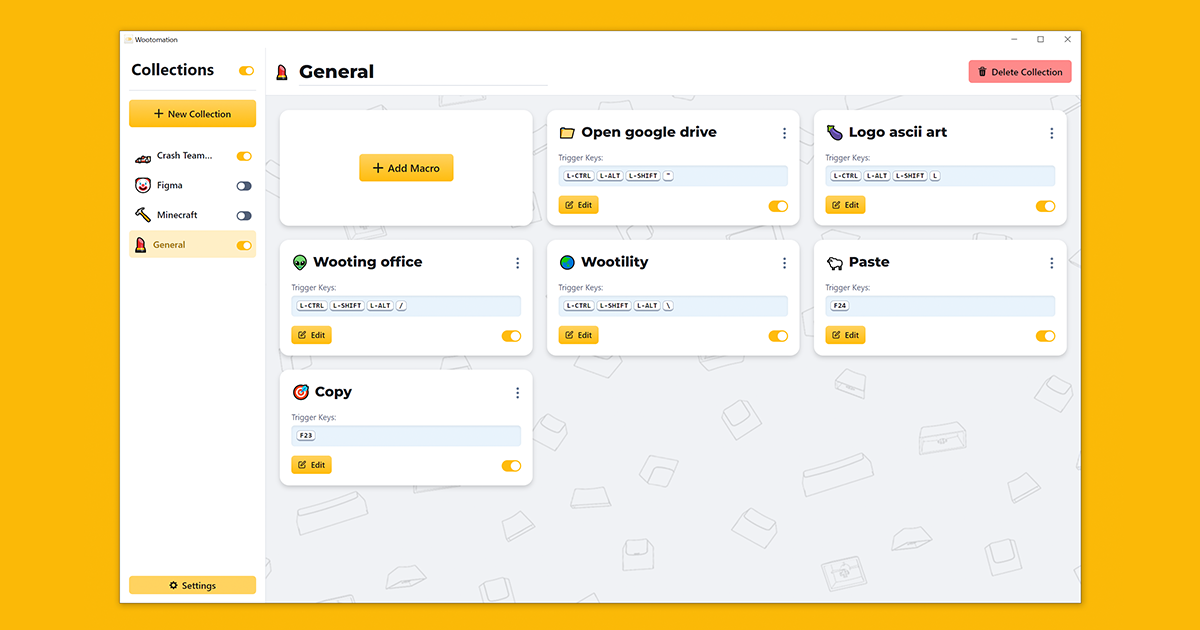
Open source macro application that is easy to use, powerful and low on pc resources. Available for Windows and Linux.
mighty grail
one more question, the keyboard seems to still send analogue data in the "digital profile" - i'm confused as to why a separate digital profile exists then - is it just for the fn enter convenience?
mighty grail
mighty grail
hey, how often should I poll with the analogue sdk? just messing around with my ...
huhh so i tried as fast as i could and timed it and the polling rates i'm pulling off seem,, unreasonable - is there caching somewhere?
mighty grail
(but ya my meme proof of concept works)
 quiet root
mighty grail
one more question, the keyboard seems to still send analogue data in the "digita...
quiet root
mighty grail
one more question, the keyboard seems to still send analogue data in the "digita...
the digital profile cant have controller related configuration so it always types keys. its a fail safe so people cant lock themselves out
the entire keyboard is alWays analog even in the digital profile
mighty grail
i see
placid ledge
mighty grail
huhh so i tried as fast as i could and timed it and the polling rates i'm pullin...
yeah, the SDK caches the results so each request you just get the most recent data
mighty grail
placid ledge
yeah, the SDK caches the results so each request you just get the most recent da...
where's this code btw? i glanced at the sdk and the plugin and didn't see it
and also for my initial question, what frequency should I poll? i see you do 100hz for the midi thing, is more than that wasteful?
placid ledge
mighty grail
where's this code btw? i glanced at the sdk and the plugin and didn't see it
https://github.com/WootingKb/wooting-analog-sdk/blob/develop/wooting-analog-plugin/src/lib.rs#L279-L289 It's not the easiest to read, but you can see here that for each device it maintains a HashMap of the latest data, when you request analog data on the sdk side it pulls from that map https://github.com/WootingKb/wooting-analog-sdk/blob/develop/wooting-analog-plugin/src/lib.rs#L330-L345

GitHub
Native support for Analog Keyboards #WootDev. Contribute to WootingKb/wooting-analog-sdk development by creating an account on GitHub.
placid ledge
mighty grail
and also for my initial question, what frequency should I poll? i see you do 100...
Do I do 100Hz in the midi? I thought I did 1000Hz, that's the kinda max rate data will change as all the boards are max 1000hz polling on usb, so I'd also poll the SDK at that rate
mighty grail
i think that's what the comment said - i didn't really confirm with the code
1000hz does make sense, and it is what i did settle with
placid ledge
Ah, could've been a typo. But ye, I'd stick with 1000hz 👌
placid ledge
😁 any other questions feel free to ask and I'll try get back to you when I can
mighty grail
mighty grail
(but ya my meme proof of concept works)
will do, i'll try to come up with more useful use cases than this first ahah
 rose patrol
is there a way to add custom effects to wootility?
rose patrol
sick thank you
glass radish

 teal hare
I really want to get an rgb effect where the keys light up a wider radius depending on how much analog input there is on the key, similar to the radius profile in wootility, but have them fade away after they're depressed instead of immediately disappearing
but the issue is that in artemis, i can't seem to get the wooting analog input brush to work at all
and I have tried uninstalling and reinstalling the wooting analog sdk multiple times, am I missing something in configuration?
placid ledge
teal hare
but the issue is that in artemis, i can't seem to get the wooting analog input b...
Which keyboard model you have?
placid ledge
which version of analog sdk did you install?
teal hare
0.7.3
teal hare
so when i select the brush to be wooting analog input in artemis, the whole keyboard just goes black and there is no response at all
So the standard key press brush works in artemis, but the wooting analog input one specifically is what isnt working
placid ledge
Hmmm @strong siren you have an idea where to look at debugging wise?
strong siren
Err not sure to be honest
We just merged pretty significant wooting related improvements, should be in a release today
Maybe wait and see if it fixes itself
And btw the exact effect you want would have to be added, it's not available at the moment
The regular key press brush obviously wasn't written with analog input in mind, the wooting one is custom
placid ledge
Ooo nice, then the new release is prob the next thing to try