#eternal-modding
1 messages · Page 3 of 1
 crimson void
 ember pivot
I know about the oni marauder
https://www.nexusmods.com/doometernal/mods/307

Nexus Mods :: DOOM Eternal
Puts the Oni Marauder from the 'There Can Oni Be One' event into the campaign.
 solemn plaza
Hi doom eternal modding people. I'm new here and I got a fairly specific question.
I've seen the Doom ETERNAL mod website here at https://wiki.eternalmods.com/
I was wondering.. does anyone know what template was used to make it, was it a custom template or... made entirely from scratch?
Its gorgeous btw like... 12/10
This has been answered here! Thank you.
#doom-eternal message
 worldly temple
solemn plaza
Hi doom eternal modding people. I'm new here and I got a fairly specific questio...
worldly temple
solemn plaza
Hi doom eternal modding people. I'm new here and I got a fairly specific questio...
i was gonna copy and paste the text from the pin but i got a "no spamming" alert from vega so

and scroll to the very bottom til you find this

if you need any more help, let me know
and heres the zip file containing the latest version of the mod injector just in case the one here doesnt work
solemn plaza
worldly temple
and heres the zip file containing the latest version of the mod injector just in...
Ooop, I should have said the website XD Not the mod injector. Thanks though
 candid coyote
Anyone play co-op mod? Want to play together?
worldly temple
candid coyote
Anyone play co-op mod? Want to play together?
ok fine i guess
 lost sierra
Never mind I was using the wrong console command
 prisma vector
Hey yall, anyone knows if there is a good rebalance mod for eternal? So far all the enemies are spongey and not very fun to deal with so idk if it has been done yet
ember pivot
prisma vector
Hey yall, anyone knows if there is a good rebalance mod for eternal? So far all ...

Nexus Mods :: DOOM Eternal
Modular rebalance of the Doom Eternal campaign, focusing on reducing unfun interactions or underpowered options without fundamentally changing the core game.
prisma vector
ember pivot
Maybe https://www.nexusmods.com/doometernal/mods/321
Thanks 🫡
 fathom wharf
$hg
fathom wharf
$hgIM Majestosa
 round hollow

 untold tundra
Is it possible to mod a console?
 modern arrow
untold tundra
Is it possible to mod a console?
modern arrow
untold tundra
Is it possible to mod a console?
Modding a console yes there are many ways to do it but I think modding one could be somewhat pricey
untold tundra
Aw dang
modern arrow
You just have to look for a modded console that fits you, not all is pricey, it does depend on what it is and who if you are willing to pay someone to do it for you
 atomic bay
untold tundra
Is it possible to mod a console?
atomic bay
untold tundra
Is it possible to mod a console?
To "mod a console"? Yes. To "install Doom Eternal mods on a console"? No, our mod-loading tools are designed for the PC versions, and depend on game patches that would have to be remade for the console versions. The people that would know how to do that, probably don't think that it's worth the effort compared to just sticking to the much more modder-accessible PC versions.
 ?
? craggy quarry
anyone want to help me get thru myhouse.WAD
 distant sage
craggy quarry
anyone want to help me get thru myhouse.WAD
distant sage
craggy quarry
anyone want to help me get thru myhouse.WAD
not to be rude but you'd want to be in #classic-doom or #classic-doom-maps-mods, nobody will really help you here as it's Doom Eternal's modding channel
craggy quarry
distant sage
not to be rude but you'd want to be in <#671685664248692736> or <#16289942001326...
o ok sorry
 pearl junco
<@&162901871168585728>
pearl junco
<@&162901871168585728>
 nocturne trellis
prisma vector
hi - hola?
nocturne trellis
prisma vector
hi - hola?
Hola 
 glass plume
suggest me a mod to play after beating the game
pearl junco
Blood Swamps Master Level
 lament ravine
Omg I just got a really stupid idea for a Doom Eternal mod.
Glory kills are replaced with kisses of death.
Probably hard to make happen considering that you would have to make animations for every enemy at every angle.
 pale geyser
boykisser mod
 rain tiger
pale geyser
boykisser mod
rain tiger
pale geyser
boykisser mod
in eternal?
 knotty lion
is there a mod that lets you change enemy spawns?
ember pivot
knotty lion
is there a mod that lets you change enemy spawns?
There's the enemy randomizer https://www.nexusmods.com/doometernal/mods/170

Nexus Mods :: DOOM Eternal
This mod randomizes every enemy encounter in the base game and the DLC, including secret encounters and slayer gates - every time you play, reload a checkpoint or retry a secret encounter.
knotty lion
more so just removing the carcass
ember pivot
I don't know of a mod where you can tell the game to not spawn a specific type of enemy
pearl junco
ember pivot
There's the enemy randomizer https://www.nexusmods.com/doometernal/mods/170
This is outdated and should not be used, there's a new randomizer instead
ember pivot
pearl junco
This is outdated and should not be used, there's a new randomizer instead
OK
 pliant summit
worldly temple
and heres the zip file containing the latest version of the mod injector just in...
pliant summit
worldly temple
and heres the zip file containing the latest version of the mod injector just in...
screams virus to me
pearl junco
pliant summit
screams virus to me
If you don't trust a random reupload, you can always download the mod injector from the modding discord or gamebanana
worldly temple
pliant summit
screams virus to me
then ignore it
 dusty sonnet
hear me out
mod that makes doomslayer into kratos from god of war 3
unless it's not possible
fathom wharf
$hg
 crystal steppe
fathom wharf
$hg
crystal steppe
fathom wharf
$hg
??????
knotty lion
is there a mod that lowers the graphical quality of everything so it can run on potatos?
 tawny bane
cool
crystal steppe
knotty lion
is there a mod that lowers the graphical quality of everything so it can run on ...
probably
or just live with the lag
 kindred cosmos
Has anyone made a Doom 3 remake mod?
prisma vector
kindred cosmos
Has anyone made a Doom 3 remake mod?
Where my order ?
I order
4 hamburger with french fries and 2 Pepsi and ice cream
prisma vector
pale geyser
boykisser mod
 rain tiger
prisma vector
https://tenor.com/view/doom-boykiss-furry-gif-704381843333519887
rain tiger
prisma vector
https://tenor.com/view/doom-boykiss-furry-gif-704381843333519887
imagine if this was in doom eternal
i think the crucible would be like a yarn ball idk
no the grenades would
atomic bay
No, our mod-loading tools are designed for the PC versions, and depend on game patches that would have to be remade for the console versions. The people that would know how to do that, probably don't think that it's worth the effort compared to just sticking to the much more modder-accessible PC versions.
 thin spade
alr
 eager quarry
?
pearl junco
eager quarry
I did all the modding steps correct but they aernt working
That usually means you didn't do them correctly. What error is the mod injector outputting?
eager quarry
I didn’t see an error. It just doesn’t work. I used the injector. It launched the game at the end of using (all mods are checked) and when it opens they just don’t work. Is there a tutorial video?
eager quarry
actually
i think i found the problemi was suppposed to drop the resource files and not the full zips
now they aernt appearing?
is it supposed to look like this
 atomic bay
eager quarry
I didn’t see an error. It just doesn’t work. I used the injector. It launched th...
atomic bay
eager quarry
I didn’t see an error. It just doesn’t work. I used the injector. It launched th...
I didn’t see an error. It just doesn’t work. I used the injector. It launched the game at the end of using (all mods are checked) and when it opens they just don’t work. [...]
Do you have multiple Doom Eternal installations? Right-click Doom Eternal in your Steam library, and choose "Manage" > "Browse local files". This will open a File Explorer window in the folder where you have Doom Eternal installed in Steam. Make sure that this is the folder that you're trying to use EternalModInjector in.
Also, click "Advanced options..." at the bottom-right of EternalModManager. If "Load multiplayer safe mods only" is enabled, then disable it and click "Save mod injector settings". Close the advanced options window, and click "Run mod injector" afterwards.
i think i found the problemi was suppposed to drop the resource files and not the full zips
You should drag the full zip archives into -/DOOMEternal/Mods/ or onto EternalModManager, without extracting the zips. (Some mods have different installation instructions in their descriptions, but most are just zips that you shouldn't extract.)
now they aernt appearing? - is it supposed to look like this [Screenshot]
Now "what" aren't appearing? The screenshot looks correct.
prisma vector
I know I've been making my own Heretic Enemies, starting with a Blood Golem and a Fire Golem, all there translations are red and orange
 clear ember
does this mod still work?

 edgy bloom
Do I have to install mods to use the hammer outside of tag 2?
 fervent spruce
yes
atomic bay
edgy bloom
Do I have to install mods to use the hammer outside of tag 2?
No - but you need to install/use EternalModInjector itself (even if you don't install any mods), to unhide hidden console commands/variables. After that, you can press the key above Tab, to the left of 1, below Escape to toggle the console, and execute... removeInventoryItem weapon/player/crucible give weapon/player/hammer...in the console to give yourself the Sentinel Hammer. Or, to give yourself the Crucible instead, swap "crucible" and "hammer" around in the above commands.
prisma vector
Is there a mod to get the doom 2016 models for the demons over the doom eternal demons
pearl junco
prisma vector
Is there a mod to get the doom 2016 models for the demons over the doom eternal ...
 prisma vector
pearl junco
https://www.nexusmods.com/doometernal/mods/398?tab=description
prisma vector
pearl junco
https://www.nexusmods.com/doometernal/mods/398?tab=description
That is beautiful thank you
prisma vector
pearl junco
https://www.nexusmods.com/doometernal/mods/398?tab=description
thas badass
fervent spruce
prisma vector
# how do I mod doom eternal from my phone to my Playstation
You'd have to break the TOS first of your PS to mod it
prisma vector
oh
 misty star
does anyone know how to install reshades? and which ones are virus free and wont corrupt my save files
 cerulean pewter
..
 hexed tulip
I wish I could mod a helper Intern, on the battlefield, carrying a pistol or something, trying to help the best he can...
 pliant cypress
i downloaded a couple things off nexus how do i install them
do i just put them in the local file folder?
 quiet seal
Are there any mod creators here?
pearl junco
pliant cypress
i downloaded a couple things off nexus how do i install them
Read the pinned messages for downloading/installing the mod injector
pearl junco
quiet seal
Are there any mod creators here?
Yes?
prisma vector

This is the video showcase of my new Doom Eternal mod. Hope you enjoy it.:)
 desert plover
does anyone know a working console command mod? reply if you have one that works for the latest version
desert plover
desert plover
does anyone know a working console command mod? reply if you have one that works...
i tried using the one by sunbeam, but it wouldnt let me enable the things in the release-pc-hotfix 2 section
pearl junco
desert plover
i tried using the one by sunbeam, but it wouldnt let me enable the things in the...
There is literally no point in using cheat engine for this game. Just install and run the mod injector once (you don't need any mods) and you'll get access to every command in the game
desert plover
pearl junco
There is literally no point in using cheat engine for this game. Just install an...
Mb
 river birch
pearl junco
https://www.nexusmods.com/doometernal/mods/398?tab=description
river birch
pearl junco
https://www.nexusmods.com/doometernal/mods/398?tab=description
super new to modding so any help would be great (I want this skin mod). All I know is i need to get the Nexus mod app and that's it
pearl junco
river birch
super new to modding so any help would be great (I want this skin mod). All I kn...
Eternal doesn't use Vortex Mod Manager, we only use the site to host mods. Check the pinned messages in this channel for a download link/installation guide for the mod injector
river birch
oh i see, thanks
 latent hare
yo guys. do you know if there is a mod where there are more killing animations?
prisma vector
latent hare
yo guys. do you know if there is a mod where there are more killing animations?
Sadly you cannot really add animations to the game
The modding Is both limited and not, you can add custom assets like enemies or weapons modifications but i'm not sure about animations
river birch
I’ve added like 10 mods lol
latent hare
prisma vector
Sadly you cannot really add animations to the game
Thank you bro
prisma vector
river birch
I’ve added like 10 mods lol
Which?
prisma vector
latent hare
Thank you bro
Though you can add models like weapons
There are halo ones
river birch
@prisma vector Off the top of my head: “not so gold”, a few “bug fix” mods, infinite arena mode (replaces horde mode, super fun), and demon 2016 mod
Let’s just say I’ve become obsessed over doom mods lol
river birch
lol I almost overcooked too lol, i crashed the game after installing a certain mod lol
river birch
prisma vector
You cooked a lot
I’ll post it on my YT channel so y’all can see
 tidal cedar
I need a mod to make Ultra Nightmare easier fr 
river birch
tidal cedar
I need a mod to make Ultra Nightmare easier fr <:doomcry:668559689205940249>
They got weapon “buffs” and “fixes”
prisma vector
tidal cedar
I need a mod to make Ultra Nightmare easier fr <:doomcry:668559689205940249>
don't worry about UN it doesn't make a better player at all
river birch
Although it does help you move/act quickly (at least for me)
tidal cedar
prisma vector
don't worry about UN it doesn't make a better player at all
I know but I want the gold skin lol
tidal cedar
river birch
Although it does help you move/act quickly (at least for me)
I would if I didn't suck
river birch
tidal cedar
I would if I didn't suck
O O F
tidal cedar

prisma vector
tidal cedar
I would if I didn't suck
if you want i can give you some tips in #doom-eternal
i have 1500 hours and almost completed all levels in UN, i just miss World spear which is the hardest but modded the game to be different and harder
tidal cedar
Ight sure
river birch
the only issue i have currently is trying maintain fps while recording through OBS, the FPS starts dropping at random times and really slows down gameplay. i really don’t wanna lower the output and the framerate
(idk where i can talk about this here)
 wet pawn

river birch
DE players, are there any mods where I can increase the FOV even more, and also disable shake cam? I have my weapons aimed center and mods like these would be nice to have.
fervent spruce
river birch
DE players, are there any mods where I can increase the FOV even more, and also ...
why would you need a mod for a simple console command
river birch
fervent spruce
why would you need a mod for a simple console command
idk if i stated this here, but I'm VERY NEW to modding and stuff
so any help would be great
fervent spruce
g_fov
river birch
i type that, what happens next?
fervent spruce
what do you think "fov" entails
it'll likely give you amessage you need to input a vallue
river birch
chill bro, im new to this, sorry if i sound slow
regardless thanks
pearl junco
there's an accessbility option to disable camera shake
river birch
oh really? need to check it then
river birch
fervent spruce
it'll likely give you amessage you need to input a vallue
It didn’t let me go past 120 :/
fervent spruce
river birch
It didn’t let me go past 120 :/
ok then you probs do need modinjector
check pins
river birch
Yea
pearl junco
g_fov shouldn't have a restricted mode?
However, if you go any higher than 120, then change your graphics settings from the options menu, it will revert it back to 120
so you'll need to use the command again
(the menu bar in the options will also only ever display a max value of 120, in spite of whatever you set it to)
prisma vector
river birch
It didn’t let me go past 120 :/
Use console commands
river birch
A little late my dude
prisma vector
Oh lol
river birch
And that didn’t work
prisma vector
Do you have meathook?
river birch
Ye
river birch
There’s another command I found out that I’ll try out later on
prisma vector
Consider if you change settings the fov Will be resetted
river birch
The other guy recommended I do it at the start menu instead
prisma vector
I don't think anything would change in that regard
pearl junco
river birch
And that didn’t work
g_fov NUMBER
You are most likely entering the command incorrectly
the command will work immediately, no matter when you use it
prisma vector
Oh right, Press Tab for view suggestions
 hallow heron
I have a question about using Mods.
-
If I put a mod on Eternal (just skin mod), will it affect Steam Achievement?
-
Is there any guide to put a Mod and remove the mod in the Game?
pearl junco
hallow heron
I have a question about using Mods.
1. If I put a mod on Eternal (just skin mod...
- No
- Read pinned messages
hallow heron
I see now and... Again, will it become a problem if I use a mod to unlock some in-game skin?
Example: There's Hell Forged Weapon skin that requires battle mode but you use a mod to get it
fervent spruce
hallow heron
I see now and... Again, will it become a problem if I use a mod to unlock some i...
Nah, why would the game have issues with free skins
hallow heron
fervent spruce
Nah, why would the game have issues with free skins
I thought because you unlock it in an easy way
fervent spruce
Aslong as you don't act like you're showing off
Not only does it have the regular actual cringe of showing off a game skin anyone can get, you also cheated for them lmfao
hallow heron
Well I will remember that and... As long you play Campaign and Ancient God Part 1-2, it would be fine, right?
fervent spruce
if you have a mod that intervenes with MP modinjector automatically disables online gamemodes
hallow heron
What's MP?
fervent spruce
multiplayer
pearl junco
hallow heron
I thought because you unlock it in an easy way
Unlocker mods that unlock free cosmetics are fine to use. Unlocker mods that unlock cosmetics that you must spend money to unlock legitimately will run afoul of piracy rules.
Keep in mind that any skin you unlock with an unlocker mod will be visible clientside, and not visible to other players
hallow heron
pearl junco
Unlocker mods that unlock free cosmetics are fine to use. Unlocker mods that unl...
So my question is...
-
Once you use Unlocker skin with mod, it can't return to normal or it will permanently be added?
-
Does event exclusive skin are safe? Exclusive skin like you must attend an event like Twitch or certain con?
 fast plaza
hallow heron
So my question is...
1. Once you use Unlocker skin with mod, it can't return to...
fast plaza
hallow heron
So my question is...
1. Once you use Unlocker skin with mod, it can't return to...
unlocker mods don't actually unlock or give you anything, it just makes your client think you've unlocked them
they are not visible to other players when equipped and goes back to normal when you uninstall
It's not like a steam achievement unlocker or a cheat, just simple number [false] to [true] swaps so you can wear skins on your machine in a singleplayer game
hallow heron
fast plaza
unlocker mods don't actually unlock or give you anything, it just makes your cli...
Ah I get it now. So it means it's kind of safe as long not the paid one?
fast plaza
All of it is safe.
Just don't cheat in Battlemode and you will be fine. It's a singleplayer game.
hallow heron
Alright then. Thanks for the advice
 flint surge
dude
what is it with people uploading sound mods to nexus without including any kind of video preview lol
flint surge
how hard is the process of modding this game?
atomic bay
Using mods? In most cases, you just have to download and extract EternalModInjector, place mod zips into the "Mods" folder, and run EternalModInjector to install them.
Creating mods? That depends on what you want to do. Some things are easy one-line changes after extracting the game's resources, some are unintuitive tweaks across dozens of files, and others are nigh impossible.
flint surge
I just wanted to do a slight sound effects tweak lol
something that's already been done in two forms but I had a slightly different angle I wanted to take
actually, modifying an existing mode is probably easier than doing it all from scratch, right?
what's the general process look like? I've done mods for other games where after finishing making the actual thing you have to like cook it in unreal engine and then pak it and it's a bit of a pain and takes a bunch of special software
is there a lot of packing and software for this too? I'd imagine so...
atomic bay
flint surge
what's the general process look like? I've done mods for other games where after...
what's the general process look like? [...]
For sound effects? https://wiki.eternalmods.com/books/2-how-to-create-mods/page/creating-audio-mods
For most gameplay-related things? Extracting the game's resources, looking at raw-text files with a text editor, and editing them to say something different. Figuring out what to edit where can be unintuitive, though, and there are of course limitations (i.e. we can't really make custom code, only change the parameters of things that id Software have put into the game).
For textures and models, it's probably similar to how it works for other games (except that we can't replace rigged models yet, only static/unrigged props - which we can then attach to a rigged model if needed); export them, edit them in Blender or GIMP or such, and use a program to convert them to Doom Eternal's formats.
[...] is there a lot of packing and software for this too? I'd imagine so...
After extracting resources/sounds, you only need special software if you want to convert sounds/textures/models to Doom Eternal's file formats. EternalModInjector can load loose files, and you can turn your mod into a standard zip archive using File Explorer/7-Zip/WinRAR/et cetera once you're done making your mod, so there isn't any "special" packing involved.
 ember pebble
does the cheat engine for doom eternal still work?
whenever i seem to put it in i can't check the unlock console commands one
atomic bay
To unhide hidden console commands/variables, simply run EternalModInjector (even if you won't actually install any mods).
If you're interested in chrispy, noclip, notarget, or anything starting with mh_, those are new (not just "normally-hidden") commands added by meath00k instead: https://github.com/brongo/m3337ho0o0ok/releases/latest
ember pebble
atomic bay
To unhide hidden console commands/variables, simply run EternalModInjector (even...
not a big fan of eternalmodinjector, would meath00k work instead of that?
yeah, turns out it did, thank you very much sir
atomic bay
ember pebble
not a big fan of eternalmodinjector, would meath00k work instead of that?
not a big fan of eternalmodinjector, [...]
You only need the EternalPatcher component in this case. If you have a Nexus Mods account, you can download it separately from https://www.nexusmods.com/doometernal/mods/18, otherwise you can download EternalModInjector from https://gamebanana.com/tools/7475 and only extract the three EternalPatcher files from the "base" folder.
[...] would meath00k work instead of that?
I know that meath00k also unhid hidden console commands/variables once, but I don't know whether that still works with the latest version of the game. Usually, people just combine it with EternalModInjector(/EternalPatcher).
fervent spruce
Eternal updates? :copium:
 ebon verge
anyone wants to play slayer vs slayer?
 surreal saffron
Is it possible to mod doom on console?
atomic bay
No, our mod-loading tools are designed for the PC versions, and depend on game patches that would have to be remade for the console versions. The people that would know how to do that, probably don't think that it's worth the effort compared to just sticking to the much more modder-accessible PC versions.
 ebon seal
surreal saffron
Is it possible to mod doom on console?
ebon seal
surreal saffron
Is it possible to mod doom on console?
If you are on xbox, maybe. anything else no beacuse xbox is ppowered by microsoft.
flint surge
that's nonsense, xbox would be no easier to mod than any other console.
flint surge
anyone know where I can find technical details on how the CSG works?
 valid yacht
flint surge
that's nonsense, xbox would be no easier to mod than any other console.
valid yacht
flint surge
that's nonsense, xbox would be no easier to mod than any other console.
this
flint surge
is there any avenue to like request mods? gamebanana had a built-in feature for that but idk if there's anything similar on Nexus
I just want the CSG to not suck 😭 found a couple mods for it but none of them really do what I'm looking for
ember pivot
flint surge
I just want the CSG to not suck 😭 found a couple mods for it but none of them r...
What's CSG?
flint surge
combat shotgun
prisma vector
Maybe give it slightly more damage per pellet and a massive spread
So both the sticky bombs and full auto are good for clearing groups of fodder which is what it does best in the first place
flint surge
my idea would be to tighten its spread and make it better at range, like the original one
it's meant to be different from the SSG in that the latter is stronger up close but its effectiveness falls off quickly, coupled with its slow rate of fire it's a high risk high reward weapon
while the normal shotgun was still stronger up close but still did good damage from a distance and was really reliable, it was a solid well-rounded weapon
but in this game it's inconsistent enough that it can't even 1-shot fodder unless you're point-black and hit them dead centre (which is really hard with how much imps and shit run around), and I swear its effective range is even worse than the SSG somehow, there's no distance where it's more effective
fervent spruce
i think it's fine right now as a distance-based fodder stagger tool
flint surge
well I don't!!
its power must be restored.....
 median forge
if this is a matter of personal taste, fair enough, but precision bolt already does this + infinite range
flint surge
fervent spruce
i think it's fine right now as a distance-based fodder stagger tool
heavy cannon primary fire also does this but better so
but yeah it's mostly I just wanna be able to pull it out and go pshh pshh on the bad guys without it feeling like crap lol
fervent spruce
flint surge
heavy cannon primary fire also does this but better so
Not against soldiers
flint surge
You need to hit it like point blank against them to stagger them...
fervent spruce
no? it works from medium range too
median forge
the projectile is a little slow but there's no damage falloff
flint surge
If by "medium range" you mean "half the max distance to 1-shot with SSG"
you still need to be way up in there
I really want a visualization of the CSG spread and effective range, compared to the SSG, so I can get a proper picture of how they compare
river birch
I feel like the guns are too close to the crosshair dot? (I think 2016’s guns were further away from the dot)
[my guns are centered]
 crude canopy
"Mods related to DOOM Eternal! | Mods are not officially supported", this part "Mods are not officially supported" should be fixed. Pls do it, you will not regret it, I know that at least one or more dev will read this. This is THE one feature that this game misses to be a true ETERNAL masterpiece.
Just imagine KaiserCampaign or Delta's Doom Eternal Master Campaign to be offical mods 
flint surge
Has no one really made a mod that puts the Mick Gordon Into Sandy's City over the campaign ending? It feels hard to fathom but I've not been able to find it anywhere.
 grim swan
how do i get mods for eternal
flint surge
 lament trail
flint surge
Has no one really made a mod that puts the Mick Gordon Into Sandy's City over th...
lament trail
flint surge
Has no one really made a mod that puts the Mick Gordon Into Sandy's City over th...
it's in the doom 2016+ modding server i think, iirc by proteh and in the #eternal-sound-mods channel
flint surge
Wow they tucked that shit away huh
Are there a lot of mods only accessible there? Why are they not on Nexus?
Will def check out tho thx
flint surge
@lament trail how do I get to this server?
river birch
Is there a way to lower the guns and have them further away from the crosshair dot?
Changing FOV doesn’t do anything
flint surge
Maybe a launch parameter
pearl junco
river birch
Is there a way to lower the guns and have them further away from the crosshair d...
you'll want to experiment with hands fov scale commands
hands_fovScale
and then there are some other commands to change the xyz position of the first person model. Don't know what those are off the top of my head
ah here they are:
hands_offsetX
hands_offsetY
hands_offsetZ
river birch
Thanks!
 faint vessel
is anyone able to invite me to the doom 2016 modding server? I can't get in
grim swan
flint surge
https://www.nexusmods.com/doometernal
yea but hows it work
 empty sparrow
2 mods not working for super shotgun and chaingun idk why redownloaded both mods everyother mod works except those 2
flint surge
grim swan
yea but hows it work
grim swan
aight
grim swan
flint surge
https://wiki.eternalmods.com/
it doesnt work
flint surge
<@&162901871168585728>
 final python
?
prisma vector
was there ever a mod where you can rip and tear enemies without the red skull power-up?
 hoary gyro
prisma vector
was there ever a mod where you can rip and tear enemies without the red skull po...
hoary gyro
prisma vector
was there ever a mod where you can rip and tear enemies without the red skull po...
Its, a cheat code
hoary gyro
I have never gotten 100% man
valid yacht
Which also allows for shenanigans like this:
https://www.youtube.com/watch?v=oc84ghP3_FI
 prisma vector
tbh marauder is an easy fight.
hoary gyro
Og doomguy pfp fr
valid yacht
Berserk still the fastest way xD
prisma vector
prisma vector
wait, what map do I unlock it at?
does anyone know where to unlock it tho-
valid yacht
prisma vector
does anyone know where to unlock it tho-
Urdak:
After you align the purple ring, a previously locked door in the control room will open up.
Head outside to the area where you see the purple ammo. Above the ammo on the wall is a breakable wall. Jump and smash through that wall to find the Powerup Mode: Berserk cheat code.


 prisma vector
I'm not at that level yet.
(i still can't get through taras nabad's fight area)
hoary gyro
valid yacht
Berserk still the fastest way xD
fastest one-cycle frfr
valid yacht
prisma vector
I'm not at that level yet.
(i still can't get through taras nabad's fight area)
Well, now you know and you won't miss it once youre there ;)
prisma vector
valid yacht
Well, now you know and you won't miss it once youre there ;)
do you have any tenchinques for the hard fight? :3
valid yacht
Don't die! Kill everything!
Works everytime
No but a general advice, never stop moving, use your whole arsenal, keep your cooldowns in mind
prisma vector
okay
valid yacht
Chainsaw also always reloads one charge over time, use it as often as possible on fodder demons to keep your ammo high
prisma vector
would it be a good move if I use the bfg 9k when it gets a little too crowded?
valid yacht
Only use it as a last resort, i personally never use the BFG. So i cant really give u any other advice on it
prisma vector
i wanna make a mod where the loading screen is replaced with this, but idk how to code. :(
valid yacht
prisma vector
i wanna make a mod where the loading screen is replaced with this, but idk how t...
You cant.
flint surge
no such thing as can't, though maybe "significantly more effort than it's worth" in some cases
valid yacht
flint surge
no such thing as can't, though maybe "significantly more effort than it's worth"...
Sure lets implement a MEDIA PLAYER into a static .png background. Totally.
Thats... not how this works..
You need proper code to implement something like this.
Replacing the loading image, now that would be possible.
But make it play a video? With sound?
No, sry mate
prisma vector
why does the doom eternal main skin/cosmic/crimson/flannel lord/etc... have no other design on the gloves.
(i wear skins to see my skin change, i barely play battlemode as the slayer)
lament trail
valid yacht
You need proper code to implement something like this.
Replacing the loading ima...
you could prob try to replace one of the loading screen tip videos but it’s only replacing a small rectangle on the loading screen so idk
valid yacht
Dont even think they are "videos", more like a gif or webm
flint surge
a webm is a video
what software does the modding wiki run on? it doesn't seem to be mediawiki
aww that's cute, the game is divided into the exmy structure internally
lament trail
valid yacht
Dont even think they are "videos", more like a gif or webm
all the videos in doom eternal (hell on earth intro, bethesda/id startup logos, loading screen tips, etc) use the bk2 format, which is a video format
mp4s can be pretty easily converted to .bk2 by downloading Bink tools on their website, converting the mp4 with it, and changing the exported file’s file extension from .bik to .bk2 (or you can pay 10k dollars to purchase the .bk2 license!!! 🤑)
flint surge
well obviously we wanna do things proper for our unofficially supported mods
or, officially unsupported, ig would be better
.decl files (short for "declaration") are the most commonly used files in Doom Eternal modding. They are a form of script or "pseudo-code" that is interpreted by the game engine. Many of the variables and numeric values used by the game are defined in these files. They can be edited with a text editor.
Seems to be a bit of an error here, if it was pseudocode the game wouldn't be able to read it lol
This is a list of the most common files you'll edit when creating a mod. It is recommend that you do...
Despite the name, the ".tga" files used in Doom Eternal are not actually .tga (targa) images. You will need to use a tool such as SAMUEL or VEGA to extract them in a usable format (.dds, .png, or .tiff).
huh??
flint surge
I'm going crazy does the wiki not cover like
how to actually make gameplay mods
it has stuff on textures and effects and level modding and custom enemies but I don't see anything for like
just changing how something works??
pearl junco
for gameplay mods you'll want to look at the decls of whatever categories are relevant to your purposes
pearl junco
flint surge
> .decl files (short for "declaration") are the most commonly used files in Doom...
decls are JSON-like files. They aren't code, they're data that gets parsed and read into decl objects
flint surge
if the computer can read and parse it, it's not pseudocode
pseudocode is script that resembles the syntax of code but can't actually be interpreted by a computer, it's used for communication prototyping and communication between programmers
atomic bay
flint surge
what software does the modding wiki run on? it doesn't seem to be mediawiki
what software does the modding wiki run on? it doesn't seem to be mediawiki
BookStack. @ SamPT chose it because that it's relatively simple for people to contribute to it, and that it supposedly allows you to migrate to MediaWiki later on if necessary.
Seems to be a bit of an error here, if [declarations were] pseudocode the game wouldn't be able to read it lol
It's "pseudo-code" as in "it resembles code" (I'd say that it looks like C++, structurally speaking in terms of equals signs, semi-colons, quotes, et cetera), but "it's not actually code" (it doesn't execute anything, it's just data/values, like JSON or INI files).
[The TGA files aren't Targa images] huh??
Imagine that you took a PNG file called "image.png", and renamed it to "image.jpeg". That's not a JPEG file, despite the file extension saying "JPEG".
In Doom Eternal's case, textures are e.g. named "image.tga", but they're not TGA files; instead, they're a custom image format that's only used in Doom Eternal's game engine.
You have to use a special tool (SAMUEL) to convert Doom Eternal's textures into a standard PNG image for you to edit, and a special tool (Auto Heckin' Texture Converter) to convert standard PNG images into Doom Eternal's texture format.
I'm going crazy does the wiki not cover like how to actually make gameplay mods [...]
Every different kind of gameplay change kind of has to be done in its own way, so you can't truly make a "generic" gameplay modding guide. But, as an example to get started with editing declarations, here's something that I've written about how to change a weapon's damage output:
-
"How difficult is it to make mods? [...]"
It depends on what mod you want to make."[...] I want to make one that increases chaingun damage from 20 to 35"
This is a very simple mod, so it's a good option for getting started. Please bear with me in this wall of text, as I just want to explain all of the steps in detail.- First, see ["Extracting Resources" in https://wiki.eternalmods.com/books/2-how-to-create-mods/chapter/general-information], to extract the vanilla game assets and such.
- Then, find the asset that you want to edit. In this case, it's an always-loaded global thing, so you can find it in the "gameresources", "gameresources_patch1", "gameresources_patch2", or "gameresources_patch3" folders in the extraction output. Let's start with the first one, "gameresources".
- Most "information" things are within the "generated" > "decls" sub-folder of that. Damage declarations are inside the "damage" folder in there. Then you see another "damage" folder; that's normal. If you peek inside the "player" folder in here, though, there's nothing about the Chaingun. But you could go into "firearm" instead of "player", and then there are Chaingun damage files in here.
- Now that we've found "generated/decls/damage/damage/firearm/chaingun.decl" inside of "gameresources", check if the same file exists in "gameresources_patch1" and _patch2/_patch3. It's not in _patch1/_patch3, but it is in _patch2.
- If it was in none of them, your target file would be in "gameresources". If it was in multiple patches, you'd have to pick the one from the highest-priority patch (in Update 6.66 Rev 2.2, that's "gameresources_patch3", then "gameresources_patch1", then "gameresources_patch2"; blame id Software for the order). But luckily, it's just in one of them, so your target file is the one in "gameresources_patch2".
- Copy that file (in _patch2), go to your EternalModInjector "Mods" folder, and remake the folder hierarchy after the extraction output. In this case, the final folder path is "-/DOOMEternal/Mods/gameresources_patch2/generated/decls/damage/damage/firearm/". Inside of this folder, paste the "chaingun.decl" file that you copied, and open it in a raw text editor like Notepad++.
- You already know that the damage is 20, so look for 20. You'll findmaxDamage = { defaultValue = 20; }andminDamage = { defaultValue = 20; }. Change the 20 to 35 in both of these places and save the file.
- Repeat this for "chaingun_gatling.decl", "chaingun_gatling_mastery_full_spin.decl", and "chaingun_turret.decl" in the "firearm" folder.
- Open EternalModInjector. If all goes well, the mod should load, and your Chaingun will be a bit stronger.To emphasize that the wall of text is just to explain each step in detail and that the mod really is simple, here's a summary:
- In (gameresources_patch2)/generated/decls/damage/damage/firearm/chaingun.decl, change 20 to 35 inmaxDamageandminDamage.
- Do the same for "chaingun_gatling.decl", "chaingun_gatling_mastery_full_spin.decl", and "chaingun_turret.decl".
flint surge
whoa that is a detailed response
I'm at work rn but I'll get back later, thanks!
prisma vector
hey i just got back into the modding scene and i forgot the command for which you can enable rain in the game. Could anyone help me with this?
flint surge
ok I just got back and definitely didn't just forget to respond yesterday (neither are true I procrastinated)
re: psuedocode... I mean, ok? But even if "pseudo-code" is being used in some generic sense here it's still like, really conflicting with the actual term of pseudocode. It's confusing/misleading at best, definitely not the word I think should be used
re: Targa, I mean yeah I get how that works, but it's more, why are they called TGAs if they're not actual targas lmao. That's so weird?
re: the big-ass guide on making stuff (very nice btw), uh
that's pretty cool, yeah!
I just, found it a little weird there seems to be no documentation on anything of the sort in the entire wiki. Makes sense a "true generic gameplay modding guide" would be infeasible but like, idk it doesn't even really touch on the topic lol
if one wants to make gameplay mods do they just have to ask through it or figure it out?
damn right into the response! showing me up 😭
atomic bay
flint surge
re: psuedocode... I mean, ok? But even if "pseudo-code" is being used in some ge...
re: psuedocode... I mean, ok? But even if "pseudo-code" is being used in some generic sense here it's still like, really conflicting with the actual term of pseudocode. It's confusing/misleading at best, definitely not the word I think should be used
Google/Oxford Languages says "noun: pseudocode - a notation resembling a simplified programming language, used in program design", and it does resemble a (subjectively-simplified) programming language. 🤷
On one hand, I wouldn't call it pseudo-code myself either... but on the other hand, I don't think that I'd be calling it anything other than just "raw text" in the first place, anyway.
re: Targa, I mean yeah I get how that works, but it's more, why are they called TGAs if they're not actual targas lmao. That's so weird?
id Software presumably uses standard Targa (and PNG) images while working on the game, and then the filename's extension is kept the same when they convert it with their tools. (Static prop models often have the LWO extension, despite not being standard LightWave Object model files either. GUI textures often have a PNG file extension, despite being the exact same "binary-image" format that the "TGA" files use.)
Who knows, maybe development versions of the game engine even allow them to use normal Targa(/PNG) images as-is, and then it's just convenient to keep the same filename (so as to not have to change the filename in all materials) once it's converted for a final, non-development build.
[...] I just, found it a little weird there seems to be no documentation on anything of the sort in the entire wiki. [...]
I'm surprised about that, too. I should probably copy that guide to there... eventually.
[...] if one wants to make gameplay mods do they just have to ask through it or figure it out?
More or less, yes, I think.
flint surge
you are a very helpful individual
flint surge
lament trail
it's in the doom 2016+ modding server i think, iirc by proteh and in the #eterna...
lmao it's literally the first message in that channel
flint surge
what's the best place to download the mod injector, does it matter?
atomic bay
The two official places are https://gamebanana.com/tools/7475 and the DOOM 2016+ Modding server. It doesn't matter whether you download it from one or the other, they're both the exact same. (Anything else is an unofficial, permissionless reupload, and may be outdated or altered.  )
)
ember pivot
Was there an update? My mods are broken
atomic bay
That depends on when you last played. Update 6.66 Rev 2.2 came out 7 months ago, and there haven't been any updates since then.
ember pivot
Strange. I've played yesterday, everything was fine by then, mods worked, but today something happened.
How can I see on what version I'm playing?
I'm on PC
(obviously)
Oooh the modinjector still works, I've ran it and now everything is fine again. That was strange
 lament oasis
Suggest cool mods
 trail umbra
capture the bunny
 wary urchin
anyone got a fix for this?
 river birch
anyone knows the command to inspect your weapons?
 reef schooner
river birch
reef schooner
river birch
Can you increase ammo using the command console?
(Not referring to infinite ammo)
 atomic bay
river birch
anyone knows the command to inspect your weapons?
atomic bay
river birch
anyone knows the command to inspect your weapons?
After running EternalModInjector at least once (even if you don't want to install mods), you can use ai_ScriptCmdEnt player1 forceIntroBringup to do it once/immediately, or bind X ai_ScriptCmdEnt player1 forceIntroBringup to bind it to a button (replacing "X" with the button that you want to bind it to).
 cyan hound
is there any way to bind special characters like í to a certain weapon in a way that the game doesn't forget it on restart?
flint surge
...how do you even type that?
Like there's the 'i way on international keyboards but I can't imagine you wanna bind something to a key sequence
 opal lake
is there a mod out there that will change the hell knight to a classic style one? purely cosmetic, i'd just love to see the horns return
flint surge
no, and it's beyond us to make one that looks very good
model modding is still pretty rudimentary
I made a mod to buff the Unmaykr, if anyone wants to try it out and lemme know how it feels
changes:
slightly increased damage of centre shot
decreased spread of side shots
removed all the resistances enemies have to it
game some of those enemies weaknesses to it
ammo cap is now 100, with a pickup granting 50 and a BFG shot costing that amount as well
prisma vector
im on ps4 i can't mod 😭
flint surge
tragedy of the greatest proportions
cyan hound
flint surge
...how do you even type that?
Like there's the 'i way on international keyboards...
i have a hungarian keyboard
i have the í key between my left shift and y (it's qwertz layout)
i wanna bind the rocket launcher to it and even though i can technically do that, 1, it doesn't show up in the keybinds list, but still works 2, the game resets the bind to empty on restart
flint surge
why is your keyboard hungry? do you have to feed it?
ember pivot
Ba dum dsh
flint surge
thank you I'll be here all night
cyan hound
high level comedy
anyway
i still wanna know how to bind a key to a weapon with the console
maybe that won't reset
flint surge
I've forwarded your issue to the nerds in the modding server
pearl junco
cyan hound
high level comedy
anyway
i still wanna know how to bind a key to a weapon with t...
The bind <key> <action> is what you would normally use for things like binding a key to executing a console command/script. So perhaps you can try that - use tab to have autocomplete show you all the different options
I believe this command is only really geared towards a US/ASCII keyboard, but you can certainly try and see how far you get with it
hmmm...perhaps the command can accept a unicode value as it's input instead of a char, but I'm not sure
Ultimately you'll need to see whether that special i character maps to any of the useable bind keys
cyan hound
i checked that out already but i have no idea which action switches to the rocket launcher
 little hornet
Is there a way to get every suit and crystal upgrades from the console? I've tried the /give all command but apparently 'GivePlayerAllSuitMods' is unrecognized...
I don't have a completed game file and I'm trying a randomizer mod so I figured Id unlock everything at the start with the console, is there another way?
 flint gulch
Hey guys, whats xinput1_3_dll?
im trying to install kaiser campaign, but the tutorial doesnt have any instructions on how to get that file despite it being a requirement
 smoky wolf
i might be wrong but... xinput is part of the meathook addon they specified to install with
i know theres instruction somewhere for it cus i followed them to get it running
final python
Where can I fond resources on modding Eternal?
atomic bay
I think that https://wiki.eternalmods.com/ is the "main place" that doesn't require you to be in specific Discord servers.
final python
👍
valid yacht
atomic bay
I think that <https://wiki.eternalmods.com/> is the "main place" that doesn't re...
That site is fantastic, gonna bookmark it now!
river birch
someone mentioned opening DE using OpenGL instead of Vulkan, how do I do that?
valid yacht
river birch
someone mentioned opening DE using OpenGL instead of Vulkan, how do I do that?
DOOM Eternal doesnt support OpenGL
DOOM 2016 was the last DOOM game that had the OpenGL Graphics API
river birch
oh i see
 left thunder
can i get mods for ps4?
 ocean lily
valid yacht
flint surge
not in any convenient way
ocean lily
valid yacht
flint surge
not in any convenient way
not only "not in any convenient way", the answer is a straight up NO
fervent spruce
It's hardware you bought, you can so with it what you want aslong as you don't steal using it
 unkempt oxide
@cedar thunder
flint surge
valid yacht
not only "not in any convenient way", the answer is a straight up ***NO***
It's a computer. You can do anything with a computer if you know where to poke.
You just might largely be on your own for it.
hoary gyro
flint surge
It's a computer. You can do anything with a computer if you know where to poke.
...
its a ps4 tho
flint surge
What do you think a PS4 is?
It's just a computer with a bunch of walls limiting what you can do. But walls can always be bypassed.
May take varying degrees of effort, though...
valid yacht
flint surge
It's a computer. You can do anything with a computer if you know where to poke.
...
Im not stupid.
Even if you got a PS4 that can be jailbroken > There are no tools made by modders to even mod DOOM Eternal
Not even a way to decompile the encrypted gamefiles.
So unless you develop those tools, don't think ur smart by saying "WelL DuH tHe Ps4 iS jUsT a Pc"
The guy asked if there is a way to mod doom eternal on PS4, the answer is straight up NO
Cause nobody ever did it and nor is anybody here smart enough to do it
fervent spruce
 so you would say it would be... pretty inconvenient?
valid yacht
fervent spruce
<:kappa:286483995871674369> so you would say it would be... pretty inconvenient?
slightly... 
flint surge
@timid river finished the mod, everything looks to be working. You said you were interested in playtesting?
changes:
Armour absorbs 40% of damage instead of 100
Nightmare enemies deal 25% less damage (1.5 multiplier instead of 2)
flame belch and meathook armor drops are worth 50% less on nightmare (should also apply to hammer)
oops I didn't mean to send that yet
enemy health drops reworked:
glory kills at high health unchanged
all drops at low health halved (50 > 25 for gks, 20 > 10 for regular kills)
kills at medial health (about 50 to 100ish) had a chance of dropping 10 health (including on glory kills, for an extra 10), now reduced to 5
all on nightmare, again
overall you get the same health at high health but it doesn't grow much at all when you're lower
crucible drops are unchanged, as is ammo
give it a spin and lemme know how the numbers feel!
remember, the goal is to make it around the same level of challenge, not much harder and not much easier, just tough in a different way
I'm mainly looking at possibly tweaking the damage enemies do (since the health drops are a pain to adjust lol)
flint surge
new version
realized I missed health drops for heavy enemies, those should be properly reduced now
also made it so reduced armour drops apply across all difficulties (since the armour absorption rate does too)
wait
I forgot to reduce the damage back to 75
there we go
@muted bobcat
flint surge
enemies do 80% normal nightmare level damage
 zinc verge
What is the easiest way to find and download new levels for eternal
flint surge
probably just go on nexus and browse
 muted bobcat
I installed it, you'll be fine (I hope)
I might have a virus, I can't know for certain
but you'll be fine
why not?
ah, understandable
flint surge
tragic
 stone socket
I feel that. Luckily I was able to run eternal
10 years old PC. I built it to LAST
I desperately need a new one though. It was good for one console cycle. I think that's pretty good
hoping my bonus next month is good enough to put a down payment for one
flint surge
made a new version of the mod. damage reduced back to 75%, armour absorption further reduced to 33%, armour drops reduced further to 25%
mostly just to test and see how it feels
I did the further reduced armour drops in an ugly way but I'll do it nicely later lol
flint surge
realized there was an error in the file, removed
flint surge
fixed. Armour drops are now worth half as much and drop in lower quantities. Also reduced health dropped by Maykr Drones
also an update of the previous version of the mod, only change being the Maykr Drone adjustment
flint surge
3.1 but damage is back up at 80
 hollow barn
stone socket
I desperately need a new one though. It was good for one console cycle. I think ...
hollow barn
stone socket
I desperately need a new one though. It was good for one console cycle. I think ...
bro my pc can barely run minecraft 💀 i’m js using my xbox
flint surge
i mean minecraft isn't a particularly light game in itself
 slim scaffold
Hey I recognize some people here 😄
ember pivot
hollow barn
bro my pc can barely run minecraft 💀 i’m js using my xbox
If you play on Java there are mods which optimise your game, and it runs much better, also you can view much further
hollow barn
oh rly?
ember pivot
Purplers uploaded a video about that on YouTube.
Basically it was Optifine before, with the newer versions it's Iris & Sodium now, and if you want more, get Bobby
flint surge
another new version, this one is unique in that it's intentionally a bit easier, meant for use in more extreme challenges like advanced master levels or custom stages, since the mod is found to scale more harshly with them
lament oasis
flint gulch
Hey guys, whats `xinput1_3_dll`?
xinput dll is meathook chrispy dll that unlocks additional commands for console in Mood Eternal
lament oasis
trail umbra
capture the bunny
ok
 honest ferry
Is it possible to install mods on Xbox?
valid yacht
honest ferry
Is it possible to install mods on Xbox?
No.
honest ferry
Oh damn that sucks
 pliant sundial
How about Nintendo?
 brazen jacinth
pretty sure its pc only
fervent spruce
Technically you can mod on console but you'd need to change your console up a bit
Wouldn't really recommend it since the console makers tend to not like it, and drop support incase something goes wrong (which with modified consoles, has a higher chance)
You also won't really have access to PC mods and it'd be more just cheat engine i think? Idk
 torpid inlet
How does one start modding this game?
fervent spruce
ember pivot
 placid wigeon
Hey guys is there a functioning version of the Equip all runes mod atm? It's not working for me with my current mods list sadly and I can't figure out how to troubleshoot to get it to work.
Pasting the contents of the zip file for the Equip All Runes mod I got from here https://www.nexusmods.com/doometernal/mods/577?tab=description


Nexus Mods :: DOOM Eternal
Allows you to equip all runes at once, as well as support runes.
prisma vector
flint surge
3.1 but damage is back up at 80
The way you named this makes me think it's a virus
flint surge
look idk how I can make it more obvious it's safe
https://www.nexusmods.com/doometernal/mods/1515
you can download it from site instead if you want tho

Nexus Mods :: DOOM Eternal
A mod that aims to shift Nightmare's difficulty dynamic towards longer-term stack management instead of instant death while keeping the same overall level of challenge.
prisma vector
flint surge
https://www.nexusmods.com/doometernal/mods/1515
you can download it from site in...
Okay now it makes more sense, it's from nexus mods, it's definitely safe
 neat plank
Guys i have downloaded doom eternal from steam... Will running a mod from external site, in any chance, corrupt the game?

Can someone help?
 stoic thicket



lament oasis
how do I write and load scripts into Doom Eternal console ?
I want to load scripts I wrote myself
lament oasis
Ohhh, I managed to pull it off hell yeah
Time to write arrays
flint surge
neat plank
Guys i have downloaded doom eternal from steam... Will running a mod from extern...
if you do manage to fuck up your game in some way (unlikely), you can always verify file integrity through steam
lament oasis
today's lesson, u can't execute Python from Doom Eternal console 😔
does this console have programming capabilities like variables, arrays, functions, control flow ?
slim scaffold
The parsing/execution of the console is very limited afaik
valid yacht
neat plank
Guys i have downloaded doom eternal from steam... Will running a mod from extern...
wdym with corrupting?
Should anything go wrong, just verify gamefiles on steam and everything will be normal again
As for savefiles, if you dont install custom levels, it should be fine
But of course, modding can always go wrong. You are lobotomizing the gamefiles afterall and install custom stuff
lament oasis
slim scaffold
The parsing/execution of the console is very limited afaik
I wanted to mod the game to make custom enemy encounters and my own battles, any tips how I can make those kinda mods then ?
The main idea that I wanna make was
Doom eternal but I select a map and then endless battle on that map, kinda like Horde Mode
slim scaffold
oh, you're going to go down decl hell for that one 🙂
lament oasis
slim scaffold
oh, you're going to go down decl hell for that one 🙂
decl ? I thought every mod was just a console script ?
slim scaffold
But custom encounters and stuff like that def has been done before!
Ah, no so, the game basically runs based on decl files. These contain a bunch of "stuff" let's call it that tells the game when to spawn what enemy based on what triggers, or how materials work, or... pretty much anything really
@atomic bay, sorry for the ping, but can you help this fine gentleman along? He wants to get into modding with custom encounters etc. I know you have links ready to required tools etc 🙂
lament oasis
slim scaffold
Ah, no so, the game basically runs based on decl files. These contain a bunch of...
ohhh, so how to write decl files ? can I look at some decl code ? cus I have the game installed maybe in just common > Doom Eternal > ... somewhere ?
slim scaffold
Start checking out this website: https://wiki.eternalmods.com/
atomic bay
lament oasis
does this console have programming capabilities like variables, arrays, function...
does this console have programming capabilities like variables, arrays, functions, control flow ?
No. The console only has commands ("functions", which will execute regardless of what came before and does not give any output that you can do other stuff based on) and variables (game settings/behaviour), and does not let you create your own commands/variables. It's not a scripting language at all.
I wanted to mod the game to make custom enemy encounters and my own battles, any tips how I can make those kinda mods then ?
For custom encounters and other "map entity"-mods, see here: https://wiki.eternalmods.com/books/5-level-modding
Beware that it's not exactly "straightforward" (e.g. you have to place and edit entities with a text editor, not a visual GUI/mapping tool), but I think that that link has most of our "map entity"-mod information.
decl ? I thought every mod was just a console script ? - ohhh, so how to write decl files ? can I look at some decl code ? [...]
Very few mods touch the console at all, actually. "Decl" files (or "declaration" files) contain various parameters/values and references to other declarations (like how much ammo a certain weapon has, which weapon mods a weapon has, what colour the HUD is, and much, much more), so that's what most mods touch - plus map entities for level mods, and images for texture mods, of course.
As for how to make declaration mods, this guide is a step-by-step tutorial on increasing the Chaingun's damage: #eternal-modding message
neat plank
valid yacht
wdym with corrupting?
Okk thnx
flint surge
lament oasis
decl ? I thought every mod was just a console script ?
this is so funny
 trim iris
Hi I have downloaded the free scroll macro executable and set the scroll down spam to holding space bar in bindings and then running it while running the game in which I use the console command to run the bind mouse wheel to down jump, but for some reason it does not seem to be working inside the game as when I run the macro and fire up the game, it does not bunnyhop automatically when I hit the ground while holding space bar. Am I missing something? Thanks
neat plank
flint surge
this is so funny
 tawny lance
How do I get slaughter maps
muted bobcat
Like every other mod
 mortal torrent
Why can’t doom be in ssbu
 prisma vector
mortal torrent
Why can’t doom be in ssbu
prisma vector
mortal torrent
Why can’t doom be in ssbu
i mean he has a mii outfit that counts for smth
 unreal tapir
prisma vector
i mean he has a mii outfit that counts for smth
unreal tapir
prisma vector
i mean he has a mii outfit that counts for smth
He does?
brazen jacinth
tawny lance
How do I get slaughter maps
download them from nexus or wherever you get your mods and install the same way as any other mod
mortal torrent
prisma vector
i mean he has a mii outfit that counts for smth
No for like a actual player not mii
 ornate mural
unreal tapir
He does?
ornate mural
unreal tapir
He does?
yup
prisma vector
unreal tapir
He does?
yeah its like 15 cent or smth idk
prisma vector
mortal torrent
No for like a actual player not mii
one day my friend
 whole ruin
Hey guys! Does anyone of you have experience with the SAMUEL asset extraction tool for Eternal?
prisma vector
whole ruin
Hey guys! Does anyone of you have experience with the SAMUEL asset extraction to...
no
whole ruin
prisma vector
no
ah thank you for your advice
prisma vector
:3
honest ferry
This might be a stupid question but if I were to download mods on a USB and plug it into my Xbox would it work?
valid yacht
/Cleaned Some Offtopic
Please keep it channel-topic related only here
prisma vector
in the console is there a way to get infinite hammer ammo?
prisma vector
is there a way to edit the slayer stats like health and armor and maximum ammo for weapons?
or like a save file i guess i could edit?
 hardy topaz
prisma vector
or like a save file i guess i could edit?
hardy topaz
prisma vector
or like a save file i guess i could edit?
I don't know but there is a mod.
I will send you the link in a minute, I need to make breakfast.
...
atomic bay
Right-click Doom Eternal in your Steam library, choose "Properties..." > "Installed Files" > "Verify integrity of game files", wait for it to finish, and wait for Steam to redownload the file.
 vast iris
cant seem to launch my modder
vast iris
atomic bay
Right-click Doom Eternal in your Steam library, choose "*Properties...*" > "*Ins...
i did it didnt work for me for some reason
💀 still says im missing it on my mod launcher
ive been finding where i can get that but it only seems to show vo_english
if i cant mod then i wont be playing modded tbh
 lavish drum
Steam should download it for you automatically, what’s up
vast iris
damn
lavish drum
Is it not downloading for you? Have you verified the integrity of your game's files?
slim scaffold
there's no language selection in eternal that does anything meaningfully like in other games where it doesn't download all the sound files
So by default you get all of them, so like everyone said, verify integrity
 cursive sundial
Anyone wanna make a Eternal mod for me (if it doesn't already exist)
Willing to pay for your time/dev.
DM me if you are serious and want to make a few drakes.
slim scaffold
cursive sundial
Anyone wanna make a Eternal mod for me (if it doesn't already exist)
Willing to...
Any hints on complexity or something?
 marble tapir
I have an idea for Isabelle from animal crossing throwing grenades and stuff rather than a shoulder cannon
 quartz shadow
Is it possible to mod on console?
fervent spruce
Yes, but to do that you'd need to crack your console which is pretty risky and technically against PS TOS
valid yacht
fervent spruce
Yes, but to do that you'd need to crack your console which is pretty risky and t...
No its not possible
No modding tools are made for console
And dont start this But it is possible cause
Yeah, its as "possible" as me finding a billion dollars randomly on the street.
quartz shadow
Thanks
 icy oxide
So per say I wanted to hook up my PC to my oculus do some magic and play doom which I can do but I need a specific mod how would I mod it
 dreamy quartz
Why does this seem like it would be? Fitting to add in doom eternal as a mod.
 tawny lance
dreamy quartz
Why does this seem like it would be? Fitting to add in doom eternal as a mod.
tawny lance
dreamy quartz
Why does this seem like it would be? Fitting to add in doom eternal as a mod.
💀
 deft condor
dreamy quartz
Why does this seem like it would be? Fitting to add in doom eternal as a mod.
deft condor
dreamy quartz
Why does this seem like it would be? Fitting to add in doom eternal as a mod.
I feel like it would work better as like a doom 3 mod as eternal has a different environment then the backrooms have
dreamy quartz
deft condor
I feel like it would work better as like a doom 3 mod as eternal has a different...
I Guess you’re right
 weary scroll
suka
 burnt panther
Bro...
 wheat spear
Once dark ages comes out I wanna see a mod like this
deft condor
wheat spear
Once dark ages comes out I wanna see a mod like this
You will
wheat spear
Nah I suck at modding
deft condor
wheat spear
Nah I suck at modding
You will see a mod for it the second a demo comes out
Beta alpha build
Whatever there will be a mod for it. The internet demands it
valid yacht
wheat spear
Once dark ages comes out I wanna see a mod like this
do that with the bruh sound
 honest wing
anyone know how to fix this issue i keep getting, i verified my files and stuff

nvm i fixed it
 lucid hare
 slender violet
setup multiple mods idkwhat to do and videos about ti don help
slender violet
setup multiple mods idkwhat to do and videos about ti don help
What mods did U install
slender violet
lucid hare
What mods did U install
can u call dude?
lucid hare
Not at the moment
Are you trying to inject multiple mods?
Some can interfere with each other but the worst case scenario is that the game doesnt launch which can be fixed through the process of trial and error, but if you know a little bit you can determine what might be interfering
If you want to prioritize a mod from being interfered with, add a Z to the start of the mods filename
If thats what you need help with
 ornate skiff
for some reason, my mods dont work
could someone help me
i think there might be something wrong with my files but im not sure
ornate skiff
nvm i was running the vanilla on steam and not the mod injector
 indigo gust
does anyone know a solution to this? turning on my dlss seems to lower my fps further than native and also seems to cap it. also using dlsstweaks. Im trying to get the game to use DLAA but this doesnt seem normal. ive made sure that vsync isnt enabled and there is no dynamic resolution scaling enabled
 toxic turtle
if i made a mod that made doomguy look like bob the builder as well as have the theme song play in all the cutscenes, would any of you play it?
deft condor
toxic turtle
if i made a mod that made doomguy look like bob the builder as well as have the ...
 wheat spear
ornate skiff
doom slayer was a virgin
wheat spear
ornate skiff
doom slayer was a virgin
 ornate skiff
😔
 winter flicker
who can advice pls for some cool mods fot doom enternal to make game harder and more attractive
 trim ibex
kaiser campaign
prisma vector
anyone know where a reload script would be in a mod?
im trying to take out the take ammo thing so i have infinite ammo
muted bobcat
download the mod meath00k which will give you console commands
open console nand simply type the following: g_infiniteammo 1
to disable it exit the game or type g_infiniteammo 0
ornate skiff
my enemy randomizer mod isn't working for some reason
prisma vector
muted bobcat
download the mod meath00k which will give you console commands
open console nand...
oh i meant for the classic i guess i was in wrong channel lol
i already have meethook
atomic bay
muted bobcat
download the mod meath00k which will give you console commands
open console nand...
download the mod meath00k which will give you console commands [...]
Alternatively, run EternalModInjector (even if you won't install any mods). That will also unhide hidden console commands/variables.
(meath00k is still useful forchrispy,noclip,notarget, and anything starting withmh_, though, so both are good.)
valid yacht
 runic moth
It makes your game very attractive
runic moth
It makes your game very attractive
And you made doom eternal very attractive

prisma vector
wheat spear
Once dark ages comes out I wanna see a mod like this
Bad to the bone riff f*cking fits that weapon
prisma vector
wheat spear
Once dark ages comes out I wanna see a mod like this
XD
 tranquil linden
Hey boys, how would i customize incoming enemy damage?
prisma vector
Idk. :/
 agile obsidian
tranquil linden
Hey boys, how would i customize incoming enemy damage?
agile obsidian
tranquil linden
Hey boys, how would i customize incoming enemy damage?
you could do /god in the command bar
tranquil linden
Well that's one way to customize it but i would like higher damage
pearl junco
g_damagescaleaitoslayer 2.0
tranquil linden
Thanks, it works!
 hot kettle
how do i fix this error?
 fast plaza
did you follow any of the instructions below the error?
hot kettle
yes :(
fast plaza
hot kettle
yes :(
what version of the game are you running
hot kettle
fast plaza
what version of the game are you running
whatever version is most recent
should i be running a prior version?
wait a minute it might actually be build-manifest.bin - how would i go about making sure it doesnt get used by anything it shouldnt be?
fast plaza
hot kettle
whatever version is most recent
Gamepass, steam?
hot kettle
fast plaza
Gamepass, steam?
figured it out- all of my mods were inside a second zip file for some reason lol. ty for the help
but im on steam
 strange gorge
can u mod doom for xbox on pc?
atomic bay
If you're lucky, yes. Otherwise, no. We don't really know why "luck" matters. 🤷
The top of https://gamebanana.com/tools/7475's description links to https://gamebanana.com/posts/10737067 for Microsoft Store version instructions.
 hearty pike
is there a different server for modding?
whats the best place to find and download mods?
atomic bay
To find mods? Nexus Mods (https://www.nexusmods.com/doometernal/mods/) and/or various Discord servers.
To download mods? GameBanana (https://gamebanana.com/mods/games/8756?) and/or various Discord servers.
 bronze ermine
Special thanks to Raycon for sponsoring this video! Be sure to click the link in the description box below or go to: https://buyraycon.com/midnighthalo to get 15% off your Raycon purchase, plus
free shipping!
The Forest - DOOM's Scariest And Most Controversial Mod
In today's episode of DOOMSTURBING, we are going to dive into what has been des...
 spiral bolt
bronze ermine
https://youtu.be/TEv7NQKAfs8?si=epQK6-Sg4SM-9uCO
spiral bolt
bronze ermine
https://youtu.be/TEv7NQKAfs8?si=epQK6-Sg4SM-9uCO
DOOM's most controversial mod n° 4648447979699
prisma vector
bronze ermine
https://youtu.be/TEv7NQKAfs8?si=epQK6-Sg4SM-9uCO

Twogers - DOOM's Most Controversial And Disturbing Mod
In today's video, we are going to dive into one of the most controversial DOOM mods I've ever found. It features Pepe the Frog in a sentient mod so it definitely deserves a spot on one of the most disturbing DOOM mods ever created. Enjoy.
Join The Patreon here: https://www.patreon.com/deci...
 vague wyvern
bronze ermine
https://youtu.be/TEv7NQKAfs8?si=epQK6-Sg4SM-9uCO
vague wyvern
bronze ermine
https://youtu.be/TEv7NQKAfs8?si=epQK6-Sg4SM-9uCO
It's his 11th scariest and most controversial doom wad video😭
He can't keep getting away with this.
vague wyvern
atomic bay
To find mods? Nexus Mods (<https://www.nexusmods.com/doometernal/mods/>) and/or ...
Nexus mods uses vortex, right?
That's how i mod my Subnautica
atomic bay
Nexus Mods uses "use a web browser to download a zip file, place it in the "Mods" folder, and run EternalModInjector to install it".
I think that Nexus Mods has a Vortex Mod Manager tool, yes, but last I heard, its support for Doom Eternal was dodgy at best. 🤷
 wicked helm
muted bobcat
download the mod meath00k which will give you console commands
open console nand...
wicked helm
muted bobcat
download the mod meath00k which will give you console commands
open console nand...
i kinda want 60 fps and 4k res mods for switch
 golden lodge
wicked helm
i kinda want 60 fps and 4k res mods for switch
golden lodge
wicked helm
i kinda want 60 fps and 4k res mods for switch
I think that kind of thing is above what software upgrade can do, you'll probably have to find a way to upgrade the hardware 😅
Is there a mod to refill all ammos at the beginning of a mission ? It's kind of a shame the BFG feels unplayable because a part of the game don't have any way to refill your BFG ammo, so i would like to have a way to use at least 2 charge of it without bothering to start a mission with infinite ammo cheat or smthg to reload it constantly 😦
muted bobcat
golden lodge
Is there a mod to refill all ammos at the beginning of a mission ? It's kind of ...
Just run EternalModInjector and type into the console "give ammo"
prisma vector
Hey, i am having an issue where the game looks horrible on Ultra settings and a 4k monitor. This is what it's supposed to look like: https://youtu.be/EI1ti-GnYjo and this is how mine looks like: https://imgur.com/a/68EsEc5 Any help would be appreciated

🎮🌟 Experience Realism: Doom Eternal with Ray Tracing Enabled! 🌟🎮
🔥 Join us in an immersive journey into the thrilling world of Doom Eternal! In this video, we delve into the breathtaking visual enhancements and realism that Ray Tracing technology brings to this epic game. Prepare to witness Doom Eternal like never before, with Ray Tracing takin...
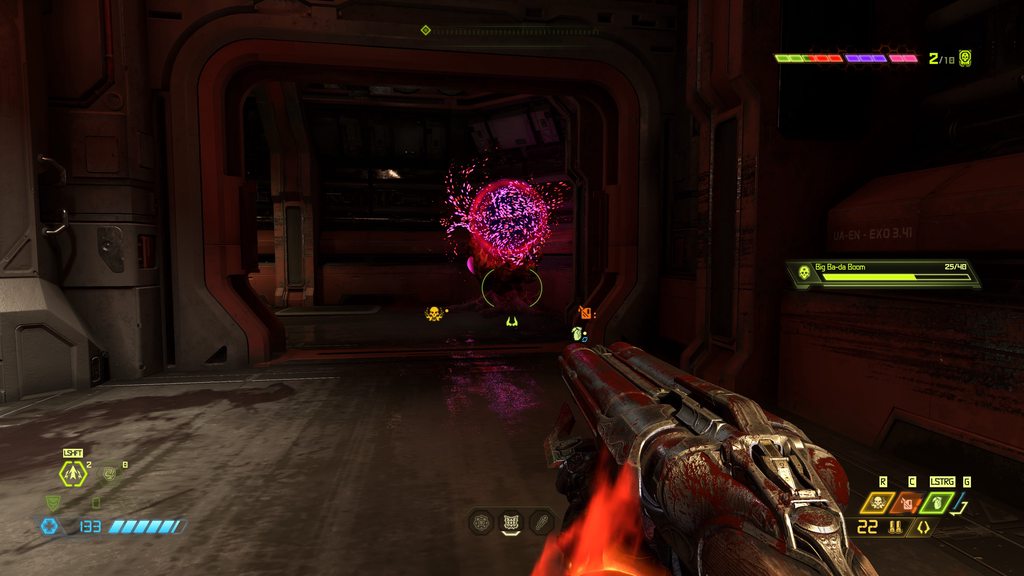 golden lodge
muted bobcat
Just run EternalModInjector and type into the console "give ammo"
golden lodge
muted bobcat
Just run EternalModInjector and type into the console "give ammo"
isn't there a way to automate this ? 😅 I know doom eternal isn't very modding friendly, but can't we trully not even make that ?
I would give it a try myself tbh, but I couldn't find any tutorial on how to start, except for visual and sound modding, not very interresting for my case
muted bobcat
golden lodge
isn't there a way to automate this ? 😅 I know doom eternal isn't very modding ...
You have reached my limit when it comes to modding
golden lodge
muted bobcat
You have reached my limit when it comes to modding
damn
honestly it's such a shame there is not more documentation
I would really like to make my own mod to tweak so little thing the game didn't have time to balance properly 😅
Like support runes in the main game, 4 charge hammer for all game modes, etc
prisma vector
Hey, i am having an issue where the game looks horrible on Ultra settings and a 4k monitor. This is what it's supposed to look like: https://youtu.be/EI1ti-GnYjo and this is how mine looks like: https://imgur.com/a/68EsEc5 Any help would be appreciated
🎮🌟 Experience Realism: Doom Eternal with Ray Tracing Enabled! 🌟🎮
🔥 Join us in an immersive journey into the thrilling world of Doom Eternal! In this video, we delve into the breathtaking visual enhancements and realism that Ray Tracing technology brings to this epic game. Prepare to witness Doom Eternal like never before, with Ray Tracing takin...
slim scaffold
could you explain what looks bad?
prisma vector
slim scaffold
could you explain what looks bad?
The game looks blurry, the shadows and lighting look a lot worse, the textures are worse and comparing to the video, it just looks worse in general
Also, all my drivers are updated, i have a RTX 4090 and 64gb of ram and i have never had this issue before
slim scaffold
I'm guessing you've gone into the settings and just set it to ultra nightmare at 4k with raytracing on?
prisma vector
slim scaffold
I'm guessing you've gone into the settings and just set it to ultra nightmare at...
Yes
slim scaffold
well, if you want to emulate that video, you'll need a stupid sharpen filter
because that's what they're doing, and it looks like ass
Your screenshot looks way better imho, as it should
Also can you send a screenshot here, because that imgur is a pain in the ass
prisma vector
slim scaffold
well, if you want to emulate that video, you'll need a stupid sharpen filter
Do the lighting and textures not look a little off to you?
slim scaffold
send a screenshot in discord, just paste it here
slim scaffold
prisma vector
Do the lighting and textures not look a little off to you?
They do on the video lol
prisma vector
Another comparison, this is a video where the game looks what it's supposed to: https://www.youtube.com/watch?v=emARlmvBr6o and the screenshot is my game


A small gameplay of me playing DOOM Eternal's Super Gore Nest on Ultra Nightmare at 4K on NVIDIA's latest GeForce RTX 4090 graphics card and getting around 200 FPS.
►www.facebook.com/wccftech
►www.twitter.com/wccftech
►www.youtube.com/WccftechTV
Visit us daily at www.wccftech.com for the absolute latest in PC Hardware, Gaming, and Mobile News ...
And i understand that the gray tint is a rendering mode but the textures and lighting just look a lot better in the video than in my screenshot
slim scaffold
I don't think you have rtx enabled
Look at a shiny floor somewhere, or a glass mirror
take some screenshots of your settings dialog
prisma vector
Also i am having issues with the glory kill effect being "grainy" like in this screenshot
 slim scaffold
I... have never stopped to look at that
prisma vector
Belive me or not but it's pretty noticeable in game
slim scaffold
show screenshot of the settings, esp where the raytracing settings are


 slim scaffold
dlss is probably the culprit
what other settigns are there?
ah if you can turn it off, turn it off
prisma vector
slim scaffold
what other settigns are there?
Nothing else really comes to mind
slim scaffold
turn dlss off
prisma vector
slim scaffold
dlss is probably the culprit
Barely did anything when i turned it off
slim scaffold
well, the video looks fucked imho, he has some sharpness bullshit turned on
Or some other filter in his recording software
Your screen is setup correctly with hdr etc?
prisma vector
slim scaffold
Your screen is setup correctly with hdr etc?
Yes
I don't personally use hdr though
slim scaffold
your screen has it and its enabled in the game?
prisma vector
My screen has hdr but it's disabled in game
slim scaffold
ah yeah enabled hdr is disabled
enable that, and possibly also vsync
and I thought resolution scaling had an off setting?
prisma vector
slim scaffold
ah yeah enabled hdr is disabled
I thought you asked if it has the feature
slim scaffold
lemme check rq what the defaults are
Can't check right now, crap
do a restore defaults, set to ultra quality and enable hdr
try that first
prisma vector
slim scaffold
do a restore defaults, set to ultra quality and enable hdr
I did that and it fixed nothing
Whatever, i will just play with those graphics and maybe it will miraculously fix itself
slim scaffold
like I said, don't compare to the video
They used some silly effects for the clicks or something
As long as HDR is enabled in game it should look fine
prisma vector
slim scaffold
like I said, don't compare to the video
Eh it's just that i remember having my game look very similar if not the same as these videos
slim scaffold
idk, that video looks sus
Join Alex Battaglia for a deep dive into Doom Eternal's brilliant ray tracing upgrade - see how idTech 7 has evolved for the next generation of hardware, how to optimise the game for the best experience - and see how id Software as adapted its RT implementation for Xbox Series X and PlayStation 5.
Cheatengine Table: https://fearlessrevolution.c...
I'd check this as a comparison, I trust those guys way more than some random youtuber
prisma vector
Well i got it to look pretty decent without hdr
But my issue with the glory kill effect still remains
slim scaffold
why wont you enable hdr?
 dense igloo
Does anyone have a good tutorial on modding eternal?
ember pivot
dense igloo
Does anyone have a good tutorial on modding eternal?
#eternal-modding message
Maybe check out that
prisma vector
slim scaffold
why wont you enable hdr?
I don‘t like it
atomic bay
prisma vector
Also i am having issues with the glory kill effect being "grainy" like in this s...
That's normal. You may not see it as much in videos, due to videos being compressed (and/or lower-resolution than your screen), but that's how it's supposed to look.
 summer lichen
spiral bolt
summer lichen
spiral bolt
No horny, just killing demons
dense igloo
ember pivot
https://discord.com/channels/162891400684371968/832501492992573480/1006361812868...
I see. Thank you, my friend!
I'm sorry wha?
slim scaffold
atomic bay
That's normal. You may not see it as much in videos, due to videos being compres...
Yeah, and like I said that video had some awful filters on it
 deft lava
how about no
valid yacht
Hey @atomic bay sry for the ping mate. Long time that ive been doin anything with mods.
But i remember there was a time when you could somehow activate more console commands.
I do have the console, but wanted to play around a bit more.
Wondering if you could point me in the right direction.
Would really appreciate it 
atomic bay
To unhide hidden console commands/variables, simply run EternalModInjector (https://gamebanana.com/tools/7475) once.
If you're interested in chrispy, noclip, notarget, or anything starting with mh_, those are "new" commands added by meath00k, not just "hidden by default". Right-click Doom Eternal in your Steam library, choose "Browse" > "Manage local files" to open File Explorer in your -/DOOMEternal folder, and place meath00k (https://github.com/brongo/m3337ho0o0ok/releases/latest)'s "XINPUT1_3.dll" file into this folder. (That will also unhide hidden console commands/variables even if you haven't used EternalModInjector.)
valid yacht
MEATHOOK! THAT WAS IT! Man! Thank you so much
 maiden grove
Hello guys i just downloaded this mod for unlocking everything in the game but nothing shows up in my game i used vortex and also enteral mod injector but both didn't work to show the content in my game
muted bobcat
Can't you remove it like any other mod?
 hollow pollen
I've deleted the folder and load the game with mod injector to be sure but nope, the mode is still there (also please, tag me if you answer, I don't have notifications from this channel)
 outer fjord
anyone got the link for the newest mod injector? i have apparently not played modded eternal for 2 years
nvm i found it. ignore me
prisma vector
prisma vector
Why do you have Resolution Scaling Mode on?
median forge
it's set to static at 100% scale anyway so it isn't doing anything
slim scaffold
oh yeah, I'd still turn that off though
prisma vector
hollow pollen
I've deleted the folder and load the game with mod injector to be sure but nope,...
Idk if you already solved the issue but to get rid of Keep the dead you also need to remove the KTD.cfg file from your base folder
hollow pollen
prisma vector
Idk if you already solved the issue but to get rid of Keep the dead you also nee...
Yes I find out eventually, thanks anyway for the help 😁
 slim arch
hi guys how ı dowload co-op mod into doom eternal(gamepass version)
pls someone tell me pls
fervent spruce
isn't there a guide for how to mod gamepass on the discord
slim arch
ok thx
 vital matrix
somebody please add doom armor to skyrim
 shrewd wasp
first day modding and uhhhh

 zinc plinth
Wtf am I looking at
ornate skiff
how do i launch the game without my mods?
 quaint lotus
ornate skiff
how do i launch the game without my mods?
quaint lotus
ornate skiff
how do i launch the game without my mods?
mod manager; you can disable mods you want
or uninstall them temporarily lol your choice
ornate skiff
thanks
 ionic night
vote for any weapon modded skins and which looks better(and best) for you


1:🔴
2:🔵
3:⚫
4: ⚪
fervent spruce
Why?
ionic night
btw the vote will take about 12/24 hours
valid yacht
ionic night
vote for any weapon modded skins and which looks better(and best) for you
i was maining PRINTSTREAM for so long, looks so fucking sick
valid yacht
If anyone has the same bug, where your profile data isn't loading with +com_skipIntroVideo 1
https://github.com/Official-KEX/doom-eternal-short-intro-mod
Replaces the loud and 30s long Boot/Startup-Video with a 3 second clip
This will probably only be useful for a few people, but:
Using the "Launch Option Parameter" +com_skipIntroVideo 1 has the potential to, for whatever fucking reason,
break your savegame or make the game not load your profile. Replacing the intro video with a shorter video,
instead of skipping it, seems to fix the problem.
At least for me it works. Thats why im sharing it with others.
 lucid hare
I just delete the intro vid
 shy hearth
how hard is it to mod eternal on pc?
valid yacht
lucid hare
I just delete the intro vid
Thats the same as akipping, again. This is for those who have the "Empty Profile" Bug.
valid yacht
shy hearth
how hard is it to mod eternal on pc?
Depends what you wanna do?
Install them or make them
shy hearth
valid yacht
Install them or make them
install them
shy hearth
how do i do it on steam?
valid yacht
I just woke up a few minutes ago, would love to help ya out right now. But i gotta wake up first 
shy hearth
all good lol im just curious
atomic bay
DOOM Eternal now has an official PC mod support preview!
See these pages for more information, and how to opt in to DOOM Eternal's PC Mod Preview on Steam and on Microsoft Store/Xbox Game Pass:
Steam announcement: https://store.steampowered.com/news/app/782330/view/4328607063611272123
Official FAQ: https://idstudio.idsoftware.com/faq/doom-eternal-mods#how-do-i-opt-in-to-the-microsoft-store-pc-mod-preview
Afterwards, you can switch to the "Mods" tab at the top of DOOM Eternal's new launcher, click "Browse" on the left to download mods, click on mods in the "Installed mods" area to activate them, and click "Launch with active mods" to play with them.
-
To install EternalModInjector:
Alternatively, if there's a specific EternalModInjector mod that you want to use, which hasn't been released for the official PC Mod Preview yet, then you can still install EternalModInjector (even if you're opted into the PC Mod Preview!).
Right-click DOOM Eternal in your Steam library, and choose "Manage" > "Browse local files". This will open a File Explorer window in your DOOM Eternal installation. Then, download EternalModInjector from https://gamebanana.com/tools/7475, open the zip archive, and drag all files and folders from it into your DOOM Eternal installation. Merge the "base" folder with the existing one when prompted. You should end up with "EternalModManager.exe" in the same folder as "DOOMEternalx64vk.exe".
Download DOOM Eternal mods from GameBanana, Nexus Mods, et cetera, place the unextracted zip files into the "Mods" folder in your DOOM Eternal installation, open EternalModManager, and click "Run mod injector" to install the mods.
🐧 If you use Linux/Steam Deck, see here instead: https://github.com/leveste/EternalBasher/releases/latest
🪟 If you use the Microsoft Store (Xbox Game Pass) version of the game, see here instead: https://gamebanana.com/posts/10737067
valid yacht
atomic bay
**DOOM Eternal now has an official PC mod support preview!**
See these pages for...
This
Thanks you absolute legend 💛
ionic night
the next vote is about the viewmodal mod created by COGSpartan130
pick which one is better, the viewmodal with sensitivity changes or without the sensitivity changes?

A:- with sensitivity changes
B:- without sensitivity changes
valid yacht
Shenanigans 
Always wanted to make a external HUD, so i just started this project
Super basic rn, just reads the memory and displays the value, but hey, gotta start somewhere i guess
 quaint lotus
need a tutorial to install mods on deck
 marsh sorrel
Hey everyone where's the Meathook by chrispy download? I can never fkin tell how github works, I never see any download button
atomic bay
In https://github.com/brongo/m3337ho0o0ok/releases/latest, scroll down and download "XINPUT1_3.dll". Place that file into your -/DOOMEternal/ folder, and it'll be installed.
marsh sorrel
atomic bay
In <https://github.com/brongo/m3337ho0o0ok/releases/latest>, scroll down and dow...
Only need the dll file?
atomic bay
Yes. Just place the DLL file into the same folder that "DOOMEternalx64vk.exe" (the game itself) is in. 👍
marsh sorrel
atomic bay
Yes. Just place the DLL file into the same folder that "*DOOMEternalx64vk.exe*" ...
Also, I guess I am supposed to hit replace to everything when installing the mod injector into the doom folder?
I just dont wanna mess anything up
atomic bay
Yes, replace everything. 👍
marsh sorrel
atomic bay
Yes, replace everything. 👍
How long does the verifying integrity of doom eternal take you?
The mod injector says i have to do it but its so slow
I just wanna play man
I'm just wondering if I actually HAVE to do it
 fickle rock

marsh sorrel
GodDAYUM why is the installation taking so long
Also, can you just turn the Kaiser campaign on and off? Or you'd have to uninstall the whole thing
marsh sorrel
Guys can you install all mods via the injector and just placing the rar into the mods folder? Im trying to get some reskin mods now
valid yacht
marsh sorrel
Guys can you install all mods via the injector and just placing the rar into the...
You place the zip files into the mods folder and run modinjector
What modinjector basically does:
- it "open up your gamefiles"
- Adds the modded content into the gamefiles, overwriting the original stuff
- Puts it back together
- signs it, so the game thinks its all goodie
The game has no idea that the "mods folder" even exists, as it only care for the gamefiles
marsh sorrel
valid yacht
You place the zip files into the mods folder and run modinjector
Thank you:) so anything I download off nexusmods will work with modinjector? Until maybe stated otherwise on the website?
valid yacht
marsh sorrel
Thank you:) so anything I download off nexusmods will work with modinjector? Unt...
as long as its a zip, it should?
marsh sorrel
Alright
valid yacht
You can look inside a zip file, if it looks something like this, it should work
 marsh sorrel
valid yacht
You can look inside a zip file, if it looks something like this, it should work
marsh sorrel
valid yacht
You can look inside a zip file, if it looks something like this, it should work
I just downloaded a few different reskin mods and inside every zip file it looked different 💀
but most of it did work I think?
valid yacht
Just make sure to give the nexusmods page a good read (Even tho some are seriously lacking with even writing a basic fucking readme)
marsh sorrel
valid yacht
Just make sure to give the nexusmods page a good read (Even tho some are serious...
Yep I've noticed that already ahah man ppl are lazy
Ight Imma head out for now
valid yacht
good luck in your endeavors
marsh sorrel
Meanwhile everyone please recommend me some funny silly reskin mods, be it for weapons or demons or anything. I wanna make my game look fucking stupid lmao
quaint lotus
quaint lotus
need a tutorial to install mods on deck
prisma vector
marsh sorrel
Meanwhile everyone please recommend me some funny silly reskin mods, be it for w...
 atomic bay
marsh sorrel
How long does the verifying integrity of doom eternal take you?
The mod injector...
atomic bay
marsh sorrel
How long does the verifying integrity of doom eternal take you?
The mod injector...
How long does the verifying integrity of doom eternal take you? [...]
Until it is done.
(I don't remember, but maybe a quarter-ish? 🤷)
[...] The mod injector says i have to do it but its so slow - I'm just wondering if I actually HAVE to do it
In what context? You shouldn't need to do that the first time that you use EternalModInjector - only when a game update happens at some point after you've used EternalModInjector, or if some kind of error happens.
(You've probably already verified the game files by now, though, so it'll be hard to show me where it says it.)
Also, can you just turn the Kaiser campaign on and off? Or you'd have to uninstall the whole thing
To uninstall Kaiser Campaign - v2.33, simply open -/DOOMEternal/EternalModManager.exe, disable the mod, and click "Run mod injector".
To uninstall Kaiser Campaign Silly String - 2.33, you have to remove its files from -/DOOMEternal/overrides/. If the only thing in your "overrides" folder is Kaiser Campaign Silly String - 2.33, then you can simply rename the folder to something other than "overrides", and then rename it back to "overrides" to re-install it.
Guys can you install all mods via the injector and just placing the rar into the mods folder? [...]
No. EternalModInjector doesn't support RAR archives, only zip archives.
But if it's a zip archive, then it should work that way. 👍 (Unless the mod's description has specialised installation instructions.)
 glad nimbus
can u mod on steam
marsh sorrel
Bro I've been afk for a whole day and not a single person here knows any fun mods 💀💀 (besides trollknight thank you)
prisma vector
eternal modding is hard tbf
valid yacht
glad nimbus
can u mod on steam
glad nimbus
thanks
valid yacht
atomic bay
> *How long does the verifying integrity of doom eternal take you? [...]*
Until ...
That dedication with giving the most professional and detailed answers.
Just wanted to let you know: I'm thankful that this world has people like you in it.
Especially online, its super rare to have awesome people.
#NoHomo #Just_a_Fan
marsh sorrel
valid yacht
That dedication with giving the most professional and detailed answers.
Just wan...
I couldnt agree more, people who give actual advice and serious answers are extremely rare today
not just here, but in any game fandom anywhere
it's sad honestly
 dapper arch
does anyone know how to get the pistol
valid yacht
dapper arch
does anyone know how to get the pistol
You cant anymore
got removed from the gamefiles
dapper arch
dang
dapper arch
is there a mod to add the original doom reload sounds into the game?
valid yacht
dapper arch
is there a mod to add the original doom reload sounds into the game?
Deluxe Edition has that
oh u said only the reload sounds, idk about that
dapper arch
ill look at nexus
valid yacht
lemme know if u found something
dapper arch
there are 13 mods though one adds the pistol
valid yacht
ohh poggies
dapper arch
no funnies though
valid yacht

valid yacht
I never tried the pistol myself, only saw videos
dapper arch
thats wierd me screen violently shook
yay pinned
okay im debating to choose classic override or overide vanilla
 sick yoke

bronze ermine

An incredible level mod made by Bysior21, by far the most fun one I've ever played/seen. Show some love 👇
https://www.nexusmods.com/doometernal/mods/1528?tab=description
Easier version also available!
ionic night
best setup in the world
 valid yacht
dapper arch
ive been trying to get the mod injector to work for 12 hours
valid yacht
dapper arch
ive been trying to get the mod injector to work for 12 hours
Did you do exactly as described here?
#eternal-modding message
dapper arch
valid yacht
Did you do exactly as described here?
https://discord.com/channels/1628914006843...
yes and this is the most recent message its giving me
 valid yacht
Steam Version? XBOX Version?
dapper arch
steam
valid yacht
Verified your gamefiles?
dapper arch
yep
valid yacht
Did you download the modinjector from the link provided in the tutorial?
This one > eternalmodinjector_75cee.zip

Also, it says through the XBOX app o.0
Either you are trying to use the Steam Version of modinjector on a Microsoft Store installation, you downloaded a older version of it, or youre running a cracked game (lol)
That would at least be my guesses
nvmd, the man the myth the legend is already typing 
atomic bay
dapper arch
yes and this is the most recent message its giving me
idRehash doesn't seem to find any .resources files at all... but it can find the game executable (otherwise it'd have shown a different error).
First of all, are you able to launch and play Doom Eternal through Steam (without mods), right now?
valid yacht
Just out of curiousity, i looked at how one would mod the gamepass version.
MS is actually mental for "lockbit encrypting" parts of your own OS/SSD even tho you are literally the administrator of your PC lol
atomic bay
valid yacht
Also, it says through the XBOX app o.0
It automatically says that if it can't find steam_api64.dll. (Seeing as it can't find any .resources files either, I'm guessing that EternalModInjector is just not in a full Doom Eternal installation - checking whether the game launches at all will let us know whether the game was uninstalled/is missing files or EternalModInjector is just in a wrong directory. There are also other possibilities than that, though.)
valid yacht
Yeah, a bit weird, if they said they "Verified Gamefiles", yet modinjector cant detect the stuff that should be there
What would happen if one would try to mod a "cracked version" (Of the latest version) 
Purely hypothetical of course
atomic bay
Hugo Martin would personally come to your house and take you to the Unfun Zone™.
valid yacht

i would imagine it wouldnt work, as modinjector wouldnt work with a "modified .exe"?
i better stop asking, dont wanna get in hot waters
dapper arch
valid yacht
Did you download the modinjector from the link provided in the tutorial?
yes
valid yacht
dapper arch
yes
look here
 dapper arch
atomic bay
idRehash doesn't seem to find any *.resources* files at all... but it *can* find...
dapper arch
atomic bay
idRehash doesn't seem to find any *.resources* files at all... but it *can* find...
yes Im able to do that easily
ive been slowly going through everything and it doom runs beautifully
its been giving me the same message for the past hour
valid yacht
Do you have those files in /DOOMEternal/base/?
 dapper arch
yes I do I have all of those
valid yacht

Somethings seriously wrong then...
I never had any problems with modding the basic ass steam version
valid yacht
Just to be sure u download the correct one:
THIS IS THE LATEST MOD INJECTOR (For Steam)
dapper arch
I have that exact one
and sorry for being brain damage this is the first time Ive tried to do this to doom eternal
valid yacht
And all of its content needs to be extracted into the main DOOMEternal-Folder.
Should look something like this:
X:\SteamLibrary\steamapps\common\DOOMEternal
or
C:\Program Files (x86)\Steam\steamapps\common\DOOMEternal
atomic bay
dapper arch
yes Im able to do that easily
Right-click Doom Eternal in your Steam library, and choose "Manage" > "Browse local files". This will open a File Explorer window. Is this the folder that you have EternalModInjector installed in?
- If no, you're installing EternalModInjector in the wrong folder. Install it in this folder instead.
- If yes, I think that you have anti-virus software that might be "sandboxing" unknown programs. Try temporarily disabling your anti-virus to test (remember to re-enable it afterwards!), or adding -/steamapps/common/DOOMEternal/ and its subfolders to your anti-virus' whitelist. Edit: Another possibility is that EternalModInjector's programs were "blocked" by Windows, and you had to right-click each EXE, go to the properties, and "unblock" them one by one.
valid yacht
ohhh true... i always forget how shitty some anti viruses can be with their own little thingys
valid yacht
hell yeah, what was the fix?
dapper arch
I just had to re install the mod injector

 dapper arch
and I stopped all of the windows anti virus software that was killing my computer
also it was steam trying to say I didnt buy the game
so I sorted all of that stuff out with steam support
and got my copy of doom eternal back
valid yacht
btw. @atomic bay i wanted to ask you something
If i extract all the .resources of DOOMEternal, and put the extracted folders into the /base/ folder
Either with "EternalResourceExtractor" or "SAMUEL", will the game recognize the extracted files?
And if so, which one does it respect more? plain files or the original files?
just wanna poke around a bit without needing to make a mod everytime :D
dapper arch
yippee I finally got my pistol
valid yacht
dapper arch
yippee I finally got my pistol
Finally! Glad you got it working :D
hm... :/
The extracted ones are different from what i have in the mod someone made for me

mostly wanna edit strings and textures/images >.<
atomic bay
valid yacht
btw. <@547094407921401864> i wanted to ask you something
If i extract all the .r...
[...] If i extract all the .resources of DOOMEternal, and put the extracted folders into the /base/ folder [...] will the game recognize the extracted files? [...]
No, the game won't read loose files from there.
If you have meath00k installed, though, then you can load (some*) loose files from -/DOOMEternal/overrides/, e.g. -/DOOMEternal/overrides/generated/decls/weapon/weapon/player/shotgun.decl. This will override vanilla files and files installed via EternalModInjector - but it's easy to get patch/map files mixed up this way (e.g. using a file from "gameresources" instead of "gameresources_patch1"), and it may be harder to separate your mod afterwards (e.g. if you have files that belong in "gameresources", "gameresources_patch1", and "e1m1_intro" at the same time; they'd all be in the same "overrides" folder when loading through meath00k, while EternalModInjector-style mods should have them in their respective folders).
I personally just re-run EternalModInjector when I edit/test mods. meath00k's "overrides" functionality can be nice to work faster on one or two files at a time, though - especially map .entities files, which can be reloaded without rebooting the game that way. (There's also a meath00k command to reload .decl files, but I don't know how that works.)
* Specifically map .entities files (uncompressed) and .decl files. I don't think that meath00k loads textures or anything else.
hm... :/ The extracted [string files] are different from what i have in the mod someone made for me
Doom Eternal's text string files are in a binary format. EternalModInjector mods use a raw-text JSON file with different formatting (and file path) instead.
Seeing as you're in a specific Discord server, I'd suggest checking #847476834928558100 message . (For anyone not in that server, see https://wiki.eternalmods.com/books/2-how-to-create-mods/chapter/string-modding, but I think that some sections of that are outdated. 😿)
mostly wanna edit [...] textures/images >.<
See https://wiki.eternalmods.com/books/4-texture-modding or https://youtu.be/KatwW-V0eME.
valid yacht
ohhhhhhh BOI!
lmao, thats a lot more complicated than i thought it would be
But im gonna try anyway!
Its crazy how this game keeps me entertained for hundreds of hours and even when im not playing im playing around with it in all different kind of ways haha
Truly getting my moneys worth here :D
Thanks for helping!
atomic bay
valid yacht
ohhhhhhh ***BOI!***
lmao, thats a lot more complicated than i thought it would b...
If it helps, it can more or less be summarised as "look at an existing string mod to see how the JSON file should be formatted, use BlangEditor to open (gameresources_patch3)/strings/english.blang, and search for text to find out what a given string's internal name is".
valid yacht
Did that yesterday, basically doing all steps myself, but compared the outcome with a mod that worked, just changed some words, to see if it works
The one that worked (This one someone made for me, - the Beth/id logo were also replaced):
{
  "strings": [
    {
      "name": "#str_swf_guis_presents_GHOST71661",
      "text": "PROUDLY PRESENTS",
    },
    {
      "name": "#str_swf_guis_an_GHOST71659",
      "text": "A",
    },
    {
      "name": "#str_swf_guis_game_GHOST71660",
      "text": "STREAM",
    }
  ]
}
That one doesnt work(the one i made myself):
{
  "strings": [
    {
      "name": "#str_swf_guis_an_GHOST71659",
      "text": "GAMERESOURCES AN"
    },
    {
      "name": "#str_swf_guis_game_GHOST71660",
      "text": "GAMERESOURCES GAME"
    },
    {
      "name": "#str_swf_guis_presents_GHOST71661",
      "text": "GAMERESOURCES MOD"
    }
  ]
}
and nothing worked in my mod :/
KekzIntro < Works
KEXMOD < doesnt
atomic bay
"KEXMOD.zip" contains gameresources_patch1/KEXMOD/strings/english.json, but that should be gameresources_patch3/EternalMod/strings/english.json instead.
(The first folder technically doesn't matter, as EternalModInjector redirects string files to gameresources_patch3 for you. The second folder matters, though - "EternalMod" isn't a wildcard, it's a special name that lets EternalModInjector know that it's a special file.)
valid yacht
atomic bay
"*KEXMOD.zip*" contains *gameresources_patch1/KEXMOD/strings/english.json*, but ...
ohhhhhhhhhhhh, i see!
Yeah, i was wondering "How the fuck does the modinjector know where to inject this into"
Especially with the "e1m1_intro"
And i thought the "EternalMod" was a generic "name your own mod" thing xD
Just need to figure out the images thing then, i tried to understand the process, based on the wiki u posted, but the autoheckingtexture thingy just gave me ".tga" files, not those weird one

 atomic bay
valid yacht
ohhhhhhhhhhhh, i see!
Yeah, i was wondering "How the fuck does the modinjector k...
atomic bay
valid yacht
ohhhhhhhhhhhh, i see!
Yeah, i was wondering "How the fuck does the modinjector k...
[...] Yeah, i was wondering "How the fuck does the modinjector know where to inject this into" Especially with the "e1m1_intro"
"e1m1_intro" refers to -/DOOMEternal/base/game/sp/e1m1_intro/e1m1_intro.resources, which is a container for the first map only - which is where the first map's cutscene's logos are, I assume.
("gameresources_patch3" refers to -/DOOMEternal/base/gameresources_patch3.resources, which is a global container used in all maps, but doesn't contain "per-map" data.)
Just need to figure out the images thing then, i tried to understand the process, based on the wiki u posted, but the autoheckingtexture thingy just gave me ".tga" files, not those weird one
Auto Heckin' Texture Converter expects you to give it an image file that has that stuff in its filename (and uses that to determine what texture format to convert the image to).
So, you would feed it a PNG file that's already named "title_bethesda.png$bc7$streamed$mtlkind=legacyflashui", and it should(?) give you a file with either that name or something similar. In the latter case, just rename the resulting file to "title_bethesda.png$bc7$streamed$mtlkind=legacyflashui" when putting it into your mod.
(When exporting images from Doom Eternal's files, Vega does not keep those $-parameters in the filenames, but SAMUEL does. I think that texture-modding guides only talk about Vega, though. 😿)
valid yacht
atomic bay
> *[...] Yeah, i was wondering "How the fuck does the modinjector know where to ...
yeah but how does modinjector draw the conclusion that:
"e1m1_intro\textures\swf_images\worldguis\<images in this folder>"
is related to:
"/base/game/sp/e1m1_intro/e1m1_intro.resources" ???
I also noticed, from all the tools so far, to extract stuff, SAMUEL kinda is the masterrace 

Like... why mention VEGA in the tutorial if it doesnt even work 
In any case, with that new earned knowledge, im gonna try it again after my food arrived.
Again, thank you so much
atomic bay
valid yacht
yeah but how does modinjector draw the conclusion that:
"``e1m1_intro\textures\s...
yeah but how does modinjector draw the conclusion that: "
e1m1_intro\textures\swf_images\worldguis\<images in this folder>" is related to: "/base/game/sp/e1m1_intro/e1m1_intro.resources" ??? [...]
Basically, it looks for .resources containers in all of -/DOOMEternal/base/, and looks at their filenames - plus special handling for letting "dlc_hub(_patch1)" target -/DOOMEternal/base/game/dlc/hub/hub(_patch1).resources, to not conflict with the non-Ancient Gods "hub" containers.
I also noticed, from all the tools so far, to extract stuff, SAMUEL kinda is the masterrace
There are several file types that it doesn't export/extract (including rigged models - which Vega supports), and it doesn't give you Doom Eternal's raw versions of files (e.g. it converts images/models to standard PNG/OBJ formats), so there's still use for EternalResourceExtractor and Vega.
But yes, if you're mostly interested in .decl, .entities, and (converted) image files, SAMUEL is very good. 👍
Like... why mention VEGA in the tutorial if it doesnt even work
I think that the tutorial was made before SAMUEL was a thing, and then it just hasn't been updated to mention SAMUEL instead afterwards.
 smoky jolt
i keep getting some id rehash thingy majig and theres no answers anywhere
valid yacht
smoky jolt
i keep getting some id rehash thingy majig and theres no answers anywhere
If you post a screenshot of the exact error, we might be able to help ya
smoky jolt
valid yacht
If you post a screenshot of the exact error, we might be able to help ya
sorry for the wait but here it is:

it comes up whenever i use mod manager or injector
atomic bay
Right-click -/DOOMEternal/base/idrehash.exe in File Explorer, and choose "Properties". In the window that pops up, in the "General" tab, is there an "Unblock" checkbox? If so, enable it, click "Apply", and repeat this for all EXE files in the "base" folder (and for EternalModManager in the "DOOMEternal" folder).
smoky jolt
got it, will message if i need help or if it works
smoky jolt
atomic bay
Right-click *-/DOOMEternal/base/idrehash.exe* in File Explorer, and choose "*Pro...
its still giving me the same error after i did that
atomic bay
If -/DOOMEternal/base/idrehash.map exists, delete that file (but don't delete the EXE file).
Then, try to temporarily disable your anti-virus (or add the -/DOOMEternal/ folder and subfolders to its whitelist), run the EternalModInjector batch file normally, run it as an administrator afterwards if it didn't work, and then re-enable your anti-virus afterwards.
If that still doesn't work, make sure that your account has read and write permissions for the -/DOOMEternal/ and -/DOOMEternal/base/ folders, then try again.
smoky jolt
is there anyway for me to call someone and do a walkthrough with them or you cause nothing is working and i think im doing it all wrong
 tribal lichen
so do i have to run modinjector each time to use mods, or after the first time, can i just run it from steam?
valid yacht
tribal lichen
so do i have to run modinjector each time to use mods, or after the first time, ...
You just need to run it when you want to install or remove mods
once you have the mods installed, you can simply run the game from steam
tribal lichen
valid yacht
You just need to run it when you want to install or remove mods
ah, ok. thanks!
to remove mods, do i just delete the folder from the mods folder in the directory, or is there a more complicated way of doing it?
valid yacht
tribal lichen
to remove mods, do i just delete the folder from the mods folder in the director...
You delete the zip files of the mods you want to uninstall from the "mods" folder
Run modinjector
Only the mods currently present in the mods folder are installed
delete all the zip files > No mods installed
Wanna completely revert back to "vanilla doom eternal":
Open Steam > Rightclick DOOM Eternal > Properties > Verify Gamefiles
tribal lichen
valid yacht
You delete the zip files of the mods you want to uninstall from the "mods" folde...
Ah ok. Thanks!
 gusty hinge
🤓
prisma vector
Currently working on a mod that enhances ai and makes it more challenging and interesting, new weapoint, different projectiles and so on, if someone is interested hit me in dm to try it out!
 waxen flicker
Does having mods still allow Steam achievements?
brazen jacinth
yes
 naive lantern
Hello
 round dew
Does anybody know good mods that give more health and ammo?
smoky jolt
i need help:
 atomic bay
Right-click -/DOOMEternal/base/idrehash.exe in File Explorer, and choose "Properties". In the window that pops up, in the "General" tab, is there an "Unblock" checkbox? If so, enable it, click "Apply", and repeat this for all EXE files in the "base" folder (and for EternalModManager in the "DOOMEternal" folder).
If that doesn't fix it and -/DOOMEternal/base/idrehash.map exists, delete that file (but don't delete the EXE file).
Then, try to temporarily disable your anti-virus (or add the -/DOOMEternal/ folder and subfolders to its whitelist), run the EternalModInjector batch file normally, run it as an administrator afterwards if it didn't work, and then re-enable your anti-virus afterwards.
If that still doesn't work, make sure that your account has read and write permissions for the -/DOOMEternal/ and -/DOOMEternal/base/ folders, then try again.
smoky jolt
sorry for your troubles it has FINALLY worked! 🙌
smoky jolt
atomic bay
Right-click *-/DOOMEternal/base/idrehash.exe* in File Explorer, and choose "*Pro...
cheers for that
 glad stirrup
i like the game how it is
slim scaffold
he said in a modding channel
valid yacht
glad stirrup
i like the game how it is
Good for you, but after nearly 600hrs playtime in eternal, i like to mix things up a bit
smoky jolt
just got this in my mod injector

ive restarted my pc and made sure to close all programs and left only the file explorer and mod injector open
valid yacht
smoky jolt
ive restarted my pc and made sure to close all programs and left only the file e...
Did you try to run modinjector as a admin?
Seems like it doesnt have permission (C: Drive is always a bit weird when it comes to that)
smoky jolt
valid yacht
Did you try to run modinjector as a admin?
Seems like it doesnt have permission ...
if you scroll up Zwip-Zwap told me to run it as administrator so i've just been consistently running it as admin
valid yacht
oh my bad, didnt read all the way up
atomic bay
smoky jolt
just got this in my mod injector
just got this in my mod injector
Which mods are in your "Mods" folder/in EternalModManager? Do all of the mods work individually (i.e. when only installing one mod at a time)? And what happens if you open EternalModManager, click "Advanced options...", enable "Enable slow mod loading mode" and "Disable multi-threading", click "Save mod injector settings", close the options window, and run EternalModInjector afterwards?
[...] Zwip-Zwap told me to run it as administrator [...]
Only if running it normally didn't work, after following the steps leading up to that.
smoky jolt
valid yacht
oh my bad, didnt read all the way up
no your good
smoky jolt
atomic bay
> *just got this in my mod injector*
Which mods are in your "*Mods*" folder/in E...
ill check now
smoky jolt
atomic bay
> *just got this in my mod injector*
Which mods are in your "*Mods*" folder/in E...
if i run it as admin it says DEternal_loadMods didnt work and if i run it independently it says gameresources.resources couldnt be restored.
smoky jolt
for some reason i deleted some mods and now it works fine, i guess nexus and gamebanana can't mix???
atomic bay
They can. There was either a problem with how many mods you had (regardless of where they came from), or a problem with a specific mod.
 split fable
i have some questions about modding first will htis get rid of my progress second how can i revert the mods
brazen jacinth
game progress is unaffected. just take the mods out of their folder and run the mod injector again to get rid of them
split fable
brazen jacinth
game progress is unaffected. just take the mods out of their folder and run the ...
great thanks im running kaiser campaign so i was worried my stuff would disapear
brazen jacinth
if you do custom campaigns like that usually its recomended to use a new save instead of using your main one. I only use my main save for standalone levels since campaigns either start you with everything maxed out or very quickly give you the weapons
 violet thicket
brazen jacinth
if you do custom campaigns like that usually its recomended to use a new save in...
violet thicket
brazen jacinth
if you do custom campaigns like that usually its recomended to use a new save in...
Yo do you know why every time I run the mod injector it says it doesnt work
and skips over them
Im just trying to run reshades so doom would look better
brazen jacinth
I've only used reshades once. Did you install the reshade program itself? probably the only advice I can give since I got rid of it shortly after for performance reasons
violet thicket
brazen jacinth
I've only used reshades once. Did you install the reshade program itself? probab...
Well I got them off of nexus mods
every single one of them just get skipped
send it to me in dms
brazen jacinth
kk
 median rain
Bonjours, est-il possible d accéder a d autre master level ou des niveaux modde pour plus de difficulte?
 stoic rampart
je ne pense pas
valid yacht
Please keep it english only here. As we do not have the staff members to properly moderate languages, other than english and the currently available ones in the international chatrooms.
Thank you for your understanding @median rain @stoic rampart!
stoic rampart
oh cool
ionic night
@valid yacht I have a bug thats not working, can you please help?

it implies to all of the intros including the reset except the default
the rest of them
 stiff plaza
ionic night
<@362771318426566657> I have a bug thats not working, can you please help?
stiff plaza
ionic night
<@362771318426566657> I have a bug thats not working, can you please help?
It's not a bug, some intros are only equippable on certain skins, go to the paperclip-looking tab, the last one, there you can see collections, you can check which ones have what intros bound to them.
muted bobcat
quaint lotus
play unholy urdak trust me bro
yea, that mod is great
I'm not being ironic
idk929 spent like 16 months on it
split fable
lets just say i have a mod installed already but i want to add another mod to that do i just add it the the folder and click on the injector?
split fable
ah'
tribal lichen

Download: https://www.nexusmods.com/doometernal/mods/591
⚪ CHECK COMMENTS FOR CHANGES IN THE MOD ⚪
🔴 Somethings for the mod shown in this video has changed 🔴
Doom Eternal with Doom 2016 mechanics.
This means no dashing, no weakpoints, no meathook, no flame belch, and no blood punch. This includes Doom 2016 weapon sounds, har scope mod, ssg do...
this looks cool
prisma vector
DOOM Eternal if it was good:
ionic night
stiff plaza
It's not a bug, some intros are only equippable on certain skins, go to the pape...
but the slayer is t-posing
idk what to do
stiff plaza
ionic night
but the slayer is t-posing
Oh, that I have no idea how to help with
muted bobcat
ionic night
but the slayer is t-posing
Some mods will make the slayer t-pose
ionic night
what about the meathook7k mod
hallow heron
Question about Mods.
If I reinstall my Doom Eternal in the new Laptop, does that mean my entire mod will be gone?
stiff plaza
Yeah
hallow heron
But mod like for unlocked weapon skin remains?
stiff plaza
hallow heron
But mod like for unlocked weapon skin remains?
I have no idea what you mean by this
hallow heron
stiff plaza
I have no idea what you mean by this
Ah sorry for misunderstanding.
I mean I use a mod to unlock a skin from QuakeCon or from Multiplayer so I wonder if it remains or not
stiff plaza
hallow heron
Ah sorry for misunderstanding.
I mean I use a mod to unlock a skin from QuakeCo...
It won't, it's client side, though you can get the QuakeCon skins right now by just entering the game
hallow heron
And never mind, Hellforged that I got via Mod is gone and it returns into default.
 plush thicket
hallow heron
But mod like for unlocked weapon skin remains?
plush thicket
hallow heron
But mod like for unlocked weapon skin remains?
how about just unlock them by playing the game
 shrewd tide
im trying to figure out how to mod my game but when i install the mod injector every single guide i find on youtube gets a bunch of stuff like an eternal mod manager and i just get this, eternalmodinjector_75cee (1)
atomic bay
"eternalmodinjector_75cee" is a zip archive. You have to open it with File Explorer, 7-Zip, WinRAR, et cetera, and then drag all of its contents into your Doom Eternal installation.
shrewd tide
it gives me an error command every time i try that
 unreal lintel
Question: What kind of weapons have you thought of adding to the new Doom game coming in 2025?
prisma vector
I have a problem trying to convert a wav file to wem using thw wwise converter. I put the file in 'input' but when I press convert.bat it says '"C:\Program Files (x86)\Audiokinetic\Wwise2023.1.5.8522\Authoring\x64\Release\bin\WwiseCLI.exe"' is not recognized as an internal or external command,
operable program or batch file.
atomic bay
shrewd tide
it gives me an error command every time i try that
What gives you an error, and which error? Can you show us a screenshot of what you're trying to do, and what the error says?
 blissful bane
can someone mod me into doom eternal?
ornate skiff
@atomic bay it keeps telling me to us the patcher but that doesnt work
every time i try, it tells me an error ocurred
atomic bay
Right-click -/DOOMEternal/base/EternalPatcher.exe in File Explorer, and choose "Properties". In the window that pops up, in the "General" tab, is there an "Unblock" checkbox? If so, enable it, click "Apply", and repeat this for all EXE files in the "base" folder (and for EternalModManager in the "DOOMEternal" folder).
Then, open -/DOOMEternal/base/EternalPatcher.exe through File Explorer, click "Patch", and select the "DOOMEternalx64vk.exe" file in the "DOOMEternal" folder. If you still get an error, please show me a screenshot of it.
ornate skiff
okay brb
ornate skiff
atomic bay
Right-click *-/DOOMEternal/base/EternalPatcher.exe* in File Explorer, and choose...

this is the same thing that it told me before
@atomic bay PLEASE
atomic bay
ornate skiff
["An error occured while patching the game executable"]
In the "DOOMEternal" folder, delete the "DOOMEternalx64vk.exe" file. Then, right-click Doom Eternal in your Steam library, choose "Properties..." > "Installed Files" > "Verify integrity of game files", wait for it to finish, wait for Steam to redownload the file that you deleted earlier, and try again.
If it still doesn't work, your anti-virus might be "sandboxing" EternalPatcher (preventing it from modifying any files). Temporarily disable your anti-virus, open EternalPatcher again, and try to patch the game again. Does that work? (Regardless of whether it worked, make sure to re-enable your anti-virus again afterwards.)
@ Zwip-Zwap Zapony PLEASE
"Please" be patient.
 misty elk
Bethesda allowed modding?
prisma vector
battlemode slaughter tour is kicking my ass rn 🫠
valid yacht
misty elk
Bethesda allowed modding?
In the singleplayer parts of the game, yes.
Should you play Battlemode with mods installed, you can/will be banned
 floral imp
so how does one get the tools to make mods? i might just be dumb and have missed something

 wispy zealot
^
 silver glade
floral imp
so how does one get the tools to make mods? i might just be dumb and have mis...
silver glade
floral imp
so how does one get the tools to make mods? i might just be dumb and have mis...
it's not released yet
either that or nobody has figured out steam's UI lol
wispy zealot
if you announce it, why do you not release it, a lot of people have been waiting to make mods