#classic-doom-maps-mods
1 messages · Page 127 of 1
 sacred onyx

 karmic egret
does anyone know why this texture doesn't show up in ultimate doom builder?
 karmic egret
Like the texture is completely white in ultimate doom builder but in slade it isn't
 safe steppe
karmic egret
Like the texture is completely white in ultimate doom builder but in slade it is...
safe steppe
karmic egret
Like the texture is completely white in ultimate doom builder but in slade it is...
can you send the wad with the texture here
 naive tundra
how do you make custom decorations in doom builder?
naive tundra
unrelated, i have a secret door that lowers the floor down so it doesnt go back into the ceiling, but when i interact with the door, it lowers a bunch of other things that it's not even closely related to
 whole blade
naive tundra
how do you make custom decorations in doom builder?
whole blade
naive tundra
how do you make custom decorations in doom builder?
You don't. UDB isn't an asset creation program
safe steppe
naive tundra
how do you make custom decorations in doom builder?
If using vanilla doom format you will have to replace the textures of existing ones as you can't add new things
If using UDMF I believe you can use DECORATE
DECORATE is a text-format lump which allows one to define actors that can be placed in a level. DECORATE was originally intended to aid in the creation of decorative objects such as the lamps and torches in Doom and other games without using up extra frames in DeHacked. However, it has been expanded to create virtually anything you want, not jus...
You can also use ZScript which is newer
safe steppe
naive tundra
unrelated, i have a secret door that lowers the floor down so it doesnt go back ...
Maybe they share the same tag?
whole blade
Depdns whether they're wanting to make custom stuff from scratch, or just add in an existing new resource (I was operating under the former)
Most stuff you can get hold of will already have the relevant code with the asset
And then it's just a matter of adding it as a resource in UDB
safe steppe
damn that's really good
naive tundra
whole blade
You don't. UDB isn't an asset creation program
i worded that wrong. i meant how do i make custom decorations to work in doom builder
naive tundra
safe steppe
Maybe they share the same tag?
they dont. the other walls dont even have a tag
naive tundra
safe steppe
https://zdoom.org/wiki/DECORATE
hm
safe steppe
naive tundra
they dont. the other walls dont even have a tag
does the switch that does that action have a tag?
naive tundra
the door doesnt have a switch, but no
safe steppe
try to give it a tag and also a tag to the floor you're lowering
doors don't need tags iirc but lowering/raising floors/ceilings do
naive tundra
kk
 cerulean notch
 red zinc
lovely, looks old school
red zinc
lovely, looks old school
thank you!
cerulean notch
Well, it is not completed, but this is the wad i'm working on:
- 7 levels from MAP01 to MAP07 are completed
- Tested in Crispy Doom, PrBoom+ (-complevel 2) and GZDoom
- Easy, medium and hard difficulty
whole blade
naive tundra
i worded that wrong. i meant how do i make custom decorations to work in doom bu...
Provided the asset has the required code (which most of the stuff in realm667 does) you add it as a resource via F2
 pallid bronze
does anyone know some alternatives to realm667? I find it's armory lacking a bit
karmic egret
anyone know how to make a double sliding door?
karmic egret
pallid bronze
does anyone know some alternatives to realm667? I find it's armory lacking a bit
idk brutal doom????
karmic egret
karmic egret
anyone know how to make a double sliding door?
this is why if I interact with the left door then it opens like a normal double sliding door would but if I interact with the right one then the right one messes the doors up
karmic egret
cerulean notch
Well, it is not completed, but this is the wad i'm working on:
- 7 levels from M...
its a decent mod(felt like an easy version of plutonium or tnt experiment) but I did experience this where sometimes it shows the void in the ground
cerulean notch
karmic egret
its a decent mod(felt like an easy version of plutonium or tnt experiment) but I...
Thank you for playing it! The other thing, probably due to the editor crashing every time that it may have broke a linedef or a sector
karmic egret
cerulean notch
Thank you for playing it! The other thing, probably due to the editor crashing e...
oh
cerulean notch
Since my pc is too old for ultimate doom builder, gzdoom builder is the only one that works
whole blade
pallid bronze
does anyone know some alternatives to realm667? I find it's armory lacking a bit
There was an old site called "wild weasel's armory" back in the day. I thiiiiink it's still up? But realm667 is by far and away the largest repo for this kind of stuff
 unkempt tartan
Alright, so I got my Doom Map Trilogy edited to the point where it's ready for final testing
If anyone is up for some Doom Map Testing, either ping me or DM me and I'll send over my wad
unkempt tartan
naive tundra
might make this into a mod so i guess i'll put this here

 night pond
unkempt tartan
If anyone is up for some Doom Map Testing, either ping me or DM me and I'll send...
night pond
unkempt tartan
If anyone is up for some Doom Map Testing, either ping me or DM me and I'll send...
I’ll probably do it when I get home
naive tundra
he is armed, and armed
 pallid bronze
I wanted to share my wip wad with everyone for feedback please enjoy! (gzdoom/zdoom only) this is my first ever wad! (lvl 5 is incomplete)
 lusty dove
Do you guys know if vanilla dooms music system supports notes having velocities?
pallid bronze
I'm 85% sure it does. Not certain though
karmic egret
anyone know how to make double sliding doors?
safe steppe
Archvile cannon 😄

 lusty dove
another quick music system question
i know doom has 9 music channels and one is for percussion, but how many notes can play at a time in each channel
naive tundra
for some reason, doom builder wont spawn enemies or items when i test the map, but it spawns decorations
lusty dove
what software do you guys use to make music for your doom WADS
I was trying to use the software I already knew how to use, called FL Studio, but I couldn't get it to export in a way that doom would read the instruments properly
 runic breach
 haughty flower
SICKKK
lusty dove
haughty flower
for a new monster, rendered in blender
wait to make monster sprites, do you make them in blender and then take images of them?
haughty flower
lusty dove
wait to make monster sprites, do you make them in blender and then take images o...
yeah, i rendered and sculpted them in blender... first time doing something like that
haughty flower
yeah, when scaling down the sprites i use a setting called NEAREST NEIGHBOR and i use pain.net to edit them together.
haughty flower
yep!
i use that for all spritework, along with keyboard and mouse
apsrite is an alternative but paint.net is a good one to use for sprite editing
here, get it:
https://www.getpaint.net/
lusty dove
I’d probably just use gimp cuz that’s what I’m used to
haughty flower
that too
 remote widget
it's weird how some people think Chex Quest is a mod and not a standalone game
 strange mesa
WIP

 slate maple
now i feel the need to add a slayer gate to each level.
they will give a currency, where you can buy weapons, perm upgrades, the unmaykr and maybe even this badass armor:
 karmic egret
anyone have any tips on how to get good at texturing?
slate maple
just start making your own and practice because that shit is hard
karmic egret
mhm ok
slate maple
i would also like to know how to force Adobe PHotoshop
to use only the doom pallette
but start with a blank color and slowly add stuff, then use Filter -> Other -> Offets to make your textures seamless
 solar brook
karmic egret
this is why if I interact with the left door then it opens like a normal double ...
solar brook
karmic egret
this is why if I interact with the left door then it opens like a normal double ...
why not make a linedef in front of the doors instead?
karmic egret
solar brook
why not make a linedef in front of the doors instead?
Uhhh ok
I'll have to try that too
pallid bronze
Hey, are you finished with this it looks really cool!
slate maple
I still have lots of work to do, stll need to make EP 5/6 after I add hub, slayer gates to the other episdoes

 karmic egret
nice gatling gun?????
haughty flower
Cgun
karmic egret
This doesn't look good does it?

 glacial skiff
No, but mostly because of the scaling filter making it look ultra blurry
 crisp dragon
Oh god filtering
karmic egret
Er ok
karmic egret
Then how do I make this look more doom-like
 safe steppe
karmic egret
Then how do I make this look more doom-like
safe steppe
karmic egret
Then how do I make this look more doom-like
Use nearest neighborhood scaling
Or try other methods to scale it down
glacial skiff
Scale the pistol down and paint the details back in by hand is how I would do it
karmic egret
Mk
glacial skiff
Yea, part of what I mean when I say "paint the details back in by hand"
You probably will also want to cut out the reflex's backdrop and paint in some alpha sheen or something to give the impression
runic breach
karmic egret
This doesn't look good does it?
remove the filtering and make it match the palette
should be good enough
 orchid dome
can you make crushers stay down permantly?
i mean that they go down once and then stay down forever after
 karmic egret
actually I did this
 karmic egret
here's a transparent version
 haughty flower

Mod DB
Entropic DOOM 2.0 Update is now out! This update overhauls the graphics of the original mod using 3D models that are Pre-Rendred, and a NEW bfg!
cerulean notch
MAP08 is finished
 timber skiff
runic breach
timber skiff
runic breach
yoooo earthbound profile pic
karmic egret
how do you make a wall float in mid air
safe steppe
karmic egret
how do you make a wall float in mid air
Middle textures
karmic egret
safe steppe
Middle textures
I'll try that
 royal wave

 glacial skiff
Is there any actual solution to the playerclass morph duration problem
(In other words, are we still okay with setting the morph duration to 2 years instead of just "infinite")
glacial skiff
Ok nevermind, morphing sucks
I was going to play with the idea of putting class selection in as part of the start map since difficulty and episode selection is already done there, but MorphActor is booty tbh
karmic egret
I have no idea what that is but ok
glacial skiff
Morphing is when you, well, "morph" one actor into another, e.g. player morphing into a chicken/pig in Heretic/Hexen
My game has three player classes, and I wanted to use that feature to have the player choose their class in a Quake-like start level
A number of problems with the morphing system makes this infeasable 😛
One of those many problems is that movebobbing stops working
karmic egret
ok???
glacial skiff
You know how in Hexen you play as Fighter, Mage, and/or Cleric?
And you know how in Quake, you don't pick easy/medium/hard from a menu, you do it from the start level?
karmic egret
yes
anyone know how to import custom sounds into doom I couldn't find a good tutorial for it
glacial skiff
Are you trying to replace a sound or add an entirely new one
solar brook
The moment when you hit a mental roadblock for the layout, so you start decorating and detailing your existing areas 
karmic egret
glacial skiff
Are you trying to replace a sound or add an entirely new one
Replace one
Cause it's for a door
 ionic bear
Doing my first doom sprite
 royal wave
karmic egret
Replace one
royal wave
karmic egret
Replace one
Name the sound the exact same name as the sound you want to replace. You can use SLADE to browse the contents of the IWAD you're using as a base to find the name
royal wave
IE if i want to make Doomguy use a custom grunt without making a new actor class, I name my sound file DSOOF and it'll play my replacement
night pond
for my episode 1, should i do a tech base with custom textures, or an ancient style since im using plutonia as a base?
also if anyone has some ancient style texture packs please send them to me
 woven birch
tech bases are common do ancient
glacial skiff
Nothing wrong with tech bases either mind you
 fringe atlas
You could also argue that ancient is a tad overdone, though perhaps less-so in doom mods
 flat pebble
An outdoors/nature theme would be a good idea if you want a "challenge"-I haven't seen much of any and by default doom lacks much to do such. 🤷♂️
Any map theme can be good if you put the effort/make it unique.
glacial skiff
You should choose whatever theme you feel would make the most interesting layout to express the central ideas (if any) in your level
Lots of dynamic space = mysterious ancient temple?
karmic egret
can I ask someone to do something before it drives me nuts
it sounds very simple but its been driving me nuts
its to put a texture on top of this box(you don't see it but theirs no texture on top of this box) so who wants to do it?
 glacial skiff
Do what now
karmic egret
nvm fixed it
 blazing crag
anyone know smooth doom?
i kinda wanna see if anyone knows if there's a server for that mod
glacial skiff

 ivory kettle
Doomworld
I made my fifth map, took me a longer while because of school and other tomfoolery, but I hope you enjoy this as much as my other maps are, I tried making this actually hard on Ultra-Violence, so lets see how people feel about it Specs: Tested on GZDoom, Reccomended difficulty: Ultra-Violence. (S...
I finished my map05! I hopr you dudes enjoy it!
 twin shadow
ivory kettle
https://www.doomworld.com/forum/topic/128869-doom-newbie-i-finished-my-map05/
twin shadow
ivory kettle
https://www.doomworld.com/forum/topic/128869-doom-newbie-i-finished-my-map05/
I was gonna write a big paragraph here but decided to post on the forums.
ivory kettle
twin shadow
I was gonna write a big paragraph here but decided to post on the forums.
kewl
runic breach
i know brutal doom is kinda frowned upon, but what brutal doom forks/versions would you guys recommend
vanilla brutal doom v21 isn't very good imo
project brutality is pretty cool but runs terribly
runic breach
runic breach
vanilla brutal doom v21 isn't very good imo
black metal difficulty's pretty fun but the weapons just aren't clicking much for me
also kinda sucks imo how you can't turn on vertical autoaim to play without mouselook since doom with mouselook feels very wrong to me
runic breach
glacial skiff
Play any mod you want! Free real estate
yes
pallid bronze
How do you guys get ideas I'm extremely uncreative so I just kinda copy a room from the doom 2 campaign?
runic breach
pallid bronze
How do you guys get ideas I'm extremely uncreative so I just kinda copy a room f...
list out what all the enemies do
brainstorm really hard on how you can use them to make an interesting fight
once you have a few planned combat encounters, think on how you can string them together coherently
for the map, think about what you want to do
do you want it to be massive and full of keyhunts?
do you want pathways to be narrower and make movement trickier?
et cetera
pallid bronze
Thank you! this should help my mapping progress
solar brook


Some (Early WIP) screenshots of my first doom map ive been working on :x
Any feedback (positive & negative) is highly appreciated!
glacial skiff
For a "first time mapper", you seem to have a fair grasp on how to use the textures like they're real materials rather than wallpaper - that's a great place to be in for your first time. For your next step, try using non-90 degree walls more often
Even if it's just 45 degrees, you can make lots of interesting stuff
 white saddle
 solar brook
glacial skiff
For a "first time mapper", you seem to have a fair grasp on how to use the textu...
solar brook
glacial skiff
For a "first time mapper", you seem to have a fair grasp on how to use the textu...
i will keep that in mind! Thank you!
 trail steeple
solar brook
Some (Early WIP) screenshots of my first doom map ive been working on :x
Any fee...
trail steeple
solar brook
Some (Early WIP) screenshots of my first doom map ive been working on :x
Any fee...
for a first map it looks VERY good !
solar brook
Made a little teaser video hehe
solar brook
trail steeple
for a first map it looks VERY good !
Thank you!
trail steeple
solar brook
Made a little teaser video hehe
did you make maps for other games ?
like seriously,this looks like something i'd see being made by a good mapper
solar brook
trail steeple
did you make maps for other games ?
like seriously,this looks like something i'...
Thanks! But no, its the first time creating a map for a game hehe
trail steeple
solar brook
Thanks! But no, its the first time creating a map for a game hehe
i'm even more impressed
karmic egret
anyone have a good tutorial on how to add new enemies to doom?
karmic egret
did I even name the files right? (this is the enemy I'm making btw)
 haughty flower
karmic egret
did I even name the files right? (this is the enemy I'm making btw)
haughty flower
karmic egret
did I even name the files right? (this is the enemy I'm making btw)
Not sure. I recently got into doom.
glacial skiff
karmic egret
did I even name the files right? (this is the enemy I'm making btw)
Sprites can't be arbitrarily named. They generally follow the convention [4-character name][letter][number] (and optionally an additional letter and number pair)
Example: TROOA2A8
You can either rename your sprites, or map them in textures. I strongly suggest you just rename the sprites, it's much easier
https://zdoom.org/wiki/Sprite#Angles This article, specifically the linked section, explains how everything works
In Doom, a sprite is a series of images that can be used to display a thing. In the original Doom, adding or changing sprites (and flats) was a complicated process involving patches to the IWAD. ZDoom handles these graphics differently, allowing you to easily add or change sprites with a PWAD.
In most cases, you will probably be worried about either rotation 0, or rotations 1-8
safe steppe
karmic egret
anyone have a good tutorial on how to add new enemies to doom?
This is all I could find, it may or may not be helpful https://zdoom.org/wiki/Creating_new_monsters_or_other_complex_items
Monsters are just regular actors that call some specific monster AI action functions:
A_Look
A_Look2
A_Chase
A_FastChase
A_VileChase
A_ExtChase
A_Wander
It's these functions that make an actor act like a monster but there's a few more things to observe:
Use the Monster property. This sets up all the necessary flags to make an actor act like a ...
karmic egret
glacial skiff
https://zdoom.org/wiki/Sprite#Angles This article, specifically the linked secti...
so if I wanted some of the sprites to look left I would type in CATO3?
I'm naming the files cato[insert here]
glacial skiff
No, sprite names must be exactly 4 characters and there must be a frame identifier and an angle number, at a minimum
ex. ACATA1
Or CATOA3 or what have you
karmic egret
oh
glacial skiff
If you need a visual reference, open doom2.wad in SLADE and look at the series of sprites starting with TROO
karmic egret
oke
slate maple
since people are asking me for it
it is basically the cover art demon from Doom 1, have fun
two versions, one with Green blood and the other with Red
it use to be compatible with the OG doom pallette but somewhere in my editing it got lost.
 runic breach
slate maple
runic breach
slate maple
sick
haughty flower

Mod DB
!!! You've unlocked a new fighter!!! Noob Saibot is now on the roster!
pallid bronze
Does anyone know how to make something like this? https://www.youtube.com/watch?v=VcdCqEmfGAY&t=79s I figured out the camera but how do I get them to infight?
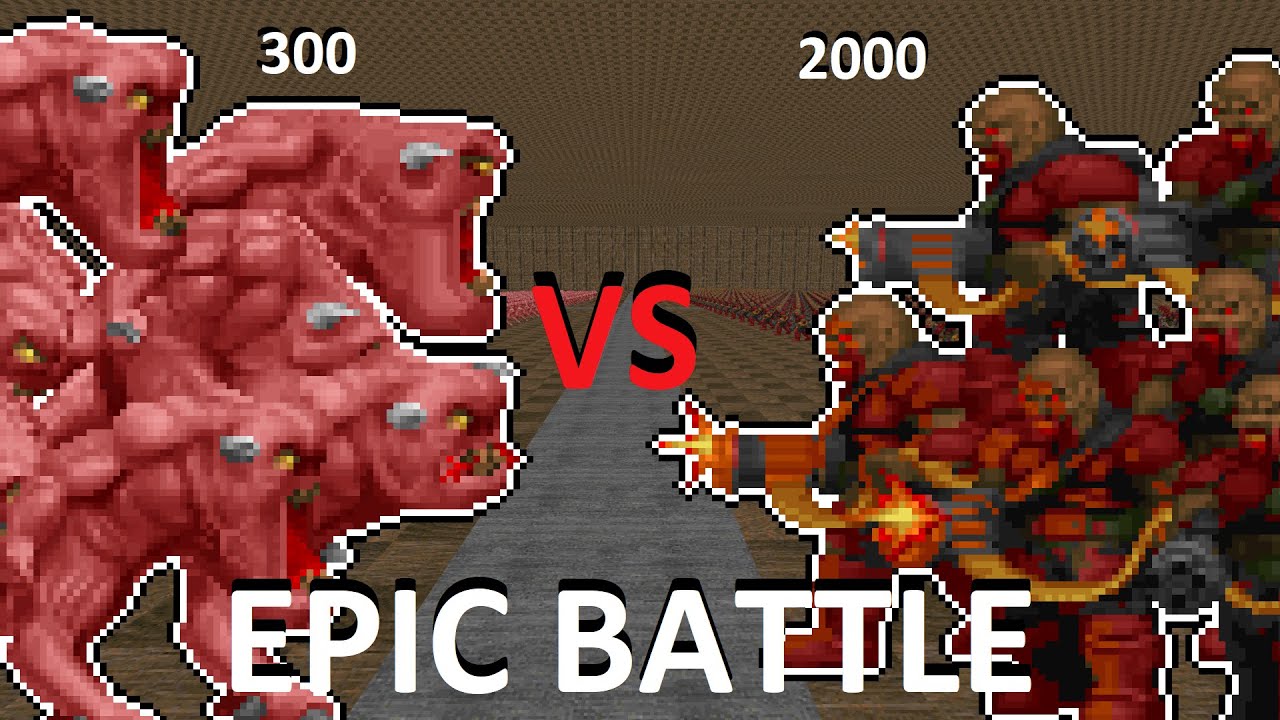
The Ultimate Battle. Who will win?
Finally uploaded a video again after two weeks. Sorry for the inactivity but my ass is just so lazy and dumb i can't upload faster. But i hope you will enjoy this.
slate maple
through scripts in ACS
#include "zcommon.acs"
script 1 ENTER
{
Thing_Hate(1, 2, 2);
Thing_Hate(2, 1, 2);
}
and then for the "factions" you would do this;

 pallid bronze
Thank you so much!
glacial skiff
I would like to point out that you can also do this in Decorate, but the ACS method is perfectly good and is still how I usually do it

 haughty flower
solar brook
Made a little teaser video hehe
haughty flower
solar brook
Made a little teaser video hehe
BRO THATS LOOK ASWOME
Heritic type shit
 lyric oar
i wanated to ask, how do i extract music from a WAD using Slade?
There´s this midi i want, Quantum Strike Map 3, but i can´t find it anywhere and i can´t decompress the wand to search in
karmic egret
is this enemy done correctly?
pallid bronze
Yeah, looks good to me. Just need to make the SS_START and SS_END be at the start and end
karmic egret
ok
 glossy hull
lyric oar
i wanated to ask, how do i extract music from a WAD using Slade?
There´s this ...
glossy hull
lyric oar
i wanated to ask, how do i extract music from a WAD using Slade?
There´s this ...
open in slade -> filter for Audio -> find the right one and right click to export
runic breach
is there any way to let vertical autoaim work in brutal doom
pallid bronze
doesn't autoaim already work for brutal doom? if not just turn up your autoaim in gzdoom settings
runic breach
pallid bronze
doesn't autoaim already work for brutal doom? if not just turn up your autoaim i...
vertical autoaim doesn't work
i'll just mess around with the code ig
i pray to god sgt. mark iv didn't write spaghetti code
runic breach
runic breach
vertical autoaim doesn't work
ok it works in purist mode
pallid bronze
Why does it matter if you can look up and down?
runic breach
pallid bronze
Why does it matter if you can look up and down?
i screwed up my vertical sensitivity a while back and can't make it feel right anymore + i avoid mouselook when i can because i'm not used to having it in doom and i get a little dizzy with it on sometimes
i get dizzy because the game feels wobbly with mouselook on
karmic egret
pallid bronze
Yeah, looks good to me. Just need to make the SS_START and SS_END be at the star...
how come it won't let me spawn the enemy in ultimate doom builder?
pallid bronze
karmic egret
how come it won't let me spawn the enemy in ultimate doom builder?
did you give it an id number?
like "ACTOR exampleMonster 3140"
without the id udb doesnt recognize it
if the sprites didn't work then it just wouldnt render the sprites and give you the error sprite
karmic egret
Oh
karmic egret
ae i still don't get why I can't see the enemy in ultimate doom builder
karmic egret
pallid bronze
if you want me to help
I've been trying for two days straight and I haven't gotten it to work
karmic egret
pallid bronze
I need to see the decorate/zscript code
ok I'll dm
pallid bronze
How many custom enemies should I put in my custom episode?


 crimson oxide
 karmic egret
pallid bronze
How many custom enemies should I put in my custom episode?
karmic egret
pallid bronze
How many custom enemies should I put in my custom episode?
How long is it?
orchid dome
is it possible to create rising pillars/platform on top of another moving platform?
pallid bronze
karmic egret
How long is it?
It’s an episode so 10-11 levels
 upper sun
98
pallid bronze
That’s oddly specific
upper sun
Yes
pallid bronze
Why 98?
upper sun
Now do it or else
pallid bronze
But why 98?
upper sun
Because i want it so
pallid bronze
fair
pallid bronze
Has anyone made a doom hunter recreation?
There’s a marauder one just no doom hunter
haughty flower
dark or bright? which do you like?

 solar brook
haughty flower
dark or bright? which do you like?
solar brook
haughty flower
dark or bright? which do you like?
Dark
btw. great work on the environment!
haughty flower
🙏 thx for the feedback KEKZ
glacial skiff
You already appear to be using dynamic lights, so why not use them to highlight the interesting contours visible in the bright shot but without using as much sector brightness to achieve the effect
(e.g. use the darkened version as a base, then add thing #9800 with subtle values to help simulate natural light bouncing and highlight the cool landscape)
haughty flower
so glad i asked here-- thank you for your opinion and insight Diema
glacial skiff
Someone from another server noticed a kind of fun construct with Zscript -- when talking about flags, the expression FLAGNAME==false evaluates to the expected value, just for the wrong reason
It's neat that you can do stuff like that and even make such a mistake without ever knowing it's wrong
(For example, passing a flag to A_SpawnItemEx or whatever)
slate maple
pallid bronze
How many custom enemies should I put in my custom episode?
one thousand three hundred thirty seven
haughty flower

Mod DB
!!!!MORTAL KOMBAT!!!! Ultimate Mortal Kombat DOOM is a fan mod deveoped to make the player feel like their favorite fighters in UMK3, the Klassic Arcade fighting game! Brutalizese your way through demon hordes and FINISH THEM! !
karmic egret
who can actually explain the sprite rotation system I'm so confused by it
karmic egret
haughty flower
https://www.moddb.com/mods/ultimate-mortal-kombat-doom/downloads/ultimate-mortal...
nice mod
haughty flower
karmic egret
nice mod
thank you!
karmic egret
karmic egret
who can actually explain the sprite rotation system I'm so confused by it
Can anyone help with this pls?
glacial skiff
Open doom2.wad and look at the sprites starting with TROO
That will explain it 90%
karmic egret
glacial skiff
That will explain it 90%
I tried that but I don't get how the sprites look right when none of the sprites look like they do
glacial skiff
That is what the second pair of characters is for - TROOA2A8 translates to frame A8 is horizontally mirrored from frame A2
You do not have to name your sprites this way if you do not want mirroring
karmic egret
Oh
 spiral orchid
any suggestions for mods ive just started modding my doom 1 and 2 through ZDL and Gzdoom
i have brutal doom because i really enjoy it but im looking for mainly wepon and enemie mods
runic breach
spiral orchid
any suggestions for mods ive just started modding my doom 1 and 2 through ZDL an...

YouTube
Home of Doom Mod Madness and some other stuff.
Find me elsewhere on the net:
Twitch ► https://www.twitch.tv/mr_icarus/
Twitter ► https://twitter.com/ICARUSLIV3S
Patreon ► https://www.patreon.com/MrIcarus
Soundcloud ►https://soundcloud.com/icarusliv3s
Bandcamp ►https://icarusliv3s.bandcamp.com/
Reddit ►https://www.re...
recommendations i instantly think of are high noon drifter and dakka
hideous destructor is also a pretty cool mod
epic mapsets would be auger;zenith, diabolus ex, eviternity, and corrupted cistern
karmic egret
If I can't make the sprite enemy today then I'm going to ask someone to do it cause I've been trying for 3 days
glacial skiff
If I may be so bold, Doom 64 in Doom 2 is a mapset that I think came out good :)
 haughty flower
Diema, you shouldn't have told me about dynamic lights yesterday 😅
first pic, one hour after Diema educated me on dynamic lights.
second pic, two hours.
third pic, 5 hours 😂 thanks again for that tip!.


General feedback welcome from all who may view ❤️ thanks for looking
runic breach
haughty flower
Diema, you shouldn't have told me about dynamic lights yesterday 😅
first pic,...
looks SICK
haughty flower
sick would be the direction I'm heading-- something might be working. thanks Flash 🙏
runic breach
can't wait to play it (if you intend to release it, of course)
haughty flower

Mod DB
Dedicated to the T-1000, Terminator Mayehm: liquid metal edition, is a simple gameplay mod that replaces the playerclass with the imposing T-1000. fully equipped with the full roster of weapons, mug sprites, and player sprites as new graphics. this update...
 safe cave
im trying to make a friday the 13th camp crystal lake map and other locations from the friday the 13th films for my Friday the 13th wad DM me
 kind badge
I made a thing:
https://www.youtube.com/watch?v=BH69nEYJqMY

Doom 2 PWAD / Industrial Techno EP
Download: https://www.dropbox.com/s/scrn9cbu0qulhr0/never1_0.zip?dl=0
All original OST: https://soundcloud.com/borden-jardine/sets/never-ep?utm_source=clipboard&utm_medium=text&utm_campaign=social_sharing
haughty flower
 solar brook
Some non-euclidean bull-sh*t
haughty flower
omg, how? 😄
you can keep your secret a secret, but that's what comes to mind, lol. how did he do that?
 shadow trail
maybe he did it using the line teleport thing
solar brook
haughty flower
you can keep your secret a secret, but that's what comes to mind, lol. how did...
4 rooms for each side and then just do a "Portal Line"
haughty flower

Mod DB
Dedicated to the T-1000, Terminator Mayehm: liquid metal edition, is a simple gameplay mod that replaces the playerclass with the imposing T-1000. fully equipped with the full roster of weapons, mug sprites, and player sprites as new graphics. this update...
haughty flower

This was also not on YouTube, and needed to be.
safe cave
hey guys im making a remake of zblood for ultimate doom its called Gzblood dm me if you want to help me...
i used Zblood as a base... im planning on adding maps from blood and the mods like bloody pulp fiction and death wish etc and midis from other media...
dm me if intrested...
and there's custom weapons too!
 ebon sundial

Mod DB
This is the second version of the mod. Fix some errors and adds new details and has two addons which replaces the pistol because i don't know how to do them. Enjoy the mod
 karmic egret
I just want to ask how come I can't place/pick the enemy in things mode in ultimate doom builder but when I go in-game I can spawn the enemy in
glacial skiff
karmic egret
I just want to ask how come I can't place/pick the enemy in things mode in ultim...
You need to assign the enemy a Doomednum
runic breach
any mapsets for embers of armageddon eternal?
i saw a mapset that recreated the first part of doom eternal on yt
but i can't find it
safe cave
Can somebody Dm me for my GZBlood project...
glacial skiff
Having fun with models
 haughty flower
im dissatisfied with the revenant variant of my terminator monster replacer mod, so im making new sprites for him.
 haughty flower
glacial skiff
Having fun with models
haughty flower
glacial skiff
Having fun with models
that's looking pretty sweet. ominous. sky texture custom?
glacial skiff
All assets are custom. The sky is something like 8 3D floors which waggle and 10 or so dynamic lights that pulse in weird timings
The idea is, take a single 256x128 texture and layer it in different scales and rotations and have them all scroll in slightly different directions. It seems to be a pretty good way to hide the tiling in the low res cloud texture
Note the decals on the floor, including alpha transparency 😏
Not something that has never been done before, but something more people should try imo
haughty flower
can't wait to see that rendered in game  i mean, not just a picture. video or in game footage
glacial skiff
Here's that
safe cave
So i need somebody for my Gzblood project...
 elder merlin
 crisp dragon
glacial skiff
Here's that
crisp dragon
glacial skiff
Here's that
Goddamn
haughty flower
glacial skiff
Here's that
dynamic lights can pulse? skies can scroll? that's a killer sky/scene! excellent job
royal wave

Not a traditional FPS nailgun, but it'll still shred through enemies. Great for crowd control. #Gardevoir #Doom
 Twitter
·
runic breach
Twitter
·
runic breach
horde mode-ish mod for classic doom?
i remember the one with shaders that would fry my pc
 neon steppe
how can i put more levels in this wad?
 glacial skiff
File > Save Map Into...
elder merlin
neon steppe
glacial skiff
`File > Save Map Into...`
Thx
karmic egret
glacial skiff
Having fun with models
it looks super nice
karmic egret
glacial skiff
You need to assign the enemy a Doomednum
er could you give me a DECORATE example or zscript example?
glacial skiff
Mapinfo:
  1000 = NewEnemy
}```The number on the left is the number you would use when placing the thing in Doom Builder, and the name on the right is whatever classname you chose
karmic egret
I tried that but all I get is an error
I'm not really worried about the first error so you can ignore that but idk why the second one pops up whenever I tried to load in the wad


 karmic egret
oh
karmic egret
glacial skiff
(In the ZSCRIPT lump)
what about the second one though?
glacial skiff
Not really a problem for the most part. Just because the editor can't find something doesn't mean it won't work in GZDoom
karmic egret
well fuck
karmic egret
glacial skiff
Not really a problem for the most part. Just because the editor can't find somet...
no like I think thats the reason why I can't choose the enemy in ultimate doom builder (I can spawn it though the console)but idk what to do about it
karmic egret
mk
karmic egret
glacial skiff
In Doom Builder, I mean
so I just copy and paste the thing in mapinfo to doom builder?
actually I've got an idea
ima try setting the position of the "cato" to where the enemy is supposed to be
using utltimate doom builder
 solar mica


Second is a gameplay side project, named Improvisation, and I'll just let this video do the explaining, lol.
#doom #doommod #WIP #gamedev #screenshotsaturday
Twitter
·
karmic egret
Still can't figure out why the mapinfo won't work
Or why I can't see it in ultimate doom builder but I can spawn it
 lost flame
Doomworld
Name: (THE DEMENTED TRIALS)Map Format: (UDMF)Ports Tested: (Only GZDoom 4.7.0 but it should work with any GZDoom past 4.0.0)IWAD: (Doom 2)Map(s): (MAP01)Music: (Title theme is Above the Carnage by Jimmy, Level theme is Way of the Odonata by Dragonfly, and the ending theme is Briefing from Descent...
unkempt tartan
Doomworld
Necromancer Hard Data: Vanilla Doom, No custom assets, All genuine Doom textures and monsters Port: GZDoom Format: UDMF IWAD: Doom 2 Does NOT require jumping, freelook or other software renders Details: 3 Level WAD Power Source, Baalstrom, Black Bone Fortress All levels were meant to have a genui...
unkempt tartan
lost flame
https://www.doomworld.com/forum/topic/129117-the-demented-trials-a-udmf-otex-map...
Check yours when I get home
solar brook

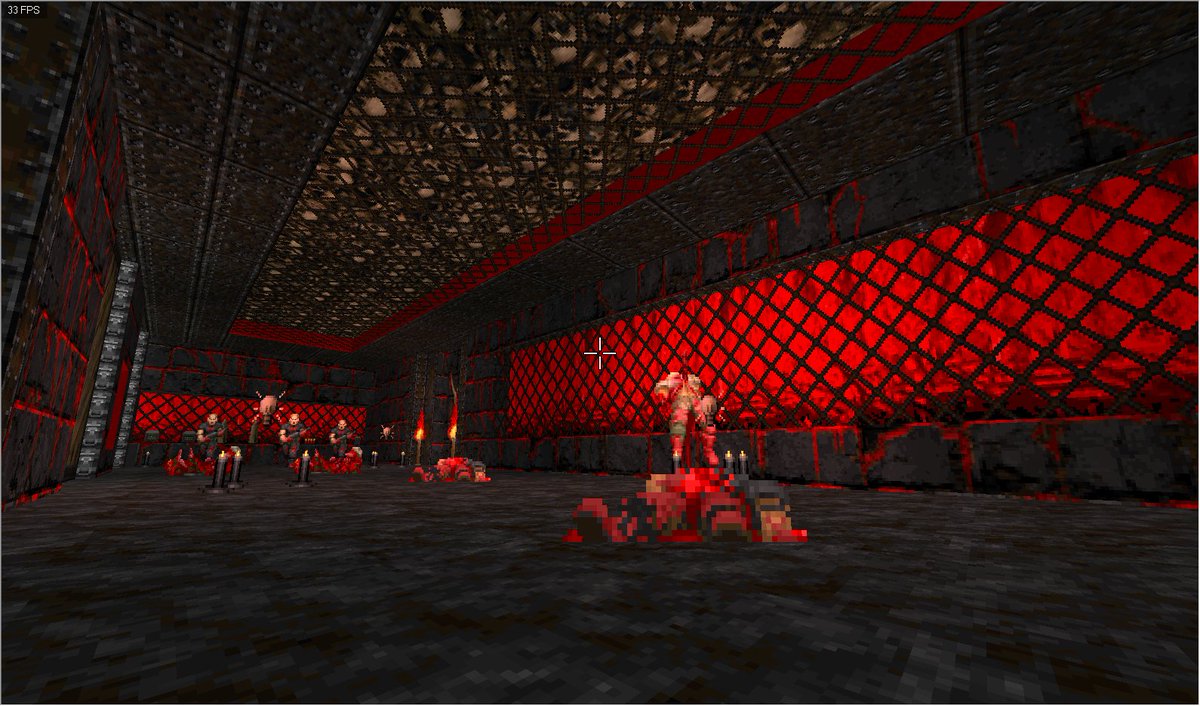
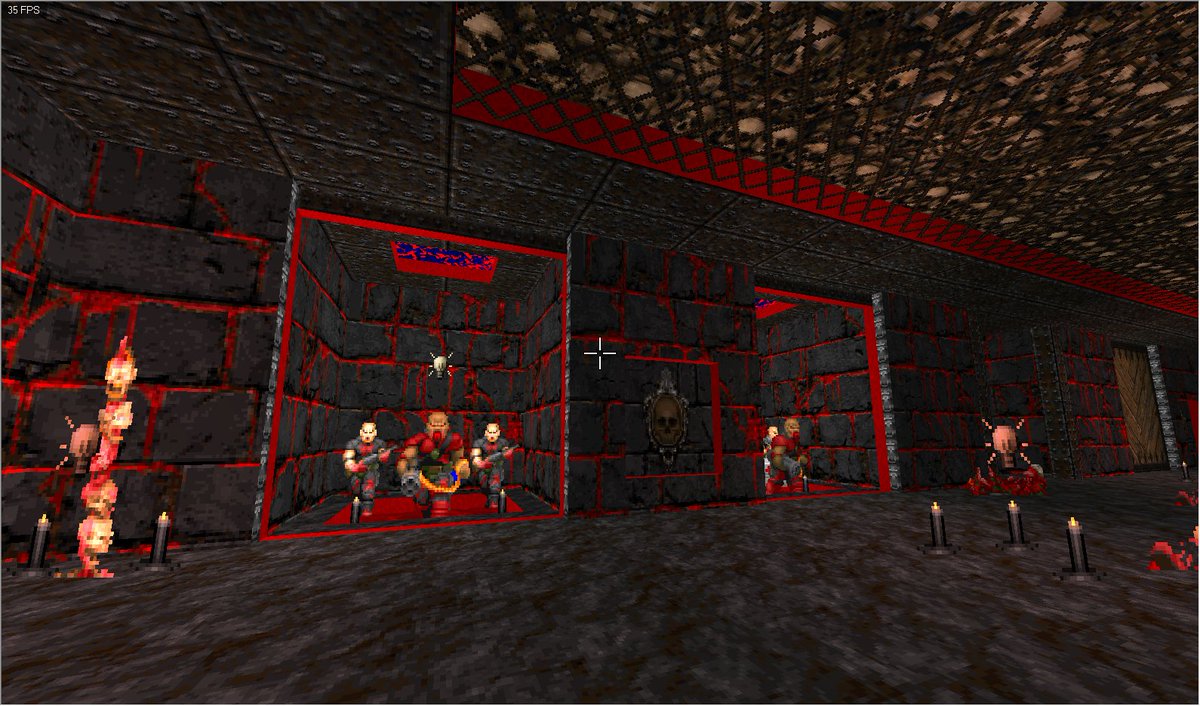
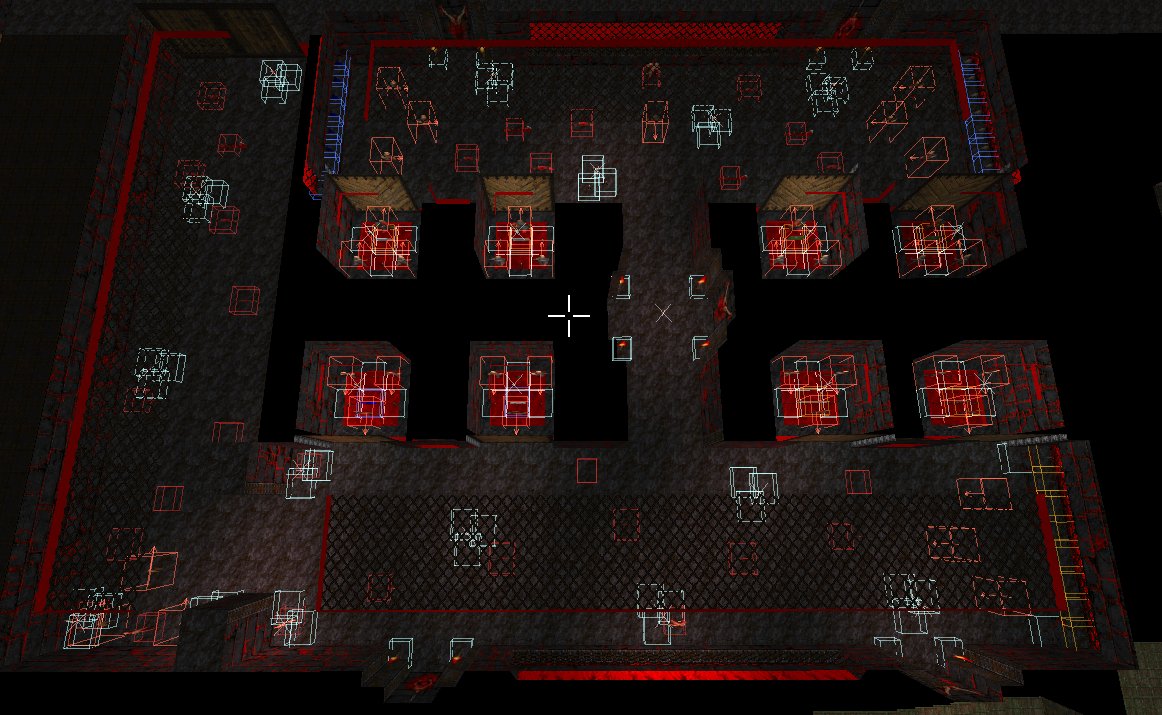
 glacial skiff
solar brook
https://twitter.com/__KEKZ__/status/1523787810398142464
glacial skiff
solar brook
https://twitter.com/__KEKZ__/status/1523787810398142464
You should try making that skull ceiling sloped 😉
slate maple
like the bleeding stones. are they animated? Did you draw those?
 safe steppe
 deft horizon
Do you have the latest version installed?
deft horizon
i found the problem out literally a minute after sending that
haughty flower
terminator plasma gatling, i've updated the graphic for the Resistance Weapon Pack
 runic breach
very cool
karmic egret
I'm just curious but I'm wondering if it's possible to load several sprites into doing one action like an animation
slate maple
i dont understand, need more info
you can create many custom states to have a monster enter into, and many different conditions for him to do so.
karmic egret
slate maple
you can create many custom states to have a monster enter into, and many differe...
Like uhhh ig three sprites for one state its a bit hard to explain
Like those three sprites are supposed to be used for one state only
slate maple
merge those three into a single sprite? Not really sure
runic breach
karmic egret
Like uhhh ig three sprites for one state its a bit hard to explain
like
each of these bean circle things are 1 sprite and you see them like this in that state?
 karmic egret
runic breach
each of these bean circle things are 1 sprite and you see them like this in that...
karmic egret
runic breach
each of these bean circle things are 1 sprite and you see them like this in that...
Yes
karmic egret
slate maple
merge those three into a single sprite? Not really sure
Yes that's what I'm trying to say
lost flame
Doomworld
Name: (THE DEMENTED TRIALS)Map Format: (UDMF)Ports Tested: (Only GZDoom 4.7.0 but it should work with any GZDoom past 4.0.0)IWAD: (Doom 2)Map(s): (MAP01)Music: (Title theme is Egypt by Ribbiks, Level theme is Way of the Odonata by Dragonfly, and the ending theme is Briefing from Descent 2, ripped...
deft horizon
safe steppe
Do you have the latest version installed?
yes
and its not working it keeps crashing
neon steppe
is GZdoom better than Zdoom?
crisp dragon
Yes, ZDoom is outdated
deft horizon
how do i fix C0000005 error
 sinful loom
anyone knows how to make a duke nukem 3d pistol style reloading in dehacked?
royal wave

My good friend @Kaapeli47 has added my Gardevoir sprites to his Insanity Deathmatch doom mod for Zandronum, here's some footage of it in action!
Twitter
·
haughty flower
imagine someone made doom eternal in doom 2
 agile shoal
haughty flower
imagine someone made doom eternal in doom 2
agile shoal
haughty flower
imagine someone made doom eternal in doom 2
google "Doom EOA eternal"
slate maple
agile shoal
google "Doom EOA eternal"
yay more custom sprites to mess with.
 quaint scroll
anybody knows some less abstract doom wads?
i just dont like the level designs on the original doom, doom 2, tnt and plutonia, its too abstract
glacial skiff
Are you certain you're asking the right audience...?
 bright owl
There’s stuff like Auger Zenith (I think that’s how it’s spelled) but in general there’s a good bit of abstract in Doom levels. Like, as a standard
slate maple
quaint scroll
anybody knows some less abstract doom wads?
My maps are less abstract and more realistic, but still not up to proper building code.
OHSA would have a field day
quaint scroll
bright owl
There’s stuff like Auger Zenith (I think that’s how it’s spelled) but in general...
idk, i just love the original quake's level design, its not as abstract as doom but its still kinda abstract to create that unknown feeling
and i wanted a wad like that
slate maple
Fined for blocking a doorway with a crate and barrel
quaint scroll
slate maple
My maps are less abstract and more realistic, but still not up to proper buildi...
do you have any videos of your maps? or just screenshots
slate maple
Hell is always abstract
I posted screenshots?
Maybe can’t remember
It’s a lot of tech bases with hellish slayer gates
Ep1-4 are made, just QA testing right now
bright owl
Hell should always be abstract because that gives you plenty of leeway to make different locales in Hell feel wildly unique.
 unborn lark
since the DOOM maps already have classic maps why not replace slayer gates with DooM2 maps in a mod lol.
unborn lark
unborn lark
since the DOOM maps already have classic maps why not replace slayer gates with ...
wait a minute, the space just removed itself...
solar mica
https://twitter.com/Darsycho/status/1525689852557201409
standalone game using Lzdoom, guess it goes here? Lmk where to post if it isn't
Some strange entities to encounter in these worlds...
#EnigmaticWorlds #screenshotsaturday #gamedev #indiegamedev
 Twitter
·
Twitter
·
 wild oxide
Mind if I ask for some quake advice?
 proper summit

I upload more here: https://www.youtube.com/channel/UCdc_JyNaB5VJ0gdWUtWfGDg
I also stream here: https://www.twitch.tv/pyrocynical
Twitter ► https://twitter.com/pyrocynical
TBH Podcast: https://www.youtube.com/c/TBHpodcast
Discord server: https://discord.com/invite/pyrocynical
Total Chaos mod: https://www.moddb.com/mods/total-chaos
Pyro Stor...
haughty flower
I love how easy it is to make new things for classic doom
runic breach
wild oxide
Mind if I ask for some quake advice?
which quake game
if it's quake 3 arena or quake live i think i can help
or quakeworld
 sand moth
So, While I was testing out my WAD I found out that you keep the Weapons from the previous level, Is there any way that I can prevent that from happening in my WAD?
wild oxide
runic breach
which quake game
Quake 1
runic breach
wild oxide
Quake 1
what advice do you need
wild oxide
Demo editing
runic breach
can't help
sand moth
sand moth
So, While I was testing out my WAD I found out that you keep the Weapons from th...
can anyone here help me?
runic breach
sand moth
So, While I was testing out my WAD I found out that you keep the Weapons from th...
killing the player at the end is usually how it's done
google "how to force pistol start doom"
sand moth
all I see is a mod and some people talking about commands that keep pistol start, I'm making a WAD for other people to enjoy, and i want then to start with a pistol every level without them having to do anything
runic breach
i think this can help
sand moth
thanks
but wait, I already made map02, is there a way to like, rename it, or something?
I cant just make map01.5
Is there a way I can do something about it? @runic breach
safe steppe
sand moth
but wait, I already made map02, is there a way to like, rename it, or something?
You can rename maps in the slade editor
sand moth
safe steppe
You can rename maps in the slade editor
and can you explain how?
safe steppe
Open up the map in slade, choose map you want and click F2 to rename
If you don't have slade 3 downloaded, download it now
sand moth
safe steppe
Open up the map in slade, choose map you want and click F2 to rename
thanks, hope this works
@safe steppe one more thing i want to ask, how can i make a room super dark?
safe steppe
In Doom Builder, you can right click a sector with the sector tool and choose a brightness value from 0 to 256
You can also select multiple sectors at a time
Or select sectors using visual mode
sand moth
thanks
haughty flower
just got udb working on linux
safe steppe
for me the controls are completely broken in visual mode and it crashes often
haughty flower
thats strange
safe steppe
good thing I have a dual boot
haughty flower
im using it with wine i found a tutorial online on how to install udb
haughty flower
i only have 250gb and windows takes a lot of space
safe steppe
Windows 10 takes up an entire 40GB by itself on my pc 😐
safe steppe
that's insane how is that possible
haughty flower
now im going to remade my school in UDB and add my teacher face to ALL deamons
its going to be very funny
safe steppe
so your teacher is doomguy
haughty flower
no, my teacher is the deamons
haughty flower
my class makes fun of that teacher because he doesnt explain nothing and doesnt like classes
so we make memes about him
but yes its very edgy
karmic egret
does anyone know why all the textures are black and white
royal wave

Working on a helper library for object hierarchy drawing in ZScript for #Doom
Behold! Screensaver Doom.
Twitter
·
royal wave
Made the current code public: https://github.com/kevansevans/HudObjects
GitHub
ZScript library for GZDoom that offers cascading hierarchical ordering - GitHub - kevansevans/HudObjects: ZScript library for GZDoom that offers cascading hierarchical ordering
haughty flower
runic breach
google "how to force pistol start doom"
use the clev cheat
 marble sentinel
what are some mods and wads you guys can recommend that were released (or at least got a major update) after mid-2021
i left the community temporarily from mid 2021 to early 2022, and would like to know if anything major has happened since then
glossy hull
TNT Devilution is finally in public beta
slate maple
I used noclip and I got stuck here, how do i get out? Its spooky
 runic breach
kill the walls
 upper bloom
what is the easiest way to mod classic doom, like sprites, sounds and maps?
glossy hull
ultimate doom builder for mapping and slade for editing/adding assets
safe steppe

To add or modify textures for your Doom WADs, you will need Slade3: https://slade.mancubus.net/index.php?page=downloads
For more WAD editing tools, click here: https://doomshack.org/doomtools.html

If you like this, please consider a Patreon subscription! https://www.patreon.com/Doomkid
Modding Doom is easy once you get the hang of it! Download the tools here:
WhackEd 4: http://www.teamhellspawn.com/exl/whacked4/
DeHackEd (OPTIONAL): https://www.doomworld.com/forum/topic/117871/
Slade3: http://slade.mancubus.net/index.php?page=downloads
Ev...

Good video tutorials for starting out
upper bloom
thnx you guys
 final yacht
I need recommendations for slaughter maps that are more fun than hard, if anyone got any please please share and also tell me which portable source I better use for it
final yacht
thank you
 steep fern
how do i play brutal doom on the doom 2 maps in gzdoom?
solar mica

ehehehhee fun times
whole blade
final yacht
I need recommendations for slaughter maps that are more fun than hard, if anyone...
Microslaughter community project, the slaughter spectrum, combat shock 1 and 2, new gothic movement 1 and 2
runic breach
a mod that lets enemies move while attacking would be sick
upper bloom
solar mica
https://twitter.com/Darsycho/status/1527109396622344194
Thats cool lol
neon steppe
Its actually just 1 map but anyways
man, iam bad at texturing
oh yeah, it doesnt matter that its ZDoom: doom 2 in hexen format its still gonna work in GZdoom
upper bloom
neon steppe
Its actually just 1 map but anyways
whats this map about?
neon steppe
upper bloom
whats this map about?
suffering
upper bloom
gohdamn
royal wave

 heady ridge
Here’s a map I am working on. https://youtu.be/HxiSRMFi268
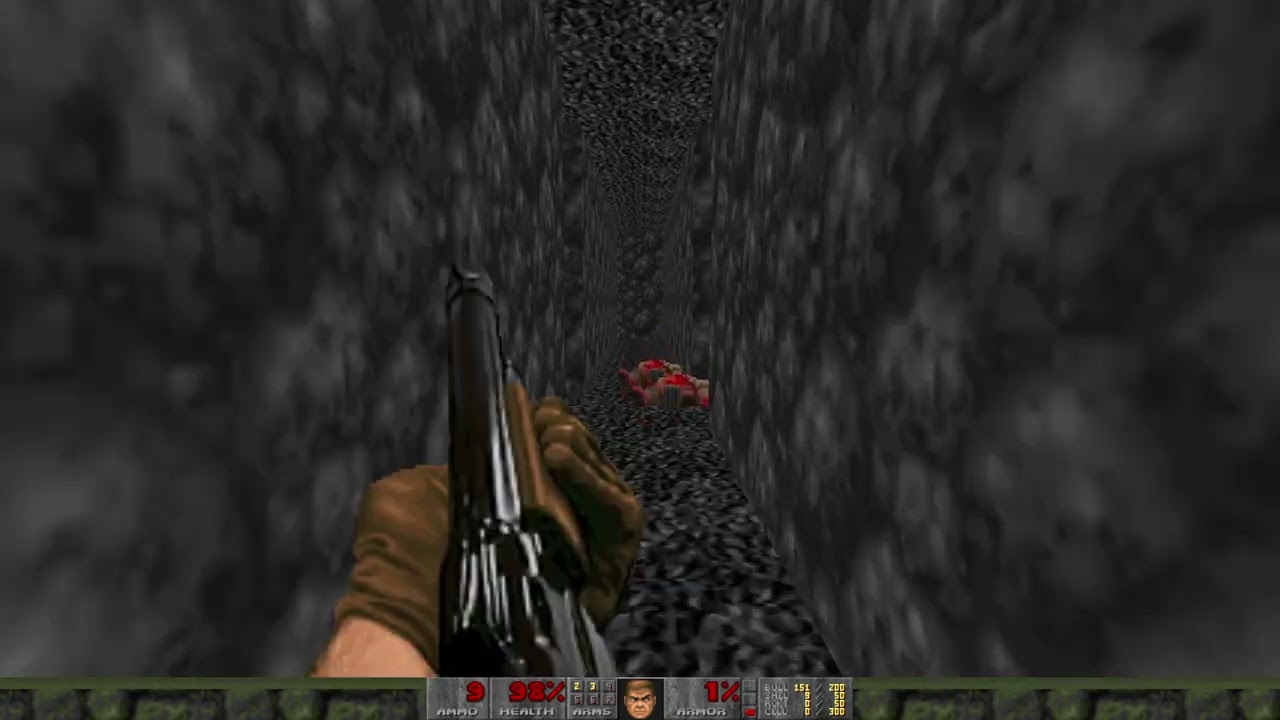
Some gameplay of a mod for GZDoom that I am working on.
I haven’t figured out all of the story, but it isn’t “Doom” story wise, instead it’s basically it’s own thing, but uses GZDoom and Doom 2 assets.
In fact I might replace almost all of the assets by time it’s done.
 dull steeple
Hey how do I play Doom 1 in gzdoom?
I have The Ultimate Doom and Doom 2 on steam, but only doom 2 is showing up as an option in the gzdoom menu
Or does gzdoom only work with Doom 2
solar mica
upper bloom
Thats cool lol
ty (:
heady ridge
dull steeple
Or does gzdoom only work with Doom 2
I hear it works with Doom 1.
Though why it's not working for you is a mystery to me.
dull steeple
these are the only two options when i open gzdoom
 heady ridge
Good to your GZDoom folder
 dull steeple
doesnt look like theres any .ini files, but i might be in the wrong folder
 heady ridge
Huh
Maybe copy and paste your Doom 1 WAD into the folder and see if GZDoom notices it
dull steeple
Okay, found this, so just move it into the "gzdoom windows 64bit" folder?
 heady ridge
Copy
dull steeple
yeah copy
heady ridge
that way the original continues to work as usual if you wanted to use it that way
 dull steeple
Yeah I’m trying to play the brutal doom “Extermination Day” wad
Not sure if it’s supposed to be for Doom 1 or Doom 2
There we go, now it’s workin
Only one teensy problem
heady ridge
dull steeple
Only one teensy problem
What problem is that?
dull steeple
the menu font is oversized. which setting is that in again?
 dull steeple
Nothin. Ah, I can live with it
runic breach
runic breach
a mod that lets enemies move while attacking would be sick
i wonder if it's even possible
dull steeple
runic breach
i wonder if it's even possible
There is one modded enemy I can think of that does
It’s that flying shotgunner from Project Brutality. The one based off of the pig cops from Duke Nukem
Actually, I think the nazis in brutal doom move while shooting as well
runic breach
nice, maybe i'll steal their code
iirc there's also one in scythe 2
or maybe those were just zombies that moved fast
whole blade
runic breach
i wonder if it's even possible
It's definitely possible in gzdoom. mbf21 maybe as well. But you'd have to code and animate the enemies from scratch
runic breach
whole blade
It's definitely possible in gzdoom. mbf21 maybe as well. But you'd have to code ...
yes
i know my way around c++ so zscript shouldn't be that hard
however i can't find a good doom modding tutorial out there
whole blade

GitHub
ZScript entry guide. Contribute to jekyllgrim/ZScript_Basics development by creating an account on GitHub.
Probably the best place to start
(You're right though, there is a lack of tutorials for zscript)
runic breach
whole blade
https://github.com/jekyllgrim/ZScript_Basics
thank you
 last burrow
https://youtu.be/SOhPwUnbEWM here is my first doom II level

this is the doom wad im working on, this is just a rough draft of the final thing, so count this as like what you are gonna see in MAP01
 stuck kite

 tacit sleet

 spiral mural
We all know what the best doom mod is.......
runic breach
how do you replace a monster using zscript?
runic breach
spiral mural
We all know what the best doom mod is.......
zmovement
runic breach
runic breach
how do you replace a monster using zscript?
once again asking this but for all classes
runic breach
do you just do the class : otherClass replaces yetAnotherClass

 toxic pier
A HUD project I've been working on with a friend: https://forum.zdoom.org/viewtopic.php?f=46&t=75282
It's currently-compatible with...
Vanilla Doom
Smooth Doom
PerK's Smooth Weapons Enhanced
Led's Generic Weapon Mod
BDLite
Brutal Doom Platinum v2.0
Unlike other HUD projects, one PK3 fits all, no need to load external plugins. HUD is compatible with both GZDoom and Zandronum.
Discussion about ZDoom
haughty flower

Mod DB
Terminator Mayhem Arnea: Classic edition is a zandronum mod for terminator fans and fan of deathmatch. Battle with bots or friends in a FAST time to kill deathmatch! Play as the T-800 terminator and Frag you way to victory! this update has the adds new...
toxic pier
New version of Brutal Doom Platinum, v3.0: https://forum.zdoom.org/viewtopic.php?f=43&t=73991
And HXRTC HUD Platinum has also been updated, to add support for the aforementioned BDP: https://forum.zdoom.org/viewtopic.php?f=46&t=75282
Discussion about ZDoom
Discussion about ZDoom
safe cave
stuck kite
He looks like jaxen ross from jaxen ross is back
neon steppe
i want to play others maps...
blazing crag
does anyone have a recommendation for which map plays well with the mod Highway Acceleroid Booster?
 grizzled wharf
My first try at making a doom "map" with a program (it is just the spawn point. what do you guys think ?
 runic breach
looking good
runic breach
blazing crag
does anyone have a recommendation for which map plays well with the mod Highway ...
big open slaughtermaps usually work well with highway acceleroid booster
sunlust map 28 was pretty fun wth zmovement but i haven't tested it with HAB yet
 loud spruce
https://twitter.com/GreenL3gacy/status/1521058987579707392?s=20&t=wSpo3a6XGKvnlZUJuOjHGQ
Come to think of it, the (GZ)Doom engine isn’t just about FPS, like many other engines. This is sorcery at its finest.
Time to make it playable!
#pixelart #indiegame #indiedev #gamedev #gzdoom #アクションゲーム #ゲーム開発 #ゲーム制作 #ドット絵
Twitter
·
runic breach
i love the gzdoom engine
whole blade
Very cool looking. Although it is very hard to make platformers feel 'right' in gzdoom due to the inherently floaty movement. That looks sharp tho
runic breach
how do you even change the perspective
safe steppe
runic breach
how do you even change the perspective
GZDoom has very customizable cameras to change the perspective or play cut scenes
There are several types of cameras in ZDoom. The following topics covers them and their uses.
Normal cameras:
AimingCamera looks at a target and its sight follows it.
MovingCamera travels along a predetermined path.
SecurityCamera pans from side to side in a specific area.
Camera functions:
Camera textures display the sight from a normal camera...
runic breach
safe steppe
https://zdoom.org/wiki/Cameras
oh, thank you very much
neon steppe
I made three maps
nothing special, i used the normal textures and enemies
also it works in gzdoom too
 gloomy ore
Finished the first map right now its fine for the first one
Id add more enemies and a shotgun early
Because yknow more enemies
Second one done
Good job its pretty decent
Bro poor demon he was just pooping his things
anyhow good job
neon steppe
gloomy ore
Finished the first map right now its fine for the first one
Thx :)'
haughty flower

Mod DB
Battle against bots, or freinds as the Terminator in this highly lethal, low time-to-kill, intense Deathmatch, talored for Zandronum deathmatch! This file is the offical release of V2.2.1, below is a list of changes form 2.2 beta release and 2.2.1 offical...
 jovial ledge
neon steppe
I made three maps
jovial ledge
neon steppe
I made three maps
Pretty cool maps, third one especially!
Berserk in the first level is an objective good thing
haughty flower

Available now on MODDB!
royal wave
Fweeeeeeep
 ivory kettle
Doomworld
Hello Everyone! after a bit, I have completed Map07! this is my seventh map ever made, and its my largest one yet! I hope you enjoy! This is map07 of my 8-9 map episode Its about doomguy stopping demons from selling hell crack to people, kinda like a anti-drug wad. also this wad as a intermission...
I made a map you guys wanna try it out?
 sturdy badger
i need some help, i was trying to fix some parts of this map, but i can't seem to open the map in ultimate doon builder, but is still openable in gzdoom, not to mention i had problems trying to open the map in gz doom, after just editing it in slade...
solar mica

Not much for this Saturday, been focused on a friends game, and for Enigmatic Worlds I've focused on layouts and coding, nothing screenshot worthy yet.
But here's an improvement to the bat weapon in Improvisation!
#screenshotsaturday #WIP #doom #gamedev #doommodding #modding
Twitter
·
flat pebble
How would I go about making a short animation in Ultimate doom builder?(with recording software aside), I want to make something from a 3rd person view, and dialog(I know to use scripts for dialog)
whole blade
flat pebble
How would I go about making a short animation in Ultimate doom builder?(with rec...
You mean an in game cut scene?
Camera things, but you can only do it in a port that supports it (zdoom based ports)
237:ChangeCamera (tid, who, revert)
tid: Thing ID of the camera to use (0 for normal player's view)
who: Set to 1 if the view change should affect all players
revert: Set to 1 if movement should cancel the special
flat pebble
yes, so if I where to make a cutscene, would I just move the camera entity then?
But would I be able to move if the view is changed? didn't see revert option
whole blade
0 for normal players view in the TID argument
It's a separate actor for a moving camera but yes, you can move between different camera points


 charred haven
lusty dove
which ones do i use
charred haven
lusty dove
which ones do i use
D4V.WAD should be it
karmic egret
does the gun look weird to you guys?
ivory kettle
Doomworld
Hi there! Johnny here, for the past 3-4 months I have started mapping.. and here it led up to this... HELL CARTEL! Hell Cartel is a wad where you take place as Doomguy stopping demons from selling demonic hell crack... I guess you could call it a Anti-Drug wad Anyways... I merged all my 7 maps I ...
I made a wad
karmic egret
Who tf pinged
 noble parcel
karmic egret
does the gun look weird to you guys?
noble parcel
karmic egret
does the gun look weird to you guys?
yeah looks like the players hand should be further up
could be the angle
what is it supposed to be
karmic egret
noble parcel
could be the angle
no its the pistol slide I think now that I think about it
karmic egret
noble parcel
what is it supposed to be
handgun
noble parcel
got that bit
noble parcel
noble parcel
yeah looks like the players hand should be further up
unless its just a realy exaggerated grip safety
karmic egret
mk
haughty flower

Mod DB
Unzip the archive and start map using GZDoom source port as always. I hope, you liked my map!!!
agile shoal
karmic egret
Like the platform floating in mid air
Thats not possible in vanilla doom
But if you are only targeting gzdoom, then take a look at 3d floors
karmic egret
agile shoal
But if you are only targeting gzdoom, then take a look at 3d floors
I'm using gzdoom but idk how to make 3d floors
karmic egret
nvm I figured it out
haughty flower
karmic egret
does the gun look weird to you guys?
Ayo that looks awesome!! Is that a Test you're doing??
cerulean notch
Work in progress megawad

 karmic egret
haughty flower
Ayo that looks awesome!! Is that a Test you're doing??
karmic egret
haughty flower
Ayo that looks awesome!! Is that a Test you're doing??
Yes
 serene dragon
Does anyone know how I can create maps for doom 1993 and doom 2?
safe steppe
serene dragon
Does anyone know how I can create maps for doom 1993 and doom 2?
Ultimate Doom Builder
serene dragon
Thanks
safe steppe
Here is the link
safe steppe
There are only 2 up to date doom editors
Slade 3 is more suited for modding but can be used for mapping, Ultimate Doom Builder is purely for mapping
They are both equally easy to use
serene dragon
ok
Do I need resources to create the maps?
@safe steppe
send it to DM
How do I get the resources for the map?
safe steppe
Do you have doom 1 or 2 installed?
There should be a doom.wad and a doom2.wad file in your doom directory
serene dragon
I'm new to creating maps, I barely know how to put brutal doom on doom
safe steppe
Like did you install doom from steam or where exactly?
You need to go to your doom folder
and get the "DOOM.WAD" and "DOOM2.WAD" files
serene dragon
DOOM 3 BFG edition works?, because it brings doom 1 and 2
safe steppe
serene dragon
DOOM 3 BFG edition works?, because it brings doom 1 and 2
Check if there is doom.wad and doom2.wad in your DOOM 3 folder
I think it should work just fine
serene dragon
ok
serene dragon
My first map, since I was bored I made an impossible one, if you want to try the map, I recommend you to use GZDOOM
serene dragon
 hard rapids
Ok, do I just drop the .zip for Project Brutality into DOOM 2's base folder?
ok so dragging and dropping the .zip into the gzdoom program and running it makes it work
Guess it is that easy. Really be overthinking 25 year old software

 inner epoch
Doom E6M5 leak
 inner epoch
heady ridge
I love 3d Floors so much now that I understand how to do this...
inner epoch
heady ridge
I love 3d Floors so much now that I understand how to do this...
what
can this be done in doom builder 2?
runic breach
what are some good weaponsets and monster packs that work well together?
safe steppe
inner epoch
can this be done in doom builder 2?
You can with Ultimate Doom Builder
Doom Builder 2 is very outdated
Keep in mind however 3D floors are limited only to UDMF Format which is only supported by (G)ZDoom and Eternity engine
neon steppe
 inner epoch
safe steppe
Keep in mind however 3D floors are limited only to UDMF Format which is only sup...
inner epoch
safe steppe
Keep in mind however 3D floors are limited only to UDMF Format which is only sup...
so I use doom builder 2 since outside of 3d floors I don't see anything new and the builder 2 interface is much more comfortable (I use zandronum I really don't like gzdoom it has things that don't convince me)
inner epoch
runic breach
what are some good weaponsets and monster packs that work well together?
D4V wad
14 arms
And Doom 2016 enemigues
elder merlin
 whole blade
inner epoch
so I use doom builder 2 since outside of 3d floors I don't see anything new and ...
whole blade
inner epoch
so I use doom builder 2 since outside of 3d floors I don't see anything new and ...
8 bajillion things have been added to the editor suite since doombuilder 2 was last updated, and UDB runs better, crashes less and has an active dev team that fixes issues and is constantly making improvements.
inner epoch
whole blade
8 bajillion things have been added to the editor suite since doombuilder 2 was l...
yes, but doom builder 2 no longer has such big errors, I'm not saying that ultimate is bad, but rather that I feel more comfortable in doom builder 2 because of its interface and because it is somewhat more striking in some aspect or another, the 2 are good for create maps and it depends on the type of map if you want to do something else like classic doom or sigil doom builder 2 is preferable but if you want to do levels like starter pack and etc from wads that have 3d stuff or max brutality mods ultimate is better
whole blade
if you prefer the UI that's all good but UDB is straight up better for any format
and if you're really attached the DB2 UI there's DBX which is a more direct descendent
inner epoch
whole blade
and if you're really attached the DB2 UI there's DBX which is a more direct desc...
and what does dbx bring again?
whole blade
a more stable platfrom, better performance, LUA scripting, active development and bugfixing ...
DB2 was last updated ....... 8? years ago
10* years
it's an antique
whole blade
worth checking out if you like DB2
karmic egret
I just want to ask like if I wanted "your game has been saved" when an autosave is made how would I write that in zdoom code
karmic egret
or at least like display an image at the front like in half life
but idk how to do that
karmic egret
oh thx
royal wave
Latest GZDoom release: https://forum.zdoom.org/viewtopic.php?f=1&t=75532
Discussion about ZDoom
royal wave
Rich presence is now supported. Can be turned on with i_discordrpc 1, off with i_discordrpc 0. This feature is opt in, aka off by default.

 hazy lantern
royal wave
Rich presence is now supported. Can be turned on with ``i_discordrpc 1``, off wi...
hazy lantern
royal wave
Rich presence is now supported. Can be turned on with ``i_discordrpc 1``, off wi...
you are a rich presence, kevans 😛
royal wave

 sinful pulsar
All my doom building programs were corrupted...
upper bloom
How do I convert my Doom2 wad to an Iwad?
 upbeat path

warming back into mapping by adding some details/secrets to my collab with @Jazzmaster9 ❤️💜 #doom #leveldesign #dancingintheabyss #gamedev
 Twitter
·
Twitter
·

 runic breach
upper bloom
How do I convert my Doom2 wad to an Iwad?
runic breach
upper bloom
How do I convert my Doom2 wad to an Iwad?
it is already an iwad
safe steppe
It's an IWAD by default but if you somehow made it a PWAD jist change the first byte in a hex editor
I for Iwad P for Pwad
haughty flower

Mod DB
Battle with BOTS and Friends in Robocop VS terminator: Deathmatch! Both classes featuring full weapon replacements including, the Winchester model 1887, or the Auto9. This is a Patch for Robocop Vs Terminator: DEATHMATCH, this patch is for rebalancing...
last burrow
would u guys prefer GZDoom or ZDoom?
whole blade
Almost nobody used zdoom anymore except for a few specific things. Hasn't been in development for years.
haughty flower
last burrow
would u guys prefer GZDoom or ZDoom?
i use gz or zandronum. if im making a deathmatch mod i use zandro, if im making something more fancy for single player, i use gz
safe steppe
ZDoom is just old GZDoom, no real reason to use it
runic breach
last burrow
would u guys prefer GZDoom or ZDoom?
there's no reason to use zdoom
last burrow
what about GZDoom Or Zandronum?
safe steppe
Zandronum for online play, GZDoom for singleplayer/local
royal wave
There’s whispers that ZScript is coming to zandronum. Which is funny, because they haven’t even finished full DECORATE support yet
whole blade
QZAndronum has zscript support and it's in the process of being merged with the main fork
haughty flower
last burrow
would u guys prefer GZDoom or ZDoom?
Zdoom
Gzdoom lags like a motherfucker for me
safe steppe
haughty flower
Gzdoom lags like a motherfucker for me
Try LZDoom or GZDoom's OpenGL ES renderer
marble sentinel
kinda been out of the doom community for a bit, what are some good mapsets/mods that released since december '21?
 trim path
whole blade
QZAndronum has zscript support and it's in the process of being merged with the ...
trim path
whole blade
QZAndronum has zscript support and it's in the process of being merged with the ...
This is absolutely not true.
whole blade
don't crush my dreams
trim path
Yes, Q-Zandronum has GZDoom features, but only a select few, to further update the outdated Decorate and ACS of Zandronum 3.0. It does not have ZScript however. It doesn't even have full Decorate, just very much updated compared to even Zandronum 3.1
whole blade
i thought qzand had zscript
whole blade
trim path
Yes, Q-Zandronum has GZDoom features, but only a select few, to further update t...
wasn't that the whole point of qzand? to have zscript
 modern aspen
Nope, it was to make a dedicated source port for QC:DE.
trim path
Not really, only to have a fork of Zandronum with moddable movement for multiplayer mods, as well as a heavily improved netcode featuring clientside prediction
modern aspen
To natively add stuff like Quake-like movement and non-laggy multiplayer.
trim path
There will be a point when Q-Zandronum merges into Zandronum eventually - or at least most of its features like the very much better netcode - but most of it wont probably be in Zandronum anytime soon, perhaps the netcode will though.
ZScript is theorized and very much thought about for Zandronum, but it'll take a waaaay longer time than the merge to have anything implemented regarding that.
 valid slate
Hi
trim path
hello
valid slate
I’m new to this Sever so what are we supposed to do
trim path
royal wave
There’s whispers that ZScript is coming to zandronum. Which is funny, because th...
Also Kev there's your answer above. Not anytime soon, sorry 😄
valid slate
Oh ok thanks
trim path
valid slate
I’m new to this Sever so what are we supposed to do
we just talk about classic Doom here
valid slate
Oh I love that game
trim path
mainly about classic Doom maps and mods
modern aspen
trim path
Also Kev there's your answer above. Not anytime soon, sorry 😄
Can't wait to be able to run ZScript mods in Zandronum once that is added at some point after the heat death of the universe lol.
valid slate
I have all of Doom 2016 secrets and Doom eternal
It was really hard to do

The demons
trim path
modern aspen
Can't wait to be able to run ZScript mods in Zandronum once that is added at som...
Problem with those will be compatibility with multiplayer. I think Kaminsky said something that since ZScript can modify so much of Doom's source, the modders may have to provide their own netcode to ensure nothing desyncs
trim path
It will be a challenging task to make ZScript close to flawless for 64 player multiplayer, especially with those heavier mods
valid slate
Nice
royal wave
trim path
Also Kev there's your answer above. Not anytime soon, sorry 😄
Figured as much haha
Shouldn’t you be in bed Kaapeli?
trim path
The question is if it's worth all that much to add ZScript, if modders need to provide their own bigass netcode
trim path
royal wave
Shouldn’t you be in bed Kaapeli?
yes moooom 😔
royal wave
<3
modern aspen
It's 5 AM here.
trim path
it's the weekend though, I sometimes find myself going to bed at 6, good grief 😬
modern aspen
Oh wait, we are in the same time zone.
trim path
👀
valid slate

lusty dove
i was messing with deh files and i made this one that gives every enemy a bfg
runic breach
 novel owl
How to install brutal doom
novel owl
How to install brutal doom

Gone and done an updated Doom mod tutorial because I've had a few folks ask me about getting mods working and load orders. So here's a basic tutorial video on GZDoom and ZDL, hope this is helpful to anyone that might need it.
Download links:
GZDOOM - https://zdoom.org/downloads
ZDL - https://zdoom.org/wiki/ZDL#Versions
CONTENTS:
INTRO - 00:00
...
 trail lion
A few gameplay footage of first half of first map and quick view to future maps in same project.
https://www.moddb.com/mods/the-hotel-lost-contact
runic breach
found this cool
www.wad-archive.com/wad/Doom-3-sounds
 rocky zenith
Ok Im new and I want to know how to add monsters in project brutality 3.0 i just wanna add carnage
runic breach
oh my god it's james rolfe
rocky zenith
You bet your ASSS
spiral mural
so im trying to use brutal doom monster expansion
and i get an error P_startscrip 706 or something
safe steppe
what source port are you using?
spiral mural
GZ
safe steppe
the latest version of it?
safe steppe
are you launching it using ZDL or dragging and dropping the brutal doom file on gzdoom.exe?
safe steppe
I'll see if it launches for me
spiral mural
it launches for me its just everytime i start a new level the text shows up and doesnt go away
i can play it just fine but i still get thje message
safe steppe
iirc you can disable messages in gzdoom's settings
spiral mural
oh alright thanks
safe steppe
if the error has no impact on gameplay I would do that
spiral mural
that worked thanks!
karmic egret
does anyone have like a script for breaking boxes?
 hushed musk
 sinful moth
hello people.
I literally joined this server just to show this lil' map i made in like, 2 days.
It's my first ever map and it's random af.
safe steppe
 plush ridge
This looks really good
toxic pier
Some absolute madlad recompiled Maximum Doom (the pack-in map compilations that came with Master Levels) into a handy, ZDoom-compatible format, complete with hub-maps for easy selection.
https://www.doomworld.com/forum/topic/129732-v2-maximum-doom-in-one/
Doomworld
This is just maximum doom but compiled into a single mod for convenience this requires zdoom based ports since the hub maps are udmf (tested with gzdoom and zandronum) the rest of the maps were made in 1994/1995 so they are vanilla format, jumping/crouching is disabled in mapinfo (except on the h...
 neon steppe
I made a randomizer, it took me like 2 months and i will probably update it later so yeah, i hope you like it.
annd it works like a mod so it doesnt matter that its a wad file
 zealous condor
lusty dove
zealous condor
lusty dove
where's the gap?
lusty dove
zealous condor
where's the gap?
The black line at the top of the window
It's not on the window because that is a separate texture on an indented part of the wall

That's what the texture is supposed to look like
And it looks fine in prboom plus
zealous condor
lusty dove
The black line at the top of the window
it probably doesn't support that tall of a texture, so it cuts it off and loops it
lusty dove
But has the gap in winmbf
lusty dove
zealous condor
it probably doesn't support that tall of a texture, so it cuts it off and loops ...
No it's not looped tho
The texture continues normally after the gap
safe steppe
99% of people will play mbf maps on dsda-doom/eternity engine so I wouldn't worry about it
safe steppe
Try chopping up the texture into 4 128x128 textures
lusty dove
How do you stack them vertically tho
safe steppe
Or 2 128x256
You can create a sector that is only 2x2 bigger around the first sector
It will look like it's vertically stacked
lusty dove
Oh ok
zealous condor
safe steppe
99% of people will play mbf maps on dsda-doom/eternity engine so I wouldn't worr...
woof
safe steppe
 lusty dove
Yeah
safe steppe
 lusty dove
That makes sense, thank you
safe steppe
It doesn't work in all situations but it should be good enough most of the time
lusty dove
Yeah, that's what I was doing before but was just wondering if it would be possible to make it one but if not this works fine
safe steppe
iirc textures in vanilla have a limit of 128x128 (except skies and some other stuff) not sure what's the limit on MBF, or if there even is one limit and not every sourceport has its own limit
lusty dove
I was able to import a really big texture and it was fine
It's just the tall one that it didn't like
royal wave
Discussion about ZDoom
solar mica

Oh boy! A lamp!
Let's see what happens when we juice it up with an absolute metric fuckton of electricity!
#screenshotsaturday #WIP #doom #gamedev #doommodding #modding
Twitter
·
royal wave
solar mica
https://twitter.com/Darsycho/status/1538116925976461312
Love this
karmic egret
does anyone know where the hud files are located for zdoom
safe steppe
You mean the hud's textures like doomguys face? It's stored in your doom.wad or doom2.wad IWAD
You can replace them with a pwad though
safe steppe
dsda-launcher is pretty cool
 lusty dove
If I have a set of textures from another game that I want to put into a doom wad, is there a program that I can feed them through that will generate a color palette optimized for that texture set?
whole blade
lusty dove
If I have a set of textures from another game that I want to put into a doom wad...
SLADE can convert textures to a pre selected palette but there is no program that will generate one automatically from a batch of images as far as I'm aware.
 celest copper
hey im trying to install crispy doom but i keep getting this error when i try to boot it up and im using the wad file from the steam version of doom 2

 ruby quiver
 late storm
8.7/10
safe steppe
celest copper
hey im trying to install crispy doom but i keep getting this error when i try to...
Run crispy-doom.exe not crispy heretic
runic breach
safe steppe
dsda-launcher is pretty cool
i absolutely need to check this out
safe steppe
GitHub
This is a launcher GUI for the dsda-doom source port - Pedro-Beirao/dsda-launcher
karmic egret
Anyone know how to make an interactable screen in doom (for example, interacting with a computer so an image or text pops up)
safe steppe
Maybe you can do it by changing the texture when you interact with it
Kinda like a switch texture
karmic egret
hmmm I'll try that
karmic egret
safe steppe
Kinda like a switch texture
ae didn't work
 sharp niche
Ok, i’m having some trouble getting the DOOM Free Roam mod working, i’m trying to find a log area for GZ Doom but it’s so pointlessly complicated
lusty dove
For a custom color palette to be doom or boom compatible, do the colors need to be restricted to a certain color space or can they be whatever
runic breach
sharp niche
Ok, i’m having some trouble getting the DOOM Free Roam mod working, i’m trying t...
what's the issue
sharp niche
runic breach
what's the issue
I don’t know the game launches to early so I can’t see the error in the log that pops up and the game launches without the mod enabled
runic breach
sharp niche
I don’t know the game launches to early so I can’t see the error in the log that...
i'd record the screen and pause it
sharp niche
Through ZDL Launcher and by dragging it to GZDoom
safe steppe
did you extract the .wad/.pk3 from the archive file first?
do you have a file called Free.wad?
sharp niche
Yes
safe steppe
Are you running the latest version of GZDoom?
sharp niche
Yes, I downloaded it yesterday
safe steppe
Try again with doom 2, the mod page says it's only for doom II
sharp niche
Give me a second so I can have a look at the page
safe steppe
this is it right?
 sharp niche
I can try downloading the original one
 safe steppe
Do you not have doom 2?
sharp niche
No
safe steppe
Darn unfortunate
sharp niche
Yes, yes I know at least half the good Doom mods are for 2
runic breach
almost all actually
sharp niche
There are no errors but for some reason it doesn’t want to render the open world stuff
sharp niche
Ok, I got Doom II, and I added it to ZDL as well as the newest version of Free roam
sharp niche
Is there a way to combine .WADs? I mean a software that takes 2 .WAD files, then combines the two into one .WAD
safe steppe
No, wads are made up of individual lumps, a single map or an asset like a texture or sound is a single lump
Two wads can have the same lump name so combining them would confuse the source port, for example if you had 2 lumps called MAP01
You can manually combine aspects of two wads using a wad editor like SLADE 3
But that requires some basic knowledge on how a wad file is structured
Although if you're combining two standalone maps it can be very easy
runic breach
sharp niche
Is there a way to combine .WADs? I mean a software that takes 2 .WAD files, then...
wadsmoosh might be what you're looking for
 fallow elm
 sharp niche
Hey any of you know how to enable the 3D models for the Doom Fighters mod? The one that turns the game into 3D Street Fighters
solar mica
now THIS is more like it.
(better quality: https://t.co/MJcdh4j4mE)
#screenshotsaturday #gamedev #indiegamedev #lzdoom #gzdoom
 Twitter
·
runic breach
solar mica
https://twitter.com/Darsycho/status/1540618523751469056
Twitter
·
runic breach
solar mica
https://twitter.com/Darsycho/status/1540618523751469056
beautiful sprite
safe steppe
...
trail lion
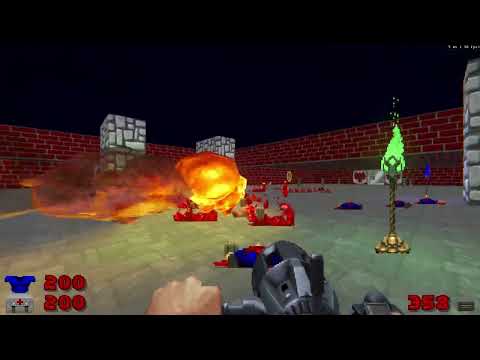
Bass Cannon have temporary assets, for now, the troubles with this one is that the lazer doesn't recolor as I've wished.
Weapon sprites ripped by Captain J, some edits done by me (for the War Nailgun)
runic breach
safe steppe
...
huh
was something deleted
i just think the sprite looks really good
 vast mural
would anyone be able to rip the shotgun from bad toys 3d and its sound and animation to be used in a doom wad please? Bad toys 3d is a wolfenstein clone
i like the shotgun in that game and wanna use it in doom
if anyone could import the sprite for doom I'd appreciate it please
vast mural
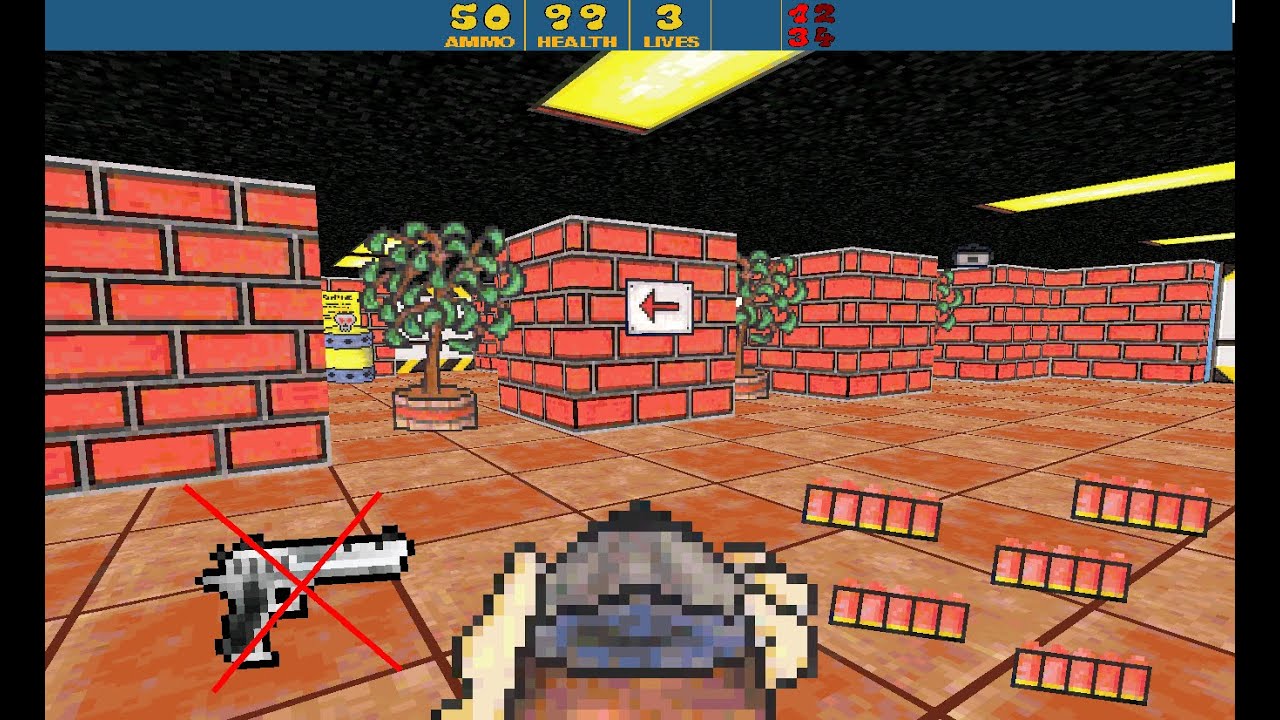
It's not possible to start with a shotgun, so I edited the code. I know you can get shotgun on level 2 but i decided to edit code instead.
Btw that gun on Thumbnail is Deagle from CS2D.
example of the shotgun here
safe steppe
runic breach
huh
I was reacting to another message but it was deleted
runic breach
vast mural
if anyone could import the sprite for doom I'd appreciate it please
will try tomorrow if i have time
i'll just recreate the sprite if i can't rip it
vast mural
safe steppe
I was reacting to another message but it was deleted
i deleted one of the messages to remove clutter post
runic breach
vast mural
cool thanks, you could also rip the sound too.
wouldn't be high-quality
since at the moment i don't know how to rip it
vast mural
oh well
vast mural
if it doesn't work out dont worry about it
maybe you could try to redraw the sprite for more pixles like a replica
runic breach
gonna try now
finally got the time to work on it
vast mural
cool thanks, also I never made a doom wad before so idk how I would put the weapon mod into the game
neon steppe
New update!
now, not only the monsters are randomized but the weapons and the decorations too
and i also added a health
from clusterfuck
neon steppe
neon steppe
and i also added a health
*healthbar
 frail quiver
anyone know how to set up doom wads spent about an hour on useless tutorials
 viral notch

 runic breach
frail quiver
anyone know how to set up doom wads spent about an hour on useless tutorials
runic breach
frail quiver
anyone know how to set up doom wads spent about an hour on useless tutorials
wdym
Gone and done an updated Doom mod tutorial because I've had a few folks ask me about getting mods working and load orders. So here's a basic tutorial video on GZDoom and ZDL, hope this is helpful to anyone that might need it.
Download links:
GZDOOM - https://zdoom.org/downloads
ZDL - https://zdoom.org/wiki/ZDL#Versions
CONTENTS:
INTRO - 00:00
...
lusty dove
how do i make good circles? every time i try it, it sucks

 somber anchor
is this just maps or is it other mods too?
ok im guessing other mods too
so i made a mod i call the big friendly game
whole blade
lusty dove
how do i make good circles? every time i try it, it sucks
Use the ellipse tool
Can't remember what the original binding is but there's a button on the top toolbar
lusty dove
whole blade
Use the ellipse tool
yeah i found it
its really frustrating though because it puts the corners on the top bottom left and right
is there a way i can make it so that there are edges on the top bottom left and right?
whole blade
Top bottom left?
It draws in the direction you drag
This might help
https://youtu.be/EeVLPETXwCs
My first tutorial for Ultimate Doom Builder (or GZDoombuilder) on the basics of how to use the ellipse tool, stairbuilder and curve tool. Otherwise known as how to make the perfect pentagram
Join The Hellforge to talk level design, share your work, follow my project The Age of Hell or just hang out
Discord: discord.gg/XMf5aP7
Follow me on twi...
lusty dove
whole blade
Top bottom left?
Top, bottom, left, and right, I meant that by default there are points on the four sides, how would I draw it so that there are edges on the four sides instead
final yacht
need some help with Things Mode, I'm placing some enemies but when I launch the game they don't appear
whole blade
lusty dove
Top, bottom, left, and right, I meant that by default there are points on the fo...
You need to put a value in the angle field when in draw ellipse mode. The value will depend on the number of side of the ellipse
Either that or rotate the ellipse after you've drawn it with edit mode
lusty dove
whole blade
You need to put a value in the angle field when in draw ellipse mode. The value ...
yeah but that only works for some side counts
for others, that angle would end in 0.5, and the angle box doesnt let you input decimals for some stupid reason
whole blade
Then use edit mode
Which cam take up to at least 2 decimal places (pretty sure it's 3 though)
 versed maple
yo dude wtf is goin on
safe steppe
Why did you reply to a message from January
trail lion

I've showed my minions to my friend, they asked me to change sounds
 thick inlet
prboom runs modded levels right? or am I dumb?
whole blade
thick inlet
prboom runs modded levels right? or am I dumb?
It can run boom/mbf compatible wads and mods.
thick inlet
i just downloaded gzdoom because i got annoyed lol
lusty dove
thick inlet
prboom runs modded levels right? or am I dumb?
modded can mean very different things depending on the context
most levels have a section in the description that says what kind of ports they are compatible with
there is no such thing as a universal doom mod format, but the most common one is gzdoom mods, and no, prboom+ is not compatible with those
whole blade
lusty dove
modded can mean very different things depending on the context
not really. modded means altered gameplay as a core definition. alter a monster? modded. alter a weapon? modded. make a map with custom textures but all stock gameplay? not modded
safe steppe
Modded, just means that it was Modified, so a vanilla/boom megawad is called a mod, and a gameplay mod that changes the entire game to something else entirely is called a mod too
whole blade
safe steppe
Modded, just means that it was **Modified**, so a vanilla/boom megawad is called...
pure stock gameplay wads aren't mods because there is no modified gameplay

 safe steppe
thick inlet
prboom runs modded levels right? or am I dumb?
safe steppe
thick inlet
prboom runs modded levels right? or am I dumb?
GZDoom is the best option if you want the most mod support
whole blade
safe steppe
Any modification to a game regardless of what it is, is by definition a mod
Cool. I'm referring to how it is defined in the classic doom community. Literally how it's broken down on id/games