#classic-doom-maps-mods
1 messages · Page 126 of 1
 sinful loom
 fallen panther
 torn laurel
I’ll definitely check this out! Looks amazing!
torn laurel
I’ll definitely check this out! Looks amazing!
Hope you have fun
 haughty flower
it is quite peaceful here, if only for a moment


 woven quartz

 bright owl
Do teleport lines in vanilla need to be at the same angle? I’m having trouble getting this teleport trap to work properly
 safe steppe
You need to approach the teleport line from the direction the linedef is facing
In doom builder while in linedef mode there is a little notch that faces the way the linedef is facing
You can flip it by selecting the linedef and pressing the 'F' key
bright owl
I fixed the direction but it still isn't working. Can you tell what's going on?
safe steppe
bright owl
I fixed the direction but it still isn't working. Can you tell what's going on?
I will check it now
@bright owl what is the trap supposed to do?
Like when is it supposed to activate*
The goal is to teleport the zombiemen to the line?
I am gonna guess this is what you're tying to do ^
well first of all we should space out the zombiemen or they get stuck inside of each other

 crisp dragon
Yeah if you place them with hitboxes connecting it gets them stuck
Rookie mapping error
safe steppe
second: we need to somehow wake them up, you can join sectors together but as a beginner you might find that difficult so instead let's make a really tiny hole so the monsters can hear, and let's force the player to make a sound by a monster blocking their way

now we don't want the hole to be this obvious

so let's lower the ceiling until there is only a 1 unit gap
 crisp dragon
Classic hole in the wall wake up trap
safe steppe
Now the monsters wake up, but they don't get teleported any where because we don't have.
step three: add a teleport destination
we create a simple sector, tag it the same as the teleport linedef and add a teleport destination thing

now the monsters teleport immediately after waking up and we don't want that
step four: we will create a short wall to prevent them from teleporting, they can teleport once the wall is lowered

we create a linedef that will activate the trap, it has the action of "38 - W1 Floor lower to lowest floor" and has the same tag as the small wall

And congrats the trap works! I know this was long and may seem complicated but once you get used to it you'll be able to make more traps in no time

 agile shoal
You can also make teleporting traps by tagging the sectors with the same number.
Going Down is a good example of this
bright owl
Okay thank you. I’ll resume mapping soon and I have a neat new trap and knock how to do it now
I decided to forgo the delay part because I want the trap to spring the second the player fires their gun.
The idea is that if the player opens fire upon monsters right around the corner they’re immediately under attack from multiple directions
sinful loom
Anyone here knows zscript?? I need HELPP
safe steppe
sinful loom
Anyone here knows zscript?? I need HELPP
@whole blade maybe you know?
safe steppe
sinful loom
Anyone here knows zscript?? I need HELPP
if you can't find an answer here your best bet is doomworld forums
or maybe ZDoom forums is more appropriate
sinful loom
I guess your right
safe steppe
Unfortunatly I don't think anyone here uses GZdoom format other than BridgeBurner
mostly doom and boom format mappers
but there are a bunch of other mapping discord servers and doom forums
sinful loom
safe steppe
but there are a bunch of other mapping discord servers and doom forums
Can you dm me the servers?
safe steppe
Sorry not currently in any server, but you can easily find them by googling "doom mapping discord"
modding/mapping*
sinful loom
safe steppe
Sorry not currently in any server, but you can easily find them by googling "doo...
Alrighty, thanks anyways!
 whole blade
safe steppe
<@!303773777387323392> maybe you know?
whole blade
safe steppe
<@!303773777387323392> maybe you know?
zscript isn't my forte sorry
 glacial skiff
Pro-tip: if you are unfamiliar with the sound propagation plugin that comes with stock UDB, now is the time to get familiar with it
 sacred onyx
glacial skiff
Pro-tip: if you are unfamiliar with the sound propagation plugin that comes with...
sacred onyx
glacial skiff
Pro-tip: if you are unfamiliar with the sound propagation plugin that comes with...
I recognise the name but I also have no idea what it actually entails
Is there a guide somewhere?


 hard rapids
haughty flower
welcome to osaka-2
hard rapids
haughty flower
welcome to osaka-2
is the rain supposed to be that obscructive to your vision?
haughty flower
hard rapids
is the rain supposed to be that obscructive to your vision?
for now yes
but later I might remove a few rows, however that's probably gonna come when I'm almost done with the map
hard rapids
haughty flower
for now yes
but later I might remove a few rows, however that's probably gonna c...
right, gotcha
haughty flower
Peep the intro for Brutal doom 64
A true marine experience . Listen to the sirens and the Napalm strikes being dropped by the UAC Combat Vessels
 alpine dagger
Here's my custom level if anyone wants to try it. It's short and sweet, takes about 5 minutes to complete.
 hushed jay
Hey there, was hoping to get some help on modifying a friend's mod for personal use, the zombieman sprites in this mod are the same as the player's and I've been trying to fix this (the closest I've come is deleting the replacement sprites for the zombieman, but the sprites for the pain states/death animations won't change). Would anyone be willing to lend a hand?
I have the mod here https://www.moddb.com/downloads/undoom-early-look-part-iii

Mod DB
Now with nearly 9.5x more KB of content! Taunt lines, optional mercy mechanics, modded item sprites, new SFX, some new music, and menu pics!
crisp dragon
alpine dagger
Here's my custom level if anyone wants to try it. It's short and sweet, takes ab...
I'll try it soon
haughty flower
haughty flower
rain is too thick. make it 1 px wide, same way it is in microsoft hellbender
i mean screen 1px wide


 royal wave

Happy Gardevoir day!
Requires GZDoom 4.7.0 or newer, plays with Doom, Doom 2, and Final Doom
Download: https://www.dropbox.com/s/gf5kr74q7z581nx/GHAG1.0.pk3?dl=0
(Gameplay modified for trailer purposes)
ZDoom thread: https://forum.zdoom.org/viewtopic.php?f=43&t=72802
Doomworld Thread:
Social: https://twitter.com/kbeevans
Music featured: https...
 flat pebble
The end segment of that video is quite humorous, if you know the lore for gardevoir in pokemon(I forget what gen the lore is in)
haughty flower

firing animation frame for robocop! the spriteset is still a wip in the official alpha. this frame came out really really good! https://t.co/M7XkOPA6Pk

 Twitter
·
Twitter
·
Robocop VS Terminator.wad is out for testing, Player sprites for robocop isn't finished though. still need death animations. you can download it and play it on TSPG, playtesting servers will be up soon tommorow! https://t.co/Cf4YS47uyA
 Twitter
·
Twitter
·
 lusty dove
is it possible in vanilla to have a moving sector? ie for moving platforms
bright owl
Vertically? Yes
Horizontally? I don’t think so
lusty dove
ok
safe steppe
You can move a sector up or down, but not left or right
lusty dove
ok
how do i make a sector on top of another sector
whenever i right click, it just opens the properties for that sector
also, how do i change the music for a level
hold on, please dont tell me the music is hardcoded
 toxic dew
lusty dove
how do i make a sector on top of another sector
toxic dew
lusty dove
how do i make a sector on top of another sector
in limit removing, there's an 3D sector tag
in vanilla, it's not possible
 wispy relic
Switch to line mode in UDB
toxic dew
lusty dove
also, how do i change the music for a level
I use slade to load music then change the said music file's name to "E1M1" or whatever
lusty dove
wispy relic
Switch to line mode in UDB
but what if the sector starts on a line
lusty dove
toxic dew
I use slade to load music then change the said music file's name to "E1M1" or wh...
ok
wispy relic
You can start drawing on an existing line or vertex, it'll work
lusty dove
oh, i see, draw lines mode
lusty dove
toxic dew
I use slade to load music then change the said music file's name to "E1M1" or wh...
what if i just want to make a level use a different one of the existing music tracks
can i just do that in udb?
toxic dew
there's probably an easier way to do this, but i'd extract the music from "doom.wad" then copy the file into the level wad
it's not possible in UDB tho
lusty dove
oh, thats annoying
toxic dew
eh, each software is used for specific things so it's understandable
lusty dove
wait, so does that mean for the songs that play in multiple different levels, that song shows up multiple times in the game files, once for each level?
toxic dew
i think so
sound effects are that way but i havent really checked for musics
lusty dove
bruh
toxic dew
like if the same sound effect is used for 2 different thing they do that
lusty dove
jankkkkkkkkkk
toxic dew
which is kinda weird but it's way easier to mod
like what if you dont want 2 level's music or 2 sound effects to change at the same time
toxic dew
lusty dove
jankkkkkkkkkk
but then again it's literally just 4 people programming the whole thing so
lusty dove
yeah fair
lusty dove
can i make music for a doom wad in FL studio?
 runic breach
it won't work on some older ports
runic breach
lusty dove
how come?
at least im pretty sure it won't
since (much) older ports use their own midi format iirc
but i might be wrong
lusty dove
oh i see
is there any trick to aligning textures?
cuz i cant find values to get something aligned
im having trouble getting this to line up
 haughty flower
lusty dove
im having trouble getting this to line up
haughty flower
lusty dove
im having trouble getting this to line up
mark lower and upper unpegged on this linedef right here
or do ctrl + a
 haughty flower
lusty dove
what does ctrl+a do
haughty flower
lusty dove
what does ctrl+a do
aligns textures on both the x and y axis
haughty flower
lusty dove
uh, i marked upper and lower unpegged and it was still off
huh, that's weird
try doing ctrl+a then?
 haughty flower
wdym?
lusty dove
why does it look like that
haughty flower
OH
you just pressed tab, press it again for the skybox to show up
lusty dove
does ctrl+a align the whole map?
haughty flower
it shouldn't, no
lusty dove
oh
wait so what does it align
cuz im pressing it and its kinda just changing random things, and its not getting more aligned than before
haughty flower
it should align the texture by both the x and y axis
not sure if axis is the correct term, since udb just says "Auto-aligned textures (X and Y)"
lusty dove
which texture
when i press ctrl+a, it changes the offset on a bunch of various textures around the map, but not the one i have selected
haughty flower
try selecting only the texture you want to align then?
lusty dove
haughty flower
try selecting only the texture you want to align then?
i did that, it kept that one the same and changed a bunch of the ones around it
and it still wasnt lined up
 haughty flower
I guess try aligning them yourself?
haughty flower
no
lusty dove
huh, ok
cuz im trying a bunch of values, and usually, either the top or bottom is off
glacial skiff
Press U and L to toggle pegging on the upper and lower textures on a sidedef
When in doubt, hover on another wall and press shift+A to find all walls which have the same texture and align them by Y, stopping as soon as there are different textures on a wall
(In other words, "flood-search any and all lines connected to this one")
wispy relic
lusty dove
wait, so does that mean for the songs that play in multiple different levels, th...
Yes, that's exactly how it is for the music tracks
lusty dove
To reiterate
Jankkkk
wispy relic
In the music list in Doom 2, you'll see D_RUNNIN first in the list, then D_RUNNI2 or whatever 15th in the list
Actually, I misspoke
That's how the music tracks are for Doom 2 and Final Doom
For Ultimate doom, the original three episodes have tracks from D_E1M1 to D_E3M9 like you'd expect
The music for Episode 4 however is pulled from the tracks for the first 3 episodes
so if you make a level replacing for example E4M1, you can't just make a replacement music track named D_E4M1 and expect the game to play it
lusty dove
wispy relic
Yes, that's exactly how it is for the music tracks
That’s such horrible practice lol, at least just store the songs by index and then just store the index of which song to play in the header of each level
wispy relic
(Crispy Doom and possibly other sourceports will recognize that's what's going on, but others like GZDOOM won't make that assumption)
¯_(ツ)_/¯
I'm pretty sure if that were the case for how id handled it, the music would've ended up hard-coded for each level, much like the skies are
so yeah not efficient, but it's made things easier for us to mess around with
lusty dove
wispy relic
I'm pretty sure if that were the case for how id handled it, the music would've ...
Super Mario world is a good example of music system done right
It stores all of the music in an index
And each level file and overworld area stores a value which allows you to tell it which song to play
And there are tools that let you inject new music and change around the indices, and the level editor tools that have been made let you set the music for each level
 trail steeple
haughty flower
aligns textures on both the x and y axis
trail steeple
haughty flower
aligns textures on both the x and y axis
no,that would be shift + a
haughty flower
trail steeple
no,that would be shift + a
no, that's just only the y axis
ctrl+a does both x and y
glacial skiff
It is often undesirable to autoalign by X
In broad strokes, if you're auto aligning any textures that are not purely natural features, you are probably also responsible for the rise of ISIS
(With a small handful of notable exceptions of course, like pipewal1)


That is all for now
 gloomy galleon
Looking great ! 🙂
whole blade
glacial skiff
In broad strokes, if you're auto aligning any textures that are not purely natur...
100% disagree. I auto align just about everything.
glacial skiff
The idea that you intentionally autoalign startan scares me
Maybe my language is imprecise, I'll try again: you should probably not autoalign textures that aren't designed to look right when that is done
whole blade
Using startan 
The key with auto aligning is where you start from
Find the zero point you want and then boom
trail steeple
glacial skiff
Maybe my language is imprecise, I'll try again: you should probably not autoalig...
1984
haughty flower
new ENDDOOM screen for ROBOCOP VS TERMINATOR

 fierce cradle
Nice
glacial skiff
Is there a UDMF field for applying named translucency maps to a line?
I feel like this is almost certainly a feature that exists, I'm just not looking in the right place
 solid wolf

EXPAND FOR LINKS
Doomworld thread: https://www.doomworld.com/forum/topic/127934-1-way-ticket-a-one-sector-map-vanilla/
Download: https://drive.google.com/file/d/1byCnsiaofBDU2BuO1XjKCMk4x81zUuub/view?usp=sharing
Discord: https://discord.gg/EDxQyCs4pp
 ivory kettle
hey @crisp dragon how is the map so far?
crisp dragon
It's going well
few surprises here and there
doors are a bit jank with textures so far but that's the only criticism as of now
ivory kettle
crisp dragon
few surprises here and there
doors are a bit jank with textures so far but that'...
I see... go on hope you're having fun
ivory kettle
 somber anchor
also neat map
somber anchor
also neat map
ty uwu
somber anchor
wat
i dunno
just finneshed watching game dungeon realms of the haunting
and i wondr
doom engine
it look like the doom engyn
is it doom engein
somber anchor
the perfect pairing
 glacial skiff
Observation: there are no technical reasons a person could not write a fully functional (but probably slow) NES emulator in Zscript
trail steeple

Game: Doom II
PWAD: not-even-remotely-fair-ep1.wad
Difficulty: Nightmare!
Source port: PrBoom+ UMAPINFO (-complevel 2)
Pistol start.
All secrets and items.
No saves.
Subscribe for more playthroughs!
Link to WAD:
https://www.doomworld.com/forum/topic/127913-not-even-remotely-fair-nightmare-difficulty-only/
Link to soundtrack:
https://megas...
lusty dove
is there a keybind or tool or something in udb that aligns all textures in the map at once?
haughty flower
https://www.youtube.com/watch?v=cnWCOC55zIY Great, large and filled with lots of demons highly detailed map set in ancient Egypt, some custom monsters also make an appearance here. Feel like in Serious Sam 2nd Encounter or Act II in Diablo 2
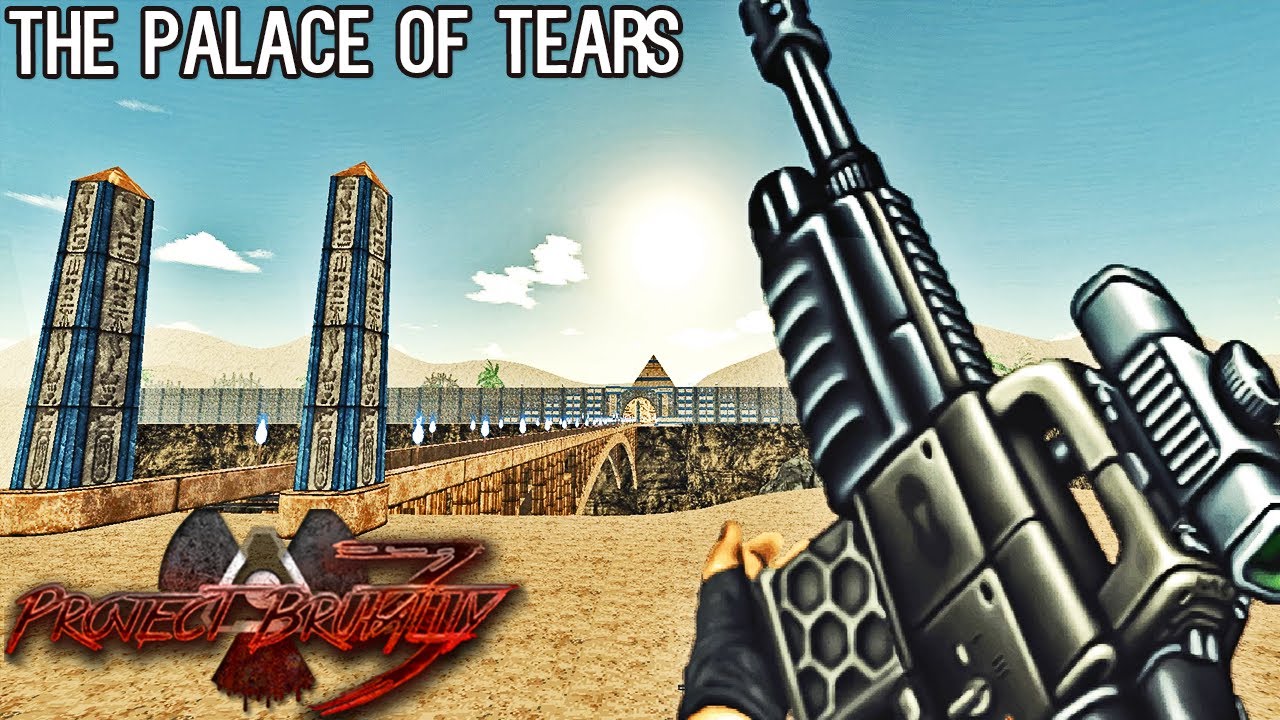
PROJECT BRUTALITY 3.0 together with Elementalism, The Palace Of Tears Map from various authors, Chaotic Random spawn preset, 100% Secrets Achieved. Project Brutality 3.0 is an upcoming version of one of the best available mods for the classic Doom - expect a lot of fun when playing it. Please note that the Project Brutality 3.0 in its current st...
lusty dove
what is this map? i saw it in a yt video and im curious cuz it looks very cool
 lusty dove
what are your guys recommendations for the best vanilla compatible wads
bright owl
Rowdy Rudy’s Revenge and Rowdy Rudy 2 (not the 2 bonus maps. Those require Boom)
whole blade
lusty dove
is there a keybind or tool or something in udb that aligns all textures in the m...
ctrl-a
lusty dove
ive tried that, doesnt work very well
wispy relic
need opinions on something
should the ammo icons be the actual ammo sprites

or quake 3 style monochromatic symbols
 safe steppe
The symbols look a lot cleaner imo
glacial skiff
Man, it really does
(re: Eviternity heaven)
The symbolic ammo icons are also very good though
 severe swift
i forgto how to make a door
wispy relic
by adjusting the HUD scale the symbols look less screwed up

so ye, I think I'll run with this
 upbeat path

More progress on Grove. 💮 #doom #dancingintheabyss #leveldesign #doom2 https://t.co/RJG3128dti
 Twitter
·
Twitter
·


 solar brook
Playing around with "Fake Windows" a bit. Instead of having a area outside of each window on the map, you just create one outside area for all of them :P

 wooden lark
Question: i need mods for my classic doom games, wich ones should i download?
fallen panther
wooden lark
Question: i need mods for my classic doom games, wich ones should i download?
What kind of mods do you want?
What type of changes are you looking for
wooden lark
fallen panther
What kind of mods do you want?
Mods that changes aspects of the games like some gameplay mechanics or adds weapons
Or completly changes the game like the aliens mod
fallen panther
I can easily name 3
Call of doom
Project brutality
Embers of Armageddon
wooden lark
Where could i find them?
fallen panther
Mod db and git hub a quick Google search will do
Although for call of doom specifically search for call of doom black warfare
And look for the light weight versions unless you have a powerful device
wooden lark
I mean without gameplay change
fallen panther
Final doomer
wooden lark
Thats a mod?
fallen panther
Yes it is
wooden lark
I'l download it tomorrow
trail steeple
doom supports midi stuff
that's entirely different from chiptune or any other nes-era music
i may not be an expert,but i think that audacity & flstudio allow you to make midis.but i am not sure
solar brook
DOOM 2 also supports .ogg files for "high quality" audio
trail steeple
solar brook
DOOM 2 also supports .ogg files for "high quality" audio
isn't that more of a feature of gzdoom tho
safe steppe
solar brook
DOOM 2 also supports .ogg files for "high quality" audio
(G)ZDoom only*
trail steeple
safe steppe
(G)ZDoom only*
don't forget that gzdoom also supports .mp4 tracks
trail steeple
is the berserk pack just a huge dose of adrenaline or what
bright owl
Berserk is a medkit that comes with a big Red Bull
safe steppe
The souls protect life

 waxen girder
@haughty flower Audacity will allow you to edit tracks, but it's not really designed for making music itself. Check out Linux Multimedia Studio (LMMS). There is a Windows port if you don't have access to Linux.
@lusty dove What mapping software are you using? I teach a game design class and would love to have students create a Doom map for a project in class.
lusty dove
udb
ultimate doom builder, im pretty new to it but its pretty easy to use
getting to make a doom level in class sounds like a dream tho lol
safe steppe
Ultimate Doom Builder and Slade 3 are the doom editors still being maintained
lusty dove
you would need to get doom wads for all of your students tho
safe steppe
Ultimate Doom Builder focuses primarily on mapping while Slade 3 has limitless modding capabilities
waxen girder
lusty dove
you would need to get doom wads for all of your students tho
I have the wad files.
safe steppe
lusty dove
you would need to get doom wads for all of your students tho
You can also use freedoom, which as the name suggests a free IWAD that imitates doom
waxen girder
safe steppe
Ultimate Doom Builder focuses primarily on mapping while Slade 3 has limitless m...
Ok. I want to start with mapping before trying any kind of modding.
safe steppe
it is fully free, free of charge and free as in freedom
lusty dove
yeah
safe steppe
waxen girder
Ok. I want to start with mapping before trying any kind of modding.
Ultimate Doom Builder is the way to go
waxen girder
safe steppe
it is fully free, free of charge and free as in freedom
Off topic, but do you know a good map editor for Quake / Quake 3?
safe steppe
Although keep in mind it is limited only to windows
safe steppe
waxen girder
Off topic, but do you know a good map editor for Quake / Quake 3?
Nope sadly but you can probs find one with a quick google search
lusty dove
udb reminds me of the hammer editor from source
lusty dove
safe steppe
The hammer editor reminds me of pain.
yeah lol
i never made much with it, but it was definitely tricky to use
waxen girder
Thanks for the help. I'm going to try UDB first and see what I can make before trying it in class.
trail steeple
lusty dove
ultimate doom builder, im pretty new to it but its pretty easy to use
watching just about two tutorials is enough to get started
lusty dove
yeah
i watched no tutorials, and basically figured it out myself (ofc while asking a few questions here)
trail steeple
lusty dove
udb reminds me of the hammer editor from source
tried making a map in it once
pain & suffering
making a door = having 11 PHDs in theoretical physics
lusty dove
yeah, although that mostly depends on what game you are using
i used it for portals, and that just has door models that you can use
making the wall around the door tho, thats another can of worms
trail steeple
trail steeple
making a door = having 11 PHDs in theoretical physics
full respect for the dude who made "The Thing" mod for HL2 Beta in 2003 with the buggy mess that the hammer was in that time (don't forget the lack of any tutorials)
trail steeple
waxen girder
Thanks for the help. I'm going to try UDB first and see what I can make before ...
i can send you a few tutorials to get started
waxen girder
trail steeple
i can send you a few tutorials to get started
That would be great. I did some mapping back in the day when Doom 2 was originally released but that was almost 30 years ago now!
trail steeple
waxen girder
That would be great. I did some mapping back in the day when Doom 2 was origina...
have some great tutorials:

From my experience playing beginner maps, some advice about guiding the player gently through a map by making choices about textures, flats and so on in your map elements!
00:00 Science
04:05 Doors
06:25 Switches
10:15 Shootable switches
11:10 Bars
13:05 Platforms
14:05 Teleports
15:15 Damaging floors
17:20 New con...

Several people have asked me how to get into making Doom levels themselves! In this video, I spend ten minutes explaining the software you'll need and how to set it up, and then wing it through making a small but technically complete level.
If people think this is useful, I could try making more specific ones for other techniques!
Spectacular ...
waxen girder
Thank you @trail steeple
trail steeple
no problem man 🍻
trail steeple
trail steeple
full respect for the dude who made "The Thing" mod for HL2 Beta in 2003 with the...
fun fact: when you launch the hl2 beta hammer a literal midi of "Can't touch this" by mc hammer plays
lusty dove
lol
trail steeple
valve was wild back then
lusty dove
lusty dove
making the wall around the door tho, thats another can of worms
in portal, the door models are circular, so you have to make a wall with a circular hole in it which is an enormous pain and way harder than making the door itself
trail steeple
lusty dove
in portal, the door models are circular, so you have to make a wall with a circu...
lemme guess
it's "playing gmod with 30 terabytes of mods and waiting for the map to load"-tier pain ?
lusty dove
trail steeple
lemme guess
it's "playing gmod with 30 terabytes of mods and waiting for the ma...
never played gmod but yeah something like that
yeah, pretty much
 night pond
whats the best map builder?
lusty dove
ultimate doom builder probably
safe steppe
There is no definitive best but a good one for starting out is Ultimate Doom Builder
lusty dove
^
night pond
thanks
night pond
i am now spending 90% of my time on map making
lusty dove
what software would you recommend for making music for a doom wad
can i use the software i already own, fl studio?
haughty flower

 lusty dove
if i have ended up here, in doom2 map08, is there any way to get out or am i screwed

 neon pike
Oof
lusty dove
 quick crag
You’re screwed
quick crag
You’re screwed
That is the dumbest thing ever
That level was so long and stressful and now I have to do the entire thing all over again because I didn’t know that there was a bullshit trap at the very end
solar brook
Making a maze in classic doom because... why not

 trail steeple
solar brook
Making a maze in classic doom because... why not
trail steeple
solar brook
Making a maze in classic doom because... why not
i can feel the par time being 30 minutes
solar brook
trail steeple
i can feel the par time being 30 minutes
I was thinking of throwing some "Portal Lines" in it, for the extra "Non-Euclidian" mindfuck 
trail steeple
ah yes
time to make a maze that is even more confusing


 trail steeple
just reminded myself that i have a WIP wad i still haven't finished because of probably burning out a bunch of months ago

 hasty brook
is there a way to make enemies see through walls? I wanna set up a room with caco fireballs constantly going through walls and you have to try and run through collecting items while dodging fireballs going through walls but they can't exactly see the player through the wall (so far I'm only at a theoretic level of designing so if theres a thing I missed or a way to do it please tell me)
solar brook
hasty brook
is there a way to make enemies see through walls? I wanna set up a room with cac...
Not "see through" walls, but you can work with "audio pipes" that triggers enemys. Basically a 1 tile wide "pipe" that connects two rooms
hasty brook
thank you, that should work
solar brook
Just make it "Block Player" and "Block Weapons" and slap a texture on it
trail steeple
hasty brook
is there a way to make enemies see through walls? I wanna set up a room with cac...
i want to make demons see through walls
i actually don't want them to see through walls
if you make a linedef you can put a middle texture on it,and then you can just check the "block monsters/players" box
that should do the trick
safe steppe
^
solar brook
Also work with teleporters if you want them not just "clip through walls"
John Romero also did this in his latest level "One Humanity"
@hasty brook
 safe steppe
I am not sure this is what they meant
I think they mean a regular wall that you can walk through
solar brook
safe steppe
I think they mean a regular wall that you can walk through
I'm just offering a more elegant way to transfer enemys into a room
hasty brook
safe steppe
I think they mean a regular wall that you can walk through
no, I meant activates enemies without being seen
hasty brook
solar brook
<@!642321122511028224>
and thanks
safe steppe
solar brook
<@!642321122511028224>
Oh then follow this one
solar brook
Those "Audio Pipes" are especially awesome if you make maps in boom format where you are limited with scripting and stuff
solar brook
Title: The Maze
Description: Well... it's a maze.
Difficulty's [WIP]
Handled via script - Activated by entering a teleporter in the hub
I'm too young to die
- Just find the exit
- No Guns
Hurt me plenty
- Shotgun start
- Have a few enemys in the maze
- Normal amount of medipacks in the maze
Ultra-Violence
- Shotgun start
- Have Archviles in the maze
- Normal amount of medipacks in the maze
Nightmare
- Shotgun start
- Normal Enemys + Archviles
- Less medipacks in the maze
Ultra-Nightmare
- Super Shotgun start
- Normal enemys + archviles
- Less medipacks in the maze
- Time limit
 crisp dragon
Oh damn
glacial skiff
lusty dove
what software would you recommend for making music for a doom wad
Guitar Pro 5 is the best midi editor I've used personally, results can be heard in BTSX E1M6
I may have a handful of other midis floating around in other mods, most notable other example I can think of is one of Xaser's levels from PRCP
GP5 is obviously focused on tablature primarily, so you will get the most out of it if you are a guitarist or similar, but that is why I find it so nice to edit midis with
toxic dew
I'm too poor to buy GP5 so i use tux guitar. i think it's a nice alternative
lusty dove
Can I not use the software I already have?
I already own fl studio, could I make that work?
glacial skiff
If you want, sure - I was just speaking to the question of "what would you recommend"
I've never used Tux Guitar, but if it's like GP I trust it's great
safe steppe
lusty dove
I already own fl studio, could I make that work?
Yeah I think so, look up fl studio midi
MIDI is the music format doom uses
lusty dove
fl can export midi, but im not sure it can do all of the channels and stuff properly
since its not really designed for that
lusty dove
what channels does doom have for its midi?
glacial skiff
All, except you should probably be aware that Doom does not directly use midi
Vanilla's internal format is called "mus", though you can include a raw midi in the wadfile and even vanilla will be happy with that. It just gets converted internally, so this has some important limitations
- the midi you include can't really be bigger than around 96K (because of the 64K mus limit)
- there is a static "notes per second" limit of something on the order of 140Hz
The most important distinction is that, if memory serves, lots of tempo changes are liable to eventually screw up instrument tracking and put everything out of wack
This is a midi I output that I seem to recall really makes a laughing stock of Doom's internal mus conversion
lusty dove
glacial skiff
All, except you should probably be aware that Doom *does not* directly use midi
what do you mean by all
glacial skiff
All 16 channels work, provided the output hardware can actually service them
lusty dove
hmm, fl doesnt have any specific 16 channels
glacial skiff
The midi file format contains up to 16 channels. Channel 10 is reserved specifically for percussion. It's up to FL to map those remaining 15 some kind of way, I'm sorry I can't be of further help with that program
lusty dove
ok
oh, fl has a system called prepare for midi output that maps all of the channels to midi channels
glacial skiff
Trying to be more ambitious with the lighting. Areas have to be a little simpler to accommodate but I think it's worth the tradeoff


 safe steppe
lusty dove
what does any of this mean?
safe steppe
lusty dove
what does any of this mean?
You need to download a node builder and just choose it's path
Ignore all the options you don't need them
glacial skiff
A node builder is required to play Doom levels. They split up the levels into convex polygons so that they can be drawn to the screen more easily later. The check boxes are common options to let you mess with the behavior of this process
lusty dove
what if im not gonna use this to make levels at all, im using udb for that and i just want to use this to add stuff like music
safe steppe
lusty dove
what if im not gonna use this to make levels at all, im using udb for that and i...
Then you don't need a node builder, just skip it
lusty dove
ok
glacial skiff
I highly recommend giving the SLADE level editor a chance later
It's got some really neat stuff, like being able to edit textures while looking at stuff in 3D view, almost in real time
lusty dove
glacial skiff
The midi file format contains up to 16 channels. Channel 10 is reserved specific...
do the 16 channels represent specific instruments?
glacial skiff
Depends on what output device you're talking about
lusty dove
howabout the sc-55
glacial skiff
Then no, Doom does not contain specific instruments for that output device
lusty dove
i want my wad to be vanilla compatible, and thats what is normally used right?
glacial skiff
For Soundblaster/OPL, there are specific instruments, which I believe are defined in GENMIDI or something?
There is a specific lump for it, but I don't recall which it is - I think DMXGUS contains GUS instrument mappings as well if you want to cover that base
lusty dove
lmao this is too much information, il deal with this later
glacial skiff
For the most part you can probably assume that your midi will sound acceptable on OPL, just give it a listen before considering it "vanilla compatible"
lusty dove
ok
maybe il just yoink the default soundfont out of gzdoom and input that into my daw
flat pebble
When the bot deletes your screenshot
Anyways, what do I do if when I'm trying to host a server that I get the error "There are files containing duplicate lumps that require authentication"(trying to host a local project brutality match)
glacial skiff
 glacial skiff
Layout thus far

Starts as a bronze/star techbase in the north and going south leads you deeper downwards into woodmet/flesh hellfort
solar brook
glacial skiff
Layout thus far
Hey looks pretty good!
glacial skiff
"Wood-metal gore fortress"??
 bright owl
I have finished making a level that I would like feedback on. it's admittedly very short but I think it's exciting enough to be interesting
toxic dew
i got in the yellow key room and the way out isnt very clear
im actually kinda stuck
oh i found it through wall humping but it just felt like a secret
bright owl
Yeah I should probably put a different texture to make it clearer
toxic dew
also it'd help if all the wall's werent the textures that are meant to be doors so i can differentiate with actual doors
and the exit switch wall should have a switch texture as well along with adding an exit sign
i like the implementation of the teleports tho
bright owl
Noted on the switch thing. I used the door wall texture because I couldn’t find any other ones I liked aesthetically and I can’t get texture importing to work right.
Also what is your verdict on my combat?
toxic dew
i played this on UV and found that there just wasnt enough ammos to kill even a quarter of the enemies. i just kinda speedran through all the demons
bright owl
Did you find the first floor secrets?
toxic dew
mega-armor one or did i miss?
bright owl
There’s shells and a plasma rifle with cells in hidden rooms on the first floor. With those it becomes doable but the ammo is still tight
toxic dew
ooh ok imma try to find it.
i'd still say map shouldnt rely on secret for there to be enough ammo unless there's a berserk tho
oop there it is i found it
bright owl
One is a misaligned texture near the chair and the other is a silver door in the back of the main room.
That’s reasonable. I’ll adjust it
toxic dew
adjust ammos and textures and i think it'd be a pretty solid map
bright owl
Thanks. I’ll implement the changes tomorrow
safe steppe
bright owl
I have finished making a level that I would like feedback on. it's admittedly ve...
I would love to try it, unfortunately I am kinds busy but I will check it out in like 8 hours
bright owl
Thanks. I need to sleep now anyway
safe steppe
Goodnight then
runic breach
what are some good maps to play with demonstelee?
 runic breach
those look nice
glacial skiff
Ask me about D64D2 MAP01 :)))
Actually instead of looking like I'm pumping my ego I'll skip to the advice I was going to give regarding how the lighting effect could work in that room
Be aware that negative light values are completely valid and can be used to do complex multi-level fades with effect 8, for example
Me and Mechadon had a go of trying to get this to work in D64D2, but we never quite figured it out. Maybe you'll have better luck?
glacial skiff
That's a tiny boy so far haha! You should see my previous PSX level that hits all the major size limits
Or this one from my iwad
 solar brook
glacial skiff
Or this one from my iwad
solar brook
glacial skiff
Or this one from my iwad

safe steppe
bright owl
I have finished making a level that I would like feedback on. it's admittedly ve...
Just finished the map on UV, it looks very experimental to me so I am not gonna judge the map and instead give you general advice:
-Give the rooms a unique shape instead of being a simple square, it gives it much more depth and possibilities.
-Know when to use each texture, some textures are made specifically for doors, others are made specifically for switches, etc... you need to learn what the purpose of each texture is and use them accordingly.
-Have a nice color palette, this is more of an art-style advice but a nice color palette is much better than brown on brown.
-Use regular teleporters instead of silent ones, silent teleports are useful for some applications, however most of the time you should use normal teleports.
-Make sure you have the right amount of ammo, don't have too much and don't have too little, also avoid placing ammo in secrets - maps should be beatable without getting any secrets.
-The two smaller sides of doors should be surrounded by the wall, just like real life doors.
-Have the player start with weak weapons and work their way into getting better and better weapons later on the level - not a necessity but usually a good option.
-Mid textures shouldn't be used as walls most of the time.
And remember, with each map you create, you become a better mapper, so never stop mapping!
bright owl
Okay thanks. I used the door texture for walls entirely because I wanted wooden walls and there just isn’t a lot to work with in vanilla textures and I haven’t been able to import custom textures for some reason.
The silent teleport to the arena was meant to seem like it was a room that is bigger on the inside
glacial skiff
Woodmet? Wood# textures?
toxic dew
If you're using Doom 2 assets, highly recommend PANCASE2, PANCASE1, FLAT5_2, etc
glacial skiff
If in doubt, d1gfxd2.wad also contains some nice wood panelling
toxic dew
WOOD12 is good too
crisp dragon
I'll review your wad Molly when I get home
glacial skiff
Pancase and panbord are criminally underrated
bright owl
Okay thanks. The problem has been actually using the alternate textures though
crisp dragon
And a couple others for the project I'm working on too
Just have to finish my homework first before doing any of this 😒
toxic dew
glacial skiff
Pancase and panbord are criminally underrated
fr fr
glacial skiff
A quick suggestion I usually give is to try using some zero height sectors to make texture stacks
You can get a lot out of that trick and just two well chosen textures, so experiment often with it!
 uncut locust

 night pond
anyone have tips for making a monster closet
im new to mapping and i just cant get it to work
glacial skiff
What are you trying to do exactly
night pond
Once you walk past a certain line, a door opens with zombieman and shotguners
wispy relic
Okay, so first you make a closet, then make a door in front of it.
Give that door sector a tag.
Next, draw your tripwire line. Give it an action like "W1 Door Open Stay (Fast)", and give it the tag that the door sector has
Now put some zombies/imps behind the door, and you have a monster closet.
For a really simple example of this done in Doom 2, look at map 3's trap with the blue armor at the start of the level
Or map 2's trap with the red key.
Always always look at how the original games pulled things off if you want to do something similar in your WAD; it'll give you a more thorough understanding of how something works rather than just knowing it's possible, and it'll also maybe give you inspiration for ideas of your own
night pond
thank you
trail steeple
have y'all ever had a moment when you realise you have a wad you haven't finished but have 0 motivation to finish it
bright owl
Yeah. I was working on my first WAD but all the levels had significant problems so I decided to start a new project from scratch rather than fix the levels I’d made
trail steeple
and i still haven't finished the 4th level of my first wad
i planned having 5 levels
the best thing i can do now is just put the wad in its current state here and maybe in the future i'll work on it
safe steppe
trail steeple
have y'all ever had a moment when you realise you have a wad you haven't finishe...
I feel ya 
trail steeple
safe steppe
I feel ya <:doomcry:668559689205940249>
🫂
so here's the wad
4 levels,the 4th one is unfinished
play on GZDoom,with the doom 2 IWAD
have fun
safe steppe
Will definitely try it after my school

 edgy mesa
how do you add models to ultimate doom builder?
this is the model im trying to get in the game
trail steeple
edgy mesa
how do you add models to ultimate doom builder?
you can't just add a 3d model into a 2.5d game
runic breach
iirc gzdoom supports 3d models
edgy mesa
Still cant add it
trail steeple
try finding a guide online,or ask on the gzdoom forums,because i don't know
toxic dew
trail steeple
so here's the wad
4 levels,the 4th one is unfinished
play on GZDoom,with the do...
it looks and plays amazing
blind pinky's corpse has collision so it kept softlocking me cuz the corpse's in the way of where i'm trying to get to
trail steeple
toxic dew
it looks and plays amazing
blind pinky's corpse has collision so it kept softlo...
wait what
if that's the case then how do i fix it because i forgot how to edit decorate files
i know how to open it in slade and such,just dunno how to turn off corpse collisions
trail steeple
glacial skiff
`A_Fall`, generally
and where do i add this
glacial skiff
Decorate
trail steeple
i know which file,but where do i paste this in the file itself
glacial skiff
I could not tell you which one, as there are 24 Decorate lumps, but if you examine the lumps you'll figure it out
trail steeple
i'm not saying in which lump do i put this in,i'm asking where in the lump itself do i put this a_noblocking thingy
glacial skiff
Look at the 24 Decorate lumps yourself, it won't be difficult to figure out
 toxic dew
 toxic dew
i wrote it like this, tested it, and worked
im unfamiliar with decorate so i cant tell you why but it doesnt work when A_NoBlocking is put on the last line
glacial skiff
Because it never gets called on that line
trail steeple
glacial skiff
Also this wad is a mess
i'm listening
glacial skiff
If the duration of the frame is -1, then I believe the game never reaches a point where it can process A_NoBlocking on that sprite
toxic dew
ah i see, thank you
glacial skiff
trail steeple
i'm listening
You have 24 unnamed Decorate lumps and about as many sprite namespaces
protip:
#include LUMPNAME #include LUMPNAM2
etc.
trail steeple
i don't think i get it
glacial skiff
If you will not merge all the Decorate lumps, then at least name them and #include them
trail steeple
then how do i merge them
do i just paste all the code from each decorate file into a single one ?
glacial skiff
You should try it and find out
wispy relic
then at least name them and #include them
does this work in WAD files, or is it only possible in PK3s?
glacial skiff
It works fine in wads, you just address the lump name without an extension like you'd expect
Example, #include ZOMBIE3 will include the lump by that name (don't know how name collisions are processed)
I would also like to point out to everyone that #includes can be chained, and in the context of a pk3, you may specify a directory and filename as well. For example, #include Zscript/Gimmicks/Model_Bridge_001.z
I guess what I'm really saying is "organize your shit" 🙂
In fact you'll probably notice that in most cases, directory structure is kind of freeform. Another powerful example is how the "sprite" namespace also includes subdirectories, like Sprites/Deadbrain/Death/*.png
Or Textures/Nature/*, you get the idea
solar brook
👀
 glacial skiff
Another fun one is when the format in question doesn't support includes, you can instead use the form Textures.(any-extension) to break up groups of TEXTURES definitions for example
(Textures.nature1, Textures.wood, etc. all sitting in the pk3 root directory will all get read and processed at load time together)
edgy mesa
hello, i want to extract the allied soldiers in Wolfenstein Boa, but i cant find the decorate file,do i need to write a new one?
solar brook
So glad there is a map editor for DOOM 64, where i can copy some parts out of the original .wad
 safe steppe
 glacial skiff
Good mix of gray stone and green bricks, classy

I only have 1 meg of space available for graphics so please forgive some simplifications
(I would normally have done something else with the STARTAN)
edgy mesa
edgy mesa
hello, i want to extract the allied soldiers in Wolfenstein Boa, but i cant find...
Anyone?
glacial skiff
Are you familiar with how Decorate is loaded by the game
whole blade
edgy mesa
Anyone?
Blade of agony is likely to be zscript
upbeat path
.@Jazzmaster9 and I made a bridge today. and it was FUN. #doom #dancingintheabyss #leveldesign https://t.co/IbxtqjL2Nh
 Twitter
·
Twitter
·


 crisp dragon
Nice
 still dagger
solar brook
So glad there is a map editor for DOOM 64, where i can copy some parts out of th...
still dagger
solar brook
So glad there is a map editor for DOOM 64, where i can copy some parts out of th...
Is the editor Doom Builder or something else, if you don't mind me askin'
glacial skiff
It is a variant of DB
 acoustic rose
 solar brook
still dagger
Is the editor Doom Builder or something else, if you don't mind me askin'
solar brook
still dagger
Is the editor Doom Builder or something else, if you don't mind me askin'
Ultimate DOOM Builder, yes
still dagger
UDB can edit 64?
solar brook
still dagger
UDB can edit 64?
nope, but Doom Builder 64 (Also often just called DB64) can open and edit them. But its not as good compared to UDB

oh i should have read the previous messages haha, sorry
still dagger
Alrighty, thanks
solar brook
still dagger
Alrighty, thanks
btw. you need DOOM 64 EX in order to play modified maps or maps you created. As far as i know it doesnt work with the Steam port of DOOM64
solar brook
glacial skiff
Steam Doom 64 works fine for custom maps
huh? How?
glacial skiff
As I said, pass -file mod.wad as normal
haughty flower
can somebody please help me?
glacial skiff
With
haughty flower
i dont know how to use doom builder
glacial skiff
"Google is not allowed here"??
safe steppe
Some things that can help you:
- look up a guide.
- read the documentation.
- watch a youtube tutorial.
Several people have asked me how to get into making Doom levels themselves! In this video, I spend ten minutes explaining the software you'll need and how to set it up, and then wing it through making a small but technically complete level.
If people think this is useful, I could try making more specific ones for other techniques!
Spectacular ...
haughty flower
thank you
glacial skiff
Why on earth am I not allowed to link to Google
safe steppe
idk stupid vega bot
also yeah @haughty flower next time you can just ask google, if there is no answer ask here and we'll gladly help
glacial skiff
That is ... painful, but anyway, Google has 99% of the answers and I'm almost certain the ZDoom Wiki will have the other 1% of answers you can't find
Oh ok, links to the Doom Builder official site are not allowed either
safe steppe
if it's a harmless link, just remove the https at the start
safe steppe
I was going to link that as well but the bot didn't allow me
Hey mods, if you by any chance read this can we have the doombuilder site be allowed by vega
whole blade
solar brook
i see you've found the stairbuilder 😉
whole blade
safe steppe
if it's a harmless link, just remove the https at the start
the link whitelist has been set up by the server admins. trying to get past it is grounds for a warning. i know it seems a bit silly to have some seemingly innocuous sites blocked but it's done because otherwise we have to deal with a vast array of shit posting and garbage. this is the only way to keep our jobs as mods manageable
Link to Ultimate Doombuilder
https://devbuilds.drdteam.org/ultimatedoombuilder/
Development Builds
whole blade
whole blade
Link to Ultimate Doombuilder
https://devbuilds.drdteam.org/ultimatedoombuilder/
however, i can do this c:
solar brook
whole blade
i see you've found the stairbuilder 😉
Indeed :D

Makes stuff sooo much easier
whole blade
very nice
 random matrix
Anyone knows what the name of the Doom version of the "Hexeretic Fantasy" wad is?
 fathom halo
in dehacked or in vanilla, can you change which monster does tag 666(the keen thing)?
glacial skiff
Yes, but the process is not obvious
You effectively need to replace the Keen/Manc/Arach thing rather than just putting a codepointer on something else
runic breach
how the hell do you edit a monster sprite in slade3
glacial skiff
Graphic > Extract as PNG is probably what you want
runic breach
thanks
fathom halo
glacial skiff
You effectively need to replace the Keen/Manc/Arach thing rather than just putti...
this doesn't seem to be what happens in Not Even Remotely Fair. The Tyrant has the death trigger but he replaces the spiderdemon(I loaded up levels of vanilla that usually have spiderdemons). Whereas the keens in map32 were replaced with spiderdemons that don't trigger 666
 brittle wing
Doomworld
hey again! I finally finished the second level and HOLY S***T IT WAS LONG. but I am incredibly proud of it and honestly, its probably my best and favorite level I have made so far I hope you guys enjoy it as much I did making it. caus omg this was time-consuming BUT IT WAS WORTH ITT!!! heres a li...
Hey anyone wanna try my lvl? I worked pretty hard on it
toxic dew
brittle wing
https://www.doomworld.com/forum/topic/128114-doom-the-summoning-second-level-w-c...
im on the first map
i killed all 32 enemies in it and i have no idea where to go. the switch in a big room with the lava doesnt work, is that intentional?
toxic dew
might be hard to see but the switch on the center does not work

i tried using it, shooting it, all the sides to no avail
brittle wing
??? I thought i fixed that
Sry man didn’t mean for it to be that way
Its not your fault
It should have been able to be switched to the next lvl
toxic dew
see how the middle's T thing on the sector is facing inward?

that means it's only usable from the inside
selecting the sector and pressing "F" would turn it which would fix the problem
it should look something like this
 toxic dew
also, on MAP02, i pistol started it, and i think it's kinda unfair that it just drops me into a room with bunch of enemies without any weapons
brittle wing
Yeah i should have probably put a shotgun there
Didn’t account for pistol starts
Sry bout that
toxic dew
when i test out maps, i always pistol start, and do a segment run to see game balance
toxic dew
brittle wing
Sry bout that
nah you're fine bro making mistakes makes you better at mapping
brittle wing
Thx, Ill be on that but in the meantime did you like the map pack?
toxic dew
havent finished it so wait a little :P
brittle wing
Alr well either way thx for playing!
toxic dew
ofc man always :)
crisp dragon
brittle wing
Didn’t account for pistol starts
usually when mappers make maps they balance for segmented runs and pistol starters, so a good thing to keep in mind next time
fathom halo
glacial skiff
Are they lacking A_BossDeath?
the spiderdemons that I find where the keens used to be do not open up the wall that normally reveals the map32 exit switch. So I suppose they lack A_KeenDeath.
night pond
brutal doom platinum wont work because "Execution could not continue. 2 errors while parsing DECORATE scripts"
glacial skiff
What precisely are the errors
night pond
thats all the info i got
glacial skiff
Ensure you are using the version of ZDoom intended for that mod
glacial skiff
Reworked PSX light table that includes free space and a bunch of useful transitional colors to make the keycard door lights more generally useful. This works the same way as editing a palette/colormap in GIMP/PS, with the input format RGBA8

Top half is mostly the original definitions, but pressed into half the space. There is enough granularity between these original shades and the sector lighting field that you should be able to get by
 twilit monolith
Can someone tell me where the Vanilla Doom's difficulty selection code is?
I've being trying to find that for a while now...
glacial skiff
static void M_ChooseSkill(int choice), part of m_menu.c
More specifically, this may be of interest:
menuitem_t NewGameMenu[]=
{
    {1,"M_JKILL",    M_ChooseSkill, 'i'},
    {1,"M_ROUGH",    M_ChooseSkill, 'h'},
    {1,"M_HURT",    M_ChooseSkill, 'h'},
    {1,"M_ULTRA",    M_ChooseSkill, 'u'},
    {1,"M_NMARE",    M_ChooseSkill, 'n'}
};```The actual difficulty selection is placed into the global game state in g_game.c, in void G_DeferedInitNew ( skill_t skill, int episode, int map)
safe steppe
I wonder, is it still possible to compile linuxdoom on a modern system and run it in the tty?
twilit monolith
glacial skiff
`static void M_ChooseSkill(int choice)`, part of `m_menu.c`
Ah I see, where are those files/code stored specfically? I am trying to make Nightmare difficulty without having the respawn monsters and double ammo for my friend, but not sure where to edit them :/
safe steppe
UV fast + double ammo option in GZDoom is an option
But if you want to edit the source code, you can go to the crispy doom/chocolate doom github page
twilit monolith
safe steppe
UV fast + double ammo option in GZDoom is an option
Oh rly? Nice! Because I use Crispy Doom!
safe steppe
Download the source code, edit it, compile it, if you are not a developer I highly advice against this
twilit monolith
safe steppe
Download the source code, edit it, compile it, **if you are not a developer I hi...
oh... Yeah I probably can't do that :/ Very new to Doom's code and stuff...
safe steppe
It took me a good two hours to edit and compile crispy doom for the first time
Maybe I just suck st programming :p
If you are trying to learn a bit about programming I think messing with doom's source code is a good idea
twilit monolith
safe steppe
It took me a good two hours to edit and compile crispy doom for the first time
Yeah, is there a good Doom code editor out there?
twilit monolith
safe steppe
It took me a good two hours to edit and compile crispy doom for the first time
My original intention with this question was to get rid of respawning mosnters/ Double ammo
Oh i see... cool!
safe steppe
twilit monolith
My original intention with this question was to get rid of respawning mosnters/ ...
Then I recommend just using GZDoom
In the gameplay options you can hive double ammo
And set the difficulty to UV fast
Very close to nightmare difficulty without respawning monsters
twilit monolith
safe steppe
In the gameplay options you can hive double ammo
Oh, I see. So I ahve a C++ compiler here, do I just upload the wad file to make it read the code or waht?
safe steppe
Forget about coding or compiling
Just use GZDoom it has all the options you want built in
safe steppe
@twilit monolith Just enable these settings in GZDoom gameplay options
 twilit monolith
safe steppe
<@921979803324796989> Just enable these settings in GZDoom gameplay options
twilit monolith
safe steppe
<@921979803324796989> Just enable these settings in GZDoom gameplay options
I see, thank you very much!
glacial skiff
Developing on Chocolate/Crispy's source base is actually really easy, and I highly recommend it
The Msys2 environment is not ... necessarily to everyone's taste, but you can get it up and running pretty easily
It's probably not in the scope of what you want to do, but it can be a great way to just try weird shit that's not necessarily supported by any source port
night pond
is there any way to change the music from a map 01 to something like map 11?
safe steppe
night pond
is there any way to change the music from a map 01 to something like map 11?
Idmus cheat code
safe steppe
You can create a PWAD with slade that replaces the music
For example: extract the map11 music from your doom2.wad, then create a new empty PWAD and add that music lump to it, then all you have to do is rename it to map01 music name which is D_RUNNIN

Doom Wiki
All of Doom II music was composed by Bobby Prince also known as Robert Prince. Same music used in "No Rest for the Living".
Many of the songs were inspired by or closely mirror popular rock and metal songs of that era, from groups such as Alice In Chains, Megadeth, Black Sabbath, Pantera and Slayer.
night pond
thank you
 normal holly
First timer, just started making wads like a day or two ago
ZDOOM with Doom 2 Iwad btw
 sullen swift
Dang it. I though I screwed up. Okay, Does anyone know of any doom 2 mods that are arena survival type, such as; Doom slayer chronicles.
fallen panther

@bright owl
This spot is where they fire from
Those windows in the distance and they can basically cover just about anywhere you can move to during the battle
And that's while I'm doing this whole encounter with two 6 summoned soldier allies to help me and a swath of call of dooms more powerful explosives that let me take out hordes of enemies in a single shot
It's the God damn rev damage rolls and multiple hitting me at once while I'm trying to avoid getting hit up close
The annoying part is i have a damn sniper rifle on me if they'd even step one pixel out of that fake wall I could kill them
runic breach
what mod
fallen panther
Call of doom. map set running late 2
runic breach
ty
it looks cool
fallen panther
Looks cool but as I've been ranting about this encounter is absolutely annoying
 fickle jackal
fallen panther
Call of doom. map set running late 2
fickle jackal
fallen panther
Call of doom. map set running late 2
you mean doom 4?
fallen panther
fickle jackal
you mean doom 4?
No the full mods name is call of doom black warfare
It's a gz doom mod
Doom 4 is doom 2016
fickle jackal
fallen panther
No the full mods name is call of doom black warfare
It's a gz doom mod
i was joking lol
fallen panther
A little too irked to joke right now
runic breach
the revenants really pissed you off that much huh
fickle jackal
fallen panther
Doom 4 is doom 2016
not THAT doom 4, the doom 4 that got put in the trash bin
fallen panther
runic breach
the revenants really pissed you off that much huh
If I could actually snipe them i wouldn't be as pissed off because I'd be able to shoot them before the real encounter even starts but that requires actually being able to spot their bodies not just the missles they shoot
And in order to stand still to aim long enough to hit them based on their missle fire you'd already be taking multiple hits
runic breach
yeah i'd also probably get annoyed as hell
fallen panther
Honestly i would almost rather it just be a cyber demon turret on a pillar
I can at least take advantage of that to make in fighting happen with mister cyber but nope
Finally done but i kinda just went nuts summoning allies to help me deal with all the enemies quickly and the rev missles still brought me close to death 3 More times
I can't even imagine trying to do this encounter with just the regular doom arsenal
No wait I died again after the encounter was over to another stray damn rev missle
 coral yarrow
are there any good tutorials to get started on making mods?
glacial skiff
YouTube and Doom Builder's website contain lots of good info to get you started authoring levels
For Zscript, the frontier is still untamed, but you can get started at the ZDoom Wiki
coral yarrow
Any links for the YouTube vids?
glacial skiff
I'm not likely to be able to link them here, and I'd rather not cause a fuss, so just go search yourself
bright owl
I kinda want to see a mod that recreates a version of Battlemode in Classic Doom’s system. Maybe the demon side could play like a simple RTS managing demon positioning to try to screw the Doomguy player as much as possible. That sounds hard to make but also really fun
 strong tusk
a map i made. its gonna be a map pack but so far this is the first one.(this is also for experienced players)

its more of a layout
https://youtu.be/Afm7ncg2wTY and here's the actual view

ill probably upload the who thing to itch.io or github
just wait alright
also this spills the bfg9000 secrets
coral yarrow
glacial skiff
I'm not likely to be able to link them here, and I'd rather not cause a fuss, so...
Alright, then
upbeat path
how it's starting//how it's going #doom #doom2 #leveldesign #dancingintheabyss
 Twitter
·
Twitter
·
 ivory kettle
Doomworld
I have a challenge for you doom mappers... I want you to make a 8 level doom 2 caimpaign... based on the 8 songs from Metallicas, Master Of Puppets Each level will fit the theme and meaning of each of the eight Metallica songs on the album (for example, welcome home sanitarium could be like a men...
made a mapping challenge to anyone that wants to join in
 fringe atlas
So, I've been looking to try and recreate a number of the Call of Duty zombies maps inside doom, however the majority of the maps include a number of floors/layers. If I were to use ZDoom's Linedef portals (as seen in #the-future yesterday), would something like this be achievable?
wispy relic
Structurally, probably. The issue is that the enemy AI doesn’t react as you would expect/want to portals iirc. That is to say, they can’t see the player through them and won’t attack until they’ve crossed the portal line
fringe atlas
Hmm, okay, makes sense. I'll see what I can do to sort of work with it, thanks!
runic breach
any mods where you fight a really big boss?
i saw a br0leg video with a giant cyberdemon and ngl that'd be really cool
 karmic egret
Whats the easiest way to mod doom?
safe steppe
karmic egret
Whats the easiest way to mod doom?
Create mods or play them?
runic breach
karmic egret
Whats the easiest way to mod doom?
yeah create mods or play them
safe steppe
Guess I'll answer both in a very brief manner.
Play mods:
- Download a mod file (usually ends with .wad or .pk3).
- Drag and drop that file on your favorite sourceport.
- If you don't have a source port, download and set up GZDoom.
Create mods:
- For mapping use Ultimate Doom Builder or SLADE 3.
- For modding use SLADE 3 with Whacked 4.
karmic egret
safe steppe
Guess I'll answer both in a very brief manner.
Play mods:
- Download a mod file...
Ok thx
 oblique fiber
Beautiful Doom keeps crashing every time I try using it, getting Vulkan out-of-memory errors upon loading levels and it won't get past the menu at all on OpenGL
glacial skiff
What's your GPU
haughty flower


 haughty flower
haughty flower
haughty flower
this looks like the predator ship form the predator series.
looking badass btw
glacial skiff
TIL PSX Doom is subject to some oddities with how the sound hardware works, meaning music often doesn't play back exactly the way it is defined
For musicians: pitch bends can only go upwards to about a factor of 4. Some songs in PSX UD sound noticeably different if this limit is raised
karmic egret
Does anyone know a good tutorial for making mods for doom?
glacial skiff
Define "mod"
Do you mean making levels? Replacing existing content without programming changes? Adding entirely new things? Each of these processes is different
safe steppe
karmic egret
Does anyone know a good tutorial for making mods for doom?
Mapping: https://youtube.com/playlist?list=PL-36gm0W-VKmfVVCGe1HTVABepUXshxjY
DeHacked (Basic Modding):
https://youtu.be/PTn-oK8m2KU


If you like this, please consider a Patreon subscription! https://www.patreon.com/Doomkid
Modding Doom is easy once you get the hang of it! Download the tools here:
WhackEd 4: http://www.teamhellspawn.com/exl/whacked4/
DeHackEd (OPTIONAL): https://www.doomworld.com/forum/topic/117871/
Slade3: http://slade.mancubus.net/index.php?page=downloads
Ev...
Modding, especially using ZScript is highly customizable and advanced but also is a large topic and can be quite complicated. Dehacked is a lot more basic but it allows you to change many of the games behavior relatively easily.
It's good to learn basic mapping + dehacked then learn the more advanced topics on your own.
glacial skiff
(To be clear, Zscript remains something of an "unexplored frontier" in many regards)
glacial skiff
GMS tool for converting PLAYPAL-style 768 byte palettes to PSX compatible LIGHTS lumps, and applying custom light tables to Doom Builder PSX v2. GMZ is source; if you do not have Game Maker Studio, open it as a zip. You can verify what's going on by looking in the "scripts" folder
This, specifically, is the code that may be contentious since we're talking about executable patching:
///D_PatchBuilder(exe_buffer, rgb8_buffer);

var exe = argument0;
var rgb = argument1;

var i=0;

var exe_save_state = buffer_tell(exe);
var rgb_save_state = buffer_tell(rgb);

buffer_seek(exe, buffer_seek_start, BUILDER_PALETTE_START);
buffer_seek(rgb, buffer_seek_start, 0);

for(i=0; i<256; i++) {
    buffer_write(exe,buffer_u8,buffer_read(rgb,buffer_u8)); //red
    buffer_write(exe,buffer_u8,buffer_read(rgb,buffer_u8)); //green
    buffer_write(exe,buffer_u8,buffer_read(rgb,buffer_u8)); //blue
}```Example use case with completely custom from-scratch LIGHTS table
 whole blade
fringe atlas
So, I've been looking to try and recreate a number of the Call of Duty zombies m...
whole blade
fringe atlas
So, I've been looking to try and recreate a number of the Call of Duty zombies m...
Line portals are good for linking disparate parts of the map. If you want to build a visible multilayered 3d structure then sector portal slices or 3d floors are what you'll want to use for the most part
whole blade
wispy relic
Structurally, probably. The issue is that the enemy AI doesn’t react as you woul...
Enemy AI behaves perfectly fine with static portals. They actually are built in the bsp so mobs will path through them fine. Teleporter based line portals are where they'll get confused, although there are tricks to get the enemies to go where you want them
fringe atlas
whole blade
Line portals are good for linking disparate parts of the map. If you want to bui...
Okay, I see. Thank you
solar brook
glacial skiff
Example use case with completely custom from-scratch LIGHTS table
That looks fucking sick m8!
glacial skiff
Thank 🐶
Funny, the thing I worked on most in that shot was the custom bronze looking textures that ended up just looking like the regular bronze stuff anyway
haughty flower
Robcop VS Terminator: Deathmatch Release Candidate 1 is now available for download! additional versions slated for release before Offical 1.0 release
Twitter
·

Mod DB
Battle with BOTS and Friends in Robocop VS terminator: Deathmatch! Both classes featuring full weapon replacemnts including, the winchester model 1887, or the Auto9.
glacial skiff
I have to say, the art and subject matter mesh really well
It's like, evocative of late 90s CGI put into Doom, in a good way - if that makes sense
runic breach
accurate d2016 monster pack that works with embers of armageddon?
crisp dragon
runic breach
accurate d2016 monster pack that works with embers of armageddon?
strongbelly's EOA monster pack
runic breach
crisp dragon
strongbelly's EOA monster pack
thank you very much
do you have a link?
i can google it
crisp dragon

Mod DB
Changed some code files to make it compatible with newest EOA Version. Wasn't comaptible due to some health filename changes
runic breach
crisp dragon
https://www.moddb.com/mods/embers-of-armageddon/addons/doom-4-monsters-addon-but...
thank you so much
haughty flower

A .wad File as you never seen it before, ROBOCOP VS TERMINSTOR: DEATHMATCH!
special thanks to Kaapeli47, Bobby, and Arrowhead for feedback and playtesting, and along with others who's playtested, thank you!

Mod DB
Battle with bots and friends in Deathmatch! Battle in CO-OP or single player against the armies of hell! this is a .wad file you have never seen before! ROBOCOP VS TERMINATOR: DEATHMATCH!
 rain snow
 crisp dragon
Gah dayum
The stuff they're going with GZDoom is insane
glacial skiff
SRB2 is its own branch of Doom Legacy and is a standalone game
All the more impressive if you ask me
runic breach
crisp dragon
Gah dayum
The stuff they're going with GZDoom is insane
it's not made with gzdoom
it's a heavily modified version of the doom engine
still impressive though
haughty flower
remake of demontech repeater is done. I put in the process here https://boosty.to/smoke_th/posts/f5ffc13c-1d9c-430b-b550-6861b1058068 https://cdn.discordapp.com/attachments/466975004018475018/957586906496008202/DTRNF0.png https://cdn.discordapp.com/attachments/854092174395310120/957559130569199696/unknown.png https://cdn.discordapp.com/attachments/854092174395310120/957559130296578108/unknown.png

Boosty.to
That's a lot of info to go through but here we go. The iterative process Iterating over Loaded into unity3d, adjusted lights, did direct downscaling - doesn't look good Lancoz downscaling looked ugly Area downscaling via python scripting Adding an triangle depth normal edge detection + downscaling "lineart" pass, this one via lancoz be...


 haughty flower
original is amuscaria's mauler gun https://cdn.discordapp.com/attachments/854092174395310120/956630902551748648/rxFhZWy.png
and this is the original edit which is old demontech repeater https://cdn.discordapp.com/attachments/854092174395310120/951230029457682432/unknown.png

 royal wave
That's a really neat looking gun
 naive tundra
im trying to make my own doom maps with doombuilderx. when i use the ultimate doom DOOM.exe to test the map, it gives me this error. i have GZdoom, but i dont really want to use it. what should i do?
 crisp dragon
naive tundra
im trying to make my own doom maps with doombuilderx. when i use the ultimate do...
crisp dragon
naive tundra
im trying to make my own doom maps with doombuilderx. when i use the ultimate do...
use UDB
also use the wad and with a more vanilla sourceport like DSDA-Doom, not the exe
naive tundra
when i open ultimate doombuilder, theres not an ultimate doom option
i only have ultimate doom
haughty flower
runic breach
naive tundra
i only have ultimate doom
skill issue tbh
trail steeple
naive tundra
when i open ultimate doombuilder, theres not an ultimate doom option
that's literally doom 1
runic breach
lmfao
safe steppe
naive tundra
im trying to make my own doom maps with doombuilderx. when i use the ultimate do...
Doom.exe is the original ultimate doom executable from 1995, you can not run it on modern systems without an emulator like DosBox
runic breach
safe steppe
Doom.exe is the original ultimate doom executable from 1995, you can not run it ...
yes
safe steppe
Download a sourceport instead, you mentioned you have GZDoom but don't want to use it, if you want a close to vanilla experience download Crispy Doom
haughty flower
bad script
 haughty flower
wait a minute, so yall know how doom was run through a pregnancy test?
does that mean it's possible to run plutonia experiment through it?
 runic breach
haughty flower
does that mean it's possible to run plutonia experiment through it?
runic breach
haughty flower
does that mean it's possible to run plutonia experiment through it?
yeah because the game is run on something else
the pregnancy test is just used as a display
still really darn impressive though
haughty flower
runic breach
yeah because the game is run on something else
the pregnancy test is just used a...
that would be fun to watch tho
runic breach
haughty flower
that would be fun to watch tho
yes
pregtonia
haughty flower
better yet make them use an snes controller cause that was "fun" to play doom on
runic breach
lmfao
 haughty flower
There was once a guy telling me ,,Walt do not play sunlust its extremely hard" and i ignored him
 naive tundra
trail steeple
that's literally doom 1
naive tundra
trail steeple
that's literally doom 1
i know, and theres still not a doom 1 option. unless im just blind
naive tundra
safe steppe
Download a sourceport instead, you mentioned you have GZDoom but don't want to u...
thank you
trail steeple
safe steppe
Download a sourceport instead, you mentioned you have GZDoom but don't want to u...
or prboom+
trail steeple
naive tundra
i know, and theres still not a doom 1 option. unless im just blind
are you trying to modify the doom 1 iwad
naive tundra
no
naive tundra
got something going
 haughty flower
naive tundra
i know, and theres still not a doom 1 option. unless im just blind
haughty flower
naive tundra
i know, and theres still not a doom 1 option. unless im just blind
there is a Doom 1 option, two actually
Boom: Doom (Doom format) and Doom: Doom (Doom format)
however you have to enable the latter in the Game Configurations menu
naive tundra
my bad then
naive tundra
how do i make the player spawn with just fists?
safe steppe
naive tundra
how do i make the player spawn with just fists?
You need to use DeHacked
DeHacked allows you to edit some doom gameplay properties, such as monsters, text, weapons etc...
Download WhackEd 4, and create a new file using:
Ultimate Doom 1.9 - if vanilla.
Boom - if boom format.
After that navigate to miscellaneous and change starting bullet ammo
safe steppe
 naive tundra
oh ok
safe steppe
In doom modding (vanilla/boom formats only), We use usually multiple tools
Doom Builders are for making maps
Slade is for editing textures and other resources
and WhackEd 4 is what you will use right now to edit properties
safe steppe
Feel free to ask anything whenever
safe steppe
You can now save the file as any name you want and give it the file extension .deh
 safe steppe
Yes
It should work now I think
By default the .deh file and .wad file are separate
I haven't used Doom Builder X so I don't know if it can automatically combine them but I am guessing it does
if not you'll have to combine the .wad and .deh using slade
safe steppe
do you know where the script is saved on your device?
naive tundra
yes, i have a little folder for my wad stuff until i group it together
safe steppe
Alrighty one second
Ok here's the process:
- Download and install SLADE 3 and set it up.
- Open your wad file in SLADE.
- Drag and drop your .deh onto your SLADE window.
- Rename the lump you just dropped to DEHACKED.
 safe steppe
Yes exactly, now just save it and try running it
naive tundra
kk, thank you
worked, but he still pulled the gun up for a second
whatever, good enough, thanks v!
actually he can still pull the gun out
safe steppe
naive tundra
worked, but he still pulled the gun up for a second
sadly no solution to this
naive tundra
hm
safe steppe
Also I gotta say you are a very fast learner
safe steppe
I don't think so, at least not in vanilla/boom
naive tundra
hm
glacial skiff
The solution to what you're asking for is to turn the pistol into the fist
However, this is not the wisest thing to do, either
crisp dragon
Not sure why you'd want to get rid of the pistol though
It serves nearly no purpose because it's so weak
naive tundra
i want to get rid of it so the player has no weapon at all
also, theres flashing lights in my map and i really dont know where they're coming from. do textures emit light?
glacial skiff
Do you have any sector effects set?
 thorny ether
Doomworld
Doom Track pack was design around JP LeBretons Wad Smoosh; compiles all the official doom Iwads into one hub for you to access them all as episodes using the gzdoom source port. The tracks replace 2 expansions and an additional episode for doom2, No Rest for The Living, The Plutonia the Experimen...


 haughty flower
Looking sick!
haughty flower
posting the others now


what do you think lies behind this door? perhaps a murderous android? or maybe, a ticket out of this mess? instant death? who knows.
 runic breach
that looks so good
haughty flower
ty!
 frozen slate
haughty flower
what do you think lies behind this door? perhaps a murderous android? or maybe, ...
frozen slate
haughty flower
what do you think lies behind this door? perhaps a murderous android? or maybe, ...
dude those are some cool Auger Zenith vibes there. you made this?
haughty flower
frozen slate
dude those are some cool Auger Zenith vibes there. you made this?
yep! some of the textures that I used here are actually from AUGER;ZENITH, however most textures used here are from various texture packs I found on Realm667
haughty flower
frozen slate
Zenith really needs a sequel
It really does tbh
frozen slate
Among with Ancient Aliens and Sunlust this is also one of my favourites
glacial skiff
Some 16 color conversions I did a long time ago
 runic breach
glacial skiff
Some 16 color conversions I did a long time ago
runic breach
glacial skiff
Some 16 color conversions I did a long time ago
these look awesome
glacial skiff
I am considering doing more work on these and putting together a 16-bit "conversion" of the vanilla assets, so you could play existing levels with this kind of coat of paint
I have a bunch of textures done too, but not all of it is Doom specific per se
runic breach
glacial skiff
I am considering doing more work on these and putting together a 16-bit "convers...
i would play the hell out of that so damn much if i'm being honest
i love the aesthetic to bits
 granite owl
Yeah that's DOPE
haughty flower
apparently doom in a TI-84 calculator runs zdoom, so i might be able to run doom russian overkill on a TI-84
glacial skiff
Nowhere near enough memory to do so. "ZDoom" happens to be the name of the application
But I assure you there is zero relation
I doubt the Z80 those calcs run can even clock high enough to launch "actual" ZDoom
runic breach
haughty flower
apparently doom in a TI-84 calculator runs zdoom, so i might be able to run doom...
there is no fucking way in hell that version is modern enough to run mods
runic breach
glacial skiff
Nowhere near enough memory to do so. "ZDoom" happens to be the name of the appli...
oh
yeah
crisp dragon
haughty flower
apparently doom in a TI-84 calculator runs zdoom, so i might be able to run doom...
highly doubt it
 terse hamlet
Does anyone know any good wads that take place entirely in hell?
 distant terrace
hi folks, simple question but google absolutely does not help me out here:
is there a mod that will show WHERE something is activated by a switch?
Maybe on the map, or a direction/compass, maybe lines on the ground, i'll take anything.
I've been playing so many great megawads but I'm just getting ground down spending 30+ minutes figuring out where i need to go with all these cursed timed switches.
it sucks that the wads with (what i consider) great combat often insist on having these long sequences of timed switches that take me all over the level
 strong dock
thats a lot of cacodemons
haughty flower
aww cacodemons and pinkies 😊
naive tundra
hey, how do you make a key door gate? like in the 2nd level of doom 2
solar brook
naive tundra
hey, how do you make a key door gate? like in the 2nd level of doom 2
UDMF or BOOM?
naive tundra
udm means ultimate doom right?
solar brook
no, i want to know what map format you are using to make maps
runic breach
naive tundra
udm means ultimate doom right?
UDMF is its own format
solar brook
UDMF means Universal Doom Map Format
runic breach
solar brook
UDMF means Universal Doom Map Format
ohhhhhh
naive tundra
oh ok
runic breach
udmf works on anything
solar brook
runic breach
udmf works on anything
Not really, UDMF supports ZScript
runic breach
solar brook
Not really, UDMF supports ZScript
oh
solar brook
BOOM works on literally anything
naive tundra
solar brook
no, i want to know what map format you are using to make maps
let me check
 solar brook
uhhhm
naive tundra
i dont think theres any major difference to be honest
solar brook
naive tundra
i dont think theres any major difference to be honest
Hey guys and girls tonight will be making a map where doors have diff rent action on how to fix them if you incorrectly make one wrong.
I am working on the second part of this video of all the doors and all the actions possible its 43 doors in one level stay tuned if you want to master doors and apply them into you custom maps.
Thanks for watc...
naive tundra
alrighty
solar brook
Video is easier than writing everything down 
naive tundra
does this look like it fits in doom?
 trail steeple
naive tundra
does this look like it fits in doom?
trail steeple
naive tundra
does this look like it fits in doom?
lacks shading
naive tundra
i posted that when i didnt shade the bandage thing
naive tundra
here it is now
 haughty flower

Mod DB
(balance update and minor graphic update) Battle with BOTS and Friends in Robocop VS terminator: Deathmatch! Both classes featuring full weapon replacemnts including, the winchester model 1887, or the Auto9.
haughty flower
guys is there any good doom wads that are compatible with pr boom plus and will not get bat shit insane like Sunlust?
safe steppe
Valiant
haughty flower
Yea but when i tried it the imp cabin in e1m1 didnt worked same for the switch and other
crisp dragon
haughty flower
Yea but when i tried it the imp cabin in e1m1 didnt worked same for the switch a...
Are you on complevel 9?
naive tundra
in the editor it shows this (first), but in game it shows this (second). any idea what this is?

 crisp dragon
safe steppe
It should be complevel 11 for valiant
crisp dragon
safe steppe
It should be complevel 11 for valiant
oh i see
haughty flower
crisp dragon
Are you on complevel 9?
Oh i forgor about the complevel 💀
karmic egret
does anyone know how to replace textures for doom(ex if I wanted to replace a door or wall texture)
glacial skiff
Pure replacements are trivial; name your replacement texture the same as the texture you want to replace, and place it between P_START/P_END
Do not add it to TEXTURE#/PNAMES, it'll just work exactly this way
If you're using ZDoom, you can just put them in the "Textures" namespace to get the same effect (in a pk3, this would be under the "Textures/" folder, for example)
Do be sure however that if you're using the P_START/P_END method, make sure your replacement is exactly the same dimensions as the texture you are replacing or else there is undefined behavior for vanilla and usually at least unexpected behavior on Boom/etc
karmic egret
ok
safe steppe
karmic egret
does anyone know how to replace textures for doom(ex if I wanted to replace a do...

To add or modify textures for your Doom WADs, you will need Slade3: https://slade.mancubus.net/index.php?page=downloads
For more WAD editing tools, click here: https://doomshack.org/doomtools.html
haughty flower

Mod DB
this is another minor balancing update to the mod, read below to see the changelog.
trail steeple
naive tundra
in the editor it shows this (first), but in game it shows this (second). any ide...
just press tab in the editor
haughty flower
trail steeple
just press tab in the editor
They're not talking about the sky
karmic egret
safe steppe
https://www.youtube.com/watch?v=huYF2KiilV4
Tried doing that but when I play the game it doesn't show up
karmic egret
Ima try again in the afternoon
naive tundra
trail steeple
just press tab in the editor
the sky isn’t the problem, there’s a wall that I didn’t put there and can’t get rid of
whole blade
naive tundra
the sky isn’t the problem, there’s a wall that I didn’t put there and can’t get ...
Show is the 2d editor view of this area
edgy mesa
naive tundra
the sky isn’t the problem, there’s a wall that I didn’t put there and can’t get ...
Make another sector U shaped and lower the ceiling to floor height
night pond
can i port a map i started in udb into slade?
runic breach
ye
night pond
ok thanks
runic breach
sorry if i'm wrong
however i do know that wad files stay the same no matter what editor you use
 manic pecan
uh
safe steppe
night pond
can i port a map i started in udb into slade?
If they both have the same map format then yes
If you're using a common format like doom/boom/UDMF/MBF it should work just fine
manic pecan
yeah
 slate maple
back to level making, my 25 level episodic wad is 95% completed. started this in 2015
and yes there are purple cacodemons in it, they are nasty
night pond
slate maple
back to level making, my 25 level episodic wad is 95% completed. started this i...
when you finish it, can you send me the download?
slate maple
Yes, it will be on Doomworld some day

 haughty flower
Igs a fucking carnage after 7th level
slate maple
Match made in hell. Now we know where the TITLEPIC Demons came from. You will be seeing these in my wad. I call them fiends

credit to ShallowB on doomworld for drawing the sprites.
night pond
oof. i added all the wads for tnt, plutonia, and doom 2
i might just stick with plutonia because i prefer its style, but what do you guys suggest
whole blade
haughty flower
To the guy saying valiant is easy then frick u
You're not meant to play that map like that 
whole blade
night pond
i might just stick with plutonia because i prefer its style, but what do you guy...
Try em all, stick with whatever you like
night pond
whole blade
Try em all, stick with whatever you like
Yeah I was just throwing ideas out
whole blade
Doom 2 is a pretty quick romp so a good one to go through
Tnt ... well should be experienced imo 
But plutonia is my favourite
haughty flower
whole blade
You're not meant to play that map like that <:LUL:653879114717069313>
Wdym theres no way im running thru 5 archies
whole blade
haughty flower
Wdym theres no way im running thru 5 archies
Look at the signs around the map
The ones that indicate what not to do to the mancubus
haughty flower
whole blade
The ones that indicate what not to do to the mancubus
Bro i killed him 3 shotted the cyber and left
whole blade
that's why the archviles appeared
haughty flower
Oh 💀 💀
whole blade
(i'm assuming this is map 07, the mancubian candidate)
haughty flower
haughty flower
To the guy saying valiant is easy then frick u
 try slaughterfest 2016. Then try it with Complex Clusterfuck Nexus
on 5 life limit
then come back to me.
haughty flower
whole blade
that's why the archviles appeared
Anyways i revinded to my older save and passed the level with 80+ hp
whole blade
👍
 slate maple
whats a cage texture


 brittle cypress
No
slate maple
You want to use mid textured lindefs
And double sided
If I want to creat the illusion of glass, I suggest Shawn texture and reducing the alpha to about.4
night pond
Thanks
haughty flower
slate maple
You want to use mid textured lindefs
LEAN CACO!!1!1!1!
upbeat path
been having a ton of fun reworking @Yugiboy85 's map for DITA's hub! #screenshotsaturday #doom #leveldesign #doom2 #indiedev
 Twitter
·
Twitter
·


 crisp dragon
- hurt me plenty, ultra violence, and nightmare are impossible
Hm 
crisp dragon
UV is possible confirmed, if you don't get 100% kills
 cerulean notch
snippet of my work in progress wad
 haughty flower

Mod DB
This is version 1.2 or Robocop vs Terminator! another round of minor changes for balancing purposes and also a small graphical update to the TERMINATOR!!!
 shadow trail
 verbal silo
random data, i play doom 93 in school breaks
naive tundra
how do you make a gate in doom builder/how do i make these both open at the same time when one of them is interacted with?
 slate maple
maybe if they share the same tag?
whole blade
naive tundra
how do you make a gate in doom builder/how do i make these both open at the same...
Merge the sectors
Select the ones you want to join and press 'J'
 pallid bronze
how do you do make textures that are 0 units wide like the icon's brain?
whole blade
Np 👍