#nms-modding
1 messages · Page 54 of 1
 fallow meadow
fallow meadow
fallow meadow
Here is the LAUNCHER_ROBO for example (Anti-Gravity Well), in slot 0,0

You have to basically alter or add a slot in the ship you want it for, the same way. Just have to pay attention to the slot location. top left is X:0, Y:0
Of course, make sure you install the tech in the Inventory_TechOnly
Not sure how comfortable you feel about editing JSON
I can go step by step if you wish
 silent crow
So I could just find the launcher info and replace it with launcher_robo info
fallow meadow
I think if not too familiar, it would be easiest to just add something in the top left slot, then look for it in JSON to alter
silent crow
fallow meadow
Not sure how comfortable you feel about editing JSON
I probably can do it if it's just a mater of swapping everything in a set of brackets
fallow meadow
silent crow
So I could just find the launcher info and replace it with launcher_robo info
Yeah, that would work
ShipOwnerShip is found under BaseContext > PlayerStateData
silent crow
I found it
fallow meadow
The numbered list that follows is each of your ships indexed from 0 and up
silent crow
So just take this
    "Type":{
        "InventoryType":"Technology"
    },
    "Id":"^LAUNCHER_ROBO",
    "Amount":200,
    "MaxAmount":200,
    "DamageFactor":0.0,
    "FullyInstalled":true,
    "Index":{
        "X":0,
        "Y":1
    }
},```This is a Crimson Core
 silent crow
change the coords to the one I'm replacing
and swap the whole block
or literally just change the ID
fallow meadow
The Amount value looks to not be maxed at 112, where 120 would be full
If other values are correct for the tech, no need to copy a full block
Just the ID can then do fine
silent crow
^LAUNCHER_ROBO
^HYPERDRIVE_ROBO
^SHIPJUMP_ROBO
^SHIPSHIELD_ROBO
^SHIPGUN_ROBO
And then I guess the brain is ^LIFESUP_ROBO?
yeah seems like it
fallow meadow
Luminance Engine
 fallow meadow
You can check against an actual Robot ship, item details/properties
fallow meadow
silent crow
X is horizontal while Y is vertical right?
correct, starting at 0
silent crow
I'll need to put pilot interface in an empty slot
fallow meadow
Slots do not have to be in order, and usually aren't
silent crow
X4 Y2
fallow meadow
silent crow
I'll need to put pilot interface in an empty slot
If not replacing, make sure the slot is available and no duplicate is made
silent crow
Right
fallow meadow
So in that case, you may have to add a full block. Do mind formatting to do it correctly.
silent crow
The boundary herald doesn't have anything I'd replace with the sentinel brain
fallow meadow
Each block of a slot ends with a comma, unless it is the last slot block.
Of course it also depends on how you made the selection for the data on the right. Above I have all the slots listed.
 silent crow
I'll let you know how it goes
fallow meadow
With bad formatting, the editor usually fails and lets you know
silent crow
This would be easier with 2 monitors let me tell you lol
 dusk saffron
I have two monitors and still broke a save over a comma
fallow meadow
I have a single large 4k monitor, works just as well
fallow meadow
Photon Cannon?
fallow meadow
SHIPGUN1 is Photon Cannon on a regular ship
silent crow
Hell yeah

I'll add in the sentinel cannon the same way I did the pilot interface for good measure
fallow meadow
Ah, Phase Beam is indeed SHIPLAS1
fallow meadow
I can see you getting hooked to this magic
Be careful what you all wish for, to keep the game interesting with some long lasting fun 🤪
silent crow
This will be all I'm doing, and only because it's not possible otherwise
fallow meadow
... right
silent crow
lol, trust me I've modded a save before. All kinds of whacky stuff and you are correct, it make the game boring
I think I had an atlas staff (which I have not unlocked) with every type of base mining laser on it
Not doing that again
fallow meadow
It can, but to be honest, it can work the other way around as well, especially with wacky stuff otherwise not possible
fallow meadow
Not sure actually, might just be one-way traffic and lets you pack/remove all you wish. Not tested it
silent crow
About to find out
Ah man
loaded the game
the tech isn't even there
phoey
good thing I didn't overwrite my old save
that's a bummer
fallow meadow
Well, there is another related section, where the valid slots are listed, but with replacing that would not have been needed
fallow meadow
silent crow
that's a bummer
So it is not adding them regardless of being in the save data?
silent crow
correct
the JSON editor saves it, and it shows up when I look at the normal save edior
but upon loading, the game sees the parts and deletes them.
fallow meadow
Ok, so I guess that is another thing a mod would have to be doing then
I was not aware of that or we could have skipped this
fallow meadow
I am actually curious now. Will have to ask how what a mod does to bypass that
fallow meadow
Yes, Nexus Mods, and modding is not quite the regular way for this game
So yes, looks like the game detects and deletes. Not sure it puts the expected tech back though. So if a Hyperdrive is replaced with the Robo version, does it put the Hyperdrive back?
fallow meadow
Ouch, ok
silent crow
I just went back to my old save so no damage
fallow meadow
Well, save editor makes a backup with each change saved, so there is that
I would however not rely on those alone.
silent crow
I just saved the edited save as a new slot altogether
fallow meadow
Too bad, no dice
silent crow
I can't seem to find a mod that does that either
fallow meadow
Maybe an override in the globals, or some value with the tech itself. I am sure I could figure this out, but I bet there are already mods for this
fallow meadow
silent crow
I can't seem to find a mod that does that either
No mod?
fallow meadow
I am not familiar with mods when it comes to using them.
hmmm, I wonder if:
<Property name="TechnologyCategory" value="RobotShip" />
But then of course Robot Ships can no longer have it, so it would need more work
Meh, I'll leave it to others to mess with it
silent crow
Yeah
tbh I love the idea of the traveler using sentinel tech to upgrade their own ship instead of just kidnapping the whole ship from a dissonant planet
but I guess it's just not meant to be
silent crow
fallow meadow
hmmm, I wonder if:
```
<Property name="TechnologyCategory" value="RobotShip" />
...
Sorry but would you mind explaining this part?
silent crow
@fallow meadow Do you think it'd work if I swapped the entirety of the JSON except for like, the highest couple set of brackets that identify the ship?
My thinking is that maybe the reason it didn't work is that something else in the JSON I didn't change was trying to reference the parts that I had replaced
 hearty wasp
- Updated with MBINCompiler v5.22.0.1 for NMS Build 16209713 - 131899 from 28/10/2024
- Added Equipment category under Eucli-ea Decoration
- Added 16 new decorations
- 2 Chestpieces, 4 Backpacks, 8 Helmets, 2 Boots under Eucli-ea Decoration > Equipment
- Condensed many objects into variants of existing objects to condense UI space
https://www.nexusmods.com/nomanssky/mods/367

Nexus Mods :: No Man's Sky
A mod that adds over 1000 new base objects, including decorations, new outpost and basic structures, flags and decals.
 silent crow
YYYYEAEAHA
@fallow meadow I GOT IT TO WORK
Sort of
the ship exists
you can't move the sentinel tech around in the slots though

 placid bane
Changed my mind on modding. Someone link me a guide on how to mod and also copy my save file and store it safely so I can do backups once a day.
and tell me where the best place to obtain mods. I use Nexus in some games but I know other sites exist
 elfin kraken
do i leave mods in folders or take the packs out?
elfin kraken
elfin kraken
do i leave mods in folders or take the packs out?
so from me messing with it some mods i do keep in folders and some i dont? i pulled them all out and mow better mining laster dont work? but others do?
 merry blade


 fresh arch
placid bane
Changed my mind on modding. Someone link me a guide on how to mod and also copy ...
fresh arch
placid bane
Changed my mind on modding. Someone link me a guide on how to mod and also copy ...
!faq-modding
 hardy auroraBOT
-#  to view info below, enable embeds
<:AtlasNmscord:1269532093076078658> Helpful links and tips for Modding
• [How to enable and install mods:](#nms-modding message) #nms-modding message
• Learn how to use AMUMSS to compile mods
• [Mods do work in Multiplayer:](#nms-modding message) #nms-modding message
 Always check the correct path and contents of the MODS folder! Example Image »
• Game updates can break mods - check if your mods have been updated: https://www.nexusmods.com/nomanssky?tab=updated
 If you experience any glitches or bugs, please remove or disable all mods and try again before reporting to HG or asking in #nms-questions.
Contributors: friendlyfirepl, .sohail, Atlas Emissaries
fresh arch
Nexus Mods is the only website where majority of active mod authors upload their stuff
fresh arch
elfin kraken
do i leave mods in folders or take the packs out?
You also should read the guide on installing mods
Game onlr reads data from PAK files placed directly in the MODS folder
Ignores anything else
 vale iron
silent crow
Sorry but would you mind explaining this part?
vale iron
silent crow
Sorry but would you mind explaining this part?
Different tech has properties that state what kind of ship or multitool can use it. If they don't match, they get deleted by the game when the save loads.
You have to use a mod to change those values. gTech alerts some, but I don't know if I changed that one.
vale iron
elfin kraken
do i leave mods in folders or take the packs out?
Put PAK files in MODS folder, no subfolders. Nothing else is read by NMS.
placid bane
vale iron
Put PAK files in MODS folder, no subfolders. Nothing else is read by NMS.
I know a bit about modding from Palworld, so I know how to manually move files. So all mods go in the PAK files and no other locatins are used right? I just want to check cuz Palworld and I at least two other games I have modded have more than one place that stuff goes
(I know that wasnt directed towards me but I would like the answer if you are willing to provide it)
fallow meadow
silent crow
Sorry but would you mind explaining this part?
I was just looking into some of the decompiled game files related to the technology. A ship type is specified for those technologies.
fallow meadow
silent crow
<@212373250334785538> Do you think it'd work if I swapped the entirety of the JS...
It would likely not properly work with a save editor, other than pretending to be a robot ship perhaps? Model reference change only perhaps. Not sure about such changes, I never tried this.
fallow meadow
silent crow
you can't move the sentinel tech around in the slots though
Curious to know what changes you made to somewhat get it to work.
placid bane
hardy aurora
-# <:pointdown:1263858409287974912>*to view info below,* [*enable embeds*](<http...
So about this, do I need AMUMSS if I am manually putting mods into the MODS folder?
Correct file spot btw.
 fallow meadow
placid bane
So about this, do I *need* AMUMSS if I am manually putting mods into the MODS fo...
fallow meadow
placid bane
So about this, do I *need* AMUMSS if I am manually putting mods into the MODS fo...
AMUMSS is a tool that uses a lua file for creation of the mod (.pak). Basically what this means is you only need the lua and therefor AMUMSS, when the mod becomes outdated.
fresh arch
For the simplest case where you download premade mods from Nexus Mods - no, all you need to do is copy-paste the PAK files
Follow only the instructions listed in the 1st link in bot post
placid bane
So just to check, moving the pak files into MODS myself will have them work as they are coded (Which I know has a chance of causing issues)
 placid bane
Ok, thanks
Cool thing about my case specifically, the multiplayer stuff has no issues cuz I dont play multiplayer XD
dusk saffron
and ignore when the screen has a spasm during the Mods Warning
placid bane
Yea that freaked me out for a second the first time.
Had to boot it up a bunch of times and it turns out that out of the 9 mods I was planning to use only 1 was incompatable. SO thats good I guess

 timid burrow
Beat time ever. Lol!
placid bane
sorta. So whats the answer? Is it drag and drop lua files into the manager app's interface?
hardy auroraBOT
-# to view info below, enable embeds
<:AtlasNmscord:1269532093076078658> Helpful links and tips for Modding
• [How to enable and install mods:](#nms-modding message) #nms-modding message
• Learn how to use AMUMSS to compile mods
• [Mods do work in Multiplayer:](#nms-modding message) #nms-modding message
Always check the correct path and contents of the MODS folder! Example Image »
• Game updates can break mods - check if your mods have been updated: https://www.nexusmods.com/nomanssky?tab=updated
If you experience any glitches or bugs, please remove or disable all mods and try again before reporting to HG or asking in #nms-questions.
Contributors: friendlyfirepl, .sohail, Atlas Emissaries
fresh arch
2nd link for a guide
placid bane
whats compiling?
fresh arch
Building mods on your PC from current game files based on instructions stored in a LUA script
placid bane
ahh, right. Cuz AMUMSS uses the lua to download the most recent version right?
fresh arch
no it does not
LUA script is a set of instructions that AMUMSS follows to take vanilla game files, modify them as needed and repack them into a functional mod file
kinda like baking a cake by following a recipe
placid bane
So how does AMUMSS find the NoMan'sSky file location? Do I need to direct it?
fresh arch
I think it grabs it from Windows registry
Just follow the guide linked in bot message, it will take you through setting up AMUMSS and using it to compile / update mods
silent crow
fallow meadow
Curious to know what changes you made to somewhat get it to work.
Rather than swapping sentinel parts over to the non sentinel ship, I swapped the bit at the front with the model/seed of the ship to a sentinel ship.
fallow meadow
silent crow
Rather than swapping sentinel parts over to the non sentinel ship, I swapped the...
Yes, which is basically making it pretend to be a Robot ship
Just 'skinned' as a different one
silent crow
Yup
And somehow, that allows the ship to exist with the parts
It just knows it’s not actually a sentinel ship so I can’t move the sentinel parts around in the tech inventory without save editing again.
fallow meadow
That's not too bad I guess. It will just behave like any other Sentinel ship, and as long as that is what you were after, you can likely manage?
silent crow
Oh for sure
silent crow
fallow meadow
That's not too bad I guess. It will just behave like any other Sentinel ship, an...
It doesn’t though is the weird thing
It’s not a sentinel ship. Swapping out the model and seed was enough to make it not a sentinel ship. It still can’t hover, for instance.
fallow meadow
silent crow
It’s not a sentinel ship. Swapping out the model and seed was enough to make it ...
Ah yes, because that is tied to the model
silent crow
So the JSON of the ship is basically the Boundary Herald, but if you replace literally everything past the ship model and seed with the JSON of a sentinel ship
So my guess is the reason it wasn’t working before was something buried deeper in the JSON that conflicted with the robot parts.
I hope this is possible in game someday though. I love the RP angle of it.
fallow meadow
silent crow
I hope this is possible in game someday though. I love the RP angle of it.
It is the ship type
fallow meadow
@silent crow I bet it is this part, that makes the inventory specific to a robot ship. It is a stat that is missing from regular ships and is included for each inventory under 'BaseStatValues'.
    {
        "BaseStatID":"^ROBOT_SHIP",
        "Value":1.0
    }
Let me see if I can confirm this.
silent crow
Ah
You’d think if that were it then including it would let you move parts around even on a non sentinel ship
fallow meadow
Not sure about that. You said you copied over pretty much everything but kept the seed and model. That means each of those inventories (general, cargo, tech) now has that basestat. This is likely required to accept the tech, but at the same time makes that tech inventory behave like sentinel too?
So you could have the separate inventory types get that basestat, but you can not have best of both for a single inventory.
I think so anyways
Let me first see if this is indeed what makes the difference
silent crow
I don’t even want the best of both tbh lol.
I want a sentinel ship that looks like the expedition ship
Or the expedition ship with sentinel parts
Same difference
Which I have I just don’t fully understand how I did it is all
fallow meadow
Well, I tried for the Crimson Core and it still is not working. So it is still something else I guess
fresh arch
very normal gameplay video, nothing interesting to see here
silent crow
fallow meadow
Well, I tried for the Crimson Core and it still is not working. So it is still s...
Weird
fallow meadow
silent crow
Weird
Maybe I need to add that stat to all inventories
silent crow
Idk if it matters
But I didn’t copy the whole JSON from a sentinel ship to the herald
I copied just the first bit from the herald to a sentinel ship
And that turned the sentinel ship into the herald without changing its inventory
But it did change the model/shiptype
fallow meadow
silent crow
But it did change the model/shiptype
Very interesting, but I fail to understand what actually makes that work. But hey, it works ...
 solid hawk
The existence of the basestat acts as a flag. Then allows for "Robot" tech to be installed instead of "regular". That's not to say it's the only flag at play though. All controlled from within the exe.
There's a basestat like that for the living ship as well.
vale iron
As Babs said, the BaseStat says what kind of ship it is. As I and Pixy indicated before, the tech modules all have a property that says what kind of ship is allowed to have that tech. If they don't match, they get deleted.
#nms-modding message
Sorry, that sounds overly mean. I'm just waking up
silent crow
Okay, that checks out, but if that stat is there, why does the ship reject the addition of that type of tech in game?
Like the ship has a crimson core, but if I try to move it, it says that the tech can't be installed on that type of ship.
vale iron
Each ship has both a class type enum style value and one (or maybe more) boolean style values. If the enum type doesn't match, I think it blocks the moving and installation. If the boolean type isn't true, it deletes the tech on load. I think that's the more detailed explanation of how it works. In my mod, I change the tech items to be all ship types, so it doesn't need the enum type nor the boolean type.
 unborn wing
Hi there guys. I save edited one of my saves into a galaxy and the system I ended up in said I discovered it 10 years ago. Wonders why that is?
Is that a save editor bug or was O really there 10 years ago and not even knew it?
solid hawk
Game wasn't out 10 years ago
unborn wing
solid hawk
Game wasn't out 10 years ago
Indeed yep. Read some info about it and found that it is actually a discovery glitch. 10 years ago was probably the time when initial development was going on.
 radiant harbor
fresh arch
very normal gameplay video, nothing interesting to see here
radiant harbor
fresh arch
very normal gameplay video, nothing interesting to see here
It's splashy?
 junior hatch
im trying to update my mods and ammuss is going through a series of finishing the list, bringing up an errored mod - i give up and remove that mod and run it again. another mod then errors out, i give up trying and remove it and any other mods by the same author (dude sky colours and exo mods did this last i tried) then run it again and another new mod errors out
each time i also try to launch and the game wont load to the main menu
not sure what im doing wrong - but it usually takes me weeks after an update to finally getting my mods to work (i mean i seem to need to relearn how to mod each time because the previously understood method doesnt work as advertised)
ive been wanting to play the expedition, but i kinda dont like vanilla anymore
tldr, is there a reason every mod seems to error out one at a time after running ammuss
note: havent tried after the update that just dropped
fallow meadow
junior hatch
note: havent tried after the update that just dropped
Mods often stop working correctly after an update. Each mod can then be tried to update if a .lua was provided with it. This then creates a new updated .pak. For mods that do not come with a .lua, you may need to wait until the creator provides an update. Lastly include all updated/working mods with the game. Sometimes a combined mod requires to be made in case of multiple mods changing the same resource. In general you'd try to keep combining to a minimum
junior hatch
lets assume i know this and am doing this already, what will cause a cascading series of mods erroring out after each run of ammuss
and yes ammuss is updated afaik
fallow meadow
I am actually not sure. I personally don't mod and not too familiar with AMUMSS to be honest. To me it sounds like the game has updated and each mod requires an update. With just taking out one mod at a time, it will likely still fail, if most/all mods need updating first
junior hatch
meaning, run each mod through amumss first before running the list toegether?
fallow meadow
Could also be that the MBINCompiler used is outdated?
Best to perhaps actually visit the Modding Discord. There is a channel for AMUMSS
!moddinglink
hardy auroraBOT
junior hatch
i assume not (excluding the latest update)
fallow meadow
junior hatch
i assume not (excluding the latest update)
MBINC has updated when experimental was released, which is current public release that got pushed today, so there should not be a delay with allowing to update
junior hatch
just meant i havent tried tonight
vale iron
There were some small changes between 5.21 and 5.22 but nothing that would cause all mods to fail, and not in a cascading way like that.
Normally, every mod that would error would error on the same run and you'd see them all
junior hatch
again, i didnt try with 5.22 tonight
fallow meadow
Thanks for jumping in @vale iron I am sure you know AMUMSS and the process a lot better 🥰
junior hatch
so it would be with 5.20-5.21
vale iron
I'm going to bed soon, but the server linked above, the AMUMSS channel, post your report file, a screenshot of your MODSCRIPTS folder, and a screenshot of your MODS folder
junior hatch
right, ill get onto that again
ill start by running each lua through amumss, then running conflict checker and resetting up my conflicted mod folders (there was a mix up with my segregated conflict mod folders and i dont recognise each one)
then reattempt the amumss one last time and if it does the same, ill post the report in that amumss channel
will take some time
fallow meadow
junior hatch
ill start by running each lua through amumss, then running conflict checker and ...
Hope it works out fine after all that effort, but do reach out if issues persist
junior hatch
instantly just did the exo mods that errored out when doing all of them, and they rebuilt fine, no errors
solid hawk
fallow meadow
MBINC has updated when experimental was released, which is current public releas...
There can still be a delay of a few hours. In order for AMUMSS to know to use the correct version, the experimental MBINCompiler would still need to be retagged as the new public.
solid hawk
junior hatch
instantly just did the exo mods that errored out when doing all of them, and the...
Drag\drop your report.lua
fallow meadow
solid hawk
There can still be a delay of a few hours. In order for AMUMSS to know to use ...
Ah good to know that is done manually, although I assume that was currently not an issue.
solid hawk
We need to see what's going on. You just saying not working, tells us nothing
solid hawk
fallow meadow
Ah good to know that is done manually, although I assume that was currently not ...
Could possibly be.
fallow meadow
Either way, with you around, I am sure this can get sorted
solid hawk
His install isn't picking up on the change, so still using MBC 5.21.0.1 for public, maybe his system hasn't actually downloaded NMS 5.22 yet....
Both would create a mismatch between the game version and MBC version used to compile the mods....problems
fallow meadow
Makes sense
solid hawk
fallow meadow
Either way, with you around, I am sure this can get sorted
Only if useful data is shared in a timely manner. 🙂
Here's what you want to look at...

That's current version of AMUMSS, does yours match?
NMS version is also current, NMS 5.22.
Should show 5.22.0.1 as the latest and public versions of MBINCompiler.
If NMS version is different, exit your client (steam, GoG, gamepass) and restart. Look to see that the game updates.
If MBINCompiler versions are different, 99.9% of the time, the connection to the update is being blocked by your anti-virus.
Take it from there Dartis
junior hatch
solid hawk
Drag\drop your report.lua
thats long overwritten, im working on a new one now - the long way round
vale iron
Backups of reports are saved. Up to 10 by default I believe
solid hawk
Correct..
AMUMSS\TOOLS\REPORTS_BACKUP
But, told you what to look for initially. Thinking probably one of those things and you can figure it out from ther with what I put. 🙂
hearty wasp
junior hatch
im trying to update my mods and ammuss is going through a series of finishing th...
the last in the list is reporting error because you're combining mods, tell AMUMSS not to combine and find the old lua that way
junior hatch
i have the luas, and most need combing after 5.0 update (like 60% of my list of mods)
i did have my mods separated by those that didnt need combing + extra folders for the conflicted mods that need combing by colour scheme for recolour mods)
but those folders now have multiple folders with the same same/intention.
yes, i did try to add them altogether, but am separating them one at a time right now
hearty wasp
it doesn't matter if you don't combine them because you're not running AMUMSS to have the mods installed
you're trying to find out which script is having issues
junior hatch
oh, now i understand the purpose
hearty wasp
you can tell AMUMSS to not copy the processed paks
so do that
tell AMUMSS not to combine
junior hatch
bypass the combine, to find the issue
hearty wasp
and let AMUMSS tell you which individual lua has an issue
junior hatch
i was doing that last night - got half way through before i gave up seeing it was taking over an hour
junior hatch
compared to combining the mods which takes about 5 minutes
i just figured i was doing something wrong and gave up for the night, then an update came out tonight i reached out for help
junior hatch
hearty wasp
the last in the list is reporting error because you're combining mods, tell AMUM...
btw, several mods that errored out via combining did not error out singularly
hearty wasp
then they prolly aren't the ones giving errors in the first place
junior hatch
meaning the fact the errored out meant it wasnt them actually?
so... removing the correct mod will fix all of them
right now im trying to track down which mod needs the mefti/textures/common/robots folder - i found the other three mods/folders and lined them up, but theres a fourth mod i cant locate
and after hours of work updating mods, amumss updates again
guess ill skip to doing all mods without combining them
vale iron
AMUMSS update is very minor
mostly for finding the version number in the vanilla files
solid hawk
^ referencing an AMUMSS update released a short time ago, 4.5.8.2W
...and nobody is going to be able to help much more than in generalities, without the report and/or log being posted.
elfin kraken
is there a better tutorial for combining mod/paks im trying to use the one for mcdamm
im confused on the set upacked gamefiles part? where do i get that?
it says use the unpack gamefiles button but i just get popup check the paths
junior hatch
did something happen to the laylaps less annoying mod? i downloaded it earlier, but cannot find it anymore on nexusmods
fallow meadow
junior hatch
did something happen to the laylaps less annoying mod? i downloaded it earlier, ...
Maybe it was hidden to get updated? Could be various reasons to be honest. Any idea who created it?
solid hawk
Maybe it became more annoying
Gumsk
Here's the Lua, but no clue if it was removed as broken or not
fallow meadow
Ah! So shouldn't be too hard to learn more at least. Prolly fast asleep now though
solid hawk
Safe bet
 rotund cosmos
hmmm, the small timber wall b bug is back and this time replacing EntityScene isn't fixing it 🤔
but why
digging thru nmspe again, it looks like EntitySceneMBIN should be the file that has that model in it. i did verify through steam and it didn't get replaced, so it should be totally fine, but i suppose it wouldn't hurt to delete the file and have steam re-download it.
no dice this time either. so why did that work the first time, and why isn't it working this time?
🤔
fresh arch
Scene file is the main file for the object that places it in the world and links other info
Entity file is a file that dictates how the object behaves - ex. what interaction it has with player, can it be destroyed / mined, can it be scanned
Collision nodes associated with the model are hosted in the scene MBIN file
rotund cosmos
hmm, maybe you can give me a lil more insight then,
the issue is:
i'm using nms decompressinator to decompress and re-pack the game files for performance reasons. when i do this, the single building part "short timber wall b" becomes invisible--still has collision, still snaps, everything else about it seems to be fine, but it's just invisible. obviously, when using the regular files, this issue isn't present. and i've only noticed the issue on that one building part, not on anything else.
last time, i (seemingly) fixed this by replacing the decompressed NMSARC.EntitySceneMBIN.pak with the normal, unmodified version of the file. this time, that isn't working, and i'm not sure why.
fresh arch
no idea, never used decompressinator tool and im not a base builder to care for stuff like this
rotund cosmos
fair enough
fresh arch
I just maim the game in the ways I see fit
rotund cosmos
to be fair, it's not a building part that i use very frequently at all, but...knowing that if it were to ever be used in someone else's base, i wouldn't be able to see it, does bother me
i think, last time i was troubleshooting in this channel, we came to the conclusion that it wouldn't be a texture issue because then the part would be visible. it seems like maybe the mesh isn't being loaded properly?
fresh arch
🤷♂️
What you can do is try loading up the object scene in NMS model viewer
See if it loads it properly
rotund cosmos
does that come with amumss or is it a separate thing? :o
fresh arch

GitHub
Contribute to gregkwaste/NMSMV development by creating an account on GitHub.
rotund cosmos
🤔
 fresh arch
Restart app, File - update libmbin, restart and try again
rotund cosmos
sill nothing, although it's a different id this time
 rotund cosmos
MODELS/PLANETS/BIOMES/COMMON/BUILDINGS/PARTS/BUILDABLEPARTS/BASICPARTS/MESHES/TIMBER/BASIC_WALL_SMALL_HALF2.SCENE.MBIN
though just to be sure, i tried loading a couple of other random ones as well--those gave me a different error:
 fresh arch
I dont know why you're going into the meshes folder
When I open BASIC_WALL_SMALL_HALF1.SCENE.MBIN from the BASICPARTS, I get a preview without any texture

There are no meshes in this scene, only snap points
So no texture can be displayed
rotund cosmos
i don't think i need to worry about textures though, because if the texture was corrupted or missing, i'd presumably still see something in-game
snap points were also working, collision was working, the part itself is just not visible in the world when placed
fresh arch
 rotund cosmos
can't be any of my mods--disabling them doesn't solve the issue
so it's gotta be that one of the files just isn't getting re-packed properly, somehow,
fresh arch
The scene you mentioned earlier loads for me without error
rotund cosmos
hmm, let me swap out for the normal compressed files and see if that changes my results
-# okay nmsmv doesn't like uncompressed files, got it.
 fresh arch
no idea what it likes or not
Im just using it to look up models / textures / materials quickly
rotund cosmos
it seems like EntitySceneMBIN should be the right one, but i might try replacing MeshPlanetBIOMES too and see if that fixes anything. still this is super weird.
hmmmmm
it even still casts shadows, what the heck
elfin kraken
is there a guide on combining paks
vale iron
junior hatch
did something happen to the laylaps less annoying mod? i downloaded it earlier, ...
I don't recall ever actually releasing that mod, only in the test channel on the modding server. I could never get feedback from anyone on if it actually seemed to work, so I didn't publish.
solid hawk
elfin kraken
is there a guide on combining paks
Extract the .paks, decompile the MBINs to EXML. Side by side, manually compare vanilla with modded files (WinMerge can do a 3-way compare). Manually carry over settings into one EXML.
Not worth it. NOBODY combines .paks. 90%+ of mods come with an Lua. If there isn't an Lua for a mod, and it can conflict with other things, don't use it. Probably a better mod which does the same thing that has an Lua for easily combining.
 cold thunder
Wanna do past expeditions...
Is using this a good idea?
https://github.com/leodium/leodium-ReLive-NoMansSky-Expeditions-Offline
fresh arch
It's the only way to play through older expeditions
Whether it's a good idea to use it when we have an actual expedition live, I'm not sure
 viral oak
it's fine as long as they stay in offline mode
junior hatch
solid hawk
Here's the Lua, but no clue if it was removed as broken or not
i have the lua - was just trying to locate a texture folder for mefti, and that was the only one i could think of for it (though it shouldnt need textures)
solid hawk
junior hatch
i have the lua - was just trying to locate a texture folder for mefti, and that ...
Yep, is no TEXTURE for that mod
vale iron
Reiterating my point from before, did the mod actually do anything for you?
junior hatch
vale iron
I don't recall ever actually releasing that mod, only in the test channel on the...
ah - then now i know how i got it - i decompiled better nms compiled mod to get each mod and then stripped the luas for each of those for individual rebuilding (so i can get bnms mod "working" as it was so great!)
vale iron
Glad to hear you liked that. I do plan on updating it, just hard to catch up on things
junior hatch
solid hawk
Yep, is no TEXTURE for that mod
i have 4 mefti/texture folders in my modscript folder
junior hatch
vale iron
Glad to hear you liked that. I do plan on updating it, just hard to catch up on ...
why i decompiled it
vale iron
If it's from Better, I can tell you what they do probably
It looks like most of them are from dud's sky or Winder's blackhole mod
junior hatch
not sure about those being from it... but
i got:
space texture for atlas staff recolour
starship texture for more starship options
ui texture for atlas vip v2 and v3
vale iron
And I think procedurally colored rare crystals
junior hatch
then theres one more in /common/robots
vale iron
ah, those don't sound like from Better
junior hatch
i am adding them in their own folders so i dont have to figure them out again
solid hawk
Was a bad plan grabbing from Better NMS as you've no means of correllating MEFTI file with actual mod
MUCH better to look at each individual mod that is a part of Better NMS to work that out
junior hatch
i did that as an experiment to see how decompiling worked as i was learning
initially at least
i... dont think i got any mefti folders from bnms - i didnt know about mefti or modlist folders for amumss auto program back then
interesting, might have to redecompile it again to see what i missed
vale iron
There you go
Well, when upload finishes
But I haven't updated it yet, so that's old stuff. There are probably new files
Aaaaand, it's stalled at 48.48 mb
junior hatch
yeah there were files that didnt exist on nexusmods - i think that was why i grabbed a few of those
laylaps being one of those
vale iron
Less Annoying Laylaps would be one of those. Never heard from anyone if it did anything
I had an idea that I put into a mod, but didn't have time to test it extensively
vale iron
Yeah, it's the kind of tweaks that you wouldn't be able to clearly test in a quick load/reload. You have to play with it for a long time to see if it actually seems to be doing anything
junior hatch
what did laylaps do, and what should i have seen using it?
cause ive been using it scince finding laylaps
vale iron
Laylaps often gets in the way of things like scanning. Like you'll be halfway through a scan, Laylaps wanders in between you and object, and scan fails
junior hatch
(i did the sentinel minotaur quest very late)
vale iron
Also gets in the way of combat, getting hit by your weapons
junior hatch
i literally barely see laylaps unless im turning around all the time
its mostly behind me, if its usually mostly in front of me then id call that a success
vale iron
All the mod does is get rid of Laylaps's collisions, so hopefully weapons and scans pass through it, but I wasn't sure if it worked
A lot of people complain that it gets in the way all the time
Or used to. Maybe they fixed its pathing
junior hatch
unclear, like i said i didnt do the quest for laylaps until very late (like i avoided the settlement quest for ages cause it sounded like way too much trouble compared to cruising around for reality glitches and unique fauna
junior hatch
with my more "advanced" knowledge of amumss since i started to test with decompiling and recompiling mods (using bnms) i now realise why certain mods ive had issues with - there is more in that tools/unpacked_decompiled_paks folder for better nms normal than i realised and now know i need to reassess the files i used - that will probably solve some other additional ongoing issues ive had with extra mods that errored out each time and i responded with not using them
(i literally didnt include any of those additional folders other than the lua files - so thats a lesson i learnt and didnt go back to check)
out of that better nms pak that i decompiled, i get the mbin files now and the extra folders, but do i need the extracted emlfiles_pak folder contents - i dont recognise those in my efforts of updating mods
junior hatch
im getting a lot of "not a valid mbin file" errors this time round
does amumss not update these too/do i need to download those paks fresh?
solid hawk
AMUMSS CANNOT update mod files extracted from .pak
Only updated if you use Luas
All of the mods in Better NMS have Luas. What you must not do is decompile a .pak made from .luas, like the Better NMS one, then take all the files from within and place into GlobalMEFTI. Recipe for failure and disaster. The only files which should go into GlobalMEFTI are the one NOT generated by the applicable .luas
junior hatch
The only files which should go into GlobalMEFTI and the one NOT generated by the applicable .luas
i understood all that until the last sentence - sounded like a subject was missed
this started out as an experiment to get better nms updated as it had been missed for while while life got caught up - modders should put themselves first (i myself have several projects on the go and cycle between them as i become overwhelmed by each one in sequence - expeditions help with this in nms)
if the experiement is faulty to begin with then no wonder i have intermittent success with some methods working and others not resulting in a confused state of understanding with a perceived need to relearn everything again
it just seemed more productive than currating the entire better nms mod catalogue individually (made sense to me at least with my then - this is going back a few updates when i realised better nms mod wasnt going to be updated for a while - understanding of how amumss works and what it can do after it was suggested i get the lua from a different pak and rebuild it this way)
what exactly is the problem decompiling paks (created from luas) into luas to then rebuild with amumss into paks that work with the latest game/mbin files?
solid hawk
junior hatch
> The only files which should go into GlobalMEFTI and the one NOT generated by t...
ok, say you're recreating the Better NMS combine. If you just extract the contents of the .pak, place all the .luas into ModScript and all other files into GlobalMEFTI, major snafus can happen in the case of files that are generated by one of the .luas. For the sake of example, let's say one of the files modify by one or more of the .luas is REWARDTABLE.MBIN. If you take the already modified REWARDTABLE.MBIN file from the Better NMS .pak and put it into GlobalMEFTI, that is the copy of the file that will be used by the Luas when trying to regenerate the mod .pak. 1) It will not be update to current, if old. 2) A common operation in NMS mod luas is ADD, where you are adding a new section to a file. This already modded copy of the file already has the applicable ADDs, now the Luas will double up the ADDs, potentially causing severe issues for the game.
elfin kraken
Using those scripts is very simple:
=> You just put the scripts in the ModScript folder and double-click/execute BUILDMOD.bat
Answer a few questions and mod paks will be created.
is this all i have to do to combine mods?
solid hawk
elfin kraken
Using those scripts is very simple:
=> You just put the scripts in the Mo...
Yes

Nexus Mods :: No Man's Sky
Just a simple pdf with a step by step to set up and work with AMUMSS
solid hawk
junior hatch
> The only files which should go into GlobalMEFTI and the one NOT generated by t...
"what exactly is the problem decompiling paks (created from luas) into luas to then rebuild with amumss into paks that work with the latest game/mbin files?" None, if done correctly.
junior hatch
with you so far - and yes thank you for that extra info - better to know why it doesnt necessarily work rather than that it cant
solid hawk
In this case, there are several .luas which are now outdated and have changed since the last published .pak for Better NMS, so you MUST download updated versions from the individual mod pages. As already mentioned, have to be certain any additional files to be added, via GlobalMEFTI, are ones that the .Luas don't generate, like TEXTUIRE .DDS, for example. Whatever files were added to the origianl mod .pak via GlobalMEFTI
In this specific case, would be the files in the Extract into ModScript.zip archive at https://github.com/MetaIdea/nms-amumss-lua-mod-script-collection/tree/main/Gumsk/Gumsk Other/Better NMS ...
GitHub
A collection of public amumss lua mod scripts for nms. - MetaIdea/nms-amumss-lua-mod-script-collection
BUT, as with Luas for the mod, these may or may not be outdated and non-functional at this point. At least until Gumsk has the time to curate and get everything updated to current.
Hopefully these walls of text help with understanding of the problems and pitfalls. 🙂
junior hatch
i think i got about 60% of it
whats the difference between globalmefti and mefti folder inside modlist folders?
my understanding of mefti is... basic and i only found out about it via the atlas vip pass v1,2,3 mod - didnt know why the icons didnt change - needed mefti textures in the modlist folder
thats about all i have decoded myself
solid hawk
mefti is local to that folder only...
junior hatch
as i expected
solid hawk
GlobalMEFTI will be added to anything that's run
junior hatch
and.. mefti is included in all luas/paks? not just texture folders for ex
i havent seen aglobal mefti folder
solid hawk
junior hatch
and.. mefti is included in all luas/paks? not just texture folders for ex
No. Not at all.
junior hatch
right
 junior hatch
-.- 0.0 there IS a global folder? didnt see that
and there it is - never noticed it before it seems
and as such, never used it before - have i been doing something else wrong all this time?
solid hawk
junior hatch
and.. mefti is included in all luas/paks? not just texture folders for ex
Only a small ish percentage of mods need or use GlobalMEFTI\MEFTI to add additional files. The vast majority of scripts are self contained and require no additional files. Usually used for when dealing with files that Lua scripts cannot reproduce.
solid hawk
junior hatch
and as such, never used it before - have i been doing something else wrong all t...
Nope. Nothing wrong with using subfolders and MEFTI in ModScript. This is actually a feature called Custom Folders.
I personally publish over 100 different mods to NexusMods, for NMS. Only 4 of mine have MEFTI files. In all cases, .DDS TEXTURE files
junior hatch
with most of my mods conflicting (there was like 2 that didnt) i have resigned to combining all my mods again since 5.0 came out
as such, i have 3 custom folders, one for each of the custom colour schemes of tech i use - with costmic changes needed both in game and my pc's rgb setup
solid hawk
This is what my "play" setup looks like. 7 combines, and a ton of individual mod .paks. I only combine mods which conflict with each other. I make very heavy use of Custom Folders

 junior hatch
with practically all my mods conflicting and most are conflicting in one section, and most interact with another in sets of like 5, i couldnt figure out how to comine into more than one pak
well, another day not playing nms and relearning how to resetup my mods, time for bed again at 4am, pick this up tomorrow for another 10 hours and do this all over again
solid hawk
Sleep well
junior hatch
was just looking over that link you posted and i just learned that mefti is an acronym for mod extra files to include
my knowledge has increased
night
 empty egret
Can others see my Black Rose Skin Mod on my Starborn Runner?
solid hawk
Mods are local
Others without the mod will NOT have the skin in their game files, so no
empty egret
solid hawk
Others without the mod will NOT have the skin in their game files, so no
Oh ok Thank You 😄
empty egret
@solid hawk Can people atleast see my Starborn Runner I used a Mod to be able to buy it
solid hawk
Yes, they'll see a vanilla one
empty egret
Oh ok Cool
I came in during Aquarius and was told "It is too late to get a ship like my Starborn Runner" and I was like "We'll see about that" LOL
empty egret
I bought the Expidition 16 Ship the day after Expedition 16 started
I don't like it though
A Millenium Falcon knock off
empty egret
Yeah it is
solid hawk
We were typing that at the same time, you're faster though
empty egret
I have Decades of experience Typing
I finally found a Keyboard that can keep up with me when I type Reports
solid hawk
Once upon a time I was 70 WPM. Now I use like four fingers and have to look at the kb. haha
empty egret
I can push 120 - 130 WPM
solid hawk
nice
empty egret
But Keyboards can't keep up with that
I'd stop typing and on the Screen it was still printing
And words I know I typed correctly used to have missing letters when Grammar Checked
vale iron
When I was workign in computers full time I was somewhere between 100 and 150, depending on the day, but probably around 100 on a good day now
I think the Boundary Sentinel is decent, though the design is inconsistent. The cockpit area has a nice vibe, but that's not continued through on the rest of the ship
vale iron
junior hatch
with most of my mods conflicting (there was like 2 that didnt) i have resigned t...
If you're using custom colors, you probably need texture .DDS files for some of the mods, which would require a MEFTI folder for those. You might already know that, just making sure.
And if they are from one of my recolor retextures, they might need the DDS files in the root mod folder or a special subfolder, not in MEFTI
That allows me to run buildmod once on a folder and each Lua gets what it needs. If I put them all in MEFTI, all the textures would be in every color, bloating the PAK files
dusk saffron
solid hawk
Once upon a time I was 70 WPM. Now I use like four fingers and have to look at ...
FOUR fingers? ohhhh, you're lucky
 steel crypt
DUD'S SKY updated v522-A
https://www.nexusmods.com/nomanssky/mods/507
DUD'S SKY - COLORS updated v522-A
- Includes new mod! UIHazardFX_v522-A
(Custom fullscreen hazard FX)
https://www.nexusmods.com/nomanssky/mods/968

Nexus Mods :: No Man's Sky
Modular collection of gameplay enhancing-quality of life mods that can be used together. Compatible with NMS v5.22

Nexus Mods :: No Man's Sky
Extensive modular collection of color and visual effects mods that can be used together. Compatible with NMS v5.22
@round sinew
rotund cosmos
steel crypt
DUD'S SKY updated v522-A
https://www.nexusmods.com/nomanssky/mods/507
DUD'S SKY ...
good stuff! i use a few of these myself and love the vibes. excited to try the new hazard fx.
 zinc mason
i had an idea for a mod that might be possible but maybe not. on some base parts (mainly walls/floors/stairs, cuboid rooms and freighter rooms) there's an build menu option to replace the part with a similar one in the exact same spot.
i was wondering if it's even possible to:
- make that option appear on all base pieces
- put EVERY part in EVERY other parts swap menu


also, i think i found where in the files the info gets stored

 pine raven
Is Goatfungus safe?
 pure mulch
If you know what you are doing yes, if not then maybe not
pine raven
What about NomNom? I'm trying to restore the appearance of my Boundary Herald that got PowerRanger type transformed into a hauler appearance while I was playing Multiplayer with a friend.
solid hawk
Same thing. No such thing as 100% safe. You mess something up, could be bad.
So, don't mess anything up. 🙂
pine raven
solid hawk
Same thing. No such thing as 100% safe. You mess something up, could be bad.
I meant as PC wise. Are they harmful to my PC? I get a prompt saying they are when I set them up. I'm aware of the risks of me being a buffoon.
dusk saffron
Always best to ask the question with all the specifics the 1st time 🙂
pine raven
dusk saffron
Always best to ask the question with all the specifics the 1st time 🙂
Yeah, I figured that it would've been obvious but then again, that was purely from my perspective. I can see how it'd be misinterpreted
 mossy ferry
dusk saffron
mossy ferry
dusk saffron
Nexus Mod page is like a candy store to me.... not sure why people wouldn't just go there and see all the cool stuff on the shelf
 round sinew
steel crypt
<@421420826873561088>
round sinew
steel crypt
<@421420826873561088>
🤩 tysm for the ping, really appreciate it :))) ❤️
DSC is like mandatory 😄
hearty wasp
zinc mason
i had an idea for a mod that might be possible but maybe not. on some base parts...
You'll prolly hit a hard limit somewhere along the way because you'd be adding (total number of objects)³ amount of entries
Actually it may just be (total number of objects)²
I think the main concern would be replacement in situ making something huge appear where something tiny used to be would literally trap you inside of the object
rotund cosmos
fresh arch
BBB, Euclia, Kibbles, UBB
hey what the heck are these. searching "Euclia" and "Kibbles" on nexus brings up nothing, I assume BBB is Beyond Base Building but I've never heard of the last one.
hearty wasp
rotund cosmos
hey what the heck are these. searching "Euclia" and "Kibbles" on nexus brings up...
kinda weird searching for kibbles returns nothing because it'd be literally the only result it returns

but Eucli-ea, KnB, and Ultra Base Building all add base objects
rotund cosmos
hearty wasp
but Eucli-ea, KnB, and Ultra Base Building all add base objects
Eucli-ea
okay that explains why "Eucliea" didn't return anything, lol
maybe I just misspelled kibbles when I tried earlier, that's a distinct possibility
 lament quiver
is there a tutorial or sth that explains how to edit the parts of a spaceships with the save editor or some other tool?
i dont want to scrap a good ship just bcs i found better wings for example
fresh arch
You don't edit ship parts because that's not how ships are stored in save data
Ships are stored as a seed value that is used to generate the model of the ship in its entirety, parts and colours
So if you wanna change how a ship looks, you need to provide a seed value that results in the desired looks
lament quiver
fresh arch
You don't edit ship parts because that's not how ships are stored in save data
and you need to be Mr. Spock to be able to re-create a seed with the desired parts, right?!
fresh arch
In case of fabricated ships it's easier cause you need to edit the Descriptor groups list
lament quiver
fresh arch
In case of fabricated ships it's easier cause you need to edit the Descriptor gr...
well yes, i was referring to my custom made ships
fresh arch
lament quiver
and you need to be Mr. Spock to be able to re-create a seed with the desired par...
Yeah, either you find a ship you like with seed value provided or you spend literal years reverse engineering the games procedural generation algorithms to get what you want
For fabricated ships I had a post somewhere
You literally asked this 2 weeks ago
lament quiver
fresh arch
You literally asked this 2 weeks ago
i did, yes. but the answer was not satisfying, bcs back then i thought i just open the save editor and could pick different parts for the ship. after i actually used the save editor i found out thats way more difficult
fresh arch
I consider the response I gave back then enough and I won't be able to elaborate on it because I'm on my way on a work trip thus AFK
Yeah HG made a complex game, there are no simple solutions
And neither of the save editors offer full coverage of every data structure and value found in save files through their UI
So some things can be done only manually via raw JSON edit
lament quiver
but when i open a save game, it is only cryptic signs and letters, nothing i could ever read
fresh arch
Because the data is encrypted and the save editor can decrypt it
And display it as plain text
lament quiver
ah ok, thanks (again)
 rocky crag
anyone familiar with save editors?
i kinda wanted to get some items from past expeditions but i couldnt play NMS back then
fresh arch
rocky crag
but for some reason the editor i found dont seem to recognise the save files
rocky crag
fresh arch
https://discord.com/channels/146101654981312513/377229206351773696/1125902086714...
yes, i have goatfungus one
the thing is, it doesnt seem to recognise the save files
rocky crag
normallly on xcloud cause its practical, but i downloaded on pc and loaded my save just to make sure it was there
fresh arch
There was an update couple days ago or so
rocky crag
fresh arch
There was an update couple days ago or so
yes, .17 or something last week
fresh arch
I'd you run the bat script and wait a bit it should show a message that update is available
No like 1.17.7 or something
Used it 2 days ago
Can't help now because I'm AFK but know I had to update to read some saves
rocky crag
 rocky crag
fresh arch
Can't help now because I'm AFK but know I had to update to read some saves
rocky crag
fresh arch
Can't help now because I'm AFK but know I had to update to read some saves
oh
ok

 fresh arch
!faq-savefiles
hardy auroraBOT
-# to view info below, enable embeds
<:atlasnmscord:1269532093076078658> **Save File Locations**
Steam 
%appdata%\HelloGames\NMS\st_<Steam64ID>\...
Game Pass 
%LocalAppData%\Packages\HelloGames.NoMansSky_bs190hzg1sesy\SystemAppData\wgs\...
GoG 
%appdata%\HelloGames\NMS\DefaultUser\...
Linux & Steam Deck
$HOME/.local/share/Steam/steamapps/compatdata/275850/pfx/drive_c/users/steamuser/Application Data/HelloGames/NMS/st_<Steam64ID>/...
Mac 
/Users/<yourname>/Library/Application Support/HelloGames/NMS/st_<your steam ID>/
When sharing saves in a report to Hello Games, it is best to create a package/archive of the full folder shown for your platform above (.zip/.rar).
Contributors: Devilin Pixy#9298, bkay201#1943
fresh arch
Worng folder I guess
rocky crag
fresh arch
Worng folder I guess
Oh, ill try it out once im back to the computer, thanks dude
rocky crag
yep worked im just dumb
lament quiver
being a victim of the egg bug in expedition the curse i got nothing at all when hatching the egg. can we add the pet with save editior? i didnt find the right companion yet.
 orchid wyvern
did anyone managed to make this to work? https://www.nexusmods.com/nomanssky/mods/2796?tab=description
 remote thorn
Do any modders happen to know what exactly determines the seed for the starting multi-tool in sub-save expeditions? I initially started The Cursed with my regular multi-tool equipped and got a nice Experimental one to start. I restored my main save backup to equip a MT with better supercharged slots, but when I started the expedition sub-save I got a pistol multi-tool instead. I reloaded another backup, equipped my regular MT, started the expedition, but I got the pistol MT again.
How can I start with that Experimental multi-tool again? Is it just a matter of luck?
steel crypt
remote thorn
Do any modders happen to know what exactly determines the seed for the starting ...
I don't know for sure. I would assume it works like this:
Multi tools and other things like loot in a crate etc. are chosen based on location. (That part I do know for sure.) The location is the seed for the "seed".
If they are using the same system for starting:
The starting location is fairly random, so based on that, the tool would be practically random.
remote thorn
steel crypt
I don't know for sure. I would assume it works like this:
Multi tools and other ...
So how do I change the location? Moving the anomaly to a different system?
Nope, moved to a different system before starting the expedition and still got the crap pistol.
Keep restarting to get a different location?
solid hawk
orchid wyvern
did anyone managed to make this to work? https://www.nexusmods.com/nomanssky/mo...
It's very outdated. Stuff for NMS NEEDS to be updated very frequently, as the game gets updates.
Anything which is abandoned and hasn't been updated recently should be ignored
steel crypt
remote thorn
Keep restarting to get a different location?
No. In the situation I'm talking about, when the expedition starts, the player is at a location. The tool will be chosen based on that location. The start of the expedition.
I don't know how starting an expedition from a previous save works. I assume the player starts on the "starter planet" right? That's when it would be chosen.
dusk saffron
I started my 5th expedition run this morning, 2nd time with an established save. Each time, same planet, same MT
various explorer ships
remote thorn
steel crypt
I don't know how starting an expedition from a previous save works. I assume the...
It's the same planet every time, I don't know if it's the same location on that planet, but I got a different MT from it before.
So something is affecting it.
steel crypt
The location on the planet is deciding it, or it's random. No one will know without in-game testing of exact locations. That data is in the exe. If it follows what NMS does all of the time with other things, it will be based on location.
Someone who knows confirmed for me that the player's starting location on the planet is always different.
remote thorn
steel crypt
The location on the planet is deciding it, or it's random. No one will know with...
Either way I guess retrying is the way to go.
 sinful dagger
yall know any base part counters which work for linux?
hearty wasp
NMSSE runs on java
sinful dagger
that got a base counter?
also for total or?
o yea
it does have it for base by base
hearty wasp
yesh
 kind crow
What counts as modding and what counts as cheating because my mate uses WeMod and uses like infinite hp and 1-shot-kill in multiplayer things through the Nexus
rotund cosmos
kind crow
What counts as modding and what counts as cheating because my mate uses WeMod an...
there's not really a meaningful way to "cheat" in this game. vanilla difficulty settings allow you to set all purchases and crafting to "free" already, and the game makes no real effort to stop players from using mods or save editors to do whatever.
the line between modding and cheating is a personal, subjective one.
to put it another way, your friend doing what they're doing isn't negatively affecting anyone else. so in my personal opinion I would not call it cheating at all, even if it's not something I would like to do myself.
kind crow
rotund cosmos
there's not really a meaningful way to "cheat" in this game. vanilla difficulty ...
When I said any enemy I mean like S class sentinel dreadnaught is easy pickings but yea it’s not like he’s ruining the game for anyone but himself

rotund cosmos
kind crow
When I said any enemy I mean like S class sentinel dreadnaught is easy pickings ...
this is very much a game where you're free to make up your own rules. if someone wants to be so overpowered that nothing in the universe could ever harm them, then that's fine!
just because that isn't the experience I want for myself doesn't mean it needs to be a bad thing for others to do it
kind crow
rotund cosmos
this is very much a game where you're free to make up your own rules. if someone...
This is why I love no mans sky community bro yall r too wholesome
 leaden laurel
@sterile gazelle PLENTY
placid bane
Is there a working mod that adds inventory sorting?
 sterile gazelle
holy
placid bane
something like press a button and it sorts
leaden laurel
It can get quite complicated when you dive into it, the mods. If you wish, you can head over to the following Discord.
Been around since 2016.
sterile gazelle
i’ll probably hop on that server for modding then
placid bane
Hang on, 2016 is also when the game released. Neat
leaden laurel
Yeah
sterile gazelle
everything seems so confusing for now ingame
leaden laurel
Wait till you get into modding, maaaaan
placid bane
well i gtg so cya later
leaden laurel
Tools like Amumss, base builder app, another app that builds mods via c etc.....
sterile gazelle
sounds fun
fresh arch
placid bane
Is there a working mod that adds inventory sorting?
No and there won't be anytime soon
Mods cant add new functionality to the game
Only tweak or reuse existing bits
Realistically speaking, browse through Nexus Mods, pick recently updated or newly released mods
Anything released before World's Part 1 update will not work
placid bane
fresh arch
Only tweak or reuse existing bits
Got it. Too bad
placid bane
fresh arch
Anything released before World's Part 1 update will not work
What date was WorldsP1 released so I can see when I near it on update dates
fresh arch
June 17th I believe
That is the ultimate cutoff point
General recommendation is to pick mods updated for current game version so 5.22
But if you find mods released for 5.20 or 5.05 these might work as well
solid hawk
Might, have to try and see. Uodated for 5.22, will work. The older they get from there, the less likely will work without issue. 100% No MBIN mod prior to 5.x will work.
vale iron
99.9%. some of my old texture mods still work
solid hawk
Sorry .DDS the exception, sometimes. I had two break, for NMS 5.x, which hadn't needed to be updated in years.
 subtle summit
@sinful dagger do you know if DNA can do that?
sinful dagger
tf 💀
anyways for pc
just uhh
!savedit
not ac ommand shit
.
get nom nom or NMSSE
then just link it to ur save file location
then open ur save
go to mt
and then click on funny tech thing
and get the flame thrower then save
and yes
subtle summit
sinful dagger
and get the flame thrower then save
where to save?
is it in "file" ?
subtle summit
dont see any
 solid hawk
subtle summit
<@620172990012850206> do you know if DNA can do that?
solid hawk
subtle summit
<@620172990012850206> do you know if DNA can do that?
Yes, DNA can resort inventory. Not sure how updated it is now though
subtle summit
solid hawk
Yes, DNA can resort inventory. Not sure how updated it is now though
he updated it after the last update
cause the saves were a mess
so he did fix that
remote thorn
remote thorn
Do any modders happen to know what exactly determines the seed for the starting ...
Anybody have any clue on this? I've been trying stuff all day, changing systems in the main save, shuffling multi-tools, completing missions...
solid hawk
Cool, thanks. Missed that
subtle summit
🙂
he has his own discord
where you can ask him questions directly and give sugestions
solid hawk
Yep I know. So many Discords, Githubs, etc, sometimes can only check once every 4-6 weeks
Only so much time in the day. lol
subtle summit
yeah i understund that
elfin kraken
was there a update today or very recent?
solid hawk
elfin kraken
was there a update today or very recent?

No Man's Sky
Release log The Cursed 5.22 PC PS4 PS5 Xbox One Xbox Series X/S Xbox Game Pass Patch 5.22 contains gameplay and stability fixes. Read more The Cursed 5.21 PC PS4 PS5 Nintendo Switch Xbox One Xbox Series X/S Xbox Game Pass Patch 5.21 contains gameplay and stability fixes. Read more Expedition Sixteen: The Cursed PC... View Article
Last was Wednesday of last week.
vale iron
In the pins, about halfway down
hearty wasp
!faq-modding
hardy auroraBOT
-# to view info below, enable embeds
<:AtlasNmscord:1269532093076078658> Helpful links and tips for Modding
• [How to enable and install mods:](#nms-modding message) #nms-modding message
• Learn how to use AMUMSS to compile mods
• [Mods do work in Multiplayer:](#nms-modding message) #nms-modding message
Always check the correct path and contents of the MODS folder! Example Image »
• Game updates can break mods - check if your mods have been updated: https://www.nexusmods.com/nomanssky?tab=updated
If you experience any glitches or bugs, please remove or disable all mods and try again before reporting to HG or asking in #nms-questions.
Contributors: friendlyfirepl, .sohail, Atlas Emissaries
hearty wasp
first link
 zinc willow
Does anyone know of a good guide on save editing for past expedition awards?
hearty wasp
zinc willow
Does anyone know of a good guide on save editing for past expedition awards?
fallow meadow
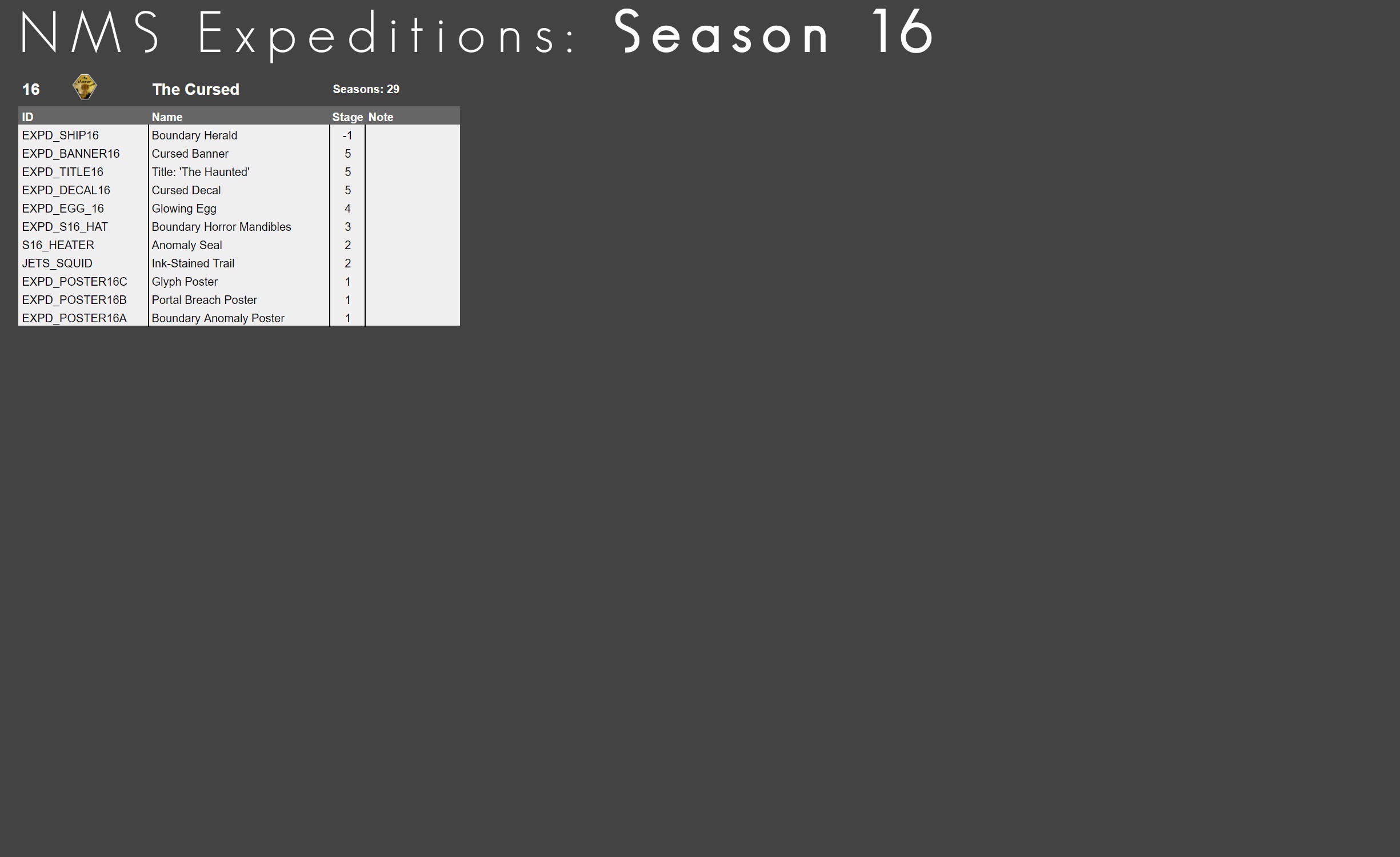
Note: The link to the Expedition Rewards with IDs, is outdated. See here for updated list:
#nms-modding message
@zinc willow Using the IDs is usually not needed, as you can just switch to the 'Account' tab for either save editor and select which rewards to unlock. Make sure to save after and then visit the shop on the Anomaly
zinc willow
Ty!
 orchid needle

Nexus Mods :: No Man's Sky
Add Elixir to Synthesis Laboratory unlockable item tree.
 marsh eagle
zinc willow
Does anyone know of a good guide on save editing for past expedition awards?
marsh eagle
zinc willow
Does anyone know of a good guide on save editing for past expedition awards?
Here is the ultimate guide covering all known methods to unlock past expedition rewards: https://steamcommunity.com/sharedfiles/filedetails/?id=3347392126

The ultimate guide to unlock past expedition rewards even on consoles like the PS5 or XBOX....
 spiral plaza
How do I actually replay the expeditions?Bk mentioned just changing a file but idk
dusk saffron
spiral plaza
How do I actually replay the expeditions?Bk mentioned just changing a file but i...
if you go to Nexus mods or github for the files, there are good instructions. I replayed one a couple weeks ago, went well
spiral plaza
oh fr? my b I should have just checked Nexus
fresh arch

GitHub
🏆 👨🚀 Replay ALL No Man's Sky Expeditions ⭐ 🚀 // No Man's Sky Expeditions as they were when they were released. Progression through the stages preserved so that rewards can only b...
empty egret
Is there a Mod that opens up Galaxy 256 Odyalutai?
solid hawk
There is no mod specifically for that
Nor could there be, as there are no properties in the game files to control that.
NMS mods can only change values for existing game properties. Cannot add new functionality or properties that don't exist in vanilla.
vale iron
It's just a different galaxy. You can save edit your location to that galaxy
 young vessel
has anyone here broken teleporters when theyve been modding, and if so did you ever managed to fix it?
fresh arch
 dusty jewel
Do mods disable multiplayer..?
dusty jewel
Do mods disable multiplayer..?
No mods do not disable multiplayer
!faq-modding
hardy auroraBOT
-# to view info below, enable embeds
<:AtlasNmscord:1269532093076078658> Helpful links and tips for Modding
• [How to enable and install mods:](#nms-modding message) #nms-modding message
• Learn how to use AMUMSS to compile mods
• [Mods do work in Multiplayer:](#nms-modding message) #nms-modding message
Always check the correct path and contents of the MODS folder! Example Image »
• Game updates can break mods - check if your mods have been updated: https://www.nexusmods.com/nomanssky?tab=updated
If you experience any glitches or bugs, please remove or disable all mods and try again before reporting to HG or asking in #nms-questions.
Contributors: friendlyfirepl, .sohail, Atlas Emissaries
fresh arch
young vessel
has anyone here broken teleporters when theyve been modding, and if so did you e...
Make sure you have all your mods updated for the latest version of the game
young vessel
yea thats the thing
fresh arch
For smaller amount of mods active try disabling them one by one to catch the culprit
young vessel
i disabled all of them and the teleporters are still broken
fresh arch
Define "broken teleporter"
What is the issue, what it should be doing but it does not
young vessel
the portal, rift whatever its called is gone
the frame is there but the portal itself is gone
fresh arch
You mean the teleporter base part or the portal structure found on planets?
young vessel
base teleporter
fresh arch
And where have you found it? Your base, space station?
If it's the 1st one maybe it's just unpowered
young vessel
yea funny thing is
i downloaded a mod that threw balance of my power grid out the window
i dont think it caused it
but i thought it was unpowered but it was
and it isnt just my base thats affected
virtually every teleporter was out
 dawn hare
I have nms on xbox gamepass PC, but recently bought it on steam. How can I export my savegame to steam?
fallow meadow
dawn hare
I have nms on xbox gamepass PC, but recently bought it on steam. How can I expor...
You'd want to get NomNom (save editor), which has the ability to convert your save. See pins for a link or join their Discord below
!nomnomlink
hardy auroraBOT
solid hawk
dusty jewel
Do mods disable multiplayer..?
No
solid hawk
dusty jewel
What are some "must-have" mods if you do modding...
There are none. Subjective. Use the mods you like, doesn't matter the mods others use
spiral plaza
dusty jewel
What are some "must-have" mods if you do modding...
I agree with what Babs said, but for sure pick up exocraft speed increase, zooming around on planets is so much more fun with the roamer
 late ice
dusty jewel
What are some "must-have" mods if you do modding...
late ice
dusty jewel
What are some "must-have" mods if you do modding...
I suggest DUD's sky if you want more realistic space and harder space combat, or DUD's sky colours that changes alot of the planets designs and graphics
solid hawk
Alternatives are some of the Exosolar mods
dusk saffron
the 1st mod I try to get updated is Faster Movement, then AtmoHover, then Autoscan Plus.
 shy yoke
 dusk saffron
surprised if it doesn't have spazz issues crossing thru atmo
shy yoke
dusk saffron
surprised if it doesn't have spazz issues crossing thru atmo
oh i do lol
check this out
 vivid wadi
!faq-settingsfiles
hardy auroraBOT
-# to view info below, enable embeds
 Settings File Locations
Steam
<Steam Library Location>\steamapps\common\No Man's Sky\Binaries\SETTINGS\...
Game Pass
%LocalAppData%\Packages\HelloGames.NoMansSky_bd190hzg1sesy\LocalCache\Local\Microsoft\WritablePackageRoot\Binaries\SETTINGS\...
GoG
<Game Install Location>\No Man's Sky\Binaries\SETTINGS\...
Linux & Steam Deck
$HOME/.local/share/Steam/steamapps/common/No Man's Sky/Binaries/SETTINGS/...
Mac
/Users/<yourname>/Library/Application Support/HelloGames/NMS/SETTINGS/...
Deleting any of the settings files will have them regenerate when the game is launched.
Contributors: Devilin Pixy#9298, bkay201#1943
 tulip dew
does any1 have any probs getting mo 2 to work on nms?
just switched over from vortex, which mostly worked
dusk saffron
I've read over and over and over from modders to avoid using mod managers. Install them manually.
vale iron
Yeah, don't
Just paste the PAK files into MODS folder. It's way easier than using a mod manager and mod managers offer nothing for NMS
tulip dew
hm ok then .... btw i am a big fan of your work, sir ! Keep it up!
tulip dew
i will waiting to see what new creative things you will be doing in the future, sir
dusk saffron
tulip dew
does any1 have any probs getting mo 2 to work on nms?
just switched over from v...
BTW, sidenote, I had way better success with MO2 than Vortex on Starfields mods. Night and Day
vale iron
Disable your mods! Some will cause crashing on 5.25, but not sure what yet.
 dapper frigate
shy yoke
dapper frigate
shy yoke
try to get your maneuverability down, and it will be fixed or happens way less at least, depends how much youre getting it down - dont use Polo as bobblehead as example, its increasing maneuverability by a lot
hearty wasp
^ fyi 5k is about the cap where its starts having seizures
dusk saffron
supercharging pulse upgrades seems to increase spazzing risk, also
 keen notch
how add mods?
vale iron
!faq-modding
hardy auroraBOT
-# to view info below, enable embeds
<:AtlasNmscord:1269532093076078658> Helpful links and tips for Modding
• [How to enable and install mods:](#nms-modding message) #nms-modding message
• Learn how to use AMUMSS to compile mods
• [Mods do work in Multiplayer:](#nms-modding message) #nms-modding message
Always check the correct path and contents of the MODS folder! Example Image »
• Game updates can break mods - check if your mods have been updated: https://www.nexusmods.com/nomanssky?tab=updated
If you experience any glitches or bugs, please remove or disable all mods and try again before reporting to HG or asking in #nms-questions.
Contributors: friendlyfirepl, .sohail, Atlas Emissaries
vale iron
Doesn't matter if you're just installing a mod that has a PAK. The Lua is just there if you need it, which you don't
keen notch
umm i downloaded Boundary Herald Unlocker mod and how do i spawn it??? (i'm in creative)
hearty wasp
keen notch
umm i downloaded Boundary Herald Unlocker mod and how do i spawn it??? (i'm in c...
does the mod description page contain any instructions
also whenever you ask about a mod try to include the link to said mod
solid hawk
Click the button in your emote menu.
 restive oasis
Is there a way, to copy your bases that you built in one save file into another?
hearty wasp
restive oasis
Is there a way, to copy your bases that you built in one save file into another?
NMSSE (and a few other tools) supports base import/export
restive oasis
hearty wasp
NMSSE (and a few other tools) supports base import/export
Where can I get it?
hearty wasp
restive oasis
Where can I get it?
restive oasis
hearty wasp
https://discord.com/channels/146101654981312513/377229206351773696/1269175823739...
So, I have to pay for it. They want me to pay for everything.
hearty wasp
restive oasis
So, I have to pay for it. They want me to pay for everything.
NMSSE is free
May need to click the link that says NMSSE
Unless you're on PS4 ig
restive oasis
I tried, I was taken to a pay for patrion subscription site.
hearty wasp
I clicked it and it took me toNMSSE's github page
restive oasis
DM me that page.
hearty wasp
Maybe click the first link under "save editors"
One that says NMSSE in blue text
GitHub
No Man's Sky - Save Editor. Contribute to goatfungus/NMSSaveEditor development by creating an account on GitHub.
Here I copied it for you
Try this one
restive oasis
Kk.
marsh eagle
You just need a machine that can run java for that, it works even on mac
 void imp
Can anyone dupe the last expedition ship for me
dusk saffron
void imp
Can anyone dupe the last expedition ship for me

Nexus Mods :: No Man's Sky
Unlock the Boundary Herald Expedition reward with a instant quick action in the emote menu.
restive oasis
hearty wasp
One that says NMSSE in blue text
Using this tool that you told me to, I went through and systematically got all my bases backed up. Question is, how do I get them put into the save file that I want them put into?
restive oasis
Can you get me screenshots showing me where to go, and what exactly to do?
hearty wasp
 restive oasis
It seems like it wants to overwrite the existing. Does that mean, that it's overwriting the place where it is in the galaxy?
I restored each and every single one that I wanted to, but nothing came in.
hearty wasp
It's grabbing your saved base file and replacing the selected base
restive oasis
So, how do I get it so that it's going to add the base to the roster?
hearty wasp
You set a new base in game and import a base file into that base in the editor
restive oasis
So, I have to know the coords and manually go there? Even though, I don't exactly know where "There" really is?
hearty wasp
You can't go where you don't know, yes
I'm not sure what you're aiming to do
If you want to go to somewhere specific you can use the coordinates viewer and set your location
restive oasis
Would I just be able to manually go into the txt save file, and copy from one, and paste into the other?
I'm trying to consolidate all the bases across 3 saves, into one.
It's like having three baskets, each basket has golf balls in them. I'm trying to take the said golf balls from the two other baskets of golf balls and put them into the one that I'm trying to put them into.
hearty wasp
yeah you can edit the json file
 empty egret
You know what would be Cool a Millenium Falcon Skin for the Boundary Herald
hearty wasp
then you can find PersistantPlayerBases

grab the entire section from each save and paste them into a temporary text file
 dusty tusk
!faq-modding
hardy auroraBOT
-# to view info below, enable embeds
<:AtlasNmscord:1269532093076078658> Helpful links and tips for Modding
• [How to enable and install mods:](#nms-modding message) #nms-modding message
• Learn how to use AMUMSS to compile mods
• [Mods do work in Multiplayer:](#nms-modding message) #nms-modding message
Always check the correct path and contents of the MODS folder! Example Image »
• Game updates can break mods - check if your mods have been updated: https://www.nexusmods.com/nomanssky?tab=updated
If you experience any glitches or bugs, please remove or disable all mods and try again before reporting to HG or asking in #nms-questions.
Contributors: friendlyfirepl, .sohail, Atlas Emissaries
dusty tusk
!faq-settingsfiles
hardy auroraBOT
-# to view info below, enable embeds
Settings File Locations
Steam
<Steam Library Location>\steamapps\common\No Man's Sky\Binaries\SETTINGS\...
Game Pass
%LocalAppData%\Packages\HelloGames.NoMansSky_bd190hzg1sesy\LocalCache\Local\Microsoft\WritablePackageRoot\Binaries\SETTINGS\...
GoG
<Game Install Location>\No Man's Sky\Binaries\SETTINGS\...
Linux & Steam Deck
$HOME/.local/share/Steam/steamapps/common/No Man's Sky/Binaries/SETTINGS/...
Mac
/Users/<yourname>/Library/Application Support/HelloGames/NMS/SETTINGS/...
Deleting any of the settings files will have them regenerate when the game is launched.
Contributors: Devilin Pixy#9298, bkay201#1943
restive oasis
@hearty wasp Hope you get a knocking on your front door, and it's Nada accompanied by a bunch o' Gek giving you Cookies, Brownies n' Rice Krispie Treats for putting up with me. Thanks!
hearty wasp
cool
solid hawk
empty egret
You know what would be Cool a Millenium Falcon Skin for the Boundary Herald
It already is a MF rip-off
restive oasis
What was that one ship from the last season?
solid hawk
Think Ships of Moar already has a MF skin, so uneceessarily repetitive.
solid hawk
restive oasis
What was that one ship from the last season?
The Millenium Falcon rip-off?
Called a Boundary Herald
restive oasis
The one before that, the one that has rocket jet vent things that almost resembles the Normandy ship but in fighter form factor.
solid hawk
One before was Iron Vulture (s13), I believe. More a flying turkey
Before that Starborn Runner (s12)
Then Utopia Speeder (s09)
First was Golden Vector (s01)
empty egret
solid hawk
It already is a MF rip-off
True that
restive oasis
What ship is this?
 solid hawk
Too quick, haha
dusk saffron
LOL
solid hawk
restive oasis
What ship is this?

Nexus Mods :: No Man's Sky
Unlock the Starborn Runner Expedition reward with a instant quick action in the emote menu.
If you wish
dusk saffron
funny, I almost linked that, too
solid hawk
Individuasl replacements for Season Reward Unlocker, which I had to retire
restive oasis
Looks like something from the Normandy universe.
solid hawk
Reminds me of a ducks beak, for some reason
restive oasis
If you destroy a season reward like that ship, to make room in your roster, are you able to reclaim it?
restive oasis
kk
restive oasis
solid hawk
In the Nexus
Don't you mean the Anomaly space station?
solid hawk
Think so. Did once myself, but was a very long time ago. Might be remembering wrong
solid hawk
restive oasis
Don't you mean the Anomaly space station?
Also known as The Nexus
dusk saffron
I might be wrong, but I think vanilla, once you claim adn expedition ship in a save, you cant get it in that save again
solid hawk
dusk saffron
I might be wrong, but I think vanilla, once you claim adn expedition ship in a s...
Needs to be tested, I guess.
restive oasis
solid hawk
Also known as The Nexus
So, it has two names then.
dusk saffron
I haven't played in a constant Save for any amount of time in years. I start and delete them now
solid hawk
My memory can't be trusted. Old AND been on heavy duty pain killers 24/7 for months. haha
dusk saffron
solid hawk
Needs to be tested, I guess.
I'll try it out tomorrow with a save I am using for Beachhead
solid hawk
Think I'll try that tonight. Delete a Starborn Runner, then try to replace it
ok, whichever of us gets to it first.
I may or may not get to it. Need to get to WalMart for Dog food
dusk saffron
not me, I am on intermission from For All mankind
solid hawk
There is free usage, just limited
hearty wasp
He's saying you can already use the link you posted for free
If you have more requirements (sentinel ships, no log in reqired etc) you should mention them
If the issue you're having is with log in then you should raise the issue in their discord
I can't comment on how the interaction went without reading it but you should try to give them all the steps you went through, what you intended to happen, and what actually happened in the tool
To them I mean
Sometimes it is impossible to help with issue where not enough information is received
I assume you can even upload screenshots with red arrows pointing at what you clicked
marsh eagle
He just needs to click the discord search checkbox to actviate the discord search options. That works without any login and free.
And idk why he's asking here if we have linked a support discord on that site.
vale iron
empty egret
You know what would be Cool a Millenium Falcon Skin for the Boundary Herald
Doesn't @dapper frigate 's mod have that? It's really good:
https://www.nexusmods.com/nomanssky/mods/3249/

Nexus Mods :: No Man's Sky
PimpMyShip - Boundary Herald - Custom Skins - 5.22 -5.25 ready
empty egret
vale iron
Doesn't <@464499601093951518> 's mod have that? It's really good:
https://www.ne...
Didn't see that one LOL
dapper frigate

 coral gale
is there a mod to unlock all ship parts in the constructor thing at the back of space station?
fresh arch
No but there are mods that add ship parts to vendors, like the galactic trading terminal or the scrap dealer
fresh arch
Links to example mods: #nms-modding message
young vessel
there a mod that increases the stack size limit of the output end on refiners?
 delicate heart
Anyone have an issue with "hyper not installed" message after installing some mods?
vale iron
If the mod is bad, sure. What mods do you have installed? Can't help much without that info
dusk saffron
solid hawk
Think I'll try that tonight. Delete a Starborn Runner, then try to replace it
I just tested with iron vulture; claimed, scrapped ----> not available
 vale iron
Yeah, when you claim, it sets a value in Special Items Claimed in the save file, something like that. So you can't claim it again
dusk saffron
vale iron
Yeah, when you claim, it sets a value in Special Items Claimed in the save file,...
I probably knew that before, my memory sucks now 👴
solid hawk
same
Previously I must have done a little JSON editing to make it work
But, the #nms-modding message mods should still work, I think. Just gives the ship reward.
 limber vine
are there any mods that can lower specific sound effects? My friend says every time he lands his Freighter the sound is INSANELY loud; that's the only sound in the game that does that
void imp
how do i manually install mods
fresh arch
!faq-modding
hardy auroraBOT
-# to view info below, enable embeds
<:AtlasNmscord:1269532093076078658> Helpful links and tips for Modding
• [How to enable and install mods:](#nms-modding message) #nms-modding message
• Learn how to use AMUMSS to compile mods
• [Mods do work in Multiplayer:](#nms-modding message) #nms-modding message
Always check the correct path and contents of the MODS folder! Example Image »
• Game updates can break mods - check if your mods have been updated: https://www.nexusmods.com/nomanssky?tab=updated
If you experience any glitches or bugs, please remove or disable all mods and try again before reporting to HG or asking in #nms-questions.
Contributors: friendlyfirepl, .sohail, Atlas Emissaries
fresh arch
1st link has the instructions
 fallow meadow
void imp
did i do this right
fallow meadow
void imp
did i do this right
That looks correct.
void imp
sweet
fresh arch
90% sure only one of these mods will show up in the game
Because they are conflicting with each other
void imp
oh
fresh arch
Use only one at a time or merge them with AMUMSS
fresh arch
!faq-savefiles
hardy auroraBOT
-# to view info below, enable embeds
<:atlasnmscord:1269532093076078658> **Save File Locations**
Steam
%appdata%\HelloGames\NMS\st_<Steam64ID>\...
Game Pass
%LocalAppData%\Packages\HelloGames.NoMansSky_bs190hzg1sesy\SystemAppData\wgs\...
GoG
%appdata%\HelloGames\NMS\DefaultUser\...
Linux & Steam Deck
$HOME/.local/share/Steam/steamapps/compatdata/275850/pfx/drive_c/users/steamuser/Application Data/HelloGames/NMS/st_<Steam64ID>/...
Mac
/Users/<yourname>/Library/Application Support/HelloGames/NMS/st_<your steam ID>/
When sharing saves in a report to Hello Games, it is best to create a package/archive of the full folder shown for your platform above (.zip/.rar).
Contributors: Devilin Pixy#9298, bkay201#1943
dusk saffron
void imp
I’m confused.
"Unlock the Boundary Herald Expedition reward with a instant quick action in the emote menu. "
I havent used it, just going off what the mod states.
as it says "unlock" and "reward", maybe you have to then go to QS vendor and redeem it
solid hawk
limber vine
are there any mods that can lower specific sound effects? My friend says every t...
yes. search nexusmods for sound
solid hawk
void imp
The quick menu, where you recharge your shit?
emote menu
you'll see a button that looks like the ship
limber vine
solid hawk
yes. search nexusmods for sound
I did this.. didn't see anything that looked like it could do it?
ah is it this: https://www.nexusmods.com/nomanssky/mods/1448
 solid hawk
There's many, you'll have to look through each to see which, if any, deal with that specific sound effect
limber vine
looks like there's a "Freighter hangar door open (to prevent loud bug)"
appreciated 🙂
 molten furnace
Can anyone hive me some ships I’m on ps5
fallow meadow
molten furnace
Can anyone hive me some ships I’m on ps5
There is another discord that provides a service bot for all sorts of things, including ships. Feel free to check it out
!creativehublink
hardy auroraBOT
 latent hare
wait, theres a service bot, what all does it do?
fallow meadow
latent hare
wait, theres a service bot, what all does it do?
I suggest to visit the discord and check for yourself. It can do a lot though
latent hare
ok
delicate heart
vale iron
If the mod is bad, sure. What mods do you have installed? Can't help much withou...
i have like 50 mods installed no idea which one would cause it
solid hawk
Remove in batches until the problem goes away. Then begin readding in smaller batches until issue reappears. Narrow it down that way until you find the culprit.
vale iron
That's honestly a 'you' problem, no offense. We can't know what you did to make things not work, particularly when you install dozens of mods at once
delicate heart
Yea i learned my lesson. Im new to this and I'm figuring that out lol. So I have to close the game everytime I alter a mod and the start it back up right?
Also, is there any guides for mod load order?
hearty wasp
delicate heart
Yea i learned my lesson. Im new to this and I'm figuring that out lol. So I have...
yes
hearty wasp
delicate heart
Also, is there any guides for mod load order?
not really a concern unless you plan to make your own mods
if you have conflicting mods you should merge them using AMUMSS instead
delicate heart
Im just having small issues here and there. At first when I activated my boosts in ships it would spin all around and it also told me i didn't have hyperdrive installed. That got fixed when I disabled that long range freighter mod. But now the game crashes everytime I inter a planets atmosphere. So I'm trying to find out which one I need to disable for that. The problem is, it just takes forever to load the game each time
hearty wasp
delicate heart
Im just having small issues here and there. At first when I activated my boosts ...
post MODS folder like so
 dusk saffron
"At first when I activated my boosts in ships it would spin all around" have you also save edited your ship stats?
delicate heart
dusk saffron
"At first when I activated my boosts in ships it would spin all around" have yo...
Can you examine what that is?
delicate heart
hearty wasp
post MODS folder like so
 delicate heart


 fresh arch
Yeet all LUA , TXT, jpeg files, basically anything that is not a PAK file
Yeet any mod older than June 17th
Or whatever Worlds part 1 update release day was
delicate heart
Okay so delete any that are before my current update? Or specific before worlds 1?
hearty wasp
try yeeting everything dated before 31 Oct first
and then you can add them back in from latest to oldest once your game doesn't crash
but yeah anything older than say 2-3 months are most likely broken as shit
unless it's model replacement/textures
delicate heart
I think I'm still on the Aquarius update. So should I make it up to that date or still Oct. 31?
hearty wasp
if you're on an older version of the game then you need to yeet both older and newer files
last aquarius patch is dated 17 Sept
delicate heart
Alright bet
hearty wasp
since Cursed came out on 23 Oct anything later than that should be yote
but obviously if you're planning on staying on that version you can just download older versions of those mods
vale iron
On gShip Type Frequency, you need to pick ONE version. Those are all conflicting with each other.
steel crypt
DUD'S SKY updated v525-A
DUD'S SKY - COLORS updated v525-A
https://www.nexusmods.com/nomanssky/mods/507
https://www.nexusmods.com/nomanssky/mods/968
https://www.nexusmods.com/nomanssky/mods/2022
Nexus Mods :: No Man's Sky
Modular collection of gameplay enhancing-quality of life mods that can be used together. Compatible with NMS v5.25
Nexus Mods :: No Man's Sky
Extensive modular collection of color and visual effects mods that can be used together. Compatible with NMS v5.25

Nexus Mods :: No Man's Sky
Terrain overhaul mod. Compatible with NMS v5.11-5.25 Now with NaturalSpawn!
@round sinew
round sinew
steel crypt
<@421420826873561088>
jason 😄
i mean
amazing timing
that's all i will say
 wispy delta
@errant cave
 errant cave
@wispy delta
 quasi dust
PTSD is the only reason i play this
really should be an option in official game. So devs frequent here?
wispy delta
How do you mod nms I’m want to get into it but just don’t know how
hearty wasp
wispy delta
How do you mod nms I’m want to get into it but just don’t know how
!faq-modding
hardy auroraBOT
-# to view info below, enable embeds
<:AtlasNmscord:1269532093076078658> Helpful links and tips for Modding
• [How to enable and install mods:](#nms-modding message) #nms-modding message
• Learn how to use AMUMSS to compile mods
• [Mods do work in Multiplayer:](#nms-modding message) #nms-modding message
Always check the correct path and contents of the MODS folder! Example Image »
• Game updates can break mods - check if your mods have been updated: https://www.nexusmods.com/nomanssky?tab=updated
If you experience any glitches or bugs, please remove or disable all mods and try again before reporting to HG or asking in #nms-questions.
Contributors: friendlyfirepl, .sohail, Atlas Emissaries
hearty wasp
first link
solid hawk
quasi dust
really should be an option in official game. So devs frequent here?
No. HG employees are barred from interacting on social media platforms. Strict NDA. Combined with they have zero time to do so, while at work, and don't want to waste their precious freee time after work doing anything NMS related.
So you cannot contact anyone HG from here and anything posted here, HG will never see.
tulip dew
is anyone missing the the change cam mode button from the utilities menu while in space ? i can see it when mods are off, but when mods are on, it is gone again. it was working fine in modded game until today
fallow meadow
tulip dew
is anyone missing the the change cam mode button from the utilities menu while i...
Must be a mod causing this, for you to try figure out which and report with the creator. Take the mods out one at a time until you find the culprit. If you have lots of mods installed, take out half the amount at a time, and half that, etc, until you get to find it.
steel crypt
Anyone having issues with UI related things should check mods. Last update changed those type files and I'm seeing a lot of people complaining about similar issues.
delicate heart
vale iron
On gShip Type Frequency, you need to pick ONE version. Those are all conflicting...
I went back and read the description last night. Probably should've did that the first time lol. Thanks. Any plans on adding millennium falcon to the custom ship mod?
solid hawk
delicate heart
I went back and read the description last night. Probably should've did that the...
It is already in Ships of Moar. No point in adding to gShip Custom Ships
hearty wasp
keen notch
is there a mod that adds subnautica planet to nms
you should elaborate on what a "subnautica planet" should be in your mind
hearty wasp
there're ocean planets in vanilla afaik
solid hawk
You will NOT get subnautica depths though. Not possible with NMS
delicate heart
solid hawk
It is already in Ships of Moar. No point in adding to gShip Custom Ships
Okay gotcha! I'll check that one out
solid hawk
delicate heart
Okay gotcha! I'll check that one out
Can use both together. See information about Collection script on the Ships of Moar page, Description tab.
delicate heart
Is there any way to place these ships in the game or do you have to just change the seed? Is there also an easier way to access the seed codes rather than having to go back to the mod page and read them?
 gray snow
is there any sort of immersive first person mod? like where it would show your character model when you look down?
also if i were to start modding this game is vortex a fine mod manager to use? also would opening the game THROUGH vortex keep my save data?
steel crypt
hearty wasp
there're ocean planets in vanilla afaik
FYI
Can’t have purely water covered planets in vanilla due to how terrain gen works. There will be at least many tiny islands per planet.

 steel crypt
if someone says they saw one, they might have but it’s a terrain loading bug. Reload to fix.
 gusty owl
heyo, I'm trying to replicate a certain creature I found and turn it into a companion, I have the seeds pulled up and im using the creature builder to replicate it, the only problem is that I don't know what seed goes where
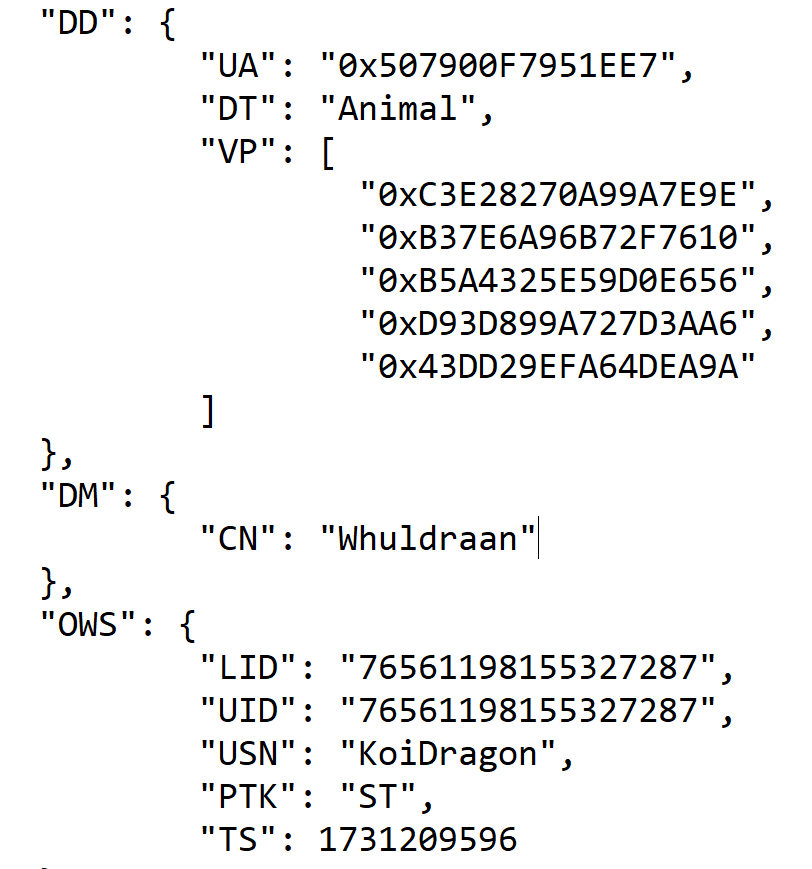
heres the seeds btw
 tulip crescent
anyone know how to modify starting conditions (starting inventory, ship, multitool, etc.
I remember seeing a template list someone created with starting "classes"
 rapid sandal
tulip crescent
anyone know how to modify starting conditions (starting inventory, ship, multito...
rapid sandal
tulip crescent
anyone know how to modify starting conditions (starting inventory, ship, multito...
most of the mods will be made to: METADATA/GAMESTATE/DEFAULTSAVEDATA.MBIN both amumss and nmsmb have existing scripts to demonstrate how e.g. https://github.com/cmkushnir/NMSModBuilderContrib/blob/main/Scripts/NMSMB/Mod/cmk/Start_ExoSuit.cs, https://github.com/cmkushnir/NMSModBuilderContrib/blob/main/Scripts/NMSMB/Mod/cmk/Start.cs
delicate heart
What are your top mods that you are using now?
vale iron
I mainly just use my own stuff: gEpic Normal, gShip Custom Ships, Custom Freighters, and gGUI Clean Multiplayer
delicate heart
Are there any current mods that fixes VR wip?
solid hawk
gray snow
is there any sort of immersive first person mod? like where it would show your c...
No and not possible
solid hawk
gray snow
also if i were to start modding this game is vortex a fine mod manager to use? a...
No mod manager is good to use with NMS. Best practice is to install mods manually
solid hawk
delicate heart
Are there any current mods that fixes VR wip?
wip = work in progress?
Not a huge number of VR mods for NMS as majority of mod authors don't have VR. What there is can be found at https://www.nexusmods.com/nomanssky/mods/newrecently, which does have a search feature
delicate heart
Walk in place.
Basically, I can walk around my play area in VR without my body in game Staying stagnant.
hardy auroraBOT
-# to view info below, enable embeds
<:AtlasNmscord:1269532093076078658> Helpful links and tips for Modding
• [How to enable and install mods:](#nms-modding message) #nms-modding message
• Learn how to use AMUMSS to compile mods
• [Mods do work in Multiplayer:](#nms-modding message) #nms-modding message
Always check the correct path and contents of the MODS folder! Example Image »
• Game updates can break mods - check if your mods have been updated: https://www.nexusmods.com/nomanssky?tab=updated
If you experience any glitches or bugs, please remove or disable all mods and try again before reporting to HG or asking in #nms-questions.
Contributors: friendlyfirepl, .sohail, Atlas Emissaries
fresh arch
1st link for installing mods, 5th for downloading updated mods
 grand arrow
I was referring to creating mods, mb I should’ve clarified
fresh arch
!moddinglink
hardy auroraBOT
fresh arch
Dedicated server where most of mod authors hang out