#nms-modding
1 messages · Page 41 of 1
 fresh arch
Stutters are mostly result of CPU doing some heavy number crunching and loading new assets as needed
The game is build upon procedural generation, so planets and objects on them are generated as you go
It's not like other games where you load a fixed map with mostly static geometry once and you're done
 sharp rock
Right yeah i can see how that could cause hitches. Ive got a 10900k and it was a suprise to me that it might actually be bottlenecking my GPU. May need to look into an upgrade eventually even though its still a fairly new CPU
 stuck venture
I am trying to save edit but for some reason I only see 3 saves even tough I have 4


The 2nd one doesnt show up
Any way to fix this?
 hearty wasp
stuck venture
I am trying to save edit but for some reason I only see 3 saves even tough I hav...
hearty wasp
stuck venture
I am trying to save edit but for some reason I only see 3 saves even tough I hav...
try going in that save in game, going somewhere else, save in game, then try again
stuck venture
hearty wasp
try going in that save in game, going somewhere else, save in game, then try aga...
Already tried, restarted the editor and still nothing
hearty wasp
rip
stuck venture
windows update fixed it for some reason, though it gets displayed as "normal" instead of custom for some reason
 neon nova
Anyone have a list or suggestions of mods that make the game feel a little more realistic? So far I have the black space mod, the HD clouds mod and the rotating atmosphere mod just to add those little tweaks but struggling to find more along that same vein
hearty wasp
Sean
fresh arch
Truth is you have the wrong assumption you can turn NMS into a realistic space game
Modding is far too limited to change the core aspects of the game
neon nova
Oh no, I actually really enjoy the core aspects of the game. I just like that realistic coat of paint over the top if that makes sense?
 novel jungle
new to modding is there a mod that increases the max cap of ownable starships? i like collecting them lol
fresh arch
Nope
novel jungle
damn
 solid hawk
Hardcoded
 quasi mason
@dreamy tulip sorry for ping but what version of NMS will work with rayrod overhaul?
solid hawk
quasi mason
<@211338706903236609> sorry for ping but what version of NMS will work with rayr...
What's the date of upload?
quasi mason
somewhere in 2018
solid hawk
 quasi mason
newest files in archive are dated by 2018-01-26
quasi mason
solid hawk
oh, thanks
 charred sparrow
I've heard it's possible to change your ships colors using a save editor. Can anyone educate me further?
fresh arch
Feeling like it's time to share a bit of my ongoing modding project

 dreamy tulip
quasi mason
<@211338706903236609> sorry for ping but what version of NMS will work with rayr...
dreamy tulip
quasi mason
<@211338706903236609> sorry for ping but what version of NMS will work with rayr...
That would be Atlas Rises 1.38
@quasi mason
Bear in mind that my older work was heavily experimental & quite unstable..
This won't be the case with the upcoming Multiverse fan project (which will support the latest version). 🙂
https://i.imgur.com/KIUGdj5.jpg https://i.imgur.com/Swi2wVh.png




Nexus Mods :: No Man's Sky
Multiverse Framework is a smaller component of a much larger fan project, titled 'Multiverse' to be released in the very near future.A visionary fan project for No Man's Sky, materia
 lucid fractal
is it a bad idea to just add a bunch of s class frigates to a fleet with a save editor?
solid hawk
Won't hurt anything, just cheaty. If you're good with it, that's all that matters
lucid fractal
good to know, thanks ive already farmed for the rest of my stuff i dont feel like doing 20x more frigate hunting lol
 iron breach
solid hawk
Hardcoded
iron breach
solid hawk
Hardcoded
What is this capped at?
Besides utopia and rayrod multiverse... Are there any other huge overhaul type mods?
iron breach
iron breach
What is this capped at?
I googled. Seems to be 12 but 6 at a time in freighter
solid hawk
iron breach
I googled. Seems to be 12 but 6 at a time in freighter
Per save, BUT, one mod allows increasing number in freighter to 9. https://www.nexusmods.com/nomanssky/mods/2241

Nexus Mods :: No Man's Sky
Lets you see nine (or two) of your ships at once in your freighter hangar.
solid hawk
iron breach
Besides utopia and rayrod multiverse... Are there any other huge overhaul type m...
Multiverse is a framework, the overhaul components are yet to come, in coming months. Overhauls are pretty much all Redmas does. Don't think Utopia exists anymore though, not on NexusMods. Only one I see is Fantasy Legacies, rest either out of date or removed. Most people more prefer to pick and choose individual mods from all over, to change specific things, to suit their particular style, wants, and needs.
That way you get the game how YOU want, not how someone else does.
That's why an overhaul mod MIGHT get a few dozen downloads, but most other popular mods get hundreds to thousands.
iron breach
Agreed. my thing with overhauls / collections / modlist is that it saves me the time of putting tha together and vetting things and working out compatability. So usually i find an overhaul/collection/list and play.
iron breach
solid hawk
That's why an overhaul mod MIGHT get a few dozen downloads, but most other popul...
This is very true!
solid hawk
Then this one is your best bet currently: https://www.nexusmods.com/nomanssky/mods/2675?tab=files

Nexus Mods :: No Man's Sky
This is a fully modular game overhaul changing most of all the game aspects.It is the result of 7 years of devoted modding the game.I just can't stop myself from trying to improve that gam
solid hawk
iron breach
Agreed. my thing with overhauls / collections / modlist is that it saves me the ...
Fair. More play, less hunting and trying
Hopefully you saw the other thing I posted to you, about ships on freighters
If you missed it, scroll up a bit
iron breach
Yes i saw it. 9 with that mod. Pretty cool. Ill check it out!!
iron breach
solid hawk
Multiverse is a framework, the overhaul components are yet to come, in coming mo...
Only 2 overhauls? I guess makes sense since updates are so random. Must be hell to maintain a working version
solid hawk
1
Can't count Multiverse, not out yet in the form useable as a mod. Still a work in progress.
Never been more than a handful going at once though, most by Red.
Yep, takes dedication. Many have lasted one update then thrown in the towel. Depending what has changed in a given manjor NMS update, can be like a complete re-do fixing a broken mod.
Oh, more of a collection than overhauls, but there's also https://www.nexusmods.com/nomanssky/mods/2225

Nexus Mods :: No Man's Sky
A balance overhaul to achieve 5 things: improve difficulty (mostly optional now), balance rewards away from passive options towards a variety of active playstyles, make the choice between weapons/star
iron breach
solid hawk
Oh, more of a collection than overhauls, but there's also https://www.nexusmods....
ouuu this is a new one. using redmas overhaul currently but this seems intregiing. thanks for finding. reading thourhg it now.
 vale iron
Also gEpic is a collection
 cold jungle
how do i know if a mod is up to date on Nexus?
vale iron
Unfortunately, you don't really. If it was updated since the last game update, that's a pretty good sign, but some mods don't need updates
Check the comments is a good step
solid hawk
But, most (exceptions being pure TEXTURE mods and to an extent model replacement mods) require updating for major NMS updates, like Orbitals. So, taking into account the exceptions listed, you'd want to use mods that are new or updated since 27 March 2024. https://www.nexusmods.com/nomanssky/mods/newrecently
iron breach
vale iron
Also gEpic is a collection
👌
quasi mason
dreamy tulip
<@543062016844103701>
Bear in mind that my older work was heavily experimental...
oh, I thought multiverse is only a framework, but it's also a total conversion mod, can't wait to play it, good luck
dreamy tulip
quasi mason
oh, I thought multiverse is only a framework, but it's also a total conversion m...
Yeah, it's a massive project (currently 7 years into this journey).
On one hand there is the framework (similar to SKSE from Skyrim) which provides the ability to load modular .dll mod plugins that get released; which are capable of introducing new programmed functionality to the game... features beyond the scope of traditional .mbin modding (eg. new animations, rewriting the games asm instructions, function hooking, real-time modding, perceptual uniform color transitions using the CIELAB color space, a dear ImGui based dev tool which renders in-game with a hotkey; that allows you to re-design the in-game universe with precision in real-time. It saves a lot of time with live analysis, reverse engineering, & mod or .dll plugin development). An SDK will be provided at some point.
and on the other hand there's a separate fan project (for those who just want to play & not tinker) centered around unleashing the engine's potential in a manner that is cohesive in terms of artistry & gameplay (by fleshing out the engine's already existing capabilities and also by programming entirely new systems from scratch outside the scope of what's normally possible).
I spent several years developing the framework... in order to have the tools needed to make possible what's planned, as I re-design numerous aspects of the game from the ground up and re-write some of the game's backend code.
The fan project will make use of the framework with a) .dll plugins and b) .pak mod resources which will store textures, custom shaders, procedural rigs I'm sculpting, audio files, etc... but the majority of things will be handled through the modular .dll files written in C++.
Since a lot of it is modular, that means a lot of it will be customizable on the user's behalf.
The main things that won't be customizable, are things that need to be a certain way to prevent the game from breaking.
 fathom crypt
What is also really cool is that now most of the plugin mods won't be affected by the updates, meaning you don't worry about any of them get broken
It will be quite useful when someone want to create a sfx mod
The framework can just replacing whatever you want.
Doing them traditionally will takes up huge amount of time and ends up setting your own script system to unpacking, replacing and repacking almost every patches
Due to how often HG changes the sfx bank file
And another cool feature is that you don't really have to mind the conflict issues between mods
Traditionally our modders are only editing raw mbin files, which will cause a huge issue if both of two mods are editing the same file at the same time. And you have to download the script files and compile them by yourself, which will be quite annoying.
Although the features above may sounds quite overwhelming, but it will brings up huge amount of advantages for the future of the nms mods.
For the user sides, it's basically drags and drops experiences. Just like what we do when installing the mod right now.
Installing the framework be like:
1 ) Drag and drop everything in the compressed file you got into the game's root.
2 ) Same goes to the plugins and pak files
quasi mason
dreamy tulip
Yeah, it's a massive project (currently 7 years into this journey).
On one hand...
that's gonna be the greatest thing, game with nearly infinite galaxy that you can modify as you want, turning NMS into even bigger sandbox
dreamy tulip
Hey, @fathom crypt!
Thanks for sharing your input.
I'd just like to mention that the installation has been further simplified since the previous public release.
With the next version, after downloading, all you gotta do is drag & drop the 'Multiverse Framework' folder from the Multiverse Framework.zip into your No Man's Sky Binaries folder & run the game as normal.

& all modular plugin files that get released still go into Binaries/Multiverse Framework/Plugins

Sometimes a plugin might make use of a separate mod .pak file for resources (eg. for models or textures), and those will just go into the normal mods folder everyone uses GAMEDATA/PCBANKS/MODS.
dreamy tulip
quasi mason
that's gonna be the greatest thing, game with nearly infinite galaxy that you ca...
Imagine exploring planets, and seeing tides rise, when an intense storm rolls in.
Every solar system being generated uniquely on the fly through newly programmed algorithms (while still being seed-based).
fathom crypt
quasi mason
that's gonna be the greatest thing, game with nearly infinite galaxy that you ca...
Yeah don't forget that during the pre-release era HG planned using a system to making every single planets to be unique in the game. And it finally could be a thing in the future
dreamy tulip
Terrain shifting on planets as you explore it
An algorithm (inspired by a pre-release concept) which makes the universe more strange the closer you get to the center of the galaxy
fathom crypt
We just lost so much thing within the times
quasi mason
it's an infinite potential, that would be basically a game with everything, evey genre combined into one game
fathom crypt
Also @dreamy tulip is there a feature which can import any dll or machine codes into the game as well?
Like a bms player
dreamy tulip
Since the project is heavily inspired by prerelease and the more strange scifi from 1902 - the late 1990's... there's so much to explore in terms of variety 🙂
quasi mason
fathom crypt
Yeah don't forget that during the pre-release era HG planned using a system to m...
that's one of the best things with multiverse, also imagine having many proc gen mods and game will choose random one for each planet
fathom crypt
Imagine you accidentally import the gameplay mechanics from any other games
dreamy tulip
fathom crypt
Like a bms player
I haven't made such a thing, but if you developed a .dll for that purpose, yes.
fathom crypt
cool
quasi mason
fathom crypt
Imagine you accidentally import the gameplay mechanics from any other games
that's not how it works sadly, but would be funny to import doom movement into NMS
dreamy tulip
The MultiverseGui could be turned into a music player or into a 3D modeling software or whatever
quasi mason
or quake movement
dreamy tulip
dreamy tulip
The MultiverseGui could be turned into a music player or into a 3D modeling soft...
More trouble than it's worth imo tho
fathom crypt
well bms player is just a open soursed rhythm game emulator
dreamy tulip
quasi mason
that's not how it works sadly, but would be funny to import doom movement into N...
Lol doom and quake have awesome modding scenes
dreamy tulip
Absolutely. I lost track of all the doom fan games or total conversions that i've seen! There's a lot of talented people out there. Am a big fan of SRB2
and GzDoomVR
quasi mason
I love how even without usage of ultra advanced engine like gzdoom people still can make masterpieces, eviternity 2 as example
dreamy tulip
This is the first time I'm hearing about it 🤔
Will have to check it out!
If you look up the Total Chaos mod
it's pretty wild, like it's unrecognizable from doom
quasi mason
dreamy tulip
If you look up the Total Chaos mod
I have no words on that, that's straight up a different game
it's insane how this came from doom
dreamy tulip
quasi mason
it's insane how this came from doom
In terms of NMS, what would you like to see the most (assuming it's possible to mod it)? 🙂
quasi mason
unique planets, better combat, better first person mode, more stuff to do on planets, being able to do something on space station other than just walking and buying something, more sandbox elements overall
also more unique quests rather than just random quest to get something
fathom crypt
How about some cave overhuals to make caving more fun?
dreamy tulip
quasi mason
unique planets, better combat, better first person mode, more stuff to do on pla...
Awesome, will keep these ideas in mind moving forward. Thanks!
dreamy tulip
fathom crypt
How about some cave overhuals to make caving more fun?
Absolutely! Will def be working on that.
There are currently 11 unused superformulas for terrain
and dormant superformula related things throughout the game's files
quasi mason
fathom crypt
How about some cave overhuals to make caving more fun?
I remember getting lost in cave just because it all looks same, would be nice to have better caves too
maybe even layers of caves, aka biomes kind of like in terraria, but I feel like it's too much now
fathom crypt
Yeah speaking of caves, the abandoned freighters in space looks bad
dreamy tulip
For those who aren't aware, there was a GDC conference, alongside several articles (from before launch) detailing what that was about. It's pretty cool.
Essentially, creatures and flora were meant to be manipulated in real-time into unique variances... rather than solely relying on a pre-existing combination of 3D modeled parts.
fathom crypt
Would be cool if the interiors are much bigger and you have to use a bit of jetpacks in it
dreamy tulip
The Diplos on Oria V (from the PS3 gameplay trailer) were actually procedurally generated (contrary to popular perception throughout the years) -- https://youtu.be/nLtmEjqzg7M

https://www.playstation.com/games/no-mans-sky/
No Man's Sky is a science-fiction game about exploration and survival in an infinite procedurally generated universe.
Developed by Hello Games, the indie studio behind PS3 hit Joe Danger, No Man's Sky is a science-fiction game without limits. If you see a mountain, you can trek there. If you see a...
quasi mason
fathom crypt
Yeah speaking of caves, the abandoned freighters in space looks bad
abandoned freighters were disappointing when I visited them for the first time. cool that it's like doom 3 and stuff, but it's so short and empty
dreamy tulip
It was assumed that they were static models, but they were generated based off of bone structure making use of superformula logic
quasi mason
quasi mason
abandoned freighters were disappointing when I visited them for the first time. ...
I wasn't even disappointed at lack of proper reward but at how short it was
dreamy tulip
Speaking of cave terrain, considering how it could be improved... that came to mind. Because the superformula was used beyond the scope of flora and fauna... but also for terrain
fathom crypt
quasi mason
abandoned freighters were disappointing when I visited them for the first time. ...
yeah... sadly. I think with the power of the framework, we can finally manage to write our own code to generate the freighters we want
quasi mason
dreamy tulip
Speaking of cave terrain, considering how it could be improved... that came to m...
if you are enhancing flora and fauna diversity, how are you doing that? more reference models or what?
dreamy tulip
quasi mason
if you are enhancing flora and fauna diversity, how are you doing that? more ref...
In so many ways, really. This topic is a bit of a rabbit hole.
Modeling/Sculpting new proc rigs & writing algorithms to further amplify in-game variety is one way.
However, I'd like to emphasize that no new content needs to be added to dramatically improve variety in ways that has not been publicly demonstrated before.
I estimate that from the time of this game's launch all the way to now (with all the wonderful content updates that we have freely received)... the engine makes use of less than 2% of it's true potential and that practically every system could be pushed significantly further (as it was designed to be) w/o performance impact, without loss of quality.
If someone were to take the time to pour out a huge attention to detail & flesh out the existing systems this game has... even if from the very first build... it could transform this game in ways that has not been seen before.
Throughout the years many people have considered prerelease NMS to be the gold standard in terms of variety & artistic cohesiveness, esp. in terms of terrain gen:

However, in actuality, even prerelease NMS used very little of the engine's potential.
No Man's Sky to this day is still using many of the same systems that we can see being used in old gameplay demos, trailers, screenshots etc... but it's being handled differently.
Furthermore, since the time of this game's launch (until not too long ago)... modders have had access to roughly 5% of the engine.
The majority of the other half consists of internal classes in the exe (which can be incredibly powerful to utilize) --- but you need the framework or some other api to make use of that.
With regard to amplifying variety for flora and fauna --- there are dormant systems and there are innumerable practical applications to using the existing systems in different ways (or in ways that they once were shown to be used, contrary to right now).
dreamy tulip
In terms of traditional .mbin modding... (there's so much that can be done as well) with creativity & out of the box thinking, w/o the need for more sophisticated tools.
quasi mason
dreamy tulip
However, in actuality, even prerelease NMS used very little of the engine's pote...
that's clearly can be seen at many places even if you're just a normal player, seas are example of this. they look same on every planet and they are barely any deep, but at the same time you can fly to space at any time given and observe entire system you are in without loading screens
dreamy tulip
quasi mason
that's clearly can be seen at many places even if you're just a normal player, s...
Yeah, that's right
quasi mason
dreamy tulip
In terms of traditional .mbin modding... (there's so much that can be done as we...
for now most impressive thing I've seen with mbin modding is probably custom quest line, project apollo
dreamy tulip
SeaLevel is hardcoded
fathom crypt
Yeah project apollo is pretty neat
dreamy tulip
The exe determines the SeaLevel for each individual planet (for it's given seed) in a solar system when at the time that you are warping in
So, if someone were to make a .mbin based terrain mod...
Whatever changes they make to that class member would get overidden
SeaLevel never exceeds the value of 120 in vanilla NMS
It is possible to have interstellar type water worlds
quasi mason
dreamy tulip
SeaLevel is hardcoded
that explains why no mod ever changed sea level
dreamy tulip
quasi mason
that explains why no mod ever changed sea level
iirc, this became hardcoded after Atlas Rises v1.38
so a plugin needs to do it
quasi mason
dreamy tulip
It is possible to have interstellar type water worlds
when I found out about water stuff I wanted to find a planet like in subnautica, but I quickly realised that it's limited and there is no subnautica planet
dreamy tulip
Here you can see the water level being changed
dreamy tulip
quasi mason
when I found out about water stuff I wanted to find a planet like in subnautica,...
Yeah, dunno why it is that way. It's just another eg. of untapped potential haha
It could be utilized in far more ways (and it once was) --- there are prerelease gameplay demos showing smaller and larger bodies of water
Alongside Eclipses, Multiple styles of crescent planets, planetary rotation, orbital mechanics, water w/ tides & waves, etc...
Tidal locked planets
quasi mason
dreamy tulip
Here you can see the water level being changed
this menu allows you to edit any planet's every setting?
dreamy tulip
Yeah. I developed a solarsystem and planetary designer... so I can design the Multiverse fan project with it (for precise results)
Being able to instantly see the changes you make to the game at runtime saves the need to reboot a gazillion times
quasi mason
dreamy tulip
Alongside Eclipses, Multiple styles of crescent planets, planetary rotation, orb...
I can understand why they removed planetary rotation, but I don't understand why they limited other stuff so much
dreamy tulip
With .mbin modding, you have to reboot the game to see every change you make
Also, regarding manipulating colors... it's very difficult to determine if a color you select is going to look 1:1 in game
There are shader nuances that will typically cause the colors you selected in a color picker for a mod to have brighter color value
Being able to design colors & repaint the universe allows you to do so with precision, since you can see the changes
dreamy tulip
quasi mason
I can understand why they removed planetary rotation, but I don't understand why...
There was a change log (right before launch) where they stated that planetary rotation was confusing early testers
There's a few clips where you can see it in action, pre-launch (at exactly 1:00 in the Infinite Worlds trailer) and some other clip I don't remember offhand
quasi mason
dreamy tulip
There are shader nuances that will typically cause the colors you selected in a ...
those shaders are filters? on every planet there's always filter effect going on that changes colors a bit, honestly that is unutilized too as it can make planets more atmospheric, even though some people don't like those
dreamy tulip
quasi mason
those shaders are filters? on every planet there's always filter effect going on...
Filters certainly influence it, but this remains the case when using the default filter that NMS has always used.
Regarding 'filters' being used for visual variety... I think they can be 'useful'... but are being overused as a substitute for the creative ways visual variety could exist with current systems.
fresh arch
Shaders as in components used in actual rendering I think
Experienced this issue myself when I was working on the exotic fabricator mod
dreamy tulip
Yeah that's it ^
fresh arch

This is how an exotic starship looks like when you try to assign pure pitch black texture to it
Not colour option, but a fixed texture, like the blue / yellow / red ones found in vanilla
dreamy tulip
dreamy tulip
Regarding 'filters' being used for visual variety... I think they can be 'useful...
An example of how I think shaders are useful...
by designing a custom LUT filter I was able to make softer shadows, and adjust contrast to certain things 🙂
quasi mason
fresh arch
Not colour option, but a fixed texture, like the blue / yellow / red ones found ...
maybe that's why we can't have purely black ships
dreamy tulip
but they can also be useful in other ways, like for visual variety
 dreamy tulip
...but if every planet uses them (which most do) it gets old quick
fresh arch
No, game can render proper black
dreamy tulip
fresh arch
Is this a space station or freighter?
fresh arch
Space station
dreamy tulip
Ah okay, yeah the space station uses a filter
fresh arch
Even outside of the station it was green
dreamy tulip
Another thing:
Space can use filters too --- but in vanilla it is set not to
It's hardcoded in the exe
quasi mason
it can be seen though
sometimes I've seen it fade away in space randomly after warping
or after loading a save that was made while you're in space
dreamy tulip
Yeah. The game interpolates the filter usage of a planet when you exit the atmosphere too into the default filter for space. I think that might be a visual bug. Or perhaps some sort of fade in effect.
quasi mason
probably visual bug
maybe at some point they were supposed to work in space but that was scrapped
dreamy tulip
Yeah, maybe
I won't 'overdue it', but I'd like to make use of it's capabilities for the upcoming plugin I'm working on
fathom crypt
You might noticed that the GUI can have some different skins
Or themes specifically
quasi mason
always good to have some personalization, nice
dreamy tulip
An eg. of how working with colors is more practical & a few of the themes he put together:
quasi mason
dreamy tulip
how much is there space sky textures in the base game?
dreamy tulip
quasi mason
how much is there space sky textures in the base game?
I'm sorry, I don't understand your question 🙂
quasi mason
game uses texture to make a "skybox" for space, how much of these skyboxes game has?
dreamy tulip
quasi mason
game uses texture to make a "skybox" for space, how much of these skyboxes game ...
No Space Sky box texture in use to my knowledge. It's all rendered by the shaders and the nebulas are generated shader generated based on a noise texture.
I recently discovered that prerelease did in part make use of a texture for space, very subtly.
I believe it was used to add some pretty details to help space feel less flat.
That texture isn't currently used, but it is this one:

I've seen stuff like this render into systems

in old gameplay demos
At first I thought it might've been the galaxy map blending with the solar system
Knowing that stars in no man's sky used to be physical some updates back
The stars seen in systems were relative to their actual positioning in the galaxy map
quasi mason
stars as in those that are in skybox or that are in center of solar systems?
dreamy tulip
i.e, the stars that are in the galaxy map (in their positions) used to be visibly observable in solar systems
so say for example...
quasi mason
dreamy tulip
i.e, the stars that are in the galaxy map (in their positions) used to be visibl...
so that's why space map is always rendered outside of player view
dreamy tulip
so say there was a spiral formation in the galaxy map
you would see that formation
in the solar system
so for eg, this spiral I made:

you could see it on planet
prior to the changes they made some time back :/
They replaced the physical star based rendering with what we see now

which isn't necesarrily bad
quasi mason
I don't understand why they removed that, map is rendered outside of view anyway
dreamy tulip
but
what I don't prefer is that now every system has the same star density
and it feels a bit more fake to me, knowing that there was an underlying sense of 'depth' knowing the rendering was indicative of the map positioning
it felt more like a physical universe to me
me neither
I'm assuming to overhaul the look
the new stars pop out at you more
and I think they can be nice, but would be nice if it varied from system to system.
quasi mason
dreamy tulip
that actually would've been amazing if we could see this instead of just randomly placed stars, would make scenery even better
dreamy tulip
I've been drawing inspiration from prerelease images, for some of the space skies I've been designing lately


Space systems prerelease were a lot cleaner, but they had a stylish elegance to them
Just a dif fstyle
dreamy tulip
quasi mason
that actually would've been amazing if we could see this instead of just randoml...
yeah would be nice
Is something I'm looking into it still
I did write some shader code for space skies and stars recently
But I'm not sure if the old rendering relied on certain backend properties in the exe
Plus working with shaders on current nms is tedious, since it's closed source & obfuscated
That won't stop me tho
I would like to restore the fog blending that can be seen in the prerelease image
another example of what I mean:

😋
fresh arch
Yeah haven't seen that blend anywhere
quasi mason
will you make moons spin around planets? while planets rotating around suns would confuse player, I think moons rotating around planets will be fine
dreamy tulip
Perhaps one day, but isn't currently of interest to me. I know it's possible. Considering that monkeyman made something to do that some time back. 🙂
If I ever did it, I would want to do it in my own way
It will involve working with internal classes
One thing I can say is...
Planets in the Multiverse will range from the size of Asteroids, all the way to super planets:


^^ Look at the size of that space station compared to the planet
fresh arch
Damn World of Goo 2 looks lit
dreamy tulip
Also, don't mind the muddy (vanilla) atmosphere texture
I wrote a plugin recently that introduces dynamic planet sizes for all planets in a system
Dynamic Planet Sizes:

Planets can range from the size of asteroids, all the way to super planets!

WARNING:

This plugin will reboot the universe, be aware of the following:
- Any base builds created without this plugin will be out of place.
- It is advised to either save in your nexus station or start with a fresh save slot when using this plugin.
- It is also recommended to backup your 'Hello Games' save folder in %Appdata% before using this.```This makes use of seeding
So every system will have unique planet sizes
It took like 2 minutes to drive around the asteroid sized planet
Planetary size also affects terrain gen and oceans 🙂
quasi mason
dreamy tulip
https://pbs.twimg.com/media/FtyoZTYWIAM0yNg?format=jpg&name=4096x4096
huh, that looks like planets in spore, that would be fun to see small planets like that
dreamy tulip
and it can create some pretty planetary views

bear in mind this is a vanilla shot
with a diff planet size
quasi mason
can you edit cloud properties?
dreamy tulip
Once I start working on planets again... it's been years (these screenshots are years old & were extremely bare bones) I am really curious to see how the planetary size differences will affect the visual variety


 dreamy tulip
quasi mason
can you edit cloud properties?
dreamy tulip
quasi mason
can you edit cloud properties?
Yup!
There will be dynamic and shifting weather
and entirely new weather types
including galaxy map weather --- example of that here: https://youtu.be/WQccy70ECR0

I programmed new logic for No Man's Sky, which allows 'static' data to be animated.
In doing so, I was able to create this animated effect for the new galaxy map that I'm working on.
If you look closely, you can also see the colors transitioning subtly...
being the result of perceptual color interpolation.
Lots of other things going on, under...
quasi mason
will planets have several biomes? and will weather be local or same on the entire planet?
dreamy tulip
quasi mason
will planets have several biomes? and will weather be local or same on the entir...
Technically, Vanilla NMS has multi / several biome planets already... just not in the way people imagine multi-biomes.
quasi mason
dreamy tulip
including galaxy map weather --- example of that here: https://youtu.be/WQccy70E...
I love how much you can do with noise
dreamy tulip
However, I have ideas & plans for that yeah
Regarding weather --- I have a lot mapped out and planned (just from prev experience working on custom weather)
I did once restrict fireflies to specific regions of a planet
but I haven't explored much of that
yet
if it can be localized in a way that would be cohesive, I'll be sure to let ya know
when I get back into that
dreamy tulip
quasi mason
I love how much you can do with noise
Oh yes...
What that clip is demonstrating is an easing algorithm
 upper quarry
@dreamy tulip is this a mod you work on?
dreamy tulip
@quasi mason Are you familiar with easing equations?
dreamy tulip
upper quarry
<@211338706903236609> is this a mod you work on?
Hello, @upper quarry!
It's a large fan project that consists of multiple components.
One component of it provides utilities for people to do all sorts of cool stuff to the game (not previously possible)
and another component is a fan project centered around fleshing out the potential of Hello Games' Skyscraper engine.
If you are curious to know a bit more, there's some more info here from earlier in the chat: https://discordapp.com/channels/146101654981312513/377229206351773696/1228600148972671026
upper quarry
sheesh, thats a big project
dreamy tulip
In short, Easing Equations are essential to game development.


At easings dot net
you can see different easing equations in use
quasi mason
oh, those, I get it
dreamy tulip
yeah
Now, this here... (having support for that in the framework) opens doors to all kinds of wild stuff
It can be used to simulate live actions with data in real-time
So, an easing equation was essentially manipulating the galaxy map to simulate a weather effect in a plugin.
It can be used to transition art styles & color schemes to other art style color schemes in real-time in a perceptually uniform manner (in a way that looks natural to human perception)
For eg
Here's a non uniform transition from source color to target color
Top left -> Bottom Right

Here was the first attempt at a smoother transition (not perfect)

Attempt 3:

And here was the final successful attempt:
It's so smooth that it's as if the color transition is a solid gradient
So, what this means is..
You might be on a special alien planet
but then perhaps because of some sort of event
or whatever idea one might come up with
The color scheme & style of the sky might transition from style a to style b smoothly likened to how smooth the transition in that clip is
And this isn't merely good for linear transitions
you can simulate many other effects, like a bounce effect, or slingshot effect
it can be used for gameplay too
was able to create a drifting effect when boosting in the galaxy map
quasi mason
speaking of galaxy map, if it can be visible in game, is it possible to make warping possible without galaxy map? it would be almost impossible to go back to previous system, but I wonder if it's possible
dreamy tulip
Yeah it is
fresh arch
emergency warp unit says hello
dreamy tulip
There are in-game mechanics that allow for this, and iirc, some systems that .mbin mods can make use of allow for some sort of event handling (unsure of the limitations of it)
quasi mason
quasi mason
speaking of galaxy map, if it can be visible in game, is it possible to make war...
actually this might be more immersive, and if you want to go back you can mark this system and warp wherever you want
dreamy tulip
if you were to do it with a plugin, you could call a function to warp to another system
HG's have this feature in a developer build
I'm pretty sure that function just warps you to a random system
warping to specified coordinates should be possible too, since portals can already do that
In an old gameplay demo, it was cool to see Sean point at a planet or star and warp/zoom/jump right to it
I don't know if it's possible to recreate that
quasi mason
I think it is possible to warp into specific star, use raycasting to get a star and get its coordinates
maybe you can use and should something better than raycasting considering the sizes of the systems, but that's just what came to my mind first
fresh arch
There is a Quick Warp mission stage but it only accepts targets from scan events
Currently used only for frigate fleet interventions
dreamy tulip
Dunno if that information for the star pixel you're pointing at is exposed in the solar system
esp on the current game
since the stars in systems are now just shader generated and the same density, in each system
which isn't physical
meaning it seems to have no relation to the galaxy map anymore
quasi mason
kinda out of current topic, but is there a way to fix that? I downgraded to 1.38 to use your old overhaul mod
dreamy tulip
Yeah, that old thing had stability issues sadly
The cause of that is related to biome object fade ranges & density
the biome would need to be remade
I no longer work on the overhaul since 2017 (since the mv will be better in everyway & not share the same issues)
expect a bunch of crashes and perhaps some other issues (like that one) on the old mod
I suspect the crashes are the result of mistype filepaths (with biome related stuff)
💀
whenever I look back to that old stuff (esp. that old hud) I cringe haha
quasi mason
same, especially when you look into code
dreamy tulip
here was a slightly newer version of the hud

there's a newer version from last year
lemme see if i can find it
could only find an unfinished shot

When I finish the newer version I'll release it
Haven't had time cuz of being preoccupied with a ton of diff stuff
This time around with the Multiverse the bar is much higher and it keeps being raised
Any bugs discovered will be ironed out
Until the experience is near perfect 🙂
quasi mason
is multiverse like a successor of old overhaul mod? with all those inspirations from old video demos
dreamy tulip
I'm assuming you're on the version 10 overhaul mod
quasi mason
dreamy tulip
I'm assuming you're on the version 10 overhaul mod
yeah
dreamy tulip
quasi mason
is multiverse like a successor of old overhaul mod? with all those inspirations ...
Yeah it is!
Someone from the Italian side of the nms community reached out to me recently, for an interview, and asked questions about the project... one of them being what you just asked.
I don't know if I am allowed to post the tweet here... but a lot was explained in it and how things got from the overhaul to now.
But here's a few snaps from it:


 supple spruce
dreamy tulip
supple spruce
dreamy tulip
THATS SO FREAKING COOL!!!
dreamy tulip
quasi mason
is multiverse like a successor of old overhaul mod? with all those inspirations ...
In short, the overhaul was an experimental learning process (and it had plenty of issues) -- but the Multiverse builds upon what was learnt; & as the successor to it.. it will provide a significantly more in-depth experience to the game (being the definitive version of it but a lot more... since a lot has changed & has been learned since 2017)
supple spruce
W photo
dreamy tulip
supple spruce
THATS SO FREAKING COOL!!!
Thank you 😊
supple spruce
dreamy tulip
Thank you 😊
Do you just use the in-game filters?
dreamy tulip
supple spruce
Do you just use the in-game filters?
So, this picture was taken back in 2017 (using only the changes I made to the game, some being shader changes).
There's no external post processing or photo-mode filters in use,
supple spruce
dreamy tulip
So, this picture was taken back in 2017 (using only the changes I made to the ga...
Awesome, I'm gonna try and take a good one of my home world tomorrow


Cus the planet gives everything Greyscale
dreamy tulip
supple spruce
Very cool 👍🏼 thanks for sharing!
dreamy tulip
Yeah, the game has a filter that is used on some planets which washes out the colors 🙂
supple spruce
😁
quasi mason
dreamy tulip
In short, the overhaul was an experimental learning process (and it had plenty o...
how long do you think it will take you to get first playable public build?
even overhaul mod is impressive, such a shame it has graphical bug
 rugged relic
I've just updated my mods for orbital... And now my game is crashing on launch. ;-;
Here's my entire file, are any of these incompatible?
 dreamy tulip
quasi mason
how long do you think it will take you to get first playable public build?
dreamy tulip
quasi mason
how long do you think it will take you to get first playable public build?
Perhaps a few months. 🙂
I plan to do progressive content releases
The project doesn't have to be in a finished state for an initial public build ofc
But it needs to be playable & not wonky (it isn't wonky right now at all)
However, there's a lot that I'm working on. I've been working fulltime on No Man's Sky since 2016.
After all these years of tool building, things are finally at the fun part... using the tools to progressively transform the user experience
dreamy tulip
rugged relic
Here's my entire file, are any of these incompatible?
Hello!
rugged relic
dreamy tulip
So pretty. 
dreamy tulip
You've got a lot of mods going there. 🙂
My guess is that something there is outdated & causing a crash. I am completely out of the loop in terms of what's currently existent on Nexus Mods...
but seeing the file names, I can probably detail what files each of those mods are modding & some of them I'm seeing certainly would cause a crash if outdated
I would suggest creating a "DISABLED" folder
and placing mods in there bit by bit until it no longer crashes
perhaps you can deduce which one is the cause
it's not ideal, but it just is that way since .pak mods don't allow for error logging
rugged relic
When was Orbital released? Since I only have a few, I could go off the update dates in my download history.
dreamy tulip
rugged relic
So pretty. <:OoO:851104545417461770>
Orbital is the most recent patch.
It released 2 weeks ago
rugged relic
I need a date.
dreamy tulip
rugged relic
I need a date.
Mar 27, 2024
rugged relic
Thank you.
dreamy tulip
There have also been a few patches since then
I think the dates for those are only exposed on steam
Not sure if any of those 'newer' Orbital patches changed the structure of any of the files those mods use
if so, that would cause a crash too
rugged relic
When was the last patch released?
rugged relic
dreamy tulip
There have also been a few patches since then
^
dreamy tulip
Can be seen here: https://steamdb.info/app/275850/depots/

SteamDB
No Man's Sky is a game about exploration and survival in an infinite procedurally generated universe.
No Man's Sky Steam charts, data, update history.
dreamy tulip
rugged relic
When was the last patch released?
 rugged relic
At this point I might as well just not play with mods at all. ;-;
dreamy tulip
Mods can work great.
But you might need to either try what I suggested or just only download ones that are updated for the latest patch
rugged relic
That's the thing, not all of them specify what patch they work with.
rugged relic
And it is not looking good right now. I've removed all but 3 and it's still crashing.
fresh arch
Get rid of all the LUA script files, those do nothing
Get rid of all files that weren't updated in the last 2 weeks
rugged relic
It ended up being the ONE mod I didn't want to get rid of. ;-;
 dreamy tulip
Ah
So the debugoptions global caused it
if you want I could send you an updated mod
rugged relic
If it's the unofficial one on google drive I already found it.
dreamy tulip
dunno about that, but if there isn't an updated mod somewhere,
and you really want that... feel free to let me know! Is a simple mod to make.
fresh arch
oh we having official and unofficial mods now?
rugged relic
I wouldn't want to be a bother.
Someone updated this for Omega. Not the original creator which is why I call it unofficial.
 dreamy tulip
Would be no trouble at all. So, you got it sorted already?
fresh arch
That's a moment having AMUMSS installed comes in handy
It allows you to generate up to date versions of mods yourself with couple of key presses
!faq-modding
 hardy auroraBOT
 to view, enable Link Preview
<:NmsAtlas:972222451801010207> Helpful links and tips for Modding
• [How to enable and install mods:](#nms-modding message) #nms-modding message
• Learn how to use AMUMSS to compile mods
• [Mods do work in Multiplayer:](#nms-modding message) #nms-modding message
 Always check the correct path and contents of the MODS folder! Example Image »
• Game updates can break mods - check if your mods have been updated: https://www.nexusmods.com/nomanssky?tab=updated
 If you experience any glitches or bugs, please remove or disable all mods and try again before reporting to HG or asking in #nms-questions.
Contributors: friendlyfirepl, .sohail, Atlas Emissaries
rugged relic
dreamy tulip
dunno about that, but if there isn't an updated mod somewhere,
and you really wa...
It's extremely useful, I have 2 monitors and the pausing is annoying.
fresh arch
2nd link for guide, not strictly needed for modding but highly recommended

GitHub
A collection of public amumss lua mod scripts for nms. - MetaIdea/nms-amumss-lua-mod-script-collection
And the LUA script for mod in question
rugged relic
fresh arch
It allows you to generate up to date versions of mods yourself with couple of ke...
I have looked at that, but It's not something I'm familiar with.
And more often than not, disaster follows when I mess with things I don't know anything about, such as when I swapped launchers on Minecraft and broke a whole modpack. That was fixed quickly, but I'm not always so lucky.
dreamy tulip
In case you can't find an update
hardy auroraBOT
fresh arch
But folks also provide support here if needed
quasi mason
quasi mason
kinda out of current topic, but is there a way to fix that? I downgraded to 1.38...
I hoped that it will get fixed if I'll go to different planet but nope, nothing changed, I'll just wait for multiverse
dreamy tulip
quasi mason
I hoped that it will get fixed if I'll go to different planet but nope, nothing ...
Now that I look back to that
looks like it could be a pipelines issue
there were several other overhaul mod releases back then (all still were unstable & w/ issues) but a diff one might work
I still recommend waiting for the MV (since that old stuff has too many issues imo)
fathom crypt
I think Ray could reboot the old overhaul mod somewhere in the future, to fixing some issues
IIRC MV itself supports multiple versions
dreamy tulip
yeah, I may revisit legacy nms
but I might target one of the earlier 2016 builds (since it currently interests me more than revisiting Atlas Rises)
 steel crypt
DUD'S SKY updated v464-A
https://www.nexusmods.com/nomanssky/mods/507

Nexus Mods :: No Man's Sky
Modular collection of gameplay enhancing-quality of life mods that can be used together. Compatible with NMS v4.64
fresh arch
@mortal pike so I don't clutter the help channel, quick comparison of the 4.52 and 4.64 versions of reward object for destroying a freighter entity

What was 3x Cargo Bulkhead got replaced with starship reactor cores in A and S class
 mortal pike
Interesting. Good to know
That's a SFM? That value looks like a cargo bulkhead. Either way, good to know that you can get them there
 ebon bridge
do any mods exist that let you build anywhere on a freighter? as in, in the hangar and in the cockpit
hearty wasp
ebon bridge
do any mods exist that let you build anywhere on a freighter? as in, in the hang...
can't
you'll have better chance editing your base in the base building app/blender plugin and moving your objects from your base boundary to the bridge
solid hawk
ebon bridge
do any mods exist that let you build anywhere on a freighter? as in, in the hang...
https://www.nexusmods.com/nomanssky/mods/2430?tab=description , lyr_freighterTweaks.lua. You'll want the extendedFreighterBase option. This will bring the freighter base build box into the bridge area. Building in the hangar isn't possible though.

Nexus Mods :: No Man's Sky
Remove glare from ship displays. Change position of tech and cargo inventories. Grow your plants faster or equalize their growth time. Make Mech great again. From QoL to gameplay changes, lots of twea
ebon bridge
also, are there any mods or any way to give myself the singularity engine for freighters?
like a mod or some way to unlock the recipe or something that just gives it to me
solid hawk
This one has the singularity engine. https://www.nexusmods.com/nomanssky/mods/2589?tab=description

Nexus Mods :: No Man's Sky
Adds the Expedition and Pre-Order exclusive Techs for Ship, Multi-Tool, Exosuit and Base Building to the Anomaly list to be unlocked.
ebon bridge
thanks
ebon bridge
solid hawk
https://www.nexusmods.com/nomanssky/mods/2430?tab=description , lyr_freighterTwe...
is there a way to not have to install AMUMSS for this?? its way of installation is very confusing
solid hawk
Nope. Author only provides the Lua scripts. https://www.nexusmods.com/nomanssky/mods/2626

Nexus Mods :: No Man's Sky
Just a simple pdf with a step by step to set up and work with AMUMSS
Give me a few minutes and I can make a .pak for you. Have to do something IRL first though
ebon bridge
oh I see
solid hawk
Sorry took a few. Had to drop back to NMS Public, I usually run experimental
This is for NMS 4.64
ebon bridge
thank you very much
solid hawk
One of the advantages of running AMUMSS\ Lua scripts yourself. Will always generate the .paks for the version of the game on your system. Other being you can combine mods which conflict with each other (make changes to the same game file(s)), so you can use conflicting mods together.
You're welcome
Enjoy. 🙂
ebon bridge
now i can live out my dreams of being a full space trucker
ebon bridge
oddly, I was able to build in the cockpit of my freind's freighter without having any such mod
just one base building mod for the freighter, but nothing that extended the build area
so I built them a little trade terminal / portable refiner up there
fresh arch
New mod released: https://www.nexusmods.com/nomanssky/mods/3028

 terse sierra
so hi i am kinda new to using mods in the game and i just want to know whether using mods in multiplayer session is a bannable offense or we can just use them, just dont wanna get banned thats why, i know its kinda dumb to ask this but i am new to the modding scenario so i have no idea how it works
fresh arch
You don't get banned by using mods / save editors or other trinkets for yourself
Only if you use those tools to deliberately fuck up with other players' experience
terse sierra
understood, thank you for enlightening me regarding this🙏
quasi mason
fresh arch
You don't get banned by using mods / save editors or other trinkets for yourself
actually you can't get banned in NMS overall
quasi mason
fresh arch
Only if you use those tools to deliberately fuck up with other players' experien...
oh wait really?
were there any cases?
fresh arch
There were and people got banned
They used some methods to attack people in Space Anomaly
It was on Permadeath difficulty so people lost their whole progress
vale iron
I think one other was banned before that, a couple years before
iron breach
Is there a mod that makes pirate attacks on your base? perhapls damaging stuff?
hearty wasp
iron breach
Is there a mod that makes pirate attacks on your base? perhapls damaging stuff?
can't
iron breach
cant attack base or cant have attacks damage stuff
fresh arch
Basically to both
Can't add new functionality to the game
Only rehash existing ones
Pirate raids on planetary structures are a thing already
Just not sure if those include player bases
iron breach
I see. That helps. any mods that already enhance those or are they pretty much difficulty mods
fresh arch
For increased difficulty you can try this: https://www.nexusmods.com/nomanssky/mods/2225
Nexus Mods :: No Man's Sky
A balance overhaul to achieve 5 things: improve difficulty (mostly optional now), balance rewards away from passive options towards a variety of active playstyles, make the choice between weapons/star
Or some of various difficulty mods by Gumsk: https://www.nexusmods.com/nomanssky/mods/1777

Nexus Mods :: No Man's Sky
Increases damage from all mobs and environmental hazards.
 neat lintel
can i mod on console
fresh arch
You can do save editing for Xbox, PS4 and maybe Switch
iron breach
is there mods to make planets more...civilizaied as opposed to barren / more animal popullation than alien
quasi mason
fresh arch
For increased difficulty you can try this: https://www.nexusmods.com/nomanssky/m...
lmao that name
fresh arch
https://www.nexusmods.com/nomanssky/mods/2657 this one maybe?

Nexus Mods :: No Man's Sky
ReCONSTRUCTS is a mod that introduces new, custom-made, originally-designed sci-fi themed building props across different planets. Improves upon the original CONSTRUCTS by introducing more colours
solid hawk
iron breach
is there mods to make planets more...civilizaied as opposed to barren / more ani...
If what you're looking for is populated cities/towns, not possible. Reconstructs is good for added props.
hearty wasp

 solid hawk
For feeding its' young
quasi mason
hearty wasp
it's possible to use as example hauler parts on fighters?
hearty wasp
what do you think you're looking at
quasi mason
just checked nms modding server, gonna try it when I'll get home
neon nova
Exciting stuff ngl
 iron shard
Anyone know what the Atlandtid multi tools are under for types in goatfungus save editor?
 lean prairie
iron shard
Anyone know what the Atlandtid multi tools are under for types in goatfungus sav...
lean prairie
iron shard
Anyone know what the Atlandtid multi tools are under for types in goatfungus sav...
Atlas
iron shard
Thank you! That's what I thought, just wanted to be sure
lean prairie
no problem
 mighty dirge
Can someone help me transfering my xbox save to steam? I use this guide: https://gamepretty.com/no-mans-sky-how-to-transfer-xbox-game-pass-saves-to-steam/ But when I try to find the UID in the Steam Json files the UIDs are empty, like "UID": "",
fresh arch
See this post: #nms-modding message
It mentions NomNom's save transfer feature so give that a try first
mighty dirge
fresh arch
See this post: https://discord.com/channels/146101654981312513/37722920635177369...
Where do I find how NomNoms save transfer works?
mighty dirge
i still need to know my uid etc. when using transfer, so sadly that doesnt work
 fallow meadow
mighty dirge
i still need to know my uid etc. when using transfer, so sadly that doesnt work
fallow meadow
mighty dirge
i still need to know my uid etc. when using transfer, so sadly that doesnt work
You need help with transferring a save using NomNom?
fallow meadow
@mighty dirge NomNom does not appear to grab the info automatically. Not even sure it will work with the changes to the saves with the recent updates. I'd normally suggest to look for the info manually in the JSON data for any Player Base you made yourself. For now, I strongly advise to first create a full backup of your save files, as I am not sure this feature currently still functions with NomNom.
!faq-savefiles
hardy auroraBOT
to view, enable Link Preview
<:nmsatlas:972222451801010207> **Save File Locations**
Steam 
%appdata%\HelloGames\NMS\st_<Steam64ID>\...
Game Pass 
%LocalAppData%\Packages\HelloGames.NoMansSky_bs190hzg1sesy\SystemAppData\wgs\...
GoG 
%appdata%\HelloGames\NMS\DefaultUser\...
Linux & Steam Deck
$HOME/.local/share/Steam/steamapps/compatdata/275850/pfx/drive_c/users/steamuser/Application Data/HelloGames/NMS/st_<Steam64ID>/...
Mac 
/Users/<yourname>/Library/Application Support/HelloGames/NMS/st_<your steam ID>/
When sharing saves in a report to Hello Games, it is best to create a package/archive of the full folder shown for your platform above (.zip/.rar).
Contributors: Devilin Pixy#9298, bkay201#1943
 glass pike
fresh arch
https://www.nexusmods.com/nomanssky/mods/2657 this one maybe?
glass pike
fresh arch
https://www.nexusmods.com/nomanssky/mods/2657 this one maybe?
highly recommend this one, very cool. I had to merge it with other stuff, but it works like expected! Adds great flavor.
is there a mod that makes my phase beam actually hit stuff? I can't ever aim it right. Granted, I'm quite bad at space fighting, but it seems like I should be able to move my lazer beam faster than it moves!
fallow meadow
@mighty dirge I have sent you a friend request
glass pike
hey @solid hawk, I was checking out your awesome anti-phobia mod. Thank you for adding the list of creatures! Is there any way I can make a global size mod? I have megalophobia, so it isn't so much the critters that freaks me out, it's super giant things. Like I saw a big ol dinosaur lookin guy on the prettiest planet and noped out of there. The giant worm guys freak me out, but I found your mod to get rid of them so now I can make a base on the pretty planet noir I found 🙂
solid hawk
glass pike
hey <@562863120402612234>, I was checking out your awesome anti-phobia mod. Than...
You comfortable editing and running a Lua script?
Low hanging fruit solution, grab one of the Luas from https://www.nexusmods.com/nomanssky/mods/1771

On line 1, change Multiplier = to "2"
Now, on the two lines with
["MATH_OPERATION"] = "*",
change to
["MATH_OPERATION"] = "/",
You've just turned the multiplier into a divisor.
Maximum size limit will be cut in half
Try that and see how it goes.
fresh arch
multiply them by 0 to make them disappear
solid hawk
If that isn't good enough, let me know and I'll do one to cut down both max and min sizes
glass pike
solid hawk
You comfortable editing and running a Lua script?
yep! I already tinkered with the flashlight mod to make it brighter, so I am brave lol. I will do this asap, thank you so much!!
solid hawk
No problem sir. 🙂
glass pike
solid hawk
No problem sir. 🙂
I am going to have a world of tiny critters  this is great. thank you!!
does anyone know if these scripts will still work? specifically the one to get rid of muzzle flashes/ship flashes? I get a big ol migraine after too many ship battles. The sentinel ones in particular make my cockpit a disco. https://www.nexusmods.com/nomanssky/mods/2430?tab=description
solid hawk
Should be ok. Just run the script through AMUMSS. As long as you don't get errors. Warning may or may not be an issue, depending on the specifics. Notices can usually be ignored.
If issues, let us know
glass pike
I never know where to look for the warnings in the report log! It usually just lists two files but I don't know what part of it is troublesome. I will let you know how it works out!
solid hawk
Somewhat depends on what you use for viewing\editing the Luas, I happen to use Notepad++, most of the time. I open up report.lua and do a search for all warnings in the document.
glass pike
solid hawk
Somewhat depends on what you use for viewing\editing the Luas, I happen to use N...
thank you! compiling it now, and will take screenshots once its done, assuming I don't break stuff 🙂
solid hawk
The only negative to size reduction, is that by default can't ride creatures below a size of 2 (two what, we've no idea, just some arbitrary scale). If we need to get more detailed with it, reduce some, but not others, that's feasible.
 sharp grotto
hearty wasp
sharp grotto
hearty wasp
what, the, fuck xD
fallow meadow
@fresh arch Save transfer all sorted. NomNom does not appear to fill in the info, but once you do this correctly manually, transfer appears to work. Also, apparently the >> icon is the button for transfer.
fresh arch
Hey, thanks for taking care of that
I didn't know the guide we had before was outdated
fallow meadow
fresh arch
I didn't know the guide we had before was outdated
Was not really a guide. More like an alternative albeit very tricky workaround using regex/replace, which I made long time ago to temporarily cover for a small issue with NomNom. Now with the Save Data having changed with Omega, I just can't trust it to still work. NomNom had that issue long fixed as well, so I'd rather see players try that instead of some hard to understand and error prone regex replace
 shy grove
fallow meadow
Was not really a guide. More like an alternative albeit very tricky workaround u...
shy grove
fallow meadow
Was not really a guide. More like an alternative albeit very tricky workaround u...
Should we have a pin that at least explains that NomNom allows for Xbox to Steam conversion?  Or do we already have another pin that addresses that?
fallow meadow
shy grove
Should we have a pin that at least explains that NomNom allows for Xbox to Steam...
Not a bad idea. I could maybe edit this pin to include the Transfer feature with NomNom?
#nms-modding message
shy grove
fallow meadow
Not a bad idea. I could maybe edit this pin to include the Transfer feature with...
Yeah, that could work  It'd be nice to also have a masked link referencing the PS4 tool if possible, maybe?
fallow meadow
shy grove
Yeah, that could work <:SilvInspect:922692223697584169> It'd be nice to also hav...
'masked'?
solid hawk
🦝 masked?
fallow meadow
😷
solid hawk
haha
shy grove
fallow meadow
'masked'?
Never mind. Was thinking of a way to make it shorter. But it can be just wrapped in < > so no embed. A note that's something to this effect:
PS4 Save Wizard: a pay for app that helps extract your save file, so it can be edited on PC: https://www.savewizard.net/
shy grove
solid hawk
🦝 masked?

fallow meadow
You really want that link?
I have always tried to avoid even mentioning its name, let alone innclude a link
shy grove
fallow meadow
You really want that link?
Ppl have asked me in the past. I always have to check chat history to remind myself. If you don't feel it's appropriate, that's fine. Maybe provide at least the name.
I always make it extra clear they'd have to pay for it. I've zero knowledge or background on how the app works tho.
I just know PS4 folks ask about it.
 white pawn
is it ok to post edited LUA's here? Someones interested in how I achieved my asteroids and I edited Exosolar astroid ribbons LUA. Easy to just share it.
@glass pike to get my asteroids like that I edited Exosolars asteroid ribbons to my liking.
solid hawk
white pawn
is it ok to post edited LUA's here? Someones interested in how I achieved my ast...
Yep
You got a link to a screenshot of what you achieved?
shy grove
 If you'd be sharing a file, although we get it's (likely) harmless, since it's a file that can then be downloaded and possibly partially viewed, we'd hate to take responsibility for any potential issues if said file(s) have not been properly vetted. Perhaps sending them to interested parties via DM would be best...? With obvious disclaimers.
solid hawk
That being said, I'm interested as well. Being author of asteroid ribbons. 🙂
white pawn
#nms-photomode-gallery message @solid hawk I just made all the asteroids spawn closer together (but not so close that they disappear) and closer to the anomaly. I upped resources I get from them as well.
shy grove
solid hawk
That being said, I'm interested as well. Being author of asteroid ribbons. 🙂
Lol Well, if you vet the file, I'd be more okay with sharing it here.
solid hawk
Lua script is just a text file. Non executable on its' own. Has to be processed through AMUMSS to do anything. 🙂
white pawn
I'm not exactly sure what the faderange does as when I amped it up to 10-20k the asteroids disappeared XD
glass pike
solid hawk
Lua script is just a text file. Non executable on its' own. Has to be processe...
the tiny creatures mod worked! no big boys on my planets scaring me anymore!
shy grove
white pawn
this is just copy paste of the file contents (figured it's safer this way?)
Thank you, Amak 
shy grove
solid hawk
Lua script is just a text file. Non executable on its' own. Has to be processe...
Yeah, as long as it's a text file, we're okay  I wasn't sure.
 manic flame
Hello. Anyone got some experience with Nexus mods, and those two.
Can't get it to work

I want it to be, still multiplayer avaible. So i deleted all the 2x and 10x files. Like said in the discription. I did have a mod-warning at the start. But i'm not able to re-size everything.
hearty wasp
install manually
solid hawk
Probably mod conflict. More than one .pak which changes the same game file(s)
manic flame
Yes there is indeed different .pak files. But as i understand from the discription they all do different things.
I'm lost.
manic flame
hearty wasp
install manually
You mean, use the files you want and put them manually somehwere in a NMS instalation folder ?
solid hawk
I can check, but it'll be a couple hours before I get back home
hearty wasp
manic flame
You mean, use the files you want and put them manually somehwere in a NMS instal...
 manic flame
hearty wasp
https://nomanssky.fandom.com/wiki/Mods#Installing_Mods
manic flame
hearty wasp
https://nomanssky.fandom.com/wiki/Mods#Installing_Mods
Looks easy enough
So i pick the .pak files i want from this list and just copy paste them. Whats the .lua files doing ?
 hearty wasp
if you don't know what they do, ignore them
manic flame
hearty wasp
if you don't know what they do, ignore them
I feel like, i don't know what i'm doing haha 😄
hearty wasp
drag pak to MODS folder
done
also read mod description page to understand what the different versions are
manic flame
https://www.nexusmods.com/nomanssky/mods/1369
This is what i was trying to instal. But i'm gonne be honest. I only care about the re-size everything

Nexus Mods :: No Man's Sky
Changes to base boundaries, cable lengths, and building restrictions.
 manic flame
Yeah, i think it did as well. I do think the language barrier is screwing me over here
hearty wasp
 manic flame
And one "Boundary" is a .pak file ?
oh
never mind
So there is different boundary options in the meaning of base boundary's ( 300u/1000u)
And that was, what i was mixing ?
hearty wasp
you installed all versions of the mod when you use vortex
when you should simply choose one pak to install out of each zip you downloaded
"file" means file within the zip
as mentioned in the file description as well
you wouldn't need to only choose one zip when there's only one zip file per download
 manic flame
Allright, now i just need to find what ones to pick, and put them manually in the folder. I'm sorry you have to explain me like i'm a 5 year old
 tight relic
any of Yall use WeMod for No mans Sky?
 hearty wasp
tight relic
any of Yall use WeMod for No mans Sky?
hearty wasp
tight relic
any of Yall use WeMod for No mans Sky?
very few use it
tight relic
i was hoping to talk to someone who does
There is a bug and I wanna know if anyone else has it
hearty wasp
does wemod not have a forum of their own
solid hawk
Nope. We mod, don't need trainer. 🙂
tight relic
they do I just wanna talk to someone and see if they have the same problem, not to seek support
hearty wasp
if there's a bug for it then surely there's a way to just report the bug to wemod lol
tight relic
i only reallyt use it for Easy Craft and Easy Deployable Tech
tight relic
it might be, I cant find out how to get to that option its been a hot min
hearty wasp
difficulty settings should be in the pause menu
tight relic
im probably blind XD
manic flame
Yeah there might be some extra's in the We-mod (trainer) ,But i think the most you discribed can be done withing game settings
tight relic
whats so damn odd is the bug in question causes the Sentinel Companion to spawn whenever an option is enabled. And it wont go away until you turn the trainer off lol
that thing is annoying
idk if i have done trace of metal yet
manic flame
I do have We-mod installed. But never used it for NMS
Can't tell if i have the same, and i'm currently having a brain fart. Cause i don't know what files to pick from the list now.
hearty wasp
tight relic
whats so damn odd is the bug in question causes the Sentinel Companion to spawn ...
sounds like it's misaligned because it's outdated
or maybe just misaligned even if it's updated
manic flame
hearty wasp
sounds like it's misaligned because it's outdated
Yeah good guess, Wemod isn't the fastest in updating. And NMS update was recently
tight relic
Both times it has happened when up to date
manic flame
tight relic
Both times it has happened when up to date
up to date for Wemod or up to date for the new nms update ?
manic flame
Check when wemod nms update was last happend, if it was before release of the new NMS update. Maybe wait a bit, till they release a new NMS trainer update on WE-mod
tight relic
That could be. But after reviewing the difficulty settings I found the option I so dearly needed. Thanks all ^_^
manic flame
Yeah
Glad you found it
Sad, you hi-jacked the chat though. I still don't know what files I need haha
tight relic
It was gonna be for like units and stuff but I found some supremely OP scanner upgrades that stack and give me HELLA units for scanning new fauna and plants
One alone gives + 11,000 % lmfao
That stacked with a few more gives me 450k units per scan of some creatures. It’s wild.
tight relic
Just ship/multi tool hunting and exploring now.
manic flame
hearty wasp
when you should simply choose one pak to install out of each zip you downloaded
Sorry i'm here again. The next step will be easy, follwing the link you linked before. I'm just not really sure what files to pick now. Like i said, i'm just looking for the re-size everything, rotate everything, no colision restrictions.

 hearty wasp
hearty wasp
hearty wasp
if you don't want anything else then you'd prolly just want the most basic version
I'm p sure the headings refer to the file names
manic flame
Yeah some are, obvious. Other i have absolutely no clue
Anyways, i have seen the creator of the mod is pretty responsive, in the nexus website. I'll just ask him, what files i actually need now. Cause the ones i am looking for doesn't seem to have reference to the file-name
solid hawk
Just so you're aware, once you get it figured out, re-sizing = broken snapping, so get used to free placement.
solid hawk
white pawn
https://discord.com/channels/146101654981312513/215940434516639745/1229879617196...
Ah cool, thanks for sharing. 🙂
manic flame
solid hawk
Just so you're aware, once you get it figured out, re-sizing = broken snapping, ...
Thanks for the info, didn't knew that. But i'm not worried. And nope, still didn't figure out what files i excactly need. But i'm off now. Bin tryin for two days. And feel like a fool for not understanding. Tomorow is another day
solid hawk
Gumsk is good at replying to POSTS on his mod pages. He should be waking up shortly.
manic flame
Yeah i have seen, this is what i asked
 vale iron
Just woke up. Replied in Nexus, but here it is, too:
gBase Items Basic 464a.pak
gBase Boundary 2k 464a.pak
manic flame
vale iron
Just woke up. Replied in Nexus, but here it is, too:
gBase Items Basic 464a.pak
...
Good morning Gumsk! Thanks for the reply, will test it out tomorow. You wake up, and i go to bed. Or one of us has a crazy sleeping ritual. Or we live somewhere really far from eachother 😄
solid hawk
He's one of Kim Jong Uns' top generals
glass pike
solid hawk
He's one of Kim Jong Uns' top generals
lol
vale iron
I'm smarter than that. Stopped at colonel, enough to get food and internet, but not enough to get executed with an anti-aircraft gun
solid hawk
Well played sir.
lean prairie
vale iron
I'm smarter than that. Stopped at colonel, enough to get food and internet, but ...
I bet you're one one of the 3 lights you can see with google earth satellite in NK during the night
Living it up
solid hawk
haha
 left needle
Just curious. Are there any mods that make finding Curious Deposits easier to find? Or even just rare resources like that in general easier to find? Been searching for hours on one planet and I've yet to find even a single 3 star resource
fresh arch

Nexus Mods :: No Man's Sky
Helps you quickly find 3 Star Curiosity on any planet surface.
left needle
Gotcha. Thanks 
 thin wind
other than legacy parts, which other parts do i need to get using save editor?
neon nova
Any unlocker for the starborn runner? Running on steam deck so can't use save editor
hearty wasp
neon nova
Any unlocker for the starborn runner? Running on steam deck so can't use save ed...
NMSSE runs on Java
But also Consumerism/Season Reward Unlocker
 marsh eagle
neon nova
Any unlocker for the starborn runner? Running on steam deck so can't use save ed...
marsh eagle
neon nova
Any unlocker for the starborn runner? Running on steam deck so can't use save ed...
https://nomansapp.com/ multiplayer unlocker bot. Easiest way without mods and saveedits
solid hawk
On steam deck, the bot is your best bet, I think
fresh arch
Steam Deck can make use of mods
Since it runs the same build of the game as PC Steam does through Proton
I setup all my mods on PC, then copy the MODS folder onto a microSD card, pop it into the Deck, login into desktop there and copy-paste the folder
 low moth
I'd like to request a mod. In space, during flight, I often hear this annoying clunking metal-on-metal sound that's just about like a loose lugnut rattling around in a hubcap. Would anyone take on the job to fix that? Thanks in advance.
solid hawk
That's the flux capacitor readjusting.
solid hawk
low moth
I'd like to request a mod. In space, during flight, I often hear this annoying ...
About the only sound removal mods going are https://www.nexusmods.com/nomanssky/mods/2548 and https://www.nexusmods.com/nomanssky/mods/1448 Check if either of those kills the sound you're looking for, if not, can request in POSTS on the mod pages.

Nexus Mods :: No Man's Sky
Silent Sounds (Fractals): Freighter Ambient, Jetpack, 0-9 Storage boxes, Ship warp ins, Freighter Hanger doors, Suit Customizer, Refines, Solar Extractor, Solar Sail & Ship Mechanics, Crop Harvest

To be realistic, nobody is going to make a one-off to kill one noise. Sound remediation is very time consuming to do, due to how the game deals with its' sound files, so few mess with it.
To an extent, can be very hit and miss. Listening to hundreds of sounds until you find the one you want, because there's no labelling or index.
low moth
Thanks, Babscoole.
solid hawk
You're welcome. Glad you found it. 🙂
solid hawk
low moth
https://www.nexusmods.com/nomanssky/mods/1258?tab=files
At least some of that is going to be out of date, but hopefully the listing you want is still valid.
low moth
You're THE MAN!
 slow meadow
@fresh arch https://www.nexusmods.com/nomanssky/mods/1220 and https://www.nexusmods.com/nomanssky/mods/2770 seemed to increase the amount of mods purchasable? but are defunct currently

Nexus Mods :: No Man's Sky
Changes the number of modules sold by vendors to a value between 3 and 6 or 25-50.

Nexus Mods :: No Man's Sky
Ever wanted space station technology vendors to sell more modules? This is the mod for you! Less time spent reloading the save and more time getting the modules you actually want!
 stoic osprey
Did anyone used solar fabricator mod?
fresh arch
The 2nd mod you linked has a LUA script linked in Posts tab
You can grab that and use AMUMSS to compile it for latest game version for yourself
!faq-modding
hardy auroraBOT
to view, enable Link Preview
<:NmsAtlas:972222451801010207> Helpful links and tips for Modding
• [How to enable and install mods:](#nms-modding message) #nms-modding message
• Learn how to use AMUMSS to compile mods
• [Mods do work in Multiplayer:](#nms-modding message) #nms-modding message
Always check the correct path and contents of the MODS folder! Example Image »
• Game updates can break mods - check if your mods have been updated: https://www.nexusmods.com/nomanssky?tab=updated
If you experience any glitches or bugs, please remove or disable all mods and try again before reporting to HG or asking in #nms-questions.
Contributors: friendlyfirepl, .sohail, Atlas Emissaries
fresh arch
That said, that mod will not accomplish what you asked for originally
What it does is adding more tech modules to the overall stock of the vendor
Increasing the chances of buying the same module multiple times
It will not make it so that you can select one module and purchase let's say 3 copies of it with 1 transaction
slow meadow
fresh arch
It will not make it so that you can select one module and purchase let's say 3 c...
ah damn
sharp grotto
is there an "easy" way to replace my freighter base with another ones base? 😛
fallow meadow
sharp grotto
is there an "easy" way to replace my freighter base with another ones base? 😛
Somewhat easy with a Save Editor. You basically overwrite your own freighter base data with the data from another. You will therefor have to get that other freighter base data as well, which may be a bit harder to get, but still possible.
solid hawk

Nexus Mods :: No Man's Sky
Please note: You no longer need to use Blender to use this mod.Just copy & paste the text from the notepad file over the text for your freighter base in your json save file; under 'Persisten
There's others, just seach NexusMods for freighter base
I use the one I gave the link for. Have gotten lost, it's so massive. 🙂
fallow meadow
The above does not describe the process itself in detail though
But yeah, main thing is to get the data first, for a freighter base, or actually even a planet side base if you really wish @sharp grotto. If you need further assistance, let us know.
Also this tool, which has Freighter Backup/Restore as one of many features:
https://www.nexusmods.com/nomanssky/mods/1879
sharp grotto
ive got a text file of an base, and it says to overwrite text i side a .json, but i dont knowe which json and what exactly HAHA
fallow meadow
If you have some time, I can explain in detail. I'd suggest to do this in #964865106334875698
sharp grotto
sure 🙂
fallow meadow
Alright
 olive sierra
I've been trying my best to follow along with the AMUMSS guide, but I'm struggling..
I have two mods that are conflicting, I checked both their files and only one of them has a .lua
I'm not really sure what to do from here


 fresh arch
Well you got two options now
olive sierra
Also, I am very new to this, Layman's terms would be greatly appreciated
fresh arch
First option is to put both the PAK file of that jetpack mod and LUA script of movement mod together into the ModScript folder
AMUMSS will know what to do, it will create a patched PAK file carrying the changes from the LUA script in it
olive sierra
Oh, so that just works?
fresh arch
The second option would be looking on Nexus Mods page for that mod if the LUA is provided elsewhere
olive sierra
Well, I did see something, hold on-
fresh arch
Grabbing it and combining the two LUA scripts like detailed in the guide
Sometimes the LUA is provided as a separate download or some kind souls make one from scratch and post in in Posts tab
So it's worth checking there as well
olive sierra
fresh arch
The second option would be looking on Nexus Mods page for that mod if the LUA is...
This?

That is for the Jetpack
fresh arch
Yup, looks like it
Download that and put the LUAs for both this mod and the other movement mod together in ModScript
olive sierra
Ooh, so I put the Faster movement lua and this lua into the modscript folder.. okay, I'll try that, thank you
fresh arch
Yup, then pick the option to generate a combined PAK when AMUMSS asks you
olive sierra
fresh arch
Yup, then pick the option to generate a combined PAK when AMUMSS asks you
If I'm using Vortex, will I have to fish it out of the mod folder and just place it in the Vortex folder?
fresh arch
AMUMSS should place the generated PAK file in the MODS folder automatically
Also you should know most of mod authors recommend not to bother with mod managers like Vortex
Since they don't really add anything, you won't be able to see conflicts between different mods with Vortex
olive sierra
I hate Vortex, if there's another one that doesn't shit the bed, I'd happily use that instead
But.. I don't like managing mods myself
Cause I get lazy
fresh arch
The general recommendation is using no mod manager at all
olive sierra
:c
fresh arch
Just manually copy-pasting stuff in file explorer
olive sierra
..I do like being able to enable/disable mods just by clicking a button
olive sierra
fresh arch
Just manually copy-pasting stuff in file explorer
If you had to pick a modloader, which would you choose?
fresh arch
None
MODS folder added to Quick Access in Windows Explorer, yeeting stuff out when needed to desktop
And this is not me hating on the idea of using a mod manager
olive sierra
That makes so much mess tho
fresh arch
Since I come from modding Fallout 4, had used Vortex, moved to MO2
I know what these apps are capable of, aside from enabling / disabling mods and notifying you of updates these will do nothing for NMS
olive sierra
fresh arch
First option is to put both the PAK file of that jetpack mod and LUA script of m...
Does this work with.. just two .pak files?
Is it less reliable?
fresh arch
With creating a patched PAK you will prolly need to have both the original PAK file and patched PAK file in the MODS folder
2nd option would be better since it creates 1 PAK file carrying modifications from both LUA scripts
olive sierra
Hm..
But for that sencond option to work, all mods must have an assoceated .lua file?
fresh arch
All the mods you want to combine, yes
olive sierra
Hmm, I will do some digging
olive sierra
fresh arch
All the mods you want to combine, yes
Sorry to keep pestering you-
If the BUILDMOD.bat finishes with this, does that mean it didn't fully work?
 olive sierra
Oh.. it says it still has 1 conflict "CONFLICTS will prevent the mods involved from expressing their full effect."
fresh arch
Now run the Check Conflicts script and see the report.lua to learn which mods might be still conflicting
olive sierra
Okay.
Oh, I found the 3 lua files and used them to try and create a .pak
..that's a lot more than the initial 3 it started with

Why did creating the pak make so many..

Okay, that looks better after deleting the original paks..
fresh arch
You still have the original standalone mod PAKs in the MODS folder
And you created the combined version
So yeah those will show up as conflicts on each file they target
Just remove the original standalone PAKs
olive sierra
I just don't know why the CREATEMOD.bat said there was a conflict when.. I assume its goal was to remove the conflict..
Or was that because I left the original .paks in before I created the mod?
fresh arch
Yes, that's why
olive sierra
Alrighty.. well, assuming there's no more to do, hopefully this works.
I really appreciate your time and help
manic flame
Quick question, couple days ago i istalled vortex to mod NMS. But it didn't work out like i wanted. And i was told here to instal the mods manually. So, to start with a clean sheet, i uninstalled Vortex mod manager. To instal my mods manually. Now without any mods installed. NMS still gives me the "mod-warning" at the start of the game. And i don't know if i should do some extra steps. To make sure there is no conflicts. Or can i just ignore that warning. And install the .pak files manually without any problems ?
fallow meadow
manic flame
Quick question, couple days ago i istalled vortex to mod NMS. But it didn't work...
Might be showing the warning, just because the DISABLEMODS.txt file is no longer present, even with all mods removed
manic flame
Allright
hearty wasp
manic flame
Quick question, couple days ago i istalled vortex to mod NMS. But it didn't work...
post MODS folder
do it like this
 manic flame
Allright, gimme sec
manic flame
hearty wasp
do it like this
Allright, i will answer my question by my self: unistalling vortex, doesn't unnistal mods
 manic flame
Yep
hearty wasp
I don't understand where the problem lies
but yeah just yeet all of em and you should be clean
manic flame
There is no problem anymore. I thought mods where in injected by vortex and unistalling vortex would give me a clean sheet. Apparently it didn't. I'm kinda new to all this. So sorry for the stupid questions
fallow meadow
What stupid questions?
manic flame
Well yeah, after seeing what i was told to look at, it was defintely something i could have checked first 😄
vale iron
manic flame
Well yeah, after seeing what i was told to look at, it was defintely something i...
FYI that screenshot is exactly why I say don't use vortex. It installs every available PAK even though you should only use one of the PAKs in the zip
 crimson basin
Is there a mod / way to get 3rd person view for exocraft in VR? Driving is violent as hell… watching 3rd person driving looks glorious
vale iron
Hence why I don't test updates to existing mods; let players find and report errors :p
manic flame
vale iron
Hence why I don't test updates to existing mods; let players find and report err...
Well, i used your mod. To plant Nip Nip, outside a planter or dome. I know it is possible with glitchbuilding to grow anything anywhere you want. But the Nip Nip i planted yesterday. Didn't grow 😦
fallow meadow
manic flame
Well, i used your mod. To plant Nip Nip, outside a planter or dome. I know it is...
Is the NipNip planted within range of your base?
manic flame
Yes
fallow meadow
What does it show when using your visor to check growth status?
 fallow meadow
@manic flame That does not seem right. Does it show the same when you plant a new one?
manic flame
Yep, just planted a new one. And still stays the same
fallow meadow
Any other mods installed? Have you changed system time?
manic flame
Nope, i don't even know how i can change the system time ?

these are the only ones installed
fallow meadow
@manic flame When you select the NipNip to place, is it showing the correct base name you are editing?
This will only show while in build mode, as you are about to place the item
manic flame
fallow meadow
<@234071891449479198> When you select the NipNip to place, is it showing the cor...
Yep
 manic flame
fallow meadow
Any other mods installed? Have you changed system time?
manic flame
fallow meadow
Any other mods installed? Have you changed system time?
And what about the system time, someone else mentioned as well, and asked if i messed with the system clock. But i don't know where to see, find or change that ?
fallow meadow
Not quite sure what could be wrong. Must be something to do with the so called 'UserData' value it receives when placed. Have you tried to see if NipNip works the regular way, and possibly after disabling your mods temporarily?
fallow meadow
manic flame
And what about the system time, someone else mentioned as well, and asked if i m...
If you have not messed with it, then there should be no reason to check.
manic flame
Yeah, i'll do an new upload for my base again. Wait 4hours if i'm not mistaken for Nip Nip. If that doesn't work. I will remove the mods from the folder. See if they grown after that. If they don't. I will come back and look for answers
And already a big thanks for helping me out herez
vale iron
I've seen that before, where the plants aren't getting power, but I thought I fixed that. I'll try to take a look tomorrow
fallow meadow
manic flame
Yeah, i'll do an new upload for my base again. Wait 4hours if i'm not mistaken f...
There is no point uploading and waiting to see if it works. As long as it shows infinity, it will not grow
fallow meadow
vale iron
I've seen that before, where the plants aren't getting power, but I thought I fi...
Ah hey Gumsk. Yeah, after the few questions I asked, there may indeed be an issue.
manic flame
fallow meadow
There is no point uploading and waiting to see if it works. As long as it shows ...
Tested it in a normal planter without the mods and this is what i get. So guess its the mod.
The ones that already have bin planted. Keep showing as infinite though
 fallow meadow
manic flame
Tested it in a normal planter without the mods and this is what i get. So guess ...
fallow meadow
manic flame
Tested it in a normal planter without the mods and this is what i get. So guess ...
Thanks for getting back on this. Agree it is most likely to be an issue with the mod. As @vale iron stated, it will be looked into, so keep an eye out.
manic flame
Yep will do 🙂 Not now, but i will re-test it ass well. Maybe if i delete and re-plant it fixes. And its a rare bug that just liked the smell of my nip nip buds... 🙂 Not now, don't feel like deleting all my buds i squuezed all arround. Thats going to take at least 2 hours 😄
 obsidian tree
Just a heads up, there was a decent change to the internal structure of the structs which are used by the game in terms of fields being reordered. If this change stays, then there may potentially be some slight down-time with some modding tools because of it. I think MBINCompiler/libMBIN will be fine, but I won't know until the tests have been run on it which may not happen until tomorrow since I need to go to sleep.
Anyway, we'll see how this unfolds over the coming few days...
obsidian tree
MBINCompiler/libmbin is not fine 😅
More work required, there will be longer delays than usual people
fallow meadow
obsidian tree
MBINCompiler/libmbin is not fine 😅
More work required, there will be longer del...
Go get some sleep, tomorrow will be another day!
 odd falcon
so im trying to use a save file editor to go back to the start of the purge mission and im using this guide: https://www.reddit.com/r/NoMansSkyTheGame/comments/c97ud4/how_to_go_back_and_reset_simulation_or_go_to_any/
but it's not working, would anyone be able to give me a hand please
fresh arch

Nexus Mods :: FriendlyFirePL
This user has not added anything about themselves.
I did a bunch of different mods that I felt like doing
Lately I made the banger that is Exotic Starship Fabricator
charred sparrow
Flamethrower my guy? Damn
fresh arch
Reusing the shuttle assembly functionality HG added to the game but disabled for some reason and turning it for exotic starships: https://staticdelivery.nexusmods.com/mods/1634/images/3007/3007-1712238248-654979034.png

I made some quest related mods, you won't find much of them on Nexus, like Project Apollo: Lost in Time and smaller scale Liminal Opportunities, a custom Nexus mission
charred sparrow
Ooooo. Missions sound fun
fresh arch
And lots of other trinkets, from update splash logos, to glowing crystals mod, to some UI tweaks and minor bug fixes
charred sparrow
As a DCS player I'm used to having aimless goals that users themselves have to create and share. I've seen some cool stuff
I typically keep my mods to UI stuff and graphical tweaks in games. Don't usually do much in the way of tweaking gameplay or drop rates or things like that cuz I like to keep my experience vanilla
The modded ships though, can other players see them?
charred sparrow
In other games stuff like that will like, use other assets so when you see isn't what they see
Like you said, you used shuttle stuff. So I'm wondering if that exotic looks like a trash ass shuttle to everyone else when you strut into the anomaly 🤣
 timid tangle
If I’m trying to give myself an overpower staff how would I do that?
fresh arch
Use save editor to set all slots as supercharged
In Goatfungus SE it's a matter of right clicking the multitool inventory screen and selecting the option
 fallow meadow
odd falcon
so im trying to use a save file editor to go back to the start of the purge miss...
fallow meadow
odd falcon
so im trying to use a save file editor to go back to the start of the purge miss...
Not sure I can help, but I do suggest to undo any changes you may have made or use a backup to revert to first. That guide you are trying to follow is heavily outdated.
Once you are back to how it was, please try to explain what you are actually trying to accomplish
odd falcon
i've just restored back to the save file where i tried tampering with the save file.
so i've just comleted the last mission 'the purge' and i was given the two options:
reset simulation
or
refuse the atlas
i clicked on refuse the atlas as i thought more text would appear and i could know a little more about it but that didnt happen and i ended up with that ending. I would like to edit my save so that i am at a point where i can decide the ending again and reset the simulation
timid tangle
fresh arch
In Goatfungus SE it's a matter of right clicking the multitool inventory screen ...
anyway you can show me how adding the mods work first time here
fallow meadow
odd falcon
i've just restored back to the save file where i tried tampering with the save f...
Hmmm, not quite sure what all gets affected by completing that part. Just checking the mission ID is likely no longer possible either, as it finished and currently no longer active. It would require looking into the source files to figure out more, which is not an easy thing to do.
fresh arch
This is not a mod, this is a save editor
You can find links to them in pinned messages here
They are hosted on github and there you will find installation instructions
fallow meadow
That being said, @odd falcon , whatever choice you made should not make much of a difference when it comes to the game.
odd falcon
fresh arch
This is not a mod, this is a save editor
sorry i was referred here after asking in the spoiler text chat, but it seems im going down a but of a rabbit hole lol
fresh arch
I was talking to Lil Tardie, they pinged me
odd falcon
fresh arch
I was talking to Lil Tardie, they pinged me
whoopsie sorry lol
odd falcon
fallow meadow
That being said, <@405277898392600577> , whatever choice you made should not mak...
yeah if it was easy enough i would've liked to change the end, it's having more of a phycological effect on me but i guess i can live with it if its impossible, i might try asking the save editor github
fallow meadow
@odd falcon I am currently not familiar enough with the changes that have been made to the Atlas Path in recent updates. So I am not able to properly help you out as it stands.
fallow meadow
odd falcon
yeah if it was easy enough i would've liked to change the end, it's having more ...
The GitHub will not provide help with the game, only meant for the tool itself
odd falcon
ah right, ah well i give up haha, thanks you anyway
odd falcon
fallow meadow
The GitHub will not provide help with the game, only meant for the tool itself
oh my god i might've done it
odd falcon
odd falcon
oh my god i might've done it
nope nevermind, impossible goodnight
neon nova
I've messed about with JSON editing before the game to delete a base so I'm assuming it technically possible to share a base right?
Would it mess up the game at all to have two players with the exact same base?
hearty wasp
neon nova
I've messed about with JSON editing before the game to delete a base so I'm assu...
the game'll just not load any base in proximity of your base
timid tangle
solid hawk
https://www.nexusmods.com/nomanssky/mods/1610
i downloaded this base but its not showing up in the game can anyone help me?
neon nova
hearty wasp
the game'll just not load any base in proximity of your base
Ah that's a shame, thought I'd figured out a way around the bases not really being shared
hearty wasp
you can just have 2 bases close to each other instead
ebon bridge
is there a mod that lets me spawn my companion in my freighter?
hearty wasp
ebon bridge
is there a mod that lets me spawn my companion in my freighter?
can't
ebon bridge
sad
solid hawk
neon nova
Ah that's a shame, thought I'd figured out a way around the bases not really bei...
NOT a shame. HG used to have a setting which would allow multiple player freighters in a system at the same time. Disabled by default, but modders would enable. End effect was everybody with that enabled with a freighter in the same system would have their saves corrupted, due to freighter base data from all the freighter bases being mashed together. Bad mojo. You do not want to figure out a way around that, as the end effect would be corrupted saves.
The save files just aren't designed or arranged for shared bases.
solid hawk
timid tangle
i downloaded this base but its not showing up in the game can anyone help me?
ok, you downloaded the file, then what did you do, exactly? It's basically a copy\paste operation. In raw json mode with one of the save editors, have to find your existing freighter base data, remove it, then copy\paste the data for the epic base into the same place.
timid tangle
i downloaded and nothin its just in my vortet thing
do you have like pictures or video i can see?
timid tangle
solid hawk
ok, you downloaded the file, then what did you do, exactly? It's basically a co...
how do i get to raw json mode
solid hawk
Which save editor?
timid tangle
what do you mean which save editor sorry im a bot
solid hawk
Ok, select your save, like you normally would, then...
timid tangle
okay
solid hawk
 solid hawk
Sorry, give me 30 minutes please. Dealing with an IRL thing. Will be back as soon as I can
timid tangle
okay thank you
solid hawk
Sorry about that. Starting path should be BaseContext>PlayerStateData....HG recently rearranged the save data, so I'm trying to find where they moved the base data too. Used to be a section called PersistentPlayerBase (or close to that). I'm not one of the usual Save gurus, just a guy who's done this a couple of times. Give me a few to hunt down where this is now......
ok, still there, I just kept scrolling past it

You'll have multiple listings...

You have to look in each one and scroll down a little, until you find one that has "ObjectID":"^AIRLCKCONNECTOR",
That one will be your freighter base
Now, go back to the epic freighter base page on NexusMods
Do the manual download
Open up or extract the .zip, then open this file

The text one
before we go any further, go to your save folder and backup the files now, before we make changes. 🙂
Now, in the text editor, where you have the 2024 Epic Freighter Base.txt open, Do a CTRL+A, this will select all....
Now do a CTRL+C, which will copy the file contents to the clipboard
Switch back to the JSON Editor, where we left off, in your freighter base....

Left click somewhere in the right panel. CTRL+A, then DELETE key. Now CTRL+V to paste in the data for the new freighter base layout.
Close the Json Edit, should be prompted to save the changes.
timid tangle
Okay I’m gonna try that thank you so much for your help !❤️🙏🏼 let me try it real quick
solid hawk
Just in case though, go to the main tab and click the save changes button.
No problem. Go slow and take your time. There's no rush and you want to get this right, else you'll have a messed up save.....hence backing up your save before any changes are made.
timid tangle
Wait so where do I past it
"ObjectID":"^AIRLCKCONNECTOR"
on this?
wait i did it i think
solid hawk
Go back and re-read. You are looking for the numbered entry that contains AIRLCKCONNECTOR, near the beginning
In my case it's in [0], but your's could be different
I wrote the above step by step, in order, as I walked through it myself. 🙂
timid tangle
it worked thank you so much
solid hawk
Very cool, glad you're fixed up. Have fun getting lost in that monster, like I do. lol
timid tangle
yeah there is like little things that need to be fix like power and some blocks coming out the ground
solid hawk
As far as power, think there's a toggle in Difficulty Settings for always power in bases, or something to that effect.
glass pike
you can toggle your base always having power on the base computer, left hand side, there is a disabled button, click it and blam no need for power!
working on a reshade but people made the travolta meme at my first attemps (idk what that means). i think the menu screencapture gets the point across, though. Left side is with reshade on. look at the specular lighting on the armor, bounce lighting reflecting the color of the light source, the helmet casts a better shadow

 glass pike
(left: reshade, right: game) its really noticable with a strong, colorful light source like the neon green station lighting. Now the white lights are making the weird green glow that exists in the station as the light source instead of the light just existing. The reflection on the floor matches the lightning in the station better as well as surfaces reflecting in a physically correct way. the whole point here isnt to change the colors, its to make the colors come from the actual lights


(left: reshade, right: game) and no more picture spam from me! but does it look close enough in lighting levels and color values?

 vale iron
I need to get to my PC to look better. Hard to tell on my phone
I can see clearly the difference now. Lighting levels look about right. Might be a tad darker, but I think that's what you want
vale iron
manic flame
Yeah, i'll do an new upload for my base again. Wait 4hours if i'm not mistaken f...
Ok, so I remember now what I did to make the plants work. They are modified to 'steal' power from anything nearby that is powered. Do you have anything near the plants that is powered? I can't do much testing right now with the new experimental and all the tools being broken.
glass pike
vale iron
I can see clearly the difference now. Lighting levels look about right. Might be...
thanks! I think its really visible at night or places with a lot less competing light sources

 vale iron
Oh yeah, that looks much better
manic flame
vale iron
Ok, so I remember now what I did to make the plants work. They are modified to '...
What do you recommend, i hide around that will transfer electricity ?
vale iron
Just anything that will be powered. I think It had a 100u limit. I'll check
vale iron
manic flame
What do you recommend, i hide around that will transfer electricity ?
Yeah, 100u is the limit on the power range
Anything more than that started causing crashes on some overly populated bases
 tacit tide
Anyone else having trouble logging into Nexus Mods today?
fresh arch
Tried just now, works fine for me
hearty wasp
I wouldn't worry about it
most mods are broken for now 
unless you're on public I guess
tacit tide
I was actually going to look for another game, but this is my go-to community, and it overlapped 😄
hearty wasp
that's fair


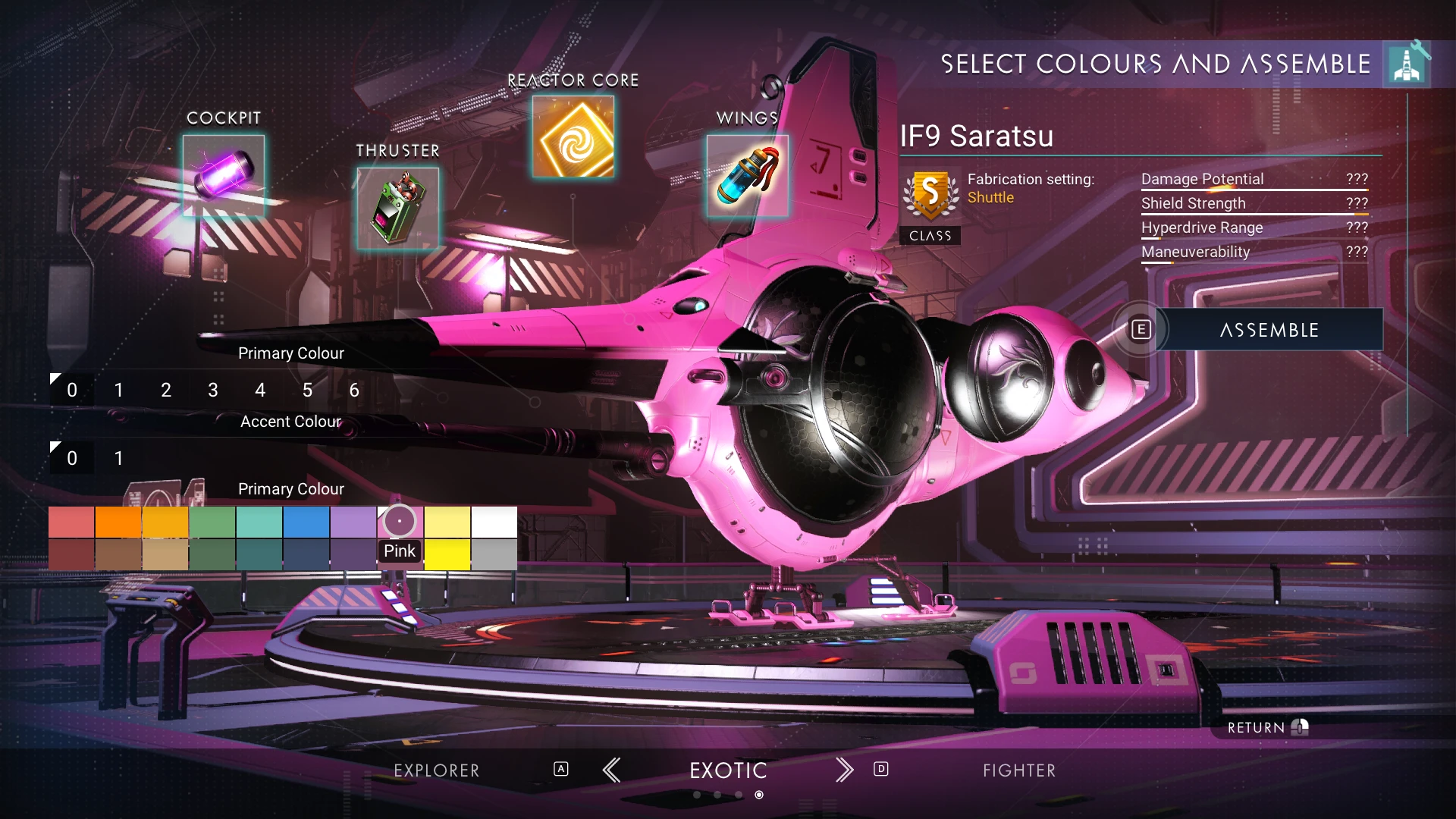 glass pike
well how am i supposed to play my games now? unmodded??? Gross!
solid hawk
glass pike
well how am i supposed to play my games now? unmodded??? Gross!
You are perfectly fine, as long as on Public NMS. Most shouldn't be using Experimental, unless 1) they want to help HG with beta testing and are ok with major issues and bugs 2) you're a mod author who needs to prep mods for the next public release
hearty wasp
think they mean they can't get mods because Nexus is broke
solid hawk
Or, if referencing the NexusMods issue, give it time and it'll get resolved. Just a network issue of some sort.
I was getting there. 🙂
Always the issue with popping in to find a bunch of new posts
 nova forge
What is your best number 1 recommended mod for NMS?
hearty wasp
Sean
 half tulip
Is there a biome mod that’s on nexus that’s compatible? It is clear to me the devs arnt making bioms
hearty wasp
half tulip
Is there a biome mod that’s on nexus that’s compatible? It is clear to me the de...
look at the envrionment category and sort by last updated
half tulip
Okay 👍 thanks
 vague yacht
are there any mods that make glitch building easier?
hearty wasp
tesseraction does snapping but you can also just use the base builing app