#nms-modding
1 messages · Page 25 of 1
 lunar quartz
 fallow meadow
Honestly, I have not done anything to it. A verify did add the DISABLEMODS just now
Really weird, I am just as confused
The date/time matches Steam install
Not had a chance to do much else since to be honest. Oh well, but it did put DISABLEMODS there now.
lunar quartz
Is there a DISABLEMODS.TXT in your recycle bin?
fallow meadow
I do wonder, if I get a warning now
 hearty wasp
AMUMSS automatically renames the txt to that
fallow meadow
lunar quartz
Is there a DISABLEMODS.TXT in your recycle bin?
My recycle bin is empty
hearty wasp
If you've used AMUMSS once in the past you'd have that txt
fallow meadow
I do not use AMUMMS, but it's not installed either
I thought it would show warning regardless of a mod being present or not, right?
 fresh arch
hearty wasp
AMUMSS automatically renames the txt to that
fresh arch
hearty wasp
AMUMSS automatically renames the txt to that
Really? Im running AMUMSS dozen times a day to work on my mod, I do not have such a file in my PCBANKS
fallow meadow
Ok, that would at least explain the lack of warning
fresh arch
I do have my renamed DISABLEMODS off.TXT though
hearty wasp
fresh arch
Really? Im running AMUMSS dozen times a day to work on my mod, I do not have suc...
AMUMSS only does it when it detects DISABLEMODS.txt in the folder
If you've yote it beforehand it won't do it
 solid hawk
No guarentees, untested. Did this for somebody else and he never got back to me to say if it worked or not
fallow meadow
Ok, now I got warning after fooling the game by copying a pak to the mods folder.
solid hawk
It's an lua script, so run through AMUMSS to generate the .pak and please let me know.
fallow meadow
Well, I am confused, but weird things have been happening as of late, so whatever ... I am moving on, hopefully without too many issues
solid hawk
Ghosts and gremlins
 dusk notch
solid hawk
No guarentees, untested. Did this for somebody else and he never got back to me...
dusk notch
solid hawk
No guarentees, untested. Did this for somebody else and he never got back to me...
thanks ill get back to it tomorrow
fallow meadow
@craggy oxide Did you manage to get mods going?
solid hawk
dusk notch
thanks ill get back to it tomorrow
No problem. At the time I made it, I was having PC issues, so couldn't run NMS. No testing myself. I might just fire it up on this end tonight, if I can finish what I'm currently working on.
 weary ruin
hearty wasp
AMUMSS automatically renames the txt to that
weary ruin
hearty wasp
AMUMSS automatically renames the txt to that
AMUMSS does not rename the file it only delete it when allowed
hearty wasp
does it not? I've only seen it rename the file before, never deleted
where the fuck did it even come from then
weary ruin
I am sure
 errant flare
is there a way i can transfer my ps5 save to pc with save editing?
fallow meadow
errant flare
is there a way i can transfer my ps5 save to pc with save editing?
I don't think there are any tools for it, unless NomNom has the option, which I am not sure of.
Actually, how are you getting your PS5 save?
errant flare
i wanted to buy nms on pc and get back into it but i used to play on ps5
errant flare
fallow meadow
Actually, how are you getting your PS5 save?
wdym?
fallow meadow
Do you even have access to your saves when on PS5?
errant flare
its just on my ps5, but i was wondering if there was any way i could get my stuff from there to pc
fallow meadow
PS4 has a possibility, using Save Wizard, but not sure if PS5 can
errant flare
rip
i might just make a fresh account on pc and give myself money from the old farms i had up
fallow meadow
I have no access to a PS5 myself, but I would think it to be decrypted just like PS4, howver no way to decrypt unlike PS4
fallow meadow
errant flare
rip
PC is easy for that matter. Can easily get back on track using a Save Editor
errant flare
what is a save editor btw
ive not played nms in maybe a year or two
last time i played was the delosate freighter update i think?
fallow meadow
Make sure to visit any of your bases, upload them, and note the location. You then also have an option to visit and even get access to the base data in your PC save.
A Save Editor is just that, it allows you to freely edit whatever it saves, which is actually quite a lot. There is a pin with links to 2 Save Editors (NMSSE and NomNom), check them out for more details
errant flare
alright ill check those out and see
fallow meadow
Now in case I am wrong about PS5 save access, if decrypted or 'readable' format in some way, there would be ways to convert if really needed. There are a few things you would have to replace throughout the save data wherever used. It is possible to do manually, although a bit of work. Feel free to ask again if you do manage to get your saves
 hushed bronze
With Babscoole's help, Two of my mods received some actual changes yesterday, to correct for some issues that have cropped up in the last two years of NMS game updates: Expanse and Grass Fix
https://www.nexusmods.com/nomanssky/mods/1200
Expanse had an issue where brighter Suns were a misfit in every system with a dual or triple star, causing them to show extraordinarily excessive brightness. The maximum star brightness has been adjusted to account for dual and tri stars

Nexus Mods :: No Man's Sky
Large overhaul to Diversity of Space Colors. Never see the same solar system twice!

Nexus Mods :: No Man's Sky
Updated for WayPoint, the Grass Fix mod replaces the patchy grass with fields of velvet!
Grass fix was affecting Certain exotics causing grass to grow past the line of sight of the character, so they are no longer included. All lush planets are still fixed
fresh arch
@night adder Imma move here to keep the main chat clear
Even the loading animation seems to have more stars visible


 night adder
@round sinew By rewriting the biome probabilities table
Super simple if you know where to find it
The Waterworld biome activation mods work the same way.
fresh arch
Imma just copy it here
You could check by dialling 1300region, 17FFregion, 1FFFregion - if all 3 allow Portal travel to the correct star Id say its a pretty safe bet all are open
 round sinew
hushed bronze
Grass fix was affecting Certain exotics causing grass to grow past the line of s...
round sinew
hushed bronze
Grass fix was affecting Certain exotics causing grass to grow past the line of s...
lol Exo - was playing a while back, on some mega exotic - grass was so tall that... literally, the whole screen was grass hahaha
also, thanks D
fresh arch
0 =  , 1 =
, 1 =  , 3 =
, 3 =  , 7 =
, 7 =  , f =
, f = 


Any other SSIs to check maybe @night adder ?
Last one also no-go
 fallow meadow
fresh arch
Any other SSIs to check maybe <@329703561350873088> ?
fallow meadow
fresh arch
Any other SSIs to check maybe <@329703561350873088> ?
Portalling to shadow systems is a no go, regardless of the mod that enables more star systems to be visible in GM. This is due to the way the check is done.
fresh arch
So it's one thing to have them visible, another one to tell game what addresses are valid to use at portals
fallow meadow
From what I understand, you may not even be able to warp there?
I have not tried the mod or changed the density threshold, as it did not appear to help me much in actually getting to the shadow systems.
It is also just a threshold, and not showing full region density, although it does add quite a few, it does not add them all
night adder
Ohhh, crap
Hmm, try -1.0 threshold?
And instead of portalling, youd need to save edit location to check
But theres a way to cover a bunch of destinations with 1 edit
fresh arch
Sorry but I'd rather not mess with my save data
 steady plover
Can I change my position in game using save edit.
steady plover
I was at anomsly
But gane keeps crashing there
Not lasting even 5 sevonds
So I was thinking maybe i cange my position to anywhere but there
Everything works
...
Except NMS on my PC
hearty wasp
not sure if anomaly is still a part of a star system but you can just move yourself to another system altogether with either save editor and that should put you at the space station
steady plover
hearty wasp
not sure if anomaly is still a part of a star system but you can just move yours...
Can you tell me how to do it
..
So I can check
I use goatvirus
hearty wasp


just put in a coord you like
you can just teleport in game afterwards
and you should save at the Main tab after saving in coords viewer just to be save
steady plover
hearty wasp
and you should save at the Main tab after saving in coords viewer just to be sav...
Okay will try it...
One last question...does it give option to add glyphs or what..
How do I enter cords
night adder
@hearty wasp @steady plover In GoatFungus use Galactic Coords only
hearty wasp
is the glyth translation broken?
night adder
Unless it has been fixed, Glyphs/Portal Code always defaults XXX to 7FF, meaning against the far right side of galaxy
Seeing as how Ive been telling people for the better part of 2yrs now, I somehow doubt Im outdated
hearty wasp
hmm, could be why I would sometimes just go to some random system after using it
night adder
Yep
hearty wasp
I had to just do it a few more times after going into the game and saving
like saving ingame, do it again, and then reload
night adder
Theres actually a far cooler way to save edit location - if JSON doesnt intimidate you
hearty wasp
but it's prolly easier to just translate glyths to address with a web tool beforehand
night adder
Not easier than this method 😉 but for using that janky auto-move tool, yes, you just use the tool to get coords if needed
\PlayerStateData\Teleport Endpoints
Find any SpaceStation type entries in JSON, target to whatever address you'd like, rename it to label destination, and repeat up to 69 times - 1 Shot to target 70 different Galaxies or Whatever Else method, c/o @floral mural
Any sysindex <07B is guaranteed to have a space station except in the Core Void
I'm actually not entirely sure whatd happen if one targeted an Uncharted system - game crash, shunted to nearest available space station like a corrupt addy dial, teleport malfunction drops you in hard vacuum near your ship instead of inside, all even money
dusk notch
solid hawk
No guarentees, untested. Did this for somebody else and he never got back to me...
hey man, sorry to bother
just letting you know i probably wont be on nms today, im not feeling well, but im still more than happy to try your stuff some other time
and also i got an idea
what if you reversed the animation conditions
so the LS would unfold when landing and stationary, but fold back up when taking off
lmk, feel free to dm
solid hawk
dusk notch
hey man, sorry to bother
just letting you know i probably wont be on nms today, ...
No problem. I didn't get a chance to check yet either, due to IRL and the fact I'm having to recreate over 50 custom models for another published mod, because they all broke recently. I'll jot down the suggestion to look into, but not until after I'm much further along with fixing this other mod, which I could get done in a few days or a few weeks, just depends how many issues I run into, as I only get x amount of time to work on NMS stuff each day. 🙂
dusk notch
no promblem as well, hit me up if you need a tester for something

 agile shard
Can you guys teach me how to save edit if you know
 amber lintel
agile shard
Can you guys teach me how to save edit if you know
amber lintel
agile shard
Can you guys teach me how to save edit if you know
I don't know how.
hearty wasp
amber lintel
Some random player's name prolly
It'd be one of those things that can't really be beneficially encrypted
fresh arch
Isn't that a food item or something?
hearty wasp
names should just be able to be generated via ID tho
amber lintel
hearty wasp
Some random player's name prolly
But it's my file. Why would their name be in here?
hearty wasp
either way unless you're trying to decrypt the save json format by yourself looking at the hg file directly is useless
hearty wasp
amber lintel
But it's my file. Why would their name be in here?
bases, for one
fresh arch
Yeah I checked the extracted tables and didnt find that, also you're right, it should be an ID
My bad
hearty wasp
tbf proc gen item names are more likely composited from multiple language entries
so you may not find it
but items don't have a name field
in the save at least
 steel crypt
All mods updated and compatible with NMS v4.36.2
https://www.nexusmods.com/nomanssky/mods/507
https://www.nexusmods.com/nomanssky/mods/2022
https://www.nexusmods.com/nomanssky/mods/968

Nexus Mods :: No Man's Sky
Modular collection of gameplay enhancing-quality of life mods that can be used together. Compatible with NMS v4.36.2

Nexus Mods :: No Man's Sky
Terrain (voxelgen) overhaul mod. Compatible with NMS v4.21-4.36.2 Now with NaturalSpawn!

Nexus Mods :: No Man's Sky
Extensive modular collection of color and visual effects mods that can be used together. Compatible with NMS v4.34-4.36.2
 jolly arrow
can someone help me with a save editor?
hushed bronze
jolly arrow
can someone help me with a save editor?
How do you mean? do you have it installed?
jolly arrow
oh
hushed bronze
For the expedition?
hushed bronze
Are you trying to do a minor thing you're stuck on, or are you trying to just skip the expedition?
hushed bronze
Ah, so theres two options, one is, there exists a mod that just unlocks all expedition prizes outright (never tested that one, but Ive never seen a reason to doubt it)
jolly arrow
i see
hushed bronze
The other is the save editor, but you would want to find and unlock the actual rewards (the prizes in gold text at each phase and the final set) not the components used to get the milestones
fresh arch
You could grab the consumerism mod and buy the items with Quicksilver
hushed bronze
That a third option or is it the mod I was thinking of?
hushed bronze
fresh arch
You could grab the consumerism mod and buy the items with Quicksilver
In any case if you're aware of the mod he needs, the link would be helpful 🙂
I just vaguely remember that they exist, I didn't create them or ever use them
fresh arch

Nexus Mods :: No Man's Sky
Unlocks Expedition, Twitch, and Community Rewards for purchase in the Quicksilver shop
jolly arrow
what is that image
hushed bronze
jolly arrow
what is that image
If you want to skip the QS collecting bit for that mod, THEN you can use save editor (adding currencies is one of the easiest things save editor can do)
jolly arrow
thats boring tho
the real way is more fun
the only reason i downloaded a save editor is for the incinerator
hushed bronze
Is it unlocked in the expedition?
fresh arch
With save editor you will need to edit raw JSON data to give yourself the rewars I think
jolly arrow
ah thanks
fresh arch
Since none of the save editors were updated to accomodate the items from the latest expedition
hushed bronze
bleh
jolly arrow
bruh
hushed bronze
If thats tru the the mod is the best choice
But for the flamethrower weapon, if that still works, thats def a save editor thingbut if its been pulled from the code then it wouldnt work anymore
fresh arch
List of IDs for the rewards: #nms-modding message
hushed bronze
I personally have no idea if the flamethrower is still in the data
jolly arrow
what is it
jolly arrow
oh
hushed bronze
jolly arrow
oh
Save editor auto backs iirc, so just dig out your backup
jolly arrow
i dont know what you said but ok
hushed bronze
Do it. Say milk. See if I dont BSOD yo ass
fresh arch
hushed bronze
I personally have no idea if the flamethrower is still in the data
It is, tech id FLAME
hushed bronze
@jolly arrowBTW while you're breaking your save for inaccesible techs, may as well get that Singularity warp drive for the freighter
fresh arch
Or expedition 3 starship tech lol
hushed bronze
fresh arch
Or expedition 3 starship tech lol
What tech was that?
fresh arch
Waveform Engine, Frameshift Catapult, Advanced Launch System
Replacements for pulse, hyperdrive and thrusters respectively
night adder
@hushed bronze Incinerator is still viable, as well as the Plasma Resonator mining blueprint 😉
night adder
However the Incinerator is only slightly more effective in actual combat than a Bic lighter
hushed bronze
jolly arrow
WHY DO I SHAKE WHEN I USE SHIFT
Did you install a mod?
jolly arrow
no
hushed bronze
night adder
**However** the Incinerator is only slightly more effective in actual combat tha...
Just fix it in mods 😄
night adder
2 major combat overhauls plus tweaks and rebalancing leaving the Incinerator literally the least damaging thing a player can deal damage with, has made many a players' obsession with wanting the flamethrower into one of my favourite jokes XD
jolly arrow
why am i shaking when i use shift
hushed bronze
Again, just need to find its files and amp em with a mod
I would do it if I was still modding NMS
These days I keep that kind of work on my own game project
Its hard enough learning how to solo dev anything without stacking NMS modding addiction on top
hushed bronze
Yeah, it can only go so high before it just completely flips out uselessly
I thought you were talking about sprinting
jolly arrow
yeah
hushed bronze
Anyway, you can amp the maneuver severalx the normal, but with too much, it does that thing you were dealing with
jolly arrow
it was at 1k
hushed bronze
i dont know what you started with
And are you talking about the starship's base value or the ingame total?
hushed bronze
I dont remember what worked out for me. But first, is the starship already fully upgraded with pulse drive mods?
hushed bronze
jolly arrow
what should i put it at?
but still, 1000 is a full 10x the baseline so I'm not surprised that ended up being too much. All i can say is "test it out."
First cut it in half to 500. If it works, add back half the difference (750). If it failed at 500, cut by half again, (250) then add back half the diff to 500 if that works (375) If you're methodical like that you will dial in your ideal maneuverability power with just a few restarts
jolly arrow
thanks
jolly arrow
how do i get the construct body part from beating expedition 10 with a save editor?
 magic lava
jolly arrow
how do i get the construct body part from beating expedition 10 with a save edit...
magic lava
jolly arrow
how do i get the construct body part from beating expedition 10 with a save edit...
It’s a link to a specific post.
Bruh
magic lava
Use the Account tab
 acoustic vigil
Just saw a post that raises questions for me. People can mod in a ship for other people to obtain?
 vale iron
acoustic vigil
Just saw a post that raises questions for me. People can mod in a ship for other...
vale iron
acoustic vigil
Just saw a post that raises questions for me. People can mod in a ship for other...
Mod, no, save edit, yes, to an extent
acoustic vigil
vale iron
Mod, no, save edit, yes, to an extent

magic lava
vale iron
Mod, no, save edit, yes, to an extent
Talking about the customizer bot
It locates
night adder
For maximum customization, its better to use the bot to brute force a seed rather than try for location - the Service Bot is free to use for anyone in CSH, so except for Switch, anyone can have a ship delivered with whatever type and seed applied to it they want
There's also Battlegroup Savannah for thos who prefer social interaction - theyve been using the bot to fill custom ship orders for clients going on 2yrs now, also a free service with delivery included.
@acoustic vigil
acoustic vigil
night adder
There's also Battlegroup Savannah for thos who prefer social interaction - theyv...
I've been scouring the universe for specific ships. I may opt to see about having some customs done. Will save me a life time of searching. Thank you for the info.
night adder
@acoustic vigil I DMed you with an offer, if youre interested
 rare thistle
since my friend insists, how can she get the 1.77 version of the game (Visions) that was before Vulkan
 marsh eagle
Steam console can dl old version of a game. Also check the nms retro discord. They have links to old game versions
hearty wasp
or the seven seas
 proper grail
which save editor supports expedition 10?
 earnest frost
in one of the pins, I saw NomNom and Goatfungus mentioned, but I've not edited in ages
proper grail
oh
 pliant mountain
hey guys, so due to the previous expeditions reward being unobtainable anymore
if i were to mod the game giving me the expedition rewards cosmetics can i still play multiplayer?
and show the cosmetics?
magic lava
Yes
pliant mountain
aight cool, so is it save editor or just unlocker?
pliant mountain
well the save editor basically have what i need along with the consumerism mod then
thx bro
magic lava
Np
pliant mountain
so is the consumerism mod works by itself? no additional download needed from vortex?
magic lava
Vortex? eek The mod doesn’t need anything else, no
pliant mountain
yep it works
really fitting the consumerism, make quicksilver worth grinding for
magic lava
@hearty wasp Another fan ^
 craggy oxide
?
round sinew
Quintessential Professional is the author of Consumerism
hearty wasp
magic lava
<@150431651262889984> Another fan ^
Leading people to that quicksilver grindset once again
magic lava

 still plume
@fallow meadow i'm here
fallow meadow
One moment, looking up some of the info
night adder
yeah I wanted to say gamepass account savedata cant be edited so those arent actually unlockable, but wasnt certain - tis the case for ps4 fer sure tho
fallow meadow
@still plume You will have to use the Save Editor again, and use the Raw JSON editing to check 2 locations in the save data (not the account data)
Let me post a list of all the rewards, so you know the correct IDs to look for

I advise to make sure you have a backup of your saves before editing/ Now you will have to look in 'PersistentPlayerData > RedeemedSeasonRewards' as well as 'PersistentPlayerData > KnownSpecials'. For both locations you look for the IDs you are not able to claim in the list of data shown on the right side, then when found, remove it. Once you ensured the reward is no longer present in both locations, save and check the Anomaly QS shop again to try claim once more
Mind you, this is different from the Account Data, where you made them available, which should still be fine if checked.
Let me know if you need further assistance
still plume
oke, i will try first. thank you
fallow meadow
Note: Editing correctly is important, so pay attention to how the list is formatted. The last entry in the list will miss a comma after it, while any of the others will have a comma. Also the ^ and spacing ... but I think you will understand once you see it
still plume
fallow meadow
Note: Editing correctly is important, so pay attention to how the list is format...
thanks, it works
fallow meadow
still plume
thanks, it works
Good to hear, enjoy! 🥳
night adder
and my thanks as well 🙂
fallow meadow
night adder
and my thanks as well 🙂
For your info, Game Pass Account data can actually be edited
night adder
@fallow meadow Yeah I got that from context, but you know me - I'll never not appreciate someone making sure I understand 🙂
still plume
these 2, i still cant redeem it
i already make sure on KnownSpecials and RedeemedSeasonRewards that both of them are not there
 night adder
@still plume either you need to disable network connection prior to claiming else delete them from Twitch reward unlocks in JSON
Since they were awarded from both Exped and later Twitch, its the Twitch verification preventing you
still plume
oke, i will check it
thank you
i believe u are right bc i havent remove yet from twitch
craggy oxide
@vale iron gg mod but im lost XD
night adder
@turbid lintel
PlayerStateData\CharacterCustomisationData\0,
"BoneScales",
"BoneName":"HEADPOSE"
- Is why I cant be certain without testing. scale = size but pose is less clear
solid hawk
Yep, if those are Twitch rewards, HG does an online check for those. Have to claim offline.
 turbid lintel
night adder
<@452485021476061184>
PlayerStateData\CharacterCustomisationData\0,
"BoneScales...
turbid lintel
night adder
<@452485021476061184>
PlayerStateData\CharacterCustomisationData\0,
"BoneScales...
thanks g will check it out asap
still plume
still plume
these 2, i still cant redeem it
i already make sure on KnownSpecials and Redeem...
for this issue, twitch_185 = whispering, twitch_200 = sandworm egg
fallow meadow
@still plume I guess I should have posted this?
still plume
fallow meadow
<@165015880378351616> I guess I should have posted this?
thank you
fallow meadow


 agile shard
Can someone teach me how to save edit the game?
night adder
@agile shard Thats a pretty broad topic. I generally advise players to download NMSSE or NomNom, and play around with some of the GUI options before coming back with a better idea of what they actually need/want help with (I help them get it installed/functional if they have issues, ofc)
I could literally fill out a college semester with lessons on save editing, and I dont get a piece of any tuition XD
solid hawk
fallow meadow
Nice spreadsheet
 tropic tangle
could anybody give me a massive modded sandworm egg because im on xbox and i cant do mods
 quaint breach
I was made aware of a way to play expeditions at any time through mods by redhot, if anyone knows the mod that does that I would be greatful to know 
night adder
@quaint breach Afaik the only way to play a previous Expedition is having started a save during it that hasnt been converted - one can set system date back to the proper range and play the save offline
 shy grove
quaint breach
I was made aware of a way to play expeditions at any time through mods by redhot...
shy grove
quaint breach
I was made aware of a way to play expeditions at any time through mods by redhot...
Summarized it all for you in this pin  #nms-modding message
 shy grove
Turns out replaying them is no longer an option sadly, btw.
It used to be. But I had to remove the outdated info in that pin. 
night adder
it is under the conditions I mentioned, unless something changed
shy grove
It shows how to unlock all the rewards.
night adder
The unconverted save is the sticking point
shy grove
@fallow meadow explained to me that it's all changed. she's got more details about it.
quaint breach
I THINK ill be fine, but just incase im not, lol
night adder
Fair, what I was most concerned about was whether someone I trusted verified that the data became obsolete - I dont need the why to update my answer for the question immediately lol
still plume
is there a way to unlock twitch drop option on quicksilver synthesis? i just link the my twitch with my xbox account
shy grove
still plume
is there a way to unlock twitch drop option on quicksilver synthesis? i just lin...
This pin could he of help: #nms-modding message
Even tho it discusses unlocking Expedition rewards. Most of those same tools can be used for unlocking Twitch rewards.
night adder
@still plume The key thing is to remember Twitch rewards edited in can only be claimed while d/ced from network, else the verification process prevents you
 modern fog
guys
I have an extreme terrain generation mod
but when i try to load up a planet
i crash
ples help
modern fog
its extreme terrain generation
round sinew
modern fog
its extreme terrain generation
always look at last updated date.

obviously not compatible
round sinew
check jason's terra firma
fresh arch
Nexus Mods :: No Man's Sky
Terrain (voxelgen) overhaul mod. Compatible with NMS v4.21-4.36.2 Now with NaturalSpawn!
fresh arch
Not to my knowledge
Go down a preset with graphic settings, enable FSR or DLSS if you haven't already
hearty wasp
I was gonna say I don't think people with a card capable of doing dlss would need better fps but then I rember this is NMS and you get 30 randomly anyway
solid hawk
🥔
If it's that bad, go into the graphics options and start dialing down settings, I had to run NMS on minimal settings for a few years.
 green prairie
jason has one mod changing shit about grass
he said it makes the game run better for him
steel crypt
modern fog
ok tenks
There isn't really anything to get a decent amount of fps besides settings.
This gives me a few fps:
 merry wasp
steel crypt
There isn't really anything to get a decent amount of fps besides settings.
This...
merry wasp
steel crypt
There isn't really anything to get a decent amount of fps besides settings.
This...
Should've rennamed it to MOD_DUD_Changing_Grass_Shit_FPSfix.pak
solid hawk
Lol
solid hawk
Friendly reminder. In less than a week, on 17 July, .NET6 DESKTOP will become the prerequisite for MBINCompiler\libMBIN and the .NET5 version will be deprecated. If you use these tools or other tools which include them (like AMUMSS), you'll want to have .NET6 desktop installed by then. https://dotnet.microsoft.com/en-us/download/dotnet/6.0/runtime

Microsoft
The .NET 6.0 Runtime includes everything you need to run existing .NET and ASP.NET Core applications.
fresh arch
Attention! Mod testers wanted for alpha / beta / pick-your-letter testing of my latest mod, codenamed Project Apollo. This mod allows players to research both expedition-exclusive technology (such as expedition 3 tech) and new custom weapon blueprints, trails and other utility techs for their starships. This is an Alpha version of the mod, focused on the research tree and couple of new techs.
Installation
Drop the PAK file into GAMEDATA/PCBANKS/MODS
Conflicts
A bunch of them, here is a list of modified files:
LANGUAGE\\NMS_LOC5_ENGLISH.MBIN
METADATA\\REALITY\\TABLES\\NMS_REALITY_GCPRODUCTTABLE.MBIN
METADATA\\REALITY\\TABLES\\REWARDTABLE.MBIN
METADATA\\REALITY\\TABLES\\NMS_DIALOG_GCALIENPUZZLETABLE.MBIN
METADATA\\REALITY\\TABLES\\UNLOCKABLEITEMTREES.MBIN
METADATA\\REALITY\\TABLES\\NMS_REALITY_GCTECHNOLOGYTABLE.MBIN
METADATA\\REALITY\\CATALOGUECRAFTING.MBIN
METADATA\\GAMESTATE\\PLAYERDATA\\THRUSTERCUSTOMISATIONDATA.MBIN
MODELS\\PLANETS\\BIOMES\\COMMON\\BUILDINGS\\CRATE\\UNDERGROUNDCRATE\\ENTITIES\\UNDERGROUNDCRATE.ENTITY.MBIN
What to do with the mod
Visit Iteration Hesperus aboard the Space Anomaly and "ask about exotic technology". Note that this option might not be visible from the get-go, you might need to click through initial / welcome dialogue and / or gift dialogue before this option will show up. Once it does, work on the presented research tree. In order to unlock new techs, you will neeed new token / currency items, called Salvaged Framework Units. For testing purposes you can get them from Buried Caches found on most planets (tip: uncharted systems still spawn those without spawning Cargo / Jettison Pods, so each chest icon you see there will be a Buried Cache). Or just go in creative mode and click the stuff for free, I'm not your mother.
What I need from you as a tester
General feedback. Names, descriptions, crafting requirements, stat bonuses, tree order - you see something you don't like or think it does not "fit" into NMS, let me know. Keep in mind all you see is still subject to change.
Known issues so far
- the "scan for trading outpost" option from Quick Menu - Utilities does not work with Spectograph installed
- no unique blueprint for Infra Knife since I dont know what to change on it lol
fallow meadow
 plain oyster
is there a video on each option in the Nom Nom save editor?
plain oyster
is there a video on each option in the Nom Nom save editor?
No, I don't think so. Is there something specific you'd want to do?
@plain oyster NomNom has it's own Wiki though:
https://github.com/zencq/NomNom/wiki
plain oyster
fallow meadow
No, I don't think so. Is there something specific you'd want to do?
trying to turn my freighter into a capital sentinel but can only find the option for capital no sentinel.
and ty!
fallow meadow
plain oyster
trying to turn my freighter into a capital sentinel but can only find the option...
The type (Venator or the Sentinel) depends on the seed values.
plain oyster
fallow meadow
The type (Venator or the Sentinel) depends on the seed values.
were can I get the seed?
fallow meadow
A good place to look for those would be the Creative and Sharing Discord.
!creativehublink
 hardy auroraBOT
fallow meadow
hardy auroraBOT
fallow meadow
You can find a channel there for freighters and frigates. I am sure there are some seeds shared there
 chrome star
Anyone know of a mod that makes oceans deeper? They’ve always seemed like lakes to me and I want to build an ocean base.
shy grove
@uncut rapids You can try installing one of two save editor tools mentioned in this pin here: #nms-modding message
GoatFungus (Java) vs NomNom (.Net). Goatfungus usually gets updated more promptly after updates.
 uncut rapids
It sounds like GoatFungus is the better option?
shy grove
uncut rapids
It sounds like GoatFungus is the better option?
I really like it tbh.
 shy grove
uncut rapids
Why are there two save files?
shy grove
uncut rapids
Why are there two save files?
There are 2 saves. Your Auto Save and your Restore Point. Whatever's latest you'll work with. Please do make sure to create your own backup of the wgs folder. With any save editor, you never know what can go wrong. Make your own backup manually, before you attempt any edits.
uncut rapids
Perfect, and I see I can access the JSON too which is likely what I'm needing. Thank you! I'll let you know if I find anything
What wgs folder are you referring to btw?
shy grove
uncut rapids
Perfect, and I see I can access the JSON too which is likely what I'm needing. T...
Exactly. Dev will likely walk you through doing a raw JSON edit to fix this silly glitched Teleporter room. Maybe remove it. She's really good with these types of fixes.
shy grove
uncut rapids
What wgs folder are you referring to btw?
Oh the actual save file. I'll run !Faq-SaveFiles below for the paths so you can grab whatever folder's applicable to you on your platform
!Faq-SaveFiles
hardy auroraBOT
 to view, enable Link Preview
<:nmsatlas:972222451801010207> **Save File Locations**
Steam 
%appdata%\HelloGames\NMS\st_<Steam64ID>\...
Game Pass 
%LocalAppData%\Packages\HelloGames.NoMansSky_bs190hzg1sesy\SystemAppData\wgs\...
GoG 
%appdata%\HelloGames\NMS\DefaultUser\...
Linux & Steam Deck
$HOME/.local/share/Steam/steamapps/compatdata/275850/pfx/drive_c/users/steamuser/Application Data/HelloGames/NMS/st_<Steam64ID>/...
Mac 
/Users/<yourname>/Library/Application Support/HelloGames/NMS/st_<your steam ID>/
 When sharing saves in a report to Hello Games, it is best to create a package/archive of the full folder shown for your platform above (.zip/.rar).
Contributors: Devilin Pixy#9298, bkay201#1943
plain oyster
shy grove
See https://discord.com/channels/146101654981312513/377229206351773696/112590208...
is there a link to a video there to show how to install said mods?
shy grove
plain oyster
is there a link to a video there to show how to install said mods?
I don't know tbh. Installing mods is straightforward for the most part. Most game mods and save editor creators provide instructions. But I'm sure you can do a YouTube search to find someone's walk-thru. I normally use a save editor for unlocking things via the Account tab.
plain oyster
shy grove
I don't know tbh. Installing mods is straightforward for the most part. Most gam...
is there a folder I add it too in the nomansky thing?
ik how to do that if so
I have the microsoft games file unlocked
steel crypt
No Man's Sky\GAMEDATA\PCBANKS\MODS\
plain oyster
steel crypt
No Man's Sky\GAMEDATA\PCBANKS\MODS\
dont see a mod folder, do I make it and name it that?
steel crypt
yes
plain oyster
and just unzip the mods and throw em in that folder?
steel crypt
and there might be a "DISABLEMODS.TXT" in No Man's Sky\GAMEDATA\PCBANKS
rename or delete it.
You put *.pak files in the mod folder
mods are .pak files
steel crypt
np
If you see a mod warning screen when starting n
NMS then it's loading them
Make sure your mods are compatible with your NMS version number
plain oyster

how do I check my NMS version
I downloaded the latest ver of the mod if that works
wait nvm I got it
same date
plain oyster
steel crypt
If you see a mod warning screen when starting n
did not get that
plain oyster
deleted it
steel crypt
what folder/directory are you putting mods in
plain oyster
Gamdata - PCBANKS- MODS
steel crypt
you put a .pak file there?
plain oyster
yep
steel crypt
well I dunno why it isn't working.

 plain oyster
ye I got the warning
suppose to allow me to buy construct stuff from quicksilver store
steel crypt
Yeah, I know the author, and the main idea of it. It should work and be current. His stuff usually is.
Well cool, have fun 🙂
uncut rapids
@shy grove Fixed it!
Here was the solution:
- Build a new teleportation room
- Get in and out of starship to save game
- Open Advanced JSON Editor
- Locate
PersistentPlayerBases - Locate the node containing the freighter data
- Locate
Objects - Go through the objects until you see a node with the
FRE_ROOM_TELEPOdata in it. Since we built another room, there should be two nodes. Delete the node that has a position that is not similar to the other base objects - Locate
TeleportEndpoints - Delete the teleport endpoint node for the freighter.
- Save JSON and save the new save file
- Reload from the save
- The game will automatically create a new endpoint for you based on the teleportation room you created earlier
 distant tusk
you can mod the game?!?!?!?!?
shy grove
uncut rapids
<@357610080235028510> Fixed it!
Here was the solution:
1) Build a new teleport...
Sweeet! I'm so glad you figured it out. 
uncut rapids
Thanks for pointing me in the right direction 🙂
shy grove
uncut rapids
Thanks for pointing me in the right direction 🙂
Glad I can be of help. 

 lapis terrace
Has anyone been able to get the natural flight mod to work in current patch ? It's a mod that basically allows for a more simulated flight model similar to star citizen/ elite dangerous. I added it to my mod folder but it resulted in a crash on startup, I think it's outdated as the creator posted it like 4 years ago and I haven't seen anything from them since. Also anyone know if the low fly mod still working ?
If anyone knows how to mod NMS and would be willing to work with me on fixing it/tweaking that would be dope been reaching out to ppl on fiverr to see if anyone can fix it.
 chilly hinge
lapis terrace
Has anyone been able to get the natural flight mod to work in current patch ? It...
chilly hinge
lapis terrace
Has anyone been able to get the natural flight mod to work in current patch ? It...
This would be killer. Is it possible to fly from planet to planet in sc?
solid hawk
lapis terrace
Has anyone been able to get the natural flight mod to work in current patch ? It...
Not my mod or script. This is a script to recreate a .pak, to be used with AMUMSS. https://www.nexusmods.com/nomanssky/mods/2626

Nexus Mods :: No Man's Sky
Just a simple pdf with a step by step to set up and work with AMUMSS
solid hawk
chrome star
Anyone know of a mod that makes oceans deeper? They’ve always seemed like lakes ...
Not my mod or script. THis is a script to recreate the .pak, to be used with AMUMSS. https://www.nexusmods.com/nomanssky/mods/2626
Nexus Mods :: No Man's Sky
Just a simple pdf with a step by step to set up and work with AMUMSS
By aware, you won't get a Marianas Trench from this. Hardcoded restrictions on how deep water can be, based on how things work.
lapis terrace
chilly hinge
This would be killer. Is it possible to fly from planet to planet in sc?
yes its a seamless transition in star citizen, there are no loading screens its probably the most simulated space flight you can play in a space game thats mmo, of course there are better simulated space games when it comes to the physics aspect, but SC does a nice balance between having a challenging ( yet fun ) flight model that doesn't feel arcadey, it requires real skill to fly, but not needing a physics degree to actually be able to fly the ships lol. Plus big ships you can walk around in and crew with your friends, and cod style fps combat. Only downside to SC is only one solar system, and bugs. I still enjoy it though, but I play star citizen and no mans sky for different reasons. You cant beat the exploration and base building aspect of no mans sky.
lapis terrace
solid hawk
Not my mod or script. This is a script to recreate a .pak, to be used with AMUM...
thank you so much !!!!!
solid hawk
Be aware that naturalflight lua is quite old, just as the original mods is. May require some surgery, due to HG changes in the file.
lapis terrace
solid hawk
Be aware that naturalflight lua is quite old, just as the original mods is. May...
Im going to have a lot of learning to do as today is the first time I have heard of lua or amumss
lol
solid hawk
If you get any errors or warnings from AMUMSS, when you run the script to make the .pak, give me a ping and I'll see what I can do.
Just follow that how to I linked. step by step with screenshots.
solid hawk
No problem. I'm headed to bed now though.
chilly hinge
lapis terrace
yes its a seamless transition in star citizen, there are no loading screens its ...
Thank you for this!
lapis terrace
chilly hinge
Thank you for this!
Fosho! 🙂 If u ever get it add me ! Also looking for peeps to play NMS with !
solid hawk
lapis terrace
thank you so much !!!!!
Removed the previous version. Did some surgery to remove warnings and notices. It is quite old though and there's much more current flight mods out there.
chrome star
I’ve been looking for a current flight mod. It seems mine is out of date since the game crashes when I use it.
fresh arch
Maybe this one: https://www.nexusmods.com/nomanssky/mods/2262?tab=description

Nexus Mods :: No Man's Sky
Low flight, water flight, space drift, faster ship and pulse. Free roll/pitch, automatic cruise, reverse on planets.
And when picking mods from Nexus, always look for recently updated ones
Or when LUA is provided, use AMUMSS to compile the mod yourself for the current game files
chrome star
I have always used NMM I have no idea what AMUMSS is. I’ve seen it mentioned a lot. Is there somewhere I can research?
fresh arch
!faq-modding
hardy auroraBOT
to view, enable Link Preview
<:NmsAtlas:972222451801010207> Helpful links and tips for Modding
• [How to enable and install mods:](#nms-modding message) #nms-modding message
• Learn how to use AMUMSS to compile mods
• [Mods do work in Multiplayer:](#nms-modding message) #nms-modding message
Always check the correct path and contents of the MODS folder! Example Image »
• Game updates can break mods - check if your mods have been updated: https://www.nexusmods.com/nomanssky?tab=updated
 If you experience any glitches or bugs, please remove or disable all mods and try again before reporting to HG or asking in #nms-questions.
Contributors: FriendlyFire | PC | EU | modded, Every Sohail Procedural, Atlas Emissaries
chrome star
fresh arch
And when picking mods from Nexus, always look for recently updated ones
Each time I return to the game, I update all my mods and then test to see if any don’t work.
fresh arch
2nd link from that FAQ
chrome star
Thanks!
I had been using https://www.nexusmods.com/nomanssky/mods/2068 for increased stack size but it looks like I have a conflict or something. This should help@with that it seems!
fresh arch
You can use AMUMMS to check for conflicts between mods
Once installed, run the CHECK CONFLICTS IN MODS script and wait for it to process
You can find the output log in REPORT.lua file in AMUMMS' root directory
solid hawk
Then. You can use AMUMSS to combine conflicting mods
lapis terrace
solid hawk
Removed the previous version. Did some surgery to remove warnings and notices. ...
I really appreciate it ! 🙏 
solid hawk
I commented out the stuff that no longer exists in the script, wasn't that big of a deal. 🙂
shy grove
@west dust For help with save editing, check the pins in this channel including this one: #nms-modding message and feel free to ask questions
 west dust
shy grove
<@987014569346088984> For help with save editing, check the pins in this channel...
west dust
shy grove
<@987014569346088984> For help with save editing, check the pins in this channel...
Thanks. Ive been trying to figure it out for a good hour or so
west dust
shy grove
<@987014569346088984> For help with save editing, check the pins in this channel...
The reason im having problems is because, I dont know where my save file is. I downloaded NMS off of the xbox gamepass onto my windows 11, but ive searched everywhere and still cant find it. It's almost as if it doesn't exist
shy grove
west dust
The reason im having problems is because, I dont know where my save file is. I d...
!Faq-SaveFiles @west dust
hardy auroraBOT
@west dust
to view, enable Link Preview
<:nmsatlas:972222451801010207> **Save File Locations**
Steam
%appdata%\HelloGames\NMS\st_<Steam64ID>\...
Game Pass
%LocalAppData%\Packages\HelloGames.NoMansSky_bs190hzg1sesy\SystemAppData\wgs\...
GoG
%appdata%\HelloGames\NMS\DefaultUser\...
Linux & Steam Deck
$HOME/.local/share/Steam/steamapps/compatdata/275850/pfx/drive_c/users/steamuser/Application Data/HelloGames/NMS/st_<Steam64ID>/...
Mac
/Users/<yourname>/Library/Application Support/HelloGames/NMS/st_<your steam ID>/
When sharing saves in a report to Hello Games, it is best to create a package/archive of the full folder shown for your platform above (.zip/.rar).
Contributors: Devilin Pixy#9298, bkay201#1943
shy grove
 Give that Game Pass path a try. It applies to the Xbox PC version of the game.
west dust
ok
shy grove
west dust
ok
When it's time to point to a file in your save editor, go inside that folder and find a file the save editor recognizes. Make a copy of the wgs folder as backup btw. The way I do things is:
- I make my own backup wgs folder that nothing touches
- I make another copy that I point the save editor to. So I don't save edit on the actual files from Xbox.
When I'm done save editing. I overwrite the wgs folder from Xbox. Only the files needing change.
west dust
Im sorry but I understood 1/2 of that. Im a bit new to doing all this and dont really know what to do. Of course you dont have to help me unless you want to. I dont wish to be a liability
shy grove
west dust
Im sorry but I understood 1/2 of that. Im a bit new to doing all this and dont r...
Tldr: Make your own backups
Don't solely rely on the save editors' backups. Since anything can wrong in the process of save editing and updating your actual files that NMS will run.
Keep at least one safe backup somewhere no application including the save editor touches. Every time you're about to save edit. So if anything goes wrong, you have a safe backup of the wgs folder.
west dust
Will save editing affect my game in any other way other than whatever i did in the save editior
shy grove
west dust
Will save editing affect my game in any other way other than whatever i did in t...
If you just do the basics of save editing, not doing raw JSON editing, it's pretty safe. Just make a backup if anything goes wonky. I've never had major issues, maybe once and I can easily undo it reverting to my backup.
west dust
ok
I just did the backup befor editing, then edited the save game and it worked! I would probably still be sitting in the dirt if it wasn't for you seeing that one message.
shy grove
west dust
I just did the backup befor editing, then edited the save game and it worked! I ...
 I'm glad! If you ever have any type of game related or server question, don't hesitate to ask. Our community's pretty helpful and friendly -- excluding any rare few "bad apples" who usually get shut down if they're not nice
west dust
Just now realized ur an admin, so thanks again for going out of ur way to help me. And definatly be expectimg me to ask more questions later.
solid hawk
west dust
Just now realized ur an admin, so thanks again for going out of ur way to help m...
Getting down and dirty, like the CEO of Walmart working a till/register.
lol
west dust
Yea lol
night adder
For the people by the people ftw!
 serene sorrel
Would using the hybrid exo+jasondude color palettes with dud's sky be redundant, or would it effectively increase color variety?
fresh arch
serene sorrel
Would using the hybrid exo+jasondude color palettes with dud's sky be redundant,...
If you mean the Exosolars Expanse and Duds Sky Colours, Im pretty sure those would conflict with each other
serene sorrel
Conflicts can be fixed with scripts! But I'm not sure if there'd be a point. The hybrid seems to incorporate jasondude's colors, plus exo's?
solid hawk
Yes, Expanse Hybrid already includes Jasons' palettes.
serene sorrel
Ahh, okay
So you'd just remove the color palette paks from DSC, and retain only the graphic effects?
solid hawk
It's Exo's Stratos Hybrid that has the Jason palettes for skies., Exo's Expanse Hybrid has the Jason palettes for space colors.
serene sorrel
And then abyss would have the water colors?
solid hawk
Stratos/Skies are the colors for planetary atmospheres, completely different files than space colors
You got it. 🙂
serene sorrel
Awesome. Guess I'll make some more adjustments to my loadout later then
solid hawk
Sounds good, enjoy
fresh arch
serene sorrel
Conflicts can be fixed with scripts! But I'm not sure if there'd be a point. T...
Im sorry I got it all mixed up. I didn't know there was a Hybrid version of the Exosolar's mod
I though by hybrid you mean a merged mod of these two
serene sorrel
Sounds like that's pretty much what it is, just done by the modder instead of being done by the end user
Kind of like how lo2k pre-combines fast actions + small cursor
 glad coral
Im trying to use save editor for my xbox gamepass no mans sky, could I have some help finding where my save files are?
fresh arch
!faq-savefiles
hardy auroraBOT
to view, enable Link Preview
<:nmsatlas:972222451801010207> **Save File Locations**
Steam
%appdata%\HelloGames\NMS\st_<Steam64ID>\...
Game Pass
%LocalAppData%\Packages\HelloGames.NoMansSky_bs190hzg1sesy\SystemAppData\wgs\...
GoG
%appdata%\HelloGames\NMS\DefaultUser\...
Linux & Steam Deck
$HOME/.local/share/Steam/steamapps/compatdata/275850/pfx/drive_c/users/steamuser/Application Data/HelloGames/NMS/st_<Steam64ID>/...
Mac
/Users/<yourname>/Library/Application Support/HelloGames/NMS/st_<your steam ID>/
When sharing saves in a report to Hello Games, it is best to create a package/archive of the full folder shown for your platform above (.zip/.rar).
Contributors: Devilin Pixy#9298, bkay201#1943
glad coral
I put in the game pass adress, but the nmsse says i dont have any slots in there. I really don't know what I need to do, does anyone have any advice?
shy grove
glad coral
I put in the game pass adress, but the nmsse says i dont have any slots in there...
Did you go inside the wgs folder till you find the file the save editor recognizes? Also, I highly recommend making a separate backup before, of the wgs folder that the save editor won't touch
glad coral
shy grove
Did you go inside the wgs folder till you find the file the save editor recogniz...
In the wgs folder i saw 2 files. One of them was empty called 't' the other is a bunch of letter and numbers, with 4 more files of letters and numbers inside as well as a file called 'containers.index
shy grove
glad coral
In the wgs folder i saw 2 files. One of them was empty called 't' the other is a...
Yeah, that's the file. containers.index
glad coral
thanks
glad coral
shy grove
Yeah, that's the file. containers.index
its working now, thank you for taking the time to help 🙂
solid hawk
fresh arch
I though by hybrid you mean a merged mod of these two
Go look at the Files available on each of the mod pages for Expanse, Abyss, and Stratos
For each of those there's a Hybrid version, which incorporates Jason's Palettes, but only the palettes, no other changes from DUDs, so there is still differentiation between the mods.
fresh arch
Yeah yeah now I know, I fucked up before lol
solid hawk
When someone asks, for example, to suggest mods to increase sky colors, I point them to both DUD and my Exo. I recommend trying each separately for a few days and then decide which they prefer. All very subjective. 🙂
solid hawk
fresh arch
Yeah yeah now I know, I fucked up before lol
I try to f-up at least 3 times a day. Stay in practice. lol
serene sorrel
Any idea what exactly redmas utopia does? Is it simply terrain mod plus color pallettes or does it include gameplay alterations as well?
shy grove
serene sorrel
Any idea what exactly redmas utopia does? Is it simply terrain mod plus color pa...
Based on what paks you choose, you can add gameplay alterations. Did you check posts of Redmas on the Nexus Mods website? He lists a bunch of paks' descriptions.
He also showcases some of his stuff on YouTube. Example from 6 days ago: https://youtu.be/VUx9-aY9hhU

🎞️ VOD
📺 The Episodes :
SEASON 4 : https://youtube.com/playlist?list=PL2APfwXvG_-F7295QwqFb9KVnxYtBXuok
SEASON 5 : https://www.youtube.com/watch?v=3HDaLyeayW0&list=PL2APfwXvG_-HDv8UfFwiVKBa9yA6O-ez2
SEASON 6 : https://www.youtube.com/watch?v=Fpzhp60AtJ0&list=PL2APfwXvG_-HTAMi9SA4MWXQBAGDs...
serene sorrel
I read the readme in the archive but it was kind of vague. I guess I'll stick to just dud's sky for now lol
shy grove
serene sorrel
I read the readme in the archive but it was kind of vague. I guess I'll stick to...
Yeah, it's a bit confusing. Maybe on here you can find some more info: https://www.nexusmods.com/nomanssky/mods/2675?tab=posts

Nexus Mods :: No Man's Sky
No Man's Sky Utopia Revamp Mod is a suite of mods for No Man's Sky. The paks are designed to work together and seperatly.
solid hawk
Utopia is at it's core an overhaul type mod. Tons of changes, across the board, to completely change the game to fit a vision of what the author would like NMS to be. Redmas has been making those for years and is quite good at it.
serene sorrel
Fair. So probably not really much point to trying to use elements individually?
solid hawk
Although designed to be used as a cohesive whole, he has broken the mod up into many individual mix/match .paks.
serene sorrel
Yeah, I saw that. But the readme makes it sound like it would essentially just be some extra color pallettes, if you didn't use anything that affects gameplay? And I guess the generally much better looking space stations
It lists the old version of constructs as a dependency. Would windertp's redux of constructs sub in just fine?
hearty wasp
ReConstructs is a total redo of Constructs and I have no interest in guaranteeing compatibility when AMUMSS exists
also you can just use ReConstructs if you like Constructs
serene sorrel
So basically just use the scripts and see what happens?
steel crypt
There are just color palettes. Not extra in the sense that you will add more colors. You will be replacing colors.
serene sorrel
Ahhh
hearty wasp
serene sorrel
So basically just use the scripts and see what happens?
iirc redmas uses a custom fork of AMUMSS and its scripts are known to be incompatible with AMUMSS
and vice versa
serene sorrel
😮
hearty wasp
either way if you have questions about his mods you're better off asking in his mod pages
serene sorrel
Will do. Thanks!
hardy auroraBOT
@solid hawk Unapproved Discord invite
 wheat atlas
Hey deep space doesn't work
solid hawk
@wheat atlas. It's 7 years old. With nms, you're lucky if a mod 4 months old still works.
Try one of the Exo's Expanse variants or DUDs SpaceColors (part of DUDs Sky Colors)
When browsing for mods to use with nms, ignore most endorsed and top files. Many of those are from early days and haven't worked in a long time.
merry wasp
Dammit
solid hawk
Filter on Recent Activity
Go back only as far as last major version patch and you should be good. There are exceptions, but few and far between.
wheat atlas
solid hawk
Try one of the Exo's Expanse variants or DUDs SpaceColors (part of DUDs Sky Colo...
duds spacecolors wont load either
hasnt been updated to 4.37 i think
fresh arch
DSC doesn't need to be updated
And it works because Im using it myself
!faq-modding
hardy auroraBOT
to view, enable Link Preview
<:NmsAtlas:972222451801010207> Helpful links and tips for Modding
• [How to enable and install mods:](#nms-modding message) #nms-modding message
• Learn how to use AMUMSS to compile mods
• [Mods do work in Multiplayer:](#nms-modding message) #nms-modding message
Always check the correct path and contents of the MODS folder! Example Image »
• Game updates can break mods - check if your mods have been updated: https://www.nexusmods.com/nomanssky?tab=updated
If you experience any glitches or bugs, please remove or disable all mods and try again before reporting to HG or asking in #nms-questions.
Contributors: FriendlyFire | PC | EU | modded, Every Sohail Procedural, Atlas Emissaries
solid hawk
Yeah, DUDs should be perfectly fine, there's been no applicable HG file changes since the last it was updated. Are you using other mods and can confirm they're working?
Do you get the mod disclaimer page when you start the game? The one where you have to click through.
fresh arch

Nexus Mods :: No Man's Sky
Remove the stutter when leaving a planet's atmosphere.
Read the bot post above to learn how to apply mods to the game
turbid lintel
alright thanks👍
 tidal quail
are there any mods that supress or disable freighter building limits? glitchbuilding is fun, but becomes annoying pretty fast
 strange dune
Do you have some mods that reduce frame rate drops?
night adder
@tidal quail If you mean object restrictions, yes. Allowable build area not so much.
fresh arch
strange dune
Do you have some mods that reduce frame rate drops?
Not really, there is the mod to remove the lag spike when leaving planet's atmosphere posted earlier
But that is a very specific case. I would recommend enabling FSR / DLSS if you haven't already
It's under the Anti Aliasing options
strange dune
I have a RX 6700 XT and a ryzen 5 5600 so I can play on max 1080p 100~ fps, but I don't know why, when I explore a planet I have lags sometimes, I also have lags when entering in a space station and when leaving a planet
Im not using fsr because its 1.0 (ugly) and not 2.0 (better)
So I use TAA
strange dune
And I have also big oags when I warp but i suppose its due to the loading
round sinew
strange dune
I have a RX 6700 XT and a ryzen 5 5600 so I can play on max 1080p 100~ fps, but ...
game has fsr2 support
strange dune
Oh i didnt know that
strange dune
Otherwise, we all agree that water is ugly?
round sinew
strange dune
Otherwise, we all agree that water is ugly?
argh's water looks great though
strange dune
Yes i have to install this mod!
Do you have other suggestions for mods that would make the game look better without lowering performance too much
fresh arch
I don't think there is any mod that has a measurable impact on the performance
This is not Skyrim or other game where you load up 50 packs of 4k textures or enable raytracing
So you're fine with picking any updated visual mod that strikes your fancy
tidal quail
night adder
<@196160375593369600> If you mean object restrictions, yes. Allowable build area...
can i have a link, please?
night adder
@tidal quail I'd have to search for it, not a pc player so I cant use it. gBase by Gumsk is certainly current, ExoSolar's version of it too,probly
@hushed bronze Youre active, I know that much, cant recall whether you mentioned your mod
tidal quail
night adder
<@196160375593369600> I'd have to search for it, not a pc player so I cant use i...
well, lack of freighter building area extension sucks, but it's better than nothing tbh
fallow meadow
tidal quail
well, lack of freighter building area extension sucks, but it's better than noth...
Could use the NMS Base Building App or Blender plugin, as it does not restrict area in any way.
https://www.nexusmods.com/nomanssky/mods/2598
tidal quail
might try that too
but keep in mind i'm playing in normal
and kinda don't want to cheat, even though i already kinda cheated several things...
fallow meadow
It will require use of a save editor to load/save your base of course, which is a very powerful tool. I can understand it being tempting to make it easier on yourself. You can of course easily reduce resources with the save editor as well, to pay for what you make?
chrome star
I had no idea a tool like this existed. That’s awesome. So it puts the things you build into your game via a save editor?
fallow meadow
chrome star
I had no idea a tool like this existed. That’s awesome. So it puts the things yo...
Yes, you use the save editor to copy just the data from a single base, which can then be used with the app to build as you please and can replace the data in the save again to have the result in-game
solid hawk
night adder
<@196160375593369600> If you mean object restrictions, yes. Allowable build area...
There is one that allows building on the bridge
solid hawk
night adder
<@291002647744479232> Youre active, I know that much, cant recall whether you me...

Nexus Mods :: No Man's Sky
★ FULLY MP compatible, this mod adds an extreme degree of freedom to the vanilla base-building options
night adder
@solid hawk All you need is a friend - without mods + w/ build perms, they can stand outside your bridge and use buildcam to freely place objects anywhere within 😉
And then there's my own SlideGlitch approach + CornBreads CachePin Glitches
And just in case that wasnt enough, I also discovered the best way to replicate the results of build mod exclusively via JSON edit and no other outside tools used
solid hawk
nice
night adder
Slide Glitch also allows in-game building beyond all other build area boundaries - just not the ability to see what youre doing except by visible snaps in build mode in some directions XD
I'm pretty sure I've done as much to close the gap between console and pc as anyone, I love every chance a PC player hands me a "Cant do that on console!", or "PC master race" that I can jam straight back down their throats. 😄
 sharp turtle
any idea why my ship is doing this, like a mod that needs to be updated or something?
hearty wasp
Maneuverability too high maybe?
chrome star
sharp turtle
any idea why my ship is doing this, like a mod that needs to be updated or somet...
No way. Does this ship exist in the game? Or is this done with mods? Because I have looked everywhere for an exotic that was missing all the parts. I thought the best I could do was a ball one thruster and a cone on the front. Please tell me your ways!
sharp turtle
no clue how they do it, but ill send you a link to a server where you can get one
chrome star
sharp turtle
no clue how they do it, but ill send you a link to a server where you can get on...
Awesome. Thank you!
night adder
@chrome star @sharp turtle Definitely too high mnvr - that starts happening at ~3k for most ships, that Explorber is high enough itll happen everywhere. Your turn speed is so high, a twitch if joystick will spin you like a top, which the game cannot cope with/visualize as aught by a violent shake that leaves you pointed random direction
And not naturally possible to spawn in game, but can retain its shape through NPC exchange to give to someone
 prime iris
how do i back up my save before i start modding?
hushed bronze
prime iris
how do i back up my save before i start modding?
prime iris
👍 ty
hushed bronze
For regular mods you almost 100% dont need this at all, but for save edit its more common, but save edit auto-backs iirc
no reason not to be safe if you're uncertain though
serene sorrel
strange dune
I have a RX 6700 XT and a ryzen 5 5600 so I can play on max 1080p 100~ fps, but ...
I think it's just NMS, unfortunately. I try to run at like 70% GPU most of the time because sometimes the game will spike up. I don't know if it's shaders BS or not
strange dune
But theres no solutions to this?
serene sorrel
Unlikely. I've never seen a mod that improves performance other than that lag skip mod referenced above. Most will be performance neutral or slightly worsen performance
The only real way to improve performance is make sure you're using FSR instead of TAA
 lime mesa
Hey everybody, I'm unpacking the game files now and am hoping to make my first ever mod. I couldn't find any working mods that eliminate fall damage, so here I am. I'm sure I'll have specific questions in the future, just wanted to introduce myself ahead of time.
 neon nova
Any good terrain mods to go along with all the 10000+ nights, skies and dusks?
serene sorrel
The two big ones are dud's sky terra firma and better planet generation, as far as I'm aware
steel crypt
fresh arch
I don't think there is any mod that has a measurable impact on the performance
The only thing I can think of that does exist is some terrain (voxelgen) mods......maybe also ones that place/alter biome objects. A voxelgen mod can really mess it up. (side note: DUD'S SKY - TERRA FIRMA runs the same or better performance than vanilla NMS) It was hard to do that because terrain can take forever to try to test. Mine took 2 years to test. If you have a nice machine you might not notice, but it can bake a potato like my pc if done wrong/without care for performance.
hearty wasp
strange dune
But theres no solutions to this?
Better CPU/faster SSD may help
NMS is p intensive in its proc gen
That being said I have a 7700X and have my NMS on an M.2 and it still lags
So you may need an EPYC
steel crypt
You need this:
 serene sorrel
I think there's a definite limit to how much the game can utilize. My new computer runs a 12700k and the game will start hitching even with like 15% total load
It's a lot smoother overall than my old tired 7500, but it still hitches sometimes 🙁
hearty wasp
Could still be an SSD bottleneck
With the way NMS is packed I wouldn't be surprised
If playing unpacked still works that maybe a solution
steel crypt
hearty wasp
With the way NMS is packed I wouldn't be surprised
I have been wondering if that was some of this "spike" stuff. (The unpacking)
hearty wasp
The ones I have on planets are more a steady 30 fps tho
serene sorrel
With all the shader stuff in update notes I've been assuming it's fiddling with shaders or something. I'm running the game on a gen4 M.2 but I haven't been monitoring its usage so maybe that's the bottleneck
hearty wasp
Yeah would be neat to see if PS5 suffers the same issue
With their supposedly faster loading and all
steel crypt
Bet you can cook an egg on it while it loads fast.
hearty wasp
tbf I can do it with a PC too
steel crypt
Thus the "box" fan that is basically connected to the back of my pc.
serene sorrel
Haha I had to do that with an old computer for a while
vale iron
lime mesa
Hey everybody, I'm unpacking the game files now and am hoping to make my first e...
gEpic and I think gGame have no falling damage. I would have to open up my computer to check for sure. Look for something like HardFallTime
lime mesa
vale iron
gEpic and I think gGame have no falling damage. I would have to open up my compu...
Oh sweet, thanks for letting me know.
Does anyone know if you can just omit the fields you don't want to modify in a mod? For example, I'm making a simple mod that reduces the maximum fall speed so that fall damage never occurs (not the most graceful approach, but it will do the job). Instead of having my GCPLAYERGLOBALS.GLOBAL look like this:
<?xml version="1.0" encoding="utf-8"?>
<!--File created using MBINCompiler version (4.36.2)-->
<Data template="GcPlayerGlobals">
  ...
  <Property name="FootOffset" value="0.2" />
  <Property name="MaxFallSpeed" value="16" />
  <Property name="PushForceDecay" value="40" />/
  ...
</Data>
and then overriding other mods that want to make changes to the content of this file, is there any way to do something like this:
<?xml version="1.0" encoding="utf-8"?>
<!--File created using MBINCompiler version (4.36.2)-->
<Data template="GcPlayerGlobals">
  <Property name="MaxFallSpeed" value="16" />
</Data>
instead? I might be missing something extremely basic here, but it seems to crash my game each time I start it up like that. I'm assuming the game is expecting this mod to supply a bunch of values that aren't there, but I'd like it to only take the values it can find and go get the game defaults for the ones that aren't there. No clue if this is feasible or not.
hushed bronze
steel crypt
You need this:
By that you mean a state-of-the-art supercomputer?
solid hawk
lime mesa
Does anyone know if you can just omit the fields you don't want to modify in a m...
Nope, can't remove stuff. When packaged into a .pak and placed into PCBANBKS\MODS, that GCPLAYERGLOBALS.GLOBAL will supersede the vanilla one and be used instead. If missing data, the exe expects to find in that file, it will crash
Just change the value on the one line you need, that's it
lime mesa
darn
solid hawk
The files in mod .paks aren't additive or subtractive from the vanilla game files, they completely replace.
If your goal is a smaller file to distribute, .lua script to generate the .pak using AMUMSS.
There's a small number of mods, in recent months, that only provide .lua script. Up to the end user to use that to generate the .pak.
So, for what you're changing, would look like this
Much of those lines are separated, just for readability. Could do the whole thing in one line, but would be awful to read that way, lol
lime mesa
That's super helpful, thank you. I'll have to look into lua more tomorrow.
solid hawk
lime mesa
That's super helpful, thank you. I'll have to look into lua more tomorrow.
No problem. https://www.nexusmods.com/nomanssky/mods/2626. The above script I posted, processed through AMUMSS, will make the change you specified above and generate a ready to use .pak file for the mod.
solid hawk
I take it Superior Jetpack is yours. Left you a present on the POSTS tab of the mod page.
fresh arch
You are not immune to LUA script from Babscoole
 dense sapphire
Hey, I'm not sure where to post this, because it'd seem to fit both #nms-modding and #nms-media , but here we go (correct me if I'm wrong and if so redirect me to the right # , thanks in advance). This was a thought, it probably already exists, but I haven't encountered it yet: a NMS radio. I can't make an assessment if this could be turned into reality or not since I'm not aware about what the possibilites of modding are at the moment. That's why I divided the plan into drum roll two plans:
- Mod:
- Lore: Pirates have taken tech from ships that they've claimed and turned it into radios which emit frequencies that can be received through a tech upgrade which you can get from the black market.
- Their radiostation can be a spacestation or a captured dreadnaught freighter.
- The frequencies aren't stable, sometimes the music will be distorted (maybe it's possible that you hear the race of which system you're in talking through it when the freq gets distorted).
- Livestream / Series of videos on youtube:
Since I've no modding experience this is the option I'd go for. If people like the idea, shoot me a PM.- Create a base on a planet or a freighter (maybe cooler, because ships will fly by etc.) with decoration that fits the lore you're going with
- Write out a program including music, interviews with players, more stuff
- Host it or put the recordings online after editing it
Since there'll be issues with copyrights the music will most likely be atmospheric electronic music / techno consisting of what the community is down to produce and share with the project.
night adder
@dense sapphire Most groups find it far easier to set up Discord voice for stuff like that. I know GHub had a guy who tried doing podcasts, dunno what became of him tho
hearty wasp
dense sapphire
Hey, I'm not sure where to post this, because it'd seem to fit both <#3772292063...
Can't
Just use spotify
I know someone at the Galactic Hub is planning a radio thing but like dharhan said it's on discord or somewhere else
dense sapphire
@night adder @hearty wasp Ahh too bad! Option 1's not possible, got it. Thanks for explaining.
dense sapphire
night adder
<@1129737408108318811> Most groups find it far easier to set up Discord voice fo...
Yea, a podcast would be pretty cool. I was thinking of that as well with implementing the "interviews" into the radioshow.
magic lava
dense sapphire
Yea, a podcast would be pretty cool. I was thinking of that as well with impleme...
Maybe you could reach out to these people
!nmsfmlink
hardy auroraBOT

Zeno.FM
Listen to NMSFM - Music for Travelers for the best English (U.S.), English (UK) General radio. Listen live, catch up on old episodes and keep up to date with announcements.
dense sapphire
magic lava
Maybe you could reach out to these people
Checked it out, that's a cool concept. When I have some spare time I'll hit 'em up to see if they're down to do something. I appreciate the help man, thanks!
magic lava
No problem
lime mesa
solid hawk
I take it Superior Jetpack is yours. Left you a present on the POSTS tab of the...
Woah, thanks. Did you make this manually or did a tool sort through the files and grab the non-default values?
solid hawk
lime mesa
Woah, thanks. Did you make this manually or did a tool sort through the files a...
No tool to make functional scripts, all manual. This one was simple. BTW, you can just change the values, don't have to duplicate lines and comment out originals and don't need to add original files in a default folder in the mod. Everyone with NMS already has the vanilla versions of the game files on their system. They just have to extract/decompile them. Anyone who would want to look at them would probably already have taken the steps to access. Unnecessary bloat.
lime mesa
I was hoping to keep that in just for clarity's sake, but did that all get bundled into the pak file? Or did you find the repo on GitHub?
hearty wasp
dense sapphire
Yea, a podcast would be pretty cool. I was thinking of that as well with impleme...
Make one about a guy talking about how the sentinel frequencies are making the Korvax converge
hearty wasp
lime mesa
I was hoping to keep that in just for clarity's sake, but did that all get bundl...
paks are like zips, they contain the mbins
If you're asking how the lua is processed then AMUMSS takes the vanilla mbins from your current game files defined in the lua itself, modifies it, and then recompile them and pack em automatically
dense sapphire
hearty wasp
Make one about a guy talking about how the sentinel frequencies are making the K...
I need to dive a bit deeper in the lore first 😂
But thanks for the suggestion, feel free to give some and you'll receive credit if it actually turns into a subject for an interview 👍
solid hawk
lime mesa
I was hoping to keep that in just for clarity's sake, but did that all get bundl...
It's all in the .pak
sharp turtle
once i combine mod luas with amumss, should i remove their paks from the mod folder, or do they need to stay there
hearty wasp
sharp turtle
once i combine mod luas with amumss, should i remove their paks from the mod fol...
See if the mod pages specify what you should do
sharp turtle
alr
hearty wasp
If not then you can yeet the downloaded paks
sharp turtle
and is there a way to find which mod is causing a conflict
or do i just have to try each of them
solid hawk
Vast majority of mods, the lua is standalone and the original individual mod .paks should be removed from MODS, once part of a combined .pak. There's a small number, where there are custom models or textures, for example, that the lua doesn't/can't reproduce. For these would need to keep the original .pak for those assets.
solid hawk
sharp turtle
and is there a way to find which mod is causing a conflict
By conflict do you mean two mods making changes to the same game file and only one is working or do you mean a mod causing the game to crash?
sharp turtle
this happening and then the game crashing with the conflicting mods error whenever i try to load a save
 solid hawk
For those reported conflicts, you need to read through report.lua in the AMUMSS folder for the specifics. Most remediation is done through combining mods using the luas.....
For a crash, that's normally caused by an outdated mod. With NMS, the majority of mods need to be updated at least to the current major version. Go to your MODS folder, sort by date. If you have any older than a couple of months ago, may be the source(s) of crashing. Else, remove ,paks from MODS in small batches until the crashing stops. Then add back in one by one until crashing resumes, to narrow down the culprit. Significantly more difficult if there's more than one causing a crash.
If you were choosing mods to use based on most downloads or most endorsements, you probably have outdated/dead/abandoned mods in use, that would cause crashing. Really, the best sorting to choose NMS mods from is https://www.nexusmods.com/nomanssky/mods/newrecently#. They start getting too old, they start crashing the game, exceptions being TEXTURE only and some model replacement mods, which are somewhat game update resistent.
All based on what changes and how often changes are made to game files by HelloGames.
sharp turtle
thats probably what happened then, removed a low flying mod and it started working
solid hawk
There's other "current" flight mods out there. Some, the .pak provided may not be updated, but they come with an .lua so you can update yourself.
This one should be up to date, I believe, AND has an lua. https://www.nexusmods.com/nomanssky/mods/2262
Nexus Mods :: No Man's Sky
Low flight, water flight, space drift, faster ship and pulse. Free roll/pitch, automatic cruise, reverse on planets.
If ever looking for a current comparable mod to an old abandoned one, feel free to ask here. 🙂
lime mesa
solid hawk
It's all in the .pak
damn, good to know.
solid hawk
Now that you're providing an Lua, end users can use that as documentation as to what's being changed.
...and when run through AMUMSS to generate the .pak, users can go to AMUMSS\EXML_Helper and find copies of not only the modded files, but the vanilla versions as well, suitable for doing a differential compare with. 🙂
That way they can see the original values.
 small spire
Hi, is it possible to use mods on the macOS version of NMS?
fallow meadow
small spire
Hi, is it possible to use mods on the macOS version of NMS?
Not currently from what I am aware. You might want to check the modding discord below, #mod-mac channel
!moddinglink
hardy auroraBOT
solid hawk
Nope, some tools were built to make the correct .paks, BUT HelloGames has MODS disabled on MacOS
HG would need to enable
solid hawk
New version of MBINCompiler/libMBIN ,4.37.0.1, just released, has a prerequisite of .NET6 DESKTOP. This will be the dependency through the end of the year. Latest version can be found at https://dotnet.microsoft.com/en-us/download/dotnet/6.0/runtime . Again, DESKTOP version, 99.9% of the time you'll want x64, unless your computer is over 15 years old. lol. If you wish to use versions of MBINCompiler prior to 4.37.0.1, then you will also need the .NET5 DESKTOP x64 runtime as well, https://dotnet.microsoft.com/en-us/download/dotnet/5.0/runtime
If using MBINCompiler on it's own, AMUMSS, or Modding Station, you'll want to install the .NET6 above
shy grove
solid hawk
New version of MBINCompiler/libMBIN ,4.37.0.1, just released, has a prerequisite...
solid hawk
Thanks
 remote storm
I'm thinking of trying out the "No Man's Sky Utopia Revamp - Mod By Redmas"
Are there some mods you recommend to add besides this one or does this one basically do it all?
From my previous experiences I really dislike the skyboxes on planets for example, I can't really see if this is added in this mod or if I need to find another mod for that specific thing
 keen turtle
Is there a mod that removes the grow time for the stem in "starbirth"?
fresh arch

Nexus Mods :: No Man's Sky
Sets mission timer for Atlas Path, Base Computer and Living Ship to zero. Greatly decreases Fleet expeditions time to less insane values and Settlement Timer Reductions.Compatible with NMS 'SIN
solid hawk
remote storm
I'm thinking of trying out the "No Man's Sky Utopia Revamp - Mod By Redmas"
Are...
Utopia is meant to be a revisioning of the game as a whole, by the mod author. That being said, Redmas does have it split into multiple .paks, so you can pick and choose and provides an AMUMSS based system so that you can combine with other mods.
I linked the authors Discord in reply to your same question on the NMS Modding Discord.
remote storm
Thanks @solid hawk , I tried writing some questions there earlier today aswell. Appreciate it
solid hawk
No problem
Hard to know if other mods will be a good fit when it comes to overhaul type mods.
jolly arrow
can someone help me?
fresh arch
With what exactly?
jolly arrow
well
ive been trying to download this cyberpunk city but it wont appear when i do the steps
its for a freighter
e
fresh arch
Never used it myself, have you followed the instructions on installation?

This is not a mod you put in game files
jolly arrow
hearty wasp
Did you go back to main tab and click save
yes.
hearty wasp
Click reload on main tab and see if base is still there
jolly arrow
ok
hearty wasp
And answer my steam cloud question
jolly arrow
its on
jolly arrow
hearty wasp
Click reload on main tab and see if base is still there
nope its not there
it wont appear
jolly arrow
how do i do that again
hearty wasp


 hearty wasp
You gotta restore the base again
jolly arrow
yeah ik
hearty wasp
If it don't work you may just wanna use NMSC instead
hearty wasp
Search "NMS Companion" on Nexus
Nexus's search is dogshit so you gotta put in the exact string match
solid hawk
Just in case, you didn't find it, https://www.nexusmods.com/nomanssky/mods/1879. Just updated
 still sparrow
guys u see those player messages that are left on a floting drone, is there a mod to read them from distance without going to them one by one ?
solid hawk
Nope
 desert yoke
Do anyone here know how i can launch NMS VR through vortex?
Or if i can install mods with vortex, then just launch it regularly through steam vr and it will still run with mods?
fresh arch
You dont need Vortex to get mods into NMS
Just copy-pasting into Windows Explorer or whatever file manager you have
As for launching VR, google says:
-HmdEnable 1on the arguments
So you gotta add the NMS binary as a new tool, target pointing to NMS.exe and this ^^^ as additional paramters
desert yoke
fresh arch
As for launching VR, google says:
> `-HmdEnable 1` on the arguments
what does this mean? is this a comment i put in steam settings command prompt?
fresh arch
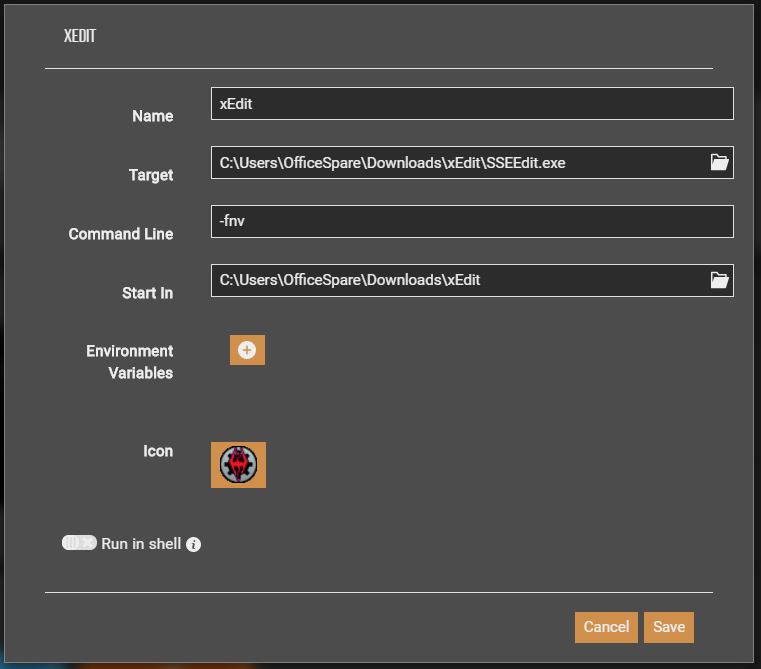

Name: whatever
Target: path to NMS.exe
Command Line: -HmdEnable 1
Start in: folder with NMS.exe
desert yoke
ohhh, thank you! il ltry it asap 
desert yoke
fresh arch
https://wiki.nexusmods.com/images/2/29/Tools2.JPG
It worked absolutely beautifully! Thank you! for some reason i couldnt find any info on this on google, even though im used to modding skyrim and other games for years
desert yoke
btw, should i play till end game without any mods or are there some mods that i definetly should add?
fresh arch
Lol, there is no real end game in NMS
As for what mods to use, as always it's a highly subjective matter
But you will find many people recommending some visual mods like ArghWater, Duds Sky Colours or various Exosolar's mods
If you're looking for quality-of-life improvements, Lo2k has a metric fuckton of mods that will make you go "that should be in vanilla game"
desert yoke
oh thanks, ill check it out! 😄
fresh arch
Syzzle09 also got some really nice QoL mods
No Lag Leaving Planet is also recommended pretty often
And to finish with a shameless self-promotion, here are a couple nifty mods made by me:
https://www.nexusmods.com/nomanssky/mods/2802


 desert yoke
fresh arch
And to finish with a shameless self-promotion, here are a couple nifty mods made...
desert yoke
fresh arch
And to finish with a shameless self-promotion, here are a couple nifty mods made...
they look good, im guessingtheyre just one click install, with vortex or do i still have to transfer the PAK files manually?
nvm, sorry for asking so much , i tried it and they worked 😄
solid hawk
When looking for mods to use for NMS, go with this Nexus filter page: https://www.nexusmods.com/nomanssky/mods/newrecently
As the majority of NMS need to be updated to the latest major version (and sometimes minor version), date of upload becomes very important. Rule of thumb is, if HG has made changes to a game file, all mods that make changes to the file have to be updated. If not updated, mods tend to crash the game on load.
shy grove
solid hawk
When looking for mods to use for NMS, go with this Nexus filter page: https://w...
solid hawk
Wondering if any long time players happen to have a copy of the ArmadA mod collecting dust on a drive? I believe it was last updated around 20 March 2018.
Yeeted my copy long ago
fallow meadow
solid hawk
Wondering if any long time players happen to have a copy of the ArmadA mod colle...
I'd suggest asking the creator? (u/MsrSgtShooterPerson)
solid hawk
Did that already too. 🙂
fallow meadow
Still looks to be active, so I give it a good chance 😉 That was like 2018 or so, when Next messed it up?
They have a Github too, although reddit likely easier to approach?
solid hawk
fallow meadow
Still looks to be active, so I give it a good chance 😉 That was like 2018 or so...
Yep
Hunt is over, found a copy
fallow meadow
solid hawk
Hunt is over, found a copy
That's got to be at least ArmadA 2, right?
solid hawk
fallow meadow
That's got to be at least ArmadA 2, right?
Sent. 🙂
 sour epoch
Good day, im having a problem modding the game. but cant find a reason why it isnt working, i removed the txt file, created a folder named MODS (capital and all), and the mod is up to date,... i think,... but i did build it with AMUMSS, with no errors. anything im missing? forgetting?
the mods in question is, better rewards (lua), and Gstack (pre-build)
round sinew
sour epoch
Good day, im having a problem modding the game. but cant find a reason why it is...
game install folder\GAMEDATA\PCBANKS\DISABLEMODS.TXTdoes not exist anymoregame install folder\GAMEDATA\PCBANKS\MODSfolder exists, and has pak files inside; do you get the "warning: mods detected" screen when loading up?- lua files will not be recognized as mods and will not be loaded by the game
- looking at nexus, both those mods should be up to date
sour epoch
round sinew
- `game install folder\GAMEDATA\PCBANKS\DISABLEMODS.TXT` does not exist anymore
...
Does lua need to be updated? or does AMUMSS take care of that?
i did run the lua trough Amumss, only .pak are in my MODS folder
round sinew
sour epoch
Does lua need to be updated? or does AMUMSS take care of that?
if amumss built it just fine and didnt complain about anything, then it should be good to go
sour epoch
that is wierd then
im currencty testing with better reward,.. yet,... no change
maybe im doing something wrong. will contune testing
wait,... yes, i did something wrong. thank you
fresh arch
New mod released: https://www.nexusmods.com/nomanssky/mods/2824/
 fresh arch
@indigo tangle moving the convo here
About your question about the deleted mod
There is a LUA script available that you can use to compile the mod for yourself using AMUMSS
Link to the script: https://github.com/MetaIdea/nms-amumss-lua-mod-script-collection/blob/main/Babscoole/BestFriends.lua

GitHub
A collection of public amumss lua mod scripts for nms. - MetaIdea/nms-amumss-lua-mod-script-collection
Guide on how to use AMUMSS: https://www.nexusmods.com/nomanssky/mods/2626
Nexus Mods :: No Man's Sky
Just a simple pdf with a step by step to set up and work with AMUMSS
 indigo tangle
fresh arch
<@442751380084621312> moving the convo here
indigo tangle
fresh arch
<@442751380084621312> moving the convo here
Thanks
chrome star
Is anyone aware of a mod that makes finding wildlife a tiny but easier? Ive been searching this planets oceans and caves for hours looking for the last two Rare creatures and havent found anything.
fallow meadow
chrome star
Is anyone aware of a mod that makes finding wildlife a tiny but easier? Ive been...
Only one I can think of is this one possibly: https://www.nexusmods.com/nomanssky/mods/1826
solid hawk
fallow meadow
Only one I can think of is this one possibly: <https://www.nexusmods.com/nomanss...
Same one I recommended to him on Modding. haha
Exhausted minds think alike.
 bright lark
I'm on PC and my main saves on PS4, how do I go about transferring them?
 hybrid coral
bright lark
I'm on PC and my main saves on PS4, how do I go about transferring them?
hybrid coral
bright lark
I'm on PC and my main saves on PS4, how do I go about transferring them?
That's the secret - you don't
Unless you wanna export it, decrypt it and somehow convert them yourself.
Or just move on, learn to use goat's save editor for PC and more or less restore whatever progress you don't want to lose permanently.
https://github.com/goatfungus/NMSSaveEditor
For the rest just add yourself the missing Quicksilver to repurchase past event-items via Winder's mod 
GitHub
No Man's Sky - Save Editor. Contribute to goatfungus/NMSSaveEditor development by creating an account on GitHub.
Nexus Mods :: No Man's Sky
Unlocks Expedition, Twitch, and Community Rewards for purchase in the Quicksilver shop
 tired crescent
If only modding was available on consoles 
 south orbit
You can edit ps4 saves using pc but i dont know any details
fallow meadow
bright lark
I'm on PC and my main saves on PS4, how do I go about transferring them?
This would require a paid app 'Save Wizard' and NomNom (save editor) for conversion. cc: @hybrid coral
night adder
@fallow meadow Either editor works, until recently I always preferred NMSSE
fallow meadow
For conversion?
night adder
no, for editing
fallow meadow
exactly
night adder
My point was you implied NomNom was the only editor that works once converted
fallow meadow
No, this was specific to conversion, as that was asked about
You are correct when it comes to editing, both NMSSE and NomNom work for this on PS4, although not really useful anymore when wanting to move to PC?
lime mesa
Hi :)
would anyone know how I could transfer a game pass save to steam? I can't access the save since I don't have game pass anymore, but I know the account I use
Is there any way? I have lots of expedition stuff on it
solid hawk
Yep, you should still have the Gamepass save local. I believe you can do this with NomNom. Open the Gamepass save in NomNom, then

I believe that's move it to Steam.
Please be aware, I don't have Gamepass, so not done this myself.
solid hawk
I'm certain if I have this wrong or if there's a better way, someone will come around and correct.
chrome star
Anyone know the name of the software that lets you build bases outside of NMS and then import the structure?
plain oyster
is there any mods that allow ship creation? cant get the website one to work due to a paywall
hearty wasp
chrome star
Anyone know the name of the software that lets you build bases outside of NMS an...
Search "base building app" on nexus
hearty wasp
plain oyster
is there any mods that allow ship creation? cant get the website one to work due...
Not afaik
chrome star
hearty wasp
Search "base building app" on nexus
Thanks.
lime mesa
anyone know how to install nomnom on mac?
fallow meadow
lime mesa
anyone know how to install nomnom on mac?
For as far as I am aware, there is no Mac support just yet. Mac should be able to run Java applications though, so perhaps give NMSSE (goatfungus) a try instead
lime mesa
oki :)
solid hawk
Thing is, I don't believe NMSSE has that transfer save feature. In that case, may want to run NomNom on a Windows VM. Could always just do an export import of the full json though.
lime mesa
solid hawk
Thing is, I don't believe NMSSE has that transfer save feature. In that case, m...
I'm using bootcamp to edit the save, will my rewards still be there when I cross save to mac?
solid hawk
Should be. Each save slot is it's own file (actually 2), so whatever is in there.
craggy oxide
who know's how to likw wxport bases fro,m blender into goatfungus so they get into your game?
solid hawk
Should be information on this at https://www.nexusmods.com/nomanssky/mods/984

Nexus Mods :: No Man's Sky
A plugin for the Blender (3D application) to help build bases in No Mans Sky.Build bases for No Mans Sky using proxy representations for building parts.Use Blender tools to tra
lime mesa
So, I got the expedition 8 rewards on my save via save editor. I'm using nmsse, do I hit save and then go to MacOS from bootcamp windows? Will my rewards be there?
lime mesa
is there a mod that allows you to add npcs to a base that other players can see?
night adder
@lime mesa no
lime mesa
night adder
<@456226577798135808> no
that's unfortunite
solid hawk
Well, they can see the NPC IF using the same mod you used to place them
 worldly mist
Not exactly a mod, but has anyone taken on the challenge of a comprehensive atlas for the game?
I know NMSs website has an atlas but it seem to be specific to points of interest rather than Life Universe and Everything.
solid hawk
Mods that add objects to the base building menu have to give those objects custom IDs. Those running vanilla will not have those IDs in their game files, so cannot see the object. Others with the same mod will have those IDs.
solid hawk
worldly mist
Not exactly a mod, but has anyone taken on the challenge of a comprehensive atla...
18 quadrillion+ stars. Not going to happen, lol.
worldly mist
I understand the levity of it… but I am curious as to why not.
serene sorrel
Data and bandwidth I'd assume
solid hawk
18 quadrillion stars. You paying for the drive space and bandwidth usage. Would be thousands per month
Yep
This being said, https://nms.center/ServiceBot. Galactic Guide Export.
worldly mist
The drive space only has to be as big as the amount of reported data
solid hawk
Given a portal address, will export the data on stars and planets in that region
Be aware that free is limited to one export per 6 months or something like that, as the owner has to pay thousands per month for hosting of the database. If you want more, there's various levels of Paetron subscription available. More info on the Creative and Sharing Discord.
serene sorrel
If you said each blurb of info was only 5kb, you'd be looking at about 82,000 petabytes to store it all lol
worldly mist
serene sorrel
If you said each blurb of info was only 5kb, you'd be looking at about 82,000 pe...
But the likelihood of that much data being reported to the database by the discovery of players who would contribute is 0.000000000000000000000000000000000000000000000000001%
My point is, it would never get that large in the first place.
solid hawk
Not based on player contribution. Reverse engineering of the seeds
serene sorrel
worldly mist
My point is, it would never get that large in the first place.
But it could, so you'd have to plan for that possibility
solid hawk
I can dig up a sample report if you'd like
serene sorrel
And rule 1 of data management is, have backups. And then backup the backups
So that's 82k petabytes times however many duplicates 😛
worldly mist
serene sorrel
So that's 82k petabytes times however many duplicates 😛
More… a 5kb record is worthless…
Well it wouldn’t have imagery for sure at least
serene sorrel
Right. Just plain text most likely. You can fit a decent amount of plain text into 5kb. I just spitballed that amount though. I'd imagine you'd want each planet to consume as little as possible, so maybe 256 bytes max?
worldly mist
Sure… so that’s 4,100PB
solid hawk
Here's a sample report. Real ones have hundreds of systems
serene sorrel
Probably bank on 16k to allow for redundancy
Then you have to factor in all the stuff that goes into processing and presenting the data, making it feasible for end users to search and filter it, etc. No idea what all that would entail, but you'd probably need to be google or amazon to handle it 🙂
solid hawk
But, that's as close as there is to an atlas or compendium of solar/planetary information.
worldly mist
Okay so let’s limit the project to Euclid as a test run…
solid hawk
Just so you know, the HelloGames Discovery servers are not publicly accessible.
worldly mist
So we need about 600 Tulip Data Centers… now we just need a government to fund it and a solar array large enough to power all of India… and about 600 million sqft of building space… a legion of data center techs….
Have to admit though it is a great conversation piece.
solid hawk
Noice
 brazen pollen
Has someone made a utility that extracts discovery data from our save files ?
solid hawk
I've not seen such a thing
vale iron
Extracting discovery data from save files would be somewhat useless, as the save file and the discovery server could have vastly different data, and the server always wins
 sturdy holly
What's that mod fixer thing that combines mods that have a conflict together? I thought it was AMUMSS or whatever but I was messing around with it earlier (I apparently got it all setup like a year ago last time I played) but it seems like it detects conflicts but seems to be having issues merging them
hearty wasp
sturdy holly
What's that mod fixer thing that combines mods that have a conflict together? I ...
any conflicts in lua means AMUMSS has solved them
if it detects conflicts in paks that's more of a "you should fix it" issue
sturdy holly
I just think I'm not putting things in the right area, it was telling me to put paks and lua files into the modscript or something folder but when I did that it was saying it couldn't find certain files
hearty wasp
you are probably not putting things in the right area, yes
sturdy holly
I feel like it was much easier whatever I was doing a year ago, I had a bunch of merged mods and the game worked fine
That or I forgot how to do it lol
sturdy holly
That could be the case, is there a chance my amumss is outdated itself?
I've had it sitting on my pc for around a year so
hearty wasp
most probably
GitHub
Tool to mod No Man's Sky using lua scripts. Contribute to HolterPhylo/AMUMSS development by creating an account on GitHub.
just download it and let it auto update again
sturdy holly
Will do when I get home, at work and it randomly came to mind cause I was trying to mess around with the program a bit in the morning
sturdy holly
Alright, ty for the help
solid hawk
sturdy holly
Alright, ty for the help
Follow this guidm, step by step, both install and basic usage. Be aware there will be three small updates you'll need to say Y to installing to get to current, 4.2.2.3W
The updates are incremental, not cumulative, so done one at a time.
After fully updated, bottom of the doc shows merging/combining as one of the three common scenarios.
sturdy holly
Anybody got a like... modpack ig for making the game look better along with bug fixes and performance friendly? Also alright I'll take a look when I get home, I wanna enhance the game basically so looking forward to it
hearty wasp
sturdy holly
Anybody got a like... modpack ig for making the game look better along with bug ...
we just tell people so sort by last updated on Nexus
and then download ArghWater
sturdy holly
Yeah I have that, gonna try to improve grass, skies, space and planets a a whole too
As*
Ik there's a mod that makes better looking planet generation too
hearty wasp
ArghWater is the only shader mod
sturdy holly
For water?
hearty wasp
for NMS
hearty wasp
it is
sturdy holly
Ohhh okay
hearty wasp
other mods are proc-gen related or small tweaks that is entirely up to personal preference
sturdy holly
We'll see if my pc will blow up after adding a few mods to improve how the game looks
Game already gets weird frame drops out of the blue
sturdy holly
hearty wasp
other mods are proc-gen related or small tweaks that is entirely up to personal ...
Yeah I get what you mean now, kinda surprised more people don't make shaders
hearty wasp
people don't do it because it's mostly undoable
sturdy holly
Ah okay I guess the person who made arghwater is just a god
hearty wasp
yes
solid hawk
Working with shaders is like trying to read sandscrit, when blind.
sturdy holly
I keep trying to read how to install Amumss but my after work brain is not having it
I keep getting 3 words in and restarting lmfao
Nvm got it working
Brain finally worked
 cursive hemlock
whats the best save editor?
sturdy holly
I feel like there was definitely an easier way to merge mods in the past, I remember merging multiple mods back to back all at once when I last modded NMS
night adder
NMSSE is the more prevalent, but I'd argue NomNom as the best currently.
@cursive hemlock
cursive hemlock
night adder
NMSSE is the more prevalent, but I'd argue NomNom as the best currently.
what does prevalent mean
sturdy holly
Seem to be having trouble merging mods

Just an fyi I use vortex to download mods
And I use steam
Idk if either is causing issues
I'd like some help, trying to get these mods working
night adder
@cursive hemlock it means more players use it
serene sorrel
cursive hemlock
what does prevalent mean
"Widely or commonly occurring, existing, accepted, or practiced. synonym: prevailing." or alternatively, "Most generally received or current; most widely adopted or practiced; also, generally or extensively existing; widespread; prevailing.". Not really sure why it lists basically the same definition twice 🤷♂️
sturdy holly
night adder
NMSSE is the more prevalent, but I'd argue NomNom as the best currently.
One issue I found with NomNom is it freezes and crashes more I found and is limited for certain stuff, like when I transferred my save from Xbox to Steam afterwards my freighter got downgraded to C grade and NomNom couldn't fix that but the other one did
night adder
@sturdy holly When did you use it? The most recent release is what my opinion is based from
cursive hemlock
so how do I change QS value in NMSSE?
sturdy holly
night adder
<@714296708418240582> When did you use it? The most recent release is what my op...
I used it a day or two ago
cursive hemlock
cursive hemlock
so how do I change QS value in NMSSE?
nvm its in exosuit
night adder
@sturdy holly Interesting, I had no issues like that, and I messed with pretty much the entire UI, as well as the json editor.
sturdy holly
night adder
<@714296708418240582> Interesting, I had no issues like that, and I messed with ...
Maybe it was just an issue with mine or something, I tried making myself learn all words through NomNom as well and it would just flat out freeze and crash so I had to use the other one for that as well
night adder
@sturdy holly ah, the one thing nomnom needs is to change the default setting for loading saves - it loads all saves into memory on start by default, but if you change that to only loading selected save, you avoid pretty much all freeze/crash issues
I may have convinced zencq to include that way back b4 Waypoint, but itll take more than me to sway him on it being the better default lol.
sturdy holly
Yeah I probably need to figure out how to do that lmao
night adder
it's in settings, pretty early in the list iirc
cursive hemlock
hearty wasp
living ship quest item?
yes
can I delete the mod after modifying the timer?
green prairie
no
hearty wasp
should be able to after you've progressed past it right?
serene sorrel
Huh. Removing the mod would revert the timer? It doesn't have a "completed" flag or something?
green prairie
there are 2 or 3 wait 24 hours mission iirc
hearty wasp
yeah but we're talking after allat
like obviously you shouldn't yeet it after just doing one
green prairie
there is a mod that completely skips all the time gated shit iirc too
cursive hemlock
what does iirc mean ?
hearty wasp
yeah try searching "living" "ship" as well
green prairie

Nexus Mods :: No Man's Sky
Removes the lengthy Living Ship introduction quest and lets you claim one straight away.
I think it's this one
hearty wasp
cursive hemlock
what does iirc mean ?
"if I recall correctly"
cursive hemlock
green prairie
https://www.nexusmods.com/nomanssky/mods/2456
will that work if I already got the stem?
hearty wasp
ye
cursive hemlock
I create mod folder in PCBANKS right?
cursive hemlock
what about lua file?
serene sorrel
Lua files are only used for generating pak files with AMUMSS
I store them in a separate folder for convenience
cursive hemlock
oh ok ty
cursive hemlock
hearty wasp
ye
it did not work 😐
hearty wasp
Yeet DISABLEMODS.txt
cursive hemlock
I changed the name to DISABLEMODS1 and the game itself said I am playing modded version...