#hardware
1 messages · Page 1 of 1 (latest)
 tropic jolt
 copper birch

Hackster.io
Just opening the fridge updates as list of its contents, while a Telegram bot provides a field-expedient user interface.
😄

Home Assistant
Bring choice to voice - the best way to get started with voice
anyone has this?
 tepid surge
fyi if you bought limitless you can flash it with custom firmware. planning to link it up with clawd for it to stalk me
 astral steeple
copper birch
anyone has this?
astral steeple
copper birch
anyone has this?
I bought one, but it came with a broken componet that drives the speaker. both the internal and external wouldn't work, so I never realy got to mess with it. I ended up just flashing echo 5 shows with the satellite stuff and https://github.com/msp1974/ViewAssist_Companion_App
GitHub
An Android app and Home Assistant integration to support the View Assist integration - msp1974/ViewAssist_Companion_App
 ocean furnace
copper birch
https://www.home-assistant.io/voice-pe/
ocean furnace
copper birch
https://www.home-assistant.io/voice-pe/
I do! And not using it, it crossed my mind that it could be a way to communicate with clawdbot, but haven't thought how yet.
astral steeple
I'd posted in #home-automation , but I am using this to send to my python agent currently https://github.com/jimrushPersonal/ConversationForwarder can bridge that gap. It basiclly tells HA to send to external agent instead of it's internal one

GitHub
A Home Assistant custom component to route voice assistant conversations to an HTTP endpoint. - GitHub - jimrushPersonal/ConversationForwarder: A Home Assistant custom component to route voice ass...
that's if you want to keep HA in the loop
 lament tartan
Reachy Mini is so fun for projects like this!

 solid spear
lament tartan
Reachy Mini is so fun for projects like this!
solid spear
lament tartan
Reachy Mini is so fun for projects like this!
this is a robot that you talk to or something? rpi with a layer on top? how do you interact with him/it? looks like a fun option for living-room-based clawds 🙂
 lament tartan
solid spear
this is a robot that you talk to or something? rpi with a layer on top? how do y...
lament tartan
solid spear
this is a robot that you talk to or something? rpi with a layer on top? how do y...
Yeah, it's got two versions: a wired version and a wireless version. The wireless version is based on a rpi https://www.pollen-robotics.com/reachy-mini/
I love it because it's so open and really easy to modify. You can basically hack it and make it do whatever you want. People are already doing some pretty crazy stuff with it, but it's got such a good base of sensors built in that it makes it really fun to play with.
Personally, I've just been using it pretty basic right now. I just send commands to it from my Claude Code session rather than trying to embed everything on the Raspberry Pi itself. I might do that eventually though.
solid spear
nice! it looks fun! what's the craziest thing you've seen? all i can think of right now is "clawdbot meets physically embodied siri" but i'm sure these much more imaginative things going around
astral steeple
YALL ARE SPENDING ALL MY MONEY!
 royal axle
Home Assistant Voice Preview Edition
lament tartan
solid spear
nice! it looks fun! what's the craziest thing you've seen? all i can think of ri...
Yeah, people have done some pretty amazing things from modifying the robot itself to add arms, stuff like that. There's some dude that's selling an upgrade kit to give it LEDs for eyes so that the color of the eyes can change. That sort of thing is probably the craziest stuff I've seen, but I haven't really done any of that yet. I've just been using it as an embodiment tool like you said.
 whole salmon
solid spear
this is a robot that you talk to or something? rpi with a layer on top? how do y...
whole salmon
solid spear
this is a robot that you talk to or something? rpi with a layer on top? how do y...
I bought clawd this!
 lofty spruce
Can the old homepod (the big one) be jailbroken to run clawd? 👀
astral steeple
not sure but echo show 5 gen1 can 😄
 cinder flame
Has anyone though about these? https://github.com/espressif/esp-box

GitHub
The ESP-BOX is a new generation AIoT development platform released by Espressif Systems. - espressif/esp-box
 ocean stag
cinder flame
Has anyone though about these? https://github.com/espressif/esp-box
ocean stag
cinder flame
Has anyone though about these? https://github.com/espressif/esp-box
The ESP box dev kits have pretty bad mics and audio. It’s somewhat ok if you sit directly in front of it but not comparable to Alexa devices
 quiet reef
whole salmon
I bought clawd this!
quiet reef
whole salmon
I bought clawd this!
omg we need a video when this arrives 😂
whole salmon

Meta Ray-Bans (native WhatsApp support) + @steipete's @clawdbot + tmux = hands-free voice control for my whole system & all of my Claude Code and Codex agents
Agent status check:
"Check agent tmux sessions, show any awaiting approval...yes approve that command"
At a store,
 X
·
tepid surge
whole salmon
https://x.com/buddyhadry/status/2008566156244729971?s=20
X
·
tepid surge
whole salmon
https://x.com/buddyhadry/status/2008566156244729971?s=20
zuck already bricked my limitless, he is the only barrier to clawd supermacy
solid spear
razer is also launching an AI desk hologram thing haha. lets hack it and make a lobster one

 still elbow
I bought a omi dev kit v2...👀
 bold delta
tepid surge
zuck already bricked my limitless, he is the only barrier to clawd supermacy
bold delta
tepid surge
zuck already bricked my limitless, he is the only barrier to clawd supermacy
wdym?
tepid surge
bold delta
wdym?
bought limitless ai, then it was bought by meta. i dont rly want meta on me all the time so...
bold delta
ahhh I see
copper birch
whole salmon
https://x.com/buddyhadry/status/2008566156244729971?s=20
oh fuck it i'm setting up whatsapp
 nocturne zodiac
copper birch
oh fuck it i'm setting up whatsapp
nocturne zodiac
copper birch
oh fuck it i'm setting up whatsapp
Spent the last few hours trying. Something isn't working with the gateway because messages aren't making it in.
copper birch
Get an early look at our Meta Wearables Device Access Toolkit coming later this year. Learn how to apply for preview access so you can start building for a new era where technology and personal style...
we can have an official app isntead of abusing whatsapp for this
solid spear
copper birch
https://developers.meta.com/blog/introducing-meta-wearables-device-access-toolki...
lmao

seems cool tho
tepid surge
anyone has a working limitless.ai account?
i was working on reverse-engineering it so i can get the recordings myself, but before i managed to record BLE commands, the app factory reset my device.. and it can't connect to it with the app since my account got booted due to the meta acquisition
lament tartan
Just a little update, had some extra time yesterday so I setup a clawd on the Reachy Mini rasp pi…was a little bumpy, but it worked. Maxes out the processors easily tho, which messes with the robots servo daemon. Prob not worth debugging, gonna just use my Mac Studio for clawd and keep the Reachy as embodiment only?
 timber vessel
Can’t believe I’m sitting here about to impulse buy an m4 Mac mini 😭
solid spear
one of us! one of us!
 vestal pebble
I’ve got a refurb M2 Mini arriving any minute now
timber vessel
Where’d you buy it? Tempted to go the refurb route too
 rough chasm
Considering to buy an M4 mini, too. What spec would you recommend?
nocturne zodiac
timber vessel
Can’t believe I’m sitting here about to impulse buy an m4 Mac mini 😭
I impulse bought the M3 Ultra 512 GB for to run this lol
tepid surge
nocturne zodiac
I impulse bought the M3 Ultra 512 GB for to run this lol
hey its me ur best friend
vestal pebble
timber vessel
Where’d you buy it? Tempted to go the refurb route too
Ebay
cinder flame
timber vessel
Can’t believe I’m sitting here about to impulse buy an m4 Mac mini 😭
DO IT
 edgy current
m3 ultra! are you trying to run clawd locally? why is the mac mini so popular amongst clawdbot fans? luckily i already had one, but can't any vps/old macbook laptop work fine? all the compute is happening remote no?
vestal pebble
I wanted something with MacOS that was relatively cheap with at least 16gigs of RAM with some processing headroom for other projects. Most of the time it’s going to sit in the corner and I want it to be quiet and cool.
timber vessel
I'm thinking about the mac mini because I want to run an automated browser that looks like me (i.e. has a gpu, has a local ip). Beyond that I considered running it on my old razer blade but that thing is so power hungry and relatively large by comparison.
Running on a Hetzner instance right now and it's working super well. The only real problem is the browser thing I mentioned. But, I have a number of other always-on services on Hetzner hosts rn that I could consoldiate onto the mac mini and save some money.
 peak temple
A $200 m1 mini from marketplace works fine too it seems 😄
nocturne zodiac
edgy current
m3 ultra! are you trying to run clawd locally? why is the mac mini so popular am...
I want to run Minimax M2.1 on it locally.
Probably will need 2x or 3x of them eventually as Peter pointed out in my x post, but I don't mind it being a little slow if it means that digging through all my files and whatnot is done completely privately and not being sent to Anthropic/OpenAI. Also will be nice when I'm parked in a forest and can't get good starlink, so all my home automation will still run.
edgy current
nocturne zodiac
Probably will need 2x or 3x of them eventually as Peter pointed out in my x post...
meanwhile people on X are uploading their raw genome and unredacted tax returns to claude code 🤯
timber vessel
astral steeple
Browser control works fine
Yeah I was having some good luck on my hetzner box with the general browser functionality. It works surprisingly well
Anyway I gave in and got my Mac Mini tonight, hahaha. So pumped to get stuff moved from the hetzner box to this thing
tepid surge
i am once again asking if someone has a working limitless ai pendant, and wants to help me integrate it with clawdbot by building a custom app, let me know so i can reverse engineer it
 umbral raft
Hi
Can anyone recommend a cheap VPS server with no hassle , i tried hetzner but they rejected and disabled my account account even though I provided them a valid government id proof. Curious what you guys are using?
ocean stag
umbral raft
Hi
Can anyone recommend a cheap VPS server with no hassle , i tried hetzner but...
You can try https://exe.dev or https://cloud.ionos.com/compute/cloud-cubes or https://us.ovhcloud.com/vps/
exe.dev
Start VMs with persistent disks in seconds. The disk persists. You have sudo.

Let your DEV environment benefit from immediately available instances
OVHcloud
 prisma stirrup
running minimax 2.1 reap on Beelink Gtr9pro - 11.67 tok/sec, 305 tokens, 1.96s to first token, Stop reason: EOS Token Found. Works okish, but only around 50-60k token window
 nimble zenith
prisma stirrup
running minimax 2.1 reap on Beelink Gtr9pro - 11.67 tok/sec, 305 tokens, 1.96s t...
nimble zenith
prisma stirrup
running minimax 2.1 reap on Beelink Gtr9pro - 11.67 tok/sec, 305 tokens, 1.96s t...
Interesting. In theory it should have way to less ram to keep minimax and a reasonable context in memory.
 sterile sparrow
anyone tried setting it up on synology nas yet?
limited processing power but there is a processor in there for sure
prisma stirrup
nimble zenith
Interesting. In theory it should have way to less ram to keep minimax and a reas...
tbh that's anothre rabbit hole I didn't dive into yet
 green tulip
I set up clawd on my old 2016 Era MBPro but a lot of skills don't like running on Pre-Sonoma Macs

 jolly creek
green tulip
I set up clawd on my old 2016 Era MBPro but a lot of skills don't like running o...
jolly creek
green tulip
I set up clawd on my old 2016 Era MBPro but a lot of skills don't like running o...
Same issue here on a 2013 iMac with Ventura
umbral raft
ocean stag
You can try https://exe.dev or https://cloud.ionos.com/compute/cloud-cubes or ht...
Thanks I went for OVH and working like a charm. Loving clawdbot, so much power. I don't think I will use claude UI or claude code for web anymore, owning your assistant is so much powerful.
I do notice that the discord bot randomly stops responding after some time, I have to tell my telegram bot to start it again. Not sure if anyone is experiencing this.
 visual chasm
umbral raft
Thanks I went for OVH and working like a charm. Loving clawdbot, so much power. ...
visual chasm
umbral raft
Thanks I went for OVH and working like a charm. Loving clawdbot, so much power. ...
Have a look at the free Oracle VPS - i can't vouch for the "no hassle" part, I am not using it myself, but I know people who do and it seems like a good deal (well it's free after all...) ARM-based ones come with 24 GB memory https://www.oracle.com/cloud/free/
 ember oxide
my clawd is actively looking for a mac mini m1 on marketplaces since it complained about being on a pi 😅
astral steeple
genius
 exotic warren
I setup clawdbot on my M4 mbp but should probably have a dedicated plugged in host for it is migration easy
 harsh dock
sterile sparrow
anyone tried setting it up on synology nas yet?
harsh dock
sterile sparrow
anyone tried setting it up on synology nas yet?
+1 on this question. I have synology as well
 fierce sage
is there a way to run minimax_ai on old mac's with intel processor ?
lm studio doesn't work on those macs
sterile sparrow
harsh dock
+1 on this question. I have synology as well
My only real problem getting this all together on a synology is my lack of Docker skills. Might have to spend a few hours this weekend
nimble zenith
fierce sage
is there a way to run minimax_ai on old mac's with intel processor ?
Dont bother, not enough RAM, to slow.
 white kite
didn't see anyone else mention but I have been running it on umbrel (https://umbrel.com/) it has 16GB RAM, so plenty, and works well as NAS too
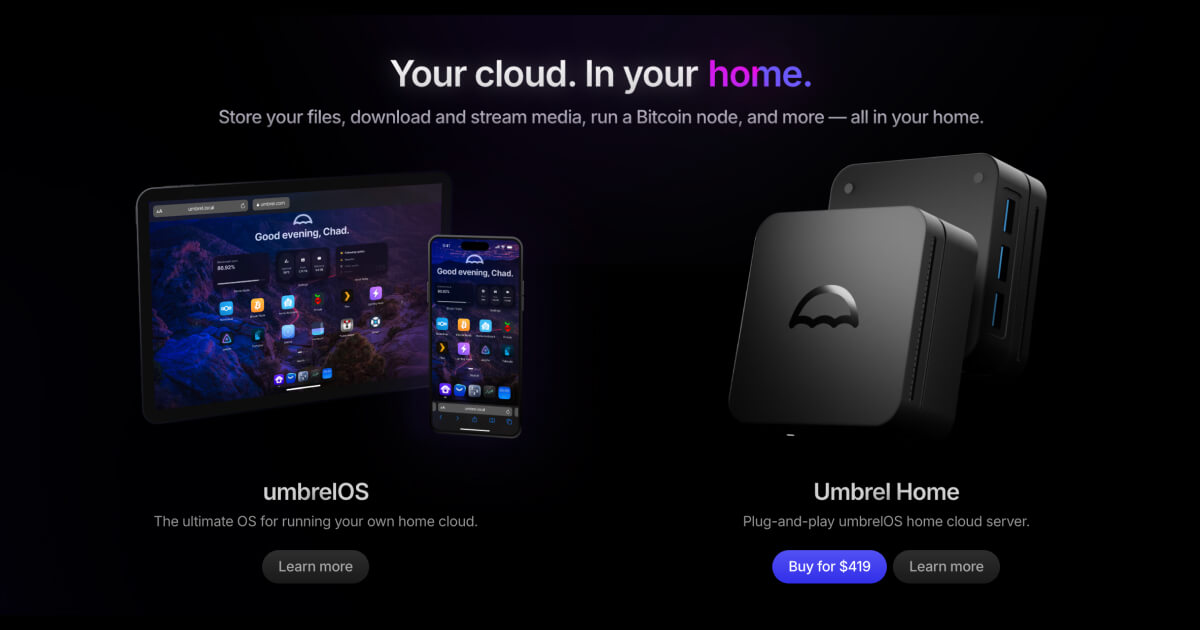
Bring the cloud to your home with umbrelOS - a beautiful home server OS for self-hosting, and Umbrel Home - a plug-and-play home server. Install Nextcloud, Jellyfin, Bitcoin node, and hundreds of self-hosted apps in one click.
 crimson seal
Can anyone explain Clawd bot I’ve been using Claude code on my Mac but I have a hackintosh with 128gb ram doing nothing and a 8gb video card. Any use
Is this more a software that uses say open router and an API
white kite
crimson seal
Can anyone explain Clawd bot I’ve been using Claude code on my Mac but I have a ...
https://docs.clawd.bot/ has info, there is a #old-help for specific Q? also you have a spare 128gb hackintosh doing nothing? get it to work for you 😮💨

Clawdbot
crimson seal
Thank you!
crimson seal
white kite
https://docs.clawd.bot/ has info, there is a <#1456457255208878100> for specific...
Yeah 128gb doing nothing
solid spear
@copper birch #general message did you make progress on this one? mine just arrived 😈
 copper birch
solid spear
copper birch
solid spear
no because im not home yetand also i'm overwhelmed a bit 😂
solid spear
aight man. imma get hacking. ill drop repos too
astral steeple
crimson seal
Can anyone explain Clawd bot I’ve been using Claude code on my Mac but I have a ...
yes, a lot of use! that'd be a great box, esp for local TTS/STT
astral steeple
copper birch
no because im not home yetand also i'm overwhelmed a bit 😂
you have a remote AI agent, do you not?!?!
copper birch
astral steeple
you have a remote AI agent, do you not?!?!
no, still lives on laptop but i will soon
astral steeple
🤦♂️
sterile sparrow
I have an old unused laptop that will probably have to step up and act as clawd home for now. When I'm happy with the setup i might get a real home for it on a server somewhere or buy a tiny little computer for it. Buying a mac mini sounds too expensive for just this as the use
Maybe in two years time when we have local models good enough a mac mini might actually be worth it 👀
harsh dock
white kite
didn't see anyone else mention but I have been running it on umbrel (https://umb...
What you doing running an umbrel 😂
Good to know, have one of those.
white kite
harsh dock
What you doing running an umbrel 😂
Why not? It works great! (Touch wood 😂)
harsh dock
Since it’s c related and we don’t talk about that in this neck of the woods. They’re amazing tools imo. Evidenced by my 1 minute timeout for even saying it haha
nocturne zodiac
solid spear
Just a heads up, I've had one of these since they originally shipped and the battery does not last long if you refresh more than a few times a day. You'll want to have it plugged in all the time
 crystal hinge
Do you guys not really care about mobile access and/or opening up your home network? I run clawdis on AWS lightsail because of not wanting to open up my home network
jolly creek
tailscale!
crystal hinge
ah yeah i set up tailscale while trying to have my macbook as a "node" and AWS lightsail as the true remote. It was pretty cool!
didn't end up getting that to work fully though T_T.
 deft sluice
I’ve given clawdbot an rpi4 with a touchscreen/mic/speaker, and vibe coded a node client for it (my gateway/bridge is running on a Debian vm in my homelab).
Going to get clawdbot to build out a “home hub” on it.
Anyone already going down this path?
astral steeple
sort of prior to finding clawdbot. I made a visual thing that monitored sound output so it could "pulse" to give the AI a "face" of sorts
 scarlet relic
whats the cheapest and usable hardware with voice control?
 steep osprey
If I try clawd on my Mac Mini, can I move it to my Raspberry Pi at a later time?
jolly creek
steep osprey
If I try clawd on my Mac Mini, can I move it to my Raspberry Pi at a later time?
Yes
steep osprey
Nice. I wasn't sure if it would be a complete reset or what to expect.
Still struggling to install on the Mac Mini. Thanks @jolly creek
steep osprey
Any value in running this on a Synology NAS as opposed to my Raspberry Pi 5? Not sure how resource hungry clawdbot is.
ember oxide
its running just fine on my pi4b
steep osprey
Nice. The only thing I’m using the Pi5 for is a Pihole, and Tailscale exit node. It’s under utilized.
 rancid sentinel
i run it on my synology nas
since today
but i upgraded the ds220+ to 10gb ram at least..
if your pi5 is unterutilized, go for it 🙂
steep osprey
thats a lot of ram!
I need nvms for mine. spinning discs are my bottleneck these days
Thanks for your thoughts @rancid sentinel
steep osprey
Today I learned my M4 Mac Mini takes nearly the same idle power as the Raspberry Pi 5.
nocturne zodiac
Isn't that wild? Definitely uses more at full usage though!
 twilit radish
I'm setting up my old phone for linux. It has some 2.5gb free ram & memory of 40gb.
ember oxide
any1 selling a cheap mac mini in vienna :D?
steep osprey
nocturne zodiac
Isn't that wild? Definitely uses more at full usage though!
Right but that’s only happening when I’m on it, and then my monitor is using power etc.
nocturne zodiac
steep osprey
Right but that’s only happening when I’m on it, and then my monitor is using pow...
The difference between something at 10W vs 100w is a huge difference for me since I’m running fully on solar +batteries. I love these m-series chips!
steep osprey
Sounds like your off the grid
 dark surge
@tiny grail I need to get some sort of Mac for human reasons. Could you tell me more about what your ideal shell to dwell in might be? Like is an M5 chip gonna make a big difference over an M4 chip?
twilit radish
twilit radish
I'm setting up my old phone for linux. It has some 2.5gb free ram & memory of 40...
Things work! But too slow(5-6mins). Need to keep the phone on charge most of the time.
 solid folio
dark surge
<@1456406468898197625> I need to get some sort of Mac for human reasons. Could ...
solid folio
dark surge
<@1456406468898197625> I need to get some sort of Mac for human reasons. Could ...
Don’t think it will
 glass finch
Amazon has 16gb M4 Mac Minis for $499
Grabbed one to hopefully run a lesser GLM model for my day to day tasks
 devout blaze
you would think the m1's and m2s would be cheaper by now
can get an m1 for 300 on amazon or ebay but only 8gb
ember oxide
cheapest i found for an m1 with 8gb is 300 €
ember oxide
8gb must be enough, i was running clawd on a pi4b with 1gb just fine
glass finch
Could I run a local model on my mini and then set up an agent to call Opus only when it needs the horsepower? How is that even done
ember oxide
you could do that with subagents
https://docs.clawd.bot/tools/subagents#tool
something like that
{
  "tool": "sessions_spawn",
  "task": "code me a dashboard",
  "model": "anthropic/opus-4-5",
  "label": "code"
}
I need to figure that out. I guess I can ask clawd to figure it out for me eh
 nova topaz
Connected Clawdbot to reTerminal E1001 Monochrome ePaper Display from Seeed Studio (the open source TRMNL); cleaning up the package https://x.com/amadad/status/2011153833120919584?s=46&t=u84c6uacccEm_E8DegTDKQ cc: @whole salmon
 astral gobletBOT
nova topaz
Connected Clawdbot to reTerminal E1001 Monochrome ePaper Display from Seeed Stud...
astral gobletBOT
nova topaz
Connected Clawdbot to reTerminal E1001 Monochrome ePaper Display from Seeed Stud...


 stable fossil
does anyone have any docs on setting up gateway on a vps, and having additional nodes like mac?
glass finch
stable fossil
does anyone have any docs on setting up gateway on a vps, and having additional ...
https://youtu.be/SaWSPZoPX34?si=OJom8GmulMOQ6qF5 start here maybe?
deft sluice
deft sluice
I’ve given clawdbot an rpi4 with a touchscreen/mic/speaker, and vibe coded a nod...
Update: running as a “node” was fiddly, I’m moving to “rpi displays a page that clawd hosts/controls”.
Clawdia has been displaying lobster themed haiku, amongst other things.

 compact trench
I actually don't have a Pi5 yet, currently running clawdbot on a Pi4 with great success. But this seems fun to experiment with. It's not a super powerhouse of course, but for a lot of home automation things or just tinkering it sounds like fun !
 unreal talon
deft sluice
I’ve given clawdbot an rpi4 with a touchscreen/mic/speaker, and vibe coded a nod...
unreal talon
deft sluice
I’ve given clawdbot an rpi4 with a touchscreen/mic/speaker, and vibe coded a nod...
I am!

Code will all be open source

 dawn wigeon
 bright ridge
even more excited to add clawd to it
bright ridge
even more excited to add clawd to it
got mine yesterday and also hope to somehow connect them 🙂 probably Friday or Sunday though when I've time to assemble it.
rancid sentinel
for a first sandbox like system with a claude code api key via microsoft foundry or awm, would you pick A- mac studio B- AWM server C- VM ? what is a good company system for easy fluid access?
unreal talon
Cooking up for the desktop hardware
unreal talon
If anyone wants to keep up with my progress on the RN app + desktop and watch hardware, ganna be posting everything on my X account @ jonahships_
 fluid jackal
so has anyone gotten MiniMax2.1 deployed on a local setup without major issues? eyeing one of the unsloth quants on my 240GB VRAM obscenity
whole salmon
This is amazing https://x.com/buddyhadry/status/2011924389336412176?s=20
astral gobletBOT
whole salmon
This is amazing https://x.com/buddyhadry/status/2011924389336412176?s=20

Now when I’m not at my machine, and my Meta Raybans are busy vibe coding a modernized version of TempleOS, I can reach out to my @clawdbot, Clawtto (@Clawtto_bot) on any of my Alexa devices around my house.
︀︀
︀︀Here’s how it works:
︀︀
︀︀A Go polling script watches my Alexa conversation history for a keyword, “Clawtto.”
︀︀
︀︀To trigger it, I say something like: “Alexa, this is a message for Clawtto. Hey Clawtto, check my agent sessions. Alexa you can just ignore this.”
︀︀
︀︀Once the poller spots the keyword, it sends the entire message as a hook to clawdbot.
︀︀
︀︀Clawdbot receives the message along with instructions to use my alexa skill. The workflow:
︀︀
︀︀- Evaluate and work on the request
︀︀- Prepare a shortened audio response with eleven labs
︀︀- Convert the audio format for Alexa
︀︀- Pipe the audio back through to the Echo via https server
︀︀
︀︀About ten seconds later, Clawtto’s voic…
 FxTwitter
·
whole salmon
fluid jackal
so has anyone gotten MiniMax2.1 deployed on a local setup without major issues? ...
FxTwitter
·
whole salmon
fluid jackal
so has anyone gotten MiniMax2.1 deployed on a local setup without major issues? ...
You need at lleast 30k$ hardware for large enough context. I tried.
unreal talon
Breadboard complete 😁 powers on and LCD, speaker and mic all work. Time to get voice wake working now after I eat dinner. After that, improve the app
 unkempt pivot
unreal talon
Breadboard complete 😁 powers on and LCD, speaker and mic all work. Time to get ...
unkempt pivot
unreal talon
Breadboard complete 😁 powers on and LCD, speaker and mic all work. Time to get ...
Man, can't wait to see this working
unreal talon
unkempt pivot
Man, can't wait to see this working
Should be working by tonight! Now I need to save money for a 3d printer lol, forgot about that part 😂
 oak flax
thoughts on https://www.kickstarter.com/projects/m5stack/stackchan-the-first-co-created-open-source-ai-desktop-robot as potential embodied clawd ?
fluid jackal
whole salmon
You need at lleast 30k$ hardware for large enough context. I tried.
My mere $15k is too far off 😂
 bitter cipher
whole salmon
You need at lleast 30k$ hardware for large enough context. I tried.
bitter cipher
whole salmon
You need at lleast 30k$ hardware for large enough context. I tried.
for it to be equivalent to the hosted models?
unreal talon
React Native app for the hardware I’m working on


Inspo from the current Clawd mobile apps
unreal talon
Finally got the hardware to connect to the app 😁 time to get voice wake and hot response working then redo the UI

 void gulch
What's everyone working on?
unkempt pivot
void gulch
What's everyone working on?
Social Media analytics dashboard for my clients!
unreal talon
unkempt pivot
Social Media analytics dashboard for my clients!
Ay that sounds lit! I just kind of made something similar for my agencies client portal but it’s for Meta Ad analytics
unkempt pivot
unreal talon
Ay that sounds lit! I just kind of made something similar for my agencies client...
I'm struggling a bit on api connexion as I have 0 skills in dev basically so a lot of iteration with Codex ahah ! Glad to see I have some colleagues around
unreal talon
unkempt pivot
I'm struggling a bit on api connexion as I have 0 skills in dev basically so a l...
Are you trying to connect meta?
unkempt pivot
unreal talon
Are you trying to connect meta?
Meta, TikTok, LinkedIn, X and YouTube
unreal talon
Meta API and oath are honestly very weird, haven’t tried the other ones yet tho
unkempt pivot
Lots of iteration and waiting time to get API approval!
unreal talon
Gatta fix some things still, for actual convos eleven labs streams the chunks way to fast and causes it to be choppy
Even throttling barely helps
Never mind, I got it perfect lol. Now only issue is the session. I want to keep it as one session so you can ask questions and continue a convo, but some reason it’s liking to reanswer the past few questions again aswell and the new question. @whole salmon if you have any ideas I’d love to know
 polar quiver
Here I'm enjoying clawdbot with my Meta Raybans - anyone else using this combo? Key is to have him named in an easy to say way, I use "chuck", that won't get confused with other contacts. So yeah now I can be driving and say "hey meta, message chuck on whatsapp.... add html output to the NFL project..." then 30 seconds later "message from chuck.... hey Oli that's now done". Works exactly how you would hope!
 bitter chasm
Is it recommended to leave it running on a old MacBook or rather on a raspberry?
unreal talon
If anyone wants to checkout the source for the hardware I’m building, you can check it out here: https://github.com/Nebaura-Labs/mote. It’s fully Open source with all the code, the hardware needed, and diagrams for the hardware. Going to upload videos later of it working irl
 thorn sleet
bitter chasm
Is it recommended to leave it running on a old MacBook or rather on a raspberry?
thorn sleet
bitter chasm
Is it recommended to leave it running on a old MacBook or rather on a raspberry?
I have it running on an old M1 macbook w/o any issues. Have a friend running on raspberry pi with no issues as well. Do what works for you!
unreal talon
unreal talon
If anyone wants to checkout the source for the hardware I’m building, you can ch...
Cool feature ima ganna try to add in a few after recording some demos is integrating the cron jobs. So make a cron like at 2pm everyday read me newest emails or something then the cron triggers the hardware and reads them out loud
unreal talon
Set hardware up to be a node now, now it can scan and use your home network to run commands and stuff. Had to update the node tool tho to support my own node tools

 rose shore
@unreal talon nice so esp32 enabled connected device to your local network can you be used as a node to the whole network ?
unreal talon
rose shore
<@396487205079482378> nice so esp32 enabled connected device to your local netwo...
Yessir! Right now I use it to control my Roku
rose shore
Ah so it just controls the Roku or is the Roku also its entrance point to the network so it can also see other devices etc ?
unreal talon
rose shore
Ah so it just controls the Roku or is the Roku also its entrance point to the ne...
The esp is the entrance so it can see anything on the network
But the esp mainly is a voice controller
 empty oyster
unreal talon
If anyone wants to checkout the source for the hardware I’m building, you can ch...
empty oyster
unreal talon
If anyone wants to checkout the source for the hardware I’m building, you can ch...
Would love to see the videos when you are ready
 oblique knoll
https://youtu.be/1UDsWkcQZhc mmmmh interesting 🦞
unreal talon
Just finished building the PCB Board, have been working on it for like 5 hours 😂
 devout blaze
bitter chasm
Is it recommended to leave it running on a old MacBook or rather on a raspberry?
devout blaze
bitter chasm
Is it recommended to leave it running on a old MacBook or rather on a raspberry?
it really depends on what you want to do with it. if you want to code and have it spin up a bunch of docker containers with databases and heavy resource usage applications, then a mac will be better suited than a pi. if you just want to chat and update your calendar, pi is fine. im running on a Hetzner server for now, but might add a max in later.
unreal talon
Prototype for when final PCB boards come in, just a rough draft to see how everything fits (final will look way different, bare with me I haven’t done 3D modeling in like 4 years and Autodesk was making me mad 😂)

 vast saffron
polar quiver
Here I'm enjoying clawdbot with my Meta Raybans - anyone else using this combo? ...
vast saffron
polar quiver
Here I'm enjoying clawdbot with my Meta Raybans - anyone else using this combo? ...
That’s super smart (and cool) Idk why I never thought about this. I mostly use telegram for clawd but might move to WhatsApp because of the tighter integration with my meta ray bans.
 green sluice
I think I got carried away halfway into designing a case for a Clawdbot Mac mini. Might call it Clawdy MacClawdface.
MacClawdface because Mac, get it? 

 light frost
bitter chasm
Is it recommended to leave it running on a old MacBook or rather on a raspberry?
light frost
bitter chasm
Is it recommended to leave it running on a old MacBook or rather on a raspberry?
running an old macbook 24/7 does not seem optimal
I have done it before for a different reason, it's ok for a little while if it's all you have, but it will generate a lot of heat and take up space. an rpi is a better option, but it depends if you want to have Clawdbot control Mac-only software.
I'm running Clawdbot (and a bunch of other things) on an rpi5 w/ PoE HAT so it just sits in a cupboard with an ethernet cable attached
fierce sage
any one got the mac mini setup documented ?
unreal talon
Redesigning the enclosure for the open source Mote hardware. KiCad exporting the PCB as a 3d model too is so clutch

 unreal talon
Head almost done, just spent a half hour making a frame for the screen to block off the dumb black bevels they add but its coming together good

 violet warren
Jarvis is getting a new body
 unreal talon
threw the head idea away, i feel like sometimes simpler is better and will also keep printing costs down. Now im trying to figure out where to put the PCB and charger. Thinking of PCB on the bottom tray that is atatched via magnets, but now im not sure how to fit the usb-c charger too. Engineering is not easy 😂
 green sluice
unreal talon
threw the head idea away, i feel like sometimes simpler is better and will also ...
green sluice
unreal talon
threw the head idea away, i feel like sometimes simpler is better and will also ...
Do you also work with Fusion or solely blender?
unreal talon
green sluice
Do you also work with Fusion or solely blender?
This is actually my first time doing a model for a print, 4-5 years ago I did 3d modeling for esports teams and low poly work for fun so this is my first time touching 3d modeling since. I tried Fusion and unfortunately I did not like it at all
I’m used to C4D
I’ll give Fusion a try again soon tho
green sluice
unreal talon
I’ll give Fusion a try again soon tho
If you are currently unbothered, moisturized, happy, in your lane, and emotionally stable and you want it to stay that way, stay away from Fusion
Blender has come such a long way in the last couple of years and became more and more useful for designing real world designs, I'd stick with it and focus on it.
unreal talon
green sluice
Blender has come such a long way in the last couple of years and became more and...
Yeah I’m def going to stick to to, I do not like the UI of Fusion either. I’m a huge UX/UI guy so if I don’t like it even a little bit I never use it again
green sluice
Fusions UI/UX feels like it is designed following guidelines from the late 90s that are still retrieved from magnetic tape to this day.
 grizzled tartan
timber vessel
Anyway I gave in and got my Mac Mini tonight, hahaha. So pumped to get stuff mov...
grizzled tartan
timber vessel
Anyway I gave in and got my Mac Mini tonight, hahaha. So pumped to get stuff mov...
What spec did you end up getting? Looking to buy a Mac Mini asap
timber vessel
grizzled tartan
What spec did you end up getting? Looking to buy a Mac Mini asap
I got the base m4 except with the 500gb storage upgrade. Loving it so far!
grizzled tartan
timber vessel
I got the base m4 except with the 500gb storage upgrade. Loving it so far!
Nice! I was going to the same plus the upgrade to 24GB. But feel it might be over kill 😂
timber vessel
grizzled tartan
Nice! I was going to the same plus the upgrade to 24GB. But feel it might be ove...
Haha, yeah same. I always like to overdue the ram but I decided this machine was more about serving a specific purpose
grizzled tartan
timber vessel
Haha, yeah same. I always like to overdue the ram but I decided this machine was...
Yeah think that;s what I need to get out of the habbit of haha! My OCD is killing me, base spec machine?!? haha. Going to pick up my Mac Mini tomorrow. Can't wait!
compact trench
Sometimes family is so great 😄 my sister-in-law's husband brought over a lenovo M700 tiny, i5, 16Gb of ram they were just throwing away at work. It's no mac mini, but it's free!
time to upgrade from the pi4 which is having a hard time
grizzled tartan
compact trench
Sometimes family is so great 😄 my sister-in-law's husband brought over a lenov...
Can't argue with that! Pretty sure people use them for the home labs! Win win!
 daring field
anyone running on a mac mini, do you recommend giving it a separate apple id? i would probably just share things with it that i want it to manage like reminders etc?
jolly creek
Yes
 pale tulip
daring field
anyone running on a mac mini, do you recommend giving it a separate apple id? i ...
pale tulip
daring field
anyone running on a mac mini, do you recommend giving it a separate apple id? i ...
wondering this too, i guess this means you might make a seperate gmail or something for it also right?
jolly creek
Yes
daring field
i’m also considering just signing in with a unique apple ID for messaging and then changing the main apple ID to my own
seems like there are certain things like find my that may not work
jolly creek
Just do a separate one and share stuff to it you’ll save yourself a lot of headache
 red cloak
What about user account? Just its own appleID and its own default admin account? or somewhat limited?
bitter cipher
daring field
anyone running on a mac mini, do you recommend giving it a separate apple id? i ...
I did this too so it is actually seperate and more independent. Also own GitHub account with an org and permissions I can manage.
jolly creek
red cloak
What about user account? Just its own appleID and its own default admin account?...
i treat that machine as entirely belonging to my clawdbot, down to the apple id, the password, the github, the twitter, the chrome. every single thing on that machine is dedicated to my clawdbot, all my personal stuff is on my machine that it can connect to if needed
 round harbor
jolly creek
i treat that machine as entirely belonging to my clawdbot, down to the apple id,...
round harbor
jolly creek
i treat that machine as entirely belonging to my clawdbot, down to the apple id,...
all my personal stuff is on my machine that it can connect to if needed
Can you clarify how it access the other machine? SSH?
jolly creek

Clawdbot
 upbeat mesa
thinking about pixel 10 pro doing debian vm with clawdbot
anyone drooling something similar?
compact trench
grizzled tartan
Can't argue with that! Pretty sure people use them for the home labs! Win win!
spent waaaaay too much time setting it up last night. proxmox so I can use it for other things etc. But now my bot runs on it and it's so much faster already 😄 the pi was struggling, especially with the new memory features
grizzled tartan
compact trench
spent waaaaay too much time setting it up last night. proxmox so I can use it fo...
That’s sick! Cool to see there’s a speed improvement! I’m sure you’ll have many more nights spending waaaay too much time on it 😂😂
 round nimbus
Is the consensus a base Mac mini is fine for this? My instinct says to upgrade to 512 24 but my budgeting tells me that’s a few months of a max sub
 trail sand
round nimbus
Is the consensus a base Mac mini is fine for this? My instinct says to upgrade ...
trail sand
round nimbus
Is the consensus a base Mac mini is fine for this? My instinct says to upgrade ...
base mac mini would be overpowered for this realistically, unless you're trying to run local models
 ionic rover
There seems to be confusion on resources - for the 'base' setup, you'll need almost nil processing power.
If your plan is to code like a fiend / spin up lots of coding agents and crunch numbers or data, then match the machine you'd want running your code, which will vary.
trail sand
right and even then, i don't think you need all that much compute tbh
personally i'd try first with any old hardware you have lying around
green sluice
green sluice
I think I got carried away halfway into designing a case for a Clawdbot Mac mini...
one pack of Red Bull, a tiramisu, and half an attempt to call Autodesks HQ to complain about their UI/UX decisions later, Clawdbot MacClawdface Mac mini case looks more like it should.
BUT: I have unanswered questions about the anatomy of Clawd. To the biologists here: How many legs does Clawd actually have? And the stubs on each side are the claws, right?


 unreal talon
green sluice
one pack of Red Bull, a tiramisu, and half an attempt to call Autodesks HQ to co...
unreal talon
green sluice
one pack of Red Bull, a tiramisu, and half an attempt to call Autodesks HQ to co...
I was about to do some more 3d work yesterday and was wondering the same thing about the legs
Should be 8 legs and then the 2 on side are the claws
green sluice
unreal talon
Should be 8 legs and then the 2 on side are the claws
Thanks!
copper birch
green sluice
one pack of Red Bull, a tiramisu, and half an attempt to call Autodesks HQ to co...
oh god pls one for mac studio !!
 main palm
green sluice
one pack of Red Bull, a tiramisu, and half an attempt to call Autodesks HQ to co...
main palm
green sluice
one pack of Red Bull, a tiramisu, and half an attempt to call Autodesks HQ to co...
this is dope.
green sluice
copper birch
oh god pls one for mac studio !!
How hot does the exhaust of the Mac Studio get?
 somber sparrow
I think now it’s time when @whole salmon announces his clawd ready hardware (not every one owns a mac mini just now) 😶🌫️
jolly creek
you can run it on a $3 vps and let it connect to your personal devices for information and browser and be just fine, you don't have to buy a whole mac mini
green sluice
unreal talon
Should be 8 legs and then the 2 on side are the claws
Clawdbot MacClawdface is now biblically accurate with 8 legs

 solemn radish
jolly creek
you can run it on a $3 vps and let it connect to your personal devices for infor...
solemn radish
jolly creek
you can run it on a $3 vps and let it connect to your personal devices for infor...
why would someone want to buy $1k in hardware for this?
jolly creek
you'd be shocked, ive been talking people out of it on twitter all day
solemn radish
consumerism is wild
@jolly creek what are you using this for? I do a ton of work that I could use a virtual assistant for (heck - maybe even some coding) but wouldnt trust a virtual assistant for
jolly creek
oh god so many things, hold on
solemn radish
holding
jolly creek

https://chaoscat.win it has an art gallery that i told it to add a new project to at 3am every day for me to wake up to
Ruby's daily digital art gallery. Chaos cat creates daily. 🐱✨
solemn radish
interesting - what are you using for browser use?
jolly creek
built in browser tool
solemn radish
doesnt that destroy your token usage? are you just needing one claude max subscription? api pricing?
jolly creek
one max subscription
solemn radish
my guess is that anthropic is gonna butcher rates with this gaining popularity?
jolly creek
they'd be killing themselves too doing that
solemn radish
I think they're probably doing that already with all the usage 😂
 bronze creek
I thought about running it on a vps but then I gotta use Tailscale to keep it connected to home
jolly creek
yep thats what a lot of us here do
solemn radish
bronze creek
I thought about running it on a vps but then I gotta use Tailscale to keep it co...
whats wrong w running Tailscale
bronze creek
Nothing. Just overhead to maintain. lol
solemn radish
bronze creek
Nothing. Just overhead to maintain. lol
its pretty much set up once + forget though?
bronze creek
Well you need an endpoint on the vps and one at home
I run Tailscale on about 12 nodes. But that’s why I don’t bother with a vps. Just put it at home on any spare pc/vm and forget about it.
 frosty loom
What would be the best setup to run this remotely? just a cheap hetzner vps? enough power for claude code to do tasks + also have browser functionalities etc?
 lofty laurel
jolly creek
you'd be shocked, ive been talking people out of it on twitter all day
lofty laurel
jolly creek
you'd be shocked, ive been talking people out of it on twitter all day
Are there reasons for wanting clawdbot to run on a mac mini vs. running on a linux VM?
bronze creek
iMessage and Apple apps probably
lofty laurel
Didn't think I saw iMessage as a way to communicate with it. I guess it can send iMessages?
Still learning 🙂
bronze creek
Yep
 trail hemlock
How are people setting up dedicated macs for clawdbot?
bronze creek
Waste of resource is the consensus unless you have extra $$
trail hemlock
I had one laying around
bronze creek
You going to run gateway on it? By default it loads a local gateway. Was super easy for me to set up.
bronze creek
Once you get it up and connected you can ask it about additional tweaks it suggests. It can control itself basically.
trail hemlock
Yea, I meant more like does it get its own Apple account, stuff like that
I think I’ll try it that way
bronze creek
You can set up a new iCloud account and give it access
 trail lodge
I've got a small box in my closet running Proxmox and have enough room to toss 2 CPU cores and 4-5 gigs of RAM on a new VM for this, is that gonna be enough to run pretty smoothly? Not planning on asking it to code, but headless browser access could be nice
bronze creek
trail lodge
I've got a small box in my closet running Proxmox and have enough room to toss 2...
Yes
 prisma briar
 high iron
Simstim integration and you can control via telegram and not need mac
high iron
Simstim integration and you can control via telegram and not need mac
Do you know any proper solution to integrate with iCloud not in a MacOS environemnt?
 fallow meadow
jolly creek
i treat that machine as entirely belonging to my clawdbot, down to the apple id,...
fallow meadow
jolly creek
i treat that machine as entirely belonging to my clawdbot, down to the apple id,...
Bought a separate Mac mini tonight after reviewing this thread. Thank you!
 fathom mulch
fallow meadow
Bought a separate Mac mini tonight after reviewing this thread. Thank you!
fathom mulch
fallow meadow
Bought a separate Mac mini tonight after reviewing this thread. Thank you!
are you guys sure that even for parallel agentic tasks like scientific abstract/ paper search -> saving -> extraction 16GB RAM will be sufficient?
 primal sage
so which claude subscription do ppl use to not bankrupt themselves with this lovely tool?
unkempt pivot
primal sage
so which claude subscription do ppl use to not bankrupt themselves with this lov...
#old-models there was a lot of discussion about this there
 prisma patio
astral gobletBOT
prisma patio
https://x.com/i/status/2012074849293005100
prisma patio
astral gobletBOT
prisma patio
https://x.com/i/status/2012074849293005100

Meet StackChan! 🤖 A community-driven, open-source AI desktop robot by M5Stack is NOW LIVE on Kickstarter!
︀︀
︀︀Discover your StackChan on Kickstarter now:
︀︀www.kickstarter.com/projects/m5stack/stackchan-the-first-co-created-open-source-ai-desktop-robot?ref=299xh3&utm_source=twitter
FxTwitter
·
copper birch
green sluice
How hot does the exhaust of the Mac Studio get?
yes
prisma patio
Not quite worth it for me but could be a very cute terminal for clawdbot
 arctic musk
green sluice
one pack of Red Bull, a tiramisu, and half an attempt to call Autodesks HQ to co...
arctic musk
green sluice
one pack of Red Bull, a tiramisu, and half an attempt to call Autodesks HQ to co...
Sooooo cool
arctic musk
compact trench
spent waaaaay too much time setting it up last night. proxmox so I can use it fo...
I am about to start with this
I feel like the true power of clawdbot is accesed if yiu have a home lab with a NAS
And allow it to access and manage your stuff hahaha. Anyone tried this out ?
 tranquil hedge
I don't see it mentioned here, but for people that would like to use vm and don't like to pay for it, Oracle Cloud has always free tier and you can get 4cpu 24gb ram 200gb Ampere instance (arm) free forever. I had instance for last few years but now it belongs to clawd.
green sluice
arctic musk
And allow it to access and manage your stuff hahaha. Anyone tried this out ?
That‘s what I‘m currently building, a proxmox HA cluster with proxmox backup server and a dedicated truenas storage node, primarily for local AI/agentic workloads. Truenas and ceph storage is not yet set up.

 mental stump
hey folks! 👋 new to clawdbot, loving it so far
noob question: I have an old macbook pro (~2020, intel chip iirc) collecting dust at home. I saw that everyone is using mac mini for clawdbot, but I was thinking the MBP would work too? Not sure if there's anything specific re mac mini or it's simply that you don't need input hardware so it's a good fit.
thx in advance and have a great weekedn!
compact trench
arctic musk
I am about to start with this
nice!
I'm new at the proxmox and all and am out today at a friends house, wanted to show him my bot but something is amiss at home 😄 no connection. Will have to debug when I get home. Might also be the unit I got did have flaws. Will see 😄 but man, kinda just wanna go home and see what is up 😄
green sluice
mental stump
hey folks! 👋 new to clawdbot, loving it so far
noob question: I have an old ma...
Older MacBooks are definitely an option. See here: #showcase-old message
arctic musk
green sluice
That‘s what I‘m currently building, a proxmox HA cluster with proxmox backup ser...
Crazy shit. Its my first Linux/home server lab. Yours feel years away
 silver glade
green sluice
That‘s what I‘m currently building, a proxmox HA cluster with proxmox backup ser...
silver glade
green sluice
That‘s what I‘m currently building, a proxmox HA cluster with proxmox backup ser...
This is so rad! Looks like a mishmash of mod10, rackstack, and mini rack? With aesthetic screw covers and that color scheme is so nice. I've spent 15 min scouring the web for more details on this setup. I run proxmox in a boring p520 lenovo thinkstation and now I want to chuck it and build one like yours. lol
arctic musk
green sluice
That‘s what I‘m currently building, a proxmox HA cluster with proxmox backup ser...
Would definitely love to learn more about the setup and have such a nice design as yours hahaha
I love this builder energy bc you get humbled like evry 10 mins by people with crazier ideas
🤣 
silver glade
It def shows as one of those projects where a persons varied interests collide. Design taste, photography skills, modeling, printing, devops, industrial engineering. so cool
arctic musk
compact trench
nice!
I'm new at the proxmox and all and am out today at a friends house, wante...
Yea man same I burnt thtu my token limits and had anxiety I wasnt improvign the setup 🤣
green sluice
silver glade
This is so rad! Looks like a mishmash of mod10, rackstack, and mini rack? With a...
All custom. Designed and 3d printed every panel/mount myself from the ground up, also built the frame myself, since no prebuilt frame/rack out there (including deskpi) follows the "official" standards (and I wanted my 10 inch rack to be deeper to have room for the PSUs and hopefully the UPS). You can check out my rack frame here: https://www.tinkercad.com/things/dWv8J49QeRj-benm-10-inch-homelab-rig-v4-12u?sharecode=l-CYU8CWV6JhGeCoDsvKRuKP1VDIxbvuxf4SqQ8NXFs
silver glade
so awesome.
Not joking when I say I'm firing up my printers and hyperfocusing on a printed rack this weekend as a result of this img you posted.
Also, definitely wanting to scratch the itch of building a 3d printed rack drag-n-drop configurator where someone can just drop what blocks or layers they want for each 1u and it spit out a list of build files from a modular set.

 obsidian orbit
mental stump
hey folks! 👋 new to clawdbot, loving it so far
noob question: I have an old ma...
obsidian orbit
mental stump
hey folks! 👋 new to clawdbot, loving it so far
noob question: I have an old ma...
This is my question also.
I’ve got a MacBook Air I’m thinking of starting off with also.
silver glade
It should be just fine. Mac mini is just a great bargain of compute per dollar in a small form factor that works for something like this + having a 'containerized' set of apple credentials to leverage it for those in that ecosystem already
green sluice
silver glade
so awesome.
Not joking when I say I'm firing up my printers and hyperfocusing o...
I plan to share all my models, files and guides on printables/makerworld/github in the coming days. The only thing thats kinda annoying is that I forgot to take standalone photos of all my mounts, panels, covers and fixtures before putting the rack together. So I have to disassemble the rack first to take photos to put the files online because I don't really want to print them just to take photos of them.
But I can already say: if you don't want to print your rack parts in ABS/ASA (I didn't because its nasty), you should go with Tinmorry PETG-GF. In contrast to most fiber reinforced filaments, this one from Tinmorry is actually stronger and more heat resistant. I wouldn't use PLA, it has a very low heat deflection temperature and under constant load even the heat inside a rack can make it deform, especially if you have some weight on it.
 lean smelt
Question for the multi setup guys. I’ve got my local install rocking along on my Mac mini. I’m also lucky enough to have a dedicated 1u rack in a data centre where I work so have a dell server running proxmox that I tinker with. What would be a use case for spinning up an Ubuntu vm and chucking clawdbot on it ? Could it link up with my local build to manage the diagnostics when it stops working?
arctic musk
green sluice
All custom. Designed and 3d printed every panel/mount myself from the ground up,...
Man I already got a mini pc for clawdbot now you making me crave a 3d printer
green sluice
arctic musk
Man I already got a mini pc for clawdbot now you making me crave a 3d printer
if you are in the US, better get a 3d printer before they are made illegal or at least nerfed by DRM  https://www.youtube.com/watch?v=x0x1mQSkvmk
arctic musk
Whattttt
I'm in Europe but since we are kings of over regulating I may even be in more danger
arctic musk
silver glade
so awesome.
Not joking when I say I'm firing up my printers and hyperfocusing o...
This is dope too btw
 woven rose
green sluice
That‘s what I‘m currently building, a proxmox HA cluster with proxmox backup ser...
woven rose
green sluice
That‘s what I‘m currently building, a proxmox HA cluster with proxmox backup ser...
Looks cool what’s inside
trail sand
lean smelt
Question for the multi setup guys. I’ve got my local install rocking along on my...
i don't have multi setup yet, but i'm running clawdbot on proxmox in an ubuntu VM. I guess i'd just prefer an isolated environment for it to run where he can do whatever, and worst case I nuke the VM. May add a cheap apple device later for the apple ecosystem stuff
trail sand
green sluice
That‘s what I‘m currently building, a proxmox HA cluster with proxmox backup ser...
very sick. you have any GPU compute in there? i'm running something kinda similar but even decent consumer GPUs don't really get you much unfortunately
 sacred spoke
What are the best options for someone running on windows/Linux? Is the mac mini worth adding another OS to the mix?
trail sand
sacred spoke
What are the best options for someone running on windows/Linux? Is the mac mini ...
what would you need a mac machine for? do you use iOS
people really only are using mac mini because then it enables some skills to use apple specific things like iMessage
and because it's just a great machine for the price, but if you already have some hardware to put it on it's not necessary
sacred spoke
Thx for helping! Dont use ios. Running it on local desktop now
 hollow nimbus
Anyone have success running this on Oracle always free tier? I have an instance there only running one small thing so thinking about hosting there.
trail sand
hollow nimbus
Anyone have success running this on Oracle always free tier? I have an instance...
should be the same as pretty much any cloud vps right?
hollow nimbus
Probably. Sometimes different providers have use cases they like and don’t.
trail sand
someone a handful of messages above mentioned they were running it there
 west plaza
What am I missing here on the oracle free tier defenders? Its slower than the mac mini? Which I find already impossible to run a local model… How can this ever run a local model? And if not this will burn through thousands of dollars of cloud llm right?
west plaza
jolly creek
you'd be shocked, ive been talking people out of it on twitter all day
Can you elaborate on this? I got a macmini but not powerful enough to run local models. So racking up anthropic and gemini bills. If not running local with buying the hardware, whats your view on running cost?
tranquil hedge
hollow nimbus
Anyone have success running this on Oracle always free tier? I have an instance...
I am running it in OCI Ampere instance, works as good as any infra
green sluice
woven rose
Looks cool what’s inside
-
1 x Lenovo ThinkCentre M910x Intel i5-7500 | 64 GB RAM (NAS Storage Server with PCIe 4.0 6x SATA expansion card)
-
3 x Lenovo Thinkcentre m720q Intel i5 9400T | 64 GB RAM (main worker bees)
-
1 x Lenovo Thinkcentre m710q Intel Core i5-6500 | 32 GB RAM (Backup Server)
All upgraded with M.2 A+E 2.5GbE Intel I226-V Ethernet NIC for PTP; Western Digital Red SN700 NVMe NAS SSD - 1DWPD 1TB as main storage. -
2x Raspberry PI 5, redundant Stratum 1 PTP Grandmaster time server; with NEO-M8T GNSS TIMING HAT
-
1x Raspberry Pi 4B 2GB for UPS Master
All equipped with M.2 A+E 1Gb Intel I210AT Ethernet NIC for PTP -
Unifi Flex 2.5G PoE
The panel with the knobs is for fan control, a fan controller card is mounted behind it. Like most features of this rack, it's unnecessary but fun and done because it is possible. On the left of it are push buttons for KVM switching (need to change that to 5 buttons). The m910x is not yet mounted because I'm currently installing the sata expansion card. What's also not shown is a 7inch kvm monitor that swivels forward from the left upper side of the rack. I'm reworking its mount.
woven rose
The rack itself looks pretty stylish, it’s something custom?
green sluice
trail sand
very sick. you have any GPU compute in there? i'm running something kinda simila...
Not yet, I thought about it but this was before the market went mad.
green sluice
woven rose
The rack itself looks pretty stylish, it’s something custom?
completely custom
bronze creek
I run mine on a dedicated proxmox sandbox Debian vm. The benefit is full sudo access with testing tools locally for coding etc.
woven rose
green sluice
completely custom
Amazing, I like it 👀
 onyx glen
do you guys have this running on your main pc/laptop or do you reccomend running it on a seperate one / virtual and just let it go wild
unreal talon
onyx glen
do you guys have this running on your main pc/laptop or do you reccomend running...
Hetzner server
 sacred jetty
So I have two PCs, MacBook Air M4 and a Ryzen 9 5900x w 3070ti. Would you guys recommend I host Clawd on the Mac or PC?
unreal talon
sacred jetty
So I have two PCs, MacBook Air M4 and a Ryzen 9 5900x w 3070ti. Would you guys r...
Mac will give you more features like iMessage and stuff
All personal preference
sacred jetty
It has to be on 24/7 correct?
solid folio
i run it on a PC, works well
unreal talon
Yes
solid folio
you don't need imessage, telegram is much better
sacred jetty
Because I plan to build an NAS eventually if that has anything to add ?
Also if I host on Mac can I use through message like Telegram and it can access my phone as well?
trail sand
it wont be able to "access" your phone but you can message it through tg on your phone
sacred jetty
But I mean if it has access to my Mac then it can essentially do everything my phone can correct? Ex like messages, read emails etc etc
unreal talon
sacred jetty
But I mean if it has access to my Mac then it can essentially do everything my p...
Yes
sacred jetty
If I eventually wanted it to have access to my NAS as well how would that work with it still having access to the Mac for messages
unreal talon
For email you can integrate Gmail api aswell, that’s how mine has access to my emails currently
solid folio
you really don't need a mac unless you want Imessage and that's it
well and apple notes, todos, etc
but you can use other tools
sacred jetty
Could Clawd interact with apps on Mac?
solid folio
if the mac is on, yes, using nodes
unreal talon
solid folio
well and apple notes, todos, etc
I believe Apple notes and stuff have an api? I know Apple calendar does
solid folio
sacred jetty
So going back to NAS, could it integrate with a NAS
solid folio
what are yoou trying to do, i think it should be ok
clawdbot will probably discover the NAS just fine
trail sand
sacred jetty
So going back to NAS, could it integrate with a NAS
you trying to run it on the NAS or just access the share drives?
sacred jetty
Man idk I’m just tryna figure shit out lol I’m just getting into NAS and whole homelab thing because I don’t want cloud subscriptions and stuff like that so I was just curious if clawd would be able to go into and search for a file or something if I asked it to, or summarize notes, etc etc
sacred jetty
trail sand
you trying to run it on the NAS or just access the share drives?
Shared drives
trail sand
gotcha that's easy enough, if it's running on your mac you just mount the NAS drives and it should see it like any other filesystem it has access to
solid folio
yes, it can access your nas files, but it will depend on the config how you end up setting it up
you gotta experiment but i would assume is fine
sacred jetty
🤝
trail sand
both opus and gpt5.2 are very competent in setting up homelab stuff, you can use it to help
sacred jetty
As much as I want to, I don’t want to rely on it to much since I wanna make sure I understand what I’m actually doing instead of being fed the answers yk? Yes that means lot and lots of research but I find a beauty in it lol
solid folio
you can ask the agent to explain it to you as well
 minor hollow
Fair to say you’re going to miss out on tons of skills/functionality running clawdbot on a non-Mac device?
jolly creek
minor hollow
Fair to say you’re going to miss out on tons of skills/functionality running cla...
Only because most of the people building things have been Mac users so far, that doesn’t necessarily mean that you’re missing out, just that you should build it
 upbeat minnow
Anyone running clawd with raspberry pi? I'm thinking of doing so but a bit hesitant
 tepid turret
If someone didn’t already mention it, go in person to Best Buy and they’ll price match Micro Center to get the Mac Mini for $400!
https://www.microcenter.com/product/688173/apple-mac-mini-mu9d3ll-a-(late-2024)-desktop-computer
 signal fog
tepid turret
If someone didn’t already mention it, go in person to Best Buy and they’ll price...
signal fog
tepid turret
If someone didn’t already mention it, go in person to Best Buy and they’ll price...
They didn’t price match me because it was out of stock. B&H has it in stock at $500 and BB price matched them.
lofty laurel
What do those running macs headless use to remote in?
 lunar herald
What does linux miss out on vs macs? Running on a VPS
bronze creek
lunar herald
What does linux miss out on vs macs? Running on a VPS
iMessage and Apple access etc
trail sand
lunar herald
What does linux miss out on vs macs? Running on a VPS
there's a few of the built in skills that are mac focused but i think most aside from imessage there's a solution for on linux, it's just not as supported out of the box
lofty laurel
Do most with Apple hardware create a seperate ID for clawd?
jolly creek
Yes
lofty laurel
Via another Mac as a node can it read imessages?
 runic hill
lofty laurel
Do most with Apple hardware create a seperate ID for clawd?
runic hill
lofty laurel
Do most with Apple hardware create a seperate ID for clawd?
Im curious about this too. New apple ID for dedicated imessage and icloud accounts? or just a clawdbot user account under existing primary apple ID?
 wide python
Is there a good tutorial on the hardware setup and specs required? Everyone seems to talk about having to get a Mac Mini for Clawd. Is that the case?
bronze creek
Simple vm, pc, pi, or Mac.
unkempt pivot
Can be on a vps too
hollow nimbus
Amazon has Mac minis for $500 right now
Just got one.
Honestly I was going to get one anyway. I figure with inflation in component costs it’s the best deal going.
 nimble wigeon
Hi all, I’m thinking about doing Linux instead of macOS so I can make clawdbot customize the entire OS with more freedom. It would not be my main machine, but maybe I’d do some dev things there occasionally myself. Maybe switch off macOS someday if it feels right.
Has anyone set up clawdbot on Linux and tinkered with building /changing the OS in pretty custom ways? Curious on how that experience has been.
(And what hardware would you recommend for this if I’d like a decently capable app building machine, minimal local model running, some app building, maybe 2D gamedev)
bronze creek
Many of us use Linux only.
Raspberry pi is a good starting point.
Mine has full admin rights on debian vm
 flint wasp
Is there a trusted docker image to use on hub.docker.com ? How to install this on Unraid docker?
flint wasp
bronze creek
Raspberry pi is a good starting point.
Tried installing Clawdbot on a Raspberry Pi 3, no luck. only 1 gb ram.
bronze creek
I run it on a dedicated vm. I could probably make a docker container. I wrote a proxmox script today
Let me build a docker image later tonight
 carmine delta
what specs for the mac mini are people getting will the base model suffice
flint wasp
node22 not going to run on a macbook pro 2011 right
jolly creek

 quiet gulch
Hi all! 👋
Just getting started with ClawdBot. I’ve got it installed on my UGREEN NAS via a VM (4 cores, 8GB RAM) running Ubuntu with cloud-init.
I haven’t done much yet since I’m still trying to see how it performs and whether it needs more resources. That said, I totally get why so many people run this on a Mac with native macOS apps + AirDrop is way smoother than SCP’ing files into Linux or messing with SMB shares 😅
Excited to get this moving and see where it goes!
 loud turret
flint wasp
node22 not going to run on a macbook pro 2011 right
loud turret
flint wasp
node22 not going to run on a macbook pro 2011 right
nope
 cobalt ocean
bronze creek
Let me build a docker image later tonight
cobalt ocean
bronze creek
Let me build a docker image later tonight
Keep us updated big dawg.
bronze creek
cobalt ocean
Keep us updated big dawg.
Dependencies are brutal. It’s over 2gb. Node and other features are just massive. You will be best doing a vm.
 warm pelican
Currently running on an M1 Pro 8GB - it works, but it gets bogged down with any browsing with Chrome, safari is better.
I’m guessing 16gb/24gb is the sweet spot
Crazy interesting project
 quick estuary
Thinkpad + Linuxmint + Clawd + You know how to code = AGI
 west zinc
i would be inclined to use that new browser skill from vercel
for any browser related stuff
cobalt ocean
bronze creek
Dependencies are brutal. It’s over 2gb. Node and other features are just massive...
I'm just tryna run it on my vps
rancid sentinel
I have a question about the use of e.g. a macmini. if it would be second computer, setup for AI and clawdbot, how do you handle that beside your primary computer? Do you share keyboard/mouse? use the splitfunctions in modern screens? Would love to see how fluid it is to work on a second computer at the same time as on the primary.
jolly creek
For mine, I never touch the second computer. It belongs entirely to my clawdbot
rancid sentinel
so basically you just have this second system for clawdbot and you just touch it when you need to make fundamental changes?
I do it in a way right now for my clawdbot in docker on my NAS - but quite often I need to touch it then.
My idea would be more, a mac-os system i build up and use for all the vibe-coding/ai stuff including clawdbot, since on windows (my primary system) it is just suboptimal with wsl2 etc.
jolly creek
i mean
my clawdbot makes the fundamental changes too 
i still do all my own work on my own macbook
 zinc lintel
Do i understand correctly that as long as it can run linux and have 16gb ram i can run it effectively on anything ?
rancid sentinel
zinc lintel
Do i understand correctly that as long as it can run linux and have 16gb ram i c...
on windows -> wsl
on linux
on mac
easy, it runs fluid even in a docker on my nas (10gb ram)
main palm
zinc lintel
Do i understand correctly that as long as it can run linux and have 16gb ram i c...
For sure
main palm
rancid sentinel
so basically you just have this second system for clawdbot and you just touch it...
Having it on a 2nd system that is not your main operating system is super convenient because let's say on a raspberry pi or mac mini it's a small form factor versus a big pc rig right? or if you have it on a laptop that you can clam shell out of the way
because having it 24/7 is the real superpower
rancid sentinel
main palm
Having it on a 2nd system that is not your main operating system is super conven...
yepp - but then it needs to be super convenient to work on this second computer, likely then via ssh? i mean if i would buy a mac mini i would love to work on it more; but im native windows.
 flint grotto
is it possible to start with amazon E2 first then switch to mac mini later?
 jovial coral
bronze creek
I’m using a 2015 MacBook retina
jovial coral
bronze creek
I’m using a 2015 MacBook retina
What version of Linux did you put on it? I also have a 12” MB but Mint was kinda twitchy, so I went back to macOS.
main palm
flint grotto
is it possible to start with amazon E2 first then switch to mac mini later?
Yep, totally fine. Clawdbot runs on both Linux (EC2) and macOS (Mac mini).
To migrate later:
- Stop gateway on EC2
- Copy ~/.clawdbot/ folder to Mac mini
- Install Clawdbot on Mac mini
- Start gateway there
Just don't run both simultaneously only one can poll Telegram at a time.
green sluice
green sluice
Clawdbot MacClawdface is now biblically accurate with 8 legs
Did I just spend a day optimising every overhang and angle of MacClawdface, which required rebuilding the snap lid, so it can be printed upside down to for sure save a ton of filament and printing time (I mean look at the feet, it's just logical!), only to finally realise all this shaved off merely 2g and 9 minutes of this 155g and 4 hour print? Yes.
Do I question my life choices? Also yes.

 bronze creek
jovial coral
What version of Linux did you put on it? I also have a 12” MB but Mint was kind...
bronze creek
jovial coral
What version of Linux did you put on it? I also have a 12” MB but Mint was kind...
I run Sequoia with open core patcher.
 slim terrace
Can I deploy clawdbot on a nuc with docker? Or do I need an actual Linux vm?
bronze creek
It doesn’t have docker becuase of the number of dependencies. It’s not a simple stand alone app
It’s an ecosystem. Run a lxc or vm
slim terrace
Gotcha, gonna be a Lxc on proxmox. Are the specs anywhere on the site?
slim terrace
If there is a helper script for it that’s great. I opened the repo on GitHub let me check
bronze creek
You can use 4cpu 8gb 8gb for a lxc with Debian
I wrote a helper script and submitted it as a PR but they rejected it lol
jovial coral
bronze creek
I run Sequoia with open core patcher.
Domo arigato. Looking into it now.
bronze creek
the macos release .dmg on the github repo was a game changer. the cli clawdbot i could never get remote gateway working, i dug into it for days. it seems it requires a ssh silent tunnel, which it doesnt tell you until you set up the .dmg package
i use remote gateway obviously on a linux box, i wanted macos just for a node
 inner zinc
runic hill
Im curious about this too. New apple ID for dedicated imessage and icloud accoun...
inner zinc
runic hill
Im curious about this too. New apple ID for dedicated imessage and icloud accoun...
I came here wanting to know this too
green sluice
I'd recommend separate Apple ID, you can add it to your icloud family if you want. Especially at the beginning until you get the hang of it. Always keep in mind that clawdbot can do what you can do on a computer, theoretically at least. And it can make mistakes. You don't want it to accidentally send imessages or icloud-emails in your name to random contacts or mess with your icloud account, iCloud drive. Make it its own email account.
 noble bone
Hi where can I host Clawdbot for free?
I have a Raspberry Pi but would want to start it somewhere in the cloud first, any offers with free credits besides AWS?
bronze creek
oracle free tier
noble bone
 north basin
why not in the pi?
north basin
why not in the pi?
how much ram does it need?
north basin
i think almost nothing
noble bone
thats my pi resources
 north basin
as it relies on an external ai for the processing
north basin
noble bone
thats my pi resources
you are more than fine with it
noble bone
okay thanks man, i will give it a try
signal fog
Damn BB raised prices of the mac mini to $799, it was $599 yesterday!
noble bone
signal fog
Damn BB raised prices of the mac mini to $799, it was $599 yesterday!
why is everyone talking about buying mac minis for clawdbot? To run LLMs locally? Otherwise it would be a complete overkill right?
 distant rock
bronze creek
I wrote a helper script and submitted it as a PR but they rejected it lol
distant rock
bronze creek
I wrote a helper script and submitted it as a PR but they rejected it lol
Just saw it, they mentioned the app has to be 6 months old.
green sluice
noble bone
why is everyone talking about buying mac minis for clawdbot? To run LLMs locally...
mostly because this way, as an Apple user, you/clawdbot can access and interact with Apple apps and services
bronze creek
noble bone
why is everyone talking about buying mac minis for clawdbot? To run LLMs locally...
Same as running it on any pc like Claude cowork. It can use your environment.
north basin
green sluice
mostly because this way, as an Apple user, you/clawdbot can access and interact ...
can i have access to all the benefirs from my macbook if i install it on another mac device?
like menubar, voice overs, etc
or would be the same hosting it on a linux box?
i have both servers at home, and i use a macbook personally
hollow nimbus
Maybe a silly question here guys. But I have a vm with Oracle Free Tier that I’m considering using to host our crustacean friend.
Any pros and cons to using it on a headless instance like that v an OS with a GUI like MacOS?
jolly creek
hollow nimbus
Maybe a silly question here guys. But I have a vm with Oracle Free Tier that I’m...
Host it headless, connect it to tailscale, let it connect to your machine if needs to
bronze creek
hollow nimbus
Maybe a silly question here guys. But I have a vm with Oracle Free Tier that I’m...
if you install a lot of apps and skills it will be tough, but with general usage its great
 rocky fable
This is probably a dumb question but on twitter everyone seems to be buying Mac minis for this. Why don’t they just run it on their current primary computer?
 coral mauve
Im curious if is there any benefit to having more than one instance? (one physical machine i.e. raspberry pi) like do you see it as parallel instances that would "work together" in some twisted way or like is it like since we're anyway just managing context and actual ai comes from cloud it makes little to no difference?
 thorny siren
rocky fable
This is probably a dumb question but on twitter everyone seems to be buying Mac ...
thorny siren
rocky fable
This is probably a dumb question but on twitter everyone seems to be buying Mac ...
You don't want to keep your primary computer on 24/7, also you should not keep a beta bot in your main machine.
also you don't really need a mac mini, im using a 150$ mini pc with ubuntu server. You only need a mac mini if you care about iMessage / apple ecosystem stuff.
(But it's true that on MacOs the setup is a tiny bit easier)
 stray comet
best windows equivalent of a macmini?
 plain crypt
What low cost used Mac mini is best for this?
 tardy bison
Can I run clawd on an older Mac Mini M1?
bronze creek
coral mauve
Im curious if is there any benefit to having more than one instance? (one physic...
Depends. I haven’t found many use cases except macos
jolly creek
tardy bison
Can I run clawd on an older Mac Mini M1?
Easily
I run it on a iMac from 2013 and it runs just fine
 little schooner
I know a few people run it on their Synology NAS and also on a Raspberry Pi 5. My NAS is pretty old but I do have upgraded the RAM a bit. DS920+ with 20Gb RAM
Is it worth running on it? Or just use the Pi 5 B - 8GB

 storm mulch
any tips to maintaining macbook pro always awake? even with amphetamine on, sometimes it is slow to respond as if it sleeps
green sluice
storm mulch
any tips to maintaining macbook pro always awake? even with amphetamine on, some...
see here: #showcase-old message
 unborn dust
@whole salmon please reply my DM
unkempt pivot
unborn dust
<@387380367612706819> please reply my DM
Man I think he has like 100s of messages, that’s not the place to do that
 whole ferry
Is there a reason people are choosing a local machine (mac or otherwise) over a VM? Seems like a hetzner instance would work well here, no?
bronze creek
whole ferry
Is there a reason people are choosing a local machine (mac or otherwise) over a ...
Everything works
whole ferry
What do you mean @bronze creek ?
bronze creek
Local machine. Vps. Mac. Vm. Lxc
whole ferry
Ah, sorry, i interpreted wrong. Every option works, not "everything works better locally"
bronze creek
Correct. All have pros and cons
hollow nimbus
I think buying Mac Mini isn’t a bad deal at all. Component prices are through the roof. The base model is a tremendous value for the money.
Now, is it necessary for clawdbot? No. But it’s a great option considering how little power it uses.
 graceful charm
astral gobletBOT
graceful charm
https://x.com/danupsher/status/2015525210280099996?s=46
graceful charm
astral gobletBOT
graceful charm
https://x.com/danupsher/status/2015525210280099996?s=46

 graceful charm
No need for mac mini 🙂
 vague dock
 exotic elbow
I'm working on vibe coding web apps. If I'm looking to set up a VPS, what specs should I look for? If I ever want to move to another VPS or local, would it be an annoying process? Thanks
 wanton cobalt
for running local LLMs whats everyone opinion on best bang for buck for a $5k setup (rtx5090 ?) , what about 10k,20k,30k?
green sluice
astral goblet
[@danupsher via Twitter](https://fxtwitter.com/danupsher/status/2015525210280099...
I love claudes personality 
bronze creek
exotic elbow
I'm working on vibe coding web apps. If I'm looking to set up a VPS, what specs ...
Buy a server.
green sluice
astral goblet
[@danupsher via Twitter](https://fxtwitter.com/danupsher/status/2015525210280099...
and I dont know why but somehow I read clawdbots responses from this screenshot in a southern accent ya boi gotta pretty wyld seddup yep
 wild jungle
If I am wanting to use this to become an expert sports analyst, post and create content across 3-4 platforms, possibly vibe code, and work on cold emailing should I get a Mac Mini with the $200 per month Claude
exotic elbow
bronze creek
Buy a server.
Got any windows recommendation? Not a SWE
bronze creek
exotic elbow
Got any windows recommendation? Not a SWE
I buy Dell enterprise versions lol. Large form factor. 1 cpu. R720 or T440.
bronze creek
wild jungle
If I am wanting to use this to become an expert sports analyst, post and create ...
Yes
exotic elbow
lol, need something more budget, if it works, then I might consider getting a more $$$ option xD
Is it annoying to move from one place to another with all prevous memory and conversations intact?
bronze creek
Mine cost 550. T440 on eBay b
Then run proxmox and vms and lxc the world is now yours to own.
You can export the folder easily enough. It’s just text files.
green sluice
wild jungle
If I am wanting to use this to become an expert sports analyst, post and create ...
it basically runs on everything, even raspberry pi, but a mini pc/mac mini is solid. Depends on the type of content you want to produce and with what.
nocturne zodiac
I love that this channel started out as "Let's give clawd all these external hardwares for it to control" and now it's like "Should I buy a mac mini?!?"
wanton cobalt
fr, just run virtualbox and install it there
wild jungle
I’m not super techy so I don’t know what to believe on social media. That’s why I came here thought you’d provide best specialization. If I can have a multi tasking, proactive, learning clawd running with Claude max with something cheap like “virtual box” idk what that is then let me know the BEST option.
But I’m founding a business so willing to spend on hardware if truly better long term.
wanton cobalt
 elder basalt
How do I know if i should get a machine for this or not. I’m so confused. I see people saying to do it in that VM’s are not the way to go and then I see people saying the opposite.
And now I just see Peter replying this
 wanton cobalt
it allows you to spin up virtual machines on some other system, so it doesnt have full access to everything
there is a difference between running it on a VM in the cloud (with is a server instance of ubuntu) vs virtualbox, which you can install a desktop version ubuntu on
 scarlet scaffold
What I noticed is that you have two choices.
- you buy a mac mini and then host the LLM locally something like ollama.
- you get an VPS and then you pay for the api tokens.
That is how I see it. I might be wrong here
runic hill
people are not hosting local models and base m4 mini
elder basalt
Exactly so I’m confused
I’m not a tech bro but I’m tryna spin up a few agents for simple workflows for my marketing agency that stay running, I only have a m4 MacBook Pro. Idk what to do
wanton cobalt
you need 2 things:
- some where to host/run clawd (the bot)
- some service to do inference of LLMs
for #2, generally you should just use LLM services like claude, openai (chatgpt), minimax etc
you can host your own local models, but you need expensive GPUs and they are not going to be nearly as good as the cloud models
for #1 , you can reformat some old junk laptop to host it, just needs to stay online all the time. or you can buy a cheap VM service (But there is issues with this) which is there is no desktop gui for most cloud vms
wild jungle
Yes! I want to use Claude max for best coding ability. My question pertains to #1. is running it on Mac mini worth it if I want to have it doing a lot for a long time. I don’t want it on my main computer is that what the other option is
wanton cobalt
right, you dont generally want this on your main computer since thats a huge security risk. it does not need to be a mac
do you use mac now?
wild jungle
Yes I’m not super tech savvy so I thought maybe keeping it Mac would make it easier
 charred pine
Can I run clawdbot on android/termux
wanton cobalt
charred pine
Can I run clawdbot on android/termux
i saw a tweet about that
charred pine
wanton cobalt
i saw a tweet about that
Let me search for a similar tweet then
wanton cobalt
someone got it working

 hoary ferry
Thinking of renting out a Hetzner VM to trial out my usage of it before buying dedicated hardware and connecting to my Claude Max sub, anything else I need before getting started?
 hoary ferry
🫡 thank you!
 meager mist
Does Hetzner ask you for passport for verification?
I tried signing up and its asking for passport upload for verification. Is that a common thing? (Sorry, never signed up for vps before)
 midnight hawk
When hosting this on my local machine, do I need a lot of SSD storage? 1TB enough for a new piece of hardware?
meager mist
That's a whole lot of storage, you'll be fine
midnight hawk
meager mist
That's a whole lot of storage, you'll be fine
thanks, and im assuming I can only use Ubuntu or MacOS? Windows doesnt work or can I still have windows and just use WSL2?
meager mist
windows and WSL should be good.
midnight hawk
meager mist
windows and WSL should be good.
last question, sorry : I would use it for agentic coding, are there any integrations to use CursorAI (and their available models) or do I have to use Claude Max? and is Claude Max enough for someone like me who codes aggressively, multiple projects at a time?>
meager mist
Im not an expert on those integrations but Ive read you can manage multiple models, people use minimax, codex, opus whatever. check the chat in models for more info on it.
midnight hawk
meager mist
Im not an expert on those integrations but Ive read you can manage multiple mode...
awesome, thank you for the help 🙂
 candid plaza
🚀 Excited to release vap-media on ClawdHub!
Now Clawdbot generates stunning images, videos, and music using Flux2 Pro, Veo 3.1, and Suno V5.
https://clawdhub.com/elestirelbilinc-sketch/vap-media
Feedback welcome!

 pale kestrel
green sluice
That‘s what I‘m currently building, a proxmox HA cluster with proxmox backup ser...
pale kestrel
green sluice
That‘s what I‘m currently building, a proxmox HA cluster with proxmox backup ser...
would love to know how you managed to install this on TrueNAS...
 frank timber
I installed it on my NAS via docker no issue so far
this simply docker-compose file did it:
x-common: &common
  build:
    context: https://github.com/clawdbot/clawdbot.git
  volumes:
    - ./data/.clawdbot:/home/node/.clawdbot
    - ./data/.clawd:/home/node/clawd
  environment:
    HOME: /home/node
    TERM: xterm-256color
    CLAWDBOT_HOME_VOLUME: /home/node
    CLAWDBOT_GATEWAY_TOKEN: xxxxxxxxxxxxxxxxxxxxxxxxxxxxxxxxxxxxxxxxxxx

services:
  clawdbot-gateway:
    <<: *common
    init: true
    restart: unless-stopped
    ports:
      - "18789:18789"
      - "18790:18790"
    command:
      [
        "node", "dist/index.js", "gateway",
        "--bind", "lan",
        "--port", "18789"
      ]

  clawdbot-cli:
    <<: *common
    init: true
    tty: true
    stdin_open: true
    entrypoint: [ "node", "dist/index.js" ]
then ran the setup --wizard manually to configure credentials etc...
 elfin stone
 cursive plank
im running it on my rraspberry pi
cursive plank
im running it on my rraspberry pi
finding any limitations? I have a ton of them lying around
stray comet
Possible to run clawd on an iphone 13?
jolly creek
stray comet
Possible to run clawd on an iphone 13?
No, it does need a computer to rent on for the primary Gateway
 floral sedge
hi, are there any technical limitations on Clawdbot capabilities by installing it ona linux virtual server (aws) vs a local Mac?
unkempt pivot
floral sedge
hi, are there any technical limitations on Clawdbot capabilities by installing ...
Nope
floral sedge
Awesome... Will use Hetzner then
bitter cipher
You are limited to the hardware it has access too. That's all.
cursive plank
elfin stone
finding any limitations? I have a ton of them lying around
ope
nope
had some issues first with browser
that works now
polar quiver
floral sedge
hi, are there any technical limitations on Clawdbot capabilities by installing ...
One potential issue is that when retrieving data from the internet a lot of sites "protect against bots" by blocking non-residential IP addresses. In the past I've found that when scraping/reading sites if you are doing it from a VPS it gets blocked, whereas from home/local machine you are on a 'residential IP' and so that doesn't happen.
That's not all sites but it is a problem at times, just in case anyone using a VPS for this finds "internet research" isn't working so well.
 cold vale
I'm trying to get a Mini Max v2.1 229b running locally and stable. It's looking like $8500ish in hardware is the best I can come up with. Anyone have other recommendations?
little schooner
It had to happen..
 scarlet scaffold
Apple is currently experiencing limited availability of the Mac mini because broader chip and component supply constraints
 rare canopy
I'm curious, why does the mac mini seem to be the preferred hardware for clawdbot? Because of the easier integration of apple stuff (notes, reminders etc)?
little schooner
I think the idle power requirements.. plus the ease of setup may be
 frank gyro
cursive plank
im running it on my rraspberry pi
frank gyro
cursive plank
im running it on my rraspberry pi
same here. pi5 8GB that lived in a cupboard for a year forgotten!
cursive plank
frank gyro
same here. pi5 8GB that lived in a cupboard for a year forgotten!
same lmao, and i love it
frank gyro
setup was super nice and easy, learning curve on JID in whatsapp was new to direct it to different ones. also, port forward from pi to anywhere i want to access dashboard is neat!
little schooner
Was just looking there is a newer 16GB variant. At what point the cost outweighs the value and think Pi is expensive?
cursive plank
little schooner
Was just looking there is a newer 16GB variant. At what point the cost outweighs...
just get the 8gb or 4gb
frank gyro
little schooner
Was just looking there is a newer 16GB variant. At what point the cost outweighs...
Honestly I have not had an issue with the 8GB for nearly 2 years. I ran multiple honeytokens and servers on it, now clawdbot ... more than enough
little schooner
Fair point.
cursive plank
frank gyro
Honestly I have not had an issue with the 8GB for nearly 2 years. I ran multiple...
my clawd bot isnt even using more tha 0.10% of the cpu
or more than 1gb ram
frank gyro
cursive plank
or more than 1gb ram
yeah that is just silly 😄
 cursive plank
frank gyro
yeah that is just silly 😄
cursive plank
frank gyro
yeah that is just silly 😄
loll
 knotty narwhal
Hey all, just landed here, what system and specs are the best for the agent to run on?
cursive plank
knotty narwhal
Hey all, just landed here, what system and specs are the best for the agent to r...
raspberry 5 pi 8gb ram
frank gyro
knotty narwhal
Hey all, just landed here, what system and specs are the best for the agent to r...
Super minimal, pi5 or pi4 with 4gb or 8gb ram is more than enough from what I am seeing. Anything like mac mini is astonishing overkill if just for this 😄
cursive plank
frank gyro
Super minimal, pi5 or pi4 with 4gb or 8gb ram is more than enough from what I am...
real
i also got a mac mini m4
but i dont use it
im using my macbook m4 pro more
knotty narwhal
Will spin off a VM for it on my server, so was wondering what OS works best and how much resources I should give it
cursive plank
so i maybe will run it on my mac aswell
cursive plank
knotty narwhal
Will spin off a VM for it on my server, so was wondering what OS works best and ...
uuuh
unbuntu
and
6gb ram
and uh
frank gyro
knotty narwhal
Will spin off a VM for it on my server, so was wondering what OS works best and ...
A friend of mine went to get mac mini because VMs within his nuc were causing issues hahaha
cursive plank
like 5 cpu cores
frank gyro
Aye, Ubuntu, simplest way
knotty narwhal
frank gyro
A friend of mine went to get mac mini because VMs within his nuc were causing is...
Running an older think centre with an series 7 i5 and 32gb RAM, hosting a proxmox System there where I host my vms
 slender cedar
Hi all 👋 - Is there a recommended documentation for setting it up on a raspberry Pi 4 model B 😊
floral sedge
Another newb question: I need to setup a clawdbot for myself and my partner.. I should be able to setup the 2 accounts on 1 Hetzner VPS account right? Just create 2 users?
 versed plaza
floral sedge
Another newb question: I need to setup a clawdbot for myself and my partner.. I ...
versed plaza
floral sedge
Another newb question: I need to setup a clawdbot for myself and my partner.. I ...
every incoming telegram message is tagged with the user Id, it should be ok, and each user will get its own session if you don't switch it manually so even easier to maintain the context
 wet kelp
slender cedar
Hi all 👋 - Is there a recommended documentation for setting it up on a raspbe...
wet kelp
slender cedar
Hi all 👋 - Is there a recommended documentation for setting it up on a raspbe...
Just use the regular onboarding document and treat it as a vps/with Tailscale.
 boreal fern
Apple Notes on a Linux VPS Machine
I am hosting clawdbot on a VPS linux machine. My main machine is a macbook pro. I want clawdbot to be able to read/write Apple Notes. I understand that I should connect my macbook as a Node to the Gateway to do that, but the drawback to that, I believe, is that the Mac would need to be always on/awake. My use case, though, would be to use clawdbot when on the phone (iOS as well btw).
 elder relic
boreal fern
Apple Notes on a Linux VPS Machine
I am hosting clawdbot on a VPS linux machine....
elder relic
boreal fern
Apple Notes on a Linux VPS Machine
I am hosting clawdbot on a VPS linux machine....
iCloud integration is pain in the ass but it is possible via api. Ask your bot to research solutions. I have some scripts that synchronize iCloud Drive on Linux to use obsidian vault. Super slow but it kinda works
 brave egret
slender cedar
Hi all 👋 - Is there a recommended documentation for setting it up on a raspbe...
brave egret
slender cedar
Hi all 👋 - Is there a recommended documentation for setting it up on a raspbe...
If you find anything , please let me know. 🙂🙋♂️
versed plaza
brave egret
If you find anything , please let me know. 🙂🙋♂️
you should just work, or at least it did for me
install/run onboard to register the model providers/add skills and register external services like telegram/discord/etc...
boreal fern
iCloud integration is pain in the ass but it is possible via api. Ask your bot to research solutions. I have some scripts that synchronize iCloud Drive on Linux to use obsidian vault. Super slow but it kinda works
@elder relic I am interested in the iCloud drive script to syncrhonize the obsidian vault. and why not github to sync the obsidian vault?
elder relic
boreal fern
> iCloud integration is pain in the ass but it is possible via api. Ask your bot...
not github because obsidian supports iCloud on iOS. Right now I am using some python library but playing with rsync at the moment. All written by claude code. Nothing stable yet.
bronze creek
you can run clawd in docker but you need to import so many packages its really large, like 3gb
 forest sapphire
Why are people going out and buying Macs or paying to run it on a VPS when it runs just fine on a spare laptop or raspberry pi?
bronze creek
because they are apple users
 violet ridge
It lines up with clickbait, becasue people like the idea that they are 1 Mac Mini purchase away from having all these great features, And ignore how much context information and work you need to really put into it to get it to that state.
 teal girder
any issues running local models on the raspberry pi?
graceful charm
https://www.s22server.uk/ here is a setup guide for if you wanna run an android phone as a server to run clawdbot. saves you buying new hardware.
clawdbot made the website and its hosted on the phone server right now
most android phones should be similar setup
 past rain
forest sapphire
Why are people going out and buying Macs or paying to run it on a VPS when it ru...
past rain
forest sapphire
Why are people going out and buying Macs or paying to run it on a VPS when it ru...
idk but maybe cause we got money and/or no one wants to accidentally end up like the signal guy plus i want to use the iMessage skills
just a peace of mind tbh
forest sapphire
teal girder
any issues running local models on the raspberry pi?
The extremely low token per second speed would be issue number 1.
teal girder
forest sapphire
The extremely low token per second speed would be issue number 1.
got it
forest sapphire
If you're running this on a raspberry pi you would want to use hosted models like Claude, GLM or chatGPT.
Or be running the local model on a computer with an actual GPU.
teal girder
thank you!
 swift arch
on friday i was literally looking at buying dedicated hardware as a personal server, looked on apple refurbished mac mini's, ebay, hetzner, etc. now all mac mini listings on apple refurbished are gone lmao
 mild matrix
stupid question, why aren't people deploying on things like railway? Any reason why people are opting for physical hardware?
forest sapphire
mild matrix
stupid question, why aren't people deploying on things like railway? Any reason ...
Any reason why people are opting for physical hardware
No monthly fee. Complete control. Clawd runs on pretty much anything made in the last 10 years so unless you are a kid that has only ever owned one computer in their entire life it is trivial to throw Debian or Ubuntu on an unused PC and get it running.
 sterile walrus
mild matrix
stupid question, why aren't people deploying on things like railway? Any reason ...
sterile walrus
mild matrix
stupid question, why aren't people deploying on things like railway? Any reason ...
my case: integration with mac and heavy software, otherwise i woult only use cloud.
mild matrix
forest sapphire
>Any reason why people are opting for physical hardware
No monthly fee. Complet...
lol my old homeland have xen running on

Good point
Good point
But imo railway is so dirt cheap anyways
Just need to see if this violates TOS
cheaper then my electric bill
 jaunty heart
I'm installing on an old macbook pro - decent specs, reformatted.. Taking quite a while. Normal?
Seems like it's all the dependicies due to MacOS 13
 lyric girder
forest sapphire
>Any reason why people are opting for physical hardware
No monthly fee. Complet...
lyric girder
forest sapphire
>Any reason why people are opting for physical hardware
No monthly fee. Complet...
Any potato level HW still needs a GPU of some sort to prevent going bankrupt from token expenditure. 😄
 flat breach
mild matrix
stupid question, why aren't people deploying on things like railway? Any reason ...
flat breach
mild matrix
stupid question, why aren't people deploying on things like railway? Any reason ...
Have you tried setting up clawd with various services? You can certainly set it up on a VPS but with poor ergonomics
 gentle jackal
So I have an m4 and 3xM2's... should I buy another m2? Wait for the m5? Wild to see everyone catching on to MMs finally
gentle jackal
gentle jackal
So I have an m4 and 3xM2's... should I buy another m2? Wait for the m5? Wild to ...
M2 for $250**
forest sapphire
You should not buy another mac just for clawd
gentle jackal
Lol not clawd
flat breach
Anyone have thoughts on a Apple homepod mini/Google Home alternative device?
would love to have a voice awake hardware around the house that has access to clawd with privileged voice access
gentle jackal
Honestly don't see why I would even want Clawd? Idk what people are really even doing with it
flat breach
gentle jackal
Honestly don't see why I would even want Clawd? Idk what people are really even ...
Are you curious? or are you just hating?
flat breach
Have you tried setting it up?
forest sapphire
gentle jackal
Honestly don't see why I would even want Clawd? Idk what people are really even ...
gentle jackal
I did, briefly, last night
astral gobletBOT
flat breach
https://x.com/dodeja/status/2015495630601539617
https://x.com/dodeja/status/201...

I have been using clawdbot for many things but the most impactful workflow has been call transcript automation.
︀︀
︀︀Every call → transcript saved locally → workflow runs based on type
︀︀
︀︀Sales calls: post opinionated summary on slack for discussion with AE.
︀︀
︀︀Customer calls: log feature requests + bugs, expansion/contraction signals
︀︀
︀︀Built in a few hours. Saves 2hrs/day. Better than what my EA was doing in the past.
**❤️ 2 👁️ 147 **
FxTwitter
·
gentle jackal
In my terminal on my m4, set up iMessage and fell asleep haha
flat breach
gentle jackal
In my terminal on my m4, set up iMessage and fell asleep haha
You can orcestrate anything and everythign
astral gobletBOT
flat breach
https://x.com/steipete/status/2014869890281156763

 gentle jackal
Got a laugh out of this

By orchestrating everything... like work stuff? Creative stuff? I write scripts and weird short stories and that's what my friends and I talk about besides like movies and stocks and pics of our kids
Here's one: could someone text me a movie title or imdb page and it'll find a torrent and send it to my seedbox?
That doesn't even sound like it needs Claude really but if Claude made it super easy and robust...
flat breach
yeah emphasis on the last thing you said
If it doesnt click for you, then try using it for existing use cases that you have
if you find your self using multiple tools to do something, like stiching things together, try it with clawdbot
Out of the box Clawdbot is LLM with systems instructions tuned to be assistant like -- So not much different than claude code -- but it can become a powerful assisstant that can do pretty much everything for you
 brittle lava
for android enjoyers, can share if interested: #showcase-old message
copper birch
i'm working on an app for using clawdbot with meta glasses, almost done 🤓
brittle lava
sick! is there a way to summon with voice?
solid folio
copper birch
i'm working on an app for using clawdbot with meta glasses, almost done 🤓
Didn’t you tweet you shut off your clawd less than a day ago?
 prisma flax
So good people of Clawdlandia i setup on a VPS all is awesome started hitting context overflows by days end aaaaaaand seems like Claude API spend is going hit its limit fairly quick lol. What's everyone using for LLMs just curious?
 patent obsidian
still happily running beastmode, full root on my M1 Max 16". I could easily get the mini but it seems easy enough to just keep my mac on??
 atomic canyon
prisma flax
So good people of Clawdlandia i setup on a VPS all is awesome started hitting co...
atomic canyon
prisma flax
So good people of Clawdlandia i setup on a VPS all is awesome started hitting co...
I keep it on Haiku during setup or it bonks out fast. Especially if I call notion
prisma flax
atomic canyon
I keep it on Haiku during setup or it bonks out fast. Especially if I call notio...
Thank you
prisma flax
atomic canyon
I keep it on Haiku during setup or it bonks out fast. Especially if I call notio...
You're running locally or VPS
 maiden slate
Pulled out my iMac Pro, backed it up, and wiping it now...
 livid hill
Ive just been running clawdbot on my macbook air, but i wanna set it up on its own pc so I was wondering what was better out of windows and linux for this?
 void thistle
livid hill
Ive just been running clawdbot on my macbook air, but i wanna set it up on its o...
void thistle
livid hill
Ive just been running clawdbot on my macbook air, but i wanna set it up on its o...
Linux. Windows is spyware
 ashen locust
Should I install on my old system of 5800x, 32gb ram, 1Tb nvme system, an old xeon workstation with 152gb ddr4 & 1080, 1TB sata, or just buy an mac mini m4 for $500 and sell the other parts?
wet kelp
ashen locust
Should I install on my old system of 5800x, 32gb ram, 1Tb nvme system, an old xe...
You want to run a small contained process on that?
ashen locust
ig it doesn't do linux, downside there. maybe i should start with what I have in hand (the 1080 workstation with 152gb of ram)
solid folio
You can run this on a raspberry pi
ashen locust
oh
 jolly ingot
Are there any additional security risks using a VPS?
 gusty sandal
jolly ingot
Are there any additional security risks using a VPS?
gusty sandal
jolly ingot
Are there any additional security risks using a VPS?
yea a few first it is a public so make sure you have auth. a lot of people running clawd they have theirs unauth and you can access it easily
just make sure you follow secure "protocals" and you should be fine tho
jolly ingot
Ok, thanks
gusty sandal
i saw you were looking into a macmini if you really want to do that I would suggest waiting till june
macmini m5 will come out and it will be a lot faster for local LLM
maiden slate
Greetings, any ideas on how to create a freash Apple Account without getting a new phone number?
gusty sandal
maiden slate
Greetings, any ideas on how to create a freash Apple Account without getting a n...
are you talking about setting up a clawd to your macmini?
or is this completely different?
gusty sandal
gusty sandal
macmini m5 will come out and it will be a lot faster for local LLM
ngl @jolly ingot im planinig on doing this
maiden slate
Yes, I dug out my old iMac Pro and wiped it, Got a new gmail but trying to create a new Apple Account fails
 torpid siren
vultr works for clawdbot?
gusty sandal
maiden slate
Yes, I dug out my old iMac Pro and wiped it, Got a new gmail but trying to creat...
what you can do is use the same icloud and set up a new user with limited permission. it will be more organized
maiden slate
I appearenly need a unique phone number NOT associated with any other Apple Account.
gusty sandal
gusty sandal
what you can do is use the same icloud and set up a new user with limited permis...
in that new user set up clawd and you're set
maiden slate
Great Idea, THx Diego. I'll look into that.
gusty sandal
with no way of clawd "hacking" or messing up your icloud
jolly ingot
gusty sandal
ngl <@747123942610960454> im planinig on doing this
bet thanks
 half helm
ok let talk costs Day 0 ; $200 /mo openai $600 macmini and API costs for connections
it seems the $600 for the macmini is a fixed cost - so what can be done to recover any of it
gusty sandal
i think an important part on cost is what is your use case, if oyu plan on makign advance scripts i think the openai/VPS would be better
 hollow coral
ashen locust
Should I install on my old system of 5800x, 32gb ram, 1Tb nvme system, an old xe...
hollow coral
ashen locust
Should I install on my old system of 5800x, 32gb ram, 1Tb nvme system, an old xe...
proxmox that bad dawg and make a linux VM for this and now you have a little home lab 🙂
prisma flax
jolly ingot
Are there any additional security risks using a VPS?
You will use tailscale si effectively all access will be closed off, but there are a afew headaches with redirecting web console via ssh and setting up tailscale etc.
hollow coral
tailscale / twingate / cloudflare warp I think it is... lots of options... but don't leave it open to the internet 🙏🏼
jolly ingot
Is Hostinger a good place to setup the VPS or AWS?
prisma flax
jolly ingot
Is Hostinger a good place to setup the VPS or AWS?
Hetzner too
prisma flax
Oh yes almost forgot about digitalocean
And old Linode now Akamai nit sure if they have any deals they might
bronze creek
Apple accounts - use Apple Music webpage to create them.
bronze creek
maiden slate
Greetings, any ideas on how to create a freash Apple Account without getting a n...
@maiden slate
maiden slate
Thx JW I’ll explore
bronze creek
I created one tonight that method
 full jackal
Think this will be enough lol https://www.amazon.com/MINISFORUM-Pro-370-Desktop-Computer-Graphics/dp/B0F47G69MJ/ref=sr_1_4?sr=8-4
 ancient hornet
 tender geyser
@bitter cipher where is your ansible repo?
bitter cipher
tender geyser
<@1276288046458863619> where is your ansible repo?
not public.
tender geyser
bitter cipher
not public.
got it
 white slate
full jackal
Think this will be enough lol https://www.amazon.com/MINISFORUM-Pro-370-Desktop-...
white slate
full jackal
Think this will be enough lol https://www.amazon.com/MINISFORUM-Pro-370-Desktop-...
totally unnecessary.
full jackal
white slate
totally unnecessary.
Considering claude can't run a build without crashing WSL 90% of the time, I needed that RAM upgrade
white slate
full jackal
Considering claude can't run a build without crashing WSL 90% of the time, I nee...
Windows is super bloated.. I just found a 10 year old Windows laptop, put Linux on USB with Rufus, booted from USB, and wiped Windows.
full jackal
white slate
Windows is super bloated.. I just found a 10 year old Windows laptop, put Linux ...
Nice. I bought the minisforum mini pc for more than Clawdbot. For vibe coding and also daily driver/work
Might dabble with local models
white slate
full jackal
Nice. I bought the minisforum mini pc for more than Clawdbot. For vibe coding an...
ah ok. mine is just Clawdbot. So, now that makes sense.
 fading jacinth
hello glad to be here
 prime aurora
what are the recommended vs specs for running clawdbot?
 vast gale
warm pelican
Currently running on an M1 Pro 8GB - it works, but it gets bogged down with any ...
vast gale
warm pelican
Currently running on an M1 Pro 8GB - it works, but it gets bogged down with any ...
Is it usable or does it turn into a headache? I was going to pick up a 8gb M1 mac mini tomorrow.
warm pelican
Totally usable
warm pelican
vast gale
Is it usable or does it turn into a headache? I was going to pick up a 8gb M1 ma...
I’m now using it as a node - you’ll love it
vast gale
Thanks
 scenic sorrel
is a raspberry pi 4 suitable
jolly creek
Yes
scenic sorrel
i worry it would shut down or overheat but i'll get it setup and report back
unkempt pivot
No worries @scenic sorrel loads of people are on pi
 short gust
How much ram do I need for just clawd.bot?
unkempt pivot
Not much @short gust
short gust
Okay cool I have yet to install, just gathering info
versed plaza
scenic sorrel
i worry it would shut down or overheat but i'll get it setup and report back
also doublecheck that the power adapter can do 3/4A, the phone ones are usually not enough, If clawd starts compiling something it could get stuck/red light
 spiral sierra
Hey im new to this, what would be the benefit or running it on my miniPC, it has 16g of ram, Windows. Or just using VPS like hostinger or oracle ?
want to set it up today
versed plaza
all of the above work, local is better imho
(not sure about the status on windows but you can use a linux container)
unkempt pivot
spiral sierra
Hey im new to this, what would be the benefit or running it on my miniPC, it has...
Both work, if it’s your main pc only uptime changes if you shut it down
spiral sierra
DM me
spiral sierra
versed plaza
all of the above work, local is better imho
so using my minipc would be better, thanks.
unkempt pivot
 vague ruin
unkempt pivot
<#1457212848894644336>
vague ruin
unkempt pivot
<#1457212848894644336>
I'm sorry, I thought I could help friends in need, and I didn't intend to post an advertisement.
 fleet light
Any meaningful difference on using, say, a n95/8gb/256gb mini pc vs a n150/16gb/512gb mini pc?
spiral sierra
fleet light
Any meaningful difference on using, say, a n95/8gb/256gb mini pc vs a n150/16gb/...
interested in answer too
green sluice
spiral sierra
interested in answer too
power consumption, N95 15W tdp, N150 6W tdp. Besides that, the igpus are tiny bit different but that doesn't matter imo. For a 24/7 homeserver I'd choose the n150 because lower power/lower heat, that is why one goes with that type of CPU in the first place.
spiral sierra
Is there something clawd cant do on VPS that it can do on local.pc?
 polar lark
jolly ingot
Is Hostinger a good place to setup the VPS or AWS?
polar lark
jolly ingot
Is Hostinger a good place to setup the VPS or AWS?
I'm fully setup on Hostinger and it's running great! I had to adapt the Hetzner instructions to work with Hostinger... I also setup a node to connect to my macbook when I wan it to connect... So yes.. Hostinger works great.
 flint spindle
Had a auctioned server lying around at Hetzner doing nothing, so - that's where clawd lives now. Totally OP'd lol
 strange locust
Hey! Do I have any benefits to install on a Mac Mini vs Windows computer running Ubuntu (or any other bash distro)? Are some skills exclusive for MacOS instances of Clawd?
green sluice
strange locust
Hey! Do I have any benefits to install on a Mac Mini vs Windows computer running...
on a Mac you have easier access to Apple services such as iMessage, if you want to use iMessage instead of e.g. Telegram
See here: https://docs.molt.bot/help/faq#do-i-have-to-buy-a-mac-mini-to-install-this
strange locust
Well would use discord, so a Linux would be more than ok I guess
Then node part seems interesting but not my real use case at least for now
 deep nexus
 zealous monolith
I have a gaming pc with rtx4060ti, thinking of wiping it clean and giving it to clawdbot (moltbot) but I think the experience is inferior compared to using a mac, anyone here running it on pc? anything I should know? thanks
I am am fully in the apple eco sys, but don't care about imessage etc, would telegram but I heard someone saying it won't be a full fledged experience, can't find that comment anymore
and perhaps things might have changed too
 pastel yew
Mac Mini
zealous monolith
pastel yew
Mac Mini
of course would be ideal but I don't have the funds for a new mac rn
 thin jay
🙄
 acoustic tapir
zealous monolith
I am am fully in the apple eco sys, but don't care about imessage etc, would tel...
acoustic tapir
zealous monolith
I am am fully in the apple eco sys, but don't care about imessage etc, would tel...
I thik WhatsApp, Telegram and iMessage provide the same type of experience. The issue is encryption, which WhatsApp doesn't truly provide. Not sure about X Chat, but that may be interesting
zealous monolith
pastel yew
How much are they going for now?
not that much, 400-600, 599 brand new i think
 golden dawn
I am thinking to get 2 Mac Mini M4, and run each as an employee, 1 for coding, another for Research and Study. Is there way to have these 2 communicate to each other?
unkempt pivot
golden dawn
I am thinking to get 2 Mac Mini M4, and run each as an employee, 1 for coding, a...
Both in the same group
In WA or Telegram or Discord
golden dawn
Using Slack
solid folio
golden dawn
I am thinking to get 2 Mac Mini M4, and run each as an employee, 1 for coding, a...
you don't need 2, you can use one piece of hardware for multiople agents
golden dawn
You mean 1 device can do 2 things simultaneously?
solid folio
you can have multiple agents, yes
you don't need 2 computers
and oyu certainly dont need a mac mini
you can use any piece of hardware
golden dawn
Thank you so much
solid folio
please don't buy a mac mini
golden dawn
Why? I am mac user
solid folio
I mean, if you want you can
golden dawn
I prefer isolated enviroment
unkempt pivot
An old Mac is enough
solid folio
but please dont buy new hardware if you have other piece of hardware laying around
golden dawn
I dont, and I got $500 gift card, so I was like why not use it for this lol
basically is free if not consider tax
solid folio
you want an honest opinion?
golden dawn
Yes, please
solid folio
if you haven't used this and not sure how it works, I'd start with a vps, learn how to use this. LEARN HOW TO MAKE IT SAFE. learn tailscale
spend a couple of bucks per month
if it works for you, then think about spending real money
golden dawn
Ahh, I see your point. thats actually good, idea, I guess hetzner it is
$5 server coming up 😄
Thank you @solid folio
solid folio
of course!
 normal beacon
to avoid any hiccup on the desktop we daily using, it recommend to setup at another device is it? or there is a way to keep our daily used pc and this moltbot running parallel?
unkempt pivot
@normal beacon better with another hardware or vps imo
normal beacon
unkempt pivot
<@904636786712666122> better with another hardware or vps imo
ok.. thx
but if using vps, it can't work on some task that is on the desktop right?
 exotic oceanBOT
Docs are available at https://docs.molt.bot.
unkempt pivot
There is everything in the docs
solid folio
normal beacon
ok.. thx
but if using vps, it can't work on some task that is on the desktop rig...
it can if you use nodes. but i'd do that only if you know what a security breach that could be potentially
normal beacon
solid folio
it can if you use nodes. but i'd do that only if you know what a security breach...
thanks dude..
rancid sentinel
would you buy a 2024 (2year old) Apple Mac mini 2024 M4 512GB SSD 16GB RAM with invoice but i think with running out warranty (which is 2 years) for a discount of 660€ instead of 949€
unkempt pivot
For Molty?
 buoyant perch
Hey y’all. I’d love to run Molty on a VPS in a macOS setting. Anyone have any good recs?
I’m mainly looking to supercharge my iOS development and do other Apple related development.
 potent patio
solid folio
if you haven't used this and not sure how it works, I'd start with a vps, learn ...
potent patio
solid folio
if you haven't used this and not sure how it works, I'd start with a vps, learn ...
This makes a ton of sense. What kind of VPS specs would help to run Moltbot?
unkempt pivot
rancid sentinel
would you buy a 2024 (2year old) Apple Mac mini 2024 M4 512GB SSD 16GB RAM with ...
If it’s for Molty no need to get such a machine… an old one works the same
 spark ginkgo
Is there a way to "transfer Molty" to a new machine?
rancid sentinel
unkempt pivot
If it’s for Molty no need to get such a machine… an old one works the same
my "molty" is running already on my NAS in docker.. but i would like to have an ios system at home beside my windows computer; to have a full moltly machine and native ios
to be honest running docker and windows in wsl gives me at least some headache 😛
solid folio
potent patio
This makes a ton of sense. What kind of VPS specs would help to run Moltbot?
any VPS. hetzner is cheap but you can use others as well
rancid sentinel
and on hetzner, do you run linux?
solid folio
yes
potent patio
Like, this could run Moltbot? Run it well? All the inference stuff is offloaded to the model?

Why are people running it on Mac mini hardware then?
lofty laurel
For access to messages, apple apps.
slender cedar
Managed to set a Raspberry Pi 4 Model B 8GB up using tailscale and Signal as the endpoint. Nice!
potent patio
Huh.
Gotta say that seems overkill. Using a mac mini just for apple apps and imessage
runic hill
deleted msg. I see the announcements channel.
 distant cedar
I have a Pi 5 and i have run local LLMs on it, but super slow, no GPU. Looking into a mini pc of some sort to run clawd bot and other things. local LLM runs fine on my mac, but i want some dedicated hardware for clawd. trying to narrow down what i should buy
buoyant perch
potent patio
Gotta say that seems overkill. Using a mac mini just for apple apps and imessage
Some people are using it for development in apple's ecosystem.
potent patio
distant cedar
I have a Pi 5 and i have run local LLMs on it, but super slow, no GPU. Looking i...
In similar boat. I have a 5090 and a modded 3070 with 16GB VRAM, but looking at more powerful systems. NVIDIA dgx Spark seems interesting, but pricey. Slightly less pricy you have various AMD strix halo setup - minisforum MS-S1 Max looks interesting
Of course, this is absolutely the worst time to buy new hardware. But for all we know, it could be the best time for the rest of the foreseeable future 🤷
 sharp apex
Once the big players crash and burn you'll be able to find GPUs for 95% off 🙂 depends on whether or not you're willing to wait
green sluice
sharp apex
Once the big players crash and burn you'll be able to find GPUs for 95% off 🙂 d...
unfortunately most current AI server components can't be plug-and-played into consumer-level environments.
green sluice
Even if you were able to buy data center hardware, it wouldnt make much sense for individuals to use it. price/performance/power-consumption ratio is a decisive factor. The power consumption of this hardware alone would make it uneconomical. Macs are currently and probably will be for the foreseeable future the best option for local LLM, also because Nvidia never cared for power consumption of their products the same way Apple has.
For example: the Nvidia Jetson Nano, this tiny low-powered SBC, draws 4 times as much power as a Mac mini at idle(!) while offering less than half the performance for 2/3 of the price of a Mac Mini M4.
A maxed-out Mac Studio M3 with 512GB RAM/VRAM draws around 350-400 Watt under full load. A reasonably comparable Nvidia setup with 2x 4090 and therefore only 48GB VRAM draws already double as much power with around 700+ watt.
An Nvidia setup with 512GB Vram draws 30-40x as much power at idle and at least 5x as much power under full load, not including the dedicated cooling you will need. Of course you get 40-50x the performance with a 6x RTX 6000 workstation but that also cost you at least 4x as much to buy, 10x as much in running/electricity costs, around 5x TCO. This is an absolutely unreasonable setup in terms of performance-overhead, cost, heat and noise for a single user and even a small business with single-digit users sharing it will have a hard time taking full advantage of this system. And for that server you even have to consider if the power circuits in your house or office can handle this beast and the required infrastructure.
 spark fractal
Anyone successful with strix halo? How is the os with self hosted or is it meant to be Claude first?
 cunning bear
I’ve been trying to set up a LXC only for Clawdbot in my Proxmox environment on my home network (without GPU 😄 ) for two days now and I’m struggling. I managed to get the Telegram bot working, but then I wanted to add a web UI for better management. Unfortunately, that didn’t work. Then i tried reverse proxy with nginx and the subdomain was connected and i could see the UI but it was not paired. After a few rounds of frustration, I decided to delete the LXC and start fresh. Now, I’m struggling with the installation, which was supposed to be the easy part! Maybe it’s because of the renaming to moltbot?
Does anyone have a installation guide for your own homelab proxmox environment or should i use a VM instead of an LXC?
spark fractal
cunning bear
I’ve been trying to set up a LXC only for Clawdbot in my Proxmox environment on ...
mine is running on lxc 22.04, no issues
cunning bear
spark fractal
mine is running on lxc 22.04, no issues
When did you install it?
spark fractal
let me grab config, not much
spark fractal
cunning bear
When did you install it?
yesterday
cunning bear
Yes, yesterday the installation worked, but today after the renaming, it makes errors and errors. I will try again.
spark fractal
cunning bear
When did you install it?
vanilla:
cat /etc/pve/lxc/10x.conf
arch: amd64
cores: 2
features: nesting=1
hostname: clowdbot
memory: 2048
net0: name=eth0,bridge=vmbr0,firewall=1,gw=omit,hwaddr=omit,ip=omit/24,type=veth
ostype: ubuntu
rootfs: nvme1:vm-10x-disk-0,size=500G
swap: 0
tags: agent
unprivileged: 1
So I've got LM Studio running locally and trying to get clawdbot to talk to it. I'm running into a 300s timeout -- seems to be something about the TCP protocol itself. When the model takes longer than 5 minutes to generate a response (which is all the time for me) the connection between gateway and lmstudio closes and it dies. Does anyone know how to get around this so I can get a response back?
distant cedar
the usual way to resolve this is to have the response streamed. usually the full response may take a long time, but it should send something while it is thinking
sharp apex
makes sense. So if I can force lmstudio to send status updates or something...
 verbal wagon
green sluice
Even if you were able to buy data center hardware, it wouldnt make much sense fo...
verbal wagon
green sluice
Even if you were able to buy data center hardware, it wouldnt make much sense fo...
What about dgx spark?
lofty laurel
For Clawdbot purposes - 16GB of RAM or 24GB of RAM? Would 24GB make a difference for browser tabs etc... or not so much
tender geyser
bitter cipher
not public.
Do you have any suggestions for our own moltbot ansible playbooks, from your experience?
 vital peak
do people suggest getting the 24gb 512 regular m4 mac mini or is the mac mini pro really ncessary if youre going to run 24/7 have it doing goding and automations and porting things to other computers
sharp apex
vital peak
do people suggest getting the 24gb 512 regular m4 mac mini or is the mac mini pr...
The minimum specs are plenty for running moltbot itself. If you want to run local models or other apps on the machine that's when higher specs would be important.
vital peak
thanks
tender geyser
vital peak
do people suggest getting the 24gb 512 regular m4 mac mini or is the mac mini pr...
the mac mini isn't necessary, but Peter uses a mac and codes for mac, so you get all the wizbang on one. Add to that, security wise, MoltBot is safer in its own environment (where your personal stuff is not present) and you get a run on mac minis.
sharp apex
distant cedar
the usual way to resolve this is to have the response streamed. usually the full...
welp I managed to find a model small enough to process and start streaming a response (at least the first response) within 5 minutes, so I can confirm everything else is working. yay! Whether this model is enough to do anything useful, I don't know. But at least the mechanics are working as long as the connection doesn't time out. The trouble, especially if I run a more reasonably sized model, is that my hardware isn't able to even process the prompt in under 5 minutes. So the model doesn't even start streaming a result before the connection times out. It seems like there's no easy solution to this problem, but maybe I can use ollama (since it's open source) and hack in something to keep the connection alive while the model is processing.
green sluice
verbal wagon
What about dgx spark?
spark is a dev kit, its meant to be a miniature version of Nvidias big servers to allow developers to test/simulate their software that is supposed to run on Nvidias infrastructure. Spark is not intended to be an alternative for a Mac Studio or so.
I wouldn't say no to a spark of course but if I had to decide between a mac studio and a spark, personally I would take the Mac.
lofty laurel
green sluice
I wouldn't say no to a spark of course but if I had to decide between a mac stud...
That's a great way to understand it. Always wondered what the point of the Spark was.
lofty laurel
green sluice
I wouldn't say no to a spark of course but if I had to decide between a mac stud...
If you had an Apple trade-in credit and had to pick between M4 Mini models as a Molt only device - which would you go with?
green sluice
lofty laurel
If you had an Apple trade-in credit and had to pick between M4 Mini models as a ...
what do you want Molty to do?
lofty laurel
@green sluice Would be scraping webpages, building a PKM, transcription, researching for now.
Have a 5090 in a gaming machine I could tap into for local models if I needed and have alot of NAS storage. So I guess really it would just be for access to Mac apps and to orchestrate.
green sluice
the more ram the better usually, and thunderbolt is pretty fast for external storage, like external nvme ssds. The model with M4 Pro and Thunderbolt 5 allows the external storage to be even faster than the internal storage.
But you could also upgrade the internal storage of a Mac mini later if you want. There are kits available. So the only thing you can't upgrade is RAM and the M4 chip itself. Therefore, I would favour more RAM over a big internal ssd. Save on the internal storage and put that money into RAM. 512GB internal SSD should be sufficient, 256GB should be ok as well. But do more than 16GB RAM.
 fiery venture
You can use a Pi 5 16GB if you know how to use terminal. Install on a Ubuntu server
 midnight wind
graceful charm
https://www.s22server.uk/ here is a setup guide for if you wanna run an android ...
midnight wind
graceful charm
https://www.s22server.uk/ here is a setup guide for if you wanna run an android ...
Interested in setting this up but im having some difficulty setting up rish. Could you offer some advise?
 azure charm
Hello every1. Not a tech savvy, actually not nothing related to computers. Im a psychology student, but im planning to learn more about this stuff cuz i bet this will be our future. So im thinking of buying an mac mini m4 24gb 10GPU. This would be enough right? Also any tips from where i can start to gather knowledge is welcomed. Ty
sharp apex
Hello @azure charm we were just talking about that. It all depends on what you want to do. You can run Moltbot on virtually any hardware. But if you want to run local models or do other fancy stuff you might want more power.
 chrome glacier
is there a hardware faq somewhere that I can read before asking questions?
the way I read this is that I could run moltbot on my nuc, and have any gpu operations go off to my linux ollama server
azure charm
sharp apex
Hello <@1076131718840451212> we were just talking about that. It all depends on...
Thanks alot for the reply
 karmic delta
Just got the bot running on an old RPi 3 with a 64gb sd. One trick was turning on the memory swap during the setup. Thing is chomping through my Claude API credits...lol
export NODE_OPTIONS="--max-old-space-size=2048"
distant cedar
I’m thinking if this to run local llm https://www.microcenter.com/product/699561/gmktec-evo-x2-ai-mini-pc
green sluice
distant cedar
I’m thinking if this to run local llm https://www.microcenter.com/product/699561...
depends wehat tasks you want your local llm to do
distant cedar
Trying to decide on that vs something with less power, not really sure what tasks I want to do
 hard walrus
any downside of having Molt on a vps?
distant cedar
I’m trying to avoid paying for tokens on an external llm
 small surge
hard walrus
any downside of having Molt on a vps?
small surge
hard walrus
any downside of having Molt on a vps?
interested in this too
 coarse saffron
green sluice
Even if you were able to buy data center hardware, it wouldnt make much sense fo...
coarse saffron
green sluice
Even if you were able to buy data center hardware, it wouldnt make much sense fo...
So is anyone here using that clustering stuff where you can run multiple minis on one model?
sharp apex
I happen to have an AI PC (Intel Core Ultra) and today I am learning that it's not the best hardware for running local models. Evidently the NPN parts of the chip are not hardware that is supported by LM Studio or other similar tools. GPUs are still the way to go. That said, my AI PC is happily running models right now. It's not that it can't do it, but it isn't fully optimized.
distant cedar
sharp apex
I happen to have an AI PC (Intel Core Ultra) and today I am learning that it's n...
What kind of models work and have good respond time?
sharp apex
distant cedar
What kind of models work and have good respond time?
I'm still working on that. I have tried a dozen or so models and most of them work fine when prompted directly, but I have no idea which ones are going to perform best with Moltbot on my hardware.
distant cedar
And is there a better hardware choose for $1600 or less
sharp apex
I know you'll be limited by RAM on that AMD machine. Bigger models will want more memory, between the GPU and CPU depending on how you run it. But I don't know much about what translates into good performance yet. (on my own machine I'm setting up and seeing what it can do, haven't gotten enough experience yet to think about speed)
green sluice
coarse saffron
So is anyone here using that clustering stuff where you can run multiple minis o...
you mean exo https://github.com/exo-explore/exo
I expect we will something interesting from them at the upcoming wwdc
coarse saffron
green sluice
you mean exo https://github.com/exo-explore/exo
I expect we will something inte...
That is the one that I saw. Not sure if that idea is better than a studio. You get more chips if you just buy a bunch of mac minis. Rather than one machine. If you can truly stack them the question is, how may do you need to match online model performance?
coarse saffron
green sluice
you mean exo https://github.com/exo-explore/exo
I expect we will something inte...
| Setup                   | Tokens/sec (70B-ish) |
| ----------------------- | -------------------- |
| $50k Mac cluster + RDMA | ~10–20               |
| 1× A100 80GB            | ~30–60               |
| 1× H100                 | ~80–150              |
| 2× 4090s                | ~60–120              |
I don't know if that is accurate. If it is it doesn't really speak well of even the clustering deal. But I just pulled that from chatgpt. I guess if they start adding more chip capabliities with m5 or m6 the rdma stuff will help the networking not be an issue. But are we a generation or 2 of minis away from being able to realisticly use them for local models reliabilty? Even with clustering.
verbal wagon
thats exectly
what im trying to figure out
like my plan is to use local llm built on my data
and to connect it with glm 4.7 flash locally
and molt should be like the "headbrain" i guess im still didnt figure out how to setup and what is the right way to setup things
green sluice
coarse saffron
That is the one that I saw. Not sure if that idea is better than a studio. You g...
the more powerful each node, the better, generally. Not every model can be sharded to run on an exo-cluster or delivers the same performance when used this way, at least currently. It requires optimization on the model side.
But yes, rdma, I expect Apple will show some neat stuff at WWDC. Besides that, the current base M5 is already 300% faster for AI workloads compared to the M4 equivalent. So the M5 Pro, Max, or even Ultra will probably shake up the industry.
verbal wagon
for my idea
also thanks for the dgx spark explaining so i better go off with mac studio than dgx spark?
verbal wagon
green sluice
the more powerful each node, the better, generally. Not every model can be shard...
so should i wait a bit more for m5 dam....
i thought about using opencode + molt + glm 4.7 + qwen 2.5 all opensource all locally on a dgx spark
green sluice
green sluice
the more powerful each node, the better, generally. Not every model can be shard...
IF there will be an M5 Ultra. Apple said not to expect an Ultra with every M-generation. And there wasn't an M4 Ultra. So, chances are good.
verbal wagon
to use qwen as the brain and glm 4.7 as the agent worker
 odd tulip
I found this at my place; do you think I can run a small local LLM + clawdbot on it, or is it a lost cause for the local LLM? : Beelink Mini S12 Mini PC, Mini Desktop Computer with Alder Lake-N N95, 16GB SO-DIMM DDR4 + 500GB M.2 2280 SATA3 SSD, WiFi 5, Dual HDMI, Dual Display, 1000Mbps, BT 4.2
green sluice
You can run an llm even on a raspbery pi, but it won't be very smart, useful or fast 😄
it all depends on what you want to do with it, how capable it needs to be
odd tulip
Yeah with little model like qwen2.5-3b ^^ but slow because no GPU☠️
coarse saffron
green sluice
the more powerful each node, the better, generally. Not every model can be shard...
Cool. Always excited for new stuff. Hope that is true. It would be nice if we could buy mutilple minis and get performance gains for local models without jumping to the studio macs. Like adding cores for better performance and an incremental cost.
odd tulip
Just little assistant
green sluice
because of the current hardware crisis I expect a lot of impressive developments in this field exo is in. As Dr. Ian Malcolm once said: Life Finds a way 😄
coarse saffron
green sluice
IF there will be an M5 Ultra. Apple said not to expect an Ultra with every M-gen...
2026 Mac mini: Specs
16GB RAM (M5); 24GB RAM (M5 Pro)
Thunderbolt 4 (M5); Thunderbolt 5 (M5 Pro)
Wi-Fi 6E (802.11ax) and Bluetooth 5.3
Gross. No thunderbolt 5 unless you get the better model. Of course that is just some news site.
Oh, that was the current gen. still gross.
green sluice
the current mac mini is still the m4 version. Thunderbolt 5 only with M4 Pro.
graceful charm
midnight wind
Interested in setting this up but im having some difficulty setting up rish. Cou...
Sure what exactly are you getting stuck on?
 delicate pumice
astral gobletBOT
delicate pumice
https://x.com/atariorbit/status/2016293150126461120
delicate pumice
astral gobletBOT
delicate pumice
https://x.com/atariorbit/status/2016293150126461120

Reachy Mini + @moltbot (aka Clawdbot) = Full Robotic Agentic Buddy. And the best thing is I'm just asking moltbot to do it. And it's done it!
︀︀I named him Rasputin and we talk in my discord. This is insane. @huggingface #clawdbot #Robots
**👁️ 42 **
 FxTwitter
·
FxTwitter
·

 delicate pumice
Ultimate hardware for your bot
graceful charm
graceful charm
Sure what exactly are you getting stuck on?
Dm me if u want
delicate pumice
I connected clawd up to my Reachy Mini. Just plugged it in and pointed it to the GH repo.
working on a skill, oh I see there is #skills
green sluice
delicate pumice
I connected clawd up to my Reachy Mini. Just plugged it in and pointed it to the...
thats cool!
now it needs arms to make a sandwich 😄
green sluice
 dreamy sun
give it a body
dreamy sun
give it a body
maybe starting with a hand first, one bodypart at a time https://de.aliexpress.com/item/1005006091523781.html

I could hide a small servo in the claw of the Molty MacMoltbotface Mac mini case to make it wiggle, theoretically

 edgy swift
Anyone run clawd/molt on a mobile phone?
 analog crag
is it better to buy rtx 3090 or mac studio mini 32gb?
Am on 4060 right now.
or any other ideas
say budget is arround the price range of those two
 brittle barn
Before I do go down the road of looking at whether I should use part of my current M2 Max 32GB desktop OR something Windows with more DDR5 RAM on it, is there a good benchmarking tool for Moltbot?
Idea on the desktop is that I wouldn't give all the RAM to it, so also knowing if I can set a max allocated RAM to it would be nice. Wouldn't need that on another option.
(found my answer on RAM limiting)
buoyant perch
Ay, anyone sacrifice a macbook air to run Molty on it?
Srsly considering to get app development going.
brittle barn
buoyant perch
Ay, anyone sacrifice a macbook air to run Molty on it?
Srsly considering to get...
I've pondered my old M1 Air for it, but 8GB of RAM.
 brittle barn
Exactly. You could do it, buy yeah, we've just stated why not.
buoyant perch
Mine is M4, 16GB. Think that'd be valid?
bitter cipher
Just ask it for comparison it's pretty good. Also depends on what you want to do. I think it becomes more powerful when you run local text to speech and other tools so more memory is better.
E.g. transcribe all my voice messages and put in object and vector store
buoyant perch
Man, what don't i want it to do lol
But mainly would be using an actual browser to do things + rapid iOS app development
quiet gulch
Has anyone successfully used clawdbot's node mode to orchestrate a fleet? I just finished setting up a multi-node
setup with local open-source models and curious if others have done something similar or have tips on agent routing.
fleet light
I’m going in
 green sluice
edgy swift
Anyone run clawd/molt on a mobile phone?
green sluice
edgy swift
Anyone run clawd/molt on a mobile phone?
See here: #showcase-old message
and here: #hardware message
green sluice
fleet light
I’m going in
green sluice
brittle barn
Before I do go down the road of looking at whether I should use part of my curre...
You are the benchmark yourself. Is the thing you want molty to do possible doing yourself on that computer? What do you want molty to do locally? Do you want to use it with a local llm? If so, neither Mac Studio 32GB nor one 4090 would be enough. If you want to use it with some remote llm via api, claude/chatgpt/etc, both will be sufficient.
For regular office-level tasks even a 150€/$ setup is sufficient. It you want Molty to do more intensive or resource hungry tasks, media creation/handling/converting or compiling, then the more power the better.
 scenic notch
is there any model that can be run locally on a 3090ti, which is sufficient in tool calling? for the use with moltbot?
cursive plank
Raspberry pi 5 or Mac mini m4
Got both idk what to run it on I use my Mac mini not anymore so Yh
 obsidian barn
Running molty on a 2018 Mac mini no problem. Loving it.
spiral sierra
Mac mini M1 with 8gb ram or N100 miniPC with 16gb ram, what would you think is better ? Can get both for the same price rn.
 earnest lichen
Clawd itself uses almost 0 resources, so depends what else u wanna run on it
green sluice
scenic notch
is there any model that can be run locally on a 3090ti, which is sufficient in t...
I‘d say
- Qwen3-32B https://huggingface.co/Qwen/Qwen3-32B
- Qwen2.5-32B-Instruct https://huggingface.co/Qwen/Qwen2.5-32B-Instruct
- ibm-granite/granite-20b-functioncalling https://huggingface.co/Mungert/granite-20b-functioncalling-GGUF
- Qwen3-14B https://huggingface.co/Qwen/Qwen3-14B
- Mistral Small 3.1 24B https://huggingface.co/mistralai/Mistral-Small-3.1-24B-Instruct-2503
https://www.docker.com/blog/local-llm-tool-calling-a-practical-evaluation/
 final turret
Anyone running on a VPS vs a dedicated box? Just trying to figure out what I really wanna do to get started
 stoic seal
Please help I want to use full potential as of today. What's better: 5090 or Mac Studio?
 civic merlin
stoic seal
Please help I want to use full potential as of today. What's better: 5090 or Mac...
civic merlin
stoic seal
Please help I want to use full potential as of today. What's better: 5090 or Mac...
U mean for a self hosted model?
 icy depot
Dependes
 zinc thistle
earnest lichen
Clawd itself uses almost 0 resources, so depends what else u wanna run on it
zinc thistle
earnest lichen
Clawd itself uses almost 0 resources, so depends what else u wanna run on it
agree with you, my moltbot cpu usage is 5% (aws c8.large), ram is 30% (4gb only), and disk space is less than 200Kb! ,yet it's running bot that's active every second 24/7, even during setup, none of these resources spiked too high,
i wouldn't use a pi for molty, though, i'd want the fastest data bandwidth from molty to the brain, (Claude, web, etc), the way i see it for my use-case and possibly for a lot of the folks buying dedicated hardware mac mini sales 🚀 need to understand that molty is a wrapper, like a proxy-server, the cloud is the processor, somewhere out there, depending on use-case design, i.e. rayban -> meta infra, gemini/claude/xai ai, home automation systems
runic hill
T.T im waiting for m5 pro/max/ultra chip
 fringe shadow
buoyant perch
Ay, anyone sacrifice a macbook air to run Molty on it?
Srsly considering to get...
fringe shadow
buoyant perch
Ay, anyone sacrifice a macbook air to run Molty on it?
Srsly considering to get...
I just installed on the last Intel MBA (2020) - not far enough along to know how well it will work, but so far no issues (not planning to run any models locally on this - just wanted an isolated machine to test on first)
buoyant perch
Got mine to work this morning. 💪
green sluice
fringe shadow
I just installed on the last Intel MBA (2020) - not far enough along to know how...
I recommend checking the dedicated channel for everything models: https://discord.com/channels/1456350064065904867/1456704705219661980
- Qwen3 14B https://huggingface.co/Qwen/Qwen3-14B-AWQ
- Mistral Nemo 12B Instruct https://huggingface.co/mistralai/Mistral-Nemo-Instruct-FP8-2407
- Qwen2.5 14B Instruct https://huggingface.co/Qwen/Qwen2.5-14B-Instruct
spiral sierra
Would Mac mini M4 be good for running qwen 14b locally? and then I would use coding api for coding.
gusty sandal
spiral sierra
Would Mac mini M4 be good for running qwen 14b locally? and then I would use cod...
14b would be a pretty big LLM for the macmini it wod just run it slow. a good one would be 7-8b for mac mini
if you like tho you can wait for the m5 chip and it ciuld run the 13b-14b better
gusty sandal
runic hill
T.T im waiting for m5 pro/max/ultra chip
same, june cannot come any faster lmaoo
brittle barn
green sluice
You are the benchmark yourself. Is the thing you want molty to do possible doing...
Think the best answer would be “as much as possible” locally. Investigating potential tasks would likely help me here.
I also have a mini PC with 64GB DDR5 but I don’t know how much I can allocate directly to the GPU (780M) and honestly considering the “gold” price of this RAM, it almost might be better to sell?!
spiral sierra
gusty sandal
14b would be a pretty big LLM for the macmini it wod just run it slow. a good on...
That's good idea, gemini said 14b is no problem for M4. I'll just wait too
 raven magnet
spiral sierra
Would Mac mini M4 be good for running qwen 14b locally? and then I would use cod...
raven magnet
spiral sierra
Would Mac mini M4 be good for running qwen 14b locally? and then I would use cod...
You’re better off running qwen30b, it’s MOE with only 3B active parameters and very fast
raven magnet
gusty sandal
if you like tho you can wait for the m5 chip and it ciuld run the 13b-14b better
That logic is never ending when the M6 is planned for the end of the year and M7 next year lol
gusty sandal
raven magnet
That logic is never ending when the M6 is planned for the end of the year and M7...
But the m4 is from 2024 and m5 is promised around 30% faster proccessing with more core. And not to mention clawd is fairly new with a lot of security issues it will be better the wait to see any patches or get more documentation on it
spiral sierra
raven magnet
You’re better off running qwen30b, it’s MOE with only 3B active parameters and v...
I wanted to run something lighter local with coding paid api as second model, but it probably won't matter when I buy z.ai pro plan
fleet light
fleet light
I’m going in
So what kind of Linux should I install on this?
raven magnet
spiral sierra
I wanted to run something lighter local with coding paid api as second model, bu...
Lighter in vram usage or speed? The 30B moe model is much faster than dense 14 or 7B models if you have 32gb mac
If you have 16gb then 14B is probably the limit that fits it
 plush harness
why is it a bad idea to run the bot on a raspberry pi?