#helpdesk-facebook
1 messages · Page 27 of 1
 warm pelican
 karmic parrot
it says connected, but just takes me back to the main screen where you can click any of the 4 options "Get Started"
login and sign up top right
ive never been to the dashboard at all ever
warm pelican
exactly i literally just removed everything on facebook and i attempt to loginn. It just kicks me back to login and sign up screen
first time im having problems with streamelements 🥲
 sacred nymph
Try wiping all that data and then do the login again if you can
warm pelican
im down bad. it still kicks me out to the login and sign up page🥲
karmic parrot
Okay so this is a new problem now.. seems OBS Studios in my task manager starts taking a lot of CPU and my stream crashes.. this started happening yesterday..
can someone screen share with me to help? im afriad i will jsut have to go back to slobs..
 wispy jackalBOT
@karmic parrot ⤵️
OBS > Settings > Advanced > Scroll down > Enable or disable Browser Source Hardware Acceleration, depending on its current state > Restart OBS
https://i.imgur.com/ggMe9ZE.png
 sacred furnace
If it crashes, we need a log
wispy jackalBOT
A crash log is required to investigate the cause of your issue. Please upload the last crash log.
- In OBS, click the Help menu
- Select Crash Reports and then Upload Last Crash Report
- Copy the URL and paste it to the chat here.
Note: If you are not able to follow the above steps, open your file explorer and go here: %appdata%\obs-studio\crashes and provide the last listed file.
karmic parrot
Clicked it but it doesnt give a link or anything. SE Live didnt not crash.. it started using massive CPU usage and then killed my internet.. but my xbox was still fine.. i looked over (while in a game) and my stream ended
wispy jackalBOT
@karmic parrot ⤵️
- Restart OBS
- Start your stream/recording for about 30 seconds. Make sure you replicate any issues as best you can, which means having any games/apps open and captured, etc.
- Stop your stream/recording.
- Select Help > Log Files > Upload Current Log File. Copy the URL and paste the link here.
Note: If you do not see an obsproject.com URL, you will need to update OBS Studio to version 22+.
sacred furnace
karmic parrot
https://obsproject.com/logs/db9KSjJF5U0U9vl0
karmic parrot
im looking at the log file. I see lots of fails at the end
sacred furnace
I would first look at what the analyzer link and review what they recommend doing for your OBS. then if you still notice that issue, let us know
karmic parrot
2 yellow and 3 blue ones?
sacred furnace
Yupp
karmic parrot
Settings App > Gaming > Game DVR i dont see where this is at all. i click settings i dont have a gaming tab
wispy jackalBOT
@karmic parrot ⤵️
SE.live is a plugin for OBS Studio for the best OBS support, please join their Official Discord @ https://discord.gg/obsproject
karmic parrot
are you directing me to a different discord?
sacred furnace
karmic parrot
are you directing me to a different discord?
For OBS issues, it's best to get help from the experts. It doesn't seem like SE.Live would be the cause for the issues with your streams and the logs point to some other issues. I would recommend trying one last thing but if it doesn't work, try reaching out to their discord
wispy jackalBOT
OBS > Settings > Advanced > Scroll down > Enable or disable Browser Source Hardware Acceleration, depending on its current state > Restart OBS
https://i.imgur.com/ggMe9ZE.png
karmic parrot
right, but where is the gaming tab. in settings
sacred furnace
Settings App > Gaming > captures
karmic parrot
where is gaming tab

 karmic parrot
win 11?
sacred furnace
nope windows 10
click the windows key, type settings and this will pop up
then click the gaming tab
karmic parrot
got it, thanks
Intel® Killer™ Wi-Fi 6 AX1650 (i s)
Intel® Killer™ Wi-Fi 6 AX1650 (x w)
Intel® Killer™ Wi-Fi 6E AX1675 (i s)
Intel® Killer™ Wi-Fi 6E AX1675 (x w)
Killer NIC
Killer's Firewall is known for it's poor performance and issues when trying to stream. Please download the driver pack from the vendor's page , completely uninstall all Killer NIC items and install their Driver only package.
what can u tell me about this step?
sacred furnace
"download the driver pack from the vendor's page , completely uninstall all Killer NIC items and install their Driver only package"
Do that
karmic parrot
it takes me there and im not sure how to download anything
nvm.. i had to go to .ca website to get it.. not .com
RIP
sacred furnace
 rich leaf
Can someone please help me out with this problem ?
rich leaf
Can someone please help me out with this problem ?
What problem are you having?
rich leaf
just a sec..

Every time i hit Start streaming
I get this message !
I know what it mean.. but how i can accept that request !
I'm trying to stream on my facebook page and can't figure it out !
sacred furnace
rich leaf
I'm trying to stream on my facebook page and can't figure it out !
Currently there is a known issue with going Live with SE.Live. Devs are aware of the issue.
The workaround for this is, to click on the "Live Video Settings" button in the chat dock and use the 2nd option from the pop up "Use these settings" to go live.
rich leaf
I'm sry... But where should i find the Live video settings ?
sacred furnace
rich leaf
I'm sry... But where should i find the Live video settings ?
StreamElements > SE Docks > Chat
rich leaf
I'm so sry lol..
But when i click on chat i just can minimize it and move it around.. or close it or show..
But i can't find the 2nd option u mentioned. 😔
wispy jackalBOT
StreamElements menu, on top of OBS > Logout > Login
rich leaf
Ohhh... thanks a lot bot. lol.
@sacred furnaceEverything was blank.. that's why there was no Live video settings on the chat menu.

Now it makes sense lol. thanks a lot sir.
sacred furnace
Of course! LMK if that doesn't work!
sacred furnace
Right on! Have a great stream!
rich leaf
One more thing....
Keep up the good work..
I love the whole idea about StreamElements.
Wish you all the best.
sacred furnace
That's very sweet 
rich leaf
I wish if i could say more...
Not my real language.
So i'm out of words !
But its AWESOME !!!
 safe badger
any updates about chat and activity feed issue
sacred furnace
safe badger
any updates about chat and activity feed issue
Not at this time
safe badger
chrome is taking so much resources
lol
the issue is related to users who emigrated from streamlabs ! cause there i can see the activity feed !
 sudden osprey
Can someone please help me with this
wispy jackalBOT
@sudden osprey ⤵️
Please provide your account ID found at the top of this page: https://streamelements.com/dashboard/account/channels This ID is public info and safe to share here.
 spark spire
Is there a way for SE Live to sync with a page that im an admin on and not my primary page?
sacred furnace
spark spire
Is there a way for SE Live to sync with a page that im an admin on and not my pr...
You would need to be able to log in to the page for StreamElements to sync
spark spire
i can do that but for some reason the chat and activity feed doesn't update
sacred furnace
spark spire
i can do that but for some reason the chat and activity feed doesn't update
That's a known issue and our devs are looking into it
spark spire
alrighty
sudden osprey
wispy jackal
<@948652392189136936> ⤵️
6246db1767aa02ba9f5a3dc1
sacred furnace
sudden osprey
6246db1767aa02ba9f5a3dc1
Is it showing in your activity feed on the website?
sudden osprey
sacred furnace
Is it showing in your activity feed on the website?
Page like and video shares not showing on activity feed
 void yoke
hello am a facebook gamer , chat live in obs not work and i can't add a second account on my channel via streamelements
i see every comment 100% have the same issue
sacred furnace
void yoke
hello am a facebook gamer , chat live in obs not work and i can't add a second ...
Known issue. Our devs are looking into this issue. We don't have an eta
 cinder jetty
i was just coming to ask if faceboock chat work in obs... looks like im not the unique having the issue
activity feed work great... but chat inst work.. messages dont show up
 grave ginkgo
Hello, good day. I tried searching the internet for solutions but none were helpful.
I use StreamElements alert box and event list as an HTML Overlay for StreamChamp (for iOS, I stream from my iPad Pro). The Facebook alerts (like, follow, share) work for a while, and then freeze. Both the alert box and event list stop moving and updating (the alert box froze at the middle of an alert gif). I don't know how to troubleshoot this. I also don't know how I can reset the widgets without closing my stream. I hope someone could help me. Thanks!
 low falcon
Hello! How are you?
[05:58]
I having some problems trying to logging in streamelements dashboard
[05:59]
I've choosen my FAcebook Account, but I got the Error
[05:59]
https://streamelements.com/?error=Something went wrong.. please try again later#_=_
StreamElements
StreamElements | The Ultimate Streamer Platform
StreamElements is the leading platform for live streaming on Twitch,Youtube and Facebook gaming. StreamElements features include Overlays, Tipping, Chat Bot, Alerts, merchandise, stream integrated and cloud-based.
[06:00]
and it returns for the initial page of you
[06:00]
and I can access my dashboard
[06:01]
May you help me please
 austere lark
GUYS the customer overlays on steam elements do they come with there own alerts? so all i need to do is just put them on obs as they are?
ps. im new to streaming
guys how do i add the chat box on the right and follows on the left i clciked x and now cant find them

 void yoke
low falcon
Hello! How are you?
[05:58]
I having some problems trying to logging in streamel...
void yoke
low falcon
Hello! How are you?
[05:58]
I having some problems trying to logging in streamel...
Im having the same issue and there is not fix at the moment 🙁
 civic bough
hey a little help here
cant login to my dashboard.
 viral prism
Hi, i need help,the variants for "like" alerts dont work,only works the variations for donations.
 frail sage
does reinstalling stream element plugin help when the chatbox and alerts don't update? Need help please
 cosmic gull
Hey guys. My chat dock is blank when im live now and it's been like that for weeks. Im on streamelements live dock with facebook? Any help to get the chat working again?
cosmic gull
frail sage
does reinstalling stream element plugin help when the chatbox and alerts don't u...
My chat dock has stopped working too and its frustrating.
void yoke
No updates in the streamelements fb login ? 
 forest pawn
void yoke
No updates in the streamelements fb login ? <:PepeHands:938559243253080114>
forest pawn
void yoke
No updates in the streamelements fb login ? <:PepeHands:938559243253080114>
you having trouble logging into S.E too??
 livid charm
No update on the S.E. FB chat bug? Been like this for weeks. Might consider using that other green monster until it is resolved
 wooden bronze
is there a reason we havent had a working chat dock for weeks or is it just not a big deal to yall?
void yoke
forest pawn
you having trouble logging into S.E too??
1 week ago brother
 grizzled mortar
hello i have issues to see the chat when streaming in stream elements obs, someone know how to fix it :c?
 sharp dragon
The chat widget in SE.Live is currently not working for Facebook. The devs are aware and working on a fix.
grizzled mortar
how much time will take to have that fixed? i need to see my chat while streaming :c
sharp dragon
Soon ™️
karmic parrot
any update on the cant login to dashboard issue yet?
that is the link it takes me too trying to login to my dashboard.. I have removed it from facebook.. i have cleared cache and cookies, i have restarted computer. I have tried on chrome and Explorer.. any IDEA?
karmic parrot
everyone told me to move to SE.. but seems i installed when there is a lot of facebook connecting issues.. i will be back on streamlabs obs till this is figured out.. i wish people would give honest answers here on the problem.
sharp dragon
karmic parrot
that is the link it takes me too trying to login to my dashboard.. I have remove...
<#helpdesk-facebook message> Have you tried this?
karmic parrot
sharp dragon
<https://discord.com/channels/141203863863558144/593481048130584582/966810020828...
Like 10 times, 10 different ways
yet i can login to streamlabs obs with no problem at all..
via facebook..
I can get to the dashboard on my first try without having any issues
sharp dragon
These directions don't work either? <#helpdesk-facebook message>
karmic parrot
i choose my gamer page and yes to everything. allowing full control... nothing still goes back to main login screen. been using SE without dashboard or alerts now for like 5 days.
"continue without logging in" hoping it would get fixed. but cant wait any longer
 sly bolt
tried logging on my FB on OBS and its says my fb account is locked?
sacred furnace
sly bolt
The Link DID NOT help me
Please try the steps in the pinned comment. Let us know if you still have this issue.
sly bolt
sacred furnace
Please try the steps in the pinned comment. Let us know if you still have this i...
still did not work
 silent agate
sacred furnace
Please try the steps in the pinned comment. Let us know if you still have this i...
silent agate
sacred furnace
Please try the steps in the pinned comment. Let us know if you still have this i...
tried everything in the pinned comment and what support emailed me and nothing is working still. is there any possible way to get this resolved ive been streaming for a few days without alerts or notifications of whos like sharing my stream
sacred furnace
Our devs are aware of this issue and we're investigating solutions. We don't have a solution at this time.
 crude osprey
Hi there, I have a problem in stream in facebook live, why I encounter sudden drop of fps every 10mins
sudden osprey
sudden osprey
Page like and video shares not showing on activity feed
Please suggest
 lucid bear
anyone to help me?
grave ginkgo
grave ginkgo
Hello, good day. I tried searching the internet for solutions but none were help...
Hello! I'd like to bump this query. Thank you.
wispy jackalBOT
@crude osprey ⤵️
Dropped Frames means that you have a bad connection between your device and the streaming platform and most likely something related to your ISP not handling the connection properly.
Speed tests usually cannot help solve this problem and its best to use this guide: https://obsproject.com/wiki/Dropped-Frames-and-General-Connection-Issues
If you stream to twitch, use the !twitchtest command and do a connection test to your regional servers.
sacred furnace
sudden osprey
Please suggest
Are you noticing this issue on SE.Live or on the website?
sacred furnace
grave ginkgo
Hello! I'd like to bump this query. Thank you.
This sounds like an issue with the app you're using and not the alerts themselves. I would test the overlays in our editor to see if they do the same thing. If not, then let us know!
sacred furnace
lucid bear
anyone to help me?
How can we help?
 trail oak
Do you have an estimate of when the chat will work again?
sacred furnace
Soon ™️ our devs are working on this and it's not as simple as putting a band-aid. We appreciate your patience while we continue to resolve this issue
 fallen garden
hi can you guys stream now?
i have a problem i cannot stream on facebook

how to fix this?
sacred furnace
fallen garden
how to fix this?
Currently there is a known issue with going Live with SE.Live. Devs are aware of the issue.
The workaround for this is, to click on the "Live Video Settings" button in the chat dock and use the 2nd option from the pop up "Use these settings" to go live.
fallen garden
can you help me on that i'm going to share my screen if its fine with you
sacred furnace
fallen garden
can you help me on that i'm going to share my screen if its fine with you
Unfortunately, I can't help you in chat but if you run into any issues, feel free to share here
fallen garden
so can you give me the step by step what should i do? i've tried all different ways that i know nothing happen
sacred furnace
click on the "Live Video Settings" button in the chat dock and use the 2nd option from the pop up "Use these settings" to go live.
 sacred furnace
StreamElements > SE. Docks > Chat
This should pop up

Click the live video settings then go live using the second option
 fallen garden


this what happen
i re-enter the stream key on my facebook as well and even i didn't put stream key it the same error
wispy jackalBOT
@fallen garden ⤵️
StreamElements menu, on top of OBS > Logout > Login
sacred furnace
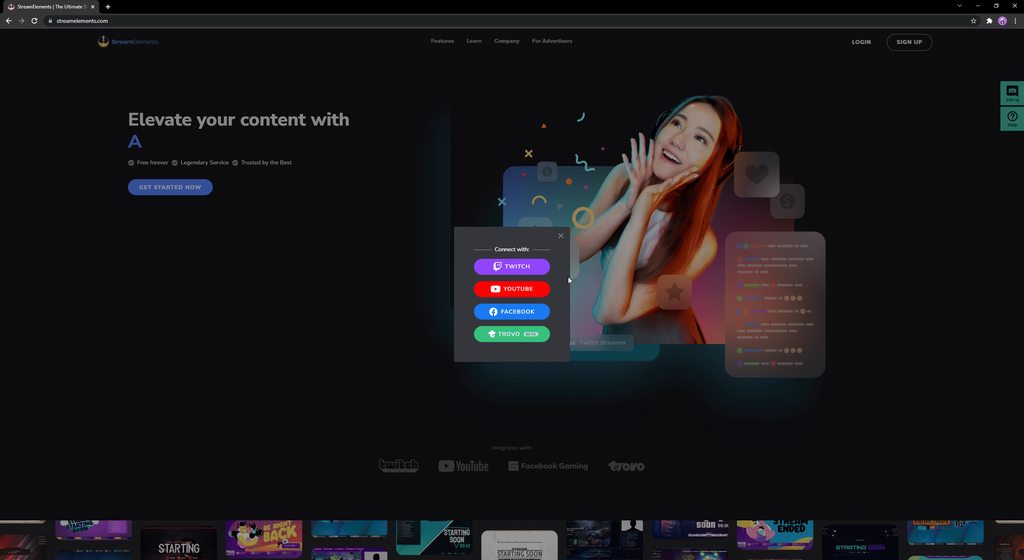
Try using the login method here:

 cinder jetty
hey everyone.... i cant see facebook chat messages in my obs.... someone else have same issue? alerts are ok
sudden osprey
sacred furnace
Are you noticing this issue on SE.Live or on the website?
Website
sacred furnace
cinder jetty
hey everyone.... i cant see facebook chat messages in my obs.... someone else...
Known issue, devs are working on it
sacred furnace
sudden osprey
Website
Try the process in the pinned comment
cosmic gull
cinder jetty
hey everyone.... i cant see facebook chat messages in my obs.... someone else...
I have had this for over a month now buddy
safe badger
now i am receiving now like on the activity feed ! what about the rest
 muted anchor
Hello is the chat widget in a overlay really not working?chats are not showing. Just blank.

 cloud tapir
how do i remove facebook from my obs?
sacred furnace
cloud tapir
how do i remove facebook from my obs?
Settings > Stream > Disconnect > Connect
 lethal burrow
Hello, I have a question regarding in logging in with Facebook, when I click on continue with profile, it tells me that I am previously linked StreamElements to Facebook, then clicking ok would just bring me back to the main page, how can I access my profile/dashboard? Thank you
void yoke
@lethal burrow #helpdesk-facebook message Instead of 2 hours we recommend 24 (step 6).
Apologies for the inconvenience!
 proper jetty
grave ginkgo
sacred furnace
This sounds like an issue with the app you're using and not the alerts themselve...
proper jetty
grave ginkgo
sacred furnace
This sounds like an issue with the app you're using and not the alerts themselve...
Thank you so much for your response! I tested the overlays in the StreamElements Editor and even in the StreamChamps interface (off-live) and they always work without problems. It's when I am live on Facebook Live that the alert box and event list freeze sometimes.
void yoke
Having an issue logging into my Facebook overlays. Keeps giving my an error retry. Tried going through my Twitch login and switching and it did the same thing. Any way to fix that?
Are you needing some Deathwish bro?
 fleet crest
Hello ¿Does anyone know why not shared samples?
void yoke
Still no update in the fb login problem bro? @sacred furnace
 urban granite
the situation is already glaring, 15 days since I don't see a solution to this problem
for sure it is not known if the problem is in elements or if it is in facebook
void yoke
If you create a new fb page you can log in without problems but no with your personal page bro
It's definitely a streamelements issue
urban granite
yes, but my page where I need to receive alerts is my page that I do live and things like that, logging into another page doesn't solve the problem
void yoke
yeah I know, I'm just saying that the problem is not with fb or our pages , it's with streamelements
urban granite
It is doubtful, because it is a minority with this problem
I understand, it's a struggle, I'm doing business, friend in the magina and other things, but already for this problem
and there is no similar site for creating these alerts
void yoke
I also don't want to discredit the work of the developers, but this problem is already taking a long time, and I hope it can be solved soon, I had to use the other streaming app since I had no other alternative...
urban granite
unfortunate, that in the other program the alerts have no voice
void yoke
what do you mean they have no voice?
urban granite
the alert is not done with google voice
void yoke
Ohh okey
 vernal cargo
Does the chat work?
 timid valve
Has there been any word on the chat being fixed. Mine has been down for a month now
 tall gorge
any updates or ETA to fix the obs chat? ty
sharp dragon
tall gorge
any updates or ETA to fix the obs chat? ty
Unfortunately there is no update at this time.
 jaunty loom
hi, I've tried many times to switch user from twitch into facebook but its popping blank only anyone can help me? thanks
sly bolt
Still having issues with logging in.. I tried what you told me to do and still nothing. doing everything manually is really getting frustrated
void yoke
can't login on site using my fb.
sacred furnace
void yoke
can't login on site using my fb.
Please try the steps in the pinned comment.
void yoke
sacred furnace
Please try the steps in the pinned comment.
ohh it worked thankyou verymuch
void yoke
void yoke
<@301376848611508225> https://discord.com/channels/141203863863558144/5934810481...
It didn't work, I just did it after 24 hours...
 rocky mango
safe badger
update about the facebook chat issue ?
rocky mango
safe badger
update about the facebook chat issue ?
as far as i know our devs are still working on it.
 steel robin
I was going to post about the Chat issue But I think that has been covered. Lol. Will just wait for the update.
 lapis quail
How is SE pulling the page followers and stars from Facebook? It seems as though ever since I was forced to the new page experience, it only accounts for the number of followers after the change. Therefore, this makes the star and follower goals widgets unusable. It would be great if we could actually enter our own starting amount into the settings.
 clever hawk
My overlays are no longer notifying messages from likes and followers on facebook, does anyone know what it could be?
lethal burrow
void yoke
<@301376848611508225> https://discord.com/channels/141203863863558144/5934810481...
thank you, I just tried it today and it worked ♥
void yoke
Hi , still no update in the fb login problem ?
 slate plume
Hi, are there plans for an alert for gifted subs? I have to install Streamlabs only for that alert, that hurts 😉
wispy jackalBOT
@slate plume ⤵️
Check out the StreamElements ideas board: https://strms.net/ideas. You'll be able to add ideas, upvote ideas you agree with and track their progress with email notifications. Adding and upvoting ideas also helps the staff know which ideas should be prioritized so please take some time to upvote.
 loud geyser
anyone knows how to fix "account allready claimed" issue
wispy jackalBOT
@loud geyser ⤵️
Did you get a "Channel already claimed" message?
More than likely your accounts need to be merged! - Please note:
- Merging accounts only allow faster ways to switch between accounts
- Merging accounts does not allow data sharing between accounts - different streaming platforms, different type of events
- Merging accounts allows duplicating/sharing overlays between the accounts
If you understand the limitations of merging and want to proceed, please find the JWT tokens (!jwt) from both accounts you want to merge and fill out the form here: https://streamelements.com/contact with each token correctly labelled
 slender mango
FB OBS chat fixed yet?
 wind schooner
Hey. I have one problem, so i got like alert on one scene when some body like my stream, and after 5min i change the scene to any other and i got a reply of that like alert once again from 5min back. Is this known issue? help anyone
 neon sail
wind schooner
Hey. I have one problem, so i got like alert on one scene when some body like m...
neon sail
wind schooner
Hey. I have one problem, so i got like alert on one scene when some body like m...
There is a fix somewhere in this chat that worked for me from a couple weeks ago.
wind schooner
neon sail
There is a fix somewhere in this chat that worked for me from a couple weeks ago...
Ok will check, do you remember maybe what you did?
wispy jackalBOT
@wind schooner ⤵️
Make sure to :ballot_box_with_check: “Shutdown source when not visible” for all browser sources (all OBS scenes). If using studio mode, uncheck “Swap Preview/Output Scenes After Transitioning.” Also, keep in mind that sound can play from any overlay loaded in the browser (editor or launched). https://i.imgur.com/6bWXxjR.png https://i.imgur.com/yY0wcFl.png
 wintry stratus
Did you solve the problem?
I need help, I’ve having login issues with my Facebook account. I created a ticket, followed all the directions, I waiting 2+ hours before logging back in and still nothing.. I’ve been dealing with this issue for 17days now
 sharp vigil
I'm trying to set up a star goal I'm a mod the streamer is on Facebook and I set up a overly but won't show up on the stream
wintry stratus
Has anybody gotten help about https://streamelements.com/?error=Something went wrong.. please try again later#_=_ I have been dealing with this issue for 17 days and its causing major issues with my business
 primal rain
wintry stratus
Has anybody gotten help about https://streamelements.com/?error=Something%20went...
primal rain
wintry stratus
Has anybody gotten help about https://streamelements.com/?error=Something%20went...
After waiting 2 hours, what did you do?
wintry stratus
primal rain
After waiting 2 hours, what did you do?
I followed all the suggested rules that was given to me multiple times & nothing has changed
primal rain
wintry stratus
I followed all the suggested rules that was given to me multiple times & nothing...
The Important part is that you remove integration, log back into to Streamelements and then wait 2+ hours. After waiting the 2 hours, you need to only log back in to StreamElements and nothing more
wintry stratus
primal rain
The Important part is that you remove integration, log back into to Streamelemen...
I've submitted a ticket last week & you gave me those instructions already. I also told you I've done that multiple times, I even waited 8+ hours before logging back in to StreamElements & still nothing sir. I've been dealing with this issue for 17 days now
primal rain
wintry stratus
I've submitted a ticket last week & you gave me those instructions already. I al...
What is the name of your FaceBook page? Is it a gaming Page? is it public?
wintry stratus
primal rain
What is the name of your FaceBook page? Is it a gaming Page? is it public?
its a facebook gaming page, the name is ChuckyB Gaming
wintry stratus
primal rain
What is the name of your FaceBook page? Is it a gaming Page? is it public?
Any progress?
primal rain
wintry stratus
Any progress?
Reported and updated our devs. Not much more we can do
wintry stratus
primal rain
Reported and updated our devs. Not much more we can do
So if I can’t log in back into my streamelements account, how do we move forward? I have active contracts with people & companies so I have merch that has to be created & sent out
wintry stratus
primal rain
Reported and updated our devs. Not much more we can do
This is BS. I need to speak with someone. It’s been over 2 weeks with this same problem
void yoke
wintry stratus
Did you solve the problem?
I wait even 48 hours and I still have the same problem...
wintry stratus
I just tried again & still nothing smh
wintry stratus
I'm still dealing with this issue. It's kind of disappointing because I switched to StreamElements from streamlabs
void yoke
wintry stratus
I'm still dealing with this issue. It's kind of disappointing because I switche...
I also had to forcefully do it, it's sad that they are taking so long to solve that problem
 rigid jungle
Did we all give up on the chat for Facebook?? LOL. For those of y’all that pop out the chat from FB dashboard into separate browser… has anyone found a way to get the text to wrap around correctly instead of just going all the way to the right?
sly bolt
rigid jungle
Did we all give up on the chat for Facebook?? LOL. For those of y’all that p...
if I'm understanding what you are saying...I have my likes/chat/cam left to right.
rigid jungle
sly bolt
if I'm understanding what you are saying...I have my likes/chat/cam left to righ...
You talking about how to fix what I was talking about ma'am?
 rough tartan
rigid jungle
Did we all give up on the chat for Facebook?? LOL. For those of y’all that p...
rough tartan
rigid jungle
Did we all give up on the chat for Facebook?? LOL. For those of y’all that p...
Sadly no. Would love to find a solution to it. Reading chat is a nightmare when you have to keep scrolling the window to the right.
 rapid pawn
Why am i not getting the LIVE function on my right hand side. It was perfect yesterday and today i have no live function
 drifting herald
Good morning and thank you very much for StreamElements!
sadly i have a problem with FB Chat but also Follower Alerts. Sometime i get the Alerts for Follower sometime sadly not.
Can someone help me to get ALL Alerts in OBS?
Best regards and thanks
eSmil3y 🙂
wintry stratus
Since I can’t log in with my Facebook account, how can I delete my streamelements account & start over?
It’s been 19 days with this issue smh
 echo dock
I need help
I cant go live on Facebook it keeps saying Couldnt make a live video please try again
void yoke
Day 3 Asking for a fix to the login problem , Any ETA?
 hard sun
Hey all, I've got a question. Hopefully someone can guide me on the right path. How come I'm rubberbanding a lot in game when I'm streaming and only while streaming? I feel like my PC is more than capable of running it all. My internet connection is good as well as my upload speeds are over 20mbps. I've tried many different settings and went as far as bringing the quality of the stream down. Any guidance or tips is highly appreciated! Thanks in advance!
 novel citrus
Hello, I am experiencing an issue where stream elements is not detecting my facebook stream shares have no alerts are displayed and it will never work, could you please help?
 fierce maple
https://streamelements.com/?error=ERR_RETRY_WITH_PAGESELECTOR#_=_
pls help
i cannot login using my facebook
 sick ivy
hola
tengo un problema
no me deja iniciar sesion con mi cuenta de FB
have problem imposible login with account FB
wispy jackalBOT
@sick ivy ⤵️
Welcome to the helpdesk! The regular helpdesk channels are in English but we do provide multi-language support in the following channels: #🇩🇪︱deutsch | #🇫🇷︱français | #🇪🇸︱español | #🇵🇹︱português | #🇳🇱︱nederlands | #🇮🇹︱italiano | #🇵🇱︱polski | #🇨🇳︱中文語言服務區-chinese | #🇯🇵︱日本語-japanese | #🇭🇺︱magyar | #🇰🇷︱한국어-korean | #🇹🇭︱ไทย-thai | #🇷🇺︱русский | #🇺🇦︱українська | #🇨🇿︱czech
primal rain
fierce maple
```https://streamelements.com/?error=ERR_RETRY_WITH_PAGESELECTOR#_=_```
Try the second pinned comment
primal rain
novel citrus
Hello, I am experiencing an issue where stream elements is not detecting my face...
Currently there is a known issue with going Live with SE.Live. Devs are aware of the issue.
The workaround for this is, to click on the "Live Video Settings" button in the chat dock and use the 2nd option from the pop up "Use these settings" to go live.
 cedar arch
Is there any info on when the SE.Live chat dock will be working again?
primal rain
cedar arch
Is there any info on when the SE.Live chat dock will be working again?
Still looking into it
sick ivy
hellow i have problem imposible LOGIN with my page FB in streamelements
where is the solution?
?error=Something%20went%20wrong..%20please%20try%20again%20later#=
primal rain
sick ivy
hellow i have problem imposible LOGIN with my page FB in streamelements
Please try the steps in the pinned comment
 violet gull
can someone tell me why docks not allowed to be as transparency window on screen
 solemn fossil
HALP. lol My Stream is randomly not working to facebook.
tried resetting streamkey
primal rain
solemn fossil
tried resetting streamkey
Currently there is a known issue with going Live with SE.Live. Devs are aware of the issue.
The workaround for this is, to click on the "Live Video Settings" button in the chat dock and use the 2nd option from the pop up "Use these settings" to go live.
solemn fossil
primal rain
Currently there is a known issue with going Live with SE.Live. Devs are aware of...
my chat dock has always been blank. do you have a visual i can look at?
primal rain
solemn fossil
my chat dock has always been blank. do you have a visual i can look at?
There is a known issue with the chat dock atm
No solution
yet
void yoke
Hi guys , forpeople who have problems logging in, I think I found the problem and the solution, is there someone who has the problem to rule out?
solemn fossil
void yoke
Hi guys , forpeople who have problems logging in, I think I found the problem an...
Did u figure it?
 quasi meadow
chat still not fix ?...already month half...no solution....
slender mango
primal rain
Currently there is a known issue with going Live with SE.Live. Devs are aware of...
Do you mean the live video setting in Facebook?
 vernal sequoia
slender mango
Do you mean the live video setting in Facebook?
vernal sequoia
slender mango
Do you mean the live video setting in Facebook?
"Live Video Settings" in the chat dock in OBS.
 toxic canopy
Is facebook chat working now?
solemn fossil
void yoke
the design
yes
 teal pollen
Currently having trouble connecting to servers when I try to login, any ideas??
void yoke
solemn fossil
yes
Revert to the classic design and try again
teal pollen
Not sure what that means lol
 atomic heron
Is there ever going to be a solution for Facebook chat not working????
teal pollen
Still cant login using FB. I tried the solution in the pinned comment and it never gave me the error that "something went wrong" when I tried to relogin in. It let me just find on stream elements site but on my app everytime it freezes up as if its trying to login and you can see my profiule connects in the background but its just a white screen. Any ideas??
 strong grotto
chatbox Black screen any solution ?
sacred nymph
Our dev team has the issue identified for the chatbox and are building the fix for it now (No ETA).
 chilly knoll
@sacred nymph Thats the most and BEST news on the Chatbox we have had thank you for filling us in
void yoke
@teal pollen Do this and try to login again
 frosty loom
Hi, I am able to log into my facebook profile but the followers, sharers, and likes aren't the same as the one on my page. Also, I have followes and when I use the most recent follower overlay it just show's nothing. I tried re-logging in, cleared cache, re-installed the program and nothing changed
 surreal notch
Hey guys, Is there a work around or fix for the Follower and share data not being received to stream elements? I know i can update goals manually but its pretty important to see these alerts while in stream so i can engage with new viewers. im a new streamer so every follow counts!
 noble kelp
hi
solemn fossil
ahh it doesnt give me a classic design option
 open sundial
hello my ob closes when trying to start session or when trying to start broadcast the application stops and closes
 prisma nest
open sundial
hello my ob closes when trying to start session or when trying to start broadcas...
urban granite
prisma nest
open sundial
hello my ob closes when trying to start session or when trying to start broadcas...
urban granite
Good afternoon people.
to those who are not having problems logging in to elements, I have already identified the problem and solution, my page is already resolved,
many days to identify the problem, which is not from elements
 main crow
Hi all, I am having troubles logging into streamelements with my facebook page, has anyone else had this problem and or know how to fix it?
grizzled mortar
sick ivy
no people help in channel spanish
no hermanito, no que yo sepa
void yoke
urban granite
Good afternoon people.
to those who are not having problems logging in to eleme...
i found the solution days ago too
grizzled mortar
its solved the problem with the chatbox?
primal rain
urban granite
many days to identify the problem, which is not from elements
What is the problem? Any information we can provide to our devs will help in resolving this issue.
primal rain
void yoke
i found the solution days ago too
You said reverting your page to the classic design allowed you to access SE again?
primal rain
grizzled mortar
its solved the problem with the chatbox?
The issue with the chatbox is not resolved at this time but our devs are working on a solution to this as we speak
grizzled mortar
primal rain
The issue with the chatbox is not resolved at this time but our devs are working...
ok, thank you for the info uwu
void yoke
primal rain
You said reverting your page to the classic design allowed you to access SE agai...
Yeah for me that was the fix
@urban granite what is your fix bro?
 outer snow
void yoke
Yeah for me that was the fix
outer snow
void yoke
Yeah for me that was the fix
Is that what fixes the chat box dock? Never used FB and wanted to try it, but could not get the chat box dock etc.
primal rain
outer snow
Is that what fixes the chat box dock? Never used FB and wanted to try it, but c...
Chat box dock still borked, but our devs are working on a solution
 mystic umbra
I connected to FB in the Application but he Activity Feed does not show for facebook, it shows as if it was twitch
wispy jackalBOT
@mystic umbra ⤵️
StreamElements menu, on top of OBS > Logout > Login
mystic umbra
thank you that fix it.
 thorny rain
is there away to add cashapp on the merch store?
 quiet lagoon
No.
thorny rain
so when ppl by stuff from merch where does the money go to
quiet lagoon
Once you have enough to make a withdrawl you'll set that up then.
But atm paypal/bank are the options.
thorny rain
where can you set up the paypal?
quiet lagoon
Refer to last message.
 bronze steeple
Hello, chatbox dock still having issues?
 calm coral
I'm not sure if I'm asking in the right place, but I lost my Chat dock, and after about a month of it breaking everytime someone commented I removed and reinstalled OBS and it won't let me sign in through SE. All the options on the top left are different then the version I had not even 5 minutes prior.
primal rain
calm coral
I'm not sure if I'm asking in the right place, but I lost my Chat dock, and afte...
Known issue that our devs are still working on
calm coral
Ok
calm coral
primal rain
Known issue that our devs are still working on
I'm guessing the issue is also linked to my stream deck not controlling OBS anymore, also
wispy jackalBOT
Having issues with the StreamElements StreamDeck Plug-in? Follow these steps:
- Open
%appdata%\Elgato\StreamDeck\Plugins - Delete the
com.streamelements.obslive.sdplugin folder - Restart StreamDeck App and reinstall the StreamElements plug-in
primal rain
For SE.Live integration, it shouldn't have an affect on it.
 glossy bloom
Hi there, good day! I'm seeking help so i can add new facebook pages that i manage on my Streamelements account. Here's what's happening, I click on channel settings and try to add channels, I click on 'add facebook channel' - then redirects me to a new facebook window (authorization) when i click continue as (myaccount) it redirects me to streamelements.com/fb-page/authorize but its just white, no text etc. Thanks for your help!
wispy jackalBOT
Did you get a "Channel already claimed" message?
More than likely your accounts need to be merged! - Please note:
- Merging accounts only allow faster ways to switch between accounts
- Merging accounts does not allow data sharing between accounts - different streaming platforms, different type of events
- Merging accounts allows duplicating/sharing overlays between the accounts
If you understand the limitations of merging and want to proceed, please find the JWT tokens (!jwt) from both accounts you want to merge and fill out the form here: https://streamelements.com/contact with each token correctly labelled
glossy bloom
wispy jackal
i didnt get the "channel already claimed" message, I tried doing it again. so when I click on the button "add facebook channel" - i get redirected to v10.0/dialog/oauth?etc... it says "You've previously linked streamelements to facebook" there are two buttones left, (edit settings) (continue asmyfbaccount),
i tried the (edit settings). it says 'what pages do you want to use with Streamelements? So All pages (7) are checked. next. all options are ticked (yes). when i press Done it says You've now linked StreamElements to Facebook.
so now when i create an alerts overlay, it doesnt recognize any interactions on the pages that i manage.
i started a test stream and tried the chat overlay. and its not working.
 rotund stream
hello, why i cant login with my fb ?
 marsh island
Hello I can not login with my fb account either
 languid niche
hi! anybody have any idea on how to make my chatbox in obs working?
 rare vector
OBS isn't taking the chat or the activity on my new page when im streaming and logged in on it
any ideas? I have uninstalled and reinstalled and double checked all the settings on it
languid niche
rare vector
OBS isn't taking the chat or the activity on my new page when im streaming and l...
same stuff happened to me... its very frustrating. even the alert notification is not updated and working like it used to
rare vector
i gotta open up fb in another web page and watch the stream to read my chat
wispy jackalBOT
You can find your JWT token on your account channels page (Show Secrets to reveal the token): https://streamelements.com/dashboard/account/channels
READ ME: This is a private security token. Do NOT share this token here or other public places, only with a StreamElements staff member in private.
void yoke
i can't show my activity feed or chat while streaming on Facebook please help ?

 subtle flume
I cant Log into streamelements from my browser or obs
When i log in from the home page, i successfully input my FB credentials, but it refreshes directly to homepage without any errors/success messages.
subtle flume
fixed ty
void yoke
even from homepage not fixed
 marsh island
I am having problems logging into streamelements and obs when I put in my fb credentials as well
 alpine notch
 storm holly

 lusty fog
Hello does anyone know how to get the chat box back for Facebook gaming
solemn fossil
primal rain
You said reverting your page to the classic design allowed you to access SE agai...
it did not give me and option to revert my page. still does not work for me
grizzled mortar
lusty fog
Hello does anyone know how to get the chat box back for Facebook gaming
Ha pasado un más de un mes desde que está éste problema
marsh island
Please fix the login issue that some ppl are having. Every time I click on facebook on my obs or streamelements website or app it says something went wrong and it does not log me in.
It's just on my facebook
 marble sail
Is the Facebook Activity Feed already fixed?
 rare acorn
Sstruggling to login via Facebook on the website - as soon as i click Facebook as an option it jus refreshes back to the homepage and continues to ask me to login.... any one able to help to fix this?
violet gull
guys
can any one help me just in obs settings using anydesk or teamviewer
and i really will appreciat that too much
i just need to read my chat and see live activities that's all i want but i can't do that however i tried to go live and write anything in chat but it doesn't apper in chatbox idk why
 rare pecan
It’s been broken for awhile. They are aware and “fixing” it. Last update I saw was on the 5th with no eta when it will be fixed. Dashboard chat seems broken at times. I have been using my phone to read chat
cinder jetty
ill give up.... looks like is not possible see facebook chat in obs. even if you put the direct url is a pain.... i think problem is how facebook works, so it is out of stream elements hands....
 inland mountain
cinder jetty
ill give up.... looks like is not possible see facebook chat in obs. even if y...
inland mountain
cinder jetty
ill give up.... looks like is not possible see facebook chat in obs. even if y...
i have the same issue.. cant see the chat... and my activity feed does not load... any help
?
cinder jetty
inland mountain
i have the same issue.. cant see the chat... and my activity feed does not load....
activity feed does work.... make sure in stream elements page if yor facebook page is correctly set
inland mountain
cinder jetty
activity feed does work.... make sure in stream elements page if yor facebook p...
seems to be everything well set... i have stream for long time with the streamelements add.. everything workin good with twitch... the issue is with FB
cinder jetty
inland mountain
seems to be everything well set... i have stream for long time with the streame...
cant be more agree with you.... facebook have so many setup problems... im considering move to twich (im just started stream last month...)
inland mountain
rare acorn
Sstruggling to login via Facebook on the website - as soon as i click Facebook a...
uncheck other pages you have in facebook... if you have multiple pages... they are all checked you have to only check the page you want to login.. that worked for me
void yoke
Good morning people
Is there a date for this facebook chat correction update with OBS?
 lunar pond
Hello! I need help adding a facebook page to my profile. The problem seems to be that I have already made an account with my Facebook personal account and linked a personal page. And now I want to link another one. But since it is the same account that manages both pages I cannot add it
Is there a way I can solve this or I have to use an alternate account>
?
wispy jackalBOT
@unreal cloud ⤵️
SE.PAY is available for streamers who are at least 18 years old, with bank account under their name in one of the following countries, and have at least 101 followers (Twitch/Trovo/Facebook) / 101 subscribers (YouTube):
Austria, Belgium, Czech Republic, Denmark, Finland, France, Germany, Ireland, Italy, Netherlands, Poland, Portugal, Slovakia, Spain, Sweden, Switzerland, United Kingdom, United States.
If you meet these criteria and don’t see SE.Pay, let us know.
For information on SE.Pay payment methods, their fees, and settlement times see https://streamelements.com/dashboard/tipping/fees
 unreal cloud
then its of no use
Thanks for help @wispy jackal ,
I am looking forward to find an alternative acceptable payMent debit/card gateway 🇵🇰
 frail drift
how do you change what platform you are streaming in with selive
 heavy flint
Hello I am Having trouble keeping a steady bitrate and a constant connection to Facebook. The bitrate will spike and drop every 15 seconds here is the log file any help or knowledge if this is a Facebook issue would be appreciated https://obsproject.com/logs/9UCxlbnE9DLMqEOt
void yoke
heavy flint
Hello I am Having trouble keeping a steady bitrate and a constant connection to ...
heavy flint
I didn't know about that tool thank you very much
wintry stratus
I tried signed in using the 2nd pinned comment instructions and I still got the same thing
 ionic shale
is the chatbox broken? its always dark or something
 tired trout
I've been monitoring this "helpdesk" for the last month and a half now for an update on when we will finally have our chat fixed. There have been no updates recently, even with people asking.
Can someone update us on this please?
ionic shale
Im having constant disconnecting and reconnecting using streamelements obs. My ping is okay, but most of the time when i stream it keeps doing that
wispy jackalBOT
@ionic shale ⤵️
Please provide a log from your last stream. To do this, in OBS go to Help > Log Files > Upload Current Log File and paste the link to the log file here.
primal rain
There is currently no update nor an ETA on the chatbox/activity feed being fixed. Our devs are working on a solution but we don't quite have it fixed yet.
Thank you for your patience while we investigate this issue.
primal rain
primal rain
There is currently no update nor an ETA on the chatbox/activity feed being fixed...
ionic shale
primal rain
ionic shale
https://obsproject.com/logs/tdUs_ymyOEUBhhfH
https://obsproject.com/tools/analyzer?log_url=https%3A%2F%2Fobsproject.com%2Flogs%2FtdUs_ymyOEUBhhfH <- this will provide some incite to what is happening
ionic shale
primal rain
https://obsproject.com/tools/analyzer?log_url=https%3A%2F%2Fobsproject.com%2Flog...
I dont get this sound part. they are all in default setting sounds
ionic shale
 rapid berry
Stream Elements doesnt let me log in with facebook, I try to log in, it redirects me to facebook and when I supposedly log in it returns me to the main page
wintry stratus
rapid berry
Stream Elements doesnt let me log in with facebook, I try to log in, it redirect...
same with me
 thorny monolith
can someone help why the comment and event did not show up?
 quasi meadow
any news chat box and activity feed?..already 2 month...still not fix
 crude vector
i have problem in login with facebook 😭
 potent osprey
Hi i have problem with my profile name. I have name Heywood cz/sk and if i give paypal page it goes on streamelements home page. Problem is in "/" in my name, after replace "/" with %2F, its working, but after donation it redirect to bad page 😭 Any help how change name or donation adress?
 wise tree
primal rain
wise tree
primal rain
@rapid berry @crude vector Please follow these steps and try to login: #helpdesk-facebook message
wispy jackalBOT
@potent osprey ⤵️
Please provide your account ID found at the top of this page: https://streamelements.com/dashboard/account/channels This ID is public info and safe to share here.
primal rain
quasi meadow
any news chat box and activity feed?..already 2 month...still not fix
No updates yet
potent osprey
wispy jackal
<@427516620768804864> ⤵️
601fc19ea12e0e551ff4de67
 limber jungle
I need some sort of help. it keeps telling me to link my accounts and no matter what I choose, and follow the steps, it brings me right back to the main page and tells me to do it again (I've done it like 20 times already and nothing has changed)
limber jungle
limber jungle
I need some sort of help. it keeps telling me to link my accounts and no matter ...
I tried Twitch, Youtube, Facebook etc nothing is working for me
it just shoots me to this webpage: https://streamelements.com/?error=ERR_NO_GAMING_PAGE#_=_
rare acorn
inland mountain
uncheck other pages you have in facebook... if you have multiple pages... they a...
Thanks but it didn't work
 steep plinth
Hi I can't seem to login my fb account thru streamelements. Says no gaming page error
solemn fossil
 solemn fossil
solemn fossil
solemn fossil
Trying to switch to the classic mode but mine does not Gove me that option
 acoustic gale
Hello i need help, chatting in the chat column is not showing in my obs, it's only blank white column. How to fix this?
 compact radish
When are you guys going to fix chat for facebook?
 gleaming gull
facebook chat has been an issue for way to long now over here. its not like they can blame FB on this. every other streaming software I have used over the last year or so all work, except for SE.
void yoke
solemn fossil
You need to switch to webpage mode first , you're trying in your personal profile...
solemn fossil
void yoke
You need to switch to webpage mode first , you're trying in your personal profil...
How do I do that? I'm new to all this sorry.
cedar arch
compact radish
When are you guys going to fix chat for facebook?
They're not. Looks like they are abandoning Facebook streamers all together to concentrate on YouTube and Twitch streamers. Sad really. It used to be good software. Now it's worse than Streamlabs.
void yoke
cedar arch
They're not. Looks like they are abandoning Facebook streamers all together to c...
The page has to be below your profile
 cedar arch
void yoke
The page has to be below your profile
cedar arch
void yoke
The page has to be below your profile
@solemn fossil believe this was meant for you. Not me.
 pseudo moat
my comments and stats arent showing. any idea why?
cedar arch
pseudo moat
my comments and stats arent showing. any idea why?
Cause SE is broken and they either don't know how, or just won't fix it.
solemn fossil
void yoke
The page has to be below your profile
I will try this next thank you
compact radish
@cedar arch got a feeling you might be right. Have streamed on Facebook on and off over the past year . same problem. Reported it and still no fix. Guess will just stay on twitch.
cedar arch
@compact radish yup. Most of my friends I got to switch from Streamlabs got pissed at me for talking them into it. They all went back to SL. I'll probably delete SE and go with vanilla OBS Studio myself soon. Nothing worse than a company that ignores it's customers.
solemn fossil
@void yoke
 compact radish
cedar arch
<@776204865838776352> yup. Most of my friends I got to switch from Streamlabs go...
compact radish
cedar arch
<@776204865838776352> yup. Most of my friends I got to switch from Streamlabs go...
Another thing I have noticed for a while. My alerts haven t gone off in along time. For example when someone likes the stream.
cedar arch
@compact radish likes work most of the time for me, and so do stars, but shares rarely work.
 waxen marsh
Anyone having issues going live on Facebook Gaming? Keeps saying "Failed To Connect" Please Check stream key ect... Well stream key is fine but not sure if its OBS or Facebook that is the issue.
waxen marsh
waxen marsh
Anyone having issues going live on Facebook Gaming? Keeps saying "Failed To Conn...
ok re checked my stream key and notices its not matching, the string has a lot of symbols and numbers in it instead of what should be there... it wont let me delete it and put a new stream key in... guess i found my answer... Damn you OBS...🤦♂️ 3
echo dock
Need help with my fb chat
quasi meadow
allready 2 month activity feed and chat box not working. i guess time to change back to slob
void yoke
solemn fossil
<@456226577798135808>
Switch Account and select your stream page
gleaming gull
you can always try gamecaster out. its facebook chat works
cedar arch
quasi meadow
allready 2 month activity feed and chat box not working. i guess time to change ...
Pretty much. I've already uninstalled all SE.live software from my PC's and will be moving my merch store to Streamerloot. SE has obviously abandoned facebook users and I've had it with being ignored. I'll be using vanilla OBS for now.
 onyx locust
Need help! After updating my Facebook page to new page experience, I'm not able to log in to streamelements because of which I can't edit any of my overlays. Do anyone have solution for this? I tried searching over the net but can't find any.
onyx locust
onyx locust
Need help! After updating my Facebook page to new page experience, I'm not able ...
The issue solved by rolling back to old Facebook page. But I kind a liked the new look but streamelements seems to be outdated with Facebook updates so will wait.
 nimble relic
Good afternoon! I don't know if I can solve my problem here. I
have a Facebook page linked to StreamElements, but the Chat Bot option is not appearing on my dashboard so that I can configure it, the strange thing is that on my page the StreamElements is already a Moderator, this only occurs on Face, because I have YouTube and there is normal Chat Bot Menu. Any idea what should I do? I've tried other browsers and deleting cookies and nothing!
 trail oak
nimble relic
Good afternoon! I don't know if I can solve my problem here. I
have a Facebook ...
trail oak
nimble relic
Good afternoon! I don't know if I can solve my problem here. I
have a Facebook ...
StreamElements does not have chatbot for facebook
quiet lagoon
Nor do they support bots either.
surreal notch
WHY DO FOLLOW ALERTS NOT WORK
 tranquil crown
helo

why no activity feed update when i livestream, and my chatbox also blank
why ?? T.T
uninstall and install also do..still same
relogin also same
almost 2month this problem i hv facing
chat section blank
 lean wraith
same issue
cedar arch
@tranquil crown @lean wraith many of us have been trying to get an answer to this for a long while now. We theorize that StreamElements may not be interested in further supporting Facebook Gaming.
 normal verge
I can't log into stream elements with facebook ):
normal verge
cedar arch
<@353837941895987200> <@780878892063653890> many of us have been trying to get a...
It started as soon as my page was changed to the "new experience" version. Probably isn't compatible with the programs coding anymore
cedar arch
normal verge
It started as soon as my page was changed to the "new experience" version. Proba...
What I find the most aggravating about the whole thing is that they won't even communicate with the community. Over 2 months of being ignored is just ridiculous.
normal verge
cedar arch
What I find the most aggravating about the whole thing is that they won't even c...
Yeahhhhh, just kinda sketchy in my opinion. I was told by everyone when I first started to use StreamLabs instead. Now I feel like I should have listen to them lol. This is just stupid at this point. At the very least they could release a progress or acknowledge statement or something. Not even a twitter post about it lol
cedar arch
normal verge
Yeahhhhh, just kinda sketchy in my opinion. I was told by everyone when I first ...
SE is far better than Streamlabs. Everything still works fine when I stream to Twitch or Trovo. Unfortunately on Facebook, something went wrong a few months ago and it's become a cluster f**k. The main issue being that they won't acknowledge or communicate about any of it, so some of us think they just decided to abandon the Facebook community.
 mild flicker
Hi guys, I'm having an issue with logging in to the SE website using my Facebook account. When I try to login, it just goes back to the Login page again. Do you have any idea how to solve this?
primal rain
mild flicker
Hi guys, I'm having an issue with logging in to the SE website using my Facebook...
Please follow these steps: #helpdesk-facebook message
primal rain
cedar arch
SE is far better than Streamlabs. Everything still works fine when I stream to T...
We are trying out best to resolve the issue with SE.Live and Facebook Chat. The solution is not as easy as it seemed at first and our devs are actively working on a solution. We apologize for the inconvenience this has been and lack of updates on our end, but we have not had anything to report.
For the login issue we have a workaround of reverting to the old experience for gaming pages. We are working on improving our facebook tools and ask for patience while we continue to work on this
mild flicker
@primal rain thank you! I think that did solve my issue. Thank you for the help!
cedar arch
primal rain
We are trying out best to resolve the issue with SE.Live and Facebook Chat. The ...
Thank you for that.
FYI, an update saying you have nothing new to report gets a whole lot more appreciation from me than silence does.
tranquil crown
alright.. we are waiting for that to fix
 glass dock
Is it possible to get the activity feed api for Facebook.
ionic shale
anyone having a disconnecting and reconnecting problem when streaming on facebook live? having this problem since last month
 gleaming carbon
halo, how do I see chat from my phone while streaming on PC? facebook doesn't allow me to pull the chat
 frigid moss
Hey, I scrolled up and read a little regarding Facebook and see it’s not just me with an issue, I can login fine, but my activity feed or chat hasn’t worked for months, is there a work around or anything at the moment or just a waiting game still
 light gorge
Hello, so i download a widget but i don't know why it's not working
1st pic is the downloaded widget and second pic is the output.
i hope someone can help me with this because some of the widget i downloaded are not working

 wispy jackalBOT
@light gorge ⤵️
Please provide your account ID found at the top of this page: https://streamelements.com/dashboard/account/channels This ID is public info and safe to share here.
light gorge
wispy jackal
<@396952505000525826> ⤵️
617d872a3d5ce37aa8268ec3
primal rain
light gorge
617d872a3d5ce37aa8268ec3
What is the name of the widget?
primal rain
light gorge
617d872a3d5ce37aa8268ec3
I'm not finding the Payday 2 alert widget in your My overlays section. Make sure that you have properly added it to your page.
light gorge
primal rain
I'm not finding the Payday 2 alert widget in your My overlays section. Make sure...
i downloaded it from google. but i forgot where did i got it. but this is the link https://strms.net/payday2_alerts_by_marc
primal rain
light gorge
i downloaded it from google. but i forgot where did i got it. but this is the li...
They should now be added to your account. You should now be able to customize them from the "My Overlay" section. Keep in mind you need to use the links to these and not other alert boxes if you wish to have the alerts
 fossil lava
@primal rain could you give me some help? I'm having problems with OBS whenever I go live on Facebook the CHAT doesn't appear

everything works normally but I can't fix the Chat in OBS
primal rain
fossil lava
<@615886582708305932> could you give me some help? I'm having problems with OBS ...
Hey, please don't tag staff. We will get to your issue
primal rain
fossil lava
In regards to this issue, it's a known thing and our devs are working on a solution. No ETA at this time.
fossil lava
😟 ah... okey thank you
fossil lava
Will you let everyone know as soon as you fix the problem?
primal rain
fossil lava
Will you let everyone know as soon as you fix the problem?
We will update when we have development on the issue
light gorge
primal rain
They should now be added to your account. You should now be able to customize th...
Everytime i test the norifications. Its not working. Im getting the default notifications design
primal rain
light gorge
Everytime i test the norifications. Its not working. Im getting the default noti...
I would contact the supplier to see if they can assist
light gorge
primal rain
I would contact the supplier to see if they can assist
I downloaded some widgets on #widget-share but some of them are not showing like in demo. Just a default alerts
steep plinth
anyone knows how to fix the no gaming page error when i log in in stream elements?
primal rain
steep plinth
anyone knows how to fix the no gaming page error when i log in in stream element...
Try the most recent pinned comment
 uncut walrus
Please help to login with facebook, i cant loggin even from the page.
 stray wadi
hello, I'm a streamer on facebook and since april 2 the record of last activity in my panel is not updated, I already tried restarting the data and configuring everything again but nothing works, I hope someone knows how to solve it
primal rain
uncut walrus
Please help to login with facebook, i cant loggin even from the page.
Please try the pinned comment to regain access
primal rain
stray wadi
hello, I'm a streamer on facebook and since april 2 the record of last activity ...
Have you recently updated to Facebooks new Page experience? Does the activity feed update on the StreamElements page? Do you notice this issue in OBS/SE.Live?
 weary glacier
Please help my followers count alert does not reflect the true count on my Facebook page it is linked too.
quiet lagoon
Unfortunately we are unable to get the count prior to join. Only able to count afterwards.
weary glacier
Ok thank you for the clarification.
 tribal creek
I'm trying to log back into SE using FB. It keeps taking me back to the login page. I do not want to lose the New Page Experience. I was changed to this last year and SE worked. I recently reverted to classic for a period of time for Reels, but changed back. Is there a way to fix this without reverting again?
primal rain
tribal creek
I'm trying to log back into SE using FB. It keeps taking me back to the login pa...
Not at this time. Our devs are working on integrating the new experience
tribal creek
primal rain
Not at this time. Our devs are working on integrating the new experience
At least I'm still getting alerts. Just sucks I can't edit them anymore until integration. Any time estimate (just curious)?
primal rain
tribal creek
At least I'm still getting alerts. Just sucks I can't edit them anymore until in...
No ETA sadly
toxic canopy
Your devs are terrible. The chat issue should be fixed by now but we get no updates nothing just a generic the devs are aware and are "working" on it
 modern fulcrum
toxic canopy
Your devs are terrible. The chat issue should be fixed by now but we get no upda...
modern fulcrum
toxic canopy
Your devs are terrible. The chat issue should be fixed by now but we get no upda...
Your concerns are duly noted. We sincerely apologize for any inconvenience and thank you for your patience.
rare acorn
how do I get streamElements to work on the New Facebook Page Experience!?? I dont want to have to revert back to classic as I lose all my content i have shared
 vital comet
I don't know where all these obs-browser-page.exe are coming from. This started happening last week. I only have one browser source per scene but it's eating about 30% of my CPU.
Picture is when I'm on Studio Mode and switching scenes. This 100% doesn't go down once reached.
https://obsproject.com/logs/fVEmKPMGOP278yF2
 quiet lagoon
Do you have any open OBS docks?
And one browser source per scene adds up like that as that's how they appear.
vital comet
quiet lagoon
Do you have any open OBS docks?
like the activity (like, share, etc)?
quiet lagoon
yes
vital comet
Yeah. Just Activity feed open coz the chat is still busted for weeks now. Just one dock open.
quiet lagoon
If you've got like 6 scenes and a browser source in them then you'll have that many at least.
vital comet
Yeah I got some scenes but shouldn't they not take resource if not open?
I've been using the same setup for months and never reach 80% above CPU usage
Just having Studio Mode enabled with 2 scenes open (Preview and Program) makes my CPU (R5 5600x) at 90% :(
 brazen turtle
vital comet
Just having Studio Mode enabled with 2 scenes open (Preview and Program) makes m...
brazen turtle
vital comet
Just having Studio Mode enabled with 2 scenes open (Preview and Program) makes m...
Then you have something very heavy in OBS if only OBS causes 90% usage on a modern 6-core 12 thread CPU.
Or is that a combined usage with a game running at the same time?
vital comet
That is just idle with studio mode. The thing is this just happened last week, I didn't change or add anything.
I guess I'll just refrain using studio mode while looking for a fix.
And pls someone fix the chat dock. Thanks haha
 modest marten
@primal rain Please help to login with facebook, i cant loggin even from the page i have Only one Page i cant loggin
void yoke
@modest marten Try this
primal rain
modest marten
<@615886582708305932> Please help to login with facebook, i cant loggin even fro...
Please try the 1st pinned comment and see if you are able to log in
 spice dirge
 lavish pulsar
i cant log to fb.. only twitch
lavish pulsar
i cant log to fb.. only twitch
yeah except facebook we can login
anyone hello Staff team ??
sharp dragon
@spice dirge @lavish pulsar check the third pinned message.
spice dirge
sharp dragon
<@607183744658571314> <@328334581721858049> check the third pinned message.
thank you
 earnest cloud
My chat does not appear when I go live can someone help me
primal rain
Same as the bot, the chat won't appear if your stream isn't public
earnest cloud
It used to pop up automatically when I go live do not change anything in my settings
Used to appear here

I stream on Facebook
primal rain
earnest cloud
It used to pop up automatically when I go live do not change anything in my sett...
Chat box for facebook is broken right now
earnest cloud
Do you know when it will be fixed I thought it was just me so everybody is messed up
primal rain
earnest cloud
Do you know when it will be fixed I thought it was just me so everybody is messe...
No ETA ATM
earnest cloud
OK thank you very much for your help
modest marten
primal rain
Please try the 1st pinned comment and see if you are able to log in
sorry to say this but The pin comment you say notworking
modest marten
void yoke
<@810815634828034080> Try this
TY bro its is working
primal rain
That's... that's the same comment i directed you too...
Glad to hear it's working tho!
quasi meadow
chat and activity feed progress??...\
 fervent spindle
My chat worked after I changed on my Site interactiv as my Personal Profile
Maybe it work for you all 2 😉
 sweet rock
Hi everyone
i'm new to streamelements and i can't seem to be able to login to it using facebook
it redirects to the main page and keeps doing this
primal rain
sweet rock
it redirects to the main page and keeps doing this
Please try the latest pinned comment
sweet rock
i tested and can't seem to get an edit settings option
i'm trying to use my main fb profile
 nova horizon
sweet rock
i'm trying to use my main fb profile
nova horizon
sweet rock
i'm trying to use my main fb profile
If you cannot link it, try restarting OBS.
sweet rock
trying on OBS and just by using the Ms Edge, can't seem to login as it always redirects to the main page of streamelements
nova horizon
sweet rock
trying on OBS and just by using the Ms Edge, can't seem to login as it always re...
Yes, Login on the StreamElements page, then close the GUI and close and re-open OBS and it should load correctly one you login after the restart, thats what happened with me.
sweet rock
i tested many things and did that already, i'll check again
this was resolved by creating a separate page from my main profile
thank you
 fresh spindle
hello guys, my activityfeeds only showing likes, no follows or share anyone knows how to solve this? thanks
 vocal horizon
Hello! I was wondering why I'm the only one who can hear the sounds on the alerts but on the stream there isn't any?
wispy jackalBOT
@vocal horizon ⤵️
If you are not hearing your alerts and/or Media Request, you are most likely using the Control Audio via OBS option in your browser source properties.
To make sure you hear the alerts and the stream also hears them, follow along the screenshot bellow.
https://cdn.discordapp.com/attachments/199460642975907840/685371800456134686/unknown.png
 hollow portal
im having issues logging in. I can get through though the Facebook login and permissions but then just goes back to the login screen
the url get this error in it ?error=ERR_RETRY_WITH_PAGESELECTOR#=
fresh spindle
hi this is the link im getting when im logging in with my other facebook channel, it just wont log in

 gilded mesa
hollow portal
im having issues logging in. I can get through though the Facebook login and p...
gilded mesa
hollow portal
im having issues logging in. I can get through though the Facebook login and p...
Check the third pinned message
hollow portal
Thanks 🙏 @gilded mesa
fresh spindle
gilded mesa
Check the third pinned message
this doesnt work for me
echo dock
I am in need of help pls
chilly knoll
Evening All, Any update on Chatbox?
echo dock
chilly knoll
Evening All, Any update on Chatbox?
Chatbox?
sharp dragon
chilly knoll
Evening All, Any update on Chatbox?
Check the second pinned message
 shut spade
hi my activity feed is not working please help
quasi meadow
who ask activity feed and chat iit been 2 month not workong. still not any progress...i dun why take so long
shut spade
oh i tot its only me having this problems
 past pike
Hi, i have a problem with the chat panel of facebook gaming, its all white, and i can't see the comments


 fast star
past pike
Hi, i have a problem with the chat panel of facebook gaming, its all white, and ...
fast star
past pike
Hi, i have a problem with the chat panel of facebook gaming, its all white, and ...
same here
ant temp solution?
past pike
I have not solution yet 😪
 cobalt sphinx
Does anyone know, how to get all reactions events? I mean, I only receive likes, and I want to receive the others (Love, haha, wow, etc)
 cloud terrace
Hello do you have any idea why i can't login stream elements using my facebook account?
@wispy jackal
 nova ocean
my se.live doesnt want to connect with facebook
gilded mesa
cloud terrace
Hello do you have any idea why i can't login stream elements using my facebook a...
Check the third pinned message
@past pike @fast star Check the second pinned message
thorny rain
how can i haave my merch store go viral
 limber shell
I got a question about the alert box but the Follower alert would activate when someone follows my facebook page?
 timid valve
It’s now been over 2 months. Has there been any update on fixing the chat?

 sinful idol
i have this probleme when anyone send comment ..
 primal rain
sinful idol
i have this probleme when anyone send comment ..
primal rain
sinful idol
i have this probleme when anyone send comment ..
Facebook Chat dock currently doesn't work. Our devs are investigating this issue at this time.
primal rain
 quaint tangle
What issues are you having?
primal rain
limber shell
I got a question about the alert box but the Follower alert would activate when ...
Please read the pinned comments as some shares and follows will not show up due to privacy settings
primal rain
timid valve
It’s now been over 2 months. Has there been any update on fixing the chat?
No update at this time
quaint tangle
primal rain
What issues are you having?
the messages on facebook is not reflecting to the streamelements (chat box) itself
primal rain
quaint tangle
the messages on facebook is not reflecting to the streamelements (chat box) itse...
What do you mean by that? can you please share some screenshots?
quaint tangle
primal rain
What do you mean by that? can you please share some screenshots?
I fixed it now, I'm wondering why is my resolution setting is on the 720p max resolution when my canvas size is 1920 * 1080 ?


Am i doing something wrong?
primal rain
quaint tangle
That's a facebook issue, not sure there
quaint tangle
Oh, okay okay, but my settings are correct, right?
primal rain
quaint tangle
Oh, okay okay, but my settings are correct, right?
Yeah they look fine to me
quaint tangle
primal rain
Yeah they look fine to me
Aight, thanks!

 eager island
Hi I cant connect one of my page which is my gaming page on stream elements whether I'm logging in or signing up. What is the solution for this?
 radiant chasm
does anyone have a workaround for trying to login to styream elements using facebook? ive gone without for over a month now and it sucks, i just cant log in via facebook to S.E.
 bleak spear
Need help updating stars label that didnt update during my stream
rigid jungle
Can we get an official word on just what is happening with OBS as far as Facebook. If it’s not going to be supported anymore that’s ok… just please give us a heads up. This is how some of us make a living and the chat thing (and as of earlier today no alerts at all in alert dock/no email with stream report) is a big deal. I have loved and supported the heck out of SE for 2 years but I need to know what’s happening so I can adjust accordingly.
primal rain
eager island
Hi I cant connect one of my page which is my gaming page on stream elements whet...
Please try the latest pinned comment to help with your login issue
primal rain
radiant chasm
does anyone have a workaround for trying to login to styream elements using face...
Try the latest pinned comment
primal rain
bleak spear
Need help updating stars label that didnt update during my stream
Activity Feed > Reset Session, will repopulate the totals for lifetime and clear the goals. If you click on "widget data, you can update to exactly what you want the goals to display
primal rain
rigid jungle
Can we get an official word on just what is happening with OBS as far as Faceboo...
We still have support for Facebook but our tools are noticing some issues due to changes from Facebook's Gaming Page experience. Right now there isn't any solution or easy work around. We're working on a solution and as for your continued patience and support as our devs work on getting things back in a working state
rigid jungle
primal rain
We still have support for Facebook but our tools are noticing some issues due to...
Thanks a ton for the response. I was worried y’all wouldn’t be supporting it anymore. I don’t know if it helps but I had been on new page experience for a while with things working smoothly until 2 months ago. If y’all need some logs I’d be happy to send some over.
radiant chasm
primal rain
Try the latest pinned comment
OMG thank you sdo much!!!
this worked, however, when the facebook classic pages goes away, will it then breakSE again?
primal rain
radiant chasm
OMG thank you sdo much!!!
this worked, however, when the facebook classic pages ...
This is partly related to what the issue is with SE.Live and Chat. Our devs are looking into a bigger fix for this issue.
radiant chasm
primal rain
This is partly related to what the issue is with SE.Live and Chat. Our devs are ...
okay thats understandable, i really appreciate the fix, is there any way to directly follow the progress for when a bigger fix comes out?
primal rain
radiant chasm
okay thats understandable, i really appreciate the fix, is there any way to dire...
No, we will release updates as they come
radiant chasm
primal rain
No, we will release updates as they come
one last question before i let yu enjoy the rest of your day lol
since the NPE on FB was the problem, if i remove my FB page from my S.E Channels, and then move to NPE on FB and add it back as a connection, would that work? and if so, how do i remove S.E channels
primal rain
radiant chasm
one last question before i let yu enjoy the rest of your day lol
since the NPE o...
I don't have any idea on if that will work or break it. I wouldn't recommend messing with it as we don't know what it will do
past pike
gilded mesa
<@424683799553507328> <@362953520858791936> Check the second pinned message
Didnt work
 wild rover
I am using the Kappagen with OBS for facebook and when I get a new follower the screen completes the explosion with random emotes even though I have all then events turned off... Any tips?
fast star
sinful idol
i have this probleme when anyone send comment ..
same
 prisma ginkgo
Is there a way to set up a raid notification?
 summer verge
good afternoon guys, how are you? I would like to know if anyone can help me, I'm having a problem with StreamElements in which as soon as I start the broadcast the live chat/comments on Facebook is blank, I saw that a user was also having a similar problem on the Facebook Gaming platform, but I would like to know if there is already a solution to this problem, I am currently streaming on Facebook Gaming and StreamElements OBS is unable to connect to the chat after starting the live...
 shell peak
I haven't been able to see my comments in OBS (using streamelements) in months so i've had to overlap my chat from my Facebook dashboard. Now my alerts under the activity feed are not showing up (latest one 5 days ago) any fixes for this?
void yoke
Hey there - my tipping link does not work, I fear it's to do with my Facebook page having a "/" causing the url to not load correctly? Is there a way to fix this within streamelements without having to change my FB page name?
wispy jackalBOT
@void yoke ⤵️
Please provide your account ID found at the top of this page: https://streamelements.com/dashboard/account/channels This ID is public info and safe to share here.
void yoke
so my activity feed alerts not working for me
 primal wedge
Has anyone had an issue with facebook not tracking your stream time for level up?
sly bolt
anyone else alerts sounds stopped working?
primal wedge
sly bolt
anyone else alerts sounds stopped working?
Mines been doing that keep having to reset it
 true depot
im having an issue with the chatbox. i get the chats when working on the overlay thru the SE website dashboard but once i put it into OBS the chats dont show in OBS or in the stream. any advice would be greatly appreciated
 verbal sage
Hi, I am facing an issue. when I stream with obs, no comments/chat appear in the chat tab. Any solution ??
primal rain
Chat dock is currently broken and our devs are working on a fix. No ETA
 drifting pendant
Any help would be appreciated. My Facebook chat dock and Activity Feed no longer update. I've tried logging out of FB on StreamElements, resetting session data, uninstalling StreamElements and OBS......nothing works.
primal rain
Chat dock is currently broken and our devs are working on a fix. No ETA
 inner plank
Heyya! I've been having issues with logging into streamelements via facebook but it keeps on coming up like this:
I've tried unlinking, clearing cache/history etc. but it doesn't work :L
 rocky mango
inner plank
Heyya! I've been having issues with logging into streamelements via facebook but...
rocky mango
inner plank
Heyya! I've been having issues with logging into streamelements via facebook but...
I recommend you should check the pinned messages
 dull pike
 tawdry yoke
My SE Pay page says that I am not eligible for it, but I have 152 followers on my FB Gaming page. It mentioned reaching out to support, so here I am. Thanks!
wispy jackalBOT
@tawdry yoke ⤵️
Please contact us via email for support with SE.Pay. You can use our contact form here: https://streamelements.com/contact Thank you.
warm pelican
been 4 months and still cant login into stream elements
any help?
did all previous steps that are pinned and doesnt work
what is this?? the pinned comment does not work. is there a different solution
 tacit stirrup
Anyone know why my activity feed isn't updating?!
gleaming gull
i cant log into stream elements through facebook either. i can log in with youtube, then select my facebook account that way. mildly annoying lol
 wind breach
I'm stuck in a loop. It got to a point where it locked my FB account. I got all that resolved but when I click to log in using FB it just brings me back to the log in page. I can't manage my overlays or the se.live plugin for OBS.
sacred nymph
Can you try using the workaround method in the pinned comments?
wind breach
sacred nymph
Can you try using the workaround method in the pinned comments?
I'm looking for that now. New to Discord.
wind breach
sacred nymph
https://discord.com/channels/141203863863558144/593481048130584582/9075331182426...
That worked. Thank you for the help. Is there an issue connecting 2 different pages? Should I just create an account for each page?
sacred nymph
There is currently an issue we are looking into, so the method listed above is the connection method at this time for any FB account you create
wind breach
Ok. Thank you for the help
wild rover
Hey any one able to help as to why I am not able to select emotes for the emotsplosion?
 void yoke
Hey guys
There is an update regarding facebook chat on OBS stream elements or there are some predictions for this correction update to come out.
 undone roost
Activity feed is stuck on 6 days ago and im not getting any stream summary emails?
@primal rain
rare pecan
my chat is appearing on obs now
gleaming gull
how do you contact support about sepay?
wispy jackalBOT
@gleaming gull ⤵️
Please contact us via email for support with SE.Pay. You can use our contact form here: https://streamelements.com/contact Thank you.
 tardy crater
hey guys, I started to learn how to use streamelements today i would like to know if i can use chatbots on instagram's lives
quiet lagoon
No. Facebook doesn't support bots nor do we support the instagram side of things.
tardy crater
Do you know any way that i could use chatbots on instegram lives ? Or Instagram and facebook doesn't any type of bots ?
quiet lagoon
no bots period.
tardy crater
Ok, thank you very much
undone roost
your support is whack. switching over to streamlabs. thanks for nothing
quasi meadow
what better now SE or Slob?
 upper veldt
Hey! My friend keeps getting this error message. Does anyone know what’s causing it/how to fix it?
 wispy jackalBOT
@upper veldt ⤵️
SE.live is a plugin for OBS Studio for the best OBS support, please join their Official Discord @ https://discord.gg/obsproject
 stoic minnow
website when u login not open what the problem ??
 fossil pine
Hi, I keep crashing in OBS studio and they said they can’t help because it’s an SE LIVE issue.
fossil pine
Basically your CEF is older than their new one causing a bug within the plug-in. Y’all might wanna look into that.
rare pecan
well my chat box was working yesterday in obs now its just a blank white screen again
mystic umbra
Is there a option for FB for a chat within obs
 floral fractal
Hy sorry disturb you guys through my message but i got serious issue here which is totally different
my issue is streamelements not showing my activity feed on my chrome dashboard

Im doing everyday stream still its not showing activity feed on streamelements dashboard somebody help me
 olive burrow
Hello, It looks like not all of my stream activity is showing on the dashboard. I'm a brand new streamer and for example I had 7 people share my last stream but the dashboard only shows 2. Not to mention not all of the alerts are showing up on the stream as well. Hope this is the right spot to do this. Any help would be appreciate it.
 uneven geyser
so for some reason my Nexigo webcam will work with any other streaming software but OBS and Facebook act like they don't recognize it as a webcam and wont connect to it
well for live support this is very slow
wispy jackalBOT
SE.live is a plugin for OBS Studio for the best OBS support, please join their Official Discord @ https://discord.gg/obsproject
void yoke
Hi i have a question, why does the chat box on the stream element is not working on Facebook platform after i update it. TYIA
sharp vigil
Hello I'm setting up a new computer and importing the scenes and profile and I'm missing files how do I fix this please and thank you

 swift crest
I'm having with chat section every time I stream I usually can see viewers comments but now I can't see it all. I need help
 gentle viper
I recently went back to doing lives on facebook, but my activity feed panel doesn't update, anyone managed to help me?

 normal rose
hi everyone why i dont see like share on the activity feeds
 warm mirage
hey, guys. i'm having quite a hard time setting up my steamelements notifications for facebook. like, my account is linked and everything but i don't get any alerts while streaming. and then when i go to streamelements website, and try to log in with fb, it literally refreshes the page and doesnt even sign me in. my twitch works just fine, but i cannot for the life of me get my FB alerts to work... 😦 help pls
rare pecan
its broke. the chat has been broke for a couple months now and now the activity feed isnt working correctly. if you check the pin messages they are working on with no ETA for a fix
 south elk
Very weird my chat for oba worked for a couple days again after not working for two months and now it doesnt work again lol
 tacit wraith
when chat dock will return?
 unique warren
hey guys i cant log in my facebook page in streamelements when i do log in another page the streamelements will open but may page is not how to fix it
primal rain
bleak spear
Cant remove the maintenance update from overlay to go live
Check out #270206314561404928 for assistance on this issue
primal rain
unique warren
hey guys i cant log in my facebook page in streamelements when i do log in anoth...
Try out latest pinned comment
 scenic harness
tacit wraith
when chat dock will return?
scenic harness
tacit wraith
when chat dock will return?
any news?
void yoke
Alguien que hable español por aquí?
primal rain
void yoke
Alguien que hable español por aquí?
Welcome to the helpdesk! The regular helpdesk channels are in English but we do provide multi-language support in the following channels: #🇩🇪︱deutsch | #🇫🇷︱français | #🇪🇸︱español | #🇵🇹︱português | #🇳🇱︱nederlands | #🇮🇹︱italiano | #🇵🇱︱polski | #🇨🇳︱中文語言服務區-chinese | #🇯🇵︱日本語-japanese | #🇭🇺︱magyar | #🇰🇷︱한국어-korean | #🇹🇭︱ไทย-thai | #🇷🇺︱русский | #🇺🇦︱українська | #🇨🇿︱czech
 peak leaf
This is one of the biggest plugins/parts into streaming working and connecting to other people and your telling me after 3-4 months you still dont have a fix for the chat box? I understand a couple days or maybe even a week to fix the chatbox but 3 months and theres nothing in sight? What am i expected to do? Its like facebook not having a share button or a comment section not working. It would be useless like not being able to use the chat box here. Its such a big part. Im not sure how you can even run the business without that. StreamElements is why i changed my streaming software and now its honestly useless.
scenic harness
How do people see their comments now that the plugin isn’t working? From the fb page?
 maiden gulch
 quiet lagoon
^^^^^ Poked elsewhere
gleaming gull
anyone here streams in another aspect ratio other than 16:9 to facebook?
 hard dragon
Hello good morning, someone uses the Current Steam Game Widget, I have problems to show the data, anyone knows how to fix it? 🥺
 jolly ore
Hi Good day, i'm trying to connect to SE via facebook but it doesnt allow it. any idea how to fix it or something?
cedar arch
Seriously!?! You're notifying us that you're going to be bringing us a new alerts system, but have yet to fix the issues with Facebook? What kind of knuckleheads do you have working there?
That's like adding a new turbo to your car with a blown transmission. The incompetence is astounding.
It's becoming more and more apparent that you don't consider Facebook Gaming as a relevant streaming platform worthy of your time. Which of course means you must consider Facebook streamers who use your software as irrelevant too.
Streamlabs may have done some shady things, but at least they keep their service functional.
 mossy hill
Is there some chat I can do WTB coding commission for streamelments?
 kind drum
Tomorrow we will be without the service provided!
I look forward to the RAID alerts on facebook!
Hope this improvement is on the way!
 narrow furnace
cedar arch
Seriously!?! You're notifying us that you're going to be bringing us a new alert...
narrow furnace
cedar arch
Seriously!?! You're notifying us that you're going to be bringing us a new alert...
You have absolutely no right to be so rude to the people who work seemingly endless hours to make overlays, chatbots, and many other things available to more streamers without those streamers needing to empty their bank accounts to have that available.
Futhermore, not every issue with streaming to Facebook is a StreamElements related issue. There's also the OBS service that you have to take into account, which is not run by StreamElements.
cedar arch
narrow furnace
You have absolutely no right to be so rude to the people who work seemingly endl...
It's called being candid and blunt. All frustrations aimed at them from Facebook streamers is deservedly earned. It "IS" a StreamElements issue, and they've acknowledged it as being on their end.
The frustration people are exerting however comes from the fact that for months now, they have kept Facebook streamers in the dark as to what the issue is, why it happened, or what they're doing to fix it.
All you have to do is look at their Twitter page to see that StreamElements attentions are heavily skewed towards Twitch.
So pardon our frustrations at feeling like we're being ignored.
narrow furnace
cedar arch
It's called being candid and blunt. All frustrations aimed at them from Facebook...
Calling them incompetent is not "being candid and blunt". If you're soooo unhappy with their service, then use a different one. No one is forcing you to use StreamElements. And just because you don't know everything they're doing to improve the service, a service I remind you is free to use, doesn't mean that they're "ignoring" the problem.
As for their attention being "heavily skewed towards Twitch", have you ever thought about the fact that out of the services StreamElements works with, Twitch is the one that's had livestreaming available the longest and therefore has a larger userbase and a lot more that can be done with it?
So, pardon me when I say you can see yourself out of the Discord and stop using the service if you're as unhappy with it as you seem to be.
 worldly solar
When is facebook gaming chat going to be fixed?
cedar arch
narrow furnace
Calling them incompetent is not "being candid and blunt". If you're soooo unhapp...
You assume too much. No one said they are ignoring the problem, but they don't appear to have resolving the issues very high on their priorities. Not everyone lost the chatbox at the same time. Some lost it more than 4 months ago, while other maybe only 2 months ago. And some have also had their activity feeds go down while others haven't. So while this has been an ongoing issue that has affected people in different ways, just giving people nothing more than a canned response of "We are aware and are looking into it" is not acceptable anymore. So the lack of communication as well the ongoing issues that they have no time frame for a fix boils down to incompetence.
I don't care how old or how big Twitch is. If you provide a service to customers, of which some earn an income with, you do not treat certain people anymore important than others. All customers should receive the same level of attention as the next.
I also never said I was unhappy with StreamElements. I've been using them for years, as far back as my Mixer days. There's no issues when I stream on either Twitch or Trovo, and Facebook should be treated no different. Any issues affecting performance or function should be dealt with in a timely manner, and the community experiencing the issues should receive proper communication and updates for said fixes.
Regardless of whether I'm happy with their service or not does not dismiss their accountability for mistakes or oversights they may make.
narrow furnace
cedar arch
You assume too much. No one said they are ignoring the problem, but they don't a...
They can only handle issues so fast. Not every issue can be solved immediately. They're not treating any platform as more important than any other. But Facebook does not have as many resources for streamers as Twitch. Neither does YouTube or Trovo for that matter. So, it's not as easy to solve issues on those platforms all the time.
And calling them "incompetent" just because they haven't fixed something on YOUR schedule makes it seem like you're quite unhappy with the FREE service that you're using.
cedar arch
narrow furnace
They can only handle issues so fast. Not every issue can be solved immediately. ...
What are these resources you're talking about? And why do you keep fixating on them just fixing the problem? It's their handling of the entire issue. There's more to proper customer service than just a resolution.
Youtube may not have as many features, but I think you're underestimating Trovo. Trovo is owned by Tencent who already owns the 2 largest streaming platforms in the world.
narrow furnace
Dude, you're not going to be reasonable at all in this, so consider yourself blocked.
cedar arch
narrow furnace
Dude, you're not going to be reasonable at all in this, so consider yourself blo...
What is there to be reasonable about? You were asked a simple question to explain what you meant by resources. I don't see how a streaming platforms resources come into play with the matter at hand.
narrow furnace
The coding resources that make up the platform. They are not the same for every platform and it takes time to solve problems. Even the same problems take different time and measures to solve across different platforms.
cedar arch
Right, and those resources you speak of is one of the reasons Facebook doesn't have certain features like a chatbot, but we're talking about the basic Facebook integration that has existed for quite awhile now. It hasn't changed, and other services like Streamlabs and Xsplit haven't had their chatbox, which isn't the same as chatbot, experience any problems.
Are we really being unreasonable asking for some kind of info as to what is wrong and what they are doing to fix it? Again, we've been asking for months with no info being returned.
I could understand more if it was something Facebook did that has blocked service integration with streaming software, but thats not the case.
Either way, I'm off to sleep. You have yourself a good day/night. Take care.
 inland brook
I'm late to the conversation, but I want to lay down some importance to the upgrade to the Alerts system. As it stands currently, the system actually handles events for all platforms simultaneously (Twitch, Youtube, Facebook and Trovo combined) and the delayed alerts issue has been a thing since, to what I can guess sometime late 2021 and has been growing more and more over the time.
We are ready to push an update to the system and we felt its more priority overall, because as mentioned, it handles all the alerts.
As for the Chat dock for SE.live, the issue was identified and we thought we could have a quick fix.
I personally was doing testing and was doing deep digging to see where the issue was, so that I can identify what is happening and report it to the devs, eventually succeeding in finding what it was and reporting it in full detail to the devs.
I was told that it would be a day or two to fix it, but some complications happened during the fixing portion so it was pushed back. The current ETA on a fix is unknown, as we are currently more focused on the update to the alerts system.
Unfortunately I cannot share any more details about the chat dock issue at hand, but we have def. identified whats causing it. Once we are sure that the update to the alerts system is stable and I can get the attention of the dev who I worked with, I will try and push for the fix again.
 uneven acorn
Hi, I need help, I changed the name of my facebook page, and now I can't login to streamelements, it bounces to login again and so on and so on in a loop.
void yoke
uneven acorn
Hi, I need help, I changed the name of my facebook page, and now I can't login t...
pinned message
uneven acorn
uneven acorn
Hi, I need help, I changed the name of my facebook page, and now I can't login t...
I was able to log in with my twitch account, which is also linked to facebook, I can switch between profiles, however, I can't log in with facebook for example for the OBS extension for chat and activity.
 glad steppe
inland brook
I'm late to the conversation, but I want to lay down some importance to the upgr...
glad steppe
inland brook
I'm late to the conversation, but I want to lay down some importance to the upgr...
I was actually coming to ask about the "Chat Dock". I did a test stream earlier today to test out SE.Live on my obs to see how it works and the "Chat Dock" wasn't working for me. It was a blank screen with FB's sidebar menu on it. Anyways, I'm glad y'all know about the issue and are already working on a fix! 😁
 normal berry
I have not had my stream elements notifications update at all since the 2nd of june and it is the same in the dashboard as well . Has something happened that I have missed? I have changed nothing and one day it stopped working no emails or anything.
Using facebook I should add as well
 cyan field
I'm attempting to use scrolling text, but it keep cutting off a certain point of the text. How do I fix this?
hard dragon
hard dragon
Hello good morning, someone uses the Current Steam Game Widget, I have problems ...
Up
primal rain
jolly ore
Hi Good day, i'm trying to connect to SE via facebook but it doesnt allow it. a...
Please see the latest pinned comment
wispy jackalBOT
@hard dragon ⤵️
Please provide your account ID found at the top of this page: https://streamelements.com/dashboard/account/channels This ID is public info and safe to share here.
primal rain
normal berry
I have not had my stream elements notifications update at all since the 2nd of j...
Activity Feed > Reset Session. Then logout and log back in
primal rain
cyan field
I'm attempting to use scrolling text, but it keep cutting off a certain point of...
Can you post a screenshot/describe what's happening?
hard dragon
wispy jackal
<@272888870083887106> ⤵️
Is this information absolutely necessary to verify the problem with the widget? 😨
primal rain
hard dragon
Is this information absolutely necessary to verify the problem with the widget? ...
Well it is public info, but also, what issue are you specifically having with the widget?
hard dragon
primal rain
Well it is public info, but also, what issue are you specifically having with th...
A few months ago I installed the widget and put the information (steam id of 64), it worked fine, until a few weeks ago I realized that it stays in "loding", I tried to install again and put the information but it didn't work.
cyan field
primal rain
Can you post a screenshot/describe what's happening?
On OBS, I have the browser set. But after it hits a certain amount of characters, the program just lags out and stops at a certain word or letter. (which happens on OBS with the browser on it)
cyan field
primal rain
Can you post a screenshot/describe what's happening?
Also just to mention from what I said above, on StreamElements, the full 300-400 character message runs on Stream Elements, but it freezes on OBS. I have it as a browser. Again, this is with scrolling text and after 25 words or so it just freezes and stops.
 dreamy solstice
I want to show followers/supports name with their pic in alert , anyone knows how to do it ??
wispy jackalBOT
@cyan field ⤵️
OBS > Settings > Advanced > Scroll down > Enable or disable Browser Source Hardware Acceleration, depending on its current state > Restart OBS
https://i.imgur.com/ggMe9ZE.png
cyan field
wispy jackal
<@870010329713758278> ⤵️
That didn't fix the issue at all
Like it's something in OBS but I don't know what, because even with the scrolling text built into OBS it stops at a certain letter.
 eternal kraken
Hi, can anyone tell me why my reactions have stopped working in OBS? last reactions recorded were over 2 weeks ago and this is not the case. Ive been through fb intergrations, obs intergrations, tested live broadcasts. ive reset things in stream elements dashboard... im absolutely stumped
tribal creek
There's a lot to digest in this feed, but I have a question. Regarding the alerts, is that going to include any fix to the NPE login issue mentioned in the pinned comment?
mystic umbra
Alerts volume is extremely low how to fix
radiant chasm
tribal creek
There's a lot to digest in this feed, but I have a question. Regarding the alert...
No but don’t worry, they’ve added the ability to customise the back and sides of designed clothing
 ocean shoal
radiant chasm
No but don’t worry, they’ve added the ability to customise the back and sides of...
ocean shoal
radiant chasm
No but don’t worry, they’ve added the ability to customise the back and sides of...
Lol right
 night roost
Hello why i cant see the comment section fb live. Only the like and share
 queen steppe
issue with not saying fb live chat. not planning to have chat box during live. want that chat deck to work. any ideas
 deft wraith
queen steppe
issue with not saying fb live chat. not planning to have chat box during live. w...
deft wraith
queen steppe
issue with not saying fb live chat. not planning to have chat box during live. w...
This has been an issue I think going on 2 months now, they don't have a fix for it.
queen steppe
deft wraith
This has been an issue I think going on 2 months now, they don't have a fix for ...
thanks.
night roost
so no chatbox dock available right now? only activity feed?
normal berry
Have reset, logged out and in and my activity feed on the stream elements site has not even updates since june 2nd. I have not changed anything any more Ideas? The site is not updating at all either and if the main dashboard on the website. At this point I am about to give up.
 urban tusk
normal berry
Have reset, logged out and in and my activity feed on the stream elements site h...
urban tusk
normal berry
Have reset, logged out and in and my activity feed on the stream elements site h...
Ahh, I'm coming here for answers, but I can see is same problem with no fix :c
eternal kraken
The activity feed isn't responding for me or my mate either...
 keen rampart
I’m still having issues with the activity feed I’ve logged in and out multiple times still nothing
 young inlet
my facebook ac not login in stremelements...how to slove?? Oops! We were unable to reach StreamElements servers
rocky mango
young inlet
my facebook ac not login in stremelements...how to slove?? Oops! We were unable ...
please try the solution offered in the pinned messages
 tepid oracle
worldly solar
When is facebook gaming chat going to be fixed?
tepid oracle
worldly solar
When is facebook gaming chat going to be fixed?
I'm wondering, it's been a while now 🤷🏼♂️🤦♂️
 thorn quarry
comments havent been showing on streamelement obs chat section anyone know how to fix that?
viral prism
I need help the "Like"variants dont work in stream
kind drum
Chat problems
Any predictions to fix Facebook Chat?
mystic umbra
alerts are extremely low audio, my setting is set to custom audio and volume is turn up
rocky mango
mystic umbra
alerts are extremely low audio, my setting is set to custom audio and volume is ...
You mean OBS settings or alert settings?
mystic umbra
rocky mango
You mean OBS settings or alert settings?
I check all the setting im not sure why the alert sounds are that quiet
rocky mango
mystic umbra
I check all the setting im not sure why the alert sounds are that quiet
have you checked the alerts variations?
quasi meadow
i need help..i cant login my fb keep saying wrong pass..i already reset my pass 3 times
cant login my fb in obs
rocky mango
quasi meadow
i need help..i cant login my fb keep saying wrong pass..i already reset my pass ...
please check the pinned messages
 eternal spire
activity feed not showing up anywhere on my OBS. Chat has to be loaded in as a custom dock then copy and past the browser link while popped out. Is this just how it is now? I'm fine with the chat, but why will the Activity feed not load now?

as you can see there isn't even an option for the activity feed dock anymore
Well, now I see that 400 million other ppl are having the same issues. My bad.
narrow furnace
They're working on fixing the issue. It's just taking longer than expected.
 pure warren
Hello, I need some help, I am unable to login to streamelements.
I am unable to edit my overlays
 mortal edge
Hello, I need help, I can not log in.
 alpine dust

Any known fixes for this I've triple checked my stream key on Facebook and all settings are correct haven't changed anything has worked fine for a year and now can't even go live for the last 2 weeks
dreamy solstice
alpine dust
Any known fixes for this I've triple checked my stream key on Facebook and all s...
Persistence stream key ?
 reef ivy
Hey guys is there a way to disconnect facebook gaming from my stream elements account? I cant seem to find a way
rocky mango
reef ivy
Hey guys is there a way to disconnect facebook gaming from my stream elements ac...
you mean close account?
reef ivy
rocky mango
you mean close account?
Not close the account. but unlink from my main.
for example I created my account under my twitch and also have youtube and facebook channels linked. I want to remove everything except the twitch but cant see how
quiet lagoon
Unfortunately not possible.
 arctic glade
Hey there! My Facebook chat dock is not loading live chats. Please help.
scenic harness
arctic glade
Hey there! My Facebook chat dock is not loading live chats. Please help.
yeah...same problem for tooooooo long 😛 they are still trying to fix it
 gleaming pivot
I am guessing that the FB Live chat box is a known issue and a fix is on its way? 🙂
scenic harness
i belive so...from what i've read its been like 2 months
gleaming pivot
Got it. Patiently waiting then. 😁
arctic glade
ok thanks
 wintry wolf
soon or later they force everyone to use "new page experience" is it the bug when u change the page as new experience already fixed ? my old issue notification not working chat box is bug too

 placid geyser
Hi how put live viewers in obs? only see chat
 shy wharf
Hello, I'm having problems in using OBS Streamelements. When I'm streaming, when I use the OBS chat widget, I can't see the chats on my stream. Any fix for this?
shy wharf
scenic harness
yeah...same problem for tooooooo long 😛 they are still trying to fix it
still no fix to this bro?
scenic harness
shy wharf
still no fix to this bro?
Don’t think so
void yoke
Hi, i have an issue with the chat dock for Facebook live, can anyone help me fix it?
And the activity feed doesn´t show all the alerts
 maiden sundial
Hello I’m trying to add facebook follow label my obs but it doesn’t show up when I try to emulate it. Followed the instructions but not working or does it only work when I go live? Hope someone can help
quasi meadow
i see twitch or any platform work fine activity feed and chat....but fb 4 month cant fix it.....
 dusk grail
Is there a way to move my overlays and alerts from Twitch to Facebook?
sly bolt
My notifications completely stopped working.
glad steppe
Can we get an update on the fix for the chat widget within the SE.Live extension for OBS? Mine is still a black screen with the Facebook sidebar on the left of the widget screen.
 chrome goblet
hey hey everyone
dusk grail
The facebook chat does not appear in the OBS, can someone help me?
 distant mantle
hi my chat is showing on stream but not on my streamelements app.. can anyone help me pls
 pale jungle
 rancid pier
same
rancid pier
same
its been broken for months atleast
pale jungle
glad steppe
Can we get an update on the fix for the chat widget within the SE.Live extension...
probably never
primal rain
maiden sundial
Hello I’m trying to add facebook follow label my obs but it doesn’t show up whe...
https://support.streamelements.com/en/articles/25-adding-an-overlay-to-se-live <- make sure you follow this guide
wispy jackalBOT
@dusk grail ⤵️
Did you get a "Channel already claimed" message?
More than likely your accounts need to be merged! - Please note:
- Merging accounts only allow faster ways to switch between accounts
- Merging accounts does not allow data sharing between accounts - different streaming platforms, different type of events
- Merging accounts allows duplicating/sharing overlays between the accounts
If you understand the limitations of merging and want to proceed, please find the JWT tokens (!jwt) from both accounts you want to merge and fill out the form here: https://streamelements.com/contact with each token correctly labelled
primal rain
In regards to the issues with Facebook Chat dock and Activity Feed, Our devs are still investigating this issue.
For reference please see this message: #helpdesk-facebook message
rancid pier
pale jungle
its been broken for months atleast
even the activity feed, it's not updated
is downgrading the version will fix this?
primal rain
rancid pier
is downgrading the version will fix this?
This is a known issue and we don't have a solution at this time.
 torpid sparrow
Hi team, i'm unable to login to streamelements and use it in OBS Studio for quite some time now, is there any known issues about it? Keeps on looping to login
 gilded mesa
torpid sparrow
Hi team, i'm unable to login to streamelements and use it in OBS Studio for quit...
torpid sparrow
gilded mesa
torpid sparrow
Hi team, i'm unable to login to streamelements and use it in OBS Studio for quit...
torpid sparrow
Thank you!!!! logged in now ❤️
mortal edge
Please, I need help, I can not log in.
modest marten
Last time i follow this to fix log in streamelements and now i cant log in again but i try to follow again i never see the switch

also not working https://imgur.com/a/AkHFM1A i have only 1 page
 gleaming patio
my alert wont work ive tried everything unistalling and reinstalling logging out everything\
 dawn cradle
Is ther another fix for not being able to log in via FB? Because the fix doesnt work either at least for me
primal rain
dawn cradle
Is ther another fix for not being able to log in via FB? Because the fix doesnt ...
Did you try the pinned comment?
dawn cradle
Yes
primal rain
dawn cradle
Yes
Just to confirm, this one? #helpdesk-facebook message
dawn cradle
yes doing the edit making sure only one account
primal rain
dawn cradle
yes doing the edit making sure only one account
You need to make sure that the page is on Classic mode
dawn cradle
Ok no checking this one now sorry looked at the other pinned one my bad
It says its only Temporary but yes that worked thank you
primal rain
dawn cradle
It says its only Temporary but yes that worked thank you
We are aware of the new forced experience that they plan on updating to and we are working on a better solution. Glad to hear this still works
dawn cradle
Great thank you vbery much I jsut switched back to FB from twitch and was very bummed that nothing was working
 wooden rivet
thorn quarry
comments havent been showing on streamelement obs chat section anyone know how t...
wooden rivet
thorn quarry
comments havent been showing on streamelement obs chat section anyone know how t...
Short term fix, go to live producer where you setup your stream, set it up, then go to the gaming tab and where it says comments and moderation, click on the 3 dots and click “Pop-out now” it will open a new tab with your chat, copy that tabs URL, and go to OBS and click dock on the top bar, next click on custom browser dock, name it FB chat and paste the URL in the url field. You will now have a chat dock you can put where the SE chat dock used to be. Dowside is you have to do this for EVERY new stream you start, you won’t need to create a new dock, you will just need to edit the URL with the new chat URL each time. Hope it helps!

 next furnace
hi everyone, this morning I can't connect to my streamelements with my facebook page, when I login it won't let me in and stays on the homepage of the site
any help?
 shrewd kettle
Hi, so I'm wanting to use SE for Facebook. I can get the OBS Live plugin to actually show likes etc and the chat doesn't show either. I'm obviously doing something wrong. Can someone assist me.
shrewd kettle
wooden rivet
Short term fix, go to live producer where you setup your stream, set it up, then...
This works but won't allow me to log in for some reason
wooden rivet
next furnace
hi everyone, this morning I can't connect to my streamelements with my facebook ...
New Facebook page experience by any chance? 😅
wooden rivet
shrewd kettle
This works but won't allow me to log in for some reason
I mean, that’s why I mentioned it’s a short term fix.
Guys at dev are working hard to push an update
(probably/hopefully) 😅
Only fix I’ve heard of is rolling back the new page experience.
But mehh, I like it, I enjoy the new iOS Meta/Facebook way of managing the page right from the normal Facebook app. It’s like switching between 2 profiles.
I’ll just endure and wait for the update. Only downside I have is I can’t see the live alert, likes, shares etc on the left of OBS, the alerts on the stream itself on the overlay still work, and since I have TTS on alerts, I can hear who likes, shares etc. so I can still thank them.
The chat was what had me worried, but now that I got the chat back I can wait a while for a fix.
next furnace
wooden rivet
New Facebook page experience by any chance? 😅
Yeah, like 4/5 days ago Facebook notified me about my business account claimed ownership (that is also me 😅) from that day my personal account couldn’t be able to manage the page again like I’m a follower now, and then this problem showed up because obviously SE is connected to my personal, so it can’t login (I think)
wooden rivet
next furnace
Yeah, like 4/5 days ago Facebook notified me about my business account claimed o...
It’s like it’s 2 separate entities now lol 😅
Honestly once they get the token working I reckon it will all be back to normal. Nox somehow still works normally and auto moderates normally. So I don’t undertand what broke SE.
In my case, what you mentioned was a breathe of fresh air, since Facebook didn’t allow me to create groups anymore (no reason given) just randomly decided I can’t create groups. Only groups I had ever been in was soccer groups and official FB creator group and I have never shared my stream massively on any group. But I digress, this new change allowed me to create groups again when I switch to my page profile which I couldn’t do before. (Really important to be able to create a gaming group if you want to grow your community 😅)
So I mean, it’s not all bad news for me… \  / homie got group access again so I can create one for my collabs.
next furnace
So you’re telling me is better to wait and see if they fix this thing? Cause I can’t even find out where I can put my personal account back to admin of the page, so confusing, I spent all this morning trying to find out a solution but nothing
wooden rivet
next furnace
So you’re telling me is better to wait and see if they fix this thing? Cause I c...
No-No, by any means, try to fix it asap.
You have a separate issue apart from not being able to logging in SE.
Not being able manage your page from your personal account (which you own both) is crazy.
Have you tried adding yourself as admin of your page, like full powers and stuff? Not task access, but actual ownership.
Ever since they created this Meta part of FB aside from normal FB, things are so complicated, I even noticed I had like two ad accounts because I created an ad from the mobile and one from the browser.
So I had to go through a bit of a struggle to delete one of them and leave the one I could manage both from mobile and browser.
next furnace
wooden rivet
No-No, by any means, try to fix it asap.
You have a separate issue apart from n...
I’ve tried, open up meta for business and tried to put myself back on admin, but couldn’t, also I can’t understand why myself from meta business claimed the ownership 😅after work I’m gonna try again but don’t know where to go! Damn it
wooden rivet
next furnace
I’ve tried, open up meta for business and tried to put myself back on admin, but...
Idk if your page is big or not, but if you’re big and a partner, you get direct troubleshoot with them, you can try to get a hold of an actual real person from FB to troubleshoot, it’s one of the “perks” of being a partner. And if you’re just Level Up, maybe you can try joining the official FB Gaming creators group, and ask there, FB Gaming staff run that group and seem to be really helpful at times.
next furnace
wooden rivet
Idk if your page is big or not, but if you’re big and a partner, you get direct ...
Yeah I’m only level up but I’ll try to ask in that group, thanks btw, I’ll write some updates if I figure it out 💪🏼
next furnace
Nothing changed, still can’t login 🤷🏼♂️
 mint current
 warped glacier
Hello. Anyone else not seeing their thumbnails this morning on facebook? I posted my latest youtube video on FB and its not showing the thumbnail of the video. But does share the link like normal.
I used the "MetaforDevelopers" website half a dozen times and it does not show the thumbnail either.
But when I post it on Discord I can see the Thumbnail no problem.
young inlet
my facebook login not working plz hlp me
next furnace
wooden rivet
Idk if your page is big or not, but if you’re big and a partner, you get direct ...
hey man, I've fix it, I just went back to classic page and then go forth to new pages and it fixed, hope if anyone will have the same issue can use this trick to solve it
void yoke
i cannot connect my FB page back to my streamelements anybody else having this issue??
 hollow holly
Me too
The new facebook page is the main reason why we cannot login our SE. The changes may have altered a few coding and that need SE developer to fix it. Until then, we may have to wait. I tried to switch to classic but couldn't find the option
sacred nymph
There should be a method to switch back tot he classic version in the pinned messages above
hollow holly
I done it but my video for yesterday live streaming is no longer exist. It revert back to before update to the new page.
void yoke
i have tried that also and it still doesnt work to let me log in or go live
void yoke
@hollow holly go to your facebook page on facebook, on the left it should have your gaming page and underneath it should ask if you want to act as your page, click that and then click the 3 circles and select revert back
see is that works brother cause i did it a second time and it worked for me
@sacred nymph is there an upadte that you know of being worked for this issue cause i liked the updated page experience and am very frustrated by this issue
sacred nymph
void yoke
<@801850149260886118> is there an upadte that you know of being worked for this ...
We do have our team looking at the new page and working to make things compatible
earnest cloud
Why doesn’t my chat work is there anyway to fix this
 sharp dragon
earnest cloud
Why doesn’t my chat work is there anyway to fix this
sharp dragon
earnest cloud
Why doesn’t my chat work is there anyway to fix this
Check the second pinned message
 hollow epoch
If I am already have stream set up on streamelements obs live, can I at the same time stream on facebook?
primal rain
hollow epoch
If I am already have stream set up on streamelements obs live, can I at the same...
You can only stream to one platform at a time.
 fierce sparrow

how the heck do i turn this embroidery off? its making my logo black
ive never had this issue before
anyone????
primal rain
It's black because you only have one thread color selected. On the right side you can choose which threads you have
I don't believe you can opt out of embroidery for hat prints at this time.
fierce sparrow
WHAT
why not lmao
i literally cant upload my logo because you cant opt out of embroidery for hat prints???
primal rain
fierce sparrow
i literally cant upload my logo because you cant opt out of embroidery for hat p...
I didn't say that... You should be able to upload your image with no issue...
primal rain
You only have the black thread selected
fierce sparrow
yes
primal rain
You need to add more colors
fierce sparrow
how many lol
primal rain
limit is 6 colors. You can read more here: https://support.streamelements.com/en/articles/199-se-merch-embroidery-guidelines
 primal rain
You can seek additional assistance, as this is a merch question, in the #helpdesk-merch channel but i will say that the image you're trying to use has a lot of shading and gradients, won't look the best on embroidery
fierce sparrow
so hats will be deemed usless with my logo is what your saying
why dont i give you the logo and see if you can find the best embroidery colors for me?
primal rain
I'm not a merch specialist nor do i know how to best approach this, ask in the merch channel and they will be able to assist
rough tartan
probably not the right discord to ask in, but since there's still no update for fixing the chat/activity feed error, does anyone know if slobs is suffering from a similar issue? really dislike slobs but I'm tired of having to utilize the FB dashboard to monitor chat
glad steppe
rough tartan
probably not the right discord to ask in, but since there's still no update for ...
When I used slobs a couple months ago, they were having issues with their chat as well. It's got something to do with Facebook's new updates I think.
 warped bison
why are my alerts popping up from over a year ago rather than ones that are happening in current time? cant seem to change this, the chat box does not work either
 jaunty hound
i cannot log in stream element to facebook though
rocky mango
jaunty hound
i cannot log in stream element to facebook though
try this #helpdesk-facebook message
jaunty hound
rocky mango
try this https://discord.com/channels/141203863863558144/593481048130584582/9075...
not working
 meager flicker
jaunty hound
not working
meager flicker
jaunty hound
not working
 upper hull


 tidal pulsar
having an issue getting teamates voices and sounds in discord to show up in my stream any help? I have already added two different outputs with one to match what discord says but it seems to just be the same thing
 exotic vessel
I'm having trouble logging in to streamelementes when I put it back to the main menu and I can't access it to change my orveley
exotic vessel
Hi team, i'm unable to login to streamelements and use it in OBS Studio for quite some time now, is there any known issues about it? Keeps on looping to login
primal rain
exotic vessel
Hi team, i'm unable to login to streamelements and use it in OBS Studio for quit...
Please check the pinned comments for some methods to help solve this issue
void yoke
@exotic vessel are you on fb gaming?
@exotic vessel go to your facebook page on facebook, on the right it should have your gaming page and underneath it should ask if you want to act as your page, click that and then click the 3 circles and select revert back
 hollow karma
hi
why im experiencing lag on my stream
im using ryzen 5 5600g , with 32gb ram 3200mhz
pale jungle
Has the chat issue been fixed for FB yet?? Been broken for about 4 months seems like maybe longer
rough tartan
I’ve pretty much accepted it’s never going to be fixed.
wispy jackalBOT
@hollow karma ⤵️
Please provide a log from your last stream. To do this, in OBS go to Help > Log Files > Upload Current Log File and paste the link to the log file here.
wispy jackalBOT
@hollow karma ⤵️
- Restart OBS
- Start your stream/recording for about 30 seconds. Make sure you replicate any issues as best you can, which means having any games/apps open and captured, etc.
- Stop your stream/recording.
- Select Help > Log Files > Upload Current Log File. Copy the URL and paste the link here.
Note: If you do not see an obsproject.com URL, you will need to update OBS Studio to version 22+.
 raw moon
hey i still cant connect to fb i read the pin comment tried that cleared my cache on all browsers and it still wont let me log in removed it from facebook uninstalled everywhere cleared cache again re downloaded still cant log in. anything else i can try?
primal rain
raw moon
hey i still cant connect to fb i read the pin comment tried that cleared my cach...
Make sure you're trying these steps from a browser then try to login via Se.Live #helpdesk-facebook message
raw moon
primal rain
Make sure you're trying these steps from a browser then try to login via Se.Live...
So revert back after i install can i go back to the update?
primal rain
raw moon
So revert back after i install can i go back to the update?
There are known issue with the "update". We're working on making these compatible with our system
 keen dawn
hello there,my chat dock didnt showed any comment,and my activity feed just didnt update any latest interaction since may 22nd ,any fix for that?
hollow karma
wispy jackal
<@992398168673226752> ⤵️
i have stasble connection, download speed fix at 50mbps. my upload was 120mbps
once the live has been started. theres delay on my live like framedrop?
primal rain
hollow karma
once the live has been started. theres delay on my live like framedrop?
This may add some incite https://obsproject.com/tools/analyzer?log_url=https%3A%2F%2Fobsproject.com%2Flogs%2F9eqDEh0IWVqnG91K
hollow karma
primal rain
This may add some incite https://obsproject.com/tools/analyzer?log_url=https%3A%...
resolution here?\
hollow karma
sad im still getting the same issue
wispy jackalBOT
@hollow karma ⤵️
OBS > Settings > Advanced > Scroll down > Enable or disable Browser Source Hardware Acceleration, depending on its current state > Restart OBS
https://i.imgur.com/ggMe9ZE.png
hollow karma
sorry laate response, i still facing same issue
hollow karma
btw, i'm from ph. is this maybe about my connection?? the delay is 5secs on my live
urban tusk
hollow karma
btw, i'm from ph. is this maybe about my connection?? the delay is 5secs on my l...
I think you need to complete fb live goal, the first 720 to 1080, then low latency.
 abstract atlas
Hi iv had to re download everything on my pc and stream elements won’t let me log in I connect to fb and the it just loops back to sign in screen been doing this two days now I’m in desperate need of help
 quick knot
I've been streaming on FB for 4 years and suddenly it's no longer possible to log in via Streamelemenst..Login to the Streamelemts website no longer works either..It works with other stream programs..So only with streamelments doesn't work..What can I do Wrote to FB support, they said that there was a problem with stream elements.. 👀
gilded mesa
quick knot
I've been streaming on FB for 4 years and suddenly it's no longer possible to lo...
sly bolt
Why is it everytime i try to go edit a overlay it brings up a page that says "Uh-Oh invalid authorization token'??
 frosty garden
anyone have a chat fix for obs?
sharp dragon
frosty garden
anyone have a chat fix for obs?
Check the second pinned post.
frosty garden
@sharp dragon where's that?
frosty garden
@sharp dragon thx
 winged glacier
everytime i try to login to my facbook on obs it brings me to the streamelements main page and it wont let me sign into facebook but twitch and youtube work fine any help?
sorry i just saw video im going to try that
yeah it still didnt do anything any other options?
winged glacier
i can confirm that switching back to older fb version works
winged glacier
any help with the chat my chat screen stays white
primal rain
Known issue, devs are still working on this
 strong yew
same problem here
 glossy lance
I can't log into my Facebook account on the platform how do I do it now?
exotic vessel
void yoke
<@468980169420570625> go to your facebook page on facebook, on the right it shou...
could you send me the print where I find this option to convert
void yoke
If you are on the new page experience where it says 20+ notifications it should ask if you want to enter your page as your gaming page click that

Once you are in there click the 3 dots and at the bottom it should ask if you want to go back to the old page experience click that

Should be able to sign into streamelements from there
@exotic vessel
void yoke
winged glacier
any help with the chat my chat screen stays white
There is a pinned about how to work around this issue, essentially you make a new dock and change the url of that dock to your chat from live producer. You get that link by popping out your chat only from live producer and taking that link only and putting onto the dock
primal rain
@strong yew @glossy lance @exotic vessel Please follow these steps to login #helpdesk-facebook message
rare acorn
does all your Content get deleted though i/e/ video uploads / live videos etc when you revert back to Old Format?
 open blade
olá bom dia
Estou tendo problemas para conectar minha conta do Facebook no site Streamelements,faco live no Facebook e utilizo o site de voces para configurar minha live,quando eu acesso o site faco o login com a conta do Facebook aparace que foi conectado mais nao conecta esse problema começou na semana passada
Oi você conseguiu configurar
 warm totem
Everytime I go live from stream elements or obs live my chat dock won't show my stream chat it takes me straight to my personal Facebook screen