#helpdesk-facebook
1 messages · Page 24 of 1
 long walrus
 cosmic ivy
Ran into an issue tonight where the live chat functionality was not working. Is that due to the Facebook server issue?
 vernal sequoia
cosmic ivy
Ran into an issue tonight where the live chat functionality was not working. Is ...
vernal sequoia
cosmic ivy
Ran into an issue tonight where the live chat functionality was not working. Is ...
If you were able to log in and stream at all, then probably no, it wasn't due to that issue.
How long ago did you experience that?
cosmic ivy
vernal sequoia
If you were able to log in and stream at all, then probably no, it wasn't due to...
All stream, unfortunately. Didn't work once
Just wrapped up my stream. Started at 9PM EST
 vast trail
I think I know how to stop the freeze thing
You need just log out from StreamElements plug in
and then you take the facebook key, put on obs and click start live, select the facebook dashboard
after doing that, you just log in on streamelements, it will work perfectly
At least it's working with me/
 modern karma
Hi, new to this so might be an odd question:
I set up my Stream Elements and linked it to my FB Gaming page. However, at this stage my Dashboard in SE does not match my FB numbers when it comes to followers etc. Will SE only pick up the numbers from here on forward? Do i have to enter my current FB stats manually?
Bascially I want that the stats (Followers, Page Likes etc) from FB are correctly displayed in my SE overlay.
Any help would be much appreciated.
 rocky mango
modern karma
Hi, new to this so might be an odd question:
I set up my Stream Elements and li...
rocky mango
modern karma
Hi, new to this so might be an odd question:
I set up my Stream Elements and li...
it will show new data once connecting to SE
modern karma
rocky mango
it will show new data once connecting to SE
So no historical data is fetched?
 quiet lagoon
Not possible
 open pawn
Anyone having issues with getting OBS studio with stream elements to connect to Facebook dashboard to be able to go live ?
 toxic elk
open pawn
Anyone having issues with getting OBS studio with stream elements to connect to ...
toxic elk
open pawn
Anyone having issues with getting OBS studio with stream elements to connect to ...
I just joined this discord to ask about this issue. My OBS live only has the option to login thru twitch available, there's no option for facebook gaming at all. I can still stream if i use the fb gaming dashboard, but i perfer obs live with the facebook docks.
 heavy pine
Anyone having issues with getting OBS studio with stream elements to connect to Facebook dashboard to be able to go live ?
@toxic elk same and no answers for weeks
vernal sequoia
@open pawn @toxic elk @heavy pine please see the latest pinned message in this channel.
 molten lantern
So the issue is solely when you try to use the the settings from Facebook Live producer?
cosmic ivy
Is there anyway to get the email stream report on Facebook again? I haven't had it since September 11th
quiet lagoon
@cosmic ivy It's an ongoing issue being worked on unfortunately.
cosmic ivy
Thanks for the confirmation!
toxic elk
heavy pine
<@!725845690445725758> same and no answers for weeks
I just Uninstalled obs along with user settings and then reinstalled it. I have to set my scenes up all over again, but the Facebook docks is available again for me in obs.
 austere crow
molten lantern
So the issue is solely when you try to use the the settings from Facebook Live p...
austere crow
molten lantern
So the issue is solely when you try to use the the settings from Facebook Live p...
Same problem I’m having, it freezes up and doesn’t respond when going live with obs thru live producer
I’m hoping there was fix by now , coz I’m behind on content for Facebook..
 vagrant lily
v
molten lantern
austere crow
Same problem I’m having, it freezes up and doesn’t respond when going live with ...
Yeah, I had some issues uninstalling Streamelements completely but I finally uninstalled/reinstalled obs and streamelements but is still freezes. Just going to use Streamlabs until the issue is resolved, I originally thought it was because I reset my password but it doesn't seem like it.
 slate plume
Hello! 
I have a problem creating a star-goal. I can't edit the start-Amount, only the goal. No problem so far, but SE seems to take my total star amount as my Starting-amount  in the following picture you can see "Stars Total" and "Stars Goal". Any help would be great 🙂

Is there a way to set "Total Stars" to Zero or any other solution?
 potent mulch
austere crow
Same problem I’m having, it freezes up and doesn’t respond when going live with ...
potent mulch
austere crow
Same problem I’m having, it freezes up and doesn’t respond when going live with ...
I had to uninstall streamelements and just use OBS to stream. I was actually coming here to hope to find a answer to this problem
potent mulch
heavy pine
<@!725845690445725758> same and no answers for weeks
I had to just uninstall and just use OBS. I hope they get this fixed soon.
 unkempt kite
Hi I just want to ask about media request, even though autoplay is off the music I set there plays after the music I pick.
toxic elk
Stream elements obs is now freezing when I try to stream through the fb dashboard. I just wanna stream metroid Dread not deal with all of this
 fringe prawn
had to uninstall OBS Live. It wouldn't allow me to go live on Facebook through regular OBS until I removed it. Why?
 quartz river
unkempt kite
Hi I just want to ask about media request, even though autoplay is off the music...
quartz river
unkempt kite
Hi I just want to ask about media request, even though autoplay is off the music...
you mean to say songs are played automatically even with autoplay off?
queue songs or backup playlist? also, do you manage MR via the website or OBS.Live?
quartz river
toxic elk
Stream elements obs is now freezing when I try to stream through the fb dashboar...
I believe it's a known issue at the moment dev are working on, lemme check if there's a workaround. ping me again if I didn't update you in like an hour
quartz river
fringe prawn
had to uninstall OBS Live. It wouldn't allow me to go live on Facebook through r...
what issue did you experience with going live on FB via OBS.Live?
the freezing thing?
 noble pelican
Hello need help on OBS studio... everything works perfectly on streamlabs OBS but in normal obs alerts aren't showing, but I can hear the sound and latest like or follower is changing on ingame overlay. Also starting timer is not resetting in OBS when changing scenes (maybe it has to do with alerts too)... help
anyone?
 urban flame
Hello, I've ran into a problem like one or two weeks ago. When i'm streaming to Facebook, I can't comment at all through the StreamElements chat in OBS, it worked flawlessly before. Does anyone have the same problem?
 twilit dew
Hi there everyone! I am still new to streaming on FB, and wondering if the chat bot works on Facebook Gaming? When I click on activate now on the SE website, it takes me to my dashboard but nothing populates. There is no chat bot option. Thanks for your help!
Also, I did a ctrl + F to see if this was already asked here, but there are no results, so not sure if this was already asked and answered before. Thanks again
 wooden elbow
any cant help me??? i nave trouble with the url of donations, 13 days ago i send a message to support, and nothing!! i need a solution!
 crimson pewter
Can someone help me figure out this QR code thing for my page? Obs asks me to sign in my FB then for a QR code. I locate the code, scan via authy but keep getting not supported. It keeps me from logging in
rocky mango
wooden elbow
any cant help me??? i nave trouble with the url of donations, 13 days ago i send...
can you clarify what the issue is?
rocky mango
twilit dew
Hi there everyone! I am still new to streaming on FB, and wondering if the chat ...
currently Facebook does not allow or support chat bots.
rocky mango
crimson pewter
Can someone help me figure out this QR code thing for my page? Obs asks me to si...
can you elaborate on what QR code you're trying to use?
crimson pewter
rocky mango
can you elaborate on what QR code you're trying to use?
Yes. I am trying to log into my Facebook via Streamelements for my obs. Problem is the code I find for my profile/page keeps saying not supported. Then the option to enter a code manually, which I don't have.
rocky mango
crimson pewter
Yes. I am trying to log into my Facebook via Streamelements for my obs. Problem ...
you cant log in using your FB details?
crimson pewter
rocky mango
you cant log in using your FB details?
It askes me for a 6 digit code generator
rocky mango
crimson pewter
It askes me for a 6 digit code generator
that means youve enabled the 2 step Auth for FB
crimson pewter
rocky mango
that means youve enabled the 2 step Auth for FB
How can I fix it?
rocky mango
go to FB settings, im not sure though
crimson pewter
I will try that. Thank you
crimson pewter
rocky mango
go to FB settings, im not sure though
Ayy I did it. Thanks for the help
twilit dew
rocky mango
currently Facebook does not allow or support chat bots.
Thank you!
 hollow mantle
Guys can you help me out. Last few days my streaming plays fine, then this couple of days, whenever i start my stream, OBS starts "Not Responding" try to update my GPU driver but still not working.
 unique quiver
is there a way to get to the default alert sounds in overlays?
 timid coyote
so everyone here is having the same issue i am where it no longer lets me go live?
fringe prawn
yeah but I removed the obs live add on.. it started back working
quartz river
unique quiver
is there a way to get to the default alert sounds in overlays?
it's a known issue we're currently investigating  @timid coyote @hollow mantle
 leaden grail
Hi guys, can streamelements bot be added to fb
quartz river
leaden grail
Hi guys, can streamelements bot be added to fb
it's not currently planned
quiet lagoon
Well not until FB lets us 
leaden grail
ok thanks
leaden grail
is there anyway to automatically copy the chatbot timers to twitch from the one i have set up on youtube
quiet lagoon
no
quiet lagoon
yes
leaden grail
thanks
timid coyote
quartz river
https://discord.com/channels/141203863863558144/199460642975907840/3440617209745...
alrighty homie. i await a fix. gracias
 foggy hare
any idea on a chatbot intergration with facebook gaming?
quiet lagoon
When Facebook allows it.
 loud dock
Still having issues with OBS and streamElements OBS freeezing up when I try and go live on FB
this is constant issue, I've followed the steps recommended before yet it keeps happening...
 noble cloud
loud dock
this is constant issue, I've followed the steps recommended before yet it keeps ...
noble cloud
loud dock
this is constant issue, I've followed the steps recommended before yet it keeps ...
same
also, streamElements has started muting my mic randomly while in game, any ideas?
austere crow
any update on a fix for facebook streaming??
 sacred nymph
austere crow
any update on a fix for facebook streaming??
sacred nymph
austere crow
any update on a fix for facebook streaming??
The team is still looking into this at the moment
austere crow
thanks @sacred nymph
 glacial sequoia
im having issues where my facebook alerts come thru but dont make a sound
 wispy jackalBOT
@glacial sequoia ⤵️
If you are not hearing your alerts and/or Media Request, you are most likely using the Control Audio via OBS option in your browser source properties.
To make sure you hear the alerts and the stream also hears them, follow along the screenshot bellow.
https://cdn.discordapp.com/attachments/199460642975907840/685371800456134686/unknown.png
 smoky falcon
Known issue? HypeBoss XP Bar drops to 0, does not reset despite donations. Working fine previously, no changes.
 warm musk
Please can i ask why dose Stream elements have to the option to use Merch on facebook gaming but have no way integrating it to facebook users? All we have is widget saying press !merch which we all no only works on twitch.
Why dose streamelement ask to download obs.live but it still thinks im on youtube gaming whenever i go live?
quiet lagoon
For the 2nd one is this.
wispy jackalBOT
StreamElements menu, on top of OBS > Logout > Login
quiet lagoon
The first one can partly be blamed on Facebook not allowing bots.
However you've given me a good idea to pass further up.
warm musk
Thanks for fixing the 2nd one
 native blaze
im having an issue where my facebook alert doesnt work if someone uses the love reaction or the haha reaction but it works when that person uses the like reaction
 narrow gate
I need help with OBS. Obs wasn't using all my upload mbps, so I look up for a solution, a video said that could be in advanced, and in network- bind to ip to select another option instead of default. However, now when I try to start streaming obs doesn't respond. it's not a problem of internet connection, I tried to unsintall and install twice but i cannot solve the problem
 wind sleet
Set it back as default,
Also you dont want obs to use your full bandwidth
 steel robin
I have an issue with Stream Elements. Ever since the Live producer on FB launched I have been having issues with Stream Elements I keep getting a message similar to "There is no live feed from facebook" and it has to retry to connect for the chat box to turn white so I can see the comments. But it never seems to connect to FB. I know FB is live cause I have a recording of it and I can see it on my FB Live producer page. What can i do in order for this to stop happening and connect to FB properly?
rocky mango
steel robin
I have an issue with Stream Elements. Ever since the Live producer on FB launche...
try the steps mentioned in the pinned messages
 prime hamlet
Hey folks! HypeBoss is going to ZERO but no name change.. been like this 2 days, tried resetting, no luck, it registers the damage and goes to 0 but no switch over (tried different modes as well)
Anyone know if its down or something?
quartz river
We'll look into it. Any chance you have a clip or a video of the behavior?
 vocal hedge
I'd love a fix to Facebook Gaming too. Seems to be getting neglected sadly.
YT is messed too but due to official OBS support it has a manager built in that works inside OBS to select existing streams that are setup.
 nocturne imp
Hello all. Was looking for any info on the hype boss error not resetting, and good to meet everyone!
 topaz flower
hi,, how to resolve this?
 rocky mango
topaz flower
hi,, how to resolve this?
rocky mango
topaz flower
hi,, how to resolve this?
is this the latest obs.live update? what OBS version are you using?
topaz flower
last time i used this was 2-3 months ago XD
Im uninstalling now, and checking the latest one in the website
 low oxide
My hype boss has stopped operating. It reacts to donations, but never sets the new name as the hype boss. I'
I have been using this widget for well over a year with no issues until now
 brazen turtle
low oxide
My hype boss has stopped operating. It reacts to donations, but never sets the n...
brazen turtle
low oxide
My hype boss has stopped operating. It reacts to donations, but never sets the n...
Hi. This is a bug, we are already working on it.
low oxide
brazen turtle
Hi. This is a bug, we are already working on it.
Thank you!
prime hamlet
quartz river
We'll look into it. Any chance you have a clip or a video of the behavior?
I will get one next stream for you (assuming you were replying to me)
quartz river
prime hamlet
I will get one next stream for you (assuming you were replying to me)
aye thank you!
no need though! we got enough reports and my colleagues raised it with dev
no ETA for a fix but I believe it won't take long to correct this behavior
prime hamlet
ok thanks!
 timid spindle
when i try and connect my facebook page it tells me that its already claimed. I'm the owner of ther page how do i fix that?
quartz river
reach out via https://streamelements.com/contact and us to merge channels for you, we'll instruct you further
 tardy violet
so
how can i import overlays from my Twitch channel to my FB channel on the website?
doesn't seem to be an option
 regal epoch
is hypeboss get promlem..it not changging to others name, its happen starting yesterday
 placid gorge
We are aware of the issue and we're working on it.
 void yoke
Hi I need to talk to admin or help regarding payments thanks
brazen turtle
void yoke
Hi I need to talk to admin or help regarding payments thanks
Hi. Can you provide more details what the payment is for etc?
void yoke
@brazen turtle i will dm u now
brazen turtle
void yoke
<@149255081194160129> i will dm u now
You can type it here when no private data is involved
void yoke
brazen turtle
You can type it here when no private data is involved
Sat here watching TV and I had you guys try to take £14 x 4 out just now but I have no idea why or how ?
I've got a screen shot for u
brazen turtle
void yoke
Sat here watching TV and I had you guys try to take £14 x 4 out just now but I h...
Ok, please DM me, we might need to create a ticket.
void yoke
Dmd u
 hollow path
Does the loyalty system and vhatbot work with facebook gaming??
brazen turtle
hollow path
Does the loyalty system and vhatbot work with facebook gaming??
Nope, those are not available on Facebook.
hollow path
Whaaaaatttttt..... whhhhyyyyyy???!?!
brazen turtle
Because Facebook. By they way how they designed it, we can't have a bot there and without the bot - no loyalty possible either.
hollow path
Man I was so excited to use those features too...
void yoke
Anyone having issues at the moment going live on facebook with OBS?
topaz flower
Hi! How do you fix game capture black screen? Resize Output (source size) is disabled but game is currently opened.
 fallow seal
Hello! I was wondering if anyone knows how to enable a facebook sideways chat when streaming. I know MrBoost created one but for Twitch and I'm switching over to Facebook.
 molten junco
My stream elements will not connect to my Facebook page any longer I’ve been locked out for three days. I’ve tried resetting my password and still nothing. Is this a Facebook issue or stream elements.
 nocturne imp
Hello everyone is there any updates on the hype boss not resetting issue?
low oxide
nocturne imp
Hello everyone is there any updates on the hype boss not resetting issue?
I was literally about to ask the same thing as mine is still not resetting...
sacred nymph
low oxide
I was literally about to ask the same thing as mine is still not resetting...
We are still looking into this at this time.
 pseudo mango
Hello,
When trying to "Start Streaming" my stream on OBS shows it is going live, however, it will not show me live on Facebook and it is not allowing me to update or edit my title.
pseudo mango
Can anyone help?
wispy jackalBOT
@pseudo mango ⤵️
StreamElements menu, on top of OBS > Logout > Login
pseudo mango
Thank you!!!!!!!!!!!!
 covert talon
Can please someone help me with this? It keeps crashing everytime. This is going on for a few weeks now.
low oxide
Any idea when the hype boss issue will be fixed? It sucks to have something I've made so integrated into my stream go missing for almost a week.
 frank sedge
I have a question about launching my livestream on Facebook Gaming. When I try to push the button 'Start Streaming'; the program freezes and say, (Not Responding).
 supple ivy
just wanna ask, are you still experiencing "OBS not responding" when going live with facebook dashboard?
 amber swallow
Hello! I need some help with my alerts and chat box, please. After changing and using a new fb page, both alerts and chat box does not appear anymore while live streaming. I have done some research and made some adjustments on Facebook's Business Integrations settings but unfortunately, it did not fix the issue. What should I do to have both alerts and chat box available or on screen again while live streaming? Thank you!
 winged pendant
Hello, why is my mic (arctis 1 wireless but using 3.5mm jack) picking up audio in OBS?
also, is there a widget that I can use to see my current viewer count?
quiet lagoon
They don't provide that info so no.
winged pendant
i see... I've been playing with the live dashboard of FB and nothing. I figured I can make use of the custom docks and just feed the URL.
anyway, howabout an issue where my mic picks up the desktop audio?
winged pendant
quiet lagoon
They don't provide that info so no.
thanks!
quiet lagoon
Headset or separate mic?
winged pendant
headset (arctis 1 wireless but using 3.5mm jack)
i'm using the heaset for output and mic for audio input
quiet lagoon
There's a chance you might have some audio leakage.
winged pendant
it causes echo in the games I play (game audio, but not my voice)
i see, do you mean my audio bleeds outside of the headset?
should I lower the volume of the desktop?
quiet lagoon
Yes
winged pendant
quiet lagoon
Yes
will lowering the game audio and desktop audio solve it? I'll try this out. thanks
quiet lagoon
Could try
 young garnet
So, I have 1400 followers on my fb and when I go to add a follower label it says I have 17. Any fixes? This is the all time follower label.
quiet lagoon
It only counts from join as we can't get pre-join data.
young garnet
No manual entry or way to update?
quiet lagoon
You might be able to do that here https://streamelements.com/dashboard/session
young garnet
Negative. Thanks.
 white shale
I'm trying to stream on FB, but have been streaming on YT. I changed to FB in the settings and added the stream key. When I hit "start streaming" it pulls up the YT screen.
wispy jackalBOT
@white shale ⤵️
StreamElements menu, on top of OBS > Logout > Login
void yoke
sup
so if i talk, everyone's gonna ignore me, i did that earlier, and the same thing happened
 twin jackal
void yoke
so if i talk, everyone's gonna ignore me, i did that earlier, and the same thing...
twin jackal
void yoke
so if i talk, everyone's gonna ignore me, i did that earlier, and the same thing...
Hi
supple ivy
Any news on OBS not respondin when going live using facebook dashboard?
vernal sequoia
supple ivy
Any news on OBS not respondin when going live using facebook dashboard?
None yet unfortunately.
supple ivy
vernal sequoia
None yet unfortunately.
thanks for the update
 ancient zealot
I have been having issues with my activity feed and chat in stream elements while running test streams on Facebook. The alerts/chat show up on my scenes, but when I am playing, nothing is showing on my end through OBS. It's just blank. Is there a way to fix this?
void yoke
Hello, please help me when I am broadcasting. I have enabled follow, like and support notifications during the broadcast, but it does not appear, only one or two notifications appear, although there are a lot of interactions during the broadcast.


 wispy jackalBOT
@void yoke ⤵️
If you are not seeing likes/shares on your current stream or page, that might be due to how the privacy settings of the person liking/sharing your stream are set.
If they are set to private we won't be able to see the events.
Specifically for shares, if they share in private groups, we won't be able to see the event.
void yoke
Not public, not private
void yoke
wispy jackal
<@456226577798135808> ⤵️
Not public,not private
 olive lantern
hello, why my facebook comment still show the past day i stream?
how to solve it
help me somebody
wispy jackalBOT
@olive lantern ⤵️
Please provide a proper screenshot with the issue visible. If not sure how to take a screenshot, you can check here: https://www.take-a-screenshot.org
 warm pumice
hola me ayudan a vincular obs con facebook para que me pueda salir el chat en el programa y no estar poniendo la clave
olive lantern
wispy jackal
<@847123857340235836> ⤵️

like this, the comment was doesnt gone.
and the activity on event list still show the yesterday event
 silver stag
i am having the same issue were the chat will not refresh to the current stream
but the activity feed is working and showing the correct information
modern karma
Hi, can someone help me with the counters in SE and how they are sourced from Facebook? I never seem to have the right numbers displayed on my SE widgets. In particular Follower and Fan Count. I tried to manually adjust the numbers in the "Data Visualization Settings" but it does not seem to work. anyone able to walk me through this?
 grave sonnet
Yea im having the same problem , it's showing my chat from the previous stream and not refreshing . I've tried logging in and out and still doing the same
topaz flower
Hi ! I am about to stream which I am not a admin, can I still use the alert box?
void yoke
hello guys i have a question, when i stream on facebook frequently my ovs stops transmitting and the square turns red, but the transmission does not end, why does this happen?
wispy jackalBOT
@night belfry ⤵️
Check out this playlist https://youtube.com/playlist?list=PLCDDKlFdScbEwdx5AntcQIS1InkFJwHtv with tutorial videos from setting up the basics to in-depth details on how to use our product.
New to OBS? Here is a 4 step quick start guide https://obsproject.com/wiki/OBS-Studio-Quickstart
Want to learn even more? Here is an in-depth overview https://obsproject.com/wiki/OBS-Studio-Overview
 unborn coyote
Is the freezing when starting live on facebook resolved already?
 night belfry
tea
yea
today id tested but somebody wanna send donation because i wanaa onnect donation alarm
 modern cypress
can anyone help me? i would love to start streaming to facebook, which i know how to do, but i dont knwo how to get it to show up to the actual gaming part of it
wispy jackalBOT
@modern cypress ⤵️
Check out this playlist https://youtube.com/playlist?list=PLCDDKlFdScbEwdx5AntcQIS1InkFJwHtv with tutorial videos from setting up the basics to in-depth details on how to use our product.
New to OBS? Here is a 4 step quick start guide https://obsproject.com/wiki/OBS-Studio-Quickstart
Want to learn even more? Here is an in-depth overview https://obsproject.com/wiki/OBS-Studio-Overview
 brazen turtle
Hi. Please desctribe your problem. We can only see a screenshot with blurred out names.
 dire gazelle
brazen turtle
Hi. Please desctribe your problem. We can only see a screenshot with blurred out...
dire gazelle
brazen turtle
Hi. Please desctribe your problem. We can only see a screenshot with blurred out...
When I want to start live on Facebook, the program stops working and shows me this word Not responding
Posted in #general-chat
 river valley
@brazen turtleWhen I want to start live on Facebook, the program stops working and shows me this word Not responding
brazen turtle
dire gazelle
> When I want to start live on Facebook, the program stops working and shows me ...
Try to start the stream from the Live Video settings page
dire gazelle
brazen turtle
Try to start the stream from the Live Video settings page
Not my problem I just reposted
brazen turtle
You tagged me with the issue, so i described a workaround for this problem that we use.
 vapid hedge
I posted this in Obsliv helpdesk as I didn't see there is a Facebook specific section, but I am having the same issue others are reporting: I have found for the last few streams that I cannot see the stream in the Live Producer, any app like NoxBot also is not able to "detect" a live stream and OBS studio widgets for Facebook chat show the chat from my previous stream before this all stopped appearing to link to Facebook correctly. Unsure what to do. It stopped working on a stream on the 23/10/21 and I have streamed multiple times since but facebook doesn't detect it (I can go live, it works).
vapid hedge
vapid hedge
I posted this in Obsliv helpdesk as I didn't see there is a Facebook specific se...
I've streamed several times since the below date also
 grave sonnet
vapid hedge
I posted this in Obsliv helpdesk as I didn't see there is a Facebook specific se...
grave sonnet
vapid hedge
I posted this in Obsliv helpdesk as I didn't see there is a Facebook specific se...
facebook has moved there dashboard now, and since then its not working well with streamelements , my notification pop ups on stream arent working and my chat is not refreshing . @mystic ermine can you clarify the issue?
fringe prawn
Can't go live while using OBS Streamelements Had to remove it from regular OBS to do so. Could it be the Windows 11 update?
brazen turtle
Hi. No, windows 11 has no such issues that are on record. While we do not recommend to update, it should work as expected.
You have to go live from the "live video settings" tab.
fringe prawn
brazen turtle
Hi. No, windows 11 has no such issues that are on record. While we do not recomm...
every time i hit "start stream" from OBS all I get is it saying Start Stream Requested. But on the facebook side its not doing anything
brazen turtle
fringe prawn
every time i hit "start stream" from OBS all I get is it saying Start Stream Req...
Are you doing this from the "Live Video Settings" tab or from the main OBS window?
fringe prawn
brazen turtle
Are you doing this from the "Live Video Settings" tab or from the main OBS windo...
From the Obs window
brazen turtle
Try it from the mentioned tab please.
fringe prawn
brazen turtle
Try it from the mentioned tab please.
Same issue
brazen turtle
Can you provide a screenshot from OBS when you start the stream from the live video settings tab?
fringe prawn
brazen turtle
Can you provide a screenshot from OBS when you start the stream from the live vi...
The issue is under the controls side where it says it
brazen turtle
fringe prawn
The issue is under the controls side where it says it
The way to start a stream for Facebook or YouTube is to go to the chat window, select the Live Video Settings and start the stream with the existing settings there.
If that does not work, we need a screenshot and more data
fringe prawn
brazen turtle
The way to start a stream for Facebook or YouTube is to go to the chat window, s...
I start my life from my OBS window for my facebook.
fringe prawn
brazen turtle
If that does not work, we need a screenshot and more data


This is what happens right after i hit "Start stream"
brazen turtle
Do you start it from the Live Video Settings tab as requested?
The normal stream start button can cause issues like that.
fringe prawn
brazen turtle
Do you start it from the Live Video Settings tab as requested?
It doesn't even register as me going live on the facebook side
brazen turtle
Can you show me a screenshot from an active livestream in OBS when you start it from the mentioned tab?
So we can see that the video feed is going out?
fringe prawn
brazen turtle
Can you show me a screenshot from an active livestream in OBS when you start it ...
you mean after i remove the streamelements plug-in or what
brazen turtle
No, this is a specific OBS.Live feature and does not work without our plugin. With the normal OBS Studio you can go live without it
fringe prawn
brazen turtle
No, this is a specific OBS.Live feature and does not work without our plugin. Wi...
Just troubleshooting it and got this

 royal juniper
brazen turtle
Are you doing this from the "Live Video Settings" tab or from the main OBS windo...
royal juniper
brazen turtle
Are you doing this from the "Live Video Settings" tab or from the main OBS windo...
Where is this "Live Video Settings" tab?
@brazen turtle btw, i tried that and it still didn't work

Selecting this option works though. But it will stream directly and not let you change settings from Facebook.
 royal juniper
brazen turtle
The normal stream start button can cause issues like that.
royal juniper
brazen turtle
The normal stream start button can cause issues like that.
So you are aware of the issue. When is this going to be fixed? It's been going on for weeks now.
quartz river
we are aware @royal juniper and it is still being worked on
unfortunately we have no ETA at this stage
royal juniper
quartz river
we are aware <@!302378666824957952> and it is still being worked on
unfortunatel...
Thank you.
quartz river
my pleasure
 uneven cove
Is anyone familiar with setting up text to speech for stars? I've gone through all the steps, emulated it and it worked. However when someone actually drops stars it's not doing the text to speech, just the general alert. I'm stuck.
void yoke
Hey so i have a question when i start my stream on my obs the chat is not refreshing to a new tab its keep giving me the old chat from another stream is there a fix i changed the server key and everything
grave sonnet
void yoke
Hey so i have a question when i start my stream on my obs the chat is not refres...
There's an issue with this atm until there is a fix
void yoke
grave sonnet
There's an issue with this atm until there is a fix
thanks for the reply
grave sonnet
void yoke
thanks for the reply
I'm having the same issue , do you stream on fb?
 vast silo
Keep logging in but it defaults back too log in page help 🥺
Says: Error Retry with Page Selector? in the URL
 eternal shuttle
same issue here
 sterile skiff
My obs says I'm live which I am but it's not sending anything over to creator studio so my chat isn't showing up
rocky mango
sterile skiff
My obs says I'm live which I am but it's not sending anything over to creator st...
Please check pinned messages
rocky mango
 glass dock
unable to log in.
glass dock
unable to log in.
can you elaborate please?
glass dock
rocky mango
can you elaborate please?
when i go to log in obs studio with facebook it goes to the login, but when you log in it goes to the main streamelements page saying to login. never loggin in
so cant use the chat and alert notification tracker
 jovial cedar
how can i reset my all time star givers leaderboard ?? please help asap
 tiny sable
Cant go Live on facebook with OBS Stream elements but i can go live on twitch jsut fine? why is that
rocky mango
tiny sable
Cant go Live on facebook with OBS Stream elements but i can go live on twitch js...
please see pinned messages
 mild blaze
 dreamy ginkgo
glass dock
when i go to log in obs studio with facebook it goes to the login, but when you...
dreamy ginkgo
glass dock
when i go to log in obs studio with facebook it goes to the login, but when you...
Also having this same issue
 tribal path
((POSSIBLE SOLUTION TO LOGIN ISSUE FOR FACEBOOK USING OBS.LIVE)) including the SE website.. Just figured it out.....
Go to your Facebook (profile page) In settings you will find (BUSINESS INTEGRATIONS) Integration page: https://www.facebook.com/settings?tab=business_tools&ref=settings you should now see (STREAMELEMENTS) it will show the add date mine was in 2019... REMOVE IT....
OBS.LIVE will now connect properly...
Note: when you sign back in to SE it will update the Facebook connection and permissions with today's date...
It resolved my problem at any rate hope it may help someone else...
 stoic palm
@tribal path ill try it tnks
stoic palm
tribal path
((POSSIBLE SOLUTION TO LOGIN ISSUE FOR FACEBOOK USING OBS.LIVE)) including the S...
Don’t work bro
tribal path
Bummer, sorry... did for me so no clue what's going on...
 placid thunder
I'm also getting the same problem with facebook. I hope this can be fixed soon.
I can't access any of my overlays there
 misty lava
Any solutions to log in via obs widget?
nvm figured it out. Couldn't log in because I had to profile pages check'd on login.
 unreal dagger
hello, I am having issues about my livestream, whenever I go live in obs, it says that i am streaming but when i go to my facebook dashboard or creator studio, its not there, but i am using the right stream key and server url, please help
my chat is also the same as my past stream, whenever i go live it doesn't resets
rocky mango
unreal dagger
hello, I am having issues about my livestream, whenever I go live in obs, it say...
try checking the pinned messages
unreal dagger
how do you do that 😅
grave sonnet
Any idea why on screen notifications aren't popping up for likes , share , stars ? Is this getting fixed ?
 weary gale
Hi, Im guessing there's no fix yet for login issue through obs.live?
 wooden glade
Every time I try to log in it just takes me back to the same page
It’s doing my head in as it won’t let me go live without signing in for some reason
And now it’s also saying my stream key is wrong when I try doing it without signing in to stream elements
 mellow sun
Stuggling to get my alerts to show up on my facebook stream.
Anyone know how to fix this?
vapid hedge
rocky mango
try checking the pinned messages
That isn't included in the pinned messages, pinned messages under this channel reference issues with going live and needing to use the "go live with these settings" button but not the issue where it seems to be detached from what Facebook thinks is a live video or the issue where chat is showing old unrefreshed data, if the issue is related it the pinned note needs to be updated to reflect the symptoms people are referring to.
 winged bronze
@white flax trying to go live, obs studio and obs live both stting unable to reach stream elements servers
 blissful badge
So i turned my pc on just now trying to stream, it wont log me into my account, it hit continue aas, and it takes me right back to the home page? any advice?
 pseudo zenith
blissful badge
So i turned my pc on just now trying to stream, it wont log me into my account, ...
pseudo zenith
blissful badge
So i turned my pc on just now trying to stream, it wont log me into my account, ...
I am having the same issue
blissful badge
pseudo zenith
I am having the same issue
Complete BS
 pliant verge
Is there’s any help here?
blissful badge
pliant verge
Is there’s any help here?
good luck
sacred nymph
@blissful badge @pseudo zenith Are you unable to log into any accounts, or is it just facebook?
pliant verge
Is there a reason we can’t log into our Facebook account?
pseudo zenith
@sacred nymph Facebook is the only channel I stream to
blissful badge
sacred nymph
<@!650127386926383125> <@!753776448145457182> Are you unable to log into any acc...
facebook is the only thing i use... first time i have had this issue, worked fine last night, it logs in i confirm it hit continue as my name then it takes me right back to the homepage to login again
pliant verge
blissful badge
facebook is the only thing i use... first time i have had this issue, worked fin...
Same here
sacred nymph
Can you try removing the integration from the Facebook business tools, re-add it, then log in again?
blissful badge
sacred nymph
Can you try removing the integration from the Facebook business tools, re-add it...
how?
sacred nymph
Here is the integration page: https://www.facebook.com/settings?tab=business_tools&ref=settings
blissful badge
sacred nymph
Here is the integration page: https://www.facebook.com/settings?tab=business_too...
Fixed my issue Thanks
pliant verge
sacred nymph
Here is the integration page: https://www.facebook.com/settings?tab=business_too...
That worked thanks 😊
 terse drift
hello, i had the same problem with login via facebook, i successfully unlinked the account and relinked it, now i am able to log into the dashbord
pseudo zenith
@sacred nymph I still can't log into my dashboard. It keeps giving me this link:
https://streamelements.com/?error=ERR_RETRY_WITH_PAGESELECTOR#_=_
weary gale
sacred nymph
Can you try removing the integration from the Facebook business tools, re-add it...
tried this, still can't login via web or via obs
 twin crypt
is there something wrong with facebook and streamelements? it's not picking up chat for the widget
twin crypt
twin crypt
is there something wrong with facebook and streamelements? it's not picking up c...
nvm removing and re-integrating streamelement and facebook a couple of times fixed it.
weary gale
weary gale
tried this, still can't login via web or via obs
figured it out, as it turns out I need to only pick one page instead of all pages that I am managing
rocky mango
We are aware of the FB login issue and are working on it, for the time being the workaround is as follows: in the browser when you login to SE with Facebook and click on "Edit Settings" and Not "Continue as...".
Then, choose only one page from your list.
 crystal berry
hello, goodevening, I'm streaming my ps4 using a capture card using your obs before but now when I try to stream on facebook the obs crash, may I know what's wrong?
glass dock
ALERTS ARENT WORKING
wispy jackalBOT
@glass dock ⤵️
If you are not seeing likes/shares on your current stream or page, that might be due to how the privacy settings of the person liking/sharing your stream are set.
If they are set to private we won't be able to see the events.
Specifically for shares, if they share in private groups, we won't be able to see the event.
 stark echo
im unable to connect my facebook acccount to SE
can some 1 help me team
@white flax
glass dock
wispy jackal
<@158420820551663616> ⤵️
I have been streaming for over a year with stream elements. in the past few days not a single alert is showing. stars, shares, supporters or any. when i emulate it in the website is shows up in me obs. so the settings are correct. jsut doesnt get the info from any of the events from facebook. like star donations
 hasty sequoia
hello why cant i log in my fb account to my streamelements
 steel locust
Hi Support... me too... I can´t loging with my FBK Account. I´m in a loop on https://streamelements.com/?error=ERR_RETRY_WITH_PAGESELECTOR#_=_.
Solved!. Remove the FBK Bussiness Integration an redo with only with 1 page
 ripe radish
I have the same issue today, I just get to a loop whenever I sign in using my Facebook account.
Tried it on different browsers, as well as the Stream Elements integrated on OBS
@steel locust How did you remove the FBK Business Integration?
 mortal crow
help
the chat not refreshing
it shows old chat when i start new live
anyone know the solution
when i start stream, the fb gaming streamer also not show any stream on the dashboard
but the stream is there on my page
 hushed dust
i can't log in on the site and program. please help!
hushed dust
steel locust
Solved!. Remove the FBK Bussiness Integration an redo with only with 1 page
hello! can you share how you solved the problem? thank you!
 worldly vale
hi anyone who can help me
hushed dust
problem solved! go to your facebook settings and go to business integration. remove stream elements and try logging in again. Hope it helps!
 woven vortex
mortal crow
help
the chat not refreshing
it shows old chat when i start new live
woven vortex
mortal crow
help
the chat not refreshing
it shows old chat when i start new live
I had the same issue and when i go live to stream, i would use the create a new facebook live video and it would start but with old chat and wouldnt show up on fb. So i clicked on go live with fb streamer dashboard and went to settings and put in the new stream key which i got from my facebook creative tools and live dashboard and clicked on set up live stream. copy and paste the new stream key to your streamelements obs stream setting and make sure that service is facebook live. once you hit start streaming on your fb creator studio should show your live or a preview of you live and at the bottom left it will say go live and click on it and you should have everything fixed.
 craggy arrow
alguém conseguiu resolver o problema do chat?
tentei todas as configurações, mas nenhuma resolveu o problema, creio que seja o próprio streamelements que precisa de uma correção de atualização, quem souber resolver, deixe aqui!
placid gorge
@craggy arrow #🇵🇹︱português Thank you!
craggy arrow
placid gorge
<@!906437998168641546> <#485869331574554634> Thank you!
alguma solução?
 sturdy venture
Greetings..I am not able to login to my Facebook...It asked for permission and after that, browser wont close and not signing in to facebook. Its stuck at obs browser..tried uninstalling..same problem
 cunning crane
hello I have a problem with the chat because I was left with the last stream and blocked everything including alerts .
please help
hushed dust
try my solution guys. it works fine. just go to your facebook account settings and go to business integration. Remove stream elements then try logging in again on stream elements website.
cunning crane
hushed dust
try my solution guys. it works fine. just go to your facebook account settings a...
it's not working 😦
 urban sentinel
so now i cant log into fb or twitch...
 north mist
Tengo un problema cada que le doy iniciar el directo se crashea el streamelemets pero con el obs normal no se crashea ,ayudaaa
 restive tendon
Hey @urban sentinel, can you please offer us more details?
urban sentinel
THROUGH OBS IT IS JUST KICKING ME BACK INTO THE LOG IN SCREEN. WONT CONNECT AT ALL TO STREAM
whoops caps
i tried the business integration thing and that didnt work.
worldly vale
got a question everytime i go live on streamelements obs my description for stream i cannot change it can someone help please where do i change it everytime i go live tru STREAMELEMENTS
 brave storm
Every time I start my stream my chat will not reset. It is stuck on the previous streams chat. When I try to go to my live producer on facebook it says i'm not live even though I am live on my page. none of this makes any sense to me. Can anyone help?
urban sentinel
@brave storm im pretty sure were all havin this issue
wind sleet
see pinned messages
wind sleet
click the pin at the top of discord
urban sentinel
there is nothing in pinned posts abvout this situation.
brave storm
Yeah Thats what I was thinking. nothing is pinned for my issue
 tough lotus
Is something wrong with Streamelements website? i cant seem to access it via facebook
 quiet lagoon
Looks fine to me. Which browser you using?
tough lotus
I tried both Opera GX and Chrome
quiet lagoon
Could you try on mobile data to humor me.
urban sentinel
look up on the page @tough lotus something broke. you have to unlink your streamelements then re link it
tough lotus
didnt work on mobile too giving me 502 error.
tough lotus
urban sentinel
look up on the page <@!156220161366425602> something broke. you have to unlink y...
ill try this out
quiet lagoon
This is a different issue though.
 quartz quartz
brave storm
Every time I start my stream my chat will not reset. It is stuck on the previous...
quartz quartz
brave storm
Every time I start my stream my chat will not reset. It is stuck on the previous...
I'm having this same issue. Also the StreamElements reports aren't working.
urban sentinel
just curious if theres any idea of what the issue could be, or a fix. b/c not being able to stream to fb is kinda messin with my mojo lol
brave storm
@quartz quartz yeah exactly the same issue
quartz quartz
Yeah dude, It's kind of annoying specially with Vanguard being out.
 dapper kraken
Hello, I have not been getting any follower notifications on my stream. It shows up in Facebook Alert's but it never translates over to Stream Elements.
 uncut isle
Hi, currentl having the same issue i've seen a few others reporting. My stream is going live to Facebook, but my chat box isn't updating, and still shows the chat from my stream 2 days ago. Any updates on this issue or a work around to eliminate it?? I've tried logging out and back in, I've even tried deleting and re-installing OBS but still having the issue
 autumn fjord
I get an error when starting on facebook
 limber elk
is anyone having issues while trying to login into streamelements that is just goes back to home page for you login in again, please help im stuck in an infinite loop here
 steady hearth
uncut isle
Hi, currentl having the same issue i've seen a few others reporting. My stream i...
steady hearth
uncut isle
Hi, currentl having the same issue i've seen a few others reporting. My stream i...
I have the same problem
 balmy vessel
Good morning . Still facing issue with Facebook account login. try to delete SE from FB business integration , and reconfigure but not help. any other solution?
rocky mango
For FB login issue please try this: in the browser when you login to SE with Facebook and click on "Edit Settings" and Not "Continue as...".
Then, choose only one page from your list.
 obtuse dragon
plz help Hi it is not possible for me to be able to set the time period trebars from Wednesday month 15.10 to 15.11 who sent how many stars?
balmy vessel
same issue. no any other option only I have to select continual
balmy vessel
rocky mango
For FB login issue please try this: in the browser when you login to SE with Fac...
if can explain with photos. Will be more helpful. thank u
vernal sequoia
balmy vessel
if can explain with photos. Will be more helpful. thank u
Try this: https://imgur.com/a/AkHFM1A
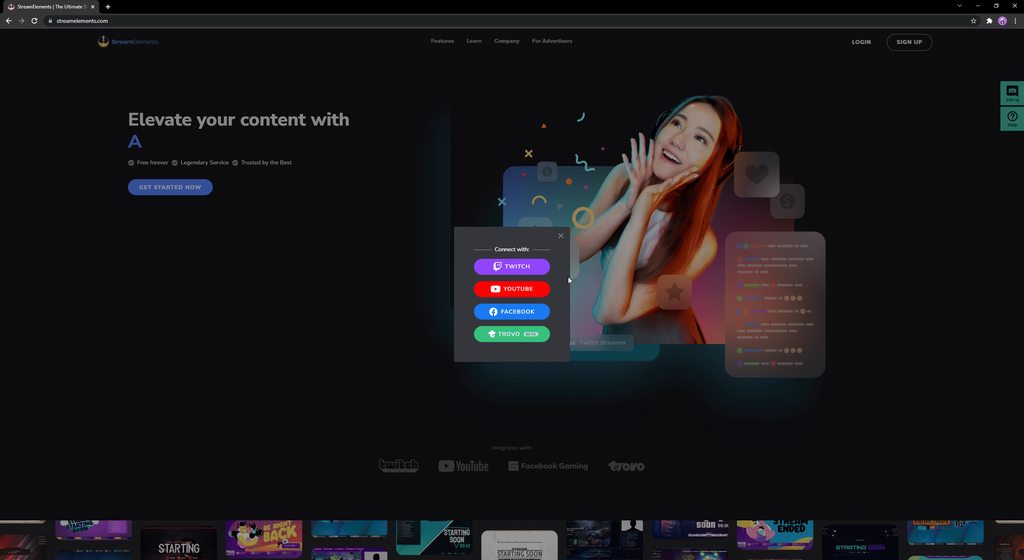 blissful badge
anyone know how to fix, the chat on studio... it is showing an old stream chat and will not update to a new stream for nothing..
balmy vessel
vernal sequoia
Try this: https://imgur.com/a/AkHFM1A
thank u very much . but for me not same option showing . can u che6
http://imgur.com/a/zY7yRay
can u check *
 scenic swan
blissful badge
anyone know how to fix, the chat on studio... it is showing an old stream chat ...
scenic swan
blissful badge
anyone know how to fix, the chat on studio... it is showing an old stream chat ...
same issue
blissful badge
scenic swan
same issue
i just uninstalled everything even the plugin deleted it all and going to try this and see if i can get it to work i will let you knwo
scenic swan
i did that and no luck
 agile cloud
any update on a fix yet for stream elements not properly connecting with fakebook? chat isnt syced still its the previous streams chat, even nox bot isnt connecting because it cant detect a stream.
scenic swan
agile cloud
any update on a fix yet for stream elements not properly connecting with fakeboo...
nope having the same issue
blissful badge
scenic swan
nope having the same issue
i can stream the only thing i dont have is the obs live chat , it is really annoying
scenic swan
blissful badge
i can stream the only thing i dont have is the obs live chat , it is really anno...
yes i just switched to steamlabs for now
till they fix the issue
balmy vessel
now working thank u
scenic swan
balmy vessel
now working thank u
not on mine its not working! what did you do so yours works?
blissful badge
scenic swan
not on mine its not working! what did you do so yours works?
i guess so much for 24/7 support huh. smh
scenic swan
Exactly
 lusty robin
ive been streaming for 2 years last year i moved to the obs with stream elements add on but about 3 months ago it stopped letting me go live through the dashboard. i put the correct stream keys etc.. in but as soon as i click live the obs software just freezes and wont let me go live through the dashboard. is their fix because now i have issues with stream labs and i moved because their was constant issues i would love to use the obs/streamelements software again but it keeps freeezing ive uninstalled and reinstalled multiple time i get the same result it freezes as i go live. so is their something i that can fix this? because i want my community to have best content.
 analog pivot
hi anyone can help me regarding my OBS? my problem is my Facebook Chat in OBS doesn't show the latest chats, the chat always shows my previous stream chats.. anyone knows how to fix this?
 tall sentinel
analog pivot
hi anyone can help me regarding my OBS? my problem is my Facebook Chat in OBS do...
tall sentinel
analog pivot
hi anyone can help me regarding my OBS? my problem is my Facebook Chat in OBS do...
it's what I came here for too and apparently it's a known issue without a fix...
Looks like it must be a Facebook actual issue -- my creator studio dashboard won't even work inside Facebook itself.
balmy vessel
scenic swan
not on mine its not working! what did you do so yours works?
I follow this video
 thick isle
vernal sequoia
Try this: https://imgur.com/a/AkHFM1A
thick isle
vernal sequoia
Try this: https://imgur.com/a/AkHFM1A
But the main problem is conecting de live obs with your Facebook account
rocky mango
thick isle
But the main problem is conecting de live obs with your Facebook account
have you tried the above?
thick isle
I will try again but before didn't work, other problem with that is the facebook chat don't show me the current streaming
 shy wharf
hello. I'm having a problem with my OBS. I can't login on OBS using my facebook.
Hello. I'm having a problem with my OBS - Streamelements, I can't login on OBS using my facebook. It's stuck on this screenshot.

 wanton sphinx
it's time to move back to streamlabs i guess
 tidal breach
Hi, I'm facing a problem when using Facebook chat with StreamElements, chat doesn't show up. Any thoughts?
 rocky mango
shy wharf
Hello. I'm having a problem with my OBS - Streamelements, I can't login on OBS u...
rocky mango
shy wharf
Hello. I'm having a problem with my OBS - Streamelements, I can't login on OBS u...
Have you tried loggin out and back in on OBS? Also try opening the OBS as admin..
 untold finch
hi, i can't login to my streamelements account. my fb page link to streamelements. but whenever i tried to login.. the page seems to reset and ask me to login again
 rocky mango
untold finch
hi, i can't login to my streamelements account. my fb page link to streamelement...
rocky mango
untold finch
hi, i can't login to my streamelements account. my fb page link to streamelement...
For FB login issue please try this: in the browser when you login to SE with Facebook and click on "Edit Settings" and Not "Continue as...".
Then, choose only one page from your list.
untold finch
rocky mango
For FB login issue please try this: in the browser when you login to SE with Fac...
ok. i'll try it now
untold finch
rocky mango
For FB login issue please try this: in the browser when you login to SE with Fac...
thank you so much. i can login to my account again
 gleaming mulch
rocky mango
For FB login issue please try this: in the browser when you login to SE with Fac...
gleaming mulch
rocky mango
For FB login issue please try this: in the browser when you login to SE with Fac...
Incredible thanks!!!
analog pivot
tall sentinel
it's what I came here for too and apparently it's a known issue without a fix...
Did you fix the problem it's been 3 days now .. and it sucks
tall sentinel
analog pivot
Did you fix the problem it's been 3 days now .. and it sucks
It’s Facebook. Really sucks. But I just pull my stream up on another monitor, lower the quality to the lowest and watch chat there. I mean, I’m a super small streamer so most I ever have in chat is like 8-10 and they are more watchers than chatters besides NoxBot commands.
analog pivot
tall sentinel
It’s Facebook. Really sucks. But I just pull my stream up on another monitor, lo...
I reinstall OBS now I can't log in my streamelements.
tall sentinel
Oof.
tall sentinel
rocky mango
For FB login issue please try this: in the browser when you login to SE with Fac...
Try this @analog pivot
 north axle
Hi, I have a donation page linked to an old account and no longer have access to it. Can that be deleted?
 dull pecan
So I still have the old chat problem on Facebook whenever I stream. Tried the unlinking-linking Business Integration thing for SE, logged out and logged in again on OBS and SE itself, and uninstalled any recent plugins I put on OBS in case it's an OBS problem. The old stream chat is still there and my overlays are not updating the chats whatsoever, plus the emails I get from StreamElements after stream does not show the actual stats. Is there an error in the server/system or something? This has been going on for two days already.
 frigid gulch
Hello. I`m using OBS live plugin,when i go to creator page on fb, to go live after i put all the details and select the streamer software nothing happened,same for the chat plugin...
analog pivot
@tall sentinel already installed everything still having the chat problem 😞.. I don't know what to do anymore..
autumn fjord
vernal sequoia
Try this: https://imgur.com/a/AkHFM1A
Ty
 raw crater
Yall having the chat problem too huh
Anyone have any workarounds for the Facebook chat problem
 pastel pecan
rocky mango
For FB login issue please try this: in the browser when you login to SE with Fac...
pastel pecan
rocky mango
For FB login issue please try this: in the browser when you login to SE with Fac...
this solved my problem. thumbs up!
 night ruin
Hello, question about SE's activity feed in facebook. For some reason, these 3 persons liked my stream but only these 2 people has shown in my notification in SE. For some reason as well, I'm not seeing her name (the person: "Nicole" encircled in yellow) in my SE activity feed during my previous streams as well even though she liked my stream.

 fair galleon
because the messages do not appear in the chat when I am live on facebook
 jovial knot
blissful badge
anyone know how to fix, the chat on studio... it is showing an old stream chat ...
jovial knot
blissful badge
anyone know how to fix, the chat on studio... it is showing an old stream chat ...
same issue. Facebook itself is showing that I am live, however it's creator studio in facebook isnt. So without creator studio shwoing the connection you won't get the chat to pop up either. I still havent found a work around
blissful badge
jovial knot
same issue. Facebook itself is showing that I am live, however it's creator stud...
If you find one please let me know. Is this a Facebook issue or a SE issue? I have seen numerous posts about this and yet to see “tech support “ comment on anyones post regarding the issue.
jovial knot
blissful badge
If you find one please let me know. Is this a Facebook issue or a SE issue? I ha...
i believe this is on the FB end. i ahve tried slobs as well with no luck. it's only affecting a handful of people. BY handful i mean a lot but other people are having no issues at all.
urban sentinel
Yea, I'm also curious why noone from the tech support is responding. It's been days of people asking about it. I would take a "were trying to figure it out" comment. But literally coming off one of my best weeks streaming on fb and I haven't been able to stream on fb since weds last week.
jovial knot
yeah. it really killed my vibe. I have to have my stream up on my laptop to see chat but fb still isnt tracking the analytics of the stream so its like it doesnt count even though i am live lol
 pale oxide
it wont let me login to facebook gets stuck on a white login screen
 grave breach
My chat will not restart every stream i do has my old chat i cant see new comments
tall sentinel

 prisma dagger
hello, i have a problem logging in to streamelements using facebook. everytime i try to log in, nothing happens.
 quiet basalt
tall sentinel
quiet basalt
tall sentinel
Hi there. Is this regarding the issue where Alerts/Chats are not working when live?
tall sentinel
quiet basalt
Hi there. Is this regarding the issue where Alerts/Chats are not working when li...
Yeah
quiet basalt
tall sentinel
Yeah
Oh wow. been 3 days now. i've noticed it in SLOBS so i tried SE. Now im staying with SE LOL.
quiet basalt
tall sentinel
Yeah
thanks btw!
tall sentinel
quiet basalt
thanks btw!
No worries fam!
 solid tiger
hello... why I can't connect my FB with SE tho?
rocky mango
solid tiger
hello... why I can't connect my FB with SE tho?
what exactly are you experiencing when trying to log in?
 fair condor
currently have trouble to login from fb.. any solutions?
vernal sequoia
Encountering issues logging into FB from SE? Try this: when you login, click on "Edit Settings" instead of "Continue as...".
Then, choose only one page from your list.
https://imgur.com/a/AkHFM1A
vernal sequoia
vernal sequoia
Encountering issues logging into FB from SE? Try this: when you login, click on ...
void yoke
Hello, im having issues connecting to stream elements with my new facebook account. I made a new facebook account, and transfered the gaming page ownership to the new account. Im unable to connect to streamelements though, when i try, it says
Could not link StreamElements to Facebook
You may not be connected to the network or we could not establish a connection with our server. Check your connection and try again later.
i tried removing stream elements from my original account, and tried to reconnect using my new account, with the same gaming page, but it still gives me the same error.
Is there a way to transfer all of the data to a new account, without losing my overlays and such.
vernal sequoia
void yoke
Hello, im having issues connecting to stream elements with my new facebook accou...
Can you try this solution?
void yoke
Which solution?
Nevermind, disregard what i said. I tried logging in through my phone, and it connected. Now its working on my PC too. Thanks!
The alerts don’t seem to be working though, which is weird. I tired liking my page with my old account, it’s not popping up on OBS.
The last alert was from someone who liked my page 7 hours ago
night ruin
night ruin
Hello, question about SE's activity feed in facebook. For some reason, these 3 p...
help help.
fair condor
vernal sequoia
Encountering issues logging into FB from SE? Try this: when you login, click on ...
thanks.. problem solved!!
void yoke
void yoke
The alerts don’t seem to be working though, which is weird. I tired liking my pa...
Can someone help me with this issue please
God I’m running into so many problems, wish i had someone to help me with it. Seems hopeless right now.
 wispy jackalBOT
StreamElements menu, on top of OBS > Logout > Login
 keen wing
ohhh nice thanks!
wispy jackalBOT
@void yoke ⤵️
If you are not seeing likes/shares on your current stream or page, that might be due to how the privacy settings of the person liking/sharing your stream are set.
If they are set to private we won't be able to see the events.
Specifically for shares, if they share in private groups, we won't be able to see the event.
vernal sequoia
@night ruin as well ⤴️
void yoke
That’s not the issue, I’m not getting anything.
I’ve tried logging out and in a hundred times
vapid hedge
 vapid hedge
vapid hedge
vapid hedge
So this is for people who use Nox Bot, they have been chasing a problem for weeks now that started impacting them around the same time we all got impacted by the same weird chat issues, this fix potentially addresses problems that affected several third party integrations and may have fixed stream elements also, just released earlier. Potentially anyone having the chat alerts issue and the problem of not seeing the "live" button in the live producer might be hopefully fixed if they were linked to this same issue.
 earnest stag
?
 errant egret
I cann't log in my facebook account with Streamelement?? what can I do??
 surreal bane
i cant log into my facebook account via facebook gaming
obtuse dragon
plz help Hi it is not possible for me to be able to set the time period trebars from Wednesday month 15.10 to 15.11 who sent how many stars?
brazen turtle
errant egret
I cann't log in my facebook account with Streamelement?? what can I do??
Hi. What error do you see?
brazen turtle
unlinking accounts is not possible, we can only delete accounts that exist on StreamElements - this will delete ALL data for all linked accounts.
earnest stag
brazen turtle
unlinking accounts is not possible, we can only delete accounts that exist on St...
Wtf thx
 crisp kettle
errant egret
I cann't log in my facebook account with Streamelement?? what can I do??
crisp kettle
errant egret
I cann't log in my facebook account with Streamelement?? what can I do??
#helpdesk-facebook any update on this topic???
sacred nymph
crisp kettle
<#593481048130584582> any update on this topic???
Were you able to check the pinned messages and try those steps?
sacred nymph
 astral forge
im getting rror=ERR_RETRY_WITH_PAGESELECTOR#_=_\
astral forge
im getting rror=ERR_RETRY_WITH_PAGESELECTOR#_=_\
Please check the pinned messages and try the recommended work around
astral forge
sacred nymph
Please check the pinned messages and try the recommended work around
thanks
errant egret
brazen turtle
Hi. What error do you see?
It will redirecting to log in page again but my youtube channel has not issue, It is log in
 sage vessel
Hi there, so few days ago when i try to go live via OBS (with stream elements live) OBS crashes and closes.
After unistalling obs, it then worked, however when i connected stream elements live back in OBS crashed again. this leads me to think its something to do with the istreamelements plugin.
Could someone assist or having the same issue?
sage vessel
i have tried resetting stream keys, logging out of Streamelemenets removing and re-adding business integration, unistalling and reinstalling everything. I really dont know what to do
and dont want to have to go back to streamlabs which is working
crisp kettle
sacred nymph
Were you able to check the pinned messages and try those steps?
I love you THANKS
 gilded sundial
hello
i have problem with my OBS STREAMELEMENTS.
the chat lets through comments and the activity does not record facebook likes

the like and share tab does not register is buggy
3 errors
 finite glacier
Streamelements is not letting me sign in using Facebook
 livid drum
I can't log in to my facebook. OBS will allow me to type in my user and password and even let me choose what account should I use. after that, nothing. can somebody fix this already? its been days that its been like this!
sacred nymph
@finite glacier @livid drum Check out the pinned messages and try out that workaround to see if that helps
wispy jackalBOT
@gilded sundial ⤵️
If you are not seeing likes/shares on your current stream or page, that might be due to how the privacy settings of the person liking/sharing your stream are set.
If they are set to private we won't be able to see the events.
Specifically for shares, if they share in private groups, we won't be able to see the event.
livid drum
@wispy jackal I cant log in to my facebook gaming through your add on. it has nothing to do with not seeing the likes and shares. give me a solution that works!
 dapper onyx
so we can't login by facebook right now ?
finite glacier
sacred nymph
<@!569561802090741796> <@!635067756122734612> Check out the pinned messages and ...
Where is the pinned comment?
sacred nymph
dapper onyx
sacred nymph
https://discord.com/channels/141203863863558144/593481048130584582/9075331182426...
thank youuuu
gleaming mulch
livid drum
I can't log in to my facebook. OBS will allow me to type in my user and password...
Click edit settings when you log in and make sure only one page is checked, fixed it for me.
 fluid hatch
gleaming mulch
Click edit settings when you log in and make sure only one page is checked, fixe...
fluid hatch
gleaming mulch
Click edit settings when you log in and make sure only one page is checked, fixe...
Ahh... that fixed it for me.... thx🤙🏼
sage vessel
Hi there, i stream to fb through OBS with stream elements live asplugin to see reactions and chat
so few days ago when i try to go live via OBS (with stream elements live) OBS crashes and closes.
After unistalling obs, it then worked, however as soon as i connected stream elements live back in OBS crashes again. this leads me to think its something to do with the streamelements plugin.
Could someone assist or having the same issue?
have tried resetting stream keys, logging out of Streamelements, removing and re-adding business integration, unistalling and reinstalling everything. I really dont know what to do and dont want to have to go back to streamlabs which is working
OBS told me to come here. Has anyone else had this issue?
 grim wren
Hi guys, anytime I try to login with FB I am redirected to the home page and I got this error in the url string error=ERR_RETRY_WITH_PAGESELECTOR#=
How can I fix it?
brazen turtle
grim wren
Hi guys, anytime I try to login with FB I am redirected to the home page and I g...
Try that fix: https://imgur.com/a/AkHFM1A
 spark fog
how do i get my overlays from the website to obs
wispy jackalBOT
@spark fog ⤵️
To add your overlays to OBS, add a new browser source in your scene. Paste your overlay URL in the browser source properties, set the dimensions to 1920x1080 (unless you changed them on the website) and check Shutdown source when not visible. https://youtu.be/KDvLynUqXI4
gleaming mulch
fluid hatch
Ahh... that fixed it for me.... thx🤙🏼
yw
 wind basin
hey... hoping someone can help. For some reason i can not get my facebook chat or activity on OBS studio. Instead it is coming up with the twitch interface even though i am not logged invia twitch
wispy jackalBOT
@wind basin ⤵️
StreamElements menu, on top of OBS > Logout > Login
wind basin
wispy jackal
<@777578539414323261> ⤵️
ive done this... still keeps coming up with my twitch even though i am not streaming with twitch. Somehow i have made twitch my primary account, is this the reason?
sacred nymph
Do you have OBS itself connected to Twitch? May need to disconnect in the stream settings
wind basin
sacred nymph
Do you have OBS itself connected to Twitch? May need to disconnect in the stream...
not no more... i logged out of it, then disconnected on twitch too...
sacred nymph
wind basin
not no more... i logged out of it, then disconnected on twitch too...
And after disconnecting, still going to Twitch?
void yoke
Is there a way for the "follower goal" to reflect how many followers my facebook page has, instead of how many followers ive gained since i installed streamelements?
wispy jackalBOT
@void yoke ⤵️
To reset goals:
- from the Overlay Editor > Session data on top right (monitor symbol) > Goals tab > reset progress of desired goal
- from the Dashboard > Activity feed on the left > Widget data on the right > Goals tab -> reset progress of desired goal
Note: Goal widgets (progress) only counts up and doesn't go down automatically, if you lose followers/subs.
wind basin
sacred nymph
And after disconnecting, still going to Twitch?
Yeah mate. I’ve logged out of both, uninstalled, then deleted my twitch and still showing on it 😰
 high bridge
Hi, how can i fixed my SE. if i stream on Facebook while SE is log in it will freeze after i click Live in OBS throu dashboard settings. but if i log out the SE its fine.
BTW this happened after i update the SE, hope i can downgrade the version.
 inland brook
high bridge
inland brook
https://discord.com/channels/141203863863558144/593481048130584582/8933642106360...
inland brook
high bridge
inland brook
https://discord.com/channels/141203863863558144/593481048130584582/8933642106360...
thank you so much for the help, so im not the only one with this problem, thanks ill be waiting for the future updates 😄
 narrow pulsar
my session for stream elements in obs has expired. This normally happens when I update my pc. Logging back into streamelements does not fix this issue. Is there a simpler way to get my streamelements dashboard back in obs that does not include unistalling and reinstalling both streamelements and obs?
nevermind....big dumb mistake on my part! I just needed to reimport the data by logging into Facebook through obs. disregard lol!
 eager pine
I still can't log in on facebook
 brazen turtle
eager pine
I still can't log in on facebook
brazen turtle
eager pine
I still can't log in on facebook
Replied to you in the other channel, please do not post your request in multiple channels 🙂
 chrome merlin
Hey guys!
Does anyone know why I can't see the loyalty/patreon tab on streamelements using my FB page, I really wanna subscribe to the 5$ package and get the loyalty features..
quiet lagoon
There is no patreon integration and there's no bot for FB so no loyalty.
wind basin
Ive asked the question yester... but i havent got twitch merged on streamlabs, Facebook is my primary. But, on the chat and activity feed its saying twitch. How do i get this back to facebook?
void yoke
does video like goal, reset on every stream? i want my like goal to be 20, but it says 178/20 in the overlay editor.
wispy jackalBOT
To reset goals:
- from the Overlay Editor > Session data on top right (monitor symbol) > Goals tab > reset progress of desired goal
- from the Dashboard > Activity feed on the left > Widget data on the right > Goals tab -> reset progress of desired goal
Note: Goal widgets (progress) only counts up and doesn't go down automatically, if you lose followers/subs.
void yoke
i dont see a reset progress of desired goal, only reset progress of all goals.
do i have to reset it manually every time i want it back down to zero? lol
brazen turtle
void yoke
i dont see a reset progress of desired goal, only reset progress of all goals.
For goal widgets - yes. They do always count and we have no dedicated button to set them to 0 etc. Gotta edit the goal settings every time you want to change the amount
eternal shuttle
i cant get my activity to dock in obs anymore any suggestions
then i get this but no way to log in with facebook

 thorny star
Quesiton.....How can we record clips without the overlays without having to download an app to install on our computer. Thank you
wispy jackalBOT
@eternal shuttle ⤵️
StreamElements menu, on top of OBS > Logout > Login
 sinful valve
when i login in obs live through fb its shows white screen and didnt go on page selection page
 fluid quail
Anyone any ideas for FB login issues, Similar to @sinful valve I get an error when I login and nothing happens.
https://streamelements.com/?error=ERR_RETRY_WITH_PAGESELECTOR#_=_
placid gorge
@sinful valve @fluid quail #helpdesk-facebook message
sinful valve
thanks
fluid quail
@placid gorge instant fix! thanks
placid gorge
Pleasure! 
 white sail
hi, I can't log in to my account on the website
brazen turtle
Hi. What error do you see when you try to log in?
white sail
brazen turtle
Hi. What error do you see when you try to log in?
nothing it just leads back to "log in"/
and I'm logging in 10 times already and it just go straight back
here
 brazen turtle
white sail
here
brazen turtle
white sail
here
Can you try this fix?
https://imgur.com/a/AkHFM1A
Only one account should be selected here.
white sail
brazen turtle
Can you try this fix?
https://imgur.com/a/AkHFM1A
Only one account should be sel...
 brazen turtle
white sail
brazen turtle
white sail
Yes this is looking correct, we ask for that data.
white sail
brazen turtle
Yes this is looking correct, we ask for that data.
It just leads me back to the website

I can't edit my overlays
quiet lagoon
Could you try in chrome please?
white sail
ohh ok
quiet lagoon
Gould try in incognito as well?
white sail
same thing
super weird
I've been using streamelements for a long time
this is the first
quiet lagoon
And if you try on mobile data?
 strange tundra
Anyone available to help? I’m going to set up a new pc and log into obs studio with the obs live add on as Facebook. When I put my info in it recognizes me and asks continue as my name then the next screen would say choose the profile but it stays stuck at the a white screen like it’s loading. I tried it with twitch and that worked, but I don’t use twitch anymore. Any suggestions on how to get past that white screen to choose the profile and load Facebook?
eternal shuttle
team i am still having issues with docking my activity feed inside of obs..i dont have obs live I'm using the link from my activity feed and trying to dock it inside obs...it keeps telling me to connect with twitch, well i don't stream on twitch. I have disconnected my twich connection with stream elements and also my Facebook connection and reconnected face book and i still receive this any help will be much appreciated
 eternal shuttle
anyone on to help me out
 celest niche
I'm having issues trying to log in to Elements with my Facebook Account....my acct cant seems to be able to link...anyone facing the same issue here?
celest niche
white sail
same issue as @white sail
rocky mango
celest niche
I'm having issues trying to log in to Elements with my Facebook Account....my ac...
Please check the pinned messages
 mellow sparrow
First time using streamelemts + obs.live. Trying to hit "Go live" but my obs just crashes everytime. 😦
cant go live from FB dashboard. Just directly from obs
rocky mango
mellow sparrow
cant go live from FB dashboard. Just directly from obs
please check the pinned messages
 sly heron
when i click start stream on obs.. it hits me with not responding and freezes out
 young cedar
Has the freezing been fixed yet as I've been on holiday the last week
analog pivot
is there a way I can add live counter on streamelement OBS?
brazen turtle
analog pivot
is there a way I can add live counter on streamelement OBS?
Hi. Live counter - in general yes, but what information do you want to display there?
 frail lotus
vernal sequoia
Encountering issues logging into FB from SE? Try this: when you login, click on ...
frail lotus
vernal sequoia
Encountering issues logging into FB from SE? Try this: when you login, click on ...
Came here to discuss the FB login. I logged in, and now I can't log out. Any help?
A little more info on this: I am pretty sure my FB page is connected to my main SE account which is twitch enabled, login. I have talked before with you to remove the FB page from my account, but that was not possible. I was testing, so I went into my tipping page, hit login with facebook, logged in, and saw my main account name on there. I got no way to log out, so maybe a logout button on the tipping page would be a good idea? (also reminding people of safety measures in case they are using a PC other people have access to, so log out after tipping reminder)
- and whenever i go to dashboard, it goes out to main front page. cant access anything now
brazen turtle
frail lotus
- and whenever i go to dashboard, it goes out to main front page. cant access an...
Hi. Can you try out this link?
https://streamelements.com/logout
This will force a logout.
frail lotus
all good now. i dont expect people will have the same issues. I wanted to test the fb login for the tipping page, in case people came from my webpage, and werent having a twitch account and wanted to see how it was from an fb login. i guess i cant test it xD
frail lotus
a logout button and a reminder for safety measures on the tipping page might still be a good idea.
 ashen shadow
Its been nearly week everytime i try to login fb after confirmation its just goes white nothing more and same for website its redirects to login page again n again
 rocky mango
ashen shadow
Its been nearly week everytime i try to login fb after confirmation its just goe...
rocky mango
ashen shadow
Its been nearly week everytime i try to login fb after confirmation its just goe...
try this #helpdesk-facebook message
ashen shadow
rocky mango
try this https://discord.com/channels/141203863863558144/593481048130584582/9075...
Thank you it worked!
supple ivy
does it still freeze when going live with facebook dash board?
 elder ruin
when i try to do live pubg gaming stream at facebook page so it lags too much
solution please
 midnight mist
Hi i need help, I can't log in with facebook
 prisma ginkgo
Did anyone have a solution for freezing when trying to go live?
 thorny mountain
i have big delay in my stream about 20 seconds i looked every where nothing seems to help
 wanton spire
hello im newbie, can i get a tutorial link on how to get started
 latent aspen
Hey just wondering when there's a eta on post stream reports
quiet lagoon
It's still being worked on unfortunately.
 obtuse flare
I accidently got into facebook through my chat box. I am stuck on facebook and trying to get back to my chat
How do I do so?
 prisma nest
obtuse flare
I accidently got into facebook through my chat box. I am stuck on facebook and t...
prisma nest
obtuse flare
I accidently got into facebook through my chat box. I am stuck on facebook and t...
if you're referring to the obs dock you can click the reload icon in the top left corner of the dock
 edgy delta
Hi , i tried to login via facebook but it wont log me in. how to fix this problem?
quiet lagoon
@edgy deltaTry with the most recent channel pin.
edgy delta
thanks
 gusty ermine
Hi, I cant login my Facebook account. I tried also the pinned msges there is no 'Edit Settings' there its 'Cancel' and 'Continue' button.
I fixed it I forgot to include my 2nd page in business and integrations that is why I cannot see edit settings thanks!
 woven musk
 quiet lagoon
@woven musk pinned messages
void yoke
Is there a reason why I can't use my fb to log in to obs live ?
rocky mango
void yoke
Is there a reason why I can't use my fb to log in to obs live ?
please check latest pinned message, it might solve your issue
white sail
I still can't login using FB though really weird
brazen turtle
white sail
I still can't login using FB though really weird
On our website?
 green sparrow
brazen turtle
On our website?
green sparrow
brazen turtle
On our website?
i cant login through the website or the program
quiet lagoon
For the website follow the pinned GIF.
quiet lagoon
@languid pollen pinned messages here.
 languid pollen
Thank you that fixed it!
 sacred needle
vernal sequoia
Encountering issues logging into FB from SE? Try this: when you login, click on ...
sacred needle
vernal sequoia
Encountering issues logging into FB from SE? Try this: when you login, click on ...
i tried this solution ,but unfortunately , mine dont have " edit setting" as an option, please...help
 quiet lagoon
cancel
prisma nest
sacred needle
try again and enable all the perms from that list
 prime forge
OBS keeps crashing never had this issue with streamlabs, I closed it reopened, Uninstalled not sure what to do anymore

 mystic oriole
I'm having the same issue, when I click 'Go Live' from the 'start stream requested' button I get 'Not Responding" and it never goes live.
sacred nymph
@mystic oriole @prime forge Can you try the steps in the pinned messages to see if that works for you?
mystic oriole
sacred nymph
<@!823140944433905704> <@!413489760426917910> Can you try the steps in the pinne...
sure, let me check that out and see. thank you.
prime forge
@mystic oriole exactly only when I toggle go live!!
@sacred nymph sorry I'm kinda new where is that pin messages?
sacred nymph
prime forge
<@801850149260886118> sorry I'm kinda new where is that pin messages?
Top of this channel you will see a header with icons. The thumbtack one is pinned messages
prime forge
@sacred nymph surprisingly that worked! Thanks a lot!
 snow hollow
how do i get my chat back on stream elements. when i signed in it was gone
wispy jackalBOT
@snow hollow ⤵️
StreamElements menu, on top of OBS > Logout > Login
prisma nest
 maiden fulcrum
why cant i login my facebook to streamelement
maiden fulcrum
why cant i login my facebook to streamelement
take a look at our last pinned message on this channel
prisma ginkgo
Is the freezing when going live solved with using the "use these settings' option?
sacred nymph
That is our current work around, yes
 fluid hare
sacred needle
fluid hare
sacred needle
Managed to solve? I have this problem
 gilded mesa
fluid hare
Managed to solve? I have this problem
gilded mesa
fluid hare
Managed to solve? I have this problem
Pinned messages
fluid hare
gilded mesa
Pinned messages
thanks
 opal glacier
Hello, any suggestions on the recommended bitrate for facebook game streaming. I have a RX560X mobile GPU
 tardy yew
hey i need some help
i cant log into my facebook gaming page from obs nor the website it keeps taking me back to the log in screen on the website or the obs live app stays stuck on the log in page where it is white
i dont know what to do
latent aspen
With all the news about SLOBS will OBS Elements Live get some more FB api for gifted sub etc?
sacred needle
fluid hare
Managed to solve? I have this problem
@fluid hare no 🥲
sacred needle
prisma nest
try again and enable all the perms from that list
But i dont have a page, thats all i got for perm
sacred needle
sacred needle
i tried this solution ,but unfortunately , mine dont have " edit setting" as an ...
Any 1 help please?
sacred needle
sacred needle
I dont have a page so thats all the permissions i got to enable, but still i dont have the "edit setting" option as shown in pinned message
 cobalt grail
hi 😦 keep getting error (retry with page selector) everytime I try to login my facebook page on stream elements 😦
 royal notch
hey guys I get an error same as the person above me when I try to log in using my facebook. It gives me this error (ERR_RETRY_WITH_PAGESELECTOR) . Help please.
The pined message fixed. You got to click edit and then choose only one page.
cobalt grail
got it! thanks!
I tried to stream but im getting the error "failed to connect to server) :(((((((((((
on youtube, its working perfectly 😦
but I cannot seem to make it work for facebook gaming :(((((( help please
 floral marten
how can i remove facebook channel linked to my account ?
 rich thunder
hi so i been trying the last week to log into stream elements via facebook but i havent been able? any idea?
quiet lagoon
Website or obs?
rich thunder
both
quiet lagoon
Website is done via the pinned message.
 nocturne pawn
Hi! Is there already a fix for logging in using facebook account?
quiet lagoon
For the website you can do so with the last pinned message.
 old steeple
are you guys familiar with thise issue that like me? Like I can't log in my facebook account to the steamelement
cosmic ivy
When trying to use the pop-out version of the activity feed in OBS (docks) it results in nothing being shown & a link to connect Twitch (using FB Gaming).
Here's the URL for reference: https://yoink.streamelements.com/activity-feed?activitiesToolbar=false&popout=true&theme=dark&withSetupWizard=false
wispy jackalBOT
@cosmic ivy ⤵️
StreamElements menu, on top of OBS > Logout > Login
cosmic ivy
wispy jackal
<@104408783073083392> ⤵️
I know this is a bot but just commenting to say this doesn't fix the issue
sacred nymph
Does the chatbox reflect facebook chat when not popped out?
cosmic ivy
Haven't tried that but I can try soon! I'm dealing with my custom labels (top stars, recent SUpporter, etc) not working right now
They stopped updating mid-stream
sacred nymph
Yes, we are seeing an issue with the alerts at the moment
cosmic ivy
Ah, thanks for the heads up!
 near oar
HY
i have already login with facebook and youtube seprately now i want to merge them?
how i can do it
?
wispy jackalBOT
@near oar ⤵️
Account Merging - Please note:
- Merging accounts only allow faster ways to switch between accounts
- Merging accounts does not allow data sharing between accounts - different streaming platforms, different type of events
- Merging accounts allows duplicating/sharing overlays between the accounts
If you understand the limitations of merging and want to proceed, please find the JWT tokens (!jwt) from both accounts you want to merge and fill out the form here: https://streamelements.com/contact with each token correctly labelled
near oar
does it not help when getting aleerts?
sacred nymph
What do you mean by that?
near oar
like when anyone sub or like the video
on facebook and youtube
i want to merge them and make 1 alert box when ever anyone like or sub i get alert
sacred nymph
Merging won't allow one notification box to receive multiple alerts, those will always be separate
sacred nymph
The alerts for YouTube and Facebook will differ, so what you see on on platform may not be on the other
cosmic ivy
Looks like Facebook alerts are working again? Just had a bunch of backlogged ones come through
sacred nymph
Yes, they should be back up now
near oar
so do we get youtube like alert?
 radiant merlin
i have a problem with my alert sounds im getting double sound
latent aspen
alerts for sub gifting?
quiet lagoon
Not yet
 zealous lake
hello people, anybody have a problem with when someone shared the livestream but it didn't pop up on the alerts?
zealous lake
vernal sequoia
Encountering issues logging into FB from SE? Try this: when you login, click on ...
@spring sandal there
 last minnow
Hey guys, newbie here, my FB tipping page is not loading the avatar/profile photo. Any ideas on how to fix this? TIA!
 cobalt grail
How bout OBS? Do we already have a fix? Still cannot stream on facebook live still getting the error "cannot connect to server" but works perfectly fine on youtube .. help pls 😦
 wispy willow
Hi everybody, i ave an issue for connect streamelements with facebook, anybody can help me ?
cobalt grail
wispy willow
Hi everybody, i ave an issue for connect streamelements with facebook, anybody c...
Are you trying to connect to the website or stream with obs?
wispy willow
@cobalt grail yesterday, i ave stream correctly whist obs on facebook. Just obs, not whith the plugin. And today, i try to connect the plugin on facebook and its impossible. I enter my login, and i ave selected my profil and page, but the connexion dont whant to work. (Sorry for my poor english, i hope you can understand me)
Ok, i think my issue is solved, i think the problem comme because i ave selected 3 different page on facebook.
cobalt grail
Yes you should only select one. No worries. My problem is that i cant stream on facebook even with just OBS 😦
Keep on getting the error "cant connect to server" even w/o SE plugin 😦
 spring sandal
zealous lake
<@!294536738930425856> there
spring sandal
zealous lake
<@!294536738930425856> there
THANKS A LOT ❤️
 autumn scroll
i tried logging in on Streamelemets using facebook login, but its not working and keeps returning to the main page of your website. can someone help me
wispy jackalBOT
@autumn scroll ⤵️
Please logout of StreamElements at https://streamelements.com/logout and then login again to your account (Twitch/YouTube/Facebook).
autumn scroll
wispy jackal
<@561908640441696267> ⤵️
Still not working.
rocky mango
autumn scroll
Still not working.
try this #helpdesk-facebook message
autumn scroll
rocky mango
try this https://discord.com/channels/141203863863558144/593481048130584582/9075...
Thansk it worked
void yoke
Hello. There is a problem with my activity feed on obs live. firstly it doesnt alert when there is someone like and followed my page on and off stream. secondly only "LIKE" and "CARE" reaction are currently working in liking the stream alerts. the second problem i can deal with but the first problem is the main prob i have. no notification whatsoever when ppl like and and follow my page especially on stream.
opal glacier
void yoke
Hello. There is a problem with my activity feed on obs live. firstly it doesnt a...
I just had this problem while streaming. I know that there were people liking and sharing my stream but no notification alerts.
 rough vine
hola quisiera saber porque razon no salen las alertas si esta debidamente configurados ,cual podria ser la razon?
wispy jackalBOT
@rough vine ⤵️
Welcome to the helpdesk! The regular helpdesk channels are in English but we do provide multi-language support in the following channels: #🇩🇪︱deutsch | #🇫🇷︱français | #🇪🇸︱español | #🇵🇹︱português | #🇳🇱︱nederlands | #🇮🇹︱italiano | #🇵🇱︱polski | #🇨🇳︱中文語言服務區-chinese | #🇯🇵︱日本語-japanese | #🇭🇺︱magyar | #🇰🇷︱한국어-korean | #🇹🇭︱ไทย-thai | #🇷🇺︱русский | #🇺🇦︱українська | #🇨🇿︱czech
 nova roost
Anyone having trouble login using FB accounts? I'm getting back to main page.
sacred nymph
Please check the pinned messages for the current workaround
austere crow
so still no fix on the facebook problem for obs??
rocky mango
austere crow
so still no fix on the facebook problem for obs??
If you are referring to the login issue, Its still being worked on
 grave mango
hi every one i have problem when i login my account , i can not login
ok i see in pin message 😉
void yoke
I accidentally closed facebook chat in obs.live I've tried reinstalling everyhing but when I logged in my facebook again through obs chat box doesnt show up. anyway to bring it back?
 orchid pine
 lament tree
im facing a high cpu usage while i was playing apex legends i stop the stream close obs the fps went up is this because of my window 11 upgrade i never had this problem before after the update
and i can't log in to just white screen
i uninstalled and reinstalled log in but its been like this for 10mins
 prisma ginkgo
Is there a widget or another way to have a viewer count on OBS?
quiet lagoon
Outside of adding a custom dock with the dashboard info popout no.
 fervent stag
A bot does not talk to me how to do a bot will talk to me on the channel can someone send me a training notebook clear how to do it
A bot does not talk to me how to do a bot will talk to me on the channel can someone send me a training notebook clear how to do it
wispy jackalBOT
@fervent stag ⤵️
Please ask your question in one helpdesk channel only. A support volunteer or StreamElements staff member will assist you as soon as they are available. Asking in multiple places will only result in confusion, not faster answers. Thank you for your patience.
fervent stag
I totally want to know how to do a bot will talk on a channel that has all the settings enabled it still does not talk to me
prisma nest
fervent stag
I totally want to know how to do a bot will talk on a channel that has all the s...
there is no bot for facebook at this time
 torpid timber
Does anybody knows why does OBS stops running when Going Live with Facebook Streamer Dashboard settings?!
prisma nest
torpid timber
Does anybody knows why does OBS stops running when Going Live with Facebook Stre...
 safe ocean
So I am on FBG, I am trying to make a follower goal visible for the stream, however it doesn't actually show my current amount of followers. I looked up a video and it showed that person's follower count. Want to ask if there is a way to fix it in any way?
rocky mango
safe ocean
So I am on FBG, I am trying to make a follower goal visible for the stream, howe...
Please check pinned messages - #helpdesk-facebook message
lament tree
still can't log in facebook help please
 prime eagle
cant login to facebook 😦
 last rampart
I am having a issue where when I hit go live stream elements / obs just freezes. Not sure exactly what the deal is . I just did the update and now having issues
 last rampart
prisma nest
https://discord.com/channels/141203863863558144/593481048130584582/8933642106360...
last rampart
prisma nest
https://discord.com/channels/141203863863558144/593481048130584582/8933642106360...
same here
safe ocean
rocky mango
Please check pinned messages - https://discord.com/channels/141203863863558144/5...
That isn't what I was referring to. I'm talking about for a follower goal. For example if I have 50 followers and my goal is 100, it should say 50/100 when I create the goal. However it is saying just 0/100 for what I was explaining before.
wispy jackalBOT
@safe ocean ⤵️
To reset goals:
- from the Overlay Editor > Session data on top right (monitor symbol) > Goals tab > reset progress of desired goal
- from the Dashboard > Activity feed on the left > Widget data on the right > Goals tab -> reset progress of desired goal
Note: Goal widgets (progress) only counts up and doesn't go down automatically, if you lose followers/subs.
safe ocean
wispy jackal
<@423907182371667988> ⤵️
Thanks
 thorn sleet
last rampart
I am having a issue where when I hit go live stream elements / obs just freezes....
thorn sleet
last rampart
I am having a issue where when I hit go live stream elements / obs just freezes....
having the same issues since last tuesday, it only freezes when I login streamelements with facebook and pressing start streaming.
But it's working fine if I "continue without logging in" to streamelements..
Any updates or fix on this??
sacred nymph
thorn sleet
having the same issues since last tuesday, it only freezes when I login streamel...
Have you been able to try the steps in the pinned messages here?
thorn sleet
sacred nymph
Have you been able to try the steps in the pinned messages here?
yes, i did logged in to facebook and chose one fb page.. Still, obs freezes by the time i press "Go Live"


and I did try to use the 2nd option, but facebook won't capture obs, so i still can't go live
 sacred nymph
Can you logout of OBS.Live completely, then login and try the steps again?
thorn sleet
aye,, will do
radiant merlin
alert sounds playing twice can some one help me with this ?
thorn sleet
sacred nymph
Can you logout of OBS.Live completely, then login and try the steps again?
thank you!! it's working now. 
 cunning sentinel
For anyone having problems with facebook login. tried clearing up cache and all of that, even uninstalled and reinstalled streamelements. None of it worked.
I had to remove permissions of Facebook first, and only then after logging in and re-applying permissions to it log-in. Lots and lots of toggling errors -___-" I'm guessing it's less an error on StreamElements and more a problem of FB spaghetti code.
void yoke
hi guys i was streaming last night and i noticed the alerts wasnt showing
gilded mesa
cunning sentinel
For anyone having problems with facebook login. tried clearing up cache and all ...
Check pinned messages
 ocean agate
@wispy jackal this is still not working for me whats up man i dont wanna go back to streamlabs but i cant add anything to my stream or take it away!!
vernal sequoia
ocean agate
<@!603953048129110031> this is still not working for me whats up man i dont wan...
I can't find your original question, can you repeat it here?
ocean agate
Website doesn’t work
vernal sequoia
ocean agate
Website doesn’t work
What happens when you try to login?
ocean agate
Shoots me back to the main screen every time
 sacred hornet
i am having log in issues aswell with fb
solved if you have multiple pages try unticking them and use one that you intend to stream from
 modern plank
ocean agate
Shoots me back to the main screen every time
modern plank
ocean agate
Shoots me back to the main screen every time
is your issue been fixed or you still having issues
ocean agate
Still a issue have tried everything suggested smh
prisma nest
ocean agate
Still a issue have tried everything suggested smh
did you try the steps mentioned in the last pinned message?
ocean agate
Yeah I did nothing is working
prisma nest
ocean agate
Yeah I did nothing is working
can you share a video of the whole login process?
 spring junco
Hi my name is clopz and.. im having big issues connecting my obs software to facebook. When i hit live i no longer have the window that opens and lets me choose game and title. and it does not even let me connect to live dashboard first before going live. It just goes straight to live instantly! Desperately looking for help. i have been trying to figure this out for months. tried uninstalling reinstalling, the stream keys and urls are correct everytime.... S.O.S
 cobalt elk
@spring junco we have a workaround for that.. let me see if i can find the steps 😅
spring junco
cobalt elk
<@!774418067982909461> we have a workaround for that.. let me see if i can find ...
🙏🙏🙏
cobalt elk
spring junco
🙏🙏🙏
Let's try this
1. close OBS
2. delete the folder %appdata%\obs-studio\plugin_config\obs-browser
3. start OBS
4. login to their facebook account
5. attempt streaming again
Okay, so the window letting me choose game and title, or go live with facebook dashboard is now back. But when i click go live it crashes my obs, or it stops responding. and it doesnt connect to facebook
cobalt elk
try: "go live with facebook streamer dashboard settings"
spring junco
Thats what i did and it freezes and doesnt connect to fb
Having the window pop up is big progress though, thank you
last rampart
still having the same issue myself after logging out, logging in etc. It was never a issue until the update on SE and then the Fb new dashboard .

I will try to go live directly with stream elements in a few and bypass the facebook dashboard . I hope this is resolved soon as the FB dashboard is a huge tool for us streamers on facebook.
cosmic ivy
Because subs/gifted subs count so differently on Facebook, is it possibly to use a custom counter with goals in Stream Elements?
ie: using a counter tool on the Stream Deck (from Bar Raider) that could increase the sub goal in Stream Elements and visually move the progress bar?
void yoke
Need some help/guidance with an issue. When I go to connect my Facebook gaming account it says the account has already been claimed. Not sure how to fix that?
wispy jackalBOT
@void yoke ⤵️
Account Merging - Please note:
- Merging accounts only allow faster ways to switch between accounts
- Merging accounts does not allow data sharing between accounts - different streaming platforms, different type of events
- Merging accounts allows duplicating/sharing overlays between the accounts
If you understand the limitations of merging and want to proceed, please find the JWT tokens (!jwt) from both accounts you want to merge and fill out the form here: https://streamelements.com/contact with each token correctly labelled
 polar steppe
how to fix this
 prisma nest
polar steppe
how to fix this
prisma nest
polar steppe
how to fix this
try this:
#helpdesk-facebook message
gilded mesa
errant egret
I can't log in with my facebook account in streamelements , plz help me out
check pinned messages
errant egret
gilded mesa
check pinned messages
what I should pinned???
gilded mesa
errant egret
gilded mesa
https://discord.com/channels/141203863863558144/593481048130584582/9075331182426...
wait i will try now
errant egret
gilded mesa
https://discord.com/channels/141203863863558144/593481048130584582/9075331182426...
thank you So much @gilded mesa .. Now work
 tired pine
How to solve incorrect data in streamelements
 runic latch
hi
am new to facbook game streeaming
i got the streaming key from facebook and i entered it in OBS setting and when i go live it is not responding with facebook live dashboard settings
i see stream start requested in OBS control panel
 midnight agate
hey guys i cant open my streamelements in obs whats happening?
midnight agate
polar steppe
how to fix this
same issue any one can help about this?
midnight agate
gilded mesa
check pinned messages
bighelp thanls
 edgy dock
help me, when i try to login streamelement website through facebook i got this error at browser url https://streamelements.com/?error=ERR_RETRY_WITH_PAGESELECTOR#_=_ and back to streamelement home page
vernal sequoia
edgy dock
help me, when i try to login streamelement website through facebook i got this e...
See pinned messages for the workaround.
edgy dock
vernal sequoia
See pinned messages for the workaround.
thanks
cobalt grail
Pls help.. i always get this message and cant connect obs to facebook live with or without SE plugin. In YT is works perfectly fine 😦

this is the error log .. please help 😦 I cant stream on facebook for months now 😦
 wispy jackalBOT
@cobalt grail ⤵️
Please logout of StreamElements at https://streamelements.com/logout and then login again to your account (Twitch/YouTube/Facebook).
cobalt grail
tried it
got the same error when I tried to stream 😦
thank you for the response .. but do we have another workaround for this 😦
vernal sequoia
cobalt grail
thank you for the response .. but do we have another workaround for this 😦
How about OBS Settings -> Stream? Are you connected to Facebook there?
Another option: Go to OBS Settings -> Advanced -> Network -> set "Bind to IP" to "Default" and check the "Dynamically Change Bitrate to Manage Congestion" field.
cobalt grail
yes
network settings is already set to that
but still getting same error message 😦
also tried to uninstall and reinstall obs
but still getting same issue 😦
whats weird is when i try to connect youtube with SE/OBS it works perfectly fine
just getting error on facebook. 😦
tried to stream on yt now without changing anything and with SE plug in. and it works
vernal sequoia
Oof. I'm sorry to say that this is where you should turn to OBS for support.
wispy jackalBOT
@cobalt grail ⤵️
Obs.live is a plugin for OBS Studio for the best OBS support, please join their Official Discord @ https://discord.gg/obsproject
 proven idol
hi... i would like to ask.... y unable to log in via browser and streamelement? is there any issue?
gilded mesa
proven idol
hi... i would like to ask.... y unable to log in via browser and streamelement? ...
supple ivy
Any updates on the freeze problem when goin live with creator studio?
 marsh bay
 vital phoenix
Hi guys, I cant log in to my facebook account, when i try to log in appears an error, "https://streamelements.com/?error=ERR_RETRY_WITH_PAGESELECTOR#_=_"
quiet lagoon
@vital phoenix pinned messages
 jovial idol
 graceful light
vital phoenix
Hi guys, I cant log in to my facebook account, when i try to log in appears an e...
graceful light
vital phoenix
Hi guys, I cant log in to my facebook account, when i try to log in appears an e...
Hi, i have the same problem
Hola, tengo el mismo problema, me podrían ayudar
 glass prairie
I downloaded the obs.live however the chat and facebook panel is not showing in obs
how do i make it show
vernal sequoia
You can toggle the docks in two places:
View -> Docks
and
StreamElements -> OBS.Live Docks
void yoke
how do i get my activity feed back to showing facebook stuff and not "Session expired" Connect with twitch
i need connect with facebook
wispy jackalBOT
@void yoke ⤵️
Please logout of StreamElements at https://streamelements.com/logout and then login again to your account (Twitch/YouTube/Facebook).
void yoke
didnt work
void yoke
reinstalled and every6thing
 indigo sigil
I can't login using Facebook? I'm getting a
"?error=ERR_RETRY_WITH_PAGESELECTOR#=" error. Help T_T
Figured it out, turns out it won't let me when I log in with another Facebook account. Weird. It always worked for me.
 tame sable
indigo sigil
I can't login using Facebook? I'm getting a
"?error=ERR_RETRY_WITH_PAGESELECTOR...
tame sable
indigo sigil
I can't login using Facebook? I'm getting a
"?error=ERR_RETRY_WITH_PAGESELECTOR...
Hi how did you solve this. I only have one facebook logged in.
error=ERR_RETRY_WITH_PAGESELECTOR#= I'm getting this error logging in with facebook
vernal sequoia
tame sable
Hi how did you solve this. I only have one facebook logged in.
See pinned messages.
ocean agate
Yeah element is broke smh I did everything to get the browser to work shit won’t work
prisma nest
ocean agate
Yeah element is broke smh I did everything to get the browser to work shit won’...
did you try the steps from the last pinned message?
ocean agate
Yeah everything
void yoke
I still have the same problem with my activity feed not showing my stuff, stuck on connect with twitch. I did what was mentioned in !logout thing someone responded to me with
quiet lagoon
Could you try this as well?
wispy jackalBOT
StreamElements menu, on top of OBS > Logout > Login
 weak glade
Hello every1, when im trying to login my fb page it stuck here.
 graceful light
vernal sequoia
See pinned messages.
graceful light
vernal sequoia
See pinned messages.
thanks, work for me 😄
 raven parrot
Hello i have a problem login with facebook gaming
gilded mesa
raven parrot
Hello i have a problem login with facebook gaming
See pinned messages
raven parrot
gilded mesa
See pinned messages
Where??
gilded mesa
raven parrot
Where??
raven parrot
gilded mesa
https://discord.com/channels/141203863863558144/593481048130584582/9075331182426...
TY Dani you are the best
 stiff compass
Looked through the pins and did a search but couldn't really find anything. I have a twitch and a facebook account linked. I primarily stream on twitch but wanted to set up facebook alerts for when I randomly decide to stream there. I just use the chatbox and alerts so far, and for some reason when I duplicated my twitch overlay that's alerts to facebook it just wiped all my custom images, sounds, and text formatting. Is that expected? It was already kind of a pain to have to reset everything up for variations rather than starting with the base alert and then changing one or two things for the variation. I'd rather not have to duplicate all that work.
sacred nymph
stiff compass
Looked through the pins and did a search but couldn't really find anything. I ha...
Since Facebook and Twitch don't share the same events, the overlays won't be a 1 to 1 duplicate. Some aspects you may have to set up even after the duplication
stiff compass
sacred nymph
Since Facebook and Twitch don't share the same events, the overlays won't be a 1...
Is there any way us to set our default image/sound/text format for a specific event within the alertbox? So we can at least make it easier to add variables?
sacred nymph
stiff compass
Is there any way us to set our default image/sound/text format for a specific ev...
There isn't a way to create a template for the alert boxes, if that's what you mean. each one will start with our defaults until you edit it with your own media
 next rock
no lee el bot los mesnsajes de las estrellas, en facebook gaming
wispy jackalBOT
@next rock ⤵️
Welcome to the helpdesk! The regular helpdesk channels are in English but we do provide multi-language support in the following channels: #🇩🇪︱deutsch | #🇫🇷︱français | #🇪🇸︱español | #🇵🇹︱português | #🇳🇱︱nederlands | #🇮🇹︱italiano | #🇵🇱︱polski | #🇨🇳︱中文語言服務區-chinese | #🇯🇵︱日本語-japanese | #🇭🇺︱magyar | #🇰🇷︱한국어-korean | #🇹🇭︱ไทย-thai | #🇷🇺︱русский | #🇺🇦︱українська | #🇨🇿︱czech
void yoke
quiet lagoon
Could you try this as well?
i dont even have that option lol
 vocal kite
Currently there is a known issue with going Live with OBS.Live. Devs are aware of the issue.
The workaround for this is, to click on the "Live Video Settings" button in the chat dock and use the 2nd option from the pop up "Use these settings" to go live.
^^^
Has this been fixed yet?
 timid tide
vernal sequoia
Encountering issues logging into FB from SE? Try this: when you login, click on ...
timid tide
vernal sequoia
Encountering issues logging into FB from SE? Try this: when you login, click on ...
this didn't work for me. still got this: https://streamelements.com/?error=ERR_NO_GAMING_PAGE#_=_
prisma nest
timid tide
this didn't work for me. still got this: https://streamelements.com/?error=ERR_N...
do you have a gaming page created on your account?
austere crow
rocky mango
If you are referring to the login issue, Its still being worked on
thanks
timid tide
prisma nest
do you have a gaming page created on your account?
yes
prisma ginkgo
So I was trying to add a follower goal to my overlay but it does not show my actual total. Is there a setting i need to change?
dire gazelle
prisma ginkgo
So I was trying to add a follower goal to my overlay but it does not show my act...
Look at widget's settings
 worn nimbus
I can't log into my facebook both on the stream elements site or in OBS. whilei'm streaming on facebook i cant see my activity feed which leads me to missing peoples likes/shares. i was hoping it was just a bug but it hasn't resolved its self. i can log into my twitch account just fine but I don't stream on twitch.
I checked pinned comments... lol sorry I'm new to how discord works
 humble tulip
worn nimbus
I checked pinned comments... lol sorry I'm new to how discord works
humble tulip
worn nimbus
I checked pinned comments... lol sorry I'm new to how discord works
I have the same problem lol, where can I read the pinned comments?
sacred nymph
Pinned comments are viewable with the thumbtack icon at the top right of the channel here
 trail cedar
So, I am wanting to switch back and try using StreamElements again. The only issue I see currently is the total follower amount that it is showing (and you cannot seem to update it manually) is wrong. What can I do to fix these numbers being incorrect through this interface?
 late river
for some reason it wont let me use streamelemts
ERR_RETRY_WITH_PAGESELECTOR
when i try to log in with facebook.
wispy jackalBOT
@trail cedar ⤵️
To reset goals:
- from the Overlay Editor > Session data on top right (monitor symbol) > Goals tab > reset progress of desired goal
- from the Dashboard > Activity feed on the left > Widget data on the right > Goals tab -> reset progress of desired goal
Note: Goal widgets (progress) only counts up and doesn't go down automatically, if you lose followers/subs.
sacred nymph
late river
for some reason it wont let me use streamelemts
Have you been able to try the steps in the pinned messages here?
 mortal forge
Im having a problem logging in streamelements website using fb account. nothing happen after I verify my fb account
cant connect fb account
gilded mesa
mortal forge
Im having a problem logging in streamelements website using fb account. nothing ...
See pinned messages
latent aspen
Hey SE! so today my page was changed to the New Page Experience and I've noticed now none of my docks work any idea when a fix will come?
latent aspen

 steel smelt
why can't I register stream elements to my facebook? i login but still tells me to login?
twilit dew
Good afternoon / morning (and maybe evening depending on where you are in the world) I hope everyone is having a great weekend so far. Not sure which channel this question should go to. I have just started dual streaming on Twitch and Facebook, but I can not see my Facebook activity ( Stream and Page likes / follows / shares) unless it is an alert that pops up in my obs. Is there a way to see the facebook activity feed as well as my twitch. My OBS live plugin is connected to Twitch so I can see all twitch activity, but I don't know how to log in to both FB and Twitch at the same time (if at all possible, which I don't)
quiet lagoon
unfortunately due to the fact we don't support multistreaming it won't be possible to have both.
And because of how cookies for the website behave you can only have one activity feed in there.
twilit dew
I see. I know that the StreamElementsHQ streams to multiple platforms at a time, is there a way to guide me on how to see the activity feed of both twitch and facebook at the same time? I am preparing for a charity stream and want to make sure I can all activity on both platform (and potentially YouTube, which is still a pending decision for me if I decide to utilize that platform as well)
quiet lagoon
You'd need to have a browser copy of the activity feed for one popped out.
twilit dew
Ah, ok.
quiet lagoon
There's no way to do it all from within OBS.
twilit dew
Thanks 🙂
mellow sparrow
Is there a way to setup a notification system that announces my channel going live to my discord ?
 white kindle
This type of connection to third party services is something that is on our radar… meantime, you may be able to set up a Webhook using our API to use Zapier or Pipedrive to achieve it. https://dev.streamelements.com/docs/kappa/b3A6NTM5NzE4Ng-channel
The API Design Management Platform powering the world's leading API first companies. Powered by Stoplight.
latent aspen
latent aspen
Hey SE! so today my page was changed to the New Page Experience and I've noticed...
Try again 😃
 patent basalt
Hello
latent aspen
This is what I'm getting since moving to the new page experience
 sacred nymph
Is the New Page Experience though the Facebook dashboard?
latent aspen
sacred nymph
Is the New Page Experience though the Facebook dashboard?
So the new page experience basically separates the page from your personal profile
 sacred nymph
Are you able to switch back to the classic page?
latent aspen
yes but why would i change back to classic
latent aspen
i have switched back to classic pages i hope that the UI is fixed so we can still use docks moving forward
 median granite
The OBS plug in is not logging into through FB to enable us of the plug in in oBS
The web page will not login either it just keeps kicking back to the log in screen https://streamelements.com/?error=ERR_RETRY_WITH_PAGESELECTOR#_=_
quiet lagoon
Pinned messages for that.
median granite
Where can I find them?
quiet lagoon
📌 in top right
median granite
Yep, tried that got same results
 forest hawk
can someone help me
void yoke
forest hawk
can someone help me
Maybe, if you formulate the question?
 austere mirage
hi, can somebody help me please. i wanted to go live today but on my activity feed isn't showing anything, its just saying:@ you have no stream activity and on the bottom is saying session expired. Anyone else had this error before?
 teal rock
austere mirage
hi, can somebody help me please. i wanted to go live today but on my activity fe...
teal rock
austere mirage
hi, can somebody help me please. i wanted to go live today but on my activity fe...
Just have to login again. Data will refresh once you've done that. Had that happen after 3-4 weeks not streaming.
 elder root
need help having trouble logging into stream elements plugin for obs lets me login and after i give permission it goes white on the login window and nothing happens
 echo ermine
@acoustic gyro
void yoke
Hi there! I stream using Facebook Live. I'm having an issue where whenever I try to go Live with the Facebook Streamer Dashboard settings, OBS freezes up. I have tried a bunch of different things but nothing is working.
sacred nymph
void yoke
Hi there! I stream using Facebook Live. I'm having an issue where whenever I try...
Check the pinned messages and try that workaround, let us know if that works
void yoke
Sorry I am new to Discord, how do I view the pinned messages?
sacred nymph
void yoke
Sorry I am new to Discord, how do I view the pinned messages?
At the top of the channel, you should see a thumbtack icon on the top right. Click on that and it will show the messages!
void yoke
Thank you so much, I tried it and I only have one page so that option isn't available for me.
I can still go live using the "Create a new Facebook Live Video post with these settings" options but not using the dashboard one
I attempted resetting the stream key but that did not work either
sacred nymph
void yoke
I can still go live using the "Create a new Facebook Live Video post with these...
We are looking into issues with going live at the moment, so workaround like that may be needed until we have that resolved.
void yoke
Thanks, I've had this issue for months but was just wondering if there was a plan to fix it
Thank you so much!
steel smelt
Hi, how many facebook page you can connect with Stream Elements?
 stray oasis
Hey hey, I'm running into an issue signing in to facebook on OBS Studio with streamelements. Help pls
 quasi cloud
@white flax , can someone help me on my issue when logging in to streamelements webpage, it keeps going back to the home page same when logging in to my OBS
rocky mango
quasi cloud
<@!155149108183695360> , can someone help me on my issue when logging in to stre...
try this #helpdesk-facebook message
 upper cloud
HELLO,whenever i use my facebook dashboard setting for FB live my streamelement doesnt seem to work its shows as"not responding",also i am the feed doesnt show followers and sharers jjust likes
 frail fossil
upper cloud
HELLO,whenever i use my facebook dashboard setting for FB live my streamelement ...
frail fossil
upper cloud
HELLO,whenever i use my facebook dashboard setting for FB live my streamelement ...
Encountering the same issue, only likes are being shown in the activity feed and the admin's shares.
frail fossil
night ruin
Hello, question about SE's activity feed in facebook. For some reason, these 3 p...
has this been fixed? It looks like an issue in FB side.
steel locust
Hi... to login on Streamelements, you have to choose only one Fanpage.. but the other page loose the live data association?
 steel locust
steel smelt
Hi, how many facebook page you can connect with Stream Elements?
steel locust
steel smelt
Hi, how many facebook page you can connect with Stream Elements?
I have the same question
sacred nymph
steel locust
I have the same question
The work around at this time is logging in with only one account, but you can have multiple accounts connected to SE
 formal swallow
hello! my stream elements work let me log in using facebook.
latent aspen
With FB actively pushing New Page Experience what is SE doing to help with the smooth transition as when we do go to the new page experience none of the custom browser URL docks work because essentially the NPE is a separate profile to your own profile

 tiny sleet
Hi, is there a way to manually edit the donation leaderboard at streamelements.com/tip so you can make it reflect other $$ donations?
void yoke
hi! my stream elements won't let me log in using facebook, having this issue for weeks now
sacred nymph
void yoke
hi! my stream elements won't let me log in using facebook, having this issue for...
Please check the pinned messages and try the workaround to see if that allows you to log in.
sacred nymph
tiny sleet
Hi, is there a way to manually edit the donation leaderboard at streamelements.c...
There is not a way to do that at this time
void yoke
sacred nymph
Please check the pinned messages and try the workaround to see if that allows yo...
Thanks, it worked!
sacred nymph
latent aspen
With FB actively pushing New Page Experience what is SE doing to help with the s...
Sorry for the late reply! I will pose this question to our development team.
tiny sleet
sacred nymph
There is not a way to do that at this time
How do i make a suggestion to do that, do i do that here? Also A way to alter your weekly donator list, monthly, yearly to suit your dates would be awesome too ❤️
wispy jackalBOT
@tiny sleet ⤵️
Check out the StreamElements ideas board: https://strms.net/ideas. You'll be able to add ideas, upvote ideas you agree with and track their progress with email notifications. Adding and upvoting ideas also helps the staff know which ideas should be prioritized so please take some time to upvote.
latent aspen
sacred nymph
Sorry for the late reply! I will pose this question to our development team.
I appreciate that because literally every time I refresh my page the NPE pops up
 royal roost
why cant i log in thru facebook in the stream elements site?
gilded mesa
royal roost
why cant i log in thru facebook in the stream elements site?
Hi, see pinned messages
royal roost
ahhh thanks
 wooden bronze
My Chat and activity feed say session expired but i have no way of linking them back to my facebook page. the stream elements dashboard on the website still shows my activity feed but thats mad inconvenient any fixes for this?
 dull island
why share alerts don't work ??
good evening
 forest otter
Hello, I've got an issue with streamElements. I can't log into my facebook account 😦
 sharp grail
Good Morning to all specially to the Devs and community helpers, I just want to report my problem.. hope you can help me about this..

Thanks for the Response
forest otter
I've got this white screen and I can't continue the loggin process

 exotic cedar
