#helpdesk-selive
1 messages · Page 237 of 1
 brisk seal
 toxic fern
By having the overlay added as a source.
brisk seal
oh i got it but it is cut off
 dapper iglooBOT
The default resolution for StreamElements overlays (theme and custom) is 1920x1080. Please add them in OBS at their full resolution and use CTRL+F to fit to screen if necessary. You can then downscale your stream in OBS settings > Video if you'd like https://i.imgur.com/6bWXxjR.png
brisk seal
ok i will try that thank you sooo much
perfect it worked thank you.
have a great day
brisk seal

how do i refresh the change i made? i entered my twitch name and it wont show up also at botton of screen my name is cut off
dapper iglooBOT
@brisk seal ⤵️
Right click on the BrowserSource > Properties > Scroll down a bit > Refresh cache of current page
 honest echo
@brisk seal play with the size of that widget (text widget that has your username)
brisk seal
at the top of screen it wont show discord info
ty i fixed the one issue , but i still cant get my Discord info at top to show up
 jolly heath
what's the update on fixing media share/player, it's been over a month. songs keep pausing after awhile and not loading the next song, player not skipping any deleted media. I have to constantly be on alert to skip songs and its a distraction during streams. i even stopped using the obs live media share widget and went to the on site player, it continues to have the same issues.
 silver blade
i cant start streaming is hapenning a error
 kindred fox
silver blade
i cant start streaming is hapenning a error
kindred fox
silver blade
i cant start streaming is hapenning a error
Can you be a little more specific?
 dusty salmon
is this the place where I can ask about stream elements kappagen alert? the emotes are not selectable
 hasty dove
uhh im new and cant find where you can get the chat ingame overlay in obs, also accidentally deleted the chat in obs, cant find where to re add it
kindred fox
hasty dove
uhh im new and cant find where you can get the chat ingame overlay in obs, also ...
View > docks > chat
 karmic falcon
hey guys, I was wondering if there was a way to calculate motion blur efficiently during a livestream, I tried the video by Sponky, but it seems to require a lot of hardware power or there are some other issues, any other ideas on how to invoke motion blur on stream? (asking for VALORANT, Ryzen 9 5900x + 3080 Ti combo)
kindred fox
hasty dove
<@!128166843360739328> chat isn't appearing under docks

yours doesn't look like that?
hasty dove
@kindred fox nope, only shows the default ones minus chat
kindred fox
obs settings > delete stream key > click connect to twitch button
 brisk iris
How do i log out of this thing on streamelemnts OBS?
 kindred fox
brisk iris
How do i log out of this thing on streamelemnts OBS?
kindred fox
brisk iris
How do i log out of this thing on streamelemnts OBS?
streamelements menu > log out
brisk iris
kindred fox
streamelements menu > log out
Thank you!!!!
hasty dove
@kindred fox oh im dumb, i put the key in but didnt activate it, somehow still connected to my twitch, it works now thanks man
 agile obsidian
So I'm trying to use obs.live with trovo but it isn't letting me login to the chat window on OBS, what gives?
dapper iglooBOT
@agile obsidian ⤵️
StreamElements menu, on top of OBS > Logout > Login
agile obsidian
will that do anything even? lol. I only installed it other day for the first time since reformatting
 lavish aspen
One of the twitch widgets i just bought is breaking, is there someone that can help me out?
 proud tusk
i need help pleeeaasseee
my obs video capture device wont capture my elgato H60 S+ game for some reason
and im on windows
dapper iglooBOT
@proud tusk ⤵️
If you are having issues with Elgato hardware or software, we recommend reaching out to their support here: https://e.lga.to/help
 last mortar
have a question regarding the media request feature. usually (not always, which is why i am having trouble figuring out the cause) the music will not autoplay. this applies to both requests and my default playlist.
 molten temple
^-^/ Heyo! For some reason when using obs.live I try and switch from the stream elements bot to my own name/account (The one I would like to use) and event tried to use the custom one with my second account (in which is modded on my twitch) and neither will work for me it only allows me to use the stream elements chat bot! sooo help please? 💕
 soft knot
molten temple
^-^/ Heyo! For some reason when using obs.live I try and switch from the stream ...
soft knot
molten temple
^-^/ Heyo! For some reason when using obs.live I try and switch from the stream ...
What happens when you try?
molten temple
soft knot
What happens when you try?
I switch it then I hit save and it loads like normal but then the bot act as if its disable and dosn't reply to any commands or anything in chat
soft knot
molten temple
I switch it then I hit save and it loads like normal but then the bot act as if ...
Do that:
dapper iglooBOT
@molten temple ⤵️
- Right-click your OBS desktop shortcut (not the OBS.Live shortcut) and navigate to Properties
- In the Target field, add the following to the very end:
--remote-debugging-port=40404(don't forget to add a space before the current path)
https://streamelements.is-serious.business/6ihr2EL.jpg - Open OBS (or restart if it was open)
- Open your web browser and type in:
localhost:40404(try127.0.0.1:40404if you see issues - https://streamelements.is-serious.business/3EGPQFJ.jpg) - Click on StreamElements - Activity feed - https://streamelements.is-serious.business/2kJYt2b.jpg
- Type the following into the console and hit enter:
store.customBot.removeCustomBotIntegration() - Try setting the custom bot name, make sure you follow https://strms.net/custombotname
- Remove the flag added in step 2 from your shortcut properties
molten temple
dapper igloo
<@468800671869698058> ⤵️
OMG! Thank You! 💕
 somber thicket
hi, i am facing problem during livestream on youtube channel
 rugged quail
agile obsidian
So I'm trying to use obs.live with trovo but it isn't letting me login to the ch...
rugged quail
agile obsidian
So I'm trying to use obs.live with trovo but it isn't letting me login to the ch...
this ⚠️
#helpdesk-trovo pls 🙂
toxic fern
You means #beta_trovo right?
 tardy scaffold
Hey guys, do you know why I get this message for song request related actions on the Stream Deck? I thought maybe I had to have a song playing, but it is not that. Other OBS Live actions do not have it.

 nova scaffold
tardy scaffold
Hey guys, do you know why I get this message for song request related actions on...
nova scaffold
tardy scaffold
Hey guys, do you know why I get this message for song request related actions on...
Did you restart both clients, Streamdeck and OBS.Live? And is media request enabled?
kindred fox
And the panel open in obs.live?
 pulsar bay
I have a question I have set everything in my OBS but the texts are displayed blurred can I do something?

 tardy scaffold
kindred fox
And the panel open in obs.live?
tardy scaffold
kindred fox
And the panel open in obs.live?
It was the panel missing in OBS, my bad, many thanks!
nova scaffold
pulsar bay
I have a question I have set everything in my OBS but the texts are displayed bl...
What is your canvas resolution in OBS?
Downscaling can have an effect on text sharpness that is very noticeable
pulsar bay
where do I see this ?
nova scaffold
OBS Stettings > Video
pulsar bay
 nova scaffold
1080p, ok. And your monitor is 1080p or higher?
pulsar bay
yes
 nova scaffold
1080p monitor, so no downscaling. I would experiment a bit with the capture etc. and check the preview in the fullscreen projector mode.
But in general livestreaming on Twitch will have some issues with text clarity/sharpness due to low bitrate.
pulsar bay
Okay thanks for the help 
but I have another question can you set your level in OBS so that you don't hear every little noise?
nova scaffold
pulsar bay
but I have another question can you set your level in OBS so that you don't hear...
We recommend removing the noise physically instead of trying to somehow deal with it in OBS.
If it is not possible, the noise gate can help, but we are not able to provide you exact settings - this is individual for each user
pulsar bay
where is the setting to suppress ?
nova scaffold
I would recommend to find some guides how to set up the noise gate in OBS.
We can't really assist much with it
pulsar bay
okay but you said something else I did not mean noise gate
nova scaffold
My recommendation for noise is always to remove the noise source
instead of dealing with it in OBS
pulsar bay
oh so okay that's what you mean thx
nova scaffold
What do you see - encoding overloaded and low FPS ingame? Or frame drops?
"lag" can be anything, we need more details in that case.
nova scaffold
#🇵🇹︱português @quasi niche
 quasi niche
Eu tava stremando pelo Facebook/Obs pelo streamelements. Mas criei uma página nova e agora os meus alertas não funcionam mais
Eu não alterei nenhuma configuração, apenas adicionei a minha página nova no Obs
me ajudemmmmmm
quasi niche
nova scaffold
<#485869331574554634> <@!849861618132058112>
Simmmm
nova scaffold
Please post your questions in English and we will help you.
quasi niche
I was streaming on Facebook/Obs for streamelements. But I created a new page and now my alerts don't work anymore.
I didn't change any settings, I just added my new page to Obs
?????????
nova scaffold
Wait, so you created a new facebook gaming page?
In that case you would need to link the account and duplicate the alerts over, each platform and account have separate settings on our site.
 flat pawn
Hi there, so I just imported from SLOBS to Stream Elements. The one thing I'm running into is my alert box didn't seem to import very well.
The videos are all there. But when I emulate it, it doesn't play the sound of the webms.
Ohhh
Disabling custom CSS fixed it
quasi niche
???????????
nova scaffold
quasi niche
???????????
Did you create a new facebook gaming page?
quasi niche
nova scaffold
Did you create a new facebook gaming page?
Yes
nova scaffold
quasi niche
Yes
Did you link that to your old facebook page and imported the alerts?
quasi niche
nova scaffold
Did you link that to your old facebook page and imported the alerts?
I didn't import the alerts
quasi niche
nova scaffold
Did you link that to your old facebook page and imported the alerts?
How do I do that ?
nova scaffold
quasi niche
How do I do that ?
You can add the page here:
https://streamelements.com/dashboard/account/channels

StreamElements
The Ultimate All in One Platform for Streamers
And then you can import the overlays in the "My overlays" tab.
quasi niche
nova scaffold
You can add the page here:
https://streamelements.com/dashboard/account/channels
I'm only using one page and I need to make it the main one.
quasi niche
nova scaffold
You can add the page here:
https://streamelements.com/dashboard/account/channels
I logged in with a secondary page and am not getting notifications from the live page alertbox.
 still gorge
my streams havent been running very well, im getting a lot of lag while streaming. especially when my game im playing is loading something. could use some help just going through my settings to make sure im not running more than i can
quasi niche
nova scaffold
You can add the page here:
https://streamelements.com/dashboard/account/channels
????????????
nova scaffold
quasi niche
????????????
Did you check which page is connected to out site? Remember that we treat different pages like different accounts in this case.
So you might see the need to import overlays.
quasi niche
nova scaffold
Did you check which page is connected to out site? Remember that we treat differ...
How two pages are connected. I only need to leave one, but how do I do it?
nova scaffold
quasi niche
How two pages are connected. I only need to leave one, but how do I do it?
This is why i linked the page so you can connect them together to import the overlays from the old one to the new one.
quasi niche
nova scaffold
This is why i linked the page so you can connect them together to import the ove...
I'll send you a picture of my panel in private
OK ?
quasi niche
nova scaffold
This is why i linked the page so you can connect them together to import the ove...
 nova scaffold
quasi niche
nova scaffold
quasi niche
Yes this is looking good. Now you can go to the "My overlays" tab and import the overlays from one page to the other.
quasi niche
nova scaffold
Yes this is looking good. Now you can go to the "My overlays" tab and import the...
 quasi niche
nova scaffold
Yes this is looking good. Now you can go to the "My overlays" tab and import the...
quasi niche
nova scaffold
Yes this is looking good. Now you can go to the "My overlays" tab and import the...
You cannot click "import from other channels". this is unavailable
quasi niche
nova scaffold
Yes this is looking good. Now you can go to the "My overlays" tab and import the...
?????
 gloomy scroll
hi guys, im getting this OBS error, apparently im OBS discord they told me i have live plugin causing the issue but no where is live plugin installed in my PC. Can someone help? Thanks https://obsproject.com/logs/iVeIg6NqkXZRHSpo
keeps crashing my OBS everyday
usually after 2 hours of streaming, been a month now of installing and reinstallin
still gorge
still gorge
my streams havent been running very well, im getting a lot of lag while streamin...
anyone?
toxic fern
@gloomy scrollAny chance you could get a session log?
still gorge
ill head somewhere else for help it looks like, not sure how i keep getting skipped here, yall have a good one.
gloomy scroll
toxic fern
<@!383395370228645891>Any chance you could get a session log?
is it this? 🙂 https://obsproject.com/logs/24mJr4gr7Tfom_88
toxic fern
Did you uninstall OBS.Live by chance?
 hazy pasture
Hi guys ive got a stream deck and im using obs.live on my new M1 Mac, its my understanding that the streamdeck software only has the obs.live actions available for PC users. Is a mac version in the works or will i be forced to only use regular obs? just a little irritated cause i spent a few days building my stream from the ground up again cause i couldnt transfer from streamlabs
agile obsidian
So I used the obslive Streamelements > logout. Then relogged into Trovo. No change. still doesn't let me type from obs widget
 short inlet
hello, i am just wondering to use my loyalties points with my viewers do i need to become affiliate or can i use them b4 then?
 tall burrow
Hey guys, hoping I can get some help here. Tried to do a stream the other day and I started dropping frames like crazy. OBS says I'm dropping frames (over 64%) due to the network. I used Twitch Inspector and strangely it says my stream bitrate is stable at 2051kbps , but according to OBS my bitrate is down in the 1900-2400 range and it should be much, much higher than that. I upgraded my internet last week, and I had 4 streams without any issues. Seems strange to happen now, and not when I switched over to the new internet, if that was going to be the issue....I've run speed tests and my down and up speeds are as expected. Anyway, just wondering if there are any steps I can do before I call my ISP.
kindred fox
tall burrow
Hey guys, hoping I can get some help here. Tried to do a stream the other day an...
This guide contains every piece of dropped frames / disconnect / network related advice we can give. If you really truly honestly super duper actually 100% tried everything …
 iron moon
I've been having trouble connecting a bot account to my obs live. I go to the activity feed and follow the instructions to sign in with the other account but when I click log in the window disappears and nothing changes. The send test message button is still greyed out
hazy pasture
Hi guys ive got a stream deck and im using obs.live on my new M1 Mac, its my understanding that the streamdeck software only has the obs.live actions available for PC users. Is a mac version in the works or will i be forced to only use regular obs?
ive been using hotkeys but it would be much easier if i had the same actions that i can use for streamlabs or regular obs studio
 lusty juniper
Hi any support friends here
 sand charm
dapper iglooBOT
sand charm
dapper iglooBOT
@sand charm ⤵️
To reset goals:
- from the Overlay Editor > Session data on top right (monitor symbol) > Goals tab > reset progress of desired goal
- from the Dashboard > Activity feed on the left > Widget data on the right > Goals tab -> reset progress of desired goal
Note: Goal widgets (progress) only counts up and doesn't go down automatically, if you lose followers/subs.
last mortar
last mortar
have a question regarding the media request feature. usually (not always, which ...
can anyone help with the question i have replied to?
tall burrow
kindred fox
https://obsproject.com/wiki/Dropped-Frames-and-General-Connection-Issues
I have ran through all the steps in the guide and I couldn't fix my bitrate. I've had two calls with my ISP since, and everything seems okay on their end. I am not losing packets when pinging twitch.tv and my down/up speed is all as normal. My bitrate to the two Twitch servers in my country is good. My settings are all as normal. The only thing that seems to be affected is my ability to stream from SEOBSL.
kindred fox
tall burrow
I have ran through all the steps in the guide and I couldn't fix my bitrate. I'v...
Set your server manually instead of auto
tall burrow
kindred fox
Set your server manually instead of auto
Done. Tried the two servers in my country, same result.
kindred fox
Idk what to say
tall burrow
I'm currently installing SEOBSL on another computer to see if the issue still happens. Running out of options here.
kindred fox
tall burrow
I'm currently installing SEOBSL on another computer to see if the issue still ha...
Obs.live doesn’t screw with the core functionality of obs studio
So I’m not entirely sure what would cause it
Can you get logs when you’re trying to stream?
tall burrow
I've got one. Where should I post it?
tall burrow
It's just a file at the moment.
kindred fox
Replicate it in obs and then under the help menu hit upload last log
Paste the url here
tall burrow
kindred fox
https://obsproject.com/tools/analyzer?log_url=https%3A%2F%2Fobsproject.com%2Flogs%2FXpPRvesndEufURKV
OBS (Open Broadcaster Software) is free and open source software for video recording and live streaming. Stream to Twitch, YouTube and many other providers or record your own videos with high quality H264 / AAC encoding.
Are you using nvenc?
tall burrow
Yes
kindred fox
Disable psycho visual tuning. Might need to enable advanced encoder settings
tall burrow
Is it meant to be here? https://gyazo.com/4744331dc3826a5d42cab3032a11eeec
Also just tried it on another computer and still having the issue. So that's narrowed it down to at least being internet related I assume....
 outer dome
can anyone help me with the bot settings in SE Ground Control having disappeared?
 smoky cedar
I'm having an issue with the text for my alerts appearing above the image even when set to text over image. Any ideas?
dapper iglooBOT
@smoky cedar ⤵️
Text not showing up over your alerts? Go to the Advanced Text Settings and set the top margin to 50, you can work your way to the right position from there.
 wispy spindle
hello, I need help with getting my videos. after I press "end recording" it says it was saved to my "user" which I dont know how to get to, please help me
 digital atlas
Apologies if this has already been mentioned somewhere, I am trying to import everything over from Streamlabs OBS and every time I attempt to do so I run in to 2 issues
- I get "Failed to import alertbox"
- It always seems to hang on "Uploading media files (3 of 6)"
Any ideas as to what could be causing this?
toxic fern
@digital atlas You might be hitting the filesize cap for content and are you using any alerts from SL library?
digital atlas
No all my alerts are custom ones I setup
Whats the filesize cap and is there a way for me to up it by any means?
toxic fern
Unfortunately no.
You could try importing the alertboxes via the website and see if that wants to behave https://streamelements.com/dashboard/account/import
digital atlas
That did the trick it seems, thank you I didn't want to have to go through all these and set them up again xD

 fading aspen
My OBS Live keeps crashing everytime I press "start streaming" button. Is there any solution for this?
tall burrow
kindred fox
Disable psycho visual tuning. Might need to enable advanced encoder settings
Found the setting and disabled it. Still getting bad bitrate. Contacting my ISP tomorrow so fingers crossed.
kindred fox
tall burrow
Found the setting and disabled it. Still getting bad bitrate. Contacting my ISP ...
Good luck!
That setting hurts performance the most. After that it’s just tweaking
 sonic warren
Oh hey guys! New guy here in the server! Just wondering if anyone can help out as to why my media request bugs out sometimes regarding my music playlists.
Basically it'll play a song, and when it gets to the next song the media request isn't following the song as it goes along (Basically media request song is paused the while the actual 2nd song is playing on my stream.)
Anyone know how to fix this?
Did download the latest update (OBS 27.1.1) just in case and my music is still kinda bugged.
Okay again, got the latest LATEST update (OBS 27.1.3) will again update you guys if I'm still having bugged issues with the media request.
Yeah its still bugged.
smoky cedar
dapper igloo
<@343032266429038592> ⤵️
Okay I had done this, just wasn't sure if there was another fix! Thank you!
 vast wren
sonic warren
Okay again, got the latest LATEST update (OBS 27.1.3) will again update you guys...
vast wren
sonic warren
Okay again, got the latest LATEST update (OBS 27.1.3) will again update you guys...
can you please clarify what youre experiencing?
sonic warren
Oh I got an idea! Would you guys mind if I made a quick recording and posted it here to show the issue?
But basically in a nutshell: In my media requests regarding my played songs/music lists the music in my media requests isn't in-sync with the songs playing on the stream. Sometimes even it won't turn back on and I have to go back onto media requests to turn it back on or skip to the next song.
Heres a pic example to help out!

 wide schooner
I have no idea how to turn on chat in game while using obs, same with follower counter, any help ?
vast wren
wide schooner
I have no idea how to turn on chat in game while using obs, same with follower c...
you mean the docks?
wide schooner
no, chat from obs to overlayed into my game in Genshin Impact
dapper iglooBOT
If you have one monitor and/or would like the chat overlay on the screen, please look at the link below.
Please note this is not a plugin for OBS and not maintained by SE.
https://github.com/baffler/Transparent-Twitch-Chat-Overlay
toxic fern
That's the closest you can have unfortunately.
 little quarry
Hi, Can someone help me out with importing streamlabs to streamelements in OBS?

 sullen basalt
Hi does anyone knows how to split my audio so my game and Spotify and discord won't be in the same channel?
 pallid epoch
how can i add in obs live active feeds and my chat?
 sharp turret
pallid epoch
how can i add in obs live active feeds and my chat?
sharp turret
pallid epoch
how can i add in obs live active feeds and my chat?
StreamElements menu, on top of OBS > OBS.Live Docks > Activity feed & chat
pallid epoch
thanks
 regal dagger
Hello. I am thinking of updating to windows 11, but I need to know if OBS Live will work. my laptop will support w11 but I still want to be able to stream after the update is done, and I don't have a back-up machine in case it doesn't work...
I already did some searching online and from what I found, it should work. Still, I wonder if anyone has any experience
 prime jacinth
Hey guys i have a question in site streamelements i download league of legend overlays and how i can import in obs.live ?
dapper iglooBOT
To add your overlays to OBS, add a new browser source in your scene. Paste your overlay URL in the browser source properties, set the dimensions to 1920x1080 (unless you changed them on the website) and check Shutdown source when not visible. https://youtu.be/KDvLynUqXI4
toxic fern
@regal dagger Unless you have an outright need to upgrade leave it as is for now. 10 is still supported for a bit and plenty usable.
prime jacinth
Okay but how i can add labes i mean alerts and if someone follow to display in my box with followers subrscirbers donation cuz im stream on trovo
toxic fern
This is for twitch options but choose the ones you want like this https://streamelements.is-serious.business/5ykCTXE.jpg
 prime jacinth
same for trovo ?
toxic fern
Different labels but yes.
 wind mortar
I'm converting all my stuff to StreamElements, but I can't add my custom font.
It seems like streamelements doesn't like it when your font has apostrophes, which seems really weird to me.

it's supposed to look like this
 regal dagger
toxic fern
<@!239662080670564352> Unless you have an outright need to upgrade leave it as i...
regal dagger
toxic fern
<@!239662080670564352> Unless you have an outright need to upgrade leave it as i...
that's what I thought too, but I've always been a sucker for early adoption of new windows versions
I suppose I'll wait a bit longer until I can secure a backup of my current installation in case 11 doesn't work as I hope it does
prime jacinth
toxic fern
This is for twitch options but choose the ones you want like this https://stream...
Hey bro where i can find this labels ?
toxic fern
Go to the overlay editor and click that.
toxic fern
StreamElements
The Ultimate All in One Platform for Streamers
 undone kestrel
Hi, my OBS is dropping frames when loading up Apex. Any suggestions?
dapper iglooBOT
@undone kestrel ⤵️
Obs.live is a plugin for OBS Studio for the best OBS support, please join their Official Discord @ https://discord.gg/obsproject
undone kestrel
ok thank you
 void zodiac
Hi. When I want to insert a new playlist in OBS under Mediarequest, I can't save there. There the save button does not respond. If I go to the SE Dashboard page I can paste the link there. Why no longer in OBS.LIVE in OBS under Media Request ?
 rare sun
Hi there, I am attempting to set up some scenes but the media source does not want to play the video files I am selecting. I have tried different video formats to no avail. any ideas?
wispy spindle
Is there any support members that could help me? I just started using obs live, and after I hit "end recording" I dont know where the video files go.
 steep berry
I'm putting a custom video and sound effect to play whenever someone cheers and subscribes but they're still only playing the default stuff, and yes I have saved my settings
toxic fern
variations as well?
steep berry
Oooooooh do I need to make variations for it?
toxic fern
No. You need to modify those as well in addition to the base alert.
 timber trellis
How do I add an obs scene into stream elements? I have an overlay I'd like to use and customize but am unsure how to start with that and not build something from scratch. Can someone help or point me to an article?
dapper iglooBOT
@timber trellis ⤵️
Check out this playlist https://youtube.com/playlist?list=PLCDDKlFdScbEwdx5AntcQIS1InkFJwHtv with tutorial videos from setting up the basics to in-depth details on how to use our product.
New to OBS? Here is a 4 step quick start guide https://obsproject.com/wiki/OBS-Studio-Quickstart
Want to learn even more? Here is an in-depth overview https://obsproject.com/wiki/OBS-Studio-Overview
kindred fox
Here's a good starting article @timber trellis
if you need more guidance there's quite a few videos on the StreamElements YT channel
timber trellis
Thank you very much, I'll take a look! I was trying to find things but kept getting stuck!
kindred fox
Not a problem! We are always here to help if you get stuck
 fickle perch
So I am planning on streaming tcg gameplay. Is it possible to have a life/health tracker area/highlight in my streamelements. Can be hard to see dice on the camera
Any suggestions for each ways we can keep the life tracker updated with the game play, with as little interference to the playing of said game possible? Think like a mtg stream but I’d have to track my own life total by hand or on paper
Like even something like, opening a text file and updating it to the life totals and saving it would update the totals maybe?
 long sparrow
hopefully this is the right place to post, every time i try to change my donation default currency it resets, i'm trying to switch it from USD to GBP but it says "something went wrong" and doesn't save and reverts to usd again
steep berry
dapper igloo
<@191713801446490112> ⤵️
Very useful

 runic coral
don't know where to post this, but your website is a blank page
 sharp turret
@runic coral Hey there! What browser are you using?
dapper iglooBOT
@last hare ⤵️
OBS > Settings > Advanced > Scroll down > Enable or disable Browser Source Hardware Acceleration, depending on its current state > Restart OBS
https://i.imgur.com/ggMe9ZE.png
runic coral
firefox
dapper iglooBOT
Our Dashboard and Overlay Editor are Chromium Optimized. We strongly recommend using Chrome. Opera GX and the new Microsoft Edge Chromium might work closest to Chrome as its also Chromium built. Firefox also works, but some things might look a bit different or not work. We do not recommend using Internet Explorer with our Dashboard as it does not support functions.
If the website doesn’t work on chrome, be sure none of your plugins is blocking our website or clear your cookies. You can try if the website works in an incognito tab.
sharp turret
👆
runic coral
follow up question is this compatible with LInux
toxic fern
no
runic coral
:\
 last hare
thx
 compact wedge
Question. Is There something I have to use to add music to my Streamelements
sonic warren
compact wedge
Question. Is There something I have to use to add music to my Streamelements
The way I did it I just added a music playlist and stuff. Just copy and paste a music playlist on your media request and you should be good to go!
Still waiting on a response though from SEs if they can help with my own issue cause the music is a bit bugged on my end.
compact wedge
How did you do it?
sonic warren
Again I just copy/pasted a music playlist from YT onto media request.
compact wedge
Media request? Where do I find this function? It's been a long time since I used Streamelements XD
sonic warren
Its all good my dude! If you got OBSs Stream Elements software it should be on Stream Elements up top right next to tools and help, then OBS Live Docks, then you'll see media request alongside activity feed and chat.
compact wedge
I'll double check it
I don't see to have Media Request.

The Option doesn't seem to be there. Or am I missing something?
sharp turret
@compact wedge what platform do you stream to?
compact wedge
YT.
sharp turret
Media request is not available for youtube 
toxic fern
no
sonic warren
Best advice I would give before I streamed using stream elements on twitch is just have a YT playlist play in the background.
compact wedge
Is it possible to capture the music?
I usually Streaming with My Xbox and I usually get sound of it
iron moon
I've been having trouble connecting a bot account to my obs live. I go to the activity feed and follow the instructions to sign in with the other account but when I click log in the window disappears and nothing changes. The send test message button is still greyed out
dapper iglooBOT
@iron moon ⤵️
If your commands recently stopped working and you're using OBS.Live and a custom bot name do the following:
- In OBS.Live, click on the hamburger menu (three stripes) at the top left of your activity feed
- Click on Stream Settings > Custom bot name
- In the Custom bot name field select Set custom bot name, not your already existing username (with capital letters). Note: If you already connected an account that way, the third entry will show as the account name (see image https://i.imgur.com/re4theQ.png).
- Scroll a bit down and click on the purple Connect Custom Bot Account button
- Log in as usual and Authorize the custom bot name
- Back in the Activity feed, click on the Send Test Message button and check if your custom bot name starts working again
kindred fox
Can you try these steps and see if that fixes it?
rugged quail
how come when i log in to obs live via fb it wont accept it
 crystal fox
Hey there! Just switching over to OBS/OBS Live and I was wondering if there's a way to change the name of my bot (I already have the Twitch name) without setting up tipping? I am not quite ready to set that up yet
iron moon
kindred fox
Can you try these steps and see if that fixes it?
Yeah I tried that like 3 times, it won't accept the account for some reason. I get an email from twitch saying it logged in successfully but in OBS.live nothing happens
kindred fox
iron moon
Yeah I tried that like 3 times, it won't accept the account for some reason. I g...
can you make sure OBS is running as Administrator?
iron moon
kindred fox
can you make sure OBS is running as Administrator?
same issue persists
rugged quail
 kindred fox
iron moon
same issue persists
kindred fox
iron moon
same issue persists
Asking staff.
long sparrow
long sparrow
hopefully this is the right place to post, every time i try to change my donatio...
bump
 gilded stag
Everyone still having the same issue with the custom bot name? I always have OBS run as admin and I get the email that the bot has logged in every time. I was wondering if we needed to uninstall and reinstall?
 pulsar cave
Hi! I'm trying to switch to streamelements and I was wondering if there's any feature that could allow me to have alerts for different games without having to switch scenes but rather have one scene and the different theme alerts in that scene- what I currently do is if I'm playing dead by daylight, I use !set-alerts dbd and if I now start playing league of legends I now have my league alerts but I don't switch scenes. Thanks in advance!!
 patent talon
Hi, I installed obslive and it completely broke my pc. It's stuck on the boot agent menu and I cannot get past it to uninstall the program.
 slim pivot
Hey! I just swapped everything to OBS and my alerts to streamelements. My alert sound will play but the image or gif that I am using will not.
dapper iglooBOT
@slim pivot ⤵️
OBS > Settings > Advanced > Scroll down > Enable or disable Browser Source Hardware Acceleration, depending on its current state > Restart OBS
https://i.imgur.com/ggMe9ZE.png
slim pivot
dapper igloo
<@479370978808299541> ⤵️
This didn't work ):
dapper iglooBOT
@slim pivot ⤵️
The default resolution for StreamElements overlays (theme and custom) is 1920x1080. Please add them in OBS at their full resolution and use CTRL+F to fit to screen if necessary. You can then downscale your stream in OBS settings > Video if you'd like https://i.imgur.com/6bWXxjR.png
slim pivot
Thank you!
gloomy scroll
Hi guys, does anyone know how i can find this plugin thats crashing my OBS? https://obsproject.com/logs/hmbB-ocvZHXv_W69 , i've tried everywhere to find it and no luck.
i've reinstalled OBS too etc and nothing helps
 orchid sigil
No georgina
kindred fox
gloomy scroll
Hi guys, does anyone know how i can find this plugin thats crashing my OBS? http...
Can you try uninstalling OBS.Live and see if it still crashes?
orchid sigil
Hi
gloomy scroll
kindred fox
Can you try uninstalling OBS.Live and see if it still crashes?
this is the issue, i dont have OBS.Live and ive been told to uninstall it but its no where to be found in my PC
kindred fox
gloomy scroll
this is the issue, i dont have OBS.Live and ive been told to uninstall it but it...
So if you go into windows settings > apps > search for streamelements, nothing shows?
gloomy scroll
nope
 kindred fox
gloomy scroll
nope
kindred fox
gloomy scroll
nope
Can you download the installer from here and try reinstalling over the top? https://streamelements.com/obslive

StreamElements
Download StreamElements OBS.Live to makes live streaming on Twitch/YouTube/Facebookeasy. Live Stream your broadcast from anywhere, save on CPU with StreamElements Open Broadcast Software (OBS) plugin.
kindred fox
gloomy scroll
says frames are missing now
can you screenshot that message?
gloomy scroll
it was a orange colour just now, gone back to white
 kindred fox
gloomy scroll
it was a orange colour just now, gone back to white
kindred fox
gloomy scroll
it was a orange colour just now, gone back to white
Can you screenshot your encoder settings inside the OBS Settings > Output?
gloomy scroll
sure
 kindred fox
gloomy scroll
sure
kindred fox
gloomy scroll
sure
uncheck that psycho visual tuning box. What resolution are you streaming at?
gloomy scroll
lool, done tyy, im streaming at 1080, i put my bitrate down bc i thought the crashes were due to internet at first
coz it messes up my rocket league too when it crashes
kindred fox
doing 1080 try about 4500-5000 kbps
gloomy scroll
thanks i shall do :))
kindred fox
love me some rocket league
gloomy scroll
ahah same same, tilting but great fun. Thats why at first i thought it was my internet this whole time ffs
kindred fox
that psycho visual tuning box is annoying and shouldn't even exist imo
gloomy scroll
OBS freezes too i have to force close. when crash happens
do u think having the OBS live plugin again will help my crashes stop? 
kindred fox
don't know. let's see what happens
gloomy scroll
okay, thanks so much for ur help bc its making me insane!
sonic warren
So I had to change my overlay thing to making media request its own thing via the overlay browser. So I fixed another issue with music not moving to multiple scenes but I still have issues where the music is still going but the song itself in media request is paused.
gloomy scroll
gloomy scroll
okay, thanks so much for ur help bc its making me insane!
im doing a bandwidth test and im losing frames :((
kindred fox
gloomy scroll
im doing a bandwidth test and im losing frames :((
you may need to drop it to 720p60 with 3500kbps bitrate and see if you drop frames there
 stable oracle
Hey, I just set up alerts in StreamElements and used custom alert sounds. But when I test alerts, it plays a default sound on top of my uploaded sound.
Or very delayed after the whole alert already finished playing.
gloomy scroll
kindred fox
you may need to drop it to 720p60 with 3500kbps bitrate and see if you drop fram...
ok thanks! :))
 tame garden
hey all. is there a way I can setup ground control to get multiple accounts alerts
example if I am multistreaming
can i have the alerts for FB, twitch and YT all come through
 ocean rivet
tame garden
can i have the alerts for FB, twitch and YT all come through
ocean rivet
tame garden
can i have the alerts for FB, twitch and YT all come through
we don't have multistreaming support, unfortunately
rugged quail
snore I have a problem with streamelements when I see to connect PayPal with a bot I only get a blue color what's going on but is it up to me?
Help
ocean rivet
rugged quail
snore I have a problem with streamelements when I see to connect PayPal with a b...
what do you mean? would you mind sharing a screenshot? feel free to censor your paypal email
 ocean rivet
rugged quail
ocean rivet
rugged quail
try using an incognito window
 oblique herald
hiya, trying to get tts working and it's just not doing anything. Is this a linux issue with linux not having any tts built in?
ocean rivet
oblique herald
hiya, trying to get tts working and it's just not doing anything. Is this a linu...
it shouldn't be an issue with linux, TTS is played within the browser
oblique herald
huh okay
ocean rivet
are you trying this in the overlay editor?
oblique herald
yes
dapper iglooBOT
@rugged quail ⤵️
Please provide your account ID found at the top of this page: https://streamelements.com/dashboard/account/channels This ID is public info and safe to share here.
ocean rivet
oblique herald
yes
you can also provide your account ID so that I can see if everything is setup properly
oblique herald
619586c4b48ba8c84ee690fc
ocean rivet
oblique herald
619586c4b48ba8c84ee690fc
are you using joyride alerts?
oblique herald
yea
ocean rivet
oblique herald
yea
TTS was disabled, I enabled it for cheers/tips (you can do that under TTS settings)
feel free to try again
(reload the editor first)
wispy spindle
Is there someone who can help me?
dapper iglooBOT
@wispy spindle ⤵️
Welcome to the helpdesk! Please let us know how we can assist you today and a support volunteer or staff member will assist you as soon as they are available. Thank you for your patience.
rugged quail
sup y'all, wanted to uninstall obs.live and for some reason it keeps trying to touch my portable version of OBS on D:\ (that never had obs.live installed on it) instead of uninstalling itself on C:
Naturally I've tried getting rid of the portable obs version on D:\ but now the uninstaller crashes so wondering if any of you know how to uhh unbreak this, thanks in advance~
 lunar pilot
having trouble logging into FB account in OBS Log in
tame garden
ocean rivet
we don't have multistreaming support, unfortunately
damn thanks for info
 glad crescent
im trying to log in with twitch but this pop up keeps appearing, what does it mean
 ocean rivet
glad crescent
im trying to log in with twitch but this pop up keeps appearing, what does it me...
ocean rivet
glad crescent
im trying to log in with twitch but this pop up keeps appearing, what does it me...
are you logging in from the homepage or trying to add it to an account?
glad crescent
adding
dapper iglooBOT
Account Merging - Please note:
- Merging accounts only allow faster ways to switch between accounts
- Merging accounts does not allow data sharing between accounts - different streaming platforms, different type of events
- Merging accounts allows duplicating/sharing overlays between the accounts
If you understand the limitations of merging and want to proceed, please find the JWT tokens (!jwt) from both accounts you want to merge and fill out the form here: https://streamelements.com/contact with each token correctly labelled
ocean rivet
we will need to add it ourselves via account merging
dapper iglooBOT
@glad crescent ⤵️
You can find your JWT token on your account channels page (Show Secrets to reveal the token): https://streamelements.com/dashboard/account/channels
READ ME: This is a private security token. Do NOT share this token here or other public places, only with a StreamElements staff member in private.
glad crescent
got the token
ocean rivet
glad crescent
got the token
send it over via email using the contact form (https://streamelements.com/contact)
ocean rivet
glad crescent
done
you also need to include the token from the second account, for that you have to logout and log into the other one from the homepage
glad crescent
oh
 tidal charm
am helping someone else with their alert setup. when they went to upload a custom sound, the upload box just flash with the files up for a sec and then went blank. images and all tabs are working. was just sound
ocean rivet
wispy spindle
It says from a bot someone is coming to help me
what do you need help with?
wispy spindle
When I hit end recording I dont know where the video files go.
It says "sent to user" But i dont know where that is
Hello?
 fleet kite
Hey, wanted to set up the bot but need to have someone enable the name change for me while using ground control. I assume this is where i would ask since here doesnt seem to be another place to ask
 fallow stratus
rugged quail
sup y'all, wanted to uninstall obs.live and for some reason it keeps trying to t...
fallow stratus
rugged quail
sup y'all, wanted to uninstall obs.live and for some reason it keeps trying to t...
Hey, this is a newish issue for me! Interesting. I'm not so sure this will help, but have you followed the uninstall steps here? https://support.streamelements.com/en/articles/4-how-do-i-uninstall-the-obs-live-plugin
ocean rivet
wispy spindle
When I hit end recording I dont know where the video files go.
you should be able to find the default recording path on settings > output > recording
glad crescent
ocean rivet
you also need to include the token from the second account, for that you have to...
how do i know its done
ocean rivet
glad crescent
how do i know its done
did you send a new email?
glad crescent
yes
wispy spindle
ocean rivet
you should be able to find the default recording path on settings > output > rec...
And that will let me choose where recordings go?
ocean rivet
glad crescent
yes
should be done now
ocean rivet
wispy spindle
And that will let me choose where recordings go?
yeah, you can change it to wherever you want them to go
glad crescent
thank you
wispy spindle
ocean rivet
yeah, you can change it to wherever you want them to go
Ok so is it possible to get previous recordings recovered if I have no file of them?
ocean rivet
wispy spindle
Ok so is it possible to get previous recordings recovered if I have no file of t...
they should be in the path that's there in the settings, you can navigate to that folder and see if they're there
wispy spindle
ohh so do you know how to open the "Movies" path?
ocean rivet
wispy spindle
ohh so do you know how to open the "Movies" path?
you can copy the whole path and paste it in your file explorer window
 ocean rivet
no worries!
 bitter steeple
for some reason when pasteing in the overlay it cuts like 90% out even alert box any help?


(the black is what obs sees the white is what its meant to be)
dapper iglooBOT
@bitter steeple ⤵️
The default resolution for StreamElements overlays (theme and custom) is 1920x1080. Please add them in OBS at their full resolution and use CTRL+F to fit to screen if necessary. You can then downscale your stream in OBS settings > Video if you'd like https://i.imgur.com/6bWXxjR.png
 crystal eagle
How Do i enable New Follower/host Alerts/overlays on my stream?
ocean rivet
crystal eagle
How Do i enable New Follower/host Alerts/overlays on my stream?
here's a quick start guide https://support.streamelements.com/en/articles/31-quick-start-guide 🙂
fleet kite
I feel bad about asking again but it was covered from other messages. Wanted to know if someone would be able to enable the Bot renaming on Ground control since i dont want to install the plugin
ocean rivet
fleet kite
I feel bad about asking again but it was covered from other messages. Wanted to ...
sure, just need this
dapper iglooBOT
Please provide your account ID found at the top of this page: https://streamelements.com/dashboard/account/channels This ID is public info and safe to share here.
fleet kite
assuming i DM you? or do i just post it
and thank you and the rest of the staff right now! im sure its been a busy day
ocean rivet
you can just post it here 😄
ocean rivet
fleet kite
614fdad843ebf13fb8f9c411
you should be able to see the option after restarting the app now
bitter steeple
dapper igloo
<@898585967034773535> ⤵️
thank you bot i got it working
ocean rivet
I have to point out that ground control is no longer being updated though, so we always recommend using obs.live for any potential issues you might have
crystal eagle
When i go to edit a super theme it opens in browser and says "Invalid authorization token" What do i do to fix this?
dapper iglooBOT
@crystal eagle ⤵️
Please logout of StreamElements at https://streamelements.com/logout and then login again to your account (Twitch/YouTube/Facebook).
fleet kite
i will keep it in mind, thank you for the help!
 pseudo dawn
How do I change my resolution in obs so my widgets from streamelements fit? Right now it just shows a tiny corner or the alerts on my stream.
dapper iglooBOT
@pseudo dawn ⤵️
The default resolution for StreamElements overlays (theme and custom) is 1920x1080. Please add them in OBS at their full resolution and use CTRL+F to fit to screen if necessary. You can then downscale your stream in OBS settings > Video if you'd like https://i.imgur.com/6bWXxjR.png
 random pond
Hola! Just switched over the the SteamElements+OBS Studio family and am enjoying getting everything setup! One question I have not yet figured out: I imported my alert boxes from SLOBS which now show as a separate overlay in "My Overlays" but I can't figure out how to actually use that alert box. Is there a way to use that within another overlay or do I have to add it as a "source" and then use that source within the scene?
 stark hearth
random pond
Hola! Just switched over the the SteamElements+OBS Studio family and am enjoying...
stark hearth
random pond
Hola! Just switched over the the SteamElements+OBS Studio family and am enjoying...
You add each as a browser source
 quick atlas
random pond
Hola! Just switched over the the SteamElements+OBS Studio family and am enjoying...
quick atlas
random pond
Hola! Just switched over the the SteamElements+OBS Studio family and am enjoying...
You would add the overlay as a browser source to OBS. You can grab the URL from the overlay editor
dapper iglooBOT
@random pond ⤵️
To add your overlays to OBS, add a new browser source in your scene. Paste your overlay URL in the browser source properties, set the dimensions to 1920x1080 (unless you changed them on the website) and check Shutdown source when not visible. https://youtu.be/KDvLynUqXI4
stark hearth
if they are all mostly the same, you could even take the time to combine them into a single "Alert" overlay. and then make more overlays for each scene you wish to use
random pond
Thanks all! that's what I figured. I was just seeing if there was a way to add that specific Alert Box within a scene in a theme, but this will certainly work!
 primal gulch
Hi! i have no idea if this is where i ask for assistance but when i put my Starting Soon, BRB, and Offline screens, my live screen lags or freezes. Is there a reason for this?
crystal eagle
When i emulate a notification it does not appear in my streamlabs how can i fix this?
quick atlas
primal gulch
Hi! i have no idea if this is where i ask for assistance but when i put my Start...
Having multiple separate sources can cause OBS to lag. Are you able to check your task manager to see what resources are being used?
dapper iglooBOT
@crystal eagle ⤵️
You can test alerts via the Emulate bell on the lower left side of the Overlay Editor. Simply go to your Dashboard > My Overlays > pencil/edit button on the overlay. Make sure the Preview LIVE on stream option is on to see the alert in OBS/XSplit** https://streamable.com/vtulg9
@random pond ⤵️
To duplicate or copy your widget to a new or existing overlay, select the widget and use the Duplicate button. https://imgur.com/a/Ng4uhRU
kindred fox
You can also duplicate your alert widget to any overlay via the method above
crystal eagle
dapper igloo
<@513081308495478785> ⤵️
this is enabled that doesn't seem to be the problem
dapper iglooBOT
@crystal eagle ⤵️
To add your overlays to OBS, add a new browser source in your scene. Paste your overlay URL in the browser source properties, set the dimensions to 1920x1080 (unless you changed them on the website) and check Shutdown source when not visible. https://youtu.be/KDvLynUqXI4
crystal eagle
dapper igloo
<@513081308495478785> ⤵️
This dosen't fix the issue either
 inland pond
hello, how do i log off Streamelements on my OBS Dock to log into a different twitch account. i have reset, changed key, deleted the link and readded from my main and it still connects to my alt.
dapper iglooBOT
@inland pond ⤵️
StreamElements menu, on top of OBS > Logout > Login
 orchid radish
Is this the right spot to ask for help on custom chatbot commands? If it is, is there a way to have user specific commands? Or is #dev-chat the better channel?
quick atlas
orchid radish
Is this the right spot to ask for help on custom chatbot commands? If it is, is ...
For deeper syntax questions, that channel works. What do you mean by specific commands?
quick atlas
crystal eagle
This dosen't fix the issue either
Do the alerts work when you emulate them in the overlay editor?
orchid radish
quick atlas
For deeper syntax questions, that channel works. What do you mean by specific co...
So if I have a command like !jon and I only want the user Jon to be able to use this command and no one else in chat, is that possible?
crystal eagle
quick atlas
Do the alerts work when you emulate them in the overlay editor?
yes just not in obs
quick atlas
orchid radish
So if I have a command like !jon and I only want the user Jon to be able to use ...
There isn't any setup for user based commands like that.
quick atlas
crystal eagle
yes just not in obs
And you have the browser sources added to obs at the proper resolution?
crystal eagle
quick atlas
And you have the browser sources added to obs at the proper resolution?
Yes
quick atlas
crystal eagle
Yes
Let's try enabling hardware accel in OBS
dapper iglooBOT
OBS > Settings > Advanced > Scroll down > Enable or disable Browser Source Hardware Acceleration, depending on its current state > Restart OBS
https://i.imgur.com/ggMe9ZE.png
crystal eagle
quick atlas
Let's try enabling hardware accel in OBS
already enabled 🤷♂️
quick atlas
crystal eagle
already enabled 🤷♂️
If it was already on, let's switch it off just to check
crystal eagle
quick atlas
If it was already on, let's switch it off just to check
Nope sorry btw
quick atlas
crystal eagle
Nope sorry btw
Can you let me know your account ID and the overlay name you are working with?
 tacit lynx
Hey, sorry if it doesnt fit in here. But whenever I want to access the Streamelements Dashboard I just get send to the normal Streamelements site. Is that normal?
crystal eagle
quick atlas
Can you let me know your account ID and the overlay name you are working with?
i think ill just see if it works when live if not ill come back tmmr 🙂 ty @quick atlas
inland pond
dapper igloo
<@426454482700861454> ⤵️
i dont have a menu on it.
quick atlas
tacit lynx
Hey, sorry if it doesnt fit in here. But whenever I want to access the Streamele...
Are you trying to access it through a web browser? You may need to log out clear your cookies, and log in again
random pond
dapper igloo
<@210519868523544577> ⤵️
Perfect! Thanks! For some reason I thought that button would duplicate it in the same overlay! That's what I get for not at least trying it. Thanks!
tacit lynx
quick atlas
Are you trying to access it through a web browser? You may need to log out clear...
It worked. Thank you 
 hardy kiln
How do i add an alertbox?
dapper iglooBOT
@hardy kiln ⤵️
Check out this playlist https://youtube.com/playlist?list=PLCDDKlFdScbEwdx5AntcQIS1InkFJwHtv with tutorial videos from setting up the basics to in-depth details on how to use our product.
New to OBS? Here is a 4 step quick start guide https://obsproject.com/wiki/OBS-Studio-Quickstart
Want to learn even more? Here is an in-depth overview https://obsproject.com/wiki/OBS-Studio-Overview
 dawn pivot
My Stream Elements comes up unresponsive every time I open it
 mental shadow
Hello can I get help?
I just downloaded OBS streamelements but when I want to config the tipping alerts it shows Paypal and I don't use paypal I use SE
 mossy ginkgo
my computer will not let me uninstall obs to re install it -_-
quick atlas
dawn pivot
My Stream Elements comes up unresponsive every time I open it
What version are you running?
quick atlas
mental shadow
I just downloaded OBS streamelements but when I want to config the tipping alert...
Where are you configuring these settings?
quick atlas
mossy ginkgo
my computer will not let me uninstall obs to re install it -_-
Are you able to try through the control panel?
mossy ginkgo
yes that was my first thing i did
it says please wait until another program is finished uninstalling but i restarted my pc and its saying the same thing and that was the first thing i tried to uninstall
quick atlas
Can you uninstall other programs?
mossy ginkgo
yes
quick atlas
I would try opening up task manager to see if there are any programs/processes you can force close, then try it again
mossy ginkgo
there is nothing that is obs related open in task manager
mossy ginkgo
quick atlas
I would try opening up task manager to see if there are any programs/processes y...
there is nothing that is obs related open in task manager
mental shadow
quick atlas
Where are you configuring these settings?
On obs 27.1.3
 pallid fiber
hello, while broadcasting, the stream element suddenly stops broadcasting
 rocky lake
Not fully sure where to put this, but I've been trying to setup my overlay for OBS with Streamelements and I'm having issues with the alertbox. I did a test stream earlier and some of the alerts just weren't showing up on stream. I've tested with the "emulate" button as well and sometimes they just don't show up on OBS properly.
dapper iglooBOT
@rocky lake ⤵️
To add your overlays to OBS, add a new browser source in your scene. Paste your overlay URL in the browser source properties, set the dimensions to 1920x1080 (unless you changed them on the website) and check Shutdown source when not visible. https://youtu.be/KDvLynUqXI4
kindred fox
Make sure your overlay is added to obs correctly and the try to emulate them @rocky lake
rocky lake
kindred fox
Make sure your overlay is added to obs correctly and the try to emulate them <@2...
As far as I can tell the overlay is setup properly. When I try to emulate the alerts sometimes they work and sometimes they don't. It'll almost always show up properly on the editor but on OBS they don't always go through. While I was actually streaming earlier today I had a donation alert not pop up at all as well. I've also had issues where the sound will play but the text and animations don't show up. All in all it seems fairly random when it decides to show up on OBS or not.
 ripe solar
Hi everyone, I've come across an issue that I haven't seen solved anywhere and I need help. When I add the overlay into OBS.live and try to open the editor from the properties menu, I get a white screen that says "Uh oh, overlay does not exist" despite being able to edit, save, and preview the overlay on the Stream Elements website. Does anyone have any ideas?
quick atlas
rocky lake
As far as I can tell the overlay is setup properly. When I try to emulate the al...
Have you tried adjusting your hardware acceleration?
quick atlas
ripe solar
Hi everyone, I've come across an issue that I haven't seen solved anywhere and I...
We would advise doing the editing from the online editor in a browser and not through the OBS window
quick atlas
mossy ginkgo
there is nothing that is obs related open in task manager
What about the windows installer/uninstaller service?
quick atlas
mental shadow
On obs 27.1.3
The tipping settings should be adjusted through the online editor in a web browser, are you having an issue there too?
ripe solar
quick atlas
We would advise doing the editing from the online editor in a browser and not th...
Thanks for the quick response and great advice! It worked!
rocky lake
quick atlas
Have you tried adjusting your hardware acceleration?
I have turned hardware acceleration on/off, restarted OBS and the editor, and I've done uninstall/reinstall. I'm not sure what else to try unless I'm just using the emulator too much or something.
 wind skiff
rocky lake
As far as I can tell the overlay is setup properly. When I try to emulate the al...
wind skiff
rocky lake
As far as I can tell the overlay is setup properly. When I try to emulate the al...
I am getting the same issue. Sounds plays but no animation loads on the alertbox.
mental shadow
quick atlas
The tipping settings should be adjusted through the online editor in a web brows...
Yes..
dapper iglooBOT
@mental shadow ⤵️
Please provide your account ID found at the top of this page: https://streamelements.com/dashboard/account/channels This ID is public info and safe to share here.
quick atlas
rocky lake
I have turned hardware acceleration on/off, restarted OBS and the editor, and I'...
How does your cpu usage look when loading an alert?
dapper iglooBOT
@rugged quail ⤵️
Welcome to the helpdesk! Please let us know how we can assist you today and a support volunteer or staff member will assist you as soon as they are available. Thank you for your patience.
rocky lake
quick atlas
How does your cpu usage look when loading an alert?
At the moment while not loading an alert I'm at about 14% CPU Usage or so. Chrome is open with the editor and I have OBS open. When an alert from the Emulate button goes through to OBS it goes to about 17% or 18% CPU Usage. I just had an emulated alert not go through and it didn't seem to have an affect at all but it did show up in the editor properly and not OBS.
I also know that for me to see the emulated alert on OBS the, "Preview LIVE on stream", needs to be checked. I've kept it on the whole time too.
 noble vale
Is there ANY Way I can make my alerts on Stream Elements show offline hosts/hosts with 1 viewer?
toxic fern
No
And you'll get the same response from others that you saw from me on twitter @noble vale
noble vale
Yeah, figured I'd check in here is all, thank you
quick atlas
rocky lake
At the moment while not loading an alert I'm at about 14% CPU Usage or so. Chrom...
What happens when you try emulating the alerts through the preview window in the web browser?
inland pond
i asked before, but i do not have a menu option on my Streamelements Dock, and im trying to log out of it to log into my main account.
kindred fox
inland pond
i asked before, but i do not have a menu option on my Streamelements Dock, and i...
You don’t have a streamelements menu inside obs?
inland pond
no.
inland pond
kindred fox
You don’t have a streamelements menu inside obs?
i just have a popout Link of the activity feed as a dock.
rocky lake
quick atlas
What happens when you try emulating the alerts through the preview window in the...
So what usually happens is that the first few alerts will work fine and show up on OBS, as well as playing the sound with them. After, what I can only assume is a random amount of alerts, the emulated alerts will not show up on OBS anymore. The emulated alerts still show up in the editor pretty much 99% of the time I try to do it though. After a few minutes I'll check it again and it might play an alert or two on OBS but then it will stop showing up again. Like I said before I'm not sure if it's just the fact I'm using the emulate button too much, too quickly or it's something else entirely.
wind skiff
For me, the sound plays all the time for Emulated Alerts, and the gif shows up, but they don't show up in OBS at all for me.
quick atlas
rocky lake
So what usually happens is that the first few alerts will work fine and show up ...
We have been seeing issues with delayed alerts do to heavy use today. I don't have any confirmation that that's the issue here, but It would make sense that alerts are working in the browser but not being sent to OBS.
kindred fox
inland pond
i just have a popout Link of the activity feed as a dock.
Then you would need to log into the dashboard and switch to your other account and create a custom dock. It’s why the plug-in makes it easier.
quick atlas
rocky lake
So what usually happens is that the first few alerts will work fine and show up ...
When did you start using/testing alerts?
rocky lake
quick atlas
When did you start using/testing alerts?
I've been testing alerts and setting everything up on and off for the past 9 hours or so. I did do a small test stream earlier today about seven hours ago, for like an hour or two, and some of the alerts worked fine. Like I said there were a couple alerts that didn't quite work while I was streaming. I ended up deleting the VOD since it was just a test stream but I kinda regret that now since I can't go back and double check which ones worked or not.
I actually considered the idea that it was just delayed because of so many people swapping to StreamElements today but I wanted to come here just to make sure there wasn't something I was doing wrong. It's mostly been the alerts today that have been an issue. When alerts do go through, the Cup I have works fine and so does my chatbox for Twitch chat. I still need to do a full stream like I normally would do to see if it happens again but I won't be able to do that till tomorrow.
I do appreciate the quick responses and help so far too.
quick atlas
rocky lake
I've been testing alerts and setting everything up on and off for the past 9 hou...
Gotcha! I checked with our team and we are seeing spikes that may cause lag, but that should be it at the most. We can certainly look into the stream or VOD if you keep it and see if there is an issue further. It seems like the rest of your set up is working fine as it should be, too
rocky lake
quick atlas
Gotcha! I checked with our team and we are seeing spikes that may cause lag, but...
Okay! I'll see how a full stream works out tomorrow. If something comes up then I'll likely leave a message here again. I'll make sure to keep the VOD this time just in case.
quick atlas
Sounds great!
 steel hedge
in my case I managed to finally get it to actually load the .gif I wanted to use for a follow alert, but it is now greyscaling and looping the alert image indefinitely in the editor and not playing the sound at all
I am genuinely unsure if this is it screwing up or if it's the editor trying to be helpful, but either way it won't let me run an emulated alert now (my browser appears to be stuck on "transferring data from heapanalytics.com" which may be part of it)
kindred fox
steel hedge
in my case I managed to finally get it to actually load the .gif I wanted to use...
Use a webm for alerts instead of a GIF
steel hedge
ahh
kindred fox
Webm is a video format that will play for the duration and then stop. A gif is designed to play indefinitely
steel hedge
too much time spent using streamlabs
kindred fox
steel hedge
too much time spent using streamlabs
We got you 
 lean merlin
Hello everyone I’m looking for some assistance if anyone is able to help I’m having issues with my stream being stable and also in game performance pc setup is a z270 mobo intel 7600k 32 go ram asus rog strix gtx 980 500 w psu I have an elgato hd 60 S+ I use stream elements not only am I getting frame drops while in game but my pc keeps freezing and my streams end on their own started having these issues when I came back to twitch I didn’t have these issues streaming on YouTube
kindred fox
lean merlin
Hello everyone I’m looking for some assistance if anyone is able to help I’m hav...
Double-check your encoder settings
mental shadow
How do I set donations Alerts with SE PAY?
kindred fox
mental shadow
How do I set donations Alerts with SE PAY?
If someone tips with SE.Pay they will show as tip alerts in your alert box.
You can configure your alerts inside the alert box settings
mental shadow
It only shows up Paypal, I don't use paypal
kindred fox
mental shadow
It only shows up Paypal, I don't use paypal
Se.pay has some requirements regarding availability
dapper iglooBOT
SE.PAY is available for streamers who are at least 18 years old, with bank account under their name in one of the following countries, and have at least 101 followers (Twitch) / 101 subscribers (YouTube):
Austria, Belgium, Czech Republic, Denmark, Finland, France, Germany, Ireland, Italy, Netherlands, Poland, Portugal, Slovakia, Spain, Sweden, Switzerland, United Kingdom, United States.
If you meet these criteria and don’t see SE.Pay, let us know.
For information on SE.Pay payment methods, their fees, and settlement times see https://streamelements.com/dashboard/tipping/fees
kindred fox
Those things…
mental shadow
I already have SE pay
I am talking about OBS only showing up paypal in the alert box settings
 kindred fox
You’ve received tips via SE.Pay and they didn’t show in your alerts?
mental shadow
 kindred fox
mental shadow
kindred fox
mental shadow
Click “do it later” in the top right
mental shadow
I am TRYING to set up the alerts
kindred fox
Of the first screenshot
lean merlin
kindred fox
Double-check your encoder settings
i just did an auto configure to see if it might help but as far as the elgato i'm on their support site looking at the recommended settings
mental shadow
kindred fox
Click “do it later” in the top right
Now what?
kindred fox
lean merlin
i just did an auto configure to see if it might help but as far as the elgato i'...
Based on your specs I’d recommend a 720p30 (maybe 60fps) stream with a bitrate of 3500
kindred fox
mental shadow
I don't have my donation alerts set up so how am I good
So in the web dashboard click on streaming tools > my overlays. Do you have any overlays there yet?
steel hedge
kindred fox
Use a webm for alerts instead of a GIF
do I need to do anything special with the webm? I used a simple converter and it doesn't show up at all in the editor (the file does but it loads as pure transparency)
mental shadow
 kindred fox
steel hedge
do I need to do anything special with the webm? I used a simple converter and it...
kindred fox
steel hedge
do I need to do anything special with the webm? I used a simple converter and it...
Umm…
mental shadow
That's all
kindred fox
mental shadow
That's all
Click the … and copy the URL. Add it to obs as a browser source
1920x1080
lean merlin
kindred fox
Based on your specs I’d recommend a 720p30 (maybe 60fps) stream with a bitrate o...
see i had it at 720p60 and at 3500 but it was still happening but with the auto configure it put me at 1080p60 and a 6000 bit rate
kindred fox
lean merlin
see i had it at 720p60 and at 3500 but it was still happening but with the auto ...
I think it just does that by default
Are you using nvenc?
steel hedge
kindred fox
Umm…
the actual file doesn't have this issue, naturally
 kindred fox
steel hedge
the actual file doesn't have this issue, naturally
kindred fox
steel hedge
the actual file doesn't have this issue, naturally
That’s a new one
steel hedge
 kindred fox
Can you drop the file here in discord
steel hedge
lean merlin
but like i said i didnt have this issue with youtube only twitch and do you mean the hardware encoder?
 kindred fox
Stupid discord
kindred fox
lean merlin
but like i said i didnt have this issue with youtube only twitch and do you mean...
The encoder settings should be the same aside from bitrate. And yes, are you using nvenc or x264?
kindred fox
steel hedge
So there’s nothing special….
What converter did you use?
An online one?
steel hedge
yeah, let me try using webm4R
lean merlin
kindred fox
The encoder settings *should* be the same aside from bitrate. And yes, are you u...
as of now yes nvenc for recording and streaming
kindred fox
lean merlin
as of now yes nvenc for recording and streaming
Is psycho visual tuning enabled?
If it is, disable that poo
 kindred fox
That’s strange
steel hedge
(it also doesn't appear to have uploaded properly)
kindred fox
Can you upload the original here?
steel hedge
the original gif?
mental shadow
kindred fox
Click the … and copy the URL. Add it to obs as a browser source
So I will receive SE pays alerts automatically without setting them up?
steel hedge
 lean merlin
kindred fox
Is psycho visual tuning enabled?
lean merlin
kindred fox
Is psycho visual tuning enabled?
where would i find that?
kindred fox
mental shadow
So I will receive SE pays alerts automatically without setting them up?
As long as you have an overlay in obs with an alert box, yes
kindred fox
lean merlin
where would i find that?
Uhhh obs settings > output?
mental shadow
 lean merlin
kindred fox
Uhhh obs settings > output?
lean merlin
kindred fox
Uhhh obs settings > output?
in the advanced settings?
mental shadow
How do I remove this big thing
lean merlin
if i have it set to simple instead of advanvced doesnt that disable the advanced settings?
kindred fox
mental shadow
How do I remove this big thing
That is a giant bit icon….. is it stuck?
mental shadow
It moves but I want to reduce it
kindred fox
lean merlin
if i have it set to simple instead of advanvced doesnt that disable the advanced...
Yes. Enable advanced and disable psycho visual tuning
kindred fox
mental shadow
It moves but I want to reduce it
Make it smaller? I think that’s in the alert box settings….
mental shadow
kindred fox
Make it smaller? I think that’s in the alert box settings….
Where? I can't find where
kindred fox
mental shadow
Where? I can't find where
Umm I’m not sure. I’m on my phone so I can’t see all the cool stuff
lean merlin
kindred fox
Yes. Enable advanced and disable psycho visual tuning
okay in the advanced settings my bit rate is back down to 2500 should i match what the auto config set
kindred fox
Lemme ask someone
kindred fox
lean merlin
okay in the advanced settings my bit rate is back down to 2500 should i match wh...
No. Make sure your resolution is 720p60 and bitrate is 3500
@steel hedge
lean merlin
kindred fox
No. Make sure your resolution is 720p60 and bitrate is 3500
okay change the preset or the profile or the rate control?
kindred fox
lean merlin
okay change the preset or the profile or the rate control?
Nope
steel hedge
loads transparently and won't play
 kindred fox
steel hedge
firefox
kindred fox
steel hedge
firefox
Try chrome
steel hedge
one sec, gotta log in etc. again
steel hedge
ok, yeah, that works, so it's a firefox issue (probably being slow with allowing alpha-enabled webms, since I know Chrome 31 has touted that as a major feature)
now I just need to get the text to show up :v
kindred fox
steel hedge
now I just need to get the text to show up :v
For alert?
dapper iglooBOT
Text not showing up over your alerts? Go to the Advanced Text Settings and set the top margin to 50, you can work your way to the right position from there.
kindred fox
Tada!
kindred fox
mental shadow
Where? I can't find where
I’m asking staff to assist
inland pond
kindred fox
Then you would need to log into the dashboard and switch to your other account a...
ok ima look into getting the plug in rather then doing the dock link (since regardless of changing the link, it still will connect to my alt)
kindred fox
inland pond
ok ima look into getting the plug in rather then doing the dock link (since rega...
The plug-in is seamless and doesn’t increase cpu
As shown here

I started a test stream and I use the plug-in so it doesn’t affect obs in a major capacity
lean merlin
kindred fox
Nope
should i adjust the downscale filter at all?
kindred fox
lean merlin
should i adjust the downscale filter at all?
Did you already set the downscale in the video settings?
lean merlin
it defaulted the bicubic sharpened scaling 16 samples
kindred fox
720p?
lean merlin
yes 720p60
kindred fox
You should be good
 mental ferry
Hi, whenever I login to the OBSLive version of OBS, I have an issue where it spams the opening of the Twitch Login page over and over and I cant click any to log in. When I unistall the streamelements part OBS runs fine. Any ideas on what to do?
lean merlin
my base is 1920x1080 but that shouldnt effect it right?
kindred fox
mental ferry
Hi, whenever I login to the OBSLive version of OBS, I have an issue where it spa...
Let me see if I can find out
lean merlin
kindred fox
No
have you ever used the elgato hd 60 s+ for streaming before?
kindred fox
lean merlin
have you ever used the elgato hd 60 s+ for streaming before?
I have an HD60 pro so no
But I can try to help
lean merlin
kindred fox
I have an HD60 pro so no
$400 model?
lean merlin
damn thats the one i want i really just wish i had the cash to upgrade my pc realisticly i need $1600 including a gpu
kindred fox
lean merlin
damn thats the one i want i really just wish i had the cash to upgrade my pc rea...
Everyone needs a GPUs
lean merlin
kindred fox
Everyone needs a GPUs
yeah for sure lol fucking $1200 for a $400 gpu 🤣
kindred fox
lean merlin
yeah for sure lol fucking $1200 for a $400 gpu 🤣
Yuuuuuuuup
lean merlin
theoretically the elgato should be capturing whatever my pc is puting out and then streaming it rather than the pc its self streaming it and playing it at the same time?
kindred fox
lean merlin
theoretically the elgato should be capturing whatever my pc is puting out and th...
Technically….
It should display it in the preview
lean merlin
kindred fox
It should display it in the preview
so then as far as the stream being laggy that would be an internet issue at that point?
kindred fox
lean merlin
so then as far as the stream being laggy that would be an internet issue at that...
Could be?
The best way to find out what is going on is to get a log
dapper iglooBOT
Please provide a log from your last stream. To do this, in OBS go to Help > Log Files > Upload Current Log File and paste the link to the log file here.
kindred fox
Replicate the issue for 30 seconds and do that
lean merlin
i'm going to fiddle with it some more tomorrow night before i go live at 9 thank you i really do appreciate you taking time to guide me in the right direction
thank you have a great night
kindred fox
mental shadow
How do I add a chat box on OBS streamelements?
Add it via the editor
mental shadow
Where is it?
kindred fox
lean merlin
https://obsproject.com/logs/AgdPJd-ilEpEku-Z
https://obsproject.com/tools/analyzer?log_url=https%3A%2F%2Fobsproject.com%2Flogs%2FAgdPJd-ilEpEku-Z
OBS (Open Broadcaster Software) is free and open source software for video recording and live streaming. Stream to Twitch, YouTube and many other providers or record your own videos with high quality H264 / AAC encoding.
Run obs as admin and see what happens
 timber flare
Still getting random spikes in rendering lag with my rig, windows 11 doesn't seem to be stable

it has been sitting 28-31% and spikes to 100% for seemingly no reason
 steel hedge
mental shadow
Where is it?
steel hedge
mental shadow
Where is it?
I think it's in widgets -> other -> chatbox
 gilded yacht
anyone knows how to change my going live soon timer?
kindred fox
gilded yacht
anyone knows how to change my going live soon timer?
Click on the timer in the editor and then you can set it via settings
gilded yacht
will try that just encountered another problem with my todays stream game didnt wanna start 🙂
 gleaming field
I can't seem to get my Custom Bot name to work. Every time I log into my bot account it doesn't seem to register I logged in
 stiff ocean
long sparrow
long sparrow
hopefully this is the right place to post, every time i try to change my donatio...
stiff ocean
long sparrow
long sparrow
hopefully this is the right place to post, every time i try to change my donatio...
another bump, same issue still persists
 fallen helm
Hello, I have a problem with streamelements, when I open it it opens me an obs nothing more classic without having the advantages of streamelements. Help me plz

 keen mulch
Hi Helpers,
only if my stream is sending live data at some time during the stream (5-60 Minutes) the preview window "crashes" and freezes obs. So I have to kill the process and restart obs (streamelements).
As long as I disable preview window no error will occur. In both cases there are no significant frame drops. Smooth and nice quality.
I have cleaned up garbage, made some further Scene in Scene changes but nothing helps.
Specs: single streaming PC,RTX2080 super, windows 10, regular wizards and gizmos,18Mbit up to YouTube, 2560x1440 Canvas, fullsize upload, 60 fps.
I already requested the same with obsStudio discord. They assume the problem on streamelements plugin and told me to deinstall and install the pure obs, what I did for now - but untested so far.
 vital sky
fallen helm
Hello, I have a problem with streamelements, when I open it it opens me an obs n...
vital sky
fallen helm
Hello, I have a problem with streamelements, when I open it it opens me an obs n...
Just run the OBS Live installer and the addon should appear, it probably disappeared during an update
 alpine sundial
do you have permission from obs to name the plugin OBS Live
 rain kelp
alpine sundial
do you have permission from obs to name the plugin OBS Live
rain kelp
alpine sundial
do you have permission from obs to name the plugin OBS Live
Even if they don't, it's just a plugin, and not an entire brand that they built on that name
vital sky
alpine sundial
do you have permission from obs to name the plugin OBS Live
You don't need permission to just have it in an addon pretty sure, it is not a product. Just an addon that extends the functionality
The OBS Live have zero control over OBS as a program if you get what I mean. Still pure OBS at its core and not modified code
alpine sundial
just checking before streamelements gets hit over obs live
i thought the same as you guys
vital sky
Better safe than sorry
alpine sundial
its just you know how crazy the mobs are gonna be
rain kelp
Well in the case of SLOBS it wasn't really a mob craze, it was kind of justified
alpine sundial
yea
i have been slowly getting away from streamlabs
but did start using the bot because it had a better quote system
now im just leaving it behind and not looking back
i was told by the obs discord a while ago not to install live due to some issues
have they been resolved?
i was never told the issues
vital sky
Not had any issues myself, like ever
 upbeat pier
Hello. I've been having issues with the media request widget in OBS Live. It won't autoplay anymore. I've tried using a browser and the problem persists. It's been a couple days. Is/has anyone experienced this issue and if so, have you been able to fix it? Thanks in advance.
 lyric drift
gleaming field
I can't seem to get my Custom Bot name to work. Every time I log into my bot acc...
lyric drift
gleaming field
I can't seem to get my Custom Bot name to work. Every time I log into my bot acc...
i'm having the same problem
 scarlet beacon
Hey the top donator amount is not right

and the 75€ is false it's 25€
what can I do ?
rugged quail
fallow stratus
Hey, this is a newish issue for me! Interesting. I'm not so sure this will help,...
that worked, thanks!
 bleak glen
Hello! 🙂 how do I import overlays from Stream Elements website to the app?
you can copy the URL, but how do you paste it into OBS.Live?
dapper iglooBOT
To add your overlays to OBS, add a new browser source in your scene. Paste your overlay URL in the browser source properties, set the dimensions to 1920x1080 (unless you changed them on the website) and check Shutdown source when not visible. https://youtu.be/KDvLynUqXI4
 tardy solar
Hey, I'm switching from SLOBS to OBS.live and am trying to use the in-app importer, but whenever I try to upload my scene (and ONLY my scene) it hangs here indefinitely. I've tried restarting my computer and even left it going over night, but that doesn't seem to work. I've checked my scenes again and I don't see anything that could be an issue, except for maybe an mp4 or two, but that's such a common thing for a streamer to have that I'm sure others have that I don't think that's the issue.

 junior moat
Hello! The importer keeps freezing and hanging up on me here.

I'm not sure what's going on
 onyx yarrow
will it be media request on trovo?
 frail lion
onyx yarrow
will it be media request on trovo?
frail lion
onyx yarrow
will it be media request on trovo?
➡#beta_trovo in short, it's planned but no ETA
fallow stratus
rugged quail
that worked, thanks!
I’m glad!
 warm oar

Hi all, is there any way around this?
First time using Streamelements, just trying to see how the cloud backup feature works. I've only got 1 profile/collection and apparently they're too large to upload, but have absolutely no idea why or how to fix lol
toxic fern
You've got files in your backup that are to large to include. Might be media files.
warm oar
is there any plan to ever increase the available cloud storage space? i don't believe i have many media files (or local files in general in OBS)
either way, ty
toxic fern
Lets do this
dapper iglooBOT
Please provide a log from your last stream. To do this, in OBS go to Help > Log Files > Upload Current Log File and paste the link to the log file here.
toxic fern
Yeah. I'm seeing a few files imported from slobs.
warm oar
ahhh so it's likely my intro/outro/brb screens then
toxic fern
Yup
warm oar
how could i get around that? by switching them to a browser source rather than local file?
toxic fern
1 sec
 sly aurora
Tested OBS Live on a stream yesterday evening and the chat dock was glitched out (actually flickering) and would not display chat when I went live. The OBS Studio chat dock would show chat, but also seemed a bit broken too? First time trying with a Youtube stream.
toxic fern
Do this and click export with the collection enabled. Delete the media sources then try backing up again.
 warm oar
I do believe that was it. Thank you
toxic fern
You can delete the collection then reimport to have all the sources.
 twilit meteor
what should i do i cannot stream 😦
 sharp turret
@twilit meteor settings > stream > disconnect / reconnect account
twilit meteor
@sharp turret thanks it worked
sharp turret
You're welcome 🙂
 ripe harness
please send help! This happens whenever I try and record, I have a sponsored video due today.. I'm having a meltdown lol
 nova scaffold
ripe harness
please send help! This happens whenever I try and record, I have a sponsored vid...
nova scaffold
ripe harness
please send help! This happens whenever I try and record, I have a sponsored vid...
This is an error from the Nvidia Encoder. I would recommend the following: reinstall Nvidia drivers (preferably with DDU - Display Driver Uninstaller to have a clean reinstall) and/or switch to a different encoder such as x264 which is done via the CPU.
ripe harness
nova scaffold
This is an error from the Nvidia Encoder. I would recommend the following: reins...
ok pretend I'm a complete noob and don't understand a word lol
nova scaffold
ripe harness
ok pretend I'm a complete noob and don't understand a word lol
Ok, so the first thing is - uninstall the Nvidia Graphics Driver and install a fresh one from the Nvidia website for your graphics card. This should fix it.
Second - go to the recording settings and select the x264 encoder instead of Nvenc. This might result in a higher CPU usage, but can bypass this error.
The second option is not needed if the drivers are fixed.
ripe harness
thank you! Shall give it a go. 1 am and freaking out lol
 upbeat dome
Hello,
I opened obs today as usual, but I could only see a quarter when I previewed the stream. The picture has shifted. I don't feel like setting everything again. Can you help me?
nova scaffold
upbeat dome
Hello,
I opened obs today as usual, but I could only see a quarter when I previe...
Hi. Most likely the sources got resized - can you check the size of the sources and the resolution?
 arctic lotus
well glad to be back in here. now for the support question for my day. how to i set stream elements dashboard info to combine all info from my youtube, facebook and twitch as well as have the chat from all three in 1 window?
toxic fern
you'd need to use restream. we don't support combined platforms.
arctic lotus
toxic fern
you'd need to use restream. we don't support combined platforms.
not a fan of restream.
arctic lotus
mobcrush it is then. 🙂
 vivid raven
Hi there! I'm having trouble logging into Streamelements, I try logging in using my facebook and it acts like I'm not doing anything and the URL changes to https://streamelements.com/?error=ERR_RETRY_WITH_PAGESELECTOR#_=_
 velvet owl
I'm having issues copying an overlay into obs
dapper iglooBOT
@velvet owl ⤵️
To add your overlays to OBS, add a new browser source in your scene. Paste your overlay URL in the browser source properties, set the dimensions to 1920x1080 (unless you changed them on the website) and check Shutdown source when not visible. https://youtu.be/KDvLynUqXI4
velvet owl
thank you
sharp turret
You're welcome
 placid prawn
ayo i uninstalled obs live and rebooted but it's still here in obs
toxic fern
Reinstall OBS.
nova scaffold
vivid raven
Hi there! I'm having trouble logging into Streamelements, I try logging in using...
Please try this fix:
https://imgur.com/a/AkHFM1A
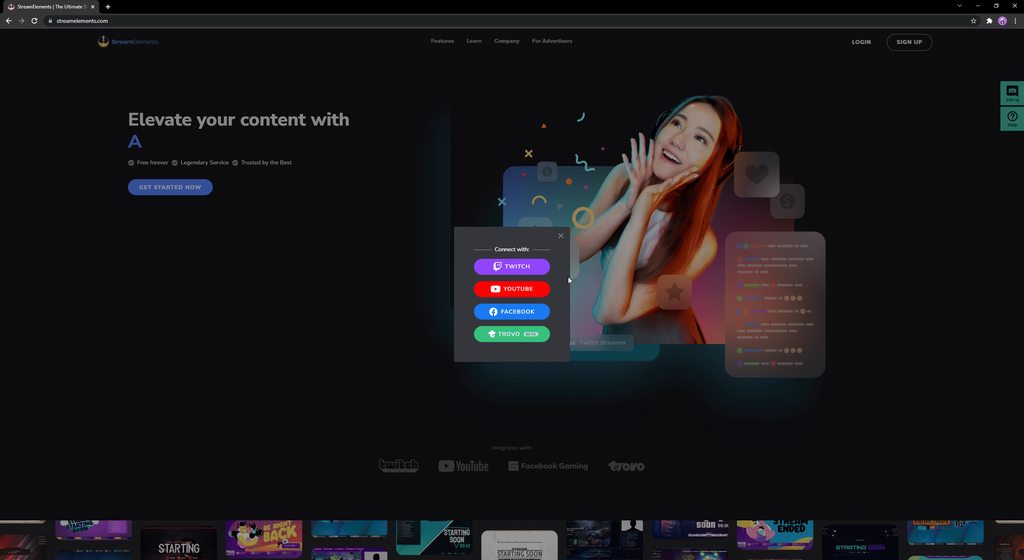
 languid snow
Hi. I'm trying to log into twitch through OBS.Live, however I keep getting this error when I try to authenticate my account, and I can't move forward in transferring from SLOBS to OBS Live. Please help. 🙂 Thank you.

 hollow rapids
hey - i imported my streamlabs alert box and it seemed to all work fine, but only some of my alerts actually work? followers and subs play sound but not the image, yet gifted subs show image and sound?
 solar dew
Okay so I'm trying to import alerts into obs and sound works and the image is there, just so incredibly off center and nothing I do fixes it
 gloomy nymph
CAn anyone give me some help? I switched from win 11 to win 10 and after reinstaling everytthing and as i went to instal OBS and streamelements obs i lost Docks for chat,activity etc and idk how to get it backd
 neat anchor
hollow rapids
hey - i imported my streamlabs alert box and it seemed to all work fine, but onl...
neat anchor
hollow rapids
hey - i imported my streamlabs alert box and it seemed to all work fine, but onl...
Streamlabs or StreamElements alerts?
neat anchor
solar dew
Okay so I'm trying to import alerts into obs and sound works and the image is th...
Are you directly importing alerts or using them via the SE browser link?
 cedar robin
Is there a linux version of the client?
solar dew
neat anchor
Are you directly importing alerts or using them via the SE browser link?
using the browser source link
toxic fern
@cedar robinThere is not.
neat anchor
gloomy nymph
CAn anyone give me some help? I switched from win 11 to win 10 and after reinsta...
You should be able to get them back by going to view > docks
neat anchor
solar dew
using the browser source link
You can edit it in the browser and then make sure to refresh the browser source in OBS as well
 coral tapir
if i get a donation through my new tipping link will the donation pop up on my streamlabs imported alert box?
solar dew
neat anchor
You can edit it in the browser and then make sure to refresh the browser source ...
by editing it in the browser you mean changing size or moving position? Because I've already tried all that
neat anchor
solar dew
by editing it in the browser you mean changing size or moving position? Because ...
Okay, and just to confirm, in OBS you double clicked the source and clicked the refresh cache button?
 gloomy nymph
neat anchor
You should be able to get them back by going to view > docks
gloomy nymph
neat anchor
You should be able to get them back by going to view > docks
NOt there,alreadyy checked
neat anchor
If that still doesn't work, you can manually move and resize in obs by clicking the source and moving it using the red perimeters.
 solar dew
neat anchor
If that still doesn't work, you can manually move and resize in obs by clicking ...
solar dew
neat anchor
If that still doesn't work, you can manually move and resize in obs by clicking ...
neither of those changed anything
when I manually move and scale the image moves with it so its permanently off center, and editing settings on the page does nothing either even after reset
neat anchor
Hmm. Okay-- do you mind sharing some screenshots?
neat anchor
gloomy nymph
NOt there,alreadyy checked
Alright try the top menu > streamelements > obs.live docks and they should be there
coral tapir
my tiltify donation animation is the only thing not working? how do i fix
toxic fern
Do you have a campaign chosen in the alertbox settings?
toxic fern
select the widget and then choose settings.
toxic fern
You wanna set it here https://streamelements.is-serious.business/4owMN54.jpg
 coral tapir
but if i imported should it already be there or do i have to make seperate alert box
coral tapir
oh okay so i have to have a seperate alertbox just for tiltify?
toxic fern
You can just add it to the imported overlay.
coral tapir
i put it the same overlay its just gonna be weird if two alerts go off at the same time
toxic fern
Click the layers list like my screenshot above and screenshot that.
coral tapir
 toxic fern
And is the top one just the usual platform specific one?
coral tapir
toxic fern
And is the top one just the usual platform specific one?
the top is just tips,follows.subs etc but theres no option for tiltify alerts in there
toxic fern
Then you're perfectly fine then.
coral tapir
yeah but usually i keep all of them in one alertbox so theres not multiple alerts going off
toxic fern
They won't do it like that.
coral tapir
okay thanks
 alpine atlas
can someone help me reset up my elaments? i have my alerts but they wont show in my obs
coral tapir
do you have the alert box link in obs?
alpine atlas
yes but its not showing the alert
 kind solstice
Hello, a few months ago , my alerts became very unresponsive , its about 25% of the time the actually work , usually i have to go over to obs and hit the refresh button on the browser source and then refresh the alert its self , I have remade my alerts 4-5 times ,they mioght work proper for a day at most , I've reconnected obs to streamelements a few times as well , I have changed nothing from how it was when it worked for months ,anyone have any tips or experience this before ? its really really takings its toll , cause I miss alerts and make bad 1st impressions and i just feel like im bad when it doesnt work proper . TY for any and all responses !
coral tapir
alpine atlas
yes but its not showing the alert
did you hit the test button in the editor see if it works
 supple ferry
Hey I am trying to start my stream and OBS.Live says I am Live but I am still offline on Twitch. I tried to change the Canvas and reconnect my account, but nothing. changed any ideas what. to do?
 hallow sail
the help page for custom bot names says that if I want to get the setting in Ground Control i have to reach out to the discord, so I guess this is me requesting that?
coral tapir
is there a command variable that lets me target a user and also have the person sending the command in the same response and how do i get my loyalty system to convert to elements from labs
dapper iglooBOT
@kind solstice ⤵️
OBS > Settings > Advanced > Scroll down > Enable or disable Browser Source Hardware Acceleration, depending on its current state > Restart OBS
https://i.imgur.com/ggMe9ZE.png
@supple ferry ⤵️
StreamElements menu, on top of OBS > Logout > Login
@hallow sail ⤵️
Please provide your account ID found at the top of this page: https://streamelements.com/dashboard/account/channels This ID is public info and safe to share here.
hallow sail
dapper igloo
<@90940715076423680> ⤵️
5b4a90787d6d11497fbf03a5
ocean rivet
coral tapir
is there a command variable that lets me target a user and also have the person...
for the target = {1}
for the user = {user}
ocean rivet
hallow sail
5b4a90787d6d11497fbf03a5
your custom bot option should be visible after restarting the app
hallow sail
thanks!
hallow sail
ocean rivet
your custom bot option should be visible after restarting the app
emm, nope, not there
oh wait, wrong place!
got it!
 wild osprey
how do i get the (iso follower or streamer account) to work. in chat commands
coral tapir
ocean rivet
for the target = {1}
for the user = {user}
didnt work
 candid pagoda
Hiya I'd like to enable the option to use a custom bot name on Ground Control please is this the right place to ask?
EDIT: Just seen Kyria's post for the same thing above here's my account ID: 5e128a2d3cac7b385560d41a
 vale hatch
Help the bot does not write in the chat when someone writes a command like !pc or when someone follows or sends me some money the bot does not write in the chat i tried to disconnect and reconnect the bot didnt helped
 tough stag
OBS wont let me game capture, I just reinstalled the whole thing, still doesn't work, neither in administration
 alpine tapir
OBS will not let me go live, it does not give me a chance to change my stream key either?
also wouldn't work IRL?
 hushed sail
Hello everyone, im having a bit of trouble if anyone can help me out. im adding my overlays to my obs.live browser and selected my texts to scroll on streamelements, but when it goes to obs.live it doesnt scroll...anyone know what thats about?
oh, nvm, they're scrolling now
 bronze lance
does anyone know how to import a overlay i made on the editor into my actual obs?
kindred fox
vale hatch
Help the bot does not write in the chat when someone writes a command like !pc o...
Make sure the bot is a moderator in your channel
dapper iglooBOT
@bronze lance ⤵️
To add your overlays to OBS, add a new browser source in your scene. Paste your overlay URL in the browser source properties, set the dimensions to 1920x1080 (unless you changed them on the website) and check Shutdown source when not visible. https://youtu.be/KDvLynUqXI4
 jolly juniper
I'm facing issues with TTS. Even in the web builder I'm not able to trigger it even after verifying all variations of an event in question have TTS enabled.
 fickle wind
Hey, I got a question that's probably been answered. I've saved a layout I like on the streamelements website. Now how do I get it into OBS/OBS.live?
dapper iglooBOT
@fickle wind ⤵️
To add your overlays to OBS, add a new browser source in your scene. Paste your overlay URL in the browser source properties, set the dimensions to 1920x1080 (unless you changed them on the website) and check Shutdown source when not visible. https://youtu.be/KDvLynUqXI4
fickle wind
So I can't just download a scene file and edit it in obs?
 lusty kernel
when i signed in today my chat was not on there. How do i get itback
kindred fox
fickle wind
So I can't just download a scene file and edit it in obs?
No. Overlays can be edited via the online editor. If you purchased a custom design from an artist commission you can edit those locally.
kindred fox
lusty kernel
when i signed in today my chat was not on there. How do i get itback
View > obs.live docks > chat
lusty kernel
Thank you! I tried that and it wouldnt let me do it before so i reset and it let me do it
 frozen adder
Is there an easy way to copy a group of elements from one scene so that I can paste them into another?
 dull adder
Hello! I hope this is the right spot to ask this. I'm having trouble with the StreamElements Activity Feed not refreshing or showing new follows/raids/hosts etc. I've tried refreshing the cache of the Activity Log link and signing out and signing back in with Twitch. But the Activity Feed won't update
rocky lake
quick atlas
Sounds great!
Wasn't sure if I should reply to this message from yesterday or not but I'm still having the same issue with the alertbox as I was yesterday. Some alerts still don't go through to OBS and don't pop up while I'm streaming. I actually have timestamps from my stream when some alerts didn't go off at all. To clarify too, alerts aren't delayed showing up, they just don't show up at all and won't pop up any time after they happen sometimes.
ocean rivet
frozen adder
Is there an easy way to copy a group of elements from one scene so that I can pa...
you can group layers in the overlay editor and then copy the entire group into a different overlay if thats what you mean
dapper iglooBOT
@dull adder ⤵️
Please provide your account ID found at the top of this page: https://streamelements.com/dashboard/account/channels This ID is public info and safe to share here.
ocean rivet
rocky lake
Wasn't sure if I should reply to this message from yesterday or not but I'm stil...
are you not seeing any alerts at all?
dapper iglooBOT
@frozen adder ⤵️
To duplicate or copy your widget to a new or existing overlay, select the widget and use the Duplicate button. https://imgur.com/a/Ng4uhRU
rocky lake
ocean rivet
are you not seeing any alerts at all?
Some alerts do go through but randomly some alerts won't. There were some that worked fine today but others that just never went through to my actual stream at all.
It's the same issue with the "emulate" button as well. Sometimes they go through to OBS, other times it doesn't. A few friends of mine have been swapping over to StreamElements and they haven't had any issues like this but I just can't seem to get this to work properly.
ocean rivet
rocky lake
Some alerts do go through but randomly some alerts won't. There were some that w...
some do and some don't from the same event type?
oh, but you see them all in your activity feed?
rocky lake
ocean rivet
some do and some don't from the same event type?
If it's the same event it will sometimes work and sometimes not. As an example, someone today gave 100 bits and it didn't work, someone gave bits right after and the second one worked. I also have the setting where all alerts should be showing for cheers regardless of the amount. There was also a few follows and a gift sub that didn't go through either today.
I do see all of them in the activity feed, some are delayed a bit on the feed but still don't show up on the alertbox. There's also a minor thing that the bits cheer number doesn't show up in my Twitch chatbox but that's a very minor issue compared to the alertbox problem I'm having right now.
I've tried this with an imported alertbox from Streamlabs and a brand new one that I made and edited myself. Outside of some font differences both of them have the same issue
ocean rivet
rocky lake
If it's the same event it will sometimes work and sometimes not. As an example, ...
give this a try:
dapper iglooBOT
@rocky lake ⤵️
OBS > Settings > Advanced > Scroll down > Enable or disable Browser Source Hardware Acceleration, depending on its current state > Restart OBS
https://i.imgur.com/ggMe9ZE.png
rocky lake
ocean rivet
give this a try:
I have tried that on and off. With either way it didn't seem to make a difference
 hasty ibex
Hi! I can't figure out if I'm missing something but every time I try to upload my sound clips for alerts it says "supported formats are xyz" my clips are all .ogg which are listed as supported but it simply wont work
ocean rivet
rocky lake
I have tried that on and off. With either way it didn't seem to make a differenc...
if they are showing up in your activity feed you're indeed receiving them, try replaying or emulating a few alerts and see if they show up in the overlay editor or in a new tab instead of OBS, also have OBS opened at the same time to compare
ocean rivet
hasty ibex
Hi! I can't figure out if I'm missing something but every time I try to upload m...
are you using chrome?
ocean rivet
try using chrome, we've seen that issue happen with other browsers (firefox for example)
dull adder
dapper igloo
<@142798608800940033> ⤵️
Here's my ID: 5d814f2c12dc411ffcc4bfda
ocean rivet
our website and overlay editor is optimized for chrome, some features might not work properly in other browsers
hasty ibex
Thats a pity
Chrome is a resource hog and I have a great dislike of it :/
Ah well thanks anyway
rocky lake
ocean rivet
if they are showing up in your activity feed you're indeed receiving them, try r...
I've done that a few times right now and it works for a few alerts and then just stops sending to OBS after a few of them. They almost always show up in the editor when I try to emulate but like I said after a few it just stops sending to OBS. I do have "Preview LIVE on Stream" checked as well since I know that's what allows it to show up on OBS in the first place. It's about 3 or 4 alerts before it stops sending them to OBS. I wait a little bit of time and then it'll work for a few more, stop, etc.
Right now I'm actually doing a few more alerts and the Cup is working for what icon drops in it but the alert itself isn't going through.
ocean rivet
rocky lake
I've done that a few times right now and it works for a few alerts and then just...
not sure what the issue could be, usually missing alerts from obs is fixed by the hardware acceleration setting, so I don't know what else could be blocking your alerts from appearing in OBS
rocky lake
ocean rivet
not sure what the issue could be, usually missing alerts from obs is fixed by th...
Well I'll keep trying to see if it works or not a few more times. Appreciate the quick responses.
 north talon
can streamelements chatbot talk to obs websocket?
ocean rivet
north talon
can streamelements chatbot talk to obs websocket?
I suggest asking this in #dev-chat to see if there are any methods
kindred fox
north talon
can streamelements chatbot talk to obs websocket?
Sort of…
north talon
kindred fox
Sort of…
how? i want my mods to be able to change scene. and viewers to change camera angle
kindred fox
north talon
how? i want my mods to be able to change scene. and viewers to change camera ang...
I believe there’s a plug-in on the obsproject.com site that has that capability.
I believe there may also be a way to do it with Triggerfyre…..but don’t quote me on that. I haven’t quite experimented with websocket enough
kindred fox
north talon
how? i want my mods to be able to change scene. and viewers to change camera ang...
Triggerfyre does do it

and you can set it to use Twitch Channel Points if you want 😄
tardy solar
tardy solar
Hey, I'm switching from SLOBS to OBS.live and am trying to use the in-app import...
Any help with this?
north talon
kindred fox
Triggerfyre does do it
okey will check it out ty
 frank herald
not sure if my questions belong here or not, but is there a way to test out credits widget to see what it looks like? Also I am moving over from SLOBS, is there any program I can use for a chatbot? (or can I rename the streamelements bot at all)
kindred fox
frank herald
not sure if my questions belong here or not, but is there a way to test out cred...
unsure about testing the widget, but custom bot name does exist within obs.live
frank herald
Any programs you may recommend similar to the streamlabs chatbot? I have a bunch of commands/sfx commands that I want to be able to use, wasn't sure if I can just do that with the streamelements bot
kindred fox
I believe you can do 99% of them
 kindred fox
 topaz mirage
the chat and event list is missing
topaz mirage
the chat and event list is missing
streamelements menu > OBS.Live Docks > Chat/Activity Feed
topaz mirage
do you mind if you send me a screen shot?
the menuing is different then when I last used it


 tame fulcrum
hi, so im not sure if im posting this in the right chat but this is my first time using streamelements and obslive and i tried setting up a chatbox widget thing, i added it as a browser source and whatnot, but when I try sending a message nothing shows up
ocean rivet
tame fulcrum
hi, so im not sure if im posting this in the right chat but this is my first tim...
make sure the overlay is added as a 1920x1080 browser source in obs
tame fulcrum
ah thank you so much! that did it :)
topaz mirage
thank you so much
 dusty sleet
Is there a way to add any other source for tips instead of paypal?
dapper iglooBOT
@dusty sleet ⤵️
SE.PAY is available for streamers who are at least 18 years old, with bank account under their name in one of the following countries, and have at least 101 followers (Twitch) / 101 subscribers (YouTube):
Austria, Belgium, Czech Republic, Denmark, Finland, France, Germany, Ireland, Italy, Netherlands, Poland, Portugal, Slovakia, Spain, Sweden, Switzerland, United Kingdom, United States.
If you meet these criteria and don’t see SE.Pay, let us know.
For information on SE.Pay payment methods, their fees, and settlement times see https://streamelements.com/dashboard/tipping/fees
 eager kiln
could anyone help me set up my overlays? just made the switch from slobs to obslive and im having a hard time trying to figure everything out
dapper iglooBOT
@eager kiln ⤵️
Check out this playlist https://youtube.com/playlist?list=PLCDDKlFdScbEwdx5AntcQIS1InkFJwHtv with tutorial videos from setting up the basics to in-depth details on how to use our product.
New to OBS? Here is a 4 step quick start guide https://obsproject.com/wiki/OBS-Studio-Quickstart
Want to learn even more? Here is an in-depth overview https://obsproject.com/wiki/OBS-Studio-Overview
 normal spindle
Entered this in the wrong chat. My bad. Posting it here
This is probably gonna be a silly question as i'm sure it has been answered a lot.
Whenever I go attempt to go live, OBS freezes.
I have my YT stream Key entered in OBS but still nothing. Stays on "Stream Start Requested"
Any clues on why? Thanks in advance!
 ember dirge
My recordings are stuttering even though my streams aren't. Anyone know why that may be?
 empty nexus
Does anyone know why OBS cannot capture any window?
 fervent ocean
Soo, i have the SE plugin for OBS, SE.live . . and i'm trying to connect a second account as bot.
I click on "connect custom bot account", log in with my second account, but i cant select the name from the "current bot name" options.
Any idea why?
dapper iglooBOT
@fervent ocean ⤵️
If your commands recently stopped working and you're using OBS.Live and a custom bot name do the following:
- In OBS.Live, click on the hamburger menu (three stripes) at the top left of your activity feed
- Click on Stream Settings > Custom bot name
- In the Custom bot name field select Set custom bot name, not your already existing username (with capital letters). Note: If you already connected an account that way, the third entry will show as the account name (see image https://i.imgur.com/re4theQ.png).
- Scroll a bit down and click on the purple Connect Custom Bot Account button
- Log in as usual and Authorize the custom bot name
- Back in the Activity feed, click on the Send Test Message button and check if your custom bot name starts working again
fervent ocean
^ i did that, but my bot name is not in the list >.<
To give a little further info.
In the bot name menu i have (StreamElements - Change to Xironium -Set custom bot name)
I go down, click "connect custom bot account", a menu opens, i log in with my bot name, it said it connected properly.
Connect custom bot account button doesnt change . . . bot name menu doesnt change neither.
 distant breach
are you using Twitch @fervent ocean ?
fervent ocean
yes i am
distant breach
have you had a custom bot in the past?
... just need to check if maybe try again with the other option (the 3rd one in the list)
or go to the advanced step
fervent ocean
I had one a few years ago
dapper iglooBOT
- Right-click your OBS desktop shortcut (not the OBS.Live shortcut) and navigate to Properties
- In the Target field, add the following to the very end:
--remote-debugging-port=40404(don't forget to add a space before the current path)
https://streamelements.is-serious.business/6ihr2EL.jpg - Open OBS (or restart if it was open)
- Open your web browser and type in:
localhost:40404(try127.0.0.1:40404if you see issues - https://streamelements.is-serious.business/3EGPQFJ.jpg) - Click on StreamElements - Activity feed - https://streamelements.is-serious.business/2kJYt2b.jpg
- Type the following into the console and hit enter:
store.customBot.removeCustomBotIntegration() - Try setting the custom bot name, make sure you follow https://strms.net/custombotname
- Remove the flag added in step 2 from your shortcut properties
distant breach
this will fix it like 99% of the time; but not as 'user friendly' 🙂
fervent ocean
Hmm, right click, properties, add step 2 to the end of the target field, get error . . . it's not valid? O_O
distant breach
should be something like "C:\Program Files (x86)\obs-studio\bin\64bit\obs64.exe" --remote-debugging-port=8469
i use a random port at the end
fervent ocean
Hmm, step 6 kinda freaked me out, as it cleared the whole console thing.
Anyway, rebooted obs, select custom, log in, login worked, still no name in the drop down menu 😦
I'll try removing .live and re-installing it tonight.
Just weird that i did the exact thing a few years ago without a problem >.<
 latent blaze
What happened to OBS.live ? (The domain)
toxic fern
Known "issue".
distant breach
fervent ocean
I'll try removing .live and re-installing it tonight.
Just weird that i did the ...
did you try sending a test message? and did that work?
fervent ocean
test msg worked on SL, not on my streamer name
distant breach
how do you mean on "SL"?
toxic fern
This is more of an "about" page rather than descriptive stuff.
latent blaze
toxic fern
This is more of an "about" page rather than descriptive stuff.
Thanks. Appreciate you.
distant breach
fervent ocean
srry, still used to SL -_-
oh; hahah no worries; did it send the message as "SL" or as "SE" to chat?
fervent ocean
as SE . . . . here's a screenshot btw, my bot name never appears

 pseudo mirage
How do I import my scenes and overlays from StreamLabs/OBS Studio to StreamElements?
steel hedge
you shouldn't need to from OBS studio but if you just go to scene collection -> import and let it look in the usual places it should find them
distant breach
fervent ocean
as SE . . . . here's a screenshot btw, my bot name never appears
hmmm.... if you change it to your name in middle will it post as you?
pseudo mirage
I don't want to import into OBS Studio but online to StreamElements
toxic fern
fervent ocean
distant breach
hmmm.... if you change it to your name in middle will it post as you?
nope, only posts a "reporting for duty" as StreamElements
pseudo mirage
I need chrome for that? why not Firefox?
steel hedge
on the subject of doing things in StreamElements, is it possible to use StreamElements' loyalty system to let viewers play videos etc. through the alertbox or another overlay system? You can do this in SLOBS (in theory) but as near as I can tell SE only allows sound effects?
fervent ocean
i'll try more tonight, i'm bout to run late for work, tnx for the suggested help @distant breach , appriciate it 🙂
distant breach
fervent ocean
i'll try more tonight, i'm bout to run late for work, tnx for the suggested help...
have a good one. please post back if you figure it out or get stuck. (i'll probably be sleeping or working though) but someone will get an answer!
distant breach
steel hedge
on the subject of doing things in StreamElements, is it possible to use StreamEl...
Depends on your platform; you can on Twitch (and if you have more questions please switch over to #helpdesk-twitch) but yup using the loyalty store.
steel hedge
I'll go bug help-twitch about it then
distant breach
pseudo mirage
I need chrome for that? why not Firefox?
Firefox is not a "chromium" based browser; you can try in Edge if you use Windows
pseudo mirage
I use Firefox cause out of all those it is most secure cause it got NoScript and Adblock
distant breach
gottcha; the NoScript will probably stop this tool outright (which it should) as it's trying to convert your SL info in SE info.
pseudo mirage
well I allowed all scripts on the page... I'm not understanding it. Even if I make a new Overlay, how does it even work with the different scenes?
Do I need to Import back to OBS Studio?
All I want is OBS Studio to have the same functions as StreamLabs (like simply testing out AlertBoxes) and I thought StreamElements could help me with it.
but maybe that's not what the programme is about?
distant breach
the testing is done on the Website editor @pseudo mirage;
...i'm a newb with OBS overall and have never used SLOBS so, i don't know how the testing is used there.
pseudo mirage
thank you... I'm sorry if I sound a bit difficult.... I'm just frustrated, cause I don't seem to be able to get things to work as I want them to
distant breach
pseudo mirage
thank you... I'm sorry if I sound a bit difficult.... I'm just frustrated, cause...
no problem. i wish i could give you a better answer but i'm not good with either normal OBS or the SLOBS. moving the cloud (website stuff) would be the "import" link above. but the user experience and how SLOBs is different from normal OBS i can't answer.
jolly juniper
ocean rivet
try using chrome, we've seen that issue happen with other browsers (firefox for ...
Is using Edge okay? Or is it super duper chrome only?
Chromium based, is what I’m wondering
distant breach
jolly juniper
Is using Edge okay? Or is it super duper chrome only?
Edge 'should' work.
jolly juniper
I’ve been having TTS issues. I’ve activated it, but it’s not playing. Maybe I’ll try chrome in case.
distant breach
jolly juniper
I’ve been having TTS issues. I’ve activated it, but it’s not playing. Maybe I’ll...
step 1 is to verify it is working correctly in the website editor; then import into OBS; and 99% of the time if works on the website it'll work in OBS.
jolly juniper
It’s not working in the website, I even tested Amazon pollly through another service, and it’s not running right either.
distant breach
are you using a custom TTS or one of the built in voices?
jolly juniper
I was using “Brian”
Test with the defaults, y’know ^^
Emulating the cheer events wasn’t prompting TTS to play, I had all variations set to “TTS activated” including the main cheer category
distant breach
did you try in Edge as well?
jolly juniper
I did yeah, that’s my main browser. I’ll have to download chrome
distant breach
ya; if could try that.
jolly juniper
I’ll give that a shot later on and report back! o7
 covert root
dapper igloo
covert root
dapper igloo
So I've never done any sort of dev things
And I screwed it up and typed the bit that was supposed to go into the console into the mini address bar thing that pops up under the actual address bar?
And now I get a notice that says "Oops! We were unable to reach StreamElements servers"
I didn't save the line that was in there before...
Can someone maybe tell me what the original text was?
distant breach
close your browser @covert root and start back at step 4
distant breach
no problem 🙂
 mental minnow
first issue fixed itself, though i also have an issue where i can't preview my overlays in my browser, i'm just met with a white page. i've tried it incognito without extensions and the same thing happens.
 sage lion
Hi , i need help here , if anyone know how to fix this .
I can login with Youtube and etc , but not with facebook .
I thought it was my connection bugging , but i tried using hotspot (another provider) still same result .
I tried re-install too , still not working . Please anyone know how to fix this ?

 languid meteor
sage lion
Hi , i need help here , if anyone know how to fix this .
I can login with Youtu...
languid meteor
sage lion
Hi , i need help here , if anyone know how to fix this .
I can login with Youtu...
i have the same problem with this and still looking for answer
jolly juniper
distant breach
ya; if could try that.
It worked in chrome. It seems Edge never sent the "check mark" if you will, to StreamElements servers. Chrome showed all the ones I had checked off as unchecked.
Everything that wasn't working is now working. 😠 I guess I'm a chromeboy now.
alpine sundial
is the custom bot broken?
alpine sundial
fervent ocean
as SE . . . . here's a screenshot btw, my bot name never appears
did you fix that? im having the same issue just now
dapper iglooBOT
@alpine sundial ⤵️
If your commands recently stopped working and you're using OBS.Live and a custom bot name do the following:
- In OBS.Live, click on the hamburger menu (three stripes) at the top left of your activity feed
- Click on Stream Settings > Custom bot name
- In the Custom bot name field select Set custom bot name, not your already existing username (with capital letters). Note: If you already connected an account that way, the third entry will show as the account name (see image https://i.imgur.com/re4theQ.png).
- Scroll a bit down and click on the purple Connect Custom Bot Account button
- Log in as usual and Authorize the custom bot name
- Back in the Activity feed, click on the Send Test Message button and check if your custom bot name starts working again
alpine sundial
so i connect custom bot account it doesnt show up in the custom bot name drop down, send test message doesnt unlock and its even not triggering email verification or accepting 2fa apps. i was able to get it to log in via a text code but it seems like something is messed up
dapper iglooBOT
- Right-click your OBS desktop shortcut (not the OBS.Live shortcut) and navigate to Properties
- In the Target field, add the following to the very end:
--remote-debugging-port=40404(don't forget to add a space before the current path)
https://streamelements.is-serious.business/6ihr2EL.jpg - Open OBS (or restart if it was open)
- Open your web browser and type in:
localhost:40404(try127.0.0.1:40404if you see issues - https://streamelements.is-serious.business/3EGPQFJ.jpg) - Click on StreamElements - Activity feed - https://streamelements.is-serious.business/2kJYt2b.jpg
- Type the following into the console and hit enter:
store.customBot.removeCustomBotIntegration() - Try setting the custom bot name, make sure you follow https://strms.net/custombotname
- Remove the flag added in step 2 from your shortcut properties
 sharp pumice
hello ! my text to speech isnt working and it is turned on and volume is ok, if i test it it also appears in my OBS but if someone subs it isnt playing
 sinful gazelle
not getting the popup to go live on facebook?
 wraith aurora
Hello! I'm not sure if this is the right place to post this. I'm trying to add a custom Donation goal widget - I have HTML, CSS, and JS files for it. I'm having trouble with it actually showing up though. I add custom widget - add in the HTML and CSS - and the animation for it shows up, but it doesn't actually link to Donations
Similarly, I'm trying to add a custom chat animation, which I can't figure out how to do at all. I have an HTML and CSS file. Thanks for any help!
kindred fox
wraith aurora
Hello! I'm not sure if this is the right place to post this. I'm trying to add a...
#dev-chat would be the best place for assistance with this
void zodiac
Hi. For days I can press the Save button with new song request playlist but no reaction, it does not save here. I always have to go to the dashboard on the SE homepage. Is it a bug?
 wraith aurora
kindred fox
<#259680142459142144> would be the best place for assistance with this
wraith aurora
kindred fox
<#259680142459142144> would be the best place for assistance with this
Thanks (:
 solar rock
hi guys
does anyone know what could be the problem if you can emulate and see the alerts in obs, but when it comes to the real alerts, only the sound is played, but the alert does not pop up in the screen
in facebook stream
 fluid bay
Hii, How can I change the streamelements Account in obs live on the Activity stream? because I want to stream on a different Twitch account than my regular one.
dapper iglooBOT
@fluid bay ⤵️
StreamElements menu, on top of OBS > Logout > Login
fluid bay
Okay thanks
 north swallow
Hi, I just started using SE recently and have my alerts all setup there. However this morning I'm finding that they aren't showing up in OBS even though I have the correct overlay Browser source entered. None of my tests are showing up in OBS. How can I fix this?
dapper iglooBOT
@north swallow ⤵️
OBS > Settings > Advanced > Scroll down > Enable or disable Browser Source Hardware Acceleration, depending on its current state > Restart OBS
https://i.imgur.com/ggMe9ZE.png
north swallow
dapper igloo
<@377325782336405504> ⤵️
Thanks for the quick response. However it seems the fix I needed was to just logout of StreamElements' website and the log back in. But I'll be sure to keep this information in mind if this happens again and logging in and out doesn't fix it.
bitter steeple
i closed my stream elements alert box in OBS and cant find it anymore any help?
north swallow
bitter steeple
i closed my stream elements alert box in OBS and cant find it anymore any help?
if it was one of the last actions you took you might be able to use "ctrl+z" to undo that action. It may not work but It's worth a shot at least.