#helpdesk-selive
1 messages · Page 207 of 1
 ocean rivet
 knotty quarry
yeah i just read that in youtube help, my bad, sorry. Thanks for the help though:)
 tall inlet
The same problem continues ....
Apparently there will be no way to solve it, but I'm just remembering.
 wary fjord
Hi everyone. Yesterday on live I saw that the bot is not working now in OBS.Live I do not have this hamburger option in the activity feed is anyone able to help with this ??
 finite bramble
HI all 🙂 I have problem with set 2 webcam on OBS Studio. When i add webcam 1 and try add webcam 2 i not see any video insight.
 rugged quail
wary fjord
Hi everyone. Yesterday on live I saw that the bot is not working now in OBS.Live...
rugged quail
wary fjord
Hi everyone. Yesterday on live I saw that the bot is not working now in OBS.Live...
can you send a screenshot?
rugged quail
finite bramble
HI all 🙂 I have problem with set 2 webcam on OBS Studio. When i add webcam 1 an...
I'd recommend reaching out to OBS support for this kind of setup
 full thunderBOT
Obs.live is a plugin for OBS Studio for the best OBS support, please join their Official Discord @ discord.gg/obsproject
 slender wharf
I had a question about importing streamlabs items to the streamelement obs. When i want to import i asks me to login streamlabs. So i use my google account but when i type in my username it will say that the browser isnt save so i cant login. But there is no specific browser since obs will open a login
 vast wren
slender wharf
I had a question about importing streamlabs items to the streamelement obs. When...
vast wren
slender wharf
I had a question about importing streamlabs items to the streamelement obs. When...
try opening a browser as incognito
slender wharf
I cant. When i go to obs and press import it wil open a login within obs. And there is no browser

Its says: browser or app is possible not safe

 toxic fern
@slender wharf are you trying to import scenes/sources or just the alertbox?
slender wharf
Both
 stray igloo
does anyone know how to add media request to my obs? it used to be there but its gone for some reason
 sharp turret
stray igloo
does anyone know how to add media request to my obs? it used to be there but its...
sharp turret
stray igloo
does anyone know how to add media request to my obs? it used to be there but its...
media request dock?
 sharp turret
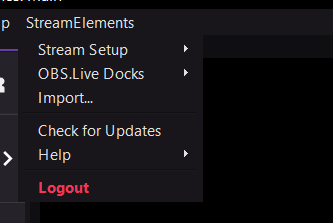
StreamElements menu, on top of OBS > OBS.Live Docks > Media request
 stray igloo
oh my bad

for some reason I remembered it being in the tools secion
sections*
Ty for the help @sharp turret 
sharp turret
You're welcome! 
 rotund swallow
I forgot how to share my overlay link
I want to share a overlay i have, but not just the image
The link so someone can enter and coppy parts of my overlay onto one of their own
full thunderBOT
@rotund swallow "Follow these steps to grant managers/moderators access to your dashboard:
- Click on your channel name at the top of the dashboard
- Create a new invite at one of three access levels (Bot Supervisor, Editor, Full Control)
- Send this invite to a mod/manager to give them access to your dashboard. The link is one-time-use and expires after 72 hours if not accepted
Video tutorial: https://youtu.be/zl_h-ttZDF0"
toxic fern
Editor.
rotund swallow
Thanks ❤️ ❤️ ❤️
 paper spruce
Hello im new to using stream elements obs so i just got a elgato capture hd60s with the chat link cable i hooked up my ps4 headset to the ps4 controller and im trying to figure out how to get the game audio and chat audio into my obs so my stream can hear it
full thunderBOT
@paper spruce If you are having issues with Elgato hardware or software, we recommend reaching out to their support here: https://e.lga.to/help
paper spruce
Im not having issues with the elgato everything is working fine im on the streamelements obs side of it now
toxic fern
In that case
full thunderBOT
Obs.live is a plugin for OBS Studio for the best OBS support, please join their Official Discord @ discord.gg/obsproject
 wary dew
Nah, the chat link issue is so annoying. Better to ask Elgato
I had so many issues with it that I just bought a Blue Yeti for chat besides my full XLR setup
toxic fern
@vast cosmos there is not. Catalina is oldest usable version.
 vast cosmos
Ugh ok
 visual spruce
Why my alerts is invisible?
 near ocean
i finally make my stream element alert show but there its no audio on them
full thunderBOT
@near ocean If you are not hearing your alerts and/or Media Request, you are most likely using the Control Audio via OBS option in your browser source properties.
To make sure you hear the alerts and the stream also hears them, follow along the screenshot bellow.
https://cdn.discordapp.com/attachments/199460642975907840/685371800456134686/unknown.png
 near ocean
how do i make the alerts from streamelements play automatically
 nova scaffold
near ocean
how do i make the alerts from streamelements play automatically
nova scaffold
near ocean
how do i make the alerts from streamelements play automatically
Alerts are played automatically by default.
near ocean
that's what i though but they were not doing it with streamlabs alerts i change to streamelements today i hope they do
thank you @nova scaffold
nova scaffold
near ocean
that's what i though but they were not doing it with streamlabs alerts i change ...
Unless they are paused, alerts will play automatically. And make sure you do not activate tip moderation approval - this will put alerts on hold aswell.
near ocean
going to check that now thank you so much..!! i only have 2 weeks streaming and learn everything on videos on youtube haha
nova scaffold
near ocean
going to check that now thank you so much..!! i only have 2 weeks streaming and ...
Sounds good. If you have something specific, come to us, we doublecheck 🙂
near ocean
Thank you..!!
 full nymph

Trying to instal the update but gives me error on microsoft visual c++ reinstalled
But no succes
Why do I always have bugs when obs live has a update hahaha lol
nova scaffold
full nymph
Trying to instal the update but gives me error on microsoft visual c++ reinstall...
Hi. We are checking that now, give me some time
 tall thorn
does anyone know how to optimise apex for obs?
i got a 3700x and 2060 and sill lags on stream 😦
 steel mural
Make sure neither your CPU nor GPU are running at 100% or close to that.
Start OBS as admin
Enable VSync in your game's settings
If you have a 144hz Display, set it to 120Hz because 2*60Hz (Streams FPS)=120
If you have multiple displays, make sure they're all the same refreshrate.
tall thorn
looks like alot of my media files and other stuff was running in the backround of obs when i wasn't in the same scene as it
looks like it was the problem
steel mural
Media Files are always on when you don't disable them in their properties.
 swift sedge
my alerts from mixitup chat don't work on streamelements anymore
swift sedge
makes sense
 vale raven
hmmm
why do i get a blackscreen when trying to stream cs go
in obs studio
it worked the last few days but today somehow not anymore
nova scaffold
vale raven
why do i get a blackscreen when trying to stream cs go
Try the anticheat hook in the game capture settings.
Might help
vale raven
nova scaffold
Try the anticheat hook in the game capture settings.
im using display capture
nova scaffold
Display capture should always work
nova scaffold
Check drivers etc. Not sure what causes display capture to fail
nova scaffold
on laptops that is caused by the 2nd GPU
on a desktop with a single GPU that should never happen
nova scaffold
one second
vale raven
i had to make an update in geforce experience rn lemme look might ve helped
nova scaffold
vale raven
i had to make an update in geforce experience rn lemme look might ve helped
https://obsproject.com/forum/threads/laptop-black-screen-when-capturing-read-here-first.5965/
That might help
OBS Forums
Depending on your Windows version and what sources you wish to use, you may need to set OBS to run on a specific GPU. Not sure which Windows version you have? Press Windows+R and run "winver".
For Windows 10 1909 or newer:
Open Settings and search for "Graphics Settings". Select "Classic App"...
vale raven
nova scaffold
https://obsproject.com/forum/threads/laptop-black-screen-when-capturing-read-her...
kk thx !
full nymph
@nova scaffold found the fix?
nova scaffold
full nymph
<@!149255081194160129> found the fix?
The fix for now would be to install the missing parts from Microsoft directly
since the installer failed to provide those
You need the microsoft visual c++ 2019 runtime library directly from Microsoft
 versed monolith
hi! in my alerts, it seems to make the names of subs/bits cheers etc lowercase?
 molten crescent
Hello, I switched to the beta build in a menu on OBS and now I can't seem to find how to switch back and when I launch OBS it fails to do the beta update so it's not even on the beta build I'm really confused.
 craggy niche
This doesn’t really doesnt have to do with ObsLive but more of the streamelements dashboard online. When I go into my overlays. I have a bunch of them that are custom made. It can be very stressful at times with how disorganized everything is. Is there a way to create a new category and sort my overlays
nova scaffold
molten crescent
Hello, I switched to the beta build in a menu on OBS and now I can't seem to fin...
Top Menu - StreamElements - OBS.Live Versions - switch back to "Stable" here
molten crescent
nova scaffold
Top Menu - StreamElements - OBS.Live Versions - switch back to "Stable" here
it's missing I'm gonna try restarting I'm getting a Runtime install error
nova scaffold
craggy niche
This doesn’t really doesnt have to do with ObsLive but more of the streamelement...
Not yet, this was suggested, but currenty we can't sort or organize overlays in groups.
nova scaffold
molten crescent
it's missing I'm gonna try restarting I'm getting a Runtime install error
This is the way to switch back, please install the runtime library and check again
 shy crypt
It wont let me download the obs
nova scaffold
shy crypt
It wont let me download the obs
Got an error for me?
shy crypt
 shy crypt
Ok thank you
nova scaffold
shy crypt
Ok thank you
Meanwhile, can you provide us some additional information? Upload the installer file (you can DM me for that) etc.
molten crescent
nova scaffold
This is the way to switch back, please install the runtime library and check aga...
This is what I'm getting after installing and restarting https://i.imgur.com/7UGh4wE.png

also no build idek how I broke this https://i.imgur.com/mgIFJzp.png
 versed dune
@ocean rivet i put on 40fps and nothing change.
nova scaffold
molten crescent
This is what I'm getting after installing and restarting https://i.imgur.com/7UG...
One dll from Microsoft is missing, the 2019 Visual C++ Redistributable
Want to download one yourself?
molten crescent
I did and restarted my PC :\
nova scaffold
That should be it
This article lists the download links for the latest versions of Visual C++.
We are trying to figure out the issue why that happens
molten crescent
Yep I installed it already
I got a different error code this time though code before was like 3006
I can repair it but it's already installed
nova scaffold
Do you mind a fresh reinstall?
molten crescent
Sure it's just restarting rn after repairing
ya idk it's not doing anything when Uninstalling and repairing did not fix it :\ might just backup my OBS stuff and reinstall that
unless that's what you meant
nova scaffold
Yeah i mean a full clean reinstall of OBS
molten crescent
oh okay sounds good
rugged quail
Hey, today I made a live stream with streamelements alerts (on youtube) The alert didn’t show alerts about the current subscriber :/ I made 110 new subscribers during the live, but no alerts came about them. I made 3 member and I got alert about it. Can you help me what is the problem?
molten crescent
hmmm even after a full reinstall the branch thing is missing how odd
nova scaffold
@manic flume Could you take a look here?
molten crescent
I think I'm fine just the branch is missing I wanted to test the native RTX Voice but it's cool I can wait lool
rugged quail
rugged quail
Hey, today I made a live stream with streamelements alerts (on youtube) The aler...
I hope you can help me 🙂
 wheat falcon
having trouble connecting my custom bot name. I click Connect Custom Bot Account, login and everything, hit authorize, but the custom name doesn't appear
full thunderBOT
@wheat falcon "1) Right click on your OBS desktop shortcut and open the Properties
2) In the Target field, add the following to the very end: --remote-debugging-port=40404 (don't forget to add a space before the current path)
3) Open OBS (or restart if it was open)
4) Open your web browser and type in: localhost:40404
5) Click on StreamElements - Activity feed
6) Navigate to the Console tab
7) Type the following into the console and hit enter: store.customBot.removeCustomBotIntegration()
8) Try setting the custom bot name
9) Remove the additional flag in step 2 from your shortcut properties."
wheat falcon
oh mah gawd
 whole lake
Where should i post this? My overlays keep getting reset completely
wheat falcon
worked! thanks so much! 😄
whole lake
And when I say my overlay is resetting I mean, It'll work for a full stream, maybe even 2, then everything just gets wiped back to nothing. All the images and custom sounds I setup need to be resetup and I have no idea why
 spiral cipher
Hi, when I try to go live, I get the "Failed to connect to sever.. Address not available. You may have tried to bind to an invalid IP address (see Settings > Advanced).
ocean rivet
spiral cipher
Hi, when I try to go live, I get the "Failed to connect to sever.. Address not a...
go to obs settings > advanced and select "default" for bind to ip
full thunderBOT
@whole lake OBS > Settings > Advanced > Scroll down > Enable or disable Browser Source Hardware Acceleration, depending on its current state > Restart OBS
https://i.imgur.com/ggMe9ZE.png
 whole lake
i dont tihnk that was meant for me lol
spiral cipher
@ocean rivet I do not see that option
ocean rivet
spiral cipher
<@!131420870244564992> I do not see that option
its in the network category
 spiral cipher
@ocean rivet it is greyed out and i cannot click anything in that section
ocean rivet
spiral cipher
<@!131420870244564992> it is greyed out and i cannot click anything in that sect...
stop recording, virtual camera, ndi or whatever has your obs active
spiral cipher
ocean rivet
stop recording, virtual camera, ndi or whatever has your obs active
got it finally! thanks!
 prisma ore
hey this should be an easy one for you lot, I somehow lost a section on the dock in OBS Live.
I am looking for the section where you can edit your stream title ect. It used to sit between Scene Transitions and controls and now it has gone walkies. any help would be appreciated . ( I have checked it isn't in my available docks)
 ocean rivet
prisma ore
hey this should be an easy one for you lot, I somehow lost a section on the dock...
ocean rivet
prisma ore
hey this should be an easy one for you lot, I somehow lost a section on the dock...
relog to your twitch account in obs settings > stream
and then go to view > docks > stream information
prisma ore
told you it was easy
ocean rivet

prisma ore
@ocean rivet what a boss! I hadn't even noticed I had been logged out
 lucid harbor
Hey there, can someone help me with an issue I am having with my actual OBS ?
is this the correct area?
 reef rapids
hows it going guys. so im new to STREAM ELEMENTS and i got the setup for my webcam and display of my main screen, but my main screen is just duplicated multiple times and no matter what i do i cant seem to get it to be a single screen.
any ideas?
full thunderBOT
@reef rapids New to StreamElements?
Check out our YouTube channel https://www.youtube.com/c/streamelements/videos
with tutorial videos from setting up the basics, to in-depth details on how to use our product.
New to OBS? Here is a 4 step quick start guide
https://obsproject.com/wiki/OBS-Studio-Quickstart
Want to learn even more? Here is an in-depth overview
https://obsproject.com/wiki/OBS-Studio-Overview
@lucid harbor Obs.live is a plugin for OBS Studio for the best OBS support, please join their Official Discord @ discord.gg/obsproject
 stray onyx
is there a way to custom code text to speech to activate with a prompt by mods only?
 calm otter
so I am trying to make it so only my resubs and new subscribers show up on a bar i have on my overlay. That works fine.. But i want gifted subs to be a different alert however when i emulate gifted subs, even though i remove the variation from this specific alerts layer I added. The gifted subs still shows up on the layer with the removed gifted sub variation. Any idea how i can stop this?
 honest echo
Check all the varations (gifted subs, community subs) save the overlay and try again
calm otter
ok
 twilit flare
Hey Guys, Having a dropped frames issue. If anybody could help me that would be amazing
toxic fern
@twilit flare Join the server the bot linked above.
 tame heron
trying to get started using streamelements can anyone point me in the right direction?
 full thunderBOT
@rugged quail Please ask your question in one helpdesk channel only. A support volunteer or StreamElements staff member will assist you as soon as they are available. Asking in multiple places will only result in confusion, not faster answers. Thank you for your patience.
 gaunt nova
OBS 26.1.1 wont allow me to stream to twitch, after i've disconnected service from Fb live, and connected twitch servers and key
calm otter
soo, my overlays are not looping. Even though the loop on streamelements overlay editor is selected. I have restarted OBS i have reset the overlays and nothing
ocean rivet
gaunt nova
OBS 26.1.1 wont allow me to stream to twitch, after i've disconnected service f...
try connecting your account instead of using the stream key
ocean rivet
calm otter
soo, my overlays are not looping. Even though the loop on streamelements overlay...
is the loop working in the overlay editor?
 worldly grail
Hello, I need help with this, when I click on one of the login options in the first start of obslive the chat and the activity feed appear loading but they are removed instantly, what can i do?


 ocean rivet
worldly grail
Hello, I need help with this, when I click on one of the login options in the fi...
ocean rivet
worldly grail
Hello, I need help with this, when I click on one of the login options in the fi...
you need to sign into your account first
worldly grail
I already did it but the same thing happens
calm otter
@ocean rivet yes its working in the overlay editor
ocean rivet
worldly grail
I already did it but the same thing happens
can you login on the streamelements website?
ocean rivet
calm otter
<@!131420870244564992> yes its working in the overlay editor
try this:
full thunderBOT
OBS > Settings > Advanced > Scroll down > Enable or disable Browser Source Hardware Acceleration, depending on its current state > Restart OBS
https://i.imgur.com/ggMe9ZE.png
worldly grail
ocean rivet
can you login on the streamelements website?
yes
ocean rivet
worldly grail
yes
delete your cache folder and try again
%appdata%\obs-studio\plugin_config\obs-browser\Cache
worldly grail
ok
gaunt nova
ocean rivet
try connecting your account instead of using the stream key
I did both
ocean rivet
gaunt nova
I did both
what error are you getting?
gaunt nova
ocean rivet
what error are you getting?
no errors, just wont disconnect from FB live and go to twitch
calm otter
it appears to be working sk1ll
full thunderBOT
@gaunt nova StreamElements menu, on top of OBS > Logout > Login
gaunt nova
full thunder
<@!281066077088251905> **StreamElements** menu, on top of OBS **> Logout > Login...
just nevermind
 toxic idol
Hi. I imported some alert as browser source, whenever I test them, half of the alert is cut off. Any idea?
ocean rivet
toxic idol
Hi. I imported some alert as browser source, whenever I test them, half of the a...
set your browser source to 1920x1080
toxic idol
That seems to have fixed the cut in half issue. But now it's slightly off-center to the left
ocean rivet
toxic idol
That seems to have fixed the cut in half issue. But now it's slightly off-center...
press ctrl+f on the source
 full thunderBOT
@toxic idol Please provide your account ID found at the top of this page: https://streamelements.com/dashboard/account/channels This ID is public info and safe to share here.
toxic idol
5b688aa4333f937e8fc87a48
 ivory flint
Hi I was using OBS Live for streaming yesterday, but when I open it up now, I cant use Live Docks. Is this a recurring problem? I dont know what happened. I tried redownloading, but no dice. Any thoughts?
ocean rivet
toxic idol
5b688aa4333f937e8fc87a48
I've fixed it for you, you can now resize it in OBS
toxic idol
Awesome, thank you
Is there any way I could've fixed it myself? Just incase it happens in the future 😄
ocean rivet
toxic idol
Is there any way I could've fixed it myself? Just incase it happens in the futur...
yeah, your widget needed to be 1920x1080 as well
full thunderBOT
@ivory flint StreamElements menu, on top of OBS > Logout > Login
 peak ermine
Hello, suddenly my Custom Bot account is no longer in OBS.live. I've uninstalled and reinstalled, but the only option I see if StreamElements, or my actual account name. It was working up until last week. I'm able to login when the dialog box pops up for the Bot account, but once I put in my 2FA in and hit enter nothing changes. Any ideas? Thanks in advance!
 pallid lintel
soooo I'm having some audio issues, I setup my OBS to capture in game sounds but my viewers aren't able to hear anything on twitch just me talking
peak ermine
I've had this issue before. Under Audio > Global Audio Devices what is Desktop Audio set to?
pallid lintel
Steelseries arctis 5
peak ermine
...and in your scene what Audio Output Capture sources do you have?
pallid lintel
ooooo that might be the issue
peak ermine
!!!
full thunderBOT
@peak ermine "1) Right click on your OBS desktop shortcut and open the Properties
2) In the Target field, add the following to the very end: --remote-debugging-port=40404 (don't forget to add a space before the current path)
3) Open OBS (or restart if it was open)
4) Open your web browser and type in: localhost:40404
5) Click on StreamElements - Activity feed
6) Navigate to the Console tab
7) Type the following into the console and hit enter: store.customBot.removeCustomBotIntegration()
8) Try setting the custom bot name
9) Remove the additional flag in step 2 from your shortcut properties."
 frozen violet
hi how do i upload my own overlay to obs.live
pallid lintel
nope wasnt the issue
peak ermine
Thank you @full thunder
@pallid lintel so now what Audio Output Captures sources are in your scene?
pallid lintel
@peak ermine none actually I just have display capture, I've tried just about everything when it comes to it and none of the options for my headset work for game audio
peak ermine
@pallid lintel So if you only have the display capture (and I'm assuming an Audio Input Capture -- aka a microphone) that's why no one can hear what your computer hears. You'd need to add an Audio Output Capture of your computer audio
pallid lintel
yeah absolutely no idea how to do that
peak ermine
From your Sources box: click the + in the lower left corner and select Audio Output Capture. Title it "Computer Audio" or "Desktop Audio" or something like that. Then click ok and tell me what you see under the Device dropdown.
pallid lintel
headset earphones steelseries arctis 5, headphones steelseries arctis 5 and realtek digital output
peak ermine
pick the device that you hear sound through
 still rose
Hello,
Is it possible to change the "Custom bot name" again?
 full thunderBOT
"1) Right click on your OBS desktop shortcut and open the Properties
2) In the Target field, add the following to the very end: --remote-debugging-port=40404 (don't forget to add a space before the current path)
3) Open OBS (or restart if it was open)
4) Open your web browser and type in: localhost:40404
5) Click on StreamElements - Activity feed
6) Navigate to the Console tab
7) Type the following into the console and hit enter: store.customBot.removeCustomBotIntegration()
8) Try setting the custom bot name
9) Remove the additional flag in step 2 from your shortcut properties."
still rose
full thunder
"1) Right click on your OBS desktop shortcut and open the **Properties**
2) In t...
It works, thank you
 dry cloud
i've been having trouble with my stream alerts while i'm streaming. The way they display is inconsistent and from one follower to the next it won't display. any idea why?
 tough field
i can not get the notifications for my stream labs loyalty store to work i see they redeem it but the sounds and gifs don't work
full thunderBOT
@dry cloud OBS > Settings > Advanced > Scroll down > Enable or disable Browser Source Hardware Acceleration, depending on its current state > Restart OBS
https://i.imgur.com/ggMe9ZE.png
ocean rivet
tough field
i can not get the notifications for my stream labs loyalty store to work i see t...
have you added the store redemption widget?
tough field
im not sure i think so
dry cloud
full thunder
<@!451213627689533440> OBS > **Settings** > **Advanced** > Scroll down > Enable ...
thank you
tough field
@ocean rivet where do i find it at
ocean rivet
tough field
<@!131420870244564992> where do i find it at
in your overlay editor, plus sign button > alerts > store redemptions
tough field
ocean rivet
in your overlay editor, plus sign button > alerts > store redemptions
so i have sound now but no images
 waxen fable
Hello! i have changed my password on twitch, now i cant stream from OBS. as i dont have the right "token" how do i get a new one? 🙂
full thunderBOT
@waxen fable Please logout of StreamElements at https://streamelements.com/logout and then login again to your account (Twitch/YouTube/Facebook).
 kindred fox
frozen violet
hi how do i upload my own overlay to obs.live
kindred fox
frozen violet
hi how do i upload my own overlay to obs.live
Depending on the file type, you can simply upload the assets into the editor
There is an upload image or upload video option in the editor
rugged quail
Hey guys I have a little question! So I'm looking to add a chatbox to my stream which I've done successfully, it's a white chat box, I'd like to had the white be a bit see through but lowering the opacity also effects the text, is there an easy way to fix or should I just add a white image and make it see through with chat on top?
a white image background would be the best option
 swift sierra
Hi. I dont know how to add overlays from you website.
full thunderBOT
New to StreamElements?
Check out our YouTube channel https://www.youtube.com/c/streamelements/videos
with tutorial videos from setting up the basics, to in-depth details on how to use our product.
New to OBS? Here is a 4 step quick start guide
https://obsproject.com/wiki/OBS-Studio-Quickstart
Want to learn even more? Here is an in-depth overview
https://obsproject.com/wiki/OBS-Studio-Overview
 whole bison
I always used to hear my alerts in obs-live, but right now I dont anymore. Is this a setting in the overlay for streamelements or is it something within obs-live. If I monitor the sound I will get a double output of the alert which I don't want to have.
Nvm its fixed 🙂
Thanks for the reply @vast wren it was windows update as asual 😄
whole bison
Is it possible to make folders in the filefolder where you upload sounds etc. in streamelements?
rugged quail
whole bison
Is it possible to make folders in the filefolder where you upload sounds etc. in...
not at the moment, no
 cold siren
hello i cant make an backup in my obs live https://imgur.com/Jfi2Mas what can i do?

that is the only thing that is displayed when I try to backup
full thunderBOT
@cold siren StreamElements menu, on top of OBS > Logout > Login
cold siren
THX
toxic idol
Does SE have an option to add a transparent chat to your overlay? I can't seem to find it anywhere
rugged quail
toxic idol
Does SE have an option to add a transparent chat to your overlay? I can't seem t...
enabling custom chat in the widget will have transparent by default
toxic idol
Where can I find this?
vast wren
toxic idol
And how would I go around restarting a countdown timer?
what do u mean ?
 tepid stone
hi, I am having some troubles setting up my overlays using StreamElements and OBS.live. So everytime I copy the overlay url, on my OBS app it only takes a corner of the overlay so it doesn't actually show me everything.
full thunderBOT
The default resolution for StreamElements overlays (theme and custom) is 1920x1080. Please add them in OBS at their full resolution and use CTRL+F to fit to screen if necessary. You can then downscale your stream in OBS settings > Video if you'd like https://i.imgur.com/6bWXxjR.png
 tepid stone
Thank you so much, i feel silly
toxic idol
So I added a media source (song) for my BRB screen, is there any way for me to be able to hear it myself aswell? Currently it shows as playing, but I don't hear it myself. I have all audio inputs/outputs disabled in OBS settings and I add audio inputs/outputs in the sources instead
I'm guessing "monitor and output" fixed it. Or should I be using "monitor only (mute output) in my case>?
full thunderBOT
How to separate Media Request (MR) audio in OBS:
(Please follow one of the steps for your set up)
MUTE MR FOR YOURSELF, STREAM CAN HEAR
- Make a new overlay in the editor, ONLY add the Media Request widget.
- Add a new browser source in OBS, add the URL and set the dimensions correctly.
- Tick the box for Control audio via OBS https://cdn.discordapp.com/attachments/364869138809618432/815892834841264138/unknown.png
- Go to Edit > Advanced Audio, set your MR overlay to Monitor Off. Note: This will play through the Desktop Audio, if you mute your desktop audio, it will mute the MR.
CONTROL AUDIO SEPARATELY FROM YOU AND STREAM
- For this you will need a VAC (use command
!vac). - Run your MR either in Chrome or in Ground Control (use command
!gc). Note: Do NOT click on SHOW ON STREAM. - Set Chrome or GC in the VAC as an audio input and output.
- Add the audio output from VAC as an audio input in OBS. Note: This will not be able to show the video in OBS.
It is currently not possible to separate audio for yourself and stream if you ALSO want to show the video in OBS.
The only way to do this would be to follow the last set of instructions above and then use Window Capture on GC or Chrome.
Thank you :SEheart:
 tepid stone
Hi, so I am trying to edit the text on my overlay in StreamElements on the web, but after I edit the text it still does not change
steel mural
Click on the layer on the left side and then go to "Settings" at the bottom
tepid stone
steel mural
Click on the layer on the left side and then go to "Settings" at the bottom
I can not believe I did not see that sooner, thank you 😄
One more question, I am Text Scrolling enabled, but on OBS.live it does not move at all, do you happen to know why, or what I should do to allow Text scrolling?
 small smelt
Hey guys, experiencing a weird issue as of lately. I have OBSLIVE on a second monitor in portrait mode while streaming. Every stream at some point the stream chat will start to get blurry and hard to read, I have to use twitch itself to see the chat from that moment onwards. Here's a picture of the issue

Has anyone experienced this / knows a fix? thanks!
 distant breach
that's normally caused by alcohol 🤣
.... but you have screenshot proof show i believe you
my guess is that it's a resolution thing; is your second screen like 1080x1920 (rotated 90 .... so taller than wide) and do your monitors match in resolution
small smelt
😆 I wait till after for a drink so luckily ruled that one out!
1st monitor is 2560 x 1440 second is 1080 x 1920, only recently switched over to a lower resolution on the second monitor but had the same issue with matching
toxic fern
Do you have an Nvidia gpu by chance?
small smelt
Yeah I do its a 1070 founders
toxic fern
gimme a sec to look for something.
small smelt
Thank you!
toxic fern
Not the bit I was looking for but worth trying.
2. Find your OBS Studio shortcut, either on your desktop or in your start menu (Right click -> Open file location).
3. Right click on it and select "Properties".
4. Go to the "Compatibility tab".
5. Click "Change high DPI settings".
6. Tick "Override high DPI scaling behavior".
7. In the dropdown, change it to "System (Enhanced)".
8. Click OK to exit out of the scaling settings.
9. Click OK to save the new properties.
10. Launch OBS Studio as you normally would.```There's also:
Right click desktop -> Display settings -> set scale to 100%
small smelt
Thanks Sudo and Fabi, I will try these out now and see later on tonight if it's fixed. Much appreciated!
sharp turret
small smelt
Thanks Sudo and Fabi, I will try these out now and see later on tonight if it's ...
You can also try this:
- Close OBS
- Open the NVIDIA Control Panel
- In the left menu select Manage 3D settings and then under the list of options (right panel) press Restore default settings
- Start OBS"
 ornate jungle
Does SE make use of the hardware acclereration feature in OBS? From my research it doesn't, is that correct?
toxic fern
Correct. It leaves that to OBS.
 carmine whale
My streamelements censores and timeouts viewers without anything enabled in "Spamfilters"
Any suggestions guys? 😄
distant breach
carmine whale
My streamelements censores and timeouts viewers without anything enabled in "Spa...
Can you repost this in the platform channel you use Twitch/yT/fB 🙂
small smelt
Thanks Daniiii, just did that too!
 red vessel
I just wanted to double check, if I copy and paste a source as a reference, can I resize it in a different scene without affecting the original?
Oh sorry, I just saw the post about OBS’s discord. I’ll go check that!
 dull sun
i need some help for a withdraw from my stream elements
 grave wave
So i wanna change the sounds for my alert box, would i have to go through and do it for every scene i have the alert box or is there an easy way for me to make the change go across all scenes?
 lone panther
Soooo, anyone else having encoder overloading issues with the 30 series cards and warzone while streaming from a single pc?
full thunderBOT
@lone panther Obs.live is a plugin for OBS Studio for the best OBS support, please join their Official Discord @ discord.gg/obsproject
 mental needle
Hey folks! I'm doing an Extra Life Fundraiser and have the alerts/goal set up through StreamElements. Since it's going through that way, is it possible for those to show up on the Event List/Activity Feed?
 native barn
i need help i just bought a stream package from visuals by impulse and i dont understand how to import the overlay
toxic fern
That's something you'd have to ask them.
native barn
and i have a problom that is i try to import my old overlay from streamlabs but it dont work
 simple totem
Hello, I'm trying to update SE OBS and an installation message pops up aborted I removed it again and the same, please, quickly answer where the error is, THANK YOU
calm otter
ok so i am still running into this problem where my overlays are not looping
this is an example of that
they loop a handful of times and then they appear to stop looping
even though the loop option is selected
 open tiger
So I'm trying to put an Events Rotator Widget into my OBS. I copied the URL and created a browser source. Put all the correct settings in(I believe) and added it. However, I'm not seeing it on my screen. Is it one that only works during stream or should I be seeing it while I'm offline as well?
 deft lantern
this mostly applies to obs studio, but I have a question:
I have streamelements that I use with the store to redeem "stream perks" when people type certain things in my chat. It has worked flawlessly until a few months ago when suddenly it now has trouble showing the gif + sounds on the overlay. It shows them once in awhile but it's at random, even though it is successfully redeemed every time. Help?
 ocean rivet
open tiger
So I'm trying to put an Events Rotator Widget into my OBS. I copied the URL and ...
ocean rivet
open tiger
So I'm trying to put an Events Rotator Widget into my OBS. I copied the URL and ...
you should see it offline as well, do you see it working in the overlay editor?
open tiger
@ocean rivet yes I'm seeing it in the overlay editor
full thunderBOT
@open tiger OBS > Settings > Advanced > Scroll down > Enable or disable Browser Source Hardware Acceleration, depending on its current state > Restart OBS
https://i.imgur.com/ggMe9ZE.png
 silver spire
Has anyone been having issues with the custom bot since the recent update? Everytime I try to log in with my bot account, it says it successfully logs in but it doesn't show up in the dropdown for OBS.Live. I've also checked Ground Control, and the option appears to be missing from there as well!
open tiger
Unfortunately that didn't work 😦
 fast sluice
Bug in Streamelements obs live.
I am have 2 Twitch channels.
1e German Twitchtvfalcons
2e Dutch Witwangfluideend
Switch OBS inlog,
- Chat is new Witwangfluideend (correct)
- Activity feed witwangfluideend ( Incorrect) it stay on 1e channel wtf, log out 1e account, log in 2e account. and feed dont changed wtf, als click on dock X dont help.
 ocean rivet
fast sluice
Bug in Streamelements obs live.
I am have 2 Twitch channels.
1e German Twitcht...
ocean rivet
fast sluice
Bug in Streamelements obs live.
I am have 2 Twitch channels.
1e German Twitcht...
try relogging via the streamelements menu at the top
ocean rivet
open tiger
Unfortunately that didn't work 😦
also make sure your source is 1920x1080
open tiger
I tried that...didn't work
full thunderBOT
@open tiger Please provide your account ID found at the top of this page: https://streamelements.com/dashboard/account/channels This ID is public info and safe to share here.
open tiger
60787bb3a4b5ff02f8314216
fast sluice
ocean rivet
try relogging via the streamelements menu at the top
LOL didn't work also clean cookies , cach ect, didn't work
ocean rivet
open tiger
60787bb3a4b5ff02f8314216
it worked on my end but takes around 10 seconds to show up the first time
open tiger
where are you seeing it? Because it has never shown up on my obs screen
ocean rivet
open tiger
where are you seeing it? Because it has never shown up on my obs screen
OBS, I added it as a 1920x1080 browser source, waited a bit and it loaded eventually
open tiger
ok I see it now....Thank you!
fast sluice
ocean rivet
it worked on my end but takes around 10 seconds to show up the first time
Maby for you , nut for me is days failure, Streamelements can better add
- Disconect button in feed
- or max 3 accounts feeds
how ever must now open the web browsor for the feed only.
chat is worked 100% wierd stuf all.
Update
I am work now via twitch it self ash this video https://youtu.be/CVOMhWMqrzg


The Twitch activity feed shows you important information while you stream. It is recommended to have the activity feed open so you can actively engage with your viewers. Typically you need to have a web browser open to view the feed.
OBS allows you to add browser docks using a custom URL. A browser dock allows you to view a web page in OBS. Doc...
 static eagle
Hello. i just recently updated my overlay on obs and since i've done this, for the recent follower box on the overlay isn't auto updating with the most recent. why is this and what can i do to fix this?
 quick atlas
static eagle
Hello. i just recently updated my overlay on obs and since i've done this, for t...
quick atlas
static eagle
Hello. i just recently updated my overlay on obs and since i've done this, for t...
Try refreshing the browser source to see if it grabs the newest updates
static eagle
quick atlas
Try refreshing the browser source to see if it grabs the newest updates
is there a way on StreamElements website where the overlay is where i can put the browser source so that i don't have to in obs?
 true bolt
Hi, I recently changed my twitch username and now my chat within OBS live isn't working. it just says connecting to chat but never actually connects. do you know if there is a way to fix this?
full thunderBOT
@true bolt If you changed your name on Twitch, please follow these steps:
- Visit https://streamelements.com/logout and then log in again by connecting with Twitch.
- On the right side of the dashboard page that opens, select Join under bot settings. If it says Part select that and then select Join to send the bot to the chat. Don't forget to mod the bot by typing /mod streamelements in your channel if you have not already.
- Post your old and your new name here so that we can update your channel's chatstats tracking (must be done by staff).
@true bolt StreamElements menu, on top of OBS > Logout > Login
true bolt
full thunder
<@!737557246598316042> If you changed your name on Twitch, please follow these s...
thank you ! i have already done the first two steps. my old username was twosomes and new username is averageemma
quick atlas
static eagle
is there a way on StreamElements website where the overlay is where i can put th...
If I understand the question correctly, there isn't another way to utilize the overlay then including it as a browser source through OBS
full thunderBOT
@true bolt StreamElements menu, on top of OBS > Logout > Login
static eagle
quick atlas
If I understand the question correctly, there isn't another way to utilize the o...
So currently i have the browser source coming from StreamElements but my alerts coming from StreamLabs, my alert box works just fine but in the overlay in obs the "new follower" doesn't update. I'm guessing i have to make a browser source for the "New Follower" in obs so that it will update over the overlay in obs i think? unless there is another way of doing so?
quick atlas
static eagle
So currently i have the browser source coming from StreamElements but my alerts ...
Doing them separately is likely why it isn't updating automatically. If you're planning on using SE for the labels, I'd suggest you use them for the alerts as well so that everything is working with each other.
static eagle
quick atlas
Doing them separately is likely why it isn't updating automatically. If you're p...
So I'm guessing i have to sign out of SL so that SE takes priority?
quick atlas
static eagle
So I'm guessing i have to sign out of SL so that SE takes priority?
Don't think being signed in will change much, just a matter of using 2 different systems at once.
static eagle
quick atlas
Don't think being signed in will change much, just a matter of using 2 different...
okay, Thanks for the help.
 loud idol
So, this is hard to word. Basically I changed the encoder to hardware thinking my pc could handle it, I got an overload so I went to switch it back, now I am inable to stream at 60 fps consistently what should I do? I reverted the options as well back to x264.
I had also, uninstalled and reinstalled obs.live to get a fresh start and nothing.
full thunderBOT
@loud idol Dropped Frames means that you have a bad connection between your device and the streaming platform and most likely something related to your ISP not handling the connection properly.
Speed tests usually cannot help solve this problem and its best to use this guide: https://obsproject.com/wiki/Dropped-Frames-and-General-Connection-Issues
If you stream to twitch, use the !twitchtest command and do a connection test to your regional servers.
 cold elm
How can I see my facebook chat on the chat panel in obs? What ive been doing is opening my facebook chat and dragging that window over the chat panel to make it appear as if the actual chat from obs. lol thanks for any help!
deft lantern
ocean rivet
<@!423584422390923275> try checking this option also
Yeah I've got refresh selected. It does seem to work if I refresh cache manually.
 clear raven
I tried streaming last night and when i did my frames kept dropping and i kept seeing a red box near my kb/s. it stays red but then at times it goes green but back to red. I didnt change any setting either.
 rocky ivy
I am experiencing disconnected/reconnecting while streaming on Facebook. How can I fix this?

 swift umbra
Hello. I have just downloaded streamelements but cannot login from the website, obs, or my phone. Each time I log in through facebook, i am redirected back to the log in as if nothing happened. Each time I try again, it acknowledges that i have connected my facebook to streamelements, but does not actually log me in
full thunderBOT
@clear raven Dropped Frames means that you have a bad connection between your device and the streaming platform and most likely something related to your ISP not handling the connection properly.
Speed tests usually cannot help solve this problem and its best to use this guide: https://obsproject.com/wiki/Dropped-Frames-and-General-Connection-Issues
If you stream to twitch, use the !twitchtest command and do a connection test to your regional servers.
@rocky ivy Obs.live is a plugin for OBS Studio for the best OBS support, please join their Official Discord @ discord.gg/obsproject
quick atlas
swift umbra
Hello. I have just downloaded streamelements but cannot login from the website, ...
If the issue is specifically with Facebook, we are currently seeing issues with the logins
swift umbra
quick atlas
If the issue is specifically with Facebook, we are currently seeing issues with ...
For people who log in with facebook? Any idea when this will be resolved?
quick atlas
swift umbra
For people who log in with facebook? Any idea when this will be resolved?
No ETA on the fix quite yet
 reef iris
Does anyone have a tutorial or a link to help me setup alerts for sub counts? For example, if someone gifts me 10 subs, I want the alert to happen ONCE and show that 10 subs were given. Not 10 alerts back to back 10 times for these new subs
full thunderBOT
@reef iris New to StreamElements?
Check out our YouTube channel https://www.youtube.com/c/streamelements/videos
with tutorial videos from setting up the basics, to in-depth details on how to use our product.
New to OBS? Here is a 4 step quick start guide
https://obsproject.com/wiki/OBS-Studio-Quickstart
Want to learn even more? Here is an in-depth overview
https://obsproject.com/wiki/OBS-Studio-Overview
 shut perch
I've been having an issue with OBSLive's custom chat bot name
every 2 weeks the custom bot name will fail and I have to either:
a) switch back to streamelement's bots standard name
or
b) logout and log back into Twitch via OBS.Live
needing to do this every 1 to 2 weeks is getting really annoying, and what's worse is there's no way to figure out if the custom bot name has failed unless I actively tell the bot to send a test message before every single stream
there was even once where the custom name failed MID-STREAM
is there any more permanent solution to this problem?
is there anything I can do to prevent the custom bot name from failing every 1 to 2 weeks?
or,
is there a way to get the custom chat bot name thing to actively tell me there's a problem without needing me to run a test before every single stream?
 marsh dove
I'm also currently having an issue where my chat box isn't working on several of my overlays. I'm not sure what's causing this.
 high mantle
I get this error while trying to backup. Any solutions?
 marsh dove
So now my chat box is working in streamelements while Im editing an overlay but not in obs preview?
full thunderBOT
@marsh dove If your commands recently stopped working and you're using OBS.Live and a custom bot name do the following:
- In OBS.Live, click on the hamburger menu (three stripes) at the top left of your activity feed
- Click on Stream Settings > Custom bot name
- In the Custom bot name field select Set custom bot name, not your already existing username (with capital letters). Note: If you already connected an account that way, the third entry will show as the account name (see image https://i.imgur.com/sO7fWOX.png).
- Scroll a bit down and click on the purple Connect Custom Bot Account button
- Log in as usual and Authorize the custom bot name
- Back in the Activity feed, click on the Send Test Message button and check if your custom bot name starts working again
 marsh dove
No the whole chat wasnt just showing up at all, and I waited for minutes just to see if anything would show up. I guess it resolved itself now, as I can test the chat and it pops up on my overlay but it was super weird
 cobalt swan
hi im trying to get a costume bot name but i ready did all the steps is on the help page but is not switching nothing can some one help me plis
rugged quail
Im trying to use "capture display" but all im getting is a black screen ive gone through hours of "fixes" and support i just wanna stream on my new laptop ={
kindred fox
cobalt swan
hi im trying to get a costume bot name but i ready did all the steps is on the h...
kindred fox
rugged quail
Im trying to use "capture display" but all im getting is a black screen ive gone...
Have you checked the wiki for obs on how to stream with a laptop? https://obsproject.com/wiki/Laptop-Troubleshooting
If you tried everything in this guide and are still having issues, please make a post on the forums or stop by the [OBS Discord …
rugged quail
yes i have
 gloomy field
hi im trying to get a costume bot name but i ready did all the steps is on the help page but is not switching nothing can some one help me plis
I am having the same issue
 fathom lake
Is there a way to download obslive for 24.0.3 instead of 25.x and higher?
because I get black screen when capturing lunar client
full thunderBOT
@fathom lake Obs.live is a plugin for OBS Studio for the best OBS support, please join their Official Discord @ discord.gg/obsproject
fathom lake
ah ok. lol cuz I downloaded 24.x and then download obs.live and somehow went to 26.1.1
 shrewd aspen
is it expected that the .live plugin will be fully compatible with the next obs update as soon as it comes out or should people wait to update to v27 until the .live plugin updates
rugged quail
i need help, my stream elements on one side has a screen and on the other is another screen, the first one is labeled preview and the other one says program, how do i remove the preview one?
@full thunder
shrewd aspen
turn off studio mode
rugged quail
howwww
shrewd aspen
its near start recording in the controls dock

 little crown
anyone know why when i click start streaming it doesnt say im live on twitch?
ocean rivet
shrewd aspen
is it expected that the .live plugin will be fully compatible with the next obs ...
expect an update
shrewd aspen
i know im expecting an update, im jut wondering if its gonna be released before the obs update comes out or not. lets say the obs update comes out in a week
ocean rivet
shrewd aspen
i know im expecting an update, im jut wondering if its gonna be released before ...
it will probably be released after that, and to the beta branch first
full thunderBOT
@little crown StreamElements menu, on top of OBS > Logout > Login
 wintry ginkgo
hello im having an issue where my Chat dock is in russian. any way i can change the language?
silver spire
Hi - I messaged earlier today, but nobody seemed to answer. My dropdown will not populate with the name of my custom bot account. I can log in and authenticate, but the name never shows up in the list.
 silver spire
Thanks @wintry ginkgo
wintry ginkgo
never mind! I found an alternative solution for my problem, but i'd still be interested if theres a way to change the language
vast wren
silver spire
Hi - I messaged earlier today, but nobody seemed to answer. My dropdown will not...
are you using your own account for the custom bot?
silver spire
Its a separate account I made - it worked great up until last week, then after the OBS update it got disconnected somehow and now I can't get it to work. I go through all the steps, login, and authenticate it, I get the email saying it was successfully logged into, but it never populates in the dropdown in OBS.live @vast wren
Also, thank you for answering
full thunderBOT
"1) Right click on your OBS desktop shortcut and open the Properties
2) In the Target field, add the following to the very end: --remote-debugging-port=40404 (don't forget to add a space before the current path)
3) Open OBS (or restart if it was open)
4) Open your web browser and type in: localhost:40404
5) Click on StreamElements - Activity feed
6) Navigate to the Console tab
7) Type the following into the console and hit enter: store.customBot.removeCustomBotIntegration()
8) Try setting the custom bot name
9) Remove the additional flag in step 2 from your shortcut properties."
silver spire
Alright, give me a minute to try and I'll report back
vast wren
wintry ginkgo
never mind! I found an alternative solution for my problem, but i'd still be int...
the only way that i can see is by going to OBS settings and change the language, not sure how you got the chat dock to be in Russian
silver spire
So I'm caught on step 4; it tells me the local host 40404 site cannot be reached
Wait, fixed the site issue, let me proceed
Alright, I have reached step 6, but am unsure how to navigate to the console tab
silver spire
Found the console tab, but where do I type?
toxic fern
Where the > at the bottom is.
cobalt swan
Still not working try that already still dont doing anything
So i see the streamelements name and my and the costume bot name i ready login with the bot account and click save but dont change anything still says costume bot
I downloaded the other program for strelements the ground something but it dont show me something to change it from there
Please help
 full kindle
cobalt swan
So i see the streamelements name and my and the costume bot name i ready login w...
full kindle
cobalt swan
So i see the streamelements name and my and the costume bot name i ready login w...
Are you trying to remove the custom bot, or add it?
 proper wagon
Hey, i got problems with the streamelements bot, it wont work anymore, i remove the bot from the channel and add him again, but it still dont work
full thunderBOT
@proper wagon If your commands recently stopped working and you're using OBS.Live and a custom bot name do the following:
- In OBS.Live, click on the hamburger menu (three stripes) at the top left of your activity feed
- Click on Stream Settings > Custom bot name
- In the Custom bot name field select Set custom bot name, not your already existing username (with capital letters). Note: If you already connected an account that way, the third entry will show as the account name (see image https://i.imgur.com/sO7fWOX.png).
- Scroll a bit down and click on the purple Connect Custom Bot Account button
- Log in as usual and Authorize the custom bot name
- Back in the Activity feed, click on the Send Test Message button and check if your custom bot name starts working again
proper wagon
thx it works
proper wagon
Another question, the Host Alert didnt work, why?
full thunderBOT
"Due to changes to Twitch API, we have filtered out hosts and will only show these ones on your activity feed:
- All hosts coming from an online channel with at least 1+ viewer
- Auto host events with at least 1 viewer - only from a channel that just went offline
Note: If you see X channel has hosted you with no viewers on the back, that is considered an offline host or a host with 0 viewers, we do not show these."
proper wagon
ok, will it be change in future? and in my activity feed there is no host shown
toxic fern
No plans for it to.
 spice lagoon
hey can anyone help me? i recently brought a USB HDMI Video Capture (it captures game play by using a usb to plug into the computer) and it works fine, but i am unable to record mic audio, before i used the USB it didn't work, im not sure how to fix it (its hasn't been working for a month or two) and i've watched almost every tutorial on youtube! (Also i use OBS live)
full thunderBOT
@spice lagoon Obs.live is a plugin for OBS Studio for the best OBS support, please join their Official Discord @ discord.gg/obsproject
 pallid mirage
Good evening, I just recently changed my name on twitch, I got the bot back into my chat and channel but the actual alerts don't work now, to include the activity feed box isn't showing new alerts
full thunderBOT
@pallid mirage If you changed your name on Twitch, please follow these steps:
- Visit https://streamelements.com/logout and then log in again by connecting with Twitch.
- On the right side of the dashboard page that opens, select Join under bot settings. If it says Part select that and then select Join to send the bot to the chat. Don't forget to mod the bot by typing /mod streamelements in your channel if you have not already.
- Post your old and your new name here so that we can update your channel's chatstats tracking (must be done by staff).
@pallid mirage StreamElements menu, on top of OBS > Logout > Login
pallid mirage
my old name was LxL_Buzz_LxL my new name is BuzztheBartender
spice lagoon
Hi, My Mic Audio isn’t working on obs (it doesn’t show its active) it’s been happening for a while and I did fix it 2 weeks ago but it stopped again I haven’t done anything with settings. (Also I use an external mic (hyper X Headset))
full thunderBOT
If you are not hearing your alerts and/or Media Request, you are most likely using the Control Audio via OBS option in your browser source properties.
To make sure you hear the alerts and the stream also hears them, follow along the screenshot bellow.
https://cdn.discordapp.com/attachments/199460642975907840/685371800456134686/unknown.png
spice lagoon
Thank you, also what does the tracks mean? What does it do/mean if you tick /don’t tick them?
vast wren
spice lagoon
Thank you, also what does the tracks mean? What does it do/mean if you tick /don...
Focus on the audio monitoring
spice lagoon
Oh ok, thank you :)
 worldly badger
Hi, I tried using the Awesome Shoutout widget by Rene Chiquete, however, its not showing up when I do the !so command.
 hot sandal
HI, on my OBS, when I stream, My screen stays black so my viewers can't see my game. I am new to this so is there any possible way to screen share?
vast wren
hot sandal
HI, on my OBS, when I stream, My screen stays black so my viewers can't see my g...
you used Game capture?
hot sandal
Whats that???????
 royal forge
hello, how do i fix my browser screen? i used a theme and it doesnt show...
hot sandal
royal forge
hello, how do i fix my browser screen? i used a theme and it doesnt show...
Have you adjusted the overlay to fit on the screen?
royal forge
hot sandal
Have you adjusted the overlay to fit on the screen?
yeah, but it only shows a black screen
hot sandal
royal forge
hello, how do i fix my browser screen? i used a theme and it doesnt show...
Sometimes it takes a little time to load
like mine
It loads for about 10 secs before it loads
royal forge
uhhhh its been a minute...
royal forge
hot sandal
Are you New to themes?
yes
hot sandal
Ok, so check that you havn't by mistake pressed the invisible button and it should be a source right? if there is no scene then It wont show up
May I see your screen
 hot sandal
Strange, Is this an streamlabs theme???
royal forge
nope... i got it from streamelements
full thunderBOT
New to StreamElements?
Check out our YouTube channel https://www.youtube.com/c/streamelements/videos
with tutorial videos from setting up the basics, to in-depth details on how to use our product.
New to OBS? Here is a 4 step quick start guide
https://obsproject.com/wiki/OBS-Studio-Quickstart
Want to learn even more? Here is an in-depth overview
https://obsproject.com/wiki/OBS-Studio-Overview
hot sandal
Which Theme is this?
wait
I'm not sure but double check your link again and refresh the page.
If that doesn't work I don't know sorry
royal forge
hot sandal
If that doesn't work I don't know sorry
thanks for the help, i appreciate it :>
 novel forge
i streamed a few months back and everything worked fine but now only the test alerts pop up on stream
rugged quail
Hello, I tried switching OBSLive to Beta Mode and for some reason, it failed to update and aborted the installation
The reason being, I want to test out the new feature
sharp turret
rugged quail
Hello, I tried switching OBSLive to Beta Mode and for some reason, it failed to ...
Yep, I have the same issue 
installation aborted
btw. I have installed microsoft visual c++ 2019 runtime
 sharp turret

 tall patio
anyone tried the StreamElements plugin on OBS version 27?
 manic flume
OBS 27 is not yet released. While it generally works, there might be issues, so this is not recommended for the moment.
tall patio
Cheers, I appreciate that and I normally just roll with the updates you guys put out however the new features that are showing up in the Pre-release will drastically effect a project Im doing soon.
 wary yoke
Having a weird issue where my custom bot does not stay logged in. When I go through the prompts to connect bot account I am able to log in while the window appears but once it closes "send test message" still appears to be greyed out. I am still shown "connect bot account" and when I click it I have to go through logging in again. The account never seems to stay logged in. Edit: This did work before, it seems to have stopped for some reason.
full thunderBOT
@wary yoke "1) Right click on your OBS desktop shortcut and open the Properties
2) In the Target field, add the following to the very end: --remote-debugging-port=40404 (don't forget to add a space before the current path)
3) Open OBS (or restart if it was open)
4) Open your web browser and type in: localhost:40404
5) Click on StreamElements - Activity feed
6) Navigate to the Console tab
7) Type the following into the console and hit enter: store.customBot.removeCustomBotIntegration()
8) Try setting the custom bot name
9) Remove the additional flag in step 2 from your shortcut properties."
 steady tiger
can anyone help me with 2 problems... chat and stream options right?
 sharp turret
steady tiger
can anyone help me with 2 problems... chat and stream options right?
sharp turret
steady tiger
can anyone help me with 2 problems... chat and stream options right?
Disconnect and reconnect account in OBS Settings > Stream
wary yoke
full thunder
<@!229952834404220928> "1) Right click on your OBS desktop shortcut and open th...
This worked. Thank you so much!

 supple mountain
Alright. I give up. lol
Until this past Friday, my SE stream store stuff redeemed fine, sounds/gifs showed in my overlays, my viewers had no problem using them. This past Friday, I decided to try out adding Media Share which was great and worked fine, and I tested that everything else was still working before I went live Friday night. The redeems worked offline. Went live and when we went to use any of the redeems, they showed in chat as redeemed but nothing showed up on screen.
I tried again offline after stream and they didn't work. I've tired logging out of everything and logging back in, checking for any updates, reloading overlays, disabled media share, tried disabling hardware acceleration & rebooting OBS, re-enabling it & rebooting... I feel like my last resort is to remove the source for the redeems on each scene overlay and readd them (tedious and would love to not have to do this.)
Any other ideas short of deleting the source and re-adding to the scenes?
full thunderBOT
@steady tiger Obs.live is a plugin for OBS Studio for the best OBS support, please join their Official Discord @ discord.gg/obsproject
cobalt swan
@full kindle add it
 lucid hawk
Hi, i am currently having issue with stream element for the transition setting. I cant add new transition effect from other source... The ''+'' button isnt there! ANybody else have the same problem?
full thunderBOT
@lucid hawk Obs.live is a plugin for OBS Studio for the best OBS support, please join their Official Discord @ discord.gg/obsproject
rugged quail
I am streaming but im actually not streaming?
 ornate tide
Is there a way to fix this?

 golden smelt
ive recently change my laptop and all my settings are on that other laptop, is there a way for me to get the settings back into the new laptop? or do i need to do it manually
nova scaffold
golden smelt
ive recently change my laptop and all my settings are on that other laptop, is ...
If you use OBS - export profiles and scene collections from the top menu and import them on the new rig.
 pulsar marsh
can anyone help with audio issues.. cant hear gameplay through headphones while connected to laptop.
 green patrol
Hello I am constantly getting this whenever i boot or try and update it just comes back
https://i.imgur.com/u6fKw4j.png

 young pine
Hi, im trying to stream through OBS live for the first time but am running into some issues. how do i edit the game through the software? typically when i streamed through OBS, when i hit start streaming, a box would pop up letting my choose the game, add a description, etc.
 gentle vapor
Hi! My girlfriend is a streamer and is setup on OBS Live. We use the same PC so I've setup my own profile and scene collection, but the activity fee is always hers, never mine. Also can't change my bot name for it's always hers. How do I change it to mine?
full thunderBOT
@gentle vapor StreamElements menu, on top of OBS > Logout > Login
gentle vapor
Awesome. That worked, but now I'm trying to change my bot name and says Bot Activation and Tipping setup are completed, but it seems to be stuck. I can either click Back or Do it Later.
Also the docks menu is grayed out.
 stone chasm
im having issues getting overlay items to show up, like right now im attempting to add a tip cup, and it just shows a empty black box
oh wait...maybe fixed it
but i can only see a small portion of it, not the entire thing
full thunderBOT
The default resolution for StreamElements overlays (theme and custom) is 1920x1080. Please add them in OBS at their full resolution and use CTRL+F to fit to screen if necessary. You can then downscale your stream in OBS settings > Video if you'd like https://i.imgur.com/6bWXxjR.png
stone chasm
omg im so dumb, lol, i had the wrong res, thank you!
 zenith wolf
so im trying to add my recent followers list and have it scroll but its not showing up on my obs
full thunderBOT
The default resolution for StreamElements overlays (theme and custom) is 1920x1080. Please add them in OBS at their full resolution and use CTRL+F to fit to screen if necessary. You can then downscale your stream in OBS settings > Video if you'd like https://i.imgur.com/6bWXxjR.png
versed monolith
Hey! I made two different overlays on my streamelements overlays, one with an alert box for bits, one with an alert box for subs (the bits were imported from SL and the subs were made myself). Is there a way I can make it so they don’t play at the same time as each other (so if I get 100 bits & a sub at the same time, the alerts queue instead of playing at the same time?) or at least a quick way to take the bits from one alert box and paste them over into my sub alert box. 
ocean rivet
versed monolith
Hey! I made two different overlays on my streamelements overlays, one with an al...
if they are part of separate overlays they will play over the other, you can however duplicate one of them into the other overlay, simply select the layer and click the duplicate icon at the top, it will give you the option to duplicate it into the other one
versed monolith
Thank you so so much!!!
ocean rivet
versed monolith
Thank you so so much!!!
let me know if you have any issues doing that 🙂
versed monolith
All done! Thank you again 
quick atlas
 tropic nimbus
how can i add the twitch chat as a dock
tropic nimbus
how can i add the twitch chat as a dock
You should be able to go to StreamElements >> OBS.Live Docks >> Chat in the top menu
tropic nimbus
thanks :d
 whole pine
i need help
ornate tide
@quick atlas Hey, sorry for tagging you but do you have any idea how I might fix this? or if it's even possible to be fixed? The Chat dock doesn't work for youtube it'll either say this error message or a youtube error message
 ocean rivet
whole pine
i need help
ocean rivet
whole pine
i need help
how can we help?
whole pine
i closed my chat window on obs and my notification menu and cant seem to get it up again
ocean rivet
whole pine
i closed my chat window on obs and my notification menu and cant seem to get it ...
you should be able to open them again in streamelements menu > obs.live docks
whole pine
sweet thanks
quick atlas
ornate tide
<@!801850149260886118> Hey, sorry for tagging you but do you have any idea how I...
Google doesn't allow logins from the OBS browser at this time
ornate tide
Gotchya ty
 jaunty elk
Does anyone potentially have a solution for streamelements flickering when using nvidia filters?
ocean rivet
jaunty elk
Does anyone potentially have a solution for streamelements flickering when using...
haven't seen any solution to that apart from disabling those filters
jaunty elk
Dang, that sucks. like a week or two ago it was working just fine and now its real bad
ocean rivet
you might want to ask someone over at the official obs discord
 sinful helm
Hi folks, I'm having issues with my custom alerts on Streamelements. The audio doesn't transmit to my stream. Any animations appear, but no audio.
I have tried removing the source completely and re-adding it, audio appears on the editor, all monitoring and output settings are correct, but I still don't have any audio for live alerts. This is both for me and stream.
Any ideas?
ocean rivet
sinful helm
Hi folks, I'm having issues with my custom alerts on Streamelements. The audio d...
try this:
full thunderBOT
@sinful helm If you are not hearing your alerts and/or Media Request, you are most likely using the Control Audio via OBS option in your browser source properties.
To make sure you hear the alerts and the stream also hears them, follow along the screenshot bellow.
https://cdn.discordapp.com/attachments/199460642975907840/685371800456134686/unknown.png
sinful helm
Hi @ocean rivet, I had my alerts set to monitor and output and it still wasnt working. I ended up doing a search for alerts and found the thread from earlier regarding the video not playing in the twitch channel. I tried that step of turning off and back on browser source hardware acceleration for sources and it seemed to fix the issue 🙂
ocean rivet
sinful helm
Hi <@!131420870244564992>, I had my alerts set to monitor and output and it stil...
that was gonna be my next suggestion but good to know you were able to fix it 😄
 tardy rivet
i can't import my scenes from streamlabs to obs someone told me maybe it was to large of a scene so i tried importing one scene and it still didnt work
ocean rivet
tardy rivet
i can't import my scenes from streamlabs to obs someone told me maybe it was to ...
are you using our chrome extension or obs for the import?
tardy rivet
no
ocean rivet
tardy rivet
no
how are you doing the import?
tardy rivet
i just go to import and connect my youtube
full thunderBOT
@tardy rivet Please provide a proper screenshot with the issue visible. If not sure how to take a screenshot, you can check here: https://www.take-a-screenshot.org
tardy rivet
no need @ocean rivet i founded the chrome extension it worked thx
 frozen light
Hi! I'm having trouble connecting OBSLive to Streamlabs chatbot. I've tried following the instructions, but the import keeps failing. What else can I do?
honest echo
@frozen light i would suggest asking to StreamLabs support team about their chatbot
frozen light
Thanks @honest echo !
novel forge
so why isnt stream elements tracking anything for me ?
can anyone help ? no alerts will pop on live stream only the tests will
ocean rivet
novel forge
can anyone help ? no alerts will pop on live stream only the tests will
do you see new events in your activity feed?
novel forge
not in stream elements. hasnt shown any stats for the past few streams or any of the followers
havent streamed in about 5 months and i tried these past few days and they just randomly didnt work anymore
tried all that stuff being suggested
full thunderBOT
@novel forge Please provide your account ID found at the top of this page: https://streamelements.com/dashboard/account/channels This ID is public info and safe to share here.
ocean rivet
novel forge
did that help ?
let me check
novel forge
ocean rivet
let me check
ty ❤️
ocean rivet
novel forge
ty ❤️
should be fixed now 🙂
novel forge
ocean rivet
should be fixed now 🙂
ok ty ima test it ok 😄
awesome it worked ! you dah best ❤️
 shell lark
Hey! Perhaps a silly question, but I read the website saying OBS.Live is a plug for the OBS app. But on macOS, it appears to be a completely seperate app?
ocean rivet
shell lark
Hey! Perhaps a silly question, but I read the website saying OBS.Live is a plug ...
it's because OBS.Live is bundled with regular OBS
shell lark
ocean rivet
it's because OBS.Live is bundled with regular OBS
so - if you had regular OBS installed, then wanted to "install the plugin" for StreamElements, you are technically downloading a seperate - bundled application. Got it
 rugged cliff
so having a slight issue...was playing rogue company live on stream and everything was fine, but when I tried to switch to a different game, everything started fine but then the game capture stopped working on the game play overlay, and now nothing is working on it, what can I do to fix it?
full thunderBOT
@rugged cliff Obs.live is a plugin for OBS Studio for the best OBS support, please join their Official Discord @ discord.gg/obsproject
rugged cliff
yeah, they don't like to respond
 dusk silo
hi i need help for obs live
my chat facebook no show in the obs live
facebook chat no longer appears when I start live in obs studio. Can someone help me?
 lost tundra
Hey everyone, I'm having a glitch with the StreamElements animation alert replay. When I play an alert in StreamElements it works fine, however pasting the browser export overplay into OBS the animation/video doesn't play at all, instead appearing and disappearing. Has anyone had this issue?
 shy mountain
@dusk silo streamelements on top - obs.live docks - chat
full thunderBOT
@lost tundra OBS > Settings > Advanced > Scroll down > Enable or disable Browser Source Hardware Acceleration, depending on its current state > Restart OBS
https://i.imgur.com/ggMe9ZE.png
lost tundra
full thunder
<@!386715936163364875> OBS > **Settings** > **Advanced** > Scroll down > Enable ...
It doesn't seem to be doing much. Some extra notes: I'm using a transparent webm video that seems to be the main issue as regular gifs show up in OBS, but I can't render a transparent gif of the transparent video so I'm kind of stuck here. If anyone knows how to render a transparent gif or fix this issue let me know
shy mountain
@lost tundra webms are actually recommended to be used for alerta as they start from the beggining rather then cache and play at random points when the alert shows up
Do you hear sound when testing the alerts?
lost tundra
shy mountain
Do you hear sound when testing the alerts?
Yes, I hear sounds and it does appear on OBS without an animation
full thunderBOT
@lost tundra Please provide your account ID found at the top of this page: https://streamelements.com/dashboard/account/channels This ID is public info and safe to share here.
lost tundra
full thunder
<@!386715936163364875> Please provide your account ID found at the top of this p...
5f4866da3fab5e26b4cac038
shy mountain
Which event are you testing?
 leaden latch
i am having an issue i cannot backup to cloud for Streamelements. It says file too large. I already checked and cleaned everything. Any advice.
shy mountain
Yes, remove any file that is above 30mb
leaden latch
how do i see the file size on streamelements?
shy mountain
Overlays would never exceed 30mb
else they would not be saved properly when editing
If you have added any media files such as videos, images gifs, etc and they are above 30mb
specifically added them as media sources to OBS
they are blocking the backup option
or if you have a lot of files, then if they go up to 100mb total size, it won't be saved as well
leaden latch
okay thank you. I will try.
rugged quail
hi jemand da der mir mit obs helfen kann ?
full thunderBOT
Welcome to the helpdesk! The regular helpdesk channels are in English but we do provide multi-language support in the following channels: #🇩🇪︱deutsch | #🇫🇷︱français | #🇪🇸︱español | #🇵🇹︱português | #🇳🇱︱nederlands | #🇮🇹︱italiano | #🇵🇱︱polski | #🇨🇳︱中文語言服務區-chinese | #🇯🇵︱日本語-japanese | #🇭🇺︱magyar | #🇰🇷︱한국어-korean | #🇹🇭︱ไทย-thai | #🇷🇺︱русский | #🇺🇦︱українська | #🇨🇿︱czech
 willow light
Hi, I'd like to know if there is a manual (zip) install of just the OBS.Live plugin as I am using portable installs of OBS Studio.
shy mountain
Unfortunately, no, but if you have the portal version installed, you can point the plugin's installer directly to the folder
and it should detect you have OBS and just install it self
willow light
ok, thank you. 🙂
 empty wolf
novel forge
so why isnt stream elements tracking anything for me ?
empty wolf
novel forge
so why isnt stream elements tracking anything for me ?
Hello ! I have the exact same problem that this person had 😔 💦 The only alerts that pop on live streams are the tests ! And my streamelements activity feed doesn't show anything ! Here's my account ID (it seems necessary ? 🤔 ) : 6048c57e6070cec14e134b02
shy mountain
Fixed
empty wolf
It's working ! Thank you very much !
 sudden sequoia
why am i getting these errors?
 full thunderBOT
@sudden sequoia StreamElements menu, on top of OBS > Logout > Login
 shy mountain
I am able to open our website and use OBS.Live normally. Something on your side is not providing a secureconnection to our servers
Restart your PC
and your router
sudden sequoia
shy mountain
I am able to open our website and use OBS.Live normally. Something on your side ...
okay lemme try.
 shy mountain
The error is stated there
 deep kite
Hello
a question that I have
when I copy the this link
and I pass it to obs I do not get the bottom
that below I have the instagram etc
I get black
 shy mountain
Those links cannot be clicked
Twitch does not support on-screen clicking of links
including Youtube as well
Leave your handle on the text box
full thunderBOT
@deep kite The default resolution for StreamElements overlays (theme and custom) is 1920x1080. Please add them in OBS at their full resolution and use CTRL+F to fit to screen if necessary. You can then downscale your stream in OBS settings > Video if you'd like https://i.imgur.com/6bWXxjR.png
sudden sequoia
sudden sequoia
these error also??? my internet is absolutely fine and working
bro
this error isnt fixing
i streamed yesterday also using streamelements and obs
deep kite
thanks
sudden sequoia
but what is wrong today?
shy mountain
Most likely your ISP is being filtered by Cloudflare and you are not able to connect properly
or securely
sudden sequoia
what should i do?
sudden sequoia
i had a stream scheduled at 2.30 :/
shy mountain
Considering you are the only person currently reporting this issue, it is most likely a local issue to your network
as mentioned, either call your ISP or wait it out
nothing we can do right now
sudden sequoia
Thanks @shy mountain problem is fixed now... I can access
shy mountain
awesome 🙂
rugged quail
Hello, I got a question about the OBSLive Beta feature, I would like to participate into the Beta Group
I got a notification on my dashboard about a Beta Feature
shy mountain
If you clicked on the notification you are enlisted into the curation list for the beta group
rugged quail
I clicked on it and nothing happened, idk if something were to pop up
toxic fern
Ah. Would be nice to remove the "linkified" text as it looks like you click the link in the text and not the notification itself.
rugged quail
Also, when attempting to update OBSLive to a Beta Update, the installation fails and gets aborted
I have Visual Studio runtimes installed
shy mountain
I know there is no visual indicator when you click on it
i've reported it as an issue, but i can confirm that you've been added if you clicked on it
rugged quail
Alright, thank you
shy mountain
@rugged quail restart PC and then try to switch to the beta version
toxic fern
The actual notice has disappeared as well.
shy mountain
yes, it was removed because of the thing i reported
rugged quail
I have restarted but it still failed, maybe I am using my PC while it is trying to update?
And yes, I have switched it the Beta Version
Yes, I am on the Beta Release
Just checked
 feral token
is there a hotkey for the skit alert button?
shy mountain
No, you need to set it your self.
feral token
how?
rugged quail
Yeah, it still fails
shy mountain
@feral token
feral token
thanks
rugged quail
 full thunderBOT
@rugged quail Please provide a log from your last stream. To do this, in OBS go to Help > Log Files > Upload Last Log File and paste the link to the log file here.
rugged quail
Error uploading log file
shy mountain
ugh right
im not sure if thats us or OBS having issue
just open the log file location
and toss the last log here
shy mountain
So you are on the beta version and trying to what exactly?
rugged quail
Update to recieve the In-OBS Widget Thingy
shy mountain
That beta has not started yet
You have 2 beta rolls, you should know by now how betas work with us
rugged quail
Ahh my apologies
shy mountain
the announcement when clicked, only adds you to a LIST that we will then look at and start adding people manually to
and then we will notify said users
who have been invited to it
rugged quail
Ohhh I misunderstood
 barren quarry
hi, is python still work in obs?
 junior pebble
Can anyone help me with my twitch chat dock, issues... I keep getting ERROR DATA LOADING. I can't write in my chat on at all
full thunderBOT
@junior pebble StreamElements menu, on top of OBS > Logout > Login
junior pebble
Thank you, it worked! 😉
rugged quail
I can´t import my .json profile to obs
full thunderBOT
Obs.live is a plugin for OBS Studio for the best OBS support, please join their Official Discord @ discord.gg/obsproject
 prime bear
Is this for Streamlabs OBS too?
toxic fern
This is the streamelements server. Can't help with their stuff.
 upper birch
Greetings.
I had everything configured correctly but something must have gotten corrupted. Now, when I click on "Connect custom bot account" I enter the bot's Twitch credentials, I authorize the permissions it requests but it does nothing, without letting me do the "Send Test Message" and without recognizing my bot in the OBS.Live plugin.
If I execute any command in the chat, Streamelements answers, not my bot.
If I change the bot to my own profile and execute some command in the chat, it answers my own profile, myself.
The problem is with the bot, that the plugin does not finish properly configured with the bot despite having it working correctly until two days ago. Is there a possibility to completely reset this bot configuration in Streamelements OBS.Live? I don't want to lose the configuration of the rest of the plugins that I have.
Thanks.

 full thunderBOT
@upper birch "1) Right click on your OBS desktop shortcut and open the Properties
2) In the Target field, add the following to the very end: --remote-debugging-port=40404 (don't forget to add a space before the current path)
3) Open OBS (or restart if it was open)
4) Open your web browser and type in: localhost:40404
5) Click on StreamElements - Activity feed
6) Navigate to the Console tab
7) Type the following into the console and hit enter: store.customBot.removeCustomBotIntegration()
8) Try setting the custom bot name
9) Remove the additional flag in step 2 from your shortcut properties."
upper birch
Fixed! Thank you so much!
sharp turret
You're welcome! 
 gentle surge
Name of follower does not appear inside of box when activated text over image. But if you column the name appears. I want it to appear inside the box.
full thunderBOT
@gentle surge Text not showing up over your alerts? Go to the Advanced Text Settings and set the top margin to 50, you can work your way to the right position from there.
 thick kiln
Hi the size of the overlay im trying to use is way too big and i cant get it smaller it is set at 1920x1080 ive even tried smaller but same out put size.
i fixed it just ignor me sorry lol
 obtuse grotto
Hello I need help with my OBS.Live Streamelements
I start the Stream on Streamlabs, but the Stream doesnt show up on Twitch
lost tundra
lost tundra
5f4866da3fab5e26b4cac038
Any solutions for this yet?
 fervent void
Hey! I was wondering if you knew how to put the Media Share widget in OBS. I can't find the "Take the Tutorial" icon anywhere and it won't give me an option to view it. If you could help me, it would be greatly appreciated. Thanks!
 arctic robin
How to I add back my restream.io chat window
 wet cloak
hello! i was wondering how can i fix the lag that im receiving in Streamlabs OBS for my alerts. in StreamElements the alerts work perfectly, but when tested on SLOBS after adding it as a browser source the alerts are frozen and lagging.
full thunderBOT
@wet cloak We're not able to troubleshoot issues with using our overlays in StreamLabs OBS (SLOBS) as we don't have the tools to support their software. We recommend using OBS Studio or OBS Studio with our plugin OBS.Live.
 fallen escarp
So everytime i try to add a webcam or fix my webcam, the whole application freezes and doesnt work
full thunderBOT
@fallen escarp Obs.live is a plugin for OBS Studio for the best OBS support, please join their Official Discord @ discord.gg/obsproject
rugged quail
hello i'm using restream.io and using obs to go online in same time in facebook, youtobe and twitch, but allert for youtube twitch and facebbok appear mixed in all social, how to set AI where twitch doesn't show youtube alert and viceversa?
 steep ridge
Hey @full thunder I just got the Arcade Pop theme and I can't get my webcam underneath the webcam frame. I couldn't find any notes on how to do that. Am I missing something? Not sure how to get a source between two layers of a browser source.
steep ridge
Just following up on this issue.
quick atlas
steep ridge
Hey <@!155149108183695360> I just got the Arcade Pop theme and I can't get my we...
You'd have to make sure the layer that has the overlay of the webcam is abouve the webcam layer itself. You should be able to drag and drop the layers in OBS
steep ridge
How if the whole thing is managed in StreamElements and sent over as Browser Source?
quick atlas
So you have the overlay as a source, and the webcam as another source in OBS, correct?
steep ridge
Correct
 upper folio
Hello! First time here. Having some issues with the Media Request widget in OBS.live. It's showing up as a blank blue square with no controls when I bring it up in OBS.
literally all I get.
 full thunderBOT
@upper folio StreamElements menu, on top of OBS > Logout > Login
upper folio
full thunder
<@!119212441321078784> **StreamElements** menu, on top of OBS **> Logout > Login...
That did it. Glad it was a simple fix! Thank you!
 blazing fjord
 full thunderBOT
@blazing fjord Obs.live is a plugin for OBS Studio for the best OBS support, please join their Official Discord @ discord.gg/obsproject
 regal bridge
Hi guys/gals. Can some one help me with and issue im having. Need someone who can help me with an interactive follow pop up I have. The problem i'm having is that I can't get the name of the follower to come up within the box. I can get it to work with an image but not video. Thank you
 tribal snow
Hi there, Im having an issue today where OBS won't connect to my twitch login for my overlays, chat and such, anyone else experiencing this?
 woeful elk
My Custom Bot name quit working and I cannot figure out how to remedy it. Am I in the right place?
full thunderBOT
@woeful elk If your commands recently stopped working and you're using OBS.Live and a custom bot name do the following:
- In OBS.Live, click on the hamburger menu (three stripes) at the top left of your activity feed
- Click on Stream Settings > Custom bot name
- In the Custom bot name field select Set custom bot name, not your already existing username (with capital letters). Note: If you already connected an account that way, the third entry will show as the account name (see image https://i.imgur.com/sO7fWOX.png).
- Scroll a bit down and click on the purple Connect Custom Bot Account button
- Log in as usual and Authorize the custom bot name
- Back in the Activity feed, click on the Send Test Message button and check if your custom bot name starts working again
 rare shale
i cannot get my alert sounds to work
full thunderBOT
@rare shale Please ask your question in one helpdesk channel only. A support volunteer or StreamElements staff member will assist you as soon as they are available. Asking in multiple places will only result in confusion, not faster answers. Thank you for your patience.
rare shale
my bad
 wheat quarry
Hi
I need some help
I set an alert TTS on my streamelements and when i test it, it appears first on OBS STUDIO without sound and then after some seconds, it shows on the test area of streamelements site
full thunderBOT
@wheat quarry If you are not hearing your alerts and/or Media Request, you are most likely using the Control Audio via OBS option in your browser source properties.
To make sure you hear the alerts and the stream also hears them, follow along the screenshot bellow.
https://cdn.discordapp.com/attachments/199460642975907840/685371800456134686/unknown.png
wheat quarry
I´m having delay alerts for the image and TTS
quick atlas
The time between the browser and OBS shouldn't be an issue with Live events.
 sterile basin
How do i setup a custom bot name?
full thunderBOT
@sterile basin Currently renaming the bot fully works with OBS.Live.
You can follow this video guide to set it up: https://discordapp.com/channels/141203863863558144/494513233416421386/561516184718278676
 bronze saffron
My stream stutters when playing a game and not sure how to fix it
 wet trout
I think that depends on your pc spects
 tiny gust
I cant get rid of the black screen and I've checked my graphics card and everything like that and nothing is working
distant breach
how ya'll mean "black screen" .... screen shot?
wet trout
my monitor become black
distant breach
your full screen monitor is black?
... do you have backlit still? or is it like unplugged?
 waxen mirage
Why when somebody send me a donate and write something the streamelements dont read it, why ?
distant breach
which platform are you using? twitch, facebook or youtube?
waxen mirage
Twitch
 buoyant ivy
hi ive a quesion i cant add my own stinger transition in obs
full thunderBOT
@buoyant ivy Obs.live is a plugin for OBS Studio for the best OBS support, please join their Official Discord @ discord.gg/obsproject
 young fox
Hello there. I used to use OBS to stream, had overlays set up and widgets. Says I can import them but it keeps failing every time I try. I am trying to set up a new one and yet I can't see the overlay when I start up OBS Stream Elements.
 rocky pewter
currently out of nowhere i cant see viewers, i cannot chat, and i cannot update game/title
distant breach
rocky pewter
currently out of nowhere i cant see viewers, i cannot chat, and i cannot update...
log out
waxen mirage
@distant breach (sorry for ping) Can you help me with that please ?
distant breach
waxen mirage
<@!229122038294380545> (sorry for ping) Can you help me with that please ?
how do you mean it doesn't "read it" like it doesn't show on the screen or it doesn't say it audible with TTS (Text To Speech) ?
waxen mirage
He write some a word and streamelements doesnt read it
I dont know to explain
I send you a record of stream
distant breach

Alert sound triggered fine. You need to enable TTS if you want it to read message
 distant breach
which variation did you enable it for @waxen mirage ?
🤣 ... short answer is to test it for that
you can have no TTS or different voices for different things
 modest goblet
I know it's not even officially out yet, but do you already have an idea on when OBS.live will be upgraded to OBS27? I can't wait for source transitions
Even if it's "roughly x amount of time after release" or something, but I'm sure you're already working on it behind the scenes 

rugged quail
hello i'm using restream.io and using obs to go online in same time in facebook, youtobe and twitch, but allert for youtube twitch and facebbok appear mixed in all social, how to set AI where twitch doesn't show youtube alert and viceversa?
@full thunder
 limber summit
Hey there, i just noticed one big issue: whenever i launch a game my upload in OBS starts to decrease and gets unstable as fuck. how can i set the upload priority to OBS so this shit doesn't happen anymore?
 rare stirrup
hi team i am new here
i hope everyone good and safe
i want a help about custom url of streamelement profile and tipping page.
if any suggestion kindly share with me how to update custom url.
nova scaffold
limber summit
Hey there, i just noticed one big issue: whenever i launch a game my upload in O...
Hi. First: you do not set the upload priority for OBS, if you do, that will mess up your network even more.
Second: you have a fixed bitrate in OBS, that does not increase over time.
Talk to your ISP about that issue.
regal bridge
Anyone able to help with my previous message?
 smoky ice
Hey y'all, has anyone gotten the google chrome extension to work in OBS to import streamlabs to streamelements? lol
 carmine bluff
i got it but it doesnt work
smoky ice
im confused why they offer it but ti doesnt work
 midnight inlet
hey everyone a weird thing is happenig with my bot, it works offline but not online while streaming, tried unpairing repairing all the standard stuff stll cant fix it, any ideas please?
 clever nova
How do I get audio to output from obs studio?
 tawny hedge
Is there an obs app for iOS ?
 river raven
hello... somebody may help me with configuration ?
sinful helm
Hi community!
I’m having a long on-going issue with my custom SE alerts.
The animation will play live on stream, but no audio.
The audio will play in the alert editor, and will play in obs if I send an emulation. However, no audio will play for live alerts.
I have my alerts set to monitor and output in advanced audio properties through OBS, and I have tried changing the browser source hardware acceleration in advanced settings.
I thought I had fixed it the other day, but still no luck 😔
Any ideas what’s going on?
nova scaffold
sinful helm
Hi community!
I’m having a long on-going issue with my custom SE alerts.
The a...
That sounds impossible.
The alertbox can't differentiate between emulated events and real events when it comes to audio. The audio is either playing or not when an alert is triggered - does not matter what the trigger was.
So we need more information here.
nova scaffold
tawny hedge
Is there an obs app for iOS ?
Nope. We only have an Android app
tawny hedge
nova scaffold
Nope. We only have an Android app
Has there been any thought in making it available to those that use iOS
nova scaffold
tawny hedge
Has there been any thought in making it available to those that use iOS
Yes but there are currently no plans around that.
sinful helm
nova scaffold
That sounds impossible.
The alertbox can't differentiate between emulated events...
I ran tests before stream yesterday, muted alerts in editor, and ran emulations. Audio came through along with the animation on obs just fine.
I went live immediately and suddenly no audio for any alerts live on stream - raids, hosts, follows and subs.
I’m at a loss. I have removed the source completely and added them again, and it still hasn’t fixed.
I moved house last weekend, and since the move, I’ve had no audio for alerts. I don’t know why.
My designer has had a look through my online editor and hasn’t noticed any errors.
What extra information do you need?
 green solstice
Hello Community,
i have a question about SE overlays, i think i downloaded a overlay scene package, but how can i apply this to my OBS live?
full thunderBOT
@green solstice To add your overlays to OBS, add a new browser source in your scene. Paste your overlay URL in the browser source properties, set the dimensions to 1920x1080 (unless you changed them on the website) and check Shutdown source when not visible. https://youtu.be/KDvLynUqXI4
green solstice
@full thunder Thank u soo much this helped me a ton!!!!
 limpid hound
can the CSS for the Chat Dock be changed?
nova scaffold
limpid hound
can the CSS for the Chat Dock be changed?
Every widget can be changed, but not all of them have the CSS editor enabled - might need a custom widget for that.
limpid hound
ok thank you
 misty cedar
Hey I've been having an issue where the font color suddenly is black like this, I've tried changing settings in the overlay and changing fonts but nothing seems to fix it? It almost looks like a black outline is too thick around the text goign inward but I have the outline set to 0px. Any help is appreciated! it started a week or so ago

to add on to it: the usernames used to always be the person's color they picked on twitch. but now they are all this dark color
 gentle elbow
Hi guys, can you tell me how can i put a chatbox into my live from obs live?
quick atlas
gentle elbow
Hi guys, can you tell me how can i put a chatbox into my live from obs live?
Adding the chatbox to an overlay, or getting the chatbox to show in OBS.Live as a dock?
gentle elbow
quick atlas
Adding the chatbox to an overlay, or getting the chatbox to show in OBS.Live as ...
overlay
quick atlas
In the overlay editor, go to the "+" >> Stream Tools >> Your Streams Chat
gentle elbow
quick atlas
In the overlay editor, go to the "+" >> Stream Tools >> Your Streams Chat
i cant find it
quick atlas
@gentle elbow
 gentle elbow
ah ok
 static fossil
Hey guys so I have this app on my laptop that I've heard people been using to change their voice its voice mod how do I use it in my stream? I tried to and it still picked up my actual through something the only thing that pops up this audio is my usb mic please help
 sterile perch
are the servers down?

 honest prairie
i'm losing audio of my mic during streaming or recording.
 pastel root
So I just purchased a full package on nerd or die for my stream but I cant figure out how to install it
wary dew
pastel root
Thanks
quick atlas
sterile perch
are the servers down?
Shouldn't be, are you able to login via the web browser?
full thunderBOT
@honest prairie Obs.live is a plugin for OBS Studio for the best OBS support, please join their Official Discord @ discord.gg/obsproject
sterile perch
quick atlas
Shouldn't be, are you able to login via the web browser?
no
quick atlas
What browser did you try?
sterile perch
chrome
quick atlas
I'm able to navigate the site normally. Can you try an incognito window in chrome?
sterile perch
yes i try
in normal task and in incognito i can go on se page but when i click on login via twitch i bace an error
timed out
full thunderBOT
@sterile perch Please logout of StreamElements at https://streamelements.com/logout and then login again to your account (Twitch/YouTube/Facebook).
 ripe arch
I'm trying to set up a mediashare overlay, the video is not showing up on OBS however the audio is. On my browser and in the overlay editor it works fine.
 sturdy patio
looking for this too. The only import is from .CSV files generated by Streamlabs Chatbot desktop app for windows. I can't find any documentation anywhere on how to export SL Cloudbot data for StreamElements import 😦 // it's not so much the rules but all the LOYALTY POINTS data I need
 lyric hazel
hi good day im facing issue with alerts. if i did a test on streamelements it works fine but in live video it ia not working at all
rugged quail
how do i equip a overlay on obs live connected on obs studio
 sour ravine
So, I'm streaming on Facebook, but my OBSlive is only showing Twitch Notifs/Comments and had me log into Twitch. I don't stream on Twitch and i dont know how to switch it back to FB so i can have comments up
full thunderBOT
@lyric hazel To add your overlays to OBS, add a new browser source in your scene. Paste your overlay URL in the browser source properties, set the dimensions to 1920x1080 (unless you changed them on the website) and check Shutdown source when not visible. https://youtu.be/KDvLynUqXI4
@sour ravine StreamElements menu, on top of OBS > Logout > Login
 flat bane
my headset audio keep deleting from my audio mixer
cobalt swan
i still trying to change the name of my bot but still not change it i ready try from obs live and ground control but is not doing nothing !
 sweet glade
Hi guys! How’s everybody doing out there?
Quick question.. I’m trying to upload a very small .webm file, but the platform just don’t let me.. what am I missing?
full thunderBOT
@cobalt swan Currently renaming the bot fully works with OBS.Live.
You can follow this video guide to set it up: https://discordapp.com/channels/141203863863558144/494513233416421386/561516184718278676
@flat bane Obs.live is a plugin for OBS Studio for the best OBS support, please join their Official Discord @ discord.gg/obsproject
@sweet glade Our Dashboard and Overlay Editor are Chromium Optimized. We strongly recommend using Chrome. Opera GX and the new Microsoft Edge Chromium might work closest to Chrome as its also Chromium built. Firefox also works, but some things might look a bit different or not work. We do not recommend using Internet Explorer with our Dashboard as it does not support functions.
If the website doesn’t work on chrome, be sure none of your plugins is blocking our website or clear your cookies. You can try if the website works in an incognito tab.
sweet glade
I’ll check that. Thanks for your time ,)
 left cape
so i have been trying to stream minecraft for a while and i can capture all the other games i play on my pc but obs will not capture minecraft can anyone help with this
 jade edge
ve been having a compatibility issue with OBS and Killer network service. The OBS analyzer tells me to uninstall it and only get the driver s but when i do that its seems that killer network control is in charge of that . The the analyzer says i need a wired connection and the cycle continues.
https://obsproject.com/tools/analyzer?log_url=https%3A%2F%2Fobsproject.com%2Flogs%2FbUAFYYLj0Pfjxi3f
OBS (Open Broadcaster Software) is free and open source software for video recording and live streaming. Stream to Twitch, YouTube and many other providers or record your own videos with high quality H264 / AAC encoding.
sweet glade
full thunder
<@!495364402963283999> Our Dashboard and Overlay Editor are Chromium Optimized. ...
Hey! It worked! Thanks again!!
 sonic vault
I attempted streaming earlier to YT but the entire time the stream had poor health and the indicator at the bottom was red and sometimes said "0 kb/s". My bitrate is 2200 so it wasn't demanding and before and after the speed test was 5.9-6.2 Up. I can't pinpoint it
 proud steeple
Question! I recently purchased a capture card but the manual tells me to chance audio output mode to ?"output desktop audio (wave out)". I can't find this setting anywhere.
Nevermind! I immediately found it as soon as I asked the question! 😄
upper folio
Is there a way to use channel points (not loyalty points) to use the media share command?
 deft goblet
 quaint plaza
I'm starting my migration from SLOBS to OBS Live, but when I try to import my overlay settings it errors out. Is there something that I should be doing prior to the import step?
quick atlas
upper folio
Is there a way to use channel points (not loyalty points) to use the media share...
There is no integration between our systems and the channel points
quick atlas
quaint plaza
I'm starting my migration from SLOBS to OBS Live, but when I try to import my ov...
If the overlay has large assets, it might fail out. Trying removing big assets and try again.
quaint plaza
quick atlas
If the overlay has large assets, it might fail out. Trying removing big assets a...
Thanks, this ended up working! The only issue that is left is that the activity feed is linked to the wrong twitch account. I tried going to settings > Stream > disconnecting and connecting the correct one, but the activity feed is still stuck with the wrong account. Is there a separate link for the activity feed dock?
full thunderBOT
StreamElements menu, on top of OBS > Logout > Login
quaint plaza
Thanks!
 grizzled quartz
How do you add overlays to your stream?
full thunderBOT
To add your overlays to OBS, add a new browser source in your scene. Paste your overlay URL in the browser source properties, set the dimensions to 1920x1080 (unless you changed them on the website) and check Shutdown source when not visible. https://youtu.be/KDvLynUqXI4
 quasi mica
Hello guys,
I have the problem that when I open OBS and want to edit my alerts in StreamElements that comes the following error message: Invalid authorization token
Can someone help me
LG K4SCHDI
full thunderBOT
StreamElements menu, on top of OBS > Logout > Login
quasi mica
TY
 lone heart
Anyone here got Soundtrack by Twitch to work with OBS.Live? It seems to overwrite my Desktop audio mixer with the VOD track, which doesn't seem right. Can't get it back either without configuring desktop input 2 or using an audio input source.
 soft knot
Sounds like an OBS issue, not OBS.Live.
full thunderBOT
@lone heart Obs.live is a plugin for OBS Studio for the best OBS support, please join their Official Discord @ discord.gg/obsproject
 onyx karma
Can you download a sound from your overlays?
 fathom cobalt
Go to overlay editor, try press F12, select console, then emulate alert, you should see URL to sound inside of message.
 sterile dagger
i cant add overlay. help me how fix this
 red mesa
Hey, where can I view changelogs for the obs beta updates?
toxic fern
Generally those are listed in the update window.
red mesa
toxic fern
Generally those are listed in the update window.
Yes, I remember reading something related to editing widgets (I'm not sure if I remember what it was), and I dont remember, so if there's changelogs that would be good
 sturdy forge
Hi, the installer fails because it tries to instal VC++ Redist 2019, which already exists on my System.
 quasi cradle
Hi,
Whenever I start streaming obs after installing the elements plugin, it streams on facebook only by default. Even if I change stream service in the settings still I get the option to go live on FB only.
rugged quail
quasi cradle
Hi,
Whenever I start streaming obs after installing the elements plugin, it stre...
logout then login by using the dropdown on the top right
maybe i should write this here: Hi guys, how do i make that i can hear Alert and Media Request sounds on my headphones? My viewers can hear them, but i would like to hear it too so i can react to the videos they play and stuff. I tried keeping my own twitch on browser but obviously the sounds echos/doubles
quasi cradle
rugged quail
logout then login by using the dropdown on the top right
Oh! so whatever service I login I get to stream on that right?
rugged quail
yup
rugged quail
rugged quail
maybe i should write this here: Hi guys, how do i make that i can hear Alert and...
I'd recommend messing around with the audio settings of OBS, that's most likely the issue
quasi cradle
rugged quail
yup
Oh. Thanks a lot 🙂
rugged quail
@rugged quail the thing theres no issue like viewers can hear my overlay sounds (media request) and alert sounds, but i would like to hear them too on my pc, bcs rn it plays on my overlay which i cant hear only my viewers can, pls help i cant find solution anywhere
are you streaming from a dual PC setup or single PC?
sinmgle pc
bcs i saw small streamers with one pc setup and they hear the media requests and alert sounds, hearing those would make me available for "reaction"
for clearence: my media request widget is added to overlay (streamelements overlay editor) and the overlay is added to obs.live
in that case yes, playing around with the audio channels on OBS is your best bet
it would be nice if there was a way to only broadcast game sound, bcs rn i have "desktop audio"
i just wonder how theres no solution for this nowhere? its pretty common thing
rugged quail
so maybe anyone else knows solution, @rugged quail thanks for trying to help me
 thorny halo
Hello, I hope this is the right space for this question.
Recently my Kappagen Widget is no longer letting me select my custom twitch emotes to use for emotesplosions - it only shows bttv and ffz emotes, no twitch global or custom emotes anymore. How can I fix this?
rugged quail
thorny halo
Hello, I hope this is the right space for this question.
Recently my Kappagen W...
we're unfortunately aware of this issue and are working towards a solution for it.
thorny halo
rugged quail
we're unfortunately aware of this issue and are working towards a solution for i...
Ok, thank you. I will make due with bttv emotes for now and wait for a resolution.
 meager jungle
hey hoping for some help for some reason now the screen on my moniter is no longer being captured and going on to obs i have changed nothing nor fiddled ith it im just getting a black screen with no visual transfer can anyone help me
full thunderBOT
Obs.live is a plugin for OBS Studio for the best OBS support, please join their Official Discord @ discord.gg/obsproject
 rapid walrus
so I got new animated alerts and everything is fine except my follower alert for some reason is a shark dancing which is nowhere near what I set it as
im very very confused
 jolly sand
I need help with my chat not syncing with Facebook. The alerts work but the chat does not. It just says waiting for you to go live to start chat and it never does. Eventually it says failed to load.
 woven bramble
obs browser source not functioning, help
full thunderBOT
Right click on the BrowserSource > Properties > Scroll down a bit > Refresh cache of current page
 bitter plaza
GER: 🇩🇪
Wie kann ich im OBS - Teamspeak mit einbinden ? weis es einer von euch wie es geht ?
bitter plaza
wary dew
ask in that channel
shit sorry XD
 gilded pebble
Is there a way to change the message that displays on twitch when i go live through obs?
ocean rivet
gilded pebble
Is there a way to change the message that displays on twitch when i go live thro...
there's a dock that can open your stream information page (view > docks > stream information)
 spare olive
So every time i launch OBS i get this, any idea why/
 kindred fox
spare olive
So every time i launch OBS i get this, any idea why/
kindred fox
spare olive
So every time i launch OBS i get this, any idea why/
Obs settings > stream > delete stream key/disconnect > reconnect
 sturdy ingot
can somebody please help me set up my microphone to my obs
spare olive
I did that and it didnt work @kindred fox
full thunderBOT
@sturdy ingot Obs.live is a plugin for OBS Studio for the best OBS support, please join their Official Discord @ discord.gg/obsproject
ocean rivet
spare olive
I did that and it didnt work <@!128166843360739328>
try connecting to your twitch account instead of using the stream key
spare olive
i did that too @ocean rivet and that didnt work
ocean rivet
spare olive
i did that too <@!131420870244564992> and that didnt work
there's not much we can do then, try the official obs discord since twitch/obs issues are out of our hands
 timid bridge
We had a camera installed in our church and they had to install it upside down and now we have a mirror image of what is on the screen. How do I fix this?
ocean rivet
timid bridge
We had a camera installed in our church and they had to install it upside down a...
right click the camera source > transform > rotate 180 degrees
@timid bridge or flip horizontal if you refer to that kind of mirror
timid bridge
ocean rivet
<@!836001732685332481> or flip horizontal if you refer to that kind of mirror
Oh thank you thank you thank you!! It worked!
 soft gull
hey! I am having issues with putting my overlay into OBS, I can get it in, but its just not visible. I add it as a browser source
kindred fox
soft gull
hey! I am having issues with putting my overlay into OBS, I can get it in, but i...
When you added your overlay did you change the resolution of your browser source to 1920x1080?
soft gull
I did!
full thunderBOT
@soft gull OBS > Settings > Advanced > Scroll down > Enable or disable Browser Source Hardware Acceleration, depending on its current state > Restart OBS
https://i.imgur.com/ggMe9ZE.png
soft gull
thank you!!! that worked!
 gray flax
Hi, have never had this problem until the most recent update a few days ago. All of a sudden I'm getting glitchy video, slowing down, speeding up, freezing, not in sync with audio, cpu load is going crazy.... nothing has changed other than the update...2020 MacBook pro i9 , 32 gigs RAM, 1tb ssd with plenty of space available.. how can I fix this or roll back the update..? Please and thank you.
ocean rivet
@gray flax obs.live comes bundled with the latest version of OBS, if you want an older version you would have to switch back to OBS Studio
gray flax
I'm pretty sure it was only obs.live that was updated though....
ocean rivet
gray flax
I'm pretty sure it was only obs.live that was updated though....
try either the stable or beta builds and see if it improves anything:
https://cdn.streamelements.com/obs/dist/obs-streamelements/macos/stable/obs-streamelements-setup.pkg
https://cdn.streamelements.com/obs/dist/obs-streamelements/macos/beta/obs-streamelements-setup.pkg
gray flax
Thanks, I actually just found the stable option right before you posted and switched it. Fingers crossed 🤞
 hazy goblet
Hello! I'm hoping you could tell me how I can more easily switch between streaming to Youtube and Twitch. So far all I can find is logging in and out of SE.
ocean rivet
hazy goblet
Hello! I'm hoping you could tell me how I can more easily switch between streami...
that's the only way if you want to use obs.live
hazy goblet
Do you know if it's possible to have two separate OBS installations, one for each? It would save me a few steps in between I think..
ocean rivet
hazy goblet
Do you know if it's possible to have two separate OBS installations, one for eac...
no, sorry 
hazy goblet
🤷♂️ It's okay. I can't automate everything in life 😆
 agile obsidian
with obs studio 27 coming up soon, should I hold off on installing obs live until after its been verified or?
toxic fern
Yes. Until we say otherwise there's not guarantee shit won't break.
kindred fox
hazy goblet
Hello! I'm hoping you could tell me how I can more easily switch between streami...
You can create a second profile and scene collection with obs.live, which will change the stream settings for you, then it’s just changing profile, changing scenes and logging out/in
 edgy valley
Hi guys, my all-time top gifters is showing incorrectly thought streamelements, does anyone know if i can manually adjust the number of all time sub gifters?
 narrow meadow
Hey there! I was hoping someone might be able to help me. i am trying to add a custom stinger to my Stream elements obs, but for some reason there is no +/- buttons in the scene transitions panel and the settings cog is grayed out, so I can't add one. Anyone have any idea why?
full thunderBOT
Obs.live is a plugin for OBS Studio for the best OBS support, please join their Official Discord @ discord.gg/obsproject
kindred fox
edgy valley
Hi guys, my all-time top gifters is showing incorrectly thought streamelements, ...
All-time data is pulled from twitch from the point you start using SE if I remember correctly
vast wren
edgy valley
Hi guys, my all-time top gifters is showing incorrectly thought streamelements, ...
Also, we cannot adjust the numbers of subs, tippers etc.
 formal hearth
Hi, I would like some help adding the widget for media request. I think I accidentally deleted it. How can I get it back?
vast wren
formal hearth
Hi, I would like some help adding the widget for media request. I think I accide...
widget or obs dock?
formal hearth
vast wren
widget or obs dock?
the widget. i still have the dock
vast wren
formal hearth
the widget. i still have the dock
assuming you deleted it by accident
 formal hearth
vast wren
assuming you deleted it by accident
formal hearth
vast wren
assuming you deleted it by accident
I see it now! Thank you!
Another question I have is about the echo I hear when I have it show on stream. Is there a way to fix that?
full thunderBOT
How to separate Media Request (MR) audio in OBS:
(Please follow one of the steps for your set up)
MUTE MR FOR YOURSELF, STREAM CAN HEAR
- Make a new overlay in the editor, ONLY add the Media Request widget.
- Add a new browser source in OBS, add the URL and set the dimensions correctly.
- Tick the box for Control audio via OBS https://cdn.discordapp.com/attachments/364869138809618432/815892834841264138/unknown.png
- Go to Edit > Advanced Audio, set your MR overlay to Monitor Off. Note: This will play through the Desktop Audio, if you mute your desktop audio, it will mute the MR.
CONTROL AUDIO SEPARATELY FROM YOU AND STREAM
- For this you will need a VAC (use command
!vac). - Run your MR either in Chrome or in Ground Control (use command
!gc). Note: Do NOT click on SHOW ON STREAM. - Set Chrome or GC in the VAC as an audio input and output.
- Add the audio output from VAC as an audio input in OBS. Note: This will not be able to show the video in OBS.
It is currently not possible to separate audio for yourself and stream if you ALSO want to show the video in OBS.
The only way to do this would be to follow the last set of instructions above and then use Window Capture on GC or Chrome.
Thank you :SEheart:
formal hearth
full thunder
How to separate Media Request (MR) audio in OBS:
(Please follow one of the steps...
To make sure I understand correctly, just having the widget on my preexisting overlay and playing music makes it audible to both me and the viewer. The above steps are just to make sure the video itself is viewable.
Is that right?
 fallow perch
is there a way to open a ticket or can i just ask about my issue?
JUst moved up to a mirrorless camera, Panasonic G100x, but I'm getting that tiny lag between vid and audio on OBS. Is there a setting in the software to change or do i do it in the cam? Using Elgato 4k Cam Link
full thunderBOT
If you are having issues with Elgato hardware or software, we recommend reaching out to their support here: https://e.lga.to/help
Obs.live is a plugin for OBS Studio for the best OBS support, please join their Official Discord @ discord.gg/obsproject
@fallow perch If you are not hearing your alerts and/or Media Request, you are most likely using the Control Audio via OBS option in your browser source properties.
To make sure you hear the alerts and the stream also hears them, follow along the screenshot bellow.
https://cdn.discordapp.com/attachments/199460642975907840/685371800456134686/unknown.png
 winged edge
I cannot see the "Browser source" source in the obs add panel
vast wren

 grave wave
Is there a way to create a goal that uses all categories of monetization rather than individual? E.g i wanna raise 50$ for something but i want the goal to include subs, bits, donations etc.
From what i can see you can only do individual goals
nova scaffold
grave wave
Is there a way to create a goal that uses all categories of monetization rather ...
Not really. On some platforms it is forbidden to mix the platform currency and real money (Twitch with bits and donations for example - you can't convert those - that's a thing aswell). So we have only individual goals.
grave wave
nova scaffold
Not really. On some platforms it is forbidden to mix the platform currency and r...
Ahh i see. So there is no way to mix bits and subs forexample even though they are both twitch "currencies"?
toxic fern
Bits and subs yes. Donos and bits no.
nova scaffold
grave wave
Ahh i see. So there is no way to mix bits and subs forexample even though they a...
What he said^
It might be possible via a custom widget, but not out of the box
grave wave
nova scaffold
What he said^
It might be possible via a custom widget, but not out of the box
Gotcha, thank you!
 shrewd grail
i updated obs.live and now it wont work with obs studio
Every time i launch obs, it says that there is an update, I do the update, and that starts obs again, and it prompts the update again
This also disconnected my twitch account from obs, so I cannot see the docks for chat, followers, etc. What do I need to do to fix this?
quasi cradle
If I'm planning to stream on multiple platforms, should I create Overlay for each platform for the widgets to work correctly? Or I can do with a single set of overlays for all the platforms?
toxic fern
You'd have to do multiple overlays as we do not support multiple platforms at once.
Because of this there's a chance they'll overlap.
quasi cradle
Thanks. One more doubt, does copying overlay from a different channel work or would I need to create fresh?
toxic fern
Widgets wise you might have issues but at least media wise it won't.
shrewd grail
obs.live doesnt update, can someone help me with this?
I launch obs, i get prompted for an obs.live update, i do the update, it relaunches obs, and the prompt to update comes up again
 torn cobalt
Does someone have a link to different camera mask
wary dew
Nerd or Die and Visuals By Impulse both just release free packs with more than 20 of them
might want to check their websites

 frigid trout
Hey I've added the Events Rotator widget to my overlay. I've customised it a little bit. My problem is that i wanna fit the width of the widget so it matches my cam width. I've tried to tweak the CSS, but it didn't really work as i wanted. Here is how it currently looks: https://gyazo.com/81a8da6563de00a64252fc51c95f9ea2


 frigid trout
Hey I've added the Events Rotator widget to my overlay. I've customised it a lit...
frigid trout
frigid trout
Hey I've added the Events Rotator widget to my overlay. I've customised it a lit...
I just made it a seperate browser source so I can change the size
 subtle bay
Hello all, I have a question about a DAW into obs, i can't seem to keep the FX feeding through, sometimes but not consistant enough....any ideas ?
full thunderBOT
@subtle bay Obs.live is a plugin for OBS Studio for the best OBS support, please join their Official Discord @ discord.gg/obsproject
subtle bay
whoooops, sorrry bud
nova scaffold
subtle bay
Hello all, I have a question about a DAW into obs, i can't seem to keep the FX...
That's a very specific question. I would recommend doing a hardware routing via a mixer and/or a second audio interface.
Master out with the FX from the DAW into a separate audio interface inputs - that should do the trick.
Even if you have everything on a single PC - hardware audio routing will give you the best options and even possibility to do sidechain compression and FX/VST on that specific input.
grave wave
So i wanna change a sound for one of my alerts. Is there an easy way to make it change across all my scenes with the alertbox?
nova scaffold
grave wave
So i wanna change a sound for one of my alerts. Is there an easy way to make it ...
If you use a single alertbox for all scenes, it will be easy.
grave wave
nova scaffold
If you use a single alertbox for all scenes, it will be easy.
It should be the same across them all, simply made a scene with an alertbox and duplicated it to the other scenes