#helpdesk-selive
1 messages · Page 204 of 1
 raw onyx
Another thing you could do is add the streamelements command !settitle and !setgame command in streamelements
 modest crescent
does anyone know how to get stream elements to show that I am streaming on discord? it worked with streamlabs but after I switched to elements it isn't working...
 restive wraith
hey my OBS live will not connect to my facebook activity feed or chat, does anyone know why? It's showing this. i'm fairly new to streamelements/OBS
 raw onyx
restive wraith
hey my OBS live will not connect to my facebook activity feed or chat, does anyo...
raw onyx
restive wraith
hey my OBS live will not connect to my facebook activity feed or chat, does anyo...
At the top of obs do you have a button that says streamelements if so see if you can login there
restive wraith
OK i just messed around with some of the settings and was able to log in
raw onyx
ok
restive wraith
and it seems like it's working now it wasn't giving me an option before
raw onyx
oh
restive wraith
sorry to bother!!
raw onyx
Not a bother
restive wraith
i just wentt o "edit widgets data"
 loud forge
I would like to make a lower third that pops on a timer. Basically every 15 mins it would play my animation. Is there a way to do this?
restive wraith
and THAT prompted me to login. was weird i couldnt see the option before!
 autumn pond
I set up alerts through Stream Elements with the "Black Gold Alerts" as well as the "Black Gold Overlay" pack. The overlays work perfect but the Alerts won't test in OBS so that I can adjust positioning relative to the overlay. Anyone know how to fix this?
raw onyx
autumn pond
I set up alerts through Stream Elements with the "Black Gold Alerts" as well as ...
do they work when you press emulate in streamelements overlay editor
autumn pond
I've already logged out and back in to everything, saved and positioned the alertbox in Stream Elements and have also tried toggling "Enable Browser Source Hardware Acceleration" on and off
Yeah they work in SE
raw onyx
can I see the browser source properties you have for the alert box @autumn pond
they should work if they worked in se
yea they were the same as mine they should work
how were you testing them
autumn pond
I've tried testing through both SE through OBS plugin and SE browser
Still not showing up
 quick atlas
@autumn pond Be careful not to show your overlay url when in the discord!
autumn pond
Gotcha
Also worth noting that since I have audio control enabled for the browser source, i can see that the audio as well as the actual alerts aren't playing through OBS
raw onyx
Not to sure @autumn pond i've not had this problem
autumn pond
I’ve seen this problem listed a few times in this server as well as Reddit. But I haven’t seen any resolution for it.
raw onyx
are you using studio mode?
autumn pond
Yeah I’ve tried using both
autumn pond
Even tried stock alerts from a whole different alert pack and nothin
Yeah, the URL is right
I’ll keep messing with it though, see if I can find something
raw onyx
Ok the last thing i could think of is send me in a private dm a url to your channel and see if it appears
 golden smelt
hey guys, so i accidentally deleted the... chat area on obs how do i add it back?
 rugged quail
golden smelt
hey guys, so i accidentally deleted the... chat area on obs how do i add it back...
rugged quail
golden smelt
hey guys, so i accidentally deleted the... chat area on obs how do i add it back...
StreamElements area on the top, then docks, then chat
 vast wren
 golden smelt
thank you so much
 lavish portal
my alerts arent working on obs. i had this problem last time, and it was due to not being updated, but i checked for obs updates and it said this
 vast wren
have you also updated obs.live?
vast wren
lavish portal
my alerts arent working on obs. i had this problem last time, and it was due to ...
and can you clarify on whats not working?
lavish portal
the alerts pop up and animate on the website, but not on my obs
vast wren
can you here the sound?
lavish portal
im hearing duplicates sometimes, yes
vast wren
can you screenshot your scenes and sources set up?
lavish portal
yeah. seperately?
vast wren
doesnt matter
lavish portal
okay
the one im testing on is just this one

noises are playing without me doing anyhting, but no image coming througb
vast wren
that was me, i managed to see it on the obs. you added the url correctly?
lavish portal
yeah, ive copied it from the website and double checked it.
vast wren
ok, try opening the obs as admin.
vast wren
try to log out and login
lavish portal
of twitch?
vast wren
your account on the obs.live
lavish portal
okay
wait surely that isnt the same as connecting to twitch through the obs application?
vast wren
you use your twitch account to connect to SE
lavish portal
yes, so i sign out from the SE tab on my chrome then?
vast wren
on the obs click on the streamelements tab and then Log out
lavish portal
theyre not directly connected..
i have SE open on my browser, and a browser source
vast wren
can you see the streamelements tab on the obs?
lavish portal
where would said tab be? ive never noticed it
welp my obs just crashed one second
its back up, but it manages to disappear my stream info today
rugged quail
hello! so I made myself a chat overlay but when I put the link in obs the chat doesn't show up, it works in the site but not in obs
 full thunderBOT
@rugged quail The default resolution for StreamElements overlays (theme and custom) is 1920x1080. Please add them in OBS at their full resolution and use CTRL+F to fit to screen if necessary. You can then downscale your stream in OBS settings > Video if you'd like https://i.imgur.com/6bWXxjR.png

 grizzled depot
hi! I wanted to create a bot with a custom name but this page is not working, please help :(
 vast wren
have you tried setting the custom bot from the activity feed settings?
grizzled depot
sorry, I don't understand. I already had Streamelements bot in my chat and I want to change that to a new custom bot
vast wren
you need to uninstall obs
vast wren
grizzled depot
sorry, I don't understand. I already had Streamelements bot in my chat and I wan...

 flat quartz
Hi, idk if if this is the right channel but every time I try to import from streamlabs to streamelements it says an error occurred?
 vast wren
how big is the file you're trying to import?
flat quartz
No idea, I just press start import and then it instantly says there's an error
And it still says I need to install it?

 toxic fern
Do you have both dashboards open?
flat quartz
Wdym with dashboards? as in both OBS's open if so yes
toxic fern
No. The extension requires the streamlabs and streamlabs dashboard to be open.
flat quartz
No, that was the problem thank you. I thought it was enough having it open as the desktop application.
have a good day 🙂
It only transfered the alertbox, is there an easy way for me to transfer the actual overlay too or do I have to do all that manually
 astral gulch
flat quartz
astral gulch
flat quartz
nice
 prisma sleet
Hi Can Someone help me. How Do I make It so that a gif appears when I press a button on my streamdeck or on a keyboard and then when the gif is over, it disappears
 floral kestrel
Probably a dumb question with an easy answer, but how do i put grouped items into another group? I have recent items (recent follower, bits, subs etc) and each is grouped induvidually. How do i move those three groups into a new group?
Like control+g does nothing, I can only click "ungroup" and I also can't drag them into a group so idk why it's not working
 carmine whale
Hey guys! In my Streamelements Overlay the Top Donator wont stay forever. After I start a new Stream it says "No - Data" Again any suggestions?
 trail dragon
can somebody please tell me why my chat doesn't work? it worked yesterday now i can't send any msgs or see any in the chat
 full thunderBOT
@trail dragon StreamElements menu, on top of OBS > Logout > Login
 sharp turret
Try this
trail dragon
thanks
rugged quail
Hello everyone, the media request dock in obslive stopped working all of the sudden
carmine whale
Hey guys! In my Streamelements Overlay the Top Donator only last for the Stream. After I start a new Stream it says "No - Data" Again any suggestions?
rugged quail
The audio plays well, it's just the video that doesn't show. I was able to pause , plat or stop right from the dock on OBS. But now am force to type in it on the chat or do it on the browser.
rugged quail
 long bobcat
try to refresh or or close and re-open it
long bobcat
try to refresh or or close and re-open it
I have refresh , turn on and off nothi work. Should I uninstall?
full thunderBOT
StreamElements menu, on top of OBS > Logout > Login
long bobcat
this should help 
rugged quail
Thank you
long bobcat
did it?
floral kestrel
Sorry to ask again, but how do i go about adding a grouped source into another group?
rugged quail
long bobcat
did it?
that didn't work but it gave me the idea of re initiate the setup processes in Obs-live, I clicked on the set up bot and tipping. That work, thank you
long bobcat
floral kestrel
Sorry to ask again, but how do i go about adding a grouped source into another g...
you should be able to just drag group A into B within the editor
floral kestrel
Unfortunately that doesn't do anything
 granite oak
Hi, I dont know how to setup the twitter module please
granite oak
can anyone help me for something?
 pallid pivot
Hi my StreamElements OBS Live has stopped updating and it will allow me to go live but wont connect to FB Live and nothing comes up like the chat box or alerts any help?
 solemn briar
Hi I am having an issue with the sound on my OBS live app on PC. I've connected my capture card and it shows the video but the audio is nonexistent. Please assist when possible.
 bronze kraken
I have audio but no video in youtube? I'm using OBS live with StreamElements. A/V works in there on desktop but just audio in youtube online? I also get the "Starting Soon" frame in youtube but no video streaming, so I'm pretty sure everything is set up correctly?????
 heavy wyvern
is there any current issues with obs.live not displaying browser sources right now?
 quartz mango
hello guys
i am having issue where my game sound isnt coming through streamlabs
for my streams
full thunderBOT
We're not able to troubleshoot issues with using our overlays in StreamLabs OBS (SLOBS) as we don't have the tools to support their software. We recommend using OBS Studio or OBS Studio with our plugin OBS.Live.
full thunderBOT
@quartz mango If you are not hearing your alerts and/or Media Request, you are most likely using the Control Audio via OBS option in your browser source properties.
To make sure you hear the alerts and the stream also hears them, follow along the screenshot bellow.
https://cdn.discordapp.com/attachments/199460642975907840/685371800456134686/unknown.png
 rugged quail
i accidentally clicked x on my chat bar in obs live, how do i get it back
quartz mango
i have switched those and still no game out put
 wary dew
And next time be a little more patient before jumping in to the general chat channel
full thunderBOT
@quartz mango Obs.live is a plugin for OBS Studio for the best OBS support, please join their Official Discord @ discord.gg/obsproject
wary dew
rugged quail
i accidentally clicked x on my chat bar in obs live, how do i get it back
View > Docks > Chat
rugged quail
thanks ruben you're the best
quartz mango
so help desk cant help me
wary dew
rugged quail
ruben i went to docks but i dont see the chat
try the StreamElements menu > OBS.Live Docks > Chat
wary dew
quartz mango
so help desk cant help me
the helpdesk is redirecting you to the best place for OBS support, no need to be all salty about it
quartz mango
ok i wasnt being salty about anything.
wary dew
it does sound like it when you post this https://i.imgur.com/s8fBLi4.png
 quartz mango
it was a simple question that only required a simple answer
yes or no
i didnt put an question mark at the end. that is probably why it came across that way to you
@wary dew im having issues with OBS live not capturing the sound for my game. i have tried many different places and someone suggested help desk could help me
i just want someone that can help me and i really wasnt trying to be rude
wary dew
Yes but since it's Sunday there are not a lot of people here, and I am terrible with audio issues. And since OBS.Live is just a plugin for OBS Studio it was better to ask there so that is why I send the bot command with the link to the OBS Discord server
quartz mango
that makes sense
rugged quail
tengo un problema que configure mis alertas pero cuando estoy en stream las personas reaccionan pero no me aparece ni suena nada,, porfavor ayuda,,
full thunderBOT
@rugged quail Welcome to the helpdesk! The regular helpdesk channels are in English but we do provide multi-language support in the following channels: #🇩🇪︱deutsch | #🇫🇷︱français | #🇪🇸︱español | #🇵🇹︱português | #🇳🇱︱nederlands | #🇮🇹︱italiano | #🇵🇱︱polski | #🇨🇳︱中文語言服務區-chinese | #🇯🇵︱日本語-japanese | #🇭🇺︱magyar | #🇰🇷︱한국어-korean | #🇹🇭︱ไทย-thai | #🇷🇺︱русский | #🇺🇦︱українська | #🇨🇿︱czech
 toxic yoke
its only letting me stream to facebook no other platform
wary dew
StreamElements does not support multistreaming
toxic yoke
YES IT DOES THERE ARE TONS OF VIDEOS ON IT
wary dew
👍
toxic yoke
ONLY REASON I SWITCHED OVER
 wise silo
toxic yoke
ONLY REASON I SWITCHED OVER
wise silo
toxic yoke
ONLY REASON I SWITCHED OVER
Mind sending a few of those videos?
Because OBS.Live by default does not support multi-streaming, and by a sense neither does stream elements.
OBS supports it, but only if you download a third party plugin.
granite oak
Hi, i need help with setting up my twitter module, I really dont understand how it works
 vestal frost
Hi there, new streamer - i cannot get my shoutouts to work. I have copied 2/3 links from different videos and it adds the whole thing and doesnt add their channel at the end. Is there a setting somewhere that i have not set up correctly? Thanks
wise silo
What link?
vestal frost
shall i post it?
wise silo
Shoutout is a default command template in SE
granite oak
@wise silo can you help me please?
wise silo
vestal frost
shall i post it?
https://streamelements.com/dashboard/bot-commands/custom-commands --> http://mightymouse.is-pretty.sexy/nhRdzUy.png

StreamElements
The Ultimate All in One Platform for Streamers
 wise silo
granite oak
Hi, i need help with setting up my twitter module, I really dont understand how ...
wise silo
granite oak
Hi, i need help with setting up my twitter module, I really dont understand how ...
I mean, the twitter module does exactly what it says. If you tweet it will show in your chat.
granite oak
wise silo
I mean, the twitter module does exactly what it says. If you tweet it will show ...
how do i connect my account
 granite oak
wise silo
By typing your username in the bar for usernames?
granite oak
wise silo
By typing your username in the bar for usernames?
sorry, i didnt see this part... so basically, if i put down my username here, whenever ill tweet, it will automatically comes in the chat?è
vestal frost
wise silo
https://streamelements.com/dashboard/bot-commands/custom-commands --> http://mig...
you are a legend, thank you so much
wise silo
vestal frost
you are a legend, thank you so much
Only other shoutout command I would suggest is https://thefyrewire.com/docs/api/twitch/paste-library/#advanced-shoutout-command

Made by our lovely Fyre here on this discord
restive wraith
@brave stream edit the overlay on a browser and then you press the "emulate" button at the bottom and it will emulate any of your alerts. Note the audio will play through your browser as well as the stream if you have your OBS up, so you can mute it on browser using the option on the right

 bitter glade
idk if this is an obs studio or obs live problem but uh? Stream elements has decided to stop showing not only my chat in OBS but also on the stream?
 restive wraith
bitter glade
idk if this is an obs studio or obs live problem but uh? Stream elements has dec...
restive wraith
bitter glade
idk if this is an obs studio or obs live problem but uh? Stream elements has dec...
Astral try this - to fix my chat yesterday i had to log out & back in to get my chats, on OBS Stream Elements > Stream Setup > Edit Widgets Data
bitter glade
now it's worse lol
 full thunderBOT
@bitter glade StreamElements menu, on top of OBS > Logout > Login
 fervent schooner
Hey, i need help with a specific overlay issue when i send it to obs
fervent schooner
fervent schooner
Hey, i need help with a specific overlay issue when i send it to obs
I've edited and use the link to add to the OBS program but when i add it the image stay cropped and i can't even rearrange it
fervent schooner
fervent schooner
I've edited and use the link to add to the OBS program but when i add it the ima...
This is the overlay in OBS

This is the overlay in the Streamelements website

Anyone knows how to fix the unwanted crop?
 ocean rivet
make sure your overlay browser source is set to 1920x1080
 midnight plinth
does anyone know how to delete messages in obs live?
wise silo
Like, chat messages?
midnight plinth
yes
midnight plinth
omg your so smart thank you!
 little harness
toxic yoke
YES IT DOES THERE ARE TONS OF VIDEOS ON IT
little harness
toxic yoke
YES IT DOES THERE ARE TONS OF VIDEOS ON IT
Show me one, because as far as I can tell streamlabs requires other plugins to multistream
bitter glade
So when i logged out of streamelements and tried to log back in
nothing changed.
it wouldnt even let me log back in
ocean rivet
does it let you login on a browser?
bitter glade
yeah
but it doesnt affect the OBS
I just reinstalled it and it seems to be working now, idk what happened.
 open wagon
do you guys know what the gameplay catpture isn't working?
full thunderBOT
Obs.live is a plugin for OBS Studio for the best OBS support, please join their Official Discord @ discord.gg/obsproject
 ionic whale
hi i dont know why but suddenly my streamelements bot stop working can someone help me?
vast wren
ionic whale
hi i dont know why but suddenly my streamelements bot stop working can someone h...
what do you mean not working?
ionic whale
doesnt recognize my key words, the commands doesnt work
vast wren
ionic whale
doesnt recognize my key words, the commands doesnt work
on the dashboard try "Part channel" and then "join channel"
ionic whale
oh that worked i tried that before and didnt work but this time it worked thank you!!
 pine holly
Can u multistream on obs live
 obtuse elk
it just keeps saying disconnected reconnection
what the heck
anyone know why
just says obs studio disconnected
then its says it recon and then discon
nobody
ill just get rid of it thanks
 covert vapor
So I downloaded obs.live thingy from the stream elements website in my dashboard and have been trying to use it but it shows black screen all the time
Any way I can fix it ?
I've been using the normal obs since last 2 years or so and didn't face any problems with it
rugged quail
can you send a screenshot of what you're seeing?
rugged quail
yes please
 rugged quail
Alright, and what is it supposed to show? I see you've got one source there
covert vapor
In normal obs when I open it it shows whatever is on the screen at that time @rugged quail
rugged quail
When you disable OBS.Live, does it show normally?
rugged quail
you can disable obs.live by going to the streamelements tab
rugged quail
try it, let me know if there's any difference
covert vapor
And see if it shows the stuff on the screen?
rugged quail
yes
 rugged quail
Logout would be your choice here
covert vapor
Oh ok
Did it but now it's asking me to connect with any platform
Tried to do it by clicking continue without logging in but still it shows black box
rugged quail
in that case, there's an issue with OBS itself
covert vapor
How do I figure it out
rugged quail
try reaching them on their discord, see if they can assist you
is this on a laptop?
covert vapor
rugged quail
is this on a laptop?
Yeah it is
rugged quail
try this:
- Open Windows settings
- Go to system > display
- scroll all the way to the bottom
- open the "Graphics settings"
- click on browse
- select the OBS executable file (Default location: C:\Program Files\obs-studio\bin\64bit\obs64.exe)
- after adding it, click on its name, click on options
- select Power Saving under which your integrated card's name will be
- save it and restart OBS
covert vapor
rugged quail
try this:
1. Open Windows settings
2. Go to system > display
3. scroll all the ...
Actually that's how I ran obs
And I still do
But tried doing it with stream elements obs and it doesn't seem to work
obtuse elk
is there any help here
covert vapor
Yeah
obtuse elk
obs keeps connecting disconnecting
it worked fine for about a month now it just does that
covert vapor
rugged quail
try this:
1. Open Windows settings
2. Go to system > display
3. scroll all the ...
Oh shoot I used the wrong file 😂
rugged quail
obtuse elk
obs keeps connecting disconnecting
you're asking the same question in two different channels and I already replied to it
covert vapor
I'll try it with the file that u said
obtuse elk
sorry new to this dont know how to find other answer I turned off computer to try and fix issue where do I find it
covert vapor
@rugged quail it worked 😀
rugged quail
Nice
covert vapor
Thanks for the help
rugged quail

covert vapor
I thought I had to use the plugin file for it to work as obs studio was already added
@rugged quail u the support member for other channels too ?
rugged quail
At present time yes
obtuse elk
sheesh no idea what your telling me to do
covert vapor
Oh I have posted a question in #helpdesk-youtube
Someone replied it with a bot msg but I have a question with it
Could u check it out M
obtuse elk
where do i find this response you mention
covert vapor
What
obtuse elk
i asked a question earlier about disconnection issues Mr Murdock said I got response someplace
dont know where that place is
rugged quail
if I were you, I'd check with OBS on their discord regarding this
obtuse elk
streamlabs obs works fine
I try streamelements obs.live it happens
and if i try obs studio it happens
rugged quail
then you should ask around the OBS discord
obtuse elk
only streamlabs obs works fine
rugged quail
because this sounds like an issue tied to them specifically
obtuse elk
is this not a streamelemets forum
full thunderBOT
Obs.live is a plugin for OBS Studio for the best OBS support, please join their Official Discord @ discord.gg/obsproject
obtuse elk
thanks but nobody answers there ill just uninstall and use another platform. Thanks for your help
 jovial quarry
I'm trying to upload sound files to my alerts, but after I choose the file, a pop up box in the bottom right says "Started uploading file!" but immediately follows with another box that says "failed while uploading file". Any ideas?
vast wren
what sound file are you trying to upload and what size?
jovial quarry
This is the file I'm trying to upload. I've tried this with several other sound files as well and no luck.
vast wren
worked for me...
jovial quarry
Firewall issue with upload maybe?
I could upload images fine, but sound isn't working
 versed silo
Don’t know if I am in the right place. I need help using my elgato stream deck with stream elements obs.live.
vast wren
you're using chrome?
full thunderBOT
If you are having issues with Elgato hardware or software, we recommend reaching out to their support here: https://e.lga.to/help
jovial quarry
I'm using the widget editor actually. Lemme try in chrome and see if that changes anything
...welp... it worked fine in chrome. Bizarre. Thanks @vast wren !
vast wren
😋
 grizzled spoke
Would anyone happen to know why some of my alerts will not show in my activity feed?
vast wren
grizzled spoke
Would anyone happen to know why some of my alerts will not show in my activity f...
which some?
rugged quail
How do I get my chat on alerts back onto my OBS? They disappeared for some reason
grizzled spoke
Stream Likes, Shares and Stars on Facebook Gaming
vast wren
rugged quail
How do I get my chat on alerts back onto my OBS? They disappeared for some reaso...
go to streamelements tab > obs.live docks >chat
rugged quail
vast wren
go to streamelements tab > obs.live docks >chat
Where is the Stream Elements tab?
vast wren
on the obs next to the help tab
 coarse ice
Custom bot name disconnected and doesnt allow me to reconnect, have tried authorising multiple times, have reinstalled obs and obslive and followed Guides here on discord without any joy. any ideas ?
full thunderBOT
@coarse ice "1) Right click on your OBS desktop shortcut and open the Properties
2) In the Target field, add the following to the very end: --remote-debugging-port=40404 (don't forget to add a space before the current path)
3) Open OBS (or restart if it was open)
4) Open your web browser and type in: localhost:40404
5) Click on StreamElements - Activity feed
6) Navigate to the Console tab
7) Type the following into the console and hit enter: store.customBot.removeCustomBotIntegration()
8) Try setting the custom bot name
9) Remove the additional flag in step 2 from your shortcut properties."
coarse ice
Thanks this fixed it 🙂
 still slate
I stream to multiple platforms simultaneously. (Facebook, Youtube, Twitch) I would like to get notifications for all of these streaming platforms at the same time. So far I have found that I can get notifications for each streaming platform from the obslive activity feed separately by logging out and logging into the account for each platform. However, this would only allow me to see notifications for one platform at a time. I have done some searching and haven't found any solutions for viewing notifications for multiple streaming platforms at the same time. Is this something that is possible or would I unfortunately be unable to do this at this time?
toxic fern
Not possible and not planned.
still slate
Gotcha, I just wanted to make sure and check. Thanks
 void charm
Hello, i was kicked from a server and the OWNER sent me a new invitation and it told me "This user is banned from this guild" i dont know what to do.
rugged quail
Hey, this is Discord related, not OBS.Live related
void charm
Sorry,
i need help with the resolution of the elements. I am dumb and idk how to do it. Sorry about the wrong message.
full thunderBOT
The default resolution for StreamElements overlays (theme and custom) is 1920x1080. Please add them in OBS at their full resolution and use CTRL+F to fit to screen if necessary. You can then downscale your stream in OBS settings > Video if you'd like https://i.imgur.com/6bWXxjR.png
void charm
I have it there but I still can't
full thunderBOT
@void charm Please provide a proper screenshot with the issue visible. If not sure how to take a screenshot, you can check here: https://www.take-a-screenshot.org
void charm
I have it set up correctly, but it still can't be stretched

 jolly totem
Hello, i currently clicked an option within my setup screen disappeared and this "obslive" screen overlayed it. How can I switch back?
 void charm
I have the same quality as in the elements. I don't know what to do with it. (1920 Width 1080 Height)
wary dew
void charm
I have the same quality as in the elements. I don't know what to do with it. (1...
behind the base canvas resolution, does it say 16:9 or something else?
void charm
Yes I have 16:9
wary dew
It seems your preview window isn't working correctly, as all settings are right but it should be less high
how about disableing the preview and turning it back on?
void charm
I'll try it
jolly totem
could somebody help me with my problem, please?
jolly totem
Thanks! My obs showed me my screen recording and my facecam.
wary dew
Ah yeah, logging in should take that screen away and show the normal preview
rugged quail
hi every1, I'm trying to import layouts, tips and scenes with allerts from OBSstreamlabs to OBS Live but it fails everytime i tried . . anyone could give me any advice ? Thanks a lot
rugged quail
rugged quail
hi every1, I'm trying to import layouts, tips and scenes with allerts from OBSst...
what error message are you getting?
void charm
wary dew
how about disableing the preview and turning it back on?
Even after resetting the preview, nothing else happens
wary dew
I don't know then, normally when using the settings you have mentioned the yellow part should not be there at all since it's 16:9 ratio for 1920x1080

might want to ask in the OBS server what is going on with that issue
full thunderBOT
Obs.live is a plugin for OBS Studio for the best OBS support, please join their Official Discord @ discord.gg/obsproject
wary dew
The overlay is not the problem, that is correct, but the preview of the base canvas is weird
rugged quail
i finally did it thank you !!!
little harness
Is it possible to have the chat from my Facebook page, Facebook group and YouTube display in Streamelements within OBS whilst streaming via Mobcrush?
toxic fern
No.
little harness
Ok thanks
 magic crown
hey there, for some reason im not getting my activity feed and chat into obs for facebook gaming??
 forest eagle
magic crown
hey there, for some reason im not getting my activity feed and chat into obs for...
forest eagle
magic crown
hey there, for some reason im not getting my activity feed and chat into obs for...
Same, did you change to the new page experience as well?
 slate apex
Hi Im having an issue with OBS where my fps is dropping to 20fps no matter what i do. I have a ryzen 9 3900x and ive never had a problem till i installed the stream elements add on. My cpu usage doesnt go past 20% even on 1080p so i dont know what the issue is
full thunderBOT
@slate apex Please provide a log from your last stream. To do this, in OBS go to Help > Log Files > Upload Last Log File and paste the link to the log file here.
slate apex
 odd kraken
rugged quail
odd kraken
rugged quail
How do I get my gameplay overlay to stay on top of my game/screen that’s showing
 neat garden
you have to order your sources they start with the lowest and order all other over them
The lowst is the one which is behind every other

 tepid apex
Is there a patch for M1 macs yet for OBS live? OBS runs well on my mac, but the frame and bit rates for my network are all over the place. I turned off my preview and ran a test stream and it held steady. I could stream without preview, but a lot of what I do relies on different scenes and keeping an eye on windows to show different things
 novel kelp
My OBS has stopped me from being able to move items around so like images and browsers are stuck in one position
?
 bleak current
Hi, I need help, I bought an HDMI usb 2.0 capturer, I wanted to stream with xbox one s games, but the capturer only keeps showing me color bars, it does not show me the game.
 novel kelp
My OBS has stopped me from being able to move items around so like images and browsers are stuck in one position
 wary dew
bleak current
Hi, I need help, I bought an HDMI usb 2.0 capturer, I wanted to stream with xbox...
wary dew
bleak current
Hi, I need help, I bought an HDMI usb 2.0 capturer, I wanted to stream with xbox...
You might want to contact the manufacturer of the capture card for this issue or ask in the OBS server
full thunderBOT
Obs.live is a plugin for OBS Studio for the best OBS support, please join their Official Discord @ discord.gg/obsproject
novel kelp
thx
 elder saffron
Hi, during my last stream the SE webpage kept opening up during the stream. I use OBS Studio with OBS Live. Does anyone know why, or how to keep that from happening?
 brave stream
restive wraith
<@!624064294375653395> edit the overlay on a browser and then you press the "emu...
brave stream
restive wraith
<@!624064294375653395> edit the overlay on a browser and then you press the "emu...
thank you that worked
rugged quail
How can I delete the VOD audio for soundtrack by twitch from the obs?

 tacit pike
Since last OBS update the VLC Video Source (Using URL) is not working anymore. Is there an fix?
full thunderBOT
Obs.live is a plugin for OBS Studio for the best OBS support, please join their Official Discord @ discord.gg/obsproject
rugged quail
nvm. I removed it
 oak tundra
OBS Streamelements crashes randomly without a crash log ever since i got a streamdeck. Any one know how to fix this?
full thunderBOT
A crash log is required to investigate the cause of your issue. Please upload the last crash log.
- In OBS, click the Help menu
- Select Crash Reports and then Upload Last Crash Report
- Copy the URL and paste it to the chat here.
Note: If you are not able to follow the above steps, open your file explorer and go here: %appdata%\obs-studio\crashes and provide the last listed file.
 austere ibex
https://www.twitch.tv/popout/**USERNAME**/reward-queue - I have added this to custom docks but it is denied as not logged into twitch, anyone know a work around
^in OBS-Live
 royal abyss
anyone know where the portable streamelements is
 honest echo
@royal abyss what do you mean?
royal abyss
im trying to open 2 obslive at once
i have it installed
i think a portable exec in a folder (doesnt needi nstall) would work here
i got a link here last time but forgot to save it, and it seems to have been deleted
full thunderBOT
@royal abyss Obs.live is a plugin for OBS Studio for the best OBS support, please join their Official Discord @ discord.gg/obsproject
carmine whale
Hey I dont know where to ask. I want to change my Alerts on my Overlays on Streamelements.com is there a way to overwrite every overlay? or do I have to change it now on every panel so repeat it 7 times
wary dew
You can change everything in one alertbox and then copy that alertbox to the other overlays you have it on
carmine whale
That sounds nice is it idiot save for me or should I watch something out before I destroy it 😄
wary dew
shouldn't be too difficult no
 remote fern
Hey @wary dew , do you think you could help me as well?? 👀
I already send my question in the api chat, but I don't know if there is the right chat!!
(english is not my native language)
Straight to the point, my custom font stopped working.. my streamelements is not recognising it anymore.. would you know how to help me??
wary dew
try putting the fontname in tags like this: 'fontname'
remote fern
I'll try that and will be back in a second with the result
wary dew

remote fern
Still nothing 😦
wary dew
is it broken in OBS or in the editor too?
remote fern
Both!!
wary dew

carmine whale
tbh Ruben I dont know how to copy it in a different Panel 😦
 carmine whale
oh wow xD
remote fern
Yesterday when I added the custom font, the obs was not recognising, so I just reopened the app, and it was all fine.. but today I woke up to find this ugly vanilla font instead of the one I worked so hard to configure 
 remote fern
Lol, thanks anyway for trying hehe
By the way
The developers-api chat is the right one for this kind of questions??
remote fern
Nice!! Now I just hope and wait for some of the bosses around to get a free time to help me!!! 
wary dew
I've also send it around internally so someone can pick it up 😉
remote fern
Thank you very much!!! 😄
wary dew
remote fern
wary dew
<:RsrubenLove:624922367013158912>
Just tried to reinstall the font, and it looks like is working again 
wary dew

 peak dock
Hey! I tested the new OBS 27 with OBS.live and the Browser Source's have washed out colors! The helpful ´ppl over at obs told me, that this has to be something with OBS.live so I wanted to report the bug ^^
 peak dock
Just wanted to report! <3
 tall valley
hi can i please have some help??
full thunderBOT
@tall valley Welcome to the helpdesk! Please let us know how we can assist you today and a support volunteer or staff member will assist you as soon as they are available. Thank you for your patience.
 fathom lake
I currently redownloaded obs.live and its not working for me
full thunderBOT
@fathom lake Please provide a proper screenshot with the issue visible. If not sure how to take a screenshot, you can check here: https://www.take-a-screenshot.org
fathom lake
this is after downloading obs.live
 ocean rivet
fathom lake
this is after downloading obs.live
ocean rivet
fathom lake
this is after downloading obs.live
doesn't seem like its installed correctly, re-download it from this link: https://cdn.streamelements.com/obs/dist/obs-streamelements-installer-wrapper/windows/latest/obs-streamelements-setup-latest.exe
fathom lake
ocean rivet
doesn't seem like its installed correctly, re-download it from this link: https:...
didn't work same screen
ocean rivet
completely uninstall obs from your system first
 clear ferry
wassup guys I need a little bit of help!! I just got a new pc and when I try to start my stream on OBS I instantly start dropping frames and I have no idea why. My cpu usage is like 6% btw
full thunderBOT
@clear ferry Dropped Frames means that you have a bad connection between your device and the streaming platform and most likely something related to your ISP not handling the connection properly.
Speed tests usually cannot help solve this problem and its best to use this guide: https://obsproject.com/wiki/Dropped-Frames-and-General-Connection-Issues
If you stream to twitch, use the !twitchtest command and do a connection test to your regional servers.
 nocturne granite
Hey my obs wont let game capture work with my video game and I'm going to be streaming in a second
full thunderBOT
@nocturne granite Obs.live is a plugin for OBS Studio for the best OBS support, please join their Official Discord @ discord.gg/obsproject
 gusty lance
hi im trying to stream off obs 26.1. but i have no clue how to add my game play to the obs. need help lol
raw onyx
gusty lance
hi im trying to stream off obs 26.1. but i have no clue how to add my game play ...
Do you mean have obs capture your game
raw onyx
Ok so did you add a Source called "Game Capture"
gusty lance
Yes
raw onyx
Did you have it capture any fullscreen application or specific window
its in the Source properties
gusty lance
Specific window
raw onyx
Did you choose the window you wish it to capture
gusty lance
Nothings popping up in that bar. That’s the issue I’m having.
Like I’m playing off my Xbox but I’m using a laptop to stream off of.
raw onyx
Do you have them connected via Capture card?
gusty lance
Umm I’m not sure how do I check
raw onyx
How are you using gaming on xbox but streaming from laptop
gusty lance
Okay so look I’m playing off of my Xbox but I’m trying to stream off my laptop by using obs.
I have my webcam connected to the laptop
raw onyx
Do you want it to capture your webcam?
gusty lance
I have my webcam on here already but I can’t get the game play on here.
raw onyx
Do you have your xbox on your laptop in anyway?
raw onyx
I dont think you can stream from you laptop but gaming on xbox and have it capture unless you had a thing called Capture Card
 wraith flame
Hello, i was streaming today and i got a follower but the alert didnt show up on my stream or obs. I dont think its a stream labs problem since when I go try to test the follower notification it goes through. Is there any solution to this?
 wary kayak
i have accidentally made it to where every overlay i have is extremely zoomed in and when i try to just shrink it to where it fits the screen it becomes blurry. I believe that i accidentally clicked the resize option and is made everything bigger. is there a solution to fixing this? help is greatly appreciated.
ocean rivet
wary kayak
i have accidentally made it to where every overlay i have is extremely zoomed in...
set your browser source to 1920x1080 and ctrl+F the source
full thunderBOT
@wraith flame Please provide your account ID found at the top of this page: https://streamelements.com/dashboard/account/channels This ID is public info and safe to share here.

 shy mountain
@granite vessel Different versions, different stability on them. For example, the default one might have issues, while the stable one is the most stable non-issue related one. Beta is testing
 granite vessel
so i can go back to default if i want to after i switch ?
and it saves all my settings ?
@shy mountain
shy mountain
yes
granite vessel
and scenes ?
shy mountain
OBS.Live is a plugin for OBS Studio
the version options you are looking for only affect the Plugin
not OBS Studio and its main settings like profiles, scenes, settings like bitrate, etc.
 untold nacelle
can anyone help
full thunderBOT
@untold nacelle Welcome to the helpdesk! Please let us know how we can assist you today and a support volunteer or staff member will assist you as soon as they are available. Thank you for your patience.
untold nacelle
the tipping thing is not working right
 soft knot
untold nacelle
the tipping thing is not working right
soft knot
untold nacelle
the tipping thing is not working right
What exactly is the issue?
full thunderBOT
@untold nacelle If a viewer tipped through PayPal but no information appears in your StreamElements account, this generally means PayPal has held the tip for verification.
Until PayPal clears the tip and sends back a confirmation to your StreamElements account, no information will appear there and no alert will play, as that confirmation is the only way for us to be aware of a successful transaction.
There is a posibility that the tip may have been sent as an eCheque/eCheck - these tips can take from 7 up to 21+ days to show up on our side. Tippers can usually cancel these.
If you believe there may be an issue with the transaction, you'll need to contact PayPal support as StreamElements is only a passthrough service and never actually gets involved with the transaction or touches the money
untold nacelle
ok
 river rune
not sure if im in the right channel but im gonna ask anyway ... its more a streamelements overlay editor question . is there anyway to remove the overlay menu on the left of the overlay editor before saving the overlay ?
toxic fern
That would be something to ask in your streaming platform helpdesk.
But if you mean the options when editing a widget that only appears when you have a layer selected.
That and it listing the layers.
Otherwise no to my knowledge.
river rune
ok cool the problem is when i add a emotesplsosion to the over lay the emote go behind where the layer editor is and i lose part of the animation in obs
toxic fern
Click the option from the toolbar in the editor to zoom out and then adjust the positioning.
 strange flower
hello
It will not let me import my stream elements settings to obs.live?(streamlabs obs) I installed the chrome addon, and when I have both apps open and attempt to import, it says an error occurred. Does anyone have any ideas why this is happening?
 hallow turtle
Getting a font for text in the overlay system but its not on the list
how would i go about that? its in adobe but i dont have it in the stream elements website
 scarlet sky
hey team, trying tot get Instant Replay working but it keeps playing the first replay saved
rather than latest replay saved
shy mountain
strange flower
It will not let me import my stream elements settings to obs.live?(streamlabs ob...
try in incognito mode
full thunderBOT
@hallow turtle Google Fonts
More than 900 google fonts are supported at this time. You can preview them here: https://fonts.google.com/
Custom Fonts
Steps:
- Install the font on the streaming PC or choose a pre-installed windows font.
- In the overlay widget settings, select Text Settings
- Click on Enable Custom Font
- Type the name of the font as it appears in the windows font directory (This is usually
C:\Windows\Fonts)
Note: After installing fonts, the browser and OBS must be restarted for the font to appear.
shy mountain
scarlet sky
hey team, trying tot get Instant Replay working but it keeps playing the first r...
we are not able to help with the custom widget. It might be best to tag the creator of the widget in #dev-chat
scarlet sky
it's not a custom widget

OBS.Live | Open Broadcaster Software Streaming Knowledge Base
Setup and customize your own instant replay using an OBS.live script. With the simple click of a button your viewers will be able to see up to your last minute of game play and the clips will be saved to your PC for you to use on social media or for compilation videos later!
strange flower
shy mountain
try in incognito mode
in incognito window i can add some aps
scarlet sky
I don't think the python script is initiating, nothing in the obs script log
have set the python install path
full thunderBOT
@scarlet sky Obs.live is a plugin for OBS Studio for the best OBS support, please join their Official Discord @ discord.gg/obsproject
scarlet sky
nvm found a dirty workaround
oh sorry, the obs live article has a link to discord which is the streamelements discord
xD
my dirty obs workaround = change advanced > recording > filename formatting => %CCYY-%
- overwrite if file exists
thanks though @shy mountain
 vocal lance
Hey, can anyone help me? For some reason, my media request dock isnt loading

I've already tried refreshing and restarting obs
full thunderBOT
StreamElements menu, on top of OBS > Logout > Login
 slender lintel
hello quick question im not able to download the backup from my cloud save
cause the button wont activate
 rugged quail
come richiedere chiave stream per twitch
 wicked rivet
I see my viewer count on twitch threw obs in activity feed, but my friend has the exact same thing, but cant see her viewer count, she tried re adding her activity feed but it still didn't come back, is there a way to fix this
full thunderBOT
@rugged quail Welcome to the helpdesk! The regular helpdesk channels are in English but we do provide multi-language support in the following channels: #🇩🇪︱deutsch | #🇫🇷︱français | #🇪🇸︱español | #🇵🇹︱português | #🇳🇱︱nederlands | #🇮🇹︱italiano | #🇵🇱︱polski | #🇨🇳︱中文語言服務區-chinese | #🇯🇵︱日本語-japanese | #🇭🇺︱magyar | #🇰🇷︱한국어-korean | #🇹🇭︱ไทย-thai | #🇷🇺︱русский | #🇺🇦︱українська | #🇨🇿︱czech
@wicked rivet StreamElements menu, on top of OBS > Logout > Login
 lyric bloom
Then I open OBS all of my commands stop working, SE bot gone, when I close OBS everyone can use the commands fine. This is the second time I'm trying to stream with this issue and I'm not sure what to do now? We're even live testing currently and when I close OBS all works fine, it's after I open the app that all breaks.
full thunderBOT
If your commands recently stopped working and you're using OBS.Live and a custom bot name do the following:
- In OBS.Live, click on the hamburger menu (three stripes) at the top left of your activity feed
- Click on Stream Settings > Custom bot name
- In the Custom bot name field select Set custom bot name, not your already existing username (with capital letters). Note: If you already connected an account that way, the third entry will show as the account name (see image https://i.imgur.com/sO7fWOX.png).
- Scroll a bit down and click on the purple Connect Custom Bot Account button
- Log in as usual and Authorize the custom bot name
- Back in the Activity feed, click on the Send Test Message button and check if your custom bot name starts working again
 lyric bloom
I changed it to the StreamElement from being my own (Solistair) name and it works!
 sour spire
Hey all! I am trying to stream to Twitch and a window keeps popping up titled " Start Streaming to Youtube". I have my twitch account linked, not youtube. Can anyone help this issue. Thank you.
full thunderBOT
@sour spire StreamElements menu, on top of OBS > Logout > Login
sour spire
worked!. Thanks much
rugged quail
Streamelements dashboard says I'm offline even though I'm currently streaming
Resulting in chat not showing up ig
v
 karmic grotto
@trim surge read the rules, second warning, u will meet Thor soon xD.
 celest kraken
I'm having trouble with stickers on OBS live. I leave attached video
When I go from scene A to scene B something happens that shouldn't happen, before the stinger passes it changes by itself to a scene C that has nothing to do with it
 shrewd aspen
are there plans to rebase the browser plugin based on the latest obs version to fix sRGB issues caused by updates in v27
wary dew
OBS 27 has just released, there hasn't been an OBS.Live update for it yet but I'm sure they will look at the most common issues for it
 patent light
can i somehow transfer streamlabs overlay, that my friend send me, to streamelements?
obtuse elk
I HAVE a problem with OBS.Studie and OBS live disconnect and reconnecting constanlty
 round tartan
okay so im in dire need of help and i hope this is the right channel, i just have new alerts made for the stream and im trying to get the names of the people who follow or sub or raid and all that to go over my new alerts in the box but it wont let me
honest echo
obtuse elk
I HAVE a problem with OBS.Studie and OBS live disconnect and reconnecting const...
that's most likely an issue with your internet connection
obtuse elk
FOR SURE ITS NOT, i checked that first,
I have checked the internet connection, I have uninstalled and reinstalled nothing
internet is at 455mb, works well.
 deft river
hey. i wanna import everything from slobs to obslive but it is stuck on uploading media 4 of 4 for like 15min. any help?
 whole quail
 hi there! Recently had integrated SE music into OBS. Loaded it up today and it's blank! OBS is v 6.1.1 Windows and OBS.Live version is 21.3.8.729
sharp turret
whole quail
<a:SamWave:756027596952698961> hi there! Recently had integrated SE music into O...
Hi, the media request dock is blank?
sharp turret
deft river
hey. i wanna import everything from slobs to obslive but it is stuck on uploadin...
- You need to have StreamElements and streamlabs open at the same time
- Overlays owned by streamlabs cannot be imported due to copyright issues
- or it could be the size of the files, 30mb per file.
deft river
sharp turret
- You need to have StreamElements and streamlabs open at the same time
- Overlay...
i use my own overlays. but i open and close them again and see. thx
sharp turret
@whole quail If so, try this:
full thunderBOT
StreamElements menu, on top of OBS > Logout > Login
 hollow tide
So I when I copy the overlay link and then add it to obs it doesn't all pop up. In fact only 1 element of the overlay gets added to the screen and nothing else. What am I doing wrong?
full thunderBOT
@hollow tide To add your overlays to OBS, add a new browser source in your scene. Paste your overlay URL in the browser source properties, set the dimensions to 1920x1080 (unless you changed them on the website) and check Shutdown source when not visible. https://youtu.be/KDvLynUqXI4
deft river
sharp turret
<@142219110560956416> If so, try this:
ok so 1 file was way to large now after 3 imports i get this

 mental ridge
I wondered if in the chat dock in OBS does it do cross chat?
ocean rivet
mental ridge
I wondered if in the chat dock in OBS does it do cross chat?
cross chat?
mental ridge
@ocean rivet im streaming to a couple different services
@ocean rivet It only shows whichever service you are logged in with
ocean rivet
mental ridge
<@!131420870244564992> It only shows whichever service you are logged in with
it will only show the platform that your using
mental ridge
@ocean rivet ok thanks
 jade storm
Heya, so I ran into a problem with my alerts. Currently I have the alerts widget all set up, alerts can be seem and heard on stream and on recording. However I cant hear them myself. I have set up the monitor to my speakers (Monitor works with other audio sources). I have test it with Monitor Only, and Monitor and Output but I still cant hear any of the alerts! Can someone assist me with this?
obtuse elk
streamelements live and OBS Studio just keep connecting disconnecting. not sure why but i cant use it anymore
honest echo
jade storm
Heya, so I ran into a problem with my alerts. Currently I have the alerts widget...
You can hear it on the browser?
You can hear it if you don't click on the "control audio via OBS"?
You can see the levels on the mixer move when you emulate the alert?
obtuse elk
well I guess ill never figure it out. Time to give up on the streamelements.OBS live thing.
full thunderBOT
@obtuse elk Obs.live is a plugin for OBS Studio for the best OBS support, please join their Official Discord @ discord.gg/obsproject
 sinful hedge
I clicked on streamelements with OBS and then clicked on set up bot and now my OBS screen is whited out what can I do to fix it?
full thunderBOT
@sinful hedge Please provide a proper screenshot with the issue visible. If not sure how to take a screenshot, you can check here: https://www.take-a-screenshot.org
 daring hawk
Hi everyone! I am currently not seeing my overlay for the new setup I added it as a browser source, Do I have to go live before it shows up?
jade storm
honest echo
You can hear it on the browser?
You can hear it if you don't click on the "cont...
Yes, I can hear it on the browser
I can see the levels on the Mixer
I did click on the "control Audio via OBS", just removed it and it is fixed!
Thank you for the questions! I did not realize that is something I was not suppose to check!
full thunderBOT
@daring hawk The default resolution for StreamElements overlays (theme and custom) is 1920x1080. Please add them in OBS at their full resolution and use CTRL+F to fit to screen if necessary. You can then downscale your stream in OBS settings > Video if you'd like https://i.imgur.com/6bWXxjR.png
daring hawk
Thank you friend!
sinful hedge
 daring hawk
Worked like a charm- you guys are AWESOME SAUCE much appreciated~
 obtuse kestrel
I use obs.live when I stream on my PC, unfortunately when I bought a tablet I bought an amazon fire tablet which doesn't use android. Amazon have their own store/OS, on the store there's a steamlabs app but no Streamelements one, (this has been the case for at least a year iirc).
Can we get streamelements on Fire tablets please??
full thunderBOT
@obtuse kestrel Check out the StreamElements ideas board: https://strms.net/ideas. You'll be able to add ideas, upvote ideas you agree with and track their progress with email notifications. Adding and upvoting ideas also helps the staff know which ideas should be prioritized so please take some time to upvote.
sinful hedge
I fixed it
 calm cave
How do I make it 900p60?
ocean rivet
calm cave
How do I make it 900p60?
OBS settings > video
calm cave
ocean rivet
OBS settings > video
900x60 then?
ocean rivet
calm cave
900x60 then?
Output: 1600x900
FPS: 60
 ocean rivet
calm cave
and I mean the quality while watching like this
ocean rivet
calm cave
and I mean the quality while watching like this
are you the streamer or the viewer
ocean rivet
calm cave
streamer
your output needs to be 1600x900, nothing else
calm cave
cause everyone is the perfect quality for streaming cause twitch cant detect more bitrate or something
saying
 cobalt crypt
hi, does anyone know how to fix this?
 full thunderBOT
@cobalt crypt StreamElements menu, on top of OBS > Logout > Login

 hushed edge
hello there, i am trying to get ffz and bttv emotes to show up on my chatbox widget and it wont show the actual emote, is there a setting or some other way i can get this to work?
twitch chat recognizes the emotes
but the widget to show chat does not
ocean rivet
hushed edge
hello there, i am trying to get ffz and bttv emotes to show up on my chatbox wid...
try !emotes update
in your chat
 icy sigil
someone can help me, but in spanish text?
ocean rivet
icy sigil
someone can help me, but in spanish text?
#🇪🇸︱español
 cosmic moon
hello im having trouble uploading mp3 i was just able to and now i cannot upload any
anyone know how to fix the issue
rugged quail
how do i put the window capture on overlay without cutting it
 full thunderBOT
The default resolution for StreamElements overlays (theme and custom) is 1920x1080. Please add them in OBS at their full resolution and use CTRL+F to fit to screen if necessary. You can then downscale your stream in OBS settings > Video if you'd like https://i.imgur.com/6bWXxjR.png
rugged quail
rugged quail
how do i put the window capture on overlay without cutting it
i mean this

how do i put the video on the overlay perfectly
vast wren
you can set the resolution and then drag corners minimize it
rugged quail
vast wren
you can set the resolution and then drag corners minimize it
sorry. how do you set the resolution
full thunderBOT
The default resolution for StreamElements overlays (theme and custom) is 1920x1080. Please add them in OBS at their full resolution and use CTRL+F to fit to screen if necessary. You can then downscale your stream in OBS settings > Video if you'd like https://i.imgur.com/6bWXxjR.png
 full kindle
if youre looking to make that game source match the size of the box behind it, I would highly suggest not editing your resolution
instead make it bigger then the box and hide it behind the overlay so the excess is hidden, as if you change your resolution it will heavily distort/lower the quality
If youre truly insistent on making it match and not cropping it hold alt while clikcing a corner to make it the exact size (highly do not reccommend)
vast wren
but she should to set it to 1920 first
full kindle
Then hold down your ALT key, click a corner and resize each one to make it fit
rugged quail
But it cuts the video :((
vast wren
sccreenshot your settings again pls
rugged quail
 full kindle
vast wren
sccreenshot your settings again pls
full kindle
vast wren
sccreenshot your settings again pls
His overlay box isnt set to handle a 1920x1080 resolution source
He has the two options I listed above to either make the source bigger and have it behind the overlay to hide abit of his source, or cut it using the ALT key
vast wren
full kindle
He has the two options I listed above to either make the source bigger and have ...
she*
rugged quail
vast wren
she*
Yes lol
rugged quail
full kindle
His overlay box isnt set to handle a 1920x1080 resolution source
btw the size of my game capture is 1440x900
my monitor is small
rugged quail
i'm not sure why OBS isn't picking up sound from my capture card anymore, I have my headset plugged into the capture card (Razer Ripsaw) and I can hear it perfectly fine like I have been since I got it, but now OBS isn't detecting the sound or at least not showing that it is
full thunderBOT
@rugged quail Obs.live is a plugin for OBS Studio for the best OBS support, please join their Official Discord @ discord.gg/obsproject
pine holly
Why do I keep getting this message I'm trying multi stream
 shy mountain
We do not have multistream support, which means OBS.Live doesn't have it. You are currently logged into your Facebook account on OBS.Live
So when you attempt to go live, its overriding your stream key and asking you to setup your facebook stream
calm cave
Hello I know I didnt tested this yet but is they a way that viewers cant hear me talking to my friends on discord and only in game voice or is that the streamer mode thru discord?
full thunderBOT
@calm cave How to exclude audio sources for a stream or recording: https://obsproject.com/forum/resources/8/
VoiceMeeter Banana guide: https://obsproject.com/forum/resources/397/
carmine whale
Hey Guys I have a problem with my Alerts. In Studio Mode they get played doubled
it sounds more like a echo is there a way to avoid it?
full thunderBOT
@carmine whale Make sure to :ballot_box_with_check: “Shutdown source when not visible” for all browser sources (all OBS scenes). If using studio mode, uncheck “Swap Preview/Output Scenes After Transitioning.” Also, keep in mind that sound can play from any overlay loaded in the browser (editor or launched). https://i.imgur.com/6bWXxjR.png https://i.imgur.com/yY0wcFl.png
 calm cave
full thunder
<@!432576700845654016> How to exclude audio sources for a stream or recording: <...
calm cave
full thunder
<@!432576700845654016> How to exclude audio sources for a stream or recording: <...
thx
carmine whale
Hey SE.Support it is shut off. But in studio mode it seems to load the one not seen too and I dont know why
shy mountain
If you have 2 different scenes in studio mode loaded up (as in the left one is a different scene) then yes, it will play sounds form both scenes
if its the same scene on both sides, it wont have double sounds
carmine whale
Jeah exactly so should I always turn off studio mode as fast as possible? cause I use it to preload the browser before switching
shy mountain
i mean, sure i guess
carmine whale
Okay thanks
calm cave
So staff you probably know if you download OBS studio you get an OBS camera for microsoft teams like I do but now that my friend downloaded the OBS studio he doesnt have that option in microsoft teams.
full thunderBOT
Obs.live is a plugin for OBS Studio for the best OBS support, please join their Official Discord @ discord.gg/obsproject
calm cave
k
carmine whale
"stearm" sounds scammy
toxic fern
@carmine whale It's been handled. Thanks.
calm cave
carmine whale
"stearm" sounds scammy
what
toxic fern
Nothing to worry about.
carmine whale
And I thank you sudo to remove it fast 😉
 twin flicker

 amber lion
Can anyone help me on how to group multiple gifted subs in to 1 alert rather 1 at a time cheer
S
shy mountain
there is a variation condition that is community gift
amber lion
Yep sorted cheers knew it would be something very simple 🤣
rugged quail
how can i open the docks activity feed i have for twitch at view, but i want stream elements
cobalt crypt
cobalt crypt
hi, does anyone know how to fix this?
anyone? logging out and the logging back in didn't help
shy mountain
@bright ember Streamelements on top -> obs.live docks -> activity feed
shy mountain
cobalt crypt
anyone? logging out and the logging back in didn't help
make sure you are on obs studio 21.1.1 and latest OBS.Live version 21.3.8.729
 toxic fern
No mobile OBS.Live as it requires OBS which is not planned for mobile.
vast wren
laptop is technically a PC, obs can work on it
 novel tundra
Since I want to keep the stream looking clean, i've got this little 200x25px space in which I'd like to show stuff like latest follower, latest subscriber, latest dono, total subs, total followers, etc. slowly scrolling from top to bottom, one after another. Is this possible to do?
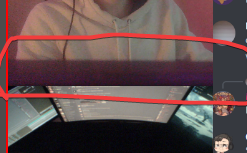
I found the option to make them scroll and got this idea, now am wondering if there's a way to have one space for multiple elements
or a better way to phrase the question: Is there a way to have multiple elements/overlays go one after another in a sequence?
shy mountain
Sounds like a custom widget. I think we had something similar over in #widget-share but I can't remember the widget's name. I would suggest to take a look there.
 silk goblet
mhhh no Update install https://prnt.sc/116gvmz

 mortal grail
I'm getting the same issue, fails installing Visual C++ (which i already have installed)

@silk goblet Managed to fix it by downloading the Visual C++ x86 installer direct from Microsoft, running it, resarting and then letting OBS Live update run again
rugged quail
Hey Anyone else had issues with the cheer alert on stream elements. Image won't update on stream elements and current one doesn't play in obs... All others working fine. Not sure if just me or any ideas on how to fix
soft knot
First of all look at the variations. You might be updating one of the alerts, and the one actually playing is a variation you didn't update.
rugged quail
Ah I see thanks
 forest parcel
Trying to install the update but it keeps failing on installing Microsoft Visual C++ 2019 Runtime (x86)?
I've tried like 10 times
long bobcat
try downloading the Visual C++ x86 installer directly from Microsoft, run it, restart and run OBS Live update again
cobalt crypt
shy mountain
make sure you are on obs studio 21.1.1 and latest OBS.Live version 21.3.8.729
i'm on the latest versions
 grim sundial
Hello im having issues with capturing my game any suggestions I have game capture set up and set to the right window but the screen on obs stays black it was working all fine a few days ago now nothing
It detects the game is there and running but displays nothing at all I’ve even tried starting it admin mode
full thunderBOT
Obs.live is a plugin for OBS Studio for the best OBS support, please join their Official Discord @ discord.gg/obsproject
 vital void
Hello! When I strt up OBS the streamelement plugin is trying to upfate but it fails and says that is was not completed successfully
 left hill
hello, when i downloaded stream elements i am getting a 'failure to authenticate with twitch' and i dont know what that means or how to fix it.
sharp turret
left hill
hello, when i downloaded stream elements i am getting a 'failure to authenticate...
Disconnect and reconnect account in OBS Settings > Stream
left hill
thank you, i'll try that.
ah shoot... okay i disconnected and i am attempting to connect. it is asking for a token???
sharp turret
Token?
left hill
i have no idea... but my cell phone got a text with a number on it. i input the number and that seems to have fixed it.
sharp turret
👍
 warped night
So ive made a custom overlay and gotten everything set up in obs but the scrolling text will not emulate?
(will emulate in the editor)
After further investigation it might be an issue with the account, i'm not showing any recent feed activity at all.
i now realize this is in the incorrect spot, sorry about that...
whole quail
@sharp turret it worked, so I just had a follow up. Any time I open OBS, it says to launch media request or take a tour. When I launch, it undocks the media request.
-
Is there a way for it to not offer the tour, or do I have to take the tour at least once?
-
Is there a way I can stop it from undocking from OBS?
 civic birch
right im fucking angry because ive just updated my obs.live because it said it needed updated and its wiped all my fucking overlays
<@&382267076632379392>
and now ive uninstalled and reinstalled and media share is gone
shrewd aspen
does virtual-cam-filter.dll come with the .live plugin?
toxic fern
I'd be surprised if it does as that's not part of it.
shrewd aspen
okay, i only asked cause someone had it on a scene and they just got obs.live today so thought it was possible
thanks!
ends up it was one of exeldro's plugins
 junior lance
does anyone know why when i open the obs he gives this error
 full thunderBOT
@junior lance Obs.live is a plugin for OBS Studio for the best OBS support, please join their Official Discord @ discord.gg/obsproject
 hardy roost
hii i need help.... every time i import my activity feed from stream elements as a custom dock it shows the activity for my old channel even though im signed out of that channel in obs, twitch, streamelements
 junior wigeon
I use obs live. Since I stared everything was working fine. But now my activity feed has changed since a few days ago. Gone live a few times and it won't update any new alerts
honest echo
hardy roost
hii i need help.... every time i import my activity feed from stream elements as...
Why don't you install obs.live instead?
hardy roost
ido have obs live the problem w the activity feed that provides is that it has a limit to how skinny i can mak eit
honest echo
junior wigeon
I use obs live. Since I stared everything was working fine. But now my activity ...
only on obs.live? the acitivy feed updates properly on the website?
hardy roost
im working w very limited space on my second monitor
junior wigeon
honest echo
only on obs.live? the acitivy feed updates properly on the website?
No on the website and the app it still says my last acvitity was 4 days ago even though I got some last night.
full thunderBOT
@junior wigeon Please provide your account ID found at the top of this page: https://streamelements.com/dashboard/account/channels This ID is public info and safe to share here.
junior wigeon
full thunder
<@!603869090485895168> Please provide your account ID found at the top of this p...
60223f71b615508e1f7e490c
honest echo
there are some issues with FB at the moment both dev teams are looking into it, no ETA
junior wigeon
honest echo
there are some issues with FB at the moment both dev teams are looking into it, ...
for the past few days?
cobalt crypt
cobalt crypt
hi, does anyone know how to fix this?
anyone know how to fix this?
honest echo
more than a "few days", last update was today about 10hrs ago
honest echo
cobalt crypt
anyone know how to fix this?
Since Jan 4 2021, Google disabled logging into its services from an embedded/unsupported browser. Since CEF (the browser engine utilized by OBS Studio & OBS.Live) qualifies as such, there is currently no remedy for the issue.
any way around it? i just got the chat to work obs live but the activity feed still says 4 days old. with no alerts during my game too
so find a new obs then?
honest echo
junior wigeon
any way around it? i just got the chat to work obs live but the activity feed st...
dev teams are looking into it, no workaround from our side at the moment
cobalt crypt
junior wigeon
any way around it? i just got the chat to work obs live but the activity feed st...
maybe they could make it so that it would open your brower to log in?
junior wigeon
well other than SLOBS what other ones are worth it?
warped night
junior wigeon
No on the website and the app it still says my last acvitity was 4 days ago even...
same issue
 latent hollow
Hi there, i am having high cpu usage ever since i tried connecting Obs.live to Twitch through the connecting account. Previously was streaming using the streamer key. Not sure what happen. Any can assist?
latent hollow
latent hollow
Hi there, i am having high cpu usage ever since i tried connecting Obs.live to T...
to further add. I am not even streaming and its at 50+ cpu usage on OBS.Live. Before when streaming i would have 20ish CPU Usage. Also my encoder is my GPU.
ocean rivet
latent hollow
Hi there, i am having high cpu usage ever since i tried connecting Obs.live to T...
try disabling your stream preview
rugged quail
yo
 rigid osprey
hello, my media request on obs 26.1.1 isnt working, just opens with a blue screen in the box, anyone knows hot to fix?
full thunderBOT
@rigid osprey Please ask your question in one helpdesk channel only. A support volunteer or StreamElements staff member will assist you as soon as they are available. Asking in multiple places will only result in confusion, not faster answers. Thank you for your patience.
 buoyant chasm
Hey guys my brain has been melting since quite a bit of time already and whatever assistance I'll be more than happy
Here's the thing: I use obs for recordings and streaming... For recordings, I can make it work, but for streaming I always end up with 'frame drop issues'
Here are my specs (which I think are modest but do their job)
Amd Ryzen 3 3200G
Amd RX570 4gb
16gb ram 1 channel at the moment (I have 2 other rams 8gb each, but they are lower frequency than this one)
10mbps of upload speed
100mbps of download
aaaand, I feel like that is what is important at the moment right?
I have tried 1080p 60fps and 720p 60fps, both work... When they want to, but for some reason from time to time, well, they don't want to.
Any kind of assistance would be greatly appreciated
full thunderBOT
@buoyant chasm Obs.live is a plugin for OBS Studio for the best OBS support, please join their Official Discord @ discord.gg/obsproject
 frozen blade
Im having issues going live to facebook. It just tells me "opps something went wrong". I've tried resetting the stream key and the PC
 brazen bridge
Ah need help. opened up OBS.live and my activity feed timed out. and i cant login to my facebook. anyone know how?!?
frozen blade
brazen bridge
Ah need help. opened up OBS.live and my activity feed timed out. and i cant logi...
apparently a bunch of people are having issues going live
 floral pollen
okay, so its not just me
frozen blade
no a bunch of people are having this issue
floral pollen
any idea if a fix is coming soon?
full thunderBOT
@floral pollen StreamElements menu, on top of OBS > Logout > Login
full kindle
Have you tried that?
full thunderBOT
@buoyant chasm Please provide a log from your last stream. To do this, in OBS go to Help > Log Files > Upload Last Log File and paste the link to the log file here.
floral pollen
I've logged out and back in already. didnt do anything
full kindle
Are you getting any error/error codes?
floral pollen
its saying failed to connect, could not access channel, or stream ket, maybe a probelm connecting to the server
full kindle
are you not able to use the stream key in OBS(not obslive) aswell? or is it an isolated OBS.Live issue?
floral pollen
do you mean the website?
full kindle
OBS the streaming program, without the plugin for SE
floral pollen
when I open my OBS 26.1.1 it goes straight into SE
full kindle
floral pollen
when I open my OBS 26.1.1 it goes straight into SE
Youd have to test either with OBS fresh install (uninstalling obs.live) or install OBS Portable from a site like portableapps
floral pollen
will I be able to save my scenes with a fresh install
?
never mind, exported it
@full kindle Uninstalled and reinstalled, same issue
got it
thanks
 low agate
I have dual monitor, I play apex legends and have my obs on my second monitor. My obs and stream is lagging.
full thunderBOT
@low agate Please provide a log from your last stream. To do this, in OBS go to Help > Log Files > Upload Last Log File and paste the link to the log file here.
full kindle
First thing I see is to run your OBS as admin always
@low agate If you can, head over to https://fast.com/ and send a screenshot of your results with the "Show more info" shown
How fast is your download speed? In seconds, FAST.com's simple Internet speed test will estimate your ISP speed.
low agate
 full kindle
Well the log you sent doesnt have any output in it
So we cant really tell you much, but 99% of the time when your bitrate drops (lag on stream) its due to your internet having a hiccup/being not ideal to stream with, and the other 1% is twitch
low agate
oh even if i wasn't streaming live, i can see my obs on my 2nd monitor and its lagging
full kindle
? What are your pc specs?
low agate
 full kindle
🤔
low agate
 full kindle
Restart your PC, make sure OBS is completely closed, then rub it as admin while opening.
frozen blade
floral pollen
got it
Did you get your one fixed?
I couldn’t get mine to work is why I’m asking
low agate
full kindle
Restart your PC, make sure OBS is *completely* closed, then rub it as admin whil...
There's still a bit of lag
 mighty dragon
Are there any reports of issues with the custom chatbot name? If I change it to my name or a custom name nothing comes up, but as SE it follows commands - I know there was an api change on twitches side about a year ago, didn't know if something broke again (it was working yesterday)
full thunderBOT
@mighty dragon If your commands recently stopped working and you're using OBS.Live and a custom bot name do the following:
- In OBS.Live, click on the hamburger menu (three stripes) at the top left of your activity feed
- Click on Stream Settings > Custom bot name
- In the Custom bot name field select Set custom bot name, not your already existing username (with capital letters). Note: If you already connected an account that way, the third entry will show as the account name (see image https://i.imgur.com/sO7fWOX.png).
- Scroll a bit down and click on the purple Connect Custom Bot Account button
- Log in as usual and Authorize the custom bot name
- Back in the Activity feed, click on the Send Test Message button and check if your custom bot name starts working again
 ember wraith
I am trying to stream and OBS isnt working.. anybody else having this issue ?
vast wren
ember wraith
I am trying to stream and OBS isnt working.. anybody else having this issue ?
can you clarify please?
ember wraith
vast wren
can you clarify please?
When i click go live it it just says "oops something went wrong"
full kindle
@ember wraith completely restart your OBS and PC then try to go live once more. If the error still shows follow the steps after you do the previous steps
full thunderBOT
@ember wraith Please provide a log from your last stream. To do this, in OBS go to Help > Log Files > Upload Last Log File and paste the link to the log file here.
ember wraith
full thunder
<@!707124228725669968> Please provide a log from your last stream. To do this, i...
full kindle
ember wraith
https://obsproject.com/logs/pmGG3E0JbIx7vYO0
Immediately, always run your OBS as admin.
ember wraith
shy mountain
Lets back up real quick here.
yes
ember wraith
full kindle
Immediately, ***always*** run your OBS as admin.
Just did that and it still doesnt work
shy mountain
There seems to be an issue right now with going live to Facebook with our plugin installed. We are awaiting for our devs to look into this and get back to us with possible things to look into.
ember wraith
shy mountain
There seems to be an issue right now with going live to Facebook with our plugin...
so do i just not stream today?
shy mountain
Uninstall OBS.Live if you don't want to wait
and try going to live without OBS.Live
 elfin ridge
I have permission to stream on another persons account using permissions in twitch. Can I make obslive capture the chat on that stream or will it still only display my personal chat. (I do not have access to their streamelements account)
floral pollen
@frozen blade yeah. I had to copy over my stream key again. Not sure why it stopped working, if there was an update or something. But once I recopied it over it was fine
shy mountain
elfin ridge
I have permission to stream on another persons account using permissions in twit...
You need to basically have their password to login to OBS.Live with their account and see their chat.
elfin ridge
shy mountain
You need to basically have their password to login to OBS.Live with their accoun...
Thanks, thats what I thought
 west nova
having issues switching servers in OBS? Can someone help me find this tab, plz and ty
shy mountain
@west nova can you elaborate a bit more? what servers?
shy mountain
You need to adjust the assets in the overlay for 720p resolution size before you resize the overlay it self
or you can leave it as 1080p
and just rescale the source in the obs preview
when you add the overlay as 1080p
just hit CTRL +F to fit it to the 720p canvas
 snow haven
Hi, i'm making a custom animated overlay for a friend and i want to know if exist an way for me making an overlay on the SE overlay editor and export for him so he can apply on he's SE overlays
 sullen idol
Hey i get this error when i try to log into my facebook so i cant actually sign in to facebook thru streamelements and obs studio
 soft knot
snow haven
Hi, i'm making a custom animated overlay for a friend and i want to know if exis...
soft knot
snow haven
Hi, i'm making a custom animated overlay for a friend and i want to know if exis...
If they have editor access to your account, they will be able to import your overlays.
soft knot
sullen idol
Hey i get this error when i try to log into my facebook so i cant actually sign ...
This looks like an OBS Studio issue, not OBS.Live. When does this error happen exactly?
snow haven
soft knot
If they have editor access to your account, they will be able to import your ove...
This editor access has to be in twitch or in SE ?
soft knot
In SE dashboard.
sullen idol
i think it might be because i have 2fa on my account because i just logged into facebook using my second account thats linked to my facebook page
 hoary mesa
All of a sudden our shares and likes are activating emotesplosion. We never have used it before and I want to turn it off. I have unclicked all the events but shares and likes aren't an option. I have set the emotesplosion to 1 as this is the lowest.
But I want to just turn it off and not have these emotes. We use Chat emojis but don't want the emotes
full thunderBOT
@snow haven "Follow these steps to grant managers/moderators access to your dashboard:
- Click on your channel name at the top of the dashboard
- Create a new invite at one of three access levels (Bot Supervisor, Editor, Full Control)
- Send this invite to a mod/manager to give them access to your dashboard. The link is one-time-use and expires after 72 hours if not accepted
Video tutorial: https://youtu.be/zl_h-ttZDF0"
 modest goblet
Good morning SE party people. I just tried updating OBS.live and whenever I try that am getting hit with this error message:
What can I do to fix this? And is there a workaround in the meantime? Everytime I open OBS.live it prompts me to install the new version, guess I can just say "no"?

I tried installing this as per the OBS forums, but it didn't change anything:
https://obsproject.com/visual-studio-2019-runtimes-64-bit
OBS (Open Broadcaster Software) is free and open source software for video recording and live streaming. Stream to Twitch, YouTube and many other providers or record your own videos with high quality H264 / AAC encoding.
vast wren
modest goblet
Good morning SE party people. I just tried updating OBS.live and whenever I try ...
snow haven
@soft knot Ok, thanks for the support 
modest goblet
vast wren
try this https://cdn.streamelements.com/obs/dist/obs-streamelements-installer-wr...
alright, downloading/extracting it now, thanks for the quick response
modest goblet
vast wren
try this https://cdn.streamelements.com/obs/dist/obs-streamelements-installer-wr...
that did the trick, thank you very much! Now I can't wait for OBS 27 stable to come out and be incorporated into OBS.live. Source transitions are going to be a game changer
 plain zodiac
Hey so when i stream on obs live the video is really choppy can anyone help ?
full thunderBOT
@plain zodiac Please provide a log from your last stream. To do this, in OBS go to Help > Log Files > Upload Last Log File and paste the link to the log file here.
plain zodiac
shy mountain
https://obsproject.com/tools/analyzer?log_url=https%3A%2F%2Fobsproject.com%2Flogs%2FNfIrR6KhCCEs0wPk
OBS (Open Broadcaster Software) is free and open source software for video recording and live streaming. Stream to Twitch, YouTube and many other providers or record your own videos with high quality H264 / AAC encoding.
plain zodiac
do i open that ?
shy mountain
Yes
plain zodiac
i got 1. Not Admin 2 Rendering Lag 3. 10.6% encoder overload
plain zodiac
okay thank you
vital void
Hello! I use stream elements on one of my PCs and when I try to update it I get an error when it is being installed.
 vast wren
vital void
Hello! I use stream elements on one of my PCs and when I try to update it I get...
vast wren
vital void
Hello! I use stream elements on one of my PCs and when I try to update it I get...
have you tried uninstalling it? also try using this https://cdn.streamelements.com/obs/dist/obs-streamelements-installer-wrapper/windows/latest/obs-streamelements-setup-stable.exe
vital void
Thank you!! It worked😄
 sly hedge
is it normal that alerts will stutter/lagg if they are put in a overlay group with a lot of different resources and sent to obs live with a single webbrowser link?
 nova scaffold
sly hedge
is it normal that alerts will stutter/lagg if they are put in a overlay group wi...
nova scaffold
sly hedge
is it normal that alerts will stutter/lagg if they are put in a overlay group wi...
Depends on your hardware and connection.
Browser source is essentially a chromium browser instance loading within OBS - so it can be intensive.
Try to keep alerts out of the groups
sly hedge
nova scaffold
Depends on your hardware and connection.
Browser source is essentially a chromi...
ok, got a 2 pc setup where streaming cpu is running between 30-50% load. Got a 500/17 downlaod and upload speed and running 8k bitrate and 1080p stream (twitch partner). Im managing a streamer and do changes to overlay and resources live when he is streaming. Do you have any advice on how i could do this directly in obs live with remote access instead of the streamelements overlay webbroweser source?
nova scaffold
sly hedge
ok, got a 2 pc setup where streaming cpu is running between 30-50% load. Got a 5...
Like i said, just keep the alerts outside of the groups, make a separate browser source for the alertbox and keep it as a single browser source, not grouped.
That should do it.
The data does not help much since every setup is different
sly hedge
ok i will try that, thanks!
is there any way that i could run obs live on my computer synced to his obs?
nova scaffold
sly hedge
is there any way that i could run obs live on my computer synced to his obs?
No.
plain zodiac
Hey so the problem i'm having is choppy video my rendering lag is at 31% and my encoder is at 63.7% i use a amd how can i get them lower ?
nova scaffold
plain zodiac
Hey so the problem i'm having is choppy video my rendering lag is at 31% and my ...
Lower the stream quality, you are overloading your hardware.
 sacred marten
Hey, i can't find the + add button on my transition. I have set a global transition but i cannot see the + add button. If i go to properties and click "add" it changes the transition
 ionic dune
Hello everyone. I am currently using stream-elements obs and each time I stream assassin's creed odyssey(most noticeable but not only in this game) I get encoder overloaded messages on my obs plus on stats(in obs) I see in real time my fps going down to 50 randomly (even when my character is just siting there) my "average time to render" sometimes jumping all the way up tp 10ms and on average at the end of my streams "frames missed due to rendering lag" is about 2-4% sometimes less that 1% sometimes all the way up to 9%..
my chat has said that sometimes the stream lags or my audio get's choppy.. I have searched the web for solutions and this is what I have tried so far
-closed every unnecessary program running on the background (steam-epic-xbox etc..)
-lowered my setting in game to a point where the game only uses vram 3113mb out of 8192mb (this is the sweetspot where the game doesn't look like shit but I have definitely sacrificed a lot of beauty!)
-locked the game at 60fps
-started using nvidia nvenc h.264 - CBR - 6000 kbs and i am streaming on 1280x720 downscaled with bicubic from 2560x1440(native monitor) at 60 fps
-sacrificed every Athenian I came across in game to Zeus..
still getting issues even though admittedly better than before.. what more could I probably do? I tried everything I could find online.. could it be a hardware issue? I feel like my pc specs are good enough for streaming: Intel(R) Core(TM) i7-9700K CPU @ 3.60GHz / 16gb ram /Nvidia GeForce GTX 1070 Ti.. and my internet is pretty good I have optic fiber 256.44mbps download 52.83mbps upload 13ping (tested right now).. any more suggestions? somewhere I read that stream-elements obs.live sometimes sucks but I have already configured all my settings/greenscreen/panels etc on there and I am hesitant to reinstall..
Any help would be greatly appreciated thanks a lot in advance!
also i am running on administrator mode and my output preset is set on quality! thanks in advance!
nova scaffold
ionic dune
Hello everyone. I am currently using stream-elements obs and each time I stream ...
rendering lag indicates that your hardware is not keeping up. Try to lower the quality a bit, set an FPS cap so your GPU is not at 100% and you should be fine
ionic dune
As i said i've done that already.. the game is using only 3113mb out of 8192 and i have set 60fps cap.. I will stream later today so i will also keep an eye on the percentage my gpu is using and write back here..
nova scaffold
ionic dune
As i said i've done that already.. the game is using only 3113mb out of 8192 and...
You need to drop the stream quality a bit aswell, if your hardware is not keeping up, we can't do anything on our end.
ionic dune
I see.. when you say drop the stream quality a bit what would be a suggestible resolution to switch at?
nova scaffold
ionic dune
I see.. when you say drop the stream quality a bit what would be a suggestible r...
You need to figure out what part is holding you back and then adjusting the settings accordingly, we can't figure that out for you
ionic dune
that's what i am trying to do.. that's why i reached out to the helpdesk-obslive with all the information i could gather.. anyways thanks for trying to help I will keep looking around for a solution if I figure out a solution I will be sure to contact you in case someone else gets the same issues..
nova scaffold
This is specific to each user and config, so we can't provide support without having your rig etc. here. So the generic guide is: hardware overloaded, reduce settings. Can only be GPU or CPU if you see encoding issues.
 tropic comet
for all the people wanna see their viewers, you can see them for the page "activity feed", in the right of the page
modest goblet
Hey, I just recorded for 50 minutes straight only to see this when I imported the video into premiere (this is the tail end of my audio tracks).
It appears that the recording cut of about 4s of video at the beginning and I have no idea why this happens.
My specs: Windows 10 19042.867, Ryzen 7 2700X, 64GB G.Skill Trident, KFA2 GeForce GTX 1080, and I just updated to the latest OBS.live version this morning (where do I see the build? OBS only shows 26.1.1)

I noticed that Windows set my microphone's sample rate back to 44.1kHz after this cursed windows update, but resetting it to 48 (which is also set in OBS) didn't help
full thunderBOT
@modest goblet Obs.live is a plugin for OBS Studio for the best OBS support, please join their Official Discord @ discord.gg/obsproject
modest goblet
gotcha
 last gale
Hey just updated to the latest version and now my media request has doubled up and is playing twice any ideas?
ive been using it fine for around 10 months but this update has ruined something 😦
 quartz knoll
Hello. yesterday I changed my name I had on twitch. after that I do not get the streamelements bot in the chat anymore. what do I have to do ? have tried lots of different already.
nova scaffold
last gale
Hey just updated to the latest version and now my media request has doubled up a...
Check your OBS.Live settings, that the overlays and media share widgets etc. are working properly. Double sound usually means a duplicated overlay.
full thunderBOT
@quartz knoll If you changed your name on Twitch, please follow these steps:
- Visit https://streamelements.com/logout and then log in again by connecting with Twitch.
- On the right side of the dashboard page that opens, select Join under bot settings. If it says Part select that and then select Join to send the bot to the chat. Don't forget to mod the bot by typing /mod streamelements in your channel if you have not already.
- Post your old and your new name here so that we can update your channel's chatstats tracking (must be done by staff).
quartz knoll
changed from sMM0159 to sMMoe
nova scaffold
quartz knoll
changed from sMM0159 to sMMoe
fixed
 silver wigeon
so obs is going crazy once again dropping frames and being in the red internet is fine computer is fine anyone have any ideas?
last time this happend i was assured through the help on here that it was my internet and its not that
nova scaffold
silver wigeon
so obs is going crazy once again dropping frames and being in the red internet i...
Dropped frames are ALWAYS related to a bad connection. Your internet might be fine, the server might not or that specific connection to that specific server might be bad. So you need to figure out what is the problem, best is to call your ISP.
silver wigeon
no dropped frames are not "always" related to bad connection
nova scaffold
Yes they are. Dropped frames literally means - you have lost frames due to the connection. Your PC created XYZ frames for that period, but only XY arrived, you lost some between your PC and the ingest server.
silver wigeon
ok so how is my isp supposed to fix YOUR program EVERYTHING works except obs
nova scaffold
This is not OUR programm, this is YOUR network connection to that server.
And who is providing that connection? Your Internet Service Provider aka ISP.
They are also the people who can actually check your connection and tell you what is wrong.
Do not blame the car manufacturer if you have crappy roads, same goes here 🙂
silver wigeon
and everytime i have them check it its perfectly fine
nova scaffold
Well what does OBS say? dropped frames, aka it is not fine.
silver wigeon
so im supposed to keep going in this circle with obs and my "isp"???
nova scaffold
There is no circle, there is your connection and that is not stable
OBS has nothing to do with it, you could try Xsplit or whatever and you will have the same issues with the same server.
silver wigeon
so obs is perfect is what your telling me????
nova scaffold
I tell you that OBS does not matter. Dropped frames are OUTSIDE of the software.
Do you understand what network issues mean? Connection issues?
This starts with the driver and stops at the server that you connect to.
OBS just tells you - connection bad, fix it
silver wigeon
riiight ok whatever man you give the same answer everytime thats fine i will seek help elsewhere man
nova scaffold
Everyone will tell you the same, you can try OBS support or ask on reddit or where ever you want.
ionic dune
Hello there recently I asked help for this issue...
Hello everyone. I am currently using stream-elements obs and each time I stream assassin's creed odyssey(most noticeable but not only in this game) I get encoder overloaded messages on my obs plus on stats(in obs) I see in real time my fps going down to 50 randomly (even when my character is just siting there) my "average time to render" sometimes jumping all the way up tp 10ms and on average at the end of my streams "frames missed due to rendering lag" is about 2-4% sometimes less that 1% sometimes all the way up to 9%..
my chat has said that sometimes the stream lags or my audio get's choppy.. I have searched the web for solutions and this is what I have tried so far
-closed every unnecessary program running on the background (steam-epic-xbox etc..)
-lowered my setting in game to a point where the game only uses vram 3113mb out of 8192mb (this is the sweetspot where the game doesn't look like shit but I have definitely sacrificed a lot of beauty!)
-locked the game at 60fps
-started using nvidia nvenc h.264 - CBR - 6000 kbs and i am streaming on 1280x720 downscaled with bicubic from 2560x1440(native monitor) at 60 fps
-sacrificed every Athenian I came across in game to Zeus..
still getting issues even though admittedly better than before.. what more could I probably do? I tried everything I could find online.. could it be a hardware issue? I feel like my pc specs are good enough for streaming: Intel(R) Core(TM) i7-9700K CPU @ 3.60GHz / 16gb ram /Nvidia GeForce GTX 1070 Ti.. and my internet is pretty good I have optic fiber 256.44mbps download 52.83mbps upload 13ping (tested right now).. any more suggestions? somewhere I read that stream-elements obs.live sometimes sucks but I have already configured all my settings/greenscreen/panels etc on there and I am hesitant to reinstall..
Any help would be greatly appreciated thanks a lot in advance!
After a lot of trouble shooting it seems all I had to do was downscale my base resolution in obs from 2560x1440 in the options menu and now my streams are smooth as 🧈.. leaving this here for anyone who might experience the same issue in the future..
 devout hemlock
Hi, I was wondering why media request isn't working? I click on it and it just shows a purple screen and that's it.
full thunderBOT
@devout hemlock StreamElements menu, on top of OBS > Logout > Login
devout hemlock
It worked!
 coarse wind
Hi my chat has an error and i cant see it
full thunderBOT
@coarse wind StreamElements menu, on top of OBS > Logout > Login
coarse wind
thx
sharp turret
 quick mango
can someone help with my !roulette / !gamble?
 unborn salmon
how can i make my video capture device higher without it goes to left and right aswell?
 fossil brook
how do I Share a screen
 brazen dew
Hello, my Bot is not working, can someone help please?
full thunderBOT
@brazen dew Go to the Dashboard > Right side > Part channel > Join channel(https://streamelements.com/dashboard)
 brazen dew
I´ve already done that, still not working
 hard herald
Whenever I click show media request on stream I start hearing two of the videos. https://www.youtube.com/watch?v=yIRQ0M39Pe8

 normal beacon
i need some help, for some reason my activity feed is linked to my mrs' account, but the chat and live stream feature is still on my account and i cant seem to change the activity feed to mine
unborn salmon
How can i change the width of my game capture without the height aswell?
they always goes at the same time
brazen dew
full thunder
<@!568035813397495819> Go to the Dashboard > Right side > **Part channel** > **J...
I´ve already done that, still not working
 gentle musk
I have a problem with making custom commands, I want to make a command with !socials and that all of my socials are getting reacted. But this is the problem (see picture

but this is how it has to be
 quick atlas
gentle musk
I have a problem with making custom commands, I want to make a command with !soc...
quick atlas
gentle musk
I have a problem with making custom commands, I want to make a command with !soc...
There isn't a breakline function, so it's likely seeing that command as one long string. You'd have to break that up with spaces, but even then it may not look like how you want
I've seen a few people create a link that has all their links in one place, then use the command to call that
brazen dew
Bitly
Shorten, create and share trusted, powerful links for your business. Bitly's url and link shortener helps you with industry-leading features like custom domains, branded link and link redirects.
gentle musk
Thanks!
brazen dew
brazen dew
Hello, my Bot is not working, can someone help please?
Can someone help?
quick atlas
brazen dew
Can someone help?
Sure! What issues are you having with the bot?
brazen dew
The commands didn´t work.. There´s no activity in my chat
quick atlas
Is it a custom name bot?
 willow drift
I'm having difficulties setting up store perks that easily display the custom gif with custom sound on my overlay anyone want to help out?
full thunderBOT
@brazen dew If your commands recently stopped working and you're using OBS.Live and a custom bot name do the following:
- In OBS.Live, click on the hamburger menu (three stripes) at the top left of your activity feed
- Click on Stream Settings > Custom bot name
- In the Custom bot name field select Set custom bot name, not your already existing username (with capital letters). Note: If you already connected an account that way, the third entry will show as the account name (see image https://i.imgur.com/sO7fWOX.png).
- Scroll a bit down and click on the purple Connect Custom Bot Account button
- Log in as usual and Authorize the custom bot name
- Back in the Activity feed, click on the Send Test Message button and check if your custom bot name starts working again
 long grove
hey i changed my twtich name yesterday and now my streamelements bot is not there anymore and no commands are working. i watched and streamelements website there is my name already updated and my commands are aktiv but it still doesnt work what i can do ?
full thunderBOT
@long grove If you changed your name on Twitch, please follow these steps:
- Visit https://streamelements.com/logout and then log in again by connecting with Twitch.
- On the right side of the dashboard page that opens, select Join under bot settings. If it says Part select that and then select Join to send the bot to the chat. Don't forget to mod the bot by typing /mod streamelements in your channel if you have not already.
- Post your old and your new name here so that we can update your channel's chatstats tracking (must be done by staff).
long grove
thx 😄
brazen dew
quick atlas
Is it a custom name bot?
thanks
long grove
my old name: simixf1 my new name: simix_racing
rugged quail
i need help with my alerts
full thunderBOT
@rugged quail Welcome to the helpdesk! Please let us know how we can assist you today and a support volunteer or staff member will assist you as soon as they are available. Thank you for your patience.
rugged quail
i need help with my alerts
quick atlas
long grove
my old name: simixf1 my new name: simix_racing
Your page should be set!
honest echo
@rugged quail Please be as descriptive as possible when describing what you're looking to do with your account. Once we fully understand, we'll be better equipped to assist you.
long grove
maybe i am stuipid but i looked out signed in made streamelements mod in my chat is there anything else to do ?
did i missed anything or should id work now ? 😄
full thunderBOT
@long grove Go to the Dashboard > Right side > Part channel > Join channel(https://streamelements.com/dashboard)
willow drift
I'm having difficulties setting up store perks that easily display the custom gif with custom sound on my overlay anyone want to help out? It play the default present gif instead every time...
 long grove
ok it works thanks you guys for quick help :D#

 willow drift
I figured it out myself it took me an hour and a lot of frustration. idk why I got ignored but life happens. Next time let me know if you don't want to help me out i'll just leave.
 latent viper
Hey guys! I just set up my elgato HD 60 S capture card finally with OBS. After some trial and error, I finally got it to when I start stream, it is capturing all the audio I need it to and video. However, when I try to use the sound alerts extension, and the alert box in StreamElements, it is playing it only through my tv that I have my HDMI plugged into from my desktop. Is there a way to change that to come through my headset so I can hear the alerts through that and not the second screen? Thanks in advance!
quick atlas
Check and see if they have Windows Animations enabled on their device
full thunderBOT
@latent viper If you are not hearing your alerts and/or Media Request, you are most likely using the Control Audio via OBS option in your browser source properties.
To make sure you hear the alerts and the stream also hears them, follow along the screenshot bellow.
https://cdn.discordapp.com/attachments/199460642975907840/685371800456134686/unknown.png
latent viper
Ok thanks I’ll try that
 dusty berry
Hi Im having an issue with there being about a 10 second delay on my stream
 queen needle
Can we no longer use our twitch emotes for kappagen? emotsplosions? It's only allowing me to use the global ones, that are not personal to my stream.
 unreal oak
hello i need help adding scenes i bought. i am brand new and really do not understand what i am doing lol
quick atlas
queen needle
Can we no longer use our twitch emotes for kappagen? emotsplosions? It's only al...
You can, but there is currently a bug so it may not work as intended at the time
full thunderBOT
@unreal oak New to StreamElements?
Check out our YouTube channel https://www.youtube.com/c/streamelements/videos
with tutorial videos from setting up the basics, to in-depth details on how to use our product.
New to OBS? Here is a 4 step quick start guide
https://obsproject.com/wiki/OBS-Studio-Quickstart
Want to learn even more? Here is an in-depth overview
https://obsproject.com/wiki/OBS-Studio-Overview
rugged quail
Hi, I just set up OBS.Live and am wondering how I can add another streaming account. I have already added my Twitch account and was wanting to add a YouTube one
full thunderBOT
@rugged quail StreamElements menu, on top of OBS > Logout > Login
rugged quail
on mac as well?
honest echo
i suggest going into your streamelements account and adding your streaming platform first
rugged quail
what streamelements account?
honest echo
then you can log in on obs.live with the other one (as well as changing on obs settings)
honest echo
rugged quail
what streamelements account?
your streamelements account 😅
rugged quail
sure
 dusky meteor
Logged out of Twitch and logged into Facebook for my husbands account on OBS.Live and none of his alerts are working and neither is his activity feed other than follows. The online dashboard also says he is offline, but He is actively streaming.
 charred falcon
What happened to the StreamElements OBS.Live Stream Deck plug-in? I've search the world over and still I found nothing except out of date webpages on StreamElements website and some old reference to Steam Deck SDK webpage. Still nothing current. Anyone have some guidance or should I just ditch OBS.Live since it doesn't work with Stream Deck?
dusky meteor
charred falcon
What happened to the StreamElements OBS.Live Stream Deck plug-in? I've search th...
you can use the regular OBS ones as well
honest echo
@charred falcon you should be able to install the obs.live integration from the streamdeck itself
charred falcon
honest echo
<@793857655050469387> you should be able to install the obs.live integration fro...
I'm not seeing the installation option anywhere in More Actions
honest echo
dusky meteor
Logged out of Twitch and logged into Facebook for my husbands account on OBS.Liv...
right now FB has some issues and both dev teams (SE and FB) are working on it.. unfortunately no ETA
dusky meteor
so it's nothing we did wrong?
charred falcon
dusky meteor
you can use the regular OBS ones as well
Isn't changing my scenes in OBS.Live when I use the OBS actions.
dusky meteor
I thought it did for me last time I tried. Sorry


 charred falcon
honest echo
charred falcon
honest echo
Maybe it is a Windows vs Mac thing?

@honest echo This is from the Alpha listing. Still nothing.
 honest echo
😅 that may be it.. i don't have MAC to test
charred falcon
honest echo
😅 that may be it.. i don't have MAC to test
No worries, this was helpful for sure. Just knowing I wasn't losing my mind and it is just a possible OS issue. 🙂
honest echo

rugged quail
honest echo
then you can log in on obs.live with the other one (as well as changing on obs s...
So I added my YT channel to my account and it does not show up in OBS.Live
honest echo
You need to log out and log back in
full thunderBOT
StreamElements menu, on top of OBS > Logout > Login
 cyan plume
someone else is having constant problems with obs live?
mine is crashing and disconecting for no good reason
floral kestrel
Guys i still can't put folders inside of other folders
rugged quail
How do you multistream