#helpdesk-selive
1 messages · Page 202 of 1
 half oracle
 random laurel
half oracle
I've run into my fair share of troubleshooting for days on end.
random laurel
half oracle
I've run into my fair share of troubleshooting for days on end.
3 weeks and counting and everything I know to test is working dono why this suddenly happend
also to be clear at the start of the stream everything is fine and randomly during streaming my audience cannot hear game sound and it looks like it is mute on my dashboard. I reset the elgato by changing the source and once i go back to the elgato working like normal.
half oracle
Do you have the Elgato capture program installed and have you tested recording some video and seeing if it cuts out in the recordings after some time?
random laurel
half oracle
Do you have the Elgato capture program installed and have you tested recording s...
Yes I ran a 2h test on the elgato one no cut out, did a 2h test on obs offline no cut out and even did a 6h one on obs after getting desperate and no cut out only when live/using elgato and mic. don't think the mic and elgato sound can interact but added this since my tests were just playing games no mic input.
mic has been working fine.
half oracle
Well narrowing it down to only when pushed live is a good find for sure. I know it's blasphemous as StreamElements OBS has been so kind, but did you test a stream with just regular OBS or a different stream software just to narrow it down to the specific software?
random laurel
half oracle
Well narrowing it down to only when pushed live is a good find for sure. I know ...
That was my next part if this didn't work. wanted to talk to elements team for help before but it kept sending me to here so not I feel I have to change to another program. if it works on another one.
half oracle
Good to at least narrow down until an official member of the team can assist you with some more insight. I'm pretty new to the software myself. Only been using it for the last 3 months or so.
random laurel
how do I talk to a official member everything I click just sends me to the discord?
half oracle
More than likely pose your question here and patiently wait to see if anyone else can tag in.
random laurel
ok thanks so much!
 spiral gull
so I'm having trouble updating a few of my alerts on stream elements
Cheer and Sub events don't update at all even though I've replaced the video for both
random laurel
half oracle
More than likely pose your question here and patiently wait to see if anyone els...
Just ran 1h and 30m on another obs and works fine 😦
half oracle
At least you narrowed this down to it being something specific to StreamElements OBS Live.
Helps rule out a lot of things and focus on a singular area.
@spiral gull try completely removing the prior videos completely and the alert and start with it fresh. I had hiccups in the past where it was caching the old video for the alert.
 summer jolt
gday all i need a hand to get my activity feed back to the obs program
 fervent dome
could someone help me i got another monitor and i have it as my main but it doesnt show up on obs
 hollow gull
I have a download speed of 232.29 mpbs and upload of 10.59 mbps but when I start up obslive it drops to the 60 range on the download side but doesnt affect the upload speed, it stays the same. So my stream tonight was dropping frames like crazy. I dont think the obs can get a good read on what my settings should be with it causing the drop in speed. I've done several tests and as soon as I quit obslive everything is normal again.
 vast wren
hollow gull
I have a download speed of 232.29 mpbs and upload of 10.59 mbps but when I start...
vast wren
hollow gull
I have a download speed of 232.29 mpbs and upload of 10.59 mbps but when I start...
Do you any active sources working while you're streaming? Also you can check https://support.streamelements.com/hc/en-us/articles/115002462772-8-OBS-tips-to-make-your-stream-run-smoothly, Let us know if frames are still dropping.

StreamElements
In an ideal world, we would all be using a brand new NVIDIA GeForce 3090 graphics card with an Intel X-Series processor.
But reality is that technology gets old fast, and almost every streamer c...
 runic widget
My screen looks like this is there any way i can go back to normal?
 vast wren
you can drag all the docks back
runic widget
i tried but it didnt work for me
is there any way for me to reset it back to normal?
 radiant yarrow
having difficulty sending my bass guitar sound through the obslive program.
radiant yarrow
radiant yarrow
having difficulty sending my bass guitar sound through the obslive program.
to further explain the situation. i am attempting to stream music. own an interface and have the program installed to record music. obs.live is not allowing me to sending my bass guitar through to stream.
vast wren
runic widget
i tried but it didnt work for me
you need to undock them


 formal violet
pls
 rugged quail
Check your assets, if any of them are larger than 30mb, the import would fail
 undone grotto
Is there a way to broadcast only game audio but not the thing you're playing in the background?
rugged quail
undone grotto
Is there a way to broadcast only game audio but not the thing you're playing in ...
try playing around with the audio settings of OBS, it's very much possible
 rigid plover
I accidentally close windows with live chat and alert window. How i can get them back?
vast wren
rigid plover
I accidentally close windows with live chat and alert window. How i can get them...
closed widgets on your overlay or docks on OBS?
 torpid mist
obs live cannot be uninstalled, please help
vast wren
you'll need to uninstall the OBS while making sure the user settings are Unchecked to save your setup and reinstall the OBS with out the plugin
 tulip crow
here's the photo now how do I put the chat in the right again when I stream
 vast wren
click on the streamelements > docks > chat
tulip crow
It's not letting me?
 rugged quail
Logout and log back in
tulip crow
It worked thanks have a good night or day
 azure lily
could somebody help me with a problem i have been having only in the last 2 days in which my birate has been constantly dropping and then returning back to its origanal bitrate but it does this constantly and i dont have a clue what to do
which makes frame drops ect
vast wren
Do you any other active sources while streaming?
Also try using this https://support.streamelements.com/hc/en-us/articles/115002462772-8-OBS-tips-to-make-your-stream-run-smoothly
StreamElements
In an ideal world, we would all be using a brand new NVIDIA GeForce 3090 graphics card with an Intel X-Series processor.
But reality is that technology gets old fast, and almost every streamer c...
 frozen bobcat
Hi guys, I have an issue with one alert. The tip alert run well in my browser but not in OBS.Live. It's the exact same code as my Cheers Alert wich runs well in OBS ... 🤷♀️ Is it a SE issue or OBS.Live ?
vast wren
frozen bobcat
Hi guys, I have an issue with one alert. The tip alert run well in my browser bu...
are you using any variations?
frozen bobcat
Nope it's the exact same code (It's like a coins rain), coins are showing in my browser but not in OBS. I used the same for Bits but I changed coins for Gems and it's working. The only difference in the code is the picture.
As it's working in the browser I don't know if the problem is OBS
vast wren
you have one variation in your tip alerts.. what do you see on the OBS?

 vast wren
try now
frozen bobcat
still not working
rugged quail
@frozen bobcat can you check if custom CSS is enabled on your tip alerts?
frozen bobcat
Yes it's enable
rugged quail
good stuff
on OBS.Live, right click the source where the alerts are located
then go to properties
and reload the cache
frozen bobcat
Didn't work ... When I try to "emulate" from OBS Overlay Editor it's not working either
It's really only working on SE website
And I really don't get why it's working for Bits but not for Tips as it's the exact same code 😂
At least, half of the alert is working 😂
rugged quail
Hmm.
frozen bobcat
I even tried to change the picture, I thought maybe we couldn't show big coins so it was censured but even with the Gems I used for Bits it didn't work
frozen bobcat
No problem is you can see what's the problem ^^
rugged quail
Are you using the Nouvelles overlay?
frozen bobcat
Yes
 fickle sun
hello, idk if any one can help me but i have a problem.
Since last week where an update came in obs my alarm box suddenly no longer makes a sound, so it is also displayed in the stream but without sound I haven't changed anything or anything, weird white it works with Streamlabs
 neat quiver
Is there a reason that, when I click on the 'Media Request' Section of Ground Control and try to use the dock in OBS.live, it's coming up as a blank screen?

 full thunderBOT
@neat quiver StreamElements menu, on top of OBS > Logout > Login
 supple patio
hi i would like to know how do i get sound from my gaming pc to my streaming pc im using ndi
 strange iron
Hy guys, any chance of obs.live will available to macOS Mojave?
I've found a installer, but only to macOS Catalina and newers.
 ebon rivet
How do I change the account I want to stream to? It keeps connecting to an account I used a year ago.
full thunderBOT
@ebon rivet StreamElements menu, on top of OBS > Logout > Login
 sharp turret
^
ebon rivet
Thanks.
sharp turret
Also relog in OBS Settings > Stream
ebon rivet
I don't see the logout button.
sharp turret
StreamElements menu, on top of OBS > Logout
ebon rivet
Is this in the OBS live app or the Stream Elements Website?
sharp turret
in the OBS.Live
rugged quail
ALLERT SUBSCRIBE?
ebon rivet
This is my OBS Screen. Where do I go?
 sharp turret
 sharp turret

 mild lake
ebon rivet
Oh ok, didn't see that 😂
mild lake
ebon rivet
Oh ok, didn't see that 😂
It's easy when you know where to look buddy don't worry! 😂
ebon rivet
One more question, i have been using StreamlabsOBS forever and I just switched to StreamElements lol, where do I edit alert overlays?
 marsh wave
Every time I try to import scene's from streamlabs OBS it fails and shows the mesage "Failed Importing Scene Collection". Anyone know how to fix
sharp turret
ebon rivet
One more question, i have been using StreamlabsOBS forever and I just switched t...
ebon rivet
Thanks
sharp turret

ebon rivet
How do I add overlays to my stream? I have them, but how do I add them?
full thunderBOT
@ebon rivet To add your overlays to OBS, add a new browser source in your scene. Paste your overlay URL in the browser source properties, set the dimensions to 1920x1080 (unless you changed them on the website) and check Shutdown source when not visible. https://youtu.be/KDvLynUqXI4
sharp turret
^
radiant yarrow
seeking help. please. i have been attempting to record my bass guitar through an interface, m-audio fasttrack pro, through obs.live. i am currently failing. any aspiring artists out there able to help. please. thank you.
 soft knot
radiant yarrow
seeking help. please. i have been attempting to record my bass guitar through an...
soft knot
radiant yarrow
seeking help. please. i have been attempting to record my bass guitar through an...
You're more likely to find support from OBS users/staff, since this is not an OBS.Live issue.
full thunderBOT
@radiant yarrow Obs.live is a plugin for OBS Studio for the best OBS support, please join their Official Discord @ discord.gg/obsproject
radiant yarrow
soft knot
You're more likely to find support from OBS users/staff, since this is not an OB...
thank you.
runic widget
is there any way to make it smaller it takes up one full screen and a inch on my other tv?
 soft knot
It's a window like any other. It seems like the full screen/minimize buttons were pushed off to the other screen.
(If I understand you correctly.)
runic widget
i cant even see the buttons
soft knot
Yeah, looks like a windows resolution issue, maybe the screen resolution is configured wrong.
runic widget
is there any way to fix it it was working fine 12 hours ago ?
soft knot
runic widget
is there any way to fix it it was working fine 12 hours ago ?
I'm sure there is, but it really seems to have something to do with windows, not OBS. Is it full screen right now?
soft knot
Good to hear
runic widget
learn something new each day ty for your help
 weary cove
How do I remove the obs.live?
mild lake
weary cove
How do I remove the obs.live?
Uninstall from programs :)
 steady gyro
hallo. i seem to have a problem after I just updated obs.live. I cant transform any sources. cant use mouse to do it nor right click-transform. source is not transform locked.
also grouping "broke
 atomic sky
hello there i am having an issue the streamelements obs live docs is grayed out, i tried disconnecting and reconnecting my account with no luck https://i.gyazo.com/ec7b5b766d4b04f4f0e2b60b8a870a59.png
 green ledge
My OBS.live add on isnt showing on my obs studio, could someone help me with this?
steady gyro
steady gyro
hallo. i seem to have a problem after I just updated obs.live. I cant transform ...
fixed it. it was an error on my side. feel kind stupid.
 dry cloud
My Alerts have been pretty inconsistent, appearing during one bit donation and not the other. I have my alert box in my main overlay, will have a separate alert box and adding it as a separate browser source solve the problem? I’ve never been able to get alerts to consistently appear
 lethal oxide
My obs studio does not give me the option of recording the screen of my second monitor, I believe it is because I connected one monitor to the video card and the other to the motherboard (onboard and offboard), and I don't know what to do, I looked for help in some forums but they all told me to select the integrated graphics option in the nvidia options, but I don't have this option, if this is not the problem give me other solution options please.
 stark copper
Ive not been able to see my live viewer count the last 2 streams while i was streaming, there used to be a number in the lower corner of my preview screen and its vanished somehow. I also have not been receiving any emails with my stats for those 2 streams
 karmic grotto
lethal oxide
My obs studio does not give me the option of recording the screen of my second m...
karmic grotto
lethal oxide
My obs studio does not give me the option of recording the screen of my second m...
u can't unfortunately, u should connect both to the GPU, that kind of setup u are using almost lead to serious incompatibility problems and instability
full thunderBOT
@stark copper Please provide your account ID found at the top of this page: https://streamelements.com/dashboard/account/channels This ID is public info and safe to share here.
karmic grotto
what platform u stream on @stark copper ?
karmic grotto
dry cloud
My Alerts have been pretty inconsistent, appearing during one bit donation and n...
separating wouldn't be the case, what platform u are streaming on?
stark copper
5fda1d0cb36d122161cdc2d7 and i stream to Twitch
karmic grotto
green ledge
My OBS.live add on isnt showing on my obs studio, could someone help me with thi...
Isn't streamelements on top? if it is try relogging if not then, reinstall obslive, just make sure to export profile and scene collections.
full thunderBOT
@green ledge StreamElements menu, on top of OBS > Logout > Login
karmic grotto
steady gyro
hallo. i seem to have a problem after I just updated obs.live. I cant transform ...
new sources are bugged too?
atomic sky
can anyone help me please?
full thunderBOT
@atomic sky Welcome to the helpdesk! Please let us know how we can assist you today and a support volunteer or staff member will assist you as soon as they are available. Thank you for your patience.
atomic sky
i have already stated my problem a few hours ago
dry cloud
karmic grotto
separating wouldn't be the case, what platform u are streaming on?
Streaming to Twitch!
 odd kraken
@atomic sky Could you please report the issue via the build in reporting function in OBS.Live via StreamElements > Help > Report an Issue, so our developers can get some additional data on your issue. Thank you.
atomic sky
i have sent it in do you know how they will contact me?
 wet violet
 zinc vector
Hi Guys, I'm have an issue reordering my layers on my overlay. I click and hold the layer I wish to move but I'm just getting a circle with a line symbol. All the layers are unlock. Where could i be going wrong?

 narrow whale
Im trying to change the account connected to my stream elements activity feed in OBS.Live but it doesn't change. I try uninstalling and reinstalling and nothing. Does anyone know how to fix this? i tried logging out when i hit edit widget data and when i hit login it automatically logs me in the old twitch channel.
full thunderBOT
@narrow whale StreamElements menu, on top of OBS > Logout > Login
narrow whale
@full thunder i keep doing thatbut it automatically logs me in to the old channel
odd kraken
Also log out of OBS Studio.
narrow whale
i keep doing that, logged out on OBS and on the widget but when I hit login on the widget it automatically logs me in to the same account still
@odd kraken
odd kraken
Log out everywhere from the old account, so on the website and in twitch in browser, too.
narrow whale
yeah ive done that too, still no luck @odd kraken
odd kraken
Then I am out of ideas. Maybe another support has any more.
narrow whale
Ok thank you anyways
 ocean rivet
narrow whale
Im trying to change the account connected to my stream elements activity feed in...
ocean rivet
narrow whale
Im trying to change the account connected to my stream elements activity feed in...
try removing the OBS.Live connection from your twitch connection settings in your old account
full thunderBOT
@dry cloud Please provide your account ID found at the top of this page: https://streamelements.com/dashboard/account/channels This ID is public info and safe to share here.
dry cloud
full thunder
<@!451213627689533440> Please provide your account ID found at the top of this p...
5feb43017e5c9d7a536abc2e
 zealous basin
Not sure what I am doing wrong and I am pretty new to all of this, but when I am trying to set up my alerts I want the text to be over the video file. However, when I change the layout to that it makes the text not show up at all. What could I be doing wrong?
Even if I take the video file away and just leave it on text over image layout nothing pops up unlike the other two layouts that work fine.
 quick atlas
zealous basin
Even if I take the video file away and just leave it on text over image layout n...
quick atlas
zealous basin
Even if I take the video file away and just leave it on text over image layout n...
Check out the text alignment settings for those alerts (advanced as well) Usually these have to be adjusted to make sure the text shows up in the right place
zealous basin
I knew it would be simple thank you.
 amber zephyr
I used to have a window in my OBS live that would be on the left hand side , it was connected to my twitch and would let me change the title and game i was playing . I lost that window.
How can i get it back?
I closed it by accident and cant find it now
anyone?
got it nvm
 thin sage
How can I flip horizontally my virtual camera output?
There is not a option in the tools bar for obs virtual camera
 full thunderBOT
@thin sage Obs.live is a plugin for OBS Studio for the best OBS support, please join their Official Discord @ discord.gg/obsproject
 odd fable
Hey...I have a question. After the OBS update, I can now hear myself when I speak through my microphone, even though I have Monitor Off in the Advanced Audio Properties. Any ideas on how to fix this?
 twilit crescent
The bot has stopped functioning for me, the test button yields no results and it isn't responsive to chat either. I have parted and rejoined the bot, muted and unmuted, changed its name and back again all to no success.
full thunderBOT
@odd fable If you are not hearing your alerts and/or Media Request, you are most likely using the Control Audio via OBS option in your browser source properties.
To make sure you hear the alerts and the stream also hears them, follow along the screenshot bellow.
https://cdn.discordapp.com/attachments/199460642975907840/685371800456134686/unknown.png

@twilit crescent Go to the Dashboard > Right side > Part channel > Join channel(https://streamelements.com/dashboard)
 twilit crescent
full thunder
<@!184512015472001026> Go to the Dashboard > Right side > **Part channel** > **J...
twilit crescent
full thunder
<@!184512015472001026> Go to the Dashboard > Right side > **Part channel** > **J...
already have
this did not work
full thunderBOT
@twilit crescent If your commands recently stopped working and you're using OBS.Live and a custom bot name do the following:
- In OBS.Live, click on the hamburger menu (three stripes) at the top left of your activity feed
- Click on Stream Settings > Custom bot name
- In the Custom bot name field select Set custom bot name, not your already existing username (with capital letters). Note: If you already connected an account that way, the third entry will show as the account name (see image https://i.imgur.com/sO7fWOX.png).
- Scroll a bit down and click on the purple Connect Custom Bot Account button
- Log in as usual and Authorize the custom bot name
- Back in the Activity feed, click on the Send Test Message button and check if your custom bot name starts working again
 odd fable
full thunder
<@!481432699068874755> If you are not hearing your alerts and/or Media Request, ...
odd fable
full thunder
<@!481432699068874755> If you are not hearing your alerts and/or Media Request, ...
Alerts & Media Requests are not my issue.
zealous basin
After a few hours of trying to get it all sorted out which I am really close to doing. The only one I can't make work right is the cheer alert. All the others I changed the video file and changed the text placement and all of it worked out but when I do the cheer video it is ignoring it or something b/c it just wont do right. Any suggestions?
 gleaming plank
can i get help with ndi plugin?
zealous basin
Ignore my post I just learned what Variations were. 😆
 manic cobalt
ok im sorry for being vague about this but while streaming today my stream cut off on me and my homescreen said something about my drivers and an option to report the issue, but because i was being so quick to recover my live i didnt see what the message was. is there the slightest bit of help i can get to move forward.
odd fable
Is there anyone available to help with my question?
zinc vector
zinc vector
Hi Guys, I'm have an issue reordering my layers on my overlay. I click and hold ...
@full thunder Hi guys, any resolve for my question?
full thunderBOT
@manic cobalt Obs.live is a plugin for OBS Studio for the best OBS support, please join their Official Discord @ discord.gg/obsproject
 simple burrow
Hi folks, likely a simple question..... i have an overlay and my video in the two windows of OBS live. How to I get them BOTH to display (so the overlay sits atop the webcam video streams source)?
quick atlas
simple burrow
Hi folks, likely a simple question..... i have an overlay and my video in the tw...
Have the layers sit above the layer with the webcam, and they should be visible
simple burrow
quick atlas
Have the layers sit above the layer with the webcam, and they should be visible
That sounds logical - I am still very new to the controls... so am I doing this somehow in OBS? SCenes? Sources? I can try to post a screen shot here (if I can figure that one out :)) hahahah
simple burrow
quick atlas
Have the layers sit above the layer with the webcam, and they should be visible
Further clarification - I said layers, but I have scenes in OBS... one is my raw webcam video, the other is an scene with some stat boxes, etc. and it appears to be transparent to sit atop the video, but not sure how to make that actually happen in OBS wit two scenes
Or, is this something I need to instead pull into the stats/etc scene by adding the video source somehow to that actual scene
quick atlas
simple burrow
That sounds logical - I am still very new to the controls... so am I doing this ...
In the "Sources" box in OBS, you should have the ability to drag those different sources above/below each other
 marble nova
my overlay from stream elements is off and I can't fix it

 vale patrol
my Twitch chat isn't connecting in the software
quick atlas
marble nova
my overlay from stream elements is off and I can't fix it
It looks like it may need to be reset to the screen, i believe CRTL + D will center the layer on screen
fervent dome
could someone help me i got another monitor and i have it as my main but it doesnt show up on obs
full thunderBOT
@fervent dome Obs.live is a plugin for OBS Studio for the best OBS support, please join their Official Discord @ discord.gg/obsproject
 clever jacinth
Hello team,
The last couple of days my OBS LIVE has been showing 2x "Failed to load Module" errors on my Chat dock. I tried clearing browser cache, deleting the OBS LIVE Cookies folder, and a few other small things. Can't seem to figure this one out. Any advice? Thanks!
full thunderBOT
@clever jacinth StreamElements menu, on top of OBS > Logout > Login
clever jacinth
Hello,
Unfortunately, I have tried this and it had no luck. 😦
 final nacelle
Hello, I am trying to have one profile for youtube, and another for twitch. I created the youtube profile first and set things up, then I duplicated the profile for twitch and deleted the file ~/Library/Application Support/obs-studio/basic/profiles/twitch/service.json assuming that this would cause it to reinitialize when using this profile but it still retains the youtube settings regardless. What am I missing?
clever jacinth
clever jacinth
Hello team,
The last couple of days my OBS LIVE has been showing 2x "Failed to ...
Update on the failed to load module error. I went ahead and deleted the OBS Cookies folder and the Cache folder at the same time then relaunched OBS. Problem solved.
I guess it had to be done a particular way, but in case anyone has this issue in the future, there ya go! 🙂
 keen owl
Hello, i just build a gaming/streaming pc. can someone tell me what settings i should have for my obs? i have a ryzen 7 5800x and a radeon rx 6800x , and my wifi upload speed is 7-8mbps, idk what encoder to use. as when im streaming at 1080p60fps, the stream sometimes get a bit of lag. and does someone who stream league of legends know the reason of why when im in game my fps drop from 400fps to 35fps is the resolution the problem?
full thunderBOT
@keen owl There are no "best settings".
Please understand that every setup will be very different.
Any guides or videos that claim otherwise are misinforming. Your best option is to start with a base and adjust as necessary.
You can run the OBS auto-configuration tool. To use the auto-config, click on the Tools menu in OBS, select Auto-Configuration Wizard, and then just follow the on-screen directions.
You can use this tool to get baseline settings for your hardware and adjust as necessary from there.
Test, test, and test again. We are happy to offer suggestions for any issues you may be having afterward, but not a list of settings.
Thank you
rugged quail
if your upload speed is only 8, you're upload is gonna haft to be 720p at 4000kbits
 mortal merlin
Hello Everyone myself Mimcaster a part time gamer/youtuber/streamer and i need someone's help regarding stream-elements alerts not showing whenever im live on youtube
would anyone like to help me here sir, ma'am?
rugged quail
are the accounts linked?
 shy mountain
@mortal merlin go to #helpdesk-youtube and check the pinned messages
rugged quail
oh wait, its for youtube, not sure how it works on that end
 rustic thorn
Hello, I'm quite sure this was asked quite a few times now.. but, i'm changing the streaming pc .. is there a way to move obs and all it's contents on the new pc?
vast wren
rustic thorn
Hello, I'm quite sure this was asked quite a few times now.. but, i'm changing t...
use the cloud backup
 rustic thorn
thanks! oh my god, I did not see that, does it save everything? as in plugins and all that?
vast wren
it saves the sources, scenes and the OBS settings in general
rustic thorn
Good enough, I'll take it, will find a workaround for the plugins, thanks 🙂
vast wren
🙂
final nacelle
Can OBS.Live be configured to switch back and forth between YT and Twitch? I initially configured mine for YT but I see no way to set it up for Twitch also. I did attach Twitch already in my SE dashboard.
But when I start a stream or anything in OBS it always goes to YT no matter what
rugged quail
you can logout and login to your preferred platform
final nacelle
@rugged quail thanks, I will give that a shot
 sage linden
Hello I have a question about OBS live. When I stream to twitch from my PS4 am I supposed to put my stream on OBS live as twitch or can I send it to Facebook live 
rugged quail
sage linden
Hello I have a question about OBS live. When I stream to twitch from my PS4 am I...
Are you using a capture card or streaming from your PS4 directly to twitch?
sage linden
Streaming from PS4 directly to twitch
rugged quail
Then OBS.Live cannot be used, you'll need a PC or laptop to run it
sage linden
Yeah I have downloaded OBS live on my MacBook Pro
 ebon dome
if you can you can download the video (if it gives you a coice)
might be easy from there on out
sage linden
What do you mean by download video@ebon dome
rugged quail
sage linden
Yeah I have downloaded OBS live on my MacBook Pro
Sure, but you need to run the stream through your MacBook to make it work
sage linden
@rugged quail What do you mean by that like hook up an HDMI to my MacBook
ebon dome
you also need some other apps too not that simple y'know?
rugged quail
I mean you'll need to capture your PS4 gameplay on the MacBook in order for OBS.Live to stream it to Twitch
sage linden
@ebon dome well explain please what apps? What’s the process
Because honestly I’ve been streaming on both Twitter and Facebook without any downloading software all I did was stream street from my PS4 to twitch and then I screen shared on Facebook gaming my my screen play on twitch
But I am not able to use a cool feature a software like OBS live or streamlabs have
Twitch not Twitter
ebon dome
theese apps require a windows 10 pc with good internet quality also you need apps that can support twitch its a lot easier i fyou stick to what you have right now and maybe look up a few of those apps too once you get a decent setup
rugged quail
@sage linden Long story short, what you're asking cannot be done unless you run your gameplay through your MacBook using a capture card and then use OBS.Live to stream it to Twitch
sage linden
Awww man 😟 I guess no cool features for me
Thank you anyways both of you @ebon dome @rugged quail
ebon dome
ik but once you get older and/or start getting good money you might be able to get those cool features and use them sorry i had to dissapoint you though
 distant lotus
not sure if this is the correct channel to be in for this but I can not get the elgato mobile stream deck app to connect to my PC. Thank you for your help in advance
full thunderBOT
If you are having issues with Elgato hardware or software, we recommend reaching out to their support here: https://e.lga.to/help
 normal stream
hello plz i need help , i start using obs live and i like it but i have problem , if i login stream elements i can stream only to facebook and i want to stream to mobcrush
 distant breach
 toxic fern
game streaming platform.
 zenith junco
Why is my chat window after window white color?`I did not want this. I want it black again
 sharp turret
Check pinned messages
zenith junco
I dont know what that is, sorry
sharp turret
 zenith junco
Ok. Thank you. I dont know why after update all is changed
rugged quail
excuse me i have a query, i can't figure out how to make the chat visible on screen
 winged drift
hi im using streamelements for the first time and i clicked the wrong option to import is there a way to import?
 fathom cobalt
@winged drift what wrong option?
winged drift
to import overlays
is there a way to still import overlays after set up?
@fathom cobalt
winged drift
anyone here willing to voice for 5 mins to help me get this set up
 sullen mantle
is there any free or somthing where i can use audio mixer i want the game and ect going tho 1 channel and i want 1 for all sounds like alerts
 nova scaffold
sullen mantle
is there any free or somthing where i can use audio mixer i want the game and ec...
nova scaffold
sullen mantle
is there any free or somthing where i can use audio mixer i want the game and ec...
People usually use Voicemeteer tools to achieve that, i can't personally recommend it.
By default via OBS it would only work if you can route the audio from each tool to a specific output device
Some games support it, most do not.
sullen mantle
nova scaffold
People usually use Voicemeteer tools to achieve that, i can't personally recomme...
ok cus all i want it just to have the musci going tho 1 and the game on the outher
nova scaffold
sullen mantle
ok cus all i want it just to have the musci going tho 1 and the game on the outh...
You can do that with Voicemeeter
sullen mantle
nova scaffold
You can do that with Voicemeeter
i have no i dea what im doing tho can u walk me tho it via vc ?
nova scaffold
sullen mantle
i have no i dea what im doing tho can u walk me tho it via vc ?
This is a 3rd party tool, we can't really provide support for it
sullen mantle
nova scaffold
This is a 3rd party tool, we can't really provide support for it
ok ty any maybe u can add in to the code in the progaem
 remote canyon
when i add a media source to a new scene, it shows up for 1 second then it freezes or blacks the entire scene , BUT when i add the media to another pre existing scene it works perfectly ?? any ideas on why this is happening ?
 willow junco
HI all, new to the server but im here for 1 purpose. Been having issues with my bot since i upgraded to the streamelements obs live app. it wont do any commands or timers anymore and i cannot seem to find a fix. i have parted with the bit and rejoined it and even imported nightbot with no fix. does anyone know what to do as my viewers really enjoy my commands and interaction with the bot. any help would be greatly appreciated. 🙏🏻
karmic grotto
willow junco
HI all, new to the server but im here for 1 purpose. Been having issues with my ...
are u using custom name bot?
full thunderBOT
@willow junco If your commands recently stopped working and you're using OBS.Live and a custom bot name do the following:
- In OBS.Live, click on the hamburger menu (three stripes) at the top left of your activity feed
- Click on Stream Settings > Custom bot name
- In the Custom bot name field select Set custom bot name, not your already existing username (with capital letters). Note: If you already connected an account that way, the third entry will show as the account name (see image https://i.imgur.com/sO7fWOX.png).
- Scroll a bit down and click on the purple Connect Custom Bot Account button
- Log in as usual and Authorize the custom bot name
- Back in the Activity feed, click on the Send Test Message button and check if your custom bot name starts working again
karmic grotto
remote canyon
when i add a media source to a new scene, it shows up for 1 second then it freez...
are u checking loop? have u tried VLC implementation?
sharp turret
karmic grotto
are u using custom name bot?
Yep, he using the custom bot name 😄

@willow junco Worked?
willow junco
full thunder
<@!722420151701602334> If your commands recently stopped working and you're usin...
Thank you so much! That got it up and running!!! I really aappreciate the fast response as my stream starts in 10 minutes!!! you are all FANTASTIC!!!
 bright sinew
Is there a reason that my game capture comes up as a black screen no matter what the game or application is?
sharp turret
bright sinew
Is there a reason that my game capture comes up as a black screen no matter what...
Are you using a laptop?
sharp turret
Hmm 🤔
full thunderBOT
@bright sinew Obs.live is a plugin for OBS Studio for the best OBS support, please join their Official Discord @ discord.gg/obsproject
sharp turret
willow junco
Thank you so much! That got it up and running!!! I really aappreciate the fast r...
You're welcome!
 weary orbit
my chat bot isnt working, its not even showing. how do I fix this?
sharp turret
weary orbit
my chat bot isnt working, its not even showing. how do I fix this?
Are you using a custom bot name?
weary orbit
no
 weary orbit
streamelements isnt showing
sharp turret
Type /mod streamelements in your chat
full thunderBOT
@weary orbit Go to the Dashboard > Right side > Part channel > Join channel(https://streamelements.com/dashboard)
sharp turret
And try this
weary orbit
says its banned when I havent banned them
 weary orbit
ok thank you! Is there a way to do you a custom bot name
full thunderBOT
@weary orbit Currently renaming the bot fully works with OBS.Live.
You can follow this video guide to set it up: https://discordapp.com/channels/141203863863558144/494513233416421386/561516184718278676
If you don't want to use OBS.Live and want to stick with Ground Control, please let us know your Twitch username.
 smoky wren
Hello, I have a question, I am trying to connect my elgato stream deck with OBS live streamelements, but it is not there.... is it not available for MAC OS ? Or how can I get it in my stream deck?
 cyan vigil
Im trying to go live after this OBS update and now the stream keeps buffering....can someone PLEASE HELLP?!?!
 lilac parcel
Ok so I'm not sure if this is the correct channel to ask about this or if I should put it in the #helpdesk-youtube channel so if this is the wrong channel just let me know and I'll post it in the right one. I was wondering if there's a way to display the activity feed for YouTube in OBS.Live instead of Twitch. Currently I am in the process of switching to YouTube for my livestreams and I'm unsure of how to display the correct activity feed and chat in OBS.Live.
full thunderBOT
@lilac parcel StreamElements menu, on top of OBS > Logout > Login
 round tartan
Anyone know how to swap obs into performance mode?
 solemn copper
Hi, I have an error everytime I try to open OBS since an update a did a few weeks ago. 'vcruntime140_1.dll was not found'
sharp turret
solemn copper
Hi, I have an error everytime I try to open OBS since an update a did a few week...
solemn copper
That worked, thanks!
 meager sorrel
how do you put your overlays on obslive
full thunderBOT
@meager sorrel To add your overlays to OBS, add a new browser source in your scene. Paste your overlay URL in the browser source properties, set the dimensions to 1920x1080 (unless you changed them on the website) and check Shutdown source when not visible. https://youtu.be/KDvLynUqXI4
meager sorrel
thanks
odd fable
Can someone help? Since the last update, I can now hear myself when I talk into my microphone, even though that source is set to Monitor off in the advanced audio properties. Any ideas on how to resolve this?
 raw burrow
Hello OBS, I have a problem I can't figure out. I recently downloaded OBS.live and started streaming. I noticed if I stream myself and my desktop everything is find, but if I stream a console game, like PS3, PS4 or PS5 the stream freezes for a moment. I checked stats and my OBS is dropping 5 frames. But this happens if I stream gameplay of a console only. I changed my bit rate to 1200, I changed the FPS to 59, 30 and 24 and it still happens. I also uninstalled OBS.live and the problem remains. Could you guys point me in the right directions, please 😦 ?
full thunderBOT
@raw burrow Obs.live is a plugin for OBS Studio for the best OBS support, please join their Official Discord @ discord.gg/obsproject
 vivid light
hi how am i dropping frames when streaming and how to fix
 digital torrent
full thunderBOT
digital torrent
full thunderBOT
@vivid light Please provide a log from your last stream. To do this, in OBS go to Help > Log Files > Upload Last Log File and paste the link to the log file here.
full thunderBOT
@vivid light 1) Restart OBS
2) Start your stream/recording for about 30 seconds. Make sure you replicate any issues as best you can, which means having any games/apps open and captured, etc.
3) Stop your stream/recording.
4) Select Help > Log Files > Upload Current Log File. Copy the URL and paste the link here.
Note: If you do not see an obsproject.com URL, you will need to update OBS Studio to version 22+.
 muted walrus
Is this where I ask for some technical help with Kappagen in Streamlabs?
full thunderBOT
@muted walrus We're not able to troubleshoot issues with using our overlays in StreamLabs OBS (SLOBS) as we don't have the tools to support their software. We recommend using OBS Studio or OBS Studio with our plugin OBS.Live.
muted walrus
Well... shoot. Should I assume the emotesplosions going off screen is a common problem your asked about?
vivid light
 wary dew
vivid light
https://obsproject.com/logs/LicrOvSux4v9BgzW
wary dew
vivid light
https://obsproject.com/logs/LicrOvSux4v9BgzW
https://obsproject.com/tools/analyzer?log_url=https%3A%2F%2Fobsproject.com%2Flogs%2FLicrOvSux4v9BgzW
OBS (Open Broadcaster Software) is free and open source software for video recording and live streaming. Stream to Twitch, YouTube and many other providers or record your own videos with high quality H264 / AAC encoding.
full thunderBOT
@vivid light Dropped Frames means that you have a bad connection between your device and the streaming platform and most likely something related to your ISP not handling the connection properly.
Speed tests usually cannot help solve this problem and its best to use this guide: https://obsproject.com/wiki/Dropped-Frames-and-General-Connection-Issues
If you stream to twitch, use the !twitchtest command and do a connection test to your regional servers.
vivid light
13 rtt and 14rtt at 80 percent
 plain garnet
so this isnt really obslive, but its just obs
anyways I cant get anything, including TriggerFyre which is what im trying to setup connect to obs. everything keeps asking me if I have obs websocket installed/enabled and I do and I dont get why It wont connect. any help..?
full thunderBOT
@plain garnet Obs.live is a plugin for OBS Studio for the best OBS support, please join their Official Discord @ discord.gg/obsproject
 sage drift
hello, the site is not accessible via Wi-Fi, but it is accessible via a mobile network
need help
obs does not see streamelements, the browser does not see - they are via wifi
 wanton ember
hello i am trying to add "social media showcase by breci" to my OBSLive for my stream, but it is not showing up in my OBSLive, does it only work during stream?
 rapid latch
so every time i try to stream my web cam wont pop up or my game play the stream is just black and i tryed to turn of and off my web cam and my game play but nothing works
rugged quail
Hello, so when I want to create a custom bot name I have to log in with the account right. So I have done that but when I click on authorize it just goes back to obs live and doesnt work
it stays on this

do I have to reinstall obs live ?
r what should I do?
this is the url of the last current log file
ocean rivet
@rugged quail try removing the SE custom bot connection from your bot twitch account settings, you can do that here: https://www.twitch.tv/settings/connections
 tranquil jasper
does any one know if a loupedeck will work with elements
odd fable
I need help with my microphone. I can hear myself in my headphones but the Advanced Audio Properties has Audio Monitoring set to Monitor off.
nevermind
 stoic kayak
Obs.live is not logging into my twitch account. I go through the logging username and password but it never actually logs in
 echo quest
So I've done the remote debugging and console command rigamarole three times. I've changed my password and added two factor authentication. It still seems like it's a crapshoot whether or not my custom bot name actually works
simple burrow
If I am using a full screen background, what are the recommended image dimensions? And if my imported image isn't spot on to that ratio, will the software resize/crop based on the dimension you put into the screenelements editor?
quick atlas
stoic kayak
Obs.live is not logging into my twitch account. I go through the logging usernam...
Is there a specific platform that doesn't work? Can you try logging into the others (if possible)?
ocean rivet
simple burrow
If I am using a full screen background, what are the recommended image dimension...
for fullscreen images you should always go with 1920x1080
simple burrow
ocean rivet
for fullscreen images you should always go with 1920x1080
thank you very much.... I think I have it correct then..
simple burrow
ocean rivet
for fullscreen images you should always go with 1920x1080
Should I select "Auto" or "Scaled"?
stoic kayak
I tried twitch and youtube with no luck
ocean rivet
simple burrow
Should I select "Auto" or "Scaled"?
depends on the image, start with auto and switch if needed
 weak flame
Question, sorry if this has been asked but there is literally 53 pages of "custom bot" in: helpdesk-obslive to go through.
I'm a whole entire idiot and didn't realize when setting up my custom bot name, that I had to log in with a second account, when it asked me to do so, I logged into my main like normal because I assumed it was just authenticating...so now my name is there twice.
I wanted a unique one. I see no options at all to disconnect the account associated with the custom bot? (I went onto my main and removed the custom bot from my connections settings, but it still says it is connected in OBS Live.)
Thanks in advance.
marble nova
I tried the Ctrl+D and it did not work
 karmic grotto
marble nova
I tried the Ctrl+D and it did not work
karmic grotto
marble nova
I tried the Ctrl+D and it did not work
isn't control D its control F
also u need to set the resolution
full thunderBOT
The default resolution for StreamElements overlays (theme and custom) is 1920x1080. Please add them in OBS at their full resolution and use CTRL+F to fit to screen if necessary. You can then downscale your stream in OBS settings > Video if you'd like https://i.imgur.com/6bWXxjR.png
 marble nova
karmic grotto
also u need to set the resolution
marble nova
karmic grotto
also u need to set the resolution
how do you do that
 wise silo
marble nova
how do you do that
wise silo
marble nova
how do you do that
By following the highlighted parts in the screenshot directly above your post
marble nova
karmic grotto
browser
thank you
 winged moth
Hi!
Im live right now and im not being able to stream the audio from my capture card
anyone knows how to fix this?
full thunderBOT
@winged moth If you are not hearing your alerts and/or Media Request, you are most likely using the Control Audio via OBS option in your browser source properties.
To make sure you hear the alerts and the stream also hears them, follow along the screenshot bellow.
https://cdn.discordapp.com/attachments/199460642975907840/685371800456134686/unknown.png
 hot raven
hi by mistake i clicked on never show again checkbox in the start streaming setup
how can i see it again?
 supple gorge
Hey! I have a Razer Ripsaw capture card and suddenly it no longer works. When my switch isnt docked it shows NO SIGNAL like normal but when my switch is in the dock it just turns off and I have no video or audio.
I feel the windows update may have something to do with it but just going to post here as well
full thunderBOT
Obs.live is a plugin for OBS Studio for the best OBS support, please join their Official Discord @ discord.gg/obsproject
toxic fern
OBS.Live isn't an app.
supple gorge
Figured it out! My obs shortcut was going to an obs that was outdated! Sorry
remote canyon
when i add a media source to a new scene, it shows up for 1 second then it freezes or blacks the entire scene , BUT when i add the media to another pre existing scene it works perfectly ?? any ideas on why this is happening ? ive been tryong to fix this all day and it still freezes the new scene
full thunderBOT
@remote canyon Obs.live is a plugin for OBS Studio for the best OBS support, please join their Official Discord @ discord.gg/obsproject
 warm wraith
after updating Streamelements plugin my obs runs super sluggish takes like 45 seconds to open and close and during that time it because unresponsive
shy mountain
@warm wraith did you restart your PC after the update?
warm wraith
Yes
 celest idol
Hello?
I wanted to unlink my youtube with stream elements
but I don't know how to
I want to link my youtube with my other account
toxic fern
Ah
full thunderBOT
Account Merging - Please note:
- Merging accounts only allows faster ways to switch between accounts
- Merging accounts does not allow data sharing between accounts - different streaming platforms, different type of events
- Merging accounts allows duplicating/sharing overlays between the accounts
If you understand the limitations of merging and want to proceed, please find the JWT tokens (!jwt) from both accounts you want to merge and you will be directed to DM them to a staff member
toxic fern
Yes.
celest idol
and the other is youtuber
toxic fern
I understand that.
celest idol
and I want to delete my youtube one
toxic fern
You don't have to.
celest idol
so I can merge my youtube with my twitch
celest idol
toxic fern
You don't have to.
what should I do then?
Do you know where I can find my access token?
full thunderBOT
You can find your JWT token on your account channels page (Show Secrets to reveal the token): https://streamelements.com/dashboard/account/channels
READ ME: This is a private security token. Do NOT share this token here or other public places, only with a StreamElements staff member in private.
toxic fern
1 sec while I get someone for you to send them to.
You can DM @shy mountain indicating which is which.
 radiant blade
Is there an Overlay to show the Emote Combo on stream. There is an chat implementation but no one on stream. Like this:
 shy mountain

StreamElements
The Ultimate All in One Platform for Streamers

in the widget section
radiant blade
U r my hero
 cunning flicker
hey guys i need help it keeps saying i need to connect to my thing again but its saying im already login
 full thunderBOT
@cunning flicker StreamElements menu, on top of OBS > Logout > Login
 keen hollow
Hello there! I was an user of StreamLabs OBS since 2019 but now I wanted to try out StreamElements + OBS.Live. I wanted to import all scenes and other stuff from SLOBS but each time I try to, there is an error... How to fix this? I do something wrong?
 rocky grove
hi guys! can i install plugins in this version of obs? i'm trying to install the websocket, but nothing happens 😥
cunning flicker
full thunder
<@!587876038030393364> **StreamElements** menu, on top of OBS **> Logout > Login...
I have done that multiple times
 gusty timber
Hi guys. Can someone tell me how to get my chat back here on the right? When I click on View I don't see it on docks.
 sharp turret
gusty timber
Hi guys. Can someone tell me how to get my chat back here on the right? When I c...
sharp turret
gusty timber
Hi guys. Can someone tell me how to get my chat back here on the right? When I c...
Disconnect and reconnect account in OBS Settings > Stream
 kindred pasture
does any one know how to set up ps4 with capture card with ps4 and stream elements
gm
I have 4 hdmo
hdmi
a splitter
capture card
shy mountain
shy mountain
OBS.Live is a plugin for OBS Studio
so look up a guide for your specific capture card on how to connect them
or ask in the OBS discord: discord.gg/obsproject
kindred pasture
ok thank you
 dense knoll
I downloaded the OBS.Live plugin and then found a simpler way to accomplish my task, how do I uninstall it from my software so that the StreamElements info does not appear on my setup
I believe that I deleted the exe file
nova scaffold
dense knoll
I downloaded the OBS.Live plugin and then found a simpler way to accomplish my t...
OBS.Live - Top menu > StreamElements > Uninstall. This will return everything back to normal OBS Studio
rugged quail
ocean rivet
<@456226577798135808> try removing the SE custom bot connection from your bot tw...
that didn't work
 floral vigil
Hi. I'm a laptop user. I encountered that OBS will only start streaming when I'm on my NVIDIA GPU but unfortunately that won't capture any of my monitors.
When I switch to my internal GPU it will capture both of my monitors but when I hit Start streaming I will get an encoder error
Any idea what I could do?
dense knoll
nova scaffold
OBS.Live - Top menu > StreamElements > Uninstall. This will return everything ba...
I only see the Logout option, not Uninstall
 nova scaffold
dense knoll
I only see the Logout option, not Uninstall
nova scaffold
dense knoll
I only see the Logout option, not Uninstall
The button might have been removed with the latest update. Let me doublecheck that
dense knoll
nova scaffold
The button might have been removed with the latest update. Let me doublecheck th...
Thank you, please let me know
 ember imp
Hello, I need help adding a pomodoro timer overlay on OBS
winged drift
how do i add sound commands?
rugged quail
rugged quail
excuse me i have a query, i can't figure out how to make the chat visible on scr...
So... no help..?
sharp turret
rugged quail
So... no help..?
You mean the chat box widget?
rugged quail
Like how streamers chats show up on the stream
sharp turret
 rugged quail
Where's that?
sharp turret
In overlay editor
rugged quail
...i may have skipped the tutorial 😅
sharp turret
https://streamelements.com/dashboard/overlays edit the existing overlay or click create blank overlay
rugged quail
Ohh thanks!
 rugged raptor
Hey @bitter sage, did you get any solution? I'm looking for something similar for ages now 😦
 small folio
hi guys, i am having an issue with my alerts, specifically with raids and hosts. Whenever i get a raid, the name of the person raiding me, and the muber of raiders, is blurred out/pixelated. It looks like its some sort of profanity filter or something but it does it 99 times out of 100 and for the life of me i cant find anything about this online or any settings anywhere that might change it? Any help would be MASSIVELY appreciated
odd kraken
Do you have a screenshot of the issue by chance?
small folio
@odd kraken do you mean me or someone else? sorry
odd kraken
you, of the blurred alert please.
 odd kraken
When you replay the alert, do you also get this in the overlay editor like being so blurred?
small folio
in the editor its fine
driving me crazy, just seems like its a weird privacy filter or something
full thunderBOT
@small folio Right click on the BrowserSource > Properties > Scroll down a bit > Refresh cache of current page
small folio
i refresh the cache a lot manually, also have started leaving the box that says "refresh browser when scene becomes active" ticked, but still does it
odd kraken
What OBS Studio Version are you on? Using OBS.Live?
small folio
obs 26.1.1, i did download and install obs live, but when i click the thing it doesnt actually say its the live version anywhere
not sure if thats right though
odd kraken
If you see StreamElements in the top bar next to the dropdown settings, then you are using OBS.Live.
small folio
there is no streamelements bit, but i downloaded the correct version so thats weird in itself
odd kraken
Try to restart OBS, if you do not see StreamElements in the head bar, then reinstall OBS.Live.
small folio
yeah im gonna reinstall
odd kraken
But I am sorry, as I do not have any idea why the alert is blurred in OBS. Maybe another support has any ideas in this topic.
small folio
it is an odd one isnt it
it 100 percent looks like a weird privacy filter to me
ok the live add on is working fine now
thank you for trying to help anyway @odd kraken appreciate it
@odd kraken the live add on might have fixed it, thank you bud
odd kraken
@small folio Did you have custom CSS entered in your OBS browser source?
 worn pagoda
Hi , can you do a custom rtmp on streamelements?
odd kraken
A custom rtmp source in OBS?
worn pagoda
Yeah like from yellowduck ?
odd kraken
As OBS.Live is only a plugin for OBS Studio this should be possible.
 dense sand
Hi guys i tried to add a custom bot name not realizing you had to link another twitch account to do that can you guys UNLINK that account for me ?
 river berry
I'm having some problems with my Live Streaming
My live streaming on the computer is normal, but on the phone, the screen is black!
Does anyone know how to solve?
nova scaffold
 tall viper
it keeps giving me an error when i try to import my scene collection
tall viper
it keeps giving me an error when i try to import my scene collection
We have a file size limit - 30MB, make sure you have no heavy files on Streamlabs when importing from there.
 onyx karma
is there a way for me to import my overlays from streamelements to streamlabs? I use streamelements for twitch and streamlabs for youtube streams
odd kraken
Afaik, no.
onyx karma
ok
nova scaffold
tall viper
i deleted some stuff, it still says failed :(
check all the files, they have to be below 30MB. and custom code - if you use custom CCS etc. you can remove it.
most of it is not compatible to StreamElements and needs a rework.
river berry
I'm having some problems with my Live Streaming
My live streaming on the computer is normal, but on the phone, the screen is black!
Does anyone know how to solve?
round tartan
is anyone dropping mad frames this new update ?
 novel pendant
Hi I am part of the new Beta, it says to contact Curllz about questions but I have found a defect and he isnt on atm? Just wondering if there is someone else to contact?
 peak dock
Does someone experience the same issue, that when you open OBS, every Web based component loads very long and when loaded, everything is set to its standard settings? I start OBS and then Chat is in whitemode and the settings of my activity feed are reset and every activity is on "unread"


Changing the Release from Default to Stable seems to fix the issue. You Guys may want to look into that ✌️
 astral coyote
Hello, i keep getting a error from importing my scenes from streamlabs.. is there anything i could do?
fathom cobalt
Screenshot of error by chance?
astral coyote
sure!
just a minute :)

when i tried manually importing it from obs, my fonts were completely gone
 clever torrent
So I just updated my OBS.Live, and I'm having a weird issue where moving some smaller sources kind of makes only sometimes move, and when they do it's by an unpredictable amount. Larger sources move smoothly. The small ones are nested, if it matters. And the smaller sources had an offset bounding box until I restarted OBS, then they don't any more. Smaller sources consist of two webcams (face and cat cams) and a couple of color sources. They're all nested together and used on multiple scenes
fathom cobalt
astral coyote
when i tried manually importing it from obs, my fonts were completely gone
check to see if any of your assets ate bigger than 30mb
astral coyote
what if they are? and how do i check it
astral coyote
well it is a overlay from arcade pop that is designed for both platforms, but i have some settings that i'd like to transfer over to obs live
 ebon kettle
Hey guys I've been dealing with my alertbox not working for about a week now and I have no idea what the issue is. It pops some alerts but not others and sometimes it's incredibly delayed, any help you be awesome thanks 👏
nova scaffold
ebon kettle
Hey guys I've been dealing with my alertbox not working for about a week now and...
Can you provide us more details? Platform would be a good start - Twitch, YT, FB?
ebon kettle
Yeah @nova scaffold I'm streaming to Twitch using OBS
nova scaffold
ebon kettle
Yeah <@!149255081194160129> I'm streaming to Twitch using OBS
Twitch should not have any delays. Can you provide more details?
ebon kettle
@nova scaffold Yeah so throughout my stream some alerts don't sound off and some do even testing it in the overlay editor testing a follow alert nothing will happen but after testing different alerts and trying it again so it's random and I've recopied the link multiple times and refreshed the cache in OBS with no luck
nova scaffold
ebon kettle
<@!149255081194160129> Yeah so throughout my stream some alerts don't sound off ...
That sounds really weird. Is there a specific alert that breaks it?
ebon kettle
nova scaffold
That sounds really weird. Is there a specific alert that breaks it?
Yeah it's strange I've been using Streamelements for months and without changing anything it just started to not work one day but no some follows come thru and some don't, I'll see them in the activity feed and in the chat but it won't sound in the alertbox.
nova scaffold
ebon kettle
Yeah it's strange I've been using Streamelements for months and without changing...
I would recommend duplicating that alertbox to a new overlay or re-creating that from scratch and test it. And check the logs if there is anything strange.
ebon kettle
nova scaffold
I would recommend duplicating that alertbox to a new overlay or re-creating that...
Alright thanks I'll try duplicating it and yeah if that doesn't work I might just have to rebuild it. Something somewhere is not catching it, but what's strange an I know it's unrelated to Streamelements is I have the SoundAlerts Twitch plugin also and these also will randomly be delayed. So I don't know where to disconnect is happening
nova scaffold
ebon kettle
Alright thanks I'll try duplicating it and yeah if that doesn't work I might jus...
That is even more weird than before, since this is a separate tool. The only common would be the Twitch API here that sends out the events
ebon kettle
nova scaffold
That is even more weird than before, since this is a separate tool. The only com...
Yeah it's got me stumped the only thing I could think is that it's not updated but it says it is
 nova scaffold
ebon kettle
Yeah it's got me stumped the only thing I could think is that it's not updated b...
nova scaffold
ebon kettle
Yeah it's got me stumped the only thing I could think is that it's not updated b...
this one is updated.
We have a plugin called OBS.Live - can recommend that, if you have only OBS Studio
ebon kettle
nova scaffold
this one is updated.
We have a plugin called OBS.Live - can recommend that, if...
Alright so I just redownloaded OBS.Live but yeah I've been using OBS.Live the whole time
 civic needle
Hey everyone, I had asked this question last year but since then I've been away from obs and forgot how the functions work, I hit the X button to back out of the media share from my obs and it dissapeared, how can I pull that back up on the screen? I know you're not supposed to do that and i didnt remember until the millisecond I clicked it, if anyone knows anything that could help Its be appreciated and I'd be forever thankful lol
Itd *
I'm stupid, it was in streamelements- OBS.Live Docks- Media request. I'm not used to the obs or any kind of pc interface at all, this is still very new to me lol
river berry
I'm having some problems with my Live Streaming
My live streaming on the computer is normal, but on the phone, the screen is black!
Does anyone know how to solve?
 long haven
why will OBS-LIVE not sign in properly to TWITCH and give me my side panels? Ground Control signs in fine, but OBS-LIVE won't. Plz advise
full thunderBOT
@long haven StreamElements menu, on top of OBS > Logout > Login
long haven
@full thunder done that several time, didn't help
@full thunder what's interesting, if I go to "continue without logging in" and start stream, it does stream to proper TWITCH channel, but both side bars are WHITE/empty
 minor falcon
activity feed and chat wont start or update , plz help
long haven
ya, think that is same issue I'm having.
minor falcon
facebook?
minor falcon
my chat wont start , says no stream is live, but it is and the activity feed has not updated since 8th march
if i go to my dashboard it also says im offline
 lunar perch
Alertbox won't show on stream. Just the sounds. I have it at the top of the scene btw.
minor falcon
i have reinstalled stream elements to. no dice
 loud mist
@long bobcat its doing it again 😐

 surreal dirge
hello! I'm getting a 404 error on my Chat Stats page -- any idea why? username is MXNorthwest and has not changed ever
full thunderBOT
@surreal dirge Please provide your account ID found at the top of this page: https://streamelements.com/dashboard/account/channels This ID is public info and safe to share here.
surreal dirge
full thunder
<@!815444336191864892> Please provide your account ID found at the top of this p...
602863636eb1263fb4f48442
quick atlas
surreal dirge
602863636eb1263fb4f48442
Page should be up
surreal dirge
quick atlas
Page should be up
it is but no data? not sure if this is normal. i only just found out about the feature!
quick atlas
surreal dirge
it is but no data? not sure if this is normal. i only just found out about the...
Since we just set it up, it won't have any data. But it should start picking things up from here on out!
surreal dirge
ok cool, thanks!
 unkempt musk
any ideas why this cant find my screen? when it could last week? username is AKchristop

 willow sluice
had to re instal windows and trying to instal stream elements and getting an error code about vcruntime140_1.dll says the code execution cannot be processed beasue of it
 haughty geyser
how do i add a personal overlay to streamlabs?
full thunderBOT
@haughty geyser We're not able to troubleshoot issues with using our overlays in StreamLabs OBS (SLOBS) as we don't have the tools to support their software. We recommend using OBS Studio or OBS Studio with our plugin OBS.Live.
 polar peak
I need assistance
I need help adding the game overlay its not working since i got the obs live and stream elements
Also how do i restart the countdown?
quick atlas
polar peak
I need assistance
What is the game overlay you're referring to, and countdown for what in particular?
polar peak
quick atlas
What is the game overlay you're referring to, and countdown for what in particul...
Game over lay FiveM and the stream starting soon countdown
quick atlas
In order to get that overlay into OBS, you'll have to take the overlay url and add it as a browser source
quick atlas
willow sluice
had to re instal windows and trying to instal stream elements and getting an err...
willow sluice
had to uninstall and re install windows so all my scene and stuff are gone ik all the files and stuff i knew were gone i get how it all works, but is there anyway i cna get my old scences back if i didnt save them else where?
quick atlas
willow sluice
had to uninstall and re install windows so all my scene and stuff are gone ik a...
I don't believe there is a backup of data like that with OBS, Usually it's just on the machine
willow sluice
quick atlas
I don't believe there is a backup of data like that with OBS, Usually it's just ...
so i have to like reset all my scenes and sources?
quick atlas
willow sluice
so i have to like reset all my scenes and sources?
In OBS yes. Your overlays and data for StreamElements should still be in your account, but your OBS settings would have had to have been saved manually
polar peak
So how do i restart the timer for the starting soon overlay?
 obsidian mantle
how do i update my drivers?
quick atlas
polar peak
So how do i restart the timer for the starting soon overlay?
Usually those overlays are videos, so there isn't a "restart" for the timer, the video just loops.
 marble jasper
is there any reason into why Bot Timers not working ?
polar peak
quick atlas
Usually those overlays are videos, so there isn't a "restart" for the timer, the...
I dont see one it just stops.. i can screen-share
quick atlas
polar peak
I dont see one it just stops.. i can screen-share
If it's a video, you can set it to loop in OBS. If it's an overlay video, you can set that too loop in the layer settings of that overlay
polar peak
Thx
 shy mist
how to enable the media request?
I have other things popup automatically but not the media request
there is no take a tour button
 grizzled sierra
When using OBS live and a custom bot name, my bot continuously breaks. It won't send messages or commands, but it will do the test message. I reset the bot, part it from my channel, log in again as me so the bot will show my name, and even used my backup account.
At the end of my stream, it spammed the test message over and over again even when I parted the bot from my channel.
Any ideas?
 dark kestrel
is there anyone who can help me with connecting my bot account for the custom bot name? it worked before the update but not the test message button doesnt light up even after I log in successfully with my bot account. I disconnected streamelements on my bot's connection page as well. i'm sorta at a loss now
 mighty anvil
Is anyone else having issues where OBS.Live is causing intense lag on stream?
grizzled sierra
@mighty anvil ever since the update, yes
mighty anvil
Huh so I guess I'm not the only one
I'm wondering when they will release an update fixing it.
echo quest
does anyone have an issue where the OBS.Live chatrbox is completely blank?
 quiet burrow
how do i add transitions to obs live
I tried clicking the settings icon next to it but it did nothing
full thunderBOT
@mighty anvil Please provide a log from your last stream. To do this, in OBS go to Help > Log Files > Upload Last Log File and paste the link to the log file here.
@dark kestrel If your commands recently stopped working and you're using OBS.Live and a custom bot name do the following:
- In OBS.Live, click on the hamburger menu (three stripes) at the top left of your activity feed
- Click on Stream Settings > Custom bot name
- In the Custom bot name field select Set custom bot name, not your already existing username (with capital letters). Note: If you already connected an account that way, the third entry will show as the account name (see image https://i.imgur.com/sO7fWOX.png).
- Scroll a bit down and click on the purple Connect Custom Bot Account button
- Log in as usual and Authorize the custom bot name
- Back in the Activity feed, click on the Send Test Message button and check if your custom bot name starts working again
@echo quest StreamElements menu, on top of OBS > Logout > Login
shy mountain
quiet burrow
how do i add transitions to obs live
dark kestrel
full thunder
<@!572604148764246036> If your commands recently stopped working and you're usin...
I’ve already done this to no avail. I log in and authorize the custom bot name but step 6 never happens.
full thunderBOT
@dark kestrel "1) Right click on your OBS desktop shortcut and open the Properties
2) In the Target field, add the following to the very end: --remote-debugging-port=40404 (don't forget to add a space before the current path)
3) Open OBS (or restart if it was open)
4) Open your web browser and type in: localhost:40404
5) Click on StreamElements - Activity feed
6) Navigate to the Console tab
7) Type the following into the console and hit enter: store.customBot.removeCustomBotIntegration()
8) Try setting the custom bot name
9) Remove the additional flag in step 2 from your shortcut properties."
dark kestrel
full thunder
<@!572604148764246036> "1) Right click on your OBS desktop shortcut and open th...
My bot works now! Thank you so much
dark kestrel
mighty anvil
Is anyone else having issues where OBS.Live is causing intense lag on stream?
I also have this problem
https://obsproject.com/logs/iZJG6FhXXiYNiVNN
my stream just last night was crazy laggy and i didn't do anything much different than I had from the last time i streamed on my ps4 via capture card...this was super choppy even with my game audio
wise silo
01:43:55.391: Running as administrator: false
I would immediately suggest always running your OBS as admin.
Outside of that there is no output session in the log therefore we cant look at it to see what might be the cause
dark kestrel
That would be in the properties, shortcut, and advanced correct?
Hopefully this works though. Thank you so much for your help so far
shy mountain
Right click OBS -> Run as admin
wise silo
Compatibilties instead of Shortcut
Then check the "Run this program as administrator" box
dark kestrel
Got it! Thank you!
wise silo
Although @shy mountain is right with most OBS updates will change something that changes is registry key that will set that setting back to default (not admin)
Best way to ensure it is ran as admin is to simply run it as admin yourself everytime
Next time you stream if you experience any lag as soon as you end nick that log file from your client again (that way you know the log has output fromt hat stream) and shoot me a ding here
dark kestrel
Mitch this helps so much, thank you for your help. I’ll keep this in mind the next time I have a lag problem

 lusty condor
Hi, I'm having issues with alerts on my OBS.live
I want my selected alerts from Streamlabs to show up whenever I get a follow / sub, etc, which worked fine. But I think I connected my obs with StremElements to download an overlay, and now the alerts from Streamlabs are not showing up, instead the preset ones from streamelements are and I cannot seems to overwrite them
Any idea on how to fix this issue? The streamelement overlay comes with alert settings itself, I tried turning them off but by doing that it doesn't show any at all. When I test follow alerts on streamlabs, it displays it on my obs, but when I get an actual follow it will not display it
shy mountain
I'm confused. Have you attempted to import your SL alert box to our system at all?
lusty condor
Yes I tried importing alert box too, it said it imported it successfully
but it didn't fix the issue. It's showing only the preset alerts from StreamElements, not the custom ones I set up from SL
The SL alerts were working fine before today, but today I believe I connected my obs live with streamelements, and that's when the SL alerts stopped showing
shy mountain
Right, I see you've imported the alertbox several times
Did you add one of the imported overlays
or the themed overlay?
lusty condor
themed, it was a league of legends overlay
shy mountain
I see you've disabled all the alerts from the themed overlays

So which else overlay did you add to OBS?
 lusty condor
Yes I disabled all of them hoping the SL ones would pop up instead but they didn't
shy mountain
You still need to add the imported overlay
full thunderBOT
To add your overlays to OBS, add a new browser source in your scene. Paste your overlay URL in the browser source properties, set the dimensions to 1920x1080 (unless you changed them on the website) and check Shutdown source when not visible. https://youtu.be/KDvLynUqXI4
lusty condor
I added these two through a browser source
 shy mountain
Ok
But to get your imported alertbox
to show up alerts on OBS
you need to add the imported overlay
lusty condor
How do I add it?
full thunderBOT
To add your overlays to OBS, add a new browser source in your scene. Paste your overlay URL in the browser source properties, set the dimensions to 1920x1080 (unless you changed them on the website) and check Shutdown source when not visible. https://youtu.be/KDvLynUqXI4
lusty condor
I have one for alerts with the SL url, and the overlay with the URL from streamelements, I check the box shutdown source for both of them?

What does the shutdown source checkbox do when checked? I checked it
shy mountain
It does what exactly it says
it shutsdown the source when its not active
specifically if you are switched to a different source
So just to point out - testing alerts from our side will NOT trigger the actual Streamlabs Alext box URL - we are 2 separate companies
lusty condor
I figured it out, sorry
They were working as intended, a friend kept donating 1 dollar while I was offline and donation alert from SL wasn't popping, the issue was that he was donating through a SE link, not the SL one
So i set up the SL one, and the SL alerts started showing
 trail juniper
I just got a lot of subscribers but nothing shows in my activity feed and I never got an alert on stream
full thunderBOT
Prime Gaming (new and resub) and paid subscriptions (resub only) must be shared in chat manually by the person subscribing in order for the subscription information to be sent to StreamElements. For Prime Gaming, the user needs to have sharing enabled on https://www.twitch.tv/settings/prime. For paid subs, if the share box doesn't show up immediately it will when they refresh the page. https://i.imgur.com/VNJN0Uv.gif https://i.imgur.com/2297EA7.png

 trail juniper
I just got a lot of subscribers but nothing shows in my activity feed and I neve...
trail juniper
trail juniper
I just got a lot of subscribers but nothing shows in my activity feed and I neve...
I mean youtube subs
shy mountain
trail juniper
oh ok
I'm always thinking that there is something wrong with the alertbox
I used one of the premade overlays and edited how I wanted but didn't mess with the alertbox
radiant blade
shy mountain
https://streamelements.com/dashboard/themes
Hey is there a opportunity to change the display time of the combo from the emote counter? Cant fight it in the overlay settings. 🙂
shy mountain
Thats a question for the widget creator as its a custom widget and more specifically here: #dev-chat
radiant blade
ok
 slate fox
Hello! I am trying to transfer my overlays & settings from StreamLabs OBS to StreamElements OBS.Live platform, but it gets stuck to 5% everytime.. What I can do to fix the issue?
 shy mountain
Your alert box has been imported, but do note that the import may fail when:
- trying to import files bigger then 30MB
- trying to import sources that their actual source file is missing from the PC/file location
- copyrighted assets from SL
 ionic dune
hello there! i am trying to get my followe goal to work on obs live i curently have 41 followers and i wanted to set a goal of 50 but the follower goal has auto configured that i have 137 followers somehow.. any help would be apriciated
full thunderBOT
@ionic dune To reset goals:
- from the Overlay Editor > Session data on top right (monitor symbol) > Goals tab > reset progress of desired goal
- from the Dashboard > Activity feed on the left > Widget data on the right > Goals tab -> reset progress of desired goal
Note: Goal widgets (progress) only counts up and doesn't go down automatically, if you lose followers/subs.
amber zephyr
My friends mics are really loud during the stream and mine is really low . Can I make theirs lower and mine higher without making them lower in discord ?
nova scaffold
amber zephyr
My friends mics are really loud during the stream and mine is really low . Can I...
Your mic - you can add gain to the OBS input and make it louder. For your friends - total volume in OBS (includes everything) unless you want to separate the inputs and run them through a mixer etc.
 rugged timber
full thunderBOT
rugged timber
full thunderBOT
@rugged timber Welcome to the helpdesk! The regular helpdesk channels are in English but we do provide multi-language support in the following channels: #🇩🇪︱deutsch | #🇫🇷︱français | #🇪🇸︱español | #🇵🇹︱português | #🇳🇱︱nederlands | #🇮🇹︱italiano | #🇵🇱︱polski | #🇨🇳︱中文語言服務區-chinese | #🇯🇵︱日本語-japanese | #🇭🇺︱magyar | #🇰🇷︱한국어-korean | #🇹🇭︱ไทย-thai | #🇷🇺︱русский | #🇺🇦︱українська | #🇨🇿︱czech
 limpid root
Hello there! my activity feed is not working, hoping to get some answers here!
nova scaffold
limpid root
Hello there! my activity feed is not working, hoping to get some answers here!
Hi. What events are missing from the activity feed?
limpid root
Shares and likes mostly, btw im streaming from facebook! thanks!
I mean by not working, it's not updating, only a few were sent to me, then it stopped
nova scaffold
limpid root
I mean by not working, it's not updating, only a few were sent to me, then it st...
Shares might be problematic, we are looking into that issue. Other events should be updating as usual.
limpid root
So there's no quick fix for now?
nova scaffold
limpid root
So there's no quick fix for now?
correct, there is no quick fix for that
limpid root
Okay, hoping that you can fix it soon! Im enjoying your services, thank you and bye!
 gusty ermine
Hello guys, I would like to know, if some how i can filter the alerts authorising them
odd kraken
In your dashboard: Tipping Settings > Tipping settings > Tip moderation card: Enable Manual Tip Approval
gusty ermine
thank you

 jagged walrus
toxic fern
<@723535142144180275> window capture the lobby then game for the actual game.
jagged walrus
toxic fern
<@723535142144180275> window capture the lobby then game for the actual game.
yes I'm using game capture for the actual game but it is still black
 snow coral
hi guys, how to install websocket for obs live?
odd kraken
Install it as if you would use OBS Studio, as OBS.Live is also only a plugin for OBS Studio.
jagged walrus
 toxic fern
Laptop?
jagged walrus
toxic fern
Laptop?
no in PC
snow coral
No websocket doesnt installed to obs live. I can see it the websocket for obs studio but not in obs live :/
odd kraken
Then I am sorry, as I do not know much about this plugin. Maybe another support knows more.
snow coral
Question took off. I found that I installed obs live to other folder of my 2nd clean version of obs studio. This is my error.
Re-installing with a correct path fixed the problem.
Thank you for replies !
 flint temple
Hi I am trying to set up the chat bot in OBS.Live but i can't even get the ground control app working properly... I can't see any stream setting in there any suggestions?
full thunderBOT
@flint temple Currently renaming the bot fully works with OBS.Live.
You can follow this video guide to set it up: https://discordapp.com/channels/141203863863558144/494513233416421386/561516184718278676
If you don't want to use OBS.Live and want to stick with Ground Control, please let us know your Twitch username.
flint temple
full thunder
<@!451450578841632791> Currently renaming the bot fully works with OBS.Live.
Yo...
thank you, does this not work with facebook?
dense sand
Hi ! I accidentally connected my main account twice so I don’t have the option to add the secondary bot account
Anyway to disconnect that account so I can rename my bot ?
full thunderBOT
@dense sand If your commands recently stopped working and you're using OBS.Live and a custom bot name do the following:
- In OBS.Live, click on the hamburger menu (three stripes) at the top left of your activity feed
- Click on Stream Settings > Custom bot name
- In the Custom bot name field select Set custom bot name, not your already existing username (with capital letters). Note: If you already connected an account that way, the third entry will show as the account name (see image https://i.imgur.com/sO7fWOX.png).
- Scroll a bit down and click on the purple Connect Custom Bot Account button
- Log in as usual and Authorize the custom bot name
- Back in the Activity feed, click on the Send Test Message button and check if your custom bot name starts working again
sharp turret
There should be an option to remove the account
sharp turret
You're welcome!
 sharp crypt
my start streaming button when my stream key is set for twitch it just keeps trying ot start up facebook streaming
full thunderBOT
@sharp crypt StreamElements menu, on top of OBS > Logout > Login
sharp crypt
full thunder
<@!495395288421236736> **StreamElements** menu, on top of OBS **> Logout > Login...
ty
 ruby wharf
Hey guys, maybe you can help me, a friend of mine is currently streaming on Twitch and the alerts are not showing but the sounds of the alerts are working. He got one donation but its not showing up in his dashboard. Hope you can help 😄
I have full access to his dashboard
wary dew
For alerts not showing:
full thunderBOT
The default resolution for StreamElements overlays (theme and custom) is 1920x1080. Please add them in OBS at their full resolution and use CTRL+F to fit to screen if necessary. You can then downscale your stream in OBS settings > Video if you'd like https://i.imgur.com/6bWXxjR.png
wary dew
for donations not coming through:
full thunderBOT
If a viewer tipped through PayPal but no information appears in your StreamElements account, this generally means PayPal has held the tip for verification.
Until PayPal clears the tip and sends back a confirmation to your StreamElements account, no information will appear there and no alert will play, as that confirmation is the only way for us to be aware of a successful transaction.
There is a posibility that the tip may have been sent as an eCheque/eCheck - these tips can take from 7 up to 21+ days to show up on our side. Tippers can usually cancel these.
If you believe there may be an issue with the transaction, you'll need to contact PayPal support as StreamElements is only a passthrough service and never actually gets involved with the transaction or touches the money
ruby wharf
ah okay thank you a lot @wary dew
dense sand
hi guys im trying to integrate my nightbot commands into streamelements and it wont connect
please help
 whole vale
 hazy rock
my stinger sound isnt working
hazy rock
actually there is sound in the file and it was working fine last time
full thunderBOT
@hazy rock Please provide a log from your last stream. To do this, in OBS go to Help > Log Files > Upload Last Log File and paste the link to the log file here.
wise silo
Ill give it a crack but this is for support for the plugin OBS.Live, not OBS itself.
hazy rock
wdym i am using obs live
wise silo
OBS.Live is a plugin for OBS, not a standalone program.
OBS.Live doesnt effect how stingers work in OBS itself
 mortal bone
full thunderBOT
mortal bone
full thunderBOT
@mortal bone Go to the Dashboard > Right side > Part channel > Join channel(https://streamelements.com/dashboard)
 queen harness
my gamecapture isnt working on streamelements obs live.
I've went through the guides.
my windows version is 20H2
i play fivem and im livestreaming rn.
full thunderBOT
@queen harness Obs.live is a plugin for OBS Studio for the best OBS support, please join their Official Discord @ discord.gg/obsproject
 full pike
Hey, i banned a friend for fun in media share, but i want to unban him, but i cant find the button in obs live ground control
Songrequest^*
 hazy dome
i can't get the media request panel to turn on in OBS.Live and i'm not sure how add it
dense sand
HELLO i would like to bring my stream commands from nightbot to obs.live but it wont work
 honest tulip
I recently streamed using OBS live and I know I'm gonna sound like an idiot when I say this but uh, how do you launch OBS Live?
 trail imp
Can anyone help me on why my stream is choopy I have no dropped frames at all, Im in the green area, my stream dont lag, its just a lil choopy even on the obs live preview scrren
 red wraith
Someone help me fix this

 dreamy lantern
Hi, streamelements bot modules, chat commands and timers don't appear to be working when I select either a custom bot name or use my own Twitch name? Is this a known bug or am I missing something? Cheers.
full thunderBOT
@dreamy lantern If your commands recently stopped working and you're using OBS.Live and a custom bot name do the following:
- In OBS.Live, click on the hamburger menu (three stripes) at the top left of your activity feed
- Click on Stream Settings > Custom bot name
- In the Custom bot name field select Set custom bot name, not your already existing username (with capital letters). Note: If you already connected an account that way, the third entry will show as the account name (see image https://i.imgur.com/sO7fWOX.png).
- Scroll a bit down and click on the purple Connect Custom Bot Account button
- Log in as usual and Authorize the custom bot name
- Back in the Activity feed, click on the Send Test Message button and check if your custom bot name starts working again
dreamy lantern
@full thunder perfect thank you
 ripe sand
Hey guys ever since I swapped to OBS live my stream shows the 1080p60 option as “Source” instead of “1080p60” which ends up creating confusion
How do I fix that?
wise silo
ripe sand
Hey guys ever since I swapped to OBS live my stream shows the 1080p60 option as ...
Give me a second I <think> I know but want to test it real quick
Nope I was wrong and it was outdated info, but I have forwarded it to some more knowledgeable peeps that should be able to get you an answer.
full thunderBOT
@ripe sand Please provide a log from your last stream. To do this, in OBS go to Help > Log Files > Upload Last Log File and paste the link to the log file here.
wise silo
What transcoding shows is entirely based on twitch now, and no streamer (barring the top 100 with special contracts) can control what their transcoding options are, only to be garunteed to have as a partner
Immediate guess would be some weird fps output/bitrate output/resolution output that twitch doesnt recognize and is simply saying Source (Source)
ripe sand
Okay will provide the log ASAP when I get home
wise silo
When you do dont be afraid to give me a tag!
ripe sand
@wise silo https://obsproject.com/logs/GTSMJxnFkzNxoUj4
 cinder hare
Hi! Every time I try to backup my settings and contents to the cloud using OBS Live, it reaches like 20% then gives me a network error. I know my internet is fine and I tried restarting the program and even reinstalling it.
Backing up settings alone works fine, though.
 dreamy anchor
my stream labs overlays and things aren't importing y is that?
does anyone know the cause of this?
 vale crane
is there a way that i can type in the chat box?
already on stream but i cant login in there

 potent sequoia
Hi, I added the Media Request overlay on obs but when i try to start any media it show up on stream for 3 sec then it disappear and gives this message: NO ACTIVE WIDGETS WERE DETECTED FOR MEDIA REQUEST .. any help?
rugged quail
potent sequoia
Hi, I added the Media Request overlay on obs but when i try to start any media i...
try reloading your overlays from our dashboard
potent sequoia
no
full thunderBOT
Right click on the BrowserSource > Properties > Scroll down a bit > Refresh cache of current page
potent sequoia
btw all of my alerts works fine
@rugged quail Thank You so much it worked after the cache refresh
rugged quail
perfect
 neon orbit
Hey all, when i stream using obs.live to youtube and choose "Go Live with YouTube Live Dashboard settings" then the restream chat overlay stays blank the entire stream and no messages appear (even though the chat dock in OBS does show them)?? any ideas???
dont worry, figured it out. was doing my test with an unlisted stream but turns out it has to be public for the streamelements chat overlay to work 🙂
rugged quail
Glad to hear 🙂
 shy kite
Hello. could someone help me with a question about obs live
i am transfering from streamlabs over to obs live. and i am wondering about the chat option. i cant seem to have a chat in the program. shouldnt it just pop up when i launch the program or do i have to add it myself?
shy kite
nwm haha rookie mistake. fixed it
 gritty dome
hey, im in the StreamElements Overlay Editor and i like to change the layers... but i cant... someone has an idea, how i can change the layer positions
nova scaffold
gritty dome
hey, im in the StreamElements Overlay Editor and i like to change the layers... ...
You can just drag&drop the layers in the menu on the left in the overlay editor.
nova scaffold
gritty dome
i try it but i cant
Can you record that? Want to see what happens when you drag a layer down in the menu etc.
 urban peak
hey so when I put my overlay as a browser source when I switch between scenes the overlay doesn't fully load and then it pops in after a few seconds is there a way to fix this?
full thunderBOT
@urban peak Loading time for overlays will vary based on your internet speed, ping to servers and the amount of data to load in the overlay. Using studio mode, you can preload your next scene before transitioning so that no loading appears on stream. You can also use a longer transition time. https://youtu.be/W8iWsD2Lq3U?list=PL_9rga23xIlJDyaOnO2avbss-PHm28oNs
 nimble salmon
Hi, I'm having problems using live. when I have OBS Studio everything works fine, as soon as I install Live I can't go live anymore..
only if the server selected is Seoul Asia.
an I'm from italy.. you know.. drops.
 solid urchin
hello what can i do with TIERS??
 formal gust
how i can add custom transitions into obslive??
nimble salmon
nova scaffold
OBS.Live is just a plugin and does not affect server settings
like what? what can I provide?
nova scaffold
nimble salmon
like what? what can I provide?
error codes if you get any. and your server settings - you should be able to select all servers available for the platform
 polar kiln
Hello everyone! good afternoon! I would like to ask a question.
I don't know if this is the ideal place for my question. I apologize in advance. So ... I use the streamelements bot in obs studio with my nickname during my livestream to differentiate the color of the chat messages, but it is not working. Is there any way to fix it?
full thunderBOT
@polar kiln If your commands recently stopped working and you're using OBS.Live and a custom bot name do the following:
- In OBS.Live, click on the hamburger menu (three stripes) at the top left of your activity feed
- Click on Stream Settings > Custom bot name
- In the Custom bot name field select Set custom bot name, not your already existing username (with capital letters). Note: If you already connected an account that way, the third entry will show as the account name (see image https://i.imgur.com/sO7fWOX.png).
- Scroll a bit down and click on the purple Connect Custom Bot Account button
- Log in as usual and Authorize the custom bot name
- Back in the Activity feed, click on the Send Test Message button and check if your custom bot name starts working again
 grizzled kraken
how do i get the activity feed in obs live
wary dew
StreamElements menu in the top bar
grizzled kraken
thank you
polar kiln
Thank you so much @full thunder 
 pallid pivot
For some reason my OBS Live has stopped updating and will not show my chat in it alerts or anything. I have done everything up to uninstalling it and it still will not work any ideas?
wise silo
@ripe sand Sorry but I unfortuantely have no clue, and neither does anyone else I have asked. There is 0 way for a streamer to control what options are shown on stream and obs/obslive/slobs doesnt effect that
 grizzled fog
how do i get the panels så i can see chat and change in obs
 proud gorge
hello everyone, I've been going crazy for days, I've seen forums and video tutorials but I can't figure it out. I'm using a video capture card to stream games from my console and can't get audio. the microphone audio records it but in the OBS mixer the dextop audio is zero
 kindred abyss
what settings do i need to make it only visable to my game and only audio you can hear is teamspeak, me, and game
 vague sparrow
how do i reset my stream key?
 neon wing
Have a question for anyone thats ever had the same issue. Today none of my alerts are playing within my stream. They work on the OBS live preview within streamelements though. During stream it doesn't update that I got new subs or anything. Any idea whats happening? I don't have alerts muted either.
rugged quail
hey at all 🙂 Did you know how I can find older versions of streamelements obs.live for macos?
nova scaffold
neon wing
Have a question for anyone thats ever had the same issue. Today none of my alert...
First: please check if you got the events in your activity feed.
Second: refresh the cache of the browser source.
 dusk beacon
Hello, how do you control the media volume in media request? I dont see a slider anywhere on the screen?
 jade sage
Hi I want to ask how can I set a donation goal? I'd like some feedback from :) have a nice evening
wary dew
jade sage
Hi I want to ask how can I set a donation goal? I'd like some feedback from :) h...
that might help you out
jade sage
Ok thanks
full thunderBOT
@rugged quail Please provide a log from your last stream. To do this, in OBS go to Help > Log Files > Upload Last Log File and paste the link to the log file here.
neon wing
nova scaffold
First: please check if you got the events in your activity feed.
Second: refresh...
I've refreshed it several times. Even on the website of streamelements it doesnt refresh my subs or raids.
 pale wedge
Hi been tipped how long before they go in to paypal
full thunderBOT
@pale wedge If a viewer tipped through PayPal but no information appears in your StreamElements account, this generally means PayPal has held the tip for verification.
Until PayPal clears the tip and sends back a confirmation to your StreamElements account, no information will appear there and no alert will play, as that confirmation is the only way for us to be aware of a successful transaction.
There is a posibility that the tip may have been sent as an eCheque/eCheck - these tips can take from 7 up to 21+ days to show up on our side. Tippers can usually cancel these.
If you believe there may be an issue with the transaction, you'll need to contact PayPal support as StreamElements is only a passthrough service and never actually gets involved with the transaction or touches the money
pale wedge
Ok
 weary cliff
Why is my media request bar in OBS blank?
 full thunderBOT
@weary cliff StreamElements menu, on top of OBS > Logout > Login
weary cliff
sick thank you
 mossy stone
Hi, guys had a question! So, I'm noticing while I'm streaming Apex, my alerts seem kind of a little laggy? I'm not dropping frames or anything, so I don't really understand. Just looks like the alert box itself is losing frames I guess? I have a pretty beast computer, so I don't understand what's going on.
@full thunder
ocean rivet
mossy stone
Hi, guys had a question! So, I'm noticing while I'm streaming Apex, my alerts s...
if this only happens while playing Apex then it seems there's some kind of performance issue, check your CPU/GPU usage
mossy stone
@ocean rivet hmmm... do you think that having too many browser sources could be it?
ocean rivet
mossy stone
<@!131420870244564992> hmmm... do you think that having too many browser source...
definitely, everything adds up
 flint otter
Does anybody know how to eliminate light trails? I unplugged my cam to get more slack in cord so i can put it on the webcam stand i just got and when I plugged it back in I had light trails but they weren't there before
 median thicket
hey i’m having issues with mediashare.
the widget works fine, i’ve tested it. viewer requests are turned on. the setting is set to “paid + free requests (both)” and streamelements is modded in my chat.
now here’s the problem: no one can add videos. if i use !request, it adds the video to the queue and the bot sends a message to confirm it. the video plays. it all works.
if one of my viewers tries using !request, absolutely nothing happens. nothing shows on the queue and the bot sends no message.
i’m completely stumped here
full thunderBOT
@flint otter Obs.live is a plugin for OBS Studio for the best OBS support, please join their Official Discord @ discord.gg/obsproject
 spring river
median thicket
hey i’m having issues with mediashare.
the widget works fine, i’ve tested it. v...
spring river
median thicket
hey i’m having issues with mediashare.
the widget works fine, i’ve tested it. v...
try !sr
 stray steeple
is ObsLive lighter than Streamlabs?
 fallow solstice
I accidentally got rid of the sources panel how do i get it back?
stray steeple
stray steeple
is ObsLive lighter than Streamlabs?
i mean, wich one needs more cpu usage or wich is more heavy
wary dew
stray steeple
i mean, wich one needs more cpu usage or wich is more heavy
OBS.Live is indeed lighter
stray steeple
wary dew
OBS.Live is indeed lighter
ohh thanks
wary dew
fallow solstice
I accidentally got rid of the sources panel how do i get it back?
View > Docks > Sources
fallow solstice
thank you
stray steeple
thank you very much
wary dew

 primal dragon
is there any way i can get my stream elements overlays from the browser onto obs live?
full thunderBOT
@primal dragon To add your overlays to OBS, add a new browser source in your scene. Paste your overlay URL in the browser source properties, set the dimensions to 1920x1080 (unless you changed them on the website) and check Shutdown source when not visible. https://youtu.be/KDvLynUqXI4
primal dragon
its only copying one overlay is there a way i can copy all of the overlays
 crisp kindle
My activity feed went from the normal color-coded one with the purple background to this (picture attached)

 surreal blade
chat module not working when looking in obs
ripe sand
wise silo
<@!220815049286090753> Sorry but I unfortuantely have no clue, and neither does ...
I fixed it by checking the Rescale Output box to 1920x1080 and now it's showing up
 frozen oar
Could somebody help me when i start streaming the streaming button gets grey and start streaming is black ?
ocean rivet
crisp kindle
My activity feed went from the normal color-coded one with the purple background...
thats the twitch activity feed, the SE activity feed can be found in streamelements menu > obs.live docks > activity feed
crisp kindle
@ocean rivet thank you so so so much!
 ashen brook
How do I add my streamelements overlay to the actual obs app?
 cobalt valve
I need a lot of help, The host is not being notified, does not run neither the notification nor the alerts. And several friends who use it also do not appear!
 forest bay
So my OBS refuses to capture league of legends. I have used window capture and game capture. I use window capture to capture the client but it wont capture the game play at all
 loud sundial
forest bay
So my OBS refuses to capture league of legends. I have used window capture and g...
loud sundial
forest bay
So my OBS refuses to capture league of legends. I have used window capture and g...
The league of legends game and client are two separate entities. The client is called "LeagueClientUx.exe", whilst the actual game is called "league of legends.exe". More-so, I use game capture for the game and I use window capture for the client. I hope this helps :)
red wraith
How do i fix
 forest bay
loud sundial
The league of legends game and client are two separate entities. The client is c...
forest bay
loud sundial
The league of legends game and client are two separate entities. The client is c...
I know that. The client captures but the game won’t
 open zealot
 twilit python
hi, i've been trying to connect custom bot name but when successfully logged on, it doesnt take effect and asking me to log in again
full thunderBOT
If your commands recently stopped working and you're using OBS.Live and a custom bot name do the following:
- In OBS.Live, click on the hamburger menu (three stripes) at the top left of your activity feed
- Click on Stream Settings > Custom bot name
- In the Custom bot name field select Set custom bot name, not your already existing username (with capital letters). Note: If you already connected an account that way, the third entry will show as the account name (see image https://i.imgur.com/sO7fWOX.png).
- Scroll a bit down and click on the purple Connect Custom Bot Account button
- Log in as usual and Authorize the custom bot name
- Back in the Activity feed, click on the Send Test Message button and check if your custom bot name starts working again
rugged quail
my screen is black on obs and i have no clue how to work this
vast wren
@rugged quail try opening the OBS as admin
 wary crow
Hi so i've been trying to download obs.live to my imac but its not letting me add it on to my obs system.
vast wren
What do you mean its not letting you? @wary crow
wary crow
It takes me to a small tab saying to choose what software I want to add it on but it down't show obs, so I can't add it on and I'm clueless of what to do
vast wren
what imac version are you using? @wary crow
wary crow
I'm using 10.13.6
vast wren
Please try to upgrade to 10.15 version and then try installing OBS.live again @wary crow
wary crow
Okay I will thank you!
median thicket
spring river
try !sr
already tried. everything works for me but not for my viewers
 thin wagon
I just installed obs.live but then clicked on the X to close the chat and recent events but now cant get it back please help
sharp turret
thin wagon
I just installed obs.live but then clicked on the X to close the chat and recent...

Activity feed and chat
thin wagon
@sharp turret Thanks so much
random laurel
I am making one last attempt to get help for a ongoing issue that no one from StreamElements has gotten back to me for it. if this is left unresolved i will be switching to another obs program. when I am streaming through an elgato and this only happens when live, when recording it is all fine. During live stream the sound from the elgato just cuts out and doesn't fix unless i reset the elgato source. please if someone can help id appreciate it otherwise i just need to move on. also directions to staff of stream elements would also help i have sent multiple reports and searched both google and the elements website for help. please this is literally my last hope.
sharp turret
thin wagon
<@!334412925739728918> Thanks so much
You're welcome
full thunderBOT
@random laurel Obs.live is a plugin for OBS Studio for the best OBS support, please join their Official Discord @ discord.gg/obsproject
@random laurel If you are having issues with Elgato hardware or software, we recommend reaching out to their support here: https://e.lga.to/help
twilit python
full thunder
If your commands recently stopped working and you're using OBS.Live and a custom...
"Connect Custom Bot Account" button shows up, after login, "Connect Custom Bot Account" still shows up instead of "Remove Custom Bot Account"
full thunderBOT
@twilit python "1) Right click on your OBS desktop shortcut and open the Properties
2) In the Target field, add the following to the very end: --remote-debugging-port=40404 (don't forget to add a space before the current path)
3) Open OBS (or restart if it was open)
4) Open your web browser and type in: localhost:40404
5) Click on StreamElements - Activity feed
6) Navigate to the Console tab
7) Type the following into the console and hit enter: store.customBot.removeCustomBotIntegration()
8) Try setting the custom bot name
9) Remove the additional flag in step 2 from your shortcut properties."
twilit python
full thunder
<@!657469256493170688> "1) Right click on your OBS desktop shortcut and open th...
thank you, resolved
rugged quail
I just installed OBS.live but StreamElements does not connect to OBS live. What am i doing wrong?
vast wren
rugged quail
I just installed OBS.live but StreamElements does not connect to OBS live. What ...
what do you mean it doesnt connect? you're failing to log in?
rugged quail
I guess so i dont got the options like activate Overlays, Bot and Tipping Setup ... and also i dont got the docks chat,...
I only got check for updates, help, login
Also logging in with my twitch does not change it. I am still not able to see those docks at views
vast wren
@rugged quail
 rugged quail
OBS.Live Docks is greyed out 😦
vast wren
Have you tried logging out and login? also try closing the OBS and opening as admin
rugged quail
i kinda fixed it i guess. The button is still grayed out but after logging out and in on OBS i can now see chat and stats at View/Docks
Thanks for the fast respond if i got any else problems i hope i can ask u in here again 🙂
 cloud coyote
when i try to ad my over lay it does this how do i fix it?😩
 full thunderBOT
The default resolution for StreamElements overlays (theme and custom) is 1920x1080. Please add them in OBS at their full resolution and use CTRL+F to fit to screen if necessary. You can then downscale your stream in OBS settings > Video if you'd like https://i.imgur.com/6bWXxjR.png
cloud coyote
cloud coyote
when i try to ad my over lay it does this how do i fix it?😩
its the same when i add my media overlay😩
 full thunderBOT
@cloud coyote The default resolution for StreamElements overlays (theme and custom) is 1920x1080. Please add them in OBS at their full resolution and use CTRL+F to fit to screen if necessary. You can then downscale your stream in OBS settings > Video if you'd like https://i.imgur.com/6bWXxjR.png
stray steeple
sotty but with obs my live is laggy and obs should be less light than streamlabs. With streamlabs the stream doesn't lags. How's possible
rugged quail
If you turn off obs.live and just stay with studio - still laggy?
rugged quail
Hello, my bitrate remains very low. Can you help me?
Mein Mice wird nicht angenommen das Programm stürzt dann ab was kann ich tuhen?
toxic fern
sprechen englisch bitte or #🇩🇪︱deutsch
nova scaffold
rugged quail
Hello, my bitrate remains very low. Can you help me?
Hi. Change the server that you stream to. If the bitrate remains low, contact your ISP and ask them what is going on.
rugged quail
Is it possible to control OBS.live audio with Hercules DJ Control Mp3 LE?
toxic fern
That's a question for the OBS discord ad that's what you're using
rugged quail
i use obs.live
toxic fern
It is an addon. Not a program.
rugged quail
@nova scaffold I don't understand what you said, but my upload speed is 4500 I have given 10 streams but it stays in red and the screen freezes.
nova scaffold
rugged quail
<@!149255081194160129> I don't understand what you said, but my upload speed is ...
I do understand - that means your connection is bad, you need to change the server to make sure it is not a specific single connection that is bad.
If multiple servers behave the same, you go to your ISP and talk to them about the issue.
rugged quail
I changed the server, I open the test broadcast, if it repeats, can I get help with discord screen sharing for the settings? @nova scaffold
nova scaffold
rugged quail
I changed the server, I open the test broadcast, if it repeats, can I get help w...
No, we are not doing screen share or calls for support.
Like i said, it is not an issue on our end, it is your internet connection in that case - talk to your ISP
 candid flume
does anyone know if there is a way to get a chat overlay on screen and over games? i'm streaming with only one monitor, and things like gamecaster or restream have overlays, but they dont show the redeems, which means i need twitch open on my phone anyways. is there something like this built in, or another software that would help me?
nova scaffold
candid flume
does anyone know if there is a way to get a chat overlay on screen and over game...
I would suggest adding the chatbot alerts and really think about a 2nd monitor, used if needed, can be anything as long as it is readable 🙂
full thunderBOT
If you have one monitor and/or would like the chat overlay on the screen, please look at the link below.
Please note this is not a plugin for OBS and not maintained by SE.
https://github.com/baffler/Transparent-Twitch-Chat-Overlay
nova scaffold
Or that^
 fossil aspen
has the issue on MacOS with browser sources not loading unless you check the 'shutdown source when not visible' box been corrected or had any better workarounds yet? I have had to switch to basic OBS studio for some time now due to this issue and would prefer to use obs.Live; however, it does not seem like there is much interest in correcting things for the Mac install base.
toxic fern
It is supposed to be fixed yes
candid flume
so, i tried out the chat overlay, which is ok, but like i mentioned before, i need it to show redeems, which the github link and restream don't. i have a laptop (macbook air), but its apple, and i need it for school. would it be worth it for me to hook it up as a second monitor, and if so, how difficult is it to plug it in and take it out, since i need to connect and reconnect it
nova scaffold
candid flume
so, i tried out the chat overlay, which is ok, but like i mentioned before, i ne...
Connecting a monitor to a laptop is not a big deal, but on Apple you need the correct adapter - Macbook Air does not usually have an output for displays.
So you would need to grab an adapter for it, usually it is a Thunderbolt to Displayport or HDMI.
And then you need a monitor with the correct cable.
There is nothing special about it, you would just plug the adapter into a thunderbolt port. If your Macbook has a mini Displayport, you could use that, but i do not remember the Air models to have it
candid flume
what about an ipad? i have plenty of those, does the apple charging port have any adapters for that?
nova scaffold
Getting the iPad to work as a monitor... might be possible, i have not touched Apple for god knows how long.
candid flume
i'll do some googling - thank you so much!@
rugged quail
Hi there can someone help me i can't seem to access my dashboard on streamelements
full thunderBOT
@rugged quail Please logout of StreamElements at https://streamelements.com/logout and then login again to your account (Twitch/YouTube/Facebook).
 tawdry sluice
how do i get my chat box to show up? on game
rugged quail
full thunder
<@456226577798135808> Please logout of StreamElements at <https://streamelements...
I have done that and once i log in again then it just shows a white page
fallow solstice
Hey im having trouble putting a starting stream scene but when ever i add it it only puts a little piece of the corner how do i fix that?
 worldly mural
hi, my bot does not work on obs live chat, every time i open obs live, my bot stop working, can someone help me with that?
full thunderBOT
@rugged quail Our Dashboard and Overlay Editor are Chromium Optimized. We strongly recommend using Chrome. Opera GX and the new Microsoft Edge Chromium might work closest to Chrome as its also Chromium built. Firefox also works, but some things might look a bit different or not work. We do not recommend using Internet Explorer with our Dashboard as it does not support functions.
If the website doesn’t work on chrome, be sure none of your plugins is blocking our website or clear your cookies. You can try if the website works in an incognito tab.
rugged quail
full thunder
<@456226577798135808> Our Dashboard and Overlay Editor are Chromium Optimized. W...
I only use google chrome. I reset everything on chrome and tried incognito mode. I get the the page it select connect twitch, fill in all my details and then it takes me to the dashboard page but nothing comes up
worldly mural
worldly mural
hi, my bot does not work on obs live chat, every time i open obs live, my bot st...
fixed it
rugged quail
full thunder
<@456226577798135808> Our Dashboard and Overlay Editor are Chromium Optimized. W...
Should i send in pictures?
 signal totem
How do I set the duration for replay buffer? I gave it enabled but I can't find where to adjust the duration.
stoic kayak
can not get obs live to login to my twitch or youtube account
signal totem
nvm I think I fixed it, recording type has to be set to standard
 velvet ridge
Why when setting up the obs, all data is deleted after closing, I connected the streamelements yesterday, configured it. And when I went today streamelements does NOT work
rugged quail
stoic kayak
can not get obs live to login to my twitch or youtube account
Does it also show you a white screen
stoic kayak
rugged quail
Does it also show you a white screen
no
rugged quail
Thats the screen i get when i try to access my dashboard on streamelements

Thats the error i get when trying to install obs live
 velvet ridge

 copper copper
hey everyone  I just reinstalled obs live, but i got this message somehow, can you help me?
 sharp turret
copper copper
hey everyone <:yeaHi:342082457345982474> I just reinstalled obs live, but i got ...
sharp turret
copper copper
hey everyone <:yeaHi:342082457345982474> I just reinstalled obs live, but i got ...
Disconnect and reconnect account in OBS Settings > Stream
We also have #🇭🇺︱magyar channel 😄
rugged quail
I can't stream now 😦
 waxen spruce
Should an 8700k that's being used strictly as a stream PC at 936p be able to run a preset higher than "slow" - got encoding overload when I tried to go slower.
nova scaffold
rugged quail
I only use google chrome. I reset everything on chrome and tried incognito mode....
Hi. Can you check the console - Network tab for errors?
rugged quail
nova scaffold
Hi. Can you check the console - Network tab for errors?
Where do I find that
nova scaffold
rugged quail
Where do I find that
Open Chrome, press F12, select the "Network" tab in the console and then just try to log in again and reproduce the white page.
 cloud hornet
i cant stream and i dont know why
rugged quail
nova scaffold
Open Chrome, press F12, select the "Network" tab in the console and then just tr...

 nova scaffold
rugged quail
nova scaffold
rugged quail
Ok give me some time to check that
rugged quail
nova scaffold
Ok give me some time to check that
Okay thanks
nova scaffold
rugged quail
Okay thanks
Can you give me your account name?
So i can find that in our system
 strong fern
I use obs to record my gameplay and audio . But when I go look at the recordings the video is frozen but the audio still works. Any solutions ?
rugged quail
nova scaffold
Can you give me your account name?
I use my twitch so it will be decay_1
velvet ridge
Help me pls Why when setting up the obs, all data is deleted after closing, I connected the streamelements yesterday, configured it. And when I went today streamelements does NOT work
nova scaffold
rugged quail
I use my twitch so it will be decay_1
We are checking with devs
nova scaffold
rugged quail
I use my twitch so it will be decay_1
A different browser was already tested? Edge, Firefox etc?
nova scaffold
rugged quail
I use my twitch so it will be decay_1
Ok, we are looking for the error 429 "rate limit error" - if you see something similar, let us know (in the network tab).
And we would like to test a different browser and incognito mode in Chrome.
rugged quail
nova scaffold
Ok, we are looking for the error 429 "rate limit error" - if you see something s...
Same thing happens in incognito and edge
nova scaffold
rugged quail
Same thing happens in incognito and edge
Can you doublecheck for the 429 error in the network tab? 429 and/or "rate limit error"?
rugged quail
nova scaffold
Can you doublecheck for the 429 error in the network tab? 429 and/or "rate limit...
I don't see anything like that its just shows me the same things as before
nova scaffold
rugged quail
I don't see anything like that its just shows me the same things as before
Scroll down and check the whole log
We are working with devs now, trying to collect more data.
rugged quail
nova scaffold
Scroll down and check the whole log
Only seeing code 403
nova scaffold
That might help. Checking.
nova scaffold
rugged quail
Only seeing code 403
can you go to the network tab, find the error and click on it?
and then screenshot it
rugged quail
nova scaffold
and then screenshot it
Those are the ones with 403

These say CORS error
 nova scaffold
rugged quail
Those are the ones with 403
nova scaffold
rugged quail
Those are the ones with 403
Can you screenshot the whole section?
nova scaffold
rugged quail
Those are the ones with 403
also are those from incognito mode or regular?
rugged quail
nova scaffold
Can you screenshot the whole section?
Like so? Those are from edge
Its the same 8 things in red on all
 nova scaffold
rugged quail
Like so? Those are from edge
Its the same 8 things in red on all
nova scaffold
rugged quail
Like so? Those are from edge
Its the same 8 things in red on all
Chrome - Incognito mode - try to get the errors from there
403 is a permission error, that should not happen in Incognito

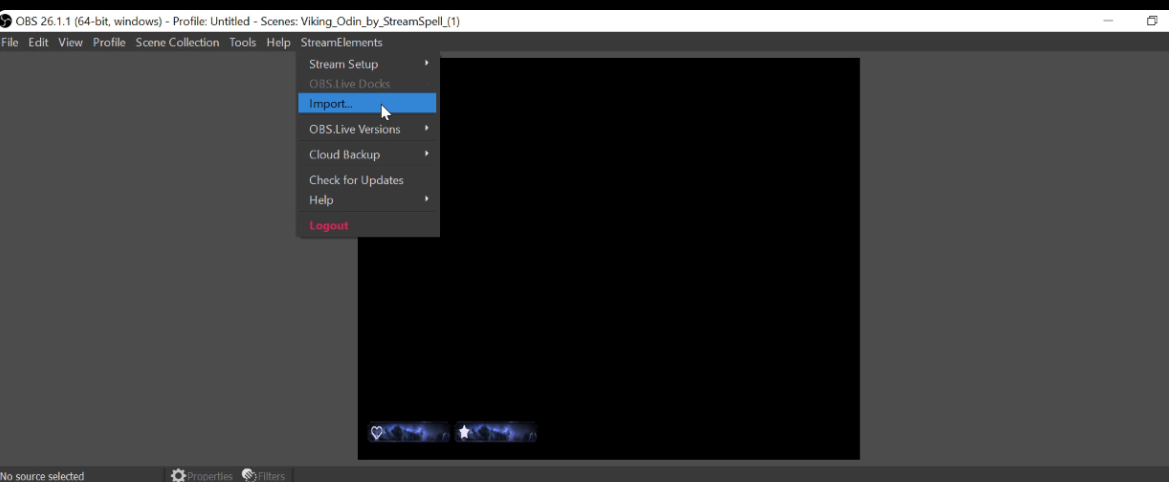


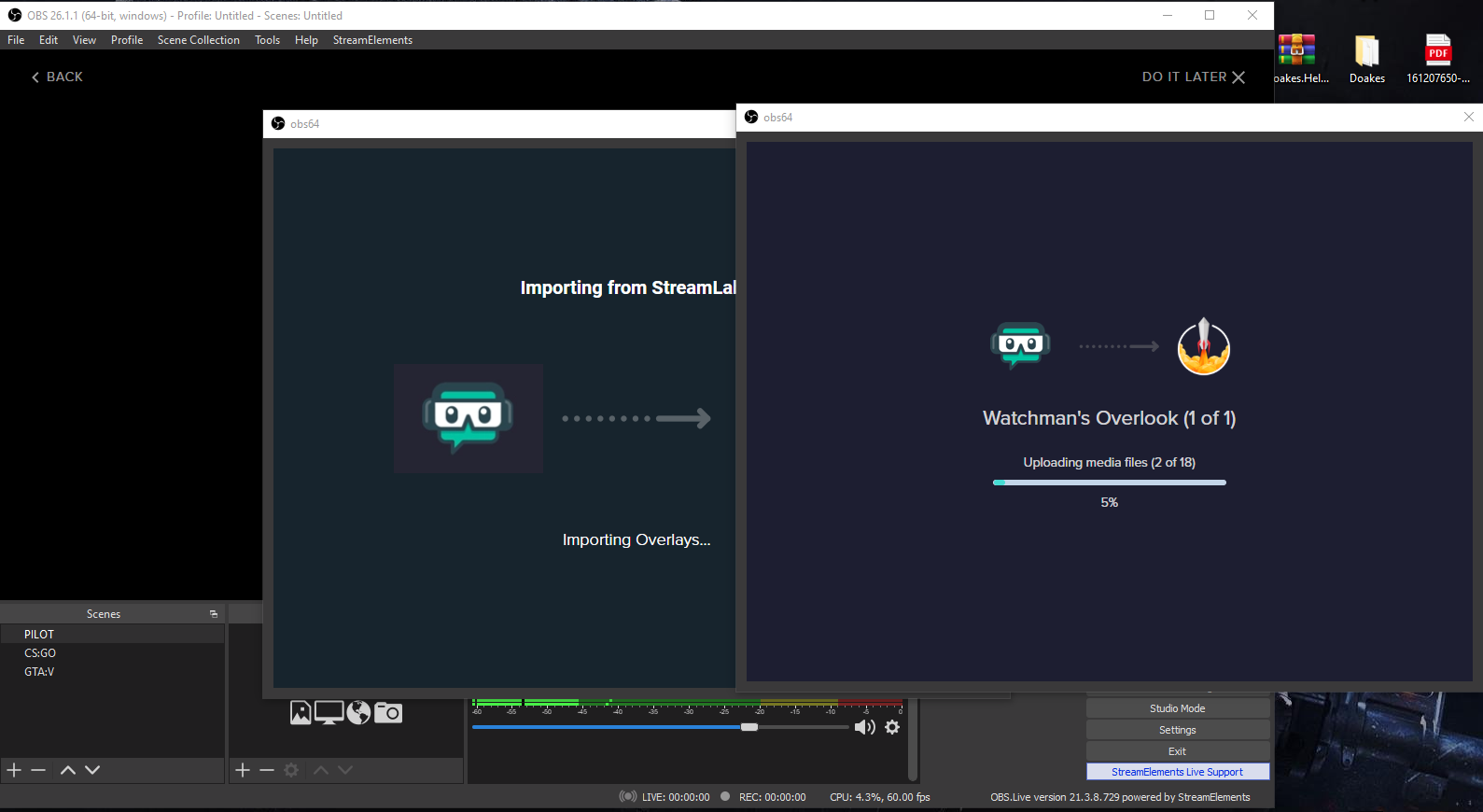 nova scaffold
rugged quail
Incognito
nova scaffold
rugged quail
Incognito
hard to read but ok, we are on it.
rugged quail
nova scaffold
hard to read but ok, we are on it.
better?
 nova scaffold
rugged quail
Incognito
nova scaffold
rugged quail
Incognito
If you have a proxy or VPN active - try to disable it.
rugged quail
nova scaffold
If you have a proxy or VPN active - try to disable it.
i don't have either active