#helpdesk-selive
1 messages · Page 192 of 1
 karmic grotto
 nova scaffold
#🇷🇺︱русский
 rugged quail
im going to try an uninstall reinstall, ill let you know if that sorts it
my custom font wont show up
even tho it did before i closed the program and the program remembering that the font is saved
 restive sage
hello
nova scaffold
rugged quail
my custom font wont show up
Mh. I would suggest refreshing the cache of the overlay, it should reload it with the custom font settings.
 visual cave
hi in my obs it says im live but when i check my twitch im not
rugged quail
nova scaffold
Mh. I would suggest refreshing the cache of the overlay, it should reload it wit...
how do i do that
nova scaffold
rugged quail
how do i do that
Browser source settings - Refresh cache button.
visual cave
cyronic hi in my obs it says im live but when i check my twitch im not
nova scaffold
visual cave
cyronic hi in my obs it says im live but when i check my twitch im not
I saw your message in the twitch helpdesk already.
rugged quail
nova scaffold
Browser source settings - Refresh cache button.
emptyed the cache and nothing changed
nova scaffold
rugged quail
emptyed the cache and nothing changed
Then restart OBS. If it is not picking up the font, there is not much we can do.
visual cave
@nova scaffold how do i check my feed
nova scaffold
visual cave
<@!149255081194160129> how do i check my feed
Check your stream settings.
visual cave
@nova scaffold then what
nova scaffold
visual cave
<@!149255081194160129> then what
If you are live and the twitch channel is not showing you live, then you need to check where you are streaming to....
So check your stream settings.
 frank yew
Hello, I’m at currently using obs.live with restream.io to multi stream. Is there a way to see my activity feed for both twitch and fb all in one?
nova scaffold
frank yew
Hello, I’m at currently using obs.live with restream.io to multi stream. Is ther...
No, our tools are not designed to support multiple platforms at the same time.
I suggest a popup activity feed for the secondary platform as a small browser source.
frank yew
How would I do that? I tried poping out the streamelements activity feed while under the fb channel but when I input in into Obs it defaulted to the twitch activity feed
 normal jackal
nova scaffold
I suggest a popup activity feed for the secondary platform as a small browser so...
normal jackal
nova scaffold
I suggest a popup activity feed for the secondary platform as a small browser so...
you can download two of obs studio and obs.live so u can see both
frank yew
Wouldn’t that take a lot of resource?
nova scaffold
frank yew
How would I do that? I tried poping out the streamelements activity feed while u...
The best way is to log into StreamElements with the secondary platform and pop out the activity feed as a browser window
this is less problematic than running 2 instances etc.
 proper edge
Im trying to change the Twitch interface of stream elements to Youtube. How do I do that?
In the app itself I still have the Twitch chatbox and twitch notifications but how do I change that? If it is possible
 wooden flare
🤔 So it's impossible for me to test the Stream Chat from Streamelements without being public? (I was doing a test stream on Unlisted on Youtube)
 viral locust
im having trouble with video on command if anyone can help?
 idle sedge
hey guys ive been told that game music can be copyrighted claimed on videos. is the media requester on obs copyright free?
idle sedge
oh ok. is there anything i can add to obs thats not copyrigh claimed?
 kindred fox
your best bet is something like Pretzel.rocks or streambeats
idle sedge
how do i add that?
kindred fox
You would simply play the music and it should come through assuming your headphones are what the audio is playing in. You'll need to adjust the volume wherever you're playing the music so it does not drown you out in OBS
idle sedge
so it can play in the background and the destop audio mix on obs will pick it up?
and yes im using headphonesd
ok pretzel rocks seems to work well. thank you 🙂
 unreal tulip
hi i want to ask why media request doesn't have sound?? Thanks
nova scaffold
unreal tulip
hi i want to ask why media request doesn't have sound?? Thanks
In the overlay or in OBS.Live?
unreal tulip
in overlay
 stuck lance
can i change my se.pay currency?
nova scaffold
stuck lance
can i change my se.pay currency?
Not really, it is tied to your region and your bank currency.
nova scaffold
unreal tulip
in overlay
make sure you have the media request widget in the overlay.
stuck lance
well i just moved to poland and i tried to change it and it still says gbp so i might as well just stick to it huh
unreal tulip
nova scaffold
make sure you have the media request widget in the overlay.
yes it is yesterday all was working now i load obs and no sound to headset
nova scaffold
unreal tulip
yes it is yesterday all was working now i load obs and no sound to headset
Check the audio settings please, might have changed.
unreal tulip
nova scaffold
Check the audio settings please, might have changed.
all ready check them all set up to headset for sound reload the link couple of times and still nothing
 crimson snow
i purchased some alert overlays and when i upload them to the streamelement overlay editor, the person's name won't appear in the box?
nova scaffold
unreal tulip
all ready check them all set up to headset for sound reload the link couple of t...
Not sure what is going on here. If the media share settings are correct, the videos are playing in the overlay and the volume is not 0, then you need to check OBS settings.
nova scaffold
crimson snow
i purchased some alert overlays and when i upload them to the streamelement over...
Depends on the alertbox settings. Alerts have variables that are responsible for sharing the names.
By default - always enabled, but for custom overlays - please check settings.
crimson snow
the ones i got are just .webm files @nova scaffold
 flat snow
i also have a problems. im trying to use an overlay but when i put in the url for the overlay into obs, its only showing a corner of the actual overlay
crimson snow
^ you might have to change the size of the browser source on obs to 1920x1080 or whatever your size is. i had the same issue before @flat snow
 cloud comet
'sup amigos. Is there any way to group audio sources so I can use a compressor filter on that particular group? When I group or scene-nest the audio input sources, It's only possible to apply video filters >.<. Would like to sidechain a complete soundboard and rather don't have a row of a singular audio-files in the mixer either
crimson snow
@flat snow so on the first img or the bigger one, chane the height to 1920 and width to 1080 and save
flat snow
got it now. Thanks!
crimson snow
no problem! glad i could help
nova scaffold
crimson snow
the ones i got are just .webm files <@!149255081194160129>
If you have just webm files, then you have our default alertbox settings to start with.
And they show alerts with names.
crimson snow
right. but the names arent appearing in the box. if i select the 'text over image' layout no name appears. and then sometimes the animations dont update correctly
nova scaffold
crimson snow
right. but the names arent appearing in the box. if i select the 'text over imag...
try to change the alertbox size and/or the text layout.
since you are dealing with imported files, you need to adjust the size
crimson snow
change it how. i scaled the imported files cause it had cropped them weirdly originally. and ive messed with some of the text settings already but so far no luck
 strong raptor
Hey guyz having issues with Obs live it happened today no audio when i transition from one scene to another all my other audio inputs work fine ..also i noticed athough i'm on a selected scene it's greyed out and it says no source selected... any ideas how to resolve this
nova scaffold
crimson snow
change it how. i scaled the imported files cause it had cropped them weirdly ori...
Change the size of the alertbox (overlay is 1920x1080, so check if the text is cut off because the widget is too small) and change the layout to see what is going on.
You can adjust the text position later, first figure out where it is 🙂
crimson snow
the alertbox is 1920x1080. i changed that asap. and when i change the layout the text appears, it just wont appear in the box when i change it back
nova scaffold
crimson snow
the alertbox is 1920x1080. i changed that asap. and when i change the layout the...
Then you need to adjust the text position settings, called margin
 sinful hound
My dropped frames were so high, yesterday 1% for over an hour and in 5 min it was at 86% and it was unwatchable. Is there a solution?
nova scaffold
sinful hound
My dropped frames were so high, yesterday 1% for over an hour and in 5 min it wa...
Yes. This is a massive packet loss, so first thing - call your internet provider and check with them.
2nd - change ingest server for your streaming platform (twitch has like 20, YT has 2 etc.)
sinful hound
nova scaffold
2nd - change ingest server for your streaming platform (twitch has like 20, YT h...
where is this setting?
nova scaffold
3rd - there are test tools that can help you check where the issue happens.
nova scaffold
sinful hound
where is this setting?
Stream settings, the usual server selection.
sinful hound
ok thanks
nova scaffold
But with 86% loss my first recommendation is - ask your provider
sinful hound
nova scaffold
But with 86% loss my first recommendation is - ask your provider
Yeah its my wifi its just fluctuating from 85-92% loss
 ebon comet
hey im super new to all of this and just ran into a little problem when trying to apply an overlay. i seem to keep getting this when trying to add it as a browser source in obs
 paper phoenix
need help. I have my alerts set up through elements. When I get stars, or follows, the alert only works every so often. It doesnt work every follow, or star given. any ideas?
 warm hill
I'm wondering if anybody else has this issue, I use Discord and XBox chat app for communicating with team mates. I'd like to send those through the Voice Chat in the GoXLR but when I pull up OBS, I don't see voice chat as an audio option. Any ideas?
 brave flower
Hello. My streamelements bot is not working on streamlabs obs, why? it works normally in Obs.
I had created a custom name, so it stopped working and the option to change to the default disappeared from streamlabs
 full thunderBOT
@brave flower We're not able to troubleshoot issues with using our overlays in StreamLabs OBS (SLOBS) as we don't have the tools to support their software. We recommend using OBS Studio or OBS Studio with our plugin OBS.Live.
 lyric temple
Thank you! I will try this tonight if the bot decides to stop working again mid-stream.
 median cargo
Hi my bots are not working between twitch and obs live not sure what I have done as they were working can someone help me out please?!
 shadow nest
I just built out a new PC (windows), is there a way to copy all the configurations over to the new computer?
I can copy all of the assets and stuff to the same directories and everything, but the positions and stuff is what I am more concerned about
full thunderBOT
@median cargo If your commands recently stopped working and you're using OBS.Live and a custom bot name do the following:
- In OBS.Live, click on the hamburger menu (three stripes) at the top left of your activity feed
- Click on Stream Settings > Custom bot name
- In the Custom bot name field select Set custom bot name, not your already existing username (with capital letters). Note: If you already connected an account that way, the third entry will show as the account name (see image https://i.imgur.com/sO7fWOX.png).
- Scroll a bit down and click on the purple Connect Custom Bot Account button
- Log in as usual and Authorize the custom bot name
- Back in the Activity feed, click on the Send Test Message button and check if your custom bot name starts working again

 sacred echo
Hi there, the chat feature in my obs live is not working. It says "Error loading data"
full thunderBOT
@sacred echo StreamElements menu, on top of OBS > Logout > Login
 dense atlas
hey my custom bot name not working
i login but it do nothing
how do i reset it? i think its glitched
full thunderBOT
@dense atlas StreamElements menu, on top of OBS > Logout > Login
full thunderBOT
@dense atlas "1) Right click on your OBS desktop shortcut and open the Properties
2) In the Target field, add the following to the very end: --remote-debugging-port=40404 (don't forget to add a space before the current path)
3) Open OBS (or restart if it was open)
4) Open your web browser and type in: localhost:40404
5) Click on StreamElements - Activity feed
6) Navigate to the Console tab
7) Type the following into the console and hit enter: store.customBot.removeCustomBotIntegration()
8) Try setting the custom bot name
9) Remove the additional flag in step 2 from your shortcut properties."
strong raptor
no one has responed to my question wtf ... is there no solution for my audio issue ?
full thunderBOT
@strong raptor Obs.live is a plugin for OBS Studio for the best OBS support, please join their Official Discord @ discord.gg/obsproject
 tidal roost
Question: My streamelements dashboard does not show any of my previous stream data at all. Everything is blank and ive been streaming for weeks now not sure the issue
 copper sequoia
I’m having a bit of an issue where my desktop audio isn’t showing up in my obs. How do I fix this?
full thunderBOT
@copper sequoia Obs.live is a plugin for OBS Studio for the best OBS support, please join their Official Discord @ discord.gg/obsproject
 sinful helm
Hey team! I'm trying to add a stinger transition, but my obs doesn't have the option to add one. Any ideas?
Never mind, I managed to find it
 tame spade
Hi Im not getting any alerts
full thunderBOT
@tame spade Please provide your account ID found at the top of this page: https://streamelements.com/dashboard/account/channels This ID is public info and safe to share here.
 sick ginkgo
I Found an overlay I wanted to use from streamElements. but i cant seem to get it to work right. Arent they supposed to go to scene, instead of sources?
 icy mesa
is there OBS live for macbooks?
 quick atlas
icy mesa
is there OBS live for macbooks?
quick atlas
icy mesa
is there OBS live for macbooks?
Yes, there is a version for MacBooks available
icy mesa
oh really do you know where I can find it? When I looked it up I couldn't find anything and some websites said that there wasn't even a version.
 honest echo
@icy mesa iirc you should be able to download it here: https://streamelements.com/obslive
icy mesa
Awesome thank you so much!
 storm violet
I linked my OBS chat to Twitch instead of FB. I cant find a way to change it. Anyone got any tips or advice?
full thunderBOT
@storm violet StreamElements menu, on top of OBS > Logout > Login
 jaunty root
how do i set this up on pc
 timid willow
I just made a template and I want to put it on obslive, I can not figure out how to do it.
nvm im good
full thunderBOT
@jaunty root New to StreamElements?
Check out our YouTube channel https://www.youtube.com/c/streamelements/videos
with tutorial videos from setting up the basics, to in-depth details on how to use our product.
New to OBS? Here is a 4 step quick start guide
https://obsproject.com/wiki/OBS-Studio-Quickstart
Want to learn even more? Here is an in-depth overview
https://obsproject.com/wiki/OBS-Studio-Overview
 lament quail
I have a question... WHen I hace OBS running, my chat commands won't work... Once OBS is closed and I'm not streaming, everything works just fine, What am I missing here?
full thunderBOT
@lament quail If your commands recently stopped working and you're using OBS.Live and a custom bot name do the following:
- In OBS.Live, click on the hamburger menu (three stripes) at the top left of your activity feed
- Click on Stream Settings > Custom bot name
- In the Custom bot name field select Set custom bot name, not your already existing username (with capital letters). Note: If you already connected an account that way, the third entry will show as the account name (see image https://i.imgur.com/sO7fWOX.png).
- Scroll a bit down and click on the purple Connect Custom Bot Account button
- Log in as usual and Authorize the custom bot name
- Back in the Activity feed, click on the Send Test Message button and check if your custom bot name starts working again
 velvet basalt
I have a problem with OBS black screen, and checked out OBSlive page for help, yet none of the advice worked on me. The page said to come here for help - is this the right place? Thanks
full thunderBOT
@velvet basalt Obs.live is a plugin for OBS Studio for the best OBS support, please join their Official Discord @ discord.gg/obsproject
 latent raven
Having an issue setting up stream deck on OBS 26.1.1, if anyone can help? Getting the "remote plugin is missing" message and I've tried reinstalling both applications a few times (as instructed by Elgato) but no luck
full thunderBOT
@latent raven If you are having issues with Elgato hardware or software, we recommend reaching out to their support here: https://e.lga.to/help
 fallen epoch
Hi! i keep trying to upload sounds for my alerts, but it keeps saying upload failed. i;ve tried multiple different sound clips and they all do the same. 😦
 shy mountain
Disable any ad blocker or anti-virus program
that might be blocking the upload
if that doesn't help, then you might need to either restart your PC
or actually do a deep scan
latent raven
full thunder
<@!206359862697787392> If you are having issues with Elgato hardware or software...
I have done but their only suggestion was to reinstall both programs but that's not helping sadly
shy mountain
@latent raven Are you having issues with OUR streamdeck integration or generally with the streamdeck?
full thunderBOT
@rugged quail Obs.live is a plugin for OBS Studio for the best OBS support, please join their Official Discord @ discord.gg/obsproject
latent raven
shy mountain
<@!206359862697787392> Are you having issues with OUR streamdeck integration or ...
Fixed! Turns out the forth uninstall and reinstall was the fix. No idea why it wasn't working before but thanks anyway!
 knotty sparrow
Hello I need help for my obs streamelements.
full thunderBOT
Welcome to the helpdesk! Please let us know how we can assist you today and a support volunteer or staff member will assist you as soon as they are available. Thank you for your patience.
knotty sparrow
I can't see anything on the middle part of my obs studio. I need your help. 😦
full thunderBOT
@knotty sparrow StreamElements menu, on top of OBS > Logout > Login
knotty sparrow
I already tried but nothing happens. There's no window popping up.
 late furnace
uptop go to View then Doccs then hit Reset UI it should bring it bacc
knotty sparrow
late furnace
uptop go to **View** then **Doccs** then hit **Reset UI** it should bring it bac...
Still the same
late furnace
Right clicc on it then hit enable preview?
knotty sparrow
nothing happens.
i already tried reinstalling many times. it does not fix my issue.
knotty sparrow
im not trying to capture any game right now. but i think i should see things at the middle part of obs
 toxic fern
Not sure what you're talking about.
late furnace
the middle is the previews for your games and stuff like that
which in fact you have minecraft and apex there so im not sure what youre trying to do
you dont have any overlays there or anything
shy mountain
Did you try and reinstall OBS? Seems like something is blocking it from loading the window it needs to load right now.
late furnace
he did state "i reintalled many times"
knotty sparrow
here im talking about that panels at middle part of this guy's obs
sorry for my bad english :<
late furnace
the logout and rest UI should have brought all that bacc
knotty sparrow
late furnace
the logout and rest UI should have brought all that bacc
i already did this
shy mountain
Them something is blocking OBS.Live from loading the login page properly
as in like firewall or anti-virus
late furnace
^^
 limber lichen
Okay so I have an issue that hasn’t really happened to me until now. I’ve been using obsstreamelements for about a month now with no problems but yesterday and today I’ve started having issues where I will be streaming and about an hour and a half to two hours into my stream I get disconnected from obs not only that but now when I try to stream I’m getting frame drops out of no where. I’m wondering what the issue could be and why it just all of a sudden happened outta know where
full thunderBOT
@limber lichen Obs.live is a plugin for OBS Studio for the best OBS support, please join their Official Discord @ discord.gg/obsproject
rugged quail
Hello, whenever I close OBS, the custom bot name returns to StreamElements. So I cannot use StreamLabs OBS.
 warm rock
Hello, my custom chat bot does not show a bot symbol in chat. Is that an issue, or how can it be fixed?
 static estuary
hi There, i keep getting Freezes when the OBS.live is installed right away when i start OBS....when i just install the new OBSstudio over it, it works fine.
i have read something similiar in the #beta_selive
but this thing came out of nowhere, and also this Crash Log is the First , all the freezes like 9/10 are just freeze and i have to shutdown them w/o getting a crash log.....
can someone help out? i really wanna use the Extension/OBS.live stuff
rugged quail
@nova scaffold can you check my question?
full thunderBOT
@rugged quail Not all staff are able to assist with support issues. Please refrain from pinging them or sending them DMs unless asked to.
rugged quail
Okay sorry
nova scaffold
rugged quail
<@!149255081194160129> can you check my question?
Custom bot name requires our software to run. So keep it open.
 midnight coral
Hi can anyone explain to me how I can import a psd file into stream elements? Someone made it for me but stream elements doesnt seem to accept that type of file
nova scaffold
midnight coral
Hi can anyone explain to me how I can import a psd file into stream elements? So...
PSD is a photoshop file. You need to actually export a picture etc. instead of using a project file 🙂
nova scaffold
Ask the designer who sent you the file for an exported copy
 royal iris
Hi! I need help with the bot. It doesn't work if I select to use my Streamer name
 sharp turret
royal iris
Hi! I need help with the bot. It doesn't work if I select to use my Streamer nam...
sharp turret
royal iris
Hi! I need help with the bot. It doesn't work if I select to use my Streamer nam...
Use the 3rd option
Set custom bot name
and login with your twitch account
royal iris
sharp turret
and login with your twitch account
Oh! Thx
sharp turret

royal iris

 candid egret
HEy guys heyitsmecorbin here. I wanted to add an alert overlay but am not sure where to paste the link from stream elemnts. if anyone could assist that'd be awesome!
full thunderBOT
@candid egret To add your overlays to OBS, add a new browser source in your scene. Paste your overlay URL in the browser source properties, set the dimensions to 1920x1080 (unless you changed them on the website) and check Shutdown source when not visible. https://youtu.be/KDvLynUqXI4
candid egret
THANK YOU!
 night brook
hey i right clicked and pressed screenshot and am wondering where to find it. Thanks!
 regal finch
guys I have a massive problem
I updated OBS.Live and now my OBS crashes on startup no matter what
I deleted and redownloaded OBS but now I can't use OBS.Live anymore
how can I get it without it making my OBS crash ?????
 wise silo
night brook
hey i right clicked and pressed screenshot and am wondering where to find it. Th...
wise silo
night brook
hey i right clicked and pressed screenshot and am wondering where to find it. Th...
Pardon?
full thunderBOT
@regal finch A crash log is required to investigate the cause of your issue. Please upload the last crash log.
- In OBS, click the Help menu
- Select Crash Reports and then Upload Last Crash Report
- Copy the URL and paste it to the chat here.
Note: If you are not able to follow the above steps, open your file explorer and go here: %appdata%\obs-studio\crashes and provide the last listed file.
night brook
wise silo
Pardon?
i got it thanks tho
wise silo
@regal finch 1) Uninstall OBS.Live and OBS Studio completely, but leave this unchecked https://i.imgur.com/LBaHgM1.png
2) Download and install OBS Studio from https://obsproject.com/
3) If it doesn't crash, install OBS.Live too.
-
It's fixed? Nice!
-
It crashes again?
- Repeat steps 1 and 2
- Duplicate the current "Scene Collection" at the very top of OBS, call it something like "Backup" and remove all browser sources in that backup
- Install OBS.Live and see if it still crashes
- If yes, repeat steps 1 and 2, leave OBS.Live uninstalled, and we can troubleshoot further from there.
 balmy pivot
Hello! I have a question. In the chat window in obs live, is there a way to make it so it stays default on dark mode? I have to change it every time i open obs.
full thunderBOT
@balmy pivot Please provide a log from your last stream. To do this, in OBS go to Help > Log Files > Upload Last Log File and paste the link to the log file here.
balmy pivot
wise silo
Try running OBS as administrator, it should save then.
 coarse trench
I set up alerts in my widget maker, they work fine and the link appears in the browser. But when I move them to my obs it just doesnt show up. The only widget that appears is My subscriber goal and the rest are invisible
balmy pivot
@wise silo should i always run it on admin?
wise silo
Yes.
balmy pivot
@wise silo awesome thank you!!! 
wise silo
coarse trench
I set up alerts in my widget maker, they work fine and the link appears in the b...
Are they all on the same overlay, added to OBS?
regal finch
@wise silo it's downloading right now
coarse trench
I tried with all the same overlay but only the sub goal appeared. When I moved it to individual overlays it was the same problem
wise silo
coarse trench
I tried with all the same overlay but only the sub goal appeared. When I moved i...
Do you have overlays hidden?
coarse trench
No. The subscriber one works fine but everyhting else (chat etc.) appears in brower but not obs
regal finch
@wise silo crashed again
wise silo
Just OBS is crashing aswell?
wise silo
And you tried all 6 steps?
regal finch
yh
coarse trench
I fixed my problem,
wise silo
Try that.
regal finch
oh ok lmao
mitch when i download it it just puts me back on my normal scene collection
wise silo
Then did you select the 'user settings' checkbox in the uninstall tab of obs to remove your scene collection after you backed it up?
 wise silo
click that little box
regal finch
and this time it asked me to update
so im going safe and saying no
and its worked
it kind of worked the wrong way
lol

 wary dew
ah you two dating? 😛
wise silo
Only on the second tuesday of every week
 golden lodge
hello my sub alert wont change to my custom alert even thou it shows that its changed? https://gyazo.com/b4fa81a3fa6e95ed456be3dc5a799554
 wise silo
Did you change the sub variation?
golden lodge
oh no
 golden lodge
haha thank you!
 ancient orbit
is there anyway to get my chat and activity box to update? they don't show anything and i just got done reinstalling it
wise silo
In your OBS client?
ancient orbit
yeah, my obs client won't show any activity, and my chat won't even let me send a test message
full thunderBOT
@ancient orbit StreamElements menu, on top of OBS > Logout > Login
 south iris
So my obs shows that my stream is fine... The frames the bit rate everything is fine. But when others watch my stream and even if I watch my stream on twitch It has a frame rate of like 3 fps per second
full thunderBOT
@south iris Please provide a log from your last stream. To do this, in OBS go to Help > Log Files > Upload Last Log File and paste the link to the log file here.
south iris
I dont know how long this has been happening for but it seemed to be fine when I was streaming earlier
wise silo
Are you on a laptop?
golden lodge
@wise silo do you know how to make the text in the box?
wary dew
select text over image then play with the text margins in advanced text settings
golden lodge
it doesnt change when i do that like it stays the same
when i do the text over thing i dont see the text at all
south iris
I am on a laptop
wise silo
south iris
I am on a laptop
Do you know the model of your laptop?
south iris
uh Idk I just know that this thing is decently strong it has a i7 core and integrated graphics
wise silo
integrated graphics is not strong.
south iris
its league of legends
wise silo
Doesnt matter, streaming is a very intensive process, and to game ontop of that with purely integrated graphics is suicide to the mGPU chipset
Fix all of the things on this list; https://obsproject.com/tools/analyzer?log_url=https%3A%2F%2Fobsproject.com%2Flogs%2FinEuvBxyR34Nq08P @south iris
OBS (Open Broadcaster Software) is free and open source software for video recording and live streaming. Stream to Twitch, YouTube and many other providers or record your own videos with high quality H264 / AAC encoding.
south iris
okay will do
 cosmic imp
hello how can i change my tipping link on obs live?
i add account in stream elements and i don't know how i change it on obs
full thunderBOT
@cosmic imp StreamElements menu, on top of OBS > Logout > Login
wise silo
cosmic imp
hello how can i change my tipping link on obs live?
What do you mean?
 frigid crow
Unsure if this is a twitch or obslive problem.. can anyone help? Through obslive I changed the bot name to match my name. It has worked perfectly. Until last night. My commands no longer work if the bot is set like this (see pic)
I've parted the bot/channel in streamelements webpage dashboard and reconnected the activity side of things in obslive. Is there another way I can fix this? I loved the ability for the bot to use my name and emotes!
full thunderBOT
@frigid crow StreamElements menu, on top of OBS > Logout > Login
frigid crow
Ughhh can't believe I didn't find that. Assumed closing/restarting would do it. Thank you @full thunder !!!!! 
 dry topaz
I still can not get a custom bot to work in OBS.live, it's really getting quite frustrating now. I've literally uninstalled OBS, OBS.live, parted the bot, logged out my account on both OBS and the dashboard, disconnected the StreamElements connection in Twitch on both my account and my bot's account. No matter what it'll will just remain on this and not change.
And I've followed previous support provided which is the below "1) Right click on your OBS desktop shortcut and open the Properties
2) In the Target field, add the following to the very end: --remote-debugging-port=40404 (don't forget to add a space before the current path)
3) Open OBS (or restart if it was open)
4) Open your web browser and type in: localhost:40404
5) Click on StreamElements - Activity feed
6) Navigate to the Console tab
7) Type the following into the console and hit enter: store.customBot.removeCustomBotIntegration()
8) Try setting the custom bot name
9) Remove the additional flag in step 2 from your shortcut properties."
full thunderBOT
@dry topaz StreamElements menu, on top of OBS > Logout > Login
dry topaz
Done that countless times
honest echo
when you set the default name (StreamElements) the bot works? @dry topaz
dry topaz
Yup, and it works with setting it to my own name too
Just never works when trying to connect a custom bot
honest echo
ok have you check that the other account (the one that you are trying to set the bot) isn't banned/muted/timeout'd on your channel?
dry topaz
Yeah, and I've even disconnected that account from StreamElements and made another BOT account just to see if it was an issue with the other
honest echo
ok i'm dealing with an issue right now but i'll get back to you asap
dry topaz
Appreciate it, I'll try and keep an eye on this channel
 spring tide
streamelements bot isnt working after name change, help?
full thunderBOT
@spring tide If you changed your name on Twitch, please follow these steps:
- Visit https://streamelements.com/logout and then log in again by connecting with Twitch.
- On the right side of the dashboard page that opens, select Join under bot settings. If it says Part select that and then select Join to send the bot to the chat. Don't forget to mod the bot by typing /mod streamelements in your channel if you have not already.
- Post your old and your new name here so that we can update your channel's chatstats tracking (must be done by staff).
 inland creek
Hello! Quick question... A few days ago my obs stopped displaying my subs. I've deleted the source and reconfigured the source and it still doesn't display.
rugged quail
Heya. I dont know what but ever since i think the update i have been having encoder errors? I was wondering if other people were having the same problem?
quick atlas
inland creek
Hello! Quick question... A few days ago my obs stopped displaying my subs. I've ...
Does the emulation work on the dashboard? And do other events pop up?
quick atlas
rugged quail
Heya. I dont know what but ever since i think the update i have been having enco...
Might be worth checking in the Official OBS discord
full thunderBOT
@rugged quail Obs.live is a plugin for OBS Studio for the best OBS support, please join their Official Discord @ discord.gg/obsproject
 shell dagger
So i just installed Kappagen to have some emote explosions, but i noticed it added a bit of lag to my stream when activated, so i think I might wait until I have a better CPU before using it.
Given this, will the Streamelements overlay still use CPU if it is disabled in my scenes? If not, I'll just go ahead and disable the streamelements overlay in each scene rather than delete it so i can add it later.
quick atlas
shell dagger
Given this, will the Streamelements overlay still use CPU if it is disabled in m...
As long as you disable the browser sources OBS will not try to load them, so it shouldn't tax your CPU
shell dagger
quick atlas
As long as you disable the browser sources OBS will not try to load them, so it ...
Nice, thanks 🙂 Any quick tips for reducing the CPU usage of kappagen if I wanted to try it again before upgrading my CPU?
quick atlas
shell dagger
Nice, thanks 🙂 Any quick tips for reducing the CPU usage of kappagen if I wante...
Keeping the amount of browser sources low by keeping things in one overlay helps reduce the CPU usage, but it tend to differ between CPUs. You could also try limit the amount of emotes showing up in the explosions
shell dagger
quick atlas
Keeping the amount of browser sources low by keeping things in one overlay helps...
hey that could work too! thanks 🙂
quick atlas
shell dagger
hey that could work too! thanks 🙂
Np!
 rough cargo
I have a problem with my obs lagging without even streaming or recording! I have a 2070 and i9 9900k and didn't have this problem before, and I have the same settings and everything as before. My stream also got 30 fps when streaming warzone on lowest settings! I don't know what to do 😦
full thunderBOT
@rough cargo Obs.live is a plugin for OBS Studio for the best OBS support, please join their Official Discord @ discord.gg/obsproject
 wind vessel
So, my OBS keeps freezing on startup of the app, but ONLY when I have the obs.live plugin installed. As soon as I uninstall just the plug in and restart, no freezes. Reinstall the plugin, and boom, freezing again. Suggestions?
full thunderBOT
@wind vessel Please provide a log from your last stream. To do this, in OBS go to Help > Log Files > Upload Last Log File and paste the link to the log file here.
wind vessel
my last stream or two logs to compare freeze vs no freeze?
I'll reinstall your plugin and then send you a log file after a crash.
10 restarts without plugin: no freeze. 1 with: freeze. log incoming.
full thunderBOT
@wind vessel A crash log is required to investigate the cause of your issue. Please upload the last crash log.
- In OBS, click the Help menu
- Select Crash Reports and then Upload Last Crash Report
- Copy the URL and paste it to the chat here.
Note: If you are not able to follow the above steps, open your file explorer and go here: %appdata%\obs-studio\crashes and provide the last listed file.
wind vessel
full thunderBOT
@wind vessel 1) Uninstall OBS.Live and OBS Studio completely, but leave this unchecked https://i.imgur.com/LBaHgM1.png
2) Download and install OBS Studio from https://obsproject.com/
3) If it doesn't crash, install OBS.Live too.
-
It's fixed? Nice!
-
It crashes again?
- Repeat steps 1 and 2
- Duplicate the current "Scene Collection" at the very top of OBS, call it something like "Backup" and remove all browser sources in that backup
- Install OBS.Live and see if it still crashes
- If yes, repeat steps 1 and 2, leave OBS.Live uninstalled, tell us that it didn't work and use your old default scene collection again.
wind vessel
Or I guess I can just forgo the custom bot name and run obs without the plugin. Thank you!
 slender cloud
Your advice to @inner knot fixed my problem from today. 👍 🤩 I had exactly the same issue. Thank you!
rugged quail
hey, you can add additional channels through our dashboard
 shrewd marlin
how?i doesnt allow me
its both on facebook
i mean facebook page can i add 2 on 1 account?
 hazy rock
Is there a way to lower the stinger volume in obs
 restive needle
not sure if i should post this in here, but for the past week or so, my alerts aren't triggering. worked for a long time until recently. now, i get stuff sometimes when i retrigger the alert but also no
 teal nova
Hey guys, I am trying to run a test stream offline as I am playing an unreleased beta build of a game for the Developer so I want it to be perfect. I understand I need to put '?bandwidthtest=true' after my stream key in order to emulate the stream for a test drive.
However I can't seem to find the place inside OBS Live to actually put in my stream key and add this to the end, All I could find was an 'Enable Bandwidth Test Mode' but no place to actually enter my stream key and add the ?bandwidthtest=true to the end.
Is the bandwidth test mode the latest way to successfully go live without someone seeing or being alerted or am I still missing something?
Any help appreciated! Thanks! 🙏
rugged quail
Hey so how do I get the Theme from the website to my obs.live? I'm really confused there 😅 I'd be glad if you could help me out thanxx.
full thunderBOT
@rugged quail To add your overlays to OBS, add a new browser source in your scene. Paste your overlay URL in the browser source properties, set the dimensions to 1920x1080 (unless you changed them on the website) and check Shutdown source when not visible. https://youtu.be/KDvLynUqXI4
rugged quail
oooooh Nice thankss
 shut trench
Hello, question about streaming. I currently have the OBS.live linked to twitch.. is there a way to multi-stream to youtube as well?
sharp turret
StreamElements does not support multistreaming
 neat ingot
how to add the activity feed and alerts
 tender python
@rugged quail you add them, with the plus, at the bottom.
 steady field
Hello there, can i ask something? i cant stream on 1080p and 60 fps. before this im using obs streamlabs and its perfectly work on 1080p and 60fps. any solution there?
tender python
You can - but i wouldn't but that's a different story
SLOBS is a "set one click and forget"
OBS needs proper setup, @steady field
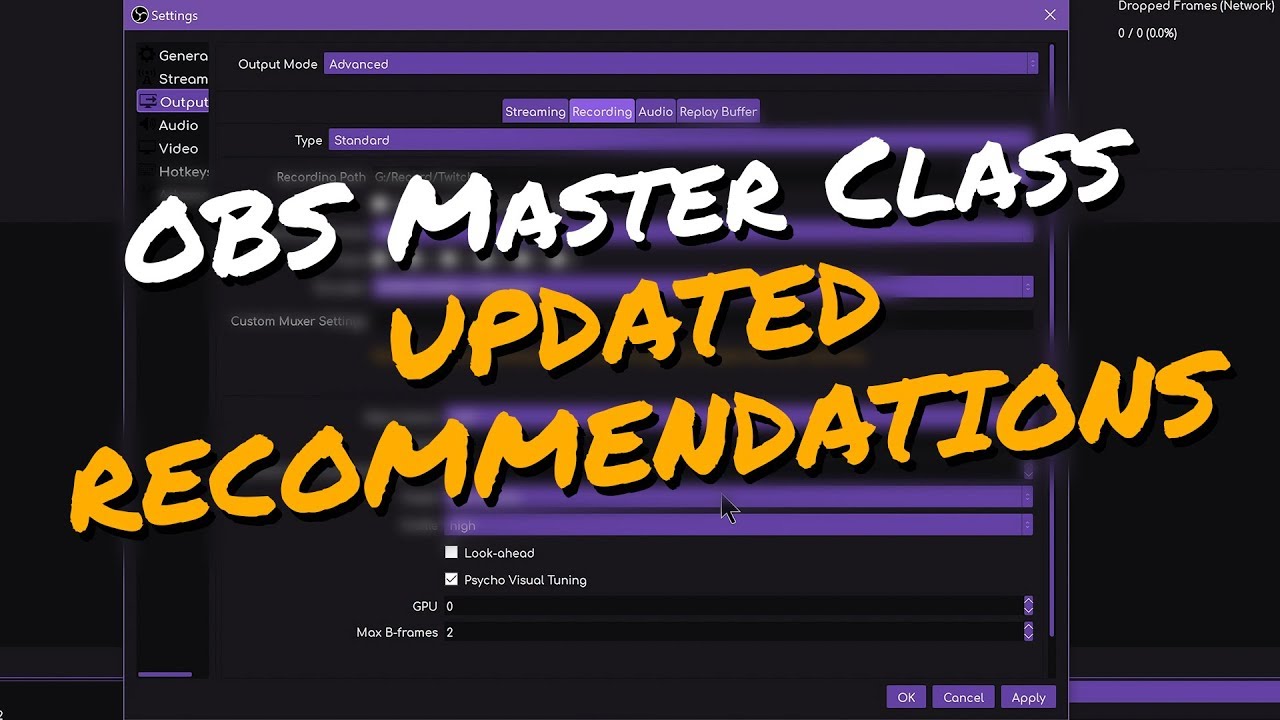
You asked, I delivered! Here's some updated recommendations for OBS settings following the new NVENC updates and OBS 23 release.
►► OBS MASTER CLASS: https://www.youtube.com/playlist?list=PLzo7l8HTJNK-IKzM_zDicTd2u20Ab2pAl
► OBS 23 Update: https://www.youtube.com/watch?v=kW7Hd7kKGI4
► New NVENC EXPLAINED: https://www.youtube.com/watch?v=6fyP7kg...
neat ingot
cant see it
tender python
neat ingot
cant see it
tender python
dont scale output if you want 1080p out
watch the video.
Regardless, i would not stream 1080p60
but that's my opinion.
steady field
720p?
tender python
if you want 60fps, yes.
 livid aspen
Hi, I'm having trouble with my alerts, I've set them up in Stream Elements and used URL in Browser source on OBS.live, but when I test them the only show half the alert and sometimes the alert doesnt even show up
Can anyone help me with this issue?
tender python
steady field
720p?

I'm just going to say it once again: 1080p 60fps at 6000kbps x264 medium.
👏🏼IS👏🏼NOT👏🏼ENOUGH👏🏼
Top is from stream at 1080p60, Bottom 1440p144
That's your stream. At 1080p60. Playing 👏🏼ANY👏🏼FAST👏🏼MOTION👏🏼GAME. It's not worth it.
#twitch #rant @Twitch

 Twitter
·
tender python
steady field
720p?
Twitter
·
tender python
steady field
720p?
Basically:
1080p60 = 12000 Kbps
1080p30 = 6000 Kbps
720p60 = 6000 Kbps
720p30 = 3000 Kbps
and because 12000 is impossible..
 tender python
Not a clean dividable resolution
would avoid.
unless your base canvas is also 864, but then again, not a clean dividable integer.
while it's fractional
you get wierd .25 edges
livid aspen
livid aspen
Hi, I'm having trouble with my alerts, I've set them up in Stream Elements and u...
@full thunder
tender python
livid aspen
Hi, I'm having trouble with my alerts, I've set them up in Stream Elements and u...
set the right browser size.
livid aspen
I've tried that doesn't change
full thunderBOT
@livid aspen The default resolution for StreamElements overlays (theme and custom) is 1920x1080. Please add them in OBS at their full resolution and use CTRL+F to fit to screen if necessary. You can then downscale your stream in OBS settings > Video if you'd like https://i.imgur.com/6bWXxjR.png
 livid aspen
Alright let me try that
rugged quail
Need help please
tender python
With what?
The answer to the question what is life?
What we'd recommend to snack on?
What windows to use?
What our favorite color is?
Gotta be a little bit more specific there @rugged quail
rugged quail
tender python
With what?
The Size of my Start Scene it is set to 1920 x 1080 an it's not showing the whole Scene
rugged quail
tender python
No it's not
tender python
i see a full preview screen
teal nova
teal nova
Hey guys, I am trying to run a test stream offline as I am playing an unreleased...
any insight on this?
tender python
teal nova
Hey guys, I am trying to run a test stream offline as I am playing an unreleased...
just add it manually
teal nova
but i cant find where 😦
tender python
you linked it with twitch then i guess?
rugged quail
tender python
i see a full preview screen
O my Bad I was looking at the Wrong Scene... I'm so sorry
tender python
teal nova
but i cant find where 😦
teal nova
yup streaming from there for a long time, but just cant find where my stream key info is located in streamelements
tender python
to be more precise
teal nova
hmmm not there for me
tender python
if you use the checkmark
it's already in bandwidth test mode
no need to add it
adding it is the manual way
teal nova
great, that was my initial question as i was confused if i still had to add it to stream key string, thanks a lot for the help! @tender python
tender python
it's either with checkbox or manual 🙂
teal nova
awesome stuff, thanks a lot for that I appreciate it vastly! ❤️
tender python
teal nova
awesome stuff, thanks a lot for that I appreciate it vastly! ❤️
if you ever want to go manual:
😉
 zealous comet
I would like to start up a dual PC stream. I have OBS on both computers and would like to do an OBS to OBS transfer. How do I accomplish this?? Also the capture card I have I do not believe is being recognized by my second PC.
karmic grotto
if the capture card isn't being recognized then u can't. The setup is pretty straight forward, capture card will catch image from gamingPC and display as a an source in OBS then it will route the img to the monitor u use. then the second PC will stream the image
the gaming pc doesn't need to have obs or anything else
 gray jolt
hello - I changed my name on twitch and had to download OBS again on a new PC. None of my commands work anymore coming from SE. I've logged in to SE under my new name and it seems to recognize the name change.
Any advice on getting my commands to work again on twitch?
full thunderBOT
@gray jolt If your commands recently stopped working and you're using OBS.Live and a custom bot name do the following:
- In OBS.Live, click on the hamburger menu (three stripes) at the top left of your activity feed
- Click on Stream Settings > Custom bot name
- In the Custom bot name field select Set custom bot name, not your already existing username (with capital letters). Note: If you already connected an account that way, the third entry will show as the account name (see image https://i.imgur.com/sO7fWOX.png).
- Scroll a bit down and click on the purple Connect Custom Bot Account button
- Log in as usual and Authorize the custom bot name
- Back in the Activity feed, click on the Send Test Message button and check if your custom bot name starts working again
gray jolt
@full thunder not using a custom bot name
full thunderBOT
@gray jolt Go to the Dashboard > Right side > Part channel > Join channel(https://streamelements.com/dashboard)

@gray jolt If you changed your name on Twitch, please follow these steps:
- Visit https://streamelements.com/logout and then log in again by connecting with Twitch.
- On the right side of the dashboard page that opens, select Join under bot settings. If it says Part select that and then select Join to send the bot to the chat. Don't forget to mod the bot by typing /mod streamelements in your channel if you have not already.
- Post your old and your new name here so that we can update your channel's chatstats tracking (must be done by staff).
 zinc hare
did U saved it ??
 amber schooner
yes
rugged quail
I hope this is not a lame question, but how do I go ONLINE in streamelements? My youtube stream is running, streamelements is connected to my account, but still it says OFFLINE.
 fair iris
I also had a question, when I test my alerts they show perfectly fine on Streamelements but cutoff by alot on OBS, how can I fix this?
full thunderBOT
@fair iris The default resolution for StreamElements overlays (theme and custom) is 1920x1080. Please add them in OBS at their full resolution and use CTRL+F to fit to screen if necessary. You can then downscale your stream in OBS settings > Video if you'd like https://i.imgur.com/6bWXxjR.png
tender python
zealous comet
I would like to start up a dual PC stream. I have OBS on both computers and woul...
Capture card or NDI, the latter is free, but has network requirements.
 civic hull
hello, I've created an overlay and changed the fonts, but when I put it into obs the fonts stay stanard and don't change. What can I do to change it?
 mint vault
did you remember to save it ?
civic hull
yes I did, sadly nothing changed
civic hull
everything I do changes, except the font
civic hull
tender python
which font is it
uhh its offside i think
tender python
in css part in OBS browser
add
@import url("https://fonts.googleapis.com/css?family=Offside");
civic hull
uhh I don't really know much about that, how do I do that ?
tender python
open the browser source, there's a CSS field beneath it, below all the paramters.
 tender python
@wary dew poepie 😗
wary dew

civic hull
all thank u
civic hull
tender python
<@!156048565058142208> poepie 😗
sorry :(
wary dew
civic hull
sorry :(
he loves me 😄 it's all good
tender python
its a font thing
another way would've been to you download and install the font
but that's... unneeded
civic hull
yeah seems way too much for such an easy thing
rugged quail
whenever I have window capture open and capturing, my cursor doesn't come up on games, but only on the stream preview
 ocean rivet
rugged quail
whenever I have window capture open and capturing, my cursor doesn't come up on ...
ocean rivet
rugged quail
whenever I have window capture open and capturing, my cursor doesn't come up on ...
you mean its showing the cursor on stream but not on your game?
rugged quail
ocean rivet
you mean its showing the cursor on stream but not on your game?
yes
its so annoying
ocean rivet
usually games hide the windows cursor, is there any reason you can't use game capture?
 sterile mulch
Hi I'm a little new around here, I need help with the hype cup. Is there somebody I should ask?
or effer to?
ocean rivet
rugged quail
like, the window itself doesnt come up
that doesn't seem related to the OBS.Live plugin, you might want to ask around in the official OBS discord (https://discord.gg/obsproject)
ocean rivet
sterile mulch
Hi I'm a little new around here, I need help with the hype cup. Is there somebod...
you can post your question here
sterile mulch
alright, my problem is that the hype cup works fine for the followers "coins", but when I try to use it for the tips, it crops the image and it shows only a quarter of it. Is there any advice or something I'm missing?
ocean rivet
can you share a screenshot?
sterile mulch
yessir just a sec
this is for the followers alerts and it works fine
this one is for the tips, and as you can see, it's cropped badly
full thunderBOT
@sterile mulch Please provide your account ID found at the top of this page: https://streamelements.com/dashboard/account/channels This ID is public info and safe to share here.
sterile mulch
6005b42663c95693b0fb5090
 unborn sleet
when I preview my overlay in a new tab nothing is there, it's just blank.
how can I fix this?
ocean rivet
sterile mulch
6005b42663c95693b0fb5090
it seems that there is a bug with custom images, the devs are aware of the issue
you could try uploading the images in a smaller size and see if that helps with the cropping
sterile mulch
nope, already tried it unfortunately 😦
unborn sleet
the image I have won't change size
ocean rivet
unborn sleet
when I preview my overlay in a new tab nothing is there, it's just blank.
are you testing alerts or just the overlay?
unborn sleet
alerts
unborn sleet
oh, so I have to stream it
wary dew
no, you can test it in OBS
unborn sleet
yeah, in preview
full thunderBOT
@unborn sleet The default resolution for StreamElements overlays (theme and custom) is 1920x1080. Please add them in OBS at their full resolution and use CTRL+F to fit to screen if necessary. You can then downscale your stream in OBS settings > Video if you'd like https://i.imgur.com/6bWXxjR.png
wary dew
yeah, but that button should be on, because LIVE means: send to OBS 😉
sterile mulch
ocean rivet
it seems that there is a bug with custom images, the devs are aware of the issue
quick question, there's a way to know when it's gonna be fixed? I know developers works hard, just curious
ocean rivet
unfortunately no ETA 
sterile mulch

 warped mica
my stream smushes to the center i think its a ratio problem
This happens on every device
tender python
check output video reso
warped mica
Ok
rugged quail
hello
warped mica
@karmic grotto i tried it and it didnt fix it
rugged quail
im having a problem where my internet connection drops to 100 kb/s when i stream league of legends on obs live. and not just the stream, the laptops internet connection drops aswell, and it only goes back to normal when i restart my laptop. is it a common thing or is it just me?
ocean rivet
warped mica
<@!207573201000202241> i tried it and it didnt fix it
make sure your source is filling the whole canvas, you can use ctrl+F on the source to fit to screen
karmic grotto
rugged quail
im having a problem where my internet connection drops to 100 kb/s when i stream...
looks like router overload tbh
rugged quail
when i check the wifi on my phone, its working perfectly but idk for some reason obs does something to my network adapters on the laptop maybe
 mighty beacon
Media request dock is only a blank screen, ive tried closing it and refreshing it to no avail
full thunderBOT
StreamElements menu, on top of OBS > Logout > Login
ocean rivet
it should keep the position you left it at before closing/logging out
mighty beacon
well like when it says tour media request or whatever, it awlays pops out to my other screen and i have to dock it again
ocean rivet
mighty beacon
well like when it says tour media request or whatever, it awlays pops out to my ...
are you using the integrated dock or you created a custom one with the url?
tender python
lock the layout
 ebon monolith
Guys can anyone help me... My stream keeps going offline
 tulip hamlet
Going offline is not a crash.
full thunderBOT
@ebon monolith Please provide a log from your last stream. To do this, in OBS go to Help > Log Files > Upload Last Log File and paste the link to the log file here.
tulip hamlet
You stopped the stream with a hotkey.
 orchid onyx
hey i need some help with my bot
it is not working on my streams yet everything shows up as if it is working on the stream elements sides but i am not sure how to fix it
full thunderBOT
@orchid onyx Please provide your account ID found at the top of this page: https://streamelements.com/dashboard/account/channels This ID is public info and safe to share here.
orchid onyx
you mean my link to get on
orchid onyx
full thunder
<@!755491320675434517> Please provide your account ID found at the top of this p...
6007978a65ea006833d6646
orchid onyx
full thunder
<@!755491320675434517> Please provide your account ID found at the top of this p...
sorry i forgot a number its 6007978a65ea006833d66463
ocean rivet
orchid onyx
sorry i forgot a number its 6007978a65ea006833d66463
check now, it should be fixed
 umbral mountain
i don't know if this is the right place to ask for setting help with obs.live im having an issue with my KBs/s dropping to 0 even though i have lowered all my settings to as low as i can bring them
ocean rivet
I suggest you use this tool
full thunderBOT
@umbral mountain Use the Twitch Bandwidth Test to find the best Twitch server to stream to. Set Duration to Medium. You can uncheck any regions you're not near.
After the test completes, click the Share Result button to upload a screenshot, which can then be copied and pasted here.
Get Twitch Test from https://r1ch.net/projects/twitchtest.
ocean rivet
that will tell you if its an internet issue
umbral mountain
i use that tool and i have it set to the best server in north america witch for me is Chicago im in new york but im still having this issues i have lowered my bitrate to 2500 lowered to 720p 30 fps and im still having issues my internet upload speed is 40 through speedtest.net
ocean rivet
what bitrate does that tool show for your best server?
umbral mountain
let me run the test and post a screen shot for you @ocean rivet
@ocean rivet here are the results
@ocean rivet i use Chicago as my server
ocean rivet
umbral mountain
<@!131420870244564992> i use Chicago as my server
it doesn't seem to be a bandwidth issue then
umbral mountain
@ocean rivet my stats on obs.live never show an issues but at the bottom of obs my green box is red and my kbs/s is 0 and my stream is buffering for a minute or two till the kbs/s starts going back up then my stream comes back very pixelated and after a minute or two it goes back to normal
ocean rivet
check your OBS log, that might give you more info as to why this is happening
umbral mountain
@ocean rivet this is what i got
@ocean rivet Which I already fixed the warnings
Im just completely puzzled and at this point am willing to pay someone to come set this up i have seen people stream with much worse computers with better settings than what i am trying to do but im still having issues
im not sure whats left to check or do
ocean rivet
does the issue happen with both x264 and NVENC encoders?
umbral mountain
@ocean rivet yes it does
@ocean rivet i have tried everything i have gone through obs bitrate guide and done all of the thing with nothing helping at this point the last thing left that was on their list to try is to switch streaming platform which i have debated lately but dont know how i feel about leaving twitch and starting some place new
 chrome cypress
😦 having this issue guys 😦
full thunderBOT
@chrome cypress StreamElements menu, on top of OBS > Logout > Login
 hollow drum
Hello guys and gals! I’m having an issue where OBS live will actually capture my audio from Elgato capture card but I can’t get it out to my headphones
full thunderBOT
@hollow drum If you are having issues with Elgato hardware or software, we recommend reaching out to their support here: https://e.lga.to/help
icy mesa
Hey I’m wondering is there a way to play Spotify in the background of your stream?
toxic fern
@icy mesa Yes. However that is not something we can help with as it is against their ToS to stream their content.
icy mesa
I see alright thank you
 jovial maple
To be honest i dont know if i am even in the right place so i clicked the wrong button and accidently banned the stream elements chat bot, i instantly removed the ban when i noticed but now it no longer shows its there tried restarting it but says bots already there when it no longer is
full thunderBOT
@jovial maple Go to the Dashboard > Right side > Part channel > Join channel(https://streamelements.com/dashboard)
toxic fern
Technically you want #helpdesk-twitch
jovial maple
ah my bad, sorry
mighty beacon
tender python
lock the layout
how do i do that?
tender python
 candid glacier
hello i have a question
full thunderBOT
Welcome to the helpdesk! Please let us know how we can assist you today and a support volunteer or staff member will assist you as soon as they are available. Thank you for your patience.
wary dew
And he already left 🤦♀️
rugged quail
Is there a way to stream games from stream elements obs?
full thunderBOT
@rugged quail To add your overlays to OBS, add a new browser source in your scene. Paste your overlay URL in the browser source properties, set the dimensions to 1920x1080 (unless you changed them on the website) and check Shutdown source when not visible. https://youtu.be/KDvLynUqXI4
We're not able to troubleshoot issues with using our overlays in StreamLabs OBS (SLOBS) as we don't have the tools to support their software. We recommend using OBS Studio or OBS Studio with our plugin OBS.Live.
 exotic briar
There is no such thing as stream elements obs, only OBS.live as plugin for OBS
rugged quail
Ok
 sharp hedge
Did they add any updates that help with music?
tender python
rugged quail
Is there a way to stream games from stream elements obs?
You have to be kidding right?
 raven kiln
obs keeps pulling up my twitch but not my facebook in obs studios how do i change it
full thunderBOT
StreamElements menu, on top of OBS > Logout > Login
raven kiln
i need it to change in my obs panel but how that did not woek
 unkempt zealot
How can I stream?
raven kiln
so obs live pulls my twitch and shows me the info and i need to see facebook instead
full thunderBOT
New to StreamElements?
Check out our YouTube channel https://www.youtube.com/c/streamelements/videos
with tutorial videos from setting up the basics, to in-depth details on how to use our product.
New to OBS? Here is a 4 step quick start guide
https://obsproject.com/wiki/OBS-Studio-Quickstart
Want to learn even more? Here is an in-depth overview
https://obsproject.com/wiki/OBS-Studio-Overview
@raven kiln StreamElements menu, on top of OBS > Logout > Login
raven kiln
i did this but still not working
is there a way to show both twitch and facebook in hereand see all the activity
toxic fern
No.
 subtle ruin
wary dew
subtle ruin
wary dew
Not possible
tender python
is that the default chatwidget?
well yeah, that or make all the usernames one color
 lapis spruce
I have a streamdeck and instaled the Stream elements plugin what makes the emty cup and KAPPAGE Button pls answer me with @lapis spruce thx
nova scaffold
lapis spruce
I have a streamdeck and instaled the Stream elements plugin what makes the emty ...
Asking in 3 channels will not help you, please don't do it.
 lyric vigil
is there any way i can join all the stream labels into one bar that scrolls through them slowly? i dont want to have 4
 clever obsidian
anyone able to help me add my overlays to my stream im stuck lol
karmic grotto
clever obsidian
anyone able to help me add my overlays to my stream im stuck lol
may i help you? where u are stuck at?
clever obsidian
i cant find on obs live how to add them
karmic grotto
lyric vigil
is there any way i can join all the stream labels into one bar that scrolls thro...
multistreaming is against all platforms TOS. But yeah there is a paid solution for what u are asking for.
full thunderBOT
@clever obsidian New to StreamElements?
Check out our YouTube channel https://www.youtube.com/c/streamelements/videos
with tutorial videos from setting up the basics, to in-depth details on how to use our product.
New to OBS? Here is a 4 step quick start guide
https://obsproject.com/wiki/OBS-Studio-Quickstart
Want to learn even more? Here is an in-depth overview
https://obsproject.com/wiki/OBS-Studio-Overview
lapis spruce
@nova scaffold ok i will never do it again
lyric vigil
@karmic grotto lol i meant as in recent follower, subs, tipper, cheerer... those labels adding them into one scrolling text
karmic grotto
lack of detail in the questions than xd, i think i saw a custom widget for that brb
@lyric vigil #widget-share message
lyric vigil
karmic grotto
lack of detail in the questions than xd, i think i saw a custom widget for that ...
👍
 junior epoch
My OBS keeps crashing since the 4th. I dont know if there was an update but Ive noticed several times when I start up OBS it freezes and crashes. It also has crashed on me mid stream 3 times since then. Ive never had issues before. Ive noticed CPU usage for OBS spikes during the times it freezes and Im not sure what I can do to fix the constant crashes, Any ideas? This looks like a common issue right now on twitter.
 jolly locust
how do i get the obs streamelements chat to appear on obs
wise silo
jolly locust
how do i get the obs streamelements chat to appear on obs
Click 'Docks' at the top, then chat.
 plain sonnet
full thunderBOT
plain sonnet
full thunderBOT
@junior epoch A crash log is required to investigate the cause of your issue. Please upload the last crash log.
- In OBS, click the Help menu
- Select Crash Reports and then Upload Last Crash Report
- Copy the URL and paste it to the chat here.
Note: If you are not able to follow the above steps, open your file explorer and go here: %appdata%\obs-studio\crashes and provide the last listed file.
plain sonnet
?
wise silo
jolly locust
https://obsproject.com/logs/HWLRD4jQmCdia9lR
Click 'Docks' at the top, then chat.
jolly locust
where is docs, i cant see it
wise silo
At the top.
jolly locust
can u send a screenshot please
wise silo
Click "View" first
jolly locust
oh i found it
sorry for inconvenience but how do i get it from the top of my screen to the right now , sorry
wise silo
Click & Drag
jolly locust
ok
junior epoch
full thunder
<@!712002650991755348> A crash log is required to investigate the cause of your ...
wise silo
Uninstall your streamdeck and see if it still works (backup your settings first)
jolly locust
ive done it
 light crescent
Hey I have a question I closed the media manager and activity feed tab in obs.live how do I reopen it
Oh I figured it out sorry for bothering
nova scaffold
Yes, the top menu, docks and StreamElements tab 🙂
light crescent
yes thank you😂😂
 steady viper
Hello, yesterday I changed my twitch nickname. From then on, all bots are down, chat commands or anything. can you help me.
full thunderBOT
@steady viper If you changed your name on Twitch, please follow these steps:
- Visit https://streamelements.com/logout and then log in again by connecting with Twitch.
- On the right side of the dashboard page that opens, select Join under bot settings. If it says Part select that and then select Join to send the bot to the chat. Don't forget to mod the bot by typing /mod streamelements in your channel if you have not already.
- Post your old and your new name here so that we can update your channel's chatstats tracking (must be done by staff).
steady viper
thx for help
rugged quail
Made a 2nd Scene an I don't know how to put in the Audio can I get help please?
nova scaffold
rugged quail
Made a 2nd Scene an I don't know how to put in the Audio can I get help please?
Check audio settings, those are global and not based on scenes.
rugged quail
nova scaffold
Check audio settings, those are global and not based on scenes.
Thank you
warped mica
i have tried for 2 days to fix this squished image of my stream, I have uninstalled reintsalled, i dont know whatelse to do
nova scaffold
warped mica
i have tried for 2 days to fix this squished image of my stream, I have uninstal...
👀 Looks strange. Can you show me the source settings for it?
nova scaffold
and your canvas settings from the Video settings?
nova scaffold
The video settings are correct.
Yeah i mean the sources, the starting soon
should be the correct resolution too
Also do you have the VOD of that or a clip?
nova scaffold
Got a clip of that?
ocean rivet
can you share your output tab real quick?
warped mica
ocean rivet
uncheck rescale output
you are using 1080x1920 in there
just uncheck it and it will use the selected output in video settings
warped mica
asixns
nova scaffold
Yep you have rescaling set to the wrong aspect ratio
 unkempt wraith
Hi there, i juste downloaded obs.live on my mac but i can't figure out how to turn it on in OBS, any idea ?
nova scaffold
should be 16:9 and not 9:16
warped mica
ok
nova scaffold
Just remove the "Rescale output".
 wooden marlin
would anyone be able to help? my custom commands aint working on streamelements? every time i type the command it says ***
warped mica
fixed, thanks!
full thunderBOT
If links in chat are appearing as ***** either mod the bot or disable block hyperlinks in your twitch channel settings: https://dashboard.twitch.tv/settings/moderation
 stark perch
in what helpdesk can I ask for help for the streamelements website?
nova scaffold
stark perch
in what helpdesk can I ask for help for the streamelements website?
The help button anywhere on our site etc.
You can also ask here
Support members are present and the same people as in Helpdesk.
stark perch
alright, just making some custom alerts and the alert text keeps going below the video. Even tho I press the text above the video button its still below. and the only way to get it on top is with a text animation. any suggestions?
full thunderBOT
Text not showing up over your alerts? Go to the Advanced Text Settings and set the top margin to 50, you can work your way to the right position from there.
nova scaffold
stark perch
alright, just making some custom alerts and the alert text keeps going below the...
Change the layout setting first, then work with margin^
stark perch
i can see the text faded out in the correct spot
so when the video ends it shows up in the correct spot
nova scaffold
stark perch
so when the video ends it shows up in the correct spot
The video affects the text position.
So you need to work with the layout and margin
if you are working with custom CSS (since you said custom) then this overrides all settings and you need to code it.
stark perch
yes I probably do! thank you
unkempt wraith
Does obs.live work on mac os please ?
toxic fern

nova scaffold
Yes, OBS.Live works on OSX
full thunderBOT
OBS.Live is a Plugin for OBS created by StreamElements. You can download OBS.Live here: https://streamelements.com/obslive
Please make sure you have the latest version of OBS installed, Current Version: 26.1.1. You can install OBS here: https://obsproject.com/
wooden marlin
also i dont have the window to update my stream description how would i add that back to my stream elements?
toxic fern
Go to that link from your respective browser and it should give you the link.
nova scaffold
wooden marlin
also i dont have the window to update my stream description how would i add that...
OBS.Live has that in the activity feed menu.
OBS Studio has a dock for Twitch, so you need to add the Dock back
unkempt wraith
i just downloaded and installed it but it does'nt show up in obs studio..
wooden marlin
how do i add the dock back?
nova scaffold
wooden marlin
how do i add the dock back?
Check the top menu. View - Docks - enable the one that you need
 midnight tiger
Need help with OBS live if anyone can help
wooden marlin
doesn't seem to be in there :l
nova scaffold
wooden marlin
doesn't seem to be in there :l
So what dock are you looking for?
Like i said, we have the activity feed that also has stream settings inside.
wooden marlin
i just want the dock back where i can do it from there
 granite vessel
ON OBS.LIVE what does (ignore streaming setting recommendation) mean?
quick atlas
granite vessel
ON OBS.LIVE what does (ignore streaming setting recommendation) mean?
Some providers like Twitch have upper limits on the bitrate for video and audio. If this option is enabled, OBS will never exceed the settings specified by the provider
granite vessel
i stream on 7k bitrate so if i enable it i cant stream on 7k??
ocean rivet
non-partners are capped at 6k bitrate so I'd assume OBS caps it at that number aswell, if you're partnered you might want to try unchecking that option if you see OBS is capping your bitrate at around that number
ocean rivet
np, just make sure you keep it under 8k since thats the most twitch will allow for partners
 fiery goblet
hello, i dont see a transition for custom transitions. only shows me cut & fade. I just downloaded OBS now please let me know how I can get the custom transition on my pc
stark perch
is there any way to share your overlays in streamelements?
full thunderBOT
@fiery goblet Obs.live is a plugin for OBS Studio for the best OBS support, please join their Official Discord @ discord.gg/obsproject
quick atlas
stark perch
is there any way to share your overlays in streamelements?
We generally don't advise sharing overlays with others.
full thunderBOT
@stark perch "Follow these steps to grant managers/moderators access to your dashboard:
- Click on your channel name at the top of the dashboard
- Create a new invite at one of three access levels (Bot Supervisor, Editor, Full Control)
- Send this invite to a mod/manager to give them access to your dashboard. The link is one-time-use and expires after 72 hours if not accepted
Video tutorial: https://youtu.be/zl_h-ttZDF0"
 patent jungle
Hi, I'm not sure if this fits here but, I need help on my follower alerts going through to stream elements. I have asked about it and there are quick fix but it doesn't work for me.
So, I started to use stream elements after making my set up from using twitch studios. It all worked fine until I think until i deleted twitch studios. Now the follower alerts don't work but raid and hosting alerts works. I don't want to have to reinstall twitch studios for it to work.
Any help would be appreciated.
full thunderBOT
@patent jungle Please provide your account ID found at the top of this page: https://streamelements.com/dashboard/account/channels This ID is public info and safe to share here.
patent jungle
full thunder
<@!368836644473798673> Please provide your account ID found at the top of this p...
Account ID: 5ff8b47e6a3c852473cc49b0
tulip hamlet
patent jungle
Account ID: 5ff8b47e6a3c852473cc49b0
Your webhooks have been resubscribed and you should receive new follower alerts moving forward.
patent jungle
tulip hamlet
Your webhooks have been resubscribed and you should receive new follower alerts ...
oh thanks so much. Is there anything I should do to keep this from happening?
tulip hamlet
patent jungle
oh thanks so much. Is there anything I should do to keep this from happening?
Not really. It just happens.
patent jungle
tulip hamlet
Not really. It just happens.
okay thank you for the help! :3
 echo halo
Hello! I have been setting up my streamelements stuff and for some reason when i transferred everything over from streamlabs it tripled my donation numbers that are recorded? I'm confused how to reset it to where it should be.
full thunderBOT
@echo halo Please provide your account ID found at the top of this page: https://streamelements.com/dashboard/account/channels This ID is public info and safe to share here.
echo halo
full thunder
<@!237325646357987329> Please provide your account ID found at the top of this p...
601c5f647d6226d35ee0c6c6
ocean rivet
echo halo
601c5f647d6226d35ee0c6c6
give us a sec and we will reset this for you
echo halo
Thank you so much!
ocean rivet
I only see two tips, are those the ones you need to reset?
echo halo
yes, so the tips were only 20 and 10 and they are showing as 60 and 30 on my donation bar as well as my scrolling alert
ocean rivet
you mean for your donation goal right?
echo halo
yes
ocean rivet
you can manually update that number on your goal settings
tulip hamlet
Regarding the ticker, how many times did you use the import tool? I'm guessing three?
echo halo
uhh I thought I only imported once, but i might have accidentally done it 3 times
ocean rivet
Dashboard > Activity feed on the left > Widget data on the right > Goals tab
and then you can manually enter 30
both donations were correctly imported so its just the goal amount that needs a manual update
echo halo
ah! I found it. thank you. and I think Nethyr is on to something, I think i imported twice, thinking i did it wrong, and then a third time.
 cerulean flicker
how do i link my obs live to my youtube so i can stream and see my notifications?
full thunderBOT
@cerulean flicker StreamElements menu, on top of OBS > Logout > Login
cerulean flicker
thanks!
tulip hamlet
echo halo
ah! I found it. thank you. and I think Nethyr is on to something, I think i impo...
I've submitted a bug report to our devs to investigate the issue. I'd recommend setting the widget to "monthly" instead of "all-time" for now.
 mossy verge
can someone help me i tried every tutorial but my obs screen share is black
full thunderBOT
@mossy verge Obs.live is a plugin for OBS Studio for the best OBS support, please join their Official Discord @ discord.gg/obsproject
echo halo
tulip hamlet
I've submitted a bug report to our devs to investigate the issue. I'd recommend ...
Thanks so much!
and last question, Does anyone know if there is a way for obslive to capture twitch soundtrack audio, but no other audio from the desktop?
full thunderBOT
@echo halo Obs.live is a plugin for OBS Studio for the best OBS support, please join their Official Discord @ discord.gg/obsproject
echo halo
oh! Thanks 🙂
 river robin
Is there a way to transfer all of my Streamlabs tip page over to obs?
 craggy grove
idk if this have to do with OBSlive but my twitch vod mic and game audio is out of sync, anyone know how to fix it?
full thunderBOT
@craggy grove Obs.live is a plugin for OBS Studio for the best OBS support, please join their Official Discord @ discord.gg/obsproject
ocean rivet
river robin
Is there a way to transfer all of my Streamlabs tip page over to obs?
You can import all your past donations by clicking on the import button at the top of your dashboard
 bold hawk
I accidentally set my destination for obs to another location before and now that it's back to the normal one how do I get addons and plugins to install default to the original location?
full thunderBOT
@bold hawk Obs.live is a plugin for OBS Studio for the best OBS support, please join their Official Discord @ discord.gg/obsproject
rugged quail
how can I put the chat in dark mode on the right side of my screen?
tulip hamlet
See pinned messages.
rugged quail
oh sorry . . . thanks 😄
 spiral dove
So I'm not sure what the problem is, but when I stream using OBS, it doesn't give me the proper stream duration or viewers. It usually just stays on 6 seconds.
Is there a solution? Or do I need to give more info?
quick atlas
spiral dove
Is there a solution? Or do I need to give more info?
Do you have a screenshot?
spiral dove
No. I can get one next time I stream though
 delicate mist
ok this is probably spelled out somewhere and my GoogleFu is broken, but in OBS.Live, how can I edit the stream description before going live? I'm only seeing how to update the stream title and game.
quick atlas
spiral dove
No. I can get one next time I stream though
I could suggest logging in and out just to refresh OBS as well, sometimes that clears the hangup
spiral dove
delicate mist
ok this is probably spelled out somewhere and my GoogleFu is broken, but in OBS....
There should be a "stream information" option in your 'view' tab
Specifically in the Docks tab
Wait that doesnt help with description
Sorry I'm not sure haha
tulip hamlet
delicate mist
ok this is probably spelled out somewhere and my GoogleFu is broken, but in OBS....
If you're logged in with your Twitch account in Settings>Stream, you should see a Stream Information dock available in View>Docks. You can instead also use the menu in the top left of the activity feed.
delicate mist
tulip hamlet
If you're logged in with your Twitch account in Settings>Stream, you should see ...
Let me try logging in with Twitch, I was logged in with FB
 acoustic heron
delicate mist
tulip hamlet
If you're logged in with your Twitch account in Settings>Stream, you should see ...
acoustic heron
delicate mist
tulip hamlet
If you're logged in with your Twitch account in Settings>Stream, you should see ...
Still only seeing stream title and game:
tulip hamlet
Oh, pardon me, I misread. There is no "description" on Twitch. For Facebook, I believe you need to edit it in Facebook, not in OBS.
tulip hamlet
StreamElements does not have multistreaming support.
delicate mist
If only I was a better programmer, I'll stick to my healthcare c# lol
Thanks for the info 🙂
 heavy ibex
Can someone tell me the difference between OWN3D as an extension on OBS and Streamelements? Do they perform the same function?
midnight tiger
ok... thanks
tulip hamlet
heavy ibex
Can someone tell me the difference between OWN3D as an extension on OBS and Stre...
We don't have any affiliation with Own3d. They make custom overlays and widgets.
 devout compass
so i have tried everything and it fails to start streaming every time, it says to make sure ive configured a valid streaming service and no firewall is blocking, is there a good fix?
full thunderBOT
@devout compass Obs.live is a plugin for OBS Studio for the best OBS support, please join their Official Discord @ discord.gg/obsproject
 warm marlin
I have a recent issue with regards to output scaled resolution. This happen when I download the OBS thru streamelements download page.
My output cannot go higher 720p, before I can go 1080p even further 1440p. Need help.
Should I redownload the OBS from the official page and not thru streamelement download page?
warm marlin
I have found my work around. I use 26.0.2 and then after that I update to 26.1.1 then it works.
 lethal nymph
Hey guys. Having issues renaming the StreamElements botname on my twitch channel. Tried making an account with the desired bot name, connected it through the OBS Live setup, but it doesnt give me the chance to use "Send test message". Same if I put my original account as the botname - nothing happens. What am I doing wrong? 🙂
(When I press the "Approve" or "Save" after connecting the alternate account, it just closes down the window and nothing happens. Still can't pick the new account or send a testmessage)
tender python
warm marlin
My output cannot go higher 720p, before I can go 1080p even further 1440p. Need ...
you can type in the field.
just manually enter 1920x1080
or whatever resolution you want.
🙂
 hallow turtle
having a weird bug with the activity feed being like off by a cm right and down so the bottom of its all unseeable including current viewers and such
all that black is in obs
toxic fern
@mortal compass https://www.obs.live/ button at the bottom.
hallow turtle
nothin i guess?
 clever rivet
My obslive, as well as regular obs won't capture most of my games from the xbox pc app. It will capture some games so it's not an issue with that but it just seems like most of them won't capture. I've tried capturing with game capture as well as with window capture and neither work. When i use game capture it acts like it's stuck in a refresh loop.
tender python
clever rivet
My obslive, as well as regular obs won't capture most of my games from the xbox ...
I think this is an infamous xbox pc app issue
only workaround would be desktop capture imo
the same way Netflix app is "protected" from streaming from Discord afaik
clever rivet
I've done all the capture options and nothing works. I was thinking it had to do with which drive the game was saved to cause other games have zero issues being captured with game capture.
tender python
Storage location doesn't affect capturing ability
tl-dr: OBS "hooks" into a program/game to grab a video stream.
If that hook fails > black screen.
clever rivet
yeah.
tender python
Desktop capture will 99.99% work
Personally i have my fallback capture setup that way in a gamecapture scene:
Game Capture (any, fullscreen) > Window (set it manually, only one window capture, nothing more) > Desktop.
But, because of the hassle of option two, i'm now just doing either Game or Desktop.
clever rivet
I used display capture and it decided to work. I sware i've tried that a million times but now it's working. Thank you so much. this has been frustrating me for a month almost now.
tender python
Desktop should technically always work if you have a screen that's showing 👍
Just make sure to not show any personal or private stuff on said screen
because well, desktop capture 😄
clever rivet
yeah lol. Thats the only issue. I just won't stream certain games I guess cause it's capturing now but it covers everything even though it 's almost last on the list...
 magic quartz
Elite Dangerous main Game is not available in the OBS.LIVE stream information edit menu, is there a reason for this or is it an oversight
nova scaffold
magic quartz
Elite Dangerous main Game is not available in the OBS.LIVE stream information ed...
Should be available, this is synced with the Twitch/YT game library.
 humble horizon
how do i transition from starting soon to the gameplay
nova scaffold
humble horizon
how do i transition from starting soon to the gameplay
Set up multiple scenes and switch between them
humble horizon
thank you
 fossil leaf
can someone tell me why i am having multiple alert sounds come through when an alert happens/
nova scaffold
fossil leaf
can someone tell me why i am having multiple alert sounds come through when an ...
Multiple alertboxes active?
fossil leaf
nova scaffold
Multiple alertboxes active?
no i just have one on each scene. i have 3 alert sounds coming through
nova scaffold
fossil leaf
no i just have one on each scene. i have 3 alert sounds coming through
So are they active in the other scenes? Set your browser sources to "shut down when not visible"
fossil leaf
okay let me try that
fossil leaf
nova scaffold
So are they active in the other scenes? Set your browser sources to "shut down w...
that did not work. i got 4 audios now
i have an alert sound coming through thats not even saved on my streamelements any more
nova scaffold
fossil leaf
that did not work. i got 4 audios now
Try to refresh the cache for each browser source
button is in the browser source properties
that will hard refresh them with new settings
fossil leaf
that did not work. that added an extra sound
nova scaffold
It can't add extra sounds. Please give me your account ID from here: https://streamelements.com/dashboard/account/channels

StreamElements
The Ultimate All in One Platform for Streamers
I take a look at the overlays.
fossil leaf
nova scaffold
You have all the themes installed
the royal red one
nova scaffold
i see the Royal Red ones being the fresh ones
Those are correct, one alertbox per scene
nova scaffold
Then you have multiple browser sources in your scene and other scenes sending you alerts
do you actually have multiple overlays in one scene?
All of them should be set to "shut down when not visible"
fossil leaf
that fixed it thank you
 raven raptor
I have a stream element account for twitch and one for you-tube. I want to merge but cant merge the two because it says i have two accounts, how can i go about merging these 2 accounts? Any help would be appreciated.
 slim saddle


 full thunderBOT
@slim saddle To add your overlays to OBS, add a new browser source in your scene. Paste your overlay URL in the browser source properties, set the dimensions to 1920x1080 (unless you changed them on the website) and check Shutdown source when not visible. https://youtu.be/KDvLynUqXI4
nova scaffold
raven raptor
I have a stream element account for twitch and one for you-tube. I want to merge...
Hi. We can merge accounts together if you like - please DM me (it needs sensitive information).
 whole moss
hey guys, ive just closed my streamelements chat tab, pressed alt f4, but now i cant get him to appear again
 hidden topaz
Hey
I am thinking of using Linux on my dedicated streaming pc. OBS Studio supports Linux, what about OBS Live? I can't find anything about which platform it supports.
sharp turret
whole moss
View-Docks->Chat or StreamElements menu, on top of OBS > Chat
sharp turret
hidden topaz
Hey
I am thinking of using Linux on my dedicated streaming pc. OBS Studio suppo...
There is no OBS.Live plugin for linux
whole moss
sharp turret
View-Docks->Chat or StreamElements menu, on top of OBS > Chat
i`ve checked that, keeps appearing like that little square
when i uncheck, the square disappear
sharp turret
Hmm
Go to OBS settings->stream disconnect account and connect again
And also try this:
full thunderBOT
StreamElements menu, on top of OBS > Logout > Login
whole moss
full thunder
**StreamElements** menu, on top of OBS **> Logout > Login**
this one did it
tyvm
whole moss
tender python
sharp turret
There is no OBS.Live plugin for linux
i mean, technically there's few options
but i wouldn't want to run this in Wine either.
and there is obs linux.
OBS (Open Broadcaster Software) is free and open source software for video recording and live streaming. Stream to Twitch, YouTube and many other providers or record your own videos with high quality H264 / AAC encoding.
 sand oar
i need help getting my facebook gaming activity feed and chat widgets to show in obs live instead of twitch widget
sharp turret
tender python
i mean, _technically_ there's few options
👍
rugged quail
seems streamlabs chat widge broke when i changed twitch username
i disconnected and reconnected twitch login after changing name, but just sits at "connecting to chat"
the regular obs chat widget still works tho
 mortal compass
toxic fern
<@126731121500094464> <https://www.obs.live/> button at the bottom.
mortal compass
toxic fern
<@126731121500094464> <https://www.obs.live/> button at the bottom.
that is so weird, why don't you guys use a public repo?
toxic fern
I believe there is the fork of ours but as far as why is outside my paygrade.
And by fork I mean that of the OBS browser source.
 balmy eagle
Hi! How can I make the mediarequest widget visible without putting what I want to show in stream? I have problems with that because the music is muted until I pause or start it again
the music or if I advance to the following: /
The problem is that with the backup list it happens to me, I tried putting others and at times it stays silent
craggy grove
When i hit live on OBS it shows im live but it is NOT showing on twitch. it has nothing to do with a stream key cuz it works sometimes but i dont know why it takes soooo long to show im live
please help asap i was supposed to start an hour ago 😂
ocean rivet
craggy grove
When i hit live on OBS it shows im live but it is NOT showing on twitch. it has ...
are you getting any dropped frames by any chance?
craggy grove
nope everything is perfect on my end
its weird because it has been doing it only this week
all before it would start instantly
ocean rivet
craggy grove
all before it would start instantly
make sure you don't have bandwidth test mode enabled
ocean rivet
have you tried any other servers?
ocean rivet
nono, I meant twitch servers
craggy grove
oh no its just on auto
ocean rivet
have you tried to reconnect your account to obs?
craggy grove
i just did that rn ima see if it does anything one sec
took 5mins 30sec... shorter than usual but it worked i guess!
THANKS
❤️
ocean rivet
nice, have fun!
full thunderBOT
@rugged quail Obs.live is a plugin for OBS Studio for the best OBS support, please join their Official Discord @ discord.gg/obsproject
rugged quail
rugged quail
This is a OBS.Live issue
rugged quail
toxic fern
That is an obs issue
I opened OBS.Live and the error comes up
but when I open OBS Studio
It doesnt
toxic fern
you are opening obs with both. 1 merely has obs.live added on.
rugged quail
toxic fern
you are opening obs with both. 1 merely has obs.live added on.
I understand that, but why is it only happening with OBS.Live
and not with studio
toxic fern
What does it say in the top left of the window? OBS Studio or OBS.Live?
rugged quail
thats the thing, I can't even open OBS.Live to find out
when I open OBS Studio
It says OBS 26.0.2
 graceful dragon
Hello , i was trying t move over streamlabs overlays and eveything to steamelements and nothing moved over?
 sleek zealot
hey i have everything set up because i wanted to transfer everything from streamlabs to streamelements and as soon as i load up my overlay it is all black
ocean rivet
graceful dragon
Hello , i was trying t move over streamlabs overlays and eveything to steameleme...
did you try again?
 solid dome
Hello everyone, I have a question about the overlay social media text. I am trying to edit the text for Discord from STREAMELEMENTS to my name, but STREAMELEMENTS stays in it. How can I fix it?
ocean rivet
sleek zealot
hey i have everything set up because i wanted to transfer everything from stream...
did you use the import feature?
sleek zealot
yeah
full thunderBOT
@sleek zealot Please provide your account ID found at the top of this page: https://streamelements.com/dashboard/account/channels This ID is public info and safe to share here.
sleek zealot
wait i just loaded it up again but it works now
ocean rivet
ahh, maybe it wasn't finished importing
 keen musk
Yes that’s what I had thought, but I can’t find the virtual camera button that was in studio on live
Unless I’m looking in the wrong place.
ocean rivet
any chance you uninstalled it by mistake?
keen musk
Which one?
ocean rivet
the virtual cam plugin
ocean rivet
it comes with regular OBS Studio
but there's a .bat file that you can use to uninstall it
keen musk
So I have OBS studio and I see it there but when I open OBS.Live I don’t see the option.
ocean rivet
maybe you added the OBS.Live plugin to an old version of OBS
toxic fern
@keen musk could you do me a favor real quick?
Could you click file in the top left menu and open settings folder for both copies of OBS?
Wanna see something.
 exotic heath
@ocean rivet yo is still choppy
ocean rivet
exotic heath
<@!131420870244564992> yo is still choppy
ohh, then I'm out of ideas
exotic heath
rip
keen musk
toxic fern
<@606626953860218900> could you do me a favor real quick?
Both take me here
keen musk
Yeah haha
toxic fern
But OBS.Live version says 26.0.2?
keen musk
Yep!
However OBS Studio is 26.1.2
Hold on im gonna do some digging
Ah i figured it out
26.1 brought virtual cam support for Mac and Linux.
While windows had it at 26.0
keen musk
I don’t know. Is the plug-in not yet supported for 26.1?
toxic fern
It should be. 1 sec.
@keen musk click scene collections and profiles. Choose export for anything you have there.
Wanna back this stuff up before sciencing something.
keen musk
All right done!
toxic fern
And you've got folders along with json files?
toxic fern
Was this in obs.live copy or vanilla?
keen musk
Oh this was in live.
toxic fern
Look in vanilla copy
 violet dock
Hey guys, where can I see the Loyalty Requests Queue of my viewers on OBS/StreamElements?
this is what it looks like on twitch... Is it possible to see these on OBS aswell?
ocean rivet
violet dock
this is what it looks like on twitch... Is it possible to see these on OBS aswel...
Twitch loyalty system is something of its own, no current way of seeing anything about that on SE
you could dock the page to OBS.Live tho
toxic fern
You can but as I don't know the direct link for it I can't say.